MVC 4.0
Model View Controller
Slide created by Gigin Krishnan TG
Ggnlive.com
SAMPLE
PROJECT
MVC
PATTERN
MVC 4.0 FEATURES
Introduction to MVC
ASP.NET MVC is a framework for building web
applications
Model View Controller pattern to the ASP.NET
framework.
Created by GGN KRISHNAN
Features
 The Razor view engine
 Support for .NET 4 Data Annotations
 Improved model validation
 Greater control and flexibility with support for dependency
resolution and global action filters
 Better JavaScript support with unobtrusive JavaScript, jQuery
Validation, and JSON binding
 Use of NuGet to deliver software and manage dependencies
throughout the platform
Some of the top features in MVC 4.0 included
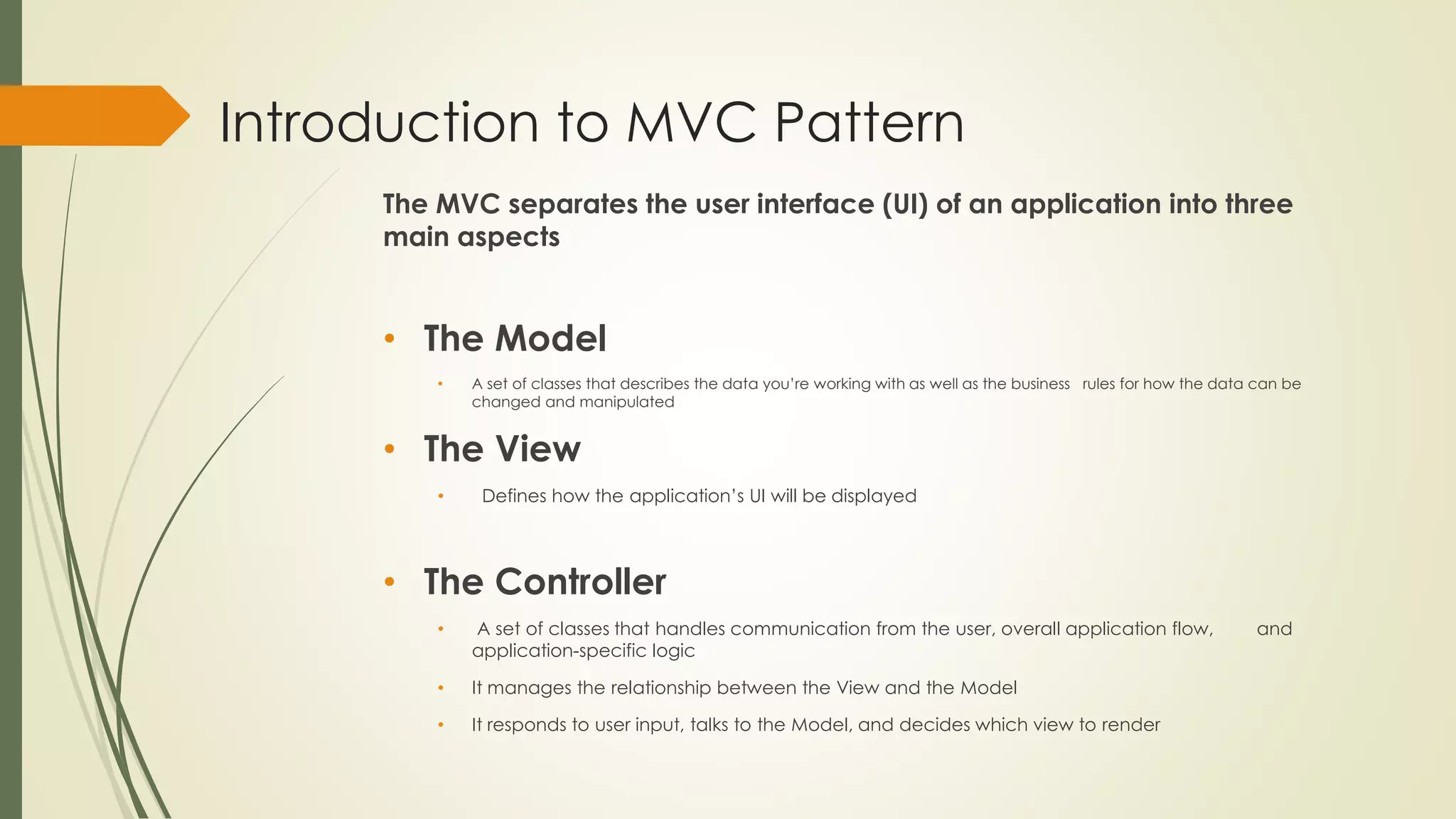
Introduction to MVC Pattern
The MVC separates the user interface (UI) of an application into three
main aspects
• The Model
• A set of classes that describes the data you’re working with as well as the business rules for how the data can be
changed and manipulated
• The View
• Defines how the application’s UI will be displayed
• The Controller
• A set of classes that handles communication from the user, overall application flow, and
application-specific logic
• It manages the relationship between the View and the Model
• It responds to user input, talks to the Model, and decides which view to render
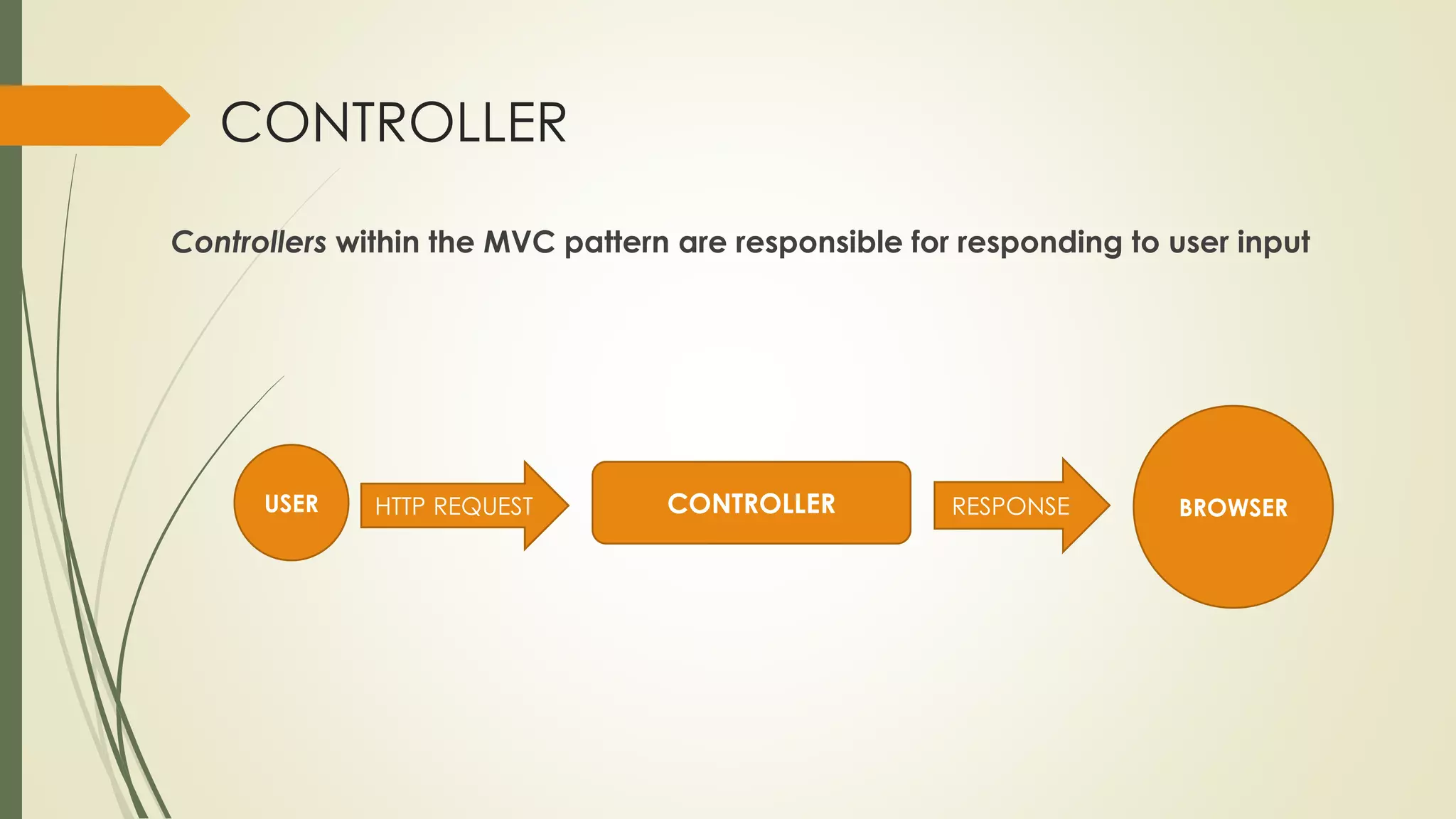
CONTROLLER
Controllers within the MVC pattern are responsible for responding to user input
USER HTTP REQUEST CONTROLLER RESPONSE BROWSER
CONTROLLER
 Instead of having a direct relationship between the URL and a file
living on the web server’s hard drive, there is a relationship between
the URL and a method on a controller class.
 Each controller’s class name ends with Controller: ProductController,
Home Controller, and so on, and lives in the Controllers directory.
 Controllers in the MVC pattern are concerned with the flow of the
application, working with data coming in, and providing data going
out to the relevant view.
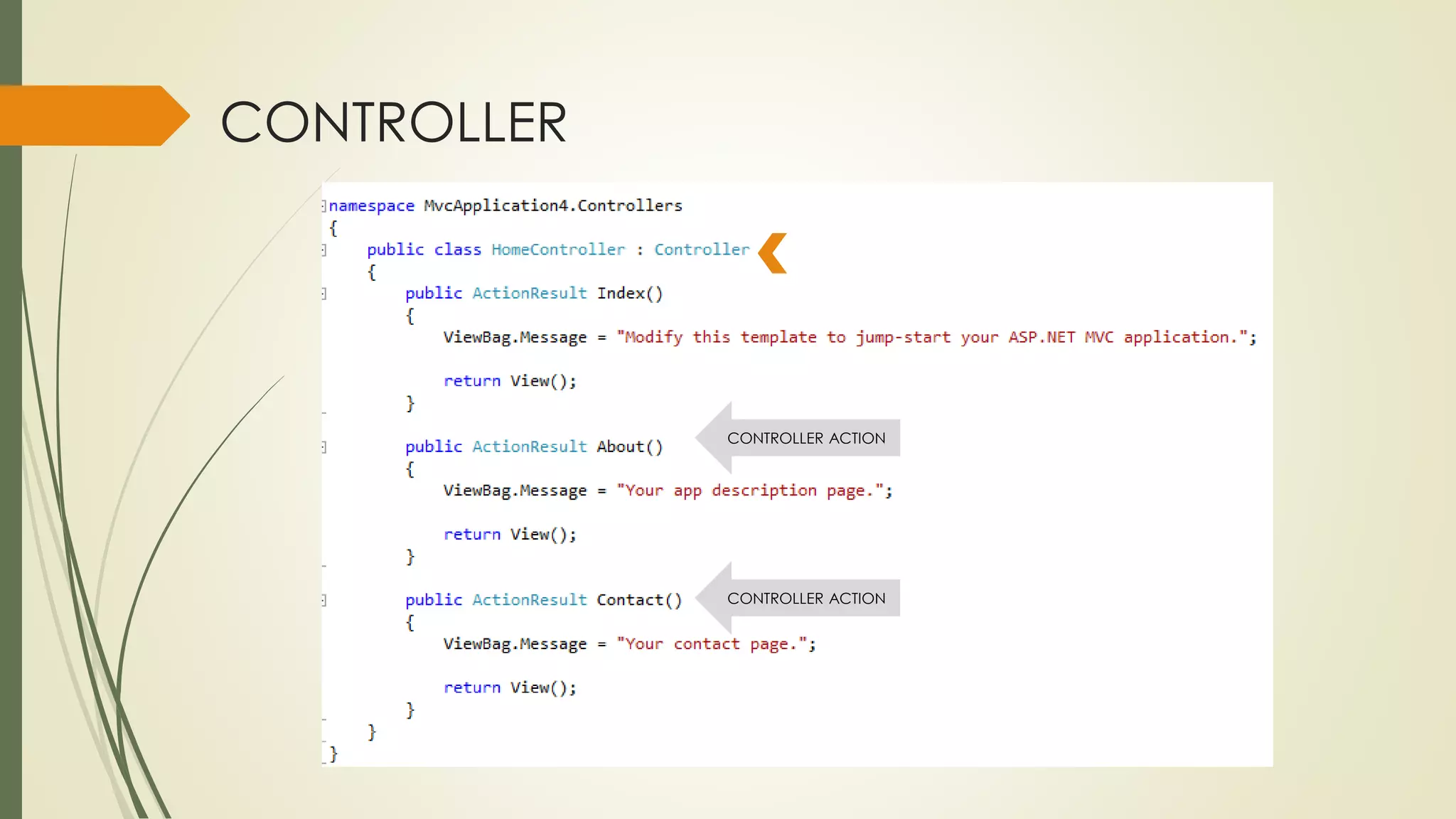
CONTROLLER
CONTROLLER ACTION
CONTROLLER ACTION
CONTROLLER
 The methods (Index, About, and Contact) within your controller are called
Controller Actions.
 They respond to URL requests, perform the appropriate actions, and return a
response back to the browser or user that invoked the URL.
Eg: http://7880/Home/About
http://7880/Home/Contact
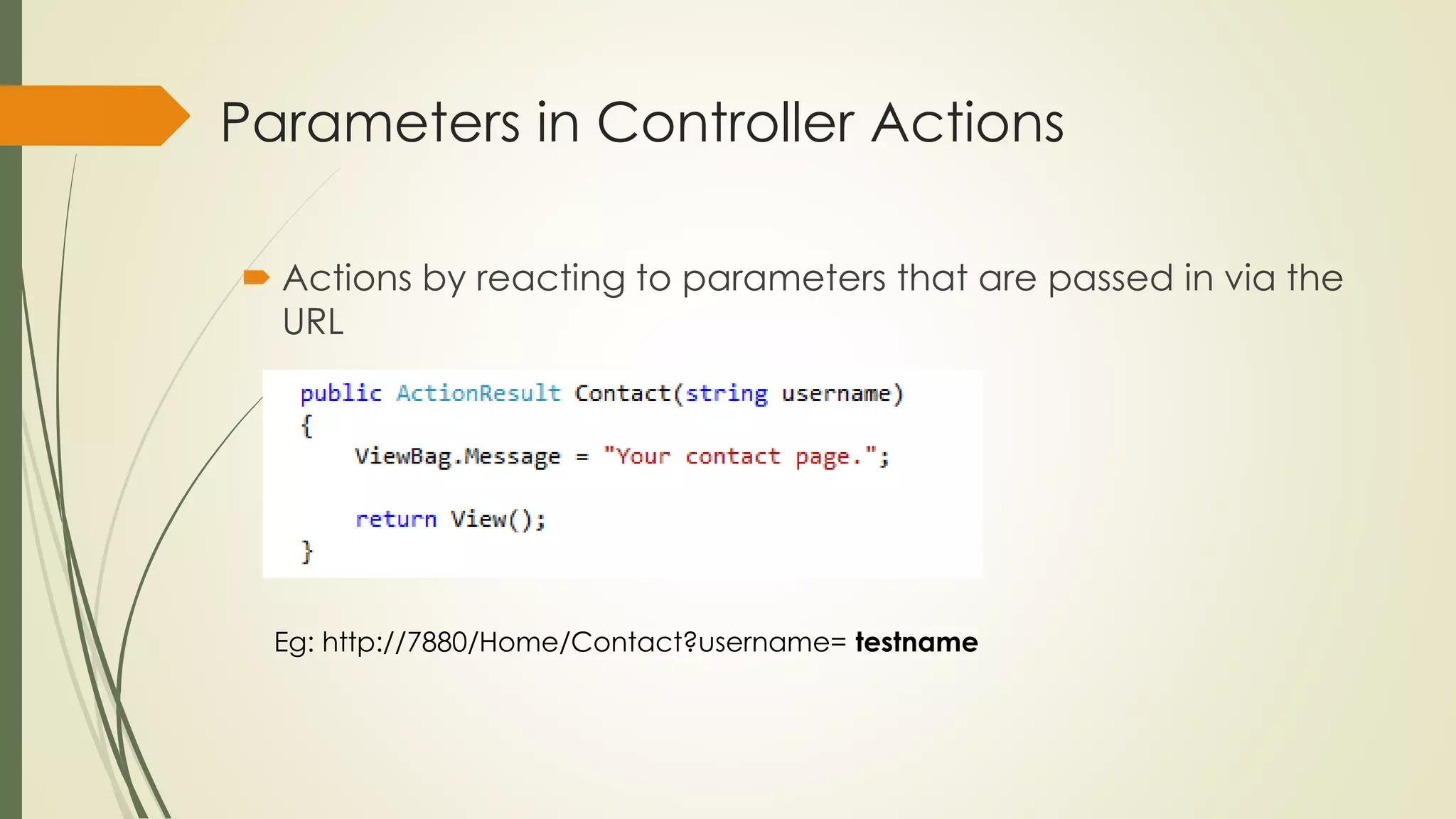
Parameters in Controller Actions
 Actions by reacting to parameters that are passed in via the
URL
Eg: http://7880/Home/Contact?username= testname
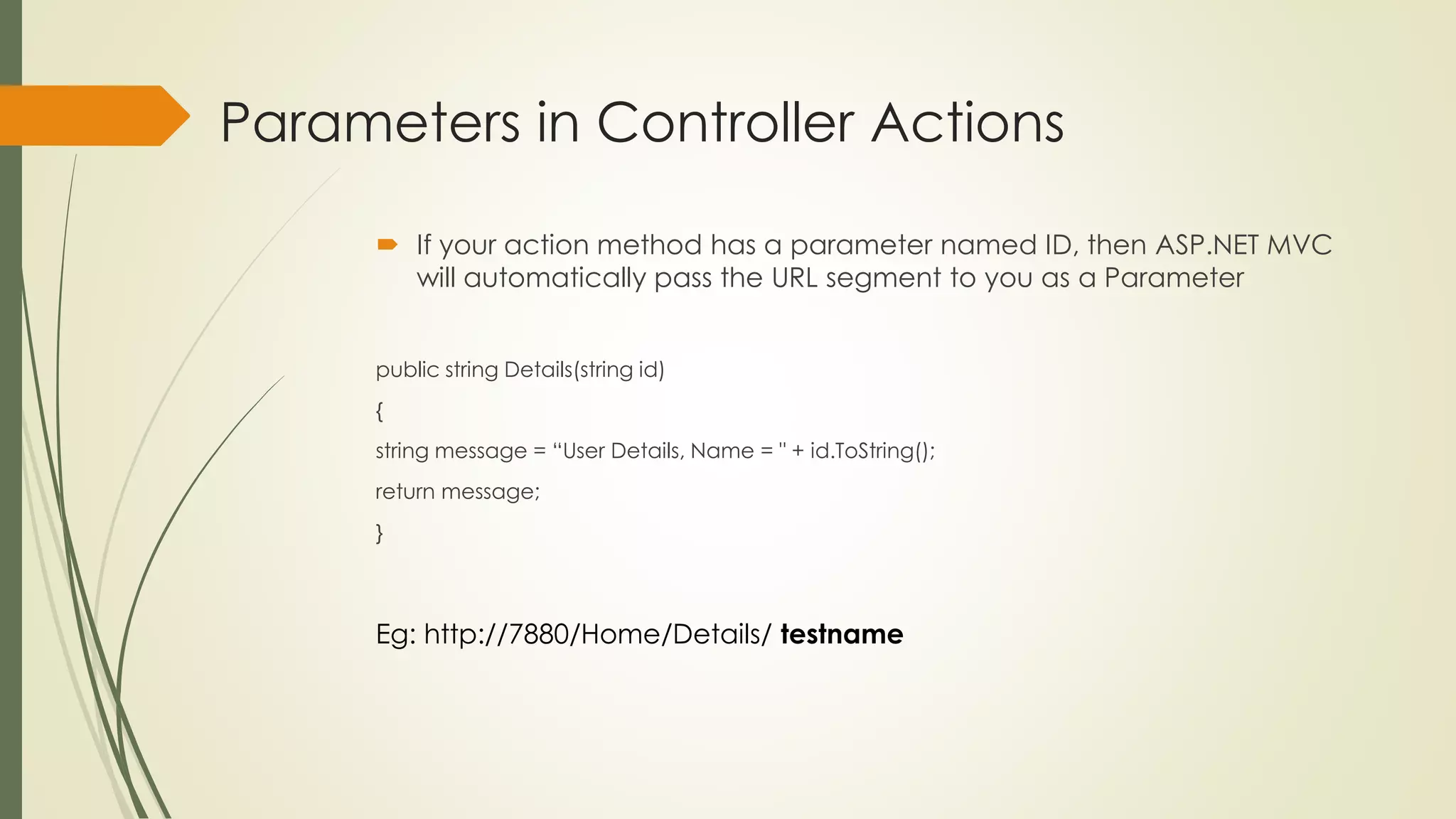
Parameters in Controller Actions
 If your action method has a parameter named ID, then ASP.NET MVC
will automatically pass the URL segment to you as a Parameter
public string Details(string id)
{
string message = “User Details, Name = " + id.ToString();
return message;
}
Eg: http://7880/Home/Details/ testname
Summary
 Controllers are the conductors of an MVC application, tightly
orchestrating the interactions of the user, the model objects, and the
views.
 They are responsible for responding to user input, manipulating the
appropriate model objects, and then selecting the appropriate view
to display back to the user in response to the initial input.
VIEWS
 The view is responsible for providing the user
interface (UI) to the user
 The view transforms the data into a format ready to
be presented to the user
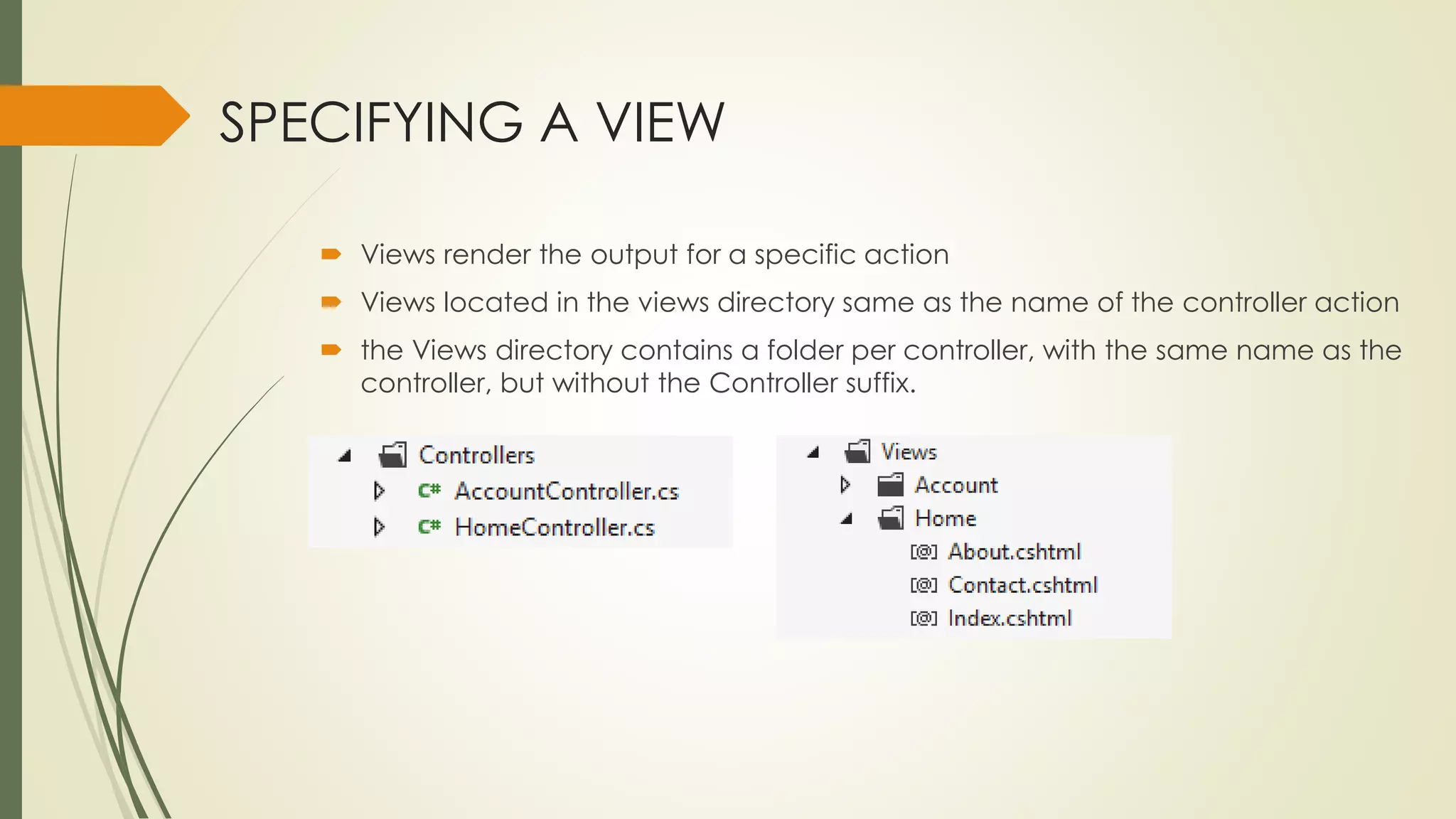
SPECIFYING A VIEW
 Views render the output for a specific action
 Views located in the views directory same as the name of the controller action
 the Views directory contains a folder per controller, with the same name as the
controller, but without the Controller suffix.
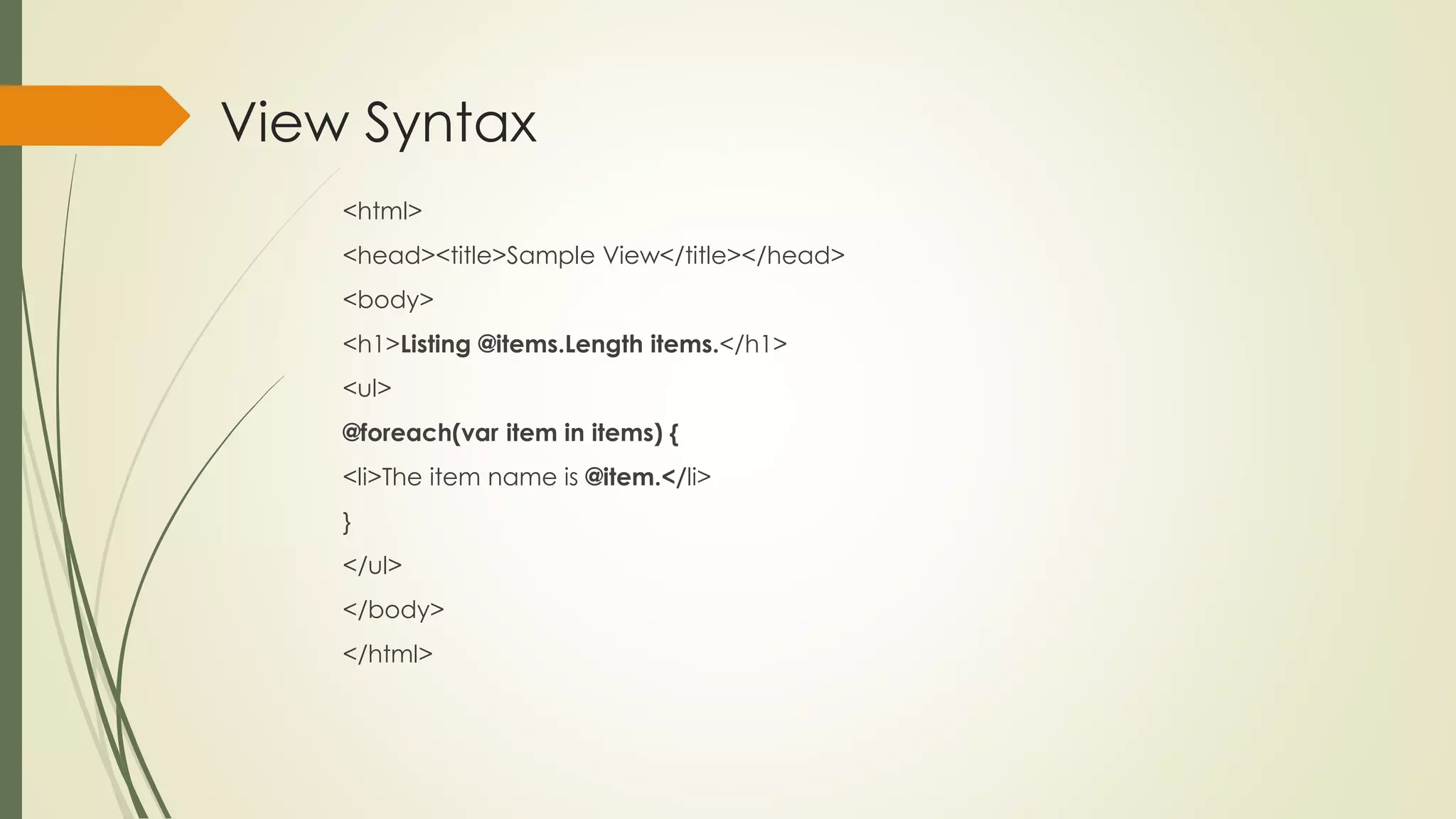
View Syntax
<html>
<head><title>Sample View</title></head>
<body>
<h1>Listing @items.Length items.</h1>
<ul>
@foreach(var item in items) {
<li>The item name is @item.</li>
}
</ul>
</body>
</html>
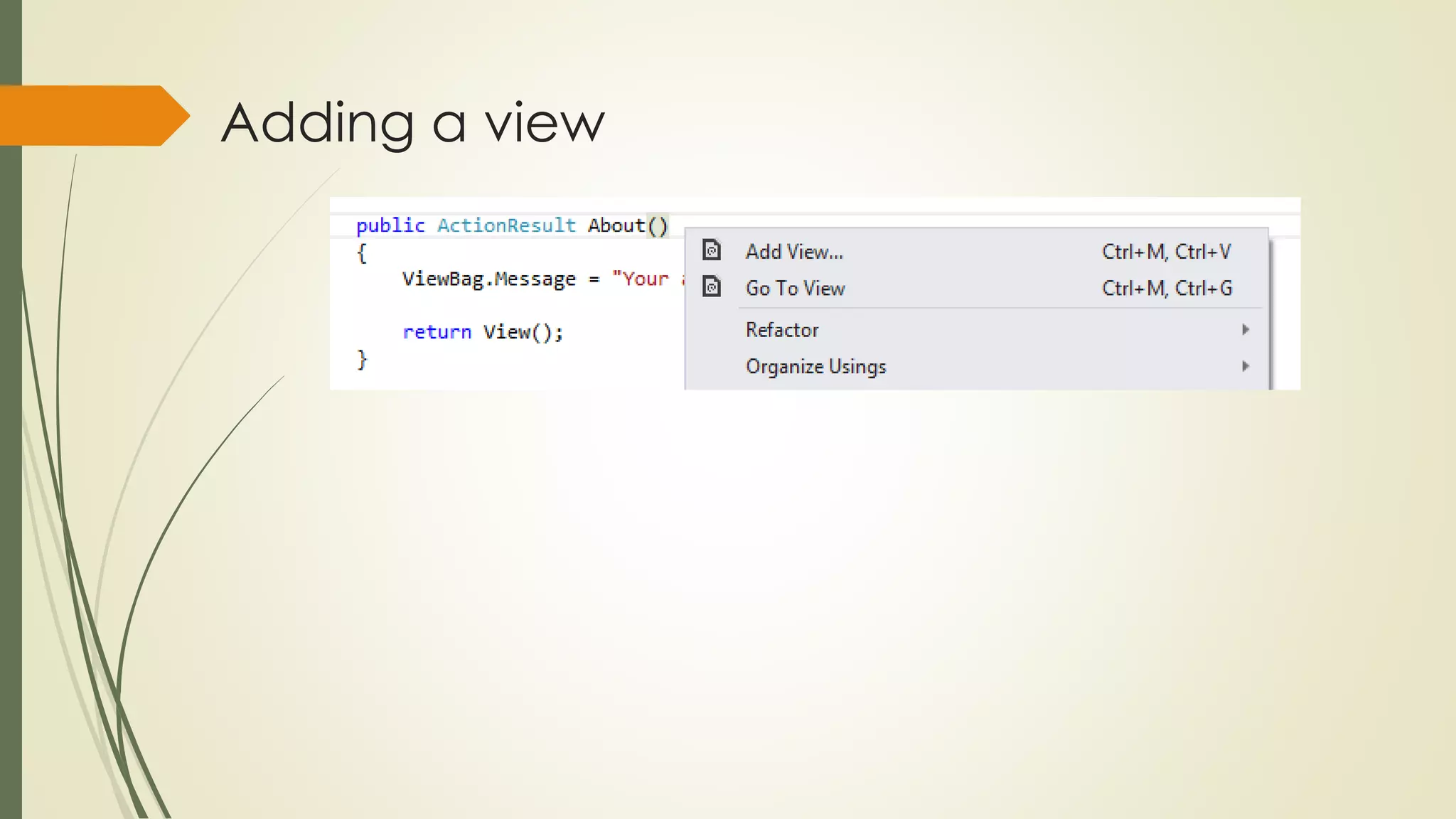
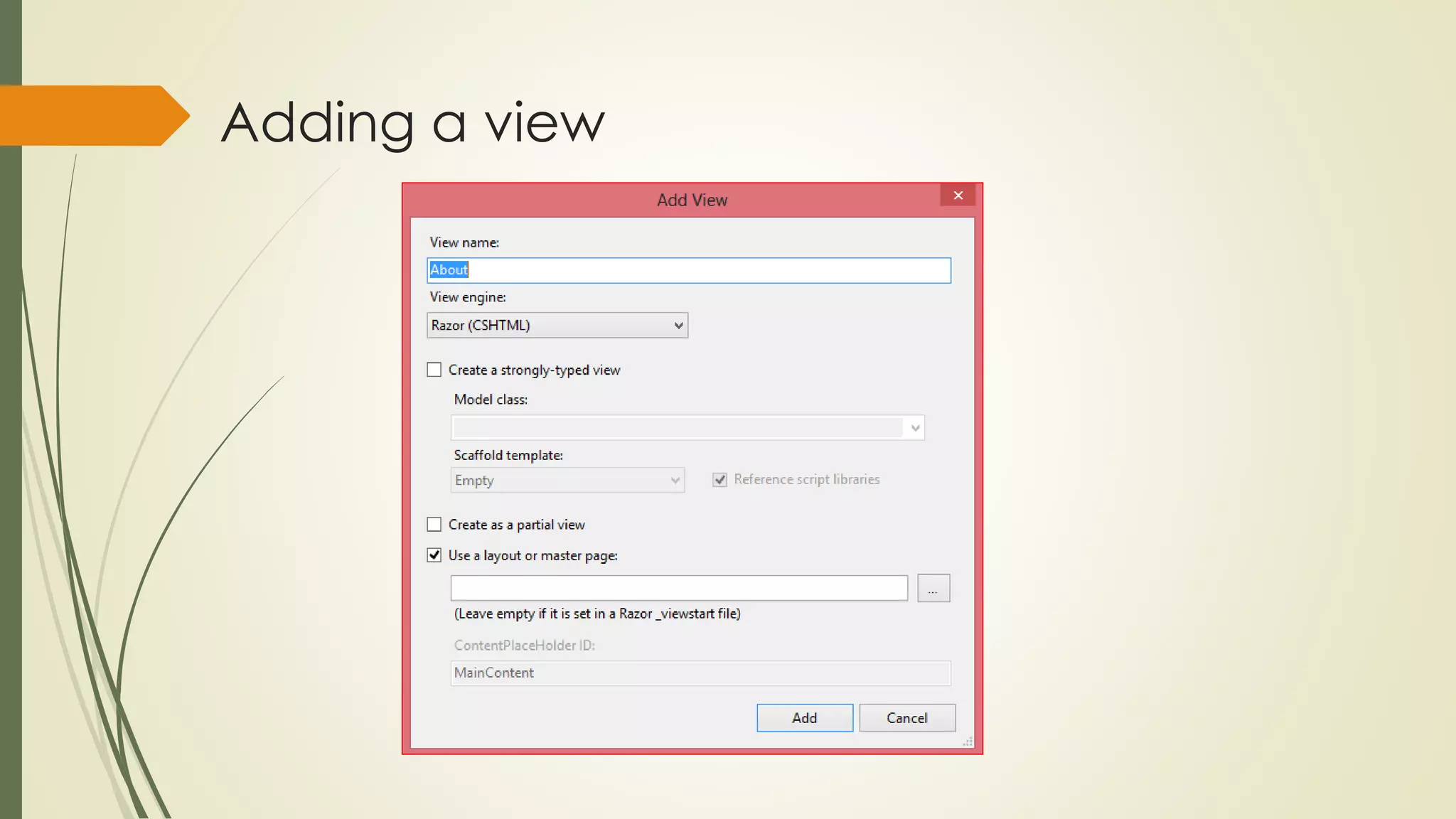
Adding a view
Adding a view
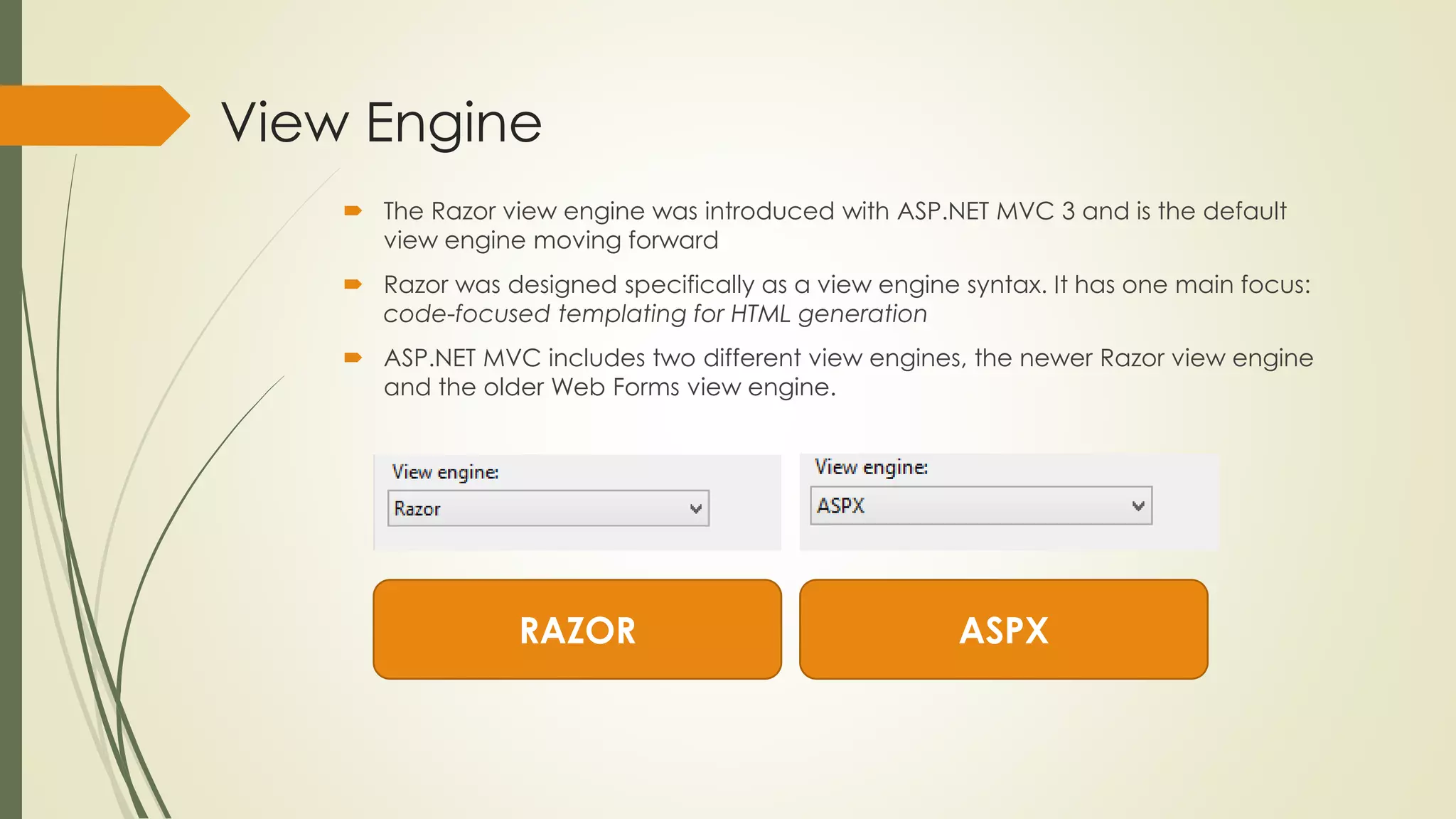
View Engine
 The Razor view engine was introduced with ASP.NET MVC 3 and is the default
view engine moving forward
 Razor was designed specifically as a view engine syntax. It has one main focus:
code-focused templating for HTML generation
 ASP.NET MVC includes two different view engines, the newer Razor view engine
and the older Web Forms view engine.
RAZOR ASPX
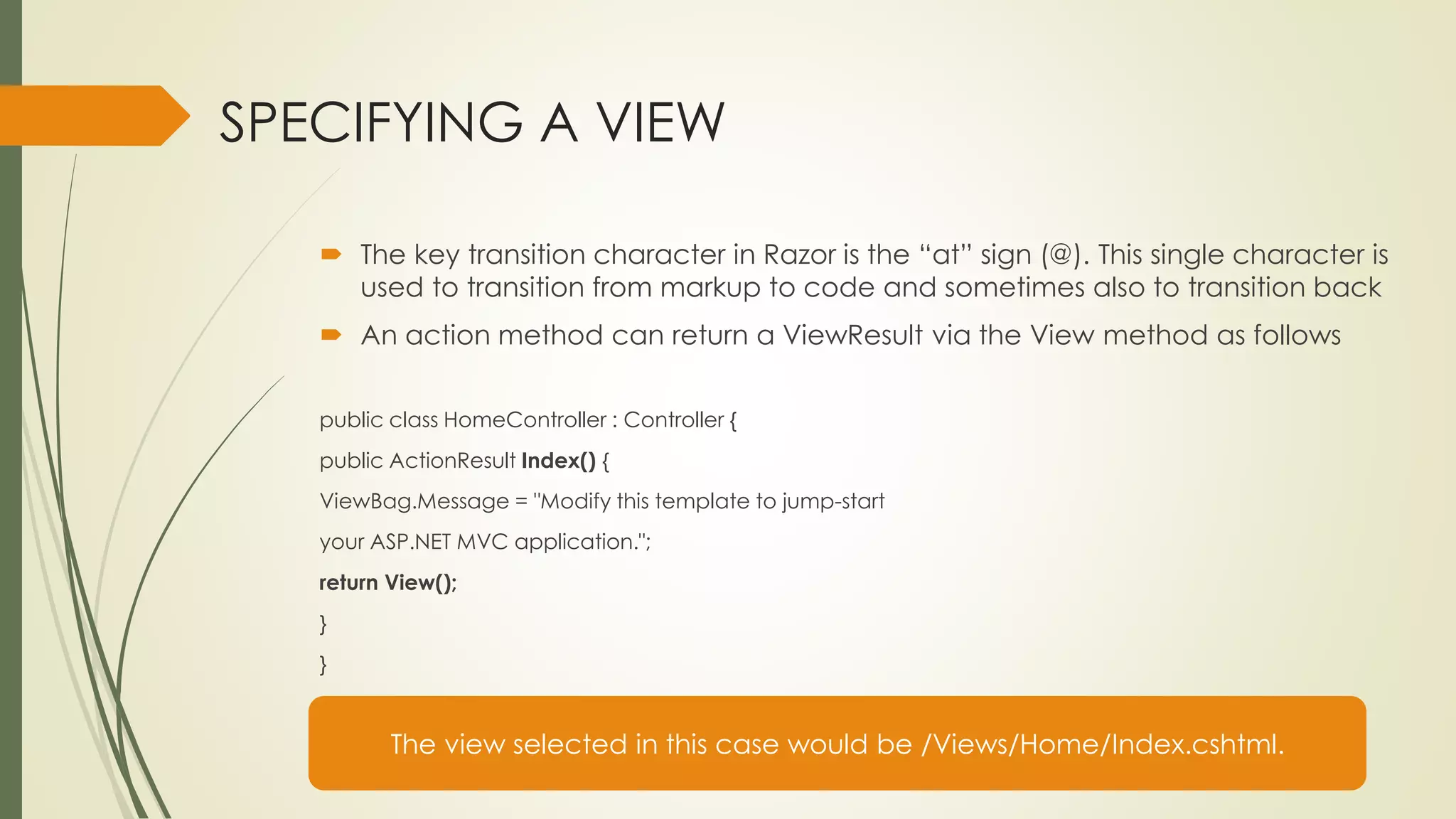
SPECIFYING A VIEW
 The key transition character in Razor is the “at” sign (@). This single character is
used to transition from markup to code and sometimes also to transition back
 An action method can return a ViewResult via the View method as follows
public class HomeController : Controller {
public ActionResult Index() {
ViewBag.Message = "Modify this template to jump-start
your ASP.NET MVC application.";
return View();
}
}
The view selected in this case would be /Views/Home/Index.cshtml.
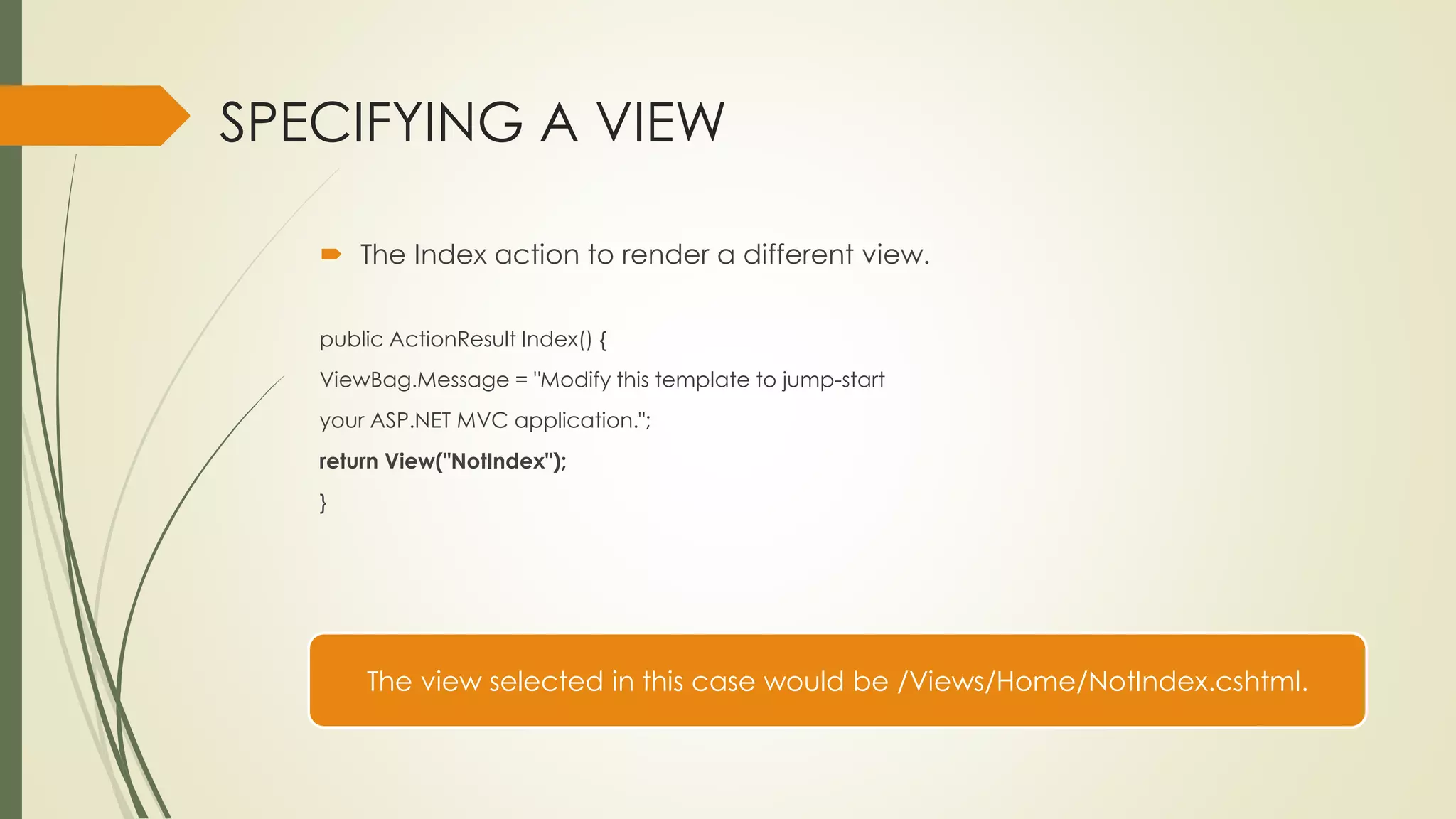
SPECIFYING A VIEW
 The Index action to render a different view.
public ActionResult Index() {
ViewBag.Message = "Modify this template to jump-start
your ASP.NET MVC application.";
return View("NotIndex");
}
The view selected in this case would be /Views/Home/NotIndex.cshtml.
ViewData and ViewBag
ViewData
 To pass information from the controller to the view above
 You can set and read values using standard dictionary syntax, as follows:
ViewData["CurrentTime"] = DateTime.Now;
ViewBag
 The ViewBag is a dynamic wrapper around ViewData. It allows you to set
values as follows:
ViewBag. CurrentTime = DateTime.Now;
ViewBag. CurrentTime is equivalent to ViewData["CurrentTime"].
Layouts
Layouts in Razor help maintain a consistent look
and feel across multiple views within your
application
Layouts serve the same purpose as master pages
To define a common template for your site
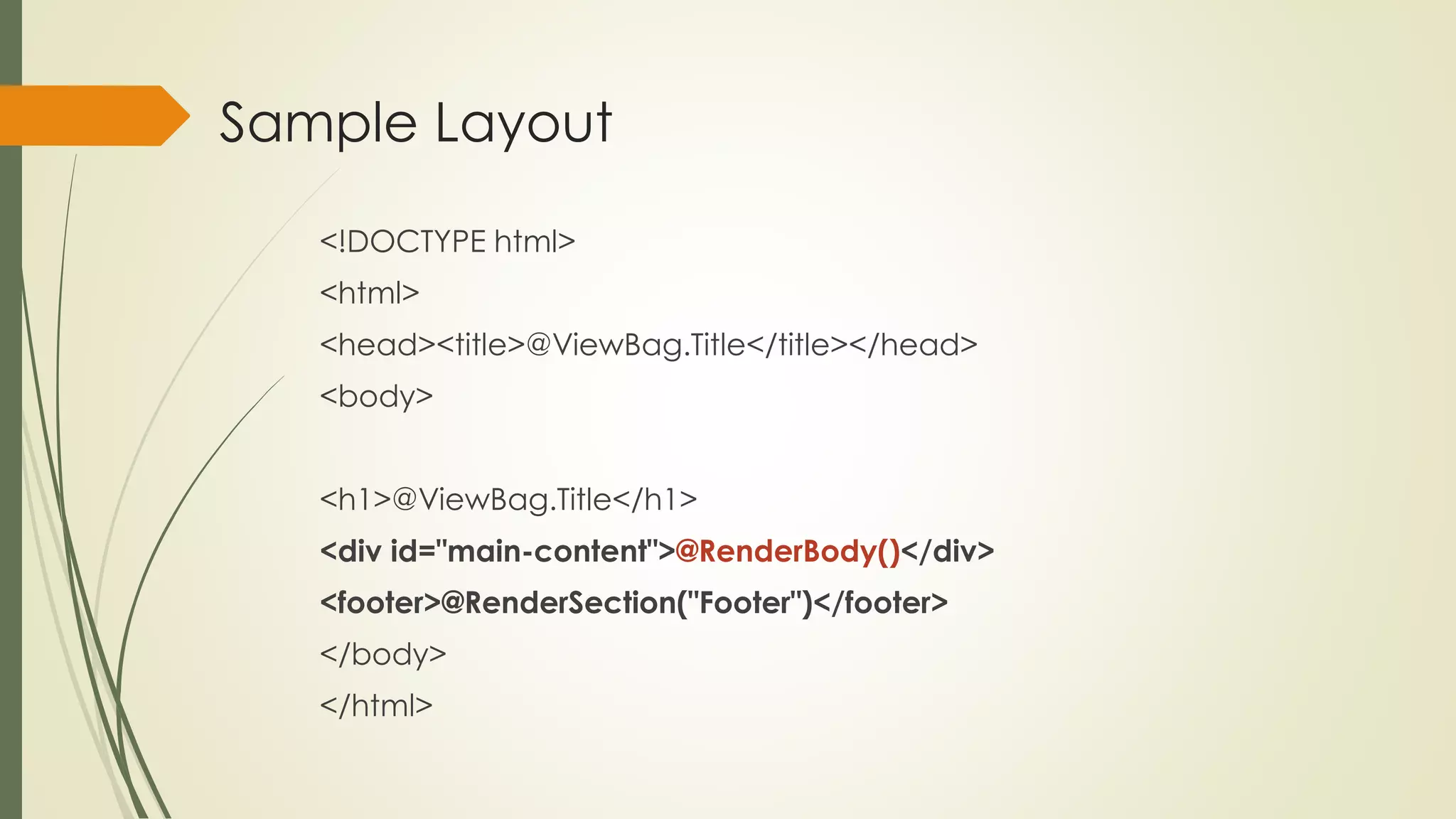
Sample Layout
<!DOCTYPE html>
<html>
<head><title>@ViewBag.Title</title></head>
<body>
<h1>@ViewBag.Title</h1>
<div id="main-content">@RenderBody()</div>
<footer>@RenderSection("Footer")</footer>
</body>
</html>
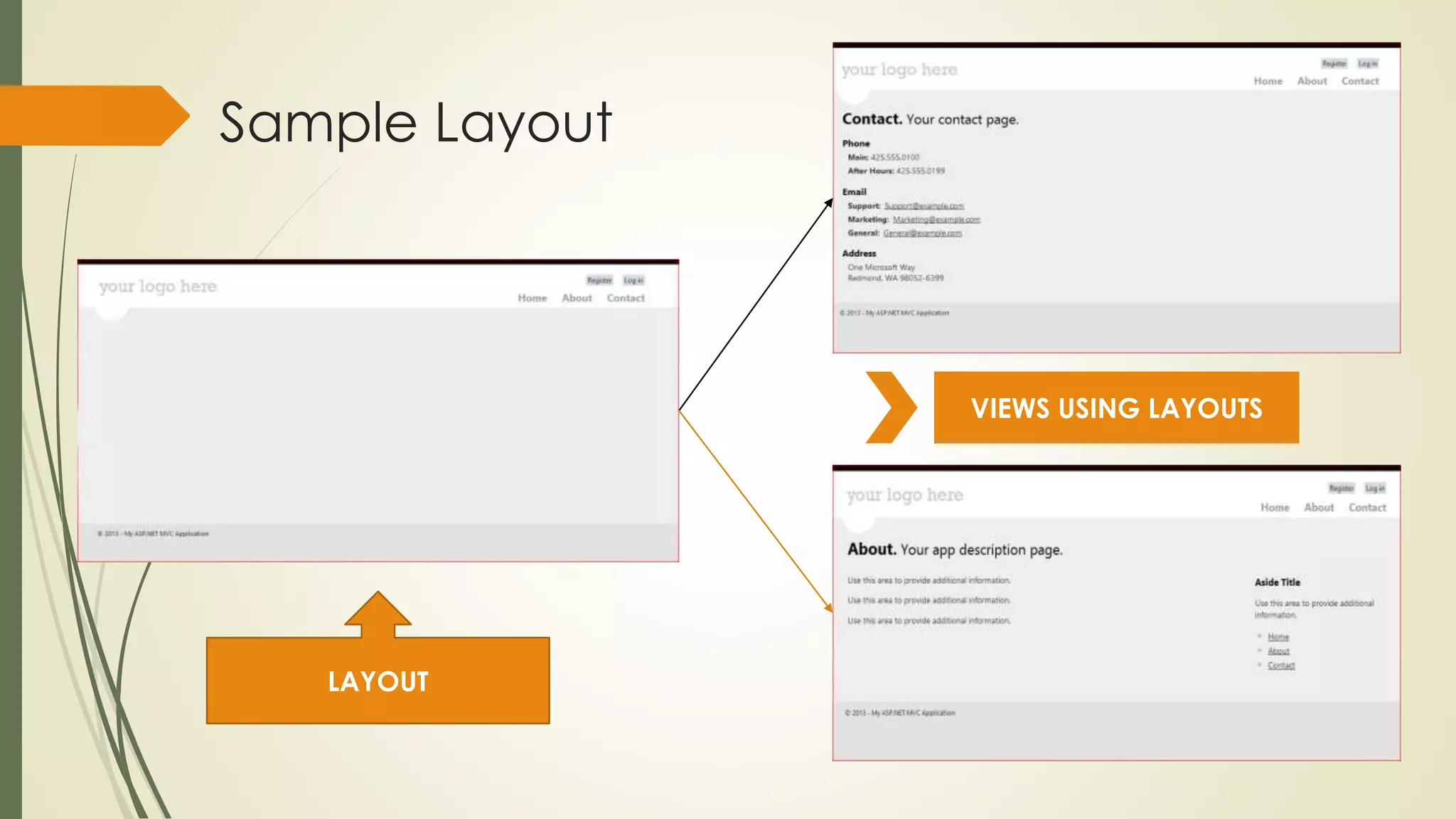
Sample Layout
LAYOUT
VIEWS USING LAYOUTS
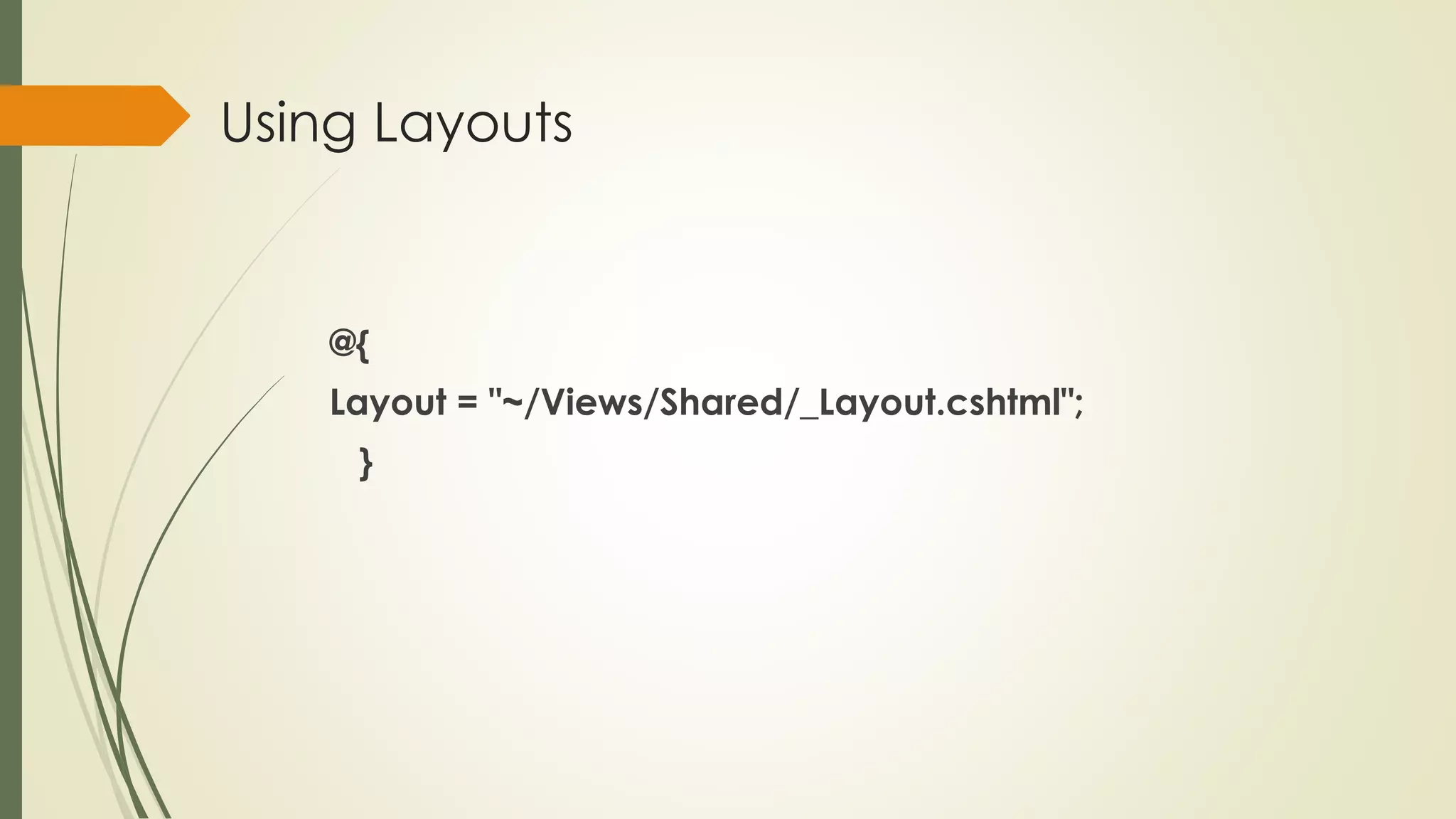
Using Layouts
@{
Layout = "~/Views/Shared/_Layout.cshtml";
}
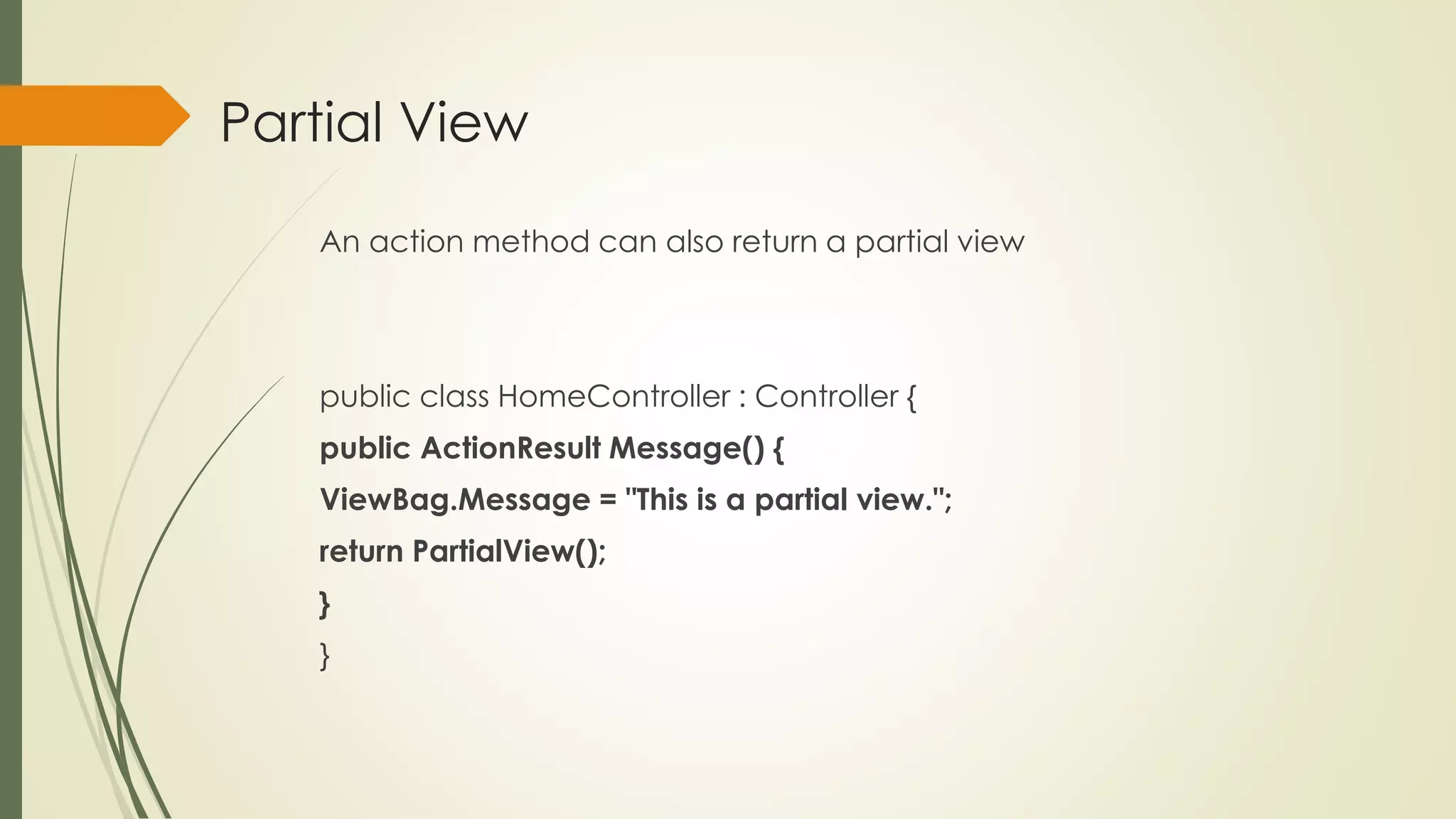
Partial View
An action method can also return a partial view
public class HomeController : Controller {
public ActionResult Message() {
ViewBag.Message = "This is a partial view.";
return PartialView();
}
}
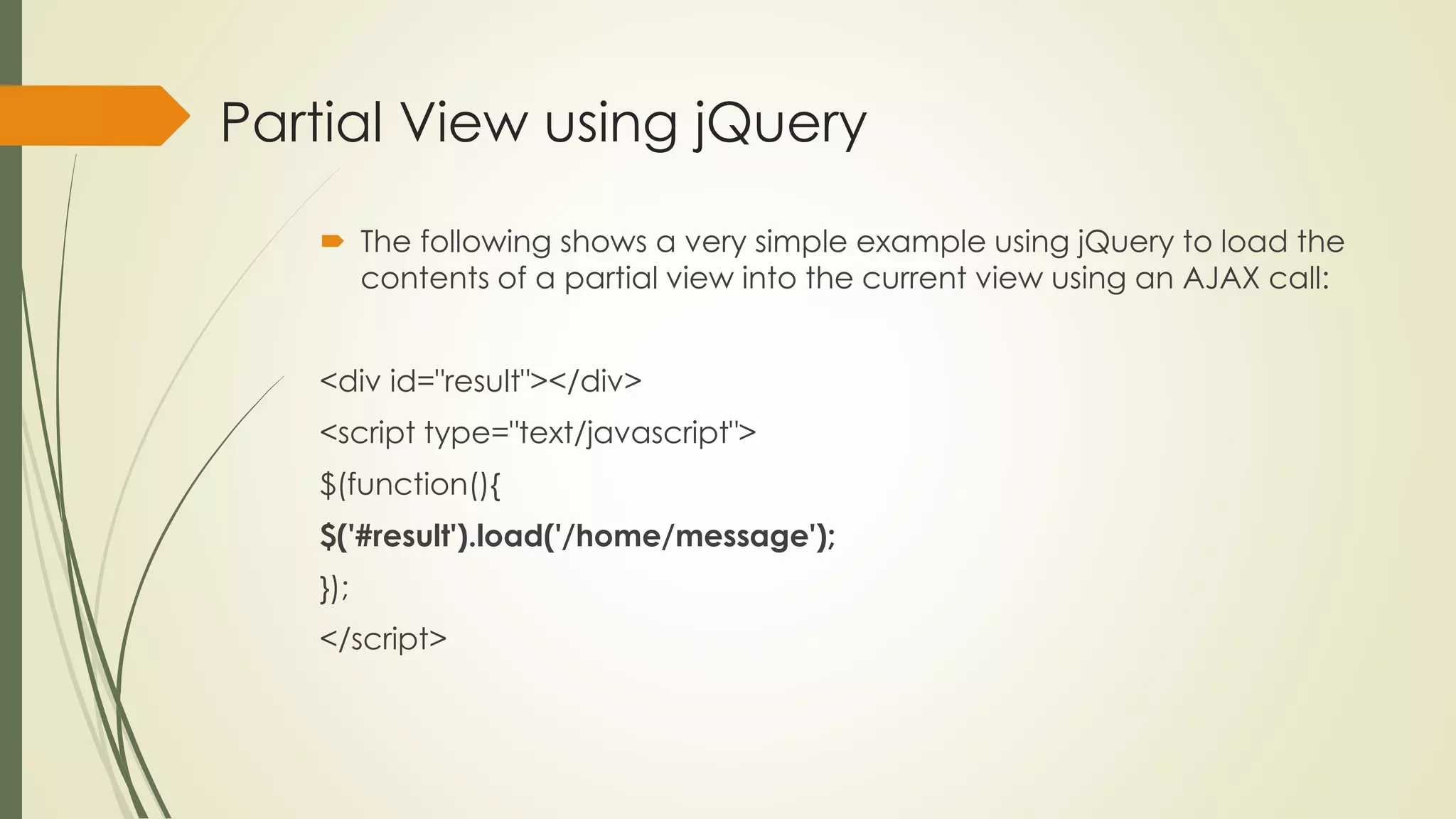
Partial View using jQuery
 The following shows a very simple example using jQuery to load the
contents of a partial view into the current view using an AJAX call:
<div id="result"></div>
<script type="text/javascript">
$(function(){
$('#result').load('/home/message');
});
</script>
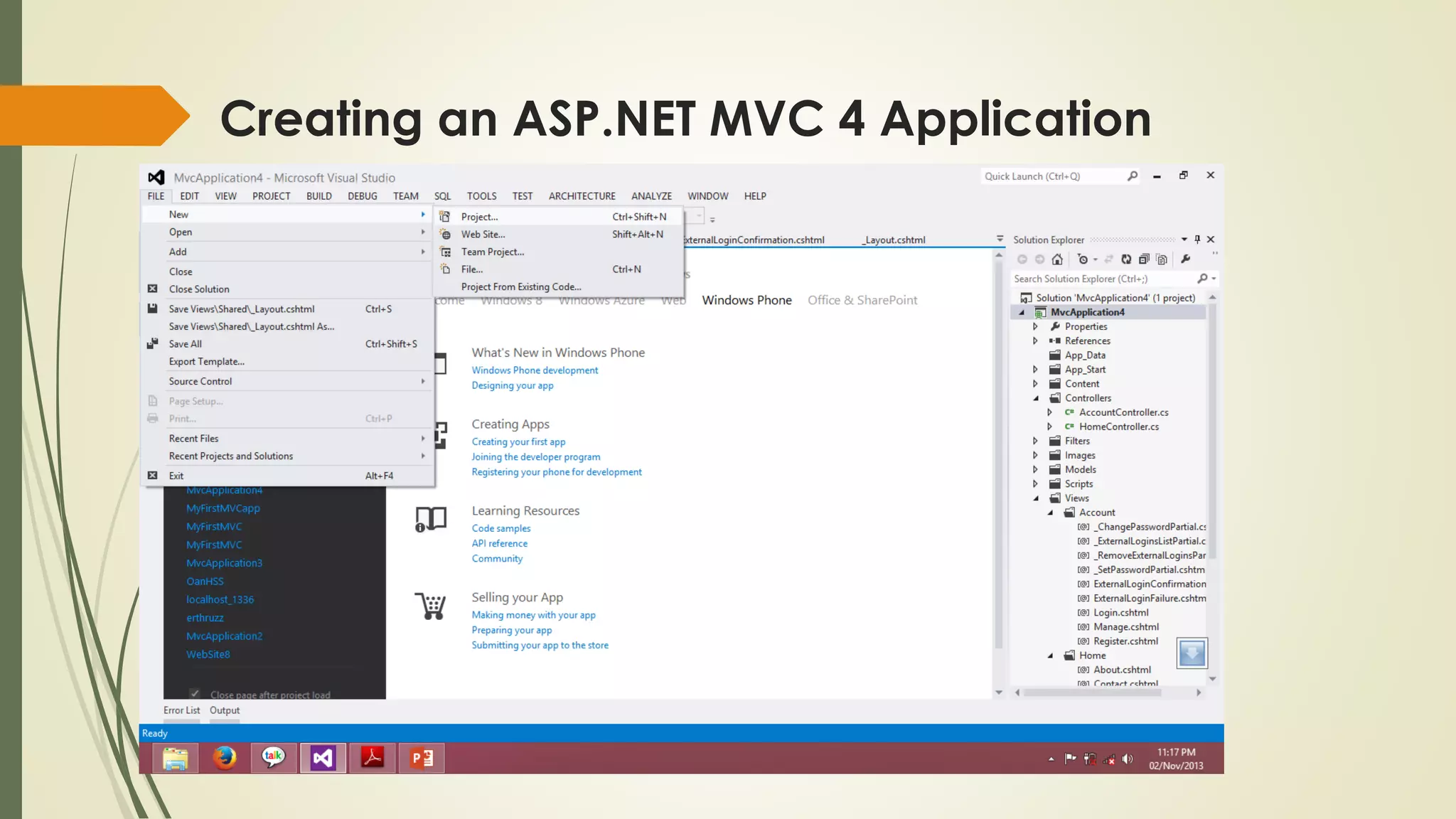
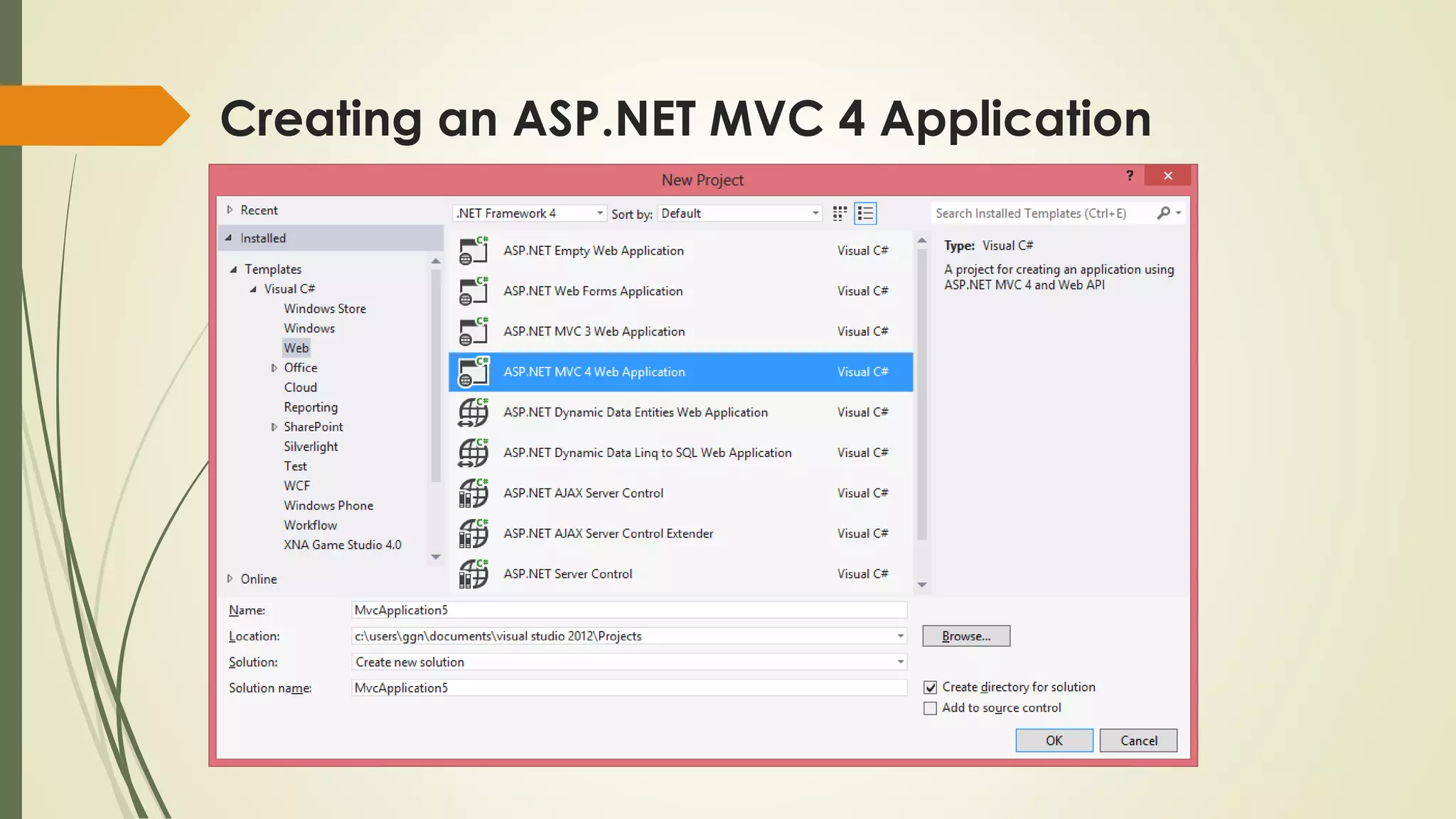
Creating an ASP.NET MVC 4 Application
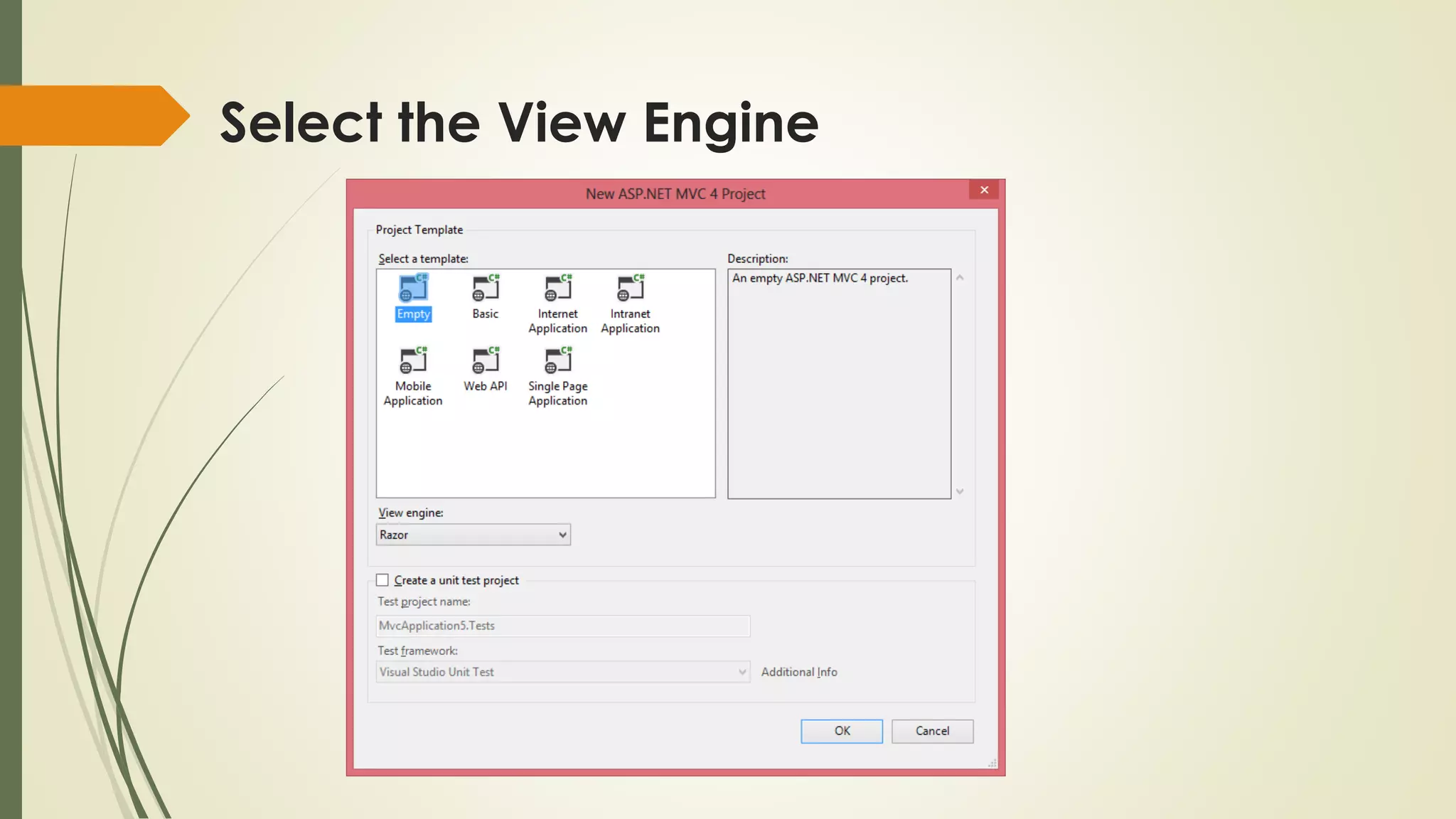
Select the View Engine
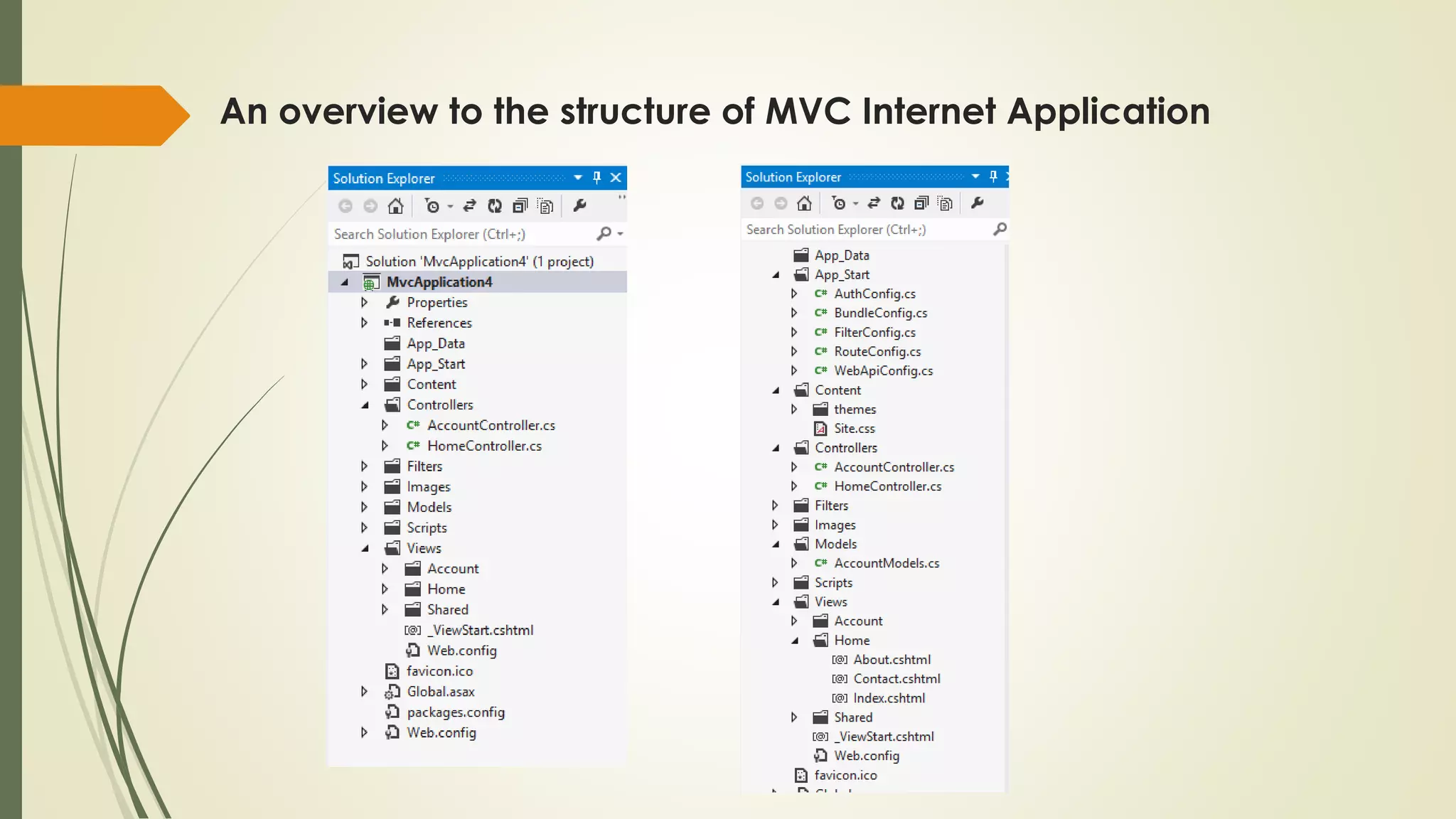
An overview to the structure of MVC Internet Application
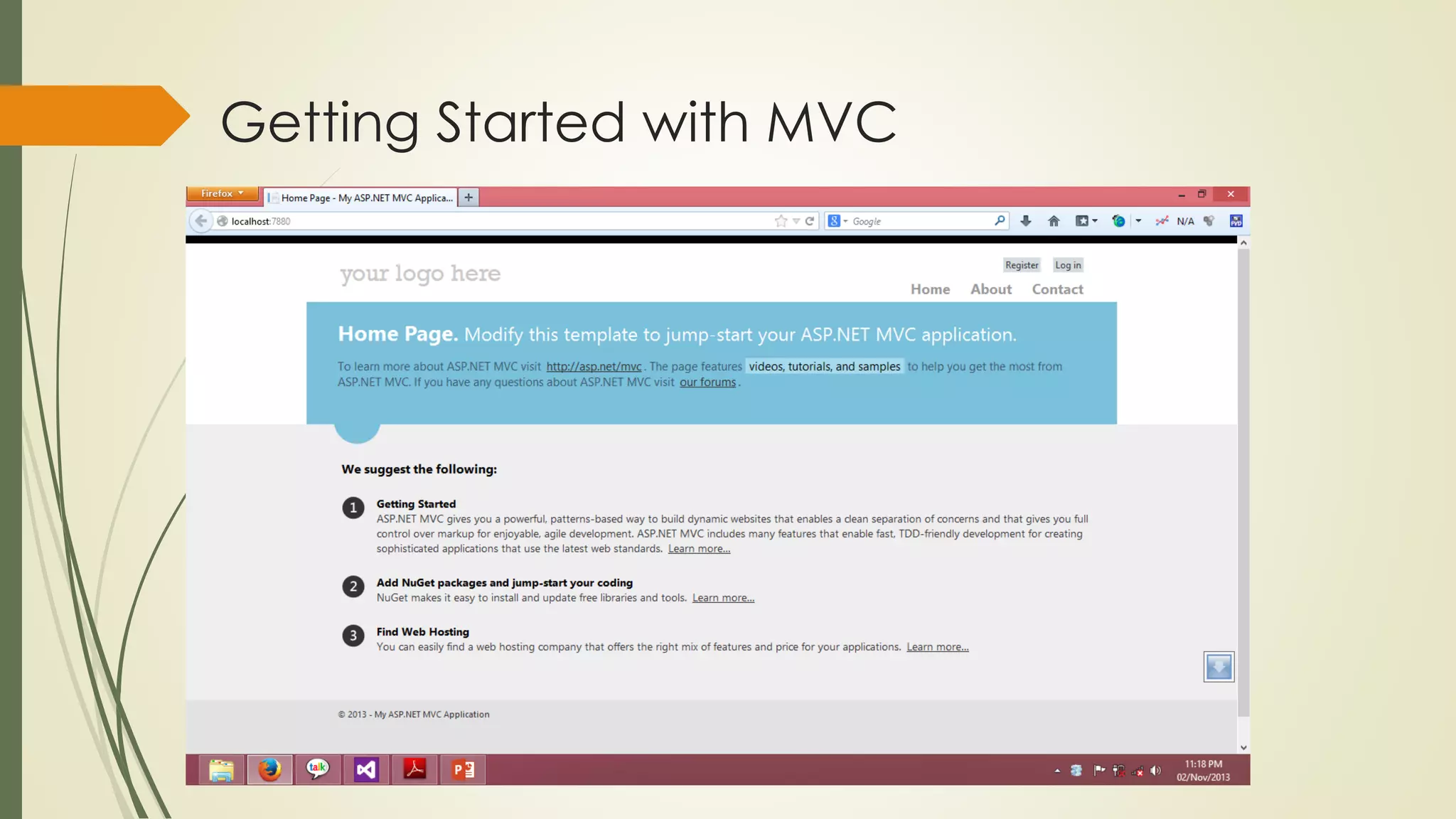
Getting Started with MVC
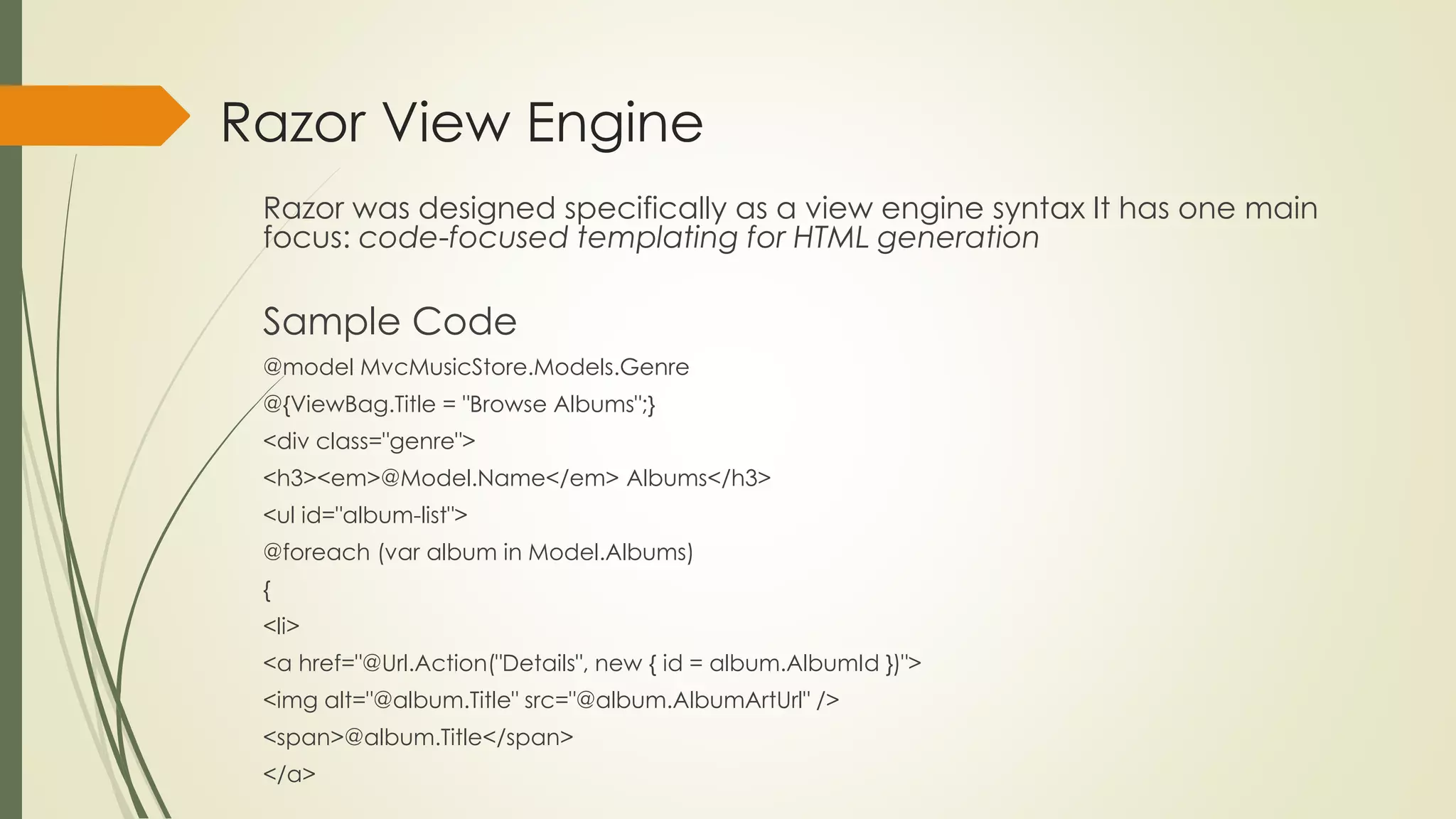
Razor View Engine
Razor was designed specifically as a view engine syntax It has one main
focus: code-focused templating for HTML generation
Sample Code
@model MvcMusicStore.Models.Genre
@{ViewBag.Title = "Browse Albums";}
<div class="genre">
<h3><em>@Model.Name</em> Albums</h3>
<ul id="album-list">
@foreach (var album in Model.Albums)
{
<li>
<a href="@Url.Action("Details", new { id = album.AlbumId })">
<img alt="@album.Title" src="@album.AlbumArtUrl" />
<span>@album.Title</span>
</a>
Features
 The Razor syntax is easier to type, and easier to read
 Razor doesn’t have the XML-like heavy syntax of the Web
Forms view engine.
 Compact, expressive, and fluid
 Not a new language
 Razor is a syntax that lets you use your existing .NET coding skills in a template in a very intuitive way
Works with any text editor
Good IntelliSense

Simple mvc4 prepared by gigin krishnan

  • 1.
    MVC 4.0 Model ViewController Slide created by Gigin Krishnan TG Ggnlive.com
  • 2.
  • 3.
    Introduction to MVC ASP.NETMVC is a framework for building web applications Model View Controller pattern to the ASP.NET framework. Created by GGN KRISHNAN
  • 4.
    Features  The Razorview engine  Support for .NET 4 Data Annotations  Improved model validation  Greater control and flexibility with support for dependency resolution and global action filters  Better JavaScript support with unobtrusive JavaScript, jQuery Validation, and JSON binding  Use of NuGet to deliver software and manage dependencies throughout the platform Some of the top features in MVC 4.0 included
  • 5.
    Introduction to MVCPattern The MVC separates the user interface (UI) of an application into three main aspects • The Model • A set of classes that describes the data you’re working with as well as the business rules for how the data can be changed and manipulated • The View • Defines how the application’s UI will be displayed • The Controller • A set of classes that handles communication from the user, overall application flow, and application-specific logic • It manages the relationship between the View and the Model • It responds to user input, talks to the Model, and decides which view to render
  • 6.
    CONTROLLER Controllers within theMVC pattern are responsible for responding to user input USER HTTP REQUEST CONTROLLER RESPONSE BROWSER
  • 7.
    CONTROLLER  Instead ofhaving a direct relationship between the URL and a file living on the web server’s hard drive, there is a relationship between the URL and a method on a controller class.  Each controller’s class name ends with Controller: ProductController, Home Controller, and so on, and lives in the Controllers directory.  Controllers in the MVC pattern are concerned with the flow of the application, working with data coming in, and providing data going out to the relevant view.
  • 8.
  • 9.
    CONTROLLER  The methods(Index, About, and Contact) within your controller are called Controller Actions.  They respond to URL requests, perform the appropriate actions, and return a response back to the browser or user that invoked the URL. Eg: http://7880/Home/About http://7880/Home/Contact
  • 10.
    Parameters in ControllerActions  Actions by reacting to parameters that are passed in via the URL Eg: http://7880/Home/Contact?username= testname
  • 11.
    Parameters in ControllerActions  If your action method has a parameter named ID, then ASP.NET MVC will automatically pass the URL segment to you as a Parameter public string Details(string id) { string message = “User Details, Name = " + id.ToString(); return message; } Eg: http://7880/Home/Details/ testname
  • 12.
    Summary  Controllers arethe conductors of an MVC application, tightly orchestrating the interactions of the user, the model objects, and the views.  They are responsible for responding to user input, manipulating the appropriate model objects, and then selecting the appropriate view to display back to the user in response to the initial input.
  • 13.
    VIEWS  The viewis responsible for providing the user interface (UI) to the user  The view transforms the data into a format ready to be presented to the user
  • 14.
    SPECIFYING A VIEW Views render the output for a specific action  Views located in the views directory same as the name of the controller action  the Views directory contains a folder per controller, with the same name as the controller, but without the Controller suffix.
  • 15.
    View Syntax <html> <head><title>Sample View</title></head> <body> <h1>Listing@items.Length items.</h1> <ul> @foreach(var item in items) { <li>The item name is @item.</li> } </ul> </body> </html>
  • 16.
  • 17.
  • 18.
    View Engine  TheRazor view engine was introduced with ASP.NET MVC 3 and is the default view engine moving forward  Razor was designed specifically as a view engine syntax. It has one main focus: code-focused templating for HTML generation  ASP.NET MVC includes two different view engines, the newer Razor view engine and the older Web Forms view engine. RAZOR ASPX
  • 19.
    SPECIFYING A VIEW The key transition character in Razor is the “at” sign (@). This single character is used to transition from markup to code and sometimes also to transition back  An action method can return a ViewResult via the View method as follows public class HomeController : Controller { public ActionResult Index() { ViewBag.Message = "Modify this template to jump-start your ASP.NET MVC application."; return View(); } } The view selected in this case would be /Views/Home/Index.cshtml.
  • 20.
    SPECIFYING A VIEW The Index action to render a different view. public ActionResult Index() { ViewBag.Message = "Modify this template to jump-start your ASP.NET MVC application."; return View("NotIndex"); } The view selected in this case would be /Views/Home/NotIndex.cshtml.
  • 21.
    ViewData and ViewBag ViewData To pass information from the controller to the view above  You can set and read values using standard dictionary syntax, as follows: ViewData["CurrentTime"] = DateTime.Now; ViewBag  The ViewBag is a dynamic wrapper around ViewData. It allows you to set values as follows: ViewBag. CurrentTime = DateTime.Now; ViewBag. CurrentTime is equivalent to ViewData["CurrentTime"].
  • 22.
    Layouts Layouts in Razorhelp maintain a consistent look and feel across multiple views within your application Layouts serve the same purpose as master pages To define a common template for your site
  • 23.
    Sample Layout <!DOCTYPE html> <html> <head><title>@ViewBag.Title</title></head> <body> <h1>@ViewBag.Title</h1> <divid="main-content">@RenderBody()</div> <footer>@RenderSection("Footer")</footer> </body> </html>
  • 24.
  • 25.
    Using Layouts @{ Layout ="~/Views/Shared/_Layout.cshtml"; }
  • 26.
    Partial View An actionmethod can also return a partial view public class HomeController : Controller { public ActionResult Message() { ViewBag.Message = "This is a partial view."; return PartialView(); } }
  • 27.
    Partial View usingjQuery  The following shows a very simple example using jQuery to load the contents of a partial view into the current view using an AJAX call: <div id="result"></div> <script type="text/javascript"> $(function(){ $('#result').load('/home/message'); }); </script>
  • 28.
    Creating an ASP.NETMVC 4 Application
  • 29.
    Creating an ASP.NETMVC 4 Application
  • 30.
  • 31.
    An overview tothe structure of MVC Internet Application
  • 32.
  • 33.
    Razor View Engine Razorwas designed specifically as a view engine syntax It has one main focus: code-focused templating for HTML generation Sample Code @model MvcMusicStore.Models.Genre @{ViewBag.Title = "Browse Albums";} <div class="genre"> <h3><em>@Model.Name</em> Albums</h3> <ul id="album-list"> @foreach (var album in Model.Albums) { <li> <a href="@Url.Action("Details", new { id = album.AlbumId })"> <img alt="@album.Title" src="@album.AlbumArtUrl" /> <span>@album.Title</span> </a>
  • 34.
    Features  The Razorsyntax is easier to type, and easier to read  Razor doesn’t have the XML-like heavy syntax of the Web Forms view engine.  Compact, expressive, and fluid  Not a new language  Razor is a syntax that lets you use your existing .NET coding skills in a template in a very intuitive way Works with any text editor Good IntelliSense