Arrays in Python
Part ||
‫إعداد‬:
‫م‬.‫محمد‬ ‫علي‬
objectives
 Sets
 dictionaries
Sets
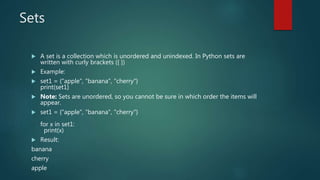
 A set is a collection which is unordered and unindexed. In Python sets are
written with curly brackets ({ })
 Example:
 set1 = {"apple", "banana", "cherry"}
print(set1)
 Note: Sets are unordered, so you cannot be sure in which order the items will
appear.
 set1 = {"apple", "banana", "cherry"}
for x in set1:
print(x)
 Result:
banana
cherry
apple
Check if item in sets
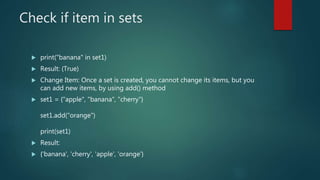
 print("banana" in set1)
 Result: (True)
 Change Item: Once a set is created, you cannot change its items, but you
can add new items, by using add() method
 set1 = {"apple", "banana", "cherry"}
set1.add("orange")
print(set1)
 Result:
 {'banana', 'cherry', 'apple', 'orange'}
Change values in sets
 Add multiple items to a set, using the update method
 Example:
 set1 = {"apple", "banana", "cherry"}
set1.update(["orange", "mango", "grapes"])
print(set1)
 Result:
{'grapes', 'orange', 'mongo', 'apple', 'cherry', 'banana'}
Deleted value from set
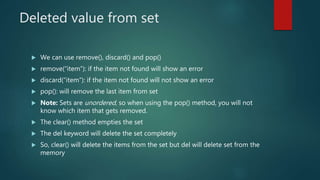
 We can use remove(), discard() and pop()
 remove(“item”): if the item not found will show an error
 discard(“item”): if the item not found will not show an error
 pop(): will remove the last item from set
 Note: Sets are unordered, so when using the pop() method, you will not
know which item that gets removed.
 The clear() method empties the set
 The del keyword will delete the set completely
 So, clear() will delete the items from the set but del will delete set from the
memory
Join two sets
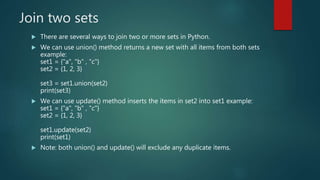
 There are several ways to join two or more sets in Python.
 We can use union() method returns a new set with all items from both sets
example:
set1 = {"a", "b" , "c"}
set2 = {1, 2, 3}
set3 = set1.union(set2)
print(set3)
 We can use update() method inserts the items in set2 into set1 example:
set1 = {"a", "b" , "c"}
set2 = {1, 2, 3}
set1.update(set2)
print(set1)
 Note: both union() and update() will exclude any duplicate items.
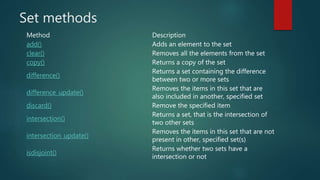
Set methods
Method Description
add() Adds an element to the set
clear() Removes all the elements from the set
copy() Returns a copy of the set
difference()
Returns a set containing the difference
between two or more sets
difference_update()
Removes the items in this set that are
also included in another, specified set
discard() Remove the specified item
intersection()
Returns a set, that is the intersection of
two other sets
intersection_update()
Removes the items in this set that are not
present in other, specified set(s)
isdisjoint()
Returns whether two sets have a
intersection or not
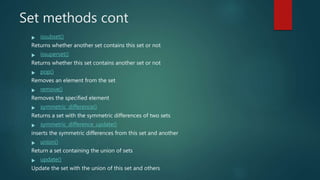
Set methods cont
 issubset()
Returns whether another set contains this set or not
 issuperset()
Returns whether this set contains another set or not
 pop()
Removes an element from the set
 remove()
Removes the specified element
 symmetric_difference()
Returns a set with the symmetric differences of two sets
 symmetric_difference_update()
inserts the symmetric differences from this set and another
 union()
Return a set containing the union of sets
 update()
Update the set with the union of this set and others
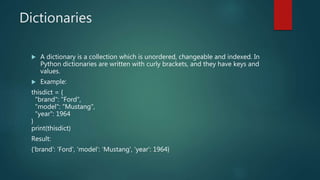
Dictionaries
 A dictionary is a collection which is unordered, changeable and indexed. In
Python dictionaries are written with curly brackets, and they have keys and
values.
 Example:
thisdict = {
"brand": "Ford",
"model": "Mustang",
"year": 1964
}
print(thisdict)
Result:
{'brand': 'Ford', 'model': 'Mustang', 'year': 1964}
Get an item
 You can access the items of a dictionary by referring to its key name, inside
square brackets
 Example:
x = thisdict["model"]
Print(x)
Result:
Mustang
 There is also a method called get() will give the same result
x = thisdict.get(“model”)
Print(x)
Result:
Mustang
Change values
 You can change the value of a specific item by referring to its key name
 Example:
 thisdict = {
"brand": "Ford",
"model": "Mustang",
"year": 1964
}
thisdict["year"] = 2020
 This example will change the year to 2020
Loops over dictionaries
 The following will give all key names in dictionary:
for x in thisdict:
print(x)
 The following will give all values names in dictionary:
for x in thisdict:
print(thisdict[x])
 We can also use values() function to return values of a dictionary
for x in thisdict.values():
print(x)
 To get both of key and values we use items() method:
for x, y in thisdict.items():
print(x, y)
 X for the key and y for the value
Check for items in dictionaries
 if "model" in thisdict:
print("Yes, 'model' is one of the keys in the thisdict dictionary")
 To add item to dictionary we use the following:
thisdict["color"] = "red"
print(thisdict)
 Result:
{'brand': 'Ford', 'model': 'Mustang', 'year': 2020, 'color': 'red'}
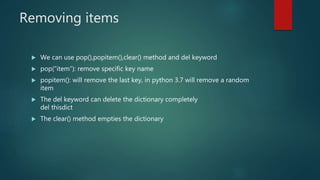
Removing items
 We can use pop(),popitem(),clear() method and del keyword
 pop(“item”): remove specific key name
 popitem(): will remove the last key, in python 3.7 will remove a random
item
 The del keyword can delete the dictionary completely
del thisdict
 The clear() method empties the dictionary
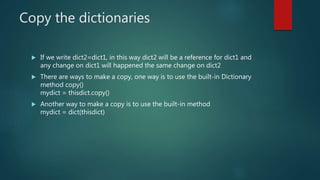
Copy the dictionaries
 If we write dict2=dict1, in this way dict2 will be a reference for dict1 and
any change on dict1 will happened the same change on dict2
 There are ways to make a copy, one way is to use the built-in Dictionary
method copy()
mydict = thisdict.copy()
 Another way to make a copy is to use the built-in method
mydict = dict(thisdict)
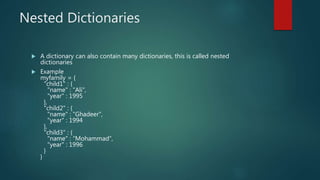
Nested Dictionaries
 A dictionary can also contain many dictionaries, this is called nested
dictionaries
 Example
myfamily = {
"child1" : {
"name" : “Ali",
"year" : 1995
},
"child2" : {
"name" : “Ghadeer",
"year" : 1994
},
"child3" : {
"name" : “Mohammad",
"year" : 1996
}
}
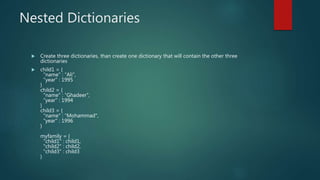
Nested Dictionaries
 Create three dictionaries, than create one dictionary that will contain the other three
dictionaries
 child1 = {
"name" : “Ali",
"year" : 1995
}
child2 = {
"name" : “Ghadeer",
"year" : 1994
}
child3 = {
"name" : “Mohammad",
"year" : 1996
}
myfamily = {
"child1" : child1,
"child2" : child2,
"child3" : child3
}
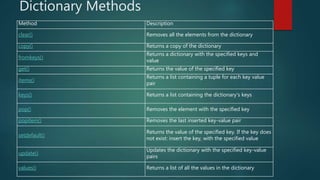
Dictionary Methods
Method Description
clear() Removes all the elements from the dictionary
copy() Returns a copy of the dictionary
fromkeys()
Returns a dictionary with the specified keys and
value
get() Returns the value of the specified key
items()
Returns a list containing a tuple for each key value
pair
keys() Returns a list containing the dictionary's keys
pop() Removes the element with the specified key
popitem() Removes the last inserted key-value pair
setdefault()
Returns the value of the specified key. If the key does
not exist: insert the key, with the specified value
update()
Updates the dictionary with the specified key-value
pairs
values() Returns a list of all the values in the dictionary

Seventh session

  • 1.
    Arrays in Python Part|| ‫إعداد‬: ‫م‬.‫محمد‬ ‫علي‬
  • 2.
  • 3.
    Sets  A setis a collection which is unordered and unindexed. In Python sets are written with curly brackets ({ })  Example:  set1 = {"apple", "banana", "cherry"} print(set1)  Note: Sets are unordered, so you cannot be sure in which order the items will appear.  set1 = {"apple", "banana", "cherry"} for x in set1: print(x)  Result: banana cherry apple
  • 4.
    Check if itemin sets  print("banana" in set1)  Result: (True)  Change Item: Once a set is created, you cannot change its items, but you can add new items, by using add() method  set1 = {"apple", "banana", "cherry"} set1.add("orange") print(set1)  Result:  {'banana', 'cherry', 'apple', 'orange'}
  • 5.
    Change values insets  Add multiple items to a set, using the update method  Example:  set1 = {"apple", "banana", "cherry"} set1.update(["orange", "mango", "grapes"]) print(set1)  Result: {'grapes', 'orange', 'mongo', 'apple', 'cherry', 'banana'}
  • 6.
    Deleted value fromset  We can use remove(), discard() and pop()  remove(“item”): if the item not found will show an error  discard(“item”): if the item not found will not show an error  pop(): will remove the last item from set  Note: Sets are unordered, so when using the pop() method, you will not know which item that gets removed.  The clear() method empties the set  The del keyword will delete the set completely  So, clear() will delete the items from the set but del will delete set from the memory
  • 7.
    Join two sets There are several ways to join two or more sets in Python.  We can use union() method returns a new set with all items from both sets example: set1 = {"a", "b" , "c"} set2 = {1, 2, 3} set3 = set1.union(set2) print(set3)  We can use update() method inserts the items in set2 into set1 example: set1 = {"a", "b" , "c"} set2 = {1, 2, 3} set1.update(set2) print(set1)  Note: both union() and update() will exclude any duplicate items.
  • 8.
    Set methods Method Description add()Adds an element to the set clear() Removes all the elements from the set copy() Returns a copy of the set difference() Returns a set containing the difference between two or more sets difference_update() Removes the items in this set that are also included in another, specified set discard() Remove the specified item intersection() Returns a set, that is the intersection of two other sets intersection_update() Removes the items in this set that are not present in other, specified set(s) isdisjoint() Returns whether two sets have a intersection or not
  • 9.
    Set methods cont issubset() Returns whether another set contains this set or not  issuperset() Returns whether this set contains another set or not  pop() Removes an element from the set  remove() Removes the specified element  symmetric_difference() Returns a set with the symmetric differences of two sets  symmetric_difference_update() inserts the symmetric differences from this set and another  union() Return a set containing the union of sets  update() Update the set with the union of this set and others
  • 10.
    Dictionaries  A dictionaryis a collection which is unordered, changeable and indexed. In Python dictionaries are written with curly brackets, and they have keys and values.  Example: thisdict = { "brand": "Ford", "model": "Mustang", "year": 1964 } print(thisdict) Result: {'brand': 'Ford', 'model': 'Mustang', 'year': 1964}
  • 11.
    Get an item You can access the items of a dictionary by referring to its key name, inside square brackets  Example: x = thisdict["model"] Print(x) Result: Mustang  There is also a method called get() will give the same result x = thisdict.get(“model”) Print(x) Result: Mustang
  • 12.
    Change values  Youcan change the value of a specific item by referring to its key name  Example:  thisdict = { "brand": "Ford", "model": "Mustang", "year": 1964 } thisdict["year"] = 2020  This example will change the year to 2020
  • 13.
    Loops over dictionaries The following will give all key names in dictionary: for x in thisdict: print(x)  The following will give all values names in dictionary: for x in thisdict: print(thisdict[x])  We can also use values() function to return values of a dictionary for x in thisdict.values(): print(x)  To get both of key and values we use items() method: for x, y in thisdict.items(): print(x, y)  X for the key and y for the value
  • 14.
    Check for itemsin dictionaries  if "model" in thisdict: print("Yes, 'model' is one of the keys in the thisdict dictionary")  To add item to dictionary we use the following: thisdict["color"] = "red" print(thisdict)  Result: {'brand': 'Ford', 'model': 'Mustang', 'year': 2020, 'color': 'red'}
  • 15.
    Removing items  Wecan use pop(),popitem(),clear() method and del keyword  pop(“item”): remove specific key name  popitem(): will remove the last key, in python 3.7 will remove a random item  The del keyword can delete the dictionary completely del thisdict  The clear() method empties the dictionary
  • 16.
    Copy the dictionaries If we write dict2=dict1, in this way dict2 will be a reference for dict1 and any change on dict1 will happened the same change on dict2  There are ways to make a copy, one way is to use the built-in Dictionary method copy() mydict = thisdict.copy()  Another way to make a copy is to use the built-in method mydict = dict(thisdict)
  • 17.
    Nested Dictionaries  Adictionary can also contain many dictionaries, this is called nested dictionaries  Example myfamily = { "child1" : { "name" : “Ali", "year" : 1995 }, "child2" : { "name" : “Ghadeer", "year" : 1994 }, "child3" : { "name" : “Mohammad", "year" : 1996 } }
  • 18.
    Nested Dictionaries  Createthree dictionaries, than create one dictionary that will contain the other three dictionaries  child1 = { "name" : “Ali", "year" : 1995 } child2 = { "name" : “Ghadeer", "year" : 1994 } child3 = { "name" : “Mohammad", "year" : 1996 } myfamily = { "child1" : child1, "child2" : child2, "child3" : child3 }
  • 19.
    Dictionary Methods Method Description clear()Removes all the elements from the dictionary copy() Returns a copy of the dictionary fromkeys() Returns a dictionary with the specified keys and value get() Returns the value of the specified key items() Returns a list containing a tuple for each key value pair keys() Returns a list containing the dictionary's keys pop() Removes the element with the specified key popitem() Removes the last inserted key-value pair setdefault() Returns the value of the specified key. If the key does not exist: insert the key, with the specified value update() Updates the dictionary with the specified key-value pairs values() Returns a list of all the values in the dictionary