Download to read offline
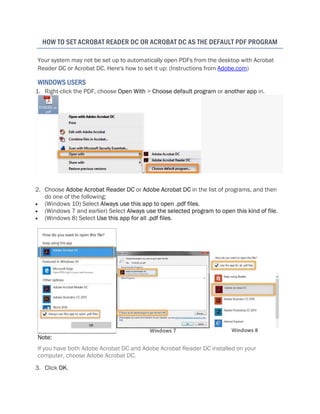
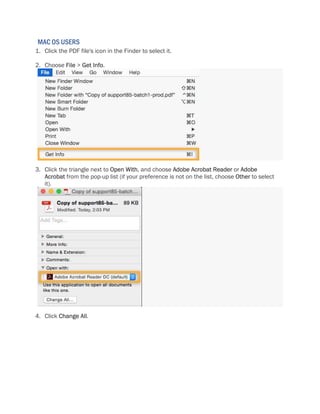

To set Acrobat Reader DC or Acrobat DC as the default PDF viewer on Windows, right-click a PDF, select Open With, choose the Adobe program from the list, and select Always use this app to open .pdf files. For Mac, select a PDF in the Finder, choose File > Get Info, select the Adobe program from the Open With pop-up, and click Change All. This will configure your system to automatically open PDFs with the selected Adobe application by default.


