SELENIUM 
WEBDRIVER 
Yuriy Bezgachnyuk, SSU/ITA 
October, 2014
Test automation 
What is Selenium WebDriver 
Selenium WD Features 
Document Object Model (DOM) 
 Locators 
Example task 
 PageObject pattern introduction 
2 
Agenda
Test Automation 
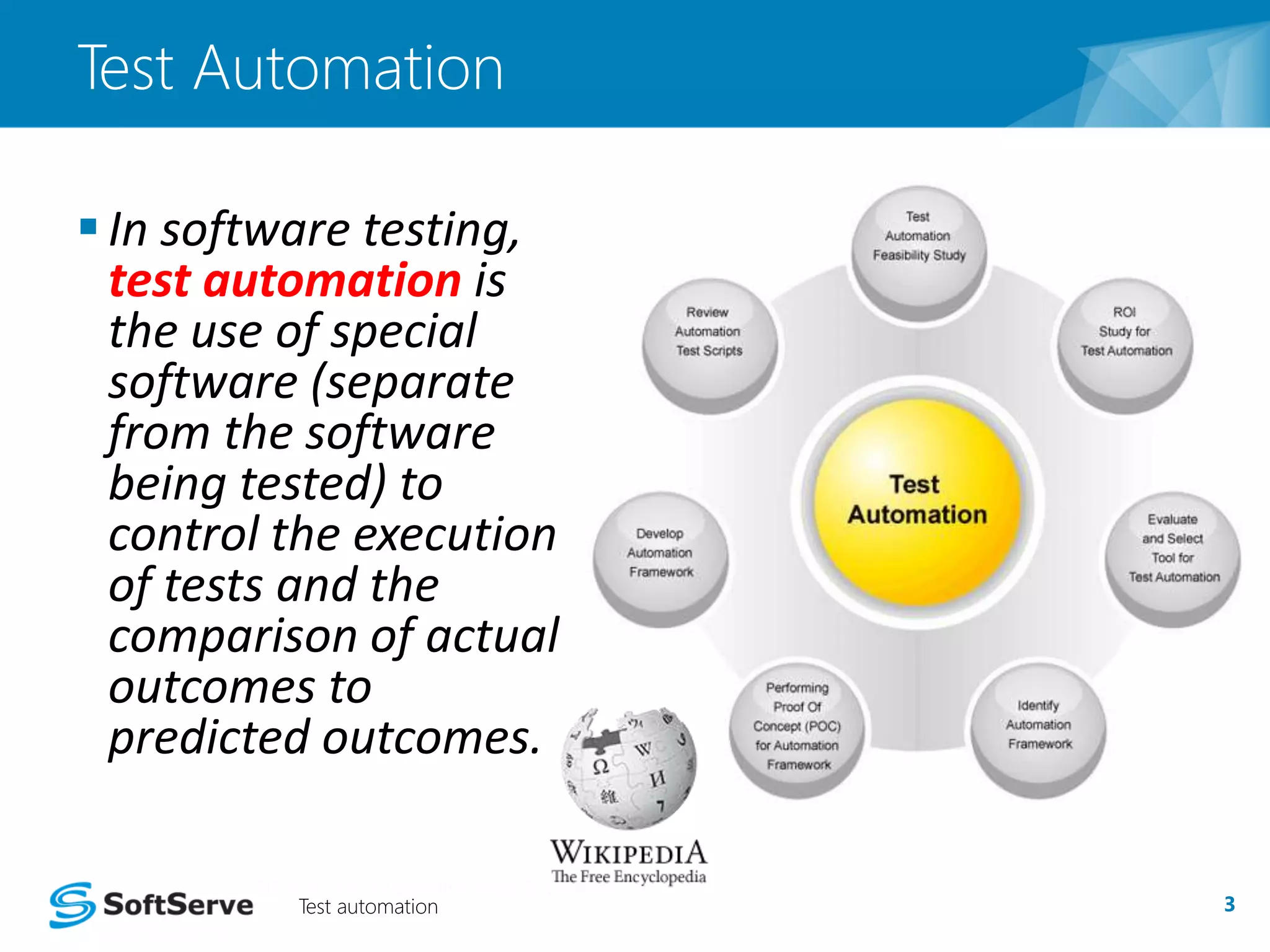
 In software testing, 
test automation is 
the use of special 
software (separate 
from the software 
being tested) to 
control the execution 
of tests and the 
comparison of actual 
outcomes to 
predicted outcomes. 
Test automation 3
What is Selenium Web Driver 
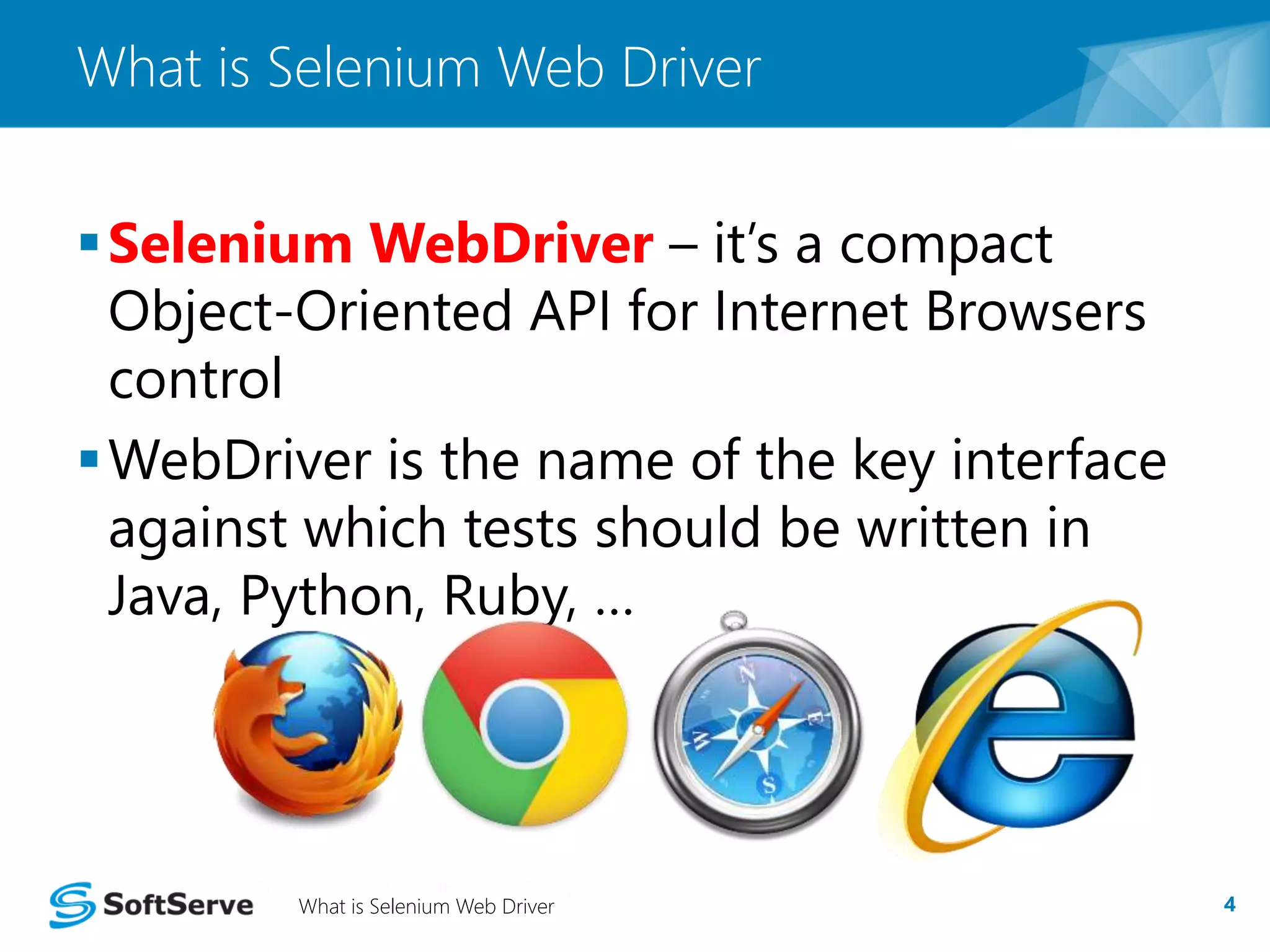
Selenium WebDriver – it’s a compact 
Object-Oriented API for Internet Browsers 
control 
WebDriver is the name of the key interface 
against which tests should be written in 
Java, Python, Ruby, … 
What is Selenium Web Driver 4
Selenium WD Features 
Connects to most modern browsers 
 Allows remote control 
 Finds elements by selectors 
 Modifies values of HTML elements 
 Interacts with DOM elements 
 Handles modal, popup windows 
Selenium WD Features 5
Document Object Model (DOM) 
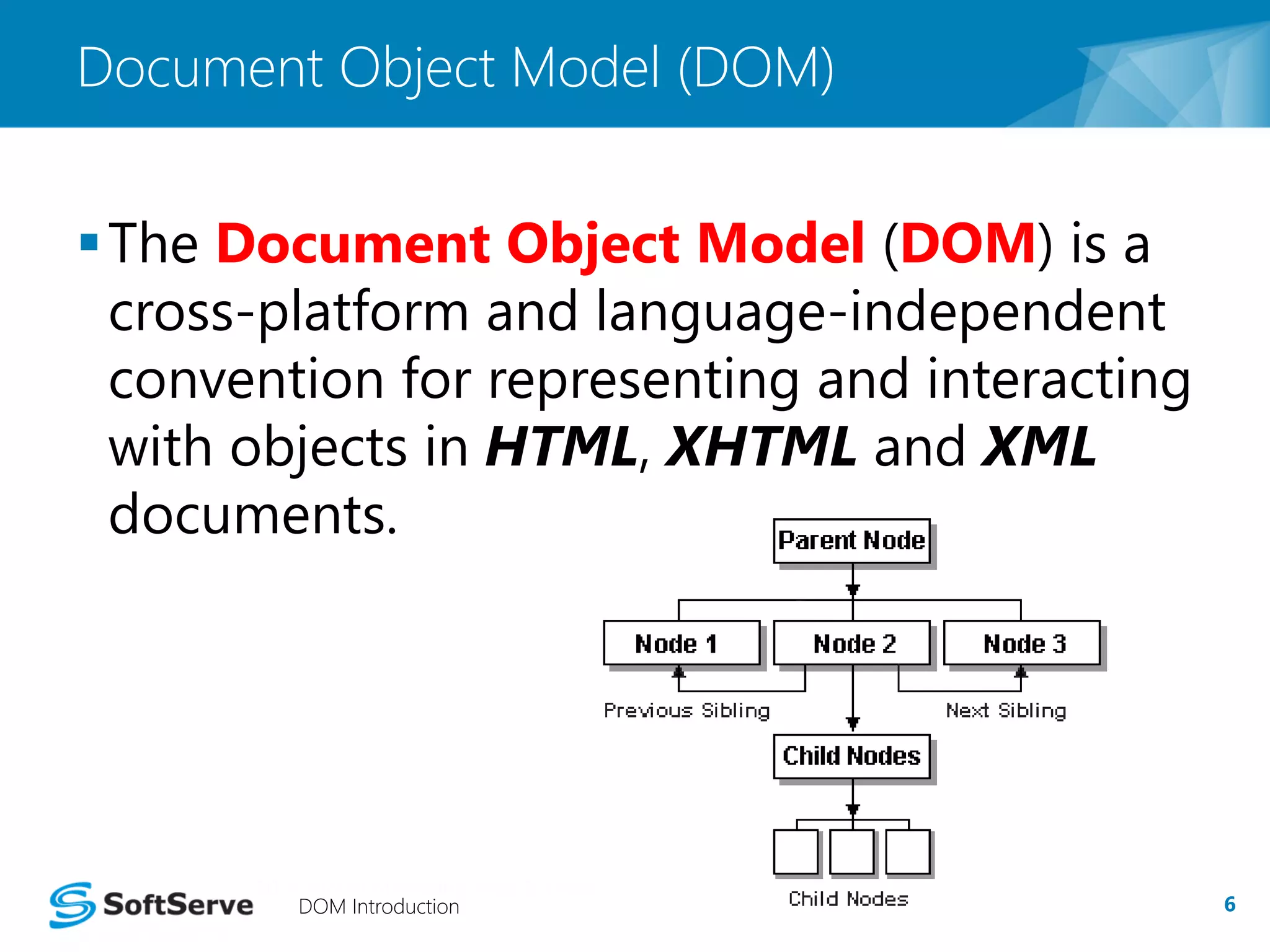
The Document Object Model (DOM) is a 
cross-platform and language-independent 
convention for representing and interacting 
with objects in HTML, XHTML and XML 
documents. 
DOM Introduction 6
DOM [Locators] 
Select any HTML element(s) from DOM by 
using 
 tags name 
 attributes of tags 
• id, name, … 
 CSS selectors 
 XPath 
DOM [Locators] 7
Example Task 
A web-page with a HTML form is given 
[Fig. 1] 
User login functionality should be tested 
 Set value for ‘login’ field 
 Set value for ‘password’ field 
 Click submit button 
 Check results 
Task 8
Explanation of example 
URL for Login form 
http://<HOME_URL>/admin/login 
User inputs correct credentials and is 
redirected to URL: 
http://<HOME_URL>/admin 
otherwise user is redirected back to the 
login form page 
Explanation of practical example 9
Implementation [Template] 
JUnit 4 testing framework will be used 
Template 10 
Initial 
operations 
Finally 
operations 
Our main part of 
code will be here
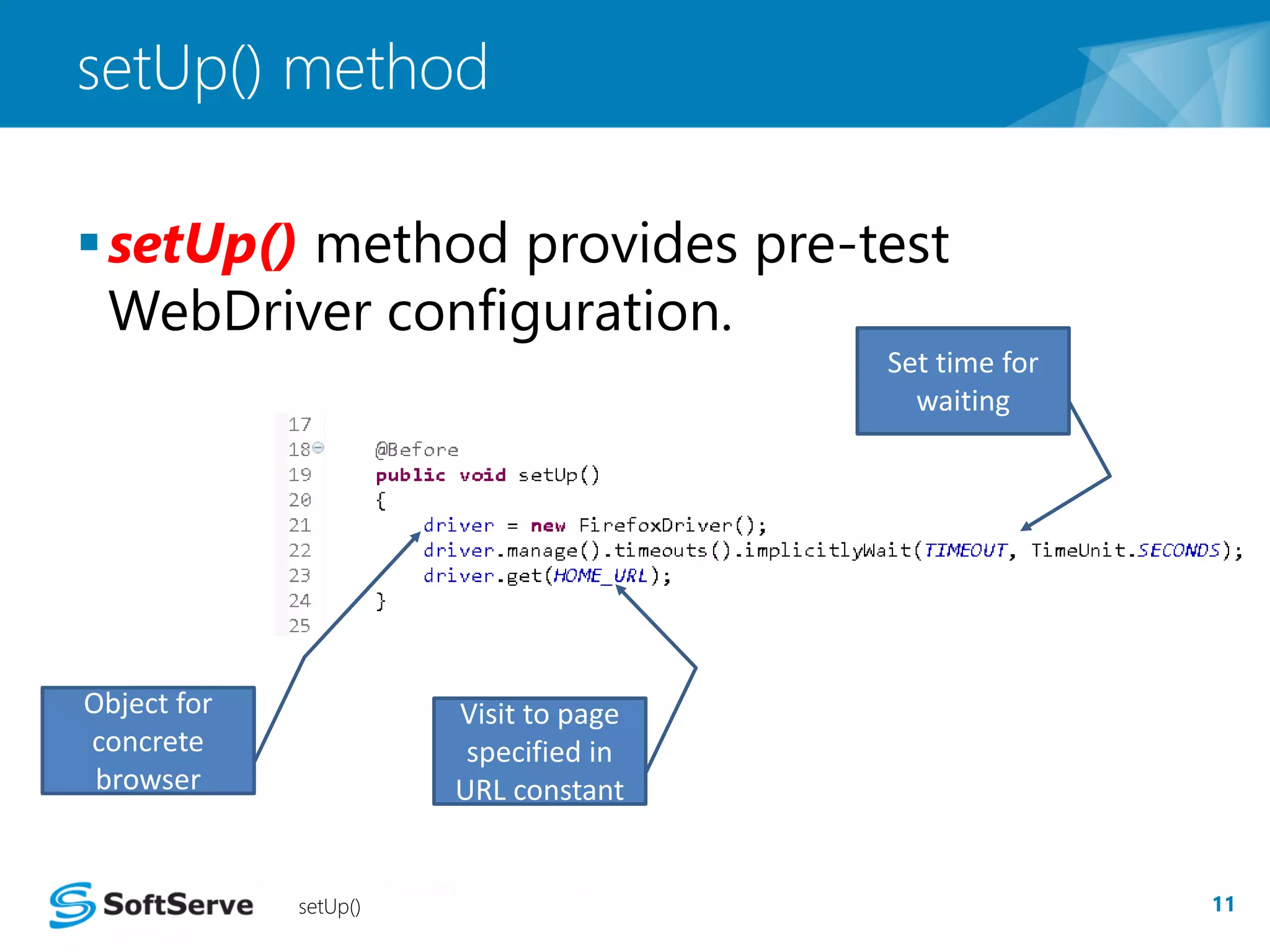
setUp() method 
setUp() method provides pre-test 
WebDriver configuration. 
setUp() 11 
Object for 
concrete 
browser 
Set time for 
waiting 
Visit to page 
specified in 
URL constant
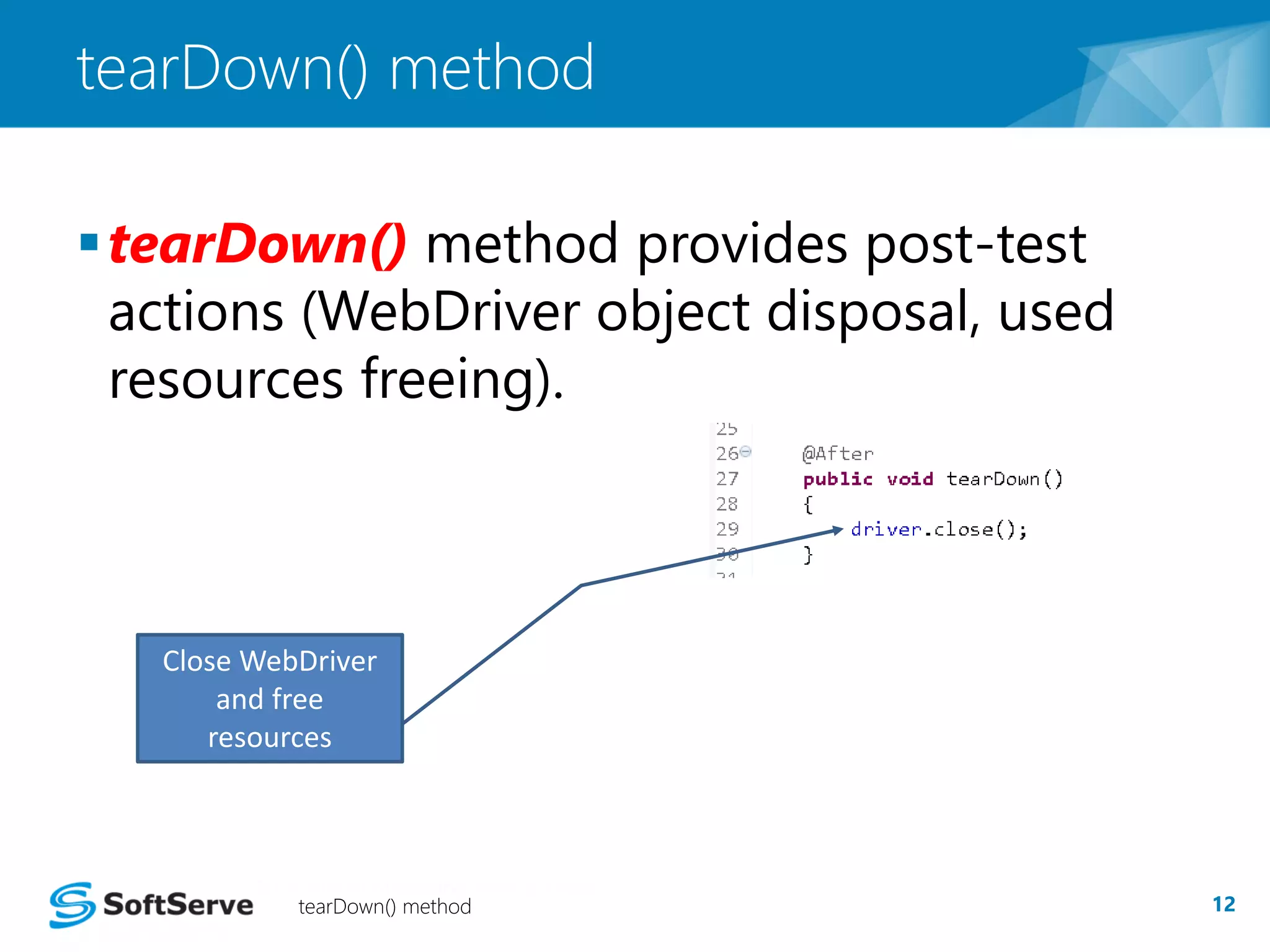
tearDown() method 
 tearDown() method provides post-test 
actions (WebDriver object disposal, used 
resources freeing). 
Close WebDriver 
and free 
resources 
tearDown() method 12
Task implementation 
Page Object pattern use. 
Selenium WebDriver use for low-level 
browser API functions only!!! 
Definitions of Page Object pattern: 
 Each single web-page is represented through a 
Java class 
 User actions for each web page are 
implemented as class methods 
PageObject pattern [Introduction] 13
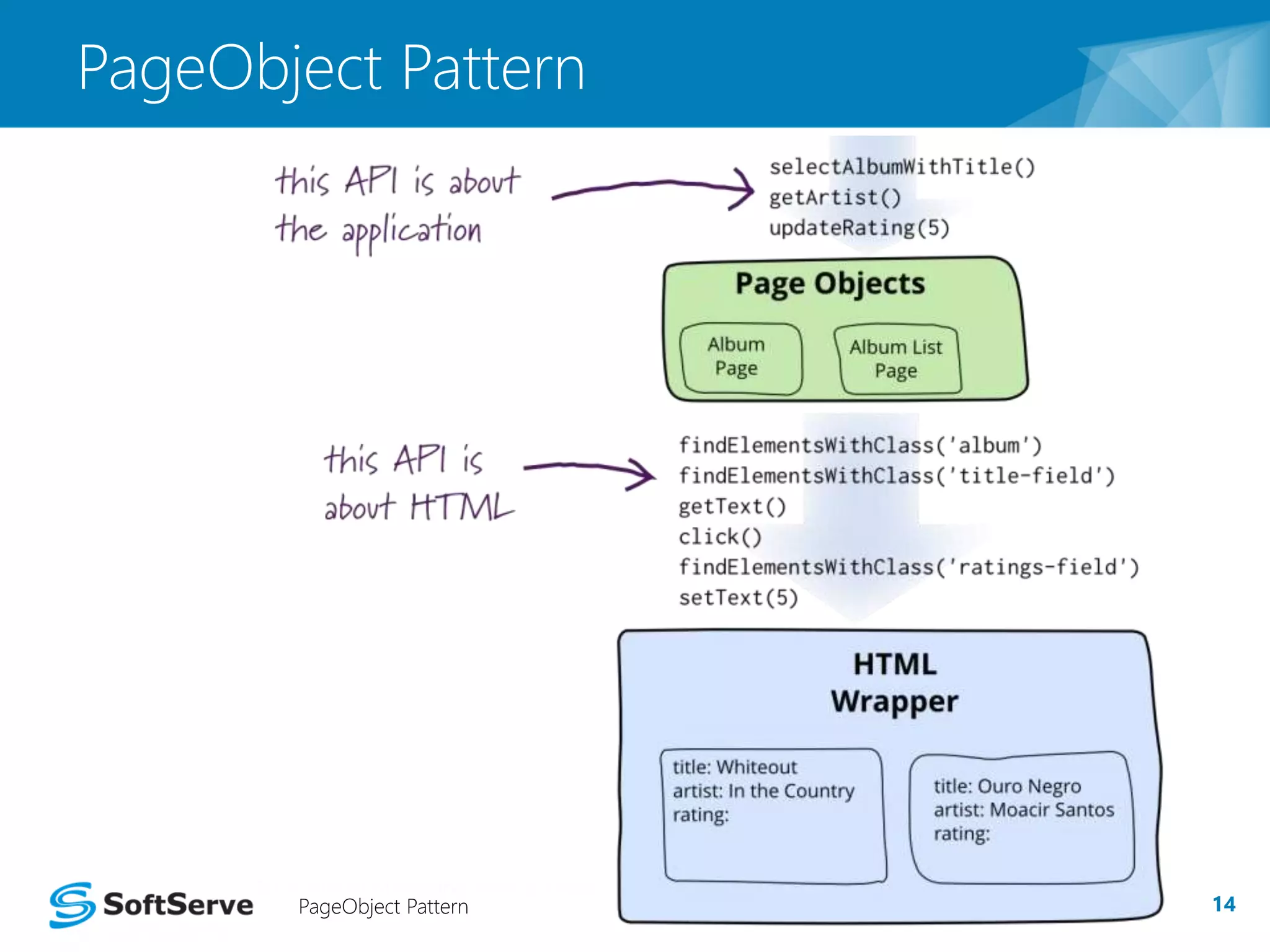
PageObject Pattern 
PageObject Pattern 14
Task Implementation 
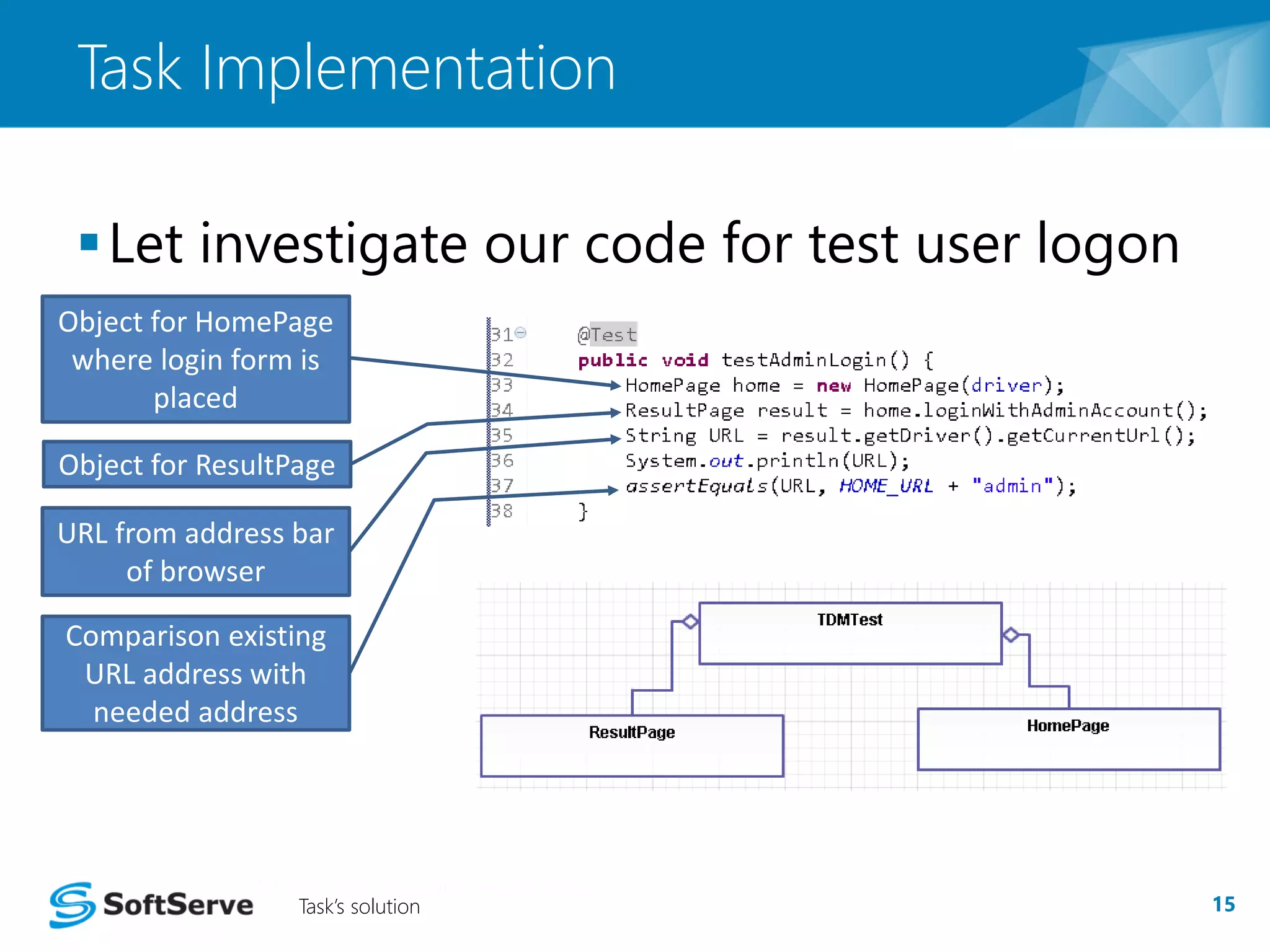
Let investigate our code for test user logon 
Object for HomePage 
where login form is 
Task’s solution 15 
placed 
Object for ResultPage 
URL from address bar 
of browser 
Comparison existing 
URL address with 
needed address
16 
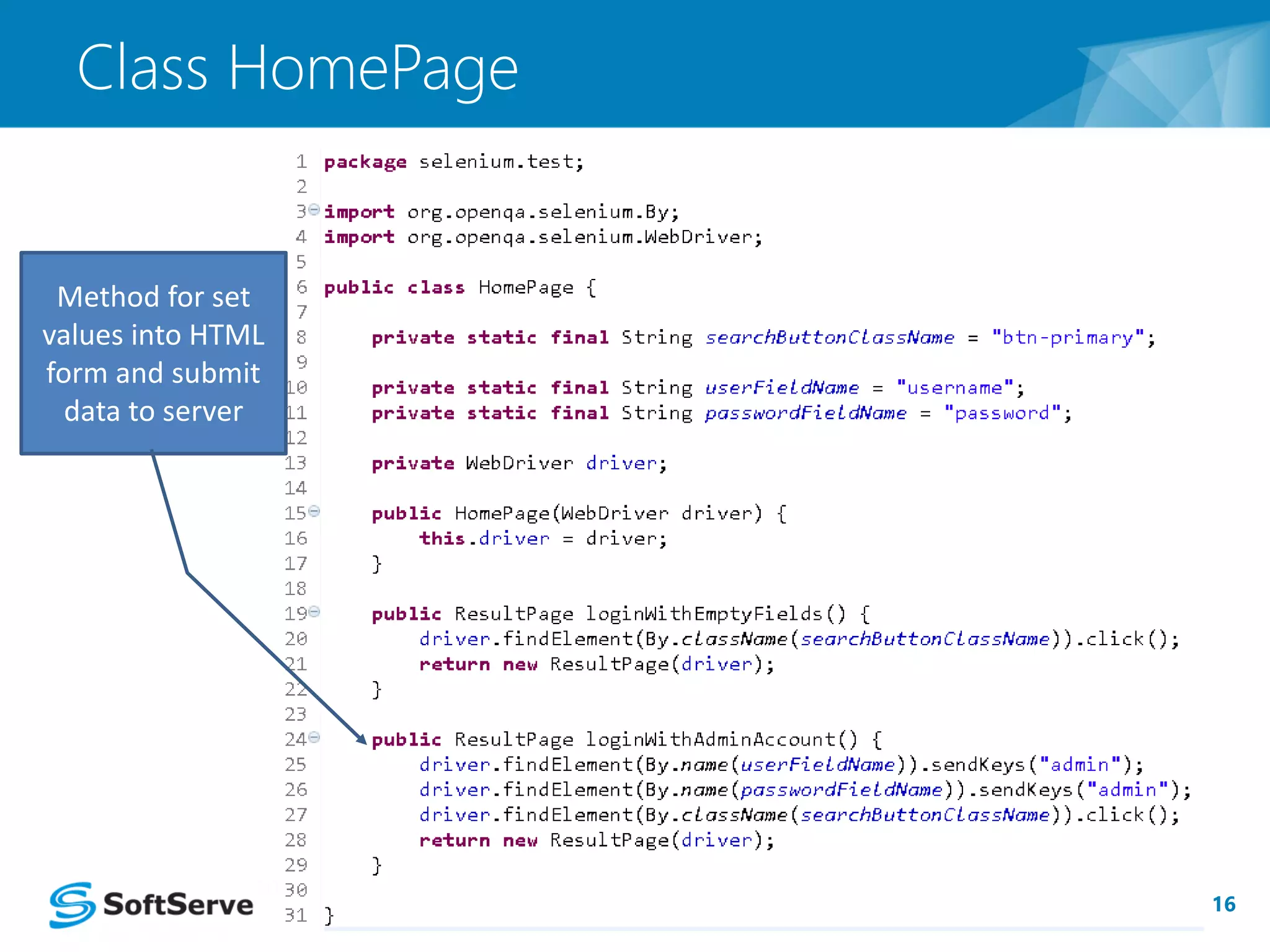
Class HomePage 
Method for set 
values into HTML 
form and submit 
data to server
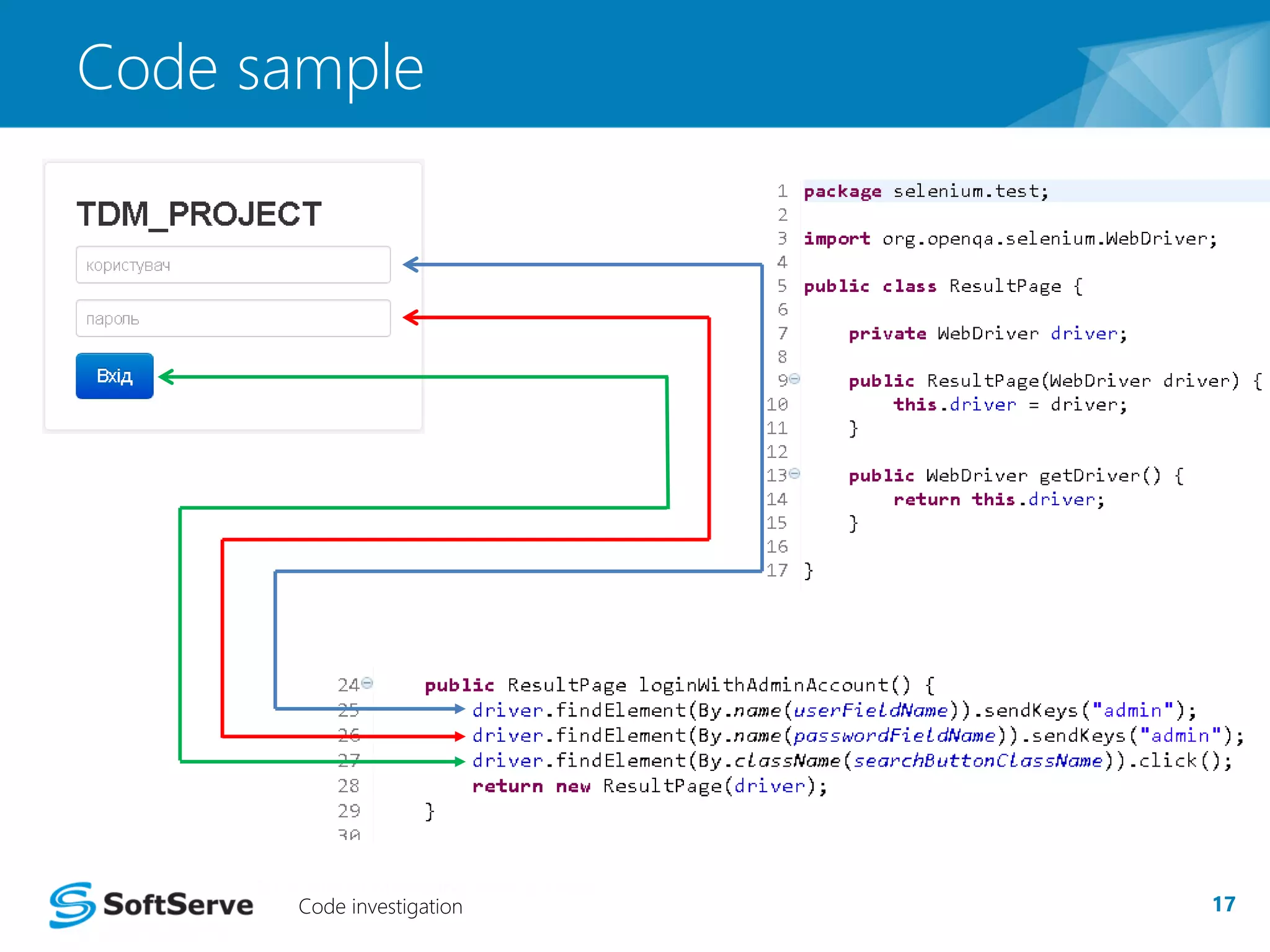
Code sample 
Code investigation 17
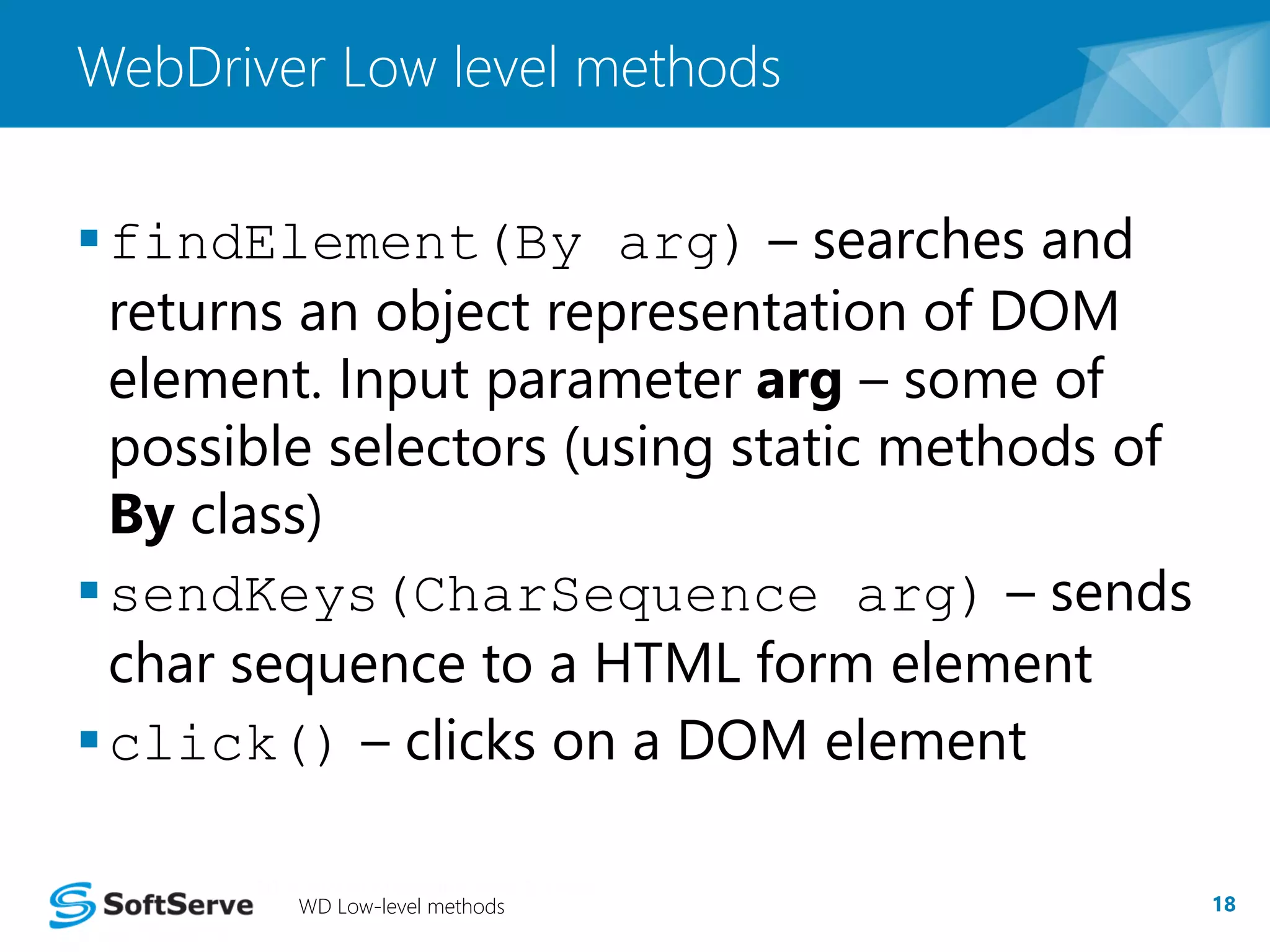
WebDriver Low level methods 
findElement(By arg) – searches and 
returns an object representation of DOM 
element. Input parameter arg – some of 
possible selectors (using static methods of 
By class) 
sendKeys(CharSequence arg) – sends 
char sequence to a HTML form element 
click() – clicks on a DOM element 
WD Low-level methods 18
Windows handling 
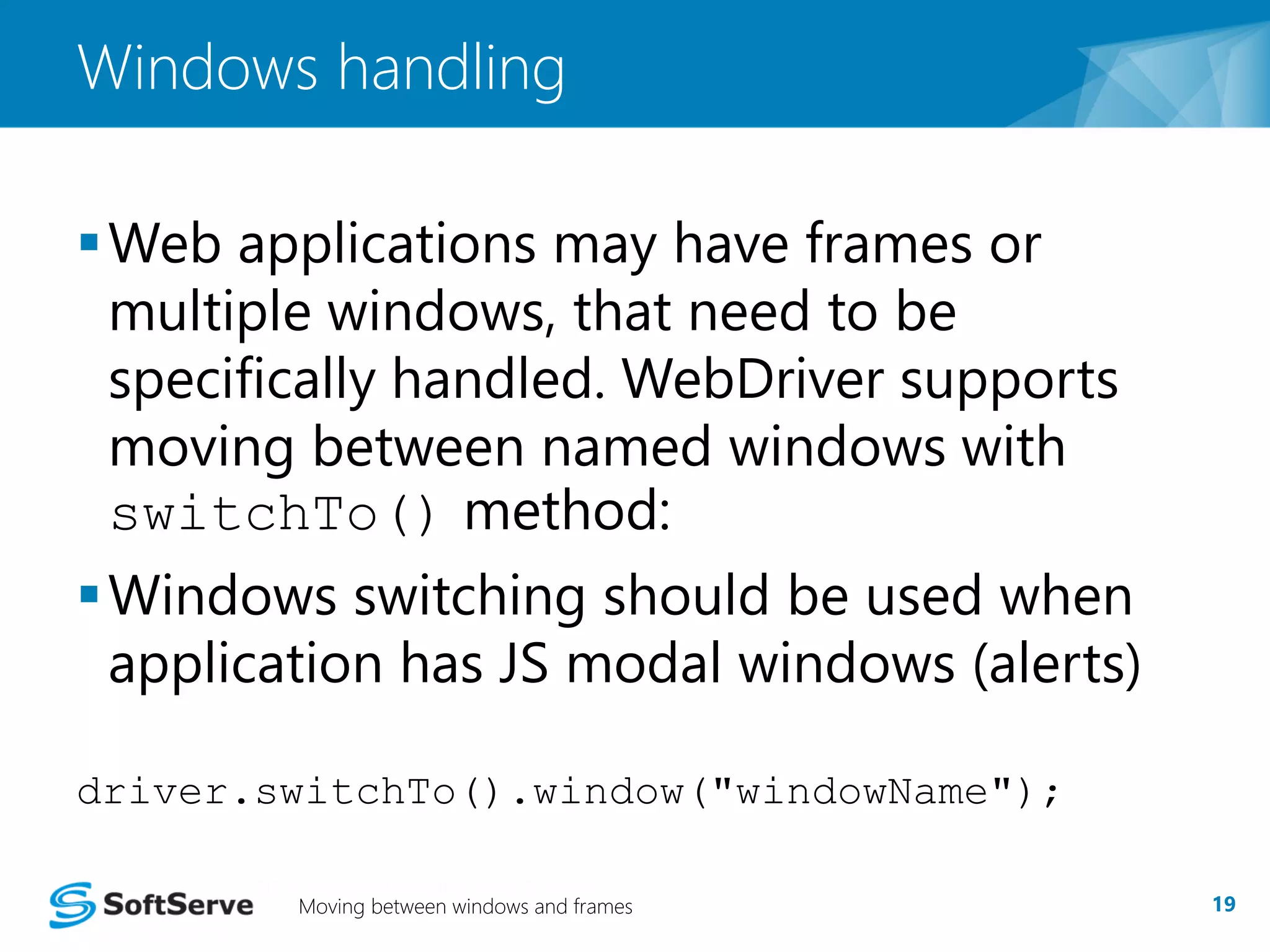
Web applications may have frames or 
multiple windows, that need to be 
specifically handled. WebDriver supports 
moving between named windows with 
switchTo() method: 
Windows switching should be used when 
application has JS modal windows (alerts) 
driver.switchTo().window("windowName"); 
Moving between windows and frames 19
Windows handling 
 When we clicking “Вхід” button without 
supplying credentials an alert modal 
window appears [Fig.1] 
 In order to click ‘OK’ 
button WebDriver 
should be switched to 
modal window 
Moving between windows and frames 20
Example #2 [Code] 
 Let’s take a look at the code 
Switch to JS alert 
window and click ‘OK’ 
button 
Example #2 [Code] 21
22 
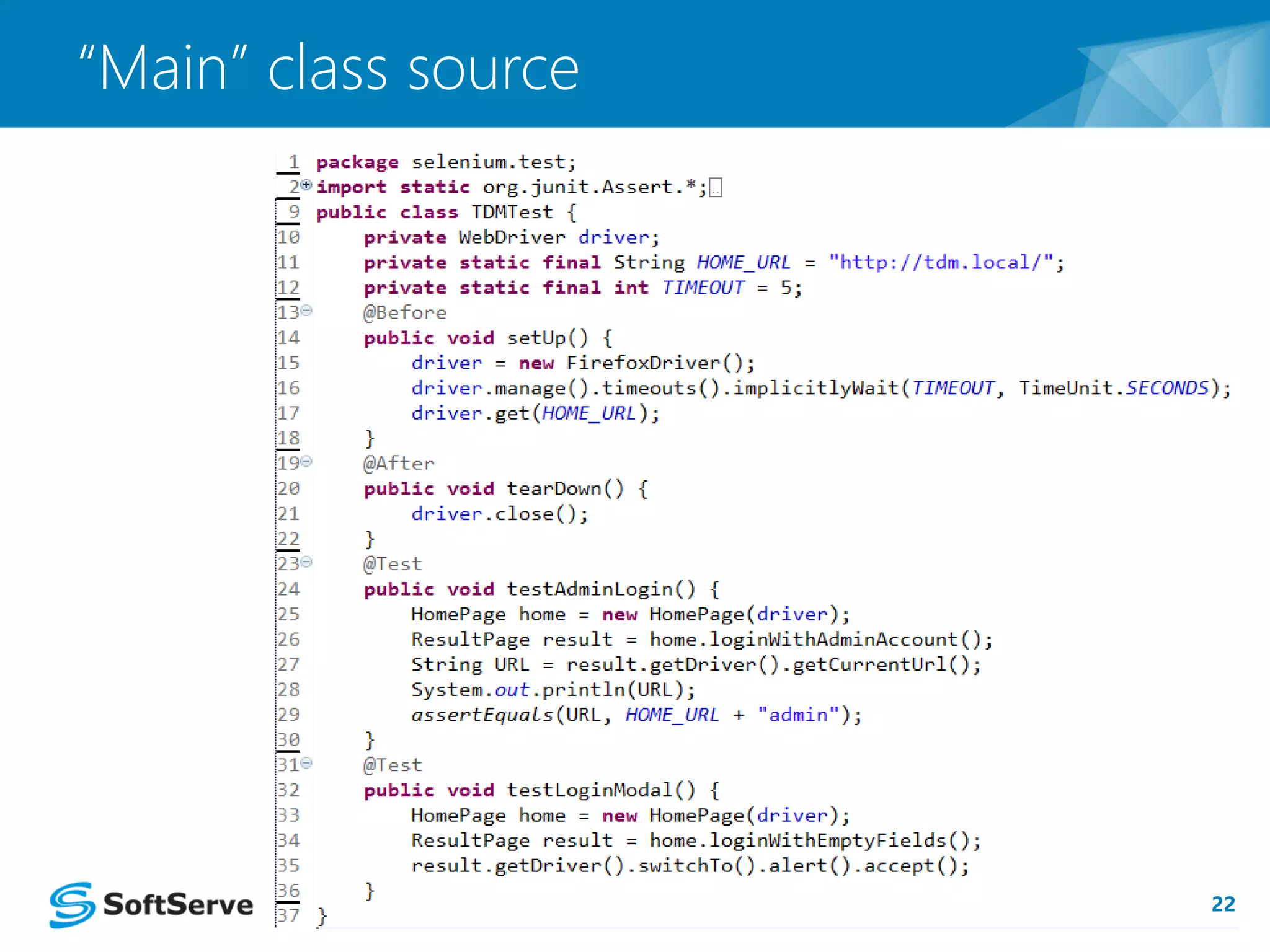
“Main” class source
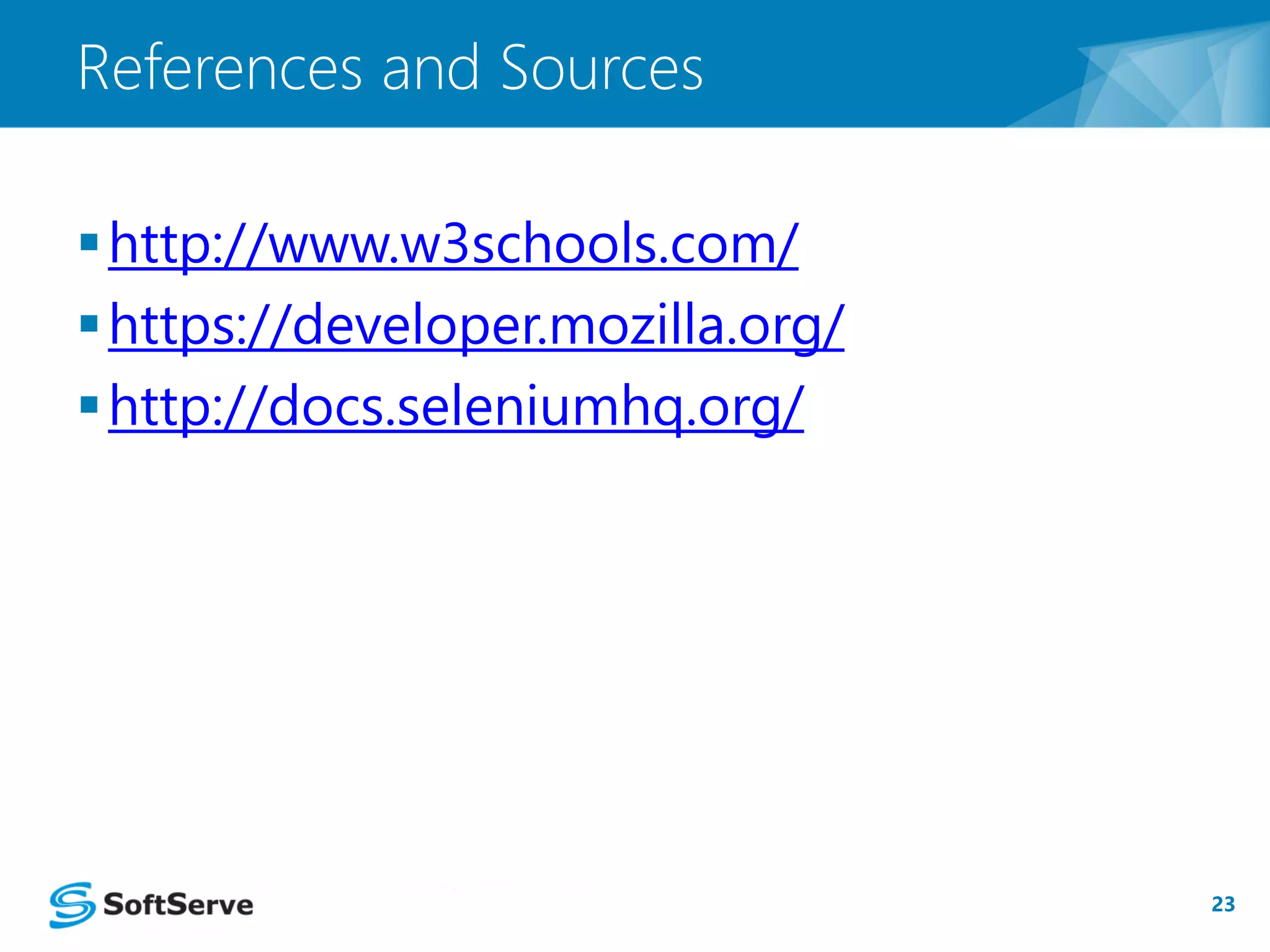
http://www.w3schools.com/ 
https://developer.mozilla.org/ 
http://docs.seleniumhq.org/ 
23 
References and Sources
QUESTIONS?

Selenium WebDriver

  • 1.
    SELENIUM WEBDRIVER YuriyBezgachnyuk, SSU/ITA October, 2014
  • 2.
    Test automation Whatis Selenium WebDriver Selenium WD Features Document Object Model (DOM)  Locators Example task  PageObject pattern introduction 2 Agenda
  • 3.
    Test Automation In software testing, test automation is the use of special software (separate from the software being tested) to control the execution of tests and the comparison of actual outcomes to predicted outcomes. Test automation 3
  • 4.
    What is SeleniumWeb Driver Selenium WebDriver – it’s a compact Object-Oriented API for Internet Browsers control WebDriver is the name of the key interface against which tests should be written in Java, Python, Ruby, … What is Selenium Web Driver 4
  • 5.
    Selenium WD Features Connects to most modern browsers  Allows remote control  Finds elements by selectors  Modifies values of HTML elements  Interacts with DOM elements  Handles modal, popup windows Selenium WD Features 5
  • 6.
    Document Object Model(DOM) The Document Object Model (DOM) is a cross-platform and language-independent convention for representing and interacting with objects in HTML, XHTML and XML documents. DOM Introduction 6
  • 7.
    DOM [Locators] Selectany HTML element(s) from DOM by using  tags name  attributes of tags • id, name, …  CSS selectors  XPath DOM [Locators] 7
  • 8.
    Example Task Aweb-page with a HTML form is given [Fig. 1] User login functionality should be tested  Set value for ‘login’ field  Set value for ‘password’ field  Click submit button  Check results Task 8
  • 9.
    Explanation of example URL for Login form http://<HOME_URL>/admin/login User inputs correct credentials and is redirected to URL: http://<HOME_URL>/admin otherwise user is redirected back to the login form page Explanation of practical example 9
  • 10.
    Implementation [Template] JUnit4 testing framework will be used Template 10 Initial operations Finally operations Our main part of code will be here
  • 11.
    setUp() method setUp()method provides pre-test WebDriver configuration. setUp() 11 Object for concrete browser Set time for waiting Visit to page specified in URL constant
  • 12.
    tearDown() method tearDown() method provides post-test actions (WebDriver object disposal, used resources freeing). Close WebDriver and free resources tearDown() method 12
  • 13.
    Task implementation PageObject pattern use. Selenium WebDriver use for low-level browser API functions only!!! Definitions of Page Object pattern:  Each single web-page is represented through a Java class  User actions for each web page are implemented as class methods PageObject pattern [Introduction] 13
  • 14.
  • 15.
    Task Implementation Letinvestigate our code for test user logon Object for HomePage where login form is Task’s solution 15 placed Object for ResultPage URL from address bar of browser Comparison existing URL address with needed address
  • 16.
    16 Class HomePage Method for set values into HTML form and submit data to server
  • 17.
    Code sample Codeinvestigation 17
  • 18.
    WebDriver Low levelmethods findElement(By arg) – searches and returns an object representation of DOM element. Input parameter arg – some of possible selectors (using static methods of By class) sendKeys(CharSequence arg) – sends char sequence to a HTML form element click() – clicks on a DOM element WD Low-level methods 18
  • 19.
    Windows handling Webapplications may have frames or multiple windows, that need to be specifically handled. WebDriver supports moving between named windows with switchTo() method: Windows switching should be used when application has JS modal windows (alerts) driver.switchTo().window("windowName"); Moving between windows and frames 19
  • 20.
    Windows handling When we clicking “Вхід” button without supplying credentials an alert modal window appears [Fig.1]  In order to click ‘OK’ button WebDriver should be switched to modal window Moving between windows and frames 20
  • 21.
    Example #2 [Code]  Let’s take a look at the code Switch to JS alert window and click ‘OK’ button Example #2 [Code] 21
  • 22.
  • 23.
  • 24.