

Selectors
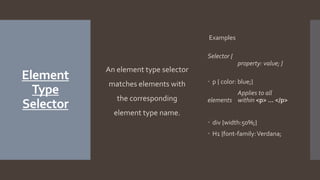
Element
Type
Selector
An element type selector
matches elements with
the corresponding
element type name.
Examples
Selector {
property: value; }
 p { color: blue;}
Applies to all
elements within <p> … </p>
 div {width:50%;}
 H1 {font-family:Verdana;
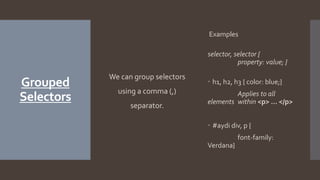
Grouped
Selectors
We can group selectors
using a comma (,)
separator.
Examples
selector, selector {
property: value; }
 h1, h2, h3 { color: blue;}
Applies to all
elements within <p> … </p>
 #aydi div, p {
font-family:
Verdana}
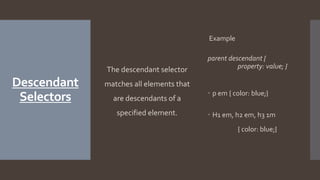
Descendant
Selectors
The descendant selector
matches all elements that
are descendants of a
specified element.
Example
parent descendant {
property: value; }
 p em { color: blue;}
 H1 em, h2 em, h3 1m
{ color: blue;}
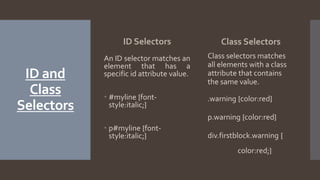
ID and
Class
Selectors
ID Selectors
An ID selector matches an
element that has a
specific id attribute value.
 #myline {font-
style:italic;}
 p#myline {font-
style:italic;}
Class Selectors
Class selectors matches
all elements with a class
attribute that contains
the same value.
.warning {color:red}
p.warning {color:red}
div.firstblock.warning {
color:red;}
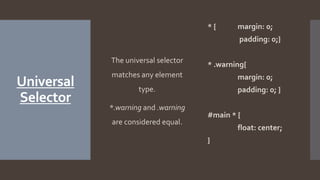
Universal
Selector
The universal selector
matches any element
type.
*.warning and .warning
are considered equal.
* { margin: 0;
padding: 0;}
* .warning{
margin: 0;
padding: 0; }
#main * {
float: center;
}
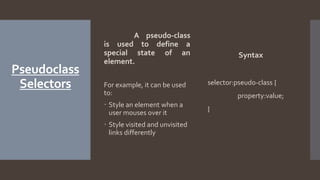
Pseudoclass
Selectors
A pseudo-class
is used to define a
special state of an
element.
For example, it can be used
to:
 Style an element when a
user mouses over it
 Style visited and unvisited
links differently
Syntax
selector:pseudo-class {
property:value;
}
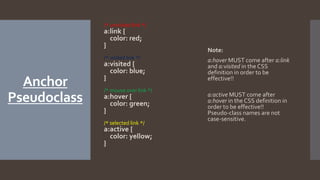
Anchor
Pseudoclass
/* unvisited link */
a:link {
color: red;
}
/* visited link */
a:visited {
color: blue;
}
/* mouse over link */
a:hover {
color: green;
}
/* selected link */
a:active {
color: yellow;
}
Note:
a:hover MUST come after a:link
and a:visited in the CSS
definition in order to be
effective!!
a:active MUST come after
a:hover in the CSS definition in
order to be effective!!
Pseudo-class names are not
case-sensitive.
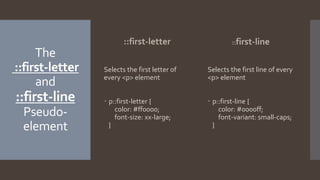
The
::first-letter
and
::first-line
Pseudo-
element
::first-letter
Selects the first letter of
every <p> element
 p::first-letter {
color: #ff0000;
font-size: xx-large;
}
::first-line
Selects the first line of every
<p> element
 p::first-line {
color: #0000ff;
font-variant: small-caps;
}
The
::before
and
::after
Pseudoclasses
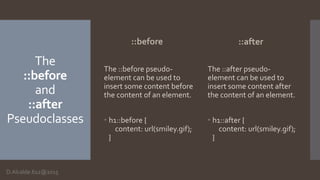
::before
The ::before pseudo-
element can be used to
insert some content before
the content of an element.
 h1::before {
content: url(smiley.gif);
}
::after
The ::after pseudo-
element can be used to
insert some content after
the content of an element.
 h1::after {
content: url(smiley.gif);
}
D.Alcalde.612@2015
Sources
 http://www.w3schools.com/css/css_pseudo_classes.as
p
 http://reference.sitepoint.com/css/classselector
 https://developer.mozilla.org/en-
US/docs/Web/CSS/Universal_selectors
 http://www.sitepoint.com/web-
foundations/descendant-selector-css-selector/

Types of Selectors (HTML)

  • 1.
  • 2.
    Element Type Selector An element typeselector matches elements with the corresponding element type name. Examples Selector { property: value; }  p { color: blue;} Applies to all elements within <p> … </p>  div {width:50%;}  H1 {font-family:Verdana;
  • 3.
    Grouped Selectors We can groupselectors using a comma (,) separator. Examples selector, selector { property: value; }  h1, h2, h3 { color: blue;} Applies to all elements within <p> … </p>  #aydi div, p { font-family: Verdana}
  • 4.
    Descendant Selectors The descendant selector matchesall elements that are descendants of a specified element. Example parent descendant { property: value; }  p em { color: blue;}  H1 em, h2 em, h3 1m { color: blue;}
  • 5.
    ID and Class Selectors ID Selectors AnID selector matches an element that has a specific id attribute value.  #myline {font- style:italic;}  p#myline {font- style:italic;} Class Selectors Class selectors matches all elements with a class attribute that contains the same value. .warning {color:red} p.warning {color:red} div.firstblock.warning { color:red;}
  • 6.
    Universal Selector The universal selector matchesany element type. *.warning and .warning are considered equal. * { margin: 0; padding: 0;} * .warning{ margin: 0; padding: 0; } #main * { float: center; }
  • 7.
    Pseudoclass Selectors A pseudo-class is usedto define a special state of an element. For example, it can be used to:  Style an element when a user mouses over it  Style visited and unvisited links differently Syntax selector:pseudo-class { property:value; }
  • 8.
    Anchor Pseudoclass /* unvisited link*/ a:link { color: red; } /* visited link */ a:visited { color: blue; } /* mouse over link */ a:hover { color: green; } /* selected link */ a:active { color: yellow; } Note: a:hover MUST come after a:link and a:visited in the CSS definition in order to be effective!! a:active MUST come after a:hover in the CSS definition in order to be effective!! Pseudo-class names are not case-sensitive.
  • 9.
    The ::first-letter and ::first-line Pseudo- element ::first-letter Selects the firstletter of every <p> element  p::first-letter { color: #ff0000; font-size: xx-large; } ::first-line Selects the first line of every <p> element  p::first-line { color: #0000ff; font-variant: small-caps; }
  • 10.
    The ::before and ::after Pseudoclasses ::before The ::before pseudo- elementcan be used to insert some content before the content of an element.  h1::before { content: url(smiley.gif); } ::after The ::after pseudo- element can be used to insert some content after the content of an element.  h1::after { content: url(smiley.gif); } D.Alcalde.612@2015
  • 11.
    Sources  http://www.w3schools.com/css/css_pseudo_classes.as p  http://reference.sitepoint.com/css/classselector https://developer.mozilla.org/en- US/docs/Web/CSS/Universal_selectors  http://www.sitepoint.com/web- foundations/descendant-selector-css-selector/