Secure Payments over Mixed
Communication Media
Identity, Data, and Payment Security Practices
Jonathan LeBlanc
Head of Global Developer Advocacy
PayPal / Braintree
Twitter: @jcleblanc | Email: jleblanc@paypal.com
Twitter: @jcleblanc | Hashtag: #dfist
Considerations in the Payments World
• Identity: Securing who the user is
• Data in Motion: Securing what the user is doing
• Payments: Securing how the user is buying
Twitter: @jcleblanc | Hashtag: #dfist
Transmitting information about who you are
Protecting Identity
Twitter: @jcleblanc | Hashtag: #dfistSource: http://digitaltrends.com
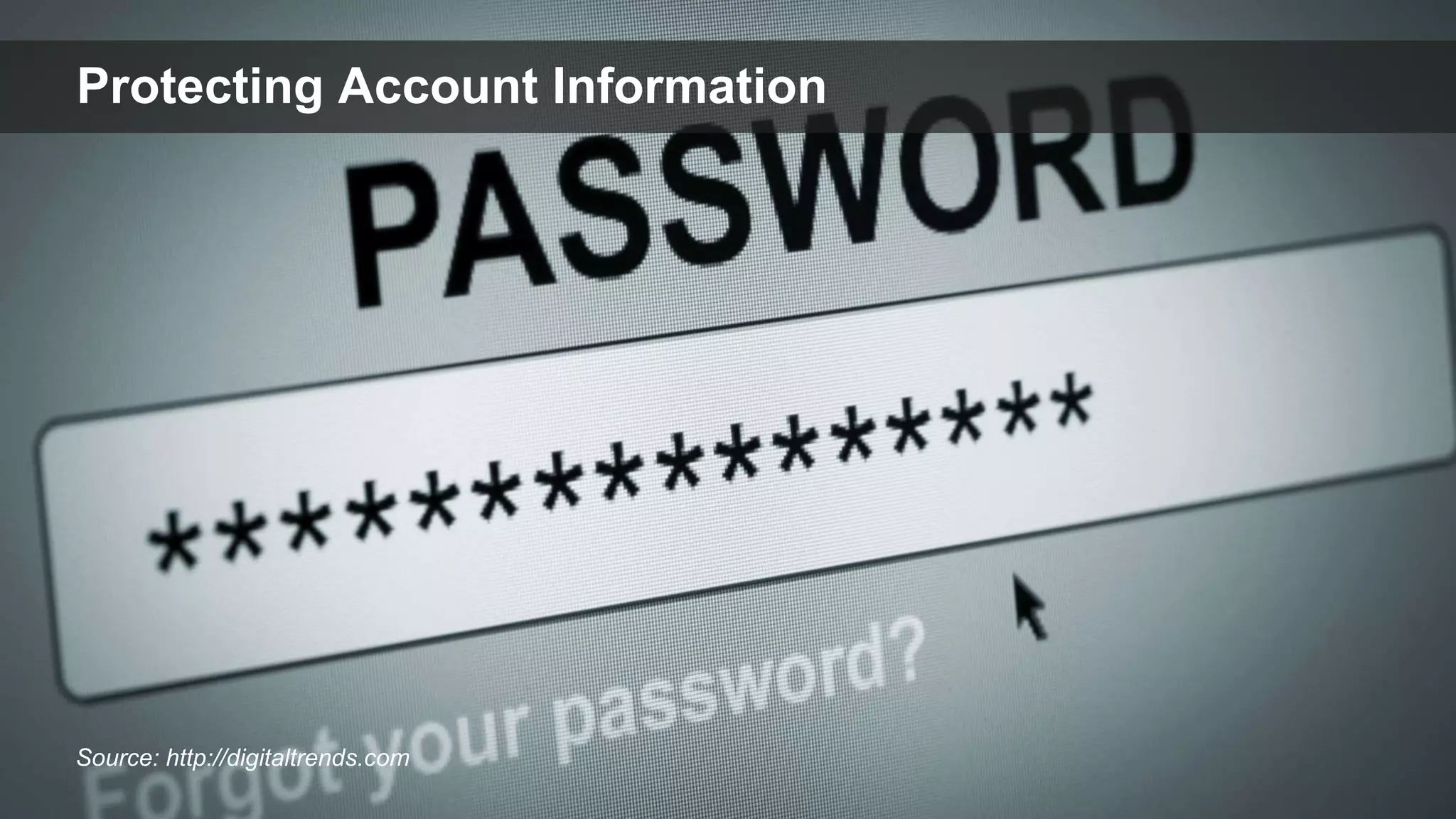
Protecting Account Information
Twitter: @jcleblanc | Hashtag: #dfist
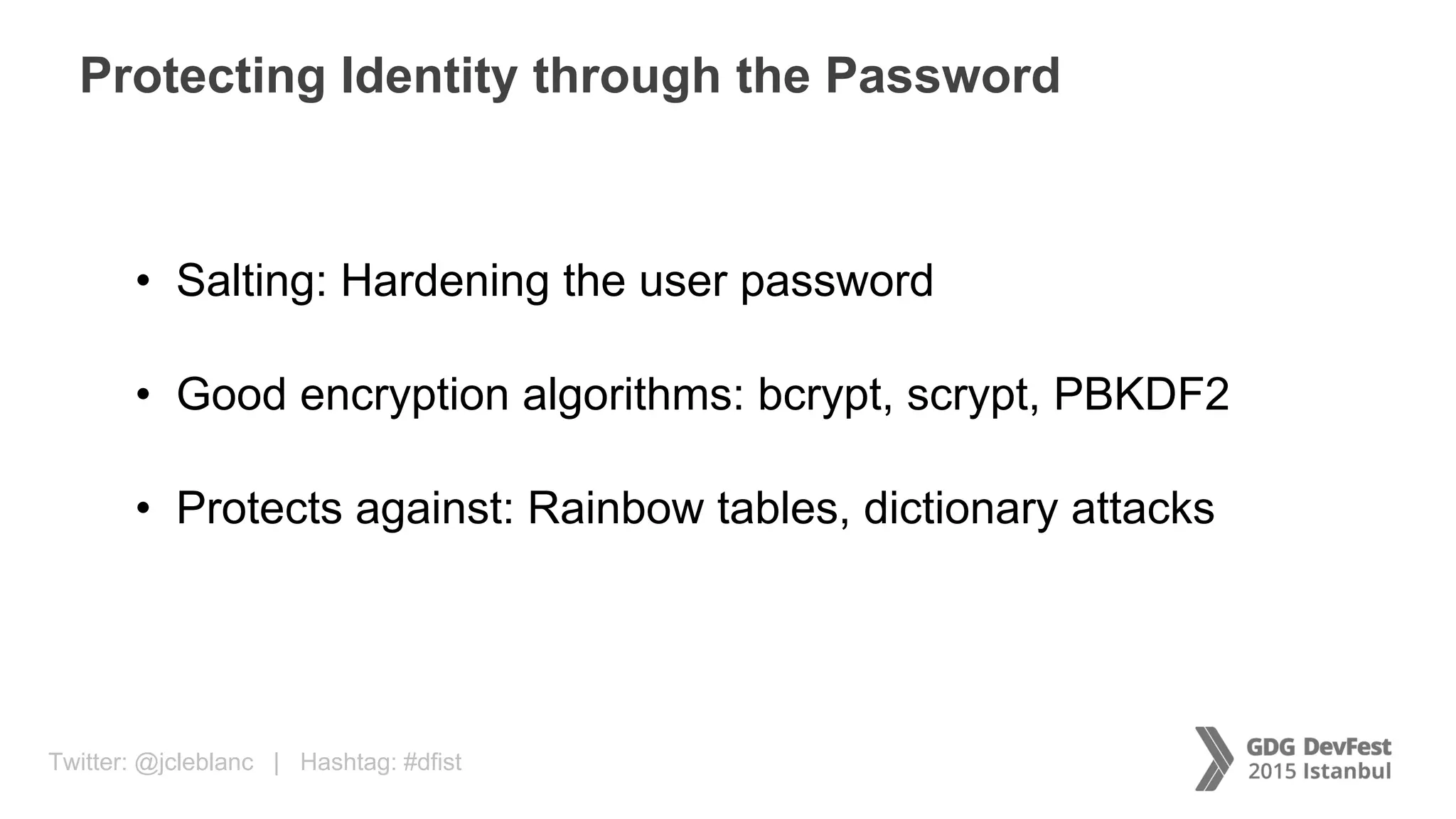
Protecting Identity through the Password
• Salting: Hardening the user password
• Good encryption algorithms: bcrypt, scrypt, PBKDF2
• Protects against: Rainbow tables, dictionary attacks
Twitter: @jcleblanc | Hashtag: #dfist
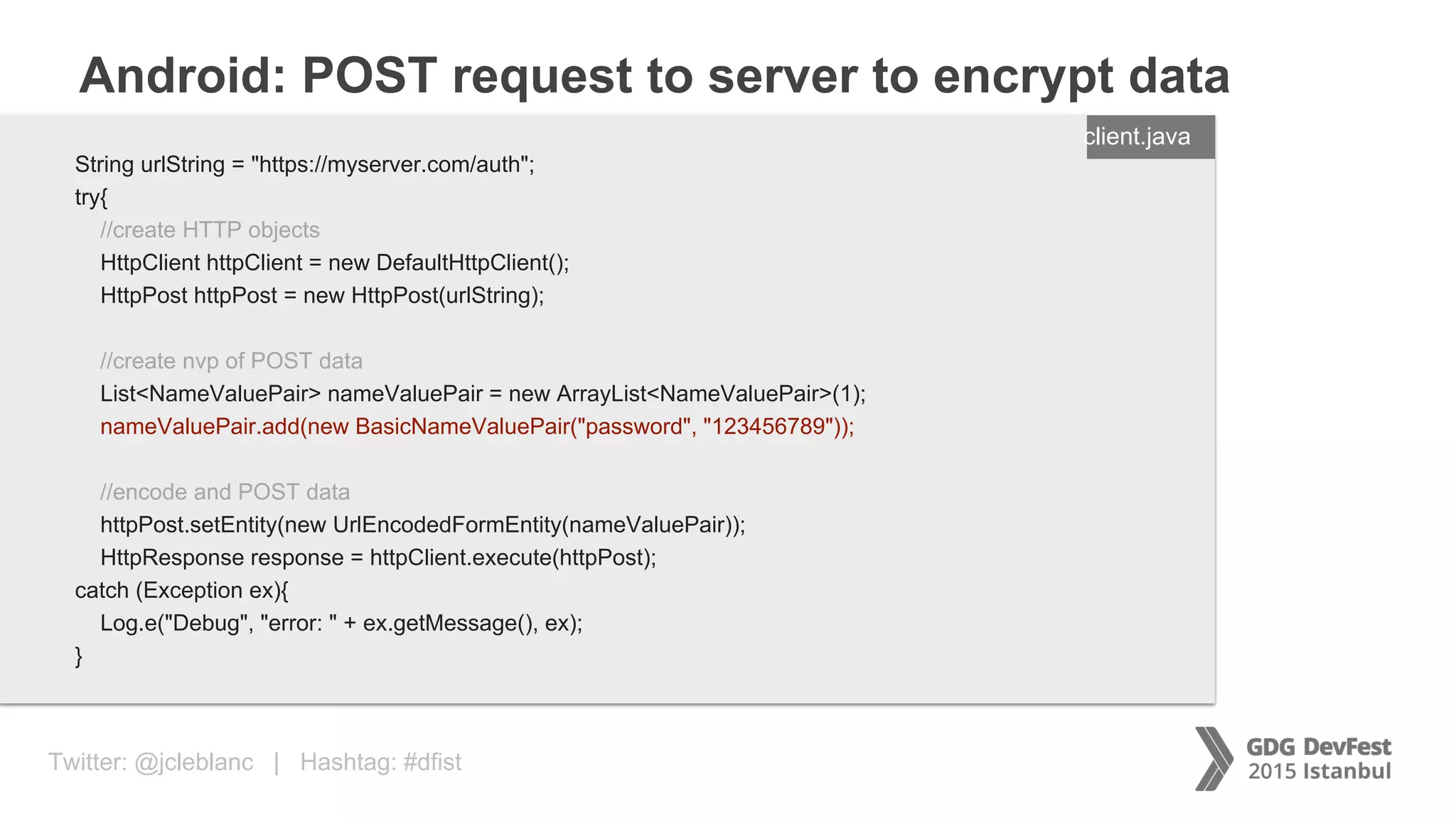
Android: POST request to server to encrypt data
ENTER FILENAME/LANG
String urlString = "https://myserver.com/auth";
try{
//create HTTP objects
HttpClient httpClient = new DefaultHttpClient();
HttpPost httpPost = new HttpPost(urlString);
//create nvp of POST data
List<NameValuePair> nameValuePair = new ArrayList<NameValuePair>(1);
nameValuePair.add(new BasicNameValuePair("password", "123456789"));
//encode and POST data
httpPost.setEntity(new UrlEncodedFormEntity(nameValuePair));
HttpResponse response = httpClient.execute(httpPost);
catch (Exception ex){
Log.e("Debug", "error: " + ex.getMessage(), ex);
}
client.java
Twitter: @jcleblanc | Hashtag: #dfist
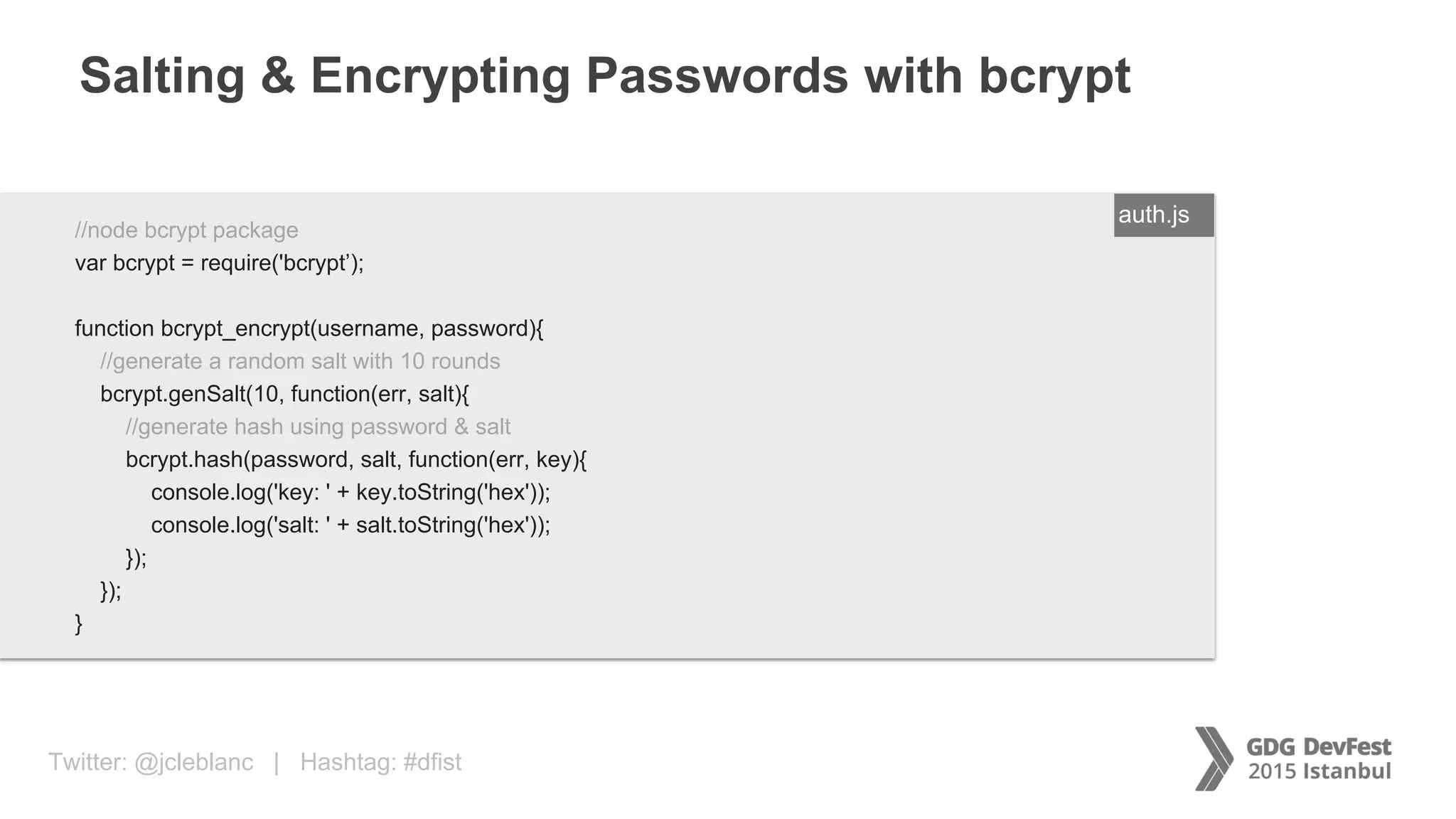
Salting & Encrypting Passwords with bcrypt
ENTER FILENAME/LANG//node bcrypt package
var bcrypt = require('bcrypt’);
function bcrypt_encrypt(username, password){
//generate a random salt with 10 rounds
bcrypt.genSalt(10, function(err, salt){
//generate hash using password & salt
bcrypt.hash(password, salt, function(err, key){
console.log('key: ' + key.toString('hex'));
console.log('salt: ' + salt.toString('hex'));
});
});
}
auth.js
Twitter: @jcleblanc | Hashtag: #dfist
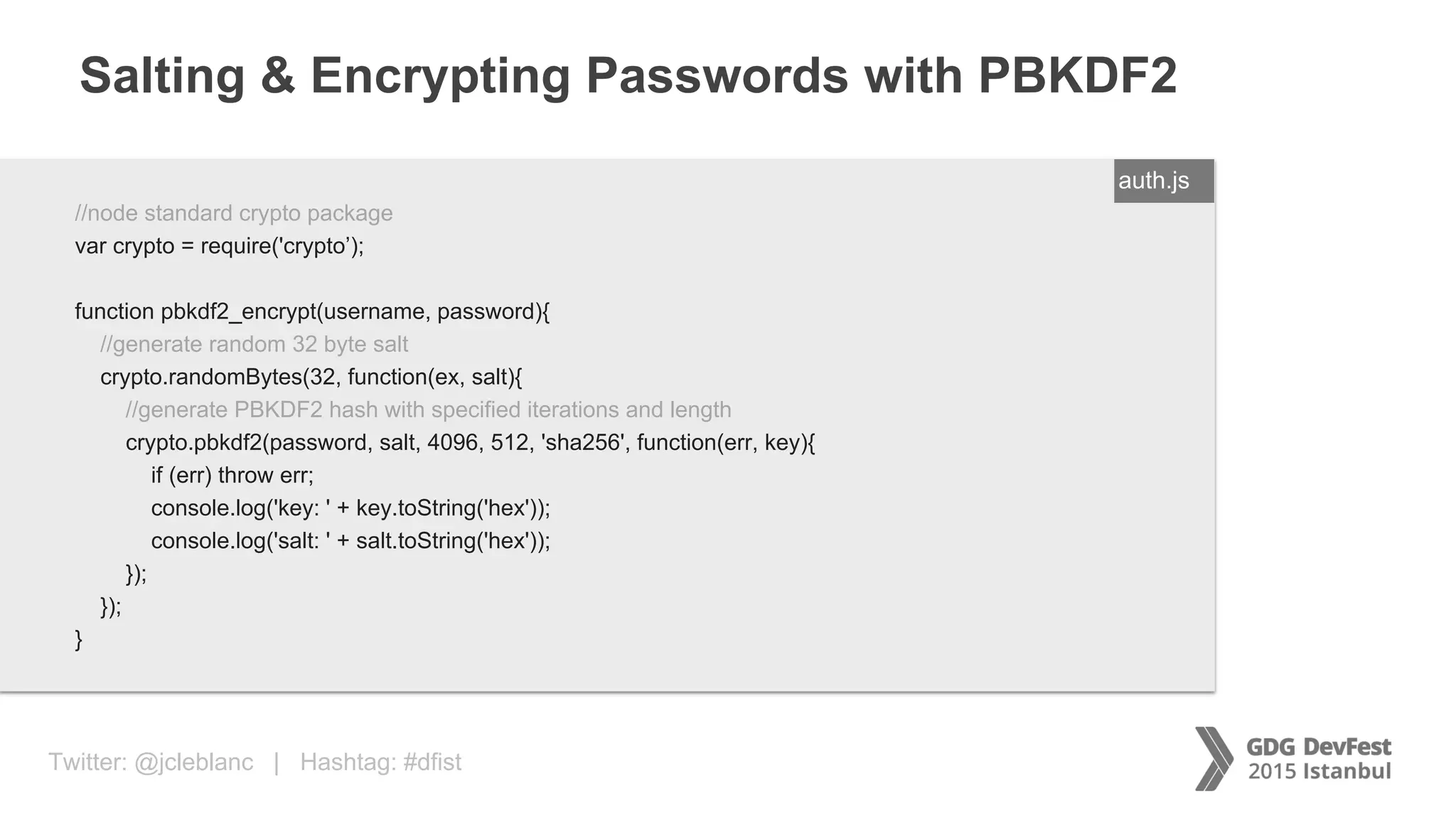
Salting & Encrypting Passwords with PBKDF2
ENTER FILENAME/LANG//node standard crypto package
var crypto = require('crypto’);
function pbkdf2_encrypt(username, password){
//generate random 32 byte salt
crypto.randomBytes(32, function(ex, salt){
//generate PBKDF2 hash with specified iterations and length
crypto.pbkdf2(password, salt, 4096, 512, 'sha256', function(err, key){
if (err) throw err;
console.log('key: ' + key.toString('hex'));
console.log('salt: ' + salt.toString('hex'));
});
});
}
auth.js
Twitter: @jcleblanc | Hashtag: #dfist
Transmitting privileged user information between services
Protecting Data in Motion
Twitter: @jcleblanc | Hashtag: #dfistSource: http://estimote.com
Taking Cues from Hardware Security
Twitter: @jcleblanc | Hashtag: #dfist
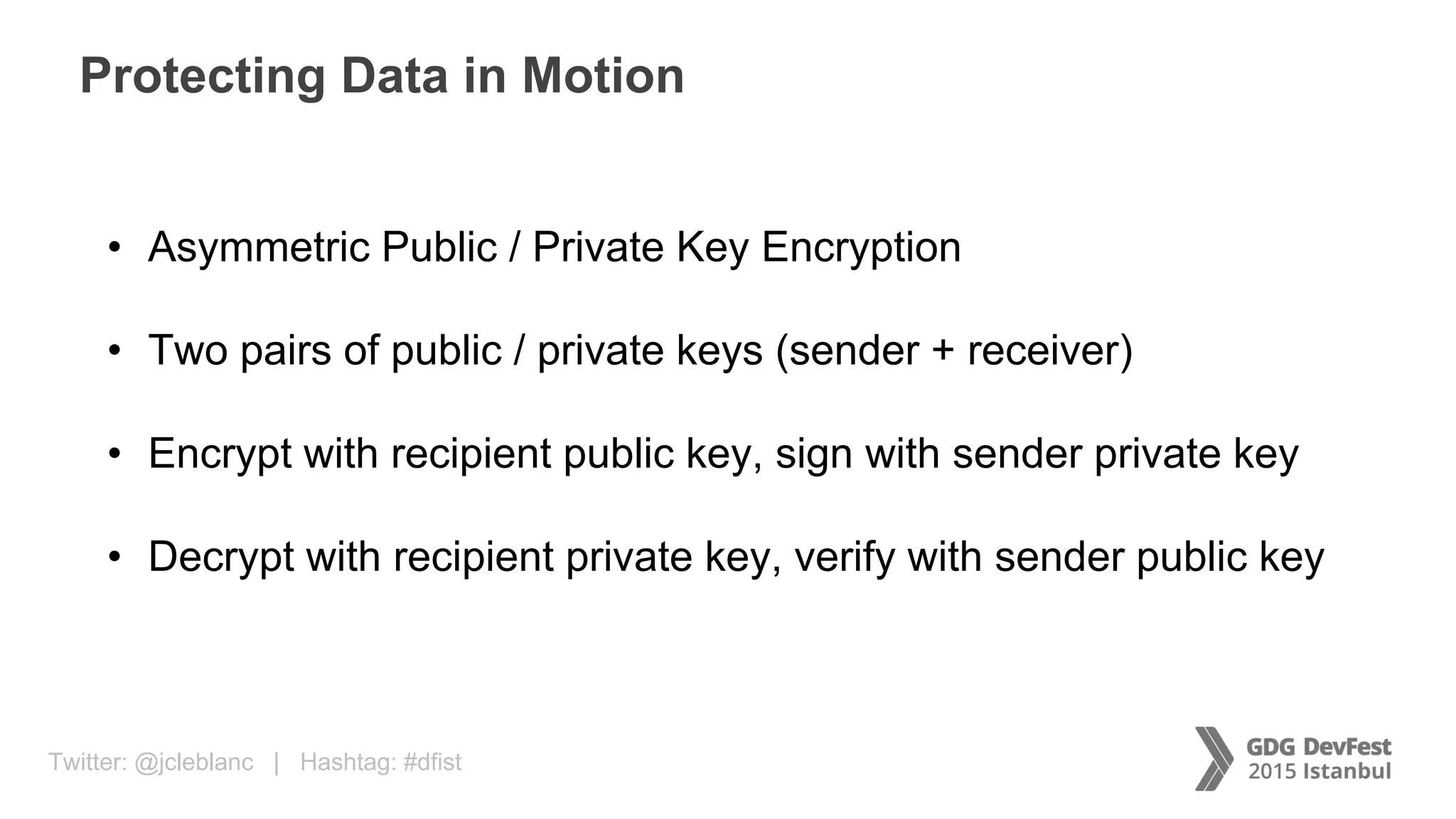
Protecting Data in Motion
• Asymmetric Public / Private Key Encryption
• Two pairs of public / private keys (sender + receiver)
• Encrypt with recipient public key, sign with sender private key
• Decrypt with recipient private key, verify with sender public key
Twitter: @jcleblanc | Hashtag: #dfist
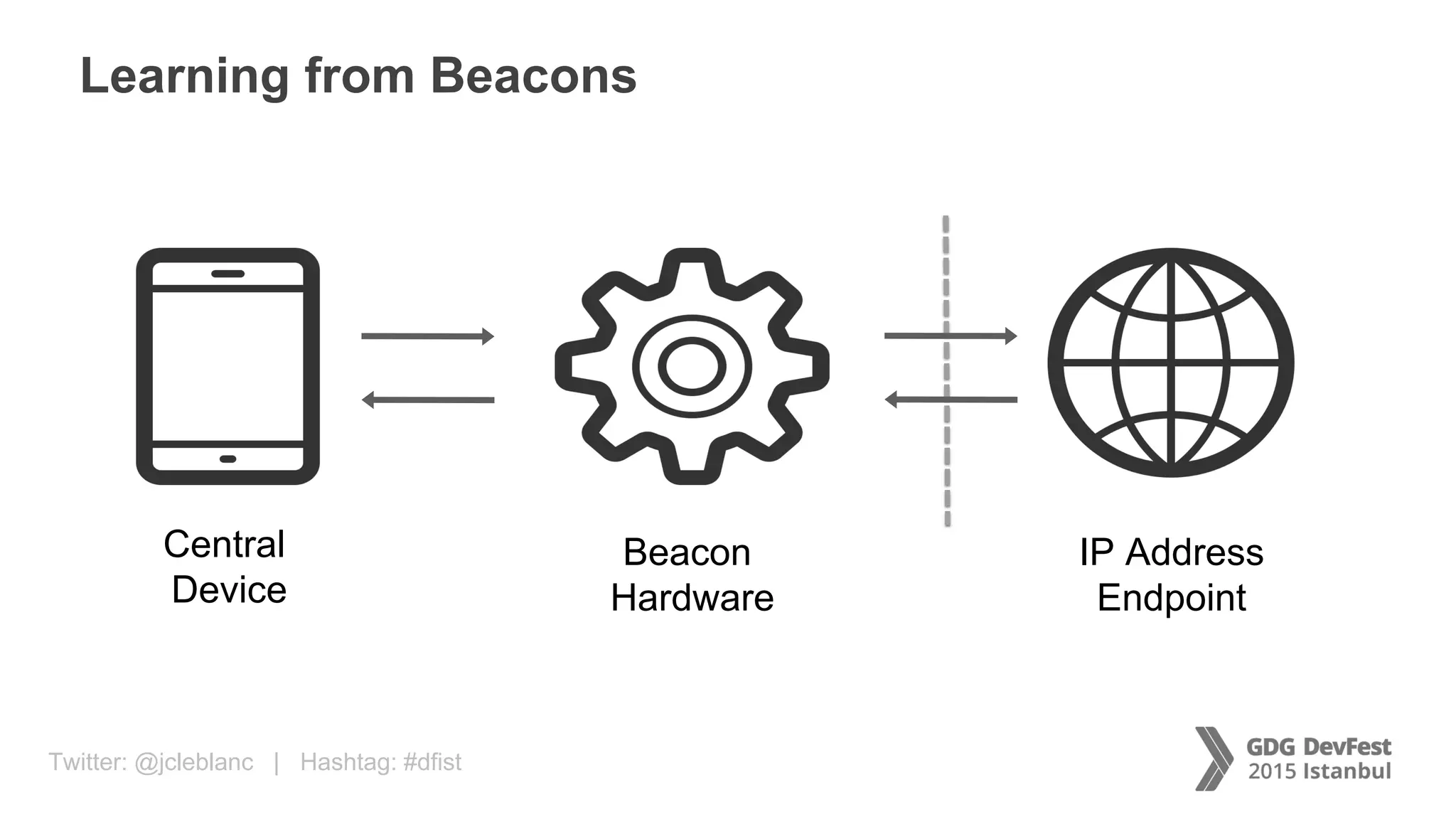
Learning from Beacons
Central
Device
Beacon
Hardware
IP Address
Endpoint
Twitter: @jcleblanc | Hashtag: #dfist
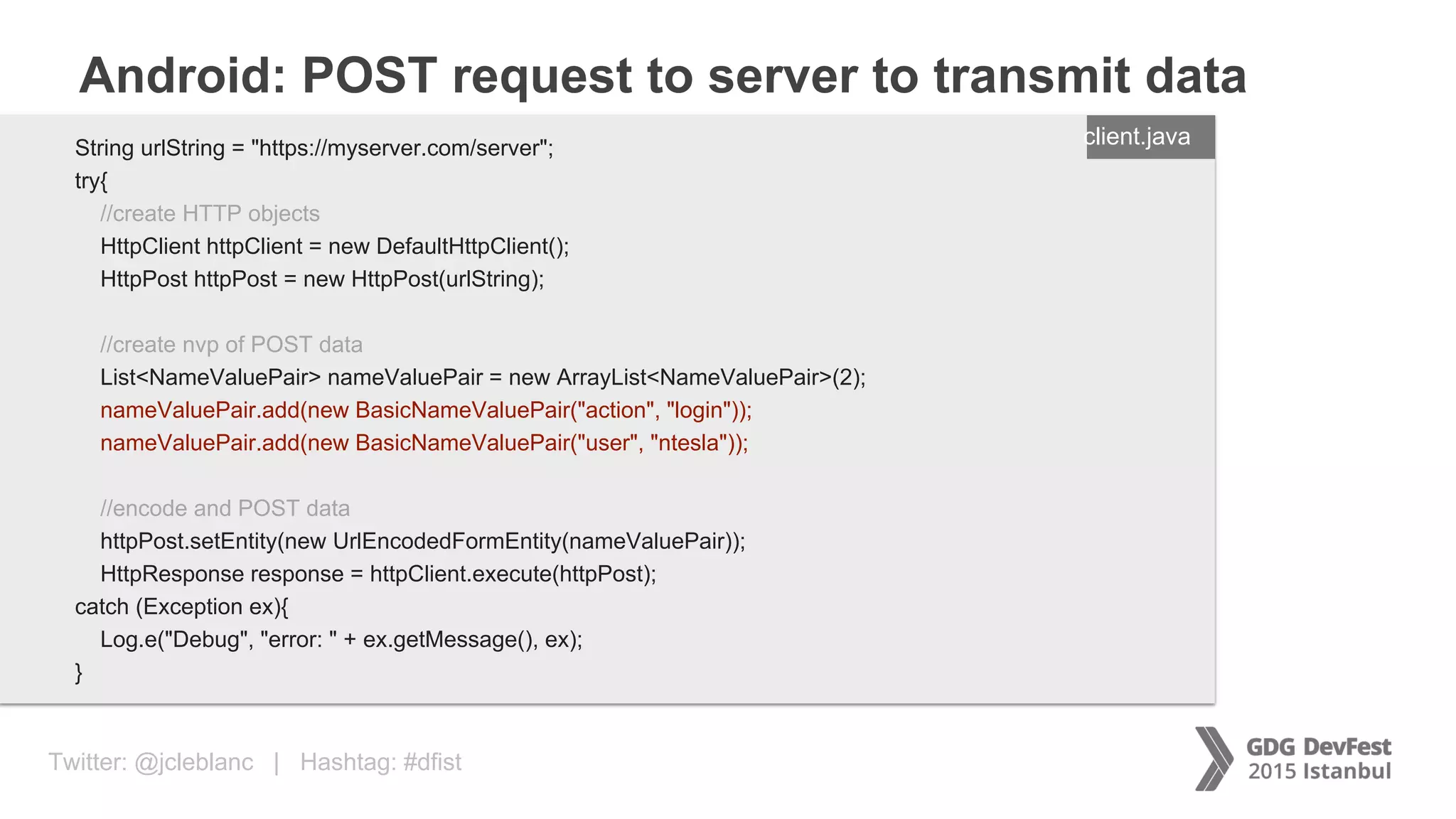
Android: POST request to server to transmit data
ENTER FILENAME/LANG
String urlString = "https://myserver.com/server";
try{
//create HTTP objects
HttpClient httpClient = new DefaultHttpClient();
HttpPost httpPost = new HttpPost(urlString);
//create nvp of POST data
List<NameValuePair> nameValuePair = new ArrayList<NameValuePair>(2);
nameValuePair.add(new BasicNameValuePair("action", "login"));
nameValuePair.add(new BasicNameValuePair("user", "ntesla"));
//encode and POST data
httpPost.setEntity(new UrlEncodedFormEntity(nameValuePair));
HttpResponse response = httpClient.execute(httpPost);
catch (Exception ex){
Log.e("Debug", "error: " + ex.getMessage(), ex);
}
client.java
Twitter: @jcleblanc | Hashtag: #dfist
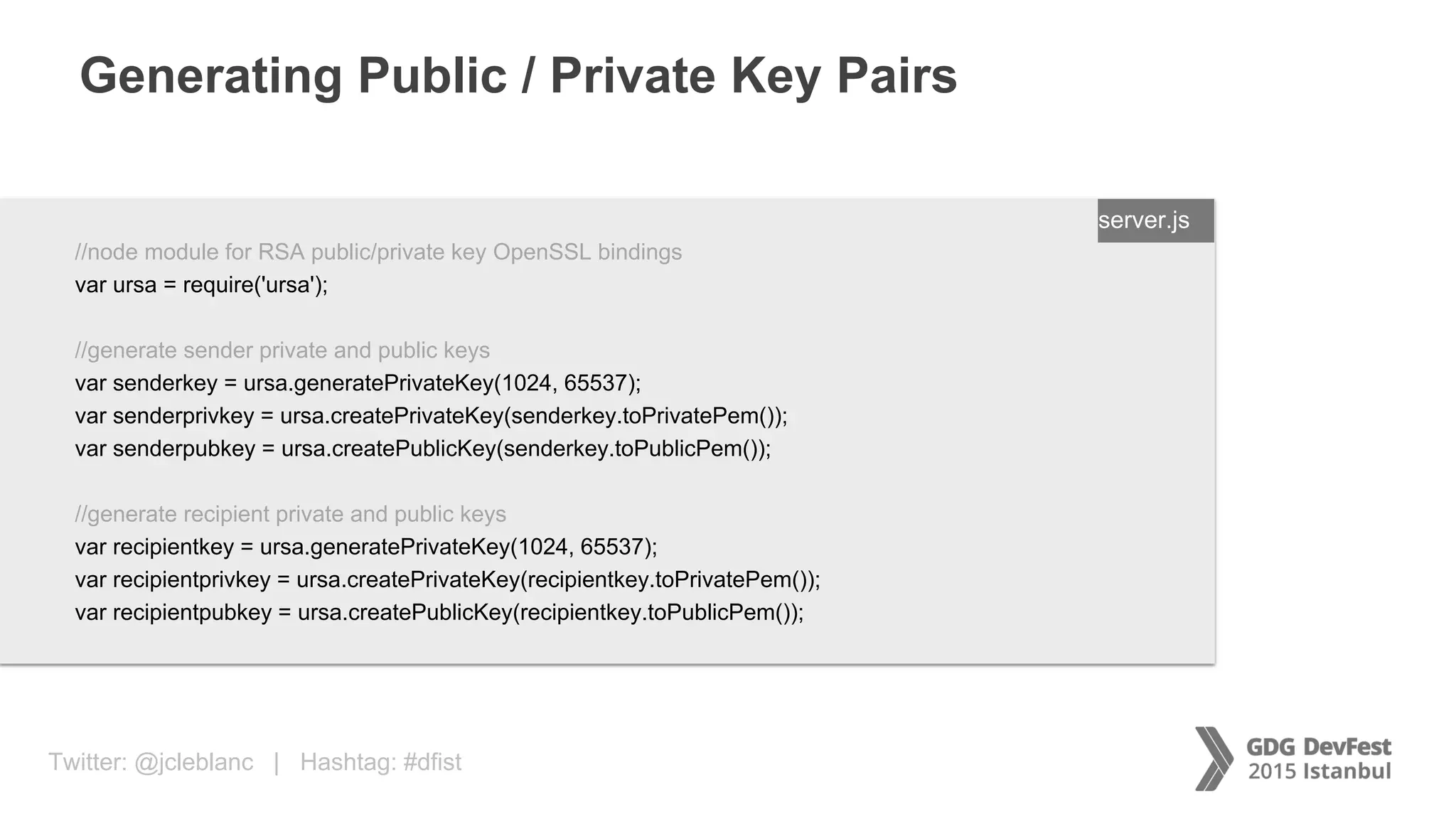
Generating Public / Private Key Pairs
ENTER FILENAME/LANG
//node module for RSA public/private key OpenSSL bindings
var ursa = require('ursa');
//generate sender private and public keys
var senderkey = ursa.generatePrivateKey(1024, 65537);
var senderprivkey = ursa.createPrivateKey(senderkey.toPrivatePem());
var senderpubkey = ursa.createPublicKey(senderkey.toPublicPem());
//generate recipient private and public keys
var recipientkey = ursa.generatePrivateKey(1024, 65537);
var recipientprivkey = ursa.createPrivateKey(recipientkey.toPrivatePem());
var recipientpubkey = ursa.createPublicKey(recipientkey.toPublicPem());
server.js
Twitter: @jcleblanc | Hashtag: #dfist
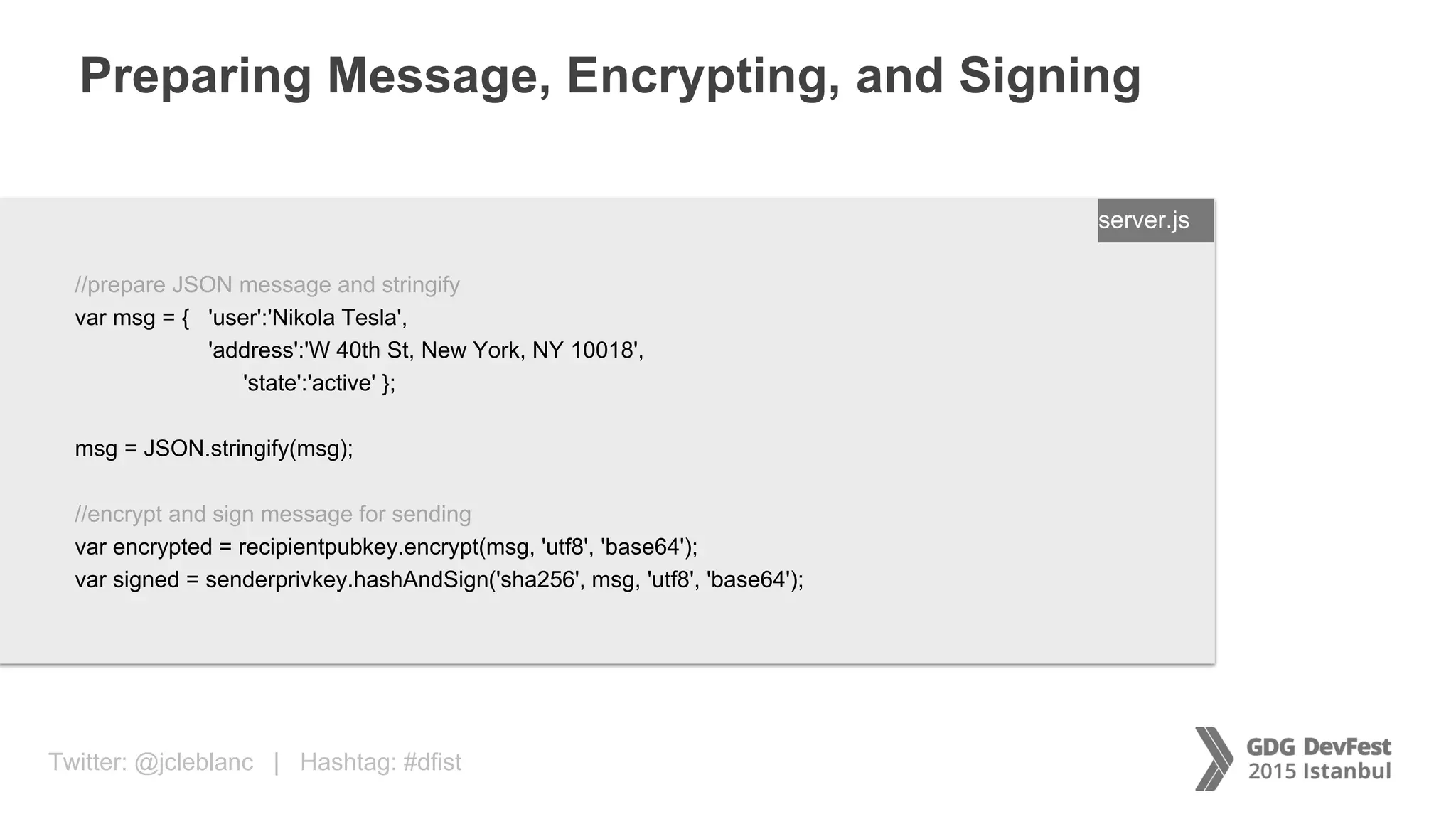
Preparing Message, Encrypting, and Signing
ENTER FILENAME/LANG
//prepare JSON message and stringify
var msg = { 'user':'Nikola Tesla',
'address':'W 40th St, New York, NY 10018',
'state':'active' };
msg = JSON.stringify(msg);
//encrypt and sign message for sending
var encrypted = recipientpubkey.encrypt(msg, 'utf8', 'base64');
var signed = senderprivkey.hashAndSign('sha256', msg, 'utf8', 'base64');
server.js
Twitter: @jcleblanc | Hashtag: #dfist
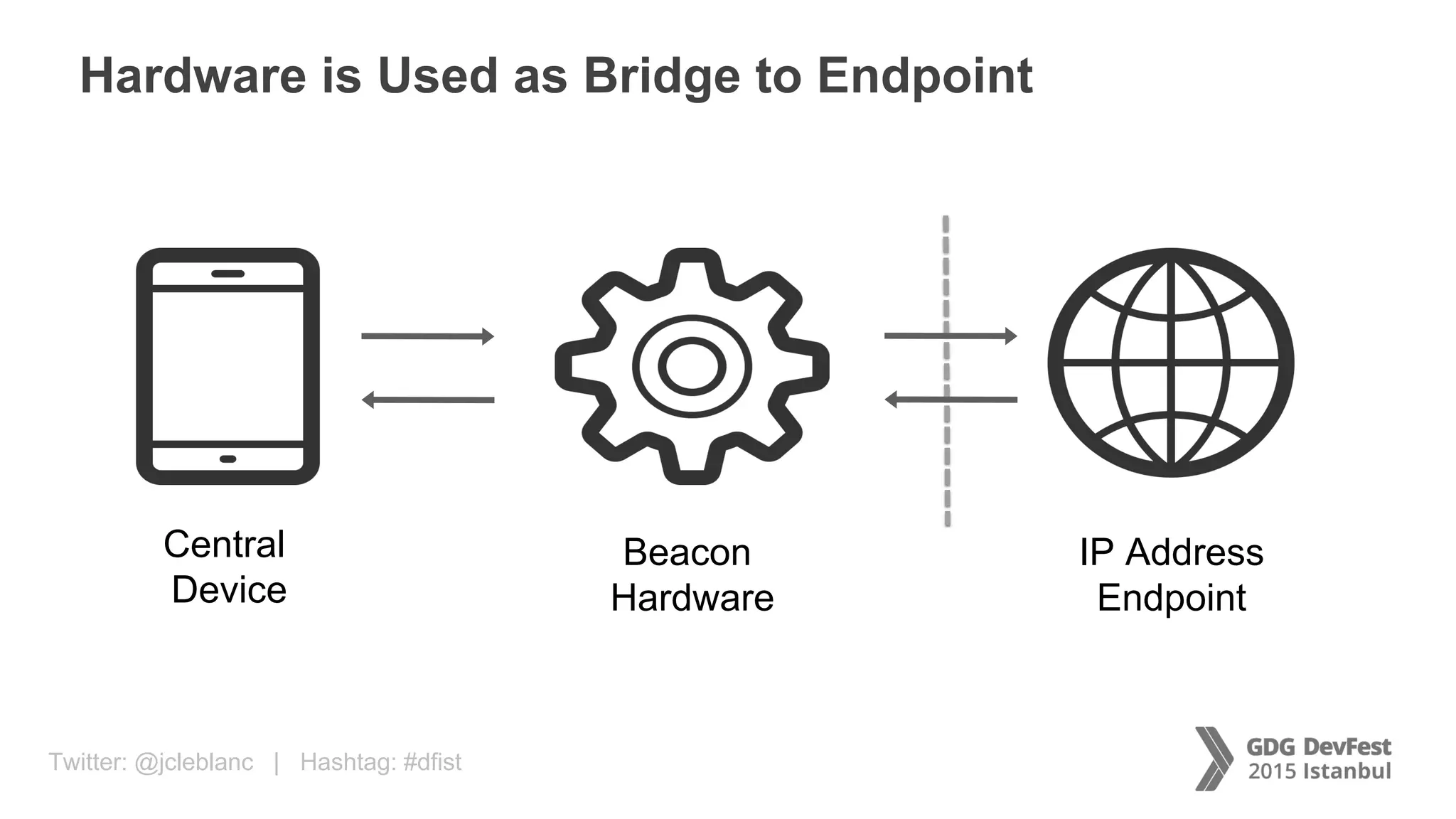
Hardware is Used as Bridge to Endpoint
Central
Device
Beacon
Hardware
IP Address
Endpoint
Twitter: @jcleblanc | Hashtag: #dfist
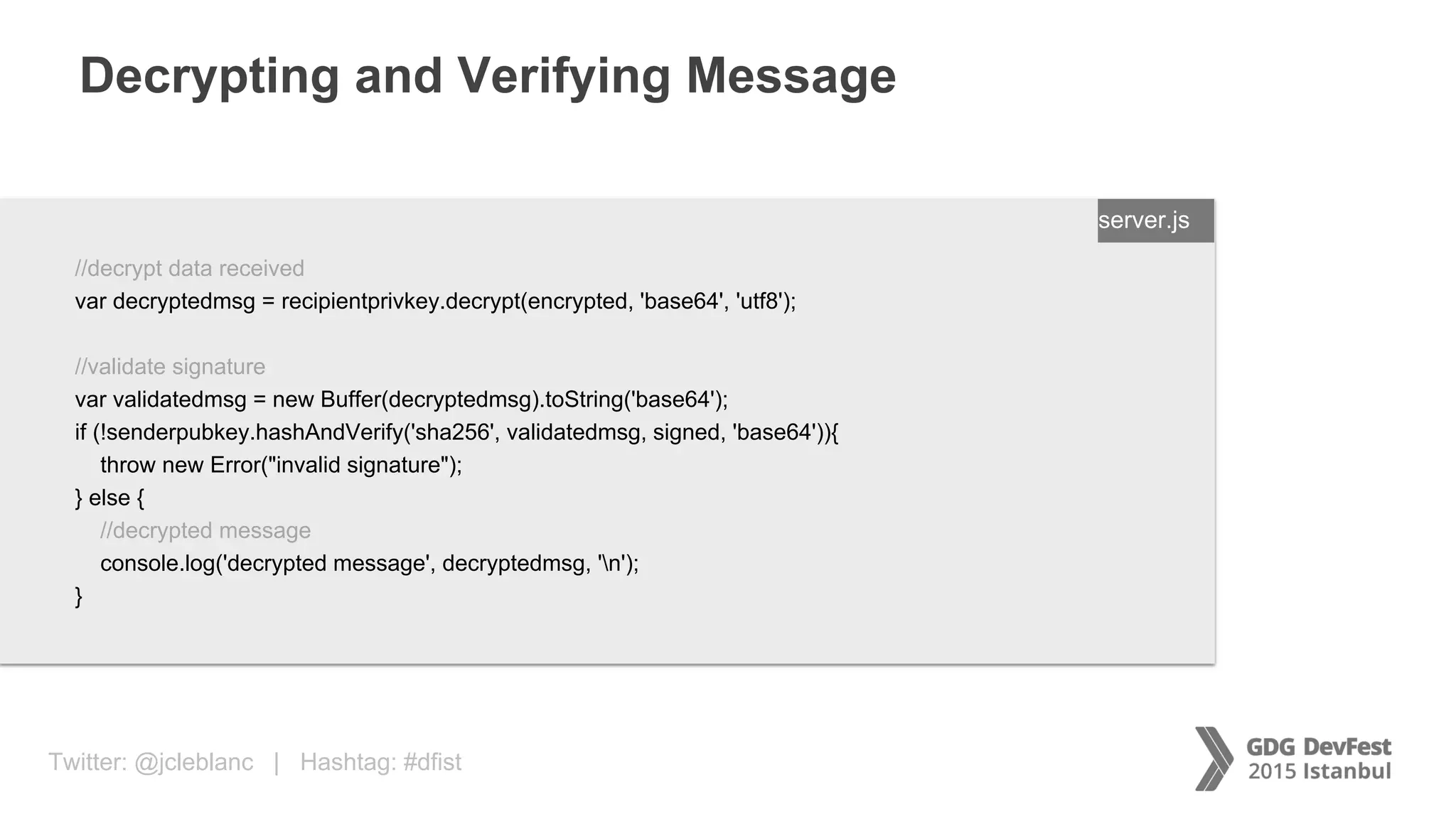
Decrypting and Verifying Message
ENTER FILENAME/LANG
//decrypt data received
var decryptedmsg = recipientprivkey.decrypt(encrypted, 'base64', 'utf8');
//validate signature
var validatedmsg = new Buffer(decryptedmsg).toString('base64');
if (!senderpubkey.hashAndVerify('sha256', validatedmsg, signed, 'base64')){
throw new Error("invalid signature");
} else {
//decrypted message
console.log('decrypted message', decryptedmsg, 'n');
}
server.js
Twitter: @jcleblanc | Hashtag: #dfist
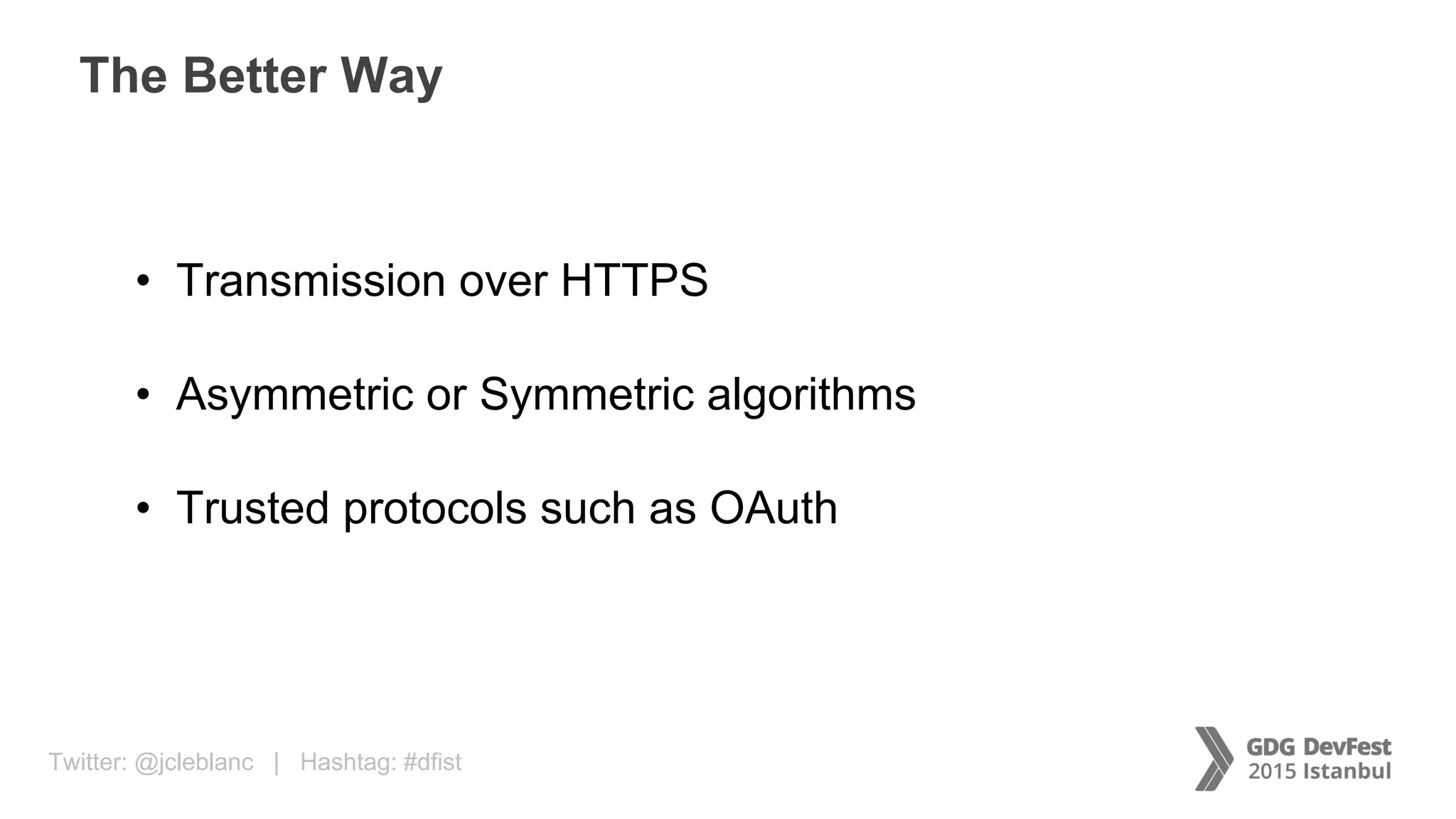
The Better Way
• Transmission over HTTPS
• Asymmetric or Symmetric algorithms
• Trusted protocols such as OAuth
Twitter: @jcleblanc | Hashtag: #dfist
Transmitting credit card and payment details
Protecting Payments
Twitter: @jcleblanc | Hashtag: #dfistSource: http://mashable.com
Taking Cues from Email / SMS Communications
Twitter: @jcleblanc | Hashtag: #dfist
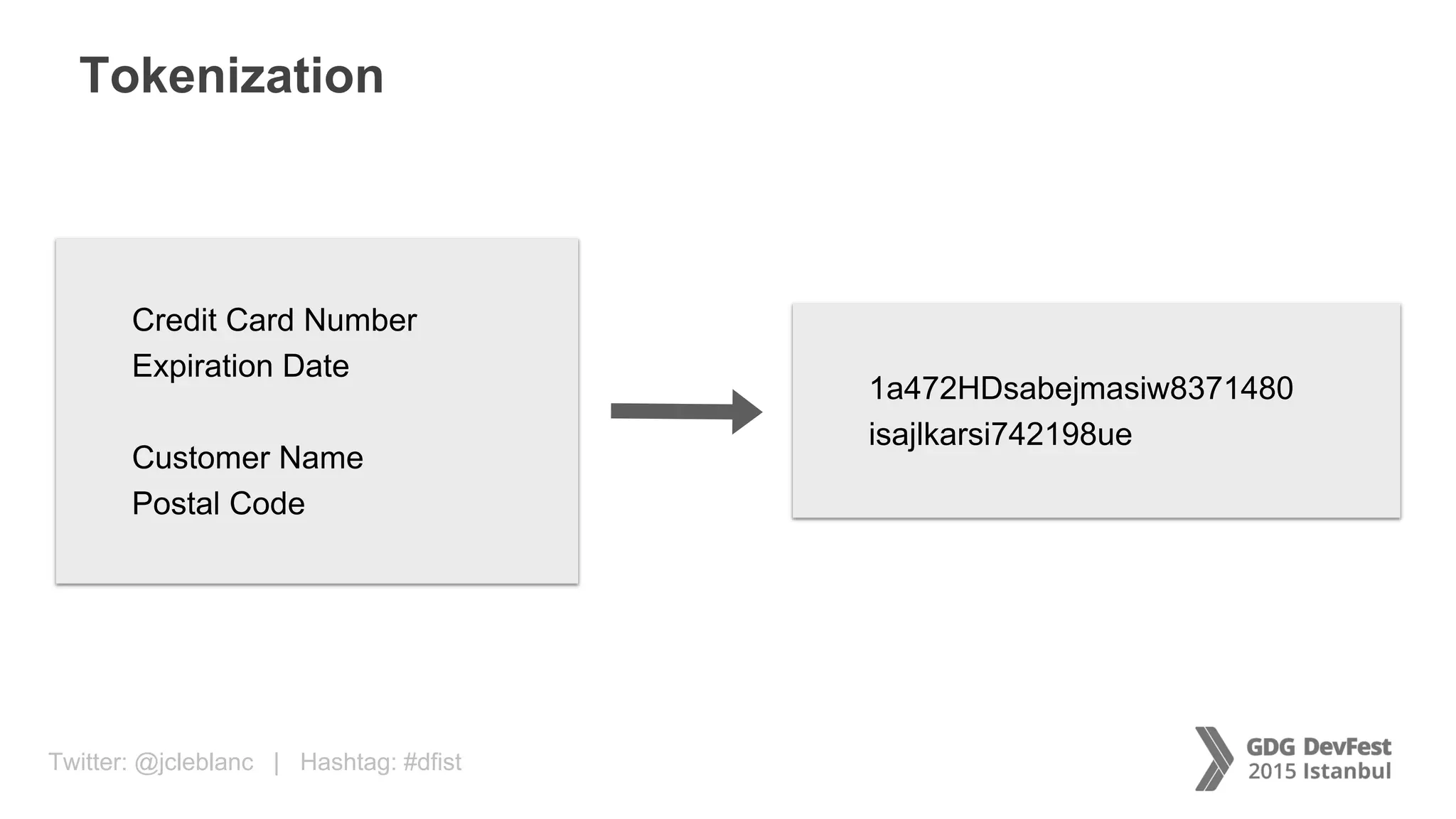
Tokenization
Credit Card Number
Expiration Date
Customer Name
Postal Code
1a472HDsabejmasiw8371480
isajlkarsi742198ue
Twitter: @jcleblanc | Hashtag: #dfist
Twitter: @jcleblanc | Hashtag: #dfistSource: http://fineartamerica.com
Twitter: @jcleblanc | Hashtag: #dfist
Extending Secure Protection
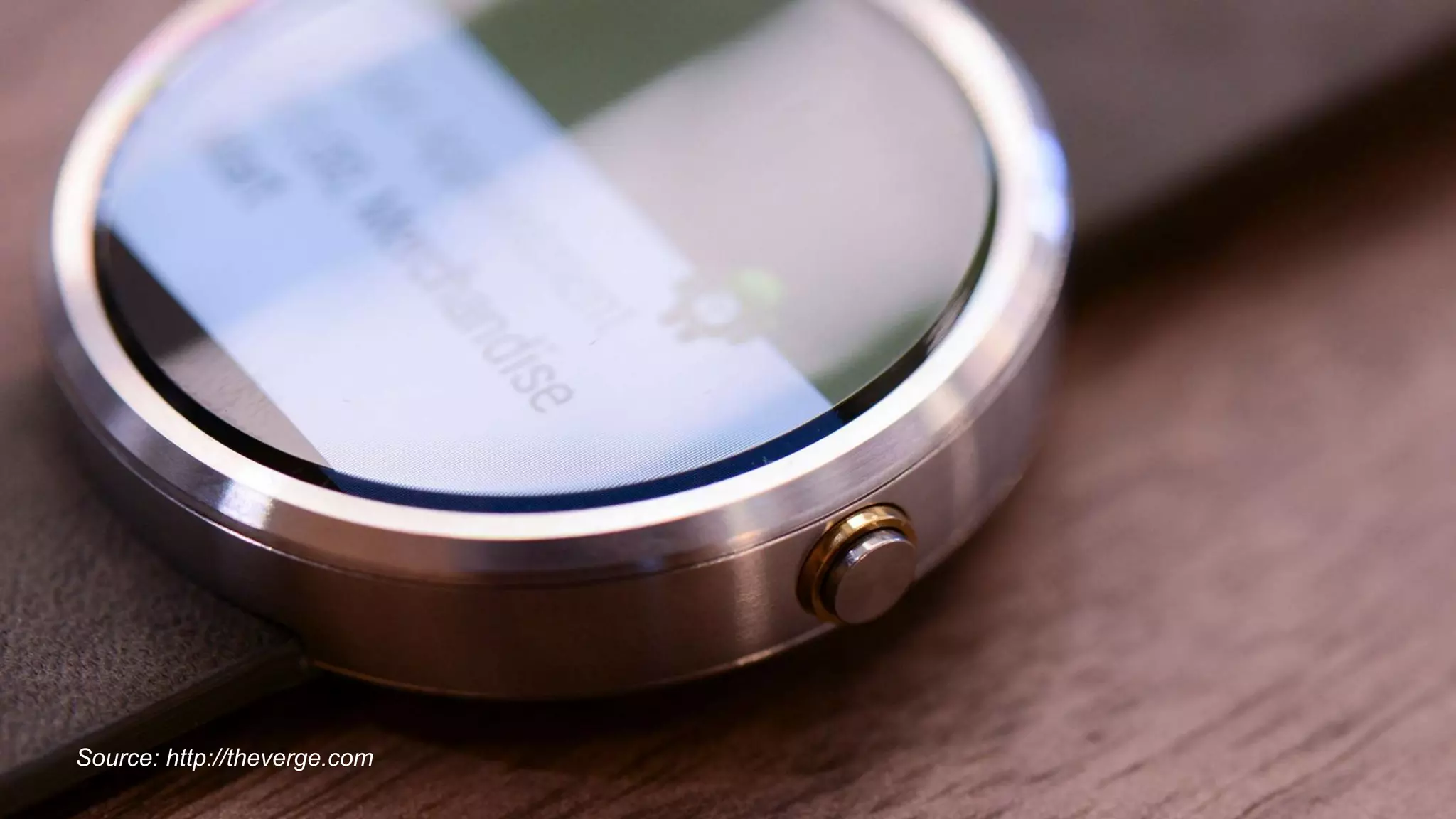
Using wearables to extend security
Twitter: @jcleblanc | Hashtag: #dfistSource: http://theverge.com
Twitter: @jcleblanc | Hashtag: #dfist
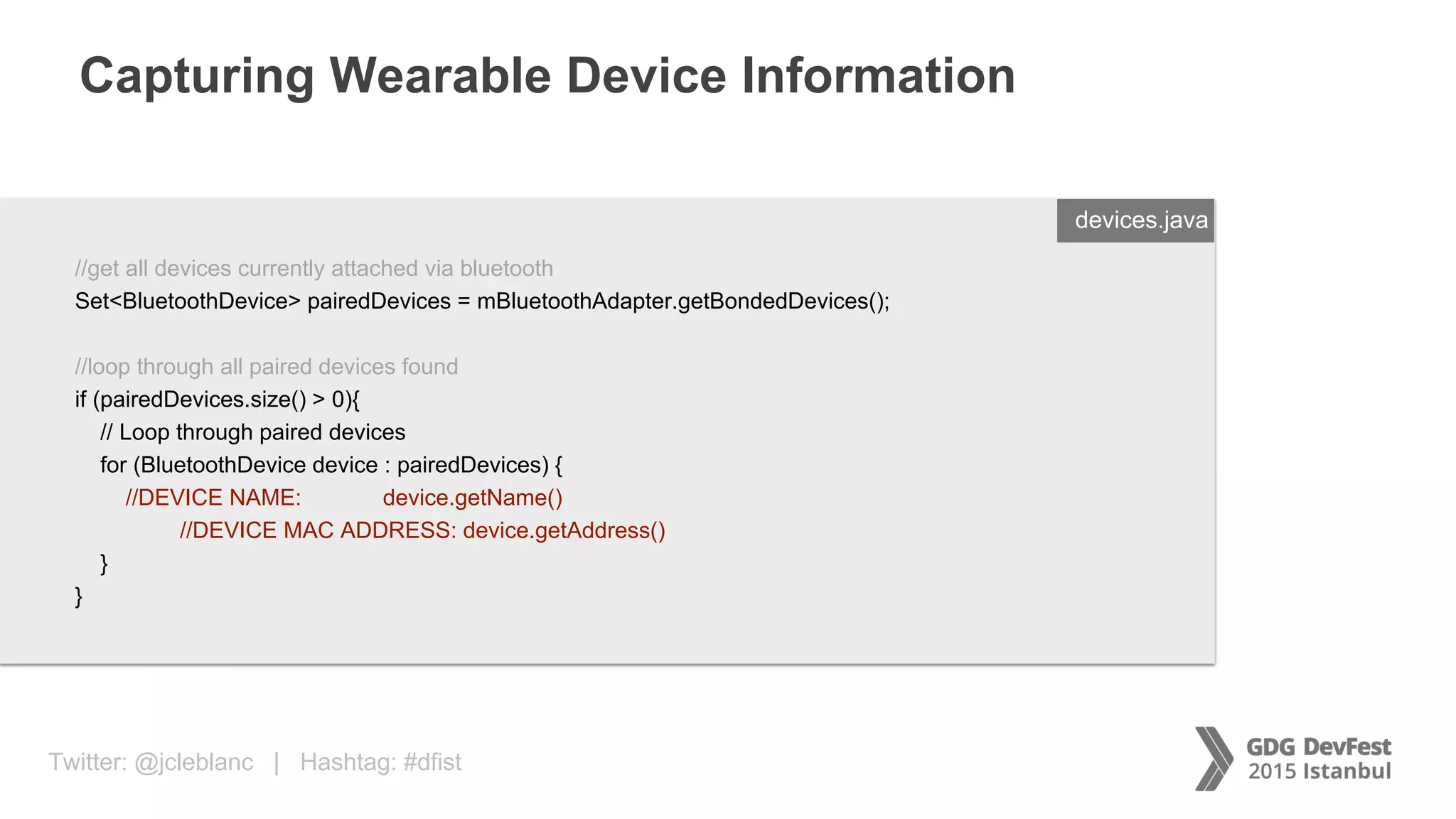
Capturing Wearable Device Information
ENTER FILENAME/LANG
//get all devices currently attached via bluetooth
Set<BluetoothDevice> pairedDevices = mBluetoothAdapter.getBondedDevices();
//loop through all paired devices found
if (pairedDevices.size() > 0){
// Loop through paired devices
for (BluetoothDevice device : pairedDevices) {
//DEVICE NAME: device.getName()
//DEVICE MAC ADDRESS: device.getAddress()
}
}
devices.java
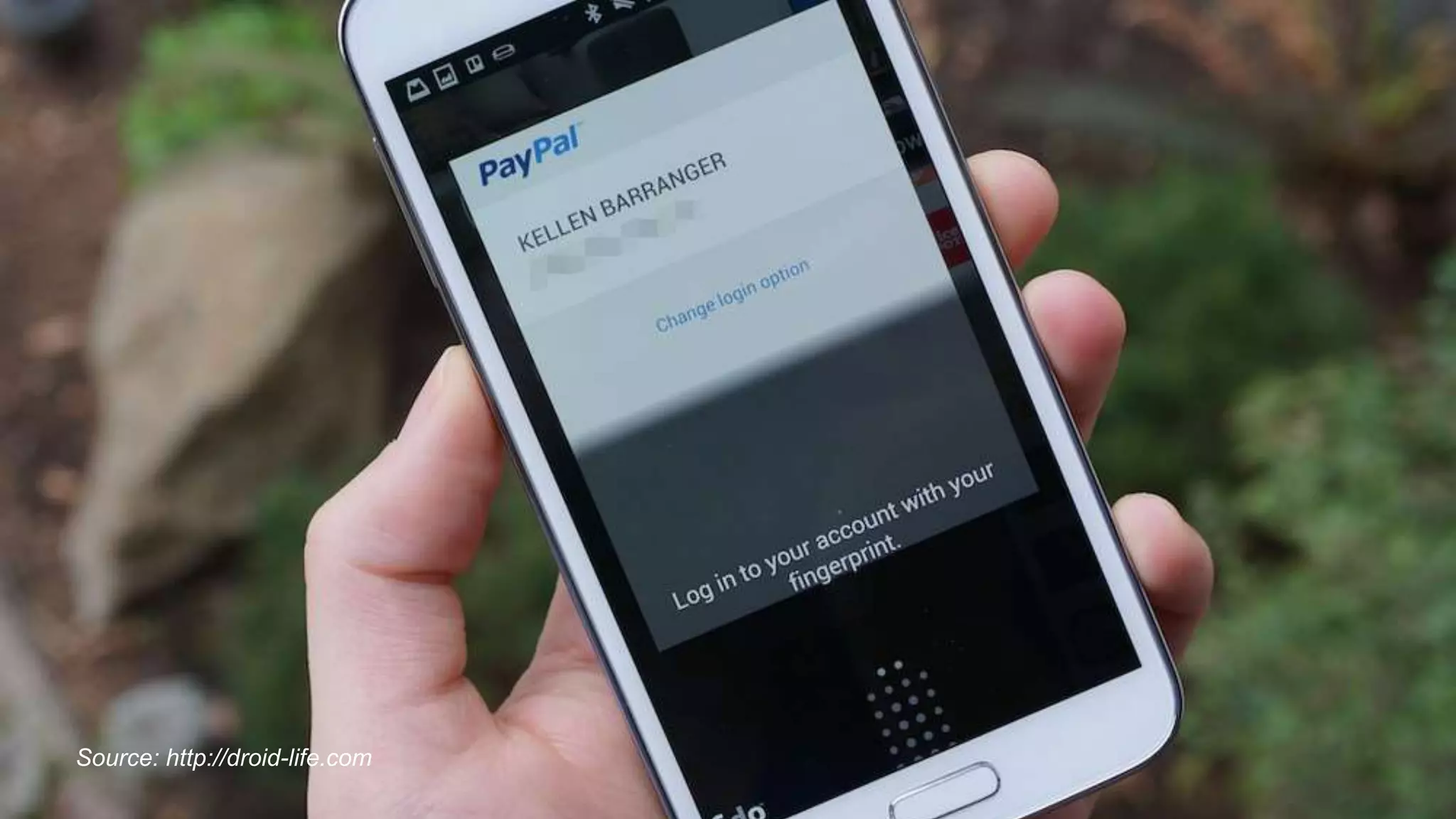
Twitter: @jcleblanc | Hashtag: #dfistSource: http://droid-life.com
Twitter: @jcleblanc | Hashtag: #dfist
Securing Data Communications
Identity, data, and payments within different communication methods
Thank you!
Questions?
Twitter: @jcleblanc
Email: jleblanc@paypal.com

Secure Payments Over Mixed Communication Media

  • 1.
    Secure Payments overMixed Communication Media Identity, Data, and Payment Security Practices Jonathan LeBlanc Head of Global Developer Advocacy PayPal / Braintree Twitter: @jcleblanc | Email: jleblanc@paypal.com
  • 2.
    Twitter: @jcleblanc |Hashtag: #dfist Considerations in the Payments World • Identity: Securing who the user is • Data in Motion: Securing what the user is doing • Payments: Securing how the user is buying
  • 3.
    Twitter: @jcleblanc |Hashtag: #dfist Transmitting information about who you are Protecting Identity
  • 4.
    Twitter: @jcleblanc |Hashtag: #dfistSource: http://digitaltrends.com Protecting Account Information
  • 5.
    Twitter: @jcleblanc |Hashtag: #dfist Protecting Identity through the Password • Salting: Hardening the user password • Good encryption algorithms: bcrypt, scrypt, PBKDF2 • Protects against: Rainbow tables, dictionary attacks
  • 6.
    Twitter: @jcleblanc |Hashtag: #dfist Android: POST request to server to encrypt data ENTER FILENAME/LANG String urlString = "https://myserver.com/auth"; try{ //create HTTP objects HttpClient httpClient = new DefaultHttpClient(); HttpPost httpPost = new HttpPost(urlString); //create nvp of POST data List<NameValuePair> nameValuePair = new ArrayList<NameValuePair>(1); nameValuePair.add(new BasicNameValuePair("password", "123456789")); //encode and POST data httpPost.setEntity(new UrlEncodedFormEntity(nameValuePair)); HttpResponse response = httpClient.execute(httpPost); catch (Exception ex){ Log.e("Debug", "error: " + ex.getMessage(), ex); } client.java
  • 7.
    Twitter: @jcleblanc |Hashtag: #dfist Salting & Encrypting Passwords with bcrypt ENTER FILENAME/LANG//node bcrypt package var bcrypt = require('bcrypt’); function bcrypt_encrypt(username, password){ //generate a random salt with 10 rounds bcrypt.genSalt(10, function(err, salt){ //generate hash using password & salt bcrypt.hash(password, salt, function(err, key){ console.log('key: ' + key.toString('hex')); console.log('salt: ' + salt.toString('hex')); }); }); } auth.js
  • 8.
    Twitter: @jcleblanc |Hashtag: #dfist Salting & Encrypting Passwords with PBKDF2 ENTER FILENAME/LANG//node standard crypto package var crypto = require('crypto’); function pbkdf2_encrypt(username, password){ //generate random 32 byte salt crypto.randomBytes(32, function(ex, salt){ //generate PBKDF2 hash with specified iterations and length crypto.pbkdf2(password, salt, 4096, 512, 'sha256', function(err, key){ if (err) throw err; console.log('key: ' + key.toString('hex')); console.log('salt: ' + salt.toString('hex')); }); }); } auth.js
  • 9.
    Twitter: @jcleblanc |Hashtag: #dfist Transmitting privileged user information between services Protecting Data in Motion
  • 10.
    Twitter: @jcleblanc |Hashtag: #dfistSource: http://estimote.com Taking Cues from Hardware Security
  • 11.
    Twitter: @jcleblanc |Hashtag: #dfist Protecting Data in Motion • Asymmetric Public / Private Key Encryption • Two pairs of public / private keys (sender + receiver) • Encrypt with recipient public key, sign with sender private key • Decrypt with recipient private key, verify with sender public key
  • 12.
    Twitter: @jcleblanc |Hashtag: #dfist Learning from Beacons Central Device Beacon Hardware IP Address Endpoint
  • 13.
    Twitter: @jcleblanc |Hashtag: #dfist Android: POST request to server to transmit data ENTER FILENAME/LANG String urlString = "https://myserver.com/server"; try{ //create HTTP objects HttpClient httpClient = new DefaultHttpClient(); HttpPost httpPost = new HttpPost(urlString); //create nvp of POST data List<NameValuePair> nameValuePair = new ArrayList<NameValuePair>(2); nameValuePair.add(new BasicNameValuePair("action", "login")); nameValuePair.add(new BasicNameValuePair("user", "ntesla")); //encode and POST data httpPost.setEntity(new UrlEncodedFormEntity(nameValuePair)); HttpResponse response = httpClient.execute(httpPost); catch (Exception ex){ Log.e("Debug", "error: " + ex.getMessage(), ex); } client.java
  • 14.
    Twitter: @jcleblanc |Hashtag: #dfist Generating Public / Private Key Pairs ENTER FILENAME/LANG //node module for RSA public/private key OpenSSL bindings var ursa = require('ursa'); //generate sender private and public keys var senderkey = ursa.generatePrivateKey(1024, 65537); var senderprivkey = ursa.createPrivateKey(senderkey.toPrivatePem()); var senderpubkey = ursa.createPublicKey(senderkey.toPublicPem()); //generate recipient private and public keys var recipientkey = ursa.generatePrivateKey(1024, 65537); var recipientprivkey = ursa.createPrivateKey(recipientkey.toPrivatePem()); var recipientpubkey = ursa.createPublicKey(recipientkey.toPublicPem()); server.js
  • 15.
    Twitter: @jcleblanc |Hashtag: #dfist Preparing Message, Encrypting, and Signing ENTER FILENAME/LANG //prepare JSON message and stringify var msg = { 'user':'Nikola Tesla', 'address':'W 40th St, New York, NY 10018', 'state':'active' }; msg = JSON.stringify(msg); //encrypt and sign message for sending var encrypted = recipientpubkey.encrypt(msg, 'utf8', 'base64'); var signed = senderprivkey.hashAndSign('sha256', msg, 'utf8', 'base64'); server.js
  • 16.
    Twitter: @jcleblanc |Hashtag: #dfist Hardware is Used as Bridge to Endpoint Central Device Beacon Hardware IP Address Endpoint
  • 17.
    Twitter: @jcleblanc |Hashtag: #dfist Decrypting and Verifying Message ENTER FILENAME/LANG //decrypt data received var decryptedmsg = recipientprivkey.decrypt(encrypted, 'base64', 'utf8'); //validate signature var validatedmsg = new Buffer(decryptedmsg).toString('base64'); if (!senderpubkey.hashAndVerify('sha256', validatedmsg, signed, 'base64')){ throw new Error("invalid signature"); } else { //decrypted message console.log('decrypted message', decryptedmsg, 'n'); } server.js
  • 18.
    Twitter: @jcleblanc |Hashtag: #dfist The Better Way • Transmission over HTTPS • Asymmetric or Symmetric algorithms • Trusted protocols such as OAuth
  • 19.
    Twitter: @jcleblanc |Hashtag: #dfist Transmitting credit card and payment details Protecting Payments
  • 20.
    Twitter: @jcleblanc |Hashtag: #dfistSource: http://mashable.com Taking Cues from Email / SMS Communications
  • 21.
    Twitter: @jcleblanc |Hashtag: #dfist Tokenization Credit Card Number Expiration Date Customer Name Postal Code 1a472HDsabejmasiw8371480 isajlkarsi742198ue
  • 22.
    Twitter: @jcleblanc |Hashtag: #dfist
  • 23.
    Twitter: @jcleblanc |Hashtag: #dfistSource: http://fineartamerica.com
  • 24.
    Twitter: @jcleblanc |Hashtag: #dfist Extending Secure Protection Using wearables to extend security
  • 25.
    Twitter: @jcleblanc |Hashtag: #dfistSource: http://theverge.com
  • 26.
    Twitter: @jcleblanc |Hashtag: #dfist Capturing Wearable Device Information ENTER FILENAME/LANG //get all devices currently attached via bluetooth Set<BluetoothDevice> pairedDevices = mBluetoothAdapter.getBondedDevices(); //loop through all paired devices found if (pairedDevices.size() > 0){ // Loop through paired devices for (BluetoothDevice device : pairedDevices) { //DEVICE NAME: device.getName() //DEVICE MAC ADDRESS: device.getAddress() } } devices.java
  • 27.
    Twitter: @jcleblanc |Hashtag: #dfistSource: http://droid-life.com
  • 28.
    Twitter: @jcleblanc |Hashtag: #dfist Securing Data Communications Identity, data, and payments within different communication methods
  • 29.

Editor's Notes

  • #21 Taking Cues from Email / SMS Communications