Scheduling with Torque-Maui – A Tutorial
ContentsThe problem being addressedTorque – how it helpsMaui – how it helpsJob Submission – job priorities, job dependencies, job queuesJob MonitoringJob AccountingInstall
The problemHave jobs/tasks run as soon as possibleHave higher priority jobs run earlier than othersRun jobs on any free machine across a cluster automatically not just on one machineHave jobs run un-attended and inform in case of errorMachine utilization has to be highMonitor and account for all the usage
Torque – how it helpsWhat is TORQUE’s job as the resource manager.Accepting and starting jobs/tasks across a batch farm (qsub command)Cancelling jobs (qdel command)Monitoring the state of jobs (qstatcommand)Collecting return codes (qstat)Accounting of jobs, the time they took, memory used, etc (tracejob command)
Maui – how it helpsWhat is MAUI’s Job?MAUI makes all the decisions.Should a job be started asking questions like:Is there enough resource to start the job?Given all the jobs I could start which one should I start?MAUI runs a scheduling iteration:When a job is submitted.When a job ends.At regular configurable intervals.
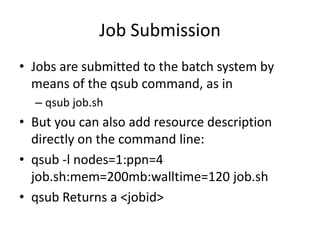
Job SubmissionJobs are submitted to the batch system by means of the qsub command, as inqsub job.shBut you can also add resource description directly on the command line:qsub -l nodes=1:ppn=4 job.sh:mem=200mb:walltime=120 job.shqsub Returns a <jobid>
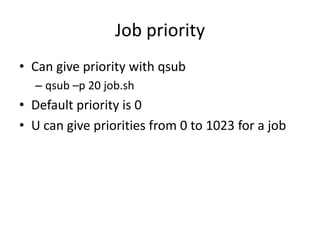
Job priorityCan give priority with qsubqsub –p 20 job.shDefault priority is 0U can give priorities from 0 to 1023 for a job
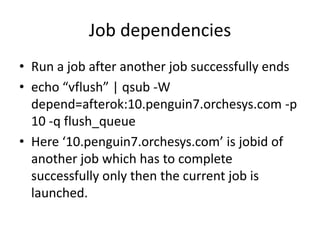
Job dependenciesRun a job after another job successfully endsecho “vflush” | qsub -W depend=afterok:10.penguin7.orchesys.com -p 10 -q flush_queueHere ‘10.penguin7.orchesys.com’ is jobid of another job which has to complete successfully only then the current job is launched.
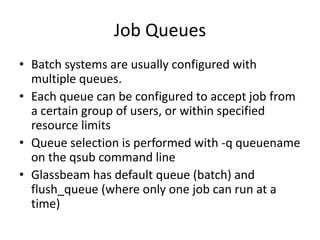
Job QueuesBatch systems are usually configured with multiple queues.Each queue can be configured to accept job from a certain group of users, or within specified resource limitsQueue selection is performed with -q queuename on the qsubcommand lineGlassbeam has default queue (batch) and flush_queue (where only one job can run at a time)
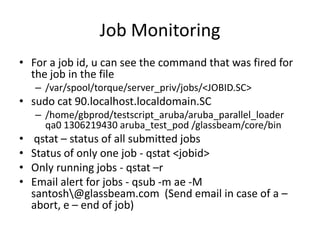
Job MonitoringFor a job id, u can see the command that was fired for the job in the file/var/spool/torque/server_priv/jobs/<JOBID.SC>sudo cat 90.localhost.localdomain.SC/home/gbprod/testscript_aruba/aruba_parallel_loader  qa0 1306219430 aruba_test_pod /glassbeam/core/binqstat – status of all submitted jobs Status of only one job - qstat <jobid>Only running jobs - qstat –rEmail alert for jobs - qsub -m ae -M santosh\@glassbeam.com  (Send email in case of a – abort, e – end of job)
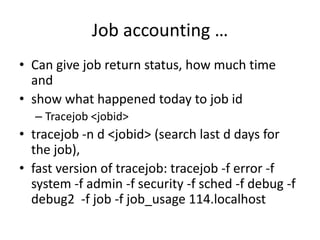
Job accounting …Can give job return status, how much time and show what happened today to job idTracejob <jobid>tracejob -n d <jobid> (search last d days for the job), fast version of tracejob: tracejob -f error -f system -f admin -f security -f sched -f debug -f debug2  -f job -f job_usage 114.localhost
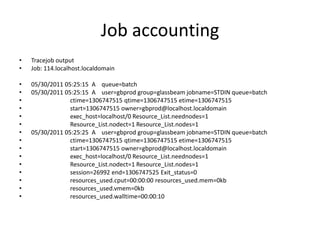
Job accountingTracejob outputJob: 114.localhost.localdomain05/30/2011 05:25:15  A    queue=batch05/30/2011 05:25:15  A    user=gbprod group=glassbeamjobname=STDIN queue=batchctime=1306747515 qtime=1306747515 etime=1306747515                          start=1306747515 owner=gbprod@localhost.localdomainexec_host=localhost/0 Resource_List.neednodes=1Resource_List.nodect=1 Resource_List.nodes=105/30/2011 05:25:25  A    user=gbprod group=glassbeamjobname=STDIN queue=batchctime=1306747515 qtime=1306747515 etime=1306747515                          start=1306747515 owner=gbprod@localhost.localdomainexec_host=localhost/0 Resource_List.neednodes=1Resource_List.nodect=1 Resource_List.nodes=1                          session=26992 end=1306747525 Exit_status=0resources_used.cput=00:00:00 resources_used.mem=0kbresources_used.vmem=0kbresources_used.walltime=00:00:10
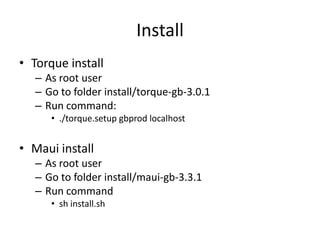
InstallTorque installAs root userGo to folder install/torque-gb-3.0.1Run command:./torque.setupgbprodlocalhostMaui installAs root user Go to folder install/maui-gb-3.3.1Run commandshinstall.sh

Scheduling torque-maui-tutorial

  • 1.
  • 2.
    ContentsThe problem beingaddressedTorque – how it helpsMaui – how it helpsJob Submission – job priorities, job dependencies, job queuesJob MonitoringJob AccountingInstall
  • 3.
    The problemHave jobs/tasksrun as soon as possibleHave higher priority jobs run earlier than othersRun jobs on any free machine across a cluster automatically not just on one machineHave jobs run un-attended and inform in case of errorMachine utilization has to be highMonitor and account for all the usage
  • 4.
    Torque – howit helpsWhat is TORQUE’s job as the resource manager.Accepting and starting jobs/tasks across a batch farm (qsub command)Cancelling jobs (qdel command)Monitoring the state of jobs (qstatcommand)Collecting return codes (qstat)Accounting of jobs, the time they took, memory used, etc (tracejob command)
  • 5.
    Maui – howit helpsWhat is MAUI’s Job?MAUI makes all the decisions.Should a job be started asking questions like:Is there enough resource to start the job?Given all the jobs I could start which one should I start?MAUI runs a scheduling iteration:When a job is submitted.When a job ends.At regular configurable intervals.
  • 6.
    Job SubmissionJobs aresubmitted to the batch system by means of the qsub command, as inqsub job.shBut you can also add resource description directly on the command line:qsub -l nodes=1:ppn=4 job.sh:mem=200mb:walltime=120 job.shqsub Returns a <jobid>
  • 7.
    Job priorityCan givepriority with qsubqsub –p 20 job.shDefault priority is 0U can give priorities from 0 to 1023 for a job
  • 8.
    Job dependenciesRun ajob after another job successfully endsecho “vflush” | qsub -W depend=afterok:10.penguin7.orchesys.com -p 10 -q flush_queueHere ‘10.penguin7.orchesys.com’ is jobid of another job which has to complete successfully only then the current job is launched.
  • 9.
    Job QueuesBatch systemsare usually configured with multiple queues.Each queue can be configured to accept job from a certain group of users, or within specified resource limitsQueue selection is performed with -q queuename on the qsubcommand lineGlassbeam has default queue (batch) and flush_queue (where only one job can run at a time)
  • 10.
    Job MonitoringFor ajob id, u can see the command that was fired for the job in the file/var/spool/torque/server_priv/jobs/<JOBID.SC>sudo cat 90.localhost.localdomain.SC/home/gbprod/testscript_aruba/aruba_parallel_loader qa0 1306219430 aruba_test_pod /glassbeam/core/binqstat – status of all submitted jobs Status of only one job - qstat <jobid>Only running jobs - qstat –rEmail alert for jobs - qsub -m ae -M santosh\@glassbeam.com (Send email in case of a – abort, e – end of job)
  • 11.
    Job accounting …Cangive job return status, how much time and show what happened today to job idTracejob <jobid>tracejob -n d <jobid> (search last d days for the job), fast version of tracejob: tracejob -f error -f system -f admin -f security -f sched -f debug -f debug2 -f job -f job_usage 114.localhost
  • 12.
    Job accountingTracejob outputJob:114.localhost.localdomain05/30/2011 05:25:15 A queue=batch05/30/2011 05:25:15 A user=gbprod group=glassbeamjobname=STDIN queue=batchctime=1306747515 qtime=1306747515 etime=1306747515 start=1306747515 owner=gbprod@localhost.localdomainexec_host=localhost/0 Resource_List.neednodes=1Resource_List.nodect=1 Resource_List.nodes=105/30/2011 05:25:25 A user=gbprod group=glassbeamjobname=STDIN queue=batchctime=1306747515 qtime=1306747515 etime=1306747515 start=1306747515 owner=gbprod@localhost.localdomainexec_host=localhost/0 Resource_List.neednodes=1Resource_List.nodect=1 Resource_List.nodes=1 session=26992 end=1306747525 Exit_status=0resources_used.cput=00:00:00 resources_used.mem=0kbresources_used.vmem=0kbresources_used.walltime=00:00:10
  • 13.
    InstallTorque installAs rootuserGo to folder install/torque-gb-3.0.1Run command:./torque.setupgbprodlocalhostMaui installAs root user Go to folder install/maui-gb-3.3.1Run commandshinstall.sh