Agenda:
- Overview ofMaterial Management Module
- Methodology of training
- Training documents provided
- Practical tips and tricks
- Questions and Answers
3.
Materials management (MM)is a core functionality in SAP S/4HANA that drives logistics and supply
chain operations. Its purpose is to manage processes such as purchasing, goods receiving, material
storage, consumption-based planning, and inventory.
MM is a major component of logistics and consists of three different flows that are vital to the supply
chain. These flows are material, information, and financial. Let’s take a look at each.
Material Flow: A material flow is the movement of materials from the supplier, to a company, and then
to the customer. This series can sometimes include the return of materials from customers. Process
improvements that increase transparency into material flows also allow company to be flexible and
responsive when interacting with a customers. The more responsive a company is to its customers, the
more likely it will be perceived as adaptable, quick, and dependable–and in turn, have a greater
advantage over competitors.
MM Overview
4.
Information Flow: Informationflow, which pertains to transmitting orders and updating the status of all
deliveries. There is also an opportunity for competitive advantage here, as companies can show
customers and vendors viability by using real-time information.
Financial Flow: Financial Flow includes the financial documents created for each material movement. If
a material is valuated, then either a credit or debit movement is made between accounts to reflect that
material’s value. One example could be moving material from inventory accounts to accounts payable
clearing accounts.
MM Overview
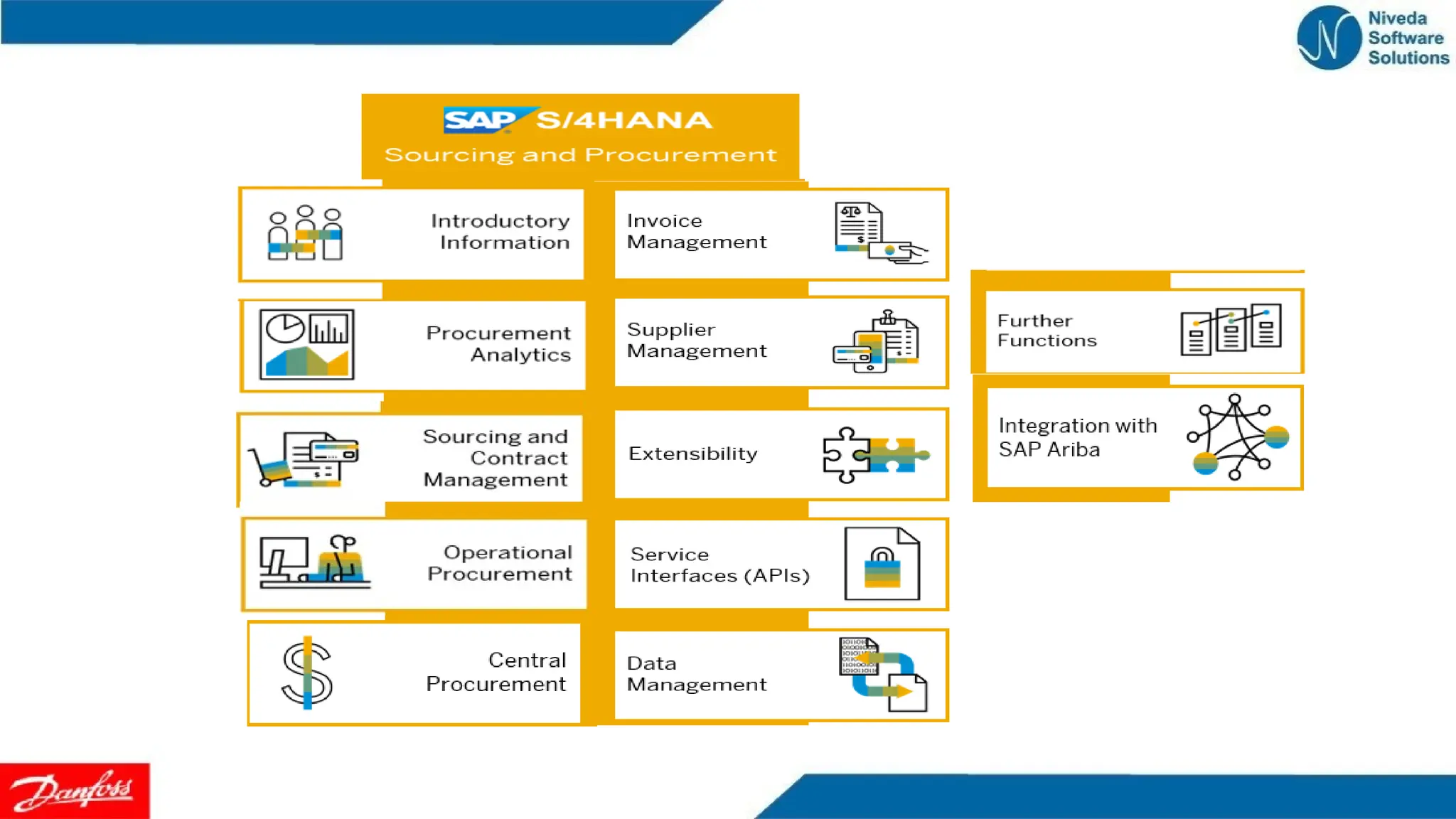
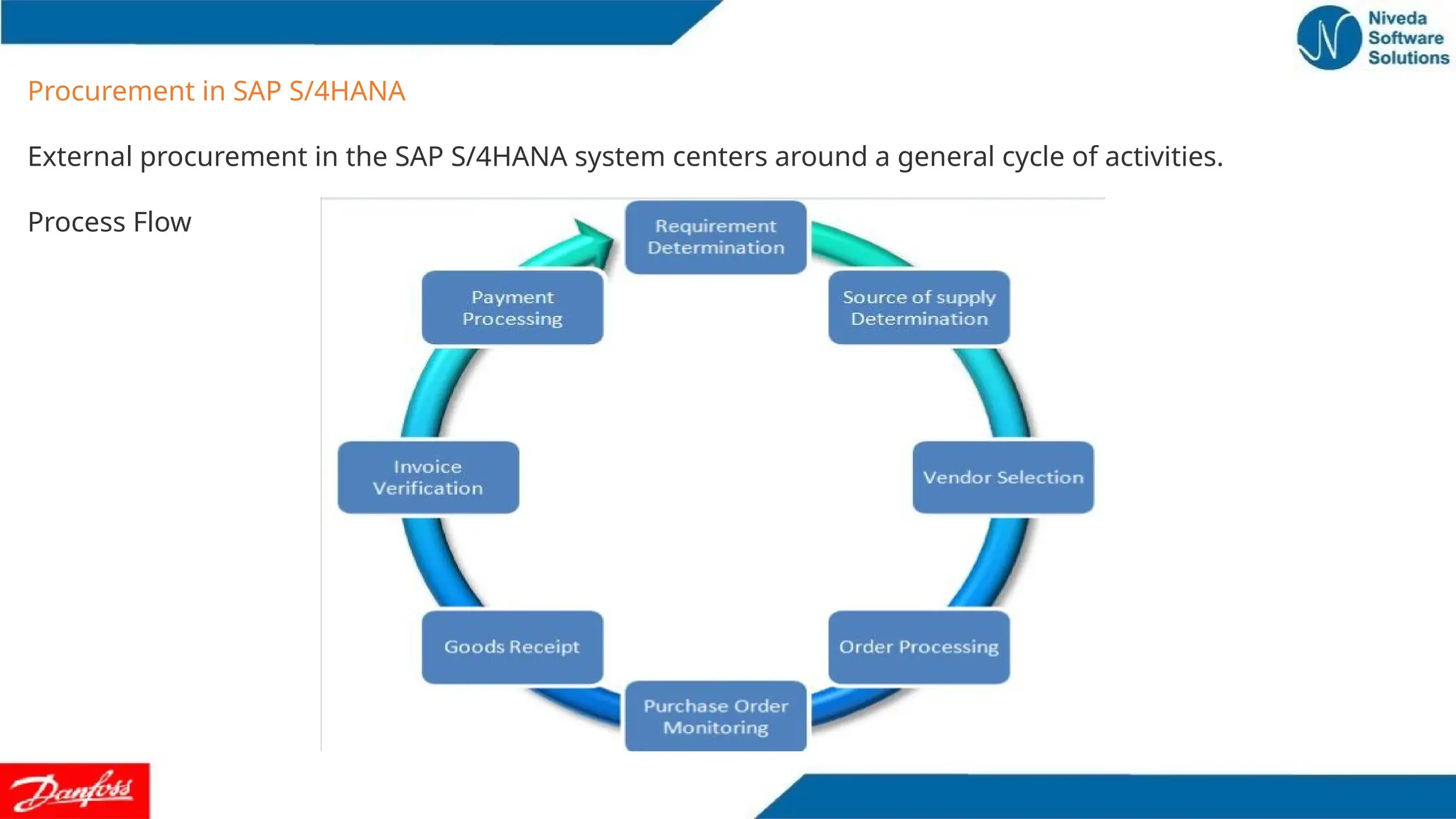
Procurement in SAPS/4HANA
External procurement in the SAP S/4HANA system centers around a general cycle of activities.
Process Flow
8.
Proc. for Stockvs. Proc. for Direct Consumption
Procurement for Stock Versus Procurement for Direct Consumption
we procure either for stock or for direct consumption . we can determine the purpose for which ordered
materials are being procured in the purchase order, for example.
This section describes the differences between procuring for stock and procuring for direct consumption.
Procurement for Stock
A stock material is a material that is kept in stock. Such materials are placed in storage following a goods
receipt . When goods are received by or issued from stores or the warehouse, the stock on hand is
increased or reduced by the amount of the quantity received or issued.
Procurement for Direct Consumption
When we procure for direct consumption, we specify the consumption purpose by entering an account
assignment (for example, a cost center) . On goods receipt, the material or service counts as having been
consumed.
If a material is procured for direct consumption, the consumption accounts in Financial Accounting are
posted when the goods receipt is entered . The total quantity and value of existing stocks of the material
are not affected.
9.
Proc. for Stockvs. Proc. for Direct Consumption
Material Account Assignment
For each item of a purchasing document, we specify whether procurement is for stock or for direct
consumption . In a purchasing document, we can enter items with or without account assignments.
Account assignments are possible for the following purchasing documents:
•Purchase requisitions ,Purchase orders, Outline agreements
One-Time Purchase Order
We use one-time orders for materials or services that we order irregularly .
We can reference a purchase requisition, RFQ, or another PO when creating a one-time order . The vendor’s
current conditions for the material are adopted from the purchasing information record when the new PO is
created.
Contract and Release Orders
For materials that are ordered regularly and in sufficient quantity, we can negotiate longer-term pricing and
conditions with the vendor and record them in a contract. In the contract, we specify its validity period and
the total target quantity or total dollar value covered.
Scheduling Agreement
If a material is ordered on a regular basis and is to be delivered according to an exact time schedule, then we
set up a scheduling agreement . This method of procurement is typically used when Just-in-Time deliveries
are required from the vendor (for example, in the automobile industry).
10.
Purchasing (MM-PUR)
Purchasing enableswe to effectively handle the following tasks:
•the external procurement of materials and services
•the determination of possible sources of supply for a requirement that arises either in materials planning or
directly in a user department
•the monitoring of goods received and services provided.
Purchasing Document
Definition
A Purchasing document is an instrument used by Purchasing to procure materials or services.
The following list shows the various external purchasing documents available in the standard SAP System.
Request for quotation (RFQ)
Transmits a requirement defined in a requisition for a material or service to potential vendors.
Quotation
Contains a vendor's prices and conditions and is the basis for vendor selection.
Purchase order (PO)
The buying entity’s request or instruction to a vendor (external supplier) to supply certain materials or
render/perform certain services/works, formalizing a purchase transaction.
11.
Purchasing Document
Contract
In theSAP Purchasing component, a type of "outline agreement", or longer-term buying
arrangement. The contract is a binding commitment to procure a certain material or service from
a vendor over a certain period of time.
Scheduling agreement
Another type of "outline agreement", or longer-term buying arrangement. Scheduling agreements
provide for the creation of delivery schedules specifying purchase quantities, delivery dates, and
possibly also precise times of delivery over a predefined period.
12.
Working with PurchasingDocuments
Initial Screen
If you are creating a new purchasing document, you use the initial screen to assign the responsible
purchasing organization and purchasing group.
If you are processing an existing one, here you enter general data (for example, the number) to
enable the system to call up the document you are interested in.
13.
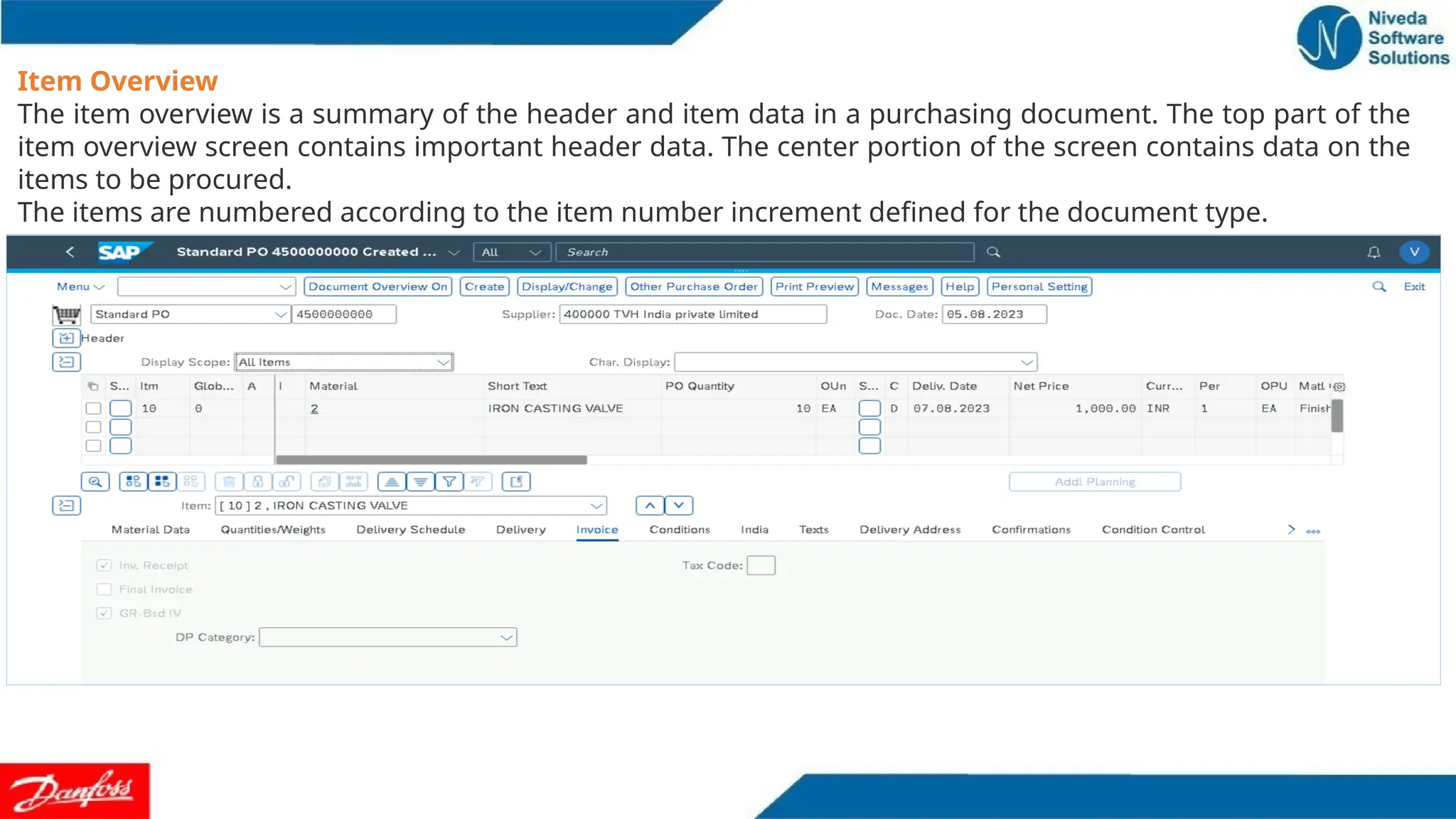
Item Overview
The itemoverview is a summary of the header and item data in a purchasing document. The top part of the
item overview screen contains important header data. The center portion of the screen contains data on the
items to be procured.
The items are numbered according to the item number increment defined for the document type.
14.
Selecting an Itemfor Processing
The fields for selecting individual items are in the first column on the left of the item overview screen .
Here you select the item you wish to process.
You can also select an item by choosing Edit Selections . In this way, you can select all items, a block
of items, or cancel the selection.
Header Detail Screen
The header detail screen displays information on the vendor and the department that is ordering the
material: e.g. the vendor’s terms of payment and the responsible salesperson. (Exception: The purchase
requisition contains no header data and thus no header detail screen.)
To display the header data, choose Header Details from the item overview screen.
Item Detail Screen
The item detail screen contains important data on the procurement of a material. For example, it shows
data for monitoring compliance with due dates and data for controlling goods and invoice receipts.
To display the detailed information on an item, select the item on the overview screen. Then
choose Item Details .
15.
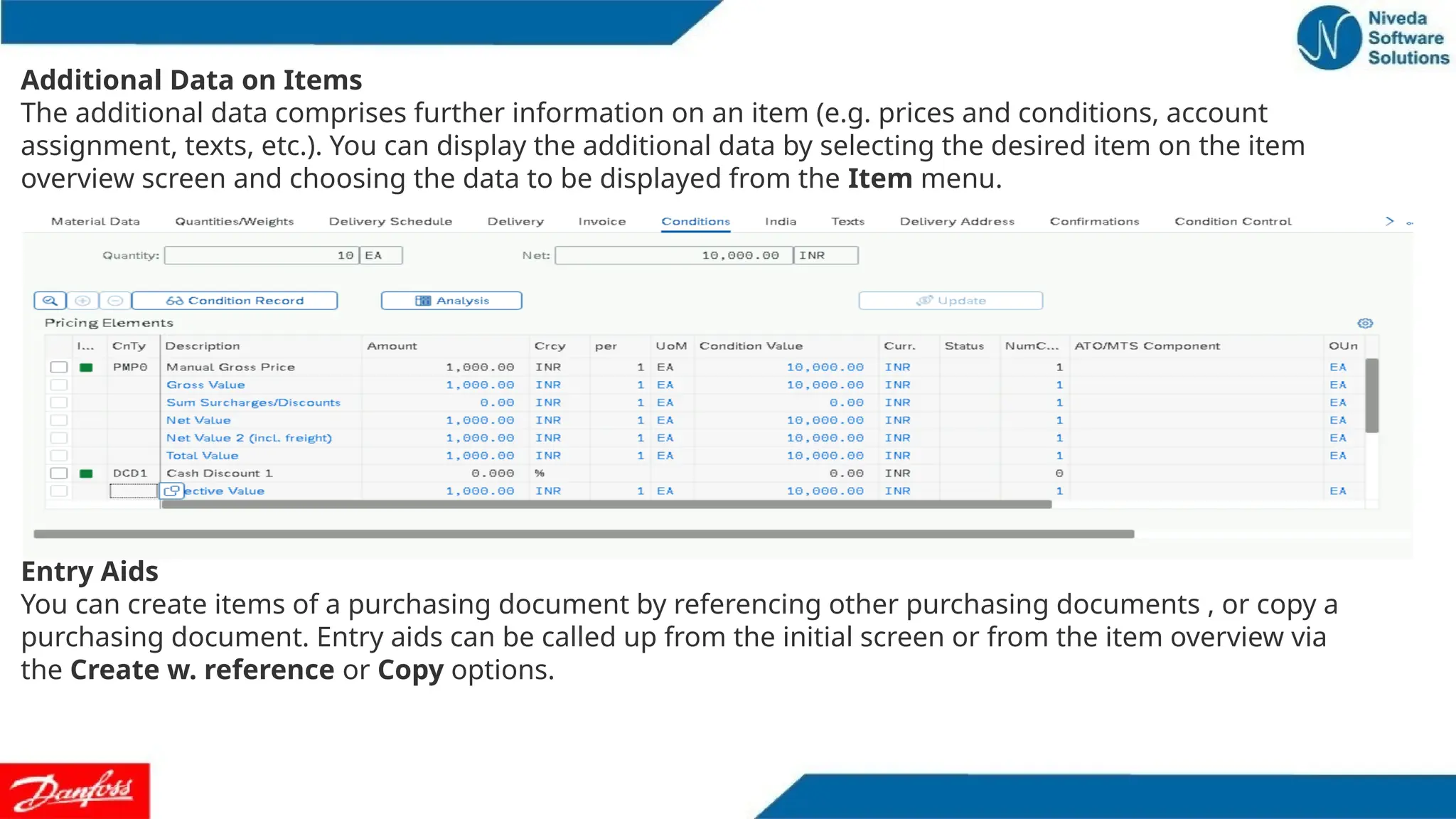
Additional Data onItems
The additional data comprises further information on an item (e.g. prices and conditions, account
assignment, texts, etc.). You can display the additional data by selecting the desired item on the item
overview screen and choosing the data to be displayed from the Item menu.
Entry Aids
You can create items of a purchasing document by referencing other purchasing documents , or copy a
purchasing document. Entry aids can be called up from the initial screen or from the item overview via
the Create w. reference or Copy options.
16.
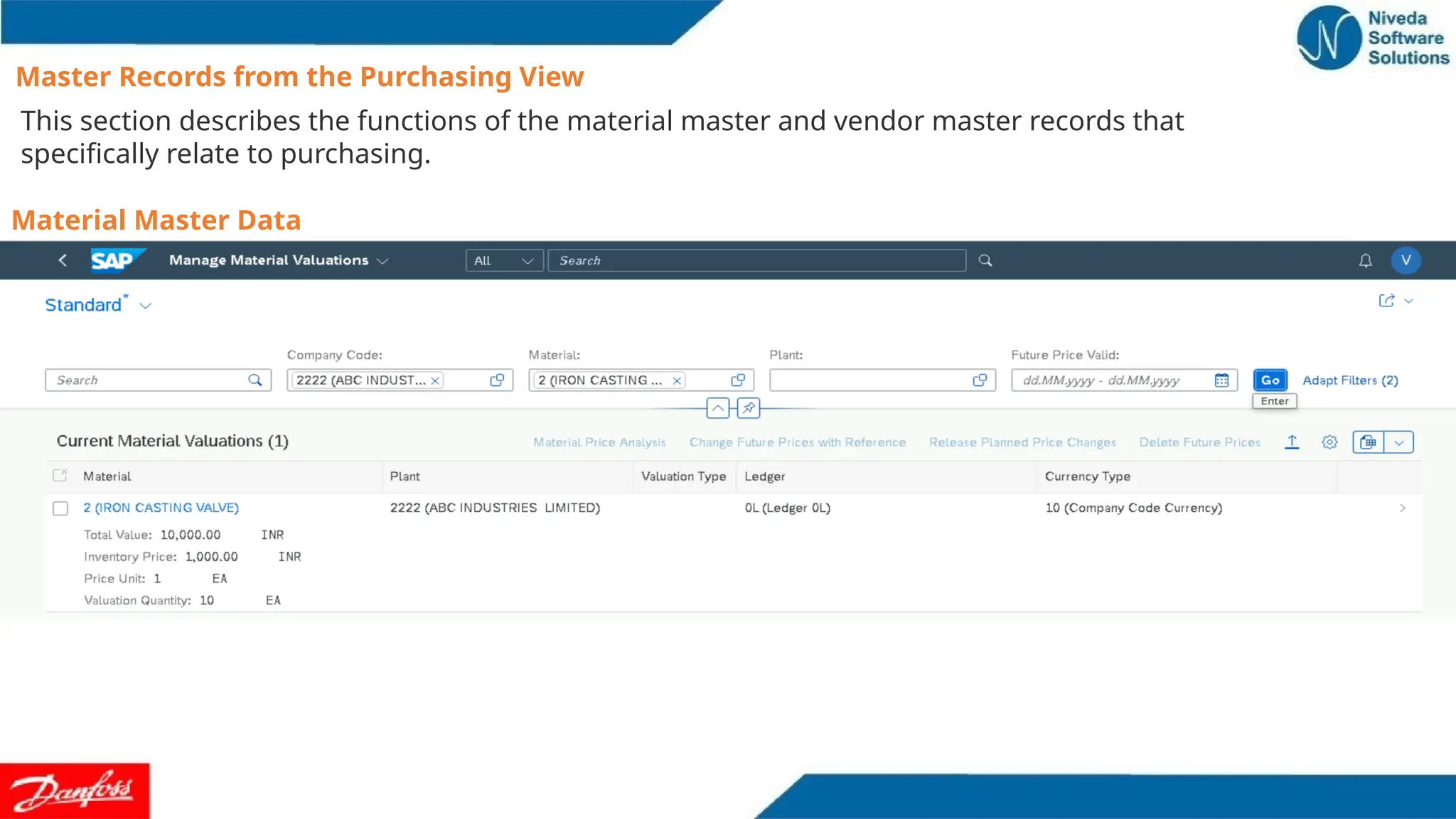
Master Records fromthe Purchasing View
This section describes the functions of the material master and vendor master records that
specifically relate to purchasing.
Material Master Data
Details on materials an enterprise procures externally or produces in-house. The unit of measure and the
description of a material are examples of the data stored in a material master record. Other SAP Logistics
components also access the material data.
17.
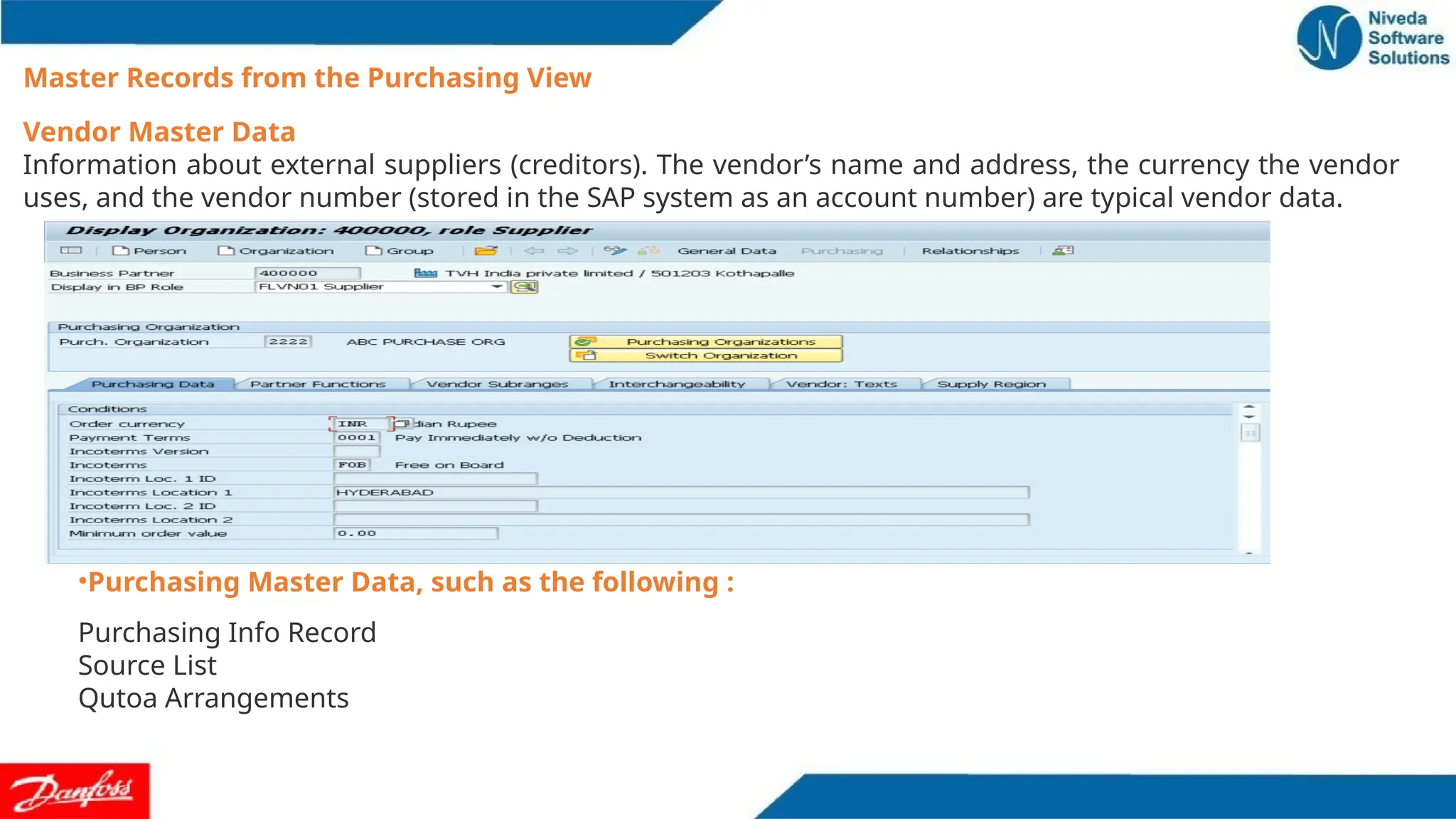
Vendor Master Data
Informationabout external suppliers (creditors). The vendor’s name and address, the currency the vendor
uses, and the vendor number (stored in the SAP system as an account number) are typical vendor data.
Master Records from the Purchasing View
•Purchasing Master Data, such as the following :
Purchasing Info Record
Source List
Qutoa Arrangements
18.
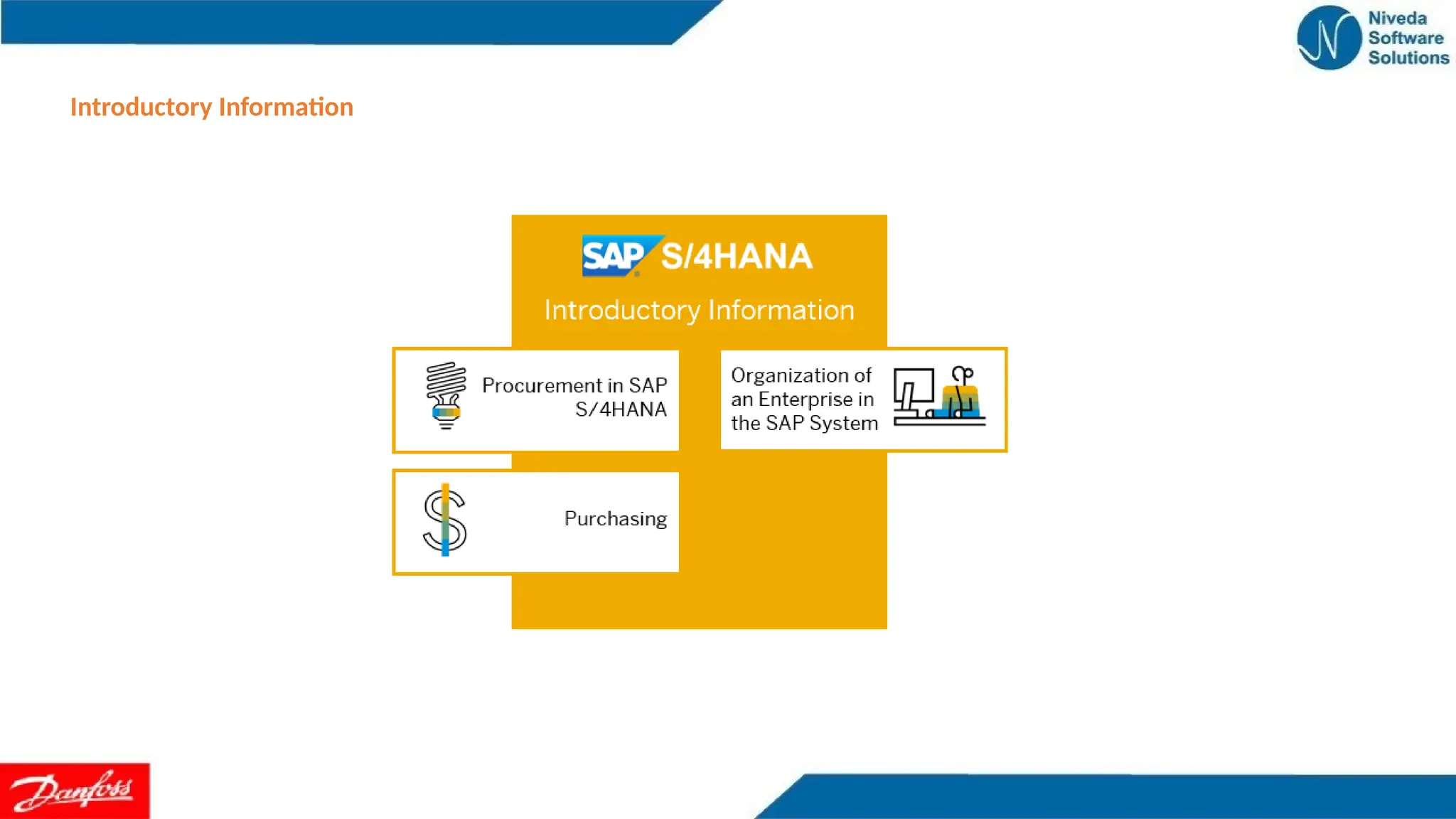
Organization of anEnterprise in the SAP System
Organizational Levels
The structure of an enterprise is represented in the SAP System by the following organizational levels
Client
A grouping or combination of legal, organizational, business and/or administrative units with a common purpose.
Example: a corporate group.
Company code
This level represents an independent accounting unit within a client. Each company code has its own balance sheet and its
own profit and loss statement.
Example: a subsidiary company, member of a corporate group.
Plant Operational unit within a company code.
Example: production facility, branch office.
Purchasing organization
An organizational unit responsible for procuring materials or services for one or more plants and for negotiating general
conditions of purchase with vendors. The purchasing organization assumes legal responsibility for all external purchase
transactions.
Purchasing group The purchasing organization is further subdivided into purchasing groups (buyer groups), which are
responsible for day-to-day buying activities.
A purchasing group can also act for several purchasing organizations.
19.
Organization of anEnterprise in the SAP System
Plant Operational unit within a company code.
Example: production facility, branch office.
Purchasing organization
An organizational unit responsible for procuring materials or services for one or more plants and for
negotiating general conditions of purchase with vendors. The purchasing organization assumes legal
responsibility for all external purchase transactions.
Purchasing group The purchasing organization is further subdivided into purchasing groups (buyer
groups), which are responsible for day-to-day buying activities.
A purchasing group can also act for several purchasing organizations.
20.
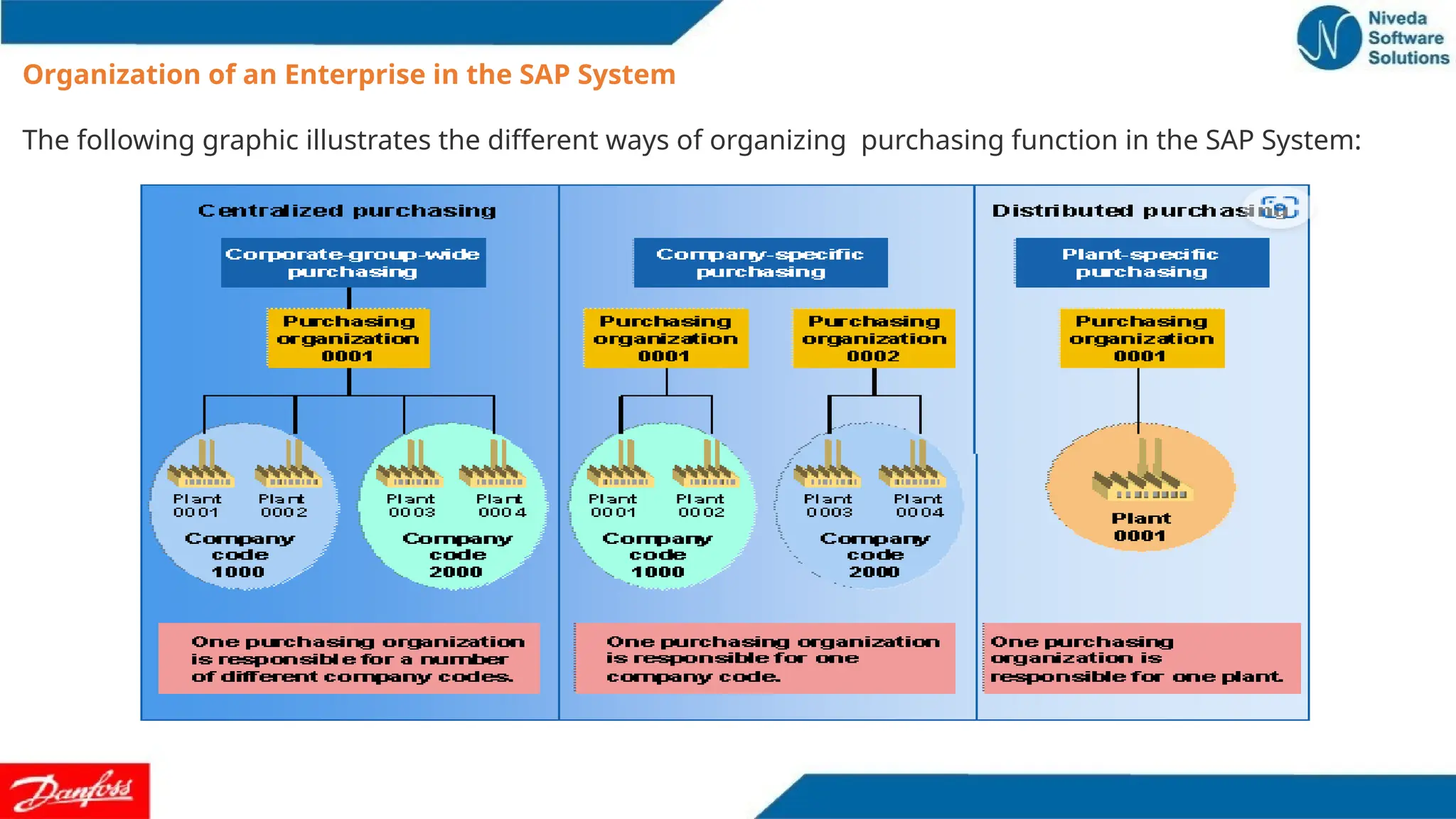
Organization of anEnterprise in the SAP System
The following graphic illustrates the different ways of organizing purchasing function in the SAP System:
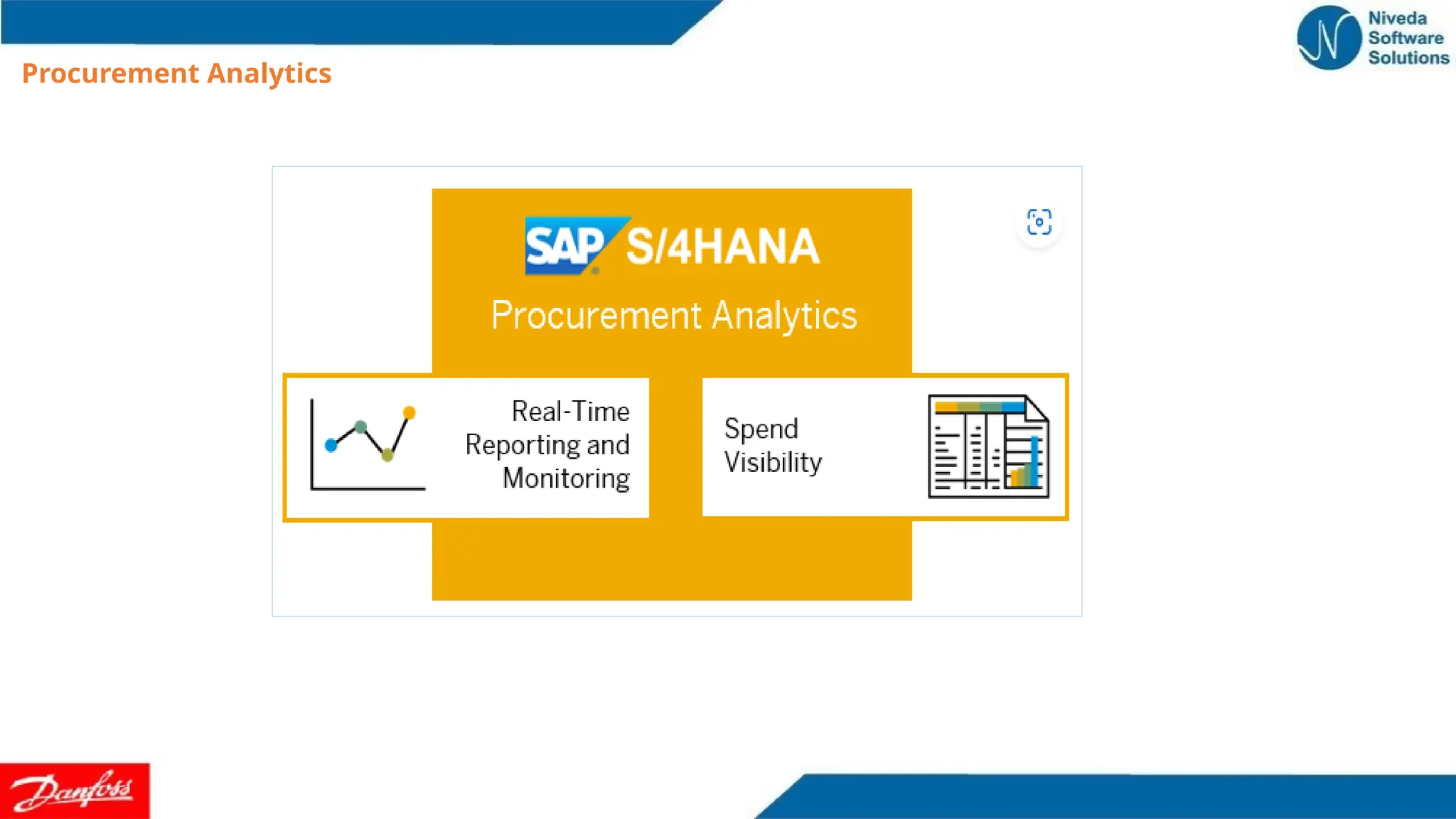
Procurement Analytics -Real-Time Reporting and Monitoring
The Procurement Overview shows, at a glance, the most important information and tasks relevant for us
right now. The information is displayed on set of actionable cards. We can therefore focus on the most
important tasks, enabling faster decisions and immediate action.
With this app, you can do the following:
•Customize the overview page by rearranging cards and by hiding or showing them. You can drag and drop
cards to rearrange them. The cards can be re-sized according to your needs.
•To display or hide a card, proceed as follows:In the header bar, select the User icon and select Manage Cards.
Use the switch control to hide or show the relevant card. Select OK.
•To reset the view to the default settings, select Reset in the Manage Cards window.
•Apply filters to the displayed information, which will affect all relevant cards. For example, you can filter the
content of all cards according to a specific supplier or material group.
•You can also customize the filters by selecting Adapt Filter.
•Save your customized choice of cards and filters as your default view, by selecting the Standard drop-down
arrow on the top-left of your screen, and clicking on Save As.
•Standard is the default view from SAP.
23.
Procurement Analytics -Real-Time Reporting and Monitoring
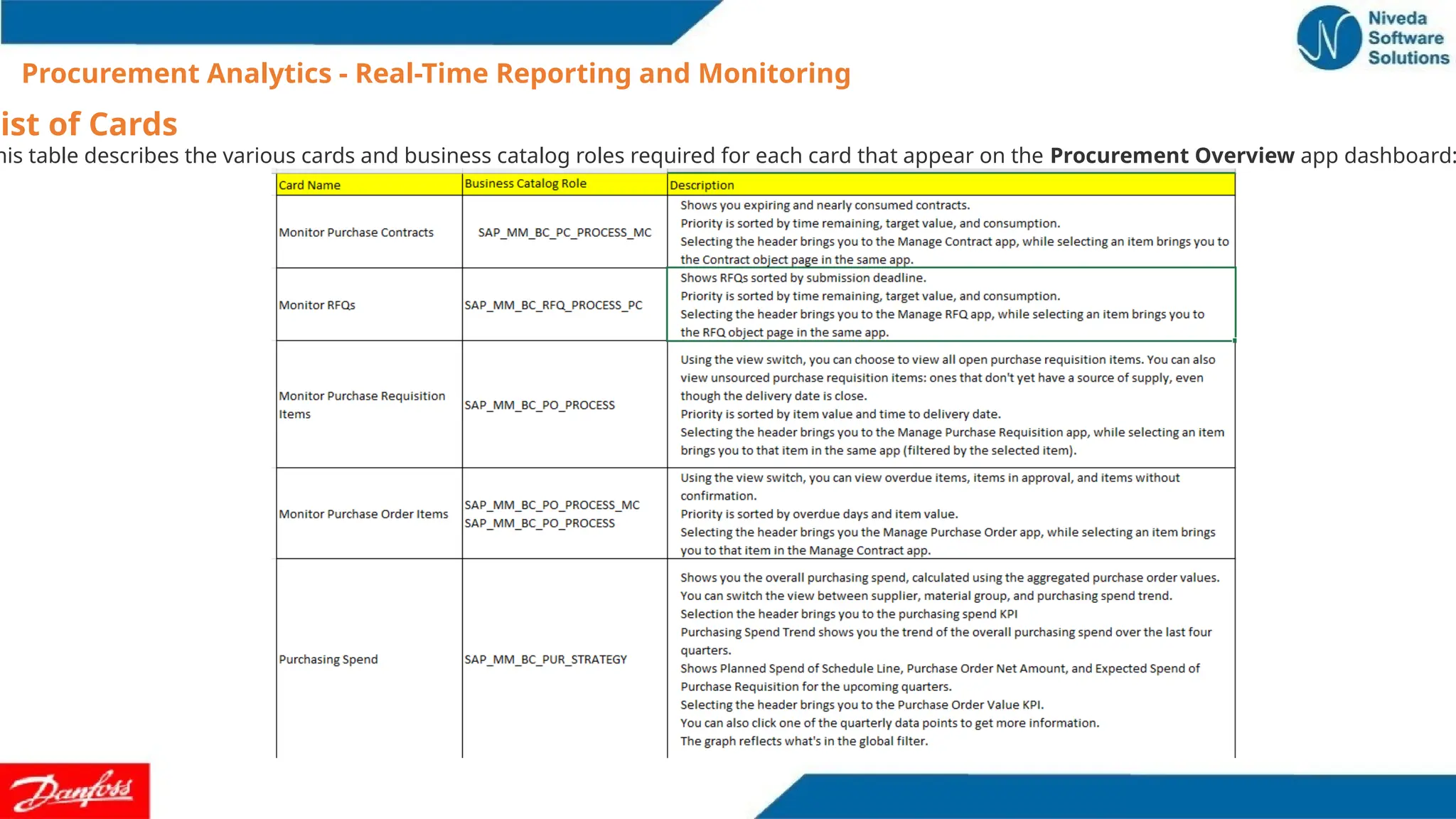
List of Cards
his table describes the various cards and business catalog roles required for each card that appear on the Procurement Overview app dashboard:
24.
Procurement Analytics -Real-Time Reporting and Monitoring
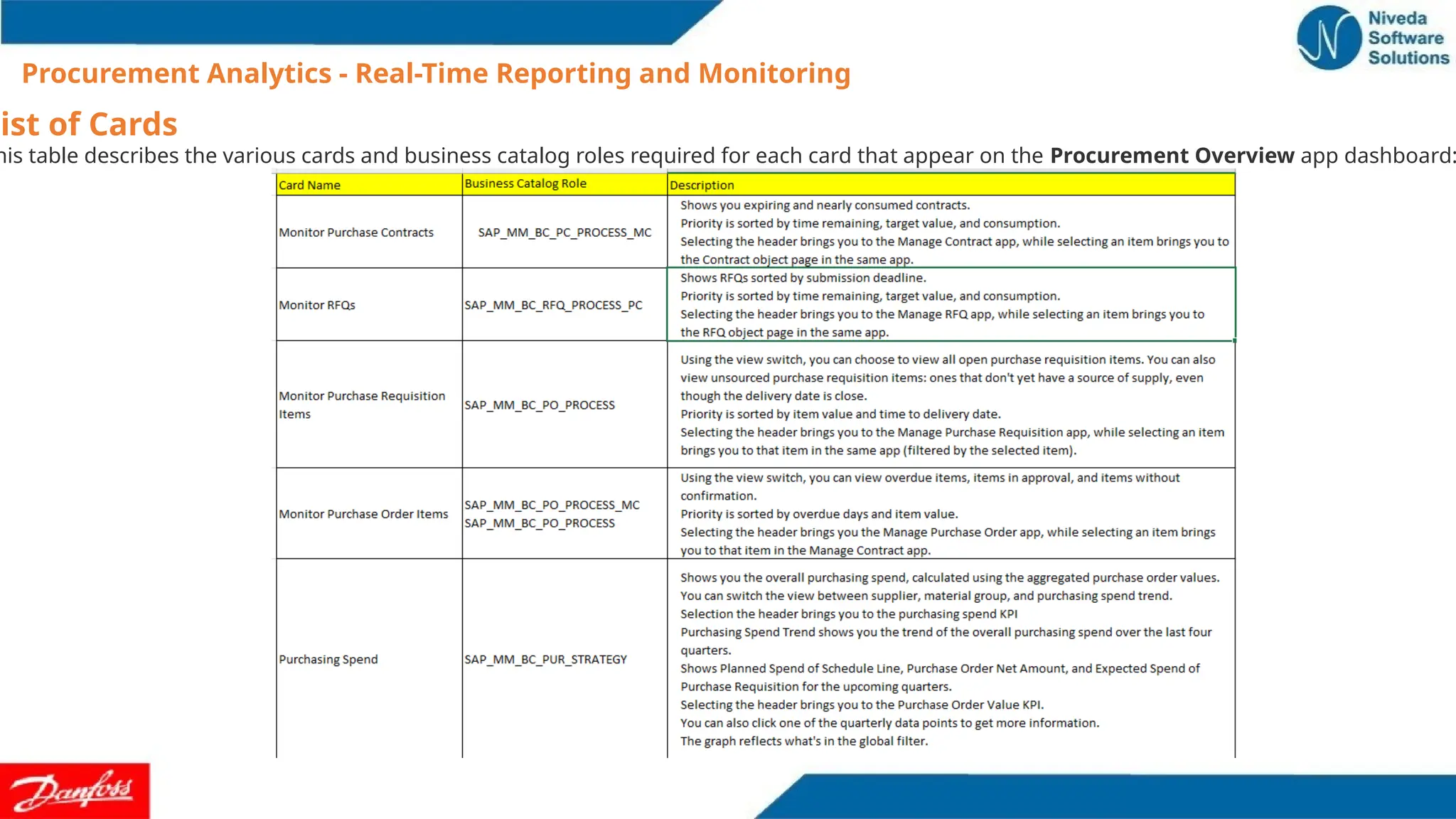
List of Cards
his table describes the various cards and business catalog roles required for each card that appear on the Procurement Overview app dashboard:
25.
Procurement Analytics -Real-Time Reporting and Monitoring
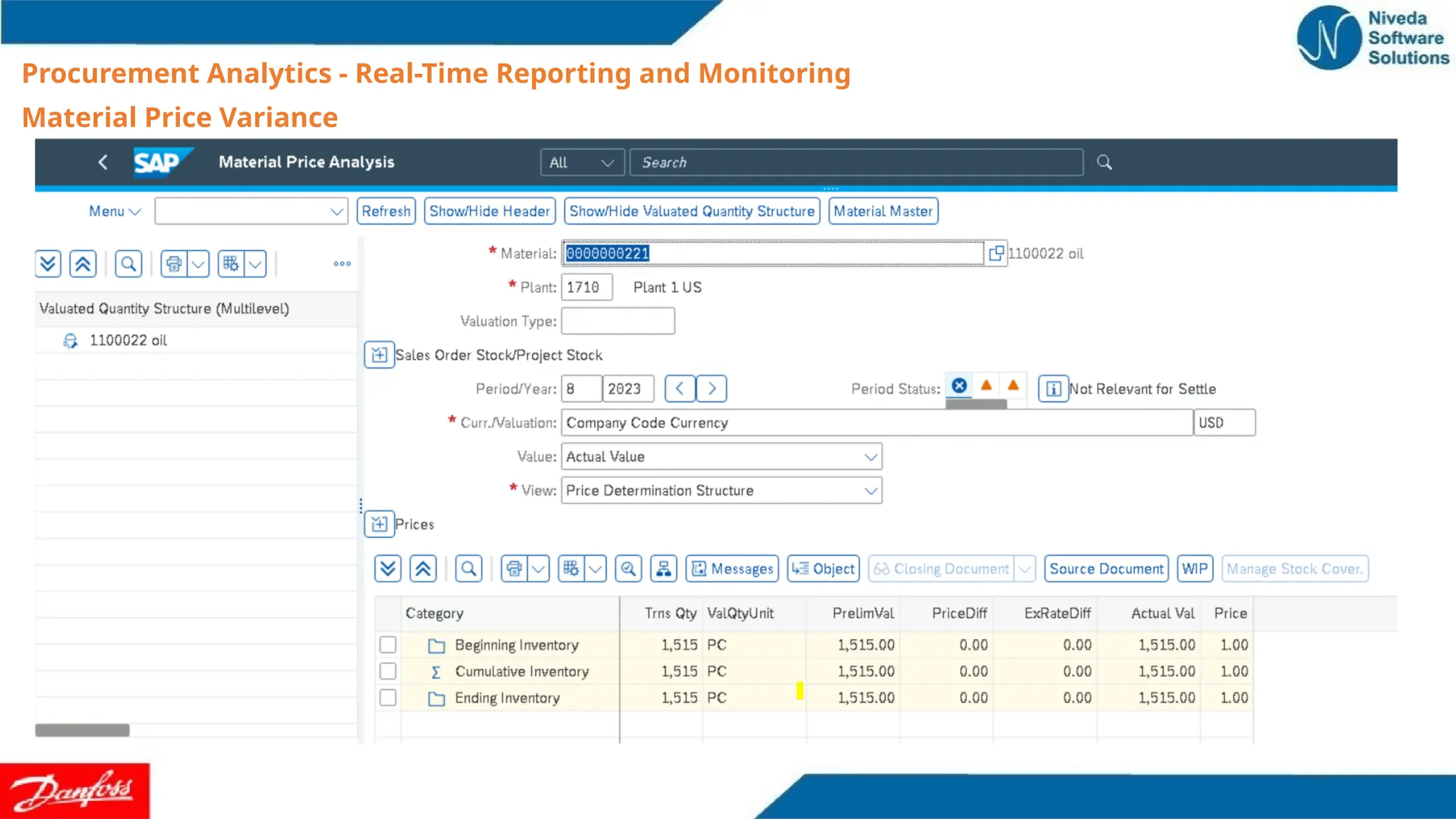
Material Price Variance
With this app, you can display the deviation of the actual price paid for materials from what has been set as
standard data. You can monitor the material price variance over a certain period of time and evaluate the
price deviations of different documents, for example info records, purchase orders, contracts, and invoices.
This helps you to determine the reason for the price variance and improve the efficiency of your supply chain
management.
With this app, you can do the following:
•Display the material price variance for different purchasing
documents in relation to a range of measures
•Drill down to display the material price variance for the
following objects for a range of dimensions:
• Info Records, Invoice, Moving Average Price
• Purchase Contracts, Purchase Orders
•Analyze the material price variance for different object
types for the following set of default filters:
• Display Currency, Creation Date From
• Creation Date To, Plant
• Supplier, Purchasing Group, Purchasing
Organization
•Analyze data in chart and tabular format
•Save your personalized settings as a variant
Sourcing and ContractManagement – Source
assignment
Sourcing and contract management is a capability that implements the sourcing strategy and enables
direct purchasing. Another source2
defines source assignment as a process of managing purchase
requisitions and finding possible sources of supply.
Purchase process requirement and Monitor Purchase Requisition Items
Mass changes to purchase Info records Off line mode and online modeI
Manage Quota arrangements
Manage Source lists
Monitor and Manage RFQ
Purchase Contract Management
With this app, we can get an overview of all existing purchase contracts. We can create new purchase
contracts with a specific validity time frame and a target quantity or a target value. We can also renew
purchase contracts for which the target quantity or target value has been reached. Note that we can
only access purchase contracts if you have authorizations for the respective purchasing group,
purchasing organization, and purchase contract type (quantity contract and value contract).
We can create a purchase contract template, enabling to reuse data from the template whenever we
create a new purchase contract. In addition, you can check the purchase contract value that has been
consumed so far by all the release orders issued against the purchase contract, along with the release
order details. You can display the contract leakage percentage. Contract leakage is a KPI that identifies
the spend of purchase orders that do not have a purchase contract reference, although an existing
purchase contract could have been used.
28.
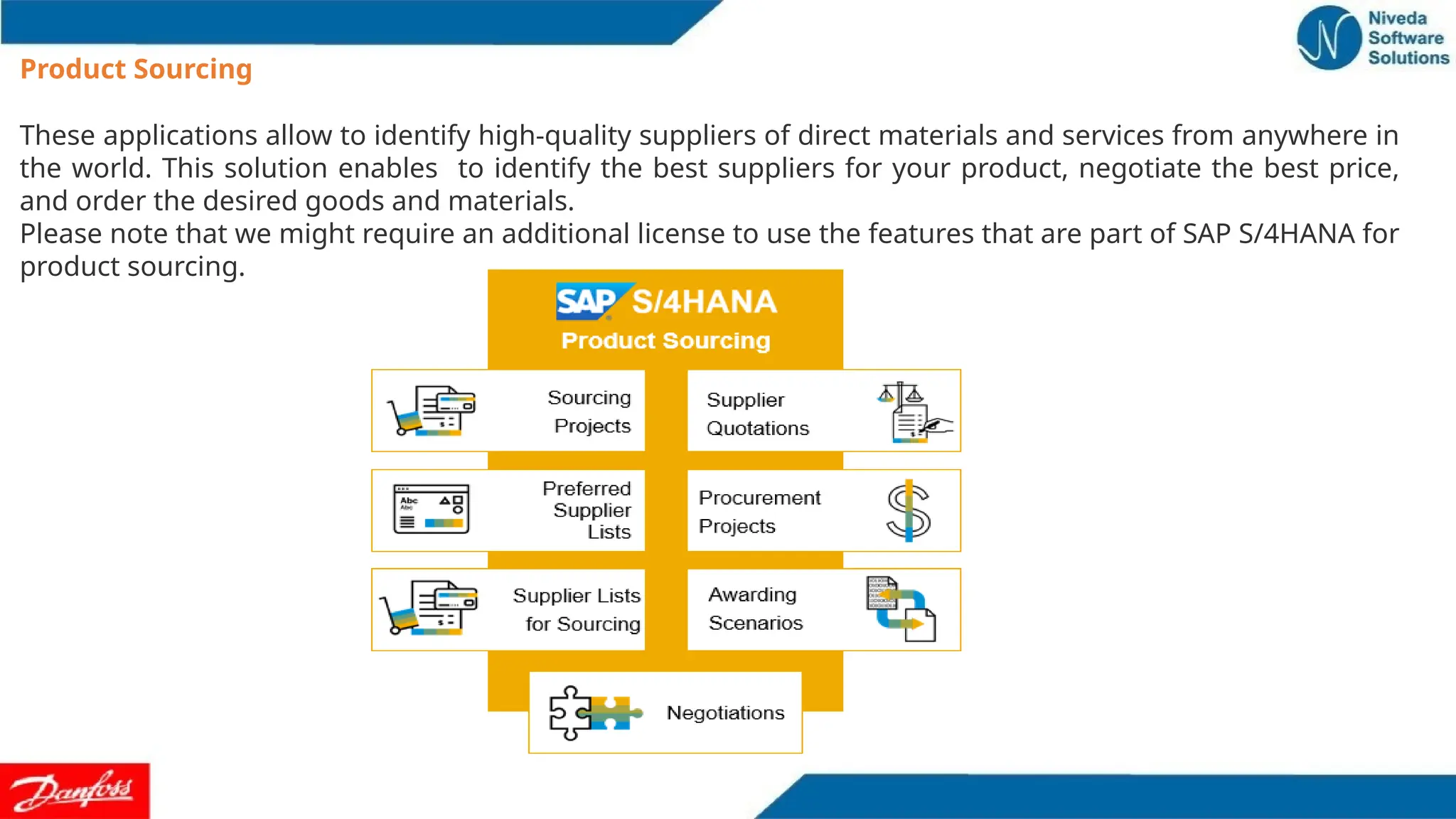
Product Sourcing
These applicationsallow to identify high-quality suppliers of direct materials and services from anywhere in
the world. This solution enables to identify the best suppliers for your product, negotiate the best price,
and order the desired goods and materials.
Please note that we might require an additional license to use the features that are part of SAP S/4HANA for
product sourcing.
29.
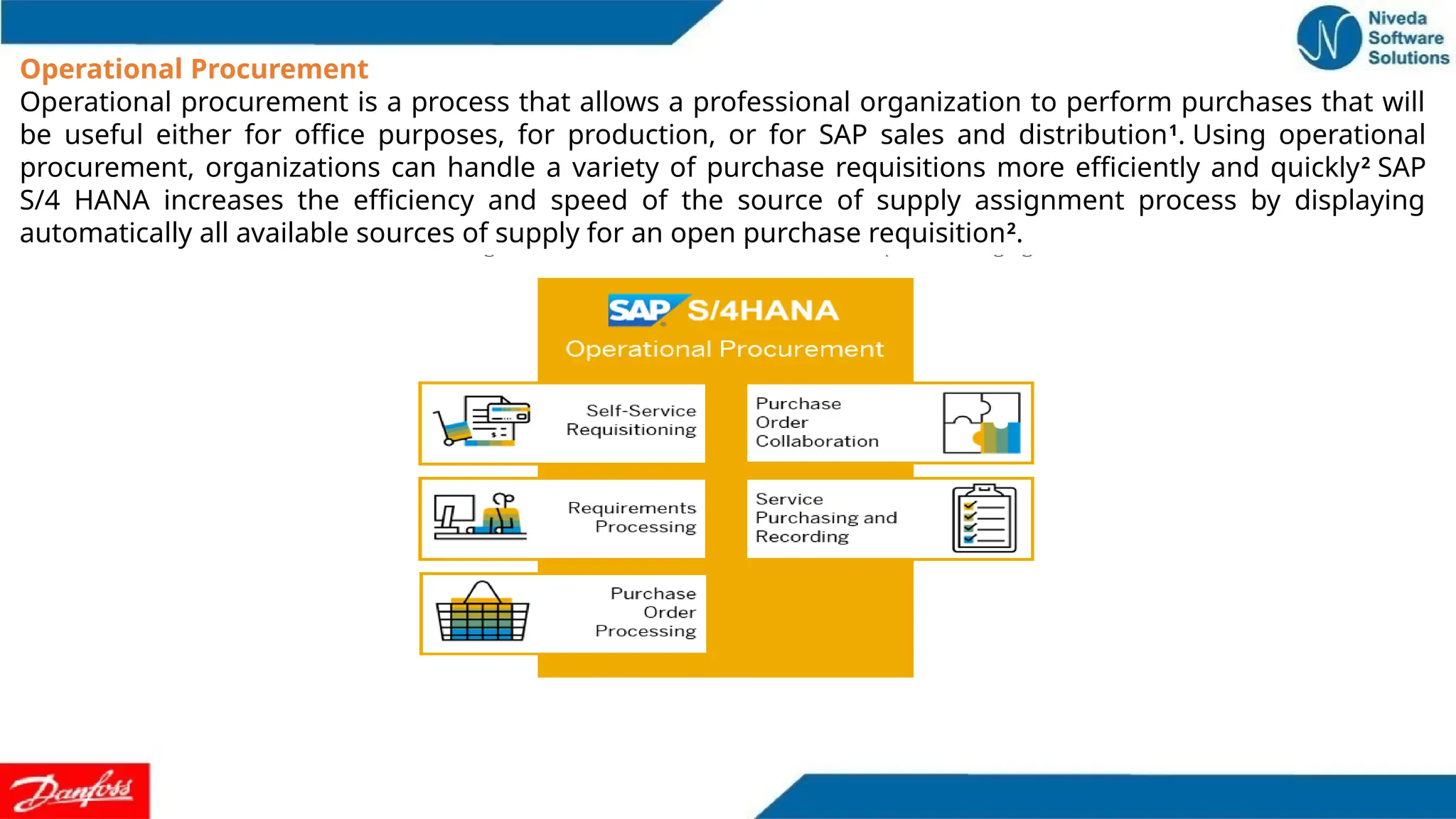
Operational Procurement
Operational procurementis a process that allows a professional organization to perform purchases that will
be useful either for office purposes, for production, or for SAP sales and distribution1
. Using operational
procurement, organizations can handle a variety of purchase requisitions more efficiently and quickly2
SAP
S/4 HANA increases the efficiency and speed of the source of supply assignment process by displaying
automatically all available sources of supply for an open purchase requisition2
.
30.
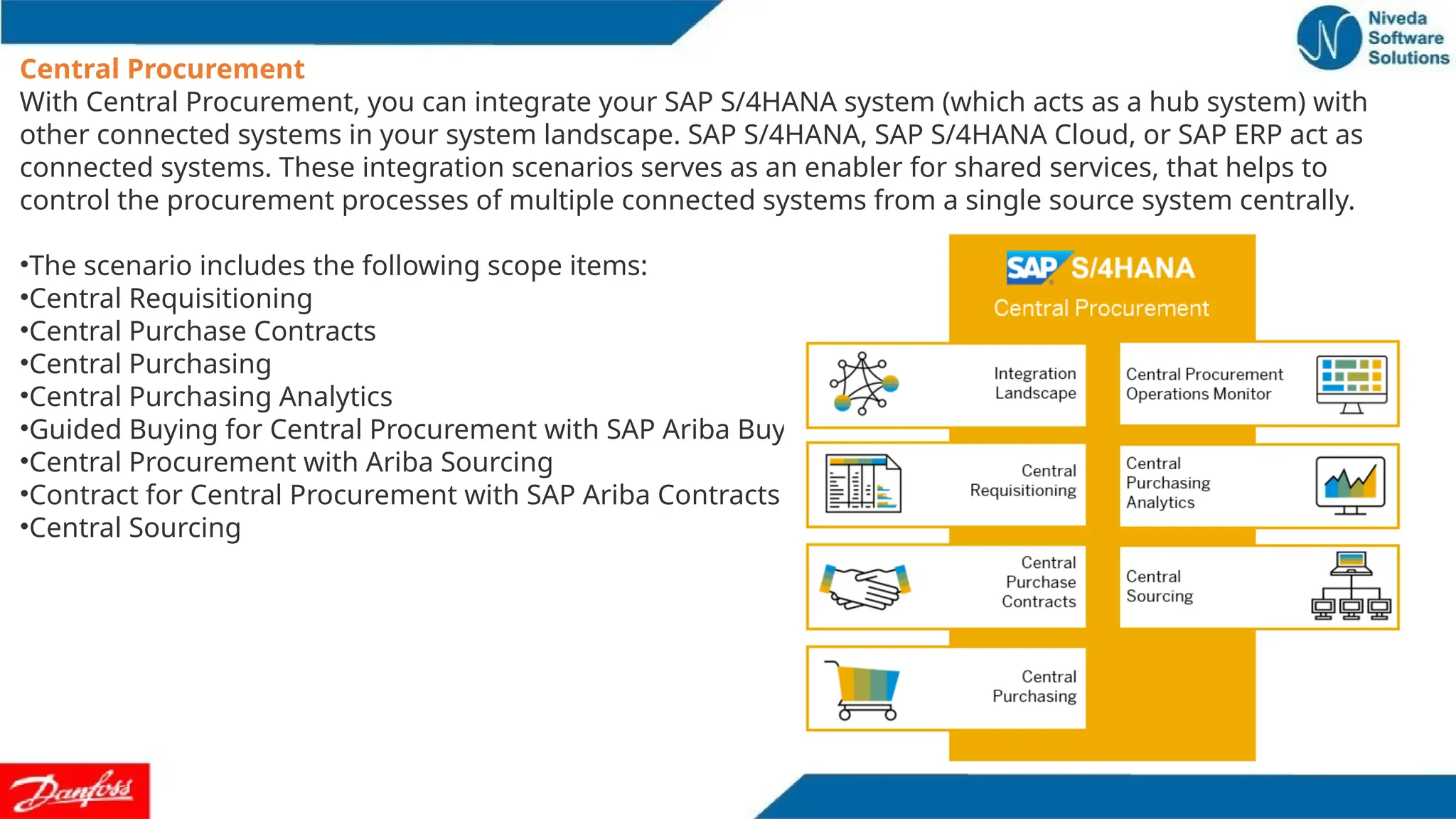
Central Procurement
With CentralProcurement, you can integrate your SAP S/4HANA system (which acts as a hub system) with
other connected systems in your system landscape. SAP S/4HANA, SAP S/4HANA Cloud, or SAP ERP act as
connected systems. These integration scenarios serves as an enabler for shared services, that helps to
control the procurement processes of multiple connected systems from a single source system centrally.
•The scenario includes the following scope items:
•Central Requisitioning
•Central Purchase Contracts
•Central Purchasing
•Central Purchasing Analytics
•Guided Buying for Central Procurement with SAP Ariba Buying
•Central Procurement with Ariba Sourcing
•Contract for Central Procurement with SAP Ariba Contracts
•Central Sourcing
31.
Invoice Management:
S/4 HANASourcing & Procurement enables Invoice Management and Payable Management to complete the
procure to pay process cycles.t and essential end to end processes delivered with SAP S/4 HANA Sourcing and
Procurement. Entry of Supplier invoice and validation of a supplier’s invoice into the system records of billing
details and enables the matching and approval processes. Once all invoice data is matched and approved,
payment for goods and services are performed. Two processes (Invoice Management & Payable
Management) complete the Procure to Pay process end to end business.



![Coded Agents – with UiPath SDK + LangGraph [Virtual Hands-on Workshop]](https://cdn.slidesharecdn.com/ss_thumbnails/codedagentsdeck-251215155422-5497c599-thumbnail.jpg?width=640&height=640&fit=bounds)


