HOW TO COMPLETE THE
RYAN WHITE HIV/AIDS
PROGRAM SERVICES REPORT
Overview
 How to complete and submit the Grantee
Report
 How to complete and submit the Provider
Report
 How to upload client-level data
 Technical Assistance Resources
2
Completing the Grantee Report
3
Accessing the Grantee Report
 ALL grantees access their Grantee Report(s)
through the Electronic Handbooks (EHBs):
https://grants.hrsa.gov/webexternal
 Enter your Username and Password.
 Select the “Login” button.
 Locate your “RSR 2013 Annual Performance
Report”
4
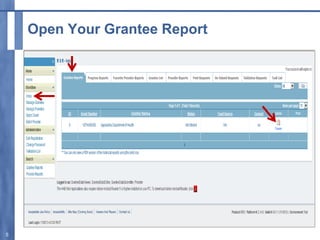
Open Your Grantee Report
5
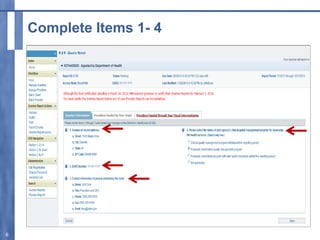
Complete Items 1- 4
6
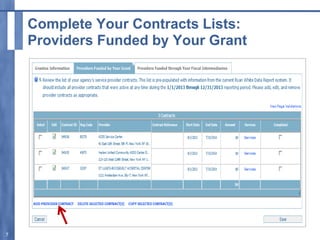
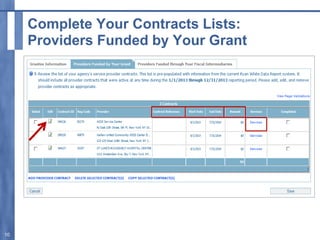
Complete Your Contracts Lists:
Providers Funded by Your Grant
7
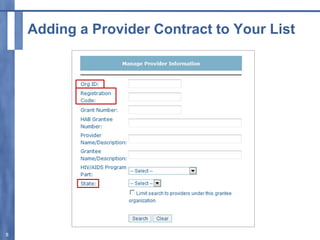
Adding a Provider Contract to Your List
8
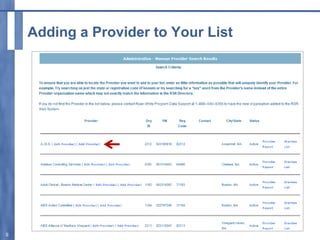
Adding a Provider to Your List
9
Complete Your Contracts Lists:
Providers Funded by Your Grant
10
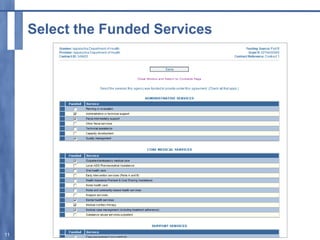
Select the Funded Services
11
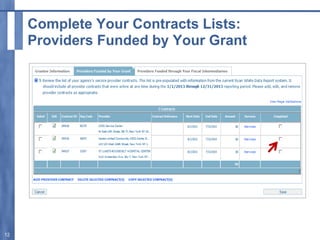
Complete Your Contracts Lists:
Providers Funded by Your Grant
12
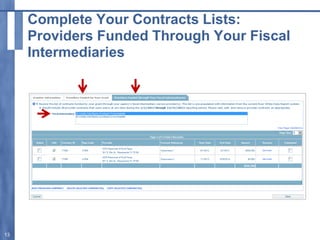
Complete Your Contracts Lists:
Providers Funded Through Your Fiscal
Intermediaries
13
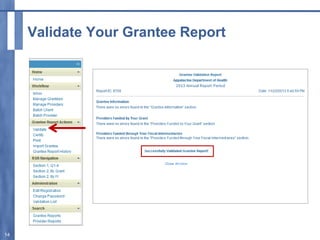
Validate Your Grantee Report
14
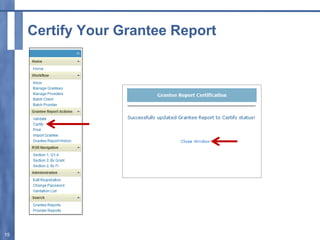
Certify Your Grantee Report
15
Grantee Report Workflow
 Working - The Grantee Report has been
started, but it has not yet been certified or
changes were made to a certified report, but it
has not been re-certified yet.
 Certified - The Grantee Report has been
certified.
Remember to certify on or before February 3, 2014
16
GRANTEE REPORT CERTIFICATION
DEADLINE
Monday, February 3, 2014
17
IMPORTANT NOTE
Only after the Grantee Report is “certified”,
can your providers ‘submit’ their Provider
Reports to you for review and approval.
18
IMPORTANT NOTE
HAB REQUIRES all providers
to complete their own Provider Report and
upload their client-level data.
19
PROVIDER EXEMPTIONS
20
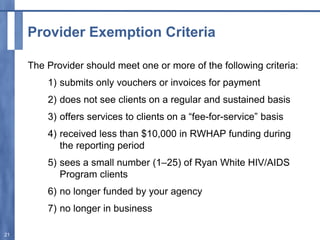
Provider Exemption Criteria
The Provider should meet one or more of the following criteria:
1) submits only vouchers or invoices for payment
2) does not see clients on a regular and sustained basis
3) offers services to clients on a “fee-for-service” basis
4) received less than $10,000 in RWHAP funding during
the reporting period
5) sees a small number (1–25) of Ryan White HIV/AIDS
Program clients
6) no longer funded by your agency
7) no longer in business
21
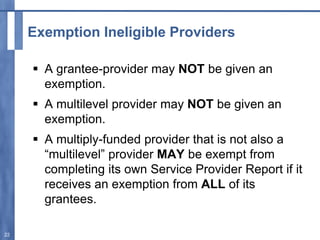
Exemption Ineligible Providers
 A grantee-provider may NOT be given an
exemption.
 A multilevel provider may NOT be given an
exemption.
 A multiply-funded provider that is not also a
“multilevel” provider MAY be exempt from
completing its own Service Provider Report if it
receives an exemption from ALL of its
grantees.
22
Provider Exemptions—
Their Data Are Still Required!
 If a first-level provider receives an exemption,
the grantee is responsible for reporting the
provider’s data.
 If a second-level provider receives an
exemption, either the grantee or the first-line
provider is required to submit the second-line
provider’s data.
23
Completing the Provider Report
24
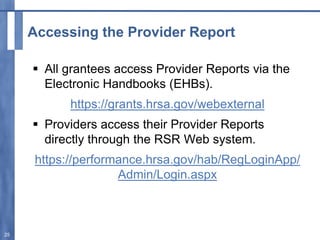
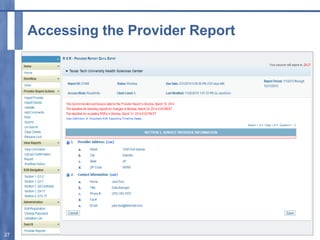
Accessing the Provider Report
 All grantees access Provider Reports via the
Electronic Handbooks (EHBs).
https://grants.hrsa.gov/webexternal
 Providers access their Provider Reports
directly through the RSR Web system.
https://performance.hrsa.gov/hab/RegLoginApp/
Admin/Login.aspx
25
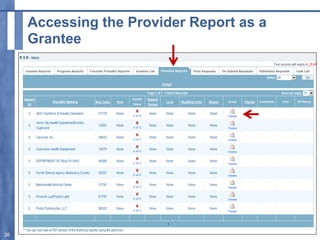
Accessing the Provider Report as a
Grantee
26
Accessing the Provider Report
27
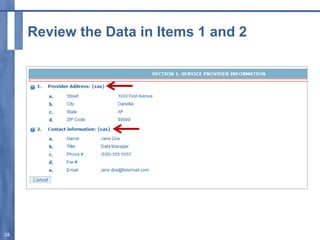
Review the Data in Items 1 and 2
28
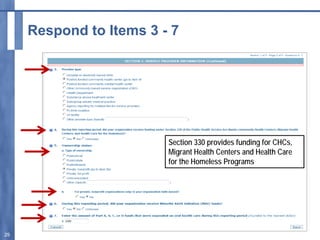
Respond to Items 3 - 7
29
Section 330 provides funding for CHCs,
Migrant Health Centers and Health Care
for the Homeless Programs
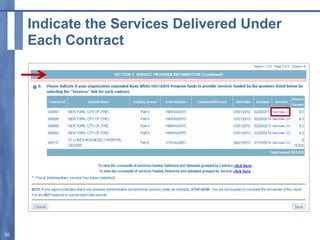
Indicate the Services Delivered Under
Each Contract
30
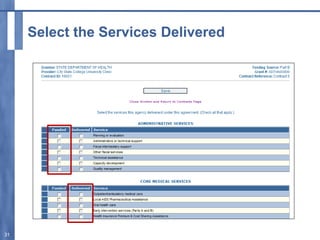
Select the Services Delivered
31
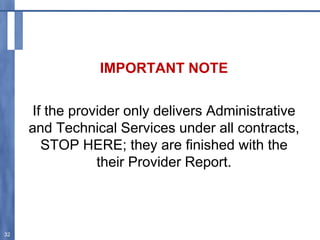
IMPORTANT NOTE
If the provider only delivers Administrative
and Technical Services under all contracts,
STOP HERE; they are finished with the
their Provider Report.
32
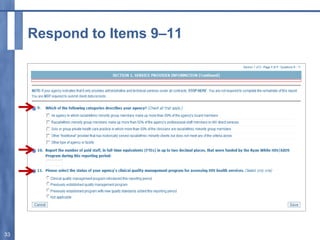
Respond to Items 9–11
33
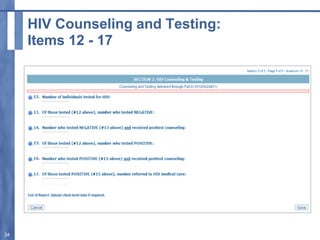
HIV Counseling and Testing:
Items 12 - 17
34
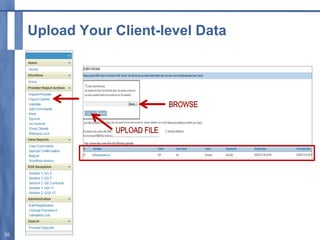
Upload Your Client-level Data
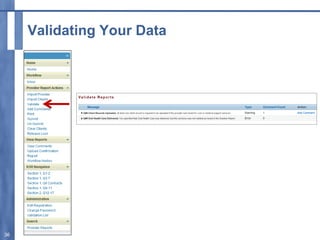
35
Validating Your Data
36
IMPORTANT NOTE
Do not submit valid but inaccurate data!
Use the RSR system tools to review your
data after you upload it into the RSR
system.
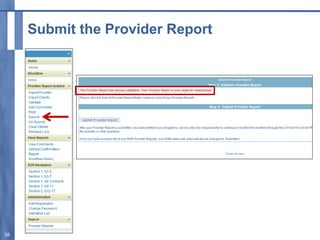
37
Submit the Provider Report
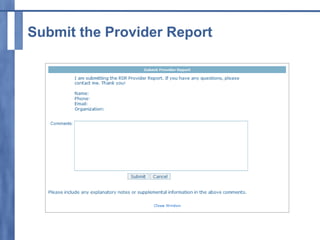
38
Submit the Provider Report
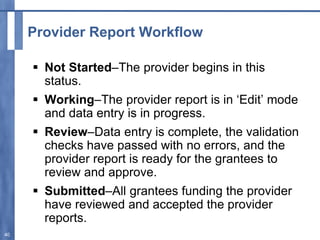
Provider Report Workflow
 Not Started–The provider begins in this
status.
 Working–The provider report is in ‘Edit’ mode
and data entry is in progress.
 Review–Data entry is complete, the validation
checks have passed with no errors, and the
provider report is ready for the grantees to
review and approve.
 Submitted–All grantees funding the provider
have reviewed and accepted the provider
reports.
40
Last Steps for Grantees
 Review all of your Provider Reports.
– Accept the Provider Report
– Return the Provider Report for changes
 Monitor your deliverable via the EHBs
Grantees should return Provider Reports that
need changes prior to March 24, 2014.
This will help you meet your deadline of
March 31, 2014.
41
EHBs Workflow
 Not Started – The deliverable will show as
“not started” until the Grantee Report is
certified.
 In Progress – The grantee has certified their
Grantee Report.
 Submitted - The grantee has reviewed and
accepted all their Provider Reports.
 Change Requested – A change has been
made to a Provider Report that the grantee
previously approved. The grantee must review
and approve the change.
42
IMPORTANT NOTE
Your deliverable must be in submitted
status in the EHBs by 6 PM (eastern time)
on March 31, 2014
43
Technical Assistance Web Resources
 HAB Web Site:
– http://hab.hrsa.gov
– Instructions, Forms, and HAB Information
E-mails/Policy Notices
 TARGET Center Web Site:
– http://www.careacttarget.org
– Important Notices, Dates to Remember, Training
Mater
** RSR Instruction Manual
http://hab.hrsa.gov/manageyourgrant/2013rsinstra
uctionmanual.pdf
44
Technical Assistance Resources
 Data Support (WRMA/CSR):
– (888) 640-9356, 9:00 a.m.–5:30 p.m., ET
– ryanwhitedatasupport.wrma@csrincorporated.com
 HRSA Contact Center:
– (877) 464-4772
– CallCenter@HRSA.gov
 DART Team (Cicatelli/Mission/Abt):
– Data.TA@caiglobal.org
45
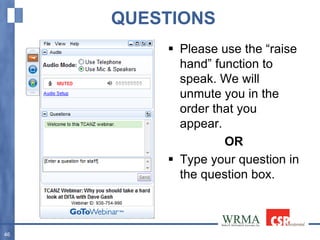
QUESTIONS
46
 Please use the “raise
hand” function to
speak. We will
unmute you in the
order that you
appear.
OR
 Type your question in
the question box.

RSR - Grantee Report - 2013

  • 1.
    HOW TO COMPLETETHE RYAN WHITE HIV/AIDS PROGRAM SERVICES REPORT
  • 2.
    Overview  How tocomplete and submit the Grantee Report  How to complete and submit the Provider Report  How to upload client-level data  Technical Assistance Resources 2
  • 3.
  • 4.
    Accessing the GranteeReport  ALL grantees access their Grantee Report(s) through the Electronic Handbooks (EHBs): https://grants.hrsa.gov/webexternal  Enter your Username and Password.  Select the “Login” button.  Locate your “RSR 2013 Annual Performance Report” 4
  • 5.
  • 6.
  • 7.
    Complete Your ContractsLists: Providers Funded by Your Grant 7
  • 8.
    Adding a ProviderContract to Your List 8
  • 9.
    Adding a Providerto Your List 9
  • 10.
    Complete Your ContractsLists: Providers Funded by Your Grant 10
  • 11.
    Select the FundedServices 11
  • 12.
    Complete Your ContractsLists: Providers Funded by Your Grant 12
  • 13.
    Complete Your ContractsLists: Providers Funded Through Your Fiscal Intermediaries 13
  • 14.
  • 15.
  • 16.
    Grantee Report Workflow Working - The Grantee Report has been started, but it has not yet been certified or changes were made to a certified report, but it has not been re-certified yet.  Certified - The Grantee Report has been certified. Remember to certify on or before February 3, 2014 16
  • 17.
  • 18.
    IMPORTANT NOTE Only afterthe Grantee Report is “certified”, can your providers ‘submit’ their Provider Reports to you for review and approval. 18
  • 19.
    IMPORTANT NOTE HAB REQUIRESall providers to complete their own Provider Report and upload their client-level data. 19
  • 20.
  • 21.
    Provider Exemption Criteria TheProvider should meet one or more of the following criteria: 1) submits only vouchers or invoices for payment 2) does not see clients on a regular and sustained basis 3) offers services to clients on a “fee-for-service” basis 4) received less than $10,000 in RWHAP funding during the reporting period 5) sees a small number (1–25) of Ryan White HIV/AIDS Program clients 6) no longer funded by your agency 7) no longer in business 21
  • 22.
    Exemption Ineligible Providers A grantee-provider may NOT be given an exemption.  A multilevel provider may NOT be given an exemption.  A multiply-funded provider that is not also a “multilevel” provider MAY be exempt from completing its own Service Provider Report if it receives an exemption from ALL of its grantees. 22
  • 23.
    Provider Exemptions— Their DataAre Still Required!  If a first-level provider receives an exemption, the grantee is responsible for reporting the provider’s data.  If a second-level provider receives an exemption, either the grantee or the first-line provider is required to submit the second-line provider’s data. 23
  • 24.
  • 25.
    Accessing the ProviderReport  All grantees access Provider Reports via the Electronic Handbooks (EHBs). https://grants.hrsa.gov/webexternal  Providers access their Provider Reports directly through the RSR Web system. https://performance.hrsa.gov/hab/RegLoginApp/ Admin/Login.aspx 25
  • 26.
    Accessing the ProviderReport as a Grantee 26
  • 27.
  • 28.
    Review the Datain Items 1 and 2 28
  • 29.
    Respond to Items3 - 7 29 Section 330 provides funding for CHCs, Migrant Health Centers and Health Care for the Homeless Programs
  • 30.
    Indicate the ServicesDelivered Under Each Contract 30
  • 31.
    Select the ServicesDelivered 31
  • 32.
    IMPORTANT NOTE If theprovider only delivers Administrative and Technical Services under all contracts, STOP HERE; they are finished with the their Provider Report. 32
  • 33.
  • 34.
    HIV Counseling andTesting: Items 12 - 17 34
  • 35.
  • 36.
  • 37.
    IMPORTANT NOTE Do notsubmit valid but inaccurate data! Use the RSR system tools to review your data after you upload it into the RSR system. 37
  • 38.
  • 39.
  • 40.
    Provider Report Workflow Not Started–The provider begins in this status.  Working–The provider report is in ‘Edit’ mode and data entry is in progress.  Review–Data entry is complete, the validation checks have passed with no errors, and the provider report is ready for the grantees to review and approve.  Submitted–All grantees funding the provider have reviewed and accepted the provider reports. 40
  • 41.
    Last Steps forGrantees  Review all of your Provider Reports. – Accept the Provider Report – Return the Provider Report for changes  Monitor your deliverable via the EHBs Grantees should return Provider Reports that need changes prior to March 24, 2014. This will help you meet your deadline of March 31, 2014. 41
  • 42.
    EHBs Workflow  NotStarted – The deliverable will show as “not started” until the Grantee Report is certified.  In Progress – The grantee has certified their Grantee Report.  Submitted - The grantee has reviewed and accepted all their Provider Reports.  Change Requested – A change has been made to a Provider Report that the grantee previously approved. The grantee must review and approve the change. 42
  • 43.
    IMPORTANT NOTE Your deliverablemust be in submitted status in the EHBs by 6 PM (eastern time) on March 31, 2014 43
  • 44.
    Technical Assistance WebResources  HAB Web Site: – http://hab.hrsa.gov – Instructions, Forms, and HAB Information E-mails/Policy Notices  TARGET Center Web Site: – http://www.careacttarget.org – Important Notices, Dates to Remember, Training Mater ** RSR Instruction Manual http://hab.hrsa.gov/manageyourgrant/2013rsinstra uctionmanual.pdf 44
  • 45.
    Technical Assistance Resources Data Support (WRMA/CSR): – (888) 640-9356, 9:00 a.m.–5:30 p.m., ET – ryanwhitedatasupport.wrma@csrincorporated.com  HRSA Contact Center: – (877) 464-4772 – CallCenter@HRSA.gov  DART Team (Cicatelli/Mission/Abt): – Data.TA@caiglobal.org 45
  • 46.
    QUESTIONS 46  Please usethe “raise hand” function to speak. We will unmute you in the order that you appear. OR  Type your question in the question box.