| HELLO, REAL WORLD.
Include Automated Restful API Testing
with your CI using
Postman, Newman, and Jenkins
Elise Carmichael
| HELLO, REAL WORLD.
Elise Carmichael
Vice President of Quality
QASymphony
Agenda
• There are so many types of testing, why focus on API?
• Why use Postman, Newman, and Jenkins?
• How to write tests in Postman
• How to use Newman to execute Postman tests from a commandline
• How to include your tests in Jenkins
• Note: Focusing on REST
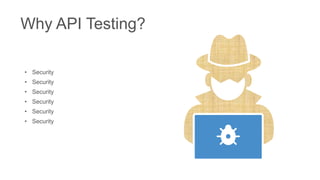
• Security
• Security
• Security
• Security
• Security
• Security
Why API Testing?
• Quick tests to write, run, quick
feedback in CI jobs
• Reusability for performance testing
• Put some basic scenarios into your
production monitoring system to be
aware of outages before your
customers
Why API Testing?
INSERT PHOTO ON TOP
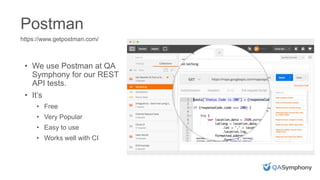
• We use Postman at QA
Symphony for our REST
API tests.
• It’s
• Free
• Very Popular
• Easy to use
• Works well with CI
Postman
https://www.getpostman.com/
INSERT PHOTO ON TOP
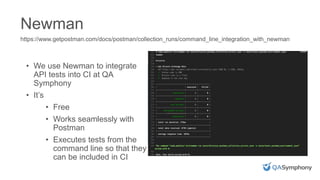
• We use Newman to integrate
API tests into CI at QA
Symphony
• It’s
• Free
• Works seamlessly with
Postman
• Executes tests from the
command line so that they
can be included in CI
Newman
https://www.getpostman.com/docs/postman/collection_runs/command_line_integration_with_newman
Jenkins
https://jenkins.io/
• Jenkins is one of several tools
we use at QA Symphony to
assist with Continuous
Integration
• It’s
• Free
• Popular
• Very, very flexible with many
plugins (even qTest has one!)
INSERT PHOTO ON TOP
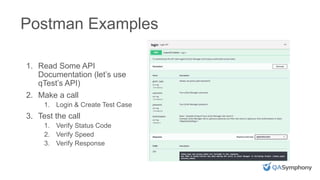
Postman Examples
1. Read Some API
Documentation (let’s use
qTest’s API)
2. Make a call
1. Login & Create Test Case
3. Test the call
1. Verify Status Code
2. Verify Speed
3. Verify Response
INSERT PHOTO ON TOP
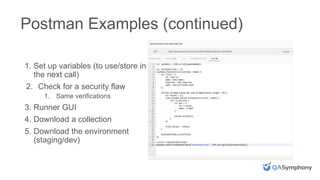
Postman Examples (continued)
1. Set up variables (to use/store in
the next call)
2. Check for a security flaw
1. Same verifications
3. Runner GUI
4. Download a collection
5. Download the environment
(staging/dev)
INSERT PHOTO ON TOP
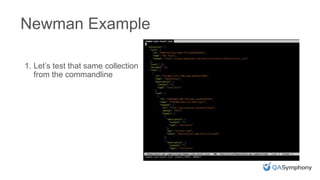
Newman Example
1. Let’s test that same collection
from the commandline
INSERT PHOTO ON TOP
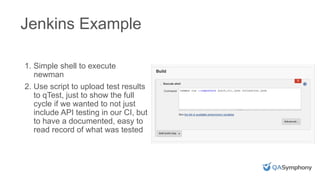
Jenkins Example
1. Simple shell to execute
newman
2. Use script to upload test results
to qTest, just to show the full
cycle if we wanted to not just
include API testing in our CI, but
to have a documented, easy to
read record of what was tested
I just showed you one
example of a tool set that
you could use, but there
are countless others!
Other Options!
| HELLO, REAL WORLD.
Test Early;
Test Often!
Thank You!
Elise Carmichael
elisecarmichael@qasymphony.com
Q&A
| HELLO, REAL WORLD.
Quality Jam LondonOctober 11, 2017 – http://qualityjam.net/uk/
Email Marketing@qasymphony.com to be entered to win a free ticket
| HELLO, REAL WORLD.
Quality Jam LondonOctober 11, 2017 – The Brewery, London
Email Marketing@qasymphony.com to be entered to win a free ticket

RESTful API Testing using Postman, Newman, and Jenkins

  • 1.
    | HELLO, REALWORLD. Include Automated Restful API Testing with your CI using Postman, Newman, and Jenkins Elise Carmichael
  • 2.
    | HELLO, REALWORLD. Elise Carmichael Vice President of Quality QASymphony
  • 3.
    Agenda • There areso many types of testing, why focus on API? • Why use Postman, Newman, and Jenkins? • How to write tests in Postman • How to use Newman to execute Postman tests from a commandline • How to include your tests in Jenkins • Note: Focusing on REST
  • 4.
    • Security • Security •Security • Security • Security • Security Why API Testing?
  • 5.
    • Quick teststo write, run, quick feedback in CI jobs • Reusability for performance testing • Put some basic scenarios into your production monitoring system to be aware of outages before your customers Why API Testing?
  • 6.
    INSERT PHOTO ONTOP • We use Postman at QA Symphony for our REST API tests. • It’s • Free • Very Popular • Easy to use • Works well with CI Postman https://www.getpostman.com/
  • 7.
    INSERT PHOTO ONTOP • We use Newman to integrate API tests into CI at QA Symphony • It’s • Free • Works seamlessly with Postman • Executes tests from the command line so that they can be included in CI Newman https://www.getpostman.com/docs/postman/collection_runs/command_line_integration_with_newman
  • 8.
    Jenkins https://jenkins.io/ • Jenkins isone of several tools we use at QA Symphony to assist with Continuous Integration • It’s • Free • Popular • Very, very flexible with many plugins (even qTest has one!)
  • 9.
    INSERT PHOTO ONTOP Postman Examples 1. Read Some API Documentation (let’s use qTest’s API) 2. Make a call 1. Login & Create Test Case 3. Test the call 1. Verify Status Code 2. Verify Speed 3. Verify Response
  • 10.
    INSERT PHOTO ONTOP Postman Examples (continued) 1. Set up variables (to use/store in the next call) 2. Check for a security flaw 1. Same verifications 3. Runner GUI 4. Download a collection 5. Download the environment (staging/dev)
  • 11.
    INSERT PHOTO ONTOP Newman Example 1. Let’s test that same collection from the commandline
  • 12.
    INSERT PHOTO ONTOP Jenkins Example 1. Simple shell to execute newman 2. Use script to upload test results to qTest, just to show the full cycle if we wanted to not just include API testing in our CI, but to have a documented, easy to read record of what was tested
  • 13.
    I just showedyou one example of a tool set that you could use, but there are countless others! Other Options!
  • 14.
    | HELLO, REALWORLD. Test Early; Test Often!
  • 15.
  • 16.
    | HELLO, REALWORLD. Quality Jam LondonOctober 11, 2017 – http://qualityjam.net/uk/ Email Marketing@qasymphony.com to be entered to win a free ticket
  • 17.
    | HELLO, REALWORLD. Quality Jam LondonOctober 11, 2017 – The Brewery, London Email Marketing@qasymphony.com to be entered to win a free ticket

Editor's Notes

  • #2 The last webinar with DJ Frank was a 10,000 foot view of API testing, in this one, we’re going to get down and dirty!
  • #4 Review Agenda. The two most popular types of services code adhere to SOAP or Rest standards. They’re both ways to cause code on a service to execute. There is a distinct shift towards restful services, so in this talk, I will focus on testing straightforward restful services.
  • #5 <Click through security items first.. > Static Code analysis is GREAT. Tools like checkmarx that are focused on security are wonderful at looking at the code for deprecated items, or inherently insecure code Hiring a specialty company to do penetration testing is great and invaluable Functional testing with selenium or Appium or other client side testing tool is wonderful for regression testing and making sure your users have a great experience. However, one of the easiest way to expose data to your, undesirable users, is to make a mistake in your API. Forgot to lock down your user role to admin functionality? Developer accidentally deletes a few letters in your role file? Forgot to prevent things in the API that you prevent in the UI? Furthermore, if there is a mistake in the services code, it can affect the entire user base. Maybe someone finds a bug and it actually breaks the services for everyone.
  • #6  1. Fast to write because it’s like a function – same input, expect the same output unless things are modified based on time. Not only can API tests be simplistic to write, they’re also very quick to run. This makes APIs an ideal part of your code to automate first. It’s stable and should be extremely reliable. 2. As part of your API tests, it’s easy enough to say that if the call takes more than say one or two seconds, fail it. This also gives you some performance tests. Great! 3. Reuse some basic API tests in production and set up alarms when errors occur; this is especially useful if you are using many third party systems. Write a few integration tests or scenarios that cover the riskiest areas of the software. Try to find problems before your customers by setting up alarms when the system is slower than expected or just doesn’t function.
  • #7 Let’s review the tools that we’re going to use today before we get on with a few examples
  • #8 Newman allows you to execute postman tests from the command line instead of the GUI runner.
  • #10  Ok, everyone pull up postman! Note, at the end of July, a new version of postman came out and that allows more control over folders; folder ordering and nested folders. Also, I couldn’t find this in the release notes, but the built in snippets changed format The new snippets use the chair expect format: expect library http://chaijs.com/guide/styles/#expect http://chaijs.com/api/bdd/ https://www.getpostman.com/docs/postman/scripts/postman_sandbox_api_reference Review qTest API with basic Auth Login Response values Status Code Speed Create Test Case
  • #11 * Save token from login call to use in the next call Get Test case with saved token Create an environment Store project ID in the environment
  • #12 Newman –v Newman –help newman run Webinar.postman_collection.json -e WebinarEnv.postman_environment.json
  • #14 I just showed you one example of tooling you could use. Regardless of what tool suite you use, the principles are the same. You want to design your tests, write your tests, and execute them in order for your build to pass. This way, your development team knows about failures basically immediately. This is the most inexpensive way to fix a problem. When you focus on API tests first, you can test more scenarios quicker, and easier than any other type of automated testing. If I were to talk to a team who had zero automation, I’d start by asking them to design a good smoke test suite and a regression test suite. Then first thing would be to automate API tests and get them running as part of CI. Any new API call, or change to an API call would warrant updated tests in that same iteration.
  • #15 Bugs are cheaper when they’re found earlier. Automate the stuff you do all of the time so you can focus your testing energy on the interesting, clever bugs! Obviously you can’t test everything, but focus on risk based testing, and number one is usually going to be your API
  • #17 Joseph – talk about this & intro me If you’re one of the first 5 people to request a ticket, reference me and get a discount to the event!