Lesson
Planner
Here is where your weekly
planner begins
Here’s what you’ll find in this Slidesgo template:
1. A slide structure based on a multi-purpose presentation, which you can easily adapt to your needs.
For more info on how to edit the template, please visit Slidesgo School or read our FAQs.
2. An assortment of illustrations that are suitable for use in the presentation can be found in the two
alternative resources slides.
3. A thanks slide, which you must keep so that proper credits for our design are given.
4. A resources slide, where you’ll find links to all the elements used in the template.
5. Instructions for use.
6. Final slides with:
● The fonts and colors used in the template.
● More infographic resources, whose size and color can be edited.
● Sets of customizable icons of the following themes: general, business, avatar, creative
process, education, help & support, medical, nature, performing arts, SEO & marketing, and
teamwork.
Contents of This Template
You can delete this slide when you’re done editing the presentation.
Let’s Organize!
You can plan your daily lessons, make to-do
lists, write notes... Then, you can use the
same template to organize each day!
J F M A M J J A S O N D
Month Week
4
1 2 3
—Someone Famous
“This is a quote, words full of wisdom
that someone important said and can
make the reader get inspired.”
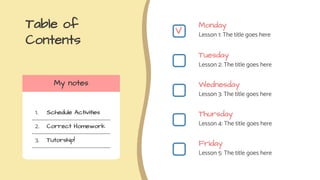
Table of
Contents
Monday
Lesson 1: The title goes here
Tuesday
Lesson 2: The title goes here
Wednesday
Lesson 3: The title goes here
Thursday
Lesson 4: The title goes here
Friday
Lesson 5: The title goes here
My notes
1.
2.
3.
Schedule Activities
Correct Homework
Tutorship!
V
To-Do List!
Write a pending task here
To do!
Write a pending task here
My tasks!
Lesson 1
The title goes here
Monday
2020-06-01
Name of Activity 1
Do you know what helps you make your
point clear? Lists like this one:
● They’re simple
● You can organize your ideas clearly
● You’ll never forget to buy milk!
Area: Science
Time: 40 min
Add a video for the lesson here
Lesson Resources
Add here your images Add here your videos
Concepts
Topic 1
Mercury is the closest planet to
the Sun and the smallest one in
the Solar System—it’s only a bit
larger than the Moon
Topic 2
Venus has a beautiful name and
is the second planet from the
Sun. It’s terribly hot—even hotter
than Mercury
Previous Knowledge
Concept 1
Despite being red, Mars is
actually a cold place full of
iron oxide dust
Concept 2
Jupiter is a gas giant and
the biggest planet in the
Solar System
Concept 3
Saturn is a gas giant,
composed mostly of
hydrogen and helium
Take Notes!
Important
Write here your
important notes
To do
Write here your
important notes
Remember
Write here your
important notes
Keywords
Write here your
important notes
A Picture
Always
Reinforces the
Concept
Images reveal large amounts
of data, so remember: use an
image instead of long texts
A Picture
Is Worth a
Thousand
Words
Easy to
Remember!
Keywords help you retain important things
Keyword 1
Keyword 2
Keyword 3
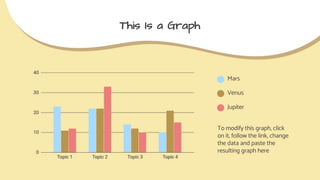
This Is a Graph
To modify this graph, click
on it, follow the link, change
the data and paste the
resulting graph here
Mars
Venus
Jupiter
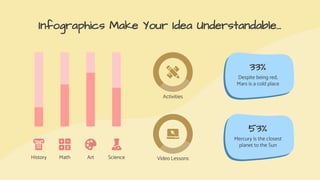
Infographics Make Your Idea Understandable...
History Math Art Science
Activities
Video Lessons
33%
Despite being red,
Mars is a cold place
53%
Mercury is the closest
planet to the Sun
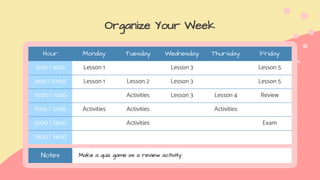
Organize Your Week
Hour Monday Tuesday Wednesday Thursday Friday
8:00 / 9:00 Lesson 1 Lesson 3 Lesson 5
9:00 / 10:00 Lesson 1 Lesson 2 Lesson 3 Lesson 5
10:00 / 11:00 Activities Lesson 3 Lesson 4 Review
11:00 / 12:00 Activities Activities Activities
12:00 / 13:00 Activities Exam
13:00 / 14:00
Notes Make a quiz game as a review activity
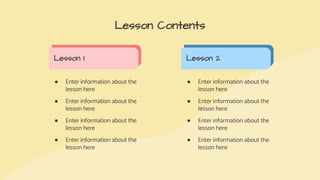
● Enter information about the
lesson here
● Enter information about the
lesson here
● Enter information about the
lesson here
● Enter information about the
lesson here
Lesson Contents
Lesson 1 Lesson 2
● Enter information about the
lesson here
● Enter information about the
lesson here
● Enter information about the
lesson here
● Enter information about the
lesson here
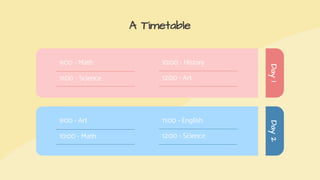
A Timetable
Day
1
Day
2
9:00 - Art
10:00 - Math
11:00 - English
12:00 - Science
9:00 - Math
11:00 - Science
10:00 - History
12:00 - Art
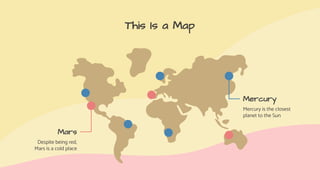
This Is a Map
Mars
Despite being red,
Mars is a cold place
Mercury
Mercury is the closest
planet to the Sun
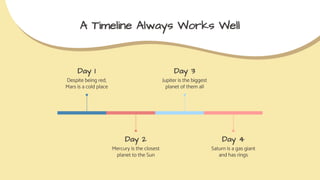
A Timeline Always Works Well
Day 1
Despite being red,
Mars is a cold place
Day 2
Mercury is the closest
planet to the Sun
Day 3
Jupiter is the biggest
planet of them all
Day 4
Saturn is a gas giant
and has rings
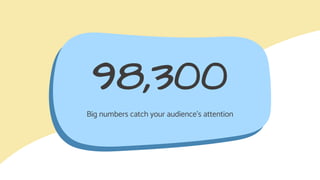
98,300
Big numbers catch your audience’s attention
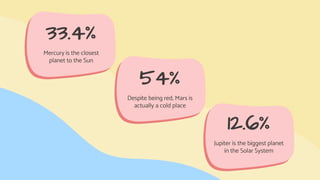
33.4%
Mercury is the closest
planet to the Sun
54%
Despite being red, Mars is
actually a cold place
12.6%
Jupiter is the biggest planet
in the Solar System
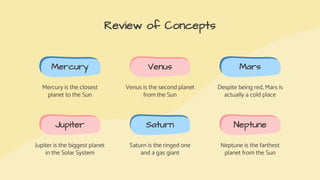
Review of Concepts
Mercury
Mercury is the closest
planet to the Sun
Venus
Venus is the second planet
from the Sun
Mars
Despite being red, Mars is
actually a cold place
Jupiter
Jupiter is the biggest planet
in the Solar System
Saturn
Saturn is the ringed one
and a gas giant
Neptune
Neptune is the farthest
planet from the Sun
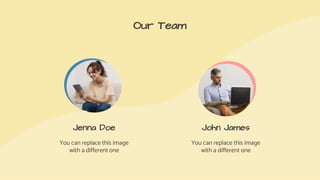
Our Team
Jenna Doe
You can replace this image
with a different one
John James
You can replace this image
with a different one
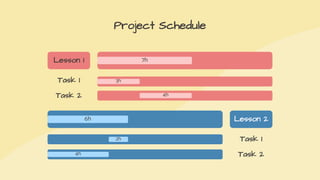
Project Schedule
Lesson 1 7h
Task 1 3h
Task 2 4h
Lesson 2
6h
Task 1
2h
Task 2
4h
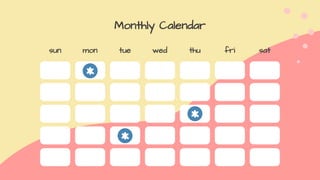
Monthly Calendar
sun mon tue wed thu fri sat
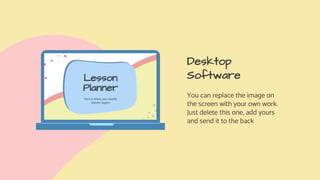
Desktop
Software
You can replace the image on
the screen with your own work.
Just delete this one, add yours
and send it to the back
Tablet App
You can replace the image on
the screen with your own work.
Just delete this one, add yours
and send it to the back
Mobile Web
You can replace the image on
the screen with your own work.
Just delete this one, add yours
and send it to the back
CREDITS: This presentation template was created
by Slidesgo, including icons by Flaticon, and
infographics & images by Freepik.
Thanks!
Do you have any questions?
youremail@freepik.com
+91 620 421 838
yourcompany.com
Please keep this slide for attribution.
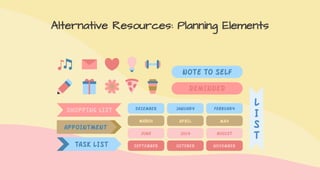
Alternative Resources: Planning Elements
Did you like the resources on this
template? Get them for free at our other
websites.
PHOTOS:
● Casual girl surfing laptop at home
● Boy doing homework with laptop
● Side view of a businesswoman
writing schedule in diary at
workplace
Resources
● Flat lay pink workplace
arrangement with copy space
● Side view of woman looking at
tablet and smiling
● Long view man using his laptop
indoors
VECTORS:
● Cute colorful calendar
● Planning elements sample
Instructions for use
In order to use this template, you must credit Slidesgo by keeping the Thanks slide.
You are allowed to:
- Modify this template.
- Use it for both personal and commercial projects.
You are not allowed to:
- Sublicense, sell or rent any of Slidesgo Content (or a modified version of Slidesgo Content).
- Distribute Slidesgo Content unless it has been expressly authorized by Slidesgo.
- Include Slidesgo Content in an online or offline database or file.
- Offer Slidesgo templates (or modified versions of Slidesgo templates) for download.
- Acquire the copyright of Slidesgo Content.
For more information about editing slides, please read our FAQs or visit Slidesgo School:
https://slidesgo.com/faqs and https://slidesgo.com/slidesgo-school
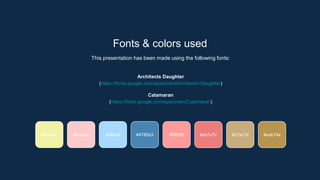
Fonts & colors used
This presentation has been made using the following fonts:
Architects Daughter
(https://fonts.google.com/specimen/Architects+Daughter)
Catamaran
(https://fonts.google.com/specimen/Catamaran)
#fccaca #a8daff #4785b3
#f8e9ac #ff9b99 #eb7e7c #c7ac7d #aab74e
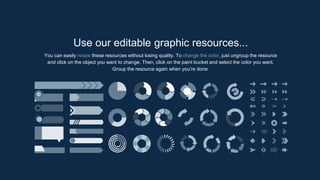
Use our editable graphic resources...
You can easily resize these resources without losing quality. To change the color, just ungroup the resource
and click on the object you want to change. Then, click on the paint bucket and select the color you want.
Group the resource again when you’re done.
JANUARY FEBRUARY MARCH APRIL MAY JUNE
PHASE 1
PHASE 2
Task 1
Task 2
Task 1
Task 2
JANUARY FEBRUARY MARCH APRIL
PHASE 1
Task 1
Task 2
...and our sets of editable icons
You can resize these icons without losing quality.
You can change the stroke and fill color; just select the icon and click on the paint bucket/pen.
In Google Slides, you can also use Flaticon’s extension, allowing you to customize and add even more icons.
Educational Icons Medical Icons
Business Icons Teamwork Icons
Help & Support Icons Avatar Icons
Creative Process Icons Performing Arts Icons
Nature Icons
SEO & Marketing Icons
Region Andina.pptx

Region Andina.pptx

  • 1.
    Lesson Planner Here is whereyour weekly planner begins
  • 2.
    Here’s what you’llfind in this Slidesgo template: 1. A slide structure based on a multi-purpose presentation, which you can easily adapt to your needs. For more info on how to edit the template, please visit Slidesgo School or read our FAQs. 2. An assortment of illustrations that are suitable for use in the presentation can be found in the two alternative resources slides. 3. A thanks slide, which you must keep so that proper credits for our design are given. 4. A resources slide, where you’ll find links to all the elements used in the template. 5. Instructions for use. 6. Final slides with: ● The fonts and colors used in the template. ● More infographic resources, whose size and color can be edited. ● Sets of customizable icons of the following themes: general, business, avatar, creative process, education, help & support, medical, nature, performing arts, SEO & marketing, and teamwork. Contents of This Template You can delete this slide when you’re done editing the presentation.
  • 3.
    Let’s Organize! You canplan your daily lessons, make to-do lists, write notes... Then, you can use the same template to organize each day! J F M A M J J A S O N D Month Week 4 1 2 3
  • 4.
    —Someone Famous “This isa quote, words full of wisdom that someone important said and can make the reader get inspired.”
  • 5.
    Table of Contents Monday Lesson 1:The title goes here Tuesday Lesson 2: The title goes here Wednesday Lesson 3: The title goes here Thursday Lesson 4: The title goes here Friday Lesson 5: The title goes here My notes 1. 2. 3. Schedule Activities Correct Homework Tutorship! V
  • 6.
    To-Do List! Write apending task here Write a pending task here Write a pending task here Write a pending task here To do! Write a pending task here Write a pending task here Write a pending task here Write a pending task here My tasks!
  • 7.
    Lesson 1 The titlegoes here Monday 2020-06-01
  • 8.
    Name of Activity1 Do you know what helps you make your point clear? Lists like this one: ● They’re simple ● You can organize your ideas clearly ● You’ll never forget to buy milk! Area: Science Time: 40 min Add a video for the lesson here
  • 9.
    Lesson Resources Add hereyour images Add here your videos
  • 10.
    Concepts Topic 1 Mercury isthe closest planet to the Sun and the smallest one in the Solar System—it’s only a bit larger than the Moon Topic 2 Venus has a beautiful name and is the second planet from the Sun. It’s terribly hot—even hotter than Mercury
  • 11.
    Previous Knowledge Concept 1 Despitebeing red, Mars is actually a cold place full of iron oxide dust Concept 2 Jupiter is a gas giant and the biggest planet in the Solar System Concept 3 Saturn is a gas giant, composed mostly of hydrogen and helium
  • 12.
    Take Notes! Important Write hereyour important notes To do Write here your important notes Remember Write here your important notes Keywords Write here your important notes
  • 13.
    A Picture Always Reinforces the Concept Imagesreveal large amounts of data, so remember: use an image instead of long texts
  • 14.
    A Picture Is Wortha Thousand Words
  • 15.
    Easy to Remember! Keywords helpyou retain important things Keyword 1 Keyword 2 Keyword 3
  • 16.
    This Is aGraph To modify this graph, click on it, follow the link, change the data and paste the resulting graph here Mars Venus Jupiter
  • 17.
    Infographics Make YourIdea Understandable... History Math Art Science Activities Video Lessons 33% Despite being red, Mars is a cold place 53% Mercury is the closest planet to the Sun
  • 18.
    Organize Your Week HourMonday Tuesday Wednesday Thursday Friday 8:00 / 9:00 Lesson 1 Lesson 3 Lesson 5 9:00 / 10:00 Lesson 1 Lesson 2 Lesson 3 Lesson 5 10:00 / 11:00 Activities Lesson 3 Lesson 4 Review 11:00 / 12:00 Activities Activities Activities 12:00 / 13:00 Activities Exam 13:00 / 14:00 Notes Make a quiz game as a review activity
  • 19.
    ● Enter informationabout the lesson here ● Enter information about the lesson here ● Enter information about the lesson here ● Enter information about the lesson here Lesson Contents Lesson 1 Lesson 2 ● Enter information about the lesson here ● Enter information about the lesson here ● Enter information about the lesson here ● Enter information about the lesson here
  • 20.
    A Timetable Day 1 Day 2 9:00 -Art 10:00 - Math 11:00 - English 12:00 - Science 9:00 - Math 11:00 - Science 10:00 - History 12:00 - Art
  • 21.
    This Is aMap Mars Despite being red, Mars is a cold place Mercury Mercury is the closest planet to the Sun
  • 22.
    A Timeline AlwaysWorks Well Day 1 Despite being red, Mars is a cold place Day 2 Mercury is the closest planet to the Sun Day 3 Jupiter is the biggest planet of them all Day 4 Saturn is a gas giant and has rings
  • 23.
    98,300 Big numbers catchyour audience’s attention
  • 24.
    33.4% Mercury is theclosest planet to the Sun 54% Despite being red, Mars is actually a cold place 12.6% Jupiter is the biggest planet in the Solar System
  • 25.
    Review of Concepts Mercury Mercuryis the closest planet to the Sun Venus Venus is the second planet from the Sun Mars Despite being red, Mars is actually a cold place Jupiter Jupiter is the biggest planet in the Solar System Saturn Saturn is the ringed one and a gas giant Neptune Neptune is the farthest planet from the Sun
  • 26.
    Our Team Jenna Doe Youcan replace this image with a different one John James You can replace this image with a different one
  • 27.
    Project Schedule Lesson 17h Task 1 3h Task 2 4h Lesson 2 6h Task 1 2h Task 2 4h
  • 28.
    Monthly Calendar sun montue wed thu fri sat
  • 29.
    Desktop Software You can replacethe image on the screen with your own work. Just delete this one, add yours and send it to the back
  • 30.
    Tablet App You canreplace the image on the screen with your own work. Just delete this one, add yours and send it to the back
  • 31.
    Mobile Web You canreplace the image on the screen with your own work. Just delete this one, add yours and send it to the back
  • 32.
    CREDITS: This presentationtemplate was created by Slidesgo, including icons by Flaticon, and infographics & images by Freepik. Thanks! Do you have any questions? youremail@freepik.com +91 620 421 838 yourcompany.com Please keep this slide for attribution.
  • 33.
  • 34.
  • 35.
    Did you likethe resources on this template? Get them for free at our other websites. PHOTOS: ● Casual girl surfing laptop at home ● Boy doing homework with laptop ● Side view of a businesswoman writing schedule in diary at workplace Resources ● Flat lay pink workplace arrangement with copy space ● Side view of woman looking at tablet and smiling ● Long view man using his laptop indoors VECTORS: ● Cute colorful calendar ● Planning elements sample
  • 36.
    Instructions for use Inorder to use this template, you must credit Slidesgo by keeping the Thanks slide. You are allowed to: - Modify this template. - Use it for both personal and commercial projects. You are not allowed to: - Sublicense, sell or rent any of Slidesgo Content (or a modified version of Slidesgo Content). - Distribute Slidesgo Content unless it has been expressly authorized by Slidesgo. - Include Slidesgo Content in an online or offline database or file. - Offer Slidesgo templates (or modified versions of Slidesgo templates) for download. - Acquire the copyright of Slidesgo Content. For more information about editing slides, please read our FAQs or visit Slidesgo School: https://slidesgo.com/faqs and https://slidesgo.com/slidesgo-school
  • 37.
    Fonts & colorsused This presentation has been made using the following fonts: Architects Daughter (https://fonts.google.com/specimen/Architects+Daughter) Catamaran (https://fonts.google.com/specimen/Catamaran) #fccaca #a8daff #4785b3 #f8e9ac #ff9b99 #eb7e7c #c7ac7d #aab74e
  • 38.
    Use our editablegraphic resources... You can easily resize these resources without losing quality. To change the color, just ungroup the resource and click on the object you want to change. Then, click on the paint bucket and select the color you want. Group the resource again when you’re done.
  • 41.
    JANUARY FEBRUARY MARCHAPRIL MAY JUNE PHASE 1 PHASE 2 Task 1 Task 2 Task 1 Task 2 JANUARY FEBRUARY MARCH APRIL PHASE 1 Task 1 Task 2
  • 44.
    ...and our setsof editable icons You can resize these icons without losing quality. You can change the stroke and fill color; just select the icon and click on the paint bucket/pen. In Google Slides, you can also use Flaticon’s extension, allowing you to customize and add even more icons.
  • 45.
  • 46.
  • 47.
    Help & SupportIcons Avatar Icons
  • 48.
    Creative Process IconsPerforming Arts Icons
  • 49.
  • 50.