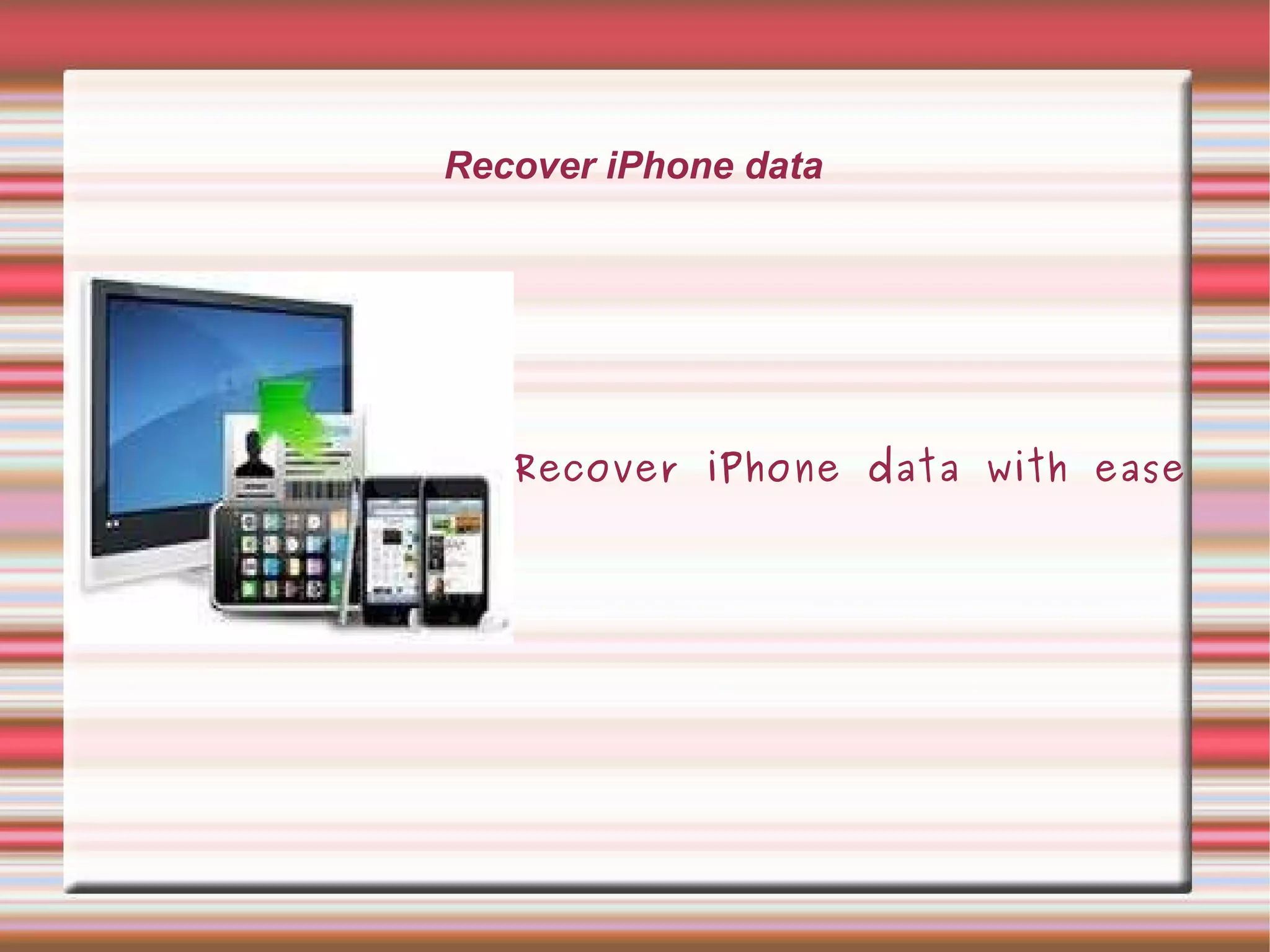
Recover iPhone data Recover iPhone data with ease Recover iPhone Data
About iPhone  iPhone, a full featured gadget is capable to store a large number of data including contacts, photos,videos,sms, songs and many other items so it is so important to protect them from severe data loss situations. For this you can make use of iphone backup software which helps you to backup iPhone data and also recover iPhone data from backup whenever required.  So,  there is a great need to perform iPhone backup so as to recover all your iPhone files and data with ease as and when needed.
When you need to recover iPhone data? Iphone comes up with higher storage capacities to help you in the storage of all your valuable and important data like photos, sms, contacts, videos, songs and other files so that you can access them  on the go.  But at times you might face iPhone data loss situations in case of corruption issues, virus attack or due to any other reason so, in this case as a prevention you must opt for iPhone backup software that makes an updated backup for all the entire iPhone data and gives you the option to recover iPhone data with ease.
Software Features: This software has the capability to recover iPhone data like messages, contacts, photos, videos and all other files in a complete and effective manner Comes up with user friendly Interface which do not require much technical knowledge of users and helps you to use the software easily Ensures you for quick as well as complete backup process in least amount of time period Work with almost all versions of Windows as well as Mac operating system carries out iphone transfer process in read only mode thus does not make any kind of modifications  in the original files
Software Features: Supports iPad, iPod, iPod Touch as well as all  the models of iPhone including 3, 3Gs, 4G With the help of highly developed techniques, performs auto-scanning, indexing as well searching for all the iPhone files You can avail the option of full as well as incremental backup of iPhone data So, considering the above features of iPhone backup software make a try to use it and recover iPhone data from backup easily.
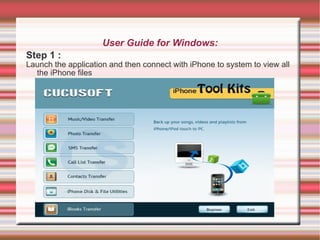
User Guide for Windows: Step 1 : Launch the application and then connect with iPhone to system to view all the iPhone files
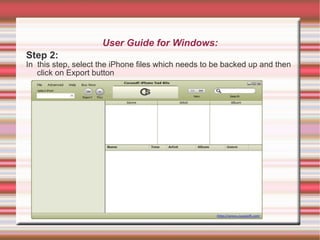
User Guide for Windows: Step 2: In  this step, select the iPhone files which needs to be backed up and then click on Export button
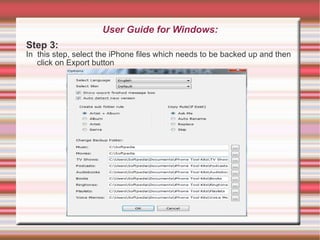
User Guide for Windows: Step 3: In  this step, select the iPhone files which needs to be backed up and then click on Export button
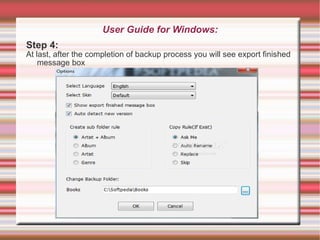
User Guide for Windows: Step 4: At last, after the completion of backup process you will see export finished message box
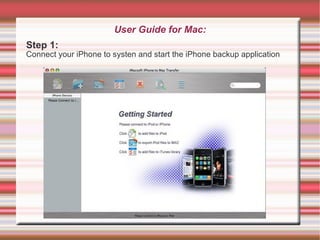
User Guide for Mac: Step 1: Connect your iPhone to systen and start the iPhone backup application
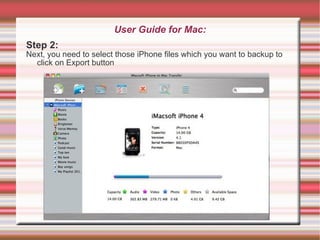
User Guide for Mac: Step 2: Next, you need to select those iPhone files which you want to backup to click on Export button
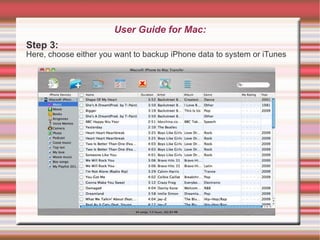
User Guide for Mac: Step 3: Here, choose either you want to backup iPhone data to system or iTunes
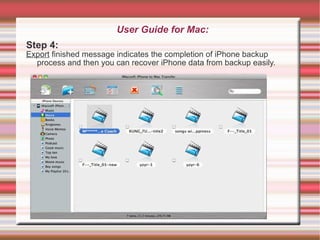
User Guide for Mac: Step 4: Export  finished message indicates the completion of iPhone backup process and then you can recover iPhone data from backup easily.
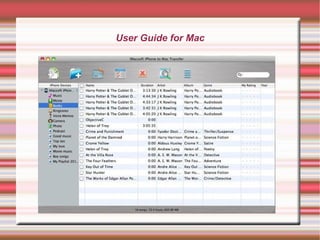
User Guide for Mac
User Guide for Mac
Recover iPhone data  Thank you   For more info visit: http://www.recoveriphonedata.com

Recover iPhone data with ease

  • 1.
    Recover iPhone dataRecover iPhone data with ease Recover iPhone Data
  • 2.
    About iPhone iPhone, a full featured gadget is capable to store a large number of data including contacts, photos,videos,sms, songs and many other items so it is so important to protect them from severe data loss situations. For this you can make use of iphone backup software which helps you to backup iPhone data and also recover iPhone data from backup whenever required. So, there is a great need to perform iPhone backup so as to recover all your iPhone files and data with ease as and when needed.
  • 3.
    When you needto recover iPhone data? Iphone comes up with higher storage capacities to help you in the storage of all your valuable and important data like photos, sms, contacts, videos, songs and other files so that you can access them on the go. But at times you might face iPhone data loss situations in case of corruption issues, virus attack or due to any other reason so, in this case as a prevention you must opt for iPhone backup software that makes an updated backup for all the entire iPhone data and gives you the option to recover iPhone data with ease.
  • 4.
    Software Features: Thissoftware has the capability to recover iPhone data like messages, contacts, photos, videos and all other files in a complete and effective manner Comes up with user friendly Interface which do not require much technical knowledge of users and helps you to use the software easily Ensures you for quick as well as complete backup process in least amount of time period Work with almost all versions of Windows as well as Mac operating system carries out iphone transfer process in read only mode thus does not make any kind of modifications in the original files
  • 5.
    Software Features: SupportsiPad, iPod, iPod Touch as well as all the models of iPhone including 3, 3Gs, 4G With the help of highly developed techniques, performs auto-scanning, indexing as well searching for all the iPhone files You can avail the option of full as well as incremental backup of iPhone data So, considering the above features of iPhone backup software make a try to use it and recover iPhone data from backup easily.
  • 6.
    User Guide forWindows: Step 1 : Launch the application and then connect with iPhone to system to view all the iPhone files
  • 7.
    User Guide forWindows: Step 2: In this step, select the iPhone files which needs to be backed up and then click on Export button
  • 8.
    User Guide forWindows: Step 3: In this step, select the iPhone files which needs to be backed up and then click on Export button
  • 9.
    User Guide forWindows: Step 4: At last, after the completion of backup process you will see export finished message box
  • 10.
    User Guide forMac: Step 1: Connect your iPhone to systen and start the iPhone backup application
  • 11.
    User Guide forMac: Step 2: Next, you need to select those iPhone files which you want to backup to click on Export button
  • 12.
    User Guide forMac: Step 3: Here, choose either you want to backup iPhone data to system or iTunes
  • 13.
    User Guide forMac: Step 4: Export finished message indicates the completion of iPhone backup process and then you can recover iPhone data from backup easily.
  • 14.
  • 15.
  • 16.
    Recover iPhone data Thank you For more info visit: http://www.recoveriphonedata.com