Ilya Ivanov
email: static.ila@gmail.com
slides: bit.ly/ReactNative2017
Theory
 Modern mobile apps
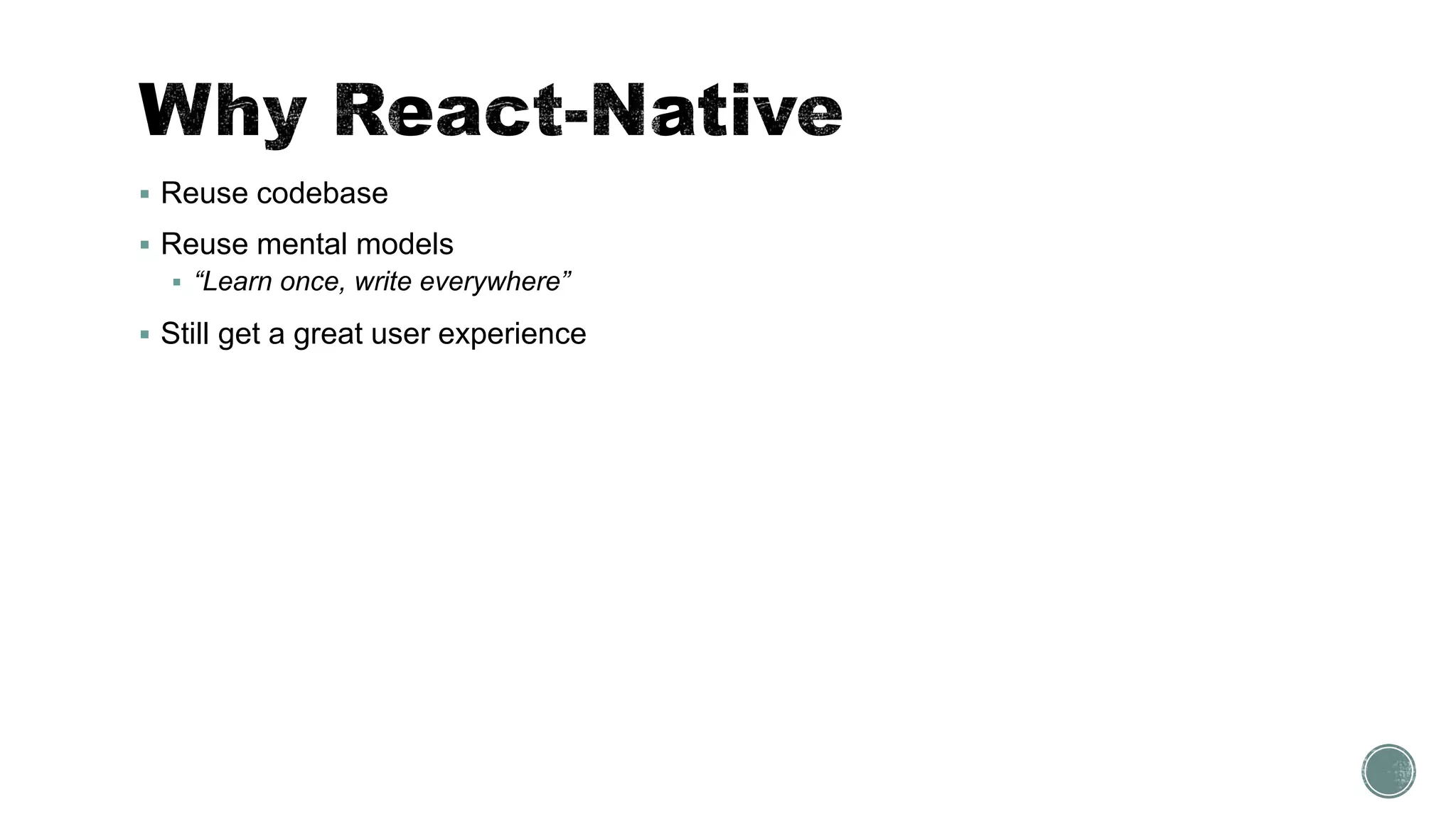
 Why React-Native
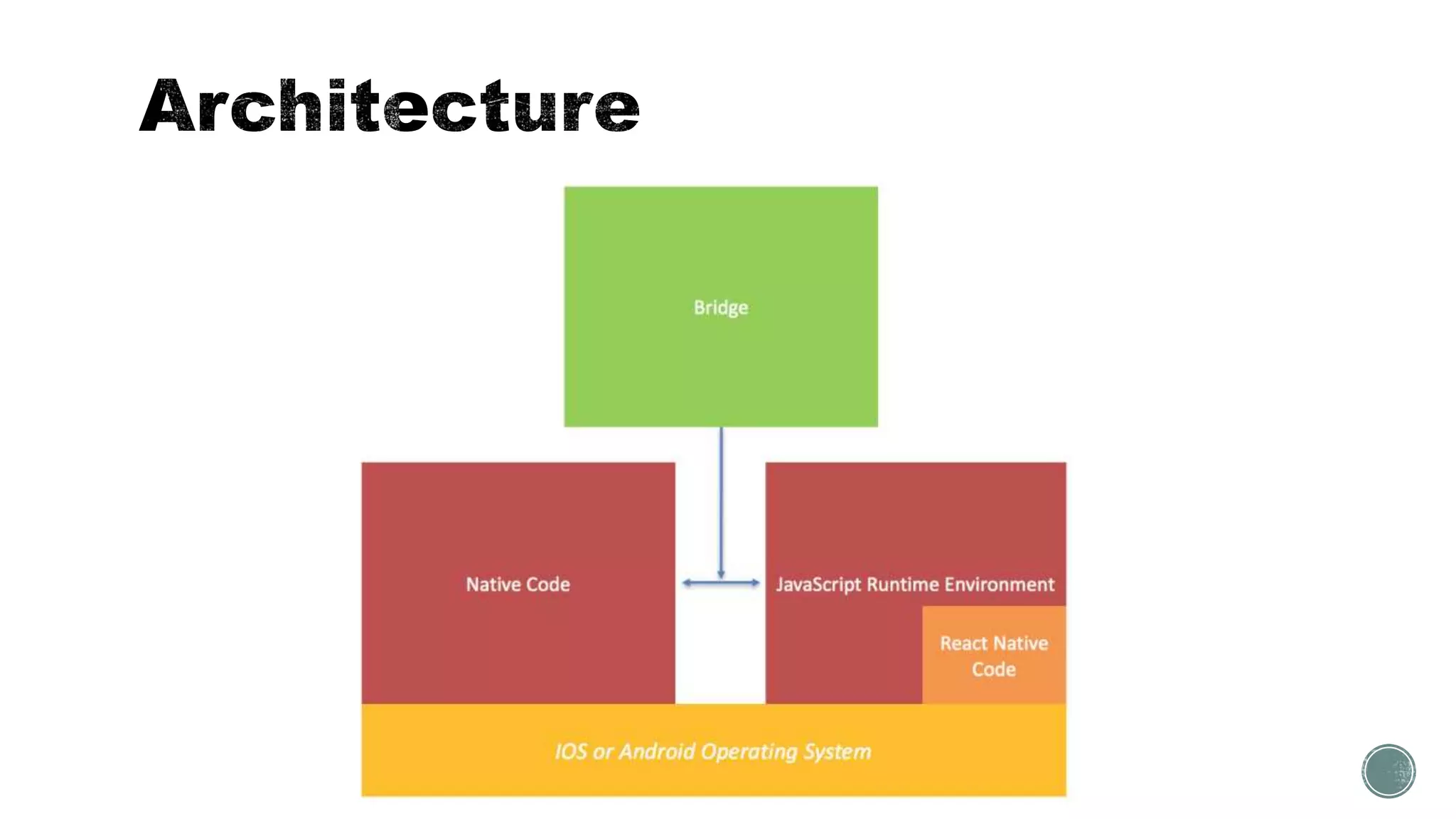
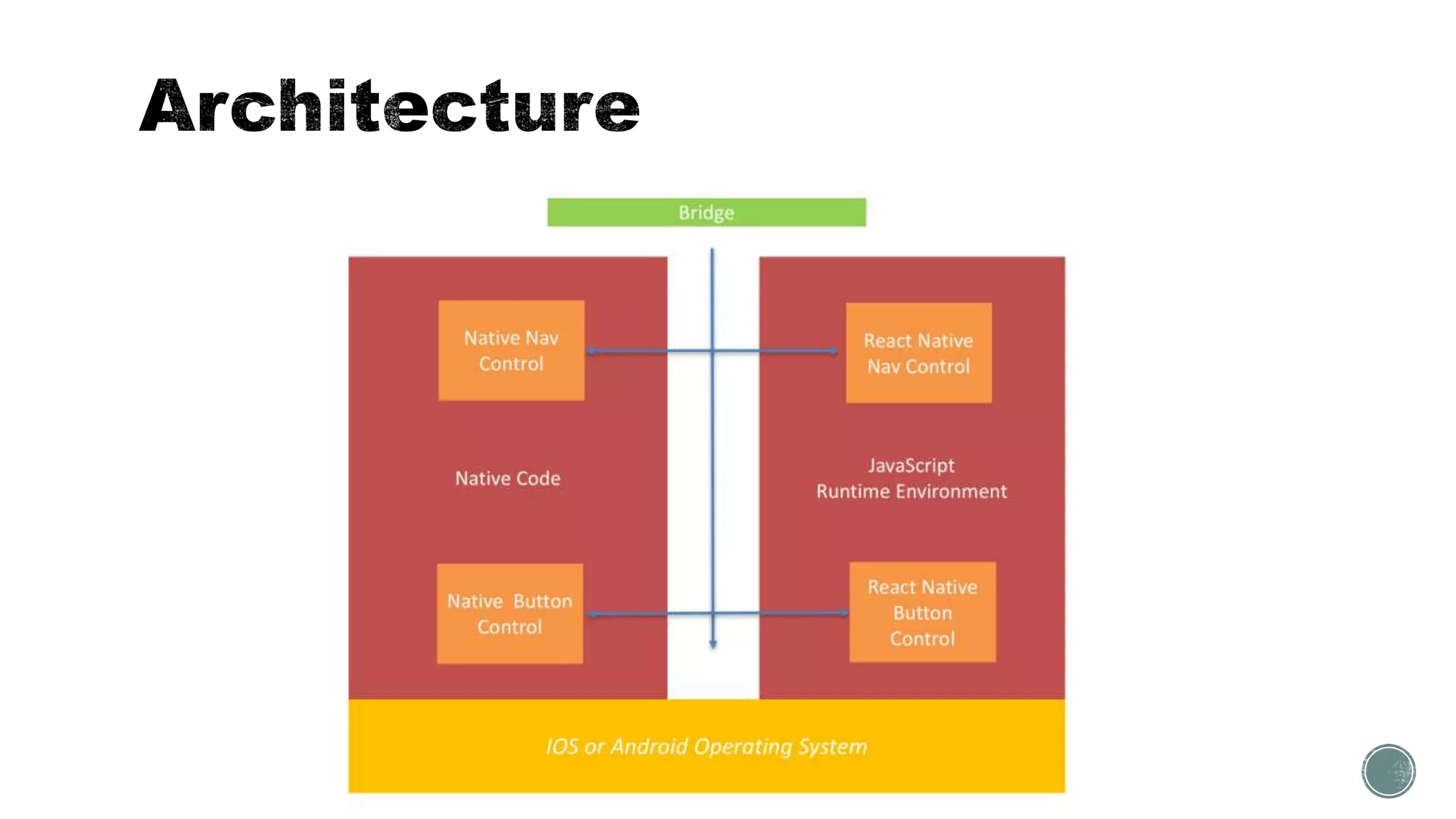
 Architecture
Practice
 Creating app
 Styling
 Navigation
 Animation
 Performance
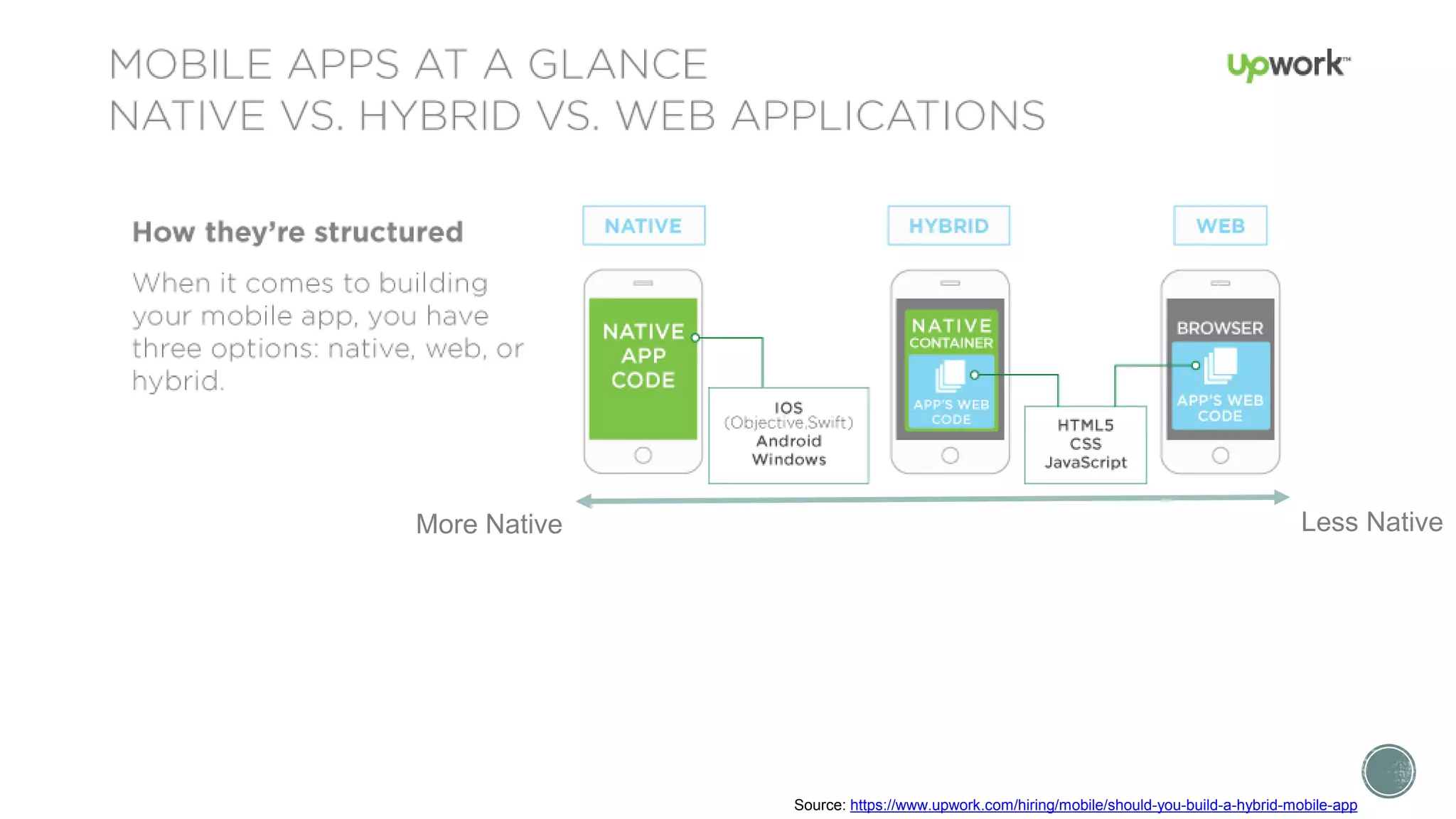
Source: https://www.upwork.com/hiring/mobile/should-you-build-a-hybrid-mobile-app
More Native Less Native
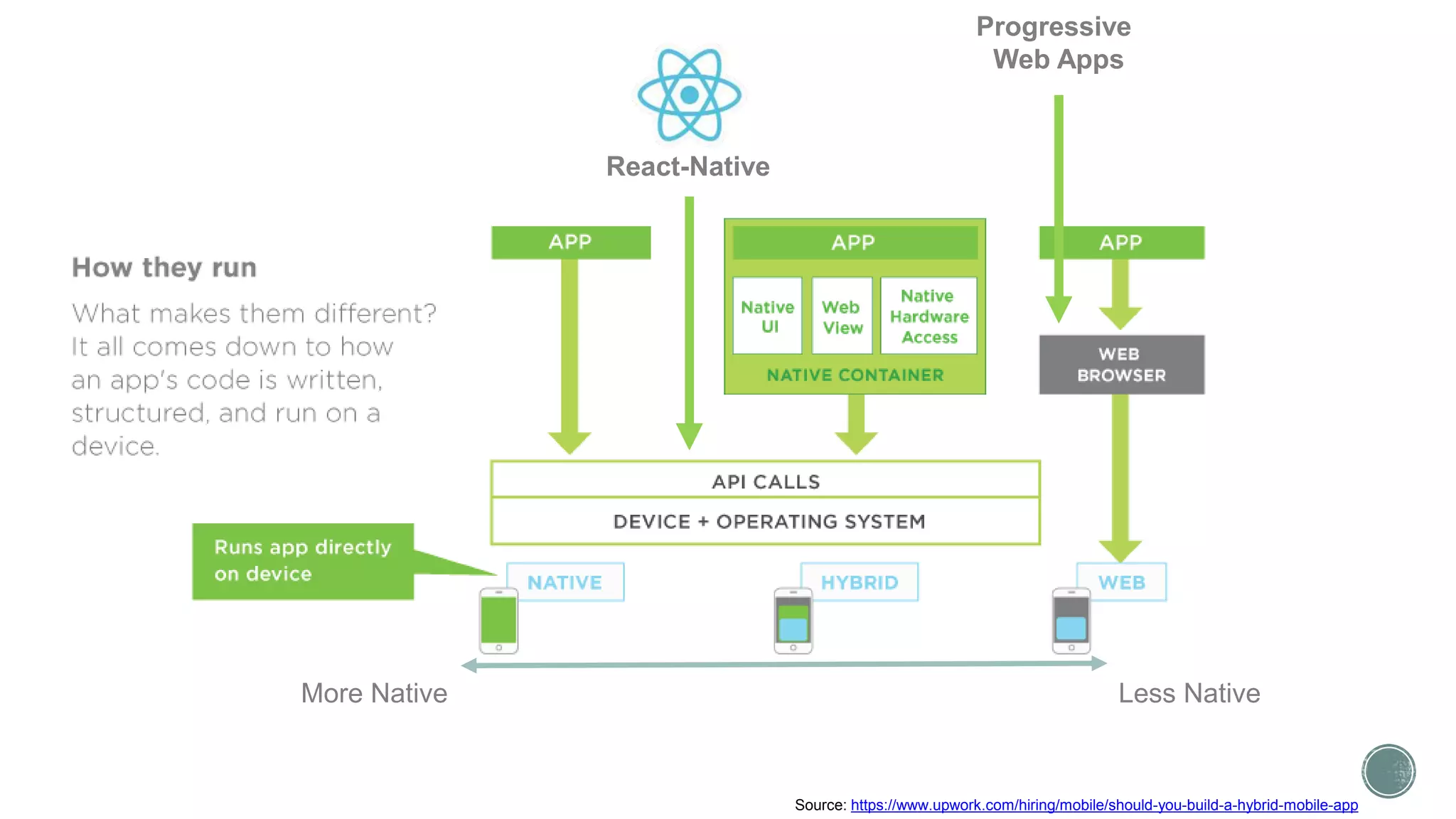
Progressive
Web Apps
React-Native
More Native Less Native
Source: https://www.upwork.com/hiring/mobile/should-you-build-a-hybrid-mobile-app
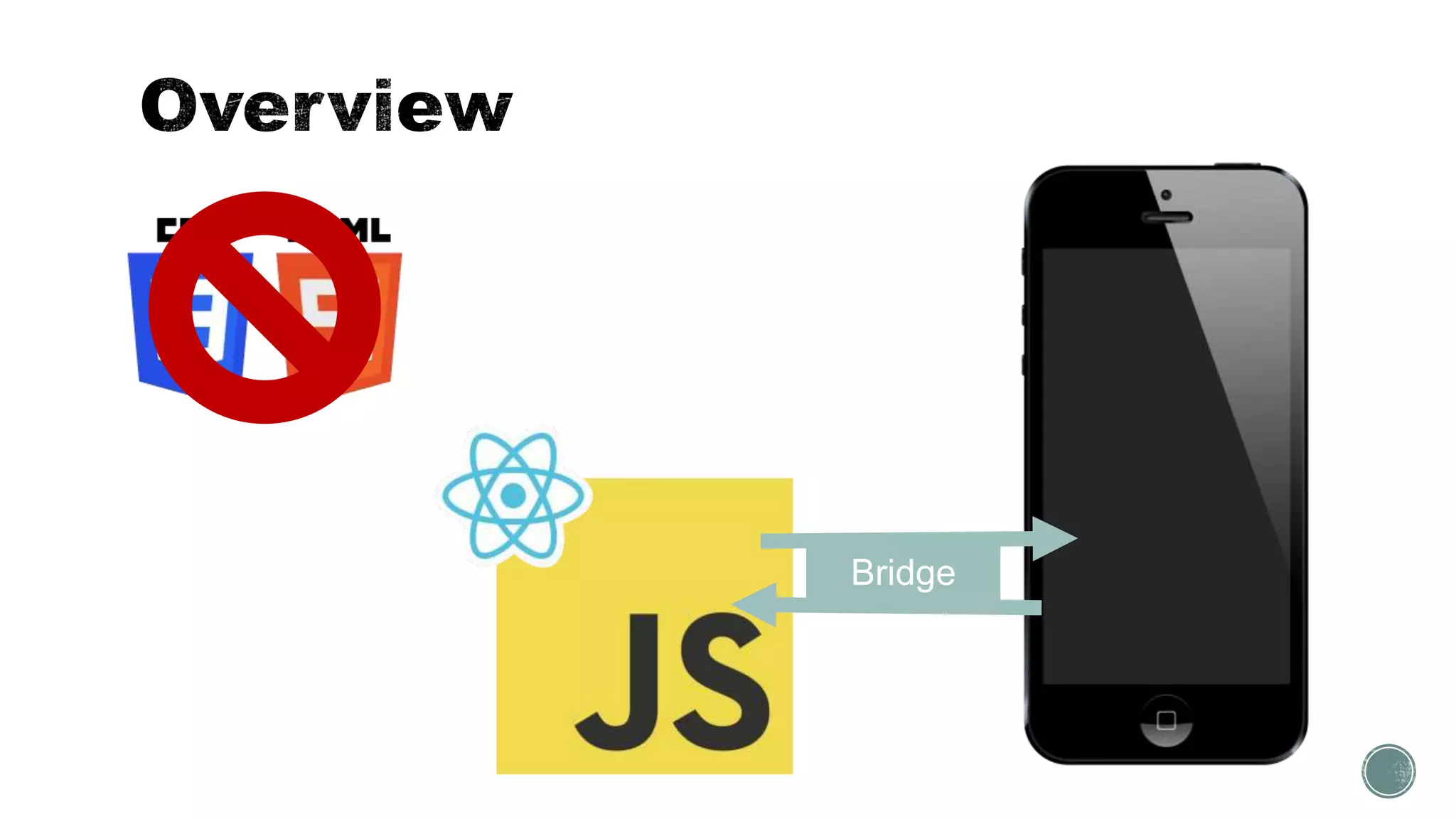
Bridge
 Reuse codebase
 Reuse mental models
 “Learn once, write everywhere”
 Still get a great user experience
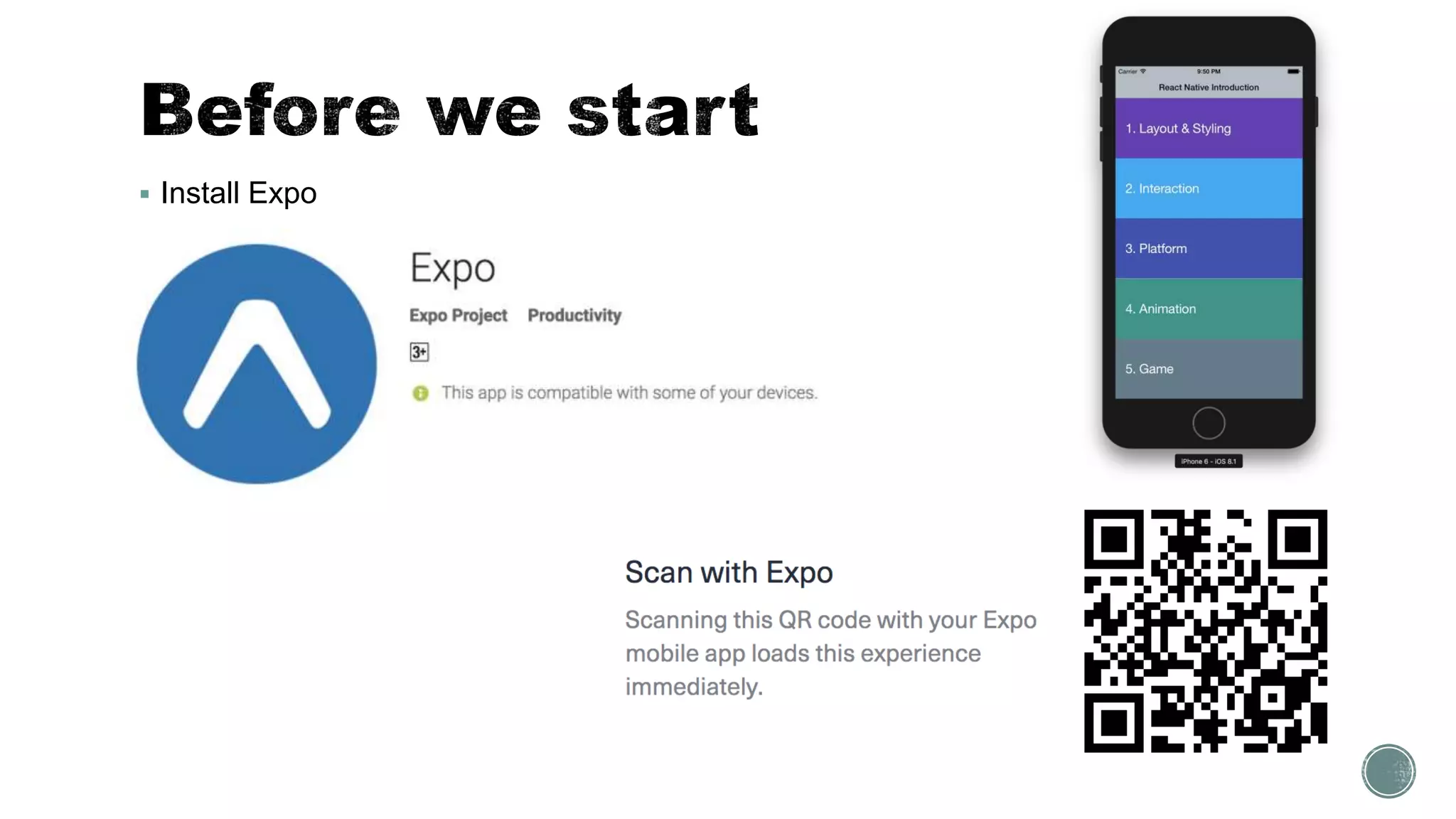
 Install Expo
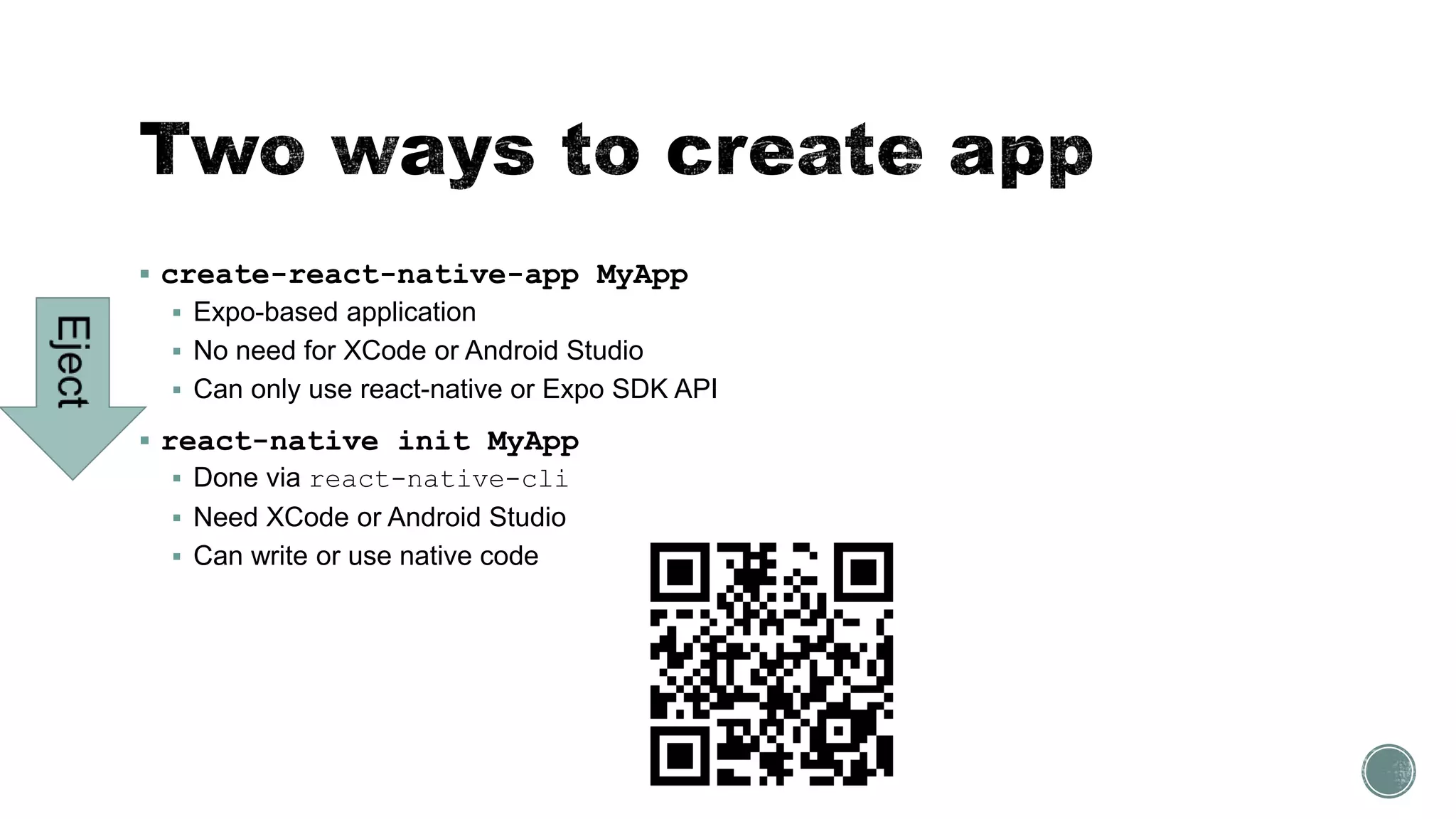
 create-react-native-app MyApp
 Expo-based application
 No need for XCode or Android Studio
 Can only use react-native or Expo SDK API
 react-native init MyApp
 Done via react-native-cli
 Need XCode or Android Studio
 Can write or use native code
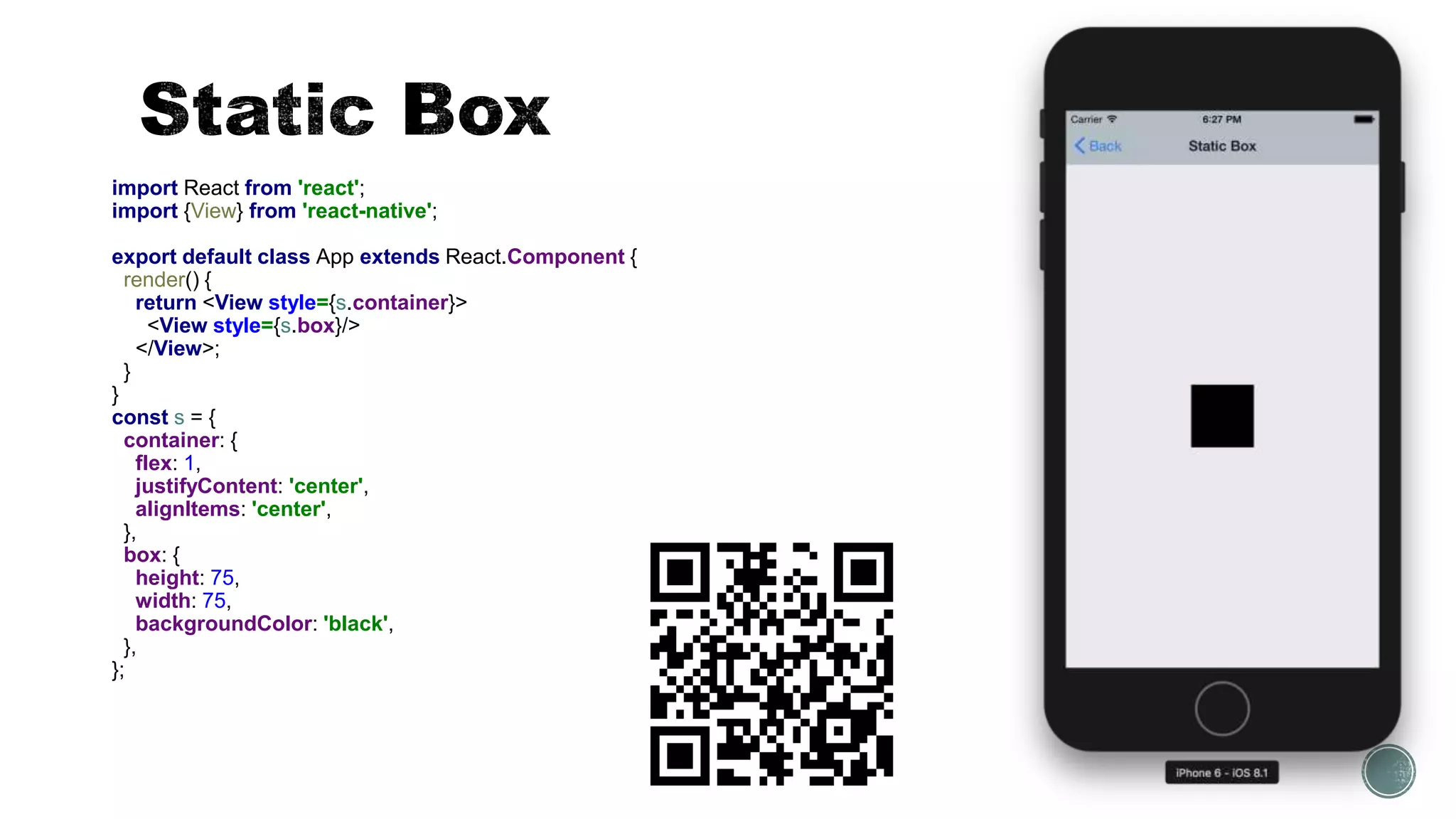
import React from 'react';
import {View} from 'react-native';
export default class App extends React.Component {
render() {
return <View style={s.container}>
<View style={s.box}/>
</View>;
}
}
const s = {
container: {
flex: 1,
justifyContent: 'center',
alignItems: 'center',
},
box: {
height: 75,
width: 75,
backgroundColor: 'black',
},
};
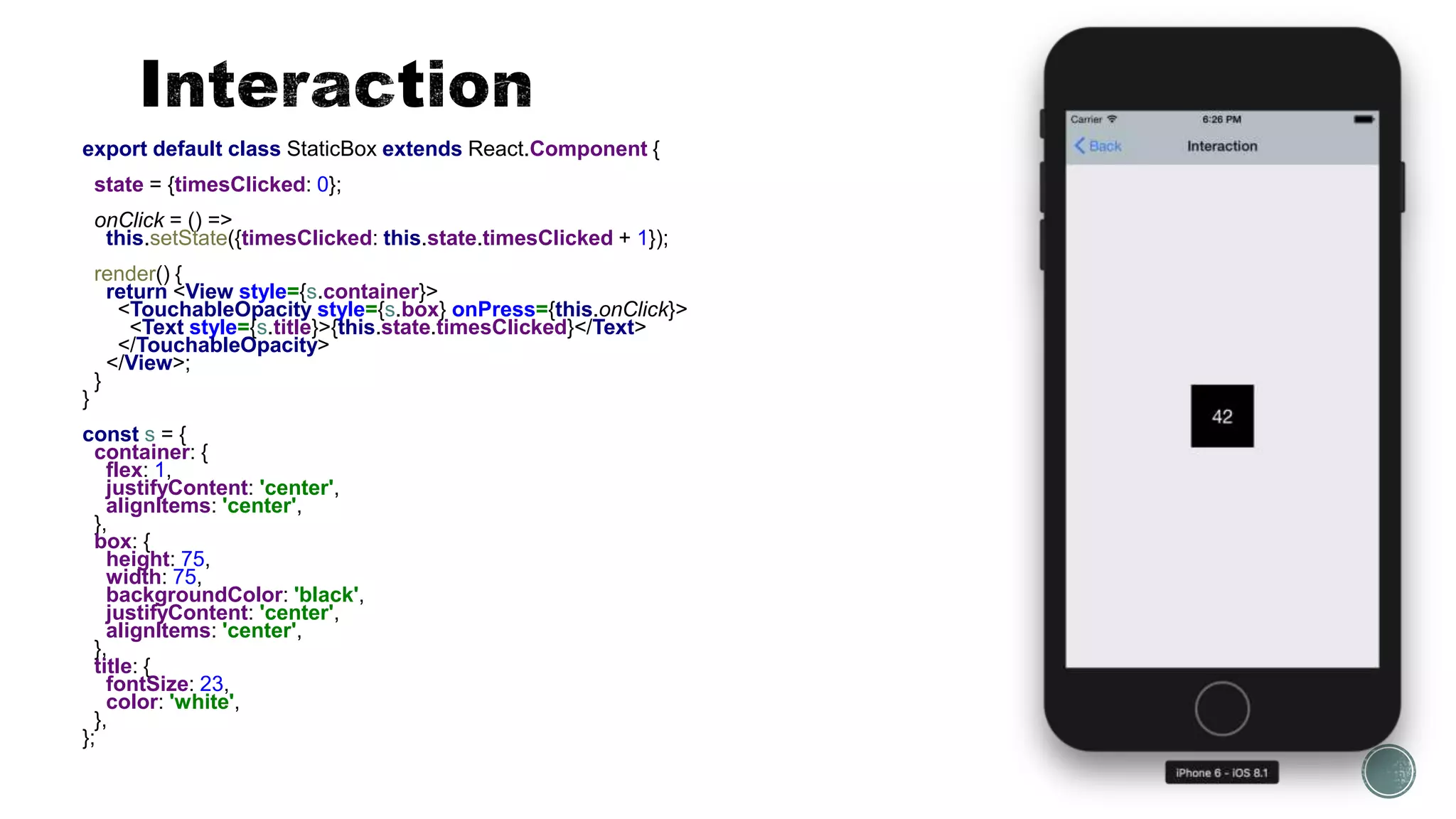
export default class StaticBox extends React.Component {
state = {timesClicked: 0};
onClick = () =>
this.setState({timesClicked: this.state.timesClicked + 1});
render() {
return <View style={s.container}>
<TouchableOpacity style={s.box} onPress={this.onClick}>
<Text style={s.title}>{this.state.timesClicked}</Text>
</TouchableOpacity>
</View>;
}
}
const s = {
container: {
flex: 1,
justifyContent: 'center',
alignItems: 'center',
},
box: {
height: 75,
width: 75,
backgroundColor: 'black',
justifyContent: 'center',
alignItems: 'center',
},
title: {
fontSize: 23,
color: 'white',
},
};
import React from 'react';
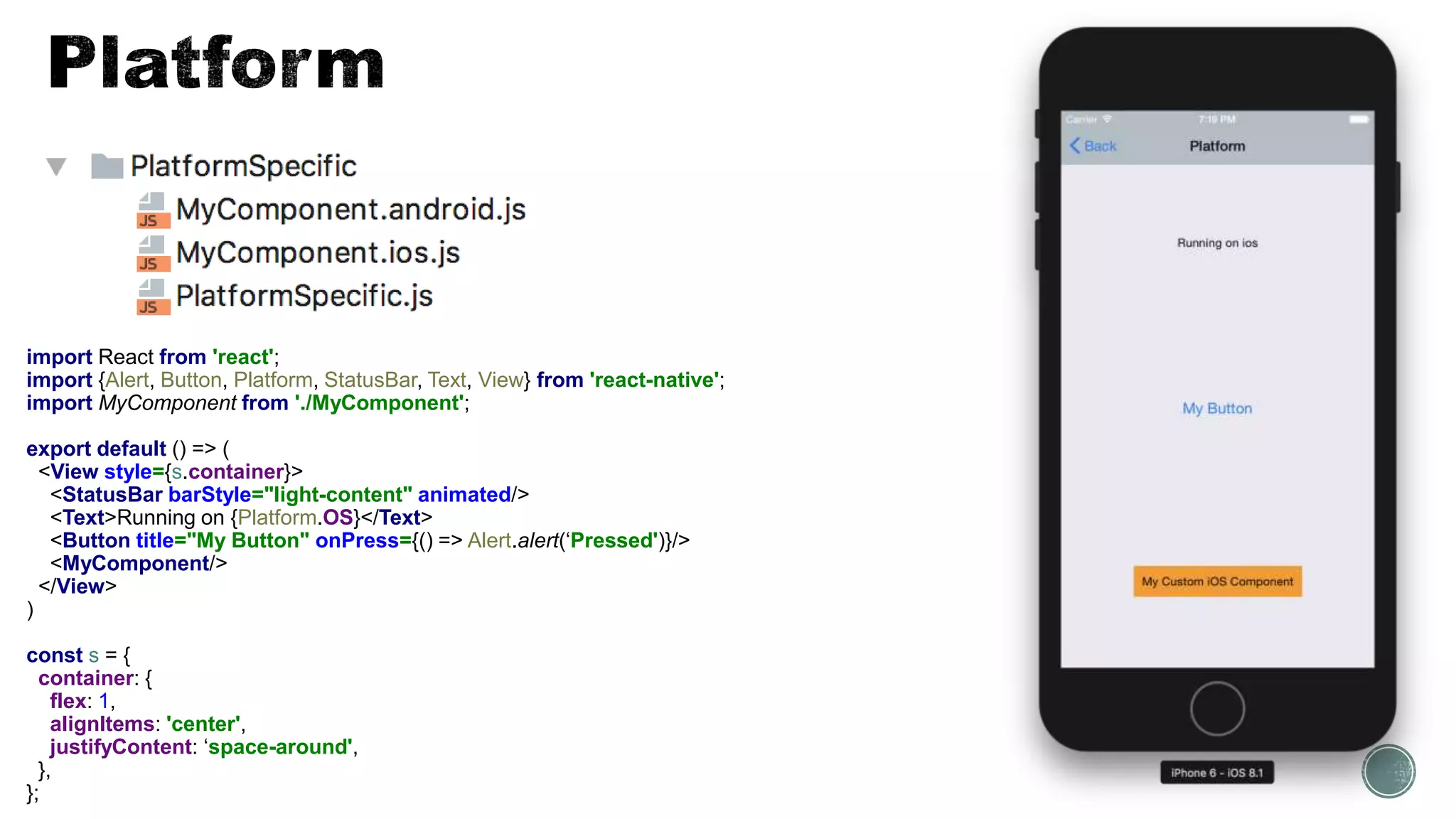
import {Alert, Button, Platform, StatusBar, Text, View} from 'react-native';
import MyComponent from './MyComponent';
export default () => (
<View style={s.container}>
<StatusBar barStyle="light-content" animated/>
<Text>Running on {Platform.OS}</Text>
<Button title="My Button" onPress={() => Alert.alert(‘Pressed')}/>
<MyComponent/>
</View>
)
const s = {
container: {
flex: 1,
alignItems: 'center',
justifyContent: ‘space-around',
},
};
export default class Animation extends React.Component {
state = {
animation: new Animated.Value(0),
};
animate = () => {
const onEnd = () => Animated.timing(this.state.animation, {toValue: 0}).start();
Animated.timing(this.state.animation, {toValue: 1}).start(onEnd);
};
render() {
const backgroundColor = this.state.animation.interpolate({
inputRange: [0, 1],
outputRange: [colors.blueGrey['900'], colors.blueGrey['200']],
});
return (
<TouchableOpacity style={s.container} onPress={this.animate}>
<Animated.View style={[s.box, {backgroundColor}]}>
<Animated.Text>Press</Animated.Text>
</Animated.View>
</TouchableOpacity>
);
}
}
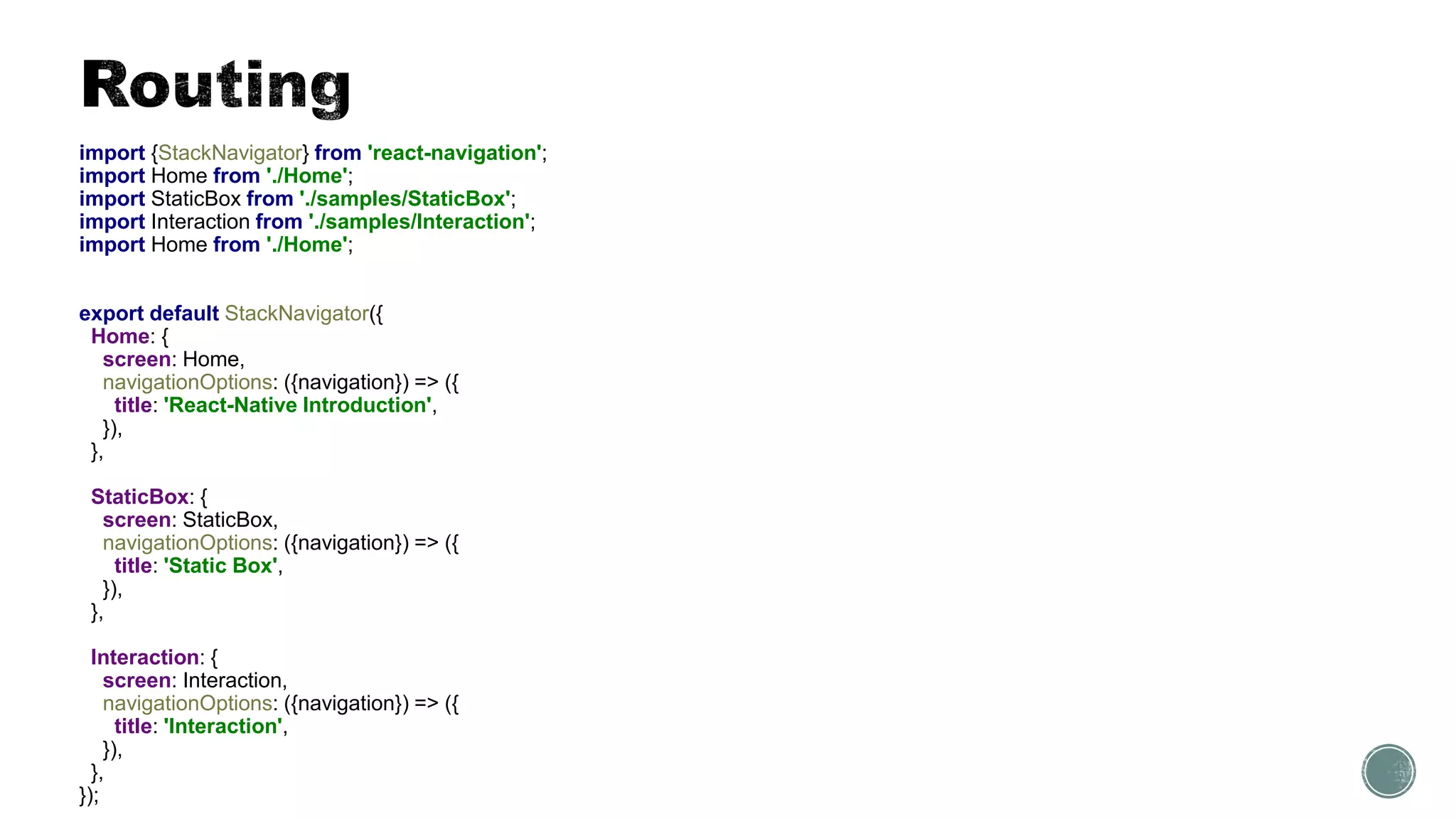
import {StackNavigator} from 'react-navigation';
import Home from './Home';
import StaticBox from './samples/StaticBox';
import Interaction from './samples/Interaction';
import Home from './Home';
export default StackNavigator({
Home: {
screen: Home,
navigationOptions: ({navigation}) => ({
title: 'React-Native Introduction',
}),
},
StaticBox: {
screen: StaticBox,
navigationOptions: ({navigation}) => ({
title: 'Static Box',
}),
},
Interaction: {
screen: Interaction,
navigationOptions: ({navigation}) => ({
title: 'Interaction',
}),
},
});
export default class Home extends React.Component {
renderSection = (backgroundColor, text, targetScreen) => (
<TouchableOpacity
style={[s.section, {backgroundColor}]}
onPress={() => this.props.navigation.navigate(targetScreen)}>
<Text style={s.title}>{text}</Text>
</TouchableOpacity>
);
render() {
return <View style={s.container}>
{this.renderSection(colors.deepPurple['500'], ’1. Layout…', 'StaticBox')}
{this.renderSection(colors.lightBlue['500'], '2. Interaction', 'Interaction')}
{/* ... */}
</View>;
}
}
const s = StyleSheet.create({
//...
section: {
flex: 1,
justifyContent: 'center',
paddingLeft: 20,
},
//...
});
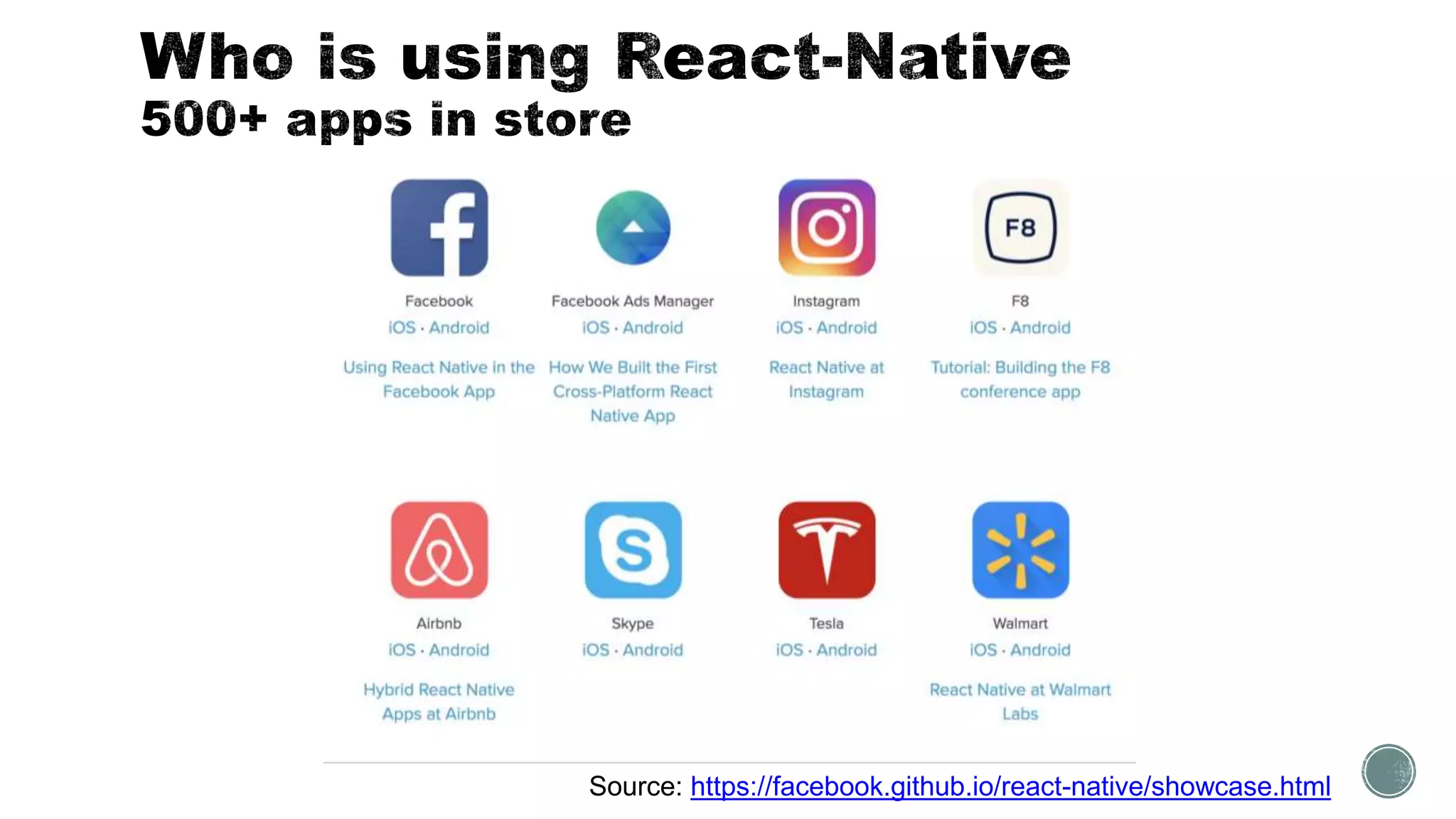
Source: https://facebook.github.io/react-native/showcase.html
 Repository for the app
 https://github.com/ilyaivanov/ReactNativeIntroduction
 Introduction to React-Native performance
 https://youtu.be/9VqVv_sVgv0
 How Airnb is using React-Native
 https://youtu.be/8qCociUB6aQ
 React-Native workshop
 https://frontendmasters.com/courses/react-native/
 Animate React Native UI Elements
 https://egghead.io/courses/animate-react-native-ui-elements
Ilya Ivanov
email: static.ila@gmail.com
slides: bit.ly/ReactNative2017

React native introduction

  • 1.
  • 2.
    Theory  Modern mobileapps  Why React-Native  Architecture Practice  Creating app  Styling  Navigation  Animation  Performance
  • 3.
  • 4.
    Progressive Web Apps React-Native More NativeLess Native Source: https://www.upwork.com/hiring/mobile/should-you-build-a-hybrid-mobile-app
  • 5.
  • 8.
     Reuse codebase Reuse mental models  “Learn once, write everywhere”  Still get a great user experience
  • 9.
  • 10.
     create-react-native-app MyApp Expo-based application  No need for XCode or Android Studio  Can only use react-native or Expo SDK API  react-native init MyApp  Done via react-native-cli  Need XCode or Android Studio  Can write or use native code
  • 11.
    import React from'react'; import {View} from 'react-native'; export default class App extends React.Component { render() { return <View style={s.container}> <View style={s.box}/> </View>; } } const s = { container: { flex: 1, justifyContent: 'center', alignItems: 'center', }, box: { height: 75, width: 75, backgroundColor: 'black', }, };
  • 12.
    export default classStaticBox extends React.Component { state = {timesClicked: 0}; onClick = () => this.setState({timesClicked: this.state.timesClicked + 1}); render() { return <View style={s.container}> <TouchableOpacity style={s.box} onPress={this.onClick}> <Text style={s.title}>{this.state.timesClicked}</Text> </TouchableOpacity> </View>; } } const s = { container: { flex: 1, justifyContent: 'center', alignItems: 'center', }, box: { height: 75, width: 75, backgroundColor: 'black', justifyContent: 'center', alignItems: 'center', }, title: { fontSize: 23, color: 'white', }, };
  • 13.
    import React from'react'; import {Alert, Button, Platform, StatusBar, Text, View} from 'react-native'; import MyComponent from './MyComponent'; export default () => ( <View style={s.container}> <StatusBar barStyle="light-content" animated/> <Text>Running on {Platform.OS}</Text> <Button title="My Button" onPress={() => Alert.alert(‘Pressed')}/> <MyComponent/> </View> ) const s = { container: { flex: 1, alignItems: 'center', justifyContent: ‘space-around', }, };
  • 14.
    export default classAnimation extends React.Component { state = { animation: new Animated.Value(0), }; animate = () => { const onEnd = () => Animated.timing(this.state.animation, {toValue: 0}).start(); Animated.timing(this.state.animation, {toValue: 1}).start(onEnd); }; render() { const backgroundColor = this.state.animation.interpolate({ inputRange: [0, 1], outputRange: [colors.blueGrey['900'], colors.blueGrey['200']], }); return ( <TouchableOpacity style={s.container} onPress={this.animate}> <Animated.View style={[s.box, {backgroundColor}]}> <Animated.Text>Press</Animated.Text> </Animated.View> </TouchableOpacity> ); } }
  • 15.
    import {StackNavigator} from'react-navigation'; import Home from './Home'; import StaticBox from './samples/StaticBox'; import Interaction from './samples/Interaction'; import Home from './Home'; export default StackNavigator({ Home: { screen: Home, navigationOptions: ({navigation}) => ({ title: 'React-Native Introduction', }), }, StaticBox: { screen: StaticBox, navigationOptions: ({navigation}) => ({ title: 'Static Box', }), }, Interaction: { screen: Interaction, navigationOptions: ({navigation}) => ({ title: 'Interaction', }), }, });
  • 16.
    export default classHome extends React.Component { renderSection = (backgroundColor, text, targetScreen) => ( <TouchableOpacity style={[s.section, {backgroundColor}]} onPress={() => this.props.navigation.navigate(targetScreen)}> <Text style={s.title}>{text}</Text> </TouchableOpacity> ); render() { return <View style={s.container}> {this.renderSection(colors.deepPurple['500'], ’1. Layout…', 'StaticBox')} {this.renderSection(colors.lightBlue['500'], '2. Interaction', 'Interaction')} {/* ... */} </View>; } } const s = StyleSheet.create({ //... section: { flex: 1, justifyContent: 'center', paddingLeft: 20, }, //... });
  • 17.
  • 18.
     Repository forthe app  https://github.com/ilyaivanov/ReactNativeIntroduction  Introduction to React-Native performance  https://youtu.be/9VqVv_sVgv0  How Airnb is using React-Native  https://youtu.be/8qCociUB6aQ  React-Native workshop  https://frontendmasters.com/courses/react-native/  Animate React Native UI Elements  https://egghead.io/courses/animate-react-native-ui-elements
  • 19.