React Hooks Best Practices in 2022
Class-based components previously had access to React capabilities like
state and lifecycle functions. For this reason, function-based
components are called “thin, or purely presentational” since they
cannot access state and lifecycle functions.
Since React Hooks was released, function-based components have
become first-class citizens of React. Moreover, some companies
offering services in React development. Also they provide dedicated
React developers for hiring who can help throughout your
development journey. New methods to compose, reuse, and share
React code has been made possible thanks to function components.
Simple Example of Hook:
import React, { useState } from 'react';
function Example() {
// Declare a new state variable, which we'll call "count"
const [count, setCount] = useState(0);
return (
<div>
You clicked {count} times
<button> setCount(count + 1)}&gt;
Click me
</button>
</div>
);
}
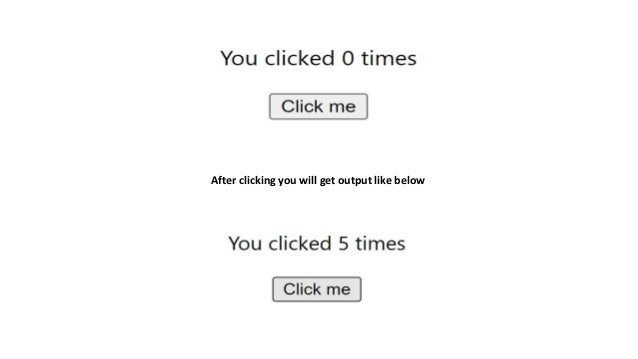
After clicking you will get output like below
1. Hooks’ Regulations Should Be Followed
Although it may seem self-evident, both novice and experienced React
developers often fail to observe the following guidelines when using
React hooks:
A. Call Hooks at the Highest Level:
Keep hooks out of loops, nested functions, and conditions. Inside the
hooks, add the conditions you wish to apply to your application.
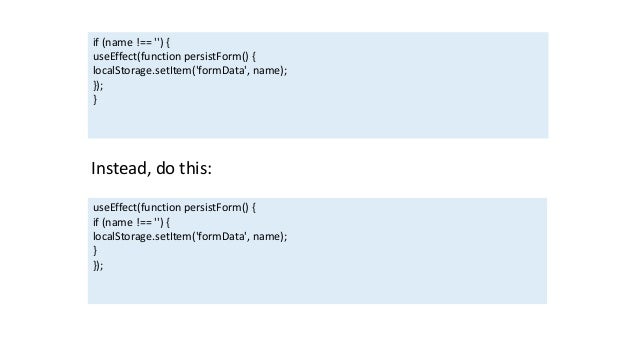
This should not be done:
if (name !== '') {
useEffect(function persistForm() {
localStorage.setItem('formData', name);
});
}
Instead, do this:
useEffect(function persistForm() {
if (name !== '') {
localStorage.setItem('formData', name);
}
});
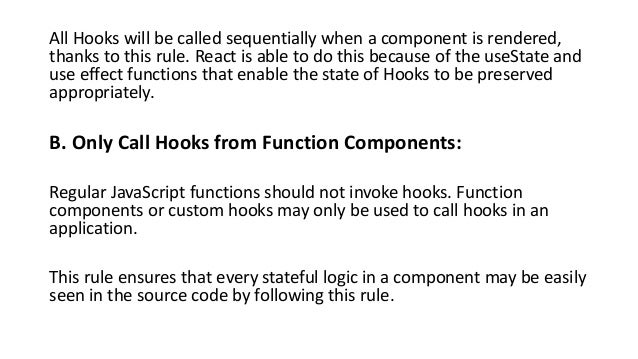
All Hooks will be called sequentially when a component is rendered,
thanks to this rule. React is able to do this because of the useState and
use effect functions that enable the state of Hooks to be preserved
appropriately.
B. Only Call Hooks from Function Components:
Regular JavaScript functions should not invoke hooks. Function
components or custom hooks may only be used to call hooks in an
application.
This rule ensures that every stateful logic in a component may be easily
seen in the source code by following this rule.
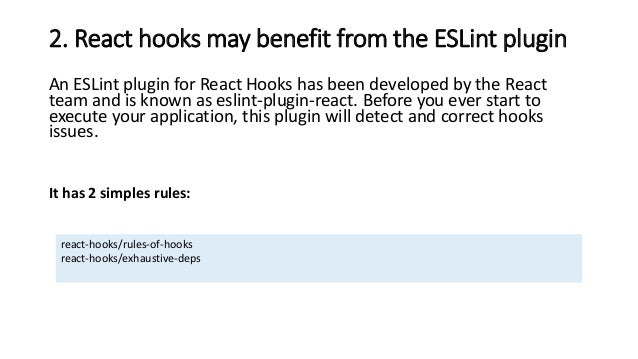
2. React hooks may benefit from the ESLint plugin
An ESLint plugin for React Hooks has been developed by the React
team and is known as eslint-plugin-react. Before you ever start to
execute your application, this plugin will detect and correct hooks
issues.
It has 2 simples rules:
react-hooks/rules-of-hooks
react-hooks/exhaustive-deps
React-hooks/rules-of-hooks:
function Form() {
// 1. Use the accountName state variable
const [accountName, setAccountName] = useState('David');
// 2. Use an effect for persisting the form
useEffect(function persistForm() {
localStorage.setItem('formData', accountName);
});
// 3. Use the accountDetail state variable
const [accountDetail, setAccountDetail] = useState('Active');
// 4. Use an effect for updating the title
useEffect(function updateStatus() {
document.title = accountName + ' ' + accountDetail;
});
}
React-hooks/exhaustive-deps:
import React, { useState } from "react";
import ReactDOM from "react-dom";
function Account(props) {
const [name, setName] = useState("David");
return;
Hello, {name}! The price is {props.total} and the total amount is {props.amount}
} ReactDOM.render( , document.getElementById('root') );
3. Building function components in order is crucial.
To get the most out of your React application, it’s important to follow
specific rules while creating class components.
Once you’ve called the function Object() { [native code] } and started
your state, you’re ready to go. The component’s job-related functions
come next, followed by the lifecycle functions. When you’re done,
you’ll need to
create the render method.
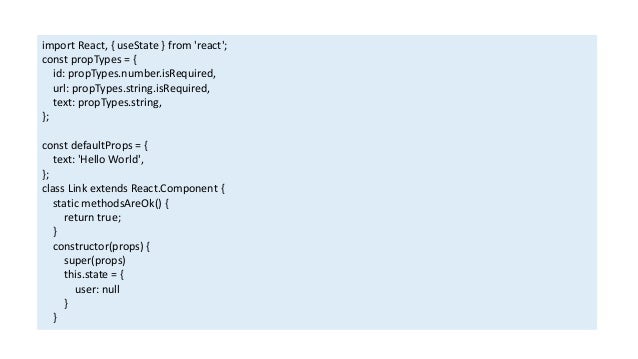
import React, { useState } from 'react';
const propTypes = {
id: propTypes.number.isRequired,
url: propTypes.string.isRequired,
text: propTypes.string,
};
const defaultProps = {
text: 'Hello World',
};
class Link extends React.Component {
static methodsAreOk() {
return true;
}
constructor(props) {
super(props)
this.state = {
user: null
}
}
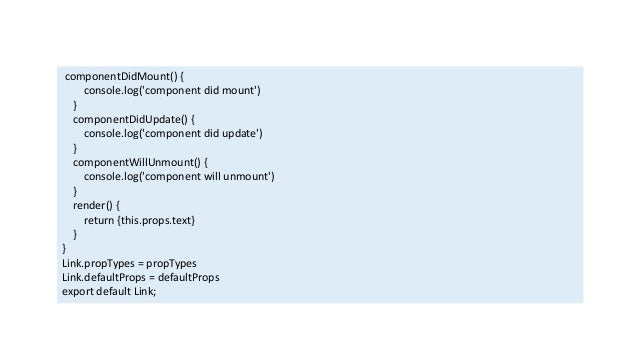
componentDidMount() {
console.log('component did mount')
}
componentDidUpdate() {
console.log('component did update')
}
componentWillUnmount() {
console.log('component will unmount')
}
render() {
return {this.props.text}
}
}
Link.propTypes = propTypes
Link.defaultProps = defaultProps
export default Link;
A class component has a built-in function Object() { [native code] } and
a lifecycle function, however function components don’t have these
features:
function App() {
const [user, setUser] = useState(null);
useEffect(() =&gt; {
console.log("component is mounted");
}, []);
const [name, setName] = useState('');
return
<h1>React component order</h1>
;
}
Like class components, it’s important to have a clear structure for your
function components. Once state variables have been declared and
subscriptions have been set up, any appropriate functions may then be
written using useEffect hook.
Finally, you should send back the rendered components to the
browser:
function App() {
const [user, setUser] = useState(null);
const [name, setName] = useState('');
useEffect(() =&gt; {
console.log("component is mounted");
}, []);
return
<h1>React component order</h1>
;
}
4. UseState works just as class component’s state
Declaring multiple variables for each state is common practice in many
useState examples.
const [name, setName] = useState('Liam Walker');
const [email, setEmail] = useState('liamwalker@email.com');
const [age, setAge] = useState(24);
However, useState is able to contain both arrays and objects. It’s still
possible to arrange relevant information together, such as in the
following example:
const [user, setUser] = useState(
{ name: 'Liam', email: 'liamwalker07@email.com', age: 24 }
);
There is, however, a catch. When the useState update function is used
to update the state, the old state is removed and the new one is used
instead. This is not the same as the this of a class component. new
state is combined with old one in setState
const [user, setUser] = useState(
{ name: 'Liam', email: 'liamwalker07@email.com', age: 24 }
);
setUser({ name: 'Lucas' });
// result { name: 'Lucas' }
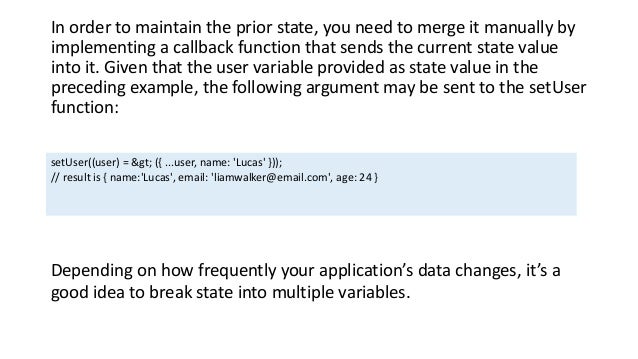
In order to maintain the prior state, you need to merge it manually by
implementing a callback function that sends the current state value
into it. Given that the user variable provided as state value in the
preceding example, the following argument may be sent to the setUser
function:
setUser((user) = &gt; ({ ...user, name: 'Lucas' }));
// result is { name:'Lucas', email: 'liamwalker@email.com', age: 24 }
Depending on how frequently your application’s data changes, it’s a
good idea to break state into multiple variables.
5. Balance Several useState Requests With a Single
Call to the API
Custom hooks may be used to share functionality across applications.
Some of your application logic will be reused across multiple
components as you create your programme.
Custom hooks allow you to separate your component’s functionality
into reusable functions as described in the next article, which is about
React Hooks.
You may publish your hooks to a single curated collection using Bit
(Github). Using this method, you may install and reuse them in many
apps. A new “hooks library” project isn’t necessary – you can just
“push” new hooks from any project to your shared collection.
Hooks can’t be used in class components, which is the main drawback
to this technique. There are a few options if you still utilize old class
components in your project: you can either turn those components
into functions or use alternative reusable logic patterns (with HOC or
Render Props)
6. Avoid prop drilling with usage
Constantly passing data down from one parent component to another
until it reaches the appropriate child component is known as context
prop drilling in React applications. Other nested components don’t
really require them.
It is possible to transfer data down via the component tree without
having to manually provide props between components using React
Context. The useContext hook allows the child components to make
use of the parent component’s React Context property.
Conclusion:
This is a fantastic addition to the React framework, allowing you to
compose, reuse, and share React code in a manner that was before
impossible. New best practices for building React Hooks are required
since Hooks alter the way developers construct React components, in
order to facilitate development and cooperation across numerous
teams.
Thank you for reading our article. Hope you enjoyed the article. Please
share your ideas with us and do let us know your questions, we are
always here to solve you problems.
Moreover, Bosc Tech has a team of React experts. Contact us for any
need in React development. Do let us know your queries!!!
Content Resource: https://bosctechlabs.com/react-hooks-best-
practices-2022/

React Hooks Best Practices in 2022.pptx

  • 2.
    React Hooks BestPractices in 2022 Class-based components previously had access to React capabilities like state and lifecycle functions. For this reason, function-based components are called “thin, or purely presentational” since they cannot access state and lifecycle functions. Since React Hooks was released, function-based components have become first-class citizens of React. Moreover, some companies offering services in React development. Also they provide dedicated React developers for hiring who can help throughout your development journey. New methods to compose, reuse, and share React code has been made possible thanks to function components.
  • 3.
    Simple Example ofHook: import React, { useState } from 'react'; function Example() { // Declare a new state variable, which we'll call "count" const [count, setCount] = useState(0); return ( <div> You clicked {count} times <button> setCount(count + 1)}&gt; Click me </button> </div> ); }
  • 4.
    After clicking youwill get output like below
  • 5.
    1. Hooks’ RegulationsShould Be Followed Although it may seem self-evident, both novice and experienced React developers often fail to observe the following guidelines when using React hooks: A. Call Hooks at the Highest Level: Keep hooks out of loops, nested functions, and conditions. Inside the hooks, add the conditions you wish to apply to your application. This should not be done:
  • 6.
    if (name !=='') { useEffect(function persistForm() { localStorage.setItem('formData', name); }); } Instead, do this: useEffect(function persistForm() { if (name !== '') { localStorage.setItem('formData', name); } });
  • 7.
    All Hooks willbe called sequentially when a component is rendered, thanks to this rule. React is able to do this because of the useState and use effect functions that enable the state of Hooks to be preserved appropriately. B. Only Call Hooks from Function Components: Regular JavaScript functions should not invoke hooks. Function components or custom hooks may only be used to call hooks in an application. This rule ensures that every stateful logic in a component may be easily seen in the source code by following this rule.
  • 8.
    2. React hooksmay benefit from the ESLint plugin An ESLint plugin for React Hooks has been developed by the React team and is known as eslint-plugin-react. Before you ever start to execute your application, this plugin will detect and correct hooks issues. It has 2 simples rules: react-hooks/rules-of-hooks react-hooks/exhaustive-deps
  • 9.
    React-hooks/rules-of-hooks: function Form() { //1. Use the accountName state variable const [accountName, setAccountName] = useState('David'); // 2. Use an effect for persisting the form useEffect(function persistForm() { localStorage.setItem('formData', accountName); }); // 3. Use the accountDetail state variable const [accountDetail, setAccountDetail] = useState('Active'); // 4. Use an effect for updating the title useEffect(function updateStatus() { document.title = accountName + ' ' + accountDetail; }); }
  • 10.
    React-hooks/exhaustive-deps: import React, {useState } from "react"; import ReactDOM from "react-dom"; function Account(props) { const [name, setName] = useState("David"); return; Hello, {name}! The price is {props.total} and the total amount is {props.amount} } ReactDOM.render( , document.getElementById('root') );
  • 11.
    3. Building functioncomponents in order is crucial. To get the most out of your React application, it’s important to follow specific rules while creating class components. Once you’ve called the function Object() { [native code] } and started your state, you’re ready to go. The component’s job-related functions come next, followed by the lifecycle functions. When you’re done, you’ll need to create the render method.
  • 12.
    import React, {useState } from 'react'; const propTypes = { id: propTypes.number.isRequired, url: propTypes.string.isRequired, text: propTypes.string, }; const defaultProps = { text: 'Hello World', }; class Link extends React.Component { static methodsAreOk() { return true; } constructor(props) { super(props) this.state = { user: null } }
  • 13.
    componentDidMount() { console.log('component didmount') } componentDidUpdate() { console.log('component did update') } componentWillUnmount() { console.log('component will unmount') } render() { return {this.props.text} } } Link.propTypes = propTypes Link.defaultProps = defaultProps export default Link;
  • 14.
    A class componenthas a built-in function Object() { [native code] } and a lifecycle function, however function components don’t have these features: function App() { const [user, setUser] = useState(null); useEffect(() =&gt; { console.log("component is mounted"); }, []); const [name, setName] = useState(''); return <h1>React component order</h1> ; }
  • 15.
    Like class components,it’s important to have a clear structure for your function components. Once state variables have been declared and subscriptions have been set up, any appropriate functions may then be written using useEffect hook. Finally, you should send back the rendered components to the browser: function App() { const [user, setUser] = useState(null); const [name, setName] = useState(''); useEffect(() =&gt; { console.log("component is mounted"); }, []); return <h1>React component order</h1> ; }
  • 16.
    4. UseState worksjust as class component’s state Declaring multiple variables for each state is common practice in many useState examples. const [name, setName] = useState('Liam Walker'); const [email, setEmail] = useState('liamwalker@email.com'); const [age, setAge] = useState(24); However, useState is able to contain both arrays and objects. It’s still possible to arrange relevant information together, such as in the following example:
  • 17.
    const [user, setUser]= useState( { name: 'Liam', email: 'liamwalker07@email.com', age: 24 } ); There is, however, a catch. When the useState update function is used to update the state, the old state is removed and the new one is used instead. This is not the same as the this of a class component. new state is combined with old one in setState const [user, setUser] = useState( { name: 'Liam', email: 'liamwalker07@email.com', age: 24 } ); setUser({ name: 'Lucas' }); // result { name: 'Lucas' }
  • 18.
    In order tomaintain the prior state, you need to merge it manually by implementing a callback function that sends the current state value into it. Given that the user variable provided as state value in the preceding example, the following argument may be sent to the setUser function: setUser((user) = &gt; ({ ...user, name: 'Lucas' })); // result is { name:'Lucas', email: 'liamwalker@email.com', age: 24 } Depending on how frequently your application’s data changes, it’s a good idea to break state into multiple variables.
  • 19.
    5. Balance SeveraluseState Requests With a Single Call to the API Custom hooks may be used to share functionality across applications. Some of your application logic will be reused across multiple components as you create your programme. Custom hooks allow you to separate your component’s functionality into reusable functions as described in the next article, which is about React Hooks.
  • 20.
    You may publishyour hooks to a single curated collection using Bit (Github). Using this method, you may install and reuse them in many apps. A new “hooks library” project isn’t necessary – you can just “push” new hooks from any project to your shared collection. Hooks can’t be used in class components, which is the main drawback to this technique. There are a few options if you still utilize old class components in your project: you can either turn those components into functions or use alternative reusable logic patterns (with HOC or Render Props)
  • 21.
    6. Avoid propdrilling with usage Constantly passing data down from one parent component to another until it reaches the appropriate child component is known as context prop drilling in React applications. Other nested components don’t really require them. It is possible to transfer data down via the component tree without having to manually provide props between components using React Context. The useContext hook allows the child components to make use of the parent component’s React Context property.
  • 22.
    Conclusion: This is afantastic addition to the React framework, allowing you to compose, reuse, and share React code in a manner that was before impossible. New best practices for building React Hooks are required since Hooks alter the way developers construct React components, in order to facilitate development and cooperation across numerous teams.
  • 23.
    Thank you forreading our article. Hope you enjoyed the article. Please share your ideas with us and do let us know your questions, we are always here to solve you problems. Moreover, Bosc Tech has a team of React experts. Contact us for any need in React development. Do let us know your queries!!! Content Resource: https://bosctechlabs.com/react-hooks-best- practices-2022/