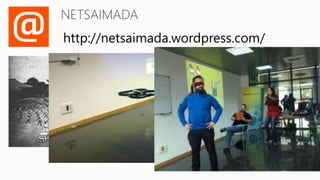
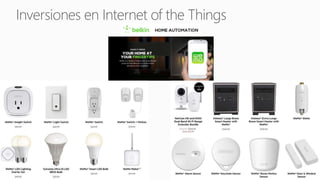
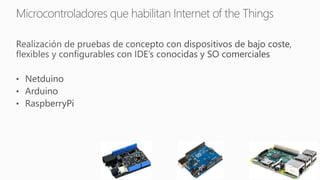



http://netsaimada.wordpress.com/
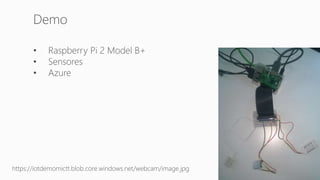
http://www.raspberrypi.org/documentation/usage/webcams/
README.md
4. GPIO Setup ????
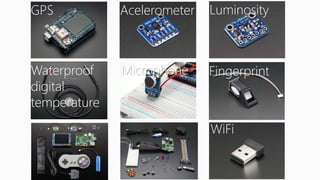
GPS Acelerometer Luminosity
Waterproof
digital
temperature
Microphone Fingerprint
WiFi
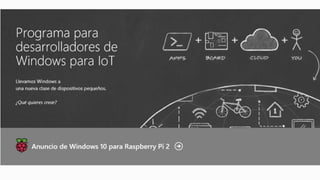
RaspberryPi: Tu dispositivo para IoT

Editor's Notes

  • #14 Las demos de Raspberry no vienen compiladas. Primero hay que ejecutar un script y compilar las demos. Mostrar la carpeta donde hay las demos: cd /opt/vc/src/hello_pi $ y ejectura ls para mostrar los ficheros que hay. Ejecutar cd hello_world Ejecutar ./helloworld_bin Mostrar resultado Hacer lo mismo con Hello_video
  • #35 Azure ioT Services: http://download.microsoft.com/download/F/B/0/FB093814-BECE-4B54-A898-F7B66CCAF8AF/Get_started_with_the_Internet_of_Things.pdf
  • #36 Azure ioT Services: http://download.microsoft.com/download/F/B/0/FB093814-BECE-4B54-A898-F7B66CCAF8AF/Get_started_with_the_Internet_of_Things.pdf
  • #37 Azure ioT Services: http://download.microsoft.com/download/F/B/0/FB093814-BECE-4B54-A898-F7B66CCAF8AF/Get_started_with_the_Internet_of_Things.pdf
  • #40 Azure ioT Services: http://download.microsoft.com/download/F/B/0/FB093814-BECE-4B54-A898-F7B66CCAF8AF/Get_started_with_the_Internet_of_Things.pdf
  • #41 Azure ioT Services: http://download.microsoft.com/download/F/B/0/FB093814-BECE-4B54-A898-F7B66CCAF8AF/Get_started_with_the_Internet_of_Things.pdf
  • #42 Azure ioT Services: http://download.microsoft.com/download/F/B/0/FB093814-BECE-4B54-A898-F7B66CCAF8AF/Get_started_with_the_Internet_of_Things.pdf
  • #43 Azure ioT Services: http://download.microsoft.com/download/F/B/0/FB093814-BECE-4B54-A898-F7B66CCAF8AF/Get_started_with_the_Internet_of_Things.pdf
  • #44 Azure ioT Services: http://download.microsoft.com/download/F/B/0/FB093814-BECE-4B54-A898-F7B66CCAF8AF/Get_started_with_the_Internet_of_Things.pdf
  • #46 Azure ioT Services: http://download.microsoft.com/download/F/B/0/FB093814-BECE-4B54-A898-F7B66CCAF8AF/Get_started_with_the_Internet_of_Things.pdf
  • #47 Azure ioT Services: http://download.microsoft.com/download/F/B/0/FB093814-BECE-4B54-A898-F7B66CCAF8AF/Get_started_with_the_Internet_of_Things.pdf
  • #48 Azure ioT Services: http://download.microsoft.com/download/F/B/0/FB093814-BECE-4B54-A898-F7B66CCAF8AF/Get_started_with_the_Internet_of_Things.pdf
  • #49 Azure ioT Services: http://download.microsoft.com/download/F/B/0/FB093814-BECE-4B54-A898-F7B66CCAF8AF/Get_started_with_the_Internet_of_Things.pdf
  • #50 Azure ioT Services: http://download.microsoft.com/download/F/B/0/FB093814-BECE-4B54-A898-F7B66CCAF8AF/Get_started_with_the_Internet_of_Things.pdf
  • #51 Azure ioT Services: http://download.microsoft.com/download/F/B/0/FB093814-BECE-4B54-A898-F7B66CCAF8AF/Get_started_with_the_Internet_of_Things.pdf
  • #52 Azure ioT Services: http://download.microsoft.com/download/F/B/0/FB093814-BECE-4B54-A898-F7B66CCAF8AF/Get_started_with_the_Internet_of_Things.pdf
  • #53 Azure ioT Services: http://download.microsoft.com/download/F/B/0/FB093814-BECE-4B54-A898-F7B66CCAF8AF/Get_started_with_the_Internet_of_Things.pdf
  • #54 Azure ioT Services: http://download.microsoft.com/download/F/B/0/FB093814-BECE-4B54-A898-F7B66CCAF8AF/Get_started_with_the_Internet_of_Things.pdf
  • #56 Ejecutamos “sudo su” para ir al root de Linux con todos los permisos, lo que nos permitirá acceder a los pines Ejecutamos “Python SensorAndHumidity.py”
  • #57 Ejecutamos “python DoorControl.py”
  • #58 Ejecutamos “python DoorControl.py”