RamDisk
‫دخت‬ ‫اسمعیل‬ ‫یاشار‬ ‫دهنده‬ ‫ارایه‬:
biography
My name is : yashar esmaildokht
I am Gnu/Linux/UNIX Sys Admin & Oracle Dba
my tel : 09141100257
my resume :http://www.nofa.ir/Resume-royaflash.aspx
website :
● http://unixmen.ir
● http://oraclegeek.ir
● http://iranfoss.ir
my nick name : royaflash
What is RAMDisk?
● RAMDisk is a program that takes a portion of your system
memory and uses it as a disk drive. The more RAM your
computer has, the larger the RAMDisk you can create.
The Linux kernel version 2.4 has built-in support for
ramdisks. Ramdisks are useful for a number of things,
including:
RamDisk
Most users use RAMDisk to speed up applications like:
- Games
- Browser cache for faster web surfing
- Audio and Video editing
- CAD programs
- Software compilers
- Databases
- Speeding up CD duplication
- SETI processing
- TEMP files
- Swap space
- Web server cache
- Security - all information can be wiped upon power loss or shutdown
- Custom applications with high I/O, high bandwidth, or high security
requirement
How make
● Create special file with mknod
● Create owner of file
● Create space im memory
● Create file system
● Mounting
Red Hat creates 16 ramdisks by default, although they are
not "active" or using any RAM. It lists devices ram0 - ram
19, but only ram0 - ram15 are usable by default. To check
these block devices out, use the following command:
●
● [root]# ls -l /dev/ram*
●
●
Now, grep through dmesg output to find out what size the
ramdisks are:
● [root]# dmesg | grep RAMDISK
RAMDISK driver initialized: 16 RAM disks of 4096K size
1024 blocksize
RAMDISK: Compressed image found at block 0
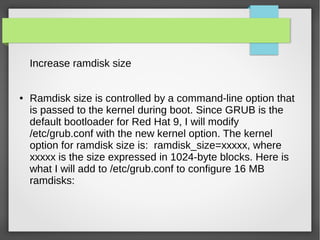
Increase ramdisk size
● Ramdisk size is controlled by a command-line option that
is passed to the kernel during boot. Since GRUB is the
default bootloader for Red Hat 9, I will modify
/etc/grub.conf with the new kernel option. The kernel
option for ramdisk size is: ramdisk_size=xxxxx, where
xxxxx is the size expressed in 1024-byte blocks. Here is
what I will add to /etc/grub.conf to configure 16 MB
ramdisks:
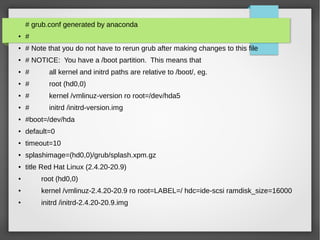
# grub.conf generated by anaconda
● #
● # Note that you do not have to rerun grub after making changes to this file
● # NOTICE: You have a /boot partition. This means that
● # all kernel and initrd paths are relative to /boot/, eg.
● # root (hd0,0)
● # kernel /vmlinuz-version ro root=/dev/hda5
● # initrd /initrd-version.img
● #boot=/dev/hda
● default=0
● timeout=10
● splashimage=(hd0,0)/grub/splash.xpm.gz
● title Red Hat Linux (2.4.20-20.9)
● root (hd0,0)
● kernel /vmlinuz-2.4.20-20.9 ro root=LABEL=/ hdc=ide-scsi ramdisk_size=16000
●
initrd /initrd-2.4.20-20.9.img
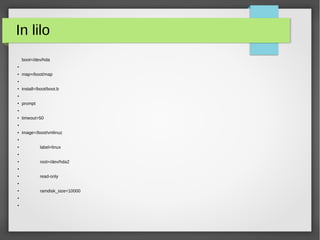
In lilo
boot=/dev/hda
●
● map=/boot/map
●
●
install=/boot/boot.b
●
●
prompt
●
● timeout=50
●
●
image=/boot/vmlinuz
●
●
label=linux
●
●
root=/dev/hda2
●
●
read-only
●
●
ramdisk_size=10000
●
●
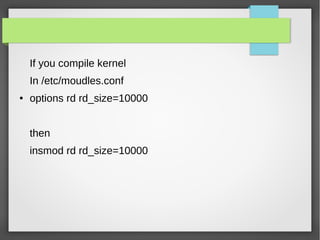
If you compile kernel
In /etc/moudles.conf
● options rd rd_size=10000
then
insmod rd rd_size=10000
Once you save the file, you will need to reboot your
system. After the reboot, a look at the dmesg output
should confirm the change has taken effect:
● [root]# dmesg | grep RAMDISK
RAMDISK driver initialized: 16 RAM disks of 16000K size
1024 blocksize
RAMDISK: Compressed image found at block 0
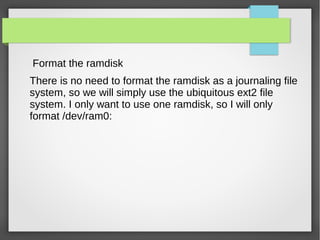
Format the ramdisk
There is no need to format the ramdisk as a journaling file
system, so we will simply use the ubiquitous ext2 file
system. I only want to use one ramdisk, so I will only
format /dev/ram0:
[root]# mke2fs -m 0 /dev/ram0
●
mke2fs 1.32 (09-Nov-2002)
●
Filesystem label=
●
OS type: Linux
●
Block size=1024 (log=0)
● Fragment size=1024 (log=0)
● 4000 inodes, 16000 blocks
●
0 blocks (0.00%) reserved for the super user
●
First data block=1
●
.
● .
●
●
180 days, whichever comes first. Use tune2fs -c or -i to override.
●
●
● Create a mount point and mount
the ramdisk
Now that you have formatted the ramdisk, you must create
a mount point for it. Then you can mount your ramdisk and
use it. We will use the directory /mnt/rd for this operation.
[root]# mkdir /mnt/rd
[root]# mount /dev/ram0 /mnt/rd
Now verify the new ramdisk mount:
[root]# mount | grep ram0
/dev/ram0 on /mnt/rd type ext2 (rw)
[root]# df -h | grep ram0
/dev/ram0 16M 13K 16M 1% /mnt/rd
You can even take a detailed look
at the new ramdisk with the tune2fs
command:
[root]# tune2fs -l /dev/ram0
●
tune2fs 1.32 (09-Nov-2002)
●
Filesystem volume name: none
●
Last mounted on: not available
● Filesystem UUID: fbb80e9a-8e7c-4bd4-b3d9-37c29813a5f5
● Filesystem magic number: 0xEF53
●
Filesystem revision #: 1 (dynamic)
●
Filesystem features: filetype sparse_super
●
Default mount options: (none)
● Filesystem state: not clean
● Errors behavior: Continue
●
Filesystem OS type: Linux
In my case, I need the user "van" to be able to read and
write to the ramdisk, so I must change the ownership and
permissions of the /mnt/rd directory:
[root]# chown van:root /mnt/rd
[root]# chmod 0770 /mnt/rd
[root]# ls -ald /mnt/rd
drwxrwx--- 2 van root 4096 Dec 8 11:09 /mnt/rd
:
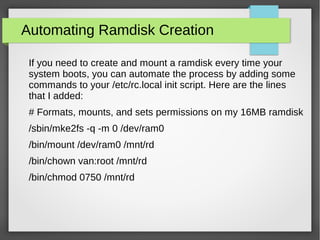
Automating Ramdisk Creation
If you need to create and mount a ramdisk every time your
system boots, you can automate the process by adding some
commands to your /etc/rc.local init script. Here are the lines
that I added:
# Formats, mounts, and sets permissions on my 16MB ramdisk
/sbin/mke2fs -q -m 0 /dev/ram0
/bin/mount /dev/ram0 /mnt/rd
/bin/chown van:root /mnt/rd
/bin/chmod 0750 /mnt/rd
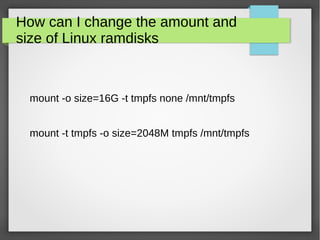
How can I change the amount and
size of Linux ramdisks
mount -o size=16G -t tmpfs none /mnt/tmpfs
mount -t tmpfs -o size=2048M tmpfs /mnt/tmpfs
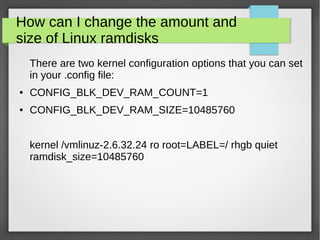
How can I change the amount and
size of Linux ramdisks
There are two kernel configuration options that you can set
in your .config file:
● CONFIG_BLK_DEV_RAM_COUNT=1
● CONFIG_BLK_DEV_RAM_SIZE=10485760
kernel /vmlinuz-2.6.32.24 ro root=LABEL=/ rhgb quiet
ramdisk_size=10485760
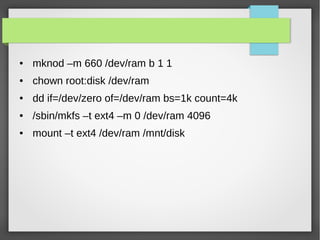
● mknod –m 660 /dev/ram b 1 1
● chown root:disk /dev/ram
● dd if=/dev/zero of=/dev/ram bs=1k count=4k
● /sbin/mkfs –t ext4 –m 0 /dev/ram 4096
● mount –t ext4 /dev/ram /mnt/disk
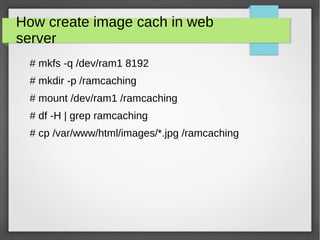
How create image cach in web
server
# mkfs -q /dev/ram1 8192
# mkdir -p /ramcaching
# mount /dev/ram1 /ramcaching
# df -H | grep ramcaching
# cp /var/www/html/images/*.jpg /ramcaching
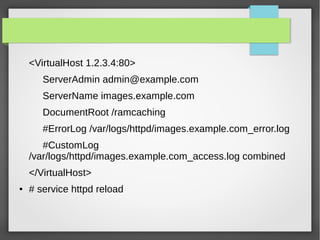
<VirtualHost 1.2.3.4:80>
ServerAdmin admin@example.com
ServerName images.example.com
DocumentRoot /ramcaching
#ErrorLog /var/logs/httpd/images.example.com_error.log
#CustomLog
/var/logs/httpd/images.example.com_access.log combined
</VirtualHost>
● # service httpd reload
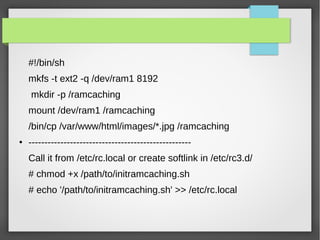
#!/bin/sh
mkfs -t ext2 -q /dev/ram1 8192
mkdir -p /ramcaching
mount /dev/ram1 /ramcaching
/bin/cp /var/www/html/images/*.jpg /ramcaching
● ---------------------------------------------------
Call it from /etc/rc.local or create softlink in /etc/rc3.d/
# chmod +x /path/to/initramcaching.sh
# echo '/path/to/initramcaching.sh' >> /etc/rc.local
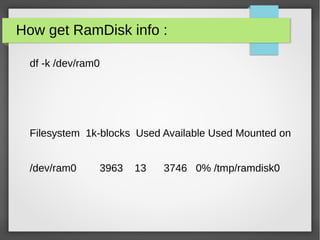
How get RamDisk info :
df -k /dev/ram0
Filesystem 1k-blocks Used Available Used Mounted on
/dev/ram0 3963 13 3746 0% /tmp/ramdisk0
Questions
?

RamDisk

  • 1.
  • 2.
    biography My name is: yashar esmaildokht I am Gnu/Linux/UNIX Sys Admin & Oracle Dba my tel : 09141100257 my resume :http://www.nofa.ir/Resume-royaflash.aspx website : ● http://unixmen.ir ● http://oraclegeek.ir ● http://iranfoss.ir my nick name : royaflash
  • 3.
    What is RAMDisk? ●RAMDisk is a program that takes a portion of your system memory and uses it as a disk drive. The more RAM your computer has, the larger the RAMDisk you can create. The Linux kernel version 2.4 has built-in support for ramdisks. Ramdisks are useful for a number of things, including:
  • 4.
    RamDisk Most users useRAMDisk to speed up applications like: - Games - Browser cache for faster web surfing - Audio and Video editing - CAD programs - Software compilers
  • 5.
    - Databases - Speedingup CD duplication - SETI processing - TEMP files - Swap space - Web server cache - Security - all information can be wiped upon power loss or shutdown - Custom applications with high I/O, high bandwidth, or high security requirement
  • 6.
    How make ● Createspecial file with mknod ● Create owner of file ● Create space im memory ● Create file system ● Mounting
  • 7.
    Red Hat creates16 ramdisks by default, although they are not "active" or using any RAM. It lists devices ram0 - ram 19, but only ram0 - ram15 are usable by default. To check these block devices out, use the following command: ● ● [root]# ls -l /dev/ram* ● ●
  • 8.
    Now, grep throughdmesg output to find out what size the ramdisks are: ● [root]# dmesg | grep RAMDISK RAMDISK driver initialized: 16 RAM disks of 4096K size 1024 blocksize RAMDISK: Compressed image found at block 0
  • 9.
    Increase ramdisk size ●Ramdisk size is controlled by a command-line option that is passed to the kernel during boot. Since GRUB is the default bootloader for Red Hat 9, I will modify /etc/grub.conf with the new kernel option. The kernel option for ramdisk size is: ramdisk_size=xxxxx, where xxxxx is the size expressed in 1024-byte blocks. Here is what I will add to /etc/grub.conf to configure 16 MB ramdisks:
  • 10.
    # grub.conf generatedby anaconda ● # ● # Note that you do not have to rerun grub after making changes to this file ● # NOTICE: You have a /boot partition. This means that ● # all kernel and initrd paths are relative to /boot/, eg. ● # root (hd0,0) ● # kernel /vmlinuz-version ro root=/dev/hda5 ● # initrd /initrd-version.img ● #boot=/dev/hda ● default=0 ● timeout=10 ● splashimage=(hd0,0)/grub/splash.xpm.gz ● title Red Hat Linux (2.4.20-20.9) ● root (hd0,0) ● kernel /vmlinuz-2.4.20-20.9 ro root=LABEL=/ hdc=ide-scsi ramdisk_size=16000 ● initrd /initrd-2.4.20-20.9.img
  • 11.
    In lilo boot=/dev/hda ● ● map=/boot/map ● ● install=/boot/boot.b ● ● prompt ● ●timeout=50 ● ● image=/boot/vmlinuz ● ● label=linux ● ● root=/dev/hda2 ● ● read-only ● ● ramdisk_size=10000 ● ●
  • 12.
    If you compilekernel In /etc/moudles.conf ● options rd rd_size=10000 then insmod rd rd_size=10000
  • 13.
    Once you savethe file, you will need to reboot your system. After the reboot, a look at the dmesg output should confirm the change has taken effect: ● [root]# dmesg | grep RAMDISK RAMDISK driver initialized: 16 RAM disks of 16000K size 1024 blocksize RAMDISK: Compressed image found at block 0
  • 14.
    Format the ramdisk Thereis no need to format the ramdisk as a journaling file system, so we will simply use the ubiquitous ext2 file system. I only want to use one ramdisk, so I will only format /dev/ram0:
  • 15.
    [root]# mke2fs -m0 /dev/ram0 ● mke2fs 1.32 (09-Nov-2002) ● Filesystem label= ● OS type: Linux ● Block size=1024 (log=0) ● Fragment size=1024 (log=0) ● 4000 inodes, 16000 blocks ● 0 blocks (0.00%) reserved for the super user ● First data block=1 ● . ● . ● ● 180 days, whichever comes first. Use tune2fs -c or -i to override. ● ●
  • 16.
    ● Create amount point and mount the ramdisk Now that you have formatted the ramdisk, you must create a mount point for it. Then you can mount your ramdisk and use it. We will use the directory /mnt/rd for this operation. [root]# mkdir /mnt/rd [root]# mount /dev/ram0 /mnt/rd
  • 17.
    Now verify thenew ramdisk mount: [root]# mount | grep ram0 /dev/ram0 on /mnt/rd type ext2 (rw) [root]# df -h | grep ram0 /dev/ram0 16M 13K 16M 1% /mnt/rd
  • 18.
    You can eventake a detailed look at the new ramdisk with the tune2fs command: [root]# tune2fs -l /dev/ram0 ● tune2fs 1.32 (09-Nov-2002) ● Filesystem volume name: none ● Last mounted on: not available ● Filesystem UUID: fbb80e9a-8e7c-4bd4-b3d9-37c29813a5f5 ● Filesystem magic number: 0xEF53 ● Filesystem revision #: 1 (dynamic) ● Filesystem features: filetype sparse_super ● Default mount options: (none) ● Filesystem state: not clean ● Errors behavior: Continue ● Filesystem OS type: Linux
  • 19.
    In my case,I need the user "van" to be able to read and write to the ramdisk, so I must change the ownership and permissions of the /mnt/rd directory: [root]# chown van:root /mnt/rd [root]# chmod 0770 /mnt/rd [root]# ls -ald /mnt/rd drwxrwx--- 2 van root 4096 Dec 8 11:09 /mnt/rd :
  • 20.
    Automating Ramdisk Creation Ifyou need to create and mount a ramdisk every time your system boots, you can automate the process by adding some commands to your /etc/rc.local init script. Here are the lines that I added: # Formats, mounts, and sets permissions on my 16MB ramdisk /sbin/mke2fs -q -m 0 /dev/ram0 /bin/mount /dev/ram0 /mnt/rd /bin/chown van:root /mnt/rd /bin/chmod 0750 /mnt/rd
  • 21.
    How can Ichange the amount and size of Linux ramdisks mount -o size=16G -t tmpfs none /mnt/tmpfs mount -t tmpfs -o size=2048M tmpfs /mnt/tmpfs
  • 22.
    How can Ichange the amount and size of Linux ramdisks There are two kernel configuration options that you can set in your .config file: ● CONFIG_BLK_DEV_RAM_COUNT=1 ● CONFIG_BLK_DEV_RAM_SIZE=10485760 kernel /vmlinuz-2.6.32.24 ro root=LABEL=/ rhgb quiet ramdisk_size=10485760
  • 23.
    ● mknod –m660 /dev/ram b 1 1 ● chown root:disk /dev/ram ● dd if=/dev/zero of=/dev/ram bs=1k count=4k ● /sbin/mkfs –t ext4 –m 0 /dev/ram 4096 ● mount –t ext4 /dev/ram /mnt/disk
  • 24.
    How create imagecach in web server # mkfs -q /dev/ram1 8192 # mkdir -p /ramcaching # mount /dev/ram1 /ramcaching # df -H | grep ramcaching # cp /var/www/html/images/*.jpg /ramcaching
  • 25.
    <VirtualHost 1.2.3.4:80> ServerAdmin admin@example.com ServerNameimages.example.com DocumentRoot /ramcaching #ErrorLog /var/logs/httpd/images.example.com_error.log #CustomLog /var/logs/httpd/images.example.com_access.log combined </VirtualHost> ● # service httpd reload
  • 26.
    #!/bin/sh mkfs -t ext2-q /dev/ram1 8192 mkdir -p /ramcaching mount /dev/ram1 /ramcaching /bin/cp /var/www/html/images/*.jpg /ramcaching ● --------------------------------------------------- Call it from /etc/rc.local or create softlink in /etc/rc3.d/ # chmod +x /path/to/initramcaching.sh # echo '/path/to/initramcaching.sh' >> /etc/rc.local
  • 27.
    How get RamDiskinfo : df -k /dev/ram0 Filesystem 1k-blocks Used Available Used Mounted on /dev/ram0 3963 13 3746 0% /tmp/ramdisk0
  • 28.