
ROBOTICS AUTOMATION & INTERNET OF THINGS
A report by RAIOT- Robotics Automation & Internet of Things Lab
Department of CSE/IT,ASET,Amity University Rajasthan
ROBOTICS AUTOMATION & INTERNET OF THINGS
INTRODUCTION
RAIOT- Robotics Automation & Internet of Things Lab include projects which allows the students
to integrate and apply their knowledge in the design, construction and testing of a real system.
At one extreme, these projects can be free-form. The students think of an original device and
then deal with all aspects of engineering development from parts procurement to final testing of
the full-up system. At the other end of the spectrum students are given prebuilt systems and
must program them to perform certain task(s). These often take the form of small mobile robots
that are run in a contest of some sort at the end of the semester. One of the biggest takeaways
from robotics lab is how it is possible to discover ways to interface with almost any type of
hardware. Some of the other things that we learn here is to be able to accomplish a higher-level
task based completely on the basic knowledge and research. This gives an added advantage to
the students to develop their programming skills and practical knowledge which will help them
reach pinnacles in their academics.
The RAIOT Lab is a campus hub focused on learning, research and hands-on experimentation
to discover and demonstrate the promise of the Robotics and Internet of Things.
The Internet of Things Lab serves as an exciting multidisciplinary learning and research “sandbox”
as well as a thought-leadership and innovation showcase to explore, experience, and extend
cutting-edge technologies and use-cases. We are investigating a variety of emerging devices and
technologies (involving smart sensing, pervasive connectivity, virtual interfaces and ubiquitous
computing), and their potential applications in consumer, retail, healthcare and industrial
contexts
The Robotics Automation and Internet of Things will transform the way we live, work, and play.
The RAIOT Lab came into existence and became a vital part of Amity University Rajasthan on
21st January ,2017. Prof. Dr. D. D. Shukla , Director , ASET and Dr. Tarun Kumar Sharma , Head
of Department , CSE/IT-ASET inaugurated the lab on 8th Convocation. Under the conduct of this
lab lies great effort and support of our faculty coordinators Prof.Preeti Gupta,,Prof. Anil Saroliya
and Prof. Jitendra Rajpurohit.
The list of projects that we are working on is as follows:
During the laboratory sessions, we work in teams of two to three students. It is desired that each
team contain members with different skills, for an equal distribution of forces. Team members
equally contribute to the lab sessions, reports and final competition. Students in each team share
the responsibility of maintaining and returning the hardware in their original form. The Team has
so far done a great job and is in the run to bring a revolution.
ROBOTICS AUTOMATION & INTERNET OF THINGS
Robotics
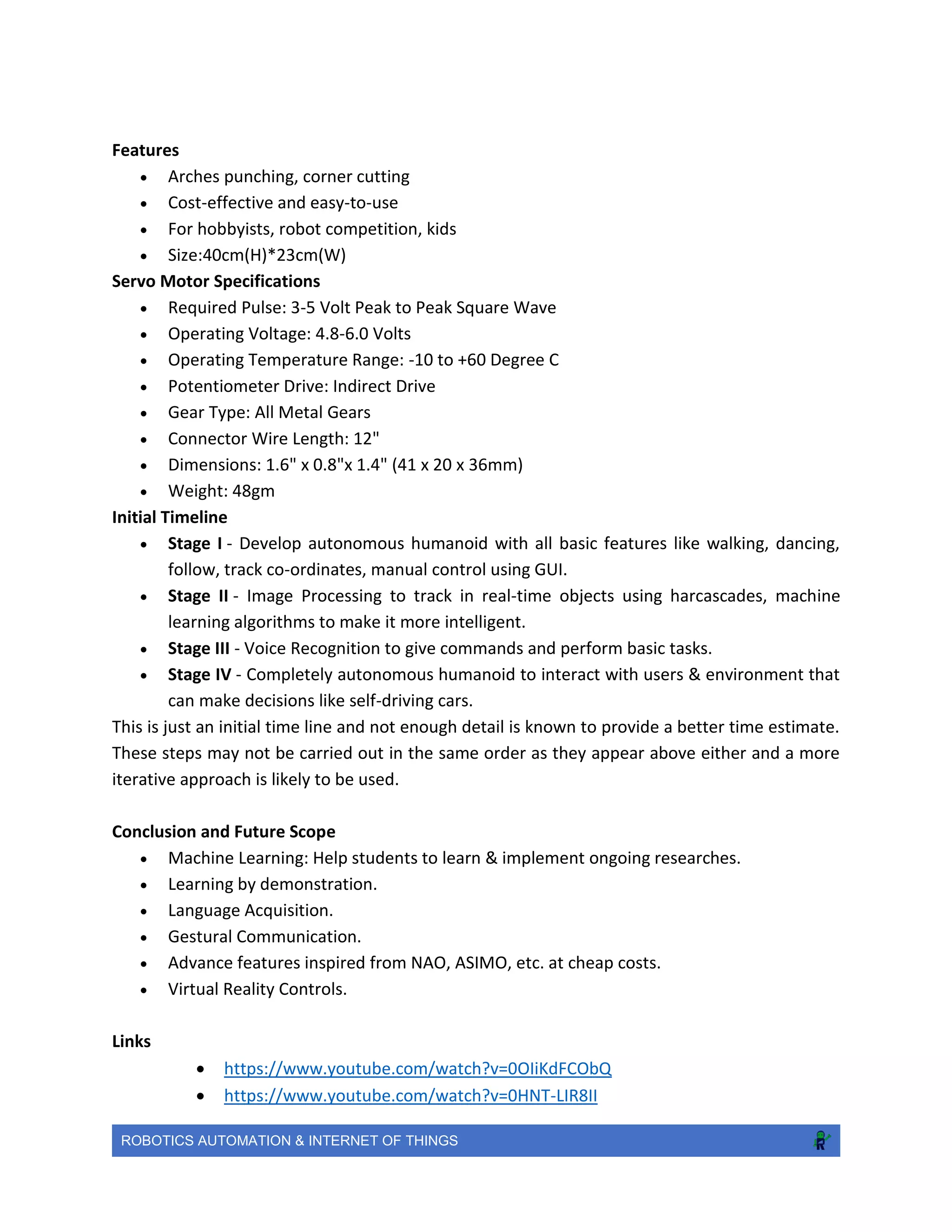
17 DOF Humanoid: This robot is a professional small humanoid robot consist of full aluminum
parts, smooth surface with smooth edges not hurting hands, the metal is unbleached, beautiful
and durable.
Objective
The objective of this project is to focus in R&D of AI & Machine Learning
Brief
This robot is a professional small humanoid robot consist of full aluminum parts, smooth surface
with smooth edges not hurting hands, the metal is unbleached, beautiful and durable. The High
Torque Standard Servo Motor with Dual Ball Bearing and Metal Gears. Provides 14kg/cm at 4.8V
and 16kg/cm at 6V. Replacement for HS-645MG. Arduino Uno R3 based USB 18 Servo Controller
is ideal for making Autonomous and PC based systems which run over Hobby Servo motors. The
software helps to develop the complex sequences in real time on the hardware like robotic arms,
walkers, bipeds and any other servo controlled system. It also generates Arduino based code for
the developed sequence which can be deployed on the controller on board thereby making the
robot autonomous.
ROBOTICS AUTOMATION & INTERNET OF THINGS
Features
 Arches punching, corner cutting
 Cost-effective and easy-to-use
 For hobbyists, robot competition, kids
 Size:40cm(H)*23cm(W)
Servo Motor Specifications
 Required Pulse: 3-5 Volt Peak to Peak Square Wave
 Operating Voltage: 4.8-6.0 Volts
 Operating Temperature Range: -10 to +60 Degree C
 Potentiometer Drive: Indirect Drive
 Gear Type: All Metal Gears
 Connector Wire Length: 12"
 Dimensions: 1.6" x 0.8"x 1.4" (41 x 20 x 36mm)
 Weight: 48gm
Initial Timeline
 Stage I - Develop autonomous humanoid with all basic features like walking, dancing,
follow, track co-ordinates, manual control using GUI.
 Stage II - Image Processing to track in real-time objects using harcascades, machine
learning algorithms to make it more intelligent.
 Stage III - Voice Recognition to give commands and perform basic tasks.
 Stage IV - Completely autonomous humanoid to interact with users & environment that
can make decisions like self-driving cars.
This is just an initial time line and not enough detail is known to provide a better time estimate.
These steps may not be carried out in the same order as they appear above either and a more
iterative approach is likely to be used.
Conclusion and Future Scope
 Machine Learning: Help students to learn & implement ongoing researches.
 Learning by demonstration.
 Language Acquisition.
 Gestural Communication.
 Advance features inspired from NAO, ASIMO, etc. at cheap costs.
 Virtual Reality Controls.
Links
 https://www.youtube.com/watch?v=0OIiKdFCObQ
 https://www.youtube.com/watch?v=0HNT-LIR8II
ROBOTICS AUTOMATION & INTERNET OF THINGS
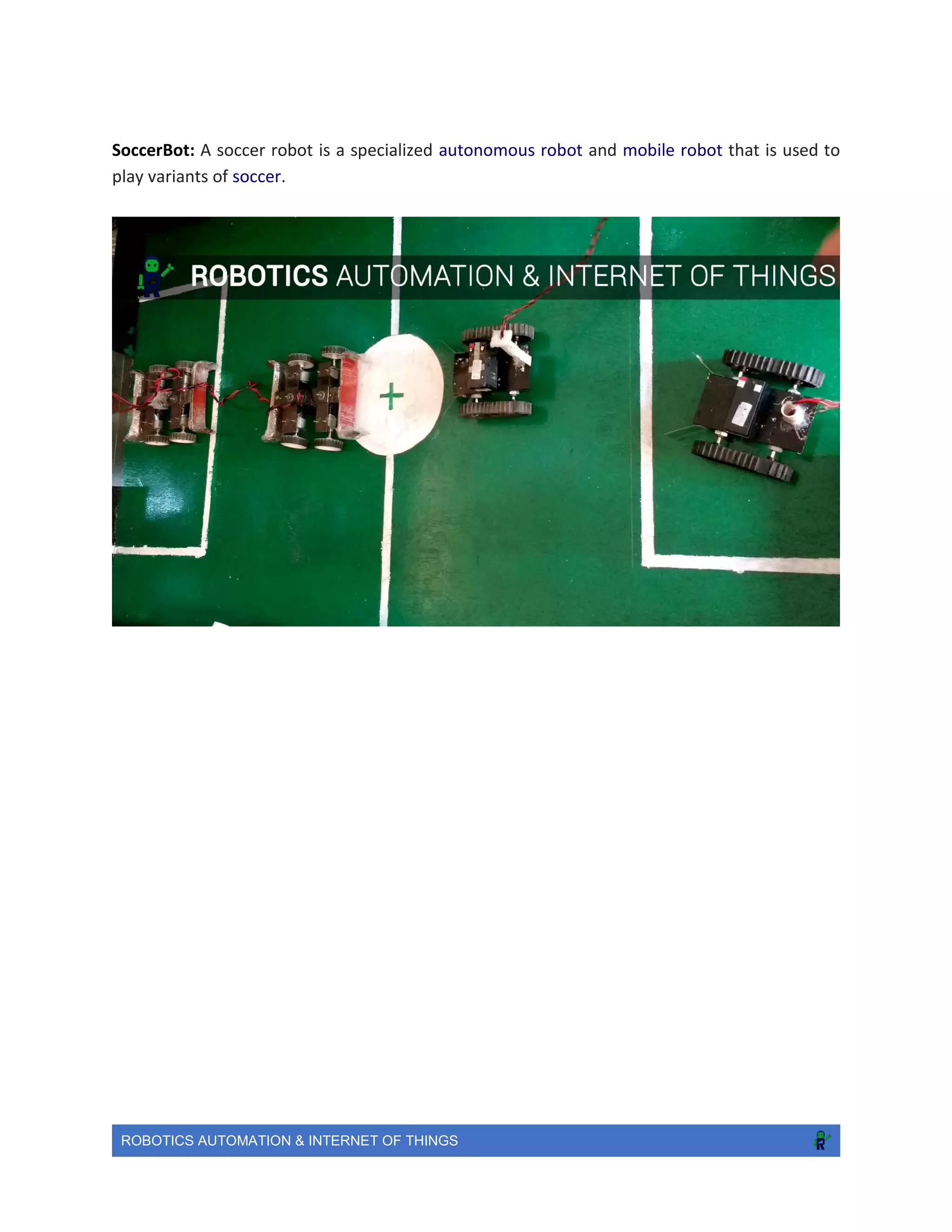
SoccerBot: A soccer robot is a specialized autonomous robot and mobile robot that is used to
play variants of soccer.
ROBOTICS AUTOMATION & INTERNET OF THINGS
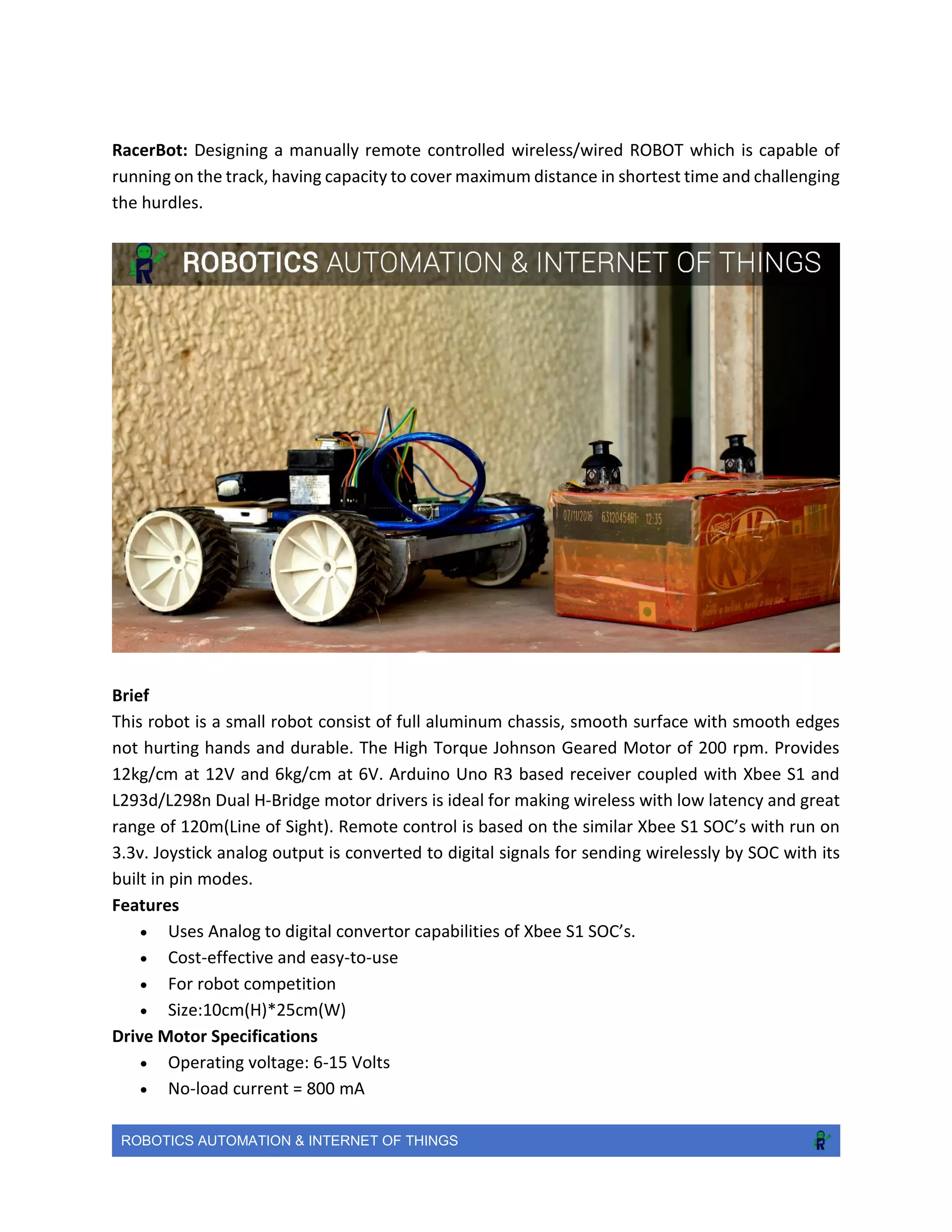
RacerBot: Designing a manually remote controlled wireless/wired ROBOT which is capable of
running on the track, having capacity to cover maximum distance in shortest time and challenging
the hurdles.
Brief
This robot is a small robot consist of full aluminum chassis, smooth surface with smooth edges
not hurting hands and durable. The High Torque Johnson Geared Motor of 200 rpm. Provides
12kg/cm at 12V and 6kg/cm at 6V. Arduino Uno R3 based receiver coupled with Xbee S1 and
L293d/L298n Dual H-Bridge motor drivers is ideal for making wireless with low latency and great
range of 120m(Line of Sight). Remote control is based on the similar Xbee S1 SOC’s with run on
3.3v. Joystick analog output is converted to digital signals for sending wirelessly by SOC with its
built in pin modes.
Features
 Uses Analog to digital convertor capabilities of Xbee S1 SOC’s.
 Cost-effective and easy-to-use
 For robot competition
 Size:10cm(H)*25cm(W)
Drive Motor Specifications
 Operating voltage: 6-15 Volts
 No-load current = 800 mA
ROBOTICS AUTOMATION & INTERNET OF THINGS
 Load current = 9 A(Max)
 Shaft Diameter - 6mm
 Shaft Length - 15 mm
 Gear Type: All Metal Gears
 Dimensions: Gearbox diameter - 37mm; Motor Diameter - 28.5 mm; Length (body only) -
63mm
 Weight: 300 gms
Battery Specifications
 12V 1.3Ah Sealed Lead Acid battery
 5V power bank
Link: https://www.youtube.com/watch?v=Wy48AP2UAaQ
ROBOTICS AUTOMATION & INTERNET OF THINGS
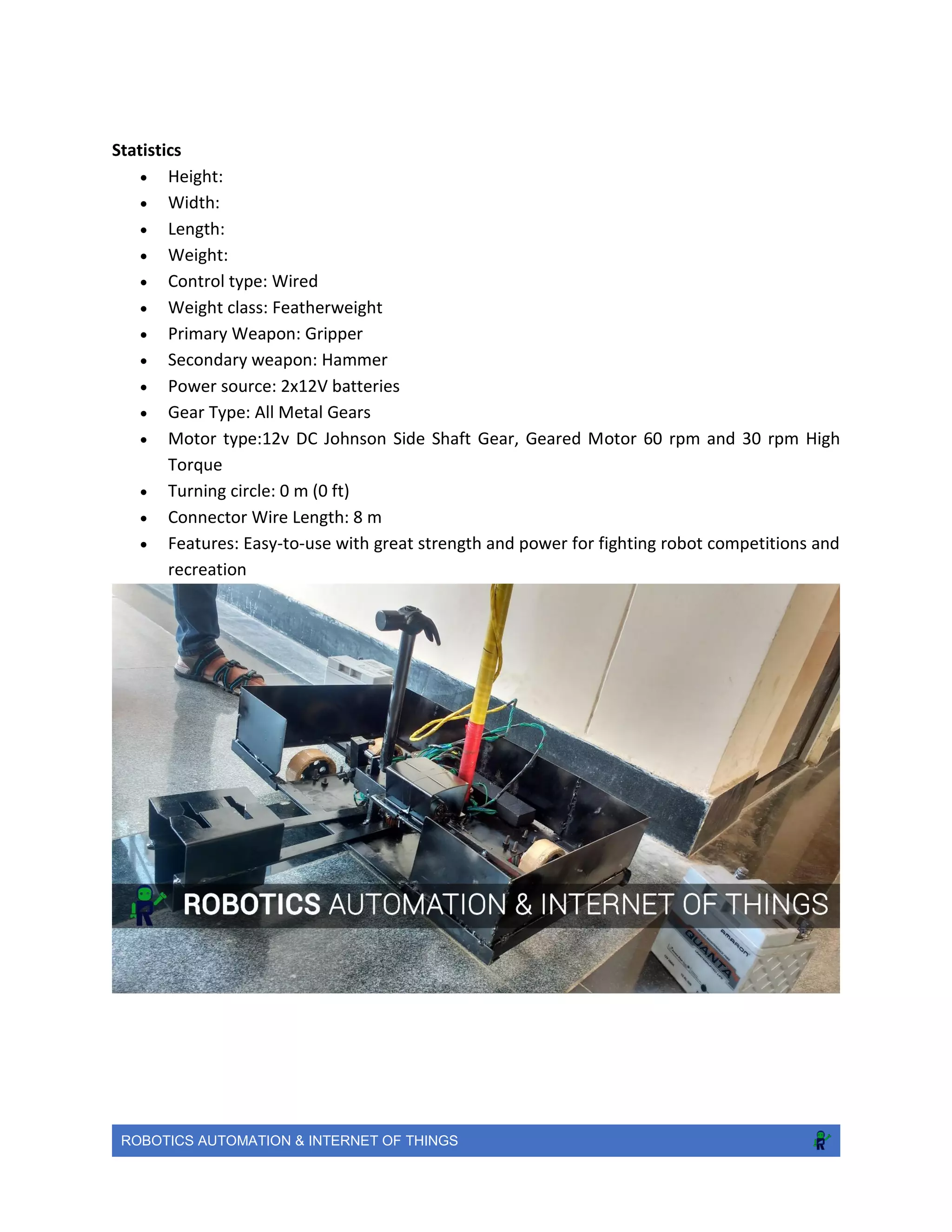
RoboWar: https://www.youtube.com/watch?v=Wy48AP2UAaQ
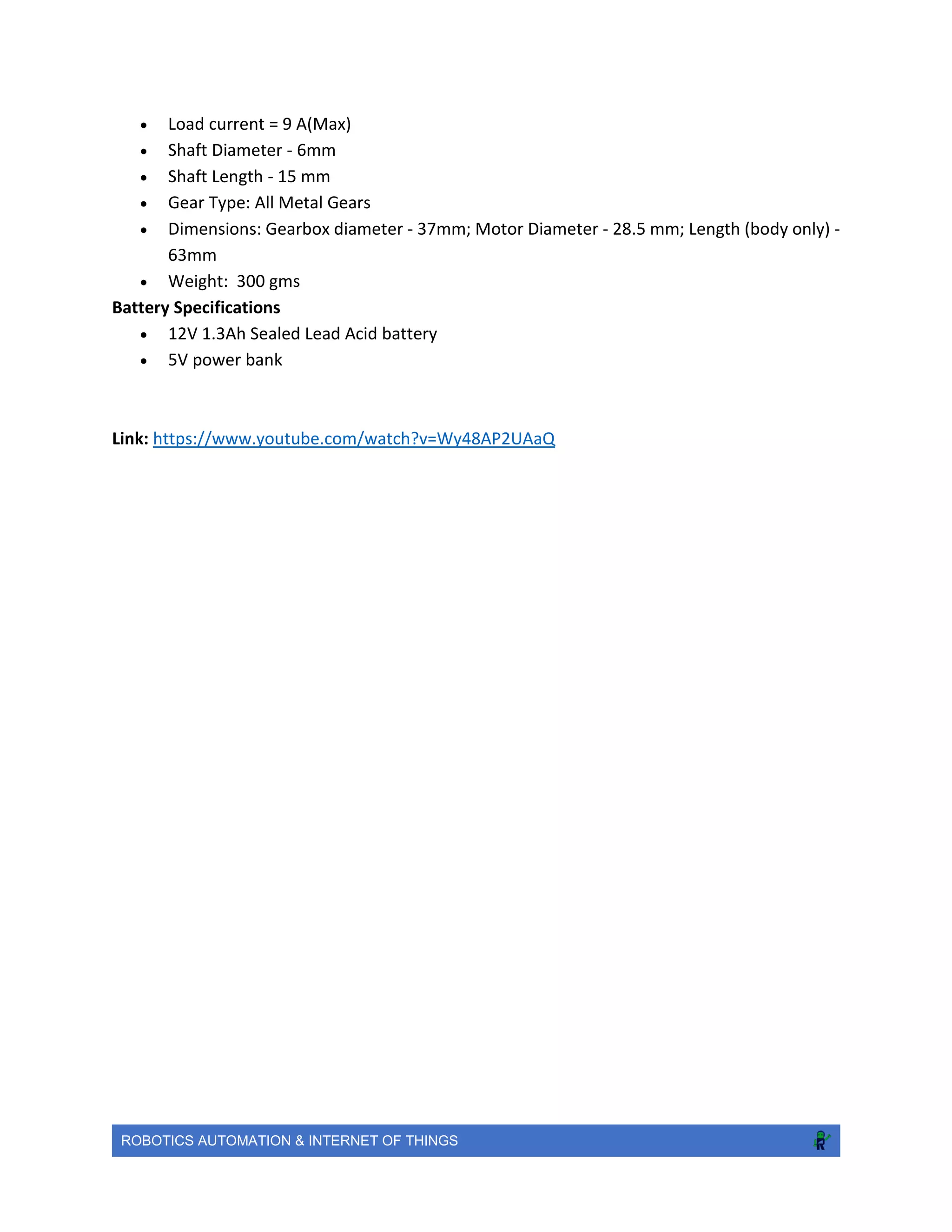
Dynamic Assasination Droid (D.A.D.)
First robo war machine of Amity University Rajasthan made from scratch, always up for a real
fight!
Objective: D.A.D. is combat-robot that is designed to compete in robo wars and soldier on for a
tough match.
Brief
D.A.D.’s weapon is a hammer arm which exerts great force at its tip, equipped with a gripper on
the front. The arm was designed to hit opponents' armour plating and break their internal
components, with gripper rendering them impaired or immobile.D.A.D. is made of complete thick
aluminium sheets and iron plates and rods, welded together providing a great strength to the
chassis.The bot is driven by 4x 60 rpm side shaft motors providing a stall torque of 11kg/cm and
the weapons of the bot are also powered with side shaft motors of 60 rpm and 30 rpm (torque
of 7 kg/cm) for hammer and the gripper respectively.
History
D.A.D. has competed in the BLITZSCHLAG ‘17 in MNIT university, winning two of its three head-
to-head battles even with three out of 4 wheels being completely out of order! It was designed
in 2 days,and still displayed a great performance in the match.It has held a great reputation after
the match giving a great status to Amity University Rajasthan in Robo-war competitions.
ROBOTICS AUTOMATION & INTERNET OF THINGS
Statistics
 Height:
 Width:
 Length:
 Weight:
 Control type: Wired
 Weight class: Featherweight
 Primary Weapon: Gripper
 Secondary weapon: Hammer
 Power source: 2x12V batteries
 Gear Type: All Metal Gears
 Motor type:12v DC Johnson Side Shaft Gear, Geared Motor 60 rpm and 30 rpm High
Torque
 Turning circle: 0 m (0 ft)
 Connector Wire Length: 8 m
 Features: Easy-to-use with great strength and power for fighting robot competitions and
recreation
ROBOTICS AUTOMATION & INTERNET OF THINGS
Initial Timeline
 Stage I - Develop combat-bot with all basic features like moving, grabbing,hitting, manual
control using a wired remote.
 Stage II - Modify it’s weapons according to the fighting scenarios by introducing
pneumatic systems in the machine.
 Stage III - Increase it’s strength and motor toque.
 Stage IV - Develop it to fight on international platforms.
This is just an initial time line and not enough detail is known to provide a better time estimate.
These steps may not be carried out in the same order as they appear above either and a more
iterative approach is likely to be used.
Conclusion and Future Scope
 Machine Learning: Help students to learn & implement ongoing researches.
 Learning by demonstration.
 Get a good control over machines.
 Advance features inspired from Razer, Agrippa, Killerhurtz and Pulveriser .
 Attacking controls
 Fight on international platforms.
ROBOTICS AUTOMATION & INTERNET OF THINGS
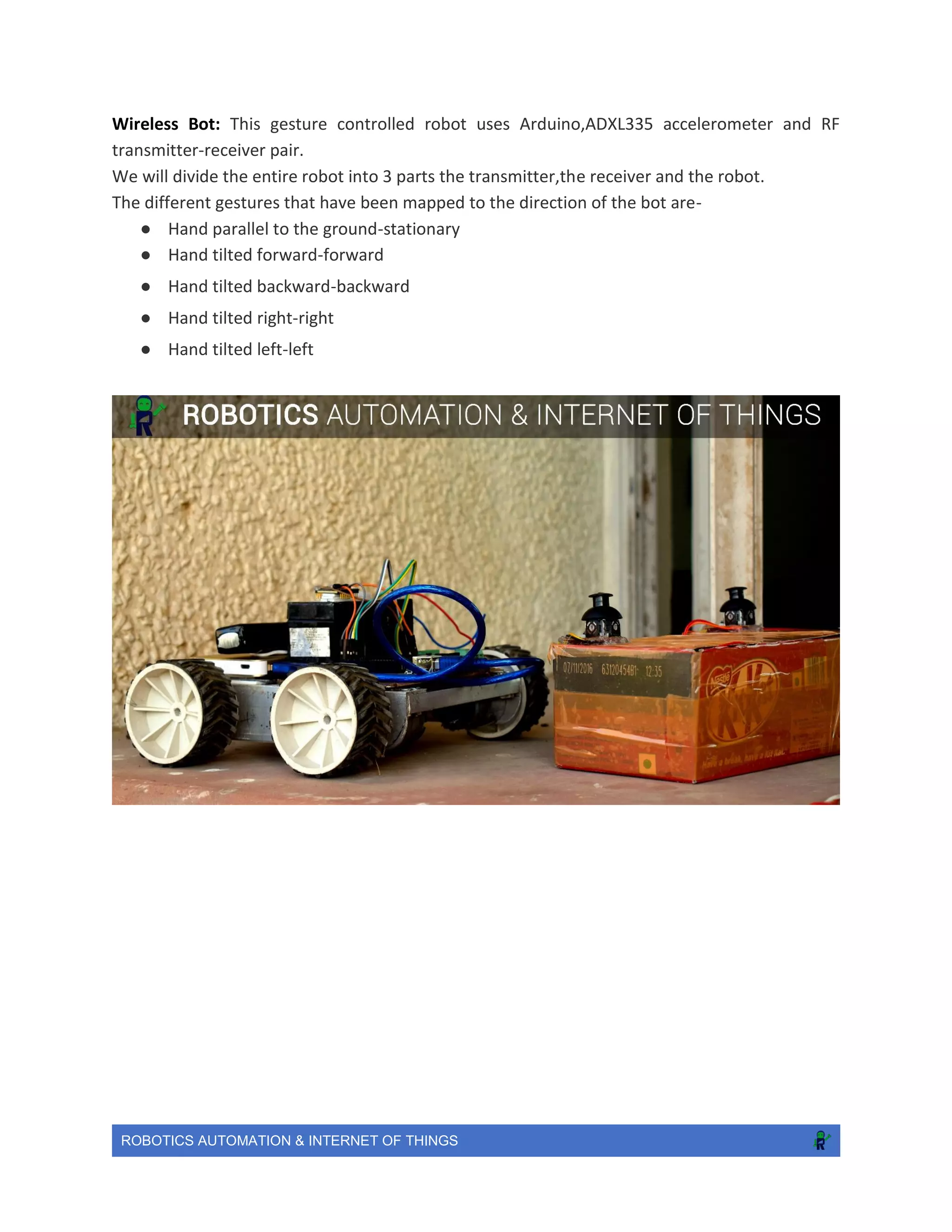
Wireless Bot: This gesture controlled robot uses Arduino,ADXL335 accelerometer and RF
transmitter-receiver pair.
We will divide the entire robot into 3 parts the transmitter,the receiver and the robot.
The different gestures that have been mapped to the direction of the bot are-
● Hand parallel to the ground-stationary
● Hand tilted forward-forward
● Hand tilted backward-backward
● Hand tilted right-right
● Hand tilted left-left
ROBOTICS AUTOMATION & INTERNET OF THINGS
Automation
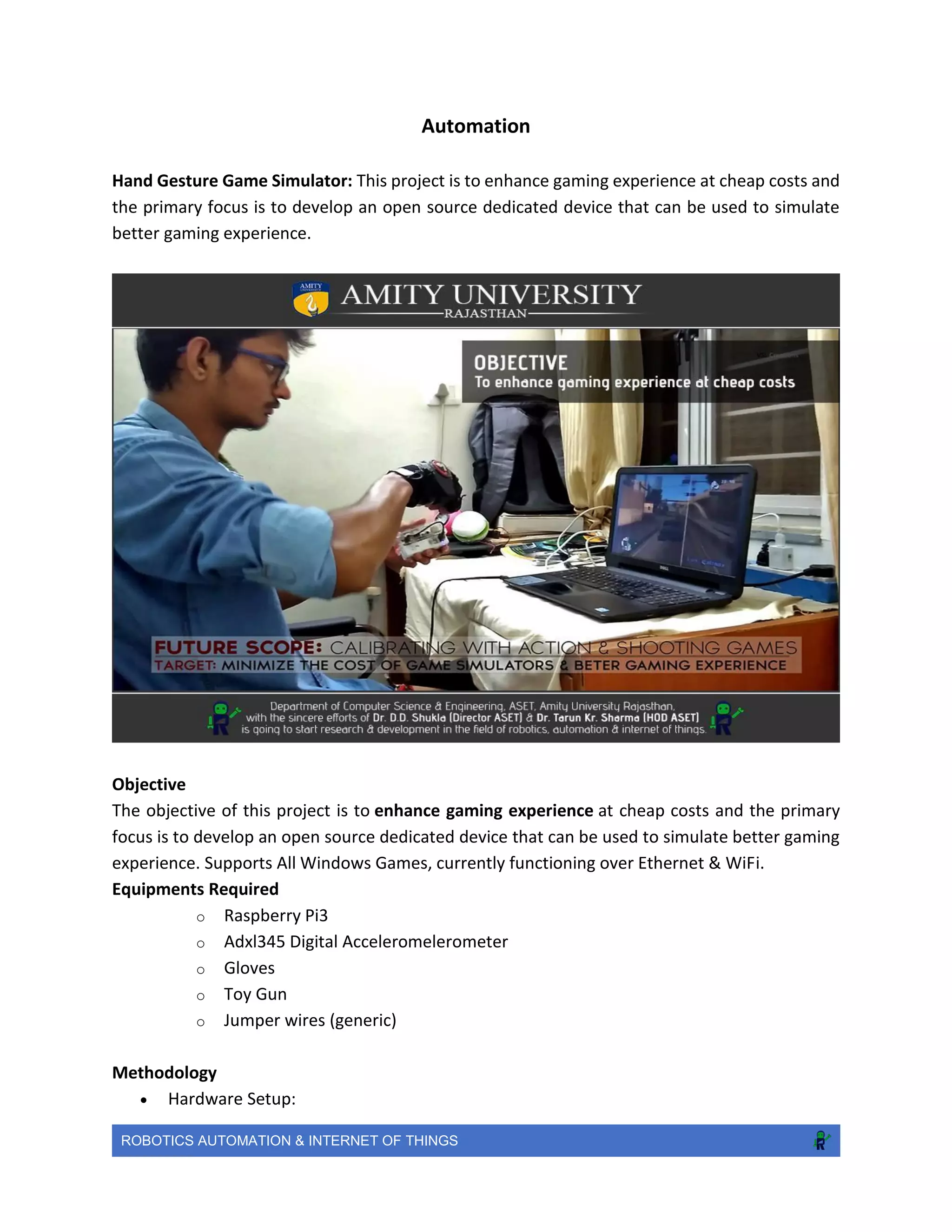
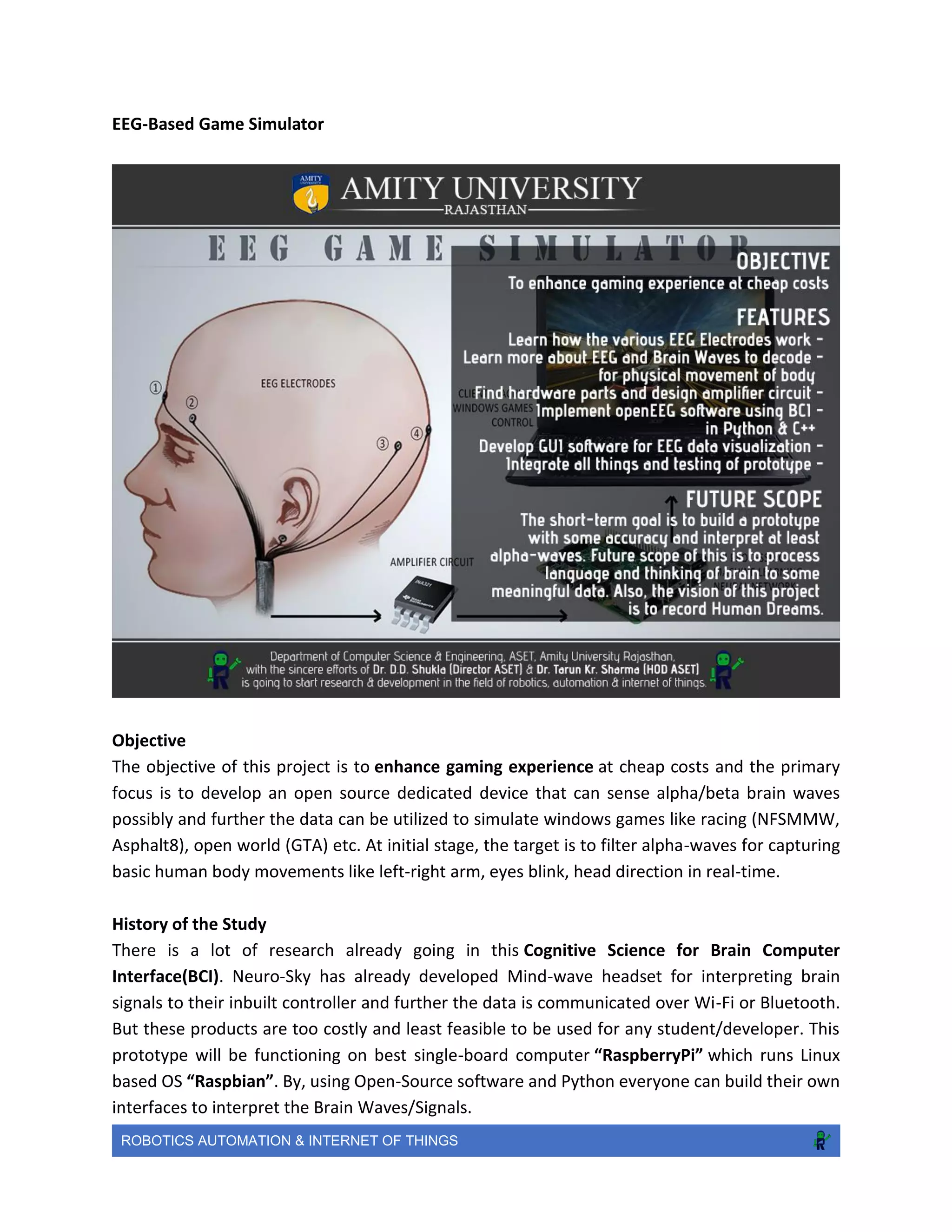
Hand Gesture Game Simulator: This project is to enhance gaming experience at cheap costs and
the primary focus is to develop an open source dedicated device that can be used to simulate
better gaming experience.
Objective
The objective of this project is to enhance gaming experience at cheap costs and the primary
focus is to develop an open source dedicated device that can be used to simulate better gaming
experience. Supports All Windows Games, currently functioning over Ethernet & WiFi.
Equipments Required
o Raspberry Pi3
o Adxl345 Digital Acceleromelerometer
o Gloves
o Toy Gun
o Jumper wires (generic)
Methodology
 Hardware Setup:
ROBOTICS AUTOMATION & INTERNET OF THINGS
o Fix ADXL345 accelerometer in the palm side of Gloves.
o Connect all wires with Pi GPIO Pins.
o Place all setup wherever you want.
o Connect all pins of accelerometer & GPIO properly follow links for tutorial.
o Stuff About ADXL345 Accelerometer & Python
 Software Setup:
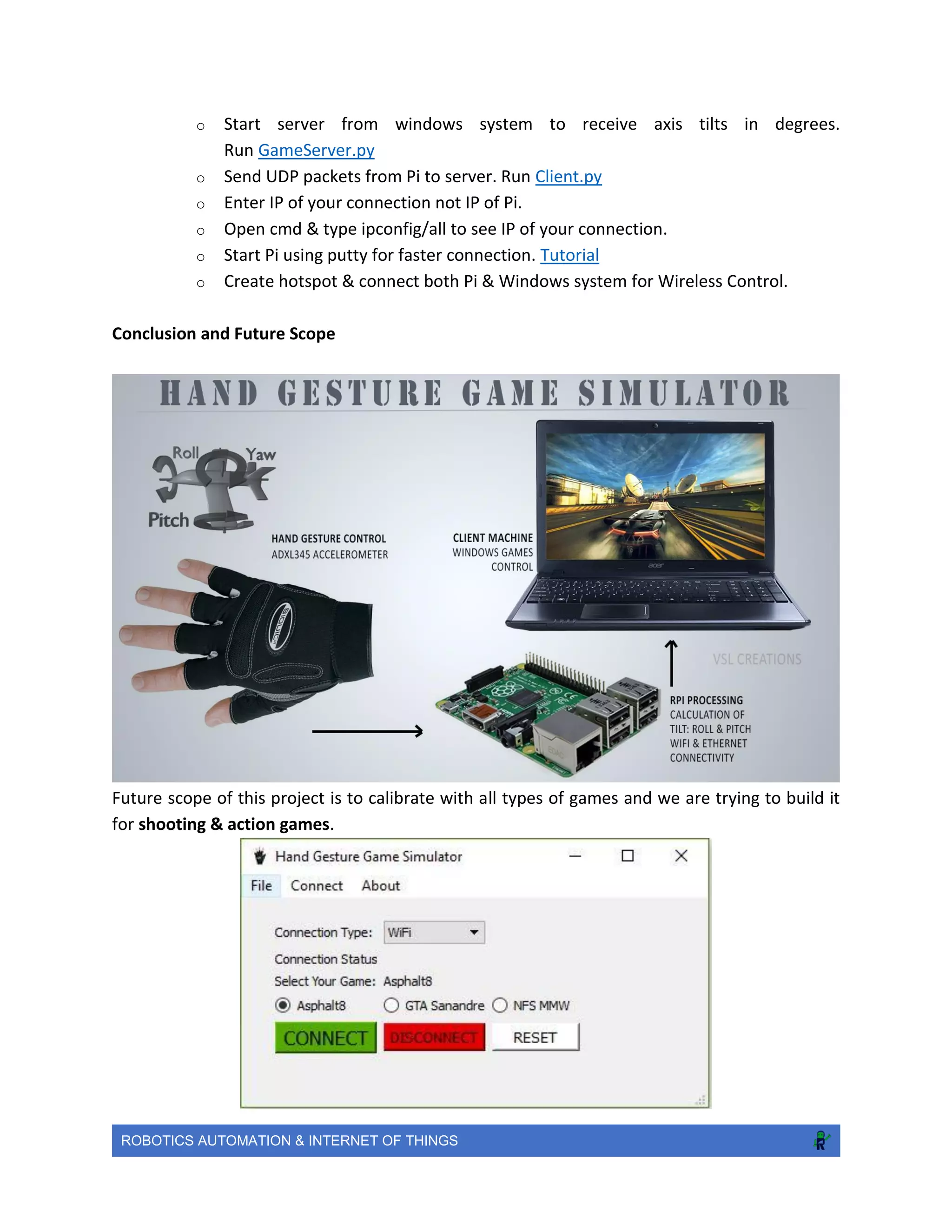
o How to use 3-Axis Accelerometer for Tilt Sensing. Tutorial
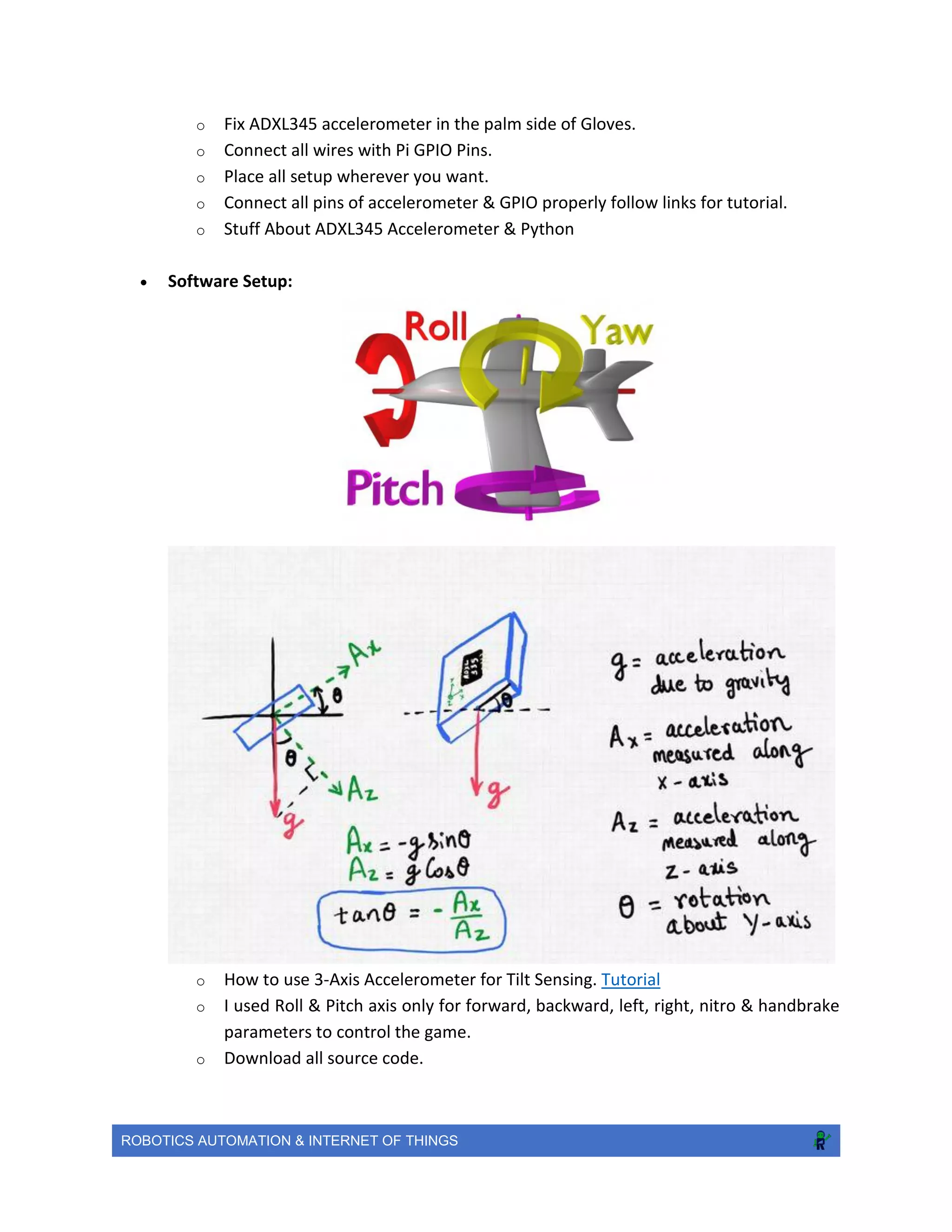
o I used Roll & Pitch axis only for forward, backward, left, right, nitro & handbrake
parameters to control the game.
o Download all source code.
ROBOTICS AUTOMATION & INTERNET OF THINGS
o Start server from windows system to receive axis tilts in degrees.
Run GameServer.py
o Send UDP packets from Pi to server. Run Client.py
o Enter IP of your connection not IP of Pi.
o Open cmd & type ipconfig/all to see IP of your connection.
o Start Pi using putty for faster connection. Tutorial
o Create hotspot & connect both Pi & Windows system for Wireless Control.
Conclusion and Future Scope
Future scope of this project is to calibrate with all types of games and we are trying to build it
for shooting & action games.
ROBOTICS AUTOMATION & INTERNET OF THINGS
EEG-Based Game Simulator
Objective
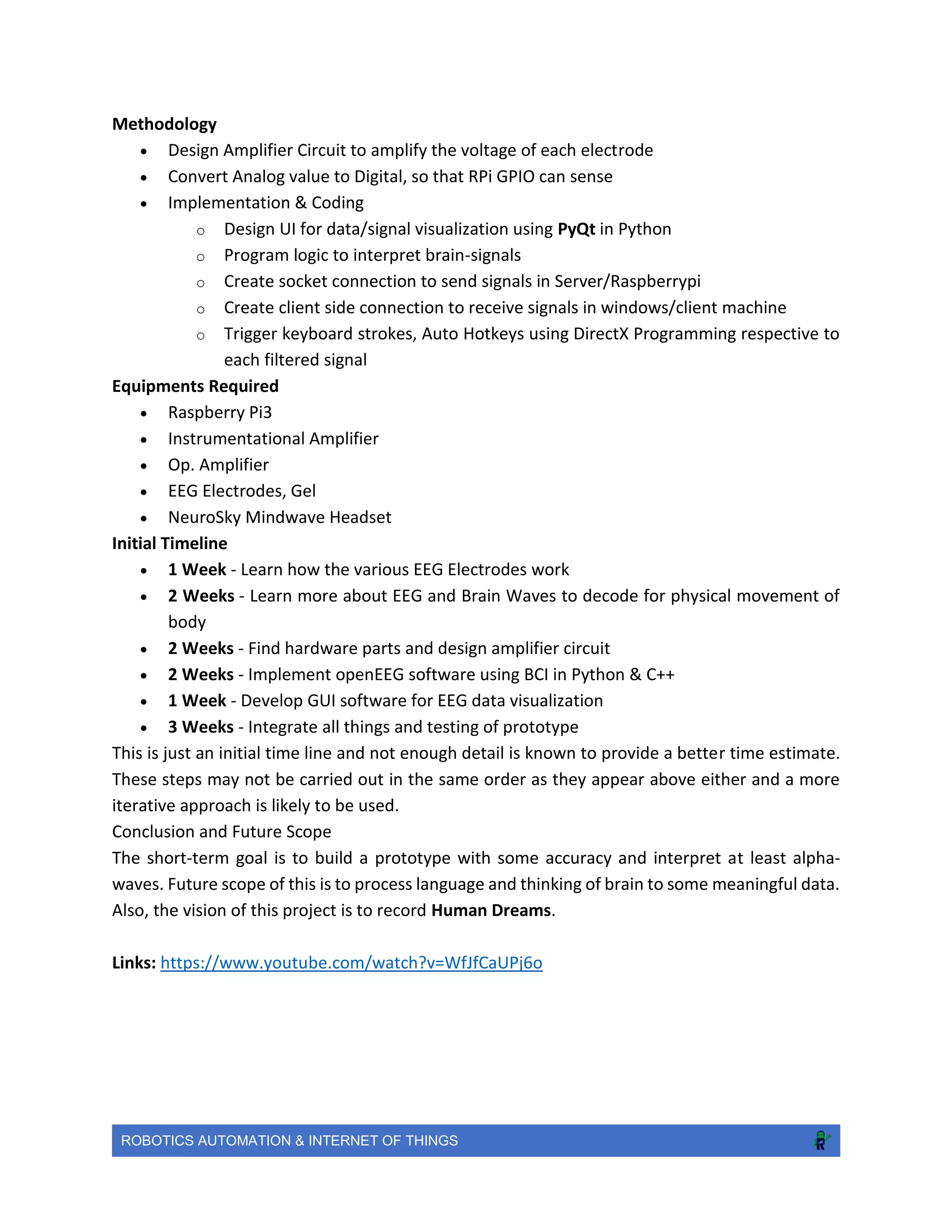
The objective of this project is to enhance gaming experience at cheap costs and the primary
focus is to develop an open source dedicated device that can sense alpha/beta brain waves
possibly and further the data can be utilized to simulate windows games like racing (NFSMMW,
Asphalt8), open world (GTA) etc. At initial stage, the target is to filter alpha-waves for capturing
basic human body movements like left-right arm, eyes blink, head direction in real-time.
History of the Study
There is a lot of research already going in this Cognitive Science for Brain Computer
Interface(BCI). Neuro-Sky has already developed Mind-wave headset for interpreting brain
signals to their inbuilt controller and further the data is communicated over Wi-Fi or Bluetooth.
But these products are too costly and least feasible to be used for any student/developer. This
prototype will be functioning on best single-board computer “RaspberryPi” which runs Linux
based OS “Raspbian”. By, using Open-Source software and Python everyone can build their own
interfaces to interpret the Brain Waves/Signals.
ROBOTICS AUTOMATION & INTERNET OF THINGS
Methodology
 Design Amplifier Circuit to amplify the voltage of each electrode
 Convert Analog value to Digital, so that RPi GPIO can sense
 Implementation & Coding
o Design UI for data/signal visualization using PyQt in Python
o Program logic to interpret brain-signals
o Create socket connection to send signals in Server/Raspberrypi
o Create client side connection to receive signals in windows/client machine
o Trigger keyboard strokes, Auto Hotkeys using DirectX Programming respective to
each filtered signal
Equipments Required
 Raspberry Pi3
 Instrumentational Amplifier
 Op. Amplifier
 EEG Electrodes, Gel
 NeuroSky Mindwave Headset
Initial Timeline
 1 Week - Learn how the various EEG Electrodes work
 2 Weeks - Learn more about EEG and Brain Waves to decode for physical movement of
body
 2 Weeks - Find hardware parts and design amplifier circuit
 2 Weeks - Implement openEEG software using BCI in Python & C++
 1 Week - Develop GUI software for EEG data visualization
 3 Weeks - Integrate all things and testing of prototype
This is just an initial time line and not enough detail is known to provide a better time estimate.
These steps may not be carried out in the same order as they appear above either and a more
iterative approach is likely to be used.
Conclusion and Future Scope
The short-term goal is to build a prototype with some accuracy and interpret at least alpha-
waves. Future scope of this is to process language and thinking of brain to some meaningful data.
Also, the vision of this project is to record Human Dreams.
Links: https://www.youtube.com/watch?v=WfJfCaUPj6o
ROBOTICS AUTOMATION & INTERNET OF THINGS
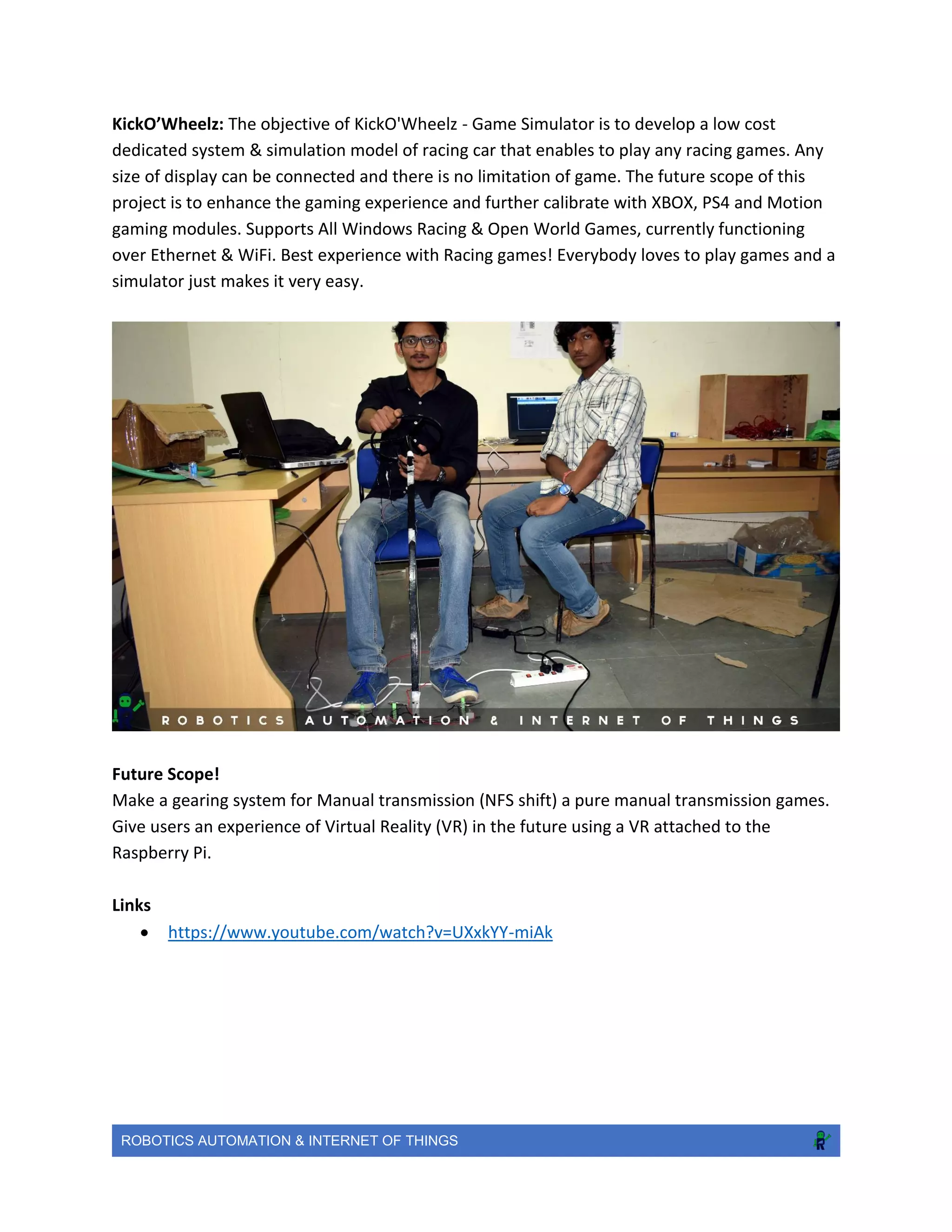
KickO’Wheelz: The objective of KickO'Wheelz - Game Simulator is to develop a low cost
dedicated system & simulation model of racing car that enables to play any racing games. Any
size of display can be connected and there is no limitation of game. The future scope of this
project is to enhance the gaming experience and further calibrate with XBOX, PS4 and Motion
gaming modules. Supports All Windows Racing & Open World Games, currently functioning
over Ethernet & WiFi. Best experience with Racing games! Everybody loves to play games and a
simulator just makes it very easy.
Future Scope!
Make a gearing system for Manual transmission (NFS shift) a pure manual transmission games.
Give users an experience of Virtual Reality (VR) in the future using a VR attached to the
Raspberry Pi.
Links
 https://www.youtube.com/watch?v=UXxkYY-miAk
ROBOTICS AUTOMATION & INTERNET OF THINGS
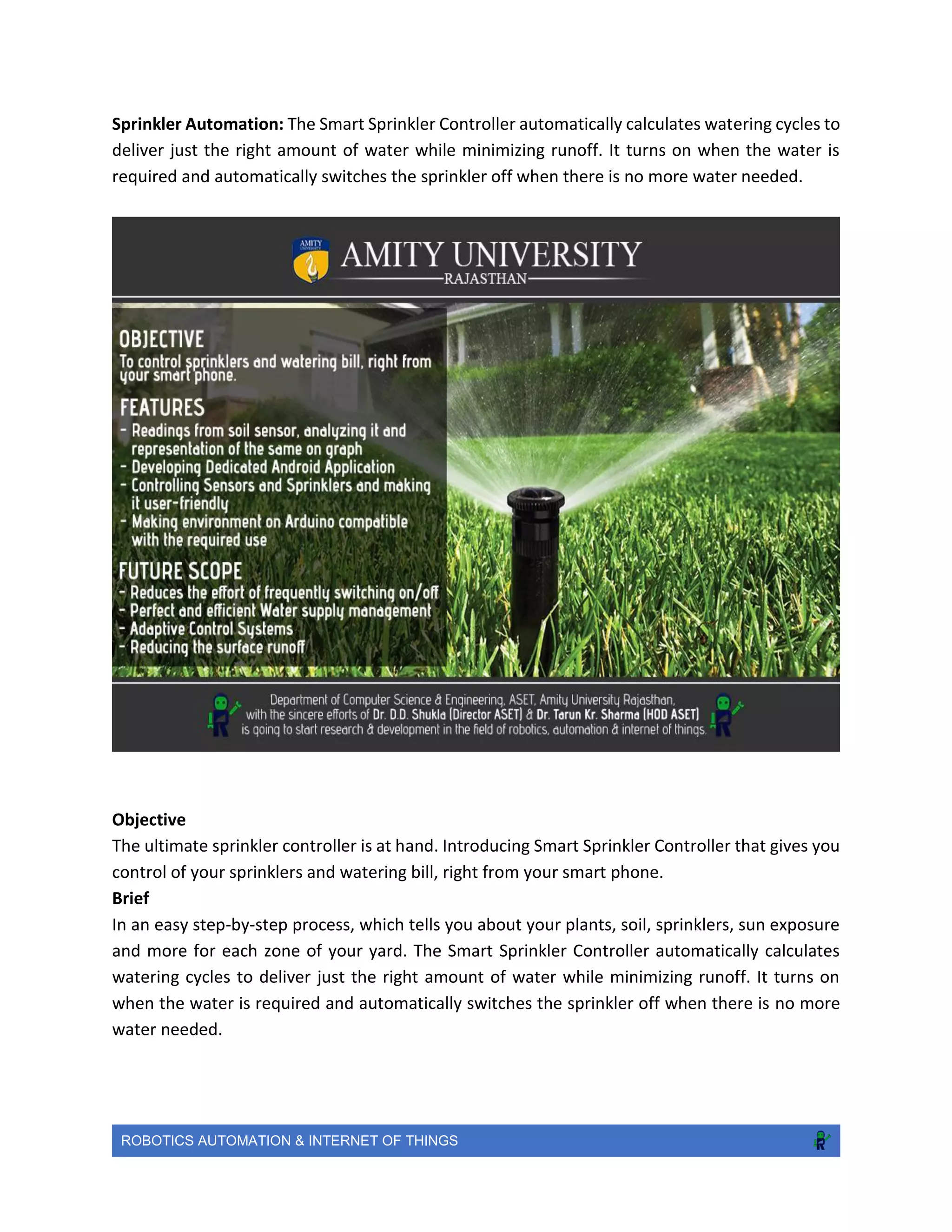
Sprinkler Automation: The Smart Sprinkler Controller automatically calculates watering cycles to
deliver just the right amount of water while minimizing runoff. It turns on when the water is
required and automatically switches the sprinkler off when there is no more water needed.
Objective
The ultimate sprinkler controller is at hand. Introducing Smart Sprinkler Controller that gives you
control of your sprinklers and watering bill, right from your smart phone.
Brief
In an easy step-by-step process, which tells you about your plants, soil, sprinklers, sun exposure
and more for each zone of your yard. The Smart Sprinkler Controller automatically calculates
watering cycles to deliver just the right amount of water while minimizing runoff. It turns on
when the water is required and automatically switches the sprinkler off when there is no more
water needed.
ROBOTICS AUTOMATION & INTERNET OF THINGS
Methodology
 Soil Sensors are connected to the Arduino which would be used to control the central
system. These soil sensors will give regular readings which ultimately helps in controlling
the valves of the sprinkler. Different range of readings would be the result, according to
the soil quality and manageability.
 The given readings, forwarded to the Arduino, are further sent to the dedicated
application. Necessary action is calculated by the application, whether to switch the
sprinkler on or off.
 The dedicated mobile and web apps are designed in such a way that, they give the real-
time status of the required sprinkler and the water content of the soil in that space.
Equipments Required
 Arduino
 Soil Sensors
 Long Connecting Wires
 Central RPi Server
 Ethernet Shield along with the LAN Cable
 Dedicated Android Application
Initial Timeline
 Stage I -
o Readings from soil sensor, analyzing it and representation of the same on graph.
o Developing Dedicated Android Application
o Developing dedicated web-page
o Making environment on Arduino compatible with the required use.
 Stage II -
o Controlling Sensors and Sprinklers and making it user-friendly.
o Setting up the sensors, making them less vulnerable to the environment.
This is just an initial time line and not enough detail is known to provide a better time estimate.
These steps may not be carried out in the same order as they appear above either and a more
iterative approach is likely to be used.
Conclusion and Future Scope
o Reduces the effort of frequently switching on/off the sprinkler.
o Perfect and efficient Water supply management
o Adaptive Control Systems, as the required water amount for each weather will be
set automatically.
o Reducing the surface runoff by automatically switching off the sprinkler of the
fulfilled region.
ROBOTICS AUTOMATION & INTERNET OF THINGS
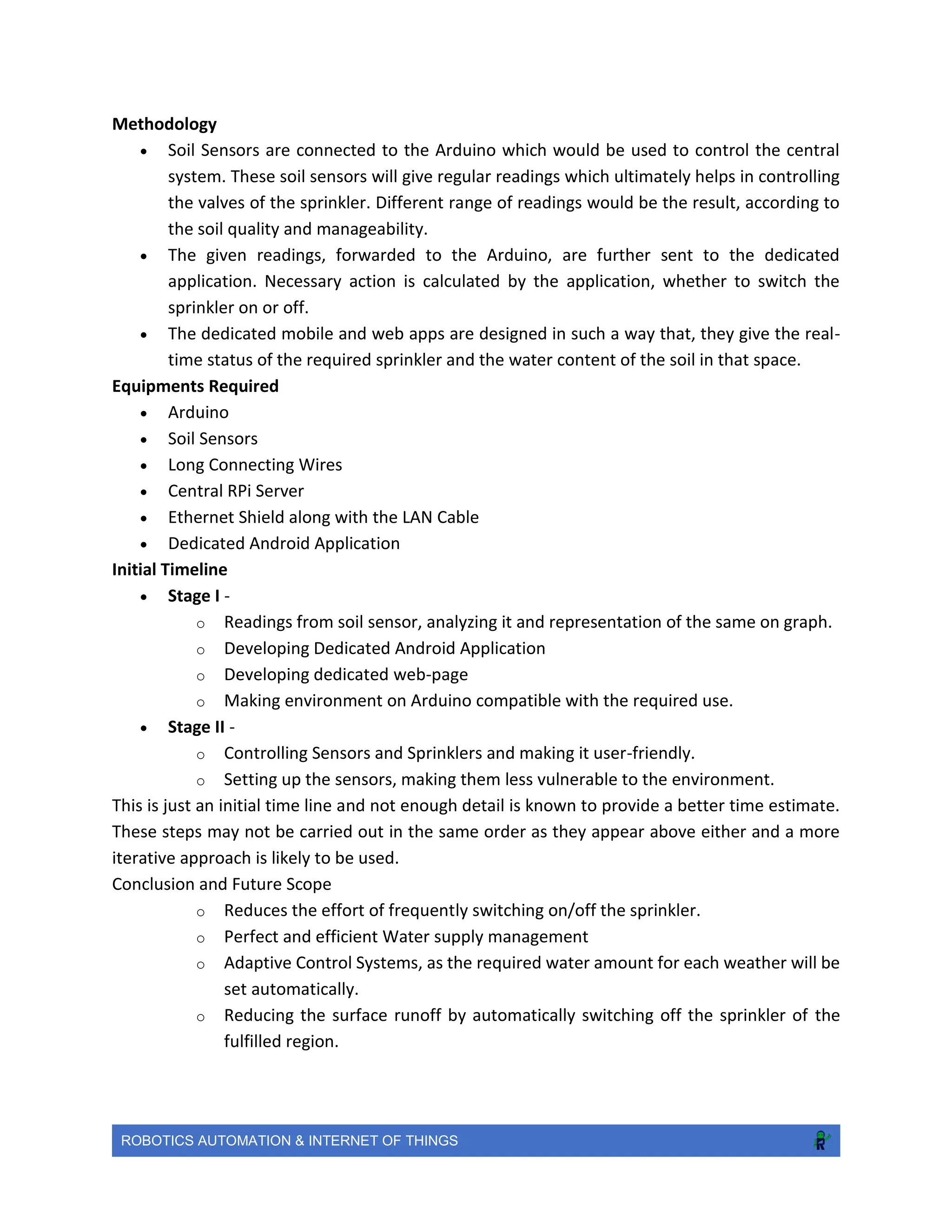
Image Processing One of the most essential security feature to save you from intruders
Objective
The objective of this project is to ensure the security of your place when you are not around
Brief
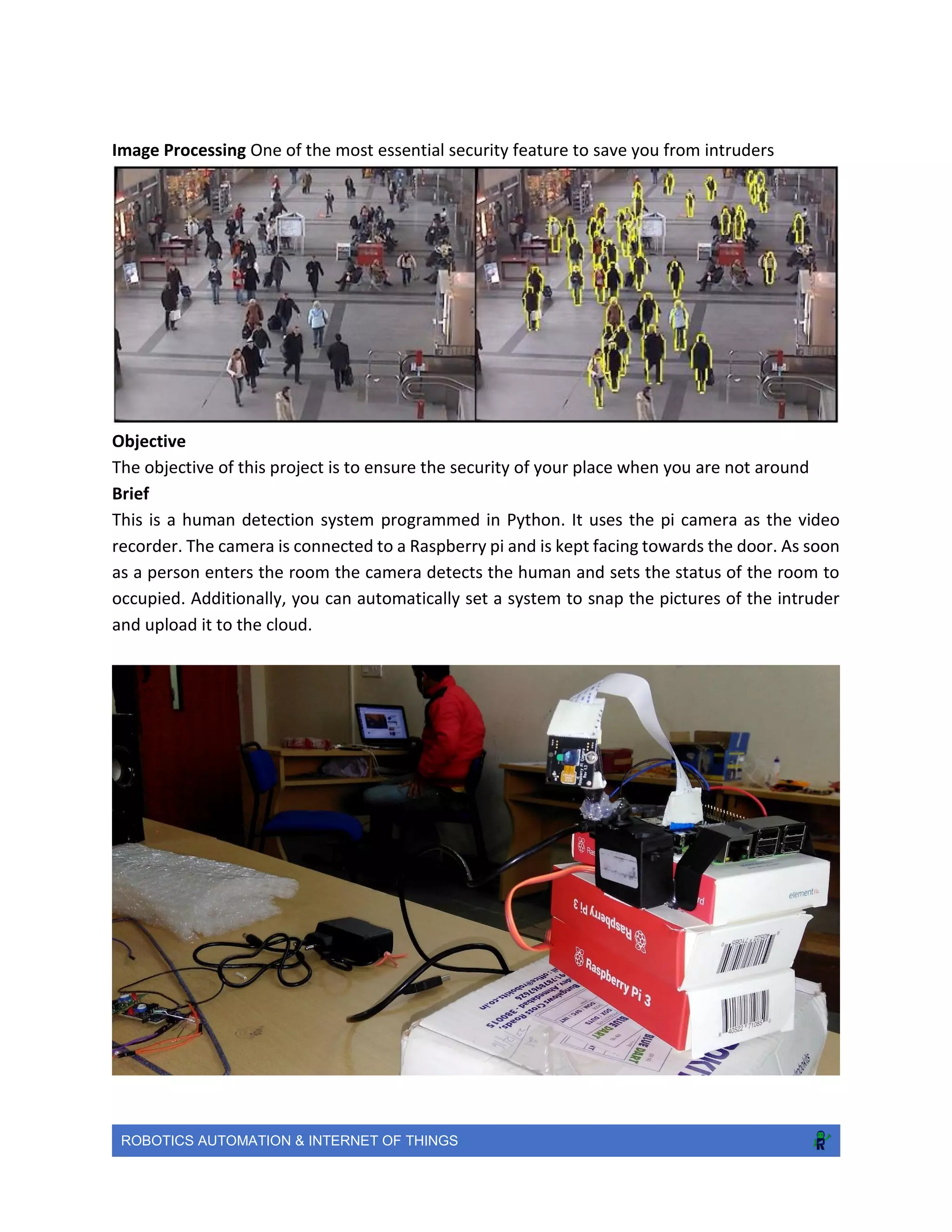
This is a human detection system programmed in Python. It uses the pi camera as the video
recorder. The camera is connected to a Raspberry pi and is kept facing towards the door. As soon
as a person enters the room the camera detects the human and sets the status of the room to
occupied. Additionally, you can automatically set a system to snap the pictures of the intruder
and upload it to the cloud.
ROBOTICS AUTOMATION & INTERNET OF THINGS
Features
 Human Detection
 Cost effective security solution
 Easy to build and setup
 Connector Wire Length: 12"
 Dimensions: 1.6" x 0.8"x 1.4" (41 x 20 x 36mm)
 Weight: 48gm
Initial Timeline
 Stage I - Develop a system to detect a human
 Stage II - Add features to it like face and eye detection
 Stage III - Build a face recognition system so that any unknown person cannot enter the
premises
 Stage IV - Finally, add a feature to set a security alarm if the person entering is not
recognized
Conclusion and Future Scope
 It will help in securing your place in an efficient way
 It’s easy to learn and a nice start towards image processing
 It can be used in online security too where you won’t require a password, just scan your
face and you are good to go
ROBOTICS AUTOMATION & INTERNET OF THINGS
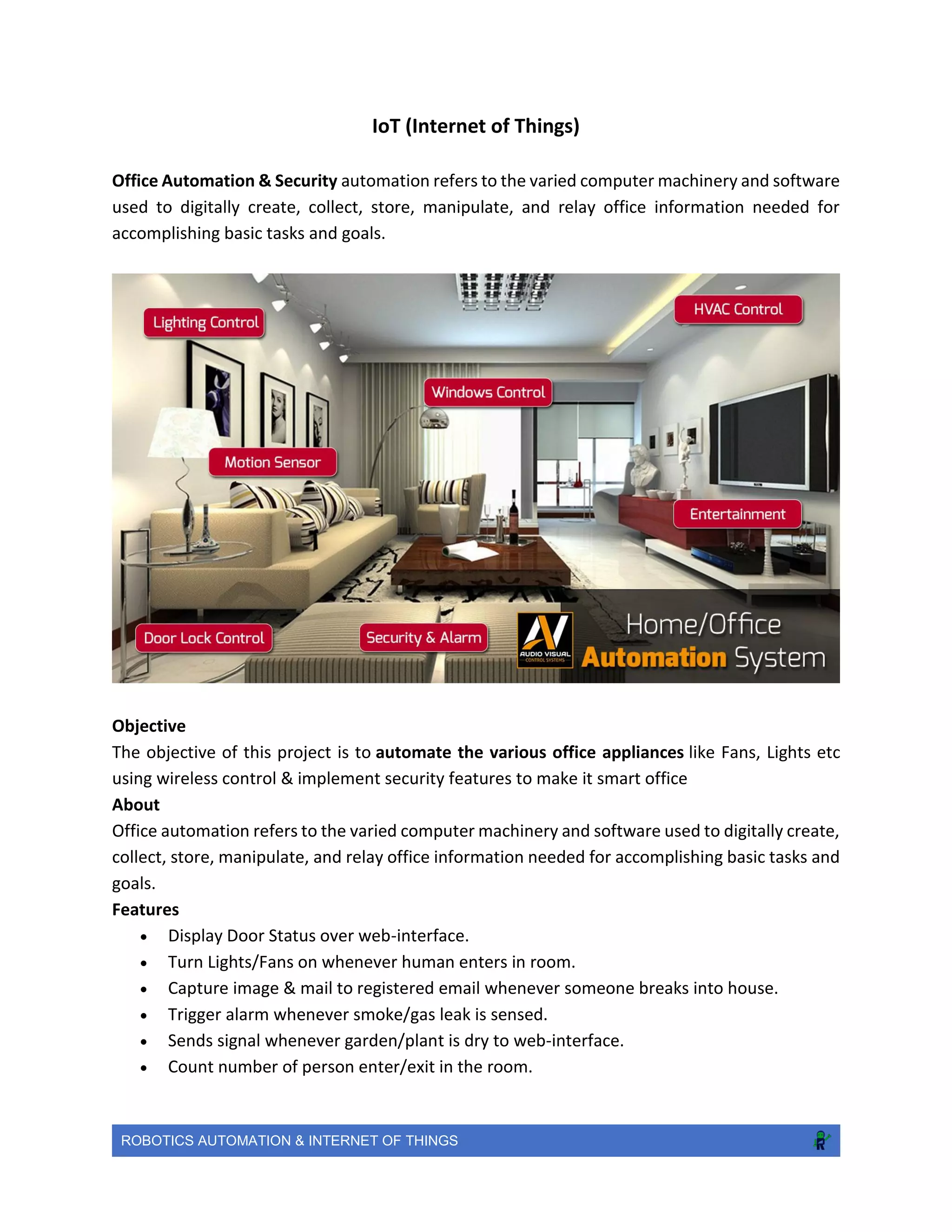
IoT (Internet of Things)
Office Automation & Security automation refers to the varied computer machinery and software
used to digitally create, collect, store, manipulate, and relay office information needed for
accomplishing basic tasks and goals.
Objective
The objective of this project is to automate the various office appliances like Fans, Lights etc
using wireless control & implement security features to make it smart office
About
Office automation refers to the varied computer machinery and software used to digitally create,
collect, store, manipulate, and relay office information needed for accomplishing basic tasks and
goals.
Features
 Display Door Status over web-interface.
 Turn Lights/Fans on whenever human enters in room.
 Capture image & mail to registered email whenever someone breaks into house.
 Trigger alarm whenever smoke/gas leak is sensed.
 Sends signal whenever garden/plant is dry to web-interface.
 Count number of person enter/exit in the room.
ROBOTICS AUTOMATION & INTERNET OF THINGS
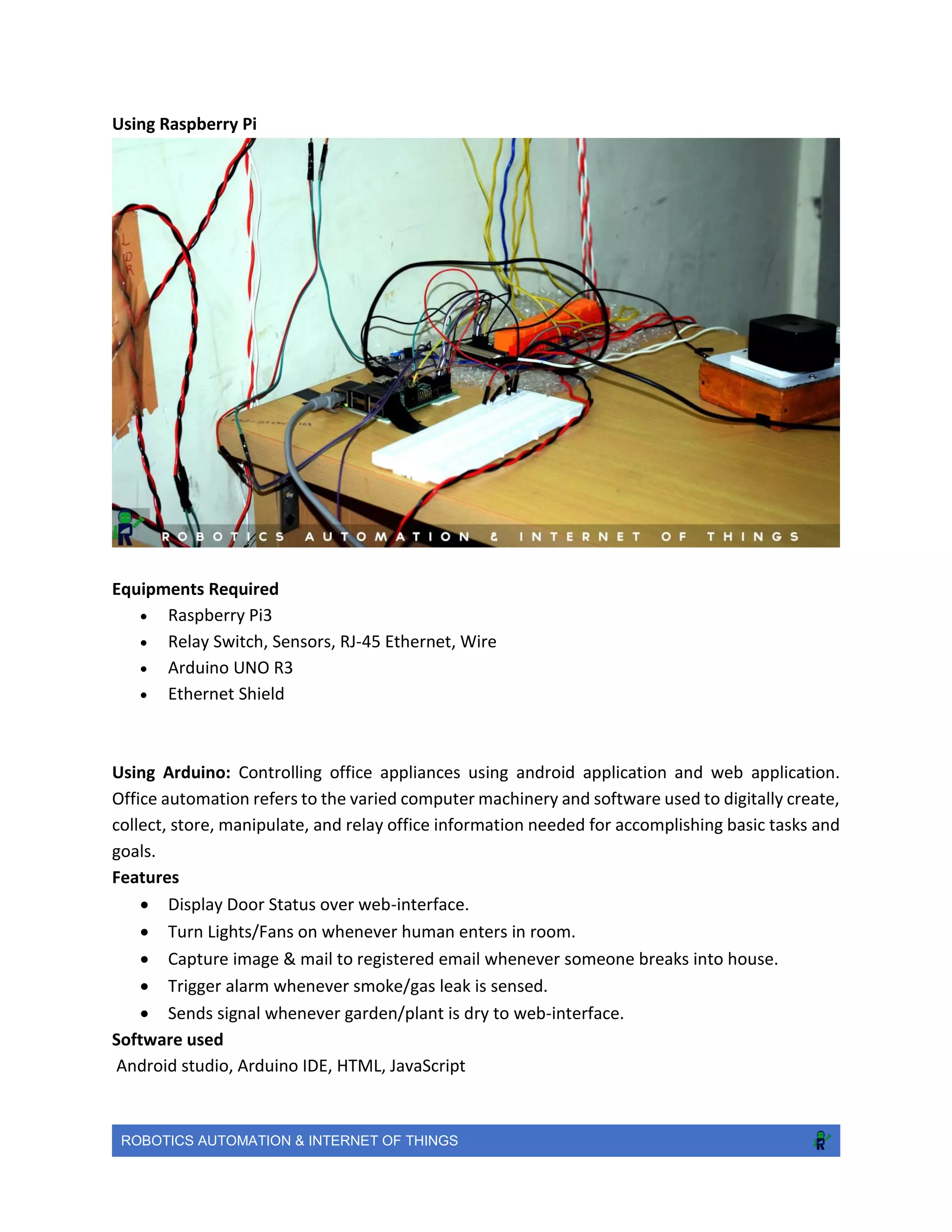
Using Raspberry Pi
Equipments Required
 Raspberry Pi3
 Relay Switch, Sensors, RJ-45 Ethernet, Wire
 Arduino UNO R3
 Ethernet Shield
Using Arduino: Controlling office appliances using android application and web application.
Office automation refers to the varied computer machinery and software used to digitally create,
collect, store, manipulate, and relay office information needed for accomplishing basic tasks and
goals.
Features
 Display Door Status over web-interface.
 Turn Lights/Fans on whenever human enters in room.
 Capture image & mail to registered email whenever someone breaks into house.
 Trigger alarm whenever smoke/gas leak is sensed.
 Sends signal whenever garden/plant is dry to web-interface.
Software used
Android studio, Arduino IDE, HTML, JavaScript
ROBOTICS AUTOMATION & INTERNET OF THINGS
Methodology
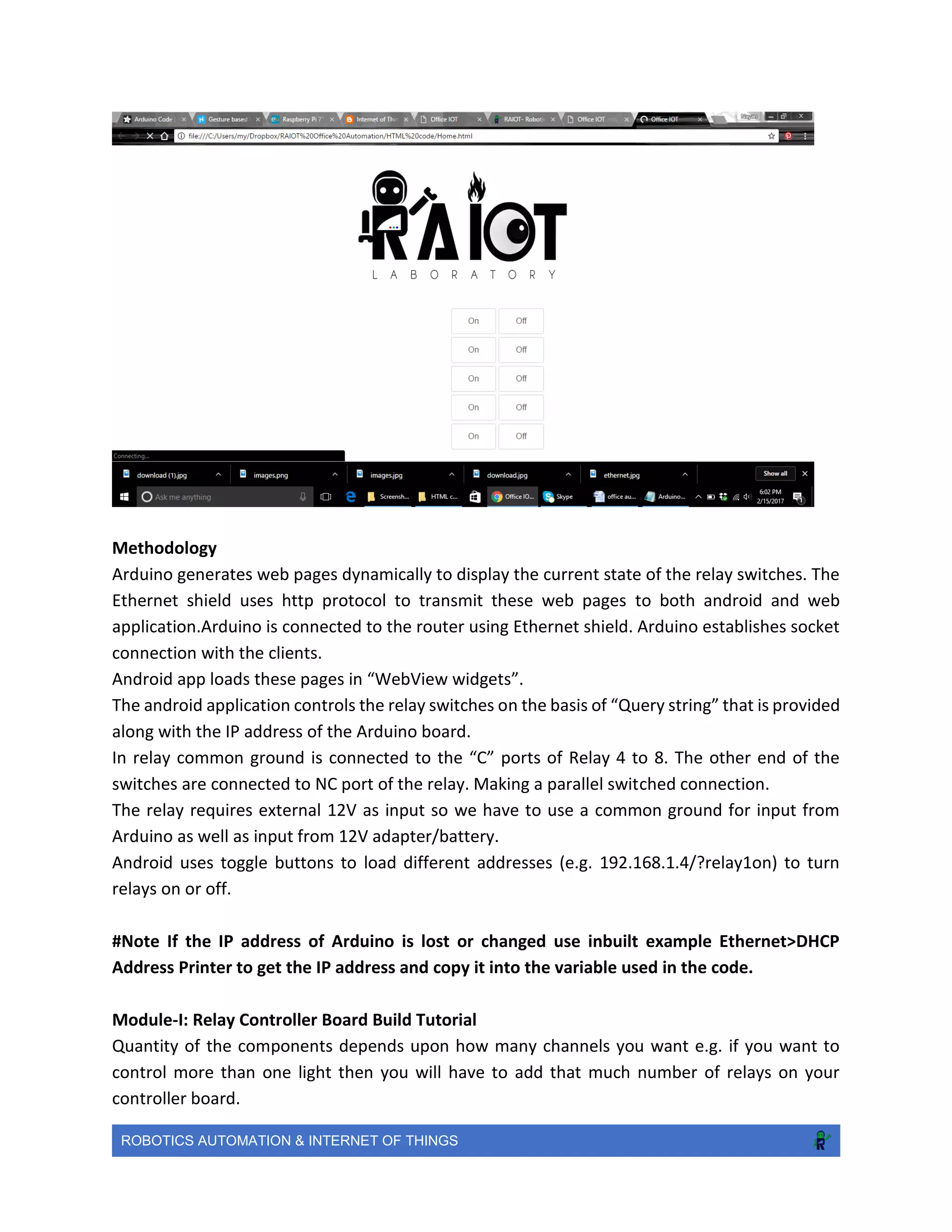
Arduino generates web pages dynamically to display the current state of the relay switches. The
Ethernet shield uses http protocol to transmit these web pages to both android and web
application.Arduino is connected to the router using Ethernet shield. Arduino establishes socket
connection with the clients.
Android app loads these pages in “WebView widgets”.
The android application controls the relay switches on the basis of “Query string” that is provided
along with the IP address of the Arduino board.
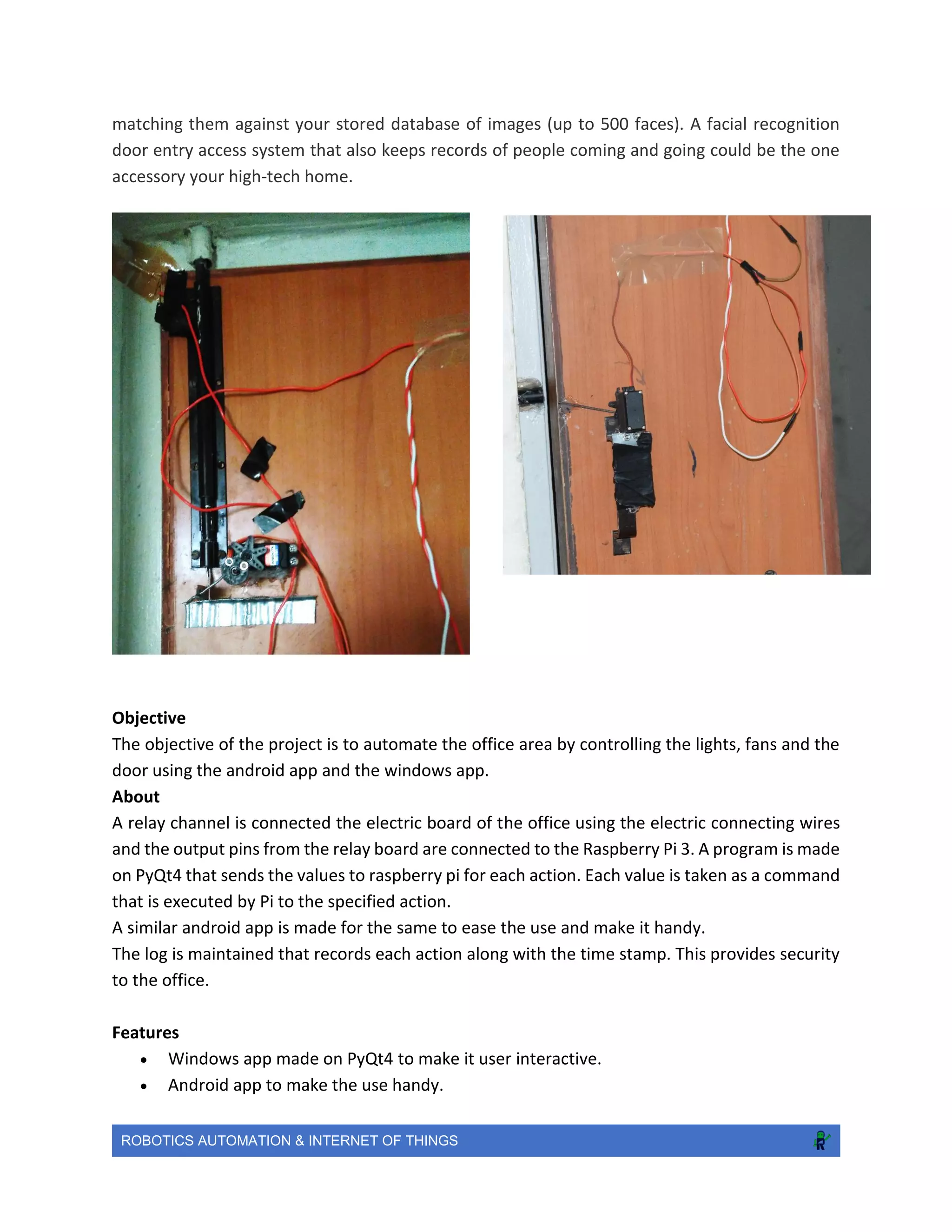
In relay common ground is connected to the “C” ports of Relay 4 to 8. The other end of the
switches are connected to NC port of the relay. Making a parallel switched connection.
The relay requires external 12V as input so we have to use a common ground for input from
Arduino as well as input from 12V adapter/battery.
Android uses toggle buttons to load different addresses (e.g. 192.168.1.4/?relay1on) to turn
relays on or off.
#Note If the IP address of Arduino is lost or changed use inbuilt example Ethernet>DHCP
Address Printer to get the IP address and copy it into the variable used in the code.
Module-I: Relay Controller Board Build Tutorial
Quantity of the components depends upon how many channels you want e.g. if you want to
control more than one light then you will have to add that much number of relays on your
controller board.
ROBOTICS AUTOMATION & INTERNET OF THINGS
Module-III: Building Main Circuit Connection
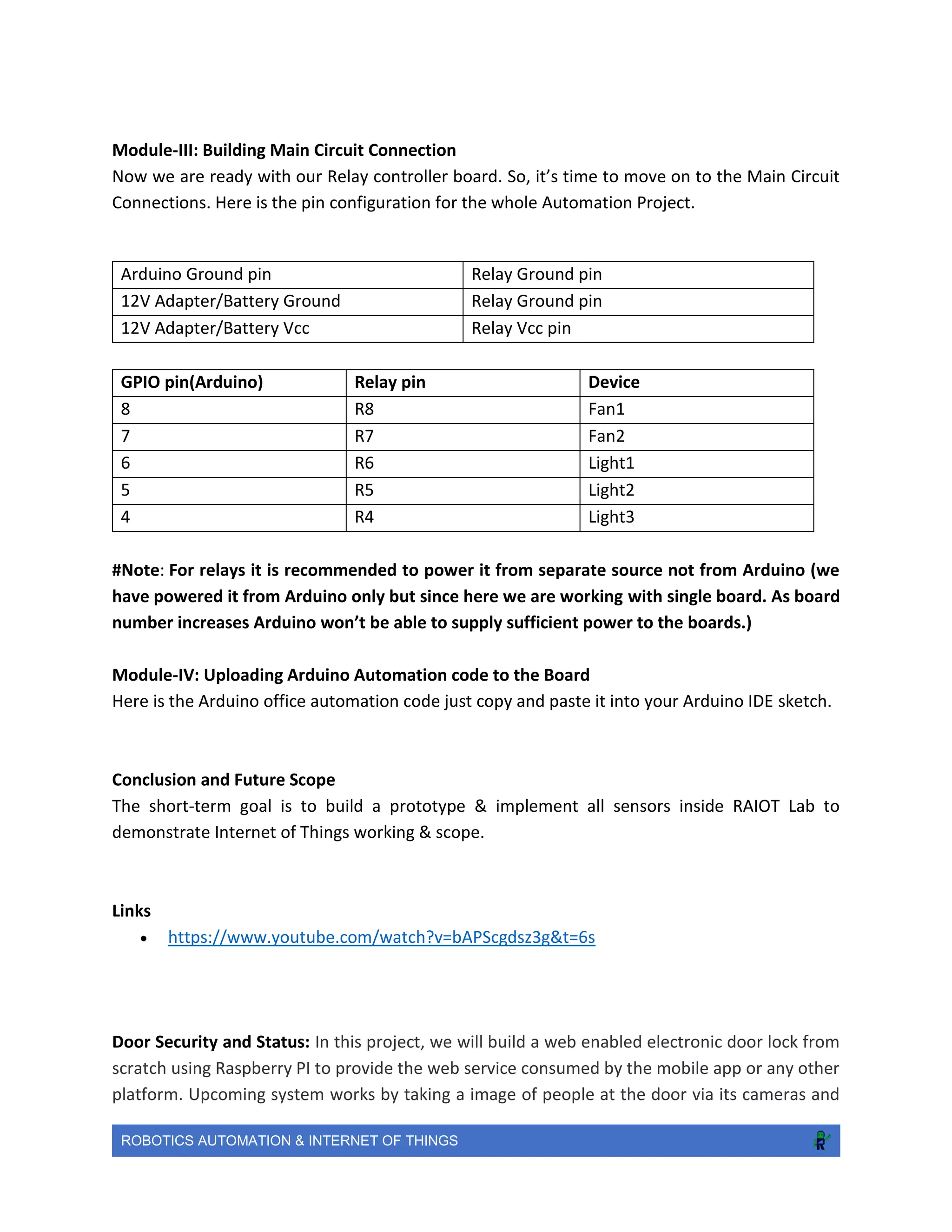
Now we are ready with our Relay controller board. So, it’s time to move on to the Main Circuit
Connections. Here is the pin configuration for the whole Automation Project.
GPIO pin(Arduino) Relay pin Device
8 R8 Fan1
7 R7 Fan2
6 R6 Light1
5 R5 Light2
4 R4 Light3
#Note: For relays it is recommended to power it from separate source not from Arduino (we
have powered it from Arduino only but since here we are working with single board. As board
number increases Arduino won’t be able to supply sufficient power to the boards.)
Module-IV: Uploading Arduino Automation code to the Board
Here is the Arduino office automation code just copy and paste it into your Arduino IDE sketch.
Conclusion and Future Scope
The short-term goal is to build a prototype & implement all sensors inside RAIOT Lab to
demonstrate Internet of Things working & scope.
Links
 https://www.youtube.com/watch?v=bAPScgdsz3g&t=6s
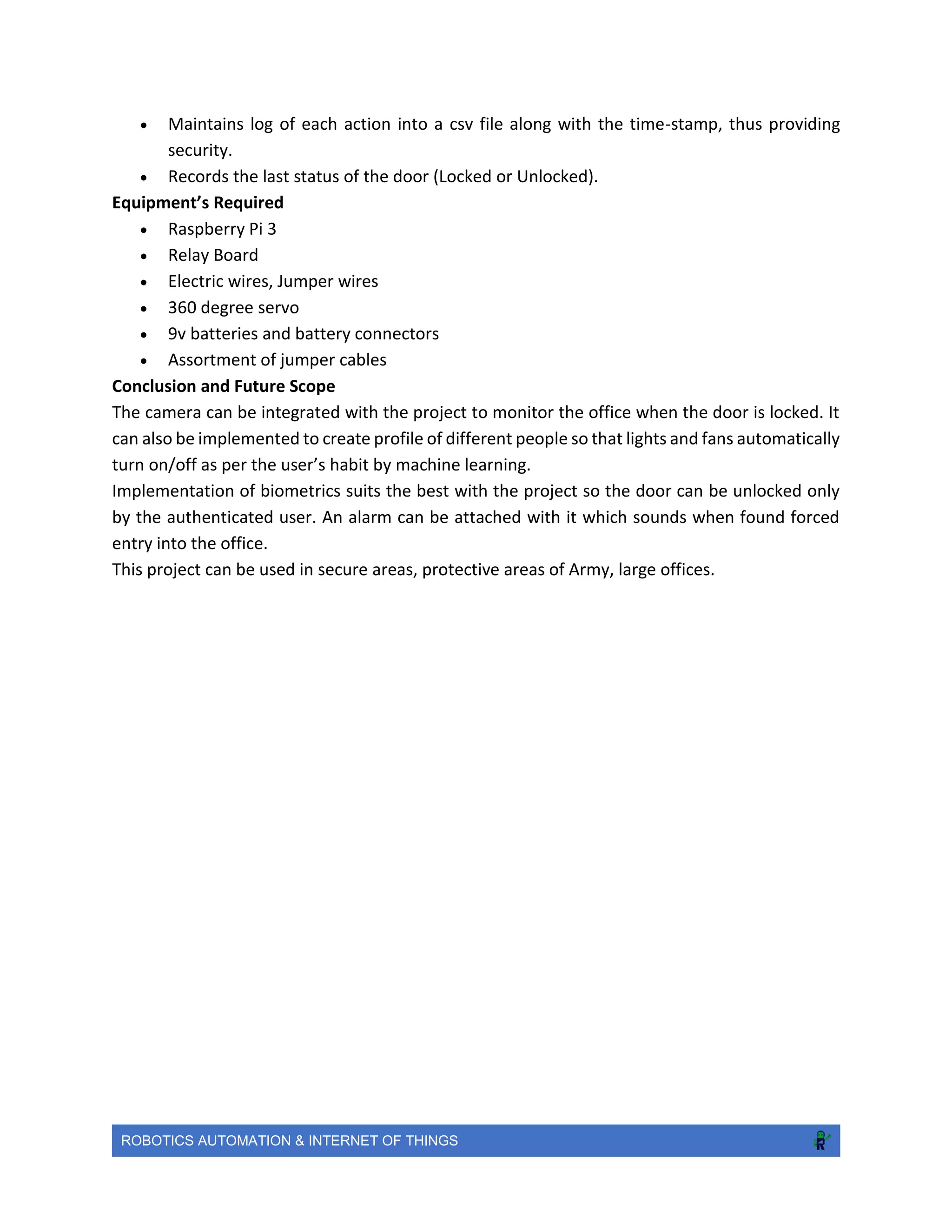
Door Security and Status: In this project, we will build a web enabled electronic door lock from
scratch using Raspberry PI to provide the web service consumed by the mobile app or any other
platform. Upcoming system works by taking a image of people at the door via its cameras and
Arduino Ground pin Relay Ground pin
12V Adapter/Battery Ground Relay Ground pin
12V Adapter/Battery Vcc Relay Vcc pin
ROBOTICS AUTOMATION & INTERNET OF THINGS
matching them against your stored database of images (up to 500 faces). A facial recognition
door entry access system that also keeps records of people coming and going could be the one
accessory your high-tech home.
Objective
The objective of the project is to automate the office area by controlling the lights, fans and the
door using the android app and the windows app.
About
A relay channel is connected the electric board of the office using the electric connecting wires
and the output pins from the relay board are connected to the Raspberry Pi 3. A program is made
on PyQt4 that sends the values to raspberry pi for each action. Each value is taken as a command
that is executed by Pi to the specified action.
A similar android app is made for the same to ease the use and make it handy.
The log is maintained that records each action along with the time stamp. This provides security
to the office.
Features
 Windows app made on PyQt4 to make it user interactive.
 Android app to make the use handy.
ROBOTICS AUTOMATION & INTERNET OF THINGS
 Maintains log of each action into a csv file along with the time-stamp, thus providing
security.
 Records the last status of the door (Locked or Unlocked).
Equipment’s Required
 Raspberry Pi 3
 Relay Board
 Electric wires, Jumper wires
 360 degree servo
 9v batteries and battery connectors
 Assortment of jumper cables
Conclusion and Future Scope
The camera can be integrated with the project to monitor the office when the door is locked. It
can also be implemented to create profile of different people so that lights and fans automatically
turn on/off as per the user’s habit by machine learning.
Implementation of biometrics suits the best with the project so the door can be unlocked only
by the authenticated user. An alarm can be attached with it which sounds when found forced
entry into the office.
This project can be used in secure areas, protective areas of Army, large offices.
ROBOTICS AUTOMATION & INTERNET OF THINGS
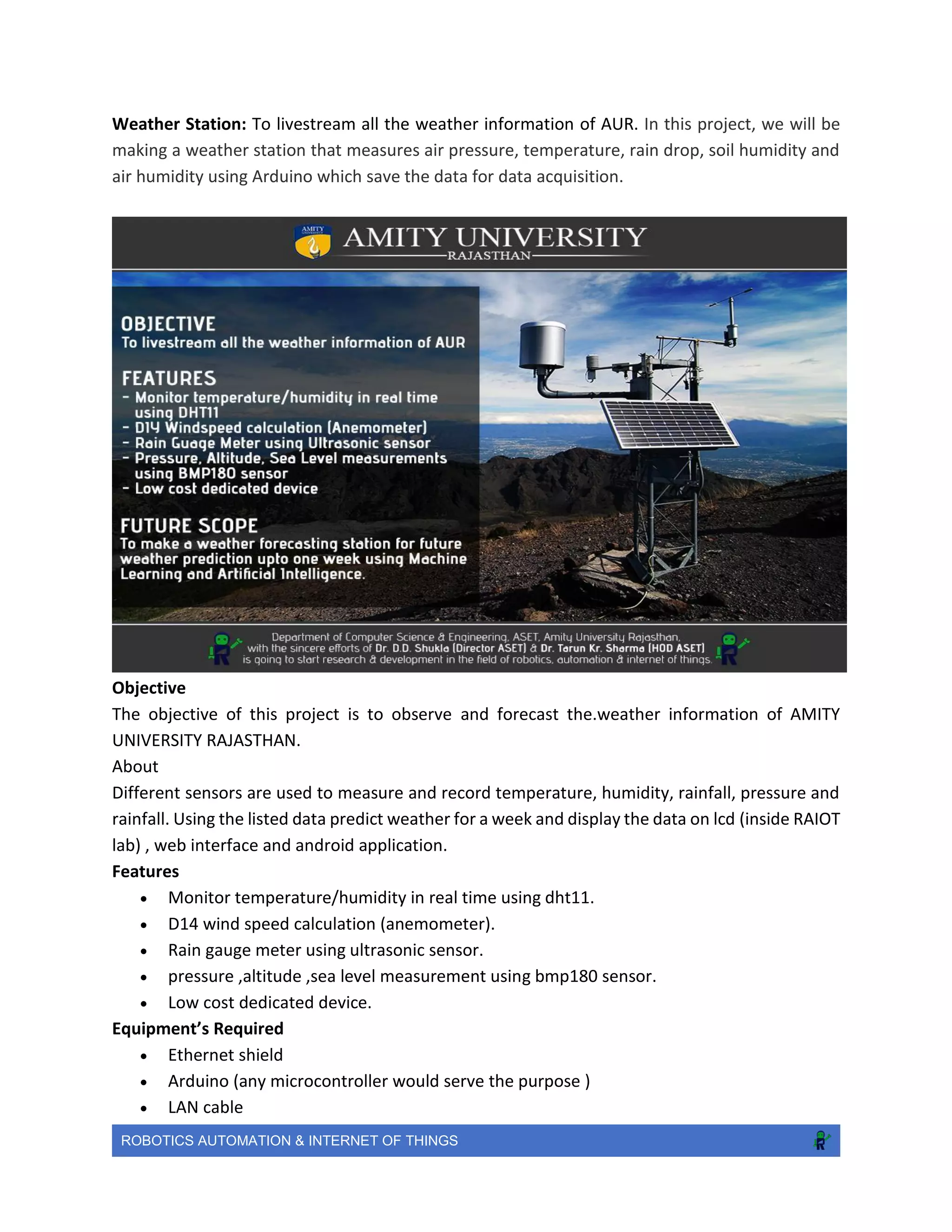
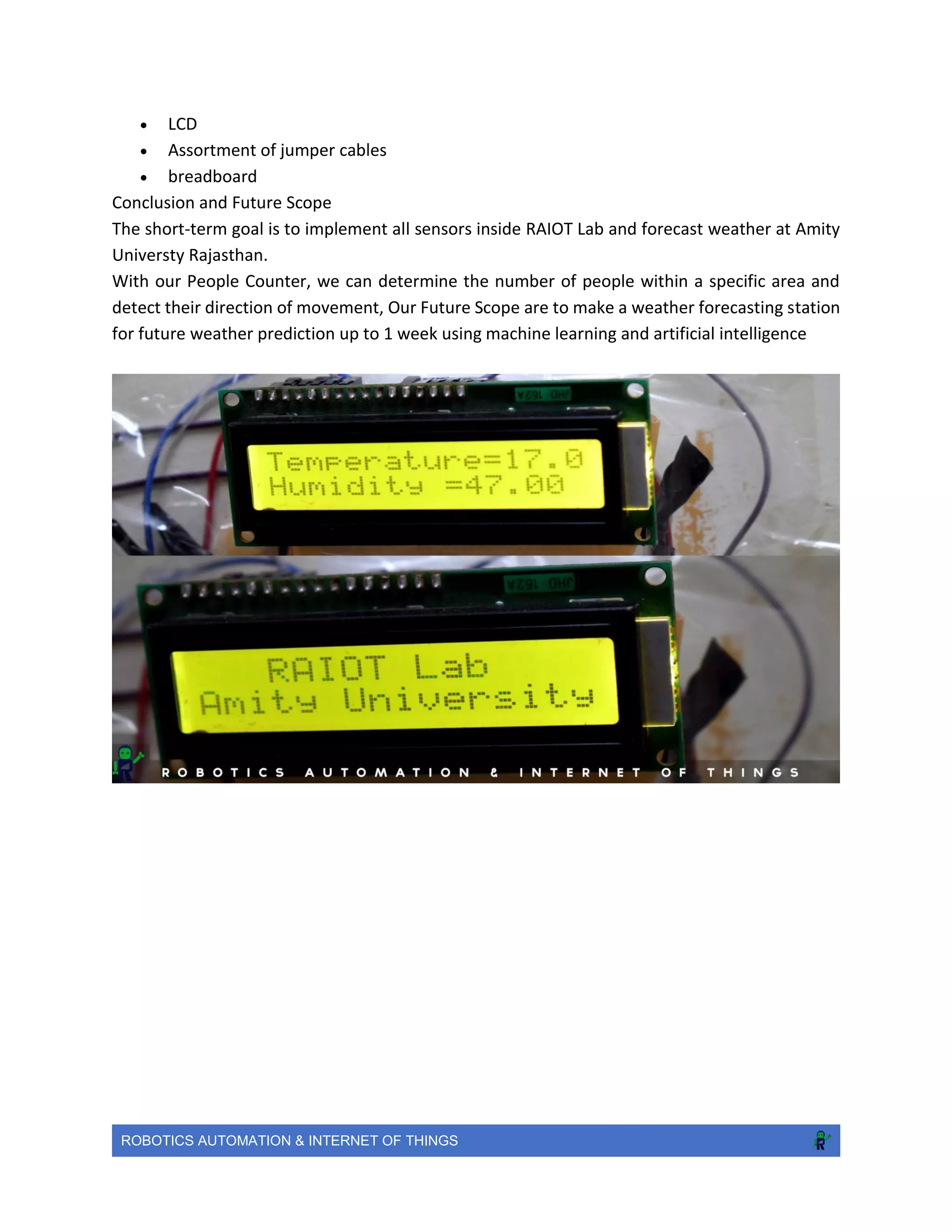
Weather Station: To livestream all the weather information of AUR. In this project, we will be
making a weather station that measures air pressure, temperature, rain drop, soil humidity and
air humidity using Arduino which save the data for data acquisition.
Objective
The objective of this project is to observe and forecast the.weather information of AMITY
UNIVERSITY RAJASTHAN.
About
Different sensors are used to measure and record temperature, humidity, rainfall, pressure and
rainfall. Using the listed data predict weather for a week and display the data on lcd (inside RAIOT
lab) , web interface and android application.
Features
 Monitor temperature/humidity in real time using dht11.
 D14 wind speed calculation (anemometer).
 Rain gauge meter using ultrasonic sensor.
 pressure ,altitude ,sea level measurement using bmp180 sensor.
 Low cost dedicated device.
Equipment’s Required
 Ethernet shield
 Arduino (any microcontroller would serve the purpose )
 LAN cable
ROBOTICS AUTOMATION & INTERNET OF THINGS
 LCD
 Assortment of jumper cables
 breadboard
Conclusion and Future Scope
The short-term goal is to implement all sensors inside RAIOT Lab and forecast weather at Amity
Universty Rajasthan.
With our People Counter, we can determine the number of people within a specific area and
detect their direction of movement, Our Future Scope are to make a weather forecasting station
for future weather prediction up to 1 week using machine learning and artificial intelligence
ROBOTICS AUTOMATION & INTERNET OF THINGS
Our Events
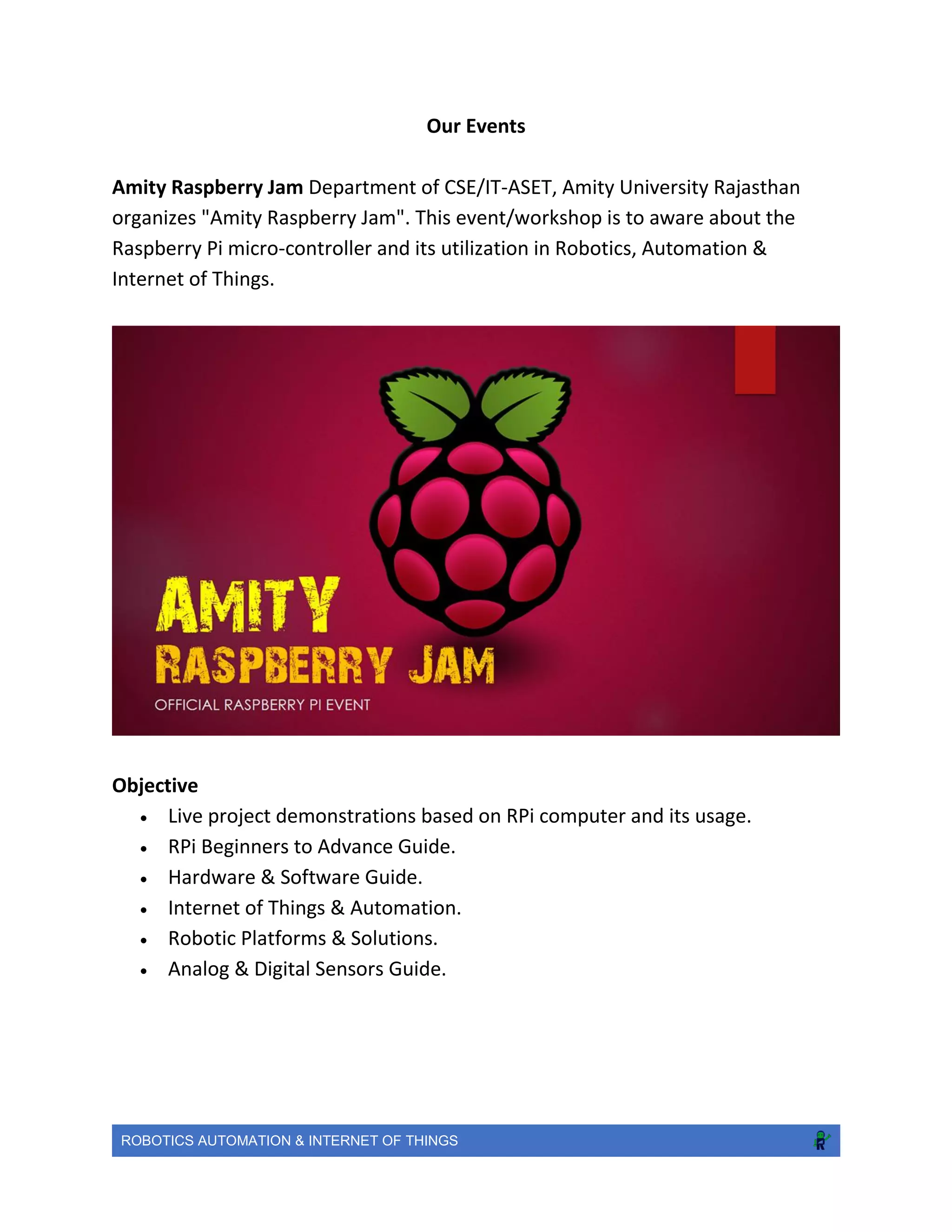
Amity Raspberry Jam Department of CSE/IT-ASET, Amity University Rajasthan
organizes "Amity Raspberry Jam". This event/workshop is to aware about the
Raspberry Pi micro-controller and its utilization in Robotics, Automation &
Internet of Things.
Objective
 Live project demonstrations based on RPi computer and its usage.
 RPi Beginners to Advance Guide.
 Hardware & Software Guide.
 Internet of Things & Automation.
 Robotic Platforms & Solutions.
 Analog & Digital Sensors Guide.
ROBOTICS AUTOMATION & INTERNET OF THINGS
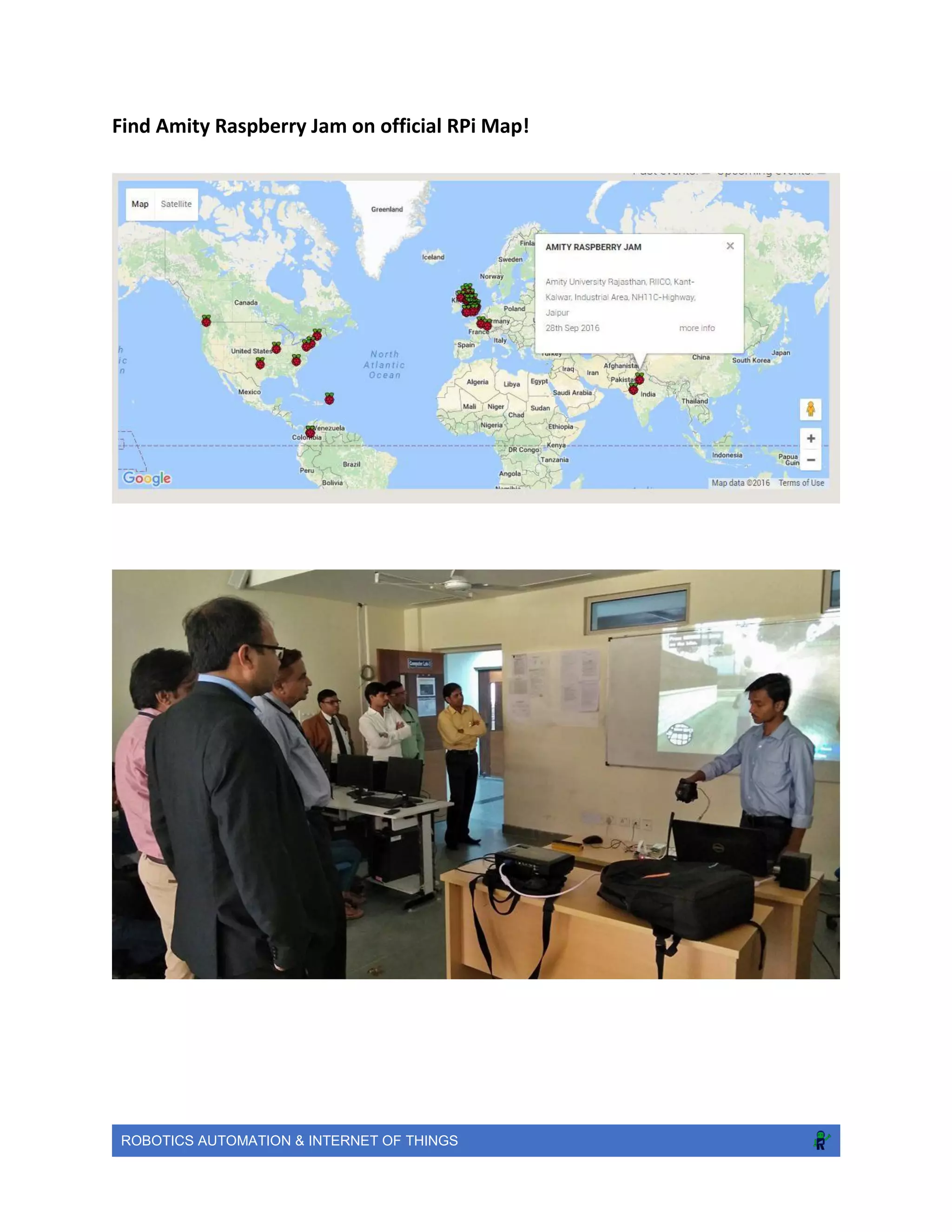
Find Amity Raspberry Jam on official RPi Map!
ROBOTICS AUTOMATION & INTERNET OF THINGS
Our Achievements
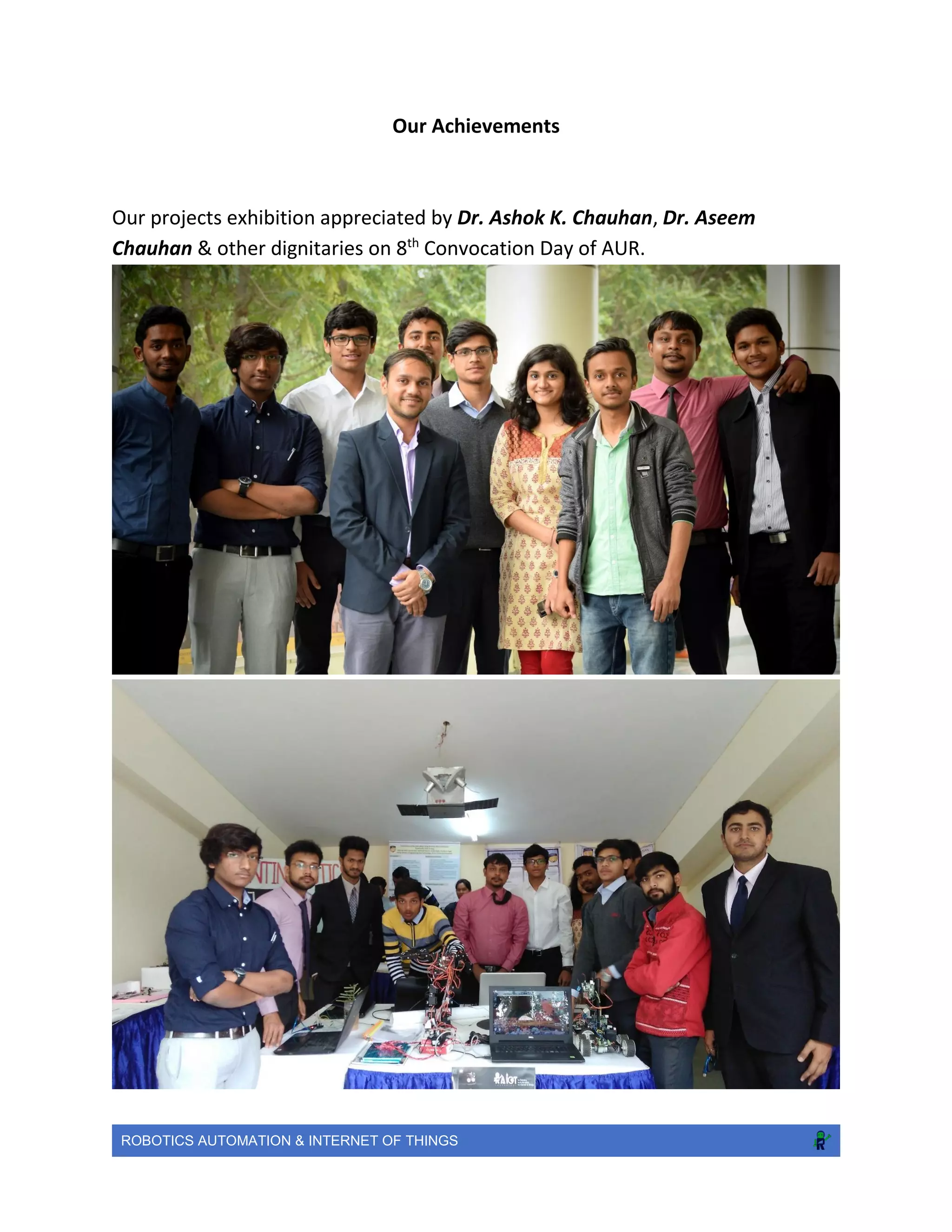
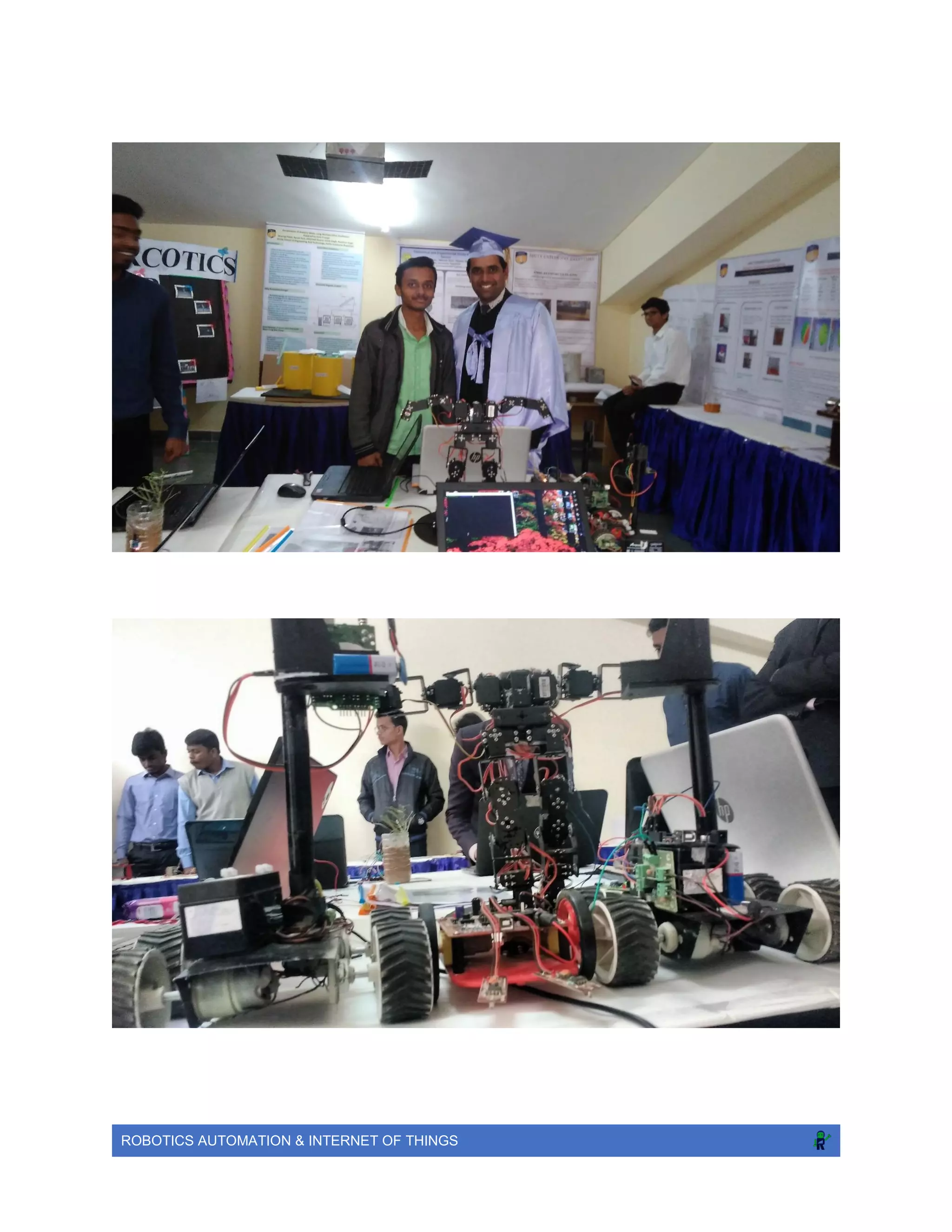
Our projects exhibition appreciated by Dr. Ashok K. Chauhan, Dr. Aseem
Chauhan & other dignitaries on 8th
Convocation Day of AUR.
ROBOTICS AUTOMATION & INTERNET OF THINGS
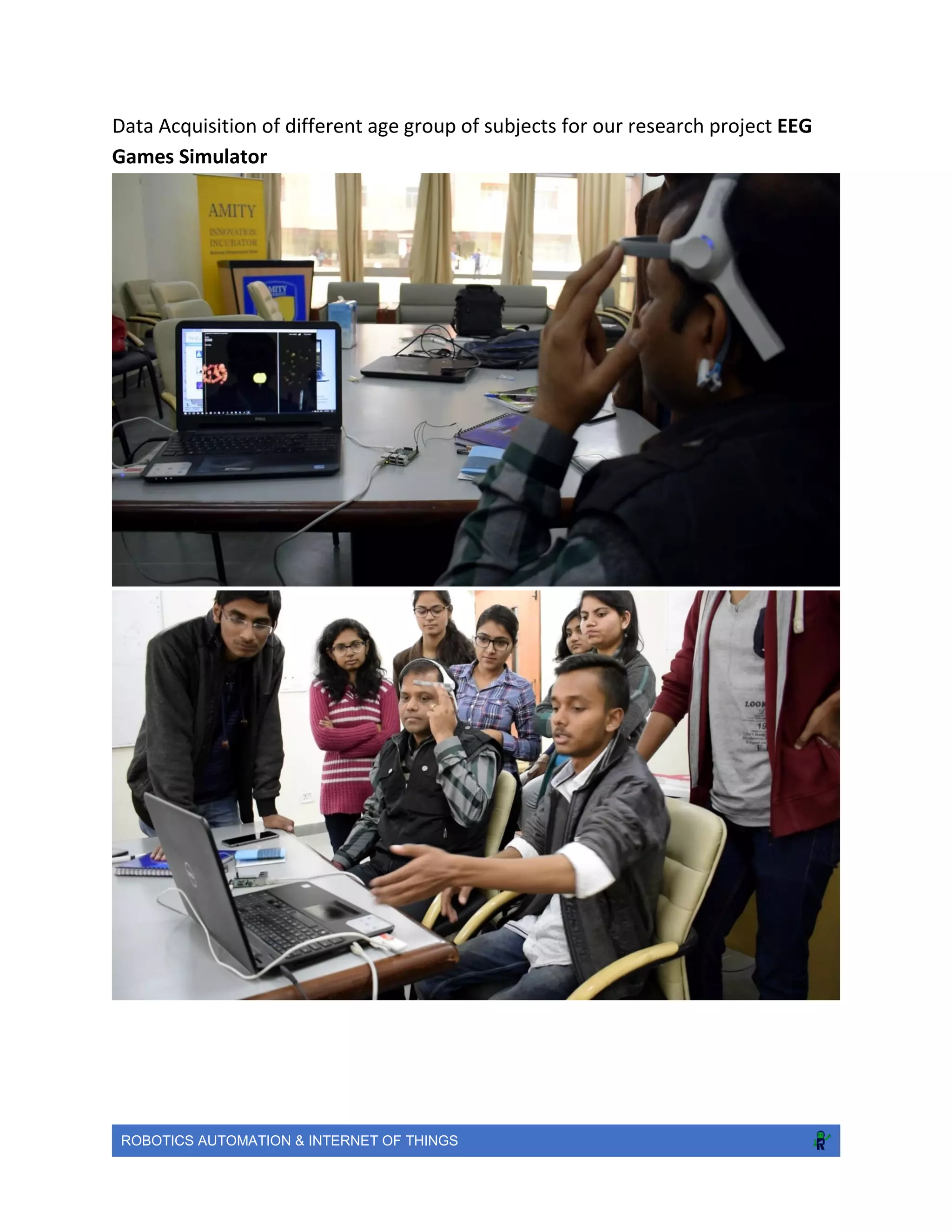
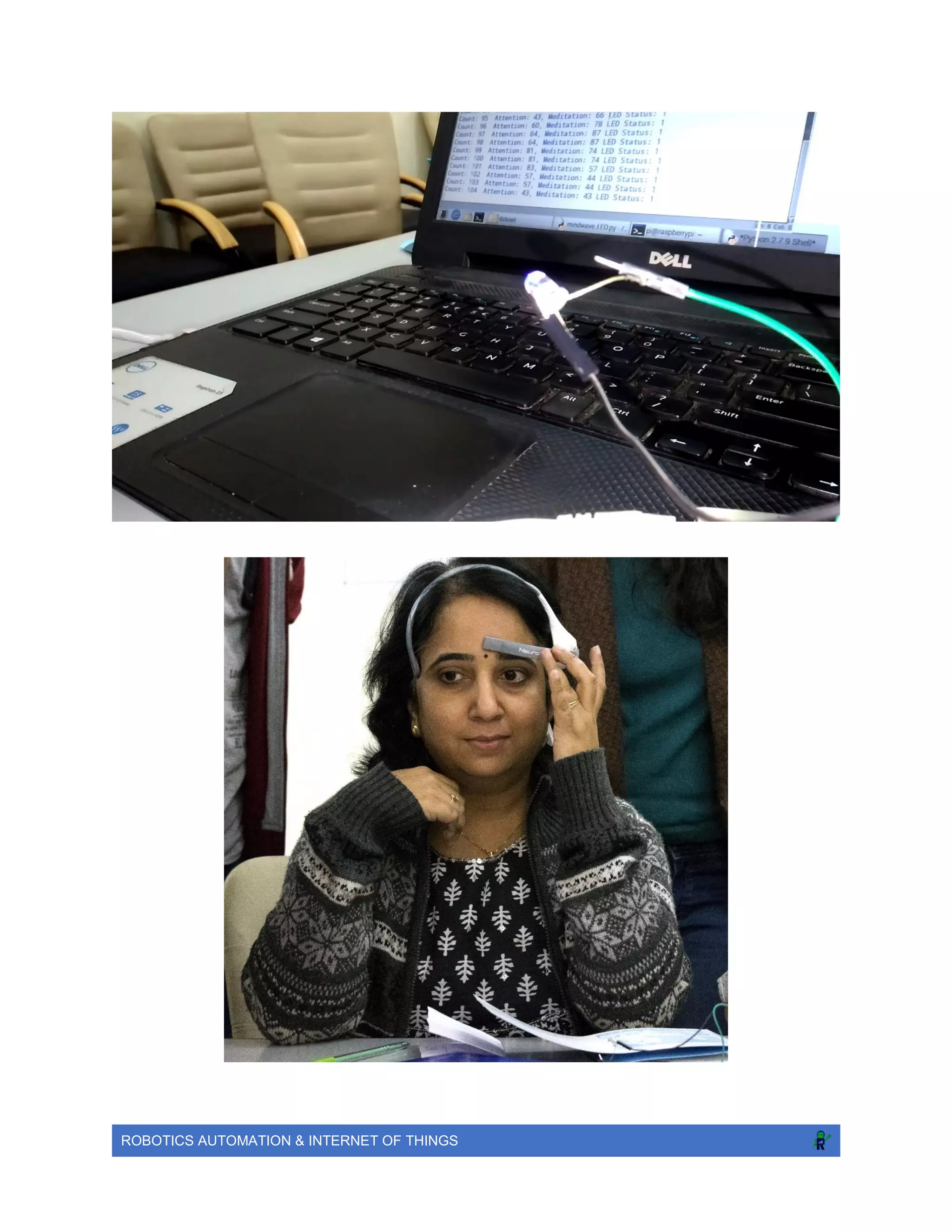
Data Acquisition of different age group of subjects for our research project EEG
Games Simulator
ROBOTICS AUTOMATION & INTERNET OF THINGS
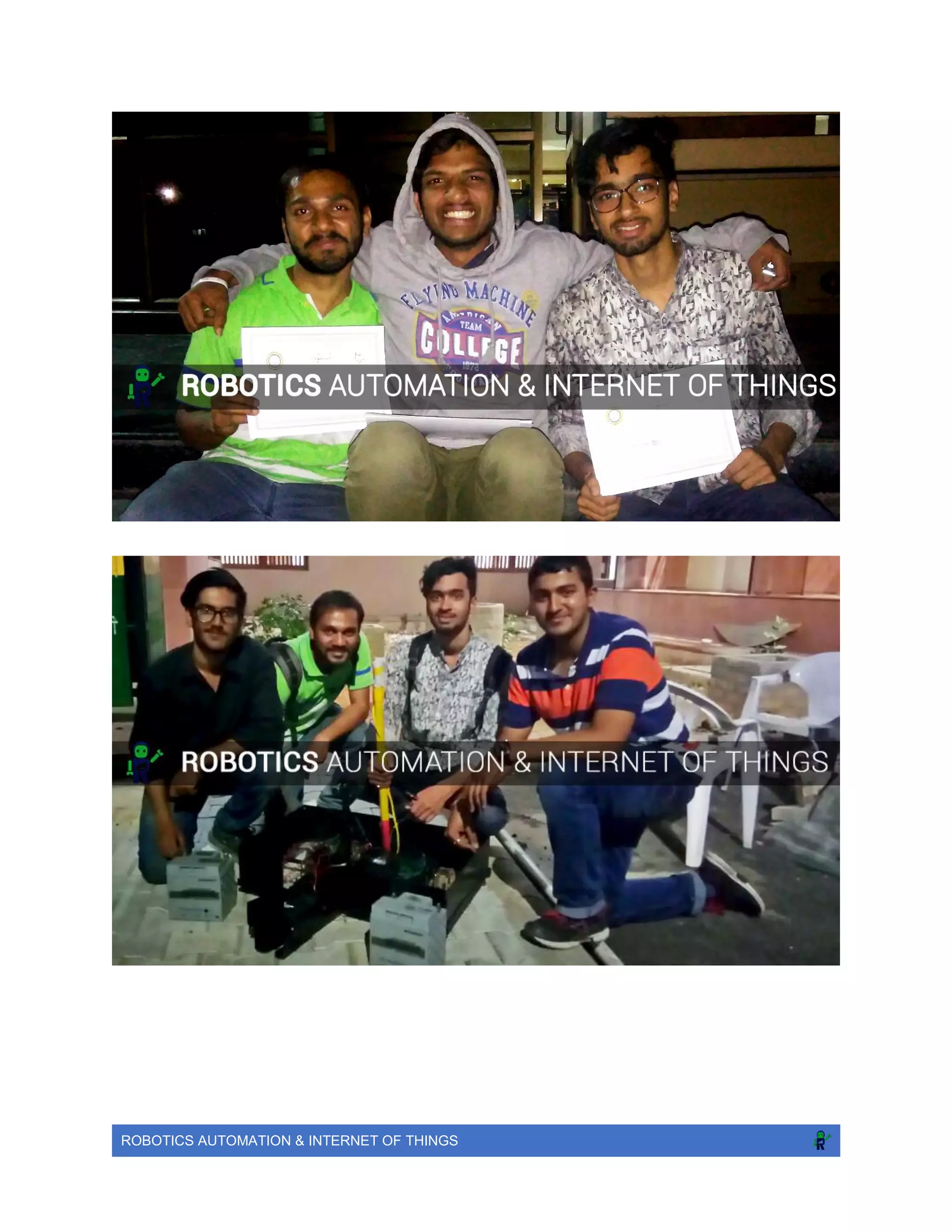
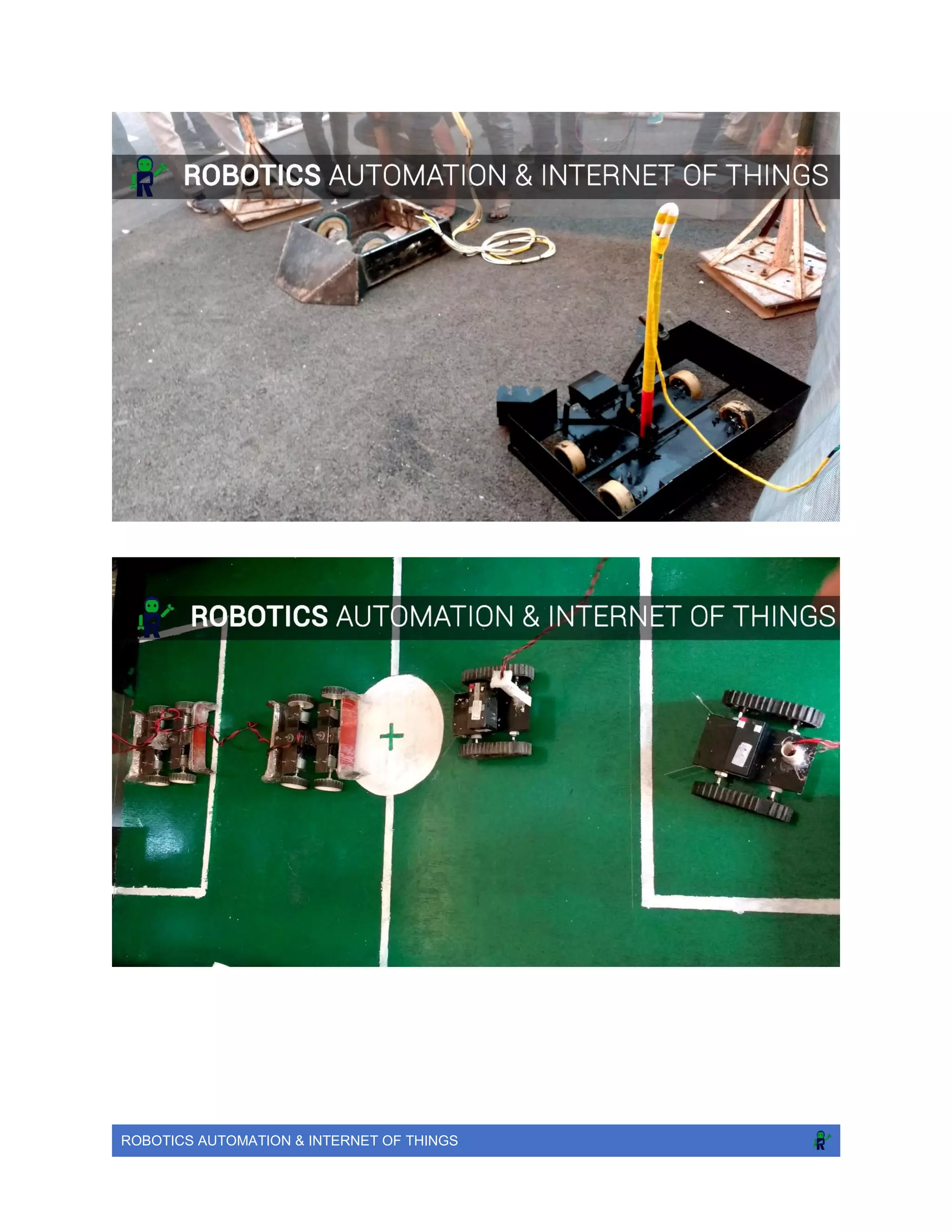
Our #Robotics team: Winner at Blitzschlag, MNIT Jaipur
Date: 27-02-2017
RoboWar: 3rd
Prize Cash: 2000 INR
RoboRace: 4th
Prize
ROBOTICS AUTOMATION & INTERNET OF THINGS
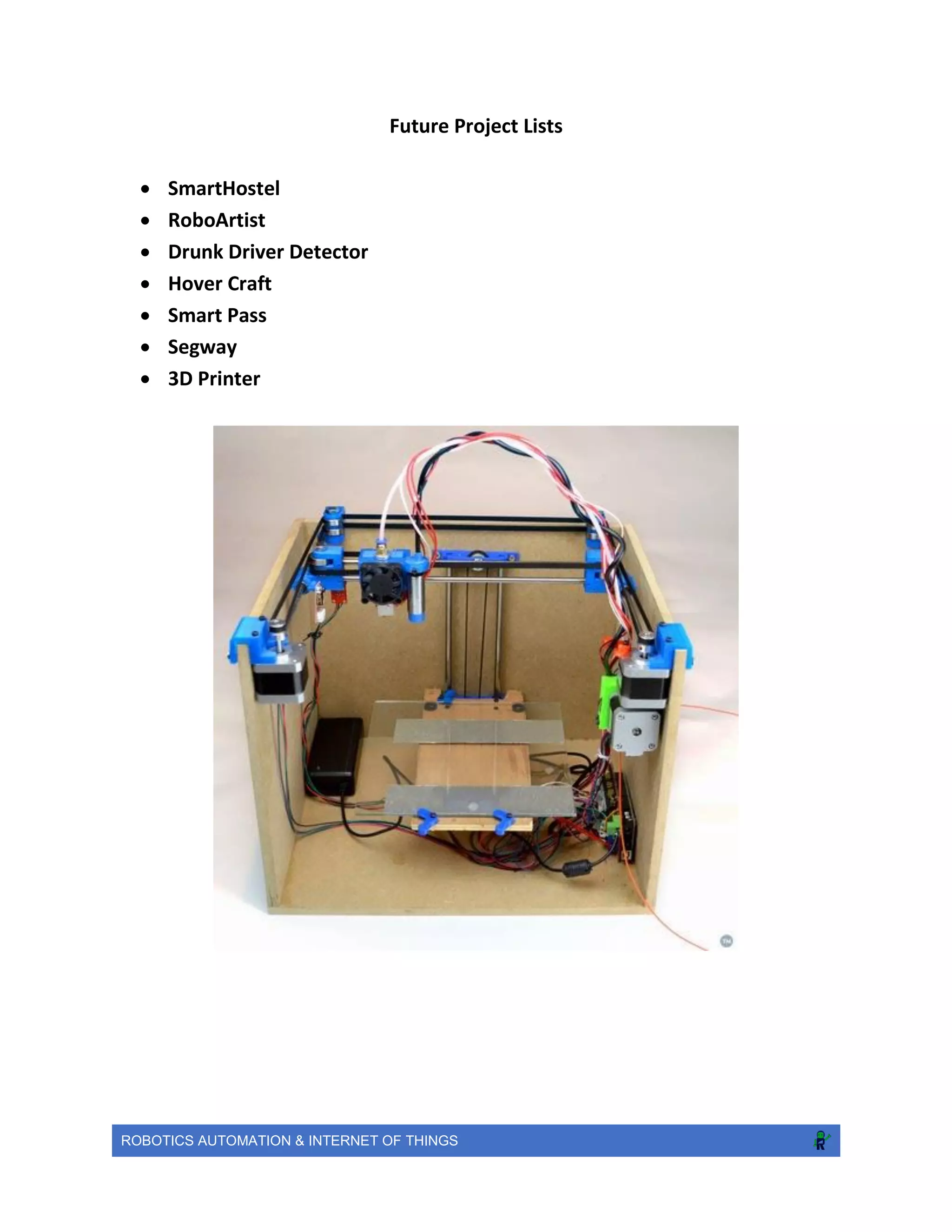
Future Project Lists
 SmartHostel
 RoboArtist
 Drunk Driver Detector
 Hover Craft
 Smart Pass
 Segway
 3D Printer
ROBOTICS AUTOMATION & INTERNET OF THINGS
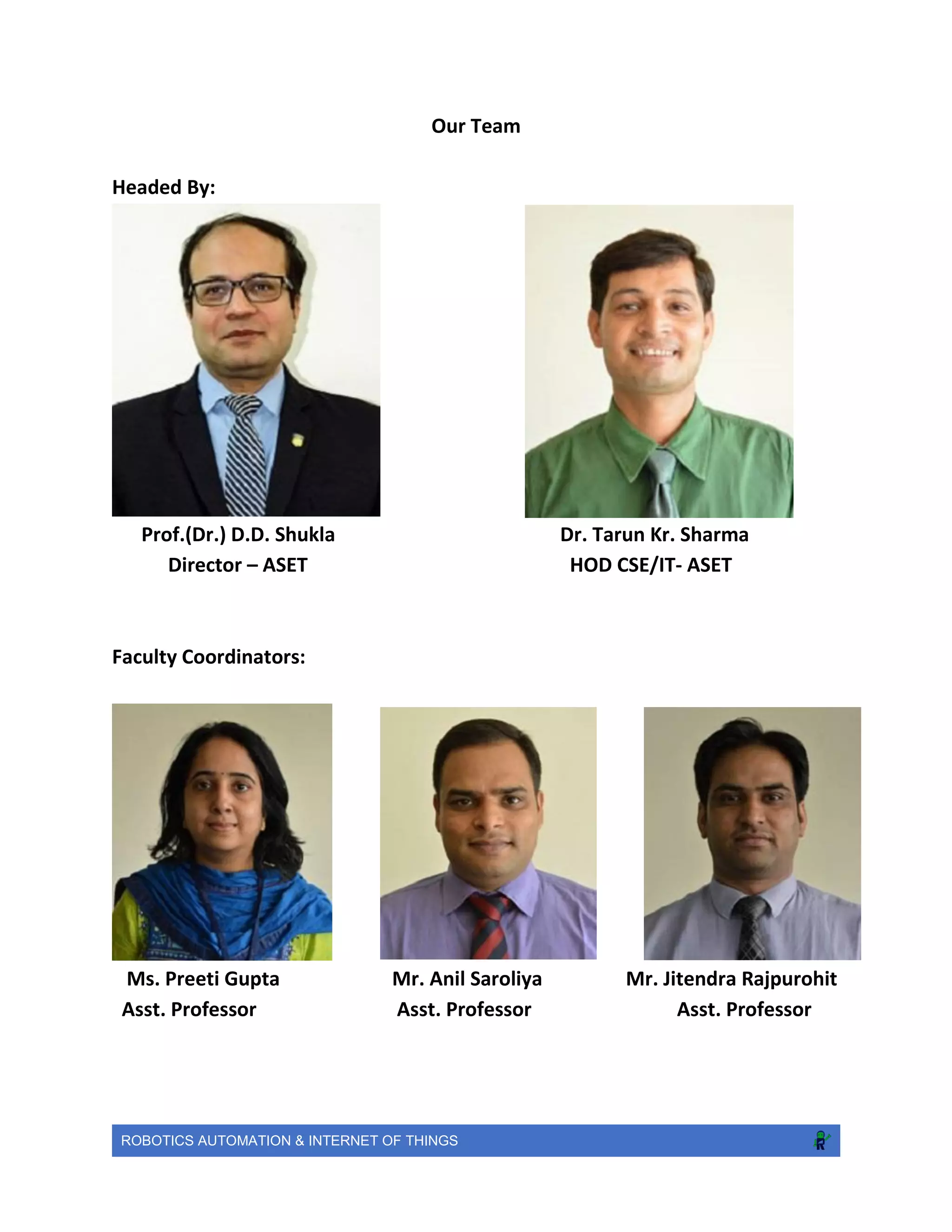
Our Team
Headed By:
Prof.(Dr.) D.D. Shukla Dr. Tarun Kr. Sharma
Director – ASET HOD CSE/IT- ASET
Faculty Coordinators:
Ms. Preeti Gupta Mr. Anil Saroliya Mr. Jitendra Rajpurohit
Asst. Professor Asst. Professor Asst. Professor
ROBOTICS AUTOMATION & INTERNET OF THINGS
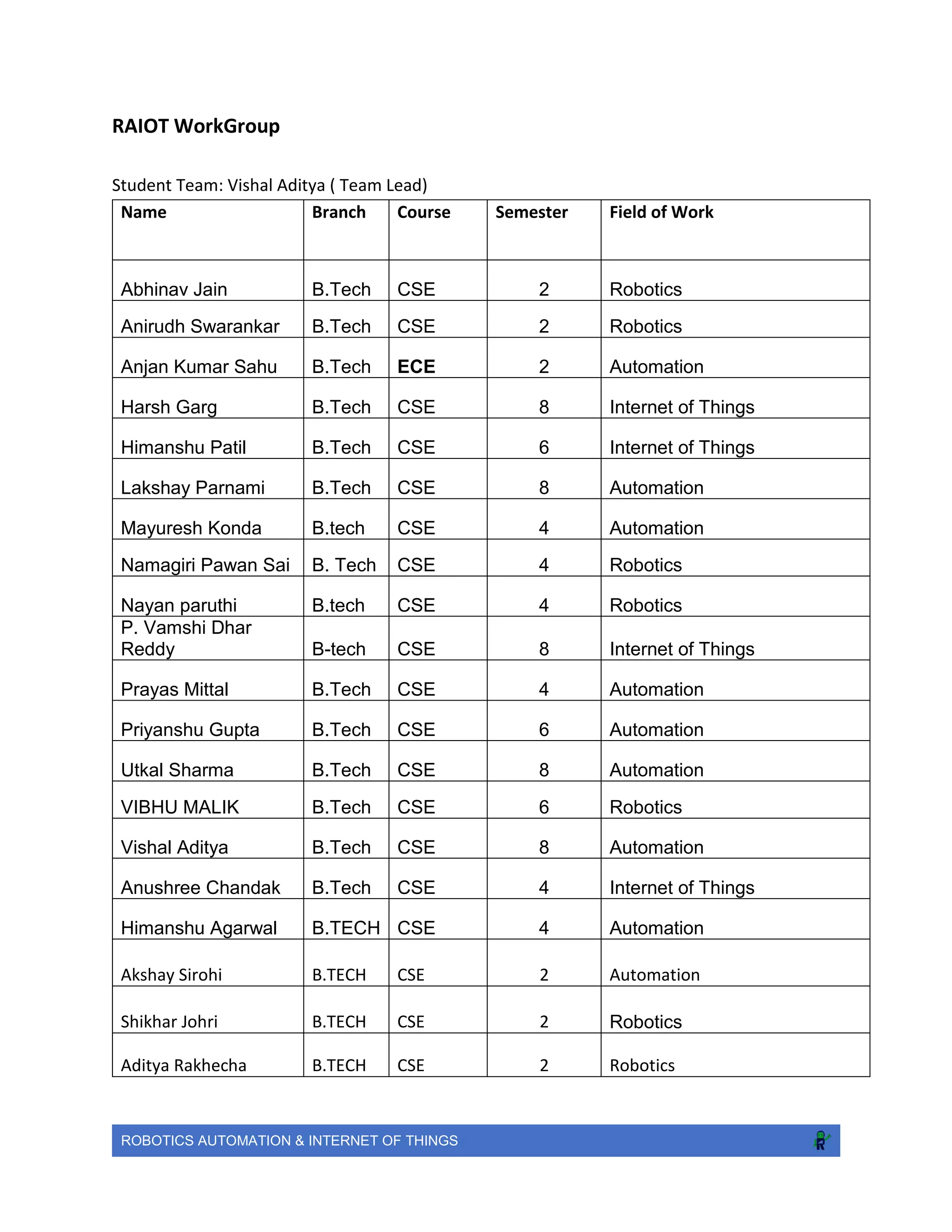
RAIOT WorkGroup
Student Team: Vishal Aditya ( Team Lead)
Name Branch Course Semester Field of Work
Abhinav Jain B.Tech CSE 2 Robotics
Anirudh Swarankar B.Tech CSE 2 Robotics
Anjan Kumar Sahu B.Tech ECE 2 Automation
Harsh Garg B.Tech CSE 8 Internet of Things
Himanshu Patil B.Tech CSE 6 Internet of Things
Lakshay Parnami B.Tech CSE 8 Automation
Mayuresh Konda B.tech CSE 4 Automation
Namagiri Pawan Sai B. Tech CSE 4 Robotics
Nayan paruthi B.tech CSE 4 Robotics
P. Vamshi Dhar
Reddy B-tech CSE 8 Internet of Things
Prayas Mittal B.Tech CSE 4 Automation
Priyanshu Gupta B.Tech CSE 6 Automation
Utkal Sharma B.Tech CSE 8 Automation
VIBHU MALIK B.Tech CSE 6 Robotics
Vishal Aditya B.Tech CSE 8 Automation
Anushree Chandak B.Tech CSE 4 Internet of Things
Himanshu Agarwal B.TECH CSE 4 Automation
Akshay Sirohi B.TECH CSE 2 Automation
Shikhar Johri B.TECH CSE 2 Robotics
Aditya Rakhecha B.TECH CSE 2 Robotics
ROBOTICS AUTOMATION & INTERNET OF THINGS
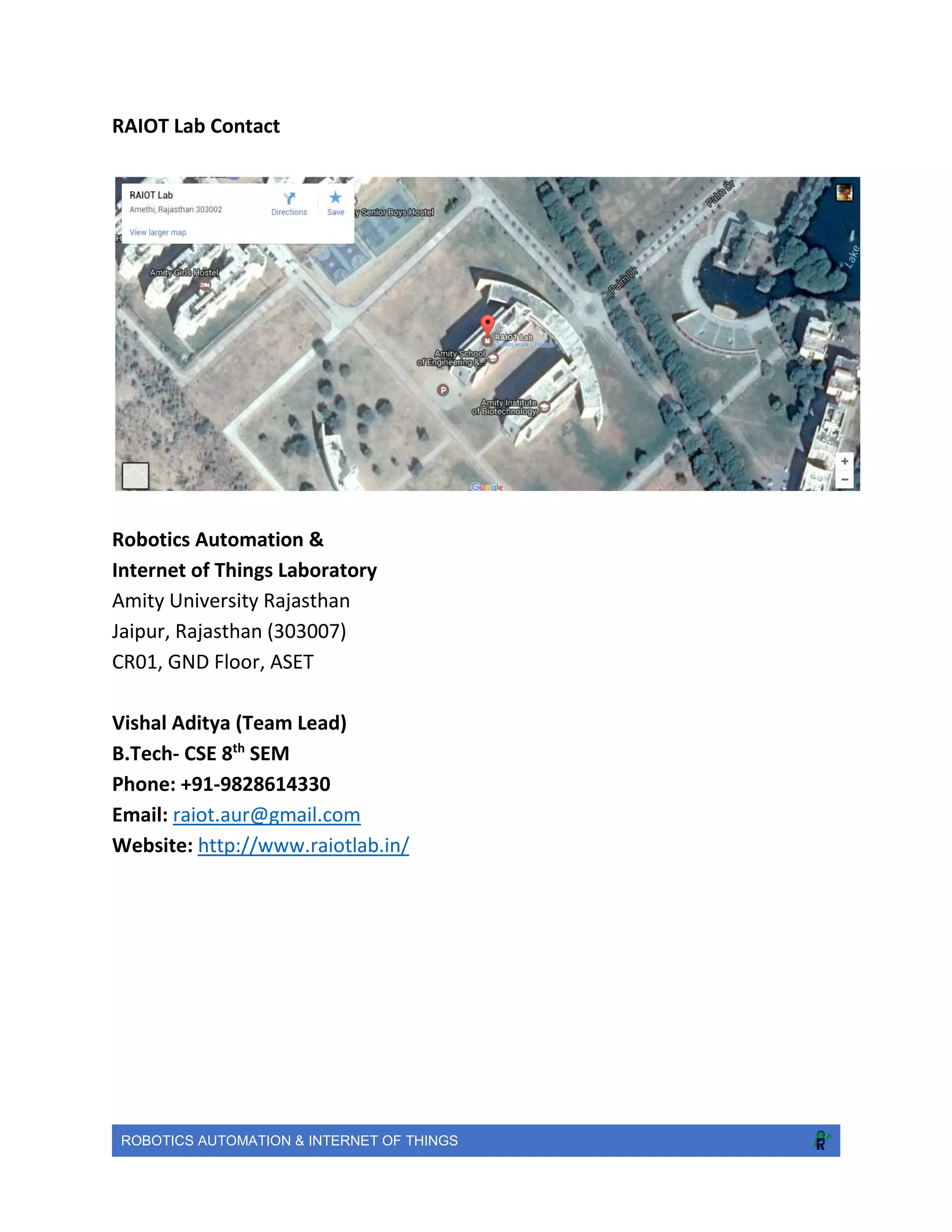
RAIOT Lab Contact
Robotics Automation &
Internet of Things Laboratory
Amity University Rajasthan
Jaipur, Rajasthan (303007)
CR01, GND Floor, ASET
Vishal Aditya (Team Lead)
B.Tech- CSE 8th
SEM
Phone: +91-9828614330
Email: raiot.aur@gmail.com
Website: http://www.raiotlab.in/

RAIOT- Robotics Automation & Internet of Things Lab Report

  • 1.
    ROBOTICS AUTOMATION &INTERNET OF THINGS A report by RAIOT- Robotics Automation & Internet of Things Lab Department of CSE/IT,ASET,Amity University Rajasthan
  • 2.
    ROBOTICS AUTOMATION &INTERNET OF THINGS INTRODUCTION RAIOT- Robotics Automation & Internet of Things Lab include projects which allows the students to integrate and apply their knowledge in the design, construction and testing of a real system. At one extreme, these projects can be free-form. The students think of an original device and then deal with all aspects of engineering development from parts procurement to final testing of the full-up system. At the other end of the spectrum students are given prebuilt systems and must program them to perform certain task(s). These often take the form of small mobile robots that are run in a contest of some sort at the end of the semester. One of the biggest takeaways from robotics lab is how it is possible to discover ways to interface with almost any type of hardware. Some of the other things that we learn here is to be able to accomplish a higher-level task based completely on the basic knowledge and research. This gives an added advantage to the students to develop their programming skills and practical knowledge which will help them reach pinnacles in their academics. The RAIOT Lab is a campus hub focused on learning, research and hands-on experimentation to discover and demonstrate the promise of the Robotics and Internet of Things. The Internet of Things Lab serves as an exciting multidisciplinary learning and research “sandbox” as well as a thought-leadership and innovation showcase to explore, experience, and extend cutting-edge technologies and use-cases. We are investigating a variety of emerging devices and technologies (involving smart sensing, pervasive connectivity, virtual interfaces and ubiquitous computing), and their potential applications in consumer, retail, healthcare and industrial contexts The Robotics Automation and Internet of Things will transform the way we live, work, and play. The RAIOT Lab came into existence and became a vital part of Amity University Rajasthan on 21st January ,2017. Prof. Dr. D. D. Shukla , Director , ASET and Dr. Tarun Kumar Sharma , Head of Department , CSE/IT-ASET inaugurated the lab on 8th Convocation. Under the conduct of this lab lies great effort and support of our faculty coordinators Prof.Preeti Gupta,,Prof. Anil Saroliya and Prof. Jitendra Rajpurohit. The list of projects that we are working on is as follows: During the laboratory sessions, we work in teams of two to three students. It is desired that each team contain members with different skills, for an equal distribution of forces. Team members equally contribute to the lab sessions, reports and final competition. Students in each team share the responsibility of maintaining and returning the hardware in their original form. The Team has so far done a great job and is in the run to bring a revolution.
  • 3.
    ROBOTICS AUTOMATION &INTERNET OF THINGS Robotics 17 DOF Humanoid: This robot is a professional small humanoid robot consist of full aluminum parts, smooth surface with smooth edges not hurting hands, the metal is unbleached, beautiful and durable. Objective The objective of this project is to focus in R&D of AI & Machine Learning Brief This robot is a professional small humanoid robot consist of full aluminum parts, smooth surface with smooth edges not hurting hands, the metal is unbleached, beautiful and durable. The High Torque Standard Servo Motor with Dual Ball Bearing and Metal Gears. Provides 14kg/cm at 4.8V and 16kg/cm at 6V. Replacement for HS-645MG. Arduino Uno R3 based USB 18 Servo Controller is ideal for making Autonomous and PC based systems which run over Hobby Servo motors. The software helps to develop the complex sequences in real time on the hardware like robotic arms, walkers, bipeds and any other servo controlled system. It also generates Arduino based code for the developed sequence which can be deployed on the controller on board thereby making the robot autonomous.
  • 4.
    ROBOTICS AUTOMATION &INTERNET OF THINGS Features  Arches punching, corner cutting  Cost-effective and easy-to-use  For hobbyists, robot competition, kids  Size:40cm(H)*23cm(W) Servo Motor Specifications  Required Pulse: 3-5 Volt Peak to Peak Square Wave  Operating Voltage: 4.8-6.0 Volts  Operating Temperature Range: -10 to +60 Degree C  Potentiometer Drive: Indirect Drive  Gear Type: All Metal Gears  Connector Wire Length: 12"  Dimensions: 1.6" x 0.8"x 1.4" (41 x 20 x 36mm)  Weight: 48gm Initial Timeline  Stage I - Develop autonomous humanoid with all basic features like walking, dancing, follow, track co-ordinates, manual control using GUI.  Stage II - Image Processing to track in real-time objects using harcascades, machine learning algorithms to make it more intelligent.  Stage III - Voice Recognition to give commands and perform basic tasks.  Stage IV - Completely autonomous humanoid to interact with users & environment that can make decisions like self-driving cars. This is just an initial time line and not enough detail is known to provide a better time estimate. These steps may not be carried out in the same order as they appear above either and a more iterative approach is likely to be used. Conclusion and Future Scope  Machine Learning: Help students to learn & implement ongoing researches.  Learning by demonstration.  Language Acquisition.  Gestural Communication.  Advance features inspired from NAO, ASIMO, etc. at cheap costs.  Virtual Reality Controls. Links  https://www.youtube.com/watch?v=0OIiKdFCObQ  https://www.youtube.com/watch?v=0HNT-LIR8II
  • 5.
    ROBOTICS AUTOMATION &INTERNET OF THINGS SoccerBot: A soccer robot is a specialized autonomous robot and mobile robot that is used to play variants of soccer.
  • 6.
    ROBOTICS AUTOMATION &INTERNET OF THINGS RacerBot: Designing a manually remote controlled wireless/wired ROBOT which is capable of running on the track, having capacity to cover maximum distance in shortest time and challenging the hurdles. Brief This robot is a small robot consist of full aluminum chassis, smooth surface with smooth edges not hurting hands and durable. The High Torque Johnson Geared Motor of 200 rpm. Provides 12kg/cm at 12V and 6kg/cm at 6V. Arduino Uno R3 based receiver coupled with Xbee S1 and L293d/L298n Dual H-Bridge motor drivers is ideal for making wireless with low latency and great range of 120m(Line of Sight). Remote control is based on the similar Xbee S1 SOC’s with run on 3.3v. Joystick analog output is converted to digital signals for sending wirelessly by SOC with its built in pin modes. Features  Uses Analog to digital convertor capabilities of Xbee S1 SOC’s.  Cost-effective and easy-to-use  For robot competition  Size:10cm(H)*25cm(W) Drive Motor Specifications  Operating voltage: 6-15 Volts  No-load current = 800 mA
  • 7.
    ROBOTICS AUTOMATION &INTERNET OF THINGS  Load current = 9 A(Max)  Shaft Diameter - 6mm  Shaft Length - 15 mm  Gear Type: All Metal Gears  Dimensions: Gearbox diameter - 37mm; Motor Diameter - 28.5 mm; Length (body only) - 63mm  Weight: 300 gms Battery Specifications  12V 1.3Ah Sealed Lead Acid battery  5V power bank Link: https://www.youtube.com/watch?v=Wy48AP2UAaQ
  • 8.
    ROBOTICS AUTOMATION &INTERNET OF THINGS RoboWar: https://www.youtube.com/watch?v=Wy48AP2UAaQ Dynamic Assasination Droid (D.A.D.) First robo war machine of Amity University Rajasthan made from scratch, always up for a real fight! Objective: D.A.D. is combat-robot that is designed to compete in robo wars and soldier on for a tough match. Brief D.A.D.’s weapon is a hammer arm which exerts great force at its tip, equipped with a gripper on the front. The arm was designed to hit opponents' armour plating and break their internal components, with gripper rendering them impaired or immobile.D.A.D. is made of complete thick aluminium sheets and iron plates and rods, welded together providing a great strength to the chassis.The bot is driven by 4x 60 rpm side shaft motors providing a stall torque of 11kg/cm and the weapons of the bot are also powered with side shaft motors of 60 rpm and 30 rpm (torque of 7 kg/cm) for hammer and the gripper respectively. History D.A.D. has competed in the BLITZSCHLAG ‘17 in MNIT university, winning two of its three head- to-head battles even with three out of 4 wheels being completely out of order! It was designed in 2 days,and still displayed a great performance in the match.It has held a great reputation after the match giving a great status to Amity University Rajasthan in Robo-war competitions.
  • 9.
    ROBOTICS AUTOMATION &INTERNET OF THINGS Statistics  Height:  Width:  Length:  Weight:  Control type: Wired  Weight class: Featherweight  Primary Weapon: Gripper  Secondary weapon: Hammer  Power source: 2x12V batteries  Gear Type: All Metal Gears  Motor type:12v DC Johnson Side Shaft Gear, Geared Motor 60 rpm and 30 rpm High Torque  Turning circle: 0 m (0 ft)  Connector Wire Length: 8 m  Features: Easy-to-use with great strength and power for fighting robot competitions and recreation
  • 10.
    ROBOTICS AUTOMATION &INTERNET OF THINGS Initial Timeline  Stage I - Develop combat-bot with all basic features like moving, grabbing,hitting, manual control using a wired remote.  Stage II - Modify it’s weapons according to the fighting scenarios by introducing pneumatic systems in the machine.  Stage III - Increase it’s strength and motor toque.  Stage IV - Develop it to fight on international platforms. This is just an initial time line and not enough detail is known to provide a better time estimate. These steps may not be carried out in the same order as they appear above either and a more iterative approach is likely to be used. Conclusion and Future Scope  Machine Learning: Help students to learn & implement ongoing researches.  Learning by demonstration.  Get a good control over machines.  Advance features inspired from Razer, Agrippa, Killerhurtz and Pulveriser .  Attacking controls  Fight on international platforms.
  • 11.
    ROBOTICS AUTOMATION &INTERNET OF THINGS Wireless Bot: This gesture controlled robot uses Arduino,ADXL335 accelerometer and RF transmitter-receiver pair. We will divide the entire robot into 3 parts the transmitter,the receiver and the robot. The different gestures that have been mapped to the direction of the bot are- ● Hand parallel to the ground-stationary ● Hand tilted forward-forward ● Hand tilted backward-backward ● Hand tilted right-right ● Hand tilted left-left
  • 12.
    ROBOTICS AUTOMATION &INTERNET OF THINGS Automation Hand Gesture Game Simulator: This project is to enhance gaming experience at cheap costs and the primary focus is to develop an open source dedicated device that can be used to simulate better gaming experience. Objective The objective of this project is to enhance gaming experience at cheap costs and the primary focus is to develop an open source dedicated device that can be used to simulate better gaming experience. Supports All Windows Games, currently functioning over Ethernet & WiFi. Equipments Required o Raspberry Pi3 o Adxl345 Digital Acceleromelerometer o Gloves o Toy Gun o Jumper wires (generic) Methodology  Hardware Setup:
  • 13.
    ROBOTICS AUTOMATION &INTERNET OF THINGS o Fix ADXL345 accelerometer in the palm side of Gloves. o Connect all wires with Pi GPIO Pins. o Place all setup wherever you want. o Connect all pins of accelerometer & GPIO properly follow links for tutorial. o Stuff About ADXL345 Accelerometer & Python  Software Setup: o How to use 3-Axis Accelerometer for Tilt Sensing. Tutorial o I used Roll & Pitch axis only for forward, backward, left, right, nitro & handbrake parameters to control the game. o Download all source code.
  • 14.
    ROBOTICS AUTOMATION &INTERNET OF THINGS o Start server from windows system to receive axis tilts in degrees. Run GameServer.py o Send UDP packets from Pi to server. Run Client.py o Enter IP of your connection not IP of Pi. o Open cmd & type ipconfig/all to see IP of your connection. o Start Pi using putty for faster connection. Tutorial o Create hotspot & connect both Pi & Windows system for Wireless Control. Conclusion and Future Scope Future scope of this project is to calibrate with all types of games and we are trying to build it for shooting & action games.
  • 15.
    ROBOTICS AUTOMATION &INTERNET OF THINGS EEG-Based Game Simulator Objective The objective of this project is to enhance gaming experience at cheap costs and the primary focus is to develop an open source dedicated device that can sense alpha/beta brain waves possibly and further the data can be utilized to simulate windows games like racing (NFSMMW, Asphalt8), open world (GTA) etc. At initial stage, the target is to filter alpha-waves for capturing basic human body movements like left-right arm, eyes blink, head direction in real-time. History of the Study There is a lot of research already going in this Cognitive Science for Brain Computer Interface(BCI). Neuro-Sky has already developed Mind-wave headset for interpreting brain signals to their inbuilt controller and further the data is communicated over Wi-Fi or Bluetooth. But these products are too costly and least feasible to be used for any student/developer. This prototype will be functioning on best single-board computer “RaspberryPi” which runs Linux based OS “Raspbian”. By, using Open-Source software and Python everyone can build their own interfaces to interpret the Brain Waves/Signals.
  • 16.
    ROBOTICS AUTOMATION &INTERNET OF THINGS Methodology  Design Amplifier Circuit to amplify the voltage of each electrode  Convert Analog value to Digital, so that RPi GPIO can sense  Implementation & Coding o Design UI for data/signal visualization using PyQt in Python o Program logic to interpret brain-signals o Create socket connection to send signals in Server/Raspberrypi o Create client side connection to receive signals in windows/client machine o Trigger keyboard strokes, Auto Hotkeys using DirectX Programming respective to each filtered signal Equipments Required  Raspberry Pi3  Instrumentational Amplifier  Op. Amplifier  EEG Electrodes, Gel  NeuroSky Mindwave Headset Initial Timeline  1 Week - Learn how the various EEG Electrodes work  2 Weeks - Learn more about EEG and Brain Waves to decode for physical movement of body  2 Weeks - Find hardware parts and design amplifier circuit  2 Weeks - Implement openEEG software using BCI in Python & C++  1 Week - Develop GUI software for EEG data visualization  3 Weeks - Integrate all things and testing of prototype This is just an initial time line and not enough detail is known to provide a better time estimate. These steps may not be carried out in the same order as they appear above either and a more iterative approach is likely to be used. Conclusion and Future Scope The short-term goal is to build a prototype with some accuracy and interpret at least alpha- waves. Future scope of this is to process language and thinking of brain to some meaningful data. Also, the vision of this project is to record Human Dreams. Links: https://www.youtube.com/watch?v=WfJfCaUPj6o
  • 17.
    ROBOTICS AUTOMATION &INTERNET OF THINGS KickO’Wheelz: The objective of KickO'Wheelz - Game Simulator is to develop a low cost dedicated system & simulation model of racing car that enables to play any racing games. Any size of display can be connected and there is no limitation of game. The future scope of this project is to enhance the gaming experience and further calibrate with XBOX, PS4 and Motion gaming modules. Supports All Windows Racing & Open World Games, currently functioning over Ethernet & WiFi. Best experience with Racing games! Everybody loves to play games and a simulator just makes it very easy. Future Scope! Make a gearing system for Manual transmission (NFS shift) a pure manual transmission games. Give users an experience of Virtual Reality (VR) in the future using a VR attached to the Raspberry Pi. Links  https://www.youtube.com/watch?v=UXxkYY-miAk
  • 18.
    ROBOTICS AUTOMATION &INTERNET OF THINGS Sprinkler Automation: The Smart Sprinkler Controller automatically calculates watering cycles to deliver just the right amount of water while minimizing runoff. It turns on when the water is required and automatically switches the sprinkler off when there is no more water needed. Objective The ultimate sprinkler controller is at hand. Introducing Smart Sprinkler Controller that gives you control of your sprinklers and watering bill, right from your smart phone. Brief In an easy step-by-step process, which tells you about your plants, soil, sprinklers, sun exposure and more for each zone of your yard. The Smart Sprinkler Controller automatically calculates watering cycles to deliver just the right amount of water while minimizing runoff. It turns on when the water is required and automatically switches the sprinkler off when there is no more water needed.
  • 19.
    ROBOTICS AUTOMATION &INTERNET OF THINGS Methodology  Soil Sensors are connected to the Arduino which would be used to control the central system. These soil sensors will give regular readings which ultimately helps in controlling the valves of the sprinkler. Different range of readings would be the result, according to the soil quality and manageability.  The given readings, forwarded to the Arduino, are further sent to the dedicated application. Necessary action is calculated by the application, whether to switch the sprinkler on or off.  The dedicated mobile and web apps are designed in such a way that, they give the real- time status of the required sprinkler and the water content of the soil in that space. Equipments Required  Arduino  Soil Sensors  Long Connecting Wires  Central RPi Server  Ethernet Shield along with the LAN Cable  Dedicated Android Application Initial Timeline  Stage I - o Readings from soil sensor, analyzing it and representation of the same on graph. o Developing Dedicated Android Application o Developing dedicated web-page o Making environment on Arduino compatible with the required use.  Stage II - o Controlling Sensors and Sprinklers and making it user-friendly. o Setting up the sensors, making them less vulnerable to the environment. This is just an initial time line and not enough detail is known to provide a better time estimate. These steps may not be carried out in the same order as they appear above either and a more iterative approach is likely to be used. Conclusion and Future Scope o Reduces the effort of frequently switching on/off the sprinkler. o Perfect and efficient Water supply management o Adaptive Control Systems, as the required water amount for each weather will be set automatically. o Reducing the surface runoff by automatically switching off the sprinkler of the fulfilled region.
  • 20.
    ROBOTICS AUTOMATION &INTERNET OF THINGS Image Processing One of the most essential security feature to save you from intruders Objective The objective of this project is to ensure the security of your place when you are not around Brief This is a human detection system programmed in Python. It uses the pi camera as the video recorder. The camera is connected to a Raspberry pi and is kept facing towards the door. As soon as a person enters the room the camera detects the human and sets the status of the room to occupied. Additionally, you can automatically set a system to snap the pictures of the intruder and upload it to the cloud.
  • 21.
    ROBOTICS AUTOMATION &INTERNET OF THINGS Features  Human Detection  Cost effective security solution  Easy to build and setup  Connector Wire Length: 12"  Dimensions: 1.6" x 0.8"x 1.4" (41 x 20 x 36mm)  Weight: 48gm Initial Timeline  Stage I - Develop a system to detect a human  Stage II - Add features to it like face and eye detection  Stage III - Build a face recognition system so that any unknown person cannot enter the premises  Stage IV - Finally, add a feature to set a security alarm if the person entering is not recognized Conclusion and Future Scope  It will help in securing your place in an efficient way  It’s easy to learn and a nice start towards image processing  It can be used in online security too where you won’t require a password, just scan your face and you are good to go
  • 22.
    ROBOTICS AUTOMATION &INTERNET OF THINGS IoT (Internet of Things) Office Automation & Security automation refers to the varied computer machinery and software used to digitally create, collect, store, manipulate, and relay office information needed for accomplishing basic tasks and goals. Objective The objective of this project is to automate the various office appliances like Fans, Lights etc using wireless control & implement security features to make it smart office About Office automation refers to the varied computer machinery and software used to digitally create, collect, store, manipulate, and relay office information needed for accomplishing basic tasks and goals. Features  Display Door Status over web-interface.  Turn Lights/Fans on whenever human enters in room.  Capture image & mail to registered email whenever someone breaks into house.  Trigger alarm whenever smoke/gas leak is sensed.  Sends signal whenever garden/plant is dry to web-interface.  Count number of person enter/exit in the room.
  • 23.
    ROBOTICS AUTOMATION &INTERNET OF THINGS Using Raspberry Pi Equipments Required  Raspberry Pi3  Relay Switch, Sensors, RJ-45 Ethernet, Wire  Arduino UNO R3  Ethernet Shield Using Arduino: Controlling office appliances using android application and web application. Office automation refers to the varied computer machinery and software used to digitally create, collect, store, manipulate, and relay office information needed for accomplishing basic tasks and goals. Features  Display Door Status over web-interface.  Turn Lights/Fans on whenever human enters in room.  Capture image & mail to registered email whenever someone breaks into house.  Trigger alarm whenever smoke/gas leak is sensed.  Sends signal whenever garden/plant is dry to web-interface. Software used Android studio, Arduino IDE, HTML, JavaScript
  • 24.
    ROBOTICS AUTOMATION &INTERNET OF THINGS Methodology Arduino generates web pages dynamically to display the current state of the relay switches. The Ethernet shield uses http protocol to transmit these web pages to both android and web application.Arduino is connected to the router using Ethernet shield. Arduino establishes socket connection with the clients. Android app loads these pages in “WebView widgets”. The android application controls the relay switches on the basis of “Query string” that is provided along with the IP address of the Arduino board. In relay common ground is connected to the “C” ports of Relay 4 to 8. The other end of the switches are connected to NC port of the relay. Making a parallel switched connection. The relay requires external 12V as input so we have to use a common ground for input from Arduino as well as input from 12V adapter/battery. Android uses toggle buttons to load different addresses (e.g. 192.168.1.4/?relay1on) to turn relays on or off. #Note If the IP address of Arduino is lost or changed use inbuilt example Ethernet>DHCP Address Printer to get the IP address and copy it into the variable used in the code. Module-I: Relay Controller Board Build Tutorial Quantity of the components depends upon how many channels you want e.g. if you want to control more than one light then you will have to add that much number of relays on your controller board.
  • 25.
    ROBOTICS AUTOMATION &INTERNET OF THINGS Module-III: Building Main Circuit Connection Now we are ready with our Relay controller board. So, it’s time to move on to the Main Circuit Connections. Here is the pin configuration for the whole Automation Project. GPIO pin(Arduino) Relay pin Device 8 R8 Fan1 7 R7 Fan2 6 R6 Light1 5 R5 Light2 4 R4 Light3 #Note: For relays it is recommended to power it from separate source not from Arduino (we have powered it from Arduino only but since here we are working with single board. As board number increases Arduino won’t be able to supply sufficient power to the boards.) Module-IV: Uploading Arduino Automation code to the Board Here is the Arduino office automation code just copy and paste it into your Arduino IDE sketch. Conclusion and Future Scope The short-term goal is to build a prototype & implement all sensors inside RAIOT Lab to demonstrate Internet of Things working & scope. Links  https://www.youtube.com/watch?v=bAPScgdsz3g&t=6s Door Security and Status: In this project, we will build a web enabled electronic door lock from scratch using Raspberry PI to provide the web service consumed by the mobile app or any other platform. Upcoming system works by taking a image of people at the door via its cameras and Arduino Ground pin Relay Ground pin 12V Adapter/Battery Ground Relay Ground pin 12V Adapter/Battery Vcc Relay Vcc pin
  • 26.
    ROBOTICS AUTOMATION &INTERNET OF THINGS matching them against your stored database of images (up to 500 faces). A facial recognition door entry access system that also keeps records of people coming and going could be the one accessory your high-tech home. Objective The objective of the project is to automate the office area by controlling the lights, fans and the door using the android app and the windows app. About A relay channel is connected the electric board of the office using the electric connecting wires and the output pins from the relay board are connected to the Raspberry Pi 3. A program is made on PyQt4 that sends the values to raspberry pi for each action. Each value is taken as a command that is executed by Pi to the specified action. A similar android app is made for the same to ease the use and make it handy. The log is maintained that records each action along with the time stamp. This provides security to the office. Features  Windows app made on PyQt4 to make it user interactive.  Android app to make the use handy.
  • 27.
    ROBOTICS AUTOMATION &INTERNET OF THINGS  Maintains log of each action into a csv file along with the time-stamp, thus providing security.  Records the last status of the door (Locked or Unlocked). Equipment’s Required  Raspberry Pi 3  Relay Board  Electric wires, Jumper wires  360 degree servo  9v batteries and battery connectors  Assortment of jumper cables Conclusion and Future Scope The camera can be integrated with the project to monitor the office when the door is locked. It can also be implemented to create profile of different people so that lights and fans automatically turn on/off as per the user’s habit by machine learning. Implementation of biometrics suits the best with the project so the door can be unlocked only by the authenticated user. An alarm can be attached with it which sounds when found forced entry into the office. This project can be used in secure areas, protective areas of Army, large offices.
  • 28.
    ROBOTICS AUTOMATION &INTERNET OF THINGS Weather Station: To livestream all the weather information of AUR. In this project, we will be making a weather station that measures air pressure, temperature, rain drop, soil humidity and air humidity using Arduino which save the data for data acquisition. Objective The objective of this project is to observe and forecast the.weather information of AMITY UNIVERSITY RAJASTHAN. About Different sensors are used to measure and record temperature, humidity, rainfall, pressure and rainfall. Using the listed data predict weather for a week and display the data on lcd (inside RAIOT lab) , web interface and android application. Features  Monitor temperature/humidity in real time using dht11.  D14 wind speed calculation (anemometer).  Rain gauge meter using ultrasonic sensor.  pressure ,altitude ,sea level measurement using bmp180 sensor.  Low cost dedicated device. Equipment’s Required  Ethernet shield  Arduino (any microcontroller would serve the purpose )  LAN cable
  • 29.
    ROBOTICS AUTOMATION &INTERNET OF THINGS  LCD  Assortment of jumper cables  breadboard Conclusion and Future Scope The short-term goal is to implement all sensors inside RAIOT Lab and forecast weather at Amity Universty Rajasthan. With our People Counter, we can determine the number of people within a specific area and detect their direction of movement, Our Future Scope are to make a weather forecasting station for future weather prediction up to 1 week using machine learning and artificial intelligence
  • 30.
    ROBOTICS AUTOMATION &INTERNET OF THINGS Our Events Amity Raspberry Jam Department of CSE/IT-ASET, Amity University Rajasthan organizes "Amity Raspberry Jam". This event/workshop is to aware about the Raspberry Pi micro-controller and its utilization in Robotics, Automation & Internet of Things. Objective  Live project demonstrations based on RPi computer and its usage.  RPi Beginners to Advance Guide.  Hardware & Software Guide.  Internet of Things & Automation.  Robotic Platforms & Solutions.  Analog & Digital Sensors Guide.
  • 31.
    ROBOTICS AUTOMATION &INTERNET OF THINGS Find Amity Raspberry Jam on official RPi Map!
  • 32.
    ROBOTICS AUTOMATION &INTERNET OF THINGS Our Achievements Our projects exhibition appreciated by Dr. Ashok K. Chauhan, Dr. Aseem Chauhan & other dignitaries on 8th Convocation Day of AUR.
  • 33.
    ROBOTICS AUTOMATION &INTERNET OF THINGS
  • 34.
    ROBOTICS AUTOMATION &INTERNET OF THINGS Data Acquisition of different age group of subjects for our research project EEG Games Simulator
  • 35.
    ROBOTICS AUTOMATION &INTERNET OF THINGS
  • 36.
    ROBOTICS AUTOMATION &INTERNET OF THINGS Our #Robotics team: Winner at Blitzschlag, MNIT Jaipur Date: 27-02-2017 RoboWar: 3rd Prize Cash: 2000 INR RoboRace: 4th Prize
  • 37.
    ROBOTICS AUTOMATION &INTERNET OF THINGS
  • 38.
    ROBOTICS AUTOMATION &INTERNET OF THINGS
  • 39.
    ROBOTICS AUTOMATION &INTERNET OF THINGS Future Project Lists  SmartHostel  RoboArtist  Drunk Driver Detector  Hover Craft  Smart Pass  Segway  3D Printer
  • 40.
    ROBOTICS AUTOMATION &INTERNET OF THINGS Our Team Headed By: Prof.(Dr.) D.D. Shukla Dr. Tarun Kr. Sharma Director – ASET HOD CSE/IT- ASET Faculty Coordinators: Ms. Preeti Gupta Mr. Anil Saroliya Mr. Jitendra Rajpurohit Asst. Professor Asst. Professor Asst. Professor
  • 41.
    ROBOTICS AUTOMATION &INTERNET OF THINGS RAIOT WorkGroup Student Team: Vishal Aditya ( Team Lead) Name Branch Course Semester Field of Work Abhinav Jain B.Tech CSE 2 Robotics Anirudh Swarankar B.Tech CSE 2 Robotics Anjan Kumar Sahu B.Tech ECE 2 Automation Harsh Garg B.Tech CSE 8 Internet of Things Himanshu Patil B.Tech CSE 6 Internet of Things Lakshay Parnami B.Tech CSE 8 Automation Mayuresh Konda B.tech CSE 4 Automation Namagiri Pawan Sai B. Tech CSE 4 Robotics Nayan paruthi B.tech CSE 4 Robotics P. Vamshi Dhar Reddy B-tech CSE 8 Internet of Things Prayas Mittal B.Tech CSE 4 Automation Priyanshu Gupta B.Tech CSE 6 Automation Utkal Sharma B.Tech CSE 8 Automation VIBHU MALIK B.Tech CSE 6 Robotics Vishal Aditya B.Tech CSE 8 Automation Anushree Chandak B.Tech CSE 4 Internet of Things Himanshu Agarwal B.TECH CSE 4 Automation Akshay Sirohi B.TECH CSE 2 Automation Shikhar Johri B.TECH CSE 2 Robotics Aditya Rakhecha B.TECH CSE 2 Robotics
  • 42.
    ROBOTICS AUTOMATION &INTERNET OF THINGS RAIOT Lab Contact Robotics Automation & Internet of Things Laboratory Amity University Rajasthan Jaipur, Rajasthan (303007) CR01, GND Floor, ASET Vishal Aditya (Team Lead) B.Tech- CSE 8th SEM Phone: +91-9828614330 Email: raiot.aur@gmail.com Website: http://www.raiotlab.in/