Rails3 – Introduction-I - Surendran S http://www.Spritle.com Copyright: Spritle Software Private Limited   Please note that some of the images or content might have been taken from Internet and we don’t own copyright on them. If you have any objection in the content, please let us know at info@spritle.com
About Me http://www.Spritle.com Copyright: Spritle Software Private Limited
 
Rails is a web application development framework written in the Ruby language. DRY – “Don’t Repeat Yourself” REST is the best pattern for web applications  Rails Introduction 
Rails is the Model, View, Controller architecture, usually just called MVC. Rails Architecture 
A model represents the information (data) of the application and the rules to manipulate that data.  In the case of Rails, models are primarily used for managing the rules of interaction with a corresponding database table.   In most cases, one table in your database will correspond to one model in your application.  The bulk of your application’s business logic will be concentrated in the models   MODEL
Views represent the user interface of your application. In Rails, views are often HTML files with embedded Ruby code that perform tasks related solely to the presentation of the data.  Views handle the job of providing data to the web browser or other tool that is used to make requests from your application. VIEW
Controllers provide the “glue” between models and views. In Rails, controllers are responsible for processing the incoming requests from the web browser, interrogating the models for data, and passing that data on to the views for presentation. CONTROLLER
Rest stands for Representational State Transfer and is the foundation of the RESTful architecture.   For example, to a Rails application a request such as this:DELETE /photos/17 REST
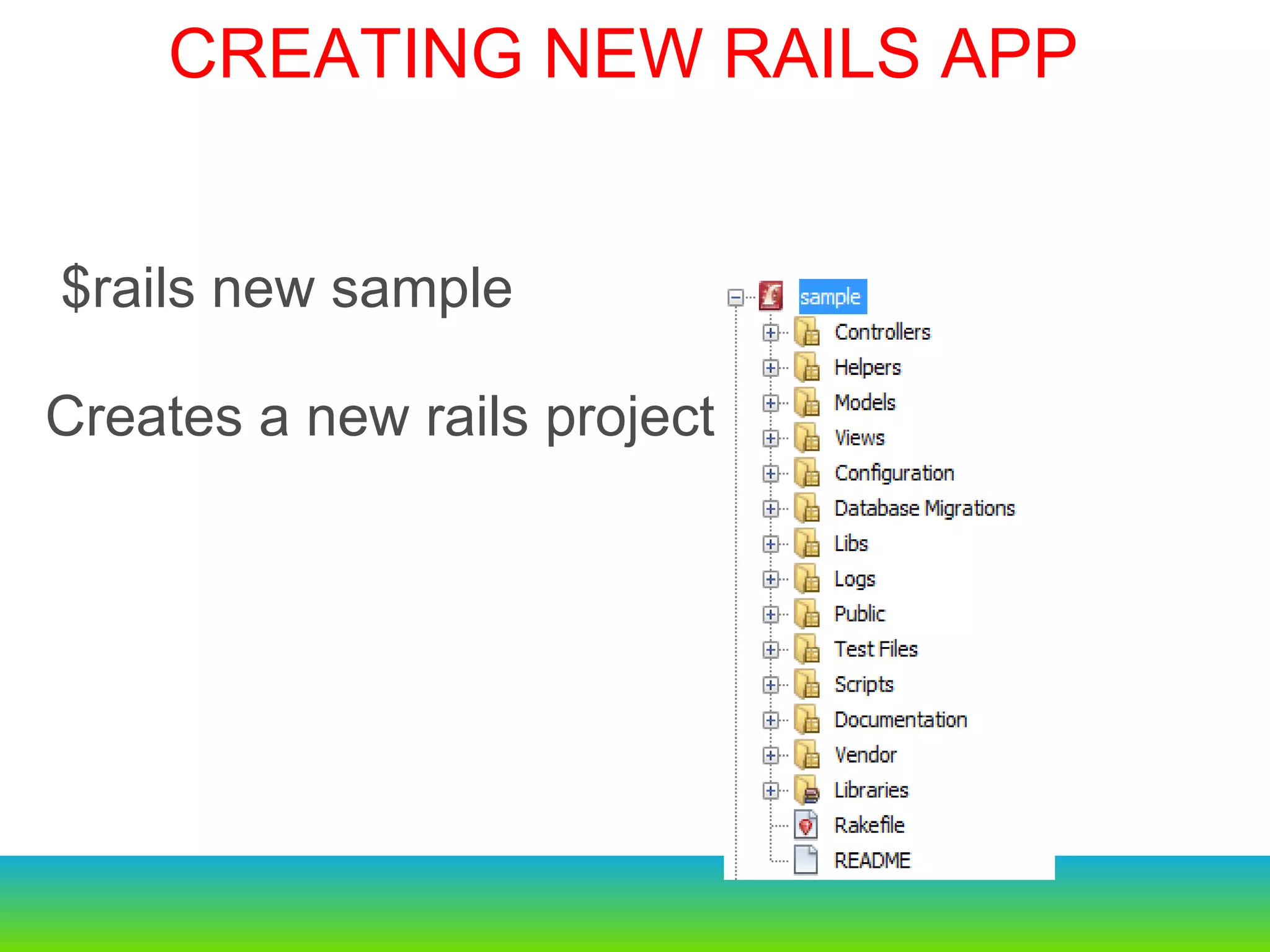
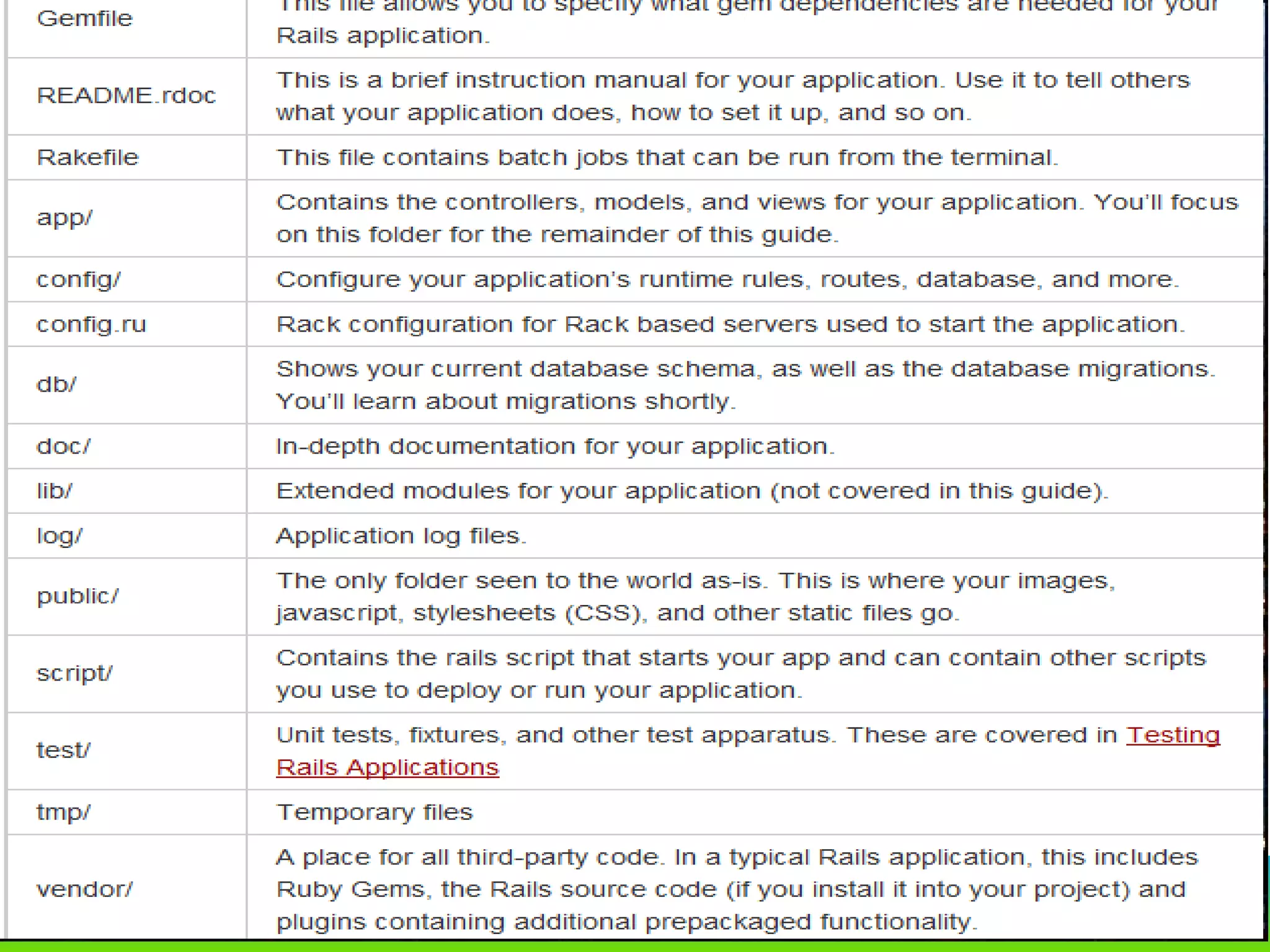
  $rails new sample Creates a new rails project   CREATING NEW RAILS APP
 
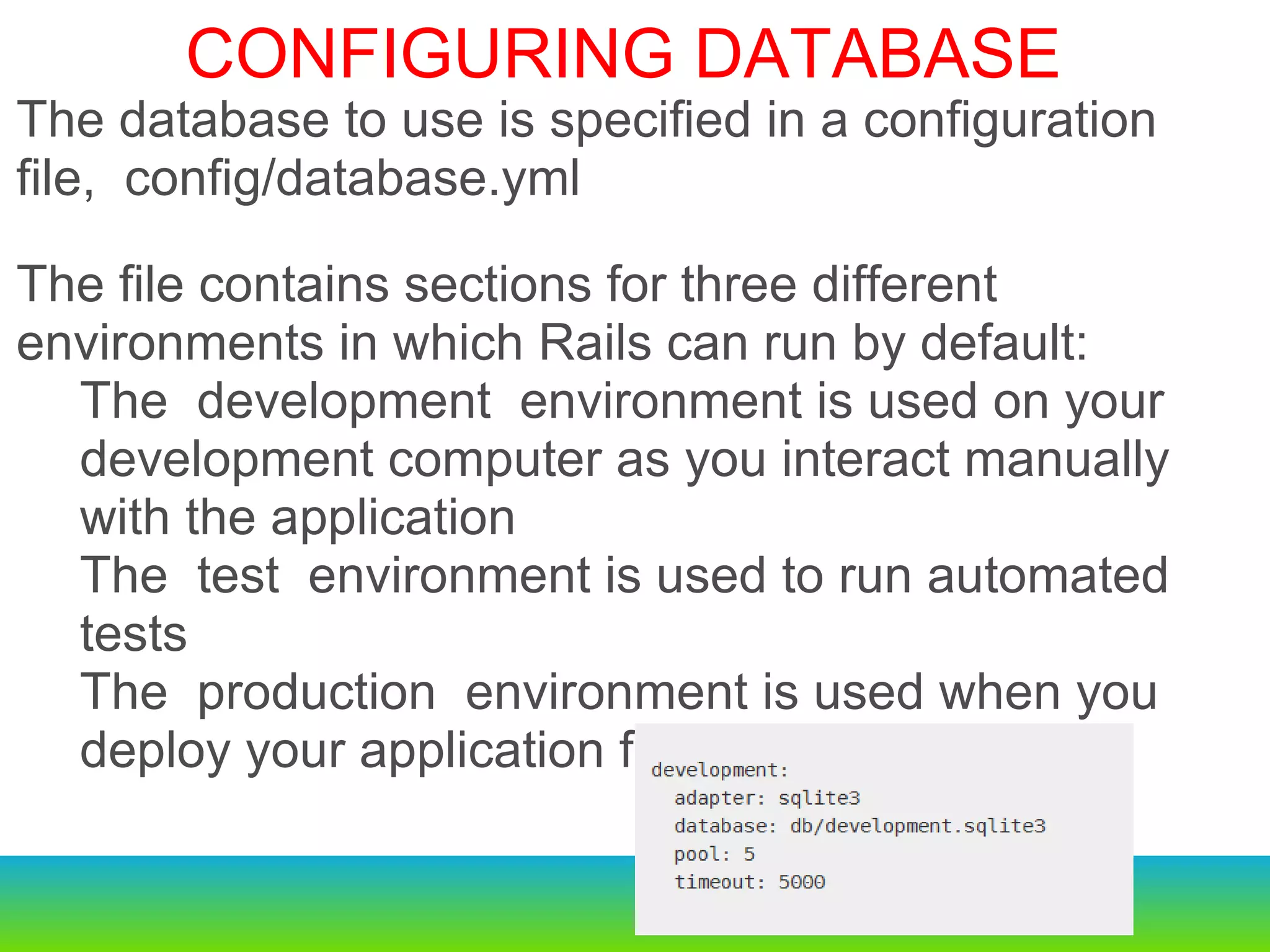
  $rails new sample Creates a new rails project Configuring a Database The database to use is specified in a configuration file, config/database.yml he file contains sections for three different environments in which Rails can run by default: The development environment is used on your development computer as you interact manually with the application The test environment is used to run automated tests The production environment is used when you deploy your application for the world to use.   The database to use is specified in a configuration file, config/database.yml The file contains sections for three different environments in which Rails can run by default: The development environment is used on your development computer as you interact manually with the application The test environment is used to run automated tests The production environment is used when you deploy your application for the world to use.   CONFIGURING DATABASE
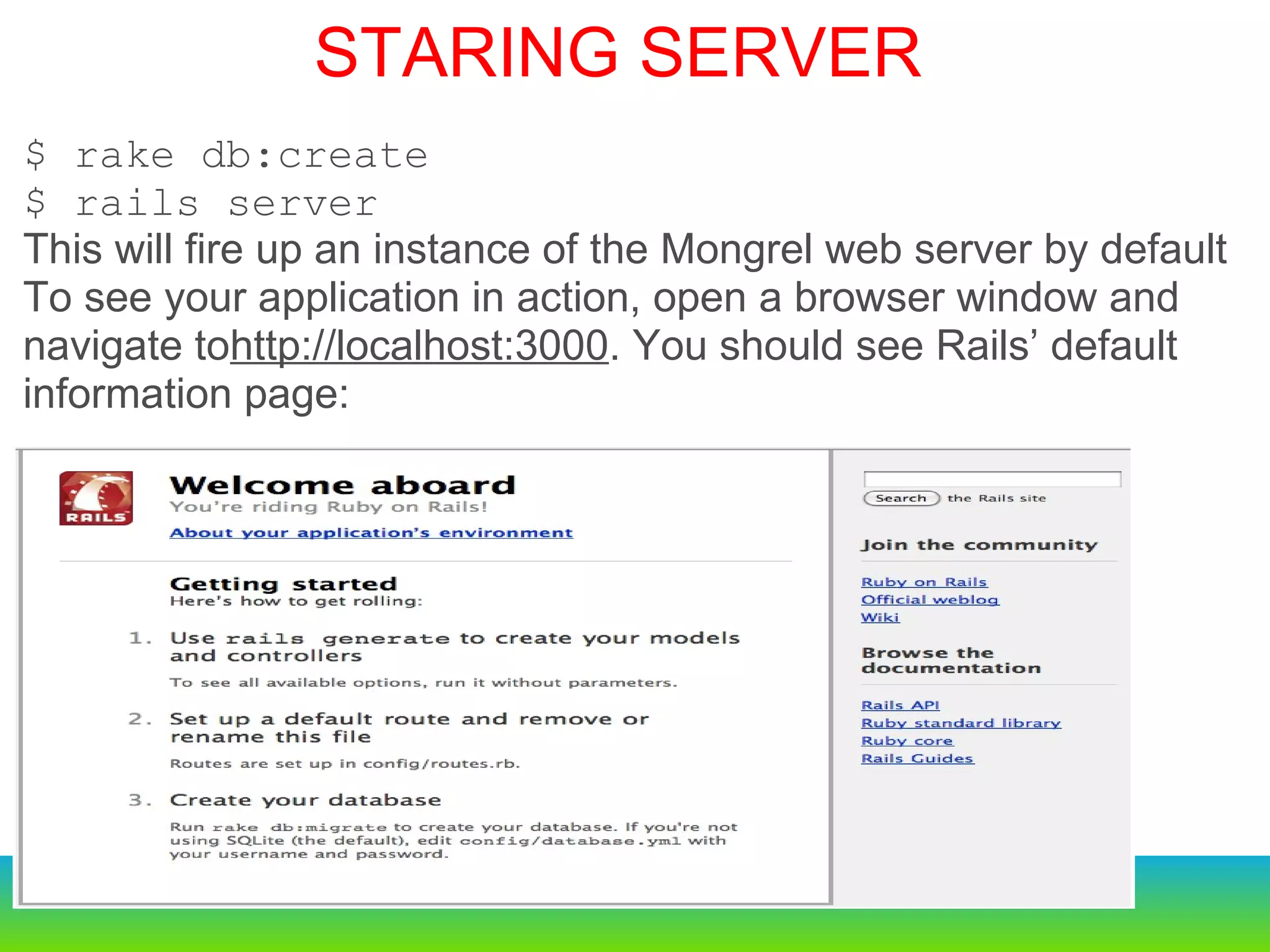
$ rake db:create $ rails server This will fire up an instance of the Mongrel web server by default  To see your application in action, open a browser window and navigate to http://localhost:3000 . You should see Rails’ default information page: STARING SERVER
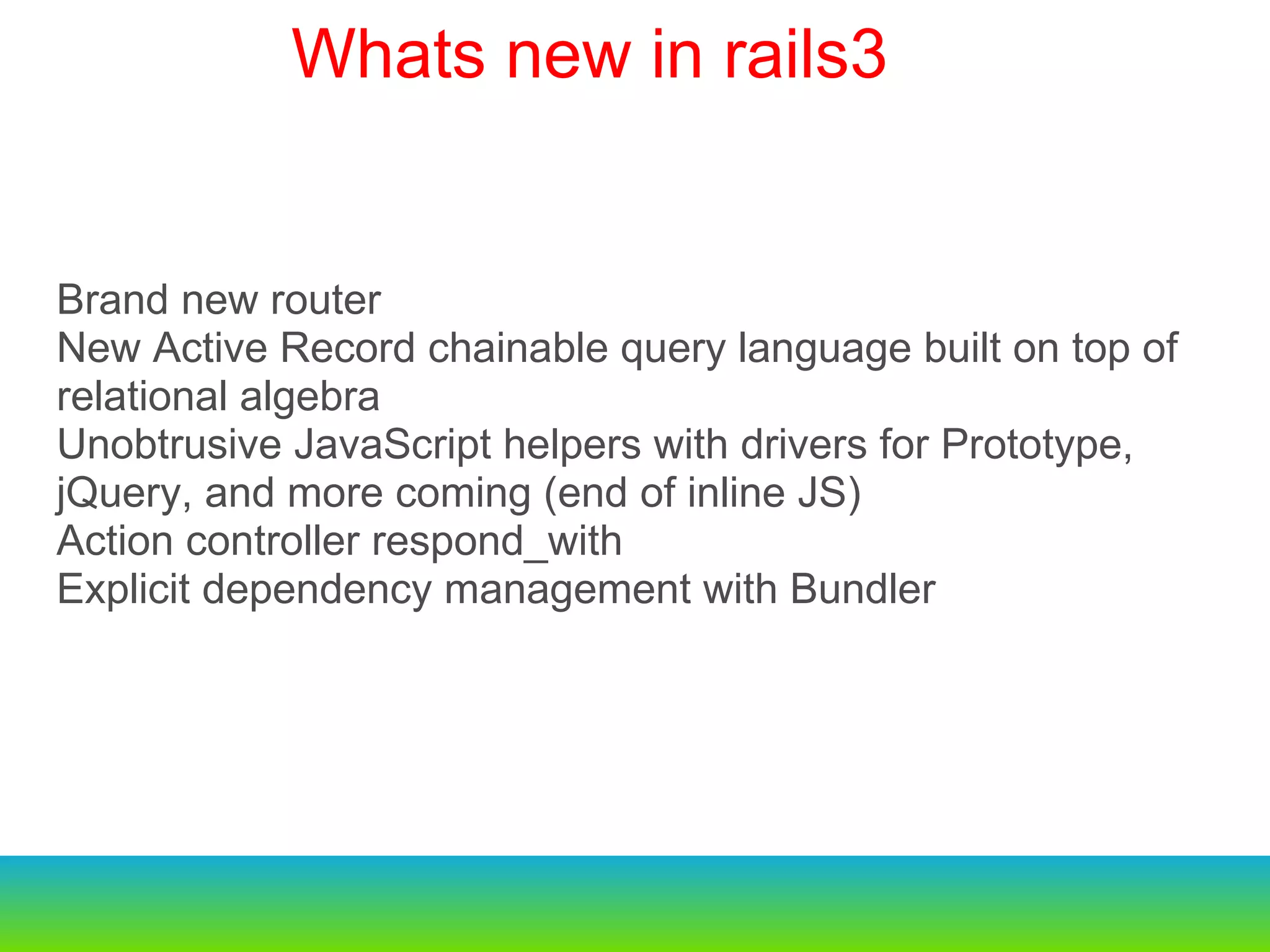
Brand new router  New Active Record chainable query language built on top of relational algebra Unobtrusive JavaScript helpers with drivers for Prototype, jQuery, and more coming (end of inline JS) Action controller respond_with Explicit dependency management with Bundler  Whats new in rails3   
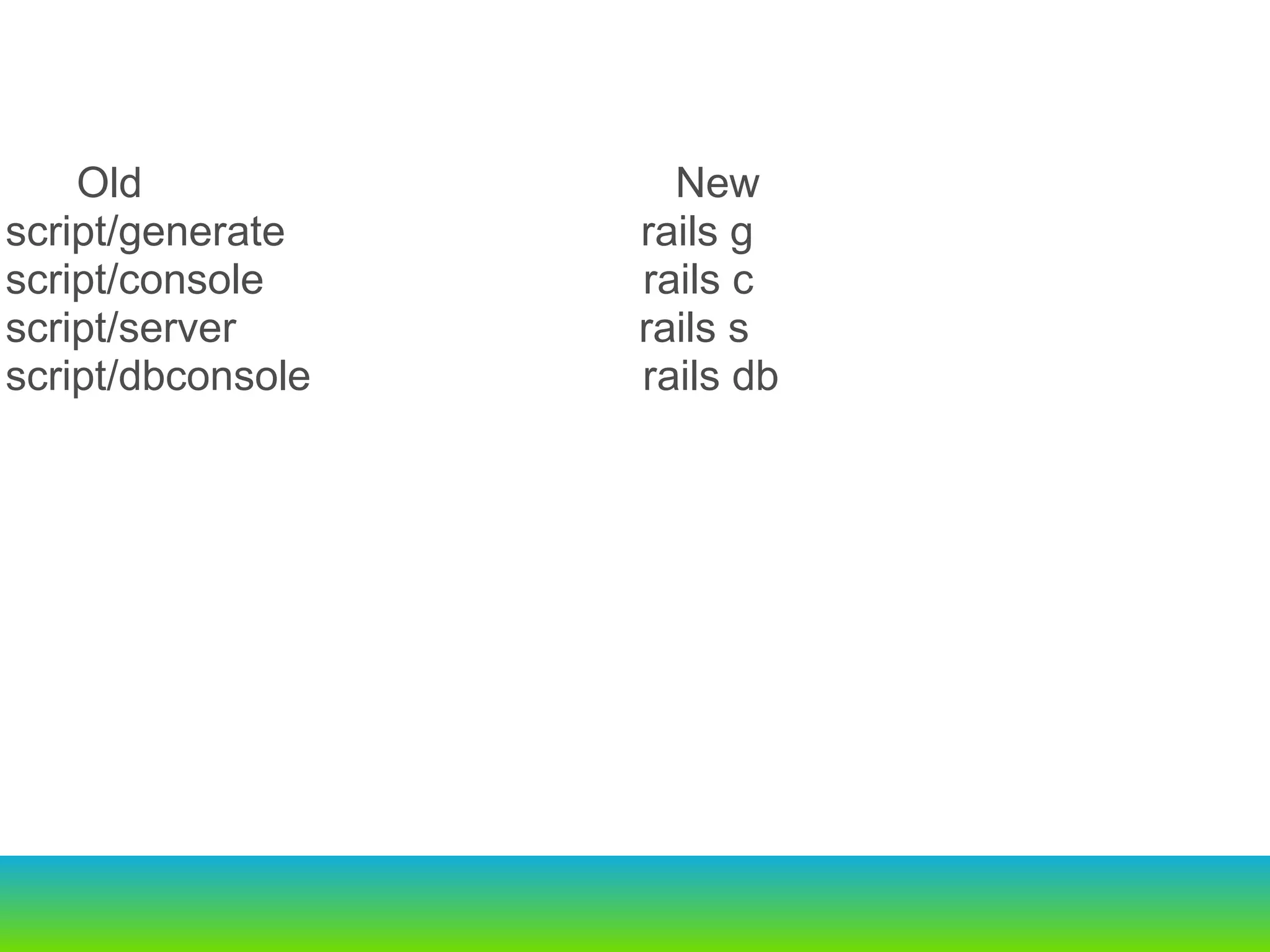
           Old                                             New script/generate                              rails g script/console                                rails c script/server                                  rails s script/dbconsole                            rails db
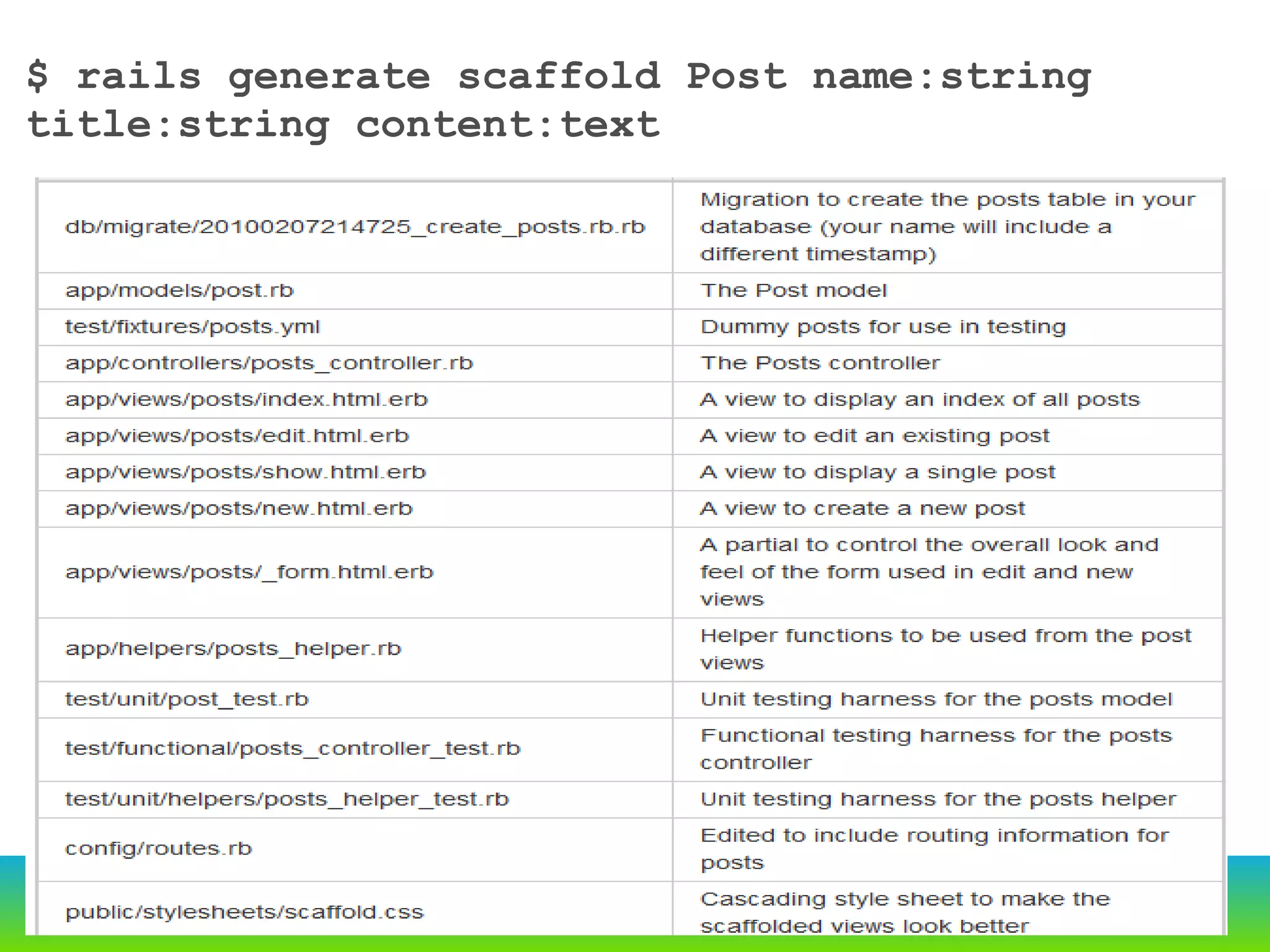
$ rails generate scaffold Post name:string title:string content:text
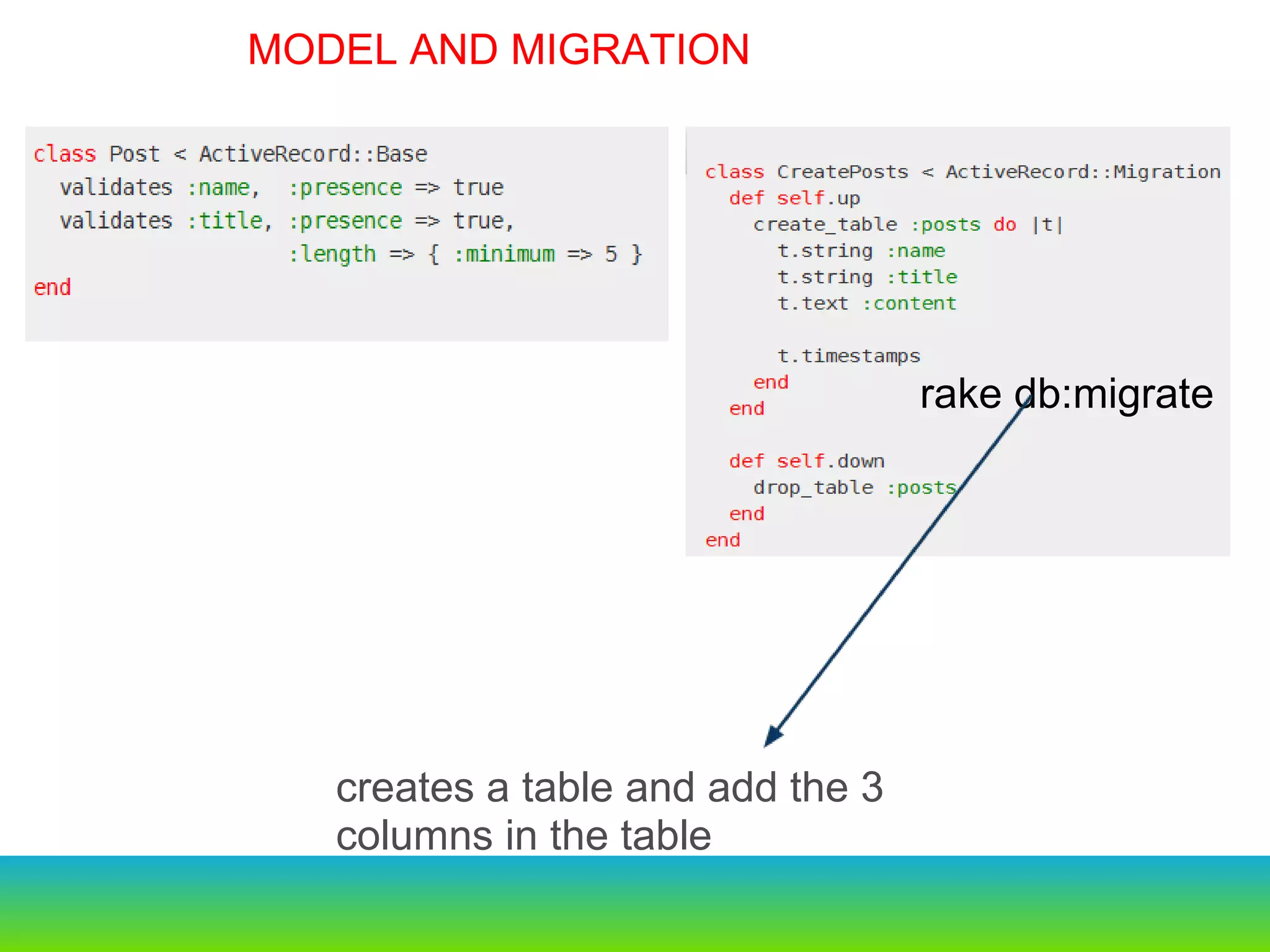
     Old                                                     New script/generate                              rails g script/console                                rails c script/server                                  rails s script/dbconsole                             rails db rake db:migrate creates a table and add the 3 columns in the table  MODEL AND MIGRATION
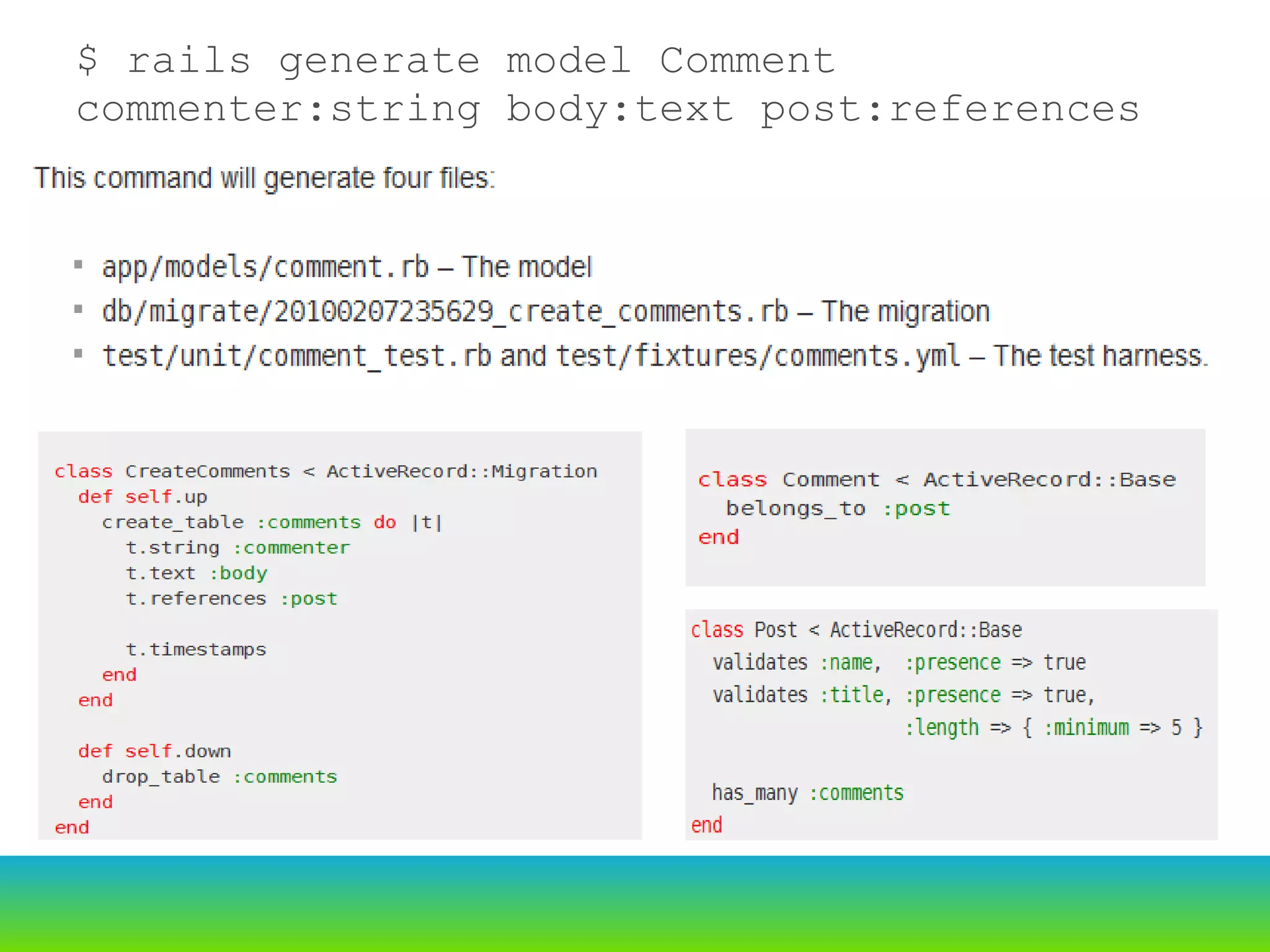
$ rails generate model Comment commenter:string body:text post:references
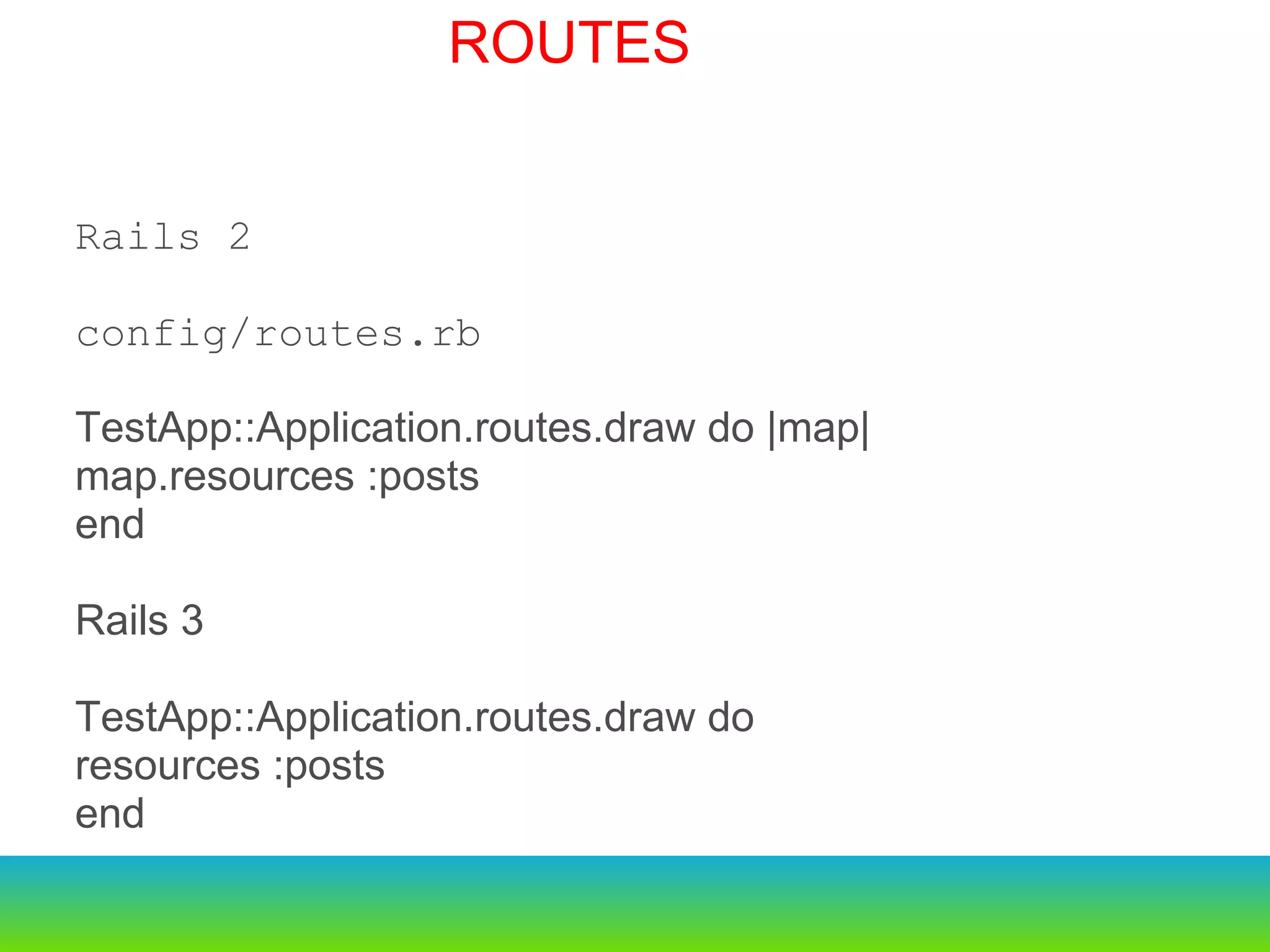
Rails 2 config/routes.rb TestApp::Application.routes.draw do |map| map.resources :posts end Rails 3 TestApp::Application.routes.draw do resources :posts end ROUTES
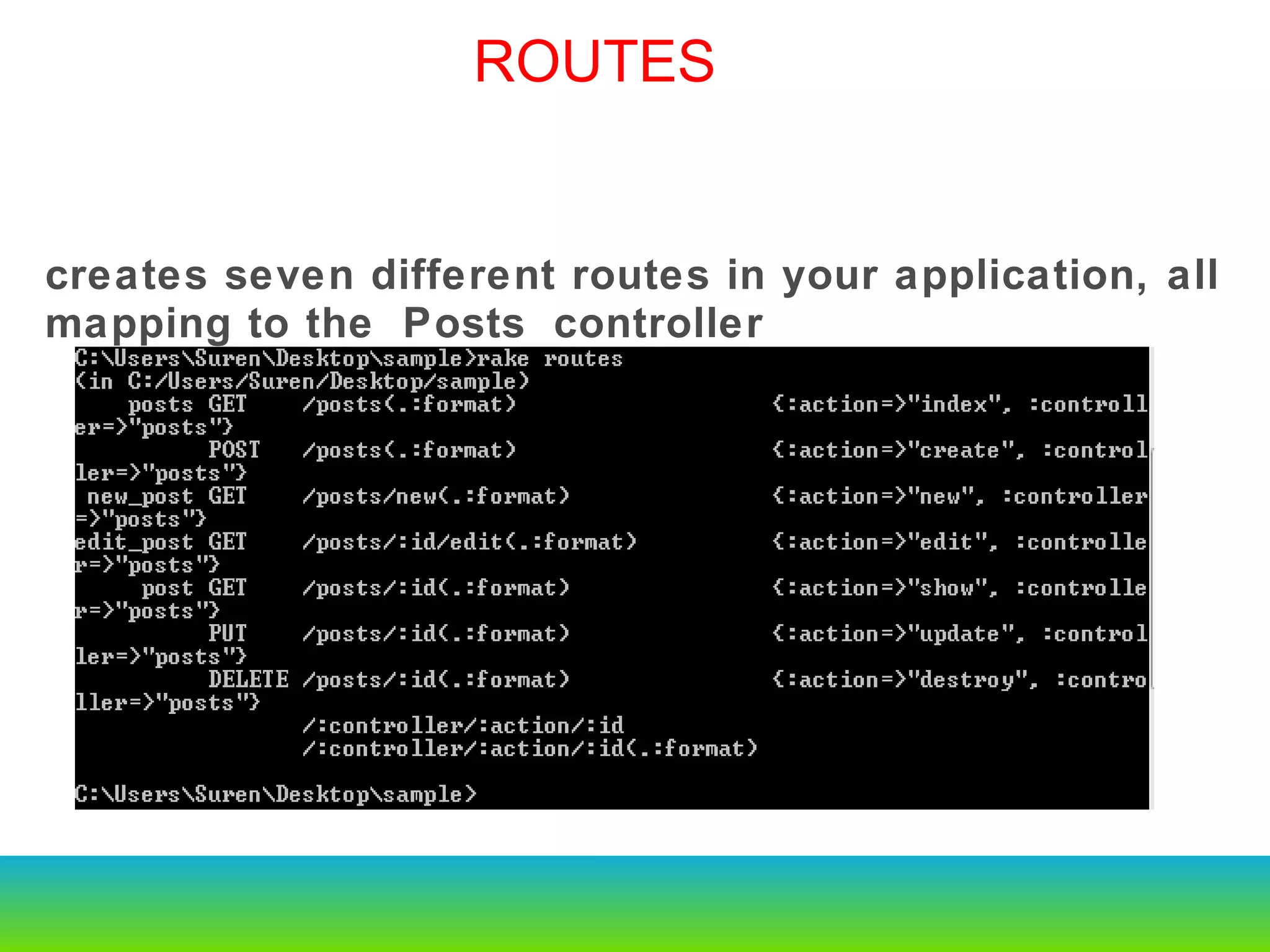
creates seven different routes in your application, all mapping to the Posts controller ROUTES
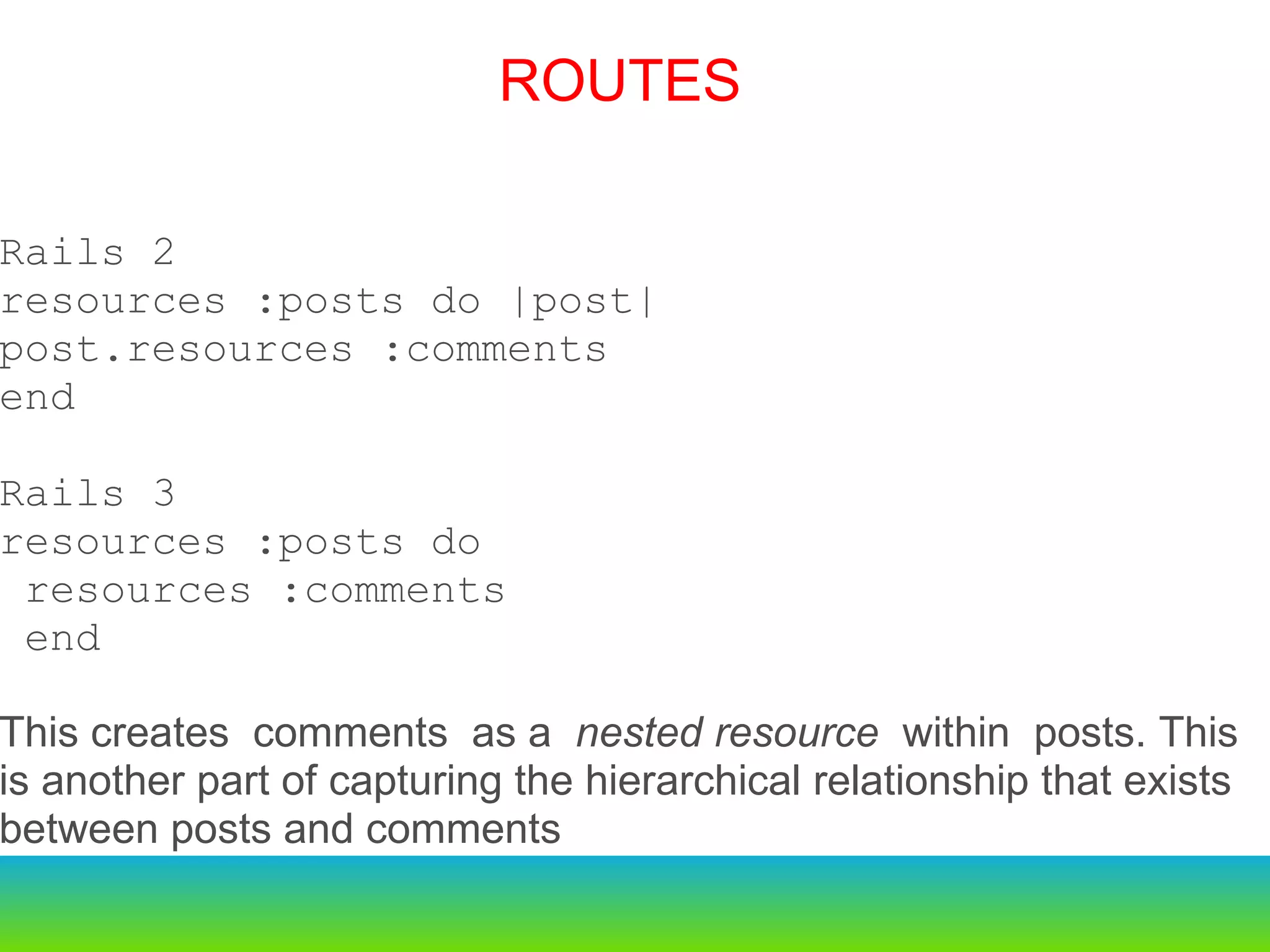
Rails 2 resources :posts do |post|  post.resources :comments  end Rails 3 resources :posts do resources :comments end This creates comments as a  nested resource  within posts. This is another part of capturing the hierarchical relationship that exists between posts and comments ROUTES
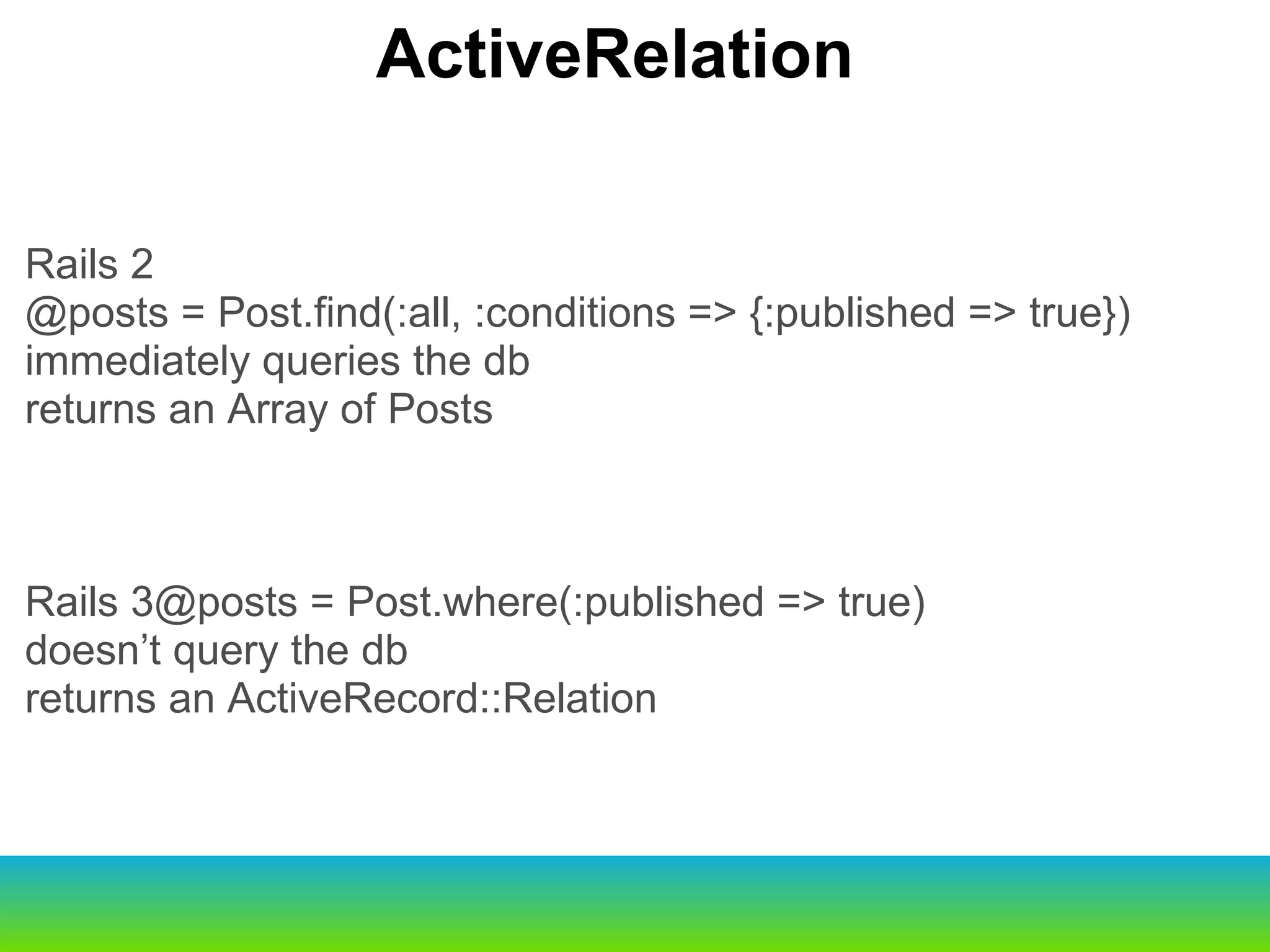
Rails 2 @posts = Post.find(:all, :conditions => {:published => true}) immediately queries the db returns an Array of Posts Rails 3@posts = Post.where(:published => true) doesn’t query the db returns an ActiveRecord::Relation ActiveRelation
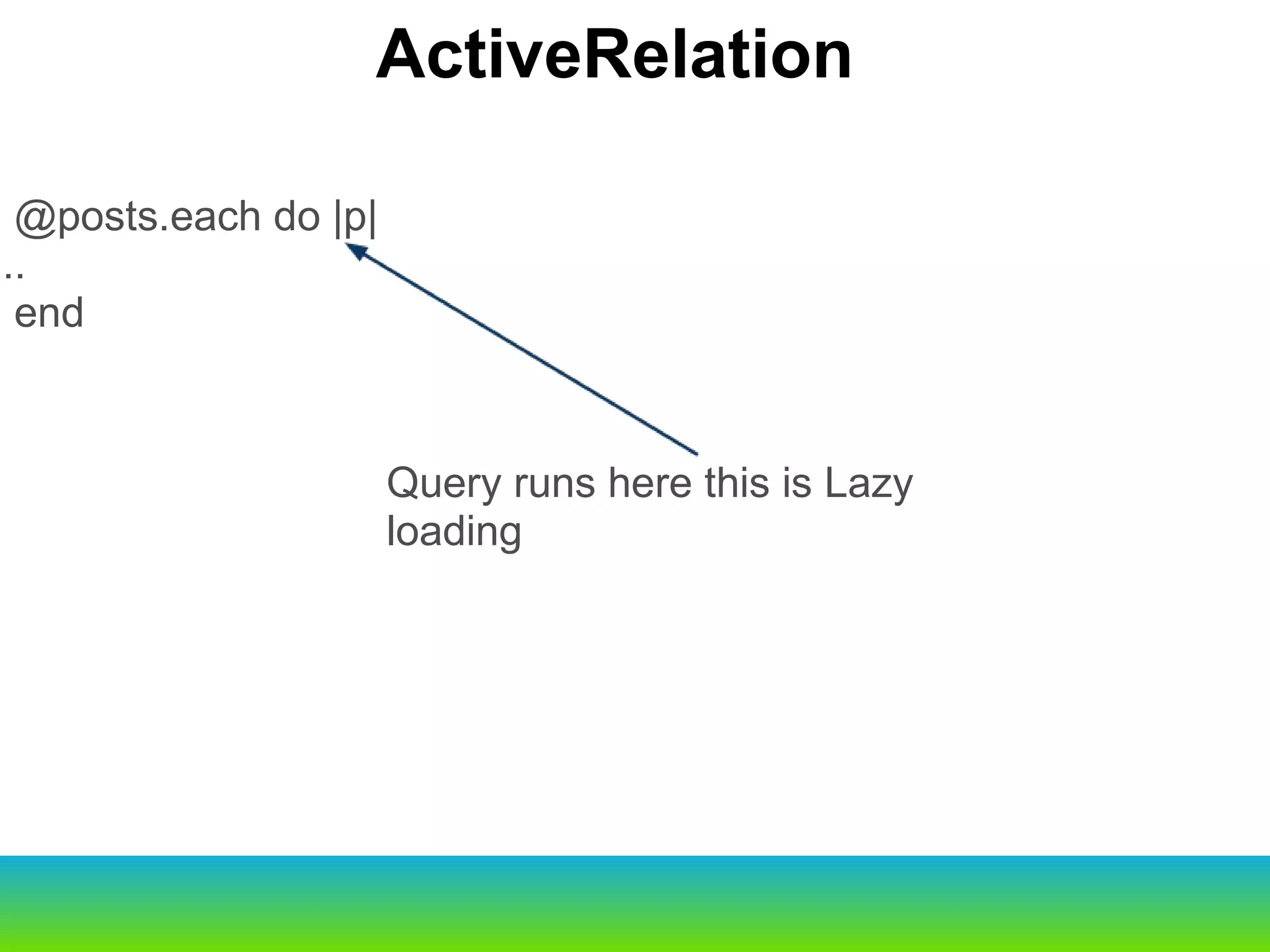
     Old                                                     New script/generate                              rails g script/console                                rails c script/server                                  rails s script/dbconsole                             rails db @posts.each do |p| ... end ActiveRelation Query runs here this is Lazy loading
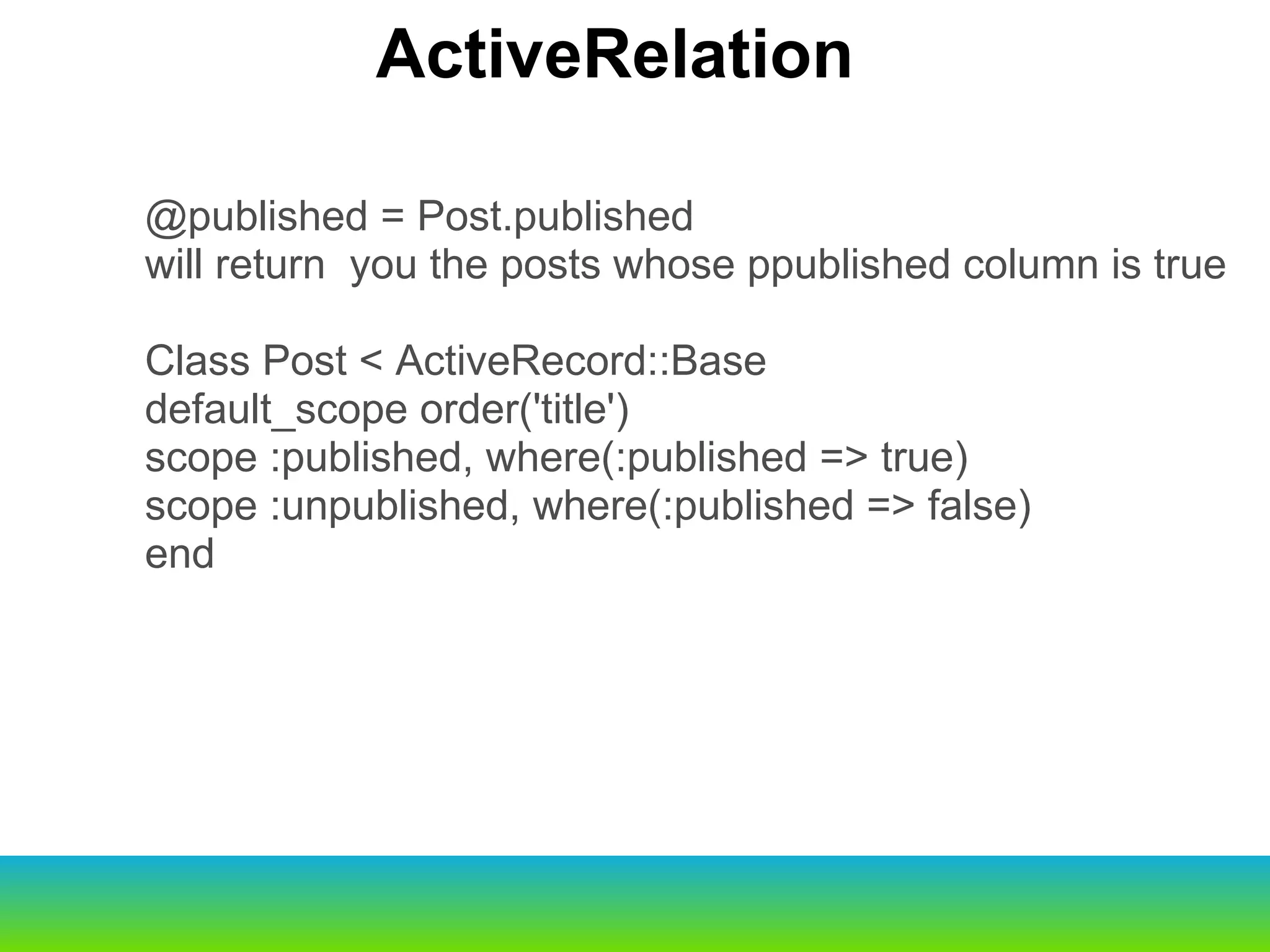
@published = Post.published will return  you the posts whose ppublished column is true Class Post < ActiveRecord::Base default_scope order('title') scope :published, where(:published => true) scope :unpublished, where(:published => false) end ActiveRelation
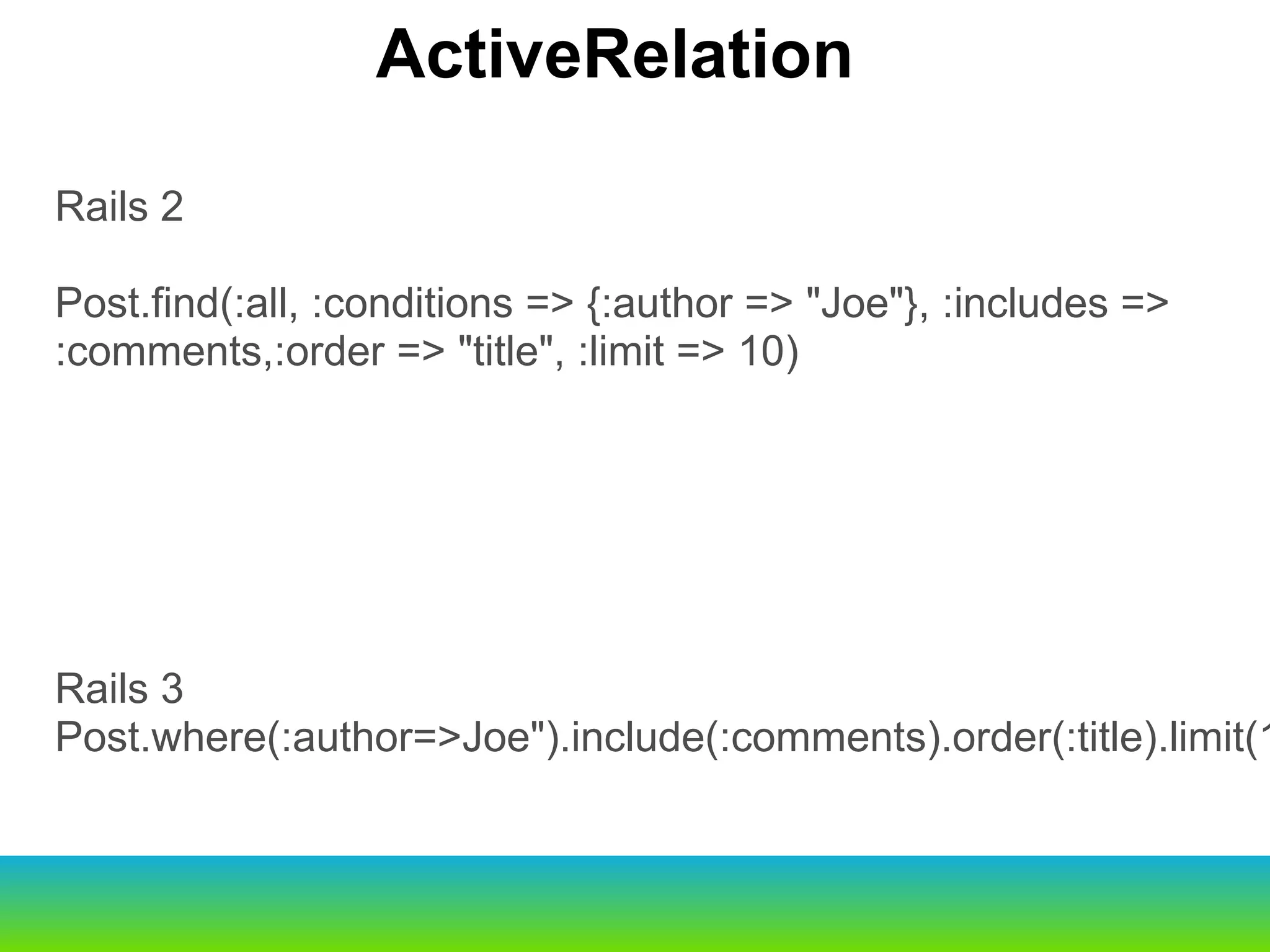
Rails 2 Post.find(:all, :conditions => {:author => &quot;Joe&quot;}, :includes => :comments,:order => &quot;title&quot;, :limit => 10) Rails 3 Post.where(:author=>Joe&quot;).include(:comments).order(:title).limit(10) ActiveRelation
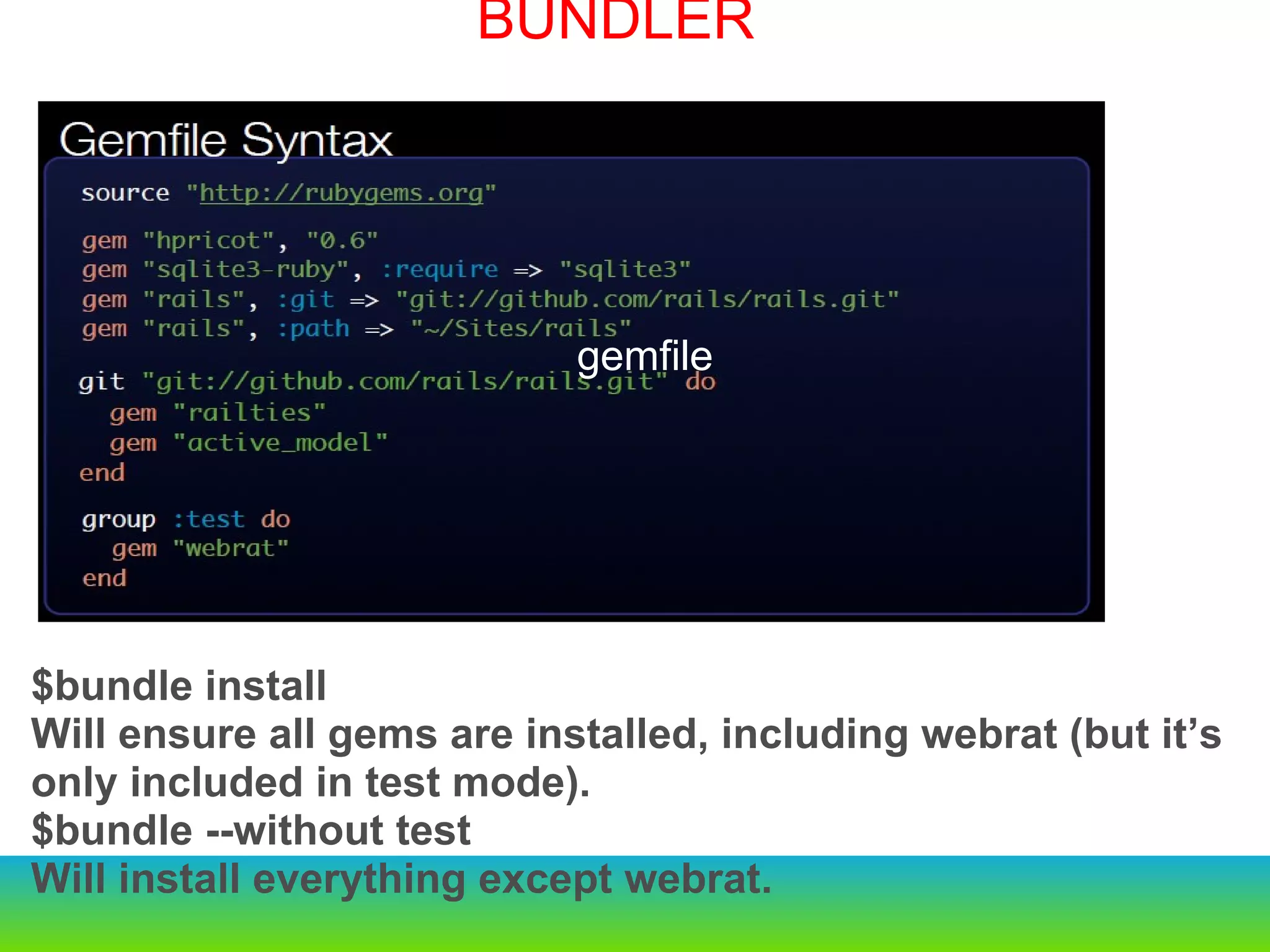
BUNDLER $bundle install  Will ensure all gems are installed, including webrat (but it’s only included in test mode). $bundle --without test Will install everything except webrat. gemfile
HTML 5 custom data attributes data-* Custom data attributes are intended to store custom data private to the page or application, for which there are no more appropriate attributes or elements data-remote data-method data-confirm data-disable-with Adopting Unobtrusive Javascript
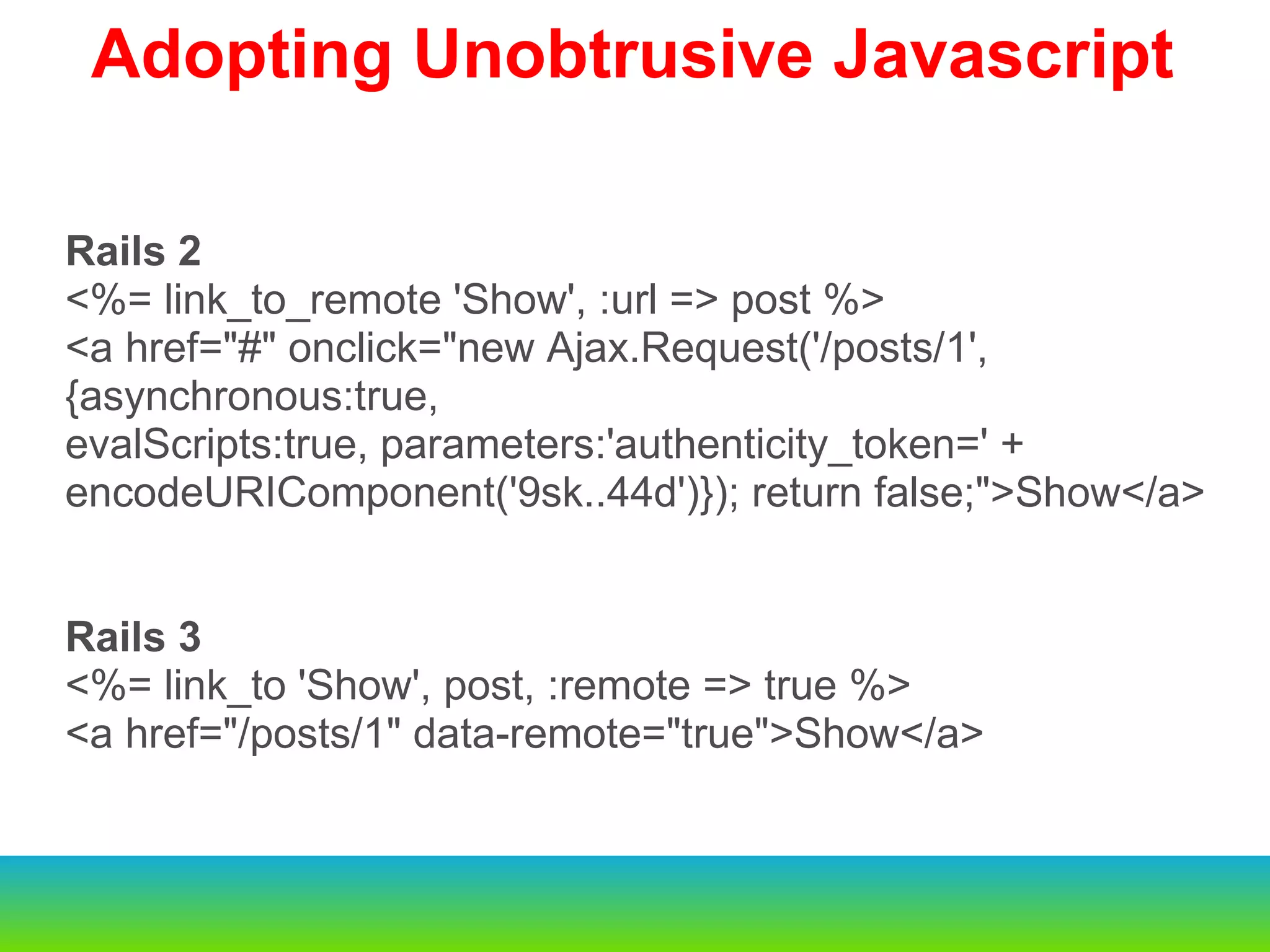
Rails 2 <%= link_to_remote 'Show', :url => post %> <a href=&quot;#&quot; onclick=&quot;new Ajax.Request('/posts/1', {asynchronous:true, evalScripts:true, parameters:'authenticity_token=' + encodeURIComponent('9sk..44d')}); return false;&quot;>Show</a> Rails 3 <%= link_to 'Show', post, :remote => true %> <a href=&quot;/posts/1&quot; data-remote=&quot;true&quot;>Show</a> Adopting Unobtrusive Javascript
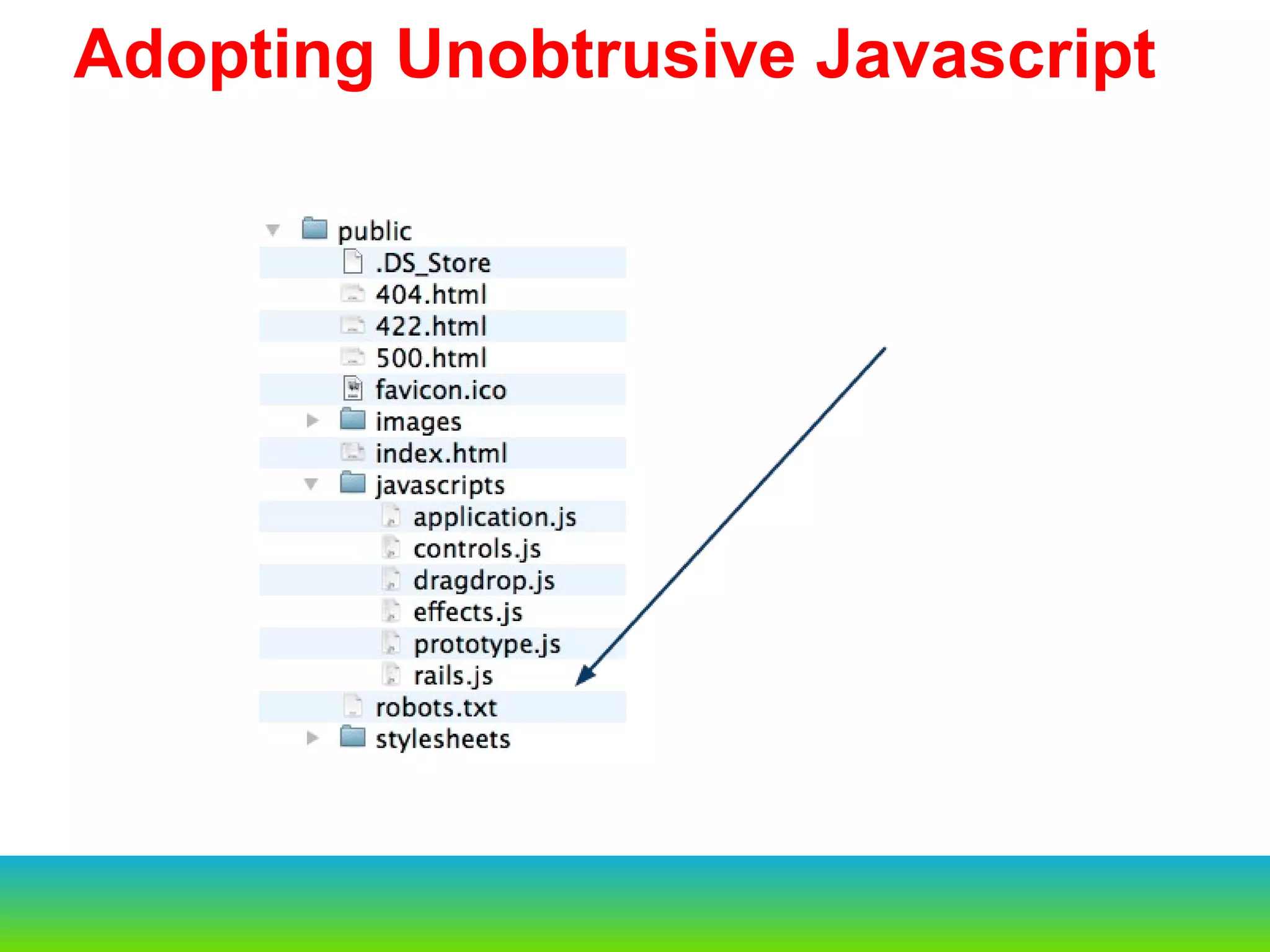
  Adopting Unobtrusive Javascript
  Adopting Unobtrusive Javascript document.observe(&quot;dom:loaded&quot;, function() { $(document.body).observe(&quot;click&quot;, function(event) { var message = event.element().readAttribute('data-confirm'); if (message) { // ... Do a confirm box } var element = event.findElement(&quot;a[data-remote=true]&quot;); if (element) { // ... Do the AJAX call } var element = event.findElement(&quot;a[data-method]&quot;); if (element) { // ... Create a form } })
http://github.com/rails/jquery-uj $('a[data-confirm],input[data-confirm]').live('click', function () { // ... Do a confirm box }); $('form[data-remote=&quot;true&quot;]').live('submit', function (e) { // ... Do an AJAX call }); jQuery in Rails?
Thanks  &  Questions

Rail3 intro 29th_sep_surendran

  • 1.
    Rails3 – Introduction-I- Surendran S http://www.Spritle.com Copyright: Spritle Software Private Limited Please note that some of the images or content might have been taken from Internet and we don’t own copyright on them. If you have any objection in the content, please let us know at info@spritle.com
  • 2.
    About Me http://www.Spritle.comCopyright: Spritle Software Private Limited
  • 3.
  • 4.
    Rails is aweb application development framework written in the Ruby language. DRY – “Don’t Repeat Yourself” REST is the best pattern for web applications Rails Introduction 
  • 5.
    Rails is theModel, View, Controller architecture, usually just called MVC. Rails Architecture 
  • 6.
    A model representsthe information (data) of the application and the rules to manipulate that data.  In the case of Rails, models are primarily used for managing the rules of interaction with a corresponding database table.   In most cases, one table in your database will correspond to one model in your application.  The bulk of your application’s business logic will be concentrated in the models   MODEL
  • 7.
    Views represent theuser interface of your application. In Rails, views are often HTML files with embedded Ruby code that perform tasks related solely to the presentation of the data.  Views handle the job of providing data to the web browser or other tool that is used to make requests from your application. VIEW
  • 8.
    Controllers provide the“glue” between models and views. In Rails, controllers are responsible for processing the incoming requests from the web browser, interrogating the models for data, and passing that data on to the views for presentation. CONTROLLER
  • 9.
    Rest stands forRepresentational State Transfer and is the foundation of the RESTful architecture.   For example, to a Rails application a request such as this:DELETE /photos/17 REST
  • 10.
      $rails newsample Creates a new rails project   CREATING NEW RAILS APP
  • 11.
  • 12.
      $rails newsample Creates a new rails project Configuring a Database The database to use is specified in a configuration file, config/database.yml he file contains sections for three different environments in which Rails can run by default: The development environment is used on your development computer as you interact manually with the application The test environment is used to run automated tests The production environment is used when you deploy your application for the world to use.   The database to use is specified in a configuration file, config/database.yml The file contains sections for three different environments in which Rails can run by default: The development environment is used on your development computer as you interact manually with the application The test environment is used to run automated tests The production environment is used when you deploy your application for the world to use.   CONFIGURING DATABASE
  • 13.
    $ rake db:create$ rails server This will fire up an instance of the Mongrel web server by default  To see your application in action, open a browser window and navigate to http://localhost:3000 . You should see Rails’ default information page: STARING SERVER
  • 14.
    Brand new router New Active Record chainable query language built on top of relational algebra Unobtrusive JavaScript helpers with drivers for Prototype, jQuery, and more coming (end of inline JS) Action controller respond_with Explicit dependency management with Bundler  Whats new in rails3   
  • 15.
              Old                                             New script/generate                              rails g script/console                                rails c script/server                                  rails s script/dbconsole                            rails db
  • 16.
    $ rails generatescaffold Post name:string title:string content:text
  • 17.
         Old                                                    New script/generate                              rails g script/console                                rails c script/server                                  rails s script/dbconsole                             rails db rake db:migrate creates a table and add the 3 columns in the table  MODEL AND MIGRATION
  • 18.
    $ rails generatemodel Comment commenter:string body:text post:references
  • 19.
    Rails 2 config/routes.rbTestApp::Application.routes.draw do |map| map.resources :posts end Rails 3 TestApp::Application.routes.draw do resources :posts end ROUTES
  • 20.
    creates seven differentroutes in your application, all mapping to the Posts controller ROUTES
  • 21.
    Rails 2 resources:posts do |post| post.resources :comments end Rails 3 resources :posts do resources :comments end This creates comments as a  nested resource  within posts. This is another part of capturing the hierarchical relationship that exists between posts and comments ROUTES
  • 22.
    Rails 2 @posts= Post.find(:all, :conditions => {:published => true}) immediately queries the db returns an Array of Posts Rails 3@posts = Post.where(:published => true) doesn’t query the db returns an ActiveRecord::Relation ActiveRelation
  • 23.
         Old                                                    New script/generate                              rails g script/console                                rails c script/server                                  rails s script/dbconsole                             rails db @posts.each do |p| ... end ActiveRelation Query runs here this is Lazy loading
  • 24.
    @published = Post.publishedwill return  you the posts whose ppublished column is true Class Post < ActiveRecord::Base default_scope order('title') scope :published, where(:published => true) scope :unpublished, where(:published => false) end ActiveRelation
  • 25.
    Rails 2 Post.find(:all,:conditions => {:author => &quot;Joe&quot;}, :includes => :comments,:order => &quot;title&quot;, :limit => 10) Rails 3 Post.where(:author=>Joe&quot;).include(:comments).order(:title).limit(10) ActiveRelation
  • 26.
    BUNDLER $bundle install Will ensure all gems are installed, including webrat (but it’s only included in test mode). $bundle --without test Will install everything except webrat. gemfile
  • 27.
    HTML 5 customdata attributes data-* Custom data attributes are intended to store custom data private to the page or application, for which there are no more appropriate attributes or elements data-remote data-method data-confirm data-disable-with Adopting Unobtrusive Javascript
  • 28.
    Rails 2 <%=link_to_remote 'Show', :url => post %> <a href=&quot;#&quot; onclick=&quot;new Ajax.Request('/posts/1', {asynchronous:true, evalScripts:true, parameters:'authenticity_token=' + encodeURIComponent('9sk..44d')}); return false;&quot;>Show</a> Rails 3 <%= link_to 'Show', post, :remote => true %> <a href=&quot;/posts/1&quot; data-remote=&quot;true&quot;>Show</a> Adopting Unobtrusive Javascript
  • 29.
  • 30.
      Adopting UnobtrusiveJavascript document.observe(&quot;dom:loaded&quot;, function() { $(document.body).observe(&quot;click&quot;, function(event) { var message = event.element().readAttribute('data-confirm'); if (message) { // ... Do a confirm box } var element = event.findElement(&quot;a[data-remote=true]&quot;); if (element) { // ... Do the AJAX call } var element = event.findElement(&quot;a[data-method]&quot;); if (element) { // ... Create a form } })
  • 31.
    http://github.com/rails/jquery-uj $('a[data-confirm],input[data-confirm]').live('click', function() { // ... Do a confirm box }); $('form[data-remote=&quot;true&quot;]').live('submit', function (e) { // ... Do an AJAX call }); jQuery in Rails?
  • 32.
    Thanks & Questions