Personalised Semantic News Prototype 3 – First release
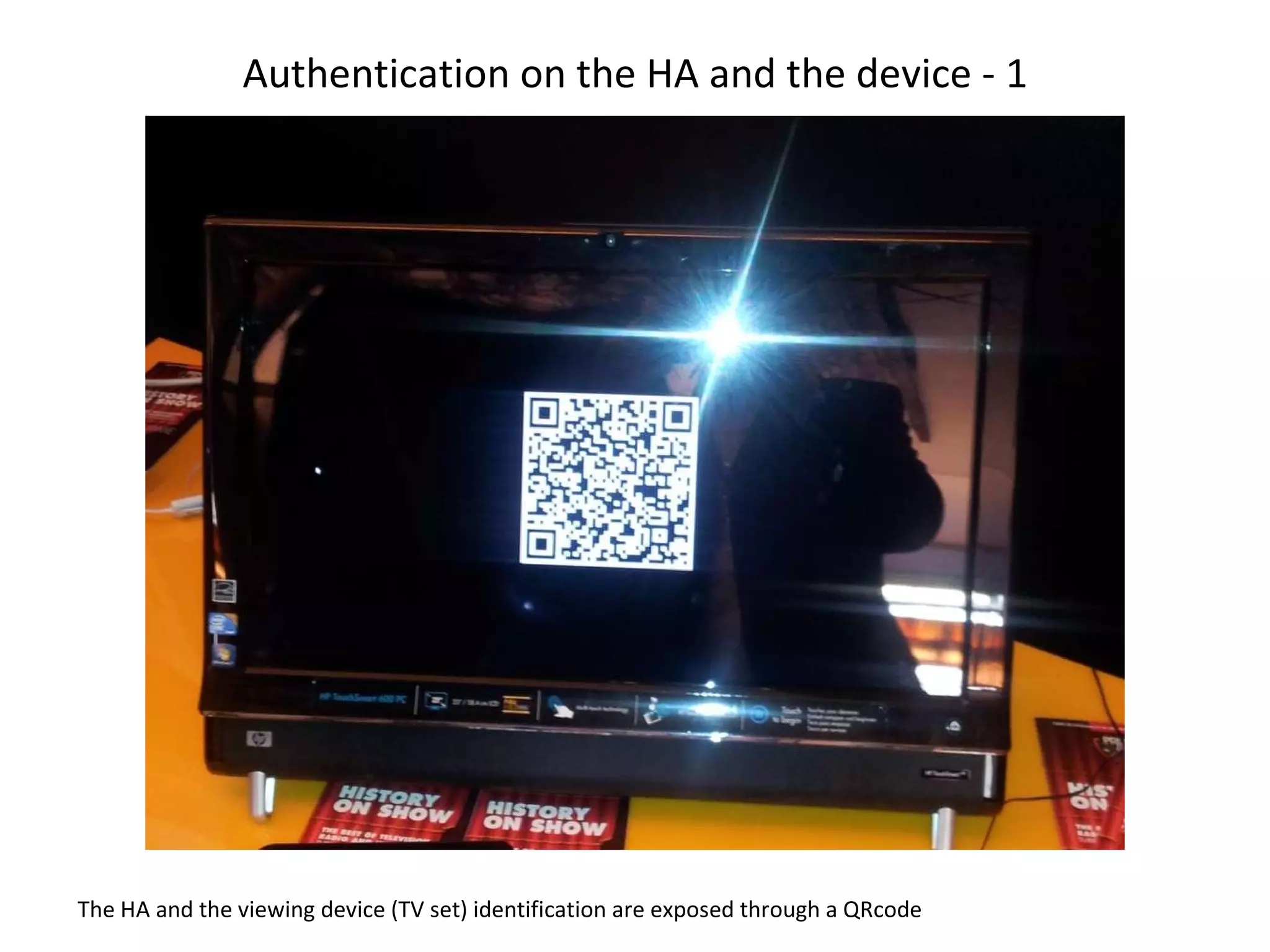
Authentication on the HA and the device - 1 The HA and the viewing device (TV set) identification are exposed through a QRcode
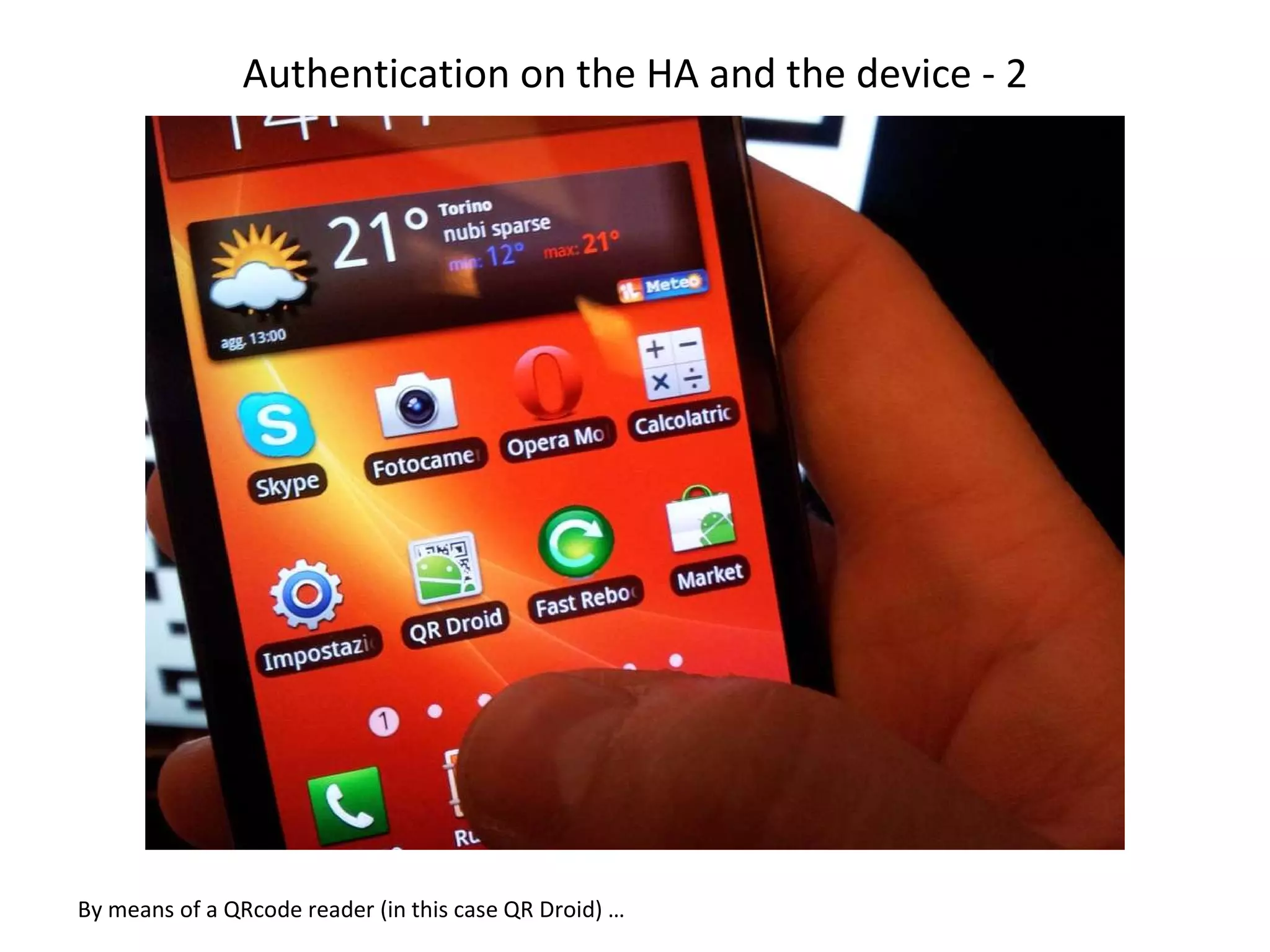
Authentication on the HA and the device - 2 By means of a QRcode reader (in this case QR Droid) …
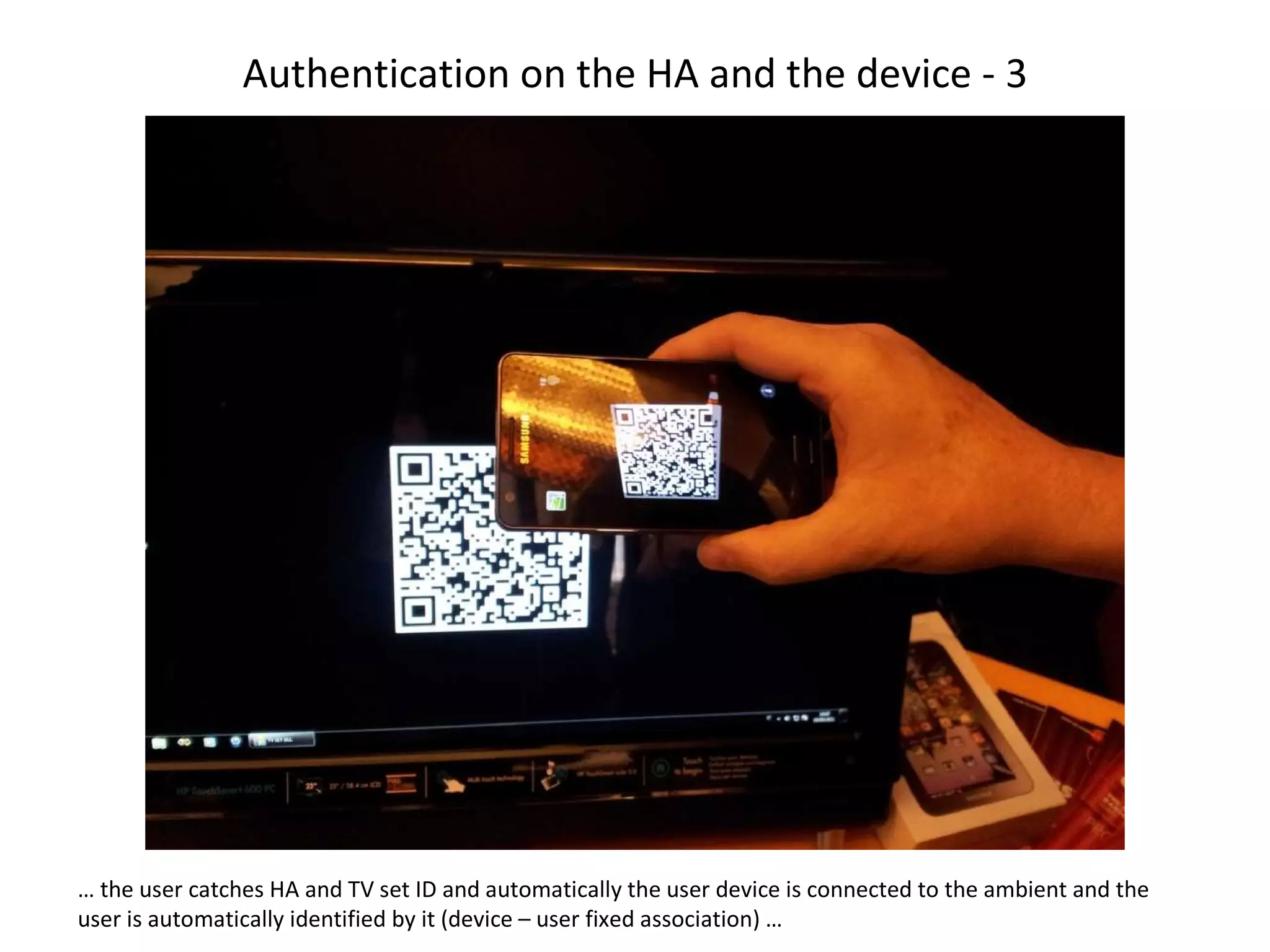
Authentication on the HA and the device - 3 …  the user catches HA and TV set ID and automatically the user device is connected to the ambient and the user is automatically identified by it (device – user fixed association) …
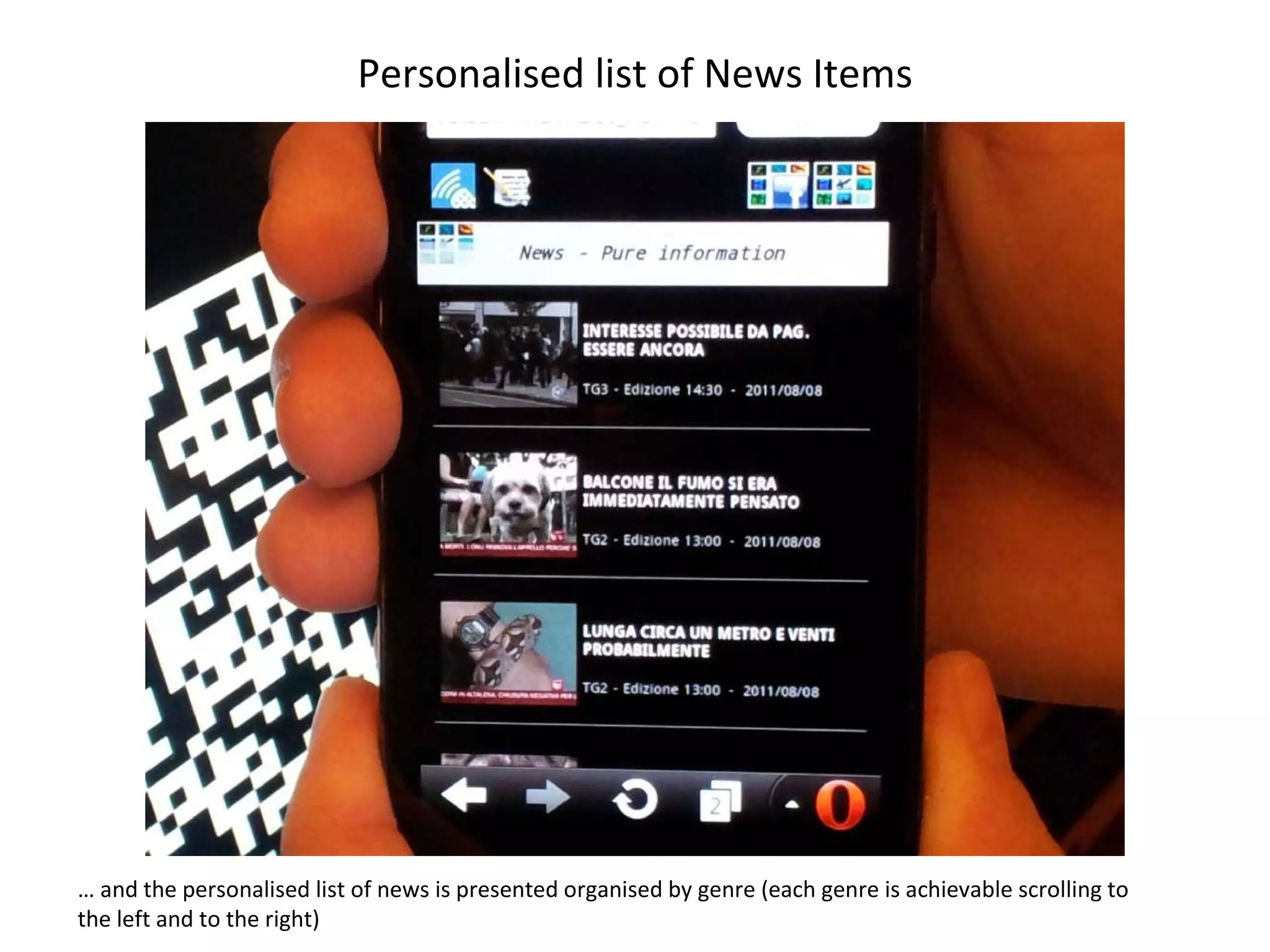
Personalised list of News Items …  and the personalised list of news is presented organised by genre (each genre is achievable scrolling to the left and to the right)
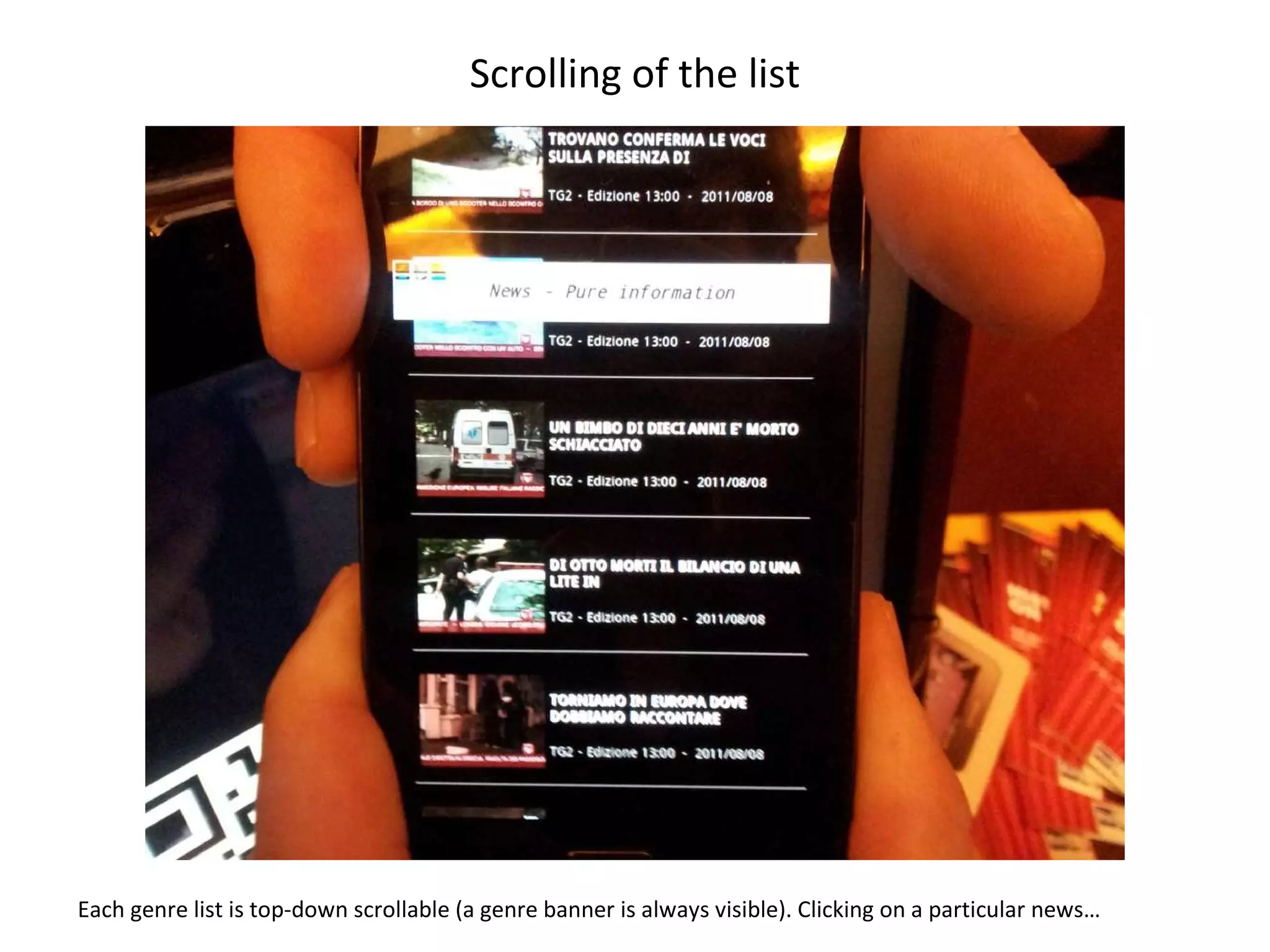
Scrolling of the list Each genre list is top-down scrollable (a genre banner is always visible). Clicking on a particular news…
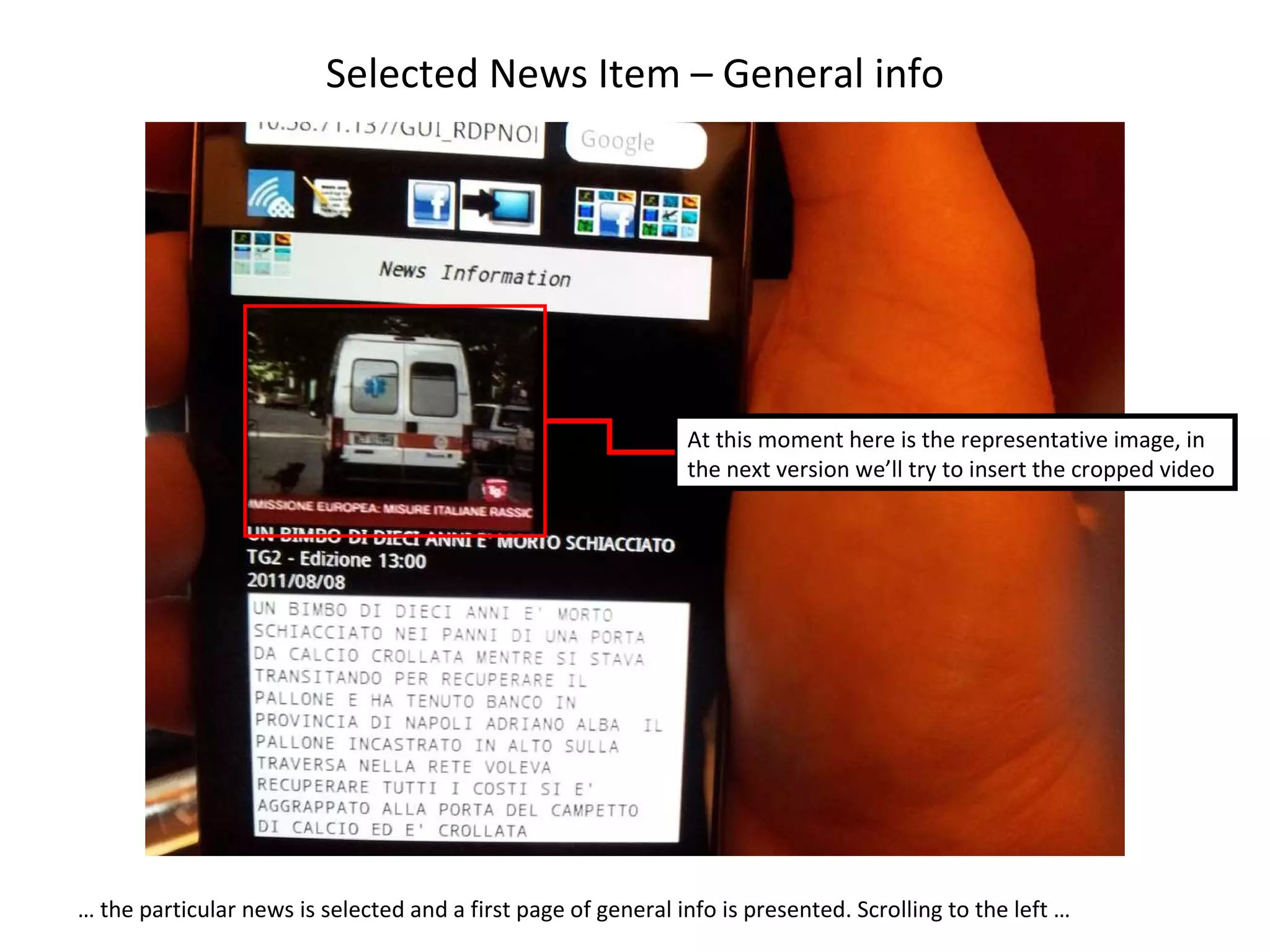
Selected News Item – General info …  the particular news is selected and a first page of general info is presented. Scrolling to the left …  At this moment here is the representative image, in the next version we’ll try to insert the cropped video
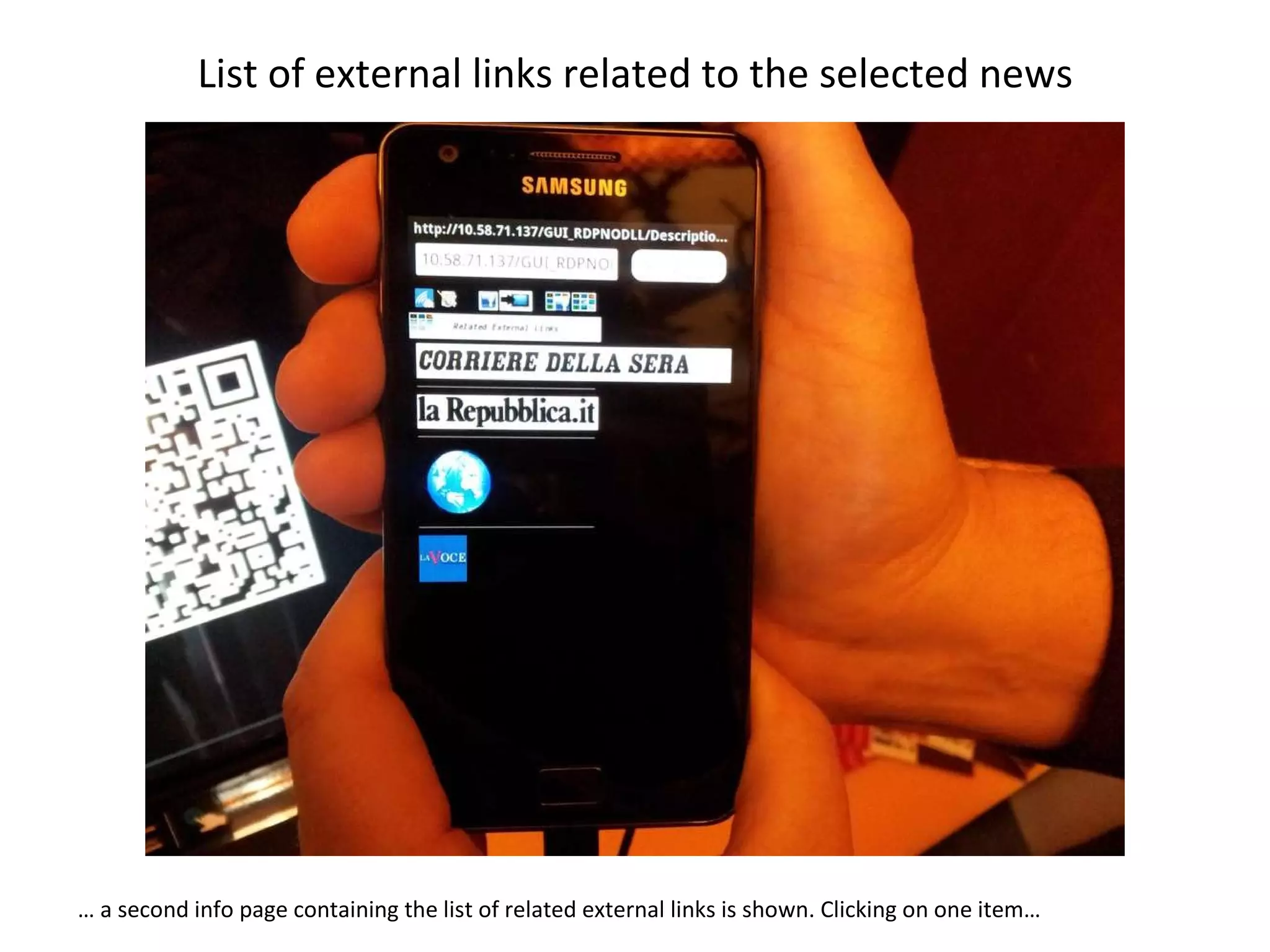
List of external links related to the selected news …  a second info page containing the list of related external links is shown. Clicking on one item…
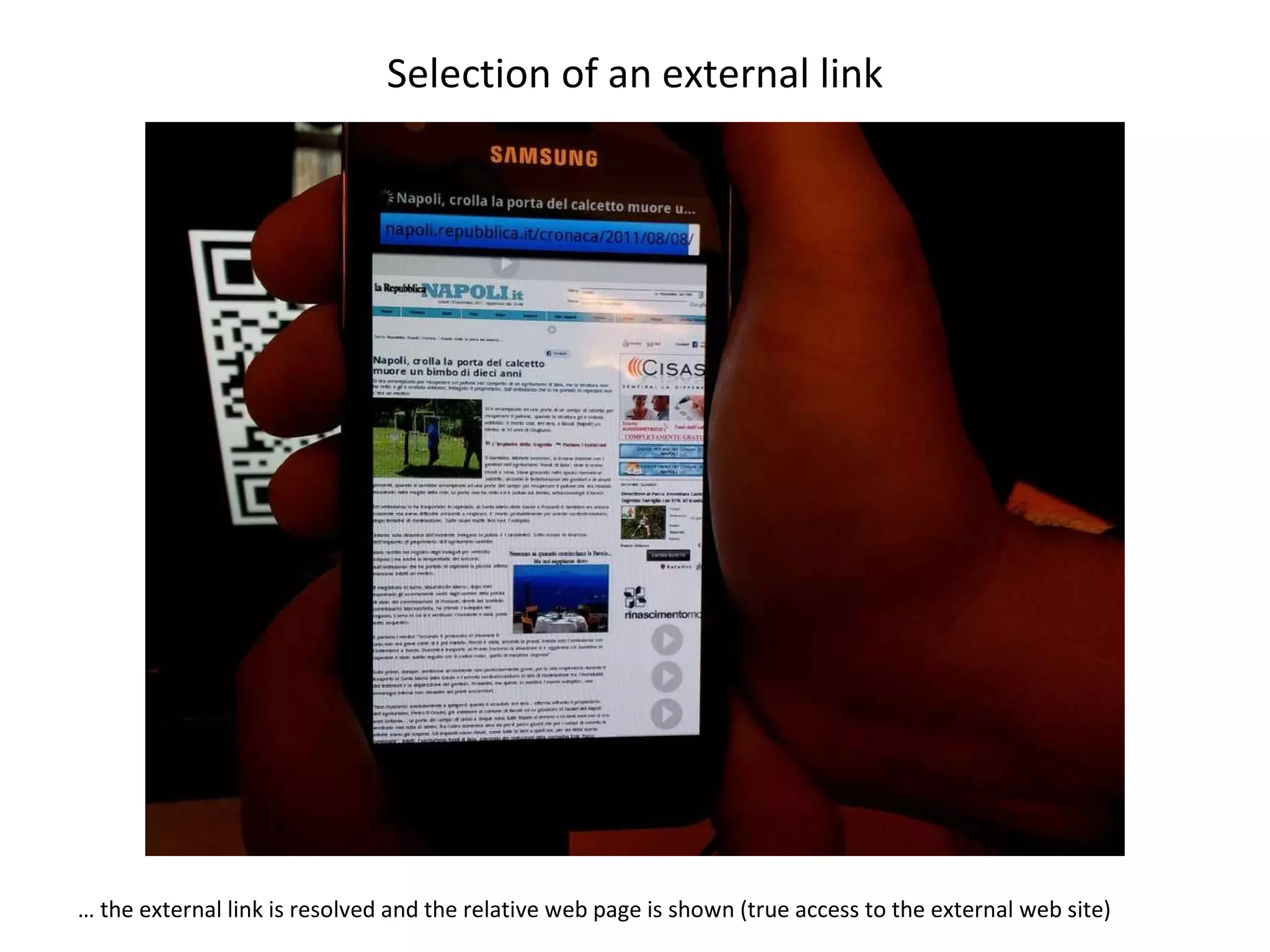
Selection of an external link …  the external link is resolved and the relative web page is shown (true access to the external web site)
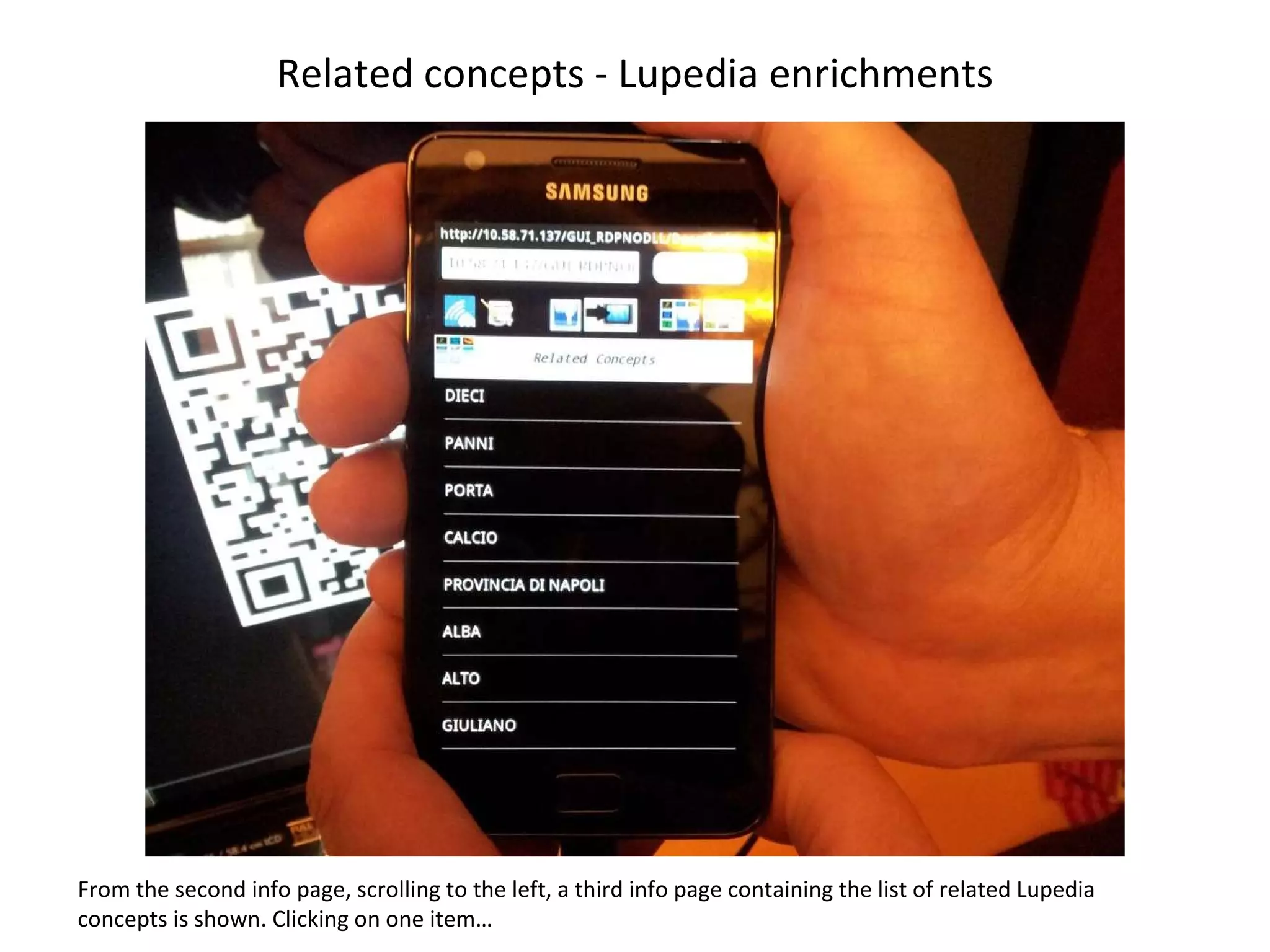
Related concepts - Lupedia enrichments From the second info page, scrolling to the left, a third info page containing the list of related Lupedia concepts is shown. Clicking on one item…
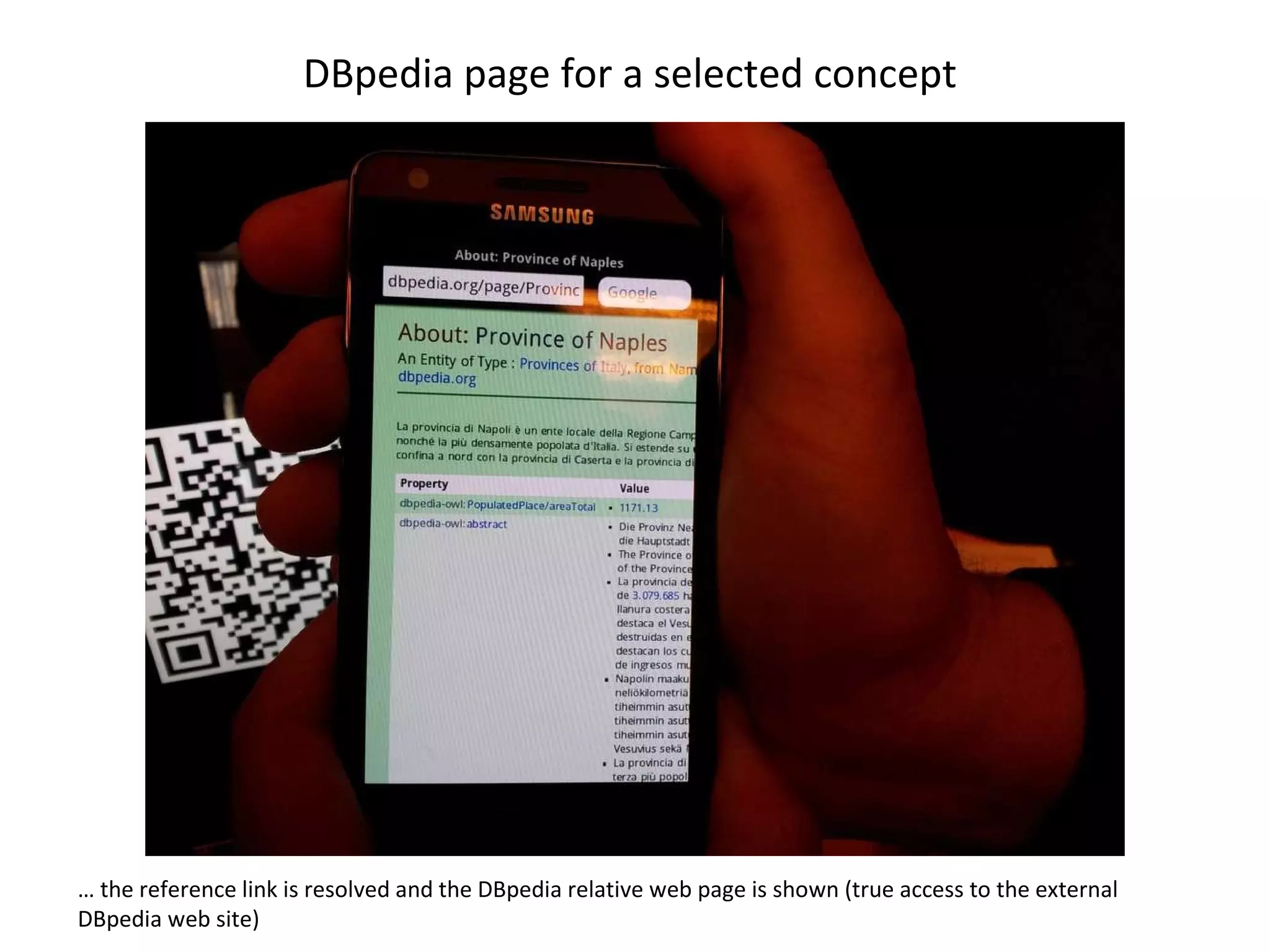
DBpedia page for a selected concept  …  the reference link is resolved and the DBpedia relative web page is shown (true access to the external DBpedia web site)
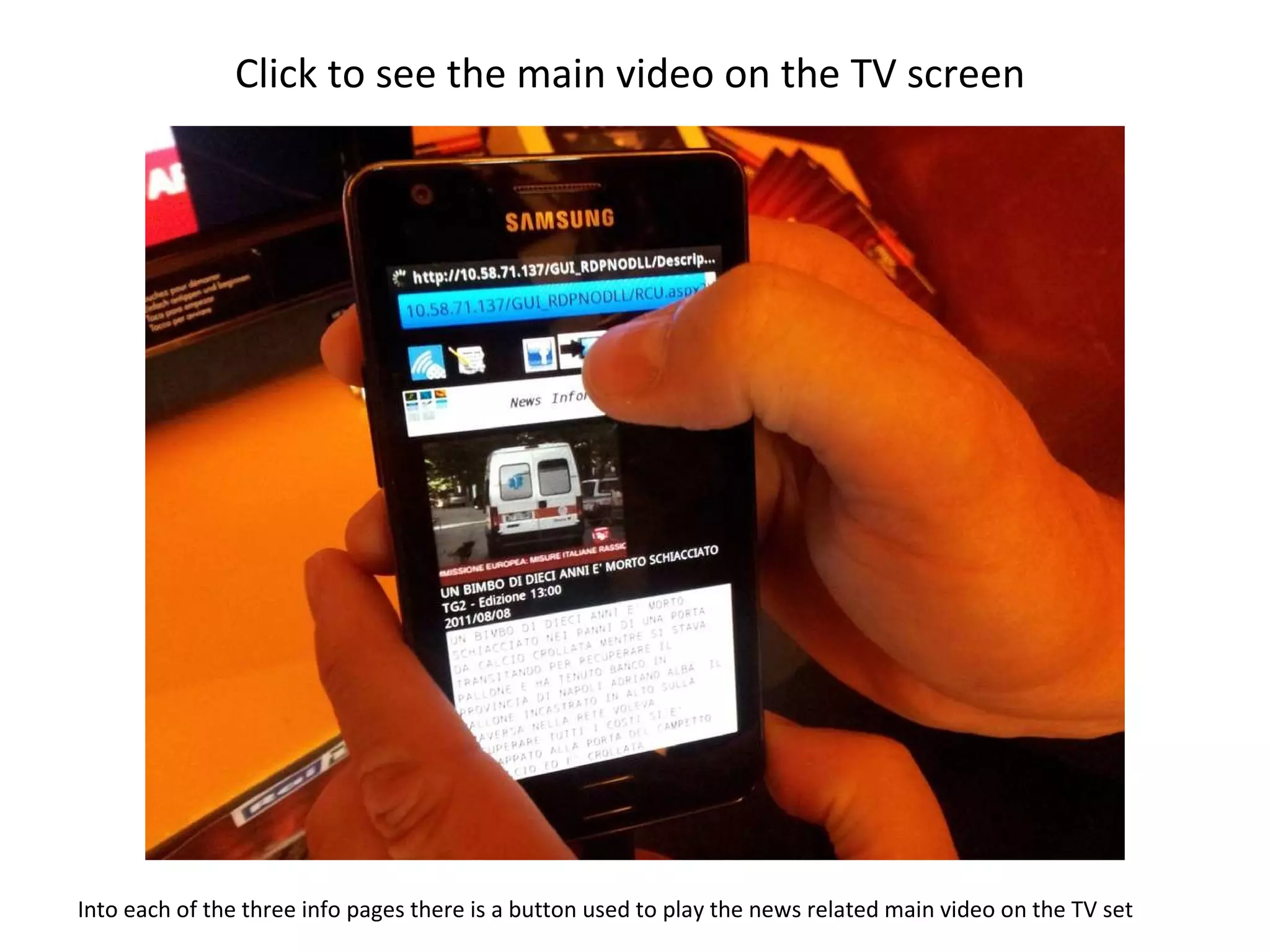
Click to see the main video on the TV screen  Into each of the three info pages there is a button used to play the news related main video on the TV set
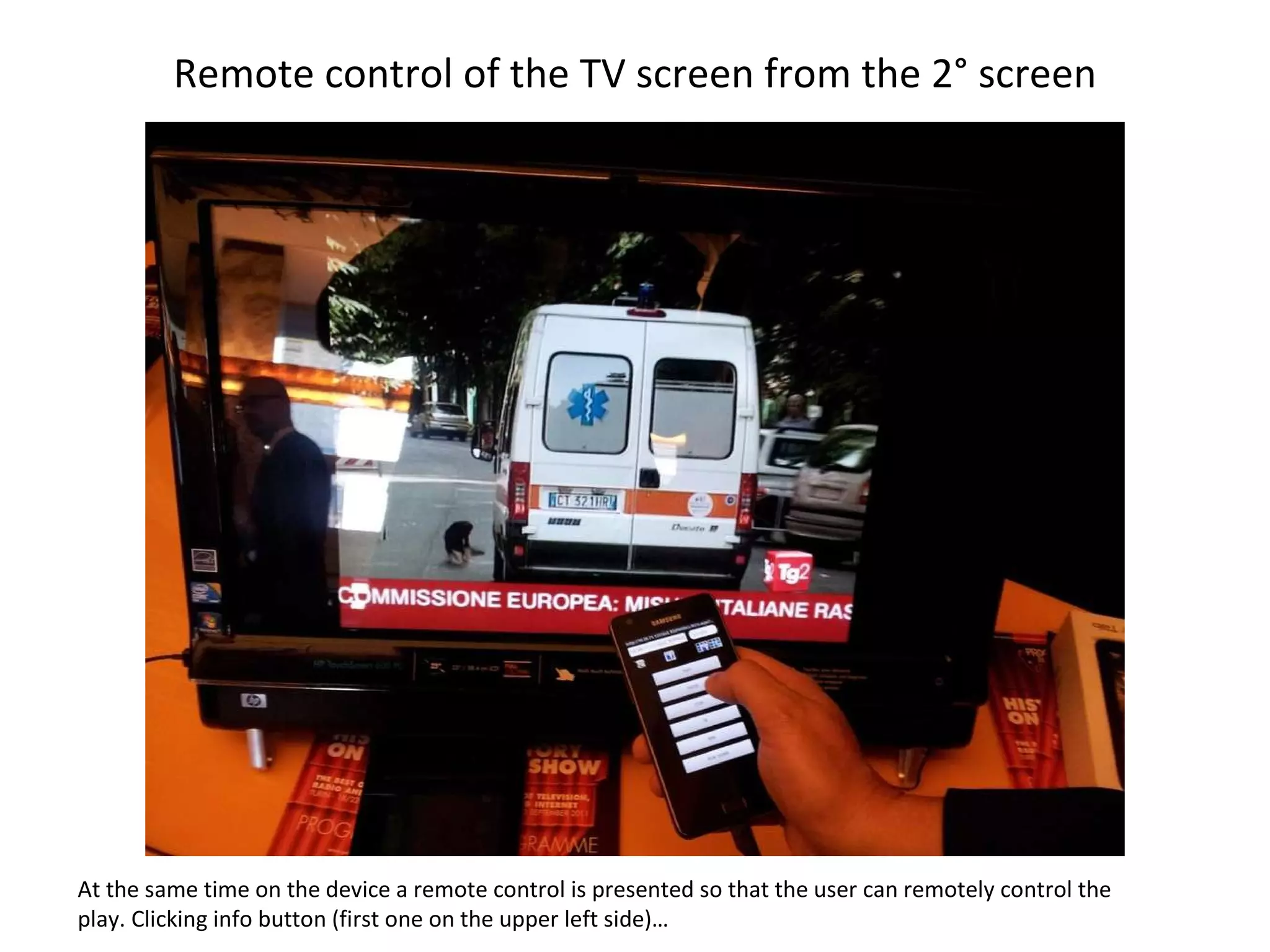
Remote control of the TV screen from the 2° screen At the same time on the device a remote control is presented so that the user can remotely control the play. Clicking info button (first one on the upper left side)…
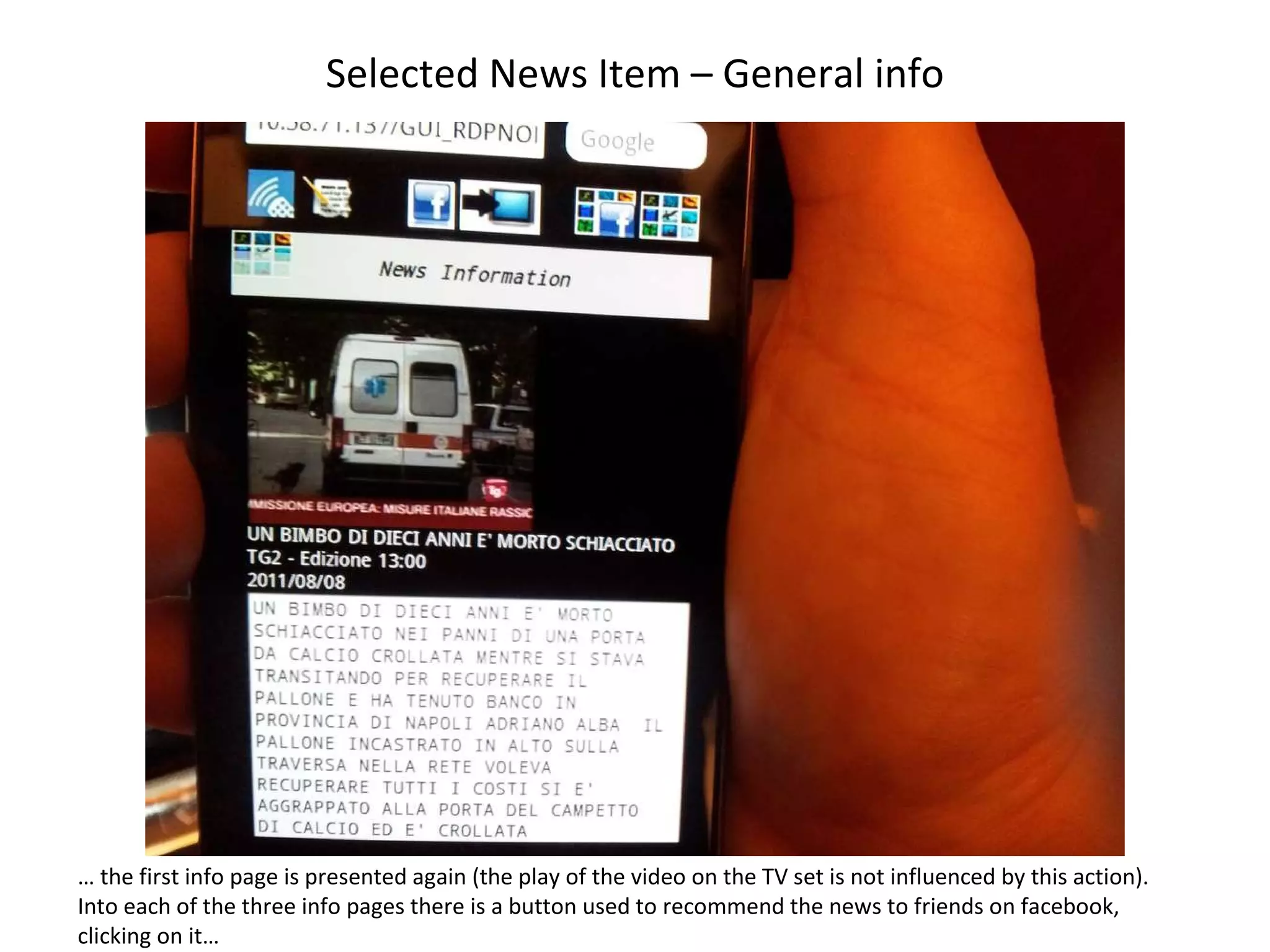
Selected News Item – General info …  the first info page is presented again (the play of the video on the TV set is not influenced by this action). Into each of the three info pages there is a button used to recommend the news to friends on facebook, clicking on it…
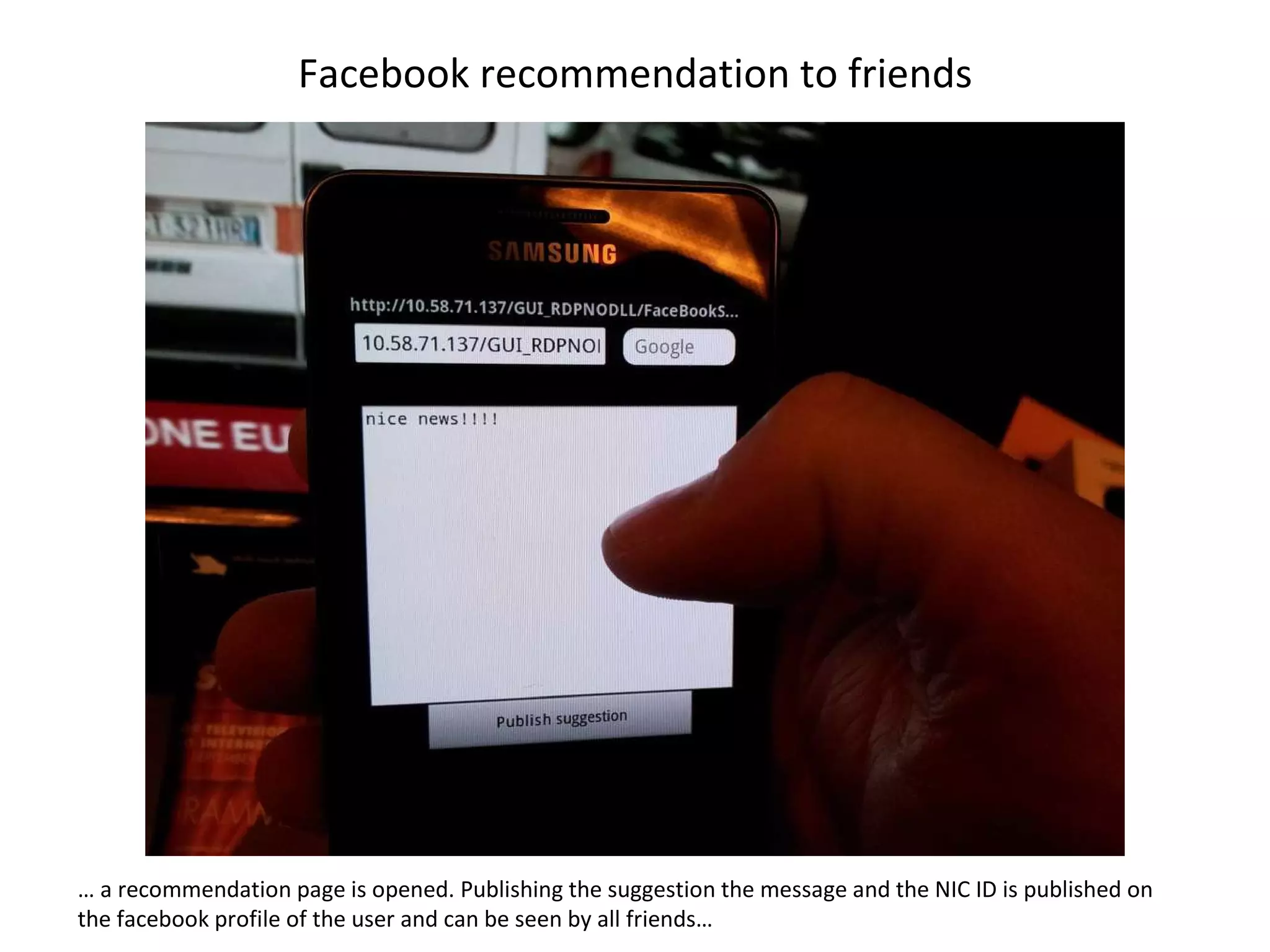
Facebook recommendation to friends …  a recommendation page is opened. Publishing the suggestion the message and the NIC ID is published on the facebook profile of the user and can be seen by all friends…
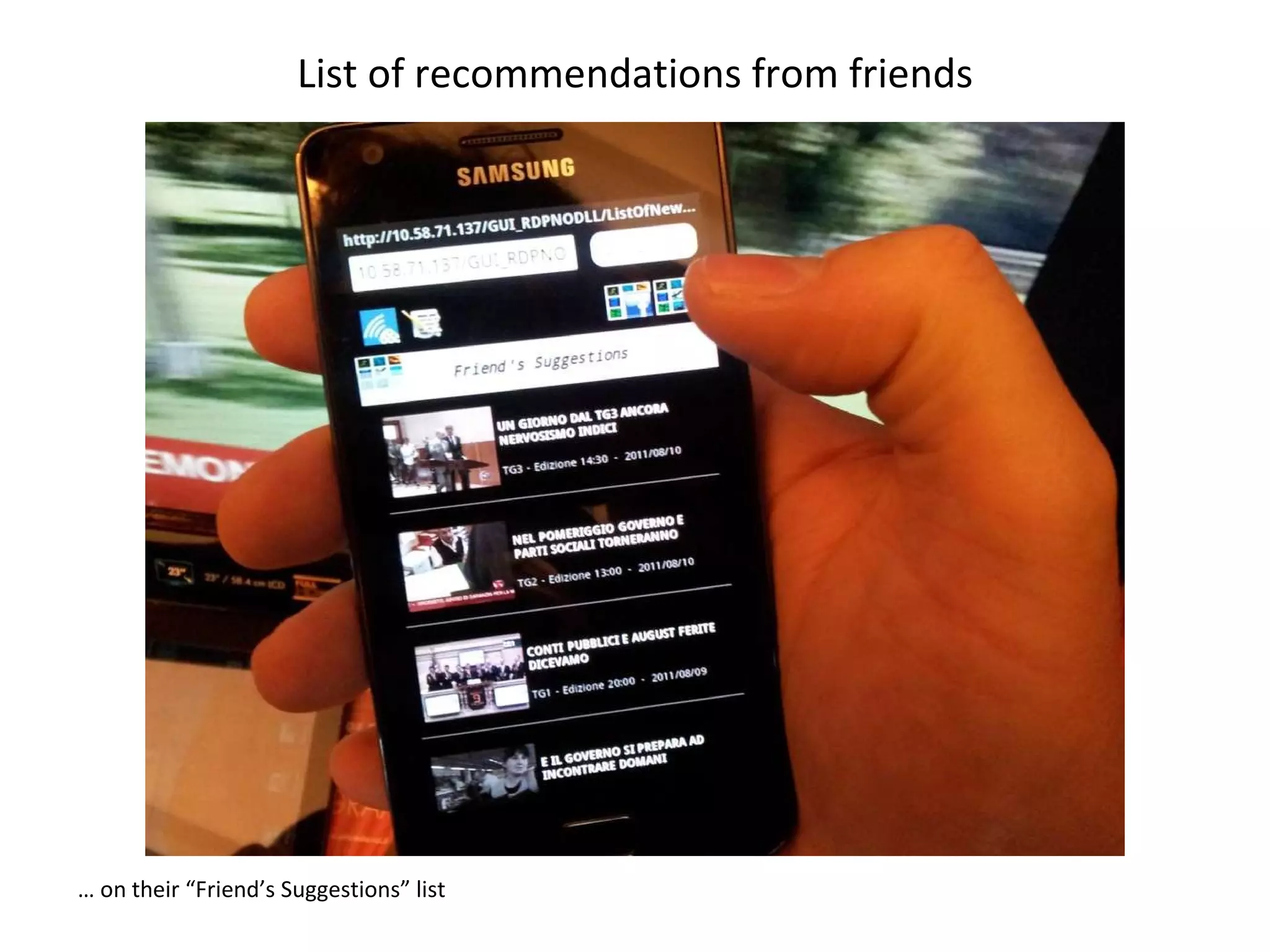
List of recommendations from friends …  on their “Friend’s Suggestions” list
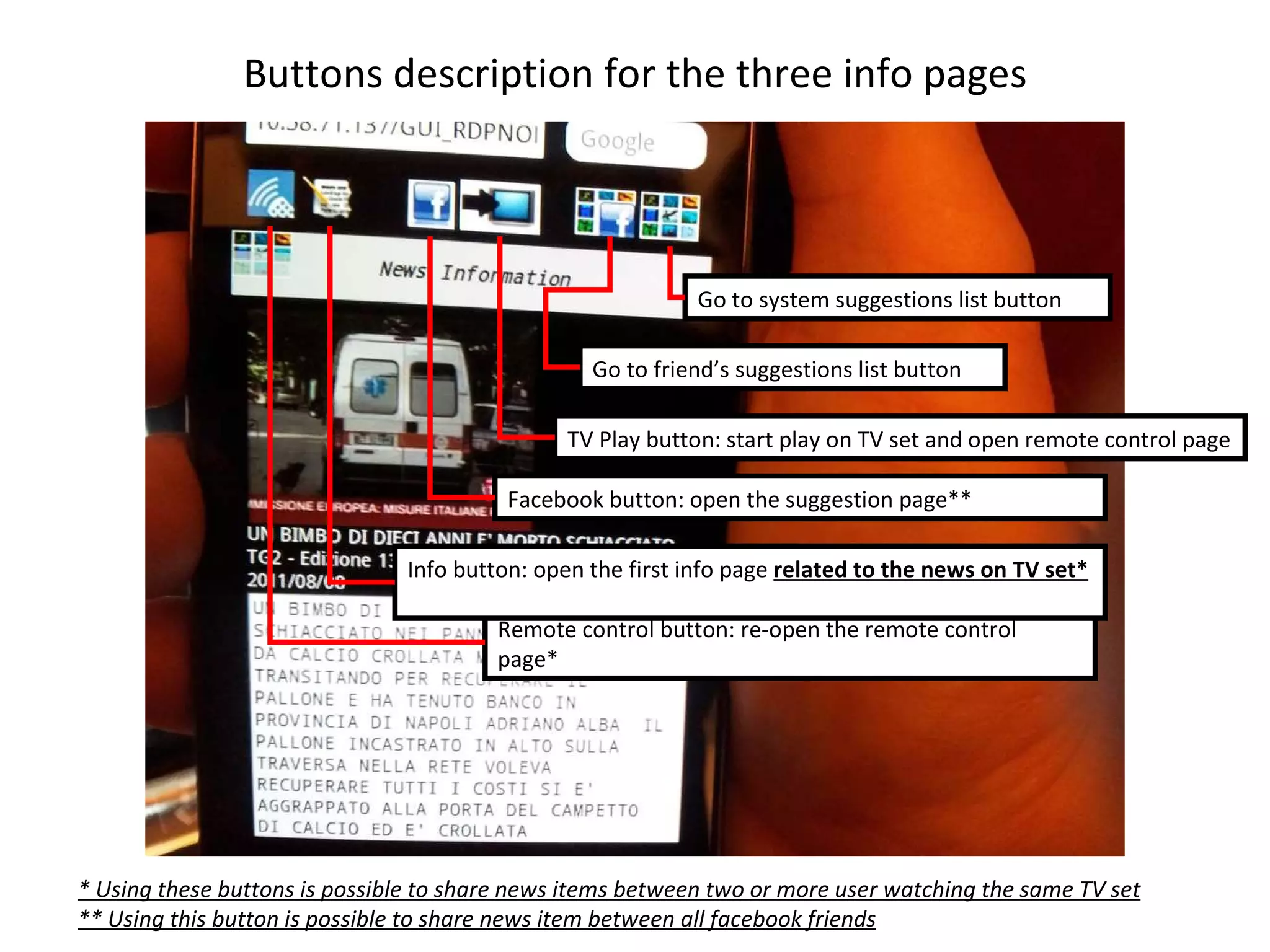
Buttons description for the three info pages Remote control button: re-open the remote control page*  Info button: open the first info page  related to the news on TV set*   Facebook button: open the suggestion page** TV Play button: start play on TV set and open remote control page Go to friend’s suggestions list button Go to system suggestions list button * Using these buttons is possible to share news items between two or more user watching the same TV set ** Using this button is possible to share news item between all facebook friends
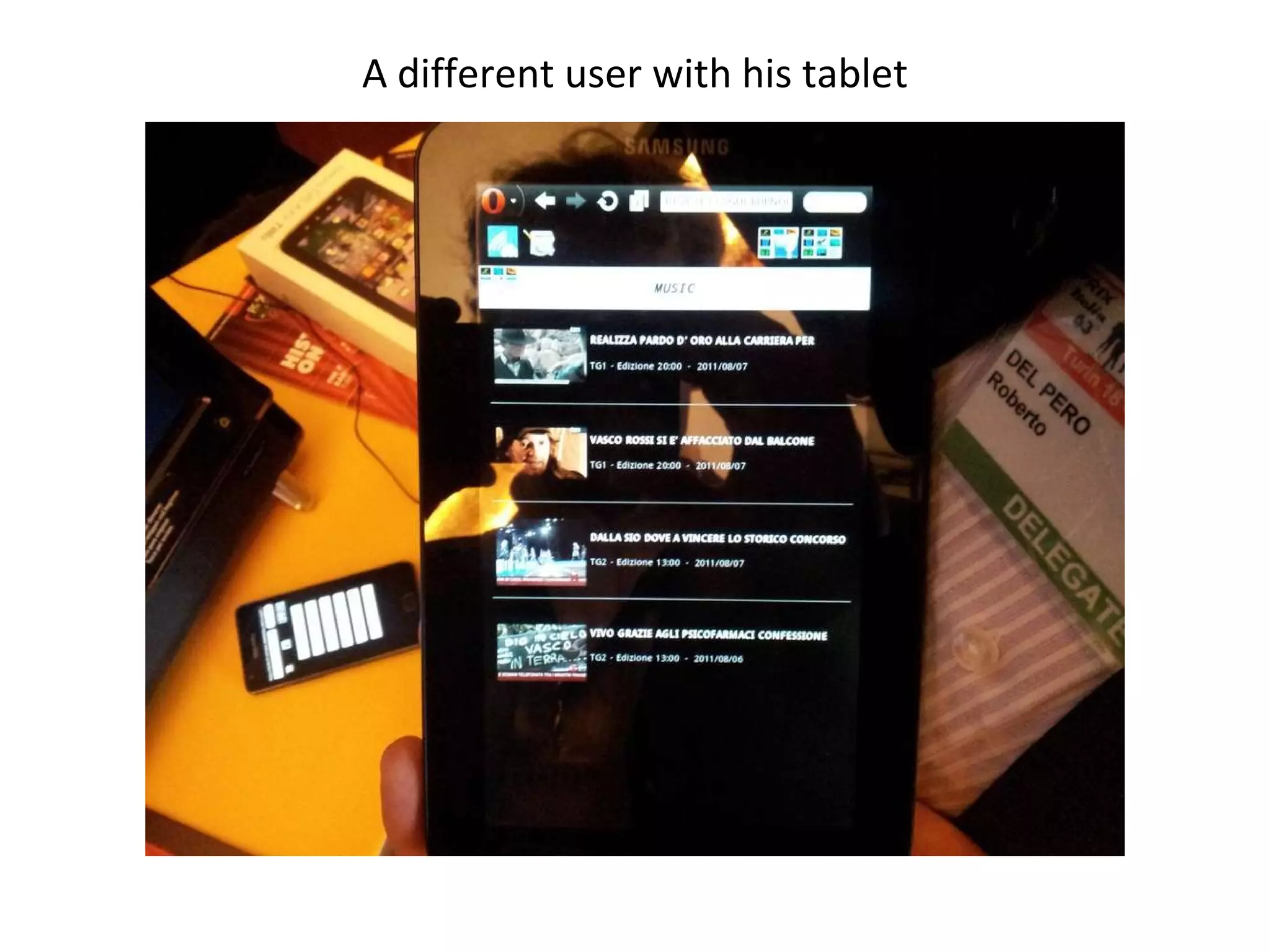
A different user with his tablet
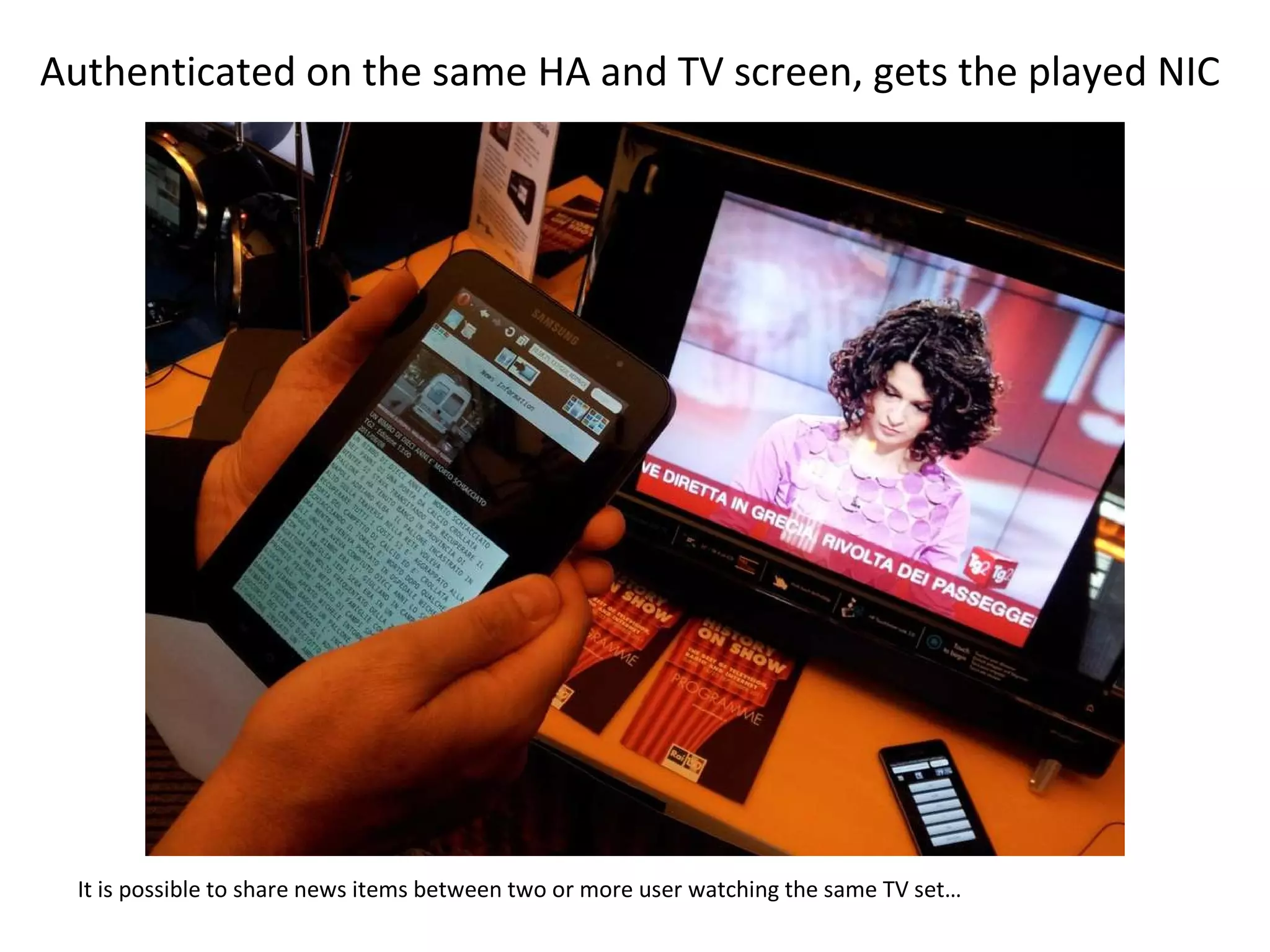
Authenticated on the same HA and TV screen, gets the played NIC It is possible to share news items between two or more user watching the same TV set…
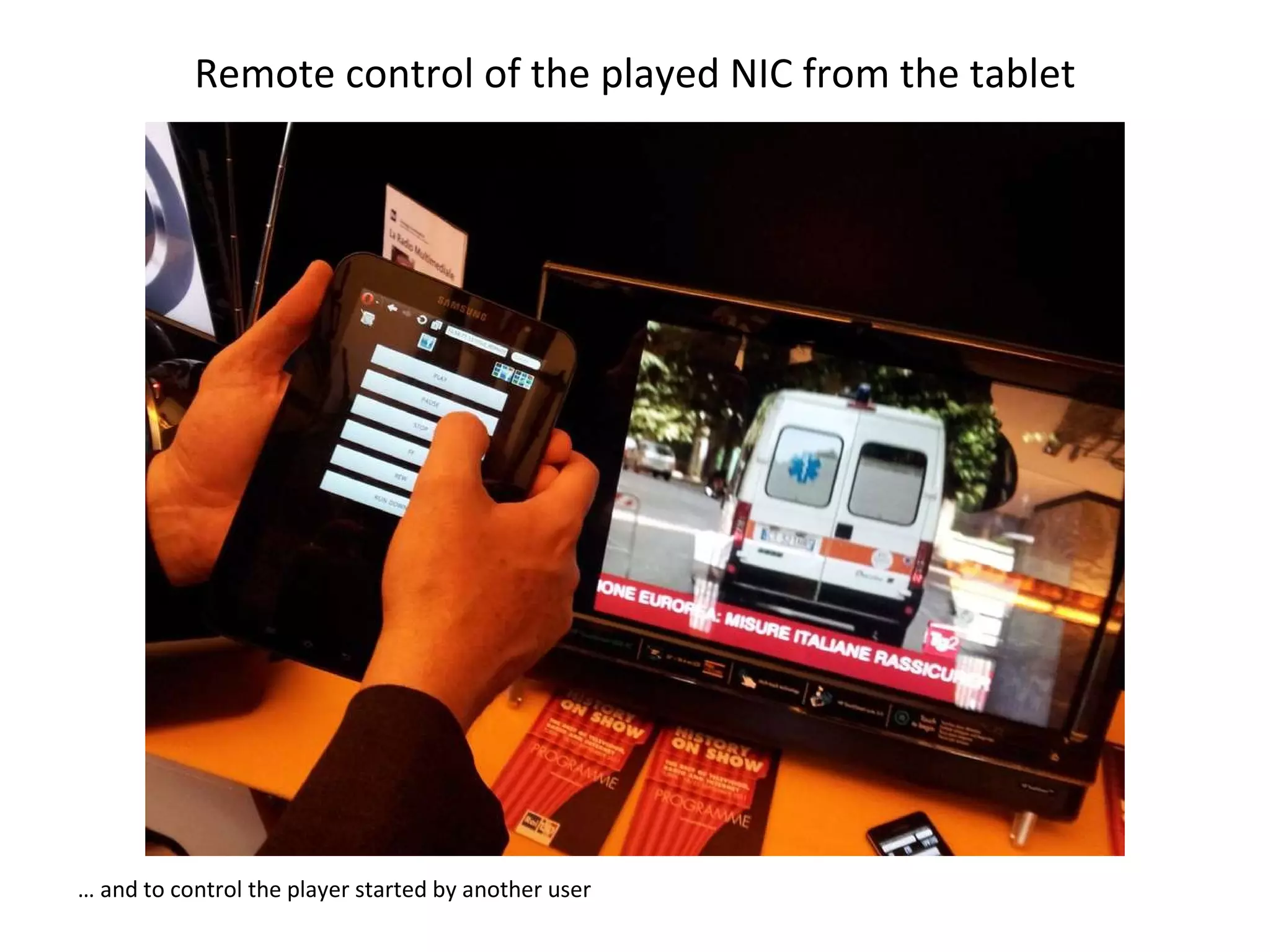
Remote control of the played NIC from the tablet …  and to control the player started by another user
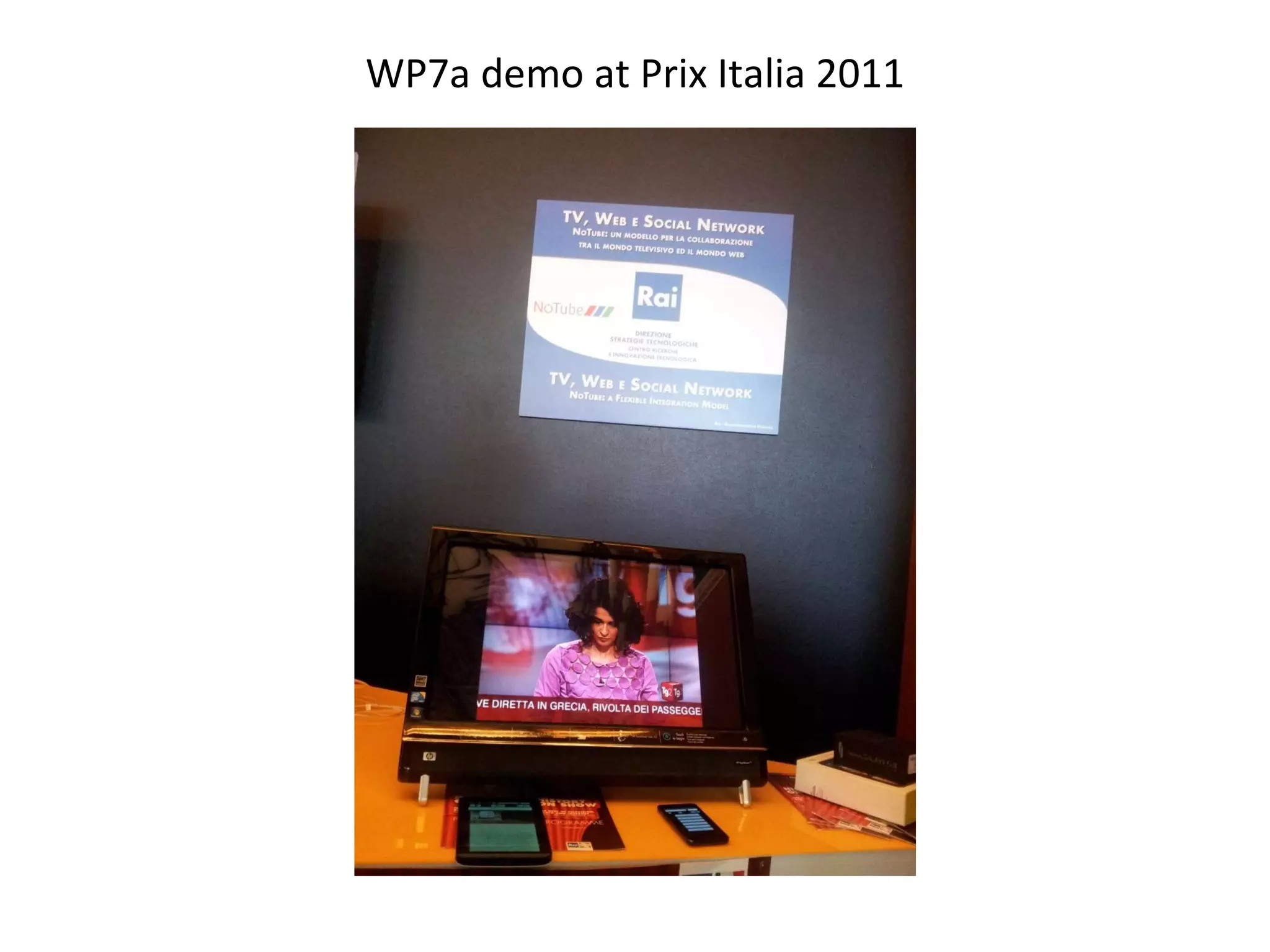
WP7a demo at Prix Italia 2011

RAI Personalised Semantic News demo, third prototype 2011

  • 1.
    Personalised Semantic NewsPrototype 3 – First release
  • 2.
    Authentication on theHA and the device - 1 The HA and the viewing device (TV set) identification are exposed through a QRcode
  • 3.
    Authentication on theHA and the device - 2 By means of a QRcode reader (in this case QR Droid) …
  • 4.
    Authentication on theHA and the device - 3 … the user catches HA and TV set ID and automatically the user device is connected to the ambient and the user is automatically identified by it (device – user fixed association) …
  • 5.
    Personalised list ofNews Items … and the personalised list of news is presented organised by genre (each genre is achievable scrolling to the left and to the right)
  • 6.
    Scrolling of thelist Each genre list is top-down scrollable (a genre banner is always visible). Clicking on a particular news…
  • 7.
    Selected News Item– General info … the particular news is selected and a first page of general info is presented. Scrolling to the left … At this moment here is the representative image, in the next version we’ll try to insert the cropped video
  • 8.
    List of externallinks related to the selected news … a second info page containing the list of related external links is shown. Clicking on one item…
  • 9.
    Selection of anexternal link … the external link is resolved and the relative web page is shown (true access to the external web site)
  • 10.
    Related concepts -Lupedia enrichments From the second info page, scrolling to the left, a third info page containing the list of related Lupedia concepts is shown. Clicking on one item…
  • 11.
    DBpedia page fora selected concept … the reference link is resolved and the DBpedia relative web page is shown (true access to the external DBpedia web site)
  • 12.
    Click to seethe main video on the TV screen Into each of the three info pages there is a button used to play the news related main video on the TV set
  • 13.
    Remote control ofthe TV screen from the 2° screen At the same time on the device a remote control is presented so that the user can remotely control the play. Clicking info button (first one on the upper left side)…
  • 14.
    Selected News Item– General info … the first info page is presented again (the play of the video on the TV set is not influenced by this action). Into each of the three info pages there is a button used to recommend the news to friends on facebook, clicking on it…
  • 15.
    Facebook recommendation tofriends … a recommendation page is opened. Publishing the suggestion the message and the NIC ID is published on the facebook profile of the user and can be seen by all friends…
  • 16.
    List of recommendationsfrom friends … on their “Friend’s Suggestions” list
  • 17.
    Buttons description forthe three info pages Remote control button: re-open the remote control page* Info button: open the first info page related to the news on TV set* Facebook button: open the suggestion page** TV Play button: start play on TV set and open remote control page Go to friend’s suggestions list button Go to system suggestions list button * Using these buttons is possible to share news items between two or more user watching the same TV set ** Using this button is possible to share news item between all facebook friends
  • 18.
    A different userwith his tablet
  • 19.
    Authenticated on thesame HA and TV screen, gets the played NIC It is possible to share news items between two or more user watching the same TV set…
  • 20.
    Remote control ofthe played NIC from the tablet … and to control the player started by another user
  • 21.
    WP7a demo atPrix Italia 2011