Python-File Handling
What is file handling in Python
Suppose you are working on a file saved on your personal computer. If
you want to perform any operation on that file like opening it, updating
it or any other operation on that, all that comes under File handling. So,
File handling in computer science means working with files stored on
the disk. This includes creating, deleting, opening or closing files and
writing, reading or modifying data stored in those files.
What is the Need for file handling?
In computer science, we have programs for performing all sorts of
tasks. A program may require to read data from the disk and store
results on the disk for future usage. This is why we need file handling.
For instance, if you need to analyse, process and store data from a
website, then you first need to scrap(this means getting all the data
shown on a web page like text and images) the data and store it on
your disk and then load this data and do the analysis and then store the
processed data on the disk in a file. This is done because scraping data
from a website each time you need it is not desirable as it will take a lot
of time.
Opening and Closing a file in Python
1. Open() Function :
This function takes two arguments. First is the filename along with its
complete path, and the other is access mode. This function returns a
file object.
open(filename, mode)
Important points:
1. The file and python script should be in the same directory. Else, you
need to provide the full path of the file.
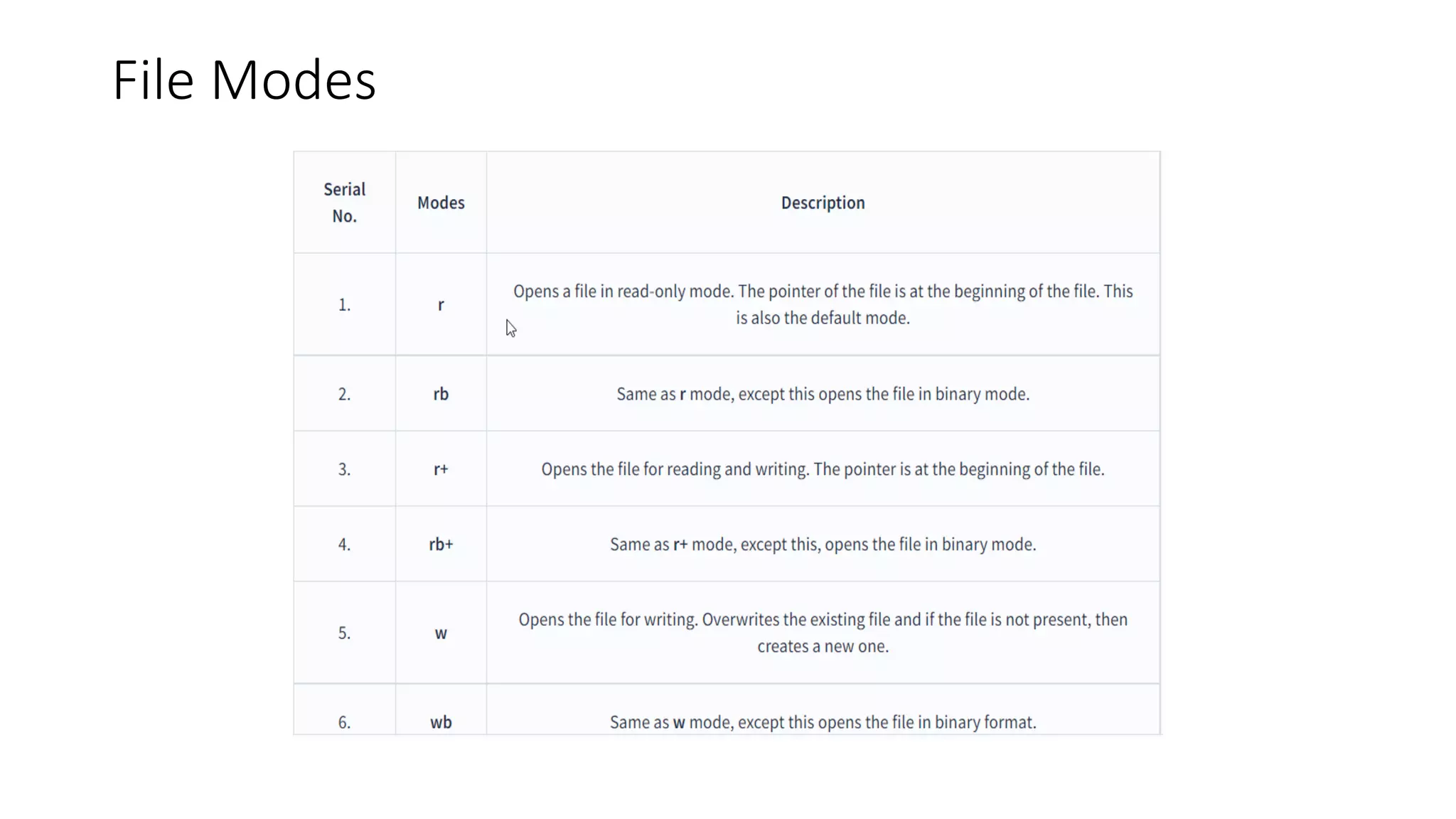
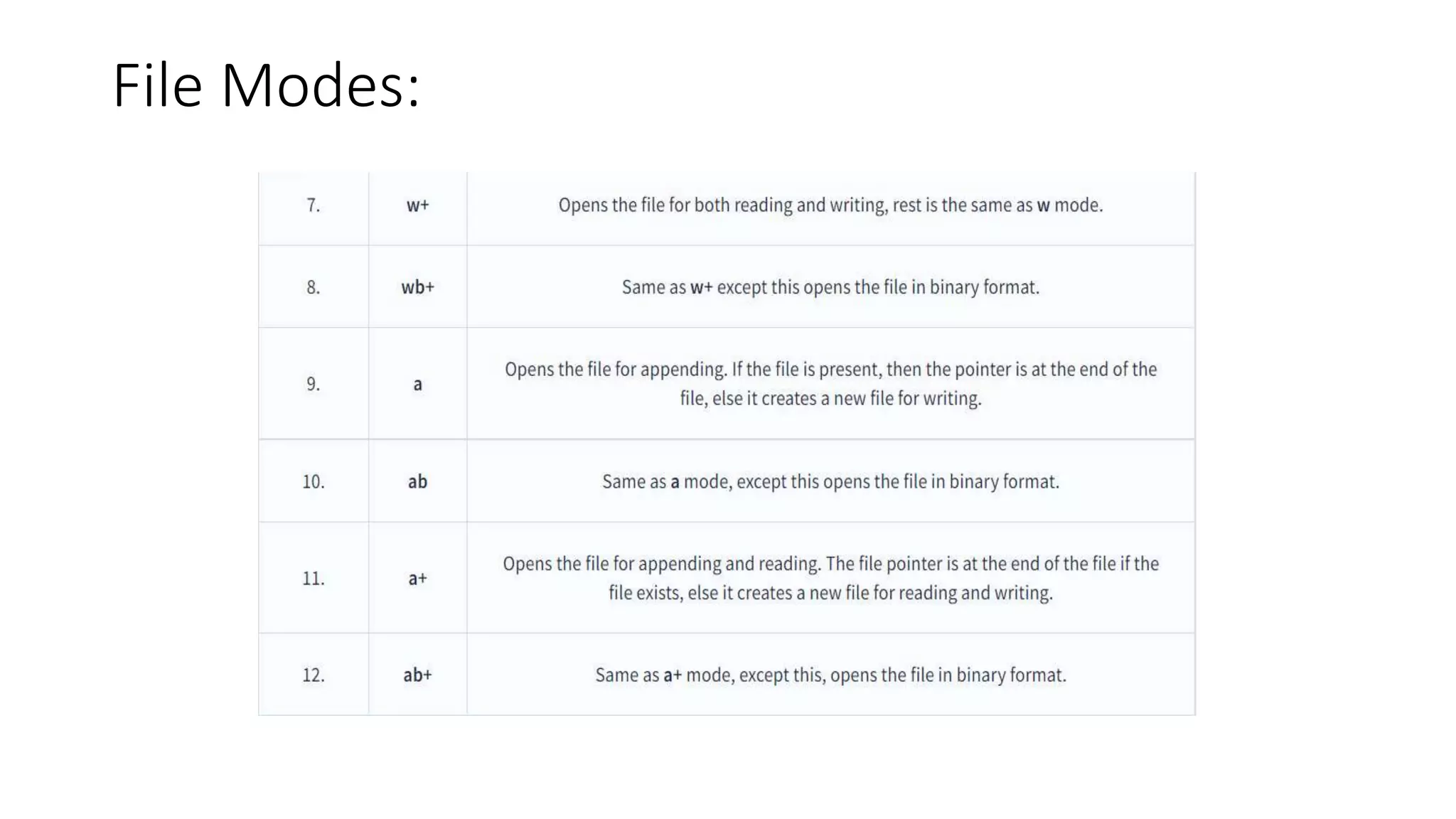
2. By default, the access mode is read mode if you don't specify any
mode. All the file-opening access modes are described below.
File Modes
File Modes:
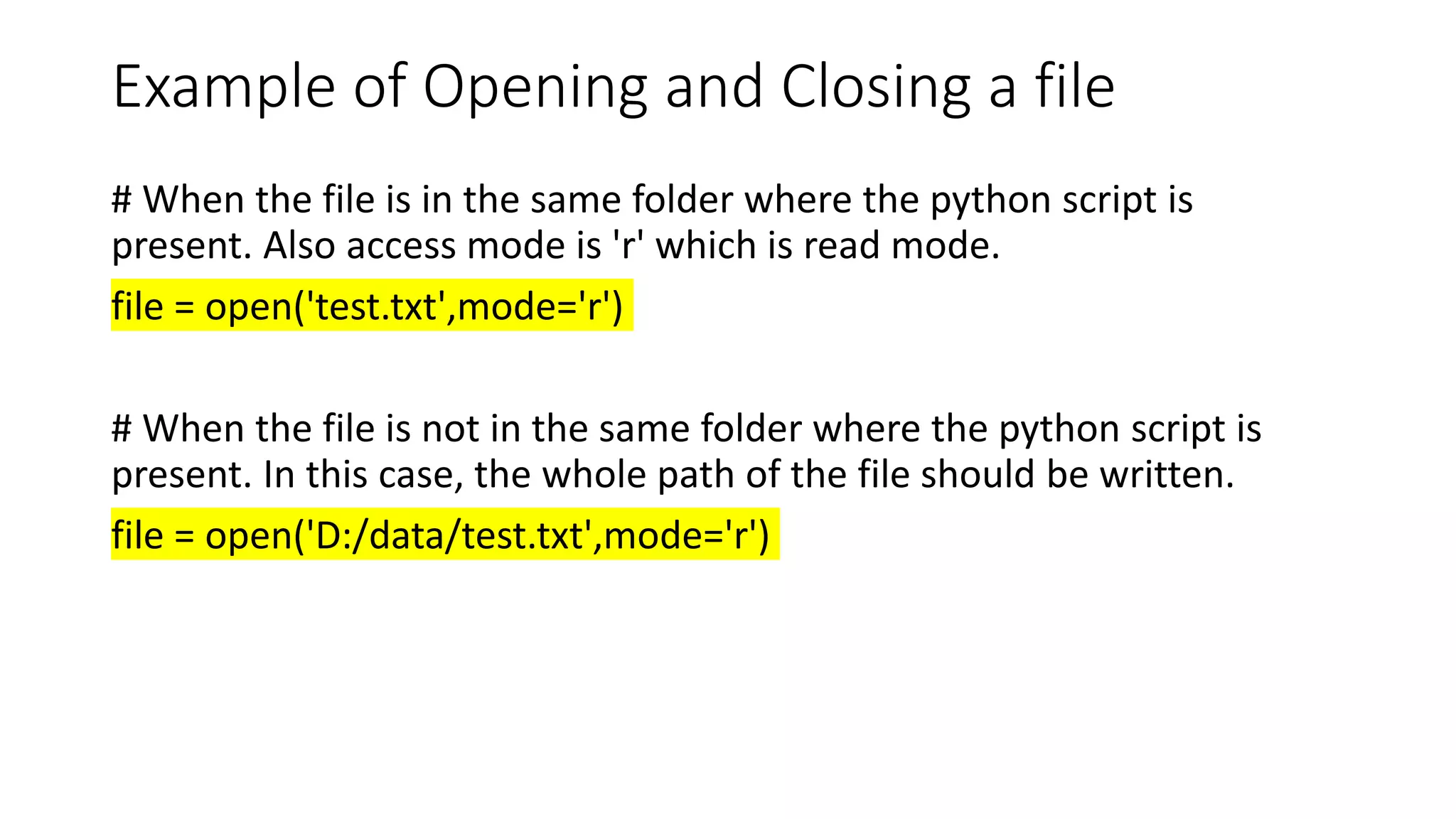
Example of Opening and Closing a file
# When the file is in the same folder where the python script is
present. Also access mode is 'r' which is read mode.
file = open('test.txt',mode='r')
# When the file is not in the same folder where the python script is
present. In this case, the whole path of the file should be written.
file = open('D:/data/test.txt',mode='r')
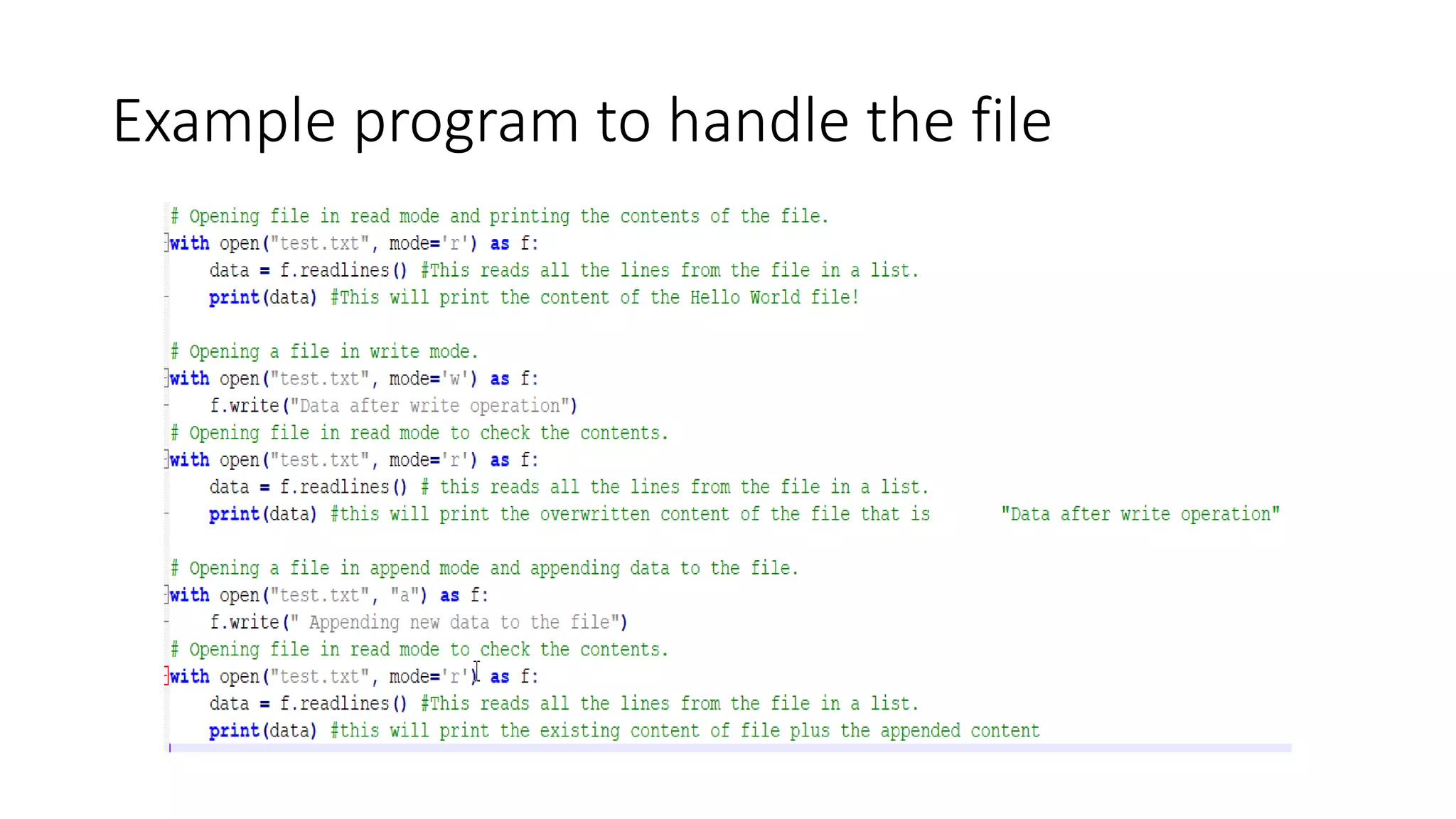
Example program to handle the file
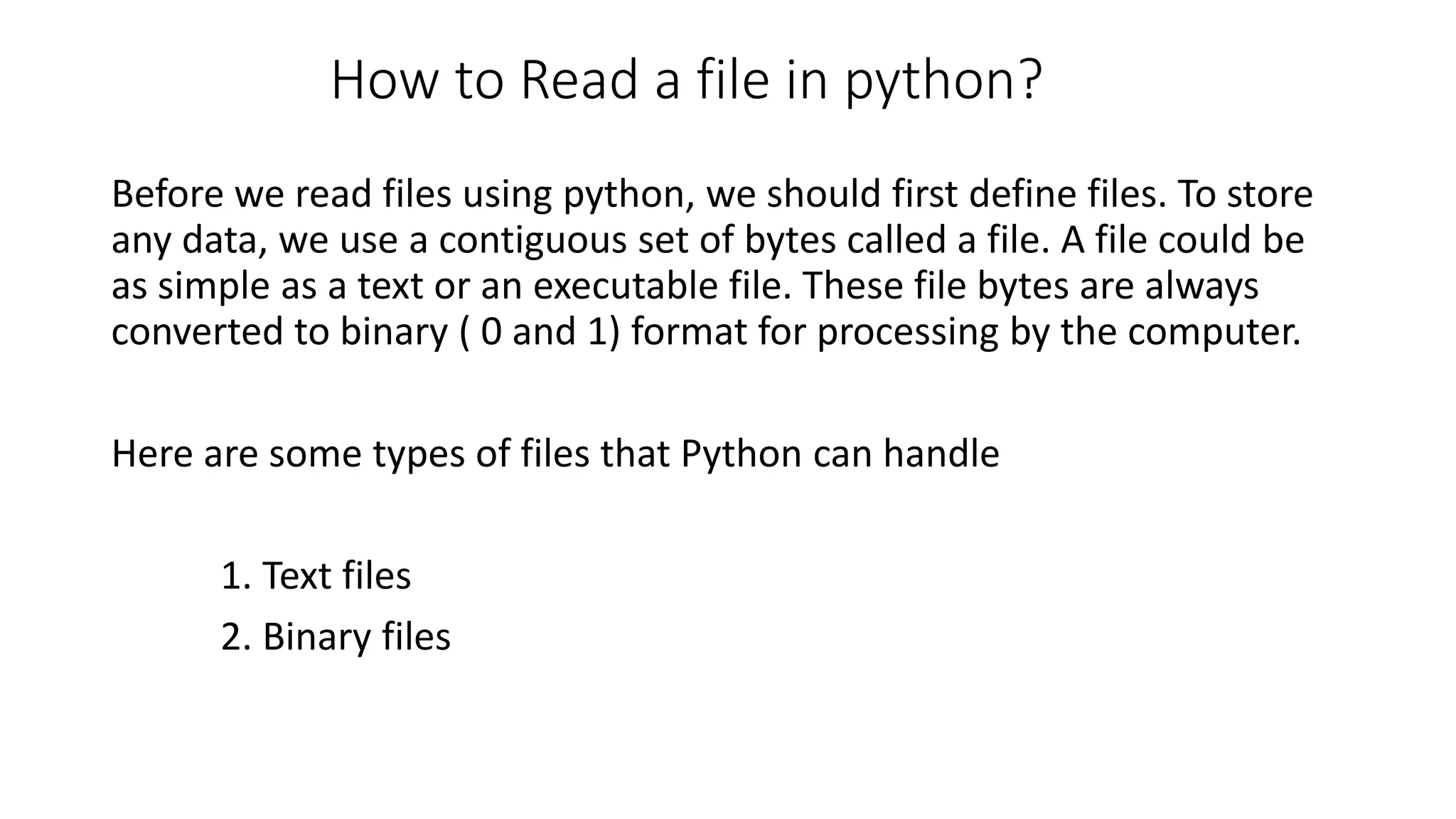
How to Read a file in python?
Before we read files using python, we should first define files. To store
any data, we use a contiguous set of bytes called a file. A file could be
as simple as a text or an executable file. These file bytes are always
converted to binary ( 0 and 1) format for processing by the computer.
Here are some types of files that Python can handle
1. Text files
2. Binary files
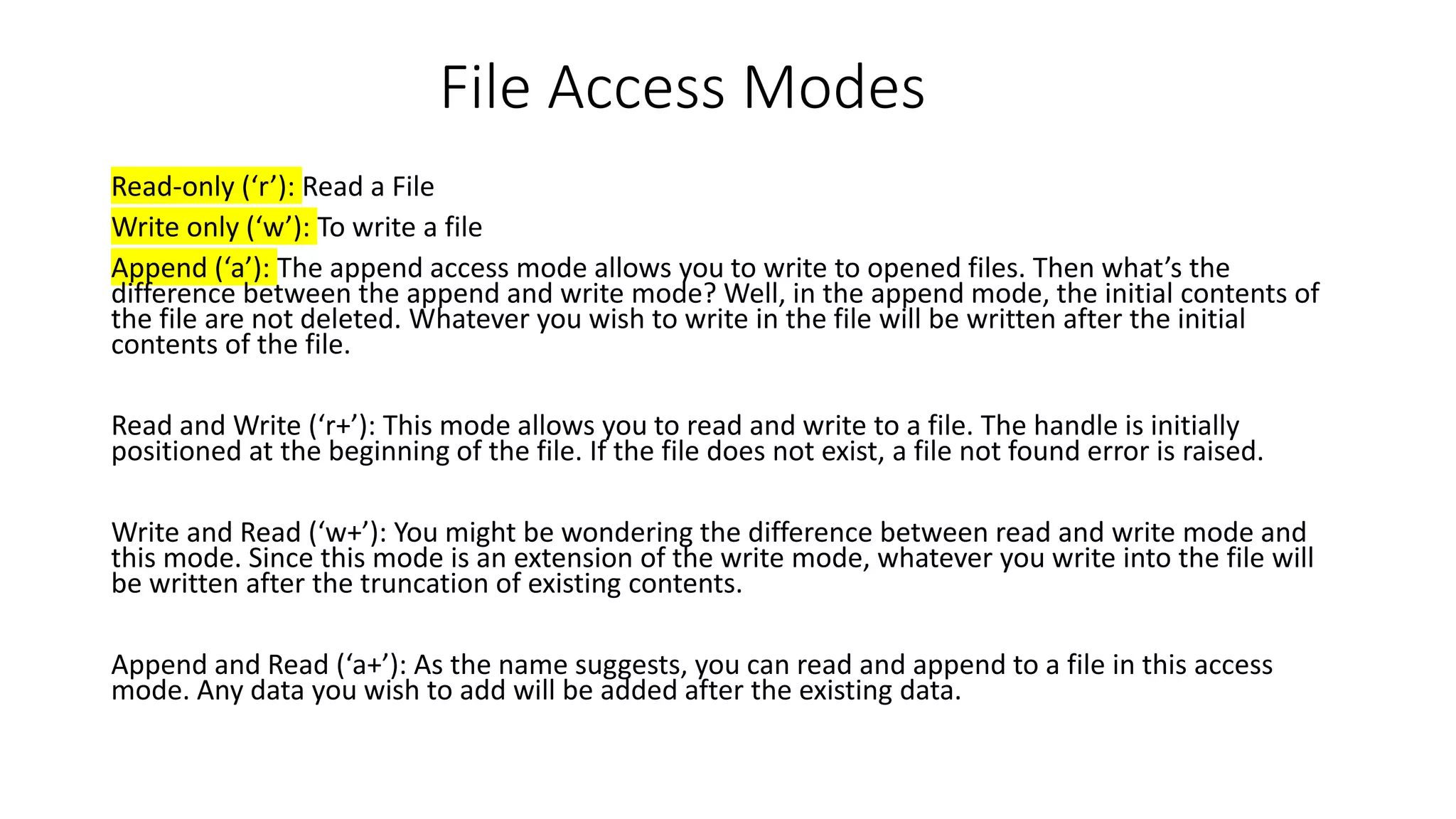
File Access Modes
Read-only (‘r’): Read a File
Write only (‘w’): To write a file
Append (‘a’): The append access mode allows you to write to opened files. Then what’s the
difference between the append and write mode? Well, in the append mode, the initial contents of
the file are not deleted. Whatever you wish to write in the file will be written after the initial
contents of the file.
Read and Write (‘r+’): This mode allows you to read and write to a file. The handle is initially
positioned at the beginning of the file. If the file does not exist, a file not found error is raised.
Write and Read (‘w+’): You might be wondering the difference between read and write mode and
this mode. Since this mode is an extension of the write mode, whatever you write into the file will
be written after the truncation of existing contents.
Append and Read (‘a+’): As the name suggests, you can read and append to a file in this access
mode. Any data you wish to add will be added after the existing data.
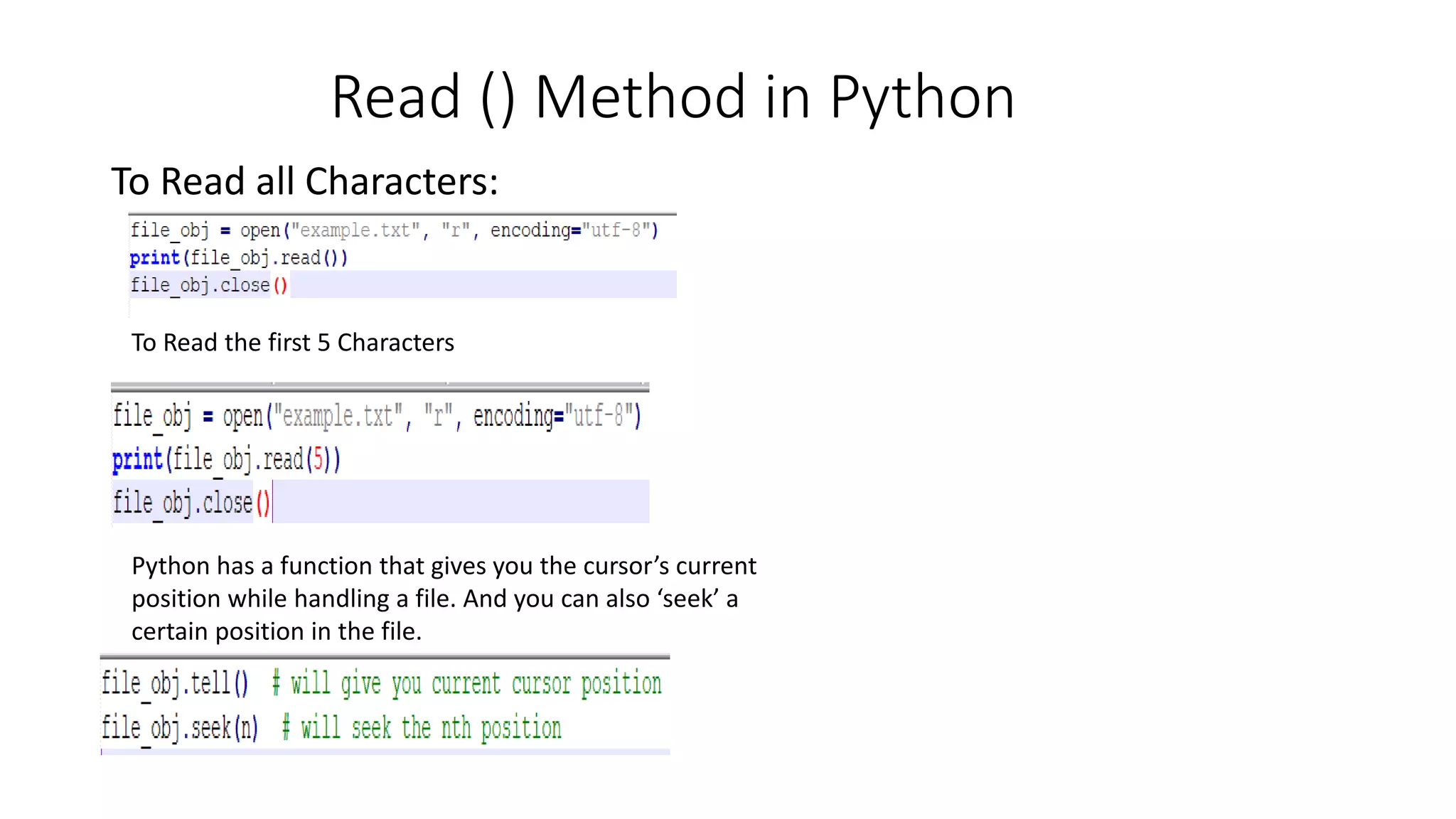
Read () Method in Python
To Read all Characters:
To Read the first 5 Characters
Python has a function that gives you the cursor’s current
position while handling a file. And you can also ‘seek’ a
certain position in the file.
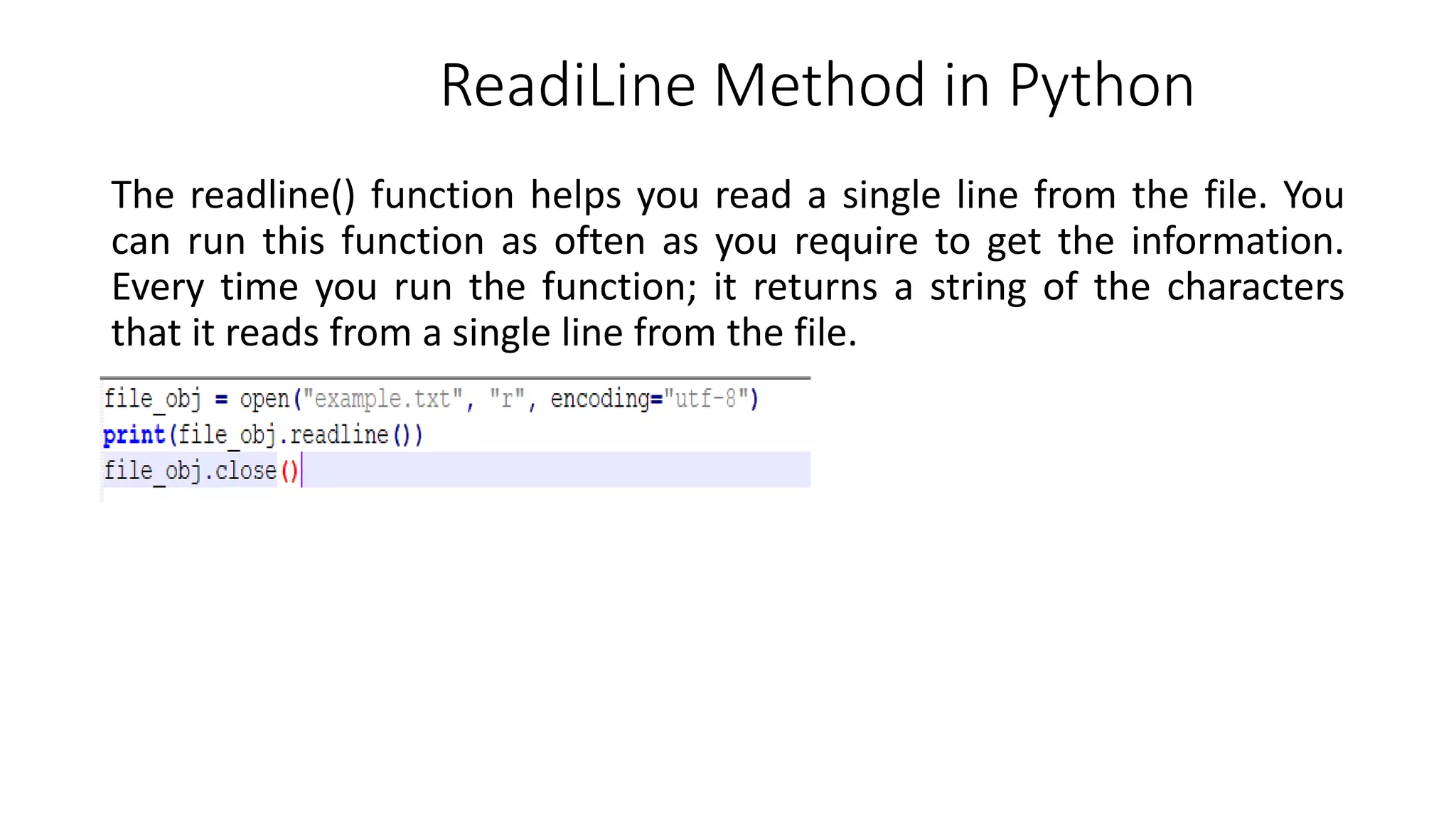
ReadiLine Method in Python
The readline() function helps you read a single line from the file. You
can run this function as often as you require to get the information.
Every time you run the function; it returns a string of the characters
that it reads from a single line from the file.
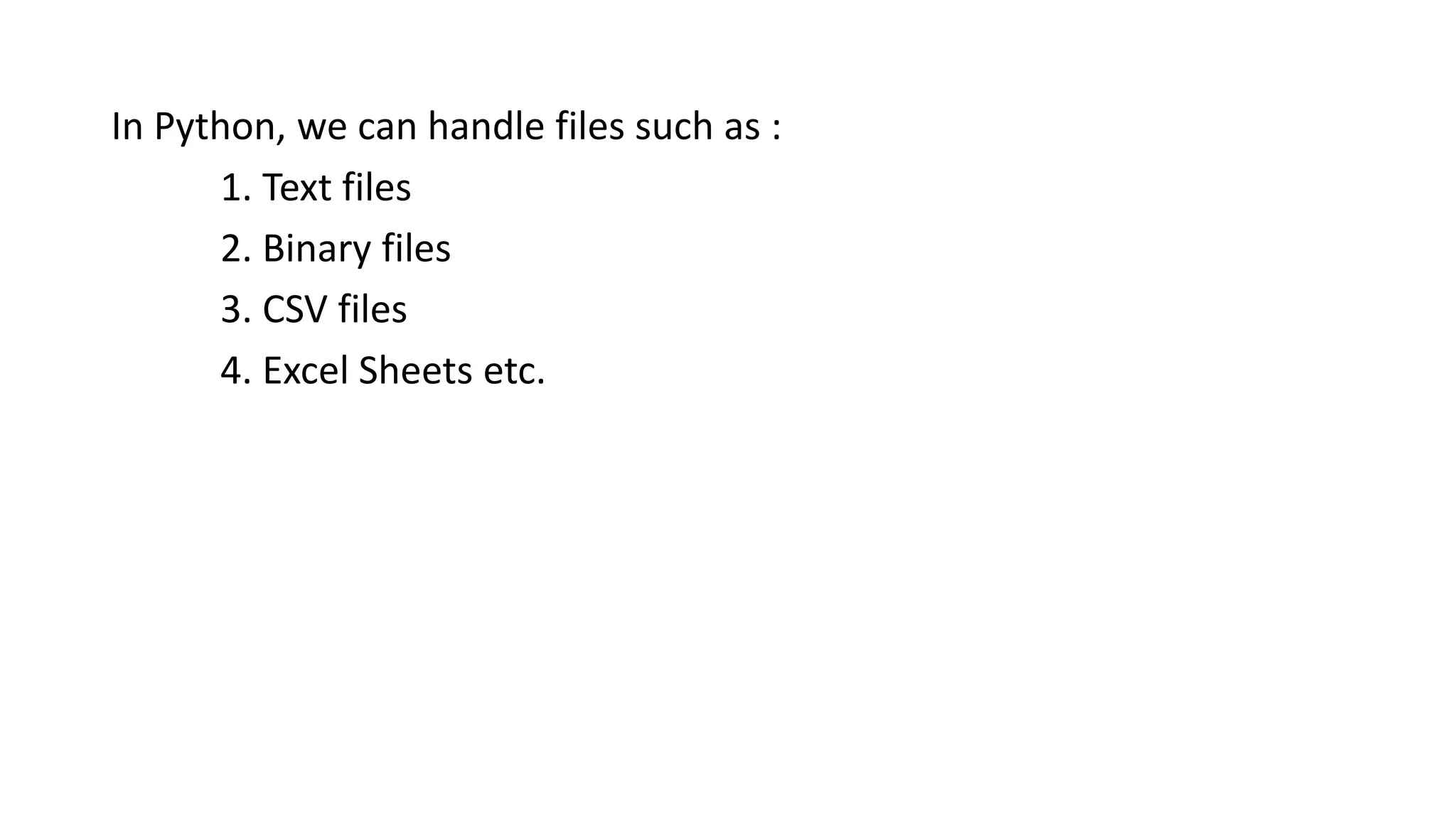
In Python, we can handle files such as :
1. Text files
2. Binary files
3. CSV files
4. Excel Sheets etc.
In Python, there are 6 access modes for file handling :
1. Read only (‘r’)
2. Write only (‘w’)
3. Append (‘a’)
4. Read and Write (‘r+’)
5. Write and Read (‘w+’)
6. Append and Read (‘a+’)
We have 3 methods for reading text files in Python :
1. read() method
2. readline() method
3. readlines() method
How to Write a File in Python?
Python provides us with two methods to write into text files:
1. write() method for inserting a string to a single line in a text file.
2. writelines() method for inserting multiple strings from a list of strings
to the text file simultaneously.
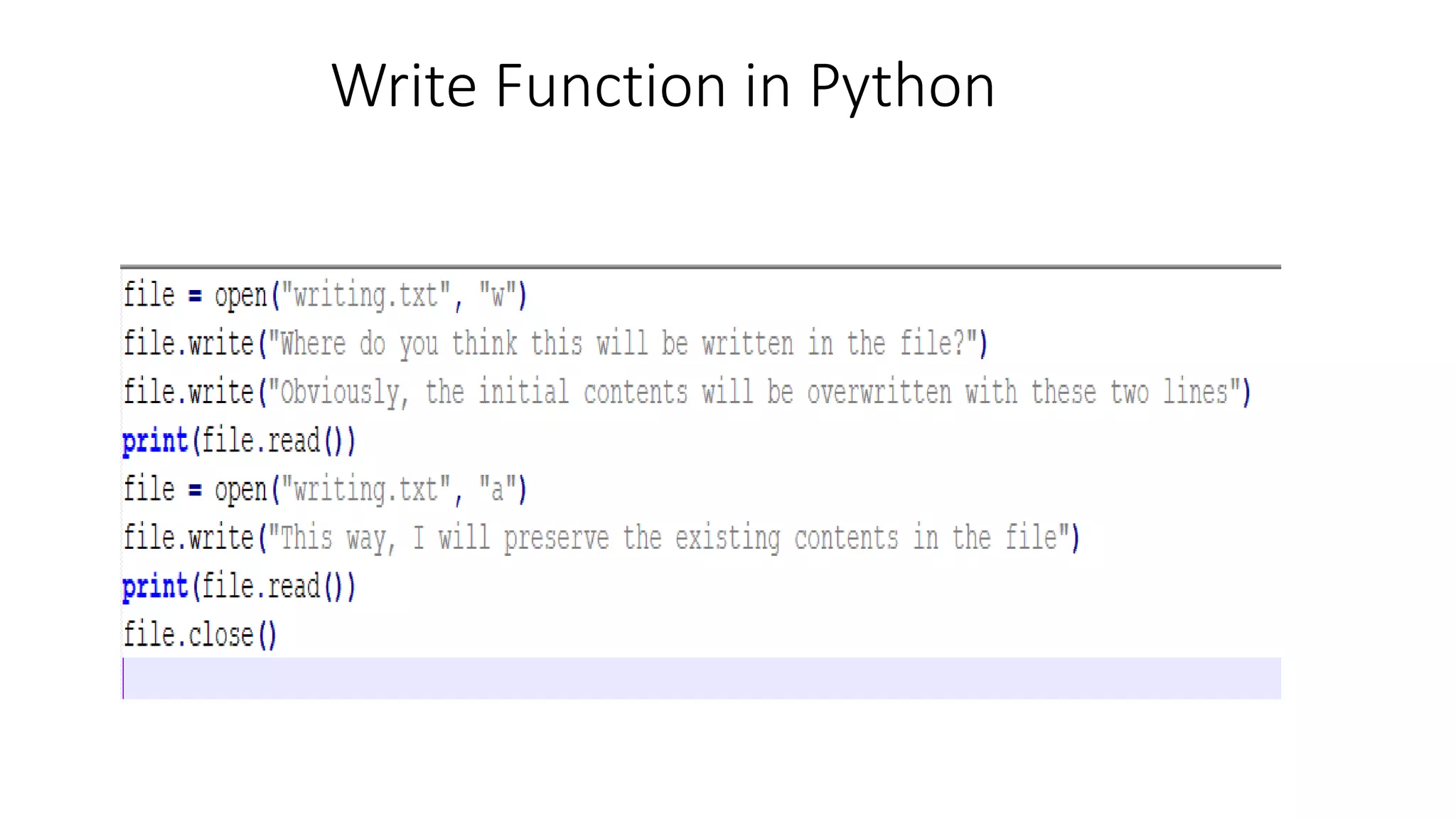
Write Function in Python
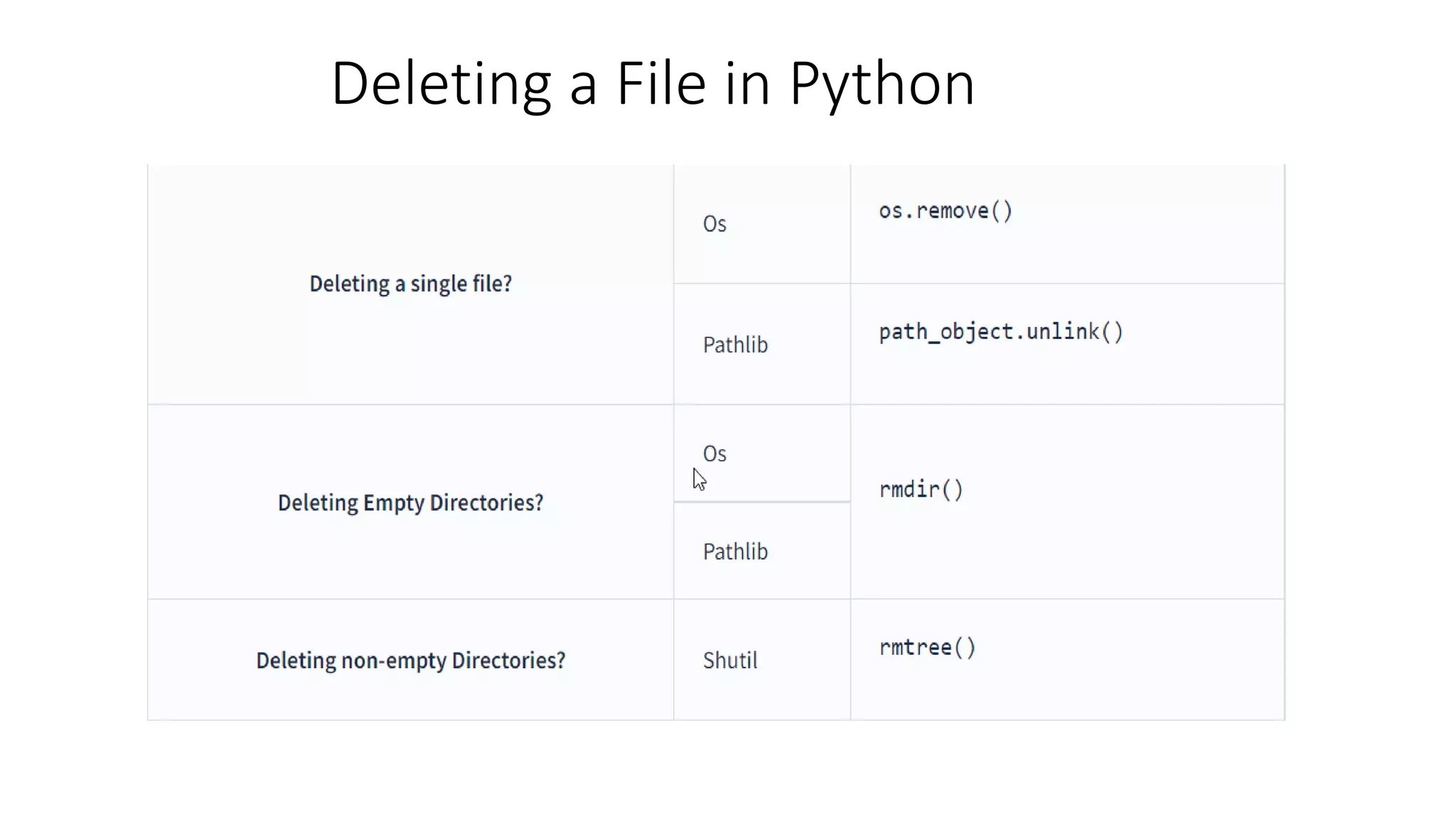
Deleting a File in Python
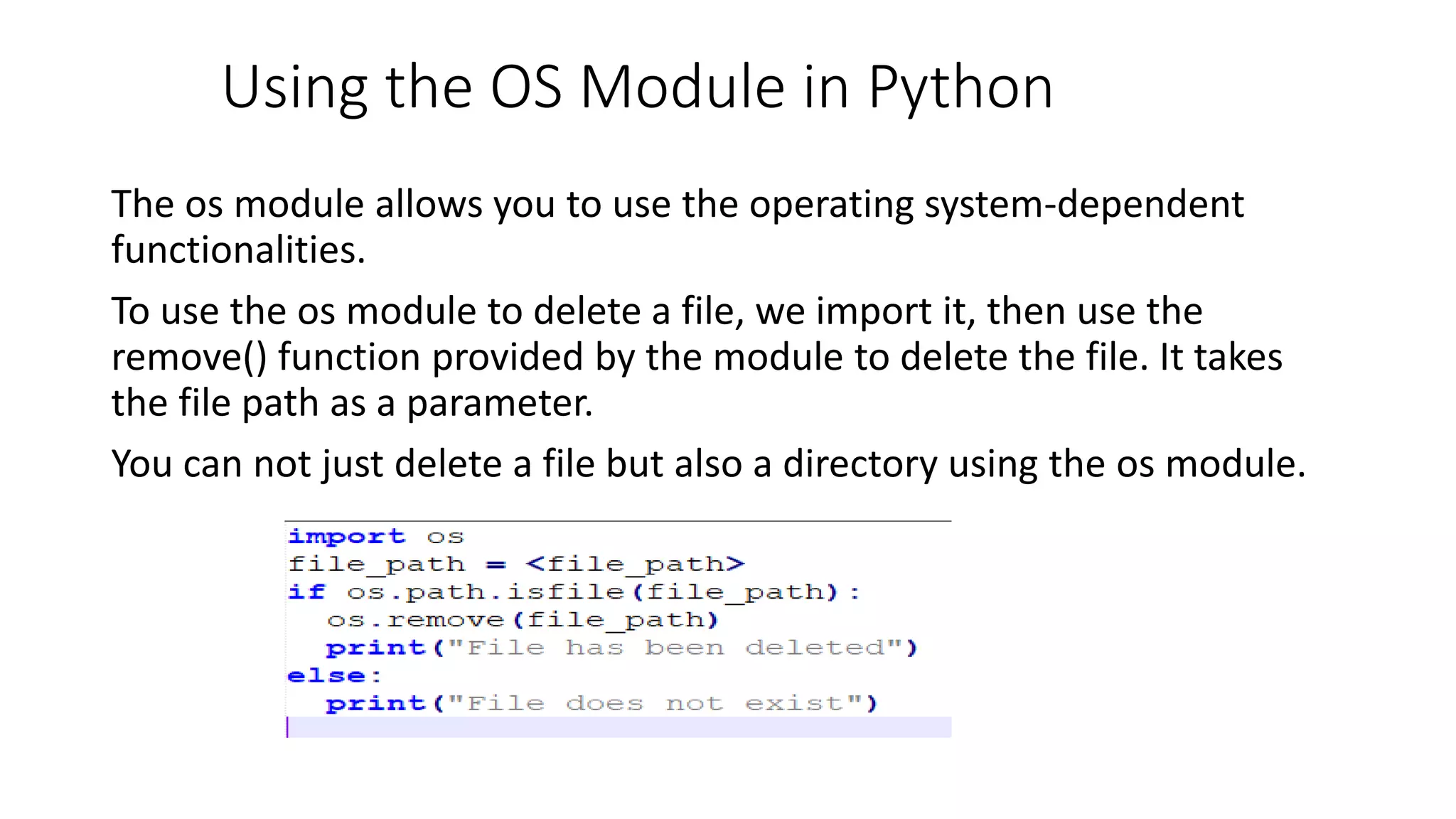
Using the OS Module in Python
The os module allows you to use the operating system-dependent
functionalities.
To use the os module to delete a file, we import it, then use the
remove() function provided by the module to delete the file. It takes
the file path as a parameter.
You can not just delete a file but also a directory using the os module.
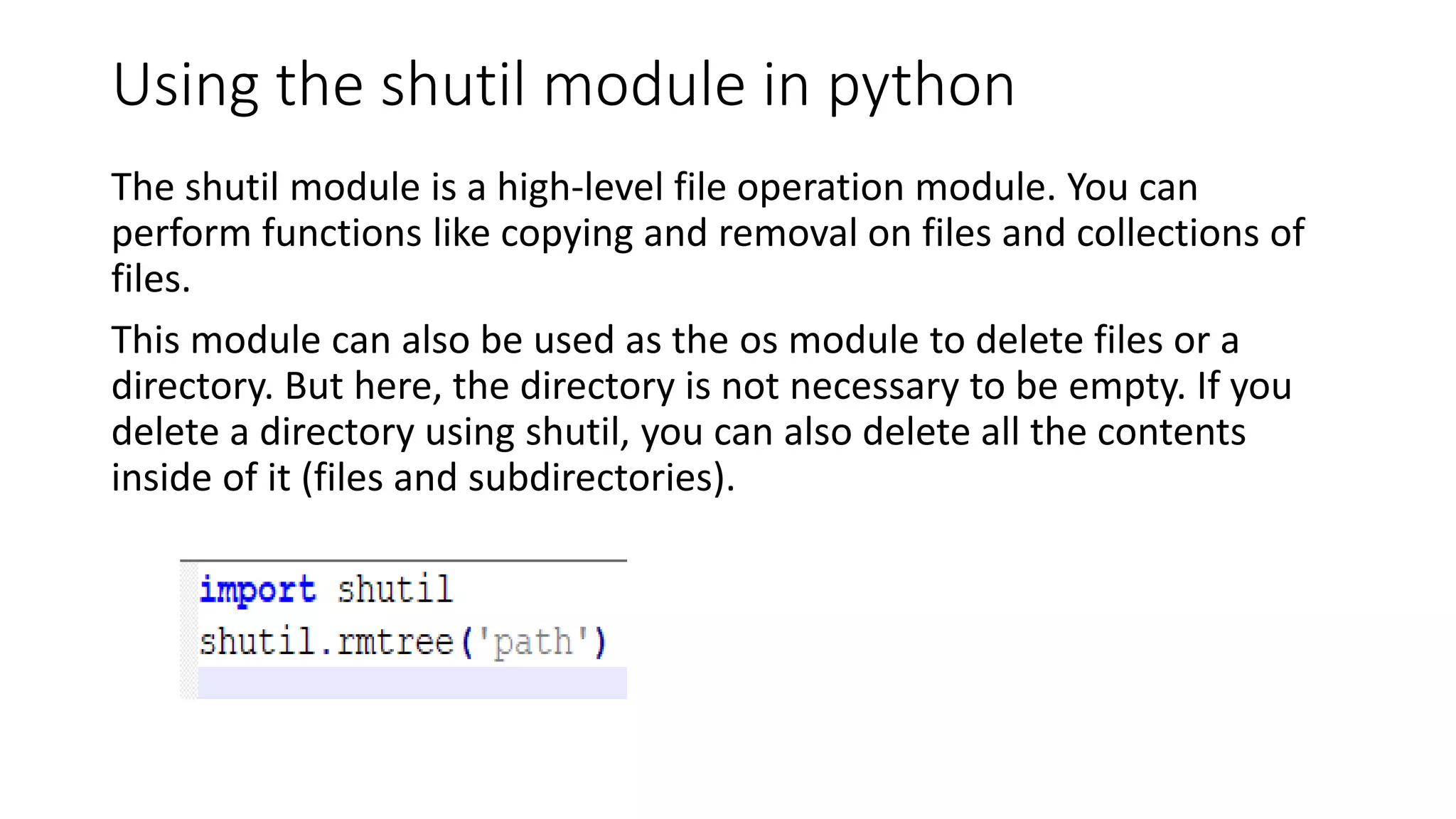
Using the shutil module in python
The shutil module is a high-level file operation module. You can
perform functions like copying and removal on files and collections of
files.
This module can also be used as the os module to delete files or a
directory. But here, the directory is not necessary to be empty. If you
delete a directory using shutil, you can also delete all the contents
inside of it (files and subdirectories).
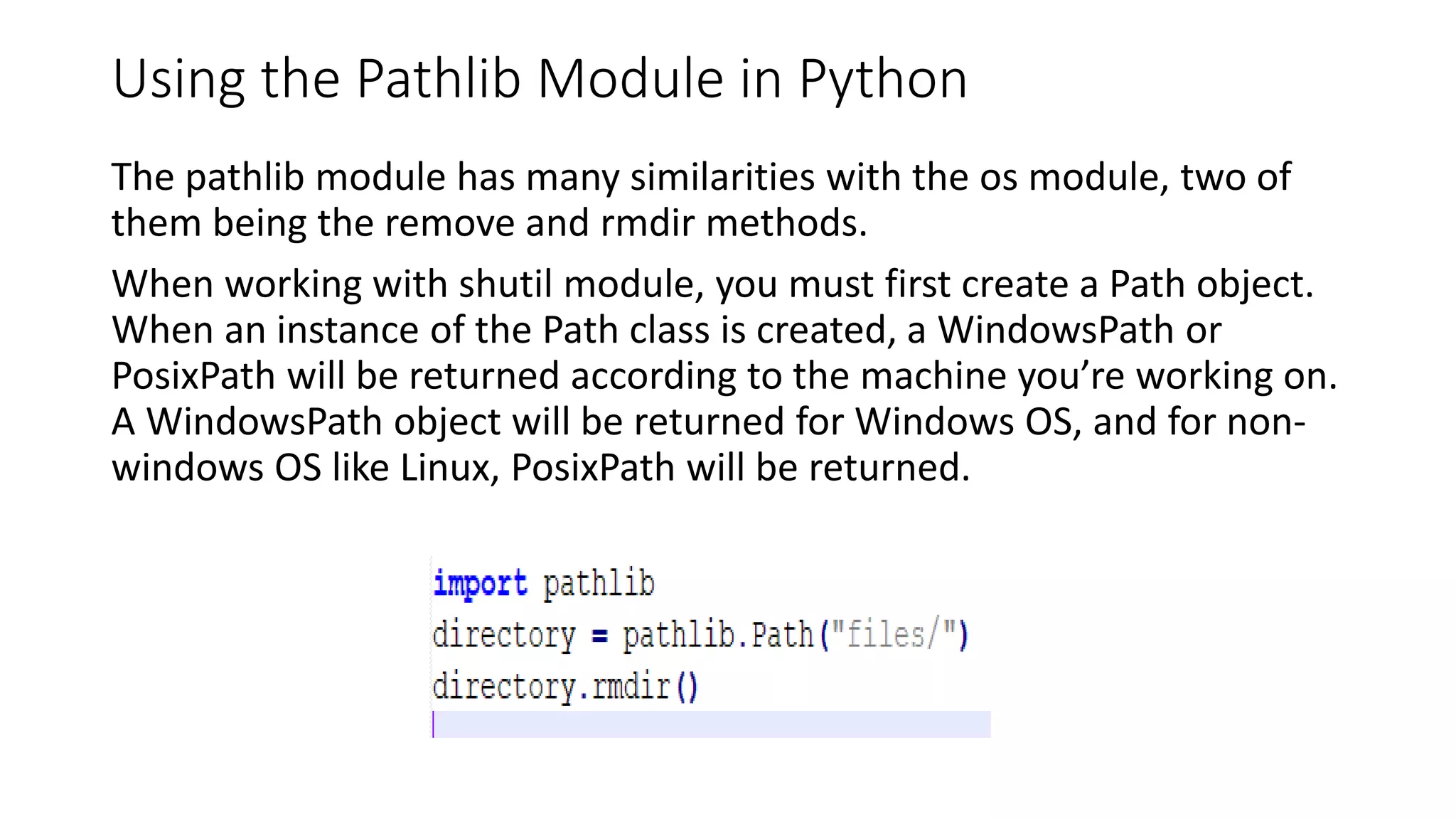
Using the Pathlib Module in Python
The pathlib module has many similarities with the os module, two of
them being the remove and rmdir methods.
When working with shutil module, you must first create a Path object.
When an instance of the Path class is created, a WindowsPath or
PosixPath will be returned according to the machine you’re working on.
A WindowsPath object will be returned for Windows OS, and for non-
windows OS like Linux, PosixPath will be returned.

Python-FileHandling.pptx

  • 1.
  • 2.
    What is filehandling in Python Suppose you are working on a file saved on your personal computer. If you want to perform any operation on that file like opening it, updating it or any other operation on that, all that comes under File handling. So, File handling in computer science means working with files stored on the disk. This includes creating, deleting, opening or closing files and writing, reading or modifying data stored in those files.
  • 3.
    What is theNeed for file handling? In computer science, we have programs for performing all sorts of tasks. A program may require to read data from the disk and store results on the disk for future usage. This is why we need file handling. For instance, if you need to analyse, process and store data from a website, then you first need to scrap(this means getting all the data shown on a web page like text and images) the data and store it on your disk and then load this data and do the analysis and then store the processed data on the disk in a file. This is done because scraping data from a website each time you need it is not desirable as it will take a lot of time.
  • 4.
    Opening and Closinga file in Python 1. Open() Function : This function takes two arguments. First is the filename along with its complete path, and the other is access mode. This function returns a file object. open(filename, mode) Important points: 1. The file and python script should be in the same directory. Else, you need to provide the full path of the file. 2. By default, the access mode is read mode if you don't specify any mode. All the file-opening access modes are described below.
  • 5.
  • 6.
  • 7.
    Example of Openingand Closing a file # When the file is in the same folder where the python script is present. Also access mode is 'r' which is read mode. file = open('test.txt',mode='r') # When the file is not in the same folder where the python script is present. In this case, the whole path of the file should be written. file = open('D:/data/test.txt',mode='r')
  • 8.
    Example program tohandle the file
  • 9.
    How to Reada file in python? Before we read files using python, we should first define files. To store any data, we use a contiguous set of bytes called a file. A file could be as simple as a text or an executable file. These file bytes are always converted to binary ( 0 and 1) format for processing by the computer. Here are some types of files that Python can handle 1. Text files 2. Binary files
  • 10.
    File Access Modes Read-only(‘r’): Read a File Write only (‘w’): To write a file Append (‘a’): The append access mode allows you to write to opened files. Then what’s the difference between the append and write mode? Well, in the append mode, the initial contents of the file are not deleted. Whatever you wish to write in the file will be written after the initial contents of the file. Read and Write (‘r+’): This mode allows you to read and write to a file. The handle is initially positioned at the beginning of the file. If the file does not exist, a file not found error is raised. Write and Read (‘w+’): You might be wondering the difference between read and write mode and this mode. Since this mode is an extension of the write mode, whatever you write into the file will be written after the truncation of existing contents. Append and Read (‘a+’): As the name suggests, you can read and append to a file in this access mode. Any data you wish to add will be added after the existing data.
  • 11.
    Read () Methodin Python To Read all Characters: To Read the first 5 Characters Python has a function that gives you the cursor’s current position while handling a file. And you can also ‘seek’ a certain position in the file.
  • 12.
    ReadiLine Method inPython The readline() function helps you read a single line from the file. You can run this function as often as you require to get the information. Every time you run the function; it returns a string of the characters that it reads from a single line from the file.
  • 13.
    In Python, wecan handle files such as : 1. Text files 2. Binary files 3. CSV files 4. Excel Sheets etc.
  • 14.
    In Python, thereare 6 access modes for file handling : 1. Read only (‘r’) 2. Write only (‘w’) 3. Append (‘a’) 4. Read and Write (‘r+’) 5. Write and Read (‘w+’) 6. Append and Read (‘a+’)
  • 15.
    We have 3methods for reading text files in Python : 1. read() method 2. readline() method 3. readlines() method
  • 16.
    How to Writea File in Python? Python provides us with two methods to write into text files: 1. write() method for inserting a string to a single line in a text file. 2. writelines() method for inserting multiple strings from a list of strings to the text file simultaneously.
  • 17.
  • 18.
    Deleting a Filein Python
  • 19.
    Using the OSModule in Python The os module allows you to use the operating system-dependent functionalities. To use the os module to delete a file, we import it, then use the remove() function provided by the module to delete the file. It takes the file path as a parameter. You can not just delete a file but also a directory using the os module.
  • 20.
    Using the shutilmodule in python The shutil module is a high-level file operation module. You can perform functions like copying and removal on files and collections of files. This module can also be used as the os module to delete files or a directory. But here, the directory is not necessary to be empty. If you delete a directory using shutil, you can also delete all the contents inside of it (files and subdirectories).
  • 21.
    Using the PathlibModule in Python The pathlib module has many similarities with the os module, two of them being the remove and rmdir methods. When working with shutil module, you must first create a Path object. When an instance of the Path class is created, a WindowsPath or PosixPath will be returned according to the machine you’re working on. A WindowsPath object will be returned for Windows OS, and for non- windows OS like Linux, PosixPath will be returned.