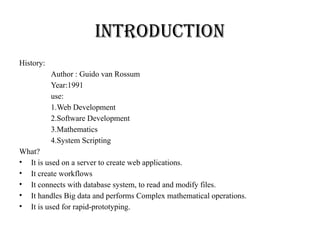
Introduction
History:
Author : Guidovan Rossum
Year:1991
use:
1.Web Development
2.Software Development
3.Mathematics
4.System Scripting
What?
• It is used on a server to create web applications.
• It create workflows
• It connects with database system, to read and modify files.
• It handles Big data and performs Complex mathematical operations.
• It is used for rapid-prototyping.
3.
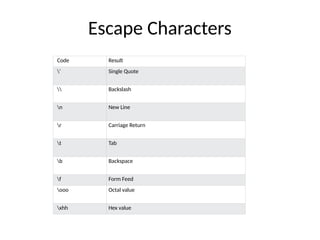
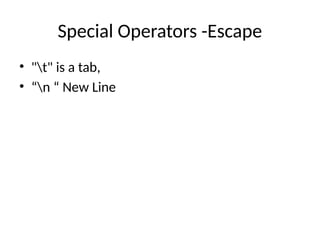
Escape Characters
Code Result
'Single Quote
Backslash
n New Line
r Carriage Return
t Tab
b Backspace
f Form Feed
ooo Octal value
xhh Hex value
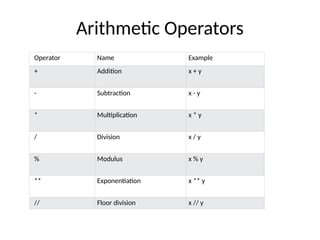
Arithmetic Operators
Operator NameExample
+ Addition x + y
- Subtraction x - y
* Multiplication x * y
/ Division x / y
% Modulus x % y
** Exponentiation x ** y
// Floor division x // y
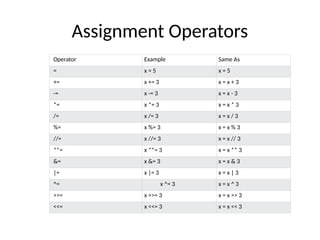
Assignment Operators
Operator ExampleSame As
= x = 5 x = 5
+= x += 3 x = x + 3
-= x -= 3 x = x - 3
*= x *= 3 x = x * 3
/= x /= 3 x = x / 3
%= x %= 3 x = x % 3
//= x //= 3 x = x // 3
**= x **= 3 x = x ** 3
&= x &= 3 x = x & 3
|= x |= 3 x = x | 3
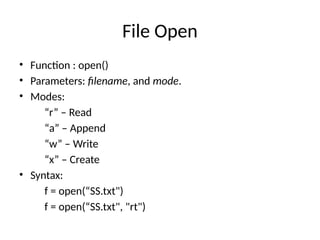
^= x ^= 3 x = x ^ 3
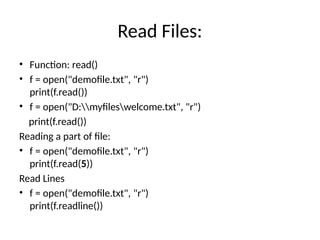
>>= x >>= 3 x = x >> 3
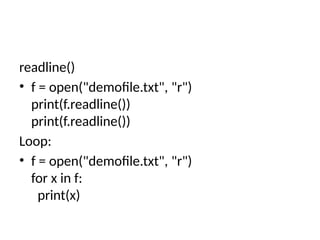
<<= x <<= 3 x = x << 3
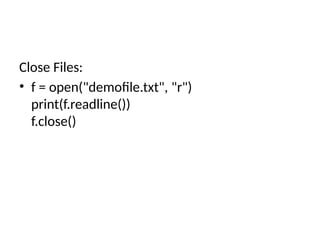
8.
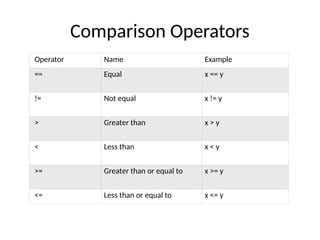
Comparison Operators
Operator NameExample
== Equal x == y
!= Not equal x != y
> Greater than x > y
< Less than x < y
>= Greater than or equal to x >= y
<= Less than or equal to x <= y
9.
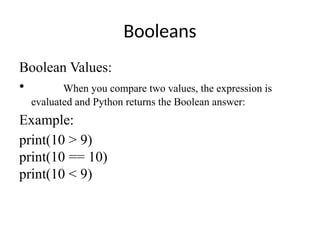
Booleans
Boolean Values:
• Whenyou compare two values, the expression is
evaluated and Python returns the Boolean answer:
Example:
print(10 > 9)
print(10 == 10)
print(10 < 9)
10.
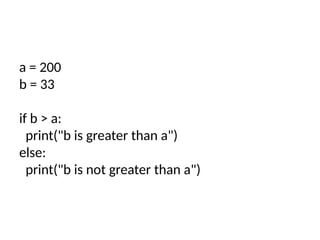
a = 200
b= 33
if b > a:
print("b is greater than a")
else:
print("b is not greater than a")
11.
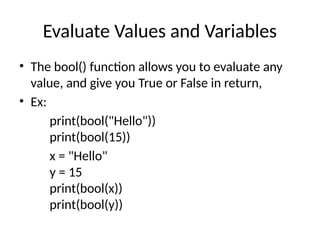
Evaluate Values andVariables
• The bool() function allows you to evaluate any
value, and give you True or False in return,
• Ex:
print(bool("Hello"))
print(bool(15))
x = "Hello"
y = 15
print(bool(x))
print(bool(y))
Python Data Types
Types
•List
• Tuple
• Set
• Dictionary
Declaration
• List Variable Name =[“ “,----]
• Tuple Variable Name = (“ “,-----------)
• Set Variable Name = {“ “, ------------- }
• Dict Variable Name = {Key:Value,------------}
15.
List
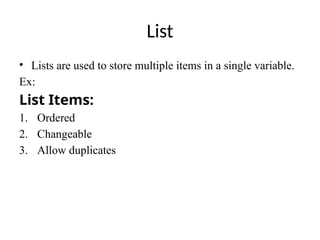
• Lists areused to store multiple items in a single variable.
Ex:
List Items:
1. Ordered
2. Changeable
3. Allow duplicates
Sets
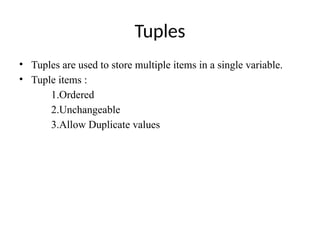
• Sets areused to store multiple items in a single variable.
• Set Items are:
Unordered
Unindexed
Unchangeable
Duplicates not allowed
• Sets are written with curly [ { } ]brackets.
Dictionaries
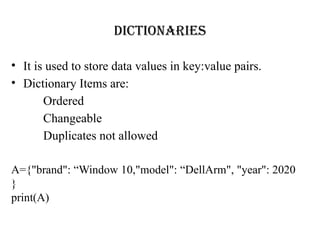
• It isused to store data values in key:value pairs.
• Dictionary Items are:
Ordered
Changeable
Duplicates not allowed
A={"brand": “Window 10,"model": “DellArm", "year": 2020
}
print(A)
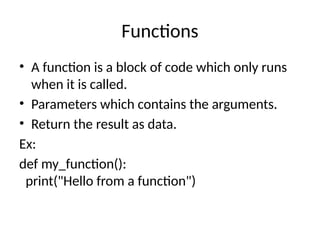
Functions
• A functionis a block of code which only runs
when it is called.
• Parameters which contains the arguments.
• Return the result as data.
Ex:
def my_function():
print("Hello from a function")
24.
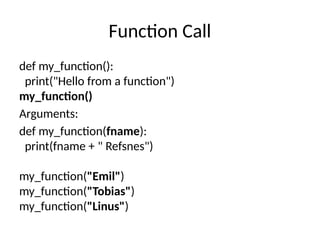
Function Call
def my_function():
print("Hellofrom a function")
my_function()
Arguments:
def my_function(fname):
print(fname + " Refsnes")
my_function("Emil")
my_function("Tobias")
my_function("Linus")
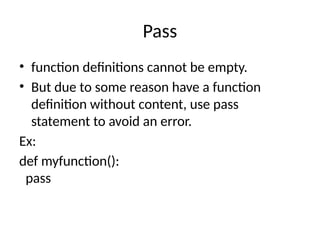
Pass
• function definitionscannot be empty.
• But due to some reason have a function
definition without content, use pass
statement to avoid an error.
Ex:
def myfunction():
pass
27.
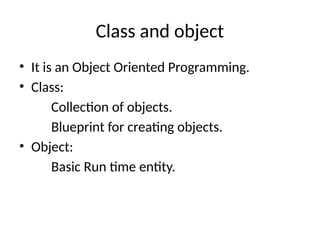
Class and object
•It is an Object Oriented Programming.
• Class:
Collection of objects.
Blueprint for creating objects.
• Object:
Basic Run time entity.
28.
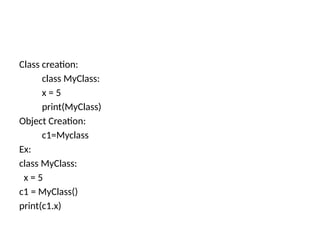
Class creation:
class MyClass:
x= 5
print(MyClass)
Object Creation:
c1=Myclass
Ex:
class MyClass:
x = 5
c1 = MyClass()
print(c1.x)
29.
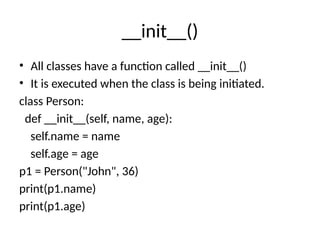
__init__()
• All classeshave a function called __init__()
• It is executed when the class is being initiated.
class Person:
def __init__(self, name, age):
self.name = name
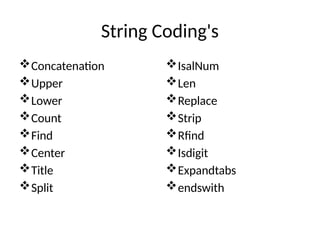
self.age = age
p1 = Person("John", 36)
print(p1.name)
print(p1.age)
30.
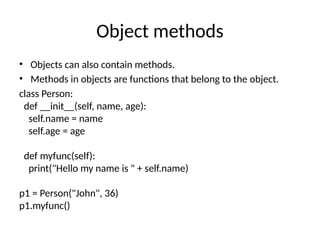
Object methods
• Objectscan also contain methods.
• Methods in objects are functions that belong to the object.
class Person:
def __init__(self, name, age):
self.name = name
self.age = age
def myfunc(self):
print("Hello my name is " + self.name)
p1 = Person("John", 36)
p1.myfunc()
31.
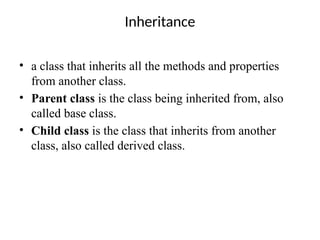
Inheritance
• a classthat inherits all the methods and properties
from another class.
• Parent class is the class being inherited from, also
called base class.
• Child class is the class that inherits from another
class, also called derived class.
32.
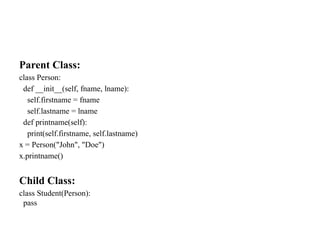
Parent Class:
class Person:
def__init__(self, fname, lname):
self.firstname = fname
self.lastname = lname
def printname(self):
print(self.firstname, self.lastname)
x = Person("John", "Doe")
x.printname()
Child Class:
class Student(Person):
pass
33.
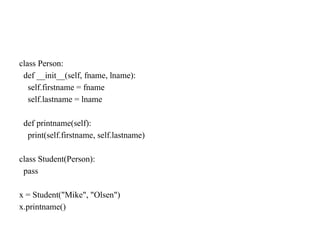
class Person:
def __init__(self,fname, lname):
self.firstname = fname
self.lastname = lname
def printname(self):
print(self.firstname, self.lastname)
class Student(Person):
pass
x = Student("Mike", "Olsen")
x.printname()
34.
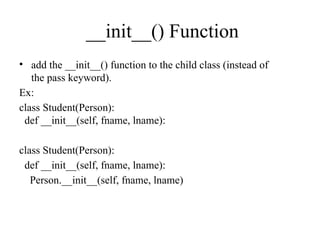
__init__() Function
• addthe __init__() function to the child class (instead of
the pass keyword).
Ex:
class Student(Person):
def __init__(self, fname, lname):
class Student(Person):
def __init__(self, fname, lname):
Person.__init__(self, fname, lname)
35.
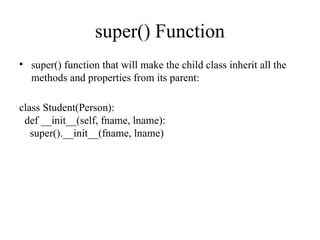
super() Function
• super()function that will make the child class inherit all the
methods and properties from its parent:
class Student(Person):
def __init__(self, fname, lname):
super().__init__(fname, lname)
36.
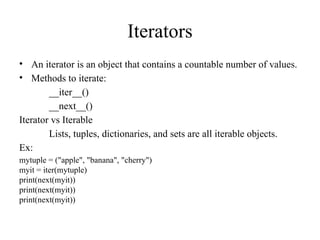
Iterators
• An iteratoris an object that contains a countable number of values.
• Methods to iterate:
__iter__()
__next__()
Iterator vs Iterable
Lists, tuples, dictionaries, and sets are all iterable objects.
Ex:
mytuple = ("apple", "banana", "cherry")
myit = iter(mytuple)
print(next(myit))
print(next(myit))
print(next(myit))
37.
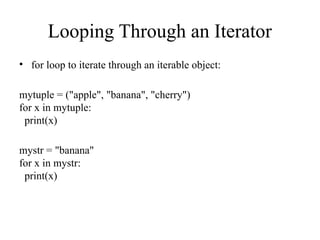
Looping Through anIterator
• for loop to iterate through an iterable object:
mytuple = ("apple", "banana", "cherry")
for x in mytuple:
print(x)
mystr = "banana"
for x in mystr:
print(x)
38.
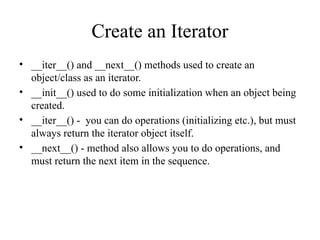
Create an Iterator
•__iter__() and __next__() methods used to create an
object/class as an iterator.
• __init__() used to do some initialization when an object being
created.
• __iter__() - you can do operations (initializing etc.), but must
always return the iterator object itself.
• __next__() - method also allows you to do operations, and
must return the next item in the sequence.
39.
StopIteration
• To preventthe iteration to go on forever, we can use
the StopIteration statement.
• __next__() – Add an termination condition to raise an error, if
the iteration is done a specified number of times.
40.
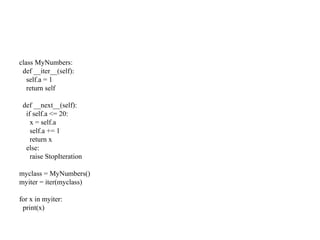
class MyNumbers:
def __iter__(self):
self.a= 1
return self
def __next__(self):
if self.a <= 20:
x = self.a
self.a += 1
return x
else:
raise StopIteration
myclass = MyNumbers()
myiter = iter(myclass)
for x in myiter:
print(x)
41.
Scope of Variables
•A variable is only available from inside the
region it is created. This is called scope.
• Two types:
Local
Global
42.
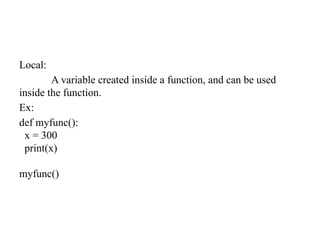
Local:
A variable createdinside a function, and can be used
inside the function.
Ex:
def myfunc():
x = 300
print(x)
myfunc()
43.
Function Inside Function[Inner Func]
def myfunc():
x = 300
def myinnerfunc():
print(x)
myinnerfunc()
myfunc()
44.
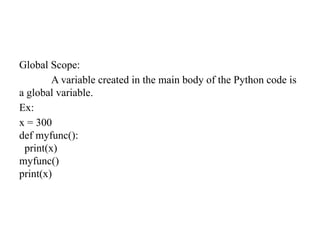
Global Scope:
A variablecreated in the main body of the Python code is
a global variable.
Ex:
x = 300
def myfunc():
print(x)
myfunc()
print(x)
45.
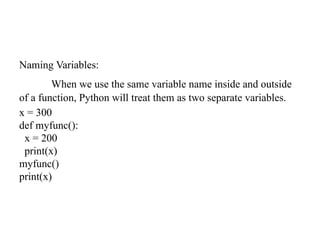
Naming Variables:
When weuse the same variable name inside and outside
of a function, Python will treat them as two separate variables.
x = 300
def myfunc():
x = 200
print(x)
myfunc()
print(x)
46.
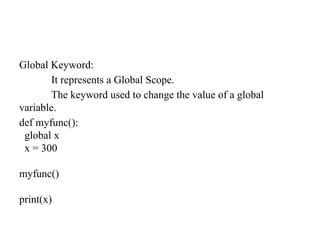
Global Keyword:
It representsa Global Scope.
The keyword used to change the value of a global
variable.
def myfunc():
global x
x = 300
myfunc()
print(x)
47.
File Handling
• Filehandling is an important part of any web
application.
• Functions:
Creating
Reading
Updating
Deleting
48.
File Open
• Function: open()
• Parameters: filename, and mode.
• Modes:
“r” – Read
“a” – Append
“w” – Write
“x” – Create
• Syntax:
f = open(“SS.txt")
f = open(“SS.txt", "rt")
49.
Read Files:
• Function:read()
• f = open("demofile.txt", "r")
print(f.read())
• f = open("D:myfileswelcome.txt", "r")
print(f.read())
Reading a part of file:
• f = open("demofile.txt", "r")
print(f.read(5))
Read Lines
• f = open("demofile.txt", "r")
print(f.readline())
50.
readline()
• f =open("demofile.txt", "r")
print(f.readline())
print(f.readline())
Loop:
• f = open("demofile.txt", "r")
for x in f:
print(x)
51.
Close Files:
• f= open("demofile.txt", "r")
print(f.readline())
f.close()
52.
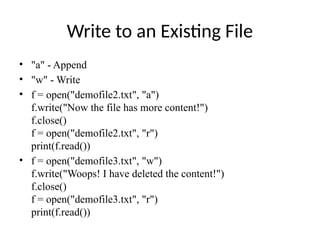
Write to anExisting File
• "a" - Append
• "w" - Write
• f = open("demofile2.txt", "a")
f.write("Now the file has more content!")
f.close()
f = open("demofile2.txt", "r")
print(f.read())
• f = open("demofile3.txt", "w")
f.write("Woops! I have deleted the content!")
f.close()
f = open("demofile3.txt", "r")
print(f.read())
53.
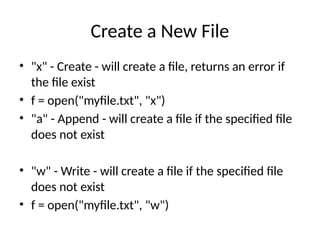
Create a NewFile
• "x" - Create - will create a file, returns an error if
the file exist
• f = open("myfile.txt", "x")
• "a" - Append - will create a file if the specified file
does not exist
• "w" - Write - will create a file if the specified file
does not exist
• f = open("myfile.txt", "w")
54.
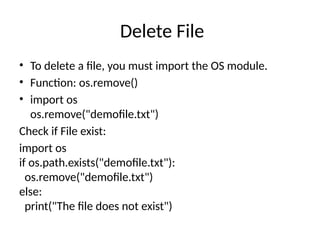
Delete File
• Todelete a file, you must import the OS module.
• Function: os.remove()
• import os
os.remove("demofile.txt")
Check if File exist:
import os
if os.path.exists("demofile.txt"):
os.remove("demofile.txt")
else:
print("The file does not exist")
55.
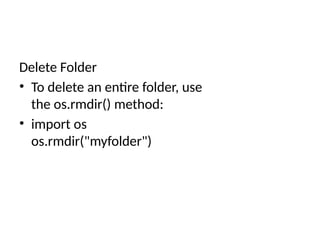
Delete Folder
• Todelete an entire folder, use
the os.rmdir() method:
• import os
os.rmdir("myfolder")
![True:
bool("abc")
bool(123)
bool(["apple", "cherry", "banana"])
False:
bool(False)
bool(None)
bool(0)
bool("")
bool(())
bool([])
bool({})](https://image.slidesharecdn.com/python-leveli2-260125154802-1e2226f9/85/Python-programming-language-advanced-level-model-explanation-12-320.jpg)
![Python Data Types
Types
• List
• Tuple
• Set
• Dictionary
Declaration
• List Variable Name =[“ “,----]
• Tuple Variable Name = (“ “,-----------)
• Set Variable Name = {“ “, ------------- }
• Dict Variable Name = {Key:Value,------------}](https://image.slidesharecdn.com/python-leveli2-260125154802-1e2226f9/85/Python-programming-language-advanced-level-model-explanation-14-320.jpg)
![List Coding’s
Ratio [::]
Append
Extend
Remove
Pop
Len
Sort
Reverse
Clear
Copy
Join](https://image.slidesharecdn.com/python-leveli2-260125154802-1e2226f9/85/Python-programming-language-advanced-level-model-explanation-16-320.jpg)
![Sets
• Sets are used to store multiple items in a single variable.
• Set Items are:
Unordered
Unindexed
Unchangeable
Duplicates not allowed
• Sets are written with curly [ { } ]brackets.](https://image.slidesharecdn.com/python-leveli2-260125154802-1e2226f9/85/Python-programming-language-advanced-level-model-explanation-17-320.jpg)
![Set Coding’s
Type
Add
Update
Remove
Union
Intersection_update
Symmetric _update [It will keep only the
elements that are NOT present in both sets.]](https://image.slidesharecdn.com/python-leveli2-260125154802-1e2226f9/85/Python-programming-language-advanced-level-model-explanation-18-320.jpg)
![Tuples Coding’s
Type
Len
Min
Max
Join
Change data Type
Multiple [Asterisk* - you can the * Operator the
values will be assigned Multi Times ]](https://image.slidesharecdn.com/python-leveli2-260125154802-1e2226f9/85/Python-programming-language-advanced-level-model-explanation-20-320.jpg)
![Dictionary Coding’s
Insert
Update
Pop – [Removes the item with the specified key name]
PopItems – [It removes the last inserted item]
Del
Copy
Clear
Get](https://image.slidesharecdn.com/python-leveli2-260125154802-1e2226f9/85/Python-programming-language-advanced-level-model-explanation-22-320.jpg)
![Function Inside Function [Inner Func]
def myfunc():
x = 300
def myinnerfunc():
print(x)
myinnerfunc()
myfunc()](https://image.slidesharecdn.com/python-leveli2-260125154802-1e2226f9/85/Python-programming-language-advanced-level-model-explanation-43-320.jpg)