Python Packaging
and how to improve dependency
resolution
Tatiana Al-Chueyr Martins
@tati_alchueyr
PythonDay Pernambuco - 28th September 2013, Recife
tati_alchueyr.__doc__
● computer engineer by
UNICAMP
● senior software engineer
at Globo.com
● open source enthusiastic
● pythonist since 2003
#opensource #python #android #arduino
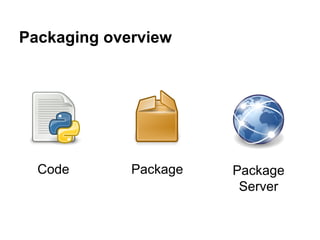
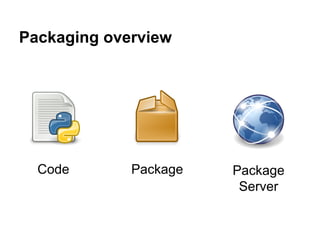
Packaging overview
Code Package Package
Server
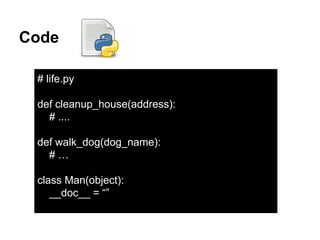
Code
# life.py
def cleanup_house(address):
# ....
def walk_dog(dog_name):
# …
class Man(object):
__doc__ = “”
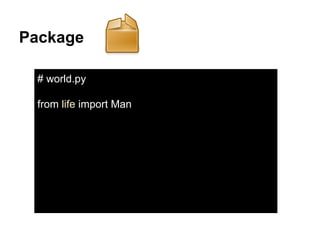
Package
# world.py
from life import Man
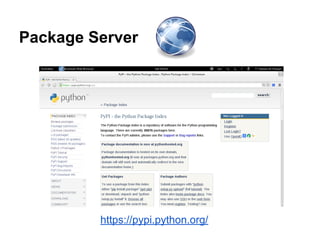
Package Server
https://pypi.python.org/
Packaging overview
Code Package Package
Server
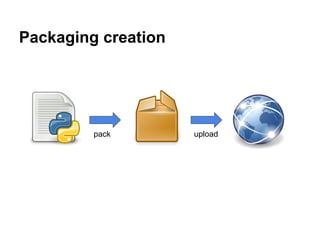
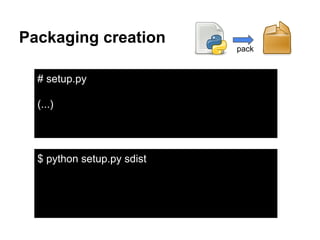
Packaging creation
pack upload
Packaging creation
pack
# setup.py
(...)
$ python setup.py sdist
Packaging creation upload
# ~/.pypirc
[company]
username: Andreia
password: pwd
repository: http://pypi.company.com
$ python setup.py sdist upload -r company
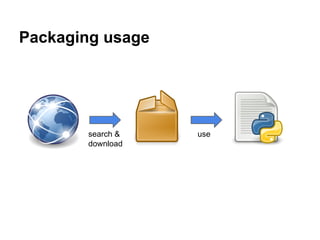
Packaging usage
search &
download
use
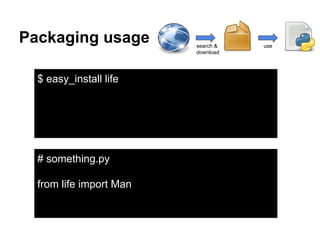
Packaging usage search &
download
use
$ easy_install life
# something.py
from life import Man
Package
way to make the code available so developers
can use it
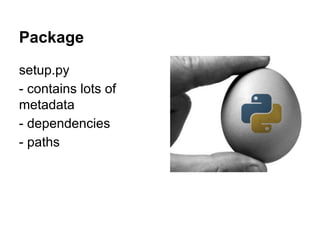
Package
setup.py
- contains lots of
metadata
- dependencies
- paths
Packages server: Cheese Shop
place where
developers can:
● find packages
● download packages
● upload packages
Brief on Python packaging history
● distutils
○ no dependecy management
○ problems between cross-platforms
○ no consistent way to reproduce an installation
○ not all metadata was handled
● setuptools: built on top of distutils
○ introduces easy_install
○ no way to uninstall installed packages
○ provides dependencies management
○ introduced eggs (similar to zip files)
● distribute: fork of setuptools
○ fork of setuptools
● distutils2 (discontinued?)
○ standard versioning (major.minor.micro)
○ setup.cfg: pulls metadata from setup.py file, without needing to run setup.py
○ which operating system requires which dependecy
pysetup: their interations easyinstall and setuptools with disutils- extract stuff from setup.
py
Distutils
● Started by Distutils SIG (Greg Ward)
● Added to stand lib in Python 1.6 (2000)
● solves
○ issues a variety of commands through setup.py
(crete tarball, install your project, compiling C
extensions of your python code)
● problems
○ no dependency management
○ problems between OS
○ no consistent way to reproduce an installation
○ not all metadata was handled
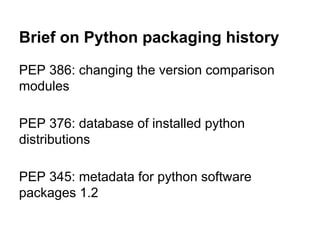
Brief on Python packaging history
PEP 386: changing the version comparison
modules
PEP 376: database of installed python
distributions
PEP 345: metadata for python software
packages 1.2
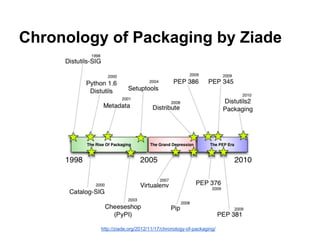
Chronology of Packaging by Ziade
http://ziade.org/2012/11/17/chronology-of-packaging/
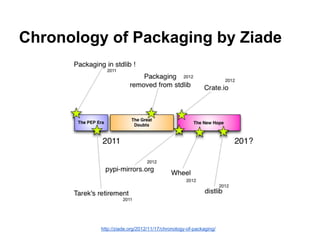
Chronology of Packaging by Ziade
http://ziade.org/2012/11/17/chronology-of-packaging/
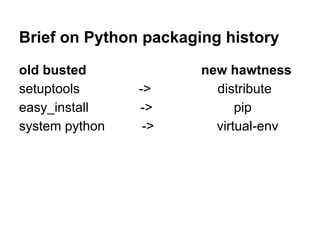
Brief on Python packaging history
old busted new hawtness
setuptools -> distribute
easy_install -> pip
system python -> virtual-env
Virtualenv
“virtualenv is a tool to create isolated Python
environments.”
https://pypi.python.org/pypi/virtualenv
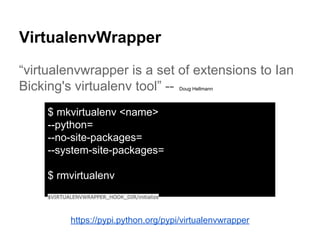
VirtualenvWrapper
“virtualenvwrapper is a set of extensions to Ian
Bicking's virtualenv tool” -- Doug Hellmann
https://pypi.python.org/pypi/virtualenvwrapper
$ mkvirtualenv <name>
--python=
--no-site-packages=
--system-site-packages=
$ rmvirtualenv
$VIRTUALENVWRAPPER_HOOK_DIR/initialize
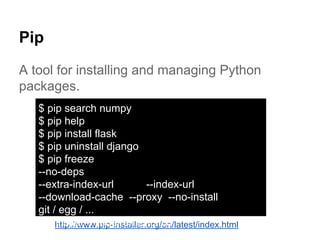
Pip
A tool for installing and managing Python
packages.
http://www.pip-installer.org/en/latest/index.html
$ pip search numpy
$ pip help
$ pip install flask
$ pip uninstall django
$ pip freeze
--no-deps
--extra-index-url --index-url
--download-cache --proxy --no-install
git / egg / ...
pip install -r requirements.txt
Pip
(...)
“This allows users to be in control of
specifying an environment of packages that are
known to work together.”
(...)
http://www.pip-installer.org/en/latest/cookbook.html
How Pip deals with dependency
inconsistencies?
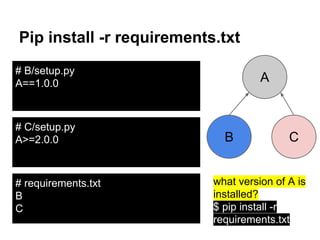
Pip install -r requirements.txt
B
A
# requirements.txt
B
C
# B/setup.py
A==1.0.0
# C/setup.py
A>=2.0.0 C
what version of A is
installed?
$ pip install -r
requirements.txt
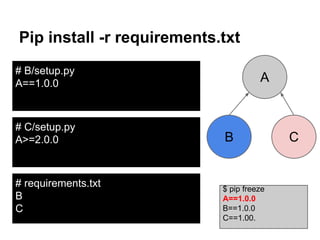
Pip install -r requirements.txt
# requirements.txt
B
C
# B/setup.py
A==1.0.0
# C/setup.py
A>=2.0.0
$ pip freeze
A==1.0.0
B==1.0.0
C==1.00.
B
A
C
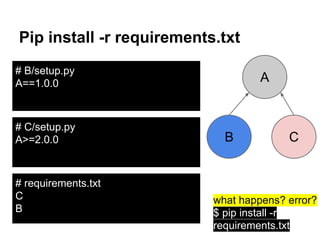
Pip install -r requirements.txt
# requirements.txt
C
B
# B/setup.py
A==1.0.0
# C/setup.py
A>=2.0.0
what happens? error?
$ pip install -r
requirements.txt
B
A
C
Pip install -r requirements.txt
# requirements.txt
C
B
# B/setup.py
A==1.0.0
# C/setup.py
A>=2.0.0
$ pip freeze
A==2.0.0
B==1.0.0
C==1.00.
B
A
C
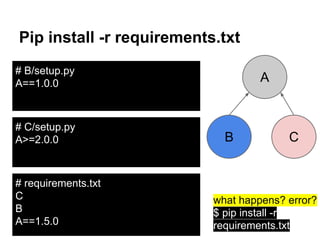
Pip install -r requirements.txt
# requirements.txt
C
B
A==1.5.0
# B/setup.py
A==1.0.0
# C/setup.py
A>=2.0.0
what happens? error?
$ pip install -r
requirements.txt
B
A
C
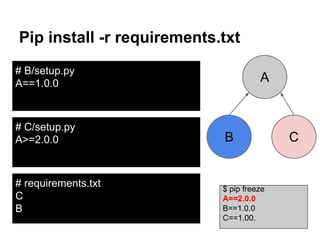
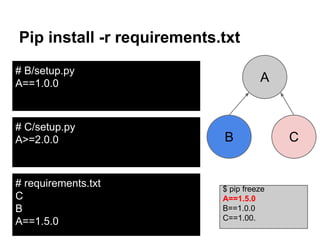
Pip install -r requirements.txt
# requirements.txt
C
B
A==1.5.0
# B/setup.py
A==1.0.0
# C/setup.py
A>=2.0.0
$ pip freeze
A==1.5.0
B==1.0.0
C==1.00.
B
A
C
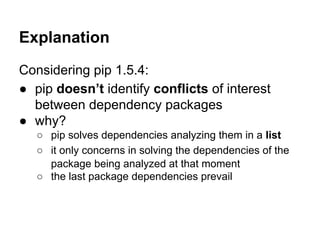
Explanation
Considering pip 1.5.4:
● pip doesn’t identify conflicts of interest
between dependency packages
● why?
○ pip solves dependencies analyzing them in a list
○ it only concerns in solving the dependencies of the
package being analyzed at that moment
○ the last package dependencies prevail
provided a package at pypi, how do I
know its dependencies?
provided a package at pypi, how do I
know its dependencies?
manually looking to them
dependencies of a package
if you install a package, you can use:
$ pip show C
To show dependencies, but they don’t contain
versions - only packages names
use pipdeptree
$ pip freeze
A==1.0.0
B==1.0.0
C==1.0.0
$ pipdeptree
Warning!!! Possible confusing dependencies found:
* B==1.0.0 -> A [required: ==1.0.0, installed: 1.0.0]
C==1.0.0 -> A [required: >=2.0.0, installed: 1.0.0]
------------------------------------------------------------------------
wsgiref==0.1.2
B==1.0.0
- A [required: ==1.0.0, installed: 1.0.0]
C==1.0.0
- A [required: >=2.0.0, installed: 1.0.0]
Does the requirements.txt assure
your environment will be reproduced
always the same?
Does the requirements.txt assure
your environment will be reproduced
always the same?
not necessarily
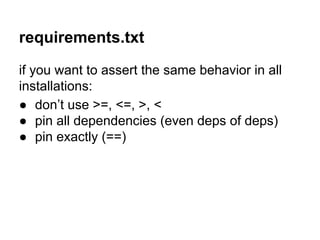
requirements.txt
if you want to assert the same behavior in all
installations:
● don’t use >=, <=, >, <
● pin all dependencies (even deps of deps)
● pin exactly (==)
some extra notes
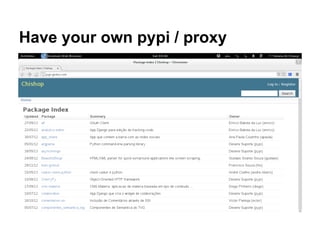
Have your own pypi / proxy
old versions might be removed from remote
repositories
the repository might be down during a deploy,
and can crash your application
Have your own pypi / proxy
host a PyPI mirror (bandersnatch, pep381client)
host a PyPI cache (devp)
PyPI server implementations:
● resilient (devpi)
● AWS S3 PyPI server (pypicloud)
● minimalistic PyPI (pypiserver)
● PyPI written in Django (chishop, djangopypi)
Many others..!
At globo.com we have both a PyPI server and a PyPI cache
proxy.
dumb ways to manage your
dependencies….
1. understand the tools you use to
manage dependencies
2. keep your dependencies up to date,
but take care with >= / >
3. take care of your cheese-shop
use pipdeptree package!
thanks!
slideshare: @alchueyr
questions?
Tatiana Al-Chueyr Martins
@tati_alchueyr
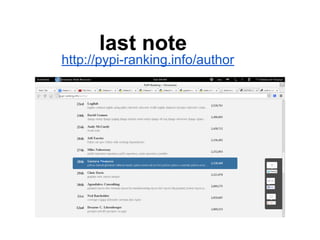
last note
http://pypi-ranking.info/author

Python packaging and dependency resolution

  • 1.
    Python Packaging and howto improve dependency resolution Tatiana Al-Chueyr Martins @tati_alchueyr PythonDay Pernambuco - 28th September 2013, Recife
  • 2.
    tati_alchueyr.__doc__ ● computer engineerby UNICAMP ● senior software engineer at Globo.com ● open source enthusiastic ● pythonist since 2003 #opensource #python #android #arduino
  • 3.
  • 4.
    Code # life.py def cleanup_house(address): #.... def walk_dog(dog_name): # … class Man(object): __doc__ = “”
  • 5.
  • 6.
  • 7.
  • 8.
  • 9.
  • 10.
    Packaging creation upload #~/.pypirc [company] username: Andreia password: pwd repository: http://pypi.company.com $ python setup.py sdist upload -r company
  • 11.
  • 12.
    Packaging usage search& download use $ easy_install life # something.py from life import Man
  • 13.
    Package way to makethe code available so developers can use it
  • 14.
    Package setup.py - contains lotsof metadata - dependencies - paths
  • 15.
    Packages server: CheeseShop place where developers can: ● find packages ● download packages ● upload packages
  • 16.
    Brief on Pythonpackaging history ● distutils ○ no dependecy management ○ problems between cross-platforms ○ no consistent way to reproduce an installation ○ not all metadata was handled ● setuptools: built on top of distutils ○ introduces easy_install ○ no way to uninstall installed packages ○ provides dependencies management ○ introduced eggs (similar to zip files) ● distribute: fork of setuptools ○ fork of setuptools ● distutils2 (discontinued?) ○ standard versioning (major.minor.micro) ○ setup.cfg: pulls metadata from setup.py file, without needing to run setup.py ○ which operating system requires which dependecy pysetup: their interations easyinstall and setuptools with disutils- extract stuff from setup. py
  • 17.
    Distutils ● Started byDistutils SIG (Greg Ward) ● Added to stand lib in Python 1.6 (2000) ● solves ○ issues a variety of commands through setup.py (crete tarball, install your project, compiling C extensions of your python code) ● problems ○ no dependency management ○ problems between OS ○ no consistent way to reproduce an installation ○ not all metadata was handled
  • 18.
    Brief on Pythonpackaging history PEP 386: changing the version comparison modules PEP 376: database of installed python distributions PEP 345: metadata for python software packages 1.2
  • 19.
    Chronology of Packagingby Ziade http://ziade.org/2012/11/17/chronology-of-packaging/
  • 20.
    Chronology of Packagingby Ziade http://ziade.org/2012/11/17/chronology-of-packaging/
  • 21.
    Brief on Pythonpackaging history old busted new hawtness setuptools -> distribute easy_install -> pip system python -> virtual-env
  • 22.
    Virtualenv “virtualenv is atool to create isolated Python environments.” https://pypi.python.org/pypi/virtualenv
  • 23.
    VirtualenvWrapper “virtualenvwrapper is aset of extensions to Ian Bicking's virtualenv tool” -- Doug Hellmann https://pypi.python.org/pypi/virtualenvwrapper $ mkvirtualenv <name> --python= --no-site-packages= --system-site-packages= $ rmvirtualenv $VIRTUALENVWRAPPER_HOOK_DIR/initialize
  • 24.
    Pip A tool forinstalling and managing Python packages. http://www.pip-installer.org/en/latest/index.html $ pip search numpy $ pip help $ pip install flask $ pip uninstall django $ pip freeze --no-deps --extra-index-url --index-url --download-cache --proxy --no-install git / egg / ... pip install -r requirements.txt
  • 25.
    Pip (...) “This allows usersto be in control of specifying an environment of packages that are known to work together.” (...) http://www.pip-installer.org/en/latest/cookbook.html
  • 26.
    How Pip dealswith dependency inconsistencies?
  • 27.
    Pip install -rrequirements.txt B A # requirements.txt B C # B/setup.py A==1.0.0 # C/setup.py A>=2.0.0 C what version of A is installed? $ pip install -r requirements.txt
  • 28.
    Pip install -rrequirements.txt # requirements.txt B C # B/setup.py A==1.0.0 # C/setup.py A>=2.0.0 $ pip freeze A==1.0.0 B==1.0.0 C==1.00. B A C
  • 29.
    Pip install -rrequirements.txt # requirements.txt C B # B/setup.py A==1.0.0 # C/setup.py A>=2.0.0 what happens? error? $ pip install -r requirements.txt B A C
  • 30.
    Pip install -rrequirements.txt # requirements.txt C B # B/setup.py A==1.0.0 # C/setup.py A>=2.0.0 $ pip freeze A==2.0.0 B==1.0.0 C==1.00. B A C
  • 31.
    Pip install -rrequirements.txt # requirements.txt C B A==1.5.0 # B/setup.py A==1.0.0 # C/setup.py A>=2.0.0 what happens? error? $ pip install -r requirements.txt B A C
  • 32.
    Pip install -rrequirements.txt # requirements.txt C B A==1.5.0 # B/setup.py A==1.0.0 # C/setup.py A>=2.0.0 $ pip freeze A==1.5.0 B==1.0.0 C==1.00. B A C
  • 33.
    Explanation Considering pip 1.5.4: ●pip doesn’t identify conflicts of interest between dependency packages ● why? ○ pip solves dependencies analyzing them in a list ○ it only concerns in solving the dependencies of the package being analyzed at that moment ○ the last package dependencies prevail
  • 34.
    provided a packageat pypi, how do I know its dependencies?
  • 35.
    provided a packageat pypi, how do I know its dependencies? manually looking to them
  • 36.
    dependencies of apackage if you install a package, you can use: $ pip show C To show dependencies, but they don’t contain versions - only packages names
  • 37.
    use pipdeptree $ pipfreeze A==1.0.0 B==1.0.0 C==1.0.0 $ pipdeptree Warning!!! Possible confusing dependencies found: * B==1.0.0 -> A [required: ==1.0.0, installed: 1.0.0] C==1.0.0 -> A [required: >=2.0.0, installed: 1.0.0] ------------------------------------------------------------------------ wsgiref==0.1.2 B==1.0.0 - A [required: ==1.0.0, installed: 1.0.0] C==1.0.0 - A [required: >=2.0.0, installed: 1.0.0]
  • 38.
    Does the requirements.txtassure your environment will be reproduced always the same?
  • 39.
    Does the requirements.txtassure your environment will be reproduced always the same? not necessarily
  • 40.
    requirements.txt if you wantto assert the same behavior in all installations: ● don’t use >=, <=, >, < ● pin all dependencies (even deps of deps) ● pin exactly (==)
  • 41.
  • 42.
    Have your ownpypi / proxy old versions might be removed from remote repositories the repository might be down during a deploy, and can crash your application
  • 43.
    Have your ownpypi / proxy
  • 44.
    Have your ownpypi / proxy host a PyPI mirror (bandersnatch, pep381client) host a PyPI cache (devp) PyPI server implementations: ● resilient (devpi) ● AWS S3 PyPI server (pypicloud) ● minimalistic PyPI (pypiserver) ● PyPI written in Django (chishop, djangopypi) Many others..! At globo.com we have both a PyPI server and a PyPI cache proxy.
  • 45.
    dumb ways tomanage your dependencies….
  • 47.
    1. understand thetools you use to manage dependencies 2. keep your dependencies up to date, but take care with >= / > 3. take care of your cheese-shop
  • 48.
  • 49.
  • 50.