Programming is the process of creating a set of instructions that tell a
computer how to perform a task.
Programming can be done by using some computer programming languages,
such as Python, Java, C, C++, PHP etc.
What do you mean by programming?
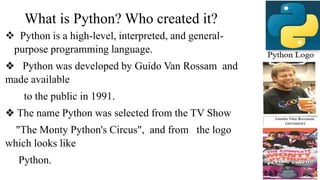
What is Python? Who created it?
 Python is a high-level, interpreted, and general-
purpose programming language.
❖ Python was developed by Guido Van Rossam and
made available
to the public in 1991.
❖ The name Python was selected from the TV Show
"The Monty Python's Circus", and from the logo
which looks like
Python.
❖ Free and Open-Source: Completely free to use, even for
commercial purposes.
❖ Python can run on different operating systems such as Windows,
macOS, and Linux
❖ Python is easy to learn, any body without programming
knowledge can learn Python.
Python has a simple syntax similar to the English language.
Features of Python
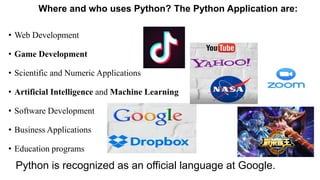
Where and who uses Python? The Python Application are:
• Web Development
• Game Development
• Scientific and Numeric Applications
• Artificial Intelligence and Machine Learning
• Software Development
• Business Applications
• Education programs
Python is recognized as an official language at Google.
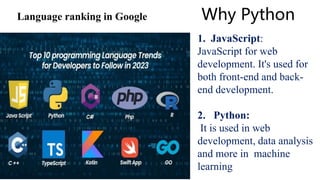
Why Python
Language ranking in Google
1. JavaScript:
JavaScript for web
development. It's used for
both front-end and back-
end development.
2. Python:
It is used in web
development, data analysis
and more in machine
learning
Why select Python Programming?
#include<stdio.h>
int main()
{
printf(“Hello World”);
return 0;
}
C
print(“Hello World”) Python
public class Main{
public static void main(String[] args)
{
System.out.println(“Hello World”);
}}
Java
#include<iostream>
using namespace std;
int main()
{
cout<<“Hello World”;
return 0;}
C++
To display “Hello World” using different programming language, we use coding like….
Python Environment
1. Official Website - www.python.org
2. Python Version – The Latest is 3.12
3. How to install Python in our System
4. The use of Python IDLE
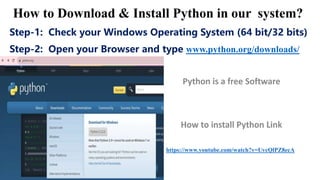
Step-1: Check your Windows Operating System (64 bit/32 bits)
Step-2: Open your Browser and type www.python.org/downloads/
https://www.youtube.com/watch?v=UvcQlPZ8ecA
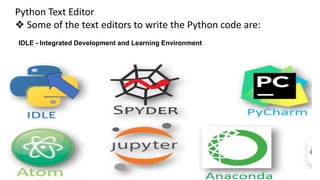
IDLE - Integrated Development and Learning Environment
Python Text Editor
❖ Some of the text editors to write the Python code are:
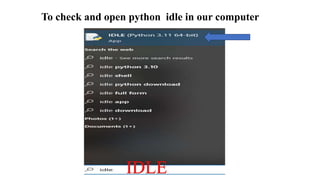
To check and open python idle in our computer
IDLE
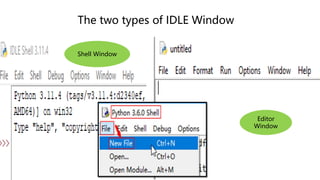
The two types of IDLE Window
Editor
Window
Shell Window
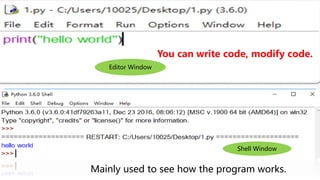
Editor Window
Shell Window
You can write code, modify code.
Mainly used to see how the program works.
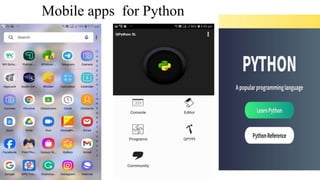
Mobile apps for Python
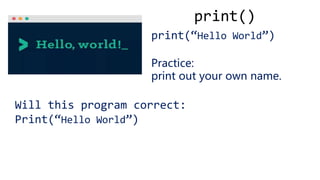
print()
print(“Hello World”)
Practice:
print out your own name.
Will this program correct:
Print(“Hello World”)
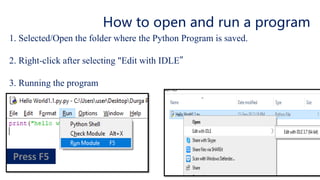
How to open and run a program
1. Selected/Open the folder where the Python Program is saved.
2. Right-click after selecting "Edit with IDLE”
3. Running the program
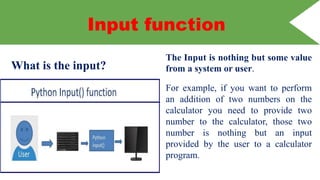
What is the input?
The Input is nothing but some value
from a system or user.
For example, if you want to perform
an addition of two numbers on the
calculator you need to provide two
number to the calculator, those two
number is nothing but an input
provided by the user to a calculator
program.
Input function
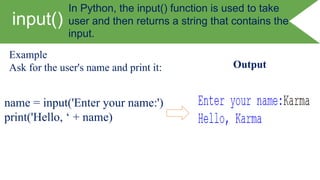
input()
Example
Ask for the user's name and print it:
name = input('Enter your name:')
print('Hello, ‘ + name)
Output
In Python, the input() function is used to take
user and then returns a string that contains the
input.
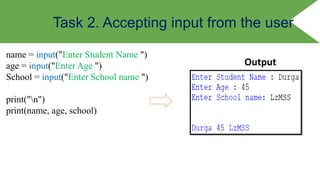
Task 2. Accepting input from the user
name = input("Enter Student Name ")
age = input("Enter Age ")
School = input("Enter School name ")
print("n")
print(name, age, school)
Output
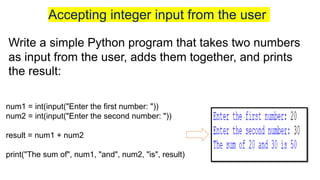
Write a simple Python program that takes two numbers
as input from the user, adds them together, and prints
the result:
num1 = int(input("Enter the first number: "))
num2 = int(input("Enter the second number: "))
result = num1 + num2
print("The sum of", num1, "and", num2, "is", result)
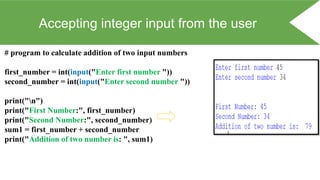
Accepting integer input from the user
# program to calculate addition of two input numbers
first_number = int(input("Enter first number "))
second_number = int(input("Enter second number "))
print("n")
print("First Number:", first_number)
print("Second Number:", second_number)
sum1 = first_number + second_number
print("Addition of two number is: ", sum1)
Follow up Activities
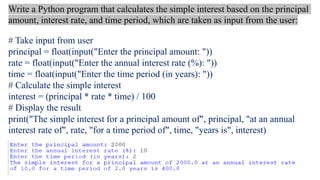
Create a real program
# Take input from user
principal = float(input("Enter the principal amount: "))
rate = float(input("Enter the annual interest rate (%): "))
time = float(input("Enter the time period (in years): "))
# Calculate the simple interest
interest = (principal * rate * time) / 100
# Display the result
print("The simple interest for a principal amount of", principal, "at an annual
interest rate of", rate, "for a time period of", time, "years is", interest)
Write a Python program that calculates the simple interest based on the principal
amount, interest rate, and time period, which are taken as input from the user:
Comments
In Python, comments
are used to add notes
or explanations to your
code that are not
executed by the
interpreter.
Comments start with the
hash symbol # and
continue until the end of
the line.
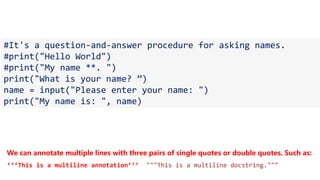
Single line comments
Tips:
You don't have to annotate each piece of code.
You can annotate a block of code with a certain function
#It's a question-and-answer procedure for asking names.
#print("Hello World")
#print("My name **. ")
print("What is your name? ”)
name = input("Please enter your name: ")
print("My name is: ", name)
We can annotate multiple lines with three pairs of single quotes or double quotes. Such as:
‘‘‘This is a multiline annotation’’’ """This is a multiline docstring."""
Any Questions….

Python Lesson for the beginners to understand the basic concept of python.pptx

  • 1.
    Programming is theprocess of creating a set of instructions that tell a computer how to perform a task. Programming can be done by using some computer programming languages, such as Python, Java, C, C++, PHP etc. What do you mean by programming?
  • 2.
    What is Python?Who created it?  Python is a high-level, interpreted, and general- purpose programming language. ❖ Python was developed by Guido Van Rossam and made available to the public in 1991. ❖ The name Python was selected from the TV Show "The Monty Python's Circus", and from the logo which looks like Python.
  • 3.
    ❖ Free andOpen-Source: Completely free to use, even for commercial purposes. ❖ Python can run on different operating systems such as Windows, macOS, and Linux ❖ Python is easy to learn, any body without programming knowledge can learn Python. Python has a simple syntax similar to the English language. Features of Python
  • 4.
    Where and whouses Python? The Python Application are: • Web Development • Game Development • Scientific and Numeric Applications • Artificial Intelligence and Machine Learning • Software Development • Business Applications • Education programs Python is recognized as an official language at Google.
  • 5.
    Why Python Language rankingin Google 1. JavaScript: JavaScript for web development. It's used for both front-end and back- end development. 2. Python: It is used in web development, data analysis and more in machine learning
  • 6.
    Why select PythonProgramming? #include<stdio.h> int main() { printf(“Hello World”); return 0; } C print(“Hello World”) Python public class Main{ public static void main(String[] args) { System.out.println(“Hello World”); }} Java #include<iostream> using namespace std; int main() { cout<<“Hello World”; return 0;} C++ To display “Hello World” using different programming language, we use coding like….
  • 7.
    Python Environment 1. OfficialWebsite - www.python.org 2. Python Version – The Latest is 3.12 3. How to install Python in our System 4. The use of Python IDLE
  • 8.
    Step-1: Check yourWindows Operating System (64 bit/32 bits) Step-2: Open your Browser and type www.python.org/downloads/ https://www.youtube.com/watch?v=UvcQlPZ8ecA
  • 9.
    IDLE - IntegratedDevelopment and Learning Environment Python Text Editor ❖ Some of the text editors to write the Python code are:
  • 10.
    To check andopen python idle in our computer IDLE
  • 11.
    The two typesof IDLE Window Editor Window Shell Window
  • 12.
    Editor Window Shell Window Youcan write code, modify code. Mainly used to see how the program works.
  • 13.
  • 15.
    print() print(“Hello World”) Practice: print outyour own name. Will this program correct: Print(“Hello World”)
  • 16.
    How to openand run a program 1. Selected/Open the folder where the Python Program is saved. 2. Right-click after selecting "Edit with IDLE” 3. Running the program
  • 17.
    What is theinput? The Input is nothing but some value from a system or user. For example, if you want to perform an addition of two numbers on the calculator you need to provide two number to the calculator, those two number is nothing but an input provided by the user to a calculator program. Input function
  • 18.
    input() Example Ask for theuser's name and print it: name = input('Enter your name:') print('Hello, ‘ + name) Output In Python, the input() function is used to take user and then returns a string that contains the input.
  • 19.
    Task 2. Acceptinginput from the user name = input("Enter Student Name ") age = input("Enter Age ") School = input("Enter School name ") print("n") print(name, age, school) Output
  • 20.
    Write a simplePython program that takes two numbers as input from the user, adds them together, and prints the result: num1 = int(input("Enter the first number: ")) num2 = int(input("Enter the second number: ")) result = num1 + num2 print("The sum of", num1, "and", num2, "is", result) Accepting integer input from the user
  • 21.
    Accepting integer inputfrom the user # program to calculate addition of two input numbers first_number = int(input("Enter first number ")) second_number = int(input("Enter second number ")) print("n") print("First Number:", first_number) print("Second Number:", second_number) sum1 = first_number + second_number print("Addition of two number is: ", sum1)
  • 22.
  • 23.
    # Take inputfrom user principal = float(input("Enter the principal amount: ")) rate = float(input("Enter the annual interest rate (%): ")) time = float(input("Enter the time period (in years): ")) # Calculate the simple interest interest = (principal * rate * time) / 100 # Display the result print("The simple interest for a principal amount of", principal, "at an annual interest rate of", rate, "for a time period of", time, "years is", interest) Write a Python program that calculates the simple interest based on the principal amount, interest rate, and time period, which are taken as input from the user:
  • 24.
    Comments In Python, comments areused to add notes or explanations to your code that are not executed by the interpreter. Comments start with the hash symbol # and continue until the end of the line.
  • 25.
    Single line comments Tips: Youdon't have to annotate each piece of code. You can annotate a block of code with a certain function #It's a question-and-answer procedure for asking names. #print("Hello World") #print("My name **. ") print("What is your name? ”) name = input("Please enter your name: ") print("My name is: ", name) We can annotate multiple lines with three pairs of single quotes or double quotes. Such as: ‘‘‘This is a multiline annotation’’’ """This is a multiline docstring."""
  • 26.