Python


         -Mayur S. Mohite
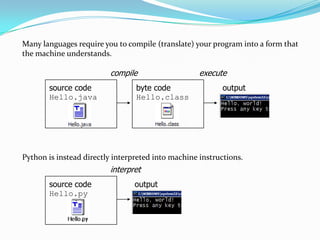
Many languages require you to compile (translate) your program into a form that
the machine understands.

                         compile                    execute
       source code               byte code                 output
       Hello.java                Hello.class


Python is instead directly interpreted into machine instructions.
                         interpret
       source code               output
       Hello.py
Storing Values
Variable : A named piece of memory that can store a value.

Usage : Compute an expression's result, store that result into a variable
and use that variable later in the program.

Assignment statement : Stores a value into a variable.
Syntax :
                var_name = value

Examples :         x=5

A variable that has been given a value can be used in expressions.
Eg. x + 4 is 9
Printing Values

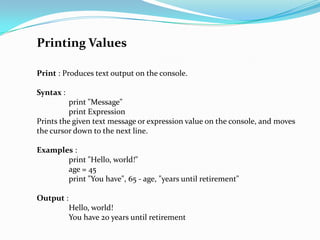
Print : Produces text output on the console.

Syntax :
          print "Message"
          print Expression
Prints the given text message or expression value on the console, and moves
the cursor down to the next line.

Examples :
       print "Hello, world!"
       age = 45
       print "You have", 65 - age, "years until retirement"

Output :
           Hello, world!
           You have 20 years until retirement
Input

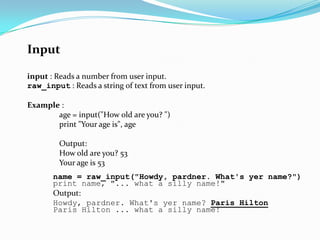
input : Reads a number from user input.
raw_input : Reads a string of text from user input.

Example :
       age = input("How old are you? ")
       print "Your age is", age

         Output:
         How old are you? 53
         Your age is 53
       name = raw_input("Howdy, pardner. What's yer name?")
       print name, "... what a silly name!"
       Output:
       Howdy, pardner. What's yer name? Paris Hilton
       Paris Hilton ... what a silly name!
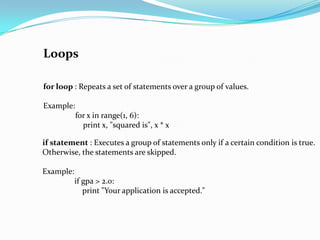
Loops

for loop : Repeats a set of statements over a group of values.

Example:
           for x in range(1, 6):
             print x, "squared is", x * x

if statement : Executes a group of statements only if a certain condition is true.
Otherwise, the statements are skipped.

Example:
           if gpa > 2.0:
              print "Your application is accepted."
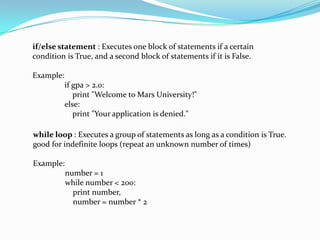
if/else statement : Executes one block of statements if a certain
condition is True, and a second block of statements if it is False.

Example:
           if gpa > 2.0:
              print "Welcome to Mars University!"
           else:
              print "Your application is denied."

while loop : Executes a group of statements as long as a condition is True.
good for indefinite loops (repeat an unknown number of times)

Example:
           number = 1
           while number < 200:
             print number,
             number = number * 2
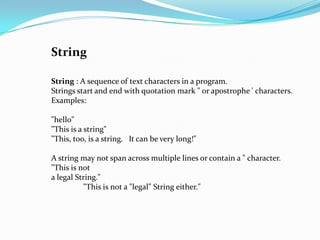
String

String : A sequence of text characters in a program.
Strings start and end with quotation mark " or apostrophe ' characters.
Examples:

"hello"
"This is a string"
"This, too, is a string. It can be very long!"

A string may not span across multiple lines or contain a " character.
"This is not
a legal String."
          "This is not a "legal" String either."
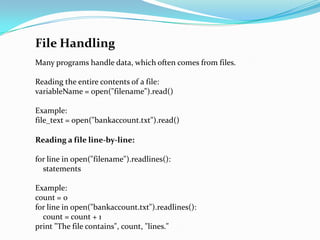
File Handling
Many programs handle data, which often comes from files.

Reading the entire contents of a file:
variableName = open("filename").read()

Example:
file_text = open("bankaccount.txt").read()

Reading a file line-by-line:

for line in open("filename").readlines():
  statements

Example:
count = 0
for line in open("bankaccount.txt").readlines():
  count = count + 1
print "The file contains", count, "lines."
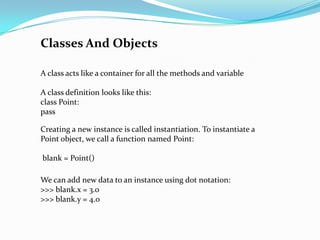
Classes And Objects

A class acts like a container for all the methods and variable

A class definition looks like this:
class Point:
pass

Creating a new instance is called instantiation. To instantiate a
Point object, we call a function named Point:

blank = Point()

We can add new data to an instance using dot notation:
>>> blank.x = 3.0
>>> blank.y = 4.0

Python basic

  • 1.
    Python -Mayur S. Mohite
  • 2.
    Many languages requireyou to compile (translate) your program into a form that the machine understands. compile execute source code byte code output Hello.java Hello.class Python is instead directly interpreted into machine instructions. interpret source code output Hello.py
  • 3.
    Storing Values Variable :A named piece of memory that can store a value. Usage : Compute an expression's result, store that result into a variable and use that variable later in the program. Assignment statement : Stores a value into a variable. Syntax : var_name = value Examples : x=5 A variable that has been given a value can be used in expressions. Eg. x + 4 is 9
  • 4.
    Printing Values Print :Produces text output on the console. Syntax : print "Message" print Expression Prints the given text message or expression value on the console, and moves the cursor down to the next line. Examples : print "Hello, world!" age = 45 print "You have", 65 - age, "years until retirement" Output : Hello, world! You have 20 years until retirement
  • 5.
    Input input : Readsa number from user input. raw_input : Reads a string of text from user input. Example : age = input("How old are you? ") print "Your age is", age Output: How old are you? 53 Your age is 53 name = raw_input("Howdy, pardner. What's yer name?") print name, "... what a silly name!" Output: Howdy, pardner. What's yer name? Paris Hilton Paris Hilton ... what a silly name!
  • 6.
    Loops for loop :Repeats a set of statements over a group of values. Example: for x in range(1, 6): print x, "squared is", x * x if statement : Executes a group of statements only if a certain condition is true. Otherwise, the statements are skipped. Example: if gpa > 2.0: print "Your application is accepted."
  • 7.
    if/else statement :Executes one block of statements if a certain condition is True, and a second block of statements if it is False. Example: if gpa > 2.0: print "Welcome to Mars University!" else: print "Your application is denied." while loop : Executes a group of statements as long as a condition is True. good for indefinite loops (repeat an unknown number of times) Example: number = 1 while number < 200: print number, number = number * 2
  • 8.
    String String : Asequence of text characters in a program. Strings start and end with quotation mark " or apostrophe ' characters. Examples: "hello" "This is a string" "This, too, is a string. It can be very long!" A string may not span across multiple lines or contain a " character. "This is not a legal String." "This is not a "legal" String either."
  • 9.
    File Handling Many programshandle data, which often comes from files. Reading the entire contents of a file: variableName = open("filename").read() Example: file_text = open("bankaccount.txt").read() Reading a file line-by-line: for line in open("filename").readlines(): statements Example: count = 0 for line in open("bankaccount.txt").readlines(): count = count + 1 print "The file contains", count, "lines."
  • 10.
    Classes And Objects Aclass acts like a container for all the methods and variable A class definition looks like this: class Point: pass Creating a new instance is called instantiation. To instantiate a Point object, we call a function named Point: blank = Point() We can add new data to an instance using dot notation: >>> blank.x = 3.0 >>> blank.y = 4.0