TreeTop Security - CAT - v2024.03
Cybersecurity
Awareness
Tips To Protect You And Your Data
CONTENT BY
From the makers of Peak. The only comprehensive and
affordable cybersecurity platform for small businesses.
1
PRESENTED BY
YourInformationand/orCompanyLogo Here
TreeTop Security - CAT - v2024.03
# whoami
3
Presenter / Company Information
● Presenter / Company Information
Presenter / Company Information
TreeTop Security - CAT - v2024.03
Legal Disclaimer
While we'd love to boast that our cybersecurity awareness training is
foolproof,the reality is no training can safeguard you from all cyber
threats and that includes cyber criminal’s relentless attempts to send you
malware laced cat memes.It is, however, the best single hour you can use
to learn ways to better protect yourself from the evil lurking on the
digital interwebs. Your best defense against cyber-foolery is your own
cyber-wisdom.Remain vigilant, keep your passwords as complex as the
plot twist in Fight Club, and learn to embrace your inner cybersecurity
awareness ninja!
Note: We were told we needed a disclaimer. Many thanks to ChatGPT for adding some flair.
5
TreeTop Security - CAT - v2024.03
About this Presentation
Latest version is available at https://www.treetopsecurity.com/CAT
Version 1.0 downloaded in over 150
countries in first 6 months!
Sept 2019 - March 2020
Shared at numerous cybersecurity
conferences including RSA
6
TreeTop Security - CAT - v2024.03
LIVE
LAUGH
GET HACKED
STOP LAUGHING
7
TreeTop Security - CAT - v2024.03
Overview
Why security awareness?
Backup, backup, backup
Patching ALL of your devices
Passwords
2-Factor Authentication (MFA)
Internet Safety & Email
Phone Scams
Privacy Concerns
What to do when things go wrong?
8
TreeTop Security - CAT - v2024.03
Why is
cybersecurity
awareness
important?
01
9
TreeTop Security - CAT - v2024.03
Awareness training is a must!
Technology alone *cannot* protect you from everything
Attackers go where security is weakest
People -> a link the chain & the last first line of defense
A must to reduce cybersecurity risk
Cybersecurity awareness if for…
● Employees ● Parents ● Seniors
● Business Owners ● Kids ● Everyone!
Reminder: Many tips that keep you safe at work
will also keep you safe at home!
10
TreeTop Security - CAT - v2024.03
But an attacker isn’t interesting in me…
Wrong!!! - You are exactly what an attacker wants!
● Credit Card & Financial Data
● Medical Data
○ Prescription, insurance, or identity fraud
○ Far more valuable than financial data
● Computer Resources
○ Cryptomining
○ Advertising
○ Ransomware
○ “Jump Point”
● User or email credentials
○ Sending spam
○ “More” access
○ Recovery/Reset other accounts
11
TreeTop Security - CAT - v2024.03
HELP!!!
Ways to protect
yourself!
02
12
TreeTop Security - CAT - v2024.03
Backups
Users that
have never
backed up
35%
Users that
backup
daily
11%
Users that
backup
monthly
20%
Users that
backup
yearly
25%
20%
● Backups protect when all else fails
○ NO level of protection is perfect
○ Only “guaranteed” protection against ransomware
● Backup media should *not* be connected at all times
● Test your backups! Restore, restore, restore!
13
TreeTop Security - CAT - v2024.03
Worksheet #1
Your data,
your backups
https://www.treetopsecurity.com/CAT
14
TreeTop Security - CAT - v2024.03
Updates are essential
to security.
• What was secure yesterday may not be
secure today
• New software vulnerabilities are found
every day
• Over 450,000 new malware (viruses &
ransomware) released every day
• Nothing is “Set & Forget”
15
TreeTop Security - CAT - v2024.03
Keeping your system up-to-date
● Microsoft Windows, Apple
MacOS, Linux
● Windows 7 end of life was
January 2020
Operating Systems
● Update to the latest definitions
to ensure protection against the
latest threats
● Symantec/Norton, McAfee,
Windows Defender, Avast, and
many others!
Anti-Virus
16
TreeTop Security - CAT - v2024.03
Don’t forget to update…
● Browser - your portal to the internet
○ Chrome, Firefox, Edge, Safari, Brave,
etc.
○ Internet Explorer (Not recommended)
● Mobile devices - cell phones & tablets
● Internet of Things (IoT) - Alexa, Google
Home, light bulbs, thermostats, doorbells,
surveillance system, smart locks, pet feeder,
vacuums, health monitors...
This could keep going forever!
17
TreeTop Security - CAT - v2024.03
Worksheet #2
What’s on your
network?
https://www.treetopsecurity.com/CAT
18
TreeTop Security - CAT - v2024.03
All About
Passwords
03
19
TreeTop Security - CAT - v2024.03
SOMEONEFIGUREDOUTMY PASSWORD,
NOWI HAVETO RENAMEMY DOG.
20
TreeTop Security - CAT - v2024.03
Managing Passwords
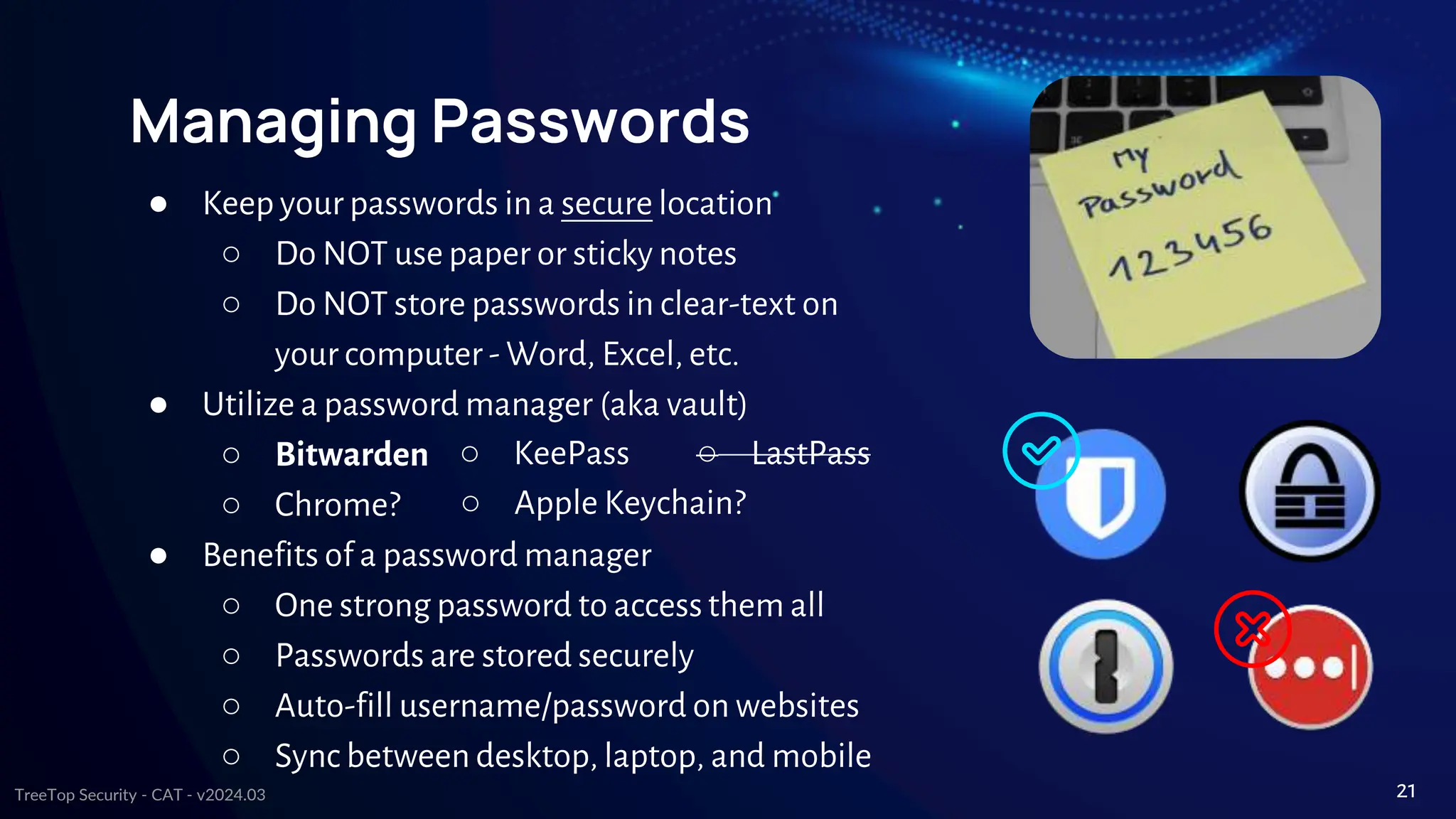
● Keep your passwords in a secure location
○ Do NOT use paper or sticky notes
○ Do NOT store passwords in clear-text on
your computer - Word, Excel, etc.
● Utilize a password manager (aka vault)
○ Bitwarden
○ Chrome?
● Benefits of a password manager
○ One strong password to accessthem all
○ Passwords are stored securely
○ Auto-fill username/password on websites
○ Sync between desktop, laptop, and mobile
○ KeePass ○ LastPass
○ Apple Keychain?
21
TreeTop Security - CAT - v2024.03
Much easier with a
password manager!
Password Tips
● Avoid using items that can be associated with you
○ Address
○ Phone numbers
○ Pet names
● Separate passwords for every account
● Auto-generated, near impossible to guess
Rely on sticky notes
for password mgmt
42%
Re-use password for
multiple accounts
52%
Use name or birthdate
in password
59%
Reuse same password
for all accounts
13%
○ Child names
○ Birthdays
○ Sports teams
22
TreeTop Security - CAT - v2024.03
Passphrases, not passwords
● Useful when passwords must be typed in
○ Computer login
● Should not be easy to guess
○ At least 12 characters, but 15 or more is far better
○ Length better than “complexity” - upper, lower, number, & special
characters (~!@#$%^&*_-+=`|(){}[]:;"'<>,.?/)
○ Bad password (8): P@ssw0rd
○ Great password (25): MysonwasbornNovember1995!
○ Wireless <- no phone numbers!
Why are most passwords exactly 8 characters?
23
TreeTop Security - CAT - v2024.03
Top 20 passwords by rank & year
Rank 2020 2021 2022 Rank 2020 2021 2022
1 123456 123456 password 11 1234567 qwerty123 1234567
2 123456789 123456789 123456 12 qwerty 000000 1234
3 picture1 12345 123456789 13 abc123 1q2w3e 1234567890
4 password qwerty guest 14 Million2 aa12345678 000000
5 12345678 password qwerty 15 000000 abc123 555555
6 111111 12345678 12345678 16 1234 password1 666666
7 123123 111111 111111 17 iloveyou 1234 123321
8 12345 123123 12345 18 aaron431 qwertyuiop 654321
9 1234567890
123456789
0
col123456 19 password1 123321 7777777
10 senha 1234567 123123 20 qqww1122
password12
3
123
If you use any of these, change them NOW!!!
Source: Nordpass
24
TreeTop Security - CAT - v2024.03
Password Length <> Time to Crack
Source: Hive Systems
Time for an
attacker to brute
force your
passwords.
Are you in the
yellow or green?
25
TreeTop Security - CAT - v2024.03
2FA - Two Factor Authentication
What is 2FA?
● “Beyond” a username and password
● Second form to prove it is you
● Typically out-of-band
“Your one-time code is…”
● SMS (Not as secure)
● Phone Call (Not as secure)
● Applications
● Email
● Phone Pop-Up
➔ Google Authenticator
➔ Microsoft Authenticator
➔ Built into a password manager?
99.9% LESS likely to be
compromised if you
use MFA
Source: Microsoft Tech Community
26
TreeTop Security - CAT - v2024.03
Worksheet #3
Password
Managers & 2FA
https://www.treetopsecurity.com/CAT
27
TreeTop Security - CAT - v2024.03
Just a
Little Click
04
28
TreeTop Security - CAT - v2024.03
Is the link safe in 4 steps
1. Verify
Were you expectinga link?
○ Not just email!
○ Social Media
○ SMS/iMessage
○ Zoom, Teams, Slack, etc.
2. Hover
Hover over the link to
ensure that it leads to
where it says it does
3. Sniff test
Is it a site you recognize?
Does it feel “familiar” to you?
Be skeptical
4. Click
Does it pass all 3 tests?
Still use caution
“When in doubt, throw it
out”
01
02
03
04
29
TreeTop Security - CAT - v2024.03
Easy to Recognize Scam
Viagra <- ?!?!?!
Strange Wording
Email Address
Domain Name
Expected email?
Interesting link
Red flags? ->
30
TreeTop Security - CAT - v2024.03
From a Known Email Account
Email address = OK
Name = OK
Odd “Signature”
Expected email?
Link -> .fr is France
Red flags? ->
Hacked or Spoofed
email from someone
you know
Similar attacks via
Facebook & Social
Media
31
TreeTop Security - CAT - v2024.03
Text Messaging Example
Name in SMS = OK
Number OK?
Expected Text?
Received a text
regarding a package
before?
Recognized
domain?
Red flags? ->
Image Source: CNN
32
TreeTop Security - CAT - v2024.03
Hover before you click
● Why hover?
○ Blue text can be deceiving
○ Underlying URL may be different
○ “Foreign” domains - .uk, .cn, or .ru
● Numbers instead of letters
○ Example: 192.168.1.1
○ Don’t trust it!
● Hover on mobile/tablet?
○ Long press (hold)
● Any doubts? Don’t click it!!!
http://www.evil.com/
Desktop
Hover
Example
Mobile
Long-Press
Example
33
TreeTop Security - CAT - v2024.03
Shortened or Obfuscated Links?
Instead of 300 characters, the link is reduced to 15 characters.
● Bit.ly
● TinyURL
Extremely Common and helpful, but…
Abused by criminals to hide malicious websites.
LinkExpander
www.linkexpander.co
m
34
TreeTop Security - CAT - v2024.03
Hovering is your Friend
Email address OK?
Expected Email?
Red flags? ->
Image Source: Malware Traffic Analysis
Sense of Urgency
HOVER!!!
35
TreeTop Security - CAT - v2024.03
More Email Attacks
94% of malware is delivered by Email
1.2% of all emails sent are malicious
Over three billion phishing emails
every day!
36
TreeTop Security - CAT - v2024.03
Email Attachments
● Stop & Think beforeyou click!
● Recognized Sender?
● Expecting Attachments?
● Is it normal for that contact to send
attachments?
Macros
● Step 1: Don’t do it!!!
● Step 2: Please See “Step 1”
● Found in downloaded files also
Attachmentsinemailclient(MicrosoftOutlook)
EnableMacros<-NOOOOOO!!!!
37
TreeTop Security - CAT - v2024.03
Business Email Compromise (BEC)
● FBI: BEC cost businesses$1.8B every year
● Moving funds -> more susceptible
○ Policy requiring phone call?
● “Trusted” senders
○ Research using publicly available data
■ Published organization chart
■ Spear phishing (CEO <-> CFO)
○ Spoofed domain
■ microsoft.com - micros0ft.com
○ Compromise account of 3rd parties
■ Employee, vendor, or customer
■ Thread hijacking <- lookout
Wire transfer
Often requires very
littletechnicalskill
Image Source: Dark Reading
38
TreeTop Security - CAT - v2024.03
Customer BEC Example
● Small business < 100 employees
● CEO received email
○ From school district (their customer)
○ Bid proposal
○ Busy CEO blocked, certain it was
legit
○ Asked us to “bypass”blocks/alerts
● Give us 5 minutes
○ Contacted school IT
○ “You’re the 2nd call”
○ All within 30 mins of 1st alert
Image Source: TreeTop Security
39
TreeTop Security - CAT - v2024.03
Other Email Scams
● Mostly “non-technical”
● What the attackers want
○ Money
■ Gift cards
■ Wire transfers
○ Access to email & accounts
● Possible signs
○ Sense of urgency
○ Never happened before
○ No limit on what they say/do
Accountcredentials
Technology alone
cannot solve this
40
TreeTop Security - CAT - v2024.03
Scammer Favorites
● Mimic recent, breaking news
○ Worldwide
■ Health scares
■ Protests
■ Elections
○ Local and regional
● Seasonal/holidays
○ Order & delivery issues
○ Tax issues
Keepyourguard up!
Recentevents-coronavirus
OrderCancelled
41
TreeTop Security - CAT - v2024.03
Worksheet #4
Have you been
part of a breach?
https://www.treetopsecurity.com/CAT
42
TreeTop Security - CAT - v2024.03
Reach Out &
Scam
Someone
05
43
TreeTop Security - CAT - v2024.03
Phone Scams
Social Engineering, what is it?
● Banks & Credit Card Companies
● Medical & Insurance
● IRS or any past due account balance
● Objective: Accessyour sensitive info
Phone Numbers can be easily spoofed
● Make the caller provide verification
● Hang up & call back a published number
Other common phone scams
● Grandparent Scam
● Tech Support - Microsoft, Apple, Dell, etc. will NEVER
contact the average user “out of the blue”
44
TreeTop Security - CAT - v2024.03
Phone Scam Example
Sense of Urgency
Purposefully Confusing
Unexpected call from a Superior
Red flags? ->
Hi! This is Kathleen from Microsoft. We have been trying to get in touch
with you. However, we will be disconnecting your license within 48
hours because your IP address has been compromised from several
countries. So we need to change your IP address and license key. So
please press 1 to get connected…
45
TreeTop Security - CAT - v2024.03
Phone Scam Example - AI Edition
Hello, this is Kathleen and I'm reaching out on behalf of the MicrosoftSecurity Team. We've
noticedsome unusual activity involving your account.Your IP addresshas been accessedfrom
multiple countries indicatinga potential securitybreach.To ensure the safetyand integrity of your
accountand personal information,it's criticalthat we updateyour IP addressand license key.
Without this update,we will suspendyour license within the next 48 hoursto prevent further
unauthorized access.We're here to help you through this processand addressany concernsyou
mayhave. For immediate assistance,please press 1 to connectwith our supportteam.
46
This is a message from a spam caller, we're using it in a cybersecurity
awareness presentation - can you make the context of it sound more
natural and more realistic but don't change the meaning behind it?
TreeTop Security - CAT - v2024.03
General Tips
& Privacy
06
47
TreeTop Security - CAT - v2024.03
USB Drives & More
● Do NOT connect unknown or
unauthorized media (or devices)
● Programs can run when plugged in
without you doing anything
● Examples
○ USB/flash drives
○ SD or micro SD cards
○ CDs or DVDs
○ External hard drives
○ Cell phones <- Often forgotten
48
TreeTop Security - CAT - v2024.03
Encryption
● Can help protect your data
● Can also “help” an attacker, e.g. ransomware
● Protecting data sent or received
○ HTTP vs. HTTPS
○ Wireless -> WPA2 (AES) recommended
● Protecting devices
○ Helpful if device is lost/stolen
○ Often associated with phone PIN/passcode
○ Microsoft Windows - BitLocker
○ AppleMacOS - FileVault
49
TreeTop Security - CAT - v2024.03
Internet Safety Quick Tips
● Never click or install anything based on
a pop-up from a website
● “Trusted” websites can & have hosted
malware, aka malvertising
○ Local news?
○ WSJ, Forbes, ESPN, Yahoo, etc.
○ Limit browsing to business
relevant sites?
● Avoid public: Wi-Fi, computers (hotels,
libraries), charging, etc.
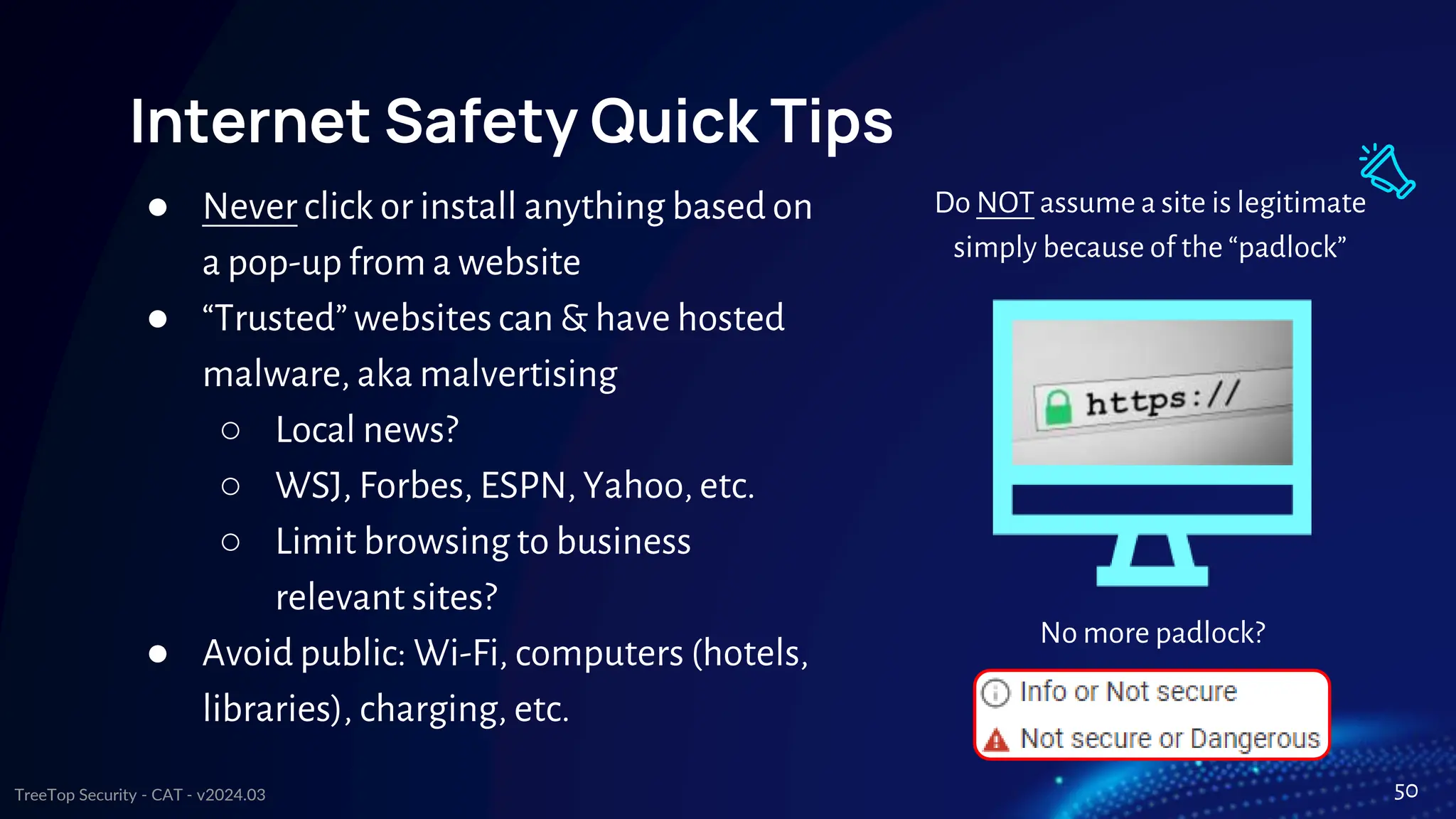
Do NOT assume a site is legitimate
simply because of the “padlock”
No more padlock?
50
TreeTop Security - CAT - v2024.03
Internet Privacy
● Data is the new gold -> your data is valuable!
● If you’re not paying for it, are you the product?
○ Data analytics & predictive results
○ Examples: advertising & insurance rates
● Are you oversharing?
○ “Fun” online surveys => data harvesting
○ Default privacy settings on social media
○ Vacation photos & checking-in (location sharing)
■ Thieves see that information also
■ Would you be comfortable telling people on the street?
51
TreeTop Security - CAT - v2024.03
Uh oh! You’ve been scammed!
● It happens! Don’t be ashamed!
● Don’t panic, but don’t wait around
○ Unplug computer!
○ Contact your technical support
○ Write down details - event timeline, financial
accounts, credentials used, phone numbers, etc.
● Ransomware or scam
○ Report the incident to law enforcement?
○ In the US
■ BBB - https://www.bbb.org/scamtracker
■ FBI - Ransomware keys may be available
○ https://www.nomoreransom.org/
52
TreeTop Security - CAT - v2024.03
More Resources
● When in doubt, ask questions
○ Your IT dept/provider?
● Don’t stop here! Attacks change, so should you
● Additional Resources
○ SANS Ouch! - free monthly newsletter
○ StaySafeOnline.org - numerous free resources
○ Stop. Think. Connect. - free, little bit of everything
○ TreeTop Security - Cybersecurity Awareness Training (free)
These slides, video presentation of this material, value-addworksheets,post-
training quizzes,feedbackform, newsletter sign-up, certificate of completion &
more! - https://www.treetopsecurity.com/CAT
● Worksheet #5 - Share this with others
53
TreeTop Security - CAT - v2024.03
Questions?
Phone
Name
Email
Your Website Here
Information about your here.
54
Your Logo / TagLine Here
Logo / Imagery Here

Public CyberSecurity Awareness Presentation 2024.pptx

  • 1.
    TreeTop Security -CAT - v2024.03 Cybersecurity Awareness Tips To Protect You And Your Data CONTENT BY From the makers of Peak. The only comprehensive and affordable cybersecurity platform for small businesses. 1 PRESENTED BY YourInformationand/orCompanyLogo Here
  • 2.
    TreeTop Security -CAT - v2024.03 # whoami 3 Presenter / Company Information Presenter / Company Information Presenter / Company Information Presenter / Company Information Presenter / Company Information ● Presenter / Company Information Presenter / Company Information Presenter / Company Information Presenter / Company Information Presenter / Company Information Presenter / Company Information
  • 3.
    TreeTop Security -CAT - v2024.03 Legal Disclaimer While we'd love to boast that our cybersecurity awareness training is foolproof,the reality is no training can safeguard you from all cyber threats and that includes cyber criminal’s relentless attempts to send you malware laced cat memes.It is, however, the best single hour you can use to learn ways to better protect yourself from the evil lurking on the digital interwebs. Your best defense against cyber-foolery is your own cyber-wisdom.Remain vigilant, keep your passwords as complex as the plot twist in Fight Club, and learn to embrace your inner cybersecurity awareness ninja! Note: We were told we needed a disclaimer. Many thanks to ChatGPT for adding some flair. 5
  • 4.
    TreeTop Security -CAT - v2024.03 About this Presentation Latest version is available at https://www.treetopsecurity.com/CAT Version 1.0 downloaded in over 150 countries in first 6 months! Sept 2019 - March 2020 Shared at numerous cybersecurity conferences including RSA 6
  • 5.
    TreeTop Security -CAT - v2024.03 LIVE LAUGH GET HACKED STOP LAUGHING 7
  • 6.
    TreeTop Security -CAT - v2024.03 Overview Why security awareness? Backup, backup, backup Patching ALL of your devices Passwords 2-Factor Authentication (MFA) Internet Safety & Email Phone Scams Privacy Concerns What to do when things go wrong? 8
  • 7.
    TreeTop Security -CAT - v2024.03 Why is cybersecurity awareness important? 01 9
  • 8.
    TreeTop Security -CAT - v2024.03 Awareness training is a must! Technology alone *cannot* protect you from everything Attackers go where security is weakest People -> a link the chain & the last first line of defense A must to reduce cybersecurity risk Cybersecurity awareness if for… ● Employees ● Parents ● Seniors ● Business Owners ● Kids ● Everyone! Reminder: Many tips that keep you safe at work will also keep you safe at home! 10
  • 9.
    TreeTop Security -CAT - v2024.03 But an attacker isn’t interesting in me… Wrong!!! - You are exactly what an attacker wants! ● Credit Card & Financial Data ● Medical Data ○ Prescription, insurance, or identity fraud ○ Far more valuable than financial data ● Computer Resources ○ Cryptomining ○ Advertising ○ Ransomware ○ “Jump Point” ● User or email credentials ○ Sending spam ○ “More” access ○ Recovery/Reset other accounts 11
  • 10.
    TreeTop Security -CAT - v2024.03 HELP!!! Ways to protect yourself! 02 12
  • 11.
    TreeTop Security -CAT - v2024.03 Backups Users that have never backed up 35% Users that backup daily 11% Users that backup monthly 20% Users that backup yearly 25% 20% ● Backups protect when all else fails ○ NO level of protection is perfect ○ Only “guaranteed” protection against ransomware ● Backup media should *not* be connected at all times ● Test your backups! Restore, restore, restore! 13
  • 12.
    TreeTop Security -CAT - v2024.03 Worksheet #1 Your data, your backups https://www.treetopsecurity.com/CAT 14
  • 13.
    TreeTop Security -CAT - v2024.03 Updates are essential to security. • What was secure yesterday may not be secure today • New software vulnerabilities are found every day • Over 450,000 new malware (viruses & ransomware) released every day • Nothing is “Set & Forget” 15
  • 14.
    TreeTop Security -CAT - v2024.03 Keeping your system up-to-date ● Microsoft Windows, Apple MacOS, Linux ● Windows 7 end of life was January 2020 Operating Systems ● Update to the latest definitions to ensure protection against the latest threats ● Symantec/Norton, McAfee, Windows Defender, Avast, and many others! Anti-Virus 16
  • 15.
    TreeTop Security -CAT - v2024.03 Don’t forget to update… ● Browser - your portal to the internet ○ Chrome, Firefox, Edge, Safari, Brave, etc. ○ Internet Explorer (Not recommended) ● Mobile devices - cell phones & tablets ● Internet of Things (IoT) - Alexa, Google Home, light bulbs, thermostats, doorbells, surveillance system, smart locks, pet feeder, vacuums, health monitors... This could keep going forever! 17
  • 16.
    TreeTop Security -CAT - v2024.03 Worksheet #2 What’s on your network? https://www.treetopsecurity.com/CAT 18
  • 17.
    TreeTop Security -CAT - v2024.03 All About Passwords 03 19
  • 18.
    TreeTop Security -CAT - v2024.03 SOMEONEFIGUREDOUTMY PASSWORD, NOWI HAVETO RENAMEMY DOG. 20
  • 19.
    TreeTop Security -CAT - v2024.03 Managing Passwords ● Keep your passwords in a secure location ○ Do NOT use paper or sticky notes ○ Do NOT store passwords in clear-text on your computer - Word, Excel, etc. ● Utilize a password manager (aka vault) ○ Bitwarden ○ Chrome? ● Benefits of a password manager ○ One strong password to accessthem all ○ Passwords are stored securely ○ Auto-fill username/password on websites ○ Sync between desktop, laptop, and mobile ○ KeePass ○ LastPass ○ Apple Keychain? 21
  • 20.
    TreeTop Security -CAT - v2024.03 Much easier with a password manager! Password Tips ● Avoid using items that can be associated with you ○ Address ○ Phone numbers ○ Pet names ● Separate passwords for every account ● Auto-generated, near impossible to guess Rely on sticky notes for password mgmt 42% Re-use password for multiple accounts 52% Use name or birthdate in password 59% Reuse same password for all accounts 13% ○ Child names ○ Birthdays ○ Sports teams 22
  • 21.
    TreeTop Security -CAT - v2024.03 Passphrases, not passwords ● Useful when passwords must be typed in ○ Computer login ● Should not be easy to guess ○ At least 12 characters, but 15 or more is far better ○ Length better than “complexity” - upper, lower, number, & special characters (~!@#$%^&*_-+=`|(){}[]:;"'<>,.?/) ○ Bad password (8): P@ssw0rd ○ Great password (25): MysonwasbornNovember1995! ○ Wireless <- no phone numbers! Why are most passwords exactly 8 characters? 23
  • 22.
    TreeTop Security -CAT - v2024.03 Top 20 passwords by rank & year Rank 2020 2021 2022 Rank 2020 2021 2022 1 123456 123456 password 11 1234567 qwerty123 1234567 2 123456789 123456789 123456 12 qwerty 000000 1234 3 picture1 12345 123456789 13 abc123 1q2w3e 1234567890 4 password qwerty guest 14 Million2 aa12345678 000000 5 12345678 password qwerty 15 000000 abc123 555555 6 111111 12345678 12345678 16 1234 password1 666666 7 123123 111111 111111 17 iloveyou 1234 123321 8 12345 123123 12345 18 aaron431 qwertyuiop 654321 9 1234567890 123456789 0 col123456 19 password1 123321 7777777 10 senha 1234567 123123 20 qqww1122 password12 3 123 If you use any of these, change them NOW!!! Source: Nordpass 24
  • 23.
    TreeTop Security -CAT - v2024.03 Password Length <> Time to Crack Source: Hive Systems Time for an attacker to brute force your passwords. Are you in the yellow or green? 25
  • 24.
    TreeTop Security -CAT - v2024.03 2FA - Two Factor Authentication What is 2FA? ● “Beyond” a username and password ● Second form to prove it is you ● Typically out-of-band “Your one-time code is…” ● SMS (Not as secure) ● Phone Call (Not as secure) ● Applications ● Email ● Phone Pop-Up ➔ Google Authenticator ➔ Microsoft Authenticator ➔ Built into a password manager? 99.9% LESS likely to be compromised if you use MFA Source: Microsoft Tech Community 26
  • 25.
    TreeTop Security -CAT - v2024.03 Worksheet #3 Password Managers & 2FA https://www.treetopsecurity.com/CAT 27
  • 26.
    TreeTop Security -CAT - v2024.03 Just a Little Click 04 28
  • 27.
    TreeTop Security -CAT - v2024.03 Is the link safe in 4 steps 1. Verify Were you expectinga link? ○ Not just email! ○ Social Media ○ SMS/iMessage ○ Zoom, Teams, Slack, etc. 2. Hover Hover over the link to ensure that it leads to where it says it does 3. Sniff test Is it a site you recognize? Does it feel “familiar” to you? Be skeptical 4. Click Does it pass all 3 tests? Still use caution “When in doubt, throw it out” 01 02 03 04 29
  • 28.
    TreeTop Security -CAT - v2024.03 Easy to Recognize Scam Viagra <- ?!?!?! Strange Wording Email Address Domain Name Expected email? Interesting link Red flags? -> 30
  • 29.
    TreeTop Security -CAT - v2024.03 From a Known Email Account Email address = OK Name = OK Odd “Signature” Expected email? Link -> .fr is France Red flags? -> Hacked or Spoofed email from someone you know Similar attacks via Facebook & Social Media 31
  • 30.
    TreeTop Security -CAT - v2024.03 Text Messaging Example Name in SMS = OK Number OK? Expected Text? Received a text regarding a package before? Recognized domain? Red flags? -> Image Source: CNN 32
  • 31.
    TreeTop Security -CAT - v2024.03 Hover before you click ● Why hover? ○ Blue text can be deceiving ○ Underlying URL may be different ○ “Foreign” domains - .uk, .cn, or .ru ● Numbers instead of letters ○ Example: 192.168.1.1 ○ Don’t trust it! ● Hover on mobile/tablet? ○ Long press (hold) ● Any doubts? Don’t click it!!! http://www.evil.com/ Desktop Hover Example Mobile Long-Press Example 33
  • 32.
    TreeTop Security -CAT - v2024.03 Shortened or Obfuscated Links? Instead of 300 characters, the link is reduced to 15 characters. ● Bit.ly ● TinyURL Extremely Common and helpful, but… Abused by criminals to hide malicious websites. LinkExpander www.linkexpander.co m 34
  • 33.
    TreeTop Security -CAT - v2024.03 Hovering is your Friend Email address OK? Expected Email? Red flags? -> Image Source: Malware Traffic Analysis Sense of Urgency HOVER!!! 35
  • 34.
    TreeTop Security -CAT - v2024.03 More Email Attacks 94% of malware is delivered by Email 1.2% of all emails sent are malicious Over three billion phishing emails every day! 36
  • 35.
    TreeTop Security -CAT - v2024.03 Email Attachments ● Stop & Think beforeyou click! ● Recognized Sender? ● Expecting Attachments? ● Is it normal for that contact to send attachments? Macros ● Step 1: Don’t do it!!! ● Step 2: Please See “Step 1” ● Found in downloaded files also Attachmentsinemailclient(MicrosoftOutlook) EnableMacros<-NOOOOOO!!!! 37
  • 36.
    TreeTop Security -CAT - v2024.03 Business Email Compromise (BEC) ● FBI: BEC cost businesses$1.8B every year ● Moving funds -> more susceptible ○ Policy requiring phone call? ● “Trusted” senders ○ Research using publicly available data ■ Published organization chart ■ Spear phishing (CEO <-> CFO) ○ Spoofed domain ■ microsoft.com - micros0ft.com ○ Compromise account of 3rd parties ■ Employee, vendor, or customer ■ Thread hijacking <- lookout Wire transfer Often requires very littletechnicalskill Image Source: Dark Reading 38
  • 37.
    TreeTop Security -CAT - v2024.03 Customer BEC Example ● Small business < 100 employees ● CEO received email ○ From school district (their customer) ○ Bid proposal ○ Busy CEO blocked, certain it was legit ○ Asked us to “bypass”blocks/alerts ● Give us 5 minutes ○ Contacted school IT ○ “You’re the 2nd call” ○ All within 30 mins of 1st alert Image Source: TreeTop Security 39
  • 38.
    TreeTop Security -CAT - v2024.03 Other Email Scams ● Mostly “non-technical” ● What the attackers want ○ Money ■ Gift cards ■ Wire transfers ○ Access to email & accounts ● Possible signs ○ Sense of urgency ○ Never happened before ○ No limit on what they say/do Accountcredentials Technology alone cannot solve this 40
  • 39.
    TreeTop Security -CAT - v2024.03 Scammer Favorites ● Mimic recent, breaking news ○ Worldwide ■ Health scares ■ Protests ■ Elections ○ Local and regional ● Seasonal/holidays ○ Order & delivery issues ○ Tax issues Keepyourguard up! Recentevents-coronavirus OrderCancelled 41
  • 40.
    TreeTop Security -CAT - v2024.03 Worksheet #4 Have you been part of a breach? https://www.treetopsecurity.com/CAT 42
  • 41.
    TreeTop Security -CAT - v2024.03 Reach Out & Scam Someone 05 43
  • 42.
    TreeTop Security -CAT - v2024.03 Phone Scams Social Engineering, what is it? ● Banks & Credit Card Companies ● Medical & Insurance ● IRS or any past due account balance ● Objective: Accessyour sensitive info Phone Numbers can be easily spoofed ● Make the caller provide verification ● Hang up & call back a published number Other common phone scams ● Grandparent Scam ● Tech Support - Microsoft, Apple, Dell, etc. will NEVER contact the average user “out of the blue” 44
  • 43.
    TreeTop Security -CAT - v2024.03 Phone Scam Example Sense of Urgency Purposefully Confusing Unexpected call from a Superior Red flags? -> Hi! This is Kathleen from Microsoft. We have been trying to get in touch with you. However, we will be disconnecting your license within 48 hours because your IP address has been compromised from several countries. So we need to change your IP address and license key. So please press 1 to get connected… 45
  • 44.
    TreeTop Security -CAT - v2024.03 Phone Scam Example - AI Edition Hello, this is Kathleen and I'm reaching out on behalf of the MicrosoftSecurity Team. We've noticedsome unusual activity involving your account.Your IP addresshas been accessedfrom multiple countries indicatinga potential securitybreach.To ensure the safetyand integrity of your accountand personal information,it's criticalthat we updateyour IP addressand license key. Without this update,we will suspendyour license within the next 48 hoursto prevent further unauthorized access.We're here to help you through this processand addressany concernsyou mayhave. For immediate assistance,please press 1 to connectwith our supportteam. 46 This is a message from a spam caller, we're using it in a cybersecurity awareness presentation - can you make the context of it sound more natural and more realistic but don't change the meaning behind it?
  • 45.
    TreeTop Security -CAT - v2024.03 General Tips & Privacy 06 47
  • 46.
    TreeTop Security -CAT - v2024.03 USB Drives & More ● Do NOT connect unknown or unauthorized media (or devices) ● Programs can run when plugged in without you doing anything ● Examples ○ USB/flash drives ○ SD or micro SD cards ○ CDs or DVDs ○ External hard drives ○ Cell phones <- Often forgotten 48
  • 47.
    TreeTop Security -CAT - v2024.03 Encryption ● Can help protect your data ● Can also “help” an attacker, e.g. ransomware ● Protecting data sent or received ○ HTTP vs. HTTPS ○ Wireless -> WPA2 (AES) recommended ● Protecting devices ○ Helpful if device is lost/stolen ○ Often associated with phone PIN/passcode ○ Microsoft Windows - BitLocker ○ AppleMacOS - FileVault 49
  • 48.
    TreeTop Security -CAT - v2024.03 Internet Safety Quick Tips ● Never click or install anything based on a pop-up from a website ● “Trusted” websites can & have hosted malware, aka malvertising ○ Local news? ○ WSJ, Forbes, ESPN, Yahoo, etc. ○ Limit browsing to business relevant sites? ● Avoid public: Wi-Fi, computers (hotels, libraries), charging, etc. Do NOT assume a site is legitimate simply because of the “padlock” No more padlock? 50
  • 49.
    TreeTop Security -CAT - v2024.03 Internet Privacy ● Data is the new gold -> your data is valuable! ● If you’re not paying for it, are you the product? ○ Data analytics & predictive results ○ Examples: advertising & insurance rates ● Are you oversharing? ○ “Fun” online surveys => data harvesting ○ Default privacy settings on social media ○ Vacation photos & checking-in (location sharing) ■ Thieves see that information also ■ Would you be comfortable telling people on the street? 51
  • 50.
    TreeTop Security -CAT - v2024.03 Uh oh! You’ve been scammed! ● It happens! Don’t be ashamed! ● Don’t panic, but don’t wait around ○ Unplug computer! ○ Contact your technical support ○ Write down details - event timeline, financial accounts, credentials used, phone numbers, etc. ● Ransomware or scam ○ Report the incident to law enforcement? ○ In the US ■ BBB - https://www.bbb.org/scamtracker ■ FBI - Ransomware keys may be available ○ https://www.nomoreransom.org/ 52
  • 51.
    TreeTop Security -CAT - v2024.03 More Resources ● When in doubt, ask questions ○ Your IT dept/provider? ● Don’t stop here! Attacks change, so should you ● Additional Resources ○ SANS Ouch! - free monthly newsletter ○ StaySafeOnline.org - numerous free resources ○ Stop. Think. Connect. - free, little bit of everything ○ TreeTop Security - Cybersecurity Awareness Training (free) These slides, video presentation of this material, value-addworksheets,post- training quizzes,feedbackform, newsletter sign-up, certificate of completion & more! - https://www.treetopsecurity.com/CAT ● Worksheet #5 - Share this with others 53
  • 52.
    TreeTop Security -CAT - v2024.03 Questions? Phone Name Email Your Website Here Information about your here. 54 Your Logo / TagLine Here Logo / Imagery Here

Editor's Notes

  • #2 We’ve added speaker notes! The speaker notes are not meant to be read line-by-line!!! Similarly, don’t read everything on the slides word-for-word. Instead, engage with your audience. Tell stories to help back up the material. Watch your attendees to determine if you are losing them or if you need to spend more time on a topic. Ask questions or randomly poll them about various material. Even something as simple as using audience members names in theoretical examples is a great way to pull them back in. Most importantly, have fun!
  • #3 We’ve added speaker notes! The speaker notes are not meant to be read line-by-line!!! Similarly, don’t read everything on the slides word-for-word. Instead, engage with your audience. Tell stories to help back up the material. Watch your attendees to determine if you are losing them or if you need to spend more time on a topic. Ask questions or randomly poll them about various material. Even something as simple as using audience members names in theoretical examples is a great way to pull them back in. Most importantly, have fun!
  • #4 My background. This is a chance for you to tell the audience a little bit about yourself. Include information about how you relate to the subject such as why you enjoy helping people avoid scams, why you're qualified to talk about cybersecurity, etc. Maybe it’s because you were scammed yourself so you have some additional insight. Personal stories can go a long way to helping attendees better understand the material and make it more relatable. This content is free! If you feel the need to compensate us for our time, please instead send a donation to STEM Harvest, which is a 501(c)(3) non-profit to help teach kids in rural Kansas about technology. There are numerous ways to donate via the https://stemharvest.org website.
  • #5 My background. This is a chance for you to tell the audience a little bit about yourself. Include information about how you relate to the subject such as why you enjoy helping people avoid scams, why you're qualified to talk about cybersecurity, etc. Maybe it’s because you were scammed yourself so you have some additional insight. Personal stories can go a long way to helping attendees better understand the material and make it more relatable. This content is free! If you feel the need to compensate us for our time, please instead send a donation to STEM Harvest, which is a 501(c)(3) non-profit to help teach kids in rural Kansas about technology. There are numerous ways to donate via the https://stemharvest.org website.
  • #6 We were told this training needed a legal disclaimer because someone might think this 1 hour training would make them immune from cyberattacks. So we added a disclaimer that states this, but also makes it funny so people will actually read it. A little ChatGPT, a little extra flair, and this is the result! To all of my lawyer friends, sorry not sorry.
  • #7 In the first 6 months after it was released, version 1.0 of this slide deck was downloaded in over 150 countries. Since then, it has been downloaded hundreds of thousands of times. It is downloaded or viewed over 10,000 per month and those are just the views we can reliably count! This presentation is consistently receiving feedback from people all over the world so it can continue improving. Many organizations use the slides as part of their new employee training or as a part of their ongoing employee training. This deck has been recommended by numerous IT and security experts. In February 2020, it was shared alongside some other fantastic resources at the RSA security conference, which is one of the largest security conferences in the world. Note: The red arrow pointing at the slide number is a reminder for presenters to mention this material is available for download from the TreeTop Security website, https://treetopsecurity.com/CAT, i.e. there’s no need to hurriedly write down everything from every slide. The slide number also makes it easy to reference with attendee notes.
  • #8 Live, laugh, get hacked, stop laughing. It's meant to bring a little bit of light to the subject but keep in mind that cybersecurity is affecting a lot of people in very adverse ways after their data gets hacked, their company gets breached, a product or service they use gets hacked, etc.
  • #9 We have a lot of ground to cover. Generally, why is security awareness important. From there, some ways to protect yourself including privacy concerns. And last but not least, what should you do if you or someone you know *thinks* they may be the victim of a scam.
  • #10 Let’s get started...
  • #11 Cybersecurity awareness training is to vital to security. This is a key topic because many people assume if they have the best security technologies, it will provide them with 100% coverage. Example: Large corporations and governments spend millions of dollars (or more) and still aren’t immune from cyberattacks. Another common belief is that our IT department will take care of it or they assume a firewall and anti-virus will protect them against anything. Cybersecurity awareness is a must for everyone! Also hit on the fact that they tips work at home too. That tends to help keep the interest of audience because they know this could save them money or time if they get malware, scammed, etc.
  • #12 The bottom line is that everyone has something that an attacker wants. With data, it could be financial, personal, or even medical related. Even if someone claims they don’t have anything on their computer worth stealing, an attacker can still use their computer resources for cryptomining. Cryptomining uses your computer resources for financial gain. Attackers have also injected ads into users’ browsers to provide them advertising revenue. Or they could use your computer as a jump point to attack someone else. This is also a good time to ask if everyone knows what ransomware is. A go-to analogy is comparing it to a Hollywood kidnapping movie where the criminals ask for a ransom to get the person back. Ransomware is similar, except it is keeping you from accessing your data unless you pay the ransom. Something we frequently hear is that we only do email on this computer. Ok, but what other accounts might be tied to that email. For example, if I’m a bad guy and I have access to your email, do I need your bank password? Why not just go to your bank website, say “forgot password” and then have the new password sent to me? That last comment is typically a light bulb moment for a lot of attendees.
  • #13 Enough of the doom and gloom, let’s get into ways to protect yourself.
  • #14 Backups are absolutely necessary for security. Backup media (such as a USB drive) cannot stay connected all the time because if you are hit with ransomware, it will almost certainly encrypt the USB backup files as well. Also, don’t forget to test your backups! As any person in IT can attest, there are an endless number of companies who thought they were backing up their data every day only to found out differently when they go to recover data. Pro tip: Tell them to add testing restore processes to their calendar every quarter. We never dive into all of the statistics at the bottom because that can get tedious, but we do often highlight the statistic at the bottom that is in white (instead of gray). In this case, 20% of users have never backed up their data. Source: https://www.backblaze.com/blog/the-state-of-backups-whos-most-at-risk/
  • #15 This page refers back to the worksheet on backups. https://www.treetopsecurity.com/CAT
  • #16 Most people think of updates and think of Windows, Mac, or phone updates and the handful of new features they receive. Many are not aware that those updates also include fixes to better protect them. Statistic source: https://www.av-test.org/en/statistics/malware/
  • #17 Keep your systems up-to-date. Don’t just ignore updates until the system forces you to update. Most people don’t understand how traditional anti-virus works so this might be an opportunity to explain why receiving virus definitions on a regular basis is a must. A great analogy tends to be an entry/patron list for a high-end restaurant, i.e. that list operates by ONLY allowing people in whose name are on the list. Traditional anti-virus is the opposite, i.e. it operates by preventing someone when their name is on the list. What that means is if your list isn’t up-to-date, you’re not blocking everything you should be. This “deny” approach is why traditional anti-virus largely doesn’t work in today’s internet. As a reminder, the previous slide highlighted the insane number of new pieces of malware released every day.
  • #18 Tons of other applications/apps on your computers and phones also need updating. An up-to-date browser is vital. At this point, Microsoft no longer recommends using Internet Explorer to browse the web. Inevitably, there will be a hand or two raise stating they must use Internet Explorer for certain websites, often government related. The standard response is if that is the case, then those websites should be the ONLY ones you use IE on. “Internet of things” devices also need updates and a majority of these devices will be problematic for years to come. Why? Because most do *not* receive automatic updates, i.e. that wifi-enabled dog feeder you had to have may cause security issues down the road if you’re not careful. You might get asked about how to handle those types of devices. Either a) don’t buy them or b) segment them onto their own network. Let them know you can chat after the training if they have additional questions about that.
  • #19 This page refers back to the worksheet that guides an attendee through scanning a network. https://www.treetopsecurity.com/CAT
  • #20 These transition slides are a great place to pause and ask if anyone has questions. It is also a great way for someone consuming a lot of new information to reset their thoughts.
  • #21 Give everyone a chance to read it and then explain the joke, i.e. it’s easier for some people to rename their dog than for them to change their password. And he’s such a cute little puppy! ;-)
  • #22 This slide often generates a LOT of discussion. It’s extremely common for people to come back and tell us about how they implemented a password manager at some point after the training. It’s never a bad idea to explain that the first thing an attacker or malware does after gaining access to a system is to look for way to gain access to OTHER systems. What better way to do that then by looking for usernames/passwords the user might have laying around? Inevitably, someone will ask about built-in password managers such as Google Chrome or Apple Keychain. Long story short, they are better than not using a password manager, although they are not quite as secure. They also have some drawbacks including locking you into a particular ecosystem, browser, etc.
  • #23 This is pretty self-explanatory. We often have to explain that it is ok to *not* know or remember a password. That is exactly what your password manager is for. Don’t forget the highlighted stat below that 52% of all people re-use passwords for multiple accounts. One question you can ask here is why using a different password is important, i.e. if one website gets breached, an attacker will attempt to use that same username and password on other sites. Source: https://www.comparitech.com/blog/information-security/password-statistics/
  • #24 The important takeaway is that length matters far more than complexity. We also like to point out the “great” password and how no one probably would have thought they could remember a 25 character password. However, it’s pretty easy to remember that particular one and better yet, it even meets all password complexity requirements for systems that still require them. A quick side note about why you should *not* use phone numbers for wireless passwords. I personally first became aware of ISPs setting up customer wireless passwords as their phone number back in 2015. I quickly discovered it wasn’t limited to my community based on internet feedback. I blogged about my own experience many years ago after several ISPs were STILL following this bad practice despite me providing evidence years earlier showing them the dangers. The worst part is that it’s STILL a common practice for numerous ISPs and users today. :-( Aside from the obvious that it doesn’t take much to find someone’s phone number, an all number password with a known length can be cracked in well under a minute. Here’s the original story from my blog with technical details of how it works. https://linuxincluded.com/why-phone-numbers-make-horrible-wifi-passwords/ The question at the bottom is to get the attendees to think about why. The answer is because almost every system and website on the planet has 8 characters as the minimum length… And given the choice, most will choose the minimum because they don’t fully understand the security implications.
  • #25 Pick out a few passwords and discuss them. The takeaway is that these “terrible” passwords don’t change much. The other point you might make is “how do we know what passwords people use?” These passwords are from hacked databases *after* a breach occurs. Security researchers then analyze those hacked accounts to search for similarities. Remember our discussion on why you should have a different password for each website? Source: https://nordpass.com/most-common-passwords-list/
  • #26 This table/data is slightly nuanced. What it does well is provide the average user an easily way to visually understand how longer passwords are exponentially better than shorter passwords. Source: https://www.hivesystems.io/blog/are-your-passwords-in-the-green
  • #27 People’s eyes tend to glaze over when talking about two-factor authentication. I usually explain that if you have logged into your bank account and it sent you a text message stating “your passcode is…” then congratulations, you’ve used two-factor authentication. A short discussion on how the phone-based applications work never hurts either. While any form of 2FA is substantially better than a username/password by itself, it’s important to recognize that SMS and phone call-based verifications have some security concerns. Aside from SIM-jacking (or SIM-swapping), which is where an attacker coerces a cell phone carrier to issue a new SIM card, there are other attacks that allow an attacker to re-direct SMS and phone calls to a new device. Unfortunately, it can happen for as little as $16, although there are some caveats. Source: https://www.vice.com/en/article/y3g8wb/hacker-got-my-texts-16-dollars-sakari-netnumber Don’t miss the opportunity to briefly discuss the quote from Microsoft stating their research showed that 99.9% accounts are LESS likely to be compromised if you use multi-factor authentication (MFA) or 2FA. <- Wow! Source: https://techcommunity.microsoft.com/t5/microsoft-entra-azure-ad-blog/your-pa-word-doesn-t-matter/ba-p/731984
  • #28 This page refers back to the worksheet that guides through the initial setup of a password manager and some discussion on 2FA. https://www.treetopsecurity.com/CAT
  • #29 Another opportunity to ask if anyone has questions and let them do a mental reset as we move onto some different concepts.
  • #30 Go around the circle with a brief explanation on each. Go quick because we go into many of these more in-depth so simply help attendees understand that these 4 simple steps can help prevent link-based attacks. The big one is to point out that links aren’t just email.
  • #31 This should hopefully be an easy to spot scam (spam) for most everyone. Go through each of the red flags and talk about how you can use this same, systematic approach to all emails and even some non-email scenarios.
  • #32 This might be more difficult to spot because it is from someone you know, but their account was hacked. You may ask if anyone has experienced this or if they know of someone this happened to. Remember to get the audience involved! Although not email related, everyone with a Facebook account has likely experienced this situation where a friend gets their account hacked and you get a odd message like “Is this you in this video” or something similar.
  • #33 Reminder: links aren’t just for email! This is an SMS text message claiming to be FedEx. Were you expecting a package? Have you ever received a package notification via text message before? Also, note the odd domain name.
  • #34 Hovering is your friend. Hovering shows where the link will take you *before* you click on it. If you see numbers, then there is a really good chance it isn’t legit. Also, if you are on a mobile device or table you can still hover by performing a long press. Be careful though because if you don’t hold down the long press long enough, you will unintentionally click the link!
  • #35 Don’t spend a ton of time here other than to explain how link shortening services work. If they come across this, you can use a number of services including Link Expander to show the *actual* URL, e.g. if you expand the bit.ly link in the picture it expands to the fairly long URL for our TreeTop cybersecurity awareness feedback.
  • #36 Hovering in action. But first, do you use Amazon? If this is a business account, have you ever received Amazon (or vendor) email before? Note the sense of urgency the attacker is trying to use to their advantage. We’ll see that time and time again in numerous attacks including phishing schemes. Take a look at the email address. Is that really Amazon? Last but certainly not least, if you were to hover over the “update now” button, it revealed another extremely odd website.
  • #37 Another chance to reset, but also point out that you’re continuing on with other email attacks. Why more email attacks? Because 92% of malware is delivered by email.
  • #38 Email attachments can appear in Microsoft Outlook or any other email client including your browser. The best defense is to stop and think. Do you recognize the sender and do they normally email you attachments? A frequent example to use here might be someone’s parents or grandparents. Sure, they might email but would it be weird to get a PDF document from them out of the blue? Macros are worth mentioning because they are still used. Basically, if someone knows what macros are then they should use caution when opening documents with them (and enabling content). If you don’t know what macros are, don’t ever click enable content. Why? Because by clicking on that, a Word document or Excel spreadsheet can infect your computer.
  • #39 Many organizations have published organization charts (or even board of directors) because it lets others get familiar with them. Unfortunately, attackers can use them to gain a better understanding of an organization or decide who they would like to target. In this example, no technical control can help because this could just as easily be a legitimate request. Often times, something as simple as implementing a company policy for a follow-up phone call would thwart many of these attacks. This might be a good time to use a story from your area or depending on your audience, you could also talk about Barbara Corcoran from Shark Tank and how she almost lost $400,000 from a phishing email. In Barbara’s example, her assistant was sent an email asking for renovation funds, which is a common ask in her line of business. Fortunately, the reply included her and she was able to put a stop to the wire transfer (and scam). For most of these, it requires almost zero technical skill because it looked like it was coming from a trusted source. We've seen a HUGE uptick in thread hijacking. Thread hijacking is when someone else that you know (and trust) gets their email account compromised; the attacker then utilizes previous conversations on new emails to make it seem more plausible. This can occur from an currently compromised account or MONTHS later after the attacker no longer has access, i.e. the attacker will send an email from an external system posing as that person so you simply assume they are replying to your conversation from a different email address. Source: https://www.darkreading.com/attacks-breaches/fbi-business-email-compromise-cost-1-8b-in-2020 Source: https://www.cnbc.com/2020/05/06/how-barbara-corcoran-almost-lost-400000-dollars-to-an-email-scam.html
  • #40 This is a scenario we worked for a customer and this is nearly the same email the customer received. Was this a big business? No! It was for a customer under 100 employees. The CEO received a RFP (request for proposal) from a school district contact he was extremely familiar with. These type of emails are VERY common for them. The email made it past the email phishing protections, but it was blocked via a separate security control. Yay for security defense-in-depth! ;-) We received alerts about the blocks and we were already investigating it when the CEO reached out asking us to bypass the blocks. About a little research, we were convinced the email was likely malicious we decided to contact the school IT department; the school told us they had already received another call and they believed they had a compromised account.
  • #41 Yes these are still over email. The non-technical statement is meant to point out that just because there might not be any links or attachments, doesn’t mean it isn’t malicious. You can easily ask for someone to send gift card numbers via email and unfortunately, a lot of people fall for this scam. Likewise, an attacker introducing themselves as tech support and then asking someone for their password isn’t a technical attack per se, however, it is still widely used because it works! Similar to prior examples, point out some of the tell tale signs such as the sense of urgency, recognizing something as “off” because it’s never happened before, etc. It’s also important to recognize that attackers have NO limits on what they can say or do. There have been several examples of attackers claiming there was an active shooter situation at a school, they want money to get someone out of jail, etc.
  • #42 Scammers always have and always will use news headlines in their attacks so you put your guard down. During the last few years, scammers used coronavirus themed attacks for phishing campaigns. Around the holidays, they will use cancelled orders or delayed deliveries because people are ordering gifts for loved ones. These tactics will *never* change.
  • #43 This page refers back to the worksheet that guides a user through looking up whether their data was part of a previous breach using the awesome resource, https://haveibeenpwned.com. https://www.treetopsecurity.com/CAT
  • #44 A great chance to reset and ask if anyone has questions before moving onto the next topic. A US phone company once said “reach out and touch someone” so this is a little play on that.
  • #45 A quick chat on social engineering and how attackers use it to gain information, gain access, etc. Sometimes attackers will pose as banks, energy companies, or someone else to get your payment information. A social engineering tactic may include calling you from a “recognizable” phone number. Most people don’t realize how easy it is to spoof a phone number, which makes it trivial to make their phone call look like it is coming from the local electricity company, phone company, hospital, etc. This is done in an effort to get people to let their guard down. If someone calls and their phone number matches someone you are familiar with, be skeptical. It’s usually easiest to simply tell them you are busy, hang up and call them back at a published phone number that you have in your possession. We always highlight the tech support scam because we saw it so many times over the years. As callous as it may sound, Microsoft, Apple, Dell, etc. will never call you out of the blue to tell you about a problem on your computer or device.
  • #46 This is a audio recording pulled from a neighbor’s old school, wood-grained answering machine, i.e. it’s about as low tech as you get these days. If you have audio, let the audio play. Either of the “links” in the lower right hand corner will play the audio if speakers are setup. If it doesn’t work or you’re not sure on the volume/quality, let the audience know the white text is the same as what is stated in the audio clip. Highlight the red flags because several of them are the same tactics we used to spot phishing email, which are obviously text-based. Also highlight that there is very little we can do from a technical perspective to block this attack.
  • #47 Everyone has heard or even used artificial intelligence at this point. Well, the bad guys can use AI as well! We used the text prompt at the bottom of the page to have ChatGPT (from OpenAI) re-write the previous slide text. We then used an AI voice program to speak the text in a more conversational, more realistic tone. Once again, if you have audio, let the audio play. Either of the “links” in the lower right hand corner will play the audio if speakers are setup. If it doesn’t work or you’re not sure on the volume/quality, let the audience know the white text is the same as what is stated in the audio clip.
  • #48 Once again, a great time to take a breather and ask if anyone has any questions? Moving onto the last section!
  • #49 I often use the example of how attackers have mailed USB drives or even left them in parking lots knowing someone would plug them in. Most people don’t realize these devices can infect your computer simply by plugging it in.
  • #50 Here’s another topic that eyes often glaze over. Use the HTTP versus HTTPS as an example. Explain how encryption helps protect all of us including shopping on the internet, when using wireless communications, etc. If you have anyone from the medical field in attendance, then I would also point out that lost and stolen devices such as laptops are the #1 reason for patient data breaches of more than 500 records. (Source: https://www.texmed.org/HIPAALostLaptop/)
  • #51 A few tips that didn’t fit in well elsewhere. Any website can unwillingly be used to distribute malware. We also recommend avoiding public wi-fi and public computers because they are perfect places for attackers to lurk. Also, after discussing HTTP and HTTPS from the previous slide, this is a great opportunity to point out that HTTPS (and the padlock) doesn’t necessarily mean a site is legit. It simply means your communications with that website are encrypted and it is up to the user to make sure they are at the correct site. To make matters more confusing, some browsers are now showing nothing (no padlock even) for secure websites. Instead, they only show “not secure” or something similar if the website is just HTTP, i.e. *not* HTTPS.
  • #52 A short discussion on privacy and not oversharing. The “fun” surveys to figure out your IQ, which cartoon character you are most like, etc. are all ways to get access to your social media profile and harvest data from you! Everyone knows someone who posted their vacation pictures while they were on vacation and their house was broken in as a result. I tell people to wait until they come home to post their pictures; that will make the following week of work go faster when they are reminiscing about their recent vacation. ;-)
  • #53 Last but not least, what do you do when you or a loved one falls victim to a scam. Ask for help! Time is of the essence so act fast! Maybe that includes unplugging the power to your computer or the network cable to avoid the possibility of infecting other machines? Write down any details you think might be helpful such as dates/times, which accounts or credentials might be in question, as well as any other relevant info. If it’s ransomware or a scam, do you report it? Who do you report it to? If it’s ransomware, ransomware keys may be available. The folks at nomoreransom.org have an awesome site that is setup for just that purpose.
  • #54 Encourage attendees to ask questions if they are unsure if something is legit. Typically if their gut tells them it’s not quite right, there’s a reason for it! Encourage them to ask someone more tech savvy or if it’s at a business, have them ask their IT department. A 30 second question is far better than weeks (or more) of agony. Encourage the audience to continue learning, i.e. attacks evolve so they should too. The SANS Ouch newsletter is a fantastic, free monthly newsletter that anyone can sign up for; they frequently cover scams in the news as well as ways to protect yourself online and they are aimed at the average user, not IT people. Staysafeonline.org has tons of free resources and DHS has the Stop.Think.Connect. program to help educate business and end users alike. Finally, our website has these slides and a video of us presenting these slides. There are also worksheets for attendees to take home or back to the office, a feedback form on how we can improve this presentation, a sign-up for our monthly newsletter, along with a cybersecurity quiz to test what users learned. We even have a certificate of completion so they can others (and their boss) that they are more cyber aware! Finally, encourage attendees to help others in the process by sharing this information/presentation.
  • #55 My contact info. Place your information here for others to get in contact with you. Remember, you’re the expert! Don’t forget to recognize the original content was provided free of charge from TreeTop Security.
  • #56 My contact info. Place your information here for others to get in contact with you. Remember, you’re the expert! Don’t forget to recognize the original content was provided free of charge from TreeTop Security.