What is pseudocode?
 List of steps written in English
 Like the instructions for a recipe
 Must be in the right sequence
 Imagine saying “bake the cake” and then “mix it up”
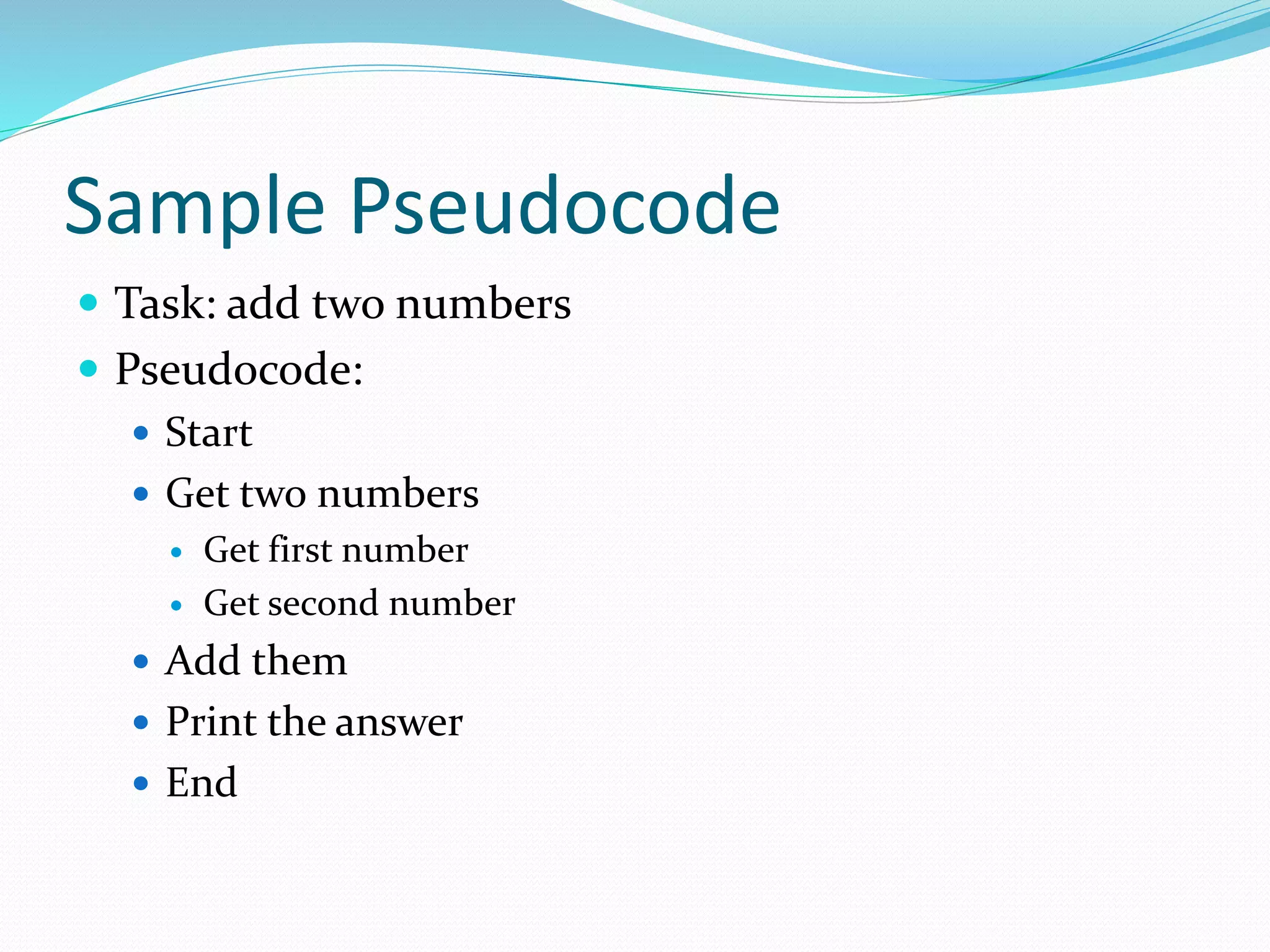
Sample Pseudocode
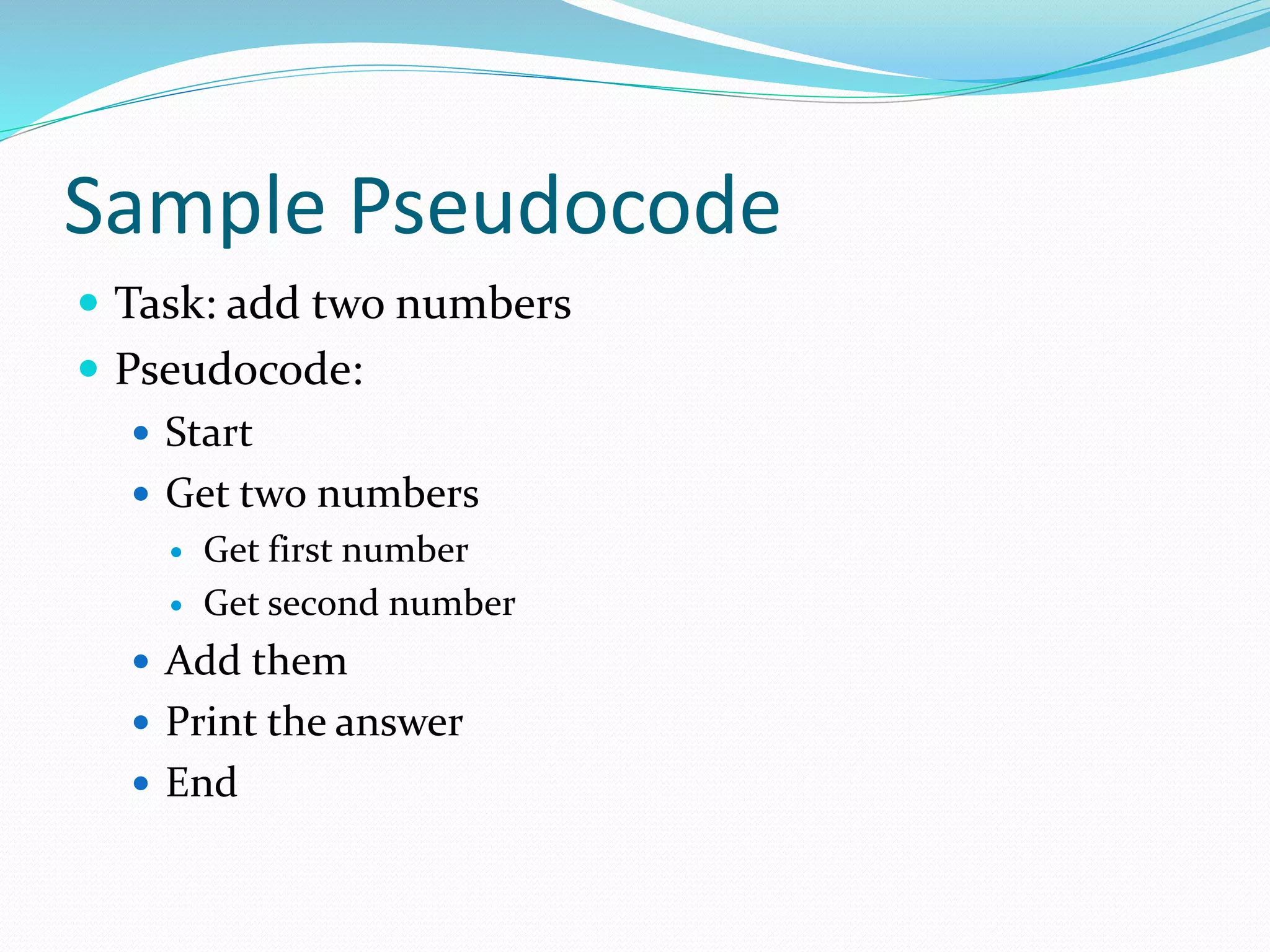
 Task: add two numbers
 Pseudocode:
 Start
 Get two numbers
 Get first number
 Get second number
 Add them
 Print the answer
 End
Invitation to Computer Science,
Java Version, Third Edition 4
Pseudocode
 English language constructs modeled to look like
statements available in most programming
languages
 Steps presented in a structured manner
(numbered, indented, and so on)
 No fixed syntax for most operations is required
Invitation to Computer Science,
Java Version, Third Edition 5
Pseudocode (continued)
 Less ambiguous and more readable than natural
language
 Emphasis is on process, not notation
 Well-understood forms allow logical reasoning
about algorithm behavior
 Can be easily translated into a programming
language
Sample Pseudocode
 Task: add two numbers
 Pseudocode:
 Start
 Get two numbers
 Get first number
 Get second number
 Add them
 Print the answer
 End
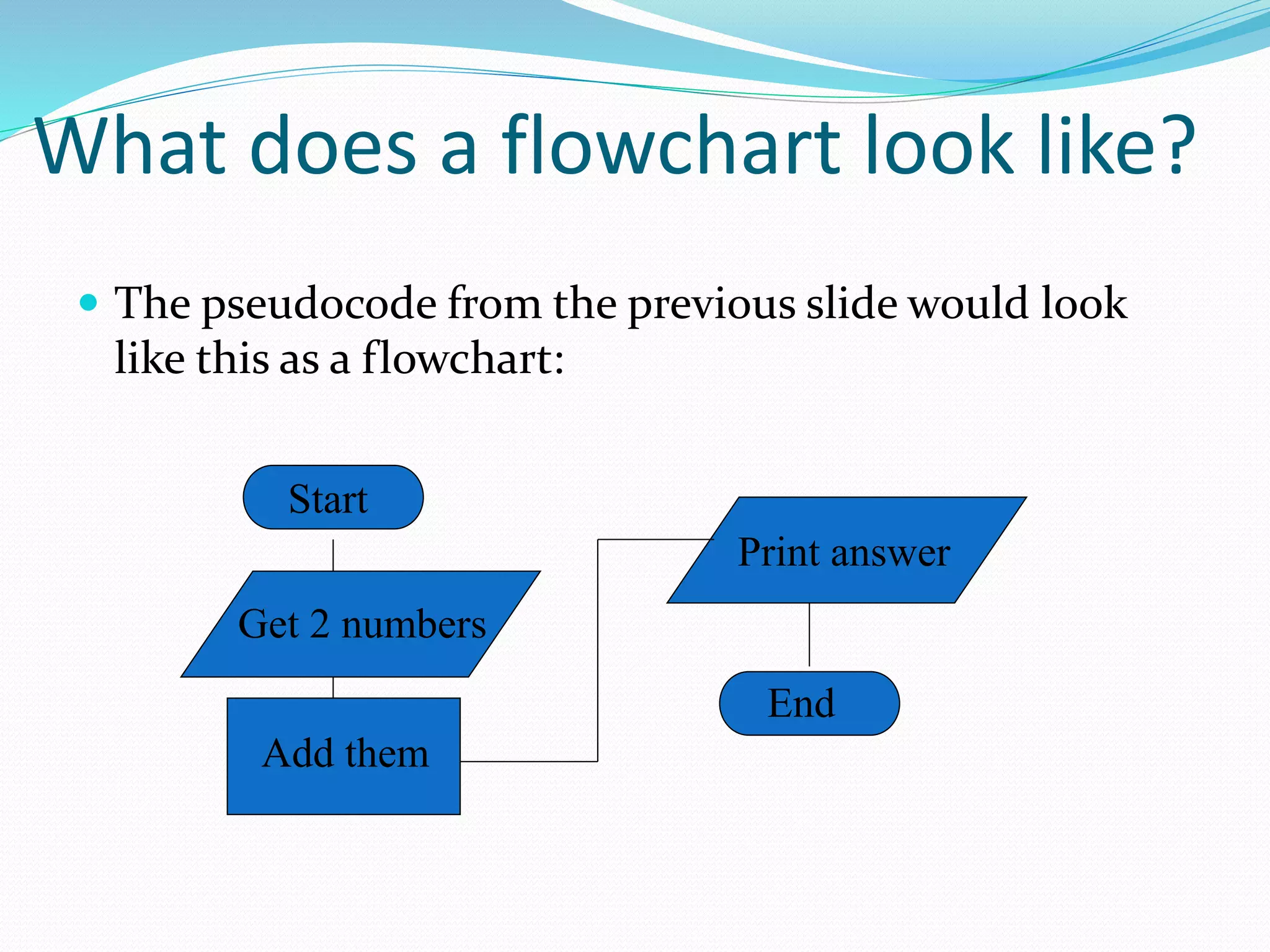
What does a flowchart look like?
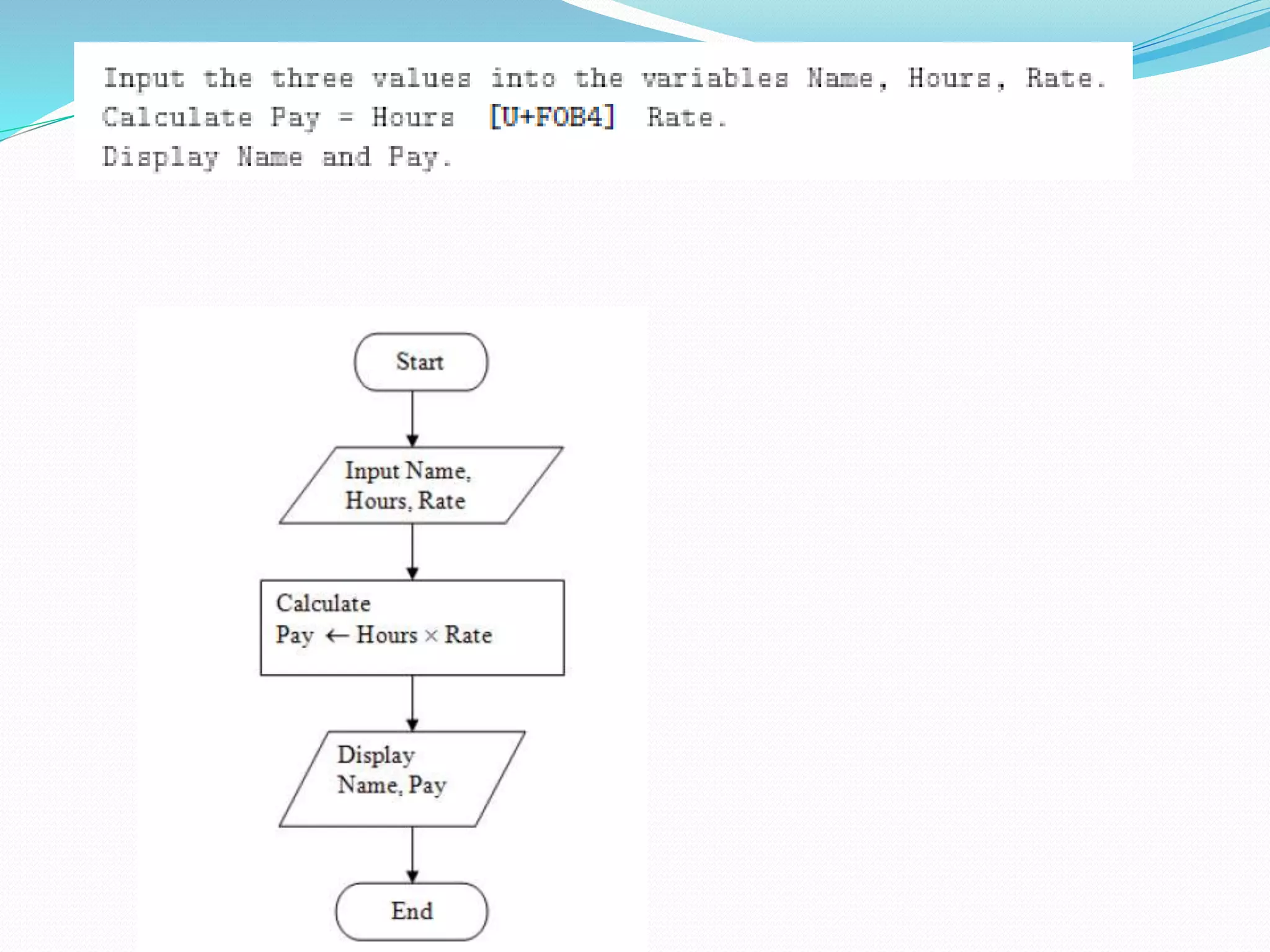
 The pseudocode from the previous slide would look
like this as a flowchart:
Start
Get 2 numbers
Add them
Print answer
End
What are those funny symbols?
 START/END
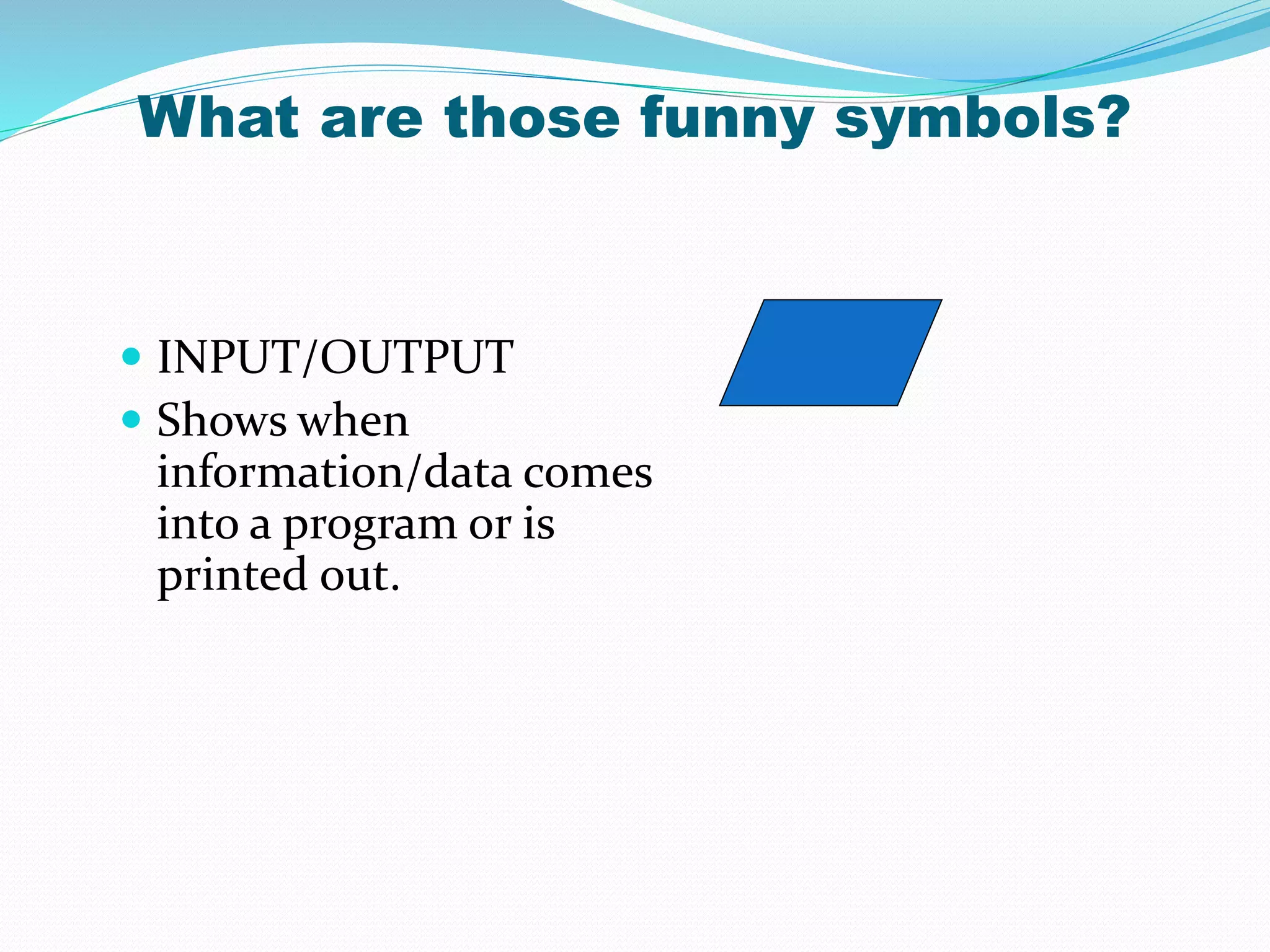
 INPUT/OUTPUT
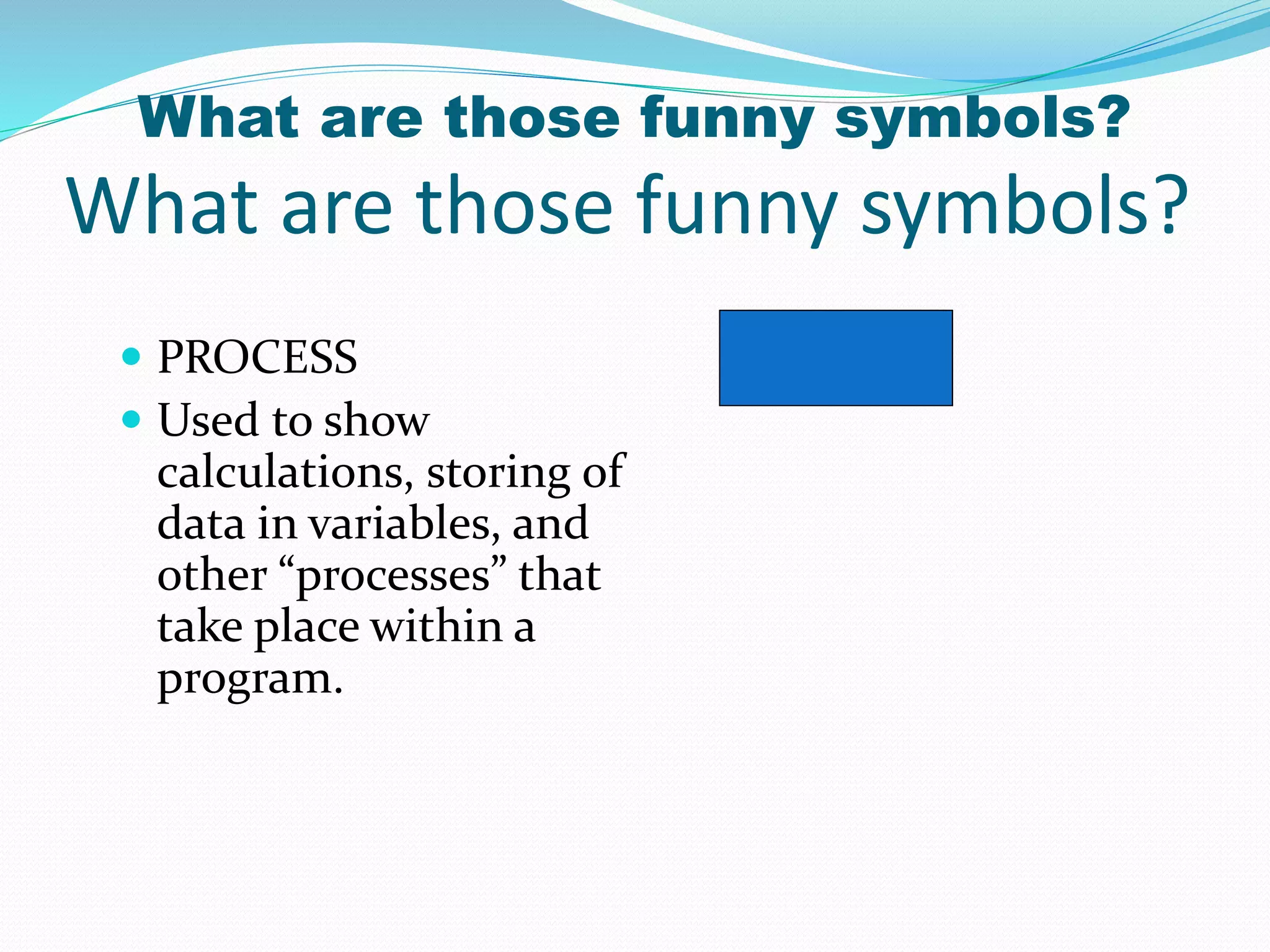
 PROCESS
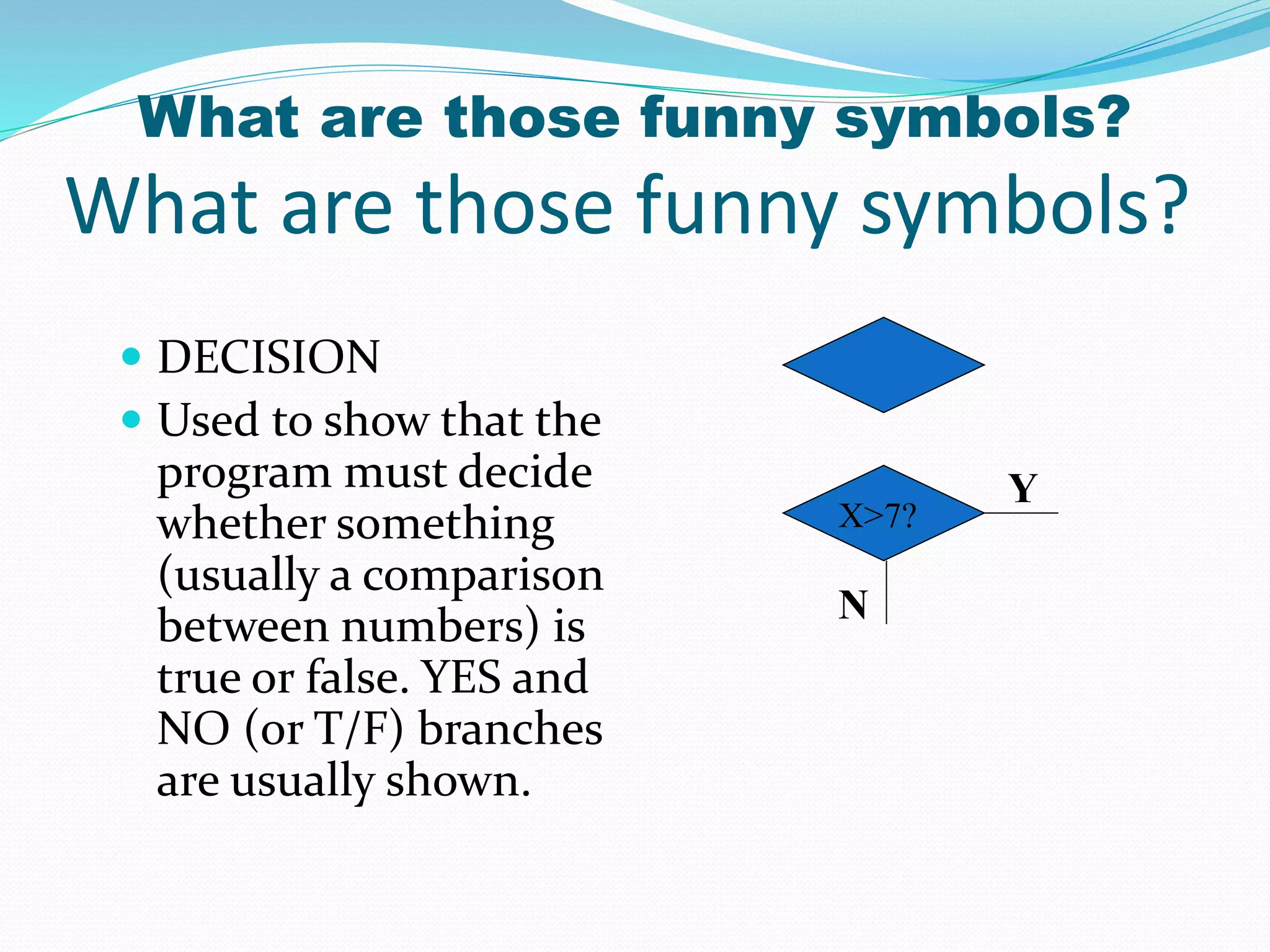
 DECISION
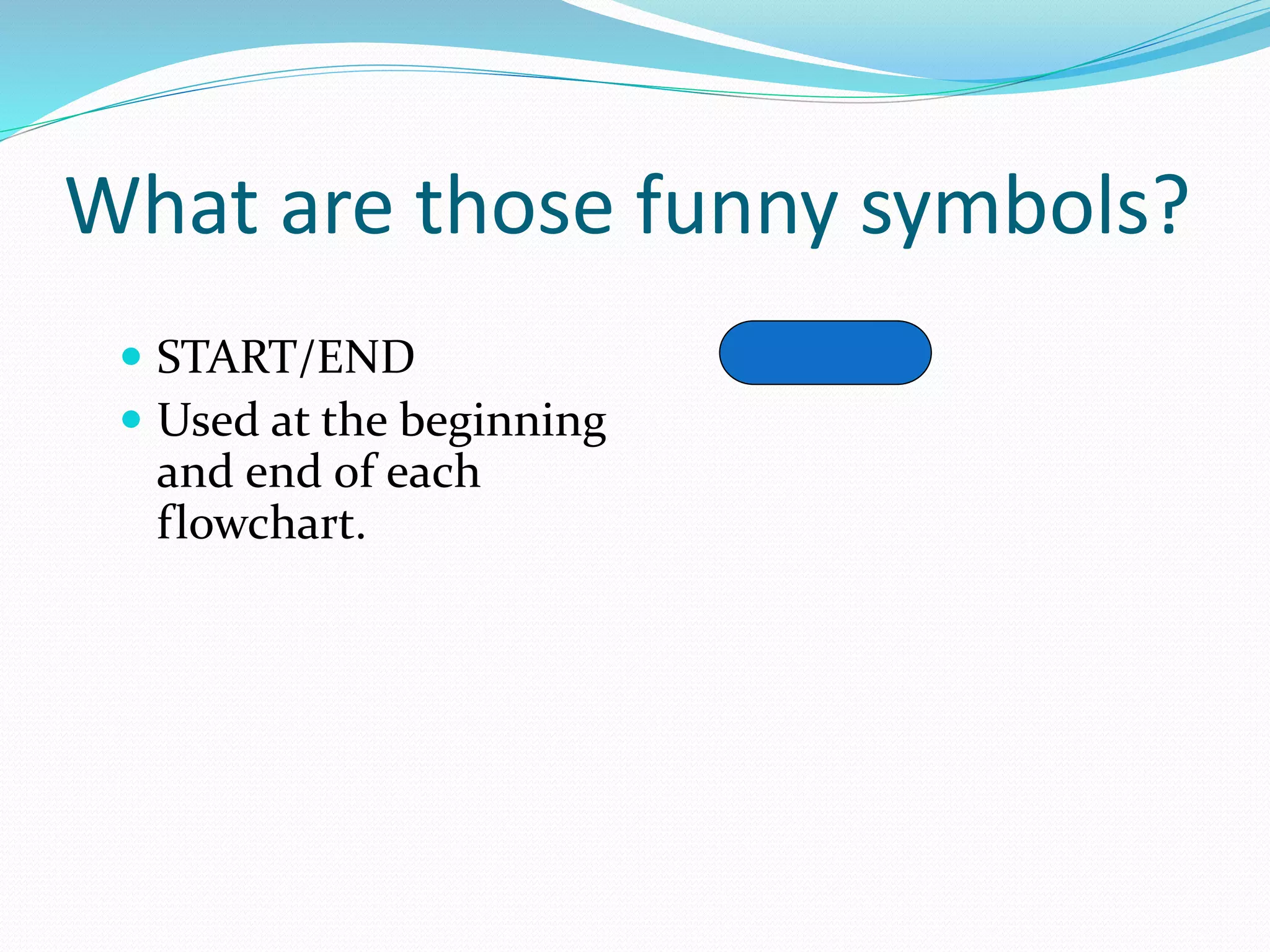
What are those funny symbols?
 START/END
 Used at the beginning
and end of each
flowchart.
 INPUT/OUTPUT
 Shows when
information/data comes
into a program or is
printed out.
What are those funny symbols?
 PROCESS
 Used to show
calculations, storing of
data in variables, and
other “processes” that
take place within a
program.
What are those funny symbols?
 DECISION
 Used to show that the
program must decide
whether something
(usually a comparison
between numbers) is
true or false. YES and
NO (or T/F) branches
are usually shown.
What are those funny symbols?
Y
N
X>7?
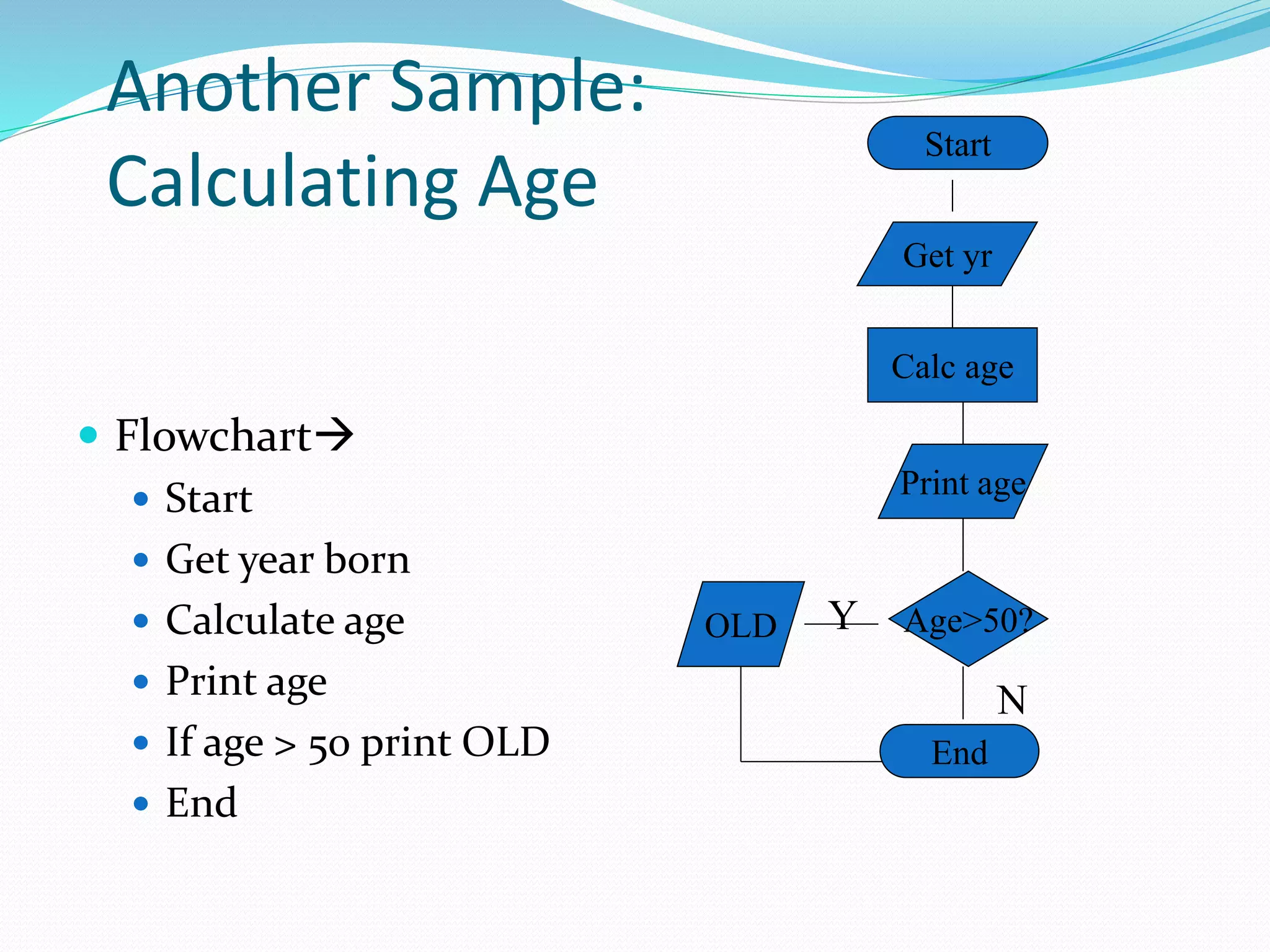
Another Sample:
Calculating Age
 Pseudocode:
 Start
 Get year DOB
 Calculate age = (sysdate-DOB)
 Print age
 If age > 50 print OLD
 End
Another Sample:
Calculating Age
 Flowchart
 Start
 Get year born
 Calculate age
 Print age
 If age > 50 print OLD
 End
Get yr
Calc age
Print age
Age>50?OLD Y
N
Start
End
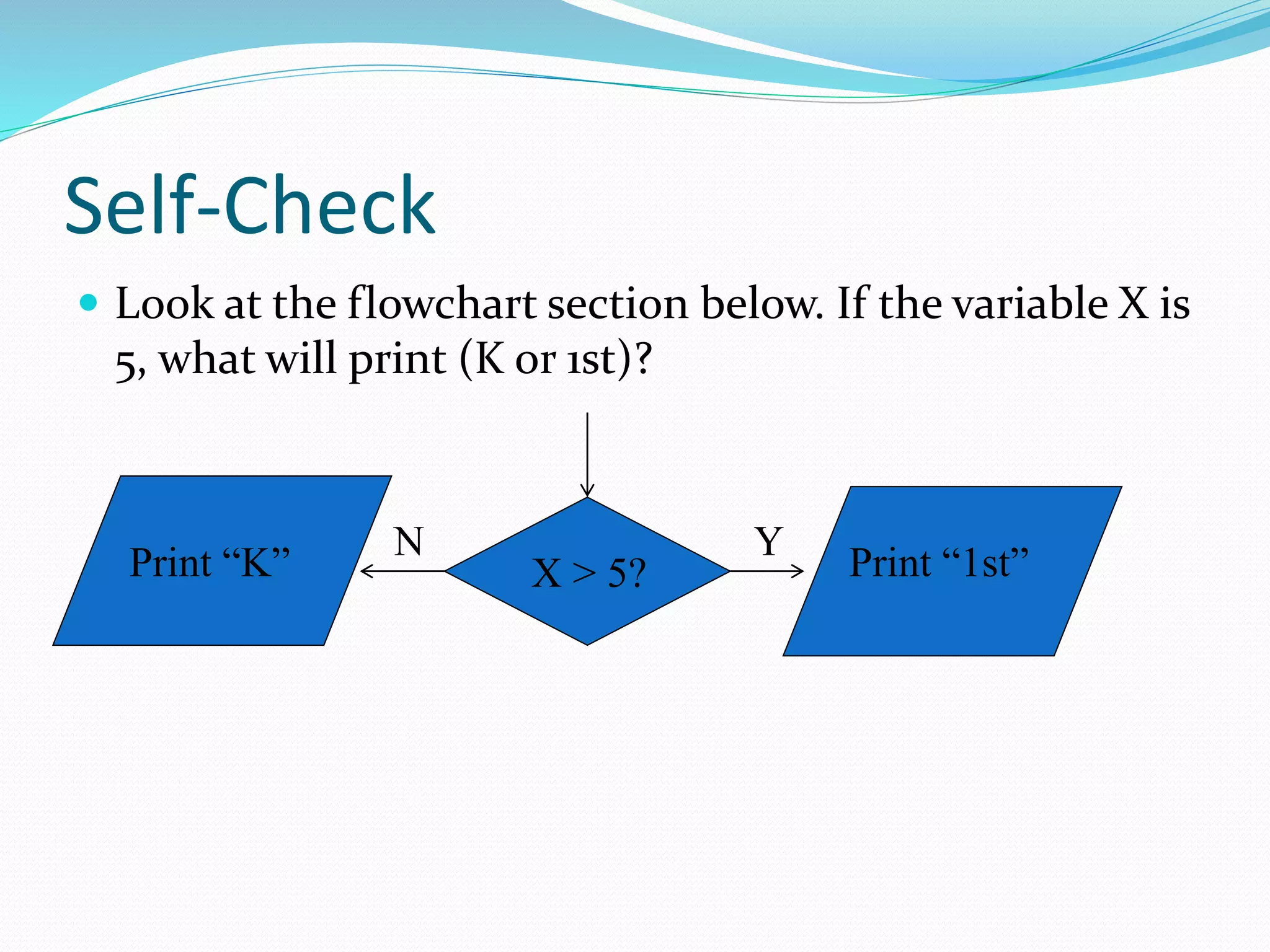
Self-Check
 Look at the flowchart section below. If the variable X is
5, what will print (K or 1st)?
X > 5?
YN
Print “1st”Print “K”
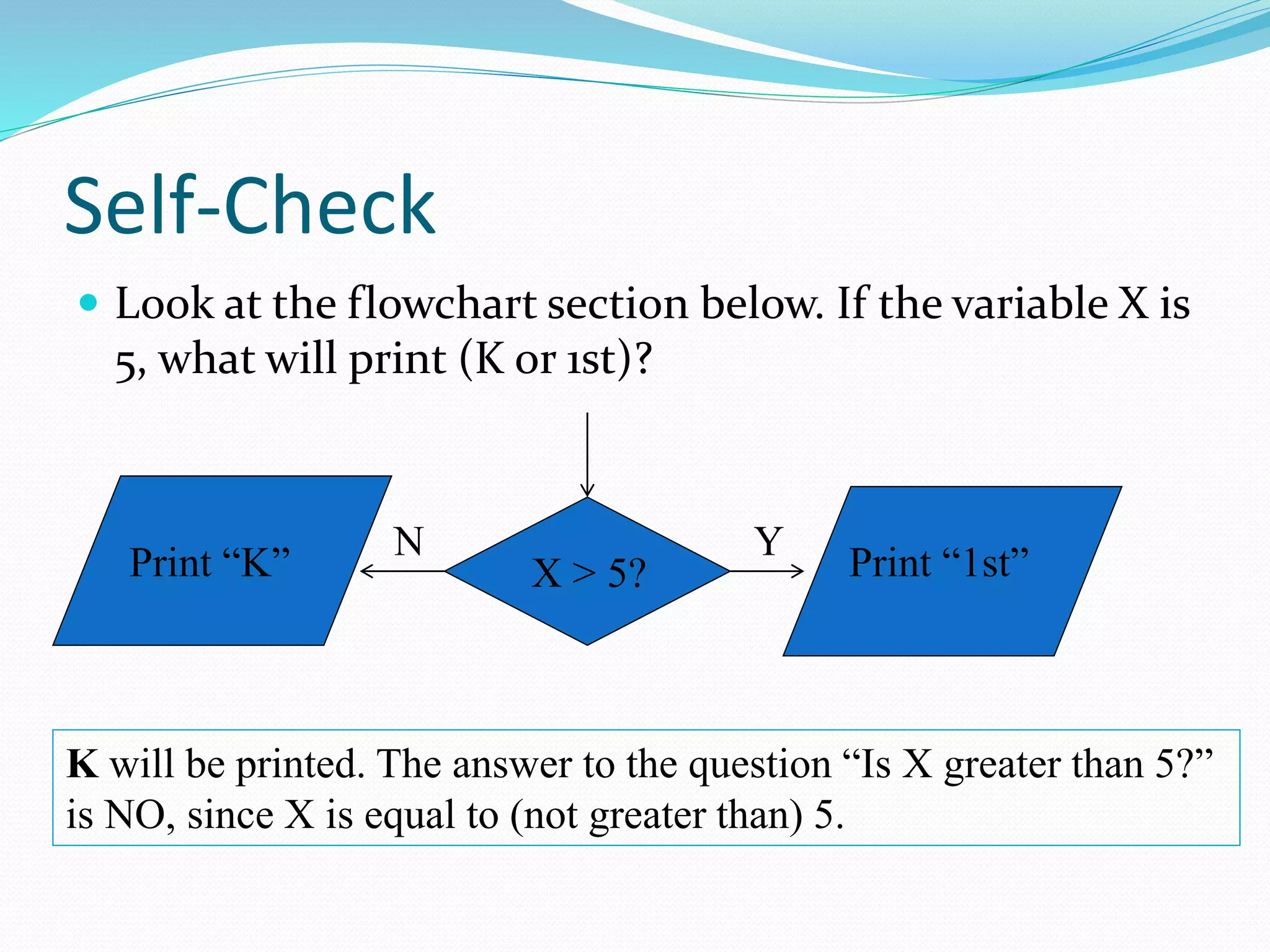
Self-Check
 Look at the flowchart section below. If the variable X is
5, what will print (K or 1st)?
X > 5?
YN
Print “1st”Print “K”
K will be printed. The answer to the question “Is X greater than 5?”
is NO, since X is equal to (not greater than) 5.
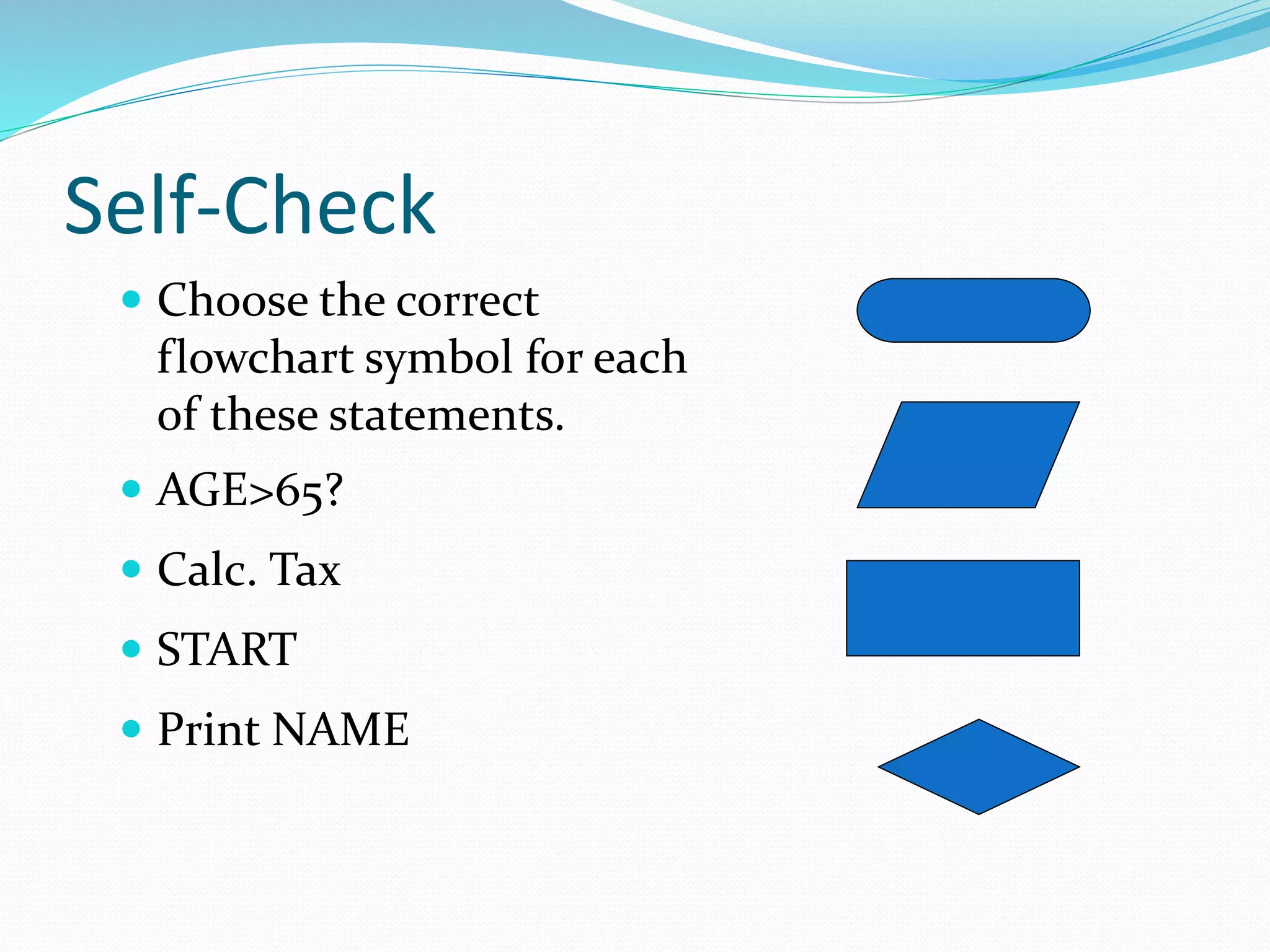
Self-Check
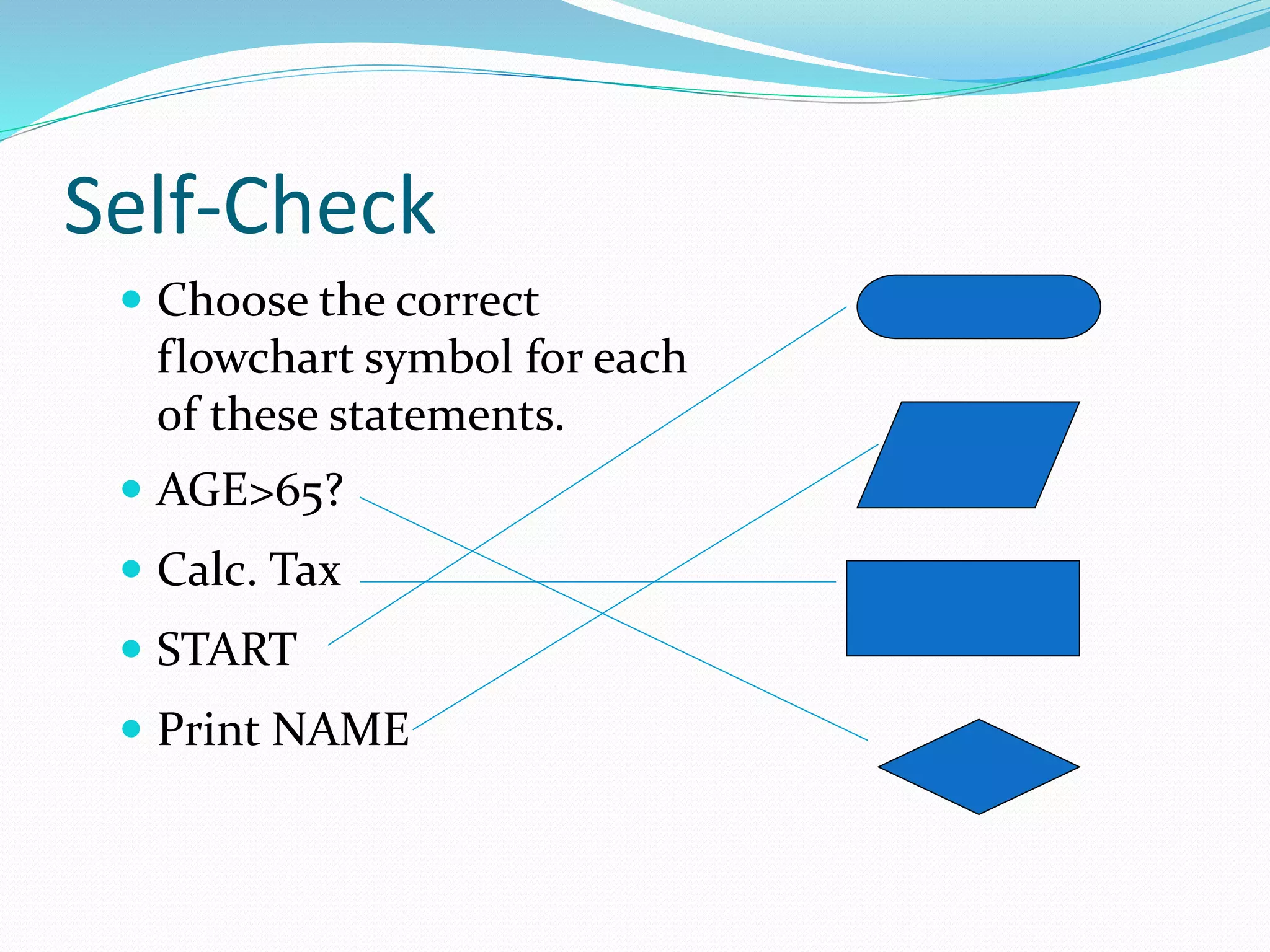
 Choose the correct
flowchart symbol for each
of these statements.
 AGE>65?
 Calc. Tax
 START
 Print NAME
Self-Check
 Choose the correct
flowchart symbol for each
of these statements.
 AGE>65?
 Calc. Tax
 START
 Print NAME
Challenge
 Try to write pseudocode and create a flowchart for a
program that calculates the average of three grades
and prints the average.
 The word GOOD should be printed only if the average
is more than 80.
Challenge
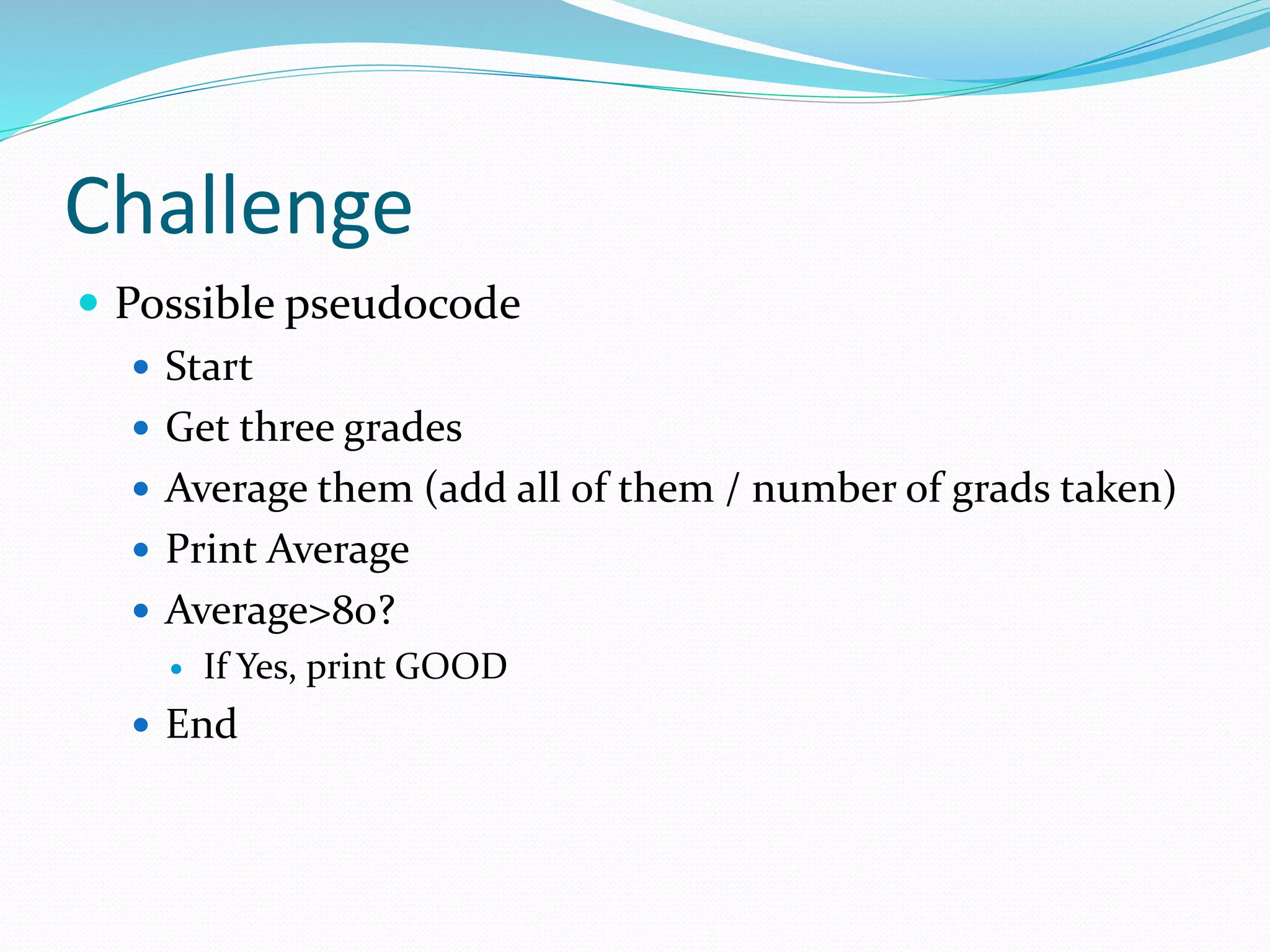
 Possible pseudocode
 Start
 Get three grades
 Average them (add all of them / number of grads taken)
 Print Average
 Average>80?
 If Yes, print GOOD
 End
Challenge
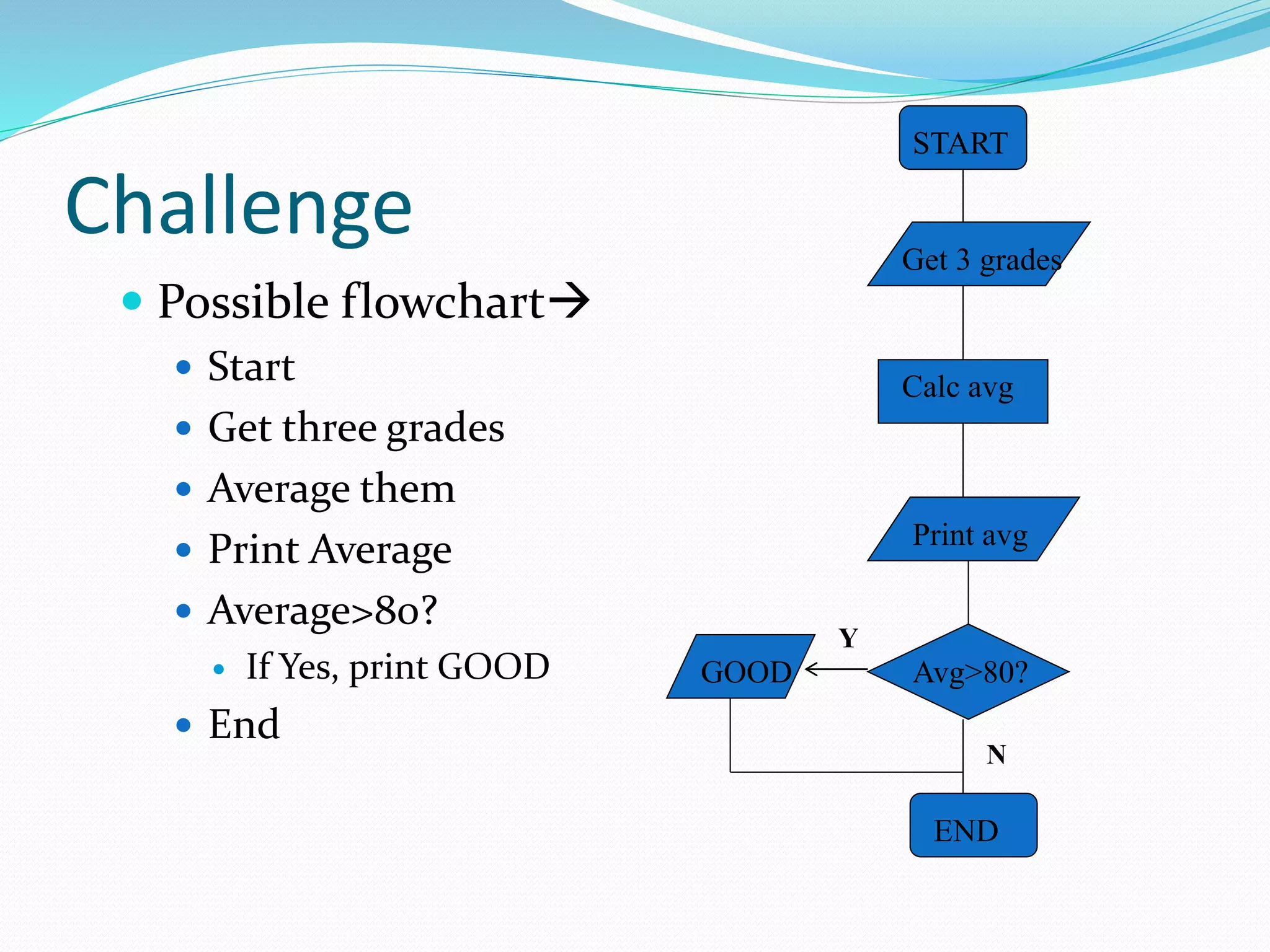
 Possible flowchart
 Start
 Get three grades
 Average them
 Print Average
 Average>80?
 If Yes, print GOOD
 End
START
END
Get 3 grades
Calc avg
Print avg
Avg>80?GOOD
Y
N
Challenge
 Try to write pseudocode and create a flowchart for a
program that calculates the average of three grades
and prints the average.
 The word GOOD should be printed only if the average
is more than 80.
Challenge
 Possible pseudocode
 Start
 Get three grades
 Average them
 Print Average
 Average>80?
 If Yes, print GOOD
 End
Challenge
 Possible flowchart
 Start
 Get three grades
 Average them
 Print Average
 Average>80?
 If Yes, print GOOD
 End
START
END
Get 3 grades
Calc avg
Print avg
Avg>80?GOOD
Y
N
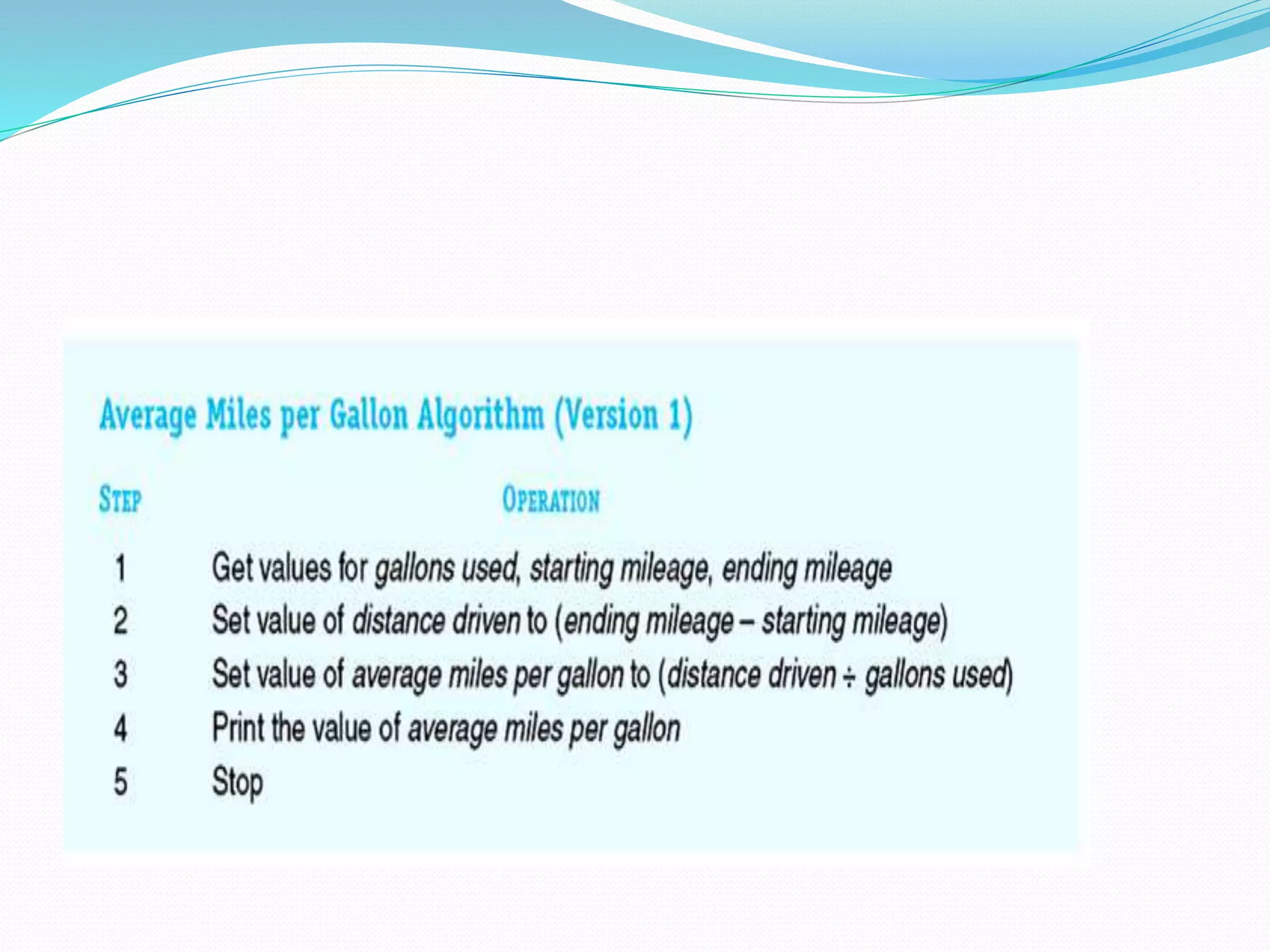
 Algorithm for Computing Average Miles per
Gallon
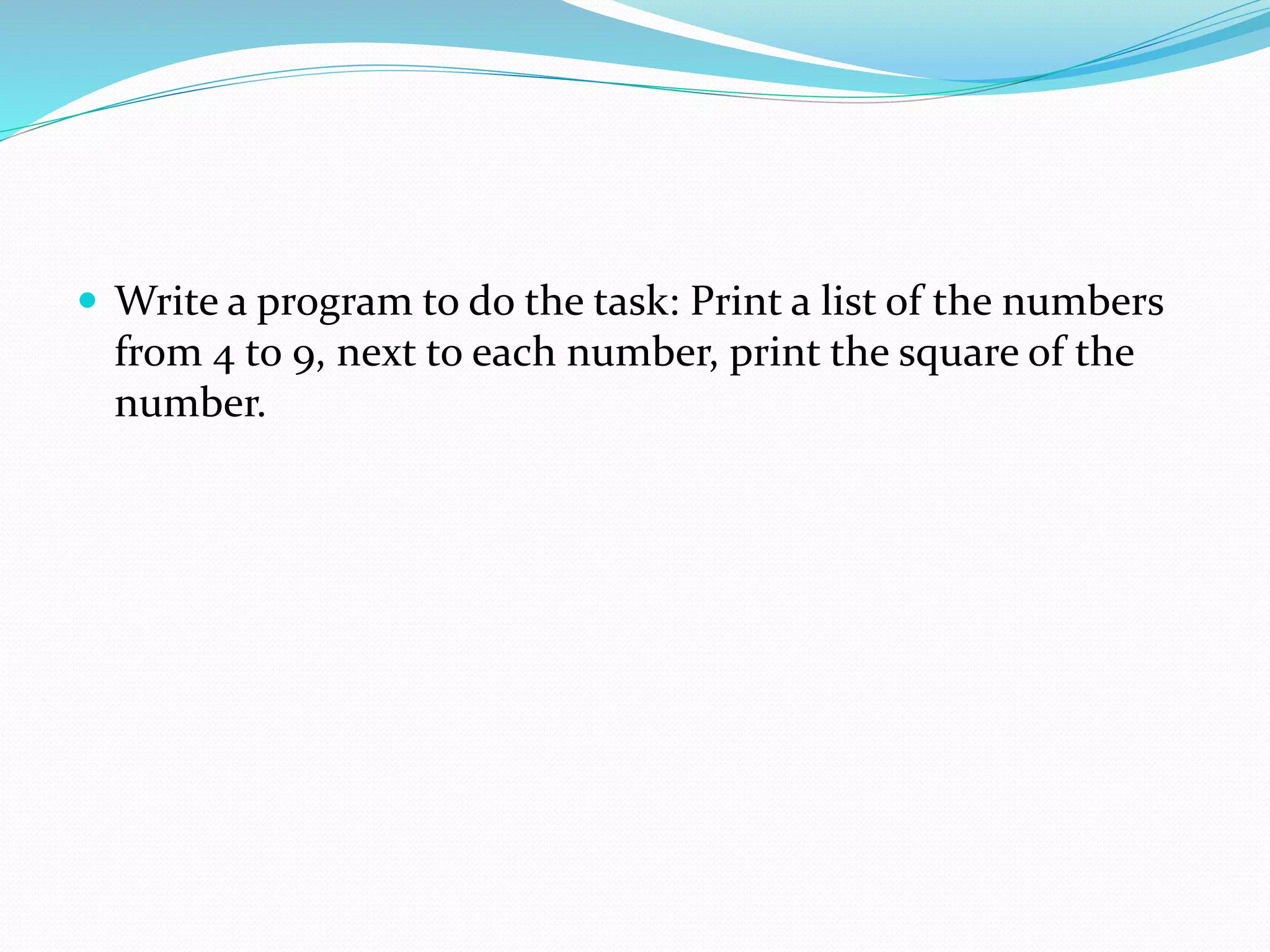
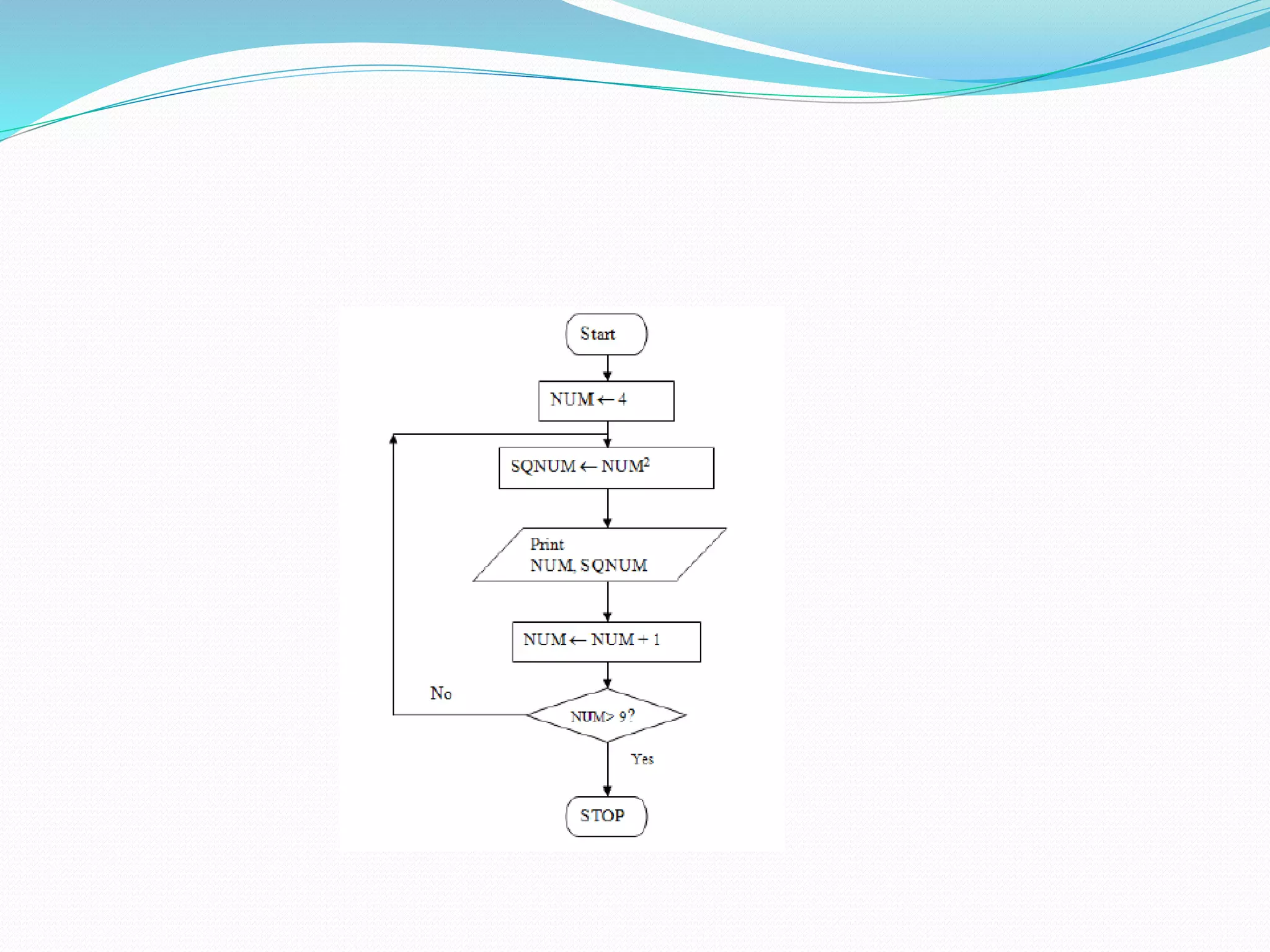
 Write a program to do the task: Print a list of the numbers
from 4 to 9, next to each number, print the square of the
number.
pseudocode and Flowchart

pseudocode and Flowchart

  • 2.
    What is pseudocode? List of steps written in English  Like the instructions for a recipe  Must be in the right sequence  Imagine saying “bake the cake” and then “mix it up”
  • 3.
    Sample Pseudocode  Task:add two numbers  Pseudocode:  Start  Get two numbers  Get first number  Get second number  Add them  Print the answer  End
  • 4.
    Invitation to ComputerScience, Java Version, Third Edition 4 Pseudocode  English language constructs modeled to look like statements available in most programming languages  Steps presented in a structured manner (numbered, indented, and so on)  No fixed syntax for most operations is required
  • 5.
    Invitation to ComputerScience, Java Version, Third Edition 5 Pseudocode (continued)  Less ambiguous and more readable than natural language  Emphasis is on process, not notation  Well-understood forms allow logical reasoning about algorithm behavior  Can be easily translated into a programming language
  • 6.
    Sample Pseudocode  Task:add two numbers  Pseudocode:  Start  Get two numbers  Get first number  Get second number  Add them  Print the answer  End
  • 7.
    What does aflowchart look like?  The pseudocode from the previous slide would look like this as a flowchart: Start Get 2 numbers Add them Print answer End
  • 8.
    What are thosefunny symbols?  START/END  INPUT/OUTPUT  PROCESS  DECISION
  • 9.
    What are thosefunny symbols?  START/END  Used at the beginning and end of each flowchart.
  • 10.
     INPUT/OUTPUT  Showswhen information/data comes into a program or is printed out. What are those funny symbols?
  • 11.
    What are thosefunny symbols?  PROCESS  Used to show calculations, storing of data in variables, and other “processes” that take place within a program. What are those funny symbols?
  • 12.
    What are thosefunny symbols?  DECISION  Used to show that the program must decide whether something (usually a comparison between numbers) is true or false. YES and NO (or T/F) branches are usually shown. What are those funny symbols? Y N X>7?
  • 13.
    Another Sample: Calculating Age Pseudocode:  Start  Get year DOB  Calculate age = (sysdate-DOB)  Print age  If age > 50 print OLD  End
  • 14.
    Another Sample: Calculating Age Flowchart  Start  Get year born  Calculate age  Print age  If age > 50 print OLD  End Get yr Calc age Print age Age>50?OLD Y N Start End
  • 15.
    Self-Check  Look atthe flowchart section below. If the variable X is 5, what will print (K or 1st)? X > 5? YN Print “1st”Print “K”
  • 16.
    Self-Check  Look atthe flowchart section below. If the variable X is 5, what will print (K or 1st)? X > 5? YN Print “1st”Print “K” K will be printed. The answer to the question “Is X greater than 5?” is NO, since X is equal to (not greater than) 5.
  • 17.
    Self-Check  Choose thecorrect flowchart symbol for each of these statements.  AGE>65?  Calc. Tax  START  Print NAME
  • 18.
    Self-Check  Choose thecorrect flowchart symbol for each of these statements.  AGE>65?  Calc. Tax  START  Print NAME
  • 19.
    Challenge  Try towrite pseudocode and create a flowchart for a program that calculates the average of three grades and prints the average.  The word GOOD should be printed only if the average is more than 80.
  • 20.
    Challenge  Possible pseudocode Start  Get three grades  Average them (add all of them / number of grads taken)  Print Average  Average>80?  If Yes, print GOOD  End
  • 21.
    Challenge  Possible flowchart Start  Get three grades  Average them  Print Average  Average>80?  If Yes, print GOOD  End START END Get 3 grades Calc avg Print avg Avg>80?GOOD Y N
  • 22.
    Challenge  Try towrite pseudocode and create a flowchart for a program that calculates the average of three grades and prints the average.  The word GOOD should be printed only if the average is more than 80.
  • 23.
    Challenge  Possible pseudocode Start  Get three grades  Average them  Print Average  Average>80?  If Yes, print GOOD  End
  • 24.
    Challenge  Possible flowchart Start  Get three grades  Average them  Print Average  Average>80?  If Yes, print GOOD  End START END Get 3 grades Calc avg Print avg Avg>80?GOOD Y N
  • 26.
     Algorithm forComputing Average Miles per Gallon
  • 28.
     Write aprogram to do the task: Print a list of the numbers from 4 to 9, next to each number, print the square of the number.