Preliminary Concepts
Unit - 01
Reasons for Studying Concepts of Programming Languages
• Increased ability to express ideas
• Improved background for choosing appropriate languages
• Increased ability to learn new languages
• Better understanding of significance of implementation
• Better use of languages that are already known
• Ability to design new languages
• Overall advancement of computing
Programming Domains
• Scientific Applications
• Simple data structure but requires large number of floating point computation
• FORTRAN (Later ALGOL)
• Common data structures Arrays, Matrices
• Common control structures Counting loops, selections
• Business Applications
• Produce reports, use decimal numbers and characters
• COBOL
• PCs introduced in Businesses
• Spreadsheets and Database systems were developed
• Artificial Intelligence
• Symbols rather than numbers manipulated
• LISP
• Later PROLOG logic programs were invented
• Systems Programming
• OS and programming support tools System S/W
• Low level features
• Programs  Assembly language / Specific language of system programming
• C
• Web Software
• Represent dynamic content, audio, video etc..,
• Supported by collection of languages: markup (e.g., XHTML), scripting (e.g., PHP),
general-purpose (e.g., Java)
Language Evaluation Criteria
• Readability
Overall simplicity
Orthogonality
Control statements
Data types and structures
• Writability
Simplicity and Orthogonality
Support for abstraction
Expressivity
• Reliability
Type checking
Exception handling
Readability and Writability
• Cost
• Others
Portability
Generality
Influences on Language Design
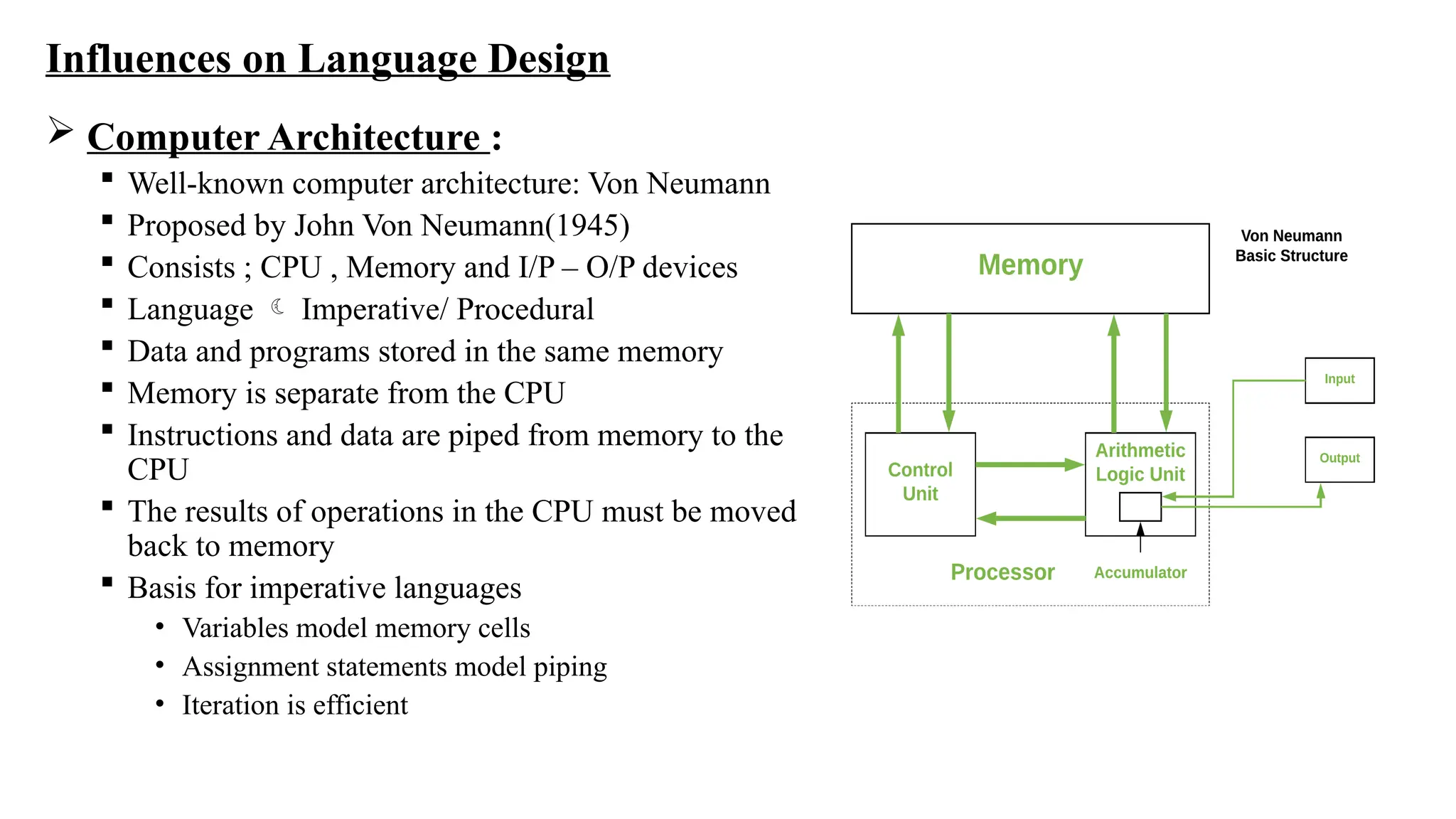
 Computer Architecture :
 Well-known computer architecture: Von Neumann
 Proposed by John Von Neumann(1945)
 Consists ; CPU , Memory and I/P – O/P devices
 Language  Imperative/ Procedural
 Data and programs stored in the same memory
 Memory is separate from the CPU
 Instructions and data are piped from memory to the
CPU
 The results of operations in the CPU must be moved
back to memory
 Basis for imperative languages
• Variables model memory cells
• Assignment statements model piping
• Iteration is efficient
Programming Methodologies :
 1950s and early 1960s:
• Simple applications
• worry about machine efficiency
 Late 1960s:
• People efficiency became important
• Readability, better control structures
• Structured programming
• Top-down design and step-wise refinement
 Late 1970s:
• Process-oriented to data-oriented
• Data abstraction
 Middle 1980s:
• Object-oriented programming
• Data abstraction + inheritance + polymorphism
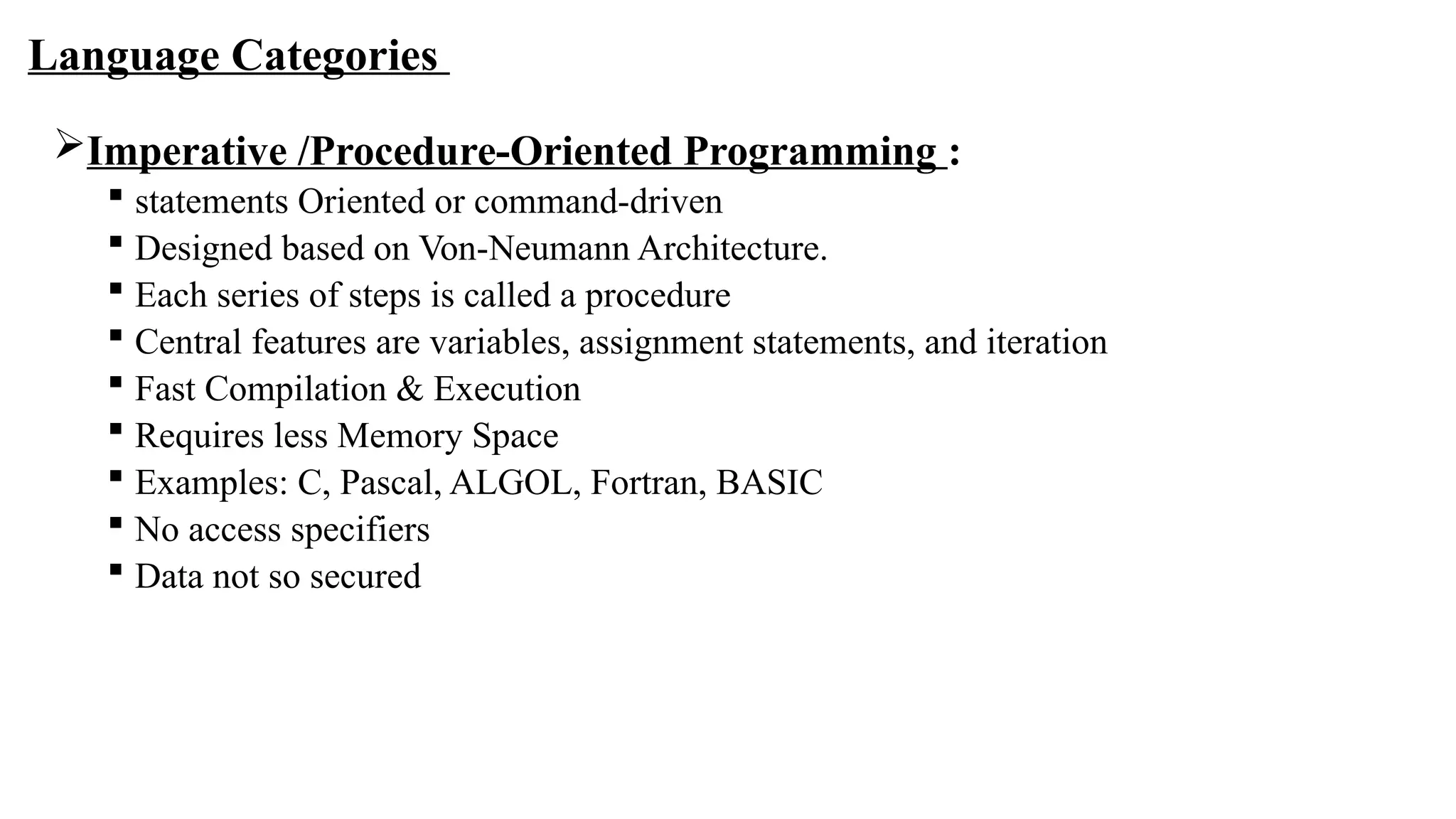
Language Categories
Imperative /Procedure-Oriented Programming :
 statements Oriented or command-driven
 Designed based on Von-Neumann Architecture.
 Each series of steps is called a procedure
 Central features are variables, assignment statements, and iteration
 Fast Compilation & Execution
 Requires less Memory Space
 Examples: C, Pascal, ALGOL, Fortran, BASIC
 No access specifiers
 Data not so secured
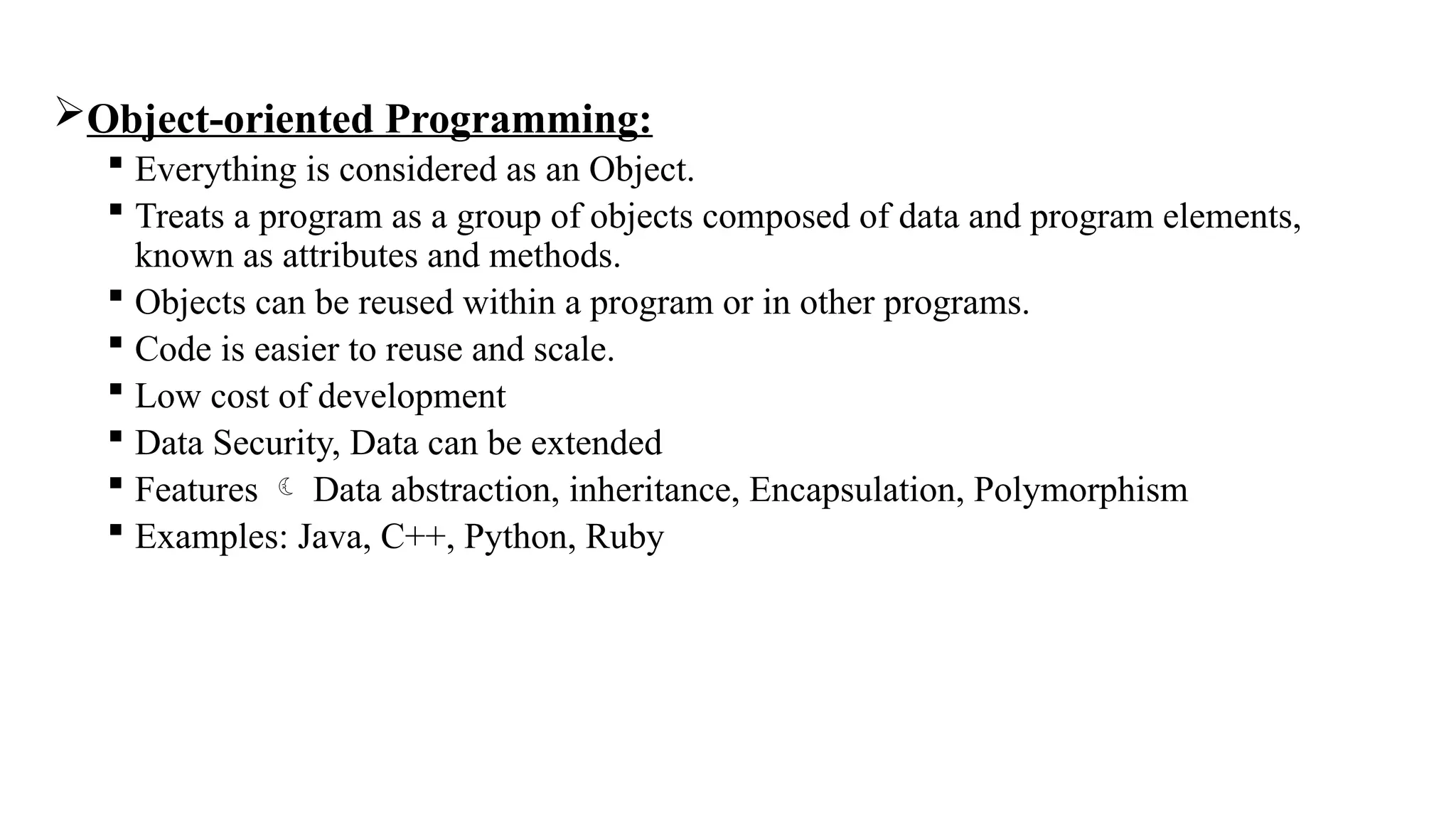
Object-oriented Programming:
 Everything is considered as an Object.
 Treats a program as a group of objects composed of data and program elements,
known as attributes and methods.
 Objects can be reused within a program or in other programs.
 Code is easier to reuse and scale.
 Low cost of development
 Data Security, Data can be extended
 Features  Data abstraction, inheritance, Encapsulation, Polymorphism
 Examples: Java, C++, Python, Ruby
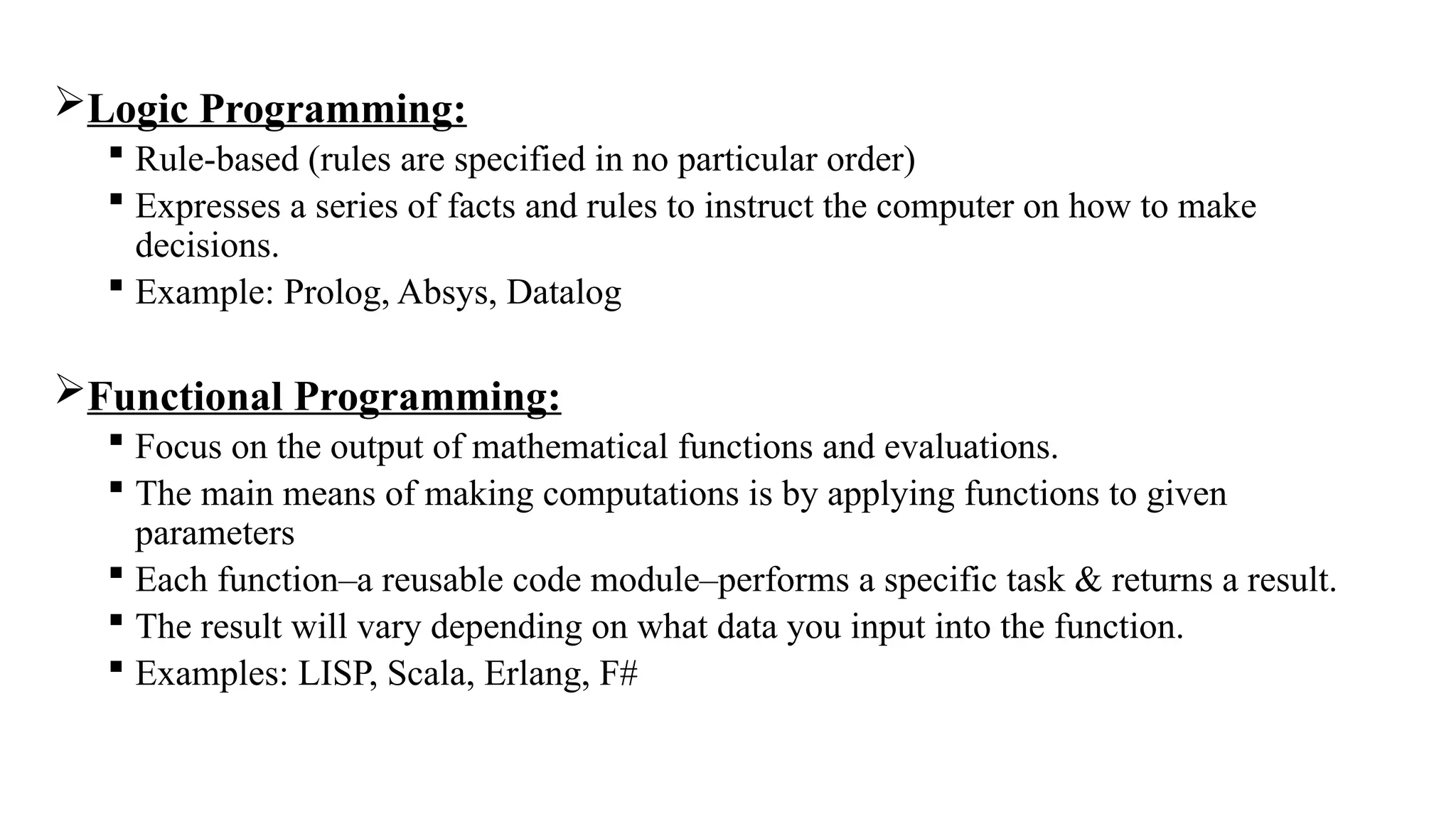
Logic Programming:
 Rule-based (rules are specified in no particular order)
 Expresses a series of facts and rules to instruct the computer on how to make
decisions.
 Example: Prolog, Absys, Datalog
Functional Programming:
 Focus on the output of mathematical functions and evaluations.
 The main means of making computations is by applying functions to given
parameters
 Each function–a reusable code module–performs a specific task & returns a result.
 The result will vary depending on what data you input into the function.
 Examples: LISP, Scala, Erlang, F#
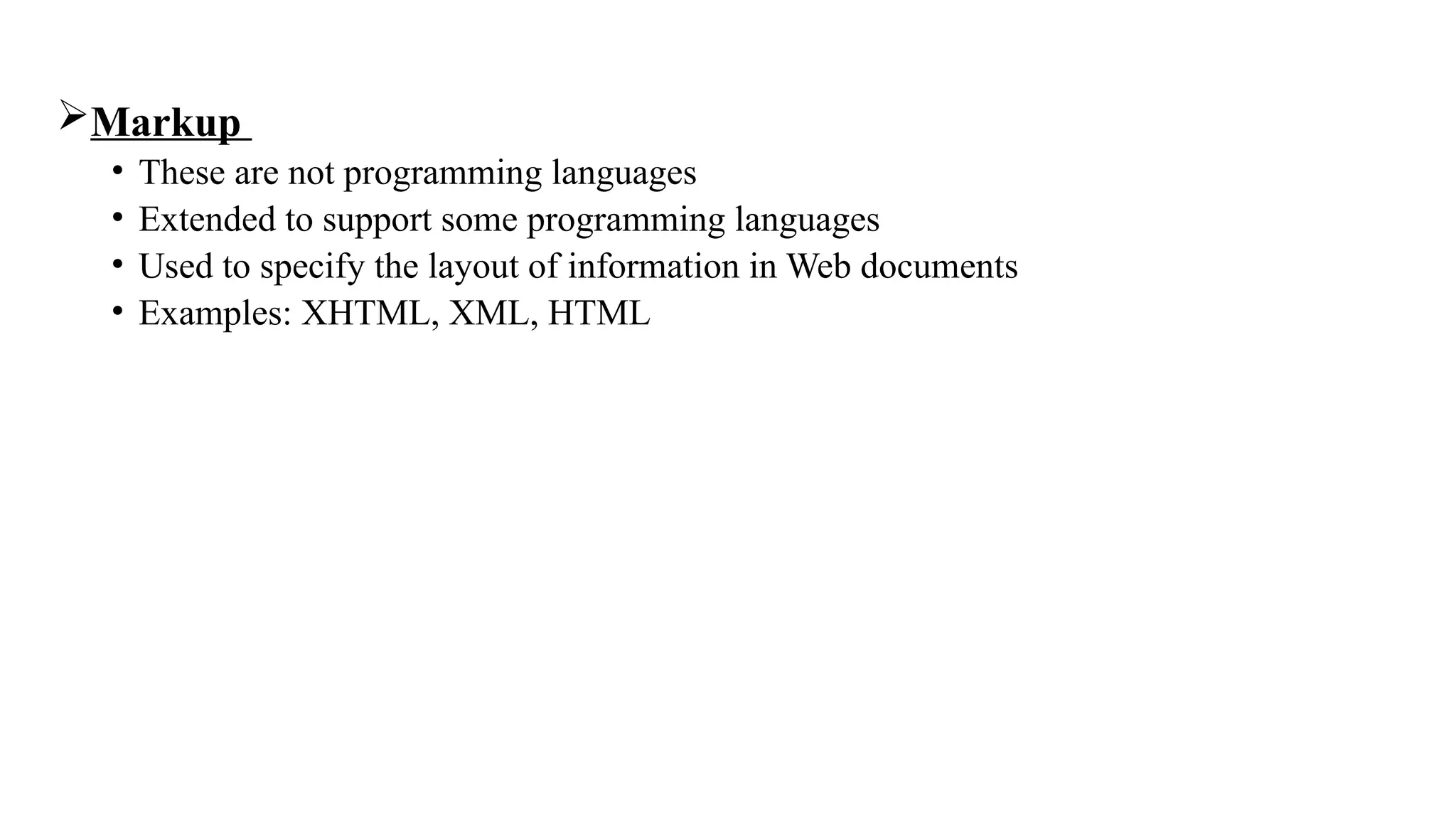
Markup
• These are not programming languages
• Extended to support some programming languages
• Used to specify the layout of information in Web documents
• Examples: XHTML, XML, HTML
Language Design Trade-Offs
Reliability vs. cost (of execution)
• Conflicting criteria
• Ex: Java demands all references to array elements be checked for proper indexing but
that leads to increased execution costs
• And C doesn’t require index range checking
• C programs execute faster than Java
• Java programs are more reliable
• Designers of Java traded execution efficiency for reliability
Readability vs. Writability
• Another conflicting criteria
• Example: APL provides many powerful operators (and a large number of new symbols),
allowing complex computations to be written in a compact program but at the cost of
poor readability
Writability (flexibility) vs. reliability
• Another conflicting criteria which is common in language design.
• Ex: C++ pointers are powerful and very flexible but they have reliability problems
with pointers ,they are not included in java
Implementation Methods:
• Primary Components of Computer  Internal Memory + Processor( Microinstructions)
• Language implementation system  OS
• Absence of supporting s/w  Own machine language (inflexible)
• Types of methods
• Compilation/ Compiler Implementation
• Pure Interpretation
• Hybrid Implementation System
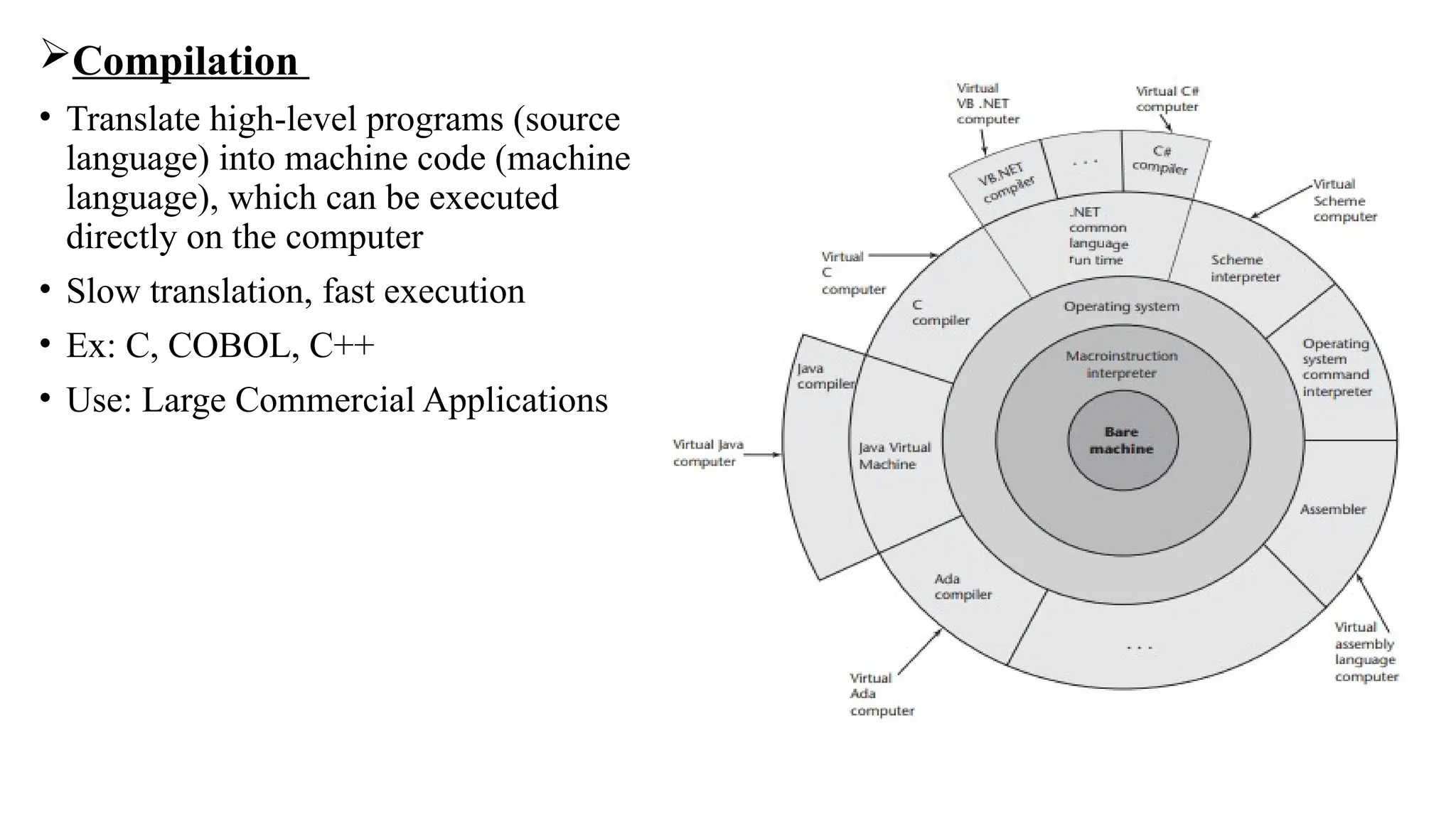
Compilation
• Translate high-level programs (source
language) into machine code (machine
language), which can be executed
directly on the computer
• Slow translation, fast execution
• Ex: C, COBOL, C++
• Use: Large Commercial Applications
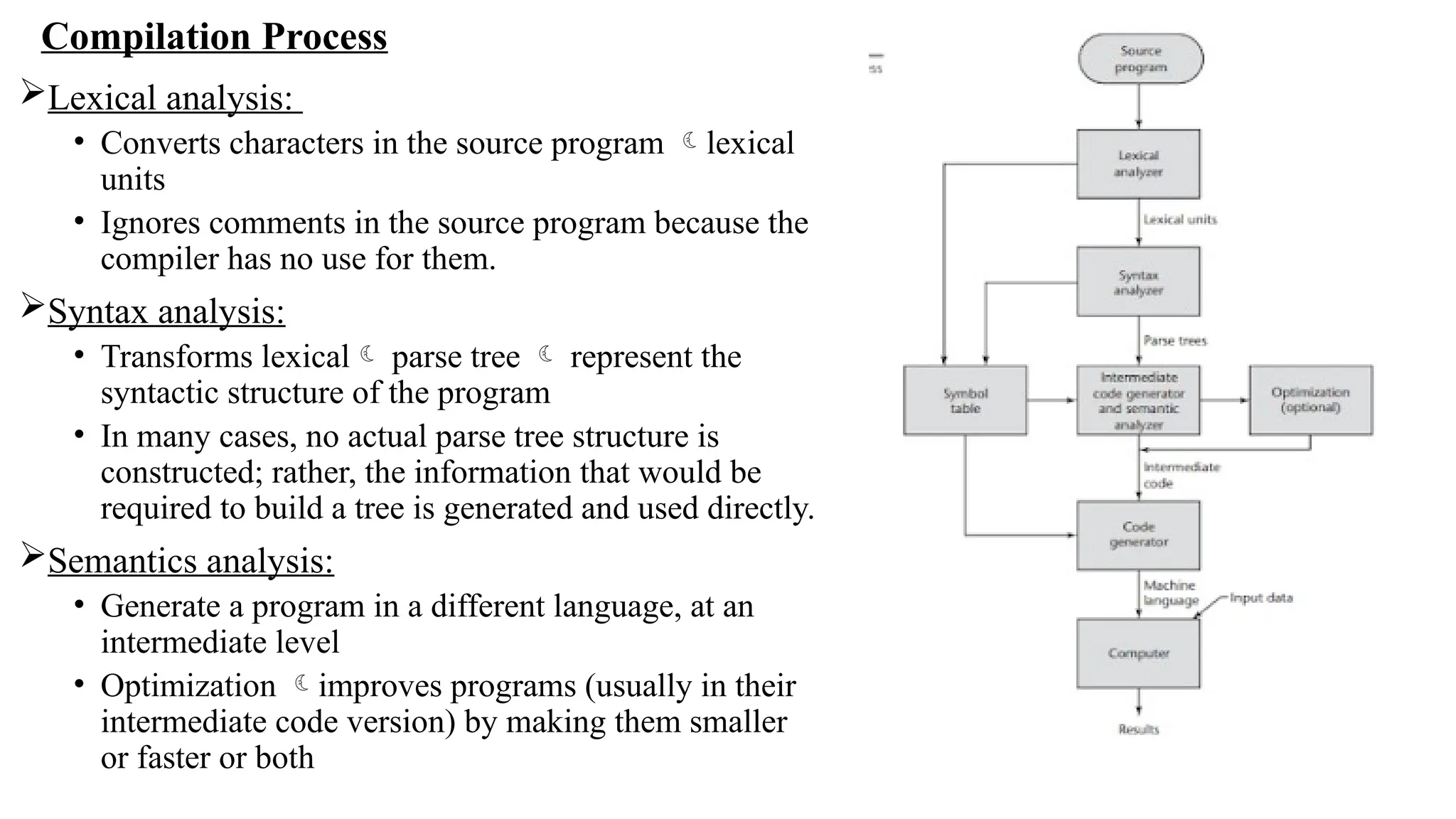
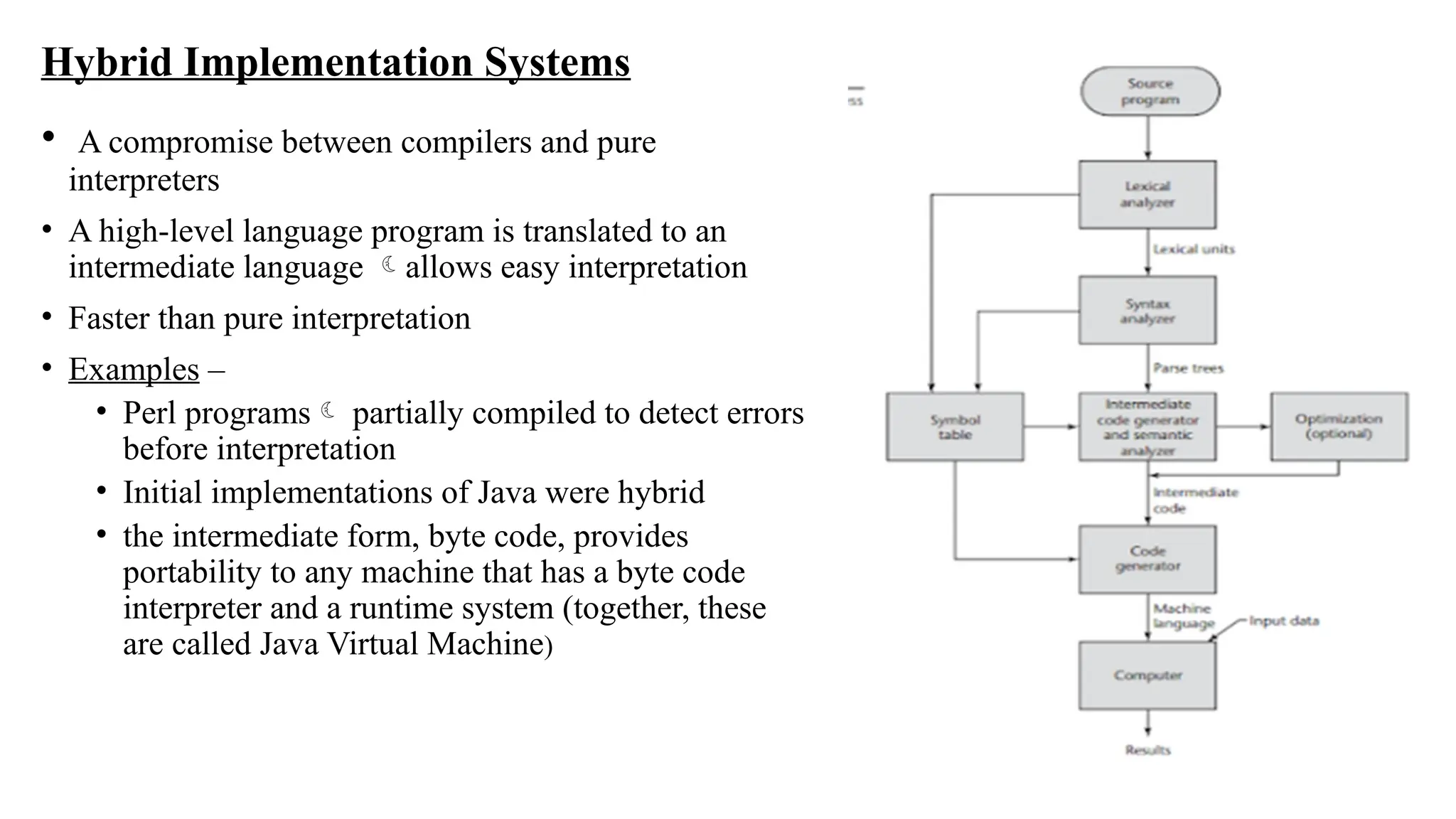
Compilation Process
Lexical analysis:
• Converts characters in the source program lexical
units
• Ignores comments in the source program because the
compiler has no use for them.
Syntax analysis:
• Transforms lexical parse tree  represent the
syntactic structure of the program
• In many cases, no actual parse tree structure is
constructed; rather, the information that would be
required to build a tree is generated and used directly.
Semantics analysis:
• Generate a program in a different language, at an
intermediate level
• Optimization improves programs (usually in their
intermediate code version) by making them smaller
or faster or both
Code generation:
• Translates the optimized intermediate code version of the program equivalent machine
language program.
• The symbol table serves as a database for the compilation process
• The primary contents of the symbol table are the type and attribute info of each user- defined
name in the program.
• This info is placed in the symbol table by the lexical and syntax analyzers and is used by the
semantic analyzer and the code generator.
• Additional Compilation Terminologies
• Load module (executable image): the user and system code together
• Linking and loading: the process of collecting system program and linking them to user
program(Linking)
• Linker: a systems program used in linking and loading process
Von Neumann Bottleneck
• The speed of the connection between a computer’s memory and its processor often
determines the speed of the computer
• Because instructions often can be executed much faster than they can be moved to the
processor for execution.
• The connection speed thus results in a bottleneck
• It is the primary limiting factor in the speed of computers
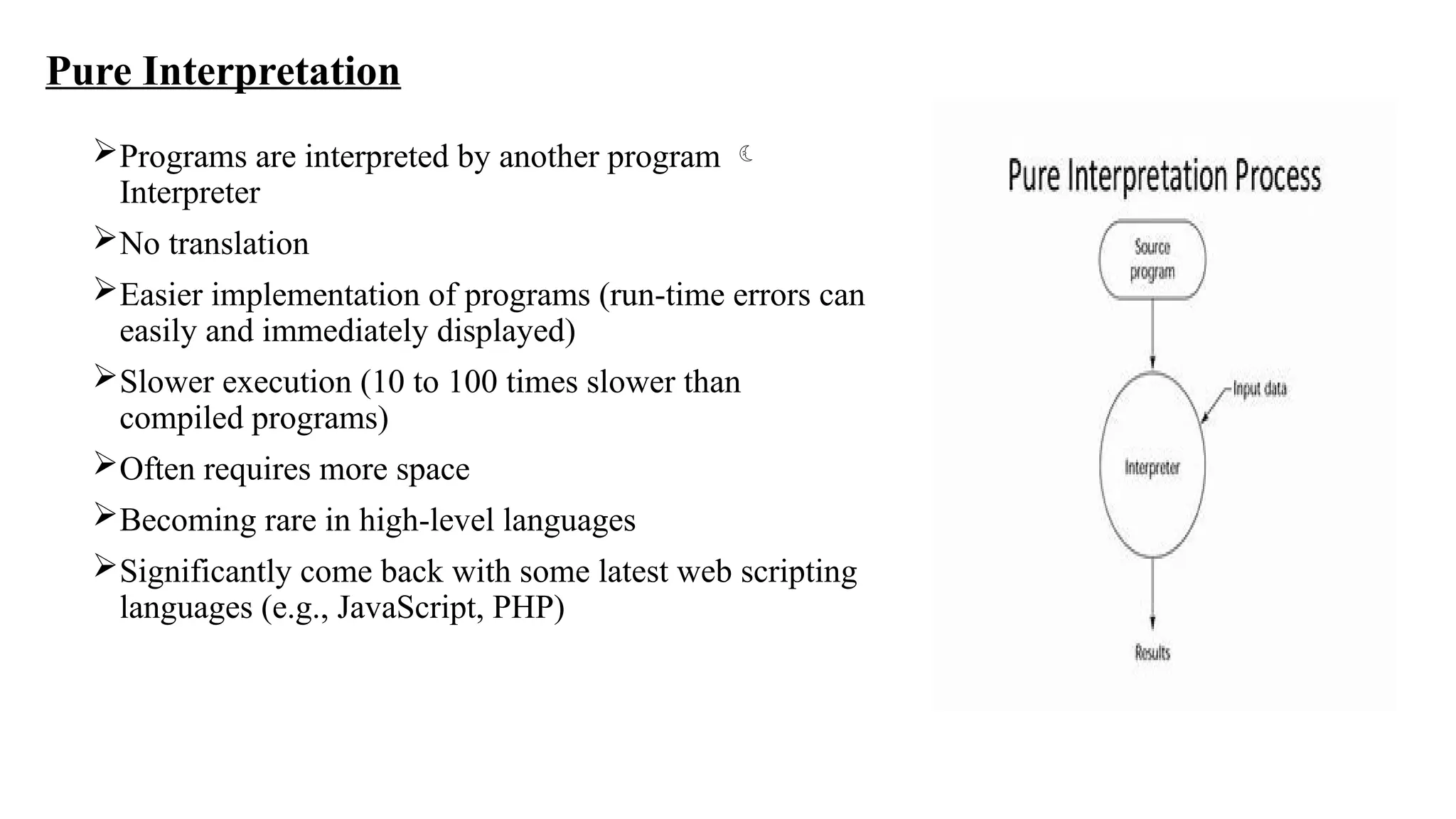
Pure Interpretation
Programs are interpreted by another program 
Interpreter
No translation
Easier implementation of programs (run-time errors can
easily and immediately displayed)
Slower execution (10 to 100 times slower than
compiled programs)
Often requires more space
Becoming rare in high-level languages
Significantly come back with some latest web scripting
languages (e.g., JavaScript, PHP)
Hybrid Implementation Systems
• A compromise between compilers and pure
interpreters
• A high-level language program is translated to an
intermediate language allows easy interpretation
• Faster than pure interpretation
• Examples –
• Perl programs partially compiled to detect errors
before interpretation
• Initial implementations of Java were hybrid
• the intermediate form, byte code, provides
portability to any machine that has a byte code
interpreter and a runtime system (together, these
are called Java Virtual Machine)
Programming Environments:
 P E The collection of tools used in the development of software.
Collection  only a file system, a text editor, a linker, a compiler.
 a large collection of integrated tools (uniform user interface)
EX : UNIX
• Older programming environment (middle 1970s), built around a portable multiprogramming
operating system.
• Provides a wide array of powerful support tools for software production & maintenance in a
variety of languages.
• In the past, the most important feature absent from UNIX uniform interface more difficult to
learn and to use.
• Now often used through a GUI that runs on UNIX.
• Ex of UNIX GUIs: Solaris Common Desktop Environment (CDE), GNOME, and KDE.
• These GUIs make the interface to UNIX appear similar to that of Windows and Macintosh
systems.
Borland JBuilder :
• Programming environment that provides an integrated compiler, editor, debugger, and file
system for Java development  accessed through a graphical interface.
• JBuilder is a complex & powerful system for creating Java software.
Microsoft Visual Studio .NET:
• It is a large & elaborate collection of software development tools, all used through 
windowed interface.
• Used to develop software in any one of the five .NET languages: C#, Visual Basic.NET,
JScript (Microsoft’s version of JavaScript), F# (a functional language), and C++/CLI.
NetBeans
• Development environment primarily used for Java application development but also
supports JavaScript, Ruby, and PHP.
• Visual Studio & NetBeans  also frameworks (common parts of the code )

Preliminary Concepts in principlesofprogramming.pptx

  • 1.
  • 2.
    Reasons for StudyingConcepts of Programming Languages • Increased ability to express ideas • Improved background for choosing appropriate languages • Increased ability to learn new languages • Better understanding of significance of implementation • Better use of languages that are already known • Ability to design new languages • Overall advancement of computing
  • 3.
    Programming Domains • ScientificApplications • Simple data structure but requires large number of floating point computation • FORTRAN (Later ALGOL) • Common data structures Arrays, Matrices • Common control structures Counting loops, selections • Business Applications • Produce reports, use decimal numbers and characters • COBOL • PCs introduced in Businesses • Spreadsheets and Database systems were developed
  • 4.
    • Artificial Intelligence •Symbols rather than numbers manipulated • LISP • Later PROLOG logic programs were invented • Systems Programming • OS and programming support tools System S/W • Low level features • Programs  Assembly language / Specific language of system programming • C • Web Software • Represent dynamic content, audio, video etc.., • Supported by collection of languages: markup (e.g., XHTML), scripting (e.g., PHP), general-purpose (e.g., Java)
  • 5.
    Language Evaluation Criteria •Readability Overall simplicity Orthogonality Control statements Data types and structures • Writability Simplicity and Orthogonality Support for abstraction Expressivity
  • 6.
    • Reliability Type checking Exceptionhandling Readability and Writability • Cost • Others Portability Generality
  • 7.
    Influences on LanguageDesign  Computer Architecture :  Well-known computer architecture: Von Neumann  Proposed by John Von Neumann(1945)  Consists ; CPU , Memory and I/P – O/P devices  Language  Imperative/ Procedural  Data and programs stored in the same memory  Memory is separate from the CPU  Instructions and data are piped from memory to the CPU  The results of operations in the CPU must be moved back to memory  Basis for imperative languages • Variables model memory cells • Assignment statements model piping • Iteration is efficient
  • 8.
    Programming Methodologies : 1950s and early 1960s: • Simple applications • worry about machine efficiency  Late 1960s: • People efficiency became important • Readability, better control structures • Structured programming • Top-down design and step-wise refinement  Late 1970s: • Process-oriented to data-oriented • Data abstraction  Middle 1980s: • Object-oriented programming • Data abstraction + inheritance + polymorphism
  • 9.
    Language Categories Imperative /Procedure-OrientedProgramming :  statements Oriented or command-driven  Designed based on Von-Neumann Architecture.  Each series of steps is called a procedure  Central features are variables, assignment statements, and iteration  Fast Compilation & Execution  Requires less Memory Space  Examples: C, Pascal, ALGOL, Fortran, BASIC  No access specifiers  Data not so secured
  • 10.
    Object-oriented Programming:  Everythingis considered as an Object.  Treats a program as a group of objects composed of data and program elements, known as attributes and methods.  Objects can be reused within a program or in other programs.  Code is easier to reuse and scale.  Low cost of development  Data Security, Data can be extended  Features  Data abstraction, inheritance, Encapsulation, Polymorphism  Examples: Java, C++, Python, Ruby
  • 11.
    Logic Programming:  Rule-based(rules are specified in no particular order)  Expresses a series of facts and rules to instruct the computer on how to make decisions.  Example: Prolog, Absys, Datalog Functional Programming:  Focus on the output of mathematical functions and evaluations.  The main means of making computations is by applying functions to given parameters  Each function–a reusable code module–performs a specific task & returns a result.  The result will vary depending on what data you input into the function.  Examples: LISP, Scala, Erlang, F#
  • 12.
    Markup • These arenot programming languages • Extended to support some programming languages • Used to specify the layout of information in Web documents • Examples: XHTML, XML, HTML
  • 13.
    Language Design Trade-Offs Reliabilityvs. cost (of execution) • Conflicting criteria • Ex: Java demands all references to array elements be checked for proper indexing but that leads to increased execution costs • And C doesn’t require index range checking • C programs execute faster than Java • Java programs are more reliable • Designers of Java traded execution efficiency for reliability Readability vs. Writability • Another conflicting criteria • Example: APL provides many powerful operators (and a large number of new symbols), allowing complex computations to be written in a compact program but at the cost of poor readability
  • 14.
    Writability (flexibility) vs.reliability • Another conflicting criteria which is common in language design. • Ex: C++ pointers are powerful and very flexible but they have reliability problems with pointers ,they are not included in java Implementation Methods: • Primary Components of Computer  Internal Memory + Processor( Microinstructions) • Language implementation system  OS • Absence of supporting s/w  Own machine language (inflexible) • Types of methods • Compilation/ Compiler Implementation • Pure Interpretation • Hybrid Implementation System
  • 15.
    Compilation • Translate high-levelprograms (source language) into machine code (machine language), which can be executed directly on the computer • Slow translation, fast execution • Ex: C, COBOL, C++ • Use: Large Commercial Applications
  • 16.
    Compilation Process Lexical analysis: •Converts characters in the source program lexical units • Ignores comments in the source program because the compiler has no use for them. Syntax analysis: • Transforms lexical parse tree  represent the syntactic structure of the program • In many cases, no actual parse tree structure is constructed; rather, the information that would be required to build a tree is generated and used directly. Semantics analysis: • Generate a program in a different language, at an intermediate level • Optimization improves programs (usually in their intermediate code version) by making them smaller or faster or both
  • 17.
    Code generation: • Translatesthe optimized intermediate code version of the program equivalent machine language program. • The symbol table serves as a database for the compilation process • The primary contents of the symbol table are the type and attribute info of each user- defined name in the program. • This info is placed in the symbol table by the lexical and syntax analyzers and is used by the semantic analyzer and the code generator. • Additional Compilation Terminologies • Load module (executable image): the user and system code together • Linking and loading: the process of collecting system program and linking them to user program(Linking) • Linker: a systems program used in linking and loading process
  • 18.
    Von Neumann Bottleneck •The speed of the connection between a computer’s memory and its processor often determines the speed of the computer • Because instructions often can be executed much faster than they can be moved to the processor for execution. • The connection speed thus results in a bottleneck • It is the primary limiting factor in the speed of computers
  • 19.
    Pure Interpretation Programs areinterpreted by another program  Interpreter No translation Easier implementation of programs (run-time errors can easily and immediately displayed) Slower execution (10 to 100 times slower than compiled programs) Often requires more space Becoming rare in high-level languages Significantly come back with some latest web scripting languages (e.g., JavaScript, PHP)
  • 20.
    Hybrid Implementation Systems •A compromise between compilers and pure interpreters • A high-level language program is translated to an intermediate language allows easy interpretation • Faster than pure interpretation • Examples – • Perl programs partially compiled to detect errors before interpretation • Initial implementations of Java were hybrid • the intermediate form, byte code, provides portability to any machine that has a byte code interpreter and a runtime system (together, these are called Java Virtual Machine)
  • 21.
    Programming Environments:  PE The collection of tools used in the development of software. Collection  only a file system, a text editor, a linker, a compiler.  a large collection of integrated tools (uniform user interface) EX : UNIX • Older programming environment (middle 1970s), built around a portable multiprogramming operating system. • Provides a wide array of powerful support tools for software production & maintenance in a variety of languages. • In the past, the most important feature absent from UNIX uniform interface more difficult to learn and to use. • Now often used through a GUI that runs on UNIX. • Ex of UNIX GUIs: Solaris Common Desktop Environment (CDE), GNOME, and KDE. • These GUIs make the interface to UNIX appear similar to that of Windows and Macintosh systems.
  • 22.
    Borland JBuilder : •Programming environment that provides an integrated compiler, editor, debugger, and file system for Java development  accessed through a graphical interface. • JBuilder is a complex & powerful system for creating Java software. Microsoft Visual Studio .NET: • It is a large & elaborate collection of software development tools, all used through  windowed interface. • Used to develop software in any one of the five .NET languages: C#, Visual Basic.NET, JScript (Microsoft’s version of JavaScript), F# (a functional language), and C++/CLI. NetBeans • Development environment primarily used for Java application development but also supports JavaScript, Ruby, and PHP. • Visual Studio & NetBeans  also frameworks (common parts of the code )