Power-Searching within
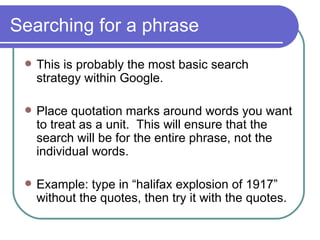
Searching for a phrase This is probably the most basic search strategy within Google. Place quotation marks around words you want to treat as a unit.  This will ensure that the search will be for the entire phrase, not the individual words. Example: type in “halifax explosion of 1917” without the quotes, then try it with the quotes.
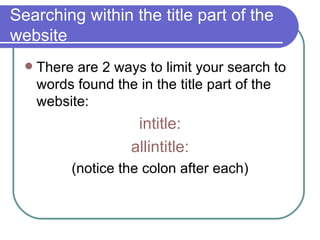
Searching within the title part of the website There are 2 ways to limit your search to words found the in the title part of the website:  intitle : allintitle : (notice the colon after each)
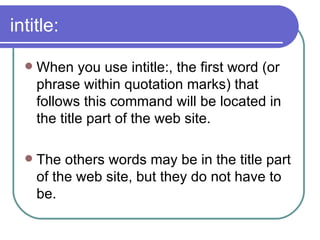
intitle: When you use intitle:, the first word (or phrase within quotation marks) that follows this command will be located in the title part of the web site.  The others words may be in the title part of the web site, but they do not have to be.
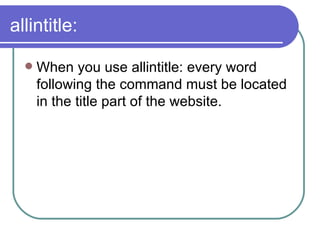
allintitle: When you use allintitle: every word following the command must be located in the title part of the website.
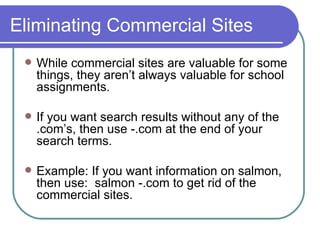
Eliminating Commercial Sites While commercial sites are valuable for some things, they aren’t always valuable for school assignments. If you want search results without any of the .com’s, then use -.com at the end of your search terms. Example: If you want information on salmon, then use:  salmon -.com to get rid of the commercial sites.
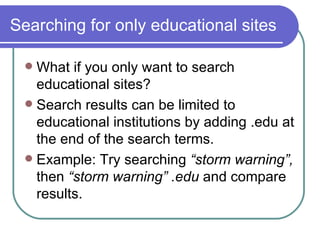
Searching for only educational sites What if you only want to search educational sites? Search results can be limited to educational institutions by adding .edu at the end of the search terms. Example: Try searching  “storm warning”,  then  “storm warning” .edu  and compare results.
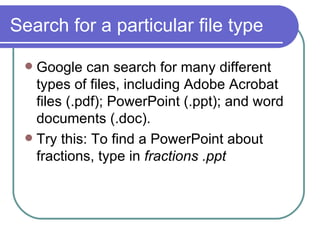
Search for a particular file type Google can search for many different types of files, including Adobe Acrobat files (.pdf); PowerPoint (.ppt); and word documents (.doc).  Try this: To find a PowerPoint about fractions, type in  fractions .ppt
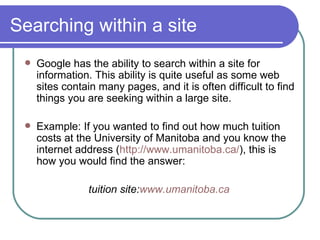
Searching within a site Google has the ability to search within a site for information. This ability is quite useful as some web sites contain many pages, and it is often difficult to find things you are seeking within a large site. Example: If you wanted to find out how much tuition costs at the University of Manitoba and you know the internet address ( http://www.umanitoba.ca/ ), this is how you would find the answer:  tuition site: www.umanitoba.ca
Bibliography 1. Gunn, Holly. &quot;Become a Google Power Searcher.&quot;  Teacher Librarian  32 (2005): 14-21. 15 Mar. 2007 <http://web.ebscohost.com/ehost/detail?vid=5&hid=105&sid=28c8f5f6-f9c6-40eb-b2f7-4f34cd306078%40sessionmgr102>.  2. Makler, Mike. &quot;Put the Full Power of Google to Work with 11 Google Power Search Tips.&quot;  ZeroMillion . 15 Mar. 2007 <http://www.zeromillion.com/financial-services/put-the-full-power-of-google-to-work-with-11-google-power-search-tips-by-mike-makler.html>.

Power Searching Within Google

  • 1.
  • 2.
    Searching for aphrase This is probably the most basic search strategy within Google. Place quotation marks around words you want to treat as a unit. This will ensure that the search will be for the entire phrase, not the individual words. Example: type in “halifax explosion of 1917” without the quotes, then try it with the quotes.
  • 3.
    Searching within thetitle part of the website There are 2 ways to limit your search to words found the in the title part of the website: intitle : allintitle : (notice the colon after each)
  • 4.
    intitle: When youuse intitle:, the first word (or phrase within quotation marks) that follows this command will be located in the title part of the web site. The others words may be in the title part of the web site, but they do not have to be.
  • 5.
    allintitle: When youuse allintitle: every word following the command must be located in the title part of the website.
  • 6.
    Eliminating Commercial SitesWhile commercial sites are valuable for some things, they aren’t always valuable for school assignments. If you want search results without any of the .com’s, then use -.com at the end of your search terms. Example: If you want information on salmon, then use: salmon -.com to get rid of the commercial sites.
  • 7.
    Searching for onlyeducational sites What if you only want to search educational sites? Search results can be limited to educational institutions by adding .edu at the end of the search terms. Example: Try searching “storm warning”, then “storm warning” .edu and compare results.
  • 8.
    Search for aparticular file type Google can search for many different types of files, including Adobe Acrobat files (.pdf); PowerPoint (.ppt); and word documents (.doc). Try this: To find a PowerPoint about fractions, type in fractions .ppt
  • 9.
    Searching within asite Google has the ability to search within a site for information. This ability is quite useful as some web sites contain many pages, and it is often difficult to find things you are seeking within a large site. Example: If you wanted to find out how much tuition costs at the University of Manitoba and you know the internet address ( http://www.umanitoba.ca/ ), this is how you would find the answer: tuition site: www.umanitoba.ca
  • 10.
    Bibliography 1. Gunn,Holly. &quot;Become a Google Power Searcher.&quot; Teacher Librarian 32 (2005): 14-21. 15 Mar. 2007 <http://web.ebscohost.com/ehost/detail?vid=5&hid=105&sid=28c8f5f6-f9c6-40eb-b2f7-4f34cd306078%40sessionmgr102>. 2. Makler, Mike. &quot;Put the Full Power of Google to Work with 11 Google Power Search Tips.&quot; ZeroMillion . 15 Mar. 2007 <http://www.zeromillion.com/financial-services/put-the-full-power-of-google-to-work-with-11-google-power-search-tips-by-mike-makler.html>.