August, 2007 Edition
1725-11530-220 Rev. A
SIP 2.2.0
Administrator’s Guide for the
SoundPoint® IP/SoundStation® IP
Family
SIP 2.2.0
Polycom Inc.
4750 Willow Road
Pleasanton, CA 94588-2708
USA
No part of this document may be reproduced or transmitted in any form or by any means, electronic or mechanical, for
any purpose, without the express written permission of Polycom, Inc. Under the law, reproducing includes translating
into another language or format.
As between the parties, Polycom, Inc. retains title to, and ownership of, all proprietary rights with respect to the software
contained within its products. The software is protected by United States copyright laws and international treaty
provision. Therefore, you must treat the software like any other copyrighted material (e.g. a book or sound recording).
Every effort has been made to ensure that the information in this manual is accurate. Polycom, Inc. is not responsible
for printing or clerical errors. Information in this document is subject to change without notice.
Trademark Information
Polycom®, the Polycom logo design, SoundPoint® IP, SoundStation®, SoundStation VTX 1000®, ViaVideo®,
ViewStation®, and Vortex® are registered trademarks of Polycom, Inc. Conference Composer™, Global Management
System™, ImageShare™, Instructor RP™, iPower™, MGC™, PathNavigator™, People+Content™, PowerCam™,
Pro-Motion™, QSX™, ReadiManager™, Siren™, StereoSurround™, V2IU™, Visual Concert™, VS4000™, VSX™, and
the industrial design of SoundStation are trademarks of Polycom, Inc. in the United States and various other countries.
All other trademarks are the property of their respective owners.
Patent Information
The accompanying product is protected by one or more U.S. and foreign patents and/or pending patent applications
held by Polycom, Inc.
Disclaimer
Some countries, states, or provinces do not allow the exclusion or limitation of implied warranties or the limitation of
incidental or consequential damages for certain products supplied to consumers, or the limitation of liability for personal
injury, so the above limitations and exclusions may be limited in their application to you. When the implied warranties
are not allowed to be excluded in their entirety, they will be limited to the duration of the applicable written warranty. This
warranty gives you specific legal rights which may vary depending on local law.
Copyright Notice
Portions of the software contained in this product are:
Copyright © 1998, 1999, 2000 Thai Open Source Software Center Ltd. and Clark Cooper
Copyright © 1998 by the Massachusetts Institute of Technology
Copyright © 1998-2003 The OpenSSL Project
Copyright © 1995-1998 Eric Young (eay@cryptsoft.com). All rights reserved
Copyright © 1995-2002 Jean-Loup Gailly and Mark Adler
Copyright © 1996 - 2004, Daniel Stenberg, <daniel@haxx.se>
Permission is hereby granted, free of charge, to any person obtaining a copy of this software and associated
documentation files (the “Software”), to deal in the Software without restriction, including without limitation the rights to
use, copy, modify, merge, publish, distribute, sublicense, and/or sell copies of the Software, and to permit persons to
whom the Software is furnished to do so, subject to the following conditions:
The above copyright notice and this permission notice shall be included in all copies or substantial portions of the
Software.
THE SOFTWARE IS PROVIDED “AS IS”, WITHOUT WARRANTY OF ANY KIND, EXPRESS OR IMPLIED,
INCLUDING BUT NOT LIMITED TO THE WARRANTIES OF MERCHANTABILITY, FITNESS FOR A PARTICULAR
PURPOSE AND NONINFRINGEMENT. IN NO EVENT SHALL THE AUTHORS OR COPYRIGHT HOLDERS BE
LIABLE FOR ANY CLAIM, DAMAGES OR OTHER LIABILITY, WHETHER IN AN ACTION OF CONTRACT, TORT OR
OTHERWISE, ARISING FROM, OUT OF OR IN CONNECTION WITH THE SOFTWARE OR THE USE OR OTHER
DEALINGS IN THE SOFTWARE.
© 2007 Polycom, Inc. All rights reserved.
iii
About This Guide
The Administrator’s Guide for the SoundPoint IP / SoundStation IP family is
for administrators who need to configure, customize, manage, and
troubleshoot SoundPoint IP / SoundStation IP phone systems. This guide
covers the SoundPoint IP 301, 320, 330, 430, 501, 550, 600, 601, and 650 desktop
phones, and the SoundStation IP 4000 conference phone.
The following related documents for SoundPoint IP / SoundStation IP family
are available:
• Quick Start Guides, which describe how to assemble the phones
• Quick User Guides, which describe the most basic features available on
the phones
• User Guides, which describe the basic and advanced features available on
the phones
• Developer’s Guide, which assists in the development of applications that
run on the SoundPoint IP / SoundStation IP phone’s Microbrowser
• Technical Bulletins, which describe workarounds to existing issues
• Release Notes, which describe the new and changed features and fixed
problems in the latest version of the software
For support or service, please contact your Polycom® reseller or go to Polycom
Technical Support at http://www.polycom.com/support/voice/.
Polycom recommends that you record the phone model numbers, software
(both the bootROM and SIP), and partner platform for future reference.
SoundPoint IP / SoundStation IP models: ___________________________
BootROM version: ________________________________________________
SIP Application version: ___________________________________________
Partner Platform: _________________________________________________
Administrator’s Guide SoundPoint IP / SoundStation IP
iv
v
Contents
About This Guide . . . . . . . . . . . . . . . . . . . . . . . . . . . . . . . . . iii
1 Introducing the SoundPoint IP / SoundStation IP Family . . . 1–1
SoundPoint IP Desktop Phones . . . . . . . . . . . . . . . . . . . . . . . . . . . . . . . . . . . 1–2
SoundStation IP Conference Phone . . . . . . . . . . . . . . . . . . . . . . . . . . . . . . . 1–4
Key Features of Your SoundPoint IP / SoundStation IP Phones . . . . . . . 1–5
2 Overview . . . . . . . . . . . . . . . . . . . . . . . . . . . . . . . . . . . . . 2–1
Where SoundPoint IP / SoundStation IP Phones Fit . . . . . . . . . . . . . . . . . 2–2
Session Initiation Protocol Application Architecture . . . . . . . . . . . . . . . . . 2–3
BootROM . . . . . . . . . . . . . . . . . . . . . . . . . . . . . . . . . . . . . . . . . . . . . . . . . . 2–3
Application . . . . . . . . . . . . . . . . . . . . . . . . . . . . . . . . . . . . . . . . . . . . . . . . 2–4
Configuration . . . . . . . . . . . . . . . . . . . . . . . . . . . . . . . . . . . . . . . . . . . . . . 2–5
Resource Files . . . . . . . . . . . . . . . . . . . . . . . . . . . . . . . . . . . . . . . . . . . . . . 2–7
Available Features . . . . . . . . . . . . . . . . . . . . . . . . . . . . . . . . . . . . . . . . . . . . . . 2–8
3 Setting up Your System . . . . . . . . . . . . . . . . . . . . . . . . . . . 3–1
Setting Up the Network . . . . . . . . . . . . . . . . . . . . . . . . . . . . . . . . . . . . . . . . . 3–2
DHCP or Manual TCP/IP Setup . . . . . . . . . . . . . . . . . . . . . . . . . . . . . . 3–2
Supported Provisioning Protocols . . . . . . . . . . . . . . . . . . . . . . . . . . . . . 3–4
Modifying the Network Configuration . . . . . . . . . . . . . . . . . . . . . . . . . 3–5
Setting Up the Boot Server . . . . . . . . . . . . . . . . . . . . . . . . . . . . . . . . . . . . . . 3–12
Deploying Phones From the Boot Server . . . . . . . . . . . . . . . . . . . . . . . . . . 3–14
Upgrading SIP Application . . . . . . . . . . . . . . . . . . . . . . . . . . . . . . . . . . . . . 3–17
Supporting SoundPoint IP and SoundStation IP Phones . . . . . . . . . 3–17
Supporting SoundPoint IP 300 and 500 Phones . . . . . . . . . . . . . . . . . 3–18
4 Configuring Your System . . . . . . . . . . . . . . . . . . . . . . . . . . 4–1
Setting Up Basic Features . . . . . . . . . . . . . . . . . . . . . . . . . . . . . . . . . . . . . . . . 4–1
Call Log . . . . . . . . . . . . . . . . . . . . . . . . . . . . . . . . . . . . . . . . . . . . . . . . . . . 4–3
Call Timer . . . . . . . . . . . . . . . . . . . . . . . . . . . . . . . . . . . . . . . . . . . . . . . . . 4–3
Administrator’s Guide SoundPoint IP / SoundStation IP
vi
Call Waiting . . . . . . . . . . . . . . . . . . . . . . . . . . . . . . . . . . . . . . . . . . . . . . . . 4–3
Called Party Identification . . . . . . . . . . . . . . . . . . . . . . . . . . . . . . . . . . . 4–4
Calling Party Identification . . . . . . . . . . . . . . . . . . . . . . . . . . . . . . . . . . . 4–4
Missed Call Notification . . . . . . . . . . . . . . . . . . . . . . . . . . . . . . . . . . . . . 4–4
Connected Party Identification . . . . . . . . . . . . . . . . . . . . . . . . . . . . . . . . 4–5
Context Sensitive Volume Control . . . . . . . . . . . . . . . . . . . . . . . . . . . . . 4–5
Customizable Audio Sound Effects . . . . . . . . . . . . . . . . . . . . . . . . . . . . 4–5
Message Waiting Indication . . . . . . . . . . . . . . . . . . . . . . . . . . . . . . . . . . 4–6
Distinctive Incoming Call Treatment . . . . . . . . . . . . . . . . . . . . . . . . . . . 4–6
Distinctive Ringing . . . . . . . . . . . . . . . . . . . . . . . . . . . . . . . . . . . . . . . . . . 4–7
Distinctive Call Waiting . . . . . . . . . . . . . . . . . . . . . . . . . . . . . . . . . . . . . . 4–7
Do Not Disturb . . . . . . . . . . . . . . . . . . . . . . . . . . . . . . . . . . . . . . . . . . . . . 4–8
Handset, Headset, and Speakerphone . . . . . . . . . . . . . . . . . . . . . . . . . 4–9
Local Contact Directory . . . . . . . . . . . . . . . . . . . . . . . . . . . . . . . . . . . . . . 4–9
Local Digit Map . . . . . . . . . . . . . . . . . . . . . . . . . . . . . . . . . . . . . . . . . . . 4–12
Microphone Mute . . . . . . . . . . . . . . . . . . . . . . . . . . . . . . . . . . . . . . . . . . 4–13
Soft Key Activated User Interface . . . . . . . . . . . . . . . . . . . . . . . . . . . . 4–13
Speed Dial . . . . . . . . . . . . . . . . . . . . . . . . . . . . . . . . . . . . . . . . . . . . . . . . 4–13
Time and Date Display . . . . . . . . . . . . . . . . . . . . . . . . . . . . . . . . . . . . . 4–13
Idle Display Animation . . . . . . . . . . . . . . . . . . . . . . . . . . . . . . . . . . . . . 4–14
Ethernet Switch . . . . . . . . . . . . . . . . . . . . . . . . . . . . . . . . . . . . . . . . . . . . 4–15
Automatic Off-Hook Call Placement . . . . . . . . . . . . . . . . . . . . . . . . . . 4–16
Call Hold . . . . . . . . . . . . . . . . . . . . . . . . . . . . . . . . . . . . . . . . . . . . . . . . . 4–16
Call Transfer . . . . . . . . . . . . . . . . . . . . . . . . . . . . . . . . . . . . . . . . . . . . . . 4–17
Local / Centralized Conferencing . . . . . . . . . . . . . . . . . . . . . . . . . . . . 4–17
Call Forward . . . . . . . . . . . . . . . . . . . . . . . . . . . . . . . . . . . . . . . . . . . . . . 4–18
Directed Call Pick-Up . . . . . . . . . . . . . . . . . . . . . . . . . . . . . . . . . . . . . . 4–19
Group Call Pick-Up . . . . . . . . . . . . . . . . . . . . . . . . . . . . . . . . . . . . . . . . 4–20
Call Park/Retrieve . . . . . . . . . . . . . . . . . . . . . . . . . . . . . . . . . . . . . . . . . 4–20
Last Call Return . . . . . . . . . . . . . . . . . . . . . . . . . . . . . . . . . . . . . . . . . . . 4–20
Setting Up Advanced Features . . . . . . . . . . . . . . . . . . . . . . . . . . . . . . . . . . 4–20
Configurable Feature Keys . . . . . . . . . . . . . . . . . . . . . . . . . . . . . . . . . . 4–21
Multiple Line Keys per Registration . . . . . . . . . . . . . . . . . . . . . . . . . . 4–22
Multiple Call Appearances . . . . . . . . . . . . . . . . . . . . . . . . . . . . . . . . . . 4–23
Shared Call Appearances . . . . . . . . . . . . . . . . . . . . . . . . . . . . . . . . . . . 4–23
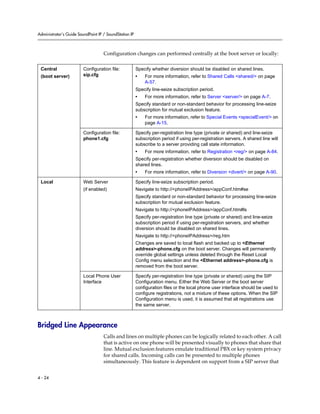
Bridged Line Appearance . . . . . . . . . . . . . . . . . . . . . . . . . . . . . . . . . . . 4–24
Busy Lamp Field . . . . . . . . . . . . . . . . . . . . . . . . . . . . . . . . . . . . . . . . . . . 4–25
Customizable Fonts and Indicators . . . . . . . . . . . . . . . . . . . . . . . . . . . 4–26
Instant Messaging . . . . . . . . . . . . . . . . . . . . . . . . . . . . . . . . . . . . . . . . . . 4–26
Multilingual User Interface . . . . . . . . . . . . . . . . . . . . . . . . . . . . . . . . . . 4–27
Contents
vii
Downloadable Fonts . . . . . . . . . . . . . . . . . . . . . . . . . . . . . . . . . . . . . . . 4–28
Synthesized Call Progress Tones . . . . . . . . . . . . . . . . . . . . . . . . . . . . . 4–28
Microbrowser . . . . . . . . . . . . . . . . . . . . . . . . . . . . . . . . . . . . . . . . . . . . . 4–28
Real-Time Transport Protocol Ports . . . . . . . . . . . . . . . . . . . . . . . . . . 4–29
Network Address Translation . . . . . . . . . . . . . . . . . . . . . . . . . . . . . . . 4–30
Voice Mail Integration . . . . . . . . . . . . . . . . . . . . . . . . . . . . . . . . . . . . . . 4–30
Multiple Registrations . . . . . . . . . . . . . . . . . . . . . . . . . . . . . . . . . . . . . . 4–31
Automatic Call Distribution . . . . . . . . . . . . . . . . . . . . . . . . . . . . . . . . . 4–33
Server Redundancy . . . . . . . . . . . . . . . . . . . . . . . . . . . . . . . . . . . . . . . . 4–34
Presence . . . . . . . . . . . . . . . . . . . . . . . . . . . . . . . . . . . . . . . . . . . . . . . . . . 4–37
Microsoft Live Communications Server 2005 Integration . . . . . . . . 4–38
Setting Up Audio Features . . . . . . . . . . . . . . . . . . . . . . . . . . . . . . . . . . . . . . 4–42
Low-Delay Audio Packet Transmission . . . . . . . . . . . . . . . . . . . . . . . 4–42
Jitter Buffer and Packet Error Concealment . . . . . . . . . . . . . . . . . . . . 4–42
Voice Activity Detection . . . . . . . . . . . . . . . . . . . . . . . . . . . . . . . . . . . . 4–43
DTMF Tone Generation . . . . . . . . . . . . . . . . . . . . . . . . . . . . . . . . . . . . . 4–43
DTMF Event RTP Payload . . . . . . . . . . . . . . . . . . . . . . . . . . . . . . . . . . 4–44
Acoustic Echo Cancellation . . . . . . . . . . . . . . . . . . . . . . . . . . . . . . . . . . 4–44
Audio Codecs . . . . . . . . . . . . . . . . . . . . . . . . . . . . . . . . . . . . . . . . . . . . . 4–45
Background Noise Suppression . . . . . . . . . . . . . . . . . . . . . . . . . . . . . . 4–46
Comfort Noise Fill . . . . . . . . . . . . . . . . . . . . . . . . . . . . . . . . . . . . . . . . . 4–46
Automatic Gain Control . . . . . . . . . . . . . . . . . . . . . . . . . . . . . . . . . . . . 4–46
IP Type-of-Service . . . . . . . . . . . . . . . . . . . . . . . . . . . . . . . . . . . . . . . . . 4–46
IEEE 802.1p/Q . . . . . . . . . . . . . . . . . . . . . . . . . . . . . . . . . . . . . . . . . . . . 4–47
Setting Up Security Features . . . . . . . . . . . . . . . . . . . . . . . . . . . . . . . . . . . . 4–47
Local User and Administrator Privilege Levels . . . . . . . . . . . . . . . . . 4–48
Custom Certificates . . . . . . . . . . . . . . . . . . . . . . . . . . . . . . . . . . . . . . . . 4–48
Incoming Signaling Validation . . . . . . . . . . . . . . . . . . . . . . . . . . . . . . . 4–49
Configuration File Encryption . . . . . . . . . . . . . . . . . . . . . . . . . . . . . . . 4–49
Configuring SoundPoint IP / SoundStation IP Phones Locally . . . . . . . 4–50
5 Troubleshooting Your SoundPoint IP / SoundStation IP
Phones . . . . . . . . . . . . . . . . . . . . . . . . . . . . . . . . . . . . . . . 5–1
Error Messages . . . . . . . . . . . . . . . . . . . . . . . . . . . . . . . . . . . . . . . . . . . . . . . . . 5–2
BootROM Error Messages . . . . . . . . . . . . . . . . . . . . . . . . . . . . . . . . . . . . 5–2
Application Error Messages . . . . . . . . . . . . . . . . . . . . . . . . . . . . . . . . . . 5–3
Status Menu . . . . . . . . . . . . . . . . . . . . . . . . . . . . . . . . . . . . . . . . . . . . . . . . . . . 5–4
Log Files . . . . . . . . . . . . . . . . . . . . . . . . . . . . . . . . . . . . . . . . . . . . . . . . . . . . . . 5–4
Reading a Boot Log . . . . . . . . . . . . . . . . . . . . . . . . . . . . . . . . . . . . . . . . . 5–7
Reading an Application Log . . . . . . . . . . . . . . . . . . . . . . . . . . . . . . . . . . 5–8
Administrator’s Guide SoundPoint IP / SoundStation IP
viii
Power and Startup . . . . . . . . . . . . . . . . . . . . . . . . . . . . . . . . . . . . . . . . . . . . . . 5–9
Controls . . . . . . . . . . . . . . . . . . . . . . . . . . . . . . . . . . . . . . . . . . . . . . . . . . . . . . 5–10
Access to Screens and Systems . . . . . . . . . . . . . . . . . . . . . . . . . . . . . . . . . . 5–11
Calling . . . . . . . . . . . . . . . . . . . . . . . . . . . . . . . . . . . . . . . . . . . . . . . . . . . . . . . 5–12
Displays . . . . . . . . . . . . . . . . . . . . . . . . . . . . . . . . . . . . . . . . . . . . . . . . . . . . . . 5–13
Audio . . . . . . . . . . . . . . . . . . . . . . . . . . . . . . . . . . . . . . . . . . . . . . . . . . . . . . . . 5–14
Upgrading . . . . . . . . . . . . . . . . . . . . . . . . . . . . . . . . . . . . . . . . . . . . . . . . . . . . 5–14
A Configuration Files . . . . . . . . . . . . . . . . . . . . . . . . . . . . . .A–1
Master Configuration Files . . . . . . . . . . . . . . . . . . . . . . . . . . . . . . . . . . . . . . A–2
Application Configuration . . . . . . . . . . . . . . . . . . . . . . . . . . . . . . . . . . . . . . A–4
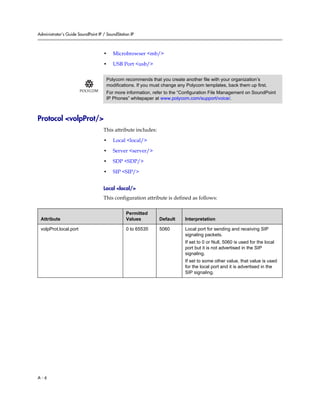
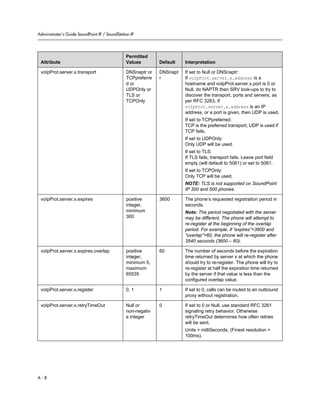
Protocol <volpProt/> . . . . . . . . . . . . . . . . . . . . . . . . . . . . . . . . . . . . . . A–6
Dial Plan <dialplan/> . . . . . . . . . . . . . . . . . . . . . . . . . . . . . . . . . . . . . A–16
Localization <lcl/> . . . . . . . . . . . . . . . . . . . . . . . . . . . . . . . . . . . . . . . . A–19
User Preferences <up/> . . . . . . . . . . . . . . . . . . . . . . . . . . . . . . . . . . . A–23
Tones <tones/> . . . . . . . . . . . . . . . . . . . . . . . . . . . . . . . . . . . . . . . . . . . A–24
Sampled Audio for Sound Effects <saf/> . . . . . . . . . . . . . . . . . . . . . A–27
Sound Effects <se/> . . . . . . . . . . . . . . . . . . . . . . . . . . . . . . . . . . . . . . . A–28
Voice Settings <voice/> . . . . . . . . . . . . . . . . . . . . . . . . . . . . . . . . . . . . A–34
Quality of Service <QOS/> . . . . . . . . . . . . . . . . . . . . . . . . . . . . . . . . . A–47
Basic TCP/IP <TCP_IP/> . . . . . . . . . . . . . . . . . . . . . . . . . . . . . . . . . . A–50
Web Server <httpd/> . . . . . . . . . . . . . . . . . . . . . . . . . . . . . . . . . . . . . . A–54
Call Handling Configuration <call/> . . . . . . . . . . . . . . . . . . . . . . . . A–55
Directory <dir/> . . . . . . . . . . . . . . . . . . . . . . . . . . . . . . . . . . . . . . . . . . A–58
Presence <pres/> . . . . . . . . . . . . . . . . . . . . . . . . . . . . . . . . . . . . . . . . . A–60
Fonts <font/> . . . . . . . . . . . . . . . . . . . . . . . . . . . . . . . . . . . . . . . . . . . . A–60
Keys <key/> . . . . . . . . . . . . . . . . . . . . . . . . . . . . . . . . . . . . . . . . . . . . . A–63
Bitmaps <bitmap/> . . . . . . . . . . . . . . . . . . . . . . . . . . . . . . . . . . . . . . . A–65
Indicators <ind/> . . . . . . . . . . . . . . . . . . . . . . . . . . . . . . . . . . . . . . . . . A–65
Event Logging <log/> . . . . . . . . . . . . . . . . . . . . . . . . . . . . . . . . . . . . . A–69
Security <sec/> . . . . . . . . . . . . . . . . . . . . . . . . . . . . . . . . . . . . . . . . . . . A–73
License <license/> . . . . . . . . . . . . . . . . . . . . . . . . . . . . . . . . . . . . . . . . A–74
Provisioning <prov/> . . . . . . . . . . . . . . . . . . . . . . . . . . . . . . . . . . . . . A–75
RAM Disk <ramdisk/> . . . . . . . . . . . . . . . . . . . . . . . . . . . . . . . . . . . . A–76
Request <request/> . . . . . . . . . . . . . . . . . . . . . . . . . . . . . . . . . . . . . . . A–76
Feature <feature/> . . . . . . . . . . . . . . . . . . . . . . . . . . . . . . . . . . . . . . . . A–77
Resource <res/> . . . . . . . . . . . . . . . . . . . . . . . . . . . . . . . . . . . . . . . . . . A–78
Microbrowser <mb/> . . . . . . . . . . . . . . . . . . . . . . . . . . . . . . . . . . . . . A–79
USB Port <usb/> . . . . . . . . . . . . . . . . . . . . . . . . . . . . . . . . . . . . . . . . . A–83
Contents
ix
Per-Phone Configuration . . . . . . . . . . . . . . . . . . . . . . . . . . . . . . . . . . . . . . A–82
Registration <reg/> . . . . . . . . . . . . . . . . . . . . . . . . . . . . . . . . . . . . . . . A–83
Calls <call/> . . . . . . . . . . . . . . . . . . . . . . . . . . . . . . . . . . . . . . . . . . . . . A–87
Diversion <divert/> . . . . . . . . . . . . . . . . . . . . . . . . . . . . . . . . . . . . . . . A–90
Dial Plan <dialplan/> . . . . . . . . . . . . . . . . . . . . . . . . . . . . . . . . . . . . . A–92
Messaging <msg/> . . . . . . . . . . . . . . . . . . . . . . . . . . . . . . . . . . . . . . . A–95
Network Address Translation <nat/> . . . . . . . . . . . . . . . . . . . . . . . A–96
Attendant <attendant/> . . . . . . . . . . . . . . . . . . . . . . . . . . . . . . . . . . . A–97
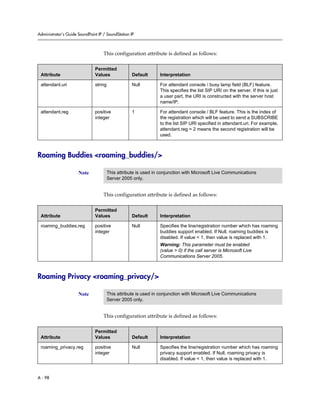
Roaming Buddies <roaming_buddies/> . . . . . . . . . . . . . . . . . . . . . A–98
Roaming Privacy <roaming_privacy/> . . . . . . . . . . . . . . . . . . . . . . A–98
Flash Parameter Configuration . . . . . . . . . . . . . . . . . . . . . . . . . . . . . . . . . A–99
B Session Initiation Protocol (SIP) . . . . . . . . . . . . . . . . . . . . . B–1
RFC and Internet Draft Support . . . . . . . . . . . . . . . . . . . . . . . . . . . . . . . . . . B–2
Request Support . . . . . . . . . . . . . . . . . . . . . . . . . . . . . . . . . . . . . . . . . . . . B–3
Header Support . . . . . . . . . . . . . . . . . . . . . . . . . . . . . . . . . . . . . . . . . . . . B–4
Response Support . . . . . . . . . . . . . . . . . . . . . . . . . . . . . . . . . . . . . . . . . . . B–6
Hold Implementation . . . . . . . . . . . . . . . . . . . . . . . . . . . . . . . . . . . . . . . . B–9
Reliability of Provisional Responses . . . . . . . . . . . . . . . . . . . . . . . . . . . B–9
Transfer . . . . . . . . . . . . . . . . . . . . . . . . . . . . . . . . . . . . . . . . . . . . . . . . . . . B–9
Third Party Call Control . . . . . . . . . . . . . . . . . . . . . . . . . . . . . . . . . . . . . B–9
SIP for Instant Messaging and Presence Leveraging Extensions . . . B–9
Shared Call Appearance Signaling . . . . . . . . . . . . . . . . . . . . . . . . . . . B–10
Bridged Line Appearance Signaling . . . . . . . . . . . . . . . . . . . . . . . . . . B–10
C Miscellaneous Administrative Tasks . . . . . . . . . . . . . . . . . .C–1
Trusted Certificate Authority List . . . . . . . . . . . . . . . . . . . . . . . . . . . . . . . . C–1
Encrypting Configuration Files . . . . . . . . . . . . . . . . . . . . . . . . . . . . . . . . . . C–3
Changing the Key on the Phone . . . . . . . . . . . . . . . . . . . . . . . . . . . . . . C–5
Adding a Background Logo . . . . . . . . . . . . . . . . . . . . . . . . . . . . . . . . . . . . . C–5
BootROM/SIP Application Dependencies . . . . . . . . . . . . . . . . . . . . . . . . C–7
Migration Dependencies . . . . . . . . . . . . . . . . . . . . . . . . . . . . . . . . . . . . C–8
Multiple Key Combinations . . . . . . . . . . . . . . . . . . . . . . . . . . . . . . . . . . . . . C–9
Default Feature Key Layouts . . . . . . . . . . . . . . . . . . . . . . . . . . . . . . . . . . . C–10
Assigning a VLAN ID Using DHCP . . . . . . . . . . . . . . . . . . . . . . . . . . . . . C–14
Parsing Vendor ID Information . . . . . . . . . . . . . . . . . . . . . . . . . . . . . . . . . C–16
Administrator’s Guide SoundPoint IP / SoundStation IP
x
D Third Party Software . . . . . . . . . . . . . . . . . . . . . . . . . . . . .D–1
Index . . . . . . . . . . . . . . . . . . . . . . . . . . . . . . . . . . . . .Index–1
1 - 1
1
Introducing the SoundPoint IP /
SoundStation IP Family
This chapter introduces the SoundPoint IP / SoundStation IP family, which is
supported by the software described in this guide.
The SoundPoint IP / SoundStation IP family provides a powerful, yet flexible
IP communications solution for Ethernet TCP/IP networks, delivering
excellent voice quality. The high-resolution graphic display supplies content
for call information, multiple languages, directory access, and system status.
The SoundPoint IP / SoundStation IP family supports advanced functionality,
including multiple call and flexible line appearances, HTTPS secure
provisioning, presence, custom ring tones, and local conferencing.
The SoundPoint IP / SoundStation IP phones are end points in the overall
network topology designed to interoperate with other compatible equipment
including application servers, media servers, internet-working gateways,
voice bridges, and other end points
The following models are described:
• SoundPoint IP Desktop Phones
— IP 301
— IP 320/330
— IP 430
— IP 501
— IP 550
— IP 600/601
— IP 650
• SoundStation IP Conference Phone
— IP 4000
This chapter also lists the key features available on the SoundPoint IP /
SoundStation IP phones running the latest software.
Administrator’s Guide SoundPoint IP / SoundStation IP
1 - 2
SoundPoint IP Desktop Phones
This section describes the current SoundPoint IP desktop phones. For
individual guides, refer to the product literature available at
http://www.polycom.com/support/voice/. Additional options are also
available. For more information, contact your Polycom distributor.
The currently supported desktop phones are:
• SoundPoint IP 301
• SoundPoint IP 320/330
Introducing the SoundPoint IP / SoundStation IP Family
1 - 3
• SoundPoint IP 430
• SoundPoint IP 501
• SoundPoint IP 550
Administrator’s Guide SoundPoint IP / SoundStation IP
1 - 4
• SoundPoint IP 600/601
• SoundPoint IP 650
SoundStation IP Conference Phone
This section describes the current SoundPoint IP conference phone. For
individual guides, refer to the product literature available at
http://www.polycom.com/support/voice/. Additional options are also
available. For more information, contact your Polycom distributor.
Introducing the SoundPoint IP / SoundStation IP Family
1 - 5
The currently supported conference phone is:
• SoundStation IP 4000
Key Features of Your SoundPoint IP / SoundStation IP
Phones
The key features of the SoundPoint IP / SoundStation IP phones are:
• Award winning sound quality and full-duplex speakerphone or
conference phone
— Permits natural, high-quality, two-way conversations (one-way,
monitor speaker in the SoundPoint IP 301)
— Uses Polycom’s industry leading Acoustic Clarity Technology
• Easy-to-use
— An easy transition from traditional PBX systems into the world of IP
— Up to 18 dedicated hard keys for access to commonly used features
— Up to four context-sensitive soft keys for further menu-driven
activities
• Platform independent
— Supports multiple protocols and platforms enabling standardization
on one phone for multiple locations, systems and vendors
— Polycom’s support of the leading protocols and industry partners
makes it a future-proof choice
• Field upgradeable
— Upgrade SoundPoint IP / SoundStation IP as standards develop and
protocols evolve
— Extends the life of the phone to protect your investment
Administrator’s Guide SoundPoint IP / SoundStation IP
1 - 6
— Application flexibility for call management and new telephony
applications
• Large LCD
— Easy-to-use, easily readable and intuitive interface
— Support of rich application content, including multiple call
appearances, presence and instant messaging, and XML services
— 4 line x 20 character monochrome LCD for the SoundPoint IP 301
— 102 x 23 pixel graphical LCD for the SoundPoint IP 320/330
— 160 x 80 pixel graphical grayscale LCD for the SoundPoint IP 501
— 320 x 160 pixel graphical grayscale LCD for the SoundPoint IP
550/600/601/650 (supports Asian characters)
— 248 x 68 pixel graphical LCD for the SoundStation IP 4000
• Dual auto-sensing 10/100baseT Ethernet ports
— Leverages existing infrastructure investment
— No re-wiring with existing CAT 5 cabling
— Simplifies installation
• Power over Ethernet (PoE) port
— Unused pairs on Ethernet port pairs are used to deliver power to the
phone via a wall adapter allowing fewer wires to desktop
— Optional accessory cable for CiscoR Inline Powering and IEEE 802.3af
on the SoundPoint IP 301 and SoundPoint IP 501
— Built-in PoE on the SoundPoint IP 550, 600, 601, and 650 (auto-sensing)
• Multiple language support
— Set on-screen language to your preference. Select from Chinese,
Danish, Dutch, English, French, German, Italian, Japanese, Korean,
Norwegian, Portuguese, Russian, Spanish, and Swedish
2 - 1
2
Overview
This chapter provides an overview of the Session Initiation Protocol (SIP)
application and how the phones fit into the network configuration.
SIP is the Internet Engineering Task Force (IETF) standard for multimedia
conferencing over IP. It is an ASCII-based, application-layer control protocol
(defined in RFC 3261) that can be used to establish, maintain, and terminate
calls between two or more endpoints. Like other voice over IP (VoIP)
protocols, SIP is designed to address the functions of signaling and session
management within a packet telephony network. Signaling allows call
information to be carried across network boundaries. Session management
provides the ability to control the attributes of an end-to-end call.
For the SoundPoint IP / SoundStation IP phones to successfully operate as a
SIP endpoint in your network, it must meet the following requirements:
• A working IP network is established.
• Routers are configured for VoIP.
• VoIP gateways are configured for SIP.
• The latest (or compatible) SoundPoint IP / SoundStation IP phone SIP
application image is available.
• A call server is active and configured to receive and send SIP messages.
For more information on IP PBX and softswitch vendors, go to
http://www.polycom.com/techpartners1/ .
This chapter contains information on:
• Where SoundPoint IP / SoundStation IP Phones Fit
• Session Initiation Protocol Application Architecture
• Available Features
To install your SoundPoint IP / SoundStation IP phones on the network, refer
to Setting up Your System on page 3-1. To configure your SoundPoint IP /
SoundStation IP phones with the desired features, refer to Configuring Your
Administrator’s Guide SoundPoint IP / SoundStation IP
2 - 2
System on page 4-1. To troubleshoot any problems with your SoundPoint IP /
SoundStation IP phones on the network, refer to Troubleshooting Your
SoundPoint IP / SoundStation IP Phones on page 5-1.
Where SoundPoint IP / SoundStation IP Phones Fit
The phones connect physically to a standard office twisted-pair (IEEE 802.3)
10/100 megabytes per second Ethernet LAN and send and receive all data
using the same packet-based technology. Since the phone is a data terminal,
digitized audio being just another type of data from its perspective, the phone
is capable of vastly more than traditional business phones. AsSoundPoint IP /
SoundStation IP phones run the same protocols as your office personal
computer, many innovative applications can be developed without resorting
to specialized technology.
Overview
2 - 3
Session Initiation Protocol Application Architecture
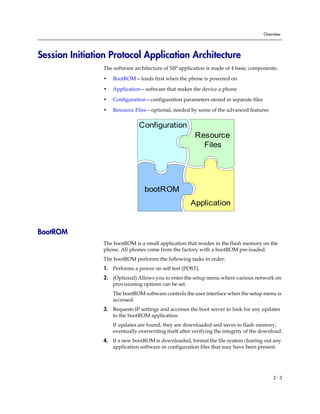
The software architecture of SIP application is made of 4 basic components:
• BootROM—loads first when the phone is powered on
• Application—software that makes the device a phone
• Configuration—configuration parameters stored in separate files
• Resource Files—optional, needed by some of the advanced features
BootROM
The bootROM is a small application that resides in the flash memory on the
phone. All phones come from the factory with a bootROM pre-loaded.
The bootROM performs the following tasks in order:
1. Performs a power on self test (POST).
2. (Optional) Allows you to enter the setup menu where various network on
provisioning options can be set.
The bootROM software controls the user interface when the setup menu is
accessed.
3. Requests IP settings and accesses the boot server to look for any updates
to the bootROM application.
If updates are found, they are downloaded and saves to flash memory,
eventually overwriting itself after verifying the integrity of the download.
4. If a new bootROM is downloaded, format the file system clearing out any
application software or configuration files that may have been present.
Configuration
Resource
Files
bootROM
Application
Administrator’s Guide SoundPoint IP / SoundStation IP
2 - 4
5. Download the master configuration file.
This file is either called <mac-address>.cfg or 000000000000.cfg . This file
is used by the both the bootROM and the application for a list of other files
that are needed for the operation of the phone.
6. Examine the master configuration file for the name of the application file,
and then look for this file on the boot server.
If the copy on the boot server is different than the one stored in flash
memory or, if there is no file stored in flash memory, the application file is
downloaded.
7. Extract the application from flash memory.
8. Install the application into RAM, then upload a log file with events from
the boot cycle.
The bootROM will then terminate, and the application takes over.
Application
The application manages the VoIP stack, the digital signal processor (DSP), the
user interface, and the network interaction. The application managed
everything to do with the phone’s operation.
The application is a single file binary image and, as of SIP 1.5, contains a digital
signature to prevent tampering or loading or rogue software images.
There is a new image file in each release of software.
The application performs the following tasks in order:
1. Downloads system and per-phone configuration files and resource files.
These files are called sip.cfg and phone1.cfg by default. You can
customized the filenames.
Note If the Application is any SIP version prior to 1.5, the bootROM will also download all
the configuration files that are listed in the master configuration file.
Warning If your phones are using bootROM 3.0 or later, the application must be signed.
All SIP 1.5 applications and later are signed, but later patched versions of 1.3 and
1.4 support this feature. Refer to the latest Release Notes to verify if the image is
signed.
Note If the Application is any SIP version prior to 1.5, the bootROM would have
downloaded all the configuration files that are listed in the master configuration file.
Overview
2 - 5
2. Controls all aspects of the phone after it has restarted.
3. Uploads log files.
BootROM and Application Wrapper
Both the bootROM and the application run on multiple platforms (meaning all
previously released versions of hardware that are still supported).
The file stored on the boot server is a wrapper, with multiple hardware specific
images contained within. When a new bootROM or application is being saved,
the file is read until a header matching the hardware model and revision are
found, and then only this image is saved to flash memory.
Configuration
The SoundPoint IP / SoundStation IP phones can be configured automatically
through files stored on a central boot server, manually through the phone’s
local UI or web interface, or a combination of the automatic and manual
methods.
The recommended method for configuring phones is automatically through a
central boot server, but if one is not available, the manual method will allow
changes to most of the key settings.
The phone configuration files consist of:
• Master Configuration Files
• Application Configuration Files
Master Configuration Files
The master configuration files can be one of:
• Specified master configuration file
• Per-phone master configuration file
• Default master configuration file
For more information, refer to Master Configuration Files on page A-2.
Warning Configuration files should only be modified by a knowledgeable system
administrator. Applying incorrect parameters may render the phone unusable. The
configuration files which accompany a specific release of the SIP software must be
used together with that software. Failure to do this may render the phone unusable.
Administrator’s Guide SoundPoint IP / SoundStation IP
2 - 6
Application Configuration Files
Typically, the files are arranged in the following manner although parameters
may be moved around within the files and the filenames themselves can be
changed as needed. These files dictate the behavior of the phone once it is
running the executable specified in the master configuration file.
The application files are:
• Application—It contains parameters that affect the basic operation of the
phone such as voice codecs, gains, and tones and the IP address of an
application server. All phones in an installation usually share this category
of files. Polycom recommends that you create another file with your
organization’s modifications. If you must change any Polycom templates,
back them up first. By default, sip.cfg is included.
• Per-phone—It contains parameters unique to a particular phone user.
Typical parameters include:
— display name
— unique addresses
Each phone in an installation usually has its own customized version of
user files derived from Polycom templates. By default, phone1.cfg is
included.
Central Provisioning
The phones can be centrally provisioned from a boot server through a system
of global and per-phone configuration files. The boot server also facilitates
automated application upgrades, logging, and a measure of fault tolerance.
Multiple redundant boot servers can be configured to improve reliability.
In the central provisioning method, there are two major classifications of
configuration files:
• System configuration files
• Per-phone configuration files
Parameters can be stored in the files in any order and can be placed in any
number of files. The default is to have 2 files, one for per-phone setting and one
for system settings. The per-phone file is typically loaded first, and could
contain system level parameters, letting you override that parameter for a
given user. For example, it might be desirable to set the default CODEC for a
remote user differently than for all the users who reside in the head office. By
adding the CODEC settings to a particular user’s per-phone file, the values in
the system file are ignored.
Note Verify the order of the configuration files. Parameters in the configuration file loaded
first will overwrite those in later configuration files.
Overview
2 - 7
The following figure shows one possible layout of the central provisioning
method.
Manual Configuration
When the manual configuration method is employed, any changes made are
stored in a configuration override file. This file is stored on the phone, but a
copy will also be uploaded to the central boot server if one is being used. When
the phone boots, this file is loaded by the application after any centrally
provisioned files have been read, and its settings will override those in the
centrally provisioned files.
This can create a lot of confusion about where parameters are being set, and so
it is best to avoid using the manual method unless you have good reason to do
so.
Resource Files
In addition to the application and the configuration files, the phones may
require resource files that are used by some of the advanced features. These
files are optional, but if the particular feature is being employed, these files are
required.
Some examples of resource files include:
• Language dictionaries
• Custom fonts
Administrator’s Guide SoundPoint IP / SoundStation IP
2 - 8
• Ring tones
• Synthesized tones
• Contact directories
Available Features
This section provides information the features available on the SoundPoint IP
/ SoundStation IP phones:
• Basic Features
— Automatic Off-Hook Call Placement—Supports an optional
automatic off-hook call placement feature for each .
— Call Forward—Provides a flexible call forwarding feature to forward
calls to another destination.
— Call Hold—Pauses activity on one call so that the user may use the
phone for another task, such as making or receiving another call.
— Call Log—Contains call information such as remote party
identification, time and date, and call duration in three separate lists,
missed calls, received calls, and placed calls on most platforms.
— Call Park/Retrieve—An active call can be parked. A parked call can
be retrieved by any phone.
— Call Timer—A separate call timer, in hours, minutes, and seconds, is
maintained for each distinct call in progress.
— Call Transfer—Call transfer allows the user to transfer a call in
progress to some other destination.
— Call Waiting—When an incoming call arrives while the user is active
on another call, the incoming call is presented to the user visually on
the display and a configurable sound effect will be mixed with the
active call audio.
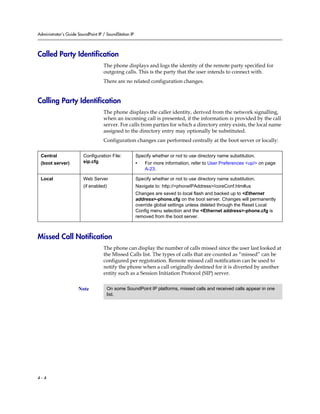
— Called Party Identification—The phone displays and logs the identity
of the party specified for outgoing calls.
— Calling Party Identification—The phone displays the caller identity,
derived from the network signalling, when an incoming call is
presented, if information is provided by the call server.
— Connected Party Identification—The identity of the party to which the
user has connected is displayed and logged, if the name is provided
by the call server.
Note Any new features introduced after SIP 2.1.2 are not supported on the
SoundPoint IP 300 and 500.
Overview
2 - 9
— Context Sensitive Volume Control—The volume of user interface
sound effects, such as the ringer, and the receive volume of call audio
is adjustable.
— Customizable Audio Sound Effects—Audio sound effects used for
incoming call alerting and other indications are customizable.
— Directed Call Pick-Up and Group Call Pick-Up—Calls to another
phone can be picked up by dialing the extension of the other phone.
Calls to another phone within a pre-defined group can be picked up
without dialing the extension of the other phone.
— Distinctive Call Waiting—Calls can be mapped to distinct call waiting
types.
— Distinctive Incoming Call Treatment—The phone can automatically
apply distinctive treatment to calls containing specific attributes.
— Distinctive Ringing—The user can select the ring type for each line
and the ring type for specific callers can be assigned in the contact
directory.
— Do Not Disturb—A do-not-disturb feature is available to temporarily
stop all incoming call alerting.
— Handset, Headset, and Speakerphone—SoundPoint IP phones come
standard with a handset and a dedicated headset connection (not
supplied). The SoundPoint IP 320, 330, 430, 500, 501, 550, 600, 601, and
650 and SoundStation IP 4000 phone are full-duplex speakerphones.
The SoundPoint IP 301 phone is a listen-only speakerphone.
— Idle Display Animation—All phones except the SoundPoint IP 301 can
display a customized animation on the idle display in addition to the
time and date.
— Last Call Return—The phone allows call server-based last call return.
— Local / Centralized Conferencing—The phone can conference
together the local user with the remote parties of two independent
calls and can support centralized conferences for which external
resources are used such as a conference bridge.
— Local Contact Directory—The phone maintains a local contact
directory that can be downloaded from the boot server and edited
locally.
— Local Digit Map—The phone has a local digit map to automate the
setup phase of number-only calls.
— Message Waiting Indication—The phone will flash a message-waiting
indicator (MWI) LED when instant messages and voice messages are
waiting.
— Microphone Mute—When the microphone mute feature is activated,
visual feedback is provided.
Administrator’s Guide SoundPoint IP / SoundStation IP
2 - 10
— Missed Call Notification—The phone can display the number of calls
missed since the user last looked at the Missed Calls list.
— Soft Key Activated User Interface—The user interface makes
extensive use of intuitive, context-sensitive soft key menus.
— Speed Dial—The speed dial system allows calls to be placed quickly
from dedicated keys as well as from a speed dial menu.
— Time and Date Display—Time and date can be displayed in certain
operating modes such as when the phone is idle and during a call.
• Advanced Features
— Automatic Call Distribution—Supports ACD agent available and
unavailable and allows ACD login and logout. Requires call server
support.
— Bridged Line Appearance—Calls and lines on multiple phones can be
logically related to each other. Requires call server support.
— Busy Lamp Field—Allows monitoring the hook status and remote
party information of users through the busy lamp field (BLF) LEDs
and displays on an attendant console phone. Requires call server
support.
— Configurable Feature Keys—Certain key functions can be changed
from the factory defaults.
— Customizable Fonts and Indicators—The phone’s user interface can
be customized by changing the fonts and graphic icons used on the
display and the LED indicator patterns.
— Downloadable Fonts—New fonts can be loaded onto the phone.
— Instant Messaging—Supports sending and receiving instant text
messages.
— Microbrowser—The SoundPoint IP 430, 501, 550, 600, 601, and 650
phones and the SoundStation IP 4000 phone support an XHTML
microbrowser.
— Microsoft Live Communications Server 2005
Integration—SoundPoint IP and SoundStation IP phones can used
with Microsoft Live Communications Server 2005 and Microsoft
Office Communicator to help improve business efficiency and
increase productivity and to share ideas and information immediately
with business contacts. Requires call server support.
— Multilingual User Interface—All phones except SoundPoint IP 301
have multilingual user interfaces.
— Multiple Call Appearances—The phone supports multiple concurrent
calls. The hold feature can be used to pause activity on one call and
switch to another call.
— Multiple Line Keys per Registration—More than one line key can be
allocated to a single .
Overview
2 - 11
— Multiple Registrations—SoundPoint IP phones support multiple s per
phone. (SoundStation IP 4000 supports a single .)
— Network Address Translation—The phones can work with certain
types of network address translation (NAT).
— Presence—Allows the phone to monitor the status of other
users/devices and allows other users to monitor it. Requires call
server support.
— Real-Time Transport Protocol Ports—The phone treats all real- time
transport protocol (RTP) streams as bi-directional from a control
perspective and expects that both RTP end points will negotiate the
respective destination IP addresses and ports.
— Server Redundancy—Server redundancy is often required in VoIP
deployments to ensure continuity of phone service for events where
the call server needs to be taken offline for maintenance, the server
fails, or the connection from the phone to the server fails.
— Shared Call Appearances—Calls and lines on multiple phones can be
logically related to each other. Requires call server support.
— Synthesized Call Progress Tones—In order to emulate the familiar
and efficient audible call progress feedback generated by the PSTN
and traditional PBX equipment, call progress tones are synthesized
during the life cycle of a call. Customizable for certain regions, for
example, Europe has different tones from North America.
— Voice Mail Integration—Compatible with voice mail servers.
• Audio Features
— Acoustic Echo Cancellation—Employs advanced acoustic echo
cancellation for hands-free operation.
— Audio Codecs—Supports the standard audio codecs.
— Automatic Gain Control—Designed for hands-free operation, boosts
the transmit gain of the local user in certain circumstances.
— Background Noise Suppression—Designed primarily for hands-free
operation, reduces background noise to enhance communication in
noisy environments.
— Comfort Noise Fill—Designed to help provide a consistent noise level
to the remote user of a hands-free call.
— DTMF Event RTP Payload—Conforms to RFC 2833, which describes
a standard RTP-compatible technique for conveying DTMF dialing
and other telephony events over an RTP media stream.
— DTMF Tone Generation—Generates dual tone multi-frequency
(DTMF) tones in response to user dialing on the dial pad.
— IEEE 802.1p/Q—The phone will tag all Ethernet packets it transmits
with an 802.1Q VLAN header.
Administrator’s Guide SoundPoint IP / SoundStation IP
2 - 12
— IP Type-of-Service—Allows for the setting of TOS settings.
— Jitter Buffer and Packet Error Concealment—Employs a
high-performance jitter buffer and packet error concealment system
designed to mitigate packet inter-arrival jitter and out-of-order or lost
(lost or excessively delayed by the network) packets.
— Low-Delay Audio Packet Transmission—Designed to minimize
latency for audio packet transmission.
— Voice Activity Detection—Conserves network bandwidth by
detecting periods of relative “silence” in the transmit data path and
replacing that silence efficiently with special packets that indicate
silence is occurring.
• Security Features
— Local User and Administrator Privilege Levels—Several local settings
menus are protected with two privilege levels, user and
administrator, each with its own password.
— Configuration File Encryption—Confidential information stored in
configuration files must be protected (encrypted). The phone can
recognize encrypted files, which it downloads from the boot server
and it can encrypt files before uploading them to the boot server.
— Custom Certificates—When trying to establish a connection to a boot
server for application provisioning, the phone trusts certificates
issued by widely recognized certificate authorities (CAs).
— Incoming Signaling Validation—Levels of security are provided for
validating incoming network signaling.
For more information on each feature and its associated configuration
parameters, see the appropriate section in Configuring Your System on page
4-1.
3 - 1
3
Setting up Your System
Your SoundPoint IP / SoundStation IP SIP phone is designed to be used like a
regular phone on a public switched telephone network (PSTN).
This chapter provides basic instructions for setting up your SoundPoint IP /
SoundStation IP phones. This chapter contains information on:
• Setting Up the Network
• Setting Up the Boot Server
• Deploying Phones From the Boot Server
• Upgrading SIP Application
Because of the large number of optional installations and configurations that
are available, this chapter focuses on one particular way that the SIP
application and the required external systems might initially be installed and
configured in your network.
For more information on configuring your system, refer to Configuring Your
System on page 4-1. For more information on the configuration files required
for setting up your system, refer to Configuration Files on page A-1.
Note For installation and maintenance of Polycom SoundPoint IP phones, the use of a
boot server is strongly recommended. This allows for flexibility in installing,
upgrading, maintaining, and configuring the phone. Configuration, log, and directory
files are normally located on this server. Allowing the phone write access to the
server is encouraged.
The phone is designed such that, if it cannot locate a boot server when it boots up,
it will operate with internally saved parameters. This is useful for occasions when
the boot server is not available, but is not intended to be used for long-term
operation of the phones.
Administrator’s Guide SoundPoint IP / SoundStation IP
3 - 2
Setting Up the Network
Regardless of whether or not you will be installing a centrally provisioned
system, you must perform basic TCP/IP network setup, such as IP address
and subnet mask configuration, to get your organization’s phones up and
running.
The bootROM application uses the network to query the boot server for
upgrades, which is an optional process that will happen automatically when
properly deployed. For more information on the basic network settings, refer
to DHCP or Manual TCP/IP Setup on page 3-2.
The bootROM on the phone performs the provisioning functions of
downloading the bootROM, the <Ethernet address>.cfg file, and the SIP
application, and uploading log files. For more information, refer to Supported
Provisioning Protocols on page 3-4.
Basic network settings can be changed during bootROM download using the
bootROM’s setup menu. A similar menu system is present in the application
for changing the same network parameters. For more information, refer to
Modifying the Network Configuration on page 3-5.
DHCP or Manual TCP/IP Setup
Basic network settings can be derived from DHCP, or entered manually using
the phone’s LCD-based user interface, or downloaded from configuration
files.
The following table shows the manually entered networking parameters that
may be overridden by parameters obtained from a DHCP server, an alternate
DHCP server, or configuration file:
Polycom recommends using DHCP where possible to eliminate repetitive manual
data entry.
Parameter DHCP Option DHCP
Alternate
DHCP
Configuration File
(application only)
Local
FLASH
priority when more than one source exists
1 2 3 4
IP address 1 • - - •
subnet mask 1 • - - •
IP gateway 3 • - - •
Setting up Your System
3 - 3
For more information on DHCP options, go to
http://www.ietf.org/rfc/rfc2131.txt?number=2131 or
http://www.ietf.org/rfc/rfc2132.txt?number=2132.
In the case where you do not have control of your DHCP server or do not have
the ability to set the DHCP options, an alternate method of automatically
discovering the provisioning server address is required. Connecting to a
secondary DHCP server that responds to DHCP INFORM queries with a
requested boot server value is one possibility. For more information, refer to
http://www.ietf.org/rfc/rfc3361.txt?number=3361 and
http://www.ietf.org/rfc/rfc3925.txt?number=3925.
boot server
address
Refer to DHCP
Menu on page
3-7
• • - •
SIP server address
151
Note: This value
is configurable.
• - - •
SNTP server
address
42 then 4 • - • •
SNTP GMT offset 2 • - • •
DNS server IP
address
6 • - - •
alternate DNS
server IP address
6 • - - •
DNS domain 15 • - - •
VLAN ID
Refer to DHCP
Menu on page
3-7
Warning: Cisco Discovery Protocol (CDP) overrides Local FLASH
that overrides DHCP VLAN Discovery.
Parameter DHCP Option DHCP
Alternate
DHCP
Configuration File
(application only)
Local
FLASH
Note The configuration file value for SNTP server address and SNTP GMT offset can
be configured to override the DHCP value. Refer to
tcpIpApp.sntp.address.overrideDHCP in Time Synchronization <sntp/> on page
A-51.
The CDP value can be obtained from a connected Ethernet switch if the switch
supports CDP.
Administrator’s Guide SoundPoint IP / SoundStation IP
3 - 4
Supported Provisioning Protocols
The bootROM performs the provisioning functions of downloading
configuration files, uploading and downloading the configuration override
file and user directory, and downloading the dictionary and uploading log
files.
The protocol that will be used to transfer files from the boot server depends on
several factors including the phone model and whether the bootROM or SIP
application stage of provisioning is in progress. By default, the phones are
shipped with FTP enabled as the provisioning protocol. If an unsupported
protocol is specified, this may result in a defined behavior (see the table below
for details of which protocol the phone will use). The Specified Protocol listed
in the table can be selected in the Server Type field or the Server Address can
include a transfer protocol, for example http://usr:pwd@server (refer to
Server Menu on page 3-9). The boot server address can be an IP address,
domain string name, or URL. The boot server address can also be obtained
through DHCP. Configuration file names in the <Ethernet address>.cfg file
can include a transfer protocol, for example
https://usr:pwd@server/dir/file.cfg. If a user name and password are
specified as part of the server address or file name, they will be used only if the
server supports them.
Note A URL should contain forward slashes instead of back slashes and should not
contain spaces. Escape characters are not supported. If a user name and
password are not specified, the Server User and Server Password will be used
(refer to Server Menu on page 3-9).
Specified
Protocol
Protocol used by
bootROM
Protocol used by
SIP Application
301, 320, 330, 430,
501, 550, 600, 601,
650, 4000
301, 320, 330, 430,
501, 550, 600, 601,
650, 4000
FTP FTP FTP
TFTP TFTP TFTP
HTTP HTTP HTTP
HTTPS HTTP HTTPS
Note There are two types of FTP methods—active and passive. As of SIP 1.5 (and
bootROM 3.0), the SIP application is no longer compatible with active FTP. At that
time, secure provisioning was implemented.
Setting up Your System
3 - 5
For downloading the bootROM and application images to the phone, the
secure HTTPS protocol is not available. To guarantee software integrity, the
bootROM will only download cryptographically signed bootROM or
application images. For HTTPS, widely recognized certificate authorities are
trusted by the phone and custom certificates can be added (refer to Trusted
Certificate Authority List on page C-1).
Modifying the Network Configuration
You can access the network configuration menu:
• During bootROM Phase. The network configuration menu is accessible
during the auto-boot countdown of the bootROM phase of operation.
Press the Setup soft key to launch the main menu.
• During Application Phase. The network configuration menu is accessible
from the phone’s main menu. Select Menu>Settings>Advanced>Admin
Settings>Network Configuration. Advanced Settings are locked by
default. Enter the administrator password to unlock. The factory default
password is 456.
Phone network configuration parameters may be modified by means of:
• Main Menu
• DHCP Menu
• Server Menu
• Ethernet Menu
• Syslog Menu
Use the soft keys, the arrow keys, the Select and Delete keys to make changes.
Certain parameters are read-only due to the value of other parameters. For
example, if the DHCP Client parameter is enabled, the Phone IP Addr and
Subnet Mask parameters are dimmed or not visible since these are guaranteed
to be supplied by the DHCP server (mandatory DHCP parameters) and the
statically assigned IP address and subnet mask will never be used in this
configuration.
Resetting to Factory Defaults
The basic network configuration referred to in the following sections can be
reset to factory defaults using a multiple key combination described in
Multiple Key Combinations on page C-9.
Note Setting Option 66 to tftp://192.168.9.10 has the effect of forcing a TFTP download.
Using a TFTP URL (for example, tftp://provserver.polycom.com) has the same
effect.
Administrator’s Guide SoundPoint IP / SoundStation IP
3 - 6
Main Menu
The following configuration parameters can be modified on the main setup
menu:
Name Possible Values Description
DHCP Client Enabled, Disabled If enabled, DHCP will be used to obtain the parameters
discussed in DHCP or Manual TCP/IP Setup on page
3-2.
DHCP Menu Refer to DHCP Menu on page 3-7.
Note: Disabled when DHCP client is disabled.
Phone IP Address dotted-decimal IP address Phone’s IP address.
Note: Disabled when DHCP client is enabled.
Subnet Mask dotted-decimal subnet
mask
Phone’s subnet mask.
Note: Disabled when DHCP client is enabled.
IP Gateway dotted-decimal IP address Phone’s default router.
Server Menu Refer to Server Menu on page 3-9.
SNTP Address dotted-decimal IP address
OR
domain name string
Simple Network Time Protocol (SNTP) server from
which the phone will obtain the current time.
GMT Offset -13 through +12 Offset of the local time zone from Greenwich Mean
Time (GMT) in half hour increments.
DNS Server dotted-decimal IP address Primary server to which the phone directs Domain
Name System (DNS) queries.
DNS Alternate Server dotted-decimal IP address Secondary server to which the phone directs Domain
Name System queries.
DNS Domain domain name string Phone’s DNS domain.
Ethernet Refer to Ethernet Menu on page 3-11.
EM Power Enabled, Disabled This parameter is relevant if the phone gets Power over
Ethernet (PoE). If enabled, the phone will set power
requirements in CDP to 12W so that up to three
Expansion Modules (EM) can be powered. If disabled,
the phone will set power requirements in CDP to 5W
which means no Expansion Modules can be powered (it
will not work).
Syslog Refer to Syslog Menu on page 3-11.
Setting up Your System
3 - 7
DHCP Menu
The DHCP menu is accessible only when the DHCP client is enabled. The
following DHCP configuration parameters can be modified on the DHCP
menu:
Note A parameter value of “???” indicates that the parameter has not yet been set and
saved in the phone’s configuration. Any such parameter should have its value set
before continuing.
The EM Power parameter is only available on SoundPoint IP 601 and 650 phones.
Note To switch the text entry mode on the SoundPoint IP 330/320, press the #. You may
want to use URL or IP address modes when entering server addresses.
Name
Possible
Values Description
Timeout 1 through 600 Number of seconds the phone waits for secondary DHCP Offer
messages before selecting an offer.
Boot Server 0=Option 66 The phone will look for option number 66 (string type) in the
response received from the DHCP server. The DHCP server
should send address information in option 66 that matches one
of the formats described for Server Address in the following
section, Server Menu. If the DHCP server sends nothing, the
phone sends out a DHCP INFORM query and the following
scenarios are possible:
• If no alternate DHCP server responds:
- The INFORM query process will retry and eventually time
out.
- The boot server value stored in flash will be used.
• A single alternate DHCP server responds. This is
functionally equivalent to the scenario where the primary
DHCP server responds with a valid boot server value.
Administrator’s Guide SoundPoint IP / SoundStation IP
3 - 8
Boot Server (continued) 1=Custom The phone will look for the option number specified by the Boot
Server Option parameter (below), and the type specified by
the Boot Server Option Type parameter (below) in the
response received from the DHCP server. If the DHCP server
sends nothing, the phone sends out a DHCP INFORM query
and the following scenarios are possible:
• If no alternate DHCP server responds:
- The INFORM query process will retry and eventually time
out.
- The boot server value stored in flash will be used.
• A single alternate DHCP server responds. This is
functionally equivalent to the scenario where the primary
DHCP server responds with a valid boot server value.
2=Static The phone will use the boot server configured through the
Server Menu. For more information, refer to the following
section, Server Menu.
3=Custom+Option
66
The phone will first use the custom option if present or use
Option 66 if the custom option is not present. If the DHCP
server sends nothing, the phone sends out a DHCP INFORM
query and the following scenarios are possible:
• If no alternate DHCP server responds:
- The INFORM query process will retry and eventually time
out.
- The boot server value stored in flash will be used.
• A single alternate DHCP server responds.
- The phone prefers the custom option value over the
Option 66 value, but if no custom option is given, the phone
will use the Option 66 value. This is functionally equivalent
to the scenario where the primary DHCP server responds
with a valid boot server value.
Boot Server Option 128 through 254
(Cannot be the
same as VLAN ID
Option)
When the boot server parameter is set to Custom, this
parameter specifies the DHCP option number in which the
phone will look for its boot server.
Boot Server Option Type 0=IP Address,
1=String
When the Boot Server parameter is set to Custom, this
parameter specifies the type of the DHCP option in which the
phone will look for its boot server. The IP Address must specify
the boot server. The String must match one of the formats
described for Server Address in the following section, Server
Menu.
Name
Possible
Values Description
Setting up Your System
3 - 9
Server Menu
The following server configuration parameters can be modified on the Server
menu:
VLAN Discovery 0=Disabled
(default)
No VLAN discovery through DHCP.
1=Fixed Use predefined DHCP vendor-specific option values of 128,
144, 157 and 191. If this is used, the VLAN ID Option field will
be ignored
2=Custom Use the number specified in the VLAN ID Option field as the
DHCP private option value.
VLAN ID Option 128 through 254
(Cannot be the
same as Boot
Server Option)
(default is 129)
The DHCP private option value (when VLAN Discovery is set
to Custom).
For more information, refer to Assigning a VLAN ID Using
DHCP on page C-14.
Note If multiple alternate DHCP servers respond:
• The phone should gather the responses from alternate DHCP servers.
• If configured for Custom+Option66, the phone will select the first response that
contains a valid "custom" option value.
• If none of the responses contain a "custom" option value, the phone will select
the first response that contains a valid “option66” value.
Name
Possible
Values Description
Name Possible Values Description
Server Type 0=FTP, 1=TFTP, 2=HTTP,
3=HTTPS, 4=FTPS, 5=Invalid
The protocol that the phone will use to obtain
configuration and phone application files from the boot
server. Refer to Supported Provisioning Protocols on
page 3-4.
Note: Active FTP is not supported for bootROM version
3.0 or later. Passive FTP is still supported.
Administrator’s Guide SoundPoint IP / SoundStation IP
3 - 10
Server Address dotted-decimal IP address
OR
domain name string
OR
URL
All addresses can be followed
by an optional directory and
optional file name.
The boot server to use if the DHCP client is disabled, the
DHCP server does not send a boot server option, or the
Boot Server parameter is set to Static. The phone can
contact multiple IP addresses per DNS name. These
redundant boot servers must all use the same protocol. If
a URL is used it can include a user name and password.
Refer to Supported Provisioning Protocols on page 3-4. A
directory and the master configuration file can be
specified.
Note: ":", "@", or "/" can be used in the user name or
password these characters if they are correctly escaped
using the method specified in RFC 1738.
Server User any string The user name used when the phone logs into the server
(if required) for the selected Server Type.
Note: If the Server Address is a URL with a user name,
this will be ignored.
Server Password any string The password used when the phone logs in to the server
if required for the selected Server Type.
Note: If the Server Address is a URL with user name and
password, this will be ignored.
File Transmit Tries 1 to 10
Default 3
The number of attempts to transfer a file. (An attempt is
defined as trying to download the file from all IP
addresses that map to a particular domain name.)
Retry Wait 0 to 300
Default 1
The minimum amount of time that must elapse before
retrying a file transfer, in seconds. The time is measured
from the start of a transfer attempt which is defined as the
set of upload/download transactions made with the IP
addresses that map to a given boot server's DNS host
name. If the set of transactions in an attempt is equal to or
greater than the Retry Wait value, then there will be no
further delay before the next attempt is started.
For more information, refer to Deploying Phones From the
Boot Server on page 3-14.
Provisioning
Method
Default or SAS-VP If SAS-VP is selected, provisioning is done (in addition to
the normal process).
Network Cable/DSL,
LAN,
Dial-up
The network environment the phone is operating in.
The default value is Cable/DSL.
Tag SN to UA Disabled, Enabled If enabled, the phone’s serial number (MAC address) is
included in the User-Agent header of the Microbrowser.
The default value is Disabled.
Provisioning String any string The URL used in XML post/response transactions. If
empty, the configured URL is used.
This field is disabled when Provisioning Method is
Default.
Name Possible Values Description
Setting up Your System
3 - 11
Ethernet Menu
The following Ethernet configuration parameters can be modified on the
Ethernet menu:
Syslog Menu
Syslog is a standard for forwarding log messages in an IP network. The term
"syslog" is often used for both the actual syslog protocol, as well as the
application or library sending syslog messages.
Note The Server User and Server Password parameters should be changed from the
default values. Note that for insecure protocols the user chosen should have very
few privileges on the server.
Name Possible Values Description
CDP Enabled, Disabled If enabled, the phone will use CDP. It also reports PoE
power usage to the switch. The default value is Enabled.
VLAN ID Null, 0 through 4094 Phone’s 802.1Q VLAN identifier. The default value is Null.
Note: Null = no VLAN tagging
VLAN Filtering Enabled, Disabled Filter received Ethernet packets so that the TCP/IP stack
does not process bad data or too much data.
Enable/disable the VLAN filtering state.
The default value is Enabled.
Storm Filtering Enabled, Disabled Filter received Ethernet packets so that the TCP/IP stack
does not process bad data or too much data.
Enable/disable the DoS storm prevention state.
The default value is Enabled.
LAN Port Mode 0 = Auto
1 = 10HD
2 = 10FD
3 = 100HD
4 = 100FD
The network speed over the Ethernet.
The default value is Auto.
PC Port Mode Auto, 10HD, 10FD, 100HD,
100FD
The network speed over the Ethernet.
The default value is Auto.
Note The LAN Port Mode and PC Port Mode parameters are only available on
SoundPoint IP 330, 430, 550, 601, and 650 phones. HD means half duplex and FD
means full duplex.
It is recommended that you leave the LAN and PC parameters set to Auto.
Administrator’s Guide SoundPoint IP / SoundStation IP
3 - 12
The syslog protocol is a very simplistic protocol: the syslog sender sends a
small textual message (less than 1024 bytes) to the syslog receiver. The receiver
is commonly called "syslogd", "syslog daemon" or "syslog server". Syslog
messages can be sent through UDP, TCP, or TLS. The data is sent in cleartext.
Syslog is supported by a wide variety of devices and receivers. Because of this,
syslog can be used to integrate log data from many different types of systems
into a central repository.
The syslog protocol is defined in RFC 3164. For more information on syslog,
go to http://www.ietf.org/rfc/rfc3164.txt?number=3164 .
The following syslog configuration parameters can be modified on the Syslog
menu:
Setting Up the Boot Server
The boot server can be on the local LAN or anywhere on the Internet.
Multiple boot servers can be configured by having the boot server DNS name
map to multiple IP addresses. The default number of boot servers is one and
the maximum number is eight. The following protocols are supported for
redundant boot servers: HTTPS, HTTP, and FTP. For more information on the
protocol used on each platform, refer to Supported Provisioning Protocols on
page 3-4.
Name Possible Values Description
Server Address dotted-decimal IP address
OR
domain name string
The syslog server IP address or host name.
The default value is NULL.
Server Type None=0,
UDP=1,
TCP=2,
TLS=3
The protocol that the phone will use to write to the syslog
server.
If set to “None”, transmission is turned off, but the server
address is preserved.
Facility 0 to 23 A description of what generated the log message. For
more information, refer to section 4.1.1 of RFC 3164.
The default value is 16, which maps to “local 0”.
Render Level 1 to 6 Specifies the lowest class of event that will be rendered to
syslog. It is based on log.render.level and can be a
lower value.
Refer to Basic Logging <level/><change/> and <render/>
on page A-71.
Note: Use left and right arrow keys to change values.
Prepend MAC
Address
Enabled, Disabled If enabled, the phone’s MAC address is prepended to the
log message sent to the syslog server.
Setting up Your System
3 - 13
All of the boot servers must be reachable by the same protocol and the content
available on them must be identical. The parameters described in section
Server Menu on page 3-9 can be used to configure the number of times each
server will be tried for a file transfer and also how long to wait between each
attempt. The maximum number of servers to be tried is configurable. For more
information, contact your Certified Polycom Reseller.
To set up the boot server:
1. Install boot server application or locate suitable existing server(s).
2. Create account and home directory.
Each phone may open multiple connections to the server.
The phone will attempt to upload log files, a configuration override file,
and a directory file to the server. This requires that the phone’s account has
delete, write, and read permissions. The phone will still function without
these permissions, but will not be able to upload files.
The files downloaded from the server by the phone should be made
read-only.
Note Be aware of how logs, overrides and directories are uploaded to servers that maps
to multiple IP addresses. The server that these files are uploaded to may change
over time.
If you want to use redundancy for uploads, synchronize the files between servers in
the background.
However, you may want to disable the redundancy for uploads by specifying
specific IP addresses instead of URLs for logs, overrides, and directory in the
MACaddress.cfg .
Note Use this procedure as a recommendation if this is your first boot server setup.
Polycom recommends that you use RFC-compliant servers.
Note If the provisioning protocol requires an account name and password, the server
account name and password must match those configured in the phones. Defaults
are: provisioning protocol: FTP, name: PlcmSpIp, password: PlcmSpIp.
Note Typically all phones are configured with the same server account, but the server
account provides a means of conveniently partitioning the configuration. Give each
account an unique home directory on the server and change the configuration on
an account-by-account basis.
Administrator’s Guide SoundPoint IP / SoundStation IP
3 - 14
3. Copy all files from the distribution zip file to the phone home directory.
Maintain the same folder hierarchy.
The distribution zip file contains:
— sip.ld (including a separate one for every supported model)
— sip.cfg
— phone1.cfg
— 000000000000.cfg
— 000000000000-directory~.xml
— SoundPointIP-dictionary.xml
— SoundPointIPWelcome.wav
Refer to the Release Notes for a detailed description of each file in the
distribution.
Boot Server Security Policy
You must decide on a boot server security policy.
For organizational purposes, configuring a separate log file directory is
recommended, but not required. (For more information on
LOG_FILE_DIRECTORY, refer to Master Configuration Files on page A-2.)
File permissions should give the minimum access required and the account
used should have no other rights on the server.
The phone's server account needs to be able to add files to which it can write
in the log file directory and the root directory. It must also be able to list files
in all directories mentioned in the [mac].cfg file. All other files that the phone
needs to read, such as the application executable and the standard
configuration files, should be made read-only through file server file
permissions.
Deploying Phones From the Boot Server
You can successfully deploy SoundPoint IP and SoundStation IP phones from
one or more boot servers.
Polycom recommends allowing file uploads to the boot server where the security
environment permits. This allows event log files to be uploaded and changes made
by the phone user to the configuration (through the web server and local user
interface) and changes made to the directory to be backed up.
Setting up Your System
3 - 15
Multiple boot servers can be configured by having the boot server DNS name
map to multiple IP addresses. The default number of boot servers is one and
the maximum number is eight. HTTPS, HTTP, and FTP are supported for
redundant boot servers.
To deploy phones from the boot server:
1. (Optional) Create per-phone configuration files by performing the
following steps:
a Obtain a list of phone Ethernet addresses (barcoded label on
underside of phone and on the outside of the box).
b Create per-phone phone[MACaddress].cfg file by using the
phone1.cfg file from the distribution as templates.
For more information on the phone1.cfg file, refer to Per-Phone
Configuration on page A-82.
c Edit contents of phone[MACaddress].cfg if desired.
For example, edit the parameters.
2. (Optional) Create new configuration file(s) in the style of sip.cfg by
performing the following steps:
For more information, especially on the SIP server address, refer to SIP
<SIP/> on page A-10.
For more information on the sip.cfg file, refer to Application
Configuration on page A-4.
Most of the default settings are typically adequate, however, if SNTP
settings are not available through DHCP, the SNTP GMT offset and
(possibly) the SNTP server address will need to be edited for the correct
Note For more information on encrypting configuration files, refer to Encrypting
Configuration Files on page C-3.
Note This step may be omitted if per-phone configuration is not needed.
Note Throughout this guide, the terms Ethernet address and MAC address are used
interchangeable.
Note For more information on why to create another configuration file, refer to the
“Configuration File Management on SoundPoint IP Phones” whitepaper at
www.polycom.com/support/voice/ .
Administrator’s Guide SoundPoint IP / SoundStation IP
3 - 16
local conditions. Changing the default daylight savings parameters will
likely be necessary outside of North American locations.
a (Optional) Disable the local web (HTTP) server or change its
signalling port if local security policy dictates.
b Change the default location settings for user interface language and
time and date format.
3. (Optional) Create a master configuration file by performing the following
steps:
a Create per-phone or per-platform <Ethernet address>.cfg files by
using the 00000000000.cfg and files from the distribution as templates.
For more information, refer to Master Configuration Files on page
A-2.
b Edit the CONFIG_FILES attribute of the <Ethernet address>.cfg files
so that it references the appropriate phone[MACaddress].cfg file.
For example, replace the reference to phone1.cfg with
phone[MACaddress].cfg.
c Edit the CONFIG_FILES attribute of the <Ethernet address>.cfg files
so that it references the appropriate sipXXXX.cfg file.
For example, replace the reference to sip.cfg with sip650.cfg.
d Edit the LOG_FILE_DIRECTORY attribute of the <Ethernet
address>.cfg files so that it points to the log file directory.
e Edit the CONTACT_DIRECTORY attribute of the <Ethernet
address>.cfg files so that it points to the organization’s contact
directory.
4. Reboot the phones by pressing the reboot multiple key combination.
For more information, refer to Multiple Key Combinations on page C-9.
The bootROM and SIP application modify the APPLICATION
APP_FILE_PATH attribute of the <Ethernet address>.cfg files so that it
references the appropriate sip.ld files.
For example, the reference to sip.ld is changed to 2345-11605-001.sip.ld to
boot the SoundPoint IP 601 image.
Note At this point , the phone sends a DHCP Discover packet to the DHCP server. This
is found in the Bootstrap Protocol/option "Vendor Class Identifier" section of the
packet and includes the phone’s part number and the bootROM version.
For example, a SoundPoint IP 650 might send the following information:
5EL@
DC?5cSc52*46*(9N7*<u6=pPolycomSoundPointIP-SPIP_6502345-12600-001,1B
R/4.0.0.0155/23-May-07 13:35BR/4.0.0.0155/23-May-07 13:35
For more information, refer to Parsing Vendor ID Information on page C-16.
Setting up Your System
3 - 17
5. Monitor the boot server event log and the uploaded event log files (if
permitted).
Ensure that the configuration process completed correctly. All
configuration files used by the boot server are logged.
You can now instruct your users to start making calls.
Upgrading SIP Application
You can upgrade the SIP application that is running on the SoundPoint IP and
SoundStation IP phones in your organization. The exact steps that you
perform are dependent on the version of the SIP application that is currently
running on the phones and the version that want to upgrade to.
The bootROM, application executable, and configuration files can be updated
automatically through the centralized provisioning model. These files are
read-only by default.
Most organization can use the instructions shown in the next section,
Supporting SoundPoint IP and SoundStation IP Phones.
However, if your organization has a mixture of SoundPoint IP 300 and/or 500
phones deployed along with other models, you will need to change the phone
configuration files to continue to support the SoundPoint IP 300 and IP 500
phones when software releases SIP 2.2.0 or later are deployed. These models
were discontinued as of May 2006. In this case , refer to Supporting
SoundPoint IP 300 and 500 Phones on page 3-18.
Supporting SoundPoint IP and SoundStation IP Phones
To automatically update:
1. Back up old application and configuration files.
The old configuration can be easily restored by reverting to the backup
files.
Warning The SoundPoint IP 300 and 500 phones will be supported on the latest
maintenance patch release of the SIP 2.1 software stream—currently SIP 2.1.2.
Any critical issues that affect SoundPoint IP 300 and 500 phones will be addressed
by a maintenance patch on this stream until the End of Life date for these products.
Phones should be upgraded to BootROM 4.0.0 for these changes to be effective.
Administrator’s Guide SoundPoint IP / SoundStation IP
3 - 18
2. Customize new configuration files or apply new or changed parameters
to the old configuration files.
Differences between old and new versions of configuration files are
explained in the Release Notes that accompany the software. Both
mandatory and optional changes may present. Changes to site-wide
configuration files such as sip.cfg can be done manually, but a scripting
tool is useful to change per-phone configuration files.
3. Save the new configuration files and images (such as sip.ld) on the boot
server.
4. Reboot the phones by pressing the reboot multiple key combination.
For more information, refer to Multiple Key Combinations on page C-9.
Since the APPLICATION APP_FILE_PATH attribute of the <Ethernet
address>.cfg files references the individual sip.ld files, it is possible to
verify that an update is applied to phones of a particular model.
For example, the reference to sip.ld is changed to 2345-11605-001.sip.ld to
boot the SoundPoint IP 601 image.
The phones can be rebooted remotely through the SIP signaling protocol.
Refer to Special Events <specialEvent/> on page A-15.
The phones can be configured to periodically poll the boot server to check for
changed configuration files or application executable. If a change is detected,
the phone will reboot to download the change. Refer to Provisioning <prov/>
on page A-75.
Supporting SoundPoint IP 300 and 500 Phones
With enhancements in BootROM 4.0.0 and SIP 2.1.2, you can modify the
000000000000.cfg or <Ethernet address>.cfg configuration file to direct
phones to load the software image and configuration files based on the phone
model number. Refer to Master Configuration Files on page A-2.
The SIP 2.2.0 or later software distributions contain both new distribution files
for the new release and a uniquely named version of the SIP 2.1.2 release files
that is compatible with SoundPoint IP 300 and 500 phones.
Warning The configuration files listed in CONFIG_FILES attribute of the master configuration
file must be updated when the software is updated. Any new configuration files
must be added to the CONFIG_FILES attribute in the appropriate order.
Mandatory changes must be made or the software may not behave as expected.
For more information, refer to the “Configuration File Management on SoundPoint
IP Phones” whitepaper at www.polycom.com/support/voice/ .
Setting up Your System
3 - 19
The following procedure must be used for upgrading to SIP 2.2.0 or later for
installations that have SoundPoint IP 300 and 500 phones deployed. It is also
recommended that this same approach be followed even if SoundPoint IP 300
and 500 phones are not part of the deployment as it will simplify management
of phone systems with future software releases.
To upgrade your SIP application:
1. Do one of the following steps:
a Place the bootrom.ld file corresponding to BootROM revision 4.0.0 (or
later) onto the boot server.
b Ensure that all phones are running BootROM 4.0.0 or later code.
2. Copy sip.ld, sip.cfg and phone1.cfg from the SIP2.2.0 or later release
distribution onto the boot server.
These are the relevant files for all phones except the SoundPoint IP 300 and
500 phones.
3. Copy sip_212.ld, sip_212.cfg, and phone1_212.cfg files from the SIP 2.2.0
or later release onto the boot server.
These are the relevant files for supporting the SoundPoint IP 300 and 500
phones.
4. Modify the 000000000000.cfg file, if required, to match your configuration
file structure.
For example:
<APPLICATION
APP_FILE_PATH="sip.ld"
APP_FILE_PATH_SPIP500="sip_212.ld"
APP_FILE_PATH_SPIP300="sip_212.ld"
CONFIG_FILES="[PHONE_MAC_ADDRESS]-user.cfg, phone1.cfg, sip.cfg"
CONFIG_FILES_SPIP500="[PHONE_MAC_ADDRESS]-user.cfg,
phone1_212.cfg, sip_212.cfg"
CONFIG_FILES_SPIP300="[PHONE_MAC_ADDRESS]-user.cfg,
phone1_212.cfg, sip_212.cfg"
MISC_FILES=""
LOG_FILE_DIRECTORY=""
OVERRIDES_DIRECTORY=""
CONTACTS_DIRECTORY=""
/>
5. Remove any <Ethernet address>.cfg files that may have been used with
earlier releases from the boot server.
Administrator’s Guide SoundPoint IP / SoundStation IP
3 - 20
For more information, refer to “Technical Bulletin 35311: Supporting
SoundPoint IP 300 and IP 500 Phones with SIP 2.2 and Later Releases“ at
http://www.polycom.com/support/voice/.
Note This approach takes advantage of an enhancement that was added in
SIP2.0.1/BootROM 3.2.1 that allows for the substitution of the phone specific
[MACADDRESS] inside configuration files. This avoids the need to create unique
<Ethernet address>.cfg files for each phone such that the default
000000000000.cfg file can be used for all phones in a deployment.
If this approach is not used, then changes will need to be made to all the <Ethernet
address>.cfg files for SoundPoint IP 300 and 500 phones or all of the <Ethernet
address>.cfg files if it is not explicitly known which phones are SoundPoint IP 300
and 500 phones.
4 - 1
4
Configuring Your System
After you set up your SoundPoint IP / SoundStation IP phones on the
network, you can allow users to place and answer calls using the default
configuration, however, you may be require some basic changes to optimize
your system for best results.
This chapter provides information for making configuration changes for:
• Setting Up Basic Features
• Setting Up Advanced Features
• Setting Up Audio Features
• Setting Up Security Features
This chapter also provides instructions on:
• Configuring SoundPoint IP / SoundStation IP Phones Locally
To troubleshoot any problems with your SoundPoint IP / SoundStation IP
phones on the network, refer to Troubleshooting Your SoundPoint IP /
SoundStation IP Phones on page 5-1. For more information on the
configuration files, refer to Configuration Files on page A-1.
Setting Up Basic Features
This section provides information for making configuration changes for the
following basic features:
• Call Log
• Call Timer
• Call Waiting
• Called Party Identification
• Calling Party Identification
• Missed Call Notification
Administrator’s Guide SoundPoint IP / SoundStation IP
4 - 2
• Connected Party Identification
• Context Sensitive Volume Control
• Customizable Audio Sound Effects
• Message Waiting Indication
• Distinctive Incoming Call Treatment
• Distinctive Ringing
• Distinctive Call Waiting
• Do Not Disturb
• Handset, Headset, and Speakerphone
• Local Contact Directory
• Local Digit Map
• Microphone Mute
• Soft Key Activated User Interface
• Speed Dial
• Time and Date Display
• Idle Display Animation
• Ethernet Switch
This section also provides information for making configuration changes for
the following basic call management features:
• Automatic Off-Hook Call Placement
• Call Hold
• Call Transfer
• Local / Centralized Conferencing
• Call Forward
• Directed Call Pick-Up
• Group Call Pick-Up
• Call Park/Retrieve
• Last Call Return
Configuring Your System
4 - 3
Call Log
The phone maintains a call log. The log contains call information such as
remote party identification, time and date, and call duration. It can be used to
redial previous outgoing calls, return incoming calls, and save contact
information from call log entries to the contact directory.
The call log is stored in volatile memory and is maintained automatically by
the phone in three separate lists: Missed Calls, Received Calls and Placed
Calls. The call lists can be cleared manually by the user and will be erased
when the phone is restarted.
Configuration changes can performed centrally at the boot server:
Call Timer
A call timer is provided on the display. A separate call timer is maintained for
each distinct call in progress. The call duration appears in hours, minutes, and
seconds.
There are no related configuration changes.
Call Waiting
When an incoming call arrives while the user is active on another call, the
incoming call is presented to the user visually on the LCD display. A
configurable sound effect such as the familiar call-waiting beep will be mixed
with the active call audio as well.
Configuration changes can performed centrally at the boot server:
For related configuration changes, refer to Customizable Audio Sound Effects
on page 4-5.
Note On some SoundPoint IP platforms, missed calls and received calls appear in one
list. Missed calls appear as and received calls appear as .
The “call list” feature can be disabled on all SoundPoint IP and SoundStation IP
platforms except the SoundPoint IP 330/320.
Central
(boot server)
Configuration File:
sip.cfg
Enable or disable all call lists or individual call lists.
• For more information, refer to Feature <feature/> on page A-77.
Central
(boot server)
Configuration File:
phone1.cfg
Specify the ring tone heard on an incoming call when another call is
active.
• For more information, refer to Call Waiting <callWaiting/> on page
A-90.
Administrator’s Guide SoundPoint IP / SoundStation IP
4 - 4
Called Party Identification
The phone displays and logs the identity of the remote party specified for
outgoing calls. This is the party that the user intends to connect with.
There are no related configuration changes.
Calling Party Identification
The phone displays the caller identity, derived from the network signalling,
when an incoming call is presented, if the information is provided by the call
server. For calls from parties for which a directory entry exists, the local name
assigned to the directory entry may optionally be substituted.
Configuration changes can performed centrally at the boot server or locally:
Missed Call Notification
The phone can display the number of calls missed since the user last looked at
the Missed Calls list. The types of calls that are counted as “missed” can be
configured per registration. Remote missed call notification can be used to
notify the phone when a call originally destined for it is diverted by another
entity such as a Session Initiation Protocol (SIP) server.
Central
(boot server)
Configuration File:
sip.cfg
Specify whether or not to use directory name substitution.
• For more information, refer to User Preferences <up/> on page
A-23.
Local Web Server
(if enabled)
Specify whether or not to use directory name substitution.
Navigate to: http://<phoneIPAddress>/coreConf.htm#us
Changes are saved to local flash and backed up to <Ethernet
address>-phone.cfg on the boot server. Changes will permanently
override global settings unless deleted through the Reset Local
Config menu selection and the <Ethernet address>-phone.cfg is
removed from the boot server.
Note On some SoundPoint IP platforms, missed calls and received calls appear in one
list.
Configuring Your System
4 - 5
Configuration changes can performed centrally at the boot server:
Connected Party Identification
The identity of the remote party to which the user has connected is displayed
and logged, if the name and ID is provided by the call server. The connected
party identity is derived from the network signaling. In some cases the remote
party will be different from the called party identity due to network call
diversion.
There are no related configuration changes.
Context Sensitive Volume Control
The volume of user interface sound effects, such as the ringer, and the receive
volume of call audio is adjustable. While transmit levels are fixed according to
the TIA/EIA-810-A standard, receive volume is adjustable. For SoundPoint IP
and phones, if using the default configuration parameters, the receive
handset/headset volume resets to nominal after each call to comply with
regulatory requirements. Handsfree volume persists with subsequent calls.
Configuration changes can performed centrally at the boot server:
Customizable Audio Sound Effects
Audio sound effects used for incoming call alerting and other indications are
customizable. Sound effects can be composed of patterns of synthesized tones
or sample audio files. The default sample audio files may be replaced with
alternates in .wav file format. Supported .wav formats include:
• mono G.711 (13-bit dynamic range, 8-khz sample rate)
• mono L16/16000 (16-bit dynamic range, 16-kHz sample rate)
Central
(boot server)
Configuration file:
sip.cfg
Turn this feature on or off.
• For more information, refer to Feature <feature/> on page A-77.
Configuration file:
phone1.cfg
Specify per-registration whether all missed-call events or only
remote/server-generated missed-call events will be displayed.
• For more information, refer to Missed Call Configuration
<serverMissedCall/> on page A-89.
Central
(boot server)
Configuration file:
sip.cfg
Adjust receive and handset/headset volume.
• For more information, refer to Volume Persistence <volume/> on
page A-37.
Administrator’s Guide SoundPoint IP / SoundStation IP
4 - 6
Configuration changes can performed centrally at the boot server or locally:
Message Waiting Indication
The phone will flash a message-waiting indicator (MWI) LED when instant
messages and voice messages are waiting.
Configuration changes can performed centrally at the boot server:
Distinctive Incoming Call Treatment
The phone can automatically apply distinctive treatment to calls containing
specific attributes. The distinctive treatment that can be applied includes
customizable alerting sound effects and automatic call diversion or rejection.
Call attributes that can trigger distinctive treatment include the calling party
name or SIP contact (number or URL format).
For related configuration changes, refer to Local Contact Directory on page
4-9.
Note L16/16000 is not supported on SoundPoint IP 301 and SoundStation IP 4000
phones.
Note The alternate sampled audio sound effect files must be present on the boot server
or the Internet for downloading at boot time.
Central
(boot server)
Configuration File:
sip.cfg
Specify patterns used for sound effects and the individual tones or
sampled audio files used within them.
• For more information, refer to Sampled Audio for Sound Effects
<saf/> on page A-27 or Sound Effects <se/> on page A-28.
Local Web Server
(if enabled)
Specify sampled audio wave files to replace the built-in defaults.
Navigate to http://<phoneIPAddress>/coreConf.htm#sa
Changes are saved to local flash and backed up to <Ethernet
address>-phone.cfg on the boot server. Changes will permanently
override global settings unless deleted through the Reset Local
Config menu selection and the <Ethernet address>-phone.cfg is
removed from the boot server.
Central
(boot server)
Configuration file:
phone1.cfg
Specify per-registration whether the MWI LED is enabled or disabled.
• For more information, refer to Message Waiting Indicator <mwi/>
on page A-97.
Specify whether MWI notification is displayed for registration x
(pre-SIP 2.1 behavior is enabled).
• For more information, refer to User Preferences <up/> on page
A-23.
Configuring Your System
4 - 7
Distinctive Ringing
There are three options for distinctive ringing:
1. The user can select the ring type for each line. This option has the lowest
priority.
2. The ring type for specific callers can be assigned in the contact directory.
For more information, refer to Distinctive Incoming Call Treatment, the
previous section. This option has a higher priority than option 1 and a
lower priority than option 3.
3. The voIpProt.SIP.alertInfo.x.value and
voIpProt.SIP.alertInfo.x.class fields can be used to map calls to
specific ring types. This option has the highest priority.
Configuration changes can performed centrally at the boot server or locally:
Distinctive Call Waiting
The voIpProt.SIP.alertInfo.x.value and
voIpProt.SIP.alertInfo.x.class fields can be used to map calls to distinct
call waiting types, currently limited to two styles.
Configuration changes can performed centrally at the boot server:
Central
(boot server)
Configuration file:
sip.cfg
Specify the mapping of Alert-Info strings to ring types.
• For more information, refer to Alert Information <alertInfo/> on
page A-14.
Configuration file:
phone1.cfg
Specify the ring type to be used for each line.
• For more information, refer to Registration <reg/> on page A-84.
XML File: <Ethernet
address>-directory.
xml
This file can be created manually using an XML editor.
• For more information, refer to Local Contact Directory File Format
on page 4-10.
Local Local Phone User
Interface
The user can edit the ring types selected for each line under the
Settings menu. The user can also edit the directory contents.
Changes are saved to local flash and backed up to <Ethernet
address>-phone.cfg on the boot server. Changes will permanently
override global settings unless deleted through the Reset Local
Config menu selection and the <Ethernet address>-phone.cfg is
removed from the boot server.
Central
(boot server)
Configuration file:
sip.cfg
Specify the mapping of Alert-Info strings to call waiting types.
• For more information, refer to Alert Information <alertInfo/> on
page A-14.
Administrator’s Guide SoundPoint IP / SoundStation IP
4 - 8
Do Not Disturb
A Do Not Disturb (DND) feature is available to temporarily stop all incoming
call alerting. Calls can optionally be treated as though the phone is busy while
DND is enabled. DND can be configured as a per-registration feature.
Incoming calls received while DND is enabled are logged as missed. For more
information on forwarding calls while DND is enabled, refer to Call Forward
on page 4-18.
Server-based DND is active if the feature is enabled on both the phone and the
server and the phone is registered. The server-based DND feature is applicable
for all registrations on the phone (no per-registration mode) and it disables
local Call Forward and DND features.
Server-based DND will behave the same as per-SIP2.1 per-registration feature
with the following exceptions:
• There is no indication on the phone’s user interface whether or not
server-based DND is active.
• If server-based DND is enabled, but inactive, and the user presses the
DND key or selects the DND option on the Feature menu, the “Do Not
Disturb” message does not appear on the user’s phone (incoming call
alerting will continue).
Configuration changes can performed centrally at the boot server or locally:
Note Server-based DND is disabled if Shared Call Appearance or Bridged Line
Appearance is enabled.
Central
(boot server)
Configuration file:
sip.cfg
Enable or disable server-based DND.
• For more information, refer to SIP <SIP/> on page A-10
Specify whether or not DND results in incoming calls being given
busy treatment.
• For more information, refer to Call Handling Configuration <call/>
on page A-55.
Configuration file:
phone1.cfg
Enable or disable server-based DND as a per-registration feature.
• For more information, refer to Registration <reg/>on page A-84.
Specify whether DND is treated as a per-registration feature or a
global feature on the phone.
• For more information, refer to Do Not Disturb <dnd/> on page
A-93.
Local Local Phone User
Interface
Enable or disable DND using the “Do Not Disturb” key on the
SoundPoint IP 301, 501, 550, 600, 601, and 650 or the “Do Not
Disturb” option on the Features menu on the SoundPoint IP 320, 330,
and 430 and SoundStation IP 4000.
Configuring Your System
4 - 9
Handset, Headset, and Speakerphone
SoundPoint IP phones come standard with a handset and a dedicated
connector is provided for a headset (not supplied). The SoundPoint IP 320, 330,
430, 500, 501, 550, 600, 601, and 650 desktop phones and SoundStation IP 4000
conference phone are full-duplex speakerphones. The SoundPoint IP 301
phones is a listen-only speakerphone. The SoundPoint IP phones provide
dedicated keys for convenient selection of either the speakerphone or headset.
Configuration changes can performed centrally at the boot server or locally:
Local Contact Directory
The phone maintains a local contact directory. The directory can be
downloaded from the boot server and edited locally. Contact information
from previous calls may be easily added to the directory for convenient future
access. The directory is the central database for several other features
including speed-dial, distinctive incoming call treatment, presence, and
instant messaging.
Central
(boot server)
Configuration file:
sip.cfg
Enable or disable persistent headset mode.
• For more information, refer to User Preferences <up/> on page
A-23.
Local Web Server
(if enabled)
Enable or disable persistent headset mode.
Navigate to: http://<phoneIPAddress>/coreConf.htm#us
Local Phone User
Interface
Enable or disable persistent headset mode through the Settings
menu.
Changes are saved to local flash and backed up to <Ethernet
address>-phone.cfg on the boot server. Changes will permanently
override global settings unless deleted through the Reset Local
Config menu selection and the <Ethernet address>-phone.cfg is
removed from the boot server.
Administrator’s Guide SoundPoint IP / SoundStation IP
4 - 10
Configuration changes can performed centrally at the boot server or locally:
Local Contact Directory File Format
An example of a local contact directory is shown below. The subsequent table
provides an explanation of each element.
<?xml version=”1.0” encoding=”UTF-8” standalone=”yes” ?>
<directory>
<item_list>
<item>
<ln>Doe</ln>
<fn>John</fn>
<ct>1001</ct>
<sd>1</sd>
<rt>1</rt>
<dc/>
<ad>0</ad>
<ar>0</ar>
<bw> 0</bw>
<bb>0</bb>
</item>
Central
(boot server)
Configuration file:
sip.cfg
Set whether the directory uses volatile storage on the phone
(required on the SoundPoint IP 500 platform for directories greater
than 25 entries).
• For more information, refer to Directory <dir/> on page A-58.
XML file:
000000000000-direct
ory.xml
A sample file named 000000000000-directory~.xml (Note the extra
“~” in the filename) is included with the application file distribution.
This file can be used as a template for the per-phone <Ethernet
address>-directory.xml directories (edit contents, then rename to
<Ethernet address>-directory.xml). It also can be used to seed
new phones with an initial directory (edit contents, then remove “~”
from file name). Telephones without a local directory, such as new
units from the factory, will download the 00000000000-directory.xml
directory and base their initial directory on it. These files should be
edited with an XML editor. These files can be downloaded once per
reflash.
For information on file format, refer to Local Contact Directory File
Format, the following section.
Central
(boot server)
continued
XML file: <Ethernet
address>-directory.
xml
This file can be created manually using an XML editor.
For information on file format, refer to Local Contact Directory File
Format, the following section.
Local Local Phone User
Interface
The user can edit the directory contents at will.
Changes will be stored in the phone’s flash file system and backed up
to the boot server copy of <Ethernet address>-directory.xml if this
is configured. When the phone boots, the boot server copy of the
directory, if present, will overwrite the local copy.
Configuring Your System
4 - 11
...
<item>
<ln>Smith</ln>
<fn>Bill</fn>
<ct>1003</ct>
<sd>3</sd>
<rt>3</rt>
<dc/>
<ad>0</ad>
<ar>0</ar>
<bw> 0</bw>
<bb>0</bb>
</item>
</item_list>
</directory>
Element Permitted Values Interpretation
fn UTF-8 encoded string
of up to 40 bytes
first name
Note: In some cases, this will be less than 40 characters due to
UTF-8’s variable length encoding.
ln UTF-8 encoded string
of up to 40 bytes
last name
ct UTF-8 encoded string
containing digits (the
user part of a SIP
URL) or a string that
constitutes a valid SIP
URL
contact
Used by the phone to address a remote party in the same way that a
string of digits or a SIP URL are dialed manually by the user. This
element is also used to associate incoming callers with a particular
directory entry.
Note: This field cannot be null or duplicated.
sd Null, 1 to 9999 speed-dial index
Associates a particular entry with a speed dial bin for one-touch
dialing or dialing from the speed dial menu.
Note: On the SoundPoint IP 330/320, the maximum speed-dial index
is 99.
rt Null, 1 to 21 ring type
When incoming calls can be associated with a directory entry by
matching the address fields, this field is used to specify ring type to
be used.
dc UTF-8 encoded string
containing digits (the
user part of a SIP
URL) or a string that
constitutes a valid SIP
URL
divert contact
The forward-to address for the autodivert feature.
Administrator’s Guide SoundPoint IP / SoundStation IP
4 - 12
Local Digit Map
The phone has a local digit map feature to automate the setup phase of
number-only calls. When properly configured, this feature eliminates the need
for using the Dial or Send soft key when making outgoing calls. As soon as a
digit pattern matching the digit map is found, the call setup process will
complete automatically. The configuration syntax is the same as that specified
in 2.1.5 of RFC 3435. The phone behavior when the user dials digits that do not
match the digit map is configurable. It is also possible to strip a trailing # from
the digits sent or to replace certain matched digits (with the introduction of
“R” to the digit map).
Configuration changes can performed centrally at the boot server or locally:
ad 0,1 auto divert
If set to 1, automatically diverts callers that match the directory entry
to the address specified in divertcontact.
Note: If auto-divert is enabled, it has precedence over auto-reject.
ar 0,1 auto-reject
If set to 1, automatically rejects callers that match the directory entry.
Note: If auto-divert is also enabled, it has precedence over
auto-reject.
bw 0,1 buddy watching
If set to 1, add this contact to the list of watched phones.
bb 0,1 buddy block
If set to 1, block this contact from watching this phone.
Element Permitted Values Interpretation
Central
(boot server)
Configuration file:
sip.cfg
Specify impossible match behavior, trailing # behavior, digit map
matching strings, and time out value.
• For more information, refer to Dial Plan <dialplan/> on page A-16.
Configuration file:
phone1.cfg
Specify per-registration impossible match behavior, trailing #
behavior, digit map matching strings, and time out values that
override those in sip.cfg.
• For more information, refer to Dial Plan <dialplan/> on page A-93.
Local Web Server
(if enabled)
Specify impossible match behavior, trailing # behavior, digit map
matching strings, and time out value.
Navigate to: http://<phoneIPAddress>/appConf.htm#ls
Changes are saved to local flash and backed up to <Ethernet
address>-phone.cfg on the boot server. Changes will permanently
override global settings unless deleted through the Reset Local
Config menu selection and the <Ethernet address>-phone.cfg is
removed from the boot server.
Configuring Your System
4 - 13
Microphone Mute
A microphone mute feature is provided. When activated, visual feedback is
provided. This is a local function and cannot be overridden by the network.
There are no related configuration changes.
Soft Key Activated User Interface
The user interface makes extensive use of intuitive, context-sensitive soft key
menus. The soft key function is shown above the key on the graphic display.
There are no related configuration changes.
Speed Dial
Entries in the local directory can be linked to the speed dial system. The speed
dial system allows calls to be placed quickly from dedicated keys as well as
from a speed dial menu.
If Presence watching is enabled for speed dial entries, their status will be
shown on the idle display (if the SIP server supports this feature). For more
information, refer to Presence on page 4-37.
Configuration changes can performed centrally at the boot server or locally:
Time and Date Display
The phone maintains a local clock and calendar. Time and date can be
displayed in certain operating modes such as when the phone is idle and
during a call. The clock and calendar must be synchronized to a remote Simple
Central
(boot server)
XML file:
<Ethernet
address>-directory.
xml
The <sd>x</sd> element in the <Ethernet address>-directory.xml
file links a directory entry to a speed dial resource within the phone.
Speed dial entries are mapped automatically to unused line keys (line
keys are not available on the SoundStation IP 4000 and 7000) and
are available for selection within the speed dial menu. (Press the
up-arrow key from the idle display to jump to SpeedDial).
• For more information, refer to Local Contact Directory File Format
on page 4-10.
Local Local Phone User
Interface
The next available Speed Dial Index is assigned to new directory
entries. Key pad short cuts are available to facilitate assigning and
modifying the Speed Dial Index value for entries in the directory. The
Speed Dial Index field is used to link directory entries to speed dial
operations.
Changes will be stored in the phone’s flash file system and backed up
to the boot server copy of <Ethernet address>-directory.xml if this
is configured. When the phone boots, the boot server copy of the
directory, if present, will overwrite the local copy.
Administrator’s Guide SoundPoint IP / SoundStation IP
4 - 14
Network Time Protocol (SNTP) timeserver. The time and date displayed on
the phone will flash continuously until a successful SNTP response is received
to indicate that they are not accurate. The time and date display can use one of
several different formats and can be turned off.
Configuration changes can performed centrally at the boot server or locally:
Idle Display Animation
All phones except the SoundPoint IP 301 can display a customized animation
on the idle display in addition to the time and date. For example, a company
logo could be displayed (refer to Adding a Background Logo on page C-5).
Central
(boot server)
Configuration file:
sip.cfg
Turn time and date display on or off.
• For more information, refer to User Preferences <up/> on page
A-23.
Set the time and date display formats.
• For more information, refer to Date and Time <datetime/> on
page A-23.
Set the basic SNTP settings and daylight savings parameters.
• For more information, refer to Time Synchronization <sntp/> on
page A-51.
Local Web Server
(if enabled)
Set the basic SNTP and daylight savings settings.
Navigate to: http://<phoneIPAddress>/coreConf.htm#ti
Changes are saved to local flash and backed up to <Ethernet
address>-phone.cfg on the boot server. Changes will permanently
override global settings unless deleted through the Reset Local
Config menu selection and the <Ethernet address>-phone.cfg is
removed from the boot server.
Local Phone User
Interface
The basic SNTP settings can be made in the Network Configuration
menu.
For more information, refer to DHCP or Manual TCP/IP Setup on
page 3-2.
The user can edit the time and date format and enable or disable the
time and date display under the Settings menu.
Changes are saved to local flash and backed up to <Ethernet
address>-phone.cfg on the boot server. They will permanently
override global settings unless deleted through the Reset Local
Config menu selection.
Configuring Your System
4 - 15
Configuration changes can performed centrally at the boot server:
Ethernet Switch
The SoundPoint IP and SoundStation IP phones contain two Ethernet ports,
labeled LAN and PC, and an embedded Ethernet switch that runs at full
line-rate. The Ethernet switch allows a personal computer and other Ethernet
devices to connect to the office LAN by daisy chaining through the phone,
eliminating the need for a stand-alone hub. The SoundPoint IP switch gives
higher transmit priority to packets originating in the phone. The phone can be
powered through a local AC power adapter or can be line-powered (power
supplied through the signaling or idle pairs of the LAN Ethernet cable). Line
powering typically requires that the phone plugs directly into a dedicated
LAN jack. Devices that do not require LAN power can then plug into the
SoundPoint IP PC Ethernet port.
SoundPoint IP Switch - Port Priorities
To help ensure good voice quality, the Ethernet switch embedded in the
SoundPoint IP phones should be configured to give voice traffic emanating
from the phone higher transmit priority than those from a device connected to
the PC port. If not using a VLAN (VLAN set to blank in the setup menu), this
will automatically be the case. If using a VLAN, ensure that the 802.1p
priorities for both default and real-time transport protocol (RTP) packet types
are set to 2 or greater. Otherwise, these packets will compete equally with
those from the PC port. For more information, refer to Quality of Service
<QOS/> on page A-47.
Central
(boot server)
Configuration file:
sip.cfg
To turn idle display animation on or off.
• For more information, refer to Indicators <ind/> on page A-65.
To replace the animation used for the idle display.
• For more information, refer to Animations <anim/> <IP_300/>,
<IP_330/>, <IP_400/>, <IP_500/>, <IP_600/>, <IP_4000/> on
page A-66.
To change the position of the idle display animation.
• For more information, refer to Graphic Icons <gi/> <IP_300/>,
<IP_330>, <IP_400/>, <IP_500/>, <IP_600/>, <IP_4000/> on
page A-68.
Administrator’s Guide SoundPoint IP / SoundStation IP
4 - 16
Automatic Off-Hook Call Placement
The phone supports an optional automatic off-hook call placement feature for
each registration.
Configuration changes can performed centrally at the boot server:
Call Hold
The purpose of hold is to pause activity on one call so that the user may use
the phone for another task, such as to make or receive another call. Network
signaling is employed to request that the remote party stop sending media and
to inform them that they are being held. A configurable local hold reminder
feature can be used to remind the user that they have placed calls on hold.
Configuration changes can performed centrally at the boot server or locally:
Central
(boot server)
Configuration file:
phone1.cfg
Specify which registrations have the feature and what contact to call
when going off hook.
• For more information, refer to Automatic Off-Hook Call Placement
<autoOffHook/> on page A-89.
Central
(boot server)
Configuration file:
sip.cfg
Specify whether RFC 2543 (c=0.0.0.0) or RFC 3264 (a=sendonly or
a=inactive) outgoing hold signaling is used.
• For more information, refer to SIP <SIP/> on page A-10.
Specify local hold reminder options.
• For more information, refer to Hold, Local Reminder
<hold/><localReminder/> on page A-58.
Local Web Server
(if enabled)
Specify whether or not to use RFC 2543 (c=0.0.0.0) outgoing hold
signaling. The alternative is RFC 3264 (a=sendonly or a=inactive).
Navigate to: http://<phoneIPAddress>/appConf.htm#ls
Changes are saved to local flash and backed up to <Ethernet
address>-phone.cfg on the boot server. Changes will permanently
override global settings unless deleted through the Reset Local
Config menu selection and the <Ethernet address>-phone.cfg is
removed from the boot server.
Local Phone User
Interface
Use the SIP Configuration menu to specify whether or not to use RFC
2543 (c=0.0.0.0) outgoing hold signaling. The alternative is RFC 3264
(a=sendonly or a=inactive).
Configuring Your System
4 - 17
Call Transfer
Call transfer enables the user (party A) to move an existing call (party B) into
a new call between party B and another user (party C) selected by party A. The
phone offers three types of transfers:
• Blind transfers—The call is transferred immediately to party C after party
A has finished dialing party C’s number. Party A does not hear ring-back.
• Attended transfers—Party A dials party C’s number and hears ring-back
and decides to complete the transfer before party C answers. This option
can be disabled.
• Consultative transfers—Party A dials party C’s number and talks
privately with party C after the call is answered, and then completes the
transfer or hangs up.
Configuration changes can performed centrally at the boot server:
Local / Centralized Conferencing
The phone can conference together the local user with the remote parties of a
configurable number of independent calls by using the phone’s local audio
processing resources for the audio bridging. There is no dependency on
network signaling for local conferences.
The phone also supports centralized conferences for which external resources
are used such as a conference bridge. This relies on network signaling.
Central
(boot server)
Configuration file:
sip.cfg
Specify whether to allow a transfer during the proceeding state of a
consultation call.
• For more information, refer to SIP <SIP/> on page A-10.
Specify whether a transfer is blind or not.
• For more information, refer to Call Handling Configuration <call/>
on page A-55.
Note Conferences are not available when the G.729 codec is enabled on the
SoundStation IP 4000 conference phone.
Administrator’s Guide SoundPoint IP / SoundStation IP
4 - 18
Configuration changes can performed centrally at the boot server:
Call Forward
The phone provides a flexible call forwarding feature to forward calls to
another destination. Call forwarding can be applied in the following cases:
• Automatically to all calls
• Calls from a specific caller (extension)
• When the phone is busy
• When Do Not Disturb is active
• After an extended period of alerting
The user can elect to manually forward calls while they are in the alerting state
to a predefined or manually specified destination. The call forwarding feature
works in conjunction with the distinctive incoming call treatment feature
(refer to Distinctive Incoming Call Treatment on page 4-6). The user’s ability
to originate calls is unaffected by all call forwarding options. Each registration
has its own forwarding properties.
Server-based call forwarding is active if the feature is enabled on both the
phone and the server and the phone is registered. If server-based call
forwarding is enabled on any of the phone’s registrations, the other
registrations are not affected.
Server-based call forwarding will behave the same as per-SIP2.1 feature with
the following exceptions:
• There is no indication on the phone’s user interface whether or not
server-based call forwarding is active.
• If server-based call forwarding is enabled, but inactive, and the user
selects the call forward soft key, the “moving arrow” icon does not appear
on the user’s phone (incoming calls are not forwarded).
Central
(boot server)
Configuration file:
sip.cfg
Specify the conference hold behavior (all parties on hold or only host
is on hold).
• For more information, refer to Call Handling Configuration <call/>
on page A-55.
Specify whether or not all parties hear sound effects while setting up
a conference.
• For more information, refer to Call Handling Configuration <call/>
on page A-55.
Specify which type of conference to establish and the address of the
centralized conference resource.
• For more information, refer to Conference Setup <conference/>
on page A-15.
Configuring Your System
4 - 19
Configuration changes can performed centrally at the boot server or locally:
Directed Call Pick-Up
Calls to another phone can be picked up by dialing the extension of the other
phone. This feature depends on support from a SIP server.
Configuration changes can performed centrally at the boot server:
Note Server-based call forwarding is disabled if Shared Call Appearance or Bridged Line
Appearance is enabled.
Central
(boot server)
Configuration file:
sip.cfg
Enable or disable server-based call forwarding.
• For more information, refer to SIP <SIP/> on page A-10
Configuration file:
phone1.cfg
Enable or disable server-based call forwarding as a per-registration
feature.
• For more information, refer to Registration <reg/>on page A-84
Set all call diversion settings including a global forward-to contact and
individual settings for call forward all, call forward busy, call forward
no-answer, and call forward do-not-disturb.
• For more information, refer to Diversion <divert/> on page A-90.
Local Web Server
(if enabled)
Set all call diversion settings.
Navigate to: http://<phoneIPAddress>/reg.htm
Changes are saved to local flash and backed up to <Ethernet
address>-phone.cfg on the boot server. Changes will permanently
override global settings unless deleted through the Reset Local
Config menu selection and the <Ethernet address>-phone.cfg is
removed from the boot server.
Local Phone User
Interface
The user can set the call-forward-all setting from the idle display
(enable/disable and specify the forward-to contact) as well as divert
callers while the call is alerting.
Changes are saved to local flash and backed up to <Ethernet
address>-phone.cfg on the boot server. Changes will permanently
override global settings unless deleted through the Reset Local
Config menu selection and the <Ethernet address>-phone.cfg is
removed from the boot server.
Central
(boot server)
Configuration file:
sip.cfg
Turn this feature on or off.
• For more information, refer to Feature <feature/> on page A-77.
Administrator’s Guide SoundPoint IP / SoundStation IP
4 - 20
Group Call Pick-Up
Calls to another phone within a pre-defined group can be picked up without
dialing the extension of the other phone. This feature depends on support from
a SIP server.
Configuration changes can performed centrally at the boot server:
Call Park/Retrieve
An active call can be parked, and the parked call can be retrieved by another
phone. This feature depends on support from a SIP server.
Configuration changes can performed centrally at the boot server:
Last Call Return
The phone allows server-based last call return. This feature depends on
support from a SIP server.
Configuration changes can performed centrally at the boot server:
Setting Up Advanced Features
This section provides information for making configuration changes for the
following advanced features:
• Configurable Feature Keys
• Multiple Line Keys per Registration
• Multiple Call Appearances
• Shared Call Appearances
Central
(boot server)
Configuration file:
sip.cfg
Turn this feature on or off.
• For more information, refer to Feature <feature/> on page A-77.
Central
(boot server)
Configuration file:
sip.cfg
Turn this feature on or off.
• For more information, refer to Feature <feature/> on page A-77.
Central
(boot server)
Configuration file:
sip.cfg
Turn this feature on or off.
• For more information, refer to Feature <feature/> on page A-77.
Specify the string sent to the server for last-call-return.
• For more information, refer to Call Handling Configuration <call/>
on page A-55.
Configuring Your System
4 - 21
• Bridged Line Appearance
• Busy Lamp Field
• Customizable Fonts and Indicators
• Instant Messaging
• Multilingual User Interface
• Downloadable Fonts
• Synthesized Call Progress Tones
• Microbrowser
• Real-Time Transport Protocol Ports
• Network Address Translation
This section also provides information for making configuration changes for
the following advanced call server features:
• Voice Mail Integration
• Multiple Registrations
• Automatic Call Distribution
• Server Redundancy
• Presence
• Microsoft Live Communications Server 2005 Integration
Configurable Feature Keys
All key functions can be changed from the factory defaults. The scrolling
timeout for specific keys can be configured.
The rules for remapping of key functions are:
• The phone keys that have removable key caps can be mapped to the
following:
— Any function that is implemented as a removable key cap on any of
the phones (Directories, Applications, Conference, Transfer, Redial,
Menu, Messages, Do Not Disturb, Call Lists)
— A speed-dial
— Null
Note No feature keys on the SoundStation IP 4000 can be remapped.
Administrator’s Guide SoundPoint IP / SoundStation IP
4 - 22
• The phone keys without removable key caps cannot be remapped. These
include:
— Any keys on the dial pad
— Volume control
— Handsfree, Mute, Headset
— Hold
— Navigation Cluster
Configuration changes can performed centrally at the boot server:
For more information on the default feature key layouts, refer to Default
Feature Key Layouts on page C-10.
Multiple Line Keys per Registration
More than one Line Key can be allocated to a single registration (phone
number or line). The number of Line Keys allocated per registration is
configurable.
Configuration changes can performed centrally at the boot server or locally:
Central
(boot server)
Configuration File:
sip.cfg
Set the key scrolling timeout, key functions, and sub-pointers for each
key (usually not necessary).
• For more information, refer to Keys <key/> on page A-63.
Central
(boot server)
Configuration file:
phone1.cfg
Specify the number of line keys to assign per registration.
• For more information, refer to Registration <reg/> on page A-84.
Local Web Server
(if enabled)
Specify the number of line keys to assign per registration.
Navigate to http://<phoneIPAddress>/reg.htm
Changes are saved to local flash and backed up to <Ethernet
address>-phone.cfg on the boot server. Changes will permanently
override global settings unless deleted through the Reset Local
Config menu selection and the <Ethernet address>-phone.cfg is
removed from the boot server.
Local Phone User
Interface
Specify the number of line keys to assign per registration using the
SIP Configuration menu. Either the Web Server or the boot server
configuration files or the local phone user interface should be used to
configure registrations, not a mixture of these options. When the SIP
Configuration menu is used, it is assumed that all registrations use
the same server.
Configuring Your System
4 - 23
Multiple Call Appearances
The phone supports multiple concurrent calls. The hold feature can be used to
pause activity on one call and switch to another call. The number of concurrent
calls per line key is configurable. Each registration can have more than one line
key assigned to it (refer to the previous section, Multiple Line Keys per
Registration).
Configuration changes can performed centrally at the boot server or locally:
Shared Call Appearances
Calls and lines on multiple phones can be logically related to each other. A call
that is active on one phone will be presented visually to phones that share that
call appearance. Mutual exclusion features emulate traditional PBX or key
system privacy for shared calls. Incoming calls can be presented to multiple
phones simultaneously. This feature is dependent on support from a SIP
server that binds the appearances together logically and looks after the
necessary state notifications and performs an access control function. For more
information, refer to Shared Call Appearance Signaling on page B-10.
Central
(boot server)
Configuration file:
sip.cfg
Specify the default number of calls that can be active or on hold per
line key.
• For more information, refer to Call Handling Configuration <call/>
on page A-55.
Configuration file:
phone1.cfg
Specify per-registration the number of calls that can be active or on
hold per line key assigned to that registration. This will override the
default value specified in sip.cfg.
• For more information, refer to Registration <reg/> on page A-84.
Local Web Server
(if enabled)
Specify the default number of calls that can be active or on hold per
line key and the number of calls per registration that can be active or
on hold per line key assigned to that registration.
Navigate to http://<phoneIPAddress>/appConf.htm#ls and
http://<phoneIPAddress>/reg.htm
Changes are saved to local flash and backed up to <Ethernet
address>-phone.cfg on the boot server. Changes will permanently
override global settings unless deleted through the Reset Local
Config menu selection and the <Ethernet address>-phone.cfg is
removed from the boot server.
Local Phone User
Interface
Specify per-registration the number of calls that can be active or on
hold per line key assigned to that registration using the SIP
Configuration menu. Either the Web Server or the boot server
configuration files or the local phone user interface should be used to
configure registrations, not a mixture of these options. When the SIP
Configuration menu is used, it is assumed that all registrations use
the same server.
Administrator’s Guide SoundPoint IP / SoundStation IP
4 - 24
Configuration changes can performed centrally at the boot server or locally:
Bridged Line Appearance
Calls and lines on multiple phones can be logically related to each other. A call
that is active on one phone will be presented visually to phones that share that
line. Mutual exclusion features emulate traditional PBX or key system privacy
for shared calls. Incoming calls can be presented to multiple phones
simultaneously. This feature is dependent on support from a SIP server that
Central
(boot server)
Configuration file:
sip.cfg
Specify whether diversion should be disabled on shared lines.
• For more information, refer to Shared Calls <shared/> on page
A-57.
Specify line-seize subscription period.
• For more information, refer to Server <server/> on page A-7.
Specify standard or non-standard behavior for processing line-seize
subscription for mutual exclusion feature.
• For more information, refer to Special Events <specialEvent/> on
page A-15.
Configuration file:
phone1.cfg
Specify per-registration line type (private or shared) and line-seize
subscription period if using per-registration servers. A shared line will
subscribe to a server providing call state information.
• For more information, refer to Registration <reg/> on page A-84.
Specify per-registration whether diversion should be disabled on
shared lines.
• For more information, refer to Diversion <divert/> on page A-90.
Local Web Server
(if enabled)
Specify line-seize subscription period.
Navigate to http://<phoneIPAddress>/appConf.htm#se
Specify standard or non-standard behavior for processing line-seize
subscription for mutual exclusion feature.
Navigate to http://<phoneIPAddress>/appConf.htm#ls
Specify per-registration line type (private or shared) and line-seize
subscription period if using per-registration servers, and whether
diversion should be disabled on shared lines.
Navigate to http://<phoneIPAddress>/reg.htm
Changes are saved to local flash and backed up to <Ethernet
address>-phone.cfg on the boot server. Changes will permanently
override global settings unless deleted through the Reset Local
Config menu selection and the <Ethernet address>-phone.cfg is
removed from the boot server.
Local Phone User
Interface
Specify per-registration line type (private or shared) using the SIP
Configuration menu. Either the Web Server or the boot server
configuration files or the local phone user interface should be used to
configure registrations, not a mixture of these options. When the SIP
Configuration menu is used, it is assumed that all registrations use
the same server.
Configuring Your System
4 - 25
binds the appearances together logically and looks after the necessary state
notifications and performs an access control function. For more information,
refer to Bridged Line Appearance Signaling on page B-10.
Configuration changes can performed centrally at the boot server or locally:
Busy Lamp Field
The Busy Lamp Field (BLF) feature enhances support for a phone-based
attendant console. It allows monitoring the hook status and remote party
information of users through the busy lamp fields and displays on an
attendant console phone.
Note In the configuration files, bridged lines are configured by “shared line” parameters.
Central
(boot server)
Configuration file:
sip.cfg
Specify whether diversion should be disabled on shared lines.
• For more information, refer to Call Handling Configuration <call/>
on page A-55.
Configuration file:
phone1.cfg
Specify per-registration line type (private or shared) and the shared
line third party name. A shared line will subscribe to a server
providing call state information.
• For more information, refer to Registration <reg/> on page A-84.
Specify per-registration whether diversion should be disabled on
shared lines.
• For more information, refer to Diversion <divert/> on page A-90.
Local Web Server
(if enabled)
Specify per-registration line type (private or shared) and third party
name, and whether diversion should be disabled on shared lines.
Navigate to http://<phoneIPAddress>/reg.htm
Changes are saved to local flash and backed up to <Ethernet
address>-phone.cfg on the boot server. Changes will permanently
override global settings unless deleted through the Reset Local
Config menu selection and the <Ethernet address>-phone.cfg is
removed from the boot server.
Local Phone User
Interface
Specify per-registration line type (private or shared) and the shared
line third party name using the SIP Configuration menu. Either the
Web Server or the boot server configuration files or the local phone
user interface should be used to configure registrations, not a mixture
of these options. When the SIP Configuration menu is used, it is
assumed that all registrations use the same server.
Note This feature is available only on SoundPoint IP 600 phones and SoundPoint IP 601
and 650 phones with an attached Expansion Module.
Administrator’s Guide SoundPoint IP / SoundStation IP
4 - 26
Configuration changes can performed centrally at the boot server:
Customizable Fonts and Indicators
The phone’s user interface can be customized by changing the fonts and
graphic icons used on the display and the LED indicator patterns. Pre-existing
fonts embedded in the software can be overwritten or new fonts can be
downloaded. The bitmaps and bitmap animations used for graphic icons on
the display can be changed and repositioned. LED flashing sequences and
colors can be changed.
Configuration changes can performed centrally at the boot server:
Instant Messaging
The phone supports sending and receiving instant text messages. The user is
alerted to incoming messages visually and audibly. The user can view the
messages immediately or when it is convenient. For sending messages, the
user can either select a message from a preset list of short messages or an
alphanumeric text entry mode allows the typing of custom messages using the
dial pad. Message sending can be initiated by replying to an incoming
Polycom recommends that the BLF not be used in conjunction with the Microsoft
Live Communications Server 2005 feature. For more information, refer to Microsoft
Live Communications Server 2005 Integration on page 4-38.
Note Use this feature with TCPpreferred transport (refer to Server <server/> on page
A-7).
Central
(boot server)
Configuration file:
phone1.cfg
Specify the list SIP URI and index of the registration which will be
used to send a SUBSCRIBE to the list SIP URI specified in
attendant.uri.
• For more information, refer to Attendant <attendant/> on page
A-98.
Central (boot
server)
Configuration File:
sip.cfg
Specify fonts to overwrite existing ones or specify new fonts.
• For more information, refer to Fonts <font/> on page A-60.
Specify which bitmaps to use.
• For more information, refer to Bitmaps <bitmap/>on page A-65.
Specify how to create animations and LED indicator patterns.
• For more information, refer to Indicators <ind/> on page A-65.
Configuring Your System
4 - 27
message or by initiating a new dialog. The destination for new dialog
messages can be entered manually or selected from the contact directory, the
preferred method.
There are no related configuration changes.
Multilingual User Interface
The system administrator or the user can select the language. Support for
major western European languages is included and additional languages can
be easily added. Support for Asian languages (Chinese, Japanese, and Korean)
is also included, but will display only on the SoundPoint IP 600, 601, and 650
and SoundStation IP 4000’s higher resolution display.
For basic character support and extended character support (available on
SoundPoint IP 600, 601, and 650 and SoundStation IP platform), refer to
Multilingual <ml/> on page A-20. (Note that within a Unicode range, some
characters may not be supported due to their infrequent usage.)
Configuration changes can performed centrally at the boot server or locally:
Note This feature is not available on SoundPoint IP 301 phones.
Note The multilingual feature relies on dictionary files resident on the boot server. The
dictionary files are downloaded from the boot server whenever the language is
changed or at boot time when a language other than the internal US English
language has been configured. If the dictionary files are inaccessible, the language
will revert to the internal language.
Note Currently, the multilingual feature is only available in the application. At this time,
the bootROM application is available in English only.
Central
(boot server)
Configuration file:
sip.cfg
Specify the boot-up language and the selection of language choices
to be made available to the user.
• For more information, refer to Multilingual <ml/> on page A-20.
For instructions on adding new languages, refer to To add new
languages to those included with the distribution: on page A-21.
Local Local Phone User
Interface
The user can select the preferred language under the Settings menu.
Changes are saved to local flash and backed up to <Ethernet
address>-phone.cfg on the boot server. Changes will permanently
override global settings unless deleted through the Reset Local
Config menu selection and the <Ethernet address>-phone.cfg is
removed from the boot server.
Administrator’s Guide SoundPoint IP / SoundStation IP
4 - 28
Downloadable Fonts
New fonts can be loaded onto the phone. For guidelines on downloading
fonts, refer to Fonts <font/> on page A-60.
Synthesized Call Progress Tones
In order to emulate the familiar and efficient audible call progress feedback
generated by the PSTN and traditional PBX equipment, call progress tones are
synthesized during the life cycle of a call. These call progress tones are easily
configurable for compatibility with worldwide telephony standards or local
preferences.
Configuration changes can performed centrally at the boot server:
Microbrowser
The SoundPoint IP 430, 501, 550, 600, 601, and 650 phones and the
SoundStation IP 4000 phone supports an XHTML Microbrowser. This can be
launched by pressing the Applications key, or if there isn’t one on the phone,
it can be accessed through the Menu key by selecting Features, and then
Applications.
Two instances of the Microbrowser may run concurrently:
• An instance with standard interactive user interface
• An instance that does not support user input, but appears in a window on
the idle display
For more information, refer to the Microbrowser Developers’s Guide.
Central
(boot server)
Configuration file:
sip.cfg
Specify the basic tone frequencies, levels, and basic repetitive
cadences.
• For more information, refer to Chord-Sets <chord/> on page A-26.
Specify downloaded sampled audio files for advanced call progress
tones.
• For more information, refer to Sampled Audio for Sound Effects
<saf/> on page A-27.
Specify patterns.
• For more information, refer to Patterns <pat/> on page A-29 and
Call Progress Patterns on page A-30.
Note As of SIP 2.2.0, the Services key and menu entry are renamed Applications,
however the functionality remains the same.
Configuring Your System
4 - 29
Configuration changes can performed centrally at the boot server or locally:
Real-Time Transport Protocol Ports
The phone is compatible with RFC 1889 - RTP: A Transport Protocol for
Real-Time Applications - and the updated RFCs 3550 and 3551. Consistent
with RFC 1889, the phone treats all RTP streams as bi-directional from a
control perspective and expects that both RTP end points will negotiate the
respective destination IP addresses and ports. This allows real-time transport
control protocol (RTCP) to operate correctly even with RTP media flowing in
only a single direction, or not at all. It also allows greater security: packets from
unauthorized sources can be rejected.
The phone can filter incoming RTP packets arriving on a particular port by IP
address. Packets arriving from a non-negotiated IP address can be discarded.
The phone can also enforce symmetric port operation for RTP packets: packets
arriving with the source port set to other than the negotiated remote sink port
can be rejected.
The phone can also jam the destination transport port to a specified value
regardless of the negotiated port. This can be useful for punching through
firewalls. When this is enabled, all RTP traffic will be sent to the specified port
and will be expected to arrive on that port as well. Incoming packets are sorted
by the source IP address and port, allowing multiple RTP streams to be
multiplexed.
The RTP port range used by the phone can be specified. Since conferencing
and multiple RTP streams are supported, several ports can be used
concurrently. Consistent with RFC 1889, the next higher odd port is used to
send and receive RTCP.
Central
(boot server)
Configuration file:
sip.cfg
Specify the Application browser home page, a proxy to use, and size
limits.
• For more information, refer to Microbrowser <mb/> on page A-79.
Local Web Server
(if enabled)
Specify the Applications browser home page and proxy to use.
Navigate to http://<phoneIPAddress>/coreConf.htm#mb
Changes are saved to local flash and backed up to <Ethernet
address>-phone.cfg on the boot server. Changes will permanently
override global settings unless deleted through the Reset Local
Config menu selection and the <Ethernet address>-phone.cfg is
removed from the boot server.
Administrator’s Guide SoundPoint IP / SoundStation IP
4 - 30
Configuration changes can performed centrally at the boot server or locally:
Network Address Translation
The phone can work with certain types of network address translation (NAT).
The phone’s signaling and RTP traffic use symmetric ports (the source port in
transmitted packets is the same as the associated listening port used to receive
packets) and the external IP address and ports used by the NAT on the phone’s
behalf can be configured on a per-phone basis.
Configuration changes can performed centrally at the boot server or locally:
Voice Mail Integration
The phone is compatible with voice mail servers. The subscribe contact and
callback mode can be configured per user/registration on the phone. The
phone can be configured with a SIP URL to be called automatically by the
phone when the user elects to retrieve messages. Voice mail access can be
configured to be through a single key press (for example, the Messages key on
Central
(boot server)
Configuration file:
sip.cfg
Specify whether to filter incoming RTP packets by IP address,
whether to require symmetric port usage, whether to jam the
destination port and specify the local RTP port range start.
• For more information, refer to RTP <rtp/> on page A-49.
Local Web Server
(if enabled)
Specify whether to filter incoming RTP packets by IP address,
whether to require symmetric port usage, whether to jam the
destination port and specify the local RTP port range start.
Navigate to: http://<phoneIPAddress>/netConf.htm#rt
Changes are saved to local flash and backed up to <Ethernet
address>-phone.cfg on the boot server. Changes will permanently
override global settings unless deleted through the Reset Local
Config menu selection and the <Ethernet address>-phone.cfg is
removed from the boot server.
Central
(boot server)
Configuration file:
sip.cfg
Specify the external NAT IP address and the ports to be used for
signaling and RTP traffic.
• For more information, refer to Network Address Translation
<nat/> on page A-97.
Local Web Server
(if enabled)
Specify the external NAT IP address and the ports to be used for
signaling and the RTP traffic.
Navigate to: http://<phoneIPAddress>/netConf.htm#na
Changes are saved to local flash and backed up to <Ethernet
address>-phone.cfg on the boot server. Changes will permanently
override global settings unless deleted through the Reset Local
Config menu selection and the <Ethernet address>-phone.cfg is
removed from the boot server.
Configuring Your System
4 - 31
the SoundPoint IP 430, 500, 501, 550, 600, 601, and 650). A message-waiting
signal from a voice mail server will trigger the message-waiting indicator to
flash.
Configuration changes can performed centrally at the boot server or locally:
Multiple Registrations
The SoundPoint IP 301, 320, 330, and 430 support a maximum of two
registrations, the SoundPoint IP 501 supports three, the SoundPoint IP 550
supports four, and the SoundPoint IP 600, 601, and 650 support 6. Up to three
SoundPoint IP Expansion Modules can be added to a single host SoundPoint
IP 601 and 650 phone increasing the total number of buttons to 12 registrations
on the IP 601 and 34 registrations on the IP 650. The SoundStation IP 4000
supports a single registration.
Each registration can be mapped to one or more line keys (a line key can be
used for only one registration). The user can select which registration to use for
outgoing calls or which to use when initiating new instant message dialogs.
Central
(boot server)
Configuration file:
sip.cfg
For one-touch voice mail access, enable the “one-touch voice mail”
user preference.
• For more information, refer to User Preferences <up/> on page
A-23.
Configuration file:
phone1.cfg
For one-touch voice mail access, bypass instant messages to
remove the step of selecting between instant messages and voice
mail after pressing the Messages key on the SoundPoint IP 430, 500,
501, 550, 600, 601, and 650 (instant messages are still accessible
from the Main Menu).
On a per-registration basis, specify a subscribe contact for solicited
NOTIFY applications, a callback mode (self call-back or another
contact), and the contact to call when the user accesses voice mail.
• For more information, refer to Messaging <msg/> on page A-96.
Local Web Server
(if enabled)
For one-touch voice mail access, enable the “one-touch voice mail”
user preference and bypass instant messages to remove the step of
selecting between instant messages and voice mail after pressing the
Messages key on the SoundPoint IP 430, 500, 501, 550, 600, 601,
and 650 (instant messages are still accessible from the Main Menu).
Navigate to http://<phoneIPAddress>/coreConf.htm#us
On a per-registration basis, specify a subscribe contact for solicited
NOTIFY applications, a callback mode (self call-back or another
contact) to call when the user accesses voice mail.
Navigate to http://<phoneIPAddress>/reg.htm
Changes are saved to local flash and backed up to <Ethernet
address>-phone.cfg on the boot server. Changes will permanently
override global settings unless deleted through the Reset Local
Config menu selection and the <Ethernet address>-phone.cfg is
removed from the boot server.
Administrator’s Guide SoundPoint IP / SoundStation IP
4 - 32
Configuration changes can performed centrally at the boot server or locally:
Central
(boot server)
Configuration file:
sip.cfg
Specify the local SIP signaling port and an array of SIP servers to
register to. For each server specify the registration period and the
signaling failure behavior.
• For more information, refer to Local <local/> on page A-6 and
Server <server/> on page A-7.
Configuration file:
phone1.cfg
For up to twelve registrations, specify a display name, a SIP address,
an optional display label, an authentication user ID and password, the
number of line keys to use, and an optional array of registration
servers. The authentication user ID and password are optional and
for security reasons can be omitted from the configuration files. The
local flash parameters will be used instead. The optional array of
servers and their associated parameters will override the servers
specified in sip.cfg if non-Null.
• For more information, refer to Registration <reg/> on page A-84.
Local Web Server
(if enabled)
Specify the local SIP signaling port and an array of SIP servers to
register to.
Navigate to http://<phoneIPAddress>/appConf.htm#se
For up to six registrations (depending on the phone model, in this
case the maximum is six even for the IP 601 and 650), specify a
display name, a SIP address, an optional display label, an
authentication user ID and password, the number of line keys to use,
and an optional array of registration servers. The authentication user
ID and password are optional and for security reasons can be omitted
from the configuration files. The local flash parameters will be used
instead. The optional array of servers will override the servers
specified in sip.cfg in non-Null. This will also override the servers on
the appConf.htm web page.
Navigate to http://<phoneIPAddress>/reg.htm
Changes are saved to local flash and backed up to <Ethernet
address>-phone.cfg on the boot server. Changes will permanently
override global settings unless deleted through the Reset Local
Config menu selection and the <Ethernet address>-phone.cfg is
removed from the boot server.
Configuring Your System
4 - 33
Automatic Call Distribution
The phone allows automatic call distribution (ACD) login and logout. This
feature depends on support from a SIP server.
Configuration changes can performed centrally at the boot server:
The phone also supports ACD agent available and unavailable. This feature
depends on support from a SIP server.
Configuration changes can performed centrally at the boot server:
Local
(continued)
Local Phone User
Interface
Use the SIP Configuration menu to specify the local SIP signaling
port, a default SIP server to register to and registration information for
up to twelve registrations (depending on the phone model). The SIP
Configuration menu contains a sub-set of all the parameters available
in the configuration files.
Either the Web Server or the boot server configuration files or the
local phone user interface should be used to configure registrations,
not a mixture of these options. When the SIP Configuration menu is
used, it is assumed that all registrations use the same server.
Changes are saved to local flash and backed up to <Ethernet
address>-phone.cfg on the boot server. Changes will permanently
override global settings unless deleted through the Reset Local
Config menu selection and the <Ethernet address>-phone.cfg is
removed from the boot server.
For more information, refer to Local <local/> on page A-6, Server
<server/> on page A-7, and Registration <reg/> on page A-84.
Central
(boot server)
Configuration file:
sip.cfg
Turn this feature on or off.
• For more information, refer to Feature <feature/> on page A-77.
Configuration file:
phone1.cfg
Enable this feature per registration.
• For more information, refer to Registration <reg/> on page A-84.
Central
(boot server)
Configuration file:
sip.cfg
Turn this feature on or off.
• For more information, refer to Feature <feature/> on page A-77.
Configuration file:
phone1.cfg
Enable this feature per registration.
• For more information, refer to Registration <reg/> on page A-84.
Administrator’s Guide SoundPoint IP / SoundStation IP
4 - 34
Server Redundancy
Server redundancy is often required in VoIP deployments to ensure continuity
of phone service for events where the call server needs to be taken offline for
maintenance, the server fails, or the connection from the phone to the server
fails.
Two types of redundancy are possible:
• Fail-over: In this mode, the full phone system functionality is preserved by
having a second equivalent capability call server take over from the one
that has gone down/off-line. This mode of operation should be done
using DNS mechanisms or “IP Address Moving” from the primary to the
back-up server.
• Fallback: In this mode, a second less featured call server (router or
gateway device) with SIP capability takes over call control to provide basic
calling capability, but without some of the richer features offered by the
primary call server (for example, shared lines, presence, and Message
Waiting Indicator). Polycom phones support configuration of multiple
servers per SIP registration for this purpose.
In some cases, a combination of the two may be deployed.
For more information, refer to “Technical Bulletin 5844: SIP Server Fallback
Enhancements on SoundPoint IP Phones” at
http://www.polycom.com/support/voice/.
Configuration changes can performed centrally at the boot server:
Note Your SIP server provider should be consulted for recommended methods of
configuring phones and servers for fail-over configuration.
Warning Prior to SIP 2.1, the reg.x.server.y parameters (refer to Registration <reg/> on
page A-84) could be used for fail-over configuration. The older behavior is no longer
supported. Customers that are using the reg.x.server.y. configuration
parameters where y>=2 should take care to ensure that their current deployments
are not adversely affected. For example the phone will only support advanced SIP
features such as shared lines, missed calls, presence with the primary server (y=1).
Central
(boot server)
Configuration file:
sip.cfg
Specify global primary and fallback server configuration parameters.
• For more information, refer to Protocol <volpProt/> on page A-6.
Configuration file:
phone1.cfg
Specify per registration primary and fallback server configuration
parameters values that override those in sip.cfg.
• For more information, refer to Registration <reg/> on page A-84.
Configuring Your System
4 - 35
DNS SIP Server Name Resolution
If a DNS name is given for a proxy/registrar address, the IP address(es)
associated with that name will be discovered as specified in RFC 3263. If a port
is given, the only lookup will be an A record. If no port is given, NAPTR and
SRV records will be tried, before falling back on A records if NAPTR and SRV
records return no results. If no port is given, and none is found through DNS,
5060 will be used.
Refer to http://www.ietf.org/rfc/rfc3263.txt for an example.
Behavior When the Primary Server Connection Fails
For Outgoing Calls (INVITE Fallback)
When the user initiates a call, the phone will go through the following steps to
connect the call:
1. Try to make the call using the working server.
2. If the working server does not respond correctly to the INVITE, then try
and make a call using the next server in the list (even if there is no current
registration with these servers). This could be the case if the Internet
connection has gone down, but the registration to the working server has
not yet expired.
3. If the second server is also unavailable, the phone will try all possible
servers (even those not currently registered) until it either succeeds in
making a call or exhausts the list at which point the call will fail.
At the start of a call, server availability is determined by SIP signaling failure.
SIP signaling failure depends on the SIP protocol being used as described
below:
• If TCP is used, then the signaling fails if the connection fails or the Send
fails.
• If UDP is used, then the signaling fails if ICMP is detected or if the signal
times out. If the signaling has been attempted through all servers in the list
and this is the last server, then the signaling fails after the complete UDP
timeout defined in RFC 3261. If it is not the last server in the list, the
maximum number of retries using the configurable retry timeout is used.
For more information, refer to Server <server/> on page A-7 and
Registration <reg/> on page A-84.
Note Failure to resolve a DNS name is treated as signalling failure that will cause a
failover.
Administrator’s Guide SoundPoint IP / SoundStation IP
4 - 36
Phone Configuration
The phones at the customer site are configured as follows:
• Server 1 (the primary server) will be configured with the address of the
service provider call server. The IP address of the server(s) to be used will
be provided by the DNS server. For example:
reg.1.server.1.address="voipserver.serviceprovider.com"
• Server 2 (the fallback server) will be configured to the address of the
router/gateway that provides the fallback telephony support and is
on-site. For example:
reg.1.server.2.address=172.23.0.1
Warning If DNS is used to resolve the address for Servers, the DNS server is unavailable,
and the TTL for the DNS records has expired, the phone will attempt to contact the
DNS server to resolve the address of all servers in its list before initiating a call.
These attempts will timeout, but the timeout mechanism can cause long delays (for
example, two minutes) before the phone call proceeds “using the working server”.
To mitigate this issue, long TTLs should be used. It is strongly recommended that
an on-site DNS server is deployed as part of the redundancy solution.
`
`
`
`
PSTN Gateway
Internet
PSTN
Hosted VoIP Service
Provider
VoIP SMB Customer
Premise
DNS Server
Call Server 1A
Call Server 1B
SIP Capable Router
Server2
Note It is possible to configure the phone for more than two servers per registration, but
you need to exercise caution when doing this to ensure that the phone and network
load generated by registration refresh of multiple registrations do not become
excessive. This would be of particularly concern if a phone had multiple
registrations with multiple servers per registration and it is expected that some of
these servers will be unavailable.
Configuring Your System
4 - 37
Phone Operation for Registration
After the phone has booted up, it will register to all the servers that are
configured.
Server 1 is the primary server and supports greater SIP functionality than any
of servers. For example, SUBSCRIBE/NOTIFY services (used for features such
as shared lines, presence, and BLF) will only be established with Server 1.
Upon registration timer expiry of each server registration, the phone will
attempt to re-register. If this is unsuccessful, normal SIP re-registration
behavior (typically at intervals of 30 to 60 seconds) will proceed and continue
until the registration is successful (for example, when the Internet link is once
again operational). While the primary server registration is unavailable, the
next highest priority server in the list will serve as the working server. As soon
as the primary server registration succeeds, it will return to being the working
server.
Recommended Practices for Fallback Deployments
In situations where server redundancy for fall-back purpose is used, the
following measures should be taken to optimize the effectiveness of the
solution:
1. Deploy an on-site DNS server to avoid long call initiation delays that can
result if the DNS server records expire.
2. Do not use OutBoundProxy configurations on the phone if the
OutBoundProxy could be unreachable when the fallback occurs.
SoundPoint IP phones can only be configured with one OutBoundProxy
per registration and all traffic for that registration will be routed through
this proxy for all servers attached to that registration. If Server 2 is not
accessible through the configured proxy, call signaling with Server 2 will
fail.
3. Avoid using too many servers as part of the redundancy configuration as
each registration will generate more traffic.
4. Educate users as to the features that will not be available when in
“fallback” operating mode.
Presence
The Presence feature allows the phone to monitor the status of other
users/devices and allows other users to monitor it. The status of monitored
users is displayed visually and is updated in real time in the Buddies display
screen or, for speed dial entries, on the phone’s idle display. Users can block
others from monitoring their phones and are notified when a change in
Note If reg.x.server.y.register is set to 0, then phone will not register to that server.
However, the INVITE will fail over to that server if all higher priority servers are
down.
Administrator’s Guide SoundPoint IP / SoundStation IP
4 - 38
monitored status occurs. Phone status changes are broadcast automatically to
monitoring phones when the user engages in calls or invokes do-not-disturb.
The user can also manually specify a state to convey, overriding, and perhaps
masking, the automatic behavior.
The presence feature works differently when Microsoft Live Communications
Server 2005 is used as the call server. For more information, refer to the
following section, Microsoft Live Communications Server 2005 Integration.
Configuration changes can performed centrally at the boot server:
Microsoft Live Communications Server 2005 Integration
SoundPoint IP phones can used with Microsoft Live Communications
Server 2005 and Microsoft Office Communicator to help improve business
efficiencies and increase productivity and to share ideas and information
immediately with business contacts.
Note Notification when a change in monitored status occurs will be available in a
subsequent release.
Central
(boot server)
XML file: <Ethernet
address>-directory.
xml
The <bw>0</bw> (buddy watching) and <bb>0</bb> (buddy
blocking) elements in the <Ethernet address>-directory.xml file
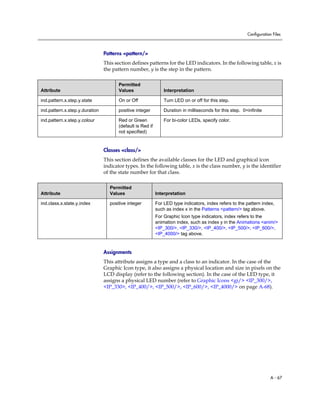
dictate the Presence aspects of directory entries.
• For more information, refer to Local Contact Directory File Format
on page 4-10.
Local Local Phone User
Interface
The user can edit the directory contents. The Watch Buddy and
Block Buddy fields control the buddy behavior of contacts.
Changes will be stored in the phone’s flash file system and backed up
to the boot server copy of <Ethernet address>-directory.xml if this
is configured. When the phone boots, the boot server copy of the
directory, if present, will overwrite the local copy.
Note Any contacts added through the SoundPoint IP phone’s buddy list will appear in as
a contact in Microsoft Office Communicator and Windows Messenger.
Polycom recommends that the BLF not be used in conjunction with the Microsoft
Live Communications Server 2005 feature. For more information, refer to Busy
Lamp Field on page 4-25.
Configuring Your System
4 - 39
Configuration changes can performed centrally at the boot server:
Configuration File Example
SoundPoint IP phones can be deployed in two basic methods. In the first
method, Microsoft Live Communications Server 2005 serves as the call server
and the phones have a single registration. In the second method, the phone has
a primary registration to call server—that is not Microsoft Live
Communications Server (LCS)—and a secondary registration to LCS for
presence purposes.
To set up a single registration with Microsoft Live Communications Server 2005
as the call server:
1. Modify the sip.cfg configuration file as follows:
a Open sip.cfg in an XML editor.
b Locate the feature parameter.
c For the feature.1.name = presence attribute, set
feature.1.enabled to 1.
d For the feature.2.name = messaging attribute, set
feature.2.enabled to 1.
Central
(boot server)
Configuration file:
sip.cfg
Specify that support for Microsoft Live Communications Server 2005
is enabled.
• For more information, refer to SIP <SIP/> on page A-10.
Specify the line/registration number used to send SUBSCRIBE for
presence.
• For more information, refer to Presence <pres/> on page A-60.
Turn the presence and messaging features on or off.
• For more information, refer to Feature <feature/> on page A-77.
Configuration file:
phone1.cfg
Specify the number of line keys to assign per registration.
• For more information, refer to Registration <reg/> on page A-84.
Specify the line/registration number which has roaming buddies
support enabled.
• For more information, refer to Roaming Buddies
<roaming_buddies/> on page A-99.
Specify the line/registration number which has roaming privacy
support enabled.
• For more information, refer to Roaming Privacy
<roaming_privacy/> on page A-99.
Administrator’s Guide SoundPoint IP / SoundStation IP
4 - 40
e Locate the voIpProt parameter.
Set the voIpProt.server.x.transport attribute to TCPpreferred or
TLS.
Your selection depends on the LCS configuration.
f Set the voIpProt.server.x.address to the LCS address.
For example, voIpProt.server.1.address = "lcs2005.local"
g Set the voIpProt.SIP.lcs attribute to 1.
h (Optional) If SIP forking is desired, set voIpProt.SIP.ms-forking
attribute to 1.
Refer to SIP <SIP/> on page A-10.
i Save the modified sip.cfg configuration file.
2. Modify the phone1.cfg configuration file as follows:
a Open phone1.cfg in an XML editor.
b Locate the registration parameter.
c Set the reg.1.address to the LCS address.
For example, reg.1.address = "7778"
d Set the reg.1.server.y.address to the LCS server name.
e (Optional) Set the reg.1.server.y.transport attribute to
TCPpreferred or TLS.
Your selection depends on the LCS configuration.
f Set reg.1.auth.userId to the phone's LCS username.
For example, reg.1.auth.userId = "jbloggs"
g Set reg.1.auth.password to the LCS password.
For example, reg.1.auth.password = "Password2"
h Locate the roaming_buddies attribute.
i Set the roaming_buddies.reg element to 1.
Refer to Roaming Buddies <roaming_buddies/> on page A-99.
j Locate the roaming_privacy attribute.
k Set the roaming_privacy.reg element to 1.
Refer to Roaming Privacy <roaming_privacy/> on page A-99.
l Save the modified phone1.cfg configuration file.
Note The TLS protocol is not supported on SoundPoint IP 300 and 500 phones.
Configuring Your System
4 - 41
To set up a dual registration with Microsoft Live Communications Server 2005 as
the presence server:
1. (Optional) Modify the sip.cfg configuration file as follows:
a Open sip.cfg in an XML editor.
b Locate the feature parameter.
c For the feature.1.name = presence attribute, set
feature.1.enabled to 1.
d For the feature.2.name = messaging attribute, set
feature.2.enabled to 1.
e Locate the voIpProt parameter.
f If SIP forking is desired, set voIpProt.SIP.ms-forking attribute to 1.
Refer to SIP <SIP/> on page A-10.
g Save the modified sip.cfg configuration file.
2. Modify the phone1.cfg configuration file as follows:
a Open phone1.cfg in an XML editor.
b Locate the registration parameter.
c Select a registration to be used for the Microsoft Live Communications
Server 2005.
Typically, this would be 2.
d Set the reg.x.address to the LCS address.
For example, reg.2.address = "7778"
e Set the reg.x.server.y.address to the LCS server name.
f (Optional) Set the reg.2.server.y.transport attribute to
TCPpreferred or TLS.
Your selection depends on the LCS configuration.
g Set reg.x.auth.userId to the phone's LCS username.
For example, reg.2.auth.userId = "jbloggs"
h Set reg.x.auth.password to the LCS password.
For example, reg.2.auth.password = "Password2"
i Locate the roaming_buddies attribute.
j Set the roaming_buddies.reg element to the number corresponding
to the LCS registration.
For example, roaming_buddies.reg = 2
Refer to Roaming Buddies <roaming_buddies/> on page A-99.
k Locate the roaming_privacy attribute.
Administrator’s Guide SoundPoint IP / SoundStation IP
4 - 42
l Set the roaming_privacy.reg element to the number corresponding
to the LCS registration.
For example, roaming_privacy.reg = 2
Refer to Roaming Privacy <roaming_privacy/> on page A-99.
m Save the modified phone1.cfg configuration file.
Setting Up Audio Features
Proprietary state-of-the-art digital signal processing (DSP) technology is used
to provide an excellent audio experience.
This section provides information for making configuration changes for the
following audio-related features:
• Low-Delay Audio Packet Transmission
• Jitter Buffer and Packet Error Concealment
• Voice Activity Detection
• DTMF Tone Generation
• DTMF Event RTP Payload
• Acoustic Echo Cancellation
• Audio Codecs
• Background Noise Suppression
• Comfort Noise Fill
• Automatic Gain Control
• IP Type-of-Service
• IEEE 802.1p/Q
Low-Delay Audio Packet Transmission
The phone is designed to minimize latency for audio packet transmission.
There are no related configuration changes.
Jitter Buffer and Packet Error Concealment
The phone employs a high-performance jitter buffer and packet error
concealment system designed to mitigate packet inter-arrival jitter and
out-of-order or lost (lost or excessively delayed by the network) packets. The
Configuring Your System
4 - 43
jitter buffer is adaptive and configurable for different network environments.
When packets are lost, a concealment algorithm minimizes the resulting
negative audio consequences.
Configuration changes can performed centrally at the boot server or locally:
Voice Activity Detection
The purpose of voice activity detection (VAD) is to conserve network
bandwidth by detecting periods of relative “silence” in the transmit data path
and replacing that silence efficiently with special packets that indicate silence
is occurring. For those compression algorithms without an inherent VAD
function, such as G.711, the phone is compatible with the comprehensive
codec-independent comfort noise transmission algorithm specified in RFC
3389. This algorithm is derived from G.711 Appendix II, which defines a
comfort noise (CN) payload format (or bit-stream) for G.711 use in
packet-based, multimedia communication systems. The phone generates CN
packets (also known as Silence Insertion Descriptor (SID) frames) and also
decodes CN packets, efficiently regenerating a facsimile of the background
noise at the remote end.
Configuration changes can performed centrally at the boot server:
DTMF Tone Generation
The phone generates dual tone multi-frequency (DTMF) tones in response to
user dialing on the dial pad. These tones are transmitted in the real-time
transport protocol (RTP) streams of connected calls. The phone can encode the
Central
(boot server)
Configuration file:
sip.cfg
Set the jitter buffer tuning parameters including minimum and
maximum size and shrink aggression.
• For more information, refer to Codec Profiles <audioProfile/> on
page A-36.
Local Web Server
(if enabled)
Set the jitter buffer tuning parameters including minimum and
maximum size and shrink aggression.
Navigate to http://<phoneIPAddress>/coreConf.htm#au
Changes are saved to local flash and backed up to <Ethernet
address>-phone.cfg on the boot server. Changes will permanently
override global settings unless deleted through the Reset Local
Config menu selection and the <Ethernet address>-phone.cfg is
removed from the boot server.
Central
(boot server)
Configuration file:
sip.cfg
Enable or disable VAD and set the detection threshold.
• For more information, refer to Voice Activity Detection <vad/> on
page A-47.
Administrator’s Guide SoundPoint IP / SoundStation IP
4 - 44
DTMF tones using the active voice codec or using RFC 2833 compatible
encoding. The coding format decision is based on the capabilities of the remote
end point.
Configuration changes can performed centrally at the boot server:
DTMF Event RTP Payload
The phone is compatible with RFC 2833 - RTP Payload for DTMF Digits,
Telephony Tones, and Telephony Signals. RFC 2833 describes a standard
RTP-compatible technique for conveying DTMF dialing and other telephony
events over an RTP media stream. The phone generates RFC 2833 (DTMF
only) events but does not regenerate, nor otherwise use, DTMF events
received from the remote end of the call.
Configuration changes can performed centrally at the boot server:
Acoustic Echo Cancellation
The phone employs advanced acoustic echo cancellation (AEC) for hands-free
operation. Both linear and non-linear techniques are employed to aggressively
reduce echo yet provide for natural full-duplex communication patterns.
When using the handset on any SoundPoint IP phones, AEC is not normally
required. In certain situations, where echo is experienced by the far-end party,
when the user is on the handset, AEC may be enabled to reduce/avoid this
echo. To achieve this, make the following changes in the sip.cfg configuration
file (default settings for these parameters are disabled):
voice.aec.hs.enable = 1
voice.aes.hs.enable = 1
voice.ns.hs.enable = 1
voice.ns.hs.signalAttn = -6
voice.ns.hs.silenceAttn = -9
For more information, refer to Acoustic Echo Cancellation <aec/> on page
A-34, Acoustic Echo Suppression <aes/> on page A-41, and Background
Noise Suppression <ns/> on page A-42.
Central
(boot server)
Configuration file:
sip.cfg
Set the DTMF tone levels, autodialing on and off times, and other
parameters.
• For more information, refer to Dual Tone Multi-Frequency
<DTMF/> on page A-25.
Central
(boot server)
Configuration file:
sip.cfg
Enable or disable RFC 2833 support in SDP offers and specify the
payload value to use in SDP offers.
• For more information, refer to Dual Tone Multi-Frequency
<DTMF/> on page A-25.
Configuring Your System
4 - 45
For the SoundPoint IP 501 and 601, utilizing acoustic echo cancellation will
introduce a small delay increase into the audio path which might cause a lower
voice quality.
Audio Codecs
The following table summarizes the phone’s audio codec support:
Configuration changes can performed centrally at the boot server or locally:
Note AEC on the SoundPoint IP 301 handset is not supported.
Algorithm MIME Type Ref. Bit Rate
Sample
Rate Frame Size
Effective
audio
bandwidth
G.711μ-law PMCU RFC 1890 64 Kbps 8 Ksps 10ms - 80ms 3.5KHz
G.711a-law PCMA RFC 1890 64 Kbps 8 Ksps 10ms - 80ms 3.5KHz
G.722 G722/8000 RFC 1890 64 Kbps 16 Ksps 10ms - 80ms 7 KHz
G.722.1 G722/16000 RFC 3047 16 Kbps,
24 Kbps,
32 Kbps
16 Ksps 20ms - 80ms 7 KHz
G.729AB G729 RFC 1890 8 Kbps 8 Ksps 10ms - 80ms 3.5KHz
SID CN RFC 3389 N/A N/A N/A N/A
RFC 2833 phone-event RFC 2833 N/A N/A N/A N/A
Central
(boot server)
Configuration file:
sip.cfg
Specify codec priority, preferred payload sizes, and jitter buffer tuning
parameters.
• For more information, refer to Codec Preferences <codecPref/>
on page A-35 and Codec Profiles <audioProfile/> on page A-36.
Local Web Server
(if enabled)
Specify codec priority, preferred payload sizes, and jitter buffer tuning
parameters.
Navigate to http://<phoneIPAddress>/coreConf.htm#au
Changes are saved to local flash and backed up to <Ethernet
address>-phone.cfg on the boot server. Changes will permanently
override global settings unless deleted through the Reset Local
Config menu selection and the <Ethernet address>-phone.cfg is
removed from the boot server.
Administrator’s Guide SoundPoint IP / SoundStation IP
4 - 46
Background Noise Suppression
Background noise suppression (BNS) is designed primarily for hands-free
operation and reduces background noise to enhance communication in noisy
environments.
There are no related configuration changes.
Comfort Noise Fill
Comfort noise fill is designed to help provide a consistent noise level to the
remote user of a hands-free call. Fluctuations in perceived background noise
levels are an undesirable side effect of the non-linear component of most AEC
systems. This feature uses noise synthesis techniques to smooth out the noise
level in the direction toward the remote user, providing a more natural call
experience.
There are no related configuration changes.
Automatic Gain Control
Automatic Gain Control (AGC) is applicable to hands-free operation and is
used to boost the transmit gain of the local talker in certain circumstances. This
increases the effective user-phone radius and helps with the intelligibility of
soft-talkers.
There are no related configuration changes.
IP Type-of-Service
The “type of service” field in an IP packet header consists of four
type-of-service (TOS) bits and a 3-bit precedence field. Each TOS bit can be set
to either 0 or 1. The precedence field can be set to a value from 0 through 7. The
type of service can be configured specifically for RTP packets and call control
packets, such as SIP signaling packets.
Configuration changes can performed centrally at the boot server or locally:
Central
(boot server)
Configuration file:
sip.cfg
Specify protocol-specific IP TOS settings.
• For more information, refer to IP TOS <IP/> on page A-48.
Local Web Server
(if enabled)
Specify IP TOS settings.
Navigate to: http://<phoneIPAddress>/netConf.htm#qo
Configuring Your System
4 - 47
IEEE 802.1p/Q
The phone will tag all Ethernet packets it transmits with an 802.1Q VLAN
header for one of the following reasons:
• When it has a valid VLAN ID set in its network configuration
• When it is instructed to tag packets through Cisco Discovery Protocol
(CDP) running on a connected Ethernet switch
• When a VLAN ID is obtained from DHCP (refer to DHCP Menu on page
3-7)
The 802.1p/Q user_priority field can be set to a value from 0 to 7. The
user_priority can be configured specifically for RTP packets and call control
packets, such as SIP signaling packets, with default settings configurable for
all other packets.
Configuration changes can performed centrally at the boot server or locally:
Setting Up Security Features
This section provides information for making configuration changes for the
following security-related features:
• Local User and Administrator Privilege Levels
• Custom Certificates
• Incoming Signaling Validation
• Configuration File Encryption
Central
(boot server)
Configuration file:
sip.cfg
Specify default and protocol-specific 802.1p/Q settings.
• For more information, refer to Ethernet IEEE 802.1p/Q
<ethernet/> on page A-47.
Local Web Server
(if enabled)
Specify 802.1p/Q settings.
Navigate to http://<phoneIPAddress>/netConf.htm#qo
Local Phone User
Interface
Specify whether CDP is to be used or manually set the VLAN ID or
configure DHCP VLAN Discovery.
Phase 1: bootRom - Navigate to: SETUP menu during auto-boot
countdown.
Phase 2: Application - Navigate to:
Menu>Settings>Advanced>Admin Settings>Network Configuration
• For more information, refer to Setting Up the Network on page
3-2.
Administrator’s Guide SoundPoint IP / SoundStation IP
4 - 48
Local User and Administrator Privilege Levels
Several local settings menus are protected with two privilege levels, user and
administrator, each with its own password. The phone will prompt for either
the user or administrator password before granting access to the various menu
options. When the user password is requested, the administrator password
will also work. The web server is protected by the administrator password
(refer to Configuring SoundPoint IP / SoundStation IP Phones Locally on page
4-50).
Configuration changes can performed centrally at the boot server or locally:
Custom Certificates
The phone trusts certificates issued by widely recognized certificate
authorities when trying to establish a connection to a boot server for
application provisioning. Refer to Trusted Certificate Authority List on page
C-1.
In addition, custom certificates can be added to the phone. This is done by
using the SSL Security menu on the phone to provide the URL of the custom
certificate then select an option to use this custom certificate.
Configuration changes can performed locally:
Central
(boot server)
Configuration file:
sip.cfg
Specify the minimum lengths for the user and administrator
passwords.
• For more information, refer to Password Lengths
<pwd/><length/> on page A-74.
Local Web Server
(if enabled)
None.
Local Phone User
Interface
The user and administrator passwords can be changed under the
Settings menu or through configuration parameters (refer to Flash
Parameter Configuration on page A-100). Passwords can consist of
ASCII characters 32-127 (0x20-0x7F) only.
Changes are saved to local flash but are not backed up to <Ethernet
address>-phone.cfg on the boot server for security reasons.
Note For more information on using custom certificates, refer to “Technical Bulletin
17877: Using Custom Certificates With SoundPoint IP Phones” at
www.polycom.com/support/voice/ .
Local Local Phone User
Interface
The custom certificate can be specified and the type of certificate to
trust can be set under the Settings menu.
Configuring Your System
4 - 49
Incoming Signaling Validation
The three optional levels of security for validating incoming network signaling
are:
• Source IP address validation
• Digest authentication
• Source IP address validation and digest authentication
Configuration changes can performed centrally at the boot server:
Configuration File Encryption
Configuration files (excluding the master configuration file), contact
directories, and configuration override files can all be encrypted.
For more information on encrypting configuration files including determining
whether an encrypted file is the same as an unencrypted file and using the
SDK to facilitate key generation, refer to Encrypting Configuration Files on
page C-3.
Configuration changes can performed centrally at the boot server:
Central
(boot server)
Configuration File:
sip.cfg
Specify the type of validation to perform on a request-by-request
basis, appropriate to specific event types in some cases.
• For more information, refer to Request Validation
<requestValidation/> on page A-14.
Note The SoundPoint IP 300 and 500 phones will always fail at decrypting files. These
phones will recognize that a file is encrypted, but cannot decrypt it and will display
an error. Encrypted configuration files can only be decrypted on the SoundPoint IP
301, 320, 330, 430, 501,550, 600, 601, and 650 and the SoundStation IP 4000
phones.
The master configuration file cannot be encrypted on the boot server. This file is
downloaded by the bootROM that does not recognize encrypted files. For more
information, refer to Master Configuration Files on page A-2.
Central
(boot server)
Configuration File:
sip.cfg
Specify the phone-specific contact directory and the
phone-specific configuration override file.
• For more information, refer to Encryption <encryption/>
on page A-74.
Configuration file:
<device>.cfg
Change the encryption key.
• For more information, refer to refer to Flash Parameter
Configuration on page A-100.
Administrator’s Guide SoundPoint IP / SoundStation IP
4 - 50
Configuring SoundPoint IP / SoundStation IP Phones Locally
A local phone-based configuration web server is available, unless it is disabled
through sip.cfg. It can be used as the only method of modifying phone
configuration or as a distributed method of augmenting a centralized
provisioning model. For more information, refer to Web Server <httpd/> on
page A-54.
The phone’s local user interface also permits many application settings to be
modified, such as SIP server address, ring type, or regional settings such as
time/date format and language.
Changes made through the web server or local user interface are stored
internally as overrides. These overrides take precedence over settings
contained in the configuration obtained from the boot server.
If the boot server permits uploads, these override setting will be saved in a file
called <Ethernet address>-phone.cfg on the boot server as well in flash
memory.
Local Web
Server Access
Point your web browser to http://<phoneIPAddress>/.
Configuration pages are accessible from the menu along the top banner.
The web server will issue an authentication challenge to all pages except for
the home page.
Credentials are (case sensitive):
User Name: Polycom
Password: The administrator password is used for this.
Local Settings
Menu Access
Some items in the Settings menu are locked to prevent accidental changes.
To unlock these menus, enter the user or administrator passwords.
The administrator password can be used anywhere that the user password is
used.
Factory default passwords are:
User password: 123
Administrator password: 456
Passwords:
Administrator
password
required.
Network Configuration
SIP Configuration
SSL Security settings
Reset to Default - local configuration, device settings, and file system format
User password
required.
Restart Phone
Warning Local configuration changes will continue to override the boot server-derived
configuration until deleted through the Reset Local Config menu selection.
5 - 1
5
Troubleshooting Your SoundPoint IP
/ SoundStation IP Phones
This chapter provides you with some tools and techniques for troubleshooting
SoundPoint IP / SoundStation IP phones and installations. The phone can
provide feedback in the form of on-screen error messages, status indicators,
and log files for troubleshooting issues.
This chapter includes information on:
• BootROM Error Messages
• Application Error Messages
• Status Menu
• Log Files
This chapter also presents phone issues, likely causes, and corrective actions.
Issues are grouped as follows:
• Power and Startup
• Controls
• Access to Screens and Systems
• Calling
• Displays
• Audio
• Upgrading
Review the latest Release Notes for the SIP application for known problems and
possible workarounds. For the latest Release Notes and the latest version of this
Administrator’s Guide, go to Polycom Technical Support at
http://www.polycom.com/support/voice/.
If your problems is not listed in this chapter nor described in the latest Release
Notes, contact your Certified Polycom Reseller for support.
Administrator’s Guide SoundPoint IP / SoundStation IP
5 - 2
Error Messages
There are several different error messages that can be displayed on the phone
when it is booting. Some of these errors are fatal, meaning that the phone will
not able to boot until this issue has been resolved, and some are recoverable,
meaning the phone will continue booting after the error, but the configuration
of the phone may not be what you were expecting.
BootROM Error Messages
Most of these errors are also logged on the phone’s boot log, however, if you
are having trouble connecting to the boot server, the phone will likely not be
able to upload the boot log for you to examine.
Failed to get boot parameters via DHCP
The phone does not have an IP address and therefore cannot boot. Check that
all cables are connected, the DHCP server is running and that the phone has
not been put into a VLAN which is different from the DHCP server. Check the
DHCP configuration.
Application <file name> is not compatible with this phone!
When the bootROM displays an error like “The application is not compatible”,
it means an application file was downloaded from the boot server, but it
cannot be installed on this phone. This issue can usually be resolved by finding
a software image that is compatible with the hardware or the bootROM being
used and installing this on the boot server. There are various different
hardware and software dependencies. Refer to the latest Release Notes for
details on the version you are using.
Could not contact boot server, using existing configuration
The phone could not contact the boot server, but the causes may be numerous.
It may be cabling issue, it may be related to DHCP configuration, or it could
be a problem with the boot server itself. The phone can recover from this error
so long as it previously downloaded a valid application bootROM image and
all of the necessary configuration files.
Error, application is not present!
There is no application stored in flash memory and the phone cannot boot. A
compatible SIP application must be downloaded into the phone using one of
the supported provisioning protocols. You need to resolve the issue of
connecting to the boot server. This error is typically a result one of the above
errors. This error is fatal.
Troubleshooting Your SoundPoint IP / SoundStation IP Phones
5 - 3
Not all configuration files were present on the server
Similarly, a message about configuration files not being present, means that
the phone was able to reach the boot server, but that it was not able to find all
the necessary files. So long as the files exist in flash memory, the phone can
boot following this error.
Error loading <file name>
When the required file does not exist in flash memory and cannot be found on
the boot server, the “Error loading” message will tell you which file could not
be found. This error only remains on the screen for a few seconds so you need
to watch closely. The phone reboots.
Application Error Messages
Config file error. Error is <Hex #>
If there is an error in the configuration file, you will not be able to reboot the
phones. You must review the boot server configuration, make the correction,
and reapply the configuration file by restarting the phones.
Network link is down
Since the SoundPoint IP / SoundStation IP phones do not have an LED
indicating network LINK status like many networking devices, if a link failure
is detected while the phone is running a message saying “Network link is
down” will be displayed. This message will be shown on the screen whenever
the phone is not in the menu system and will remain on screen until the link
problem is resolved.
Status
When the phone is unable to register with the call control server, the icon for
that will be shown . Once the phone is able to register, the icon will be
shown .
Note This error does not occur with the current BootROM.
Administrator’s Guide SoundPoint IP / SoundStation IP
5 - 4
Blinking Time
If the phone has not been able to contact the SNTP server or if one has not been
configured, the date/time display will flash until this is fixed. If an SNTP is not
available, the data/time display can be turned off so that the flashing display
is not a distraction.
Status Menu
Debugging of single phone may be possible through an examination of the
phone’s status menu. Press Menu, select Status, and then press the Select soft
key.
Under the Platform selection, you can get details on the phone’s serial number
or MAC address, the current IP address, the bootROM version, the application
version, the name of the configuration files in use, and the address of the boot
server.
In the Network menu, the phone will provide information about TCP/IP
setting, Ethernet port speed, connectivity status of the PC port, and statistics
on packets sent and received since last boot. This would also be a good place
to look and see how long it’s been since the phone rebooted. The Call Statistics
screen shows packets sent and received on the last call.
The Lines menu will give you details about the status of each line that has been
configured on the phone.
Finally, the Diagnostics menu offers a series of hardware tests to verify correct
operation of the microphone, speaker, handset, and third party headset, if
present. It will also let you test that each of the keys on the phone is working,
and it will display the function that has been assigned to each of the keys in the
configuration. This is also where you can test the LCD for faulty pixels.
In addition to the hardware tests, the Diagnostics menu has a series of
real-time graphs for CPU, network and memory utilization that can be helpful
in diagnosing performance issues.
Log Files
SoundPoint IP and SoundStation IP phones will log various events to files
stored in the flash file system and will periodically upload these log files to the
boot server. The files are stored in the phone’s home directory or a
user-configurable directory.
There is one log file for the bootROM and one for the application. When a
phone uploads its log files, they are saved on the boot server with the MAC
address of the phone prepended to the file name. For example,
00f4f200360b-boot.log and 00f4f200360b-app.log are the files associated with
Troubleshooting Your SoundPoint IP / SoundStation IP Phones
5 - 5
MAC address 00f4f200360b. The bootROM log file is uploaded to the boot
server after every reboot. The application log file is uploaded periodically or
when the local copy reaches a predetermined size.
Both log files can be uploaded on demand using a multiple key combination
described in Multiple Key Combinations on page C-9. The phone uploads four
files, namely, mac-boot.log, app-boot.log, mac-now-boot.log, and
mac-now-app.log. The “now_” logs are uploaded manually.
The amount of logging that the phone performs can be tuned for the
application to provide more or less detail on specific components of the
phone’s software. For example, if you are troubleshooting a SIP signaling
issue, you are not likely interested in DSP events. Logging levels are adjusted
in the configuration files or via the web interface. You should not modify the
default logging levels unless directed to by Polycom Technical Support.
Inappropriate logging levels can cause performance issues on the phone.
In addition to logging events, the phone can be configured to automatically
execute command-line instructions at specified intervals that output run-time
information such as memory utilization, task status, or network buffer
contents to the log file. These techniques should only be used in consultation
with Polycom Technical Support.
Application Logging Options
Each of the components of the application software is capable of logging
events of different severity. This allows you to capture lower severity events
in one part of the application, while still only getting high severity event for
other components.
The parameters for log level settings are found in the sip.cfg configuration file.
They are log.level.change.module_name. Log levels range from 1 to 6 (1 for
the most detailed logging, 6 for critical errors only).
When testing is complete, remember to return all logging levels to the default
value of 4.
There are other logging parameters that you may wish to modify. Changing
these parameters does not have the same impact as changing the logging
levels, but you should still understand how your changes will affect the phone
and the network.
• log.render.level—Sets the lowest level that can be logged (default=1)
• log.render.file.size—Maximum size before log file is uploaded
(default=16 kb)
• log.render.file.upload.period—Frequency of log uploads (default is
172800 seconds = 48 hours)
• log.render.file.upload.append—Controls if log files on the boot
server are overwritten or appended, not supported by all servers
Administrator’s Guide SoundPoint IP / SoundStation IP
5 - 6
• log.render.file.upload.append.sizeLimit—Controls the maximum
size of log files on the boot server (default=512 kb)
• log.render.file.upload.append.limitMode—Controls action to take
when server log reaches max size, actions are stop and delete
Scheduled Logging
Scheduled logging is a powerful tool for anyone who is trying to troubleshoot
an issue with the phone that only occurs after some time in operation.
The output of these instructions is written to the application log, and can be
examined later (for trend data).
The parameters for scheduled logging are found in the sip.cfg configuration
file. They are log.sched.module_name.
The following figure shows an example of a configuration file and the
resulting log file.
Manual Log Upload
If you want to look at the log files without having to wait for the phone to
upload them (which could take as long as 24 hours or more), initiate an upload
by pressing correct combination of keys on the phone.
Troubleshooting Your SoundPoint IP / SoundStation IP Phones
5 - 7
For more information, refer to Multiple Key Combinations on page C-9.
When the log files are manually uploaded, the word “now” is inserted into the
name of the file, for example, 0004f200360b-now-boot.log .
Reading a Boot Log
The following figure shows a portion of a boot log file:
Boot Failure Messages
The following figure shows an example of “Application sip.ld is not
compatible with this phone!” boot failure messages:
Administrator’s Guide SoundPoint IP / SoundStation IP
5 - 8
Reading an Application Log
The following figure shows a portion of an application log file:
Troubleshooting Your SoundPoint IP / SoundStation IP Phones
5 - 9
Power and Startup
Symptom Problem Corrective Action
There are power issues. The SoundPoint IP /
SoundStation IP family SIP
phone has no power.
Do one of the following:
• Verify that no lights appear on the unit
when it is powered up.
• Check if the phone is properly plugged
into a functional AC outlet.
• Make sure that the phone isn't
plugged into a plug controlled by a
light switch that is off.
• If plugged into a power strip, try
plugging directly into a wall outlet
instead.
• Try the phone in another room where
the electricity is known to be working
on a particular outlet.
• If using PoE, the power supply voltage
may be too high or too low.
Administrator’s Guide SoundPoint IP / SoundStation IP
5 - 10
Controls
Symptom Problem Corrective Action
The dial pad does not work. The dial pad on the SoundPoint
IP / SoundStation IP family SIP
phone does not respond.
Do one of the following:
• Check for a response from other
feature keys or from the dial pad.
• Place a call to the phone from a known
working telephone. Check for display
updates.
• Press the Menu key followed by
System Status and Server Status to
check if the telephone is correctly
registered to the server.
• Press the Menu key followed by
System Status and Network Statistics.
Scroll down to see if LAN port shows
active or Inactive.
• Check the termination at the switch or
hub end of the network LAN cable.
Ensure that the switch/hub port
connected to the telephone is
operational (if not accessible, contact
your system administrator).
• Before restarting your phone, contact
your system administrator, since this
may allow more detailed
troubleshooting to occur before losing
any current status information.
Troubleshooting Your SoundPoint IP / SoundStation IP Phones
5 - 11
Access to Screens and Systems
Symptom Problem Corrective Action
There is no response from
feature key presses.
The SoundPoint IP /
SoundStation IP family SIP
phone is not in active state.
Do one of the following:
• Press the keys more slowly.
• Check to see whether or not the key
has been mapped to a different
function or disabled.
• Make a call to the phone to check for
inbound call display and ringing as
normal. If successful, try to press
feature keys within the call to access
Directory or Buddy Status, for
example.
• Press Menu followed by Status >
Lines to confirm line is actively
registered to the call server.
• Reboot the phone to attempt re- to the
call server (refer to Rebooting the
Phone on page C-9).
The display shows “Network Link
is Down”.
The LAN cable is not properly
connected.
Do one of the following:
• Check termination at the switch or hub
(furthest end of the cable from the
phone).
• Check that the switch or hub is
operational (flashing link/status lights)
or contact your system administrator.
• Press Menu followed by Status >
Network. Scroll down to verify that the
LAN is active.
• Ping phone from another machine.
• Reboot the phone to attempt re- to the
call server (refer to Rebooting the
Phone on page C-9).
Administrator’s Guide SoundPoint IP / SoundStation IP
5 - 12
Calling
Symptom Problem Corrective Action
There is no dial tone. Power is not correctly applied to
the SoundPoint IP family SIP
phone.
Do one of the following:
• Check that the display is illuminated.
• Make sure the LAN cable is inserted
properly at the rear of the phone (try
unplugging and re-inserting the
cable).
• If using in-line powering, have your
system administrator check that the
switch is supplying power to the
phone.
Dial tone is not present on one of
audio paths.
Do one of the following:
• Switch between Handset, Headset (if
present) or Hands-Free
Speakerphone to see if dial tone is
present on another paths.
• If dial tone exists on another path,
connect a different handset or
headset to isolate the problem.
• Check configuration for gain levels.
The phone is not registered. Contact your system administrator.
The phone does not ring. Ring setting or volume is low. Do one of the following:
• Adjust the ringing level from the front
panel using the volume up/down keys.
• Check same status of handset,
headset (if connected) and through
the Hands-Free Speakerphone.
Outbound or inbound calling is
unsuccessful.
Do one of the following:
• Place a call to the phone under
investigation. Check that the display
indicates incoming call information.
• Lift the handset. Ensure dial tone is
present and place a call to another
extension or number. Check that the
display changes in response.
The line icon shows an
unregistered line icon.
The phone line is unregistered. Contact your system administrator.
Troubleshooting Your SoundPoint IP / SoundStation IP Phones
5 - 13
Displays
Symptom Problem Corrective Action
There is no display.
The display is incorrect.
The display has bad contrast.
Power is not correctly applied to
the SoundPoint IP family SIP
phone.
Do one of the following:
• Check that the display is illuminated.
• Make sure the LAN cable is inserted
properly at the rear of the phone (try
unplugging and re-inserting the
cable).
• If using in-line powering, have your
system administrator check that the
switch is supplying power to the
phone.
The contrast needs adjustment. Do one of the following:
• Refer to the appropriate SoundPoint
IP / SoundStation IP SIP phone User
Guide.
• Reboot the phone to obtain a default
level of contrast (refer to Rebooting
the Phone on page C-9).
Outbound or inbound calling is
unsuccessful.
Do one of the following:
• Place a call to the phone under
investigation. Check that the display
indicates incoming call information.
• Lift the handset. Ensure dial tone is
present and place a call to another
extension or number. Check that the
display changes in response.
The display is flickering. Certain type of older fluorescent
lighting causes the display to
appear to flicker.
Do one of the following:
• Move the SoundPoint IP /
SoundStation IP SIP phone away
from the lights.
• Replace the lights.
Administrator’s Guide SoundPoint IP / SoundStation IP
5 - 14
Audio
Upgrading
Symptom Problem Corrective Action
There is no audio on the
headset.
The connections are not correct. Do one of the following:
• Ensure the headset is plugged into the
jack marked Headset at the rear of the
phone.
• Ensure the headset amplifier (if
present) is turned on and/or the
volume is correctly adjusted).
There are audio and echo issues
on the headset.
Possible issues include:
• Echo on external calls
through a gateway.
• Internal calls (no gateway),
handsfree echo.
• Internal calls (no gateway),
handset to handset echo.
Refer to “Technical Bulletin 16249:
Troubleshooting Audio and Echo Issues
on SoundPoint® IP Phones” on the
Polycom Support Knowledgebase.
Symptom Problem Corrective Action
SoundPoint IP 300 and/or 500
behave incorrectly or do not
display new features.
New features are not supported
on the SoundPoint IP 300 and
500 and the configuration files
have not been correctly modified.
The SoundPoint IP 300 and 500
will not ‘understand’ the new
configuration parameters, and
will attempt to load the new
application.
The attempt to load the new application
will fail since there is no 300/500 image
contained within the sip.ld file, so the
phone will continue on and run the current
version of application that it has in
memory. It will however use the new
configuration files. Refer to Supporting
SoundPoint IP 300 and 500 Phones on
page 3-18.
A - 1
A
Configuration Files
This appendix provides detailed descriptions of certain configuration files
used by the Session Initiation Protocol (SIP) application. It is a reference for all
parameters that are configurable when using the centralized provisioning
installation model.
This appendix contains information on:
• Master Configuration Files (MAC.cfg or 000000000000.cfg)
• Application Configuration (sip.cfg)
• Per-Phone Configuration (phone1.cfg)
• Flash Parameter Configuration
The application configuration files dictate the behavior of the phone once it is
running the executable specified in the master configuration file.
Caution Configuration files should only be modified by a knowledgeable system
administrator. Applying incorrect parameters may render the phone unusable. The
configuration files which accompany a specific release of the SIP software must be
used together with that software. Failure to do this may render the phone unusable.
Note In the tables in the following sections, “Null” should be interpreted as the empty
string, that is, attributeName=“” when the file is viewed in an XML editor.
To enter special characters in a configuration file, enter the appropriate sequence
using an XML editor:
• & as &amp;
• ” as &quot;
• ’ as &apos;
• < as &lt;
• > as &gt;
Note The various .hd. parameters in sip.cfg (such as voice.aec.hd.enable,
voice.ns.hd.enable, and voice.agc.hd.enable) are headset parameters. They
are not connected to high definition or HD voice.
Administrator’s Guide SoundPoint IP / SoundStation IP
A - 2
Master Configuration Files
The master configuration files can be one of:
• Specified master configuration file—The master configuration file can be
explicitly specified in the boot server address, for example,
http://usr:pwd@server/dir/example1.cfg. The filename must end with
.cfg and be at least five characters long. If this file cannot be downloaded,
the phone will search for the per-phone master configuration file
(described next).
• Per-phone master configuration file—If per-phone customization is
required, the file should be named <Ethernet address>.cfg, where
Ethernet address is the MAC address of the phone in question. For A-F
hexadecimal digits, use upper or lower case, for example,
0004f200106c.cfg. The Ethernet address can be viewed using the About
soft key during the auto-restart countdown of the bootROM or through
the Menu > Status > Platform > Phone menu in the application. It is also
printed on a label on the back of the phone. If this file cannot be
downloaded, the phone will search for the default master configuration
file (described next).
• Default master configuration file—For systems in which the configuration
is identical for all phones (no per-phone <Ethernet address>.cfg files), the
default master configuration file may be used to set the configuration for
all phones. The file named 000000000000.cfg (<12 zeros>.cfg) is the default
master configuration file and it is recommended that one be present on the
boot server. If a phone does not find its own <Ethernet address>.cfg file,
it will use this one, and establish a baseline configuration. This file is part
of the standard Polycom distribution of configuration files. It should be
used as the template for the <Ethernet address>.cfg files.
The default master configuration file, 000000000000.cfg, is shown below:
<?xml version=”1.0” standalone=”yes”?>
<!-- Default Master SIP Configuration File -->
<!-- edit and rename this file to <Ethernet-address>.cfg for
each phone. -->
<!-- $Revision: 1.14 $ $Date 2005/07/27 18:43:30 $ -->
< APPLICATION APP_FILE_PATH=”sip.ld”
CONFIG_FILES=”phone1.cfg, sip.cfg” MISC_FILES=””
LOG FILE DIRECTORY=”” OVERRIDES_DIRECTORY=””
CONTACTS_DIRECTORY=”” LICENSE_DIRECTORY=””/>
Master configuration files contain six XML attributes:
• APP_FILE_PATH—The path name of the application executable. It can
have a maximum length of 255 characters. This can be a URL with its own
protocol, user name and password, for example
http://usr:pwd@server/dir/sip.ld.
Configuration Files
A - 3
• CONFIG_FILES—A comma-separated list of configuration files. Each file
name has a maximum length of 255 characters and the list of file names has
a maximum length of 2047 characters, including commas and white space.
Each configuration file can be specified as a URL with its own protocol,
user name and password, for example
ftp://usr:pwd@server/dir/phone2034.cfg.
• MISC_FILES—A comma-separated list of other required files. Dictionary
resource files listed here will be stored in the phone's flash file system. So
if the phone reboots at a time when the boot server is unavailable, it will
still be able to load the preferred language.
• LOG_FILE_DIRECTORY—An alternative directory to use for log files if
required. A URL can also be specified. This is blank by default.
• CONTACTS_DIRECTORY—An alternative directory to use for user
directory files if required. A URL can also be specified. This is blank by
default.
• OVERRIDES_DIRECTORY—An alternative directory to use for
configuration overrides files if required. A URL can also be specified. This
is blank by default.
• LICENSE_DIRECTORY—An alternative directory to use for license files if
required. A URL can also be specified. This is blank by default.
If you have a requirement for different application loads on different phones
on the same boot server, you can create a variable in the master configuration
file that is replaced by the MAC address of each phone when it reboots. An
example is shown below:
<?xml version=”1.0” standalone=”yes”?>
<!-- Default Master SIP Configuration File -->
<!-- edit and rename this file to <Ethernet-address>.cfg for
each phone. -->
<!-- $RCSfile: 000000000000.cfg,v $ $Revision:$ -->
< APPLICATION APP_FILE_PATH=”sip[MACADDRESS].ld”
Note On the SoundPoint IP 500, there is insufficient room for a language file. Specifying
one will cause a reboot loop
Warning The order of the configuration files listed in CONFIG_FILES is significant:
• The files are processed in the order listed (left to right).
• The same parameters may be included in more than one file.
• The parameter found first in the list of files will be the one that is effective.
This provides a convenient means of overriding the behavior of one or more phones
without changing the baseline configuration files for an entire system.
For more information, refer to the “Configuration File Management on SoundPoint
IP Phones” whitepaper at www.polycom.com/support/voice/
Administrator’s Guide SoundPoint IP / SoundStation IP
A - 4
CONFIG_FILES=”phone1[MACADDRESS].cfg, sip.cfg” MISC_FILES=””
LOG FILE DIRECTORY=”” OVERRIDES_DIRECTORY=””
CONTACTS_DIRECTORY=”” LICENSE_DIRECTORY=””/>
If you have a requirement for separate application loads on different phones
on the same boot server, you can modify the application that is loaded when
each phone reboots. An example is below:
<?xml version=”1.0” standalone=”yes”?>
<!-- Default Master SIP Configuration File -->
<!-- edit and rename this file to <Ethernet-address>.cfg for
each phone. -->
<!-- $RCSfile: 000000000000.cfg,v $ $Revision:$ -->
< APPLICATION APP_FILE_PATH=”sip[PHONE_PART_NUMBER].ld”
CONFIG_FILES=”phone1.cfg, sip.cfg” MISC_FILES=””
LOG FILE DIRECTORY=”” OVERRIDES_DIRECTORY=””
CONTACTS_DIRECTORY=”” LICENSE_DIRECTORY=””/>
You can also use the substitution strings PHONE_MODEL,
PHONE_PART_NUMBER, and PHONE_MAC_ADDRESS in the master
configuration file.
You can also direct phone upgrades to a software image and configuration
files based on the phone model number and part number. All XML attributes
can be modified in this manner. An example is below:
<?xml version=”1.0” standalone=”yes”?>
<!-- Default Master SIP Configuration File -->
<!-- edit and rename this file to <Ethernet-address>.cfg for
each phone. -->
<!-- $RCSfile: 000000000000.cfg,v $ $Revision:$ -->
<APPLICATION APP_FILE_PATH=”sip.ld” CONFIG_FILES=”phone1.cfg,
sip.cfg” MISC_FILES=”” LOG_FILE_DIRECTORY=””
OVERRIDES_DIRECTORY=””
CONTACTS_DIRECTORY=”” LICENSE_DIRECTORY=””
APP_FILE_PATH_SPIP330=”SPIP330.sip.ld”
CONFIG_FILES_SPIP330=”phone1_SPIP330.cfg, sip_SPIP330.cfg”
APP_FILE_PATH_SPIP501=”SPIP501.sip.ld”
CONFIG_FILES_SPIP501=”phone1_SPIP501.cfg, sip_SPIP501.cfg” />
For more information, refer to “Technical Bulletin 35361: Overriding
Parameters in Master Configuration File on SoundPoint IP Phones“ at
http://www.polycom.com/support/voice/.
Application Configuration
The configuration file sip.cfg contains SIP protocol and core configuration
settings that would typically apply to an entire installation and must be set
before the phones will be operational, unless changed through the local web
Configuration Files
A - 5
server interface or local menu settings on the phone. These settings include the
local port used for SIP signaling, the address and ports of a cluster of SIP
application servers, voice codecs, gains, and tones, and other parameters.
These parameters include:
• Protocol <volpProt/>
• Dial Plan <dialplan/>
• Localization <lcl/>
• User Preferences <up/>
• Tones <tones/>
• Sampled Audio for Sound Effects <saf/>
• Sound Effects <se/>
• Voice Settings <voice/>
• Quality of Service <QOS/>
• Basic TCP/IP <TCP_IP/>
• Web Server <httpd/>
• Call Handling Configuration <call/>
• Directory <dir/>
• Presence <pres/>
• Fonts <font/>
• Keys <key/>
• Bitmaps <bitmap/>
• Indicators <ind/>
• Event Logging <log/>
• Security <sec/>
• License <license/>
• Provisioning <prov/>
• RAM Disk <ramdisk/>
• Request <request/>
• Feature <feature/>
• Resource <res/>
Administrator’s Guide SoundPoint IP / SoundStation IP
A - 6
• Microbrowser <mb/>
• USB Port <usb/>
Protocol <volpProt/>
This attribute includes:
• Local <local/>
• Server <server/>
• SDP <SDP/>
• SIP <SIP/>
Local <local/>
This configuration attribute is defined as follows:
Polycom recommends that you create another file with your organization’s
modifications. If you must change any Polycom templates, back them up first.
For more information, refer to the “Configuration File Management on SoundPoint
IP Phones” whitepaper at www.polycom.com/support/voice/.
Attribute
Permitted
Values Default Interpretation
volpProt.local.port 0 to 65535 5060 Local port for sending and receiving SIP
signaling packets.
If set to 0 or Null, 5060 is used for the local
port but it is not advertised in the SIP
signaling.
If set to some other value, that value is used
for the local port and it is advertised in the
SIP signaling.
Configuration Files
A - 7
Server <server/>
This configuration attribute is defined as follows:
Attribute
Permitted
Values Default Interpretation
voIpProt.server.dhcp.available 0, 1 0 If set to 1, check with the DHCP server for
SIP server IP address. If set to 0, do not
check with DHCP server.
voIpProt.server.dhcp.option 128 to 255 Null Option to request from the DHCP server if
voIpProt.server.dhcp.available = 1. There is
no default value for this parameter, it must be
filled in with a valid value.
Note: If the reg.x.server.y.address parameter
in Registration <reg/> on page A-83 is
non-Null, it takes precedence even if the
DHCP server is available.
voIpProt.server.dhcp.type 0, 1 Null If set to 0, IP request address.
If set to 1, request string.
Type to request from the DHCP server if
voIpProt.server.dhcp.available = 1.
There is no default value for this parameter, it
must be filled in with a valid value.
voIpProt.server.x.address dotted-deci
mal IP
address or
host name
Null IP address or host name and port of a SIP
server that accepts registrations. Multiple
servers can be listed starting with x=1, 2, ...
for fault tolerance.
Note: If the reg.x.server.y.address parameter
in Registration <reg/> on page A-83 is
non-Null, all of the reg.x.server.y.xxx
parameters will override the voIpProt.server
parameters.
If port is 0 or Null:
If voIpProt.server.x.address is a
hostname and
voIpProt.server.x.transport is set to
DNSnaptr, do NAPTR then SRV lookups.
If voIpProt.server.x.transport is set to
TCPpreferred or UDPOnly then use 5060
and don’t advertise the port number in
signalling.
If voIpProt.server.x.address is an IP
address, there is no DNS lookup and 5060 is
used for the port but it is not advertised in
signaling.
If port is 1 to 65535:
This value is used and it is advertised in
signaling.
voIpProt.server.x.port 0, Null, 1 to
65535
Null
Administrator’s Guide SoundPoint IP / SoundStation IP
A - 8
voIpProt.server.x.transport DNSnaptr or
TCPpreferre
d or
UDPOnly or
TLS or
TCPOnly
DNSnapt
r
If set to Null or DNSnaptr:
If voIpProt.server.x.address is a
hostname and voIpProt.server.x.port is 0 or
Null, do NAPTR then SRV look-ups to try to
discover the transport, ports and servers, as
per RFC 3263. If
voIpProt.server.x.address is an IP
address, or a port is given, then UDP is used.
If set to TCPpreferred:
TCP is the preferred transport, UDP is used if
TCP fails.
If set to UDPOnly:
Only UDP will be used.
If set to TLS:
If TLS fails, transport fails. Leave port field
empty (will default to 5061) or set to 5061.
If set to TCPOnly:
Only TCP will be used.
NOTE: TLS is not supported on SoundPoint
IP 300 and 500 phones.
voIpProt.server.x.expires positive
integer,
minimum
300
3600 The phone’s requested registration period in
seconds.
Note: The period negotiated with the server
may be different. The phone will attempt to
re-register at the beginning of the overlap
period. For example, if “expires”=3600 and
“overlap”=60, the phone will re-register after
3540 seconds (3600 – 60).
voIpProt.server.x.expires.overlap positive
integer,
minimum 5,
maximum
65535
60 The number of seconds before the expiration
time returned by server x at which the phone
should try to re-register. The phone will try to
re-register at half the expiration time returned
by the server if that value is less than the
configured overlap value.
voIpProt.server.x.register 0, 1 1 If set to 0, calls can be routed to an outbound
proxy without registration.
voIpProt.server.x.retryTimeOut Null or
non-negativ
e integer
0 If set to 0 or Null, use standard RFC 3261
signaling retry behavior. Otherwise
retryTimeOut determines how often retries
will be sent.
Units = milliSeconds. (Finest resolution =
100ms).
Attribute
Permitted
Values Default Interpretation
Configuration Files
A - 9
SDP <SDP/>
This configuration attribute is defined as follows:
voIpProt.server.x.retryMaxCount Null or
non-negativ
e integer
3 If set to 0 or Null, 3 is used. retryMaxCount
retries will be attempted before moving on to
the next available server.
voIpProt.server.x.expires.lineSeize positive
integer,
minimum 10
30 Requested line-seize subscription period.
voIpProt.server.x.lcs 0, 1 0 This attribute overrides the
voIpProt.SIP.lcs .
If set to 1, the proprietary “epid” parameter is
added to the From field of all requests to
support Microsoft Live Communications
Server.
Attribute
Permitted
Values Default Interpretation
Attribute
Permitted
Values Default Interpretation
volpProt.SDP.answer.userLocalPrefe
rences
0 or 1 0 If set to 1, the phones uses its own
preference list when deciding which codec to
use rather than the preference list in the offer.
If set to 0, it is disabled.
Administrator’s Guide SoundPoint IP / SoundStation IP
A - 10
SIP <SIP/>
This configuration attribute is defined as follows:
Attribute
Permitted
Values Default Interpretation
voIpProt.SIP.useContactInReferTo 0, 1 0 If set to 0, the “To URI” is used in the REFER.
If set to 1, the “Contact URI” is used in the
REFER.
voIpProt.SIP.useRFC2543hold 0, 1 0 If set to 1, use the obsolete c=0.0.0.0
RFC2543 technique, otherwise, use SDP
media direction attributes (such as
a=sendonly) per RFC 3264 when initiating
hold. In either case, the phone processes
incoming hold signaling in either format.
voIpProt.SIP.useSendonlyHold 0, 1 1 If set to 1, the phone will send a reinvite with
a stream mode attribute of “sendonly” when a
call is put on hold. This is the same as the
previous behavior.
If set to 0, the phone will send a reinvite with
a stream mode attribute of “inactive” when a
call is put on hold.
NOTE: The phone will ignore the value of this
parameter if set to 1 when the parameter
voIpProt.SIP.useRFC2543hold is also set
to 1 (default is 0).
voIpProt.SIP.lcs 0, 1 0 If set to 1, the proprietary “epid” parameter is
added to the From field of all requests to
support Microsoft Live Communications
Server.
voIpProt.SIP.ms-forking 0, 1 0 If set to 0, support for MS-forking is disabled.
If set to 1, support for MS-forking is enabled
and the phone will reject all Instant Message
INVITEs. This parameter is relevant for
Microsoft Live Communications Server
server installations.
Note that if any end point registered to the
same account has MS-forking disabled, all
other end points default back to non-forking
mode. Windows Messenger does not use
MS-forking so be aware of this behavior if
one of the end points is Windows Messenger.
voIpProt.SIP.dialog.usePvalue 0, 1 0 If set to 0, phone uses "pval" field name in
Dialog. This obeys the
draft-ietf-sipping-dialog-package-06.txt draft.
If set to 1, phone uses a field name of
"pvalue".
Configuration Files
A - 11
voIpProt.SIP.connectionReuse.useAli
as
0, 1 0 If set to 0, this is the old behavior.
If set to 1, phone uses the connection reuse
draft which introduces "alias".
voIpProt.SIP.sendCompactHdrs 0, 1 0 If set to 0, SIP header names generated by
the phone use the long form, for example
‘From’.
If set to 1, SIP header names generated by
the phone use the short form, for example ‘f’.
voIpProt.SIP.keepalive.sessionTimer
s
0, 1 0 If set to 1, the session timer will be enabled.
If set to 0, the session timer will be disabled,
and the phone will not declare “timer” in
“Support” header in INVITE. The phone will
still respond to a re-INVITE or UPDATE. The
phone will not try to re-INVITE or do UPDATE
even if remote end point asks for it.
voIpProt.SIP.requestURI.E164.addGl
obalPrefix
0, 1 0 If set to 1, ‘+’ global prefix is added to E.164
user parts in sip: URIs:.
voIpProt.SIP.allowTransferOnProcee
ding
0, 1 1 If set to 1, a transfer can be completed during
the proceeding state of a consultation call.
If set to 0, a transfer is not allowed during the
proceeding state of a consultation call.
If set to Null, the default value is used.
voIpProt.SIP.dialog.useSDP 0, 1 0 If set to 0, new dialog event package draft is
used (no SDP in dialog body).
If set to 1, for backwards compatibility, use
this setting to send SDP in dialog body.
voIpProt.SIP.pingInterval 0 to 3600 0 The number in seconds to send "PING"
message. This feature is disabled by default.
voIpProt.SIP.useContactInReferTo 0, 1 0 If set to 1, the Contact URI is used.
If set to 0, the TO URI is used (previous
behavior).
Attribute
Permitted
Values Default Interpretation
Administrator’s Guide SoundPoint IP / SoundStation IP
A - 12
This attribute also includes:
• Outbound Proxy <outboundProxy/>
• Alert Information <alertInfo/>
• Request Validation <requestValidation/>
• Special Events <specialEvent/>
• Conference Setup <conference/>
voIpProt.SIP.serverFeatureControl.cf 0, 1 0 If set to 1, server-based call forwarding is
enabled. The call server has control of call
forwarding.
If set to 0, server-based call forwarding is not
enabled. This is the old behavior.
voIpProt.SIP.serverFeatureControl.dn
d
0, 1 0 If set to 1, server-based DND is enabled. The
call server has control of DND.
If set to 0, server-based DND is not enabled.
This is the old behavior.
voIpProt.SIP.authOptimizedInFailover 0,1 0 If set to 1, when failover occurs, the first new
SIP request is sent to the server that sent the
proxy authentication request.
If set to 0, when failover occurs, the first new
SIP request is sent to the server with the
highest priority in the server list.
If reg.x.auth.optimizedInFailover set to
Null, this attribute is checked.
If
voIpProt.SIP.authOptimizedInFailover
is Null, then this feature is disabled.
If both attributes are set, the value of
reg.x.auth.optimizedInFailover takes
precedence.
Attribute
Permitted
Values Default Interpretation
Configuration Files
A - 13
Outbound Proxy <outboundProxy/>
This configuration attribute is defined as follows:
Attribute
Permitted
Values Default Interpretation
voIpProt.SIP.outboundProxy.address dotted-deci
mal IP
address or
host name
Null IP address or host name and port of a SIP
server to which the phone shall send all
requests.
voIpProt.SIP.outboundProxy.port 1 to 65535 5060
voIpProt.SIP.outboundProxy.transpor
t
DNSnaptr or
TCPpreferre
d or
UDPOnly or
TLS or
TCPOnly
DNSnapt
r
If set to Null or DNSnaptr:
If voIpProt.SIP.outboundProxy.address is a
hostname and
voIpProt.SIP.outboundProxy.port is 0 or
Null, do NAPTR then SRV look-ups to try to
discover the transport, ports and servers, as
per RFC 3263. If
voIpProt.SIP.outboundProxy.address is
an IP address, or a port is given, then UDP is
used.
If set to TCPpreferred:
TCP is the preferred transport, UDP is used if
TCP fails.
If set to UDPOnly:
Only UDP will be used.
If set to TLS:
If TLS fails, transport fails. Leave port field
empty (will default to 5061) or set to 5061.
If set to TCPOnly:
Only TCP will be used.
NOTE: TLS is not supported on SoundPoint
IP 300 and 500 phones.
Administrator’s Guide SoundPoint IP / SoundStation IP
A - 14
Alert Information <alertInfo/>
This configuration attribute is defined as follows:
Request Validation <requestValidation/>
This configuration attribute is defined as follows:
Attribute
Permitted
Values Default Interpretation
volpProt.SIP.alertInfo.x.value string to
compare
against the
value of
Alert-Info
headers in
INVITE
requests
Null Alert-Info fields from INVITE requests will be
compared against as many of these
parameters as are specified (x=1, 2, ..., N)
and if a match is found, the behavior
described in the corresponding ring class
(refer to Ring type <rt/> on page A-33) will
be applied.
voIpProt.SIP.alertInfo.x.class positive
integer
Null
Attribute
Permitted
Values Default Interpretation
voIpProt.SIP.requestValidation.x.req
uest
One of:
“INVITE”, “ACK”
, “BYE”
“REGISTER”,
“CANCEL”,
“OPTIONS”,
“INFO”,
“MESSAGE”,
“SUBSCRIBE”
“NOTIFY”,
“REFER”,
“PRACK”, or
“UPDATE”
Null Sets the name of the method for which
validation will be applied.
WARNING: Intensive request validation
may have a negative performance impact
due to the additional signaling required in
some cases, therefore, use it wisely.
voIpProt.SIP.requestValidation.x.me
thod
Null or
one of: “source”,
“digest” or
“both”/”all”
Null If Null, no validation is done. Otherwise this
sets the type of validation performed for the
request:
source: ensure request is received from an
IP address of a server belonging to the set
of target registration servers;
digest: challenge requests with digest
authentication using the local credentials
for the associated registration (line);
both or all: apply both of the above methods
Configuration Files
A - 15
Special Events <specialEvent/>
This configuration attribute is defined as follows:
Conference Setup <conference/>
This configuration attribute is defined as follows:
voIpProt.SIP.requestValidation.x.req
uest.y.event
A valid string Null Determines which events specified with the
Event header should be validated; only
applicable when
voIpProt.SIP.requestValidation.x.re
quest is set to “SUBSCRIBE” or “NOTIFY”.
If set to Null, all events will be validated.
voIpProt.SIP.requestValidation.dige
st.realm
A valid string Polycom
SPIP
Determines string used for Realm.
Attribute
Permitted
Values Default Interpretation
Attribute
Permitted
Values Default Interpretation
voIpProt.SIP.specialEvent.lineSeize.n
onStandard
0, 1 1 If set to 1, process a 200 OK response for a
line-seize event SUBSCRIBE as though a
line-seize NOTIFY with Subscription State:
active header had been received, this speeds
up processing.
voIpProt.SIP.specialEvent.checkSync
.alwaysReboot
0, 1 0 If set to 1, always reboot when a NOTIFY
message is received from the server with
event equal to check-sync.
If set to 0, only reboot if any of the files listed
in [mac].cfg have changed on the FTP
server when a NOTIFY message is received
from the server with event equal to
check-sync.
Attribute
Permitted
Values Default Interpretation
voIpProt.SIP.conference.address ASCII string
up to 128
characters
long
Null If Null, conferences are set up on the phone
locally.
If set to some value, conferences are set up
by the server using the conferencing agent
specified by this address. The acceptable
values depend on the conferencing server
implementation policy.
Administrator’s Guide SoundPoint IP / SoundStation IP
A - 16
Dial Plan <dialplan/>
This configuration attribute is defined as follows:
Note The dial plan is not applied against Placed Call List, VoiceMail, last call return, and
remote control dialed numbers.
Attribute
Permitted
Values Default Interpretation
dialplan.applyToCallListDial 0, 1 0 This attribute covers dialing from Received
Call List and Missed Call List including dialing
from Edit or Info sub- menus.
If set to 0, the dial plan is not applied against
the dialed number.
if set to 1, the dial plan is applied against the
dialed number.
dialplan.applyToDirectoryDial 0, 1 0 This attribute covers dialing from Directory as
well as Speed Dial List.
Value interpretation is the same as for
dialplan.applyToCallListDial.
Note: An Auto Call Contact number is
considered a dial from directory.
dialplan.applyToUserDial 0, 1 1 This attribute covers the case when the user
presses the Dial soft key to send dialed
number when in idle state display.
Value interpretation is the same as for
dialplan.applyToCallListDial.
dialplan.applyToUserSend 0, 1 1 This attribute covers the case when the user
presses the Send soft key to send the dialed
number.
Value interpretation is the same as for
dialplan.applyToCallListDial.
dialplan.impossibleMatchHandling 0, 1 or 2 0 If set to 0, the digits entered up to and
including the point where an impossible
match occurred are sent to the server
immediately.
If set to 1, give reorder tone.
If set to 2, allow user to accumulate digits and
dispatch call manually with the Send soft key.
dialplan.removeEndOfDial 0, 1 1 If set to 1, strip trailing # digit from digits sent
out.
Configuration Files
A - 17
This attributes also includes:
• Digit Map <digitmap/>
• Routing <routing/>
Digit Map <digitmap/>
A digit map is defined either by a “string” or by a list of strings. Each string in
the list is an alternative numbering scheme, specified either as a set of digits or
timers, or as an expression over which the gateway will attempt to find a
shortest possible match.
Digit map extension letter “R” indicates that certain matched strings are
replaced. The following examples shows the semantics of the syntax:
• R9RRxxxxxxx—Remove 9 at the beginning of the dialed number
— For example, if a customer dials 914539400, the first 9 is removed
when the call is placed.
• RR604Rxxxxxxx—Prepend 604 to all 7 digit numbers
— For example, if a customer dials 4539400, 604 is added to the front of
the number, so a call 6044539400 is placed.
• R9R604Rxxxxxxx—Replaces 9 with 604
• R999R911R—Convert 999 to 911
• xxR601R600Rxx—When applied on 1160122 gives 1160022
• xR60xR600Rxxxxxxx—Any 60x will be replaced with 600 in the middle of
the dialed number that matches
— For example, if a customer dials 16092345678, a call is placed to
16002345678.
• 911xxx.T— A period (".") which matches an arbitrary number, including
zero, of occurrences of the preceding construct
— For example:
91112 with waiting time to comply with T is a match
911123 with waiting time to comply with T is a match
9111234 with waiting time to comply with T is a match
and the number can grow indefinitely given that pressing the next
digit takes less than T.
The following guidelines should be noted:
• You must use only *, #, or 0-9 between second and third R
• If a digit map does not comply, it is not included in the digit plan as a valid
one. That is, no matching is done against it.
Administrator’s Guide SoundPoint IP / SoundStation IP
A - 18
• There is no limitation on the number of R triplet sets in a digit map.
However, a digit map that contains less than full number of triplet sets (for
example, a total of 2Rs or 5Rs) is considered an invalid digit map.
• Using T in the left part of RRR syntax is not recommended. For example,
R0TR322R should be avoided.
This configuration attribute is defined as follows:
Routing <routing/>
This attribute allows the user to create a specific routing path for outgoing SIP
calls independent of other “default” configurations.
This attribute also includes:
• Server <server/>
• Emergency <emergency/>
Attribute Permitted Values Default Interpretation
dialplan.digitmap string compatible with the
digit map feature of
MGCP described in 2.1.5
of RFC 3435. String is
limited to 768 bytes and
30 segments; a comma is
also allowed; when
reached in the digit map,
a comma will turn dial
tone back on;’+’ is allowed
as a valid digit; extension
letter ‘R’ is used as
defined above.
[2-9]11|0T|
+011xxx.T|
0[2-9]xxxxxxxxx|
+1[2-9]xxxxxxxx|
[2-9]xxxxxxxxx|
[2-9]xxxT
When this attribute is
present, number-only dialing
during the setup phase of
new calls will be compared
against the patterns therein
and if a match is found, the
call will be initiated
automatically eliminating the
need to press Send.
Attributes
dialplan.applyToCallLis
tDial,
dialplan.applyToDirecto
ryDial,
dialplan.applyToUserDia
l, and
dialplan.applyToUserSen
d control the use of match
and replace in the dialed
number in the different
scenarios.
dialplan.digitmap.timeOut string of positive integers
separated by ‘|’
3 | 3 | 3 | 3 | 3 | 3 Timeout in seconds for each
segment of digit map.
Note: If there are more digit
maps than timeout values,
the default value of 3 will be
used. If there are more
timeout values than digit
maps, the extra timeout
values are ignored.
Configuration Files
A - 19
Server <server/>
This configuration attribute is defined as follows:
Emergency <emergency/>
In the following attributes, x is the index of the emergency entry description
and y is the index of the server associated with emergency entry x. For each
emergency entry (index x), one or more server entries (indexes (x,y)) can be
configured. x and y must both use sequential numbering starting at 1.
Localization <lcl/>
The phone has a multilingual user interface. It supports both North American
and international time and date formats. The call progress tones can also be
customized. For more information, refer to Chord-Sets <chord/> on page
A-26, and Call Progress Patterns on page A-30.
This attribute includes:
• Multilingual <ml/>
• Date and Time <datetime/>
Attribute Permitted Values Default Interpretation
dialplan.routing.server.x.addre
ss
dotted-decimal IP address
or host name
Null IP address or host name and port of
a SIP server that will be used for
routing calls. Multiple servers can
be listed starting with x=1, 2, ... for
fault tolerance.
dialplan.routing.server.x.port 1 to 65535 5060
Attribute Permitted Values Default Interpretation
dialplan.routing.emergency.x.
value
Single entry representing
a SIP URL
for x =1,
value = “911”, Null
for all others
This determines the URLs
that should be watched for.
When one of these defined
URLs is detected as having
been dialed by the user, the
call will automatically be
directed to the defined
emergency server.
dialplan.routing.emergency.x.
server.y
positive integer for x=1, y =1, Null
for all others
Index representing the
server defined in Server
<server/> on page A-19 that
will be used for emergency
routing.
Administrator’s Guide SoundPoint IP / SoundStation IP
A - 20
Multilingual <ml/>
The multilingual feature is based on string dictionary files downloaded from
the boot server. These files are encoded in standalone XML format. Several
western European and Asian languages are included with the distribution.
Attribute Permitted Values Interpretation
lcl.ml.lang Null
OR
An exact match for
one of the folder
names under the
SoundPointIPLocalizat
ion folder on the boot
server.
If Null, the default internal language (US
English) will be used, otherwise, the
language to be used may be specified in the
format language-region.
lcl.ml.lang.menu.x String in the format
language_region
Multiple lcl.ml.lang.menu.x attributes
are supported - as many languages as are
desired. However, the lcl.ml.lang.menu.x
attributes must be sequential
(lcl.ml.lang.menu.1,
lcl.ml.lang.menu.2,
lcl.ml.lang.menu.3, ...,
lcl.ml.lang.menu.N) with no gaps and the
strings must exactly match a folder name
under the SoundPointIPLocalization folder
on the boot server for the phone to be able to
locate the dictionary file.
lcl.ml.lang.clock.x.24HourClock 0,1 If attribute present, overrides
lcl.datetime.time.24HourClock.
If 1, display time in 24-hour clock mode
rather than am/pm.
lcl.ml.lang.clock.x.format string which includes
‘D’, ‘d’ and ‘M’ and two
optional commas
If attribute present, overrides
lcl.datetime.date.format;
D = day of week
d = day
M = month
Up to two commas may be included.
For example: D,dM = Thursday, 3 July or
Md,D = July 3, Thursday
The field may contain 0, 1 or 2 commas
which can occur only between characters
and only one at a time. For example: “D,,dM”
is illegal.
Configuration Files
A - 21
To add new languages to those included with the distribution:
1. Create a new dictionary file based on an existing one.
2. Change the strings making sure to encode the XML file in UTF-8 but also
ensuring the UTF-8 characters chosen are within the Unicode character
ranges indicated in the tables below.
3. Place the file in an appropriately named folder according to the format
language_region parallel to the other dictionary files under the
SoundPointIPLocalization folder on the boot server.
4. Add a lcl.ml.lang.clock.menu.x attribute to the configuration file.
5. Add lcl.ml.lang.clock.x.24HourClock,
lcl.ml.lang.clock.x.format, lcl.ml.lang.clock.x.longFormat
and lcl.ml.lang.clock.x.dateTop attributes and set them according
to the regional preferences.
6. (Optional) Set lcl.ml.lang to be the new language_region string.
lcl.ml.lang.clock.x.longFormat 0, 1 If attribute present, overrides
lcl.datetime.date.longFormat.
If 1, display the day and month in long format
(Friday/November), otherwise use
abbreviations (Fri/Nov).
lcl.ml.lang.clock.x.dateTop 0, 1 If attribute present, overrides
lcl.datetime.date.dateTop.
If 1, display date above time, otherwise
display time above date.
lcl.ml.lang.y.list “All” or a
comma-separated list
A list of the languages supported on
hardware platform ‘y’ where ‘y’ can be
IP_500 or IP_600.
Attribute Permitted Values Interpretation
Basic character support includes the following Unicode
character ranges
Name Range
C0 Controls and Basic Latin U+0000 - U+007F
C1 Controls and Latin-1 Supplement U+0080 - U+00FF
Cyrillic (partial) U+0400 - U+045F
Administrator’s Guide SoundPoint IP / SoundStation IP
A - 22
Extended character support available on SoundPoint IP 600 and SoundStation IP 4000 and 7000 platforms
includes the following Unicode character ranges
Name Range
CJK Symbols and Punctuation U+3000 - U+303F
Hiragana U+3040 - U+309F
Katakana U+30A0 - U+30FF
Bopomofo U+3100 - U+312F
Hangul Compatibility Jamo U+3130 - U+318F
Bopomofo Extended U+31A0 - U+31BF
Enclosed CJK Letters and Months U+3200 - U+327F
CJK Compatibility U+3300 - U+33FF
CJK Unified Ideographs U+4E00 - U+9FFF
Hangul Syllables U+AC00 - U+D7A3
CJK Compatibility Ideographs U+F900 - U+FAFF
CJK Half-width forms U+FF00 - U+FFFF
Note Within a Unicode range, some characters may not be supported due to their
infrequent usage
Configuration Files
A - 23
Date and Time <datetime/>
This configuration attribute is defined as follows:
User Preferences <up/>
This configuration attribute is defined as follows:
Attribute
Permitted
Values Interpretation
lcl.datetime.time.24HourClock 0,1 If 1, display time in 24-hour clock mode rather than
a.m./p.m.
lcl.datetime.date.format string which
includes ‘D’, ‘d’
and ‘M’ and two
optional commas
Controls format of date string.
D = day of week
d = day
M = month
Up to two commas may be included.
For example: D,dM = Thursday, 3 July or Md,D = July
3, Thursday
The field may contain 0, 1 or 2 commas which can
occur only between characters and only one at a time.
For example: “D,,dM” is illegal.
lcl.datetime.date.longFormat 0,1 If 1, display the day and month in long format
(Friday/November), otherwise, use abbreviations
(Fri/Nov).
lcl.datetime.date.dateTop 0, 1 If 1, display date above time else display time above
date.
Attribute
Permitted
Values Default Interpretation
up.headsetMode 0,1 0 If set to 1, the headset will be selected as the
preferred transducer after its first use until the
headset key is pressed again; otherwise,
hands-free will be selected preferentially over
the headset.
up.useDirectoryNames 0,1 0 If set to 1, the name fields of directory entries
which match incoming calls will be used for
caller identification display and in the call lists
instead of the name provided through network
signaling.
up.oneTouchVoiceMail 0, 1 0 If set to 1, the voice mail summary display is
bypassed and voice mail is dialed directly (if
configured).
up.welcomeSoundEnabled 0, 1 1 If set to 1, play welcome sound effect after a
reboot.
Administrator’s Guide SoundPoint IP / SoundStation IP
A - 24
Tones <tones/>
This attribute describes configuration items for the tone resources available in
the phone.
This attribute includes:
• Dual Tone Multi-Frequency <DTMF/>
• Chord-Sets <chord/>
up.welcomeSoundOnWarmBootE
nabled
0, 1 0 If set to 1, play welcome sound effect on warm
as well as cold boots, otherwise only a cold
boot will trigger the welcome sound effect.
up.localClockEnabled 0, 1 1 If set to 1, display the date and time on the idle
display
up.backlight.onIntensity 0 (off),
1 (low),
2 (medium), 3
(high)
Null This parameter controls the intensity of the
LCD backlight when it turns on during normal
use of the phone.
The default value is medium.
up.backlight.idleIntensity 0 (off),
1 (low),
2 (medium), 3
(high)
Null This parameter controls the intensity of the
LCD backlight when the phone is idle.
The default value is low.
Note: If idleIntensity is set higher than
onIntensity, it will be replaced with the
onIntensity value.
up.idleTimeout positive
integer,
seconds
Null Timeout for the idle display or default call
handling display.
If set to 0, there is no timeout.
If set to Null, the default timeout of 20 seconds
is used.
If set to value greater than 0, the timeout is for
that number of seconds (maximum 65536).
up.mwiVisible 0 - Disabled
1 - Enabled
0 If set to 0 or Null, there is no MWI for
registration x (SIP 2.1.0 and 2.1.1 behavior).
If set to 1, msg.mwi.x.callBackMode is set to
disabled. MWI notification will be displayed for
registration x (Pre-SIP 2.1.0 behavior).
Attribute
Permitted
Values Default Interpretation
Configuration Files
A - 25
Dual Tone Multi-Frequency <DTMF/>
This configuration attribute is defined as follows:
Attribute
Permitted
Values Default Interpretation
tone.dtmf.level -33 to -3 -15 Level of the high frequency component of
the DTMF digit measured in dBm0; the
low frequency tone will be two dB lower.
tone.dtmf.onTime positive
integer
50 When a sequence of DTMF tones is
played out automatically, this is the length
of time in milliseconds the tones will be
generated for; this is also the minimum
time the tone will be played for when
dialing manually (even if key press is
shorter).
tone.dtmf.offTime positive
integer
50 When a sequence of DTMF tones is
played out automatically, this is the length
of time in milliseconds the phone will
pause between digits; this is also the
minimum inter-digit time when dialing
manually.
tone.dtmf.chassis.masking 0, 1 0 If set to 1, DTMF tones will be substituted
with a non-DTMF pacifier tone when
dialing in hands-free mode. This prevents
DTMF digits being broadcast to other
surrounding telephony devices or being
inadvertently transmitted in-band due to
local acoustic echo.
Note: tone.dtmf.chassis.masking should
only be enabled when tone.dtmf.viaRtp is
disabled.
tone.dtmf.stim.pac.offHookOnly 0, 1 0 Not currently used.
Administrator’s Guide SoundPoint IP / SoundStation IP
A - 26
Chord-Sets <chord/>
Chord-sets are the building blocks of sound effects that use synthesized rather
than sampled audio (most call progress and ringer sound effects). A chord-set
is a multi-frequency note with an optional on/off cadence. A chord-set can
contain up to four frequency components generated simultaneously, each
with its own level.
There are three blocks of chord sets:
• callProg (used for call progress sound effect patterns)
• ringer
• misc (miscellaneous)
All three blocks use the same chord set specification format.
tone.dtmf.viaRtp 0, 1 1 If set to 1, encode DTMF in the active
RTP stream, otherwise, DTMF may be
encoded within the signaling protocol only
when the protocol offers the option.
Note: tone.dtmf.chassis.masking should
be enabled when tone.dtmf.viaRtp is
disabled.
tone.dtmf.rfc2833Control 0, 1 1 If set to 1, the phone will indicate a
preference for encoding DTMF through
RFC 2833 format in its Session
Description Protocol (SDP) offers by
showing support for the phone-event
payload type; this does not affect SDP
answers, these will always honor the
DTMF format present in the offer since
the phone has native support for RFC
2833.
tone.dtmf.rfc2833Payload 96-127 101 The phone-event payload encoding in the
dynamic range to be used in SDP offers.
Attribute
Permitted
Values Default Interpretation
Configuration Files
A - 27
In the following table, x is the chord-set number and cat is one of callProg,
ringer, or misc.
Sampled Audio for Sound Effects <saf/>
The following sampled audio WAVE file (.wav) formats are supported:
• mono 8 kHz G.711 μ-Law
• G.711 A-Law
• L16/16000 (16-bit, 16 kHz sampling rate, mono)
The phone uses built-in wave files for some sound effects. The built-in wave
files can be replaced with files downloaded from the boot server or from the
Internet, however, these are stored in volatile memory so the files will need to
remain accessible should the phone need to be rebooted. Files will be
truncated to a maximum size of 300 kilobytes.
Attribute
Permitted
Values Interpretation
tone.chord.cat.x.freq.y 0-1600 Frequency for this component in Hertz; up to four
chord-set components can be specified (y=1, 2, 3, 4).
tone.chord.cat.x.level.y -57 to 3 Level of this component in dBm0.
tone.chord.cat.x.onDur positive
integer
On duration in milliseconds, 0=infinite.
tone.chord.cat.x.offDur positive
integer
Off duration in milliseconds, 0=infinite.
tone.chord.cat.x.repeat positive
integer
Specifies how many times the ON/OFF cadence is
repeated, 0=infinite.
Note L16/16000 is not supported on SoundPoint IP 301phones, and SoundStation IP
4000 phones.
Administrator’s Guide SoundPoint IP / SoundStation IP
A - 28
In the following table, x is the sampled audio file number.
The following table defines the default usage of the sampled audio files with
the phone:
Sound Effects <se/>
The phone uses both synthesized (based on the chord-sets, refer to Chord-Sets
<chord/> on page A-26) and sampled audio sound effects. Sound effects are
defined by patterns: rudimentary sequences of chord-sets, silence periods, and
wave files.
Attribute Permitted Values Interpretation
saf.x Null OR valid path name
OR an RFC
1738-compliant URL to a
HTTP, FTP, or TFTP
wave file resource.
Note: Refer to the above
wave file format
restrictions.
If Null, the phone will use a built-in file.
If set to a path name, the phone will attempt to download this file
at boot time from the boot server.
If set to a URL, the phone will attempt to download this file at boot
time from the Internet.
Note: A TFTP URL is expected to be in the format:
tftp://<host>/[pathname]<filename>, for example:
tftp://somehost.example.com/sounds/example.wav .
Sampled Audio File Default use within phone (pattern reference)
1 Welcome Sound Effect (se.pat.misc.7)
2 Ringer 13 (se.pat.ringer.13)
3 Ringer 14 (se.pat.ringer.14)
4 Ringer 15 (se.pat.ringer.15)
5 Ringer 16 (se.pat.ringer.16)
6 Ringer 17 (se.pat.ringer.17)
7 Ringer 18 (se.pat.ringer.18)
8 Ringer 19 (se.pat.ringer.19)
9 Ringer 20 (se.pat.ringer.20)
10 Ringer 21 (se.pat.ringer.21)
11 Ringer 22 (se.pat.ringer.22)
12-24 Not used.
Configuration Files
A - 29
This configuration attribute is defined as follows:
This attribute also includes:
• Patterns <pat/>
• Ring type <rt/>
Patterns <pat/>
Patterns use a simple script language that allows different chord sets or wave
files to be strung together with periods of silence. The script language uses the
following instructions:
Attribute
Permitted
Values Default Interpretation
se.stutterOnVoiceMail 0, 1 1 If set to 1, stuttered dial tone is used in place of
normal dial tone to indicate that one or more
messages (voice mail) are waiting at the message
center.
se.appLocalEnabled 0, 1 1 If set to 1, local user interface sound effects such
as confirmation/error tones, will be enabled.
Instruction Meaning Example
sampled (n) Play sampled audio file
n
se.pat.callProg.x.inst.y.type =”sampled” (sampled audio
file instruction type)
se.pat.callProg.x.inst.y.value =”3” (specifies sampled
audio file 3)
chord (n, d) Play chord set n (d is
optional and allows the
chord set ON duration to
be overridden to d
milliseconds)
se.pat.callProg.x.inst.y.type = “chord” (chord set
instruction type)
se.pat.callProg.x.inst.y.value = “3” (specifies call
progress chord set 3)
se.pat.callProg.x.inst.y.param = “2000” (override ON
duration of chord set to 2000 milliseconds)
silence (d) Play silence for d
milliseconds (Rx audio
is not muted)
se.pat.callProg.x.inst.y.type = “silence” (silence
instruction type)
se.pat.callProg.x.inst.y.value = “300” (specifies silence is
to last 300 milliseconds)
branch (n) Advance n instructions
and execute that
instruction (n must be
negative and must not
branch beyond the first
instruction)
se.pat.callProg.x.inst.y.type = “branch” (branch
instruction type)
se.pat.callProg.x.inst.y.value = “-5” (step back 5
instructions and execute that instruction)
Administrator’s Guide SoundPoint IP / SoundStation IP
A - 30
In the following table, x is the pattern number, y is the instruction number.
Both x and y need to be sequential. There are three categories of sound effect
patterns: callProg (Call Progress Patterns), ringer (Ringer Patterns) and misc
(Miscellaneous Patterns).
Call Progress Patterns
The following table maps call progress patterns to their usage within the
phone.
Note Currently, patterns that use the sampled instruction are limited to the following
format: sampled followed by optional silence and optional branch back to the
beginning.
Attribute
Permitted
Values Interpretation
se.pat.callProg.x.name UTF-8
encoded
string
Used for identification purposes in the user interface (currently
used for ringer patterns only); for patterns that use a sampled
audio file which has been overridden by a downloaded
replacement, the se.pat.ringer.x.name parameter will be
overridden in the user interface by the file names of the wave file.
se.pat.callProg.x.inst.y.type sampled OR
chord OR
silence OR
branch
As above.
se.pat.callProg.x.inst.y.valu
e
integer Instruction type:
sampled
chord
silence
branch
Interpretation:
sampled audio file number
chord set number
silence duration in ms
number of instructions to advance
se.pat.callProg.x.inst.y.para
m
positive
integer
If instruction type is chord, this optional parameter specifies the on
duration to be used, overriding the on duration specified in the
chord-set definition.
Call progress
pattern number Use within phone
1 dial tone
2 busy tone
3 ring back tone
4 reorder tone
5 stuttered dial tone
6 call waiting tone
Configuration Files
A - 31
Ringer Patterns
The following table maps ringer pattern numbers to their default descriptions.
7 alternate call waiting tone (distinctive)
8 confirmation tone
9 howler tone (off-hook warning)
10 record warning
11 message waiting tone
12 alerting
13 intercom announcement tone
14 barge-in tone
15 secondary dial tone
Call progress
pattern number Use within phone
Ringer pattern number Default description
1 Silent Ring
2 Low Trill
3 Low Double Trill
4 Medium Trill
5 Medium Double Trill
6 High Trill
7 High Double Trill
8 Highest Trill
9 Highest Double Trill
10 Beeble
11 Triplet
12 Ringback-style
13 Sampled audio file 2
14 Sampled audio file 3
15 Sampled audio file 4
16 Sampled audio file 5
17 Sampled audio file 6
Administrator’s Guide SoundPoint IP / SoundStation IP
A - 32
Miscellaneous Patterns
The following table maps miscellaneous patterns to their usage within the
phone.
18 Sampled audio file 7
19 Sampled audio file 8
20 Sampled audio file 9
21 Sampled audio file 10
22 Sampled audio file 11
Note Silent Ring will only provide a visual indication of an incoming call, but no audio
indication.
Sampled audio files 1-21 all use the same built-in file unless that file has been
replaced with a downloaded file. For more information, refer to Sampled Audio for
Sound Effects <saf/> on page A-27.
Ringer pattern number Default description
Miscellaneous
pattern number Use within phone
1 new message waiting indication
2 new instant message
3 Not used
4 local hold notification
5 positive confirmation
6 negative confirmation
7 welcome (boot up)
Configuration Files
A - 33
Ring type <rt/>
Ring type is used to define a simple class of ring to be applied based on some
credentials that are usually carried within the network protocol. The ring class
includes attributes such as call-waiting and ringer index, if appropriate. The
ring class can use one of four types of ring that are defined as follows:
In the following table, x is the ring class number. The x index needs to be
sequential.
ring Play a specified ring pattern or call waiting indication.
visual Provide only a visual indication (no audio indication) of incoming call (no
ringer needs to be specified).
answer Provide auto-answer on incoming call.
ring-answer Provide auto answer on incoming call after a ring period.
Note The auto-answer on incoming call is currently only applied if there is no other call in
progress on the phone at the time.
Attribute Permitted Values Interpretation
se.rt.enabled 0,1 Set to 1 to enable the ring type feature within the
phone, 0 otherwise.
se.rt.modification.enabled 0,1 Set to 1 to allow user modification through local
user interface of the pre-defined ring type enabled
for modification.
se.rt.x.name UTF-8 encoded string Used for identification purposes in the user
interface.
se.rt.x.type ring OR visual OR answer
OR ring-answer
As defined in table above.
se.rt.x.ringer integer - only relevant if the
type is set to ‘ring’ or
‘ring-answer’
The ringer index to be used for this class of ring.
The ringer index should match one of Ringer
Patterns on page A-31.
se.rt.x.callWait integer - only relevant if the
type is set to ‘ring’ or
‘ring-answer’
The call waiting index to be used for this class of
ring. The call waiting index should match one
defined in Call Progress Patterns on page A-30.
se.rt.x.timeout positive integer - only
relevant if the type is set to
‘ring-answer’. Default
value is 2000.
The duration of the ring in milliseconds before the
call is auto answered. If this field is omitted or is left
blank, a value of 2000 is used.
se.rt.x.mod 0,1 Set to 1 if the user interface should allow for
modification by the user of the ringer index used for
this ring class.
Administrator’s Guide SoundPoint IP / SoundStation IP
A - 34
Voice Settings <voice/>
This configuration attribute is defined as follows:
This attribute includes:
• Voice Coding Algorithms <codecs/>
• Volume Persistence <volume/>
• Gains <gain/>
• Acoustic Echo Cancellation <aec/>
• Acoustic Echo Suppression <aes/>
• Background Noise Suppression <ns/>
• Automatic Gain Control <agc/>
• Receive Equalization <rxEq/>
• Transmit Equalization <txEq/>
• Voice Activity Detection <vad/>
Voice Coding Algorithms <codecs/>
The following voice codecs are supported:
Note Modification of se.rt.modification.enabled and se.rt.x.name parameters
through the user interface will be implemented in a future release.
Attribute
Permitted
Values Default Interpretation
voice.txPacketFilter 0, 1 Null Flag to determine whether or not narrowband Tx
high-pass filtering should be enabled.
If set to 1, narrowband Tx high-pass filter is
enabled.
If set 0 or Null, no Tx filtering is performed.
Algorithm MIME Type Label Bit Rate
Sample
Rate Frame Size
Effective Audio
Bandwidth
G.711μ-law PMCU G711mu 64 Kbps 8 Ksps 10ms - 80ms 3.5 KHz
G.711a-law PCMA G711A 64 Kbps 8 Ksps 10ms - 80ms 3.5 KHz
Configuration Files
A - 35
These codecs include:
• Codec Preferences <codecPref/>
• Codec Profiles <audioProfile/>
Codec Preferences <codecPref/>
G.722 G722/8000 G722 64 Kbps 16 Ksps 10ms - 80ms 7 KHz
G.722.1 G722/16000 G7221 16 Kbps,
24 Kbps,
32 Kbps
16 Ksps 20ms - 80ms 7 KHz
G.729AB G729 G729AB 8 Kbps 8 Ksps 10ms - 80ms 3.5 KHz
Algorithm MIME Type Label Bit Rate
Sample
Rate Frame Size
Effective Audio
Bandwidth
Attribute
Permitted
Values Default Interpretation
voice.codecPref.G711Mu Null, 1-3 1 Specifies the codec preferences for
SoundPoint IP 320, 330, 430, 500, 501,
600 and 601 platforms.
1 = highest
3 = lowest
Null = do not use
Give each codec a unique priority, this will
dictate the order used in SDP negotiations.
voice.codecPref.G711A 2
voice.codecPref.G729AB 3
voice.codecPref.IP_300.G711Mu Null, 1-3 1 Specifies the codec preferences for
SoundPoint IP 301 models. Interpretation
as above.voice.codecPref.IP_300.G711A 2
voice.codecPref.IP_300.G729AB 3
voice.codecPref.IP_650.G711Mu Null, 1-4 2 Specifies the codec preferences for the
SoundPoint IP 550 and 650 platform.
Interpretation as above.voice.codecPref.IP_650.G711A 3
voice.codecPref.IP_650.G729AB 4
voice.codecPref.IP_650.G722 1
voice.codecPref.IP_4000.G711Mu Null, 1-3 1 Specifies the codec preferences for the
SoundStation IP 4000 platform.
Interpretation as above.voice.codecPref.IP_4000.G711A 2
voice.codecPref.IP_4000.G729AB Null Not supported by default so that G.711Mu
and G.711A local conferences can be
supported.
Administrator’s Guide SoundPoint IP / SoundStation IP
A - 36
Codec Profiles <audioProfile/>
The following profile attributes can be adjusted for each of the three supported
codecs. In the table, x=G711Mu, G711A, G722, G7221, and G729AB.
Attribute
Permitted
Values Interpretation
voice.audioProfile.x.payloadSize 10, 20, 30, ...80 Preferred Tx payload size in milliseconds to be
provided in SDP offers and used in the
absence of ptime negotiations. This is also the
range of supported Rx payload sizes.
voice.audioProfile.x.jitterBufferMin 20, 40, 50, 60,
... (multiple of
10)
The smallest jitter buffer depth (in milliseconds)
that must be achieved before play out begins
for the first time. Once this depth has been
achieved initially, the depth may fall below this
point and play out will still continue. This
parameter should be set to the smallest
possible value which is at least two packet
payloads, and larger than the expected short
term average jitter. The IP4000 values are the
same as the IP30x values.
voice.audioProfile.x.jitterBufferShrink 10, 20, 30, ...
(multiple of 10)
The absolute minimum duration time (in
milliseconds) of RTP packet Rx with no packet
loss between jitter buffer size shrinks. Use
smaller values (1000 ms) to minimize the delay
on known good networks. Use larger values to
minimize packet loss on networks with large
jitter (3000 ms).
voice.audioProfile.x.jitterBufferMax >
jitterBufferMin,
multiple of 10,
<=300 for IP
320, 330, 430,
501,550, 600,
601, and 650
<= 200 for IP
301
The largest jitter buffer depth to be supported
(in milliseconds). Jitter above this size will
always cause lost packets. This parameter
should be set to the smallest possible value
that will support the expected network jitter.
Configuration Files
A - 37
Volume Persistence <volume/>
The user’s selection of the receive volume during a call can be remembered
between calls. This can be configured per termination (handset, headset and
hands-free/chassis). In some countries regulations exist which dictate that
receive volume should be reset to nominal at the start of each call on handset
and headset.
Gains <gain/>
The default gain settings have been carefully adjusted to comply with the
TIA-810-A digital telephony standard.
Attribute
Permitted
Values Default Interpretation
voice.volume.persist.handset 0, 1 0 If set to 1, the receive volume will be
remembered between calls.
If set to 0, the receive volume will be reset
to nominal at the start of each call.
voice.volume.persist.headset 0, 1 0
voice.volume.persist.handsfree 0, 1 1
Polycom recommends that you do not change these values.
Attribute Default
voice.gain.rx.analog.handset 0
voice.gain.rx.analog.headset 0
voice.gain.rx.analog.chassis 0
voice.gain.rx.analog.chassis.IP_300 -6
voice.gain.rx.analog.chassis.IP_330 0
voice.gain.rx.analog.chassis.IP_430 0
voice.gain.rx.analog.chassis.IP_601 6
voice.gain.rx.analog.chassis.IP_650 0
voice.gain.rx.analog.ringer 0
voice.gain.rx.analog.ringer.IP_300 -6
voice.gain.rx.analog.ringer.IP_330 0
voice.gain.rx.analog.ringer.IP_430 0
voice.gain.rx.analog.ringer.IP_601 6
Administrator’s Guide SoundPoint IP / SoundStation IP
A - 38
voice.gain.rx.analog.ringer.IP_650 0
voice.gain.rx.digital.handset -15
voice.gain.rx.digital.headset -21
voice.gain.rx.digital.chassis 0
voice.gain.rx.digital.chassis.IP_330 6
voice.gain.rx.digital.chassis.IP_430 6
voice.gain.rx.digital.chassis.IP_4000 0
voice.gain.rx.digital.chassis.IP_601 0
voice.gain.rx.digital.chassis.IP_650 6
voice.gain.rx.digital.ringer -21
voice.gain.rx.digital.ringer.IP_330 -12
voice.gain.rx.digital.ringer.IP_430 -12
voice.gain.rx.digital.ringer.IP_4000 -21
voice.gain.rx.digital.ringer.IP_601 -21
voice.gain.rx.digital.ringer.IP_650 -12
voice.gain.rx.analog.handset.sidetone -14
voice.gain.rx.analog.handset.sidetone.wideband -24
voice.gain.rx.analog.headset.sidetone -24
voice.gain.tx.analog.handset 12
voice.gain.tx.analog.handset.wideband 0
voice.gain.tx.analog.headset 3
voice.gain.tx.analog.chassis 3
voice.gain.tx.analog.chassis.IP_300 0
voice.gain.tx.analog.chassis.IP_330 36
voice.gain.tx.analog.chassis.IP_430 36
voice.gain.tx.analog.chassis.IP_601 0
voice.gain.tx.analog.chassis.IP_650 36
voice.gain.tx.digital.handset 0
voice.gain.tx.digital.headset 0
voice.gain.tx.digital.chassis 3
Attribute Default
Configuration Files
A - 39
voice.gain.tx.digital.chassis.IP_330 12
voice.gain.tx.digital.chassis.IP_430 12
voice.gain.tx.digital.chassis.IP_4000 0
voice.gain.tx.digital.chassis.IP_601 6
voice.gain.tx.digital.chassis.IP_650 12
voice.gain.tx.analog.preamp.handset 14
voice.gain.tx.analog.preamp.headset 23
voice.gain.tx.analog.preamp.chassis 32
voice.gain.tx.analog.preamp.chassis.IP_601 32
voice.gain.tx.analog.handset.wideband 3
voice.handset.rxag.adjust.IP_330 1
voice.handset.rxag.adjust.IP_430 1
voice.handset.rxag.adjust.IP_650 1
voice.handset.txag.adjust.IP_330 9
voice.handset.txag.adjust.IP_430 9
voice.handset.txag.adjust.IP_650 9
voice.handset.sidetone.adjust.IP_330 0
voice.handset.sidetone.adjust.IP_430 0
voice.handset.sidetone.adjust.IP_650 -3
voice.handset.wideband 0
voice.handset.wideband.rxdg.adjust 5
voice.headset.rxag.adjust.IP_330 4
voice.headset.rxag.adjust.IP_430 1
voice.headset.rxag.adjust.IP_650 1
voice.headset.txag.adjust.IP_330 21
voice.headset.txag.adjust.IP_430 39
voice.headset.txag.adjust.IP_650 21
voice.headset.sidetone.adjust.IP_330 -3
voice.headset.sidetone.adjust.IP_430 -3
voice.headset.sidetone.adjust.IP_650 -3
Attribute Default
Administrator’s Guide SoundPoint IP / SoundStation IP
A - 40
Acoustic Echo Cancellation <aec/>
These settings control the performance of the speakerphone acoustic echo
canceller.
.
Polycom recommends that you do not change these values.
Attribute Default
voice.aec.hs.enable 0
voice.aec.hs.lowFreqCutOff 100
voice.aec.hs.highFreqCutOff 7000
voice.aec.hs.erlTab_0_300 -24
voice.aec.hs.erlTab_300_600 -24
voice.aec.hs.erlTab_600_1500 -24
voice.aec.hs.erlTab_1500_3500 -24
voice.aec.hs.erlTab_3500_7000 -24
voice.aec.hd.enable 0
voice.aec.hd.lowFreqCutOff 100
voice.aec.hd.highFreqCutOff 7000
voice.aec.hd.erlTab_0_300 -24
voice.aec.hd.erlTab_300_600 -24
voice.aec.hd.erlTab_600_1500 -24
voice.aec.hd.erlTab_1500_3500 -24
voice.aec.hd.erlTab_3500_7000 -24
voice.aec.hf.enable 1
voice.aec.hf.lowFreqCutOff 100
voice.aec.hf.highFreqCutOff 7000
voice.aec.hf.erlTab_0_300 -6
voice.aec.hf.erlTab_300_600 -6
voice.aec.hf.erlTab_600_1500 -6
voice.aec.hf.erlTab_1500_3500 -6
voice.aec.hf.erlTab_3500_7000 -6
Configuration Files
A - 41
Acoustic Echo Suppression <aes/>
These settings control the performance of the speakerphone acoustic echo
suppressor.
Polycom recommends that you do not change these values.
Attribute Default
voice.aes.hs.enable 0
voice.aes.hs.duplexBalance 7
voice.aes.hd.enable 0
voice.aes.hd.duplexBalance 0
voice.aes.hf.enable 1
voice.aes.hf.duplexBalance.0 7
voice.aes.hf.duplexBalance.1 7
voice.aes.hf.duplexBalance.2 6
voice.aes.hf.duplexBalance.3 6
voice.aes.hf.duplexBalance.4 5
voice.aes.hf.duplexBalance.5 4
voice.aes.hf.duplexBalance.6 4
voice.aes.hf.duplexBalance.7 3
voice.aes.hf.duplexBalance.8 2
voice.aes.hf.duplexBalance.IP_4000.0 10
voice.aes.hf.duplexBalance.IP_4000.1 9
voice.aes.hf.duplexBalance.IP_4000.2 8
voice.aes.hf.duplexBalance.IP_4000.3 7
voice.aes.hf.duplexBalance.IP_4000.4 6
voice.aes.hf.duplexBalance.IP_4000.5 5
voice.aes.hf.duplexBalance.IP_4000.6 4
voice.aes.hf.duplexBalance.IP_4000.7 3
voice.aes.hf.duplexBalance.IP_4000.8 2
Administrator’s Guide SoundPoint IP / SoundStation IP
A - 42
Background Noise Suppression <ns/>
These settings control the performance of the transmit background noise
suppression feature.
Polycom recommends that you do not change these values.
Attribute Default
voice.ns.hs.enable 0
voice.ns.hs.signalAttn -6
voice.ns.hs.silenceAttn -9
voice.ns.hd.enable 0
voice.ns.hd.signalAttn 0
voice.ns.hd.silenceAttn 0
voice.ns.hf.enable 1
voice.ns.hf.signalAttn -6
voice.ns.hf.silenceAttn -9
voice.ns.hf.IP_4000.enable 1
voice.ns.hf.IP_4000.signalAttn -6
voice.ns.hf.IP_4000.silenceAttn -9
Configuration Files
A - 43
Automatic Gain Control <agc/>
These settings control the performance of the transmit automatic gain control
feature.
Receive Equalization <rxEq/>
These settings control the performance of the receive equalization feature.
Note Automatic Gain Control will be implemented in a future release.
Polycom recommends that you do not change these values.
Attribute Default
voice.agc.hs.enable 0
voice.agc.hd.enable 0
voice.agc.hf.enable 0
Polycom recommends that you do not change these values.
Attribute Default
voice.rxEq.hs.IP_330.preFilter.enable 1
voice.rxEq.hs.IP_430.preFilter.enable 1
voice.rxEq.hs.IP_500.preFilter.enable 1
voice.rxEq.hs.IP_600.preFilter.enable 1
voice.rxEq.hs.IP_601.preFilter.enable 1
voice.rxEq.hs.IP_650.preFilter.enable 1
voice.rxEq.hs.IP_330.postFilter.enable 0
voice.rxEq.hs.IP_430.postFilter.enable 0
voice.rxEq.hs.IP_500.postFilter.enable 0
voice.rxEq.hs.IP_600.postFilter.enable 0
voice.rxEq.hs.IP_601.postFilter.enable 0
Administrator’s Guide SoundPoint IP / SoundStation IP
A - 44
voice.rxEq.hs.IP_650.postFilter.enable 0
voice.rxEq.hd.IP_330.preFilter.enable 0
voice.rxEq.hd.IP_430.preFilter.enable 0
voice.rxEq.hd.IP_500.preFilter.enable 0
voice.rxEq.hd.IP_600.preFilter.enable 0
voice.rxEq.hd.IP_601.preFilter.enable 0
voice.rxEq.hd.IP_650.preFilter.enable 1
voice.rxEq.hd.IP_330.postFilter.enable 0
voice.rxEq.hd.IP_430.postFilter.enable 0
voice.rxEq.hd.IP_500.postFilter.enable 0
voice.rxEq.hd.IP_600.postFilter.enable 0
voice.rxEq.hd.IP_601.postFilter.enable 0
voice.rxEq.hd.IP_650.postFilter.enable 0
voice.rxEq.hf.IP_330.preFilter.enable 1
voice.rxEq.hf.IP_430.preFilter.enable 1
voice.rxEq.hf.IP_500.preFilter.enable 1
voice.rxEq.hf.IP_600.preFilter.enable 1
voice.rxEq.hf.IP_601.preFilter.enable 1
voice.rxEq.hf.IP_650.preFilter.enable 1
voice.rxEq.hf.IP_4000.preFilter.enable 0
voice.rxEq.hf.IP_330.postFilter.enable 0
voice.rxEq.hf.IP_430.postFilter.enable 0
voice.rxEq.hf.IP_500.postFilter.enable 1
voice.rxEq.hf.IP_600.postFilter.enable 1
voice.rxEq.hf.IP_601.postFilter.enable 1
voice.rxEq.hf.IP_650.postFilter.enable 0
voice.rxEq.hf.IP_4000.postFilter.enable 0
Attribute Default
Configuration Files
A - 45
Transmit Equalization <txEq/>
These settings control the performance of the hands-free transmit equalization
feature.
.
Polycom recommends that you do not change these values.
Attribute Default
voice.txEq.hs.IP_330.preFilter.enable 0
voice.txEq.hs.IP_430.preFilter.enable 0
voice.txEq.hs.IP_500.preFilter.enable 0
voice.txEq.hs.IP_600.preFilter.enable 0
voice.txEq.hs.IP_601.preFilter.enable 0
voice.txEq.hs.IP_650.preFilter.enable 1
voice.txEq.hs.IP_330.postFilter.enable 1
voice.txEq.hs.IP_430.postFilter.enable 1
voice.txEq.hs.IP_500.postFilter.enable 1
voice.txEq.hs.IP_600.postFilter.enable 1
voice.txEq.hs.IP_601.postFilter.enable 1
voice.txEq.hs.IP_650.postFilter.enable 1
voice.txEq.hd.IP_330.preFilter.enable 0
voice.txEq.hd.IP_430.preFilter.enable 0
voice.txEq.hd.IP_500.preFilter.enable 0
voice.txEq.hd.IP_600.preFilter.enable 0
voice.txEq.hd.IP_601.preFilter.enable 0
voice.txEq.hd.IP_650.preFilter.enable 1
voice.txEq.hd.IP_330.postFilter.enable 0
voice.txEq.hd.IP_430.postFilter.enable 0
voice.txEq.hd.IP_500.postFilter.enable 0
voice.txEq.hd.IP_600.postFilter.enable 0
voice.txEq.hd.IP_601.postFilter.enable 0
voice.txEq.hd.IP_650.postFilter.enable 0
Administrator’s Guide SoundPoint IP / SoundStation IP
A - 46
voice.txEq.hf.IP_330.preFilter.enable 0
voice.txEq.hf.IP_430.preFilter.enable 0
voice.txEq.hf.IP_500.preFilter.enable 0
voice.txEq.hf.IP_600.preFilter.enable 0
voice.txEq.hf.IP_601.preFilter.enable 0
voice.txEq.hf.IP_650.preFilter.enable 1
voice.txEq.hf.IP_4000.preFilter.enable 0
voice.txEq.hf.IP_330.postFilter.enable 1
voice.txEq.hf.IP_430.postFilter.enable 1
voice.txEq.hf.IP_500.postFilter.enable 1
voice.txEq.hf.IP_600.postFilter.enable 1
voice.txEq.hf.IP_601.postFilter.enable 1
voice.txEq.hf.IP_650.postFilter.enable 1
voice.txEq.hf.IP_4000.postFilter.enable 0
Attribute Default
Configuration Files
A - 47
Voice Activity Detection <vad/>
These settings control the performance of the voice activity detection (silence
suppression) feature.
Quality of Service <QOS/>
These settings control the Quality of Service (QOS) options.
This attribute includes:
• Ethernet IEEE 802.1p/Q <ethernet/>
• IP TOS <IP/>
Ethernet IEEE 802.1p/Q <ethernet/>
The following settings control the 802.1p/Q user_priority field:
• RTP <RTP/>
• Call Control <callControl/>
• Other <other/>
Attribute
Permitted
Values Default Interpretation
voice.vadEnable 0, 1 0 If set to 1, enable VAD.
voice.vadThresh integer from 0
to 30
15 The threshold for determining what is active voice and
what is background noise in dB. This does not apply to
G.729AB codec operation which has its own built-in VAD
function.
voice.vad.signalAnnex
B
0, 1 Null If set to 1 and voice.vadEnable is set to 1, Annex B is
used. A new line can be added to SDP depending on the
setting of this parameter and the voice.vadEnable
parameter.
• If voice.vadEnable is set to 1, add attribute line
a=fmtp:18 annexb="yes" below a=rtpmap… attribute
line (where '18' could be replaced by another
payload).
• If voice.vadEnable is set to 0, add attribute line
a=fmtp:18 annexb="no" below a=rtpmap… attribute
line (where '18' could be replaced by another
payload).
If set to 0 or Null, there is no change to SDP.
Administrator’s Guide SoundPoint IP / SoundStation IP
A - 48
RTP <RTP/>
These parameters apply to RTP packets.
Call Control <callControl/>
These parameters apply to call control packets, such as the network protocol
signaling.
Other <other/>
These default parameter values are used for all packets which are not set
explicitly.
IP TOS <IP/>
The following settings control the “type of service” field in outgoing packets:
• RTP <rtp/>
• Call Control <callControl/>
Attribute
Permitted
Values Default Interpretation
qos.ethernet.rtp.user_priority 0-7 5 User-priority used for RTP packets.
Attribute
Permitted
Values Default Interpretation
qos.ethernet.callControl.user_priority 0-7 5 User-priority used for call control
packets.
Attribute
Permitted
Values Default Interpretation
qos.ethernet.other.user_priority 0-7 2 User-priority used for packets that
do not have a per-protocol setting.
Configuration Files
A - 49
RTP <rtp/>
These parameters apply to RTP packets.
Attribute
Permitted
Values Default Interpretation
qos.ip.rtp.dscp 0 to 63 or
EF or
any of
AF11,AF12,
AF13,AF21,
AF22,AF23,
AF31,AF32,
AF33,AF41,
AF42,AF43
Null This parameter allows the DSCP of
packets to be specified. If set to a
value, this will override the other
qos.ip.rtp… parameters. Default
of Null which means the other
qos.ip.rtp… parameters will be
used.
qos.ip.rtp.min_delay 0, 1 1 If set to 1, set min-delay bit in the IP
TOS field of the IP header, or else
don’t set it.
qos.ip.rtp.max_throughput 0, 1 1 If set to 1, set max-throughput bit in
the IP TOS field of the IP header, or
else don’t set it.
qos.ip.rtp.max_reliability 0, 1 0 If set to 1, set max-reliability bit in
the IP TOS field of the IP header, or
else don’t set it.
qos.ip.rtp.min_cost 0, 1 0 If set to 1, set min-cost bit in the IP
TOS field of the IP header, or else
don’t set it.
qos.ip.rtp.precedence 0-7 5 If set to 1, set precedence bits in the
IP TOS field of the IP header, or
else don’t set them.
Administrator’s Guide SoundPoint IP / SoundStation IP
A - 50
Call Control <callControl/>
These parameters apply to call control packets, such as the network protocol
signaling.
Basic TCP/IP <TCP_IP/>
This attribute includes:
• Network Monitoring <netMon/>
• Time Synchronization <sntp/>
• Port <port/>
Attribute
Permitted
Values Default Interpretation
qos.ip.callControl.dscp 0 to 63 or
EF or
any of
AF11,AF12,
AF13,AF21,
AF22,AF23,
AF31,AF32,
AF33,AF41,
AF42,AF43
Null This parameter allows the DSCP of
packets to be specified. If set to a
value this will override the other
qos.ip.callControl…
parameters. Default of Null which
means the other
qos.ip.callControl…
parameters will be used.
qos.ip.callControl.min_delay 0, 1 1 If set to 1, set min-delay bit in the IP
TOS field of the IP header, or else
don’t set it.
qos.ip.callControl.max_throughput 0, 1 0 If set to 1, set max-throughput bit in
the IP TOS field of the IP header, or
else don’t set it.
qos.ip.callControl.max_reliability 0, 1 0 If set to 1, set max-reliability bit in
the IP TOS field of the IP header, or
else don’t set it.
qos.ip.callControl.min_cost 0, 1 0 If set to 1, set min-cost bit in the IP
TOS field of the IP header, or else
don’t set it.
qos.ip.callControl.precedence 0-7 5 If set to 1, set precedence bits in the
IP TOS field of the IP header, or
else don’t set them.
Configuration Files
A - 51
Network Monitoring <netMon/>
This configuration attribute is defined as follows:
Time Synchronization <sntp/>
The following table describes the parameters used to set up time
synchronization and daylight savings time. The defaults shown will enable
daylight savings time (DST) for North America.
Daylight savings defaults:
• Do not use fixed day, use first or last day of week in the month.
• Start DST on the second Sunday in March at 2 am.
• Stop DST on the first Sunday in November at 2 am.
Polycom recommends that you do not change these values.
Attribute
Permitted
Values Default
tcpIpApp.netMon.enabled 0, 1 1
tcpIpApp.netMon.period 1 to 86400 30
Attribute
Permitted
Values Default Interpretation
tcpIpApp.sntp.resyncPeriod positive
integer
86400 (24
hours)
Time in seconds between
Simple Network Time
Protocol (SNTP) re-syncs.
tcpIpApp.sntp.address valid host
name or IP
address
clock Address of the SNTP
server.
Administrator’s Guide SoundPoint IP / SoundStation IP
A - 52
tcpIpApp.sntp.address.overrideDHCP 0, 1 0 These parameters
determine whether
configuration file
parameters override DHCP
parameters for the SNTP
server address and
Greenwich Mean Time
(GMT) offset. If set to 0,
DHCP values will override
configuration file
parameters. If set to 1, the
configuration file
parameters will override
DHCP values.
tcpIpApp.sntp.gmtOffset positive or
negative
integer
-28800
(Pacific
time)
Offset in seconds of the
local time zone from GMT.
3600 seconds = 1 hour
tcpIpApp.sntp.gmtOffset.overrideDHCP 0, 1 0 These parameters
determine whether
configuration file
parameters override DHCP
parameters for the SNTP
server address and GMT
offset. If set to 0, DHCP
values will override
configuration file
parameters. If set to 1, the
configuration file
parameters will override
DHCP values.
tcpIpApp.sntp.daylightSavings.enable 0, 1 1 If set to 1, apply daylight
savings rules to displayed
time.
tcpIpApp.sntp.daylightSavings.fixedDayEnable 0, 1 0 If set to 0, month, date, and
dayOfWeek are used in
DST date calculation.
If set to 1, then only month
and date are used.
tcpIpApp.sntp.daylightSavings.start.month 1-12 3 (March) Month to start DST.
Mapping: 1=Jan, 2=Feb, ...,
12=Dec
Attribute
Permitted
Values Default Interpretation
Configuration Files
A - 53
tcpIpApp.sntp.daylightSavings.start.date 1-31 8 If fixedDayEnable is set to
1, use as day of the month
to start DST.
If fixedDayEnable is set to
0, us the mapping: 1 = the
first occurrence of a given
day-of-the-week in a month,
8 = the second occurrence
of a given day-of-the-week
in a month, 15 = the third
occurrence of a given
day-of-the-week in a month,
22 = the fourth occurrence
of a given day-of-the-week
in a month
tcpIpApp.sntp.daylightSavings.start.time 0-23 2 Time of day to start DST in
24 hour clock.
Mapping: 2=2 am, 14=2 pm
tcpIpApp.sntp.daylightSavings.start.dayOfWeek 1-7 1 Day of week to apply DST.
Mapping: 1=Sun, 2=Mon,
..., 7=Sat
tcpIpApp.sntp.daylightSavings.start.dayOfWeek.la
stInMonth
0, 1 0 If set to 1 and
fixedDayEnable is set to 0,
DST starts on the last day
(specified by
start.dayOfWeek) of the
week in the month. The
start.date is ignored.
tcpIpApp.sntp.daylightSavings.stop.month 1-12 11 Month to stop DST.
tcpIpApp.sntp.daylightSavings.stop.date 1-31 1 Day of the month to stop
DST.
tcpIpApp.sntp.daylightSavings.stop.time 0-23 2 Time of day to stop DST in
24 hour clock.
tcpIpApp.sntp.daylightSavings.stop.dayOfWeek 1-7 1 Day of week to stop DST.
tcpIpApp.sntp.daylightSavings.stop.dayOfWeek.la
stInMonth
0, 1 0 If set to 1 and
fixedDayEnable set to 0,
DST stops on the last day
(specified by
stop.dayOfWeek) of the
week in the month. The
stop.date is ignored.
Attribute
Permitted
Values Default Interpretation
Administrator’s Guide SoundPoint IP / SoundStation IP
A - 54
Port <port/>
This attribute includes:
• RTP <rtp/>
RTP <rtp/>
This configuration attribute is defined as follows:
Web Server <httpd/>
The phone contains a local web server for user and administrator features.
This can be disabled for applications where it is not needed or where it poses
a security threat. The web server supports both basic and digest
authentication. The authentication user name and password are not
configurable for this release.
Attribute
Permitted
Values Default Interpretation
tcpIpApp.port.rtp.filterByIp 0, 1 1 If set to 1, reject RTP packets
arriving from (sent from) a
non-negotiated (through SDP) IP
address.
tcpIpApp.port.rtp.filterByPort 0, 1 0 If set to 1, reject RTP packets
arriving from (sent from) a
non-negotiated (through SDP)
port.
tcpIpApp.port.rtp.forceSend Null,
1024-65534
Null When non-Null, send all RTP
packets to, and expect all RTP
packets to arrive on, the
specified port.
Note: both
tcpIpApp.port.rtp.filterByIp and
tcpIpApp.port.rtp.filterByPort
must be enabled for this to work.
tcpIpApp.port.rtp.mediaPortRangeStart Null, even
integer from
1024-65534
Null If set to Null, the value 2222 will
be used for the first allocated
RTP port, otherwise, the
specified port will be used.
Subsequent ports will be
allocated from a pool starting
with the specified port plus two
up to a value of (start-port + 46),
after which the port number will
wrap back to the starting value.
Configuration Files
A - 55
This configuration attribute is defined as follows:
This attribute also includes:
Configuration <cfg/>
This configuration attribute is defined as follows:
Call Handling Configuration <call/>
This configuration attribute is defined as follows:
Attribute
Permitted
Values Default Interpretation
httpd.enabled 0, 1 1 If set to 1, the HTTP server will be enabled.
Attribute
Permitted
Values Default Interpretation
httpd.cfg.enabled 0, 1 1 If set to 1, the HTTP server configuration interface
will be enabled.
httpd.cfg.port 1-65535 80 Port is 80 for HTTP servers. Care should be taken
when choosing an alternate port.
Attribute
Permitted
Values Default Interpretation
call.rejectBusyOnDnd 0, 1 1 If set to 1, reject all incoming calls with the
reason “busy” if do-not-disturb is enabled.
Note: This attribute is ignored when the line is
configured as shared. The reason being that
even though one party has turned on DND, the
other person/people sharing that line do not
necessarily want all calls to that number diverted
away.
Note: If server-based DND is enabled, this
parameter is disabled.
call.enableOnNotRegistered 0, 1 1 If set to 1, calls will be allowed when the phone is
not successfully registered, otherwise, calls will
not be permitted without a valid registration.
Administrator’s Guide SoundPoint IP / SoundStation IP
A - 56
call.offeringTimeOut positive
integer
60 Time in seconds to allow an incoming call to ring
before dropping the call, 0=infinite.
Note: The call diversion, no answer feature will
take precedence over this feature if enabled. For
more information, refer to No Answer
<noanswer/> on page A-91.
call.ringBackTimeOut positive
integer
60 Time in seconds to allow an outgoing call to
remain in the ringback state before dropping the
call, 0=infinite.
call.dialtoneTimeOut Null, positive
integer
60 Time in seconds to allow the dialtone to be
played before dropping the call.
If set to 0, the call is not dropped.
If set to Null, call dropped after 60 seconds.
call.lastCallReturnString string of
maximum
length 32
*69 The string sent to the server when the user
selects the “last call return” action.
call.callsPerLineKey 1 to 24 OR
1 to 8
24 OR
8
For the SoundPoint IP 600, 601, and 650, the
permitted range is 1 to 24 and the default is 24.
For all other phones the permitted range is 1 to 8
and the default is 8.
This is the number of calls that may be active or
on hold per line key on the phone.
Note that this may be overridden by the
per-registration attribute of
reg.x.callsPerLineKey. Refer to Registration
<reg/> on page A-83.
call.stickyAutoLineSeize Null, 0, 1 0 If set to 1, makes the phone use "sticky" line
seize behavior. This will help with features that
need a second call object to work with. The
phone will attempt to initiate a new outgoing call
on the same SIP line that is currently in focus on
the LCD (this was the behavior in SIP 1.6.5).
If set to 0 or Null, the feature is disabled (this was
the behavior in SIP 1.6.6).
Note: This may fail due to glare issues in which
case the phone may select a different available
line for the call.
Attribute
Permitted
Values Default Interpretation
Configuration Files
A - 57
This attribute also includes:
• Shared Calls <shared/>
• Hold, Local Reminder <hold/><localReminder/>
Shared Calls <shared/>
This configuration attribute is defined as follows:
call.stickyAutoLineSeize.onHook
Dialing
Null, 0, 1 Null If call.stickyAutoLineSeize is set to 1, this
parameter has no effect. The regular
stickyAutoLineSeize behavior is followed.
If call.stickyAutoLineSeize is set to 0 or Null
and this parameter is set to 1, this overrides the
stickyAutoLineSeize behavior for hot dial only.
(Any new call scenario seizes the next available
line.)
If call.stickyAutoLineSeize is set to 0 or Null
and this parameter is set to 0 or Null, there is no
difference between hot dial and new call
scenarios.
Note: A hot dial occurs on the line which is
currently in the call appearance. Any new call
scenario seizes the next available line.
call.transfer.blindPreferred 0,1 Null If set to 1, the Blind soft key appears as a
transfer type.
If set to 0 or Null, the Normal soft key appears.
Note: This parameter is supported on the
SoundPoint IP 330/320 only.
Attribute
Permitted
Values Default Interpretation
Attribute
Permitted
Values Default Interpretation
call.shared.disableDivert 0, 1 1 If set to 1, disable diversion feature for shared
lines.
Note: This feature is disabled on most call
servers.
call.shared.seizeFailReorder 0, 1 1 If set to 1, play re-order tone locally on shared
line seize failure.
Administrator’s Guide SoundPoint IP / SoundStation IP
A - 58
Hold, Local Reminder <hold/><localReminder/>
This configuration attribute is defined as follows:
Directory <dir/>
The directory is stored in either flash memory or RAM on the phone. The
directory size is limited based on the amount of flash memory in the phone.
(Different phone models have variable flash memory.)
call.shared.oneTouchResume 0, 1 0 If set to 1, when a shared line has a call on hold
the remote user can press that line and resume
the call. If more than one call is on hold on the
line then the first one will be selected and
resumed automatically.
If set to 0, pressing the shared line will bring up
a list of the calls on that line and the user can
select which call the next action should be
applied to.
Note: This parameter affects the SoundStation
IP 4000 phone. For other phones a quick press
and release of the line key will resume a call
whereas pressing and holding down the line
key will show a list of calls on that line.
call.shared.exposeAutoHolds 0, 1 0 If set to 1, on a shared line, when setting up a
conference, a re-INVITE will be sent to the
server.
If set to 0, no re-INVITE will be sent to the
server.
Attribute
Permitted
Values Default Interpretation
Attribute
Permitted
Values Default Interpretation
call.hold.localReminder.enabled 0, 1 0 If set to 1, periodically notify the local
user that calls have been on hold for
an extended period of time.
call.hold.localReminder.period non-negative
integer
60 Time in seconds between subsequent
reminders.
call.hold.localReminder.startDelay non-negative
integer
90 Time in seconds to wait before the
initial reminder.
Configuration Files
A - 59
When the volatile storage option is enabled, ensure that a properly configured
boot server that allows uploads is available to store a back-up copy of the
directory or its contents will be lost when the phone reboots or loses power.
Attribute
Permitted
Values Default Interpretation
dir.local.volatile.2meg 0, 1 0 Attribute applies to platforms with 2
Mbytes of flash memory.
If set to 1, use volatile storage for
phone-resident copy of the directory
to allow for larger size.
dir.local.nonVolatile.maxSize.2meg 1 to 20 20 Attribute applies to platforms with 2
Mbytes of flash memory. Maximum
size in Kbytes of non-volatile
storage that the directory will be
permitted to consume.
dir.local.volatile.4meg 0, 1 0 Applies to platforms with 4 Mbytes
of flash memory.
If set to 1, use volatile storage for
phone-resident copy of the directory
to allow for larger size.
dir.local.nonVolatile.maxSize.4meg 1 to 50 50 Applies to platforms with 4 Mbytes
of flash memory. Maximum size in
Kbytes of non-volatile storage that
the directory will be permitted to
consume.
dir.local.volatile.maxSize 1 to 100 100 Maximum size in Kbytes of volatile
storage that the directory will be
permitted to consume.
Note: For the SoundPoint IP 650
platform, this value is internally
replaced by 2X the value.
dir.local.volatile.8meg 0, 1 0 Attribute applies only to platforms
with 8 Mbytes of flash memory.
If set to 1, use volatile storage for
phone-resident copy of the directory
to allow for larger size.
Administrator’s Guide SoundPoint IP / SoundStation IP
A - 60
Presence <pres/>
The parameter pres.reg is the line number used to send SUBSCRIBE. If this
parameter is missing, the phone will use the primary line to send SUBSCRIBE.
Fonts <font/>
These settings control the phone’s ability to dynamically load an external font
file during boot up. Loaded fonts can either overwrite pre-existing fonts
embedded within the software (not recommended) or can extend the phone’s
font support for Unicode ranges not already embedded. The font file must be
a Microsoft .fnt or .fon file format. (.fon file format is a collection of .fnt fonts
grouped together within a single file.) The font file name must follow a specific
pattern as described:
• Font filename:
<fontName>_<fontHeightInPixels>_<fontRange>.<fontExtension>
dir.local.nonVolatile.maxSize.8meg 1 to 100 100 Attribute applies only to platforms
with 8 Mbytes of flash memory.
This is the maximum size of
non-volatile storage that the
directory will be permitted to
consume.
dir.search.field 0, 1 Null Specifies how to search the contact
directory. If set to 1, search by
contact’s first name. If set to 0,
search by contact’s last name.
Attribute
Permitted
Values Default Interpretation
Attribute
Permitted
Values Default Interpretation
pres.reg positive
integer
1 Specifies the line/registration
number used to send SUBSCRIBE
for presence. Must be a valid
line/registration number. If the
number is not a valid
line/registration number, it is
ignored.
Note This section does not apply to the SoundPoint IP 301 phones.
Configuration Files
A - 61
• <fontName> is a free string of characters that typically carries the meaning
of the font. Examples are “fontFixedSize” for a fixed-size font, or
“fontProportionalSize” for a proportional size font.
• <fontHeightInPixels> describes the font height in number of screen pixels.
• <fontRange> describes the Unicode range covered by this font. Since .fnt
or .fon are 256 characters based blocks, the <fontRange> is Uxx00_UxxFF
(.fnt file) or Uxx00_UyyFF (.fon file). For more information, refer to
Multilingual User Interface on page 4-27.
• <fontExtension> describes the file type. Either .fnt for single 256
characters font or .fon for multiple .fnt files.
If it is necessary to overwrite an existing font, use these
<fontName>_<fontHeightInPixels>:
If the <fontName>_<fontHeightInPixels> does not match any of the names
above, then the downloaded font will be applied against all fonts defined in
the phone, which means that you may lose the benefit of fonts being calibrated
differently depending on their usage. For example, the font used to display the
time on the SoundPoint IP 600 is a large font, larger than the one used to
display the date, and if you overwrite this default font with a unique font, you
lose this size aspect. For example:
• to overwrite the font used for SoundPoint IP 500 soft keys for ASCII, the
name should be fontPropSoftkey_10_U0000_U00FF.fnt .
• to add support for a new font that will be used everywhere and that is not
currently supported. For example, for the Eastern/Central European
Czech language, this is Unicode range 100-17F, the name could be
fontCzechIP500_10_U0100_U01FF.fnt and
fontCzechIP600_19_U0100_U01FF.fnt .
When defining a single .fon file, there is a need for a font delimiter, currently
“Copyright Polycom Canada Ltd” is used as an embedded delimiter, but this
can be configured using font.delimiter. The font delimiter is important to
retrieve the different scrambled .fnt blocks. This font delimiter must be placed
in the “copyright” attribute of the .fnt header. .fon files are useful if you want
SoundPoint IP 320, 330, 430, 500 and 501
“fontProp_10” This is the font used widely in the current implementation.
“fontPropSoftkey_10” This is the soft key specific font.
SoundPoint IP 550, 600, 601, and 650
“fontProp_19” This is the font used widely in the current implementation including for
soft keys.
“fontProp_26” This is the font used to display time (but not date).
“fontProp_x” This is a small font used for the CPU/Load/Net utilization graphs, this
is the same as the “fontProp_10” for the SoundPoint IP 500.
Administrator’s Guide SoundPoint IP / SoundStation IP
A - 62
to include support for a large number of font ranges at once; otherwise, if
simply adding or changing a few fonts currently in use, multiple .fnt files are
recommended since they are easier to work with individually.
This configuration attribute is defined as follows:
This attribute also includes:
• IP_330 font <IP_330/>
• IP_400 font <IP_400/>
• IP_500 font <IP_500/>
• IP_600 font <IP_600/>
IP_330 font <IP_330/>
This configuration attribute is defined as follows:
IP_400 font <IP_400/>
This configuration attribute is defined as follows:
Attribute Permitted Values Default Interpretation
font.delimiter string up to 256 ASCII
characters
Null Delimiter required to retrieve different
grouped .fnt blocks.
Attribute Permitted Values Default Interpretation
font.IP_330.x.name fontName_height_Uxx00_U
yyFF.fon OR
fontName_height_Uxx00_U
xxFF.fnt
Null Defines the font file that will be loaded from
boot server during boot up.
Note: When several font.IP_330.x.name
are defined, the index x must follow
consecutive increasing order.
Attribute Permitted Values Default Interpretation
font.IP_400.x.name fontName_height_Uxx00_U
yyFF.fon OR
fontName_height_Uxx00_U
xxFF.fnt
Null Defines the font file that will be loaded from
boot server during boot up.
Note: When several font.IP_430.x.name
are defined, the index x must follow
consecutive increasing order.
Configuration Files
A - 63
IP_500 font <IP_500/>
This configuration attribute is defined as follows:
IP_600 font <IP_600/>
This configuration attribute is defined as follows:
Keys <key/>
These settings control the scrolling behavior of keys and can be used to change
key functions.
SoundPoint IP 301, 320, 330, 430, 501, 550, 600, 601, and 650 and SoundStation
IP 4000 key functions can be changed from the factory defaults, although this
is typically not necessary. For each key whose function you wish to change,
add an XML attribute in the format described in the following table to the
<keys .../> element of the configuration file. These will override the built-in
assignments.
Attribute Permitted Values Default Interpretation
font.IP_500.x.name fontName_height_Uxx00_U
yyFF.fon OR
fontName_height_Uxx00_U
xxFF.fnt
Null Defines the font file that will be loaded from
boot server during boot up.
Note: When several font.IP_500.x.name
are defined, the index x must follow
consecutive increasing order.
Attribute Permitted Values Default Interpretation
font.IP_600.x.name fontName_height_Uxx00
_UyyFF.fon OR
fontName_height_Uxx00
_UxxFF.fnt
Null Defines the font file that will be loaded from
boot server during boot up.
Note: When several font.IP_600.x.name
are defined, the index x must follow
consecutive increasing order.
Attribute
Permitted
Values Default Interpretation
key.scrolling.timeout positive
integer
1 The time-out after which a key that is enabled for
scrolling will go into scrolling mode until the key is
released. Keys enabled for scrolling are menu
navigation keys (left, right, up, down arrows), volume
keys, and some context-specific soft keys. The value is
an integer multiple of 500 milliseconds (1=500ms).
Administrator’s Guide SoundPoint IP / SoundStation IP
A - 64
In the following table, x=IP_300, IP_330, IP 430, IP_500, IP_550, IP_600, IP_650,
IP_4000, and IP_7000 and y is the key number. Note that IP_300 parameters
affect SoundPoint IP 301 phones, IP_330 parameters affect SoundPoint IP 320
and 330 phones, IP_430 parameters affect SoundPoint IP 430 phones, IP_500
parameters affect SoundPoint IP 501 phones, IP_550 parameters affect
SoundPoint IP 550 phone, IP_600 parameters affect SoundPoint IP 600 and 601
phones, IP_650 parameters affect SoundPoint IP 650 phones, IP_4000
parameters affect the SoundStation IP 4000 phones. IP 300: y=1-35; IP 330:
y=1-34; IP 430: y=1-35; IP 500: y=1-40; IP_550: y=1-40; IP 600: y=1-42;
IP_650:y=1-42; IP_4000:y=1-29.
The following table lists the functions that are available:
Polycom does not recommend the remapping for keys.
Attribute Permitted Values Interpretation
key.x.y.function.prim Functions listed below. Sets the function for key y on platform x.
key.x.y.subPoint.prim positive integer Sets the sub-identifier for key functions with
a secondary array identifier such as
SpeedDial.
Functions
ArrowDown Dialpad5 Line2 Select
ArrowLeft Dialpad6 Line3 Setup
ArrowRight Dialpad7 Line4 SoftKey1
ArrowUp Dialpad8 Line5 SoftKey2
BuddyStatus Dialpad9 Line6 SoftKey3
CallList DialpadStar Messages SoftKey4
Conference DialpadPound Menu SpeedDial
Delete Directories MicMute SpeedDialMenu
Dialpad0 DoNotDisturb MyStatus Transfer
Dialpad1 Handsfree Null VolDown
Dialpad2 Headset Offline VolUp
Dialpad3 Hold Redial
Dialpad4 Line1 Release
Configuration Files
A - 65
Bitmaps <bitmap/>
The bitmaps used by each phone model are defined in this section.
Platform <IP_300/>, <IP 330/>, <IP_400/>, <IP_500/>, <IP_600/>,
<IP_4000/>
In the following table, x=IP_300, IP_330, IP_400, IP_500, IP_600, IP_4000 and y
is the bitmap number. Note that IP_300 parameters affect SoundPoint IP 301
phones, IP_330 parameters affect SoundPoint IP 320 and 330 phones, IP_400
parameters affect SoundPoint IP 430 phones, IP_500 parameters affect
SoundPoint IP 501 phones, IP_600 parameters affect SoundPoint IP 550, 600,
601, and 650 phones, IP_4000 parameters affect SoundStation IP 4000 phones.
Indicators <ind/>
The following indicators are used by the phone:
• Animations <anim/> <IP_300/>, <IP_330/>, <IP_400/>, <IP_500/>,
<IP_600/>, <IP_4000/>
• Patterns <pattern/>
• Classes <class/>
• Assignments
Attribute Permitted Values Interpretation
bitmap.x.y.name The name of a bitmap
to be used.
This is the name of a bitmap to be used for creating an
animation. If the bitmap is to be downloaded from the boot
server, its name must:
• Be different from any name already in use in sip.cfg.
• Match the name of the corresponding <fileName>.bmp to
be retrieved from the boot server.
Administrator’s Guide SoundPoint IP / SoundStation IP
A - 66
This configuration attribute is defined as follows:
Animations <anim/> <IP_300/>, <IP_330/>, <IP_400/>, <IP_500/>,
<IP_600/>, <IP_4000/>
This section defines bitmap animations composed of bitmap/duration
couples. In the following table, x=IP_300, IP_330, IP_400, IP_500, IP_600,
IP_4000 , y is the animation number, z is the step in the animation. Note that
IP_300 parameters affect SoundPoint IP 301 phones, IP_330 parameters affect
SoundPoint IP 320 and 330 phones, IP_400 parameters affect SoundPoint IP
430 phones, IP_500 parameters affect SoundPoint IP 501 phones and IP_600
parameters affect SoundPoint IP 550, 600, 601, and 650 phones, IP_4000
parameters affect SoundStation IP 4000 phones.
Attribute
Permitted
Values Default Interpretation
ind.idleDisplay.mode 1 (default), 2,
3
Null The idle display animation screen layouts.
For example, for the SoundPoint IP 330/320:
• If set to 1 or Null, the idle display animation
size is 87 x 11 pixels.
• If set to 2, the idle display animation size is 87
x 22 pixels.
• If set to 3, the idle display animation size is
102 x 22 pixels.
ind.idleDisplay.enabled 0, 1 0 If set to 1, the idle display may support
presentation of a custom animation if configured
in the animation section of sip.cfg.
Attribute Permitted Values Interpretation
ind.anim.x.y.frame.z.bitmap A bitmap name defined
previously.
Bitmap to use.
Note that it must be defined already, refer to
Platform <IP_300/>, <IP 330/>, <IP_400/>,
<IP_500/>, <IP_600/>, <IP_4000/> on page
A-65.
ind.anim.x.y.frame.z.duration positive integer Duration in milliseconds for this step. 0=infinite.
Configuration Files
A - 67
Patterns <pattern/>
This section defines patterns for the LED indicators. In the following table, x is
the pattern number, y is the step in the pattern.
Classes <class/>
This section defines the available classes for the LED and graphical icon
indicator types. In the following table, x is the class number, y is the identifier
of the state number for that class.
Assignments
This attribute assigns a type and a class to an indicator. In the case of the
Graphic Icon type, it also assigns a physical location and size in pixels on the
LCD display (refer to the following section). In the case of the LED type, it
assigns a physical LED number (refer to Graphic Icons <gi/> <IP_300/>,
<IP_330>, <IP_400/>, <IP_500/>, <IP_600/>, <IP_4000/> on page A-68).
Attribute
Permitted
Values Interpretation
ind.pattern.x.step.y.state On or Off Turn LED on or off for this step.
ind.pattern.x.step.y.duration positive integer Duration in milliseconds for this step. 0=infinite
ind.pattern.x.step.y.colour Red or Green
(default is Red if
not specified)
For bi-color LEDs, specify color.
Attribute
Permitted
Values Interpretation
ind.class.x.state.y.index positive integer For LED type indicators, index refers to the pattern index,
such as index x in the Patterns <pattern/> tag above.
For Graphic Icon type indicators, index refers to the
animation index, such as index y in the Animations <anim/>
<IP_300/>, <IP_330/>, <IP_400/>, <IP_500/>, <IP_600/>,
<IP_4000/> tag above.
Administrator’s Guide SoundPoint IP / SoundStation IP
A - 68
LEDs <led/>
In the following table, x is the LED number.
Graphic Icons <gi/> <IP_300/>, <IP_330>, <IP_400/>, <IP_500/>, <IP_600/>,
<IP_4000/>
In the following table, x=IP_300, IP_330, IP_400, IP_500, IP_600, IP_4000, y is
the graphic icon number. Note that IP_300 parameters affect SoundPoint IP
301 phones, IP_330 parameters affect SoundPoint IP 320 and 330 phones,
IP_400 parameters affectSoundPoint IP 430 phones, IP_500 parameters affect
SoundPoint IP 501 phones, and IP_600 parameters affect SoundPoint IP 550,
600, 601, and 650 phones, IP_4000 parameters affect SoundStation IP 4000
phones.
Attribute
Permitted
Values Interpretation
ind.led.x.index This is for internal usage only and should not be changed (this is
the logical index).
ind.led.x.class positive integer Assigns the class (defined in Classes <class/> on page A-67) for
this indicator.
ind.led.x.physNum This maps the logical index to a specific physical LED.
Attribute
Permitted
Values Interpretation
ind.gi.x.y.index This is for internal usage only and should not be changed (this is
the logical index).
ind.gi.x.y.class positive integer Assigns the class (defined in Classes <class/> on page A-67) for
this indicator.
ind.gi.x.y.physX IP 300: 0-19
IP 330: 0-101
IP 400: 0-122
IP 500: 0-159
IP 600: 0-319
IP 4000: 0-247
For Graphic Icon type indicators, this is the x-axis location of the
upper left corner of the indictor measured in pixels from left to
right.
Configuration Files
A - 69
Event Logging <log/>
The event logging system supports the following classes of events:
ind.gi.x.y.physY IP 300: 0-3
IP 330: 0-19
IP 400: 0-45
IP 500: 0-79
IP 600: 0-159
IP 4000: 0-67
For Graphic Icon type indicators, this is the y-axis location of the
upper left corner of the indicator measured in pixels from top to
bottom.
ind.gi.x.y.physW IP 300: n/a
IP 330: 1-87
IP 400: 1-102
IP 500: 1-160
IP 600: 1-320
IP 4000: 1-248
For Graphic Icon type indicators, this is the width of the indicator
measured in pixels.
ind.gi.x.y.physH IP 300: n/a
IP 330: 1-20
IP 400: 1-23
IP 500: 1-80
IP 600: 1-160
IP 4000: 1-68
For Graphic Icon type indicators, this is the height of the indicator
measured in pixels.
Caution Logging parameter changes can impair system operation. Do not change any
logging parameters without prior consultation with Polycom Technical Support.
Attribute
Permitted
Values Interpretation
Level Interpretation
0 Debug only
1 High detail event class
2 Moderate detail event class
3 Low detail event class
4 Minor error - graceful recovery
5 Major error - will eventually incapacitate the system
6 Fatal error
Administrator’s Guide SoundPoint IP / SoundStation IP
A - 70
Each event in the log contains the following fields separated by the | character:
• time or time/date stamp
• 1-5 character component identifier (such as “so”)
• event class
• cumulative log events missed due to excessive CPU load
• free form text - the event description
Three formats are available for the event timestamp:
Two types of logging are supported:
• Basic Logging <level/><change/> and <render/>
• Scheduled Logging Parameters <sched/>
Example:
011511.006|so |2|00|soCoreAudioTermChg: chassis -> idle
time stamp
ID
event class
missed events
text
Type Example
0 - seconds.milliseconds 011511.006 -- 1 hour, 15 minutes, 11.006 seconds since
booting.
1 - absolute time with minute resolution 0210281716 -- 2002 October 28, 17:16
2 - absolute time with seconds resolution 1028171642 -- October 28, 17:16:42
Configuration Files
A - 71
Basic Logging <level/><change/> and <render/>
This configuration attribute is defined as follows:
Attribute
Permitted
Values Default Interpretation
log.level.change.xxx 0-5 4 Control the logging detail level for
individual components. These are
the input filters into the internal
memory-based log system.
Possible values for xxx are so,
app1, sip, sspsc, ssps, pps, net,
cfg, cdp, pmt, ftp, ares, dns, cxss,
httpd, rdisk, copy, slog, res, key,
log, curl, rtos, mb, ib, sotet, ttrs,
srtp, usb, .
log.render.level 0-6 1 Specifies the lowest class of event
that will be rendered to the log files.
This is the output filter from the
internal memory-based log system.
The log.render.level maps to
syslog severity as follows:
0 -> SeverityDebug (7)
1 -> SeverityDebug (7)
2 -> SeverityInformational (6)
3 -> SeverityInformational (6)
4 -> SeverityError (3)
5 -> SeverityCritical (2)
6 -> SeverityEmergency (0)
7 -> SeverityNotice (5)
For more information, refer to
Syslog Menu on page 3-11.
log.render.type 0-2 2 Refer to above table for timestamp
type.
log.render.realtime 0, 1 1 Set to 1.
Note: Polycom recommends that
you do not change this value.
log.render.stdout 0, 1 1 Set to 1.
Note: Polycom recommends that
you do not change this value.
log.render.file 0, 1 1 Set to 1.
Note: Polycom recommends that
you do not change this value.
Administrator’s Guide SoundPoint IP / SoundStation IP
A - 72
Scheduled Logging Parameters <sched/>
The phone can be configured to schedule certain advanced logging tasks on a
periodic basis. These attributes should be set in consultation with Polycom
Technical Support. Each scheduled log task is controlled by a unique attribute
set starting with log.sched.x where x identifies the task.
log.render.file.size positive
integer, 1 to
179.5
16 Maximum local application log file
size in Kbytes. When this size is
exceeded, the file is uploaded to
the boot server and the local copy
is erased.
log.render.file.upload.period positive
integer
172800 Time in seconds between log file
uploads to the boot server.
Note: The log file will not be
uploaded if no new events have
been logged since the last upload.
log.render.file.upload.append 0, 1 1 If set to 1, use append mode when
uploading log files to server.
Note: HTTP and TFTP don’t
support append mode unless the
server is set up for this.
log.render.file.upload.append.sizeLimit positive
integer
512 Maximum log file size on boot
server in Kbytes.
log.render.file.upload.append.limitMode delete, stop delete Behavior when server log file has
reached its limit.
delete=delete file and start over
stop=stop appending to file
Attribute
Permitted
Values Default Interpretation
Attribute
Permitted
Values Interpretation
log.sched.x.name alphanumeric
string
Name of an internal system command to be periodically executed.
To be supplied by Polycom.
log.sched.x.level 0-5 Event class to assign to the log events generated by this command.
This needs to be the same or higher than log.level.change.slog for
these events to appear in the log.
log.sched.x.period positive
integer
Seconds between each command execution. 0=run once
Configuration Files
A - 73
Security <sec/>
This attribute’s settings affect security aspects of the phone.
This configuration attribute is defined as follows:
.
This attribute also includes:
• Encryption <encryption/>
• Password Lengths <pwd/><length/>
log.sched.x.startMode abs, rel Start at absolute time or relative to boot.
log.sched.x.startTime positive
integer OR
hh:mm
Seconds since boot when startMode is rel or the start time in 24-hour
clock format when startMode is abs.
log.sched.x.startDay 1-7 When startMode is abs, specifies the day of the week to start
command execution. 1=Sun, 2=Mon, ..., 7=Sat
Attribute
Permitted
Values Interpretation
Attribute
Permitted
Values Default Interpretation
sec.tagSerialNo 0, 1 Null If set to 1, the phone may advertise its serial number
(Ethernet address) through protocol signaling.
If set to 0 or Null, the phones does advertise its serial
number.
Administrator’s Guide SoundPoint IP / SoundStation IP
A - 74
Encryption <encryption/>
This configuration attribute is defined as follows:
Password Lengths <pwd/><length/>
This configuration attribute is defined as follows:
License <license/>
This attribute’s settings control aspects of the feature licensing system.
This configuration attribute is defined as follows:
Attribute
Permitted
Values Default Interpretation
sec.encryption.upload.dir 0, 1 0 If set to 0, the phone-specific contact directory is
uploaded to the server unencrypted regardless of
how it was downloaded. This will replace whatever
phone-specific contact directory is on the server
even if it is encrypted.
If set to 1, the phone-specific contact directory is
uploaded encrypted regardless of how it was
downloaded. This will replace whatever
phone-specific contact directory is on the server
even if it is unencrypted.
sec.encryption.upload.ove
rrides
0, 1 0 If set to 0, the phone-specific configuration override
file (<Ethernet Address>-phone.cfg) is uploaded
unencrypted regardless of how it was downloaded.
This will replace the override file on the server
even if it is encrypted.
If set to 1, the phone-specific configuration override
file is uploaded encrypted regardless of how it was
downloaded. This will replace the override file on
the server even if it is unencrypted.
Attribute
Permitted
Values Default Interpretation
sec.pwd.length.admin 0-32 1 Password changes will need to be at least this
long. Use 0 to allow null passwords.
sec.pwd.length.user 0-32 2
Attribute
Permitted
Values Default Interpretation
license.polling.time 00:00 – 23:59 2:00am The time to check whether or not the license has
expired.
Configuration Files
A - 75
Provisioning <prov/>
This attribute’s settings control aspects of the phone’s boot server provisioning
system.
Attribute
Permitted
Values Default Interpretation
prov.fileSystem.rfs0.minFreeSpace 5-512 5 Minimum free space in Kbytes to
reserve in the file system when
downloading files from the boot
server.
Note: Polycom recommends that
you do not change these
parameters.
Note: For the SoundPoint IP 650
platform,
prov.fileSystem.ffs0.8meg.m
inFreeSpace is internally
replaced by 2X the value.
prov.fileSystem.ffs0.4meg.minFreeSpace 420
prov.fileSystem.ffs0.2meg.minFreeSpace 48
prov.fileSystem.ffs0.8meg.minFreeSpace 512
prov.polling.enabled 0, 1 0 If set to 1, automatic periodic boot
server polling for upgrades is
enabled.
prov.polling.mode abs, rel abs Polling mode is absolute or
relative.
prov.polling.period integer
greater than
3600
86400 Polling period in seconds.
Rounded up to the nearest
number of days in abs mode.
Measured relative to boot time in
rel mode.
prov.polling.time Format is
hh:mm
03:00 Only used in abs mode. Polling
time.
Administrator’s Guide SoundPoint IP / SoundStation IP
A - 76
RAM Disk <ramdisk/>
This attribute’s settings control the phone’s internal RAM disk feature.
Request <request/>
This attribute includes:
• Delay <delay/>
Polycom recommends that you do not change these values.
Attribute
Permitted
Values Default Interpretation
ramdisk.enable 0, 1 1 If set to 1, RAM disk will be available. The RAM
disk is used to cache downloaded wave files, and
other resources for the user interface.
ramdisk.bytesPerBlock 0, 32, 33, ...,
1024
0 These three parameters use internal defaults
when value is set to 0.
Note: For the SoundPoint IP 650 platform,
ramdisk.bytesPerBlock is internally replaced by 2X
the value.
ramdisk.blocksPerTrack 0, 1, 2, ...,
65536
0
ramdisk.nBlocks 0, 1, 2, ...,
65536
4096
ramdisk.minsize 50 to 16384 50 Smallest size in Kbytes of RAM disk to create
before returning an error. RAM disk size is variable
depending on the amount of device memory.
ramdisk.minfree 512 to 16384 3072 Minimum amount of free space that must be left
after the RAM disk has been created. The RAM
disk’s size will be reduced as necessary in order to
leave this amount of free RAM.
Configuration Files
A - 77
Delay <delay/>
These settings control the phone’s behavior when a request for restart or
reconfiguration is received.
Feature <feature/>
These settings control the activation or deactivation of a feature at run time. In
the table below, x is the feature number.
Attribute
Permitted
Values Default Interpretation
request.delay.type Null, “audio”, or
“call”
call Defines the strategy to adopt before a request gets
executed. If set to “audio”, a request can be executed as
soon as there is no active audio on the phone,
independently of any call state. If set to “call”, a request
can be executed as soon as there are no calls in any
state on the phone.
Attribute Permitted Values Interpretation
feature.x.name “presence”,
“messaging”,
“directory”,
“calllist”,
“ring-download”,
“calllist-received”,
“calllist-placed”,
“calllist-missed”,
“url-dialing”,
“call-park”,
“group-call-pickup”,
“directed-call-pickup”,
“last-call-return”,
“acd-login-logout”,
“acd-agent-available”
These are features offered on the phone:
“presence” is the presence feature including management of
buddies and own status
“messaging” is the instant messaging feature
“directory” is the local directory feature
“calllist” is the locally controlled call lists
“ring-download” is run-time downloading of ringers
“calllist-received” is the received-calls list feature (the
“calllist” feature must be enabled for this feature to be
available)
“calllist-placed” is the placed-calls list feature (the “calllist”
feature must be enabled for this feature to be available)
“calllist-missed” is the missed-calls list feature (the “calllist”
feature must be enabled for this feature to be available)
“url-dialing” controls whether URL/name dialing is available
from a private line (it is never available from a shared line)
“call-park” is the call park and park-retrieve features
“group-call-pickup” is the group call pickup feature
“directed-call-pickup” is the directed call pickup feature
“last-call-return” is the last call return feature
“acd-login-logout” is the ACD login/logout feature
“acd-agent-available” is the ACD agent
available/unavailable feature
Administrator’s Guide SoundPoint IP / SoundStation IP
A - 78
Resource <res/>
This attribute’s settings control the maximum size or an external resource
retrieved at run time.
This attribute also includes:
• Finder <finder/>
• Quotas <quotas/>
Finder <finder/>
This configuration attribute is defined as follows:
feature.x.enabled 0 or 1 (default) except for
x=9
If set to 0, the feature will be disabled.
If set to 1, the feature will be enabled and usable by the local
user.
Note: The "url-dialing" feature must be disabled by setting
feature.9.enabled to 0 in order to prevent unknown
callers from being identified on the display by an IP address.
Note: The “call list” feature can be disabled on all
SoundPoint IP and SoundStation IP platforms except the
SoundPoint IP 330/320.
Attribute Permitted Values Interpretation
Attribute
Permitted
Values Default Interpretation
res.finder.sizeLimit positive
integer
300 If a resource that is being downloaded to the phone
is larger than this value * 1024 bytes (= the
maximum size), the resource will be automatically
truncated to the maximum size defined.
Note: For the SoundPoint IP 650 platform, this value
is internally replaced by 2X the value.
res.finder.minfree 1 to 2048 600 A resource will not be downloaded to the phone if the
amount of free memory is less than this value * 1024
bytes (= the minimum size). This parameter is used
for 16MB SDRAM platforms and scaled up for
platforms with more SDRAM.
If set to 0 or Null, the default value of 600 is used.
Note: For the SoundPoint IP 650 platform, this value
is internally replaced by 2X the value.
Configuration Files
A - 79
Quotas <quotas/>
This configuration attribute is defined as follows:
Microbrowser <mb/>
This attribute’s settings control the home page, proxy and size limits to be used
by the Microbrowser when it is selected to provide services. The Microbrowser
is supported on the SoundPoint IP 430, 501, 550, 601, and 650 and the
SoundStation IP 4000 phones.
This configuration attribute is defined as follows:
This attribute also includes:
• Idle Display <idleDisplay/>
• Main Browser <main/>
• Browser Limits <limits/>
Attribute
Permitted
Values Interpretation
res.quotas.x.name “tone”=1, “bitmap”,
or “font”
The name of the sub-application for which the particular quota
will apply:
“tone” relates to all downloaded tones and sound effects
“bitmap” relates to all downloaded bitmaps
“font” relates to all downloaded fonts
res.quotas.x.value positive integer When a particular resource (one of category “font”, “bitmap”, or
“font”) is downloaded to the phone, a quota equal to this value
* 1024 bytes of compound data size is applied for that
category. If downloading a resource would exceed the quota
for that category, the resource will not be downloaded and a
predefined default will be used instead.
For res.quotas.x.value, the default is 600 KB for tones and
10 KB for bitmaps and fonts.
Note: For the SoundPoint IP 650 platform, this value is
internally replaced by 2X the value.
Attribute Permitted Values Default Interpretation
mb.proxy Null or
domain name or
IP address in the
format
<address>:<port>
Null.
Default
port =
8080
Address of the desired HTTP proxy to be used
by the Microbrowser. If blank, normal unproxied
HTTP is used by the Microbrowser.
Administrator’s Guide SoundPoint IP / SoundStation IP
A - 80
Idle Display <idleDisplay/>
The Microbrowser can be used to create a display that will be part of the
phone’s idle display. These settings control the home page and the refresh rate.
Attribute Permitted Values Default Interpretation
mb.idleDisplay.home Null or any fully
formed valid HTTP
URL. Length up to
255 characters.
Null URL used for Microbrowser idle display home
page. For example:
http://www.example.com/xhtml/frontpage.cgi?pa
ge=home. If empty, there will be no
Microbrowser idle display feature. Note that the
Microbrowser idle display will displace the idle
display indicator (refer to
ind.idleDisplay.enabled in Indicators <ind/>
on page A-65).
mb.idleDisplay.refresh 0 or an integer > 5 0 The period in seconds between refreshes of the
idle display Microbrowser's content. If set to 0,
the idle display Microbrowser is not refreshed.
The minimum refresh period is 5 seconds
(values from 1 to 4 are ignored, and 5 is used).
Note: If an HTTP Refresh header is detected, it
will be respected, even if this parameter is set to
0. The refresh parameter will be respected only
in the event that a refresh fails. Once a refresh is
successful, the value in the HTTP refresh
header, if available, will be used.
Configuration Files
A - 81
Main Browser <main/>
This setting controls the home page used by the Microbrowser when that
function is selected.
Browser Limits <limits/>
These settings limit the size of object which the Microbrowser will display by
limiting the amount of memory available for the Microbrowser.
Attribute Permitted Values Default Interpretation
mb.main.home Any fully formed valid
HTTP URL. Length
up to 255 characters.
Null URL used for Microbrowser home page. If blank,
the browser will notify the user that a blank
home-page was used.
For example:
http://www.example.com/xhtml/frontpage.cgi?pa
ge=home.
mb.main.statusbar 0, 1 Null Flag to determine whether or not to turn off
display of status messages.
If set to 1, the display of the status bar is
enabled.
If set to 0, or Null, the display of the status bar is
disabled.
mb.main.idleTimeout 0 - 10, minutes Null Timeout for the interactive browser. If the
interactive browser remains idle for a defined
period of time, the phone should return to the
idle browser.
If set to 0 or Null, there is no timeout.
If set to value greater than 0 and less than 10,
the timeout is for that number of minutes.
Attribute Permitted Values Default Interpretation
mb.limits.nodes positive integer 256 Limits the number of tags that the XML parser
will handle. This limits the amount of memory
used by complicated pages. A maximum total of
500 (256 each) is recommended. This value is
used as referent values for 16MB of SDRAM.
Note: Increasing this value may have a
detrimental effect on performance of the phone.
mb.limits.cache positive integer 200 Limits the total size of objects downloaded for
each page (both XHTML and images). Once this
limit is reached, no more images are
downloaded until the next page is requested.
Units = kBytes. This value is used as referent
values for 16MB of SDRAM.
Note: Increasing this value may have a
detrimental effect on performance of the phone.
Administrator’s Guide SoundPoint IP / SoundStation IP
A - 82
USB Port <usb/>
This attribute’s settings control the USB port.
This configuration attribute is defined as follows:
This attribute also includes:
• Bulk Drive <bulkDrive/>
Bulk Drive <bulkDrive/>
These settings control the bulk drive or memory stick.
Per-Phone Configuration
This section covers the parameters in the per-phone example configuration file
phone1.cfg. This file would normally be used as a template for the per-phone
configuration files. For more information, refer to Deploying Phones From the
Boot Server on page 3-14.
The parameters include:
• Registration <reg/>
• Calls <call/>
• Diversion <divert/>
• Dial Plan <dialplan/>
Attribute Permitted Values Default Interpretation
usb.enable 0, 1 Null This parameter enables or disables the USB
port on the phone.
Attribute Permitted Values Default Interpretation
usb.bulkDrive.enable 0, 1 Null This parameter enables or disables support for a
USB bulk drive connected to the USB port on
the phone.
usb.bulkDrive.name alphanumeric string usbDrive This parameter is a string which specifies the
name of the mounted USB drive.
Polycom recommends that you create another file with your organization’s
modifications. If you must change any Polycom templates, back them up first.
For more information, refer to the “Configuration File Management on SoundPoint
IP Phones” whitepaper at www.polycom.com/support/voice/.
Configuration Files
A - 83
• Messaging <msg/>
• Network Address Translation <nat/>
• Attendant <attendant/>
• Roaming Buddies <roaming_buddies/>
• Roaming Privacy <roaming_privacy/>
Registration <reg/>
SoundPoint IP 301, 320, 330, and 430 support a maximum of two unique
registrations, SoundPoint IP 501 supports three, the SoundPoint IP 550
supports four, and SoundPoint IP 600, 601, and 650 support six. Up to three
SoundPoint IP Expansion Modules can be added to a single host SoundPoint
IP 601 and 650 phone increasing the total number of buttons to 12 registrations
on the IP 601 and 34 registrations on the IP 650. Each registration can
optionally be associated with a private array of servers for completely
segregated signaling. The SoundStation IP 4000 supports a single registration.
In the following table, x is the registration number. IP 301, 320, 330, 430: x=1-2;
IP 501: x=1-3; IP 550: x=1-4; IP 600: x=1-6; IP 601: x=1-12;
IP 650: x=1-34; IP 4000: x=1.
Attribute
Permitted
Values Default Interpretation
reg.x.displayName UTF-8 encoded
string
Null Display name used for local user interface as
well as SIP signaling.
reg.x.address string in the format
userPart from
userPart@domain
Null The user part or the user and the host part of
the phone’s SIP URI.
The user part of the phone's SIP URI. For
example, reg.x.address=”1002” from
1002@polycom.com or
reg.x.address=”1002@polycom.com”.
reg.x.label UTF-8 encoded
string
Null Text label to appear on the display adjacent
to the associated line key. If omitted, the label
will be derived from the user part of
reg.x.address.
reg.x.lcs 0, 1 0 If set to 1, the Microsoft Live Communications
Server is supported for registration x.
reg.x.type private OR shared private If set to private, use standard call signaling.
If set to shared, augment call signaling with
call state subscriptions and notifications and
use access control for outgoing calls.
Administrator’s Guide SoundPoint IP / SoundStation IP
A - 84
reg.x.thirdPartyName string in the same
format as
reg.x.address
Null This field must match the reg.x.address
value of the other registration which makes
up the bridged line appearance (BLA). It must
be Null in all other cases.
reg.x.auth.userId string Null User ID to be used for authentication
challenges for this registration. If non-Null,
will override the “Reg User x” parameter
entered into the Authentication submenu off
of the Settings menu on the phone.
reg.x.auth.password string Null Password to be used for authentication
challenges for this registration. If non-Null,
will override the “Reg Password x” parameter
entered into the Authentication submenu off
of the Settings menu on the phone.
reg.x.server.y.address dotted-decimal IP
address or host
name
Null Optional IP address or host name, port,
transport, registration period, fail-over
parameters and lineseize subscription period
of a SIP server that accepts registrations.
Multiple servers can be listed starting with
y=1, 2, ... for fault tolerance. If specified,
these servers may override the servers
specified in sip.cfg in Server <server/> on
page A-7.
Note: If the reg.x.server.y.address parameter
is non-Null, all of the reg.x.server.y.xxx
parameters will override the parameters
specified in sip.cfg in Server <server/> on
page A-7.
Note: If the reg.x.server.y.address parameter
is non-Null, it takes precedence even if the
DHCP server is available.
Note: TLS is not supported on SoundPoint IP
300 and 500 phones.
reg.x.server.y.port 0, Null, 1 to 65535 Null
reg.x.server.y.transport DNSnaptr or
TCPpreferred or
UDPOnly or
TLS or
TCPOnly
DNSnap
tr
reg.x.server.y.expires positive integer Null
reg.x.server.y.register 0, 1 Null
reg.x.server.y.expires.overlap positive integer,
minimum 5,
maximum 65535
60
reg.x.server.y.retryTimeOut Null or
non-negative
integer
Null
reg.x.server.y.retryMaxCount Null or
non-negative
integer
Null
reg.x.server.y.expires.lineSeize positive integer Null
reg.x.server.y.lcs 0, 1 0 This attribute overrides the reg.x.lcs.
If set to 1, the Microsoft Live Communications
Server is supported for registration x.
reg.x.acd-login-logout 0, 1 0 If both parameters are set to 1 for a
registration, the ACD feature will be enabled
for that registration.reg.x.acd-agent-available 0, 1 0
Attribute
Permitted
Values Default Interpretation
Configuration Files
A - 85
reg.x.ringType 1 to 22 2 The ringer to be used for calls received by
this registration. Default is the first non-silent
ringer.
reg.x.lineKeys 1 to max 1 max = the number of line keys on the phone.
max = 1 on SoundStation IP 4000,
max = 2 on IP 301, 320, 330, 430,
max = 3 on IP 501,
max = 4 on IP 550,
max = 6 on IP 600,
max = 48 on IP 601, 650 (without any
Expansion Modules attached, only 6 line keys
are available)
The number of line keys on the phone to be
associated with registration ‘x’.
reg.x.callsPerLineKey 1 to 24 OR
1 to 8
24 OR
8
For the SoundPoint IP 600, 601, and 650 the
permitted range is 1 to 24 and the default is
24.
For all other phones the permitted range is 1
to 8 and the default is 8.
This is the number of calls or conferences
which may be active or on hold per line key
associated with this registration.
Note that this overrides
call.callsPerLineKey for this registration.
Refer to Call Handling Configuration <call/>
on page A-55.
reg.x.outboundProxy.address dotted-decimal IP
address or host
name
Null IP address or host name and port of a SIP
server to which the phone shall send all
requests.
reg.x.outboundProxy.port 1 to 65535 5060
Attribute
Permitted
Values Default Interpretation
Administrator’s Guide SoundPoint IP / SoundStation IP
A - 86
reg.x.outboundProxy.transport DNSnaptr or
TCPpreferred or
UDPOnly or
TLS or
TCPOnly
DNSnap
tr
If set to Null or DNSnaptr:
If reg.x.outboundProxy.address is a
hostname and reg.x.outboundProxy.port is 0
or Null, do NAPTR then SRV look-ups to try
to discover the transport, ports and servers,
as per RFC 3263. If
reg.x.outboundProxy.address is an IP
address, or a port is given, then UDP is used.
If set to TCPpreferred:
TCP is the preferred transport, UDP is used if
TCP fails.
If set to UDPOnly:
Only UDP will be used.
If set to TLS:
If TLS fails, transport fails. Leave port field
empty (will default to 5061) or set to 5061.
If set to TCPOnly:
Only TCP will be used.
NOTE: TLS is not supported on SoundPoint
IP 300 and 500 phones.
reg.x.proxyRequire string Null The string that needs to appear in the
“Proxy-Require” header. If Null, no
"Proxy-Require" will be sent.
Attribute
Permitted
Values Default Interpretation
Configuration Files
A - 87
Calls <call/>
This attribute affects the call-oriented per-phone configuration.
This attribute includes:
• Do Not Disturb <donotdisturb/>
• Automatic Off-Hook Call Placement <autoOffHook/>
• Missed Call Configuration <serverMissedCall/>
• Missed Call Tracking <missedCallTracking/>
• Call Waiting <callWaiting/>
reg.x.serverFeatureControl.cf 0, 1 0 If set to 1, server-based call forwarding is
enabled. The call server has control of call
forwarding.
If set to 0, server-based call forwarding is not
enabled. This is the old behavior.
If reg.x.serverFeatureControl.cf is not
Null, this attribute overrides the global
server-based call forwarding flag in the
sip.cfg configuration file.
reg.x.serverFeatureControl.dnd 0, 1 0 If set to 1, server-based DND is enabled. The
call server has control of DND.
If set to 0, server-based DND is not enabled.
This is the old behavior.
If reg.x.serverFeatureControl.dnd is not
Null, this attribute overrides the global
server-based call forwarding flag in the
sip.cfg configuration file.
reg.x.auth.optimizedInFailover 0, 1 0 If set to 1, when failover occurs, the first new
SIP request is sent to the server that sent the
proxy authentication request.
If set to 0, when failover occurs, the first new
SIP request is sent to the server with the
highest priority in the server list.
If this parameter is Null,
voIpProt.SIP.authOptimizedInFailover
is checked.
If both parameters are set, this parameter
takes precedence.
Attribute
Permitted
Values Default Interpretation
Administrator’s Guide SoundPoint IP / SoundStation IP
A - 88
Do Not Disturb <donotdisturb/>
This configuration attribute is defined as follows:
Automatic Off-Hook Call Placement <autoOffHook/>
An optional per-registration feature is supported which allows automatic call
placement when the phone goes off-hook.
In the following table, x is the registration number. IP 301, 320, 330, 430: x=1-2;
IP 501: x=1-3; IP 550: x=1-4; IP 600: x=1-6; IP 601: x=1-12;
IP 650: x=1-34; IP 4000: x=1.
Missed Call Configuration <serverMissedCall/>
The phone supports a per-registration configuration of which events will
cause the locally displayed “missed calls” counter to be incremented.
In the following table, x is the registration number. IP 301, 320, 330, 430: x=1-2;
IP 501: x=1-3; IP 550: x=1-4; IP 600: x=1-6; IP 601: x=1-12;
IP 650: x=1-34; IP 4000: x=1 .
Attribute
Permitted
Values Default Interpretation
call.donotdisturb.perReg 0, 1 0 If set to 1, the DND feature will allow selection of
DND on a per-registration basis.
Attribute Permitted Values Default Interpretation
call.autoOffHook.x.enabled 0, 1 0 If set to 1, a call will be
automatically placed to
the contact specified
upon going off hook on
this registration.
call.autoOffHook.x.contact ASCII encoded string containing digits
(the user part of a SIP URL) or a string
that constitutes a valid SIP URL (6416
or 6416@polycom.com)
Null
Attribute
Permitted
Values Default Interpretation
call.serverMissedCall.x.enabled 0, 1 0 If set to 0, all missed-call events will increment
the counter.
If set to 1, only missed-call events sent by the
server will increment the counter.
Configuration Files
A - 89
Missed Call Tracking <missedCallTracking/>
You can enable/disable missed call tracking on a per-line basis.
In the following table, x is the registration number. IP 301, 320, 330, 430: x=1-2;
IP 501: x=1-3; IP 550: x=1-4; IP 600: x=1-6; IP 601: x=1-12;
IP 650: x=1-34; IP 4000: x=1 .
Call Waiting <callWaiting/>
This configuration attribute is defined as follows:
Attribute
Permitted
Values Default Interpretation
call.missedCallTracking.x.enabled 0, 1 1 If set to 1 or Null, missed call tracking is
enabled.
If call.missedCallTracking.x.enabled is
set to 0, then missedCall counter is not
updated regardless of what
call.serverMissedCalls.x.enabled is set
to (and regardless of how the server is
configured). There is no Missed Call List
provided under Menu > Features of the phone.
If call.missedCallTracking.x.enabled is
set to 1 and call.serverMissedCalls.x.enabled
is set to 0, then the number of missedCall
counter is incremented regardless of how the
server is configured.
If call.missedCallTracking.x.enabled is
set to 1 and
call.serverMissedCalls.x.enabled is set
to 1, then the handling of missedCalls depends
on how the server is configured.
Attribute
Permitted
Values Default Interpretation
call.callWaiting.ring beep, ring,
silent
beep Specifies the ring tone heard on an incoming
call when another call is active.
If set to Null, the default value is beep.
Administrator’s Guide SoundPoint IP / SoundStation IP
A - 90
Diversion <divert/>
The phone has a flexible call forward/diversion feature for each registration.
In all cases, a call will only be diverted if a non-Null contact has been
configured.
In the following tables, x is the registration number. IP 301, 320, 330, 430: x=1-2;
IP 501: x=1-3; IP 550: x=1-4; IP 600: x=1-6; IP 601: x=1-12;
IP 650: x=1-34; IP 4000: x=1.
This attribute also includes:
• Forward All <fwd/>
• Busy <busy/>
• No Answer <noanswer/>
• Do Not Disturb <dnd/>
Forward All <fwd/>
This configuration attribute is defined as follows:
Attribute Permitted Values Default Interpretation
divert.x.contact ASCII encoded string
containing digits (the user
part of a SIP URL) or a string
that constitutes a valid SIP
URL (6416 or
6416@polycom.com
Null The forward-to contact used for
all automatic call diversion
features unless overridden by a
specific contact of a per-call
diversion feature (refer to
below).
divert.x.autoOnSpecificCaller 0, 1 1 If set to 1, calls may be diverted
using the Auto Divert feature of
the directory. This is a global
flag.
Note: If server-based call
forwarding is enabled, this
parameter is disabled.
divert.x.sharedDisabled 0, 1 1 If set to 1, all diversion features
on that line will be disabled if
the line is configured as
shared.
Attribute
Permitted
Values Default Interpretation
divert.fwd.x.enabled 0, 1 1 If set to 1, the user will be able to enable universal call
forwarding through the soft key menu.
Note: If server-based call forwarding is enabled, this
parameter is enabled.
Configuration Files
A - 91
Busy <busy/>
Calls can be automatically diverted when the phone is busy.
No Answer <noanswer/>
The phone can automatically divert calls after a period of ringing.
Attribute Permitted Values Default Interpretation
divert.busy.x.enabled 0, 1 1 If set to 1, calls will be
forwarded on busy to the
contact specified below.
Note: If server-based call
forwarding is enabled, this
parameter is disabled.
divert.busy.x.timeout positive integer 60 Time in seconds to allow
altering before initiating the
diversion.
divert.busy.x.contact ASCII encoded string
containing digits (the user part
of a SIP URL) or a string that
constitutes a valid SIP URL
(6416 or 6416@polycom.com
Null Forward-to contact for calls
forwarded due to busy status, if
Null, divert.x.contact will be
used.
Attribute Permitted Values Default Interpretation
divert.noanswer.x.enabled 0, 1 1 If set to 1, calls will be
forwarded on no answer to the
contact specified.
Note: If server-based call
forwarding is enabled, this
parameter is disabled.
divert.noanswer.x.timeout positive integer 60 Time in seconds to allow
altering before initiating the
diversion.
divert.noanswer.x.contact ASCII encoded string
containing digits (the user part
of a SIP URL) or a string that
constitutes a valid SIP URL
(6416 or 6416@polycom.com)
Null Forward-to contact used for
calls forwarded due to no
answer, if Null,
divert.x.contact will be
used.
Administrator’s Guide SoundPoint IP / SoundStation IP
A - 92
Do Not Disturb <dnd/>
The phone can automatically divert calls when Do Not Disturb (DND) is
enabled.
Dial Plan <dialplan/>
Per-registration dial plan configuration is supported.
In the following tables, x is the registration number. IP 301, 320, 330, 430: x=1-2;
IP 501: x=1-3; IP 550: x=1-4; IP 600: x=1-6; IP 601: x=1-12;
IP 650: x=1-34; IP 4000: x=1.
Attribute Permitted Values Default Interpretation
divert.dnd.x.enabled 0, 1 0 If set to 1, calls will be
forwarded on DND to the
contact specified below.
Note: If server-based DND or
server-base call forwarding is
enabled, this parameter is
disabled.
divert.dnd.x.contact ASCII encoded string containing digits
(the user part of a SIP URL) or a string
that constitutes a valid SIP URL (6416 or
6416@polycom.com)
Null Forward-to contact used for
calls forwarded due to DND
status, if Null
divert.x.contact will be
used.
Attribute
Permitted
Values Default Interpretation
dialplan.x.applyToCallListDial 0, 1 0 When present, and if
dialplan.x.digitmap is not
Null, this attribute overrides the
global dial plan defined in the
sip.cfg configuration file.
For interpretation, refer to Dial
Plan <dialplan/> on page A-16.
dialplan.x.applyToDirectoryDial 0, 1 0 When present, and if
dialplan.x.digitmap is not
Null, this attribute overrides the
global dial plan defined in the
sip.cfg configuration file.
For interpretation, refer to Dial
Plan <dialplan/> on page A-16.
Configuration Files
A - 93
This attribute also includes:
• Digit Map <digitmap/>
• Routing <routing/>
Digit Map <digitmap/>
For more information on digit map syntax, refer to Digit Map <digitmap/> on
page A-17.
dialplan.x.applyToUserDial 0, 1 1 When present, and if
dialplan.x.digitmap is not
Null, this attribute overrides the
global dial plan defined in the
sip.cfg configuration file.
For interpretation, refer to Dial
Plan <dialplan/> on page A-16.
dialplan.x.applyToUserSend 0, 1 1 When present, and if
dialplan.x.digitmap is not
Null, this attribute overrides the
global dial plan defined in the
sip.cfg configuration file.
For interpretation, refer to Dial
Plan <dialplan/> on page A-16.
dialplan.x.impossibleMatchHandling 0, 1 or 2 0 When present, and if
dialplan.x.digitmap is not
Null, this attribute overrides the
global dial plan defined in the
sip.cfg configuration file.
For interpretation, refer to Dial
Plan <dialplan/> on page A-16.
dialplan.x.removeEndOfDial 0, 1 1 When present, and if
dialplan.x.digitmap is not
Null, this attribute overrides the
global dial plan defined in the
sip.cfg configuration file.
For interpretation, refer to Dial
Plan <dialplan/> on page A-16.
Attribute
Permitted
Values Default Interpretation
Administrator’s Guide SoundPoint IP / SoundStation IP
A - 94
This configuration attribute is defined as follows:
Routing <routing/>
This attribute allows specific routing paths for outgoing SIP calls to be
configured independent of other ‘default’ configuration.
This attribute includes:
• Server <server/>
• Emergency <emergency/>
Server <server/>
This configuration attribute is defined as follows:
Attribute
Permitted
Values Default Interpretation
dialplan.x.digitmap A string compatible with the
digit map feature of MGCP
described in 2.1.5 of RFC
3435; string is limited to 768
bytes and 30 segments; a
comma is also allowed; a
comma is also allowed;
when reached in the digit
map, a comma will turn dial
tone back on;’+’ is allowed
as a valid digit; extension
letter ‘R’ is used as defined
above.
Null When present, this attribute
overrides the global dial plan
defined in the sip.cfg
configuration file.
For more information, refer to
Digit Map <digitmap/> on page
A-17.
dialplan.x.digitmap.timeOut string of positive integers
separated by ‘|’
Null When present, and if
dialplan.x.digitmap is not
Null, this attribute overrides the
global dial plan defined in the
sip.cfg configuration file.
For more information, refer to
Digit Map <digitmap/> on page
A-17.
Attribute Permitted Values Default Interpretation
dialplan.x.routing.server.y.add
ress
dotted-decimal IP address
or host name
Null IP address or host name and
port of a SIP server that will
be used for routing calls.
Multiple servers can be listed
starting with y=1, 2, ... for
fault tolerance.
dialplan.x.routing.server.y.port 1 to 65535 5060
Configuration Files
A - 95
Emergency <emergency/>
In the following attributes, y is the index of the emergency entry description
and z is the index of the server associated with the emergency entry y. For each
emergency entry (index y), one or more server entry (indexes (y,z)) can be
configured. y and z must both follow single step increasing numbering starting
at 1.
This configuration attribute is defined as follows:
Messaging <msg/>
Message-waiting indication is supported on a per-registration basis.
This configuration attribute is defined as follows:
This attribute also includes:
• Message Waiting Indicator <mwi/>
Attribute Permitted Values Default Interpretation
dialplan.x.routing.emergency.
y.value
Comma separated list of
entries or single entry
representing a or a
combination of SIP URL.
Null
Example:
“15,17,18”, “911”,
“sos”.
This represents the URLs
that should be watched for
emergency routing.
When one of these defined
URL is detected as being
dialed by the user, the call
will be automatically directed
to the defined emergency
server.
dialplan.x.routing.emergency.
y.server.z
positive integer Null Index representing the
server defined in Server
<server/> on page A-94 that
will be used for emergency
routing.
Attribute
Permitted
Values Default Interpretation
msg.bypassInstantMessage 0, 1 0 If set to 1, the display offering a choice of
“Message Center” and “Instant Messages” will
be bypassed when pressing the Messages key.
The phone will act as if “Message Center” was
chosen. Refer to Voice Mail Integration on
page 4-30. Instant Messages will still be
accessible from the Main Menu.
Administrator’s Guide SoundPoint IP / SoundStation IP
A - 96
Message Waiting Indicator <mwi/>
In the following table, x is the registration number. IP 301, 320, 330, 430: x=1-2;
IP 501: x=1-3; IP 550: x=1-4; IP 600: x=1-6; IP 601: x=1-12;
IP 650: x=1-34; IP 4000: x=1.
This configuration attribute is defined as follows:
Network Address Translation <nat/>
These parameters define port and IP address changes used in NAT traversal.
The port changes will change the port used by the phone, while the IP entry
simply changes the IP advertised in the SIP signaling. This allows the use of
simple NAT devices that can redirect traffic, but do not allow for port
mapping. For example, port 5432 on the NAT device can be sent to port 5432
on an internal device, but not port 1234.
Attribute Permitted Values Default Interpretation
msg.mwi.x.subscribe ASCII encoded string containing
digits (the user part of a SIP
URL) or a string that constitutes
a valid SIP URL (6416 or
6416@polycom.com)
Null If non-Null, the phone will send
a SUBSCRIBE request to this
contact after boot-up.
msg.mwi.x.callBackMo
de
contact or
registration or
disabled
“registration” Configures message retrieval
and notification for the line.
If set to “contact”, a call will be
placed to the contact specified
in the callback attribute when
the user invokes message
retrieval.
If set to “registration”, a call will
be placed using this registration
to the contact registered (the
phone will call itself).
If set to “disabled”, message
retrieval and message
notification are disabled.
msg.mwi.x.callBack ASCII encoded string containing
digits (the user part of a SIP
URL) or a string that constitutes
a valid SIP URL (6416 or
6416@polycom.com)
Null Contact to call when retrieving
messages for this registration.
Configuration Files
A - 97
This configuration attribute is defined as follows:
Attendant <attendant/>
The Busy Lamp Field (BLF) / attendant console feature enhances support for
a phone-based attendant console.
Attribute
Permitted
Values Default Interpretation
nat.ip dotted-decima
l IP address
Null IP address to advertise within SIP signaling - should
match the external IP address used by the NAT device.
nat.signalPort 1024 to 65535 Null If non-Null, this port will be used by the phone for SIP
signaling, overriding the value set for
voIpProt.local.signalPort in sip.cfg.
nat.mediaPortStart 1024 to 65535 Null If non-Null, this attribute will be used to set the initially
allocated RTP port, overriding the value set for
tcpIpApp.port.rtp.mediaPortRangeStart in sip.cfg.
Refer to RTP <rtp/> on page A-54.
nat.keepalive.interval 0 to 3600 Null If non-Null (or 0), the keepalive interval in seconds. This
parameter is used to set the interval at which phones will
send a keep-alive packet to the gateway/NAT device to
keep the communication port open so that NAT can
continue to function as setup initially.
The Microsoft Live Communications Server 2005
keepalive feature will override this interval. If you want to
deploy phones behind a NAT and connect them to Live
Communications Server, the keepalive interval received
from the Live Communications Server must be short
enough to keep the NAT port open. Once the TCP
connection is closed, the phones stop sending keep-alive
packets.
Note These attributes are available on SoundPoint IP 600 and 601 phones (with an
attached Expansion Module) only.
Administrator’s Guide SoundPoint IP / SoundStation IP
A - 98
This configuration attribute is defined as follows:
Roaming Buddies <roaming_buddies/>
This configuration attribute is defined as follows:
Roaming Privacy <roaming_privacy/>
This configuration attribute is defined as follows:
Attribute
Permitted
Values Default Interpretation
attendant.uri string Null For attendant console / busy lamp field (BLF) feature.
This specifies the list SIP URI on the server. If this is just
a user part, the URI is constructed with the server host
name/IP.
attendant.reg positive
integer
1 For attendant console / BLF feature. This is the index of
the registration which will be used to send a SUBSCRIBE
to the list SIP URI specified in attendant.uri. For example,
attendant.reg = 2 means the second registration will be
used.
Note This attribute is used in conjunction with Microsoft Live Communications
Server 2005 only.
Attribute
Permitted
Values Default Interpretation
roaming_buddies.reg positive
integer
Null Specifies the line/registration number which has roaming
buddies support enabled. If Null, roaming buddies is
disabled. If value < 1, then value is replaced with 1.
Warning: This parameter must be enabled
(value > 0) if the call server is Microsoft Live
Communications Server 2005.
Note This attribute is used in conjunction with Microsoft Live Communications
Server 2005 only.
Attribute
Permitted
Values Default Interpretation
roaming_privacy.reg positive
integer
Null Specifies the line/registration number which has roaming
privacy support enabled. If Null, roaming privacy is
disabled. If value < 1, then value is replaced with 1.
Configuration Files
A - 99
Flash Parameter Configuration
Any field in the bootROM setup menu and the application SIP Configuration
menu can be set through a configuration file.
A DHCP server can be configured to point the phones to a boot server that has
the required configuration files. The new settings will be downloaded by the
phones and used to configure them. This removes the need for manual
interaction with phones to configure basic settings. This is especially useful for
initial installation of multiple phones.
These device settings are detected when the application starts. If the new
settings would normally cause a reboot if they were changed in the application
Network Configuration menu, then they will cause a reboot when the
application starts.
The global device.set parameter must be enabled when the initial
installation is done, and then it should be disabled. This prevents subsequent
reboots by individual phones triggering a reset of parameters on the phone
that may have been tweaked since the initial installation.
Caution The parameters for this feature should be put in separate configuration files to
simplify maintenance. Do not add them to existing configuration files (such as
sip.cfg). One new configuration file will be required for parameters that should
apply to all phones, and individual configuration files will be required for
phone-specific parameters such as SIP registration information.
Caution This feature is very powerful and should be used with caution. For example, an
incorrect setting could set the IP Address of multiple phones to the same value.
Note that some parameters may be ignored, for example if DHCP is enabled it will
still override the value set with device.net.ipAddress.
Individual parameters are checked to see whether they are in range, however, the
interaction between parameters is not checked. If a parameter is out of range, an
error message will appear in the log file and parameter will not be used.
Incorrect configuration could cause phones to get into a reboot loop. For example,
server A has a configuration file that specifies that server B should be used, which
has a configuration file that specifies that server A should be used.
Polycom recommends that you test the new configuration files on two phones
before initializing all phones. This should detect any errors including IP address
conflicts.
Administrator’s Guide SoundPoint IP / SoundStation IP
A - 100
This flash attributes are defined as follows:
Name Possible Values Description
device.set 0 or 1
default = 0
If set to 0, do not use any device.xxx.yyy fields to
set any parameters. Set this to 0 after the initial
installation.
If set to 1, use the device.xxx.yyy fields that have
device.xxx.yyy.set = 1. Set this to 1 for the initial
installation only.
device.xxx.yyy.set 0 or 1
default = 0
If set to 0, do not use the device.xxx.yyy value.
If set to 1, use the device.xxx.yyy value.
For example, if device.net.ipAddress.set = 1,
then use the contents of the device.net.ipAddress
field.
device.net.ipAddress dotted-decimal IP address Phone's IP address.
Note: This field is not used when DHCP client is
enabled.
device.net.subnetMask dotted-decimal IP address Phone's subnet mask.
Note: This field is not used when DHCP client is
enabled.
device.net.IPgateway dotted-decimal IP address Phone's default router / IP gateway.
Note: This field is not used when DHCP client is
enabled.
device.net.vlanId Null, 0 to 4094 Phone’s 802.1Q VLAN identifier.
Note: Null = no VLAN tagging
device.net.cdpEnabled 0 or 1 If set to 1, the phone will attempt to determine its
VLAN ID through the CDP.
device.dhcp.enabled 0 or 1 For description, refer to DHCP or Manual TCP/IP
Setup on page 3-2.
device.dhcp.offerTimeout 1 to 600 Number of seconds the phone waits for secondary
DHCP Offer messages before selecting an offer.
device.dhcp.bootSrvUseOp
t
0 to 3 For descriptions, refer to DHCP Menu on page 3-7.
device.dhcp.bootSrvOpt 128 to 254 (Cannot be the
same as VLAN ID Option)
device.dhcp.bootSrvOptTy
pe
0 or 1
device.dhcp.dhcpVlanDisc
UseOpt
0 to 2
device.dhcp.dhcpVlanDisc
Opt
128 to 254 (Cannot be the
same as Boot Server
Option)
Configuration Files
A - 101
device.prov.serverName any string For descriptions, refer to Server Menu on page 3-9.
device.prov.serverType 0 to 4
device.prov.user any string
device.prov.password any string
device.prov.appProvType 0 or 1
device.prov.appProvString any string
device.prov.redunAttemptLi
mit
10, Null
device.prov.redunInterAtte
mptDelay
300, Null
device.sntp.serverName any string Can be dotted-decimal IP address or domain name
string. SNTP server from which the phone will obtain
the current time
device.sntp.gmtOffset -43200 to 46800 GMT offset in seconds, corresponding to -12 to +13
hours.
device.dns.serverAddress dotted-decimal IP address Primary server to which the phone directs Domain
Name System queries.
device.dns.altSrvAddress dotted-decimal IP address Secondary server to which the phone directs Domain
Name System queries.
device.dns.domain any string The phone’s DNS domain.
device.auth.localAdminPas
sword
any string The phone’s local administrator password.
device.auth.localUserPass
word
any string The phone user’s local password.
device.auth.regUserx any string The SIP registration user name for registration x
where x = 1 to 12.
device.auth.regPasswordx any string The SIP registration password for registration x
where x = 1 to 12.
device.sec.configEncryptio
n.key
any string Configuration encryption key that is used for
encryption of configuration files.
device.syslog.serverName dotted-decimal IP address
OR
domain name string
The syslog server IP address or host name.
The default value is NULL.
device.syslog.transport None=0,
UDP=1,
TCP=2,
TLS=3
The protocol that the phone will use to write to the
syslog server.
If set to “None”, transmission is turned off, but the
server address is preserved.
Name Possible Values Description
Administrator’s Guide SoundPoint IP / SoundStation IP
A - 102
device.syslog.facility 0 to 23 A description of what generated the log message.
For more information, refer to section 4.1.1 of RFC
3165.
The default value is 16, which maps to “local 0”.
device.syslog.renderLevel 1 to 6 Specifies the lowest class of event that will be
rendered to syslog. It is based on
log.render.level and can be a lower value.
Refer to Basic Logging <level/><change/> and
<render/> on page A-71.
device.syslog.prependMac Enabled, Disabled If enabled, the phone’s MAC address is prepended
to the log message sent to the syslog server.
device.em.power Enabled, Disabled, Null Refer to the EM Power parameter in Main Menu on
page 3-6.
device.net.etherVlanFilter Enabled, Disabled Refer to the VLAN Filtering parameter in Ethernet
Menu on page 3-11.
device.net.etherStormFilter Enabled, Disabled Refer to the Storm Filtering parameter in Ethernet
Menu on page 3-11.
Name Possible Values Description
B - 1
B
Session Initiation Protocol (SIP)
This chapter provides a description of the basic Session Initiation Protocol
(SIP) and the protocol extensions that are supported by the current SIP
application. To find the applicable Request For Comments (RFC) document,
go to http://www.ietf.org/rfc.html and enter the RFC number.
This chapter contains information on:
• Basic Protocols—All the basic calling functionality described in the SIP
specification is supported. Transfer is included in the basic SIP support.
• Protocol Extensions—Extensions add features to SIP that are applicable to
a range of applications, including reliable 1xx responses and session
timers.
For information on supported RFC’s and Internet drafts, refer to the following
section, RFC and Internet Draft Support.
This chapter also describes:
• Request Support
• Header Support
• Response Support
• Hold Implementation
• Reliability of Provisional Responses
• Transfer
• Third Party Call Control
• SIP for Instant Messaging and Presence Leveraging Extensions
• Shared Call Appearance Signaling
• Bridged Line Appearance Signaling
Administrator’s Guide SoundPoint IP / SoundStation IP
B - 2
RFC and Internet Draft Support
The following RFC’s and Internet drafts are supported:
• RFC 1321—The MD5 Message-Digest Algorithm
• RFC 2327—SDP: Session Description Protocol
• RFC 2387—The MIME Multipart / Related Content-type
• RFC 2976—The SIP INFO Method
• RFC 3261—SIP: Session Initiation Protocol (replacement for RFC 2543)
• RFC 3262—Reliability of Provisional Responses in the Session Initiation
Protocol (SIP)
• RFC 3263—Session Initiation Protocol (SIP): Locating SIP Servers
• RFC 3264—An Offer / Answer Model with the Session Description
Protocol (SDP)
• RFC 3265—Session Initiation Protocol (SIP) - Specific Event Notification
• RFC 3311—The Session Initiation Protocol (SIP) UPDATE Method
• RFC 3325—SIP Asserted Identity
• RFC 3515—The Session Initiation Protocol (SIP) Refer Method
• RFC 3555 — MIME Type of RTP Payload Formats
• RFC 3665—Session Initiation Protocol (SIP) Basic Call Flow Examples
• draft-ietf-sip-cc-transfer-05.txt—SIP Call Control - Transfer
• RFC 3725—Best Current Practices for Third Party Call Control (3pcc) in
the Session Initiation Protocol (SIP)
• RFC 3842—A Message Summary and Message Waiting Indication Event
Package for the Session Initiation Protocol (SIP)
• RFC 3856—A Presence Event Package for Session Initiation Protocol (SIP)
• RFC 3891—The Session Initiation Protocol (SIP) “Replaces” Header
• RFC 3892—The Session Initiation Protocol (SIP) Referred-By Mechanism
• RFC 3959—The Early Session Disposition Type for the Session Initiation
Protocol (SIP)
• RFC 3960—Early Media and Ringing Tone Generation in the Session
Initiation Protocol (SIP)
• RFC 3968—The Internet Assigned Number Authority (IANA) Header
Field Parameter Registry for the Session Initiation Protocol (SIP)
Session Initiation Protocol (SIP)
B - 3
• RFC 3969—The Internet Assigned Number Authority (IANA) Uniform
Resource Identifier (URI) Parameter Registry for the Session Initiation
Protocol (SIP)
• RFC 4028—Session Timers in the Session Initiation Protocol (SIP)
• RFC 4235—An INVITE-Initiated Dialog Event Package for the Session
Initiation Protocol (SIP)
• RFC 4662—Session Initiation Protocol (SIP) Event Notification Extension
for Resource Lists
• draft-levy-sip-diversion-04.txt—Diversion Indication in SIP
• draft-anil-sipping-bla-02.txt—Implementing Bridged Line Appearances
(BLA) Using Session Initiation Protocol (SIP)
• draft-ietf-sip-privacy-04.txt—SIP Extensions for Network-Asserted Caller
Identity and Privacy within Trusted Networks
• draft-levy-sip-diversion-06.txt—Diversion Indication in SIP
• draft-ietf-sipping-cc-conferencing-03.txt—SIP Call Control - Conferencing
for User Agents
• draft-ietf-sip-connect-reuse-04.txt—Connection Reuse in the Session
Initiation Protocol (SIP)
Request Support
The following SIP request messages are supported:
Method Supported Notes
REGISTER Yes
INVITE Yes
ACK Yes
CANCEL Yes
BYE Yes
OPTIONS Yes
SUBSCRIBE Yes
NOTIFY Yes
REFER Yes
PRACK Yes
Administrator’s Guide SoundPoint IP / SoundStation IP
B - 4
Header Support
The following SIP request headers are supported:
INFO Yes RFC 2976, the phone does not generate INFO
requests, but will issue a final response upon
receipt. No INFO message bodies are parsed.
MESSAGE Yes Final response is sent upon receipt. Message
bodies of type text/plain are sent and received.
UPDATE Yes
Method Supported Notes
Note In the following table, a “Yes” in the Supported column means the header is sent
and properly parsed.
Header Supported Notes
Accept Yes
Accept-Encoding No
Accept-Language No
Alert-Info Yes
Allow Yes
Allow-Events Yes
Authentication-Info No
Authorization Yes
Call-ID Yes
Call-Info Yes
Contact Yes
Content-Disposition No
Content-Encoding No
Content-Language No
Content-Length Yes
Content-Type Yes
CSeq Yes
Date No
Session Initiation Protocol (SIP)
B - 5
Diversion Yes
Error-Info No
Event Yes
Expires Yes
From Yes
In-Reply-To No
Max-Forwards Yes
Min-Expires No
Min-SE Yes
MIME-Version No
Organization No
P-Asserted-Identity Yes
P-Preferred-Identity Yes
Priority No
Proxy-Authenticate Yes
Proxy-Authorization Yes
Proxy-Require No
RAck Yes
Record-Route Yes
Refer-To Yes
Referred-By Yes
Remote-Party-ID Yes
Replaces Yes
Reply-To No
Require Yes
Retry-After No
Route Yes
RSeq Yes
Server No
Session-Expires Yes
Header Supported Notes
Administrator’s Guide SoundPoint IP / SoundStation IP
B - 6
Response Support
The following SIP responses are supported:
1xx Responses - Provisional
2xx Responses - Success
Subject No
Subscription-State Yes
Supported Yes
Timestamp No
To Yes
Unsupported No
User-Agent Yes
Via Yes
Warning No
WWW-Authenticate Yes
Header Supported Notes
Note In the following table, a “Yes” in the Supported column means the header is sent
and properly parsed. The phone may not actually generate the response.
Response Supported Notes
100 Trying Yes
180 Ringing Yes
181 Call Is Being Forwarded No
182 Queued No
183 Session Progress Yes
Response Supported Notes
200 OK Yes
202 Accepted Yes In REFER transfer.
Session Initiation Protocol (SIP)
B - 7
3xx Responses - Redirection
4xx Responses - Request Failure
Response Supported Notes
300 Multiple Choices Yes
301 Moved Permanently Yes
302 Moved Temporarily Yes
305 Use Proxy No
380 Alternative Service No
Note All 4xx responses for which the phone does not provide specific support will be
treated the same as 400 Bad Request.
Response Supported Notes
400 Bad Request Yes
401 Unauthorized Yes
402 Payment Required No
403 Forbidden No
404 Not Found Yes
405 Method Not Allowed Yes
406 Not Acceptable No
407 Proxy Authentication Required Yes
408 Request Timeout No
410 Gone No
413 Request Entity Too Large No
414 Request-URI Too Long No
415 Unsupported Media Type Yes
416 Unsupported URI Scheme No
420 Bad Extension No
421 Extension Required No
423 Interval Too Brief No
480 Temporarily Unavailable Yes
Administrator’s Guide SoundPoint IP / SoundStation IP
B - 8
5xx Responses - Server Failure
6xx Responses - Global Failure
481 Call/Transaction Does Not Exist Yes
482 Loop Detected Yes
483 Too Many Hops No
484 Address Incomplete Yes
485 Ambiguous No
486 Busy Here Yes
487 Request Terminated Yes
488 Not Acceptable Here Yes
491 Request Pending No
493 Undecipherable No
Response Supported Notes
500 Server Internal Error Yes
501 Not Implemented Yes
502 Bad Gateway No
503 Service Unavailable No
504 Server Time-out No
505 Version Not Supported No
513 Message Too Large No
Response Supported Notes
600 Busy Everywhere No
603 Decline Yes
604 Does Not Exist Anywhere No
606 Not Acceptable No
Session Initiation Protocol (SIP)
B - 9
Hold Implementation
The phone supports both currently accepted means of signaling hold.
The first method, no longer recommended due in part to the RTCP problems
associated with it, is to set the “c” destination addresses for the media streams
in the SDP to zero, for example, c=0.0.0.0.
The second, and preferred, method is to signal the media directions with the
“a” SDP media attributes sendonly, recvonly, inactive, or sendrecv. The hold
signaling method used by the phone is configurable (refer to SIP <SIP/>on
page A-10), but both methods are supported when signaled by the remote end
point.
Reliability of Provisional Responses
The phone fully supports RFC 3262 - Reliability of Provisional Responses.
Transfer
The phone supports transfer using the REFER method specified in
draft-ietf-sip-cc-transfer-05 and RFC 3515.
Third Party Call Control
The phone supports the delayed media negotiations (INVITE without SDP)
associated with third party call control applications.
SIP for Instant Messaging and Presence Leveraging Extensions
The phone is compatible with the Presence and Instant Messaging features of
Microsoft Windows Messenger 5.1. In a future release, support for the
Presence and Instant Message recommendations in the SIP Instant Messaging
and Presence Leveraging Extensions (SIMPLE) proposals will be provided by
the following Internet drafts or their successors:
• draft-ietf-simple-cpim-mapping-01
• draft-ietf-simple-presence-07
• draft-ietf-simple-presencelist-package-00
• draft-ietf-simple-winfo-format-02
• draft-ietf-simple-winfo-package-02
Note Even if the phone is set to use c=0.0.0.0, it will not do so if it gets any sendrecv,
sendonly, or inactive from the server. These flags will cause it to revert to the other
hold method.
Administrator’s Guide SoundPoint IP / SoundStation IP
B - 10
Shared Call Appearance Signaling
A shared line is an address of record managed by a call server. The server
allows multiple end points to register locations against the address of record.
The phone supports shared call appearances (SCA) using the
SUBSCRIBE-NOTIFY method in the “SIP Specific Event Notification”
framework (RFC 3265). The events used are:
• “call-info” for call appearance state notification
• “line-seize for the phone to ask to seize the line
Bridged Line Appearance Signaling
A bridged line is an address of record managed by a server. The server allows
multiple end points to register locations against the address of record.
The phone supports bridged line appearances (BLA) using the
SUBSCRIBE-NOTIFY method in the “SIP Specific Event Notification”
framework (RFC 3265). The events used are:
• “dialog” for bridged line appearance subscribe and notify
C - 1
C
Miscellaneous Administrative Tasks
This appendix provides information required by varied aspects of the Session
Initiation Protocol (SIP) application. This includes:
• Trusted Certificate Authority List
• Encrypting Configuration Files
• Adding a Background Logo
• BootROM/SIP Application Dependencies
• Multiple Key Combinations
• Default Feature Key Layouts
• Assigning a VLAN ID Using DHCP
• Parsing Vendor ID Information
Trusted Certificate Authority List
The following certificate authorities are trusted by the phone by default:
• ABAecom (sub., Am. Bankers Assn.) Root CA
• ANX Network CA by DST
• American Express CA
• American Express Global CA
• BelSign Object Publishing CA
• BelSign Secure Server CA
• Deutsche Telekom AG Root CA
• Digital Signature Trust Co. Global CA 1
• Digital Signature Trust Co. Global CA 2
Administrator’s Guide SoundPoint IP / SoundStation IP
C - 2
• Digital Signature Trust Co. Global CA 3
• Digital Signature Trust Co. Global CA 4
• Entrust Worldwide by DST
• Entrust.net Premium 2048 Secure Server CA
• Entrust.net Secure Personal CA
• Entrust.net Secure Server CA
• Equifax Premium CA
• Equifax Secure CA
• GTE CyberTrust Global Root
• GTE CyberTrust Japan Root CA
• GTE CyberTrust Japan Secure Server CA
• GTE CyberTrust Root 2
• GTE CyberTrust Root 3
• GTE CyberTrust Root 4
• GTE CyberTrust Root 5
• GTE CyberTrust Root CA
• GlobalSign Partners CA
• GlobalSign Primary Class 1 CA
• GlobalSign Primary Class 2 CA
• GlobalSign Primary Class 3 CA
• GlobalSign Root CA
• National Retail Federation by DST
• TC TrustCenter, Germany, Class 1 CA
• TC TrustCenter, Germany, Class 2 CA
• TC TrustCenter, Germany, Class 3 CA
• TC TrustCenter, Germany, Class 4 CA
• Thawte Personal Basic CA
• Thawte Personal Freemail CA
• Thawte Personal Premium CA
• Thawte Premium Server CA
Miscellaneous Administrative Tasks
C - 3
• Thawte Server CA
• Thawte Universal CA Root
• UPS Document Exchange by DST
• ValiCert Class 1 VA
• ValiCert Class 2 VA
• ValiCert Class 3 VA
• VeriSign Class 4 Primary CA
• Verisign Class 1 Public Primary Certification Authority
• Verisign Class 1 Public Primary Certification Authority - G2
• Verisign Class 1 Public Primary Certification Authority - G3
• Verisign Class 2 Public Primary Certification Authority
• Verisign Class 2 Public Primary Certification Authority - G2
• Verisign Class 2 Public Primary Certification Authority - G3
• Verisign Class 3 Public Primary Certification Authority
• Verisign Class 3 Public Primary Certification Authority - G2
• Verisign Class 3 Public Primary Certification Authority - G3
• Verisign Class 4 Public Primary Certification Authority - G2
• Verisign Class 4 Public Primary Certification Authority - G3
• Verisign/RSA Commercial CA
• Verisign/RSA Secure Server CA
Encrypting Configuration Files
The phone can recognize encrypted files, which it downloads from the boot
server and it can encrypt files before uploading them to the boot server. There
must be an encryption key on the phone to perform these operations.
Configuration files (excluding the master configuration file), contact
directories, and configuration override files can be encrypted.
A separate SDK, with a readme file, is provided to facilitate key generation and
configuration file encryption and decrypt on a UNIX or Linux server. The
utility is distributed as source code that runs under the UNIX operating
system. For more information, contact Polycom Technical Support.
Administrator’s Guide SoundPoint IP / SoundStation IP
C - 4
A key is generated by the utility and must be downloaded to the phone so that
it can decrypt the files that were encrypted on the server. The
device.sec.configEncryption.key configuration file parameter is used to
set the key on the phone. The utility generates a random key and the
encryption is Advanced Encryption Standard (AES) 128 in Cipher Block
Chaining (CBC) mode. An example key would look like this:
Crypt=1;KeyDesc=companyNameKey1;Key=06a9214036b8a15b512e03d534120006;
If the phone doesn't have a key, it must be downloaded to the phone in plain
text (a potential security hole if not using HTTPS). If the phone already has a
key, a new key can be downloaded to the phone encrypted using the old key
(refer to Changing the Key on the Phone on page C-5). At a later date, new
phones from the factory will have a key pre-loaded in them. This key will be
changed at regular intervals to enhance security
It is recommended that all keys have unique descriptive strings in order to
allow simple identification of which key was used to encrypt a file. This makes
boot server management easier.
After encrypting a configuration file, it is useful to rename the file to avoid
confusing it with the original version, for example rename sip.cfg to sip.enc.
However, the directory and override filenames cannot be changed in this
manner.
You can check whether an encrypted file is the same as an unencrypted file by:
1. Run the configFileEncrypt utility on the unencrypted file with the "-d"
option. This shows the "digest" field.
2. Look at the encrypted file using WordPad and check the first line that
shows a "Digest=…." field. If the two fields are the same, then the
encrypted and unencrypted file are the same.
Note If a phone downloads an encrypted file that it cannot decrypt, the action is logged,
an error message displays, and the phone reboots. The phone will continue to do
this until the boot server provides an encrypted file that can be read, an
unencrypted file, or the file is removed from the master configuration file list.
Note The SoundPoint IP 300 and 500 phones will always fail at decrypting files. These
phones will recognize that a file is encrypted, but cannot decrypt it and will display
an error. This information is logged. Encrypted configuration files can only be
decrypted on the SoundPoint IP 301, 320, 330, 430, 501,550, 600, 601, and 650
and the SoundStation IP 4000 phones.
The master configuration file cannot be encrypted on the boot server. This file is
downloaded by the bootROM that does not recognize encrypted files. For more
information, refer to Master Configuration Files on page 2-5.
Miscellaneous Administrative Tasks
C - 5
The following configuration file changes are required to modify this feature:
Changing the Key on the Phone
For security purposes, it may be desirable to change the key on the phones and
the server from time to time.
To change a key:
1. Put the new key into a configuration file that is in the list of files
downloaded by the phone (specified in 000000000000.cfg or <Ethernet
address>.cfg).
Use the device.sec.configEncryption.key parameter to specify the
new key.
2. Manually reboot the phone so that it will download the new key. The
phone will automatically reboot a second time to use the new key.
At this point, the phone expects all encrypted configuration files on the
boot server to use the new key and it will continue to reboot until this is
the case. The files on the server must be updated to the new key or they
must be made available in unencrypted format. Updating to the new key
requires decrypting the file with the old key, then encrypting it with the
new key.
Note that configuration files, contact directory files and configuration
override files may all need to be updated if they were already encrypted.
In the case of configuration override files, they can be deleted from the
boot server so that the phone will replace them when it successfully boots.
Adding a Background Logo
This section provides instructions on how to add a background logo to all
SoundPoint IP phones in your organization. You must be running at least
BootROM 2.x.x and SIP 1.x.x. One bitmap file is required for each model, but
SoundPoint IP 301 phones do not support bitmap logos.
Central
(boot server)
Configuration File: sip.cfg Specify the phone-specific contact directory and the
phone-specific configuration override file.
For more information, refer to Encryption
<encryption/> on page A-74.
Configuration file:
<device>.cfg
Change the encryption key.
For more information, refer to Flash Parameter
Configuration on page A-100.
Administrator’s Guide SoundPoint IP / SoundStation IP
C - 6
Logos smaller than described in the table above are acceptable, but larger
logos may be truncated or interfere with other areas of the user interface.
The SoundPoint IP 500/501/550/600/601 phones only support the four colors
black, dark gray, light gray, and white. Any other colors will be approximated.
The SoundPoint IP 650 phones support a 16-bit grayscale, which is a smooth
gradient from black (0, 0, 0) to white (FF, FF, FF).
The SoundStation IP 4000 phone only supports black and white. Any other
colors will be rendered as either black or white.
Configuration File Changes
In the <bitmaps> section of sip.cfg, find the end of each model's bitmap list and
add your bitmap to the end; do not include the .bmp extension:
<bitmaps>
<IP_300 … />
<IP_330 … bitmap.IP_330.66.name="logo-330" />
<IP_500 … bitmap.IP_500.66.name="logo-500" />
<IP_600 … bitmap.IP_600.70.name="logo-600" />
<IP_4000 … bitmap.IP_4000.70.name="logo-4000" />
Model Width Height Color Depth
IP 301 n/a n/a n/a
IP 320/330 225 75 monochrome
IP 430 94 23 monochrome
IP 501 114 51 4-bit grayscale or
monochrome
IP 550/600/601 209 109 4-bit grayscale or
monochrome
IP 650 209 109 16-bit grayscale or
monochrome
IP 4000 150 33 monochrome
Color RGB Values (Decimal)
RGB Values
(Hexadecimal)
Black 0,0,0 00,00,00
Dark Gray 96,96,96 60,60,60
Light Gray 160,160,160 A0,A0,A0
White 255,255,255 FF,FF,FF
Miscellaneous Administrative Tasks
C - 7
</bitmaps>
Next, enable the idle display feature and modify the idle display "animation"
for each model to point to your bitmap (again without the .bmp extension):
<indicators ind.idleDisplay.enabled="1">
<Animations>
<IP_300>
…
</IP_300>
<IP_330>
…
<IDLE_DISPLAY ind.anim.IP_3300.38.frame.1.bitmap="logo-330"
ind.anim.IP_330.38.frame.1.duration="0"/>
…
</IP_330>
<IP_500>
…
<IDLE_DISPLAY ind.anim.IP_500.38.frame.1.bitmap="logo-500"
ind.anim.IP_500.38.frame.1.duration="0"/>
…
</IP_500>
<IP_600>
…
<IDLE_DISPLAY ind.anim.IP_600.38.frame.1.bitmap="logo-600"
ind.anim.IP_600.38.frame.1.duration="0"/>
…
</IP_600>
<IP_4000>
…
<IDLE_DISPLAY ind.anim.IP_4000.38.frame.1.bitmap="logo-4000"
ind.anim.IP_4000.38.frame.1.duration="0"/>
…
</IP_4000>
</Animations>
…
</indicators>
BootROM/SIP Application Dependencies
Not withstanding the hardware backward compatibility mandate, there have
been times throughout the life of the SoundPoint IP / SoundStation IP phones
where certain dependencies on specific bootROM and application versions
have been necessitated.
This table summarizes some the major dependences that you are likely to
encounter:
Administrator’s Guide SoundPoint IP / SoundStation IP
C - 8
Migration Dependencies
In addition to the bootROM and application dependencies, there are certain
restrictions with regard to upgrading or downgrading from one bootROM
release to another bootROM release. These restrictions are typically caused by
the addition of features that change the way bootROM provisioning is done,
so the older version become incompatible.
There is always a way to move forward with bootROM releases, although it
may be a two or three step procedure sometimes, but there are cases where it
is impossible to move backward. Make special note of these cases before
upgrading.
Note that:
• 1.x cannot be upgraded to any 2.x automatically
• 2.0 and 2.1 can not upgrade past 2.4
• Only 2.6 can upgrade to 3.0
• 3.0 cannot be downgraded
For example, a two step upgrade would be necessary from bootROM 2.1 to
bootROM 2.5. A direct upgrade is not supported, but upgrading to bootROM
2.2 first, then upgrading to 2.5 will work.
Downgrade restrictions are limited to major releases. Going from 2.x to 1.x and
from 3.x to 2.x are both impossible in the field.
Model BootROM SIP Application
IP 301/501 2.6.1 or later 1.4.2, 1.5.4, 1.6.1 or
later
IP 320/330 3.2.3 B or later 2.1.1 or later
IP 430 3.1.3 C or later 1.6.6 or later
IP 550 3.2.2 B or later 2.1 or later
IP 600 2.0 or later 1.0 or later
IP 601/EM 3.1 or later 1.6 or later
IP 650/EM 3.2.2 B or later 2.0.3 B or later
IP 4000 2.6 or later 1.4 or later
Miscellaneous Administrative Tasks
C - 9
Multiple Key Combinations
On SoundPoint IP and SoundStation IP phones, certain multiple key
combinations can be used to reboot the phone and restore factory defaults.
For other methods for resetting and rebooting your SoundPoint IP or
SoundStation IP phones, refer to “Quick Tip 18298: Resetting and Rebooting
SoundPoint IP Phones” at http://www.polycom.com/support/voice/.
Rebooting the Phone
For the key combination, press and hold certain key combinations (depending
on the phone model) simultaneously until a confirmation tone is heard or for
about three seconds :
• IP 301: Volume-, Volume+, Hold, and Do Not Disturb
• IP 320 and 330: Volume-, Volume+, Hold, and Hands-free
• IP 430 and 501: Volume-, Volume+, Hold, and Messages
• IP 550, 600, 601, and 650: Volume-, Volume+, Mute, and Messages
• IP 4000: *, #, Volume+, and Select
Restoring Factory Defaults
For the key combination, press and hold certain key combinations (depending
on the phone model) simultaneously during the countdown process in the
bootROM until the password prompt appears:
• IP 301, 501, 550, 600, 601, and 650: 4, 6, 8 and * dial pad keys
• IP 320, 330, and 430: 1, 3, 5, and 7 dial pad keys
• IP 4000: 6, 8 and * dial pad keys
Enter the administrator password to initiate the reset. Resetting to factory
defaults will also reset the administrator password (factory default password
is 456).
Uploading Log Files
For the key combination, press and hold certain key combinations (depending
on the phone model) simultaneously until a confirmation tone is heard or for
about three seconds:
• IP 301: The two Line keys and the Up and Down arrow keys
• IP 320 and 330: Menu, Dial, and the two Line keys
• IP 430, 501, 550, 600, 601, 650: Up, Down, Left, and Right arrow keys
• IP 4000: Menu, Exit, Off-hook/Hands-free, Redial
Administrator’s Guide SoundPoint IP / SoundStation IP
C - 10
Default Feature Key Layouts
The following figures and table show the default SIP key layouts for
SoundPoint IP 301, 320, 330, 430, 501, 550, 600, 601, and 650 and SoundStation
IP 4000 models.
SoundPoint IP 301
SoundPoint IP 320/330
Hold
Del
Sel
1 3
DEF
5
JKL
4
GHI
6
MNO
8
TUV
7
PQRS
9
WXYZ
0
OPER
* #
2
ABC
ABC
21
DEF
3
54
MNOJKLGHI
6
TUV
87
WXYZ
9
OPER
PQRS
0
Hold
Menu
DoNotDisturb
Redial
1
2
31
29
32
23
7
5
89
121110
131415
16 17 18
192021
2635
28 27 25
Key ID
ABC
21
DEF
3
54
MNOJKLGHI
6
TUV
8
WXYZ
9
OPER
PQRS
0
7
Hold
21
Line2
Line1Menu
Dial
20
10
1331
32
33
34
14
15
16
19
2
34
5
6
9
7
1
22
2324
Key ID
25
26
27
2829
30
8
Miscellaneous Administrative Tasks
C - 11
SoundPoint IP 430
SoundPoint IP 501
Hold
Del
Sel
Conference
1 3
DEF
5
JKL
4
GHI
6
MNO
8
TUV
7
PQRS
9
WXYZ
0
OPER
* #
2
ABC
Hold
Del
Sel
Directories
Services
CallLists
Conference
Transfer
Redial
Menu
Messages
DoNotDisturb
ABC
21
DEF
3
54
MNOJKLGHI
6
TUV
87
WXYZ
9
OPER
PQRS
0
1
2 3 4
5
6
7
8
10
9
1112
131415
161718
19 20 21
222324
25262728
36
37
29
30
31
32
33
34
35
38
39
40
Key ID
Administrator’s Guide SoundPoint IP / SoundStation IP
C - 12
SoundPoint IP 550/600/601/650
SoundStation IP 4000
Hold
Del
Sel
1 3
DEF
5
JKL
4
GHI
6
MNO
8
TUV
7
PQRS
9
WXYZ
0
OPER
* #
2
ABC
Hold
Menu
Messages
DoNotDisturb
ABC
21
DEF
3
54
MNOJKLGHI
6
TUV
87
WXYZ
9
OPER
PQRS
0
Directories
Services
Conference
Transfer
Redial
1
2
3
45
6
7
8
9
10
39 38
1112
131415
161718
19 20 21
222324
25262728
40
36
37
32
29
30
31
42
41
35
33
34
Key ID
Note The SoundPoint IP 550 has only the top four lines keys.
1 2 3
7 8 9
13 14 15
19 20 21
16
4
10
5
22
25
26
6
18
12
27 28 29
Key
ID
IP 301
Function
IP 320 &
330
Function
IP 430
Function
IP 501
Function
IP 550, 600,
601, & 650
Function
IP 4000
Function
1 Line1 Dialpad2 Line1 ArrowUp ArrowUp Dialpad1
2 Line2 Dialpad5 Line2 ArrowLeft ArrowLeft Dialpad2
3 n/a Dialpad8 n/a Select ArrowDown Dialpad3
4 n/a Dialpad7 ArrowUp ArrowRight ArrowRight VolUp
5 Hold Dialpad4 Hold ArrowDown Select Handsfree
Miscellaneous Administrative Tasks
C - 13
6 n/a Dialpad1 n/a Delete Delete ArrowUp
7 Redial SoftKey3 Redial Menu Menu Dialpad4
8 VolUp Line1 VolUp Messages Messages Dialpad5
9 VolDown ArrowRight VolDown DoNotDisturb DoNotDisturb Dialpad6
10 DialpadStar Line2 DialpadStar Hold MicMute VolDown
11 Dialpad0 n/a Dialpad0 VolUp VolUp n/a
12 DialpadPound n/a DialpadPound VolDown VolDown Select
13 Dialpad9 SoftKey2 Dialpad9 DialpadPound DialpadPound Dialpad7
14 Dialpad8 ArrowUp Dialpad8 Dialpad0 Dialpad0 Dialpad8
15 Dialpad7 Select Dialpad7 DialpadStar DialpadStar Dialpad9
16 Dialpad4 ArrowDown Dialpad4 Dialpad9 Dialpad9 MicMute
17 Dialpad5 n/a Dialpad5 Dialpad8 Dialpad8 n/a
18 Dialpad6 n/a Dialpad6 Dialpad7 Dialpad7 ArrowDown
19 Dialpad3 Hold Dialpad3 Dialpad4 Dialpad4 DialpadStar
20 Dialpad2 Headset Dialpad2 Dialpad5 Dialpad5 Dialpad0
21 Dialpad1 Handsfree Dialpad1 Dialpad6 Dialpad6 DialpadPound
22 n/a DialpadPound ArrowRight Dialpad3 Dialpad3 Redial
23 DoNotDisturb VolUp Messages Dialpad2 Dialpad2 n/a
24 n/a VolDown n/a Dialpad1 Dialpad1 n/a
25 SoftKey3 Dialpad3 SoftKey4 SoftKey4 SoftKey4 Menu
26 MicMute Dialpad6 Headset SoftKey3 SoftKey3 Exit
27 SoftKey2 Dialpad9 SoftKey2 SoftKey2 SoftKey2 SoftKey1
28 SoftKey1 Dialpad0 SoftKey1 SoftKey1 SoftKey1 SoftKey2
29 ArrowDown DialpadStar ArrowDown Conference Services SoftKey3
30 n/a MicMute Select CallHistory Directories n/a
31 ArrowUp SoftKey1 ArrowLeft Services Line6 n/a
32 Menu Dial Menu Directories Conference n/a
33 n/a ArrowLeft MicMute Line3 Line2 n/a
34 n/a Menu SoftKey3 Line2 Line1 n/a
35 Headset n/a Handsfree Line1 Line3 n/a
36 n/a n/a n/a Redial Redial n/a
Key
ID
IP 301
Function
IP 320 &
330
Function
IP 430
Function
IP 501
Function
IP 550, 600,
601, & 650
Function
IP 4000
Function
Administrator’s Guide SoundPoint IP / SoundStation IP
C - 14
Assigning a VLAN ID Using DHCP
To assign a VLAN ID to a phone using DHCP:
>> In the DHCP menu of the Main setup menu, set VLAN Discovery to
“Fixed” or “Custom”.
When set to “Fixed”, the phone will examine DHCP options 128,144, 157
and 191 (in that order) for a valid DVD string.
When set to "Custom", the value set in "VLAN ID Option" will be
examined for a valid DVD string.
DVD string in the DHCP option must meet the following conditions to be
valid:
— Must start with ?VLAN-A=? (case-sensitive)
— Must contain at least one valid ID
— VLAN IDs range from 0 to 4095
— Each VLAN ID must be separated by a ?+? character
— The string must be terminated by a ?;?
— All characters after the ?;? will be ignored
— There must be no white space before the ?;?
37 n/a n/a n/a Transfer Transfer n/a
38 n/a n/a n/a Headset Headset n/a
39 n/a n/a n/a MicMute Handsfree n/a
40 n/a n/a n/a Handsfree Hold n/a
41 n/a n/a n/a n/a Line4 n/a
42 n/a n/a n/a n/a Line5 n/a
Note The SoundPoint IP 550 has only the top four lines keys. Key IDs 31 and 42 are not
used on the SoundPoint IP 550 platform.
Key
ID
IP 301
Function
IP 320 &
330
Function
IP 430
Function
IP 501
Function
IP 550, 600,
601, & 650
Function
IP 4000
Function
Miscellaneous Administrative Tasks
C - 15
— VLAN IDs may be decimal, hex, or octal
For example:
The following DVD strings will result in the phone using VLAN 10:
VLAN-A=10;
VLAN-A=0x0a;
VLAN-A=012;
The following figure shows the phone’s processing to determine if the VLAN
ID is valid:
Note If a VLAN tag is assigned by CDP, DHCP VLAN tags will be ignored.
Administrator’s Guide SoundPoint IP / SoundStation IP
C - 16
Parsing Vendor ID Information
After the phone boot, it sends a DHCP Discover packet to the DHCP server.
This is found in the Bootstrap Protocol/option "Vendor Class Identifier"
section of the packet and includes the phone’s part number and the bootROM
version. The format of this option's data is not specified in RFC 2132, but is left
to each vendor to define its own format. To be useful, every vendor's format
must be distinguishable from every other vendor's format. To make our
format uniquely identifiable, the format follows RFC 3925, which uses the
IANA Private Enterprise number to determine which vendor's format should
be used to decode the remaining data. The private enterprise number assigned
to Polycom is 13885 (0x0000363D).
This vendor ID information is not a character string, but an array of binary
data. The steps for parsing are as follows:
1. Check for the Polycom signature at the start of the option:
4 octet: 00 00 36 3d
2. Get the length of the entire list of sub-options:
1 octet
3. Read the field code and length of the first sub-option, 1+1 octets
4. If this is a field you want to parse, save the data.
5. Skip to the start of the next sub-option.
6. Repeat steps 3 to 5 until you have all the data or you encounter the
End-of-Suboptions code (0xFF).
For example, the following is a sample decode of a packet from an IP601:
3c 74
- Option 60, length of Option data (part of the DHCP spec.)
00 00 36 3d
- Polycom signature (always 4 octects)
6f
- Length of Polycom data
01 07 50 6f 6c 79 63 6f 6d
- sub-option 1 (company), length, "Polycom"
02 15 53 6f 75 6e 64 50 6f 69 6e 74 49 50 2d 53 50 49 50 5f 36 30 31
- sub-option 2 (part), length, "SoundPointIP-SPIP_601"
03 10 32 33 34 35 2d 31 31 36 30 35 2d 30 30 31 2c 32
- sub-option 3 (part number), length, "2345-11605-001,2"
04 1c 53 49 50 2f 54 69 70 2e 58 58 58 58 2f 30 38 2d 4a 75 6e 2d 30 37
20 31 30 3a 34 34
- sub-option 4 (Application version), length, "SIP/Tip.XXXX/08-Jun-07
10:44"
05 1d 42 52 2f 33 2e 31 2e 30 2e 58 58 58 58 2f 32 38 2d 41 70 72 2d 30
35 20 31 33 3a 33 30
- sub-option 5 (BootROM version), length, "BR/3.1.0.XXXX/28-Apr-05
13:30"
ff
Miscellaneous Administrative Tasks
C - 17
- end of sub-options
For the BootROM, sub-option 4 and sub-option 5 will contain the same string.
The string is formatted as follows:
<apptype>/<buildid>/<date+time>
where:
<apptype> can be 'BR' (BootROM) or 'SIP' (SIP Application)
Administrator’s Guide SoundPoint IP / SoundStation IP
C - 18
D - 1
D
Third Party Software
This appendix provides the copyright statements for third party software
products that are part of the Session Initiation Protocol (SIP) application.
Ares
Copyright 1998 by the Massachusetts Institute of Technology.
Permission to use, copy, modify, and distribute this software and its
documentation for any purpose and without fee is hereby granted, provided
that the above copyright notice appear in all copies and that both that
copyright notice and this permission notice appear in supporting
documentation, and that the name of M.I.T. not be used in advertising or
publicity pertaining to distribution of the software without specific, written
prior permission.
M.I.T. makes no representations about the suitability of this software for any
purpose. It is provided "as is" without express or implied warranty.
OpenSSL
The OpenSSL toolkit stays under a dual license, i.e. both the conditions of the
OpenSSL License and the original SSLeay license apply to the toolkit. See
below for the actual license texts. Actually both licenses are BSD-style Open
Source licenses. In case of any license issues related to OpenSSL please contact
openssl-core@openssl.org.
OpenSSL License
Copyright (c) 1998-2003 The OpenSSL Project. All rights reserved.
Redistribution and use in source and binary forms, with or without
modification, are permitted provided that the following conditions are met:
1. Redistributions of source code must retain the above copyright notice, this
list of conditions and the following disclaimer.
2. Redistributions in binary form must reproduce the above copyright notice,
this list of conditions and the following disclaimer in the documentation
and/or other materials provided with the distribution.
3. All advertising materials mentioning features or use of this software must
display the following acknowledgment:
"This product includes software developed by the OpenSSL Project for use in
the OpenSSL Toolkit. (http://www.openssl.org/)"
Administrator’s Guide SoundPoint IP / SoundStation IP
D - 2
4. The names "OpenSSL Toolkit" and "OpenSSL Project" must not be used to
endorse or promote products derived from this software without prior written
permission. For written permission, please contact openssl-core@openssl.org.
5. Products derived from this software may not be called "OpenSSL" nor may
"OpenSSL" appear in their names without prior written permission of the
OpenSSL Project.
6. Redistributions of any form whatsoever must retain the following
acknowledgment:
"This product includes software developed by the OpenSSL Project for use in
the OpenSSL Toolkit (http://www.openssl.org/)"
THIS SOFTWARE IS PROVIDED BY THE OpenSSL PROJECT ``AS IS'' AND
ANY EXPRESSED OR IMPLIED WARRANTIES, INCLUDING, BUT NOT
LIMITED TO, THE IMPLIED WARRANTIES OF MERCHANTABILITY AND
FITNESS FOR A PARTICULAR PURPOSE ARE DISCLAIMED. IN NO
EVENT SHALL THE OpenSSL PROJECT OR ITS CONTRIBUTORS BE
LIABLE FOR ANY DIRECT, INDIRECT, INCIDENTAL, SPECIAL,
EXEMPLARY, OR CONSEQUENTIAL DAMAGES (INCLUDING, BUT NOT
LIMITED TO, PROCUREMENT OF SUBSTITUTE GOODS OR SERVICES;
LOSS OF USE, DATA, OR PROFITS; OR BUSINESS INTERRUPTION)
HOWEVER CAUSED AND ON ANY THEORY OF LIABILITY, WHETHER
IN CONTRACT, STRICT LIABILITY, OR TORT (INCLUDING NEGLIGENCE
OR OTHERWISE) ARISING IN ANY WAY OUT OF THE USE OF THIS
SOFTWARE, EVEN IF ADVISED OF THE POSSIBILITY OF SUCH DAMAGE.
This product includes cryptographic software written by Eric Young
(eay@cryptsoft.com). This product includes software written by Tim Hudson
(tjh@cryptsoft.com).
Original SSLeay License:
Copyright (C) 1995-1998 Eric Young (eay@cryptsoft.com)
All rights reserved.
This package is an SSL implementation written by Eric Young
(eay@cryptsoft.com).
The implementation was written so as to conform with Netscape’s SSL.
This library is free for commercial and non-commercial use as long as the
following conditions are adhered to. The following conditions apply to all
code found in this distribution, be it the RC4, RSA, lhash, DES, etc., code; not
just the SSL code. The SSL documentation included with this distribution is
covered by the same copyright terms except that the holder is Tim Hudson
(tjh@cryptsoft.com).
Copyright remains Eric Young's, and as such any Copyright notices in the
code are not to be removed. If this package is used in a product, Eric Young
should be given attribution as the author of the parts of the library used. This
can be in the form of a textual message at program startup or in documentation
(online or textual) provided with the package. Redistribution and use in
source and binary forms, with or without modification, are permitted
provided that the following conditions are met:
1. Redistributions of source code must retain the copyright notice, this list of
conditions and the following disclaimer.
2. Redistributions in binary form must reproduce the above copyright notice,
this list of conditions and the following disclaimer in the documentation
Third Party Software
D - 3
and/or other materials provided with the distribution.
3. All advertising materials mentioning features or use of this software must
display the following acknowledgement: "This product includes
cryptographic software written by Eric Young (eay@cryptsoft.com)"
The word 'cryptographic' can be left out if the routines from the library being
used are not cryptographic related.
4. If you include any Windows specific code (or a derivative thereof) from the
apps directory (application code) you must include an acknowledgement:
"This product includes software written by Tim Hudson (tjh@cryptsoft.com)"
THIS SOFTWARE IS PROVIDED BY ERIC YOUNG ``AS IS'' AND ANY
EXPRESS OR IMPLIED WARRANTIES, INCLUDING, BUT NOT LIMITED
TO, THE IMPLIED WARRANTIES OF MERCHANTABILITY AND FITNESS
FOR A PARTICULAR PURPOSE ARE DISCLAIMED. IN NO EVENT SHALL
THE AUTHOR OR CONTRIBUTORS BE LIABLE FOR ANY DIRECT,
INDIRECT, INCIDENTAL, SPECIAL, EXEMPLARY, OR CONSEQUENTIAL
DAMAGES (INCLUDING, BUT NOT LIMITED TO, PROCUREMENT OF
SUBSTITUTE GOODS OR SERVICES; LOSS OF USE, DATA, OR PROFITS;
OR BUSINESS INTERRUPTION) HOWEVER CAUSED AND ON ANY
THEORY OF LIABILITY, WHETHER IN CONTRACT, STRICT LIABILITY,
OR TORT (INCLUDING NEGLIGENCE OR OTHERWISE) ARISING IN ANY
WAY OUT OF THE USE OF THIS SOFTWARE, EVEN IF ADVISED OF THE
POSSIBILITY OF SUCH DAMAGE.
The licence and distribution terms for any publicly available version or
derivative of this code cannot be changed. i.e. this code cannot simply be
copied and put under another distribution licence [including the GNU Public
Licence.]
zlib
(C) 1995-2002 Jean-loup Gailly and Mark Adler
This software is provided 'as-is', without any express or implied warranty. In
no event will the authors be held liable for any damages arising from the use
of this software. Permission is granted to anyone to use this software for any
purpose, including commercial applications, and to alter it and redistribute it
freely, subject to the following restrictions:
1. The origin of this software must not be misrepresented; you must not claim
that you wrote the original software. If you use this software in a product, an
acknowledgment in the product documentation would be appreciated but is
not required.
2. Altered source versions must be plainly marked as such, and must not be
misrepresented as being the original software.
3. This notice may not be removed or altered from any source distribution.
Jean-loup Gailly Mark Adler
jloup@gzip.org madler@alumni.caltech.edu
Administrator’s Guide SoundPoint IP / SoundStation IP
D - 4
Expat:
Copyright (c) 1998, 1999, 2000 Thai Open Source Software Center Ltd and
Clark Cooper
Permission is hereby granted, free of charge, to any person obtaining a copy of
this software and associated documentation files (the "Software"), to deal in
the Software without restriction, including without limitation the rights to use,
copy, modify, merge, publish, distribute, sublicense, and/or sell copies of the
Software, and to permit persons to whom the Software is furnished to do so,
subject to the following conditions:
The above copyright notice and this permission notice shall be included in all
copies or substantial portions of the Software.
THE SOFTWARE IS PROVIDED "AS IS", WITHOUT WARRANTY OF ANY
KIND, EXPRESS OR IMPLIED, INCLUDING BUT NOT LIMITED TO THE
WARRANTIES OF MERCHANTABILITY, FITNESS FOR A PARTICULAR
PURPOSE AND NONINFRINGEMENT. IN NO EVENT SHALL THE
AUTHORS OR COPYRIGHT HOLDERS BE LIABLE FOR ANY CLAIM,
DAMAGES OR OTHER LIABILITY, WHETHER IN AN ACTION OF
CONTRACT, TORT OR OTHERWISE, ARISING FROM, OUT OF OR IN
CONNECTION WITH THE SOFTWARE OR THE USE OR OTHER
DEALINGS IN THE SOFTWARE.
curl
COPYRIGHT AND PERMISSION NOTICE
Copyright (c) 1996 - 2004, Daniel Stenberg, <daniel@haxx.se>.
All rights reserved.
Permission to use, copy, modify, and distribute this software for any purpose
with or without fee is hereby granted, provided that the above copyright
notice and this permission notice appear in all copies.
THE SOFTWARE IS PROVIDED "AS IS", WITHOUT WARRANTY OF ANY
KIND, EXPRESS OR IMPLIED, INCLUDING BUT NOT LIMITED TO THE
WARRANTIES OF MERCHANTABILITY, FITNESS FOR A PARTICULAR
PURPOSE AND NONINFRINGEMENT OF THIRD PARTY RIGHTS. IN NO
EVENT SHALL THE AUTHORS OR COPYRIGHT HOLDERS BE LIABLE
FOR ANY CLAIM, DAMAGES OR OTHER LIABILITY, WHETHER IN AN
ACTION OF CONTRACT, TORT OR OTHERWISE, ARISING FROM, OUT
OF OR IN CONNECTION WITH THE SOFTWARE OR THE USE OR OTHER
DEALINGS IN THE SOFTWARE.
Except as contained in this notice, the name of a copyright holder shall not be
used in advertising or otherwise to promote the sale, use or other dealings in
this Software without prior written authorization of the copyright holder.
Third Party Software
D - 5
Administrator’s Guide SoundPoint IP / SoundStation IP
D - 6
Index – 1
Index
A
ACD. See also automatic call distribution
acoustic echo cancellation 4–44
acoustic echo cancellation <aec> A–40
acoustic echo suppression <aes> A–41
AEC. See also acoustic echo cancellation
AGC. See also automatic gain control
alert information A–14
animations <anim> A–66
application configuration
acoustic echo cancellation A–40
acoustic echo suppression A–41
animations A–66
automatic gain control A–43
background noise suppression A–42
bitmaps A–65
bulk drive A–82
call handling configuration A–55
call progress patterns A–30
chord-sets A–26
codec preferences A–35
codec profiles A–36
conference setup A–15
date and time A–23
dial plan A–16
dial plan, emergency A–19
directory A–58
dual tone multi-frequency A–25
encryption A–74
Ethernet call control A–48
event logging A–69
feature A–77
finder A–78
fonts A–60
gains A–37
graphic icons A–68
hold, local reminder A–58
idle display A–81
indicator classes A–67
indicator patterns A–67
indicators, assignments A–67
IP TOS call control A–50
keys A–63
local protocol A–6
localization A–19
main browser A–81
Microbrowser A–79
multilingual A–20
network monitoring A–51
outbound proxy A–13
password lengths A–74
platform A–65
port A–54
presence A–60
protocol A–6
protocol server A–7
protocol special events A–15
provisioning A–75
Quality of Service A–47
RAM disk A–76
receive equalization A–43
request A–76
request delay A–77
request validation A–14
resource A–78
ring type A–33
routing server A–19
RTP A–48, A–49, A–54
sampled audio for sound effects A–27
SDP A–9
security A–73
shared calls A–57
SIP A–10
sound effect patterns A–29
sound effects A–28
tones A–24
transmit equalization A–45
USB port A–83
user preferences A–23
voice activity detection A–47
voice coding algorithms
voice coding algorithms <codecs> A–34
voice settings A–34
volume persistence A–37
web server A–54
Administrator’s Guide SoundPoint IP / SoundStation IP
Index – 2
application configuration file A–4
application error messages 5–3
application files
overview 2–6
Applications key 4–28
attendant <attendant> A–97
attended transfers 4–17
audio codecs 4–45
automatic call distribution 4–33
automatic gain control 4–46
automatic gain control <agc> A–43
automatic off-hook call placement 4–16
automatic off-hook call placement
<autoOffHook> A–88
B
background logo
adding C–5
configuration file changes C–6
background noise suppression 4–46
background noise suppression <ns> A–42
basic logging A–71
basic protocols
header support B–4
hold implementation B–9
request support B–3
response support B–6
RFC and Internet draft support B–2
transfer B–9
basic TCP/IP A–50
blind transfers 4–17
BNS. See also background noise suppression
boot failure messages 5–7
boot server security policy 3–14
boot servers
deploying phones 3–15
redundant 3–12
security policy 3–14
setting up 3–13
bootROM 2–3
bootROM and application wrapper 2–5
bootROM error messages 5–2
bootROM tasks 2–3
bootROM/SIP application dependencies C–7
bridged line appearance signaling B–10
bridged line appearances 4–24
browser limits A–81
bulk drive <bulkDrive> A–82
busy <busy> A–91
busy lamp field 4–25
C
call control <callControl> A–48
call control, third party B–9
call forwarding 4–18, A–90
call handling configuration <call> A–55
call hold 4–16
call log 4–3
call park/retrieve 4–20
call progress patterns A–30
call progress tones, synthesized 4–28
call timer 4–3
call transfer 4–17
call waiting 4–3
called party identification 4–4
calling party identification 4–4
calls <calls> A–88
central provisioning, overview 2–6
changing the key on the phone C–5
chord-sets <chord> A–26
codec preferences <codecPref> A–35
codec profiles <audioProfile> A–36
comfort noise fill 4–46
conference setup <conference> A–15
configurable feature keys 4–21
configuration file encryption 4–49
configuration file example 4–39
configuring SoundPoint IP / SoundStation IP
phones locally 4–50
connected party identification 4–5
consultative transfers 4–17
context sensitive volume control 4–5
custom certificates 4–48
customizable audio sound effects 4–5
customizable fonts and indicators 4–26
D
date and time <datetime> A–23
default feature key layouts C–10
default password 3–5, 4–50, C–9
deploying phones from the boot server 3–14
device <device> A–100
DHCP
secondary server 3–3
DHCP INFORM 3–3
Index
Index – 3
DHCP menu 3–7
DHCP or manual TCP/IP setup 3–2
dial plan <dialplan> A–16
digit map
default A–18
examples A–17
match and replace A–17
digit map <digitmap> A–94
directed call pick-up 4–19
directory <dir> A–58
distinctive call waiting 4–7
distinctive incoming call treatment 4–6
distinctive ringing 4–7
diversion A–90
DND. See also do not disturb
DNS SIP server name resolution 4–35
do not disturb 4–8
do not disturb <dnd> A–89, A–92
downloadable fonts 4–28
DTMF event RTP payload 4–44
DTMF tone generation 4–43
DTMF. See also dual tone multi-frequency
dual tone multi-frequency <DMTF> A–25
E
emergency <emergency> A–19, A–95
emergency routing A–19, A–96
encryption <encryption> A–74
Ethernet IEEE 802.1p/Q A–47
Ethernet menu 3–11
F
feature <feature> A–77
features
list of 1–5
finder <finder> A–78
flash parameter configuration A–99
flash parameter. See also device
fonts <font> A–60
forward all <fwd> A–90
G
gains <gain> A–37
graphic icons <gi> A–68
group call pick-up 4–20
H
handset, headset, and speakerphone 4–9
hold <hold> A–58
I
idle display <idleDisplay> A–80
idle display animation 4–14
incoming signaling validation 4–49
indicator classes <class> A–67
indicators A–65
assignments A–67
installing SIP application 3–14
instant messaging 4–26
IP TOS A–48
IP TOS call control <callControl> A–50
IP_400 font A–62
IP_500 font A–63
IP_600 font A–63
J
jitter buffer 4–42
K
key features 1–5
keys <key> A–63
L
language support 4–27
languages, adding new A–21
last call return 4–20
LEDs A–68
length <length> A–74
local / centralized conferencing 4–17
local <local> A–6
local contact directory 4–9
local contact directory file format 4–10
local digit map 4–12
local reminder <localReminder> A–58
local user and administrator privilege levels 4–48
localization <lcl> A–19
log files 5–4
logging <log> A–69
low-delay audio packet transmission 4–42
Administrator’s Guide SoundPoint IP / SoundStation IP
Index – 4
M
MAC address
definition A–2
substitution 3–15, 3–20, A–3
main browser <main> A–82
main menu 3–6
manual configuration, overview 2–7
manual log upload 5–6
master configuration file
model number version A–4
part number substitution A–4
master configuration files
details A–2
overview 2–5
message waiting indication 4–6
message waiting indicator <mwi> A–96
messaging <msg> A–95
Microbrowser 4–28
Microbrowser <mb> A–79
microphone mute 4–13
Microsoft Live Communications Server 2005
Integration 4–38
migration dependencies C–8
miscellaneous patterns A–32
missed call configuration <serverMissedCall>
A–88
missed call notification 4–4
model number substitution A–4
modifying network configuration 3–5
multilingual <ml> A–20
multilingual user interface 4–27
multiple call appearances 4–23
multiple line keys per registration 4–22
multiple registrations 4–31
N
Network Address Translation <nat> A–96
network configuration, modifying 3–5
network monitoring <netMon> A–51
no answer <noanswer> A–91
O
Option 66 3–7
outbound proxy <outboundProxy> A–13
P
packet error concealment 4–42
password <pwd> A–74
patterns <pat> A–29
patterns <pattern> A–67
per-phone configuration
attendant A–97
automatic off-hook call placement A–88
busy A–91
calls A–87
dial plan, emergency A–95
digit map A–92
do not disturb A–89, A–92
forward all A–90
message waiting indicator A–96
messaging A–95
missed call configuration A–88
Network Address Translation A–96
no answer A–91
quotas A–79
registration A–83
roaming buddies A–98
roaming privacy A–98
routing A–94
routing server A–94
per-phone configuration file A–82
phone1.cfg A–82
port <port> A–54
presence 4–37
presence <pres> A–60
protocol <voIpProt> A–6
protocol server <server> A–7
protocol special events <specialEvent> A–15
provisioning <prov> A–75
provisioning protocols 3–4
provisioning protocols, supported 3–4
Q
QOS. See also Quality of Service
Quality of Service <QOS> A–47
quotas <quotas> A–79
R
RAM disk <ramdisk> A–76
receive equalization <rxEq> A–43
registration <reg> A–83
reliability of provisional responses B–9
request <request> A–76
request delay <delay> A–77
request validation <requestValidation> A–14
resetting to factory defaults 3–5
resource <res> A–78
Index
Index – 5
resource files, overview 2–7
restarting phones 3–16, 3–18
RFC support B–2
ring type <rt> A–33
ringer patterns A–31
roaming buddies <roaming_buddies> A–98
roaming privacy <roaming_provacy> A–98
routing <routing> A–94
routing server <server> A–19, A–94
RTP <RTP> A–48, A–49, A–54
S
sampled audio files A–28
sampled audio for sound effects <saf> A–27
SCA. See also shared call appearances
scheduled logging parameters A–72
SDP <SDP> A–9
security <sec> A–73
server menu 3–9
server redundancy 4–34
server-based call forwarding See also call
forwarding
server-based DND See also do not disturb
Services key. See also Applications key
Session Initiation Protocol
setting up
advanced features 4–20
audio features 4–42
basic features 4–1
boot server 3–12
network 3–2
security features 4–47
shared call appearance signaling B–10
shared call appearances
shared calls <shared> A–57
SIP
1xx Responses - Provisional B–6
2xx Responses - Success B–6
3xx Responses - Redirection B–7
4xx Responses - Request Failure B–7
5xx Responses - Server Failure B–8
6xx Responses - Global Failure B–8
application architecture 2–3
basic protocols, hold implementation B–9
basic protocols, request support B–3
basic protocols, response support B–6
basic protocols, RFC and Internet draft
support B–2
basic protocols, transfer B–9
instant messaging and presence leveraging
extensions B–9
RFC 2–1
SIP application
description 2–4
installing 3–14
upgrading 3–17
SIP basic protocols, header support B–4
SIP. See also Session Initiation Protocol
sip.cfg A–4
SIP<SIP> A–10
sound effects <se> A–28
SoundPoint IP / SoundStation IP phones
features, overview 2–8
introduction 1–1
network 2–2
SoundPoint IP 330
switching text entry mode 3–7
SoundPoint IP desktop phones 1–2
features, list of 1–5
SoundStation IP conference phone 1–4
SoundStation IP conference phones
features, list of 1–5
speed dial 4–13
status menu 5–4
T
text entry mode, switching 3–7
time and date display 4–13
time synchronization A–51
transmit equalization <txEq> A–45
troubleshooting
Application is not compatible 5–2
application error messages 5–3
application logging options 5–5
audio issues 5–14
blinking time 5–4
boot failure messages 5–7
bootROM error messages 5–2
calling issues 5–12
Config file error. Error is 5–3
controls issues 5–10
Could not contact boot server 5–2
displays issues 5–13
Error loading 5–3
Error, application is not present! 5–2
Failed to get boot parameters via DHCP 5–2
log files 5–4
manual log upload 5–6
Administrator’s Guide SoundPoint IP / SoundStation IP
Index – 6
Network link is down 5–3
Not all configuration files were present 5–3
power and startup issues 5–9
reading a boot log 5–7
reading an application log 5–8
registration status 5–3
scheduled logging 5–6
screens and systems access issues 5–11
trusted certificate authority list C–1
U
upgrading SIP application 3–17
USB port <usb> A–82
user interface, soft key activated 4–13
user preferences <up> A–23
V
VAD. See also voice activity detection
VLAN ID using DHCP C–14
voice activity detection 4–43
voice activity detection <vad> A–47
voice mail integration 4–30
voice setting <voice> A–34
volume persistence <volume> A–37
W
web server <httpd> A–54

Polycom ip soundstation_ip_administrators_guide_v2_2

  • 1.
    August, 2007 Edition 1725-11530-220Rev. A SIP 2.2.0 Administrator’s Guide for the SoundPoint® IP/SoundStation® IP Family SIP 2.2.0
  • 2.
    Polycom Inc. 4750 WillowRoad Pleasanton, CA 94588-2708 USA No part of this document may be reproduced or transmitted in any form or by any means, electronic or mechanical, for any purpose, without the express written permission of Polycom, Inc. Under the law, reproducing includes translating into another language or format. As between the parties, Polycom, Inc. retains title to, and ownership of, all proprietary rights with respect to the software contained within its products. The software is protected by United States copyright laws and international treaty provision. Therefore, you must treat the software like any other copyrighted material (e.g. a book or sound recording). Every effort has been made to ensure that the information in this manual is accurate. Polycom, Inc. is not responsible for printing or clerical errors. Information in this document is subject to change without notice. Trademark Information Polycom®, the Polycom logo design, SoundPoint® IP, SoundStation®, SoundStation VTX 1000®, ViaVideo®, ViewStation®, and Vortex® are registered trademarks of Polycom, Inc. Conference Composer™, Global Management System™, ImageShare™, Instructor RP™, iPower™, MGC™, PathNavigator™, People+Content™, PowerCam™, Pro-Motion™, QSX™, ReadiManager™, Siren™, StereoSurround™, V2IU™, Visual Concert™, VS4000™, VSX™, and the industrial design of SoundStation are trademarks of Polycom, Inc. in the United States and various other countries. All other trademarks are the property of their respective owners. Patent Information The accompanying product is protected by one or more U.S. and foreign patents and/or pending patent applications held by Polycom, Inc. Disclaimer Some countries, states, or provinces do not allow the exclusion or limitation of implied warranties or the limitation of incidental or consequential damages for certain products supplied to consumers, or the limitation of liability for personal injury, so the above limitations and exclusions may be limited in their application to you. When the implied warranties are not allowed to be excluded in their entirety, they will be limited to the duration of the applicable written warranty. This warranty gives you specific legal rights which may vary depending on local law. Copyright Notice Portions of the software contained in this product are: Copyright © 1998, 1999, 2000 Thai Open Source Software Center Ltd. and Clark Cooper Copyright © 1998 by the Massachusetts Institute of Technology Copyright © 1998-2003 The OpenSSL Project Copyright © 1995-1998 Eric Young (eay@cryptsoft.com). All rights reserved Copyright © 1995-2002 Jean-Loup Gailly and Mark Adler Copyright © 1996 - 2004, Daniel Stenberg, <daniel@haxx.se> Permission is hereby granted, free of charge, to any person obtaining a copy of this software and associated documentation files (the “Software”), to deal in the Software without restriction, including without limitation the rights to use, copy, modify, merge, publish, distribute, sublicense, and/or sell copies of the Software, and to permit persons to whom the Software is furnished to do so, subject to the following conditions: The above copyright notice and this permission notice shall be included in all copies or substantial portions of the Software. THE SOFTWARE IS PROVIDED “AS IS”, WITHOUT WARRANTY OF ANY KIND, EXPRESS OR IMPLIED, INCLUDING BUT NOT LIMITED TO THE WARRANTIES OF MERCHANTABILITY, FITNESS FOR A PARTICULAR PURPOSE AND NONINFRINGEMENT. IN NO EVENT SHALL THE AUTHORS OR COPYRIGHT HOLDERS BE LIABLE FOR ANY CLAIM, DAMAGES OR OTHER LIABILITY, WHETHER IN AN ACTION OF CONTRACT, TORT OR OTHERWISE, ARISING FROM, OUT OF OR IN CONNECTION WITH THE SOFTWARE OR THE USE OR OTHER DEALINGS IN THE SOFTWARE. © 2007 Polycom, Inc. All rights reserved.
  • 3.
    iii About This Guide TheAdministrator’s Guide for the SoundPoint IP / SoundStation IP family is for administrators who need to configure, customize, manage, and troubleshoot SoundPoint IP / SoundStation IP phone systems. This guide covers the SoundPoint IP 301, 320, 330, 430, 501, 550, 600, 601, and 650 desktop phones, and the SoundStation IP 4000 conference phone. The following related documents for SoundPoint IP / SoundStation IP family are available: • Quick Start Guides, which describe how to assemble the phones • Quick User Guides, which describe the most basic features available on the phones • User Guides, which describe the basic and advanced features available on the phones • Developer’s Guide, which assists in the development of applications that run on the SoundPoint IP / SoundStation IP phone’s Microbrowser • Technical Bulletins, which describe workarounds to existing issues • Release Notes, which describe the new and changed features and fixed problems in the latest version of the software For support or service, please contact your Polycom® reseller or go to Polycom Technical Support at http://www.polycom.com/support/voice/. Polycom recommends that you record the phone model numbers, software (both the bootROM and SIP), and partner platform for future reference. SoundPoint IP / SoundStation IP models: ___________________________ BootROM version: ________________________________________________ SIP Application version: ___________________________________________ Partner Platform: _________________________________________________
  • 4.
    Administrator’s Guide SoundPointIP / SoundStation IP iv
  • 5.
    v Contents About This Guide. . . . . . . . . . . . . . . . . . . . . . . . . . . . . . . . . iii 1 Introducing the SoundPoint IP / SoundStation IP Family . . . 1–1 SoundPoint IP Desktop Phones . . . . . . . . . . . . . . . . . . . . . . . . . . . . . . . . . . . 1–2 SoundStation IP Conference Phone . . . . . . . . . . . . . . . . . . . . . . . . . . . . . . . 1–4 Key Features of Your SoundPoint IP / SoundStation IP Phones . . . . . . . 1–5 2 Overview . . . . . . . . . . . . . . . . . . . . . . . . . . . . . . . . . . . . . 2–1 Where SoundPoint IP / SoundStation IP Phones Fit . . . . . . . . . . . . . . . . . 2–2 Session Initiation Protocol Application Architecture . . . . . . . . . . . . . . . . . 2–3 BootROM . . . . . . . . . . . . . . . . . . . . . . . . . . . . . . . . . . . . . . . . . . . . . . . . . . 2–3 Application . . . . . . . . . . . . . . . . . . . . . . . . . . . . . . . . . . . . . . . . . . . . . . . . 2–4 Configuration . . . . . . . . . . . . . . . . . . . . . . . . . . . . . . . . . . . . . . . . . . . . . . 2–5 Resource Files . . . . . . . . . . . . . . . . . . . . . . . . . . . . . . . . . . . . . . . . . . . . . . 2–7 Available Features . . . . . . . . . . . . . . . . . . . . . . . . . . . . . . . . . . . . . . . . . . . . . . 2–8 3 Setting up Your System . . . . . . . . . . . . . . . . . . . . . . . . . . . 3–1 Setting Up the Network . . . . . . . . . . . . . . . . . . . . . . . . . . . . . . . . . . . . . . . . . 3–2 DHCP or Manual TCP/IP Setup . . . . . . . . . . . . . . . . . . . . . . . . . . . . . . 3–2 Supported Provisioning Protocols . . . . . . . . . . . . . . . . . . . . . . . . . . . . . 3–4 Modifying the Network Configuration . . . . . . . . . . . . . . . . . . . . . . . . . 3–5 Setting Up the Boot Server . . . . . . . . . . . . . . . . . . . . . . . . . . . . . . . . . . . . . . 3–12 Deploying Phones From the Boot Server . . . . . . . . . . . . . . . . . . . . . . . . . . 3–14 Upgrading SIP Application . . . . . . . . . . . . . . . . . . . . . . . . . . . . . . . . . . . . . 3–17 Supporting SoundPoint IP and SoundStation IP Phones . . . . . . . . . 3–17 Supporting SoundPoint IP 300 and 500 Phones . . . . . . . . . . . . . . . . . 3–18 4 Configuring Your System . . . . . . . . . . . . . . . . . . . . . . . . . . 4–1 Setting Up Basic Features . . . . . . . . . . . . . . . . . . . . . . . . . . . . . . . . . . . . . . . . 4–1 Call Log . . . . . . . . . . . . . . . . . . . . . . . . . . . . . . . . . . . . . . . . . . . . . . . . . . . 4–3 Call Timer . . . . . . . . . . . . . . . . . . . . . . . . . . . . . . . . . . . . . . . . . . . . . . . . . 4–3
  • 6.
    Administrator’s Guide SoundPointIP / SoundStation IP vi Call Waiting . . . . . . . . . . . . . . . . . . . . . . . . . . . . . . . . . . . . . . . . . . . . . . . . 4–3 Called Party Identification . . . . . . . . . . . . . . . . . . . . . . . . . . . . . . . . . . . 4–4 Calling Party Identification . . . . . . . . . . . . . . . . . . . . . . . . . . . . . . . . . . . 4–4 Missed Call Notification . . . . . . . . . . . . . . . . . . . . . . . . . . . . . . . . . . . . . 4–4 Connected Party Identification . . . . . . . . . . . . . . . . . . . . . . . . . . . . . . . . 4–5 Context Sensitive Volume Control . . . . . . . . . . . . . . . . . . . . . . . . . . . . . 4–5 Customizable Audio Sound Effects . . . . . . . . . . . . . . . . . . . . . . . . . . . . 4–5 Message Waiting Indication . . . . . . . . . . . . . . . . . . . . . . . . . . . . . . . . . . 4–6 Distinctive Incoming Call Treatment . . . . . . . . . . . . . . . . . . . . . . . . . . . 4–6 Distinctive Ringing . . . . . . . . . . . . . . . . . . . . . . . . . . . . . . . . . . . . . . . . . . 4–7 Distinctive Call Waiting . . . . . . . . . . . . . . . . . . . . . . . . . . . . . . . . . . . . . . 4–7 Do Not Disturb . . . . . . . . . . . . . . . . . . . . . . . . . . . . . . . . . . . . . . . . . . . . . 4–8 Handset, Headset, and Speakerphone . . . . . . . . . . . . . . . . . . . . . . . . . 4–9 Local Contact Directory . . . . . . . . . . . . . . . . . . . . . . . . . . . . . . . . . . . . . . 4–9 Local Digit Map . . . . . . . . . . . . . . . . . . . . . . . . . . . . . . . . . . . . . . . . . . . 4–12 Microphone Mute . . . . . . . . . . . . . . . . . . . . . . . . . . . . . . . . . . . . . . . . . . 4–13 Soft Key Activated User Interface . . . . . . . . . . . . . . . . . . . . . . . . . . . . 4–13 Speed Dial . . . . . . . . . . . . . . . . . . . . . . . . . . . . . . . . . . . . . . . . . . . . . . . . 4–13 Time and Date Display . . . . . . . . . . . . . . . . . . . . . . . . . . . . . . . . . . . . . 4–13 Idle Display Animation . . . . . . . . . . . . . . . . . . . . . . . . . . . . . . . . . . . . . 4–14 Ethernet Switch . . . . . . . . . . . . . . . . . . . . . . . . . . . . . . . . . . . . . . . . . . . . 4–15 Automatic Off-Hook Call Placement . . . . . . . . . . . . . . . . . . . . . . . . . . 4–16 Call Hold . . . . . . . . . . . . . . . . . . . . . . . . . . . . . . . . . . . . . . . . . . . . . . . . . 4–16 Call Transfer . . . . . . . . . . . . . . . . . . . . . . . . . . . . . . . . . . . . . . . . . . . . . . 4–17 Local / Centralized Conferencing . . . . . . . . . . . . . . . . . . . . . . . . . . . . 4–17 Call Forward . . . . . . . . . . . . . . . . . . . . . . . . . . . . . . . . . . . . . . . . . . . . . . 4–18 Directed Call Pick-Up . . . . . . . . . . . . . . . . . . . . . . . . . . . . . . . . . . . . . . 4–19 Group Call Pick-Up . . . . . . . . . . . . . . . . . . . . . . . . . . . . . . . . . . . . . . . . 4–20 Call Park/Retrieve . . . . . . . . . . . . . . . . . . . . . . . . . . . . . . . . . . . . . . . . . 4–20 Last Call Return . . . . . . . . . . . . . . . . . . . . . . . . . . . . . . . . . . . . . . . . . . . 4–20 Setting Up Advanced Features . . . . . . . . . . . . . . . . . . . . . . . . . . . . . . . . . . 4–20 Configurable Feature Keys . . . . . . . . . . . . . . . . . . . . . . . . . . . . . . . . . . 4–21 Multiple Line Keys per Registration . . . . . . . . . . . . . . . . . . . . . . . . . . 4–22 Multiple Call Appearances . . . . . . . . . . . . . . . . . . . . . . . . . . . . . . . . . . 4–23 Shared Call Appearances . . . . . . . . . . . . . . . . . . . . . . . . . . . . . . . . . . . 4–23 Bridged Line Appearance . . . . . . . . . . . . . . . . . . . . . . . . . . . . . . . . . . . 4–24 Busy Lamp Field . . . . . . . . . . . . . . . . . . . . . . . . . . . . . . . . . . . . . . . . . . . 4–25 Customizable Fonts and Indicators . . . . . . . . . . . . . . . . . . . . . . . . . . . 4–26 Instant Messaging . . . . . . . . . . . . . . . . . . . . . . . . . . . . . . . . . . . . . . . . . . 4–26 Multilingual User Interface . . . . . . . . . . . . . . . . . . . . . . . . . . . . . . . . . . 4–27
  • 7.
    Contents vii Downloadable Fonts .. . . . . . . . . . . . . . . . . . . . . . . . . . . . . . . . . . . . . . 4–28 Synthesized Call Progress Tones . . . . . . . . . . . . . . . . . . . . . . . . . . . . . 4–28 Microbrowser . . . . . . . . . . . . . . . . . . . . . . . . . . . . . . . . . . . . . . . . . . . . . 4–28 Real-Time Transport Protocol Ports . . . . . . . . . . . . . . . . . . . . . . . . . . 4–29 Network Address Translation . . . . . . . . . . . . . . . . . . . . . . . . . . . . . . . 4–30 Voice Mail Integration . . . . . . . . . . . . . . . . . . . . . . . . . . . . . . . . . . . . . . 4–30 Multiple Registrations . . . . . . . . . . . . . . . . . . . . . . . . . . . . . . . . . . . . . . 4–31 Automatic Call Distribution . . . . . . . . . . . . . . . . . . . . . . . . . . . . . . . . . 4–33 Server Redundancy . . . . . . . . . . . . . . . . . . . . . . . . . . . . . . . . . . . . . . . . 4–34 Presence . . . . . . . . . . . . . . . . . . . . . . . . . . . . . . . . . . . . . . . . . . . . . . . . . . 4–37 Microsoft Live Communications Server 2005 Integration . . . . . . . . 4–38 Setting Up Audio Features . . . . . . . . . . . . . . . . . . . . . . . . . . . . . . . . . . . . . . 4–42 Low-Delay Audio Packet Transmission . . . . . . . . . . . . . . . . . . . . . . . 4–42 Jitter Buffer and Packet Error Concealment . . . . . . . . . . . . . . . . . . . . 4–42 Voice Activity Detection . . . . . . . . . . . . . . . . . . . . . . . . . . . . . . . . . . . . 4–43 DTMF Tone Generation . . . . . . . . . . . . . . . . . . . . . . . . . . . . . . . . . . . . . 4–43 DTMF Event RTP Payload . . . . . . . . . . . . . . . . . . . . . . . . . . . . . . . . . . 4–44 Acoustic Echo Cancellation . . . . . . . . . . . . . . . . . . . . . . . . . . . . . . . . . . 4–44 Audio Codecs . . . . . . . . . . . . . . . . . . . . . . . . . . . . . . . . . . . . . . . . . . . . . 4–45 Background Noise Suppression . . . . . . . . . . . . . . . . . . . . . . . . . . . . . . 4–46 Comfort Noise Fill . . . . . . . . . . . . . . . . . . . . . . . . . . . . . . . . . . . . . . . . . 4–46 Automatic Gain Control . . . . . . . . . . . . . . . . . . . . . . . . . . . . . . . . . . . . 4–46 IP Type-of-Service . . . . . . . . . . . . . . . . . . . . . . . . . . . . . . . . . . . . . . . . . 4–46 IEEE 802.1p/Q . . . . . . . . . . . . . . . . . . . . . . . . . . . . . . . . . . . . . . . . . . . . 4–47 Setting Up Security Features . . . . . . . . . . . . . . . . . . . . . . . . . . . . . . . . . . . . 4–47 Local User and Administrator Privilege Levels . . . . . . . . . . . . . . . . . 4–48 Custom Certificates . . . . . . . . . . . . . . . . . . . . . . . . . . . . . . . . . . . . . . . . 4–48 Incoming Signaling Validation . . . . . . . . . . . . . . . . . . . . . . . . . . . . . . . 4–49 Configuration File Encryption . . . . . . . . . . . . . . . . . . . . . . . . . . . . . . . 4–49 Configuring SoundPoint IP / SoundStation IP Phones Locally . . . . . . . 4–50 5 Troubleshooting Your SoundPoint IP / SoundStation IP Phones . . . . . . . . . . . . . . . . . . . . . . . . . . . . . . . . . . . . . . . 5–1 Error Messages . . . . . . . . . . . . . . . . . . . . . . . . . . . . . . . . . . . . . . . . . . . . . . . . . 5–2 BootROM Error Messages . . . . . . . . . . . . . . . . . . . . . . . . . . . . . . . . . . . . 5–2 Application Error Messages . . . . . . . . . . . . . . . . . . . . . . . . . . . . . . . . . . 5–3 Status Menu . . . . . . . . . . . . . . . . . . . . . . . . . . . . . . . . . . . . . . . . . . . . . . . . . . . 5–4 Log Files . . . . . . . . . . . . . . . . . . . . . . . . . . . . . . . . . . . . . . . . . . . . . . . . . . . . . . 5–4 Reading a Boot Log . . . . . . . . . . . . . . . . . . . . . . . . . . . . . . . . . . . . . . . . . 5–7 Reading an Application Log . . . . . . . . . . . . . . . . . . . . . . . . . . . . . . . . . . 5–8
  • 8.
    Administrator’s Guide SoundPointIP / SoundStation IP viii Power and Startup . . . . . . . . . . . . . . . . . . . . . . . . . . . . . . . . . . . . . . . . . . . . . . 5–9 Controls . . . . . . . . . . . . . . . . . . . . . . . . . . . . . . . . . . . . . . . . . . . . . . . . . . . . . . 5–10 Access to Screens and Systems . . . . . . . . . . . . . . . . . . . . . . . . . . . . . . . . . . 5–11 Calling . . . . . . . . . . . . . . . . . . . . . . . . . . . . . . . . . . . . . . . . . . . . . . . . . . . . . . . 5–12 Displays . . . . . . . . . . . . . . . . . . . . . . . . . . . . . . . . . . . . . . . . . . . . . . . . . . . . . . 5–13 Audio . . . . . . . . . . . . . . . . . . . . . . . . . . . . . . . . . . . . . . . . . . . . . . . . . . . . . . . . 5–14 Upgrading . . . . . . . . . . . . . . . . . . . . . . . . . . . . . . . . . . . . . . . . . . . . . . . . . . . . 5–14 A Configuration Files . . . . . . . . . . . . . . . . . . . . . . . . . . . . . .A–1 Master Configuration Files . . . . . . . . . . . . . . . . . . . . . . . . . . . . . . . . . . . . . . A–2 Application Configuration . . . . . . . . . . . . . . . . . . . . . . . . . . . . . . . . . . . . . . A–4 Protocol <volpProt/> . . . . . . . . . . . . . . . . . . . . . . . . . . . . . . . . . . . . . . A–6 Dial Plan <dialplan/> . . . . . . . . . . . . . . . . . . . . . . . . . . . . . . . . . . . . . A–16 Localization <lcl/> . . . . . . . . . . . . . . . . . . . . . . . . . . . . . . . . . . . . . . . . A–19 User Preferences <up/> . . . . . . . . . . . . . . . . . . . . . . . . . . . . . . . . . . . A–23 Tones <tones/> . . . . . . . . . . . . . . . . . . . . . . . . . . . . . . . . . . . . . . . . . . . A–24 Sampled Audio for Sound Effects <saf/> . . . . . . . . . . . . . . . . . . . . . A–27 Sound Effects <se/> . . . . . . . . . . . . . . . . . . . . . . . . . . . . . . . . . . . . . . . A–28 Voice Settings <voice/> . . . . . . . . . . . . . . . . . . . . . . . . . . . . . . . . . . . . A–34 Quality of Service <QOS/> . . . . . . . . . . . . . . . . . . . . . . . . . . . . . . . . . A–47 Basic TCP/IP <TCP_IP/> . . . . . . . . . . . . . . . . . . . . . . . . . . . . . . . . . . A–50 Web Server <httpd/> . . . . . . . . . . . . . . . . . . . . . . . . . . . . . . . . . . . . . . A–54 Call Handling Configuration <call/> . . . . . . . . . . . . . . . . . . . . . . . . A–55 Directory <dir/> . . . . . . . . . . . . . . . . . . . . . . . . . . . . . . . . . . . . . . . . . . A–58 Presence <pres/> . . . . . . . . . . . . . . . . . . . . . . . . . . . . . . . . . . . . . . . . . A–60 Fonts <font/> . . . . . . . . . . . . . . . . . . . . . . . . . . . . . . . . . . . . . . . . . . . . A–60 Keys <key/> . . . . . . . . . . . . . . . . . . . . . . . . . . . . . . . . . . . . . . . . . . . . . A–63 Bitmaps <bitmap/> . . . . . . . . . . . . . . . . . . . . . . . . . . . . . . . . . . . . . . . A–65 Indicators <ind/> . . . . . . . . . . . . . . . . . . . . . . . . . . . . . . . . . . . . . . . . . A–65 Event Logging <log/> . . . . . . . . . . . . . . . . . . . . . . . . . . . . . . . . . . . . . A–69 Security <sec/> . . . . . . . . . . . . . . . . . . . . . . . . . . . . . . . . . . . . . . . . . . . A–73 License <license/> . . . . . . . . . . . . . . . . . . . . . . . . . . . . . . . . . . . . . . . . A–74 Provisioning <prov/> . . . . . . . . . . . . . . . . . . . . . . . . . . . . . . . . . . . . . A–75 RAM Disk <ramdisk/> . . . . . . . . . . . . . . . . . . . . . . . . . . . . . . . . . . . . A–76 Request <request/> . . . . . . . . . . . . . . . . . . . . . . . . . . . . . . . . . . . . . . . A–76 Feature <feature/> . . . . . . . . . . . . . . . . . . . . . . . . . . . . . . . . . . . . . . . . A–77 Resource <res/> . . . . . . . . . . . . . . . . . . . . . . . . . . . . . . . . . . . . . . . . . . A–78 Microbrowser <mb/> . . . . . . . . . . . . . . . . . . . . . . . . . . . . . . . . . . . . . A–79 USB Port <usb/> . . . . . . . . . . . . . . . . . . . . . . . . . . . . . . . . . . . . . . . . . A–83
  • 9.
    Contents ix Per-Phone Configuration .. . . . . . . . . . . . . . . . . . . . . . . . . . . . . . . . . . . . . A–82 Registration <reg/> . . . . . . . . . . . . . . . . . . . . . . . . . . . . . . . . . . . . . . . A–83 Calls <call/> . . . . . . . . . . . . . . . . . . . . . . . . . . . . . . . . . . . . . . . . . . . . . A–87 Diversion <divert/> . . . . . . . . . . . . . . . . . . . . . . . . . . . . . . . . . . . . . . . A–90 Dial Plan <dialplan/> . . . . . . . . . . . . . . . . . . . . . . . . . . . . . . . . . . . . . A–92 Messaging <msg/> . . . . . . . . . . . . . . . . . . . . . . . . . . . . . . . . . . . . . . . A–95 Network Address Translation <nat/> . . . . . . . . . . . . . . . . . . . . . . . A–96 Attendant <attendant/> . . . . . . . . . . . . . . . . . . . . . . . . . . . . . . . . . . . A–97 Roaming Buddies <roaming_buddies/> . . . . . . . . . . . . . . . . . . . . . A–98 Roaming Privacy <roaming_privacy/> . . . . . . . . . . . . . . . . . . . . . . A–98 Flash Parameter Configuration . . . . . . . . . . . . . . . . . . . . . . . . . . . . . . . . . A–99 B Session Initiation Protocol (SIP) . . . . . . . . . . . . . . . . . . . . . B–1 RFC and Internet Draft Support . . . . . . . . . . . . . . . . . . . . . . . . . . . . . . . . . . B–2 Request Support . . . . . . . . . . . . . . . . . . . . . . . . . . . . . . . . . . . . . . . . . . . . B–3 Header Support . . . . . . . . . . . . . . . . . . . . . . . . . . . . . . . . . . . . . . . . . . . . B–4 Response Support . . . . . . . . . . . . . . . . . . . . . . . . . . . . . . . . . . . . . . . . . . . B–6 Hold Implementation . . . . . . . . . . . . . . . . . . . . . . . . . . . . . . . . . . . . . . . . B–9 Reliability of Provisional Responses . . . . . . . . . . . . . . . . . . . . . . . . . . . B–9 Transfer . . . . . . . . . . . . . . . . . . . . . . . . . . . . . . . . . . . . . . . . . . . . . . . . . . . B–9 Third Party Call Control . . . . . . . . . . . . . . . . . . . . . . . . . . . . . . . . . . . . . B–9 SIP for Instant Messaging and Presence Leveraging Extensions . . . B–9 Shared Call Appearance Signaling . . . . . . . . . . . . . . . . . . . . . . . . . . . B–10 Bridged Line Appearance Signaling . . . . . . . . . . . . . . . . . . . . . . . . . . B–10 C Miscellaneous Administrative Tasks . . . . . . . . . . . . . . . . . .C–1 Trusted Certificate Authority List . . . . . . . . . . . . . . . . . . . . . . . . . . . . . . . . C–1 Encrypting Configuration Files . . . . . . . . . . . . . . . . . . . . . . . . . . . . . . . . . . C–3 Changing the Key on the Phone . . . . . . . . . . . . . . . . . . . . . . . . . . . . . . C–5 Adding a Background Logo . . . . . . . . . . . . . . . . . . . . . . . . . . . . . . . . . . . . . C–5 BootROM/SIP Application Dependencies . . . . . . . . . . . . . . . . . . . . . . . . C–7 Migration Dependencies . . . . . . . . . . . . . . . . . . . . . . . . . . . . . . . . . . . . C–8 Multiple Key Combinations . . . . . . . . . . . . . . . . . . . . . . . . . . . . . . . . . . . . . C–9 Default Feature Key Layouts . . . . . . . . . . . . . . . . . . . . . . . . . . . . . . . . . . . C–10 Assigning a VLAN ID Using DHCP . . . . . . . . . . . . . . . . . . . . . . . . . . . . . C–14 Parsing Vendor ID Information . . . . . . . . . . . . . . . . . . . . . . . . . . . . . . . . . C–16
  • 10.
    Administrator’s Guide SoundPointIP / SoundStation IP x D Third Party Software . . . . . . . . . . . . . . . . . . . . . . . . . . . . .D–1 Index . . . . . . . . . . . . . . . . . . . . . . . . . . . . . . . . . . . . .Index–1
  • 11.
    1 - 1 1 Introducingthe SoundPoint IP / SoundStation IP Family This chapter introduces the SoundPoint IP / SoundStation IP family, which is supported by the software described in this guide. The SoundPoint IP / SoundStation IP family provides a powerful, yet flexible IP communications solution for Ethernet TCP/IP networks, delivering excellent voice quality. The high-resolution graphic display supplies content for call information, multiple languages, directory access, and system status. The SoundPoint IP / SoundStation IP family supports advanced functionality, including multiple call and flexible line appearances, HTTPS secure provisioning, presence, custom ring tones, and local conferencing. The SoundPoint IP / SoundStation IP phones are end points in the overall network topology designed to interoperate with other compatible equipment including application servers, media servers, internet-working gateways, voice bridges, and other end points The following models are described: • SoundPoint IP Desktop Phones — IP 301 — IP 320/330 — IP 430 — IP 501 — IP 550 — IP 600/601 — IP 650 • SoundStation IP Conference Phone — IP 4000 This chapter also lists the key features available on the SoundPoint IP / SoundStation IP phones running the latest software.
  • 12.
    Administrator’s Guide SoundPointIP / SoundStation IP 1 - 2 SoundPoint IP Desktop Phones This section describes the current SoundPoint IP desktop phones. For individual guides, refer to the product literature available at http://www.polycom.com/support/voice/. Additional options are also available. For more information, contact your Polycom distributor. The currently supported desktop phones are: • SoundPoint IP 301 • SoundPoint IP 320/330
  • 13.
    Introducing the SoundPointIP / SoundStation IP Family 1 - 3 • SoundPoint IP 430 • SoundPoint IP 501 • SoundPoint IP 550
  • 14.
    Administrator’s Guide SoundPointIP / SoundStation IP 1 - 4 • SoundPoint IP 600/601 • SoundPoint IP 650 SoundStation IP Conference Phone This section describes the current SoundPoint IP conference phone. For individual guides, refer to the product literature available at http://www.polycom.com/support/voice/. Additional options are also available. For more information, contact your Polycom distributor.
  • 15.
    Introducing the SoundPointIP / SoundStation IP Family 1 - 5 The currently supported conference phone is: • SoundStation IP 4000 Key Features of Your SoundPoint IP / SoundStation IP Phones The key features of the SoundPoint IP / SoundStation IP phones are: • Award winning sound quality and full-duplex speakerphone or conference phone — Permits natural, high-quality, two-way conversations (one-way, monitor speaker in the SoundPoint IP 301) — Uses Polycom’s industry leading Acoustic Clarity Technology • Easy-to-use — An easy transition from traditional PBX systems into the world of IP — Up to 18 dedicated hard keys for access to commonly used features — Up to four context-sensitive soft keys for further menu-driven activities • Platform independent — Supports multiple protocols and platforms enabling standardization on one phone for multiple locations, systems and vendors — Polycom’s support of the leading protocols and industry partners makes it a future-proof choice • Field upgradeable — Upgrade SoundPoint IP / SoundStation IP as standards develop and protocols evolve — Extends the life of the phone to protect your investment
  • 16.
    Administrator’s Guide SoundPointIP / SoundStation IP 1 - 6 — Application flexibility for call management and new telephony applications • Large LCD — Easy-to-use, easily readable and intuitive interface — Support of rich application content, including multiple call appearances, presence and instant messaging, and XML services — 4 line x 20 character monochrome LCD for the SoundPoint IP 301 — 102 x 23 pixel graphical LCD for the SoundPoint IP 320/330 — 160 x 80 pixel graphical grayscale LCD for the SoundPoint IP 501 — 320 x 160 pixel graphical grayscale LCD for the SoundPoint IP 550/600/601/650 (supports Asian characters) — 248 x 68 pixel graphical LCD for the SoundStation IP 4000 • Dual auto-sensing 10/100baseT Ethernet ports — Leverages existing infrastructure investment — No re-wiring with existing CAT 5 cabling — Simplifies installation • Power over Ethernet (PoE) port — Unused pairs on Ethernet port pairs are used to deliver power to the phone via a wall adapter allowing fewer wires to desktop — Optional accessory cable for CiscoR Inline Powering and IEEE 802.3af on the SoundPoint IP 301 and SoundPoint IP 501 — Built-in PoE on the SoundPoint IP 550, 600, 601, and 650 (auto-sensing) • Multiple language support — Set on-screen language to your preference. Select from Chinese, Danish, Dutch, English, French, German, Italian, Japanese, Korean, Norwegian, Portuguese, Russian, Spanish, and Swedish
  • 17.
    2 - 1 2 Overview Thischapter provides an overview of the Session Initiation Protocol (SIP) application and how the phones fit into the network configuration. SIP is the Internet Engineering Task Force (IETF) standard for multimedia conferencing over IP. It is an ASCII-based, application-layer control protocol (defined in RFC 3261) that can be used to establish, maintain, and terminate calls between two or more endpoints. Like other voice over IP (VoIP) protocols, SIP is designed to address the functions of signaling and session management within a packet telephony network. Signaling allows call information to be carried across network boundaries. Session management provides the ability to control the attributes of an end-to-end call. For the SoundPoint IP / SoundStation IP phones to successfully operate as a SIP endpoint in your network, it must meet the following requirements: • A working IP network is established. • Routers are configured for VoIP. • VoIP gateways are configured for SIP. • The latest (or compatible) SoundPoint IP / SoundStation IP phone SIP application image is available. • A call server is active and configured to receive and send SIP messages. For more information on IP PBX and softswitch vendors, go to http://www.polycom.com/techpartners1/ . This chapter contains information on: • Where SoundPoint IP / SoundStation IP Phones Fit • Session Initiation Protocol Application Architecture • Available Features To install your SoundPoint IP / SoundStation IP phones on the network, refer to Setting up Your System on page 3-1. To configure your SoundPoint IP / SoundStation IP phones with the desired features, refer to Configuring Your
  • 18.
    Administrator’s Guide SoundPointIP / SoundStation IP 2 - 2 System on page 4-1. To troubleshoot any problems with your SoundPoint IP / SoundStation IP phones on the network, refer to Troubleshooting Your SoundPoint IP / SoundStation IP Phones on page 5-1. Where SoundPoint IP / SoundStation IP Phones Fit The phones connect physically to a standard office twisted-pair (IEEE 802.3) 10/100 megabytes per second Ethernet LAN and send and receive all data using the same packet-based technology. Since the phone is a data terminal, digitized audio being just another type of data from its perspective, the phone is capable of vastly more than traditional business phones. AsSoundPoint IP / SoundStation IP phones run the same protocols as your office personal computer, many innovative applications can be developed without resorting to specialized technology.
  • 19.
    Overview 2 - 3 SessionInitiation Protocol Application Architecture The software architecture of SIP application is made of 4 basic components: • BootROM—loads first when the phone is powered on • Application—software that makes the device a phone • Configuration—configuration parameters stored in separate files • Resource Files—optional, needed by some of the advanced features BootROM The bootROM is a small application that resides in the flash memory on the phone. All phones come from the factory with a bootROM pre-loaded. The bootROM performs the following tasks in order: 1. Performs a power on self test (POST). 2. (Optional) Allows you to enter the setup menu where various network on provisioning options can be set. The bootROM software controls the user interface when the setup menu is accessed. 3. Requests IP settings and accesses the boot server to look for any updates to the bootROM application. If updates are found, they are downloaded and saves to flash memory, eventually overwriting itself after verifying the integrity of the download. 4. If a new bootROM is downloaded, format the file system clearing out any application software or configuration files that may have been present. Configuration Resource Files bootROM Application
  • 20.
    Administrator’s Guide SoundPointIP / SoundStation IP 2 - 4 5. Download the master configuration file. This file is either called <mac-address>.cfg or 000000000000.cfg . This file is used by the both the bootROM and the application for a list of other files that are needed for the operation of the phone. 6. Examine the master configuration file for the name of the application file, and then look for this file on the boot server. If the copy on the boot server is different than the one stored in flash memory or, if there is no file stored in flash memory, the application file is downloaded. 7. Extract the application from flash memory. 8. Install the application into RAM, then upload a log file with events from the boot cycle. The bootROM will then terminate, and the application takes over. Application The application manages the VoIP stack, the digital signal processor (DSP), the user interface, and the network interaction. The application managed everything to do with the phone’s operation. The application is a single file binary image and, as of SIP 1.5, contains a digital signature to prevent tampering or loading or rogue software images. There is a new image file in each release of software. The application performs the following tasks in order: 1. Downloads system and per-phone configuration files and resource files. These files are called sip.cfg and phone1.cfg by default. You can customized the filenames. Note If the Application is any SIP version prior to 1.5, the bootROM will also download all the configuration files that are listed in the master configuration file. Warning If your phones are using bootROM 3.0 or later, the application must be signed. All SIP 1.5 applications and later are signed, but later patched versions of 1.3 and 1.4 support this feature. Refer to the latest Release Notes to verify if the image is signed. Note If the Application is any SIP version prior to 1.5, the bootROM would have downloaded all the configuration files that are listed in the master configuration file.
  • 21.
    Overview 2 - 5 2.Controls all aspects of the phone after it has restarted. 3. Uploads log files. BootROM and Application Wrapper Both the bootROM and the application run on multiple platforms (meaning all previously released versions of hardware that are still supported). The file stored on the boot server is a wrapper, with multiple hardware specific images contained within. When a new bootROM or application is being saved, the file is read until a header matching the hardware model and revision are found, and then only this image is saved to flash memory. Configuration The SoundPoint IP / SoundStation IP phones can be configured automatically through files stored on a central boot server, manually through the phone’s local UI or web interface, or a combination of the automatic and manual methods. The recommended method for configuring phones is automatically through a central boot server, but if one is not available, the manual method will allow changes to most of the key settings. The phone configuration files consist of: • Master Configuration Files • Application Configuration Files Master Configuration Files The master configuration files can be one of: • Specified master configuration file • Per-phone master configuration file • Default master configuration file For more information, refer to Master Configuration Files on page A-2. Warning Configuration files should only be modified by a knowledgeable system administrator. Applying incorrect parameters may render the phone unusable. The configuration files which accompany a specific release of the SIP software must be used together with that software. Failure to do this may render the phone unusable.
  • 22.
    Administrator’s Guide SoundPointIP / SoundStation IP 2 - 6 Application Configuration Files Typically, the files are arranged in the following manner although parameters may be moved around within the files and the filenames themselves can be changed as needed. These files dictate the behavior of the phone once it is running the executable specified in the master configuration file. The application files are: • Application—It contains parameters that affect the basic operation of the phone such as voice codecs, gains, and tones and the IP address of an application server. All phones in an installation usually share this category of files. Polycom recommends that you create another file with your organization’s modifications. If you must change any Polycom templates, back them up first. By default, sip.cfg is included. • Per-phone—It contains parameters unique to a particular phone user. Typical parameters include: — display name — unique addresses Each phone in an installation usually has its own customized version of user files derived from Polycom templates. By default, phone1.cfg is included. Central Provisioning The phones can be centrally provisioned from a boot server through a system of global and per-phone configuration files. The boot server also facilitates automated application upgrades, logging, and a measure of fault tolerance. Multiple redundant boot servers can be configured to improve reliability. In the central provisioning method, there are two major classifications of configuration files: • System configuration files • Per-phone configuration files Parameters can be stored in the files in any order and can be placed in any number of files. The default is to have 2 files, one for per-phone setting and one for system settings. The per-phone file is typically loaded first, and could contain system level parameters, letting you override that parameter for a given user. For example, it might be desirable to set the default CODEC for a remote user differently than for all the users who reside in the head office. By adding the CODEC settings to a particular user’s per-phone file, the values in the system file are ignored. Note Verify the order of the configuration files. Parameters in the configuration file loaded first will overwrite those in later configuration files.
  • 23.
    Overview 2 - 7 Thefollowing figure shows one possible layout of the central provisioning method. Manual Configuration When the manual configuration method is employed, any changes made are stored in a configuration override file. This file is stored on the phone, but a copy will also be uploaded to the central boot server if one is being used. When the phone boots, this file is loaded by the application after any centrally provisioned files have been read, and its settings will override those in the centrally provisioned files. This can create a lot of confusion about where parameters are being set, and so it is best to avoid using the manual method unless you have good reason to do so. Resource Files In addition to the application and the configuration files, the phones may require resource files that are used by some of the advanced features. These files are optional, but if the particular feature is being employed, these files are required. Some examples of resource files include: • Language dictionaries • Custom fonts
  • 24.
    Administrator’s Guide SoundPointIP / SoundStation IP 2 - 8 • Ring tones • Synthesized tones • Contact directories Available Features This section provides information the features available on the SoundPoint IP / SoundStation IP phones: • Basic Features — Automatic Off-Hook Call Placement—Supports an optional automatic off-hook call placement feature for each . — Call Forward—Provides a flexible call forwarding feature to forward calls to another destination. — Call Hold—Pauses activity on one call so that the user may use the phone for another task, such as making or receiving another call. — Call Log—Contains call information such as remote party identification, time and date, and call duration in three separate lists, missed calls, received calls, and placed calls on most platforms. — Call Park/Retrieve—An active call can be parked. A parked call can be retrieved by any phone. — Call Timer—A separate call timer, in hours, minutes, and seconds, is maintained for each distinct call in progress. — Call Transfer—Call transfer allows the user to transfer a call in progress to some other destination. — Call Waiting—When an incoming call arrives while the user is active on another call, the incoming call is presented to the user visually on the display and a configurable sound effect will be mixed with the active call audio. — Called Party Identification—The phone displays and logs the identity of the party specified for outgoing calls. — Calling Party Identification—The phone displays the caller identity, derived from the network signalling, when an incoming call is presented, if information is provided by the call server. — Connected Party Identification—The identity of the party to which the user has connected is displayed and logged, if the name is provided by the call server. Note Any new features introduced after SIP 2.1.2 are not supported on the SoundPoint IP 300 and 500.
  • 25.
    Overview 2 - 9 —Context Sensitive Volume Control—The volume of user interface sound effects, such as the ringer, and the receive volume of call audio is adjustable. — Customizable Audio Sound Effects—Audio sound effects used for incoming call alerting and other indications are customizable. — Directed Call Pick-Up and Group Call Pick-Up—Calls to another phone can be picked up by dialing the extension of the other phone. Calls to another phone within a pre-defined group can be picked up without dialing the extension of the other phone. — Distinctive Call Waiting—Calls can be mapped to distinct call waiting types. — Distinctive Incoming Call Treatment—The phone can automatically apply distinctive treatment to calls containing specific attributes. — Distinctive Ringing—The user can select the ring type for each line and the ring type for specific callers can be assigned in the contact directory. — Do Not Disturb—A do-not-disturb feature is available to temporarily stop all incoming call alerting. — Handset, Headset, and Speakerphone—SoundPoint IP phones come standard with a handset and a dedicated headset connection (not supplied). The SoundPoint IP 320, 330, 430, 500, 501, 550, 600, 601, and 650 and SoundStation IP 4000 phone are full-duplex speakerphones. The SoundPoint IP 301 phone is a listen-only speakerphone. — Idle Display Animation—All phones except the SoundPoint IP 301 can display a customized animation on the idle display in addition to the time and date. — Last Call Return—The phone allows call server-based last call return. — Local / Centralized Conferencing—The phone can conference together the local user with the remote parties of two independent calls and can support centralized conferences for which external resources are used such as a conference bridge. — Local Contact Directory—The phone maintains a local contact directory that can be downloaded from the boot server and edited locally. — Local Digit Map—The phone has a local digit map to automate the setup phase of number-only calls. — Message Waiting Indication—The phone will flash a message-waiting indicator (MWI) LED when instant messages and voice messages are waiting. — Microphone Mute—When the microphone mute feature is activated, visual feedback is provided.
  • 26.
    Administrator’s Guide SoundPointIP / SoundStation IP 2 - 10 — Missed Call Notification—The phone can display the number of calls missed since the user last looked at the Missed Calls list. — Soft Key Activated User Interface—The user interface makes extensive use of intuitive, context-sensitive soft key menus. — Speed Dial—The speed dial system allows calls to be placed quickly from dedicated keys as well as from a speed dial menu. — Time and Date Display—Time and date can be displayed in certain operating modes such as when the phone is idle and during a call. • Advanced Features — Automatic Call Distribution—Supports ACD agent available and unavailable and allows ACD login and logout. Requires call server support. — Bridged Line Appearance—Calls and lines on multiple phones can be logically related to each other. Requires call server support. — Busy Lamp Field—Allows monitoring the hook status and remote party information of users through the busy lamp field (BLF) LEDs and displays on an attendant console phone. Requires call server support. — Configurable Feature Keys—Certain key functions can be changed from the factory defaults. — Customizable Fonts and Indicators—The phone’s user interface can be customized by changing the fonts and graphic icons used on the display and the LED indicator patterns. — Downloadable Fonts—New fonts can be loaded onto the phone. — Instant Messaging—Supports sending and receiving instant text messages. — Microbrowser—The SoundPoint IP 430, 501, 550, 600, 601, and 650 phones and the SoundStation IP 4000 phone support an XHTML microbrowser. — Microsoft Live Communications Server 2005 Integration—SoundPoint IP and SoundStation IP phones can used with Microsoft Live Communications Server 2005 and Microsoft Office Communicator to help improve business efficiency and increase productivity and to share ideas and information immediately with business contacts. Requires call server support. — Multilingual User Interface—All phones except SoundPoint IP 301 have multilingual user interfaces. — Multiple Call Appearances—The phone supports multiple concurrent calls. The hold feature can be used to pause activity on one call and switch to another call. — Multiple Line Keys per Registration—More than one line key can be allocated to a single .
  • 27.
    Overview 2 - 11 —Multiple Registrations—SoundPoint IP phones support multiple s per phone. (SoundStation IP 4000 supports a single .) — Network Address Translation—The phones can work with certain types of network address translation (NAT). — Presence—Allows the phone to monitor the status of other users/devices and allows other users to monitor it. Requires call server support. — Real-Time Transport Protocol Ports—The phone treats all real- time transport protocol (RTP) streams as bi-directional from a control perspective and expects that both RTP end points will negotiate the respective destination IP addresses and ports. — Server Redundancy—Server redundancy is often required in VoIP deployments to ensure continuity of phone service for events where the call server needs to be taken offline for maintenance, the server fails, or the connection from the phone to the server fails. — Shared Call Appearances—Calls and lines on multiple phones can be logically related to each other. Requires call server support. — Synthesized Call Progress Tones—In order to emulate the familiar and efficient audible call progress feedback generated by the PSTN and traditional PBX equipment, call progress tones are synthesized during the life cycle of a call. Customizable for certain regions, for example, Europe has different tones from North America. — Voice Mail Integration—Compatible with voice mail servers. • Audio Features — Acoustic Echo Cancellation—Employs advanced acoustic echo cancellation for hands-free operation. — Audio Codecs—Supports the standard audio codecs. — Automatic Gain Control—Designed for hands-free operation, boosts the transmit gain of the local user in certain circumstances. — Background Noise Suppression—Designed primarily for hands-free operation, reduces background noise to enhance communication in noisy environments. — Comfort Noise Fill—Designed to help provide a consistent noise level to the remote user of a hands-free call. — DTMF Event RTP Payload—Conforms to RFC 2833, which describes a standard RTP-compatible technique for conveying DTMF dialing and other telephony events over an RTP media stream. — DTMF Tone Generation—Generates dual tone multi-frequency (DTMF) tones in response to user dialing on the dial pad. — IEEE 802.1p/Q—The phone will tag all Ethernet packets it transmits with an 802.1Q VLAN header.
  • 28.
    Administrator’s Guide SoundPointIP / SoundStation IP 2 - 12 — IP Type-of-Service—Allows for the setting of TOS settings. — Jitter Buffer and Packet Error Concealment—Employs a high-performance jitter buffer and packet error concealment system designed to mitigate packet inter-arrival jitter and out-of-order or lost (lost or excessively delayed by the network) packets. — Low-Delay Audio Packet Transmission—Designed to minimize latency for audio packet transmission. — Voice Activity Detection—Conserves network bandwidth by detecting periods of relative “silence” in the transmit data path and replacing that silence efficiently with special packets that indicate silence is occurring. • Security Features — Local User and Administrator Privilege Levels—Several local settings menus are protected with two privilege levels, user and administrator, each with its own password. — Configuration File Encryption—Confidential information stored in configuration files must be protected (encrypted). The phone can recognize encrypted files, which it downloads from the boot server and it can encrypt files before uploading them to the boot server. — Custom Certificates—When trying to establish a connection to a boot server for application provisioning, the phone trusts certificates issued by widely recognized certificate authorities (CAs). — Incoming Signaling Validation—Levels of security are provided for validating incoming network signaling. For more information on each feature and its associated configuration parameters, see the appropriate section in Configuring Your System on page 4-1.
  • 29.
    3 - 1 3 Settingup Your System Your SoundPoint IP / SoundStation IP SIP phone is designed to be used like a regular phone on a public switched telephone network (PSTN). This chapter provides basic instructions for setting up your SoundPoint IP / SoundStation IP phones. This chapter contains information on: • Setting Up the Network • Setting Up the Boot Server • Deploying Phones From the Boot Server • Upgrading SIP Application Because of the large number of optional installations and configurations that are available, this chapter focuses on one particular way that the SIP application and the required external systems might initially be installed and configured in your network. For more information on configuring your system, refer to Configuring Your System on page 4-1. For more information on the configuration files required for setting up your system, refer to Configuration Files on page A-1. Note For installation and maintenance of Polycom SoundPoint IP phones, the use of a boot server is strongly recommended. This allows for flexibility in installing, upgrading, maintaining, and configuring the phone. Configuration, log, and directory files are normally located on this server. Allowing the phone write access to the server is encouraged. The phone is designed such that, if it cannot locate a boot server when it boots up, it will operate with internally saved parameters. This is useful for occasions when the boot server is not available, but is not intended to be used for long-term operation of the phones.
  • 30.
    Administrator’s Guide SoundPointIP / SoundStation IP 3 - 2 Setting Up the Network Regardless of whether or not you will be installing a centrally provisioned system, you must perform basic TCP/IP network setup, such as IP address and subnet mask configuration, to get your organization’s phones up and running. The bootROM application uses the network to query the boot server for upgrades, which is an optional process that will happen automatically when properly deployed. For more information on the basic network settings, refer to DHCP or Manual TCP/IP Setup on page 3-2. The bootROM on the phone performs the provisioning functions of downloading the bootROM, the <Ethernet address>.cfg file, and the SIP application, and uploading log files. For more information, refer to Supported Provisioning Protocols on page 3-4. Basic network settings can be changed during bootROM download using the bootROM’s setup menu. A similar menu system is present in the application for changing the same network parameters. For more information, refer to Modifying the Network Configuration on page 3-5. DHCP or Manual TCP/IP Setup Basic network settings can be derived from DHCP, or entered manually using the phone’s LCD-based user interface, or downloaded from configuration files. The following table shows the manually entered networking parameters that may be overridden by parameters obtained from a DHCP server, an alternate DHCP server, or configuration file: Polycom recommends using DHCP where possible to eliminate repetitive manual data entry. Parameter DHCP Option DHCP Alternate DHCP Configuration File (application only) Local FLASH priority when more than one source exists 1 2 3 4 IP address 1 • - - • subnet mask 1 • - - • IP gateway 3 • - - •
  • 31.
    Setting up YourSystem 3 - 3 For more information on DHCP options, go to http://www.ietf.org/rfc/rfc2131.txt?number=2131 or http://www.ietf.org/rfc/rfc2132.txt?number=2132. In the case where you do not have control of your DHCP server or do not have the ability to set the DHCP options, an alternate method of automatically discovering the provisioning server address is required. Connecting to a secondary DHCP server that responds to DHCP INFORM queries with a requested boot server value is one possibility. For more information, refer to http://www.ietf.org/rfc/rfc3361.txt?number=3361 and http://www.ietf.org/rfc/rfc3925.txt?number=3925. boot server address Refer to DHCP Menu on page 3-7 • • - • SIP server address 151 Note: This value is configurable. • - - • SNTP server address 42 then 4 • - • • SNTP GMT offset 2 • - • • DNS server IP address 6 • - - • alternate DNS server IP address 6 • - - • DNS domain 15 • - - • VLAN ID Refer to DHCP Menu on page 3-7 Warning: Cisco Discovery Protocol (CDP) overrides Local FLASH that overrides DHCP VLAN Discovery. Parameter DHCP Option DHCP Alternate DHCP Configuration File (application only) Local FLASH Note The configuration file value for SNTP server address and SNTP GMT offset can be configured to override the DHCP value. Refer to tcpIpApp.sntp.address.overrideDHCP in Time Synchronization <sntp/> on page A-51. The CDP value can be obtained from a connected Ethernet switch if the switch supports CDP.
  • 32.
    Administrator’s Guide SoundPointIP / SoundStation IP 3 - 4 Supported Provisioning Protocols The bootROM performs the provisioning functions of downloading configuration files, uploading and downloading the configuration override file and user directory, and downloading the dictionary and uploading log files. The protocol that will be used to transfer files from the boot server depends on several factors including the phone model and whether the bootROM or SIP application stage of provisioning is in progress. By default, the phones are shipped with FTP enabled as the provisioning protocol. If an unsupported protocol is specified, this may result in a defined behavior (see the table below for details of which protocol the phone will use). The Specified Protocol listed in the table can be selected in the Server Type field or the Server Address can include a transfer protocol, for example http://usr:pwd@server (refer to Server Menu on page 3-9). The boot server address can be an IP address, domain string name, or URL. The boot server address can also be obtained through DHCP. Configuration file names in the <Ethernet address>.cfg file can include a transfer protocol, for example https://usr:pwd@server/dir/file.cfg. If a user name and password are specified as part of the server address or file name, they will be used only if the server supports them. Note A URL should contain forward slashes instead of back slashes and should not contain spaces. Escape characters are not supported. If a user name and password are not specified, the Server User and Server Password will be used (refer to Server Menu on page 3-9). Specified Protocol Protocol used by bootROM Protocol used by SIP Application 301, 320, 330, 430, 501, 550, 600, 601, 650, 4000 301, 320, 330, 430, 501, 550, 600, 601, 650, 4000 FTP FTP FTP TFTP TFTP TFTP HTTP HTTP HTTP HTTPS HTTP HTTPS Note There are two types of FTP methods—active and passive. As of SIP 1.5 (and bootROM 3.0), the SIP application is no longer compatible with active FTP. At that time, secure provisioning was implemented.
  • 33.
    Setting up YourSystem 3 - 5 For downloading the bootROM and application images to the phone, the secure HTTPS protocol is not available. To guarantee software integrity, the bootROM will only download cryptographically signed bootROM or application images. For HTTPS, widely recognized certificate authorities are trusted by the phone and custom certificates can be added (refer to Trusted Certificate Authority List on page C-1). Modifying the Network Configuration You can access the network configuration menu: • During bootROM Phase. The network configuration menu is accessible during the auto-boot countdown of the bootROM phase of operation. Press the Setup soft key to launch the main menu. • During Application Phase. The network configuration menu is accessible from the phone’s main menu. Select Menu>Settings>Advanced>Admin Settings>Network Configuration. Advanced Settings are locked by default. Enter the administrator password to unlock. The factory default password is 456. Phone network configuration parameters may be modified by means of: • Main Menu • DHCP Menu • Server Menu • Ethernet Menu • Syslog Menu Use the soft keys, the arrow keys, the Select and Delete keys to make changes. Certain parameters are read-only due to the value of other parameters. For example, if the DHCP Client parameter is enabled, the Phone IP Addr and Subnet Mask parameters are dimmed or not visible since these are guaranteed to be supplied by the DHCP server (mandatory DHCP parameters) and the statically assigned IP address and subnet mask will never be used in this configuration. Resetting to Factory Defaults The basic network configuration referred to in the following sections can be reset to factory defaults using a multiple key combination described in Multiple Key Combinations on page C-9. Note Setting Option 66 to tftp://192.168.9.10 has the effect of forcing a TFTP download. Using a TFTP URL (for example, tftp://provserver.polycom.com) has the same effect.
  • 34.
    Administrator’s Guide SoundPointIP / SoundStation IP 3 - 6 Main Menu The following configuration parameters can be modified on the main setup menu: Name Possible Values Description DHCP Client Enabled, Disabled If enabled, DHCP will be used to obtain the parameters discussed in DHCP or Manual TCP/IP Setup on page 3-2. DHCP Menu Refer to DHCP Menu on page 3-7. Note: Disabled when DHCP client is disabled. Phone IP Address dotted-decimal IP address Phone’s IP address. Note: Disabled when DHCP client is enabled. Subnet Mask dotted-decimal subnet mask Phone’s subnet mask. Note: Disabled when DHCP client is enabled. IP Gateway dotted-decimal IP address Phone’s default router. Server Menu Refer to Server Menu on page 3-9. SNTP Address dotted-decimal IP address OR domain name string Simple Network Time Protocol (SNTP) server from which the phone will obtain the current time. GMT Offset -13 through +12 Offset of the local time zone from Greenwich Mean Time (GMT) in half hour increments. DNS Server dotted-decimal IP address Primary server to which the phone directs Domain Name System (DNS) queries. DNS Alternate Server dotted-decimal IP address Secondary server to which the phone directs Domain Name System queries. DNS Domain domain name string Phone’s DNS domain. Ethernet Refer to Ethernet Menu on page 3-11. EM Power Enabled, Disabled This parameter is relevant if the phone gets Power over Ethernet (PoE). If enabled, the phone will set power requirements in CDP to 12W so that up to three Expansion Modules (EM) can be powered. If disabled, the phone will set power requirements in CDP to 5W which means no Expansion Modules can be powered (it will not work). Syslog Refer to Syslog Menu on page 3-11.
  • 35.
    Setting up YourSystem 3 - 7 DHCP Menu The DHCP menu is accessible only when the DHCP client is enabled. The following DHCP configuration parameters can be modified on the DHCP menu: Note A parameter value of “???” indicates that the parameter has not yet been set and saved in the phone’s configuration. Any such parameter should have its value set before continuing. The EM Power parameter is only available on SoundPoint IP 601 and 650 phones. Note To switch the text entry mode on the SoundPoint IP 330/320, press the #. You may want to use URL or IP address modes when entering server addresses. Name Possible Values Description Timeout 1 through 600 Number of seconds the phone waits for secondary DHCP Offer messages before selecting an offer. Boot Server 0=Option 66 The phone will look for option number 66 (string type) in the response received from the DHCP server. The DHCP server should send address information in option 66 that matches one of the formats described for Server Address in the following section, Server Menu. If the DHCP server sends nothing, the phone sends out a DHCP INFORM query and the following scenarios are possible: • If no alternate DHCP server responds: - The INFORM query process will retry and eventually time out. - The boot server value stored in flash will be used. • A single alternate DHCP server responds. This is functionally equivalent to the scenario where the primary DHCP server responds with a valid boot server value.
  • 36.
    Administrator’s Guide SoundPointIP / SoundStation IP 3 - 8 Boot Server (continued) 1=Custom The phone will look for the option number specified by the Boot Server Option parameter (below), and the type specified by the Boot Server Option Type parameter (below) in the response received from the DHCP server. If the DHCP server sends nothing, the phone sends out a DHCP INFORM query and the following scenarios are possible: • If no alternate DHCP server responds: - The INFORM query process will retry and eventually time out. - The boot server value stored in flash will be used. • A single alternate DHCP server responds. This is functionally equivalent to the scenario where the primary DHCP server responds with a valid boot server value. 2=Static The phone will use the boot server configured through the Server Menu. For more information, refer to the following section, Server Menu. 3=Custom+Option 66 The phone will first use the custom option if present or use Option 66 if the custom option is not present. If the DHCP server sends nothing, the phone sends out a DHCP INFORM query and the following scenarios are possible: • If no alternate DHCP server responds: - The INFORM query process will retry and eventually time out. - The boot server value stored in flash will be used. • A single alternate DHCP server responds. - The phone prefers the custom option value over the Option 66 value, but if no custom option is given, the phone will use the Option 66 value. This is functionally equivalent to the scenario where the primary DHCP server responds with a valid boot server value. Boot Server Option 128 through 254 (Cannot be the same as VLAN ID Option) When the boot server parameter is set to Custom, this parameter specifies the DHCP option number in which the phone will look for its boot server. Boot Server Option Type 0=IP Address, 1=String When the Boot Server parameter is set to Custom, this parameter specifies the type of the DHCP option in which the phone will look for its boot server. The IP Address must specify the boot server. The String must match one of the formats described for Server Address in the following section, Server Menu. Name Possible Values Description
  • 37.
    Setting up YourSystem 3 - 9 Server Menu The following server configuration parameters can be modified on the Server menu: VLAN Discovery 0=Disabled (default) No VLAN discovery through DHCP. 1=Fixed Use predefined DHCP vendor-specific option values of 128, 144, 157 and 191. If this is used, the VLAN ID Option field will be ignored 2=Custom Use the number specified in the VLAN ID Option field as the DHCP private option value. VLAN ID Option 128 through 254 (Cannot be the same as Boot Server Option) (default is 129) The DHCP private option value (when VLAN Discovery is set to Custom). For more information, refer to Assigning a VLAN ID Using DHCP on page C-14. Note If multiple alternate DHCP servers respond: • The phone should gather the responses from alternate DHCP servers. • If configured for Custom+Option66, the phone will select the first response that contains a valid "custom" option value. • If none of the responses contain a "custom" option value, the phone will select the first response that contains a valid “option66” value. Name Possible Values Description Name Possible Values Description Server Type 0=FTP, 1=TFTP, 2=HTTP, 3=HTTPS, 4=FTPS, 5=Invalid The protocol that the phone will use to obtain configuration and phone application files from the boot server. Refer to Supported Provisioning Protocols on page 3-4. Note: Active FTP is not supported for bootROM version 3.0 or later. Passive FTP is still supported.
  • 38.
    Administrator’s Guide SoundPointIP / SoundStation IP 3 - 10 Server Address dotted-decimal IP address OR domain name string OR URL All addresses can be followed by an optional directory and optional file name. The boot server to use if the DHCP client is disabled, the DHCP server does not send a boot server option, or the Boot Server parameter is set to Static. The phone can contact multiple IP addresses per DNS name. These redundant boot servers must all use the same protocol. If a URL is used it can include a user name and password. Refer to Supported Provisioning Protocols on page 3-4. A directory and the master configuration file can be specified. Note: ":", "@", or "/" can be used in the user name or password these characters if they are correctly escaped using the method specified in RFC 1738. Server User any string The user name used when the phone logs into the server (if required) for the selected Server Type. Note: If the Server Address is a URL with a user name, this will be ignored. Server Password any string The password used when the phone logs in to the server if required for the selected Server Type. Note: If the Server Address is a URL with user name and password, this will be ignored. File Transmit Tries 1 to 10 Default 3 The number of attempts to transfer a file. (An attempt is defined as trying to download the file from all IP addresses that map to a particular domain name.) Retry Wait 0 to 300 Default 1 The minimum amount of time that must elapse before retrying a file transfer, in seconds. The time is measured from the start of a transfer attempt which is defined as the set of upload/download transactions made with the IP addresses that map to a given boot server's DNS host name. If the set of transactions in an attempt is equal to or greater than the Retry Wait value, then there will be no further delay before the next attempt is started. For more information, refer to Deploying Phones From the Boot Server on page 3-14. Provisioning Method Default or SAS-VP If SAS-VP is selected, provisioning is done (in addition to the normal process). Network Cable/DSL, LAN, Dial-up The network environment the phone is operating in. The default value is Cable/DSL. Tag SN to UA Disabled, Enabled If enabled, the phone’s serial number (MAC address) is included in the User-Agent header of the Microbrowser. The default value is Disabled. Provisioning String any string The URL used in XML post/response transactions. If empty, the configured URL is used. This field is disabled when Provisioning Method is Default. Name Possible Values Description
  • 39.
    Setting up YourSystem 3 - 11 Ethernet Menu The following Ethernet configuration parameters can be modified on the Ethernet menu: Syslog Menu Syslog is a standard for forwarding log messages in an IP network. The term "syslog" is often used for both the actual syslog protocol, as well as the application or library sending syslog messages. Note The Server User and Server Password parameters should be changed from the default values. Note that for insecure protocols the user chosen should have very few privileges on the server. Name Possible Values Description CDP Enabled, Disabled If enabled, the phone will use CDP. It also reports PoE power usage to the switch. The default value is Enabled. VLAN ID Null, 0 through 4094 Phone’s 802.1Q VLAN identifier. The default value is Null. Note: Null = no VLAN tagging VLAN Filtering Enabled, Disabled Filter received Ethernet packets so that the TCP/IP stack does not process bad data or too much data. Enable/disable the VLAN filtering state. The default value is Enabled. Storm Filtering Enabled, Disabled Filter received Ethernet packets so that the TCP/IP stack does not process bad data or too much data. Enable/disable the DoS storm prevention state. The default value is Enabled. LAN Port Mode 0 = Auto 1 = 10HD 2 = 10FD 3 = 100HD 4 = 100FD The network speed over the Ethernet. The default value is Auto. PC Port Mode Auto, 10HD, 10FD, 100HD, 100FD The network speed over the Ethernet. The default value is Auto. Note The LAN Port Mode and PC Port Mode parameters are only available on SoundPoint IP 330, 430, 550, 601, and 650 phones. HD means half duplex and FD means full duplex. It is recommended that you leave the LAN and PC parameters set to Auto.
  • 40.
    Administrator’s Guide SoundPointIP / SoundStation IP 3 - 12 The syslog protocol is a very simplistic protocol: the syslog sender sends a small textual message (less than 1024 bytes) to the syslog receiver. The receiver is commonly called "syslogd", "syslog daemon" or "syslog server". Syslog messages can be sent through UDP, TCP, or TLS. The data is sent in cleartext. Syslog is supported by a wide variety of devices and receivers. Because of this, syslog can be used to integrate log data from many different types of systems into a central repository. The syslog protocol is defined in RFC 3164. For more information on syslog, go to http://www.ietf.org/rfc/rfc3164.txt?number=3164 . The following syslog configuration parameters can be modified on the Syslog menu: Setting Up the Boot Server The boot server can be on the local LAN or anywhere on the Internet. Multiple boot servers can be configured by having the boot server DNS name map to multiple IP addresses. The default number of boot servers is one and the maximum number is eight. The following protocols are supported for redundant boot servers: HTTPS, HTTP, and FTP. For more information on the protocol used on each platform, refer to Supported Provisioning Protocols on page 3-4. Name Possible Values Description Server Address dotted-decimal IP address OR domain name string The syslog server IP address or host name. The default value is NULL. Server Type None=0, UDP=1, TCP=2, TLS=3 The protocol that the phone will use to write to the syslog server. If set to “None”, transmission is turned off, but the server address is preserved. Facility 0 to 23 A description of what generated the log message. For more information, refer to section 4.1.1 of RFC 3164. The default value is 16, which maps to “local 0”. Render Level 1 to 6 Specifies the lowest class of event that will be rendered to syslog. It is based on log.render.level and can be a lower value. Refer to Basic Logging <level/><change/> and <render/> on page A-71. Note: Use left and right arrow keys to change values. Prepend MAC Address Enabled, Disabled If enabled, the phone’s MAC address is prepended to the log message sent to the syslog server.
  • 41.
    Setting up YourSystem 3 - 13 All of the boot servers must be reachable by the same protocol and the content available on them must be identical. The parameters described in section Server Menu on page 3-9 can be used to configure the number of times each server will be tried for a file transfer and also how long to wait between each attempt. The maximum number of servers to be tried is configurable. For more information, contact your Certified Polycom Reseller. To set up the boot server: 1. Install boot server application or locate suitable existing server(s). 2. Create account and home directory. Each phone may open multiple connections to the server. The phone will attempt to upload log files, a configuration override file, and a directory file to the server. This requires that the phone’s account has delete, write, and read permissions. The phone will still function without these permissions, but will not be able to upload files. The files downloaded from the server by the phone should be made read-only. Note Be aware of how logs, overrides and directories are uploaded to servers that maps to multiple IP addresses. The server that these files are uploaded to may change over time. If you want to use redundancy for uploads, synchronize the files between servers in the background. However, you may want to disable the redundancy for uploads by specifying specific IP addresses instead of URLs for logs, overrides, and directory in the MACaddress.cfg . Note Use this procedure as a recommendation if this is your first boot server setup. Polycom recommends that you use RFC-compliant servers. Note If the provisioning protocol requires an account name and password, the server account name and password must match those configured in the phones. Defaults are: provisioning protocol: FTP, name: PlcmSpIp, password: PlcmSpIp. Note Typically all phones are configured with the same server account, but the server account provides a means of conveniently partitioning the configuration. Give each account an unique home directory on the server and change the configuration on an account-by-account basis.
  • 42.
    Administrator’s Guide SoundPointIP / SoundStation IP 3 - 14 3. Copy all files from the distribution zip file to the phone home directory. Maintain the same folder hierarchy. The distribution zip file contains: — sip.ld (including a separate one for every supported model) — sip.cfg — phone1.cfg — 000000000000.cfg — 000000000000-directory~.xml — SoundPointIP-dictionary.xml — SoundPointIPWelcome.wav Refer to the Release Notes for a detailed description of each file in the distribution. Boot Server Security Policy You must decide on a boot server security policy. For organizational purposes, configuring a separate log file directory is recommended, but not required. (For more information on LOG_FILE_DIRECTORY, refer to Master Configuration Files on page A-2.) File permissions should give the minimum access required and the account used should have no other rights on the server. The phone's server account needs to be able to add files to which it can write in the log file directory and the root directory. It must also be able to list files in all directories mentioned in the [mac].cfg file. All other files that the phone needs to read, such as the application executable and the standard configuration files, should be made read-only through file server file permissions. Deploying Phones From the Boot Server You can successfully deploy SoundPoint IP and SoundStation IP phones from one or more boot servers. Polycom recommends allowing file uploads to the boot server where the security environment permits. This allows event log files to be uploaded and changes made by the phone user to the configuration (through the web server and local user interface) and changes made to the directory to be backed up.
  • 43.
    Setting up YourSystem 3 - 15 Multiple boot servers can be configured by having the boot server DNS name map to multiple IP addresses. The default number of boot servers is one and the maximum number is eight. HTTPS, HTTP, and FTP are supported for redundant boot servers. To deploy phones from the boot server: 1. (Optional) Create per-phone configuration files by performing the following steps: a Obtain a list of phone Ethernet addresses (barcoded label on underside of phone and on the outside of the box). b Create per-phone phone[MACaddress].cfg file by using the phone1.cfg file from the distribution as templates. For more information on the phone1.cfg file, refer to Per-Phone Configuration on page A-82. c Edit contents of phone[MACaddress].cfg if desired. For example, edit the parameters. 2. (Optional) Create new configuration file(s) in the style of sip.cfg by performing the following steps: For more information, especially on the SIP server address, refer to SIP <SIP/> on page A-10. For more information on the sip.cfg file, refer to Application Configuration on page A-4. Most of the default settings are typically adequate, however, if SNTP settings are not available through DHCP, the SNTP GMT offset and (possibly) the SNTP server address will need to be edited for the correct Note For more information on encrypting configuration files, refer to Encrypting Configuration Files on page C-3. Note This step may be omitted if per-phone configuration is not needed. Note Throughout this guide, the terms Ethernet address and MAC address are used interchangeable. Note For more information on why to create another configuration file, refer to the “Configuration File Management on SoundPoint IP Phones” whitepaper at www.polycom.com/support/voice/ .
  • 44.
    Administrator’s Guide SoundPointIP / SoundStation IP 3 - 16 local conditions. Changing the default daylight savings parameters will likely be necessary outside of North American locations. a (Optional) Disable the local web (HTTP) server or change its signalling port if local security policy dictates. b Change the default location settings for user interface language and time and date format. 3. (Optional) Create a master configuration file by performing the following steps: a Create per-phone or per-platform <Ethernet address>.cfg files by using the 00000000000.cfg and files from the distribution as templates. For more information, refer to Master Configuration Files on page A-2. b Edit the CONFIG_FILES attribute of the <Ethernet address>.cfg files so that it references the appropriate phone[MACaddress].cfg file. For example, replace the reference to phone1.cfg with phone[MACaddress].cfg. c Edit the CONFIG_FILES attribute of the <Ethernet address>.cfg files so that it references the appropriate sipXXXX.cfg file. For example, replace the reference to sip.cfg with sip650.cfg. d Edit the LOG_FILE_DIRECTORY attribute of the <Ethernet address>.cfg files so that it points to the log file directory. e Edit the CONTACT_DIRECTORY attribute of the <Ethernet address>.cfg files so that it points to the organization’s contact directory. 4. Reboot the phones by pressing the reboot multiple key combination. For more information, refer to Multiple Key Combinations on page C-9. The bootROM and SIP application modify the APPLICATION APP_FILE_PATH attribute of the <Ethernet address>.cfg files so that it references the appropriate sip.ld files. For example, the reference to sip.ld is changed to 2345-11605-001.sip.ld to boot the SoundPoint IP 601 image. Note At this point , the phone sends a DHCP Discover packet to the DHCP server. This is found in the Bootstrap Protocol/option "Vendor Class Identifier" section of the packet and includes the phone’s part number and the bootROM version. For example, a SoundPoint IP 650 might send the following information: 5EL@ DC?5cSc52*46*(9N7*<u6=pPolycomSoundPointIP-SPIP_6502345-12600-001,1B R/4.0.0.0155/23-May-07 13:35BR/4.0.0.0155/23-May-07 13:35 For more information, refer to Parsing Vendor ID Information on page C-16.
  • 45.
    Setting up YourSystem 3 - 17 5. Monitor the boot server event log and the uploaded event log files (if permitted). Ensure that the configuration process completed correctly. All configuration files used by the boot server are logged. You can now instruct your users to start making calls. Upgrading SIP Application You can upgrade the SIP application that is running on the SoundPoint IP and SoundStation IP phones in your organization. The exact steps that you perform are dependent on the version of the SIP application that is currently running on the phones and the version that want to upgrade to. The bootROM, application executable, and configuration files can be updated automatically through the centralized provisioning model. These files are read-only by default. Most organization can use the instructions shown in the next section, Supporting SoundPoint IP and SoundStation IP Phones. However, if your organization has a mixture of SoundPoint IP 300 and/or 500 phones deployed along with other models, you will need to change the phone configuration files to continue to support the SoundPoint IP 300 and IP 500 phones when software releases SIP 2.2.0 or later are deployed. These models were discontinued as of May 2006. In this case , refer to Supporting SoundPoint IP 300 and 500 Phones on page 3-18. Supporting SoundPoint IP and SoundStation IP Phones To automatically update: 1. Back up old application and configuration files. The old configuration can be easily restored by reverting to the backup files. Warning The SoundPoint IP 300 and 500 phones will be supported on the latest maintenance patch release of the SIP 2.1 software stream—currently SIP 2.1.2. Any critical issues that affect SoundPoint IP 300 and 500 phones will be addressed by a maintenance patch on this stream until the End of Life date for these products. Phones should be upgraded to BootROM 4.0.0 for these changes to be effective.
  • 46.
    Administrator’s Guide SoundPointIP / SoundStation IP 3 - 18 2. Customize new configuration files or apply new or changed parameters to the old configuration files. Differences between old and new versions of configuration files are explained in the Release Notes that accompany the software. Both mandatory and optional changes may present. Changes to site-wide configuration files such as sip.cfg can be done manually, but a scripting tool is useful to change per-phone configuration files. 3. Save the new configuration files and images (such as sip.ld) on the boot server. 4. Reboot the phones by pressing the reboot multiple key combination. For more information, refer to Multiple Key Combinations on page C-9. Since the APPLICATION APP_FILE_PATH attribute of the <Ethernet address>.cfg files references the individual sip.ld files, it is possible to verify that an update is applied to phones of a particular model. For example, the reference to sip.ld is changed to 2345-11605-001.sip.ld to boot the SoundPoint IP 601 image. The phones can be rebooted remotely through the SIP signaling protocol. Refer to Special Events <specialEvent/> on page A-15. The phones can be configured to periodically poll the boot server to check for changed configuration files or application executable. If a change is detected, the phone will reboot to download the change. Refer to Provisioning <prov/> on page A-75. Supporting SoundPoint IP 300 and 500 Phones With enhancements in BootROM 4.0.0 and SIP 2.1.2, you can modify the 000000000000.cfg or <Ethernet address>.cfg configuration file to direct phones to load the software image and configuration files based on the phone model number. Refer to Master Configuration Files on page A-2. The SIP 2.2.0 or later software distributions contain both new distribution files for the new release and a uniquely named version of the SIP 2.1.2 release files that is compatible with SoundPoint IP 300 and 500 phones. Warning The configuration files listed in CONFIG_FILES attribute of the master configuration file must be updated when the software is updated. Any new configuration files must be added to the CONFIG_FILES attribute in the appropriate order. Mandatory changes must be made or the software may not behave as expected. For more information, refer to the “Configuration File Management on SoundPoint IP Phones” whitepaper at www.polycom.com/support/voice/ .
  • 47.
    Setting up YourSystem 3 - 19 The following procedure must be used for upgrading to SIP 2.2.0 or later for installations that have SoundPoint IP 300 and 500 phones deployed. It is also recommended that this same approach be followed even if SoundPoint IP 300 and 500 phones are not part of the deployment as it will simplify management of phone systems with future software releases. To upgrade your SIP application: 1. Do one of the following steps: a Place the bootrom.ld file corresponding to BootROM revision 4.0.0 (or later) onto the boot server. b Ensure that all phones are running BootROM 4.0.0 or later code. 2. Copy sip.ld, sip.cfg and phone1.cfg from the SIP2.2.0 or later release distribution onto the boot server. These are the relevant files for all phones except the SoundPoint IP 300 and 500 phones. 3. Copy sip_212.ld, sip_212.cfg, and phone1_212.cfg files from the SIP 2.2.0 or later release onto the boot server. These are the relevant files for supporting the SoundPoint IP 300 and 500 phones. 4. Modify the 000000000000.cfg file, if required, to match your configuration file structure. For example: <APPLICATION APP_FILE_PATH="sip.ld" APP_FILE_PATH_SPIP500="sip_212.ld" APP_FILE_PATH_SPIP300="sip_212.ld" CONFIG_FILES="[PHONE_MAC_ADDRESS]-user.cfg, phone1.cfg, sip.cfg" CONFIG_FILES_SPIP500="[PHONE_MAC_ADDRESS]-user.cfg, phone1_212.cfg, sip_212.cfg" CONFIG_FILES_SPIP300="[PHONE_MAC_ADDRESS]-user.cfg, phone1_212.cfg, sip_212.cfg" MISC_FILES="" LOG_FILE_DIRECTORY="" OVERRIDES_DIRECTORY="" CONTACTS_DIRECTORY="" /> 5. Remove any <Ethernet address>.cfg files that may have been used with earlier releases from the boot server.
  • 48.
    Administrator’s Guide SoundPointIP / SoundStation IP 3 - 20 For more information, refer to “Technical Bulletin 35311: Supporting SoundPoint IP 300 and IP 500 Phones with SIP 2.2 and Later Releases“ at http://www.polycom.com/support/voice/. Note This approach takes advantage of an enhancement that was added in SIP2.0.1/BootROM 3.2.1 that allows for the substitution of the phone specific [MACADDRESS] inside configuration files. This avoids the need to create unique <Ethernet address>.cfg files for each phone such that the default 000000000000.cfg file can be used for all phones in a deployment. If this approach is not used, then changes will need to be made to all the <Ethernet address>.cfg files for SoundPoint IP 300 and 500 phones or all of the <Ethernet address>.cfg files if it is not explicitly known which phones are SoundPoint IP 300 and 500 phones.
  • 49.
    4 - 1 4 ConfiguringYour System After you set up your SoundPoint IP / SoundStation IP phones on the network, you can allow users to place and answer calls using the default configuration, however, you may be require some basic changes to optimize your system for best results. This chapter provides information for making configuration changes for: • Setting Up Basic Features • Setting Up Advanced Features • Setting Up Audio Features • Setting Up Security Features This chapter also provides instructions on: • Configuring SoundPoint IP / SoundStation IP Phones Locally To troubleshoot any problems with your SoundPoint IP / SoundStation IP phones on the network, refer to Troubleshooting Your SoundPoint IP / SoundStation IP Phones on page 5-1. For more information on the configuration files, refer to Configuration Files on page A-1. Setting Up Basic Features This section provides information for making configuration changes for the following basic features: • Call Log • Call Timer • Call Waiting • Called Party Identification • Calling Party Identification • Missed Call Notification
  • 50.
    Administrator’s Guide SoundPointIP / SoundStation IP 4 - 2 • Connected Party Identification • Context Sensitive Volume Control • Customizable Audio Sound Effects • Message Waiting Indication • Distinctive Incoming Call Treatment • Distinctive Ringing • Distinctive Call Waiting • Do Not Disturb • Handset, Headset, and Speakerphone • Local Contact Directory • Local Digit Map • Microphone Mute • Soft Key Activated User Interface • Speed Dial • Time and Date Display • Idle Display Animation • Ethernet Switch This section also provides information for making configuration changes for the following basic call management features: • Automatic Off-Hook Call Placement • Call Hold • Call Transfer • Local / Centralized Conferencing • Call Forward • Directed Call Pick-Up • Group Call Pick-Up • Call Park/Retrieve • Last Call Return
  • 51.
    Configuring Your System 4- 3 Call Log The phone maintains a call log. The log contains call information such as remote party identification, time and date, and call duration. It can be used to redial previous outgoing calls, return incoming calls, and save contact information from call log entries to the contact directory. The call log is stored in volatile memory and is maintained automatically by the phone in three separate lists: Missed Calls, Received Calls and Placed Calls. The call lists can be cleared manually by the user and will be erased when the phone is restarted. Configuration changes can performed centrally at the boot server: Call Timer A call timer is provided on the display. A separate call timer is maintained for each distinct call in progress. The call duration appears in hours, minutes, and seconds. There are no related configuration changes. Call Waiting When an incoming call arrives while the user is active on another call, the incoming call is presented to the user visually on the LCD display. A configurable sound effect such as the familiar call-waiting beep will be mixed with the active call audio as well. Configuration changes can performed centrally at the boot server: For related configuration changes, refer to Customizable Audio Sound Effects on page 4-5. Note On some SoundPoint IP platforms, missed calls and received calls appear in one list. Missed calls appear as and received calls appear as . The “call list” feature can be disabled on all SoundPoint IP and SoundStation IP platforms except the SoundPoint IP 330/320. Central (boot server) Configuration File: sip.cfg Enable or disable all call lists or individual call lists. • For more information, refer to Feature <feature/> on page A-77. Central (boot server) Configuration File: phone1.cfg Specify the ring tone heard on an incoming call when another call is active. • For more information, refer to Call Waiting <callWaiting/> on page A-90.
  • 52.
    Administrator’s Guide SoundPointIP / SoundStation IP 4 - 4 Called Party Identification The phone displays and logs the identity of the remote party specified for outgoing calls. This is the party that the user intends to connect with. There are no related configuration changes. Calling Party Identification The phone displays the caller identity, derived from the network signalling, when an incoming call is presented, if the information is provided by the call server. For calls from parties for which a directory entry exists, the local name assigned to the directory entry may optionally be substituted. Configuration changes can performed centrally at the boot server or locally: Missed Call Notification The phone can display the number of calls missed since the user last looked at the Missed Calls list. The types of calls that are counted as “missed” can be configured per registration. Remote missed call notification can be used to notify the phone when a call originally destined for it is diverted by another entity such as a Session Initiation Protocol (SIP) server. Central (boot server) Configuration File: sip.cfg Specify whether or not to use directory name substitution. • For more information, refer to User Preferences <up/> on page A-23. Local Web Server (if enabled) Specify whether or not to use directory name substitution. Navigate to: http://<phoneIPAddress>/coreConf.htm#us Changes are saved to local flash and backed up to <Ethernet address>-phone.cfg on the boot server. Changes will permanently override global settings unless deleted through the Reset Local Config menu selection and the <Ethernet address>-phone.cfg is removed from the boot server. Note On some SoundPoint IP platforms, missed calls and received calls appear in one list.
  • 53.
    Configuring Your System 4- 5 Configuration changes can performed centrally at the boot server: Connected Party Identification The identity of the remote party to which the user has connected is displayed and logged, if the name and ID is provided by the call server. The connected party identity is derived from the network signaling. In some cases the remote party will be different from the called party identity due to network call diversion. There are no related configuration changes. Context Sensitive Volume Control The volume of user interface sound effects, such as the ringer, and the receive volume of call audio is adjustable. While transmit levels are fixed according to the TIA/EIA-810-A standard, receive volume is adjustable. For SoundPoint IP and phones, if using the default configuration parameters, the receive handset/headset volume resets to nominal after each call to comply with regulatory requirements. Handsfree volume persists with subsequent calls. Configuration changes can performed centrally at the boot server: Customizable Audio Sound Effects Audio sound effects used for incoming call alerting and other indications are customizable. Sound effects can be composed of patterns of synthesized tones or sample audio files. The default sample audio files may be replaced with alternates in .wav file format. Supported .wav formats include: • mono G.711 (13-bit dynamic range, 8-khz sample rate) • mono L16/16000 (16-bit dynamic range, 16-kHz sample rate) Central (boot server) Configuration file: sip.cfg Turn this feature on or off. • For more information, refer to Feature <feature/> on page A-77. Configuration file: phone1.cfg Specify per-registration whether all missed-call events or only remote/server-generated missed-call events will be displayed. • For more information, refer to Missed Call Configuration <serverMissedCall/> on page A-89. Central (boot server) Configuration file: sip.cfg Adjust receive and handset/headset volume. • For more information, refer to Volume Persistence <volume/> on page A-37.
  • 54.
    Administrator’s Guide SoundPointIP / SoundStation IP 4 - 6 Configuration changes can performed centrally at the boot server or locally: Message Waiting Indication The phone will flash a message-waiting indicator (MWI) LED when instant messages and voice messages are waiting. Configuration changes can performed centrally at the boot server: Distinctive Incoming Call Treatment The phone can automatically apply distinctive treatment to calls containing specific attributes. The distinctive treatment that can be applied includes customizable alerting sound effects and automatic call diversion or rejection. Call attributes that can trigger distinctive treatment include the calling party name or SIP contact (number or URL format). For related configuration changes, refer to Local Contact Directory on page 4-9. Note L16/16000 is not supported on SoundPoint IP 301 and SoundStation IP 4000 phones. Note The alternate sampled audio sound effect files must be present on the boot server or the Internet for downloading at boot time. Central (boot server) Configuration File: sip.cfg Specify patterns used for sound effects and the individual tones or sampled audio files used within them. • For more information, refer to Sampled Audio for Sound Effects <saf/> on page A-27 or Sound Effects <se/> on page A-28. Local Web Server (if enabled) Specify sampled audio wave files to replace the built-in defaults. Navigate to http://<phoneIPAddress>/coreConf.htm#sa Changes are saved to local flash and backed up to <Ethernet address>-phone.cfg on the boot server. Changes will permanently override global settings unless deleted through the Reset Local Config menu selection and the <Ethernet address>-phone.cfg is removed from the boot server. Central (boot server) Configuration file: phone1.cfg Specify per-registration whether the MWI LED is enabled or disabled. • For more information, refer to Message Waiting Indicator <mwi/> on page A-97. Specify whether MWI notification is displayed for registration x (pre-SIP 2.1 behavior is enabled). • For more information, refer to User Preferences <up/> on page A-23.
  • 55.
    Configuring Your System 4- 7 Distinctive Ringing There are three options for distinctive ringing: 1. The user can select the ring type for each line. This option has the lowest priority. 2. The ring type for specific callers can be assigned in the contact directory. For more information, refer to Distinctive Incoming Call Treatment, the previous section. This option has a higher priority than option 1 and a lower priority than option 3. 3. The voIpProt.SIP.alertInfo.x.value and voIpProt.SIP.alertInfo.x.class fields can be used to map calls to specific ring types. This option has the highest priority. Configuration changes can performed centrally at the boot server or locally: Distinctive Call Waiting The voIpProt.SIP.alertInfo.x.value and voIpProt.SIP.alertInfo.x.class fields can be used to map calls to distinct call waiting types, currently limited to two styles. Configuration changes can performed centrally at the boot server: Central (boot server) Configuration file: sip.cfg Specify the mapping of Alert-Info strings to ring types. • For more information, refer to Alert Information <alertInfo/> on page A-14. Configuration file: phone1.cfg Specify the ring type to be used for each line. • For more information, refer to Registration <reg/> on page A-84. XML File: <Ethernet address>-directory. xml This file can be created manually using an XML editor. • For more information, refer to Local Contact Directory File Format on page 4-10. Local Local Phone User Interface The user can edit the ring types selected for each line under the Settings menu. The user can also edit the directory contents. Changes are saved to local flash and backed up to <Ethernet address>-phone.cfg on the boot server. Changes will permanently override global settings unless deleted through the Reset Local Config menu selection and the <Ethernet address>-phone.cfg is removed from the boot server. Central (boot server) Configuration file: sip.cfg Specify the mapping of Alert-Info strings to call waiting types. • For more information, refer to Alert Information <alertInfo/> on page A-14.
  • 56.
    Administrator’s Guide SoundPointIP / SoundStation IP 4 - 8 Do Not Disturb A Do Not Disturb (DND) feature is available to temporarily stop all incoming call alerting. Calls can optionally be treated as though the phone is busy while DND is enabled. DND can be configured as a per-registration feature. Incoming calls received while DND is enabled are logged as missed. For more information on forwarding calls while DND is enabled, refer to Call Forward on page 4-18. Server-based DND is active if the feature is enabled on both the phone and the server and the phone is registered. The server-based DND feature is applicable for all registrations on the phone (no per-registration mode) and it disables local Call Forward and DND features. Server-based DND will behave the same as per-SIP2.1 per-registration feature with the following exceptions: • There is no indication on the phone’s user interface whether or not server-based DND is active. • If server-based DND is enabled, but inactive, and the user presses the DND key or selects the DND option on the Feature menu, the “Do Not Disturb” message does not appear on the user’s phone (incoming call alerting will continue). Configuration changes can performed centrally at the boot server or locally: Note Server-based DND is disabled if Shared Call Appearance or Bridged Line Appearance is enabled. Central (boot server) Configuration file: sip.cfg Enable or disable server-based DND. • For more information, refer to SIP <SIP/> on page A-10 Specify whether or not DND results in incoming calls being given busy treatment. • For more information, refer to Call Handling Configuration <call/> on page A-55. Configuration file: phone1.cfg Enable or disable server-based DND as a per-registration feature. • For more information, refer to Registration <reg/>on page A-84. Specify whether DND is treated as a per-registration feature or a global feature on the phone. • For more information, refer to Do Not Disturb <dnd/> on page A-93. Local Local Phone User Interface Enable or disable DND using the “Do Not Disturb” key on the SoundPoint IP 301, 501, 550, 600, 601, and 650 or the “Do Not Disturb” option on the Features menu on the SoundPoint IP 320, 330, and 430 and SoundStation IP 4000.
  • 57.
    Configuring Your System 4- 9 Handset, Headset, and Speakerphone SoundPoint IP phones come standard with a handset and a dedicated connector is provided for a headset (not supplied). The SoundPoint IP 320, 330, 430, 500, 501, 550, 600, 601, and 650 desktop phones and SoundStation IP 4000 conference phone are full-duplex speakerphones. The SoundPoint IP 301 phones is a listen-only speakerphone. The SoundPoint IP phones provide dedicated keys for convenient selection of either the speakerphone or headset. Configuration changes can performed centrally at the boot server or locally: Local Contact Directory The phone maintains a local contact directory. The directory can be downloaded from the boot server and edited locally. Contact information from previous calls may be easily added to the directory for convenient future access. The directory is the central database for several other features including speed-dial, distinctive incoming call treatment, presence, and instant messaging. Central (boot server) Configuration file: sip.cfg Enable or disable persistent headset mode. • For more information, refer to User Preferences <up/> on page A-23. Local Web Server (if enabled) Enable or disable persistent headset mode. Navigate to: http://<phoneIPAddress>/coreConf.htm#us Local Phone User Interface Enable or disable persistent headset mode through the Settings menu. Changes are saved to local flash and backed up to <Ethernet address>-phone.cfg on the boot server. Changes will permanently override global settings unless deleted through the Reset Local Config menu selection and the <Ethernet address>-phone.cfg is removed from the boot server.
  • 58.
    Administrator’s Guide SoundPointIP / SoundStation IP 4 - 10 Configuration changes can performed centrally at the boot server or locally: Local Contact Directory File Format An example of a local contact directory is shown below. The subsequent table provides an explanation of each element. <?xml version=”1.0” encoding=”UTF-8” standalone=”yes” ?> <directory> <item_list> <item> <ln>Doe</ln> <fn>John</fn> <ct>1001</ct> <sd>1</sd> <rt>1</rt> <dc/> <ad>0</ad> <ar>0</ar> <bw> 0</bw> <bb>0</bb> </item> Central (boot server) Configuration file: sip.cfg Set whether the directory uses volatile storage on the phone (required on the SoundPoint IP 500 platform for directories greater than 25 entries). • For more information, refer to Directory <dir/> on page A-58. XML file: 000000000000-direct ory.xml A sample file named 000000000000-directory~.xml (Note the extra “~” in the filename) is included with the application file distribution. This file can be used as a template for the per-phone <Ethernet address>-directory.xml directories (edit contents, then rename to <Ethernet address>-directory.xml). It also can be used to seed new phones with an initial directory (edit contents, then remove “~” from file name). Telephones without a local directory, such as new units from the factory, will download the 00000000000-directory.xml directory and base their initial directory on it. These files should be edited with an XML editor. These files can be downloaded once per reflash. For information on file format, refer to Local Contact Directory File Format, the following section. Central (boot server) continued XML file: <Ethernet address>-directory. xml This file can be created manually using an XML editor. For information on file format, refer to Local Contact Directory File Format, the following section. Local Local Phone User Interface The user can edit the directory contents at will. Changes will be stored in the phone’s flash file system and backed up to the boot server copy of <Ethernet address>-directory.xml if this is configured. When the phone boots, the boot server copy of the directory, if present, will overwrite the local copy.
  • 59.
    Configuring Your System 4- 11 ... <item> <ln>Smith</ln> <fn>Bill</fn> <ct>1003</ct> <sd>3</sd> <rt>3</rt> <dc/> <ad>0</ad> <ar>0</ar> <bw> 0</bw> <bb>0</bb> </item> </item_list> </directory> Element Permitted Values Interpretation fn UTF-8 encoded string of up to 40 bytes first name Note: In some cases, this will be less than 40 characters due to UTF-8’s variable length encoding. ln UTF-8 encoded string of up to 40 bytes last name ct UTF-8 encoded string containing digits (the user part of a SIP URL) or a string that constitutes a valid SIP URL contact Used by the phone to address a remote party in the same way that a string of digits or a SIP URL are dialed manually by the user. This element is also used to associate incoming callers with a particular directory entry. Note: This field cannot be null or duplicated. sd Null, 1 to 9999 speed-dial index Associates a particular entry with a speed dial bin for one-touch dialing or dialing from the speed dial menu. Note: On the SoundPoint IP 330/320, the maximum speed-dial index is 99. rt Null, 1 to 21 ring type When incoming calls can be associated with a directory entry by matching the address fields, this field is used to specify ring type to be used. dc UTF-8 encoded string containing digits (the user part of a SIP URL) or a string that constitutes a valid SIP URL divert contact The forward-to address for the autodivert feature.
  • 60.
    Administrator’s Guide SoundPointIP / SoundStation IP 4 - 12 Local Digit Map The phone has a local digit map feature to automate the setup phase of number-only calls. When properly configured, this feature eliminates the need for using the Dial or Send soft key when making outgoing calls. As soon as a digit pattern matching the digit map is found, the call setup process will complete automatically. The configuration syntax is the same as that specified in 2.1.5 of RFC 3435. The phone behavior when the user dials digits that do not match the digit map is configurable. It is also possible to strip a trailing # from the digits sent or to replace certain matched digits (with the introduction of “R” to the digit map). Configuration changes can performed centrally at the boot server or locally: ad 0,1 auto divert If set to 1, automatically diverts callers that match the directory entry to the address specified in divertcontact. Note: If auto-divert is enabled, it has precedence over auto-reject. ar 0,1 auto-reject If set to 1, automatically rejects callers that match the directory entry. Note: If auto-divert is also enabled, it has precedence over auto-reject. bw 0,1 buddy watching If set to 1, add this contact to the list of watched phones. bb 0,1 buddy block If set to 1, block this contact from watching this phone. Element Permitted Values Interpretation Central (boot server) Configuration file: sip.cfg Specify impossible match behavior, trailing # behavior, digit map matching strings, and time out value. • For more information, refer to Dial Plan <dialplan/> on page A-16. Configuration file: phone1.cfg Specify per-registration impossible match behavior, trailing # behavior, digit map matching strings, and time out values that override those in sip.cfg. • For more information, refer to Dial Plan <dialplan/> on page A-93. Local Web Server (if enabled) Specify impossible match behavior, trailing # behavior, digit map matching strings, and time out value. Navigate to: http://<phoneIPAddress>/appConf.htm#ls Changes are saved to local flash and backed up to <Ethernet address>-phone.cfg on the boot server. Changes will permanently override global settings unless deleted through the Reset Local Config menu selection and the <Ethernet address>-phone.cfg is removed from the boot server.
  • 61.
    Configuring Your System 4- 13 Microphone Mute A microphone mute feature is provided. When activated, visual feedback is provided. This is a local function and cannot be overridden by the network. There are no related configuration changes. Soft Key Activated User Interface The user interface makes extensive use of intuitive, context-sensitive soft key menus. The soft key function is shown above the key on the graphic display. There are no related configuration changes. Speed Dial Entries in the local directory can be linked to the speed dial system. The speed dial system allows calls to be placed quickly from dedicated keys as well as from a speed dial menu. If Presence watching is enabled for speed dial entries, their status will be shown on the idle display (if the SIP server supports this feature). For more information, refer to Presence on page 4-37. Configuration changes can performed centrally at the boot server or locally: Time and Date Display The phone maintains a local clock and calendar. Time and date can be displayed in certain operating modes such as when the phone is idle and during a call. The clock and calendar must be synchronized to a remote Simple Central (boot server) XML file: <Ethernet address>-directory. xml The <sd>x</sd> element in the <Ethernet address>-directory.xml file links a directory entry to a speed dial resource within the phone. Speed dial entries are mapped automatically to unused line keys (line keys are not available on the SoundStation IP 4000 and 7000) and are available for selection within the speed dial menu. (Press the up-arrow key from the idle display to jump to SpeedDial). • For more information, refer to Local Contact Directory File Format on page 4-10. Local Local Phone User Interface The next available Speed Dial Index is assigned to new directory entries. Key pad short cuts are available to facilitate assigning and modifying the Speed Dial Index value for entries in the directory. The Speed Dial Index field is used to link directory entries to speed dial operations. Changes will be stored in the phone’s flash file system and backed up to the boot server copy of <Ethernet address>-directory.xml if this is configured. When the phone boots, the boot server copy of the directory, if present, will overwrite the local copy.
  • 62.
    Administrator’s Guide SoundPointIP / SoundStation IP 4 - 14 Network Time Protocol (SNTP) timeserver. The time and date displayed on the phone will flash continuously until a successful SNTP response is received to indicate that they are not accurate. The time and date display can use one of several different formats and can be turned off. Configuration changes can performed centrally at the boot server or locally: Idle Display Animation All phones except the SoundPoint IP 301 can display a customized animation on the idle display in addition to the time and date. For example, a company logo could be displayed (refer to Adding a Background Logo on page C-5). Central (boot server) Configuration file: sip.cfg Turn time and date display on or off. • For more information, refer to User Preferences <up/> on page A-23. Set the time and date display formats. • For more information, refer to Date and Time <datetime/> on page A-23. Set the basic SNTP settings and daylight savings parameters. • For more information, refer to Time Synchronization <sntp/> on page A-51. Local Web Server (if enabled) Set the basic SNTP and daylight savings settings. Navigate to: http://<phoneIPAddress>/coreConf.htm#ti Changes are saved to local flash and backed up to <Ethernet address>-phone.cfg on the boot server. Changes will permanently override global settings unless deleted through the Reset Local Config menu selection and the <Ethernet address>-phone.cfg is removed from the boot server. Local Phone User Interface The basic SNTP settings can be made in the Network Configuration menu. For more information, refer to DHCP or Manual TCP/IP Setup on page 3-2. The user can edit the time and date format and enable or disable the time and date display under the Settings menu. Changes are saved to local flash and backed up to <Ethernet address>-phone.cfg on the boot server. They will permanently override global settings unless deleted through the Reset Local Config menu selection.
  • 63.
    Configuring Your System 4- 15 Configuration changes can performed centrally at the boot server: Ethernet Switch The SoundPoint IP and SoundStation IP phones contain two Ethernet ports, labeled LAN and PC, and an embedded Ethernet switch that runs at full line-rate. The Ethernet switch allows a personal computer and other Ethernet devices to connect to the office LAN by daisy chaining through the phone, eliminating the need for a stand-alone hub. The SoundPoint IP switch gives higher transmit priority to packets originating in the phone. The phone can be powered through a local AC power adapter or can be line-powered (power supplied through the signaling or idle pairs of the LAN Ethernet cable). Line powering typically requires that the phone plugs directly into a dedicated LAN jack. Devices that do not require LAN power can then plug into the SoundPoint IP PC Ethernet port. SoundPoint IP Switch - Port Priorities To help ensure good voice quality, the Ethernet switch embedded in the SoundPoint IP phones should be configured to give voice traffic emanating from the phone higher transmit priority than those from a device connected to the PC port. If not using a VLAN (VLAN set to blank in the setup menu), this will automatically be the case. If using a VLAN, ensure that the 802.1p priorities for both default and real-time transport protocol (RTP) packet types are set to 2 or greater. Otherwise, these packets will compete equally with those from the PC port. For more information, refer to Quality of Service <QOS/> on page A-47. Central (boot server) Configuration file: sip.cfg To turn idle display animation on or off. • For more information, refer to Indicators <ind/> on page A-65. To replace the animation used for the idle display. • For more information, refer to Animations <anim/> <IP_300/>, <IP_330/>, <IP_400/>, <IP_500/>, <IP_600/>, <IP_4000/> on page A-66. To change the position of the idle display animation. • For more information, refer to Graphic Icons <gi/> <IP_300/>, <IP_330>, <IP_400/>, <IP_500/>, <IP_600/>, <IP_4000/> on page A-68.
  • 64.
    Administrator’s Guide SoundPointIP / SoundStation IP 4 - 16 Automatic Off-Hook Call Placement The phone supports an optional automatic off-hook call placement feature for each registration. Configuration changes can performed centrally at the boot server: Call Hold The purpose of hold is to pause activity on one call so that the user may use the phone for another task, such as to make or receive another call. Network signaling is employed to request that the remote party stop sending media and to inform them that they are being held. A configurable local hold reminder feature can be used to remind the user that they have placed calls on hold. Configuration changes can performed centrally at the boot server or locally: Central (boot server) Configuration file: phone1.cfg Specify which registrations have the feature and what contact to call when going off hook. • For more information, refer to Automatic Off-Hook Call Placement <autoOffHook/> on page A-89. Central (boot server) Configuration file: sip.cfg Specify whether RFC 2543 (c=0.0.0.0) or RFC 3264 (a=sendonly or a=inactive) outgoing hold signaling is used. • For more information, refer to SIP <SIP/> on page A-10. Specify local hold reminder options. • For more information, refer to Hold, Local Reminder <hold/><localReminder/> on page A-58. Local Web Server (if enabled) Specify whether or not to use RFC 2543 (c=0.0.0.0) outgoing hold signaling. The alternative is RFC 3264 (a=sendonly or a=inactive). Navigate to: http://<phoneIPAddress>/appConf.htm#ls Changes are saved to local flash and backed up to <Ethernet address>-phone.cfg on the boot server. Changes will permanently override global settings unless deleted through the Reset Local Config menu selection and the <Ethernet address>-phone.cfg is removed from the boot server. Local Phone User Interface Use the SIP Configuration menu to specify whether or not to use RFC 2543 (c=0.0.0.0) outgoing hold signaling. The alternative is RFC 3264 (a=sendonly or a=inactive).
  • 65.
    Configuring Your System 4- 17 Call Transfer Call transfer enables the user (party A) to move an existing call (party B) into a new call between party B and another user (party C) selected by party A. The phone offers three types of transfers: • Blind transfers—The call is transferred immediately to party C after party A has finished dialing party C’s number. Party A does not hear ring-back. • Attended transfers—Party A dials party C’s number and hears ring-back and decides to complete the transfer before party C answers. This option can be disabled. • Consultative transfers—Party A dials party C’s number and talks privately with party C after the call is answered, and then completes the transfer or hangs up. Configuration changes can performed centrally at the boot server: Local / Centralized Conferencing The phone can conference together the local user with the remote parties of a configurable number of independent calls by using the phone’s local audio processing resources for the audio bridging. There is no dependency on network signaling for local conferences. The phone also supports centralized conferences for which external resources are used such as a conference bridge. This relies on network signaling. Central (boot server) Configuration file: sip.cfg Specify whether to allow a transfer during the proceeding state of a consultation call. • For more information, refer to SIP <SIP/> on page A-10. Specify whether a transfer is blind or not. • For more information, refer to Call Handling Configuration <call/> on page A-55. Note Conferences are not available when the G.729 codec is enabled on the SoundStation IP 4000 conference phone.
  • 66.
    Administrator’s Guide SoundPointIP / SoundStation IP 4 - 18 Configuration changes can performed centrally at the boot server: Call Forward The phone provides a flexible call forwarding feature to forward calls to another destination. Call forwarding can be applied in the following cases: • Automatically to all calls • Calls from a specific caller (extension) • When the phone is busy • When Do Not Disturb is active • After an extended period of alerting The user can elect to manually forward calls while they are in the alerting state to a predefined or manually specified destination. The call forwarding feature works in conjunction with the distinctive incoming call treatment feature (refer to Distinctive Incoming Call Treatment on page 4-6). The user’s ability to originate calls is unaffected by all call forwarding options. Each registration has its own forwarding properties. Server-based call forwarding is active if the feature is enabled on both the phone and the server and the phone is registered. If server-based call forwarding is enabled on any of the phone’s registrations, the other registrations are not affected. Server-based call forwarding will behave the same as per-SIP2.1 feature with the following exceptions: • There is no indication on the phone’s user interface whether or not server-based call forwarding is active. • If server-based call forwarding is enabled, but inactive, and the user selects the call forward soft key, the “moving arrow” icon does not appear on the user’s phone (incoming calls are not forwarded). Central (boot server) Configuration file: sip.cfg Specify the conference hold behavior (all parties on hold or only host is on hold). • For more information, refer to Call Handling Configuration <call/> on page A-55. Specify whether or not all parties hear sound effects while setting up a conference. • For more information, refer to Call Handling Configuration <call/> on page A-55. Specify which type of conference to establish and the address of the centralized conference resource. • For more information, refer to Conference Setup <conference/> on page A-15.
  • 67.
    Configuring Your System 4- 19 Configuration changes can performed centrally at the boot server or locally: Directed Call Pick-Up Calls to another phone can be picked up by dialing the extension of the other phone. This feature depends on support from a SIP server. Configuration changes can performed centrally at the boot server: Note Server-based call forwarding is disabled if Shared Call Appearance or Bridged Line Appearance is enabled. Central (boot server) Configuration file: sip.cfg Enable or disable server-based call forwarding. • For more information, refer to SIP <SIP/> on page A-10 Configuration file: phone1.cfg Enable or disable server-based call forwarding as a per-registration feature. • For more information, refer to Registration <reg/>on page A-84 Set all call diversion settings including a global forward-to contact and individual settings for call forward all, call forward busy, call forward no-answer, and call forward do-not-disturb. • For more information, refer to Diversion <divert/> on page A-90. Local Web Server (if enabled) Set all call diversion settings. Navigate to: http://<phoneIPAddress>/reg.htm Changes are saved to local flash and backed up to <Ethernet address>-phone.cfg on the boot server. Changes will permanently override global settings unless deleted through the Reset Local Config menu selection and the <Ethernet address>-phone.cfg is removed from the boot server. Local Phone User Interface The user can set the call-forward-all setting from the idle display (enable/disable and specify the forward-to contact) as well as divert callers while the call is alerting. Changes are saved to local flash and backed up to <Ethernet address>-phone.cfg on the boot server. Changes will permanently override global settings unless deleted through the Reset Local Config menu selection and the <Ethernet address>-phone.cfg is removed from the boot server. Central (boot server) Configuration file: sip.cfg Turn this feature on or off. • For more information, refer to Feature <feature/> on page A-77.
  • 68.
    Administrator’s Guide SoundPointIP / SoundStation IP 4 - 20 Group Call Pick-Up Calls to another phone within a pre-defined group can be picked up without dialing the extension of the other phone. This feature depends on support from a SIP server. Configuration changes can performed centrally at the boot server: Call Park/Retrieve An active call can be parked, and the parked call can be retrieved by another phone. This feature depends on support from a SIP server. Configuration changes can performed centrally at the boot server: Last Call Return The phone allows server-based last call return. This feature depends on support from a SIP server. Configuration changes can performed centrally at the boot server: Setting Up Advanced Features This section provides information for making configuration changes for the following advanced features: • Configurable Feature Keys • Multiple Line Keys per Registration • Multiple Call Appearances • Shared Call Appearances Central (boot server) Configuration file: sip.cfg Turn this feature on or off. • For more information, refer to Feature <feature/> on page A-77. Central (boot server) Configuration file: sip.cfg Turn this feature on or off. • For more information, refer to Feature <feature/> on page A-77. Central (boot server) Configuration file: sip.cfg Turn this feature on or off. • For more information, refer to Feature <feature/> on page A-77. Specify the string sent to the server for last-call-return. • For more information, refer to Call Handling Configuration <call/> on page A-55.
  • 69.
    Configuring Your System 4- 21 • Bridged Line Appearance • Busy Lamp Field • Customizable Fonts and Indicators • Instant Messaging • Multilingual User Interface • Downloadable Fonts • Synthesized Call Progress Tones • Microbrowser • Real-Time Transport Protocol Ports • Network Address Translation This section also provides information for making configuration changes for the following advanced call server features: • Voice Mail Integration • Multiple Registrations • Automatic Call Distribution • Server Redundancy • Presence • Microsoft Live Communications Server 2005 Integration Configurable Feature Keys All key functions can be changed from the factory defaults. The scrolling timeout for specific keys can be configured. The rules for remapping of key functions are: • The phone keys that have removable key caps can be mapped to the following: — Any function that is implemented as a removable key cap on any of the phones (Directories, Applications, Conference, Transfer, Redial, Menu, Messages, Do Not Disturb, Call Lists) — A speed-dial — Null Note No feature keys on the SoundStation IP 4000 can be remapped.
  • 70.
    Administrator’s Guide SoundPointIP / SoundStation IP 4 - 22 • The phone keys without removable key caps cannot be remapped. These include: — Any keys on the dial pad — Volume control — Handsfree, Mute, Headset — Hold — Navigation Cluster Configuration changes can performed centrally at the boot server: For more information on the default feature key layouts, refer to Default Feature Key Layouts on page C-10. Multiple Line Keys per Registration More than one Line Key can be allocated to a single registration (phone number or line). The number of Line Keys allocated per registration is configurable. Configuration changes can performed centrally at the boot server or locally: Central (boot server) Configuration File: sip.cfg Set the key scrolling timeout, key functions, and sub-pointers for each key (usually not necessary). • For more information, refer to Keys <key/> on page A-63. Central (boot server) Configuration file: phone1.cfg Specify the number of line keys to assign per registration. • For more information, refer to Registration <reg/> on page A-84. Local Web Server (if enabled) Specify the number of line keys to assign per registration. Navigate to http://<phoneIPAddress>/reg.htm Changes are saved to local flash and backed up to <Ethernet address>-phone.cfg on the boot server. Changes will permanently override global settings unless deleted through the Reset Local Config menu selection and the <Ethernet address>-phone.cfg is removed from the boot server. Local Phone User Interface Specify the number of line keys to assign per registration using the SIP Configuration menu. Either the Web Server or the boot server configuration files or the local phone user interface should be used to configure registrations, not a mixture of these options. When the SIP Configuration menu is used, it is assumed that all registrations use the same server.
  • 71.
    Configuring Your System 4- 23 Multiple Call Appearances The phone supports multiple concurrent calls. The hold feature can be used to pause activity on one call and switch to another call. The number of concurrent calls per line key is configurable. Each registration can have more than one line key assigned to it (refer to the previous section, Multiple Line Keys per Registration). Configuration changes can performed centrally at the boot server or locally: Shared Call Appearances Calls and lines on multiple phones can be logically related to each other. A call that is active on one phone will be presented visually to phones that share that call appearance. Mutual exclusion features emulate traditional PBX or key system privacy for shared calls. Incoming calls can be presented to multiple phones simultaneously. This feature is dependent on support from a SIP server that binds the appearances together logically and looks after the necessary state notifications and performs an access control function. For more information, refer to Shared Call Appearance Signaling on page B-10. Central (boot server) Configuration file: sip.cfg Specify the default number of calls that can be active or on hold per line key. • For more information, refer to Call Handling Configuration <call/> on page A-55. Configuration file: phone1.cfg Specify per-registration the number of calls that can be active or on hold per line key assigned to that registration. This will override the default value specified in sip.cfg. • For more information, refer to Registration <reg/> on page A-84. Local Web Server (if enabled) Specify the default number of calls that can be active or on hold per line key and the number of calls per registration that can be active or on hold per line key assigned to that registration. Navigate to http://<phoneIPAddress>/appConf.htm#ls and http://<phoneIPAddress>/reg.htm Changes are saved to local flash and backed up to <Ethernet address>-phone.cfg on the boot server. Changes will permanently override global settings unless deleted through the Reset Local Config menu selection and the <Ethernet address>-phone.cfg is removed from the boot server. Local Phone User Interface Specify per-registration the number of calls that can be active or on hold per line key assigned to that registration using the SIP Configuration menu. Either the Web Server or the boot server configuration files or the local phone user interface should be used to configure registrations, not a mixture of these options. When the SIP Configuration menu is used, it is assumed that all registrations use the same server.
  • 72.
    Administrator’s Guide SoundPointIP / SoundStation IP 4 - 24 Configuration changes can performed centrally at the boot server or locally: Bridged Line Appearance Calls and lines on multiple phones can be logically related to each other. A call that is active on one phone will be presented visually to phones that share that line. Mutual exclusion features emulate traditional PBX or key system privacy for shared calls. Incoming calls can be presented to multiple phones simultaneously. This feature is dependent on support from a SIP server that Central (boot server) Configuration file: sip.cfg Specify whether diversion should be disabled on shared lines. • For more information, refer to Shared Calls <shared/> on page A-57. Specify line-seize subscription period. • For more information, refer to Server <server/> on page A-7. Specify standard or non-standard behavior for processing line-seize subscription for mutual exclusion feature. • For more information, refer to Special Events <specialEvent/> on page A-15. Configuration file: phone1.cfg Specify per-registration line type (private or shared) and line-seize subscription period if using per-registration servers. A shared line will subscribe to a server providing call state information. • For more information, refer to Registration <reg/> on page A-84. Specify per-registration whether diversion should be disabled on shared lines. • For more information, refer to Diversion <divert/> on page A-90. Local Web Server (if enabled) Specify line-seize subscription period. Navigate to http://<phoneIPAddress>/appConf.htm#se Specify standard or non-standard behavior for processing line-seize subscription for mutual exclusion feature. Navigate to http://<phoneIPAddress>/appConf.htm#ls Specify per-registration line type (private or shared) and line-seize subscription period if using per-registration servers, and whether diversion should be disabled on shared lines. Navigate to http://<phoneIPAddress>/reg.htm Changes are saved to local flash and backed up to <Ethernet address>-phone.cfg on the boot server. Changes will permanently override global settings unless deleted through the Reset Local Config menu selection and the <Ethernet address>-phone.cfg is removed from the boot server. Local Phone User Interface Specify per-registration line type (private or shared) using the SIP Configuration menu. Either the Web Server or the boot server configuration files or the local phone user interface should be used to configure registrations, not a mixture of these options. When the SIP Configuration menu is used, it is assumed that all registrations use the same server.
  • 73.
    Configuring Your System 4- 25 binds the appearances together logically and looks after the necessary state notifications and performs an access control function. For more information, refer to Bridged Line Appearance Signaling on page B-10. Configuration changes can performed centrally at the boot server or locally: Busy Lamp Field The Busy Lamp Field (BLF) feature enhances support for a phone-based attendant console. It allows monitoring the hook status and remote party information of users through the busy lamp fields and displays on an attendant console phone. Note In the configuration files, bridged lines are configured by “shared line” parameters. Central (boot server) Configuration file: sip.cfg Specify whether diversion should be disabled on shared lines. • For more information, refer to Call Handling Configuration <call/> on page A-55. Configuration file: phone1.cfg Specify per-registration line type (private or shared) and the shared line third party name. A shared line will subscribe to a server providing call state information. • For more information, refer to Registration <reg/> on page A-84. Specify per-registration whether diversion should be disabled on shared lines. • For more information, refer to Diversion <divert/> on page A-90. Local Web Server (if enabled) Specify per-registration line type (private or shared) and third party name, and whether diversion should be disabled on shared lines. Navigate to http://<phoneIPAddress>/reg.htm Changes are saved to local flash and backed up to <Ethernet address>-phone.cfg on the boot server. Changes will permanently override global settings unless deleted through the Reset Local Config menu selection and the <Ethernet address>-phone.cfg is removed from the boot server. Local Phone User Interface Specify per-registration line type (private or shared) and the shared line third party name using the SIP Configuration menu. Either the Web Server or the boot server configuration files or the local phone user interface should be used to configure registrations, not a mixture of these options. When the SIP Configuration menu is used, it is assumed that all registrations use the same server. Note This feature is available only on SoundPoint IP 600 phones and SoundPoint IP 601 and 650 phones with an attached Expansion Module.
  • 74.
    Administrator’s Guide SoundPointIP / SoundStation IP 4 - 26 Configuration changes can performed centrally at the boot server: Customizable Fonts and Indicators The phone’s user interface can be customized by changing the fonts and graphic icons used on the display and the LED indicator patterns. Pre-existing fonts embedded in the software can be overwritten or new fonts can be downloaded. The bitmaps and bitmap animations used for graphic icons on the display can be changed and repositioned. LED flashing sequences and colors can be changed. Configuration changes can performed centrally at the boot server: Instant Messaging The phone supports sending and receiving instant text messages. The user is alerted to incoming messages visually and audibly. The user can view the messages immediately or when it is convenient. For sending messages, the user can either select a message from a preset list of short messages or an alphanumeric text entry mode allows the typing of custom messages using the dial pad. Message sending can be initiated by replying to an incoming Polycom recommends that the BLF not be used in conjunction with the Microsoft Live Communications Server 2005 feature. For more information, refer to Microsoft Live Communications Server 2005 Integration on page 4-38. Note Use this feature with TCPpreferred transport (refer to Server <server/> on page A-7). Central (boot server) Configuration file: phone1.cfg Specify the list SIP URI and index of the registration which will be used to send a SUBSCRIBE to the list SIP URI specified in attendant.uri. • For more information, refer to Attendant <attendant/> on page A-98. Central (boot server) Configuration File: sip.cfg Specify fonts to overwrite existing ones or specify new fonts. • For more information, refer to Fonts <font/> on page A-60. Specify which bitmaps to use. • For more information, refer to Bitmaps <bitmap/>on page A-65. Specify how to create animations and LED indicator patterns. • For more information, refer to Indicators <ind/> on page A-65.
  • 75.
    Configuring Your System 4- 27 message or by initiating a new dialog. The destination for new dialog messages can be entered manually or selected from the contact directory, the preferred method. There are no related configuration changes. Multilingual User Interface The system administrator or the user can select the language. Support for major western European languages is included and additional languages can be easily added. Support for Asian languages (Chinese, Japanese, and Korean) is also included, but will display only on the SoundPoint IP 600, 601, and 650 and SoundStation IP 4000’s higher resolution display. For basic character support and extended character support (available on SoundPoint IP 600, 601, and 650 and SoundStation IP platform), refer to Multilingual <ml/> on page A-20. (Note that within a Unicode range, some characters may not be supported due to their infrequent usage.) Configuration changes can performed centrally at the boot server or locally: Note This feature is not available on SoundPoint IP 301 phones. Note The multilingual feature relies on dictionary files resident on the boot server. The dictionary files are downloaded from the boot server whenever the language is changed or at boot time when a language other than the internal US English language has been configured. If the dictionary files are inaccessible, the language will revert to the internal language. Note Currently, the multilingual feature is only available in the application. At this time, the bootROM application is available in English only. Central (boot server) Configuration file: sip.cfg Specify the boot-up language and the selection of language choices to be made available to the user. • For more information, refer to Multilingual <ml/> on page A-20. For instructions on adding new languages, refer to To add new languages to those included with the distribution: on page A-21. Local Local Phone User Interface The user can select the preferred language under the Settings menu. Changes are saved to local flash and backed up to <Ethernet address>-phone.cfg on the boot server. Changes will permanently override global settings unless deleted through the Reset Local Config menu selection and the <Ethernet address>-phone.cfg is removed from the boot server.
  • 76.
    Administrator’s Guide SoundPointIP / SoundStation IP 4 - 28 Downloadable Fonts New fonts can be loaded onto the phone. For guidelines on downloading fonts, refer to Fonts <font/> on page A-60. Synthesized Call Progress Tones In order to emulate the familiar and efficient audible call progress feedback generated by the PSTN and traditional PBX equipment, call progress tones are synthesized during the life cycle of a call. These call progress tones are easily configurable for compatibility with worldwide telephony standards or local preferences. Configuration changes can performed centrally at the boot server: Microbrowser The SoundPoint IP 430, 501, 550, 600, 601, and 650 phones and the SoundStation IP 4000 phone supports an XHTML Microbrowser. This can be launched by pressing the Applications key, or if there isn’t one on the phone, it can be accessed through the Menu key by selecting Features, and then Applications. Two instances of the Microbrowser may run concurrently: • An instance with standard interactive user interface • An instance that does not support user input, but appears in a window on the idle display For more information, refer to the Microbrowser Developers’s Guide. Central (boot server) Configuration file: sip.cfg Specify the basic tone frequencies, levels, and basic repetitive cadences. • For more information, refer to Chord-Sets <chord/> on page A-26. Specify downloaded sampled audio files for advanced call progress tones. • For more information, refer to Sampled Audio for Sound Effects <saf/> on page A-27. Specify patterns. • For more information, refer to Patterns <pat/> on page A-29 and Call Progress Patterns on page A-30. Note As of SIP 2.2.0, the Services key and menu entry are renamed Applications, however the functionality remains the same.
  • 77.
    Configuring Your System 4- 29 Configuration changes can performed centrally at the boot server or locally: Real-Time Transport Protocol Ports The phone is compatible with RFC 1889 - RTP: A Transport Protocol for Real-Time Applications - and the updated RFCs 3550 and 3551. Consistent with RFC 1889, the phone treats all RTP streams as bi-directional from a control perspective and expects that both RTP end points will negotiate the respective destination IP addresses and ports. This allows real-time transport control protocol (RTCP) to operate correctly even with RTP media flowing in only a single direction, or not at all. It also allows greater security: packets from unauthorized sources can be rejected. The phone can filter incoming RTP packets arriving on a particular port by IP address. Packets arriving from a non-negotiated IP address can be discarded. The phone can also enforce symmetric port operation for RTP packets: packets arriving with the source port set to other than the negotiated remote sink port can be rejected. The phone can also jam the destination transport port to a specified value regardless of the negotiated port. This can be useful for punching through firewalls. When this is enabled, all RTP traffic will be sent to the specified port and will be expected to arrive on that port as well. Incoming packets are sorted by the source IP address and port, allowing multiple RTP streams to be multiplexed. The RTP port range used by the phone can be specified. Since conferencing and multiple RTP streams are supported, several ports can be used concurrently. Consistent with RFC 1889, the next higher odd port is used to send and receive RTCP. Central (boot server) Configuration file: sip.cfg Specify the Application browser home page, a proxy to use, and size limits. • For more information, refer to Microbrowser <mb/> on page A-79. Local Web Server (if enabled) Specify the Applications browser home page and proxy to use. Navigate to http://<phoneIPAddress>/coreConf.htm#mb Changes are saved to local flash and backed up to <Ethernet address>-phone.cfg on the boot server. Changes will permanently override global settings unless deleted through the Reset Local Config menu selection and the <Ethernet address>-phone.cfg is removed from the boot server.
  • 78.
    Administrator’s Guide SoundPointIP / SoundStation IP 4 - 30 Configuration changes can performed centrally at the boot server or locally: Network Address Translation The phone can work with certain types of network address translation (NAT). The phone’s signaling and RTP traffic use symmetric ports (the source port in transmitted packets is the same as the associated listening port used to receive packets) and the external IP address and ports used by the NAT on the phone’s behalf can be configured on a per-phone basis. Configuration changes can performed centrally at the boot server or locally: Voice Mail Integration The phone is compatible with voice mail servers. The subscribe contact and callback mode can be configured per user/registration on the phone. The phone can be configured with a SIP URL to be called automatically by the phone when the user elects to retrieve messages. Voice mail access can be configured to be through a single key press (for example, the Messages key on Central (boot server) Configuration file: sip.cfg Specify whether to filter incoming RTP packets by IP address, whether to require symmetric port usage, whether to jam the destination port and specify the local RTP port range start. • For more information, refer to RTP <rtp/> on page A-49. Local Web Server (if enabled) Specify whether to filter incoming RTP packets by IP address, whether to require symmetric port usage, whether to jam the destination port and specify the local RTP port range start. Navigate to: http://<phoneIPAddress>/netConf.htm#rt Changes are saved to local flash and backed up to <Ethernet address>-phone.cfg on the boot server. Changes will permanently override global settings unless deleted through the Reset Local Config menu selection and the <Ethernet address>-phone.cfg is removed from the boot server. Central (boot server) Configuration file: sip.cfg Specify the external NAT IP address and the ports to be used for signaling and RTP traffic. • For more information, refer to Network Address Translation <nat/> on page A-97. Local Web Server (if enabled) Specify the external NAT IP address and the ports to be used for signaling and the RTP traffic. Navigate to: http://<phoneIPAddress>/netConf.htm#na Changes are saved to local flash and backed up to <Ethernet address>-phone.cfg on the boot server. Changes will permanently override global settings unless deleted through the Reset Local Config menu selection and the <Ethernet address>-phone.cfg is removed from the boot server.
  • 79.
    Configuring Your System 4- 31 the SoundPoint IP 430, 500, 501, 550, 600, 601, and 650). A message-waiting signal from a voice mail server will trigger the message-waiting indicator to flash. Configuration changes can performed centrally at the boot server or locally: Multiple Registrations The SoundPoint IP 301, 320, 330, and 430 support a maximum of two registrations, the SoundPoint IP 501 supports three, the SoundPoint IP 550 supports four, and the SoundPoint IP 600, 601, and 650 support 6. Up to three SoundPoint IP Expansion Modules can be added to a single host SoundPoint IP 601 and 650 phone increasing the total number of buttons to 12 registrations on the IP 601 and 34 registrations on the IP 650. The SoundStation IP 4000 supports a single registration. Each registration can be mapped to one or more line keys (a line key can be used for only one registration). The user can select which registration to use for outgoing calls or which to use when initiating new instant message dialogs. Central (boot server) Configuration file: sip.cfg For one-touch voice mail access, enable the “one-touch voice mail” user preference. • For more information, refer to User Preferences <up/> on page A-23. Configuration file: phone1.cfg For one-touch voice mail access, bypass instant messages to remove the step of selecting between instant messages and voice mail after pressing the Messages key on the SoundPoint IP 430, 500, 501, 550, 600, 601, and 650 (instant messages are still accessible from the Main Menu). On a per-registration basis, specify a subscribe contact for solicited NOTIFY applications, a callback mode (self call-back or another contact), and the contact to call when the user accesses voice mail. • For more information, refer to Messaging <msg/> on page A-96. Local Web Server (if enabled) For one-touch voice mail access, enable the “one-touch voice mail” user preference and bypass instant messages to remove the step of selecting between instant messages and voice mail after pressing the Messages key on the SoundPoint IP 430, 500, 501, 550, 600, 601, and 650 (instant messages are still accessible from the Main Menu). Navigate to http://<phoneIPAddress>/coreConf.htm#us On a per-registration basis, specify a subscribe contact for solicited NOTIFY applications, a callback mode (self call-back or another contact) to call when the user accesses voice mail. Navigate to http://<phoneIPAddress>/reg.htm Changes are saved to local flash and backed up to <Ethernet address>-phone.cfg on the boot server. Changes will permanently override global settings unless deleted through the Reset Local Config menu selection and the <Ethernet address>-phone.cfg is removed from the boot server.
  • 80.
    Administrator’s Guide SoundPointIP / SoundStation IP 4 - 32 Configuration changes can performed centrally at the boot server or locally: Central (boot server) Configuration file: sip.cfg Specify the local SIP signaling port and an array of SIP servers to register to. For each server specify the registration period and the signaling failure behavior. • For more information, refer to Local <local/> on page A-6 and Server <server/> on page A-7. Configuration file: phone1.cfg For up to twelve registrations, specify a display name, a SIP address, an optional display label, an authentication user ID and password, the number of line keys to use, and an optional array of registration servers. The authentication user ID and password are optional and for security reasons can be omitted from the configuration files. The local flash parameters will be used instead. The optional array of servers and their associated parameters will override the servers specified in sip.cfg if non-Null. • For more information, refer to Registration <reg/> on page A-84. Local Web Server (if enabled) Specify the local SIP signaling port and an array of SIP servers to register to. Navigate to http://<phoneIPAddress>/appConf.htm#se For up to six registrations (depending on the phone model, in this case the maximum is six even for the IP 601 and 650), specify a display name, a SIP address, an optional display label, an authentication user ID and password, the number of line keys to use, and an optional array of registration servers. The authentication user ID and password are optional and for security reasons can be omitted from the configuration files. The local flash parameters will be used instead. The optional array of servers will override the servers specified in sip.cfg in non-Null. This will also override the servers on the appConf.htm web page. Navigate to http://<phoneIPAddress>/reg.htm Changes are saved to local flash and backed up to <Ethernet address>-phone.cfg on the boot server. Changes will permanently override global settings unless deleted through the Reset Local Config menu selection and the <Ethernet address>-phone.cfg is removed from the boot server.
  • 81.
    Configuring Your System 4- 33 Automatic Call Distribution The phone allows automatic call distribution (ACD) login and logout. This feature depends on support from a SIP server. Configuration changes can performed centrally at the boot server: The phone also supports ACD agent available and unavailable. This feature depends on support from a SIP server. Configuration changes can performed centrally at the boot server: Local (continued) Local Phone User Interface Use the SIP Configuration menu to specify the local SIP signaling port, a default SIP server to register to and registration information for up to twelve registrations (depending on the phone model). The SIP Configuration menu contains a sub-set of all the parameters available in the configuration files. Either the Web Server or the boot server configuration files or the local phone user interface should be used to configure registrations, not a mixture of these options. When the SIP Configuration menu is used, it is assumed that all registrations use the same server. Changes are saved to local flash and backed up to <Ethernet address>-phone.cfg on the boot server. Changes will permanently override global settings unless deleted through the Reset Local Config menu selection and the <Ethernet address>-phone.cfg is removed from the boot server. For more information, refer to Local <local/> on page A-6, Server <server/> on page A-7, and Registration <reg/> on page A-84. Central (boot server) Configuration file: sip.cfg Turn this feature on or off. • For more information, refer to Feature <feature/> on page A-77. Configuration file: phone1.cfg Enable this feature per registration. • For more information, refer to Registration <reg/> on page A-84. Central (boot server) Configuration file: sip.cfg Turn this feature on or off. • For more information, refer to Feature <feature/> on page A-77. Configuration file: phone1.cfg Enable this feature per registration. • For more information, refer to Registration <reg/> on page A-84.
  • 82.
    Administrator’s Guide SoundPointIP / SoundStation IP 4 - 34 Server Redundancy Server redundancy is often required in VoIP deployments to ensure continuity of phone service for events where the call server needs to be taken offline for maintenance, the server fails, or the connection from the phone to the server fails. Two types of redundancy are possible: • Fail-over: In this mode, the full phone system functionality is preserved by having a second equivalent capability call server take over from the one that has gone down/off-line. This mode of operation should be done using DNS mechanisms or “IP Address Moving” from the primary to the back-up server. • Fallback: In this mode, a second less featured call server (router or gateway device) with SIP capability takes over call control to provide basic calling capability, but without some of the richer features offered by the primary call server (for example, shared lines, presence, and Message Waiting Indicator). Polycom phones support configuration of multiple servers per SIP registration for this purpose. In some cases, a combination of the two may be deployed. For more information, refer to “Technical Bulletin 5844: SIP Server Fallback Enhancements on SoundPoint IP Phones” at http://www.polycom.com/support/voice/. Configuration changes can performed centrally at the boot server: Note Your SIP server provider should be consulted for recommended methods of configuring phones and servers for fail-over configuration. Warning Prior to SIP 2.1, the reg.x.server.y parameters (refer to Registration <reg/> on page A-84) could be used for fail-over configuration. The older behavior is no longer supported. Customers that are using the reg.x.server.y. configuration parameters where y>=2 should take care to ensure that their current deployments are not adversely affected. For example the phone will only support advanced SIP features such as shared lines, missed calls, presence with the primary server (y=1). Central (boot server) Configuration file: sip.cfg Specify global primary and fallback server configuration parameters. • For more information, refer to Protocol <volpProt/> on page A-6. Configuration file: phone1.cfg Specify per registration primary and fallback server configuration parameters values that override those in sip.cfg. • For more information, refer to Registration <reg/> on page A-84.
  • 83.
    Configuring Your System 4- 35 DNS SIP Server Name Resolution If a DNS name is given for a proxy/registrar address, the IP address(es) associated with that name will be discovered as specified in RFC 3263. If a port is given, the only lookup will be an A record. If no port is given, NAPTR and SRV records will be tried, before falling back on A records if NAPTR and SRV records return no results. If no port is given, and none is found through DNS, 5060 will be used. Refer to http://www.ietf.org/rfc/rfc3263.txt for an example. Behavior When the Primary Server Connection Fails For Outgoing Calls (INVITE Fallback) When the user initiates a call, the phone will go through the following steps to connect the call: 1. Try to make the call using the working server. 2. If the working server does not respond correctly to the INVITE, then try and make a call using the next server in the list (even if there is no current registration with these servers). This could be the case if the Internet connection has gone down, but the registration to the working server has not yet expired. 3. If the second server is also unavailable, the phone will try all possible servers (even those not currently registered) until it either succeeds in making a call or exhausts the list at which point the call will fail. At the start of a call, server availability is determined by SIP signaling failure. SIP signaling failure depends on the SIP protocol being used as described below: • If TCP is used, then the signaling fails if the connection fails or the Send fails. • If UDP is used, then the signaling fails if ICMP is detected or if the signal times out. If the signaling has been attempted through all servers in the list and this is the last server, then the signaling fails after the complete UDP timeout defined in RFC 3261. If it is not the last server in the list, the maximum number of retries using the configurable retry timeout is used. For more information, refer to Server <server/> on page A-7 and Registration <reg/> on page A-84. Note Failure to resolve a DNS name is treated as signalling failure that will cause a failover.
  • 84.
    Administrator’s Guide SoundPointIP / SoundStation IP 4 - 36 Phone Configuration The phones at the customer site are configured as follows: • Server 1 (the primary server) will be configured with the address of the service provider call server. The IP address of the server(s) to be used will be provided by the DNS server. For example: reg.1.server.1.address="voipserver.serviceprovider.com" • Server 2 (the fallback server) will be configured to the address of the router/gateway that provides the fallback telephony support and is on-site. For example: reg.1.server.2.address=172.23.0.1 Warning If DNS is used to resolve the address for Servers, the DNS server is unavailable, and the TTL for the DNS records has expired, the phone will attempt to contact the DNS server to resolve the address of all servers in its list before initiating a call. These attempts will timeout, but the timeout mechanism can cause long delays (for example, two minutes) before the phone call proceeds “using the working server”. To mitigate this issue, long TTLs should be used. It is strongly recommended that an on-site DNS server is deployed as part of the redundancy solution. ` ` ` ` PSTN Gateway Internet PSTN Hosted VoIP Service Provider VoIP SMB Customer Premise DNS Server Call Server 1A Call Server 1B SIP Capable Router Server2 Note It is possible to configure the phone for more than two servers per registration, but you need to exercise caution when doing this to ensure that the phone and network load generated by registration refresh of multiple registrations do not become excessive. This would be of particularly concern if a phone had multiple registrations with multiple servers per registration and it is expected that some of these servers will be unavailable.
  • 85.
    Configuring Your System 4- 37 Phone Operation for Registration After the phone has booted up, it will register to all the servers that are configured. Server 1 is the primary server and supports greater SIP functionality than any of servers. For example, SUBSCRIBE/NOTIFY services (used for features such as shared lines, presence, and BLF) will only be established with Server 1. Upon registration timer expiry of each server registration, the phone will attempt to re-register. If this is unsuccessful, normal SIP re-registration behavior (typically at intervals of 30 to 60 seconds) will proceed and continue until the registration is successful (for example, when the Internet link is once again operational). While the primary server registration is unavailable, the next highest priority server in the list will serve as the working server. As soon as the primary server registration succeeds, it will return to being the working server. Recommended Practices for Fallback Deployments In situations where server redundancy for fall-back purpose is used, the following measures should be taken to optimize the effectiveness of the solution: 1. Deploy an on-site DNS server to avoid long call initiation delays that can result if the DNS server records expire. 2. Do not use OutBoundProxy configurations on the phone if the OutBoundProxy could be unreachable when the fallback occurs. SoundPoint IP phones can only be configured with one OutBoundProxy per registration and all traffic for that registration will be routed through this proxy for all servers attached to that registration. If Server 2 is not accessible through the configured proxy, call signaling with Server 2 will fail. 3. Avoid using too many servers as part of the redundancy configuration as each registration will generate more traffic. 4. Educate users as to the features that will not be available when in “fallback” operating mode. Presence The Presence feature allows the phone to monitor the status of other users/devices and allows other users to monitor it. The status of monitored users is displayed visually and is updated in real time in the Buddies display screen or, for speed dial entries, on the phone’s idle display. Users can block others from monitoring their phones and are notified when a change in Note If reg.x.server.y.register is set to 0, then phone will not register to that server. However, the INVITE will fail over to that server if all higher priority servers are down.
  • 86.
    Administrator’s Guide SoundPointIP / SoundStation IP 4 - 38 monitored status occurs. Phone status changes are broadcast automatically to monitoring phones when the user engages in calls or invokes do-not-disturb. The user can also manually specify a state to convey, overriding, and perhaps masking, the automatic behavior. The presence feature works differently when Microsoft Live Communications Server 2005 is used as the call server. For more information, refer to the following section, Microsoft Live Communications Server 2005 Integration. Configuration changes can performed centrally at the boot server: Microsoft Live Communications Server 2005 Integration SoundPoint IP phones can used with Microsoft Live Communications Server 2005 and Microsoft Office Communicator to help improve business efficiencies and increase productivity and to share ideas and information immediately with business contacts. Note Notification when a change in monitored status occurs will be available in a subsequent release. Central (boot server) XML file: <Ethernet address>-directory. xml The <bw>0</bw> (buddy watching) and <bb>0</bb> (buddy blocking) elements in the <Ethernet address>-directory.xml file dictate the Presence aspects of directory entries. • For more information, refer to Local Contact Directory File Format on page 4-10. Local Local Phone User Interface The user can edit the directory contents. The Watch Buddy and Block Buddy fields control the buddy behavior of contacts. Changes will be stored in the phone’s flash file system and backed up to the boot server copy of <Ethernet address>-directory.xml if this is configured. When the phone boots, the boot server copy of the directory, if present, will overwrite the local copy. Note Any contacts added through the SoundPoint IP phone’s buddy list will appear in as a contact in Microsoft Office Communicator and Windows Messenger. Polycom recommends that the BLF not be used in conjunction with the Microsoft Live Communications Server 2005 feature. For more information, refer to Busy Lamp Field on page 4-25.
  • 87.
    Configuring Your System 4- 39 Configuration changes can performed centrally at the boot server: Configuration File Example SoundPoint IP phones can be deployed in two basic methods. In the first method, Microsoft Live Communications Server 2005 serves as the call server and the phones have a single registration. In the second method, the phone has a primary registration to call server—that is not Microsoft Live Communications Server (LCS)—and a secondary registration to LCS for presence purposes. To set up a single registration with Microsoft Live Communications Server 2005 as the call server: 1. Modify the sip.cfg configuration file as follows: a Open sip.cfg in an XML editor. b Locate the feature parameter. c For the feature.1.name = presence attribute, set feature.1.enabled to 1. d For the feature.2.name = messaging attribute, set feature.2.enabled to 1. Central (boot server) Configuration file: sip.cfg Specify that support for Microsoft Live Communications Server 2005 is enabled. • For more information, refer to SIP <SIP/> on page A-10. Specify the line/registration number used to send SUBSCRIBE for presence. • For more information, refer to Presence <pres/> on page A-60. Turn the presence and messaging features on or off. • For more information, refer to Feature <feature/> on page A-77. Configuration file: phone1.cfg Specify the number of line keys to assign per registration. • For more information, refer to Registration <reg/> on page A-84. Specify the line/registration number which has roaming buddies support enabled. • For more information, refer to Roaming Buddies <roaming_buddies/> on page A-99. Specify the line/registration number which has roaming privacy support enabled. • For more information, refer to Roaming Privacy <roaming_privacy/> on page A-99.
  • 88.
    Administrator’s Guide SoundPointIP / SoundStation IP 4 - 40 e Locate the voIpProt parameter. Set the voIpProt.server.x.transport attribute to TCPpreferred or TLS. Your selection depends on the LCS configuration. f Set the voIpProt.server.x.address to the LCS address. For example, voIpProt.server.1.address = "lcs2005.local" g Set the voIpProt.SIP.lcs attribute to 1. h (Optional) If SIP forking is desired, set voIpProt.SIP.ms-forking attribute to 1. Refer to SIP <SIP/> on page A-10. i Save the modified sip.cfg configuration file. 2. Modify the phone1.cfg configuration file as follows: a Open phone1.cfg in an XML editor. b Locate the registration parameter. c Set the reg.1.address to the LCS address. For example, reg.1.address = "7778" d Set the reg.1.server.y.address to the LCS server name. e (Optional) Set the reg.1.server.y.transport attribute to TCPpreferred or TLS. Your selection depends on the LCS configuration. f Set reg.1.auth.userId to the phone's LCS username. For example, reg.1.auth.userId = "jbloggs" g Set reg.1.auth.password to the LCS password. For example, reg.1.auth.password = "Password2" h Locate the roaming_buddies attribute. i Set the roaming_buddies.reg element to 1. Refer to Roaming Buddies <roaming_buddies/> on page A-99. j Locate the roaming_privacy attribute. k Set the roaming_privacy.reg element to 1. Refer to Roaming Privacy <roaming_privacy/> on page A-99. l Save the modified phone1.cfg configuration file. Note The TLS protocol is not supported on SoundPoint IP 300 and 500 phones.
  • 89.
    Configuring Your System 4- 41 To set up a dual registration with Microsoft Live Communications Server 2005 as the presence server: 1. (Optional) Modify the sip.cfg configuration file as follows: a Open sip.cfg in an XML editor. b Locate the feature parameter. c For the feature.1.name = presence attribute, set feature.1.enabled to 1. d For the feature.2.name = messaging attribute, set feature.2.enabled to 1. e Locate the voIpProt parameter. f If SIP forking is desired, set voIpProt.SIP.ms-forking attribute to 1. Refer to SIP <SIP/> on page A-10. g Save the modified sip.cfg configuration file. 2. Modify the phone1.cfg configuration file as follows: a Open phone1.cfg in an XML editor. b Locate the registration parameter. c Select a registration to be used for the Microsoft Live Communications Server 2005. Typically, this would be 2. d Set the reg.x.address to the LCS address. For example, reg.2.address = "7778" e Set the reg.x.server.y.address to the LCS server name. f (Optional) Set the reg.2.server.y.transport attribute to TCPpreferred or TLS. Your selection depends on the LCS configuration. g Set reg.x.auth.userId to the phone's LCS username. For example, reg.2.auth.userId = "jbloggs" h Set reg.x.auth.password to the LCS password. For example, reg.2.auth.password = "Password2" i Locate the roaming_buddies attribute. j Set the roaming_buddies.reg element to the number corresponding to the LCS registration. For example, roaming_buddies.reg = 2 Refer to Roaming Buddies <roaming_buddies/> on page A-99. k Locate the roaming_privacy attribute.
  • 90.
    Administrator’s Guide SoundPointIP / SoundStation IP 4 - 42 l Set the roaming_privacy.reg element to the number corresponding to the LCS registration. For example, roaming_privacy.reg = 2 Refer to Roaming Privacy <roaming_privacy/> on page A-99. m Save the modified phone1.cfg configuration file. Setting Up Audio Features Proprietary state-of-the-art digital signal processing (DSP) technology is used to provide an excellent audio experience. This section provides information for making configuration changes for the following audio-related features: • Low-Delay Audio Packet Transmission • Jitter Buffer and Packet Error Concealment • Voice Activity Detection • DTMF Tone Generation • DTMF Event RTP Payload • Acoustic Echo Cancellation • Audio Codecs • Background Noise Suppression • Comfort Noise Fill • Automatic Gain Control • IP Type-of-Service • IEEE 802.1p/Q Low-Delay Audio Packet Transmission The phone is designed to minimize latency for audio packet transmission. There are no related configuration changes. Jitter Buffer and Packet Error Concealment The phone employs a high-performance jitter buffer and packet error concealment system designed to mitigate packet inter-arrival jitter and out-of-order or lost (lost or excessively delayed by the network) packets. The
  • 91.
    Configuring Your System 4- 43 jitter buffer is adaptive and configurable for different network environments. When packets are lost, a concealment algorithm minimizes the resulting negative audio consequences. Configuration changes can performed centrally at the boot server or locally: Voice Activity Detection The purpose of voice activity detection (VAD) is to conserve network bandwidth by detecting periods of relative “silence” in the transmit data path and replacing that silence efficiently with special packets that indicate silence is occurring. For those compression algorithms without an inherent VAD function, such as G.711, the phone is compatible with the comprehensive codec-independent comfort noise transmission algorithm specified in RFC 3389. This algorithm is derived from G.711 Appendix II, which defines a comfort noise (CN) payload format (or bit-stream) for G.711 use in packet-based, multimedia communication systems. The phone generates CN packets (also known as Silence Insertion Descriptor (SID) frames) and also decodes CN packets, efficiently regenerating a facsimile of the background noise at the remote end. Configuration changes can performed centrally at the boot server: DTMF Tone Generation The phone generates dual tone multi-frequency (DTMF) tones in response to user dialing on the dial pad. These tones are transmitted in the real-time transport protocol (RTP) streams of connected calls. The phone can encode the Central (boot server) Configuration file: sip.cfg Set the jitter buffer tuning parameters including minimum and maximum size and shrink aggression. • For more information, refer to Codec Profiles <audioProfile/> on page A-36. Local Web Server (if enabled) Set the jitter buffer tuning parameters including minimum and maximum size and shrink aggression. Navigate to http://<phoneIPAddress>/coreConf.htm#au Changes are saved to local flash and backed up to <Ethernet address>-phone.cfg on the boot server. Changes will permanently override global settings unless deleted through the Reset Local Config menu selection and the <Ethernet address>-phone.cfg is removed from the boot server. Central (boot server) Configuration file: sip.cfg Enable or disable VAD and set the detection threshold. • For more information, refer to Voice Activity Detection <vad/> on page A-47.
  • 92.
    Administrator’s Guide SoundPointIP / SoundStation IP 4 - 44 DTMF tones using the active voice codec or using RFC 2833 compatible encoding. The coding format decision is based on the capabilities of the remote end point. Configuration changes can performed centrally at the boot server: DTMF Event RTP Payload The phone is compatible with RFC 2833 - RTP Payload for DTMF Digits, Telephony Tones, and Telephony Signals. RFC 2833 describes a standard RTP-compatible technique for conveying DTMF dialing and other telephony events over an RTP media stream. The phone generates RFC 2833 (DTMF only) events but does not regenerate, nor otherwise use, DTMF events received from the remote end of the call. Configuration changes can performed centrally at the boot server: Acoustic Echo Cancellation The phone employs advanced acoustic echo cancellation (AEC) for hands-free operation. Both linear and non-linear techniques are employed to aggressively reduce echo yet provide for natural full-duplex communication patterns. When using the handset on any SoundPoint IP phones, AEC is not normally required. In certain situations, where echo is experienced by the far-end party, when the user is on the handset, AEC may be enabled to reduce/avoid this echo. To achieve this, make the following changes in the sip.cfg configuration file (default settings for these parameters are disabled): voice.aec.hs.enable = 1 voice.aes.hs.enable = 1 voice.ns.hs.enable = 1 voice.ns.hs.signalAttn = -6 voice.ns.hs.silenceAttn = -9 For more information, refer to Acoustic Echo Cancellation <aec/> on page A-34, Acoustic Echo Suppression <aes/> on page A-41, and Background Noise Suppression <ns/> on page A-42. Central (boot server) Configuration file: sip.cfg Set the DTMF tone levels, autodialing on and off times, and other parameters. • For more information, refer to Dual Tone Multi-Frequency <DTMF/> on page A-25. Central (boot server) Configuration file: sip.cfg Enable or disable RFC 2833 support in SDP offers and specify the payload value to use in SDP offers. • For more information, refer to Dual Tone Multi-Frequency <DTMF/> on page A-25.
  • 93.
    Configuring Your System 4- 45 For the SoundPoint IP 501 and 601, utilizing acoustic echo cancellation will introduce a small delay increase into the audio path which might cause a lower voice quality. Audio Codecs The following table summarizes the phone’s audio codec support: Configuration changes can performed centrally at the boot server or locally: Note AEC on the SoundPoint IP 301 handset is not supported. Algorithm MIME Type Ref. Bit Rate Sample Rate Frame Size Effective audio bandwidth G.711μ-law PMCU RFC 1890 64 Kbps 8 Ksps 10ms - 80ms 3.5KHz G.711a-law PCMA RFC 1890 64 Kbps 8 Ksps 10ms - 80ms 3.5KHz G.722 G722/8000 RFC 1890 64 Kbps 16 Ksps 10ms - 80ms 7 KHz G.722.1 G722/16000 RFC 3047 16 Kbps, 24 Kbps, 32 Kbps 16 Ksps 20ms - 80ms 7 KHz G.729AB G729 RFC 1890 8 Kbps 8 Ksps 10ms - 80ms 3.5KHz SID CN RFC 3389 N/A N/A N/A N/A RFC 2833 phone-event RFC 2833 N/A N/A N/A N/A Central (boot server) Configuration file: sip.cfg Specify codec priority, preferred payload sizes, and jitter buffer tuning parameters. • For more information, refer to Codec Preferences <codecPref/> on page A-35 and Codec Profiles <audioProfile/> on page A-36. Local Web Server (if enabled) Specify codec priority, preferred payload sizes, and jitter buffer tuning parameters. Navigate to http://<phoneIPAddress>/coreConf.htm#au Changes are saved to local flash and backed up to <Ethernet address>-phone.cfg on the boot server. Changes will permanently override global settings unless deleted through the Reset Local Config menu selection and the <Ethernet address>-phone.cfg is removed from the boot server.
  • 94.
    Administrator’s Guide SoundPointIP / SoundStation IP 4 - 46 Background Noise Suppression Background noise suppression (BNS) is designed primarily for hands-free operation and reduces background noise to enhance communication in noisy environments. There are no related configuration changes. Comfort Noise Fill Comfort noise fill is designed to help provide a consistent noise level to the remote user of a hands-free call. Fluctuations in perceived background noise levels are an undesirable side effect of the non-linear component of most AEC systems. This feature uses noise synthesis techniques to smooth out the noise level in the direction toward the remote user, providing a more natural call experience. There are no related configuration changes. Automatic Gain Control Automatic Gain Control (AGC) is applicable to hands-free operation and is used to boost the transmit gain of the local talker in certain circumstances. This increases the effective user-phone radius and helps with the intelligibility of soft-talkers. There are no related configuration changes. IP Type-of-Service The “type of service” field in an IP packet header consists of four type-of-service (TOS) bits and a 3-bit precedence field. Each TOS bit can be set to either 0 or 1. The precedence field can be set to a value from 0 through 7. The type of service can be configured specifically for RTP packets and call control packets, such as SIP signaling packets. Configuration changes can performed centrally at the boot server or locally: Central (boot server) Configuration file: sip.cfg Specify protocol-specific IP TOS settings. • For more information, refer to IP TOS <IP/> on page A-48. Local Web Server (if enabled) Specify IP TOS settings. Navigate to: http://<phoneIPAddress>/netConf.htm#qo
  • 95.
    Configuring Your System 4- 47 IEEE 802.1p/Q The phone will tag all Ethernet packets it transmits with an 802.1Q VLAN header for one of the following reasons: • When it has a valid VLAN ID set in its network configuration • When it is instructed to tag packets through Cisco Discovery Protocol (CDP) running on a connected Ethernet switch • When a VLAN ID is obtained from DHCP (refer to DHCP Menu on page 3-7) The 802.1p/Q user_priority field can be set to a value from 0 to 7. The user_priority can be configured specifically for RTP packets and call control packets, such as SIP signaling packets, with default settings configurable for all other packets. Configuration changes can performed centrally at the boot server or locally: Setting Up Security Features This section provides information for making configuration changes for the following security-related features: • Local User and Administrator Privilege Levels • Custom Certificates • Incoming Signaling Validation • Configuration File Encryption Central (boot server) Configuration file: sip.cfg Specify default and protocol-specific 802.1p/Q settings. • For more information, refer to Ethernet IEEE 802.1p/Q <ethernet/> on page A-47. Local Web Server (if enabled) Specify 802.1p/Q settings. Navigate to http://<phoneIPAddress>/netConf.htm#qo Local Phone User Interface Specify whether CDP is to be used or manually set the VLAN ID or configure DHCP VLAN Discovery. Phase 1: bootRom - Navigate to: SETUP menu during auto-boot countdown. Phase 2: Application - Navigate to: Menu>Settings>Advanced>Admin Settings>Network Configuration • For more information, refer to Setting Up the Network on page 3-2.
  • 96.
    Administrator’s Guide SoundPointIP / SoundStation IP 4 - 48 Local User and Administrator Privilege Levels Several local settings menus are protected with two privilege levels, user and administrator, each with its own password. The phone will prompt for either the user or administrator password before granting access to the various menu options. When the user password is requested, the administrator password will also work. The web server is protected by the administrator password (refer to Configuring SoundPoint IP / SoundStation IP Phones Locally on page 4-50). Configuration changes can performed centrally at the boot server or locally: Custom Certificates The phone trusts certificates issued by widely recognized certificate authorities when trying to establish a connection to a boot server for application provisioning. Refer to Trusted Certificate Authority List on page C-1. In addition, custom certificates can be added to the phone. This is done by using the SSL Security menu on the phone to provide the URL of the custom certificate then select an option to use this custom certificate. Configuration changes can performed locally: Central (boot server) Configuration file: sip.cfg Specify the minimum lengths for the user and administrator passwords. • For more information, refer to Password Lengths <pwd/><length/> on page A-74. Local Web Server (if enabled) None. Local Phone User Interface The user and administrator passwords can be changed under the Settings menu or through configuration parameters (refer to Flash Parameter Configuration on page A-100). Passwords can consist of ASCII characters 32-127 (0x20-0x7F) only. Changes are saved to local flash but are not backed up to <Ethernet address>-phone.cfg on the boot server for security reasons. Note For more information on using custom certificates, refer to “Technical Bulletin 17877: Using Custom Certificates With SoundPoint IP Phones” at www.polycom.com/support/voice/ . Local Local Phone User Interface The custom certificate can be specified and the type of certificate to trust can be set under the Settings menu.
  • 97.
    Configuring Your System 4- 49 Incoming Signaling Validation The three optional levels of security for validating incoming network signaling are: • Source IP address validation • Digest authentication • Source IP address validation and digest authentication Configuration changes can performed centrally at the boot server: Configuration File Encryption Configuration files (excluding the master configuration file), contact directories, and configuration override files can all be encrypted. For more information on encrypting configuration files including determining whether an encrypted file is the same as an unencrypted file and using the SDK to facilitate key generation, refer to Encrypting Configuration Files on page C-3. Configuration changes can performed centrally at the boot server: Central (boot server) Configuration File: sip.cfg Specify the type of validation to perform on a request-by-request basis, appropriate to specific event types in some cases. • For more information, refer to Request Validation <requestValidation/> on page A-14. Note The SoundPoint IP 300 and 500 phones will always fail at decrypting files. These phones will recognize that a file is encrypted, but cannot decrypt it and will display an error. Encrypted configuration files can only be decrypted on the SoundPoint IP 301, 320, 330, 430, 501,550, 600, 601, and 650 and the SoundStation IP 4000 phones. The master configuration file cannot be encrypted on the boot server. This file is downloaded by the bootROM that does not recognize encrypted files. For more information, refer to Master Configuration Files on page A-2. Central (boot server) Configuration File: sip.cfg Specify the phone-specific contact directory and the phone-specific configuration override file. • For more information, refer to Encryption <encryption/> on page A-74. Configuration file: <device>.cfg Change the encryption key. • For more information, refer to refer to Flash Parameter Configuration on page A-100.
  • 98.
    Administrator’s Guide SoundPointIP / SoundStation IP 4 - 50 Configuring SoundPoint IP / SoundStation IP Phones Locally A local phone-based configuration web server is available, unless it is disabled through sip.cfg. It can be used as the only method of modifying phone configuration or as a distributed method of augmenting a centralized provisioning model. For more information, refer to Web Server <httpd/> on page A-54. The phone’s local user interface also permits many application settings to be modified, such as SIP server address, ring type, or regional settings such as time/date format and language. Changes made through the web server or local user interface are stored internally as overrides. These overrides take precedence over settings contained in the configuration obtained from the boot server. If the boot server permits uploads, these override setting will be saved in a file called <Ethernet address>-phone.cfg on the boot server as well in flash memory. Local Web Server Access Point your web browser to http://<phoneIPAddress>/. Configuration pages are accessible from the menu along the top banner. The web server will issue an authentication challenge to all pages except for the home page. Credentials are (case sensitive): User Name: Polycom Password: The administrator password is used for this. Local Settings Menu Access Some items in the Settings menu are locked to prevent accidental changes. To unlock these menus, enter the user or administrator passwords. The administrator password can be used anywhere that the user password is used. Factory default passwords are: User password: 123 Administrator password: 456 Passwords: Administrator password required. Network Configuration SIP Configuration SSL Security settings Reset to Default - local configuration, device settings, and file system format User password required. Restart Phone Warning Local configuration changes will continue to override the boot server-derived configuration until deleted through the Reset Local Config menu selection.
  • 99.
    5 - 1 5 TroubleshootingYour SoundPoint IP / SoundStation IP Phones This chapter provides you with some tools and techniques for troubleshooting SoundPoint IP / SoundStation IP phones and installations. The phone can provide feedback in the form of on-screen error messages, status indicators, and log files for troubleshooting issues. This chapter includes information on: • BootROM Error Messages • Application Error Messages • Status Menu • Log Files This chapter also presents phone issues, likely causes, and corrective actions. Issues are grouped as follows: • Power and Startup • Controls • Access to Screens and Systems • Calling • Displays • Audio • Upgrading Review the latest Release Notes for the SIP application for known problems and possible workarounds. For the latest Release Notes and the latest version of this Administrator’s Guide, go to Polycom Technical Support at http://www.polycom.com/support/voice/. If your problems is not listed in this chapter nor described in the latest Release Notes, contact your Certified Polycom Reseller for support.
  • 100.
    Administrator’s Guide SoundPointIP / SoundStation IP 5 - 2 Error Messages There are several different error messages that can be displayed on the phone when it is booting. Some of these errors are fatal, meaning that the phone will not able to boot until this issue has been resolved, and some are recoverable, meaning the phone will continue booting after the error, but the configuration of the phone may not be what you were expecting. BootROM Error Messages Most of these errors are also logged on the phone’s boot log, however, if you are having trouble connecting to the boot server, the phone will likely not be able to upload the boot log for you to examine. Failed to get boot parameters via DHCP The phone does not have an IP address and therefore cannot boot. Check that all cables are connected, the DHCP server is running and that the phone has not been put into a VLAN which is different from the DHCP server. Check the DHCP configuration. Application <file name> is not compatible with this phone! When the bootROM displays an error like “The application is not compatible”, it means an application file was downloaded from the boot server, but it cannot be installed on this phone. This issue can usually be resolved by finding a software image that is compatible with the hardware or the bootROM being used and installing this on the boot server. There are various different hardware and software dependencies. Refer to the latest Release Notes for details on the version you are using. Could not contact boot server, using existing configuration The phone could not contact the boot server, but the causes may be numerous. It may be cabling issue, it may be related to DHCP configuration, or it could be a problem with the boot server itself. The phone can recover from this error so long as it previously downloaded a valid application bootROM image and all of the necessary configuration files. Error, application is not present! There is no application stored in flash memory and the phone cannot boot. A compatible SIP application must be downloaded into the phone using one of the supported provisioning protocols. You need to resolve the issue of connecting to the boot server. This error is typically a result one of the above errors. This error is fatal.
  • 101.
    Troubleshooting Your SoundPointIP / SoundStation IP Phones 5 - 3 Not all configuration files were present on the server Similarly, a message about configuration files not being present, means that the phone was able to reach the boot server, but that it was not able to find all the necessary files. So long as the files exist in flash memory, the phone can boot following this error. Error loading <file name> When the required file does not exist in flash memory and cannot be found on the boot server, the “Error loading” message will tell you which file could not be found. This error only remains on the screen for a few seconds so you need to watch closely. The phone reboots. Application Error Messages Config file error. Error is <Hex #> If there is an error in the configuration file, you will not be able to reboot the phones. You must review the boot server configuration, make the correction, and reapply the configuration file by restarting the phones. Network link is down Since the SoundPoint IP / SoundStation IP phones do not have an LED indicating network LINK status like many networking devices, if a link failure is detected while the phone is running a message saying “Network link is down” will be displayed. This message will be shown on the screen whenever the phone is not in the menu system and will remain on screen until the link problem is resolved. Status When the phone is unable to register with the call control server, the icon for that will be shown . Once the phone is able to register, the icon will be shown . Note This error does not occur with the current BootROM. Note This error does not occur with the current BootROM.
  • 102.
    Administrator’s Guide SoundPointIP / SoundStation IP 5 - 4 Blinking Time If the phone has not been able to contact the SNTP server or if one has not been configured, the date/time display will flash until this is fixed. If an SNTP is not available, the data/time display can be turned off so that the flashing display is not a distraction. Status Menu Debugging of single phone may be possible through an examination of the phone’s status menu. Press Menu, select Status, and then press the Select soft key. Under the Platform selection, you can get details on the phone’s serial number or MAC address, the current IP address, the bootROM version, the application version, the name of the configuration files in use, and the address of the boot server. In the Network menu, the phone will provide information about TCP/IP setting, Ethernet port speed, connectivity status of the PC port, and statistics on packets sent and received since last boot. This would also be a good place to look and see how long it’s been since the phone rebooted. The Call Statistics screen shows packets sent and received on the last call. The Lines menu will give you details about the status of each line that has been configured on the phone. Finally, the Diagnostics menu offers a series of hardware tests to verify correct operation of the microphone, speaker, handset, and third party headset, if present. It will also let you test that each of the keys on the phone is working, and it will display the function that has been assigned to each of the keys in the configuration. This is also where you can test the LCD for faulty pixels. In addition to the hardware tests, the Diagnostics menu has a series of real-time graphs for CPU, network and memory utilization that can be helpful in diagnosing performance issues. Log Files SoundPoint IP and SoundStation IP phones will log various events to files stored in the flash file system and will periodically upload these log files to the boot server. The files are stored in the phone’s home directory or a user-configurable directory. There is one log file for the bootROM and one for the application. When a phone uploads its log files, they are saved on the boot server with the MAC address of the phone prepended to the file name. For example, 00f4f200360b-boot.log and 00f4f200360b-app.log are the files associated with
  • 103.
    Troubleshooting Your SoundPointIP / SoundStation IP Phones 5 - 5 MAC address 00f4f200360b. The bootROM log file is uploaded to the boot server after every reboot. The application log file is uploaded periodically or when the local copy reaches a predetermined size. Both log files can be uploaded on demand using a multiple key combination described in Multiple Key Combinations on page C-9. The phone uploads four files, namely, mac-boot.log, app-boot.log, mac-now-boot.log, and mac-now-app.log. The “now_” logs are uploaded manually. The amount of logging that the phone performs can be tuned for the application to provide more or less detail on specific components of the phone’s software. For example, if you are troubleshooting a SIP signaling issue, you are not likely interested in DSP events. Logging levels are adjusted in the configuration files or via the web interface. You should not modify the default logging levels unless directed to by Polycom Technical Support. Inappropriate logging levels can cause performance issues on the phone. In addition to logging events, the phone can be configured to automatically execute command-line instructions at specified intervals that output run-time information such as memory utilization, task status, or network buffer contents to the log file. These techniques should only be used in consultation with Polycom Technical Support. Application Logging Options Each of the components of the application software is capable of logging events of different severity. This allows you to capture lower severity events in one part of the application, while still only getting high severity event for other components. The parameters for log level settings are found in the sip.cfg configuration file. They are log.level.change.module_name. Log levels range from 1 to 6 (1 for the most detailed logging, 6 for critical errors only). When testing is complete, remember to return all logging levels to the default value of 4. There are other logging parameters that you may wish to modify. Changing these parameters does not have the same impact as changing the logging levels, but you should still understand how your changes will affect the phone and the network. • log.render.level—Sets the lowest level that can be logged (default=1) • log.render.file.size—Maximum size before log file is uploaded (default=16 kb) • log.render.file.upload.period—Frequency of log uploads (default is 172800 seconds = 48 hours) • log.render.file.upload.append—Controls if log files on the boot server are overwritten or appended, not supported by all servers
  • 104.
    Administrator’s Guide SoundPointIP / SoundStation IP 5 - 6 • log.render.file.upload.append.sizeLimit—Controls the maximum size of log files on the boot server (default=512 kb) • log.render.file.upload.append.limitMode—Controls action to take when server log reaches max size, actions are stop and delete Scheduled Logging Scheduled logging is a powerful tool for anyone who is trying to troubleshoot an issue with the phone that only occurs after some time in operation. The output of these instructions is written to the application log, and can be examined later (for trend data). The parameters for scheduled logging are found in the sip.cfg configuration file. They are log.sched.module_name. The following figure shows an example of a configuration file and the resulting log file. Manual Log Upload If you want to look at the log files without having to wait for the phone to upload them (which could take as long as 24 hours or more), initiate an upload by pressing correct combination of keys on the phone.
  • 105.
    Troubleshooting Your SoundPointIP / SoundStation IP Phones 5 - 7 For more information, refer to Multiple Key Combinations on page C-9. When the log files are manually uploaded, the word “now” is inserted into the name of the file, for example, 0004f200360b-now-boot.log . Reading a Boot Log The following figure shows a portion of a boot log file: Boot Failure Messages The following figure shows an example of “Application sip.ld is not compatible with this phone!” boot failure messages:
  • 106.
    Administrator’s Guide SoundPointIP / SoundStation IP 5 - 8 Reading an Application Log The following figure shows a portion of an application log file:
  • 107.
    Troubleshooting Your SoundPointIP / SoundStation IP Phones 5 - 9 Power and Startup Symptom Problem Corrective Action There are power issues. The SoundPoint IP / SoundStation IP family SIP phone has no power. Do one of the following: • Verify that no lights appear on the unit when it is powered up. • Check if the phone is properly plugged into a functional AC outlet. • Make sure that the phone isn't plugged into a plug controlled by a light switch that is off. • If plugged into a power strip, try plugging directly into a wall outlet instead. • Try the phone in another room where the electricity is known to be working on a particular outlet. • If using PoE, the power supply voltage may be too high or too low.
  • 108.
    Administrator’s Guide SoundPointIP / SoundStation IP 5 - 10 Controls Symptom Problem Corrective Action The dial pad does not work. The dial pad on the SoundPoint IP / SoundStation IP family SIP phone does not respond. Do one of the following: • Check for a response from other feature keys or from the dial pad. • Place a call to the phone from a known working telephone. Check for display updates. • Press the Menu key followed by System Status and Server Status to check if the telephone is correctly registered to the server. • Press the Menu key followed by System Status and Network Statistics. Scroll down to see if LAN port shows active or Inactive. • Check the termination at the switch or hub end of the network LAN cable. Ensure that the switch/hub port connected to the telephone is operational (if not accessible, contact your system administrator). • Before restarting your phone, contact your system administrator, since this may allow more detailed troubleshooting to occur before losing any current status information.
  • 109.
    Troubleshooting Your SoundPointIP / SoundStation IP Phones 5 - 11 Access to Screens and Systems Symptom Problem Corrective Action There is no response from feature key presses. The SoundPoint IP / SoundStation IP family SIP phone is not in active state. Do one of the following: • Press the keys more slowly. • Check to see whether or not the key has been mapped to a different function or disabled. • Make a call to the phone to check for inbound call display and ringing as normal. If successful, try to press feature keys within the call to access Directory or Buddy Status, for example. • Press Menu followed by Status > Lines to confirm line is actively registered to the call server. • Reboot the phone to attempt re- to the call server (refer to Rebooting the Phone on page C-9). The display shows “Network Link is Down”. The LAN cable is not properly connected. Do one of the following: • Check termination at the switch or hub (furthest end of the cable from the phone). • Check that the switch or hub is operational (flashing link/status lights) or contact your system administrator. • Press Menu followed by Status > Network. Scroll down to verify that the LAN is active. • Ping phone from another machine. • Reboot the phone to attempt re- to the call server (refer to Rebooting the Phone on page C-9).
  • 110.
    Administrator’s Guide SoundPointIP / SoundStation IP 5 - 12 Calling Symptom Problem Corrective Action There is no dial tone. Power is not correctly applied to the SoundPoint IP family SIP phone. Do one of the following: • Check that the display is illuminated. • Make sure the LAN cable is inserted properly at the rear of the phone (try unplugging and re-inserting the cable). • If using in-line powering, have your system administrator check that the switch is supplying power to the phone. Dial tone is not present on one of audio paths. Do one of the following: • Switch between Handset, Headset (if present) or Hands-Free Speakerphone to see if dial tone is present on another paths. • If dial tone exists on another path, connect a different handset or headset to isolate the problem. • Check configuration for gain levels. The phone is not registered. Contact your system administrator. The phone does not ring. Ring setting or volume is low. Do one of the following: • Adjust the ringing level from the front panel using the volume up/down keys. • Check same status of handset, headset (if connected) and through the Hands-Free Speakerphone. Outbound or inbound calling is unsuccessful. Do one of the following: • Place a call to the phone under investigation. Check that the display indicates incoming call information. • Lift the handset. Ensure dial tone is present and place a call to another extension or number. Check that the display changes in response. The line icon shows an unregistered line icon. The phone line is unregistered. Contact your system administrator.
  • 111.
    Troubleshooting Your SoundPointIP / SoundStation IP Phones 5 - 13 Displays Symptom Problem Corrective Action There is no display. The display is incorrect. The display has bad contrast. Power is not correctly applied to the SoundPoint IP family SIP phone. Do one of the following: • Check that the display is illuminated. • Make sure the LAN cable is inserted properly at the rear of the phone (try unplugging and re-inserting the cable). • If using in-line powering, have your system administrator check that the switch is supplying power to the phone. The contrast needs adjustment. Do one of the following: • Refer to the appropriate SoundPoint IP / SoundStation IP SIP phone User Guide. • Reboot the phone to obtain a default level of contrast (refer to Rebooting the Phone on page C-9). Outbound or inbound calling is unsuccessful. Do one of the following: • Place a call to the phone under investigation. Check that the display indicates incoming call information. • Lift the handset. Ensure dial tone is present and place a call to another extension or number. Check that the display changes in response. The display is flickering. Certain type of older fluorescent lighting causes the display to appear to flicker. Do one of the following: • Move the SoundPoint IP / SoundStation IP SIP phone away from the lights. • Replace the lights.
  • 112.
    Administrator’s Guide SoundPointIP / SoundStation IP 5 - 14 Audio Upgrading Symptom Problem Corrective Action There is no audio on the headset. The connections are not correct. Do one of the following: • Ensure the headset is plugged into the jack marked Headset at the rear of the phone. • Ensure the headset amplifier (if present) is turned on and/or the volume is correctly adjusted). There are audio and echo issues on the headset. Possible issues include: • Echo on external calls through a gateway. • Internal calls (no gateway), handsfree echo. • Internal calls (no gateway), handset to handset echo. Refer to “Technical Bulletin 16249: Troubleshooting Audio and Echo Issues on SoundPoint® IP Phones” on the Polycom Support Knowledgebase. Symptom Problem Corrective Action SoundPoint IP 300 and/or 500 behave incorrectly or do not display new features. New features are not supported on the SoundPoint IP 300 and 500 and the configuration files have not been correctly modified. The SoundPoint IP 300 and 500 will not ‘understand’ the new configuration parameters, and will attempt to load the new application. The attempt to load the new application will fail since there is no 300/500 image contained within the sip.ld file, so the phone will continue on and run the current version of application that it has in memory. It will however use the new configuration files. Refer to Supporting SoundPoint IP 300 and 500 Phones on page 3-18.
  • 113.
    A - 1 A ConfigurationFiles This appendix provides detailed descriptions of certain configuration files used by the Session Initiation Protocol (SIP) application. It is a reference for all parameters that are configurable when using the centralized provisioning installation model. This appendix contains information on: • Master Configuration Files (MAC.cfg or 000000000000.cfg) • Application Configuration (sip.cfg) • Per-Phone Configuration (phone1.cfg) • Flash Parameter Configuration The application configuration files dictate the behavior of the phone once it is running the executable specified in the master configuration file. Caution Configuration files should only be modified by a knowledgeable system administrator. Applying incorrect parameters may render the phone unusable. The configuration files which accompany a specific release of the SIP software must be used together with that software. Failure to do this may render the phone unusable. Note In the tables in the following sections, “Null” should be interpreted as the empty string, that is, attributeName=“” when the file is viewed in an XML editor. To enter special characters in a configuration file, enter the appropriate sequence using an XML editor: • & as &amp; • ” as &quot; • ’ as &apos; • < as &lt; • > as &gt; Note The various .hd. parameters in sip.cfg (such as voice.aec.hd.enable, voice.ns.hd.enable, and voice.agc.hd.enable) are headset parameters. They are not connected to high definition or HD voice.
  • 114.
    Administrator’s Guide SoundPointIP / SoundStation IP A - 2 Master Configuration Files The master configuration files can be one of: • Specified master configuration file—The master configuration file can be explicitly specified in the boot server address, for example, http://usr:pwd@server/dir/example1.cfg. The filename must end with .cfg and be at least five characters long. If this file cannot be downloaded, the phone will search for the per-phone master configuration file (described next). • Per-phone master configuration file—If per-phone customization is required, the file should be named <Ethernet address>.cfg, where Ethernet address is the MAC address of the phone in question. For A-F hexadecimal digits, use upper or lower case, for example, 0004f200106c.cfg. The Ethernet address can be viewed using the About soft key during the auto-restart countdown of the bootROM or through the Menu > Status > Platform > Phone menu in the application. It is also printed on a label on the back of the phone. If this file cannot be downloaded, the phone will search for the default master configuration file (described next). • Default master configuration file—For systems in which the configuration is identical for all phones (no per-phone <Ethernet address>.cfg files), the default master configuration file may be used to set the configuration for all phones. The file named 000000000000.cfg (<12 zeros>.cfg) is the default master configuration file and it is recommended that one be present on the boot server. If a phone does not find its own <Ethernet address>.cfg file, it will use this one, and establish a baseline configuration. This file is part of the standard Polycom distribution of configuration files. It should be used as the template for the <Ethernet address>.cfg files. The default master configuration file, 000000000000.cfg, is shown below: <?xml version=”1.0” standalone=”yes”?> <!-- Default Master SIP Configuration File --> <!-- edit and rename this file to <Ethernet-address>.cfg for each phone. --> <!-- $Revision: 1.14 $ $Date 2005/07/27 18:43:30 $ --> < APPLICATION APP_FILE_PATH=”sip.ld” CONFIG_FILES=”phone1.cfg, sip.cfg” MISC_FILES=”” LOG FILE DIRECTORY=”” OVERRIDES_DIRECTORY=”” CONTACTS_DIRECTORY=”” LICENSE_DIRECTORY=””/> Master configuration files contain six XML attributes: • APP_FILE_PATH—The path name of the application executable. It can have a maximum length of 255 characters. This can be a URL with its own protocol, user name and password, for example http://usr:pwd@server/dir/sip.ld.
  • 115.
    Configuration Files A -3 • CONFIG_FILES—A comma-separated list of configuration files. Each file name has a maximum length of 255 characters and the list of file names has a maximum length of 2047 characters, including commas and white space. Each configuration file can be specified as a URL with its own protocol, user name and password, for example ftp://usr:pwd@server/dir/phone2034.cfg. • MISC_FILES—A comma-separated list of other required files. Dictionary resource files listed here will be stored in the phone's flash file system. So if the phone reboots at a time when the boot server is unavailable, it will still be able to load the preferred language. • LOG_FILE_DIRECTORY—An alternative directory to use for log files if required. A URL can also be specified. This is blank by default. • CONTACTS_DIRECTORY—An alternative directory to use for user directory files if required. A URL can also be specified. This is blank by default. • OVERRIDES_DIRECTORY—An alternative directory to use for configuration overrides files if required. A URL can also be specified. This is blank by default. • LICENSE_DIRECTORY—An alternative directory to use for license files if required. A URL can also be specified. This is blank by default. If you have a requirement for different application loads on different phones on the same boot server, you can create a variable in the master configuration file that is replaced by the MAC address of each phone when it reboots. An example is shown below: <?xml version=”1.0” standalone=”yes”?> <!-- Default Master SIP Configuration File --> <!-- edit and rename this file to <Ethernet-address>.cfg for each phone. --> <!-- $RCSfile: 000000000000.cfg,v $ $Revision:$ --> < APPLICATION APP_FILE_PATH=”sip[MACADDRESS].ld” Note On the SoundPoint IP 500, there is insufficient room for a language file. Specifying one will cause a reboot loop Warning The order of the configuration files listed in CONFIG_FILES is significant: • The files are processed in the order listed (left to right). • The same parameters may be included in more than one file. • The parameter found first in the list of files will be the one that is effective. This provides a convenient means of overriding the behavior of one or more phones without changing the baseline configuration files for an entire system. For more information, refer to the “Configuration File Management on SoundPoint IP Phones” whitepaper at www.polycom.com/support/voice/
  • 116.
    Administrator’s Guide SoundPointIP / SoundStation IP A - 4 CONFIG_FILES=”phone1[MACADDRESS].cfg, sip.cfg” MISC_FILES=”” LOG FILE DIRECTORY=”” OVERRIDES_DIRECTORY=”” CONTACTS_DIRECTORY=”” LICENSE_DIRECTORY=””/> If you have a requirement for separate application loads on different phones on the same boot server, you can modify the application that is loaded when each phone reboots. An example is below: <?xml version=”1.0” standalone=”yes”?> <!-- Default Master SIP Configuration File --> <!-- edit and rename this file to <Ethernet-address>.cfg for each phone. --> <!-- $RCSfile: 000000000000.cfg,v $ $Revision:$ --> < APPLICATION APP_FILE_PATH=”sip[PHONE_PART_NUMBER].ld” CONFIG_FILES=”phone1.cfg, sip.cfg” MISC_FILES=”” LOG FILE DIRECTORY=”” OVERRIDES_DIRECTORY=”” CONTACTS_DIRECTORY=”” LICENSE_DIRECTORY=””/> You can also use the substitution strings PHONE_MODEL, PHONE_PART_NUMBER, and PHONE_MAC_ADDRESS in the master configuration file. You can also direct phone upgrades to a software image and configuration files based on the phone model number and part number. All XML attributes can be modified in this manner. An example is below: <?xml version=”1.0” standalone=”yes”?> <!-- Default Master SIP Configuration File --> <!-- edit and rename this file to <Ethernet-address>.cfg for each phone. --> <!-- $RCSfile: 000000000000.cfg,v $ $Revision:$ --> <APPLICATION APP_FILE_PATH=”sip.ld” CONFIG_FILES=”phone1.cfg, sip.cfg” MISC_FILES=”” LOG_FILE_DIRECTORY=”” OVERRIDES_DIRECTORY=”” CONTACTS_DIRECTORY=”” LICENSE_DIRECTORY=”” APP_FILE_PATH_SPIP330=”SPIP330.sip.ld” CONFIG_FILES_SPIP330=”phone1_SPIP330.cfg, sip_SPIP330.cfg” APP_FILE_PATH_SPIP501=”SPIP501.sip.ld” CONFIG_FILES_SPIP501=”phone1_SPIP501.cfg, sip_SPIP501.cfg” /> For more information, refer to “Technical Bulletin 35361: Overriding Parameters in Master Configuration File on SoundPoint IP Phones“ at http://www.polycom.com/support/voice/. Application Configuration The configuration file sip.cfg contains SIP protocol and core configuration settings that would typically apply to an entire installation and must be set before the phones will be operational, unless changed through the local web
  • 117.
    Configuration Files A -5 server interface or local menu settings on the phone. These settings include the local port used for SIP signaling, the address and ports of a cluster of SIP application servers, voice codecs, gains, and tones, and other parameters. These parameters include: • Protocol <volpProt/> • Dial Plan <dialplan/> • Localization <lcl/> • User Preferences <up/> • Tones <tones/> • Sampled Audio for Sound Effects <saf/> • Sound Effects <se/> • Voice Settings <voice/> • Quality of Service <QOS/> • Basic TCP/IP <TCP_IP/> • Web Server <httpd/> • Call Handling Configuration <call/> • Directory <dir/> • Presence <pres/> • Fonts <font/> • Keys <key/> • Bitmaps <bitmap/> • Indicators <ind/> • Event Logging <log/> • Security <sec/> • License <license/> • Provisioning <prov/> • RAM Disk <ramdisk/> • Request <request/> • Feature <feature/> • Resource <res/>
  • 118.
    Administrator’s Guide SoundPointIP / SoundStation IP A - 6 • Microbrowser <mb/> • USB Port <usb/> Protocol <volpProt/> This attribute includes: • Local <local/> • Server <server/> • SDP <SDP/> • SIP <SIP/> Local <local/> This configuration attribute is defined as follows: Polycom recommends that you create another file with your organization’s modifications. If you must change any Polycom templates, back them up first. For more information, refer to the “Configuration File Management on SoundPoint IP Phones” whitepaper at www.polycom.com/support/voice/. Attribute Permitted Values Default Interpretation volpProt.local.port 0 to 65535 5060 Local port for sending and receiving SIP signaling packets. If set to 0 or Null, 5060 is used for the local port but it is not advertised in the SIP signaling. If set to some other value, that value is used for the local port and it is advertised in the SIP signaling.
  • 119.
    Configuration Files A -7 Server <server/> This configuration attribute is defined as follows: Attribute Permitted Values Default Interpretation voIpProt.server.dhcp.available 0, 1 0 If set to 1, check with the DHCP server for SIP server IP address. If set to 0, do not check with DHCP server. voIpProt.server.dhcp.option 128 to 255 Null Option to request from the DHCP server if voIpProt.server.dhcp.available = 1. There is no default value for this parameter, it must be filled in with a valid value. Note: If the reg.x.server.y.address parameter in Registration <reg/> on page A-83 is non-Null, it takes precedence even if the DHCP server is available. voIpProt.server.dhcp.type 0, 1 Null If set to 0, IP request address. If set to 1, request string. Type to request from the DHCP server if voIpProt.server.dhcp.available = 1. There is no default value for this parameter, it must be filled in with a valid value. voIpProt.server.x.address dotted-deci mal IP address or host name Null IP address or host name and port of a SIP server that accepts registrations. Multiple servers can be listed starting with x=1, 2, ... for fault tolerance. Note: If the reg.x.server.y.address parameter in Registration <reg/> on page A-83 is non-Null, all of the reg.x.server.y.xxx parameters will override the voIpProt.server parameters. If port is 0 or Null: If voIpProt.server.x.address is a hostname and voIpProt.server.x.transport is set to DNSnaptr, do NAPTR then SRV lookups. If voIpProt.server.x.transport is set to TCPpreferred or UDPOnly then use 5060 and don’t advertise the port number in signalling. If voIpProt.server.x.address is an IP address, there is no DNS lookup and 5060 is used for the port but it is not advertised in signaling. If port is 1 to 65535: This value is used and it is advertised in signaling. voIpProt.server.x.port 0, Null, 1 to 65535 Null
  • 120.
    Administrator’s Guide SoundPointIP / SoundStation IP A - 8 voIpProt.server.x.transport DNSnaptr or TCPpreferre d or UDPOnly or TLS or TCPOnly DNSnapt r If set to Null or DNSnaptr: If voIpProt.server.x.address is a hostname and voIpProt.server.x.port is 0 or Null, do NAPTR then SRV look-ups to try to discover the transport, ports and servers, as per RFC 3263. If voIpProt.server.x.address is an IP address, or a port is given, then UDP is used. If set to TCPpreferred: TCP is the preferred transport, UDP is used if TCP fails. If set to UDPOnly: Only UDP will be used. If set to TLS: If TLS fails, transport fails. Leave port field empty (will default to 5061) or set to 5061. If set to TCPOnly: Only TCP will be used. NOTE: TLS is not supported on SoundPoint IP 300 and 500 phones. voIpProt.server.x.expires positive integer, minimum 300 3600 The phone’s requested registration period in seconds. Note: The period negotiated with the server may be different. The phone will attempt to re-register at the beginning of the overlap period. For example, if “expires”=3600 and “overlap”=60, the phone will re-register after 3540 seconds (3600 – 60). voIpProt.server.x.expires.overlap positive integer, minimum 5, maximum 65535 60 The number of seconds before the expiration time returned by server x at which the phone should try to re-register. The phone will try to re-register at half the expiration time returned by the server if that value is less than the configured overlap value. voIpProt.server.x.register 0, 1 1 If set to 0, calls can be routed to an outbound proxy without registration. voIpProt.server.x.retryTimeOut Null or non-negativ e integer 0 If set to 0 or Null, use standard RFC 3261 signaling retry behavior. Otherwise retryTimeOut determines how often retries will be sent. Units = milliSeconds. (Finest resolution = 100ms). Attribute Permitted Values Default Interpretation
  • 121.
    Configuration Files A -9 SDP <SDP/> This configuration attribute is defined as follows: voIpProt.server.x.retryMaxCount Null or non-negativ e integer 3 If set to 0 or Null, 3 is used. retryMaxCount retries will be attempted before moving on to the next available server. voIpProt.server.x.expires.lineSeize positive integer, minimum 10 30 Requested line-seize subscription period. voIpProt.server.x.lcs 0, 1 0 This attribute overrides the voIpProt.SIP.lcs . If set to 1, the proprietary “epid” parameter is added to the From field of all requests to support Microsoft Live Communications Server. Attribute Permitted Values Default Interpretation Attribute Permitted Values Default Interpretation volpProt.SDP.answer.userLocalPrefe rences 0 or 1 0 If set to 1, the phones uses its own preference list when deciding which codec to use rather than the preference list in the offer. If set to 0, it is disabled.
  • 122.
    Administrator’s Guide SoundPointIP / SoundStation IP A - 10 SIP <SIP/> This configuration attribute is defined as follows: Attribute Permitted Values Default Interpretation voIpProt.SIP.useContactInReferTo 0, 1 0 If set to 0, the “To URI” is used in the REFER. If set to 1, the “Contact URI” is used in the REFER. voIpProt.SIP.useRFC2543hold 0, 1 0 If set to 1, use the obsolete c=0.0.0.0 RFC2543 technique, otherwise, use SDP media direction attributes (such as a=sendonly) per RFC 3264 when initiating hold. In either case, the phone processes incoming hold signaling in either format. voIpProt.SIP.useSendonlyHold 0, 1 1 If set to 1, the phone will send a reinvite with a stream mode attribute of “sendonly” when a call is put on hold. This is the same as the previous behavior. If set to 0, the phone will send a reinvite with a stream mode attribute of “inactive” when a call is put on hold. NOTE: The phone will ignore the value of this parameter if set to 1 when the parameter voIpProt.SIP.useRFC2543hold is also set to 1 (default is 0). voIpProt.SIP.lcs 0, 1 0 If set to 1, the proprietary “epid” parameter is added to the From field of all requests to support Microsoft Live Communications Server. voIpProt.SIP.ms-forking 0, 1 0 If set to 0, support for MS-forking is disabled. If set to 1, support for MS-forking is enabled and the phone will reject all Instant Message INVITEs. This parameter is relevant for Microsoft Live Communications Server server installations. Note that if any end point registered to the same account has MS-forking disabled, all other end points default back to non-forking mode. Windows Messenger does not use MS-forking so be aware of this behavior if one of the end points is Windows Messenger. voIpProt.SIP.dialog.usePvalue 0, 1 0 If set to 0, phone uses "pval" field name in Dialog. This obeys the draft-ietf-sipping-dialog-package-06.txt draft. If set to 1, phone uses a field name of "pvalue".
  • 123.
    Configuration Files A -11 voIpProt.SIP.connectionReuse.useAli as 0, 1 0 If set to 0, this is the old behavior. If set to 1, phone uses the connection reuse draft which introduces "alias". voIpProt.SIP.sendCompactHdrs 0, 1 0 If set to 0, SIP header names generated by the phone use the long form, for example ‘From’. If set to 1, SIP header names generated by the phone use the short form, for example ‘f’. voIpProt.SIP.keepalive.sessionTimer s 0, 1 0 If set to 1, the session timer will be enabled. If set to 0, the session timer will be disabled, and the phone will not declare “timer” in “Support” header in INVITE. The phone will still respond to a re-INVITE or UPDATE. The phone will not try to re-INVITE or do UPDATE even if remote end point asks for it. voIpProt.SIP.requestURI.E164.addGl obalPrefix 0, 1 0 If set to 1, ‘+’ global prefix is added to E.164 user parts in sip: URIs:. voIpProt.SIP.allowTransferOnProcee ding 0, 1 1 If set to 1, a transfer can be completed during the proceeding state of a consultation call. If set to 0, a transfer is not allowed during the proceeding state of a consultation call. If set to Null, the default value is used. voIpProt.SIP.dialog.useSDP 0, 1 0 If set to 0, new dialog event package draft is used (no SDP in dialog body). If set to 1, for backwards compatibility, use this setting to send SDP in dialog body. voIpProt.SIP.pingInterval 0 to 3600 0 The number in seconds to send "PING" message. This feature is disabled by default. voIpProt.SIP.useContactInReferTo 0, 1 0 If set to 1, the Contact URI is used. If set to 0, the TO URI is used (previous behavior). Attribute Permitted Values Default Interpretation
  • 124.
    Administrator’s Guide SoundPointIP / SoundStation IP A - 12 This attribute also includes: • Outbound Proxy <outboundProxy/> • Alert Information <alertInfo/> • Request Validation <requestValidation/> • Special Events <specialEvent/> • Conference Setup <conference/> voIpProt.SIP.serverFeatureControl.cf 0, 1 0 If set to 1, server-based call forwarding is enabled. The call server has control of call forwarding. If set to 0, server-based call forwarding is not enabled. This is the old behavior. voIpProt.SIP.serverFeatureControl.dn d 0, 1 0 If set to 1, server-based DND is enabled. The call server has control of DND. If set to 0, server-based DND is not enabled. This is the old behavior. voIpProt.SIP.authOptimizedInFailover 0,1 0 If set to 1, when failover occurs, the first new SIP request is sent to the server that sent the proxy authentication request. If set to 0, when failover occurs, the first new SIP request is sent to the server with the highest priority in the server list. If reg.x.auth.optimizedInFailover set to Null, this attribute is checked. If voIpProt.SIP.authOptimizedInFailover is Null, then this feature is disabled. If both attributes are set, the value of reg.x.auth.optimizedInFailover takes precedence. Attribute Permitted Values Default Interpretation
  • 125.
    Configuration Files A -13 Outbound Proxy <outboundProxy/> This configuration attribute is defined as follows: Attribute Permitted Values Default Interpretation voIpProt.SIP.outboundProxy.address dotted-deci mal IP address or host name Null IP address or host name and port of a SIP server to which the phone shall send all requests. voIpProt.SIP.outboundProxy.port 1 to 65535 5060 voIpProt.SIP.outboundProxy.transpor t DNSnaptr or TCPpreferre d or UDPOnly or TLS or TCPOnly DNSnapt r If set to Null or DNSnaptr: If voIpProt.SIP.outboundProxy.address is a hostname and voIpProt.SIP.outboundProxy.port is 0 or Null, do NAPTR then SRV look-ups to try to discover the transport, ports and servers, as per RFC 3263. If voIpProt.SIP.outboundProxy.address is an IP address, or a port is given, then UDP is used. If set to TCPpreferred: TCP is the preferred transport, UDP is used if TCP fails. If set to UDPOnly: Only UDP will be used. If set to TLS: If TLS fails, transport fails. Leave port field empty (will default to 5061) or set to 5061. If set to TCPOnly: Only TCP will be used. NOTE: TLS is not supported on SoundPoint IP 300 and 500 phones.
  • 126.
    Administrator’s Guide SoundPointIP / SoundStation IP A - 14 Alert Information <alertInfo/> This configuration attribute is defined as follows: Request Validation <requestValidation/> This configuration attribute is defined as follows: Attribute Permitted Values Default Interpretation volpProt.SIP.alertInfo.x.value string to compare against the value of Alert-Info headers in INVITE requests Null Alert-Info fields from INVITE requests will be compared against as many of these parameters as are specified (x=1, 2, ..., N) and if a match is found, the behavior described in the corresponding ring class (refer to Ring type <rt/> on page A-33) will be applied. voIpProt.SIP.alertInfo.x.class positive integer Null Attribute Permitted Values Default Interpretation voIpProt.SIP.requestValidation.x.req uest One of: “INVITE”, “ACK” , “BYE” “REGISTER”, “CANCEL”, “OPTIONS”, “INFO”, “MESSAGE”, “SUBSCRIBE” “NOTIFY”, “REFER”, “PRACK”, or “UPDATE” Null Sets the name of the method for which validation will be applied. WARNING: Intensive request validation may have a negative performance impact due to the additional signaling required in some cases, therefore, use it wisely. voIpProt.SIP.requestValidation.x.me thod Null or one of: “source”, “digest” or “both”/”all” Null If Null, no validation is done. Otherwise this sets the type of validation performed for the request: source: ensure request is received from an IP address of a server belonging to the set of target registration servers; digest: challenge requests with digest authentication using the local credentials for the associated registration (line); both or all: apply both of the above methods
  • 127.
    Configuration Files A -15 Special Events <specialEvent/> This configuration attribute is defined as follows: Conference Setup <conference/> This configuration attribute is defined as follows: voIpProt.SIP.requestValidation.x.req uest.y.event A valid string Null Determines which events specified with the Event header should be validated; only applicable when voIpProt.SIP.requestValidation.x.re quest is set to “SUBSCRIBE” or “NOTIFY”. If set to Null, all events will be validated. voIpProt.SIP.requestValidation.dige st.realm A valid string Polycom SPIP Determines string used for Realm. Attribute Permitted Values Default Interpretation Attribute Permitted Values Default Interpretation voIpProt.SIP.specialEvent.lineSeize.n onStandard 0, 1 1 If set to 1, process a 200 OK response for a line-seize event SUBSCRIBE as though a line-seize NOTIFY with Subscription State: active header had been received, this speeds up processing. voIpProt.SIP.specialEvent.checkSync .alwaysReboot 0, 1 0 If set to 1, always reboot when a NOTIFY message is received from the server with event equal to check-sync. If set to 0, only reboot if any of the files listed in [mac].cfg have changed on the FTP server when a NOTIFY message is received from the server with event equal to check-sync. Attribute Permitted Values Default Interpretation voIpProt.SIP.conference.address ASCII string up to 128 characters long Null If Null, conferences are set up on the phone locally. If set to some value, conferences are set up by the server using the conferencing agent specified by this address. The acceptable values depend on the conferencing server implementation policy.
  • 128.
    Administrator’s Guide SoundPointIP / SoundStation IP A - 16 Dial Plan <dialplan/> This configuration attribute is defined as follows: Note The dial plan is not applied against Placed Call List, VoiceMail, last call return, and remote control dialed numbers. Attribute Permitted Values Default Interpretation dialplan.applyToCallListDial 0, 1 0 This attribute covers dialing from Received Call List and Missed Call List including dialing from Edit or Info sub- menus. If set to 0, the dial plan is not applied against the dialed number. if set to 1, the dial plan is applied against the dialed number. dialplan.applyToDirectoryDial 0, 1 0 This attribute covers dialing from Directory as well as Speed Dial List. Value interpretation is the same as for dialplan.applyToCallListDial. Note: An Auto Call Contact number is considered a dial from directory. dialplan.applyToUserDial 0, 1 1 This attribute covers the case when the user presses the Dial soft key to send dialed number when in idle state display. Value interpretation is the same as for dialplan.applyToCallListDial. dialplan.applyToUserSend 0, 1 1 This attribute covers the case when the user presses the Send soft key to send the dialed number. Value interpretation is the same as for dialplan.applyToCallListDial. dialplan.impossibleMatchHandling 0, 1 or 2 0 If set to 0, the digits entered up to and including the point where an impossible match occurred are sent to the server immediately. If set to 1, give reorder tone. If set to 2, allow user to accumulate digits and dispatch call manually with the Send soft key. dialplan.removeEndOfDial 0, 1 1 If set to 1, strip trailing # digit from digits sent out.
  • 129.
    Configuration Files A -17 This attributes also includes: • Digit Map <digitmap/> • Routing <routing/> Digit Map <digitmap/> A digit map is defined either by a “string” or by a list of strings. Each string in the list is an alternative numbering scheme, specified either as a set of digits or timers, or as an expression over which the gateway will attempt to find a shortest possible match. Digit map extension letter “R” indicates that certain matched strings are replaced. The following examples shows the semantics of the syntax: • R9RRxxxxxxx—Remove 9 at the beginning of the dialed number — For example, if a customer dials 914539400, the first 9 is removed when the call is placed. • RR604Rxxxxxxx—Prepend 604 to all 7 digit numbers — For example, if a customer dials 4539400, 604 is added to the front of the number, so a call 6044539400 is placed. • R9R604Rxxxxxxx—Replaces 9 with 604 • R999R911R—Convert 999 to 911 • xxR601R600Rxx—When applied on 1160122 gives 1160022 • xR60xR600Rxxxxxxx—Any 60x will be replaced with 600 in the middle of the dialed number that matches — For example, if a customer dials 16092345678, a call is placed to 16002345678. • 911xxx.T— A period (".") which matches an arbitrary number, including zero, of occurrences of the preceding construct — For example: 91112 with waiting time to comply with T is a match 911123 with waiting time to comply with T is a match 9111234 with waiting time to comply with T is a match and the number can grow indefinitely given that pressing the next digit takes less than T. The following guidelines should be noted: • You must use only *, #, or 0-9 between second and third R • If a digit map does not comply, it is not included in the digit plan as a valid one. That is, no matching is done against it.
  • 130.
    Administrator’s Guide SoundPointIP / SoundStation IP A - 18 • There is no limitation on the number of R triplet sets in a digit map. However, a digit map that contains less than full number of triplet sets (for example, a total of 2Rs or 5Rs) is considered an invalid digit map. • Using T in the left part of RRR syntax is not recommended. For example, R0TR322R should be avoided. This configuration attribute is defined as follows: Routing <routing/> This attribute allows the user to create a specific routing path for outgoing SIP calls independent of other “default” configurations. This attribute also includes: • Server <server/> • Emergency <emergency/> Attribute Permitted Values Default Interpretation dialplan.digitmap string compatible with the digit map feature of MGCP described in 2.1.5 of RFC 3435. String is limited to 768 bytes and 30 segments; a comma is also allowed; when reached in the digit map, a comma will turn dial tone back on;’+’ is allowed as a valid digit; extension letter ‘R’ is used as defined above. [2-9]11|0T| +011xxx.T| 0[2-9]xxxxxxxxx| +1[2-9]xxxxxxxx| [2-9]xxxxxxxxx| [2-9]xxxT When this attribute is present, number-only dialing during the setup phase of new calls will be compared against the patterns therein and if a match is found, the call will be initiated automatically eliminating the need to press Send. Attributes dialplan.applyToCallLis tDial, dialplan.applyToDirecto ryDial, dialplan.applyToUserDia l, and dialplan.applyToUserSen d control the use of match and replace in the dialed number in the different scenarios. dialplan.digitmap.timeOut string of positive integers separated by ‘|’ 3 | 3 | 3 | 3 | 3 | 3 Timeout in seconds for each segment of digit map. Note: If there are more digit maps than timeout values, the default value of 3 will be used. If there are more timeout values than digit maps, the extra timeout values are ignored.
  • 131.
    Configuration Files A -19 Server <server/> This configuration attribute is defined as follows: Emergency <emergency/> In the following attributes, x is the index of the emergency entry description and y is the index of the server associated with emergency entry x. For each emergency entry (index x), one or more server entries (indexes (x,y)) can be configured. x and y must both use sequential numbering starting at 1. Localization <lcl/> The phone has a multilingual user interface. It supports both North American and international time and date formats. The call progress tones can also be customized. For more information, refer to Chord-Sets <chord/> on page A-26, and Call Progress Patterns on page A-30. This attribute includes: • Multilingual <ml/> • Date and Time <datetime/> Attribute Permitted Values Default Interpretation dialplan.routing.server.x.addre ss dotted-decimal IP address or host name Null IP address or host name and port of a SIP server that will be used for routing calls. Multiple servers can be listed starting with x=1, 2, ... for fault tolerance. dialplan.routing.server.x.port 1 to 65535 5060 Attribute Permitted Values Default Interpretation dialplan.routing.emergency.x. value Single entry representing a SIP URL for x =1, value = “911”, Null for all others This determines the URLs that should be watched for. When one of these defined URLs is detected as having been dialed by the user, the call will automatically be directed to the defined emergency server. dialplan.routing.emergency.x. server.y positive integer for x=1, y =1, Null for all others Index representing the server defined in Server <server/> on page A-19 that will be used for emergency routing.
  • 132.
    Administrator’s Guide SoundPointIP / SoundStation IP A - 20 Multilingual <ml/> The multilingual feature is based on string dictionary files downloaded from the boot server. These files are encoded in standalone XML format. Several western European and Asian languages are included with the distribution. Attribute Permitted Values Interpretation lcl.ml.lang Null OR An exact match for one of the folder names under the SoundPointIPLocalizat ion folder on the boot server. If Null, the default internal language (US English) will be used, otherwise, the language to be used may be specified in the format language-region. lcl.ml.lang.menu.x String in the format language_region Multiple lcl.ml.lang.menu.x attributes are supported - as many languages as are desired. However, the lcl.ml.lang.menu.x attributes must be sequential (lcl.ml.lang.menu.1, lcl.ml.lang.menu.2, lcl.ml.lang.menu.3, ..., lcl.ml.lang.menu.N) with no gaps and the strings must exactly match a folder name under the SoundPointIPLocalization folder on the boot server for the phone to be able to locate the dictionary file. lcl.ml.lang.clock.x.24HourClock 0,1 If attribute present, overrides lcl.datetime.time.24HourClock. If 1, display time in 24-hour clock mode rather than am/pm. lcl.ml.lang.clock.x.format string which includes ‘D’, ‘d’ and ‘M’ and two optional commas If attribute present, overrides lcl.datetime.date.format; D = day of week d = day M = month Up to two commas may be included. For example: D,dM = Thursday, 3 July or Md,D = July 3, Thursday The field may contain 0, 1 or 2 commas which can occur only between characters and only one at a time. For example: “D,,dM” is illegal.
  • 133.
    Configuration Files A -21 To add new languages to those included with the distribution: 1. Create a new dictionary file based on an existing one. 2. Change the strings making sure to encode the XML file in UTF-8 but also ensuring the UTF-8 characters chosen are within the Unicode character ranges indicated in the tables below. 3. Place the file in an appropriately named folder according to the format language_region parallel to the other dictionary files under the SoundPointIPLocalization folder on the boot server. 4. Add a lcl.ml.lang.clock.menu.x attribute to the configuration file. 5. Add lcl.ml.lang.clock.x.24HourClock, lcl.ml.lang.clock.x.format, lcl.ml.lang.clock.x.longFormat and lcl.ml.lang.clock.x.dateTop attributes and set them according to the regional preferences. 6. (Optional) Set lcl.ml.lang to be the new language_region string. lcl.ml.lang.clock.x.longFormat 0, 1 If attribute present, overrides lcl.datetime.date.longFormat. If 1, display the day and month in long format (Friday/November), otherwise use abbreviations (Fri/Nov). lcl.ml.lang.clock.x.dateTop 0, 1 If attribute present, overrides lcl.datetime.date.dateTop. If 1, display date above time, otherwise display time above date. lcl.ml.lang.y.list “All” or a comma-separated list A list of the languages supported on hardware platform ‘y’ where ‘y’ can be IP_500 or IP_600. Attribute Permitted Values Interpretation Basic character support includes the following Unicode character ranges Name Range C0 Controls and Basic Latin U+0000 - U+007F C1 Controls and Latin-1 Supplement U+0080 - U+00FF Cyrillic (partial) U+0400 - U+045F
  • 134.
    Administrator’s Guide SoundPointIP / SoundStation IP A - 22 Extended character support available on SoundPoint IP 600 and SoundStation IP 4000 and 7000 platforms includes the following Unicode character ranges Name Range CJK Symbols and Punctuation U+3000 - U+303F Hiragana U+3040 - U+309F Katakana U+30A0 - U+30FF Bopomofo U+3100 - U+312F Hangul Compatibility Jamo U+3130 - U+318F Bopomofo Extended U+31A0 - U+31BF Enclosed CJK Letters and Months U+3200 - U+327F CJK Compatibility U+3300 - U+33FF CJK Unified Ideographs U+4E00 - U+9FFF Hangul Syllables U+AC00 - U+D7A3 CJK Compatibility Ideographs U+F900 - U+FAFF CJK Half-width forms U+FF00 - U+FFFF Note Within a Unicode range, some characters may not be supported due to their infrequent usage
  • 135.
    Configuration Files A -23 Date and Time <datetime/> This configuration attribute is defined as follows: User Preferences <up/> This configuration attribute is defined as follows: Attribute Permitted Values Interpretation lcl.datetime.time.24HourClock 0,1 If 1, display time in 24-hour clock mode rather than a.m./p.m. lcl.datetime.date.format string which includes ‘D’, ‘d’ and ‘M’ and two optional commas Controls format of date string. D = day of week d = day M = month Up to two commas may be included. For example: D,dM = Thursday, 3 July or Md,D = July 3, Thursday The field may contain 0, 1 or 2 commas which can occur only between characters and only one at a time. For example: “D,,dM” is illegal. lcl.datetime.date.longFormat 0,1 If 1, display the day and month in long format (Friday/November), otherwise, use abbreviations (Fri/Nov). lcl.datetime.date.dateTop 0, 1 If 1, display date above time else display time above date. Attribute Permitted Values Default Interpretation up.headsetMode 0,1 0 If set to 1, the headset will be selected as the preferred transducer after its first use until the headset key is pressed again; otherwise, hands-free will be selected preferentially over the headset. up.useDirectoryNames 0,1 0 If set to 1, the name fields of directory entries which match incoming calls will be used for caller identification display and in the call lists instead of the name provided through network signaling. up.oneTouchVoiceMail 0, 1 0 If set to 1, the voice mail summary display is bypassed and voice mail is dialed directly (if configured). up.welcomeSoundEnabled 0, 1 1 If set to 1, play welcome sound effect after a reboot.
  • 136.
    Administrator’s Guide SoundPointIP / SoundStation IP A - 24 Tones <tones/> This attribute describes configuration items for the tone resources available in the phone. This attribute includes: • Dual Tone Multi-Frequency <DTMF/> • Chord-Sets <chord/> up.welcomeSoundOnWarmBootE nabled 0, 1 0 If set to 1, play welcome sound effect on warm as well as cold boots, otherwise only a cold boot will trigger the welcome sound effect. up.localClockEnabled 0, 1 1 If set to 1, display the date and time on the idle display up.backlight.onIntensity 0 (off), 1 (low), 2 (medium), 3 (high) Null This parameter controls the intensity of the LCD backlight when it turns on during normal use of the phone. The default value is medium. up.backlight.idleIntensity 0 (off), 1 (low), 2 (medium), 3 (high) Null This parameter controls the intensity of the LCD backlight when the phone is idle. The default value is low. Note: If idleIntensity is set higher than onIntensity, it will be replaced with the onIntensity value. up.idleTimeout positive integer, seconds Null Timeout for the idle display or default call handling display. If set to 0, there is no timeout. If set to Null, the default timeout of 20 seconds is used. If set to value greater than 0, the timeout is for that number of seconds (maximum 65536). up.mwiVisible 0 - Disabled 1 - Enabled 0 If set to 0 or Null, there is no MWI for registration x (SIP 2.1.0 and 2.1.1 behavior). If set to 1, msg.mwi.x.callBackMode is set to disabled. MWI notification will be displayed for registration x (Pre-SIP 2.1.0 behavior). Attribute Permitted Values Default Interpretation
  • 137.
    Configuration Files A -25 Dual Tone Multi-Frequency <DTMF/> This configuration attribute is defined as follows: Attribute Permitted Values Default Interpretation tone.dtmf.level -33 to -3 -15 Level of the high frequency component of the DTMF digit measured in dBm0; the low frequency tone will be two dB lower. tone.dtmf.onTime positive integer 50 When a sequence of DTMF tones is played out automatically, this is the length of time in milliseconds the tones will be generated for; this is also the minimum time the tone will be played for when dialing manually (even if key press is shorter). tone.dtmf.offTime positive integer 50 When a sequence of DTMF tones is played out automatically, this is the length of time in milliseconds the phone will pause between digits; this is also the minimum inter-digit time when dialing manually. tone.dtmf.chassis.masking 0, 1 0 If set to 1, DTMF tones will be substituted with a non-DTMF pacifier tone when dialing in hands-free mode. This prevents DTMF digits being broadcast to other surrounding telephony devices or being inadvertently transmitted in-band due to local acoustic echo. Note: tone.dtmf.chassis.masking should only be enabled when tone.dtmf.viaRtp is disabled. tone.dtmf.stim.pac.offHookOnly 0, 1 0 Not currently used.
  • 138.
    Administrator’s Guide SoundPointIP / SoundStation IP A - 26 Chord-Sets <chord/> Chord-sets are the building blocks of sound effects that use synthesized rather than sampled audio (most call progress and ringer sound effects). A chord-set is a multi-frequency note with an optional on/off cadence. A chord-set can contain up to four frequency components generated simultaneously, each with its own level. There are three blocks of chord sets: • callProg (used for call progress sound effect patterns) • ringer • misc (miscellaneous) All three blocks use the same chord set specification format. tone.dtmf.viaRtp 0, 1 1 If set to 1, encode DTMF in the active RTP stream, otherwise, DTMF may be encoded within the signaling protocol only when the protocol offers the option. Note: tone.dtmf.chassis.masking should be enabled when tone.dtmf.viaRtp is disabled. tone.dtmf.rfc2833Control 0, 1 1 If set to 1, the phone will indicate a preference for encoding DTMF through RFC 2833 format in its Session Description Protocol (SDP) offers by showing support for the phone-event payload type; this does not affect SDP answers, these will always honor the DTMF format present in the offer since the phone has native support for RFC 2833. tone.dtmf.rfc2833Payload 96-127 101 The phone-event payload encoding in the dynamic range to be used in SDP offers. Attribute Permitted Values Default Interpretation
  • 139.
    Configuration Files A -27 In the following table, x is the chord-set number and cat is one of callProg, ringer, or misc. Sampled Audio for Sound Effects <saf/> The following sampled audio WAVE file (.wav) formats are supported: • mono 8 kHz G.711 μ-Law • G.711 A-Law • L16/16000 (16-bit, 16 kHz sampling rate, mono) The phone uses built-in wave files for some sound effects. The built-in wave files can be replaced with files downloaded from the boot server or from the Internet, however, these are stored in volatile memory so the files will need to remain accessible should the phone need to be rebooted. Files will be truncated to a maximum size of 300 kilobytes. Attribute Permitted Values Interpretation tone.chord.cat.x.freq.y 0-1600 Frequency for this component in Hertz; up to four chord-set components can be specified (y=1, 2, 3, 4). tone.chord.cat.x.level.y -57 to 3 Level of this component in dBm0. tone.chord.cat.x.onDur positive integer On duration in milliseconds, 0=infinite. tone.chord.cat.x.offDur positive integer Off duration in milliseconds, 0=infinite. tone.chord.cat.x.repeat positive integer Specifies how many times the ON/OFF cadence is repeated, 0=infinite. Note L16/16000 is not supported on SoundPoint IP 301phones, and SoundStation IP 4000 phones.
  • 140.
    Administrator’s Guide SoundPointIP / SoundStation IP A - 28 In the following table, x is the sampled audio file number. The following table defines the default usage of the sampled audio files with the phone: Sound Effects <se/> The phone uses both synthesized (based on the chord-sets, refer to Chord-Sets <chord/> on page A-26) and sampled audio sound effects. Sound effects are defined by patterns: rudimentary sequences of chord-sets, silence periods, and wave files. Attribute Permitted Values Interpretation saf.x Null OR valid path name OR an RFC 1738-compliant URL to a HTTP, FTP, or TFTP wave file resource. Note: Refer to the above wave file format restrictions. If Null, the phone will use a built-in file. If set to a path name, the phone will attempt to download this file at boot time from the boot server. If set to a URL, the phone will attempt to download this file at boot time from the Internet. Note: A TFTP URL is expected to be in the format: tftp://<host>/[pathname]<filename>, for example: tftp://somehost.example.com/sounds/example.wav . Sampled Audio File Default use within phone (pattern reference) 1 Welcome Sound Effect (se.pat.misc.7) 2 Ringer 13 (se.pat.ringer.13) 3 Ringer 14 (se.pat.ringer.14) 4 Ringer 15 (se.pat.ringer.15) 5 Ringer 16 (se.pat.ringer.16) 6 Ringer 17 (se.pat.ringer.17) 7 Ringer 18 (se.pat.ringer.18) 8 Ringer 19 (se.pat.ringer.19) 9 Ringer 20 (se.pat.ringer.20) 10 Ringer 21 (se.pat.ringer.21) 11 Ringer 22 (se.pat.ringer.22) 12-24 Not used.
  • 141.
    Configuration Files A -29 This configuration attribute is defined as follows: This attribute also includes: • Patterns <pat/> • Ring type <rt/> Patterns <pat/> Patterns use a simple script language that allows different chord sets or wave files to be strung together with periods of silence. The script language uses the following instructions: Attribute Permitted Values Default Interpretation se.stutterOnVoiceMail 0, 1 1 If set to 1, stuttered dial tone is used in place of normal dial tone to indicate that one or more messages (voice mail) are waiting at the message center. se.appLocalEnabled 0, 1 1 If set to 1, local user interface sound effects such as confirmation/error tones, will be enabled. Instruction Meaning Example sampled (n) Play sampled audio file n se.pat.callProg.x.inst.y.type =”sampled” (sampled audio file instruction type) se.pat.callProg.x.inst.y.value =”3” (specifies sampled audio file 3) chord (n, d) Play chord set n (d is optional and allows the chord set ON duration to be overridden to d milliseconds) se.pat.callProg.x.inst.y.type = “chord” (chord set instruction type) se.pat.callProg.x.inst.y.value = “3” (specifies call progress chord set 3) se.pat.callProg.x.inst.y.param = “2000” (override ON duration of chord set to 2000 milliseconds) silence (d) Play silence for d milliseconds (Rx audio is not muted) se.pat.callProg.x.inst.y.type = “silence” (silence instruction type) se.pat.callProg.x.inst.y.value = “300” (specifies silence is to last 300 milliseconds) branch (n) Advance n instructions and execute that instruction (n must be negative and must not branch beyond the first instruction) se.pat.callProg.x.inst.y.type = “branch” (branch instruction type) se.pat.callProg.x.inst.y.value = “-5” (step back 5 instructions and execute that instruction)
  • 142.
    Administrator’s Guide SoundPointIP / SoundStation IP A - 30 In the following table, x is the pattern number, y is the instruction number. Both x and y need to be sequential. There are three categories of sound effect patterns: callProg (Call Progress Patterns), ringer (Ringer Patterns) and misc (Miscellaneous Patterns). Call Progress Patterns The following table maps call progress patterns to their usage within the phone. Note Currently, patterns that use the sampled instruction are limited to the following format: sampled followed by optional silence and optional branch back to the beginning. Attribute Permitted Values Interpretation se.pat.callProg.x.name UTF-8 encoded string Used for identification purposes in the user interface (currently used for ringer patterns only); for patterns that use a sampled audio file which has been overridden by a downloaded replacement, the se.pat.ringer.x.name parameter will be overridden in the user interface by the file names of the wave file. se.pat.callProg.x.inst.y.type sampled OR chord OR silence OR branch As above. se.pat.callProg.x.inst.y.valu e integer Instruction type: sampled chord silence branch Interpretation: sampled audio file number chord set number silence duration in ms number of instructions to advance se.pat.callProg.x.inst.y.para m positive integer If instruction type is chord, this optional parameter specifies the on duration to be used, overriding the on duration specified in the chord-set definition. Call progress pattern number Use within phone 1 dial tone 2 busy tone 3 ring back tone 4 reorder tone 5 stuttered dial tone 6 call waiting tone
  • 143.
    Configuration Files A -31 Ringer Patterns The following table maps ringer pattern numbers to their default descriptions. 7 alternate call waiting tone (distinctive) 8 confirmation tone 9 howler tone (off-hook warning) 10 record warning 11 message waiting tone 12 alerting 13 intercom announcement tone 14 barge-in tone 15 secondary dial tone Call progress pattern number Use within phone Ringer pattern number Default description 1 Silent Ring 2 Low Trill 3 Low Double Trill 4 Medium Trill 5 Medium Double Trill 6 High Trill 7 High Double Trill 8 Highest Trill 9 Highest Double Trill 10 Beeble 11 Triplet 12 Ringback-style 13 Sampled audio file 2 14 Sampled audio file 3 15 Sampled audio file 4 16 Sampled audio file 5 17 Sampled audio file 6
  • 144.
    Administrator’s Guide SoundPointIP / SoundStation IP A - 32 Miscellaneous Patterns The following table maps miscellaneous patterns to their usage within the phone. 18 Sampled audio file 7 19 Sampled audio file 8 20 Sampled audio file 9 21 Sampled audio file 10 22 Sampled audio file 11 Note Silent Ring will only provide a visual indication of an incoming call, but no audio indication. Sampled audio files 1-21 all use the same built-in file unless that file has been replaced with a downloaded file. For more information, refer to Sampled Audio for Sound Effects <saf/> on page A-27. Ringer pattern number Default description Miscellaneous pattern number Use within phone 1 new message waiting indication 2 new instant message 3 Not used 4 local hold notification 5 positive confirmation 6 negative confirmation 7 welcome (boot up)
  • 145.
    Configuration Files A -33 Ring type <rt/> Ring type is used to define a simple class of ring to be applied based on some credentials that are usually carried within the network protocol. The ring class includes attributes such as call-waiting and ringer index, if appropriate. The ring class can use one of four types of ring that are defined as follows: In the following table, x is the ring class number. The x index needs to be sequential. ring Play a specified ring pattern or call waiting indication. visual Provide only a visual indication (no audio indication) of incoming call (no ringer needs to be specified). answer Provide auto-answer on incoming call. ring-answer Provide auto answer on incoming call after a ring period. Note The auto-answer on incoming call is currently only applied if there is no other call in progress on the phone at the time. Attribute Permitted Values Interpretation se.rt.enabled 0,1 Set to 1 to enable the ring type feature within the phone, 0 otherwise. se.rt.modification.enabled 0,1 Set to 1 to allow user modification through local user interface of the pre-defined ring type enabled for modification. se.rt.x.name UTF-8 encoded string Used for identification purposes in the user interface. se.rt.x.type ring OR visual OR answer OR ring-answer As defined in table above. se.rt.x.ringer integer - only relevant if the type is set to ‘ring’ or ‘ring-answer’ The ringer index to be used for this class of ring. The ringer index should match one of Ringer Patterns on page A-31. se.rt.x.callWait integer - only relevant if the type is set to ‘ring’ or ‘ring-answer’ The call waiting index to be used for this class of ring. The call waiting index should match one defined in Call Progress Patterns on page A-30. se.rt.x.timeout positive integer - only relevant if the type is set to ‘ring-answer’. Default value is 2000. The duration of the ring in milliseconds before the call is auto answered. If this field is omitted or is left blank, a value of 2000 is used. se.rt.x.mod 0,1 Set to 1 if the user interface should allow for modification by the user of the ringer index used for this ring class.
  • 146.
    Administrator’s Guide SoundPointIP / SoundStation IP A - 34 Voice Settings <voice/> This configuration attribute is defined as follows: This attribute includes: • Voice Coding Algorithms <codecs/> • Volume Persistence <volume/> • Gains <gain/> • Acoustic Echo Cancellation <aec/> • Acoustic Echo Suppression <aes/> • Background Noise Suppression <ns/> • Automatic Gain Control <agc/> • Receive Equalization <rxEq/> • Transmit Equalization <txEq/> • Voice Activity Detection <vad/> Voice Coding Algorithms <codecs/> The following voice codecs are supported: Note Modification of se.rt.modification.enabled and se.rt.x.name parameters through the user interface will be implemented in a future release. Attribute Permitted Values Default Interpretation voice.txPacketFilter 0, 1 Null Flag to determine whether or not narrowband Tx high-pass filtering should be enabled. If set to 1, narrowband Tx high-pass filter is enabled. If set 0 or Null, no Tx filtering is performed. Algorithm MIME Type Label Bit Rate Sample Rate Frame Size Effective Audio Bandwidth G.711μ-law PMCU G711mu 64 Kbps 8 Ksps 10ms - 80ms 3.5 KHz G.711a-law PCMA G711A 64 Kbps 8 Ksps 10ms - 80ms 3.5 KHz
  • 147.
    Configuration Files A -35 These codecs include: • Codec Preferences <codecPref/> • Codec Profiles <audioProfile/> Codec Preferences <codecPref/> G.722 G722/8000 G722 64 Kbps 16 Ksps 10ms - 80ms 7 KHz G.722.1 G722/16000 G7221 16 Kbps, 24 Kbps, 32 Kbps 16 Ksps 20ms - 80ms 7 KHz G.729AB G729 G729AB 8 Kbps 8 Ksps 10ms - 80ms 3.5 KHz Algorithm MIME Type Label Bit Rate Sample Rate Frame Size Effective Audio Bandwidth Attribute Permitted Values Default Interpretation voice.codecPref.G711Mu Null, 1-3 1 Specifies the codec preferences for SoundPoint IP 320, 330, 430, 500, 501, 600 and 601 platforms. 1 = highest 3 = lowest Null = do not use Give each codec a unique priority, this will dictate the order used in SDP negotiations. voice.codecPref.G711A 2 voice.codecPref.G729AB 3 voice.codecPref.IP_300.G711Mu Null, 1-3 1 Specifies the codec preferences for SoundPoint IP 301 models. Interpretation as above.voice.codecPref.IP_300.G711A 2 voice.codecPref.IP_300.G729AB 3 voice.codecPref.IP_650.G711Mu Null, 1-4 2 Specifies the codec preferences for the SoundPoint IP 550 and 650 platform. Interpretation as above.voice.codecPref.IP_650.G711A 3 voice.codecPref.IP_650.G729AB 4 voice.codecPref.IP_650.G722 1 voice.codecPref.IP_4000.G711Mu Null, 1-3 1 Specifies the codec preferences for the SoundStation IP 4000 platform. Interpretation as above.voice.codecPref.IP_4000.G711A 2 voice.codecPref.IP_4000.G729AB Null Not supported by default so that G.711Mu and G.711A local conferences can be supported.
  • 148.
    Administrator’s Guide SoundPointIP / SoundStation IP A - 36 Codec Profiles <audioProfile/> The following profile attributes can be adjusted for each of the three supported codecs. In the table, x=G711Mu, G711A, G722, G7221, and G729AB. Attribute Permitted Values Interpretation voice.audioProfile.x.payloadSize 10, 20, 30, ...80 Preferred Tx payload size in milliseconds to be provided in SDP offers and used in the absence of ptime negotiations. This is also the range of supported Rx payload sizes. voice.audioProfile.x.jitterBufferMin 20, 40, 50, 60, ... (multiple of 10) The smallest jitter buffer depth (in milliseconds) that must be achieved before play out begins for the first time. Once this depth has been achieved initially, the depth may fall below this point and play out will still continue. This parameter should be set to the smallest possible value which is at least two packet payloads, and larger than the expected short term average jitter. The IP4000 values are the same as the IP30x values. voice.audioProfile.x.jitterBufferShrink 10, 20, 30, ... (multiple of 10) The absolute minimum duration time (in milliseconds) of RTP packet Rx with no packet loss between jitter buffer size shrinks. Use smaller values (1000 ms) to minimize the delay on known good networks. Use larger values to minimize packet loss on networks with large jitter (3000 ms). voice.audioProfile.x.jitterBufferMax > jitterBufferMin, multiple of 10, <=300 for IP 320, 330, 430, 501,550, 600, 601, and 650 <= 200 for IP 301 The largest jitter buffer depth to be supported (in milliseconds). Jitter above this size will always cause lost packets. This parameter should be set to the smallest possible value that will support the expected network jitter.
  • 149.
    Configuration Files A -37 Volume Persistence <volume/> The user’s selection of the receive volume during a call can be remembered between calls. This can be configured per termination (handset, headset and hands-free/chassis). In some countries regulations exist which dictate that receive volume should be reset to nominal at the start of each call on handset and headset. Gains <gain/> The default gain settings have been carefully adjusted to comply with the TIA-810-A digital telephony standard. Attribute Permitted Values Default Interpretation voice.volume.persist.handset 0, 1 0 If set to 1, the receive volume will be remembered between calls. If set to 0, the receive volume will be reset to nominal at the start of each call. voice.volume.persist.headset 0, 1 0 voice.volume.persist.handsfree 0, 1 1 Polycom recommends that you do not change these values. Attribute Default voice.gain.rx.analog.handset 0 voice.gain.rx.analog.headset 0 voice.gain.rx.analog.chassis 0 voice.gain.rx.analog.chassis.IP_300 -6 voice.gain.rx.analog.chassis.IP_330 0 voice.gain.rx.analog.chassis.IP_430 0 voice.gain.rx.analog.chassis.IP_601 6 voice.gain.rx.analog.chassis.IP_650 0 voice.gain.rx.analog.ringer 0 voice.gain.rx.analog.ringer.IP_300 -6 voice.gain.rx.analog.ringer.IP_330 0 voice.gain.rx.analog.ringer.IP_430 0 voice.gain.rx.analog.ringer.IP_601 6
  • 150.
    Administrator’s Guide SoundPointIP / SoundStation IP A - 38 voice.gain.rx.analog.ringer.IP_650 0 voice.gain.rx.digital.handset -15 voice.gain.rx.digital.headset -21 voice.gain.rx.digital.chassis 0 voice.gain.rx.digital.chassis.IP_330 6 voice.gain.rx.digital.chassis.IP_430 6 voice.gain.rx.digital.chassis.IP_4000 0 voice.gain.rx.digital.chassis.IP_601 0 voice.gain.rx.digital.chassis.IP_650 6 voice.gain.rx.digital.ringer -21 voice.gain.rx.digital.ringer.IP_330 -12 voice.gain.rx.digital.ringer.IP_430 -12 voice.gain.rx.digital.ringer.IP_4000 -21 voice.gain.rx.digital.ringer.IP_601 -21 voice.gain.rx.digital.ringer.IP_650 -12 voice.gain.rx.analog.handset.sidetone -14 voice.gain.rx.analog.handset.sidetone.wideband -24 voice.gain.rx.analog.headset.sidetone -24 voice.gain.tx.analog.handset 12 voice.gain.tx.analog.handset.wideband 0 voice.gain.tx.analog.headset 3 voice.gain.tx.analog.chassis 3 voice.gain.tx.analog.chassis.IP_300 0 voice.gain.tx.analog.chassis.IP_330 36 voice.gain.tx.analog.chassis.IP_430 36 voice.gain.tx.analog.chassis.IP_601 0 voice.gain.tx.analog.chassis.IP_650 36 voice.gain.tx.digital.handset 0 voice.gain.tx.digital.headset 0 voice.gain.tx.digital.chassis 3 Attribute Default
  • 151.
    Configuration Files A -39 voice.gain.tx.digital.chassis.IP_330 12 voice.gain.tx.digital.chassis.IP_430 12 voice.gain.tx.digital.chassis.IP_4000 0 voice.gain.tx.digital.chassis.IP_601 6 voice.gain.tx.digital.chassis.IP_650 12 voice.gain.tx.analog.preamp.handset 14 voice.gain.tx.analog.preamp.headset 23 voice.gain.tx.analog.preamp.chassis 32 voice.gain.tx.analog.preamp.chassis.IP_601 32 voice.gain.tx.analog.handset.wideband 3 voice.handset.rxag.adjust.IP_330 1 voice.handset.rxag.adjust.IP_430 1 voice.handset.rxag.adjust.IP_650 1 voice.handset.txag.adjust.IP_330 9 voice.handset.txag.adjust.IP_430 9 voice.handset.txag.adjust.IP_650 9 voice.handset.sidetone.adjust.IP_330 0 voice.handset.sidetone.adjust.IP_430 0 voice.handset.sidetone.adjust.IP_650 -3 voice.handset.wideband 0 voice.handset.wideband.rxdg.adjust 5 voice.headset.rxag.adjust.IP_330 4 voice.headset.rxag.adjust.IP_430 1 voice.headset.rxag.adjust.IP_650 1 voice.headset.txag.adjust.IP_330 21 voice.headset.txag.adjust.IP_430 39 voice.headset.txag.adjust.IP_650 21 voice.headset.sidetone.adjust.IP_330 -3 voice.headset.sidetone.adjust.IP_430 -3 voice.headset.sidetone.adjust.IP_650 -3 Attribute Default
  • 152.
    Administrator’s Guide SoundPointIP / SoundStation IP A - 40 Acoustic Echo Cancellation <aec/> These settings control the performance of the speakerphone acoustic echo canceller. . Polycom recommends that you do not change these values. Attribute Default voice.aec.hs.enable 0 voice.aec.hs.lowFreqCutOff 100 voice.aec.hs.highFreqCutOff 7000 voice.aec.hs.erlTab_0_300 -24 voice.aec.hs.erlTab_300_600 -24 voice.aec.hs.erlTab_600_1500 -24 voice.aec.hs.erlTab_1500_3500 -24 voice.aec.hs.erlTab_3500_7000 -24 voice.aec.hd.enable 0 voice.aec.hd.lowFreqCutOff 100 voice.aec.hd.highFreqCutOff 7000 voice.aec.hd.erlTab_0_300 -24 voice.aec.hd.erlTab_300_600 -24 voice.aec.hd.erlTab_600_1500 -24 voice.aec.hd.erlTab_1500_3500 -24 voice.aec.hd.erlTab_3500_7000 -24 voice.aec.hf.enable 1 voice.aec.hf.lowFreqCutOff 100 voice.aec.hf.highFreqCutOff 7000 voice.aec.hf.erlTab_0_300 -6 voice.aec.hf.erlTab_300_600 -6 voice.aec.hf.erlTab_600_1500 -6 voice.aec.hf.erlTab_1500_3500 -6 voice.aec.hf.erlTab_3500_7000 -6
  • 153.
    Configuration Files A -41 Acoustic Echo Suppression <aes/> These settings control the performance of the speakerphone acoustic echo suppressor. Polycom recommends that you do not change these values. Attribute Default voice.aes.hs.enable 0 voice.aes.hs.duplexBalance 7 voice.aes.hd.enable 0 voice.aes.hd.duplexBalance 0 voice.aes.hf.enable 1 voice.aes.hf.duplexBalance.0 7 voice.aes.hf.duplexBalance.1 7 voice.aes.hf.duplexBalance.2 6 voice.aes.hf.duplexBalance.3 6 voice.aes.hf.duplexBalance.4 5 voice.aes.hf.duplexBalance.5 4 voice.aes.hf.duplexBalance.6 4 voice.aes.hf.duplexBalance.7 3 voice.aes.hf.duplexBalance.8 2 voice.aes.hf.duplexBalance.IP_4000.0 10 voice.aes.hf.duplexBalance.IP_4000.1 9 voice.aes.hf.duplexBalance.IP_4000.2 8 voice.aes.hf.duplexBalance.IP_4000.3 7 voice.aes.hf.duplexBalance.IP_4000.4 6 voice.aes.hf.duplexBalance.IP_4000.5 5 voice.aes.hf.duplexBalance.IP_4000.6 4 voice.aes.hf.duplexBalance.IP_4000.7 3 voice.aes.hf.duplexBalance.IP_4000.8 2
  • 154.
    Administrator’s Guide SoundPointIP / SoundStation IP A - 42 Background Noise Suppression <ns/> These settings control the performance of the transmit background noise suppression feature. Polycom recommends that you do not change these values. Attribute Default voice.ns.hs.enable 0 voice.ns.hs.signalAttn -6 voice.ns.hs.silenceAttn -9 voice.ns.hd.enable 0 voice.ns.hd.signalAttn 0 voice.ns.hd.silenceAttn 0 voice.ns.hf.enable 1 voice.ns.hf.signalAttn -6 voice.ns.hf.silenceAttn -9 voice.ns.hf.IP_4000.enable 1 voice.ns.hf.IP_4000.signalAttn -6 voice.ns.hf.IP_4000.silenceAttn -9
  • 155.
    Configuration Files A -43 Automatic Gain Control <agc/> These settings control the performance of the transmit automatic gain control feature. Receive Equalization <rxEq/> These settings control the performance of the receive equalization feature. Note Automatic Gain Control will be implemented in a future release. Polycom recommends that you do not change these values. Attribute Default voice.agc.hs.enable 0 voice.agc.hd.enable 0 voice.agc.hf.enable 0 Polycom recommends that you do not change these values. Attribute Default voice.rxEq.hs.IP_330.preFilter.enable 1 voice.rxEq.hs.IP_430.preFilter.enable 1 voice.rxEq.hs.IP_500.preFilter.enable 1 voice.rxEq.hs.IP_600.preFilter.enable 1 voice.rxEq.hs.IP_601.preFilter.enable 1 voice.rxEq.hs.IP_650.preFilter.enable 1 voice.rxEq.hs.IP_330.postFilter.enable 0 voice.rxEq.hs.IP_430.postFilter.enable 0 voice.rxEq.hs.IP_500.postFilter.enable 0 voice.rxEq.hs.IP_600.postFilter.enable 0 voice.rxEq.hs.IP_601.postFilter.enable 0
  • 156.
    Administrator’s Guide SoundPointIP / SoundStation IP A - 44 voice.rxEq.hs.IP_650.postFilter.enable 0 voice.rxEq.hd.IP_330.preFilter.enable 0 voice.rxEq.hd.IP_430.preFilter.enable 0 voice.rxEq.hd.IP_500.preFilter.enable 0 voice.rxEq.hd.IP_600.preFilter.enable 0 voice.rxEq.hd.IP_601.preFilter.enable 0 voice.rxEq.hd.IP_650.preFilter.enable 1 voice.rxEq.hd.IP_330.postFilter.enable 0 voice.rxEq.hd.IP_430.postFilter.enable 0 voice.rxEq.hd.IP_500.postFilter.enable 0 voice.rxEq.hd.IP_600.postFilter.enable 0 voice.rxEq.hd.IP_601.postFilter.enable 0 voice.rxEq.hd.IP_650.postFilter.enable 0 voice.rxEq.hf.IP_330.preFilter.enable 1 voice.rxEq.hf.IP_430.preFilter.enable 1 voice.rxEq.hf.IP_500.preFilter.enable 1 voice.rxEq.hf.IP_600.preFilter.enable 1 voice.rxEq.hf.IP_601.preFilter.enable 1 voice.rxEq.hf.IP_650.preFilter.enable 1 voice.rxEq.hf.IP_4000.preFilter.enable 0 voice.rxEq.hf.IP_330.postFilter.enable 0 voice.rxEq.hf.IP_430.postFilter.enable 0 voice.rxEq.hf.IP_500.postFilter.enable 1 voice.rxEq.hf.IP_600.postFilter.enable 1 voice.rxEq.hf.IP_601.postFilter.enable 1 voice.rxEq.hf.IP_650.postFilter.enable 0 voice.rxEq.hf.IP_4000.postFilter.enable 0 Attribute Default
  • 157.
    Configuration Files A -45 Transmit Equalization <txEq/> These settings control the performance of the hands-free transmit equalization feature. . Polycom recommends that you do not change these values. Attribute Default voice.txEq.hs.IP_330.preFilter.enable 0 voice.txEq.hs.IP_430.preFilter.enable 0 voice.txEq.hs.IP_500.preFilter.enable 0 voice.txEq.hs.IP_600.preFilter.enable 0 voice.txEq.hs.IP_601.preFilter.enable 0 voice.txEq.hs.IP_650.preFilter.enable 1 voice.txEq.hs.IP_330.postFilter.enable 1 voice.txEq.hs.IP_430.postFilter.enable 1 voice.txEq.hs.IP_500.postFilter.enable 1 voice.txEq.hs.IP_600.postFilter.enable 1 voice.txEq.hs.IP_601.postFilter.enable 1 voice.txEq.hs.IP_650.postFilter.enable 1 voice.txEq.hd.IP_330.preFilter.enable 0 voice.txEq.hd.IP_430.preFilter.enable 0 voice.txEq.hd.IP_500.preFilter.enable 0 voice.txEq.hd.IP_600.preFilter.enable 0 voice.txEq.hd.IP_601.preFilter.enable 0 voice.txEq.hd.IP_650.preFilter.enable 1 voice.txEq.hd.IP_330.postFilter.enable 0 voice.txEq.hd.IP_430.postFilter.enable 0 voice.txEq.hd.IP_500.postFilter.enable 0 voice.txEq.hd.IP_600.postFilter.enable 0 voice.txEq.hd.IP_601.postFilter.enable 0 voice.txEq.hd.IP_650.postFilter.enable 0
  • 158.
    Administrator’s Guide SoundPointIP / SoundStation IP A - 46 voice.txEq.hf.IP_330.preFilter.enable 0 voice.txEq.hf.IP_430.preFilter.enable 0 voice.txEq.hf.IP_500.preFilter.enable 0 voice.txEq.hf.IP_600.preFilter.enable 0 voice.txEq.hf.IP_601.preFilter.enable 0 voice.txEq.hf.IP_650.preFilter.enable 1 voice.txEq.hf.IP_4000.preFilter.enable 0 voice.txEq.hf.IP_330.postFilter.enable 1 voice.txEq.hf.IP_430.postFilter.enable 1 voice.txEq.hf.IP_500.postFilter.enable 1 voice.txEq.hf.IP_600.postFilter.enable 1 voice.txEq.hf.IP_601.postFilter.enable 1 voice.txEq.hf.IP_650.postFilter.enable 1 voice.txEq.hf.IP_4000.postFilter.enable 0 Attribute Default
  • 159.
    Configuration Files A -47 Voice Activity Detection <vad/> These settings control the performance of the voice activity detection (silence suppression) feature. Quality of Service <QOS/> These settings control the Quality of Service (QOS) options. This attribute includes: • Ethernet IEEE 802.1p/Q <ethernet/> • IP TOS <IP/> Ethernet IEEE 802.1p/Q <ethernet/> The following settings control the 802.1p/Q user_priority field: • RTP <RTP/> • Call Control <callControl/> • Other <other/> Attribute Permitted Values Default Interpretation voice.vadEnable 0, 1 0 If set to 1, enable VAD. voice.vadThresh integer from 0 to 30 15 The threshold for determining what is active voice and what is background noise in dB. This does not apply to G.729AB codec operation which has its own built-in VAD function. voice.vad.signalAnnex B 0, 1 Null If set to 1 and voice.vadEnable is set to 1, Annex B is used. A new line can be added to SDP depending on the setting of this parameter and the voice.vadEnable parameter. • If voice.vadEnable is set to 1, add attribute line a=fmtp:18 annexb="yes" below a=rtpmap… attribute line (where '18' could be replaced by another payload). • If voice.vadEnable is set to 0, add attribute line a=fmtp:18 annexb="no" below a=rtpmap… attribute line (where '18' could be replaced by another payload). If set to 0 or Null, there is no change to SDP.
  • 160.
    Administrator’s Guide SoundPointIP / SoundStation IP A - 48 RTP <RTP/> These parameters apply to RTP packets. Call Control <callControl/> These parameters apply to call control packets, such as the network protocol signaling. Other <other/> These default parameter values are used for all packets which are not set explicitly. IP TOS <IP/> The following settings control the “type of service” field in outgoing packets: • RTP <rtp/> • Call Control <callControl/> Attribute Permitted Values Default Interpretation qos.ethernet.rtp.user_priority 0-7 5 User-priority used for RTP packets. Attribute Permitted Values Default Interpretation qos.ethernet.callControl.user_priority 0-7 5 User-priority used for call control packets. Attribute Permitted Values Default Interpretation qos.ethernet.other.user_priority 0-7 2 User-priority used for packets that do not have a per-protocol setting.
  • 161.
    Configuration Files A -49 RTP <rtp/> These parameters apply to RTP packets. Attribute Permitted Values Default Interpretation qos.ip.rtp.dscp 0 to 63 or EF or any of AF11,AF12, AF13,AF21, AF22,AF23, AF31,AF32, AF33,AF41, AF42,AF43 Null This parameter allows the DSCP of packets to be specified. If set to a value, this will override the other qos.ip.rtp… parameters. Default of Null which means the other qos.ip.rtp… parameters will be used. qos.ip.rtp.min_delay 0, 1 1 If set to 1, set min-delay bit in the IP TOS field of the IP header, or else don’t set it. qos.ip.rtp.max_throughput 0, 1 1 If set to 1, set max-throughput bit in the IP TOS field of the IP header, or else don’t set it. qos.ip.rtp.max_reliability 0, 1 0 If set to 1, set max-reliability bit in the IP TOS field of the IP header, or else don’t set it. qos.ip.rtp.min_cost 0, 1 0 If set to 1, set min-cost bit in the IP TOS field of the IP header, or else don’t set it. qos.ip.rtp.precedence 0-7 5 If set to 1, set precedence bits in the IP TOS field of the IP header, or else don’t set them.
  • 162.
    Administrator’s Guide SoundPointIP / SoundStation IP A - 50 Call Control <callControl/> These parameters apply to call control packets, such as the network protocol signaling. Basic TCP/IP <TCP_IP/> This attribute includes: • Network Monitoring <netMon/> • Time Synchronization <sntp/> • Port <port/> Attribute Permitted Values Default Interpretation qos.ip.callControl.dscp 0 to 63 or EF or any of AF11,AF12, AF13,AF21, AF22,AF23, AF31,AF32, AF33,AF41, AF42,AF43 Null This parameter allows the DSCP of packets to be specified. If set to a value this will override the other qos.ip.callControl… parameters. Default of Null which means the other qos.ip.callControl… parameters will be used. qos.ip.callControl.min_delay 0, 1 1 If set to 1, set min-delay bit in the IP TOS field of the IP header, or else don’t set it. qos.ip.callControl.max_throughput 0, 1 0 If set to 1, set max-throughput bit in the IP TOS field of the IP header, or else don’t set it. qos.ip.callControl.max_reliability 0, 1 0 If set to 1, set max-reliability bit in the IP TOS field of the IP header, or else don’t set it. qos.ip.callControl.min_cost 0, 1 0 If set to 1, set min-cost bit in the IP TOS field of the IP header, or else don’t set it. qos.ip.callControl.precedence 0-7 5 If set to 1, set precedence bits in the IP TOS field of the IP header, or else don’t set them.
  • 163.
    Configuration Files A -51 Network Monitoring <netMon/> This configuration attribute is defined as follows: Time Synchronization <sntp/> The following table describes the parameters used to set up time synchronization and daylight savings time. The defaults shown will enable daylight savings time (DST) for North America. Daylight savings defaults: • Do not use fixed day, use first or last day of week in the month. • Start DST on the second Sunday in March at 2 am. • Stop DST on the first Sunday in November at 2 am. Polycom recommends that you do not change these values. Attribute Permitted Values Default tcpIpApp.netMon.enabled 0, 1 1 tcpIpApp.netMon.period 1 to 86400 30 Attribute Permitted Values Default Interpretation tcpIpApp.sntp.resyncPeriod positive integer 86400 (24 hours) Time in seconds between Simple Network Time Protocol (SNTP) re-syncs. tcpIpApp.sntp.address valid host name or IP address clock Address of the SNTP server.
  • 164.
    Administrator’s Guide SoundPointIP / SoundStation IP A - 52 tcpIpApp.sntp.address.overrideDHCP 0, 1 0 These parameters determine whether configuration file parameters override DHCP parameters for the SNTP server address and Greenwich Mean Time (GMT) offset. If set to 0, DHCP values will override configuration file parameters. If set to 1, the configuration file parameters will override DHCP values. tcpIpApp.sntp.gmtOffset positive or negative integer -28800 (Pacific time) Offset in seconds of the local time zone from GMT. 3600 seconds = 1 hour tcpIpApp.sntp.gmtOffset.overrideDHCP 0, 1 0 These parameters determine whether configuration file parameters override DHCP parameters for the SNTP server address and GMT offset. If set to 0, DHCP values will override configuration file parameters. If set to 1, the configuration file parameters will override DHCP values. tcpIpApp.sntp.daylightSavings.enable 0, 1 1 If set to 1, apply daylight savings rules to displayed time. tcpIpApp.sntp.daylightSavings.fixedDayEnable 0, 1 0 If set to 0, month, date, and dayOfWeek are used in DST date calculation. If set to 1, then only month and date are used. tcpIpApp.sntp.daylightSavings.start.month 1-12 3 (March) Month to start DST. Mapping: 1=Jan, 2=Feb, ..., 12=Dec Attribute Permitted Values Default Interpretation
  • 165.
    Configuration Files A -53 tcpIpApp.sntp.daylightSavings.start.date 1-31 8 If fixedDayEnable is set to 1, use as day of the month to start DST. If fixedDayEnable is set to 0, us the mapping: 1 = the first occurrence of a given day-of-the-week in a month, 8 = the second occurrence of a given day-of-the-week in a month, 15 = the third occurrence of a given day-of-the-week in a month, 22 = the fourth occurrence of a given day-of-the-week in a month tcpIpApp.sntp.daylightSavings.start.time 0-23 2 Time of day to start DST in 24 hour clock. Mapping: 2=2 am, 14=2 pm tcpIpApp.sntp.daylightSavings.start.dayOfWeek 1-7 1 Day of week to apply DST. Mapping: 1=Sun, 2=Mon, ..., 7=Sat tcpIpApp.sntp.daylightSavings.start.dayOfWeek.la stInMonth 0, 1 0 If set to 1 and fixedDayEnable is set to 0, DST starts on the last day (specified by start.dayOfWeek) of the week in the month. The start.date is ignored. tcpIpApp.sntp.daylightSavings.stop.month 1-12 11 Month to stop DST. tcpIpApp.sntp.daylightSavings.stop.date 1-31 1 Day of the month to stop DST. tcpIpApp.sntp.daylightSavings.stop.time 0-23 2 Time of day to stop DST in 24 hour clock. tcpIpApp.sntp.daylightSavings.stop.dayOfWeek 1-7 1 Day of week to stop DST. tcpIpApp.sntp.daylightSavings.stop.dayOfWeek.la stInMonth 0, 1 0 If set to 1 and fixedDayEnable set to 0, DST stops on the last day (specified by stop.dayOfWeek) of the week in the month. The stop.date is ignored. Attribute Permitted Values Default Interpretation
  • 166.
    Administrator’s Guide SoundPointIP / SoundStation IP A - 54 Port <port/> This attribute includes: • RTP <rtp/> RTP <rtp/> This configuration attribute is defined as follows: Web Server <httpd/> The phone contains a local web server for user and administrator features. This can be disabled for applications where it is not needed or where it poses a security threat. The web server supports both basic and digest authentication. The authentication user name and password are not configurable for this release. Attribute Permitted Values Default Interpretation tcpIpApp.port.rtp.filterByIp 0, 1 1 If set to 1, reject RTP packets arriving from (sent from) a non-negotiated (through SDP) IP address. tcpIpApp.port.rtp.filterByPort 0, 1 0 If set to 1, reject RTP packets arriving from (sent from) a non-negotiated (through SDP) port. tcpIpApp.port.rtp.forceSend Null, 1024-65534 Null When non-Null, send all RTP packets to, and expect all RTP packets to arrive on, the specified port. Note: both tcpIpApp.port.rtp.filterByIp and tcpIpApp.port.rtp.filterByPort must be enabled for this to work. tcpIpApp.port.rtp.mediaPortRangeStart Null, even integer from 1024-65534 Null If set to Null, the value 2222 will be used for the first allocated RTP port, otherwise, the specified port will be used. Subsequent ports will be allocated from a pool starting with the specified port plus two up to a value of (start-port + 46), after which the port number will wrap back to the starting value.
  • 167.
    Configuration Files A -55 This configuration attribute is defined as follows: This attribute also includes: Configuration <cfg/> Configuration <cfg/> This configuration attribute is defined as follows: Call Handling Configuration <call/> This configuration attribute is defined as follows: Attribute Permitted Values Default Interpretation httpd.enabled 0, 1 1 If set to 1, the HTTP server will be enabled. Attribute Permitted Values Default Interpretation httpd.cfg.enabled 0, 1 1 If set to 1, the HTTP server configuration interface will be enabled. httpd.cfg.port 1-65535 80 Port is 80 for HTTP servers. Care should be taken when choosing an alternate port. Attribute Permitted Values Default Interpretation call.rejectBusyOnDnd 0, 1 1 If set to 1, reject all incoming calls with the reason “busy” if do-not-disturb is enabled. Note: This attribute is ignored when the line is configured as shared. The reason being that even though one party has turned on DND, the other person/people sharing that line do not necessarily want all calls to that number diverted away. Note: If server-based DND is enabled, this parameter is disabled. call.enableOnNotRegistered 0, 1 1 If set to 1, calls will be allowed when the phone is not successfully registered, otherwise, calls will not be permitted without a valid registration.
  • 168.
    Administrator’s Guide SoundPointIP / SoundStation IP A - 56 call.offeringTimeOut positive integer 60 Time in seconds to allow an incoming call to ring before dropping the call, 0=infinite. Note: The call diversion, no answer feature will take precedence over this feature if enabled. For more information, refer to No Answer <noanswer/> on page A-91. call.ringBackTimeOut positive integer 60 Time in seconds to allow an outgoing call to remain in the ringback state before dropping the call, 0=infinite. call.dialtoneTimeOut Null, positive integer 60 Time in seconds to allow the dialtone to be played before dropping the call. If set to 0, the call is not dropped. If set to Null, call dropped after 60 seconds. call.lastCallReturnString string of maximum length 32 *69 The string sent to the server when the user selects the “last call return” action. call.callsPerLineKey 1 to 24 OR 1 to 8 24 OR 8 For the SoundPoint IP 600, 601, and 650, the permitted range is 1 to 24 and the default is 24. For all other phones the permitted range is 1 to 8 and the default is 8. This is the number of calls that may be active or on hold per line key on the phone. Note that this may be overridden by the per-registration attribute of reg.x.callsPerLineKey. Refer to Registration <reg/> on page A-83. call.stickyAutoLineSeize Null, 0, 1 0 If set to 1, makes the phone use "sticky" line seize behavior. This will help with features that need a second call object to work with. The phone will attempt to initiate a new outgoing call on the same SIP line that is currently in focus on the LCD (this was the behavior in SIP 1.6.5). If set to 0 or Null, the feature is disabled (this was the behavior in SIP 1.6.6). Note: This may fail due to glare issues in which case the phone may select a different available line for the call. Attribute Permitted Values Default Interpretation
  • 169.
    Configuration Files A -57 This attribute also includes: • Shared Calls <shared/> • Hold, Local Reminder <hold/><localReminder/> Shared Calls <shared/> This configuration attribute is defined as follows: call.stickyAutoLineSeize.onHook Dialing Null, 0, 1 Null If call.stickyAutoLineSeize is set to 1, this parameter has no effect. The regular stickyAutoLineSeize behavior is followed. If call.stickyAutoLineSeize is set to 0 or Null and this parameter is set to 1, this overrides the stickyAutoLineSeize behavior for hot dial only. (Any new call scenario seizes the next available line.) If call.stickyAutoLineSeize is set to 0 or Null and this parameter is set to 0 or Null, there is no difference between hot dial and new call scenarios. Note: A hot dial occurs on the line which is currently in the call appearance. Any new call scenario seizes the next available line. call.transfer.blindPreferred 0,1 Null If set to 1, the Blind soft key appears as a transfer type. If set to 0 or Null, the Normal soft key appears. Note: This parameter is supported on the SoundPoint IP 330/320 only. Attribute Permitted Values Default Interpretation Attribute Permitted Values Default Interpretation call.shared.disableDivert 0, 1 1 If set to 1, disable diversion feature for shared lines. Note: This feature is disabled on most call servers. call.shared.seizeFailReorder 0, 1 1 If set to 1, play re-order tone locally on shared line seize failure.
  • 170.
    Administrator’s Guide SoundPointIP / SoundStation IP A - 58 Hold, Local Reminder <hold/><localReminder/> This configuration attribute is defined as follows: Directory <dir/> The directory is stored in either flash memory or RAM on the phone. The directory size is limited based on the amount of flash memory in the phone. (Different phone models have variable flash memory.) call.shared.oneTouchResume 0, 1 0 If set to 1, when a shared line has a call on hold the remote user can press that line and resume the call. If more than one call is on hold on the line then the first one will be selected and resumed automatically. If set to 0, pressing the shared line will bring up a list of the calls on that line and the user can select which call the next action should be applied to. Note: This parameter affects the SoundStation IP 4000 phone. For other phones a quick press and release of the line key will resume a call whereas pressing and holding down the line key will show a list of calls on that line. call.shared.exposeAutoHolds 0, 1 0 If set to 1, on a shared line, when setting up a conference, a re-INVITE will be sent to the server. If set to 0, no re-INVITE will be sent to the server. Attribute Permitted Values Default Interpretation Attribute Permitted Values Default Interpretation call.hold.localReminder.enabled 0, 1 0 If set to 1, periodically notify the local user that calls have been on hold for an extended period of time. call.hold.localReminder.period non-negative integer 60 Time in seconds between subsequent reminders. call.hold.localReminder.startDelay non-negative integer 90 Time in seconds to wait before the initial reminder.
  • 171.
    Configuration Files A -59 When the volatile storage option is enabled, ensure that a properly configured boot server that allows uploads is available to store a back-up copy of the directory or its contents will be lost when the phone reboots or loses power. Attribute Permitted Values Default Interpretation dir.local.volatile.2meg 0, 1 0 Attribute applies to platforms with 2 Mbytes of flash memory. If set to 1, use volatile storage for phone-resident copy of the directory to allow for larger size. dir.local.nonVolatile.maxSize.2meg 1 to 20 20 Attribute applies to platforms with 2 Mbytes of flash memory. Maximum size in Kbytes of non-volatile storage that the directory will be permitted to consume. dir.local.volatile.4meg 0, 1 0 Applies to platforms with 4 Mbytes of flash memory. If set to 1, use volatile storage for phone-resident copy of the directory to allow for larger size. dir.local.nonVolatile.maxSize.4meg 1 to 50 50 Applies to platforms with 4 Mbytes of flash memory. Maximum size in Kbytes of non-volatile storage that the directory will be permitted to consume. dir.local.volatile.maxSize 1 to 100 100 Maximum size in Kbytes of volatile storage that the directory will be permitted to consume. Note: For the SoundPoint IP 650 platform, this value is internally replaced by 2X the value. dir.local.volatile.8meg 0, 1 0 Attribute applies only to platforms with 8 Mbytes of flash memory. If set to 1, use volatile storage for phone-resident copy of the directory to allow for larger size.
  • 172.
    Administrator’s Guide SoundPointIP / SoundStation IP A - 60 Presence <pres/> The parameter pres.reg is the line number used to send SUBSCRIBE. If this parameter is missing, the phone will use the primary line to send SUBSCRIBE. Fonts <font/> These settings control the phone’s ability to dynamically load an external font file during boot up. Loaded fonts can either overwrite pre-existing fonts embedded within the software (not recommended) or can extend the phone’s font support for Unicode ranges not already embedded. The font file must be a Microsoft .fnt or .fon file format. (.fon file format is a collection of .fnt fonts grouped together within a single file.) The font file name must follow a specific pattern as described: • Font filename: <fontName>_<fontHeightInPixels>_<fontRange>.<fontExtension> dir.local.nonVolatile.maxSize.8meg 1 to 100 100 Attribute applies only to platforms with 8 Mbytes of flash memory. This is the maximum size of non-volatile storage that the directory will be permitted to consume. dir.search.field 0, 1 Null Specifies how to search the contact directory. If set to 1, search by contact’s first name. If set to 0, search by contact’s last name. Attribute Permitted Values Default Interpretation Attribute Permitted Values Default Interpretation pres.reg positive integer 1 Specifies the line/registration number used to send SUBSCRIBE for presence. Must be a valid line/registration number. If the number is not a valid line/registration number, it is ignored. Note This section does not apply to the SoundPoint IP 301 phones.
  • 173.
    Configuration Files A -61 • <fontName> is a free string of characters that typically carries the meaning of the font. Examples are “fontFixedSize” for a fixed-size font, or “fontProportionalSize” for a proportional size font. • <fontHeightInPixels> describes the font height in number of screen pixels. • <fontRange> describes the Unicode range covered by this font. Since .fnt or .fon are 256 characters based blocks, the <fontRange> is Uxx00_UxxFF (.fnt file) or Uxx00_UyyFF (.fon file). For more information, refer to Multilingual User Interface on page 4-27. • <fontExtension> describes the file type. Either .fnt for single 256 characters font or .fon for multiple .fnt files. If it is necessary to overwrite an existing font, use these <fontName>_<fontHeightInPixels>: If the <fontName>_<fontHeightInPixels> does not match any of the names above, then the downloaded font will be applied against all fonts defined in the phone, which means that you may lose the benefit of fonts being calibrated differently depending on their usage. For example, the font used to display the time on the SoundPoint IP 600 is a large font, larger than the one used to display the date, and if you overwrite this default font with a unique font, you lose this size aspect. For example: • to overwrite the font used for SoundPoint IP 500 soft keys for ASCII, the name should be fontPropSoftkey_10_U0000_U00FF.fnt . • to add support for a new font that will be used everywhere and that is not currently supported. For example, for the Eastern/Central European Czech language, this is Unicode range 100-17F, the name could be fontCzechIP500_10_U0100_U01FF.fnt and fontCzechIP600_19_U0100_U01FF.fnt . When defining a single .fon file, there is a need for a font delimiter, currently “Copyright Polycom Canada Ltd” is used as an embedded delimiter, but this can be configured using font.delimiter. The font delimiter is important to retrieve the different scrambled .fnt blocks. This font delimiter must be placed in the “copyright” attribute of the .fnt header. .fon files are useful if you want SoundPoint IP 320, 330, 430, 500 and 501 “fontProp_10” This is the font used widely in the current implementation. “fontPropSoftkey_10” This is the soft key specific font. SoundPoint IP 550, 600, 601, and 650 “fontProp_19” This is the font used widely in the current implementation including for soft keys. “fontProp_26” This is the font used to display time (but not date). “fontProp_x” This is a small font used for the CPU/Load/Net utilization graphs, this is the same as the “fontProp_10” for the SoundPoint IP 500.
  • 174.
    Administrator’s Guide SoundPointIP / SoundStation IP A - 62 to include support for a large number of font ranges at once; otherwise, if simply adding or changing a few fonts currently in use, multiple .fnt files are recommended since they are easier to work with individually. This configuration attribute is defined as follows: This attribute also includes: • IP_330 font <IP_330/> • IP_400 font <IP_400/> • IP_500 font <IP_500/> • IP_600 font <IP_600/> IP_330 font <IP_330/> This configuration attribute is defined as follows: IP_400 font <IP_400/> This configuration attribute is defined as follows: Attribute Permitted Values Default Interpretation font.delimiter string up to 256 ASCII characters Null Delimiter required to retrieve different grouped .fnt blocks. Attribute Permitted Values Default Interpretation font.IP_330.x.name fontName_height_Uxx00_U yyFF.fon OR fontName_height_Uxx00_U xxFF.fnt Null Defines the font file that will be loaded from boot server during boot up. Note: When several font.IP_330.x.name are defined, the index x must follow consecutive increasing order. Attribute Permitted Values Default Interpretation font.IP_400.x.name fontName_height_Uxx00_U yyFF.fon OR fontName_height_Uxx00_U xxFF.fnt Null Defines the font file that will be loaded from boot server during boot up. Note: When several font.IP_430.x.name are defined, the index x must follow consecutive increasing order.
  • 175.
    Configuration Files A -63 IP_500 font <IP_500/> This configuration attribute is defined as follows: IP_600 font <IP_600/> This configuration attribute is defined as follows: Keys <key/> These settings control the scrolling behavior of keys and can be used to change key functions. SoundPoint IP 301, 320, 330, 430, 501, 550, 600, 601, and 650 and SoundStation IP 4000 key functions can be changed from the factory defaults, although this is typically not necessary. For each key whose function you wish to change, add an XML attribute in the format described in the following table to the <keys .../> element of the configuration file. These will override the built-in assignments. Attribute Permitted Values Default Interpretation font.IP_500.x.name fontName_height_Uxx00_U yyFF.fon OR fontName_height_Uxx00_U xxFF.fnt Null Defines the font file that will be loaded from boot server during boot up. Note: When several font.IP_500.x.name are defined, the index x must follow consecutive increasing order. Attribute Permitted Values Default Interpretation font.IP_600.x.name fontName_height_Uxx00 _UyyFF.fon OR fontName_height_Uxx00 _UxxFF.fnt Null Defines the font file that will be loaded from boot server during boot up. Note: When several font.IP_600.x.name are defined, the index x must follow consecutive increasing order. Attribute Permitted Values Default Interpretation key.scrolling.timeout positive integer 1 The time-out after which a key that is enabled for scrolling will go into scrolling mode until the key is released. Keys enabled for scrolling are menu navigation keys (left, right, up, down arrows), volume keys, and some context-specific soft keys. The value is an integer multiple of 500 milliseconds (1=500ms).
  • 176.
    Administrator’s Guide SoundPointIP / SoundStation IP A - 64 In the following table, x=IP_300, IP_330, IP 430, IP_500, IP_550, IP_600, IP_650, IP_4000, and IP_7000 and y is the key number. Note that IP_300 parameters affect SoundPoint IP 301 phones, IP_330 parameters affect SoundPoint IP 320 and 330 phones, IP_430 parameters affect SoundPoint IP 430 phones, IP_500 parameters affect SoundPoint IP 501 phones, IP_550 parameters affect SoundPoint IP 550 phone, IP_600 parameters affect SoundPoint IP 600 and 601 phones, IP_650 parameters affect SoundPoint IP 650 phones, IP_4000 parameters affect the SoundStation IP 4000 phones. IP 300: y=1-35; IP 330: y=1-34; IP 430: y=1-35; IP 500: y=1-40; IP_550: y=1-40; IP 600: y=1-42; IP_650:y=1-42; IP_4000:y=1-29. The following table lists the functions that are available: Polycom does not recommend the remapping for keys. Attribute Permitted Values Interpretation key.x.y.function.prim Functions listed below. Sets the function for key y on platform x. key.x.y.subPoint.prim positive integer Sets the sub-identifier for key functions with a secondary array identifier such as SpeedDial. Functions ArrowDown Dialpad5 Line2 Select ArrowLeft Dialpad6 Line3 Setup ArrowRight Dialpad7 Line4 SoftKey1 ArrowUp Dialpad8 Line5 SoftKey2 BuddyStatus Dialpad9 Line6 SoftKey3 CallList DialpadStar Messages SoftKey4 Conference DialpadPound Menu SpeedDial Delete Directories MicMute SpeedDialMenu Dialpad0 DoNotDisturb MyStatus Transfer Dialpad1 Handsfree Null VolDown Dialpad2 Headset Offline VolUp Dialpad3 Hold Redial Dialpad4 Line1 Release
  • 177.
    Configuration Files A -65 Bitmaps <bitmap/> The bitmaps used by each phone model are defined in this section. Platform <IP_300/>, <IP 330/>, <IP_400/>, <IP_500/>, <IP_600/>, <IP_4000/> In the following table, x=IP_300, IP_330, IP_400, IP_500, IP_600, IP_4000 and y is the bitmap number. Note that IP_300 parameters affect SoundPoint IP 301 phones, IP_330 parameters affect SoundPoint IP 320 and 330 phones, IP_400 parameters affect SoundPoint IP 430 phones, IP_500 parameters affect SoundPoint IP 501 phones, IP_600 parameters affect SoundPoint IP 550, 600, 601, and 650 phones, IP_4000 parameters affect SoundStation IP 4000 phones. Indicators <ind/> The following indicators are used by the phone: • Animations <anim/> <IP_300/>, <IP_330/>, <IP_400/>, <IP_500/>, <IP_600/>, <IP_4000/> • Patterns <pattern/> • Classes <class/> • Assignments Attribute Permitted Values Interpretation bitmap.x.y.name The name of a bitmap to be used. This is the name of a bitmap to be used for creating an animation. If the bitmap is to be downloaded from the boot server, its name must: • Be different from any name already in use in sip.cfg. • Match the name of the corresponding <fileName>.bmp to be retrieved from the boot server.
  • 178.
    Administrator’s Guide SoundPointIP / SoundStation IP A - 66 This configuration attribute is defined as follows: Animations <anim/> <IP_300/>, <IP_330/>, <IP_400/>, <IP_500/>, <IP_600/>, <IP_4000/> This section defines bitmap animations composed of bitmap/duration couples. In the following table, x=IP_300, IP_330, IP_400, IP_500, IP_600, IP_4000 , y is the animation number, z is the step in the animation. Note that IP_300 parameters affect SoundPoint IP 301 phones, IP_330 parameters affect SoundPoint IP 320 and 330 phones, IP_400 parameters affect SoundPoint IP 430 phones, IP_500 parameters affect SoundPoint IP 501 phones and IP_600 parameters affect SoundPoint IP 550, 600, 601, and 650 phones, IP_4000 parameters affect SoundStation IP 4000 phones. Attribute Permitted Values Default Interpretation ind.idleDisplay.mode 1 (default), 2, 3 Null The idle display animation screen layouts. For example, for the SoundPoint IP 330/320: • If set to 1 or Null, the idle display animation size is 87 x 11 pixels. • If set to 2, the idle display animation size is 87 x 22 pixels. • If set to 3, the idle display animation size is 102 x 22 pixels. ind.idleDisplay.enabled 0, 1 0 If set to 1, the idle display may support presentation of a custom animation if configured in the animation section of sip.cfg. Attribute Permitted Values Interpretation ind.anim.x.y.frame.z.bitmap A bitmap name defined previously. Bitmap to use. Note that it must be defined already, refer to Platform <IP_300/>, <IP 330/>, <IP_400/>, <IP_500/>, <IP_600/>, <IP_4000/> on page A-65. ind.anim.x.y.frame.z.duration positive integer Duration in milliseconds for this step. 0=infinite.
  • 179.
    Configuration Files A -67 Patterns <pattern/> This section defines patterns for the LED indicators. In the following table, x is the pattern number, y is the step in the pattern. Classes <class/> This section defines the available classes for the LED and graphical icon indicator types. In the following table, x is the class number, y is the identifier of the state number for that class. Assignments This attribute assigns a type and a class to an indicator. In the case of the Graphic Icon type, it also assigns a physical location and size in pixels on the LCD display (refer to the following section). In the case of the LED type, it assigns a physical LED number (refer to Graphic Icons <gi/> <IP_300/>, <IP_330>, <IP_400/>, <IP_500/>, <IP_600/>, <IP_4000/> on page A-68). Attribute Permitted Values Interpretation ind.pattern.x.step.y.state On or Off Turn LED on or off for this step. ind.pattern.x.step.y.duration positive integer Duration in milliseconds for this step. 0=infinite ind.pattern.x.step.y.colour Red or Green (default is Red if not specified) For bi-color LEDs, specify color. Attribute Permitted Values Interpretation ind.class.x.state.y.index positive integer For LED type indicators, index refers to the pattern index, such as index x in the Patterns <pattern/> tag above. For Graphic Icon type indicators, index refers to the animation index, such as index y in the Animations <anim/> <IP_300/>, <IP_330/>, <IP_400/>, <IP_500/>, <IP_600/>, <IP_4000/> tag above.
  • 180.
    Administrator’s Guide SoundPointIP / SoundStation IP A - 68 LEDs <led/> In the following table, x is the LED number. Graphic Icons <gi/> <IP_300/>, <IP_330>, <IP_400/>, <IP_500/>, <IP_600/>, <IP_4000/> In the following table, x=IP_300, IP_330, IP_400, IP_500, IP_600, IP_4000, y is the graphic icon number. Note that IP_300 parameters affect SoundPoint IP 301 phones, IP_330 parameters affect SoundPoint IP 320 and 330 phones, IP_400 parameters affectSoundPoint IP 430 phones, IP_500 parameters affect SoundPoint IP 501 phones, and IP_600 parameters affect SoundPoint IP 550, 600, 601, and 650 phones, IP_4000 parameters affect SoundStation IP 4000 phones. Attribute Permitted Values Interpretation ind.led.x.index This is for internal usage only and should not be changed (this is the logical index). ind.led.x.class positive integer Assigns the class (defined in Classes <class/> on page A-67) for this indicator. ind.led.x.physNum This maps the logical index to a specific physical LED. Attribute Permitted Values Interpretation ind.gi.x.y.index This is for internal usage only and should not be changed (this is the logical index). ind.gi.x.y.class positive integer Assigns the class (defined in Classes <class/> on page A-67) for this indicator. ind.gi.x.y.physX IP 300: 0-19 IP 330: 0-101 IP 400: 0-122 IP 500: 0-159 IP 600: 0-319 IP 4000: 0-247 For Graphic Icon type indicators, this is the x-axis location of the upper left corner of the indictor measured in pixels from left to right.
  • 181.
    Configuration Files A -69 Event Logging <log/> The event logging system supports the following classes of events: ind.gi.x.y.physY IP 300: 0-3 IP 330: 0-19 IP 400: 0-45 IP 500: 0-79 IP 600: 0-159 IP 4000: 0-67 For Graphic Icon type indicators, this is the y-axis location of the upper left corner of the indicator measured in pixels from top to bottom. ind.gi.x.y.physW IP 300: n/a IP 330: 1-87 IP 400: 1-102 IP 500: 1-160 IP 600: 1-320 IP 4000: 1-248 For Graphic Icon type indicators, this is the width of the indicator measured in pixels. ind.gi.x.y.physH IP 300: n/a IP 330: 1-20 IP 400: 1-23 IP 500: 1-80 IP 600: 1-160 IP 4000: 1-68 For Graphic Icon type indicators, this is the height of the indicator measured in pixels. Caution Logging parameter changes can impair system operation. Do not change any logging parameters without prior consultation with Polycom Technical Support. Attribute Permitted Values Interpretation Level Interpretation 0 Debug only 1 High detail event class 2 Moderate detail event class 3 Low detail event class 4 Minor error - graceful recovery 5 Major error - will eventually incapacitate the system 6 Fatal error
  • 182.
    Administrator’s Guide SoundPointIP / SoundStation IP A - 70 Each event in the log contains the following fields separated by the | character: • time or time/date stamp • 1-5 character component identifier (such as “so”) • event class • cumulative log events missed due to excessive CPU load • free form text - the event description Three formats are available for the event timestamp: Two types of logging are supported: • Basic Logging <level/><change/> and <render/> • Scheduled Logging Parameters <sched/> Example: 011511.006|so |2|00|soCoreAudioTermChg: chassis -> idle time stamp ID event class missed events text Type Example 0 - seconds.milliseconds 011511.006 -- 1 hour, 15 minutes, 11.006 seconds since booting. 1 - absolute time with minute resolution 0210281716 -- 2002 October 28, 17:16 2 - absolute time with seconds resolution 1028171642 -- October 28, 17:16:42
  • 183.
    Configuration Files A -71 Basic Logging <level/><change/> and <render/> This configuration attribute is defined as follows: Attribute Permitted Values Default Interpretation log.level.change.xxx 0-5 4 Control the logging detail level for individual components. These are the input filters into the internal memory-based log system. Possible values for xxx are so, app1, sip, sspsc, ssps, pps, net, cfg, cdp, pmt, ftp, ares, dns, cxss, httpd, rdisk, copy, slog, res, key, log, curl, rtos, mb, ib, sotet, ttrs, srtp, usb, . log.render.level 0-6 1 Specifies the lowest class of event that will be rendered to the log files. This is the output filter from the internal memory-based log system. The log.render.level maps to syslog severity as follows: 0 -> SeverityDebug (7) 1 -> SeverityDebug (7) 2 -> SeverityInformational (6) 3 -> SeverityInformational (6) 4 -> SeverityError (3) 5 -> SeverityCritical (2) 6 -> SeverityEmergency (0) 7 -> SeverityNotice (5) For more information, refer to Syslog Menu on page 3-11. log.render.type 0-2 2 Refer to above table for timestamp type. log.render.realtime 0, 1 1 Set to 1. Note: Polycom recommends that you do not change this value. log.render.stdout 0, 1 1 Set to 1. Note: Polycom recommends that you do not change this value. log.render.file 0, 1 1 Set to 1. Note: Polycom recommends that you do not change this value.
  • 184.
    Administrator’s Guide SoundPointIP / SoundStation IP A - 72 Scheduled Logging Parameters <sched/> The phone can be configured to schedule certain advanced logging tasks on a periodic basis. These attributes should be set in consultation with Polycom Technical Support. Each scheduled log task is controlled by a unique attribute set starting with log.sched.x where x identifies the task. log.render.file.size positive integer, 1 to 179.5 16 Maximum local application log file size in Kbytes. When this size is exceeded, the file is uploaded to the boot server and the local copy is erased. log.render.file.upload.period positive integer 172800 Time in seconds between log file uploads to the boot server. Note: The log file will not be uploaded if no new events have been logged since the last upload. log.render.file.upload.append 0, 1 1 If set to 1, use append mode when uploading log files to server. Note: HTTP and TFTP don’t support append mode unless the server is set up for this. log.render.file.upload.append.sizeLimit positive integer 512 Maximum log file size on boot server in Kbytes. log.render.file.upload.append.limitMode delete, stop delete Behavior when server log file has reached its limit. delete=delete file and start over stop=stop appending to file Attribute Permitted Values Default Interpretation Attribute Permitted Values Interpretation log.sched.x.name alphanumeric string Name of an internal system command to be periodically executed. To be supplied by Polycom. log.sched.x.level 0-5 Event class to assign to the log events generated by this command. This needs to be the same or higher than log.level.change.slog for these events to appear in the log. log.sched.x.period positive integer Seconds between each command execution. 0=run once
  • 185.
    Configuration Files A -73 Security <sec/> This attribute’s settings affect security aspects of the phone. This configuration attribute is defined as follows: . This attribute also includes: • Encryption <encryption/> • Password Lengths <pwd/><length/> log.sched.x.startMode abs, rel Start at absolute time or relative to boot. log.sched.x.startTime positive integer OR hh:mm Seconds since boot when startMode is rel or the start time in 24-hour clock format when startMode is abs. log.sched.x.startDay 1-7 When startMode is abs, specifies the day of the week to start command execution. 1=Sun, 2=Mon, ..., 7=Sat Attribute Permitted Values Interpretation Attribute Permitted Values Default Interpretation sec.tagSerialNo 0, 1 Null If set to 1, the phone may advertise its serial number (Ethernet address) through protocol signaling. If set to 0 or Null, the phones does advertise its serial number.
  • 186.
    Administrator’s Guide SoundPointIP / SoundStation IP A - 74 Encryption <encryption/> This configuration attribute is defined as follows: Password Lengths <pwd/><length/> This configuration attribute is defined as follows: License <license/> This attribute’s settings control aspects of the feature licensing system. This configuration attribute is defined as follows: Attribute Permitted Values Default Interpretation sec.encryption.upload.dir 0, 1 0 If set to 0, the phone-specific contact directory is uploaded to the server unencrypted regardless of how it was downloaded. This will replace whatever phone-specific contact directory is on the server even if it is encrypted. If set to 1, the phone-specific contact directory is uploaded encrypted regardless of how it was downloaded. This will replace whatever phone-specific contact directory is on the server even if it is unencrypted. sec.encryption.upload.ove rrides 0, 1 0 If set to 0, the phone-specific configuration override file (<Ethernet Address>-phone.cfg) is uploaded unencrypted regardless of how it was downloaded. This will replace the override file on the server even if it is encrypted. If set to 1, the phone-specific configuration override file is uploaded encrypted regardless of how it was downloaded. This will replace the override file on the server even if it is unencrypted. Attribute Permitted Values Default Interpretation sec.pwd.length.admin 0-32 1 Password changes will need to be at least this long. Use 0 to allow null passwords. sec.pwd.length.user 0-32 2 Attribute Permitted Values Default Interpretation license.polling.time 00:00 – 23:59 2:00am The time to check whether or not the license has expired.
  • 187.
    Configuration Files A -75 Provisioning <prov/> This attribute’s settings control aspects of the phone’s boot server provisioning system. Attribute Permitted Values Default Interpretation prov.fileSystem.rfs0.minFreeSpace 5-512 5 Minimum free space in Kbytes to reserve in the file system when downloading files from the boot server. Note: Polycom recommends that you do not change these parameters. Note: For the SoundPoint IP 650 platform, prov.fileSystem.ffs0.8meg.m inFreeSpace is internally replaced by 2X the value. prov.fileSystem.ffs0.4meg.minFreeSpace 420 prov.fileSystem.ffs0.2meg.minFreeSpace 48 prov.fileSystem.ffs0.8meg.minFreeSpace 512 prov.polling.enabled 0, 1 0 If set to 1, automatic periodic boot server polling for upgrades is enabled. prov.polling.mode abs, rel abs Polling mode is absolute or relative. prov.polling.period integer greater than 3600 86400 Polling period in seconds. Rounded up to the nearest number of days in abs mode. Measured relative to boot time in rel mode. prov.polling.time Format is hh:mm 03:00 Only used in abs mode. Polling time.
  • 188.
    Administrator’s Guide SoundPointIP / SoundStation IP A - 76 RAM Disk <ramdisk/> This attribute’s settings control the phone’s internal RAM disk feature. Request <request/> This attribute includes: • Delay <delay/> Polycom recommends that you do not change these values. Attribute Permitted Values Default Interpretation ramdisk.enable 0, 1 1 If set to 1, RAM disk will be available. The RAM disk is used to cache downloaded wave files, and other resources for the user interface. ramdisk.bytesPerBlock 0, 32, 33, ..., 1024 0 These three parameters use internal defaults when value is set to 0. Note: For the SoundPoint IP 650 platform, ramdisk.bytesPerBlock is internally replaced by 2X the value. ramdisk.blocksPerTrack 0, 1, 2, ..., 65536 0 ramdisk.nBlocks 0, 1, 2, ..., 65536 4096 ramdisk.minsize 50 to 16384 50 Smallest size in Kbytes of RAM disk to create before returning an error. RAM disk size is variable depending on the amount of device memory. ramdisk.minfree 512 to 16384 3072 Minimum amount of free space that must be left after the RAM disk has been created. The RAM disk’s size will be reduced as necessary in order to leave this amount of free RAM.
  • 189.
    Configuration Files A -77 Delay <delay/> These settings control the phone’s behavior when a request for restart or reconfiguration is received. Feature <feature/> These settings control the activation or deactivation of a feature at run time. In the table below, x is the feature number. Attribute Permitted Values Default Interpretation request.delay.type Null, “audio”, or “call” call Defines the strategy to adopt before a request gets executed. If set to “audio”, a request can be executed as soon as there is no active audio on the phone, independently of any call state. If set to “call”, a request can be executed as soon as there are no calls in any state on the phone. Attribute Permitted Values Interpretation feature.x.name “presence”, “messaging”, “directory”, “calllist”, “ring-download”, “calllist-received”, “calllist-placed”, “calllist-missed”, “url-dialing”, “call-park”, “group-call-pickup”, “directed-call-pickup”, “last-call-return”, “acd-login-logout”, “acd-agent-available” These are features offered on the phone: “presence” is the presence feature including management of buddies and own status “messaging” is the instant messaging feature “directory” is the local directory feature “calllist” is the locally controlled call lists “ring-download” is run-time downloading of ringers “calllist-received” is the received-calls list feature (the “calllist” feature must be enabled for this feature to be available) “calllist-placed” is the placed-calls list feature (the “calllist” feature must be enabled for this feature to be available) “calllist-missed” is the missed-calls list feature (the “calllist” feature must be enabled for this feature to be available) “url-dialing” controls whether URL/name dialing is available from a private line (it is never available from a shared line) “call-park” is the call park and park-retrieve features “group-call-pickup” is the group call pickup feature “directed-call-pickup” is the directed call pickup feature “last-call-return” is the last call return feature “acd-login-logout” is the ACD login/logout feature “acd-agent-available” is the ACD agent available/unavailable feature
  • 190.
    Administrator’s Guide SoundPointIP / SoundStation IP A - 78 Resource <res/> This attribute’s settings control the maximum size or an external resource retrieved at run time. This attribute also includes: • Finder <finder/> • Quotas <quotas/> Finder <finder/> This configuration attribute is defined as follows: feature.x.enabled 0 or 1 (default) except for x=9 If set to 0, the feature will be disabled. If set to 1, the feature will be enabled and usable by the local user. Note: The "url-dialing" feature must be disabled by setting feature.9.enabled to 0 in order to prevent unknown callers from being identified on the display by an IP address. Note: The “call list” feature can be disabled on all SoundPoint IP and SoundStation IP platforms except the SoundPoint IP 330/320. Attribute Permitted Values Interpretation Attribute Permitted Values Default Interpretation res.finder.sizeLimit positive integer 300 If a resource that is being downloaded to the phone is larger than this value * 1024 bytes (= the maximum size), the resource will be automatically truncated to the maximum size defined. Note: For the SoundPoint IP 650 platform, this value is internally replaced by 2X the value. res.finder.minfree 1 to 2048 600 A resource will not be downloaded to the phone if the amount of free memory is less than this value * 1024 bytes (= the minimum size). This parameter is used for 16MB SDRAM platforms and scaled up for platforms with more SDRAM. If set to 0 or Null, the default value of 600 is used. Note: For the SoundPoint IP 650 platform, this value is internally replaced by 2X the value.
  • 191.
    Configuration Files A -79 Quotas <quotas/> This configuration attribute is defined as follows: Microbrowser <mb/> This attribute’s settings control the home page, proxy and size limits to be used by the Microbrowser when it is selected to provide services. The Microbrowser is supported on the SoundPoint IP 430, 501, 550, 601, and 650 and the SoundStation IP 4000 phones. This configuration attribute is defined as follows: This attribute also includes: • Idle Display <idleDisplay/> • Main Browser <main/> • Browser Limits <limits/> Attribute Permitted Values Interpretation res.quotas.x.name “tone”=1, “bitmap”, or “font” The name of the sub-application for which the particular quota will apply: “tone” relates to all downloaded tones and sound effects “bitmap” relates to all downloaded bitmaps “font” relates to all downloaded fonts res.quotas.x.value positive integer When a particular resource (one of category “font”, “bitmap”, or “font”) is downloaded to the phone, a quota equal to this value * 1024 bytes of compound data size is applied for that category. If downloading a resource would exceed the quota for that category, the resource will not be downloaded and a predefined default will be used instead. For res.quotas.x.value, the default is 600 KB for tones and 10 KB for bitmaps and fonts. Note: For the SoundPoint IP 650 platform, this value is internally replaced by 2X the value. Attribute Permitted Values Default Interpretation mb.proxy Null or domain name or IP address in the format <address>:<port> Null. Default port = 8080 Address of the desired HTTP proxy to be used by the Microbrowser. If blank, normal unproxied HTTP is used by the Microbrowser.
  • 192.
    Administrator’s Guide SoundPointIP / SoundStation IP A - 80 Idle Display <idleDisplay/> The Microbrowser can be used to create a display that will be part of the phone’s idle display. These settings control the home page and the refresh rate. Attribute Permitted Values Default Interpretation mb.idleDisplay.home Null or any fully formed valid HTTP URL. Length up to 255 characters. Null URL used for Microbrowser idle display home page. For example: http://www.example.com/xhtml/frontpage.cgi?pa ge=home. If empty, there will be no Microbrowser idle display feature. Note that the Microbrowser idle display will displace the idle display indicator (refer to ind.idleDisplay.enabled in Indicators <ind/> on page A-65). mb.idleDisplay.refresh 0 or an integer > 5 0 The period in seconds between refreshes of the idle display Microbrowser's content. If set to 0, the idle display Microbrowser is not refreshed. The minimum refresh period is 5 seconds (values from 1 to 4 are ignored, and 5 is used). Note: If an HTTP Refresh header is detected, it will be respected, even if this parameter is set to 0. The refresh parameter will be respected only in the event that a refresh fails. Once a refresh is successful, the value in the HTTP refresh header, if available, will be used.
  • 193.
    Configuration Files A -81 Main Browser <main/> This setting controls the home page used by the Microbrowser when that function is selected. Browser Limits <limits/> These settings limit the size of object which the Microbrowser will display by limiting the amount of memory available for the Microbrowser. Attribute Permitted Values Default Interpretation mb.main.home Any fully formed valid HTTP URL. Length up to 255 characters. Null URL used for Microbrowser home page. If blank, the browser will notify the user that a blank home-page was used. For example: http://www.example.com/xhtml/frontpage.cgi?pa ge=home. mb.main.statusbar 0, 1 Null Flag to determine whether or not to turn off display of status messages. If set to 1, the display of the status bar is enabled. If set to 0, or Null, the display of the status bar is disabled. mb.main.idleTimeout 0 - 10, minutes Null Timeout for the interactive browser. If the interactive browser remains idle for a defined period of time, the phone should return to the idle browser. If set to 0 or Null, there is no timeout. If set to value greater than 0 and less than 10, the timeout is for that number of minutes. Attribute Permitted Values Default Interpretation mb.limits.nodes positive integer 256 Limits the number of tags that the XML parser will handle. This limits the amount of memory used by complicated pages. A maximum total of 500 (256 each) is recommended. This value is used as referent values for 16MB of SDRAM. Note: Increasing this value may have a detrimental effect on performance of the phone. mb.limits.cache positive integer 200 Limits the total size of objects downloaded for each page (both XHTML and images). Once this limit is reached, no more images are downloaded until the next page is requested. Units = kBytes. This value is used as referent values for 16MB of SDRAM. Note: Increasing this value may have a detrimental effect on performance of the phone.
  • 194.
    Administrator’s Guide SoundPointIP / SoundStation IP A - 82 USB Port <usb/> This attribute’s settings control the USB port. This configuration attribute is defined as follows: This attribute also includes: • Bulk Drive <bulkDrive/> Bulk Drive <bulkDrive/> These settings control the bulk drive or memory stick. Per-Phone Configuration This section covers the parameters in the per-phone example configuration file phone1.cfg. This file would normally be used as a template for the per-phone configuration files. For more information, refer to Deploying Phones From the Boot Server on page 3-14. The parameters include: • Registration <reg/> • Calls <call/> • Diversion <divert/> • Dial Plan <dialplan/> Attribute Permitted Values Default Interpretation usb.enable 0, 1 Null This parameter enables or disables the USB port on the phone. Attribute Permitted Values Default Interpretation usb.bulkDrive.enable 0, 1 Null This parameter enables or disables support for a USB bulk drive connected to the USB port on the phone. usb.bulkDrive.name alphanumeric string usbDrive This parameter is a string which specifies the name of the mounted USB drive. Polycom recommends that you create another file with your organization’s modifications. If you must change any Polycom templates, back them up first. For more information, refer to the “Configuration File Management on SoundPoint IP Phones” whitepaper at www.polycom.com/support/voice/.
  • 195.
    Configuration Files A -83 • Messaging <msg/> • Network Address Translation <nat/> • Attendant <attendant/> • Roaming Buddies <roaming_buddies/> • Roaming Privacy <roaming_privacy/> Registration <reg/> SoundPoint IP 301, 320, 330, and 430 support a maximum of two unique registrations, SoundPoint IP 501 supports three, the SoundPoint IP 550 supports four, and SoundPoint IP 600, 601, and 650 support six. Up to three SoundPoint IP Expansion Modules can be added to a single host SoundPoint IP 601 and 650 phone increasing the total number of buttons to 12 registrations on the IP 601 and 34 registrations on the IP 650. Each registration can optionally be associated with a private array of servers for completely segregated signaling. The SoundStation IP 4000 supports a single registration. In the following table, x is the registration number. IP 301, 320, 330, 430: x=1-2; IP 501: x=1-3; IP 550: x=1-4; IP 600: x=1-6; IP 601: x=1-12; IP 650: x=1-34; IP 4000: x=1. Attribute Permitted Values Default Interpretation reg.x.displayName UTF-8 encoded string Null Display name used for local user interface as well as SIP signaling. reg.x.address string in the format userPart from userPart@domain Null The user part or the user and the host part of the phone’s SIP URI. The user part of the phone's SIP URI. For example, reg.x.address=”1002” from 1002@polycom.com or reg.x.address=”1002@polycom.com”. reg.x.label UTF-8 encoded string Null Text label to appear on the display adjacent to the associated line key. If omitted, the label will be derived from the user part of reg.x.address. reg.x.lcs 0, 1 0 If set to 1, the Microsoft Live Communications Server is supported for registration x. reg.x.type private OR shared private If set to private, use standard call signaling. If set to shared, augment call signaling with call state subscriptions and notifications and use access control for outgoing calls.
  • 196.
    Administrator’s Guide SoundPointIP / SoundStation IP A - 84 reg.x.thirdPartyName string in the same format as reg.x.address Null This field must match the reg.x.address value of the other registration which makes up the bridged line appearance (BLA). It must be Null in all other cases. reg.x.auth.userId string Null User ID to be used for authentication challenges for this registration. If non-Null, will override the “Reg User x” parameter entered into the Authentication submenu off of the Settings menu on the phone. reg.x.auth.password string Null Password to be used for authentication challenges for this registration. If non-Null, will override the “Reg Password x” parameter entered into the Authentication submenu off of the Settings menu on the phone. reg.x.server.y.address dotted-decimal IP address or host name Null Optional IP address or host name, port, transport, registration period, fail-over parameters and lineseize subscription period of a SIP server that accepts registrations. Multiple servers can be listed starting with y=1, 2, ... for fault tolerance. If specified, these servers may override the servers specified in sip.cfg in Server <server/> on page A-7. Note: If the reg.x.server.y.address parameter is non-Null, all of the reg.x.server.y.xxx parameters will override the parameters specified in sip.cfg in Server <server/> on page A-7. Note: If the reg.x.server.y.address parameter is non-Null, it takes precedence even if the DHCP server is available. Note: TLS is not supported on SoundPoint IP 300 and 500 phones. reg.x.server.y.port 0, Null, 1 to 65535 Null reg.x.server.y.transport DNSnaptr or TCPpreferred or UDPOnly or TLS or TCPOnly DNSnap tr reg.x.server.y.expires positive integer Null reg.x.server.y.register 0, 1 Null reg.x.server.y.expires.overlap positive integer, minimum 5, maximum 65535 60 reg.x.server.y.retryTimeOut Null or non-negative integer Null reg.x.server.y.retryMaxCount Null or non-negative integer Null reg.x.server.y.expires.lineSeize positive integer Null reg.x.server.y.lcs 0, 1 0 This attribute overrides the reg.x.lcs. If set to 1, the Microsoft Live Communications Server is supported for registration x. reg.x.acd-login-logout 0, 1 0 If both parameters are set to 1 for a registration, the ACD feature will be enabled for that registration.reg.x.acd-agent-available 0, 1 0 Attribute Permitted Values Default Interpretation
  • 197.
    Configuration Files A -85 reg.x.ringType 1 to 22 2 The ringer to be used for calls received by this registration. Default is the first non-silent ringer. reg.x.lineKeys 1 to max 1 max = the number of line keys on the phone. max = 1 on SoundStation IP 4000, max = 2 on IP 301, 320, 330, 430, max = 3 on IP 501, max = 4 on IP 550, max = 6 on IP 600, max = 48 on IP 601, 650 (without any Expansion Modules attached, only 6 line keys are available) The number of line keys on the phone to be associated with registration ‘x’. reg.x.callsPerLineKey 1 to 24 OR 1 to 8 24 OR 8 For the SoundPoint IP 600, 601, and 650 the permitted range is 1 to 24 and the default is 24. For all other phones the permitted range is 1 to 8 and the default is 8. This is the number of calls or conferences which may be active or on hold per line key associated with this registration. Note that this overrides call.callsPerLineKey for this registration. Refer to Call Handling Configuration <call/> on page A-55. reg.x.outboundProxy.address dotted-decimal IP address or host name Null IP address or host name and port of a SIP server to which the phone shall send all requests. reg.x.outboundProxy.port 1 to 65535 5060 Attribute Permitted Values Default Interpretation
  • 198.
    Administrator’s Guide SoundPointIP / SoundStation IP A - 86 reg.x.outboundProxy.transport DNSnaptr or TCPpreferred or UDPOnly or TLS or TCPOnly DNSnap tr If set to Null or DNSnaptr: If reg.x.outboundProxy.address is a hostname and reg.x.outboundProxy.port is 0 or Null, do NAPTR then SRV look-ups to try to discover the transport, ports and servers, as per RFC 3263. If reg.x.outboundProxy.address is an IP address, or a port is given, then UDP is used. If set to TCPpreferred: TCP is the preferred transport, UDP is used if TCP fails. If set to UDPOnly: Only UDP will be used. If set to TLS: If TLS fails, transport fails. Leave port field empty (will default to 5061) or set to 5061. If set to TCPOnly: Only TCP will be used. NOTE: TLS is not supported on SoundPoint IP 300 and 500 phones. reg.x.proxyRequire string Null The string that needs to appear in the “Proxy-Require” header. If Null, no "Proxy-Require" will be sent. Attribute Permitted Values Default Interpretation
  • 199.
    Configuration Files A -87 Calls <call/> This attribute affects the call-oriented per-phone configuration. This attribute includes: • Do Not Disturb <donotdisturb/> • Automatic Off-Hook Call Placement <autoOffHook/> • Missed Call Configuration <serverMissedCall/> • Missed Call Tracking <missedCallTracking/> • Call Waiting <callWaiting/> reg.x.serverFeatureControl.cf 0, 1 0 If set to 1, server-based call forwarding is enabled. The call server has control of call forwarding. If set to 0, server-based call forwarding is not enabled. This is the old behavior. If reg.x.serverFeatureControl.cf is not Null, this attribute overrides the global server-based call forwarding flag in the sip.cfg configuration file. reg.x.serverFeatureControl.dnd 0, 1 0 If set to 1, server-based DND is enabled. The call server has control of DND. If set to 0, server-based DND is not enabled. This is the old behavior. If reg.x.serverFeatureControl.dnd is not Null, this attribute overrides the global server-based call forwarding flag in the sip.cfg configuration file. reg.x.auth.optimizedInFailover 0, 1 0 If set to 1, when failover occurs, the first new SIP request is sent to the server that sent the proxy authentication request. If set to 0, when failover occurs, the first new SIP request is sent to the server with the highest priority in the server list. If this parameter is Null, voIpProt.SIP.authOptimizedInFailover is checked. If both parameters are set, this parameter takes precedence. Attribute Permitted Values Default Interpretation
  • 200.
    Administrator’s Guide SoundPointIP / SoundStation IP A - 88 Do Not Disturb <donotdisturb/> This configuration attribute is defined as follows: Automatic Off-Hook Call Placement <autoOffHook/> An optional per-registration feature is supported which allows automatic call placement when the phone goes off-hook. In the following table, x is the registration number. IP 301, 320, 330, 430: x=1-2; IP 501: x=1-3; IP 550: x=1-4; IP 600: x=1-6; IP 601: x=1-12; IP 650: x=1-34; IP 4000: x=1. Missed Call Configuration <serverMissedCall/> The phone supports a per-registration configuration of which events will cause the locally displayed “missed calls” counter to be incremented. In the following table, x is the registration number. IP 301, 320, 330, 430: x=1-2; IP 501: x=1-3; IP 550: x=1-4; IP 600: x=1-6; IP 601: x=1-12; IP 650: x=1-34; IP 4000: x=1 . Attribute Permitted Values Default Interpretation call.donotdisturb.perReg 0, 1 0 If set to 1, the DND feature will allow selection of DND on a per-registration basis. Attribute Permitted Values Default Interpretation call.autoOffHook.x.enabled 0, 1 0 If set to 1, a call will be automatically placed to the contact specified upon going off hook on this registration. call.autoOffHook.x.contact ASCII encoded string containing digits (the user part of a SIP URL) or a string that constitutes a valid SIP URL (6416 or 6416@polycom.com) Null Attribute Permitted Values Default Interpretation call.serverMissedCall.x.enabled 0, 1 0 If set to 0, all missed-call events will increment the counter. If set to 1, only missed-call events sent by the server will increment the counter.
  • 201.
    Configuration Files A -89 Missed Call Tracking <missedCallTracking/> You can enable/disable missed call tracking on a per-line basis. In the following table, x is the registration number. IP 301, 320, 330, 430: x=1-2; IP 501: x=1-3; IP 550: x=1-4; IP 600: x=1-6; IP 601: x=1-12; IP 650: x=1-34; IP 4000: x=1 . Call Waiting <callWaiting/> This configuration attribute is defined as follows: Attribute Permitted Values Default Interpretation call.missedCallTracking.x.enabled 0, 1 1 If set to 1 or Null, missed call tracking is enabled. If call.missedCallTracking.x.enabled is set to 0, then missedCall counter is not updated regardless of what call.serverMissedCalls.x.enabled is set to (and regardless of how the server is configured). There is no Missed Call List provided under Menu > Features of the phone. If call.missedCallTracking.x.enabled is set to 1 and call.serverMissedCalls.x.enabled is set to 0, then the number of missedCall counter is incremented regardless of how the server is configured. If call.missedCallTracking.x.enabled is set to 1 and call.serverMissedCalls.x.enabled is set to 1, then the handling of missedCalls depends on how the server is configured. Attribute Permitted Values Default Interpretation call.callWaiting.ring beep, ring, silent beep Specifies the ring tone heard on an incoming call when another call is active. If set to Null, the default value is beep.
  • 202.
    Administrator’s Guide SoundPointIP / SoundStation IP A - 90 Diversion <divert/> The phone has a flexible call forward/diversion feature for each registration. In all cases, a call will only be diverted if a non-Null contact has been configured. In the following tables, x is the registration number. IP 301, 320, 330, 430: x=1-2; IP 501: x=1-3; IP 550: x=1-4; IP 600: x=1-6; IP 601: x=1-12; IP 650: x=1-34; IP 4000: x=1. This attribute also includes: • Forward All <fwd/> • Busy <busy/> • No Answer <noanswer/> • Do Not Disturb <dnd/> Forward All <fwd/> This configuration attribute is defined as follows: Attribute Permitted Values Default Interpretation divert.x.contact ASCII encoded string containing digits (the user part of a SIP URL) or a string that constitutes a valid SIP URL (6416 or 6416@polycom.com Null The forward-to contact used for all automatic call diversion features unless overridden by a specific contact of a per-call diversion feature (refer to below). divert.x.autoOnSpecificCaller 0, 1 1 If set to 1, calls may be diverted using the Auto Divert feature of the directory. This is a global flag. Note: If server-based call forwarding is enabled, this parameter is disabled. divert.x.sharedDisabled 0, 1 1 If set to 1, all diversion features on that line will be disabled if the line is configured as shared. Attribute Permitted Values Default Interpretation divert.fwd.x.enabled 0, 1 1 If set to 1, the user will be able to enable universal call forwarding through the soft key menu. Note: If server-based call forwarding is enabled, this parameter is enabled.
  • 203.
    Configuration Files A -91 Busy <busy/> Calls can be automatically diverted when the phone is busy. No Answer <noanswer/> The phone can automatically divert calls after a period of ringing. Attribute Permitted Values Default Interpretation divert.busy.x.enabled 0, 1 1 If set to 1, calls will be forwarded on busy to the contact specified below. Note: If server-based call forwarding is enabled, this parameter is disabled. divert.busy.x.timeout positive integer 60 Time in seconds to allow altering before initiating the diversion. divert.busy.x.contact ASCII encoded string containing digits (the user part of a SIP URL) or a string that constitutes a valid SIP URL (6416 or 6416@polycom.com Null Forward-to contact for calls forwarded due to busy status, if Null, divert.x.contact will be used. Attribute Permitted Values Default Interpretation divert.noanswer.x.enabled 0, 1 1 If set to 1, calls will be forwarded on no answer to the contact specified. Note: If server-based call forwarding is enabled, this parameter is disabled. divert.noanswer.x.timeout positive integer 60 Time in seconds to allow altering before initiating the diversion. divert.noanswer.x.contact ASCII encoded string containing digits (the user part of a SIP URL) or a string that constitutes a valid SIP URL (6416 or 6416@polycom.com) Null Forward-to contact used for calls forwarded due to no answer, if Null, divert.x.contact will be used.
  • 204.
    Administrator’s Guide SoundPointIP / SoundStation IP A - 92 Do Not Disturb <dnd/> The phone can automatically divert calls when Do Not Disturb (DND) is enabled. Dial Plan <dialplan/> Per-registration dial plan configuration is supported. In the following tables, x is the registration number. IP 301, 320, 330, 430: x=1-2; IP 501: x=1-3; IP 550: x=1-4; IP 600: x=1-6; IP 601: x=1-12; IP 650: x=1-34; IP 4000: x=1. Attribute Permitted Values Default Interpretation divert.dnd.x.enabled 0, 1 0 If set to 1, calls will be forwarded on DND to the contact specified below. Note: If server-based DND or server-base call forwarding is enabled, this parameter is disabled. divert.dnd.x.contact ASCII encoded string containing digits (the user part of a SIP URL) or a string that constitutes a valid SIP URL (6416 or 6416@polycom.com) Null Forward-to contact used for calls forwarded due to DND status, if Null divert.x.contact will be used. Attribute Permitted Values Default Interpretation dialplan.x.applyToCallListDial 0, 1 0 When present, and if dialplan.x.digitmap is not Null, this attribute overrides the global dial plan defined in the sip.cfg configuration file. For interpretation, refer to Dial Plan <dialplan/> on page A-16. dialplan.x.applyToDirectoryDial 0, 1 0 When present, and if dialplan.x.digitmap is not Null, this attribute overrides the global dial plan defined in the sip.cfg configuration file. For interpretation, refer to Dial Plan <dialplan/> on page A-16.
  • 205.
    Configuration Files A -93 This attribute also includes: • Digit Map <digitmap/> • Routing <routing/> Digit Map <digitmap/> For more information on digit map syntax, refer to Digit Map <digitmap/> on page A-17. dialplan.x.applyToUserDial 0, 1 1 When present, and if dialplan.x.digitmap is not Null, this attribute overrides the global dial plan defined in the sip.cfg configuration file. For interpretation, refer to Dial Plan <dialplan/> on page A-16. dialplan.x.applyToUserSend 0, 1 1 When present, and if dialplan.x.digitmap is not Null, this attribute overrides the global dial plan defined in the sip.cfg configuration file. For interpretation, refer to Dial Plan <dialplan/> on page A-16. dialplan.x.impossibleMatchHandling 0, 1 or 2 0 When present, and if dialplan.x.digitmap is not Null, this attribute overrides the global dial plan defined in the sip.cfg configuration file. For interpretation, refer to Dial Plan <dialplan/> on page A-16. dialplan.x.removeEndOfDial 0, 1 1 When present, and if dialplan.x.digitmap is not Null, this attribute overrides the global dial plan defined in the sip.cfg configuration file. For interpretation, refer to Dial Plan <dialplan/> on page A-16. Attribute Permitted Values Default Interpretation
  • 206.
    Administrator’s Guide SoundPointIP / SoundStation IP A - 94 This configuration attribute is defined as follows: Routing <routing/> This attribute allows specific routing paths for outgoing SIP calls to be configured independent of other ‘default’ configuration. This attribute includes: • Server <server/> • Emergency <emergency/> Server <server/> This configuration attribute is defined as follows: Attribute Permitted Values Default Interpretation dialplan.x.digitmap A string compatible with the digit map feature of MGCP described in 2.1.5 of RFC 3435; string is limited to 768 bytes and 30 segments; a comma is also allowed; a comma is also allowed; when reached in the digit map, a comma will turn dial tone back on;’+’ is allowed as a valid digit; extension letter ‘R’ is used as defined above. Null When present, this attribute overrides the global dial plan defined in the sip.cfg configuration file. For more information, refer to Digit Map <digitmap/> on page A-17. dialplan.x.digitmap.timeOut string of positive integers separated by ‘|’ Null When present, and if dialplan.x.digitmap is not Null, this attribute overrides the global dial plan defined in the sip.cfg configuration file. For more information, refer to Digit Map <digitmap/> on page A-17. Attribute Permitted Values Default Interpretation dialplan.x.routing.server.y.add ress dotted-decimal IP address or host name Null IP address or host name and port of a SIP server that will be used for routing calls. Multiple servers can be listed starting with y=1, 2, ... for fault tolerance. dialplan.x.routing.server.y.port 1 to 65535 5060
  • 207.
    Configuration Files A -95 Emergency <emergency/> In the following attributes, y is the index of the emergency entry description and z is the index of the server associated with the emergency entry y. For each emergency entry (index y), one or more server entry (indexes (y,z)) can be configured. y and z must both follow single step increasing numbering starting at 1. This configuration attribute is defined as follows: Messaging <msg/> Message-waiting indication is supported on a per-registration basis. This configuration attribute is defined as follows: This attribute also includes: • Message Waiting Indicator <mwi/> Attribute Permitted Values Default Interpretation dialplan.x.routing.emergency. y.value Comma separated list of entries or single entry representing a or a combination of SIP URL. Null Example: “15,17,18”, “911”, “sos”. This represents the URLs that should be watched for emergency routing. When one of these defined URL is detected as being dialed by the user, the call will be automatically directed to the defined emergency server. dialplan.x.routing.emergency. y.server.z positive integer Null Index representing the server defined in Server <server/> on page A-94 that will be used for emergency routing. Attribute Permitted Values Default Interpretation msg.bypassInstantMessage 0, 1 0 If set to 1, the display offering a choice of “Message Center” and “Instant Messages” will be bypassed when pressing the Messages key. The phone will act as if “Message Center” was chosen. Refer to Voice Mail Integration on page 4-30. Instant Messages will still be accessible from the Main Menu.
  • 208.
    Administrator’s Guide SoundPointIP / SoundStation IP A - 96 Message Waiting Indicator <mwi/> In the following table, x is the registration number. IP 301, 320, 330, 430: x=1-2; IP 501: x=1-3; IP 550: x=1-4; IP 600: x=1-6; IP 601: x=1-12; IP 650: x=1-34; IP 4000: x=1. This configuration attribute is defined as follows: Network Address Translation <nat/> These parameters define port and IP address changes used in NAT traversal. The port changes will change the port used by the phone, while the IP entry simply changes the IP advertised in the SIP signaling. This allows the use of simple NAT devices that can redirect traffic, but do not allow for port mapping. For example, port 5432 on the NAT device can be sent to port 5432 on an internal device, but not port 1234. Attribute Permitted Values Default Interpretation msg.mwi.x.subscribe ASCII encoded string containing digits (the user part of a SIP URL) or a string that constitutes a valid SIP URL (6416 or 6416@polycom.com) Null If non-Null, the phone will send a SUBSCRIBE request to this contact after boot-up. msg.mwi.x.callBackMo de contact or registration or disabled “registration” Configures message retrieval and notification for the line. If set to “contact”, a call will be placed to the contact specified in the callback attribute when the user invokes message retrieval. If set to “registration”, a call will be placed using this registration to the contact registered (the phone will call itself). If set to “disabled”, message retrieval and message notification are disabled. msg.mwi.x.callBack ASCII encoded string containing digits (the user part of a SIP URL) or a string that constitutes a valid SIP URL (6416 or 6416@polycom.com) Null Contact to call when retrieving messages for this registration.
  • 209.
    Configuration Files A -97 This configuration attribute is defined as follows: Attendant <attendant/> The Busy Lamp Field (BLF) / attendant console feature enhances support for a phone-based attendant console. Attribute Permitted Values Default Interpretation nat.ip dotted-decima l IP address Null IP address to advertise within SIP signaling - should match the external IP address used by the NAT device. nat.signalPort 1024 to 65535 Null If non-Null, this port will be used by the phone for SIP signaling, overriding the value set for voIpProt.local.signalPort in sip.cfg. nat.mediaPortStart 1024 to 65535 Null If non-Null, this attribute will be used to set the initially allocated RTP port, overriding the value set for tcpIpApp.port.rtp.mediaPortRangeStart in sip.cfg. Refer to RTP <rtp/> on page A-54. nat.keepalive.interval 0 to 3600 Null If non-Null (or 0), the keepalive interval in seconds. This parameter is used to set the interval at which phones will send a keep-alive packet to the gateway/NAT device to keep the communication port open so that NAT can continue to function as setup initially. The Microsoft Live Communications Server 2005 keepalive feature will override this interval. If you want to deploy phones behind a NAT and connect them to Live Communications Server, the keepalive interval received from the Live Communications Server must be short enough to keep the NAT port open. Once the TCP connection is closed, the phones stop sending keep-alive packets. Note These attributes are available on SoundPoint IP 600 and 601 phones (with an attached Expansion Module) only.
  • 210.
    Administrator’s Guide SoundPointIP / SoundStation IP A - 98 This configuration attribute is defined as follows: Roaming Buddies <roaming_buddies/> This configuration attribute is defined as follows: Roaming Privacy <roaming_privacy/> This configuration attribute is defined as follows: Attribute Permitted Values Default Interpretation attendant.uri string Null For attendant console / busy lamp field (BLF) feature. This specifies the list SIP URI on the server. If this is just a user part, the URI is constructed with the server host name/IP. attendant.reg positive integer 1 For attendant console / BLF feature. This is the index of the registration which will be used to send a SUBSCRIBE to the list SIP URI specified in attendant.uri. For example, attendant.reg = 2 means the second registration will be used. Note This attribute is used in conjunction with Microsoft Live Communications Server 2005 only. Attribute Permitted Values Default Interpretation roaming_buddies.reg positive integer Null Specifies the line/registration number which has roaming buddies support enabled. If Null, roaming buddies is disabled. If value < 1, then value is replaced with 1. Warning: This parameter must be enabled (value > 0) if the call server is Microsoft Live Communications Server 2005. Note This attribute is used in conjunction with Microsoft Live Communications Server 2005 only. Attribute Permitted Values Default Interpretation roaming_privacy.reg positive integer Null Specifies the line/registration number which has roaming privacy support enabled. If Null, roaming privacy is disabled. If value < 1, then value is replaced with 1.
  • 211.
    Configuration Files A -99 Flash Parameter Configuration Any field in the bootROM setup menu and the application SIP Configuration menu can be set through a configuration file. A DHCP server can be configured to point the phones to a boot server that has the required configuration files. The new settings will be downloaded by the phones and used to configure them. This removes the need for manual interaction with phones to configure basic settings. This is especially useful for initial installation of multiple phones. These device settings are detected when the application starts. If the new settings would normally cause a reboot if they were changed in the application Network Configuration menu, then they will cause a reboot when the application starts. The global device.set parameter must be enabled when the initial installation is done, and then it should be disabled. This prevents subsequent reboots by individual phones triggering a reset of parameters on the phone that may have been tweaked since the initial installation. Caution The parameters for this feature should be put in separate configuration files to simplify maintenance. Do not add them to existing configuration files (such as sip.cfg). One new configuration file will be required for parameters that should apply to all phones, and individual configuration files will be required for phone-specific parameters such as SIP registration information. Caution This feature is very powerful and should be used with caution. For example, an incorrect setting could set the IP Address of multiple phones to the same value. Note that some parameters may be ignored, for example if DHCP is enabled it will still override the value set with device.net.ipAddress. Individual parameters are checked to see whether they are in range, however, the interaction between parameters is not checked. If a parameter is out of range, an error message will appear in the log file and parameter will not be used. Incorrect configuration could cause phones to get into a reboot loop. For example, server A has a configuration file that specifies that server B should be used, which has a configuration file that specifies that server A should be used. Polycom recommends that you test the new configuration files on two phones before initializing all phones. This should detect any errors including IP address conflicts.
  • 212.
    Administrator’s Guide SoundPointIP / SoundStation IP A - 100 This flash attributes are defined as follows: Name Possible Values Description device.set 0 or 1 default = 0 If set to 0, do not use any device.xxx.yyy fields to set any parameters. Set this to 0 after the initial installation. If set to 1, use the device.xxx.yyy fields that have device.xxx.yyy.set = 1. Set this to 1 for the initial installation only. device.xxx.yyy.set 0 or 1 default = 0 If set to 0, do not use the device.xxx.yyy value. If set to 1, use the device.xxx.yyy value. For example, if device.net.ipAddress.set = 1, then use the contents of the device.net.ipAddress field. device.net.ipAddress dotted-decimal IP address Phone's IP address. Note: This field is not used when DHCP client is enabled. device.net.subnetMask dotted-decimal IP address Phone's subnet mask. Note: This field is not used when DHCP client is enabled. device.net.IPgateway dotted-decimal IP address Phone's default router / IP gateway. Note: This field is not used when DHCP client is enabled. device.net.vlanId Null, 0 to 4094 Phone’s 802.1Q VLAN identifier. Note: Null = no VLAN tagging device.net.cdpEnabled 0 or 1 If set to 1, the phone will attempt to determine its VLAN ID through the CDP. device.dhcp.enabled 0 or 1 For description, refer to DHCP or Manual TCP/IP Setup on page 3-2. device.dhcp.offerTimeout 1 to 600 Number of seconds the phone waits for secondary DHCP Offer messages before selecting an offer. device.dhcp.bootSrvUseOp t 0 to 3 For descriptions, refer to DHCP Menu on page 3-7. device.dhcp.bootSrvOpt 128 to 254 (Cannot be the same as VLAN ID Option) device.dhcp.bootSrvOptTy pe 0 or 1 device.dhcp.dhcpVlanDisc UseOpt 0 to 2 device.dhcp.dhcpVlanDisc Opt 128 to 254 (Cannot be the same as Boot Server Option)
  • 213.
    Configuration Files A -101 device.prov.serverName any string For descriptions, refer to Server Menu on page 3-9. device.prov.serverType 0 to 4 device.prov.user any string device.prov.password any string device.prov.appProvType 0 or 1 device.prov.appProvString any string device.prov.redunAttemptLi mit 10, Null device.prov.redunInterAtte mptDelay 300, Null device.sntp.serverName any string Can be dotted-decimal IP address or domain name string. SNTP server from which the phone will obtain the current time device.sntp.gmtOffset -43200 to 46800 GMT offset in seconds, corresponding to -12 to +13 hours. device.dns.serverAddress dotted-decimal IP address Primary server to which the phone directs Domain Name System queries. device.dns.altSrvAddress dotted-decimal IP address Secondary server to which the phone directs Domain Name System queries. device.dns.domain any string The phone’s DNS domain. device.auth.localAdminPas sword any string The phone’s local administrator password. device.auth.localUserPass word any string The phone user’s local password. device.auth.regUserx any string The SIP registration user name for registration x where x = 1 to 12. device.auth.regPasswordx any string The SIP registration password for registration x where x = 1 to 12. device.sec.configEncryptio n.key any string Configuration encryption key that is used for encryption of configuration files. device.syslog.serverName dotted-decimal IP address OR domain name string The syslog server IP address or host name. The default value is NULL. device.syslog.transport None=0, UDP=1, TCP=2, TLS=3 The protocol that the phone will use to write to the syslog server. If set to “None”, transmission is turned off, but the server address is preserved. Name Possible Values Description
  • 214.
    Administrator’s Guide SoundPointIP / SoundStation IP A - 102 device.syslog.facility 0 to 23 A description of what generated the log message. For more information, refer to section 4.1.1 of RFC 3165. The default value is 16, which maps to “local 0”. device.syslog.renderLevel 1 to 6 Specifies the lowest class of event that will be rendered to syslog. It is based on log.render.level and can be a lower value. Refer to Basic Logging <level/><change/> and <render/> on page A-71. device.syslog.prependMac Enabled, Disabled If enabled, the phone’s MAC address is prepended to the log message sent to the syslog server. device.em.power Enabled, Disabled, Null Refer to the EM Power parameter in Main Menu on page 3-6. device.net.etherVlanFilter Enabled, Disabled Refer to the VLAN Filtering parameter in Ethernet Menu on page 3-11. device.net.etherStormFilter Enabled, Disabled Refer to the Storm Filtering parameter in Ethernet Menu on page 3-11. Name Possible Values Description
  • 215.
    B - 1 B SessionInitiation Protocol (SIP) This chapter provides a description of the basic Session Initiation Protocol (SIP) and the protocol extensions that are supported by the current SIP application. To find the applicable Request For Comments (RFC) document, go to http://www.ietf.org/rfc.html and enter the RFC number. This chapter contains information on: • Basic Protocols—All the basic calling functionality described in the SIP specification is supported. Transfer is included in the basic SIP support. • Protocol Extensions—Extensions add features to SIP that are applicable to a range of applications, including reliable 1xx responses and session timers. For information on supported RFC’s and Internet drafts, refer to the following section, RFC and Internet Draft Support. This chapter also describes: • Request Support • Header Support • Response Support • Hold Implementation • Reliability of Provisional Responses • Transfer • Third Party Call Control • SIP for Instant Messaging and Presence Leveraging Extensions • Shared Call Appearance Signaling • Bridged Line Appearance Signaling
  • 216.
    Administrator’s Guide SoundPointIP / SoundStation IP B - 2 RFC and Internet Draft Support The following RFC’s and Internet drafts are supported: • RFC 1321—The MD5 Message-Digest Algorithm • RFC 2327—SDP: Session Description Protocol • RFC 2387—The MIME Multipart / Related Content-type • RFC 2976—The SIP INFO Method • RFC 3261—SIP: Session Initiation Protocol (replacement for RFC 2543) • RFC 3262—Reliability of Provisional Responses in the Session Initiation Protocol (SIP) • RFC 3263—Session Initiation Protocol (SIP): Locating SIP Servers • RFC 3264—An Offer / Answer Model with the Session Description Protocol (SDP) • RFC 3265—Session Initiation Protocol (SIP) - Specific Event Notification • RFC 3311—The Session Initiation Protocol (SIP) UPDATE Method • RFC 3325—SIP Asserted Identity • RFC 3515—The Session Initiation Protocol (SIP) Refer Method • RFC 3555 — MIME Type of RTP Payload Formats • RFC 3665—Session Initiation Protocol (SIP) Basic Call Flow Examples • draft-ietf-sip-cc-transfer-05.txt—SIP Call Control - Transfer • RFC 3725—Best Current Practices for Third Party Call Control (3pcc) in the Session Initiation Protocol (SIP) • RFC 3842—A Message Summary and Message Waiting Indication Event Package for the Session Initiation Protocol (SIP) • RFC 3856—A Presence Event Package for Session Initiation Protocol (SIP) • RFC 3891—The Session Initiation Protocol (SIP) “Replaces” Header • RFC 3892—The Session Initiation Protocol (SIP) Referred-By Mechanism • RFC 3959—The Early Session Disposition Type for the Session Initiation Protocol (SIP) • RFC 3960—Early Media and Ringing Tone Generation in the Session Initiation Protocol (SIP) • RFC 3968—The Internet Assigned Number Authority (IANA) Header Field Parameter Registry for the Session Initiation Protocol (SIP)
  • 217.
    Session Initiation Protocol(SIP) B - 3 • RFC 3969—The Internet Assigned Number Authority (IANA) Uniform Resource Identifier (URI) Parameter Registry for the Session Initiation Protocol (SIP) • RFC 4028—Session Timers in the Session Initiation Protocol (SIP) • RFC 4235—An INVITE-Initiated Dialog Event Package for the Session Initiation Protocol (SIP) • RFC 4662—Session Initiation Protocol (SIP) Event Notification Extension for Resource Lists • draft-levy-sip-diversion-04.txt—Diversion Indication in SIP • draft-anil-sipping-bla-02.txt—Implementing Bridged Line Appearances (BLA) Using Session Initiation Protocol (SIP) • draft-ietf-sip-privacy-04.txt—SIP Extensions for Network-Asserted Caller Identity and Privacy within Trusted Networks • draft-levy-sip-diversion-06.txt—Diversion Indication in SIP • draft-ietf-sipping-cc-conferencing-03.txt—SIP Call Control - Conferencing for User Agents • draft-ietf-sip-connect-reuse-04.txt—Connection Reuse in the Session Initiation Protocol (SIP) Request Support The following SIP request messages are supported: Method Supported Notes REGISTER Yes INVITE Yes ACK Yes CANCEL Yes BYE Yes OPTIONS Yes SUBSCRIBE Yes NOTIFY Yes REFER Yes PRACK Yes
  • 218.
    Administrator’s Guide SoundPointIP / SoundStation IP B - 4 Header Support The following SIP request headers are supported: INFO Yes RFC 2976, the phone does not generate INFO requests, but will issue a final response upon receipt. No INFO message bodies are parsed. MESSAGE Yes Final response is sent upon receipt. Message bodies of type text/plain are sent and received. UPDATE Yes Method Supported Notes Note In the following table, a “Yes” in the Supported column means the header is sent and properly parsed. Header Supported Notes Accept Yes Accept-Encoding No Accept-Language No Alert-Info Yes Allow Yes Allow-Events Yes Authentication-Info No Authorization Yes Call-ID Yes Call-Info Yes Contact Yes Content-Disposition No Content-Encoding No Content-Language No Content-Length Yes Content-Type Yes CSeq Yes Date No
  • 219.
    Session Initiation Protocol(SIP) B - 5 Diversion Yes Error-Info No Event Yes Expires Yes From Yes In-Reply-To No Max-Forwards Yes Min-Expires No Min-SE Yes MIME-Version No Organization No P-Asserted-Identity Yes P-Preferred-Identity Yes Priority No Proxy-Authenticate Yes Proxy-Authorization Yes Proxy-Require No RAck Yes Record-Route Yes Refer-To Yes Referred-By Yes Remote-Party-ID Yes Replaces Yes Reply-To No Require Yes Retry-After No Route Yes RSeq Yes Server No Session-Expires Yes Header Supported Notes
  • 220.
    Administrator’s Guide SoundPointIP / SoundStation IP B - 6 Response Support The following SIP responses are supported: 1xx Responses - Provisional 2xx Responses - Success Subject No Subscription-State Yes Supported Yes Timestamp No To Yes Unsupported No User-Agent Yes Via Yes Warning No WWW-Authenticate Yes Header Supported Notes Note In the following table, a “Yes” in the Supported column means the header is sent and properly parsed. The phone may not actually generate the response. Response Supported Notes 100 Trying Yes 180 Ringing Yes 181 Call Is Being Forwarded No 182 Queued No 183 Session Progress Yes Response Supported Notes 200 OK Yes 202 Accepted Yes In REFER transfer.
  • 221.
    Session Initiation Protocol(SIP) B - 7 3xx Responses - Redirection 4xx Responses - Request Failure Response Supported Notes 300 Multiple Choices Yes 301 Moved Permanently Yes 302 Moved Temporarily Yes 305 Use Proxy No 380 Alternative Service No Note All 4xx responses for which the phone does not provide specific support will be treated the same as 400 Bad Request. Response Supported Notes 400 Bad Request Yes 401 Unauthorized Yes 402 Payment Required No 403 Forbidden No 404 Not Found Yes 405 Method Not Allowed Yes 406 Not Acceptable No 407 Proxy Authentication Required Yes 408 Request Timeout No 410 Gone No 413 Request Entity Too Large No 414 Request-URI Too Long No 415 Unsupported Media Type Yes 416 Unsupported URI Scheme No 420 Bad Extension No 421 Extension Required No 423 Interval Too Brief No 480 Temporarily Unavailable Yes
  • 222.
    Administrator’s Guide SoundPointIP / SoundStation IP B - 8 5xx Responses - Server Failure 6xx Responses - Global Failure 481 Call/Transaction Does Not Exist Yes 482 Loop Detected Yes 483 Too Many Hops No 484 Address Incomplete Yes 485 Ambiguous No 486 Busy Here Yes 487 Request Terminated Yes 488 Not Acceptable Here Yes 491 Request Pending No 493 Undecipherable No Response Supported Notes Response Supported Notes 500 Server Internal Error Yes 501 Not Implemented Yes 502 Bad Gateway No 503 Service Unavailable No 504 Server Time-out No 505 Version Not Supported No 513 Message Too Large No Response Supported Notes 600 Busy Everywhere No 603 Decline Yes 604 Does Not Exist Anywhere No 606 Not Acceptable No
  • 223.
    Session Initiation Protocol(SIP) B - 9 Hold Implementation The phone supports both currently accepted means of signaling hold. The first method, no longer recommended due in part to the RTCP problems associated with it, is to set the “c” destination addresses for the media streams in the SDP to zero, for example, c=0.0.0.0. The second, and preferred, method is to signal the media directions with the “a” SDP media attributes sendonly, recvonly, inactive, or sendrecv. The hold signaling method used by the phone is configurable (refer to SIP <SIP/>on page A-10), but both methods are supported when signaled by the remote end point. Reliability of Provisional Responses The phone fully supports RFC 3262 - Reliability of Provisional Responses. Transfer The phone supports transfer using the REFER method specified in draft-ietf-sip-cc-transfer-05 and RFC 3515. Third Party Call Control The phone supports the delayed media negotiations (INVITE without SDP) associated with third party call control applications. SIP for Instant Messaging and Presence Leveraging Extensions The phone is compatible with the Presence and Instant Messaging features of Microsoft Windows Messenger 5.1. In a future release, support for the Presence and Instant Message recommendations in the SIP Instant Messaging and Presence Leveraging Extensions (SIMPLE) proposals will be provided by the following Internet drafts or their successors: • draft-ietf-simple-cpim-mapping-01 • draft-ietf-simple-presence-07 • draft-ietf-simple-presencelist-package-00 • draft-ietf-simple-winfo-format-02 • draft-ietf-simple-winfo-package-02 Note Even if the phone is set to use c=0.0.0.0, it will not do so if it gets any sendrecv, sendonly, or inactive from the server. These flags will cause it to revert to the other hold method.
  • 224.
    Administrator’s Guide SoundPointIP / SoundStation IP B - 10 Shared Call Appearance Signaling A shared line is an address of record managed by a call server. The server allows multiple end points to register locations against the address of record. The phone supports shared call appearances (SCA) using the SUBSCRIBE-NOTIFY method in the “SIP Specific Event Notification” framework (RFC 3265). The events used are: • “call-info” for call appearance state notification • “line-seize for the phone to ask to seize the line Bridged Line Appearance Signaling A bridged line is an address of record managed by a server. The server allows multiple end points to register locations against the address of record. The phone supports bridged line appearances (BLA) using the SUBSCRIBE-NOTIFY method in the “SIP Specific Event Notification” framework (RFC 3265). The events used are: • “dialog” for bridged line appearance subscribe and notify
  • 225.
    C - 1 C MiscellaneousAdministrative Tasks This appendix provides information required by varied aspects of the Session Initiation Protocol (SIP) application. This includes: • Trusted Certificate Authority List • Encrypting Configuration Files • Adding a Background Logo • BootROM/SIP Application Dependencies • Multiple Key Combinations • Default Feature Key Layouts • Assigning a VLAN ID Using DHCP • Parsing Vendor ID Information Trusted Certificate Authority List The following certificate authorities are trusted by the phone by default: • ABAecom (sub., Am. Bankers Assn.) Root CA • ANX Network CA by DST • American Express CA • American Express Global CA • BelSign Object Publishing CA • BelSign Secure Server CA • Deutsche Telekom AG Root CA • Digital Signature Trust Co. Global CA 1 • Digital Signature Trust Co. Global CA 2
  • 226.
    Administrator’s Guide SoundPointIP / SoundStation IP C - 2 • Digital Signature Trust Co. Global CA 3 • Digital Signature Trust Co. Global CA 4 • Entrust Worldwide by DST • Entrust.net Premium 2048 Secure Server CA • Entrust.net Secure Personal CA • Entrust.net Secure Server CA • Equifax Premium CA • Equifax Secure CA • GTE CyberTrust Global Root • GTE CyberTrust Japan Root CA • GTE CyberTrust Japan Secure Server CA • GTE CyberTrust Root 2 • GTE CyberTrust Root 3 • GTE CyberTrust Root 4 • GTE CyberTrust Root 5 • GTE CyberTrust Root CA • GlobalSign Partners CA • GlobalSign Primary Class 1 CA • GlobalSign Primary Class 2 CA • GlobalSign Primary Class 3 CA • GlobalSign Root CA • National Retail Federation by DST • TC TrustCenter, Germany, Class 1 CA • TC TrustCenter, Germany, Class 2 CA • TC TrustCenter, Germany, Class 3 CA • TC TrustCenter, Germany, Class 4 CA • Thawte Personal Basic CA • Thawte Personal Freemail CA • Thawte Personal Premium CA • Thawte Premium Server CA
  • 227.
    Miscellaneous Administrative Tasks C- 3 • Thawte Server CA • Thawte Universal CA Root • UPS Document Exchange by DST • ValiCert Class 1 VA • ValiCert Class 2 VA • ValiCert Class 3 VA • VeriSign Class 4 Primary CA • Verisign Class 1 Public Primary Certification Authority • Verisign Class 1 Public Primary Certification Authority - G2 • Verisign Class 1 Public Primary Certification Authority - G3 • Verisign Class 2 Public Primary Certification Authority • Verisign Class 2 Public Primary Certification Authority - G2 • Verisign Class 2 Public Primary Certification Authority - G3 • Verisign Class 3 Public Primary Certification Authority • Verisign Class 3 Public Primary Certification Authority - G2 • Verisign Class 3 Public Primary Certification Authority - G3 • Verisign Class 4 Public Primary Certification Authority - G2 • Verisign Class 4 Public Primary Certification Authority - G3 • Verisign/RSA Commercial CA • Verisign/RSA Secure Server CA Encrypting Configuration Files The phone can recognize encrypted files, which it downloads from the boot server and it can encrypt files before uploading them to the boot server. There must be an encryption key on the phone to perform these operations. Configuration files (excluding the master configuration file), contact directories, and configuration override files can be encrypted. A separate SDK, with a readme file, is provided to facilitate key generation and configuration file encryption and decrypt on a UNIX or Linux server. The utility is distributed as source code that runs under the UNIX operating system. For more information, contact Polycom Technical Support.
  • 228.
    Administrator’s Guide SoundPointIP / SoundStation IP C - 4 A key is generated by the utility and must be downloaded to the phone so that it can decrypt the files that were encrypted on the server. The device.sec.configEncryption.key configuration file parameter is used to set the key on the phone. The utility generates a random key and the encryption is Advanced Encryption Standard (AES) 128 in Cipher Block Chaining (CBC) mode. An example key would look like this: Crypt=1;KeyDesc=companyNameKey1;Key=06a9214036b8a15b512e03d534120006; If the phone doesn't have a key, it must be downloaded to the phone in plain text (a potential security hole if not using HTTPS). If the phone already has a key, a new key can be downloaded to the phone encrypted using the old key (refer to Changing the Key on the Phone on page C-5). At a later date, new phones from the factory will have a key pre-loaded in them. This key will be changed at regular intervals to enhance security It is recommended that all keys have unique descriptive strings in order to allow simple identification of which key was used to encrypt a file. This makes boot server management easier. After encrypting a configuration file, it is useful to rename the file to avoid confusing it with the original version, for example rename sip.cfg to sip.enc. However, the directory and override filenames cannot be changed in this manner. You can check whether an encrypted file is the same as an unencrypted file by: 1. Run the configFileEncrypt utility on the unencrypted file with the "-d" option. This shows the "digest" field. 2. Look at the encrypted file using WordPad and check the first line that shows a "Digest=…." field. If the two fields are the same, then the encrypted and unencrypted file are the same. Note If a phone downloads an encrypted file that it cannot decrypt, the action is logged, an error message displays, and the phone reboots. The phone will continue to do this until the boot server provides an encrypted file that can be read, an unencrypted file, or the file is removed from the master configuration file list. Note The SoundPoint IP 300 and 500 phones will always fail at decrypting files. These phones will recognize that a file is encrypted, but cannot decrypt it and will display an error. This information is logged. Encrypted configuration files can only be decrypted on the SoundPoint IP 301, 320, 330, 430, 501,550, 600, 601, and 650 and the SoundStation IP 4000 phones. The master configuration file cannot be encrypted on the boot server. This file is downloaded by the bootROM that does not recognize encrypted files. For more information, refer to Master Configuration Files on page 2-5.
  • 229.
    Miscellaneous Administrative Tasks C- 5 The following configuration file changes are required to modify this feature: Changing the Key on the Phone For security purposes, it may be desirable to change the key on the phones and the server from time to time. To change a key: 1. Put the new key into a configuration file that is in the list of files downloaded by the phone (specified in 000000000000.cfg or <Ethernet address>.cfg). Use the device.sec.configEncryption.key parameter to specify the new key. 2. Manually reboot the phone so that it will download the new key. The phone will automatically reboot a second time to use the new key. At this point, the phone expects all encrypted configuration files on the boot server to use the new key and it will continue to reboot until this is the case. The files on the server must be updated to the new key or they must be made available in unencrypted format. Updating to the new key requires decrypting the file with the old key, then encrypting it with the new key. Note that configuration files, contact directory files and configuration override files may all need to be updated if they were already encrypted. In the case of configuration override files, they can be deleted from the boot server so that the phone will replace them when it successfully boots. Adding a Background Logo This section provides instructions on how to add a background logo to all SoundPoint IP phones in your organization. You must be running at least BootROM 2.x.x and SIP 1.x.x. One bitmap file is required for each model, but SoundPoint IP 301 phones do not support bitmap logos. Central (boot server) Configuration File: sip.cfg Specify the phone-specific contact directory and the phone-specific configuration override file. For more information, refer to Encryption <encryption/> on page A-74. Configuration file: <device>.cfg Change the encryption key. For more information, refer to Flash Parameter Configuration on page A-100.
  • 230.
    Administrator’s Guide SoundPointIP / SoundStation IP C - 6 Logos smaller than described in the table above are acceptable, but larger logos may be truncated or interfere with other areas of the user interface. The SoundPoint IP 500/501/550/600/601 phones only support the four colors black, dark gray, light gray, and white. Any other colors will be approximated. The SoundPoint IP 650 phones support a 16-bit grayscale, which is a smooth gradient from black (0, 0, 0) to white (FF, FF, FF). The SoundStation IP 4000 phone only supports black and white. Any other colors will be rendered as either black or white. Configuration File Changes In the <bitmaps> section of sip.cfg, find the end of each model's bitmap list and add your bitmap to the end; do not include the .bmp extension: <bitmaps> <IP_300 … /> <IP_330 … bitmap.IP_330.66.name="logo-330" /> <IP_500 … bitmap.IP_500.66.name="logo-500" /> <IP_600 … bitmap.IP_600.70.name="logo-600" /> <IP_4000 … bitmap.IP_4000.70.name="logo-4000" /> Model Width Height Color Depth IP 301 n/a n/a n/a IP 320/330 225 75 monochrome IP 430 94 23 monochrome IP 501 114 51 4-bit grayscale or monochrome IP 550/600/601 209 109 4-bit grayscale or monochrome IP 650 209 109 16-bit grayscale or monochrome IP 4000 150 33 monochrome Color RGB Values (Decimal) RGB Values (Hexadecimal) Black 0,0,0 00,00,00 Dark Gray 96,96,96 60,60,60 Light Gray 160,160,160 A0,A0,A0 White 255,255,255 FF,FF,FF
  • 231.
    Miscellaneous Administrative Tasks C- 7 </bitmaps> Next, enable the idle display feature and modify the idle display "animation" for each model to point to your bitmap (again without the .bmp extension): <indicators ind.idleDisplay.enabled="1"> <Animations> <IP_300> … </IP_300> <IP_330> … <IDLE_DISPLAY ind.anim.IP_3300.38.frame.1.bitmap="logo-330" ind.anim.IP_330.38.frame.1.duration="0"/> … </IP_330> <IP_500> … <IDLE_DISPLAY ind.anim.IP_500.38.frame.1.bitmap="logo-500" ind.anim.IP_500.38.frame.1.duration="0"/> … </IP_500> <IP_600> … <IDLE_DISPLAY ind.anim.IP_600.38.frame.1.bitmap="logo-600" ind.anim.IP_600.38.frame.1.duration="0"/> … </IP_600> <IP_4000> … <IDLE_DISPLAY ind.anim.IP_4000.38.frame.1.bitmap="logo-4000" ind.anim.IP_4000.38.frame.1.duration="0"/> … </IP_4000> </Animations> … </indicators> BootROM/SIP Application Dependencies Not withstanding the hardware backward compatibility mandate, there have been times throughout the life of the SoundPoint IP / SoundStation IP phones where certain dependencies on specific bootROM and application versions have been necessitated. This table summarizes some the major dependences that you are likely to encounter:
  • 232.
    Administrator’s Guide SoundPointIP / SoundStation IP C - 8 Migration Dependencies In addition to the bootROM and application dependencies, there are certain restrictions with regard to upgrading or downgrading from one bootROM release to another bootROM release. These restrictions are typically caused by the addition of features that change the way bootROM provisioning is done, so the older version become incompatible. There is always a way to move forward with bootROM releases, although it may be a two or three step procedure sometimes, but there are cases where it is impossible to move backward. Make special note of these cases before upgrading. Note that: • 1.x cannot be upgraded to any 2.x automatically • 2.0 and 2.1 can not upgrade past 2.4 • Only 2.6 can upgrade to 3.0 • 3.0 cannot be downgraded For example, a two step upgrade would be necessary from bootROM 2.1 to bootROM 2.5. A direct upgrade is not supported, but upgrading to bootROM 2.2 first, then upgrading to 2.5 will work. Downgrade restrictions are limited to major releases. Going from 2.x to 1.x and from 3.x to 2.x are both impossible in the field. Model BootROM SIP Application IP 301/501 2.6.1 or later 1.4.2, 1.5.4, 1.6.1 or later IP 320/330 3.2.3 B or later 2.1.1 or later IP 430 3.1.3 C or later 1.6.6 or later IP 550 3.2.2 B or later 2.1 or later IP 600 2.0 or later 1.0 or later IP 601/EM 3.1 or later 1.6 or later IP 650/EM 3.2.2 B or later 2.0.3 B or later IP 4000 2.6 or later 1.4 or later
  • 233.
    Miscellaneous Administrative Tasks C- 9 Multiple Key Combinations On SoundPoint IP and SoundStation IP phones, certain multiple key combinations can be used to reboot the phone and restore factory defaults. For other methods for resetting and rebooting your SoundPoint IP or SoundStation IP phones, refer to “Quick Tip 18298: Resetting and Rebooting SoundPoint IP Phones” at http://www.polycom.com/support/voice/. Rebooting the Phone For the key combination, press and hold certain key combinations (depending on the phone model) simultaneously until a confirmation tone is heard or for about three seconds : • IP 301: Volume-, Volume+, Hold, and Do Not Disturb • IP 320 and 330: Volume-, Volume+, Hold, and Hands-free • IP 430 and 501: Volume-, Volume+, Hold, and Messages • IP 550, 600, 601, and 650: Volume-, Volume+, Mute, and Messages • IP 4000: *, #, Volume+, and Select Restoring Factory Defaults For the key combination, press and hold certain key combinations (depending on the phone model) simultaneously during the countdown process in the bootROM until the password prompt appears: • IP 301, 501, 550, 600, 601, and 650: 4, 6, 8 and * dial pad keys • IP 320, 330, and 430: 1, 3, 5, and 7 dial pad keys • IP 4000: 6, 8 and * dial pad keys Enter the administrator password to initiate the reset. Resetting to factory defaults will also reset the administrator password (factory default password is 456). Uploading Log Files For the key combination, press and hold certain key combinations (depending on the phone model) simultaneously until a confirmation tone is heard or for about three seconds: • IP 301: The two Line keys and the Up and Down arrow keys • IP 320 and 330: Menu, Dial, and the two Line keys • IP 430, 501, 550, 600, 601, 650: Up, Down, Left, and Right arrow keys • IP 4000: Menu, Exit, Off-hook/Hands-free, Redial
  • 234.
    Administrator’s Guide SoundPointIP / SoundStation IP C - 10 Default Feature Key Layouts The following figures and table show the default SIP key layouts for SoundPoint IP 301, 320, 330, 430, 501, 550, 600, 601, and 650 and SoundStation IP 4000 models. SoundPoint IP 301 SoundPoint IP 320/330 Hold Del Sel 1 3 DEF 5 JKL 4 GHI 6 MNO 8 TUV 7 PQRS 9 WXYZ 0 OPER * # 2 ABC ABC 21 DEF 3 54 MNOJKLGHI 6 TUV 87 WXYZ 9 OPER PQRS 0 Hold Menu DoNotDisturb Redial 1 2 31 29 32 23 7 5 89 121110 131415 16 17 18 192021 2635 28 27 25 Key ID ABC 21 DEF 3 54 MNOJKLGHI 6 TUV 8 WXYZ 9 OPER PQRS 0 7 Hold 21 Line2 Line1Menu Dial 20 10 1331 32 33 34 14 15 16 19 2 34 5 6 9 7 1 22 2324 Key ID 25 26 27 2829 30 8
  • 235.
    Miscellaneous Administrative Tasks C- 11 SoundPoint IP 430 SoundPoint IP 501 Hold Del Sel Conference 1 3 DEF 5 JKL 4 GHI 6 MNO 8 TUV 7 PQRS 9 WXYZ 0 OPER * # 2 ABC Hold Del Sel Directories Services CallLists Conference Transfer Redial Menu Messages DoNotDisturb ABC 21 DEF 3 54 MNOJKLGHI 6 TUV 87 WXYZ 9 OPER PQRS 0 1 2 3 4 5 6 7 8 10 9 1112 131415 161718 19 20 21 222324 25262728 36 37 29 30 31 32 33 34 35 38 39 40 Key ID
  • 236.
    Administrator’s Guide SoundPointIP / SoundStation IP C - 12 SoundPoint IP 550/600/601/650 SoundStation IP 4000 Hold Del Sel 1 3 DEF 5 JKL 4 GHI 6 MNO 8 TUV 7 PQRS 9 WXYZ 0 OPER * # 2 ABC Hold Menu Messages DoNotDisturb ABC 21 DEF 3 54 MNOJKLGHI 6 TUV 87 WXYZ 9 OPER PQRS 0 Directories Services Conference Transfer Redial 1 2 3 45 6 7 8 9 10 39 38 1112 131415 161718 19 20 21 222324 25262728 40 36 37 32 29 30 31 42 41 35 33 34 Key ID Note The SoundPoint IP 550 has only the top four lines keys. 1 2 3 7 8 9 13 14 15 19 20 21 16 4 10 5 22 25 26 6 18 12 27 28 29 Key ID IP 301 Function IP 320 & 330 Function IP 430 Function IP 501 Function IP 550, 600, 601, & 650 Function IP 4000 Function 1 Line1 Dialpad2 Line1 ArrowUp ArrowUp Dialpad1 2 Line2 Dialpad5 Line2 ArrowLeft ArrowLeft Dialpad2 3 n/a Dialpad8 n/a Select ArrowDown Dialpad3 4 n/a Dialpad7 ArrowUp ArrowRight ArrowRight VolUp 5 Hold Dialpad4 Hold ArrowDown Select Handsfree
  • 237.
    Miscellaneous Administrative Tasks C- 13 6 n/a Dialpad1 n/a Delete Delete ArrowUp 7 Redial SoftKey3 Redial Menu Menu Dialpad4 8 VolUp Line1 VolUp Messages Messages Dialpad5 9 VolDown ArrowRight VolDown DoNotDisturb DoNotDisturb Dialpad6 10 DialpadStar Line2 DialpadStar Hold MicMute VolDown 11 Dialpad0 n/a Dialpad0 VolUp VolUp n/a 12 DialpadPound n/a DialpadPound VolDown VolDown Select 13 Dialpad9 SoftKey2 Dialpad9 DialpadPound DialpadPound Dialpad7 14 Dialpad8 ArrowUp Dialpad8 Dialpad0 Dialpad0 Dialpad8 15 Dialpad7 Select Dialpad7 DialpadStar DialpadStar Dialpad9 16 Dialpad4 ArrowDown Dialpad4 Dialpad9 Dialpad9 MicMute 17 Dialpad5 n/a Dialpad5 Dialpad8 Dialpad8 n/a 18 Dialpad6 n/a Dialpad6 Dialpad7 Dialpad7 ArrowDown 19 Dialpad3 Hold Dialpad3 Dialpad4 Dialpad4 DialpadStar 20 Dialpad2 Headset Dialpad2 Dialpad5 Dialpad5 Dialpad0 21 Dialpad1 Handsfree Dialpad1 Dialpad6 Dialpad6 DialpadPound 22 n/a DialpadPound ArrowRight Dialpad3 Dialpad3 Redial 23 DoNotDisturb VolUp Messages Dialpad2 Dialpad2 n/a 24 n/a VolDown n/a Dialpad1 Dialpad1 n/a 25 SoftKey3 Dialpad3 SoftKey4 SoftKey4 SoftKey4 Menu 26 MicMute Dialpad6 Headset SoftKey3 SoftKey3 Exit 27 SoftKey2 Dialpad9 SoftKey2 SoftKey2 SoftKey2 SoftKey1 28 SoftKey1 Dialpad0 SoftKey1 SoftKey1 SoftKey1 SoftKey2 29 ArrowDown DialpadStar ArrowDown Conference Services SoftKey3 30 n/a MicMute Select CallHistory Directories n/a 31 ArrowUp SoftKey1 ArrowLeft Services Line6 n/a 32 Menu Dial Menu Directories Conference n/a 33 n/a ArrowLeft MicMute Line3 Line2 n/a 34 n/a Menu SoftKey3 Line2 Line1 n/a 35 Headset n/a Handsfree Line1 Line3 n/a 36 n/a n/a n/a Redial Redial n/a Key ID IP 301 Function IP 320 & 330 Function IP 430 Function IP 501 Function IP 550, 600, 601, & 650 Function IP 4000 Function
  • 238.
    Administrator’s Guide SoundPointIP / SoundStation IP C - 14 Assigning a VLAN ID Using DHCP To assign a VLAN ID to a phone using DHCP: >> In the DHCP menu of the Main setup menu, set VLAN Discovery to “Fixed” or “Custom”. When set to “Fixed”, the phone will examine DHCP options 128,144, 157 and 191 (in that order) for a valid DVD string. When set to "Custom", the value set in "VLAN ID Option" will be examined for a valid DVD string. DVD string in the DHCP option must meet the following conditions to be valid: — Must start with ?VLAN-A=? (case-sensitive) — Must contain at least one valid ID — VLAN IDs range from 0 to 4095 — Each VLAN ID must be separated by a ?+? character — The string must be terminated by a ?;? — All characters after the ?;? will be ignored — There must be no white space before the ?;? 37 n/a n/a n/a Transfer Transfer n/a 38 n/a n/a n/a Headset Headset n/a 39 n/a n/a n/a MicMute Handsfree n/a 40 n/a n/a n/a Handsfree Hold n/a 41 n/a n/a n/a n/a Line4 n/a 42 n/a n/a n/a n/a Line5 n/a Note The SoundPoint IP 550 has only the top four lines keys. Key IDs 31 and 42 are not used on the SoundPoint IP 550 platform. Key ID IP 301 Function IP 320 & 330 Function IP 430 Function IP 501 Function IP 550, 600, 601, & 650 Function IP 4000 Function
  • 239.
    Miscellaneous Administrative Tasks C- 15 — VLAN IDs may be decimal, hex, or octal For example: The following DVD strings will result in the phone using VLAN 10: VLAN-A=10; VLAN-A=0x0a; VLAN-A=012; The following figure shows the phone’s processing to determine if the VLAN ID is valid: Note If a VLAN tag is assigned by CDP, DHCP VLAN tags will be ignored.
  • 240.
    Administrator’s Guide SoundPointIP / SoundStation IP C - 16 Parsing Vendor ID Information After the phone boot, it sends a DHCP Discover packet to the DHCP server. This is found in the Bootstrap Protocol/option "Vendor Class Identifier" section of the packet and includes the phone’s part number and the bootROM version. The format of this option's data is not specified in RFC 2132, but is left to each vendor to define its own format. To be useful, every vendor's format must be distinguishable from every other vendor's format. To make our format uniquely identifiable, the format follows RFC 3925, which uses the IANA Private Enterprise number to determine which vendor's format should be used to decode the remaining data. The private enterprise number assigned to Polycom is 13885 (0x0000363D). This vendor ID information is not a character string, but an array of binary data. The steps for parsing are as follows: 1. Check for the Polycom signature at the start of the option: 4 octet: 00 00 36 3d 2. Get the length of the entire list of sub-options: 1 octet 3. Read the field code and length of the first sub-option, 1+1 octets 4. If this is a field you want to parse, save the data. 5. Skip to the start of the next sub-option. 6. Repeat steps 3 to 5 until you have all the data or you encounter the End-of-Suboptions code (0xFF). For example, the following is a sample decode of a packet from an IP601: 3c 74 - Option 60, length of Option data (part of the DHCP spec.) 00 00 36 3d - Polycom signature (always 4 octects) 6f - Length of Polycom data 01 07 50 6f 6c 79 63 6f 6d - sub-option 1 (company), length, "Polycom" 02 15 53 6f 75 6e 64 50 6f 69 6e 74 49 50 2d 53 50 49 50 5f 36 30 31 - sub-option 2 (part), length, "SoundPointIP-SPIP_601" 03 10 32 33 34 35 2d 31 31 36 30 35 2d 30 30 31 2c 32 - sub-option 3 (part number), length, "2345-11605-001,2" 04 1c 53 49 50 2f 54 69 70 2e 58 58 58 58 2f 30 38 2d 4a 75 6e 2d 30 37 20 31 30 3a 34 34 - sub-option 4 (Application version), length, "SIP/Tip.XXXX/08-Jun-07 10:44" 05 1d 42 52 2f 33 2e 31 2e 30 2e 58 58 58 58 2f 32 38 2d 41 70 72 2d 30 35 20 31 33 3a 33 30 - sub-option 5 (BootROM version), length, "BR/3.1.0.XXXX/28-Apr-05 13:30" ff
  • 241.
    Miscellaneous Administrative Tasks C- 17 - end of sub-options For the BootROM, sub-option 4 and sub-option 5 will contain the same string. The string is formatted as follows: <apptype>/<buildid>/<date+time> where: <apptype> can be 'BR' (BootROM) or 'SIP' (SIP Application)
  • 242.
    Administrator’s Guide SoundPointIP / SoundStation IP C - 18
  • 243.
    D - 1 D ThirdParty Software This appendix provides the copyright statements for third party software products that are part of the Session Initiation Protocol (SIP) application. Ares Copyright 1998 by the Massachusetts Institute of Technology. Permission to use, copy, modify, and distribute this software and its documentation for any purpose and without fee is hereby granted, provided that the above copyright notice appear in all copies and that both that copyright notice and this permission notice appear in supporting documentation, and that the name of M.I.T. not be used in advertising or publicity pertaining to distribution of the software without specific, written prior permission. M.I.T. makes no representations about the suitability of this software for any purpose. It is provided "as is" without express or implied warranty. OpenSSL The OpenSSL toolkit stays under a dual license, i.e. both the conditions of the OpenSSL License and the original SSLeay license apply to the toolkit. See below for the actual license texts. Actually both licenses are BSD-style Open Source licenses. In case of any license issues related to OpenSSL please contact openssl-core@openssl.org. OpenSSL License Copyright (c) 1998-2003 The OpenSSL Project. All rights reserved. Redistribution and use in source and binary forms, with or without modification, are permitted provided that the following conditions are met: 1. Redistributions of source code must retain the above copyright notice, this list of conditions and the following disclaimer. 2. Redistributions in binary form must reproduce the above copyright notice, this list of conditions and the following disclaimer in the documentation and/or other materials provided with the distribution. 3. All advertising materials mentioning features or use of this software must display the following acknowledgment: "This product includes software developed by the OpenSSL Project for use in the OpenSSL Toolkit. (http://www.openssl.org/)"
  • 244.
    Administrator’s Guide SoundPointIP / SoundStation IP D - 2 4. The names "OpenSSL Toolkit" and "OpenSSL Project" must not be used to endorse or promote products derived from this software without prior written permission. For written permission, please contact openssl-core@openssl.org. 5. Products derived from this software may not be called "OpenSSL" nor may "OpenSSL" appear in their names without prior written permission of the OpenSSL Project. 6. Redistributions of any form whatsoever must retain the following acknowledgment: "This product includes software developed by the OpenSSL Project for use in the OpenSSL Toolkit (http://www.openssl.org/)" THIS SOFTWARE IS PROVIDED BY THE OpenSSL PROJECT ``AS IS'' AND ANY EXPRESSED OR IMPLIED WARRANTIES, INCLUDING, BUT NOT LIMITED TO, THE IMPLIED WARRANTIES OF MERCHANTABILITY AND FITNESS FOR A PARTICULAR PURPOSE ARE DISCLAIMED. IN NO EVENT SHALL THE OpenSSL PROJECT OR ITS CONTRIBUTORS BE LIABLE FOR ANY DIRECT, INDIRECT, INCIDENTAL, SPECIAL, EXEMPLARY, OR CONSEQUENTIAL DAMAGES (INCLUDING, BUT NOT LIMITED TO, PROCUREMENT OF SUBSTITUTE GOODS OR SERVICES; LOSS OF USE, DATA, OR PROFITS; OR BUSINESS INTERRUPTION) HOWEVER CAUSED AND ON ANY THEORY OF LIABILITY, WHETHER IN CONTRACT, STRICT LIABILITY, OR TORT (INCLUDING NEGLIGENCE OR OTHERWISE) ARISING IN ANY WAY OUT OF THE USE OF THIS SOFTWARE, EVEN IF ADVISED OF THE POSSIBILITY OF SUCH DAMAGE. This product includes cryptographic software written by Eric Young (eay@cryptsoft.com). This product includes software written by Tim Hudson (tjh@cryptsoft.com). Original SSLeay License: Copyright (C) 1995-1998 Eric Young (eay@cryptsoft.com) All rights reserved. This package is an SSL implementation written by Eric Young (eay@cryptsoft.com). The implementation was written so as to conform with Netscape’s SSL. This library is free for commercial and non-commercial use as long as the following conditions are adhered to. The following conditions apply to all code found in this distribution, be it the RC4, RSA, lhash, DES, etc., code; not just the SSL code. The SSL documentation included with this distribution is covered by the same copyright terms except that the holder is Tim Hudson (tjh@cryptsoft.com). Copyright remains Eric Young's, and as such any Copyright notices in the code are not to be removed. If this package is used in a product, Eric Young should be given attribution as the author of the parts of the library used. This can be in the form of a textual message at program startup or in documentation (online or textual) provided with the package. Redistribution and use in source and binary forms, with or without modification, are permitted provided that the following conditions are met: 1. Redistributions of source code must retain the copyright notice, this list of conditions and the following disclaimer. 2. Redistributions in binary form must reproduce the above copyright notice, this list of conditions and the following disclaimer in the documentation
  • 245.
    Third Party Software D- 3 and/or other materials provided with the distribution. 3. All advertising materials mentioning features or use of this software must display the following acknowledgement: "This product includes cryptographic software written by Eric Young (eay@cryptsoft.com)" The word 'cryptographic' can be left out if the routines from the library being used are not cryptographic related. 4. If you include any Windows specific code (or a derivative thereof) from the apps directory (application code) you must include an acknowledgement: "This product includes software written by Tim Hudson (tjh@cryptsoft.com)" THIS SOFTWARE IS PROVIDED BY ERIC YOUNG ``AS IS'' AND ANY EXPRESS OR IMPLIED WARRANTIES, INCLUDING, BUT NOT LIMITED TO, THE IMPLIED WARRANTIES OF MERCHANTABILITY AND FITNESS FOR A PARTICULAR PURPOSE ARE DISCLAIMED. IN NO EVENT SHALL THE AUTHOR OR CONTRIBUTORS BE LIABLE FOR ANY DIRECT, INDIRECT, INCIDENTAL, SPECIAL, EXEMPLARY, OR CONSEQUENTIAL DAMAGES (INCLUDING, BUT NOT LIMITED TO, PROCUREMENT OF SUBSTITUTE GOODS OR SERVICES; LOSS OF USE, DATA, OR PROFITS; OR BUSINESS INTERRUPTION) HOWEVER CAUSED AND ON ANY THEORY OF LIABILITY, WHETHER IN CONTRACT, STRICT LIABILITY, OR TORT (INCLUDING NEGLIGENCE OR OTHERWISE) ARISING IN ANY WAY OUT OF THE USE OF THIS SOFTWARE, EVEN IF ADVISED OF THE POSSIBILITY OF SUCH DAMAGE. The licence and distribution terms for any publicly available version or derivative of this code cannot be changed. i.e. this code cannot simply be copied and put under another distribution licence [including the GNU Public Licence.] zlib (C) 1995-2002 Jean-loup Gailly and Mark Adler This software is provided 'as-is', without any express or implied warranty. In no event will the authors be held liable for any damages arising from the use of this software. Permission is granted to anyone to use this software for any purpose, including commercial applications, and to alter it and redistribute it freely, subject to the following restrictions: 1. The origin of this software must not be misrepresented; you must not claim that you wrote the original software. If you use this software in a product, an acknowledgment in the product documentation would be appreciated but is not required. 2. Altered source versions must be plainly marked as such, and must not be misrepresented as being the original software. 3. This notice may not be removed or altered from any source distribution. Jean-loup Gailly Mark Adler jloup@gzip.org madler@alumni.caltech.edu
  • 246.
    Administrator’s Guide SoundPointIP / SoundStation IP D - 4 Expat: Copyright (c) 1998, 1999, 2000 Thai Open Source Software Center Ltd and Clark Cooper Permission is hereby granted, free of charge, to any person obtaining a copy of this software and associated documentation files (the "Software"), to deal in the Software without restriction, including without limitation the rights to use, copy, modify, merge, publish, distribute, sublicense, and/or sell copies of the Software, and to permit persons to whom the Software is furnished to do so, subject to the following conditions: The above copyright notice and this permission notice shall be included in all copies or substantial portions of the Software. THE SOFTWARE IS PROVIDED "AS IS", WITHOUT WARRANTY OF ANY KIND, EXPRESS OR IMPLIED, INCLUDING BUT NOT LIMITED TO THE WARRANTIES OF MERCHANTABILITY, FITNESS FOR A PARTICULAR PURPOSE AND NONINFRINGEMENT. IN NO EVENT SHALL THE AUTHORS OR COPYRIGHT HOLDERS BE LIABLE FOR ANY CLAIM, DAMAGES OR OTHER LIABILITY, WHETHER IN AN ACTION OF CONTRACT, TORT OR OTHERWISE, ARISING FROM, OUT OF OR IN CONNECTION WITH THE SOFTWARE OR THE USE OR OTHER DEALINGS IN THE SOFTWARE. curl COPYRIGHT AND PERMISSION NOTICE Copyright (c) 1996 - 2004, Daniel Stenberg, <daniel@haxx.se>. All rights reserved. Permission to use, copy, modify, and distribute this software for any purpose with or without fee is hereby granted, provided that the above copyright notice and this permission notice appear in all copies. THE SOFTWARE IS PROVIDED "AS IS", WITHOUT WARRANTY OF ANY KIND, EXPRESS OR IMPLIED, INCLUDING BUT NOT LIMITED TO THE WARRANTIES OF MERCHANTABILITY, FITNESS FOR A PARTICULAR PURPOSE AND NONINFRINGEMENT OF THIRD PARTY RIGHTS. IN NO EVENT SHALL THE AUTHORS OR COPYRIGHT HOLDERS BE LIABLE FOR ANY CLAIM, DAMAGES OR OTHER LIABILITY, WHETHER IN AN ACTION OF CONTRACT, TORT OR OTHERWISE, ARISING FROM, OUT OF OR IN CONNECTION WITH THE SOFTWARE OR THE USE OR OTHER DEALINGS IN THE SOFTWARE. Except as contained in this notice, the name of a copyright holder shall not be used in advertising or otherwise to promote the sale, use or other dealings in this Software without prior written authorization of the copyright holder.
  • 247.
  • 248.
    Administrator’s Guide SoundPointIP / SoundStation IP D - 6
  • 249.
    Index – 1 Index A ACD.See also automatic call distribution acoustic echo cancellation 4–44 acoustic echo cancellation <aec> A–40 acoustic echo suppression <aes> A–41 AEC. See also acoustic echo cancellation AGC. See also automatic gain control alert information A–14 animations <anim> A–66 application configuration acoustic echo cancellation A–40 acoustic echo suppression A–41 animations A–66 automatic gain control A–43 background noise suppression A–42 bitmaps A–65 bulk drive A–82 call handling configuration A–55 call progress patterns A–30 chord-sets A–26 codec preferences A–35 codec profiles A–36 conference setup A–15 date and time A–23 dial plan A–16 dial plan, emergency A–19 directory A–58 dual tone multi-frequency A–25 encryption A–74 Ethernet call control A–48 event logging A–69 feature A–77 finder A–78 fonts A–60 gains A–37 graphic icons A–68 hold, local reminder A–58 idle display A–81 indicator classes A–67 indicator patterns A–67 indicators, assignments A–67 IP TOS call control A–50 keys A–63 local protocol A–6 localization A–19 main browser A–81 Microbrowser A–79 multilingual A–20 network monitoring A–51 outbound proxy A–13 password lengths A–74 platform A–65 port A–54 presence A–60 protocol A–6 protocol server A–7 protocol special events A–15 provisioning A–75 Quality of Service A–47 RAM disk A–76 receive equalization A–43 request A–76 request delay A–77 request validation A–14 resource A–78 ring type A–33 routing server A–19 RTP A–48, A–49, A–54 sampled audio for sound effects A–27 SDP A–9 security A–73 shared calls A–57 SIP A–10 sound effect patterns A–29 sound effects A–28 tones A–24 transmit equalization A–45 USB port A–83 user preferences A–23 voice activity detection A–47 voice coding algorithms voice coding algorithms <codecs> A–34 voice settings A–34 volume persistence A–37 web server A–54
  • 250.
    Administrator’s Guide SoundPointIP / SoundStation IP Index – 2 application configuration file A–4 application error messages 5–3 application files overview 2–6 Applications key 4–28 attendant <attendant> A–97 attended transfers 4–17 audio codecs 4–45 automatic call distribution 4–33 automatic gain control 4–46 automatic gain control <agc> A–43 automatic off-hook call placement 4–16 automatic off-hook call placement <autoOffHook> A–88 B background logo adding C–5 configuration file changes C–6 background noise suppression 4–46 background noise suppression <ns> A–42 basic logging A–71 basic protocols header support B–4 hold implementation B–9 request support B–3 response support B–6 RFC and Internet draft support B–2 transfer B–9 basic TCP/IP A–50 blind transfers 4–17 BNS. See also background noise suppression boot failure messages 5–7 boot server security policy 3–14 boot servers deploying phones 3–15 redundant 3–12 security policy 3–14 setting up 3–13 bootROM 2–3 bootROM and application wrapper 2–5 bootROM error messages 5–2 bootROM tasks 2–3 bootROM/SIP application dependencies C–7 bridged line appearance signaling B–10 bridged line appearances 4–24 browser limits A–81 bulk drive <bulkDrive> A–82 busy <busy> A–91 busy lamp field 4–25 C call control <callControl> A–48 call control, third party B–9 call forwarding 4–18, A–90 call handling configuration <call> A–55 call hold 4–16 call log 4–3 call park/retrieve 4–20 call progress patterns A–30 call progress tones, synthesized 4–28 call timer 4–3 call transfer 4–17 call waiting 4–3 called party identification 4–4 calling party identification 4–4 calls <calls> A–88 central provisioning, overview 2–6 changing the key on the phone C–5 chord-sets <chord> A–26 codec preferences <codecPref> A–35 codec profiles <audioProfile> A–36 comfort noise fill 4–46 conference setup <conference> A–15 configurable feature keys 4–21 configuration file encryption 4–49 configuration file example 4–39 configuring SoundPoint IP / SoundStation IP phones locally 4–50 connected party identification 4–5 consultative transfers 4–17 context sensitive volume control 4–5 custom certificates 4–48 customizable audio sound effects 4–5 customizable fonts and indicators 4–26 D date and time <datetime> A–23 default feature key layouts C–10 default password 3–5, 4–50, C–9 deploying phones from the boot server 3–14 device <device> A–100 DHCP secondary server 3–3 DHCP INFORM 3–3
  • 251.
    Index Index – 3 DHCPmenu 3–7 DHCP or manual TCP/IP setup 3–2 dial plan <dialplan> A–16 digit map default A–18 examples A–17 match and replace A–17 digit map <digitmap> A–94 directed call pick-up 4–19 directory <dir> A–58 distinctive call waiting 4–7 distinctive incoming call treatment 4–6 distinctive ringing 4–7 diversion A–90 DND. See also do not disturb DNS SIP server name resolution 4–35 do not disturb 4–8 do not disturb <dnd> A–89, A–92 downloadable fonts 4–28 DTMF event RTP payload 4–44 DTMF tone generation 4–43 DTMF. See also dual tone multi-frequency dual tone multi-frequency <DMTF> A–25 E emergency <emergency> A–19, A–95 emergency routing A–19, A–96 encryption <encryption> A–74 Ethernet IEEE 802.1p/Q A–47 Ethernet menu 3–11 F feature <feature> A–77 features list of 1–5 finder <finder> A–78 flash parameter configuration A–99 flash parameter. See also device fonts <font> A–60 forward all <fwd> A–90 G gains <gain> A–37 graphic icons <gi> A–68 group call pick-up 4–20 H handset, headset, and speakerphone 4–9 hold <hold> A–58 I idle display <idleDisplay> A–80 idle display animation 4–14 incoming signaling validation 4–49 indicator classes <class> A–67 indicators A–65 assignments A–67 installing SIP application 3–14 instant messaging 4–26 IP TOS A–48 IP TOS call control <callControl> A–50 IP_400 font A–62 IP_500 font A–63 IP_600 font A–63 J jitter buffer 4–42 K key features 1–5 keys <key> A–63 L language support 4–27 languages, adding new A–21 last call return 4–20 LEDs A–68 length <length> A–74 local / centralized conferencing 4–17 local <local> A–6 local contact directory 4–9 local contact directory file format 4–10 local digit map 4–12 local reminder <localReminder> A–58 local user and administrator privilege levels 4–48 localization <lcl> A–19 log files 5–4 logging <log> A–69 low-delay audio packet transmission 4–42
  • 252.
    Administrator’s Guide SoundPointIP / SoundStation IP Index – 4 M MAC address definition A–2 substitution 3–15, 3–20, A–3 main browser <main> A–82 main menu 3–6 manual configuration, overview 2–7 manual log upload 5–6 master configuration file model number version A–4 part number substitution A–4 master configuration files details A–2 overview 2–5 message waiting indication 4–6 message waiting indicator <mwi> A–96 messaging <msg> A–95 Microbrowser 4–28 Microbrowser <mb> A–79 microphone mute 4–13 Microsoft Live Communications Server 2005 Integration 4–38 migration dependencies C–8 miscellaneous patterns A–32 missed call configuration <serverMissedCall> A–88 missed call notification 4–4 model number substitution A–4 modifying network configuration 3–5 multilingual <ml> A–20 multilingual user interface 4–27 multiple call appearances 4–23 multiple line keys per registration 4–22 multiple registrations 4–31 N Network Address Translation <nat> A–96 network configuration, modifying 3–5 network monitoring <netMon> A–51 no answer <noanswer> A–91 O Option 66 3–7 outbound proxy <outboundProxy> A–13 P packet error concealment 4–42 password <pwd> A–74 patterns <pat> A–29 patterns <pattern> A–67 per-phone configuration attendant A–97 automatic off-hook call placement A–88 busy A–91 calls A–87 dial plan, emergency A–95 digit map A–92 do not disturb A–89, A–92 forward all A–90 message waiting indicator A–96 messaging A–95 missed call configuration A–88 Network Address Translation A–96 no answer A–91 quotas A–79 registration A–83 roaming buddies A–98 roaming privacy A–98 routing A–94 routing server A–94 per-phone configuration file A–82 phone1.cfg A–82 port <port> A–54 presence 4–37 presence <pres> A–60 protocol <voIpProt> A–6 protocol server <server> A–7 protocol special events <specialEvent> A–15 provisioning <prov> A–75 provisioning protocols 3–4 provisioning protocols, supported 3–4 Q QOS. See also Quality of Service Quality of Service <QOS> A–47 quotas <quotas> A–79 R RAM disk <ramdisk> A–76 receive equalization <rxEq> A–43 registration <reg> A–83 reliability of provisional responses B–9 request <request> A–76 request delay <delay> A–77 request validation <requestValidation> A–14 resetting to factory defaults 3–5 resource <res> A–78
  • 253.
    Index Index – 5 resourcefiles, overview 2–7 restarting phones 3–16, 3–18 RFC support B–2 ring type <rt> A–33 ringer patterns A–31 roaming buddies <roaming_buddies> A–98 roaming privacy <roaming_provacy> A–98 routing <routing> A–94 routing server <server> A–19, A–94 RTP <RTP> A–48, A–49, A–54 S sampled audio files A–28 sampled audio for sound effects <saf> A–27 SCA. See also shared call appearances scheduled logging parameters A–72 SDP <SDP> A–9 security <sec> A–73 server menu 3–9 server redundancy 4–34 server-based call forwarding See also call forwarding server-based DND See also do not disturb Services key. See also Applications key Session Initiation Protocol setting up advanced features 4–20 audio features 4–42 basic features 4–1 boot server 3–12 network 3–2 security features 4–47 shared call appearance signaling B–10 shared call appearances shared calls <shared> A–57 SIP 1xx Responses - Provisional B–6 2xx Responses - Success B–6 3xx Responses - Redirection B–7 4xx Responses - Request Failure B–7 5xx Responses - Server Failure B–8 6xx Responses - Global Failure B–8 application architecture 2–3 basic protocols, hold implementation B–9 basic protocols, request support B–3 basic protocols, response support B–6 basic protocols, RFC and Internet draft support B–2 basic protocols, transfer B–9 instant messaging and presence leveraging extensions B–9 RFC 2–1 SIP application description 2–4 installing 3–14 upgrading 3–17 SIP basic protocols, header support B–4 SIP. See also Session Initiation Protocol sip.cfg A–4 SIP<SIP> A–10 sound effects <se> A–28 SoundPoint IP / SoundStation IP phones features, overview 2–8 introduction 1–1 network 2–2 SoundPoint IP 330 switching text entry mode 3–7 SoundPoint IP desktop phones 1–2 features, list of 1–5 SoundStation IP conference phone 1–4 SoundStation IP conference phones features, list of 1–5 speed dial 4–13 status menu 5–4 T text entry mode, switching 3–7 time and date display 4–13 time synchronization A–51 transmit equalization <txEq> A–45 troubleshooting Application is not compatible 5–2 application error messages 5–3 application logging options 5–5 audio issues 5–14 blinking time 5–4 boot failure messages 5–7 bootROM error messages 5–2 calling issues 5–12 Config file error. Error is 5–3 controls issues 5–10 Could not contact boot server 5–2 displays issues 5–13 Error loading 5–3 Error, application is not present! 5–2 Failed to get boot parameters via DHCP 5–2 log files 5–4 manual log upload 5–6
  • 254.
    Administrator’s Guide SoundPointIP / SoundStation IP Index – 6 Network link is down 5–3 Not all configuration files were present 5–3 power and startup issues 5–9 reading a boot log 5–7 reading an application log 5–8 registration status 5–3 scheduled logging 5–6 screens and systems access issues 5–11 trusted certificate authority list C–1 U upgrading SIP application 3–17 USB port <usb> A–82 user interface, soft key activated 4–13 user preferences <up> A–23 V VAD. See also voice activity detection VLAN ID using DHCP C–14 voice activity detection 4–43 voice activity detection <vad> A–47 voice mail integration 4–30 voice setting <voice> A–34 volume persistence <volume> A–37 W web server <httpd> A–54