Point and click settings
Settings for chat widget


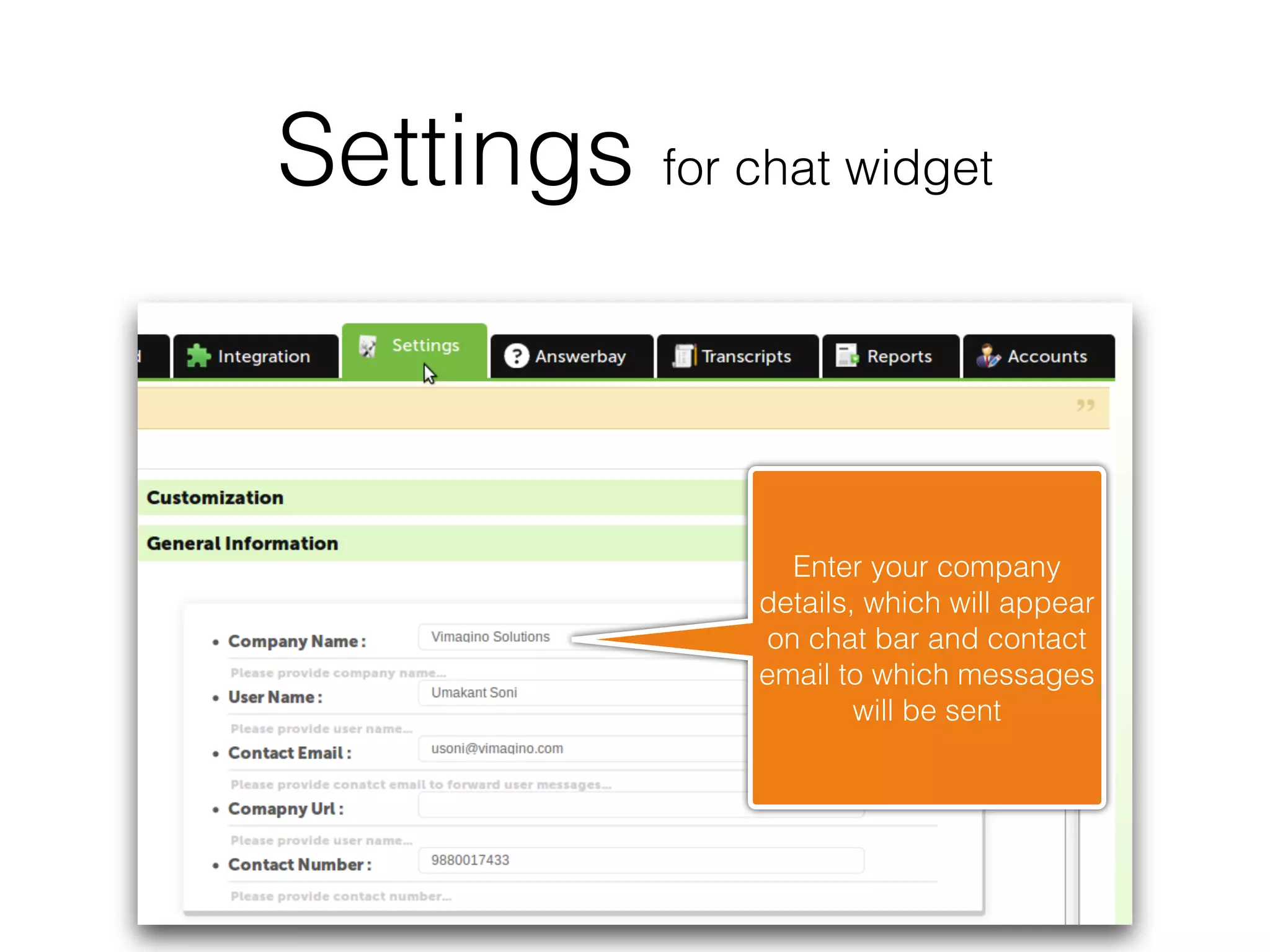
                  Enter your company
                details, which will appear
                on chat bar and contact
                email to which messages
                        will be sent
Settings for chat widget

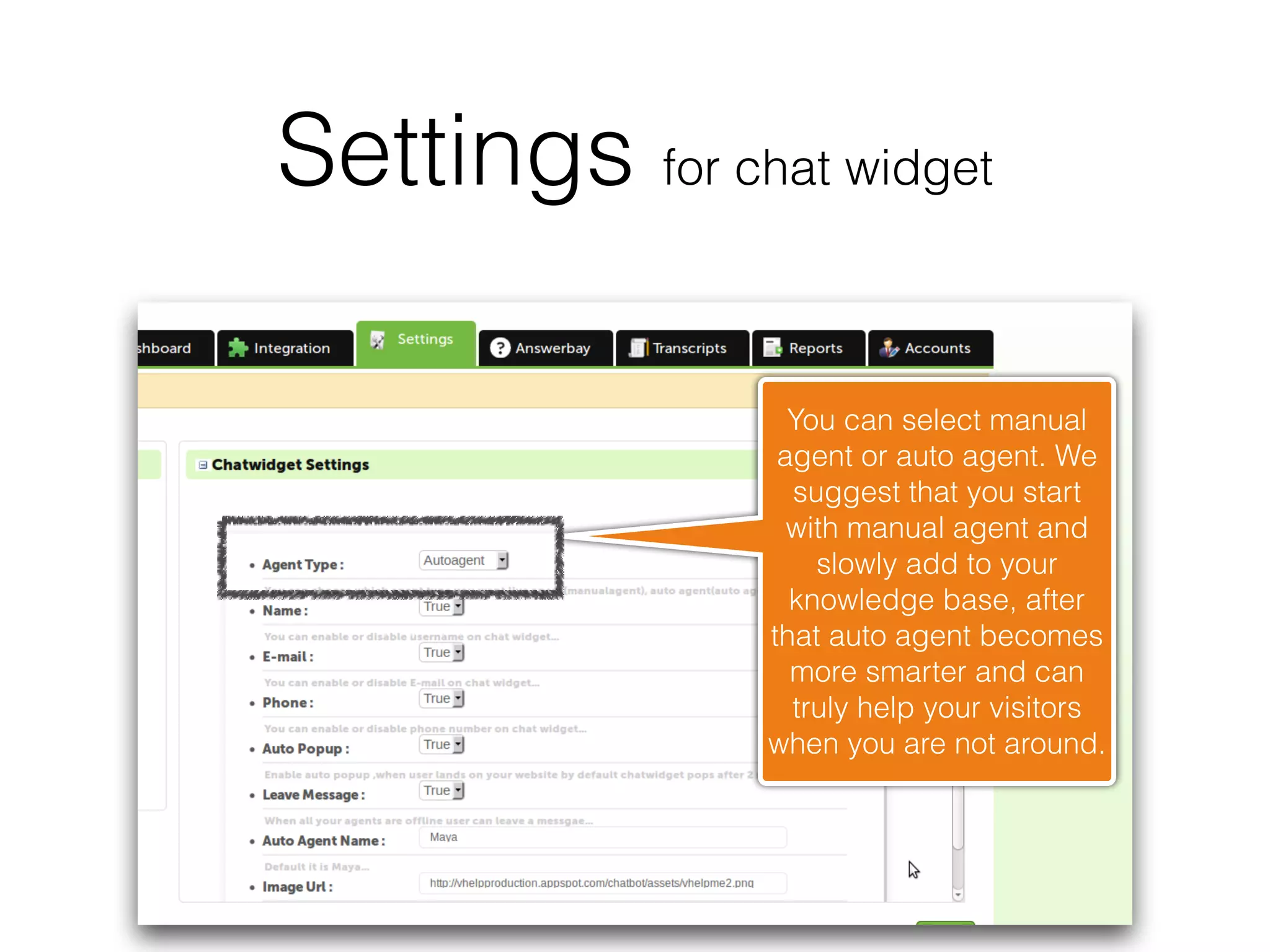
                  You can select manual
                 agent or auto agent. We
                  suggest that you start
                  with manual agent and
                    slowly add to your
                  knowledge base, after
                that auto agent becomes
                  more smarter and can
                  truly help your visitors
                when you are not around.
Settings for chat widget


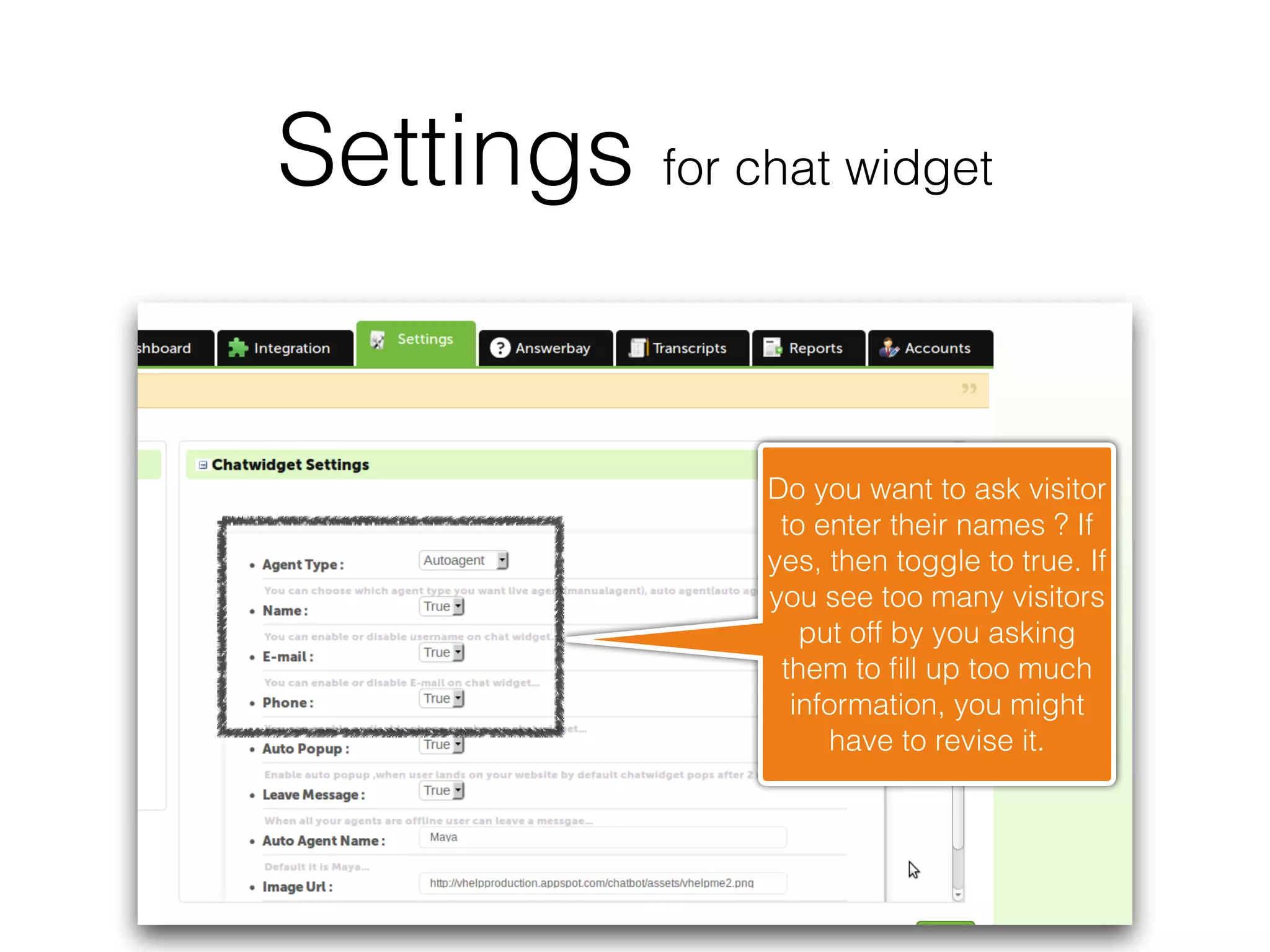
                Do you want to ask visitor
                 to enter their names ? If
                yes, then toggle to true. If
                you see too many visitors
                   put off by you asking
                 them to fill up too much
                  information, you might
                     have to revise it.
Settings for chat widget


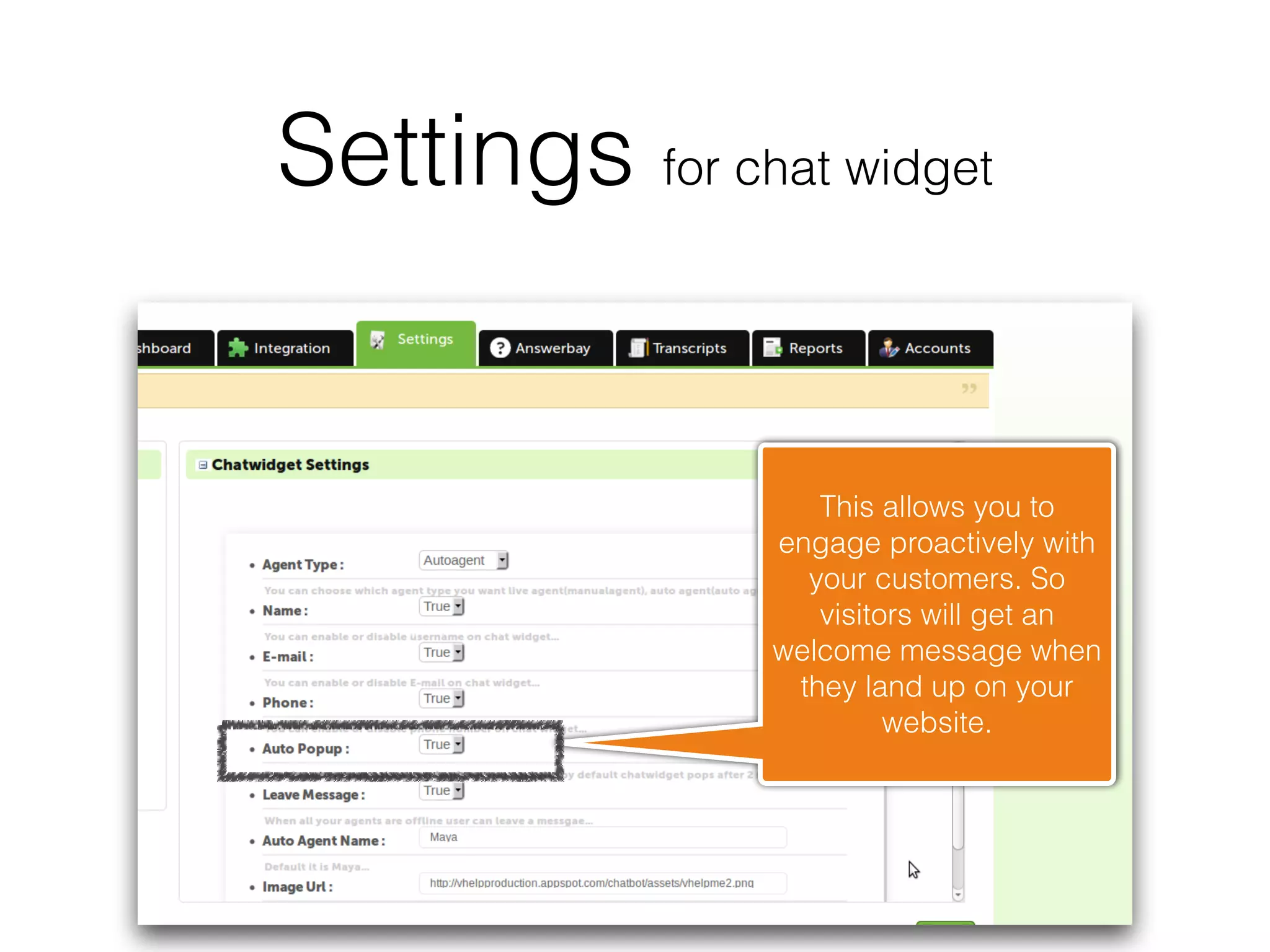
                   This allows you to
                engage proactively with
                  your customers. So
                   visitors will get an
                welcome message when
                 they land up on your
                         website.
Settings for chat widget


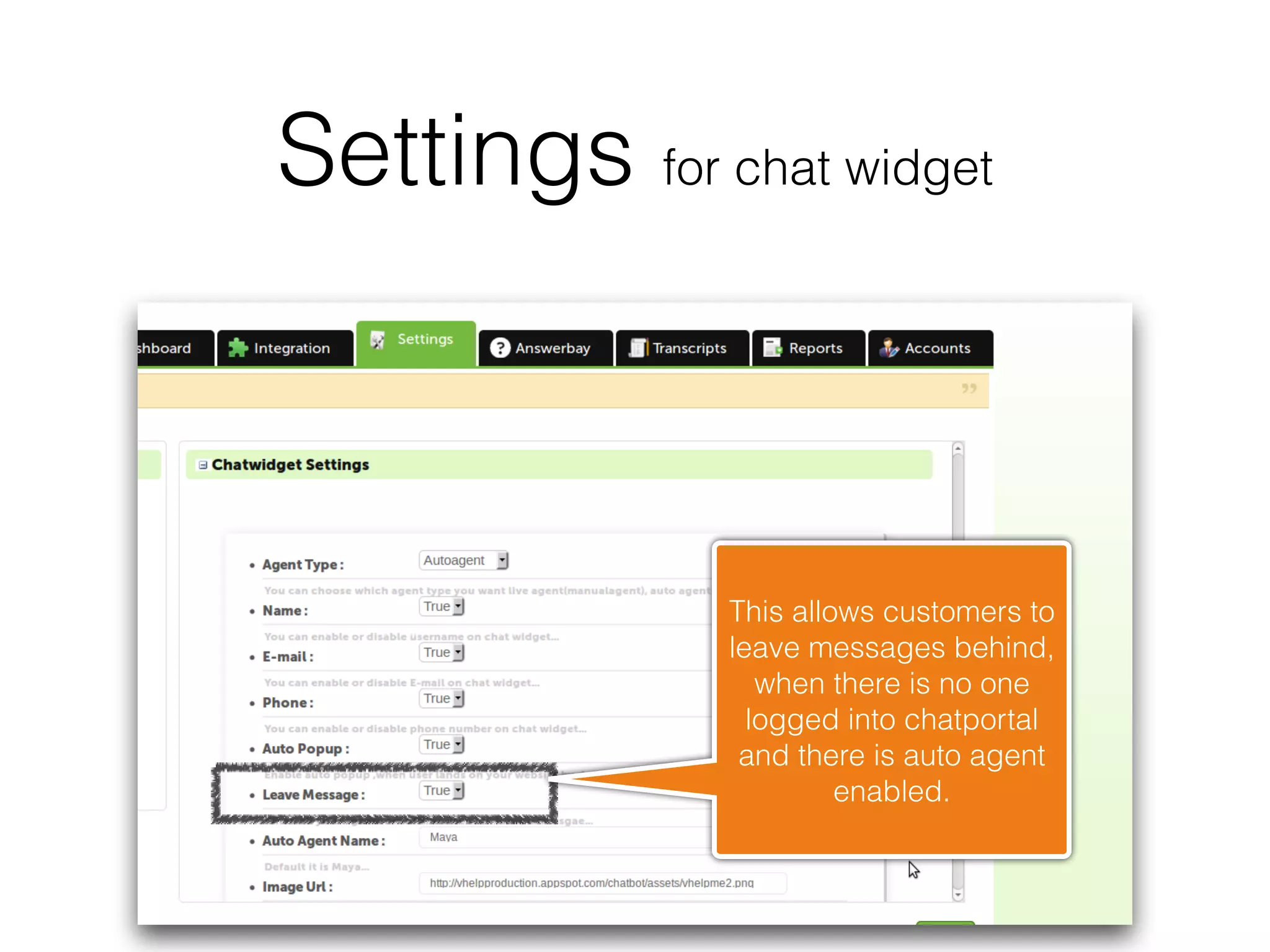
               This allows customers to
               leave messages behind,
                  when there is no one
                 logged into chatportal
                and there is auto agent
                        enabled.
Settings for chat widget


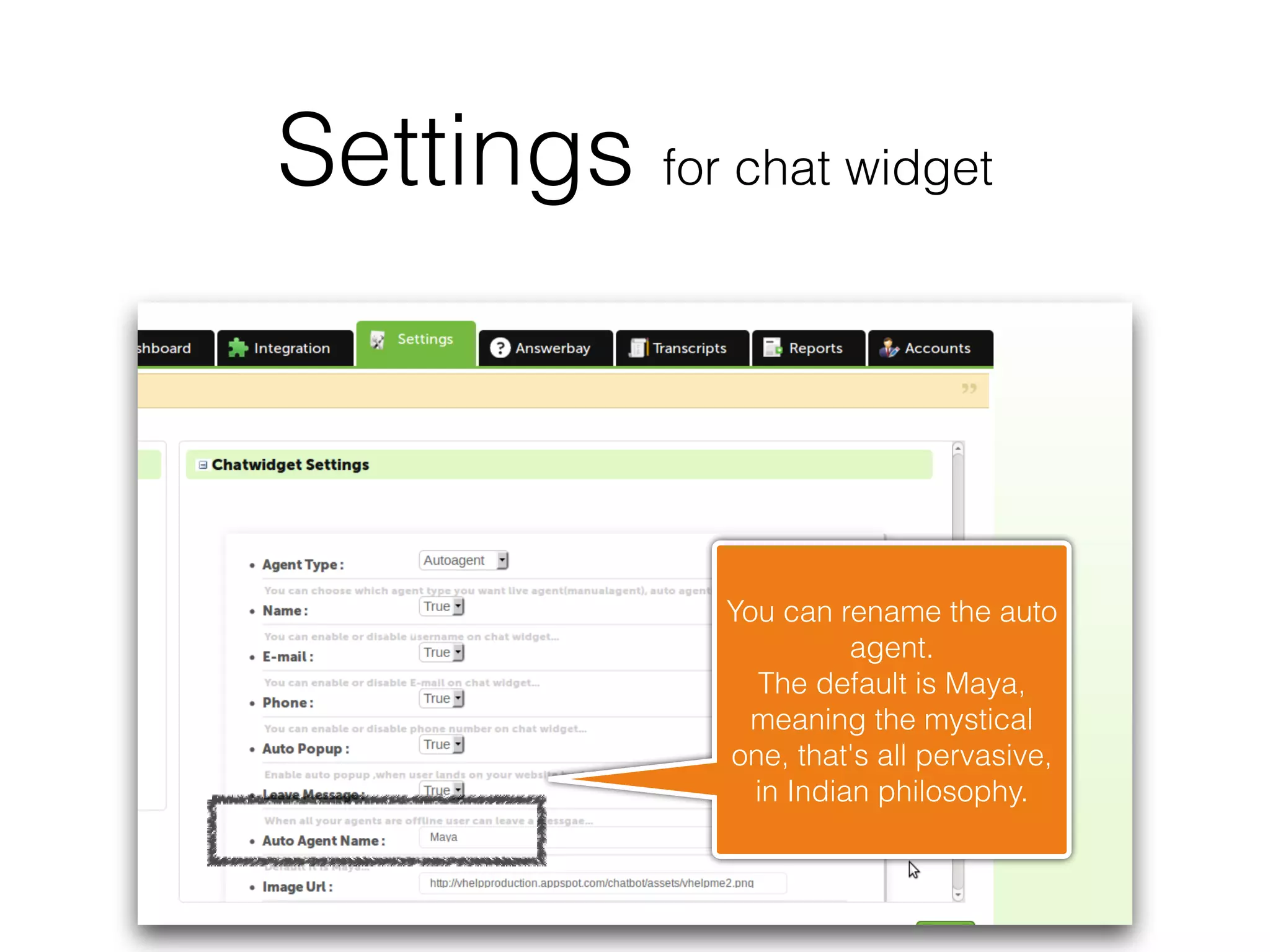
               You can rename the auto
                         agent. 
                 The default is Maya,
                 meaning the mystical
               one, that's all pervasive,
                 in Indian philosophy.
Settings for chat widget
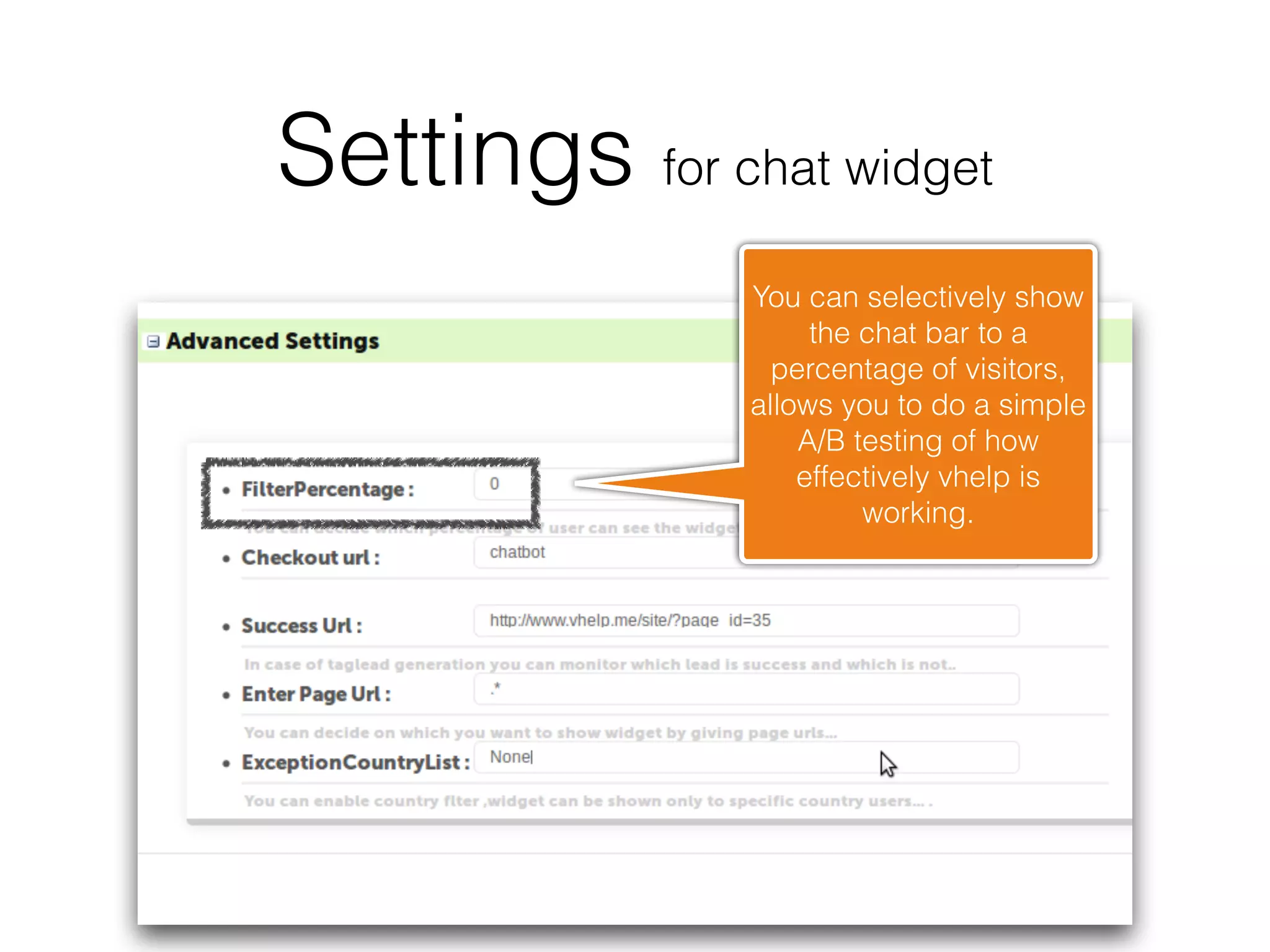
               You can selectively show
                    the chat bar to a
                 percentage of visitors,
               allows you to do a simple
                   A/B testing of how
                   effectively vhelp is
                        working.
Settings for chat widget
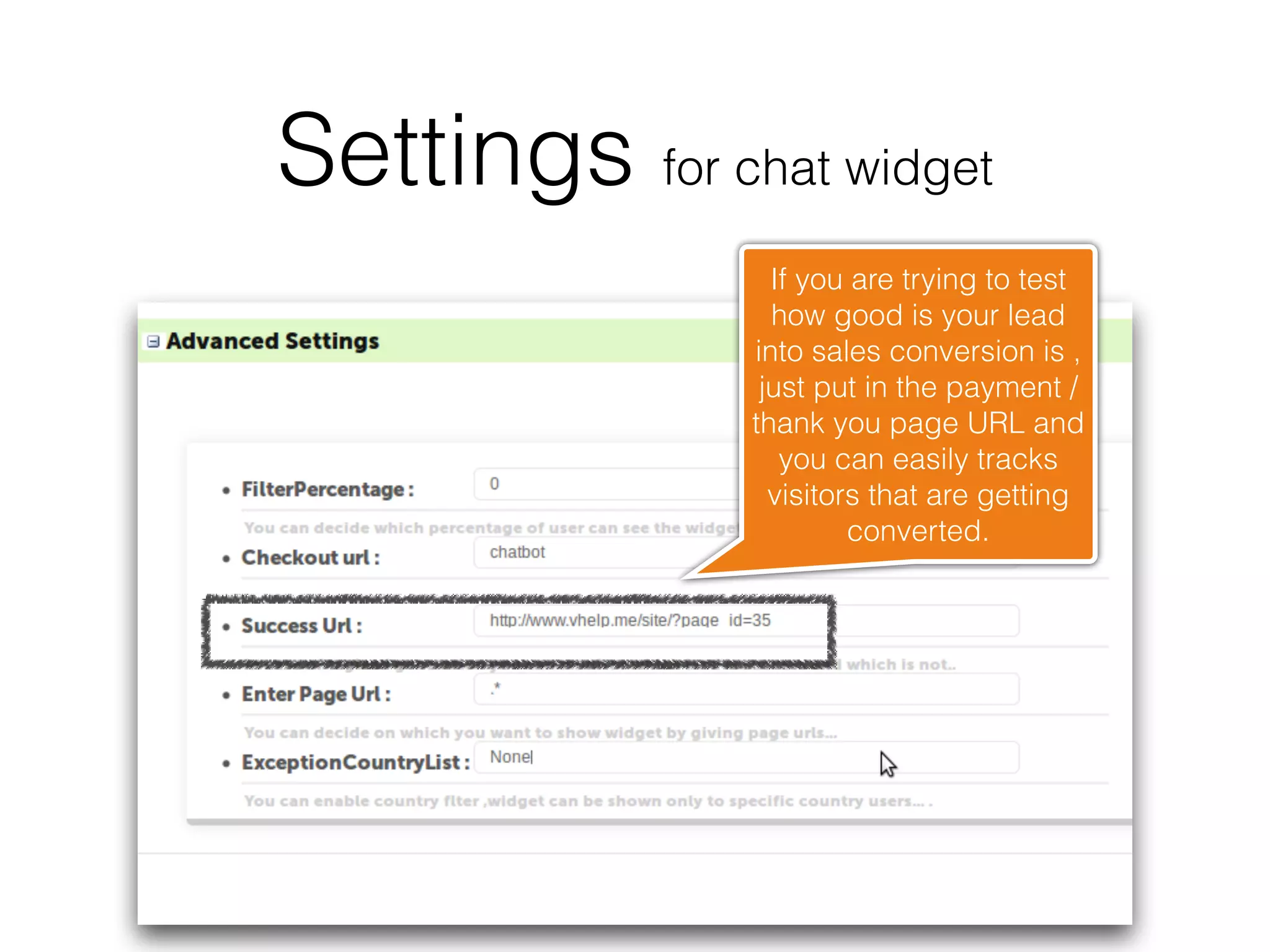
                 If you are trying to test
                 how good is your lead
               into sales conversion is ,
                just put in the payment /
               thank you page URL and
                  you can easily tracks
                 visitors that are getting
                        converted.
Settings for chat widget
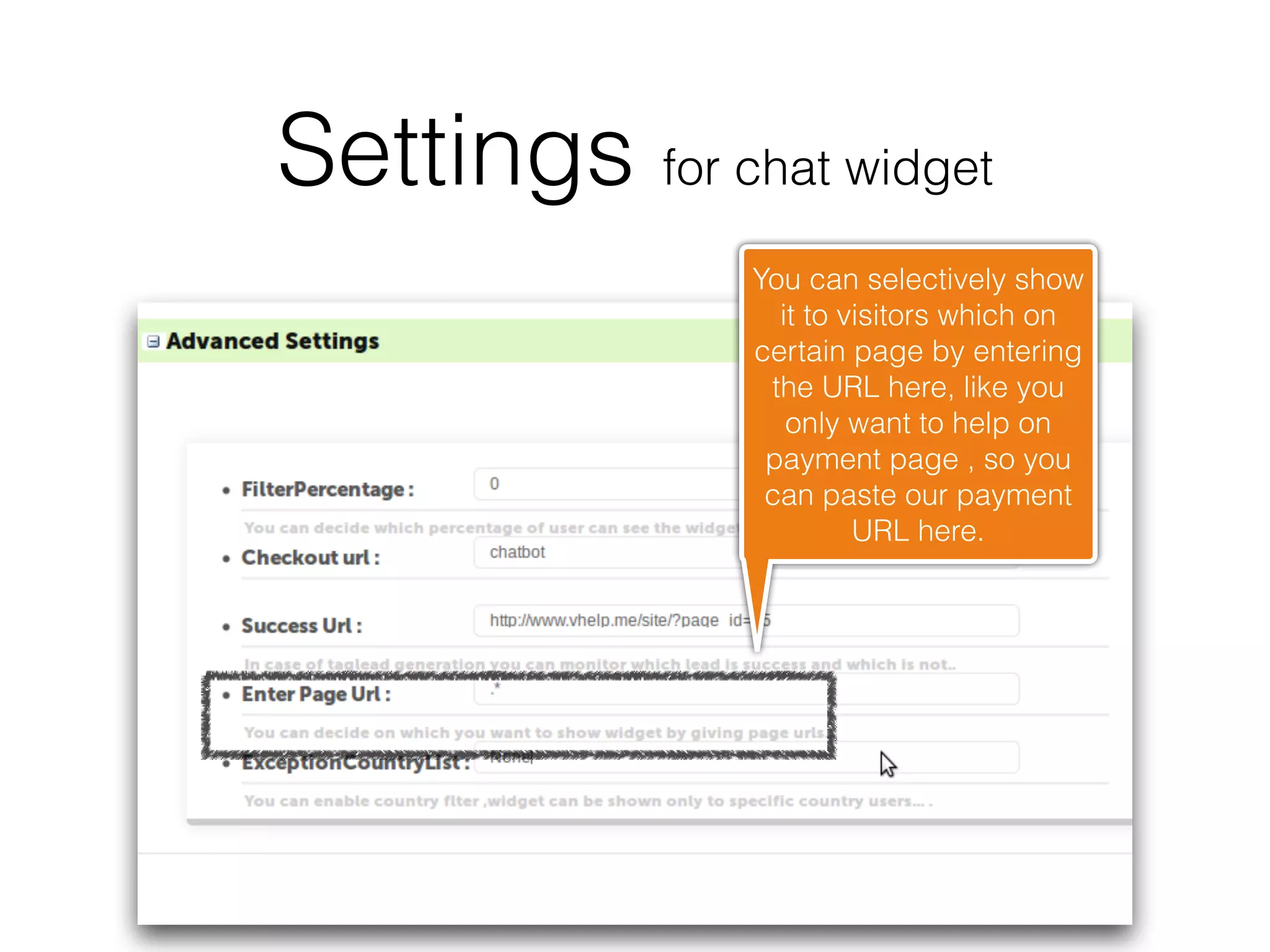
               You can selectively show
                 it to visitors which on
               certain page by entering
                the URL here, like you
                  only want to help on
                payment page , so you
                can paste our payment
                        URL here.
Settings for chat widget
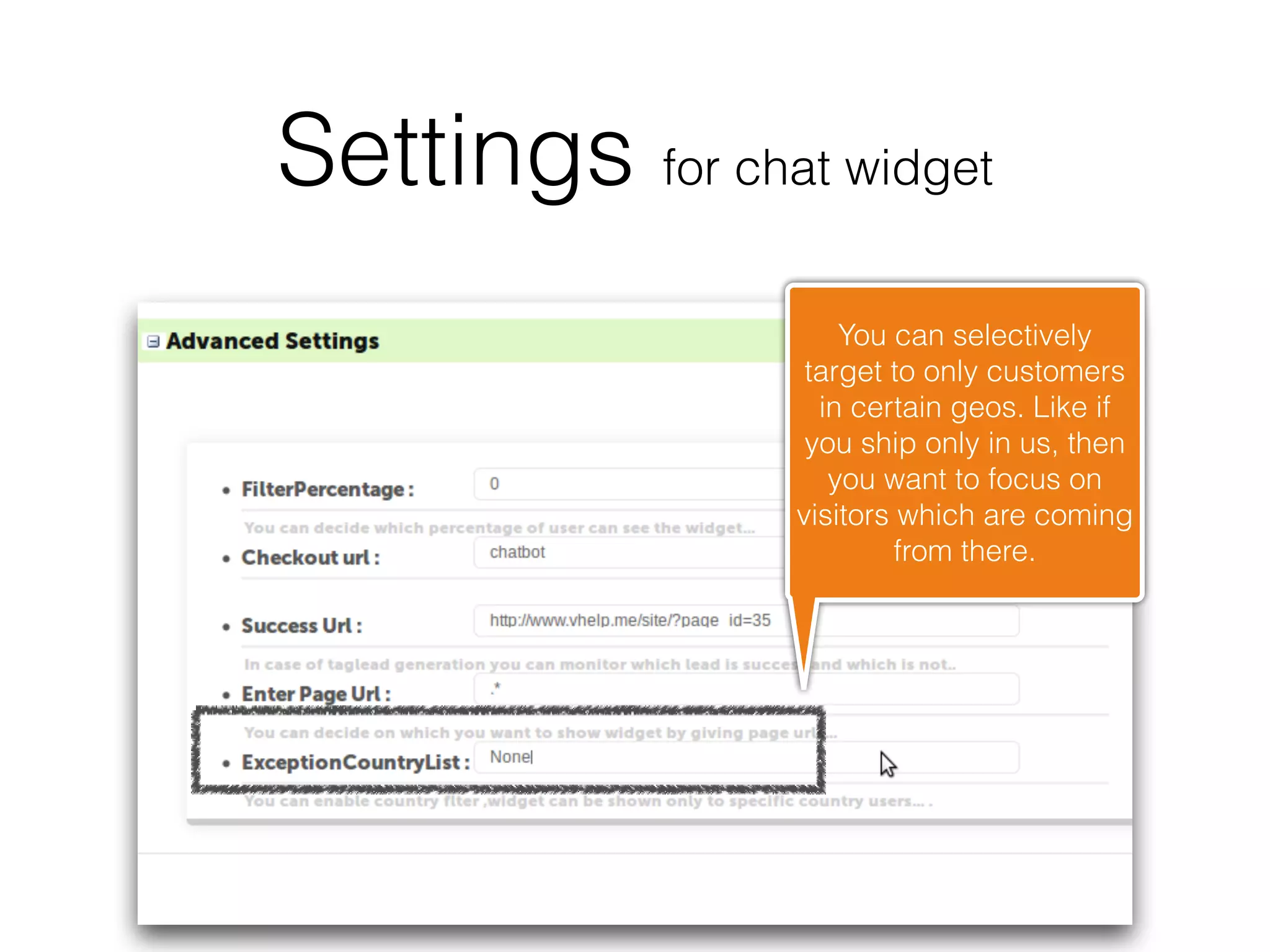
                     You can selectively
                  target to only customers
                   in certain geos. Like if
                  you ship only in us, then
                    you want to focus on
                 visitors which are coming
                          from there.
You are ready to delight
      your visitors

Point and click settings

  • 1.
  • 2.
    Settings for chatwidget Enter your company details, which will appear on chat bar and contact email to which messages will be sent
  • 3.
    Settings for chatwidget You can select manual agent or auto agent. We suggest that you start with manual agent and slowly add to your knowledge base, after that auto agent becomes more smarter and can truly help your visitors when you are not around.
  • 4.
    Settings for chatwidget Do you want to ask visitor to enter their names ? If yes, then toggle to true. If you see too many visitors put off by you asking them to fill up too much information, you might have to revise it.
  • 5.
    Settings for chatwidget This allows you to engage proactively with your customers. So visitors will get an welcome message when they land up on your website.
  • 6.
    Settings for chatwidget This allows customers to leave messages behind, when there is no one logged into chatportal and there is auto agent enabled.
  • 7.
    Settings for chatwidget You can rename the auto agent. The default is Maya, meaning the mystical one, that's all pervasive, in Indian philosophy.
  • 8.
    Settings for chatwidget You can selectively show the chat bar to a percentage of visitors, allows you to do a simple A/B testing of how effectively vhelp is working.
  • 9.
    Settings for chatwidget If you are trying to test how good is your lead into sales conversion is , just put in the payment / thank you page URL and you can easily tracks visitors that are getting converted.
  • 10.
    Settings for chatwidget You can selectively show it to visitors which on certain page by entering the URL here, like you only want to help on payment page , so you can paste our payment URL here.
  • 11.
    Settings for chatwidget You can selectively target to only customers in certain geos. Like if you ship only in us, then you want to focus on visitors which are coming from there.
  • 12.
    You are readyto delight your visitors