PL/SQL Fundamentals I
Kontich, Belgium
14/10 – 15/10
Agenda
•
•
•
•
•
•
•
•
•

Introduction and setup
Using the database interface
Language features
The DECLARE clause
The BEGIN clause
The EXCEPTION clause
Explicit cursors
Nested blocks
Declared subprograms
About this course
• Introduction to the PL/SQL database
programming language
• Course prerequisites
– SQL Fundamentals

• Next course
– PL/SQL Fundamentals II – Develop Program Units
– Advanced PL/SQL Programming & Tuning

• Certification
– 1Z0-144 - Oracle Database 11g: Program with
PL/SQL (OCA – OCP)
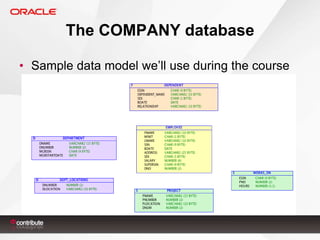
The COMPANY database
• Sample data model we’ll use during the course
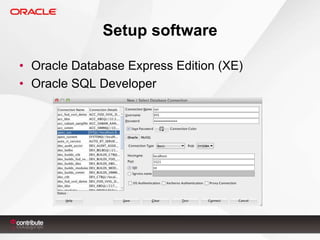
Setup software
• Oracle Database Express Edition (XE)
• Oracle SQL Developer
Setup environment
• As SYS, create a new user
– CreateUser.sql

• Connect as that user
• Create the COMPANY tables (DDL)
– CompanyDefine.sql

• Insert the COMPANY data (DML)
– CompanyInsert.sql
1. Using the database interface
• Tools to communicate with the Oracle Database
– SQL Developer, SQL*Plus, Application Express, ...

• Database authentication elements
– Database connection
– User authentication

• Bind variables
– Variable values – e.g. &employee_id
– Applies to both SQL and PL/SQL
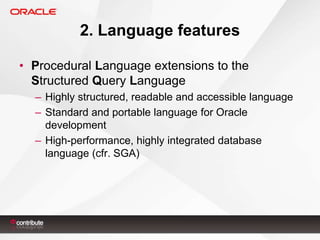
2. Language features
• Procedural Language extensions to the
Structured Query Language
– Highly structured, readable and accessible language
– Standard and portable language for Oracle
development
– High-performance, highly integrated database
language (cfr. SGA)
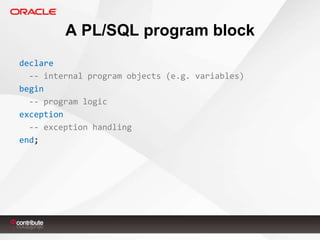
A PL/SQL program block
declare
-- internal program objects (e.g. variables)
begin
-- program logic
exception
-- exception handling
end;
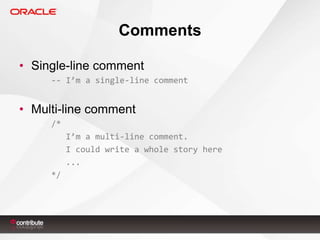
Comments
• Single-line comment
-- I’m a single-line comment

• Multi-line comment
/*

I’m a multi-line comment.
I could write a whole story here
...
*/
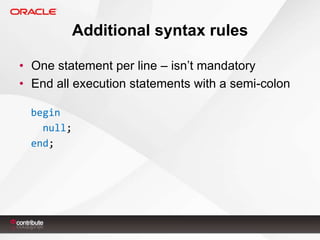
Additional syntax rules
• One statement per line – isn’t mandatory
• End all execution statements with a semi-colon
begin
null;
end;
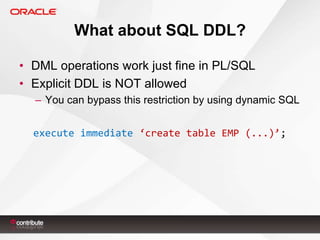
What about SQL DDL?
• DML operations work just fine in PL/SQL
• Explicit DDL is NOT allowed
– You can bypass this restriction by using dynamic SQL
execute immediate ‘create table EMP (...)’;
Generating output
• Write to the output buffer using dbms_output()
• set serveroutput on
• GUI option in SQL Developer
Exercises
3. The DECLARE clause
• Define or declare internal program objects
Name [constant] datatype [not null] [ := | default value];
l_first_name varchar2(10) := ‘Nick’;

• Object name rules
–
–
–
–

Maximum 30 characters
Start with a letter
Legal characters: $ # _
Case-insensitive
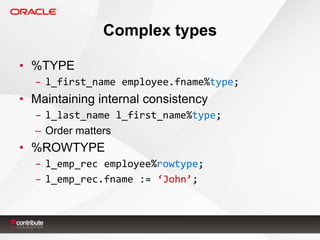
Complex types
• %TYPE
– l_first_name employee.fname%type;

• Maintaining internal consistency
– l_last_name l_first_name%type;
– Order matters

• %ROWTYPE
– l_emp_rec employee%rowtype;
– l_emp_rec.fname := ‘John’;
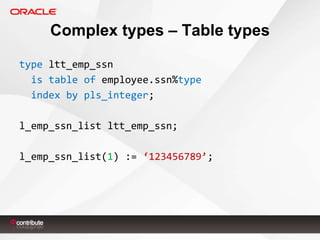
Complex types – Table types
type ltt_emp_ssn
is table of employee.ssn%type
index by pls_integer;
l_emp_ssn_list ltt_emp_ssn;
l_emp_ssn_list(1) := ‘123456789’;
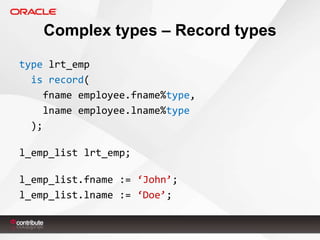
Complex types – Record types
type lrt_emp
is record(
fname employee.fname%type,
lname employee.lname%type
);
l_emp_list lrt_emp;
l_emp_list.fname := ‘John’;
l_emp_list.lname := ‘Doe’;
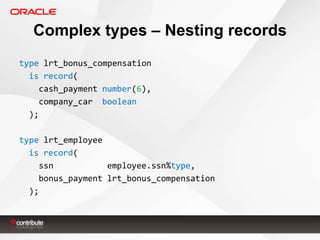
Complex types – Nesting records
type lrt_bonus_compensation
is record(
cash_payment number(6),
company_car boolean
);

type lrt_employee
is record(
ssn
employee.ssn%type,
bonus_payment lrt_bonus_compensation
);
Exercises
4. The BEGIN clause
• Includes the program execution logic
–
–
–
–

All sorts of data manipulation
Database access using SQL statements
Standard logic control and branching instructions
...
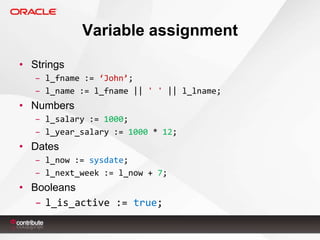
Variable assignment
• Strings
– l_fname := ‘John’;
– l_name := l_fname || ' ' || l_lname;

• Numbers
– l_salary := 1000;
– l_year_salary := 1000 * 12;

• Dates
– l_now := sysdate;
– l_next_week := l_now + 7;

• Booleans
– l_is_active := true;
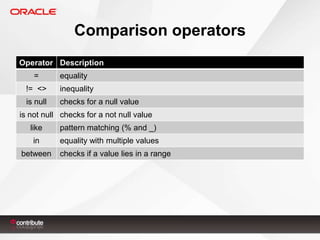
Comparison operators
Operator Description
=

equality

!= <>

inequality

is null

checks for a null value

is not null checks for a not null value
like

pattern matching (% and _)

in

equality with multiple values

between

checks if a value lies in a range
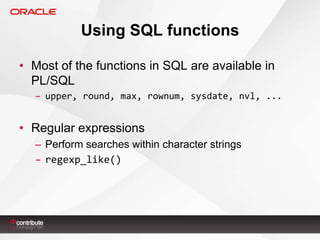
Using SQL functions
• Most of the functions in SQL are available in
PL/SQL
– upper, round, max, rownum, sysdate, nvl, ...

• Regular expressions
– Perform searches within character strings
– regexp_like()
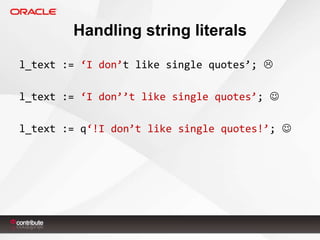
Handling string literals
l_text := ‘I don’t like single quotes’; 
l_text := ‘I don’’t like single quotes’; 
l_text := q‘!I don’t like single quotes!’; 
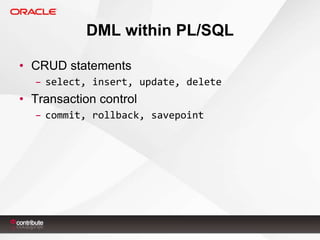
DML within PL/SQL
• CRUD statements
– select, insert, update, delete

• Transaction control
– commit, rollback, savepoint
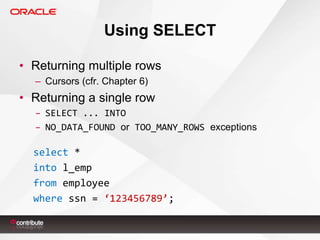
Using SELECT
• Returning multiple rows
– Cursors (cfr. Chapter 6)

• Returning a single row
– SELECT ... INTO
– NO_DATA_FOUND or TOO_MANY_ROWS exceptions

select *
into l_emp
from employee
where ssn = ‘123456789’;
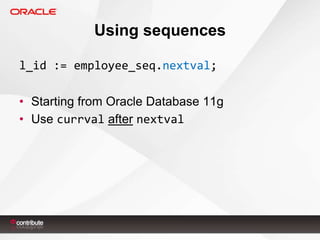
Using sequences
l_id := employee_seq.nextval;
• Starting from Oracle Database 11g
• Use currval after nextval
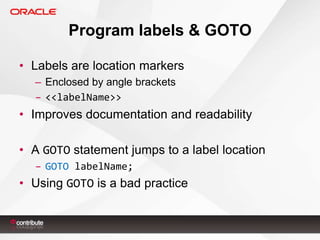
Program labels & GOTO
• Labels are location markers
– Enclosed by angle brackets
– <<labelName>>

• Improves documentation and readability
• A GOTO statement jumps to a label location
– GOTO labelName;

• Using GOTO is a bad practice
Loops
loop ... end loop;
loop ... exit [when condition]; end loop;
while condition loop ... end loop;

for index in [reverse] x .. y loop
...
end loop;
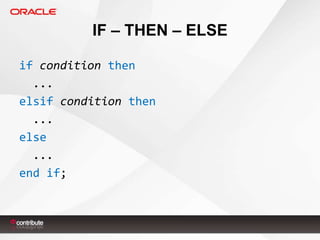
IF – THEN – ELSE
if condition then
...
elsif condition then
...
else
...
end if;
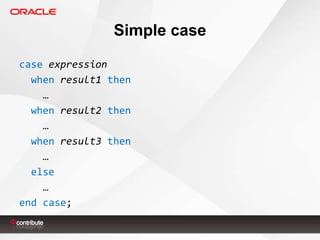
Simple case
case expression
when result1 then
…
when result2 then
…
when result3 then
…
else
…
end case;
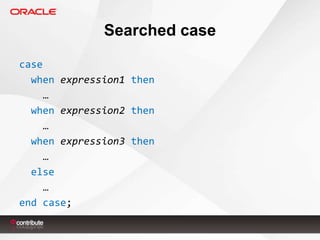
Searched case
case
when expression1 then
…
when expression2 then
…
when expression3 then
…
else
…
end case;
Exercises
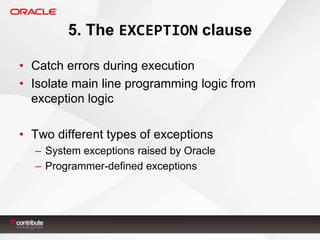
5. The EXCEPTION clause
• Catch errors during execution
• Isolate main line programming logic from
exception logic
• Two different types of exceptions
– System exceptions raised by Oracle
– Programmer-defined exceptions
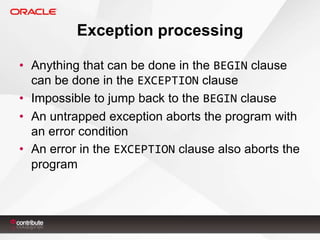
Exception processing
• Anything that can be done in the BEGIN clause
can be done in the EXCEPTION clause
• Impossible to jump back to the BEGIN clause
• An untrapped exception aborts the program with
an error condition
• An error in the EXCEPTION clause also aborts the
program
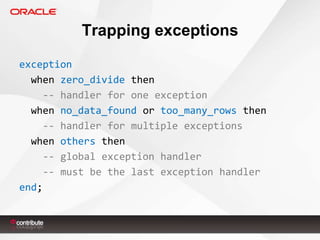
Trapping exceptions
exception
when zero_divide then
-- handler for one exception
when no_data_found or too_many_rows then
-- handler for multiple exceptions
when others then
-- global exception handler
-- must be the last exception handler
end;
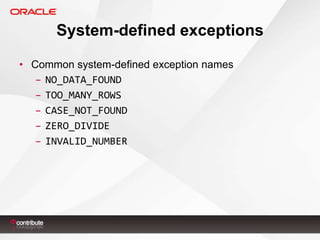
System-defined exceptions
• Common system-defined exception names
– NO_DATA_FOUND
– TOO_MANY_ROWS
– CASE_NOT_FOUND
– ZERO_DIVIDE
– INVALID_NUMBER
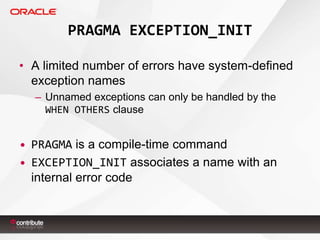
PRAGMA EXCEPTION_INIT
• A limited number of errors have system-defined
exception names
– Unnamed exceptions can only be handled by the
WHEN OTHERS clause

• PRAGMA is a compile-time command
• EXCEPTION_INIT associates a name with an
internal error code
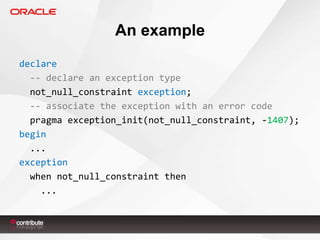
An example
declare
-- declare an exception type
not_null_constraint exception;
-- associate the exception with an error code
pragma exception_init(not_null_constraint, -1407);
begin
...
exception
when not_null_constraint then
...
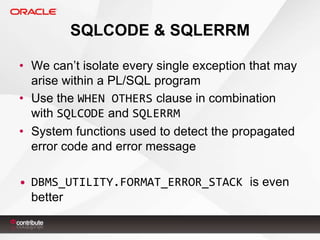
SQLCODE & SQLERRM
• We can’t isolate every single exception that may
arise within a PL/SQL program
• Use the WHEN OTHERS clause in combination
with SQLCODE and SQLERRM
• System functions used to detect the propagated
error code and error message
• DBMS_UTILITY.FORMAT_ERROR_STACK is even
better
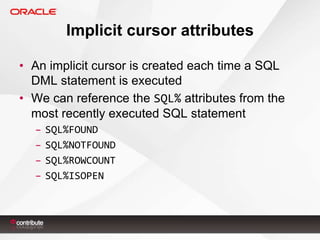
Implicit cursor attributes
• An implicit cursor is created each time a SQL
DML statement is executed
• We can reference the SQL% attributes from the
most recently executed SQL statement
–
–
–
–

SQL%FOUND
SQL%NOTFOUND
SQL%ROWCOUNT
SQL%ISOPEN
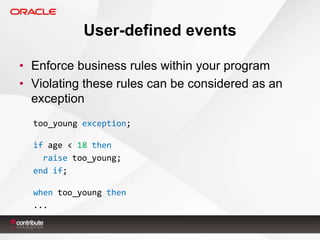
User-defined events
• Enforce business rules within your program
• Violating these rules can be considered as an
exception
too_young exception;
if age < 18 then
raise too_young;
end if;

when too_young then
...
Exercises
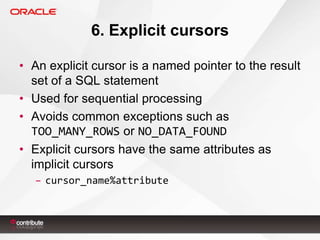
6. Explicit cursors
• An explicit cursor is a named pointer to the result
set of a SQL statement
• Used for sequential processing
• Avoids common exceptions such as
TOO_MANY_ROWS or NO_DATA_FOUND
• Explicit cursors have the same attributes as
implicit cursors
– cursor_name%attribute
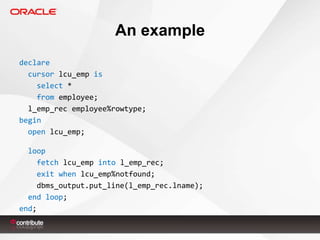
An example
declare
cursor lcu_emp is
select *
from employee;
l_emp_rec employee%rowtype;
begin
open lcu_emp;
loop
fetch lcu_emp into l_emp_rec;
exit when lcu_emp%notfound;
dbms_output.put_line(l_emp_rec.lname);
end loop;
end;
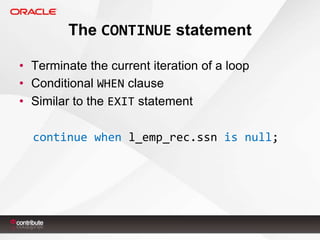
The CONTINUE statement
• Terminate the current iteration of a loop
• Conditional WHEN clause
• Similar to the EXIT statement

continue when l_emp_rec.ssn is null;
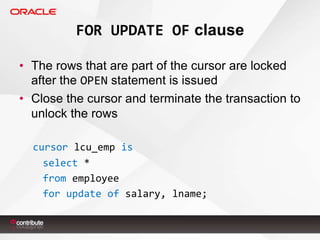
FOR UPDATE OF clause
• The rows that are part of the cursor are locked
after the OPEN statement is issued
• Close the cursor and terminate the transaction to
unlock the rows
cursor lcu_emp is
select *
from employee
for update of salary, lname;
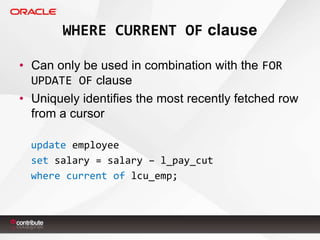
WHERE CURRENT OF clause
• Can only be used in combination with the FOR
UPDATE OF clause
• Uniquely identifies the most recently fetched row
from a cursor
update employee
set salary = salary – l_pay_cut
where current of lcu_emp;
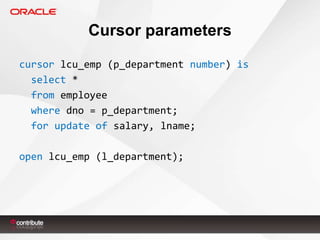
Cursor parameters
cursor lcu_emp (p_department number) is
select *
from employee
where dno = p_department;
for update of salary, lname;
open lcu_emp (l_department);
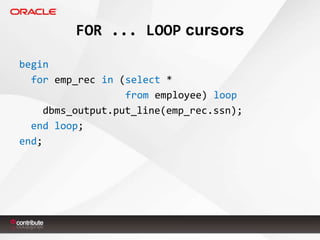
FOR ... LOOP cursors
begin
for emp_rec in (select *
from employee) loop
dbms_output.put_line(emp_rec.ssn);
end loop;
end;
Exercises
7. Nested blocks
• A complete PL/SQL program block enclosed
within the BEGIN or EXCEPTION clause of another
program
• Inner block versus outer block
• Mainly used to prevent the outer block from
branching to the EXCEPTION clause
• Global versus local objects and exceptions
• RAISE statement
Exercises
8. Declared subprograms
• Enclose commonly used logic within callable
subprograms
• Procedure versus function
• Parameterizable
Exercises

PL/SQL Fundamentals I

  • 1.
    PL/SQL Fundamentals I Kontich,Belgium 14/10 – 15/10
  • 2.
    Agenda • • • • • • • • • Introduction and setup Usingthe database interface Language features The DECLARE clause The BEGIN clause The EXCEPTION clause Explicit cursors Nested blocks Declared subprograms
  • 3.
    About this course •Introduction to the PL/SQL database programming language • Course prerequisites – SQL Fundamentals • Next course – PL/SQL Fundamentals II – Develop Program Units – Advanced PL/SQL Programming & Tuning • Certification – 1Z0-144 - Oracle Database 11g: Program with PL/SQL (OCA – OCP)
  • 4.
    The COMPANY database •Sample data model we’ll use during the course
  • 5.
    Setup software • OracleDatabase Express Edition (XE) • Oracle SQL Developer
  • 6.
    Setup environment • AsSYS, create a new user – CreateUser.sql • Connect as that user • Create the COMPANY tables (DDL) – CompanyDefine.sql • Insert the COMPANY data (DML) – CompanyInsert.sql
  • 7.
    1. Using thedatabase interface • Tools to communicate with the Oracle Database – SQL Developer, SQL*Plus, Application Express, ... • Database authentication elements – Database connection – User authentication • Bind variables – Variable values – e.g. &employee_id – Applies to both SQL and PL/SQL
  • 8.
    2. Language features •Procedural Language extensions to the Structured Query Language – Highly structured, readable and accessible language – Standard and portable language for Oracle development – High-performance, highly integrated database language (cfr. SGA)
  • 9.
    A PL/SQL programblock declare -- internal program objects (e.g. variables) begin -- program logic exception -- exception handling end;
  • 10.
    Comments • Single-line comment --I’m a single-line comment • Multi-line comment /* I’m a multi-line comment. I could write a whole story here ... */
  • 11.
    Additional syntax rules •One statement per line – isn’t mandatory • End all execution statements with a semi-colon begin null; end;
  • 12.
    What about SQLDDL? • DML operations work just fine in PL/SQL • Explicit DDL is NOT allowed – You can bypass this restriction by using dynamic SQL execute immediate ‘create table EMP (...)’;
  • 13.
    Generating output • Writeto the output buffer using dbms_output() • set serveroutput on • GUI option in SQL Developer
  • 14.
  • 15.
    3. The DECLAREclause • Define or declare internal program objects Name [constant] datatype [not null] [ := | default value]; l_first_name varchar2(10) := ‘Nick’; • Object name rules – – – – Maximum 30 characters Start with a letter Legal characters: $ # _ Case-insensitive
  • 16.
    Complex types • %TYPE –l_first_name employee.fname%type; • Maintaining internal consistency – l_last_name l_first_name%type; – Order matters • %ROWTYPE – l_emp_rec employee%rowtype; – l_emp_rec.fname := ‘John’;
  • 17.
    Complex types –Table types type ltt_emp_ssn is table of employee.ssn%type index by pls_integer; l_emp_ssn_list ltt_emp_ssn; l_emp_ssn_list(1) := ‘123456789’;
  • 18.
    Complex types –Record types type lrt_emp is record( fname employee.fname%type, lname employee.lname%type ); l_emp_list lrt_emp; l_emp_list.fname := ‘John’; l_emp_list.lname := ‘Doe’;
  • 19.
    Complex types –Nesting records type lrt_bonus_compensation is record( cash_payment number(6), company_car boolean ); type lrt_employee is record( ssn employee.ssn%type, bonus_payment lrt_bonus_compensation );
  • 20.
  • 21.
    4. The BEGINclause • Includes the program execution logic – – – – All sorts of data manipulation Database access using SQL statements Standard logic control and branching instructions ...
  • 22.
    Variable assignment • Strings –l_fname := ‘John’; – l_name := l_fname || ' ' || l_lname; • Numbers – l_salary := 1000; – l_year_salary := 1000 * 12; • Dates – l_now := sysdate; – l_next_week := l_now + 7; • Booleans – l_is_active := true;
  • 23.
    Comparison operators Operator Description = equality !=<> inequality is null checks for a null value is not null checks for a not null value like pattern matching (% and _) in equality with multiple values between checks if a value lies in a range
  • 24.
    Using SQL functions •Most of the functions in SQL are available in PL/SQL – upper, round, max, rownum, sysdate, nvl, ... • Regular expressions – Perform searches within character strings – regexp_like()
  • 25.
    Handling string literals l_text:= ‘I don’t like single quotes’;  l_text := ‘I don’’t like single quotes’;  l_text := q‘!I don’t like single quotes!’; 
  • 26.
    DML within PL/SQL •CRUD statements – select, insert, update, delete • Transaction control – commit, rollback, savepoint
  • 27.
    Using SELECT • Returningmultiple rows – Cursors (cfr. Chapter 6) • Returning a single row – SELECT ... INTO – NO_DATA_FOUND or TOO_MANY_ROWS exceptions select * into l_emp from employee where ssn = ‘123456789’;
  • 28.
    Using sequences l_id :=employee_seq.nextval; • Starting from Oracle Database 11g • Use currval after nextval
  • 29.
    Program labels &GOTO • Labels are location markers – Enclosed by angle brackets – <<labelName>> • Improves documentation and readability • A GOTO statement jumps to a label location – GOTO labelName; • Using GOTO is a bad practice
  • 30.
    Loops loop ... endloop; loop ... exit [when condition]; end loop; while condition loop ... end loop; for index in [reverse] x .. y loop ... end loop;
  • 31.
    IF – THEN– ELSE if condition then ... elsif condition then ... else ... end if;
  • 32.
    Simple case case expression whenresult1 then … when result2 then … when result3 then … else … end case;
  • 33.
    Searched case case when expression1then … when expression2 then … when expression3 then … else … end case;
  • 34.
  • 35.
    5. The EXCEPTIONclause • Catch errors during execution • Isolate main line programming logic from exception logic • Two different types of exceptions – System exceptions raised by Oracle – Programmer-defined exceptions
  • 36.
    Exception processing • Anythingthat can be done in the BEGIN clause can be done in the EXCEPTION clause • Impossible to jump back to the BEGIN clause • An untrapped exception aborts the program with an error condition • An error in the EXCEPTION clause also aborts the program
  • 37.
    Trapping exceptions exception when zero_dividethen -- handler for one exception when no_data_found or too_many_rows then -- handler for multiple exceptions when others then -- global exception handler -- must be the last exception handler end;
  • 38.
    System-defined exceptions • Commonsystem-defined exception names – NO_DATA_FOUND – TOO_MANY_ROWS – CASE_NOT_FOUND – ZERO_DIVIDE – INVALID_NUMBER
  • 39.
    PRAGMA EXCEPTION_INIT • Alimited number of errors have system-defined exception names – Unnamed exceptions can only be handled by the WHEN OTHERS clause • PRAGMA is a compile-time command • EXCEPTION_INIT associates a name with an internal error code
  • 40.
    An example declare -- declarean exception type not_null_constraint exception; -- associate the exception with an error code pragma exception_init(not_null_constraint, -1407); begin ... exception when not_null_constraint then ...
  • 41.
    SQLCODE & SQLERRM •We can’t isolate every single exception that may arise within a PL/SQL program • Use the WHEN OTHERS clause in combination with SQLCODE and SQLERRM • System functions used to detect the propagated error code and error message • DBMS_UTILITY.FORMAT_ERROR_STACK is even better
  • 42.
    Implicit cursor attributes •An implicit cursor is created each time a SQL DML statement is executed • We can reference the SQL% attributes from the most recently executed SQL statement – – – – SQL%FOUND SQL%NOTFOUND SQL%ROWCOUNT SQL%ISOPEN
  • 43.
    User-defined events • Enforcebusiness rules within your program • Violating these rules can be considered as an exception too_young exception; if age < 18 then raise too_young; end if; when too_young then ...
  • 44.
  • 45.
    6. Explicit cursors •An explicit cursor is a named pointer to the result set of a SQL statement • Used for sequential processing • Avoids common exceptions such as TOO_MANY_ROWS or NO_DATA_FOUND • Explicit cursors have the same attributes as implicit cursors – cursor_name%attribute
  • 46.
    An example declare cursor lcu_empis select * from employee; l_emp_rec employee%rowtype; begin open lcu_emp; loop fetch lcu_emp into l_emp_rec; exit when lcu_emp%notfound; dbms_output.put_line(l_emp_rec.lname); end loop; end;
  • 47.
    The CONTINUE statement •Terminate the current iteration of a loop • Conditional WHEN clause • Similar to the EXIT statement continue when l_emp_rec.ssn is null;
  • 48.
    FOR UPDATE OFclause • The rows that are part of the cursor are locked after the OPEN statement is issued • Close the cursor and terminate the transaction to unlock the rows cursor lcu_emp is select * from employee for update of salary, lname;
  • 49.
    WHERE CURRENT OFclause • Can only be used in combination with the FOR UPDATE OF clause • Uniquely identifies the most recently fetched row from a cursor update employee set salary = salary – l_pay_cut where current of lcu_emp;
  • 50.
    Cursor parameters cursor lcu_emp(p_department number) is select * from employee where dno = p_department; for update of salary, lname; open lcu_emp (l_department);
  • 51.
    FOR ... LOOPcursors begin for emp_rec in (select * from employee) loop dbms_output.put_line(emp_rec.ssn); end loop; end;
  • 52.
  • 53.
    7. Nested blocks •A complete PL/SQL program block enclosed within the BEGIN or EXCEPTION clause of another program • Inner block versus outer block • Mainly used to prevent the outer block from branching to the EXCEPTION clause • Global versus local objects and exceptions • RAISE statement
  • 54.
  • 55.
    8. Declared subprograms •Enclose commonly used logic within callable subprograms • Procedure versus function • Parameterizable
  • 56.

Editor's Notes

  • #9 Portable: OS independentSGA = System Global Area
  • #33 CASE_NOT_FOUND exception
  • #34 CASE_NOT_FOUND exception