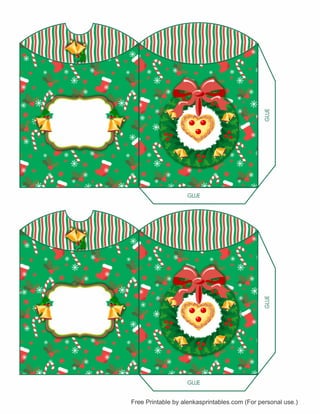
PRINTING INSTRUCTIONS: 1. Click on the print button. 
2. Set page size to ACTUAL SIZE. 
3. Also check the AUTO PORTRAIT/LANSCAPE. 
4. Click the ADVANCED button at the top and select PRINT AS IMAGE. (Optional) 
5. Click OK to start printing. 
PRINT 
EDITABLE TEXT: Personalize with your wording 
using ACROBAT READER, or Google Chrome Web Browser. 
Print on card stock paper or 
Glossy photo paper. 
Wishing you 
a SWEET 
Christmas. 
Wishing you 
a SWEET 
Christmas.

Pillowbox

  • 1.
    PRINTING INSTRUCTIONS: 1.Click on the print button. 2. Set page size to ACTUAL SIZE. 3. Also check the AUTO PORTRAIT/LANSCAPE. 4. Click the ADVANCED button at the top and select PRINT AS IMAGE. (Optional) 5. Click OK to start printing. PRINT EDITABLE TEXT: Personalize with your wording using ACROBAT READER, or Google Chrome Web Browser. Print on card stock paper or Glossy photo paper. Wishing you a SWEET Christmas. Wishing you a SWEET Christmas.