PHP Variables 
Write by: Mahmood masih tehrani 
Www.masihtehrani.ir 
tehrani@dabacenter.ir
Declaring PHP variables 
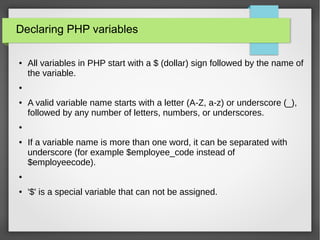
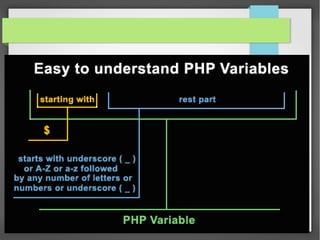
● All variables in PHP start with a $ (dollar) sign followed by the name of 
the variable. 
● 
● A valid variable name starts with a letter (A-Z, a-z) or underscore (_), 
followed by any number of letters, numbers, or underscores. 
● 
● If a variable name is more than one word, it can be separated with 
underscore (for example $employee_code instead of 
$employeecode). 
● 
● '$' is a special variable that can not be assigned.
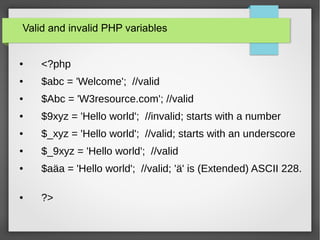
Valid and invalid PHP variables 
● <?php 
● $abc = 'Welcome'; //valid 
● $Abc = 'W3resource.com'; //valid 
● $9xyz = 'Hello world'; //invalid; starts with a number 
● $_xyz = 'Hello world'; //valid; starts with an underscore 
● $_9xyz = 'Hello world'; //valid 
● $aäa = 'Hello world'; //valid; 'ä' is (Extended) ASCII 228. 
● ?>
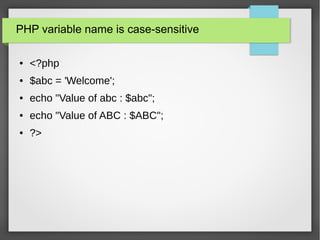
PHP variable name is case-sensitive 
● <?php 
● $abc = 'Welcome'; 
● echo "Value of abc : $abc"; 
● echo "Value of ABC : $ABC"; 
● ?>
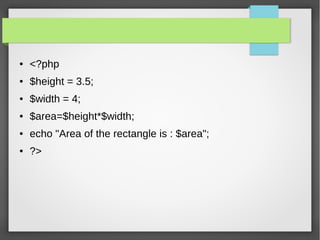
● <?php 
● $height = 3.5; 
● $width = 4; 
● $area=$height*$width; 
● echo "Area of the rectangle is : $area"; 
● ?>
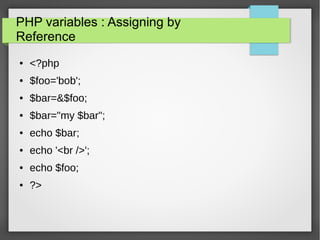
PHP variables : Assigning by 
Reference 
● <?php 
● $foo='bob'; 
● $bar=&$foo; 
● $bar="my $bar"; 
● echo $bar; 
● echo '<br />'; 
● echo $foo; 
● ?>
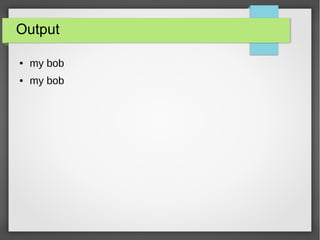
Output 
● my bob 
● my bob
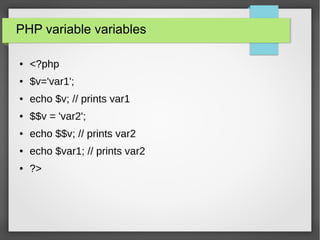
PHP variable variables 
● <?php 
● $v='var1'; 
● echo $v; // prints var1 
● $$v = 'var2'; 
● echo $$v; // prints var2 
● echo $var1; // prints var2 
● ?>
PHP variable variables 
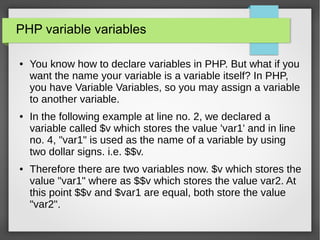
● You know how to declare variables in PHP. But what if you 
want the name your variable is a variable itself? In PHP, 
you have Variable Variables, so you may assign a variable 
to another variable. 
● In the following example at line no. 2, we declared a 
variable called $v which stores the value 'var1' and in line 
no. 4, "var1" is used as the name of a variable by using 
two dollar signs. i.e. $$v. 
● Therefore there are two variables now. $v which stores the 
value "var1" where as $$v which stores the value var2. At 
this point $$v and $var1 are equal, both store the value 
"var2".
PHP Variables Scope 
● In PHP, variables can be declared anywhere in the script. 
We declare the variables for a particular scope. There are 
two types of scope,
Example 
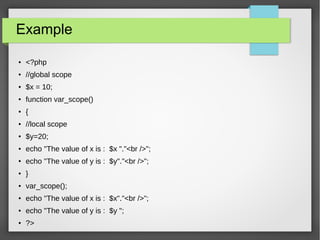
● <?php 
● //global scope 
● $x = 10; 
● function var_scope() 
● { 
● //local scope 
● $y=20; 
● echo "The value of x is : $x "."<br />"; 
● echo "The value of y is : $y"."<br />"; 
● } 
● var_scope(); 
● echo "The value of x is : $x"."<br />"; 
● echo "The value of y is : $y "; 
● ?>
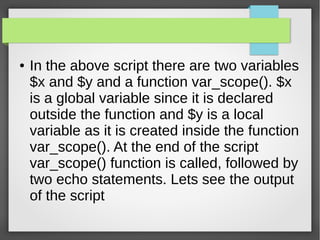
● In the above script there are two variables 
$x and $y and a function var_scope(). $x 
is a global variable since it is declared 
outside the function and $y is a local 
variable as it is created inside the function 
var_scope(). At the end of the script 
var_scope() function is called, followed by 
two echo statements. Lets see the output 
of the script
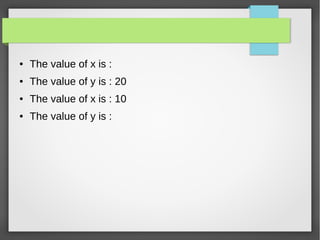
● The value of x is : 
● The value of y is : 20 
● The value of x is : 10 
● The value of y is :
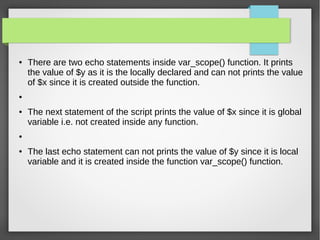
● There are two echo statements inside var_scope() function. It prints 
the value of $y as it is the locally declared and can not prints the value 
of $x since it is created outside the function. 
● 
● The next statement of the script prints the value of $x since it is global 
variable i.e. not created inside any function. 
● 
● The last echo statement can not prints the value of $y since it is local 
variable and it is created inside the function var_scope() function.
The global keyword 
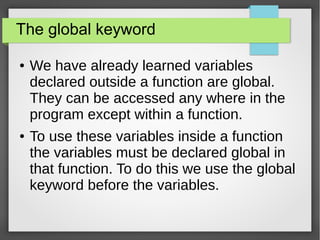
● We have already learned variables 
declared outside a function are global. 
They can be accessed any where in the 
program except within a function. 
● To use these variables inside a function 
the variables must be declared global in 
that function. To do this we use the global 
keyword before the variables.
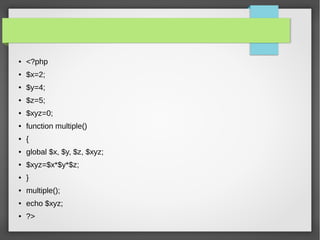
● <?php 
● $x=2; 
● $y=4; 
● $z=5; 
● $xyz=0; 
● function multiple() 
● { 
● global $x, $y, $z, $xyz; 
● $xyz=$x*$y*$z; 
● } 
● multiple(); 
● echo $xyz; 
● ?>
● In the above example $x, $y, $z, $xyz 
have initialized with 2, 4, 5, 0. Inside 
the multiple() function we declared $x, 
$y, $z, $xyz as global. Therefore all 
reference of each variable will refer to 
global version. Now call multiple() 
anywhere in the script and the 
variable $xyz will print 40 as it is 
already referred as global.
PHP static variables 
● Normally when a function terminates, all 
of its variables loose its values. 
Sometimes we want to hold these 
values for further job. Generally those 
variables which holds the values are 
called static variables inside a function. 
To do this we must write the keyword 
"static" in front of those variables. 
Consider the following example without 
static variable.
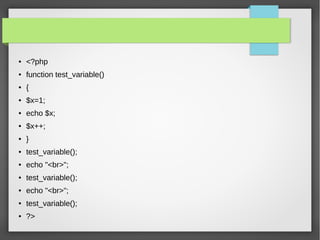
● <?php 
● function test_variable() 
● { 
● $x=1; 
● echo $x; 
● $x++; 
● } 
● test_variable(); 
● echo "<br>"; 
● test_variable(); 
● echo "<br>"; 
● test_variable(); 
● ?>
● In the above script the function 
test_count() is useless as the last 
statement $x = $x +1 can not increase 
the value of $x since every time it is 
called $x sets to 1 and print 1.
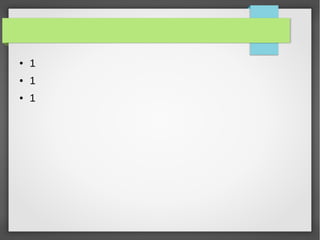
● 1 
● 1 
● 1
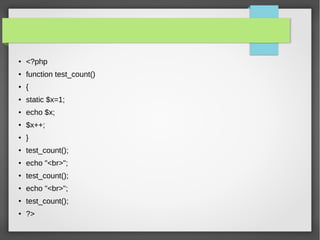
● <?php 
● function test_count() 
● { 
● static $x=1; 
● echo $x; 
● $x++; 
● } 
● test_count(); 
● echo "<br>"; 
● test_count(); 
● echo "<br>"; 
● test_count(); 
● ?>
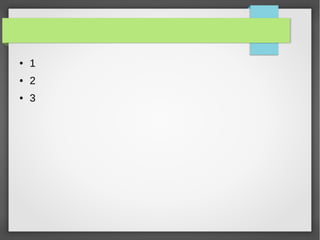
● 1 
● 2 
● 3
The End 
●Questian?

Php variables (english)

  • 1.
    PHP Variables Writeby: Mahmood masih tehrani Www.masihtehrani.ir tehrani@dabacenter.ir
  • 2.
    Declaring PHP variables ● All variables in PHP start with a $ (dollar) sign followed by the name of the variable. ● ● A valid variable name starts with a letter (A-Z, a-z) or underscore (_), followed by any number of letters, numbers, or underscores. ● ● If a variable name is more than one word, it can be separated with underscore (for example $employee_code instead of $employeecode). ● ● '$' is a special variable that can not be assigned.
  • 4.
    Valid and invalidPHP variables ● <?php ● $abc = 'Welcome'; //valid ● $Abc = 'W3resource.com'; //valid ● $9xyz = 'Hello world'; //invalid; starts with a number ● $_xyz = 'Hello world'; //valid; starts with an underscore ● $_9xyz = 'Hello world'; //valid ● $aäa = 'Hello world'; //valid; 'ä' is (Extended) ASCII 228. ● ?>
  • 5.
    PHP variable nameis case-sensitive ● <?php ● $abc = 'Welcome'; ● echo "Value of abc : $abc"; ● echo "Value of ABC : $ABC"; ● ?>
  • 6.
    ● <?php ●$height = 3.5; ● $width = 4; ● $area=$height*$width; ● echo "Area of the rectangle is : $area"; ● ?>
  • 7.
    PHP variables :Assigning by Reference ● <?php ● $foo='bob'; ● $bar=&$foo; ● $bar="my $bar"; ● echo $bar; ● echo '<br />'; ● echo $foo; ● ?>
  • 8.
    Output ● mybob ● my bob
  • 9.
    PHP variable variables ● <?php ● $v='var1'; ● echo $v; // prints var1 ● $$v = 'var2'; ● echo $$v; // prints var2 ● echo $var1; // prints var2 ● ?>
  • 10.
    PHP variable variables ● You know how to declare variables in PHP. But what if you want the name your variable is a variable itself? In PHP, you have Variable Variables, so you may assign a variable to another variable. ● In the following example at line no. 2, we declared a variable called $v which stores the value 'var1' and in line no. 4, "var1" is used as the name of a variable by using two dollar signs. i.e. $$v. ● Therefore there are two variables now. $v which stores the value "var1" where as $$v which stores the value var2. At this point $$v and $var1 are equal, both store the value "var2".
  • 11.
    PHP Variables Scope ● In PHP, variables can be declared anywhere in the script. We declare the variables for a particular scope. There are two types of scope,
  • 12.
    Example ● <?php ● //global scope ● $x = 10; ● function var_scope() ● { ● //local scope ● $y=20; ● echo "The value of x is : $x "."<br />"; ● echo "The value of y is : $y"."<br />"; ● } ● var_scope(); ● echo "The value of x is : $x"."<br />"; ● echo "The value of y is : $y "; ● ?>
  • 13.
    ● In theabove script there are two variables $x and $y and a function var_scope(). $x is a global variable since it is declared outside the function and $y is a local variable as it is created inside the function var_scope(). At the end of the script var_scope() function is called, followed by two echo statements. Lets see the output of the script
  • 14.
    ● The valueof x is : ● The value of y is : 20 ● The value of x is : 10 ● The value of y is :
  • 15.
    ● There aretwo echo statements inside var_scope() function. It prints the value of $y as it is the locally declared and can not prints the value of $x since it is created outside the function. ● ● The next statement of the script prints the value of $x since it is global variable i.e. not created inside any function. ● ● The last echo statement can not prints the value of $y since it is local variable and it is created inside the function var_scope() function.
  • 16.
    The global keyword ● We have already learned variables declared outside a function are global. They can be accessed any where in the program except within a function. ● To use these variables inside a function the variables must be declared global in that function. To do this we use the global keyword before the variables.
  • 17.
    ● <?php ●$x=2; ● $y=4; ● $z=5; ● $xyz=0; ● function multiple() ● { ● global $x, $y, $z, $xyz; ● $xyz=$x*$y*$z; ● } ● multiple(); ● echo $xyz; ● ?>
  • 18.
    ● In theabove example $x, $y, $z, $xyz have initialized with 2, 4, 5, 0. Inside the multiple() function we declared $x, $y, $z, $xyz as global. Therefore all reference of each variable will refer to global version. Now call multiple() anywhere in the script and the variable $xyz will print 40 as it is already referred as global.
  • 19.
    PHP static variables ● Normally when a function terminates, all of its variables loose its values. Sometimes we want to hold these values for further job. Generally those variables which holds the values are called static variables inside a function. To do this we must write the keyword "static" in front of those variables. Consider the following example without static variable.
  • 20.
    ● <?php ●function test_variable() ● { ● $x=1; ● echo $x; ● $x++; ● } ● test_variable(); ● echo "<br>"; ● test_variable(); ● echo "<br>"; ● test_variable(); ● ?>
  • 21.
    ● In theabove script the function test_count() is useless as the last statement $x = $x +1 can not increase the value of $x since every time it is called $x sets to 1 and print 1.
  • 22.
    ● 1 ●1 ● 1
  • 23.
    ● <?php ●function test_count() ● { ● static $x=1; ● echo $x; ● $x++; ● } ● test_count(); ● echo "<br>"; ● test_count(); ● echo "<br>"; ● test_count(); ● ?>
  • 24.
    ● 1 ●2 ● 3
  • 25.