ENG / Mohamed Saad pamicloud.com
 Include Statement
 Code Reuse
 Require Statement
 Case Study

Include PHP Statement
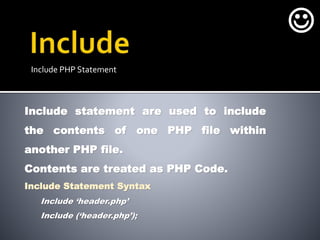
Include statement are used to include
the contents of one PHP file within
another PHP file.
Contents are treated as PHP Code.
Include Statement Syntax
Include ‘header.php’
Include (‘header.php’);


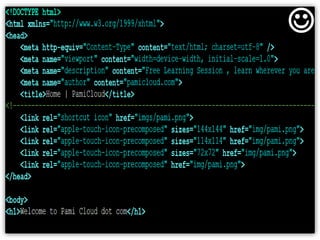
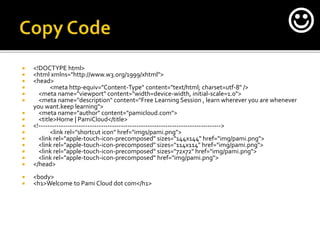
 <!DOCTYPE html>
 <html xmlns="http://www.w3.org/1999/xhtml">
 <head>
 <meta http-equiv="Content-Type" content="text/html; charset=utf-8" />
 <meta name="viewport" content="width=device-width, initial-scale=1.0">
 <meta name="description" content="Free Learning Session , learn wherever you are whenever
you want.keep learning">
 <meta name="author" content="pamicloud.com">
 <title>Home | PamiCloud</title>
 <!---------------------------------------------------------------------------------->
 <link rel="shortcut icon" href="imgs/pami.png">
 <link rel="apple-touch-icon-precomposed" sizes="144x144" href="img/pami.png">
 <link rel="apple-touch-icon-precomposed" sizes="114x114" href="img/pami.png">
 <link rel="apple-touch-icon-precomposed" sizes="72x72" href="img/pami.png">
 <link rel="apple-touch-icon-precomposed" href="img/pami.png">
 </head>
 <body>
 <h1>Welcome to Pami Cloud dot com</h1>

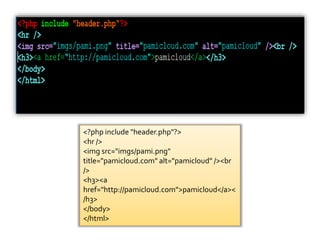
<?php include "header.php"?>
<hr />
<img src="imgs/pami.png"
title="pamicloud.com" alt="pamicloud" /><br
/>
<h3><a
href="http://pamicloud.com">pamicloud</a><
/h3>
</body>
</html>
From
Header.php

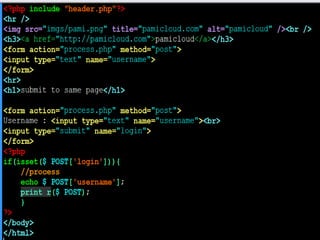
 <?php include "header.php"?>
 <hr />
 <img src="imgs/pami.png" title="pamicloud.com" alt="pamicloud" /><br />
 <h3><a href="http://pamicloud.com">pamicloud</a></h3>
 <form action="process.php" method="post">
 <input type="text" name="username">
 </form>
 <hr>
 <h1>submit to same page</h1>
 <form action="process.php" method="post">
 Username : <input type="text" name="username"><br>
 <input type="submit" name="login">
 </form>
 <?php
 if(isset($_POST['login'])){
 //process
 echo $_POST['username'];
 print_r($_POST);
 }
 ?>
 </body>
 </html>

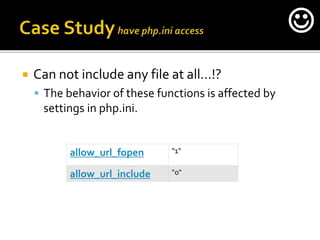
 Can not include any file at all…!?
 The behavior of these functions is affected by
settings in php.ini.
allow_url_fopen "1"
allow_url_include "0"

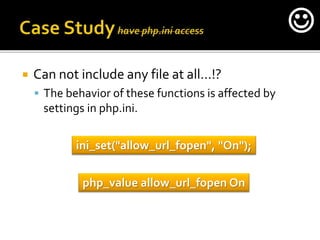
 Can not include any file at all…!?
 The behavior of these functions is affected by
settings in php.ini.
ini_set("allow_url_fopen", "On");
php_value allow_url_fopen On

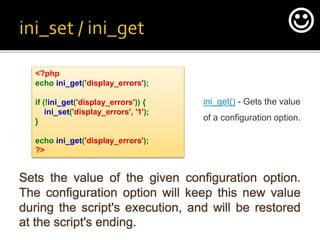
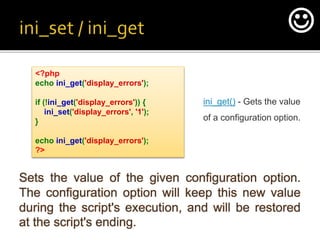
Sets the value of the given configuration option.
The configuration option will keep this new value
during the script's execution, and will be restored
at the script's ending.
<?php
echo ini_get('display_errors');
if (!ini_get('display_errors')) {
ini_set('display_errors', '1');
}
echo ini_get('display_errors');
?>
ini_get() - Gets the value
of a configuration option.

Sets the value of the given configuration option.
The configuration option will keep this new value
during the script's execution, and will be restored
at the script's ending.
<?php
echo ini_get('display_errors');
if (!ini_get('display_errors')) {
ini_set('display_errors', '1');
}
echo ini_get('display_errors');
?>
ini_get() - Gets the value
of a configuration option.

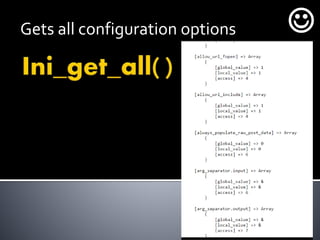
Gets all configuration options 
<a href=“http://yourdomain.com?user=saad”>
Print user name</a>
<?php If ( isset ($_GET[‘user’]) )
{echo ($_GET[‘user’];}
?>

<a href=“http://yourdomain.com?user=saad&pass=asdfg”>
Print user data</a>
<?php If ( isset ($_GET[‘user’]) )
{print_r($_GET);}
?>

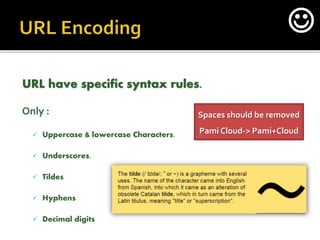
URL have specific syntax rules.
Only :
 Uppercase & lowercase Characters.
 Underscores.
 Tildes
 Hyphens
 Decimal digits
Spaces should be removed
Pami Cloud-> Pami+Cloud

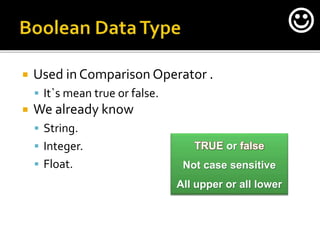
 Used in Comparison Operator .
 It`s mean true or false.
 We already know
 String.
 Integer.
 Float.
TRUE or false
Not case sensitive
All upper or all lower

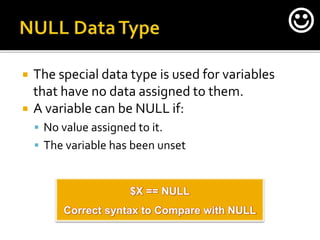
 The special data type is used for variables
that have no data assigned to them.
 A variable can be NULL if:
 No value assigned to it.
 The variable has been unset
$X == NULL
Correct syntax to Compare with NULL

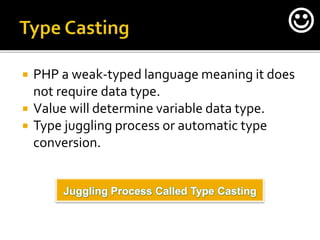
 PHP a weak-typed language meaning it does
not require data type.
 Value will determine variable data type.
 Type juggling process or automatic type
conversion.
Juggling Process Called Type Casting

 Error:
 Handling.
 Reporting.
 Control Operator.

 Error:
 Handling.
 Reporting.
 Control Operator.

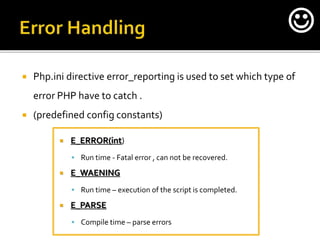
 Php.ini directive error_reporting is used to set which type of
error PHP have to catch .
 (predefined config constants)
 E_ERROR(int)
 Run time - Fatal error , can not be recovered.
 E_WAENING
 Run time – execution of the script is completed.
 E_PARSE
 Compile time – parse errors

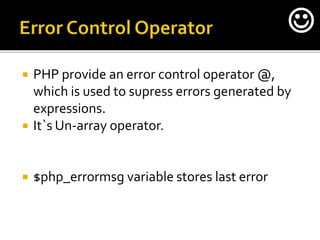
 PHP provide an error control operator @,
which is used to supress errors generated by
expressions.
 It`s Un-array operator.
 $php_errormsg variable stores last error

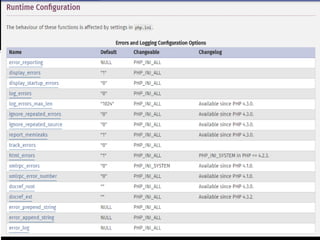
 Php.ini directive error_reporting is used to set
which type of error PHP have to catch .
 (predefined config constants)

 Register_globals is a configuration directive
that automatically creates global variables.
 $_GET[‘name’] however if register_globals
was set to on php automatically create
variable with global scope called $name;
 But it`s Deprecated from php since ver 5.3.0.

 MeanTurned off by default.

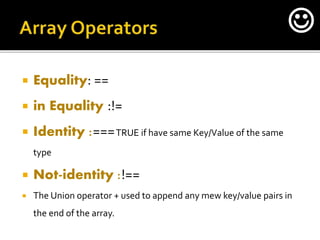
 Equality: ==
 in Equality :!=
 Identity :===TRUE if have same Key/Value of the same
type
 Not-identity :!==
 The Union operator + used to append any mew key/value pairs in
the end of the array.

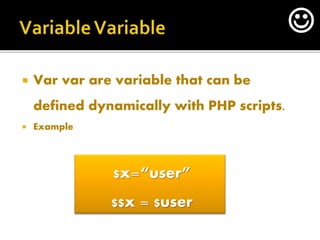
 Var var are variable that can be
defined dynamically with PHP scripts.
 Example
$x=“user”
$$x = $user

By the way 

Is that Real

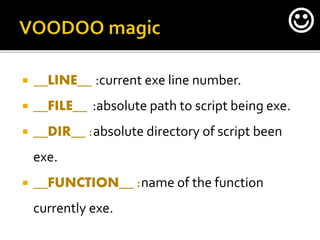
 __LINE__ :current exe line number.
 __FILE__ :absolute path to script being exe.
 __DIR__ :absolute directory of script been
exe.
 __FUNCTION__ :name of the function
currently exe.

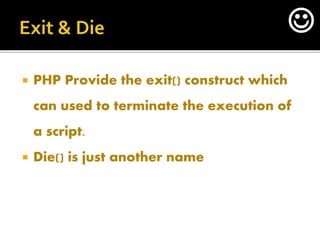
 PHP Provide the exit() construct which
can used to terminate the execution of
a script.
 Die() is just another name

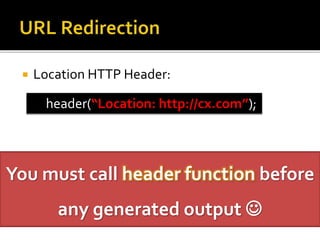
 Location HTTP Header:
header(“Location: http://cx.com”);
You must call header function before
any generated output 
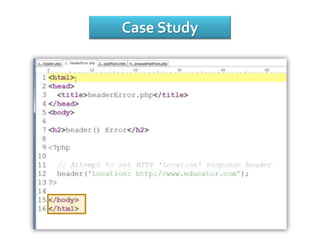
Case Study
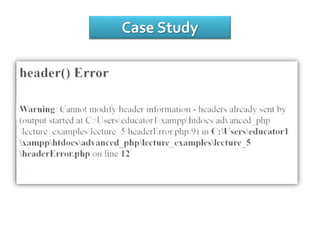
Case Study
Case Study
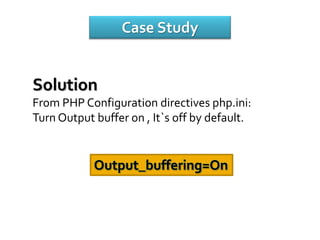
Solution
From PHP Configuration directives php.ini:
Turn Output buffer on , It`s off by default.
Output_buffering=On
Case Study
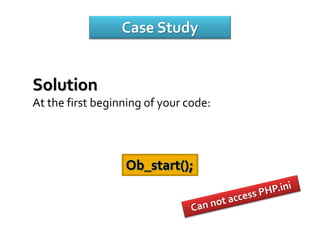
Solution
At the first beginning of your code:
Ob_start();
ThankYou
End of PHP SESSION 4
ENG / Mohamed Saad pamicloud.com


Php session 3 Important topics

  • 1.
    ENG / MohamedSaad pamicloud.com  Include Statement  Code Reuse  Require Statement  Case Study 
  • 2.
    Include PHP Statement Includestatement are used to include the contents of one PHP file within another PHP file. Contents are treated as PHP Code. Include Statement Syntax Include ‘header.php’ Include (‘header.php’); 
  • 3.
  • 4.
     <!DOCTYPE html> <html xmlns="http://www.w3.org/1999/xhtml">  <head>  <meta http-equiv="Content-Type" content="text/html; charset=utf-8" />  <meta name="viewport" content="width=device-width, initial-scale=1.0">  <meta name="description" content="Free Learning Session , learn wherever you are whenever you want.keep learning">  <meta name="author" content="pamicloud.com">  <title>Home | PamiCloud</title>  <!---------------------------------------------------------------------------------->  <link rel="shortcut icon" href="imgs/pami.png">  <link rel="apple-touch-icon-precomposed" sizes="144x144" href="img/pami.png">  <link rel="apple-touch-icon-precomposed" sizes="114x114" href="img/pami.png">  <link rel="apple-touch-icon-precomposed" sizes="72x72" href="img/pami.png">  <link rel="apple-touch-icon-precomposed" href="img/pami.png">  </head>  <body>  <h1>Welcome to Pami Cloud dot com</h1> 
  • 5.
    <?php include "header.php"?> <hr/> <img src="imgs/pami.png" title="pamicloud.com" alt="pamicloud" /><br /> <h3><a href="http://pamicloud.com">pamicloud</a>< /h3> </body> </html>
  • 6.
  • 8.
     <?php include"header.php"?>  <hr />  <img src="imgs/pami.png" title="pamicloud.com" alt="pamicloud" /><br />  <h3><a href="http://pamicloud.com">pamicloud</a></h3>  <form action="process.php" method="post">  <input type="text" name="username">  </form>  <hr>  <h1>submit to same page</h1>  <form action="process.php" method="post">  Username : <input type="text" name="username"><br>  <input type="submit" name="login">  </form>  <?php  if(isset($_POST['login'])){  //process  echo $_POST['username'];  print_r($_POST);  }  ?>  </body>  </html> 
  • 9.
     Can notinclude any file at all…!?  The behavior of these functions is affected by settings in php.ini. allow_url_fopen "1" allow_url_include "0" 
  • 10.
     Can notinclude any file at all…!?  The behavior of these functions is affected by settings in php.ini. ini_set("allow_url_fopen", "On"); php_value allow_url_fopen On 
  • 11.
    Sets the valueof the given configuration option. The configuration option will keep this new value during the script's execution, and will be restored at the script's ending. <?php echo ini_get('display_errors'); if (!ini_get('display_errors')) { ini_set('display_errors', '1'); } echo ini_get('display_errors'); ?> ini_get() - Gets the value of a configuration option. 
  • 12.
    Sets the valueof the given configuration option. The configuration option will keep this new value during the script's execution, and will be restored at the script's ending. <?php echo ini_get('display_errors'); if (!ini_get('display_errors')) { ini_set('display_errors', '1'); } echo ini_get('display_errors'); ?> ini_get() - Gets the value of a configuration option. 
  • 13.
  • 14.
    <a href=“http://yourdomain.com?user=saad”> Print username</a> <?php If ( isset ($_GET[‘user’]) ) {echo ($_GET[‘user’];} ?> 
  • 15.
    <a href=“http://yourdomain.com?user=saad&pass=asdfg”> Print userdata</a> <?php If ( isset ($_GET[‘user’]) ) {print_r($_GET);} ?> 
  • 16.
    URL have specificsyntax rules. Only :  Uppercase & lowercase Characters.  Underscores.  Tildes  Hyphens  Decimal digits Spaces should be removed Pami Cloud-> Pami+Cloud 
  • 17.
     Used inComparison Operator .  It`s mean true or false.  We already know  String.  Integer.  Float. TRUE or false Not case sensitive All upper or all lower 
  • 18.
     The specialdata type is used for variables that have no data assigned to them.  A variable can be NULL if:  No value assigned to it.  The variable has been unset $X == NULL Correct syntax to Compare with NULL 
  • 19.
     PHP aweak-typed language meaning it does not require data type.  Value will determine variable data type.  Type juggling process or automatic type conversion. Juggling Process Called Type Casting 
  • 20.
     Error:  Handling. Reporting.  Control Operator. 
  • 21.
     Error:  Handling. Reporting.  Control Operator. 
  • 22.
     Php.ini directiveerror_reporting is used to set which type of error PHP have to catch .  (predefined config constants)  E_ERROR(int)  Run time - Fatal error , can not be recovered.  E_WAENING  Run time – execution of the script is completed.  E_PARSE  Compile time – parse errors 
  • 23.
     PHP providean error control operator @, which is used to supress errors generated by expressions.  It`s Un-array operator.  $php_errormsg variable stores last error 
  • 24.
     Php.ini directiveerror_reporting is used to set which type of error PHP have to catch .  (predefined config constants)
  • 25.
  • 26.
     Register_globals isa configuration directive that automatically creates global variables.  $_GET[‘name’] however if register_globals was set to on php automatically create variable with global scope called $name;  But it`s Deprecated from php since ver 5.3.0. 
  • 27.
     MeanTurned offby default. 
  • 28.
     Equality: == in Equality :!=  Identity :===TRUE if have same Key/Value of the same type  Not-identity :!==  The Union operator + used to append any mew key/value pairs in the end of the array. 
  • 29.
     Var varare variable that can be defined dynamically with PHP scripts.  Example $x=“user” $$x = $user 
  • 30.
    By the way 
  • 31.
  • 32.
     __LINE__ :currentexe line number.  __FILE__ :absolute path to script being exe.  __DIR__ :absolute directory of script been exe.  __FUNCTION__ :name of the function currently exe. 
  • 33.
     PHP Providethe exit() construct which can used to terminate the execution of a script.  Die() is just another name 
  • 34.
     Location HTTPHeader: header(“Location: http://cx.com”); You must call header function before any generated output 
  • 35.
  • 36.
  • 37.
    Case Study Solution From PHPConfiguration directives php.ini: Turn Output buffer on , It`s off by default. Output_buffering=On
  • 38.
    Case Study Solution At thefirst beginning of your code: Ob_start();
  • 39.
    ThankYou End of PHPSESSION 4 ENG / Mohamed Saad pamicloud.com 