Faculty      : Diploma Engineering
Branch       : Computer Engineering
Subject Name: PHP & MySQL
Subject Code : 360701
                       Author :
              Amit K. Lakhani
      Lecturer in Computer Engineering Department
       Tolani Foundation Gandhidham Polytechnic
                         Adipur
Chapter - 1
       Introduction to
             PHP
1.Introduction to PHP
This unit covers…

 1.1 History of PHP, Apache web server, MySQL & Open
     source
 1.2 Relationship between Apache, MySQL and PHP
     (AMP module)
 1.3 PHP configurations in PHP
 1.4 Apache web server


                      Developed By: Amit Lakhani, TFGP Adipur
1.1
History of PHP, Apache
web server, MySQL &
     Open source
         Developed By: Amit Lakhani, TFGP Adipur
History of PHP
• PHP is a general-purpose server-side scripting language
 originally designed for Web development to produce
 dynamic Web pages.
• It is one of the first developed server-side scripting
 languages to be embedded into an HTML source
 document, rather than calling an external file to process
 data.
• Ultimately, the code is interpreted by a Web server with a
 PHP processor module which generates the resulting Web
 page. It also has evolved to include a command-line
 interface capability and can be used in standalone
 graphical applications.

                         Developed By: Amit Lakhani, TFGP Adipur
History of PHP conti..
• PHP can be deployed on most Web servers and also as a
 standalone shell on almost every operating system and
 platform free of charge.
• PHP was originally created by Rasmus Lerdorf in 1995.
 The main implementation of PHP is now produced by The
 PHP Group and serves as the formal reference to the PHP
 language.
• PHP is free software released under the PHP License,
 which is incompatible with the GNU General Public
 License (GPL) due to restrictions on the usage of the term
 PHP.
• While PHP originally stood for "Personal Home Page", it is
 now said to stand for "PHP: Hypertext Preprocessor", a
 recursive acronym.        Developed By: Amit Lakhani, TFGP Adipur
History of MySQL
• MySQL is the world's most used relational database
 management system (RDBMS) that runs as a server
 providing multi-user access to a number of databases.
• It is named after developer Michael WideniusThe SQL
 phrase stands for Structured Query Language.
• The open source database product that puts the "M" in
 LAMP, was created by MySQL AB, a company founded in
 1995 in Sweden. In 2008, MySQL AB announced that it
 had agreed to be acquired by Sun Microsystems for
 approximately $1 billion.


                        Developed By: Amit Lakhani, TFGP Adipur
History of Apache web server
• The Apache Web Server Foundation was created in late
 February, 1994 by a team of eight core contributors, and
 three additional contributors. The first release was made
 in April, 1995.
• The Apache Web (HTTP) Server is designed to provide
 static and dynamic web pages over the Internet. It is used
 by large enterprises, to students to home users for
 everything from mission critical applications to simple
 one page websites. Apache is the web server component
 of the popular LAMP (Linux, Apache, MySQL,Perl/Python
 / PHP) application stack.

                         Developed By: Amit Lakhani, TFGP Adipur
History of Apache web server conti..
• The web server is software that allows a computer to
  host web pages. The most popular Apache is a web
  server, an open source which runs on Windows, Linux
  and other operating systems.
• The web server lets you write and test programs running
  from your local computer exactly the same way they will
  be seen on the internet.
• Apache doesn’t serve up just HTML files it handles a wide
  range of files, from images and flash files to MP3 audio
  files, RSS feeds and so on.


                         Developed By: Amit Lakhani, TFGP Adipur
Open source
• Refers to a program or software in which the source code
 (the form of the program when a programmer writes a
 program in a particular programming language) is
 available to the general public for use and/or
 modification from its original design free of charge.

• Open source code is typically created as a collaborative
 effort in which programmers improve upon the code and
 share the changes within the community.


                         Developed By: Amit Lakhani, TFGP Adipur
Open source conti..
• The basics behind the Open Source Initiative is that when
 programmers can read, redistribute and modify the
 source code for a piece of software, the software
 evolves. Open source sprouted in the technological
 community as a response to proprietary software owned
 by corporations.


                         Developed By: Amit Lakhani, TFGP Adipur
1.2
Relationship between
 Apache, MySQL and
         PHP
        Developed By: Amit Lakhani, TFGP Adipur
Relationship Apache, MySQL and PHP

• AMP stands for Apache web server, MySQL database
 and PHP or Perl or Python language.
• PHP is used to create web pages, MySQL is used to create
 database for the storage and Apache is used to run PHP
 pages.
• The combination of these three allows us to create
 dynamic and interactive websites.
• It can be used on cross platforms means we can install it
 on WINDOWS (WAMP) or on LINUX (LAMP).


                         Developed By: Amit Lakhani, TFGP Adipur
1.3
PHP configurations in
         IIS

        Developed By: Amit Lakhani, TFGP Adipur
PHP configuration in IIS
Configuration of PHP on IIS includes following steps. This
guide provides configuration about IIS 5.1 shipped with
Window XP sp2.
1- Download latest version of PHP from
http://www.php.net/downloads.php. Note you should
download installer version not the zip version. Installer
version automatically performs all necessary
configurations. If we use zip version, Environmental
variables must be modified manually
2- Run the setup and choose installation directory for
example C:PHP
3- On next screen choose your version of web server, here
choose IIS ISAPI and click next.
                         Developed By: Amit Lakhani, TFGP Adipur
PHP configuration in IIS conti..
4- On next screen in the extension portion choose
extensions to be installed on local hard drive and click
Install. You may add and remove extension later.


                          Developed By: Amit Lakhani, TFGP Adipur
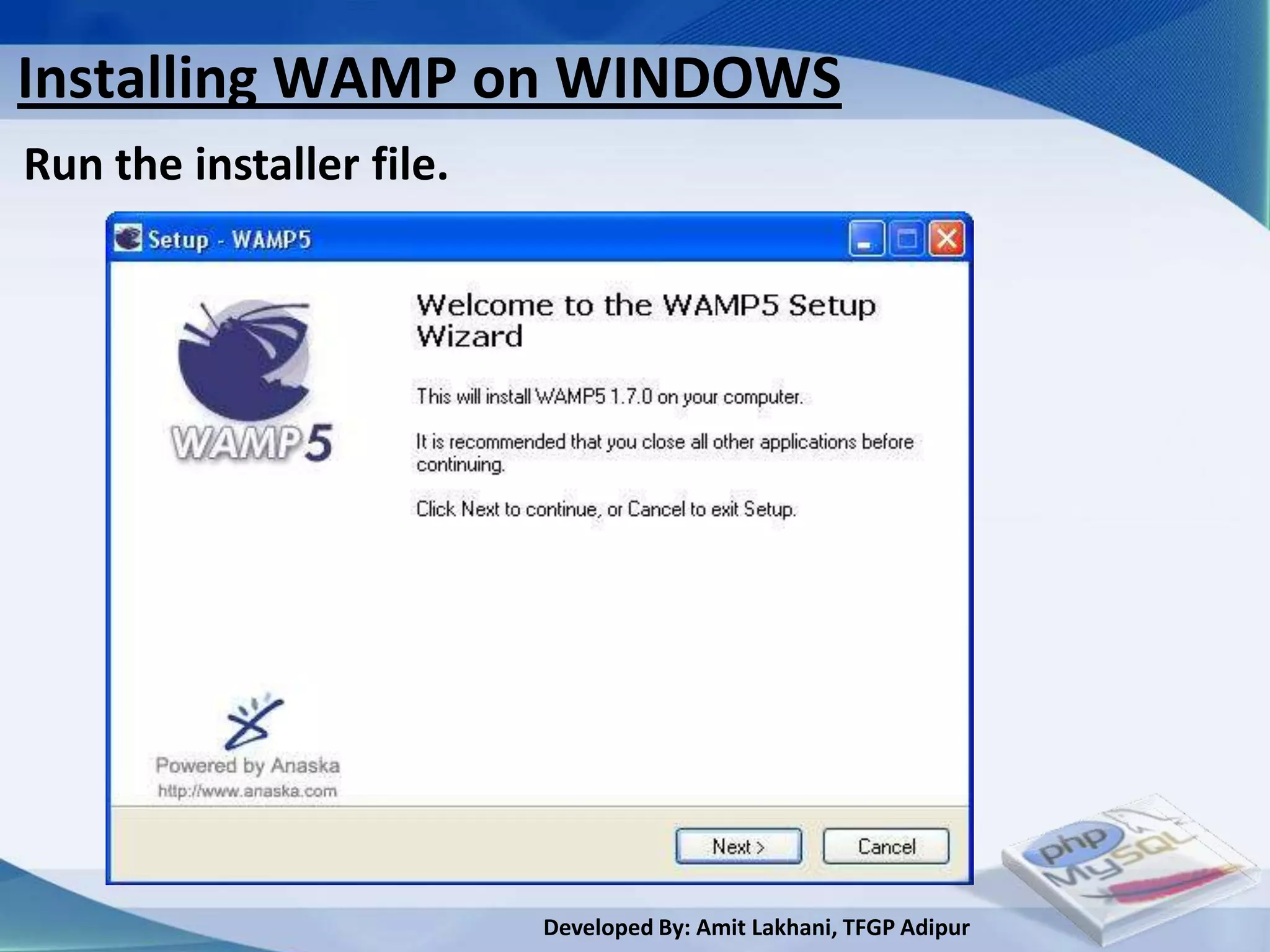
Installing WAMP on WINDOWS
Run the installer file.


                          Developed By: Amit Lakhani, TFGP Adipur
Installing WAMP on WINDOWS conti..
In the license agreement click [I accept the agreement],
then click next.


                        Developed By: Amit Lakhani, TFGP Adipur
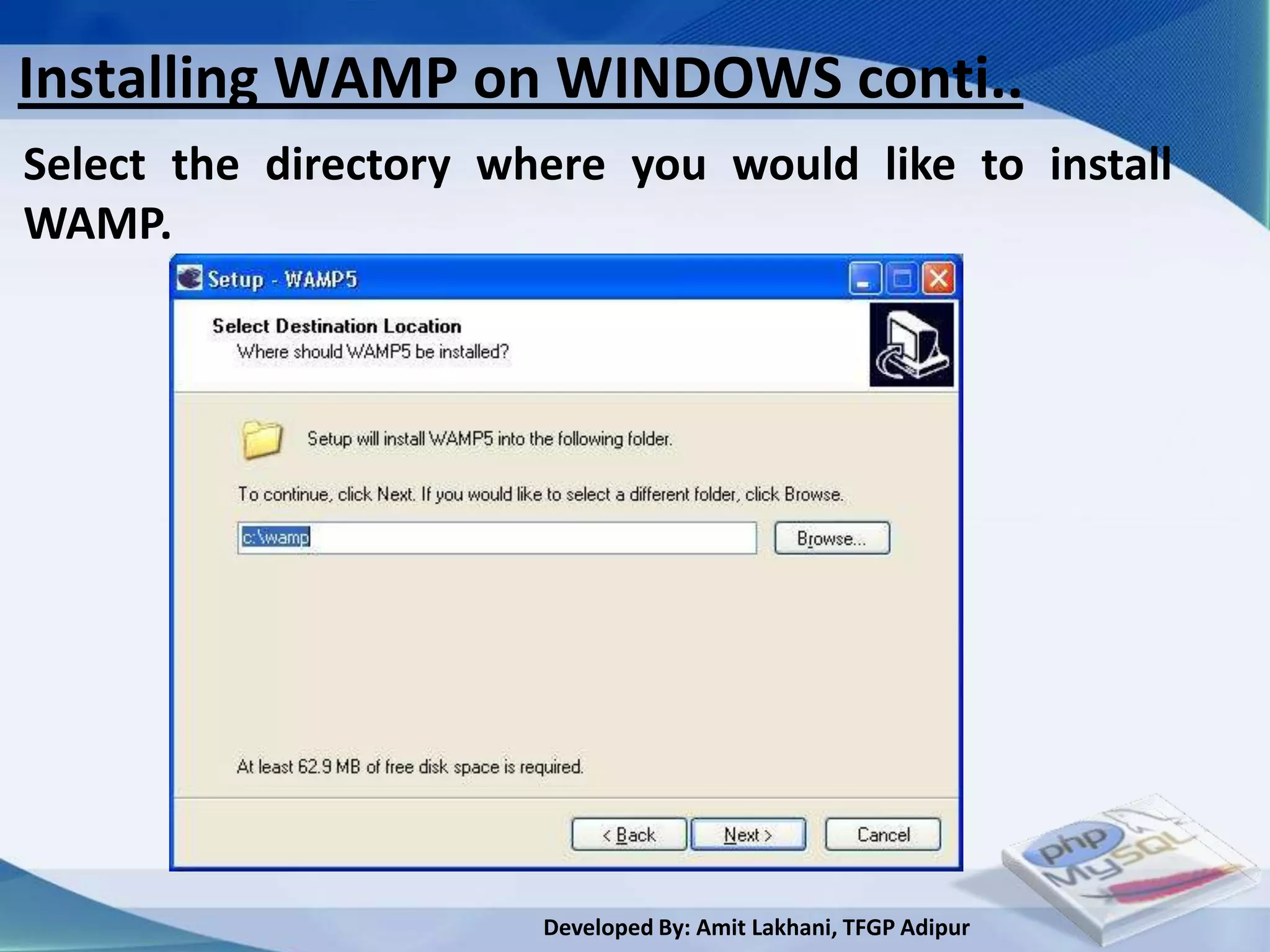
Installing WAMP on WINDOWS conti..
Select the directory where you would like to install
WAMP.


                       Developed By: Amit Lakhani, TFGP Adipur
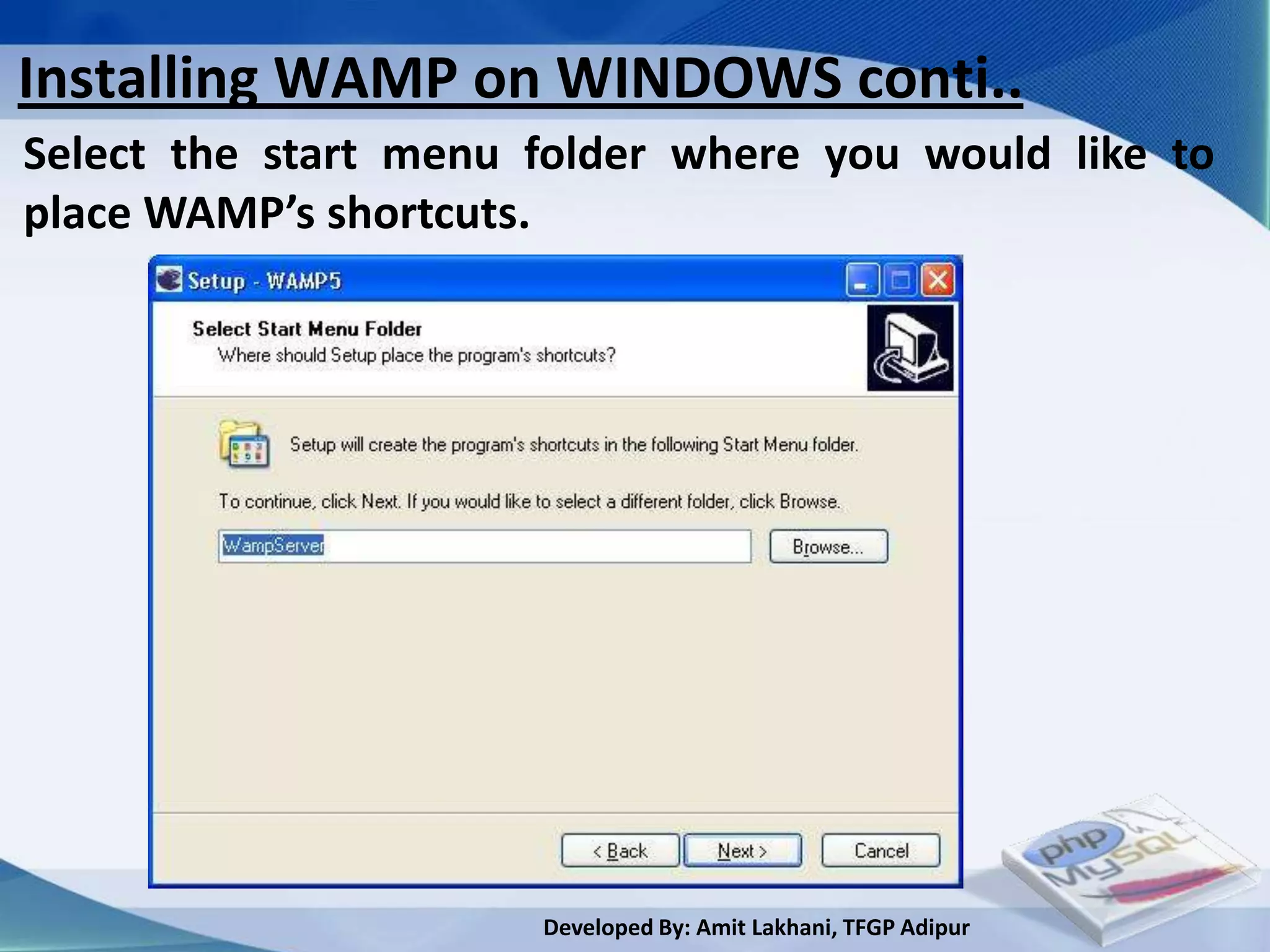
Installing WAMP on WINDOWS conti..
Select the start menu folder where you would like to
place WAMP’s shortcuts.


                      Developed By: Amit Lakhani, TFGP Adipur
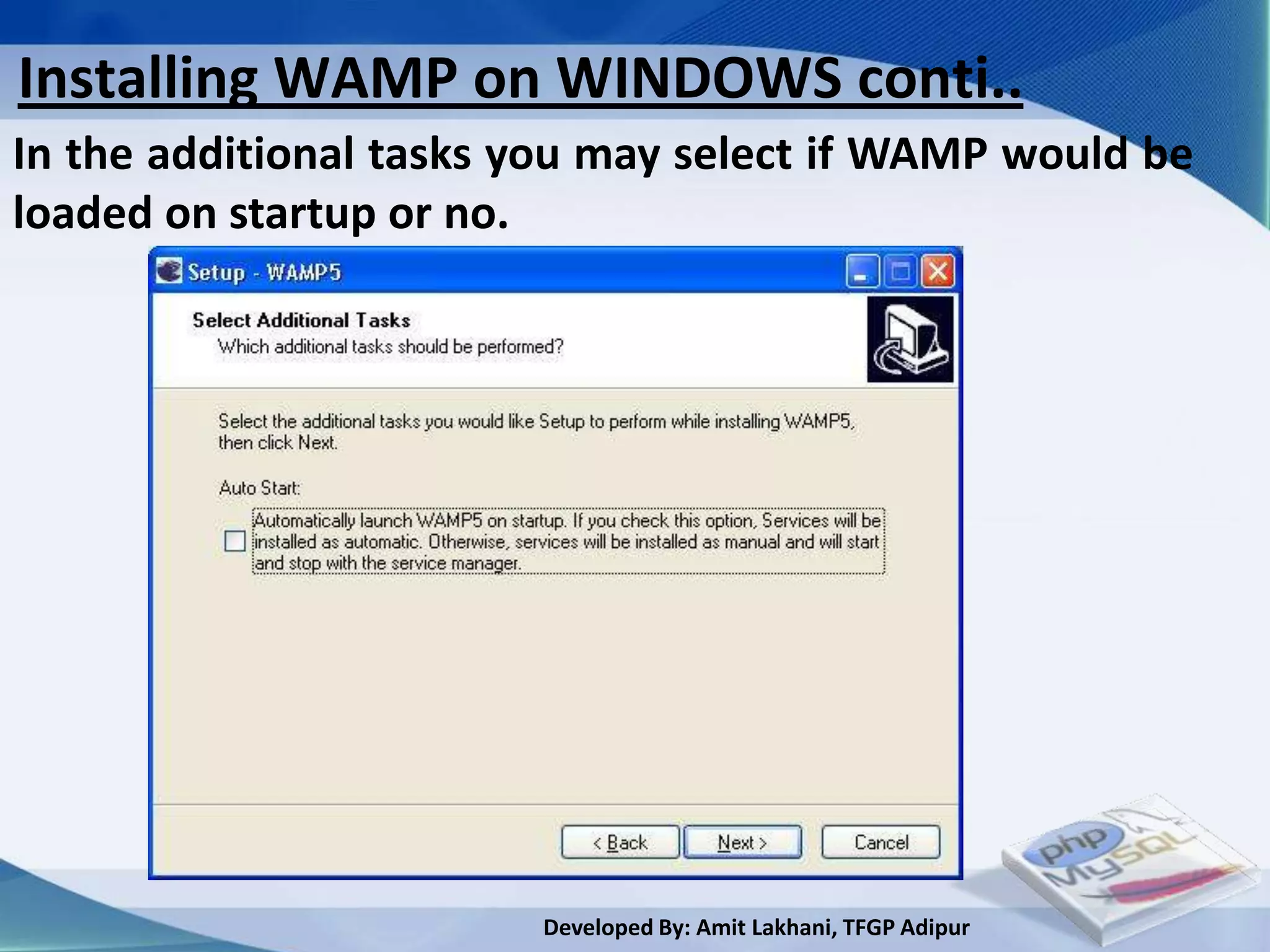
Installing WAMP on WINDOWS conti..
In the additional tasks you may select if WAMP would be
loaded on startup or no.


                        Developed By: Amit Lakhani, TFGP Adipur
Installing WAMP on WINDOWS conti..
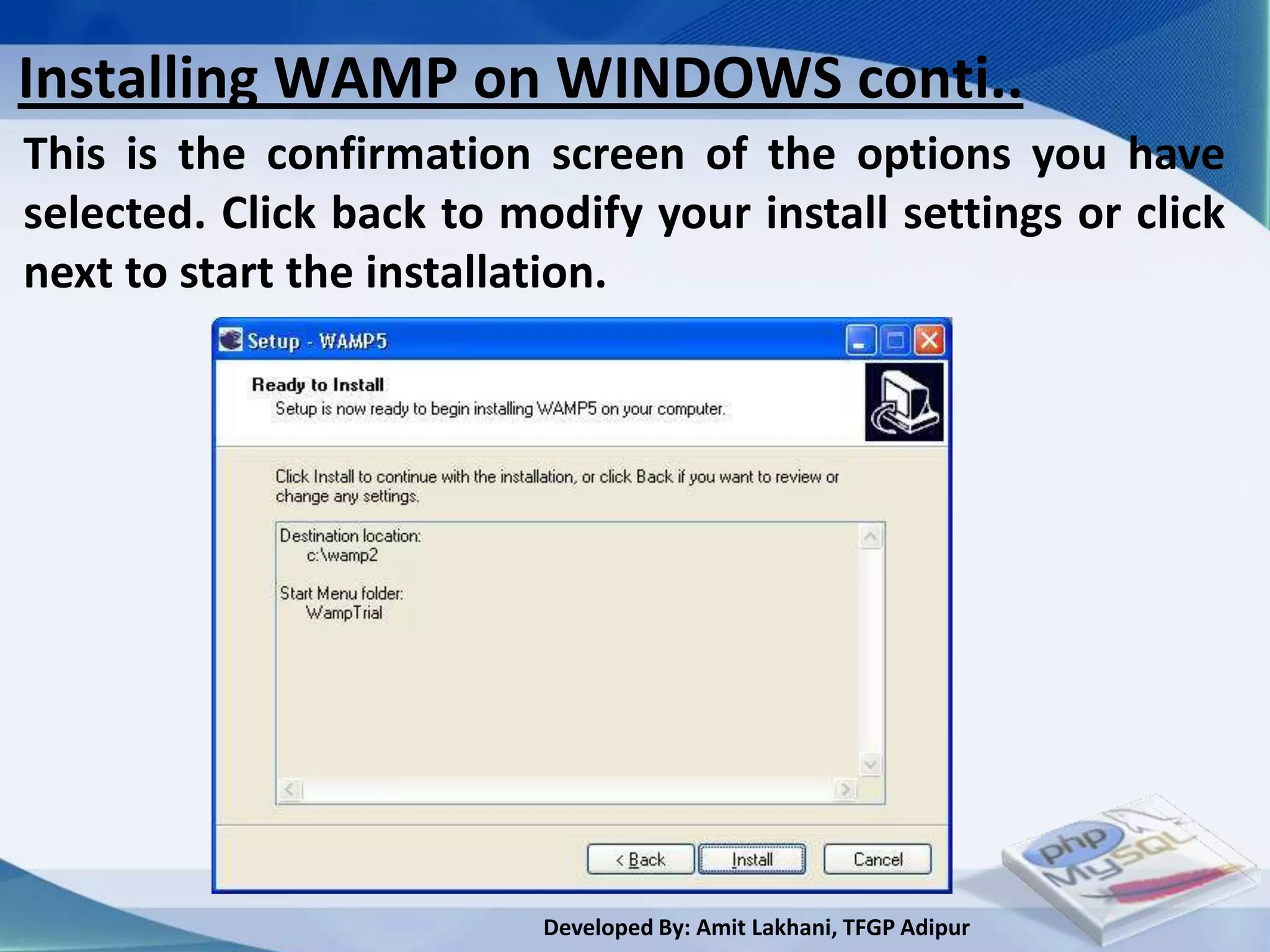
This is the confirmation screen of the options you have
selected. Click back to modify your install settings or click
next to start the installation.


                          Developed By: Amit Lakhani, TFGP Adipur
Installing WAMP on WINDOWS conti..
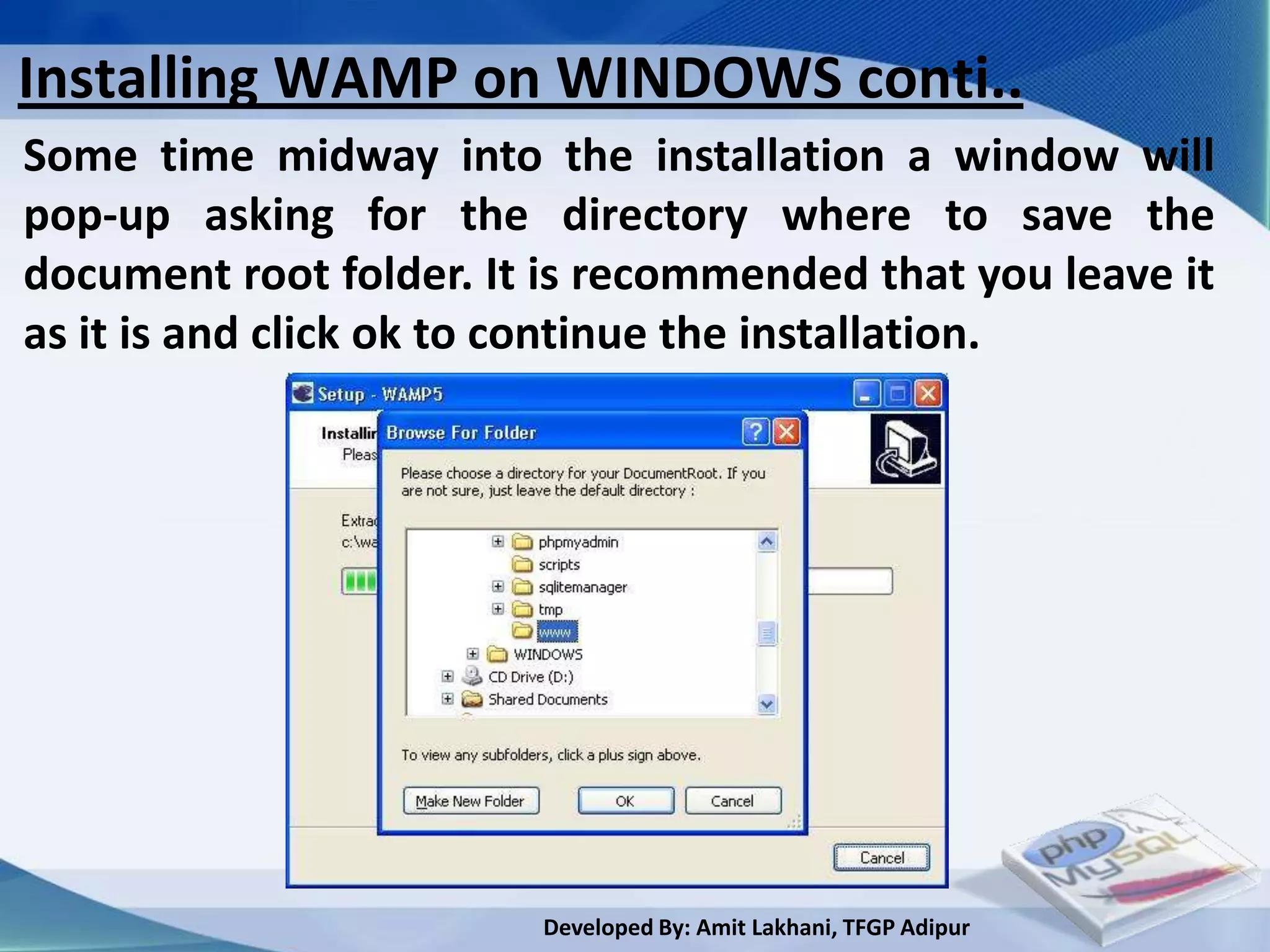
Some time midway into the installation a window will
pop-up asking for the directory where to save the
document root folder. It is recommended that you leave it
as it is and click ok to continue the installation.


                        Developed By: Amit Lakhani, TFGP Adipur
Installing WAMP on WINDOWS conti..
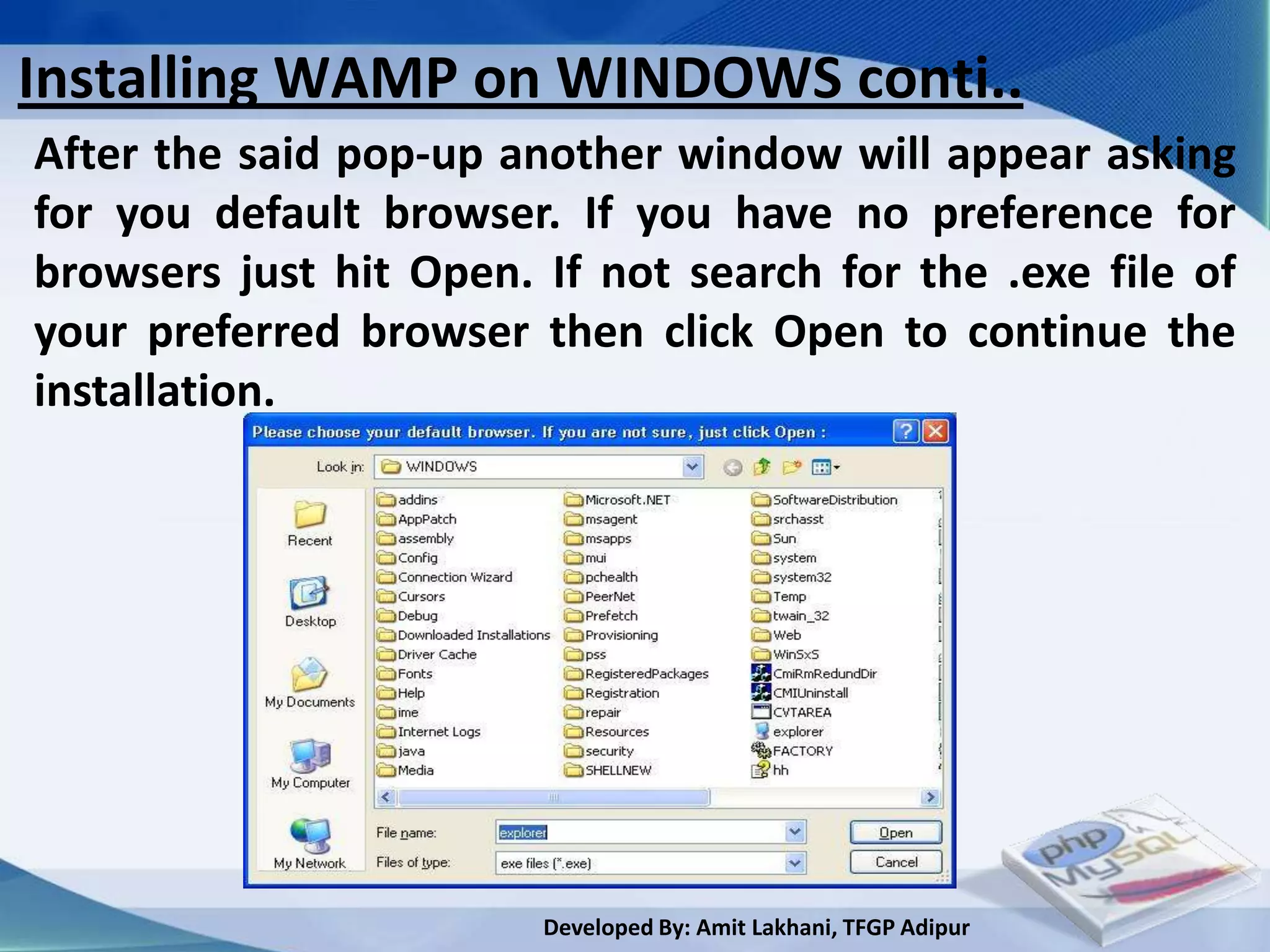
After the said pop-up another window will appear asking
for you default browser. If you have no preference for
browsers just hit Open. If not search for the .exe file of
your preferred browser then click Open to continue the
installation.


                        Developed By: Amit Lakhani, TFGP Adipur
Installing WAMP on WINDOWS conti..
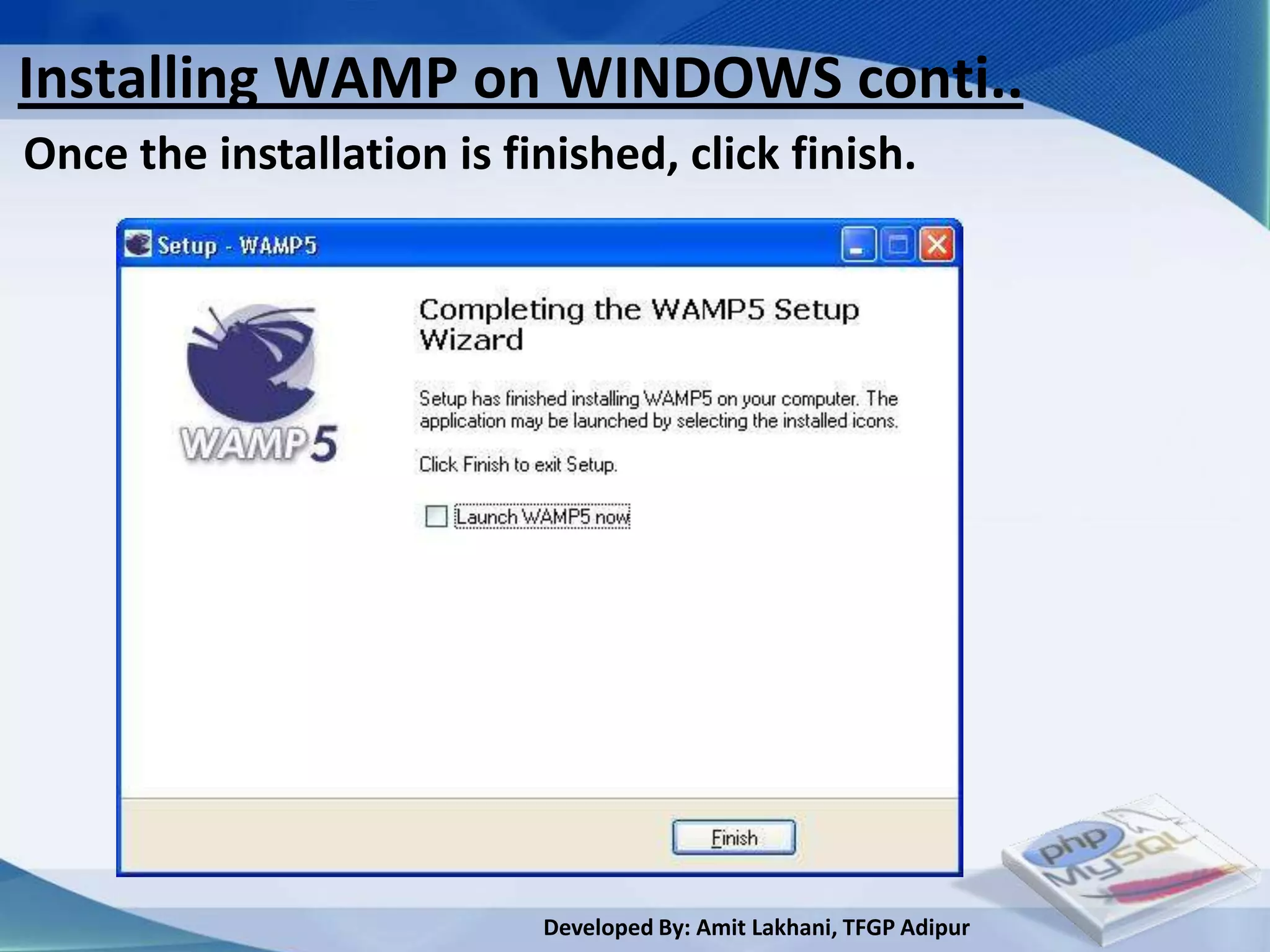
Once the installation is finished, click finish.


                           Developed By: Amit Lakhani, TFGP Adipur
Installing WAMP on WINDOWS conti..
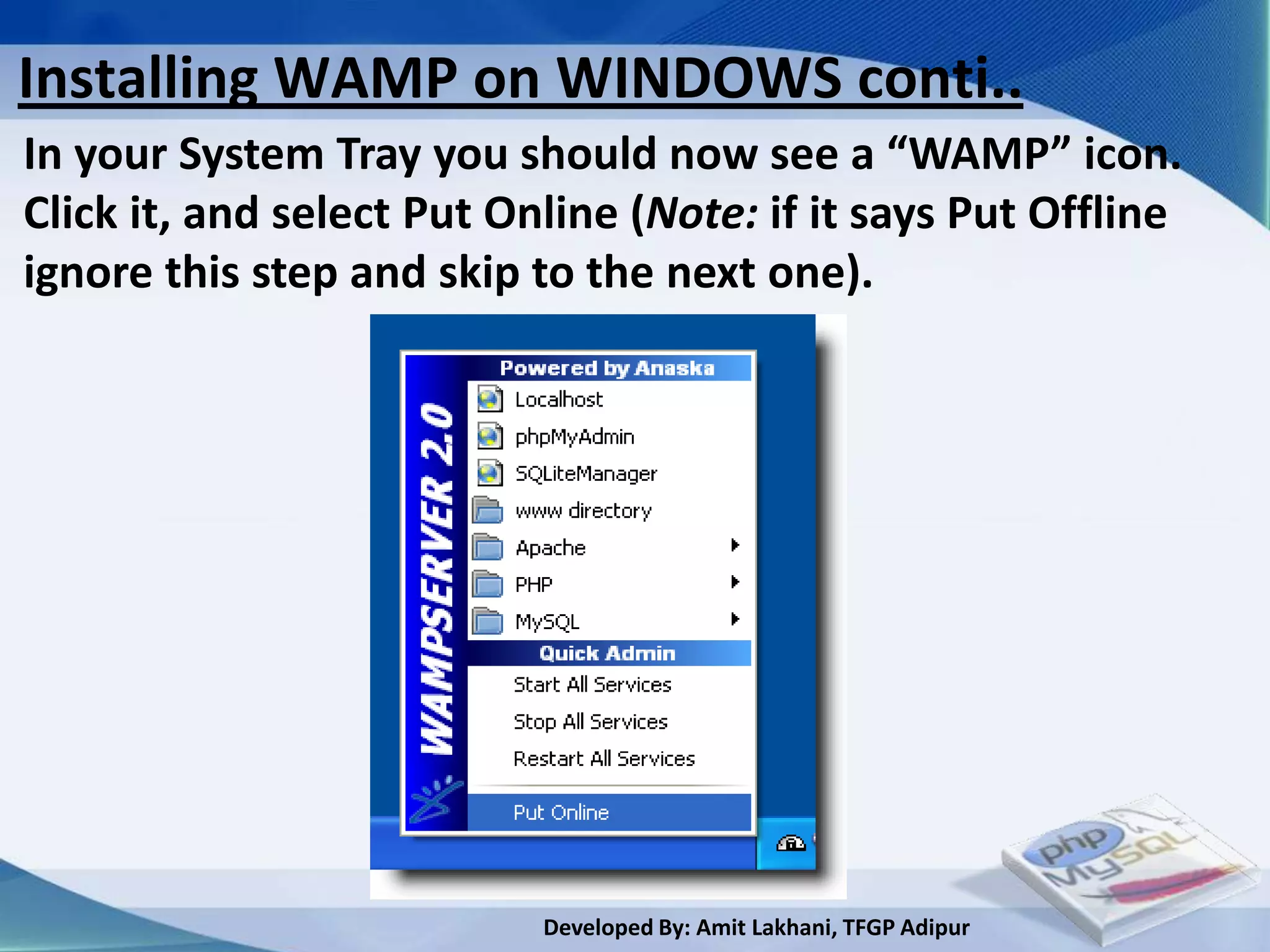
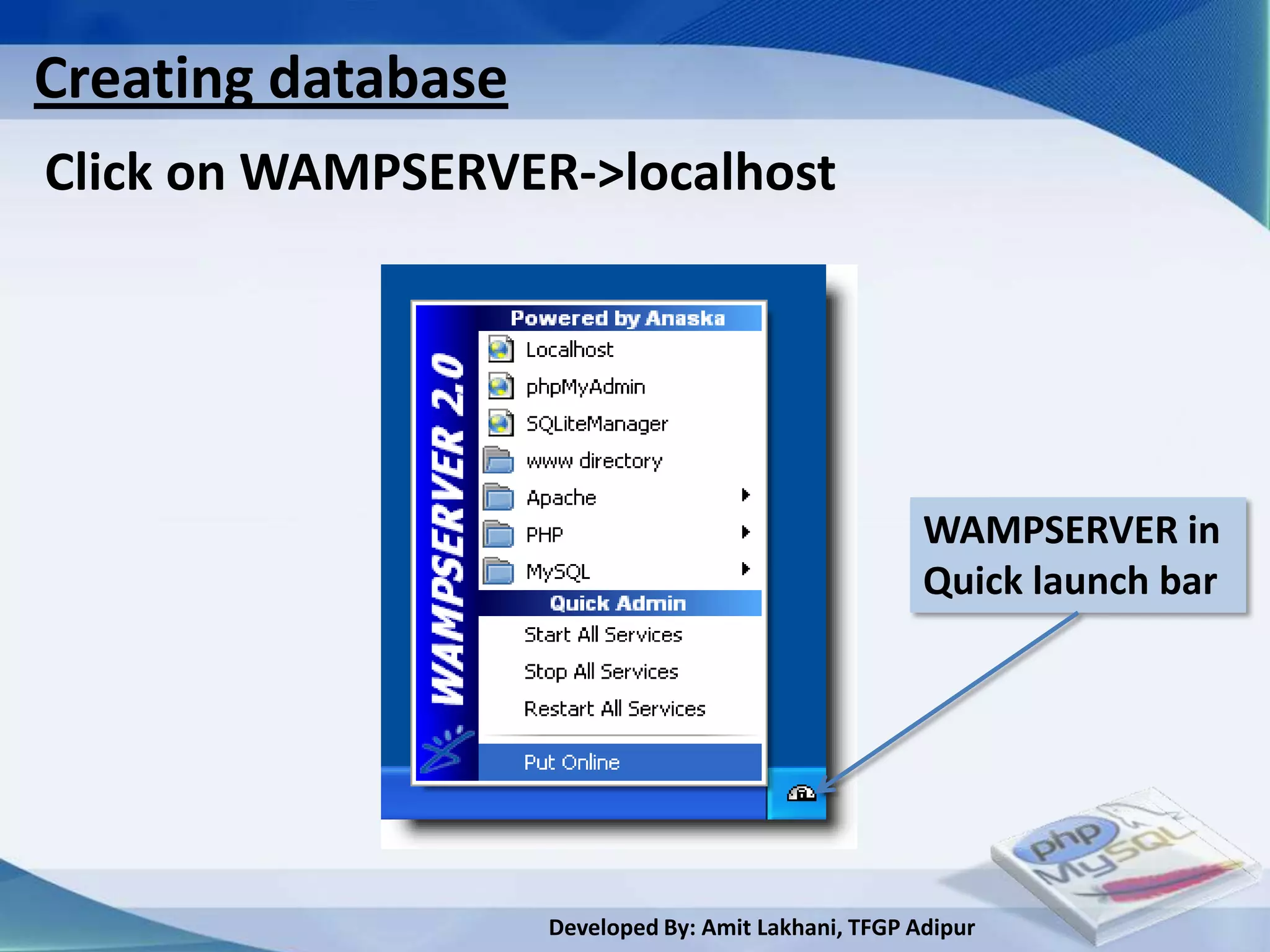
In your System Tray you should now see a “WAMP” icon.
Click it, and select Put Online (Note: if it says Put Offline
ignore this step and skip to the next one).


                           Developed By: Amit Lakhani, TFGP Adipur
1.4
Apache Web server


      Developed By: Amit Lakhani, TFGP Adipur
Apache webserver
• Apache is generally recognized as the world's most popular
 Web server (HTTP server). Originally designed for Unix
 environments, the Apache Web server has been ported to
 Windows and other network operating systems.

• The name "Apache" derives from the word "patchy" that
 the Apache developers used to describe early versions of
 their software.

•The Apache Web server provides a full range of Web server
 features, including CGI, SSL, and virtual domains.


                         Developed By: Amit Lakhani, TFGP Adipur
Apache webserver conti..
• Apache also supports plug-in modules for extensibility.
 Apache is free software, distributed by the Apache
 Software Foundation that promotes various free and open
 source advanced Web technologies.
Configuration Files
• Apache uses a system of three text files for managing its
 configuration data. All three of these files (almost always)
 appear in Apache's ./conf directory and are designed to be
 edited by system administrators:
             httpd.conf for general settings
             srm.conf for resource settings
             access.conf for security settings

                         Developed By: Amit Lakhani, TFGP Adipur
Apache webserver conti..

• When Apache first starts, these files are processed in the
 order shown above. Originally, the initial installation of
 Apache included default entries within each of the three
 files.
• In the most recent versions of Apache, however, the
 default installation has changed. Now httpd.conf is treated
 as the "master" configuration file and it contains all of the
 settings. Both srm.conf and access.conf still exist in the
 installation, but they contain no settings and are empty
 except for some comments.


                          Developed By: Amit Lakhani, TFGP Adipur
Apache webserver conti..
• Like many UNIX-style programs, Apache will not re-read
  the .conf files after the Web server starts running. After
  making changes, an administrator must restart Apache for
  the new settings to take effect.

Inside Httpd.conf
• Traditionaly httpd.conf contained general settings such as
  the ServerName and Port number. These entries appear
  as follows in the file:
          ServerName localhost
          Port 80

                         Developed By: Amit Lakhani, TFGP Adipur
Apache webserver conti..
• The term "httpd" stands for HTTP Daemon. Recall that
  in a UNIX environment, the term daemon refers to a type
  of process designed to launch at system boot and continue
  running for very long periods of time. The name doesn't
  make much sense on a Windows platform, but the concept
  of a UNIX daemon can be compared to the concept of
  Windows services.
• The Windows port of Apache allows for installation as a
 Windows service but does not require it. This file contains
 a number of other entries (technically called directives),
 but for most of these, modifications are optional.

                         Developed By: Amit Lakhani, TFGP Adipur
Apache webserver conti..
• Probably the most useful of these entries is ServerAdmin –
 it allows the administrator to set the email address that
 will be displayed on error pages (such a "404 pages") in the
 client's browser, giving users a way to contact someone if a
 site problem occurs:
         ServerAdmin compnetworking.guide@about.com
Access and Security Settings
• It is recommended practice now for Apache administrators
 to manage their resource and security settings from
 httpd.conf. Administrators of older versions of Apache can
 simply cut their entries from srm.conf and access.conf and
 paste them into the master file.
                         Developed By: Amit Lakhani, TFGP Adipur
Apache webserver conti..
• If an administrator wants to go one step further and
 delete the two empty files, they should also place the
 following entries in httpd.conf to prevent Apache from
 attempting to access them:
          AccessConfig /dev/null
          ResourceConfig /dev/null Conclusion
• The family of .conf files supports most but not all of
 Apache's configuration options. Other important
 mechanisms for managing an Apache Web server include
 the .htaccess file, the mime.types file, and the family of log
 files. Look for discussion of these in a future article.

                          Developed By: Amit Lakhani, TFGP Adipur
Summary


  • History of PHP, Apache web server, MySQL & Open
    source
  • Relationship between Apache, MySQL and PHP
   (AMP module)
  • PHP configurations in PHP
  • Apache web server


                      Developed By: Amit Lakhani, TFGP Adipur
Chapter - 2

       Basics of PHP
2.Basics of PHP
This unit covers…
    2.1 PHP Structure and syntax
    2.2 Creating the PHP pages
    2.3 Rules for PHP syntax
    2.4 Integrating HTML with PHP
    2.5 Constants, Variable: static and global variable
    2.6 Conditional structure and looping
    2.7 PHP operator
    2.8 Arrays foreach construct
    2.9 User defined function, argument function, variable
     function, return function, default argument, variable
     length argument
                         Developed By: Amit Lakhani, TFGP Adipur
2.1
PHP structure and
     syntax

      Developed By: Amit Lakhani, TFGP Adipur
PHP structure and Syntax

 PHP is a scripting language commonly used on web
 servers.

    • Stands for “PHP: Hypertext Preprocessor”
    • Open source
    • Embedded code
    • Comparable with ASP
    • Multiple operating systems/web servers


                       Developed By: Amit Lakhani, TFGP Adipur
What can it do?

  • Dynamic generation of web-page
   content
  • Database interaction
  • Processing of user supplied data
  • Email
  • File handling
  • Text processing
  • Network interaction
  • And more…


                        Developed By: Amit Lakhani, TFGP Adipur
Fundamentals

 • PHP is embedded within xhtml pages within the tags:
 <?php … ?>

 • The short version of these tags can also be used: <? …
 ?>

 • Each line of PHP is terminated, like MySQL, with a semi-
 colon.


                         Developed By: Amit Lakhani, TFGP Adipur
2.2
Creating the PHP pages


         Developed By: Amit Lakhani, TFGP Adipur
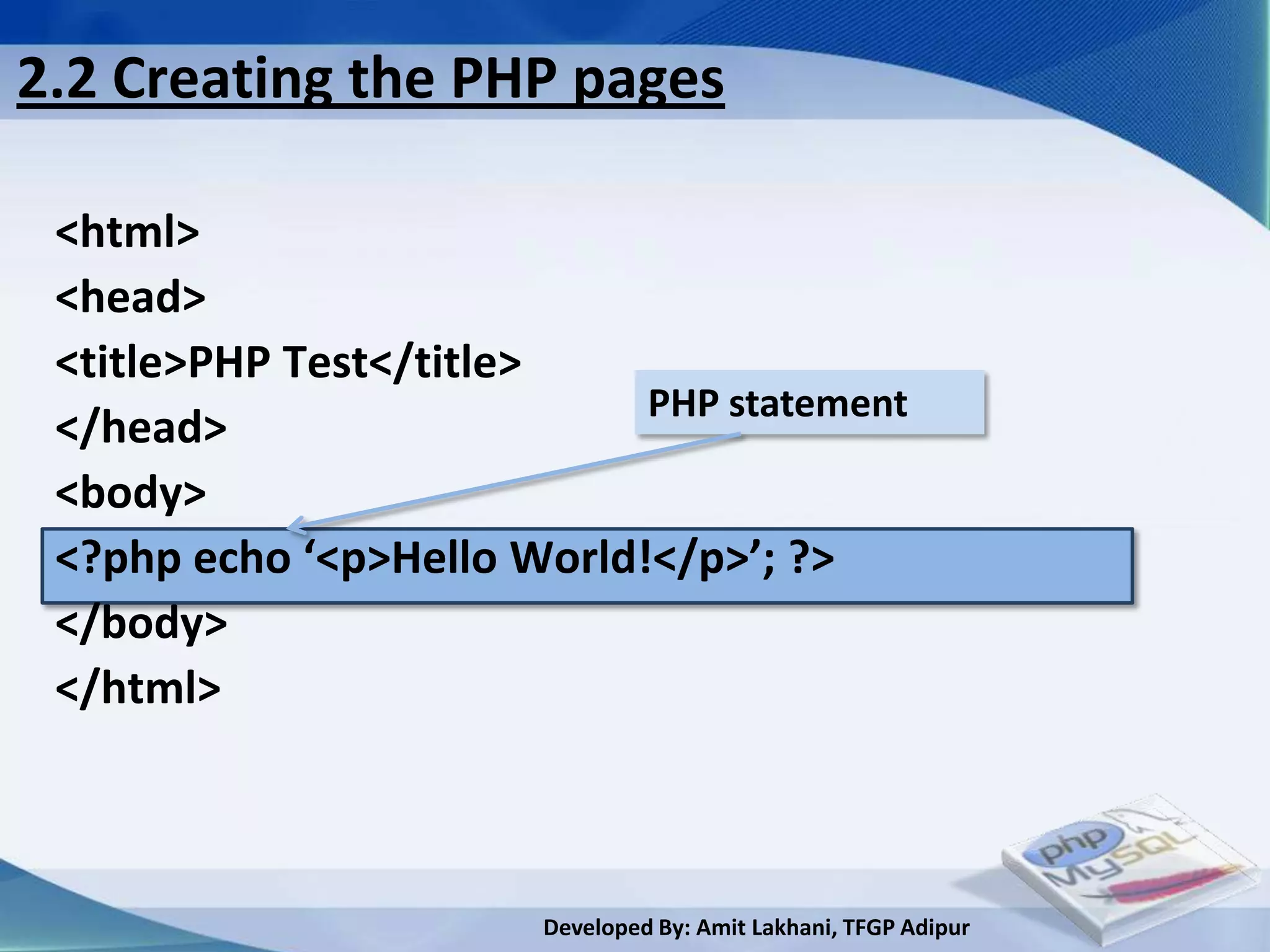
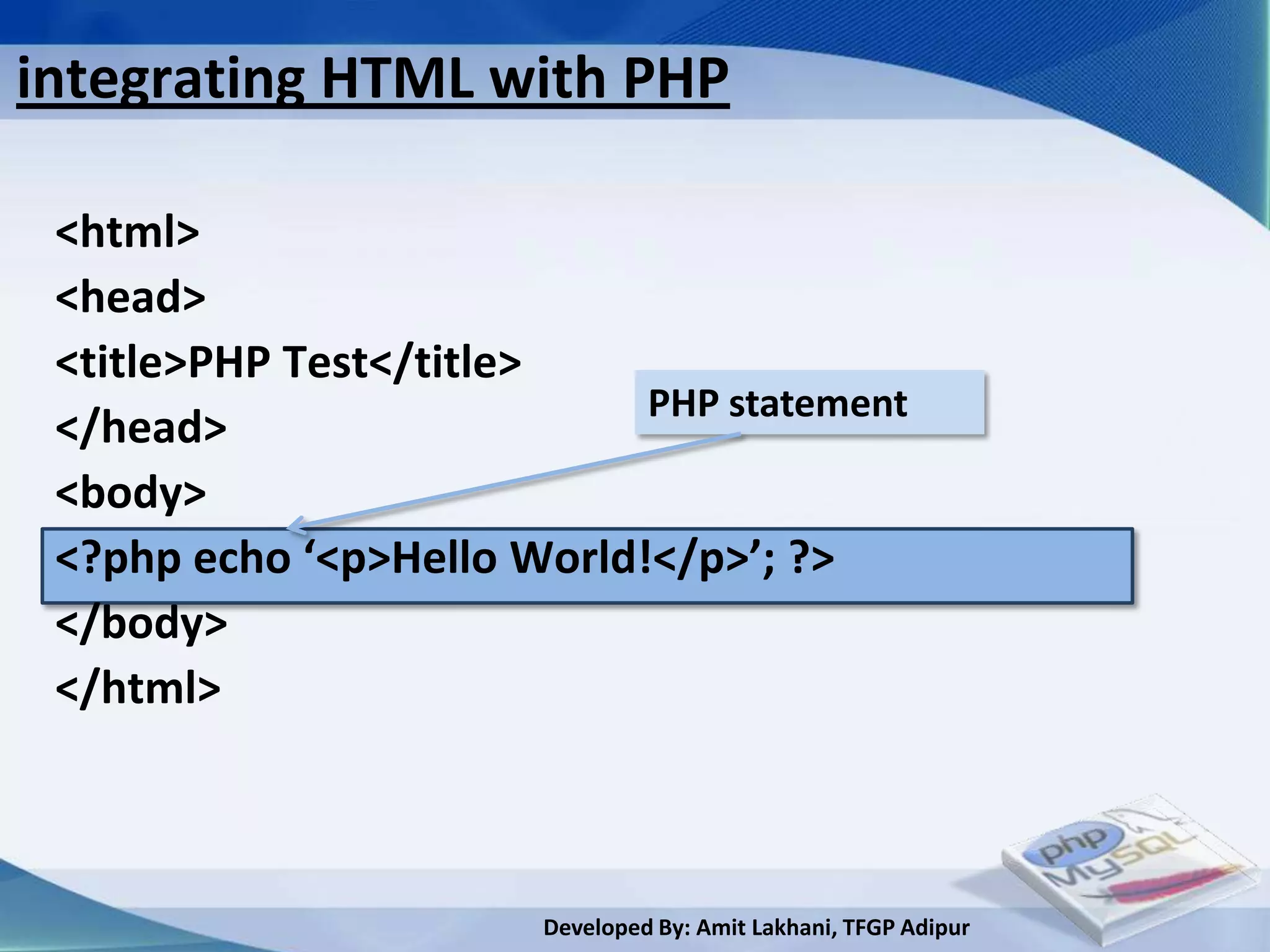
2.2 Creating the PHP pages

 <html>
 <head>
 <title>PHP Test</title>
                            PHP statement
 </head>
 <body>
 <?php echo ‘<p>Hello World!</p>’; ?>
 </body>
 </html>


                       Developed By: Amit Lakhani, TFGP Adipur
2.3
Rules for PHP syntax


        Developed By: Amit Lakhani, TFGP Adipur
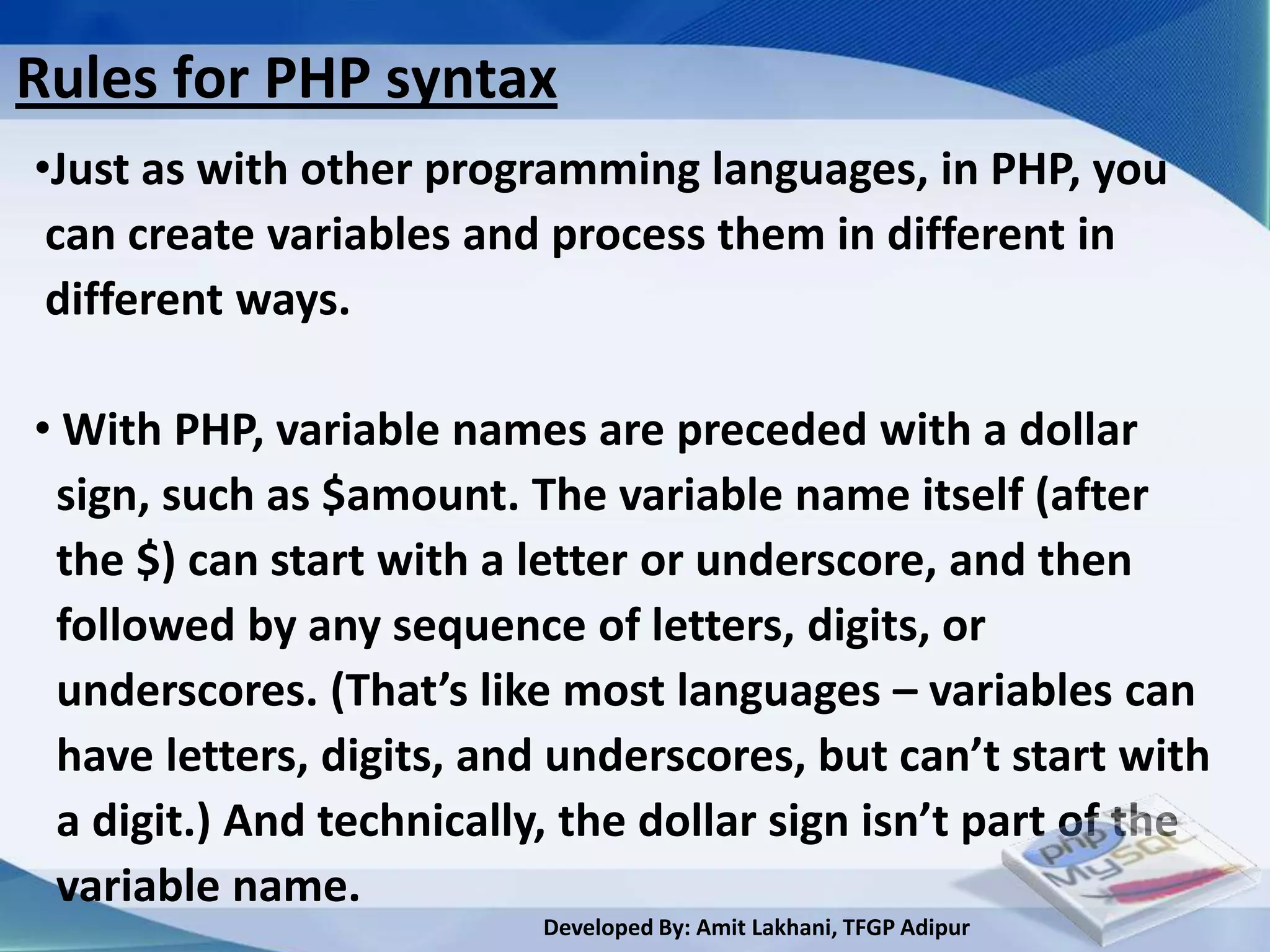
Rules for PHP syntax
•Just as with other programming languages, in PHP, you
 can create variables and process them in different in
 different ways.

• With PHP, variable names are preceded with a dollar
 sign, such as $amount. The variable name itself (after
 the $) can start with a letter or underscore, and then
 followed by any sequence of letters, digits, or
 underscores. (That’s like most languages – variables can
 have letters, digits, and underscores, but can’t start with
 a digit.) And technically, the dollar sign isn’t part of the
 variable name.
                          Developed By: Amit Lakhani, TFGP Adipur
Rules for PHP syntax conti..
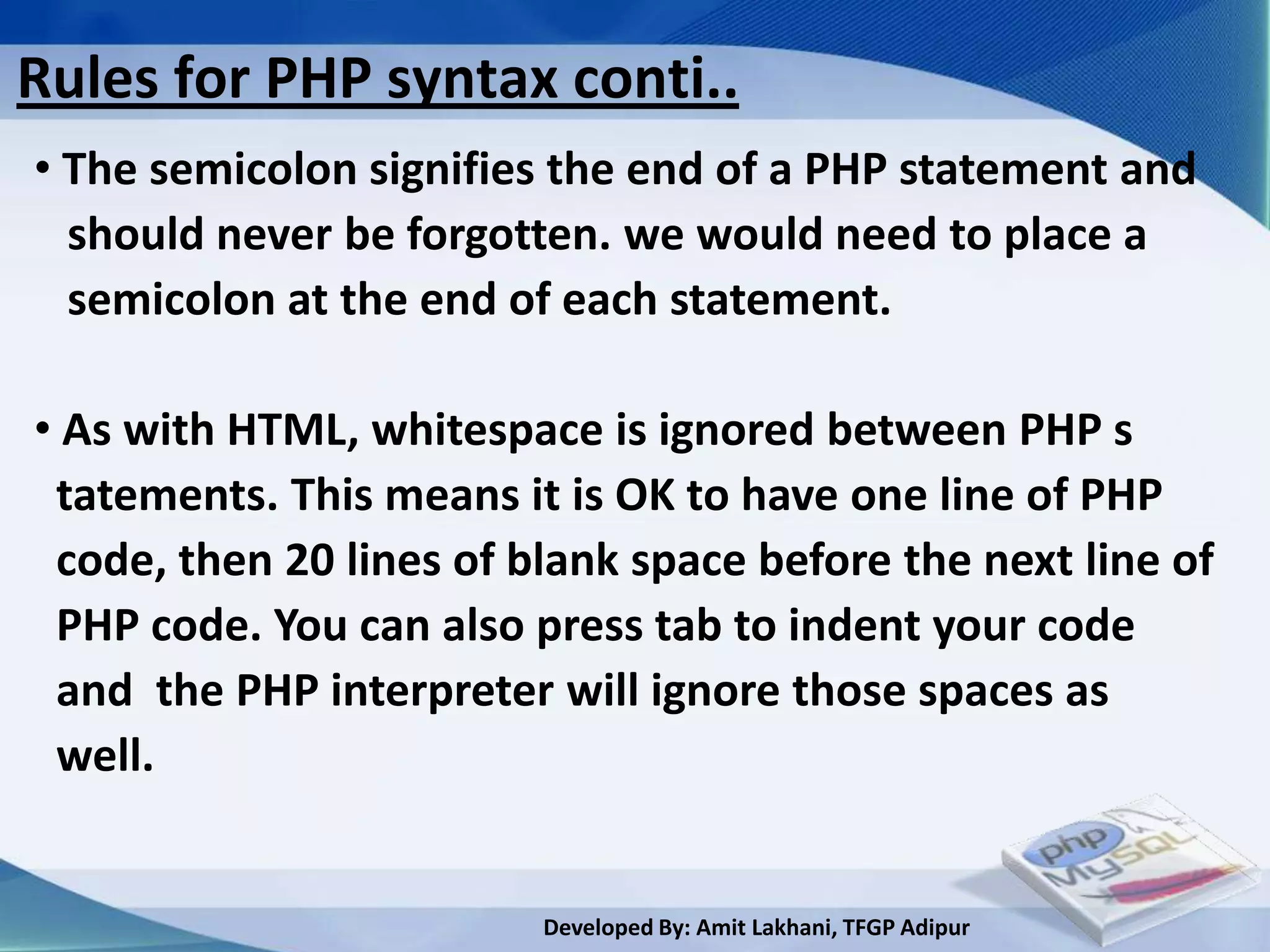
• The semicolon signifies the end of a PHP statement and
  should never be forgotten. we would need to place a
  semicolon at the end of each statement.

• As with HTML, whitespace is ignored between PHP s
 tatements. This means it is OK to have one line of PHP
 code, then 20 lines of blank space before the next line of
 PHP code. You can also press tab to indent your code
 and the PHP interpreter will ignore those spaces as
 well.


                         Developed By: Amit Lakhani, TFGP Adipur
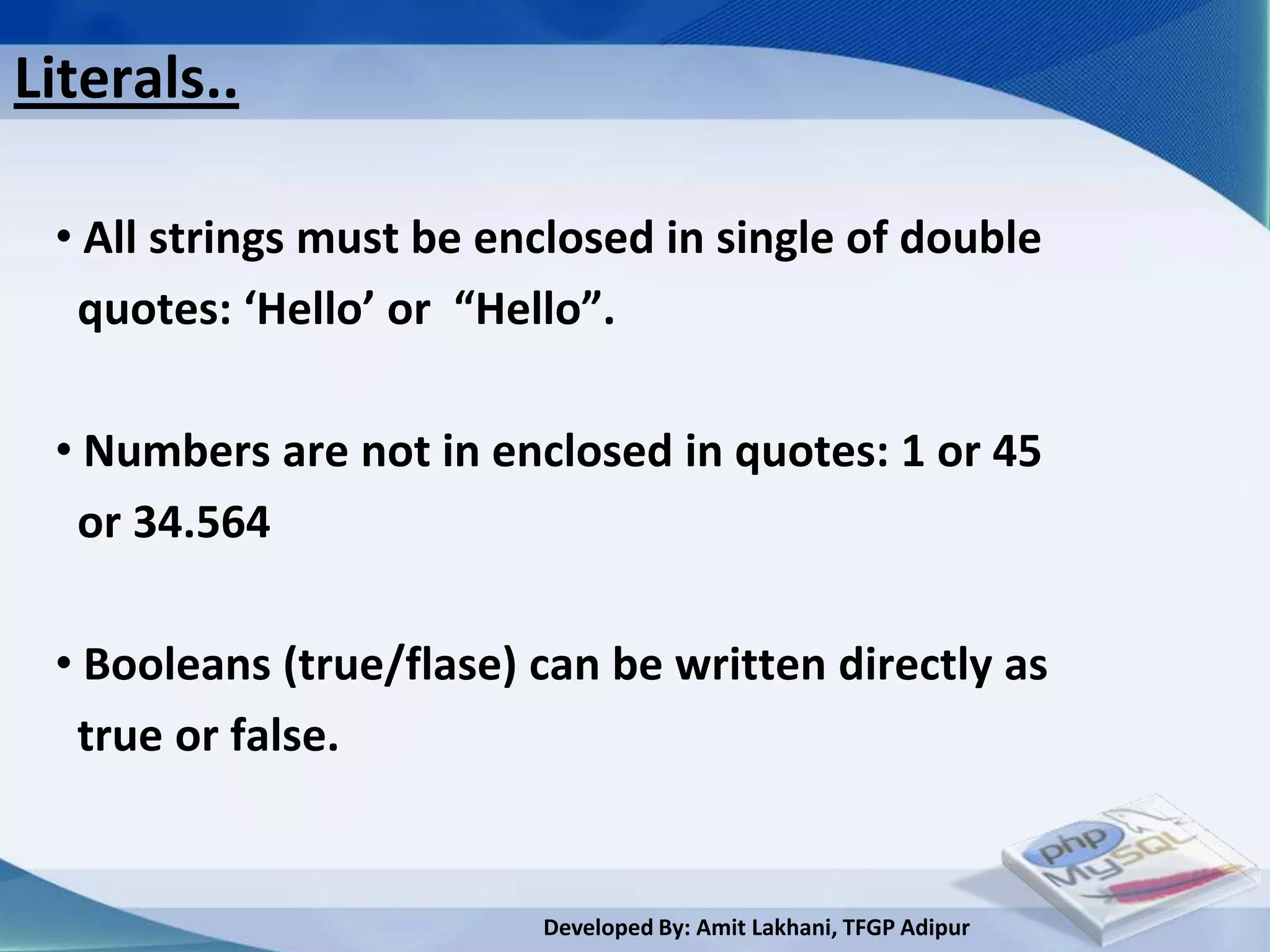
Literals..

 • All strings must be enclosed in single of double
  quotes: ‘Hello’ or “Hello”.

 • Numbers are not in enclosed in quotes: 1 or 45
  or 34.564

 • Booleans (true/flase) can be written directly as
  true or false.


                         Developed By: Amit Lakhani, TFGP Adipur
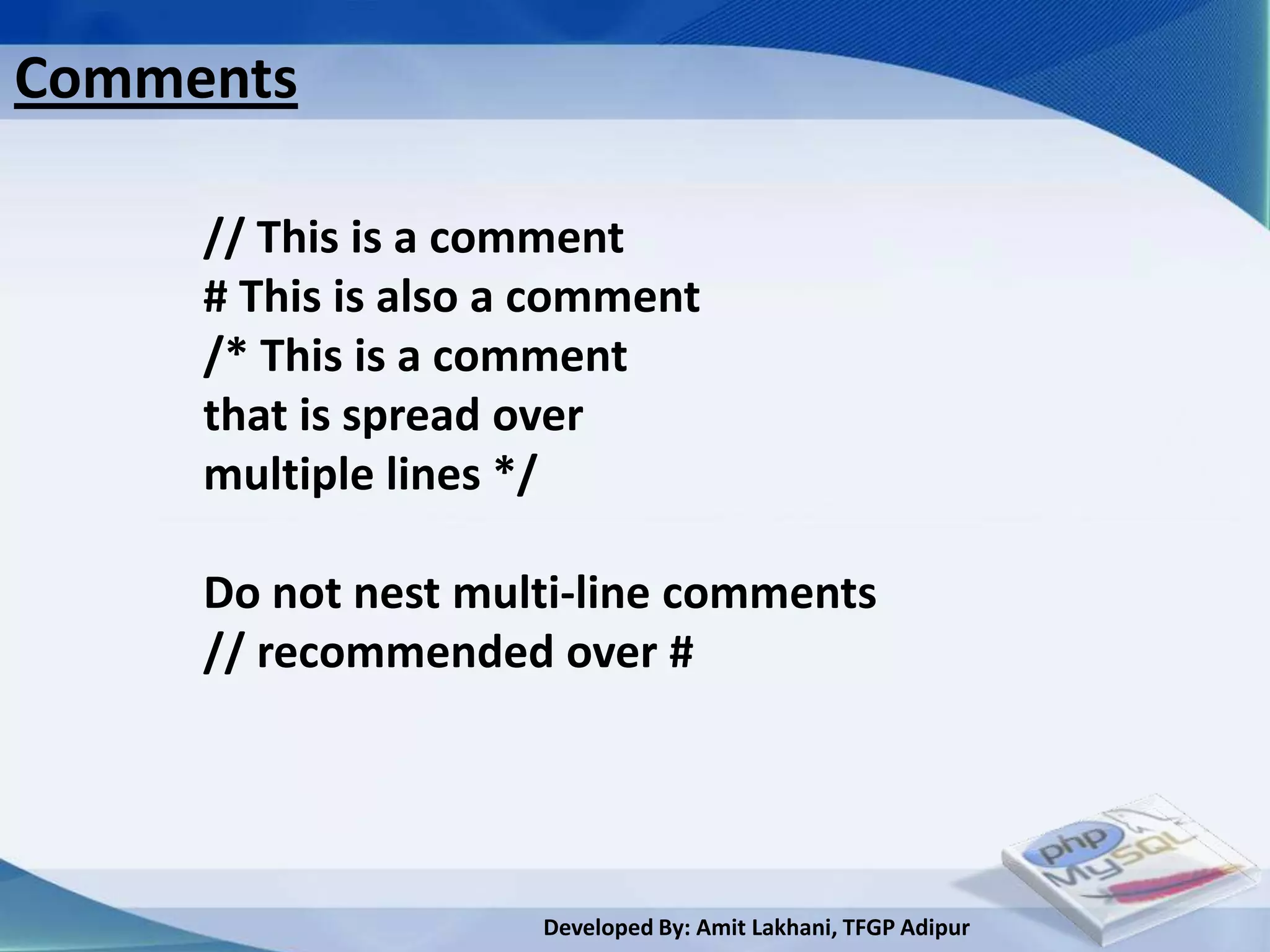
Comments

     // This is a comment
     # This is also a comment
     /* This is a comment
     that is spread over
     multiple lines */

     Do not nest multi-line comments
     // recommended over #


                     Developed By: Amit Lakhani, TFGP Adipur
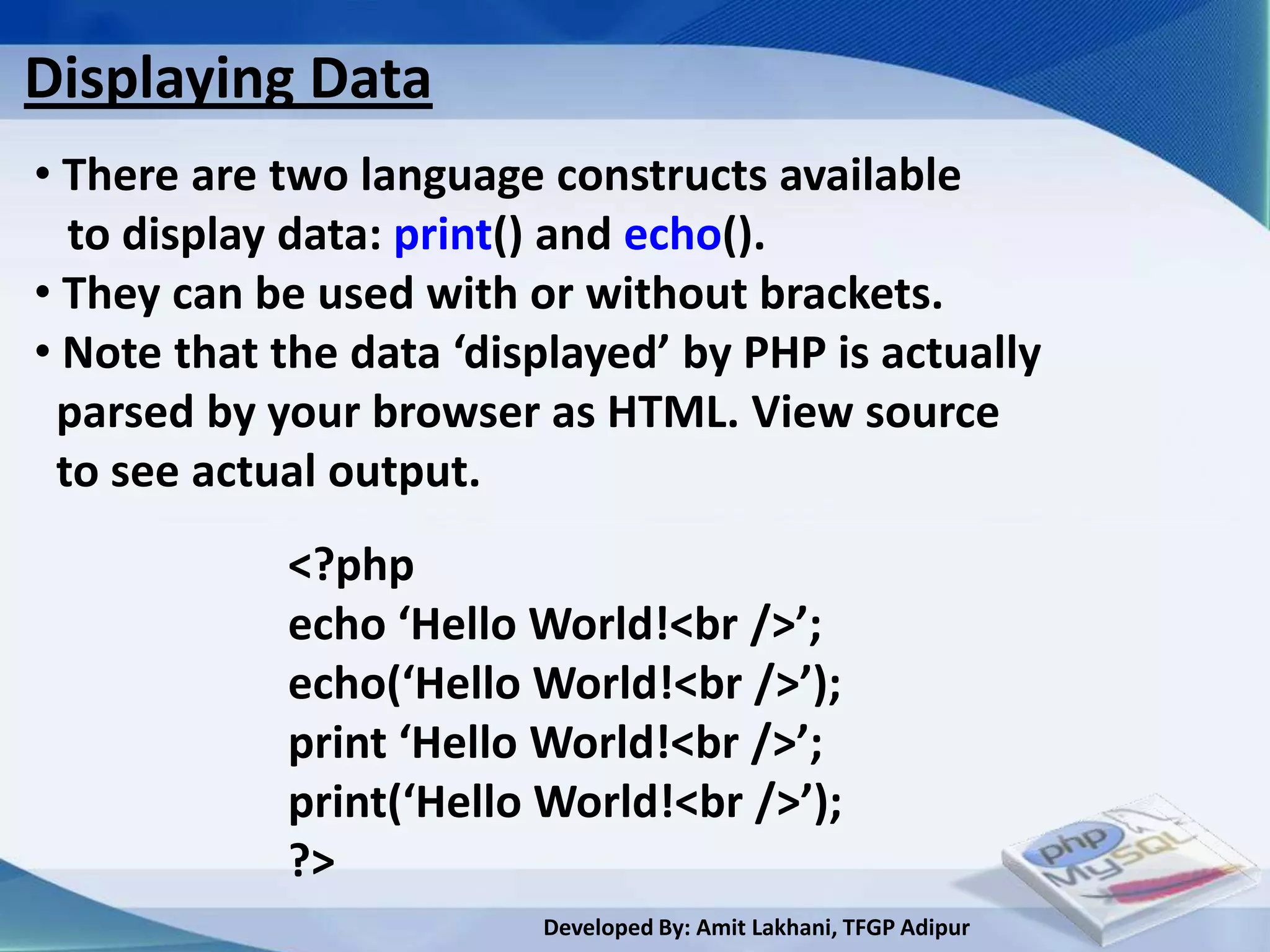
Displaying Data
• There are two language constructs available
  to display data: print() and echo().
• They can be used with or without brackets.
• Note that the data ‘displayed’ by PHP is actually
 parsed by your browser as HTML. View source
 to see actual output.
            <?php
            echo ‘Hello World!<br />’;
            echo(‘Hello World!<br />’);
            print ‘Hello World!<br />’;
            print(‘Hello World!<br />’);
            ?>
                         Developed By: Amit Lakhani, TFGP Adipur
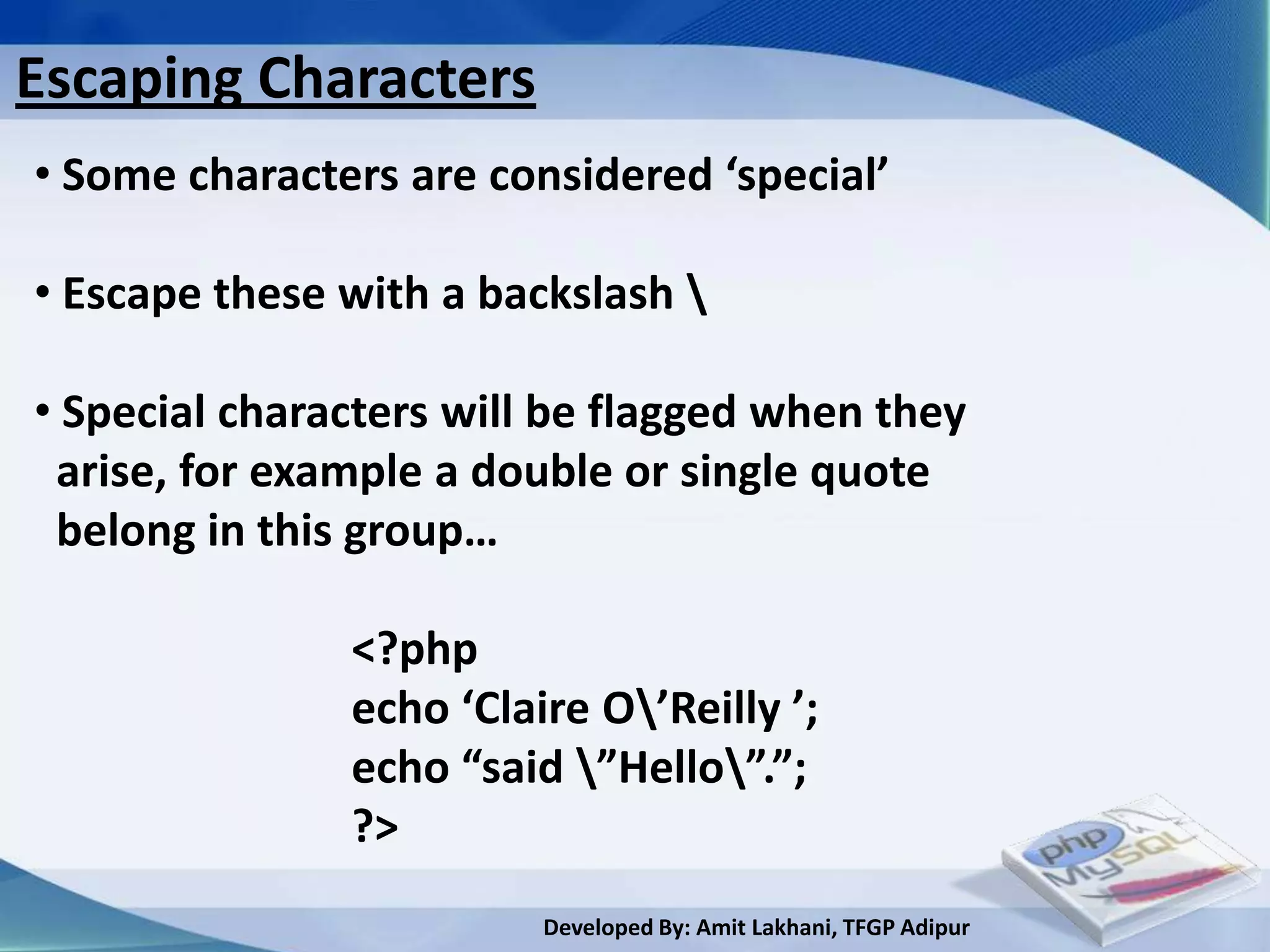
Escaping Characters
• Some characters are considered ‘special’

• Escape these with a backslash 

• Special characters will be flagged when they
 arise, for example a double or single quote
 belong in this group…

               <?php
               echo ‘Claire O’Reilly ’;
               echo “said ”Hello”.”;
               ?>
                         Developed By: Amit Lakhani, TFGP Adipur
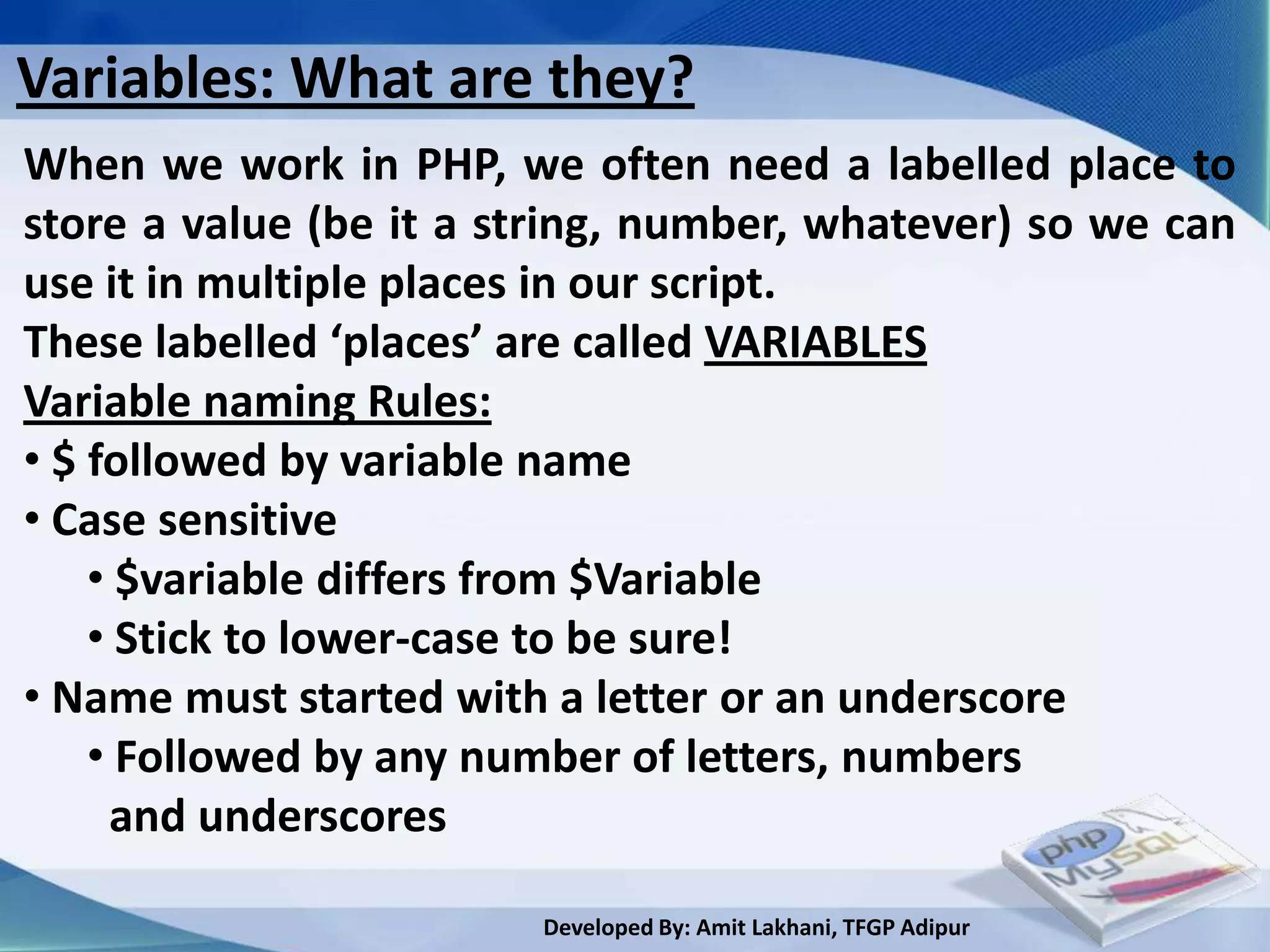
Variables: What are they?
When we work in PHP, we often need a labelled place to
store a value (be it a string, number, whatever) so we can
use it in multiple places in our script.
These labelled ‘places’ are called VARIABLES
Variable naming Rules:
• $ followed by variable name
• Case sensitive
    • $variable differs from $Variable
    • Stick to lower-case to be sure!
• Name must started with a letter or an underscore
    • Followed by any number of letters, numbers
     and underscores

                        Developed By: Amit Lakhani, TFGP Adipur
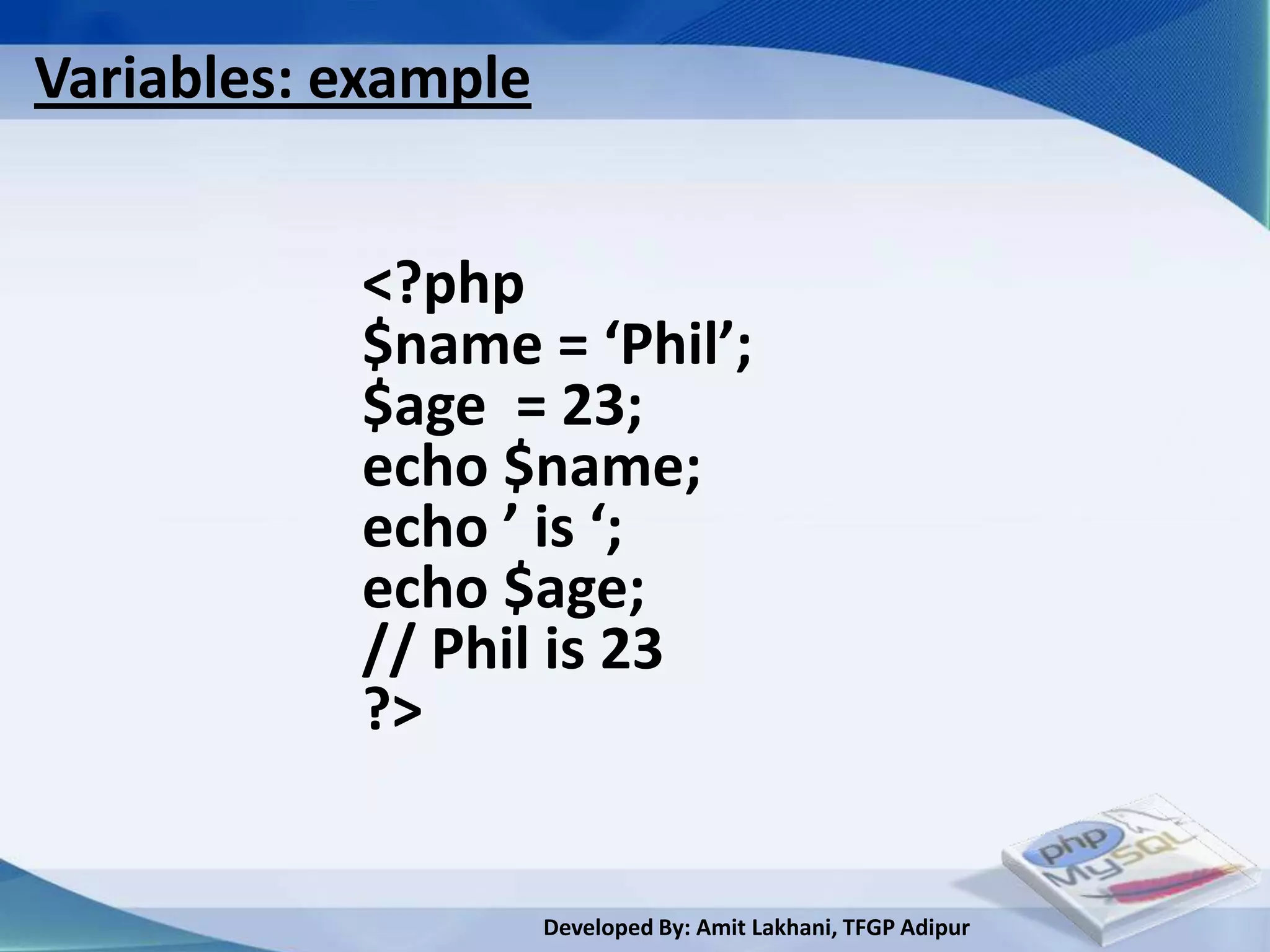
Variables: example


           <?php
           $name = ‘Phil’;
           $age = 23;
           echo $name;
           echo ’ is ‘;
           echo $age;
           // Phil is 23
           ?>


                     Developed By: Amit Lakhani, TFGP Adipur
2.4
Integrating HTML with
         PHP

        Developed By: Amit Lakhani, TFGP Adipur
integrating HTML with PHP

 <html>
 <head>
 <title>PHP Test</title>
                            PHP statement
 </head>
 <body>
 <?php echo ‘<p>Hello World!</p>’; ?>
 </body>
 </html>


                       Developed By: Amit Lakhani, TFGP Adipur
2.5
 Constant variable:
constant and global
     variable
       Developed By: Amit Lakhani, TFGP Adipur
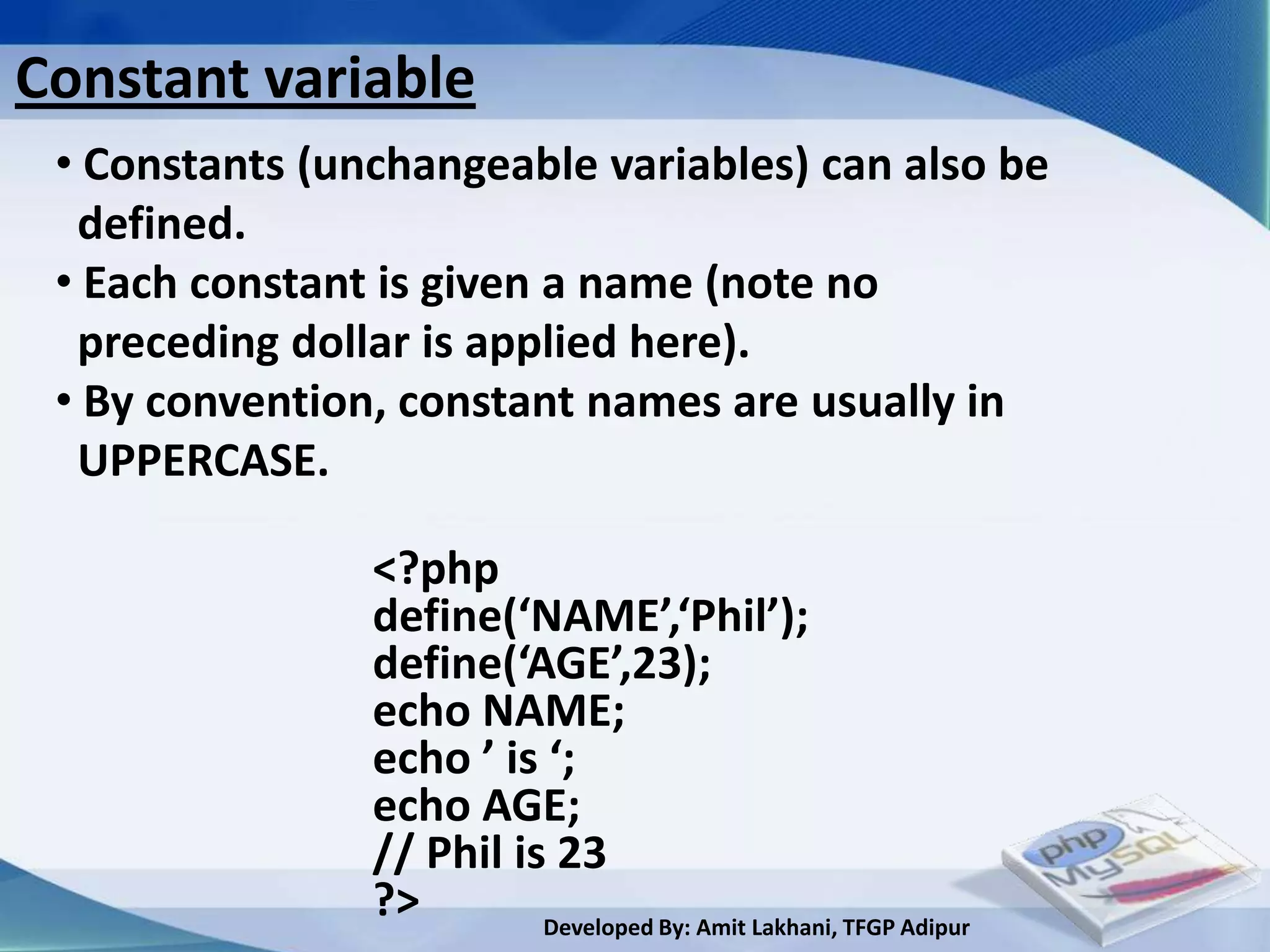
Constant variable
 • Constants (unchangeable variables) can also be
  defined.
 • Each constant is given a name (note no
  preceding dollar is applied here).
 • By convention, constant names are usually in
  UPPERCASE.

                <?php
                define(‘NAME’,‘Phil’);
                define(‘AGE’,23);
                echo NAME;
                echo ’ is ‘;
                echo AGE;
                // Phil is 23
                ?>        Developed By: Amit Lakhani, TFGP Adipur
2.6
 Conditional
Structure and
   Looping
    Developed By: Amit Lakhani, TFGP Adipur
Control Structures

 •   if, elseif, else
 •   while, do … while
 •   for, foreach
 •   switch
 •   break, continue, return
 •   require, include, require_once, include_once


                      Developed By: Amit Lakhani, TFGP Adipur
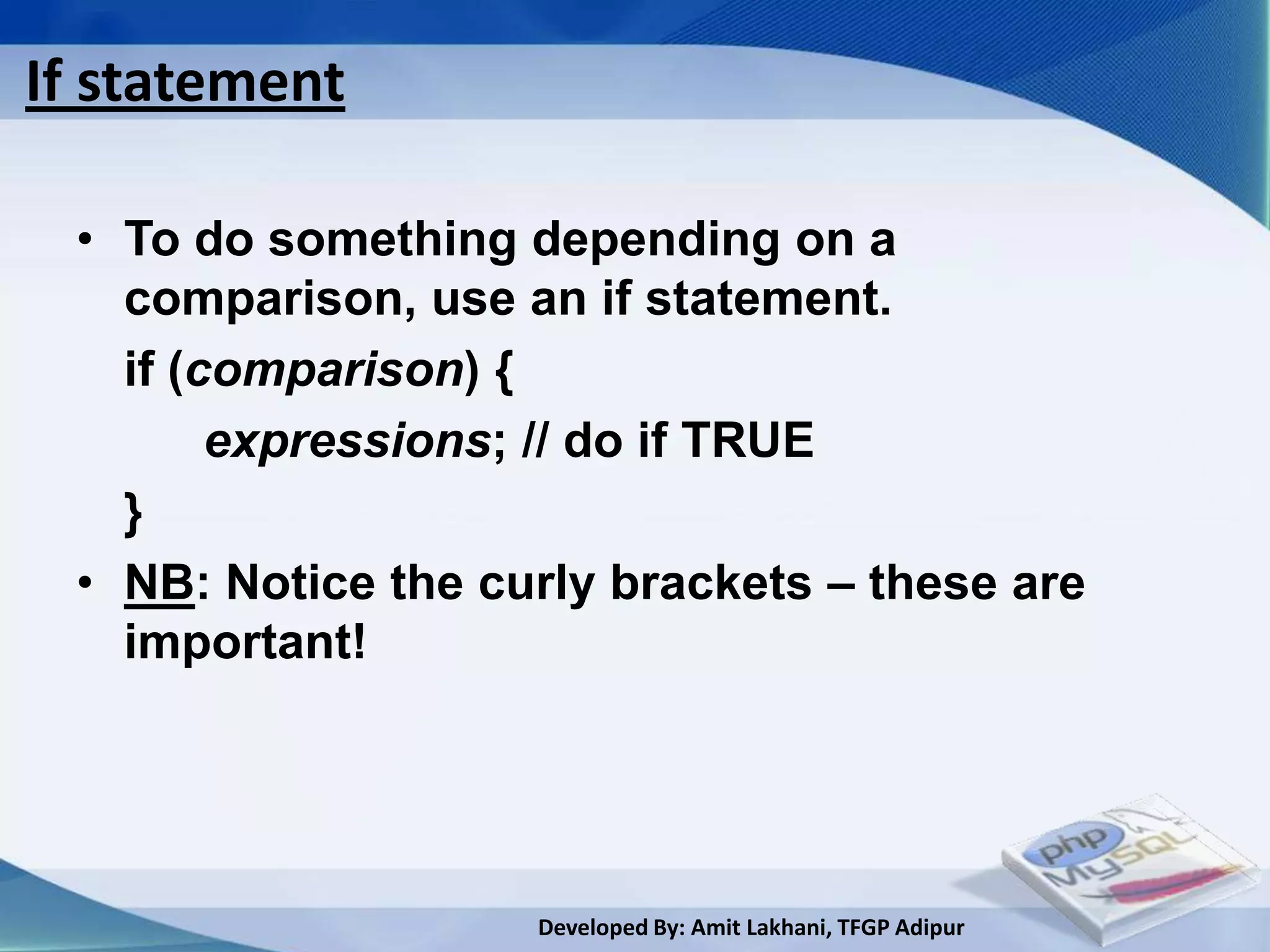
If statement

 • To do something depending on a
   comparison, use an if statement.
   if (comparison) {
        expressions; // do if TRUE
   }
 • NB: Notice the curly brackets – these are
   important!


                    Developed By: Amit Lakhani, TFGP Adipur
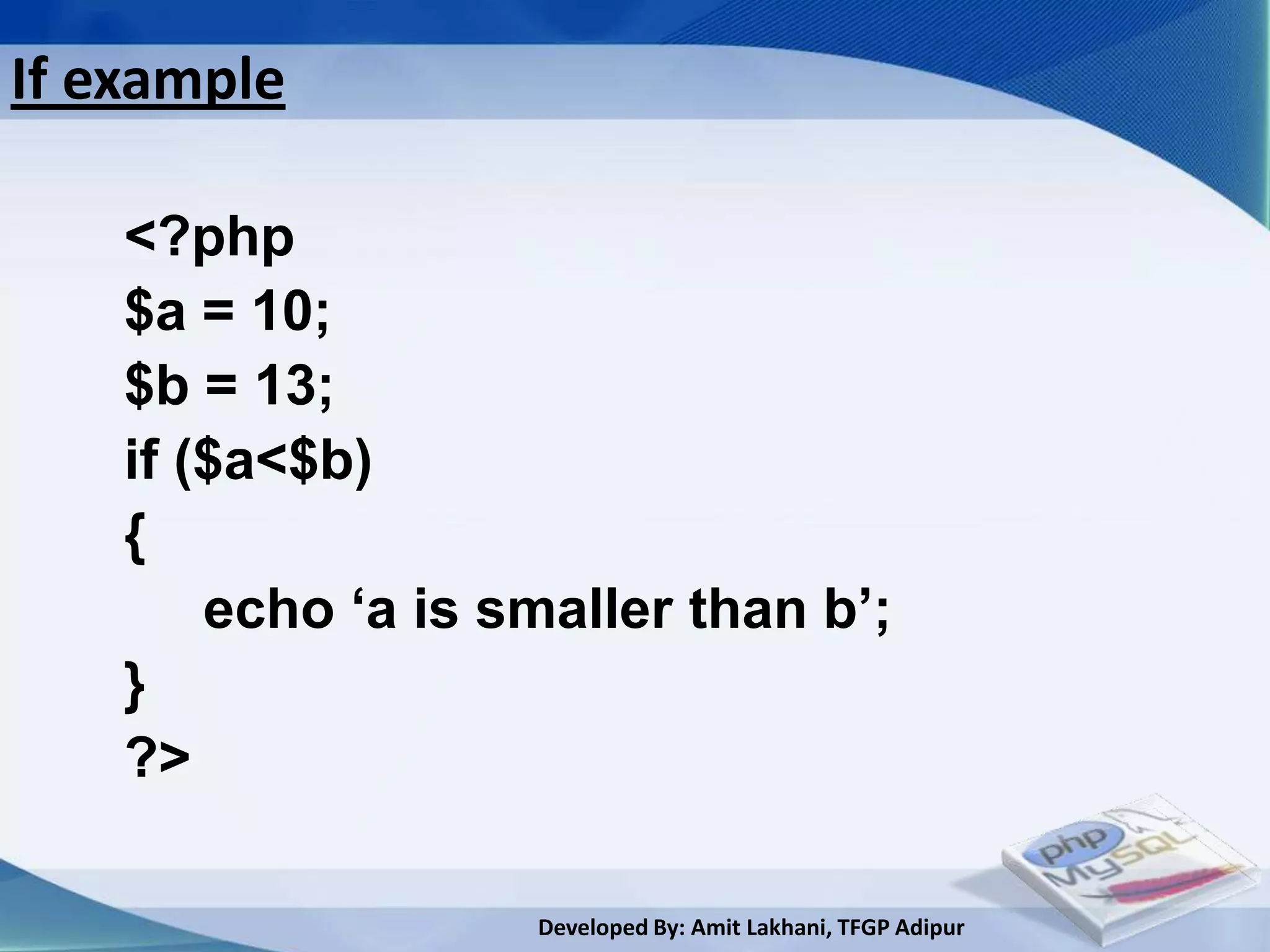
If example

    <?php
    $a = 10;
    $b = 13;
    if ($a<$b)
    {
        echo ‘a is smaller than b’;
    }
    ?>

                    Developed By: Amit Lakhani, TFGP Adipur
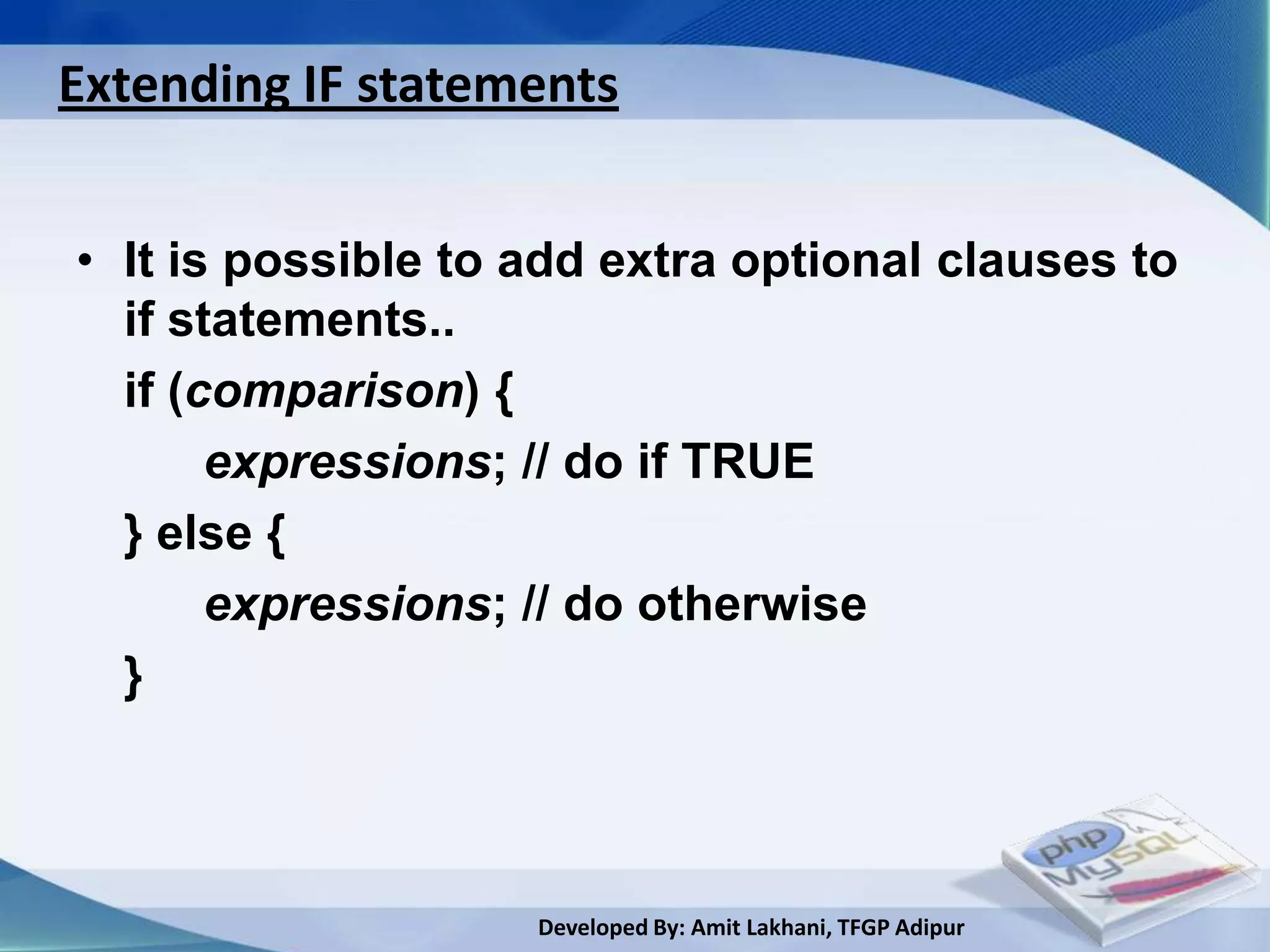
Extending IF statements


• It is possible to add extra optional clauses to
  if statements..
  if (comparison) {
       expressions; // do if TRUE
  } else {
       expressions; // do otherwise
  }


                    Developed By: Amit Lakhani, TFGP Adipur
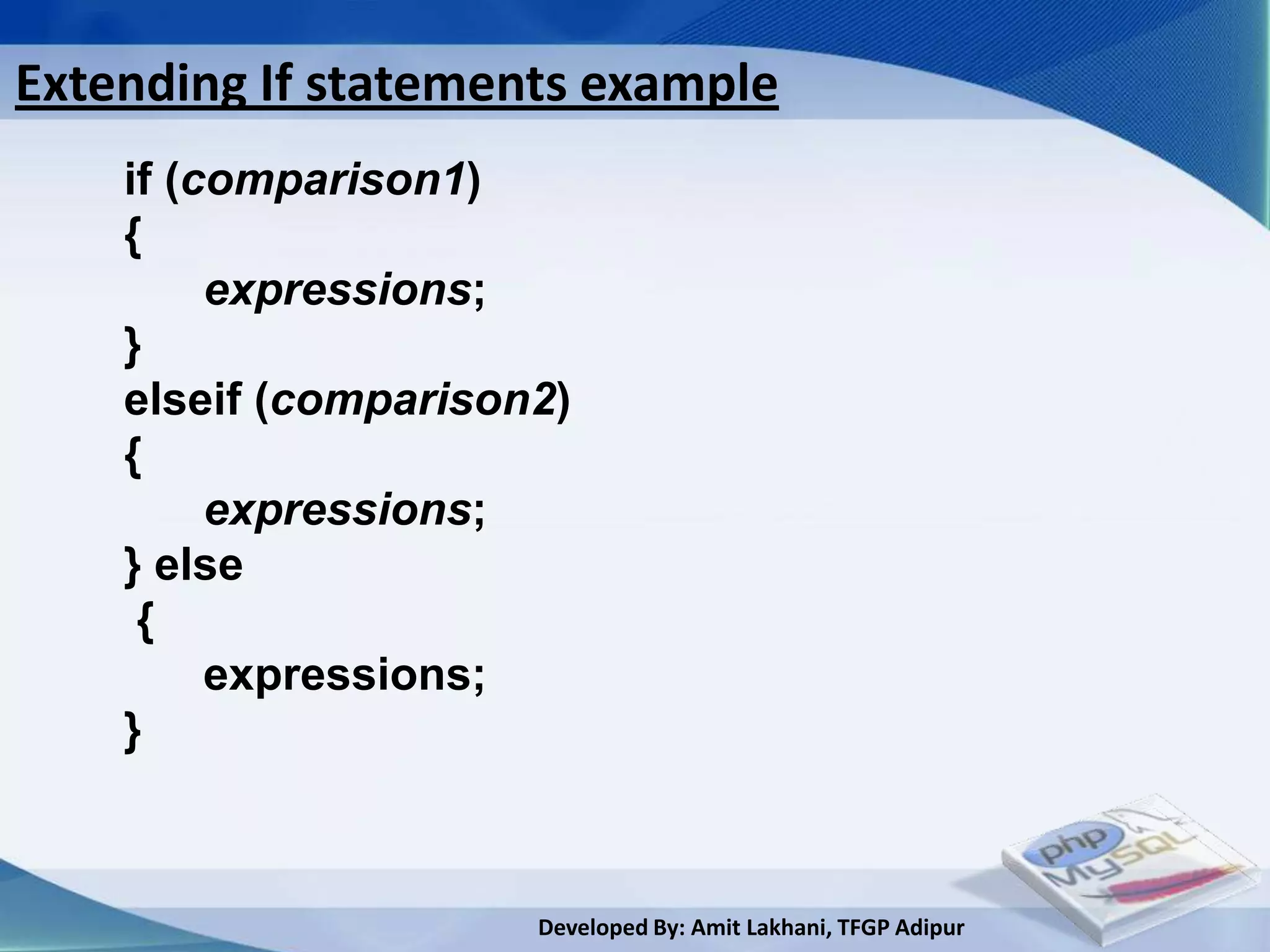
Extending If statements example
    if (comparison1)
    {
         expressions;
    }
    elseif (comparison2)
    {
         expressions;
    } else
     {
         expressions;
    }


                      Developed By: Amit Lakhani, TFGP Adipur
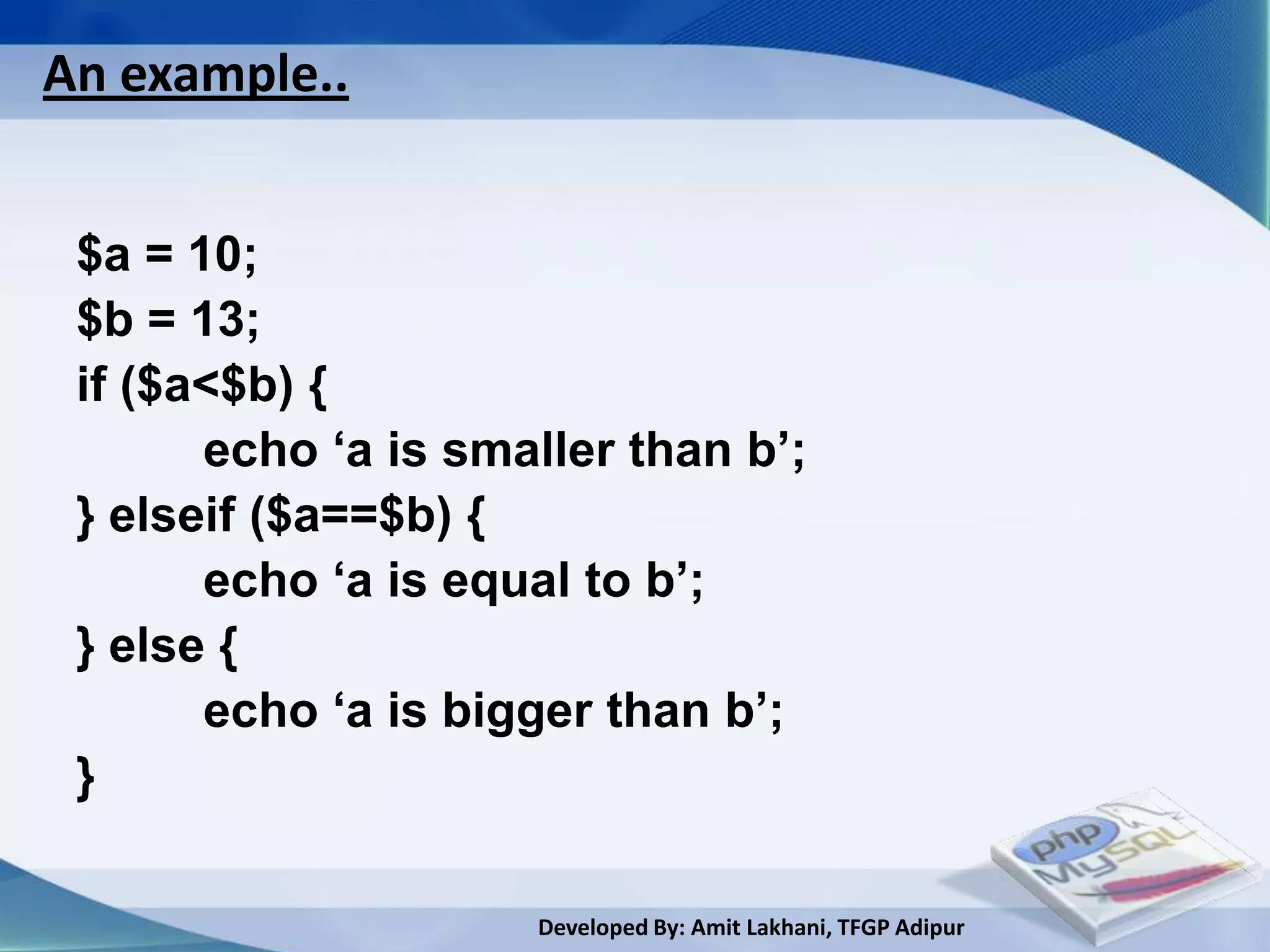
An example..


 $a = 10;
 $b = 13;
 if ($a<$b) {
       echo ‘a is smaller than b’;
 } elseif ($a==$b) {
       echo ‘a is equal to b’;
 } else {
       echo ‘a is bigger than b’;
 }

                     Developed By: Amit Lakhani, TFGP Adipur
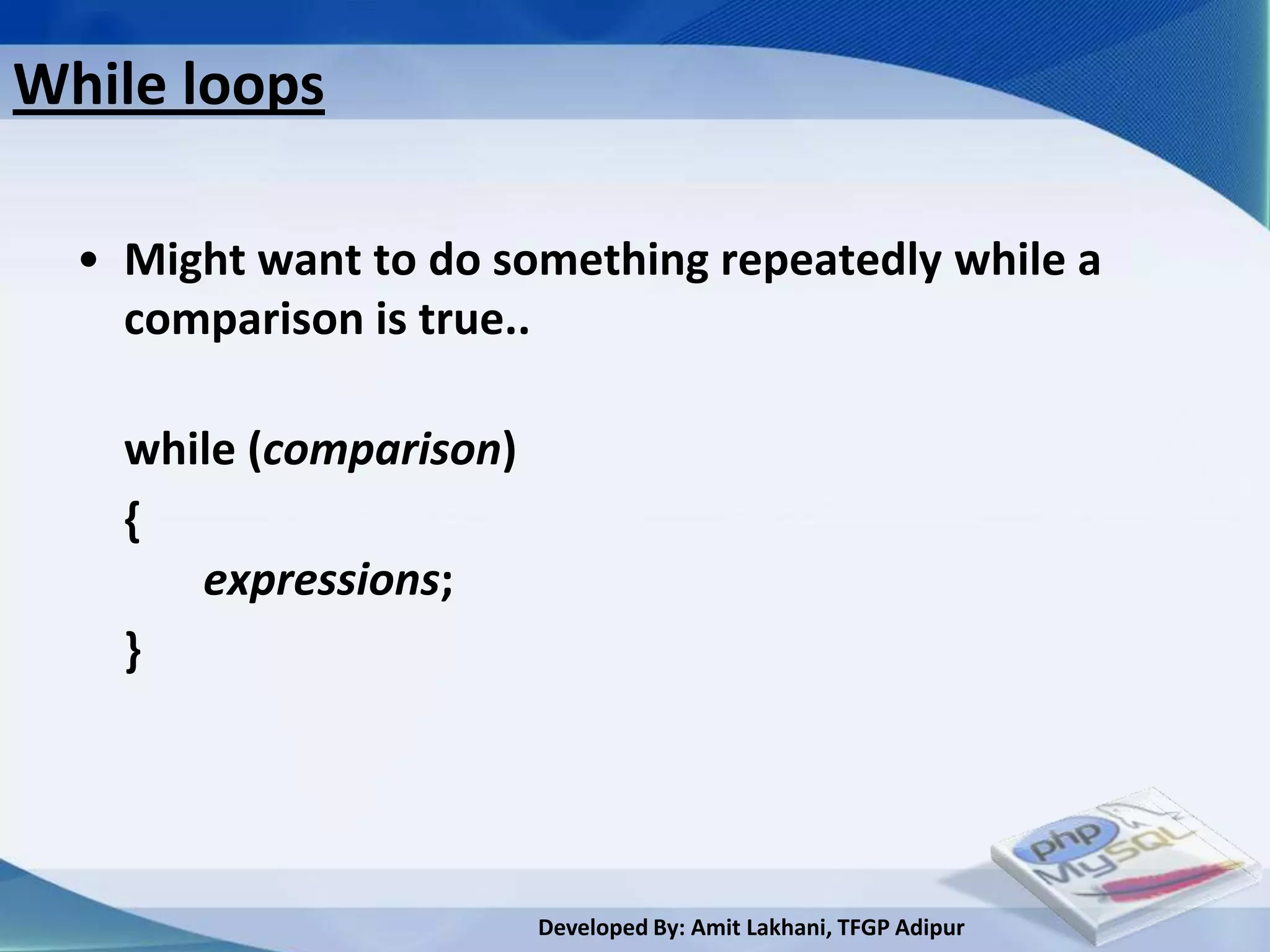
While loops

  • Might want to do something repeatedly while a
    comparison is true..

    while (comparison)
    {
       expressions;
    }


                         Developed By: Amit Lakhani, TFGP Adipur
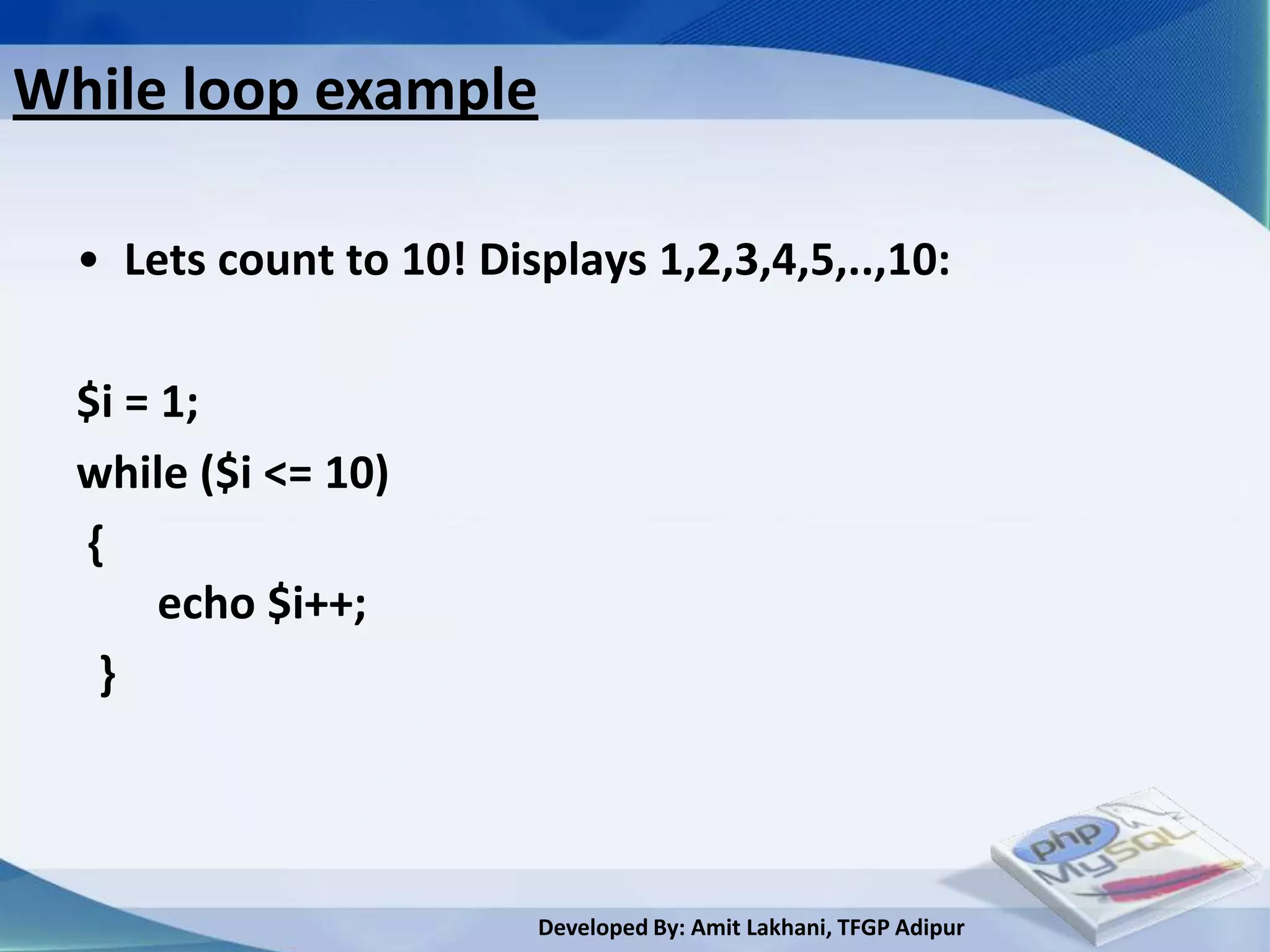
While loop example

  • Lets count to 10! Displays 1,2,3,4,5,..,10:

  $i = 1;
  while ($i <= 10)
  {
       echo $i++;
   }


                         Developed By: Amit Lakhani, TFGP Adipur
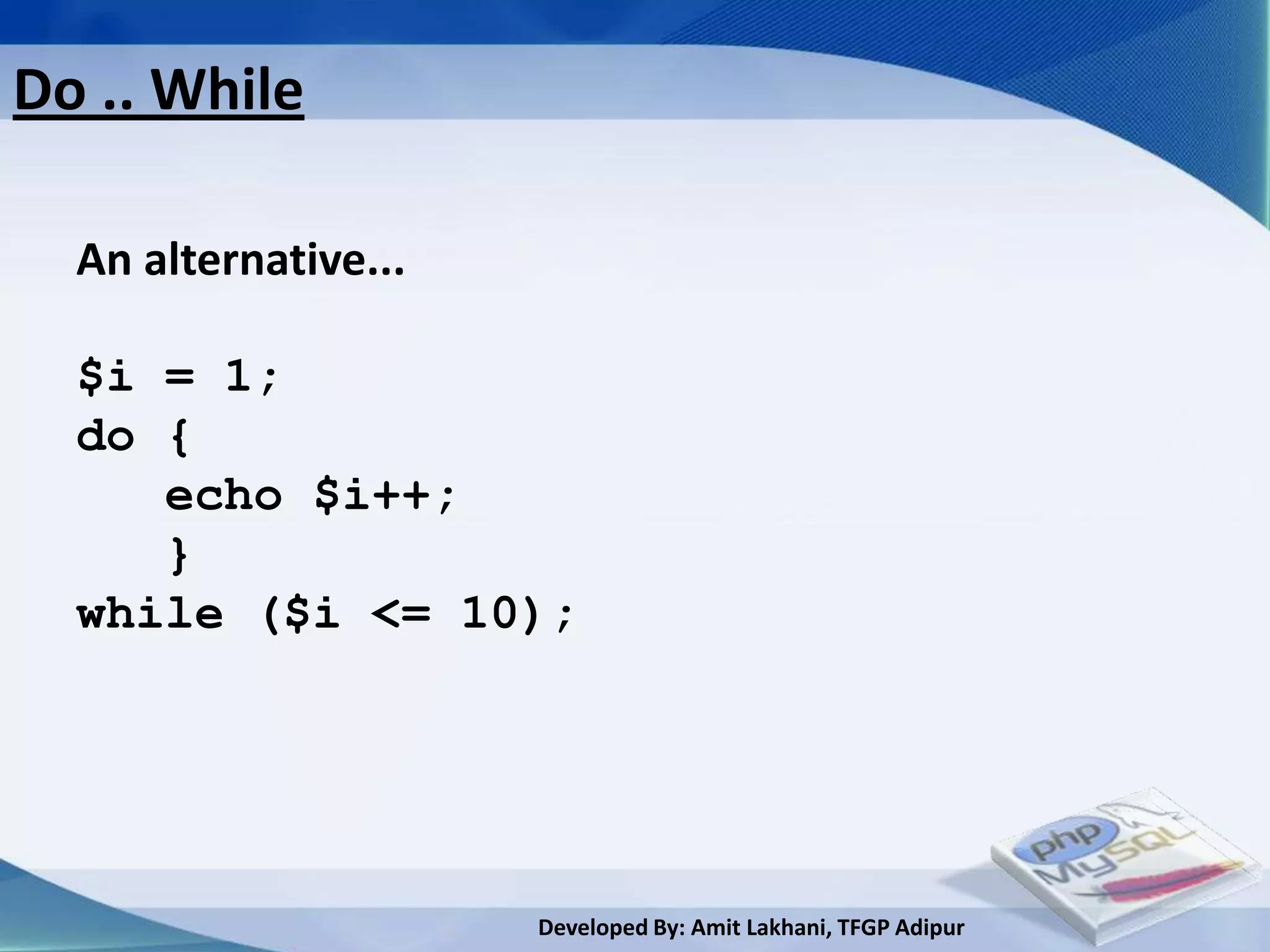
Do .. While

  An alternative...

  $i = 1;
  do {
     echo $i++;
     }
  while ($i <= 10);


                      Developed By: Amit Lakhani, TFGP Adipur
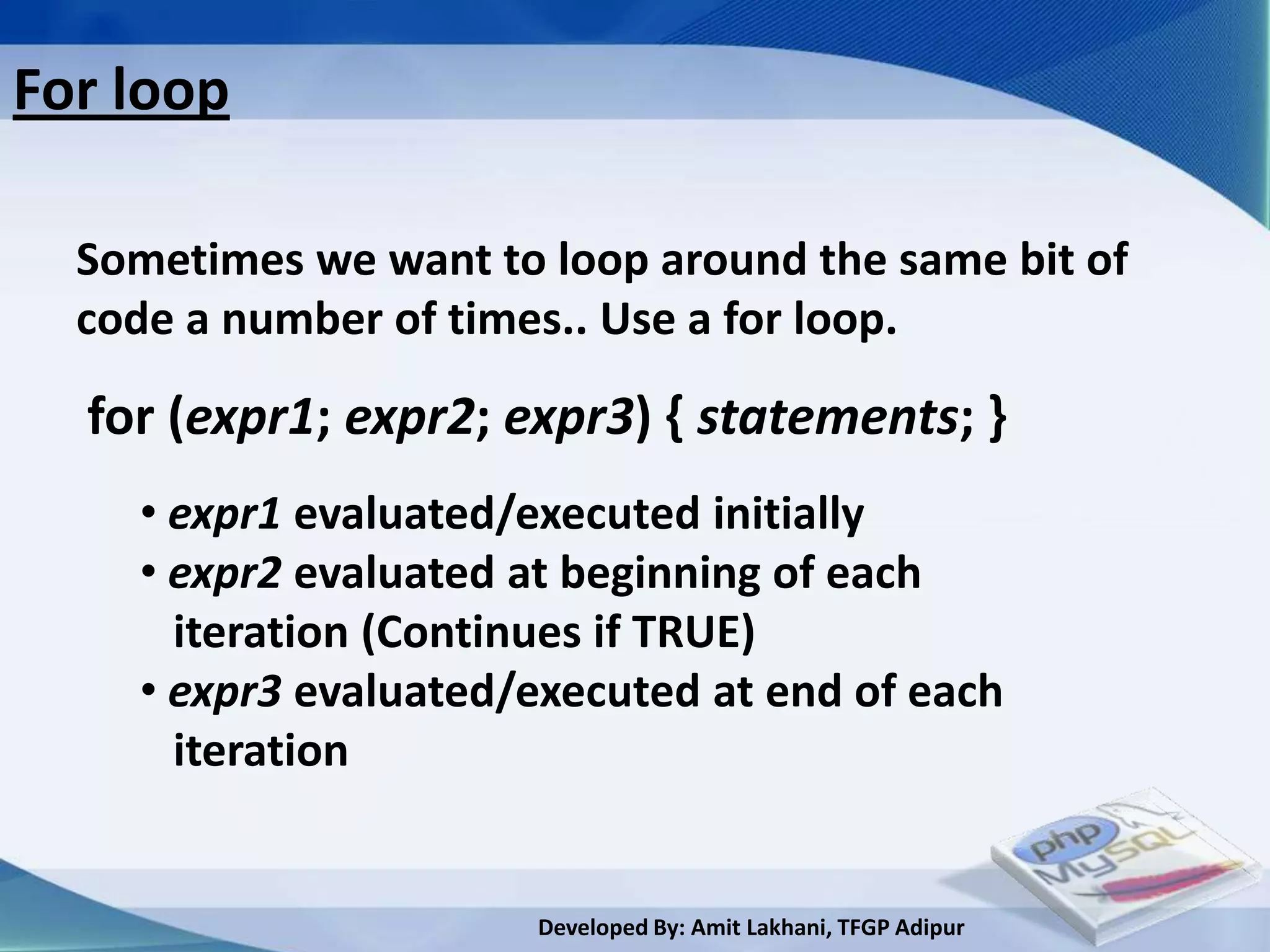
For loop

  Sometimes we want to loop around the same bit of
  code a number of times.. Use a for loop.

  for (expr1; expr2; expr3) { statements; }
    • expr1 evaluated/executed initially
    • expr2 evaluated at beginning of each
      iteration (Continues if TRUE)
    • expr3 evaluated/executed at end of each
      iteration


                       Developed By: Amit Lakhani, TFGP Adipur
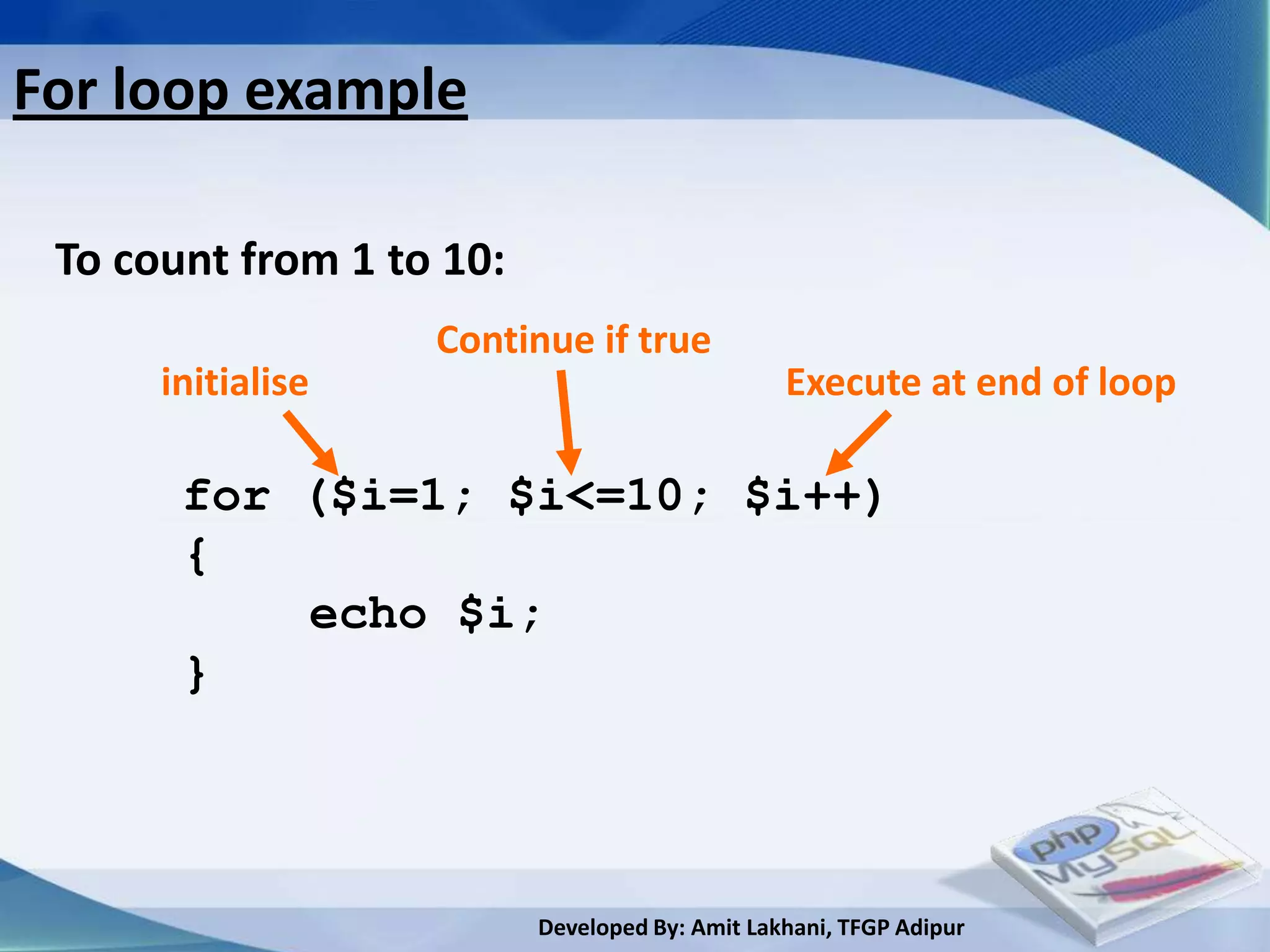
For loop example

 To count from 1 to 10:
                   Continue if true
      initialise                                Execute at end of loop

       for ($i=1; $i<=10; $i++)
       {
           echo $i;
       }


                          Developed By: Amit Lakhani, TFGP Adipur
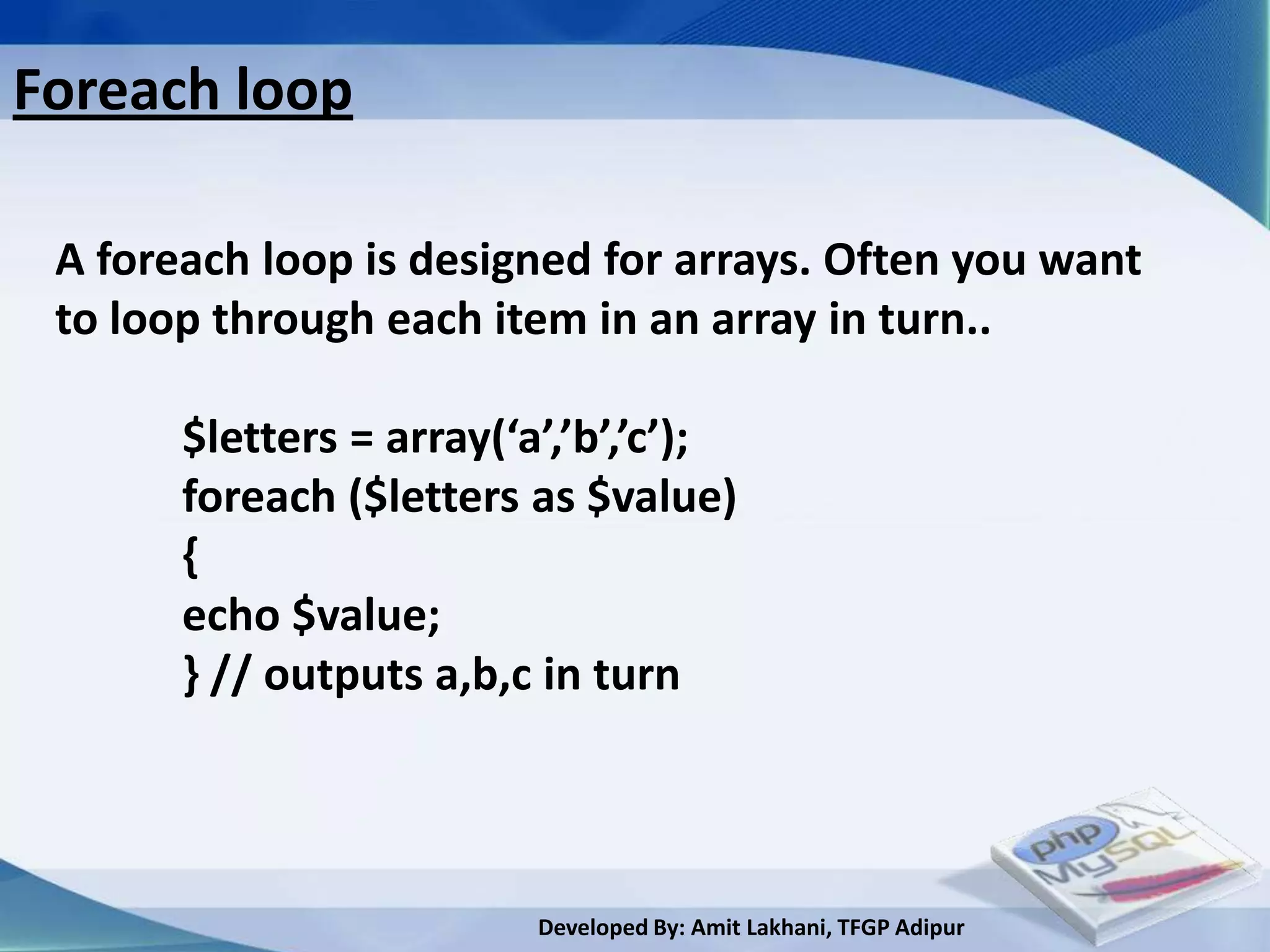
Foreach loop

 A foreach loop is designed for arrays. Often you want
 to loop through each item in an array in turn..

       $letters = array(‘a’,’b’,’c’);
       foreach ($letters as $value)
       {
       echo $value;
       } // outputs a,b,c in turn


                          Developed By: Amit Lakhani, TFGP Adipur
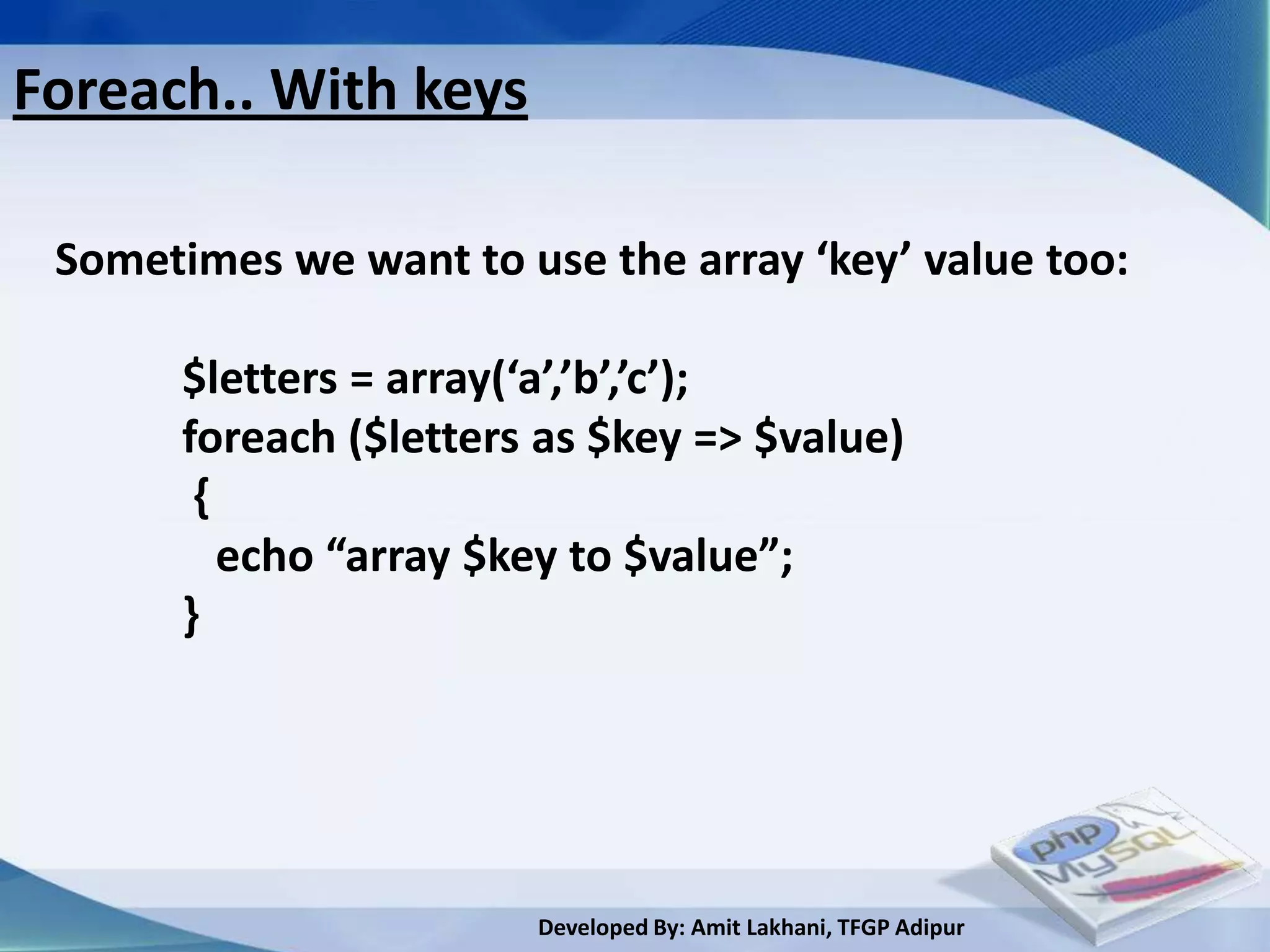
Foreach.. With keys

 Sometimes we want to use the array ‘key’ value too:

       $letters = array(‘a’,’b’,’c’);
       foreach ($letters as $key => $value)
        {
          echo “array $key to $value”;
       }


                        Developed By: Amit Lakhani, TFGP Adipur
Switch statement
 • expr is evaluated             switch (expr)
    – Case corresponding          {
      to result is executed            case (result1):
    – Otherwise default                    statements;
      case is executed                 break;
 • break                               case (result2):
    – Ensures next case                    statements;
      isn’t executed
                                       break;
                                       default:
                                           statements;
                                 }
                        Developed By: Amit Lakhani, TFGP Adipur
Switch Example
   switch ($name)
    {
      case ‘Rob’:
         echo ‘Your name is Rob’;
      break;
      case ‘Fred’:
         echo ‘You are called Fred’;
      break;
      default:
          echo ‘Not sure what your name is’;
   }

                       Developed By: Amit Lakhani, TFGP Adipur
break, continue, return
 • break
     • Ends execution of current for, foreach, do …
      while, while or switch structure
     • Option: Number of nested structures to break
      out of
 • continue
     • Skip rest of current loop
     • Option: Number of nested loops to skip
 • return
     • Ends execution of current function/
      statement / script

                        Developed By: Amit Lakhani, TFGP Adipur
2.7
PHP operators


    Developed By: Amit Lakhani, TFGP Adipur
Expressions
 • Using variables within expressions to do
  something is what PHP is all about.

             <?php
             $name = ‘Rob’;
             echo $name;
             ?>


                        Developed By: Amit Lakhani, TFGP Adipur
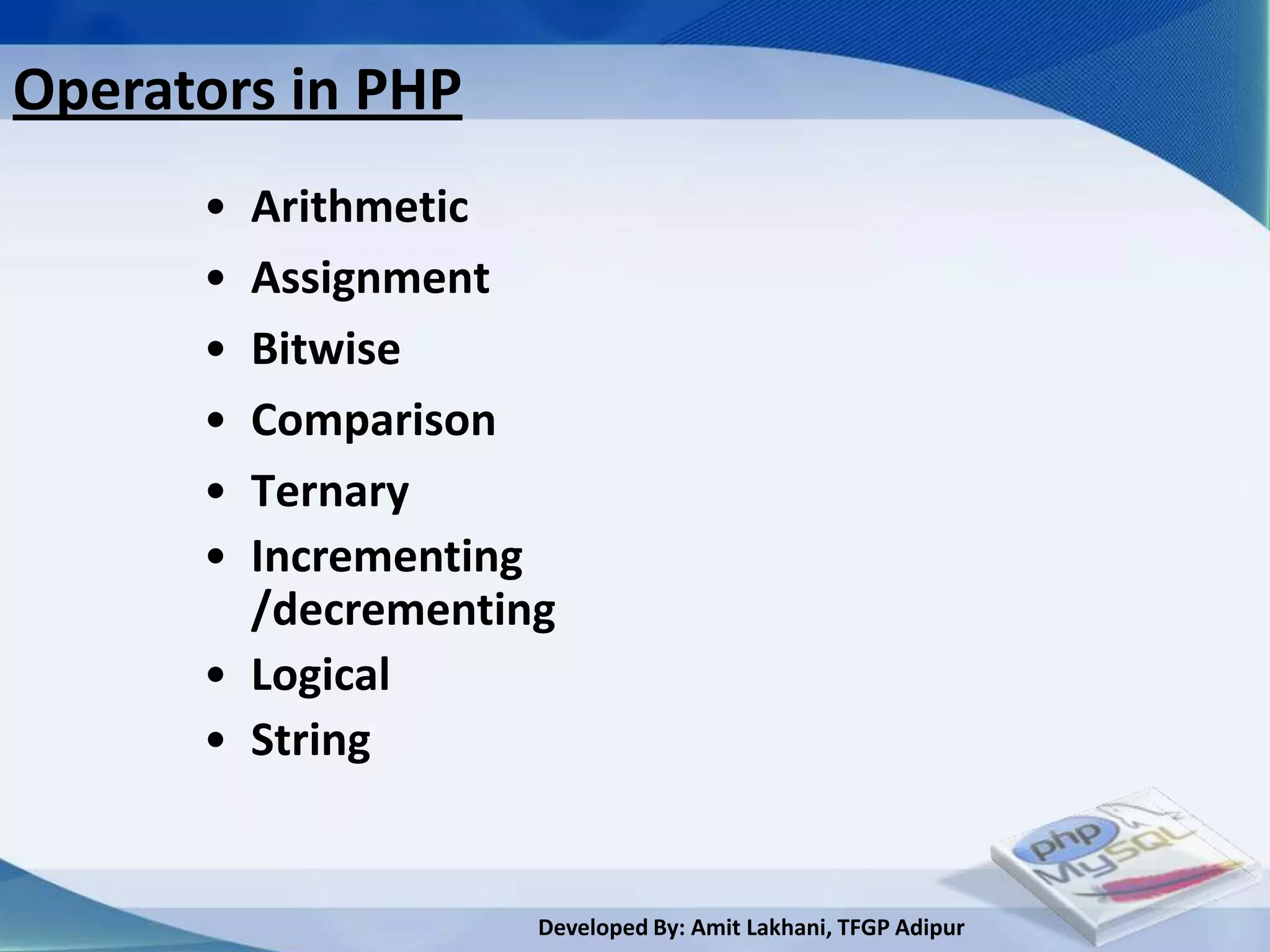
Operators in PHP
      • Arithmetic
      • Assignment
      • Bitwise
      • Comparison
      • Ternary
      • Incrementing
        /decrementing
      • Logical
      • String


                    Developed By: Amit Lakhani, TFGP Adipur
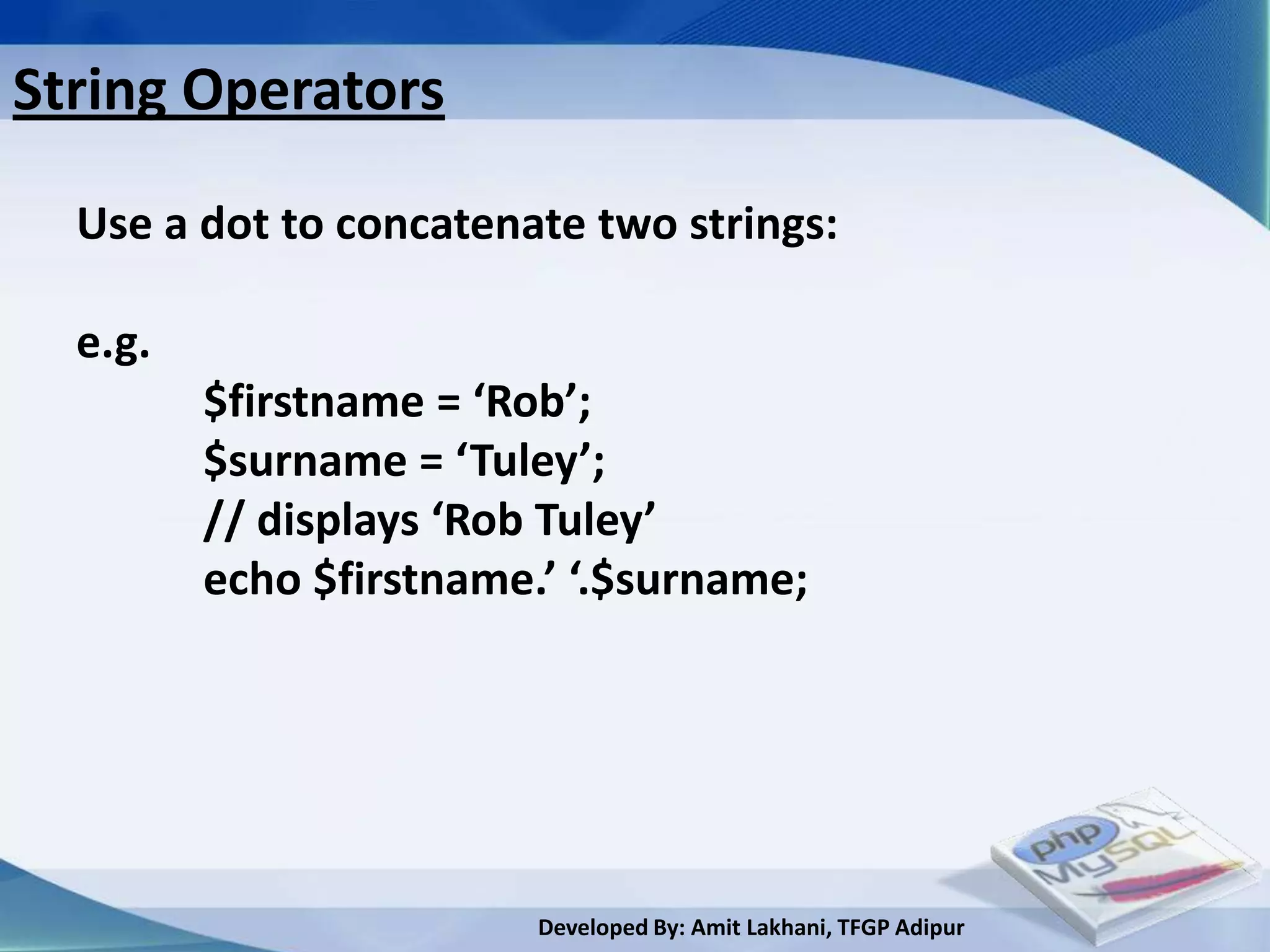
String Operators

  Use a dot to concatenate two strings:

  e.g.
         $firstname = ‘Rob’;
         $surname = ‘Tuley’;
         // displays ‘Rob Tuley’
         echo $firstname.’ ‘.$surname;


                         Developed By: Amit Lakhani, TFGP Adipur
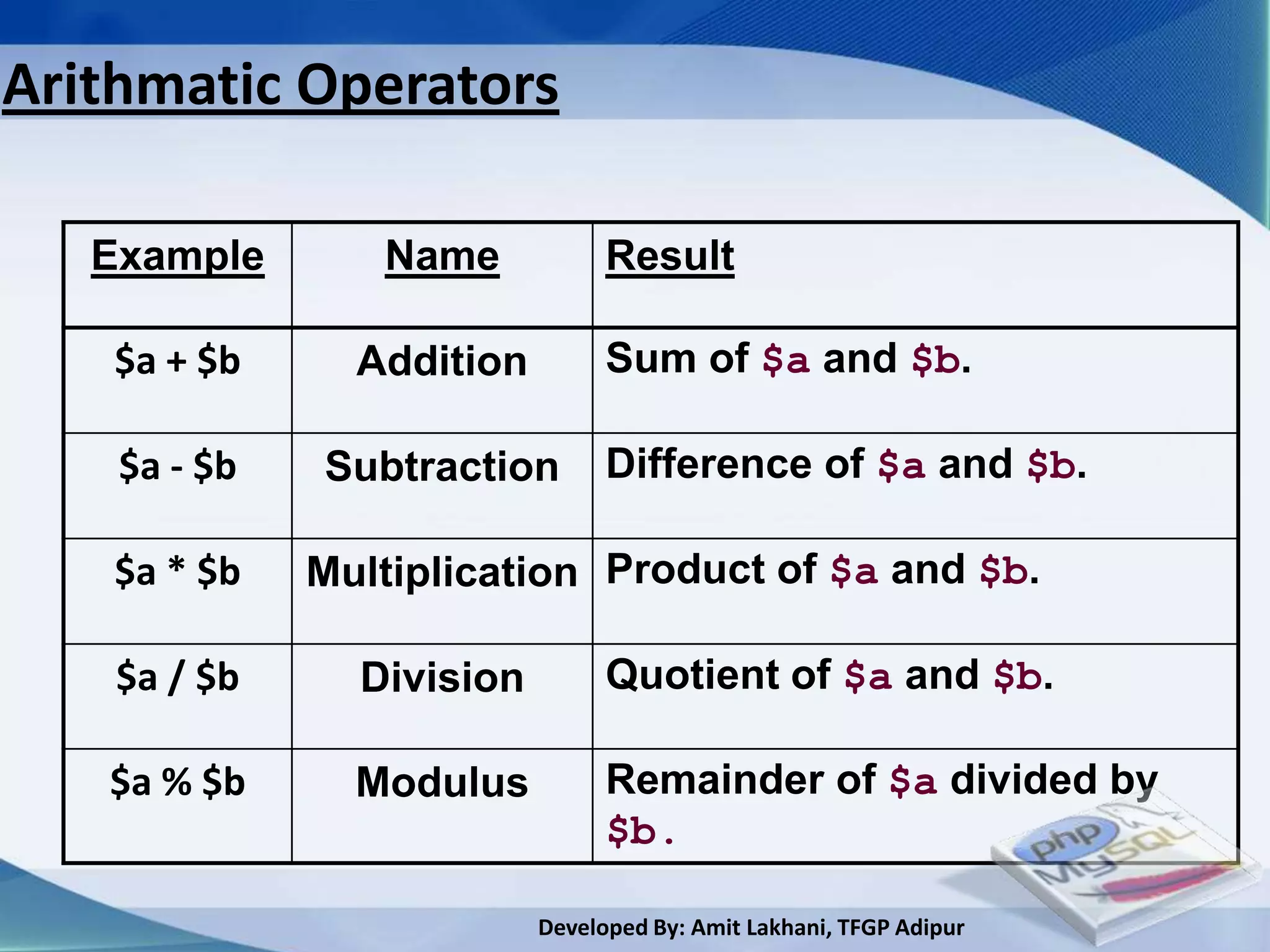
Arithmatic Operators

   Example       Name            Result

    $a + $b     Addition         Sum of $a and $b.

    $a - $b   Subtraction        Difference of $a and $b.

    $a * $b   Multiplication Product of $a and $b.

    $a / $b     Division         Quotient of $a and $b.

   $a % $b      Modulus          Remainder of $a divided by
                                 $b.

                           Developed By: Amit Lakhani, TFGP Adipur
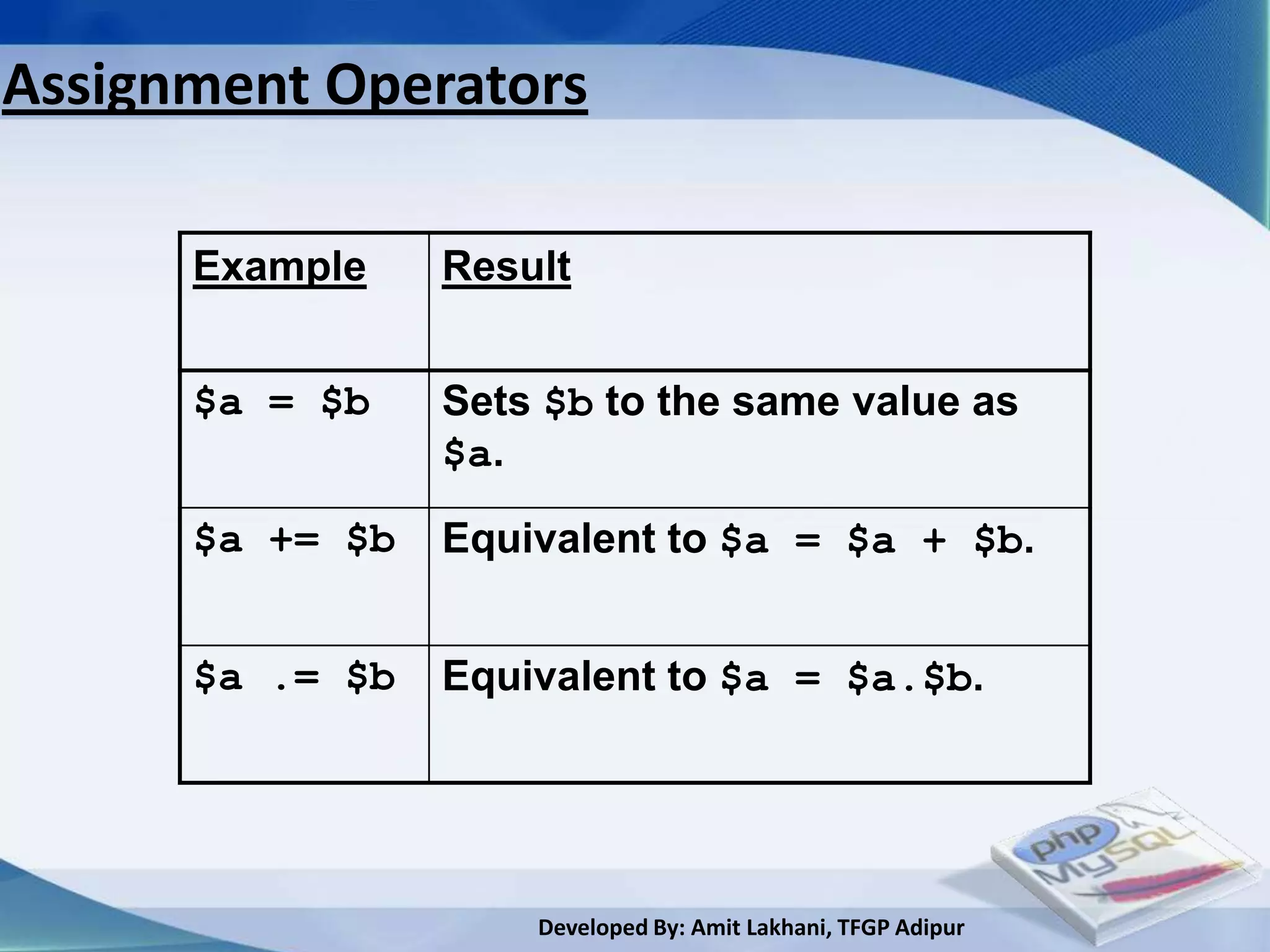
Assignment Operators

      Example    Result


      $a = $b    Sets $b to the same value as
                 $a.

      $a += $b   Equivalent to $a = $a + $b.


      $a .= $b   Equivalent to $a = $a.$b.


                     Developed By: Amit Lakhani, TFGP Adipur
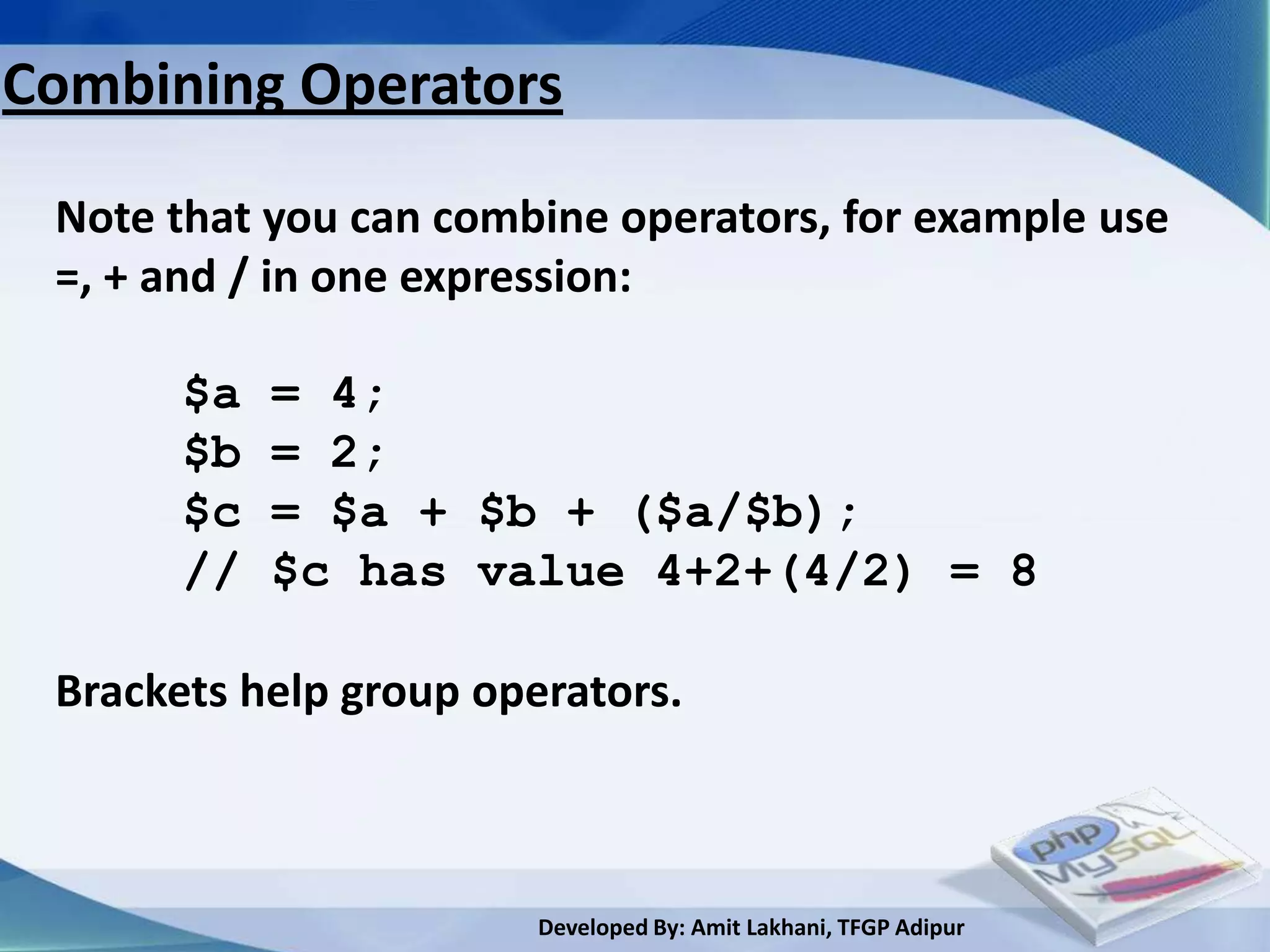
Combining Operators

 Note that you can combine operators, for example use
 =, + and / in one expression:

       $a   = 4;
       $b   = 2;
       $c   = $a + $b + ($a/$b);
       //   $c has value 4+2+(4/2) = 8

 Brackets help group operators.


                        Developed By: Amit Lakhani, TFGP Adipur
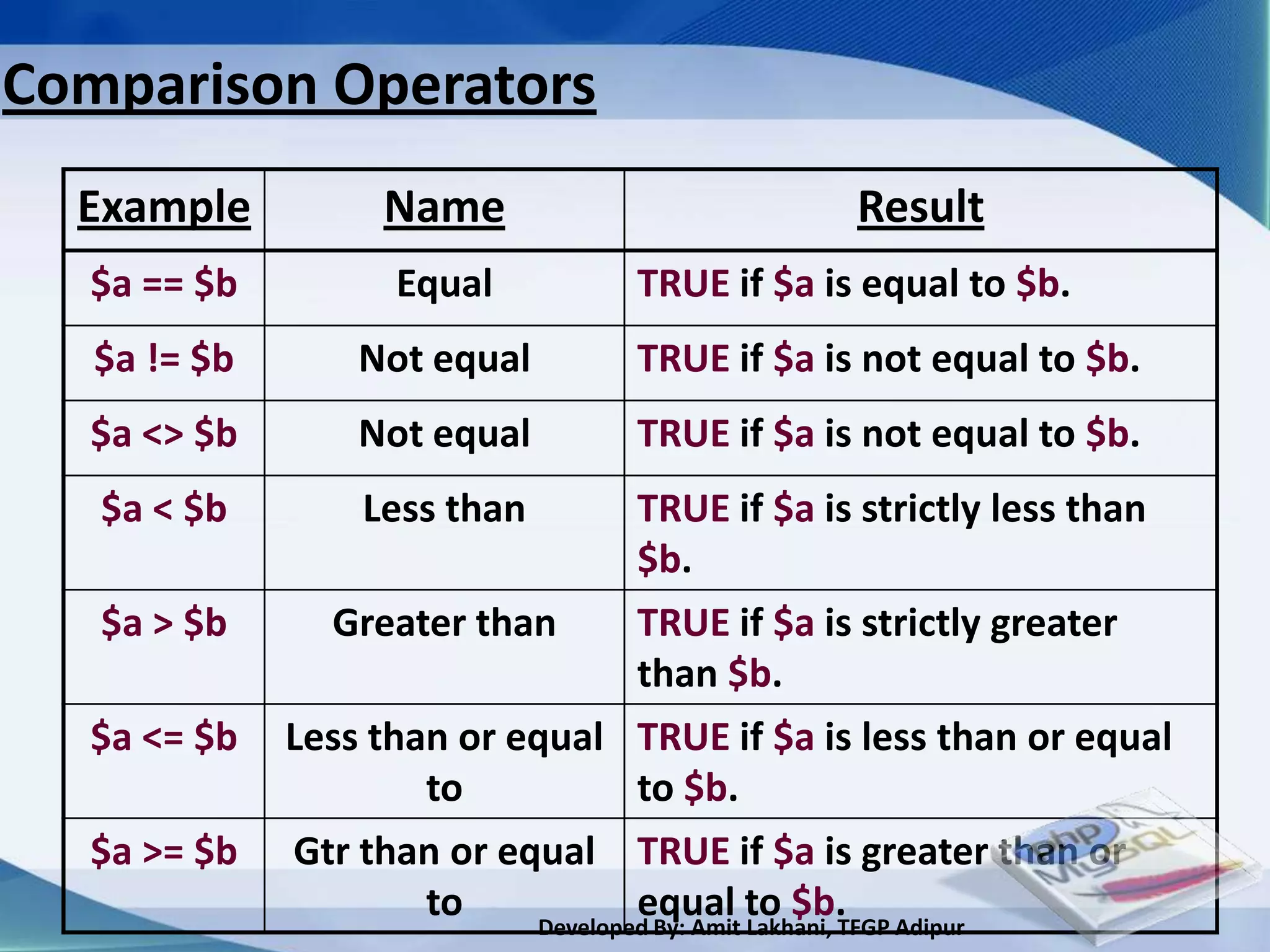
Comparison Operators
  Example          Name                         Result
  $a == $b          Equal          TRUE if $a is equal to $b.
   $a != $b       Not equal        TRUE if $a is not equal to $b.
  $a <> $b        Not equal        TRUE if $a is not equal to $b.
   $a < $b        Less than         TRUE if $a is strictly less than
                                    $b.
   $a > $b      Greater than        TRUE if $a is strictly greater
                                    than $b.
  $a <= $b    Less than or equal TRUE if $a is less than or equal
                      to            to $b.
  $a >= $b    Gtr than or equal TRUE if $a is greater than or
                      to            equal to $b.
                            Developed By: Amit Lakhani, TFGP Adipur
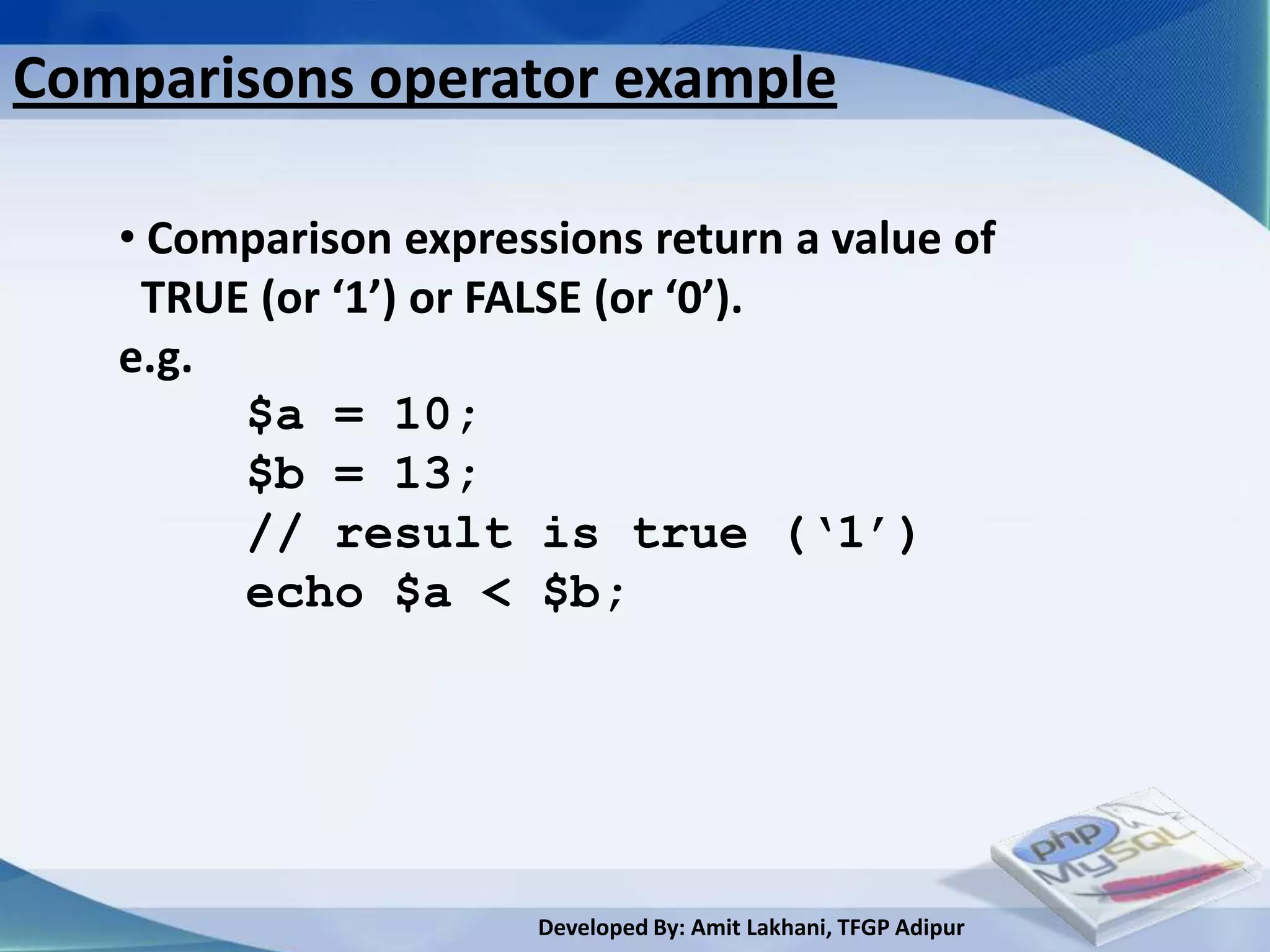
Comparisons operator example

   • Comparison expressions return a value of
    TRUE (or ‘1’) or FALSE (or ‘0’).
   e.g.
        $a = 10;
        $b = 13;
        // result is true (‘1’)
        echo $a < $b;


                       Developed By: Amit Lakhani, TFGP Adipur
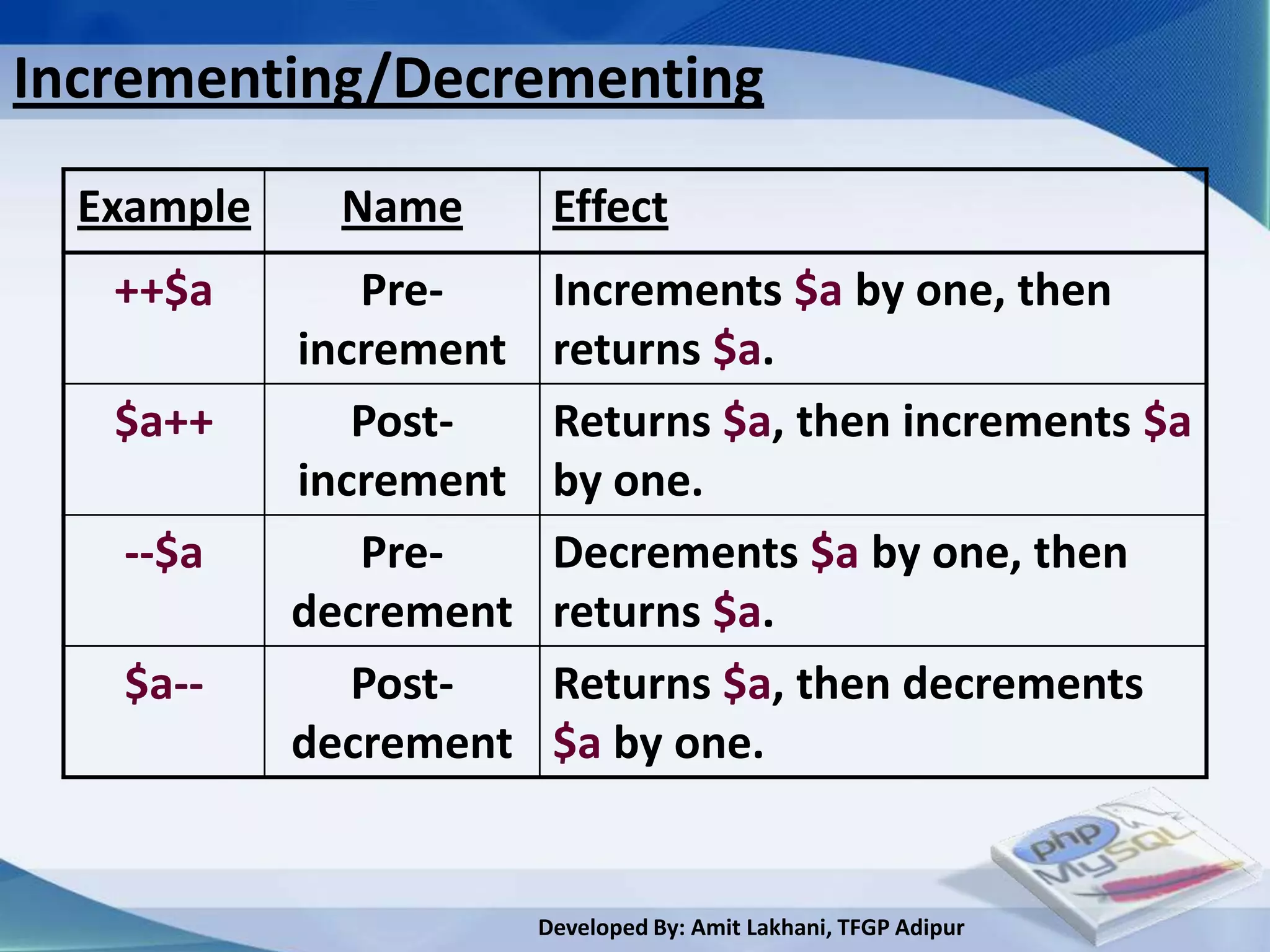
Incrementing/Decrementing
  Example     Name       Effect
   ++$a        Pre-      Increments $a by one, then
            increment    returns $a.
   $a++        Post-     Returns $a, then increments $a
            increment    by one.
   --$a        Pre-      Decrements $a by one, then
            decrement    returns $a.
   $a--        Post-     Returns $a, then decrements
            decrement    $a by one.


                        Developed By: Amit Lakhani, TFGP Adipur
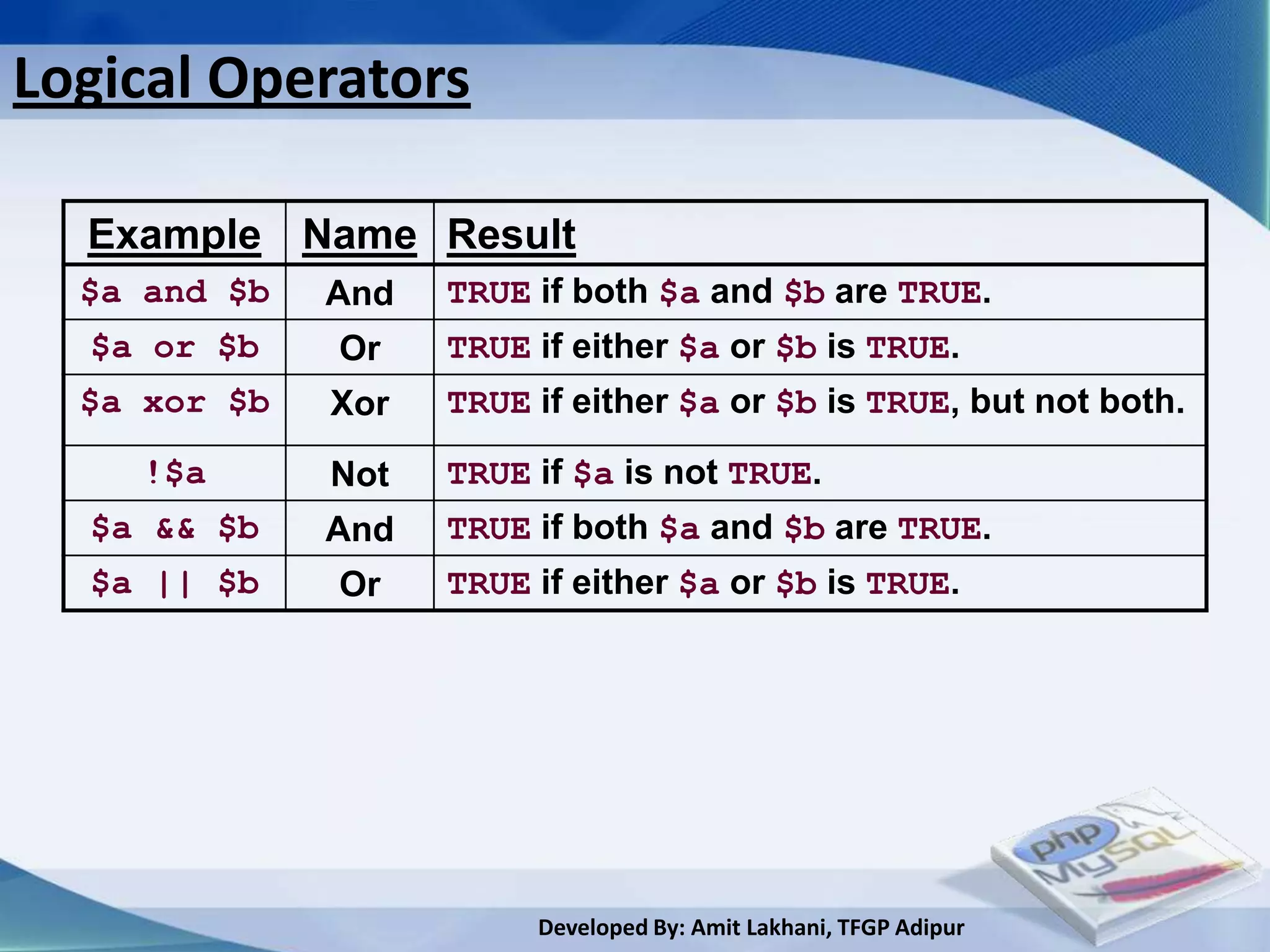
Logical Operators

  Example Name Result
  $a and $b   And   TRUE if both $a and $b are TRUE.
  $a or $b    Or    TRUE if either $a or $b is TRUE.
  $a xor $b   Xor   TRUE if either $a or $b is TRUE, but not both.
    !$a       Not   TRUE if $a is not TRUE.
  $a && $b    And   TRUE if both $a and $b are TRUE.
  $a || $b    Or    TRUE if either $a or $b is TRUE.


                         Developed By: Amit Lakhani, TFGP Adipur
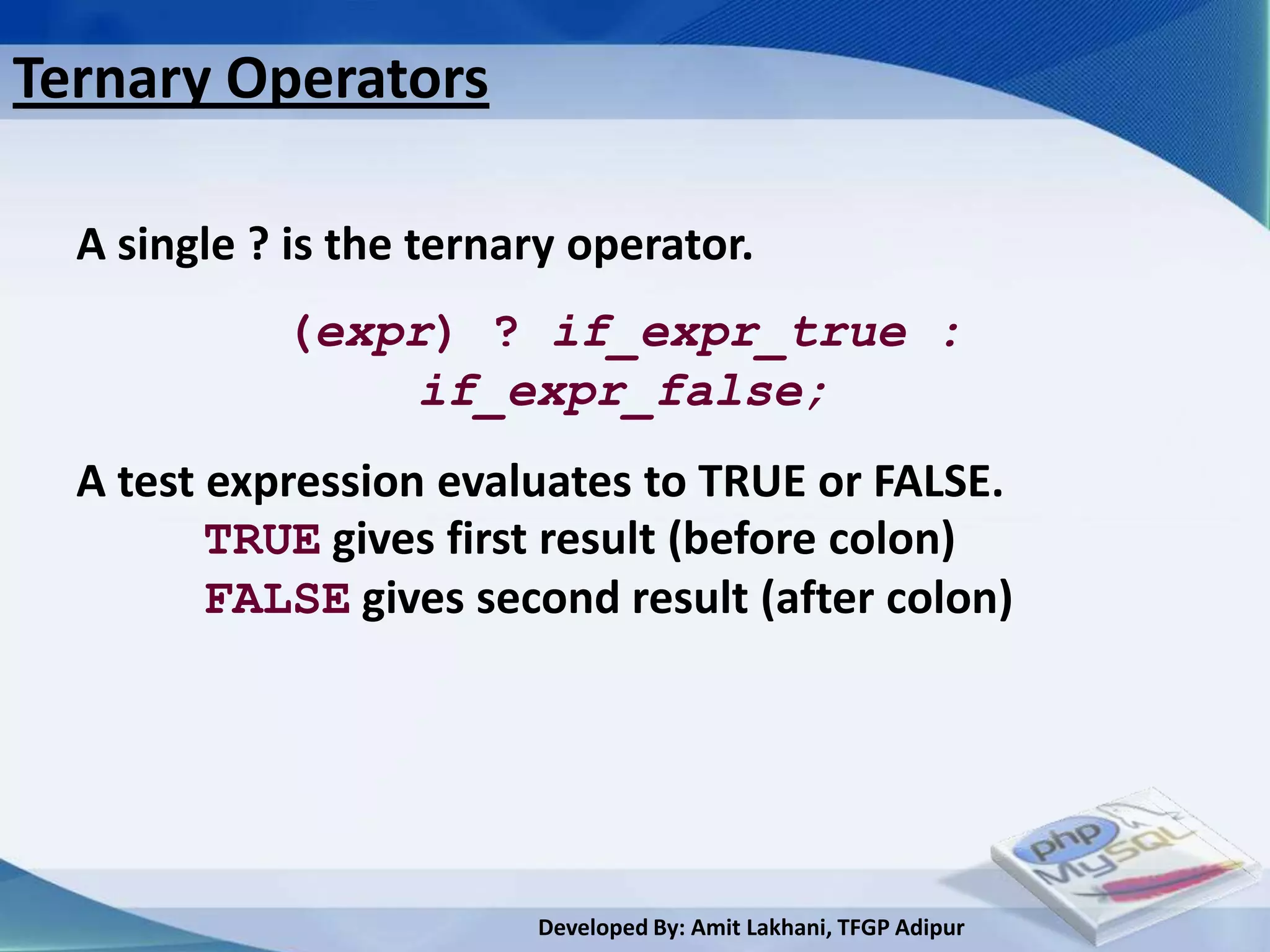
Ternary Operators

  A single ? is the ternary operator.
            (expr) ? if_expr_true :
                if_expr_false;
  A test expression evaluates to TRUE or FALSE.
         TRUE gives first result (before colon)
         FALSE gives second result (after colon)


                         Developed By: Amit Lakhani, TFGP Adipur
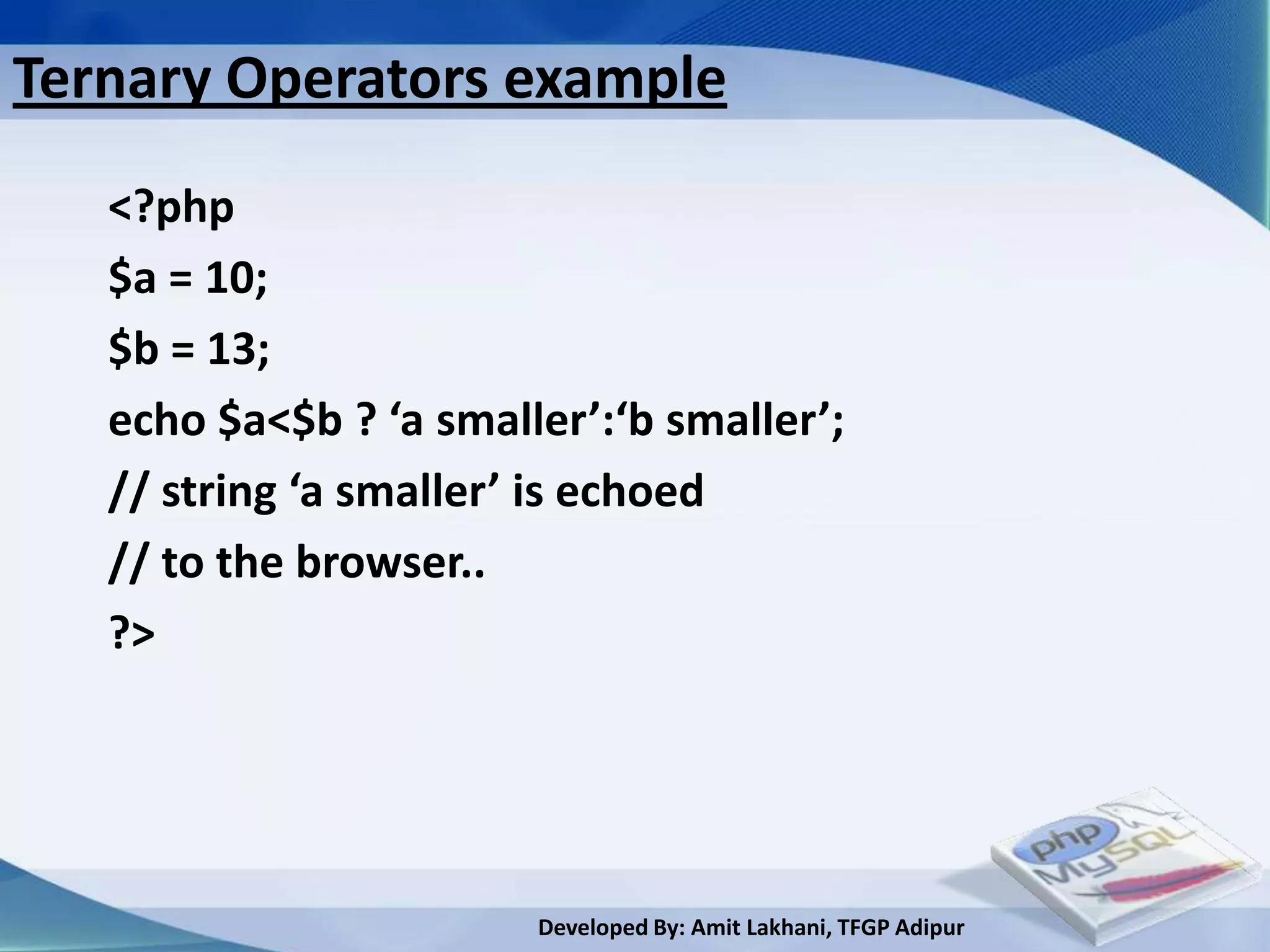
Ternary Operators example
   <?php
   $a = 10;
   $b = 13;
   echo $a<$b ? ‘a smaller’:‘b smaller’;
   // string ‘a smaller’ is echoed
   // to the browser..
   ?>


                        Developed By: Amit Lakhani, TFGP Adipur
2.8
Arrays


 Developed By: Amit Lakhani, TFGP Adipur
Array

 • So far, we have stored ONE piece of data in each
   variable.

 • It is also possible to store multiple pieces of data in
  ONE variable by using an array.

 • Each piece of data in an array has a key..


                          Developed By: Amit Lakhani, TFGP Adipur
Working with Array


 • Note that trying to echo an entire array will not
   display the data. To print an entire array to screen (for
   debug, for example) use the function print_r instead.

                    print_r($letters);


                         Developed By: Amit Lakhani, TFGP Adipur
Array example

  Normal Variable, no key:
       $name = ‘Rob’;
  Array Variable, multiple pieces with ‘keys’:
       $name[0] = ‘Rob’;
       $name[1] = ‘Si’;
       $name[2] = ‘Sarah’;
       …
                     The ‘key’

                      Developed By: Amit Lakhani, TFGP Adipur
Array key

  • Array keys can be strings as well as numbers..
                  Array key

        $surname[‘rob’] = ‘Tuley’;
        $surname[‘si’] = ‘Lewis’;

  • Notice the way that the key is specified, in square
   brackets following the variable name.


                         Developed By: Amit Lakhani, TFGP Adipur
Types of Array
  • Indexed / Numeric array
     • Indexed array have keys automatically assigned,
       starting from 0.
     • Values are stored and accessed in linear fashion
  • Associative array
     • Use keys that are manually specified and they
       use string as index.
     • A key is some string value
     • Stores element values in association with key
       values rather than in linear indexed order.


                        Developed By: Amit Lakhani, TFGP Adipur
Indexed / Numeric Array
 • This array can store numbers, sting and objects but
   their index represented by numbers and starts from
   0.
 //first method to create array by array() function
           <?php
              $varArray= array(1,2,3,4);
           ?>
 //second method to create array
           <?php
              $varArray[0]= 1
              $varArray[1]= 2
              $varArray[2]= 3
           ?>
                        Developed By: Amit Lakhani, TFGP Adipur
Example of Indexed / Numeric Array
<?php
//first method to create array
                                           Output:
$varArray= array(1,2,3,4,5);
foreach($varArray as $val)
{
      print_r($val);
}
//second method to create array
$varArray[0]= 1
$varArray[1]= 2
$varArray[2]= 3
foreach($varArray as $val)
      print_r($val);
?>                      Developed By: Amit Lakhani, TFGP Adipur
Associative Array
 • associative will have their index as string so that
   you can establish strong association between key
   and value.
                      Array key           Array value

                <?php
                $dept['comp'] = "32";
                $dept['it'] = "30";
                $dept['ec'] = "34";
                print_r($dept['it']);
                ?>


                        Developed By: Amit Lakhani, TFGP Adipur
Example of Associative Array
// first method to create array
<?php
                                      Output:
$dept['comp'] = "32";
$dept['it'] = "30";
$dept['ec'] = "34";
print_r($dept['it']);
?>
// second method to create array
<?php
$dept=array(“comp” => 32,
                    “it” => 30,
                    “ec” => 34,
print_r($dept['it']);
?>
                                   Developed By: Amit Lakhani, TFGP Adipur
Adding an element
    to Arrays


      Developed By: Amit Lakhani, TFGP Adipur
Adding an element to an Array

• Adding an element to indexed array using [ ] operator
 and array_push() function

• Adding an element to an associative array by specifying
 index

• Adding an element to to the beginning of an array using
 array_unshift() function.


                        Developed By: Amit Lakhani, TFGP Adipur
Adding an element to an Array example
• You can add automatically indexed element using [ ]
  operator
            <?php
            $varArray=array();                 Add an element to array
            $varArray[]=1;
            $varArray[]=2;
            for($i=0;$i<=1;$i++)                          Output:
            {
                   echo $varArray[$i];
            }
            $varArray=array();
            array_push($varArray, 10,20);
            for($i=0;$i<=1;$i++)
            {
                   echo $varArray[$i];
            }?>           Developed By: Amit Lakhani, TFGP Adipur
Adding an element to an Associative array
 • You can specify the index when adding an element.

           <?php                  Add an element to array
           $varArray=array();
           $varArray['one']=1;
           $varArray['two']=2;
           echo $varArray['one'];
           ?>

            Output:


                       Developed By: Amit Lakhani, TFGP Adipur
Adding an element using array_unshift()
 • You can add an element to the beginning of an array
   using array_unshift() function.
    <?php
                                          Output:
    varArray=array('three');
    array_unshift($varArray, 'one');
    array_unshift($varArray, 'two');
    array_unshift($varArray, 'three');
    print_r("$varArray[0]");
    print_r("$varArray[1]");
    print_r("$varArray[2]");           Add an element to array
    ?>

                         Developed By: Amit Lakhani, TFGP Adipur
Removing an
element from Arrays


       Developed By: Amit Lakhani, TFGP Adipur
Removing an element from array

 • You can remove an element using unset() function

 • You can remove the last element of an array using
   array_pop() function

 • You can remove the first element of an array using
   array_shift() function


                        Developed By: Amit Lakhani, TFGP Adipur
Removing an element from array conti..
• You can remove an element using unset() function
    <?php
    $varArray=array();                      Output:
    $varArray[]=1;
    $varArray[]=2;
    for($i=0;$i<=1;$i++)
    {
           echo $varArray[$i];
    }
    unset($varArray[0]);
    for($i=0;$i<=1;$i++)
    {                                    Unset the first element
           echo $varArray[$i];           Of an array
    }?>
                            Developed By: Amit Lakhani, TFGP Adipur
Removing an element from array conti..
• You can remove last element using array_pop() function
    <?php
    $varArray=array();                        Output:
    $varArray[]=1;
    $varArray[]=2;
    for($i=0;$i<=1;$i++)
    {
           echo $varArray[$i];
    }
    $last=array_pop($varArray);
    for($i=0;$i<=1;$i++)                   Remove last element
    {                                      Of an array
           echo $varArray[$i];
    }?>                  Developed By: Amit Lakhani, TFGP Adipur
Removing an element from array conti..
• You can remove first element using array_shift() function
     <?php
     $varArray=array();                       Output:
     $varArray[]=1;
     $varArray[]=2;
     for($i=0;$i<=1;$i++)
     {
            echo $varArray[$i];
     }
     $first=array_shift($varArray);
     for($i=0;$i<=1;$i++)                           Remove first element
     {                                              Of an array
            echo $varArray[$i];
     }?>                  Developed By: Amit Lakhani, TFGP Adipur
Counting and
combining elements
     of Arrays

       Developed By: Amit Lakhani, TFGP Adipur
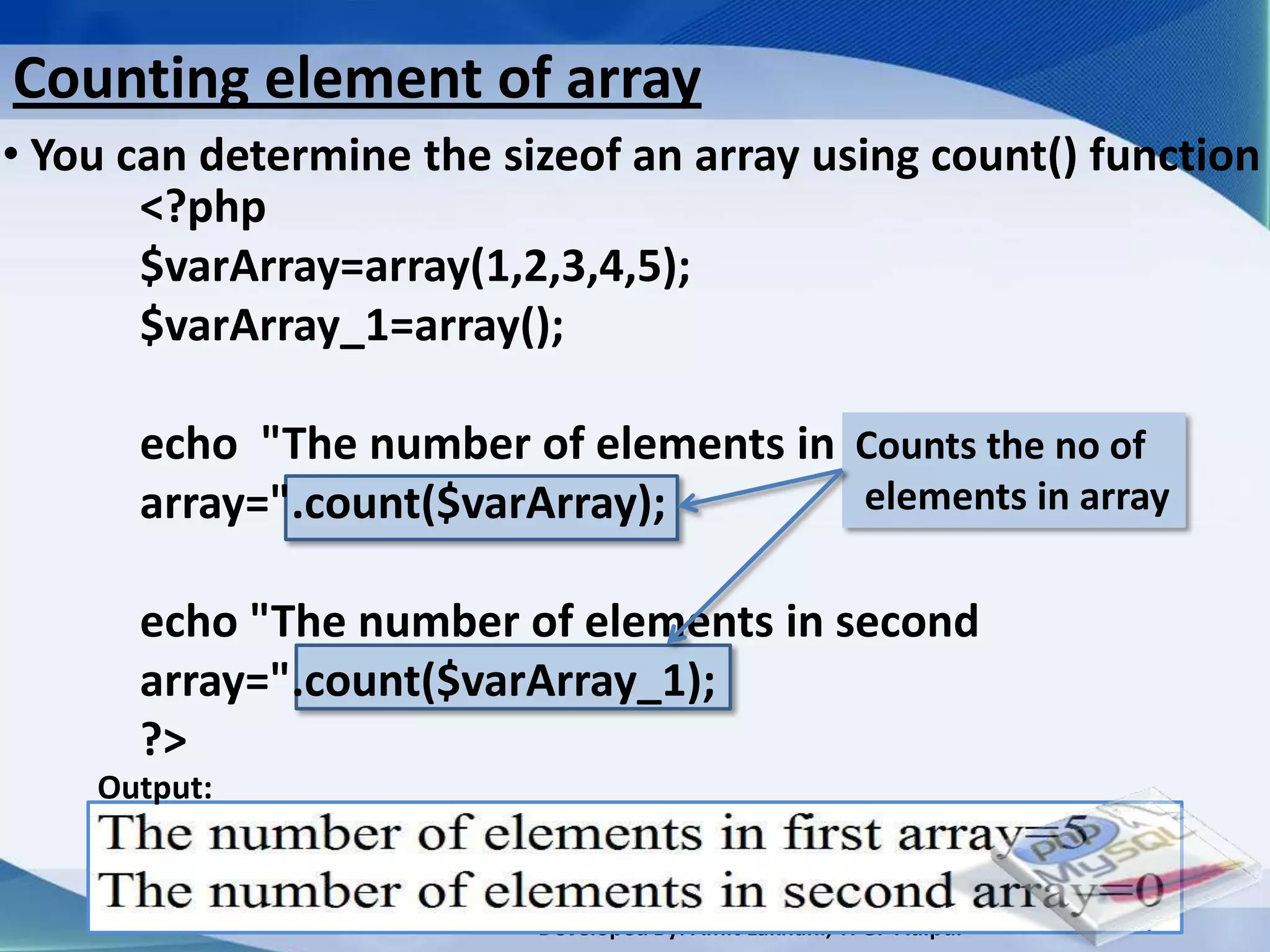
Counting element of array
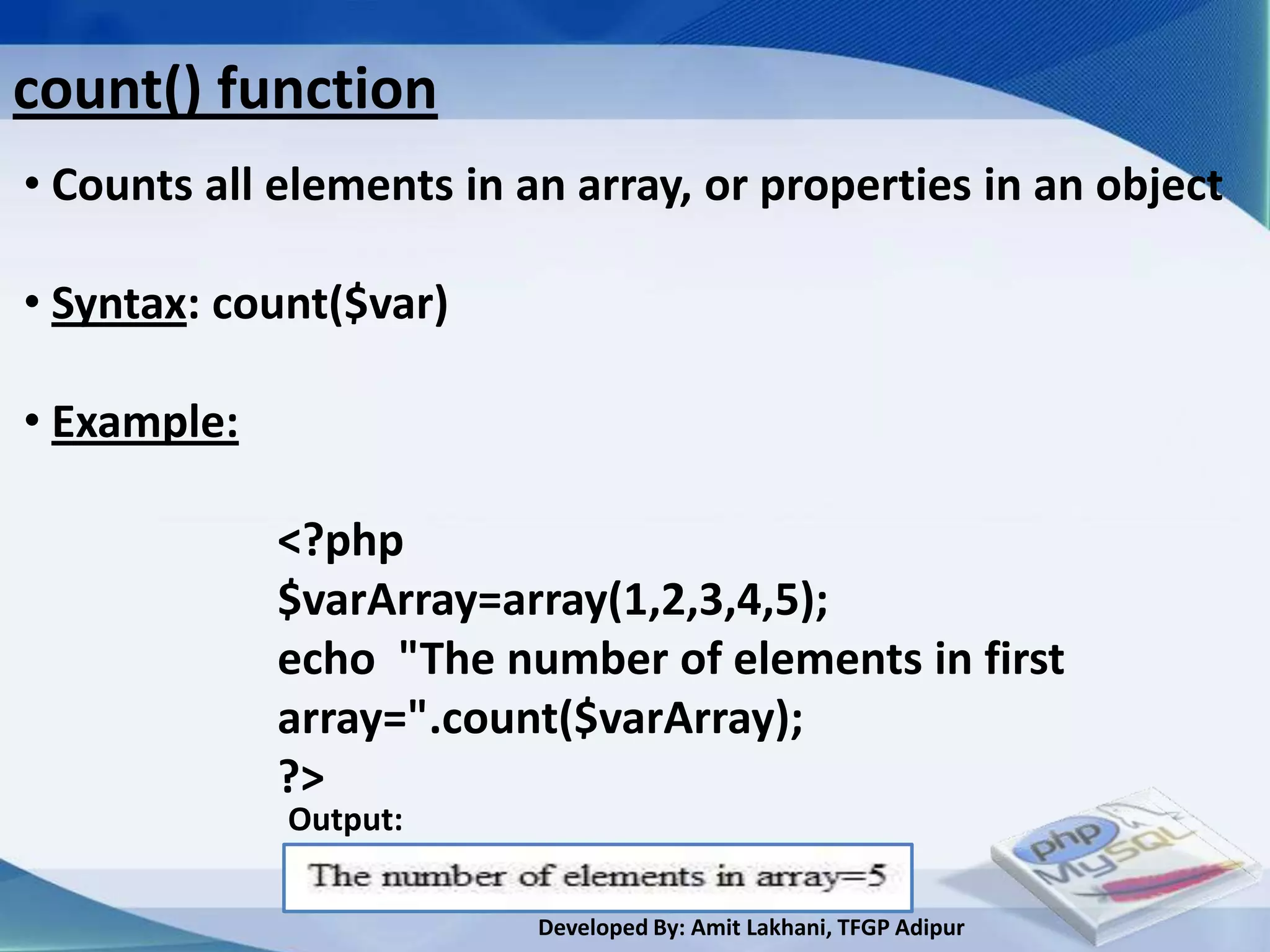
• You can determine the sizeof an array using count() function
       <?php
       $varArray=array(1,2,3,4,5);
       $varArray_1=array();

      echo "The number of elements in first the no of
                                       Counts
      array=".count($varArray);        elements in array


      echo "The number of elements in second
      array=".count($varArray_1);
      ?>
    Output:


                          Developed By: Amit Lakhani, TFGP Adipur
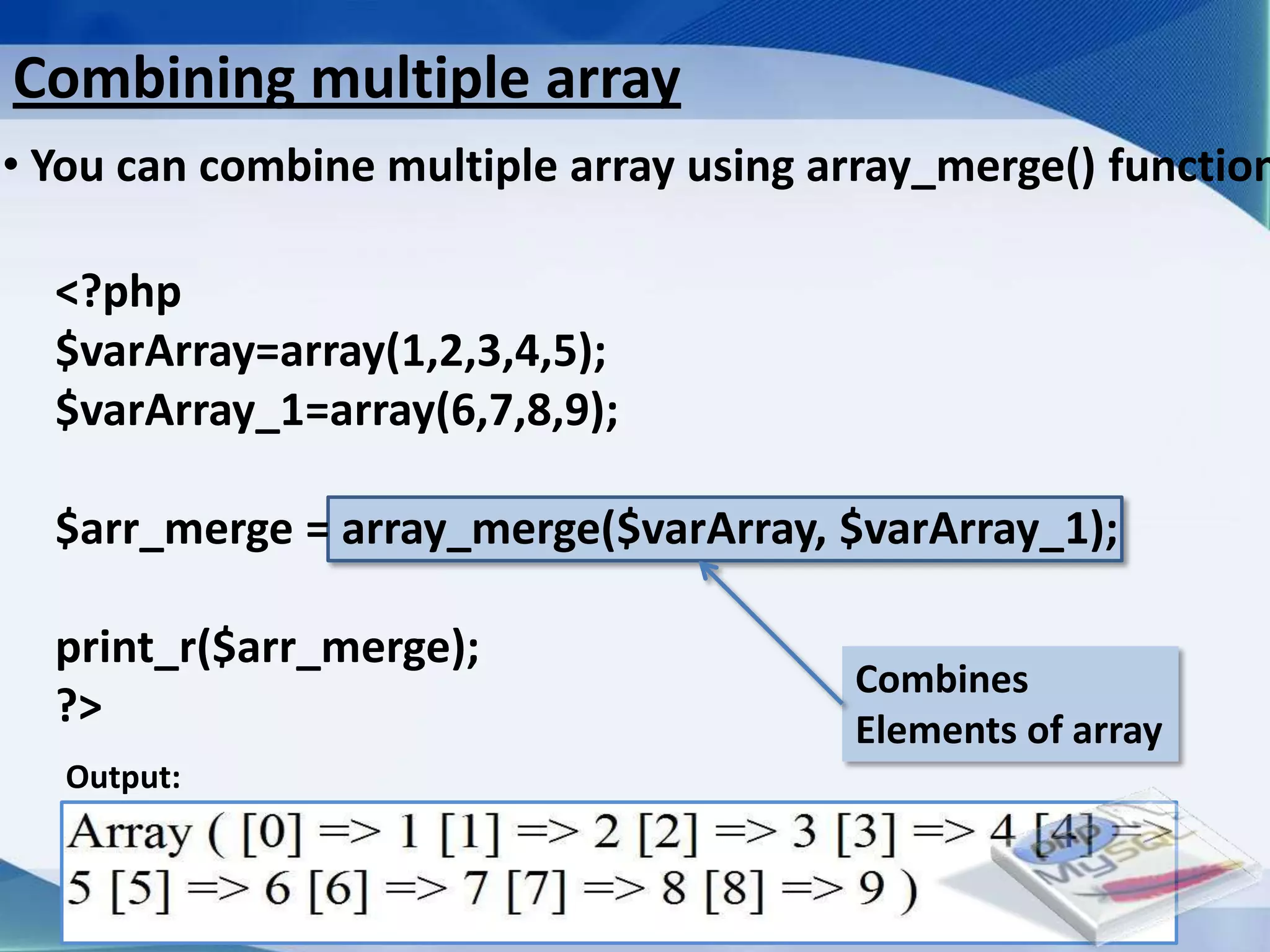
Combining multiple array
• You can combine multiple array using array_merge() function

  <?php
  $varArray=array(1,2,3,4,5);
  $varArray_1=array(6,7,8,9);

  $arr_merge = array_merge($varArray, $varArray_1);

  print_r($arr_merge);
                                                     Combines
  ?>                                                 Elements of array
   Output:


                         Developed By: Amit Lakhani, TFGP Adipur
Searching Array


     Developed By: Amit Lakhani, TFGP Adipur
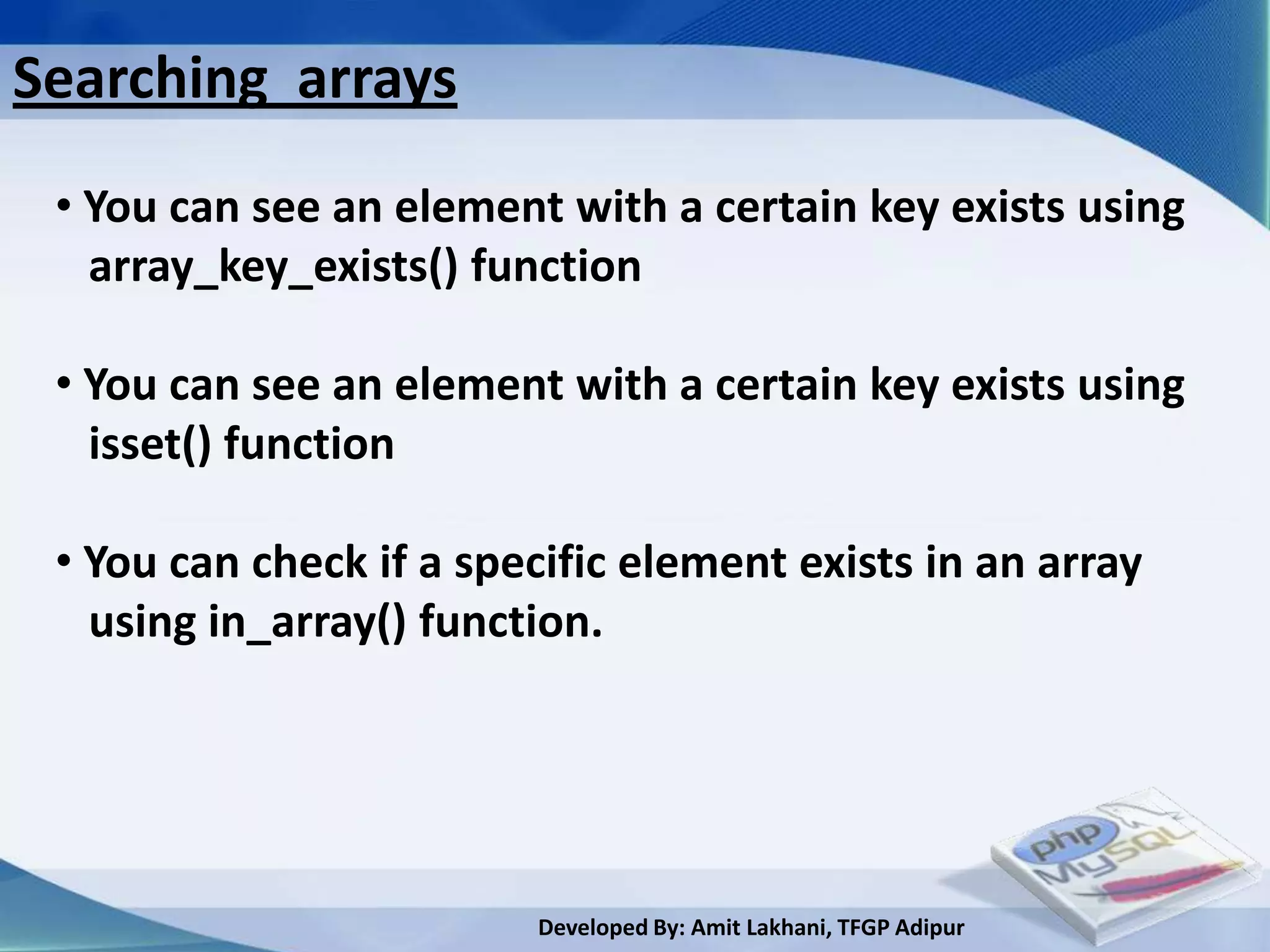
Searching arrays
 • You can see an element with a certain key exists using
   array_key_exists() function

 • You can see an element with a certain key exists using
   isset() function

 • You can check if a specific element exists in an array
   using in_array() function.


                         Developed By: Amit Lakhani, TFGP Adipur
Searching arrays conti..
• You can see an element with a certain key exists using
  array_key_exists() function

            <?php              key    Array name
            $varArray[0]=1;
            $varArray[1]=2;
            if(array_key_exists(1,$varArray))
            {
                   print_r($varArray[1]);
            }
            ?> Output:

                        Developed By: Amit Lakhani, TFGP Adipur
Searching arrays conti..
• You can see an element with a certain key exists using
  isset() function

            <?php                       Array name
            $varArray['one']=1;
            $varArray['two']=2;
            if(isset($varArray['one']))
            {
                   print_r($varArray['one']);
            }
            ?>
               Output:

                         Developed By: Amit Lakhani, TFGP Adipur
Searching arrays conti..
• You can check if a specific element exists in an array
using in_array() function.

             <?php                     key                         Array name
             echo"<font size=50>";
             $varArray['0']=1;
             $varArray['1']=2;                                       Output:
             if(in_array(1,$varArray))
             {
                    print_r($varArray[1]);
             }
             ?>
                         Developed By: Amit Lakhani, TFGP Adipur
Sorting Array


    Developed By: Amit Lakhani, TFGP Adipur
Sorting arrays
   • PHP has a rich collection of sorting functions
     that allow you to sort by values and keys.

   • Variants on most of these functions facilitate
    sorting in forward or reverse order and provide
    you with the option of preserving or resetting
    the associations between array keys and values.

   • All of PHP’s array sorting functions work on
    arrays in place and return TRUE to indicates
    success or FALSE in the event of failure.

                         Developed By: Amit Lakhani, TFGP Adipur
Sorting arrays conti..
   • Sorting an Array by Its Values using sort()

   • Sorting an Array by Its Values using asort()

   • Sorting an Array by Its Keys using ksort()

   • Reversing an Array Using arsort()

   • Reversing an Array Using krsort()

   • Reversing an Array Using array_reverse()


                         Developed By: Amit Lakhani, TFGP Adipur
Sorting arrays conti..
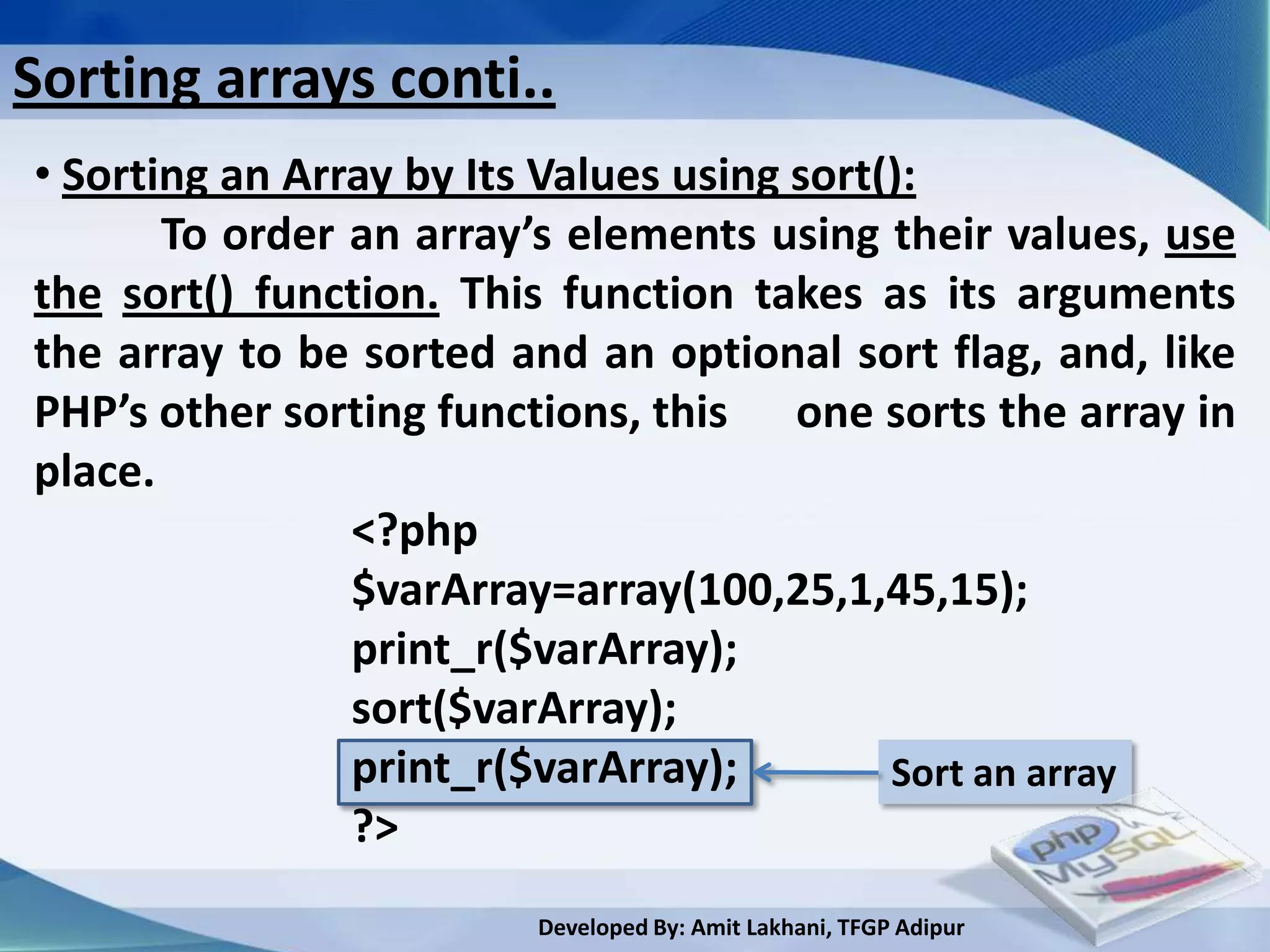
• Sorting an Array by Its Values using sort():
       To order an array’s elements using their values, use
the sort() function. This function takes as its arguments
the array to be sorted and an optional sort flag, and, like
PHP’s other sorting functions, this one sorts the array in
place.
                <?php
                $varArray=array(100,25,1,45,15);
                print_r($varArray);
                sort($varArray);
                print_r($varArray);         Sort an array
                ?>
                        Developed By: Amit Lakhani, TFGP Adipur
Sorting arrays conti..
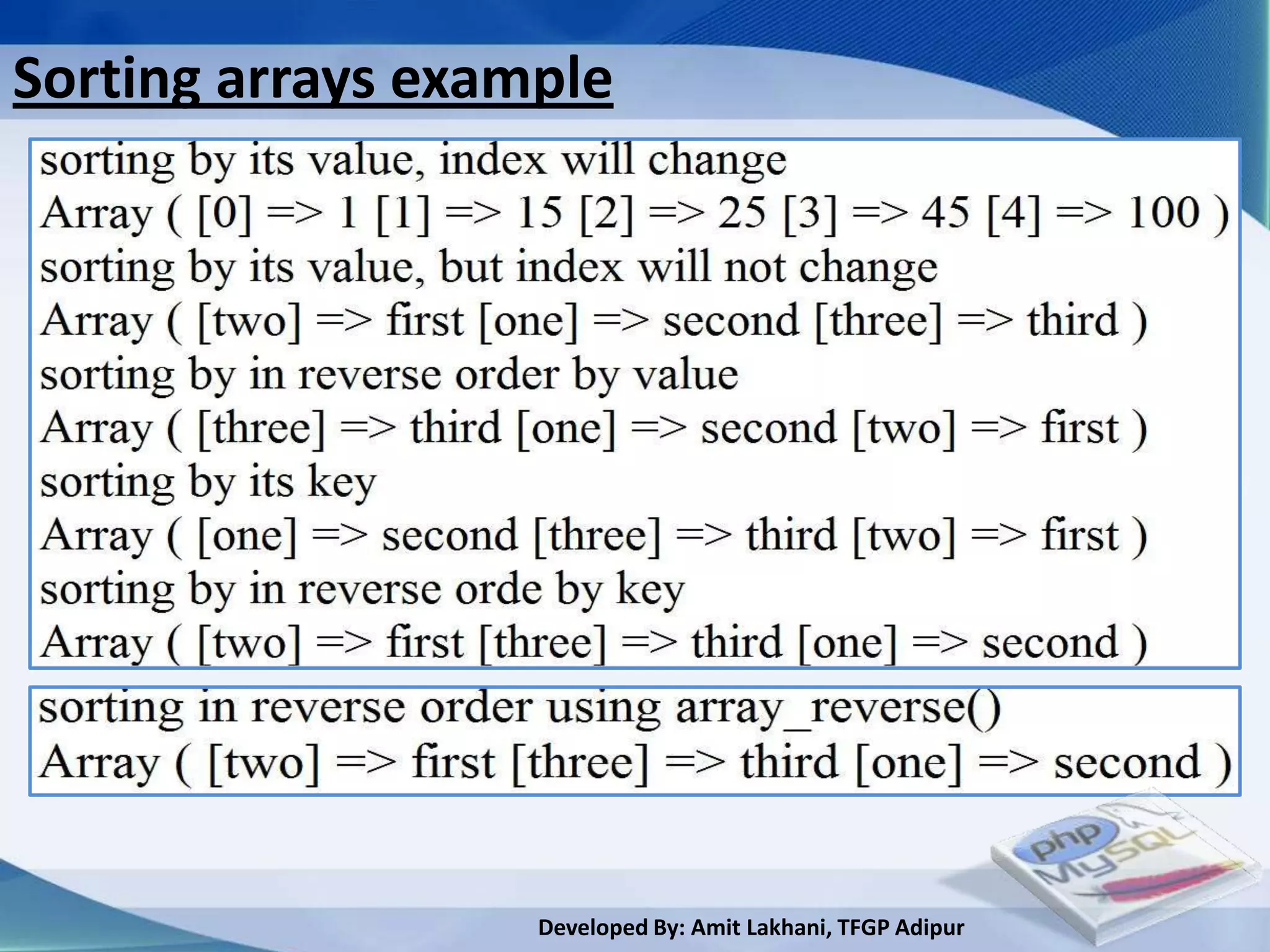
• Sorting an Array by Its Values using asort():
       Because sort() resets all the indexes, you have lost
the original keys. To get around this issue, you can use the
asort() function instead. This works in the same way as
sort() except in one respect: it preserves the array’s
original key/value associations.

               <?php
               $varArray['one']= "second";
               $varArray['two']= "first";
               $varArray['three']= "third";
               asort($varArray);                          Sort an array
               print_r($varArray);
               ?>       Developed By: Amit Lakhani, TFGP Adipur
Sorting arrays conti..
• Sorting an Array by Its Keys using ksort():
        Particularly with regard to associative arrays, it is
just as important to be able to sort arrays by their keys as
it is by their values. The ksort() function accomplishes this
while maintaining the relationship between keys and
values.
                  <?php
                  $varArray['one']= "second";
                  $varArray['two']= "first";
                  $varArray['three']= "third";
                  ksort($varArray);            Sort an array
                                               By its keys
                  print_r($varArray);
                  ?>
                         Developed By: Amit Lakhani, TFGP Adipur
Sorting arrays conti..
• Reversing an Array Using arsort():
       To sort an associative array by value in reverse
order, use arsort(). Like asort(), this function preserves the
array’s keys.

             <?php
             $varArray_1['one']= "second";
             $varArray_1['two']= "first";
             $varArray_1['three']= "third";
             arsort($varArray_1);           Sort an array
                                            In reverse order
             print_r($varArray_1);
             ?>

                         Developed By: Amit Lakhani, TFGP Adipur
Sorting arrays conti..
• Reversing an Array Using krsort():
The krsort() function sorts an array by key in reverse order.

            <?php
            $varArray_1['one']= "second";
            $varArray_1['two']= "first";
            $varArray_1['three']= "third";
            krsort($varArray_1);           Sort an array
                                           In reverse order
            print_r($varArray_1);
            ?>


                         Developed By: Amit Lakhani, TFGP Adipur
Sorting arrays conti..
• Reversing an Array Using array_reverse()
      The array_reverse() function does just what you
would expect; it reverses the order in which the elements
of an array are listed.

            <?php
            $varArray_1['one']= "second";
            $varArray_1['two']= "first";
            $varArray_1['three']= "third";
            array_reverse($varArray_1);
            print_r($varArray_1);
            ?>                             Sort an array
                                                          In reverse order
                        Developed By: Amit Lakhani, TFGP Adipur
Sorting arrays example


                   Developed By: Amit Lakhani, TFGP Adipur
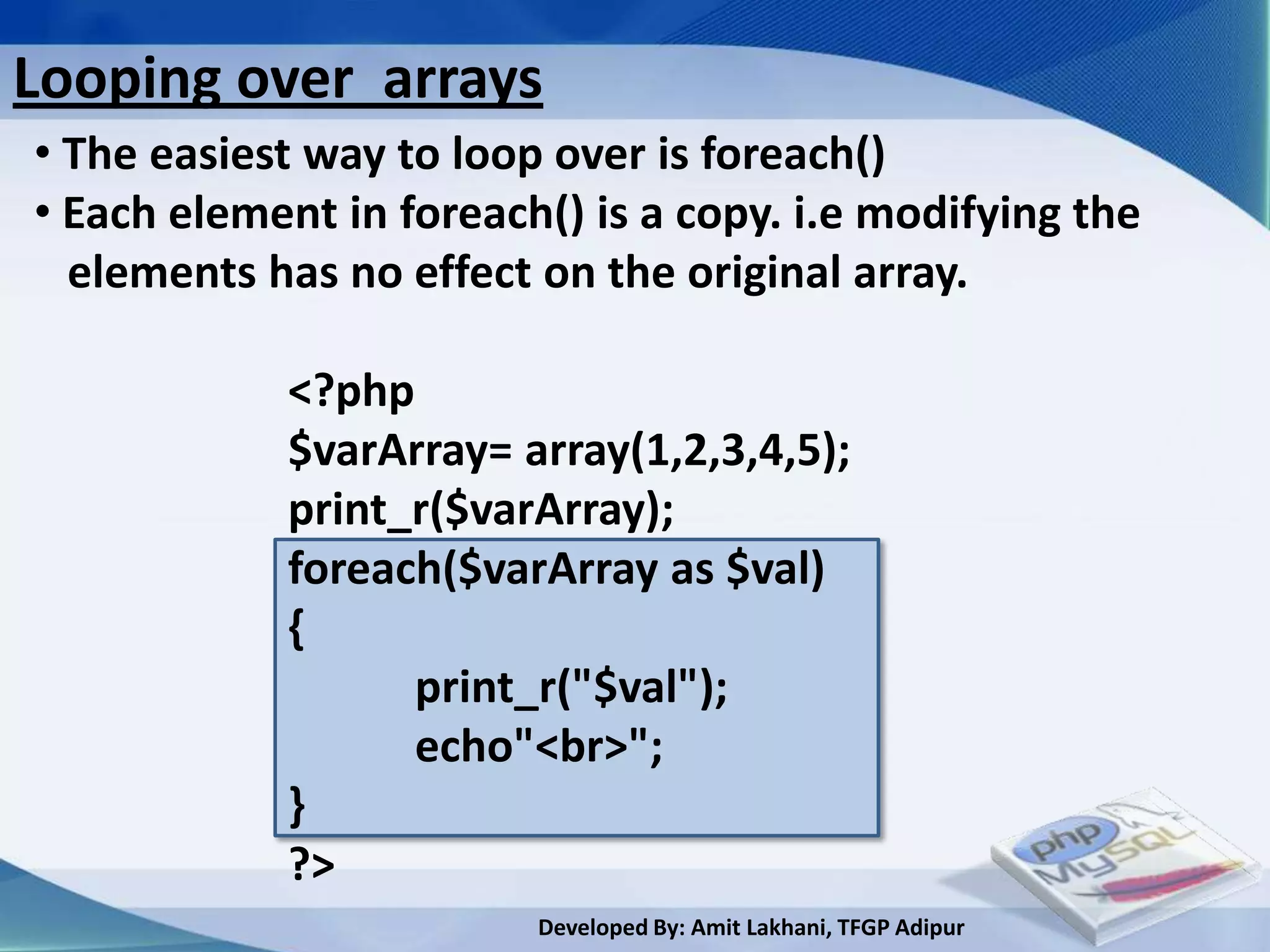
Looping over arrays
• The easiest way to loop over is foreach()
• Each element in foreach() is a copy. i.e modifying the
  elements has no effect on the original array.

            <?php
            $varArray= array(1,2,3,4,5);
            print_r($varArray);
            foreach($varArray as $val)
            {
                  print_r("$val");
                  echo"<br>";
            }
            ?>
                         Developed By: Amit Lakhani, TFGP Adipur
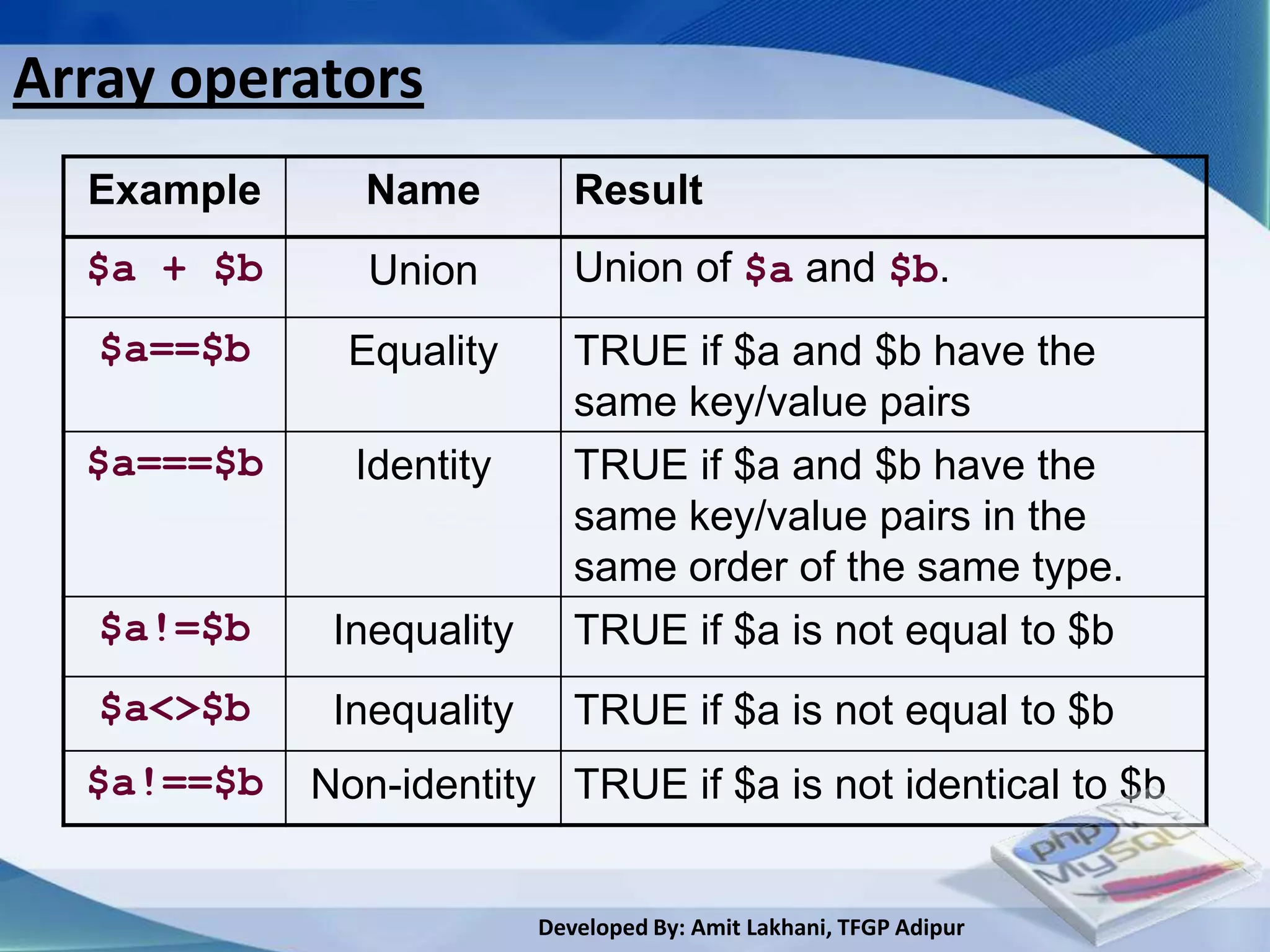
Array operators
  Example     Name           Result
  $a + $b      Union         Union of $a and $b.
   $a==$b     Equality       TRUE if $a and $b have the
                             same key/value pairs
  $a===$b     Identity       TRUE if $a and $b have the
                             same key/value pairs in the
                             same order of the same type.
   $a!=$b    Inequality      TRUE if $a is not equal to $b
   $a<>$b    Inequality      TRUE if $a is not equal to $b
  $a!==$b   Non-identity TRUE if $a is not identical to $b


                          Developed By: Amit Lakhani, TFGP Adipur
2.9
User defined function, argument
  function, variable function,
    return function, default
   argument, variable length
           argument
             Developed By: Amit Lakhani, TFGP Adipur
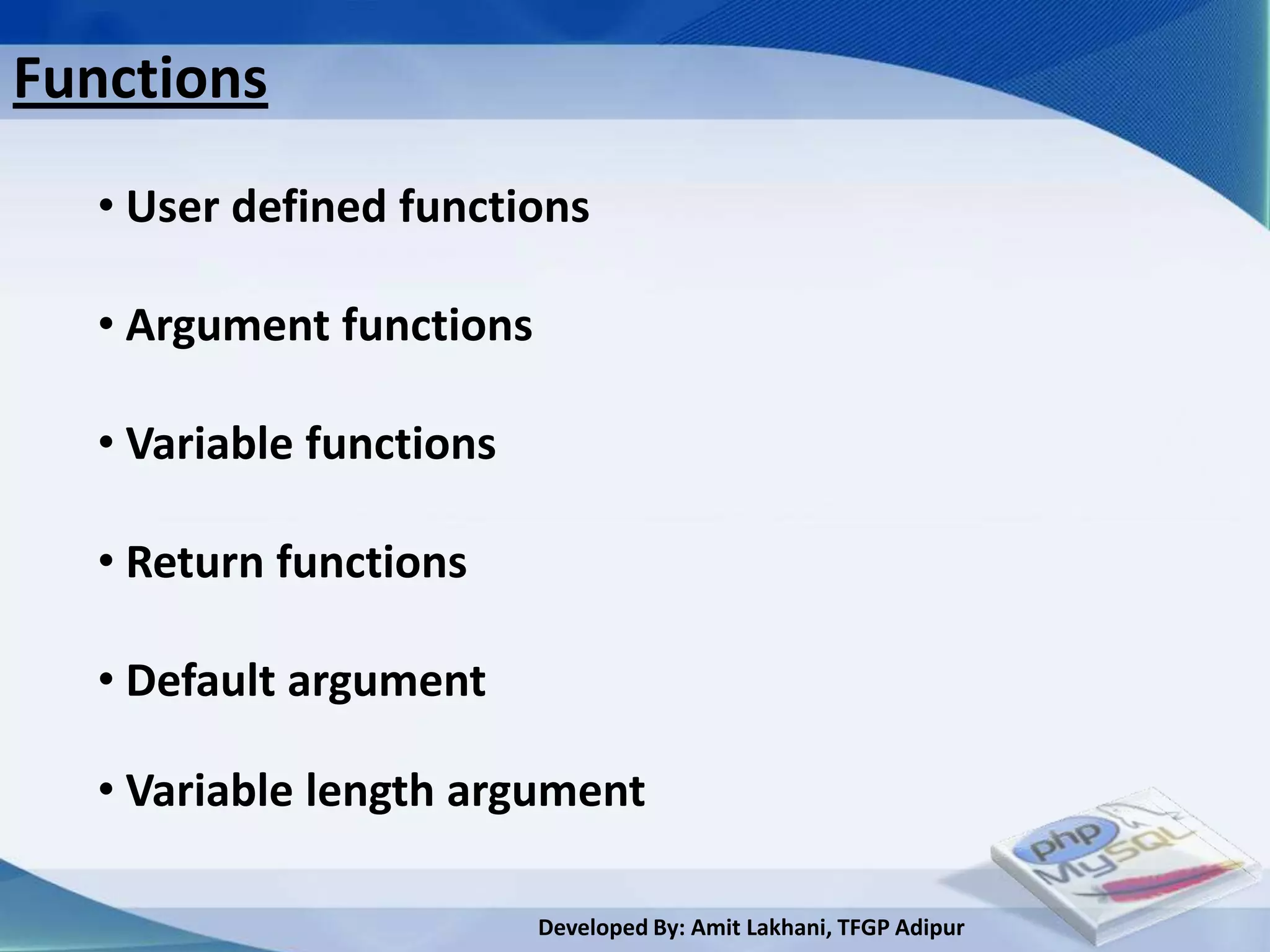
Functions
  • User defined functions

  • Argument functions

  • Variable functions

  • Return functions

  • Default argument

  • Variable length argument

                         Developed By: Amit Lakhani, TFGP Adipur
User defined functions
  • Functions are defined using the keyword function
   by the function name
  • Functions may have 0 or more arguments
  • Code body appears between opening and closing
   paranthesis.
  • Functions name begins with a letter or
   underscore, followed by any letter, numbers or
   underscores.
  • Function is called using the function name.
  • Function do not need to be declared
  • Recursion is supported

                        Developed By: Amit Lakhani, TFGP Adipur
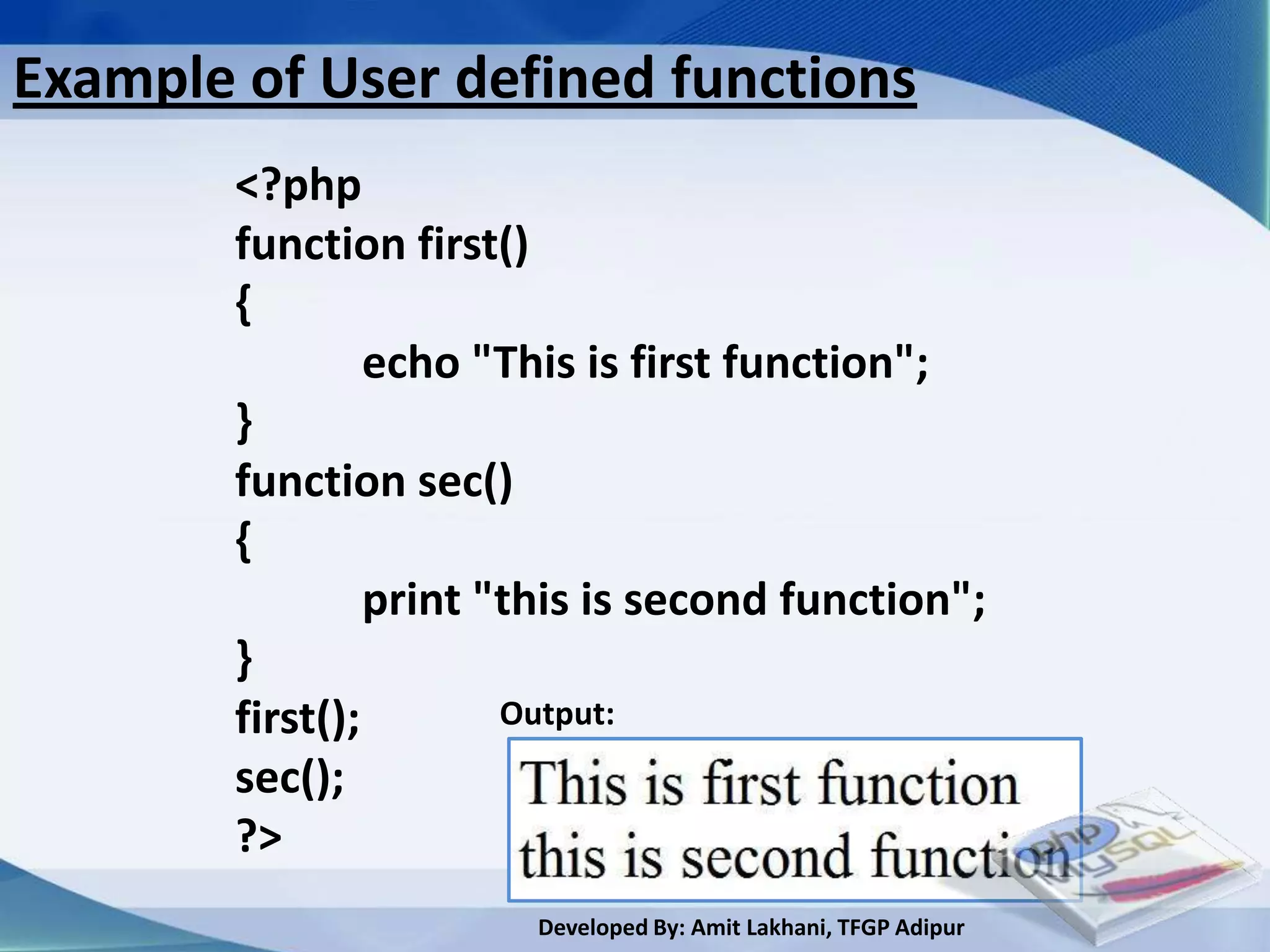
Example of User defined functions
        <?php
        function first()
        {
                 echo "This is first function";
        }
        function sec()
        {
                 print "this is second function";
        }
        first();        Output:
        sec();
        ?>
                        Developed By: Amit Lakhani, TFGP Adipur
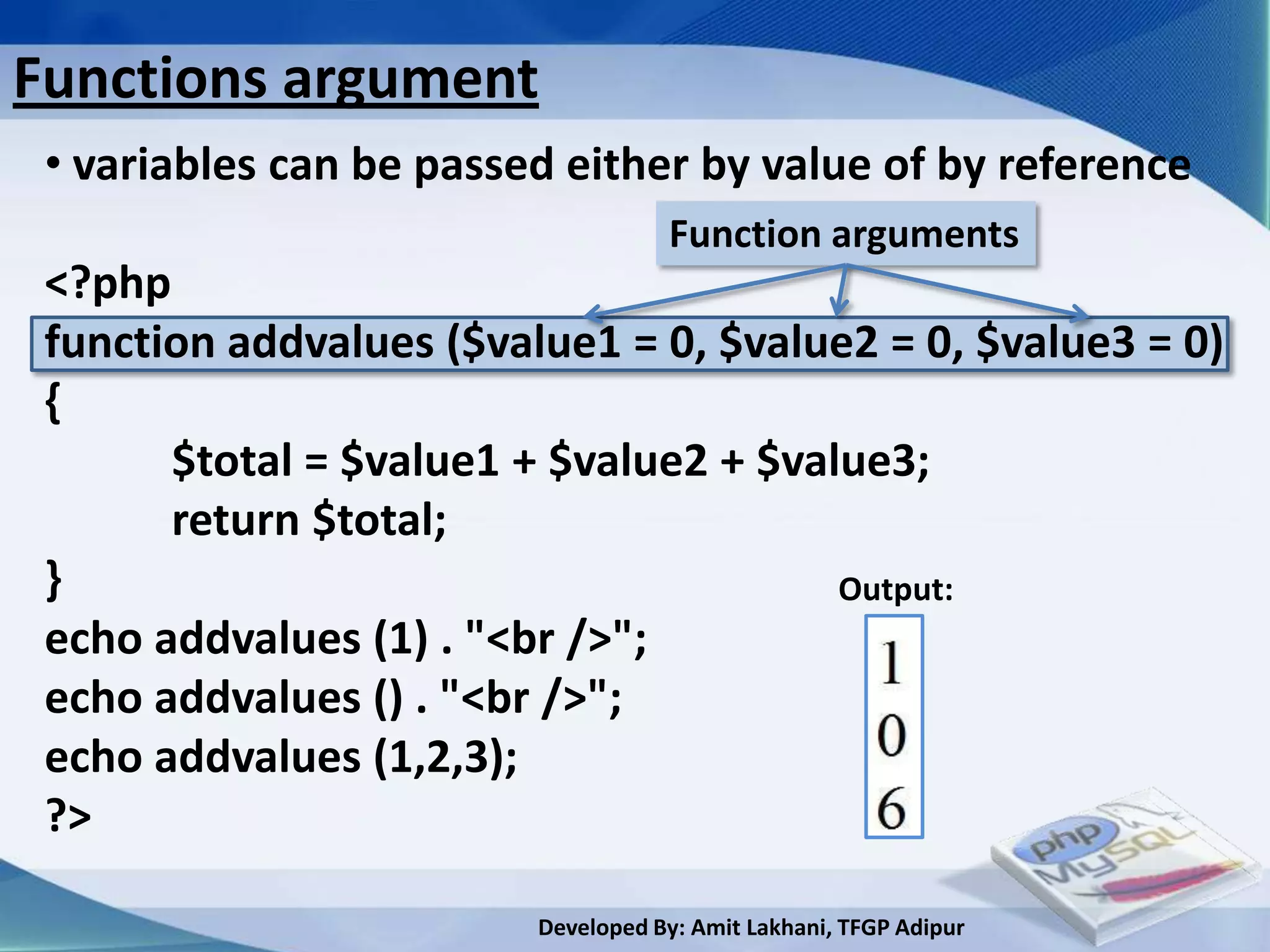
Functions argument
 • variables can be passed either by value of by reference
                                    Function arguments
 <?php
 function addvalues ($value1 = 0, $value2 = 0, $value3 = 0)
 {
       $total = $value1 + $value2 + $value3;
       return $total;
 }                                      Output:
 echo addvalues (1) . "<br />";
 echo addvalues () . "<br />";
 echo addvalues (1,2,3);
 ?>

                         Developed By: Amit Lakhani, TFGP Adipur
Variable length argument
 • In addition to support default values for function
  argument PHP supports variable length argument with
  function such as func_get_args()

 • Regardless of what the function definition dictates you
  can retrieve every single value passed to function using
   func_get_args()

 • This functions returns an array where each element is
   corresponds to a single argument.

 • This is useful when you want function to accept any
   number of arguments
                         Developed By: Amit Lakhani, TFGP Adipur
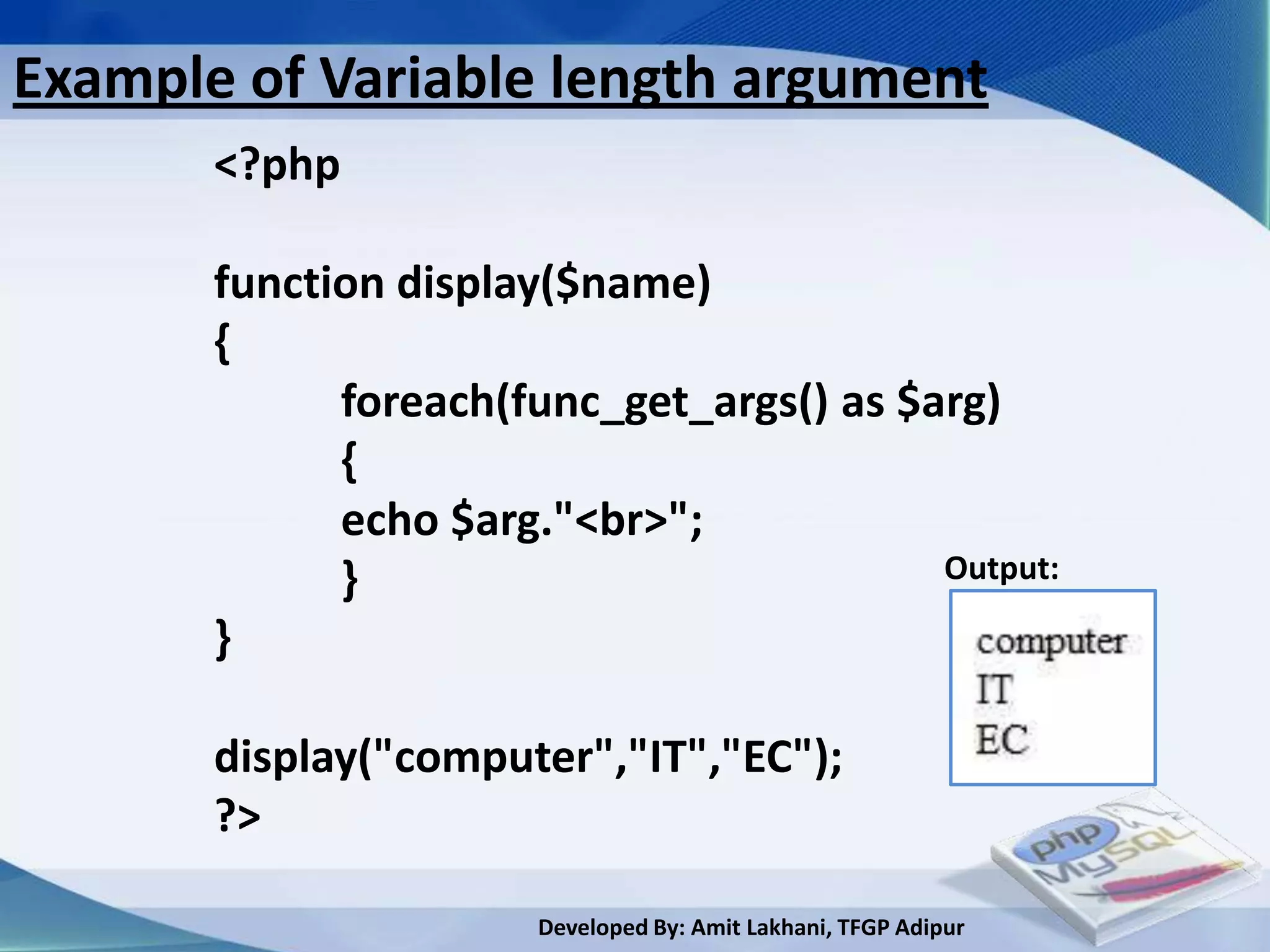
Example of Variable length argument
       <?php

       function display($name)
       {
             foreach(func_get_args() as $arg)
             {
             echo $arg."<br>";
             }                            Output:

       }

       display("computer","IT","EC");
       ?>

                       Developed By: Amit Lakhani, TFGP Adipur
Returning values
 • You can return a value from an array using the return
   keyword.

 • If there is no return executed then NULL is the default
   value

 • You can return only a single value from a function by
  returning a more complex value such as an array or an
  object which encapsulate multiple values and using by
  reference arguments and update those value in your
  function.

                         Developed By: Amit Lakhani, TFGP Adipur
Example of Returning values
 <?php
 function addandsubtract ($firstvalue, $secondvalue)

 {
 $firstreturnvalue = ($firstvalue + $secondvalue);
 $secondreturnvalue = ($firstvalue - $secondvalue);
 $myarray = array ();
 $myarray[0] = $firstreturnvalue;
 $myarray[1] = $secondreturnvalue;
 return $myarray;
 }
 $myarray = array ();
 $myarray = addandsubtract (10, 3);
 echo $myarray[0] . "<br />";
 echo $myarray[1]; ?> Developed By: Amit Lakhani, TFGP Adipur
Object oriented
programming in PHP


       Developed By: Amit Lakhani, TFGP Adipur
Object oriented concepts
 • Class: User defined data type which includes local
   function as well as local data.
 • Object: An individual instance of the data structure
   defined by a class. They are also known as instance.
 • Member variable: variables defined inside the class.
  This data will be invisible to the outside of the class
  and can be accessed by the member functions.
 • Member Function: functions defined in the class
   and are used to access object data.
 • Inheritance: When a class is defined by inheriting
  existing functions of a parent class then it is called
  inheritance.
                          Developed By: Amit Lakhani, TFGP Adipur
Object oriented concepts conti…
 • Parent class: A class that is inherited by other class.
   It is also known as base class or super class.
 • Child class: A class that inherits the property of
   other class(parent). It is also known as subclass or
   derived class.
 • Polymorphism: same function can be used for
  different purposes.
 • Overloading: A type of polymorphism in which
  some or all of operators have different
  implementation depending on the type of
  arguments.
 • Data abstraction: Data details are hidden.
                           Developed By: Amit Lakhani, TFGP Adipur
Object oriented concepts conti…
 • Encapsulation: where data and member functions
  can be encapsulated together to form an object.
 • Constructor: special type of function which will be
   called automatically whenever there is an object
   formation from a class.
 • Destructor: special type of function which will be
   called automatically whenever there is an object
   deleted or goes out of scope.


                         Developed By: Amit Lakhani, TFGP Adipur
What is a class?
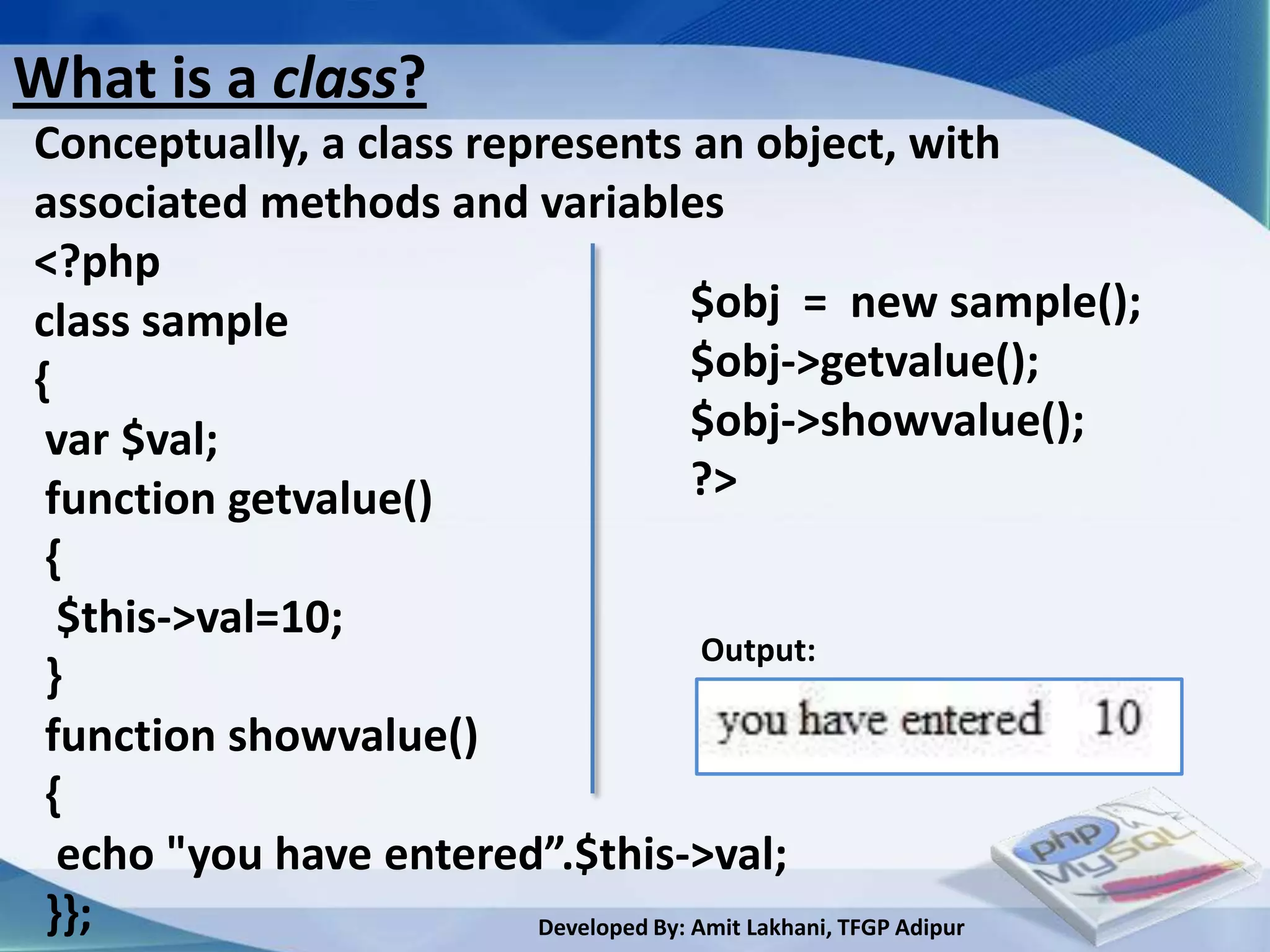
Conceptually, a class represents an object, with
associated methods and variables
<?php
class sample                           $obj = new sample();
{                                      $obj->getvalue();
 var $val;                             $obj->showvalue();
 function getvalue()                   ?>
 {
  $this->val=10;
                                        Output:
 }
 function showvalue()
 {
  echo "you have entered”.$this->val;
 }};                     Developed By: Amit Lakhani, TFGP Adipur
Constructor function
• Constructor functions are special types of function
  which are called automatically whenever an object
  is created.

• PHP provides a special functions called __construct()
 to define a constructor, you can pass any number of
 arguments.

• Remember.. if the constructor requires arguments,
 they must be passed when it is instantiated!


                        Developed By: Amit Lakhani, TFGP Adipur
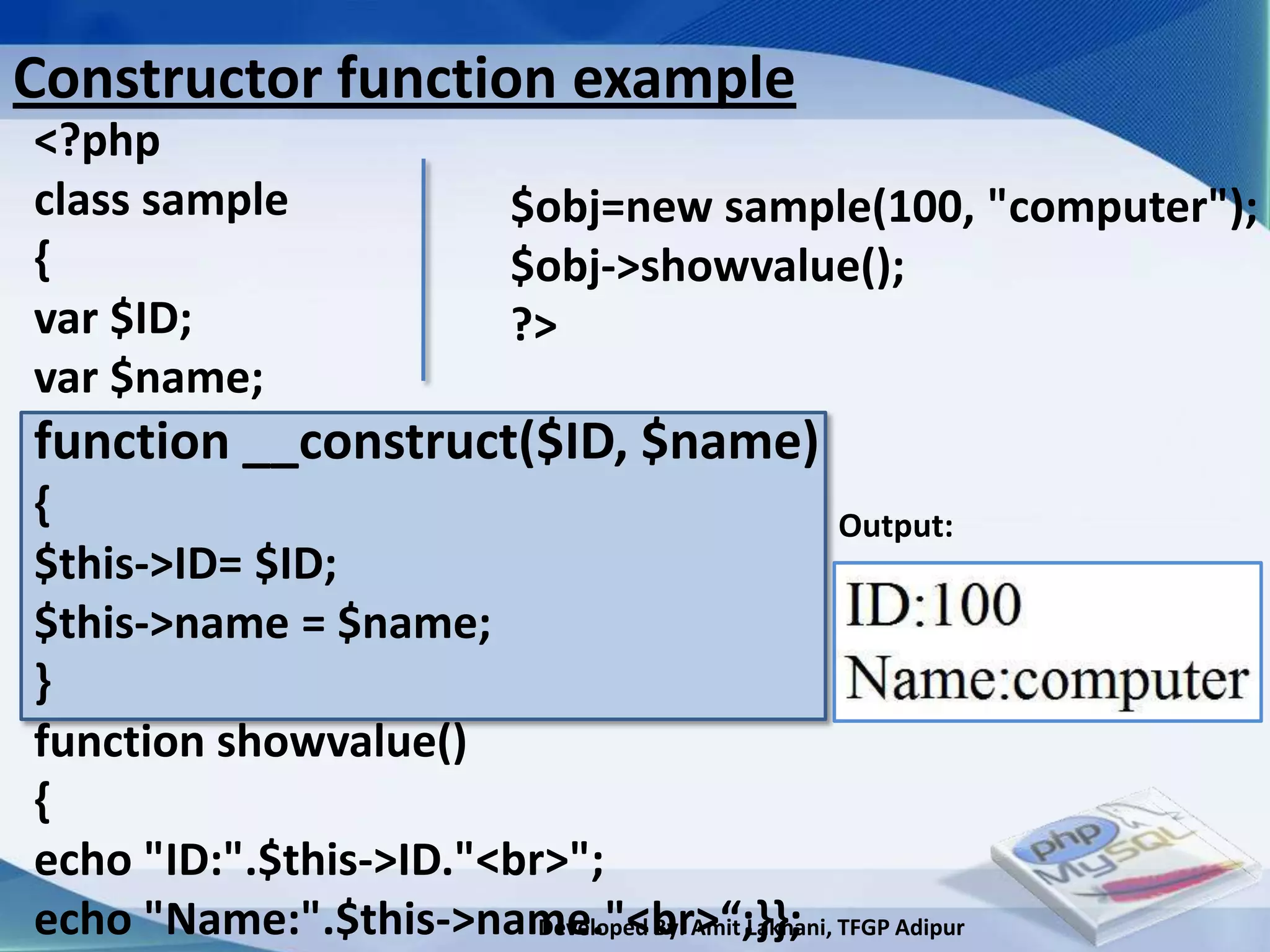
Constructor function example
<?php
class sample                  $obj=new sample(100, "computer");
{                             $obj->showvalue();
var $ID;                      ?>
var $name;
function __construct($ID, $name)
{                                                    Output:
$this->ID= $ID;
$this->name = $name;
}
function showvalue()
{
echo "ID:".$this->ID."<br>";
echo "Name:".$this->name."<br>“;}}; TFGP Adipur
                         Developed By: Amit Lakhani,
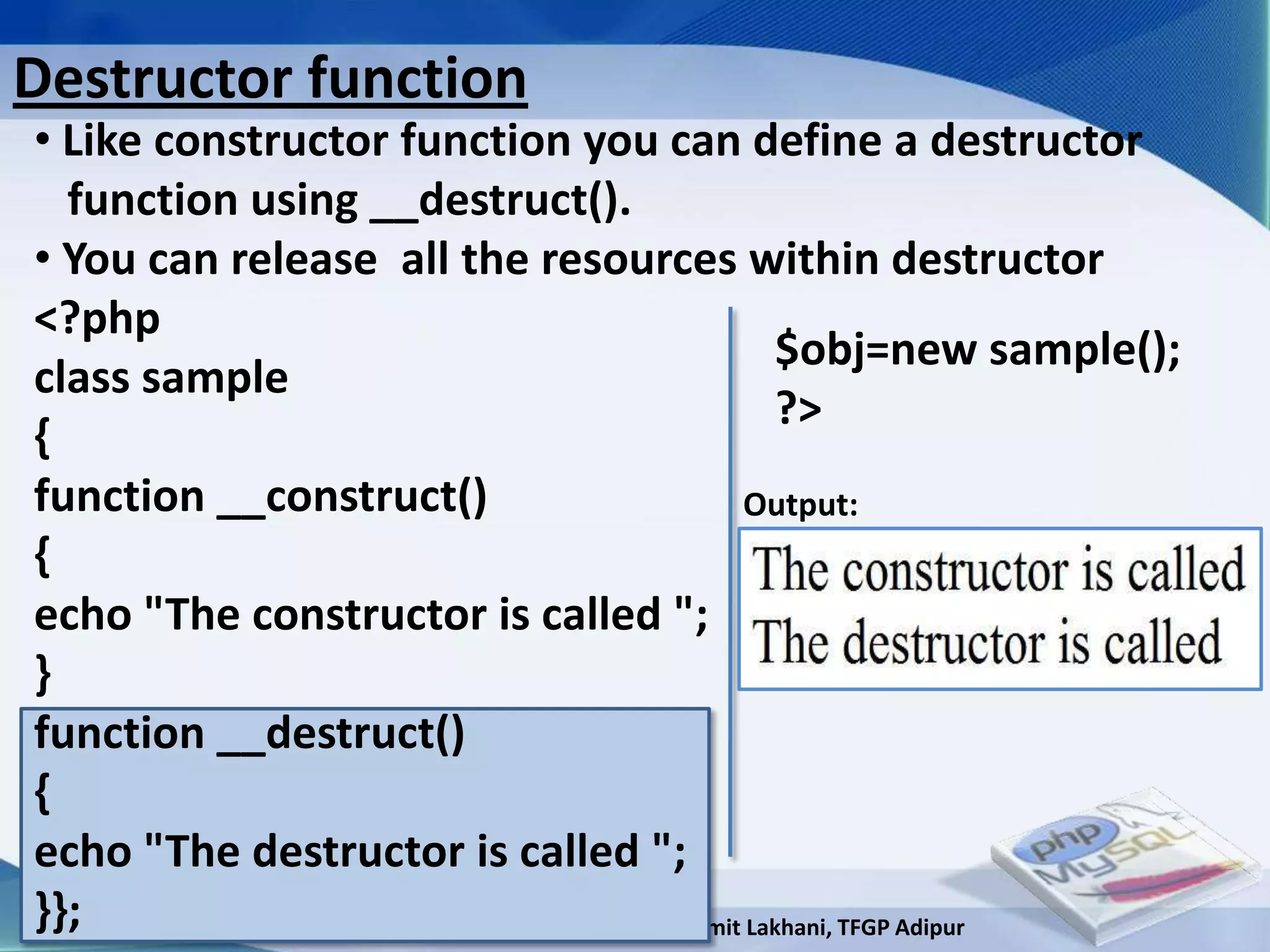
Destructor function
• Like constructor function you can define a destructor
  function using __destruct().
• You can release all the resources within destructor
<?php
                                               $obj=new sample();
class sample
                                               ?>
{
function __construct()                      Output:
{
echo "The constructor is called ";
}
function __destruct()
{
echo "The destructor is called ";
}};                       Developed By: Amit Lakhani, TFGP Adipur
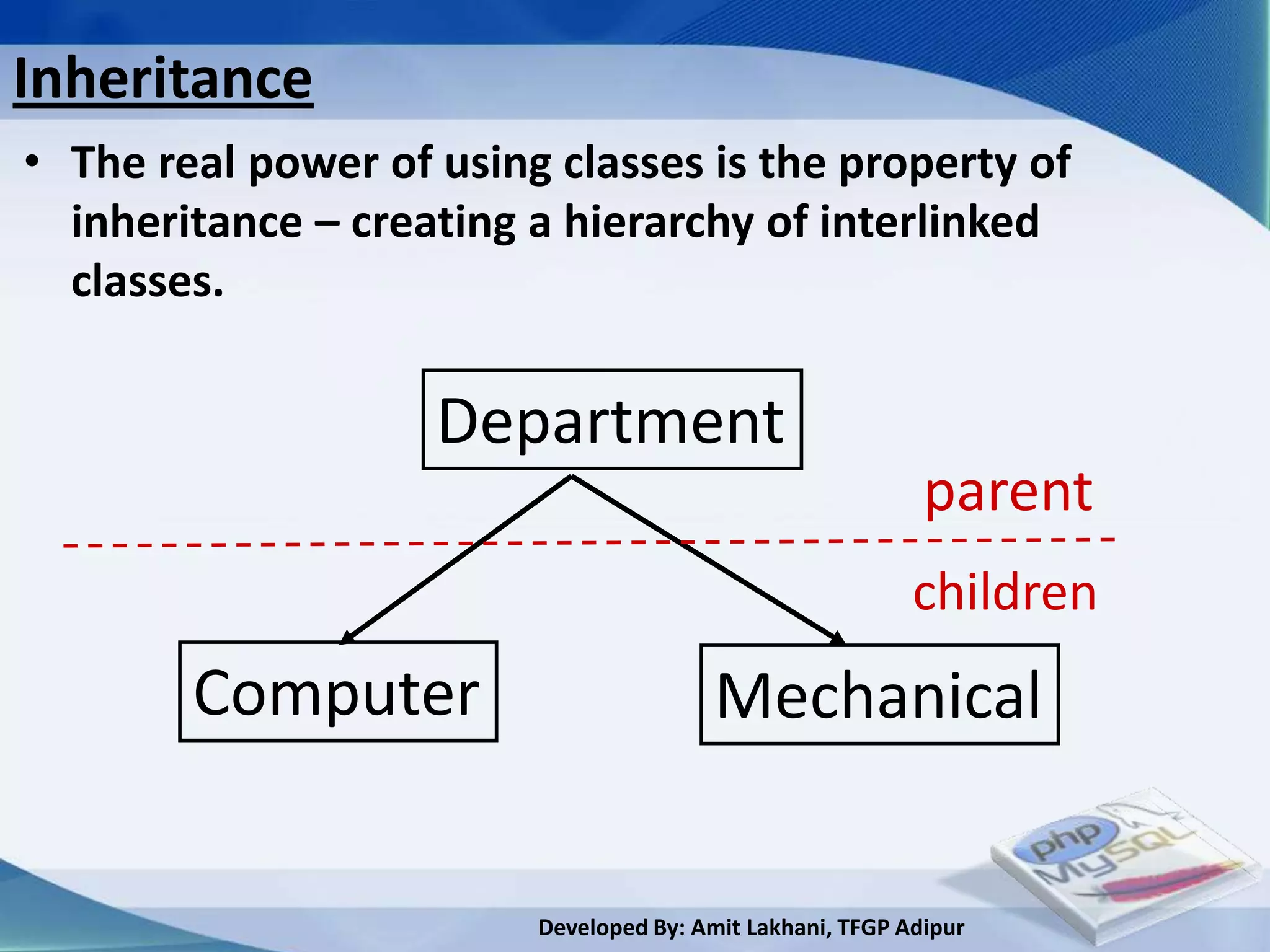
Inheritance
• The real power of using classes is the property of
  inheritance – creating a hierarchy of interlinked
  classes.

                    Department
                                                            parent
                                                           children
        Computer                         Mechanical


                         Developed By: Amit Lakhani, TFGP Adipur
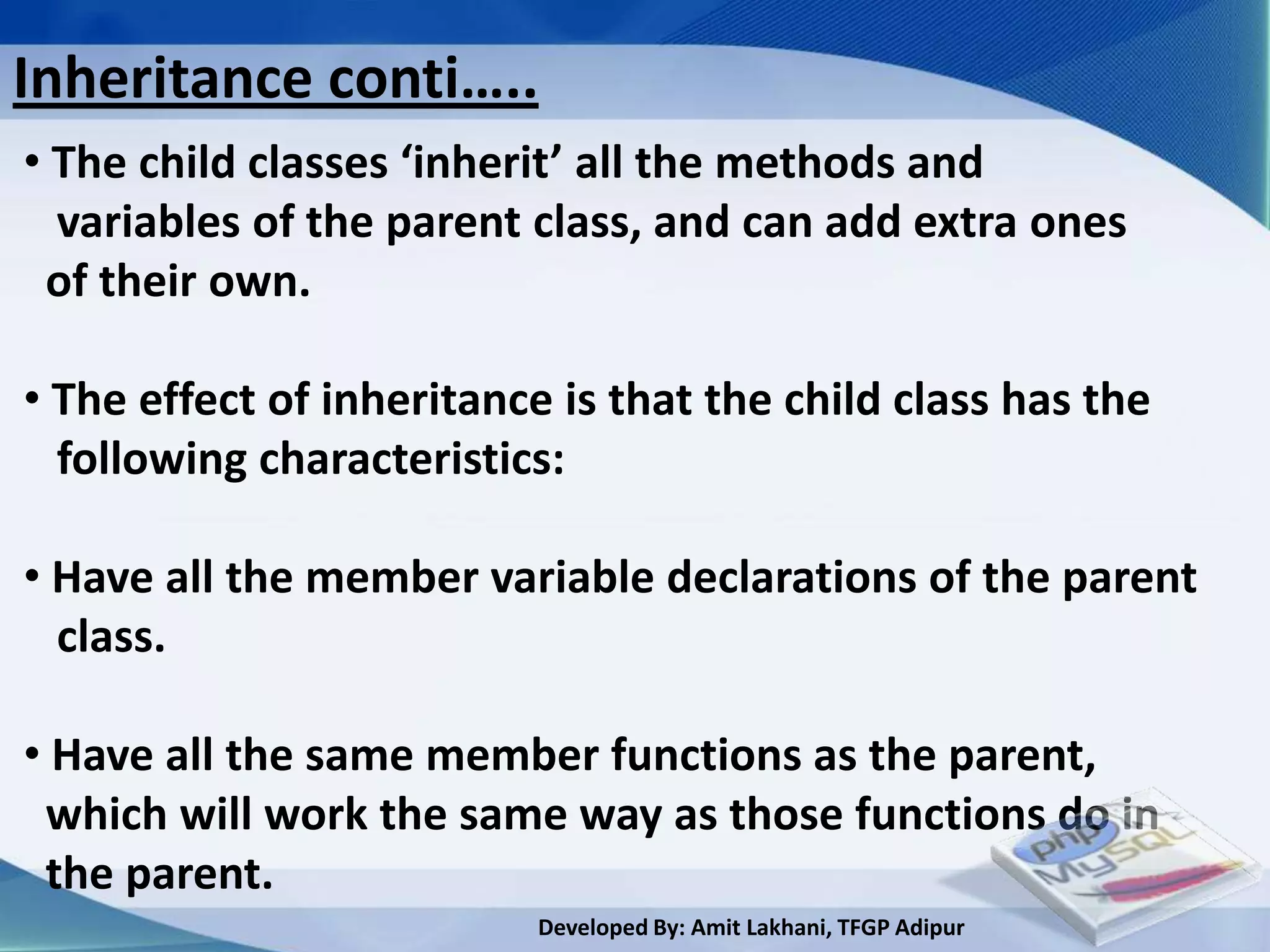
Inheritance conti…..
• The child classes ‘inherit’ all the methods and
  variables of the parent class, and can add extra ones
 of their own.

• The effect of inheritance is that the child class has the
  following characteristics:

• Have all the member variable declarations of the parent
  class.

• Have all the same member functions as the parent,
 which will work the same way as those functions do in
 the parent.
                          Developed By: Amit Lakhani, TFGP Adipur
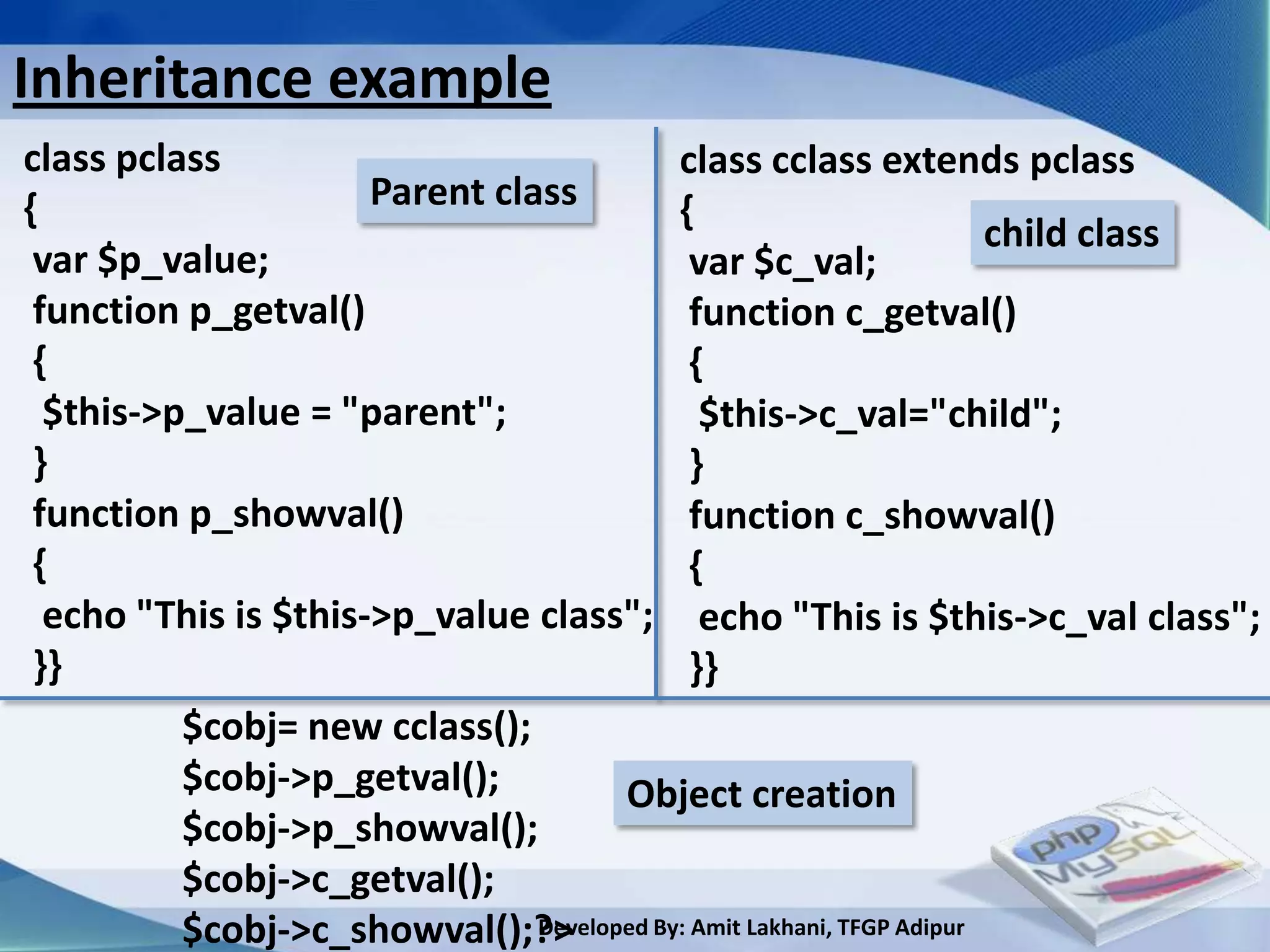
Inheritance example
class pclass                                class cclass extends pclass
{                     Parent class          {
                                                                        child class
 var $p_value;                                var $c_val;
 function p_getval()                          function c_getval()
 {                                            {
  $this->p_value = "parent";                   $this->c_val="child";
 }                                            }
 function p_showval()                         function c_showval()
 {                                            {
  echo "This is $this->p_value class"; echo "This is $this->c_val class";
 }}                                           }}
          $cobj= new cclass();
          $cobj->p_getval();           Object creation
          $cobj->p_showval();
          $cobj->c_getval();
          $cobj->c_showval();?> Developed By: Amit Lakhani, TFGP Adipur
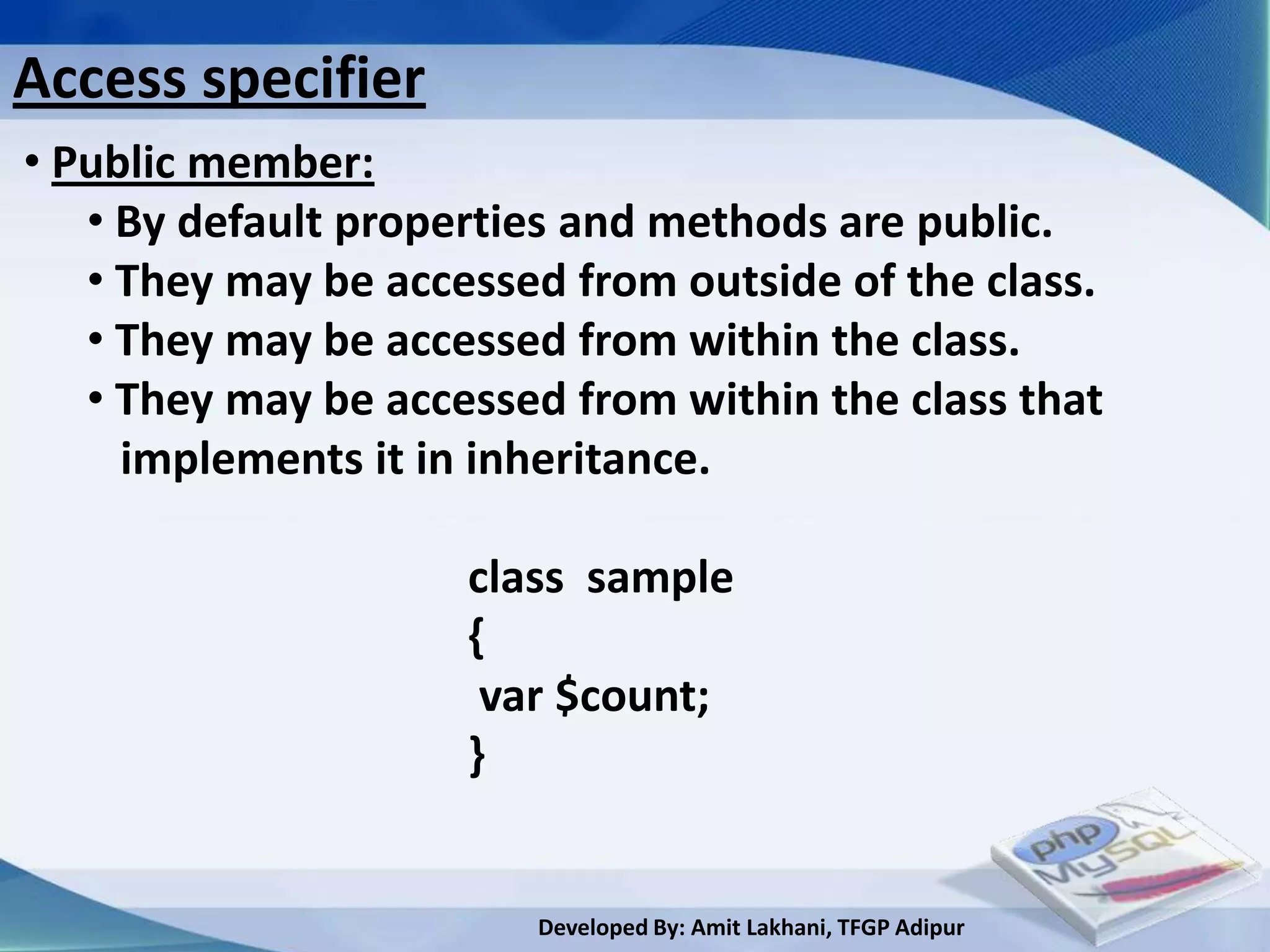
Access specifier
• Public member:
   • By default properties and methods are public.
   • They may be accessed from outside of the class.
   • They may be accessed from within the class.
   • They may be accessed from within the class that
     implements it in inheritance.

                     class sample
                     {
                      var $count;
                     }


                        Developed By: Amit Lakhani, TFGP Adipur
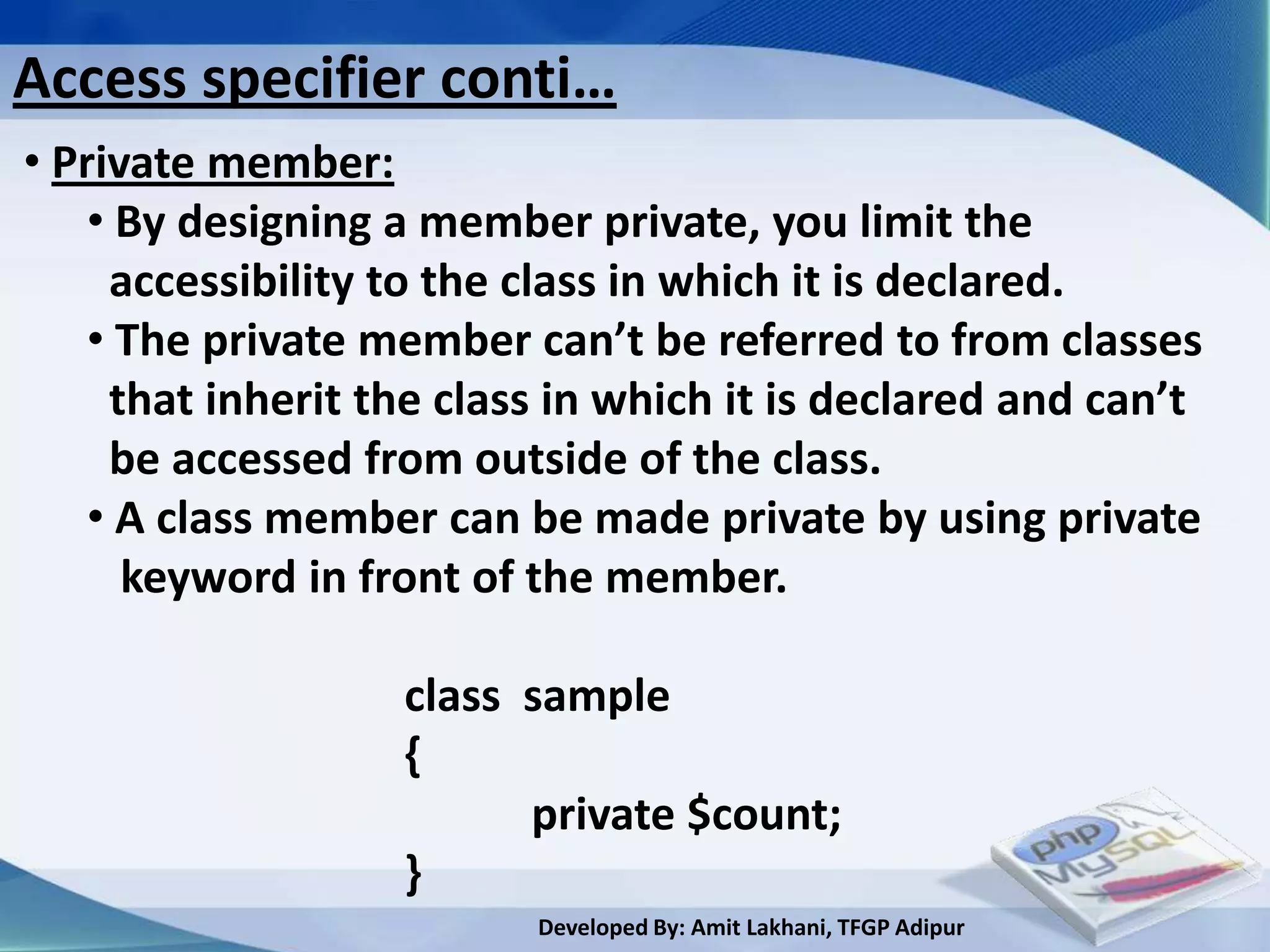
Access specifier conti…
• Private member:
    • By designing a member private, you limit the
     accessibility to the class in which it is declared.
    • The private member can’t be referred to from classes
     that inherit the class in which it is declared and can’t
     be accessed from outside of the class.
    • A class member can be made private by using private
      keyword in front of the member.

                   class sample
                   {
                         private $count;
                   }
                          Developed By: Amit Lakhani, TFGP Adipur
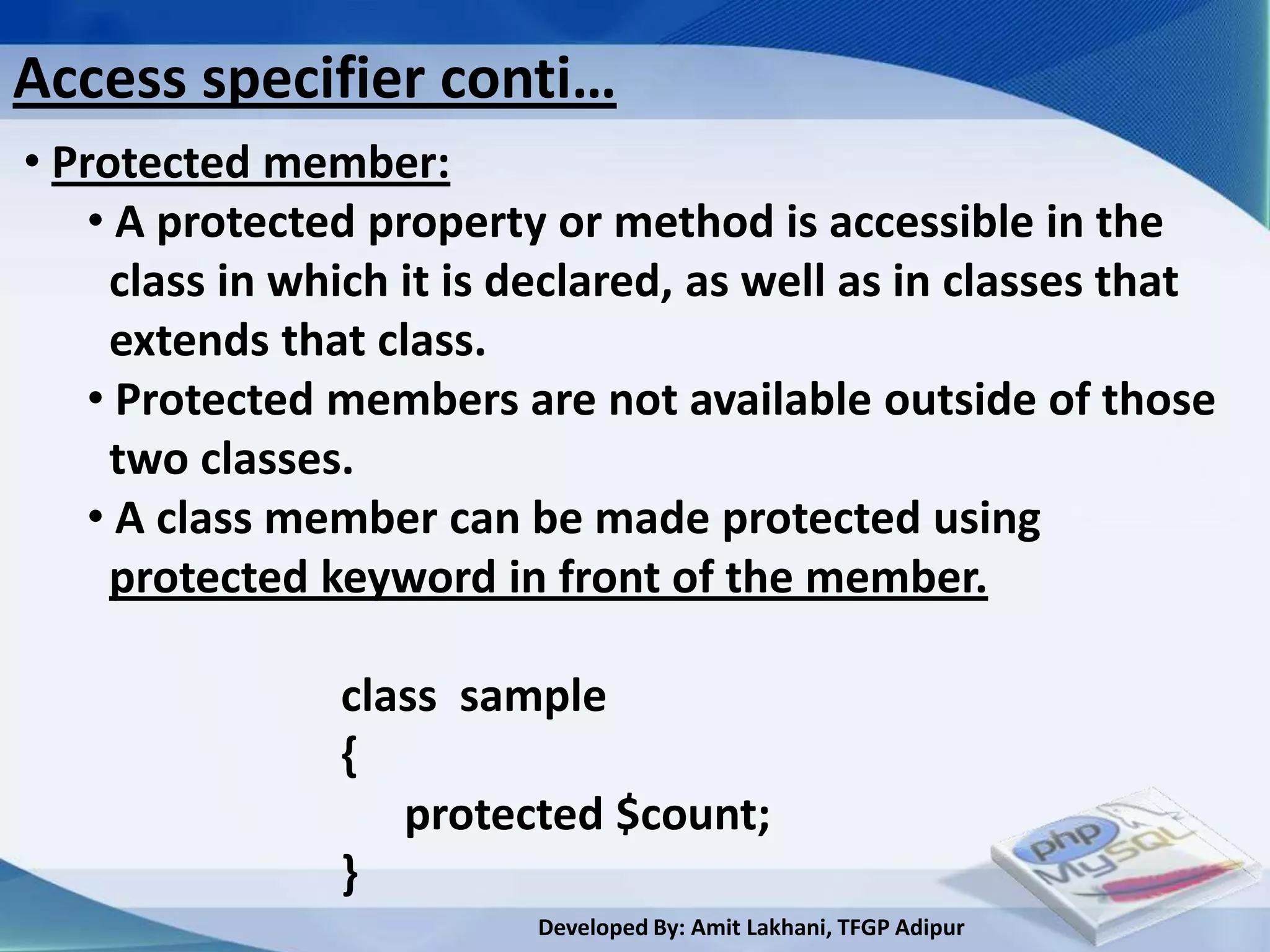
Access specifier conti…
• Protected member:
    • A protected property or method is accessible in the
     class in which it is declared, as well as in classes that
     extends that class.
    • Protected members are not available outside of those
     two classes.
    • A class member can be made protected using
     protected keyword in front of the member.

                class sample
                {
                   protected $count;
                }
                          Developed By: Amit Lakhani, TFGP Adipur
Interface


  Developed By: Amit Lakhani, TFGP Adipur
Interface concept
 • You can think of an interface as a template that
   tells you what methods a class should expose but
   leaves the details up to you.

 • Interfaces are useful in that they can help you
  plan your classes without immediately getting
  bogged down in the details.

 • You can also use them to distill the essential
  functionality from existing classes when it comes
  time to update and extend an application.

                          Developed By: Amit Lakhani, TFGP Adipur
Interface concept
 • To declare an interface, simply use the
   interface keyword, followed by the name
   of the interface.

 • Within the body of the interface, list
   declarations (delimited, as with classes,
  by braces, {...}) for any methods to be
  defined by classes that implement the
  Interface.


                          Developed By: Amit Lakhani, TFGP Adipur
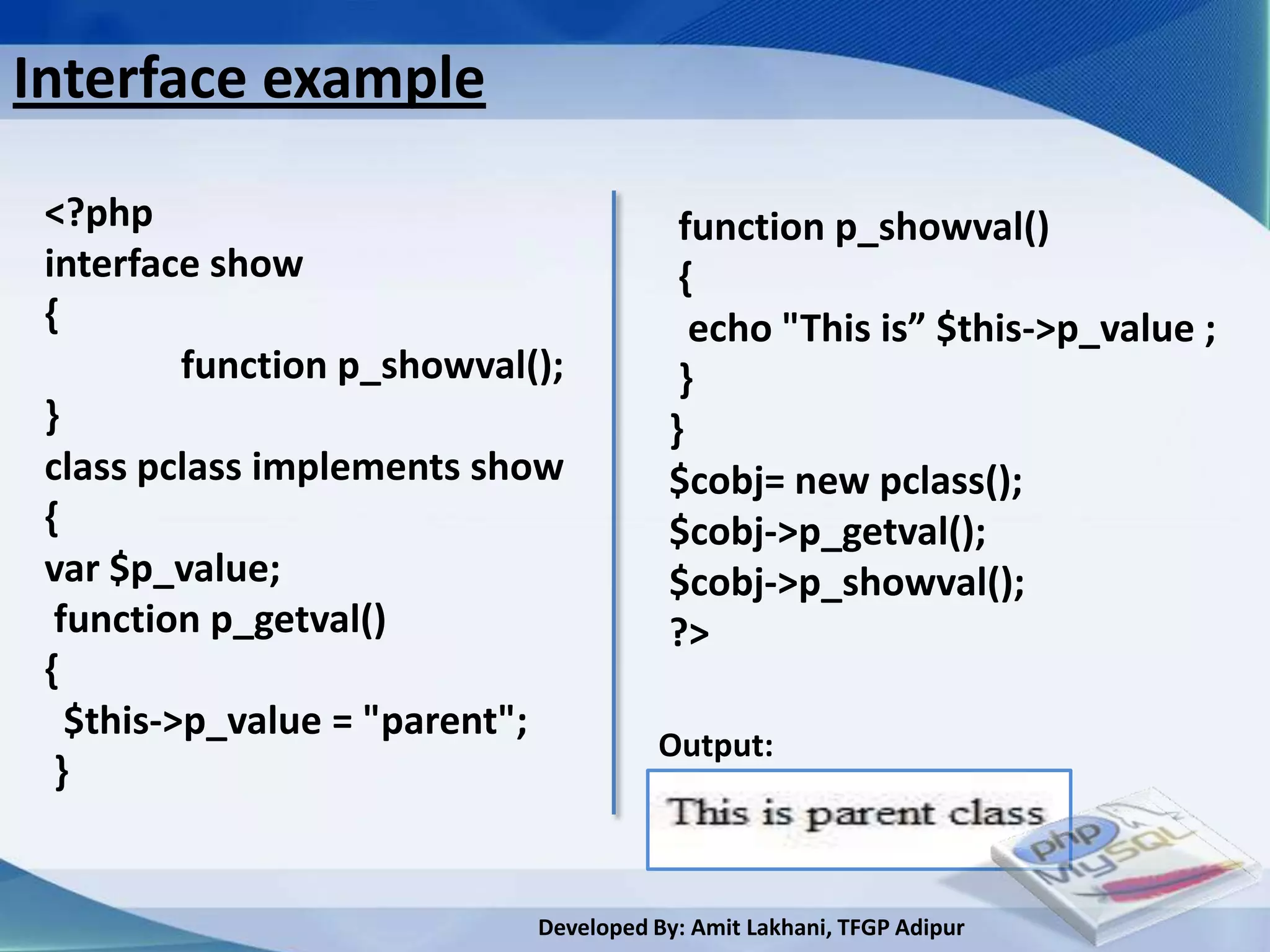
Interface example

 <?php                                   function p_showval()
 interface show                          {
 {                                        echo "This is” $this->p_value ;
          function p_showval();          }
 }                                      }
 class pclass implements show           $cobj= new pclass();
 {                                      $cobj->p_getval();
 var $p_value;                          $cobj->p_showval();
  function p_getval()                   ?>
 {
   $this->p_value = "parent";
                                       Output:
  }


                             Developed By: Amit Lakhani, TFGP Adipur
Constants
 • A constant is a variable which holds the value and
  the value does not change.
 •To declare a constant in a class, all you have to do
  is precede an identifier with the const keyword.
 • A class constant is always public and static, and for
  this reason you cannot use the keywords public,
  private, protected, or static when declaring one.
                  class sample
                  {
                      const count;
                     --------
                     ---------
                  }
                          Developed By: Amit Lakhani, TFGP Adipur
Abstract classes
 • An abstract class is one that can’t be instantiated
  only inherited.

 • An abstract class is declared using abstract
  keyword.

 • When inheriting from an abstract class, all methods
  marked abstract in the parent’s class declaration
  must be defined by the child and these methods
  must be defined with the same visibility.


                          Developed By: Amit Lakhani, TFGP Adipur
Final keyword
 • PHP 5 introduces the final keyword, which prevents
  child classes from overriding a method by prefixing
  the definition with final.
 • If the class itself is being defined final then it can’t
  be extended.
                    class sample
                    {
                         final public getval()
                        {
                                --------
                                ---------
                        }
                    }
                           Developed By: Amit Lakhani, TFGP Adipur
Summary
  • PHP Structure and syntax
  • Creating the PHP pages
  • Rules for PHP syntax
  • Integrating HTML with PHP
  • Constants, Variable: static and global variable
  • Conditional structure and looping
  • PHP operator
  • Arrays foreach construct
  • User defined function, argument function, variable
   function, return function, default argument, variable
   length argument
                        Developed By: Amit Lakhani, TFGP Adipur
Chapter - 3
         Working with
          functions
Working with functions
  PHP offers several built in functions for day to day
  uses in coding

   3.1 Variable functions                 3.4 Date functions

   3.2 String functions                   3.5 Array functions

   3.3 Math functions                     3.6 File functions


                          Developed By: Amit Lakhani, TFGP Adipur
3.1
Variable functions


       Developed By: Amit Lakhani, TFGP Adipur
Variable functions
• Gettype(): get the type of variable

• Settype(): set the type of variable

• Isset(): determine if the variable is set and not NULL

• Unset(): unset a given variable

• Strval(): get string value of variable

• Floatval(): get float value of variable

• Intval(): get the integer value of variable

• Print_r(): prints human readable information about a variable
                                Developed By: Amit Lakhani, TFGP Adipur
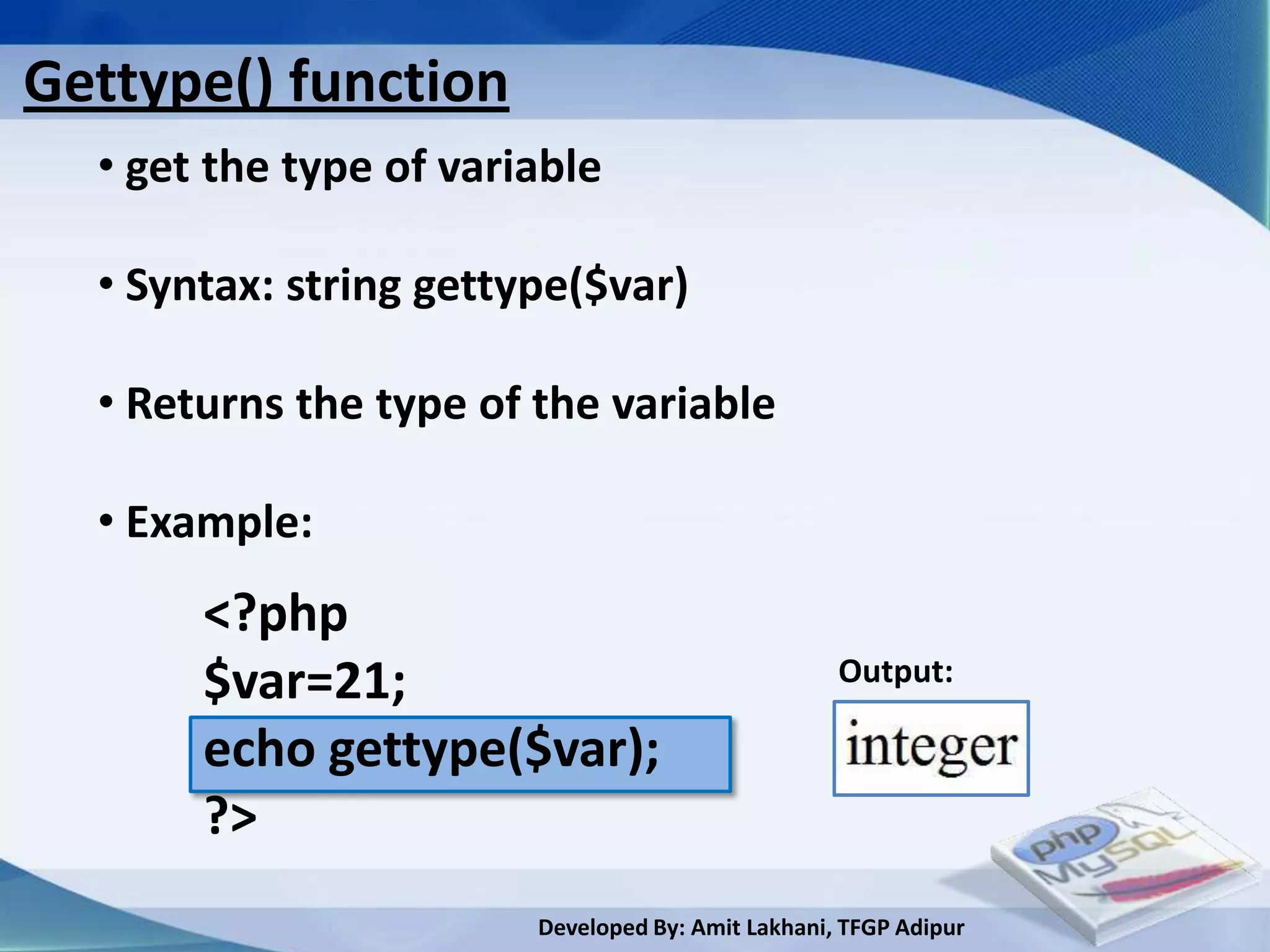
Gettype() function
  • get the type of variable

  • Syntax: string gettype($var)

  • Returns the type of the variable

  • Example:
       <?php
       $var=21;                                    Output:

       echo gettype($var);
       ?>
                        Developed By: Amit Lakhani, TFGP Adipur
settype() function
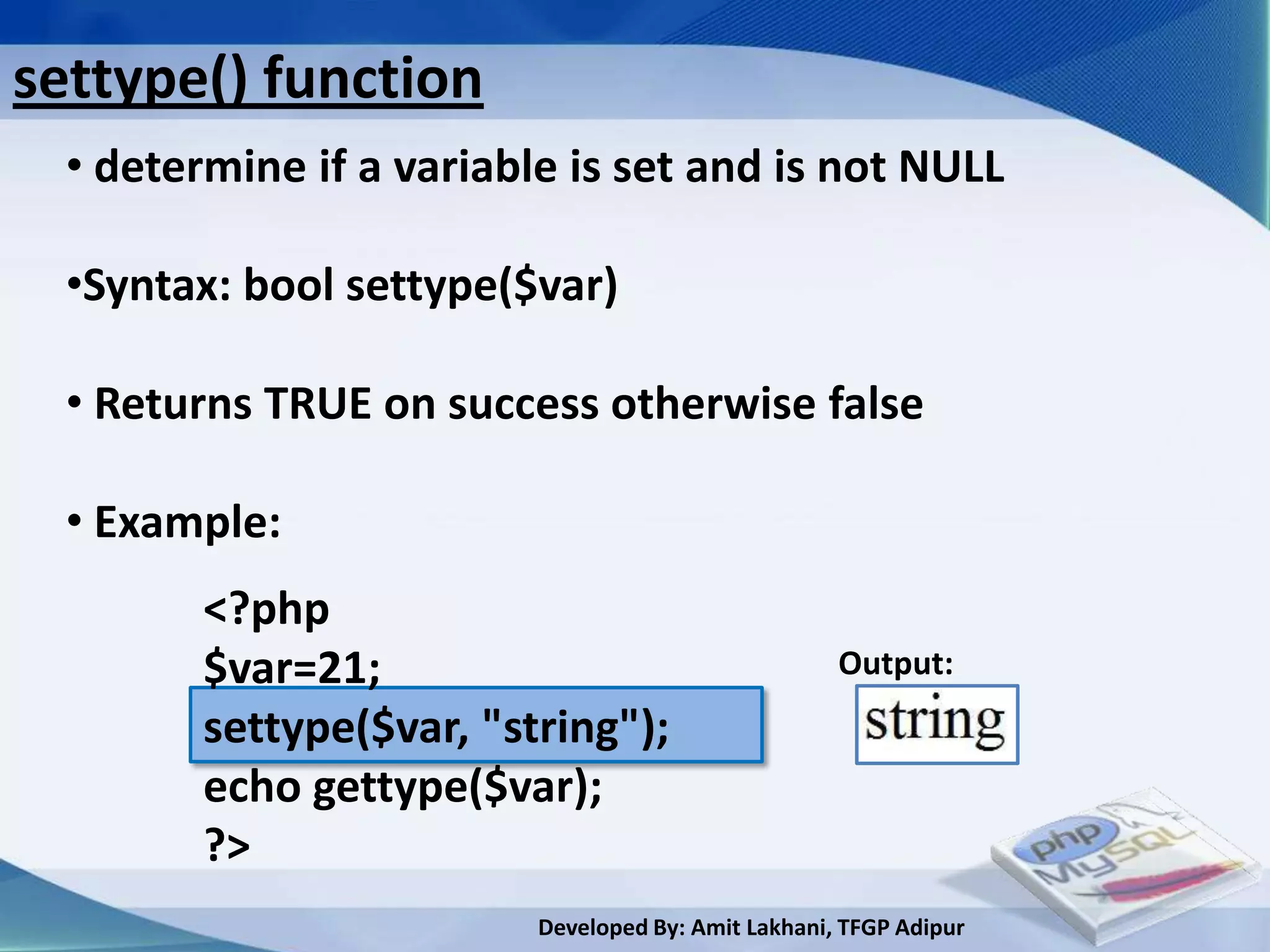
  • determine if a variable is set and is not NULL

  •Syntax: bool settype($var)

  • Returns TRUE on success otherwise false

  • Example:
         <?php
         $var=21;                                    Output:
         settype($var, "string");
         echo gettype($var);
         ?>
                          Developed By: Amit Lakhani, TFGP Adipur
isset() function
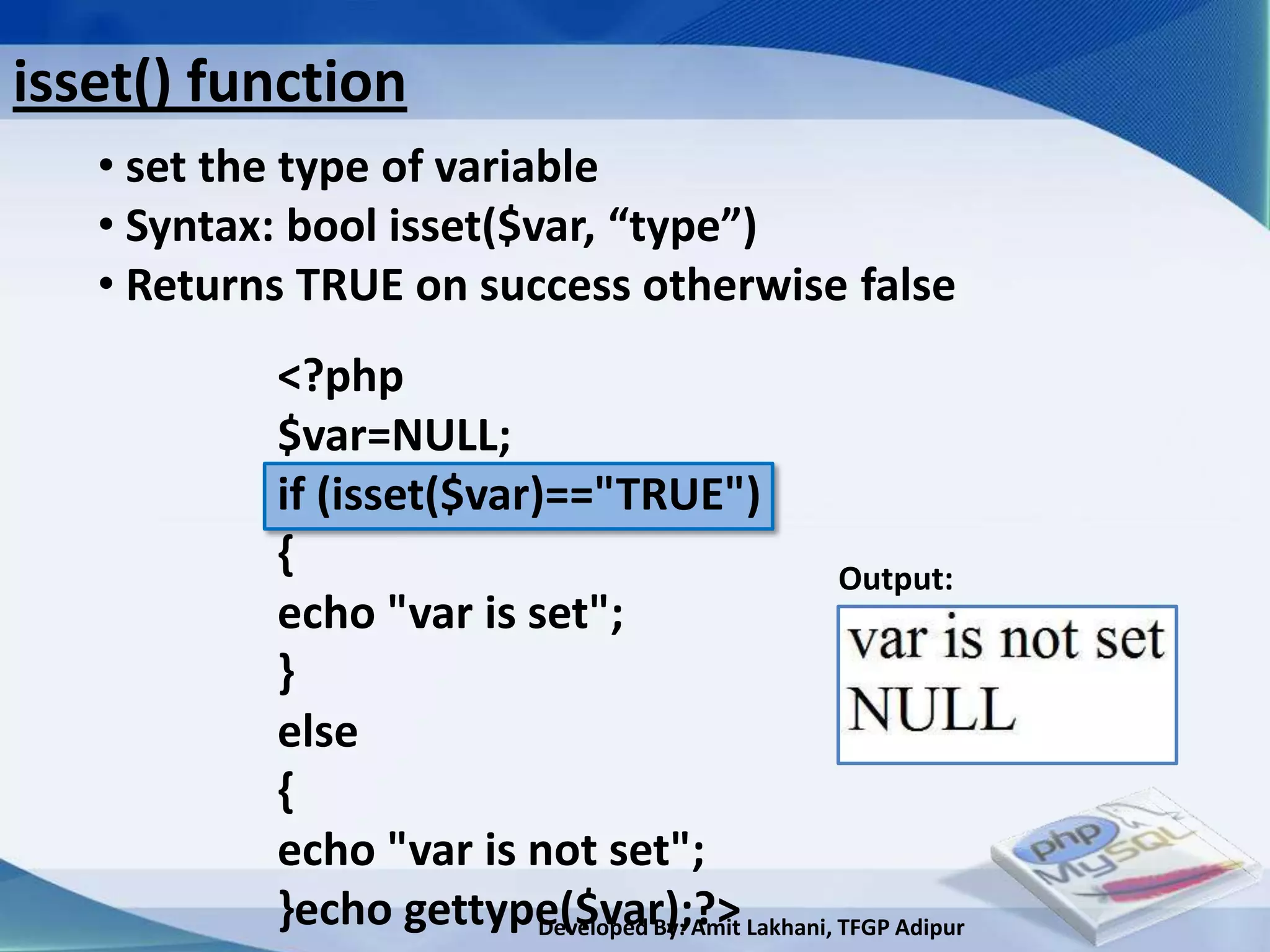
   • set the type of variable
   • Syntax: bool isset($var, “type”)
   • Returns TRUE on success otherwise false
           <?php
           $var=NULL;
           if (isset($var)=="TRUE")
           {                                 Output:
           echo "var is set";
           }
           else
           {
           echo "var is not set";
           }echo gettype($var);?> Lakhani, TFGP Adipur
                          Developed By: Amit
unset() function
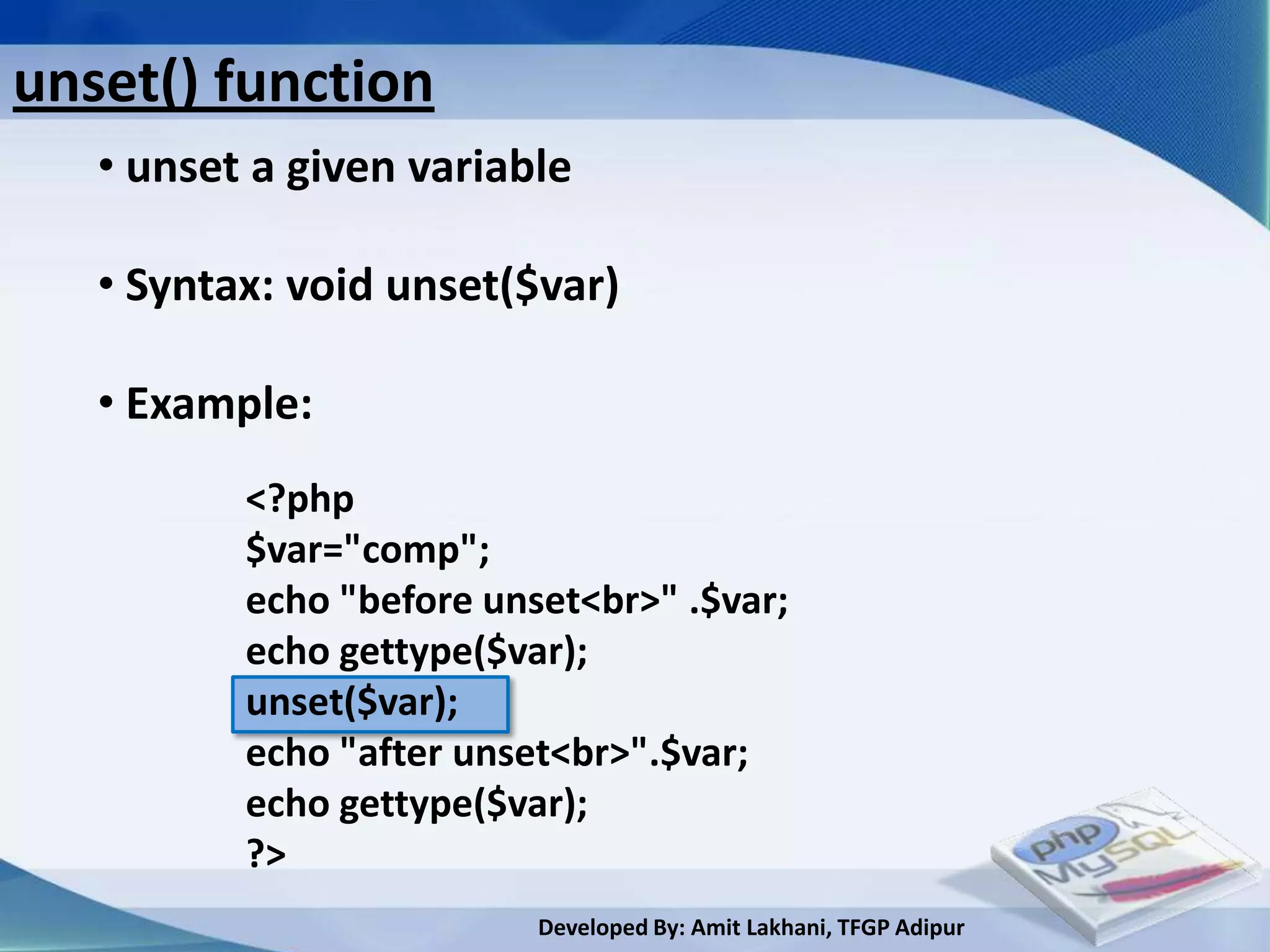
   • unset a given variable

   • Syntax: void unset($var)

   • Example:
          <?php
          $var="comp";
          echo "before unset<br>" .$var;
          echo gettype($var);
          unset($var);
          echo "after unset<br>".$var;
          echo gettype($var);
          ?>
                          Developed By: Amit Lakhani, TFGP Adipur
strval() function
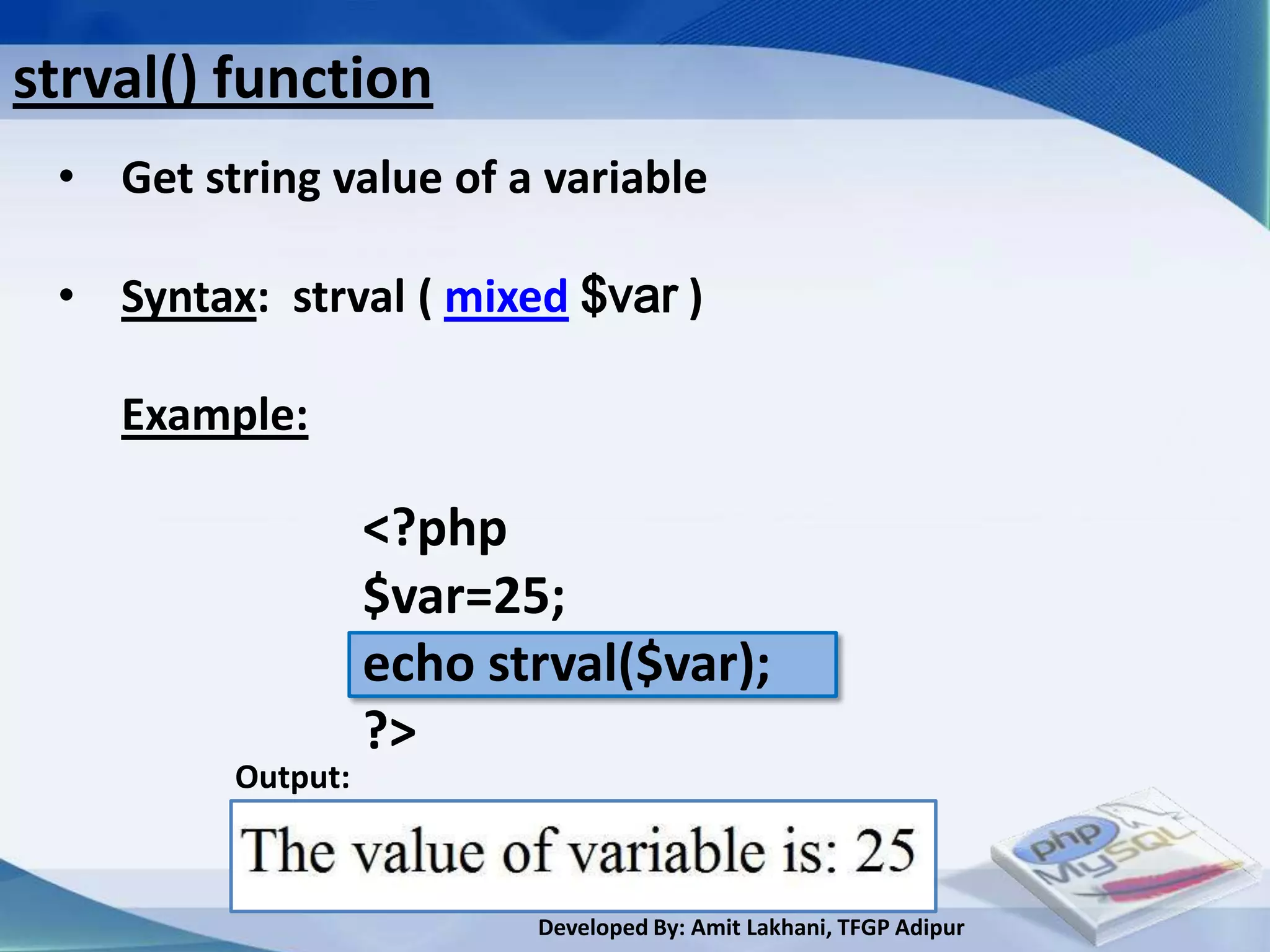
 • Get string value of a variable

 • Syntax: strval ( mixed $var )

    Example:

                   <?php
                   $var=25;
                   echo strval($var);
                   ?>
         Output:


                          Developed By: Amit Lakhani, TFGP Adipur
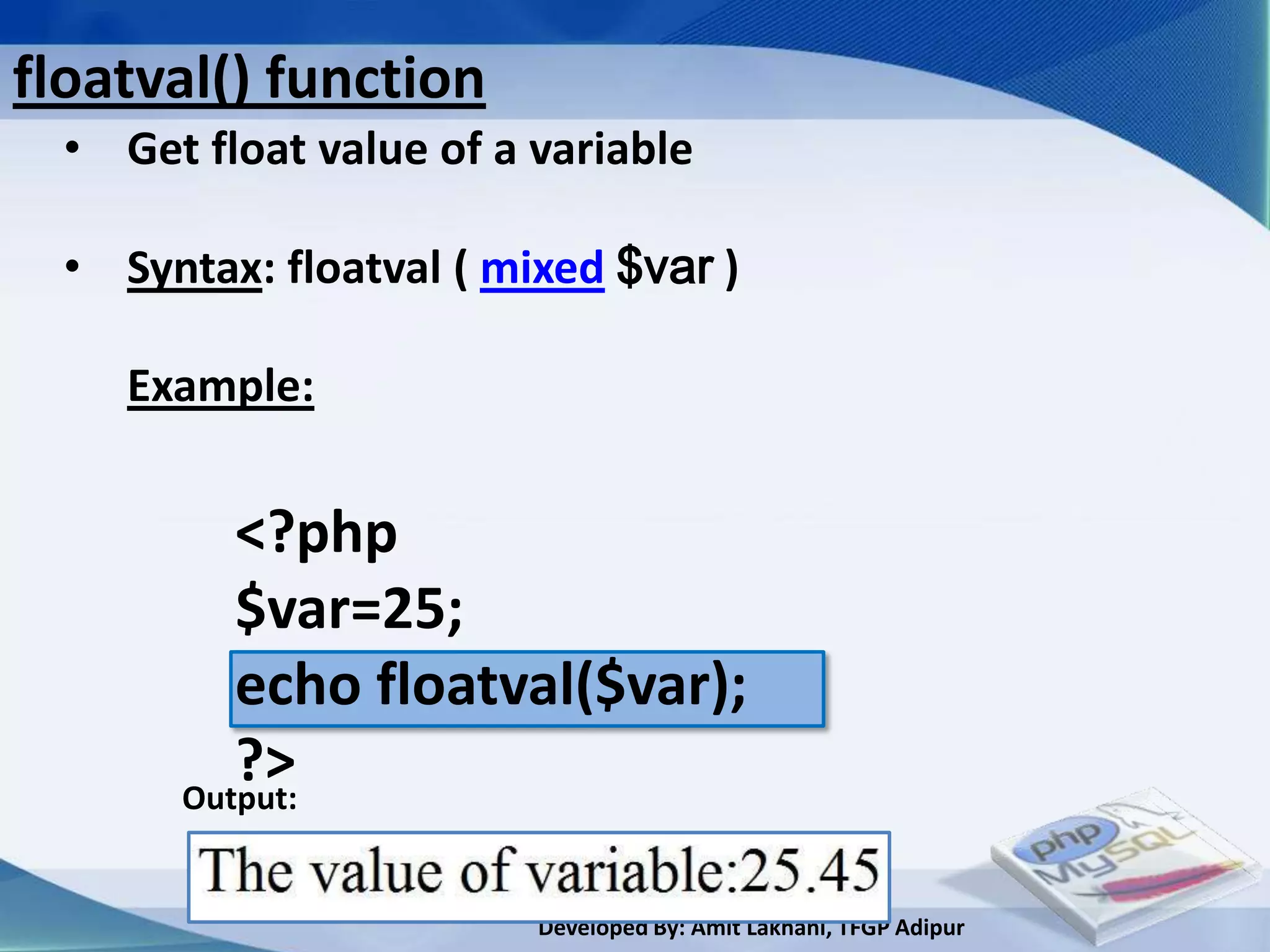
floatval() function
  • Get float value of a variable

  • Syntax: floatval ( mixed $var )

     Example:


          <?php
          $var=25;
          echo floatval($var);
          ?>
       Output:


                         Developed By: Amit Lakhani, TFGP Adipur
intval() function
  • Get integer value of a variable

  • Syntax: intval ( mixed $var , [int base =10])

     Example:

                <?php                               Output:
                echo intval(42);
                echo "<br>";
                echo intval(4.2);
                ?>


                          Developed By: Amit Lakhani, TFGP Adipur
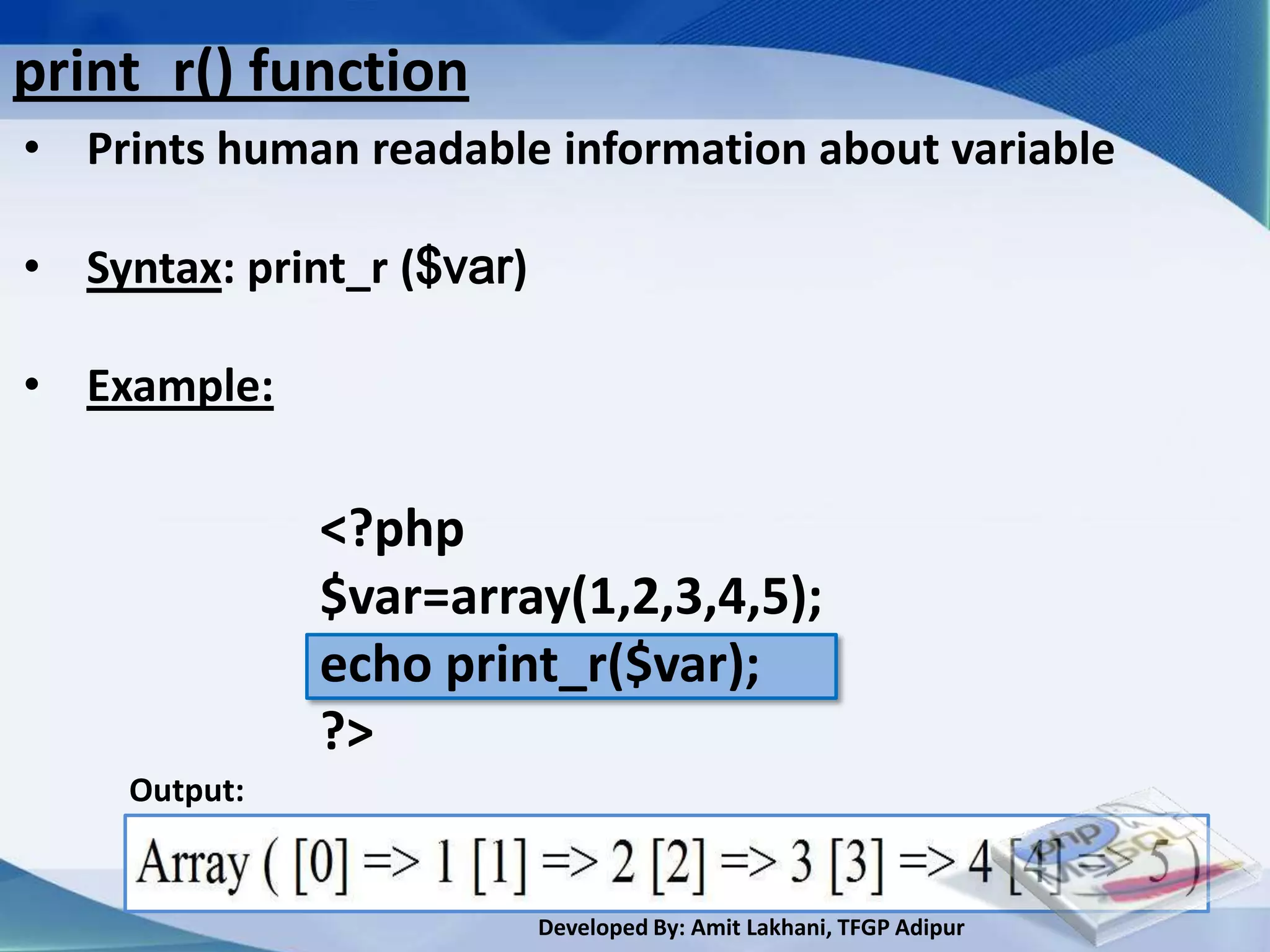
print_r() function
• Prints human readable information about variable

• Syntax: print_r ($var)

• Example:

               <?php
               $var=array(1,2,3,4,5);
               echo print_r($var);
               ?>
     Output:


                           Developed By: Amit Lakhani, TFGP Adipur
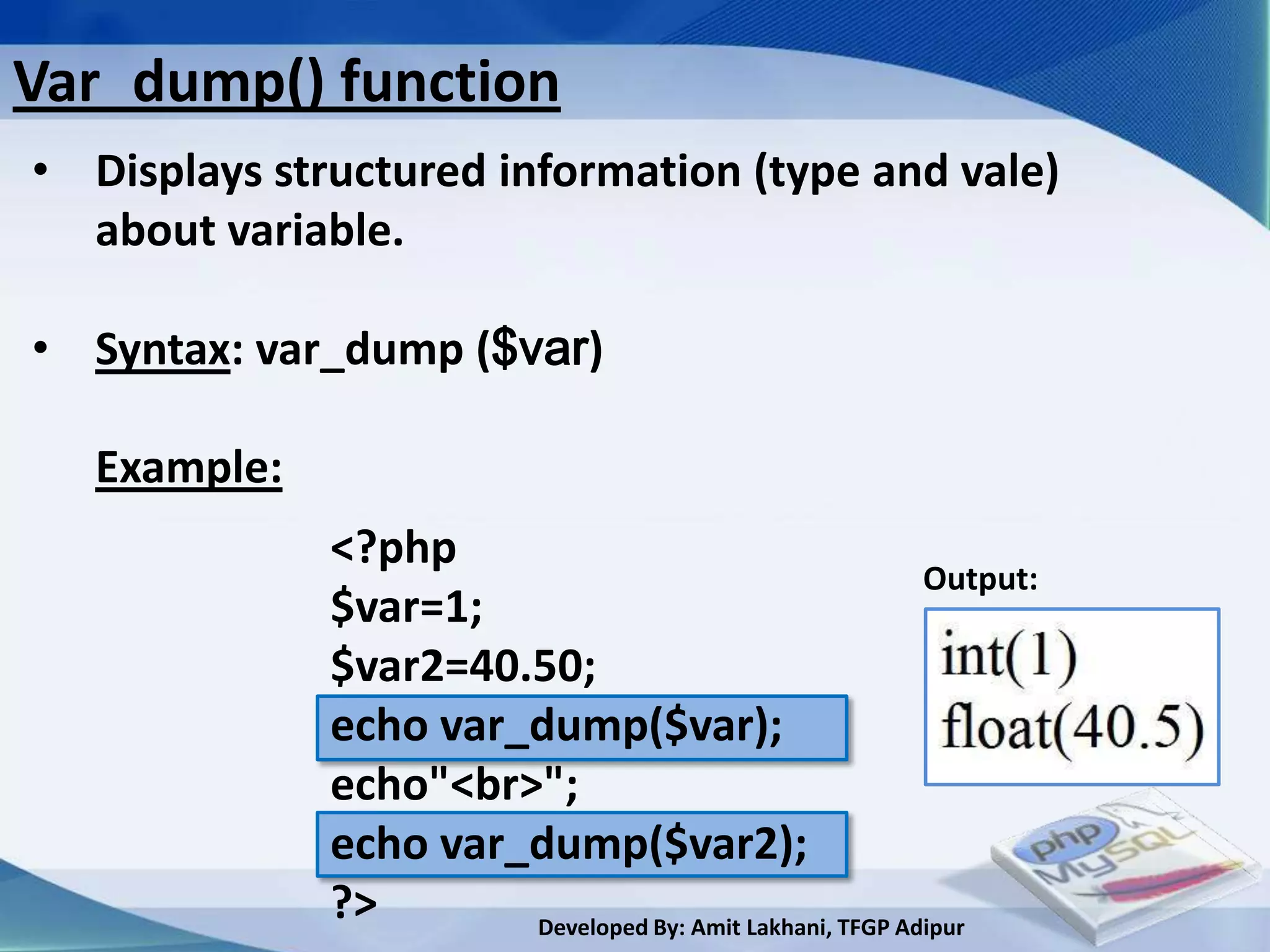
Var_dump() function
• Displays structured information (type and vale)
  about variable.

• Syntax: var_dump ($var)

   Example:
              <?php
                                                          Output:
              $var=1;
              $var2=40.50;
              echo var_dump($var);
              echo"<br>";
              echo var_dump($var2);
              ?>       Developed By: Amit Lakhani, TFGP Adipur
3.2
String functions


     Developed By: Amit Lakhani, TFGP Adipur
String functions
 • chr()- returns a one character string containing the character
         specified by ASCII value.

 • ord()- returns the ASCII value of the first character of string.

 • strtolower()- returns string with characters converted to lowercase

 • strtoupper()-returns string with characters converted to uppercase

 • strlen() -returns the length of the string

 • ltrim()-strip whitespace from the beginning of a string

 • rtrim()-strip whitespace from the end of a string

                              Developed By: Amit Lakhani, TFGP Adipur
String functions conti…
• trim()-strip whitespace from the beginning and end of a string

• substr() -returns part of a string

• strcmp()-compares two inputs and returns an integer.

• strcasecmp()-compares two inputs and returns an integer.

• strncasecmp()-case sensitive string comparison for first n
                characters

• strpos() -find position of first occurrence of a string

• strrpos() -find position of last occurrence of a string

                              Developed By: Amit Lakhani, TFGP Adipur
String functions conti…
 • strstr() -find first occurrence of a string and is case sensitive

 •stristr() - find first occurrence of a string inside another string
             and is case sensitive

 • str_replace() -replace all occurrences of the search string with
                  the replacement string.

 • strrev() -reverse a string

 • echo() -output one or more string

 • print() -output a string


                                Developed By: Amit Lakhani, TFGP Adipur
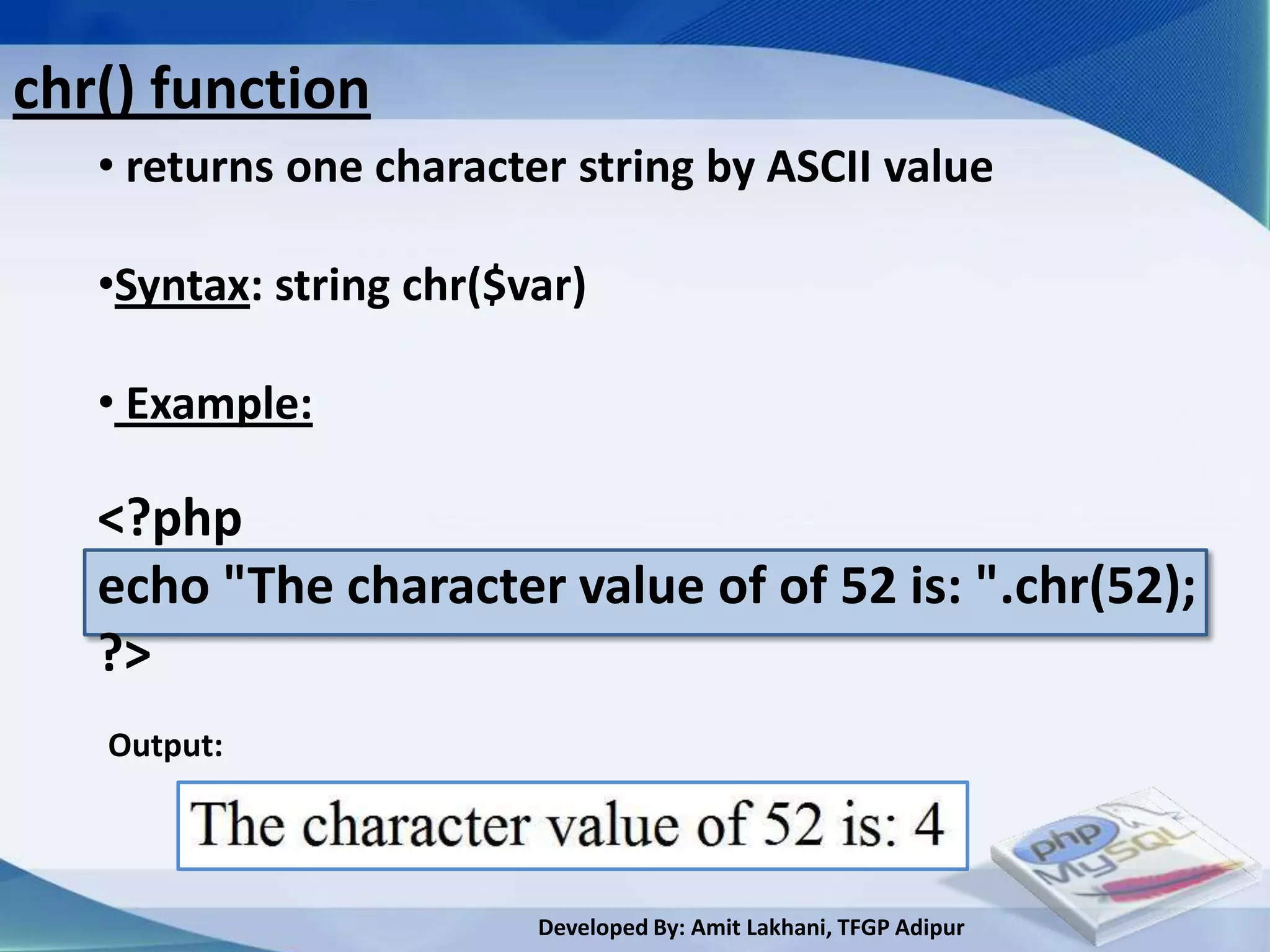
chr() function
   • returns one character string by ASCII value

   •Syntax: string chr($var)

   • Example:

   <?php
   echo "The character value of of 52 is: ".chr(52);
   ?>
   Output:


                         Developed By: Amit Lakhani, TFGP Adipur
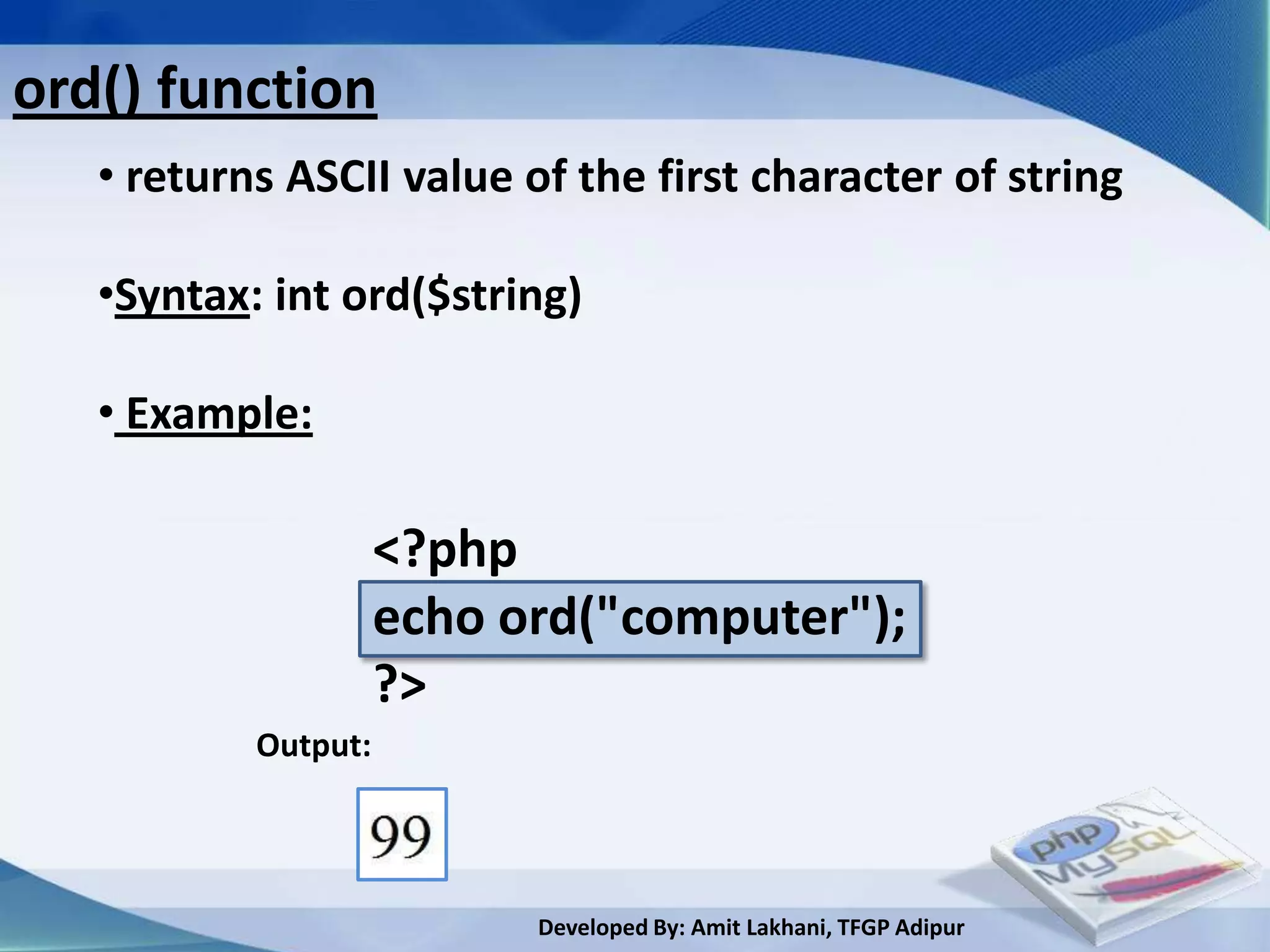
ord() function
ord() function
   • returns ASCII value of the first character of string

   •Syntax: int ord($string)
   • Example:

                     <?php
                     echo ord("computer");
                     ?>
           Output:


                           Developed By: Amit Lakhani, TFGP Adipur
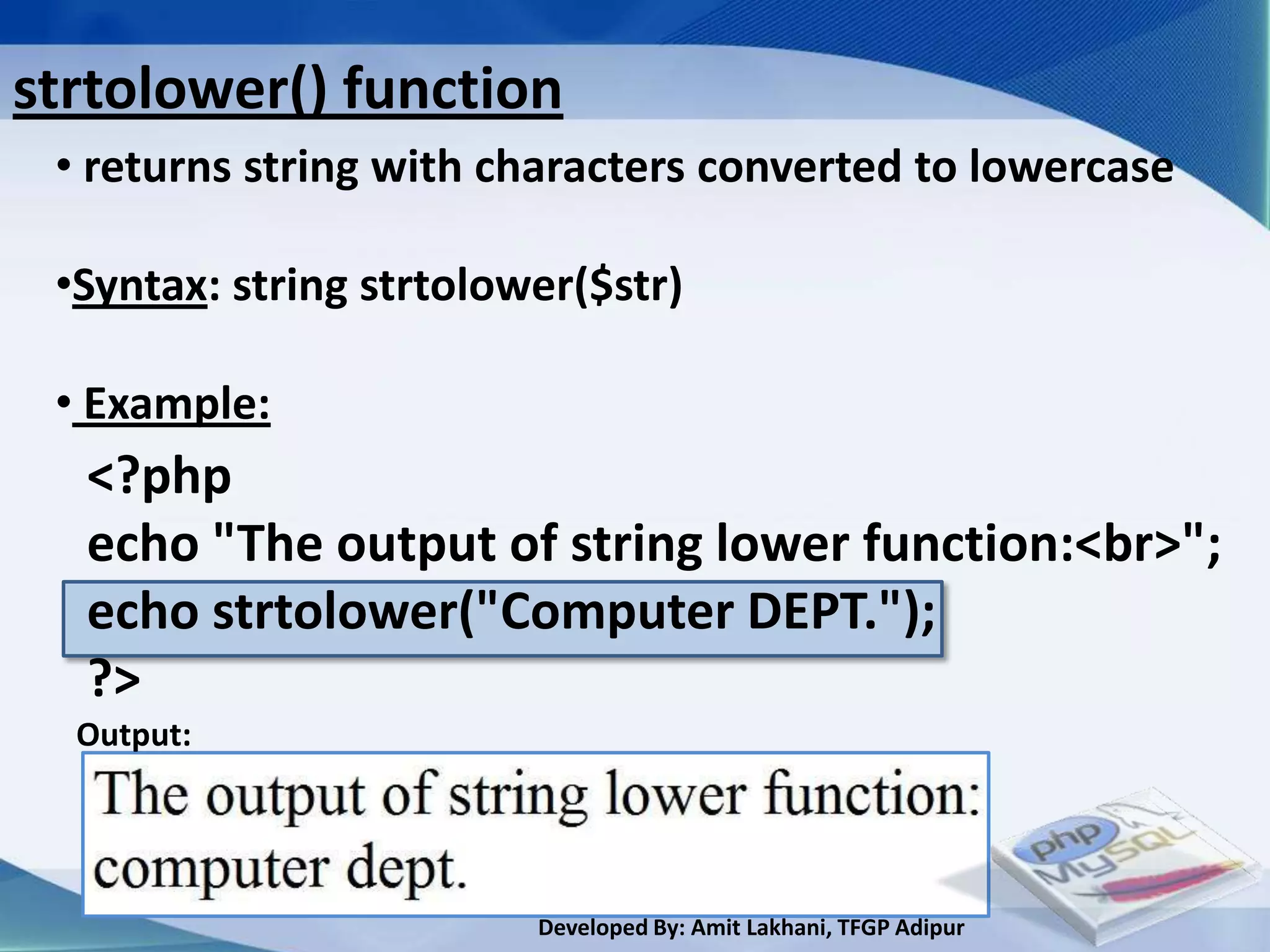
strtolower() function
 • returns string with characters converted to lowercase

 •Syntax: string strtolower($str)

 • Example:
  <?php
  echo "The output of string lower function:<br>";
  echo strtolower("Computer DEPT.");
  ?>
  Output:


                         Developed By: Amit Lakhani, TFGP Adipur
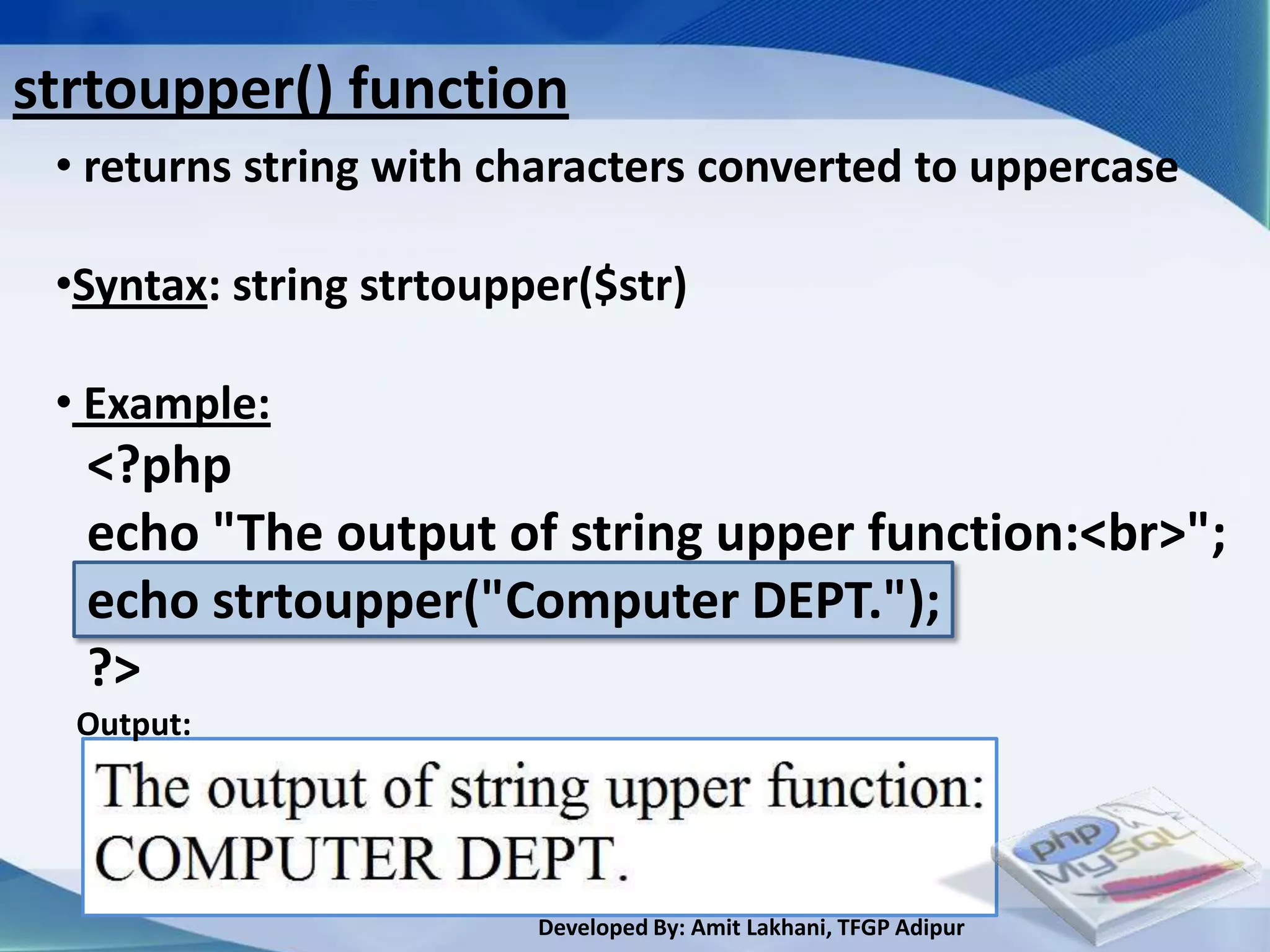
strtoupper() function
 • returns string with characters converted to uppercase

 •Syntax: string strtoupper($str)

 • Example:
  <?php
  echo "The output of string upper function:<br>";
  echo strtoupper("Computer DEPT.");
  ?>
  Output:


                         Developed By: Amit Lakhani, TFGP Adipur
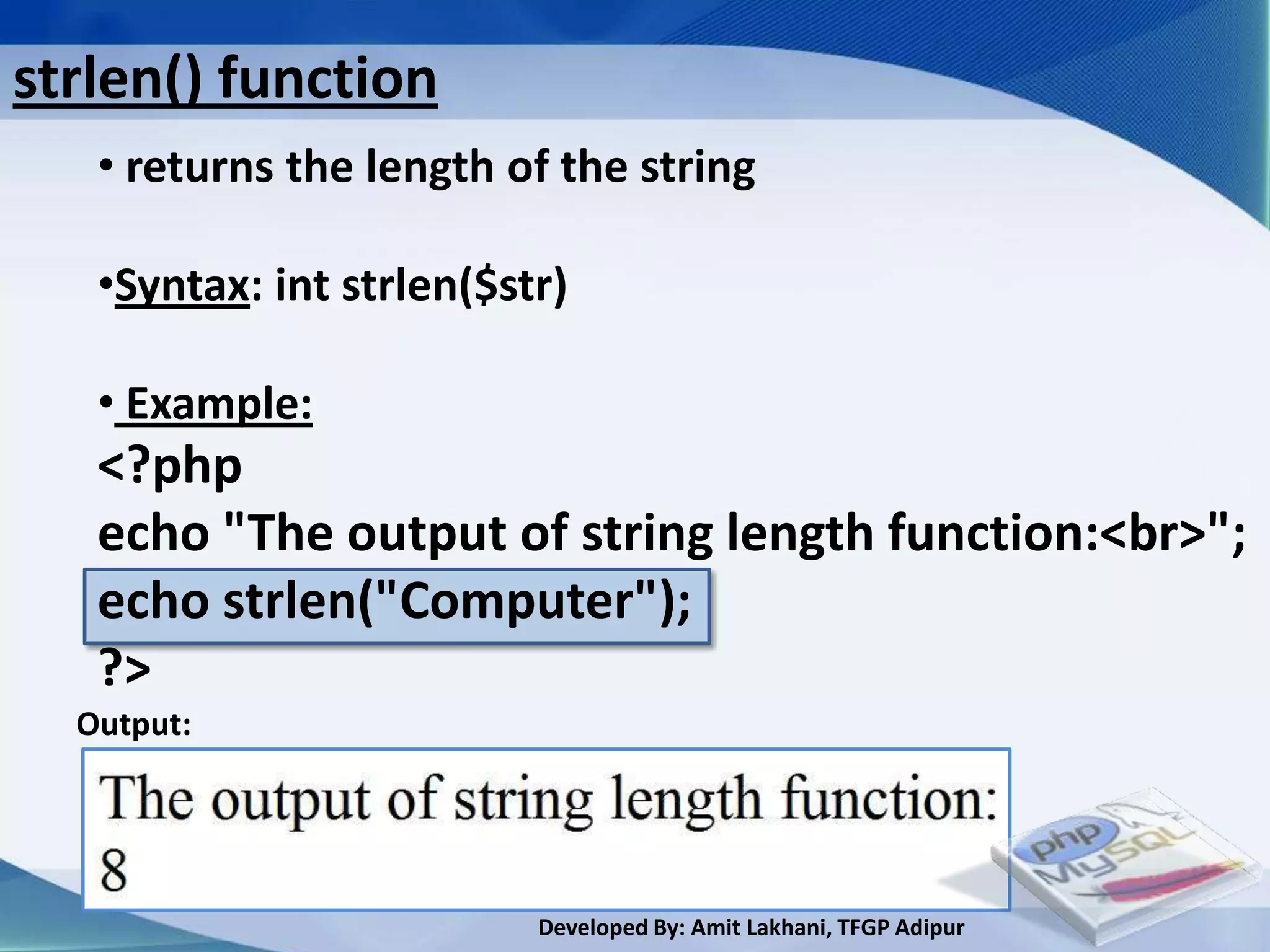
strlen() function
   • returns the length of the string

   •Syntax: int strlen($str)

   • Example:
   <?php
   echo "The output of string length function:<br>";
   echo strlen("Computer");
   ?>
  Output:


                          Developed By: Amit Lakhani, TFGP Adipur
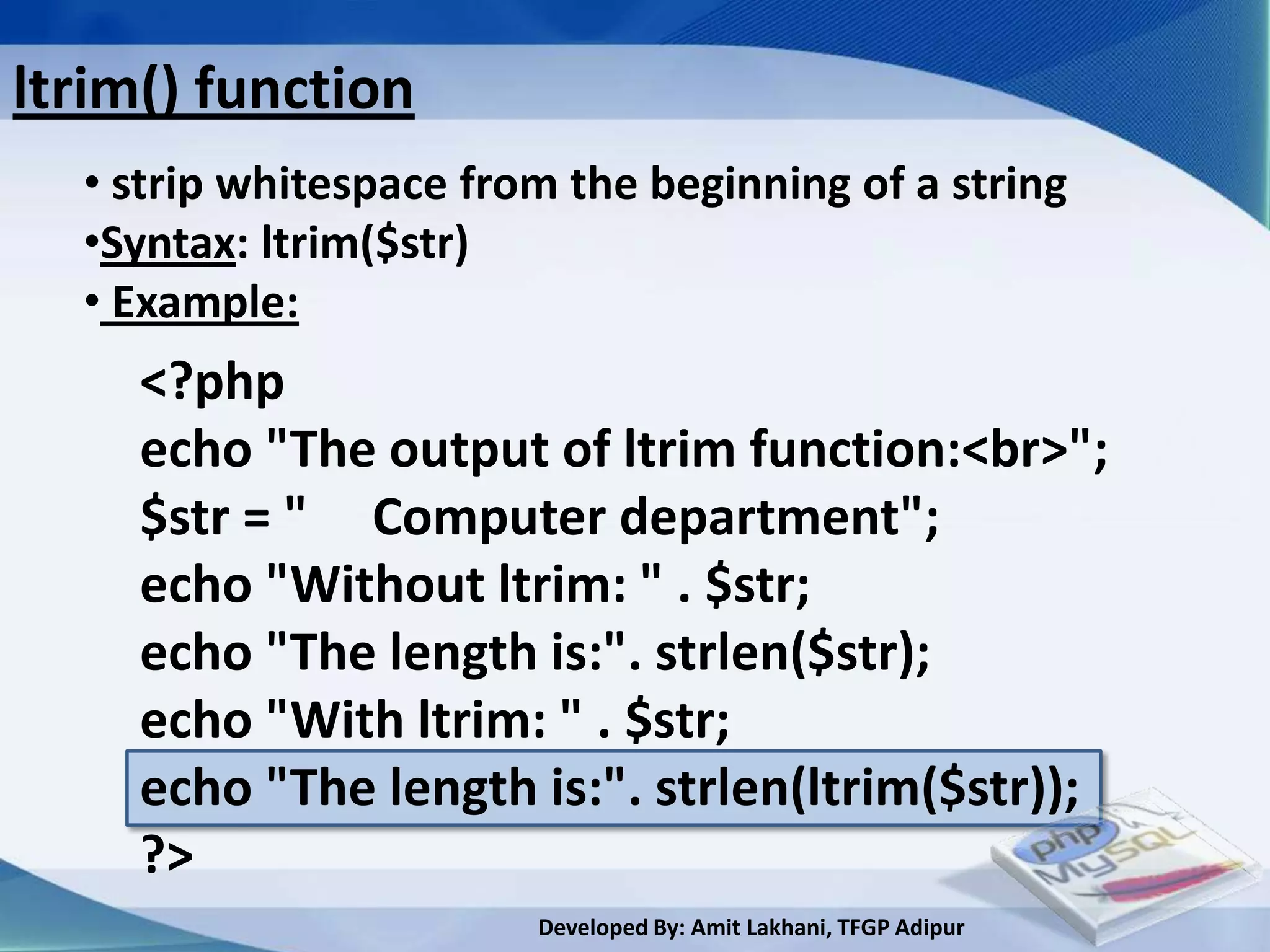
ltrim() function
  • strip whitespace from the beginning of a string
  •Syntax: ltrim($str)
  • Example:
     <?php
     echo "The output of ltrim function:<br>";
     $str = " Computer department";
     echo "Without ltrim: " . $str;
     echo "The length is:". strlen($str);
     echo "With ltrim: " . $str;
     echo "The length is:". strlen(ltrim($str));
     ?>
                        Developed By: Amit Lakhani, TFGP Adipur
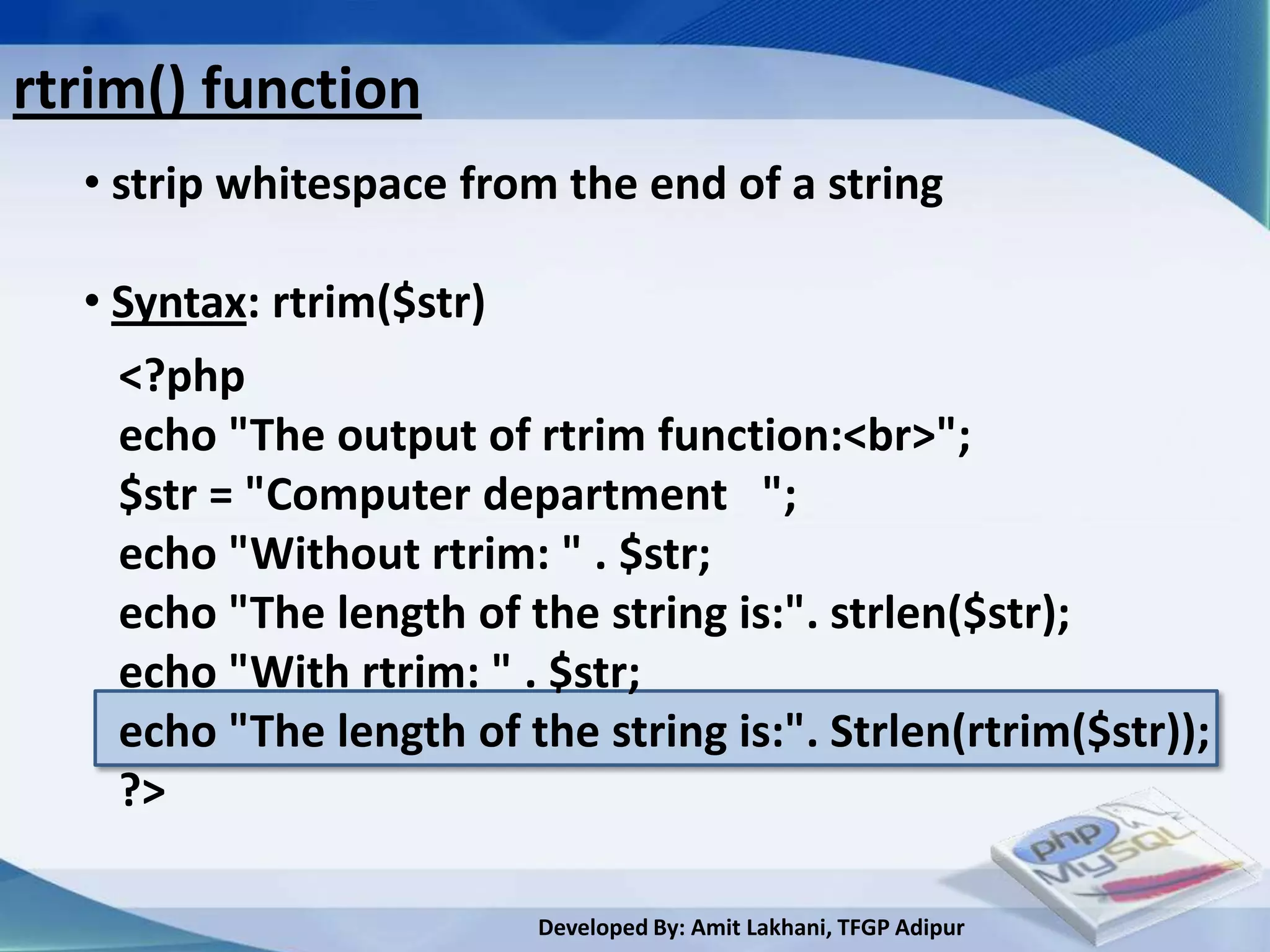
rtrim() function
  • strip whitespace from the end of a string

  • Syntax: rtrim($str)
    <?php
    echo "The output of rtrim function:<br>";
    $str = "Computer department ";
    echo "Without rtrim: " . $str;
    echo "The length of the string is:". strlen($str);
    echo "With rtrim: " . $str;
    echo "The length of the string is:". Strlen(rtrim($str));
    ?>

                         Developed By: Amit Lakhani, TFGP Adipur
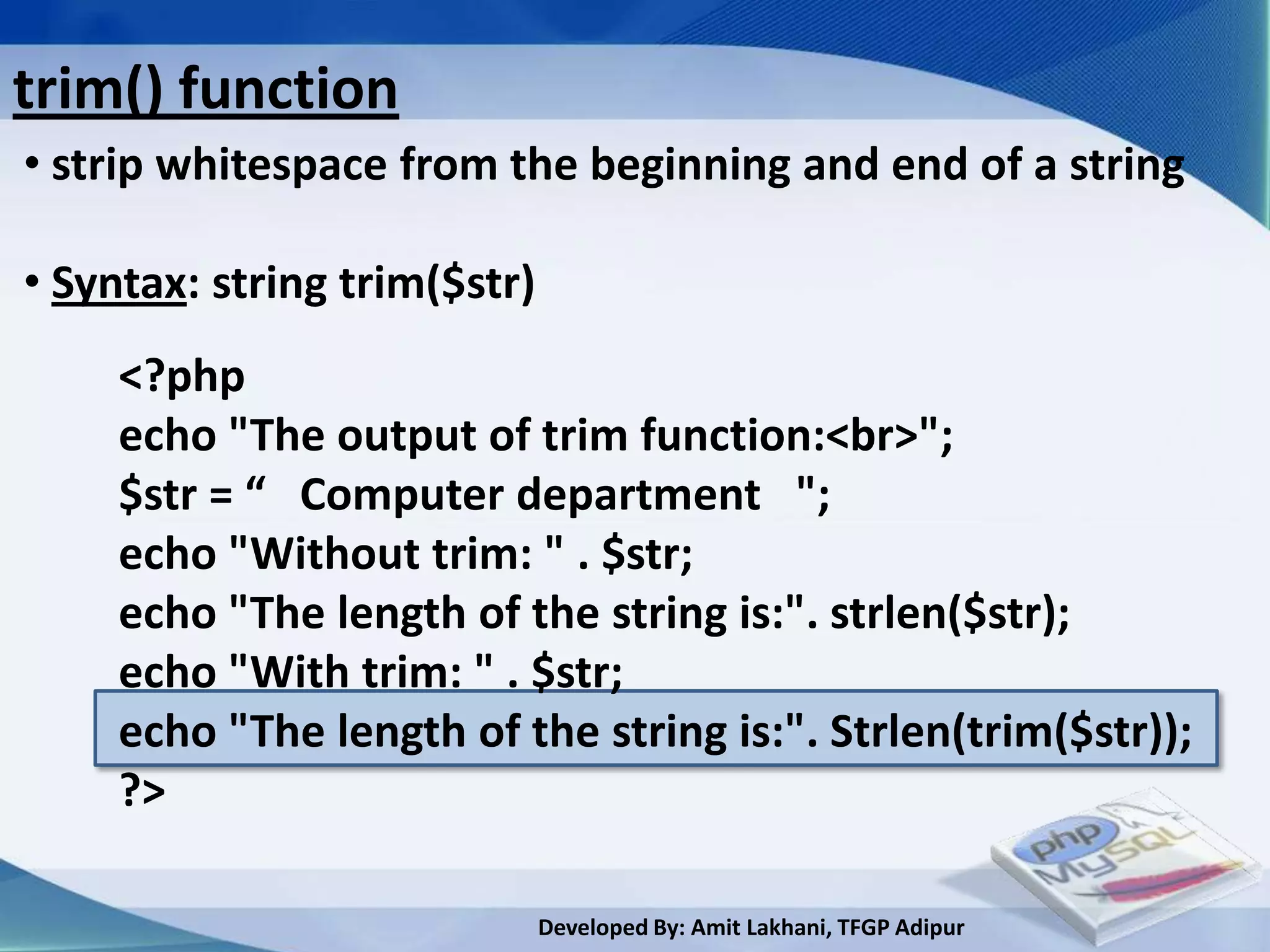
trim() function
• strip whitespace from the beginning and end of a string

• Syntax: string trim($str)
     <?php
     echo "The output of trim function:<br>";
     $str = “ Computer department ";
     echo "Without trim: " . $str;
     echo "The length of the string is:". strlen($str);
     echo "With trim: " . $str;
     echo "The length of the string is:". Strlen(trim($str));
     ?>

                              Developed By: Amit Lakhani, TFGP Adipur
substr() function
• returns part of a string

• Syntax: string substr($str, int $start, [int $length])

• Example:
     <?php
     echo "The output of substring function:<br>";
     echo substr("Computer department!",3);
     echo substr("Computer department!",3,5);
     ?>
   Output:


                             Developed By: Amit Lakhani, TFGP Adipur
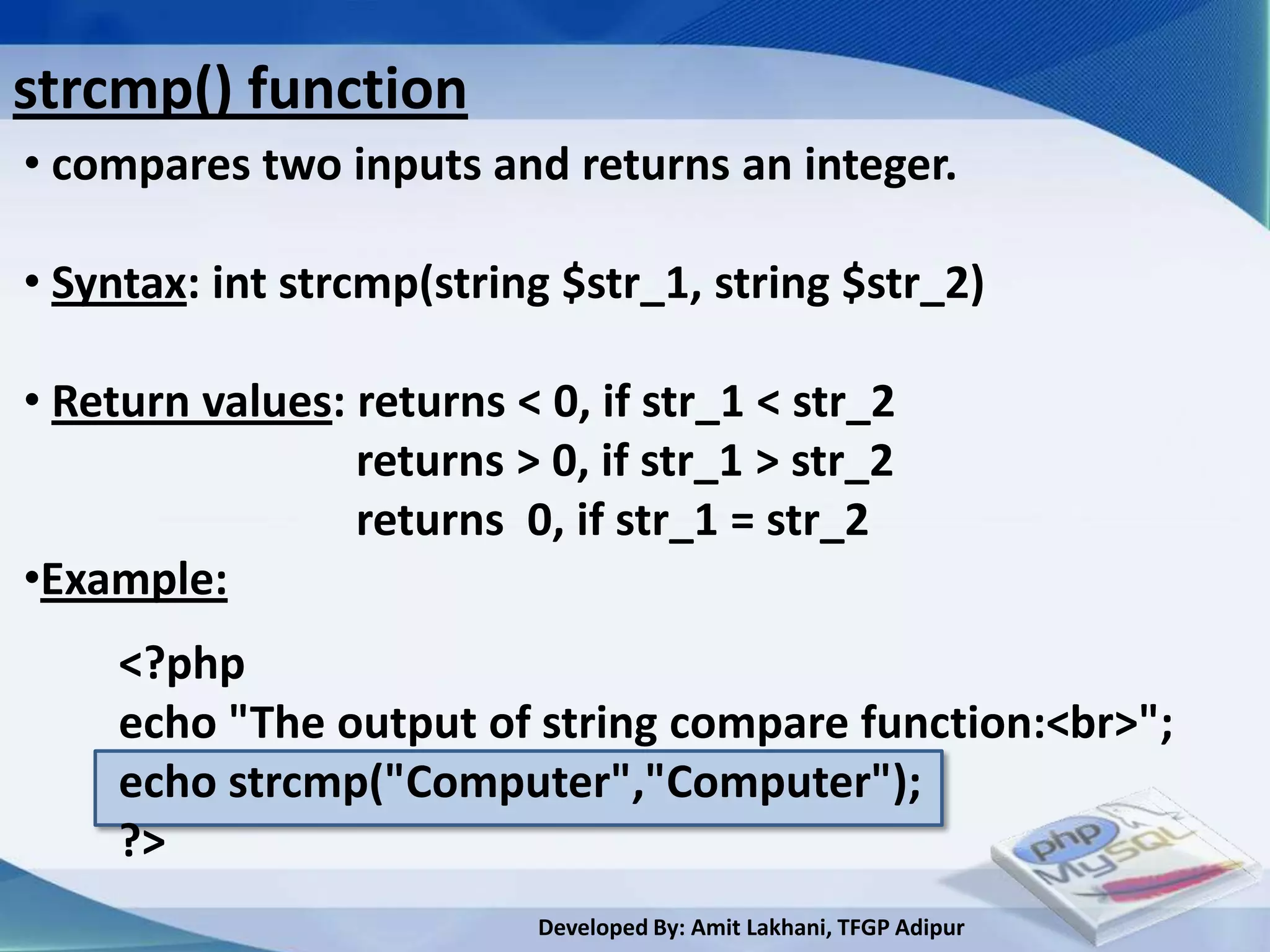
strcmp() function
• compares two inputs and returns an integer.

• Syntax: int strcmp(string $str_1, string $str_2)

• Return values: returns < 0, if str_1 < str_2
                 returns > 0, if str_1 > str_2
                 returns 0, if str_1 = str_2
•Example:
     <?php
     echo "The output of string compare function:<br>";
     echo strcmp("Computer","Computer");
     ?>
                           Developed By: Amit Lakhani, TFGP Adipur
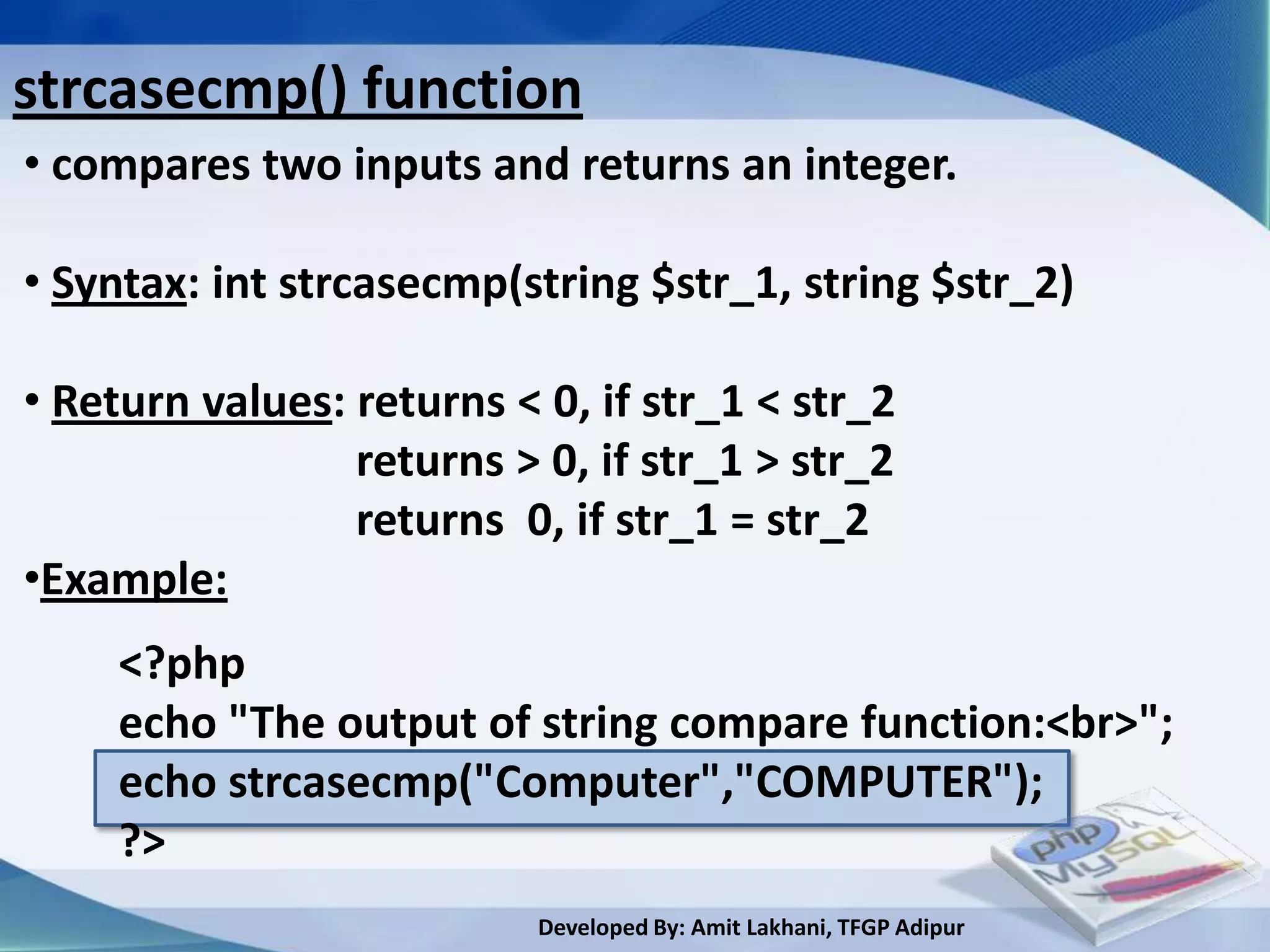
strcasecmp() function
• compares two inputs and returns an integer.

• Syntax: int strcasecmp(string $str_1, string $str_2)

• Return values: returns < 0, if str_1 < str_2
                 returns > 0, if str_1 > str_2
                 returns 0, if str_1 = str_2
•Example:
     <?php
     echo "The output of string compare function:<br>";
     echo strcasecmp("Computer","COMPUTER");
     ?>
                           Developed By: Amit Lakhani, TFGP Adipur
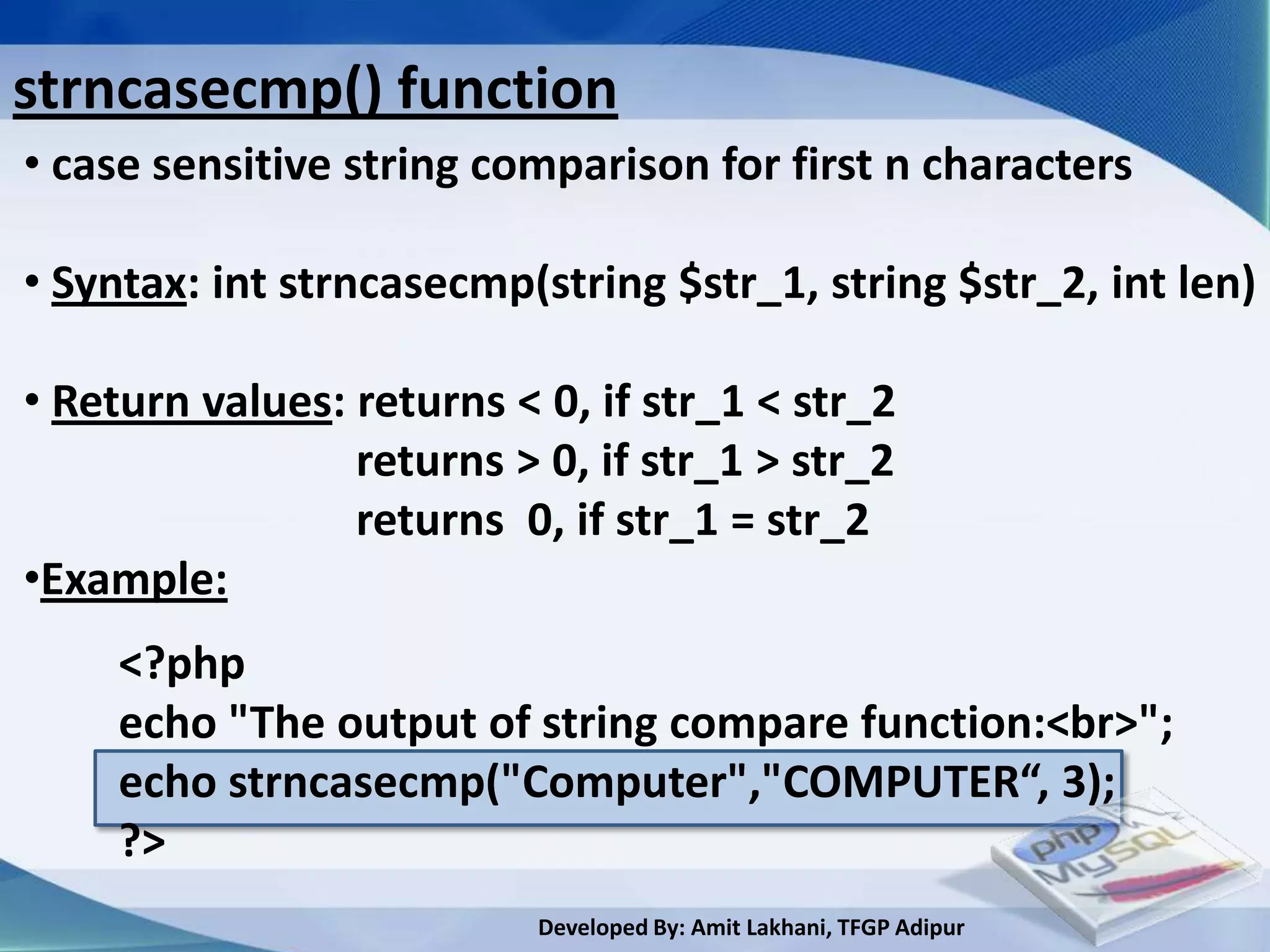
strncasecmp() function
• case sensitive string comparison for first n characters

• Syntax: int strncasecmp(string $str_1, string $str_2, int len)

• Return values: returns < 0, if str_1 < str_2
                 returns > 0, if str_1 > str_2
                 returns 0, if str_1 = str_2
•Example:
     <?php
     echo "The output of string compare function:<br>";
     echo strncasecmp("Computer","COMPUTER“, 3);
     ?>
                           Developed By: Amit Lakhani, TFGP Adipur
strpos() function
• find position of first occurrence of a string

• Syntax: int strpos(string $str, $needle, [ int $offset])

•Example:

     <?php
     echo "The output of string position function:<br>";
     echo strpos("Computer","m“, 2);
     ?>
      Output:


                           Developed By: Amit Lakhani, TFGP Adipur
strrpos() function
• find position of last occurrence of a string

• Syntax: int strrpos(string $str, $needle, [ int $offset])

•Example:

     <?php
     echo "The output of string position function:<br>";
     echo strrpos("Computer","m“, 2);
     ?>
   Output:
   The output of string position function:
   2

                                     Developed By: Amit Lakhani, TFGP Adipur
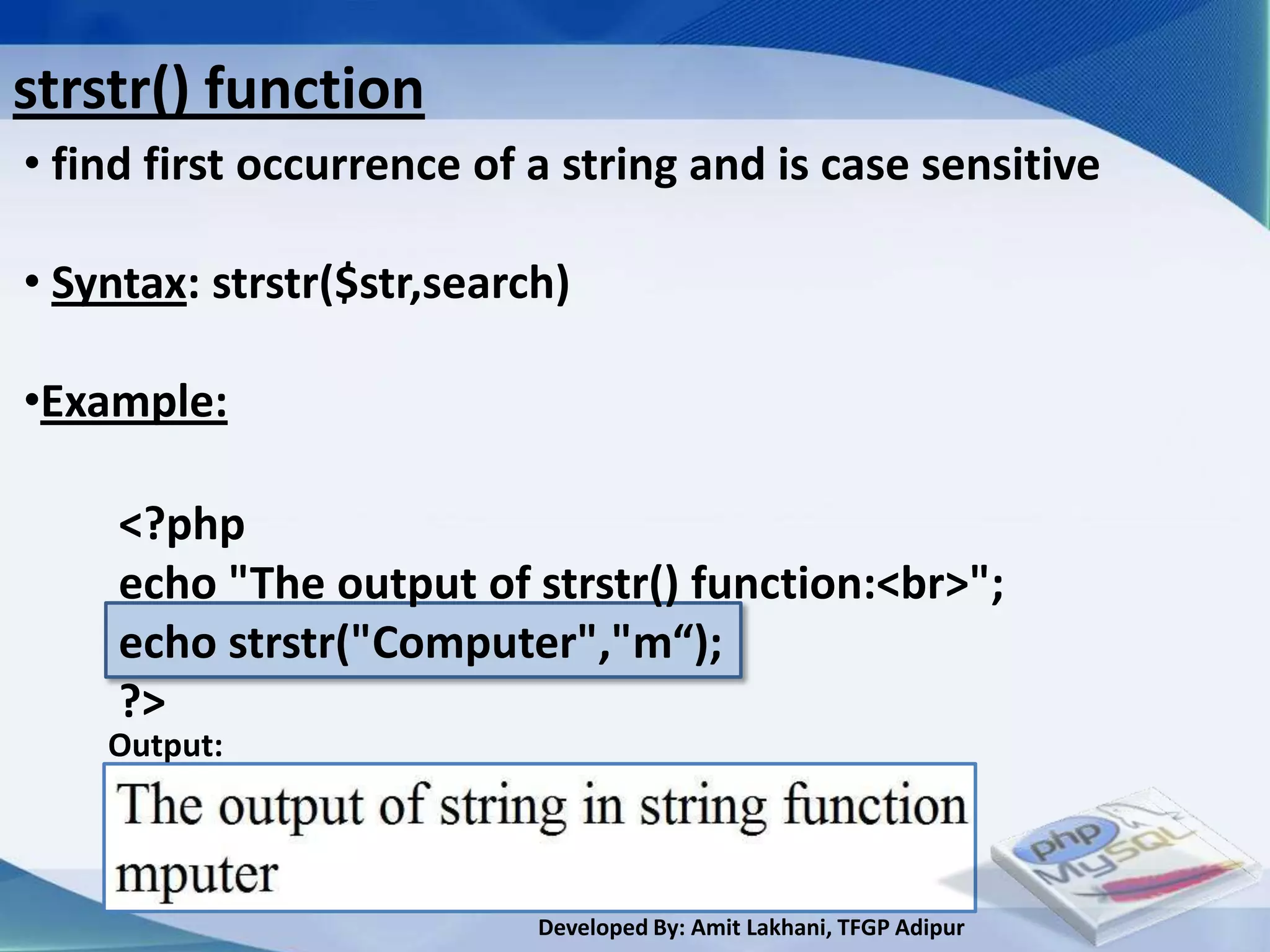
strstr() function
• find first occurrence of a string and is case sensitive

• Syntax: strstr($str,search)

•Example:

     <?php
     echo "The output of strstr() function:<br>";
     echo strstr("Computer","m“);
     ?>
    Output:


                           Developed By: Amit Lakhani, TFGP Adipur
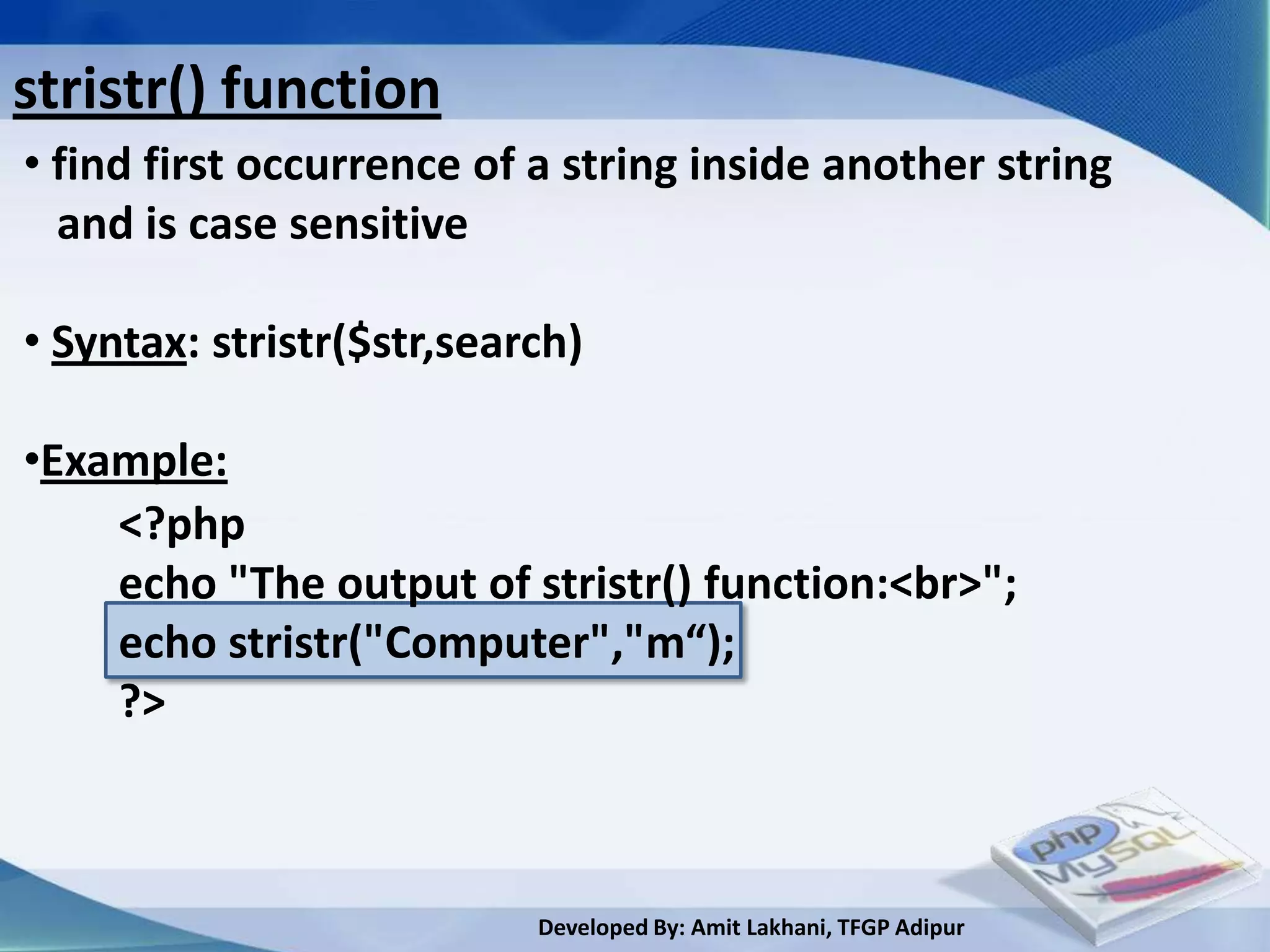
stristr() function
• find first occurrence of a string inside another string
  and is case sensitive

• Syntax: stristr($str,search)

•Example:
    <?php
    echo "The output of stristr() function:<br>";
    echo stristr("Computer","m“);
    ?>


                           Developed By: Amit Lakhani, TFGP Adipur
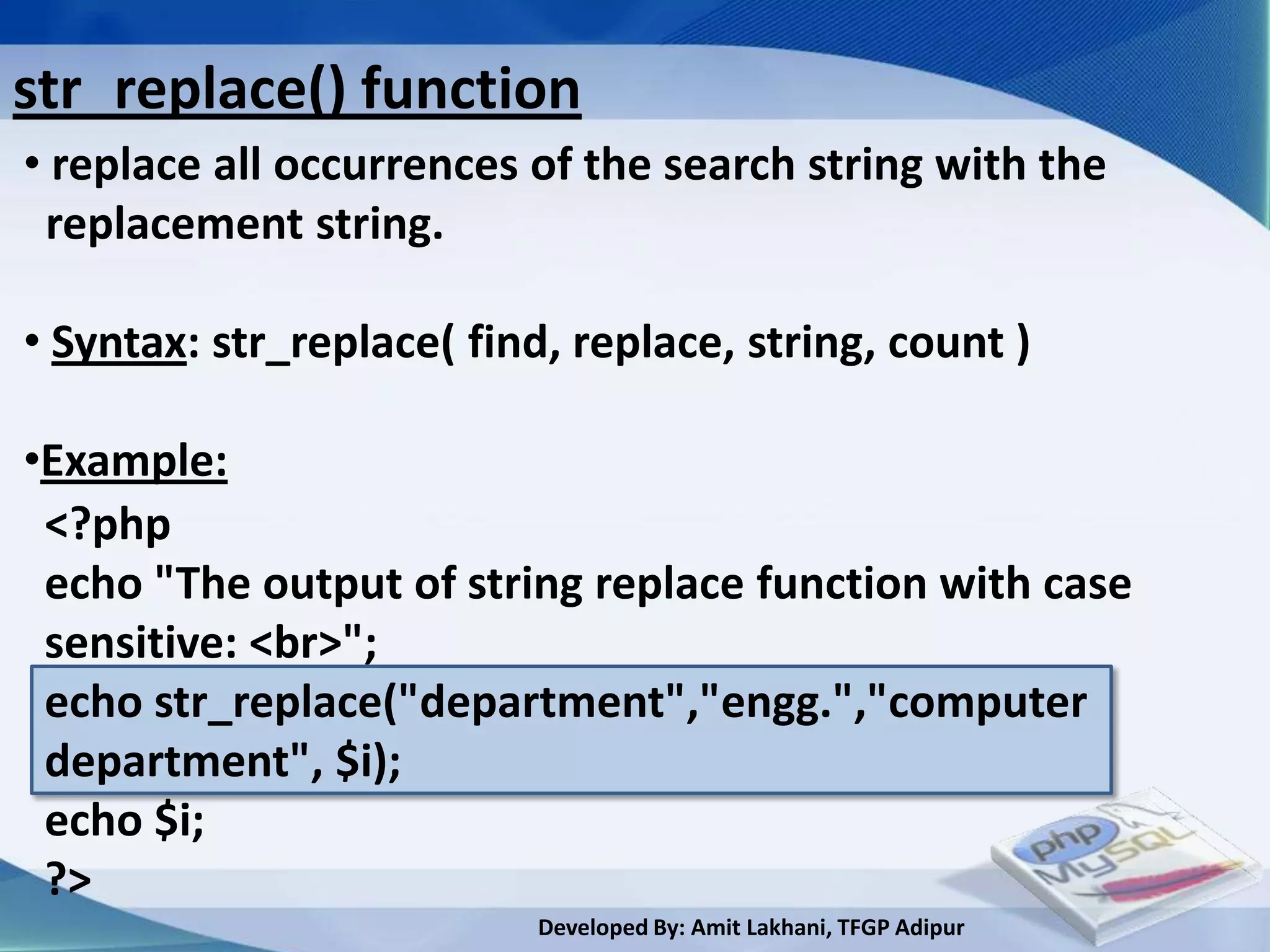
str_replace() function
• replace all occurrences of the search string with the
 replacement string.

• Syntax: str_replace( find, replace, string, count )

•Example:
 <?php
 echo "The output of string replace function with case
 sensitive: <br>";
 echo str_replace("department","engg.","computer
 department", $i);
 echo $i;
 ?>
                           Developed By: Amit Lakhani, TFGP Adipur
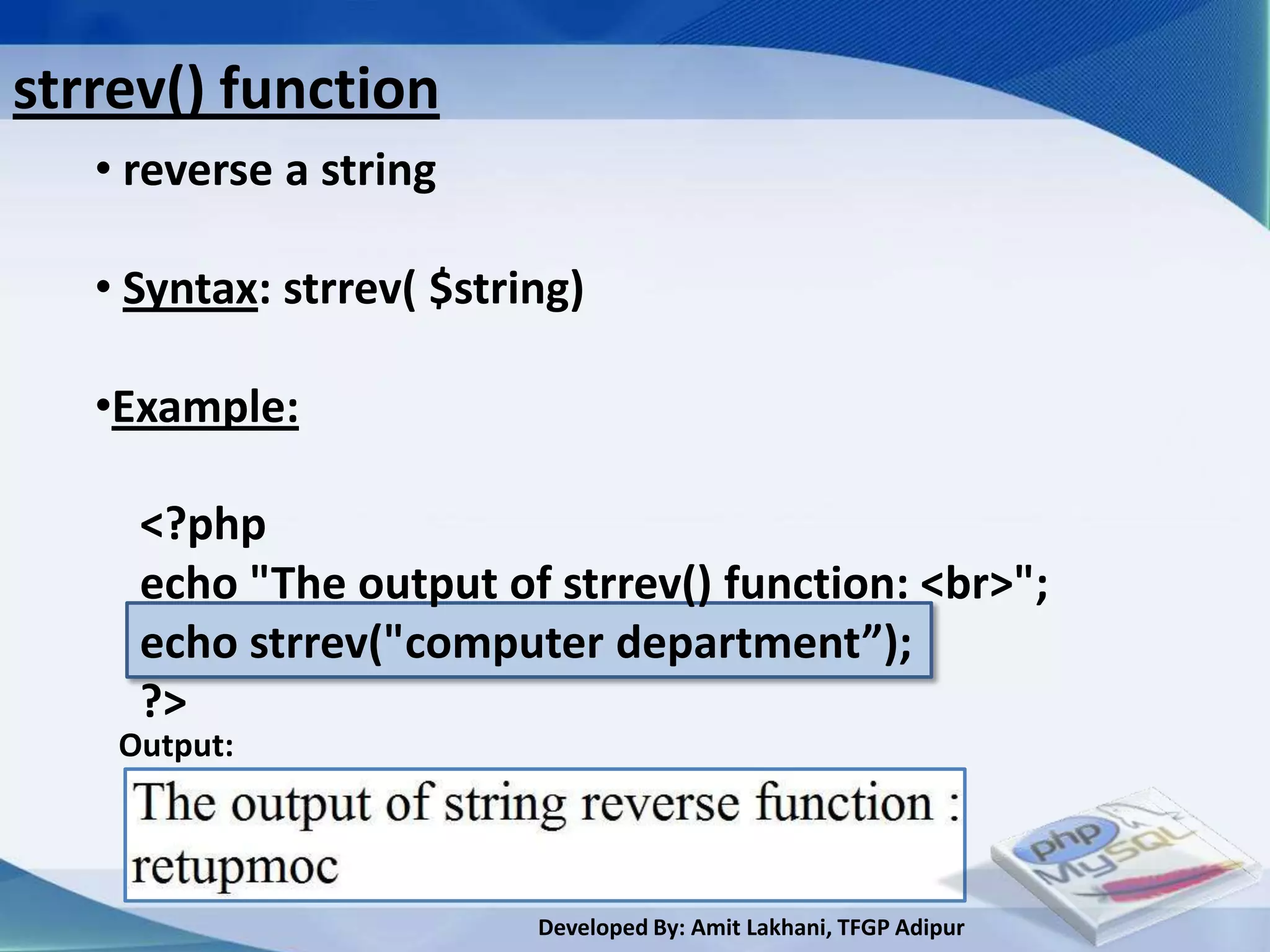
strrev() function
   • reverse a string

   • Syntax: strrev( $string)
   •Example:

     <?php
     echo "The output of strrev() function: <br>";
     echo strrev("computer department”);
     ?>
    Output:


                          Developed By: Amit Lakhani, TFGP Adipur
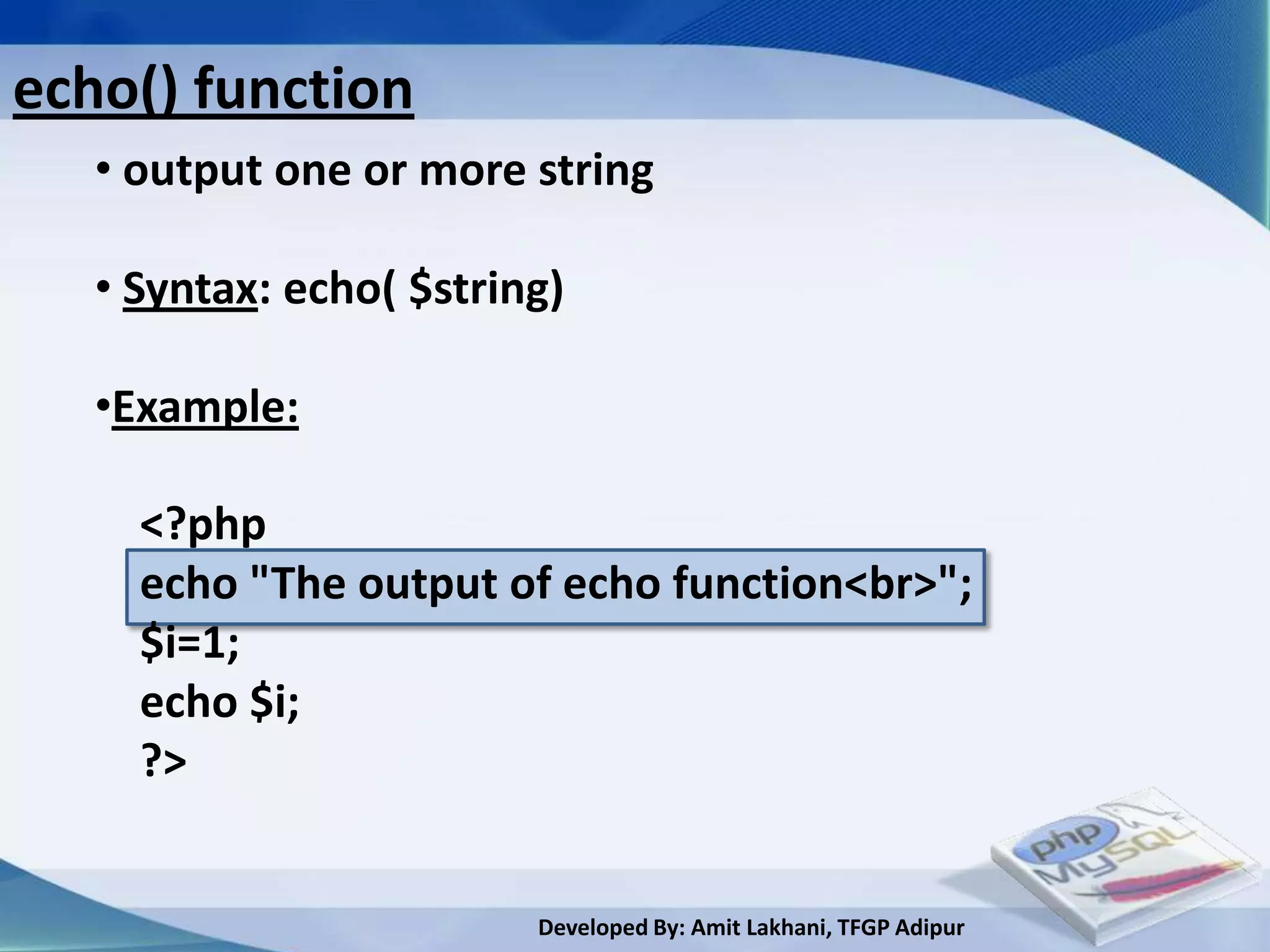
echo() function
   • output one or more string

   • Syntax: echo( $string)

   •Example:

     <?php
     echo "The output of echo function<br>";
     $i=1;
     echo $i;
     ?>


                         Developed By: Amit Lakhani, TFGP Adipur
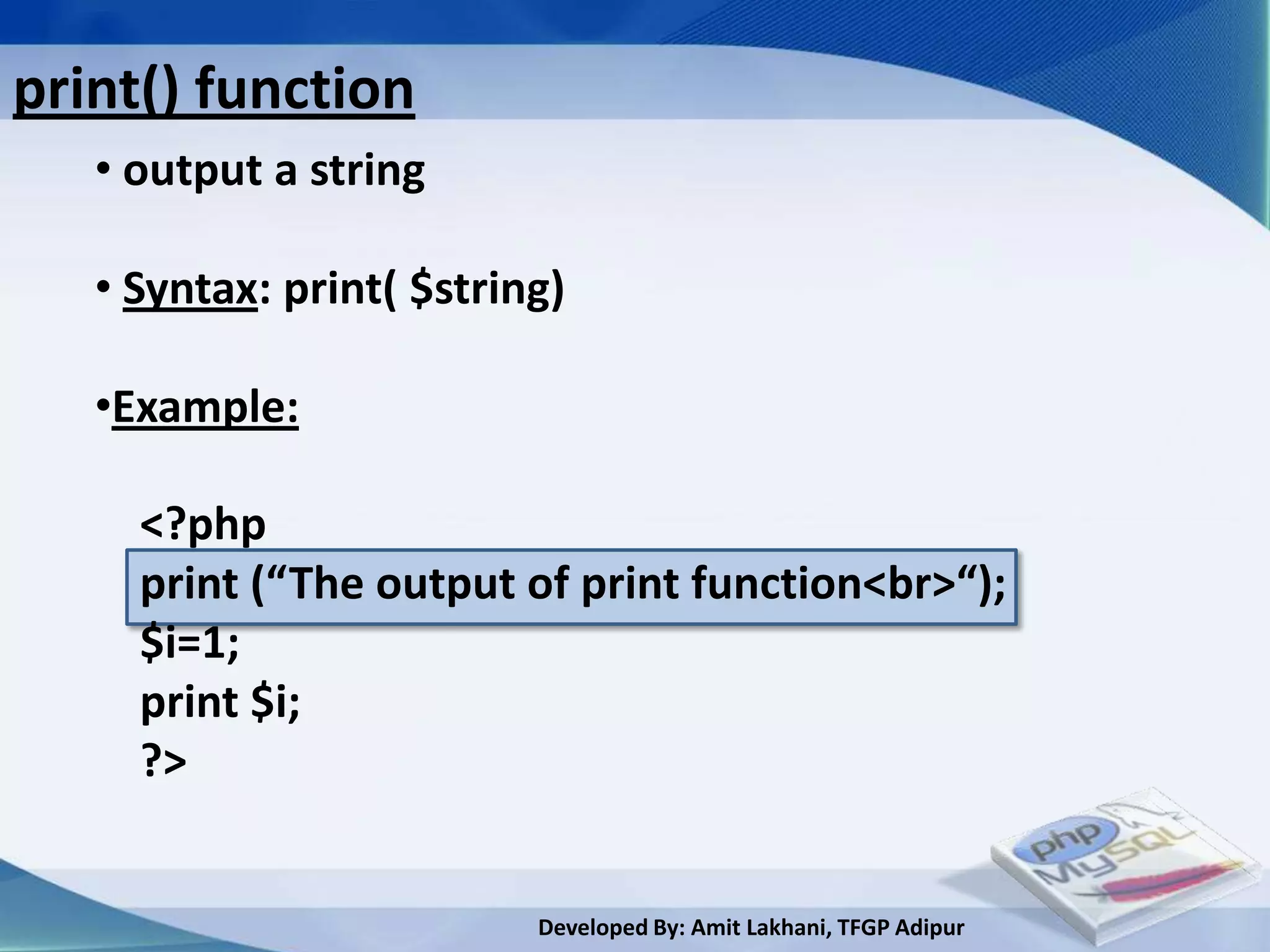
print() function
   • output a string

   • Syntax: print( $string)

   •Example:

     <?php
     print (“The output of print function<br>“);
     $i=1;
     print $i;
     ?>


                          Developed By: Amit Lakhani, TFGP Adipur
3.3
Math functions


     Developed By: Amit Lakhani, TFGP Adipur
Maths function
 • abs()-returns absolute value of a number

 • ceil() -returns the value of a number rounded UPWARDS to the
           nearest integer.

 • floor()-returns the next lowest integer value by rounding down
           value.

 • round() -returns the rounded value to specified precision.

 • fmod() -returns the floating point remainder of dividing the
           dividend by the divisor.

 •min() -returns smallest value
                             Developed By: Amit Lakhani, TFGP Adipur
Maths function conti..

  • max() -returns largest value

  • pow() -returns base raised to the power of exp.

  • sqrt() -returns the square root of the given number

  • rand() -returns random value between min and max


                             Developed By: Amit Lakhani, TFGP Adipur
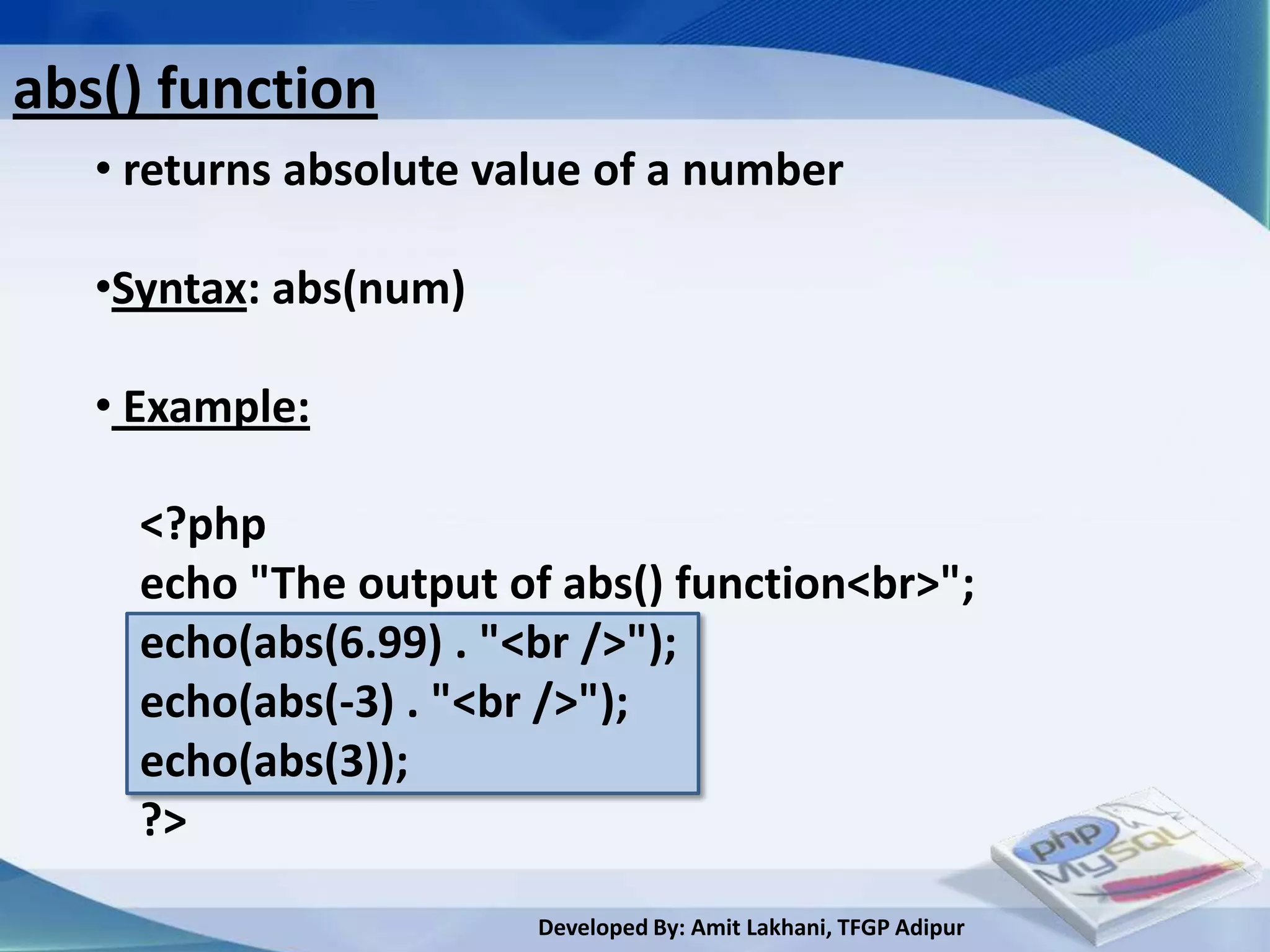
abs() function
   • returns absolute value of a number

   •Syntax: abs(num)

   • Example:

     <?php
     echo "The output of abs() function<br>";
     echo(abs(6.99) . "<br />");
     echo(abs(-3) . "<br />");
     echo(abs(3));
     ?>

                        Developed By: Amit Lakhani, TFGP Adipur
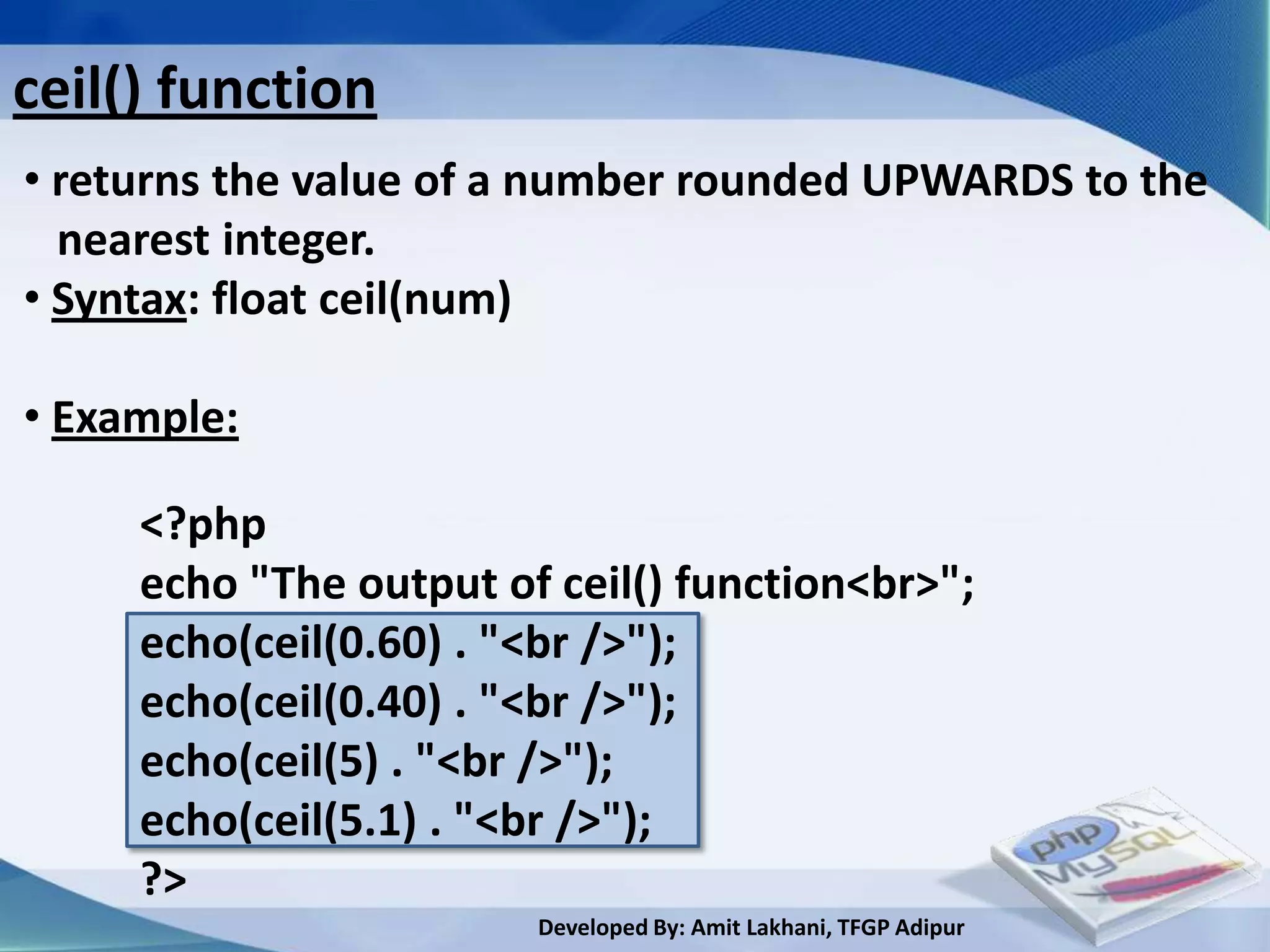
ceil() function
• returns the value of a number rounded UPWARDS to the
  nearest integer.
• Syntax: float ceil(num)

• Example:

     <?php
     echo "The output of ceil() function<br>";
     echo(ceil(0.60) . "<br />");
     echo(ceil(0.40) . "<br />");
     echo(ceil(5) . "<br />");
     echo(ceil(5.1) . "<br />");
     ?>
                        Developed By: Amit Lakhani, TFGP Adipur
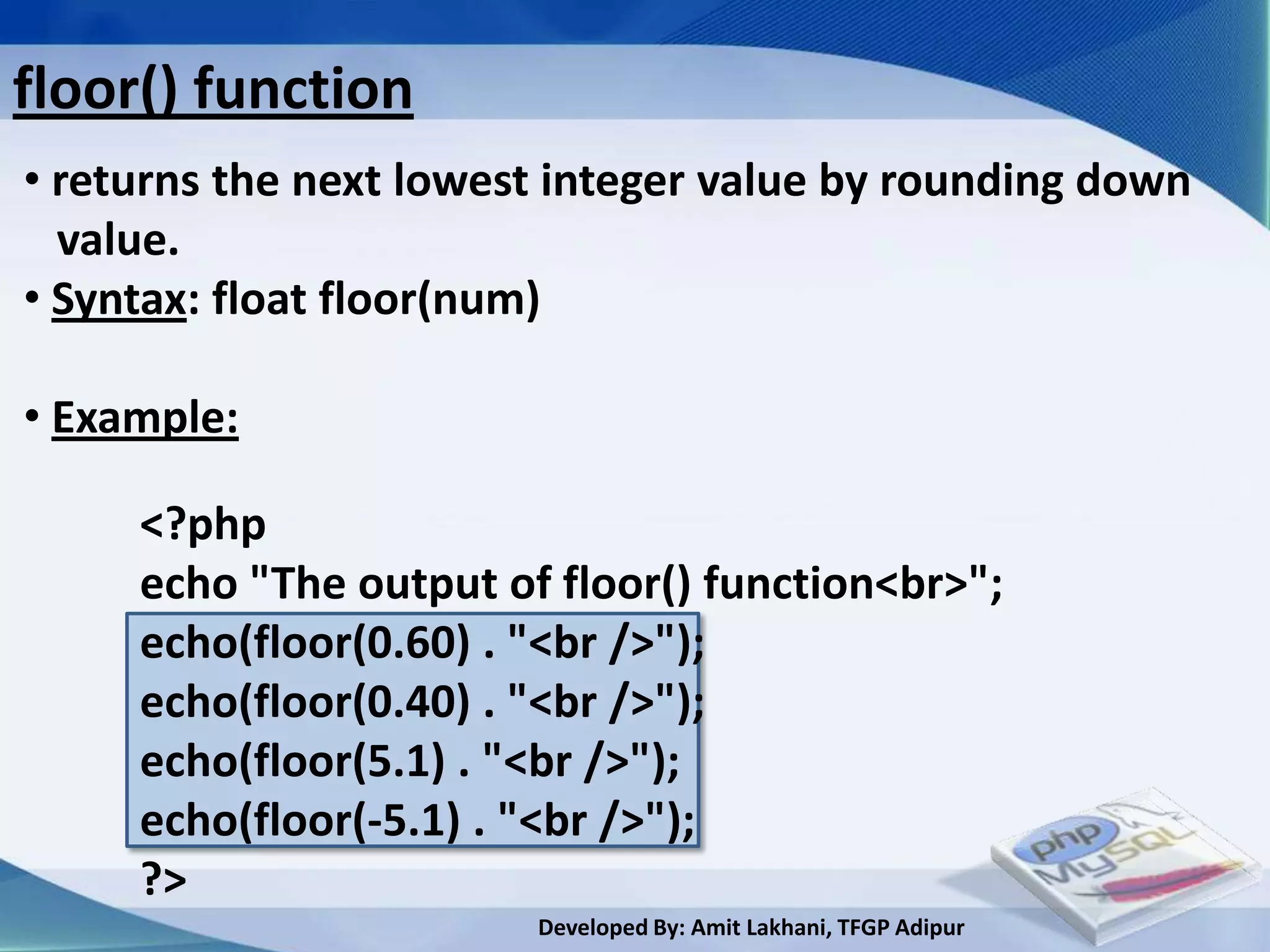
floor() function
• returns the next lowest integer value by rounding down
  value.
• Syntax: float floor(num)

• Example:

     <?php
     echo "The output of floor() function<br>";
     echo(floor(0.60) . "<br />");
     echo(floor(0.40) . "<br />");
     echo(floor(5.1) . "<br />");
     echo(floor(-5.1) . "<br />");
     ?>
                        Developed By: Amit Lakhani, TFGP Adipur
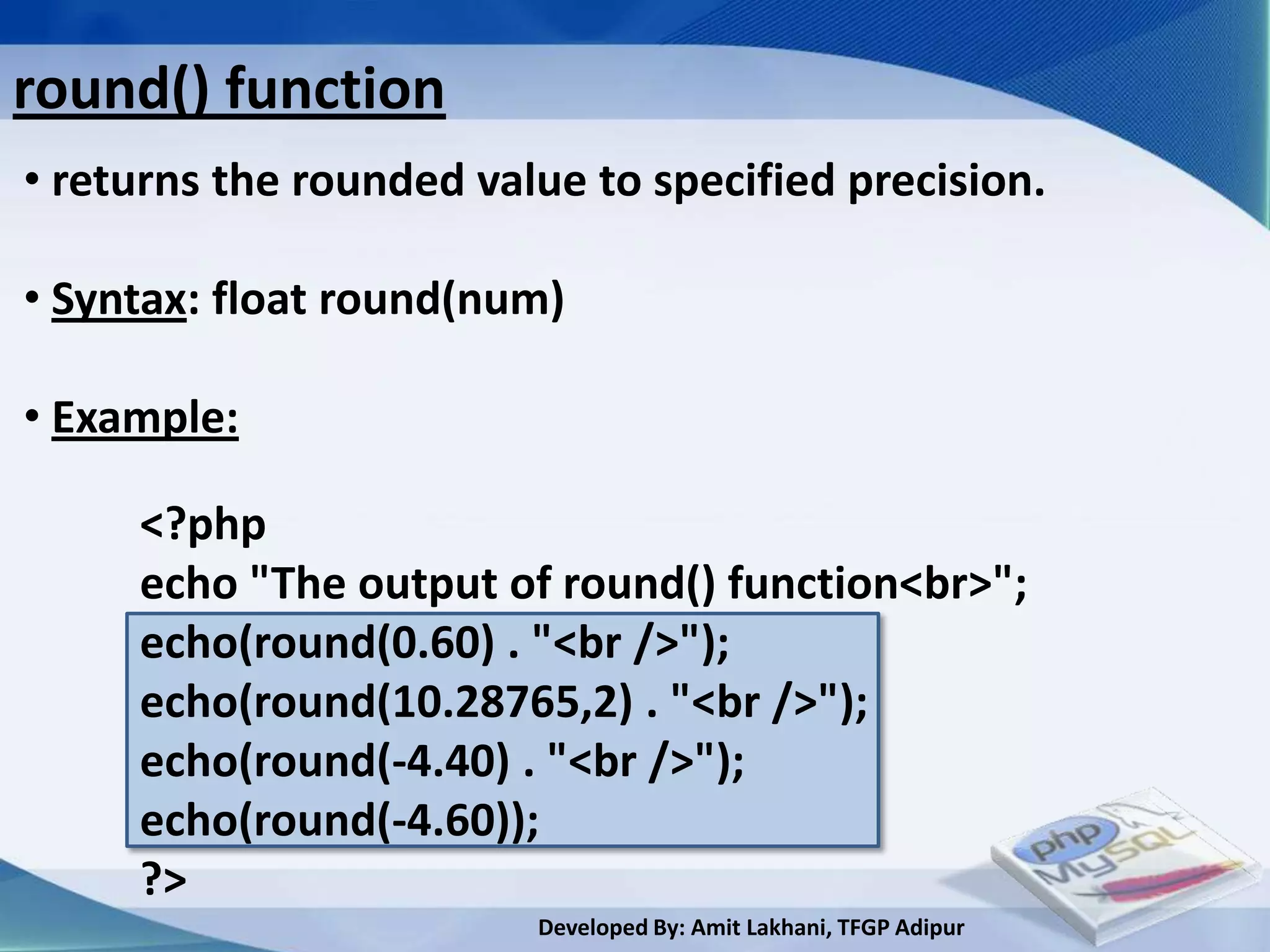
round() function
• returns the rounded value to specified precision.

• Syntax: float round(num)

• Example:

     <?php
     echo "The output of round() function<br>";
     echo(round(0.60) . "<br />");
     echo(round(10.28765,2) . "<br />");
     echo(round(-4.40) . "<br />");
     echo(round(-4.60));
     ?>
                         Developed By: Amit Lakhani, TFGP Adipur
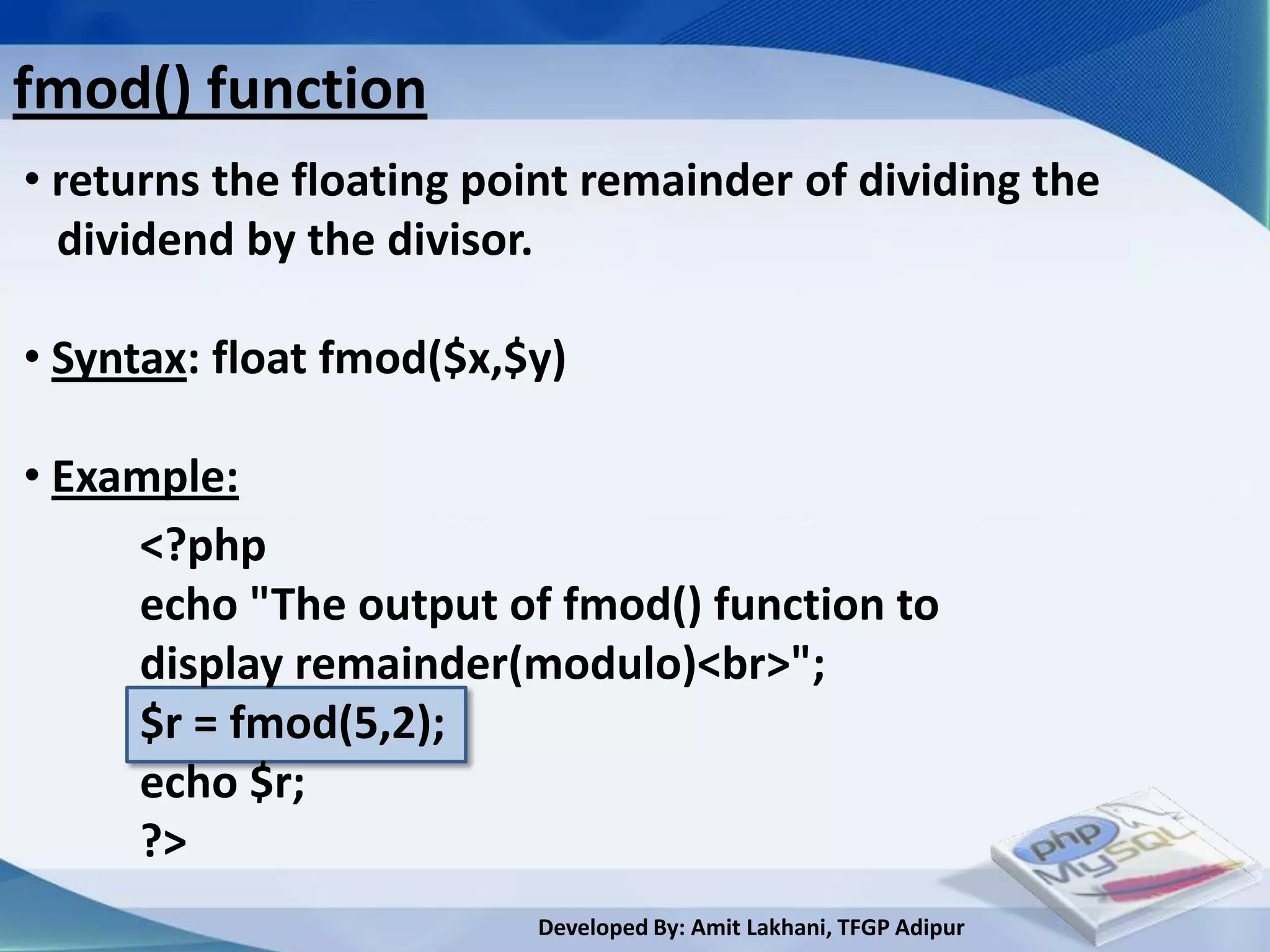
fmod() function
• returns the floating point remainder of dividing the
  dividend by the divisor.

• Syntax: float fmod($x,$y)

• Example:
     <?php
     echo "The output of fmod() function to
     display remainder(modulo)<br>";
     $r = fmod(5,2);
     echo $r;
     ?>
                         Developed By: Amit Lakhani, TFGP Adipur
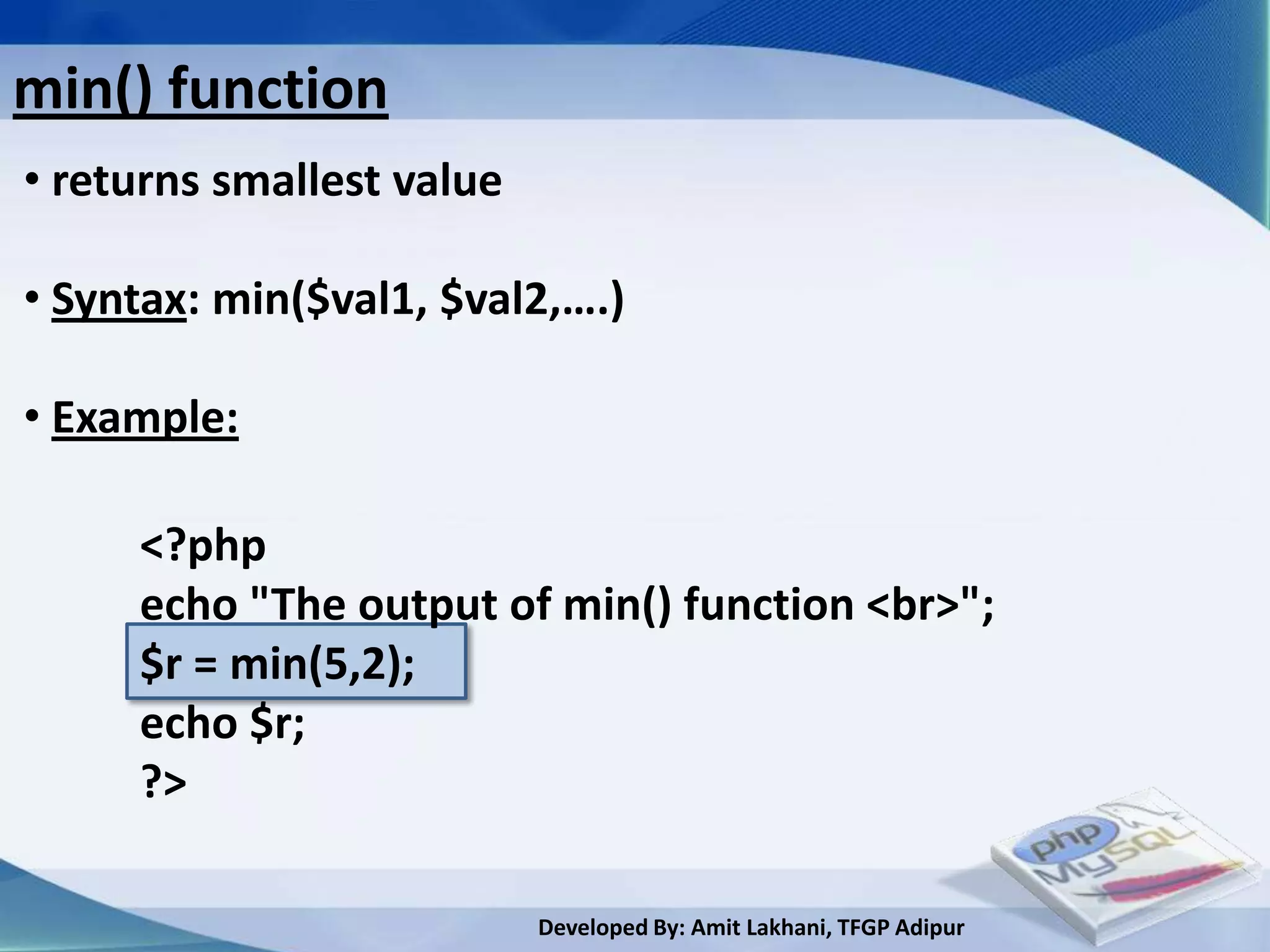
min() function
• returns smallest value

• Syntax: min($val1, $val2,….)

• Example:

     <?php
     echo "The output of min() function <br>";
     $r = min(5,2);
     echo $r;
     ?>

                           Developed By: Amit Lakhani, TFGP Adipur
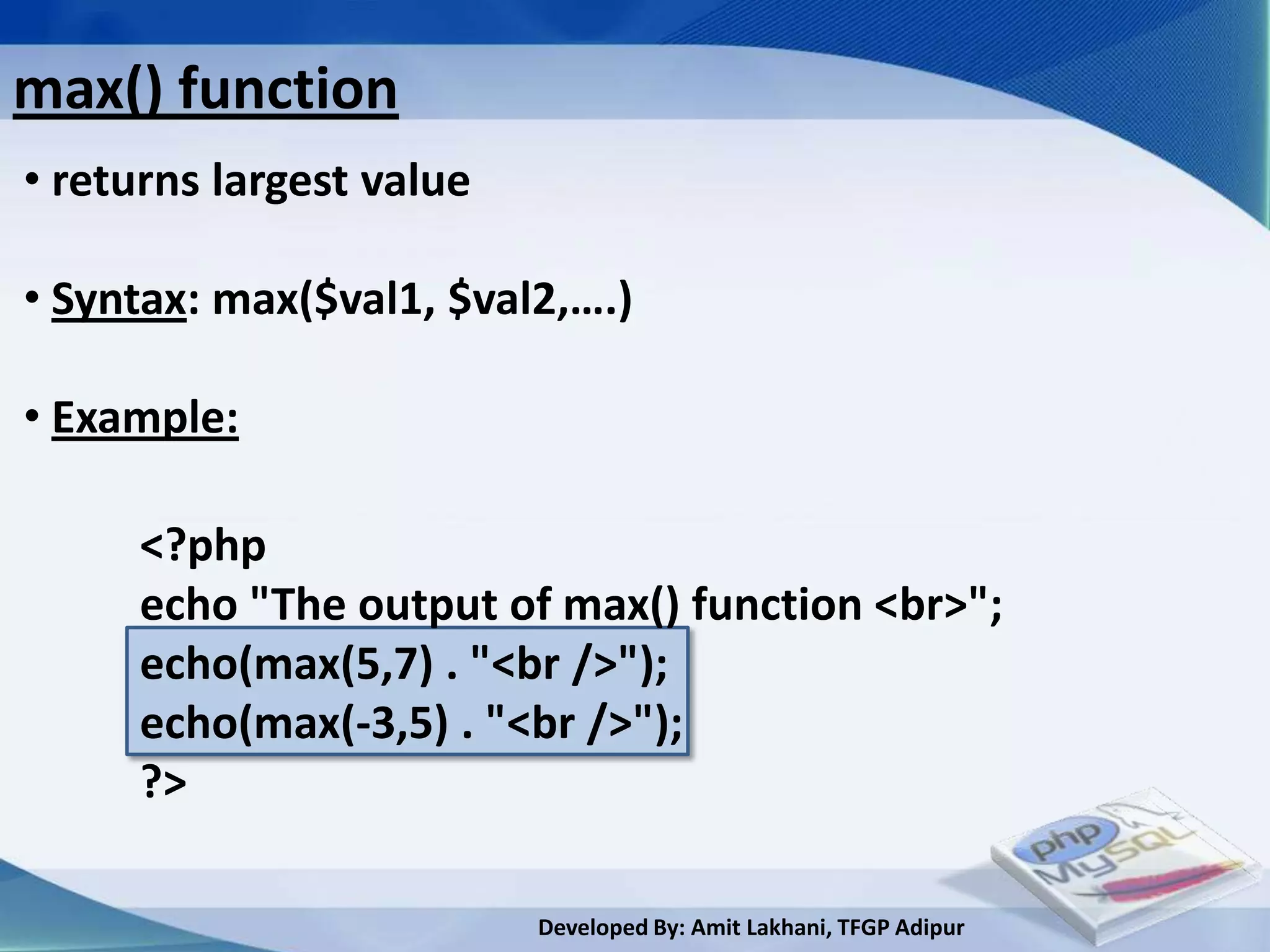
max() function
• returns largest value

• Syntax: max($val1, $val2,….)

• Example:

     <?php
     echo "The output of max() function <br>";
     echo(max(5,7) . "<br />");
     echo(max(-3,5) . "<br />");
     ?>

                          Developed By: Amit Lakhani, TFGP Adipur
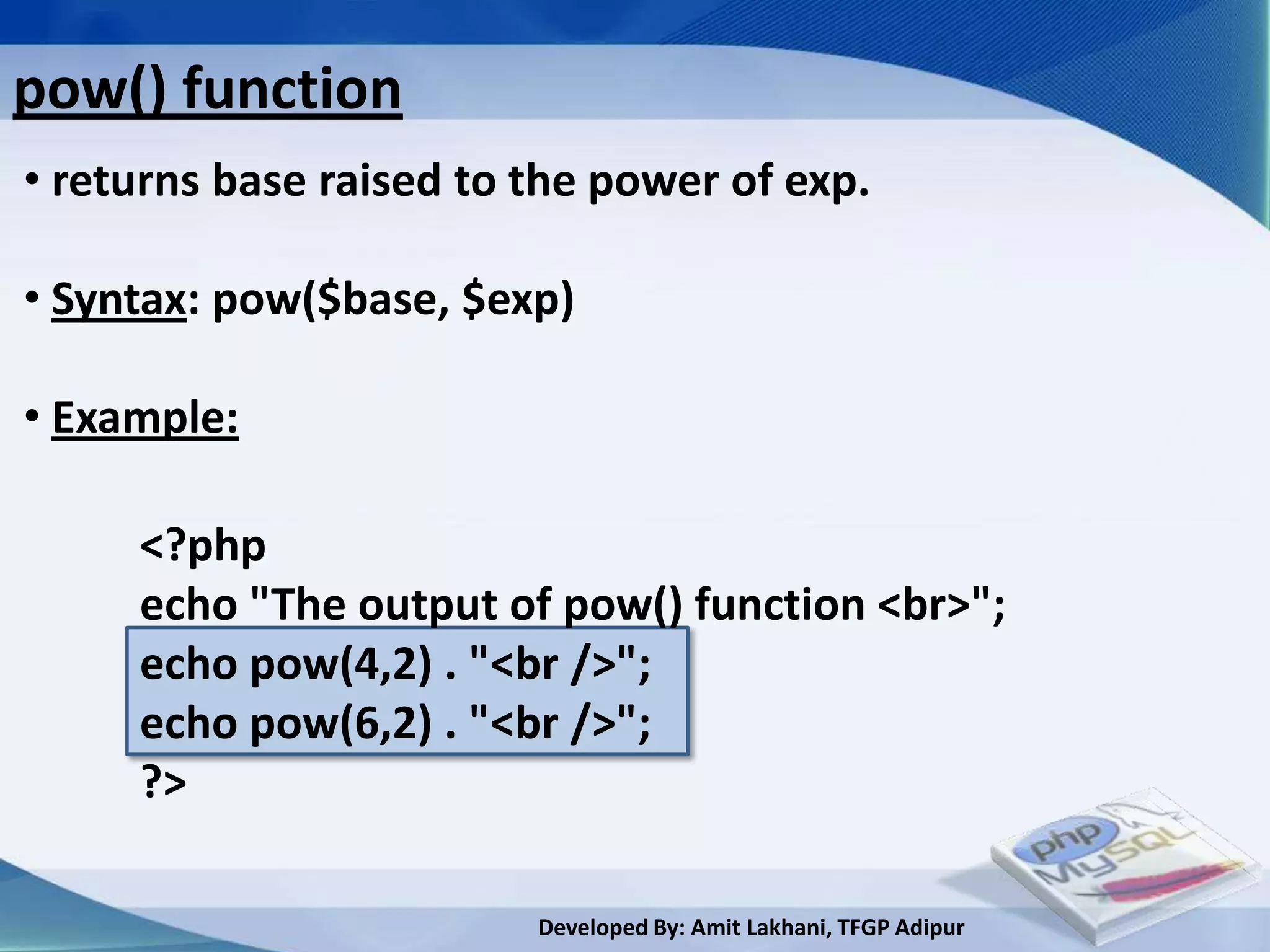
pow() function
• returns base raised to the power of exp.

• Syntax: pow($base, $exp)

• Example:

     <?php
     echo "The output of pow() function <br>";
     echo pow(4,2) . "<br />";
     echo pow(6,2) . "<br />";
     ?>

                         Developed By: Amit Lakhani, TFGP Adipur
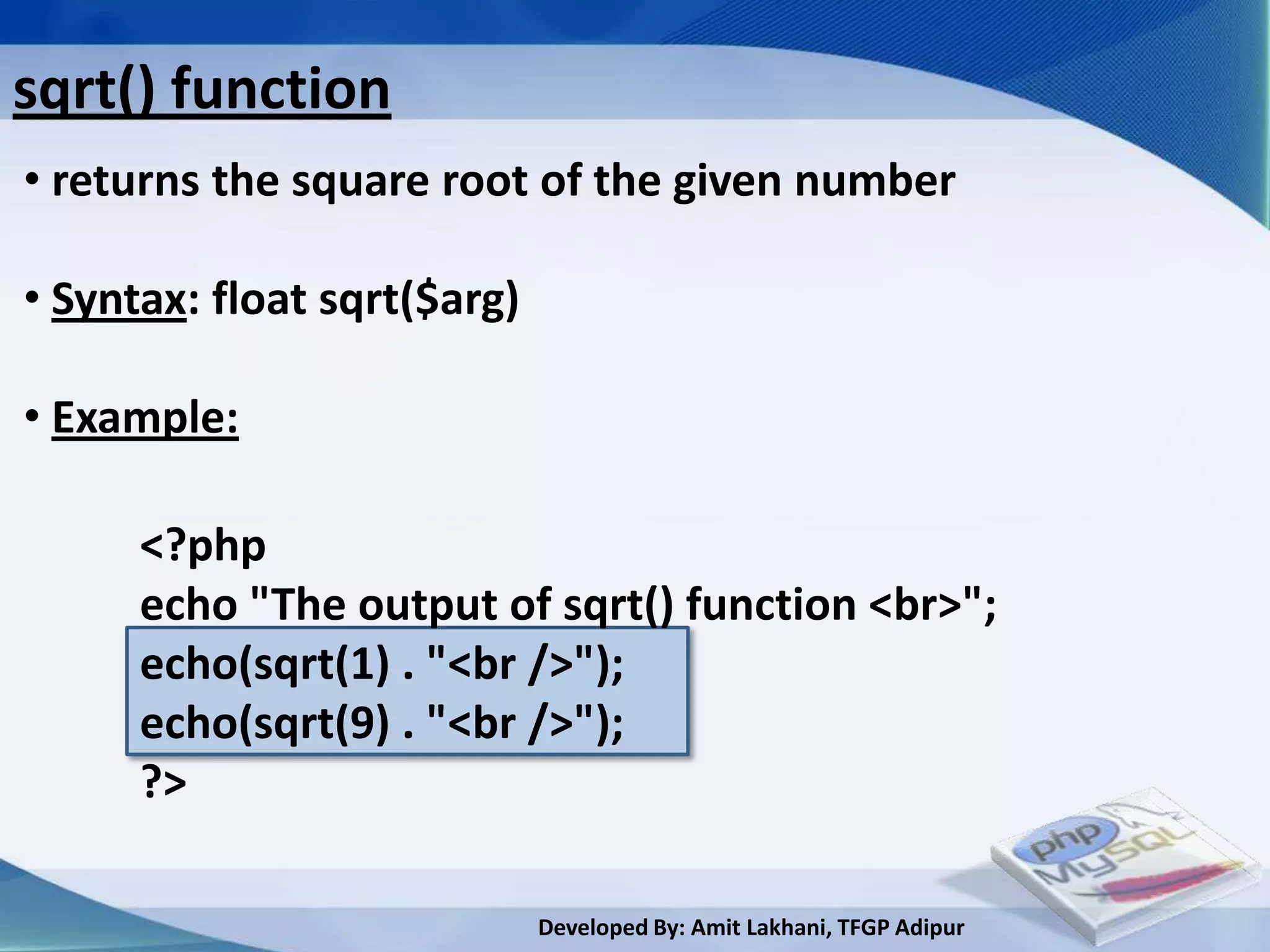
sqrt() function
• returns the square root of the given number

• Syntax: float sqrt($arg)

• Example:

      <?php
      echo "The output of sqrt() function <br>";
      echo(sqrt(1) . "<br />");
      echo(sqrt(9) . "<br />");
      ?>

                             Developed By: Amit Lakhani, TFGP Adipur
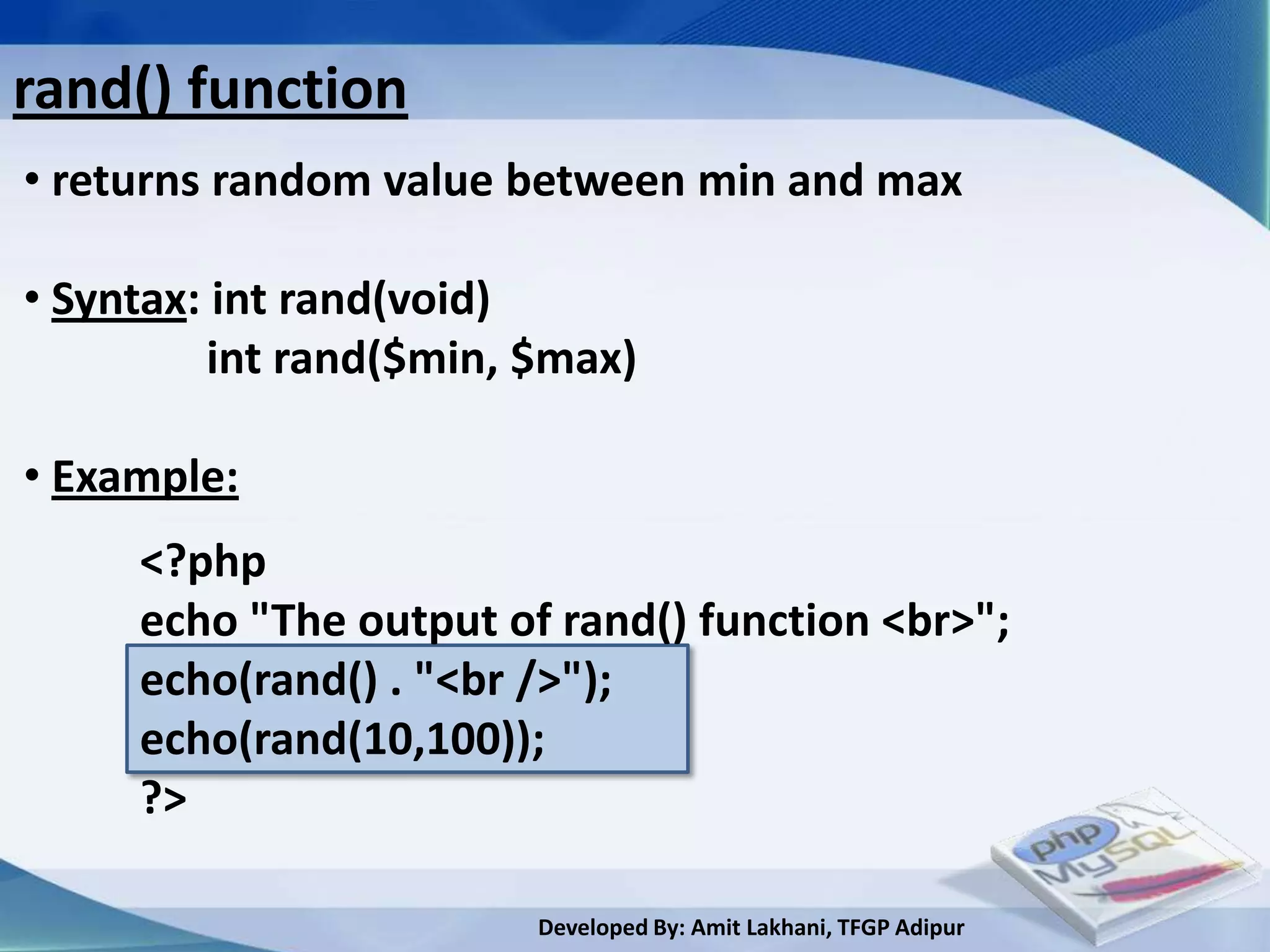
rand() function
• returns random value between min and max

• Syntax: int rand(void)
          int rand($min, $max)

• Example:
     <?php
     echo "The output of rand() function <br>";
     echo(rand() . "<br />");
     echo(rand(10,100));
     ?>

                         Developed By: Amit Lakhani, TFGP Adipur
3.4
Date functions


     Developed By: Amit Lakhani, TFGP Adipur
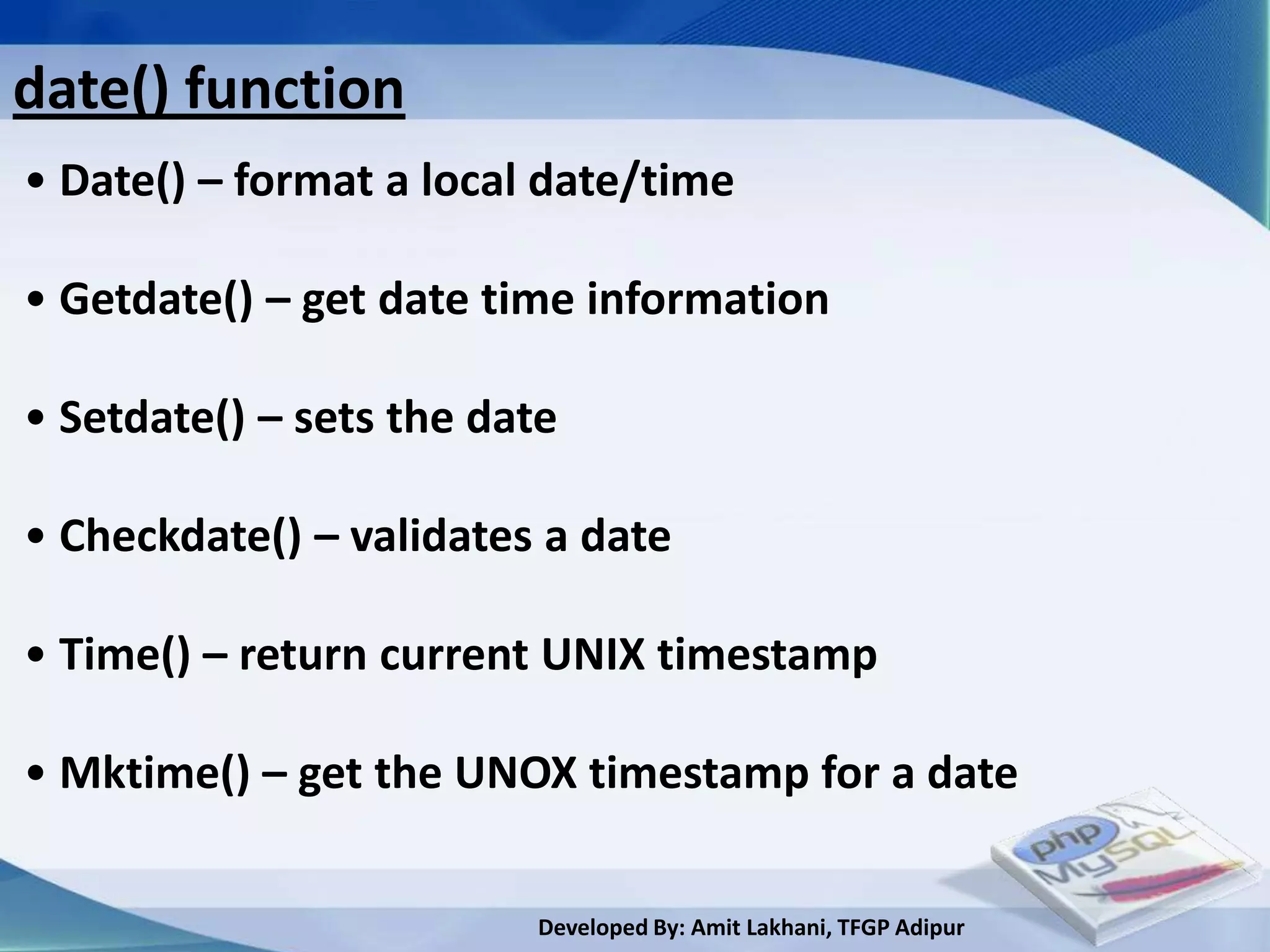
date() function
• Date() – format a local date/time

• Getdate() – get date time information

• Setdate() – sets the date

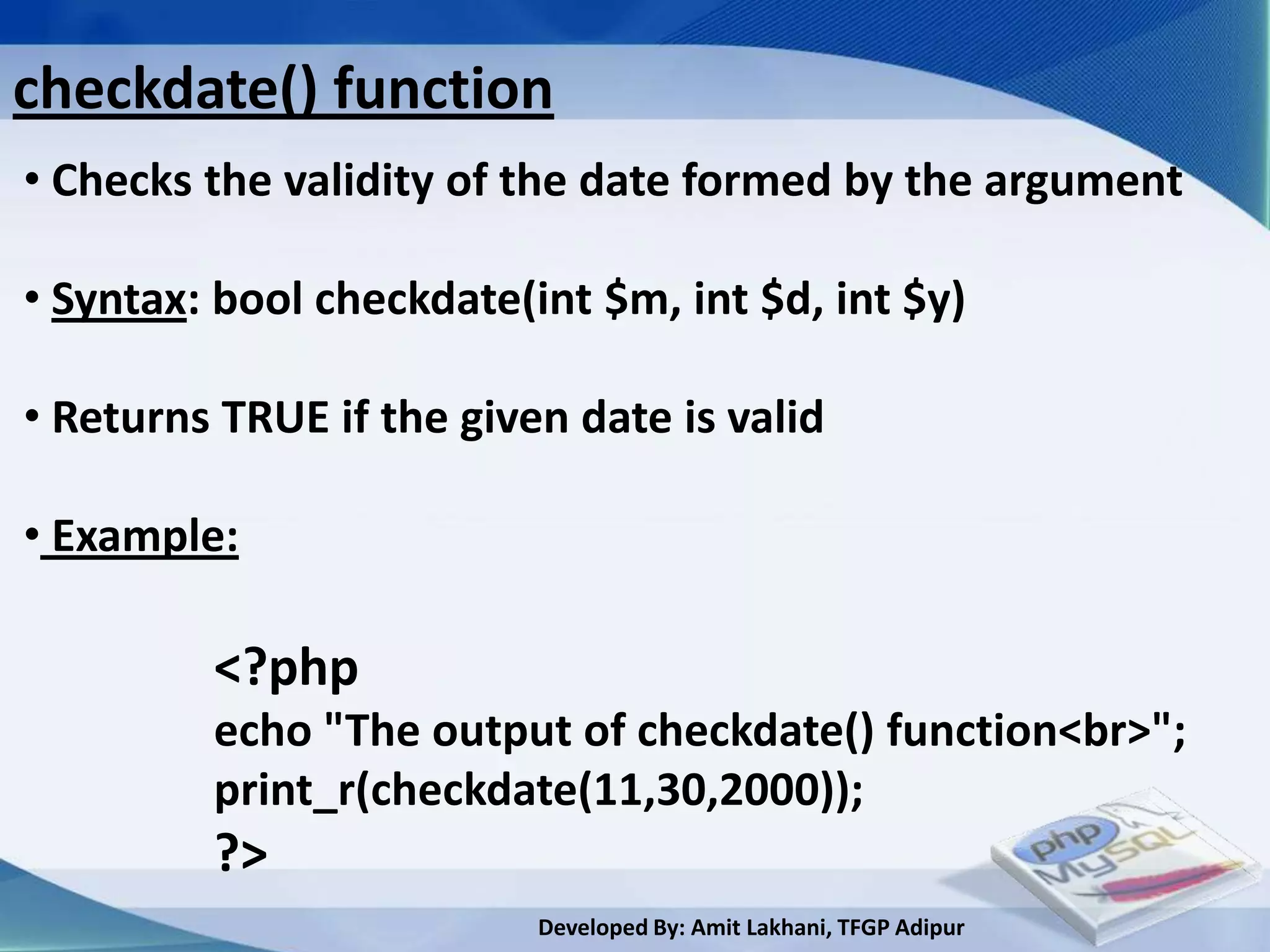
• Checkdate() – validates a date

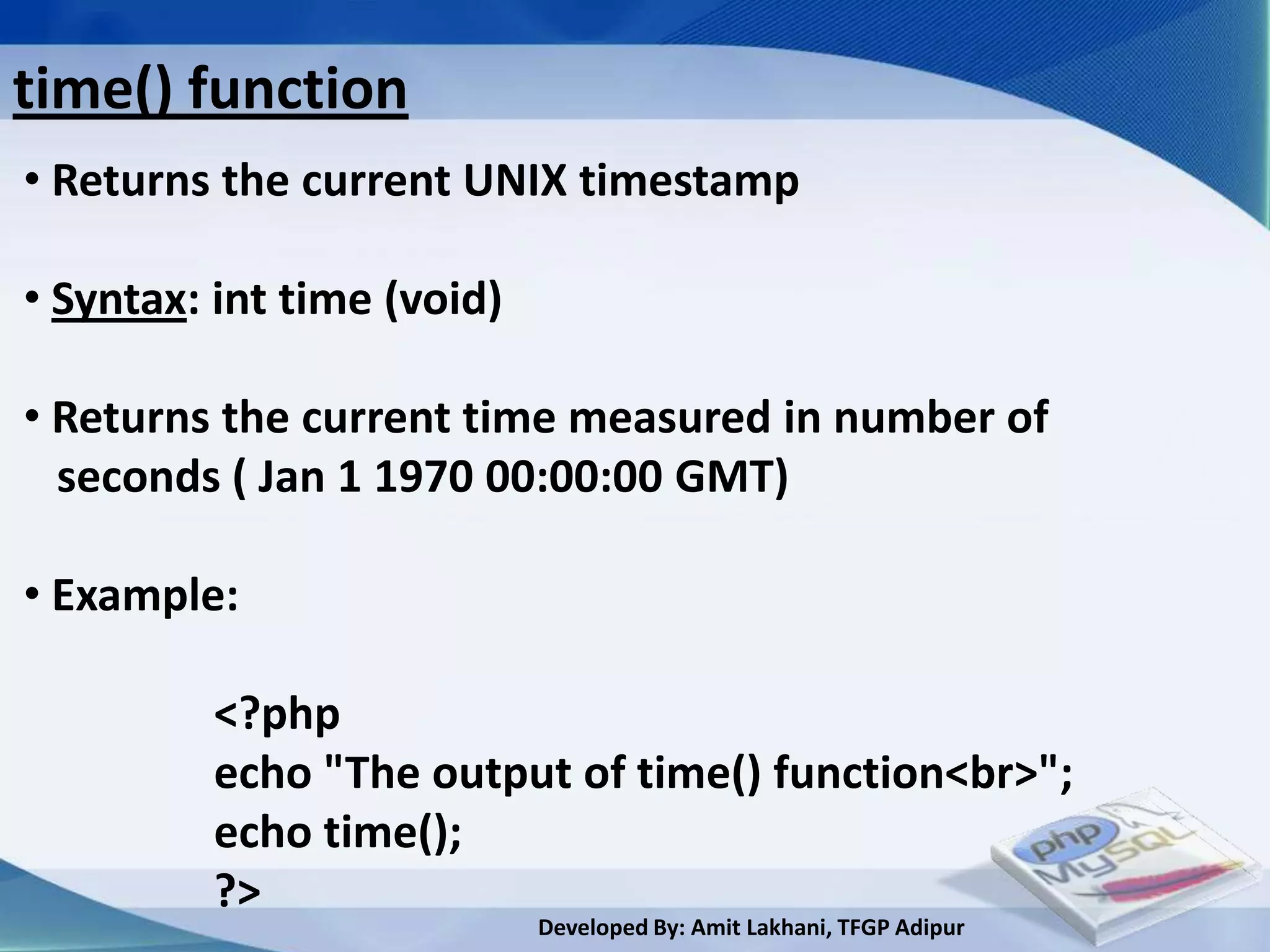
• Time() – return current UNIX timestamp

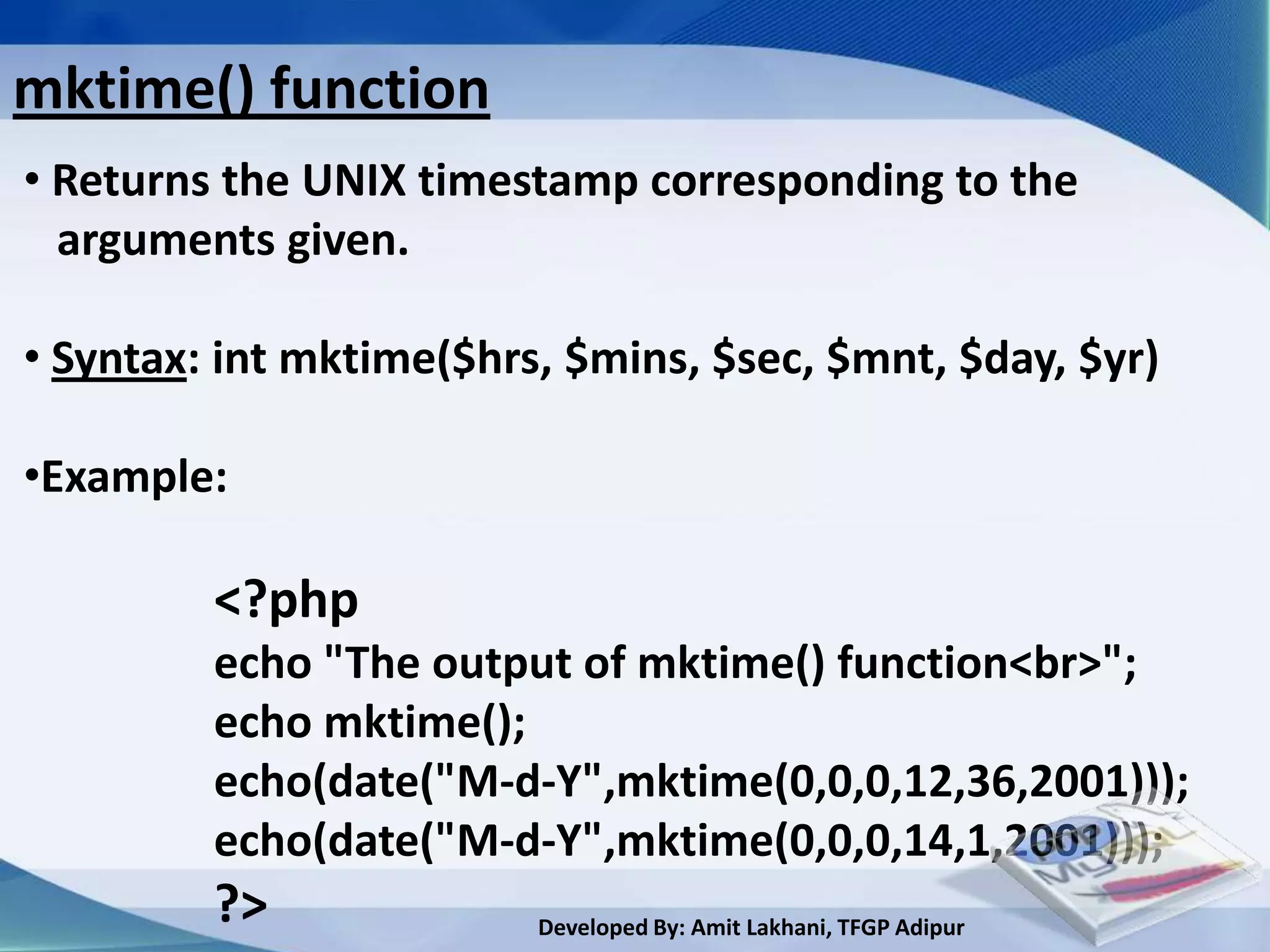
• Mktime() – get the UNOX timestamp for a date

                          Developed By: Amit Lakhani, TFGP Adipur
date() function
• returns a local time and date

•Syntax: string date($format, [int $timestap])

• Example:

     <?php
     echo "The output of date() function”;
     echo date("d");
     echo date("D");
     echo date("j");
     ?>
                         Developed By: Amit Lakhani, TFGP Adipur
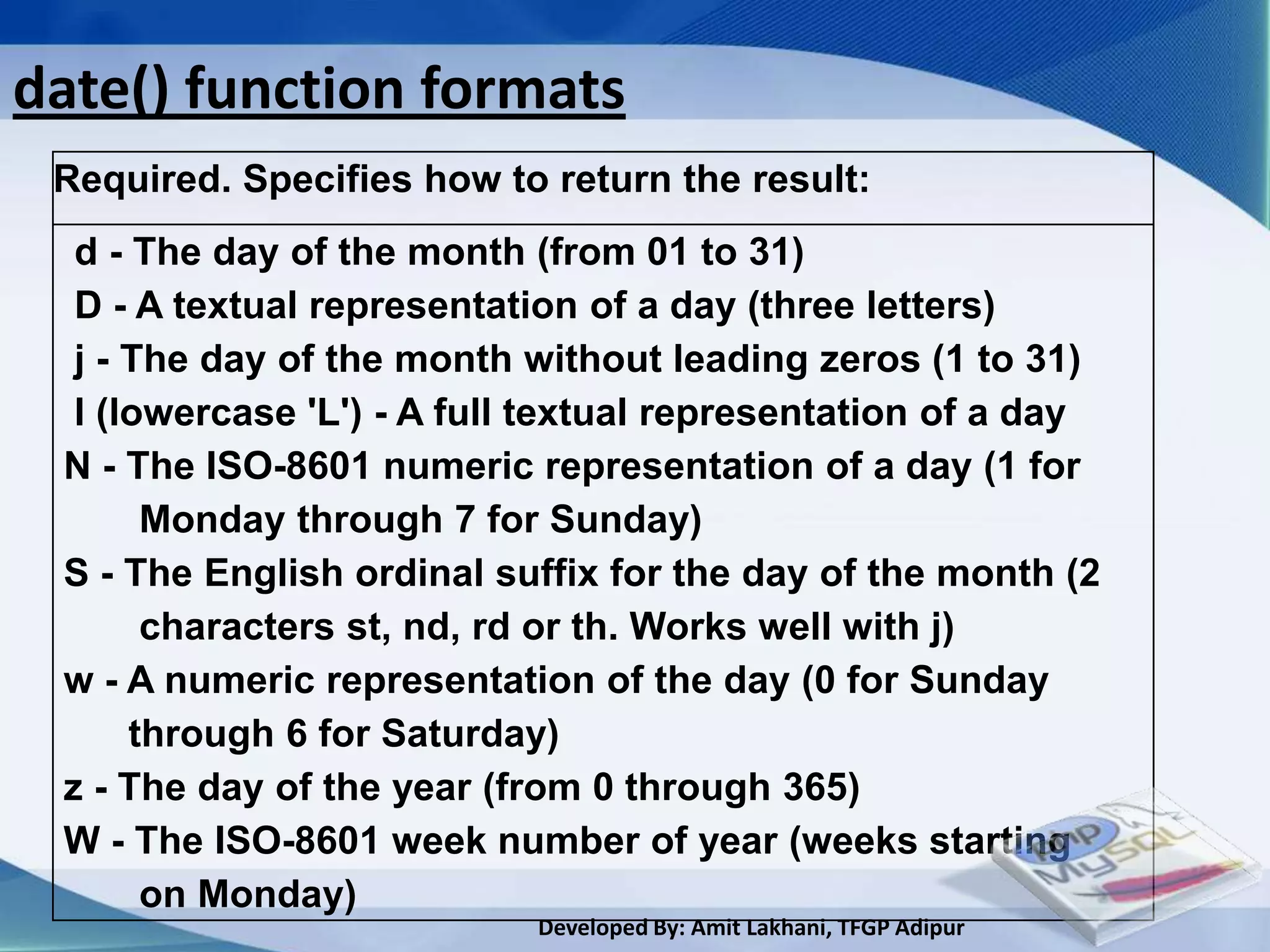
date() function formats
 Required. Specifies how to return the result:
  d - The day of the month (from 01 to 31)
  D - A textual representation of a day (three letters)
  j - The day of the month without leading zeros (1 to 31)
  l (lowercase 'L') - A full textual representation of a day
 N - The ISO-8601 numeric representation of a day (1 for
       Monday through 7 for Sunday)
 S - The English ordinal suffix for the day of the month (2
       characters st, nd, rd or th. Works well with j)
 w - A numeric representation of the day (0 for Sunday
      through 6 for Saturday)
 z - The day of the year (from 0 through 365)
 W - The ISO-8601 week number of year (weeks starting
       on Monday)
                           Developed By: Amit Lakhani, TFGP Adipur
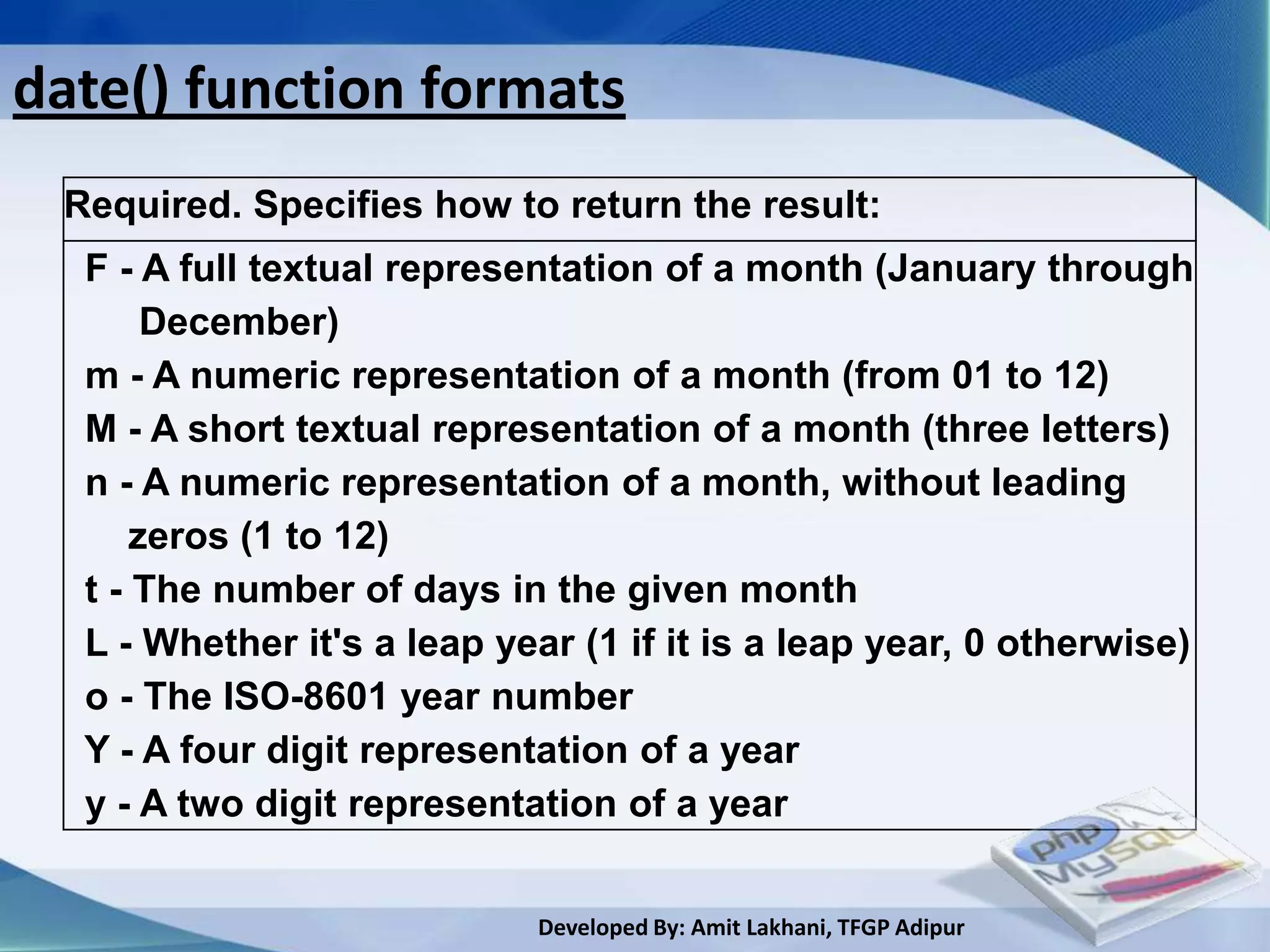
date() function formats
 Required. Specifies how to return the result:
  F - A full textual representation of a month (January through
       December)
  m - A numeric representation of a month (from 01 to 12)
  M - A short textual representation of a month (three letters)
  n - A numeric representation of a month, without leading
      zeros (1 to 12)
  t - The number of days in the given month
  L - Whether it's a leap year (1 if it is a leap year, 0 otherwise)
  o - The ISO-8601 year number
  Y - A four digit representation of a year
  y - A two digit representation of a year


                            Developed By: Amit Lakhani, TFGP Adipur
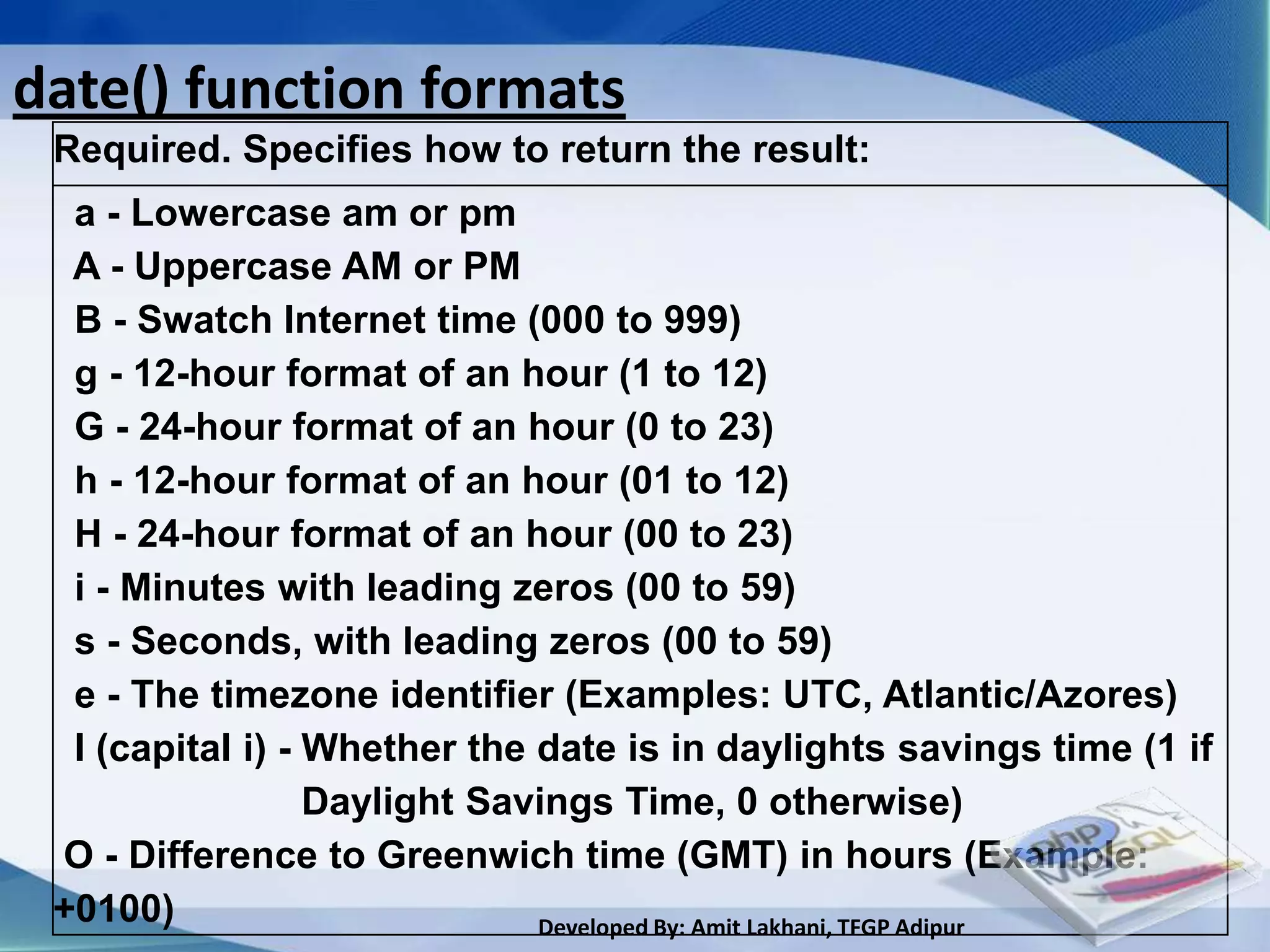
date() function formats
 Required. Specifies how to return the result:
  a - Lowercase am or pm
  A - Uppercase AM or PM
  B - Swatch Internet time (000 to 999)
  g - 12-hour format of an hour (1 to 12)
  G - 24-hour format of an hour (0 to 23)
  h - 12-hour format of an hour (01 to 12)
  H - 24-hour format of an hour (00 to 23)
  i - Minutes with leading zeros (00 to 59)
  s - Seconds, with leading zeros (00 to 59)
  e - The timezone identifier (Examples: UTC, Atlantic/Azores)
  I (capital i) - Whether the date is in daylights savings time (1 if
                  Daylight Savings Time, 0 otherwise)
 O - Difference to Greenwich time (GMT) in hours (Example:
 +0100)                       Developed By: Amit Lakhani, TFGP Adipur
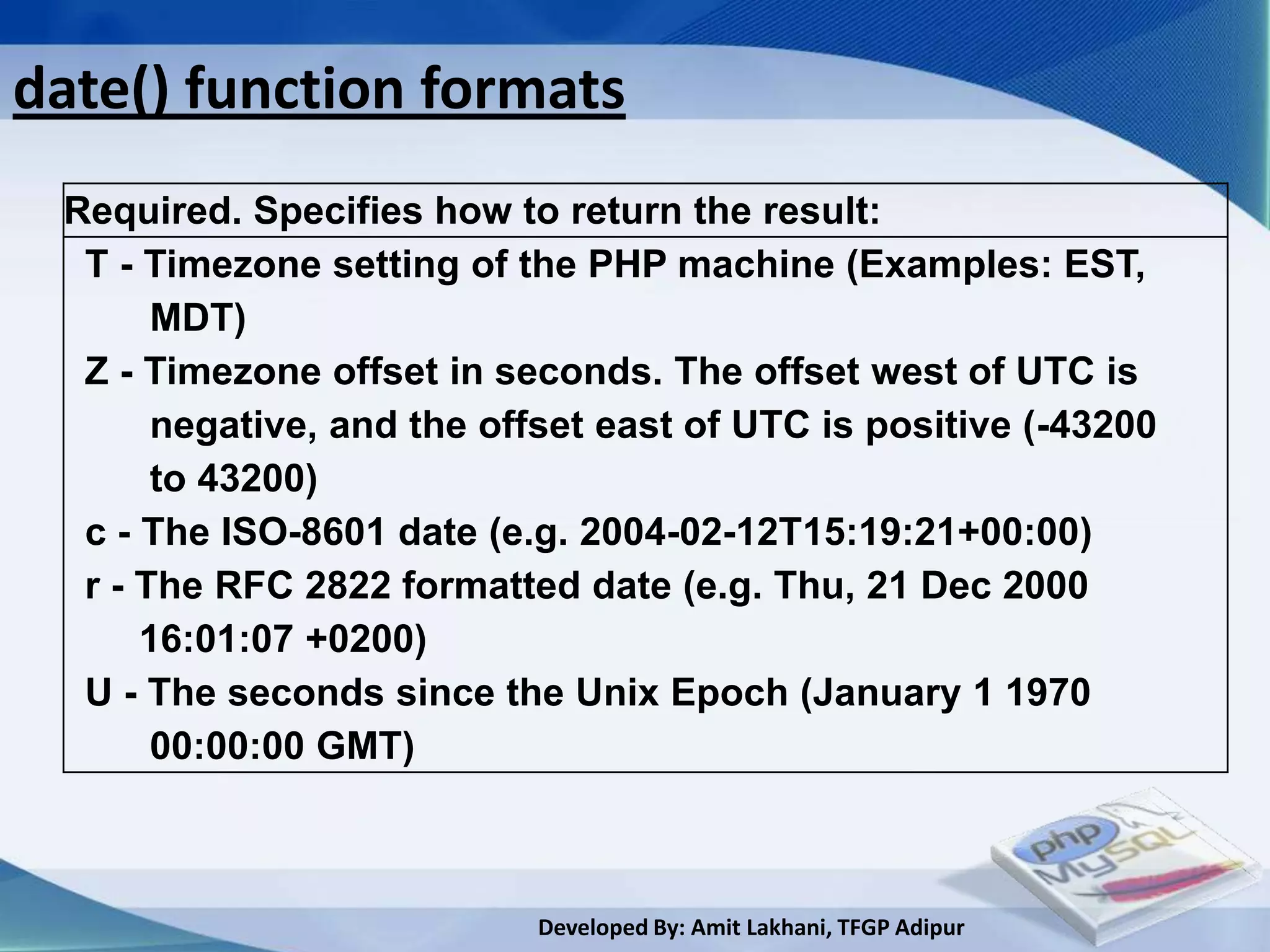
date() function formats
 Required. Specifies how to return the result:
  T - Timezone setting of the PHP machine (Examples: EST,
       MDT)
  Z - Timezone offset in seconds. The offset west of UTC is
       negative, and the offset east of UTC is positive (-43200
       to 43200)
  c - The ISO-8601 date (e.g. 2004-02-12T15:19:21+00:00)
  r - The RFC 2822 formatted date (e.g. Thu, 21 Dec 2000
      16:01:07 +0200)
  U - The seconds since the Unix Epoch (January 1 1970
       00:00:00 GMT)


                           Developed By: Amit Lakhani, TFGP Adipur
getdate() function
• returns an array containing the date information of the
  timestap.

• Syntax: array getdate([int $timestap])

• Example:
         <?php
         echo "The output of getdate() function<br>";
         print_r(getdate());
         ?>


                         Developed By: Amit Lakhani, TFGP Adipur
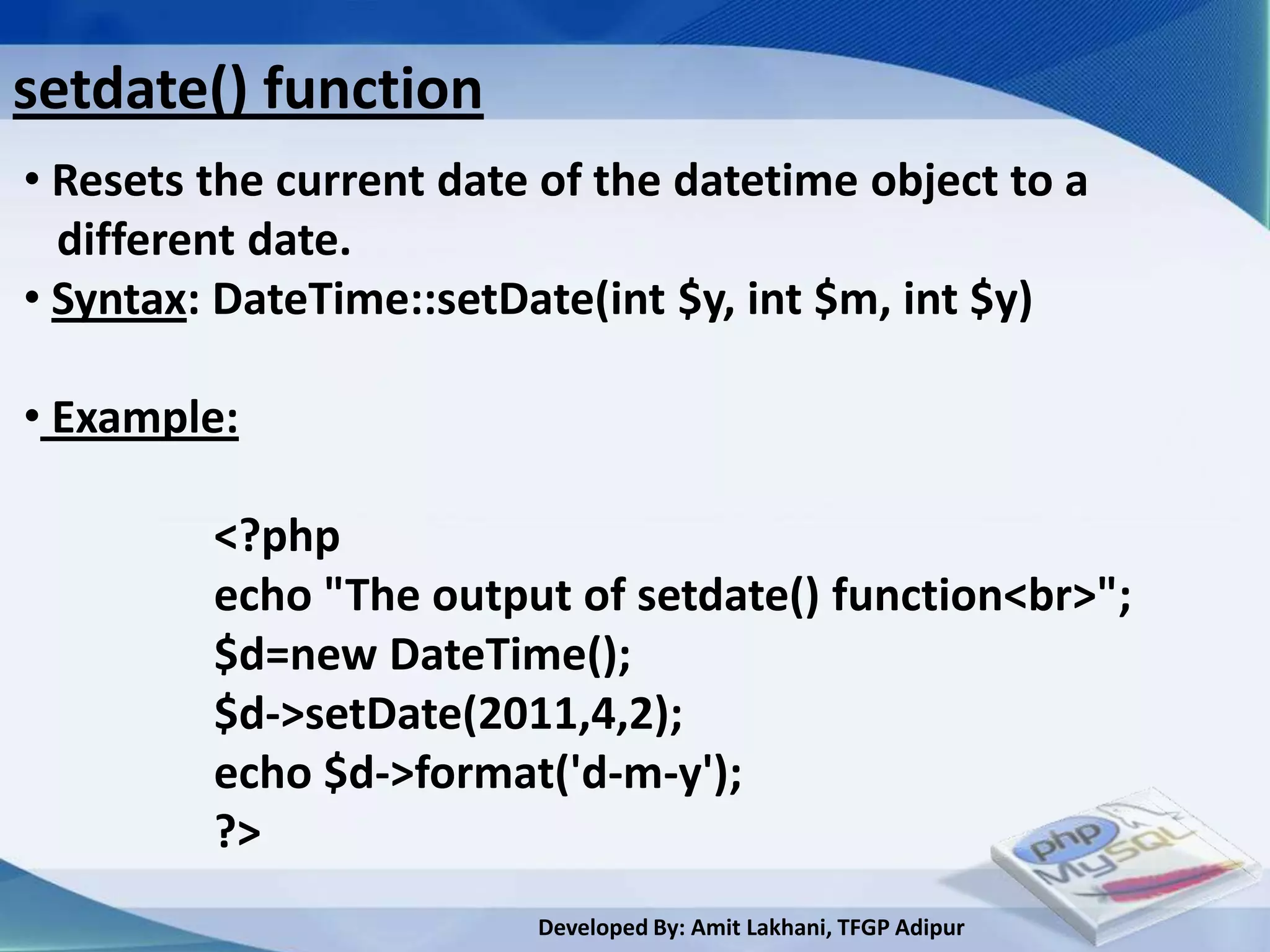
setdate() function
• Resets the current date of the datetime object to a
  different date.
• Syntax: DateTime::setDate(int $y, int $m, int $y)

• Example:

         <?php
         echo "The output of setdate() function<br>";
         $d=new DateTime();
         $d->setDate(2011,4,2);
         echo $d->format('d-m-y');
         ?>
                         Developed By: Amit Lakhani, TFGP Adipur
checkdate() function
• Checks the validity of the date formed by the argument

• Syntax: bool checkdate(int $m, int $d, int $y)

• Returns TRUE if the given date is valid

• Example:

         <?php
         echo "The output of checkdate() function<br>";
         print_r(checkdate(11,30,2000));
         ?>
                          Developed By: Amit Lakhani, TFGP Adipur
time() function
• Returns the current UNIX timestamp

• Syntax: int time (void)

• Returns the current time measured in number of
  seconds ( Jan 1 1970 00:00:00 GMT)

• Example:

         <?php
         echo "The output of time() function<br>";
         echo time();
         ?>
                            Developed By: Amit Lakhani, TFGP Adipur
mktime() function
• Returns the UNIX timestamp corresponding to the
  arguments given.

• Syntax: int mktime($hrs, $mins, $sec, $mnt, $day, $yr)

•Example:

         <?php
         echo "The output of mktime() function<br>";
         echo mktime();
         echo(date("M-d-Y",mktime(0,0,0,12,36,2001)));
         echo(date("M-d-Y",mktime(0,0,0,14,1,2001)));
         ?>              Developed By: Amit Lakhani, TFGP Adipur
3.5
Array functions


     Developed By: Amit Lakhani, TFGP Adipur
Array functions
count() -Counts all elements in an array, or properties in
         an object

array_count_values()-Returns an array of values from input
as keys and their count as value.

list() -Assigns variables to values

In_array()-checks if a value exists in an array

current() -Return the current element in an array

next()-Advance the internal array pointer of an array
                           Developed By: Amit Lakhani, TFGP Adipur
Array functions conti..
prev()-Rewind the internal pointer of an array

end()-Set the internal pointer of an array to its last element

each()-Returns the current key and value pair from an array
         and advances the array cursor
sort()-Sorts an array

Array_merge()-Merges the elements of one or more array
together so that the values of one or more are appended to
the end of the previous array.

                          Developed By: Amit Lakhani, TFGP Adipur
Array functions conti..
Array_reverse()-Returns the array with the order of the
elements reversed.

Array_sum()- Returns the sum of values in an array


                         Developed By: Amit Lakhani, TFGP Adipur
count() function
• Counts all elements in an array, or properties in an object

• Syntax: count($var)

• Example:

             <?php
             $varArray=array(1,2,3,4,5);
             echo "The number of elements in first
             array=".count($varArray);
             ?>
             Output:

                          Developed By: Amit Lakhani, TFGP Adipur
Array_count_values() function
• Returns an array of values from input as keys and their
  count as value.

• Syntax: array array_count_values($var)

• Example:
    <?php
    echo "The output of array_count_values() function<br>";
    $arr=array(1,2,3,4,5);
    print_r(array_count_values($arr));
    ?>
   Output:

                         Developed By: Amit Lakhani, TFGP Adipur
list() function
• Assigns variables to values

• Syntax: list($var1, $var2,…..)

Example:

   <?php
   echo "The output of list() function<br>";
   $arr=array(1,2,3);
   list($a,$b,$c)=$arr;
   echo “The list of values are:<br> $a <br> $b <br> $c ";
   ?>
                           Developed By: Amit Lakhani, TFGP Adipur
In_array() function
• checks if a value exists in an array

• Syntax: in_array($key, $array)

• Example:
                <?php
                $varArray=array(1,2,3);
                if(in_array(1,$varArray))
                {
                    print_r($varArray[1]);
                }
                ?>

                           Developed By: Amit Lakhani, TFGP Adipur
current() function
• Return the current element in an array

• Syntax: mixed current($array)

• Example:
         <?php
         $arr=array(1,2,3);
         echo "The current element is ". current($arr);
         ?>
         Output:


                         Developed By: Amit Lakhani, TFGP Adipur
next() function
• Advance the internal array pointer of an array

• Syntax: mixed next($array)

• Example:
         <?php
         $arr=array(1,2,3);
         echo "The current element is ". current($arr);
         echo "<br>The next element is ". next($arr);
         ?>
         Output:


                         Developed By: Amit Lakhani, TFGP Adipur
prev() function
• Rewind the internal pointer of an array

• Syntax: mixed prev($array)

• Example:
         <?php
         $arr=array(1,2,3);
         echo "The current element is ". current($arr);
         echo "<br>The next element is ". next($arr);
         echo "<br>The next element is ". prev($arr);
         ?> Output:


                         Developed By: Amit Lakhani, TFGP Adipur
end() function
• Set the internal pointer of an array to its last element

• Syntax: mixed end($array)

• Example:

             <?php
             $arr=array(1,2,3);
             echo "The last element is ". end($arr);
             ?>
             Output:


                          Developed By: Amit Lakhani, TFGP Adipur
each() function
• Returns the current key and value pair from an array
  and advances the array cursor

• Syntax: array each($array)

• Example:
               <?php
               $arr=array(1,2,3);
               $ele=each($arr);
               echo "The element is ";
               print_r($ele);
               ?>

                         Developed By: Amit Lakhani, TFGP Adipur
sort() function
• Sorts an array

• Syntax: bool sort($array)

• Example:

                   <?php
                   $arr=array(1,2,3);
                   sort($arr);
                   print_r($arr);
                   ?>
        Output:


                          Developed By: Amit Lakhani, TFGP Adipur
Array_merge() function
• Merges the elements of one or more array together so
  so that the values of one or more are appended to the
  end of the previous array.

• Syntax: array array_merge($array1, $array2, …..)

• Example:
               <?php
               $arr=array(1,2,3);
               $arr_1=array(4,5,6);
               $arr_2=array_merge($arr, $arr_1);
               print_r($arr_2);
               ?>
                         Developed By: Amit Lakhani, TFGP Adipur
Array_reverse() function
• Returns the array with the order of the elements
   reversed.

• Syntax: array array_reverse($array)

• Example:
                  <?php
                  $arr=array(1,2,3);
                  $arr_2=array_reverse($arr);
                  print_r($arr_2);
                  ?>
        Output:


                           Developed By: Amit Lakhani, TFGP Adipur
Array_sum() function
• Returns the sum of values in an array

• Syntax: number array_sum($array)

• Example:

                  <?php
                  $arr=array(1,2,3);
                  $arr_2=array_sum($arr);
                  print_r($arr_2);
                  ?>
        Output:


                          Developed By: Amit Lakhani, TFGP Adipur
3.6
File functions


     Developed By: Amit Lakhani, TFGP Adipur
File functions
  fopen()- opens a file or URL

  fread()- it reads from an open file

  fwrite()- Writes the contents of string to the file stream

  fclose()- closes an open file


                         Developed By: Amit Lakhani, TFGP Adipur
fopen() function
  • Opens a file

  • Syntax: fopen(filename, mode)

  • Example:         File name         File mode

           <?php
           $file = fopen("test.txt","w");
           echo fwrite($file,"computer department");
           fclose($file);
           ?>

                       Developed By: Amit Lakhani, TFGP Adipur
fopen() file modes
 ‘r’  Open for reading only. Start at beginning of
      file.
 ‘r+’ Open for reading and writing. Start at
      beginning of file.
 ‘w’  Open for writing only. Remove all previous
      content, if file doesn’t exist, create it.
 ‘w+’ Open for reading and writing. If file doesn’t
      exist, attempt to create it.
 ‘a’  Open writing, but start at END of current
      content.

                      Developed By: Amit Lakhani, TFGP Adipur
fopen() file modes

  ‘a+’ Open for reading and writing, start at END
       and create file if necessary.
  ‘x’  Create and open for writing only.

  ‘x+’ Create and open for reading and writing .


                     Developed By: Amit Lakhani, TFGP Adipur
fread() function
  • Reads from an open file

  • Syntax: fread(file,length)

  • Example:
           <?php
           $file = fopen("test.txt","r");
           echo fread($file,5);
           fclose($file);
           ?>


                         Developed By: Amit Lakhani, TFGP Adipur
fwrite() function
  • Writes the contents of the string

  • Syntax: fwrite(filename, mode)

  • Example:

           <?php
           $file = fopen("test.txt","w");
           echo fwrite($file,"computer department");
           fclose($file);
           ?>

                        Developed By: Amit Lakhani, TFGP Adipur
fclose() function
  • Closes an open file.

  • Syntax: fclose($filename)

  • Example:

           <?php
           $file = fopen("test.txt","w");
           echo fwrite($file,"computer department");
           fclose($file);
           ?>

                           Developed By: Amit Lakhani, TFGP Adipur
Summary
  PHP offers several built in functions for day to day
  uses in coding

  • Variable functions                   • Date functions

  • String functions                     • Array functions

  • Math functions                       • File functions


                         Developed By: Amit Lakhani, TFGP Adipur
Chapter - 4

       Working with Data
Working with Data
 • This unit covers….
        4.1 FORM element, INPUT element

        4.2 Processing the form

        4.3 User Input

        4.4 Adding Items

        4.5 Validating the user input

        4.6 Passing variables between pages
                         Developed By: Amit Lakhani, TFGP Adipur
4.1
FORM element,
INPUT element

     Developed By: Amit Lakhani, TFGP Adipur
Concept of Form element
  • If you want to design a page , which accepts
   Information from users through various fields such
   as textbox, textarea, checkbox, radio buttons, drop
   down list etc at that time you have to use the form
   control.

  • Form can be defined using <form> tag.

  • Forms are used to pass data to a server.

  • The syntax to put form control is:
   <form> </form>
                         Developed By: Amit Lakhani, TFGP Adipur
Form element example
  <html>
  <form>       Form element
  First Name:
  <input type= "text" name="txtfname">
  <br>
  Last Name:
  <input type= "text" name="txtlname" >
  <br>
  <input type= "submit" name="btnsubmit"
  value = "Send">
  </form>       Form element
  </html>
                       Developed By: Amit Lakhani, TFGP Adipur
Form element output


                 Developed By: Amit Lakhani, TFGP Adipur
Form attributes
The form attributes are as follows:
 Action: - It is the URL program that is going to accept the
           data from the form, process it, and send a
           response back to the browser.
 Method:- GET(default) or POST specifies which HTTP
            method will be used to form’s content to the
            web server.
 Enctype:- This determines the mechanism used to
            encode the form content.
 Name:- This is form name.
 Target:- This is the target frame where the response page
          will show up.
                         Developed By: Amit Lakhani, TFGP Adipur
Form elements
The form elements are:

               • Textboxes
               • Password boxes
               • Check boxes
               • Option buttons
               • Submit
               • Reset
               • File
               • Hidden
               • Image

                         Developed By: Amit Lakhani, TFGP Adipur
Input elements
The input elements are used to get input from the user
In various format:

  • Type:- type of input entry field
  • Name:- variable name passed to application
  • Value:- the data associated with the variable name to
            be passed to the application
  • Checked :- Button/ box checked by default
  • Size:- number of character in text field
  • Maxlength :- maximum number of characters
                  accepted

                        Developed By: Amit Lakhani, TFGP Adipur
Input elements conti…..
Following are the list of commonly used input fields:
   • Hidden:- used to send data that you don’t want the
                web surfer to see.
   • Textbox:- used to provide input fields for text, phone
                 numbers, dates etc.
   • Password:- used to allow entry of password.
   • Text area:- allows free form text entry.
   • Checkbox:- allows the user to select more than one
                   option
   • Radio button:- allow users to select only one option.
   • Select:- used to select one or more option from given
              list
                          Developed By: Amit Lakhani, TFGP Adipur
Input elements conti…..
Following are the list of commonly used input fields:

 • Option:- The list items are added to the <SELECT>
                element by inserting <OPTION> element.
 • Dropdown list:- it is used to select one option from
                       list.
 • List :- it is used to select one option from list.
 • Push Button :- would cause an action to take place.
 • Submit:- it causes the browser to send the names and
               values of the other elements to the
               application specified by the ACTION attribute
               of the FORM element

                           Developed By: Amit Lakhani, TFGP Adipur
Input elements conti…..
Following are the list of commonly used input fields:

   • Image submit button:- allows to substitute an image
                             for the standard submit button.
   • Reset:- It allows the user to clear all the input in the
             form.


                         Developed By: Amit Lakhani, TFGP Adipur
Hidden Input
It is used to send data to the application that you don’t
Want the user to see or have to enter but is necessary
for the application to process the form correctly.

            <INPUT TYPE= “HIDDEN”>
Attributes:
•Type:- hidden
• Name:- variable name to be sent to the application
• Value:- usually set to the value expected by the
          applicaton


                         Developed By: Amit Lakhani, TFGP Adipur
Textbox Input
It is used to provide input fields for text, phone numbers,
dates etc.
            <INPUT TYPE= “TEXT”>
Attributes:
  • Type:- text
  • Size:- determine the size of textbox in characters
         (default=20)
  • Maxsize :- determine the maximum number of
                characters that the field will accept
  • Name:- variable name to be sent to the application
  • Value:- will display its contents as the default value

                         Developed By: Amit Lakhani, TFGP Adipur
Example of Textbox input
  <html>
  <form>
  <font size=50>                         Textbox element
  First Name:
  <input type= "text" name="txtfname“>
  Last Name:
  <input type= "text" name="txtlname" >
  <input type= "submit" name="btnsubmit" value =
  "Send">
  </form>
  </html>

                      Developed By: Amit Lakhani, TFGP Adipur
Output of Textbox example


                                        Textbox

                  Developed By: Amit Lakhani, TFGP Adipur
Password Input
It is used to allow entry of password

           <INPUT TYPE= “PASSWORD”>
Attributes:
   • Type:- password
   • Size:- determine the size of textbox in characters
   • Maxsize :- determine the maximum size of password
                 in characters.
   • Name:- variable name to be sent to the application
   • Value:- usually blank

                          Developed By: Amit Lakhani, TFGP Adipur
Example of Password input
  <html>
  <form>
  <font size=50>
  Username:
  <input type= "text" name="txtuname“>
  Password:
  <input type= “password" name="txtpwd”>
  <input type= "submit" name="btnsubmit" value =
  "Send">
  </form>
  </html>          password


                      Developed By: Amit Lakhani, TFGP Adipur
Output of Password example


                          password


                 Developed By: Amit Lakhani, TFGP Adipur
Text area Input
It allows the user to type address, comments etc.
having multiple lines.
        <TEXTAREA> </TEXTAREA>
Attributes:
  • Name:- variable name to be sent to the application
  • Rows:- number of rows to the textbox
  • Cols:- number of columns to the textbox
  • Wrap:- default OFF. It is set so that the text wraps in
            the browser


                          Developed By: Amit Lakhani, TFGP Adipur
Example of textarea input
<html>
<form>
                                                      Text area input
<font size=20>
Name:
<input type= "text" name="txtfname">
Address:
<textarea name="txtadd" rows=5 ></textarea>
<input type= "submit" name="btnsubmit" value = "Send" >
</form>
</html>


                      Developed By: Amit Lakhani, TFGP Adipur
Output of textarea example


                           Text area


                  Developed By: Amit Lakhani, TFGP Adipur
Checkbox Input
It allows the user to select more than one option.

        <INPUT TYPE= “CHECKBOX”>
Attributes:
  • Type:- checkbox
  • Checked:- blank or CHECKED as the initial status
  • Name:- variable name to be sent to the application
  • Value:- usually set to a value


                        Developed By: Amit Lakhani, TFGP Adipur
Example of Checkbox input
<html>
                                          Checkbox element
<form>
Select Your Department:<br>
<input type= "checkbox" name="chkdept"
value="dept">Computer<br>
<input type= "checkbox" name="chkdept"
value="dept">Information Technology<br>
<input type= "checkbox" name="chkdept"
value="dept">Mechanical<br>
<input type= "checkbox" name="chkdept"
value="dept">Electrical
</form>
</html>               Developed By: Amit Lakhani, TFGP Adipur
Output of checkbox example


                  checkbox

                  Developed By: Amit Lakhani, TFGP Adipur
Radio button Input
It allows the user to select only one option.

          <INPUT TYPE= “RADIO”>
Attributes:
  • Type:- radio
  • Checked:- blank or CHECKED as the initial status. Only
              one radio button can be checked
  • Name:- variable name to be sent to the application
  • Value:- usually set to a value


                         Developed By: Amit Lakhani, TFGP Adipur
Example of Radio button input

<html>
<form>
                                        Radio button element
<font size=5>
Select Your Gender:
<input type= "radio" name="rdgender"
value="male">Male<br>
<input type= "radio" name="rdgender"
value="female">Female<br></form>
</html>

                      Developed By: Amit Lakhani, TFGP Adipur
Output of Radio button example


                Radio buttons


                  Developed By: Amit Lakhani, TFGP Adipur
Select Input
It is used to select one or more option from given
list of choice
          <SELECT> </SELECT>
There are two types of select input:
   • Dropdown list- it is like combobox control.
   • List box- it is like list control.

Attributes:
  •Name:- variable name to be sent to the application.
  • Size:- sets the number of visible choices.
  • Multiple:- presense of this attribute allow the user to
                 make multiple selection
                         Developed By: Amit Lakhani, TFGP Adipur
Option Input
List items are added to the <OPTION> </OPTION>
Element.
          <OPTION> </OPTION>
Attributes:
  • Selected:- When this attribute presents, the option is
               selected when the document is initially
               loaded.
  • Value:- Specifies the value the variable named in the
            select element.


                         Developed By: Amit Lakhani, TFGP Adipur
Example of select input with dropdown menu

<html>
<form>
Select Your Gender:<br>
<select name="lang">
     <option > English</option>
     <option selected> Hindi</option>
     <option> Gujarati</option>
</select>
</html>
           Select with option element
                       Developed By: Amit Lakhani, TFGP Adipur
Output of select example with dropdown menu


                     Select input with dropdown box


                     Selected value


                  Developed By: Amit Lakhani, TFGP Adipur
Example of select input with list box

<html>
<form>
Select Your Language:<br>
<select name="lang" size=3 multiple="true">
     <option > English</option>
     <option selected > Hindi</option>
     <option> Gujarati</option>
</select>
</html>
           Select with option element
                       Developed By: Amit Lakhani, TFGP Adipur
Output of select example with list box


                      Select input with list box


                      Multiple Selected value


                   Developed By: Amit Lakhani, TFGP Adipur
Push Button
This element would be used to cause an action to take
place
          <INPUT TYPE=“BUTTON”>
Attributes:
  • Type:- Button
  • Name:- Specifies the name to be used in scripting.
  • Value:- determine the text label on the button.


                        Developed By: Amit Lakhani, TFGP Adipur
Example of push button

<html>
<form>
First Name:
<input type= "text" name="txtfname">
Last Name:
<input type= "text" name="txtlname" >
<input type= “button" name="btnsubmit" value =
"Send">
</form>
</html>          Push button input

                   Developed By: Amit Lakhani, TFGP Adipur
Output of push button


                                   button


                  Developed By: Amit Lakhani, TFGP Adipur
Submit button
This element causes the browser to send the names of
And values of the other elements to the application
Specified by the ACTION attribut of the FORM element
          <INPUT TYPE=“SUBMIT”>
Attributes:
  • Type:- submit
  • Name:- Specifies the name to be used in scripting.
  • Value:- determine the text label on the button.


                        Developed By: Amit Lakhani, TFGP Adipur
Example of submit button

<html>
<form>
First Name:
<input type= "text" name="txtfname">
Last Name:
<input type= "text" name="txtlname" >
<input type= “submit" name="btnsubmit" value =
"Send">
</form>
</html>          submit button input

                   Developed By: Amit Lakhani, TFGP Adipur
Output of submit button


                                   Submit button


                  Developed By: Amit Lakhani, TFGP Adipur
Image Submit button
Allows user to substitute an image for the standard
Submit button.
     <INPUT TYPE=“IMAGE” SRC= …URL>
Attributes:

  • Type:- image
  • Name:- Specifies the name to be used in scripting.
  • SRC:- URL of the image file.


                        Developed By: Amit Lakhani, TFGP Adipur
Example of image submit button

<html>
<form>
First Name:
<input type= "text" name="txtfname">
Last Name:
<input type= "text" name="txtlname" >
<input type= “image“ src=”…” name="btnsubmit"
value = "Send">
</form>
</html>          submit button input

                   Developed By: Amit Lakhani, TFGP Adipur
Output of image submit button


                                image button


                  Developed By: Amit Lakhani, TFGP Adipur
Reset button
Allows user to clear all the input in the form.

           <INPUT TYPE=“RESET”>
Attributes:

  • Type:- reset
  • Value:- determine the text label on the button.


                         Developed By: Amit Lakhani, TFGP Adipur
Example of reset button

<html>
<form>
First Name:
<input type= "text" name="txtfname">
Last Name:
<input type= "text" name="txtlname" >
<input type= "submit">
<input type= "reset">
</form>
</html>         reset button input

                     Developed By: Amit Lakhani, TFGP Adipur
Output of reset button


                       reset button


                   Developed By: Amit Lakhani, TFGP Adipur
4.2
Processing the form


        Developed By: Amit Lakhani, TFGP Adipur
Concept of Processing the form
• We can use any of the form elements to send or retrieve
  the data to or from PHP pages. You can store values
  Retrieved from form into variables in order to use these
  values.

• When you create a form you have two choices for the
 METHOD attribute. You can use one of the following two
 methods to pass information between pages.
              • GET method
              • POST method

• They both pass the data entered into the form along with
  the form field name to the web server.
                        Developed By: Amit Lakhani, TFGP Adipur
Processing the form
• GET method
      When GET method is used in the METHOD attribute
      of FORM element, the value entered in the input
      elements are displayed in URL.


                      Developed By: Amit Lakhani, TFGP Adipur
Processing the form
• POST method
      When POST method is used in the METHOD
attribute of FORM element, the value entered in the
input elements are not passed in the URL.


                                     Output of post method


                       Developed By: Amit Lakhani, TFGP Adipur
Example of form processing using GET method
Form_get.php
 <html><body>
 <form action="get.php" method="get">
 Name: <input type="text" name="fname" />
 Age:<input type="text" name=“surname" />
 <input type="submit" value=“Send”/>
 </form></body></html>
 get.php
 <?php
 echo "Name:".$_GET['fname'];
 echo "<br>";
 echo "Surname:".$_GET['surname'];
 ?>                 Developed By: Amit Lakhani, TFGP Adipur
Output of form
Output of form_get.php

                                                  When “Send”
                                                  button is clicked,
                                                  value in the text
                                                  box is sent to the
                                                  get.php and are
                                                  displayed in
                                                  browser
Output of get.php


                    Developed By: Amit Lakhani, TFGP Adipur
Example of form processing using POST method
Form_post.php
 <html><body>
 <form action=“post.php" method=“post">
 Name: <input type="text" name="fname" />
 Age:<input type="text" name=“surname" />
 <input type="submit" value=“Send”/>
 </form></body></html>
 post.php
 <?php
 echo "Name:".$_POST['fname'];
 echo "<br>";
 echo "Surname:".$_POST['surname'];
 ?>                 Developed By: Amit Lakhani, TFGP Adipur
Output of form
Output of form_post.php

                                                   When “Send”
                                                   button is
                                                   clicked, value in
                                                   the text box is
                                                   sent to the
                                                   post.php and are
                                                   displayed in
Output of post.php                                 browser


                     Developed By: Amit Lakhani, TFGP Adipur
4.3
User input


   Developed By: Amit Lakhani, TFGP Adipur
4.3 User input

   4.3.1   INPUT checkbox type
   4.3.2   One form multiple processing
   4.3.3   Radio INPUT element
   4.3.4   Multiple submit buttons
   4.3.5   Basic input testing
   4.3.6   Dynamic page title
   4.3.7   Manipulating string as an array


                          Developed By: Amit Lakhani, TFGP Adipur
4.3.1
INPUT checkbox type


       Developed By: Amit Lakhani, TFGP Adipur
Checkbox Input
It allows the user to select more than one option.

        <INPUT TYPE= “CHECKBOX”>
Attributes:
  • Type:- checkbox
  • Checked:- blank or CHECKED as the initial status
  • Name:- variable name to be sent to the application
  • Value:- usually set to a value


                        Developed By: Amit Lakhani, TFGP Adipur
Example of Checkbox input
<html>
                                          Checkbox element
<form>
Select Your Department:<br>
<input type= "checkbox" name="chkdept"
value="dept">Computer<br>
<input type= "checkbox" name="chkdept"
value="dept">Information Technology<br>
<input type= "checkbox" name="chkdept"
value="dept">Mechanical<br>
<input type= "checkbox" name="chkdept"
value="dept">Electrical
</form>
</html>               Developed By: Amit Lakhani, TFGP Adipur
Output of checkbox example


                  checkbox

                  Developed By: Amit Lakhani, TFGP Adipur
4.3.2
    One form
multiple processing

       Developed By: Amit Lakhani, TFGP Adipur
Concept of One form, multiple processing

• You can create a single form having many submit
  button for a variety of actions to be performed.

• For, example, you can have a database application in
 which a form may contain more than one buttons for
 insertion, deletion, searching etc. The page which
 receives the form data will then process the operations
 accordingly.


                        Developed By: Amit Lakhani, TFGP Adipur
4.3.3
Radio INPUT element


       Developed By: Amit Lakhani, TFGP Adipur
Radio button Input
It allows the user to select only one option.

          <INPUT TYPE= “RADIO”>
Attributes:
  • Type:- radio
  • Checked:- blank or CHECKED as the initial status. Only
              one radio button can be checked
  • Name:- variable name to be sent to the application
  • Value:- usually set to a value


                         Developed By: Amit Lakhani, TFGP Adipur
Example of Radio button input

<html>
<form>
                                        Radio button element
<font size=5>
Select Your Gender:
<input type= "radio" name="rdgender"
value="male">Male<br>
<input type= "radio" name="rdgender"
value="female">Female<br></form>
</html>

                      Developed By: Amit Lakhani, TFGP Adipur
Output of Radio button example


                Radio buttons


                  Developed By: Amit Lakhani, TFGP Adipur
4.3.4
Multiple submit button


         Developed By: Amit Lakhani, TFGP Adipur
Concept of multiple submit button

• You can create a single form having many submit
  button for a variety of actions to be performed.

• The submit button can share the same name but supply
  different values.

• Clicking one of these buttons will cause the browser to
  submit the form accordingly


                        Developed By: Amit Lakhani, TFGP Adipur
Example of form with multiple submit
<html><body>
<form action="multiple_submit_post.php"
method="post" >
Name:<input type="text" name="fname" />
Address: <textarea name="address"> </textarea>
<input type="submit" name="display" value="Show
Name" />
<input type="submit" name="display" value="Show
Address" />
</form>          Multiple submit in a form, each
</body>          button must have same name
</html>
                    Developed By: Amit Lakhani, TFGP Adipur
Example of form with multiple submit
Multiple_submit_post.php

<?php
if ($_POST['display']=="Show Name")
{
      echo "Your name is:" .$_POST['fname'];
}
             Here, we just check for the value submitted for the
else         Submit button
{
      echo " Your Address is:" .$_POST['address'];
}
?>
                           Developed By: Amit Lakhani, TFGP Adipur
Output of form with multiple submit
Output of form_multiple_submit.php


                                                            Depending on
                                                            the button you
                                                            click and the data
                                                            you choose
                                                            To enter , this
                                                            code outputs
                                                            different
Output of multiple_submit_post.php                          information.


                          Developed By: Amit Lakhani, TFGP Adipur
4.3.5
Basic Input testing


       Developed By: Amit Lakhani, TFGP Adipur
Concept of input testing
• Input testing involves verification that the data you
 receive from a client is in fact in the form you planned
 on receiving.

• Invalid data cause two major problems in code
       • Trash data- that does not match the specification
       • Altered data- intentionally obscured

• A common tactic is used to address this is to use drop
 down boxes to provide users a choice of state.


                         Developed By: Amit Lakhani, TFGP Adipur
Concept of input testing
• In PHP script input testing is done using the same way
 as JavaScript validation.

• Before using user input for processing we need to check
  the following information:
   • Does the user supply all mandatory information?
   • Is the information provided contains valid and
    meaningful data?
   • Is the submitted information conforming to the
    standard? (dd/mm/yyyy)


                        Developed By: Amit Lakhani, TFGP Adipur
Concept of input testing
Basic input test are:

• Check whether a variable is a number or numeric string:
           $result = is_numeric($string);

• Check whether a string contains only alphanumeric
  characters(alphabetic/numeric):
             $result = ctype_alnum($ string);

• Check whether a string contains simply alphabetic
  characters(letters a to z):
             $result = ctype_alpha($ string);

                        Developed By: Amit Lakhani, TFGP Adipur
Concept of input testing
Basic input test are:

• Check whether a string contains only digits:
      $result = ctype_digit($ string);

• Check whether a string contains only hexadecimal digits:
      $result = ctype_xdigit($ string);

• Check whether a string is completely upper/lower case:
  characters(letters a to z):
             $result = ctype_upper($ string);
             $result = ctype_lower($ string);

                         Developed By: Amit Lakhani, TFGP Adipur
Concept of input testing
Basic input test are:

• Forces a variable to be a specific type:
       $result = settype($variable, $type);

• Interpret a variable as a certain type using type-casting:
       $result = (datatype) $variable;


                         Developed By: Amit Lakhani, TFGP Adipur
Example of input testing
Form_validation.php
 <html><body>
 <form action="validation_post.php" method="post" >
 Name:<input type="text“ name="fname" />
 Surname: <input type="text" name="surname" />
 <input type="submit" value="Send" />
 </form></body></html>
Validation_post.php
 <?php
 $result=$_POST['fname'];
 if (ctype_digit($result)=="TRUE")
         echo "Please enter alphabets only in Name";
 else
         echo "You have entered correct informaion";
 ?>
       Check whether a string contains only digits
                             Developed By: Amit Lakhani, TFGP Adipur
Example of Input testing
Output of form_validation.php


                                                             Check whether a
                                                             string    contains
                                                             only digits, if the
                                                             digits are entered
                                                             in name, it warns
                                                             user to enter only
                                                             alphabet in name
Output of validation_post.php


                           Developed By: Amit Lakhani, TFGP Adipur
4.3.6
Dynamic Page Title


      Developed By: Amit Lakhani, TFGP Adipur
Concept of dynamic page title

• When displaying the web page to the user we can
 change the title of the page dynamically using <title> tag
 with a little bit effort of PHP code within <title></title> .

• There are two ways to display title of the page
 dynamically:

      • When title of the page is set
      • When title of the page is not set


                          Developed By: Amit Lakhani, TFGP Adipur
Example of dynamic title when title is set
Dynamic_title.php
 <html><head>
 <?php isset($title) ? $title : "Default title";?>
 </head>
 <body>                                                           Dynamic title is set
 <?php
 $title="Example of dynamic title";
 require_once("dynamic_title_header.php");                                       output
 ?></body></html>
Dynamic_title_header.php
 <title>
 <?php
 if (isset($title))
          print $title;
 Else
          print "default title";
 ?></title>                        Developed By: Amit Lakhani, TFGP Adipur
Example of dynamic title when title is not set
Dynamic_title.php
<html><head>
<?php isset($title) ? $title : "Default title";?>
</head>
<body>                                                           default title is set
<?php
require_once("dynamic_title_header.php");
?></body></html>                                                                 output

Dynamic_title_header.php
<title>
<?php
if (isset($title))
         print $title;
Else
         print "default title";
?></title>                        Developed By: Amit Lakhani, TFGP Adipur
4.3.7
Manipulating the string
     as an array

         Developed By: Amit Lakhani, TFGP Adipur
Concept of string as an array

• In PHP, two types of data need special attention and a
 more complete explanation i.e. array and string

• Actually strings are array of characters i.e. group of
• characters, it means following two statements are same:

       $string=“computer”;
       $string=array(‘c’,’o’,’m’,’p’,’u’,’t’,’e’,’r’);
• This states that we can use string as an array and we can
 manipulate string as an array using functions.


                         Developed By: Amit Lakhani, TFGP Adipur
Functions that is used to convert string as array

 • str_split() :- it splits string into an array.

 • explode():- it breaks a string into an array.

 • implode() :- returns a string from the element of an array.


                              Developed By: Amit Lakhani, TFGP Adipur
Str_split() function
    • splits a string into an array.

    • Syntax: str_split(string, length)

    • Example:
          <?php
          Print_r(str_split(“computer”));
          ?>
                                                       Splits the string
Output:


                          Developed By: Amit Lakhani, TFGP Adipur
explode() function
  • breaks a string into an array.

  • Syntax: explode(separator, string, limit)

  • Example:
  <?php
  $str="Hi, This is computer department";
  print_r(explode(",",$str));
  print_r(explode(" ",$str));       breaks the string
  print_r(explode(" ",$str,3));
  ?>
                        Developed By: Amit Lakhani, TFGP Adipur
Output of explode() function
                     breaks the string with seperator “,”


                               breaks the string with seperator “ ”


breaks the string with seperator “ ”


                             Developed By: Amit Lakhani, TFGP Adipur
implode() function
 • returns a string from the element of an array

 • Syntax: implode(separator, array)

 • Example:
     <?php
     $arr=array('computer', 'department');
     echo implode(" ",$arr);
     ?>                          return string with space
Output:


                        Developed By: Amit Lakhani, TFGP Adipur
4.4
Adding Items


    Developed By: Amit Lakhani, TFGP Adipur
Adding items to an array and copy whole array
 • to add an item to an array use [ ] operator

 • to copy a whole array

 • Example:
    <?php
    $dept[0]="IT";
    $dept[1]="Computer";
    $dept[2]="Mech";                     Copy whole array
    $department=$dept;
    echo $department[1];
    ?>             Developed By: Amit Lakhani, TFGP Adipur
4.5
Validating user input


        Developed By: Amit Lakhani, TFGP Adipur
Client side validation
•You can write scripting code that will verify form
 fields contain good data before being submitted
 to the server.
• Most client side validation is completed using the
 special “onSubmit” event of a form, which allows
 you to run Java script code to handle form
 validation when your visitor attempts to submit
 the form.
• If you return false from your code in “onSubmit”,
 web browser will not proceed with submitting the
 form, which allows you to prompt visitors to
 correct any error before submission.
                        Developed By: Amit Lakhani, TFGP Adipur
Server side validation

• It means using PHP to verify that good values
 have been sent to the script.
• It is more secure and works seamlessly with all
 browser, but it does so at the cost of higher server
 load and slower feedback for users.
• Any sensible site should include server side
 validation of variables, because they are harder
 to hack and they will work no matter what browser
 your visitors are using.


                        Developed By: Amit Lakhani, TFGP Adipur
4.6
Passing variables
 Between pages

       Developed By: Amit Lakhani, TFGP Adipur
4.6 Passing variables between pages

  4.6.1   Passing variable through URL
  4.6.2   Passing variable through sessions
  4.6.3   Passing variable through cookie
  4.6.4   Passing variable through forms


                         Developed By: Amit Lakhani, TFGP Adipur
4.6.1
Passing variables
    with URL

      Developed By: Amit Lakhani, TFGP Adipur
Passing variables through URL
•There are various ways to pass data between
 pages, one of the way is to use the URL to pass the
 values through GET method.

• The advantage is we can pass data to a different
  sites running at different server.

• Main concern is the data gets exposed in address
 bar of the browser and can be easily accessed by
 using browser history.


                        Developed By: Amit Lakhani, TFGP Adipur
4.6.2
Passing variables
  with session

       Developed By: Amit Lakhani, TFGP Adipur
Passing variables with session

• HTTP is stateless protocol which means that each
 server request knows nothing about the others.

• A PHP session variable is used to store information
 about, or change settings for a user session.

• Session variables hold information about one
 single user, and are available to all pages in one
 application.


                         Developed By: Amit Lakhani, TFGP Adipur
Passing variables with session conti..
• When you are working with an application, you open
 it, do some changes and then you close it. This is
 much like a Session. The computer knows who you
 are.

• It knows when you start the application and when
 you end. But on the internet there is one problem:
 the web server does not know who you are and
 what you do because the HTTP address doesn't
 maintain state.


                        Developed By: Amit Lakhani, TFGP Adipur
Passing variables with session conti..
• A PHP session solves this problem by allowing
 you to store user information on the server for
 later use (i.e. username, shopping items, etc).

• However, session information is temporary and will
 be deleted after the user has left the website. If you
 need a permanent storage you may want to store
 the data in a database.

• Sessions work by creating a unique id (UID) for
 each visitor and store variables based on this UID.
 the UID is either stored in a cookie or is propagated
 in the URL.
                         Developed By: Amit Lakhani, TFGP Adipur
Starting a session
 • Before you can store user information in your
  PHP session, you must first start up the
  session.

 • The session_start() function must appear
  BEFORE the <html> tag:
                                           Start the session using
 Example                                   function

  <?php session_start(); ?>
  <html><body>
  </body></html>

                        Developed By: Amit Lakhani, TFGP Adipur
Storing a session variable
 • The correct way to store and retrieve session
   variables is to use the PHP $_SESSION
   variable:
 Example                         Store session variable using
                                 $_SESSION[] superglobal
  <?php
  session_start();
  // store session data
  $_SESSION['views']=1;
  ?>

                        Developed By: Amit Lakhani, TFGP Adipur
Destroy a session variable
• If you wish to delete some session data, you
 can use the unset() or the session_destroy()
 function.
•You can completely destroy the session by
 calling the session_destroy() function:
     <?php
     session_destroy();
     ?>
 •The unset() function is used to free the
  specified session variable:
     <?php
     unset($_SESSION['views']);
     ?>               Developed By: Amit Lakhani, TFGP Adipur
Session example
Session_form.php
                               When submit is clicked
                               session_post.php is called
<html>
<body>
<form action="session_post.php" method="post">
Name: <input type="text" name="fname" />
<input type="submit" name="btnsub"/>
</form>
</body>
</html>


                      Developed By: Amit Lakhani, TFGP Adipur
Session example                  User input is fetched in
Session_post.php                 session variable
<?php
session_start();
$_SESSION['name']=$_POST['fname'];
$myname=$_SESSION['name'];
echo "Wel come:<b>" .$myname."<b><br>";
if(isset($_SESSION['views']))
       $_SESSION['views']=$_SESSION['views']+1;
else
       $_SESSION['views']=1;
echo "You visited this page=". $_SESSION['views'];
echo " times.";
?>
                        Developed By: Amit Lakhani, TFGP Adipur
Session example output
Session_form.php


                                    When submit is clicked
                                    session_post.php is called
                                    and session variable is
                                    called
Session_post.php


                   Developed By: Amit Lakhani, TFGP Adipur
4.6.3
Passing variables
  with cookies

      Developed By: Amit Lakhani, TFGP Adipur
Passing variables with cookies

• A cookie is often used to identify a user.

• A cookie is a small file that the server embeds on
 the user's computer. Each time the same
 computer requests a page with a browser, it will
 send the cookie too.

• With PHP, you can both create and retrieve
 cookie values.


                          Developed By: Amit Lakhani, TFGP Adipur
Setting cookies
• The setcookie() function is used to set a cookie.

• The setcookie() function must appear BEFORE
  the <html> tag.

Syntax
      setcookie(name, value, expire, path, domain);

•Once the cookies have been set, they can be
 accessed on the next page load with the
 $_COOKIE or $HTTP_COOKIE_VARS arrays.

                         Developed By: Amit Lakhani, TFGP Adipur
Setting cookies conti..
• cookie parameters:
 Parameters                     Meaning
 name                           The name of the cookie.
 value                          The value of the cookie.
                                This value is stored on the
                                clients computer; do not
                                store sensitive information.
                                Assuming the name is
                                'cookiename', this value is
                                retrieved            through
                                $_COOKIE['cookiename']

                       Developed By: Amit Lakhani, TFGP Adipur
Setting cookies conti..
• cookie parameters:

 Parameters                     Meaning
 expire                         The time the cookie
                                expires. This is a Unix
                                timestamp so is in number
                                of seconds since the epoch.
                                If set to 0, or omitted, the
                                cookie will expire at the
                                end of the session (when
                                the browser closes).


                       Developed By: Amit Lakhani, TFGP Adipur
Setting cookies conti..
• cookie parameters:

 Parameters                     Meaning
 path                           The path on the server in
                                which the cookie will be
                                available on. The default
                                value is the current
                                directory that the cookie is
                                being set in.


                       Developed By: Amit Lakhani, TFGP Adipur
Setting cookies
• cookie parameters:
 Parameters                     Meaning
 domain                         The domain that the cookie
                                is available to. Setting the
                                domain to www will make
                                the cookie only available in
                                the www subdomain.
 secure                         Indicates that the cookie
                                should only be transmitted
                                over a secure HTTPS
                                connection from the client.

                       Developed By: Amit Lakhani, TFGP Adipur
Creating Cookie
cookie.php
                                     Cookie value
                Cookie name
<?php
setcookie("user", "Amit Lakhani", time()+3600);
?>
<html>                                  Cookie expiry
<form action="wc1.php" method="post">
<input type="submit">
</form
</html>
                              When submit is clicked
                              wc1.php is called


                        Developed By: Amit Lakhani, TFGP Adipur
Accessing Cookie using $_COOKIE
wc1.php
                                           Accessing
<html>                                     Cookie value
<body>
<?php
if (isset($_COOKIE["user"]))
  echo "Welcome " . $_COOKIE["user"] . "!<br />";
else
  echo "Welcome guest!<br />";
?>
</body>
</html>

                        Developed By: Amit Lakhani, TFGP Adipur
Destroying Cookie
When deleting a cookie you should assure that
the expiration date is in the past.

Example:
<?php
// set the expiration date to one hour ago
setcookie("user", “Amit Lakhani", time()-3600);
?>

                         expiration date to one
                         hour ago


                        Developed By: Amit Lakhani, TFGP Adipur
4.6.4
Passing variables
   with forms

      Developed By: Amit Lakhani, TFGP Adipur
Concept of $_REQUEST variable
•The PHP built-in $_REQUEST function contains
 the contents of both $_GET, $_POST, and
 $_COOKIE.

•The $_REQUEST function can be used to collect
 form data sent with both the GET and POST
 methods.

Example
<?php
echo $_REQUEST["fname"]; ?>!<br />
?>
                       Developed By: Amit Lakhani, TFGP Adipur
$_REQUEST example
Form_request.php
<html><body>
<form action="request.php" method="post" >
Name:<input type="text“ name="fname" />
Surname: <input type="text" name="surname" />
<input type="submit" value="Send" />
</form></body></html>
request.php           Get the value of input
<?php
echo “Name:”$_REQUEST*'fname'];
echo "Surname:”$_REQUEST*'surname'+;
?>
                     Developed By: Amit Lakhani, TFGP Adipur
Output of $_REQUEST example
Form_request.php


request.php                           Get the value of input
                                      using $_REQUEST


                   Developed By: Amit Lakhani, TFGP Adipur
Self processing
 HTML Forms


     Developed By: Amit Lakhani, TFGP Adipur
Concept of $_PHP_SELF superglobal
• The PHP default variable $_PHP_SELF is used
  for the PHP script name and when you click
  “submit” button then the same PHP script will be
  called and will produce the result.
                                 Value of action property is
• Example:                       set to $_PHP_SELF

 <html><body>
 <form action="<?php $_PHP_SELF ?>" method="post">
 </form></body></html>


                        Developed By: Amit Lakhani, TFGP Adipur
Example of $_PHP_SELF superglobal
<?php
if (isset($_POST['fname']))
{
                                               When
        echo "welcome:".$_POST['fname'];       submit is
        exit();                                clicked it
                                               executes
}                                              the
?>                                             above
                                               script
<html><body>
<form action="<?php $_PHP_SELF ?>" method="post">
Name:<input type="text“ name="fname" />
Surname: <input type="text" name="surname" />
<input type="submit" value="Send" />
</form></body></html>
                       Developed By: Amit Lakhani, TFGP Adipur
Browser
Redirection


    Developed By: Amit Lakhani, TFGP Adipur
Concept of browser redirection

• The header() function sends a raw HTTP header
  to a client.

• It is important to notice that header() must be
 called before any actual output is sent

• Syntax
      header(string,replace,http_response_code)


                         Developed By: Amit Lakhani, TFGP Adipur
Concept of browser redirection
header parameters:

 Parameter          Description
 string             Required. Specifies the header string
                     to send
 replace            Optional. Indicates whether the
                    header should replace previous or
                    add a second header. Default is TRUE
                    (will replace). FALSE (allows multiple
                    headers of the same type)
 http_response_code Optional. Forces the HTTP response
                    code to the specified value (available
                    in PHP 4.3 and higher)
                        Developed By: Amit Lakhani, TFGP Adipur
Example of header() function
<?php
header("Content-Type: image/jpeg");
header("Content-Disposition: attachment;
filename=file.jpg");
?>


                       Developed By: Amit Lakhani, TFGP Adipur
Example of header() function
<?php
header("Location:http://www.google.com");
?>


                      Developed By: Amit Lakhani, TFGP Adipur
Summary
     • FORM element, INPUT element

     • Processing the form

     • User Input

     • Adding Items

     • Validating the user input

     • Passing variables between pages

                      Developed By: Amit Lakhani, TFGP Adipur
Chapter - 5

         Error Handling
Error handling
 • This unit covers….

         5.1 Error types in PHP

         5.2 Generating PHP errors

         5.3 Exceptions

         5.4 Not meeting conditions

         5.5 Parse errors


                        Developed By: Amit Lakhani, TFGP Adipur
Error
Handling


  Developed By: Amit Lakhani, TFGP Adipur
Concept of error
• Error handling is the process of catching errors
 raised by your program and then taking appropriate
 action.

• When creating scripts and web applications,
 error handling is an important part.
 If your code lacks error checking code, your
 program may look very unprofessional and you
 may be open to security risks.

• The default error handling in PHP is very simple.
 An error message with filename, line number and
 a message describing the error is sent to the
 browser.                  Developed By: Amit Lakhani, TFGP Adipur
5.1
Error Types in PHP


       Developed By: Amit Lakhani, TFGP Adipur
Types of error
• There are main four categories of errors in PHP
   • Fatal error – critical errors ( instantiating an
    object of a non existence class or calling a
    non existence function). It cause the immediate
    termination of the script and PHP’s default
    behavior is to display them to the user when
    they take place.

   • Notice – trivial or non critical errors that PHP
    encounters when executing a script. E.g
    accessing a variable that has not yet been
    defined. Such errors are not displayed to users.
                         Developed By: Amit Lakhani, TFGP Adipur
Types of error
• There are main four categories of errors in PHP

   • Warning – serious errors, e.g attempt to
    include a file which does not exists. This errors
    are displayed to users but they don’t result in
    script termination.

   • Parse– compile time errors. When we make
    mistake in code e.g missing a semicolon or any
    unexpected symbol then paneraterse errors are
    generated.


                          Developed By: Amit Lakhani, TFGP Adipur
Error predefined constants
E_NOTICE             Detection of a situation that could indicate a
                     problem, but might be normal.
E_USER_NOTICE        User triggered notice.
E_WARNING            Actionable error occurred during execution.
E_USER_WARNING       User triggered warning.
E_COMPILE_WARNIN Error occurred during script compilation
G                (unusual)
E_CORE_WARNING   Error during initialization of the PHP engine.
E_ERROR              Fatal run-time error
E_USER_ERROR         User triggered fatal error.
E_COMPILE_ERROR      Critical error occurred while trying to read
                     script.
E_CORE_ERROR         Occurs if PHP engine cannot startup/etc.
E_PARSE              Raised during compilation in response to
                     syntax error
                            Developed By: Amit Lakhani, TFGP Adipur
5.2
Generating PHP
    errors

     Developed By: Amit Lakhani, TFGP Adipur
Generating error
 <?php
 $str="This is error example";
 $string=strtoupper();                        Error warning
 ?>


                        Developed By: Amit Lakhani, TFGP Adipur
Error handling using die() function
The first example shows a simple script that opens a
text file:

      <?php
              $file=fopen("welcome.txt","r");
      ?>

If the file does not exist you might get an error like this:
Warning: fopen(welcome.txt) [function.fopen]: failed to
open stream:No such file or directory in
C:webfoldertest.php on line 2


                          Developed By: Amit Lakhani, TFGP Adipur
Error handling using die() function conti..
To avoid that the user gets an error message like the
one above, we test if the file exist before we try to
access it:

<?php
if(!file_exists("welcome.txt"))                     handle error using die()
  {
         die("File not found");
  }
else
  {
         $file=fopen("welcome.txt","r");
  }
?>                         Developed By: Amit Lakhani, TFGP Adipur
5.3
Exception Handling


       Developed By: Amit Lakhani, TFGP Adipur
Concept of exception
• Exception handling is used to change the normal
 flow of the code execution if a specified error
 (exceptional) condition occurs. This condition is
 called an exception.
• This is what normally happens when an exception
  is triggered:
    • The current code state is saved
    • The code execution will switch to a predefined
     (custom) exception handler function
    • Depending on the situation, the handler may
      then resume the execution from the saved code
      state, terminate the script execution or continue
      the script from a different location in the code.
                          Developed By: Amit Lakhani, TFGP Adipur
Concept of exception conti..
• Exceptions should only be used with error
 conditions, and should not be used to jump to
 another place in the code at a specified point.

• The different error handling methods:

   • Basic use of Exceptions
   • Creating a custom exception handler
   • Multiple exceptions
   • Re-throwing an exception
   • Setting a top level exception handler

                         Developed By: Amit Lakhani, TFGP Adipur
Basic Use of Exceptions

• PHP uses try/catch method to handle exception.

• When an exception is thrown, the code following it
 will not be executed, and PHP will try to find the
 matching "catch" block.

• If an exception is not caught, a fatal error will be
 issued with an "Uncaught Exception" message.


                           Developed By: Amit Lakhani, TFGP Adipur
Exception example
<?php
//create function with an exception
function checkNum($number)
 {                              throw an uncaught exception
 if($number>1)
   {
   throw new Exception("Value must be 1 or below");
   }
 return true;
 }
checkNum(2);
?>
                         Developed By: Amit Lakhani, TFGP Adipur
Exception example output


       throw an uncaught exception


                       Developed By: Amit Lakhani, TFGP Adipur
Use try, throw,
    catch


     Developed By: Amit Lakhani, TFGP Adipur
Using try, throw and catch
• To avoid the error to be handled by the PHP engine,
 we need to create the proper code to handle an
 exception.
• Proper exception code should include:
    •Try - A function using an exception should be in    a
    "try" block. If the exception does not trigger, the
            code will continue as normal. However if the
    exception triggers, an exception is "thrown"
    • Throw - This is how you trigger an exception.
    Each "throw" must have at least one
    "catch"
    • Catch - A "catch" block retrieves an exception and
        creates an object containing the exception
        information
                           Developed By: Amit Lakhani, TFGP Adipur
Exception example
<?php
function checkNum($number)              throw an exception
 {
 if($number>1)                              2
   {
   throw new Exception("Value must be 1 or below");
   }
 return true;                1
 }                                                                              caught
try                                                                           exception
 {
 checkNum(2);
 echo 'If you see this, the number is 1 or below';                        3
 }
catch(Exception $e)
 {
 echo 'Message: ' .$e->getMessage();
 }
?>
                                Developed By: Amit Lakhani, TFGP Adipur
Exception example explaind
The code above throws an exception and catches it:
1. The checkNum() function is created. It checks if a
   number is greater than 1. If it is, an exception is
   thrown.
2. The checkNum() function is called in a "try" block
3. The exception within the checkNum() function is
    thrown
4. The "catch" block retrives the exception and
   creates an object ($e) containing the exception
   information
5. The error message from the exception is echoed
    by calling $e->getMessage() from the exception
    object
                      Developed By: Amit Lakhani, TFGP Adipur
Creating custom
exception class


     Developed By: Amit Lakhani, TFGP Adipur
Creating custom exception class
• It is simple to create a special class with functions
 that can be called when an exception occurs in
 PHP.
• The class must be an extension of the exception
 class.
• The custom exception class inherits the properties
  from PHP's exception class and you can add
  custom functions to it.

      class customException extends Exception
       {
              public function errorMessage()

                           Developed By: Amit Lakhani, TFGP Adipur
Custom exception class example
<?php                                      try
class customException extends               {
Exception                                  $a=25;
 {                                         $b=0
 public function errorMessage()             if($b==0)
   {                                          {
   $errorMsg = 'Error on line '.$this-        //throw exception if email is not valid
>getLine().' in '.$this->getFile()            throw new customException($b);
   .': <b>'.$this->getMessage().'</b>         }
is not a valid denominator;                 }
   return $errorMsg;                       catch (customException $e)
   }                                        {
 }                                          //display custom message
                                            echo $e->errorMessage();
                                            }
                                           ?>


                                     Developed By: Amit Lakhani, TFGP Adipur
Nesting
Exception


  Developed By: Amit Lakhani, TFGP Adipur
Concept of nesting exception
• We can also put one try block inside another try
 block, this is called nesting of exceptions.

• In nested exception when the inner try block will be
 executed and exception is thrown then the
 matching inner catch block will be executed.

• If no inner catch block can handle the generated
 exception than the outer catch block will handle the
 exception.


                          Developed By: Amit Lakhani, TFGP Adipur
Concept of nesting exception conti..
  Class sample
  {
  Public function testing()
  {
          try
          {
                  try {
                      };
                  catch {
                          };                                             outer block
          }
          catch()
          {                  inner block
          }
  }
  }                            Developed By: Amit Lakhani, TFGP Adipur
Multiple
Exception


  Developed By: Amit Lakhani, TFGP Adipur
Concept of multiple exception

• It is possible for a script to use multiple exceptions
 to check for multiple conditions.

• It is possible to use several if..else blocks, a
 switch, or nest multiple exceptions. These
 exceptions can use different exception classes and
 return different error messages.


                           Developed By: Amit Lakhani, TFGP Adipur
Example of multiple exception
<?php                                  catch (Exception1 $e)
class Exception1 extends Exception      {
{}                                      echo $e->getMessage();
class Exception2 extends                }                                   multiple
Exception1 {}                                                              catch block
class test                             catch(Exception2 $e)
                                         {
{
                                         echo $e->getMessage();
public function testing()                }
{                                      catch (Exception $e)
try                                      {
  {                                     echo $e->getMessage();
throw new Exception1("PHP                }
exception handling");                  }
  }                                    };
                                       $ob= new test;
                                       $ob->testing();
                                       ?>

                                 Developed By: Amit Lakhani, TFGP Adipur
Rethrowing
 Exception


   Developed By: Amit Lakhani, TFGP Adipur
Concept of rethrowing exception
• Sometimes, when an exception is thrown, you may
 wish to handle it differently than the standard way.

• It is possible to throw an exception a second time
 within a "catch" block.

• A script should hide system errors from users.

• System errors may be important for the coder, but
 is of no interest to the user. To make things easier
 for the user you can re-throw the exception with a
 user friendly message.
                          Developed By: Amit Lakhani, TFGP Adipur
Example of rethrowing exception
<?php
class exc extends Exception {}               catch (exc $e)
class test                                    {
{                                             echo $e->getMessage();
public function testing()                     }
{
                                             }
try                                          };
  {                                          $ob= new test;
          try                                $ob->testing();
          {                                  ?>
          throw new Exc("PHP
          exception handling");
          }
          catch (Exc $e)
            {                              re-throw an exception
                   throw $e;
            }
  }
                                  Developed By: Amit Lakhani, TFGP Adipur
Set a top level
exception handler


       Developed By: Amit Lakhani, TFGP Adipur
Concept of top level exception handler
The set_exception_handler() function sets a user-defined
function to handle all uncaught exceptions.

      <?php
      function customError($errno, $errstr)
       {
       echo "<b>Error:</b> [$errno] $errstr";
       }
      set_error_handler("customError");
      echo($test);
      ?>


                         Developed By: Amit Lakhani, TFGP Adipur
Rules for exception
• Code may be surrounded in a try block, to help
 catch potential exceptions
• Each try block or "throw" must have at least one
 corresponding catch block
• Multiple catch blocks can be used to catch
 different classes of exceptions
• Exceptions can be thrown (or re-thrown) in a catch
 block within a try block

A simple rule: If you throw something, you have to catch it.


                          Developed By: Amit Lakhani, TFGP Adipur
5.4
Not meeting conditions


         Developed By: Amit Lakhani, TFGP Adipur
Concept of not meeting condition

• Error trapping can not catch all problems in your
 code. It will catch only problems related to PHP
 itself.

• Any problem you are having with conditions it your
 code will not be caught by simple error traping.

• You will have to do this manually, by using several
 different methods of troubleshooting in your code.


                          Developed By: Amit Lakhani, TFGP Adipur
Concept of not meeting condition
Some common problems are:

  • IF statement block not getting executed:
      While you are submitting a form, you are checking
  whether or not the submit button has
      been pressed.

  • Variable values are not getting displayed:
     Another common problem occurs when            variables
  are not being output. Mostly        variables are just fine
  but the programmer can not figure out why they are
  not being output.

                         Developed By: Amit Lakhani, TFGP Adipur
5.5
Parse error


    Developed By: Amit Lakhani, TFGP Adipur
Concept of parse error
• It occurs when
    • you forget a semicolon,
    • Curly braces are mismatched,
    • square brackets are not used properly.

• These parse errors usually don’t have to do with a
 condition statement, they are mainly syntax error
 that will cause the script to halt execution.

•Parse error are worst error than fatal error because
 they will not let the script run at all, they merely
 give you the error information.

                          Developed By: Amit Lakhani, TFGP Adipur
Summary


          • Error types in PHP

          • Generating PHP errors

          • Exceptions

          • Not meeting conditions

          • Parse errors


                         Developed By: Amit Lakhani, TFGP Adipur
Chapter - 6

        Images with PHP
Images with PHP
 • This unit covers….

         6.1 working with GD library

         6.2 File types with GD and PHP

         6.3 Compiling PHP with GD

         6.4 Creating the image table

         6.5 uploading the image


                        Developed By: Amit Lakhani, TFGP Adipur
6.1
Working with GD
    library

      Developed By: Amit Lakhani, TFGP Adipur
What is GD library?
• GD stands for “Graphics Draw”.

• GD is an open source code library for the dynamic
 creation of images by programmers. GD creates
 PNG, JPEG and GIF images, among other formats.

• GD is commonly used to generate charts, graphics,
 thumbnails, and most anything else, on the fly.

• While not restricted to use on the web, the most
 common applications of GD involve web site
 development.
                         Developed By: Amit Lakhani, TFGP Adipur
What is GD library? Conti…
• If you have the GD library (available at
 http://www.libgd.org/) you will also be able to create
 and manipulate images.
• The format of images you are able to manipulate
 depend on the version of GD you install, and any
 other libraries GD might need to access those
 image formats.
• Versions of GD older than gd-1.6 support GIF
 format images, and do not support PNG, where
 versions greater than gd-1.6 and less than gd-2.0.28
 support PNG, not GIF. GIF support was re-enabled
 in gd-2.0.28.
                         Developed By: Amit Lakhani, TFGP Adipur
6.2
Files types in GD
     and PHP

       Developed By: Amit Lakhani, TFGP Adipur
Supported image formats
  Image
                                         Notes
  format
            Only supported in GD versions older than gd-1.6 and
           newer than gd-2.0.28. Read-only GIF support is available
gif
           with PHP 4.3.0 and the bundled GD-library. Write support
           is available since PHP 4.3.9 and PHP 5.0.1.
           When building the jpeg library (prior to building PHP)
           you must use the --enable-shared option in the
jpeg       configure step. If you do not, you will receive an error
           saying libjpeg.(a|so) not found when you get to the
           configure step of building PHP.

png        Only supported in GD versions greater than gd-1.6.

           It's likely you have this library already available, if your
xpm
           system has an installed X-Environment.
                               Developed By: Amit Lakhani, TFGP Adipur
6.3
Compiling PHP with
        GD

       Developed By: Amit Lakhani, TFGP Adipur
Enabling GD in PHP
• In windows, first make sure the php_gd.dll file is
 in the ext folder within the PHP installation’s
 directory.
• e.g. if PHP is installed in C:, then look in
 C:PHPext and find following line in php.ini file:
              ;extension=phpgd2.dll
• Remove the leading semicolon to uncomment it,
 save the change and restart Apache.
• To test GD installation, run the following code:
              <?php
                      print_r(gd_info());
              ?>
                          Developed By: Amit Lakhani, TFGP Adipur
Image functions
• ImageCreate ($width, $height) - creates an image
 handle/object of specified width and height.
• ImageColorAllocate ($handle, $R, $G, $B) – set the
  background color of handle with specified amount
 of RGB. The value of RGB must be between 0 – 255.
• ImageString ($handle, $font, $x,&y,“text“,$txt_color)
 enter the text in graphics. Font must be of 1-5.
• ImagePng ($handle) – creates PNG image.
• ImageTTFText($h,$size,$rotation,$x,$y,$color,
 $font,$text) – allows to choose fonts which is in
 TTF format

                          Developed By: Amit Lakhani, TFGP Adipur
Creating Rectangle with text
         Set content type to png/jpeg/gif
<?php
header ("Content-type: image/png");
$handle = ImageCreate (130, 50) or die ("Cannot Create image");
$bg_color = ImageColorAllocate ($handle, 255, 0, 0);
$txt_color = ImageColorAllocate ($handle, 0, 0, 0);
ImageString ($handle, 5, 5, 18, "This is PHP image", $txt_color);
ImagePng ($handle);
?>


                                  Developed By: Amit Lakhani, TFGP Adipur
Working with fonts
<?php
header ("Content-type: image/gif");
$handle = ImageCreate (130, 50) or die ("Cannot Create image");
$bg_color = ImageColorAllocate ($handle, 255, 0, 0);
$txt_color = ImageColorAllocate ($handle, 0, 0, 0);
ImageTTFText ($handle, 20, 15, 30, 40, $txt_color,
"C:/Windows/Fonts/Verdana.ttf", "PHP");
 ImageGif ($handle);
 ?>


                                Developed By: Amit Lakhani, TFGP Adipur
Drawing Lines
<?php header ("Content-type: image/png");
$handle = ImageCreate (530, 150) or die ("Cannot Create image");
$bg_color = ImageColorAllocate ($handle, 255, 0, 0);
$txt_color = ImageColorAllocate ($handle, 255, 255, 255);
$line_color = ImageColorAllocate ($handle, 0, 0, 0);
ImageLine($handle, 65,0, 530, 150, $line_color);
ImageString ($handle, 5, 5, 18, "PHP", $txt_color);
ImagePng ($handle);
?>


                               Developed By: Amit Lakhani, TFGP Adipur
Drawing Lines with loops
<?php
header ("Content-type: image/png");
$handle = ImageCreate (1300, 550) or die ("Cannot Create image");
$bg_color = ImageColorAllocate ($handle, 255, 255, 255);
$txt_color = ImageColorAllocate ($handle, 255, 255, 255);
$line_color = ImageColorAllocate ($handle, 0, 0, 0);
for($i=0;$i<=1300;$i=$i+10)
{
        ImageLine($handle, 550, 0, $i, 550, $line_color);
}
ImageString ($handle, 5, 5, 18, "PHP", $txt_color);
ImagePng ($handle);
?>


                               Developed By: Amit Lakhani, TFGP Adipur
Drawing an ellipse
<?php
header ("Content-type: image/png");
$handle = ImageCreate (1300, 550) or die ("Cannot Create image");
$bg_color = ImageColorAllocate ($handle, 255, 255, 255);
$txt_color = ImageColorAllocate ($handle, 255, 255, 255);
$line_color = ImageColorAllocate ($handle, 0, 0, 0);
imageellipse ($handle, 650, 275, 1000, 400, $line_color);
ImageString ($handle, 5, 5, 18, "PHP.About.com", $txt_color);
ImagePng ($handle);
?>


                               Developed By: Amit Lakhani, TFGP Adipur
Drawing an ellipse with fill
<?php
header ("Content-type: image/png");
$handle = ImageCreate (1300, 550) or die ("Cannot Create image");
$bg_color = ImageColorAllocate ($handle, 255, 255, 255);
$txt_color = ImageColorAllocate ($handle, 255, 255, 255);
$line_color = ImageColorAllocate ($handle, 0, 0, 0);
imagefilledellipse ($handle, 650, 225, 500, 200, $line_color);
ImageString ($handle, 5, 5, 18, "PHP.About.com", $txt_color);
ImagePng ($handle);
?>


                               Developed By: Amit Lakhani, TFGP Adipur
Arcs & Pies
<?
header('Content-type: image/png');
$handle = imagecreate(1000, 1000);
$background = imagecolorallocate($handle, 255,0, 0);
$red = imagecolorallocate($handle, 255, 0, 0);
$green = imagecolorallocate($handle, 0, 255, 0);
$blue = imagecolorallocate($handle, 0, 0, 255);
imagefilledarc($handle, 50, 50, 100, 50, 0, 90,$red, IMG_ARC_PIE);
imagefilledarc($handle, 50, 50, 100, 50, 90, 225,$blue, IMG_ARC_PIE);
imagefilledarc($handle, 50, 50, 100, 50, 225, 360,$green,IMG_ARC_PIE);
imagepng($handle);
?>


                                 Developed By: Amit Lakhani, TFGP Adipur
Arcs & Chords
<?php
header('Content-type: image/png');
$h = ImageCreate(100, 100);
$bg = ImageColorAllocate($h, 255,255, 255);
$r = ImageColorAllocate($h, 255, 0, 0);
$g = ImageColorAllocate($h, 0, 255, 0);
$b = ImageColorAllocate($h, 0, 0, 255);
Imagefilledarc($h,50,50,100,50,0,90,$r,IMG_ARC_CHORD);
Imagefilledarc($h,50,50,100,50,90,225,$b,IMG_ARC_CHORD);
Imagefilledarc($h,50,50,100,50,225,360,$g,IMG_ARC_CHORD);
ImagePng($h);
?>


                             Developed By: Amit Lakhani, TFGP Adipur
Arcs & No fill
<?php
header('Content-type: image/png');
$h = ImageCreate(100, 100);
$bg = ImageColorAllocate($h, 255,255, 255);
$r = ImageColorAllocate($h, 255, 0, 0);
$g = ImageColorAllocate($h, 0, 255, 0);
$b = ImageColorAllocate($h, 0, 0, 255);
Imagefilledarc($h,50,50,100,50,0,90,$r,IMG_ARC_NOFILL);
Imagefilledarc($h,50,50,100,50,90,225,$b,IMG_ARC_NOFILL);
Imagefilledarc($h,50,50,100,50,225,360,$g,IMG_ARC_NOFILL);
ImagePng($h);
?>


                              Developed By: Amit Lakhani, TFGP Adipur
Arcs & edged
<?php
header('Content-type: image/png');
$h = ImageCreate(100, 100);
$bg = ImageColorAllocate($h, 255,255, 255);
$r = ImageColorAllocate($h, 255, 0, 0);
$g = ImageColorAllocate($h, 0, 255, 0);
$b = ImageColorAllocate($h, 0, 0, 255);
Imagefilledarc($h,50,50,100,50,0,90,$r,IMG_ARC_EDGED);
Imagefilledarc($h,50,50,100,50,90,225,$b,IMG_ARC_EDGED);
Imagefilledarc($h,50,50,100,50,225,360,$g,IMG_ARC_EDGED);
ImagePng($h);
?>


                             Developed By: Amit Lakhani, TFGP Adipur
Manipulating images
    With PHP


       Developed By: Amit Lakhani, TFGP Adipur
Manipulating images
 To begin any manipulation, one must access an
 image resource.
• imagecreate($width, $height) – creates a blank
  image resource of the specified size.
• imagecreatefromgif($filename) – creates an image
  resource from the specified GIF format file.
• imagecreatefromjpeg($filename) – creates an image
  resource from the specified JPEG format file.
• imagecreatefromPNG($filename) – creates an image
  resource from the specified PNG format file.

All of these functions return ‘resources’ which are
used in GD library.
                          Developed By: Amit Lakhani, TFGP Adipur
6.4
Creating image table


        Developed By: Amit Lakhani, TFGP Adipur
Image table
 • To store images in database, large BLOB is a
   suitable format, provided in MySQL.

 • Example:

 CREATE TABLE ‘images’(‘imageID’ INT(10) NOT
 NULL AUTO INCREMENT, ‘imagedata’ LONGBLOB
 NOT NULL, PRIMARY KEY (‘imageID’));


                         Developed By: Amit Lakhani, TFGP Adipur
6.5
Uploading image


      Developed By: Amit Lakhani, TFGP Adipur
Upload_form.php

 <html><body>
 <form action="upload_file.php" method="post"
 enctype="multipart/form-data">
 <label>Filename:</label>
 <input type="file" name="file" id="file" />
 <input type="submit" name="submit" value="Upload" />
 </form>
 </body></html>


                      Developed By: Amit Lakhani, TFGP Adipur
Upload_img.php                         Connect to mysql server

<?php
$link=mysql_connect("localhost","root","");
if(!$link)
{
        die('Not connected:'.mysql_error());
}
$db=mysql_select_db('upload',$link);
if(!$db)
{                                 Connect to database server

        die('Database error:‘.mysql_error());
}


                            Developed By: Amit Lakhani, TFGP Adipur
Upload_img.php
$max="1000000";
$img_array=array("image/jpeg","image/jpg","image/gif","image/bmp","imag
e/png");
$file=$_FILES['file']['type'];
//if submit is clicked
if(@$_POST['submit'])
{
         //check for the image type before uploading
         if(in_array($file,$img_array))
         {
         //check whether the file is uploaded
         if(is_uploaded_file($_FILES['file']['tmp_name']))
         {
         //check whether the file size is below 1MB
         if($_FILES['file']['size']<$max)
         {
         //reading image data
         $imgdata=addslashes(file_get_contents($_FILES['file']['tmp_name']));
                                  Developed By: Amit Lakhani, TFGP Adipur
Upload_img.php
//insert into database
       $sql="insert into image(imgdata) values($imgdata)";
       mysql_query($sql,$link) or die(mysql_error());
       $msg="Database successfully updated";
       }
       else
       {
       $msg="file size exceed";
       }
       }
       }
else
{
       $msg="not valid image";
}}?>
                           Developed By: Amit Lakhani, TFGP Adipur
Summary


          • Working with GD library

          • File types with GD and PHP

          • Compiling PHP with GD

          • Creating the image table

          • Uploading the image


                        Developed By: Amit Lakhani, TFGP Adipur
Chapter - 7
         Introduction to
             MySQL
7 Introduction to MySQL
 • This unit covers….

    7.1   MySQL structure and syntax
    7.2   Types of MySQL tables and storage engine
    7.3   MySQL commands
    7.4   Integration of PHP with MySQL
    7.5   Connection to the MySQL server
    7.6   Working with PHP and arrays of data
    7.7   Referencing two tables
    7.8   Joining two tables


                        Developed By: Amit Lakhani, TFGP Adipur
7.1
MySQL structure
  and syntax

      Developed By: Amit Lakhani, TFGP Adipur
What is Database?
• A database is a collection of information that is
 organized so that it can easily be accessed,
 managed, and updated.
• In computing, databases are sometimes classified
 according to their organizational approach.
•The most prevalent approach is the relational
 database, a tabular database in which data is
 defined so that it can be reorganized and accessed
 in a number of different ways.
• In RDBMS the data is stored in different tables and
 relations are established using primary keys and
 foreign keys.
                         Developed By: Amit Lakhani, TFGP Adipur
What is Database? Conti…
• A RDBMS is software that:
   • Enables you to implement a database with tables,
     columns and indices.
   • Guarantees the referential integrity between rows
      of various tables.
   • Update the indices automatically.
   • Interprets an SQL query.


                         Developed By: Amit Lakhani, TFGP Adipur
RDBMS Terminology
Before we proceed to explain MySQL database
system, lets revise few definitions related to
database.

• Database: A database is a collection of tables,
           with related data.

• Table: A table is a matrix with data. A table in a
        database looks like a simple spreadsheet.

• Column: One column (data element) contains data
         of one and the same kind, for example the
         column ID.
                           Developed By: Amit Lakhani, TFGP Adipur
RDBMS Terminology conti…
• Row: A row (= tuple, entry or record) is a group of
      related data, for example the data of one
      subscription.

• Redundancy: Storing data twice, redundantly to
              make the system faster.

• Primary Key: A primary key is unique. A key value
             can not occur twice in one table. With
             a key you can find at most one row.

• Foreign Key: A foreign key is the linking pin
               between two tables.
                           Developed By: Amit Lakhani, TFGP Adipur
RDBMS Terminology conti…
• Compound Key: A compound key (composite key)
               is a key that consists of multiple
               columns, because one column is
               not sufficiently unique.

• Index: An index in a database resembles an index
        at the back of a book.

• Referential Integrity: Referential Integrity makes
                       sure that a foreign key value
                       always points to an existing
                       row.
                           Developed By: Amit Lakhani, TFGP Adipur
Introduction to SQL
• SQL stands for Structured Query Language

• SQL lets you access and manipulate databases

• SQL is an ANSI (American National Standards
 Institute) standard

• SQL can execute queries against a database

• SQL can retrieve data from a database

• SQL can insert, update and delete records
  in a database
                        Developed By: Amit Lakhani, TFGP Adipur
Introduction to SQL conti…
 • SQL can create new databases

 • SQL can create new tables in a database

 • SQL can create stored procedures in a database

 • SQL can create views in a database

 • SQL can set permissions on tables, procedures,
  and views


                        Developed By: Amit Lakhani, TFGP Adipur
Introduction to MySQL
MySQL is an open-source database system with
which we can do the following things:

• design the structure of the tables (called schema)
 and how they relate to one another
• add, edit and delete data
• sort and manipulate data
• query the database (that is, ask questions about
 the data)
• produce listings based on queries


                          Developed By: Amit Lakhani, TFGP Adipur
Introduction to MySQL conti…

To interact with MySQL, we enter commands on
a command line. These commands, such as
CREATE, INSERT, UPDATE, etc. are based on a
more general language called SQL (Structured
Query Language).


                       Developed By: Amit Lakhani, TFGP Adipur
Uses of MySQL
1. Scalability and Flexibility:
The MySQL database server provides the Ultimate
in scalability, sporting the capacity to handle
deeply embedded applications with a massive
data warehouses holding terabytes of information.
the open source nature of MySQL allows complete
customization for those wanting to add unique
requirements to the database server.
2. High Performance:
       A unique storage-engine architecture allows
database professionals to configure the MySQL
database server specifically for particular
applications
                         Developed By: Amit Lakhani, TFGP Adipur
Uses of MySQL conti…
3. High Availability
       MySQL offers a variety of high-availability
Options from high-speed master/slave replication
configurations, to specialized Cluster servers
offering instant failover, to third party vendors
offering unique high-availability solutions for the
MySQL database server.
4. Robust Transactional Support
       MySQL offers one of the most powerful
transactional database engines on the market.
Features include complete ACID (atomic, consistent,
isolated, durable) transaction support,

                        Developed By: Amit Lakhani, TFGP Adipur
Uses of MySQL conti…
5. Web and Data Warehouse Strengths
       MySQL is the de-facto standard for high-traffic
web sites because of its high-performance query
engine, tremendously fast data insert capability, and
strong support for specialized web functions like
fast full text searches.
6. Strong Data Protection
       Because guarding the data assets of
corporations is the number one job of database
professionals, MySQL offers exceptional security
features that ensure absolute data protection.


                          Developed By: Amit Lakhani, TFGP Adipur
Uses of MySQL conti…
7. Comprehensive Application Development
       One of the reasons MySQL is the world's most
 popular open source database is that it provides
comprehensive support for every application
development need. Within the database, support can
 be found for stored procedures, triggers, functions,
views, cursors, ANSI-standard SQL, and more.
8. Management Ease
       MySQL offers exceptional quick-start capability
 with the average time from software download to
installation completion being less than fifteen
minutes. This rule holds true whether the platform
is Microsoft Windows, Linux, Macintosh, or UNIX.
                         Developed By: Amit Lakhani, TFGP Adipur
Uses of MySQL conti…
9. Open Source Freedom and 24 x 7 Support
       Many corporations are hesitant to fully commit
to open source software because they believe they
can't get the type of support or professional service
safety nets they currently rely on with proprietary
software to ensure the overall success of their key
applications.
10. Lowest Total Cost of Ownership
       By migrating current database-drive
applications to MySQL, or using MySQL for new
development projects, corporations are realizing
cost savings that many times stretch into seven
figures.
                         Developed By: Amit Lakhani, TFGP Adipur
Features of MySQL
• Relational Database System: MySQL is a relational
 database system.
• Client/Server Architecture: MySQL is a client/server
 system. There is a database server (MySQL) and
 arbitrarily many clients (application programs),
 which communicate with the server; that is, they
 query data, save changes, etc. The clients can run
 on the same computer as the server or on another
 computer (communication via a local network or
 the Internet).
• SQL compatibility: MySQL supports as its database
 language -- as its name suggests – SQL
 (Structured Query Language).
                         Developed By: Amit Lakhani, TFGP Adipur
Features of MySQL conti..
• User interface: There are a number of convenient
 user interfaces for administering a MySQL server.
• Full-text search: Full-text search simplifies and
 accelerates the search for words that are located
 within a text field.
• Replication: Replication allows the contents of a
 database to be copied (replicated) onto a number
 of computers.
• Transactions: In the context of a database system,
 a transaction means the execution of several
 database operations as a block. The database
 system ensures that either all of the operations are
 correctly executed or none of them.
                         Developed By: Amit Lakhani, TFGP Adipur
Features of MySQL conti..
• Foreign key constraints: These are rules that
 ensure that there are no cross references in linked
 tables that lead to nowhere. MySQL supports
 foreign key constraints for InnoDB tables.
• Programming languages: There are quite a number
 of APIs (application programming interfaces) and
 libraries for the development of MySQL application.
• ODBC: MySQL supports the ODBC interface
 Connector/ODBC. This allows MySQL to be
 addressed by all the usual programming languages
 that run under Microsoft Windows (Delphi, Visual
 Basic, etc.).

                         Developed By: Amit Lakhani, TFGP Adipur
Features of MySQL conti..
• Platform independence: It is not only client
 applications that run under a variety of operating
 systems; MySQL itself (that is, the server) can be
 executed under a number of operating systems.
• Speed: MySQL is considered a very fast database
 program. This speed has been backed up by a large
 number of benchmark tests


                         Developed By: Amit Lakhani, TFGP Adipur
MySQL Architecture


                     Developed By: Amit Lakhani, TFGP Adipur
7.2
Types of MySQL tables
         and
   storage engine
        Developed By: Amit Lakhani, TFGP Adipur
MySQL table types and storage engine
MySQL supports various of table types or storage
engines to allow you to optimize your database.
The table types are available in MySQL are:

      • ISAM                 • BerkeleyDB (BDB)

      • MyISAM               • MERGE

      • InnoDB               • HEAP


                         Developed By: Amit Lakhani, TFGP Adipur
MySQL table types and storage engine conti..
• The most important feature to make all the table
  types above distinction is transaction-safe or not.

• Only InnoDB and BDB tables are transaction safe
 and only MyISAM tables support full-text indexing
 and searching feature.

• MyISAM is also the default table type when you
 create table without declaring which storage
 engine to use.


                         Developed By: Amit Lakhani, TFGP Adipur
Features of MySQL table types
Here are some major features of each table types:
• ISAM-ISAM had been deprecated and removed from
  version 5.x. All of its functionality entire replace by
  MyISAM. ISAM table has a hard disk size 4GB and
  is not portable.

•MyISAM-MyISAM table type is default when you
 create table. MyISAM table work very fast but not
 transaction-safe. The size of MyISAM table depends
 on the operating system and the data file are
 portable from system to system.
 With MyISAM table type, you can have 64 keys per
 table and maximum key length of 1024 bytes.
                           Developed By: Amit Lakhani, TFGP Adipur
Features of MySQL table types conti..
Here are some major features of each table types:
• InnoDB-Different from MyISAM table type, InnoDB
  table are transaction safe and supports row-level
  locking. Foreign keys are supported in InnoDB
  tables. The data file of InnoDB table can be stored
  in more than one file so the size of table depends
  on the disk space. Like the MyISAM table type,
  data file of InnoDB is portable from system to
  system. The disadvantage of InnoDB in comparison
  with MyISAM is it take more disk space.
• BDB-BDB is similar to InnoDB in transaction safe.
  It supports page level locking but data file are not
  portable.
                          Developed By: Amit Lakhani, TFGP Adipur
Features of MySQL table types conti..
Here are some major features of each table types:

• MERGE-Merge table type is added to treat multiple
  MyISAM tables as a single table so it remove the
  size limitation from MyISAM tables.

• HEAP-Heap table is stored in memory so it is the
  fastest one. Because of storage mechanism, the
  data will be lost when the power failure and
  sometime it can cause the server run out of
  memory. Heap tables do not support columns with
  AUTO_INCREMENT, BLOB and TEXT
  characteristics.
                         Developed By: Amit Lakhani, TFGP Adipur
MySQL
Data Types


   Developed By: Amit Lakhani, TFGP Adipur
MySQL Data Types
MySQL provides you many more specific data types than
just "numeric" or "string". Each data type in MySQL can
be determined by the following characteristics:

   • What kind of value it can represent.
   • The space values take up and whether the
    values are fixed-length or variable-length.
   • The values of a data type can be indexed.
   • How MySQL compare values of that data
    types.


                        Developed By: Amit Lakhani, TFGP Adipur
MySQL Data Types conti…
• Numeric Data Types

      You can find all SQL standard numeric types in
MySQL including exact number data type and
approximate numeric data types including integer, fixed-
point and floating point. In addtion, MySQL also supports
BIT data type for storing bit field values. Numeric types
can be signed or unsigned except BIT type.


                        Developed By: Amit Lakhani, TFGP Adipur
MySQL Data Types (Numeric)
 Numeric Types          Description
 TINYINT                A very small integer
 SMALLINT               A small integer
 MEDIUMINT              A medium-sized integer
 INT                    A standard integer
 BIGINT                 A large integer
 DECIMAL                A fixed-point number
                        A single-precision floating-
 FLOAT
                        point number
                        A double-precision floating-
 DOUBLE
                        point number
 BIT                    A bit field
                 Developed By: Amit Lakhani, TFGP Adipur
MySQL Data Types conti…

• String Data Types

      In MySQL, string can hold anything from plain text
to binary data such as images and files. String can be
compared and searched based on pattern matching by
using LIKE clause or regular expression.


                       Developed By: Amit Lakhani, TFGP Adipur
MySQL Data Types (String)
String Types              Description
CHAR                      A fixed-length non-binary (character) string
VARCHAR                   A variable-length non-binary string
BINARY                    A fixed-length binary string
VARBINARY                 A variable-length binary string
TINYBLOB                  A very small BLOB (binary large object)
BLOB                      A small BLOB
MEDIUMBLOB                A medium-sized BLOB
LONGBLOB                  A large BLOB
TINYTEXT                  A very small non-binary string
TEXT                      A small non-binary string
MEDIUMTEXT                A medium-sized non-binary string
LONGTEXT                  A large non-binary string
                          An enumeration; each column value may be
ENUM
                          assigned one enumeration member
                          A set; each column value may be assigned
SET
                          zero or more set members
                  Developed By: Amit Lakhani, TFGP Adipur
MySQL Data Types conti…

• Date and Time Data Types

      MySQL provides types for date and time and
combination of date and time. In addition, MySQL also
provide timestamp data type for tracking last change on a
record. If you just want to store the year without date and
month, you can use YEAR data type.


                        Developed By: Amit Lakhani, TFGP Adipur
MySQL Data Types (Date and Time)
Date and Time Types Description
                    A date value in 'CCYY-MM-
DATE
                    DD' format
                    A time value in 'hh:mm:ss'
TIME
                    format
                    A date and time value in
DATETIME            'CCYY-MM-DD hh:mm:ss'
                    format
                    A timestamp value in 'CCYY-
TIMESTAMP
                    MM-DD hh:mm:ss' format
                    A year value in CCYY or YY
YEAR
                    format
                    Developed By: Amit Lakhani, TFGP Adipur
7.3
MySQL Commands


     Developed By: Amit Lakhani, TFGP Adipur
MySQL Commands
• CREATE-create databases and tables

• SELECT-select table rows based on certain
          conditions

• DELETE- delete one or more rows of a table

• INSERT- insert a new row in a table

• UPDATE- update rows in a table

• ALTER- alter the structure of a table
                         Developed By: Amit Lakhani, TFGP Adipur
Commands to login to MySQL console
Click on wampserver -> MySQL -> MySQL console
                                Enter password


                        Command line


                          Developed By: Amit Lakhani, TFGP Adipur
Login using phpMyAdmin
Click on wampserver -> phpMyAdmin


                         Developed By: Amit Lakhani, TFGP Adipur
7.4
Integration of PHP
   With MySQL

       Developed By: Amit Lakhani, TFGP Adipur
Integration of PHP with MySQL
To connect to the database one should implement the
following steps:

  • Connecting to a Database server
  • Create new database
  • Select MySQL database
  • Fetch and show tables and records of database
  • Execute queries though PHP script
  • Manipulate records, tables and database
  • Error handling
  • Closing connection


                       Developed By: Amit Lakhani, TFGP Adipur
7.5
Connection to
MySQL server

    Developed By: Amit Lakhani, TFGP Adipur
Connecting to database
• Before you can access data in a database, you must
  create a connection to the database.

Syntax:
 mysql_connect(servername,username,password);
 Parameter    Description
 servername   Optional. Specifies the server to connect to.
              Default value is "localhost:3306"
 username     Optional. Specifies the username to log in with.
              Default value is the name of the user that owns
              the server process
 password     Optional. Specifies the password to log in with.
              Default is ""
                        Developed By: Amit Lakhani, TFGP Adipur
Connecting to database example
                                $con object stores the connectionstring
  <?php
  $con = mysql_connect("localhost",”root",”");
  if (!$con)
    {
    die('Could not connect: ' . mysql_error());
    }
    echo “Database connection successed”;
  // some code
  mysql_close($con);              Closing connection
   ?>


                           Developed By: Amit Lakhani, TFGP Adipur
Creating database using PHP script
• To get PHP to execute the statement we must
 use the mysql_query() function. This function is
 used to send a query or command to a MySQL
 connection.
• Syntax:
             mysql_query(query, link)

  Parameter      Description
  query           Required. SQL query to create or delete
                  database.
  link            Optional. If not specified last opened connection
                  will be used


                           Developed By: Amit Lakhani, TFGP Adipur
Creating database using PHP script
<?php
$con = mysql_connect("localhost","peter","abc123");
$sql=“CREATE DATABASE sample”;
if (!$con)
  {
  die('Could not connect: ' . mysql_error());
  }
if(mysql_query($sql,$con))
  {
  echo "Database created";
  }                                   Query   Connection string
mysql_close($con);          Get the query
?>
                            Developed By: Amit Lakhani, TFGP Adipur
Selecting database using PHP script
• PHP provides mysql_select_db() function to select
 a database. It returns TRUE on success and FALSE
 on failure.
• Syntax:

       mysql_select_db(db_name, connection)

  Parameter      Description
  db_name        Required. MySQL database name to be selected
  connection     Optional. If not specified last opened connection
                 will be used


                          Developed By: Amit Lakhani, TFGP Adipur
Selecting database using PHP script
<?php
$con = mysql_connect("localhost","peter","abc123");
if (!$con)
  {
  die('Could not connect: ' . mysql_error());
  }
if(mysql_query("CREATE DATABASE sample",$con))
  {
  echo "Database created";               Database name
  }
                                                  Connection string
mysql_select_db(‘sample’,$con);
mysql_close($con);
?>
                            Developed By: Amit Lakhani, TFGP Adipur
Drop database using PHP script
<?php
$con = mysql_connect("localhost","peter","abc123");
if (!$con)
  {
  die('Could not connect: ' . mysql_error());
  }
if(mysql_query(“DROP DATABASE sample",$con))
  {
  echo "Database Deleted successfully";
  }
mysql_close($con);
?>

                        Developed By: Amit Lakhani, TFGP Adipur
7.6
Working with PHP and
    Array of data

        Developed By: Amit Lakhani, TFGP Adipur
Working with array of data
• The following functions are used to display
  the selected data correctly in PHP which you can
  use to retrieve data from MySQL database result
  set.
   • mysql_fetch_assoc()- fetch a result row in an
                           associative array.
   • mysql_fetch_row()- fetch a result row in an
                          enumerated array.
   • mysql_fetch_array()- fetch a result row in an
                          associative or numeric or
                           both array.
   The functions returns only one record.
                          Developed By: Amit Lakhani, TFGP Adipur
Mysql_fetch_array() function
<?php
$link=mysql_connect(“localhost”,”root”,””);
mysql_select_db($db,$link);
$sql="SELECT name,age FROM persondetail";
$result=mysql_query($sql,$link);
while($rowarray=mysql_fetch_array($result))
      {
      echo ($rowarray['name']);
      echo ($rowarray['age']);
      }
      mysql_close($link);
?>
                       Developed By: Amit Lakhani, TFGP Adipur
Mysql_fetch_array() function conti..


                    Developed By: Amit Lakhani, TFGP Adipur
Mysql_fetch_row() function
<?php
$link=mysql_connect(“localhost”,”root”,””);
mysql_select_db($db,$link);
$sql="SELECT name,age FROM persondetail";
$result=mysql_query($sql,$link);
while($rowarray=mysql_fetch_row($result))
      {
      echo ($rowarray[0]);
      echo ($rowarray[1]);
      }
      mysql_close($link);
?>
                       Developed By: Amit Lakhani, TFGP Adipur
Mysql_fetch_row() function


                  Developed By: Amit Lakhani, TFGP Adipur
7.7
Referencing two table


         Developed By: Amit Lakhani, TFGP Adipur
Referencing two tables

• To get information from more than one table
  reference the individual table in query and link
  them temporarily through a common field.

• formally JOIN the individual tables in query.


                         Developed By: Amit Lakhani, TFGP Adipur
7.8
Joining two tables


       Developed By: Amit Lakhani, TFGP Adipur
Joining two tables

• One of the great characteristics of SQL is the fact
 that one can develop access and modify data
 across various table.

• A join command unites some or all of the data
 from two or more tables into one set. The joining
 capability allows creating small, compact
 relational tables that can influence database
 performance.


                           Developed By: Amit Lakhani, TFGP Adipur
Joining two tables

• One can use one of the following JOINS:

               • Cross join
               • Equi-Join
               • Non equi join
               • The right join
               • The full join
               • Self join


                         Developed By: Amit Lakhani, TFGP Adipur
Summary

   • MySQL structure and syntax
   • Types of MySQL tables and storage engine
   • MySQL commands
   • Integration of PHP with MySQL
   • Connection to the MySQL server
   • Working with PHP and arrays of data
   • Referencing two tables
   • Joining two tables


                    Developed By: Amit Lakhani, TFGP Adipur
Chapter - 8
          Working with
           database
Working with database
 • This unit covers….
      8.1 Creating a table
      8.2 Manipulating the table
         8.2.1 Filling the table with data
         8.2.2 Adding links to the table
         8.2.3 Adding data the table
         8.2.4 Displaying information
         8.2.5 Displaying the movie detail
      8.3 Editing the database
      8.4 Inserting record
      8.5 Deleting record
      8.6 Editing data
                        Developed By: Amit Lakhani, TFGP Adipur
8.1
Creating table


     Developed By: Amit Lakhani, TFGP Adipur
Creating database
Click on WAMPSERVER->localhost


                                                      WAMPSERVER in
                                                      Quick launch bar


                    Developed By: Amit Lakhani, TFGP Adipur
Creating database


List of database                Write database
                                name here and
                                click on create
                    Developed By: Amit Lakhani, TFGP Adipur
Creating table


List of database     Write table name
                     And no. of field
                     here and click on Go
                   Developed By: Amit Lakhani, TFGP Adipur
Creating fields

                                                            Write field
                                                            name
                                                            And its
                                                            attributes
                                                            here and click
                                                            on save or Go


                  Developed By: Amit Lakhani, TFGP Adipur
Inserting values


                   Click insert tab, Insert values here
                   and click on Go


                     Developed By: Amit Lakhani, TFGP Adipur
Displaying records

                                 Query executed

                         Display inserted record


                     Developed By: Amit Lakhani, TFGP Adipur
Creating database
       And
 Table Using PHP

       Developed By: Amit Lakhani, TFGP Adipur
Creating database using PHP
<?php
$con = mysql_connect("localhost","root“,””);
if (!$con)
  {
  die('Could not connect: ' . mysql_error());
  }
if (mysql_query("CREATE DATABASE my_db",$con))
  {
  echo "Database created";
  }
else                          Create database

  {
  echo "Error creating database: " mysql_error();
  }?>                    Developed By: Amit Lakhani, TFGP Adipur
Creating table using PHP
<?php
$con = mysql_connect("localhost","root");
if (!$con)
  {
  die('Could not connect: ' . mysql_error());
  }
if (mysql_query("CREATE DATABASE my_db",$con))
  {
  echo "Database created";
  }                                                                    Create table
else
  {
  echo "Error creating database: " . mysql_error();
  }
mysql_select_db("my_db", $con);
$sql = "CREATE TABLE Persons
(FirstName varchar(15),LastName varchar(15),Age int)";
mysql_query($sql,$con);
mysql_close($con);?>                 Developed By: Amit Lakhani, TFGP Adipur
8.2
Manipulating the
     table

      Developed By: Amit Lakhani, TFGP Adipur
Manipulating table
• We can perform various operations on table like:

               • Inserting record

               • Deleting record

               • Updating data

               • Searching record


                       Developed By: Amit Lakhani, TFGP Adipur
Inserting records
<?php
$con = mysql_connect("localhost","root");
if (!$con)
{
die('Could not connect: ' . mysql_error());
}                                                                            Insert record
mysql_select_db("my_db", $con);
mysql_query("INSERT INTO Persons (FirstName, LastName,
Age) VALUES ('Peter', 'Griffin', '35')");
mysql_query("INSERT INTO Persons (FirstName, LastName,
Age) VALUES ('Glenn', 'Quagmire', '33')");
echo"Data added successfully<br>";
$numrows=mysql_affected_rows($con);
echo "Numbers of rows affected:".$numrows;
mysql_close($con);
                                   Developed By: Amit Lakhani, TFGP Adipur
Deleting record
<?php
$con = mysql_connect("localhost","root");
if (!$con)
  {
  die('Could not connect: ' . mysql_error());
  }                                                               delete record
mysql_select_db("my_db", $con);
mysql_query("DELETE FROM Persons WHERE
LastName='Griffin'");
echo "Data deleted successfully<br>";
$numrows=mysql_affected_rows($con);
echo "Numbers of rows affected:".$numrows;
mysql_close($con);
?>                        Developed By: Amit Lakhani, TFGP Adipur
8.2.1
Filling/Inserting
data using forms

      Developed By: Amit Lakhani, TFGP Adipur
Filling data using forms


                    Developed By: Amit Lakhani, TFGP Adipur
Mysql_form_input.php
Filling data using forms code             is called when button
                                          is clicked
<html><body>
<form action=“mysql_form_input.php" method="post" >
<table><tr><td>Roll No:</td><td><input type="text"
name="rollno" /></td></tr>
<tr><td>Name:</td><td><input type="text" name="name"
/></td></tr>
<tr><td>Address:</td><td><textarea name="add">
</textarea></td></tr>
<tr><td>Contact_No: </td><td><input type="text"
name="phone" /></td></tr>
<tr><td colspan="2" align="center"><input type="submit"
value="Submit“ name="btnsave" /></td></tr>
</form></body>
</html>                  Developed By: Amit Lakhani, TFGP Adipur
Insert data using forms
<?php                                                  mysql_form_input.php
if($_POST['btn']=="Save")
{
         $con = mysql_connect("localhost","root","");
         if ($con)
         {                                              Data is inserted in table
         mysql_select_db("student_info", $con);
         $rollno=$_POST['rollno'];
         $name=$_POST['name'];
         $address=$_POST['add'];
         $phoneno=$_POST['phone'];
         $sql="INSERT INTO stu_entry (Roll_no,Name,Address,phone_no)VALUES
         ('$rollno','$name','$address','$phoneno')";
         if(mysql_query($sql,$con))
         {
         echo"Data added successfully<br>";
         $numrows=mysql_affected_rows($con);
         echo "Numbers of rows affected:".$numrows;
        }
        else
        {die("could not insert:".mysql_error());}
        mysql_close($con);}}             Developed By: Amit Lakhani, TFGP Adipur
Insert data using forms output


                                             Enter records


                                              Press submit


                                              Inserts one record to
                                              database


                   Developed By: Amit Lakhani, TFGP Adipur
8.2.2
Adding links to the
      table

       Developed By: Amit Lakhani, TFGP Adipur
Display records as links
<?php                                                       mysql_table_link.php
$con = mysql_connect("localhost","root","");
if ($con)
{
          mysql_select_db("student_info", $con);                 Creates link to
          $result=mysql_query("SELECT * FROM stu_entry "); Table_detail_link.php
          echo "Click to get details";
          if(mysql_num_rows($result)>0)
          {
                    echo "<table border=1>
                    <tr><th>Rollno</th></tr>";
                    while($row=mysql_fetch_row($result))
                    {
                              echo "<tr>";
                              echo "<td><a href="table_detail_link.php? id={$row
                                       [0]}">" .$row[0]."</a></td>";
                              echo "</tr>";
                    }
                    echo "</table>";
          }
mysql_close($con);
                                   Developed By: Amit Lakhani, TFGP Adipur
Display records as links conti..
<?php
                                                               Table_detail_link.php
$con = mysql_connect("localhost","root","");
if ($con)
{                                                          Select linked field
          mysql_select_db("student_info", $con);
          $rno=$_REQUEST['id'];
          $result=mysql_query("SELECT * FROM stu_entry WHERE Roll_no LIKE '%$rno'");
          echo "<table border=1>
          <tr><th>Rollno</th><th>Name</th><th>Address</th><th>Contact_No</th></tr>";
          while($row=mysql_fetch_row($result))
          {
                   echo "<tr>";                                      Displays clicked record
                   echo "<td>" .$row[0]."</td>";
                   echo "<td>" .$row[1]."</td>";
                   echo "<td>" .$row[2]."</td>";
                   echo "<td>" .$row[3]."</td>";
                   echo "</tr>";
          }
                   echo "</table>";
}
mysql_close($con);
?>                                    Developed By: Amit Lakhani, TFGP Adipur
Display record as links output
                                               Click on the link
                                               And it will display
                                               Clicked record


                    Developed By: Amit Lakhani, TFGP Adipur
8.2.3
Adding to the table


       Developed By: Amit Lakhani, TFGP Adipur
Insert data using forms
<?php                                                  mysql_form_input.php
if($_POST['btn']=="Save")
{
         $con = mysql_connect("localhost","root","");
         if ($con)
         {                                              Data is inserted in table
         mysql_select_db("student_info", $con);
         $rollno=$_POST['rollno'];
         $name=$_POST['name'];
         $address=$_POST['add'];
         $phoneno=$_POST['phone'];
         $sql="INSERT INTO stu_entry (Roll_no,Name,Address,phone_no)VALUES
         ('$rollno','$name','$address','$phoneno')";
         if(mysql_query($sql,$con))
         {
         echo"Data added successfully<br>";
         $numrows=mysql_affected_rows($con);
         echo "Numbers of rows affected:".$numrows;
        }
        else
        {die("could not insert:".mysql_error());}
        mysql_close($con);}}             Developed By: Amit Lakhani, TFGP Adipur
Insert data using forms output


                                             Enter records


                                              Press submit


                                              Inserts one record to
                                              database


                   Developed By: Amit Lakhani, TFGP Adipur
8.2.4
Display new
information

   Developed By: Amit Lakhani, TFGP Adipur
Display data using forms
if($_POST['btn']=="Display")                           mysql_form_input.php
{
         $con = mysql_connect("localhost","root","");
         if ($con)
         {
         mysql_select_db("student_info", $con);
         $result=mysql_query("SELECT * FROM stu_entry");
         echo "<table border=1>
         <tr><th>Roll no</th><th>Name</th> <th>Address</th><th>Contact_No</th></tr>"
         while($row=mysql_fetch_row($result))
         {
         echo "<tr>";                                    Data is selected and
         echo "<td>" .$row[0]."</td>";                   Displayed in table
         echo "<td>" .$row[1]."</td>";
         echo "<td>" .$row[2]."</td>";
         echo "<td>" .$row[3]."</td>";
         echo "</tr>";
         }
         echo "</table>";
         mysql_close($con);
         }
                                  Developed By: Amit Lakhani, TFGP Adipur
Display data using forms


                                                             Display all records
                                                             When display is
                                                             clicked


                   Developed By: Amit Lakhani, TFGP Adipur
Searching data
 using forms


     Developed By: Amit Lakhani, TFGP Adipur
Searching data using forms
                                       if($_POST['rollno']==$rollno)
<?php                                  {
if($_POST['btn']=="Search")            $result=mysql_query("SELECT * FROM stu_entry
{                                      WHERE Roll_no LIKE '%$rollno'");
$con = mysql_connect("localhost",      if(mysql_num_rows($result)>0)
"root","");                            {
if ($con)                              echo "<table border=1>
{                                      <tr><th>Roll no</th><th>Name</th>
mysql_select_db("student_info",        <th>Address</th> <th>Contact_No</th></tr>";
$con);                                 while($row=mysql_fetch_row($result))
$rollno=$_POST['rollno'];              {
$name=$_POST['name'];                  echo "<tr>";
$address=$_POST['add'];                echo "<td>" .$row[0]."</td>";
$phoneno=$_POST['phone'];              echo "<td>" .$row[1]."</td>";
                                       echo "<td>" .$row[2]."</td>";
                                       echo "<td>" .$row[3]."</td>";
           Data is selected and        echo "</tr>";
           Displayed in table          }
                                       echo "</table>“;
                                       }
                                    Developed By: Amit Lakhani, TFGP Adipur
Search data using forms output
                                              Enter roll no. to search


                                                   Press search


                                                   It displays selected
                                                   record


                   Developed By: Amit Lakhani, TFGP Adipur
8.3
Edit the database


      Developed By: Amit Lakhani, TFGP Adipur
Edit records from the table


                   Developed By: Amit Lakhani, TFGP Adipur
Edit records from the table
<?php
                                                             Mysql_edit.php
$con = mysql_connect("localhost","root","");
if ($con)
{
          mysql_select_db("student_info", $con);
          $result=mysql_query("SELECT * FROM stu_entry ");
          echo "Click to Edit details";
          if(mysql_num_rows($result)>0)
          {
                    echo "<table border=1>
                    <tr><th>Rollno</th><th>Name</th> <th>Address</th>
                    <th>Phone_no</th> </tr>";
                    while($row=mysql_fetch_row($result))
                    {
                               echo "<tr>";
                               echo "<td><a href="mysql_edit_detail.php? id={$row
                                        [0]}">" .$row[0]."</a></td>";
                               echo "<td>" .$row[1]."</td>";
                               echo "<td>" .$row[2]."</td>";
                               echo "<td>" .$row[3]."</td>";
                               echo "</tr>";
                    }echo "</table>“;mysql_close($con);}?>
Edit records from the table conti..
                                                          Mysql_edit.php


                                                              Click on the link
                                                              And it will display
                                                              Clicked record on
                                                              Other page


                    Developed By: Amit Lakhani, TFGP Adipur
Edit records from the table conti..
<?php                                               Mysql_edit_detail.php
$con = mysql_connect("localhost","root","");
if ($con)
{
mysql_select_db("student_info", $con);
$rno=$_REQUEST['id'];
$result=mysql_query("SELECT * FROM stu_entry WHERE Roll_no LIKE '%$rno'");
while($row=mysql_fetch_row($result));
{
echo "<form action="mysql_save_detail.php" method="post">";
echo “Roll No:<input type="text" name="rollno" value={$row[0]}>";
echo “Name:<input type="text" name="name" value={$row[1]}>";
echo “Address:<textarea name="add" rows="5" cols="20">" .$row[2].
          "</textarea>";
echo “Phone No:<input type="text" name="phoneno" value={$row[3]}>";
echo “<input type="submit" name="btn" value="Save“>";
echo "</form>";
          }
}mysql_close($con);
                                Developed By: Amit Lakhani, TFGP Adipur
Edit records from the table conti..
                                                        Mysql_edit_detail.php


                                         update with new Entries and
                                         click on Save button and form
                                         will call mysql_save_detail.php
                                         page


                    Developed By: Amit Lakhani, TFGP Adipur
Edit records from the table conti..
<?php                                                  Mysql_save_detail.php
if(isset($_POST['btn']))
{
          $con = mysql_connect("localhost","root","");
          if ($con)
          {
          mysql_select_db("student_info", $con);
          $rno=$_POST['rollno'];
          $name=$_POST['name'];
          $add=$_POST['add'];
          $phno=$_POST['phoneno'];
          $update= "UPDATE stu_entry SET Roll_no='$rno', Name='$name', Address=
          '$add', phone_no='$phno' WHERE Roll_no LIKE '%$rno%'";
          if(mysql_query($update,$con))
          {
                    echo "Records updated successfully";
          }
          mysql_close($con);
}}
                                 Developed By: Amit Lakhani, TFGP Adipur
8.4
Inserting record


      Developed By: Amit Lakhani, TFGP Adipur
Inserting records
<?php
$con = mysql_connect("localhost","root");
if (!$con)
{
die('Could not connect: ' . mysql_error());
}                                                                            Insert record
mysql_select_db("my_db", $con);
mysql_query("INSERT INTO Persons (FirstName, LastName,
Age) VALUES ('Peter', 'Griffin', '35')");
mysql_query("INSERT INTO Persons (FirstName, LastName,
Age) VALUES ('Glenn', 'Quagmire', '33')");
echo"Data added successfully<br>";
$numrows=mysql_affected_rows($con);
echo "Numbers of rows affected:".$numrows;
mysql_close($con);
                                   Developed By: Amit Lakhani, TFGP Adipur
8.5
Delete records
from the table

     Developed By: Amit Lakhani, TFGP Adipur
Delete records from the table


                   Developed By: Amit Lakhani, TFGP Adipur
Delete records from the table conti..
<?php
                                                         Mysql_delete.php
$con = mysql_connect("localhost","root","");
if ($con)
{
mysql_select_db("student_info", $con);
$result=mysql_query("SELECT * FROM stu_entry ");
echo "Click to Delete Records";
if(mysql_num_rows($result)>0)
{
echo "<table border=1>
<tr><th>Rollno</th><th>Name</th> <th>Address</th> <th>Phone_no</th> </tr>";
while($row=mysql_fetch_row($result))
{
          echo "<tr>";
          echo "<td><a href="delete_record.php? id={$row[0]}">"
          .$row*0+."</a></td>“;
          echo "<td>" .$row[1]."</td>";
          echo "<td>" .$row[2]."</td>";
          echo "<td>" .$row[3]."</td>";
          echo "</tr>";
}
Delete records from the table conti..
                                                              Mysql_delete.php

                   echo "<td colspan=4><a href="delete_record.php?id=All">Delete
          All</a></td>";
                   echo "</tr>";
                   echo "</table>";
          }
      else
        {
                    echo "<br>Table is empty";
        }

mysql_close($con);
}

?>


                                     Developed By: Amit Lakhani, TFGP Adipur
Delete records from the table conti..
<?php                                                           Delete_record.php
$con = mysql_connect("localhost","root","");
if ($con)
{
          mysql_select_db("student_info", $con);
          $deletereq=$_REQUEST['id'];
          if($deletereq=="All")
          {
                    $delete="DELETE FROM stu_entry";
          }
          else
          {
                    $delete="DELETE FROM stu_entry WHERE Roll_no LIKE '%$deletereq%'";
          }
          if(mysql_query($delete, $con))
          {
                    echo "Record(s) deleted successfully";
          }
mysql_close($con);
}
?>                                     Developed By: Amit Lakhani, TFGP Adipur
Summary

    • Creating a table
    • Manipulating the table
        • Filling the table with data
        • Adding links to the table
        • Adding data the table
        • Displaying information
        • Displaying the movie detail
    • Editing the database
    • Inserting record
    • Deleting record
    • Editing data
                      Developed By: Amit Lakhani, TFGP Adipur

PHP Presentation

  • 1.
    Faculty : Diploma Engineering Branch : Computer Engineering Subject Name: PHP & MySQL Subject Code : 360701 Author : Amit K. Lakhani Lecturer in Computer Engineering Department Tolani Foundation Gandhidham Polytechnic Adipur
  • 2.
    Chapter - 1 Introduction to PHP
  • 3.
    1.Introduction to PHP Thisunit covers… 1.1 History of PHP, Apache web server, MySQL & Open source 1.2 Relationship between Apache, MySQL and PHP (AMP module) 1.3 PHP configurations in PHP 1.4 Apache web server Developed By: Amit Lakhani, TFGP Adipur
  • 4.
    1.1 History of PHP,Apache web server, MySQL & Open source Developed By: Amit Lakhani, TFGP Adipur
  • 5.
    History of PHP •PHP is a general-purpose server-side scripting language originally designed for Web development to produce dynamic Web pages. • It is one of the first developed server-side scripting languages to be embedded into an HTML source document, rather than calling an external file to process data. • Ultimately, the code is interpreted by a Web server with a PHP processor module which generates the resulting Web page. It also has evolved to include a command-line interface capability and can be used in standalone graphical applications. Developed By: Amit Lakhani, TFGP Adipur
  • 6.
    History of PHPconti.. • PHP can be deployed on most Web servers and also as a standalone shell on almost every operating system and platform free of charge. • PHP was originally created by Rasmus Lerdorf in 1995. The main implementation of PHP is now produced by The PHP Group and serves as the formal reference to the PHP language. • PHP is free software released under the PHP License, which is incompatible with the GNU General Public License (GPL) due to restrictions on the usage of the term PHP. • While PHP originally stood for "Personal Home Page", it is now said to stand for "PHP: Hypertext Preprocessor", a recursive acronym. Developed By: Amit Lakhani, TFGP Adipur
  • 7.
    History of MySQL •MySQL is the world's most used relational database management system (RDBMS) that runs as a server providing multi-user access to a number of databases. • It is named after developer Michael WideniusThe SQL phrase stands for Structured Query Language. • The open source database product that puts the "M" in LAMP, was created by MySQL AB, a company founded in 1995 in Sweden. In 2008, MySQL AB announced that it had agreed to be acquired by Sun Microsystems for approximately $1 billion. Developed By: Amit Lakhani, TFGP Adipur
  • 8.
    History of Apacheweb server • The Apache Web Server Foundation was created in late February, 1994 by a team of eight core contributors, and three additional contributors. The first release was made in April, 1995. • The Apache Web (HTTP) Server is designed to provide static and dynamic web pages over the Internet. It is used by large enterprises, to students to home users for everything from mission critical applications to simple one page websites. Apache is the web server component of the popular LAMP (Linux, Apache, MySQL,Perl/Python / PHP) application stack. Developed By: Amit Lakhani, TFGP Adipur
  • 9.
    History of Apacheweb server conti.. • The web server is software that allows a computer to host web pages. The most popular Apache is a web server, an open source which runs on Windows, Linux and other operating systems. • The web server lets you write and test programs running from your local computer exactly the same way they will be seen on the internet. • Apache doesn’t serve up just HTML files it handles a wide range of files, from images and flash files to MP3 audio files, RSS feeds and so on. Developed By: Amit Lakhani, TFGP Adipur
  • 10.
    Open source • Refersto a program or software in which the source code (the form of the program when a programmer writes a program in a particular programming language) is available to the general public for use and/or modification from its original design free of charge. • Open source code is typically created as a collaborative effort in which programmers improve upon the code and share the changes within the community. Developed By: Amit Lakhani, TFGP Adipur
  • 11.
    Open source conti.. •The basics behind the Open Source Initiative is that when programmers can read, redistribute and modify the source code for a piece of software, the software evolves. Open source sprouted in the technological community as a response to proprietary software owned by corporations. Developed By: Amit Lakhani, TFGP Adipur
  • 12.
    1.2 Relationship between Apache,MySQL and PHP Developed By: Amit Lakhani, TFGP Adipur
  • 13.
    Relationship Apache, MySQLand PHP • AMP stands for Apache web server, MySQL database and PHP or Perl or Python language. • PHP is used to create web pages, MySQL is used to create database for the storage and Apache is used to run PHP pages. • The combination of these three allows us to create dynamic and interactive websites. • It can be used on cross platforms means we can install it on WINDOWS (WAMP) or on LINUX (LAMP). Developed By: Amit Lakhani, TFGP Adipur
  • 14.
    1.3 PHP configurations in IIS Developed By: Amit Lakhani, TFGP Adipur
  • 15.
    PHP configuration inIIS Configuration of PHP on IIS includes following steps. This guide provides configuration about IIS 5.1 shipped with Window XP sp2. 1- Download latest version of PHP from http://www.php.net/downloads.php. Note you should download installer version not the zip version. Installer version automatically performs all necessary configurations. If we use zip version, Environmental variables must be modified manually 2- Run the setup and choose installation directory for example C:PHP 3- On next screen choose your version of web server, here choose IIS ISAPI and click next. Developed By: Amit Lakhani, TFGP Adipur
  • 16.
    PHP configuration inIIS conti.. 4- On next screen in the extension portion choose extensions to be installed on local hard drive and click Install. You may add and remove extension later. Developed By: Amit Lakhani, TFGP Adipur
  • 17.
    Installing WAMP onWINDOWS Run the installer file. Developed By: Amit Lakhani, TFGP Adipur
  • 18.
    Installing WAMP onWINDOWS conti.. In the license agreement click [I accept the agreement], then click next. Developed By: Amit Lakhani, TFGP Adipur
  • 19.
    Installing WAMP onWINDOWS conti.. Select the directory where you would like to install WAMP. Developed By: Amit Lakhani, TFGP Adipur
  • 20.
    Installing WAMP onWINDOWS conti.. Select the start menu folder where you would like to place WAMP’s shortcuts. Developed By: Amit Lakhani, TFGP Adipur
  • 21.
    Installing WAMP onWINDOWS conti.. In the additional tasks you may select if WAMP would be loaded on startup or no. Developed By: Amit Lakhani, TFGP Adipur
  • 22.
    Installing WAMP onWINDOWS conti.. This is the confirmation screen of the options you have selected. Click back to modify your install settings or click next to start the installation. Developed By: Amit Lakhani, TFGP Adipur
  • 23.
    Installing WAMP onWINDOWS conti.. Some time midway into the installation a window will pop-up asking for the directory where to save the document root folder. It is recommended that you leave it as it is and click ok to continue the installation. Developed By: Amit Lakhani, TFGP Adipur
  • 24.
    Installing WAMP onWINDOWS conti.. After the said pop-up another window will appear asking for you default browser. If you have no preference for browsers just hit Open. If not search for the .exe file of your preferred browser then click Open to continue the installation. Developed By: Amit Lakhani, TFGP Adipur
  • 25.
    Installing WAMP onWINDOWS conti.. Once the installation is finished, click finish. Developed By: Amit Lakhani, TFGP Adipur
  • 26.
    Installing WAMP onWINDOWS conti.. In your System Tray you should now see a “WAMP” icon. Click it, and select Put Online (Note: if it says Put Offline ignore this step and skip to the next one). Developed By: Amit Lakhani, TFGP Adipur
  • 27.
    1.4 Apache Web server Developed By: Amit Lakhani, TFGP Adipur
  • 28.
    Apache webserver • Apacheis generally recognized as the world's most popular Web server (HTTP server). Originally designed for Unix environments, the Apache Web server has been ported to Windows and other network operating systems. • The name "Apache" derives from the word "patchy" that the Apache developers used to describe early versions of their software. •The Apache Web server provides a full range of Web server features, including CGI, SSL, and virtual domains. Developed By: Amit Lakhani, TFGP Adipur
  • 29.
    Apache webserver conti.. •Apache also supports plug-in modules for extensibility. Apache is free software, distributed by the Apache Software Foundation that promotes various free and open source advanced Web technologies. Configuration Files • Apache uses a system of three text files for managing its configuration data. All three of these files (almost always) appear in Apache's ./conf directory and are designed to be edited by system administrators: httpd.conf for general settings srm.conf for resource settings access.conf for security settings Developed By: Amit Lakhani, TFGP Adipur
  • 30.
    Apache webserver conti.. •When Apache first starts, these files are processed in the order shown above. Originally, the initial installation of Apache included default entries within each of the three files. • In the most recent versions of Apache, however, the default installation has changed. Now httpd.conf is treated as the "master" configuration file and it contains all of the settings. Both srm.conf and access.conf still exist in the installation, but they contain no settings and are empty except for some comments. Developed By: Amit Lakhani, TFGP Adipur
  • 31.
    Apache webserver conti.. •Like many UNIX-style programs, Apache will not re-read the .conf files after the Web server starts running. After making changes, an administrator must restart Apache for the new settings to take effect. Inside Httpd.conf • Traditionaly httpd.conf contained general settings such as the ServerName and Port number. These entries appear as follows in the file: ServerName localhost Port 80 Developed By: Amit Lakhani, TFGP Adipur
  • 32.
    Apache webserver conti.. •The term "httpd" stands for HTTP Daemon. Recall that in a UNIX environment, the term daemon refers to a type of process designed to launch at system boot and continue running for very long periods of time. The name doesn't make much sense on a Windows platform, but the concept of a UNIX daemon can be compared to the concept of Windows services. • The Windows port of Apache allows for installation as a Windows service but does not require it. This file contains a number of other entries (technically called directives), but for most of these, modifications are optional. Developed By: Amit Lakhani, TFGP Adipur
  • 33.
    Apache webserver conti.. •Probably the most useful of these entries is ServerAdmin – it allows the administrator to set the email address that will be displayed on error pages (such a "404 pages") in the client's browser, giving users a way to contact someone if a site problem occurs: ServerAdmin compnetworking.guide@about.com Access and Security Settings • It is recommended practice now for Apache administrators to manage their resource and security settings from httpd.conf. Administrators of older versions of Apache can simply cut their entries from srm.conf and access.conf and paste them into the master file. Developed By: Amit Lakhani, TFGP Adipur
  • 34.
    Apache webserver conti.. •If an administrator wants to go one step further and delete the two empty files, they should also place the following entries in httpd.conf to prevent Apache from attempting to access them: AccessConfig /dev/null ResourceConfig /dev/null Conclusion • The family of .conf files supports most but not all of Apache's configuration options. Other important mechanisms for managing an Apache Web server include the .htaccess file, the mime.types file, and the family of log files. Look for discussion of these in a future article. Developed By: Amit Lakhani, TFGP Adipur
  • 35.
    Summary •History of PHP, Apache web server, MySQL & Open source • Relationship between Apache, MySQL and PHP (AMP module) • PHP configurations in PHP • Apache web server Developed By: Amit Lakhani, TFGP Adipur
  • 36.
    Chapter - 2 Basics of PHP
  • 37.
    2.Basics of PHP Thisunit covers… 2.1 PHP Structure and syntax 2.2 Creating the PHP pages 2.3 Rules for PHP syntax 2.4 Integrating HTML with PHP 2.5 Constants, Variable: static and global variable 2.6 Conditional structure and looping 2.7 PHP operator 2.8 Arrays foreach construct 2.9 User defined function, argument function, variable function, return function, default argument, variable length argument Developed By: Amit Lakhani, TFGP Adipur
  • 38.
    2.1 PHP structure and syntax Developed By: Amit Lakhani, TFGP Adipur
  • 39.
    PHP structure andSyntax PHP is a scripting language commonly used on web servers. • Stands for “PHP: Hypertext Preprocessor” • Open source • Embedded code • Comparable with ASP • Multiple operating systems/web servers Developed By: Amit Lakhani, TFGP Adipur
  • 40.
    What can itdo? • Dynamic generation of web-page content • Database interaction • Processing of user supplied data • Email • File handling • Text processing • Network interaction • And more… Developed By: Amit Lakhani, TFGP Adipur
  • 41.
    Fundamentals • PHPis embedded within xhtml pages within the tags: <?php … ?> • The short version of these tags can also be used: <? … ?> • Each line of PHP is terminated, like MySQL, with a semi- colon. Developed By: Amit Lakhani, TFGP Adipur
  • 42.
    2.2 Creating the PHPpages Developed By: Amit Lakhani, TFGP Adipur
  • 43.
    2.2 Creating thePHP pages <html> <head> <title>PHP Test</title> PHP statement </head> <body> <?php echo ‘<p>Hello World!</p>’; ?> </body> </html> Developed By: Amit Lakhani, TFGP Adipur
  • 44.
    2.3 Rules for PHPsyntax Developed By: Amit Lakhani, TFGP Adipur
  • 45.
    Rules for PHPsyntax •Just as with other programming languages, in PHP, you can create variables and process them in different in different ways. • With PHP, variable names are preceded with a dollar sign, such as $amount. The variable name itself (after the $) can start with a letter or underscore, and then followed by any sequence of letters, digits, or underscores. (That’s like most languages – variables can have letters, digits, and underscores, but can’t start with a digit.) And technically, the dollar sign isn’t part of the variable name. Developed By: Amit Lakhani, TFGP Adipur
  • 46.
    Rules for PHPsyntax conti.. • The semicolon signifies the end of a PHP statement and should never be forgotten. we would need to place a semicolon at the end of each statement. • As with HTML, whitespace is ignored between PHP s tatements. This means it is OK to have one line of PHP code, then 20 lines of blank space before the next line of PHP code. You can also press tab to indent your code and the PHP interpreter will ignore those spaces as well. Developed By: Amit Lakhani, TFGP Adipur
  • 47.
    Literals.. • Allstrings must be enclosed in single of double quotes: ‘Hello’ or “Hello”. • Numbers are not in enclosed in quotes: 1 or 45 or 34.564 • Booleans (true/flase) can be written directly as true or false. Developed By: Amit Lakhani, TFGP Adipur
  • 48.
    Comments // This is a comment # This is also a comment /* This is a comment that is spread over multiple lines */ Do not nest multi-line comments // recommended over # Developed By: Amit Lakhani, TFGP Adipur
  • 49.
    Displaying Data • Thereare two language constructs available to display data: print() and echo(). • They can be used with or without brackets. • Note that the data ‘displayed’ by PHP is actually parsed by your browser as HTML. View source to see actual output. <?php echo ‘Hello World!<br />’; echo(‘Hello World!<br />’); print ‘Hello World!<br />’; print(‘Hello World!<br />’); ?> Developed By: Amit Lakhani, TFGP Adipur
  • 50.
    Escaping Characters • Somecharacters are considered ‘special’ • Escape these with a backslash • Special characters will be flagged when they arise, for example a double or single quote belong in this group… <?php echo ‘Claire O’Reilly ’; echo “said ”Hello”.”; ?> Developed By: Amit Lakhani, TFGP Adipur
  • 51.
    Variables: What arethey? When we work in PHP, we often need a labelled place to store a value (be it a string, number, whatever) so we can use it in multiple places in our script. These labelled ‘places’ are called VARIABLES Variable naming Rules: • $ followed by variable name • Case sensitive • $variable differs from $Variable • Stick to lower-case to be sure! • Name must started with a letter or an underscore • Followed by any number of letters, numbers and underscores Developed By: Amit Lakhani, TFGP Adipur
  • 52.
    Variables: example <?php $name = ‘Phil’; $age = 23; echo $name; echo ’ is ‘; echo $age; // Phil is 23 ?> Developed By: Amit Lakhani, TFGP Adipur
  • 53.
    2.4 Integrating HTML with PHP Developed By: Amit Lakhani, TFGP Adipur
  • 54.
    integrating HTML withPHP <html> <head> <title>PHP Test</title> PHP statement </head> <body> <?php echo ‘<p>Hello World!</p>’; ?> </body> </html> Developed By: Amit Lakhani, TFGP Adipur
  • 55.
    2.5 Constant variable: constantand global variable Developed By: Amit Lakhani, TFGP Adipur
  • 56.
    Constant variable •Constants (unchangeable variables) can also be defined. • Each constant is given a name (note no preceding dollar is applied here). • By convention, constant names are usually in UPPERCASE. <?php define(‘NAME’,‘Phil’); define(‘AGE’,23); echo NAME; echo ’ is ‘; echo AGE; // Phil is 23 ?> Developed By: Amit Lakhani, TFGP Adipur
  • 57.
    2.6 Conditional Structure and Looping Developed By: Amit Lakhani, TFGP Adipur
  • 58.
    Control Structures • if, elseif, else • while, do … while • for, foreach • switch • break, continue, return • require, include, require_once, include_once Developed By: Amit Lakhani, TFGP Adipur
  • 59.
    If statement •To do something depending on a comparison, use an if statement. if (comparison) { expressions; // do if TRUE } • NB: Notice the curly brackets – these are important! Developed By: Amit Lakhani, TFGP Adipur
  • 60.
    If example <?php $a = 10; $b = 13; if ($a<$b) { echo ‘a is smaller than b’; } ?> Developed By: Amit Lakhani, TFGP Adipur
  • 61.
    Extending IF statements •It is possible to add extra optional clauses to if statements.. if (comparison) { expressions; // do if TRUE } else { expressions; // do otherwise } Developed By: Amit Lakhani, TFGP Adipur
  • 62.
    Extending If statementsexample if (comparison1) { expressions; } elseif (comparison2) { expressions; } else { expressions; } Developed By: Amit Lakhani, TFGP Adipur
  • 63.
    An example.. $a= 10; $b = 13; if ($a<$b) { echo ‘a is smaller than b’; } elseif ($a==$b) { echo ‘a is equal to b’; } else { echo ‘a is bigger than b’; } Developed By: Amit Lakhani, TFGP Adipur
  • 64.
    While loops • Might want to do something repeatedly while a comparison is true.. while (comparison) { expressions; } Developed By: Amit Lakhani, TFGP Adipur
  • 65.
    While loop example • Lets count to 10! Displays 1,2,3,4,5,..,10: $i = 1; while ($i <= 10) { echo $i++; } Developed By: Amit Lakhani, TFGP Adipur
  • 66.
    Do .. While An alternative... $i = 1; do { echo $i++; } while ($i <= 10); Developed By: Amit Lakhani, TFGP Adipur
  • 67.
    For loop Sometimes we want to loop around the same bit of code a number of times.. Use a for loop. for (expr1; expr2; expr3) { statements; } • expr1 evaluated/executed initially • expr2 evaluated at beginning of each iteration (Continues if TRUE) • expr3 evaluated/executed at end of each iteration Developed By: Amit Lakhani, TFGP Adipur
  • 68.
    For loop example To count from 1 to 10: Continue if true initialise Execute at end of loop for ($i=1; $i<=10; $i++) { echo $i; } Developed By: Amit Lakhani, TFGP Adipur
  • 69.
    Foreach loop Aforeach loop is designed for arrays. Often you want to loop through each item in an array in turn.. $letters = array(‘a’,’b’,’c’); foreach ($letters as $value) { echo $value; } // outputs a,b,c in turn Developed By: Amit Lakhani, TFGP Adipur
  • 70.
    Foreach.. With keys Sometimes we want to use the array ‘key’ value too: $letters = array(‘a’,’b’,’c’); foreach ($letters as $key => $value) { echo “array $key to $value”; } Developed By: Amit Lakhani, TFGP Adipur
  • 71.
    Switch statement •expr is evaluated switch (expr) – Case corresponding { to result is executed case (result1): – Otherwise default statements; case is executed break; • break case (result2): – Ensures next case statements; isn’t executed break; default: statements; } Developed By: Amit Lakhani, TFGP Adipur
  • 72.
    Switch Example switch ($name) { case ‘Rob’: echo ‘Your name is Rob’; break; case ‘Fred’: echo ‘You are called Fred’; break; default: echo ‘Not sure what your name is’; } Developed By: Amit Lakhani, TFGP Adipur
  • 73.
    break, continue, return • break • Ends execution of current for, foreach, do … while, while or switch structure • Option: Number of nested structures to break out of • continue • Skip rest of current loop • Option: Number of nested loops to skip • return • Ends execution of current function/ statement / script Developed By: Amit Lakhani, TFGP Adipur
  • 74.
    2.7 PHP operators Developed By: Amit Lakhani, TFGP Adipur
  • 75.
    Expressions • Usingvariables within expressions to do something is what PHP is all about. <?php $name = ‘Rob’; echo $name; ?> Developed By: Amit Lakhani, TFGP Adipur
  • 76.
    Operators in PHP • Arithmetic • Assignment • Bitwise • Comparison • Ternary • Incrementing /decrementing • Logical • String Developed By: Amit Lakhani, TFGP Adipur
  • 77.
    String Operators Use a dot to concatenate two strings: e.g. $firstname = ‘Rob’; $surname = ‘Tuley’; // displays ‘Rob Tuley’ echo $firstname.’ ‘.$surname; Developed By: Amit Lakhani, TFGP Adipur
  • 78.
    Arithmatic Operators Example Name Result $a + $b Addition Sum of $a and $b. $a - $b Subtraction Difference of $a and $b. $a * $b Multiplication Product of $a and $b. $a / $b Division Quotient of $a and $b. $a % $b Modulus Remainder of $a divided by $b. Developed By: Amit Lakhani, TFGP Adipur
  • 79.
    Assignment Operators Example Result $a = $b Sets $b to the same value as $a. $a += $b Equivalent to $a = $a + $b. $a .= $b Equivalent to $a = $a.$b. Developed By: Amit Lakhani, TFGP Adipur
  • 80.
    Combining Operators Notethat you can combine operators, for example use =, + and / in one expression: $a = 4; $b = 2; $c = $a + $b + ($a/$b); // $c has value 4+2+(4/2) = 8 Brackets help group operators. Developed By: Amit Lakhani, TFGP Adipur
  • 81.
    Comparison Operators Example Name Result $a == $b Equal TRUE if $a is equal to $b. $a != $b Not equal TRUE if $a is not equal to $b. $a <> $b Not equal TRUE if $a is not equal to $b. $a < $b Less than TRUE if $a is strictly less than $b. $a > $b Greater than TRUE if $a is strictly greater than $b. $a <= $b Less than or equal TRUE if $a is less than or equal to to $b. $a >= $b Gtr than or equal TRUE if $a is greater than or to equal to $b. Developed By: Amit Lakhani, TFGP Adipur
  • 82.
    Comparisons operator example • Comparison expressions return a value of TRUE (or ‘1’) or FALSE (or ‘0’). e.g. $a = 10; $b = 13; // result is true (‘1’) echo $a < $b; Developed By: Amit Lakhani, TFGP Adipur
  • 83.
    Incrementing/Decrementing Example Name Effect ++$a Pre- Increments $a by one, then increment returns $a. $a++ Post- Returns $a, then increments $a increment by one. --$a Pre- Decrements $a by one, then decrement returns $a. $a-- Post- Returns $a, then decrements decrement $a by one. Developed By: Amit Lakhani, TFGP Adipur
  • 84.
    Logical Operators Example Name Result $a and $b And TRUE if both $a and $b are TRUE. $a or $b Or TRUE if either $a or $b is TRUE. $a xor $b Xor TRUE if either $a or $b is TRUE, but not both. !$a Not TRUE if $a is not TRUE. $a && $b And TRUE if both $a and $b are TRUE. $a || $b Or TRUE if either $a or $b is TRUE. Developed By: Amit Lakhani, TFGP Adipur
  • 85.
    Ternary Operators A single ? is the ternary operator. (expr) ? if_expr_true : if_expr_false; A test expression evaluates to TRUE or FALSE. TRUE gives first result (before colon) FALSE gives second result (after colon) Developed By: Amit Lakhani, TFGP Adipur
  • 86.
    Ternary Operators example <?php $a = 10; $b = 13; echo $a<$b ? ‘a smaller’:‘b smaller’; // string ‘a smaller’ is echoed // to the browser.. ?> Developed By: Amit Lakhani, TFGP Adipur
  • 87.
    2.8 Arrays Developed By:Amit Lakhani, TFGP Adipur
  • 88.
    Array • Sofar, we have stored ONE piece of data in each variable. • It is also possible to store multiple pieces of data in ONE variable by using an array. • Each piece of data in an array has a key.. Developed By: Amit Lakhani, TFGP Adipur
  • 89.
    Working with Array • Note that trying to echo an entire array will not display the data. To print an entire array to screen (for debug, for example) use the function print_r instead. print_r($letters); Developed By: Amit Lakhani, TFGP Adipur
  • 90.
    Array example Normal Variable, no key: $name = ‘Rob’; Array Variable, multiple pieces with ‘keys’: $name[0] = ‘Rob’; $name[1] = ‘Si’; $name[2] = ‘Sarah’; … The ‘key’ Developed By: Amit Lakhani, TFGP Adipur
  • 91.
    Array key • Array keys can be strings as well as numbers.. Array key $surname[‘rob’] = ‘Tuley’; $surname[‘si’] = ‘Lewis’; • Notice the way that the key is specified, in square brackets following the variable name. Developed By: Amit Lakhani, TFGP Adipur
  • 92.
    Types of Array • Indexed / Numeric array • Indexed array have keys automatically assigned, starting from 0. • Values are stored and accessed in linear fashion • Associative array • Use keys that are manually specified and they use string as index. • A key is some string value • Stores element values in association with key values rather than in linear indexed order. Developed By: Amit Lakhani, TFGP Adipur
  • 93.
    Indexed / NumericArray • This array can store numbers, sting and objects but their index represented by numbers and starts from 0. //first method to create array by array() function <?php $varArray= array(1,2,3,4); ?> //second method to create array <?php $varArray[0]= 1 $varArray[1]= 2 $varArray[2]= 3 ?> Developed By: Amit Lakhani, TFGP Adipur
  • 94.
    Example of Indexed/ Numeric Array <?php //first method to create array Output: $varArray= array(1,2,3,4,5); foreach($varArray as $val) { print_r($val); } //second method to create array $varArray[0]= 1 $varArray[1]= 2 $varArray[2]= 3 foreach($varArray as $val) print_r($val); ?> Developed By: Amit Lakhani, TFGP Adipur
  • 95.
    Associative Array •associative will have their index as string so that you can establish strong association between key and value. Array key Array value <?php $dept['comp'] = "32"; $dept['it'] = "30"; $dept['ec'] = "34"; print_r($dept['it']); ?> Developed By: Amit Lakhani, TFGP Adipur
  • 96.
    Example of AssociativeArray // first method to create array <?php Output: $dept['comp'] = "32"; $dept['it'] = "30"; $dept['ec'] = "34"; print_r($dept['it']); ?> // second method to create array <?php $dept=array(“comp” => 32, “it” => 30, “ec” => 34, print_r($dept['it']); ?> Developed By: Amit Lakhani, TFGP Adipur
  • 97.
    Adding an element to Arrays Developed By: Amit Lakhani, TFGP Adipur
  • 98.
    Adding an elementto an Array • Adding an element to indexed array using [ ] operator and array_push() function • Adding an element to an associative array by specifying index • Adding an element to to the beginning of an array using array_unshift() function. Developed By: Amit Lakhani, TFGP Adipur
  • 99.
    Adding an elementto an Array example • You can add automatically indexed element using [ ] operator <?php $varArray=array(); Add an element to array $varArray[]=1; $varArray[]=2; for($i=0;$i<=1;$i++) Output: { echo $varArray[$i]; } $varArray=array(); array_push($varArray, 10,20); for($i=0;$i<=1;$i++) { echo $varArray[$i]; }?> Developed By: Amit Lakhani, TFGP Adipur
  • 100.
    Adding an elementto an Associative array • You can specify the index when adding an element. <?php Add an element to array $varArray=array(); $varArray['one']=1; $varArray['two']=2; echo $varArray['one']; ?> Output: Developed By: Amit Lakhani, TFGP Adipur
  • 101.
    Adding an elementusing array_unshift() • You can add an element to the beginning of an array using array_unshift() function. <?php Output: varArray=array('three'); array_unshift($varArray, 'one'); array_unshift($varArray, 'two'); array_unshift($varArray, 'three'); print_r("$varArray[0]"); print_r("$varArray[1]"); print_r("$varArray[2]"); Add an element to array ?> Developed By: Amit Lakhani, TFGP Adipur
  • 102.
    Removing an element fromArrays Developed By: Amit Lakhani, TFGP Adipur
  • 103.
    Removing an elementfrom array • You can remove an element using unset() function • You can remove the last element of an array using array_pop() function • You can remove the first element of an array using array_shift() function Developed By: Amit Lakhani, TFGP Adipur
  • 104.
    Removing an elementfrom array conti.. • You can remove an element using unset() function <?php $varArray=array(); Output: $varArray[]=1; $varArray[]=2; for($i=0;$i<=1;$i++) { echo $varArray[$i]; } unset($varArray[0]); for($i=0;$i<=1;$i++) { Unset the first element echo $varArray[$i]; Of an array }?> Developed By: Amit Lakhani, TFGP Adipur
  • 105.
    Removing an elementfrom array conti.. • You can remove last element using array_pop() function <?php $varArray=array(); Output: $varArray[]=1; $varArray[]=2; for($i=0;$i<=1;$i++) { echo $varArray[$i]; } $last=array_pop($varArray); for($i=0;$i<=1;$i++) Remove last element { Of an array echo $varArray[$i]; }?> Developed By: Amit Lakhani, TFGP Adipur
  • 106.
    Removing an elementfrom array conti.. • You can remove first element using array_shift() function <?php $varArray=array(); Output: $varArray[]=1; $varArray[]=2; for($i=0;$i<=1;$i++) { echo $varArray[$i]; } $first=array_shift($varArray); for($i=0;$i<=1;$i++) Remove first element { Of an array echo $varArray[$i]; }?> Developed By: Amit Lakhani, TFGP Adipur
  • 107.
    Counting and combining elements of Arrays Developed By: Amit Lakhani, TFGP Adipur
  • 108.
    Counting element ofarray • You can determine the sizeof an array using count() function <?php $varArray=array(1,2,3,4,5); $varArray_1=array(); echo "The number of elements in first the no of Counts array=".count($varArray); elements in array echo "The number of elements in second array=".count($varArray_1); ?> Output: Developed By: Amit Lakhani, TFGP Adipur
  • 109.
    Combining multiple array •You can combine multiple array using array_merge() function <?php $varArray=array(1,2,3,4,5); $varArray_1=array(6,7,8,9); $arr_merge = array_merge($varArray, $varArray_1); print_r($arr_merge); Combines ?> Elements of array Output: Developed By: Amit Lakhani, TFGP Adipur
  • 110.
    Searching Array Developed By: Amit Lakhani, TFGP Adipur
  • 111.
    Searching arrays •You can see an element with a certain key exists using array_key_exists() function • You can see an element with a certain key exists using isset() function • You can check if a specific element exists in an array using in_array() function. Developed By: Amit Lakhani, TFGP Adipur
  • 112.
    Searching arrays conti.. •You can see an element with a certain key exists using array_key_exists() function <?php key Array name $varArray[0]=1; $varArray[1]=2; if(array_key_exists(1,$varArray)) { print_r($varArray[1]); } ?> Output: Developed By: Amit Lakhani, TFGP Adipur
  • 113.
    Searching arrays conti.. •You can see an element with a certain key exists using isset() function <?php Array name $varArray['one']=1; $varArray['two']=2; if(isset($varArray['one'])) { print_r($varArray['one']); } ?> Output: Developed By: Amit Lakhani, TFGP Adipur
  • 114.
    Searching arrays conti.. •You can check if a specific element exists in an array using in_array() function. <?php key Array name echo"<font size=50>"; $varArray['0']=1; $varArray['1']=2; Output: if(in_array(1,$varArray)) { print_r($varArray[1]); } ?> Developed By: Amit Lakhani, TFGP Adipur
  • 115.
    Sorting Array Developed By: Amit Lakhani, TFGP Adipur
  • 116.
    Sorting arrays • PHP has a rich collection of sorting functions that allow you to sort by values and keys. • Variants on most of these functions facilitate sorting in forward or reverse order and provide you with the option of preserving or resetting the associations between array keys and values. • All of PHP’s array sorting functions work on arrays in place and return TRUE to indicates success or FALSE in the event of failure. Developed By: Amit Lakhani, TFGP Adipur
  • 117.
    Sorting arrays conti.. • Sorting an Array by Its Values using sort() • Sorting an Array by Its Values using asort() • Sorting an Array by Its Keys using ksort() • Reversing an Array Using arsort() • Reversing an Array Using krsort() • Reversing an Array Using array_reverse() Developed By: Amit Lakhani, TFGP Adipur
  • 118.
    Sorting arrays conti.. •Sorting an Array by Its Values using sort(): To order an array’s elements using their values, use the sort() function. This function takes as its arguments the array to be sorted and an optional sort flag, and, like PHP’s other sorting functions, this one sorts the array in place. <?php $varArray=array(100,25,1,45,15); print_r($varArray); sort($varArray); print_r($varArray); Sort an array ?> Developed By: Amit Lakhani, TFGP Adipur
  • 119.
    Sorting arrays conti.. •Sorting an Array by Its Values using asort(): Because sort() resets all the indexes, you have lost the original keys. To get around this issue, you can use the asort() function instead. This works in the same way as sort() except in one respect: it preserves the array’s original key/value associations. <?php $varArray['one']= "second"; $varArray['two']= "first"; $varArray['three']= "third"; asort($varArray); Sort an array print_r($varArray); ?> Developed By: Amit Lakhani, TFGP Adipur
  • 120.
    Sorting arrays conti.. •Sorting an Array by Its Keys using ksort(): Particularly with regard to associative arrays, it is just as important to be able to sort arrays by their keys as it is by their values. The ksort() function accomplishes this while maintaining the relationship between keys and values. <?php $varArray['one']= "second"; $varArray['two']= "first"; $varArray['three']= "third"; ksort($varArray); Sort an array By its keys print_r($varArray); ?> Developed By: Amit Lakhani, TFGP Adipur
  • 121.
    Sorting arrays conti.. •Reversing an Array Using arsort(): To sort an associative array by value in reverse order, use arsort(). Like asort(), this function preserves the array’s keys. <?php $varArray_1['one']= "second"; $varArray_1['two']= "first"; $varArray_1['three']= "third"; arsort($varArray_1); Sort an array In reverse order print_r($varArray_1); ?> Developed By: Amit Lakhani, TFGP Adipur
  • 122.
    Sorting arrays conti.. •Reversing an Array Using krsort(): The krsort() function sorts an array by key in reverse order. <?php $varArray_1['one']= "second"; $varArray_1['two']= "first"; $varArray_1['three']= "third"; krsort($varArray_1); Sort an array In reverse order print_r($varArray_1); ?> Developed By: Amit Lakhani, TFGP Adipur
  • 123.
    Sorting arrays conti.. •Reversing an Array Using array_reverse() The array_reverse() function does just what you would expect; it reverses the order in which the elements of an array are listed. <?php $varArray_1['one']= "second"; $varArray_1['two']= "first"; $varArray_1['three']= "third"; array_reverse($varArray_1); print_r($varArray_1); ?> Sort an array In reverse order Developed By: Amit Lakhani, TFGP Adipur
  • 124.
    Sorting arrays example Developed By: Amit Lakhani, TFGP Adipur
  • 125.
    Looping over arrays •The easiest way to loop over is foreach() • Each element in foreach() is a copy. i.e modifying the elements has no effect on the original array. <?php $varArray= array(1,2,3,4,5); print_r($varArray); foreach($varArray as $val) { print_r("$val"); echo"<br>"; } ?> Developed By: Amit Lakhani, TFGP Adipur
  • 126.
    Array operators Example Name Result $a + $b Union Union of $a and $b. $a==$b Equality TRUE if $a and $b have the same key/value pairs $a===$b Identity TRUE if $a and $b have the same key/value pairs in the same order of the same type. $a!=$b Inequality TRUE if $a is not equal to $b $a<>$b Inequality TRUE if $a is not equal to $b $a!==$b Non-identity TRUE if $a is not identical to $b Developed By: Amit Lakhani, TFGP Adipur
  • 127.
    2.9 User defined function,argument function, variable function, return function, default argument, variable length argument Developed By: Amit Lakhani, TFGP Adipur
  • 128.
    Functions •User defined functions • Argument functions • Variable functions • Return functions • Default argument • Variable length argument Developed By: Amit Lakhani, TFGP Adipur
  • 129.
    User defined functions • Functions are defined using the keyword function by the function name • Functions may have 0 or more arguments • Code body appears between opening and closing paranthesis. • Functions name begins with a letter or underscore, followed by any letter, numbers or underscores. • Function is called using the function name. • Function do not need to be declared • Recursion is supported Developed By: Amit Lakhani, TFGP Adipur
  • 130.
    Example of Userdefined functions <?php function first() { echo "This is first function"; } function sec() { print "this is second function"; } first(); Output: sec(); ?> Developed By: Amit Lakhani, TFGP Adipur
  • 131.
    Functions argument •variables can be passed either by value of by reference Function arguments <?php function addvalues ($value1 = 0, $value2 = 0, $value3 = 0) { $total = $value1 + $value2 + $value3; return $total; } Output: echo addvalues (1) . "<br />"; echo addvalues () . "<br />"; echo addvalues (1,2,3); ?> Developed By: Amit Lakhani, TFGP Adipur
  • 132.
    Variable length argument • In addition to support default values for function argument PHP supports variable length argument with function such as func_get_args() • Regardless of what the function definition dictates you can retrieve every single value passed to function using func_get_args() • This functions returns an array where each element is corresponds to a single argument. • This is useful when you want function to accept any number of arguments Developed By: Amit Lakhani, TFGP Adipur
  • 133.
    Example of Variablelength argument <?php function display($name) { foreach(func_get_args() as $arg) { echo $arg."<br>"; } Output: } display("computer","IT","EC"); ?> Developed By: Amit Lakhani, TFGP Adipur
  • 134.
    Returning values •You can return a value from an array using the return keyword. • If there is no return executed then NULL is the default value • You can return only a single value from a function by returning a more complex value such as an array or an object which encapsulate multiple values and using by reference arguments and update those value in your function. Developed By: Amit Lakhani, TFGP Adipur
  • 135.
    Example of Returningvalues <?php function addandsubtract ($firstvalue, $secondvalue) { $firstreturnvalue = ($firstvalue + $secondvalue); $secondreturnvalue = ($firstvalue - $secondvalue); $myarray = array (); $myarray[0] = $firstreturnvalue; $myarray[1] = $secondreturnvalue; return $myarray; } $myarray = array (); $myarray = addandsubtract (10, 3); echo $myarray[0] . "<br />"; echo $myarray[1]; ?> Developed By: Amit Lakhani, TFGP Adipur
  • 136.
    Object oriented programming inPHP Developed By: Amit Lakhani, TFGP Adipur
  • 137.
    Object oriented concepts • Class: User defined data type which includes local function as well as local data. • Object: An individual instance of the data structure defined by a class. They are also known as instance. • Member variable: variables defined inside the class. This data will be invisible to the outside of the class and can be accessed by the member functions. • Member Function: functions defined in the class and are used to access object data. • Inheritance: When a class is defined by inheriting existing functions of a parent class then it is called inheritance. Developed By: Amit Lakhani, TFGP Adipur
  • 138.
    Object oriented conceptsconti… • Parent class: A class that is inherited by other class. It is also known as base class or super class. • Child class: A class that inherits the property of other class(parent). It is also known as subclass or derived class. • Polymorphism: same function can be used for different purposes. • Overloading: A type of polymorphism in which some or all of operators have different implementation depending on the type of arguments. • Data abstraction: Data details are hidden. Developed By: Amit Lakhani, TFGP Adipur
  • 139.
    Object oriented conceptsconti… • Encapsulation: where data and member functions can be encapsulated together to form an object. • Constructor: special type of function which will be called automatically whenever there is an object formation from a class. • Destructor: special type of function which will be called automatically whenever there is an object deleted or goes out of scope. Developed By: Amit Lakhani, TFGP Adipur
  • 140.
    What is aclass? Conceptually, a class represents an object, with associated methods and variables <?php class sample $obj = new sample(); { $obj->getvalue(); var $val; $obj->showvalue(); function getvalue() ?> { $this->val=10; Output: } function showvalue() { echo "you have entered”.$this->val; }}; Developed By: Amit Lakhani, TFGP Adipur
  • 141.
    Constructor function • Constructorfunctions are special types of function which are called automatically whenever an object is created. • PHP provides a special functions called __construct() to define a constructor, you can pass any number of arguments. • Remember.. if the constructor requires arguments, they must be passed when it is instantiated! Developed By: Amit Lakhani, TFGP Adipur
  • 142.
    Constructor function example <?php classsample $obj=new sample(100, "computer"); { $obj->showvalue(); var $ID; ?> var $name; function __construct($ID, $name) { Output: $this->ID= $ID; $this->name = $name; } function showvalue() { echo "ID:".$this->ID."<br>"; echo "Name:".$this->name."<br>“;}}; TFGP Adipur Developed By: Amit Lakhani,
  • 143.
    Destructor function • Likeconstructor function you can define a destructor function using __destruct(). • You can release all the resources within destructor <?php $obj=new sample(); class sample ?> { function __construct() Output: { echo "The constructor is called "; } function __destruct() { echo "The destructor is called "; }}; Developed By: Amit Lakhani, TFGP Adipur
  • 144.
    Inheritance • The realpower of using classes is the property of inheritance – creating a hierarchy of interlinked classes. Department parent children Computer Mechanical Developed By: Amit Lakhani, TFGP Adipur
  • 145.
    Inheritance conti….. • Thechild classes ‘inherit’ all the methods and variables of the parent class, and can add extra ones of their own. • The effect of inheritance is that the child class has the following characteristics: • Have all the member variable declarations of the parent class. • Have all the same member functions as the parent, which will work the same way as those functions do in the parent. Developed By: Amit Lakhani, TFGP Adipur
  • 146.
    Inheritance example class pclass class cclass extends pclass { Parent class { child class var $p_value; var $c_val; function p_getval() function c_getval() { { $this->p_value = "parent"; $this->c_val="child"; } } function p_showval() function c_showval() { { echo "This is $this->p_value class"; echo "This is $this->c_val class"; }} }} $cobj= new cclass(); $cobj->p_getval(); Object creation $cobj->p_showval(); $cobj->c_getval(); $cobj->c_showval();?> Developed By: Amit Lakhani, TFGP Adipur
  • 147.
    Access specifier • Publicmember: • By default properties and methods are public. • They may be accessed from outside of the class. • They may be accessed from within the class. • They may be accessed from within the class that implements it in inheritance. class sample { var $count; } Developed By: Amit Lakhani, TFGP Adipur
  • 148.
    Access specifier conti… •Private member: • By designing a member private, you limit the accessibility to the class in which it is declared. • The private member can’t be referred to from classes that inherit the class in which it is declared and can’t be accessed from outside of the class. • A class member can be made private by using private keyword in front of the member. class sample { private $count; } Developed By: Amit Lakhani, TFGP Adipur
  • 149.
    Access specifier conti… •Protected member: • A protected property or method is accessible in the class in which it is declared, as well as in classes that extends that class. • Protected members are not available outside of those two classes. • A class member can be made protected using protected keyword in front of the member. class sample { protected $count; } Developed By: Amit Lakhani, TFGP Adipur
  • 150.
    Interface DevelopedBy: Amit Lakhani, TFGP Adipur
  • 151.
    Interface concept •You can think of an interface as a template that tells you what methods a class should expose but leaves the details up to you. • Interfaces are useful in that they can help you plan your classes without immediately getting bogged down in the details. • You can also use them to distill the essential functionality from existing classes when it comes time to update and extend an application. Developed By: Amit Lakhani, TFGP Adipur
  • 152.
    Interface concept •To declare an interface, simply use the interface keyword, followed by the name of the interface. • Within the body of the interface, list declarations (delimited, as with classes, by braces, {...}) for any methods to be defined by classes that implement the Interface. Developed By: Amit Lakhani, TFGP Adipur
  • 153.
    Interface example <?php function p_showval() interface show { { echo "This is” $this->p_value ; function p_showval(); } } } class pclass implements show $cobj= new pclass(); { $cobj->p_getval(); var $p_value; $cobj->p_showval(); function p_getval() ?> { $this->p_value = "parent"; Output: } Developed By: Amit Lakhani, TFGP Adipur
  • 154.
    Constants • Aconstant is a variable which holds the value and the value does not change. •To declare a constant in a class, all you have to do is precede an identifier with the const keyword. • A class constant is always public and static, and for this reason you cannot use the keywords public, private, protected, or static when declaring one. class sample { const count; -------- --------- } Developed By: Amit Lakhani, TFGP Adipur
  • 155.
    Abstract classes •An abstract class is one that can’t be instantiated only inherited. • An abstract class is declared using abstract keyword. • When inheriting from an abstract class, all methods marked abstract in the parent’s class declaration must be defined by the child and these methods must be defined with the same visibility. Developed By: Amit Lakhani, TFGP Adipur
  • 156.
    Final keyword •PHP 5 introduces the final keyword, which prevents child classes from overriding a method by prefixing the definition with final. • If the class itself is being defined final then it can’t be extended. class sample { final public getval() { -------- --------- } } Developed By: Amit Lakhani, TFGP Adipur
  • 157.
    Summary •PHP Structure and syntax • Creating the PHP pages • Rules for PHP syntax • Integrating HTML with PHP • Constants, Variable: static and global variable • Conditional structure and looping • PHP operator • Arrays foreach construct • User defined function, argument function, variable function, return function, default argument, variable length argument Developed By: Amit Lakhani, TFGP Adipur
  • 158.
    Chapter - 3 Working with functions
  • 159.
    Working with functions PHP offers several built in functions for day to day uses in coding 3.1 Variable functions 3.4 Date functions 3.2 String functions 3.5 Array functions 3.3 Math functions 3.6 File functions Developed By: Amit Lakhani, TFGP Adipur
  • 160.
    3.1 Variable functions Developed By: Amit Lakhani, TFGP Adipur
  • 161.
    Variable functions • Gettype():get the type of variable • Settype(): set the type of variable • Isset(): determine if the variable is set and not NULL • Unset(): unset a given variable • Strval(): get string value of variable • Floatval(): get float value of variable • Intval(): get the integer value of variable • Print_r(): prints human readable information about a variable Developed By: Amit Lakhani, TFGP Adipur
  • 162.
    Gettype() function • get the type of variable • Syntax: string gettype($var) • Returns the type of the variable • Example: <?php $var=21; Output: echo gettype($var); ?> Developed By: Amit Lakhani, TFGP Adipur
  • 163.
    settype() function • determine if a variable is set and is not NULL •Syntax: bool settype($var) • Returns TRUE on success otherwise false • Example: <?php $var=21; Output: settype($var, "string"); echo gettype($var); ?> Developed By: Amit Lakhani, TFGP Adipur
  • 164.
    isset() function • set the type of variable • Syntax: bool isset($var, “type”) • Returns TRUE on success otherwise false <?php $var=NULL; if (isset($var)=="TRUE") { Output: echo "var is set"; } else { echo "var is not set"; }echo gettype($var);?> Lakhani, TFGP Adipur Developed By: Amit
  • 165.
    unset() function • unset a given variable • Syntax: void unset($var) • Example: <?php $var="comp"; echo "before unset<br>" .$var; echo gettype($var); unset($var); echo "after unset<br>".$var; echo gettype($var); ?> Developed By: Amit Lakhani, TFGP Adipur
  • 166.
    strval() function •Get string value of a variable • Syntax: strval ( mixed $var ) Example: <?php $var=25; echo strval($var); ?> Output: Developed By: Amit Lakhani, TFGP Adipur
  • 167.
    floatval() function • Get float value of a variable • Syntax: floatval ( mixed $var ) Example: <?php $var=25; echo floatval($var); ?> Output: Developed By: Amit Lakhani, TFGP Adipur
  • 168.
    intval() function • Get integer value of a variable • Syntax: intval ( mixed $var , [int base =10]) Example: <?php Output: echo intval(42); echo "<br>"; echo intval(4.2); ?> Developed By: Amit Lakhani, TFGP Adipur
  • 169.
    print_r() function • Printshuman readable information about variable • Syntax: print_r ($var) • Example: <?php $var=array(1,2,3,4,5); echo print_r($var); ?> Output: Developed By: Amit Lakhani, TFGP Adipur
  • 170.
    Var_dump() function • Displaysstructured information (type and vale) about variable. • Syntax: var_dump ($var) Example: <?php Output: $var=1; $var2=40.50; echo var_dump($var); echo"<br>"; echo var_dump($var2); ?> Developed By: Amit Lakhani, TFGP Adipur
  • 171.
    3.2 String functions Developed By: Amit Lakhani, TFGP Adipur
  • 172.
    String functions •chr()- returns a one character string containing the character specified by ASCII value. • ord()- returns the ASCII value of the first character of string. • strtolower()- returns string with characters converted to lowercase • strtoupper()-returns string with characters converted to uppercase • strlen() -returns the length of the string • ltrim()-strip whitespace from the beginning of a string • rtrim()-strip whitespace from the end of a string Developed By: Amit Lakhani, TFGP Adipur
  • 173.
    String functions conti… •trim()-strip whitespace from the beginning and end of a string • substr() -returns part of a string • strcmp()-compares two inputs and returns an integer. • strcasecmp()-compares two inputs and returns an integer. • strncasecmp()-case sensitive string comparison for first n characters • strpos() -find position of first occurrence of a string • strrpos() -find position of last occurrence of a string Developed By: Amit Lakhani, TFGP Adipur
  • 174.
    String functions conti… • strstr() -find first occurrence of a string and is case sensitive •stristr() - find first occurrence of a string inside another string and is case sensitive • str_replace() -replace all occurrences of the search string with the replacement string. • strrev() -reverse a string • echo() -output one or more string • print() -output a string Developed By: Amit Lakhani, TFGP Adipur
  • 175.
    chr() function • returns one character string by ASCII value •Syntax: string chr($var) • Example: <?php echo "The character value of of 52 is: ".chr(52); ?> Output: Developed By: Amit Lakhani, TFGP Adipur
  • 176.
    ord() function ord() function • returns ASCII value of the first character of string •Syntax: int ord($string) • Example: <?php echo ord("computer"); ?> Output: Developed By: Amit Lakhani, TFGP Adipur
  • 177.
    strtolower() function •returns string with characters converted to lowercase •Syntax: string strtolower($str) • Example: <?php echo "The output of string lower function:<br>"; echo strtolower("Computer DEPT."); ?> Output: Developed By: Amit Lakhani, TFGP Adipur
  • 178.
    strtoupper() function •returns string with characters converted to uppercase •Syntax: string strtoupper($str) • Example: <?php echo "The output of string upper function:<br>"; echo strtoupper("Computer DEPT."); ?> Output: Developed By: Amit Lakhani, TFGP Adipur
  • 179.
    strlen() function • returns the length of the string •Syntax: int strlen($str) • Example: <?php echo "The output of string length function:<br>"; echo strlen("Computer"); ?> Output: Developed By: Amit Lakhani, TFGP Adipur
  • 180.
    ltrim() function • strip whitespace from the beginning of a string •Syntax: ltrim($str) • Example: <?php echo "The output of ltrim function:<br>"; $str = " Computer department"; echo "Without ltrim: " . $str; echo "The length is:". strlen($str); echo "With ltrim: " . $str; echo "The length is:". strlen(ltrim($str)); ?> Developed By: Amit Lakhani, TFGP Adipur
  • 181.
    rtrim() function • strip whitespace from the end of a string • Syntax: rtrim($str) <?php echo "The output of rtrim function:<br>"; $str = "Computer department "; echo "Without rtrim: " . $str; echo "The length of the string is:". strlen($str); echo "With rtrim: " . $str; echo "The length of the string is:". Strlen(rtrim($str)); ?> Developed By: Amit Lakhani, TFGP Adipur
  • 182.
    trim() function • stripwhitespace from the beginning and end of a string • Syntax: string trim($str) <?php echo "The output of trim function:<br>"; $str = “ Computer department "; echo "Without trim: " . $str; echo "The length of the string is:". strlen($str); echo "With trim: " . $str; echo "The length of the string is:". Strlen(trim($str)); ?> Developed By: Amit Lakhani, TFGP Adipur
  • 183.
    substr() function • returnspart of a string • Syntax: string substr($str, int $start, [int $length]) • Example: <?php echo "The output of substring function:<br>"; echo substr("Computer department!",3); echo substr("Computer department!",3,5); ?> Output: Developed By: Amit Lakhani, TFGP Adipur
  • 184.
    strcmp() function • comparestwo inputs and returns an integer. • Syntax: int strcmp(string $str_1, string $str_2) • Return values: returns < 0, if str_1 < str_2 returns > 0, if str_1 > str_2 returns 0, if str_1 = str_2 •Example: <?php echo "The output of string compare function:<br>"; echo strcmp("Computer","Computer"); ?> Developed By: Amit Lakhani, TFGP Adipur
  • 185.
    strcasecmp() function • comparestwo inputs and returns an integer. • Syntax: int strcasecmp(string $str_1, string $str_2) • Return values: returns < 0, if str_1 < str_2 returns > 0, if str_1 > str_2 returns 0, if str_1 = str_2 •Example: <?php echo "The output of string compare function:<br>"; echo strcasecmp("Computer","COMPUTER"); ?> Developed By: Amit Lakhani, TFGP Adipur
  • 186.
    strncasecmp() function • casesensitive string comparison for first n characters • Syntax: int strncasecmp(string $str_1, string $str_2, int len) • Return values: returns < 0, if str_1 < str_2 returns > 0, if str_1 > str_2 returns 0, if str_1 = str_2 •Example: <?php echo "The output of string compare function:<br>"; echo strncasecmp("Computer","COMPUTER“, 3); ?> Developed By: Amit Lakhani, TFGP Adipur
  • 187.
    strpos() function • findposition of first occurrence of a string • Syntax: int strpos(string $str, $needle, [ int $offset]) •Example: <?php echo "The output of string position function:<br>"; echo strpos("Computer","m“, 2); ?> Output: Developed By: Amit Lakhani, TFGP Adipur
  • 188.
    strrpos() function • findposition of last occurrence of a string • Syntax: int strrpos(string $str, $needle, [ int $offset]) •Example: <?php echo "The output of string position function:<br>"; echo strrpos("Computer","m“, 2); ?> Output: The output of string position function: 2 Developed By: Amit Lakhani, TFGP Adipur
  • 189.
    strstr() function • findfirst occurrence of a string and is case sensitive • Syntax: strstr($str,search) •Example: <?php echo "The output of strstr() function:<br>"; echo strstr("Computer","m“); ?> Output: Developed By: Amit Lakhani, TFGP Adipur
  • 190.
    stristr() function • findfirst occurrence of a string inside another string and is case sensitive • Syntax: stristr($str,search) •Example: <?php echo "The output of stristr() function:<br>"; echo stristr("Computer","m“); ?> Developed By: Amit Lakhani, TFGP Adipur
  • 191.
    str_replace() function • replaceall occurrences of the search string with the replacement string. • Syntax: str_replace( find, replace, string, count ) •Example: <?php echo "The output of string replace function with case sensitive: <br>"; echo str_replace("department","engg.","computer department", $i); echo $i; ?> Developed By: Amit Lakhani, TFGP Adipur
  • 192.
    strrev() function • reverse a string • Syntax: strrev( $string) •Example: <?php echo "The output of strrev() function: <br>"; echo strrev("computer department”); ?> Output: Developed By: Amit Lakhani, TFGP Adipur
  • 193.
    echo() function • output one or more string • Syntax: echo( $string) •Example: <?php echo "The output of echo function<br>"; $i=1; echo $i; ?> Developed By: Amit Lakhani, TFGP Adipur
  • 194.
    print() function • output a string • Syntax: print( $string) •Example: <?php print (“The output of print function<br>“); $i=1; print $i; ?> Developed By: Amit Lakhani, TFGP Adipur
  • 195.
    3.3 Math functions Developed By: Amit Lakhani, TFGP Adipur
  • 196.
    Maths function •abs()-returns absolute value of a number • ceil() -returns the value of a number rounded UPWARDS to the nearest integer. • floor()-returns the next lowest integer value by rounding down value. • round() -returns the rounded value to specified precision. • fmod() -returns the floating point remainder of dividing the dividend by the divisor. •min() -returns smallest value Developed By: Amit Lakhani, TFGP Adipur
  • 197.
    Maths function conti.. • max() -returns largest value • pow() -returns base raised to the power of exp. • sqrt() -returns the square root of the given number • rand() -returns random value between min and max Developed By: Amit Lakhani, TFGP Adipur
  • 198.
    abs() function • returns absolute value of a number •Syntax: abs(num) • Example: <?php echo "The output of abs() function<br>"; echo(abs(6.99) . "<br />"); echo(abs(-3) . "<br />"); echo(abs(3)); ?> Developed By: Amit Lakhani, TFGP Adipur
  • 199.
    ceil() function • returnsthe value of a number rounded UPWARDS to the nearest integer. • Syntax: float ceil(num) • Example: <?php echo "The output of ceil() function<br>"; echo(ceil(0.60) . "<br />"); echo(ceil(0.40) . "<br />"); echo(ceil(5) . "<br />"); echo(ceil(5.1) . "<br />"); ?> Developed By: Amit Lakhani, TFGP Adipur
  • 200.
    floor() function • returnsthe next lowest integer value by rounding down value. • Syntax: float floor(num) • Example: <?php echo "The output of floor() function<br>"; echo(floor(0.60) . "<br />"); echo(floor(0.40) . "<br />"); echo(floor(5.1) . "<br />"); echo(floor(-5.1) . "<br />"); ?> Developed By: Amit Lakhani, TFGP Adipur
  • 201.
    round() function • returnsthe rounded value to specified precision. • Syntax: float round(num) • Example: <?php echo "The output of round() function<br>"; echo(round(0.60) . "<br />"); echo(round(10.28765,2) . "<br />"); echo(round(-4.40) . "<br />"); echo(round(-4.60)); ?> Developed By: Amit Lakhani, TFGP Adipur
  • 202.
    fmod() function • returnsthe floating point remainder of dividing the dividend by the divisor. • Syntax: float fmod($x,$y) • Example: <?php echo "The output of fmod() function to display remainder(modulo)<br>"; $r = fmod(5,2); echo $r; ?> Developed By: Amit Lakhani, TFGP Adipur
  • 203.
    min() function • returnssmallest value • Syntax: min($val1, $val2,….) • Example: <?php echo "The output of min() function <br>"; $r = min(5,2); echo $r; ?> Developed By: Amit Lakhani, TFGP Adipur
  • 204.
    max() function • returnslargest value • Syntax: max($val1, $val2,….) • Example: <?php echo "The output of max() function <br>"; echo(max(5,7) . "<br />"); echo(max(-3,5) . "<br />"); ?> Developed By: Amit Lakhani, TFGP Adipur
  • 205.
    pow() function • returnsbase raised to the power of exp. • Syntax: pow($base, $exp) • Example: <?php echo "The output of pow() function <br>"; echo pow(4,2) . "<br />"; echo pow(6,2) . "<br />"; ?> Developed By: Amit Lakhani, TFGP Adipur
  • 206.
    sqrt() function • returnsthe square root of the given number • Syntax: float sqrt($arg) • Example: <?php echo "The output of sqrt() function <br>"; echo(sqrt(1) . "<br />"); echo(sqrt(9) . "<br />"); ?> Developed By: Amit Lakhani, TFGP Adipur
  • 207.
    rand() function • returnsrandom value between min and max • Syntax: int rand(void) int rand($min, $max) • Example: <?php echo "The output of rand() function <br>"; echo(rand() . "<br />"); echo(rand(10,100)); ?> Developed By: Amit Lakhani, TFGP Adipur
  • 208.
    3.4 Date functions Developed By: Amit Lakhani, TFGP Adipur
  • 209.
    date() function • Date()– format a local date/time • Getdate() – get date time information • Setdate() – sets the date • Checkdate() – validates a date • Time() – return current UNIX timestamp • Mktime() – get the UNOX timestamp for a date Developed By: Amit Lakhani, TFGP Adipur
  • 210.
    date() function • returnsa local time and date •Syntax: string date($format, [int $timestap]) • Example: <?php echo "The output of date() function”; echo date("d"); echo date("D"); echo date("j"); ?> Developed By: Amit Lakhani, TFGP Adipur
  • 211.
    date() function formats Required. Specifies how to return the result: d - The day of the month (from 01 to 31) D - A textual representation of a day (three letters) j - The day of the month without leading zeros (1 to 31) l (lowercase 'L') - A full textual representation of a day N - The ISO-8601 numeric representation of a day (1 for Monday through 7 for Sunday) S - The English ordinal suffix for the day of the month (2 characters st, nd, rd or th. Works well with j) w - A numeric representation of the day (0 for Sunday through 6 for Saturday) z - The day of the year (from 0 through 365) W - The ISO-8601 week number of year (weeks starting on Monday) Developed By: Amit Lakhani, TFGP Adipur
  • 212.
    date() function formats Required. Specifies how to return the result: F - A full textual representation of a month (January through December) m - A numeric representation of a month (from 01 to 12) M - A short textual representation of a month (three letters) n - A numeric representation of a month, without leading zeros (1 to 12) t - The number of days in the given month L - Whether it's a leap year (1 if it is a leap year, 0 otherwise) o - The ISO-8601 year number Y - A four digit representation of a year y - A two digit representation of a year Developed By: Amit Lakhani, TFGP Adipur
  • 213.
    date() function formats Required. Specifies how to return the result: a - Lowercase am or pm A - Uppercase AM or PM B - Swatch Internet time (000 to 999) g - 12-hour format of an hour (1 to 12) G - 24-hour format of an hour (0 to 23) h - 12-hour format of an hour (01 to 12) H - 24-hour format of an hour (00 to 23) i - Minutes with leading zeros (00 to 59) s - Seconds, with leading zeros (00 to 59) e - The timezone identifier (Examples: UTC, Atlantic/Azores) I (capital i) - Whether the date is in daylights savings time (1 if Daylight Savings Time, 0 otherwise) O - Difference to Greenwich time (GMT) in hours (Example: +0100) Developed By: Amit Lakhani, TFGP Adipur
  • 214.
    date() function formats Required. Specifies how to return the result: T - Timezone setting of the PHP machine (Examples: EST, MDT) Z - Timezone offset in seconds. The offset west of UTC is negative, and the offset east of UTC is positive (-43200 to 43200) c - The ISO-8601 date (e.g. 2004-02-12T15:19:21+00:00) r - The RFC 2822 formatted date (e.g. Thu, 21 Dec 2000 16:01:07 +0200) U - The seconds since the Unix Epoch (January 1 1970 00:00:00 GMT) Developed By: Amit Lakhani, TFGP Adipur
  • 215.
    getdate() function • returnsan array containing the date information of the timestap. • Syntax: array getdate([int $timestap]) • Example: <?php echo "The output of getdate() function<br>"; print_r(getdate()); ?> Developed By: Amit Lakhani, TFGP Adipur
  • 216.
    setdate() function • Resetsthe current date of the datetime object to a different date. • Syntax: DateTime::setDate(int $y, int $m, int $y) • Example: <?php echo "The output of setdate() function<br>"; $d=new DateTime(); $d->setDate(2011,4,2); echo $d->format('d-m-y'); ?> Developed By: Amit Lakhani, TFGP Adipur
  • 217.
    checkdate() function • Checksthe validity of the date formed by the argument • Syntax: bool checkdate(int $m, int $d, int $y) • Returns TRUE if the given date is valid • Example: <?php echo "The output of checkdate() function<br>"; print_r(checkdate(11,30,2000)); ?> Developed By: Amit Lakhani, TFGP Adipur
  • 218.
    time() function • Returnsthe current UNIX timestamp • Syntax: int time (void) • Returns the current time measured in number of seconds ( Jan 1 1970 00:00:00 GMT) • Example: <?php echo "The output of time() function<br>"; echo time(); ?> Developed By: Amit Lakhani, TFGP Adipur
  • 219.
    mktime() function • Returnsthe UNIX timestamp corresponding to the arguments given. • Syntax: int mktime($hrs, $mins, $sec, $mnt, $day, $yr) •Example: <?php echo "The output of mktime() function<br>"; echo mktime(); echo(date("M-d-Y",mktime(0,0,0,12,36,2001))); echo(date("M-d-Y",mktime(0,0,0,14,1,2001))); ?> Developed By: Amit Lakhani, TFGP Adipur
  • 220.
    3.5 Array functions Developed By: Amit Lakhani, TFGP Adipur
  • 221.
    Array functions count() -Countsall elements in an array, or properties in an object array_count_values()-Returns an array of values from input as keys and their count as value. list() -Assigns variables to values In_array()-checks if a value exists in an array current() -Return the current element in an array next()-Advance the internal array pointer of an array Developed By: Amit Lakhani, TFGP Adipur
  • 222.
    Array functions conti.. prev()-Rewindthe internal pointer of an array end()-Set the internal pointer of an array to its last element each()-Returns the current key and value pair from an array and advances the array cursor sort()-Sorts an array Array_merge()-Merges the elements of one or more array together so that the values of one or more are appended to the end of the previous array. Developed By: Amit Lakhani, TFGP Adipur
  • 223.
    Array functions conti.. Array_reverse()-Returnsthe array with the order of the elements reversed. Array_sum()- Returns the sum of values in an array Developed By: Amit Lakhani, TFGP Adipur
  • 224.
    count() function • Countsall elements in an array, or properties in an object • Syntax: count($var) • Example: <?php $varArray=array(1,2,3,4,5); echo "The number of elements in first array=".count($varArray); ?> Output: Developed By: Amit Lakhani, TFGP Adipur
  • 225.
    Array_count_values() function • Returnsan array of values from input as keys and their count as value. • Syntax: array array_count_values($var) • Example: <?php echo "The output of array_count_values() function<br>"; $arr=array(1,2,3,4,5); print_r(array_count_values($arr)); ?> Output: Developed By: Amit Lakhani, TFGP Adipur
  • 226.
    list() function • Assignsvariables to values • Syntax: list($var1, $var2,…..) Example: <?php echo "The output of list() function<br>"; $arr=array(1,2,3); list($a,$b,$c)=$arr; echo “The list of values are:<br> $a <br> $b <br> $c "; ?> Developed By: Amit Lakhani, TFGP Adipur
  • 227.
    In_array() function • checksif a value exists in an array • Syntax: in_array($key, $array) • Example: <?php $varArray=array(1,2,3); if(in_array(1,$varArray)) { print_r($varArray[1]); } ?> Developed By: Amit Lakhani, TFGP Adipur
  • 228.
    current() function • Returnthe current element in an array • Syntax: mixed current($array) • Example: <?php $arr=array(1,2,3); echo "The current element is ". current($arr); ?> Output: Developed By: Amit Lakhani, TFGP Adipur
  • 229.
    next() function • Advancethe internal array pointer of an array • Syntax: mixed next($array) • Example: <?php $arr=array(1,2,3); echo "The current element is ". current($arr); echo "<br>The next element is ". next($arr); ?> Output: Developed By: Amit Lakhani, TFGP Adipur
  • 230.
    prev() function • Rewindthe internal pointer of an array • Syntax: mixed prev($array) • Example: <?php $arr=array(1,2,3); echo "The current element is ". current($arr); echo "<br>The next element is ". next($arr); echo "<br>The next element is ". prev($arr); ?> Output: Developed By: Amit Lakhani, TFGP Adipur
  • 231.
    end() function • Setthe internal pointer of an array to its last element • Syntax: mixed end($array) • Example: <?php $arr=array(1,2,3); echo "The last element is ". end($arr); ?> Output: Developed By: Amit Lakhani, TFGP Adipur
  • 232.
    each() function • Returnsthe current key and value pair from an array and advances the array cursor • Syntax: array each($array) • Example: <?php $arr=array(1,2,3); $ele=each($arr); echo "The element is "; print_r($ele); ?> Developed By: Amit Lakhani, TFGP Adipur
  • 233.
    sort() function • Sortsan array • Syntax: bool sort($array) • Example: <?php $arr=array(1,2,3); sort($arr); print_r($arr); ?> Output: Developed By: Amit Lakhani, TFGP Adipur
  • 234.
    Array_merge() function • Mergesthe elements of one or more array together so so that the values of one or more are appended to the end of the previous array. • Syntax: array array_merge($array1, $array2, …..) • Example: <?php $arr=array(1,2,3); $arr_1=array(4,5,6); $arr_2=array_merge($arr, $arr_1); print_r($arr_2); ?> Developed By: Amit Lakhani, TFGP Adipur
  • 235.
    Array_reverse() function • Returnsthe array with the order of the elements reversed. • Syntax: array array_reverse($array) • Example: <?php $arr=array(1,2,3); $arr_2=array_reverse($arr); print_r($arr_2); ?> Output: Developed By: Amit Lakhani, TFGP Adipur
  • 236.
    Array_sum() function • Returnsthe sum of values in an array • Syntax: number array_sum($array) • Example: <?php $arr=array(1,2,3); $arr_2=array_sum($arr); print_r($arr_2); ?> Output: Developed By: Amit Lakhani, TFGP Adipur
  • 237.
    3.6 File functions Developed By: Amit Lakhani, TFGP Adipur
  • 238.
    File functions fopen()- opens a file or URL fread()- it reads from an open file fwrite()- Writes the contents of string to the file stream fclose()- closes an open file Developed By: Amit Lakhani, TFGP Adipur
  • 239.
    fopen() function • Opens a file • Syntax: fopen(filename, mode) • Example: File name File mode <?php $file = fopen("test.txt","w"); echo fwrite($file,"computer department"); fclose($file); ?> Developed By: Amit Lakhani, TFGP Adipur
  • 240.
    fopen() file modes ‘r’ Open for reading only. Start at beginning of file. ‘r+’ Open for reading and writing. Start at beginning of file. ‘w’ Open for writing only. Remove all previous content, if file doesn’t exist, create it. ‘w+’ Open for reading and writing. If file doesn’t exist, attempt to create it. ‘a’ Open writing, but start at END of current content. Developed By: Amit Lakhani, TFGP Adipur
  • 241.
    fopen() file modes ‘a+’ Open for reading and writing, start at END and create file if necessary. ‘x’ Create and open for writing only. ‘x+’ Create and open for reading and writing . Developed By: Amit Lakhani, TFGP Adipur
  • 242.
    fread() function • Reads from an open file • Syntax: fread(file,length) • Example: <?php $file = fopen("test.txt","r"); echo fread($file,5); fclose($file); ?> Developed By: Amit Lakhani, TFGP Adipur
  • 243.
    fwrite() function • Writes the contents of the string • Syntax: fwrite(filename, mode) • Example: <?php $file = fopen("test.txt","w"); echo fwrite($file,"computer department"); fclose($file); ?> Developed By: Amit Lakhani, TFGP Adipur
  • 244.
    fclose() function • Closes an open file. • Syntax: fclose($filename) • Example: <?php $file = fopen("test.txt","w"); echo fwrite($file,"computer department"); fclose($file); ?> Developed By: Amit Lakhani, TFGP Adipur
  • 245.
    Summary PHPoffers several built in functions for day to day uses in coding • Variable functions • Date functions • String functions • Array functions • Math functions • File functions Developed By: Amit Lakhani, TFGP Adipur
  • 246.
    Chapter - 4 Working with Data
  • 247.
    Working with Data • This unit covers…. 4.1 FORM element, INPUT element 4.2 Processing the form 4.3 User Input 4.4 Adding Items 4.5 Validating the user input 4.6 Passing variables between pages Developed By: Amit Lakhani, TFGP Adipur
  • 248.
    4.1 FORM element, INPUT element Developed By: Amit Lakhani, TFGP Adipur
  • 249.
    Concept of Formelement • If you want to design a page , which accepts Information from users through various fields such as textbox, textarea, checkbox, radio buttons, drop down list etc at that time you have to use the form control. • Form can be defined using <form> tag. • Forms are used to pass data to a server. • The syntax to put form control is: <form> </form> Developed By: Amit Lakhani, TFGP Adipur
  • 250.
    Form element example <html> <form> Form element First Name: <input type= "text" name="txtfname"> <br> Last Name: <input type= "text" name="txtlname" > <br> <input type= "submit" name="btnsubmit" value = "Send"> </form> Form element </html> Developed By: Amit Lakhani, TFGP Adipur
  • 251.
    Form element output Developed By: Amit Lakhani, TFGP Adipur
  • 252.
    Form attributes The formattributes are as follows: Action: - It is the URL program that is going to accept the data from the form, process it, and send a response back to the browser. Method:- GET(default) or POST specifies which HTTP method will be used to form’s content to the web server. Enctype:- This determines the mechanism used to encode the form content. Name:- This is form name. Target:- This is the target frame where the response page will show up. Developed By: Amit Lakhani, TFGP Adipur
  • 253.
    Form elements The formelements are: • Textboxes • Password boxes • Check boxes • Option buttons • Submit • Reset • File • Hidden • Image Developed By: Amit Lakhani, TFGP Adipur
  • 254.
    Input elements The inputelements are used to get input from the user In various format: • Type:- type of input entry field • Name:- variable name passed to application • Value:- the data associated with the variable name to be passed to the application • Checked :- Button/ box checked by default • Size:- number of character in text field • Maxlength :- maximum number of characters accepted Developed By: Amit Lakhani, TFGP Adipur
  • 255.
    Input elements conti….. Followingare the list of commonly used input fields: • Hidden:- used to send data that you don’t want the web surfer to see. • Textbox:- used to provide input fields for text, phone numbers, dates etc. • Password:- used to allow entry of password. • Text area:- allows free form text entry. • Checkbox:- allows the user to select more than one option • Radio button:- allow users to select only one option. • Select:- used to select one or more option from given list Developed By: Amit Lakhani, TFGP Adipur
  • 256.
    Input elements conti….. Followingare the list of commonly used input fields: • Option:- The list items are added to the <SELECT> element by inserting <OPTION> element. • Dropdown list:- it is used to select one option from list. • List :- it is used to select one option from list. • Push Button :- would cause an action to take place. • Submit:- it causes the browser to send the names and values of the other elements to the application specified by the ACTION attribute of the FORM element Developed By: Amit Lakhani, TFGP Adipur
  • 257.
    Input elements conti….. Followingare the list of commonly used input fields: • Image submit button:- allows to substitute an image for the standard submit button. • Reset:- It allows the user to clear all the input in the form. Developed By: Amit Lakhani, TFGP Adipur
  • 258.
    Hidden Input It isused to send data to the application that you don’t Want the user to see or have to enter but is necessary for the application to process the form correctly. <INPUT TYPE= “HIDDEN”> Attributes: •Type:- hidden • Name:- variable name to be sent to the application • Value:- usually set to the value expected by the applicaton Developed By: Amit Lakhani, TFGP Adipur
  • 259.
    Textbox Input It isused to provide input fields for text, phone numbers, dates etc. <INPUT TYPE= “TEXT”> Attributes: • Type:- text • Size:- determine the size of textbox in characters (default=20) • Maxsize :- determine the maximum number of characters that the field will accept • Name:- variable name to be sent to the application • Value:- will display its contents as the default value Developed By: Amit Lakhani, TFGP Adipur
  • 260.
    Example of Textboxinput <html> <form> <font size=50> Textbox element First Name: <input type= "text" name="txtfname“> Last Name: <input type= "text" name="txtlname" > <input type= "submit" name="btnsubmit" value = "Send"> </form> </html> Developed By: Amit Lakhani, TFGP Adipur
  • 261.
    Output of Textboxexample Textbox Developed By: Amit Lakhani, TFGP Adipur
  • 262.
    Password Input It isused to allow entry of password <INPUT TYPE= “PASSWORD”> Attributes: • Type:- password • Size:- determine the size of textbox in characters • Maxsize :- determine the maximum size of password in characters. • Name:- variable name to be sent to the application • Value:- usually blank Developed By: Amit Lakhani, TFGP Adipur
  • 263.
    Example of Passwordinput <html> <form> <font size=50> Username: <input type= "text" name="txtuname“> Password: <input type= “password" name="txtpwd”> <input type= "submit" name="btnsubmit" value = "Send"> </form> </html> password Developed By: Amit Lakhani, TFGP Adipur
  • 264.
    Output of Passwordexample password Developed By: Amit Lakhani, TFGP Adipur
  • 265.
    Text area Input Itallows the user to type address, comments etc. having multiple lines. <TEXTAREA> </TEXTAREA> Attributes: • Name:- variable name to be sent to the application • Rows:- number of rows to the textbox • Cols:- number of columns to the textbox • Wrap:- default OFF. It is set so that the text wraps in the browser Developed By: Amit Lakhani, TFGP Adipur
  • 266.
    Example of textareainput <html> <form> Text area input <font size=20> Name: <input type= "text" name="txtfname"> Address: <textarea name="txtadd" rows=5 ></textarea> <input type= "submit" name="btnsubmit" value = "Send" > </form> </html> Developed By: Amit Lakhani, TFGP Adipur
  • 267.
    Output of textareaexample Text area Developed By: Amit Lakhani, TFGP Adipur
  • 268.
    Checkbox Input It allowsthe user to select more than one option. <INPUT TYPE= “CHECKBOX”> Attributes: • Type:- checkbox • Checked:- blank or CHECKED as the initial status • Name:- variable name to be sent to the application • Value:- usually set to a value Developed By: Amit Lakhani, TFGP Adipur
  • 269.
    Example of Checkboxinput <html> Checkbox element <form> Select Your Department:<br> <input type= "checkbox" name="chkdept" value="dept">Computer<br> <input type= "checkbox" name="chkdept" value="dept">Information Technology<br> <input type= "checkbox" name="chkdept" value="dept">Mechanical<br> <input type= "checkbox" name="chkdept" value="dept">Electrical </form> </html> Developed By: Amit Lakhani, TFGP Adipur
  • 270.
    Output of checkboxexample checkbox Developed By: Amit Lakhani, TFGP Adipur
  • 271.
    Radio button Input Itallows the user to select only one option. <INPUT TYPE= “RADIO”> Attributes: • Type:- radio • Checked:- blank or CHECKED as the initial status. Only one radio button can be checked • Name:- variable name to be sent to the application • Value:- usually set to a value Developed By: Amit Lakhani, TFGP Adipur
  • 272.
    Example of Radiobutton input <html> <form> Radio button element <font size=5> Select Your Gender: <input type= "radio" name="rdgender" value="male">Male<br> <input type= "radio" name="rdgender" value="female">Female<br></form> </html> Developed By: Amit Lakhani, TFGP Adipur
  • 273.
    Output of Radiobutton example Radio buttons Developed By: Amit Lakhani, TFGP Adipur
  • 274.
    Select Input It isused to select one or more option from given list of choice <SELECT> </SELECT> There are two types of select input: • Dropdown list- it is like combobox control. • List box- it is like list control. Attributes: •Name:- variable name to be sent to the application. • Size:- sets the number of visible choices. • Multiple:- presense of this attribute allow the user to make multiple selection Developed By: Amit Lakhani, TFGP Adipur
  • 275.
    Option Input List itemsare added to the <OPTION> </OPTION> Element. <OPTION> </OPTION> Attributes: • Selected:- When this attribute presents, the option is selected when the document is initially loaded. • Value:- Specifies the value the variable named in the select element. Developed By: Amit Lakhani, TFGP Adipur
  • 276.
    Example of selectinput with dropdown menu <html> <form> Select Your Gender:<br> <select name="lang"> <option > English</option> <option selected> Hindi</option> <option> Gujarati</option> </select> </html> Select with option element Developed By: Amit Lakhani, TFGP Adipur
  • 277.
    Output of selectexample with dropdown menu Select input with dropdown box Selected value Developed By: Amit Lakhani, TFGP Adipur
  • 278.
    Example of selectinput with list box <html> <form> Select Your Language:<br> <select name="lang" size=3 multiple="true"> <option > English</option> <option selected > Hindi</option> <option> Gujarati</option> </select> </html> Select with option element Developed By: Amit Lakhani, TFGP Adipur
  • 279.
    Output of selectexample with list box Select input with list box Multiple Selected value Developed By: Amit Lakhani, TFGP Adipur
  • 280.
    Push Button This elementwould be used to cause an action to take place <INPUT TYPE=“BUTTON”> Attributes: • Type:- Button • Name:- Specifies the name to be used in scripting. • Value:- determine the text label on the button. Developed By: Amit Lakhani, TFGP Adipur
  • 281.
    Example of pushbutton <html> <form> First Name: <input type= "text" name="txtfname"> Last Name: <input type= "text" name="txtlname" > <input type= “button" name="btnsubmit" value = "Send"> </form> </html> Push button input Developed By: Amit Lakhani, TFGP Adipur
  • 282.
    Output of pushbutton button Developed By: Amit Lakhani, TFGP Adipur
  • 283.
    Submit button This elementcauses the browser to send the names of And values of the other elements to the application Specified by the ACTION attribut of the FORM element <INPUT TYPE=“SUBMIT”> Attributes: • Type:- submit • Name:- Specifies the name to be used in scripting. • Value:- determine the text label on the button. Developed By: Amit Lakhani, TFGP Adipur
  • 284.
    Example of submitbutton <html> <form> First Name: <input type= "text" name="txtfname"> Last Name: <input type= "text" name="txtlname" > <input type= “submit" name="btnsubmit" value = "Send"> </form> </html> submit button input Developed By: Amit Lakhani, TFGP Adipur
  • 285.
    Output of submitbutton Submit button Developed By: Amit Lakhani, TFGP Adipur
  • 286.
    Image Submit button Allowsuser to substitute an image for the standard Submit button. <INPUT TYPE=“IMAGE” SRC= …URL> Attributes: • Type:- image • Name:- Specifies the name to be used in scripting. • SRC:- URL of the image file. Developed By: Amit Lakhani, TFGP Adipur
  • 287.
    Example of imagesubmit button <html> <form> First Name: <input type= "text" name="txtfname"> Last Name: <input type= "text" name="txtlname" > <input type= “image“ src=”…” name="btnsubmit" value = "Send"> </form> </html> submit button input Developed By: Amit Lakhani, TFGP Adipur
  • 288.
    Output of imagesubmit button image button Developed By: Amit Lakhani, TFGP Adipur
  • 289.
    Reset button Allows userto clear all the input in the form. <INPUT TYPE=“RESET”> Attributes: • Type:- reset • Value:- determine the text label on the button. Developed By: Amit Lakhani, TFGP Adipur
  • 290.
    Example of resetbutton <html> <form> First Name: <input type= "text" name="txtfname"> Last Name: <input type= "text" name="txtlname" > <input type= "submit"> <input type= "reset"> </form> </html> reset button input Developed By: Amit Lakhani, TFGP Adipur
  • 291.
    Output of resetbutton reset button Developed By: Amit Lakhani, TFGP Adipur
  • 292.
    4.2 Processing the form Developed By: Amit Lakhani, TFGP Adipur
  • 293.
    Concept of Processingthe form • We can use any of the form elements to send or retrieve the data to or from PHP pages. You can store values Retrieved from form into variables in order to use these values. • When you create a form you have two choices for the METHOD attribute. You can use one of the following two methods to pass information between pages. • GET method • POST method • They both pass the data entered into the form along with the form field name to the web server. Developed By: Amit Lakhani, TFGP Adipur
  • 294.
    Processing the form •GET method When GET method is used in the METHOD attribute of FORM element, the value entered in the input elements are displayed in URL. Developed By: Amit Lakhani, TFGP Adipur
  • 295.
    Processing the form •POST method When POST method is used in the METHOD attribute of FORM element, the value entered in the input elements are not passed in the URL. Output of post method Developed By: Amit Lakhani, TFGP Adipur
  • 296.
    Example of formprocessing using GET method Form_get.php <html><body> <form action="get.php" method="get"> Name: <input type="text" name="fname" /> Age:<input type="text" name=“surname" /> <input type="submit" value=“Send”/> </form></body></html> get.php <?php echo "Name:".$_GET['fname']; echo "<br>"; echo "Surname:".$_GET['surname']; ?> Developed By: Amit Lakhani, TFGP Adipur
  • 297.
    Output of form Outputof form_get.php When “Send” button is clicked, value in the text box is sent to the get.php and are displayed in browser Output of get.php Developed By: Amit Lakhani, TFGP Adipur
  • 298.
    Example of formprocessing using POST method Form_post.php <html><body> <form action=“post.php" method=“post"> Name: <input type="text" name="fname" /> Age:<input type="text" name=“surname" /> <input type="submit" value=“Send”/> </form></body></html> post.php <?php echo "Name:".$_POST['fname']; echo "<br>"; echo "Surname:".$_POST['surname']; ?> Developed By: Amit Lakhani, TFGP Adipur
  • 299.
    Output of form Outputof form_post.php When “Send” button is clicked, value in the text box is sent to the post.php and are displayed in Output of post.php browser Developed By: Amit Lakhani, TFGP Adipur
  • 300.
    4.3 User input Developed By: Amit Lakhani, TFGP Adipur
  • 301.
    4.3 User input 4.3.1 INPUT checkbox type 4.3.2 One form multiple processing 4.3.3 Radio INPUT element 4.3.4 Multiple submit buttons 4.3.5 Basic input testing 4.3.6 Dynamic page title 4.3.7 Manipulating string as an array Developed By: Amit Lakhani, TFGP Adipur
  • 302.
    4.3.1 INPUT checkbox type Developed By: Amit Lakhani, TFGP Adipur
  • 303.
    Checkbox Input It allowsthe user to select more than one option. <INPUT TYPE= “CHECKBOX”> Attributes: • Type:- checkbox • Checked:- blank or CHECKED as the initial status • Name:- variable name to be sent to the application • Value:- usually set to a value Developed By: Amit Lakhani, TFGP Adipur
  • 304.
    Example of Checkboxinput <html> Checkbox element <form> Select Your Department:<br> <input type= "checkbox" name="chkdept" value="dept">Computer<br> <input type= "checkbox" name="chkdept" value="dept">Information Technology<br> <input type= "checkbox" name="chkdept" value="dept">Mechanical<br> <input type= "checkbox" name="chkdept" value="dept">Electrical </form> </html> Developed By: Amit Lakhani, TFGP Adipur
  • 305.
    Output of checkboxexample checkbox Developed By: Amit Lakhani, TFGP Adipur
  • 306.
    4.3.2 One form multiple processing Developed By: Amit Lakhani, TFGP Adipur
  • 307.
    Concept of Oneform, multiple processing • You can create a single form having many submit button for a variety of actions to be performed. • For, example, you can have a database application in which a form may contain more than one buttons for insertion, deletion, searching etc. The page which receives the form data will then process the operations accordingly. Developed By: Amit Lakhani, TFGP Adipur
  • 308.
    4.3.3 Radio INPUT element Developed By: Amit Lakhani, TFGP Adipur
  • 309.
    Radio button Input Itallows the user to select only one option. <INPUT TYPE= “RADIO”> Attributes: • Type:- radio • Checked:- blank or CHECKED as the initial status. Only one radio button can be checked • Name:- variable name to be sent to the application • Value:- usually set to a value Developed By: Amit Lakhani, TFGP Adipur
  • 310.
    Example of Radiobutton input <html> <form> Radio button element <font size=5> Select Your Gender: <input type= "radio" name="rdgender" value="male">Male<br> <input type= "radio" name="rdgender" value="female">Female<br></form> </html> Developed By: Amit Lakhani, TFGP Adipur
  • 311.
    Output of Radiobutton example Radio buttons Developed By: Amit Lakhani, TFGP Adipur
  • 312.
    4.3.4 Multiple submit button Developed By: Amit Lakhani, TFGP Adipur
  • 313.
    Concept of multiplesubmit button • You can create a single form having many submit button for a variety of actions to be performed. • The submit button can share the same name but supply different values. • Clicking one of these buttons will cause the browser to submit the form accordingly Developed By: Amit Lakhani, TFGP Adipur
  • 314.
    Example of formwith multiple submit <html><body> <form action="multiple_submit_post.php" method="post" > Name:<input type="text" name="fname" /> Address: <textarea name="address"> </textarea> <input type="submit" name="display" value="Show Name" /> <input type="submit" name="display" value="Show Address" /> </form> Multiple submit in a form, each </body> button must have same name </html> Developed By: Amit Lakhani, TFGP Adipur
  • 315.
    Example of formwith multiple submit Multiple_submit_post.php <?php if ($_POST['display']=="Show Name") { echo "Your name is:" .$_POST['fname']; } Here, we just check for the value submitted for the else Submit button { echo " Your Address is:" .$_POST['address']; } ?> Developed By: Amit Lakhani, TFGP Adipur
  • 316.
    Output of formwith multiple submit Output of form_multiple_submit.php Depending on the button you click and the data you choose To enter , this code outputs different Output of multiple_submit_post.php information. Developed By: Amit Lakhani, TFGP Adipur
  • 317.
    4.3.5 Basic Input testing Developed By: Amit Lakhani, TFGP Adipur
  • 318.
    Concept of inputtesting • Input testing involves verification that the data you receive from a client is in fact in the form you planned on receiving. • Invalid data cause two major problems in code • Trash data- that does not match the specification • Altered data- intentionally obscured • A common tactic is used to address this is to use drop down boxes to provide users a choice of state. Developed By: Amit Lakhani, TFGP Adipur
  • 319.
    Concept of inputtesting • In PHP script input testing is done using the same way as JavaScript validation. • Before using user input for processing we need to check the following information: • Does the user supply all mandatory information? • Is the information provided contains valid and meaningful data? • Is the submitted information conforming to the standard? (dd/mm/yyyy) Developed By: Amit Lakhani, TFGP Adipur
  • 320.
    Concept of inputtesting Basic input test are: • Check whether a variable is a number or numeric string: $result = is_numeric($string); • Check whether a string contains only alphanumeric characters(alphabetic/numeric): $result = ctype_alnum($ string); • Check whether a string contains simply alphabetic characters(letters a to z): $result = ctype_alpha($ string); Developed By: Amit Lakhani, TFGP Adipur
  • 321.
    Concept of inputtesting Basic input test are: • Check whether a string contains only digits: $result = ctype_digit($ string); • Check whether a string contains only hexadecimal digits: $result = ctype_xdigit($ string); • Check whether a string is completely upper/lower case: characters(letters a to z): $result = ctype_upper($ string); $result = ctype_lower($ string); Developed By: Amit Lakhani, TFGP Adipur
  • 322.
    Concept of inputtesting Basic input test are: • Forces a variable to be a specific type: $result = settype($variable, $type); • Interpret a variable as a certain type using type-casting: $result = (datatype) $variable; Developed By: Amit Lakhani, TFGP Adipur
  • 323.
    Example of inputtesting Form_validation.php <html><body> <form action="validation_post.php" method="post" > Name:<input type="text“ name="fname" /> Surname: <input type="text" name="surname" /> <input type="submit" value="Send" /> </form></body></html> Validation_post.php <?php $result=$_POST['fname']; if (ctype_digit($result)=="TRUE") echo "Please enter alphabets only in Name"; else echo "You have entered correct informaion"; ?> Check whether a string contains only digits Developed By: Amit Lakhani, TFGP Adipur
  • 324.
    Example of Inputtesting Output of form_validation.php Check whether a string contains only digits, if the digits are entered in name, it warns user to enter only alphabet in name Output of validation_post.php Developed By: Amit Lakhani, TFGP Adipur
  • 325.
    4.3.6 Dynamic Page Title Developed By: Amit Lakhani, TFGP Adipur
  • 326.
    Concept of dynamicpage title • When displaying the web page to the user we can change the title of the page dynamically using <title> tag with a little bit effort of PHP code within <title></title> . • There are two ways to display title of the page dynamically: • When title of the page is set • When title of the page is not set Developed By: Amit Lakhani, TFGP Adipur
  • 327.
    Example of dynamictitle when title is set Dynamic_title.php <html><head> <?php isset($title) ? $title : "Default title";?> </head> <body> Dynamic title is set <?php $title="Example of dynamic title"; require_once("dynamic_title_header.php"); output ?></body></html> Dynamic_title_header.php <title> <?php if (isset($title)) print $title; Else print "default title"; ?></title> Developed By: Amit Lakhani, TFGP Adipur
  • 328.
    Example of dynamictitle when title is not set Dynamic_title.php <html><head> <?php isset($title) ? $title : "Default title";?> </head> <body> default title is set <?php require_once("dynamic_title_header.php"); ?></body></html> output Dynamic_title_header.php <title> <?php if (isset($title)) print $title; Else print "default title"; ?></title> Developed By: Amit Lakhani, TFGP Adipur
  • 329.
    4.3.7 Manipulating the string as an array Developed By: Amit Lakhani, TFGP Adipur
  • 330.
    Concept of stringas an array • In PHP, two types of data need special attention and a more complete explanation i.e. array and string • Actually strings are array of characters i.e. group of • characters, it means following two statements are same: $string=“computer”; $string=array(‘c’,’o’,’m’,’p’,’u’,’t’,’e’,’r’); • This states that we can use string as an array and we can manipulate string as an array using functions. Developed By: Amit Lakhani, TFGP Adipur
  • 331.
    Functions that isused to convert string as array • str_split() :- it splits string into an array. • explode():- it breaks a string into an array. • implode() :- returns a string from the element of an array. Developed By: Amit Lakhani, TFGP Adipur
  • 332.
    Str_split() function • splits a string into an array. • Syntax: str_split(string, length) • Example: <?php Print_r(str_split(“computer”)); ?> Splits the string Output: Developed By: Amit Lakhani, TFGP Adipur
  • 333.
    explode() function • breaks a string into an array. • Syntax: explode(separator, string, limit) • Example: <?php $str="Hi, This is computer department"; print_r(explode(",",$str)); print_r(explode(" ",$str)); breaks the string print_r(explode(" ",$str,3)); ?> Developed By: Amit Lakhani, TFGP Adipur
  • 334.
    Output of explode()function breaks the string with seperator “,” breaks the string with seperator “ ” breaks the string with seperator “ ” Developed By: Amit Lakhani, TFGP Adipur
  • 335.
    implode() function •returns a string from the element of an array • Syntax: implode(separator, array) • Example: <?php $arr=array('computer', 'department'); echo implode(" ",$arr); ?> return string with space Output: Developed By: Amit Lakhani, TFGP Adipur
  • 336.
    4.4 Adding Items Developed By: Amit Lakhani, TFGP Adipur
  • 337.
    Adding items toan array and copy whole array • to add an item to an array use [ ] operator • to copy a whole array • Example: <?php $dept[0]="IT"; $dept[1]="Computer"; $dept[2]="Mech"; Copy whole array $department=$dept; echo $department[1]; ?> Developed By: Amit Lakhani, TFGP Adipur
  • 338.
    4.5 Validating user input Developed By: Amit Lakhani, TFGP Adipur
  • 339.
    Client side validation •Youcan write scripting code that will verify form fields contain good data before being submitted to the server. • Most client side validation is completed using the special “onSubmit” event of a form, which allows you to run Java script code to handle form validation when your visitor attempts to submit the form. • If you return false from your code in “onSubmit”, web browser will not proceed with submitting the form, which allows you to prompt visitors to correct any error before submission. Developed By: Amit Lakhani, TFGP Adipur
  • 340.
    Server side validation •It means using PHP to verify that good values have been sent to the script. • It is more secure and works seamlessly with all browser, but it does so at the cost of higher server load and slower feedback for users. • Any sensible site should include server side validation of variables, because they are harder to hack and they will work no matter what browser your visitors are using. Developed By: Amit Lakhani, TFGP Adipur
  • 341.
    4.6 Passing variables Betweenpages Developed By: Amit Lakhani, TFGP Adipur
  • 342.
    4.6 Passing variablesbetween pages 4.6.1 Passing variable through URL 4.6.2 Passing variable through sessions 4.6.3 Passing variable through cookie 4.6.4 Passing variable through forms Developed By: Amit Lakhani, TFGP Adipur
  • 343.
    4.6.1 Passing variables with URL Developed By: Amit Lakhani, TFGP Adipur
  • 344.
    Passing variables throughURL •There are various ways to pass data between pages, one of the way is to use the URL to pass the values through GET method. • The advantage is we can pass data to a different sites running at different server. • Main concern is the data gets exposed in address bar of the browser and can be easily accessed by using browser history. Developed By: Amit Lakhani, TFGP Adipur
  • 345.
    4.6.2 Passing variables with session Developed By: Amit Lakhani, TFGP Adipur
  • 346.
    Passing variables withsession • HTTP is stateless protocol which means that each server request knows nothing about the others. • A PHP session variable is used to store information about, or change settings for a user session. • Session variables hold information about one single user, and are available to all pages in one application. Developed By: Amit Lakhani, TFGP Adipur
  • 347.
    Passing variables withsession conti.. • When you are working with an application, you open it, do some changes and then you close it. This is much like a Session. The computer knows who you are. • It knows when you start the application and when you end. But on the internet there is one problem: the web server does not know who you are and what you do because the HTTP address doesn't maintain state. Developed By: Amit Lakhani, TFGP Adipur
  • 348.
    Passing variables withsession conti.. • A PHP session solves this problem by allowing you to store user information on the server for later use (i.e. username, shopping items, etc). • However, session information is temporary and will be deleted after the user has left the website. If you need a permanent storage you may want to store the data in a database. • Sessions work by creating a unique id (UID) for each visitor and store variables based on this UID. the UID is either stored in a cookie or is propagated in the URL. Developed By: Amit Lakhani, TFGP Adipur
  • 349.
    Starting a session • Before you can store user information in your PHP session, you must first start up the session. • The session_start() function must appear BEFORE the <html> tag: Start the session using Example function <?php session_start(); ?> <html><body> </body></html> Developed By: Amit Lakhani, TFGP Adipur
  • 350.
    Storing a sessionvariable • The correct way to store and retrieve session variables is to use the PHP $_SESSION variable: Example Store session variable using $_SESSION[] superglobal <?php session_start(); // store session data $_SESSION['views']=1; ?> Developed By: Amit Lakhani, TFGP Adipur
  • 351.
    Destroy a sessionvariable • If you wish to delete some session data, you can use the unset() or the session_destroy() function. •You can completely destroy the session by calling the session_destroy() function: <?php session_destroy(); ?> •The unset() function is used to free the specified session variable: <?php unset($_SESSION['views']); ?> Developed By: Amit Lakhani, TFGP Adipur
  • 352.
    Session example Session_form.php When submit is clicked session_post.php is called <html> <body> <form action="session_post.php" method="post"> Name: <input type="text" name="fname" /> <input type="submit" name="btnsub"/> </form> </body> </html> Developed By: Amit Lakhani, TFGP Adipur
  • 353.
    Session example User input is fetched in Session_post.php session variable <?php session_start(); $_SESSION['name']=$_POST['fname']; $myname=$_SESSION['name']; echo "Wel come:<b>" .$myname."<b><br>"; if(isset($_SESSION['views'])) $_SESSION['views']=$_SESSION['views']+1; else $_SESSION['views']=1; echo "You visited this page=". $_SESSION['views']; echo " times."; ?> Developed By: Amit Lakhani, TFGP Adipur
  • 354.
    Session example output Session_form.php When submit is clicked session_post.php is called and session variable is called Session_post.php Developed By: Amit Lakhani, TFGP Adipur
  • 355.
    4.6.3 Passing variables with cookies Developed By: Amit Lakhani, TFGP Adipur
  • 356.
    Passing variables withcookies • A cookie is often used to identify a user. • A cookie is a small file that the server embeds on the user's computer. Each time the same computer requests a page with a browser, it will send the cookie too. • With PHP, you can both create and retrieve cookie values. Developed By: Amit Lakhani, TFGP Adipur
  • 357.
    Setting cookies • Thesetcookie() function is used to set a cookie. • The setcookie() function must appear BEFORE the <html> tag. Syntax setcookie(name, value, expire, path, domain); •Once the cookies have been set, they can be accessed on the next page load with the $_COOKIE or $HTTP_COOKIE_VARS arrays. Developed By: Amit Lakhani, TFGP Adipur
  • 358.
    Setting cookies conti.. •cookie parameters: Parameters Meaning name The name of the cookie. value The value of the cookie. This value is stored on the clients computer; do not store sensitive information. Assuming the name is 'cookiename', this value is retrieved through $_COOKIE['cookiename'] Developed By: Amit Lakhani, TFGP Adipur
  • 359.
    Setting cookies conti.. •cookie parameters: Parameters Meaning expire The time the cookie expires. This is a Unix timestamp so is in number of seconds since the epoch. If set to 0, or omitted, the cookie will expire at the end of the session (when the browser closes). Developed By: Amit Lakhani, TFGP Adipur
  • 360.
    Setting cookies conti.. •cookie parameters: Parameters Meaning path The path on the server in which the cookie will be available on. The default value is the current directory that the cookie is being set in. Developed By: Amit Lakhani, TFGP Adipur
  • 361.
    Setting cookies • cookieparameters: Parameters Meaning domain The domain that the cookie is available to. Setting the domain to www will make the cookie only available in the www subdomain. secure Indicates that the cookie should only be transmitted over a secure HTTPS connection from the client. Developed By: Amit Lakhani, TFGP Adipur
  • 362.
    Creating Cookie cookie.php Cookie value Cookie name <?php setcookie("user", "Amit Lakhani", time()+3600); ?> <html> Cookie expiry <form action="wc1.php" method="post"> <input type="submit"> </form </html> When submit is clicked wc1.php is called Developed By: Amit Lakhani, TFGP Adipur
  • 363.
    Accessing Cookie using$_COOKIE wc1.php Accessing <html> Cookie value <body> <?php if (isset($_COOKIE["user"])) echo "Welcome " . $_COOKIE["user"] . "!<br />"; else echo "Welcome guest!<br />"; ?> </body> </html> Developed By: Amit Lakhani, TFGP Adipur
  • 364.
    Destroying Cookie When deletinga cookie you should assure that the expiration date is in the past. Example: <?php // set the expiration date to one hour ago setcookie("user", “Amit Lakhani", time()-3600); ?> expiration date to one hour ago Developed By: Amit Lakhani, TFGP Adipur
  • 365.
    4.6.4 Passing variables with forms Developed By: Amit Lakhani, TFGP Adipur
  • 366.
    Concept of $_REQUESTvariable •The PHP built-in $_REQUEST function contains the contents of both $_GET, $_POST, and $_COOKIE. •The $_REQUEST function can be used to collect form data sent with both the GET and POST methods. Example <?php echo $_REQUEST["fname"]; ?>!<br /> ?> Developed By: Amit Lakhani, TFGP Adipur
  • 367.
    $_REQUEST example Form_request.php <html><body> <form action="request.php"method="post" > Name:<input type="text“ name="fname" /> Surname: <input type="text" name="surname" /> <input type="submit" value="Send" /> </form></body></html> request.php Get the value of input <?php echo “Name:”$_REQUEST*'fname']; echo "Surname:”$_REQUEST*'surname'+; ?> Developed By: Amit Lakhani, TFGP Adipur
  • 368.
    Output of $_REQUESTexample Form_request.php request.php Get the value of input using $_REQUEST Developed By: Amit Lakhani, TFGP Adipur
  • 369.
    Self processing HTMLForms Developed By: Amit Lakhani, TFGP Adipur
  • 370.
    Concept of $_PHP_SELFsuperglobal • The PHP default variable $_PHP_SELF is used for the PHP script name and when you click “submit” button then the same PHP script will be called and will produce the result. Value of action property is • Example: set to $_PHP_SELF <html><body> <form action="<?php $_PHP_SELF ?>" method="post"> </form></body></html> Developed By: Amit Lakhani, TFGP Adipur
  • 371.
    Example of $_PHP_SELFsuperglobal <?php if (isset($_POST['fname'])) { When echo "welcome:".$_POST['fname']; submit is exit(); clicked it executes } the ?> above script <html><body> <form action="<?php $_PHP_SELF ?>" method="post"> Name:<input type="text“ name="fname" /> Surname: <input type="text" name="surname" /> <input type="submit" value="Send" /> </form></body></html> Developed By: Amit Lakhani, TFGP Adipur
  • 372.
    Browser Redirection Developed By: Amit Lakhani, TFGP Adipur
  • 373.
    Concept of browserredirection • The header() function sends a raw HTTP header to a client. • It is important to notice that header() must be called before any actual output is sent • Syntax header(string,replace,http_response_code) Developed By: Amit Lakhani, TFGP Adipur
  • 374.
    Concept of browserredirection header parameters: Parameter Description string Required. Specifies the header string to send replace Optional. Indicates whether the header should replace previous or add a second header. Default is TRUE (will replace). FALSE (allows multiple headers of the same type) http_response_code Optional. Forces the HTTP response code to the specified value (available in PHP 4.3 and higher) Developed By: Amit Lakhani, TFGP Adipur
  • 375.
    Example of header()function <?php header("Content-Type: image/jpeg"); header("Content-Disposition: attachment; filename=file.jpg"); ?> Developed By: Amit Lakhani, TFGP Adipur
  • 376.
    Example of header()function <?php header("Location:http://www.google.com"); ?> Developed By: Amit Lakhani, TFGP Adipur
  • 377.
    Summary • FORM element, INPUT element • Processing the form • User Input • Adding Items • Validating the user input • Passing variables between pages Developed By: Amit Lakhani, TFGP Adipur
  • 378.
    Chapter - 5 Error Handling
  • 379.
    Error handling •This unit covers…. 5.1 Error types in PHP 5.2 Generating PHP errors 5.3 Exceptions 5.4 Not meeting conditions 5.5 Parse errors Developed By: Amit Lakhani, TFGP Adipur
  • 380.
    Error Handling DevelopedBy: Amit Lakhani, TFGP Adipur
  • 381.
    Concept of error •Error handling is the process of catching errors raised by your program and then taking appropriate action. • When creating scripts and web applications, error handling is an important part. If your code lacks error checking code, your program may look very unprofessional and you may be open to security risks. • The default error handling in PHP is very simple. An error message with filename, line number and a message describing the error is sent to the browser. Developed By: Amit Lakhani, TFGP Adipur
  • 382.
    5.1 Error Types inPHP Developed By: Amit Lakhani, TFGP Adipur
  • 383.
    Types of error •There are main four categories of errors in PHP • Fatal error – critical errors ( instantiating an object of a non existence class or calling a non existence function). It cause the immediate termination of the script and PHP’s default behavior is to display them to the user when they take place. • Notice – trivial or non critical errors that PHP encounters when executing a script. E.g accessing a variable that has not yet been defined. Such errors are not displayed to users. Developed By: Amit Lakhani, TFGP Adipur
  • 384.
    Types of error •There are main four categories of errors in PHP • Warning – serious errors, e.g attempt to include a file which does not exists. This errors are displayed to users but they don’t result in script termination. • Parse– compile time errors. When we make mistake in code e.g missing a semicolon or any unexpected symbol then paneraterse errors are generated. Developed By: Amit Lakhani, TFGP Adipur
  • 385.
    Error predefined constants E_NOTICE Detection of a situation that could indicate a problem, but might be normal. E_USER_NOTICE User triggered notice. E_WARNING Actionable error occurred during execution. E_USER_WARNING User triggered warning. E_COMPILE_WARNIN Error occurred during script compilation G (unusual) E_CORE_WARNING Error during initialization of the PHP engine. E_ERROR Fatal run-time error E_USER_ERROR User triggered fatal error. E_COMPILE_ERROR Critical error occurred while trying to read script. E_CORE_ERROR Occurs if PHP engine cannot startup/etc. E_PARSE Raised during compilation in response to syntax error Developed By: Amit Lakhani, TFGP Adipur
  • 386.
    5.2 Generating PHP errors Developed By: Amit Lakhani, TFGP Adipur
  • 387.
    Generating error <?php $str="This is error example"; $string=strtoupper(); Error warning ?> Developed By: Amit Lakhani, TFGP Adipur
  • 388.
    Error handling usingdie() function The first example shows a simple script that opens a text file: <?php $file=fopen("welcome.txt","r"); ?> If the file does not exist you might get an error like this: Warning: fopen(welcome.txt) [function.fopen]: failed to open stream:No such file or directory in C:webfoldertest.php on line 2 Developed By: Amit Lakhani, TFGP Adipur
  • 389.
    Error handling usingdie() function conti.. To avoid that the user gets an error message like the one above, we test if the file exist before we try to access it: <?php if(!file_exists("welcome.txt")) handle error using die() { die("File not found"); } else { $file=fopen("welcome.txt","r"); } ?> Developed By: Amit Lakhani, TFGP Adipur
  • 390.
    5.3 Exception Handling Developed By: Amit Lakhani, TFGP Adipur
  • 391.
    Concept of exception •Exception handling is used to change the normal flow of the code execution if a specified error (exceptional) condition occurs. This condition is called an exception. • This is what normally happens when an exception is triggered: • The current code state is saved • The code execution will switch to a predefined (custom) exception handler function • Depending on the situation, the handler may then resume the execution from the saved code state, terminate the script execution or continue the script from a different location in the code. Developed By: Amit Lakhani, TFGP Adipur
  • 392.
    Concept of exceptionconti.. • Exceptions should only be used with error conditions, and should not be used to jump to another place in the code at a specified point. • The different error handling methods: • Basic use of Exceptions • Creating a custom exception handler • Multiple exceptions • Re-throwing an exception • Setting a top level exception handler Developed By: Amit Lakhani, TFGP Adipur
  • 393.
    Basic Use ofExceptions • PHP uses try/catch method to handle exception. • When an exception is thrown, the code following it will not be executed, and PHP will try to find the matching "catch" block. • If an exception is not caught, a fatal error will be issued with an "Uncaught Exception" message. Developed By: Amit Lakhani, TFGP Adipur
  • 394.
    Exception example <?php //create functionwith an exception function checkNum($number) { throw an uncaught exception if($number>1) { throw new Exception("Value must be 1 or below"); } return true; } checkNum(2); ?> Developed By: Amit Lakhani, TFGP Adipur
  • 395.
    Exception example output throw an uncaught exception Developed By: Amit Lakhani, TFGP Adipur
  • 396.
    Use try, throw, catch Developed By: Amit Lakhani, TFGP Adipur
  • 397.
    Using try, throwand catch • To avoid the error to be handled by the PHP engine, we need to create the proper code to handle an exception. • Proper exception code should include: •Try - A function using an exception should be in a "try" block. If the exception does not trigger, the code will continue as normal. However if the exception triggers, an exception is "thrown" • Throw - This is how you trigger an exception. Each "throw" must have at least one "catch" • Catch - A "catch" block retrieves an exception and creates an object containing the exception information Developed By: Amit Lakhani, TFGP Adipur
  • 398.
    Exception example <?php function checkNum($number) throw an exception { if($number>1) 2 { throw new Exception("Value must be 1 or below"); } return true; 1 } caught try exception { checkNum(2); echo 'If you see this, the number is 1 or below'; 3 } catch(Exception $e) { echo 'Message: ' .$e->getMessage(); } ?> Developed By: Amit Lakhani, TFGP Adipur
  • 399.
    Exception example explaind Thecode above throws an exception and catches it: 1. The checkNum() function is created. It checks if a number is greater than 1. If it is, an exception is thrown. 2. The checkNum() function is called in a "try" block 3. The exception within the checkNum() function is thrown 4. The "catch" block retrives the exception and creates an object ($e) containing the exception information 5. The error message from the exception is echoed by calling $e->getMessage() from the exception object Developed By: Amit Lakhani, TFGP Adipur
  • 400.
    Creating custom exception class Developed By: Amit Lakhani, TFGP Adipur
  • 401.
    Creating custom exceptionclass • It is simple to create a special class with functions that can be called when an exception occurs in PHP. • The class must be an extension of the exception class. • The custom exception class inherits the properties from PHP's exception class and you can add custom functions to it. class customException extends Exception { public function errorMessage() Developed By: Amit Lakhani, TFGP Adipur
  • 402.
    Custom exception classexample <?php try class customException extends { Exception $a=25; { $b=0 public function errorMessage() if($b==0) { { $errorMsg = 'Error on line '.$this- //throw exception if email is not valid >getLine().' in '.$this->getFile() throw new customException($b); .': <b>'.$this->getMessage().'</b> } is not a valid denominator; } return $errorMsg; catch (customException $e) } { } //display custom message echo $e->errorMessage(); } ?> Developed By: Amit Lakhani, TFGP Adipur
  • 403.
    Nesting Exception DevelopedBy: Amit Lakhani, TFGP Adipur
  • 404.
    Concept of nestingexception • We can also put one try block inside another try block, this is called nesting of exceptions. • In nested exception when the inner try block will be executed and exception is thrown then the matching inner catch block will be executed. • If no inner catch block can handle the generated exception than the outer catch block will handle the exception. Developed By: Amit Lakhani, TFGP Adipur
  • 405.
    Concept of nestingexception conti.. Class sample { Public function testing() { try { try { }; catch { }; outer block } catch() { inner block } } } Developed By: Amit Lakhani, TFGP Adipur
  • 406.
    Multiple Exception DevelopedBy: Amit Lakhani, TFGP Adipur
  • 407.
    Concept of multipleexception • It is possible for a script to use multiple exceptions to check for multiple conditions. • It is possible to use several if..else blocks, a switch, or nest multiple exceptions. These exceptions can use different exception classes and return different error messages. Developed By: Amit Lakhani, TFGP Adipur
  • 408.
    Example of multipleexception <?php catch (Exception1 $e) class Exception1 extends Exception { {} echo $e->getMessage(); class Exception2 extends } multiple Exception1 {} catch block class test catch(Exception2 $e) { { echo $e->getMessage(); public function testing() } { catch (Exception $e) try { { echo $e->getMessage(); throw new Exception1("PHP } exception handling"); } } }; $ob= new test; $ob->testing(); ?> Developed By: Amit Lakhani, TFGP Adipur
  • 409.
    Rethrowing Exception Developed By: Amit Lakhani, TFGP Adipur
  • 410.
    Concept of rethrowingexception • Sometimes, when an exception is thrown, you may wish to handle it differently than the standard way. • It is possible to throw an exception a second time within a "catch" block. • A script should hide system errors from users. • System errors may be important for the coder, but is of no interest to the user. To make things easier for the user you can re-throw the exception with a user friendly message. Developed By: Amit Lakhani, TFGP Adipur
  • 411.
    Example of rethrowingexception <?php class exc extends Exception {} catch (exc $e) class test { { echo $e->getMessage(); public function testing() } { } try }; { $ob= new test; try $ob->testing(); { ?> throw new Exc("PHP exception handling"); } catch (Exc $e) { re-throw an exception throw $e; } } Developed By: Amit Lakhani, TFGP Adipur
  • 412.
    Set a toplevel exception handler Developed By: Amit Lakhani, TFGP Adipur
  • 413.
    Concept of toplevel exception handler The set_exception_handler() function sets a user-defined function to handle all uncaught exceptions. <?php function customError($errno, $errstr) { echo "<b>Error:</b> [$errno] $errstr"; } set_error_handler("customError"); echo($test); ?> Developed By: Amit Lakhani, TFGP Adipur
  • 414.
    Rules for exception •Code may be surrounded in a try block, to help catch potential exceptions • Each try block or "throw" must have at least one corresponding catch block • Multiple catch blocks can be used to catch different classes of exceptions • Exceptions can be thrown (or re-thrown) in a catch block within a try block A simple rule: If you throw something, you have to catch it. Developed By: Amit Lakhani, TFGP Adipur
  • 415.
    5.4 Not meeting conditions Developed By: Amit Lakhani, TFGP Adipur
  • 416.
    Concept of notmeeting condition • Error trapping can not catch all problems in your code. It will catch only problems related to PHP itself. • Any problem you are having with conditions it your code will not be caught by simple error traping. • You will have to do this manually, by using several different methods of troubleshooting in your code. Developed By: Amit Lakhani, TFGP Adipur
  • 417.
    Concept of notmeeting condition Some common problems are: • IF statement block not getting executed: While you are submitting a form, you are checking whether or not the submit button has been pressed. • Variable values are not getting displayed: Another common problem occurs when variables are not being output. Mostly variables are just fine but the programmer can not figure out why they are not being output. Developed By: Amit Lakhani, TFGP Adipur
  • 418.
    5.5 Parse error Developed By: Amit Lakhani, TFGP Adipur
  • 419.
    Concept of parseerror • It occurs when • you forget a semicolon, • Curly braces are mismatched, • square brackets are not used properly. • These parse errors usually don’t have to do with a condition statement, they are mainly syntax error that will cause the script to halt execution. •Parse error are worst error than fatal error because they will not let the script run at all, they merely give you the error information. Developed By: Amit Lakhani, TFGP Adipur
  • 420.
    Summary • Error types in PHP • Generating PHP errors • Exceptions • Not meeting conditions • Parse errors Developed By: Amit Lakhani, TFGP Adipur
  • 421.
    Chapter - 6 Images with PHP
  • 422.
    Images with PHP • This unit covers…. 6.1 working with GD library 6.2 File types with GD and PHP 6.3 Compiling PHP with GD 6.4 Creating the image table 6.5 uploading the image Developed By: Amit Lakhani, TFGP Adipur
  • 423.
    6.1 Working with GD library Developed By: Amit Lakhani, TFGP Adipur
  • 424.
    What is GDlibrary? • GD stands for “Graphics Draw”. • GD is an open source code library for the dynamic creation of images by programmers. GD creates PNG, JPEG and GIF images, among other formats. • GD is commonly used to generate charts, graphics, thumbnails, and most anything else, on the fly. • While not restricted to use on the web, the most common applications of GD involve web site development. Developed By: Amit Lakhani, TFGP Adipur
  • 425.
    What is GDlibrary? Conti… • If you have the GD library (available at http://www.libgd.org/) you will also be able to create and manipulate images. • The format of images you are able to manipulate depend on the version of GD you install, and any other libraries GD might need to access those image formats. • Versions of GD older than gd-1.6 support GIF format images, and do not support PNG, where versions greater than gd-1.6 and less than gd-2.0.28 support PNG, not GIF. GIF support was re-enabled in gd-2.0.28. Developed By: Amit Lakhani, TFGP Adipur
  • 426.
    6.2 Files types inGD and PHP Developed By: Amit Lakhani, TFGP Adipur
  • 427.
    Supported image formats Image Notes format Only supported in GD versions older than gd-1.6 and newer than gd-2.0.28. Read-only GIF support is available gif with PHP 4.3.0 and the bundled GD-library. Write support is available since PHP 4.3.9 and PHP 5.0.1. When building the jpeg library (prior to building PHP) you must use the --enable-shared option in the jpeg configure step. If you do not, you will receive an error saying libjpeg.(a|so) not found when you get to the configure step of building PHP. png Only supported in GD versions greater than gd-1.6. It's likely you have this library already available, if your xpm system has an installed X-Environment. Developed By: Amit Lakhani, TFGP Adipur
  • 428.
    6.3 Compiling PHP with GD Developed By: Amit Lakhani, TFGP Adipur
  • 429.
    Enabling GD inPHP • In windows, first make sure the php_gd.dll file is in the ext folder within the PHP installation’s directory. • e.g. if PHP is installed in C:, then look in C:PHPext and find following line in php.ini file: ;extension=phpgd2.dll • Remove the leading semicolon to uncomment it, save the change and restart Apache. • To test GD installation, run the following code: <?php print_r(gd_info()); ?> Developed By: Amit Lakhani, TFGP Adipur
  • 430.
    Image functions • ImageCreate($width, $height) - creates an image handle/object of specified width and height. • ImageColorAllocate ($handle, $R, $G, $B) – set the background color of handle with specified amount of RGB. The value of RGB must be between 0 – 255. • ImageString ($handle, $font, $x,&y,“text“,$txt_color) enter the text in graphics. Font must be of 1-5. • ImagePng ($handle) – creates PNG image. • ImageTTFText($h,$size,$rotation,$x,$y,$color, $font,$text) – allows to choose fonts which is in TTF format Developed By: Amit Lakhani, TFGP Adipur
  • 431.
    Creating Rectangle withtext Set content type to png/jpeg/gif <?php header ("Content-type: image/png"); $handle = ImageCreate (130, 50) or die ("Cannot Create image"); $bg_color = ImageColorAllocate ($handle, 255, 0, 0); $txt_color = ImageColorAllocate ($handle, 0, 0, 0); ImageString ($handle, 5, 5, 18, "This is PHP image", $txt_color); ImagePng ($handle); ?> Developed By: Amit Lakhani, TFGP Adipur
  • 432.
    Working with fonts <?php header("Content-type: image/gif"); $handle = ImageCreate (130, 50) or die ("Cannot Create image"); $bg_color = ImageColorAllocate ($handle, 255, 0, 0); $txt_color = ImageColorAllocate ($handle, 0, 0, 0); ImageTTFText ($handle, 20, 15, 30, 40, $txt_color, "C:/Windows/Fonts/Verdana.ttf", "PHP"); ImageGif ($handle); ?> Developed By: Amit Lakhani, TFGP Adipur
  • 433.
    Drawing Lines <?php header("Content-type: image/png"); $handle = ImageCreate (530, 150) or die ("Cannot Create image"); $bg_color = ImageColorAllocate ($handle, 255, 0, 0); $txt_color = ImageColorAllocate ($handle, 255, 255, 255); $line_color = ImageColorAllocate ($handle, 0, 0, 0); ImageLine($handle, 65,0, 530, 150, $line_color); ImageString ($handle, 5, 5, 18, "PHP", $txt_color); ImagePng ($handle); ?> Developed By: Amit Lakhani, TFGP Adipur
  • 434.
    Drawing Lines withloops <?php header ("Content-type: image/png"); $handle = ImageCreate (1300, 550) or die ("Cannot Create image"); $bg_color = ImageColorAllocate ($handle, 255, 255, 255); $txt_color = ImageColorAllocate ($handle, 255, 255, 255); $line_color = ImageColorAllocate ($handle, 0, 0, 0); for($i=0;$i<=1300;$i=$i+10) { ImageLine($handle, 550, 0, $i, 550, $line_color); } ImageString ($handle, 5, 5, 18, "PHP", $txt_color); ImagePng ($handle); ?> Developed By: Amit Lakhani, TFGP Adipur
  • 435.
    Drawing an ellipse <?php header("Content-type: image/png"); $handle = ImageCreate (1300, 550) or die ("Cannot Create image"); $bg_color = ImageColorAllocate ($handle, 255, 255, 255); $txt_color = ImageColorAllocate ($handle, 255, 255, 255); $line_color = ImageColorAllocate ($handle, 0, 0, 0); imageellipse ($handle, 650, 275, 1000, 400, $line_color); ImageString ($handle, 5, 5, 18, "PHP.About.com", $txt_color); ImagePng ($handle); ?> Developed By: Amit Lakhani, TFGP Adipur
  • 436.
    Drawing an ellipsewith fill <?php header ("Content-type: image/png"); $handle = ImageCreate (1300, 550) or die ("Cannot Create image"); $bg_color = ImageColorAllocate ($handle, 255, 255, 255); $txt_color = ImageColorAllocate ($handle, 255, 255, 255); $line_color = ImageColorAllocate ($handle, 0, 0, 0); imagefilledellipse ($handle, 650, 225, 500, 200, $line_color); ImageString ($handle, 5, 5, 18, "PHP.About.com", $txt_color); ImagePng ($handle); ?> Developed By: Amit Lakhani, TFGP Adipur
  • 437.
    Arcs & Pies <? header('Content-type:image/png'); $handle = imagecreate(1000, 1000); $background = imagecolorallocate($handle, 255,0, 0); $red = imagecolorallocate($handle, 255, 0, 0); $green = imagecolorallocate($handle, 0, 255, 0); $blue = imagecolorallocate($handle, 0, 0, 255); imagefilledarc($handle, 50, 50, 100, 50, 0, 90,$red, IMG_ARC_PIE); imagefilledarc($handle, 50, 50, 100, 50, 90, 225,$blue, IMG_ARC_PIE); imagefilledarc($handle, 50, 50, 100, 50, 225, 360,$green,IMG_ARC_PIE); imagepng($handle); ?> Developed By: Amit Lakhani, TFGP Adipur
  • 438.
    Arcs & Chords <?php header('Content-type:image/png'); $h = ImageCreate(100, 100); $bg = ImageColorAllocate($h, 255,255, 255); $r = ImageColorAllocate($h, 255, 0, 0); $g = ImageColorAllocate($h, 0, 255, 0); $b = ImageColorAllocate($h, 0, 0, 255); Imagefilledarc($h,50,50,100,50,0,90,$r,IMG_ARC_CHORD); Imagefilledarc($h,50,50,100,50,90,225,$b,IMG_ARC_CHORD); Imagefilledarc($h,50,50,100,50,225,360,$g,IMG_ARC_CHORD); ImagePng($h); ?> Developed By: Amit Lakhani, TFGP Adipur
  • 439.
    Arcs & Nofill <?php header('Content-type: image/png'); $h = ImageCreate(100, 100); $bg = ImageColorAllocate($h, 255,255, 255); $r = ImageColorAllocate($h, 255, 0, 0); $g = ImageColorAllocate($h, 0, 255, 0); $b = ImageColorAllocate($h, 0, 0, 255); Imagefilledarc($h,50,50,100,50,0,90,$r,IMG_ARC_NOFILL); Imagefilledarc($h,50,50,100,50,90,225,$b,IMG_ARC_NOFILL); Imagefilledarc($h,50,50,100,50,225,360,$g,IMG_ARC_NOFILL); ImagePng($h); ?> Developed By: Amit Lakhani, TFGP Adipur
  • 440.
    Arcs & edged <?php header('Content-type:image/png'); $h = ImageCreate(100, 100); $bg = ImageColorAllocate($h, 255,255, 255); $r = ImageColorAllocate($h, 255, 0, 0); $g = ImageColorAllocate($h, 0, 255, 0); $b = ImageColorAllocate($h, 0, 0, 255); Imagefilledarc($h,50,50,100,50,0,90,$r,IMG_ARC_EDGED); Imagefilledarc($h,50,50,100,50,90,225,$b,IMG_ARC_EDGED); Imagefilledarc($h,50,50,100,50,225,360,$g,IMG_ARC_EDGED); ImagePng($h); ?> Developed By: Amit Lakhani, TFGP Adipur
  • 441.
    Manipulating images With PHP Developed By: Amit Lakhani, TFGP Adipur
  • 442.
    Manipulating images Tobegin any manipulation, one must access an image resource. • imagecreate($width, $height) – creates a blank image resource of the specified size. • imagecreatefromgif($filename) – creates an image resource from the specified GIF format file. • imagecreatefromjpeg($filename) – creates an image resource from the specified JPEG format file. • imagecreatefromPNG($filename) – creates an image resource from the specified PNG format file. All of these functions return ‘resources’ which are used in GD library. Developed By: Amit Lakhani, TFGP Adipur
  • 443.
    6.4 Creating image table Developed By: Amit Lakhani, TFGP Adipur
  • 444.
    Image table •To store images in database, large BLOB is a suitable format, provided in MySQL. • Example: CREATE TABLE ‘images’(‘imageID’ INT(10) NOT NULL AUTO INCREMENT, ‘imagedata’ LONGBLOB NOT NULL, PRIMARY KEY (‘imageID’)); Developed By: Amit Lakhani, TFGP Adipur
  • 445.
    6.5 Uploading image Developed By: Amit Lakhani, TFGP Adipur
  • 446.
    Upload_form.php <html><body> <formaction="upload_file.php" method="post" enctype="multipart/form-data"> <label>Filename:</label> <input type="file" name="file" id="file" /> <input type="submit" name="submit" value="Upload" /> </form> </body></html> Developed By: Amit Lakhani, TFGP Adipur
  • 447.
    Upload_img.php Connect to mysql server <?php $link=mysql_connect("localhost","root",""); if(!$link) { die('Not connected:'.mysql_error()); } $db=mysql_select_db('upload',$link); if(!$db) { Connect to database server die('Database error:‘.mysql_error()); } Developed By: Amit Lakhani, TFGP Adipur
  • 448.
    Upload_img.php $max="1000000"; $img_array=array("image/jpeg","image/jpg","image/gif","image/bmp","imag e/png"); $file=$_FILES['file']['type']; //if submit isclicked if(@$_POST['submit']) { //check for the image type before uploading if(in_array($file,$img_array)) { //check whether the file is uploaded if(is_uploaded_file($_FILES['file']['tmp_name'])) { //check whether the file size is below 1MB if($_FILES['file']['size']<$max) { //reading image data $imgdata=addslashes(file_get_contents($_FILES['file']['tmp_name'])); Developed By: Amit Lakhani, TFGP Adipur
  • 449.
    Upload_img.php //insert into database $sql="insert into image(imgdata) values($imgdata)"; mysql_query($sql,$link) or die(mysql_error()); $msg="Database successfully updated"; } else { $msg="file size exceed"; } } } else { $msg="not valid image"; }}?> Developed By: Amit Lakhani, TFGP Adipur
  • 450.
    Summary • Working with GD library • File types with GD and PHP • Compiling PHP with GD • Creating the image table • Uploading the image Developed By: Amit Lakhani, TFGP Adipur
  • 451.
    Chapter - 7 Introduction to MySQL
  • 452.
    7 Introduction toMySQL • This unit covers…. 7.1 MySQL structure and syntax 7.2 Types of MySQL tables and storage engine 7.3 MySQL commands 7.4 Integration of PHP with MySQL 7.5 Connection to the MySQL server 7.6 Working with PHP and arrays of data 7.7 Referencing two tables 7.8 Joining two tables Developed By: Amit Lakhani, TFGP Adipur
  • 453.
    7.1 MySQL structure and syntax Developed By: Amit Lakhani, TFGP Adipur
  • 454.
    What is Database? •A database is a collection of information that is organized so that it can easily be accessed, managed, and updated. • In computing, databases are sometimes classified according to their organizational approach. •The most prevalent approach is the relational database, a tabular database in which data is defined so that it can be reorganized and accessed in a number of different ways. • In RDBMS the data is stored in different tables and relations are established using primary keys and foreign keys. Developed By: Amit Lakhani, TFGP Adipur
  • 455.
    What is Database?Conti… • A RDBMS is software that: • Enables you to implement a database with tables, columns and indices. • Guarantees the referential integrity between rows of various tables. • Update the indices automatically. • Interprets an SQL query. Developed By: Amit Lakhani, TFGP Adipur
  • 456.
    RDBMS Terminology Before weproceed to explain MySQL database system, lets revise few definitions related to database. • Database: A database is a collection of tables, with related data. • Table: A table is a matrix with data. A table in a database looks like a simple spreadsheet. • Column: One column (data element) contains data of one and the same kind, for example the column ID. Developed By: Amit Lakhani, TFGP Adipur
  • 457.
    RDBMS Terminology conti… •Row: A row (= tuple, entry or record) is a group of related data, for example the data of one subscription. • Redundancy: Storing data twice, redundantly to make the system faster. • Primary Key: A primary key is unique. A key value can not occur twice in one table. With a key you can find at most one row. • Foreign Key: A foreign key is the linking pin between two tables. Developed By: Amit Lakhani, TFGP Adipur
  • 458.
    RDBMS Terminology conti… •Compound Key: A compound key (composite key) is a key that consists of multiple columns, because one column is not sufficiently unique. • Index: An index in a database resembles an index at the back of a book. • Referential Integrity: Referential Integrity makes sure that a foreign key value always points to an existing row. Developed By: Amit Lakhani, TFGP Adipur
  • 459.
    Introduction to SQL •SQL stands for Structured Query Language • SQL lets you access and manipulate databases • SQL is an ANSI (American National Standards Institute) standard • SQL can execute queries against a database • SQL can retrieve data from a database • SQL can insert, update and delete records in a database Developed By: Amit Lakhani, TFGP Adipur
  • 460.
    Introduction to SQLconti… • SQL can create new databases • SQL can create new tables in a database • SQL can create stored procedures in a database • SQL can create views in a database • SQL can set permissions on tables, procedures, and views Developed By: Amit Lakhani, TFGP Adipur
  • 461.
    Introduction to MySQL MySQLis an open-source database system with which we can do the following things: • design the structure of the tables (called schema) and how they relate to one another • add, edit and delete data • sort and manipulate data • query the database (that is, ask questions about the data) • produce listings based on queries Developed By: Amit Lakhani, TFGP Adipur
  • 462.
    Introduction to MySQLconti… To interact with MySQL, we enter commands on a command line. These commands, such as CREATE, INSERT, UPDATE, etc. are based on a more general language called SQL (Structured Query Language). Developed By: Amit Lakhani, TFGP Adipur
  • 463.
    Uses of MySQL 1.Scalability and Flexibility: The MySQL database server provides the Ultimate in scalability, sporting the capacity to handle deeply embedded applications with a massive data warehouses holding terabytes of information. the open source nature of MySQL allows complete customization for those wanting to add unique requirements to the database server. 2. High Performance: A unique storage-engine architecture allows database professionals to configure the MySQL database server specifically for particular applications Developed By: Amit Lakhani, TFGP Adipur
  • 464.
    Uses of MySQLconti… 3. High Availability MySQL offers a variety of high-availability Options from high-speed master/slave replication configurations, to specialized Cluster servers offering instant failover, to third party vendors offering unique high-availability solutions for the MySQL database server. 4. Robust Transactional Support MySQL offers one of the most powerful transactional database engines on the market. Features include complete ACID (atomic, consistent, isolated, durable) transaction support, Developed By: Amit Lakhani, TFGP Adipur
  • 465.
    Uses of MySQLconti… 5. Web and Data Warehouse Strengths MySQL is the de-facto standard for high-traffic web sites because of its high-performance query engine, tremendously fast data insert capability, and strong support for specialized web functions like fast full text searches. 6. Strong Data Protection Because guarding the data assets of corporations is the number one job of database professionals, MySQL offers exceptional security features that ensure absolute data protection. Developed By: Amit Lakhani, TFGP Adipur
  • 466.
    Uses of MySQLconti… 7. Comprehensive Application Development One of the reasons MySQL is the world's most popular open source database is that it provides comprehensive support for every application development need. Within the database, support can be found for stored procedures, triggers, functions, views, cursors, ANSI-standard SQL, and more. 8. Management Ease MySQL offers exceptional quick-start capability with the average time from software download to installation completion being less than fifteen minutes. This rule holds true whether the platform is Microsoft Windows, Linux, Macintosh, or UNIX. Developed By: Amit Lakhani, TFGP Adipur
  • 467.
    Uses of MySQLconti… 9. Open Source Freedom and 24 x 7 Support Many corporations are hesitant to fully commit to open source software because they believe they can't get the type of support or professional service safety nets they currently rely on with proprietary software to ensure the overall success of their key applications. 10. Lowest Total Cost of Ownership By migrating current database-drive applications to MySQL, or using MySQL for new development projects, corporations are realizing cost savings that many times stretch into seven figures. Developed By: Amit Lakhani, TFGP Adipur
  • 468.
    Features of MySQL •Relational Database System: MySQL is a relational database system. • Client/Server Architecture: MySQL is a client/server system. There is a database server (MySQL) and arbitrarily many clients (application programs), which communicate with the server; that is, they query data, save changes, etc. The clients can run on the same computer as the server or on another computer (communication via a local network or the Internet). • SQL compatibility: MySQL supports as its database language -- as its name suggests – SQL (Structured Query Language). Developed By: Amit Lakhani, TFGP Adipur
  • 469.
    Features of MySQLconti.. • User interface: There are a number of convenient user interfaces for administering a MySQL server. • Full-text search: Full-text search simplifies and accelerates the search for words that are located within a text field. • Replication: Replication allows the contents of a database to be copied (replicated) onto a number of computers. • Transactions: In the context of a database system, a transaction means the execution of several database operations as a block. The database system ensures that either all of the operations are correctly executed or none of them. Developed By: Amit Lakhani, TFGP Adipur
  • 470.
    Features of MySQLconti.. • Foreign key constraints: These are rules that ensure that there are no cross references in linked tables that lead to nowhere. MySQL supports foreign key constraints for InnoDB tables. • Programming languages: There are quite a number of APIs (application programming interfaces) and libraries for the development of MySQL application. • ODBC: MySQL supports the ODBC interface Connector/ODBC. This allows MySQL to be addressed by all the usual programming languages that run under Microsoft Windows (Delphi, Visual Basic, etc.). Developed By: Amit Lakhani, TFGP Adipur
  • 471.
    Features of MySQLconti.. • Platform independence: It is not only client applications that run under a variety of operating systems; MySQL itself (that is, the server) can be executed under a number of operating systems. • Speed: MySQL is considered a very fast database program. This speed has been backed up by a large number of benchmark tests Developed By: Amit Lakhani, TFGP Adipur
  • 472.
    MySQL Architecture Developed By: Amit Lakhani, TFGP Adipur
  • 473.
    7.2 Types of MySQLtables and storage engine Developed By: Amit Lakhani, TFGP Adipur
  • 474.
    MySQL table typesand storage engine MySQL supports various of table types or storage engines to allow you to optimize your database. The table types are available in MySQL are: • ISAM • BerkeleyDB (BDB) • MyISAM • MERGE • InnoDB • HEAP Developed By: Amit Lakhani, TFGP Adipur
  • 475.
    MySQL table typesand storage engine conti.. • The most important feature to make all the table types above distinction is transaction-safe or not. • Only InnoDB and BDB tables are transaction safe and only MyISAM tables support full-text indexing and searching feature. • MyISAM is also the default table type when you create table without declaring which storage engine to use. Developed By: Amit Lakhani, TFGP Adipur
  • 476.
    Features of MySQLtable types Here are some major features of each table types: • ISAM-ISAM had been deprecated and removed from version 5.x. All of its functionality entire replace by MyISAM. ISAM table has a hard disk size 4GB and is not portable. •MyISAM-MyISAM table type is default when you create table. MyISAM table work very fast but not transaction-safe. The size of MyISAM table depends on the operating system and the data file are portable from system to system. With MyISAM table type, you can have 64 keys per table and maximum key length of 1024 bytes. Developed By: Amit Lakhani, TFGP Adipur
  • 477.
    Features of MySQLtable types conti.. Here are some major features of each table types: • InnoDB-Different from MyISAM table type, InnoDB table are transaction safe and supports row-level locking. Foreign keys are supported in InnoDB tables. The data file of InnoDB table can be stored in more than one file so the size of table depends on the disk space. Like the MyISAM table type, data file of InnoDB is portable from system to system. The disadvantage of InnoDB in comparison with MyISAM is it take more disk space. • BDB-BDB is similar to InnoDB in transaction safe. It supports page level locking but data file are not portable. Developed By: Amit Lakhani, TFGP Adipur
  • 478.
    Features of MySQLtable types conti.. Here are some major features of each table types: • MERGE-Merge table type is added to treat multiple MyISAM tables as a single table so it remove the size limitation from MyISAM tables. • HEAP-Heap table is stored in memory so it is the fastest one. Because of storage mechanism, the data will be lost when the power failure and sometime it can cause the server run out of memory. Heap tables do not support columns with AUTO_INCREMENT, BLOB and TEXT characteristics. Developed By: Amit Lakhani, TFGP Adipur
  • 479.
    MySQL Data Types Developed By: Amit Lakhani, TFGP Adipur
  • 480.
    MySQL Data Types MySQLprovides you many more specific data types than just "numeric" or "string". Each data type in MySQL can be determined by the following characteristics: • What kind of value it can represent. • The space values take up and whether the values are fixed-length or variable-length. • The values of a data type can be indexed. • How MySQL compare values of that data types. Developed By: Amit Lakhani, TFGP Adipur
  • 481.
    MySQL Data Typesconti… • Numeric Data Types You can find all SQL standard numeric types in MySQL including exact number data type and approximate numeric data types including integer, fixed- point and floating point. In addtion, MySQL also supports BIT data type for storing bit field values. Numeric types can be signed or unsigned except BIT type. Developed By: Amit Lakhani, TFGP Adipur
  • 482.
    MySQL Data Types(Numeric) Numeric Types Description TINYINT A very small integer SMALLINT A small integer MEDIUMINT A medium-sized integer INT A standard integer BIGINT A large integer DECIMAL A fixed-point number A single-precision floating- FLOAT point number A double-precision floating- DOUBLE point number BIT A bit field Developed By: Amit Lakhani, TFGP Adipur
  • 483.
    MySQL Data Typesconti… • String Data Types In MySQL, string can hold anything from plain text to binary data such as images and files. String can be compared and searched based on pattern matching by using LIKE clause or regular expression. Developed By: Amit Lakhani, TFGP Adipur
  • 484.
    MySQL Data Types(String) String Types Description CHAR A fixed-length non-binary (character) string VARCHAR A variable-length non-binary string BINARY A fixed-length binary string VARBINARY A variable-length binary string TINYBLOB A very small BLOB (binary large object) BLOB A small BLOB MEDIUMBLOB A medium-sized BLOB LONGBLOB A large BLOB TINYTEXT A very small non-binary string TEXT A small non-binary string MEDIUMTEXT A medium-sized non-binary string LONGTEXT A large non-binary string An enumeration; each column value may be ENUM assigned one enumeration member A set; each column value may be assigned SET zero or more set members Developed By: Amit Lakhani, TFGP Adipur
  • 485.
    MySQL Data Typesconti… • Date and Time Data Types MySQL provides types for date and time and combination of date and time. In addition, MySQL also provide timestamp data type for tracking last change on a record. If you just want to store the year without date and month, you can use YEAR data type. Developed By: Amit Lakhani, TFGP Adipur
  • 486.
    MySQL Data Types(Date and Time) Date and Time Types Description A date value in 'CCYY-MM- DATE DD' format A time value in 'hh:mm:ss' TIME format A date and time value in DATETIME 'CCYY-MM-DD hh:mm:ss' format A timestamp value in 'CCYY- TIMESTAMP MM-DD hh:mm:ss' format A year value in CCYY or YY YEAR format Developed By: Amit Lakhani, TFGP Adipur
  • 487.
    7.3 MySQL Commands Developed By: Amit Lakhani, TFGP Adipur
  • 488.
    MySQL Commands • CREATE-createdatabases and tables • SELECT-select table rows based on certain conditions • DELETE- delete one or more rows of a table • INSERT- insert a new row in a table • UPDATE- update rows in a table • ALTER- alter the structure of a table Developed By: Amit Lakhani, TFGP Adipur
  • 489.
    Commands to loginto MySQL console Click on wampserver -> MySQL -> MySQL console Enter password Command line Developed By: Amit Lakhani, TFGP Adipur
  • 490.
    Login using phpMyAdmin Clickon wampserver -> phpMyAdmin Developed By: Amit Lakhani, TFGP Adipur
  • 491.
    7.4 Integration of PHP With MySQL Developed By: Amit Lakhani, TFGP Adipur
  • 492.
    Integration of PHPwith MySQL To connect to the database one should implement the following steps: • Connecting to a Database server • Create new database • Select MySQL database • Fetch and show tables and records of database • Execute queries though PHP script • Manipulate records, tables and database • Error handling • Closing connection Developed By: Amit Lakhani, TFGP Adipur
  • 493.
    7.5 Connection to MySQL server Developed By: Amit Lakhani, TFGP Adipur
  • 494.
    Connecting to database •Before you can access data in a database, you must create a connection to the database. Syntax: mysql_connect(servername,username,password); Parameter Description servername Optional. Specifies the server to connect to. Default value is "localhost:3306" username Optional. Specifies the username to log in with. Default value is the name of the user that owns the server process password Optional. Specifies the password to log in with. Default is "" Developed By: Amit Lakhani, TFGP Adipur
  • 495.
    Connecting to databaseexample $con object stores the connectionstring <?php $con = mysql_connect("localhost",”root",”"); if (!$con) { die('Could not connect: ' . mysql_error()); } echo “Database connection successed”; // some code mysql_close($con); Closing connection ?> Developed By: Amit Lakhani, TFGP Adipur
  • 496.
    Creating database usingPHP script • To get PHP to execute the statement we must use the mysql_query() function. This function is used to send a query or command to a MySQL connection. • Syntax: mysql_query(query, link) Parameter Description query Required. SQL query to create or delete database. link Optional. If not specified last opened connection will be used Developed By: Amit Lakhani, TFGP Adipur
  • 497.
    Creating database usingPHP script <?php $con = mysql_connect("localhost","peter","abc123"); $sql=“CREATE DATABASE sample”; if (!$con) { die('Could not connect: ' . mysql_error()); } if(mysql_query($sql,$con)) { echo "Database created"; } Query Connection string mysql_close($con); Get the query ?> Developed By: Amit Lakhani, TFGP Adipur
  • 498.
    Selecting database usingPHP script • PHP provides mysql_select_db() function to select a database. It returns TRUE on success and FALSE on failure. • Syntax: mysql_select_db(db_name, connection) Parameter Description db_name Required. MySQL database name to be selected connection Optional. If not specified last opened connection will be used Developed By: Amit Lakhani, TFGP Adipur
  • 499.
    Selecting database usingPHP script <?php $con = mysql_connect("localhost","peter","abc123"); if (!$con) { die('Could not connect: ' . mysql_error()); } if(mysql_query("CREATE DATABASE sample",$con)) { echo "Database created"; Database name } Connection string mysql_select_db(‘sample’,$con); mysql_close($con); ?> Developed By: Amit Lakhani, TFGP Adipur
  • 500.
    Drop database usingPHP script <?php $con = mysql_connect("localhost","peter","abc123"); if (!$con) { die('Could not connect: ' . mysql_error()); } if(mysql_query(“DROP DATABASE sample",$con)) { echo "Database Deleted successfully"; } mysql_close($con); ?> Developed By: Amit Lakhani, TFGP Adipur
  • 501.
    7.6 Working with PHPand Array of data Developed By: Amit Lakhani, TFGP Adipur
  • 502.
    Working with arrayof data • The following functions are used to display the selected data correctly in PHP which you can use to retrieve data from MySQL database result set. • mysql_fetch_assoc()- fetch a result row in an associative array. • mysql_fetch_row()- fetch a result row in an enumerated array. • mysql_fetch_array()- fetch a result row in an associative or numeric or both array. The functions returns only one record. Developed By: Amit Lakhani, TFGP Adipur
  • 503.
    Mysql_fetch_array() function <?php $link=mysql_connect(“localhost”,”root”,””); mysql_select_db($db,$link); $sql="SELECT name,ageFROM persondetail"; $result=mysql_query($sql,$link); while($rowarray=mysql_fetch_array($result)) { echo ($rowarray['name']); echo ($rowarray['age']); } mysql_close($link); ?> Developed By: Amit Lakhani, TFGP Adipur
  • 504.
    Mysql_fetch_array() function conti.. Developed By: Amit Lakhani, TFGP Adipur
  • 505.
    Mysql_fetch_row() function <?php $link=mysql_connect(“localhost”,”root”,””); mysql_select_db($db,$link); $sql="SELECT name,ageFROM persondetail"; $result=mysql_query($sql,$link); while($rowarray=mysql_fetch_row($result)) { echo ($rowarray[0]); echo ($rowarray[1]); } mysql_close($link); ?> Developed By: Amit Lakhani, TFGP Adipur
  • 506.
    Mysql_fetch_row() function Developed By: Amit Lakhani, TFGP Adipur
  • 507.
    7.7 Referencing two table Developed By: Amit Lakhani, TFGP Adipur
  • 508.
    Referencing two tables •To get information from more than one table reference the individual table in query and link them temporarily through a common field. • formally JOIN the individual tables in query. Developed By: Amit Lakhani, TFGP Adipur
  • 509.
    7.8 Joining two tables Developed By: Amit Lakhani, TFGP Adipur
  • 510.
    Joining two tables •One of the great characteristics of SQL is the fact that one can develop access and modify data across various table. • A join command unites some or all of the data from two or more tables into one set. The joining capability allows creating small, compact relational tables that can influence database performance. Developed By: Amit Lakhani, TFGP Adipur
  • 511.
    Joining two tables •One can use one of the following JOINS: • Cross join • Equi-Join • Non equi join • The right join • The full join • Self join Developed By: Amit Lakhani, TFGP Adipur
  • 512.
    Summary • MySQL structure and syntax • Types of MySQL tables and storage engine • MySQL commands • Integration of PHP with MySQL • Connection to the MySQL server • Working with PHP and arrays of data • Referencing two tables • Joining two tables Developed By: Amit Lakhani, TFGP Adipur
  • 513.
    Chapter - 8 Working with database
  • 514.
    Working with database • This unit covers…. 8.1 Creating a table 8.2 Manipulating the table 8.2.1 Filling the table with data 8.2.2 Adding links to the table 8.2.3 Adding data the table 8.2.4 Displaying information 8.2.5 Displaying the movie detail 8.3 Editing the database 8.4 Inserting record 8.5 Deleting record 8.6 Editing data Developed By: Amit Lakhani, TFGP Adipur
  • 515.
    8.1 Creating table Developed By: Amit Lakhani, TFGP Adipur
  • 516.
    Creating database Click onWAMPSERVER->localhost WAMPSERVER in Quick launch bar Developed By: Amit Lakhani, TFGP Adipur
  • 517.
    Creating database List ofdatabase Write database name here and click on create Developed By: Amit Lakhani, TFGP Adipur
  • 518.
    Creating table List ofdatabase Write table name And no. of field here and click on Go Developed By: Amit Lakhani, TFGP Adipur
  • 519.
    Creating fields Write field name And its attributes here and click on save or Go Developed By: Amit Lakhani, TFGP Adipur
  • 520.
    Inserting values Click insert tab, Insert values here and click on Go Developed By: Amit Lakhani, TFGP Adipur
  • 521.
    Displaying records Query executed Display inserted record Developed By: Amit Lakhani, TFGP Adipur
  • 522.
    Creating database And Table Using PHP Developed By: Amit Lakhani, TFGP Adipur
  • 523.
    Creating database usingPHP <?php $con = mysql_connect("localhost","root“,””); if (!$con) { die('Could not connect: ' . mysql_error()); } if (mysql_query("CREATE DATABASE my_db",$con)) { echo "Database created"; } else Create database { echo "Error creating database: " mysql_error(); }?> Developed By: Amit Lakhani, TFGP Adipur
  • 524.
    Creating table usingPHP <?php $con = mysql_connect("localhost","root"); if (!$con) { die('Could not connect: ' . mysql_error()); } if (mysql_query("CREATE DATABASE my_db",$con)) { echo "Database created"; } Create table else { echo "Error creating database: " . mysql_error(); } mysql_select_db("my_db", $con); $sql = "CREATE TABLE Persons (FirstName varchar(15),LastName varchar(15),Age int)"; mysql_query($sql,$con); mysql_close($con);?> Developed By: Amit Lakhani, TFGP Adipur
  • 525.
    8.2 Manipulating the table Developed By: Amit Lakhani, TFGP Adipur
  • 526.
    Manipulating table • Wecan perform various operations on table like: • Inserting record • Deleting record • Updating data • Searching record Developed By: Amit Lakhani, TFGP Adipur
  • 527.
    Inserting records <?php $con =mysql_connect("localhost","root"); if (!$con) { die('Could not connect: ' . mysql_error()); } Insert record mysql_select_db("my_db", $con); mysql_query("INSERT INTO Persons (FirstName, LastName, Age) VALUES ('Peter', 'Griffin', '35')"); mysql_query("INSERT INTO Persons (FirstName, LastName, Age) VALUES ('Glenn', 'Quagmire', '33')"); echo"Data added successfully<br>"; $numrows=mysql_affected_rows($con); echo "Numbers of rows affected:".$numrows; mysql_close($con); Developed By: Amit Lakhani, TFGP Adipur
  • 528.
    Deleting record <?php $con =mysql_connect("localhost","root"); if (!$con) { die('Could not connect: ' . mysql_error()); } delete record mysql_select_db("my_db", $con); mysql_query("DELETE FROM Persons WHERE LastName='Griffin'"); echo "Data deleted successfully<br>"; $numrows=mysql_affected_rows($con); echo "Numbers of rows affected:".$numrows; mysql_close($con); ?> Developed By: Amit Lakhani, TFGP Adipur
  • 529.
    8.2.1 Filling/Inserting data using forms Developed By: Amit Lakhani, TFGP Adipur
  • 530.
    Filling data usingforms Developed By: Amit Lakhani, TFGP Adipur
  • 531.
    Mysql_form_input.php Filling data usingforms code is called when button is clicked <html><body> <form action=“mysql_form_input.php" method="post" > <table><tr><td>Roll No:</td><td><input type="text" name="rollno" /></td></tr> <tr><td>Name:</td><td><input type="text" name="name" /></td></tr> <tr><td>Address:</td><td><textarea name="add"> </textarea></td></tr> <tr><td>Contact_No: </td><td><input type="text" name="phone" /></td></tr> <tr><td colspan="2" align="center"><input type="submit" value="Submit“ name="btnsave" /></td></tr> </form></body> </html> Developed By: Amit Lakhani, TFGP Adipur
  • 532.
    Insert data usingforms <?php mysql_form_input.php if($_POST['btn']=="Save") { $con = mysql_connect("localhost","root",""); if ($con) { Data is inserted in table mysql_select_db("student_info", $con); $rollno=$_POST['rollno']; $name=$_POST['name']; $address=$_POST['add']; $phoneno=$_POST['phone']; $sql="INSERT INTO stu_entry (Roll_no,Name,Address,phone_no)VALUES ('$rollno','$name','$address','$phoneno')"; if(mysql_query($sql,$con)) { echo"Data added successfully<br>"; $numrows=mysql_affected_rows($con); echo "Numbers of rows affected:".$numrows; } else {die("could not insert:".mysql_error());} mysql_close($con);}} Developed By: Amit Lakhani, TFGP Adipur
  • 533.
    Insert data usingforms output Enter records Press submit Inserts one record to database Developed By: Amit Lakhani, TFGP Adipur
  • 534.
    8.2.2 Adding links tothe table Developed By: Amit Lakhani, TFGP Adipur
  • 535.
    Display records aslinks <?php mysql_table_link.php $con = mysql_connect("localhost","root",""); if ($con) { mysql_select_db("student_info", $con); Creates link to $result=mysql_query("SELECT * FROM stu_entry "); Table_detail_link.php echo "Click to get details"; if(mysql_num_rows($result)>0) { echo "<table border=1> <tr><th>Rollno</th></tr>"; while($row=mysql_fetch_row($result)) { echo "<tr>"; echo "<td><a href="table_detail_link.php? id={$row [0]}">" .$row[0]."</a></td>"; echo "</tr>"; } echo "</table>"; } mysql_close($con); Developed By: Amit Lakhani, TFGP Adipur
  • 536.
    Display records aslinks conti.. <?php Table_detail_link.php $con = mysql_connect("localhost","root",""); if ($con) { Select linked field mysql_select_db("student_info", $con); $rno=$_REQUEST['id']; $result=mysql_query("SELECT * FROM stu_entry WHERE Roll_no LIKE '%$rno'"); echo "<table border=1> <tr><th>Rollno</th><th>Name</th><th>Address</th><th>Contact_No</th></tr>"; while($row=mysql_fetch_row($result)) { echo "<tr>"; Displays clicked record echo "<td>" .$row[0]."</td>"; echo "<td>" .$row[1]."</td>"; echo "<td>" .$row[2]."</td>"; echo "<td>" .$row[3]."</td>"; echo "</tr>"; } echo "</table>"; } mysql_close($con); ?> Developed By: Amit Lakhani, TFGP Adipur
  • 537.
    Display record aslinks output Click on the link And it will display Clicked record Developed By: Amit Lakhani, TFGP Adipur
  • 538.
    8.2.3 Adding to thetable Developed By: Amit Lakhani, TFGP Adipur
  • 539.
    Insert data usingforms <?php mysql_form_input.php if($_POST['btn']=="Save") { $con = mysql_connect("localhost","root",""); if ($con) { Data is inserted in table mysql_select_db("student_info", $con); $rollno=$_POST['rollno']; $name=$_POST['name']; $address=$_POST['add']; $phoneno=$_POST['phone']; $sql="INSERT INTO stu_entry (Roll_no,Name,Address,phone_no)VALUES ('$rollno','$name','$address','$phoneno')"; if(mysql_query($sql,$con)) { echo"Data added successfully<br>"; $numrows=mysql_affected_rows($con); echo "Numbers of rows affected:".$numrows; } else {die("could not insert:".mysql_error());} mysql_close($con);}} Developed By: Amit Lakhani, TFGP Adipur
  • 540.
    Insert data usingforms output Enter records Press submit Inserts one record to database Developed By: Amit Lakhani, TFGP Adipur
  • 541.
    8.2.4 Display new information Developed By: Amit Lakhani, TFGP Adipur
  • 542.
    Display data usingforms if($_POST['btn']=="Display") mysql_form_input.php { $con = mysql_connect("localhost","root",""); if ($con) { mysql_select_db("student_info", $con); $result=mysql_query("SELECT * FROM stu_entry"); echo "<table border=1> <tr><th>Roll no</th><th>Name</th> <th>Address</th><th>Contact_No</th></tr>" while($row=mysql_fetch_row($result)) { echo "<tr>"; Data is selected and echo "<td>" .$row[0]."</td>"; Displayed in table echo "<td>" .$row[1]."</td>"; echo "<td>" .$row[2]."</td>"; echo "<td>" .$row[3]."</td>"; echo "</tr>"; } echo "</table>"; mysql_close($con); } Developed By: Amit Lakhani, TFGP Adipur
  • 543.
    Display data usingforms Display all records When display is clicked Developed By: Amit Lakhani, TFGP Adipur
  • 544.
    Searching data usingforms Developed By: Amit Lakhani, TFGP Adipur
  • 545.
    Searching data usingforms if($_POST['rollno']==$rollno) <?php { if($_POST['btn']=="Search") $result=mysql_query("SELECT * FROM stu_entry { WHERE Roll_no LIKE '%$rollno'"); $con = mysql_connect("localhost", if(mysql_num_rows($result)>0) "root",""); { if ($con) echo "<table border=1> { <tr><th>Roll no</th><th>Name</th> mysql_select_db("student_info", <th>Address</th> <th>Contact_No</th></tr>"; $con); while($row=mysql_fetch_row($result)) $rollno=$_POST['rollno']; { $name=$_POST['name']; echo "<tr>"; $address=$_POST['add']; echo "<td>" .$row[0]."</td>"; $phoneno=$_POST['phone']; echo "<td>" .$row[1]."</td>"; echo "<td>" .$row[2]."</td>"; echo "<td>" .$row[3]."</td>"; Data is selected and echo "</tr>"; Displayed in table } echo "</table>“; } Developed By: Amit Lakhani, TFGP Adipur
  • 546.
    Search data usingforms output Enter roll no. to search Press search It displays selected record Developed By: Amit Lakhani, TFGP Adipur
  • 547.
    8.3 Edit the database Developed By: Amit Lakhani, TFGP Adipur
  • 548.
    Edit records fromthe table Developed By: Amit Lakhani, TFGP Adipur
  • 549.
    Edit records fromthe table <?php Mysql_edit.php $con = mysql_connect("localhost","root",""); if ($con) { mysql_select_db("student_info", $con); $result=mysql_query("SELECT * FROM stu_entry "); echo "Click to Edit details"; if(mysql_num_rows($result)>0) { echo "<table border=1> <tr><th>Rollno</th><th>Name</th> <th>Address</th> <th>Phone_no</th> </tr>"; while($row=mysql_fetch_row($result)) { echo "<tr>"; echo "<td><a href="mysql_edit_detail.php? id={$row [0]}">" .$row[0]."</a></td>"; echo "<td>" .$row[1]."</td>"; echo "<td>" .$row[2]."</td>"; echo "<td>" .$row[3]."</td>"; echo "</tr>"; }echo "</table>“;mysql_close($con);}?>
  • 550.
    Edit records fromthe table conti.. Mysql_edit.php Click on the link And it will display Clicked record on Other page Developed By: Amit Lakhani, TFGP Adipur
  • 551.
    Edit records fromthe table conti.. <?php Mysql_edit_detail.php $con = mysql_connect("localhost","root",""); if ($con) { mysql_select_db("student_info", $con); $rno=$_REQUEST['id']; $result=mysql_query("SELECT * FROM stu_entry WHERE Roll_no LIKE '%$rno'"); while($row=mysql_fetch_row($result)); { echo "<form action="mysql_save_detail.php" method="post">"; echo “Roll No:<input type="text" name="rollno" value={$row[0]}>"; echo “Name:<input type="text" name="name" value={$row[1]}>"; echo “Address:<textarea name="add" rows="5" cols="20">" .$row[2]. "</textarea>"; echo “Phone No:<input type="text" name="phoneno" value={$row[3]}>"; echo “<input type="submit" name="btn" value="Save“>"; echo "</form>"; } }mysql_close($con); Developed By: Amit Lakhani, TFGP Adipur
  • 552.
    Edit records fromthe table conti.. Mysql_edit_detail.php update with new Entries and click on Save button and form will call mysql_save_detail.php page Developed By: Amit Lakhani, TFGP Adipur
  • 553.
    Edit records fromthe table conti.. <?php Mysql_save_detail.php if(isset($_POST['btn'])) { $con = mysql_connect("localhost","root",""); if ($con) { mysql_select_db("student_info", $con); $rno=$_POST['rollno']; $name=$_POST['name']; $add=$_POST['add']; $phno=$_POST['phoneno']; $update= "UPDATE stu_entry SET Roll_no='$rno', Name='$name', Address= '$add', phone_no='$phno' WHERE Roll_no LIKE '%$rno%'"; if(mysql_query($update,$con)) { echo "Records updated successfully"; } mysql_close($con); }} Developed By: Amit Lakhani, TFGP Adipur
  • 554.
    8.4 Inserting record Developed By: Amit Lakhani, TFGP Adipur
  • 555.
    Inserting records <?php $con =mysql_connect("localhost","root"); if (!$con) { die('Could not connect: ' . mysql_error()); } Insert record mysql_select_db("my_db", $con); mysql_query("INSERT INTO Persons (FirstName, LastName, Age) VALUES ('Peter', 'Griffin', '35')"); mysql_query("INSERT INTO Persons (FirstName, LastName, Age) VALUES ('Glenn', 'Quagmire', '33')"); echo"Data added successfully<br>"; $numrows=mysql_affected_rows($con); echo "Numbers of rows affected:".$numrows; mysql_close($con); Developed By: Amit Lakhani, TFGP Adipur
  • 556.
    8.5 Delete records from thetable Developed By: Amit Lakhani, TFGP Adipur
  • 557.
    Delete records fromthe table Developed By: Amit Lakhani, TFGP Adipur
  • 558.
    Delete records fromthe table conti.. <?php Mysql_delete.php $con = mysql_connect("localhost","root",""); if ($con) { mysql_select_db("student_info", $con); $result=mysql_query("SELECT * FROM stu_entry "); echo "Click to Delete Records"; if(mysql_num_rows($result)>0) { echo "<table border=1> <tr><th>Rollno</th><th>Name</th> <th>Address</th> <th>Phone_no</th> </tr>"; while($row=mysql_fetch_row($result)) { echo "<tr>"; echo "<td><a href="delete_record.php? id={$row[0]}">" .$row*0+."</a></td>“; echo "<td>" .$row[1]."</td>"; echo "<td>" .$row[2]."</td>"; echo "<td>" .$row[3]."</td>"; echo "</tr>"; }
  • 559.
    Delete records fromthe table conti.. Mysql_delete.php echo "<td colspan=4><a href="delete_record.php?id=All">Delete All</a></td>"; echo "</tr>"; echo "</table>"; } else { echo "<br>Table is empty"; } mysql_close($con); } ?> Developed By: Amit Lakhani, TFGP Adipur
  • 560.
    Delete records fromthe table conti.. <?php Delete_record.php $con = mysql_connect("localhost","root",""); if ($con) { mysql_select_db("student_info", $con); $deletereq=$_REQUEST['id']; if($deletereq=="All") { $delete="DELETE FROM stu_entry"; } else { $delete="DELETE FROM stu_entry WHERE Roll_no LIKE '%$deletereq%'"; } if(mysql_query($delete, $con)) { echo "Record(s) deleted successfully"; } mysql_close($con); } ?> Developed By: Amit Lakhani, TFGP Adipur
  • 561.
    Summary • Creating a table • Manipulating the table • Filling the table with data • Adding links to the table • Adding data the table • Displaying information • Displaying the movie detail • Editing the database • Inserting record • Deleting record • Editing data Developed By: Amit Lakhani, TFGP Adipur