PHP: THE BASICS
By : Mr. Shehrevar Davierwala
Only for educational Purpose
WHAT IS IT?
• PHP is a scripting language commonly used on web
servers.
• Stands for “PHP: Hypertext Preprocessor”
• Open source
• Embedded code
• Comparable with ASP
• Multiple operating systems/web servers
Only for educational Purpose
THE PHP RESOURCE
www.php.net
Only for educational Purpose
WHAT CAN IT DO?
• Dynamic generation of web-page content
• Database interaction
• Processing of user supplied data
• Email
• File handling
• Text processing
• Network interaction
• And more…
Only for educational Purpose
FUNDAMENTALS
• PHP is embedded within xhtml pages within the
tags: <?php … ?>
• The short version of these tags can also be used: <?
… ?>
• Each line of PHP is terminated, like MySQL, with a
semi-colon.
Only for educational Purpose
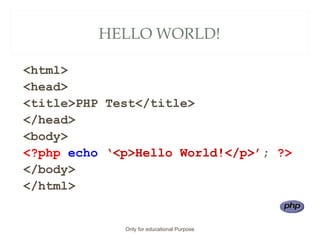
HELLO WORLD!
<html>
<head>
<title>PHP Test</title>
</head>
<body>
<?php echo ‘<p>Hello World!</p>’; ?>
</body>
</html>
Only for educational Purpose
PREPARING TO CODE WITH PHP
Only for educational Purpose
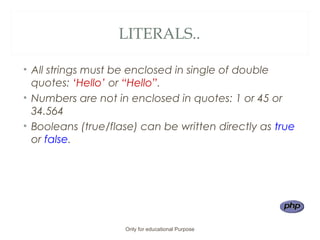
LITERALS..
• All strings must be enclosed in single of double
quotes: ‘Hello’ or “Hello”.
• Numbers are not in enclosed in quotes: 1 or 45 or
34.564
• Booleans (true/flase) can be written directly as true
or false.
Only for educational Purpose
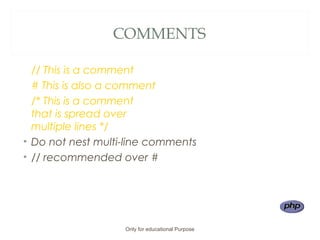
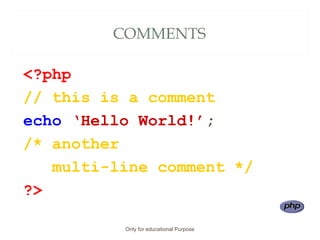
COMMENTS
// This is a comment
# This is also a comment
/* This is a comment
that is spread over
multiple lines */
• Do not nest multi-line comments
• // recommended over #
Only for educational Purpose
COMMENTS
<?php
// this is a comment
echo ‘Hello World!’;
/* another
multi-line comment */
?>
Only for educational Purpose
DISPLAYING DATA
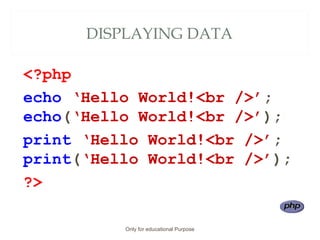
• There are two language constructs available to
display data: print() and echo().
• They can be used with or without brackets.
• Note that the data ‘displayed’ by PHP is actually
parsed by your browser as HTML. View source to see
actual output.
Only for educational Purpose
DISPLAYING DATA
<?php
echo ‘Hello World!<br />’;
echo(‘Hello World!<br />’);
print ‘Hello World!<br />’;
print(‘Hello World!<br />’);
?>
Only for educational Purpose
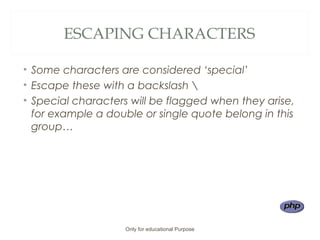
ESCAPING CHARACTERS
• Some characters are considered ‘special’
• Escape these with a backslash 
• Special characters will be flagged when they arise,
for example a double or single quote belong in this
group…
Only for educational Purpose
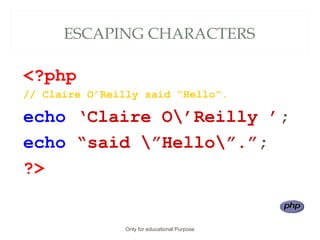
ESCAPING CHARACTERS
<?php
// Claire O’Reilly said “Hello”.
echo ‘Claire O’Reilly ’;
echo “said ”Hello”.”;
?>
Only for educational Purpose
VARIABLES: WHAT ARE THEY?
• When we work in PHP, we often need a labelled
place to store a value (be it a string, number,
whatever) so we can use it in multiple places in our
script.
• These labelled ‘places’ are called
VARIABLES
Only for educational Purpose
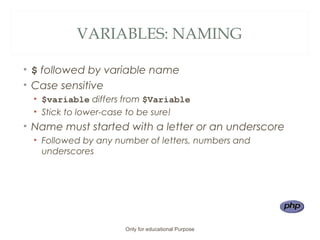
VARIABLES: NAMING
• $ followed by variable name
• Case sensitive
• $variable differs from $Variable
• Stick to lower-case to be sure!
• Name must started with a letter or an underscore
• Followed by any number of letters, numbers and
underscores
Only for educational Purpose
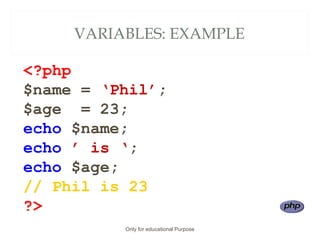
VARIABLES: EXAMPLE
<?php
$name = ‘Phil’;
$age = 23;
echo $name;
echo ’ is ‘;
echo $age;
// Phil is 23
?>
Only for educational Purpose
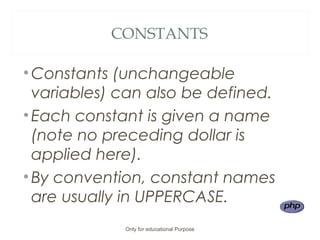
CONSTANTS
•Constants (unchangeable
variables) can also be defined.
•Each constant is given a name
(note no preceding dollar is
applied here).
•By convention, constant names
are usually in UPPERCASE.
Only for educational Purpose
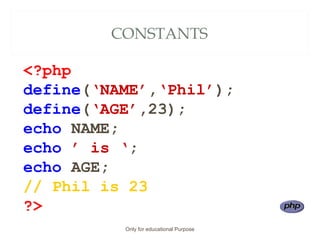
CONSTANTS
<?php
define(‘NAME’,‘Phil’);
define(‘AGE’,23);
echo NAME;
echo ’ is ‘;
echo AGE;
// Phil is 23
?>
Only for educational Purpose
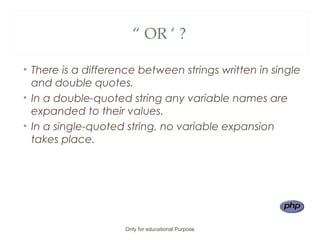
“ OR ‘ ?
• There is a difference between strings written in single
and double quotes.
• In a double-quoted string any variable names are
expanded to their values.
• In a single-quoted string, no variable expansion
takes place.
Only for educational Purpose
“ OR ‘ ?
<?php
$name = ‘Phil’;
$age = 23;
echo “$name is $age”;
// Phil is 23
?>
Only for educational Purpose
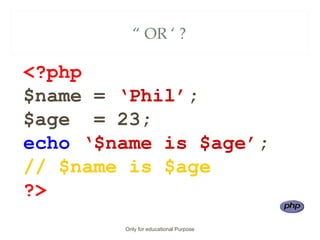
“ OR ‘ ?
<?php
$name = ‘Phil’;
$age = 23;
echo ‘$name is $age’;
// $name is $age
?>
Only for educational Purpose
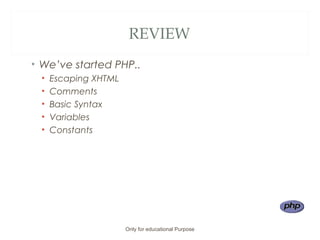
REVIEW
• We’ve started PHP..
• Escaping XHTML
• Comments
• Basic Syntax
• Variables
• Constants
Only for educational Purpose

Ph pbasics

  • 1.
    PHP: THE BASICS By: Mr. Shehrevar Davierwala Only for educational Purpose
  • 2.
    WHAT IS IT? •PHP is a scripting language commonly used on web servers. • Stands for “PHP: Hypertext Preprocessor” • Open source • Embedded code • Comparable with ASP • Multiple operating systems/web servers Only for educational Purpose
  • 3.
    THE PHP RESOURCE www.php.net Onlyfor educational Purpose
  • 4.
    WHAT CAN ITDO? • Dynamic generation of web-page content • Database interaction • Processing of user supplied data • Email • File handling • Text processing • Network interaction • And more… Only for educational Purpose
  • 5.
    FUNDAMENTALS • PHP isembedded within xhtml pages within the tags: <?php … ?> • The short version of these tags can also be used: <? … ?> • Each line of PHP is terminated, like MySQL, with a semi-colon. Only for educational Purpose
  • 6.
    HELLO WORLD! <html> <head> <title>PHP Test</title> </head> <body> <?phpecho ‘<p>Hello World!</p>’; ?> </body> </html> Only for educational Purpose
  • 7.
    PREPARING TO CODEWITH PHP Only for educational Purpose
  • 8.
    LITERALS.. • All stringsmust be enclosed in single of double quotes: ‘Hello’ or “Hello”. • Numbers are not in enclosed in quotes: 1 or 45 or 34.564 • Booleans (true/flase) can be written directly as true or false. Only for educational Purpose
  • 9.
    COMMENTS // This isa comment # This is also a comment /* This is a comment that is spread over multiple lines */ • Do not nest multi-line comments • // recommended over # Only for educational Purpose
  • 10.
    COMMENTS <?php // this isa comment echo ‘Hello World!’; /* another multi-line comment */ ?> Only for educational Purpose
  • 11.
    DISPLAYING DATA • Thereare two language constructs available to display data: print() and echo(). • They can be used with or without brackets. • Note that the data ‘displayed’ by PHP is actually parsed by your browser as HTML. View source to see actual output. Only for educational Purpose
  • 12.
    DISPLAYING DATA <?php echo ‘HelloWorld!<br />’; echo(‘Hello World!<br />’); print ‘Hello World!<br />’; print(‘Hello World!<br />’); ?> Only for educational Purpose
  • 13.
    ESCAPING CHARACTERS • Somecharacters are considered ‘special’ • Escape these with a backslash • Special characters will be flagged when they arise, for example a double or single quote belong in this group… Only for educational Purpose
  • 14.
    ESCAPING CHARACTERS <?php // ClaireO’Reilly said “Hello”. echo ‘Claire O’Reilly ’; echo “said ”Hello”.”; ?> Only for educational Purpose
  • 15.
    VARIABLES: WHAT ARETHEY? • When we work in PHP, we often need a labelled place to store a value (be it a string, number, whatever) so we can use it in multiple places in our script. • These labelled ‘places’ are called VARIABLES Only for educational Purpose
  • 16.
    VARIABLES: NAMING • $followed by variable name • Case sensitive • $variable differs from $Variable • Stick to lower-case to be sure! • Name must started with a letter or an underscore • Followed by any number of letters, numbers and underscores Only for educational Purpose
  • 17.
    VARIABLES: EXAMPLE <?php $name =‘Phil’; $age = 23; echo $name; echo ’ is ‘; echo $age; // Phil is 23 ?> Only for educational Purpose
  • 18.
    CONSTANTS •Constants (unchangeable variables) canalso be defined. •Each constant is given a name (note no preceding dollar is applied here). •By convention, constant names are usually in UPPERCASE. Only for educational Purpose
  • 19.
    CONSTANTS <?php define(‘NAME’,‘Phil’); define(‘AGE’,23); echo NAME; echo ’is ‘; echo AGE; // Phil is 23 ?> Only for educational Purpose
  • 20.
    “ OR ‘? • There is a difference between strings written in single and double quotes. • In a double-quoted string any variable names are expanded to their values. • In a single-quoted string, no variable expansion takes place. Only for educational Purpose
  • 21.
    “ OR ‘? <?php $name = ‘Phil’; $age = 23; echo “$name is $age”; // Phil is 23 ?> Only for educational Purpose
  • 22.
    “ OR ‘? <?php $name = ‘Phil’; $age = 23; echo ‘$name is $age’; // $name is $age ?> Only for educational Purpose
  • 23.
    REVIEW • We’ve startedPHP.. • Escaping XHTML • Comments • Basic Syntax • Variables • Constants Only for educational Purpose

Editor's Notes

  • #7 Using your favoured text editor (e.g. Notepad) create the file on the slide… Save it in your web space as hello.php and navigate to the file via your web browser You should see Hello World! On the page… If that has worked replace all with phpinfo(); and run again… You should now see a page with lots of information about the PHP installation – this will become useful later! NOT XHTML (NO DOCTYPE SETTING ETC) TO SAVE SPACE ON PAGE…
  • #18 Demo the fact that the variable can be changed.. $name = ‘Phil’; $age = 23; $name = ‘Ed’; echo $name; echo ’ is ‘; echo $age; // Ed is 23
  • #19 A constant is an identifier for a single value… Cannot be changed during execution (or undefined) Same naming convention as a standard variable (just no $) Are global (can be accessed anywhere – within functions, etc.) There are many predefined constants (see www.php.net for the long list!) Core constants Set in the PHP core… Mostly to do with error tracking and also core items like version, install directories, etc. Standard constants Loads more! Extension constants These are set by extensions if they are loaded See individual extension descriptions for details
  • #22 Demo the fact that the variable can be changed.. $name = ‘Phil’; $age = 23; $name = ‘Ed’; echo $name; echo ’ is ‘; echo $age; // Ed is 23
  • #23 Demo the fact that the variable can be changed.. $name = ‘Phil’; $age = 23; $name = ‘Ed’; echo $name; echo ’ is ‘; echo $age; // Ed is 23