Introduction to perl and scripting languages

Assumptions and limitations
a.It is assumed that perl is already installed in your system
b.It is assumed that you are running Linux
c.Error checking, debugging, best practices are not covered here

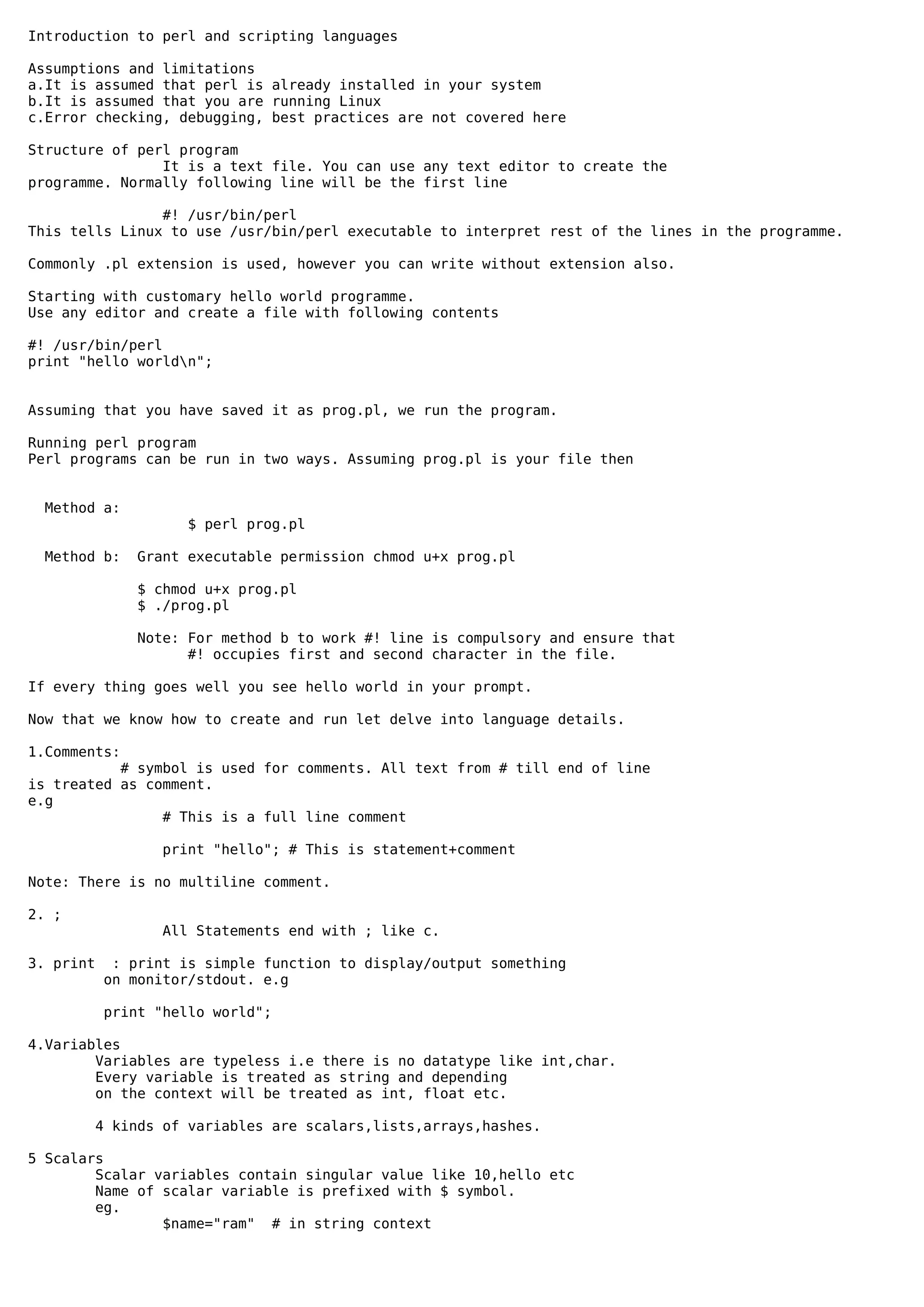
Structure of perl program
                It is a text file. You can use any text editor to create the
programme. Normally following line will be the first line

                #! /usr/bin/perl
This tells Linux to use /usr/bin/perl executable to interpret rest of the lines in the programme.

Commonly .pl extension is used, however you can write without extension also.

Starting with customary hello world programme.
Use any editor and create a file with following contents

#! /usr/bin/perl
print "hello worldn";


Assuming that you have saved it as prog.pl, we run the program.

Running perl program
Perl programs can be run in two ways. Assuming prog.pl is your file then


 Method a:
                     $ perl prog.pl

 Method b:     Grant executable permission chmod u+x prog.pl

               $ chmod u+x prog.pl
               $ ./prog.pl

               Note: For method b to work #! line is compulsory and ensure that
                     #! occupies first and second character in the file.

If every thing goes well you see hello world in your prompt.

Now that we know how to create and run let delve into language details.

1.Comments:
           # symbol is used for comments. All text from # till end of line
is treated as comment.
e.g
                # This is a full line comment

                  print "hello"; # This is statement+comment

Note: There is no multiline comment.

2. ;
                   All Statements end with ; like c.

3. print    : print is simple function to display/output something
           on monitor/stdout. e.g

           print "hello world";

4.Variables
        Variables are typeless i.e there is no datatype like int,char.
        Every variable is treated as string and depending
        on the context will be treated as int, float etc.

           4 kinds of variables are scalars,lists,arrays,hashes.

5 Scalars
        Scalar variables contain singular value like 10,hello etc
        Name of scalar variable is prefixed with $ symbol.
        eg.
                $name="ram" # in string context
$age=30;    # in numerical context

                   $age=$age+1; #treated as numeric
                   $age1=$age.$age; #treated as string


6.Handling quotes
 "" is used when interpolation/substitution is required.
    e.g
           $name="Raman";
           print "hello $name";

           will substitute $name with its value and output 'hello Raman'.

''    is used when it is a literal string. Special characters
      will not be interpreted.
      e.g
                  $name='Raman';
                  print 'hello $name'

                     will print 'hello $name'.


7.Lists
  List variables are noted by symbol (). List is just a list
  of values - may be constants, scalars etc
  e.g (a,b,c) or ($name,$age,$sex)

     They can be referred with index also
       e.g
            $first=(a,b,c)[0];   #$first will have value a
             print "$firstn";

            will output a.

     List variables can be assigned like this
                  ($name,$age)=('Raman',20);

8.Conditionals - IF

          The syntax of if statement is
          if ( condition) {
                  }
          elsif (condition){
                  }
          else {
                  }
          The if statement is similar to c, except
                    * flowerbrace required even for single statement
                    * else if is noted by elsif (note missing e).

           e.g
                   $mark=40;
           e.g     if ($mark>75){
                           print "passed with distinctionn";
                           }
                   elsif ($mark<35){
                           print "failedn";
                           }
                   else {
                           print "passedn";
                         }


           Alternate form of if statement is
                   print "a is >10" if ($a>10);


9.Accepting input
        Keyboard inputs can be accepted using <STDIN>.
        e.g
        print "enter your name ";
        $name=<STDIN>;
        print "Welcome $namen";
Exercise:
        Accept age.
        Type child if age below 12, type senior citizen when age
        above 60,otherwise type adult

10.Loops
           10.a for
                   for loop syntax is similar to c or can be used
           for iterating on a list. foreach is same as for. Both for and
           foreach are used interchangeably.

                      Classical for as in 'C' e.g.
                             for ($i=0;$i<10;$i++){
                             print "i=$in";
                             }
                      The other way of using for is below.
                             foreach $i (a,b,c){
                                     print uc $i;
                                     }
                      Explanation:
                            foreach will execute the body once for every
                            element in the list - 3 times in this case
                            Each time the variable $i will get the value
                            it is iterating ie. $i will be 'a' first time
                           'b' second time and 'c' the third time.
                             uc - is a perl function to change a string into
                             upper case.
                            You can combine functions like 'print uc $i' instead
                            of print(uc($i))
                            The output will be ABC

           10.b while

                      while loop is used to iterate. e.g

                        $i=0;
                        while ($i<10){
                                print "i=$in";
                                $i++;
                                }
                Syntax is similar to C.
11. Default scalar variable $_
                $_ is called default variable. It will be used if no other
     variable is specified. We will see this by an example.

           e.g
                        foreach (a,b,c){
                                print uc ;
                                }
           The above foreach is similar to what is given under 10.a, however
      $i is omitted. Still perl will output same as in 10.a i.e 'ABC'.
      This is because perl uses default variable $_ to store and expands the
      lines as
                         foreach $_ ( a,b,c){
                                print uc $_;
                                }

             Similarly $_ is used in the following case where '..' the
      generator function is used.

                              foreach (1..10){
                                      print ;
                                      }


12.Arrays
        Arrays are used to store multiple ordered values. Array variables
should have prefix @. The size of array need not be specified beforehand.
Each element of the array is scalar. Index starts with zero.


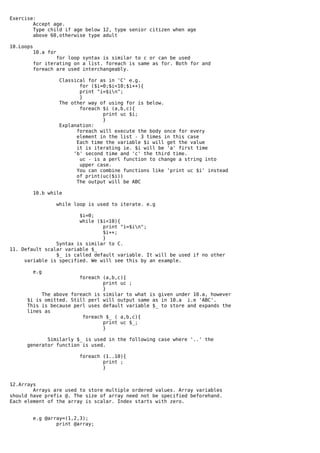
           e.g @array=(1,2,3);
                   print @array;
Operations on Array
                  Assignment
                                    @array=(1,2,3);
                                    print @array;
                    Assigning element
                                    $array[3]=4;
                                    print @array;
                    push,pop operate at the end of array
                                push @array,'4';
                                print @array;

                                 $last=pop @array;
                                 print "last=$lastn";

                    shift,unshift operate at the beginning
                            e.g
                                @array=(1,2,3);
                                $first=shift @array;
                                print "first=$firstn";
                            e.g
                                @array=(1,2,3);
                                unshift @array,'1';
                                print "array=@arrayn";

          Looping contents of an array
          e.g
                  @array=(1,2,3);
                  foreach $i (@array){
                          print $i;`
                          }

         $#array is a special variable containing index of last element.
         It will be -1 for an empty array. In the above example
         $#array will be 2.

        scalar(@array) is function to return the size of array.

         Classical for can be used for iterating on array like this

          e.g
                     @array=(1,2,3);
                    for ($i=0;$i<scalar(@array);$i++){
                            print "i=$i array element=$array[$i]n";
                            }
                    for ($i=0;$i<=$#array;$i++){
                            print "i=$i array element=$array[$i]n";
                            }

13.Exercise:       Accept an input number n. Accept n number of
                salary. Compute, total salary, average salary,


14.Hashes
      Hash is associative/named array.It is similar to array, except
that we can use strings as index instead of 1..n. Hash variables will
have % as prefix. The contents of hash are called values and index is
called key.

e.g                               key       value
                    %fruits= (   'apple' =>'red',
                                 'banana'=>'yellow',
                                 'grape' =>'black'
                         );
 Other way of populating a hash
                e.g %fruits =('apple','red','banana','yellow','grape','black');

  Here the list should contain even number of values. First element will be
treated as key, second element value, third element key, fourth value and so
and so forth. In short odd elements will be keys, even elements will be values.

      Individual elements
                            Accessing   by means of $hash{key}
e.g. print "colour of appple is $fruits{apple}";
                       Adding new element

                        e.g. $fruits{'orange'}='orange';

       Note the { } instead of [ ] as in the case of array;

        Looping on hashes - keys function

       e.g              foreach $f (keys %fruits){
                        print "Color of $f is $fruits{$f}n";
                        }
                Explanation: keys is a function which return a list of
                key values.
                ( ) will contain apple,banana,grape while running.

15. Subroutines
        Subroutines can be defined using sub keyword. The arguments
passed will be in a default array @_;

                e.g

                $v1=10;$v2=20;

                add($v1,$v2);

                sub add {
                        ($a,$b)=@_;
                        print $a+$b;
                }

                This should give output 30.
                You can return value using return statement.

16. Scope of variables
                By default all variables are global i.e available throughout the file. You can limit
scope to a block/sub by using my.

                e.g
                        $v1=10; $v2=30; #v1,v2 global
                        $v3=30;
                        $v3=add($v1,$v2);

                        sub add{
                                   my ($i,$j)=@_;
                                   print "inside add sub value of i=$i j=$jn";
                                   print "inside add sub value of globals v1=$v1 v2=$v2 v3=$v3n";
                                   return $i+$j;
                        }

                        print " Value of globals v1=$v1 v2=$v3n";
                        print " Value of scoped variables v3=$v3n";
                        print " Value of variables inside sub i=$i j=$jn";

                You can limit scope to a block also
                e.g
                        for (my $i=0;$i<10;$i++){
                                print "inside for i=$in";
                                }
                        print "outside for i=$in";

17.use strict
                In perl you need not define variables before using. By default all variables are
global. However, this may lead to errors due scope conflict or errors in naming. 'use strict' is a
pragma which will help in avoiding it. Once use strict is used, every variable has to be declared with
proper scope using my or our.
              e.g
                      use strict;
                        $v1=10;$v2=20;

                add($v1,$v2);

                sub add {
                        ($a,$b)=@_;
print $a+$b;
                   }

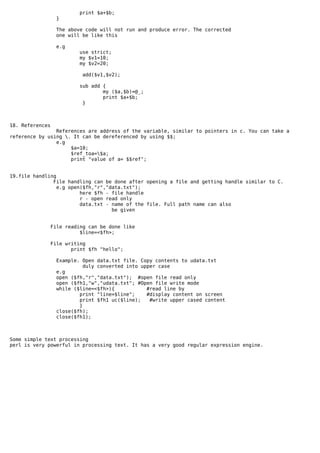
                  The above code will not run and produce error. The corrected
                  one will be like this

                   e.g
                           use strict;
                           my $v1=10;
                           my $v2=20;

                            add($v1,$v2);

                           sub add {
                                   my ($a,$b)=@_;
                                   print $a+$b;
                            }


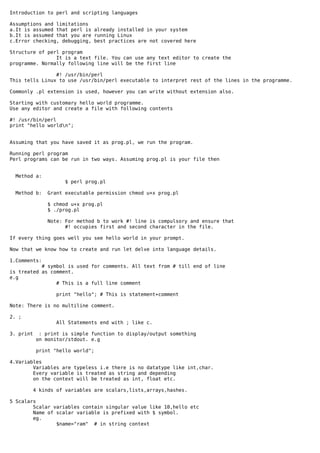
18. References
                References are address of the variable, similar to pointers in c. You can take a
reference by using . It can be dereferenced by using $$;
                e.g
                     $a=10;
                     $ref_toa=$a;
                     print "value of a= $$ref";


19.file handling
               File handling can be done after opening a file and getting handle similar to C.
                 e.g open($fh,"r","data.txt");
                         here $fh - file handle
                         r - open read only
                         data.txt - name of the file. Full path name can also
                                    be given


                 File reading can be done like
                           $line=<$fh>;

                 File writing
                        print $fh "hello";

                  Example. Open data.txt file. Copy contents to udata.txt
                           duly converted into upper case
                  e.g
                  open ($fh,"r","data.txt"); #open file read only
                  open ($fh1,"w","udata.txt"; #Open file write mode
                  while ($line=<$fh>){           #read line by
                          print "line=$line";    #display content on screen
                          print $fh1 uc($line);   #write upper cased content
                          }
                  close($fh);
                  close($fh1);


Some simple text processing
perl is very powerful in processing text. It has a very good regular expression engine.

Perl intro

  • 1.
    Introduction to perland scripting languages Assumptions and limitations a.It is assumed that perl is already installed in your system b.It is assumed that you are running Linux c.Error checking, debugging, best practices are not covered here Structure of perl program It is a text file. You can use any text editor to create the programme. Normally following line will be the first line #! /usr/bin/perl This tells Linux to use /usr/bin/perl executable to interpret rest of the lines in the programme. Commonly .pl extension is used, however you can write without extension also. Starting with customary hello world programme. Use any editor and create a file with following contents #! /usr/bin/perl print "hello worldn"; Assuming that you have saved it as prog.pl, we run the program. Running perl program Perl programs can be run in two ways. Assuming prog.pl is your file then Method a: $ perl prog.pl Method b: Grant executable permission chmod u+x prog.pl $ chmod u+x prog.pl $ ./prog.pl Note: For method b to work #! line is compulsory and ensure that #! occupies first and second character in the file. If every thing goes well you see hello world in your prompt. Now that we know how to create and run let delve into language details. 1.Comments: # symbol is used for comments. All text from # till end of line is treated as comment. e.g # This is a full line comment print "hello"; # This is statement+comment Note: There is no multiline comment. 2. ; All Statements end with ; like c. 3. print : print is simple function to display/output something on monitor/stdout. e.g print "hello world"; 4.Variables Variables are typeless i.e there is no datatype like int,char. Every variable is treated as string and depending on the context will be treated as int, float etc. 4 kinds of variables are scalars,lists,arrays,hashes. 5 Scalars Scalar variables contain singular value like 10,hello etc Name of scalar variable is prefixed with $ symbol. eg. $name="ram" # in string context
  • 2.
    $age=30; # in numerical context $age=$age+1; #treated as numeric $age1=$age.$age; #treated as string 6.Handling quotes "" is used when interpolation/substitution is required. e.g $name="Raman"; print "hello $name"; will substitute $name with its value and output 'hello Raman'. '' is used when it is a literal string. Special characters will not be interpreted. e.g $name='Raman'; print 'hello $name' will print 'hello $name'. 7.Lists List variables are noted by symbol (). List is just a list of values - may be constants, scalars etc e.g (a,b,c) or ($name,$age,$sex) They can be referred with index also e.g $first=(a,b,c)[0]; #$first will have value a print "$firstn"; will output a. List variables can be assigned like this ($name,$age)=('Raman',20); 8.Conditionals - IF The syntax of if statement is if ( condition) { } elsif (condition){ } else { } The if statement is similar to c, except * flowerbrace required even for single statement * else if is noted by elsif (note missing e). e.g $mark=40; e.g if ($mark>75){ print "passed with distinctionn"; } elsif ($mark<35){ print "failedn"; } else { print "passedn"; } Alternate form of if statement is print "a is >10" if ($a>10); 9.Accepting input Keyboard inputs can be accepted using <STDIN>. e.g print "enter your name "; $name=<STDIN>; print "Welcome $namen";
  • 3.
    Exercise: Accept age. Type child if age below 12, type senior citizen when age above 60,otherwise type adult 10.Loops 10.a for for loop syntax is similar to c or can be used for iterating on a list. foreach is same as for. Both for and foreach are used interchangeably. Classical for as in 'C' e.g. for ($i=0;$i<10;$i++){ print "i=$in"; } The other way of using for is below. foreach $i (a,b,c){ print uc $i; } Explanation: foreach will execute the body once for every element in the list - 3 times in this case Each time the variable $i will get the value it is iterating ie. $i will be 'a' first time 'b' second time and 'c' the third time. uc - is a perl function to change a string into upper case. You can combine functions like 'print uc $i' instead of print(uc($i)) The output will be ABC 10.b while while loop is used to iterate. e.g $i=0; while ($i<10){ print "i=$in"; $i++; } Syntax is similar to C. 11. Default scalar variable $_ $_ is called default variable. It will be used if no other variable is specified. We will see this by an example. e.g foreach (a,b,c){ print uc ; } The above foreach is similar to what is given under 10.a, however $i is omitted. Still perl will output same as in 10.a i.e 'ABC'. This is because perl uses default variable $_ to store and expands the lines as foreach $_ ( a,b,c){ print uc $_; } Similarly $_ is used in the following case where '..' the generator function is used. foreach (1..10){ print ; } 12.Arrays Arrays are used to store multiple ordered values. Array variables should have prefix @. The size of array need not be specified beforehand. Each element of the array is scalar. Index starts with zero. e.g @array=(1,2,3); print @array;
  • 4.
    Operations on Array Assignment @array=(1,2,3); print @array; Assigning element $array[3]=4; print @array; push,pop operate at the end of array push @array,'4'; print @array; $last=pop @array; print "last=$lastn"; shift,unshift operate at the beginning e.g @array=(1,2,3); $first=shift @array; print "first=$firstn"; e.g @array=(1,2,3); unshift @array,'1'; print "array=@arrayn"; Looping contents of an array e.g @array=(1,2,3); foreach $i (@array){ print $i;` } $#array is a special variable containing index of last element. It will be -1 for an empty array. In the above example $#array will be 2. scalar(@array) is function to return the size of array. Classical for can be used for iterating on array like this e.g @array=(1,2,3); for ($i=0;$i<scalar(@array);$i++){ print "i=$i array element=$array[$i]n"; } for ($i=0;$i<=$#array;$i++){ print "i=$i array element=$array[$i]n"; } 13.Exercise: Accept an input number n. Accept n number of salary. Compute, total salary, average salary, 14.Hashes Hash is associative/named array.It is similar to array, except that we can use strings as index instead of 1..n. Hash variables will have % as prefix. The contents of hash are called values and index is called key. e.g key value %fruits= ( 'apple' =>'red', 'banana'=>'yellow', 'grape' =>'black' ); Other way of populating a hash e.g %fruits =('apple','red','banana','yellow','grape','black'); Here the list should contain even number of values. First element will be treated as key, second element value, third element key, fourth value and so and so forth. In short odd elements will be keys, even elements will be values. Individual elements Accessing by means of $hash{key}
  • 5.
    e.g. print "colourof appple is $fruits{apple}"; Adding new element e.g. $fruits{'orange'}='orange'; Note the { } instead of [ ] as in the case of array; Looping on hashes - keys function e.g foreach $f (keys %fruits){ print "Color of $f is $fruits{$f}n"; } Explanation: keys is a function which return a list of key values. ( ) will contain apple,banana,grape while running. 15. Subroutines Subroutines can be defined using sub keyword. The arguments passed will be in a default array @_; e.g $v1=10;$v2=20; add($v1,$v2); sub add { ($a,$b)=@_; print $a+$b; } This should give output 30. You can return value using return statement. 16. Scope of variables By default all variables are global i.e available throughout the file. You can limit scope to a block/sub by using my. e.g $v1=10; $v2=30; #v1,v2 global $v3=30; $v3=add($v1,$v2); sub add{ my ($i,$j)=@_; print "inside add sub value of i=$i j=$jn"; print "inside add sub value of globals v1=$v1 v2=$v2 v3=$v3n"; return $i+$j; } print " Value of globals v1=$v1 v2=$v3n"; print " Value of scoped variables v3=$v3n"; print " Value of variables inside sub i=$i j=$jn"; You can limit scope to a block also e.g for (my $i=0;$i<10;$i++){ print "inside for i=$in"; } print "outside for i=$in"; 17.use strict In perl you need not define variables before using. By default all variables are global. However, this may lead to errors due scope conflict or errors in naming. 'use strict' is a pragma which will help in avoiding it. Once use strict is used, every variable has to be declared with proper scope using my or our. e.g use strict; $v1=10;$v2=20; add($v1,$v2); sub add { ($a,$b)=@_;
  • 6.
    print $a+$b; } The above code will not run and produce error. The corrected one will be like this e.g use strict; my $v1=10; my $v2=20; add($v1,$v2); sub add { my ($a,$b)=@_; print $a+$b; } 18. References References are address of the variable, similar to pointers in c. You can take a reference by using . It can be dereferenced by using $$; e.g $a=10; $ref_toa=$a; print "value of a= $$ref"; 19.file handling File handling can be done after opening a file and getting handle similar to C. e.g open($fh,"r","data.txt"); here $fh - file handle r - open read only data.txt - name of the file. Full path name can also be given File reading can be done like $line=<$fh>; File writing print $fh "hello"; Example. Open data.txt file. Copy contents to udata.txt duly converted into upper case e.g open ($fh,"r","data.txt"); #open file read only open ($fh1,"w","udata.txt"; #Open file write mode while ($line=<$fh>){ #read line by print "line=$line"; #display content on screen print $fh1 uc($line); #write upper cased content } close($fh); close($fh1); Some simple text processing perl is very powerful in processing text. It has a very good regular expression engine.