
PART 3
WORKING WITH LISTS AND FOR
LOOP
• WANT TO LEARN PYTHON PROGRAMMING? (SUBTITLES)
• SUBSCRIBE
• TELEGRAM – FreeCodeSchool
• Twitter – shivammitra4
• LinkedIn – shivammitra
• Link in description
• Playlist link in description
AGENDA
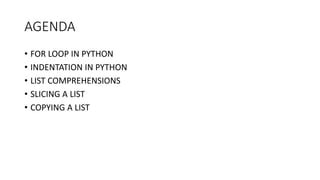
• FOR LOOP IN PYTHON
• INDENTATION IN PYTHON
• LIST COMPREHENSIONS
• SLICING A LIST
• COPYING A LIST
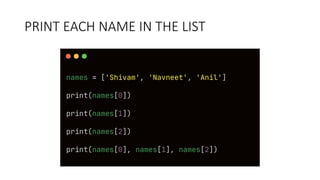
PRINT EACH NAME IN THE LIST
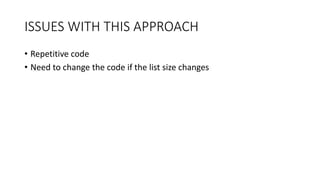
ISSUES WITH THIS APPROACH
• Repetitive code
• Need to change the code if the list size changes
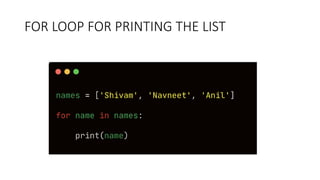
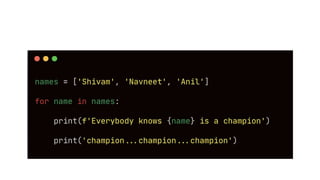
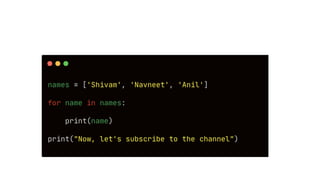
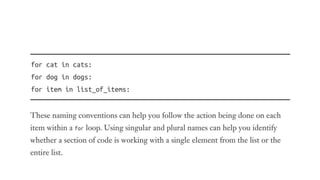
FOR LOOP FOR PRINTING THE LIST
EXPLAINING HOW FOR
LOOP WORKED
AVOIDING
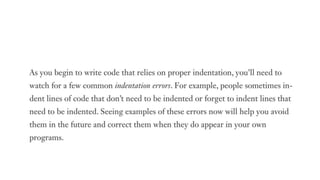
INDENTATION ERRORS
WHAT IS INDENTATION
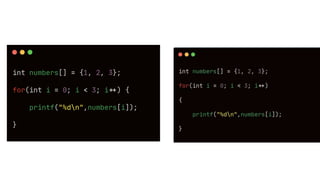
• Indentation is used to make code more readability easier
• In languages like c, c++, python etc. , indentation is optional
• In Python, it is mandatory
• Python uses indentation to determine how a line, or group of lines, is
related to the rest of the program.
• Change indentation and the meaning of code changes
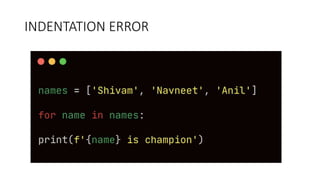
INDENTATION ERROR
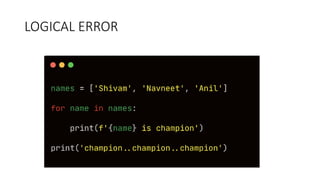
LOGICAL ERROR
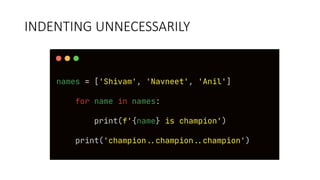
INDENTING UNNECESSARILY
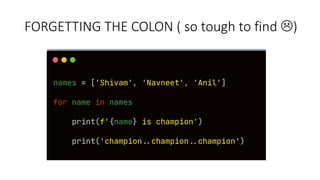
FORGETTING THE COLON ( so tough to find )
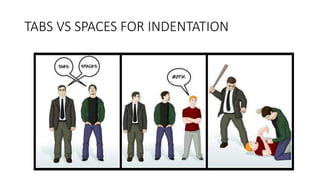
TABS VS SPACES FOR INDENTATION
WHAT’S THE ACTUAL
ISSUE ?
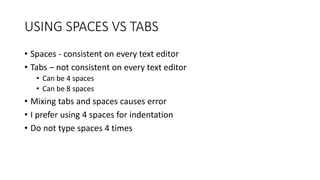
USING SPACES VS TABS
• Spaces - consistent on every text editor
• Tabs – not consistent on every text editor
• Can be 4 spaces
• Can be 8 spaces
• Mixing tabs and spaces causes error
• I prefer using 4 spaces for indentation
• Do not type spaces 4 times
MAKING NUMERICAL
LISTS
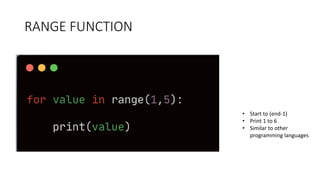
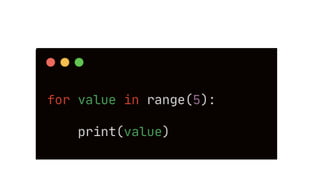
RANGE FUNCTION
• Start to (end-1)
• Print 1 to 6
• Similar to other
programming languages
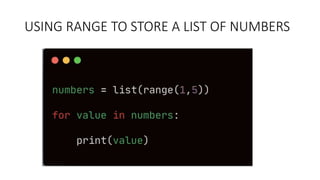
USING RANGE TO STORE A LIST OF NUMBERS
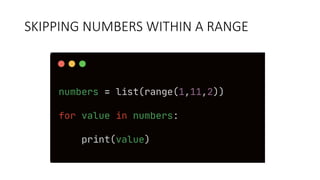
SKIPPING NUMBERS WITHIN A RANGE
PRINT MULTIPLICATION TABLE OF 5
Output – [5, 10, 15, ……….., 50]
SIMPLE STATISTICS WITH A LIST OF NUMBERS
• Maximum of a list
• Minimum of a list
• Sum of a list
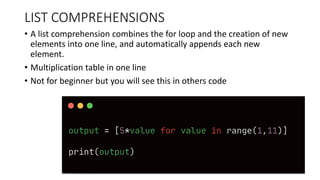
LIST COMPREHENSIONS
• A list comprehension combines the for loop and the creation of new
elements into one line, and automatically appends each new
element.
• Multiplication table in one line
• Not for beginner but you will see this in others code
WORKING WITH A PART OF A LIST
• Can we access multiple list elements at one go ?
• Welcome to slice in python
• Slice of pizza ?
• Not present in all programming languages
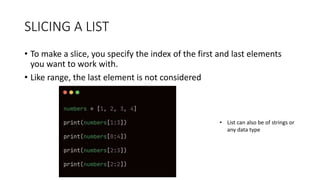
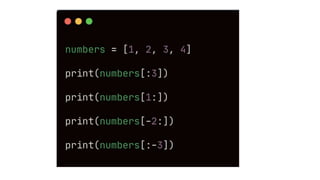
SLICING A LIST
• To make a slice, you specify the index of the first and last elements
you want to work with.
• Like range, the last element is not considered
• List can also be of strings or
any data type
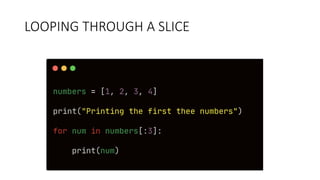
LOOPING THROUGH A SLICE
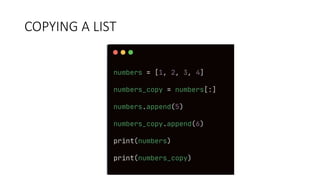
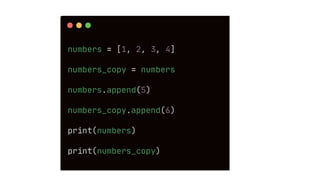
COPYING A LIST
ASSIGNMENT
• Print square of numbers from 1 to 10 using for loop
• Store it a list first and then print
• One liner code
• fruits = [‘banana’, ‘apple’, ‘watermelon’, ‘orange’]
• Print first 2 fruits ( using slicing )
• Print last 2 fruits (suing slicing )
• Print fruits at odd positions ( using for loop )
• Print fruits at even positions (using for loop )
• Paste your code in the comment
IF ELSE STATEMENTS IN
PYTHON

PART 3 - Python Tutorial | For Loop In Python With Examples

  • 2.
    PART 3 WORKING WITHLISTS AND FOR LOOP • WANT TO LEARN PYTHON PROGRAMMING? (SUBTITLES) • SUBSCRIBE • TELEGRAM – FreeCodeSchool • Twitter – shivammitra4 • LinkedIn – shivammitra • Link in description • Playlist link in description
  • 3.
    AGENDA • FOR LOOPIN PYTHON • INDENTATION IN PYTHON • LIST COMPREHENSIONS • SLICING A LIST • COPYING A LIST
  • 4.
    PRINT EACH NAMEIN THE LIST
  • 5.
    ISSUES WITH THISAPPROACH • Repetitive code • Need to change the code if the list size changes
  • 6.
    FOR LOOP FORPRINTING THE LIST
  • 9.
  • 12.
  • 13.
    WHAT IS INDENTATION •Indentation is used to make code more readability easier • In languages like c, c++, python etc. , indentation is optional • In Python, it is mandatory • Python uses indentation to determine how a line, or group of lines, is related to the rest of the program. • Change indentation and the meaning of code changes
  • 16.
  • 17.
  • 18.
  • 19.
    FORGETTING THE COLON( so tough to find )
  • 20.
    TABS VS SPACESFOR INDENTATION
  • 22.
  • 23.
    USING SPACES VSTABS • Spaces - consistent on every text editor • Tabs – not consistent on every text editor • Can be 4 spaces • Can be 8 spaces • Mixing tabs and spaces causes error • I prefer using 4 spaces for indentation • Do not type spaces 4 times
  • 24.
  • 25.
    RANGE FUNCTION • Startto (end-1) • Print 1 to 6 • Similar to other programming languages
  • 27.
    USING RANGE TOSTORE A LIST OF NUMBERS
  • 28.
  • 29.
    PRINT MULTIPLICATION TABLEOF 5 Output – [5, 10, 15, ……….., 50]
  • 30.
    SIMPLE STATISTICS WITHA LIST OF NUMBERS • Maximum of a list • Minimum of a list • Sum of a list
  • 31.
    LIST COMPREHENSIONS • Alist comprehension combines the for loop and the creation of new elements into one line, and automatically appends each new element. • Multiplication table in one line • Not for beginner but you will see this in others code
  • 32.
    WORKING WITH APART OF A LIST • Can we access multiple list elements at one go ? • Welcome to slice in python • Slice of pizza ? • Not present in all programming languages
  • 33.
    SLICING A LIST •To make a slice, you specify the index of the first and last elements you want to work with. • Like range, the last element is not considered • List can also be of strings or any data type
  • 35.
  • 36.
  • 38.
    ASSIGNMENT • Print squareof numbers from 1 to 10 using for loop • Store it a list first and then print • One liner code • fruits = [‘banana’, ‘apple’, ‘watermelon’, ‘orange’] • Print first 2 fruits ( using slicing ) • Print last 2 fruits (suing slicing ) • Print fruits at odd positions ( using for loop ) • Print fruits at even positions (using for loop ) • Paste your code in the comment
  • 39.