By Harbinjit Salh
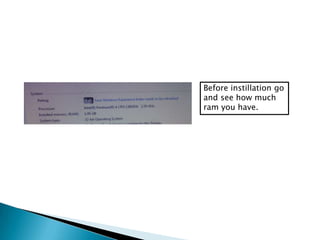
Before instillation go
and see how much
ram you have.
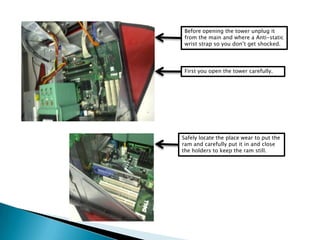
Before opening the tower unplug it
from the main and where a Anti-static
wrist strap so you don’t get shocked.
First you open the tower carefully.
Safely locate the place wear to put the
ram and carefully put it in and close
the holders to keep the ram still.
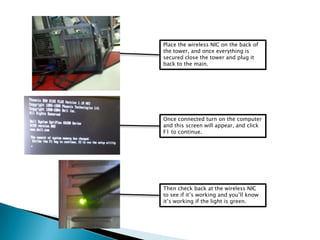
Place the wireless NIC on the back of
the tower, and once everything is
secured close the tower and plug it
back to the main.
Once connected turn on the computer
and this screen will appear, and click
F1 to continue.
Then check back at the wireless NIC
to see if it’s working and you’ll know
it’s working if the light is green.
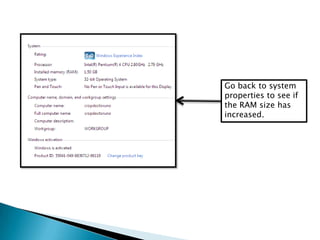
Go back to system
properties to see if
the RAM size has
increased.
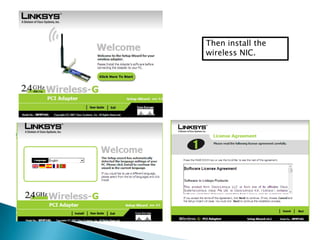
Then install the
wireless NIC.
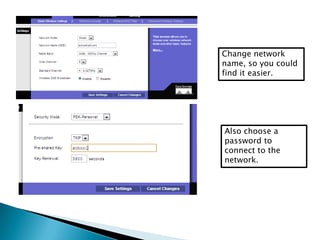
Change network
name, so you could
find it easier.
Also choose a
password to
connect to the
network.
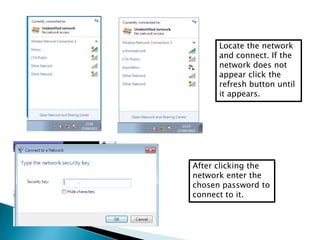
Locate the network
and connect. If the
network does not
appear click the
refresh button until
it appears.
After clicking the
network enter the
chosen password to
connect to it.

P5 ram instillation

  • 1.
  • 2.
    Before instillation go andsee how much ram you have.
  • 3.
    Before opening thetower unplug it from the main and where a Anti-static wrist strap so you don’t get shocked. First you open the tower carefully. Safely locate the place wear to put the ram and carefully put it in and close the holders to keep the ram still.
  • 4.
    Place the wirelessNIC on the back of the tower, and once everything is secured close the tower and plug it back to the main. Once connected turn on the computer and this screen will appear, and click F1 to continue. Then check back at the wireless NIC to see if it’s working and you’ll know it’s working if the light is green.
  • 5.
    Go back tosystem properties to see if the RAM size has increased.
  • 6.
  • 7.
    Change network name, soyou could find it easier. Also choose a password to connect to the network.
  • 8.
    Locate the network andconnect. If the network does not appear click the refresh button until it appears. After clicking the network enter the chosen password to connect to it.