ludovicocaldara.net@ludodba
Oracle Drivers configuration
for High Availability
is it a developer's job?
Ludovico Caldara
Principal Consultant
Ludovico Caldara
• Principal consultant @ Trivadis Lausanne
• Two decades of DBA experience (Not only Oracle)
• ITOUG co-founder
• Active blogger and speaker
• Italian living in Switzerland
• Oracle ACE Director
@ludodba ludovicocaldara.net
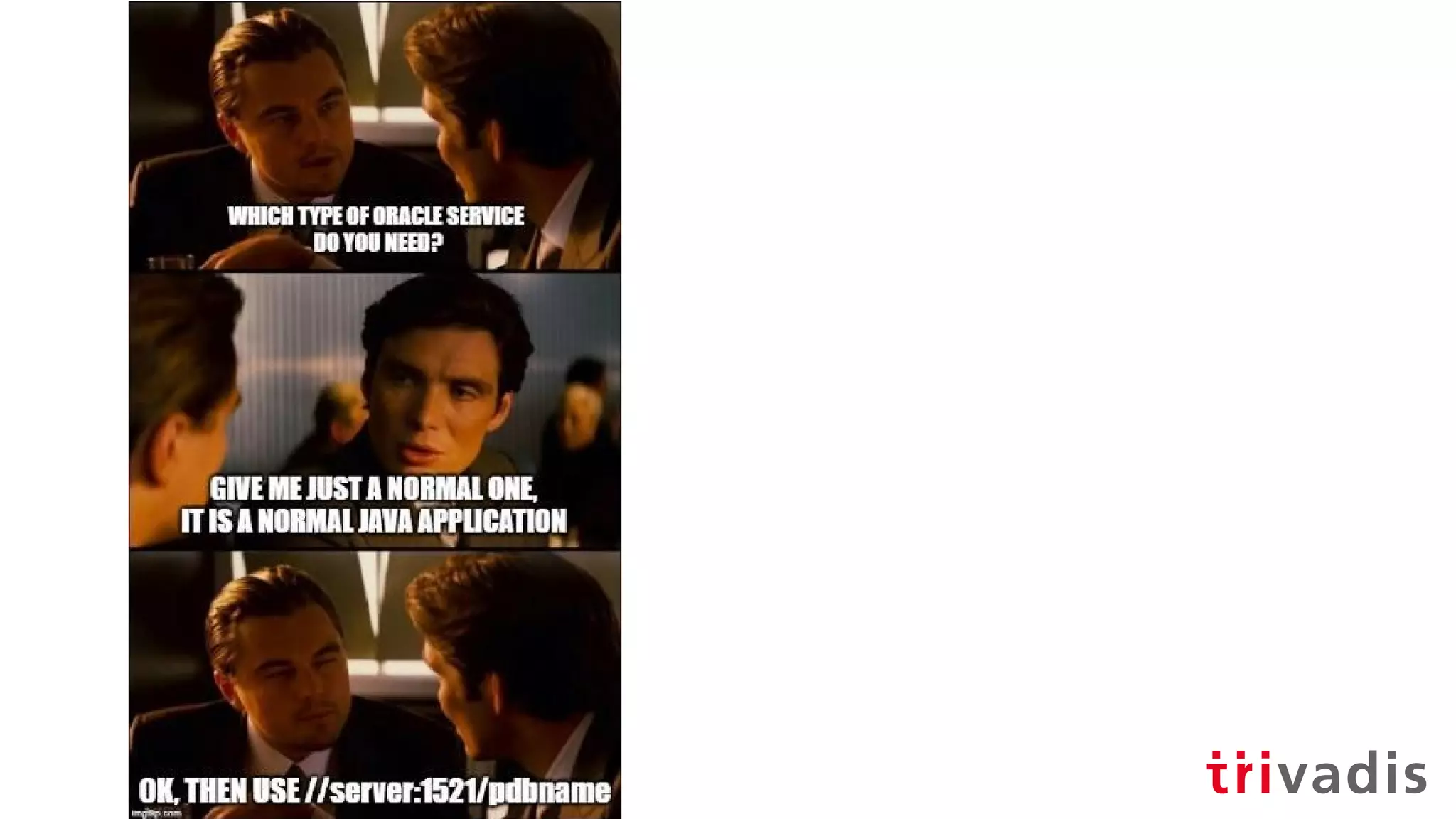
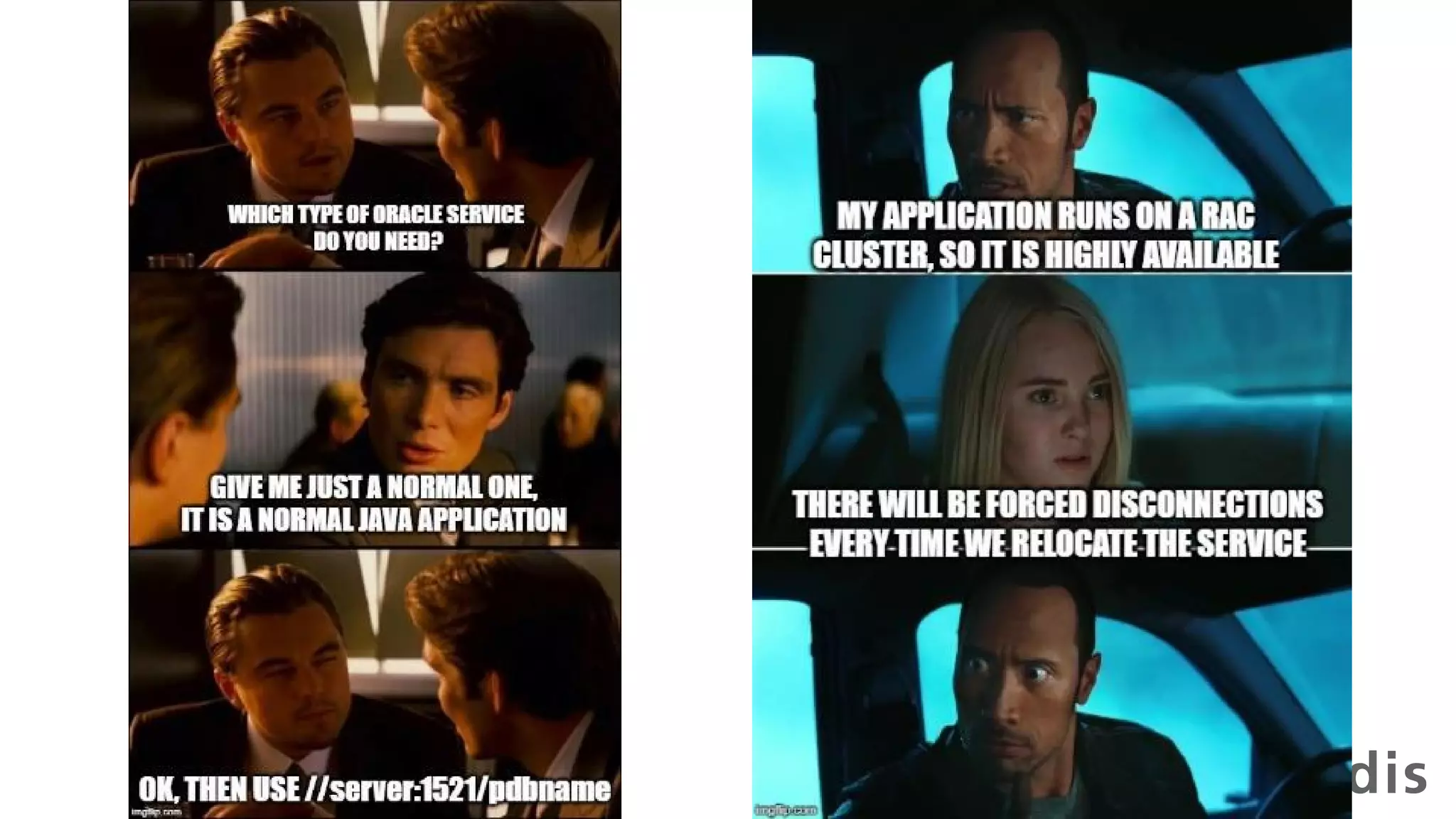
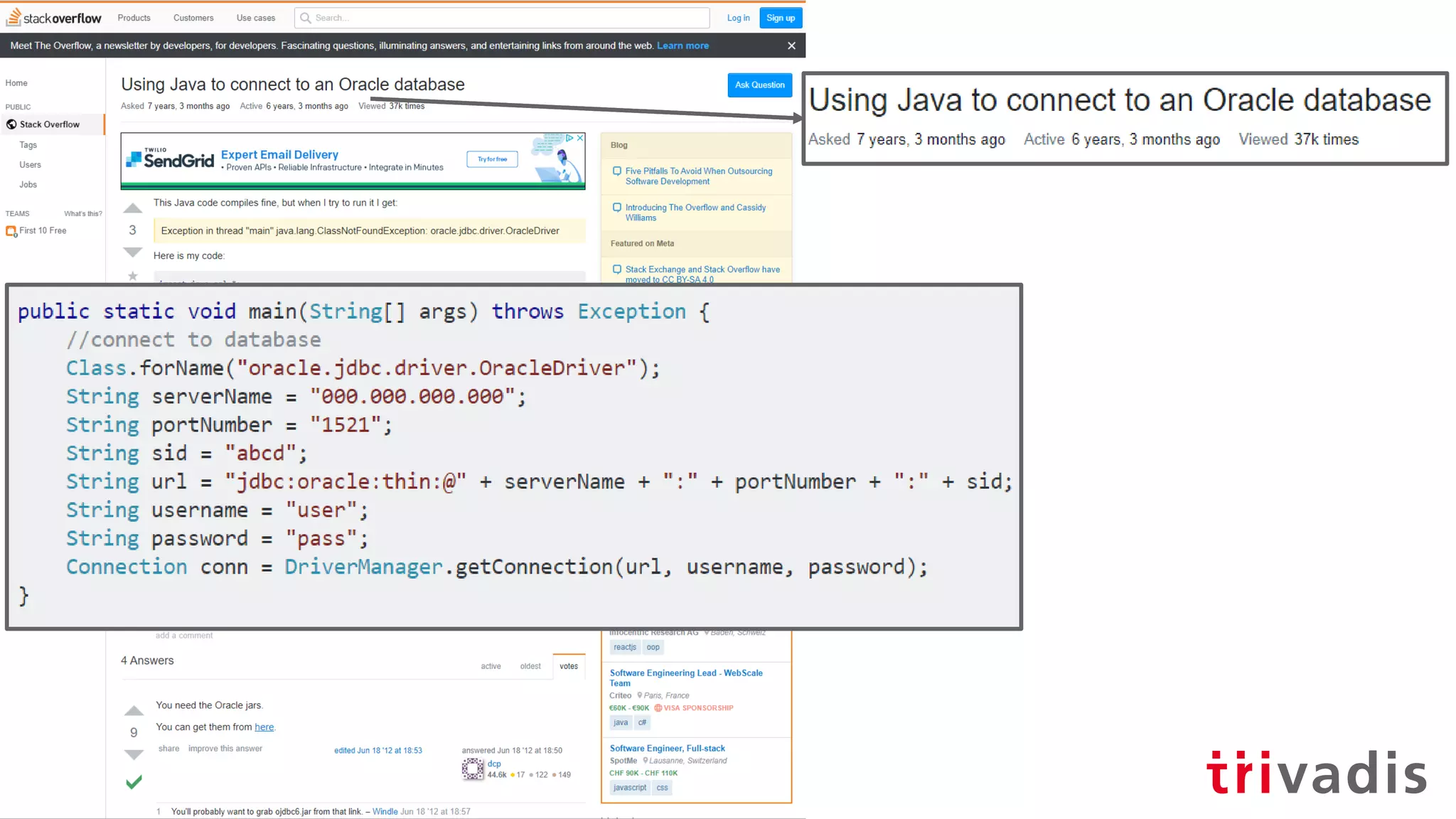
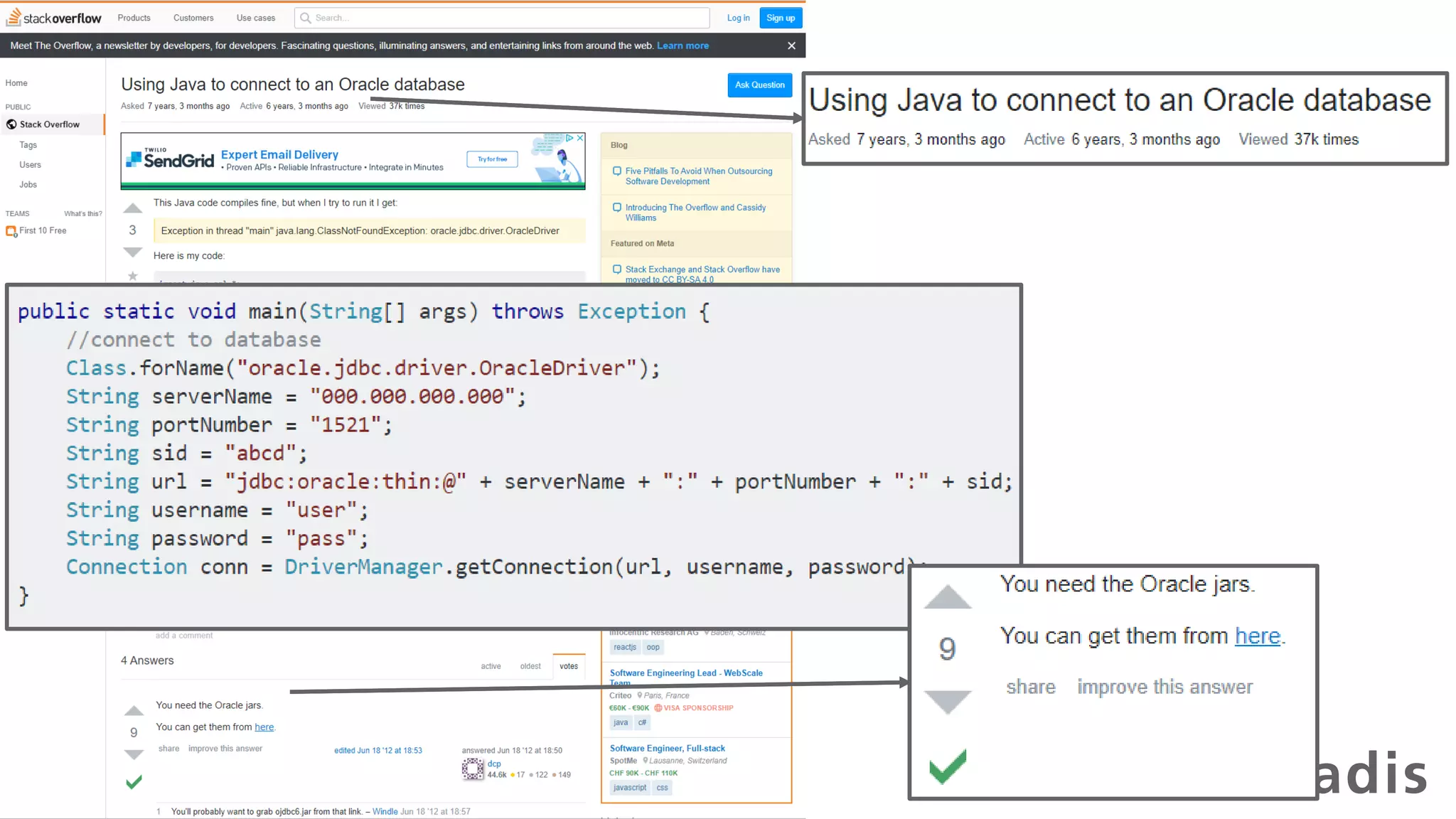
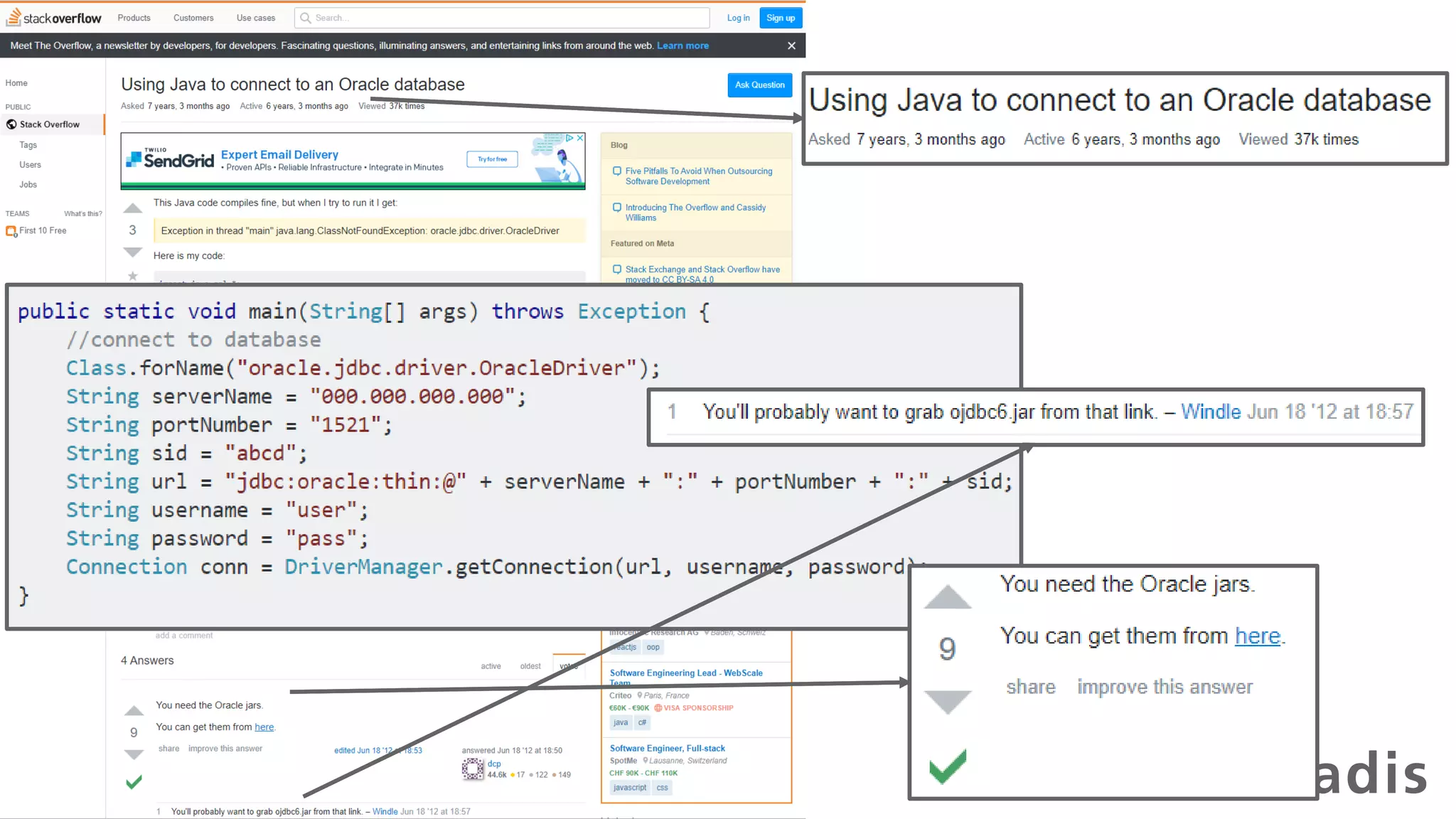
A new project starts in your
company...
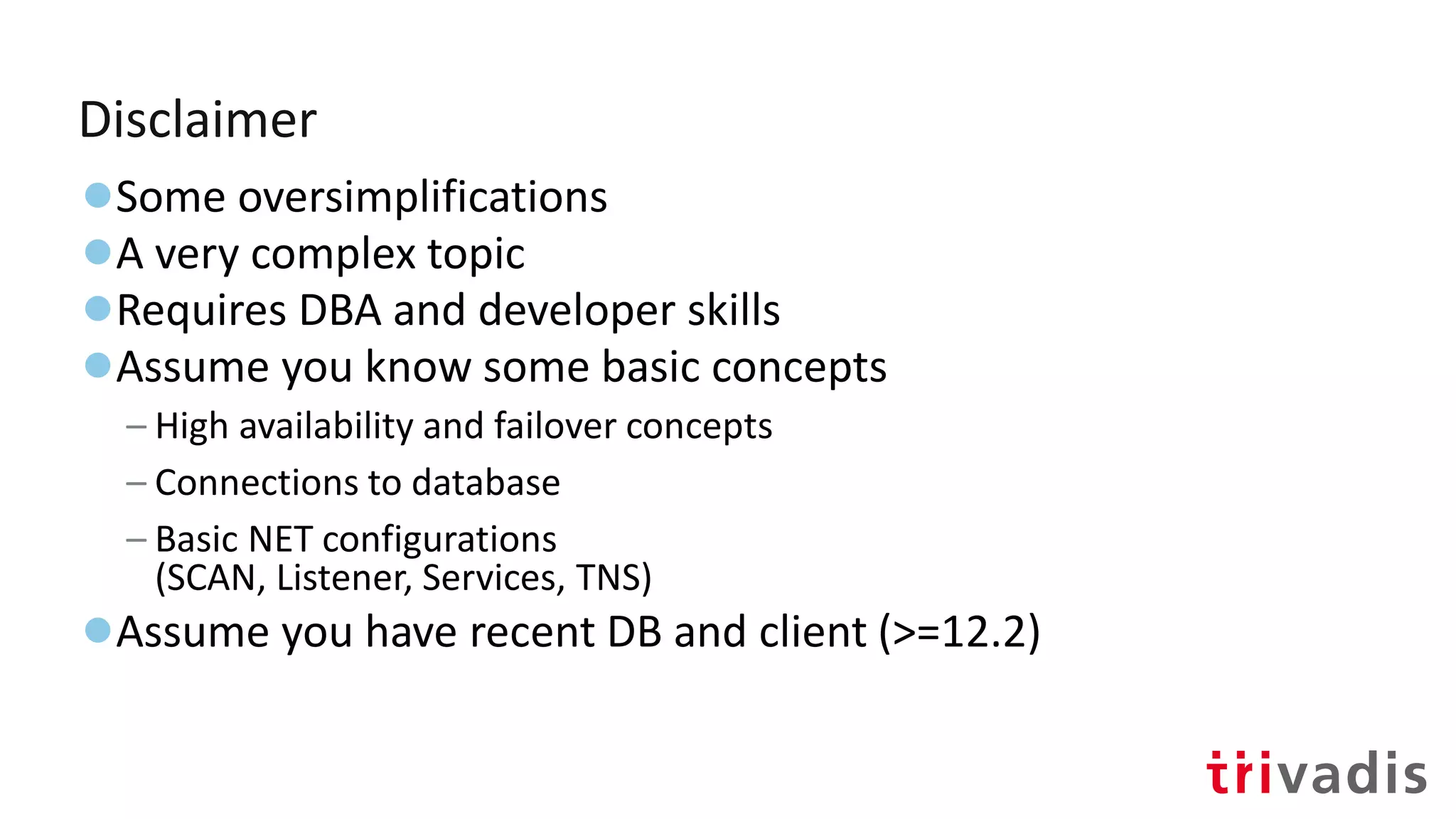
Disclaimer
●Some oversimplifications
●A very complex topic
●Requires DBA and developer skills
●Assume you know some basic concepts
– High availability and failover concepts
– Connections to database
– Basic NET configurations
(SCAN, Listener, Services, TNS)
●Assume you have recent DB and client (>=12.2)
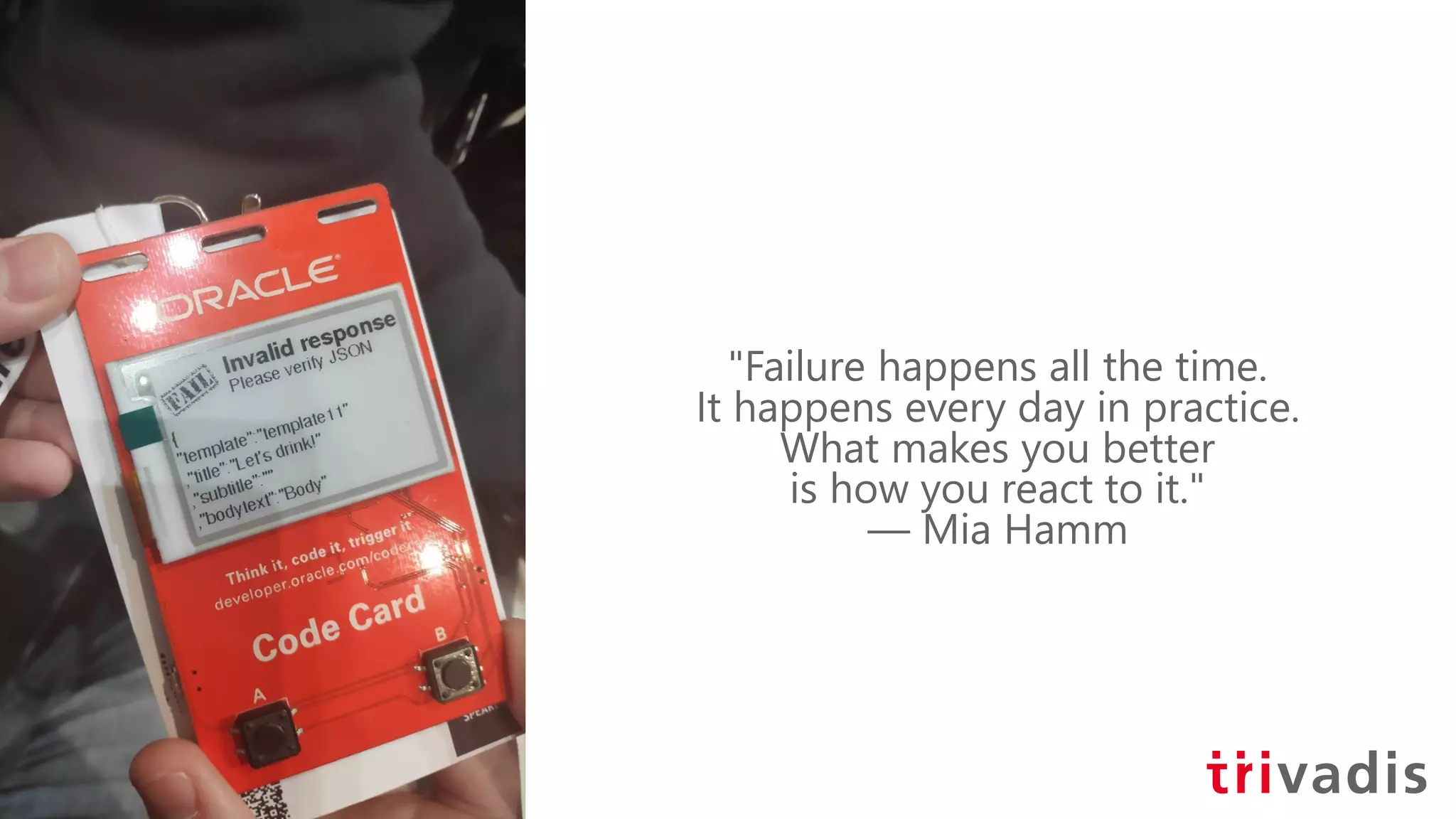
"Failure happens all the time.
It happens every day in practice.
What makes you better
is how you react to it."
― Mia Hamm
Factors that influence HA
Too many!
●Network topology
●OS type and configuration
●DB version and service configuration
●Client version and type
●Application design / exception handling
Factors that influence HA
Too many!
●Network topology
●OS type and configuration
●DB version and service configuration
●Client version and type
●Application design / exception handling
Our mission today
Factors that influence HA
Too many!
●Network topology
●OS type and configuration
●DB version and service configuration
●Client version and type
●Application design / exception handling
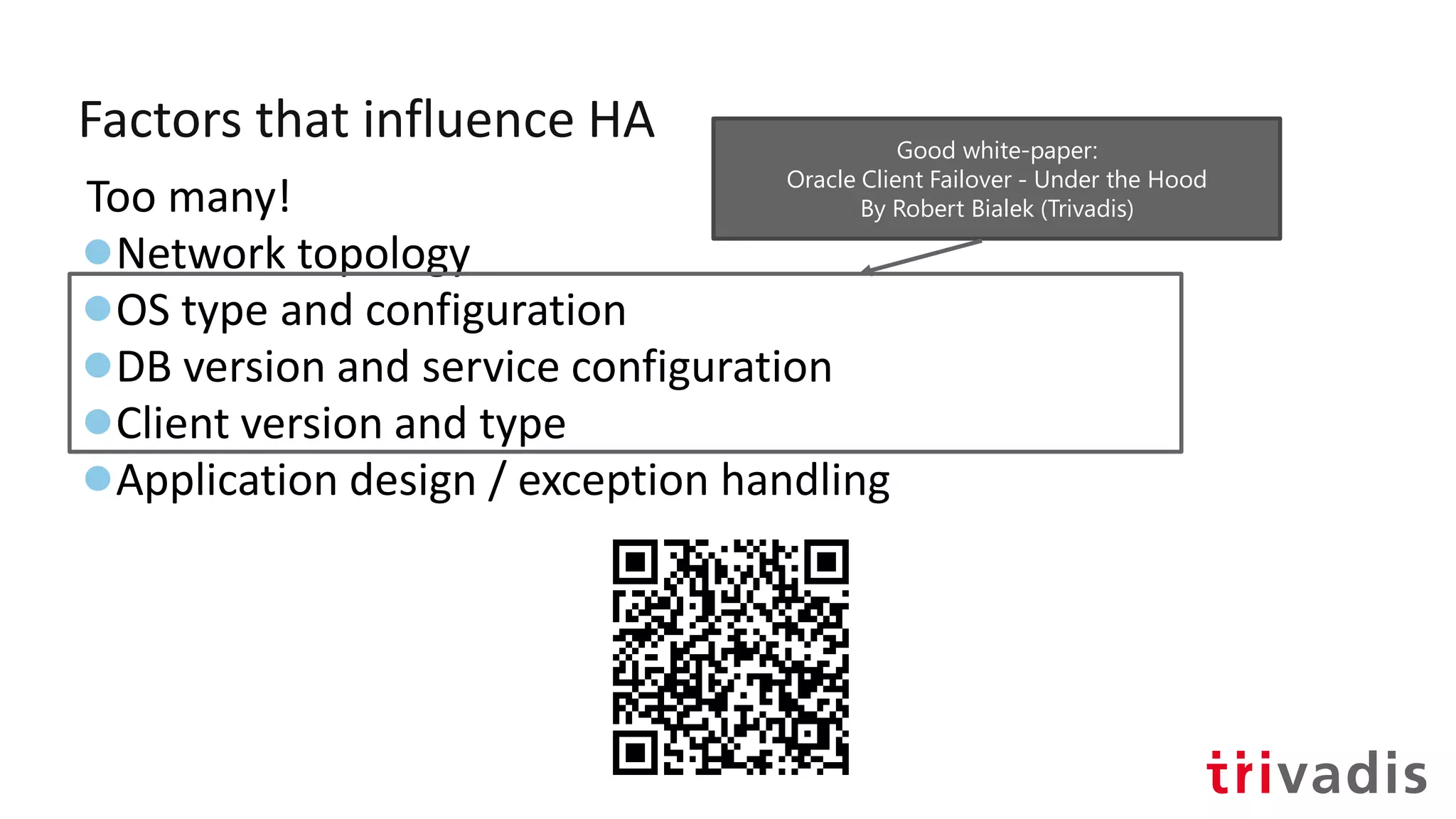
Good white-paper:
Oracle Client Failover - Under the Hood
By Robert Bialek (Trivadis)
A concept that you must know
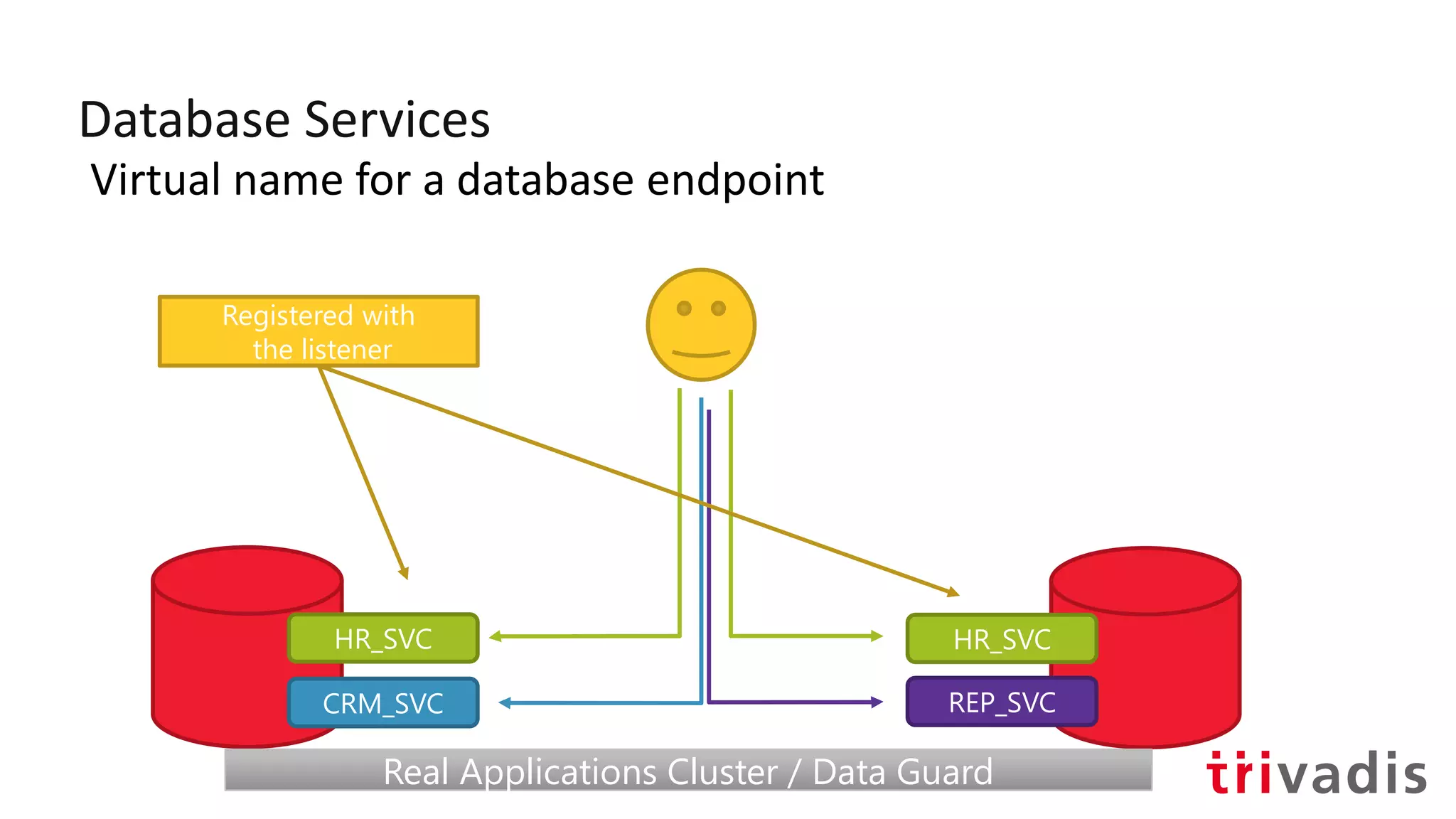
Database Services
Virtual name for a database endpoint
HR_SVC HR_SVC
CRM_SVC REP_SVC
Registered with
the listener
Real Applications Cluster / Data GuardReal Applications Cluster / Data Guard
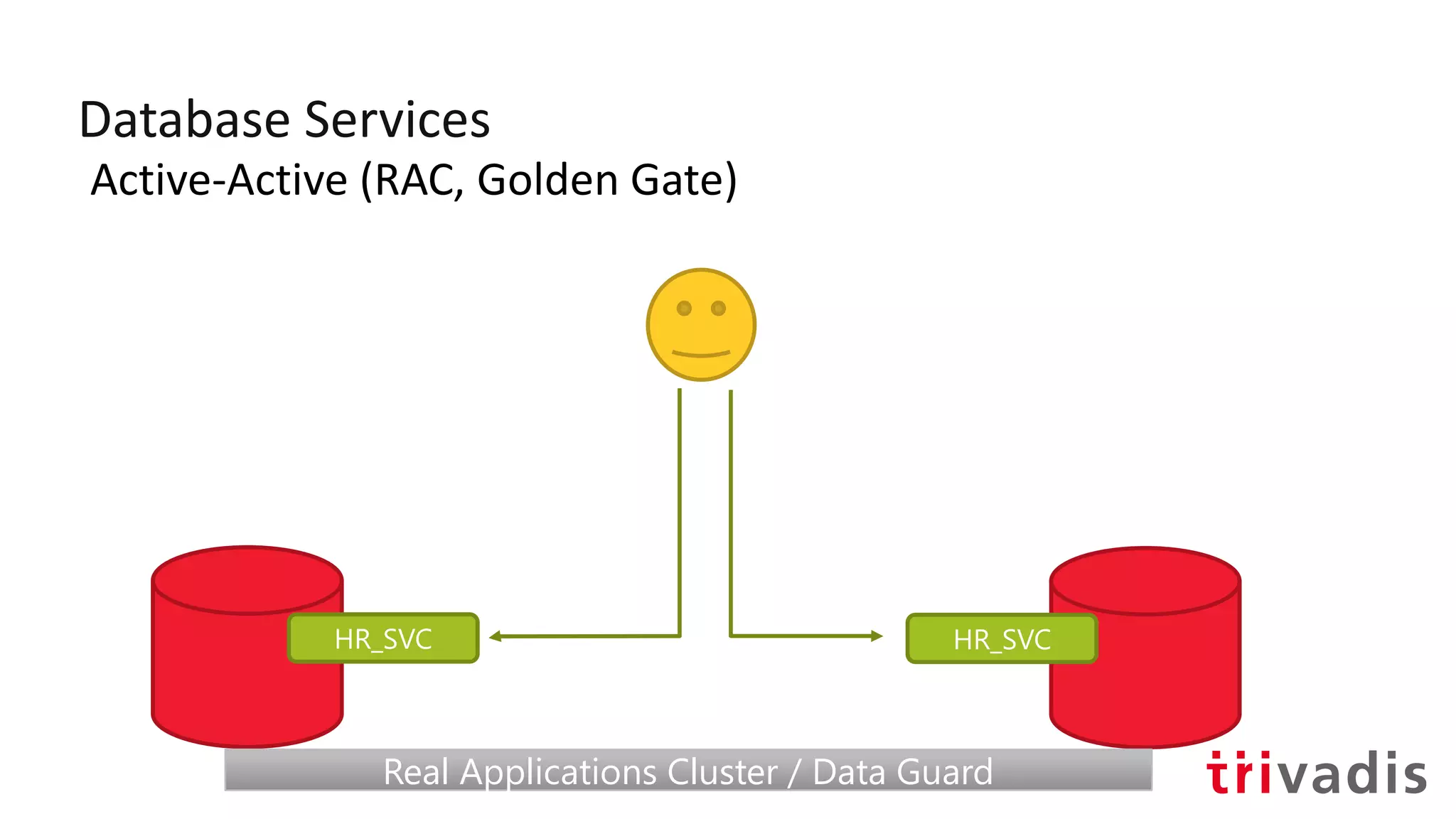
Database Services
Active-Active (RAC, Golden Gate)
HR_SVC HR_SVC
Real Applications Cluster / Data GuardReal Applications Cluster / Data Guard
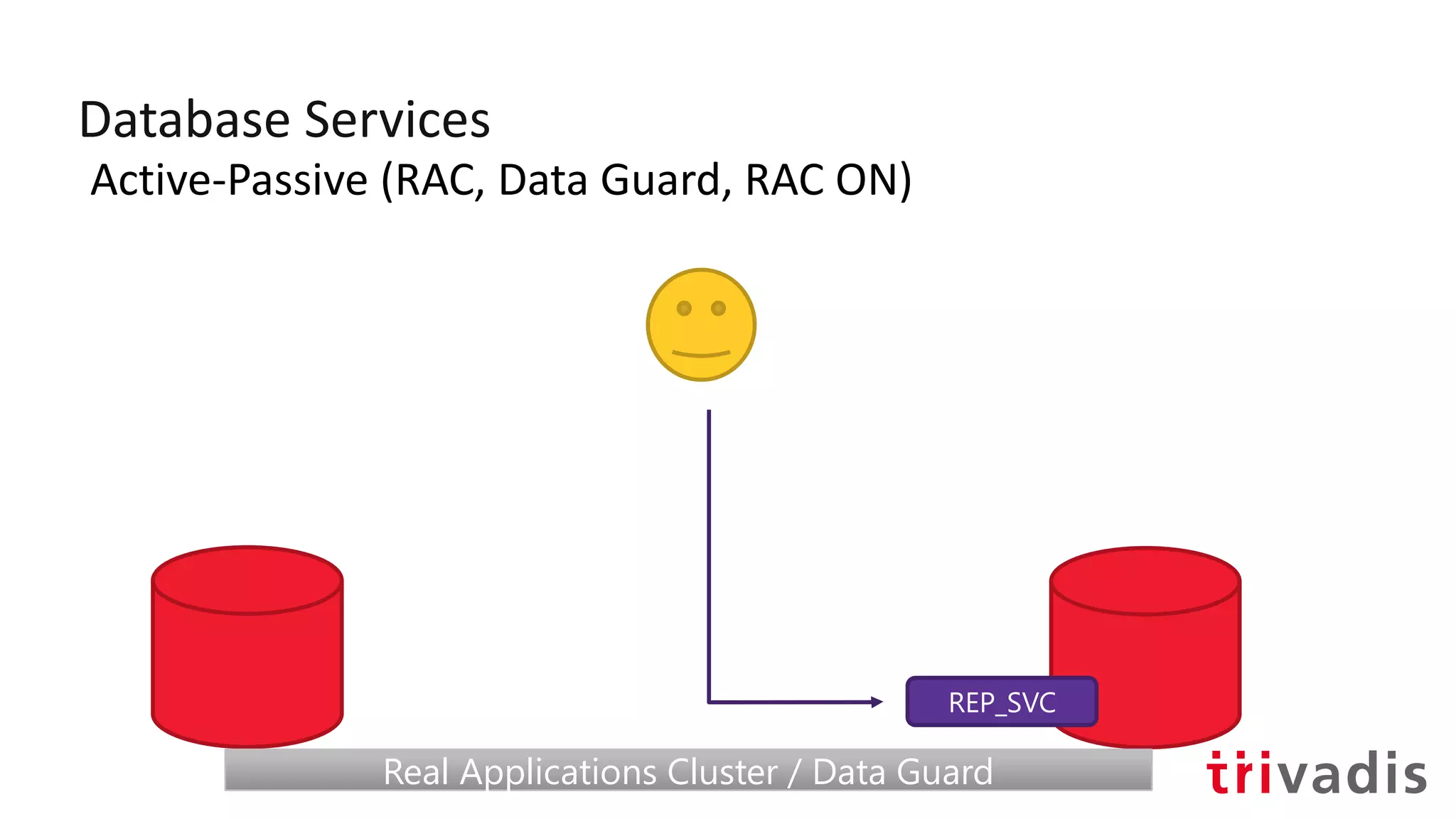
Database Services
Active-Passive (RAC, Data Guard, RAC ON)
REP_SVC
Real Applications Cluster / Data GuardReal Applications Cluster / Data Guard
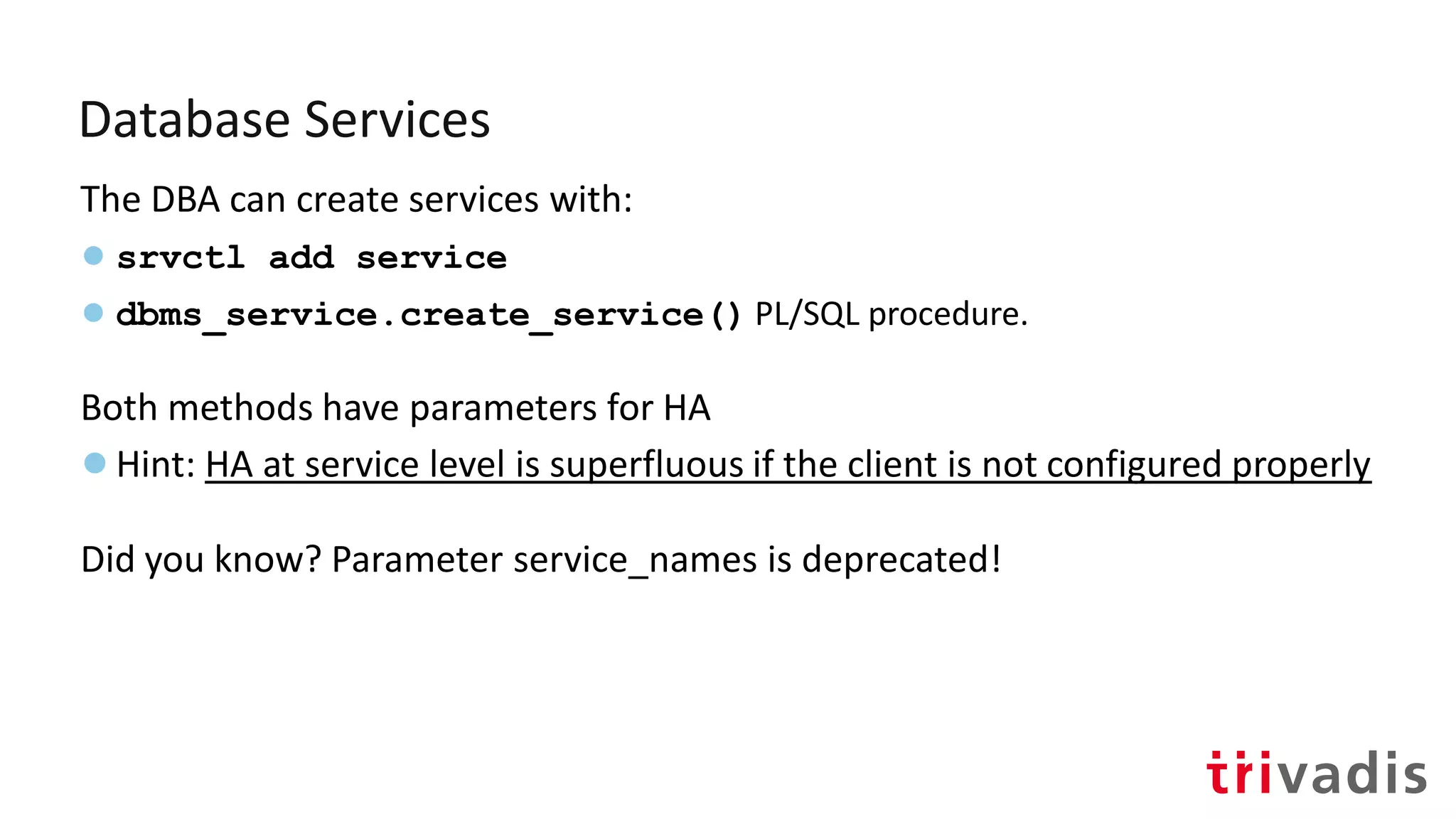
Database Services
The DBA can create services with:
● srvctl add service
● dbms_service.create_service() PL/SQL procedure.
Both methods have parameters for HA
●Hint: HA at service level is superfluous if the client is not configured properly
Did you know? Parameter service_names is deprecated!
Oracle recommends against
using default services
(DB_NAME or PDB_NAME) or SID
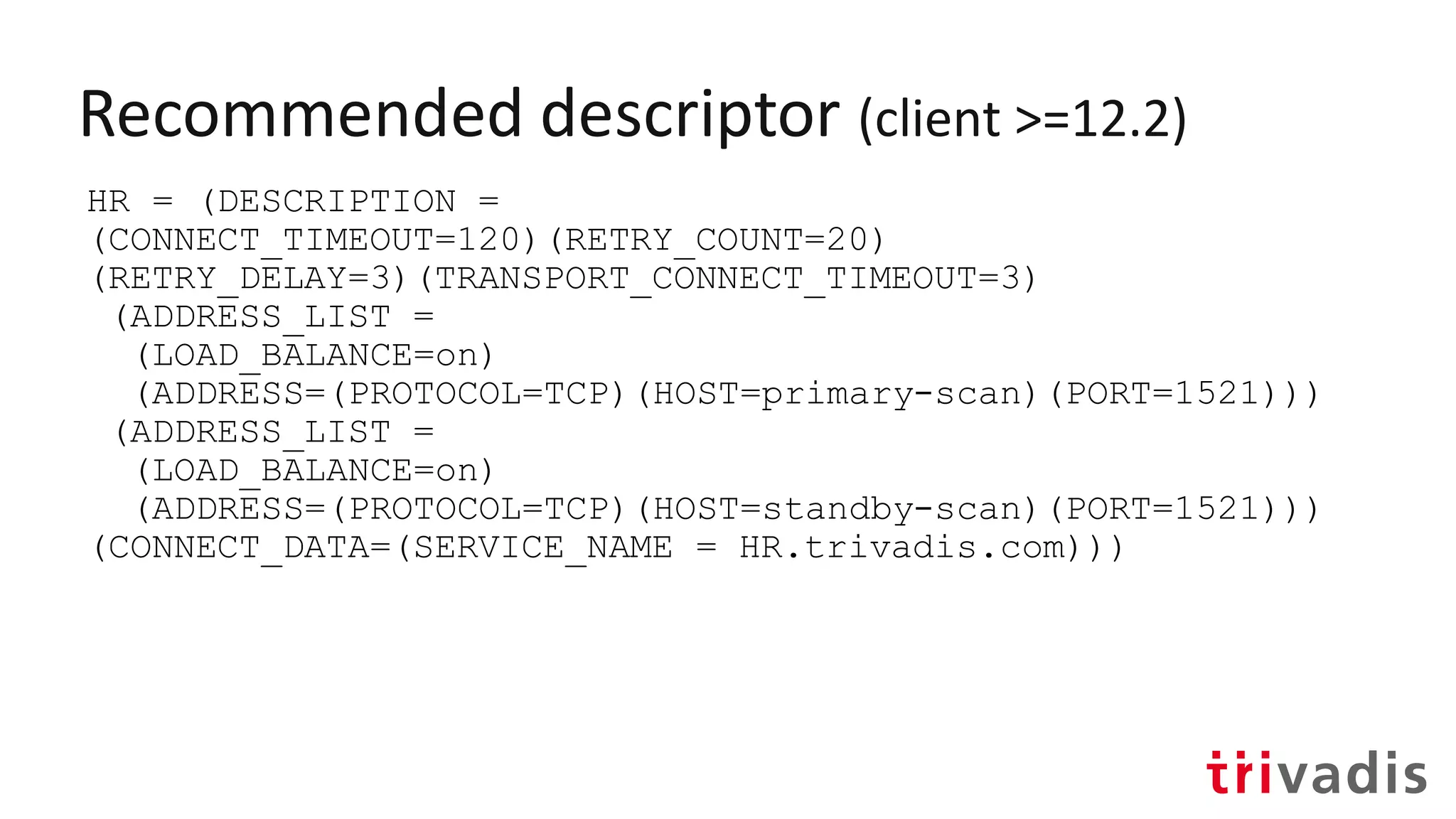
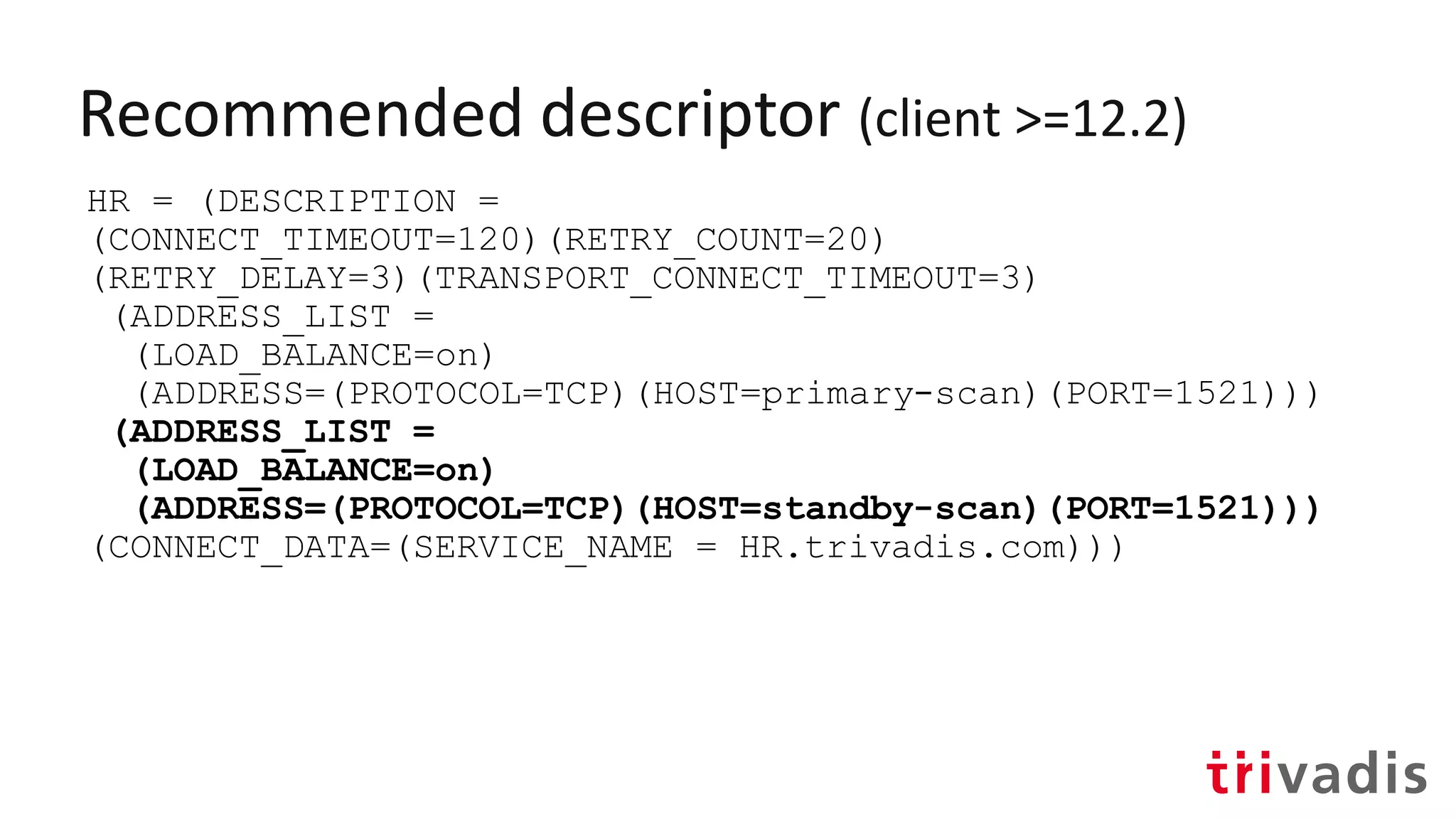
Recommended descriptor (client >=12.2)
HR = (DESCRIPTION =
(CONNECT_TIMEOUT=120)(RETRY_COUNT=20)
(RETRY_DELAY=3)(TRANSPORT_CONNECT_TIMEOUT=3)
(ADDRESS_LIST =
(LOAD_BALANCE=on)
(ADDRESS=(PROTOCOL=TCP)(HOST=primary-scan)(PORT=1521)))
(ADDRESS_LIST =
(LOAD_BALANCE=on)
(ADDRESS=(PROTOCOL=TCP)(HOST=standby-scan)(PORT=1521)))
(CONNECT_DATA=(SERVICE_NAME = HR.trivadis.com)))
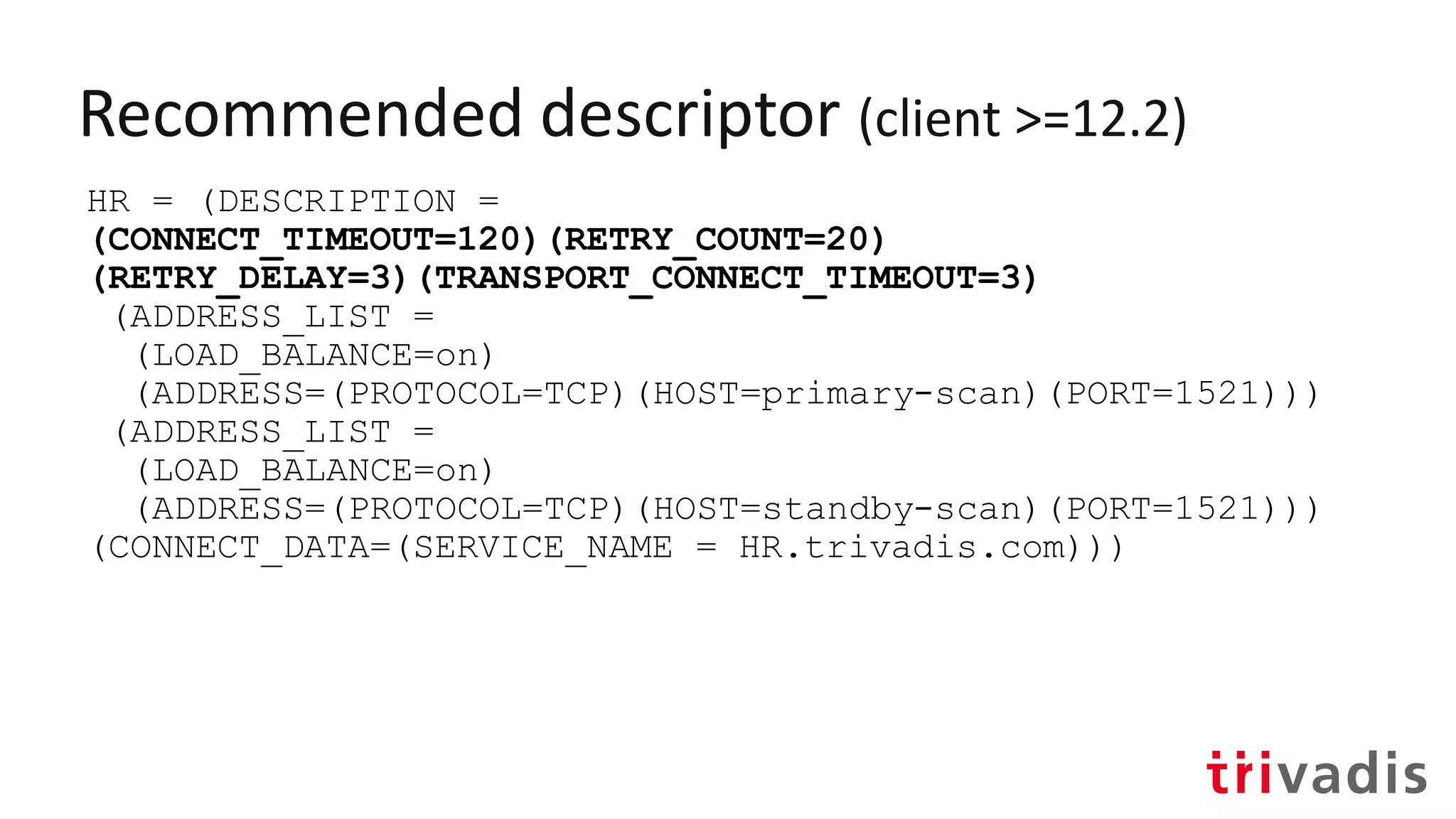
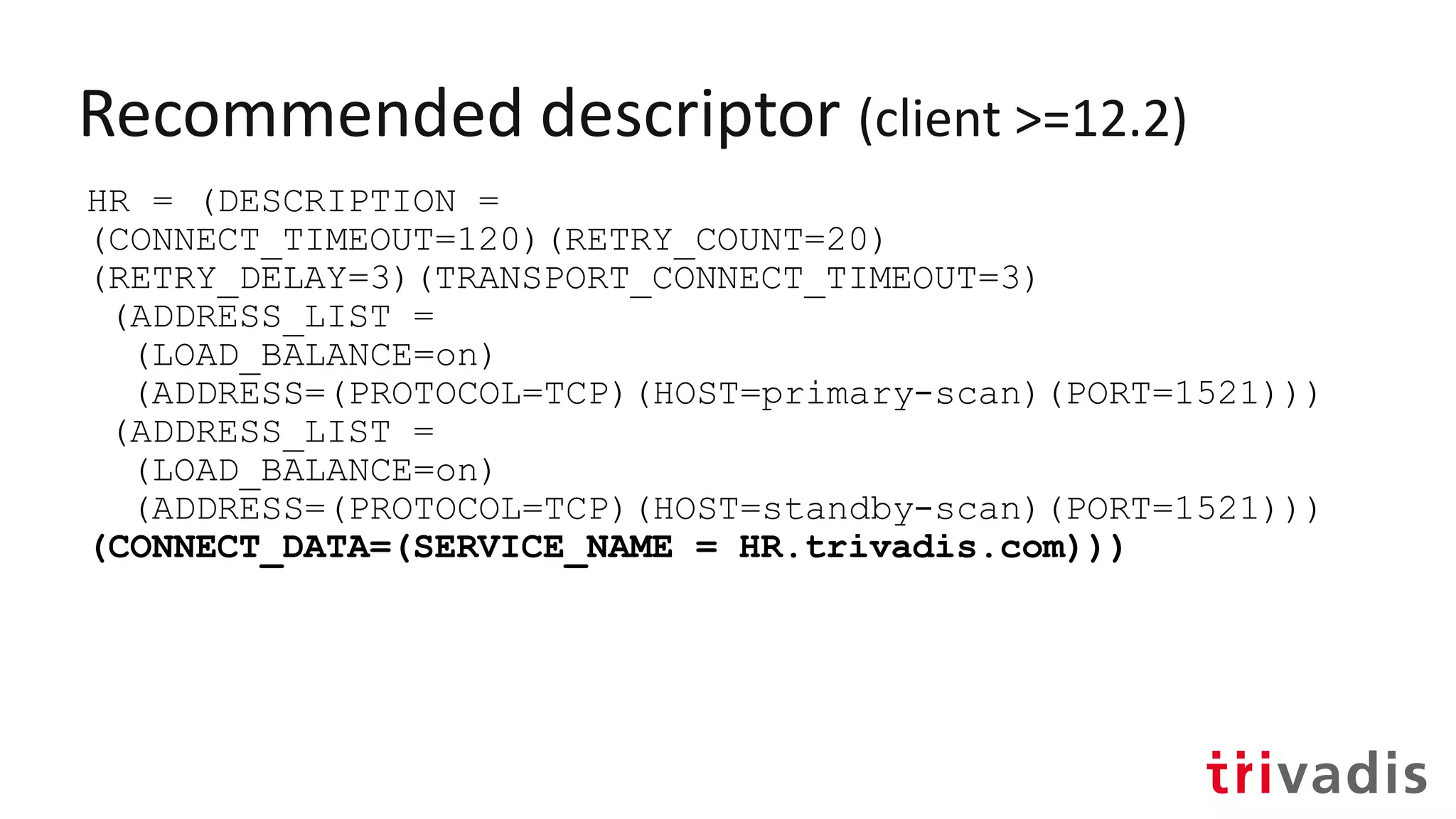
Recommended descriptor (client >=12.2)
HR = (DESCRIPTION =
(CONNECT_TIMEOUT=120)(RETRY_COUNT=20)
(RETRY_DELAY=3)(TRANSPORT_CONNECT_TIMEOUT=3)
(ADDRESS_LIST =
(LOAD_BALANCE=on)
(ADDRESS=(PROTOCOL=TCP)(HOST=primary-scan)(PORT=1521)))
(ADDRESS_LIST =
(LOAD_BALANCE=on)
(ADDRESS=(PROTOCOL=TCP)(HOST=standby-scan)(PORT=1521)))
(CONNECT_DATA=(SERVICE_NAME = HR.trivadis.com)))
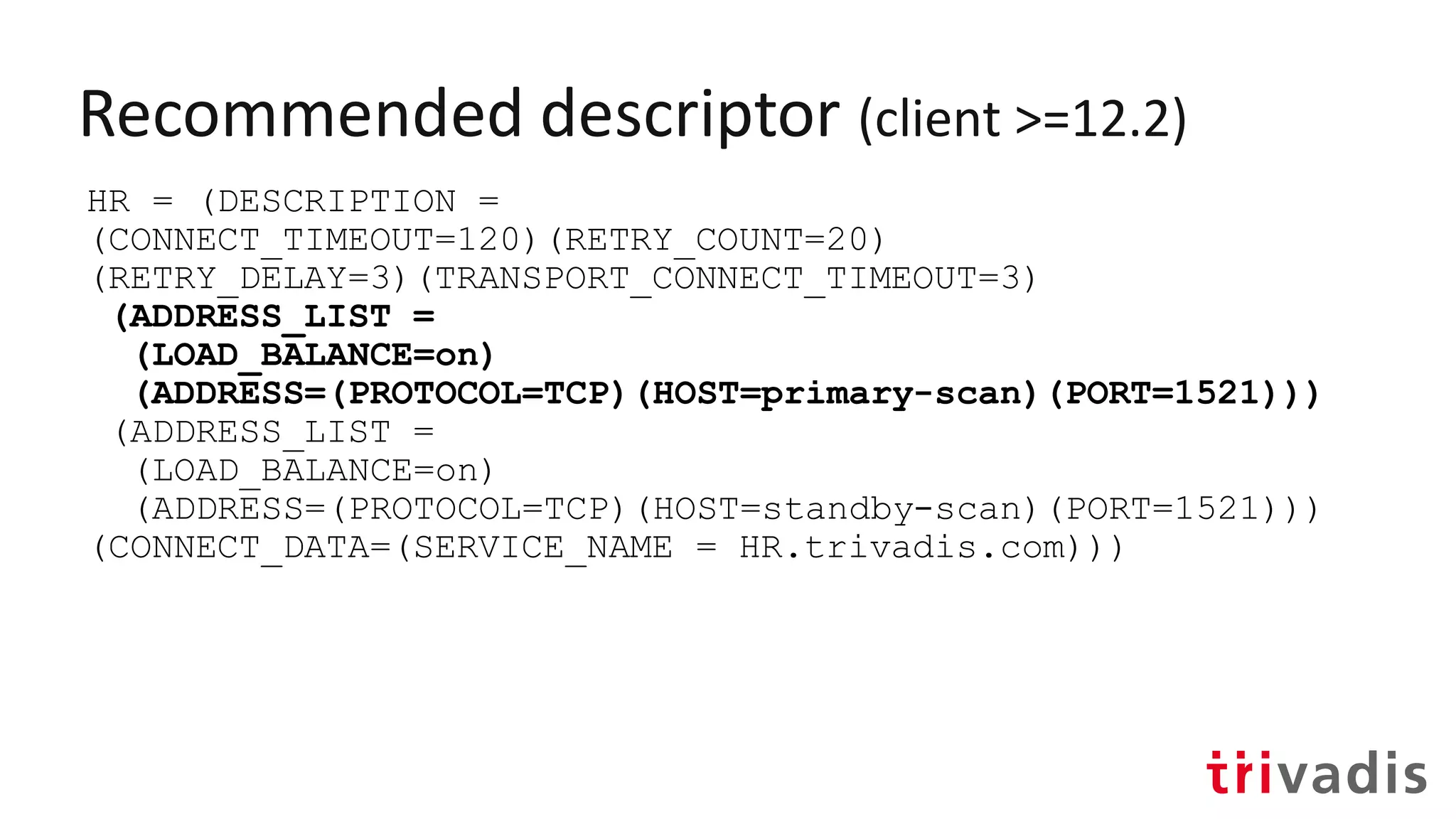
Recommended descriptor (client >=12.2)
HR = (DESCRIPTION =
(CONNECT_TIMEOUT=120)(RETRY_COUNT=20)
(RETRY_DELAY=3)(TRANSPORT_CONNECT_TIMEOUT=3)
(ADDRESS_LIST =
(LOAD_BALANCE=on)
(ADDRESS=(PROTOCOL=TCP)(HOST=primary-scan)(PORT=1521)))
(ADDRESS_LIST =
(LOAD_BALANCE=on)
(ADDRESS=(PROTOCOL=TCP)(HOST=standby-scan)(PORT=1521)))
(CONNECT_DATA=(SERVICE_NAME = HR.trivadis.com)))
Recommended descriptor (client >=12.2)
HR = (DESCRIPTION =
(CONNECT_TIMEOUT=120)(RETRY_COUNT=20)
(RETRY_DELAY=3)(TRANSPORT_CONNECT_TIMEOUT=3)
(ADDRESS_LIST =
(LOAD_BALANCE=on)
(ADDRESS=(PROTOCOL=TCP)(HOST=primary-scan)(PORT=1521)))
(ADDRESS_LIST =
(LOAD_BALANCE=on)
(ADDRESS=(PROTOCOL=TCP)(HOST=standby-scan)(PORT=1521)))
(CONNECT_DATA=(SERVICE_NAME = HR.trivadis.com)))
Recommended descriptor (client >=12.2)
HR = (DESCRIPTION =
(CONNECT_TIMEOUT=120)(RETRY_COUNT=20)
(RETRY_DELAY=3)(TRANSPORT_CONNECT_TIMEOUT=3)
(ADDRESS_LIST =
(LOAD_BALANCE=on)
(ADDRESS=(PROTOCOL=TCP)(HOST=primary-scan)(PORT=1521)))
(ADDRESS_LIST =
(LOAD_BALANCE=on)
(ADDRESS=(PROTOCOL=TCP)(HOST=standby-scan)(PORT=1521)))
(CONNECT_DATA=(SERVICE_NAME = HR.trivadis.com)))
Planned Maintenance
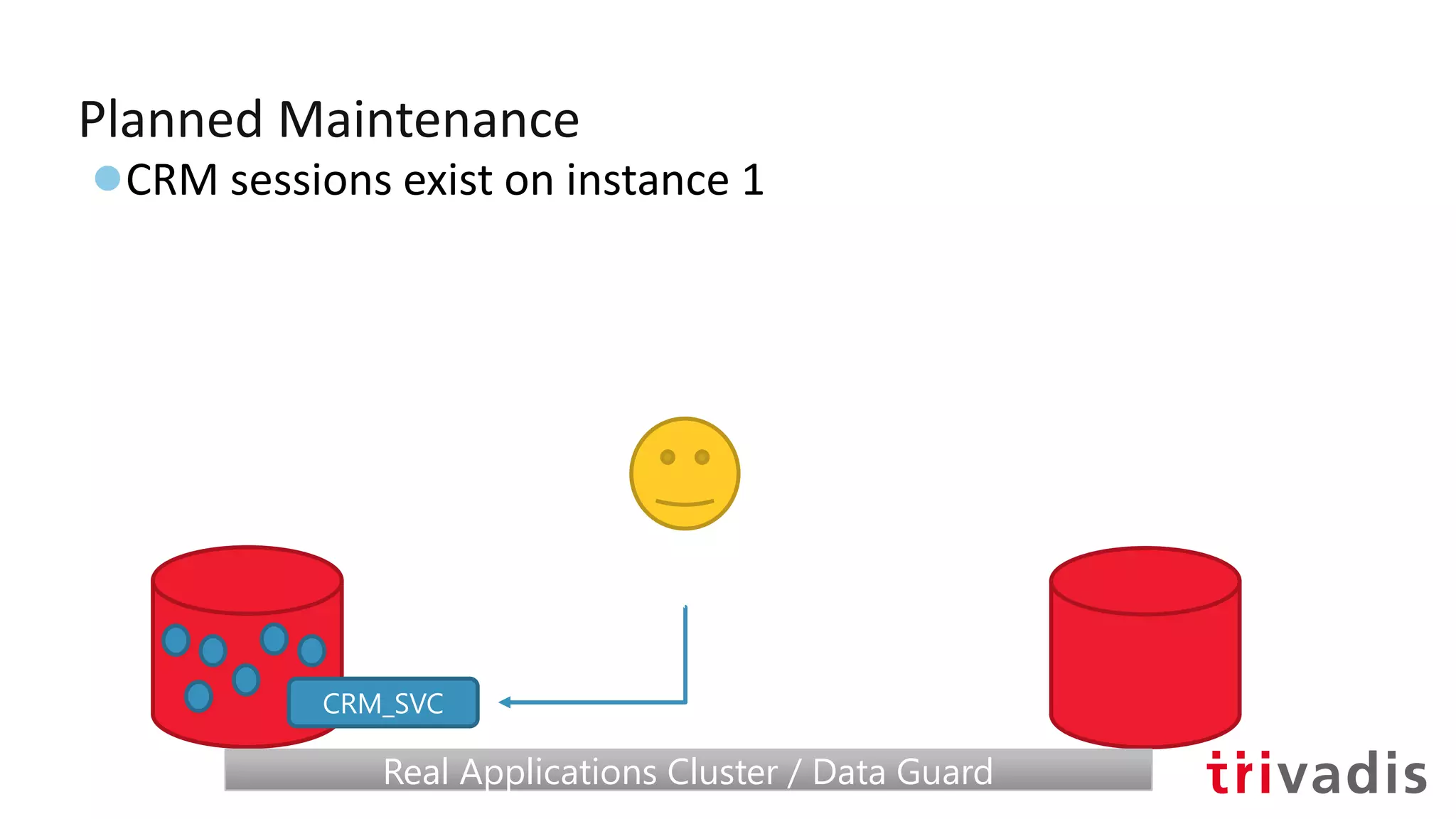
Planned Maintenance
●CRM sessions exist on instance 1
CRM_SVC
Real Applications Cluster / Data GuardReal Applications Cluster / Data Guard
Planned Maintenance
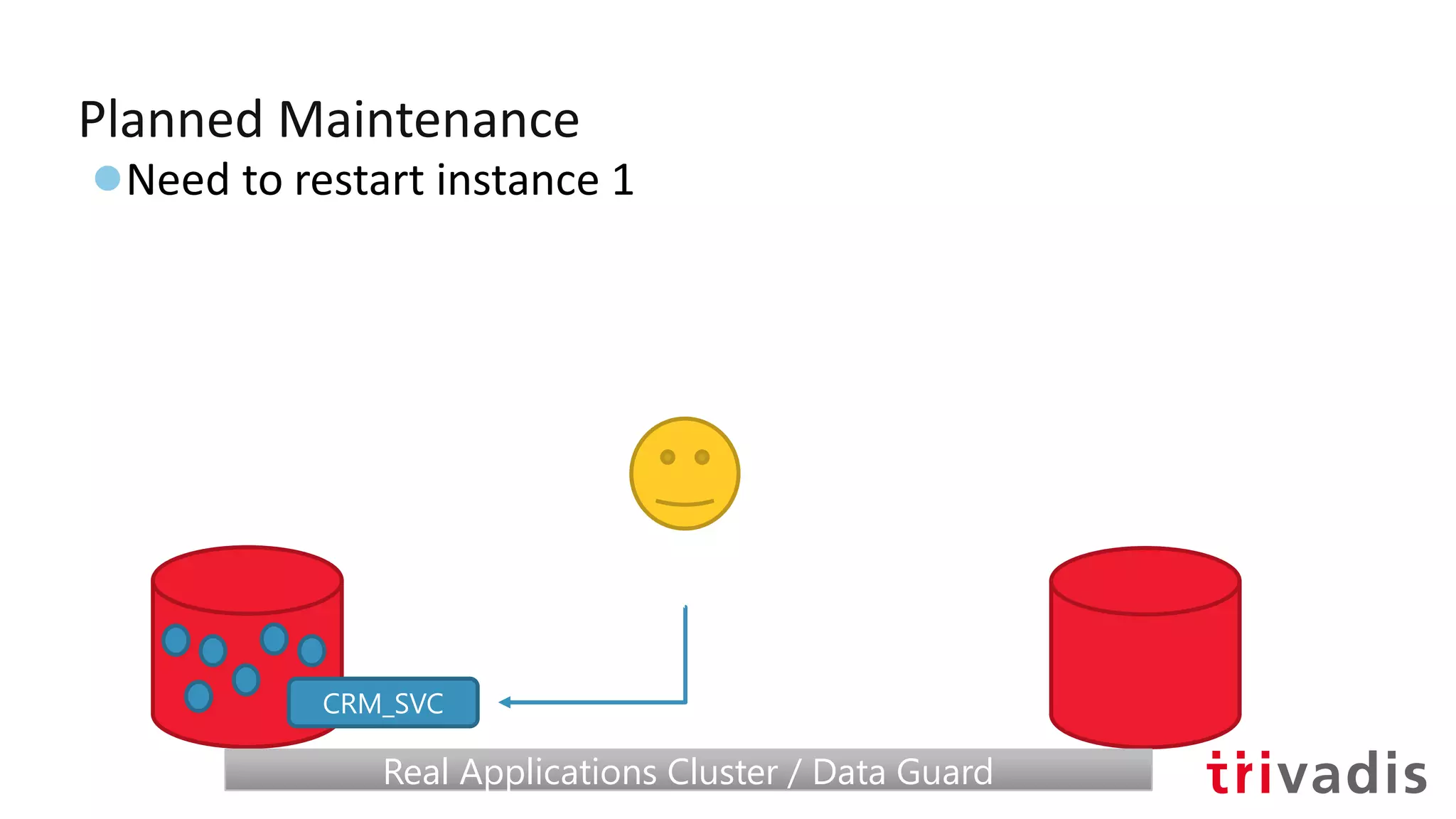
●Need to restart instance 1
CRM_SVC
Real Applications Cluster / Data GuardReal Applications Cluster / Data Guard
Planned Maintenance
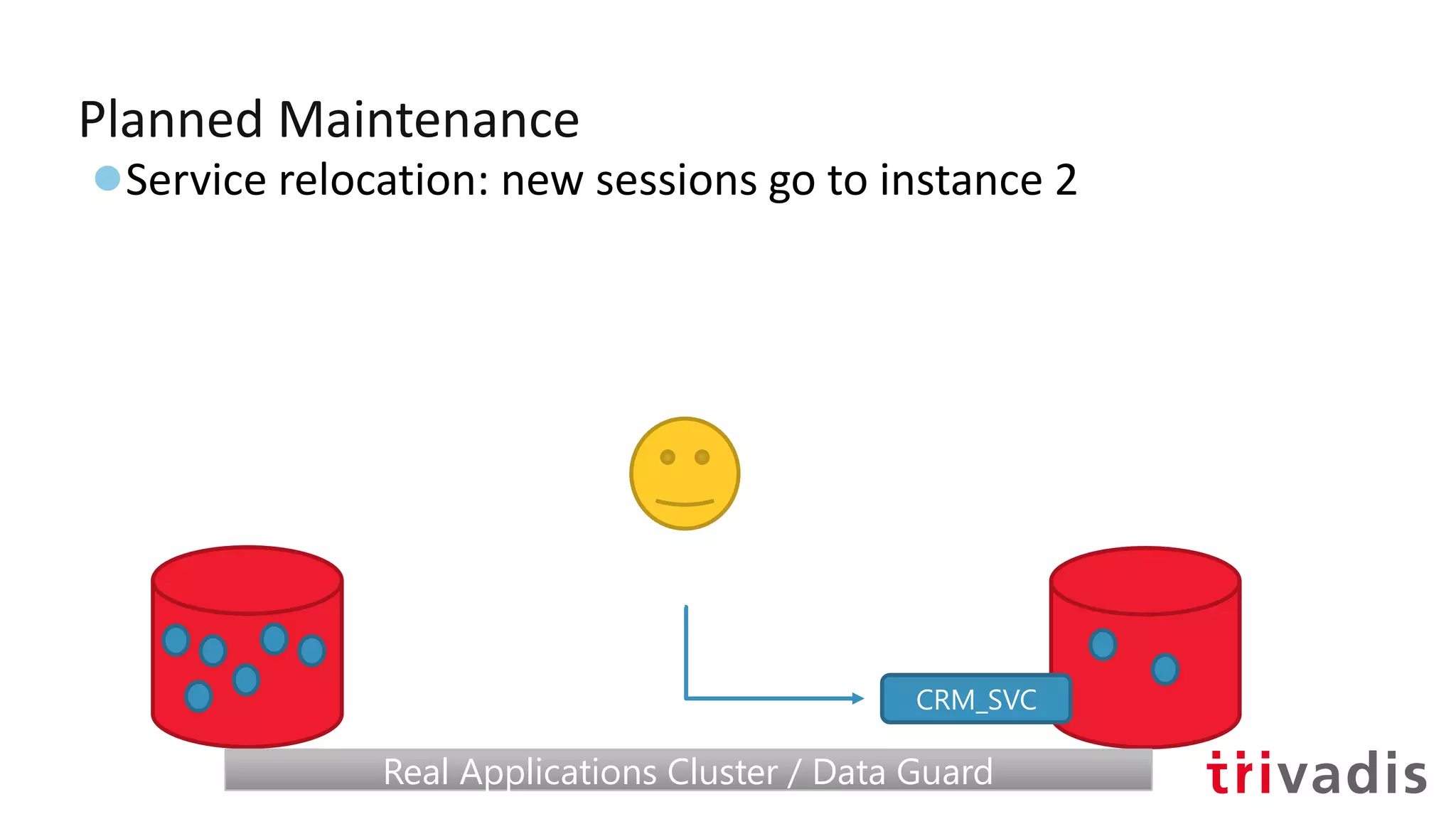
●Service relocation: new sessions go to instance 2
CRM_SVC
Real Applications Cluster / Data GuardReal Applications Cluster / Data Guard
Planned Maintenance
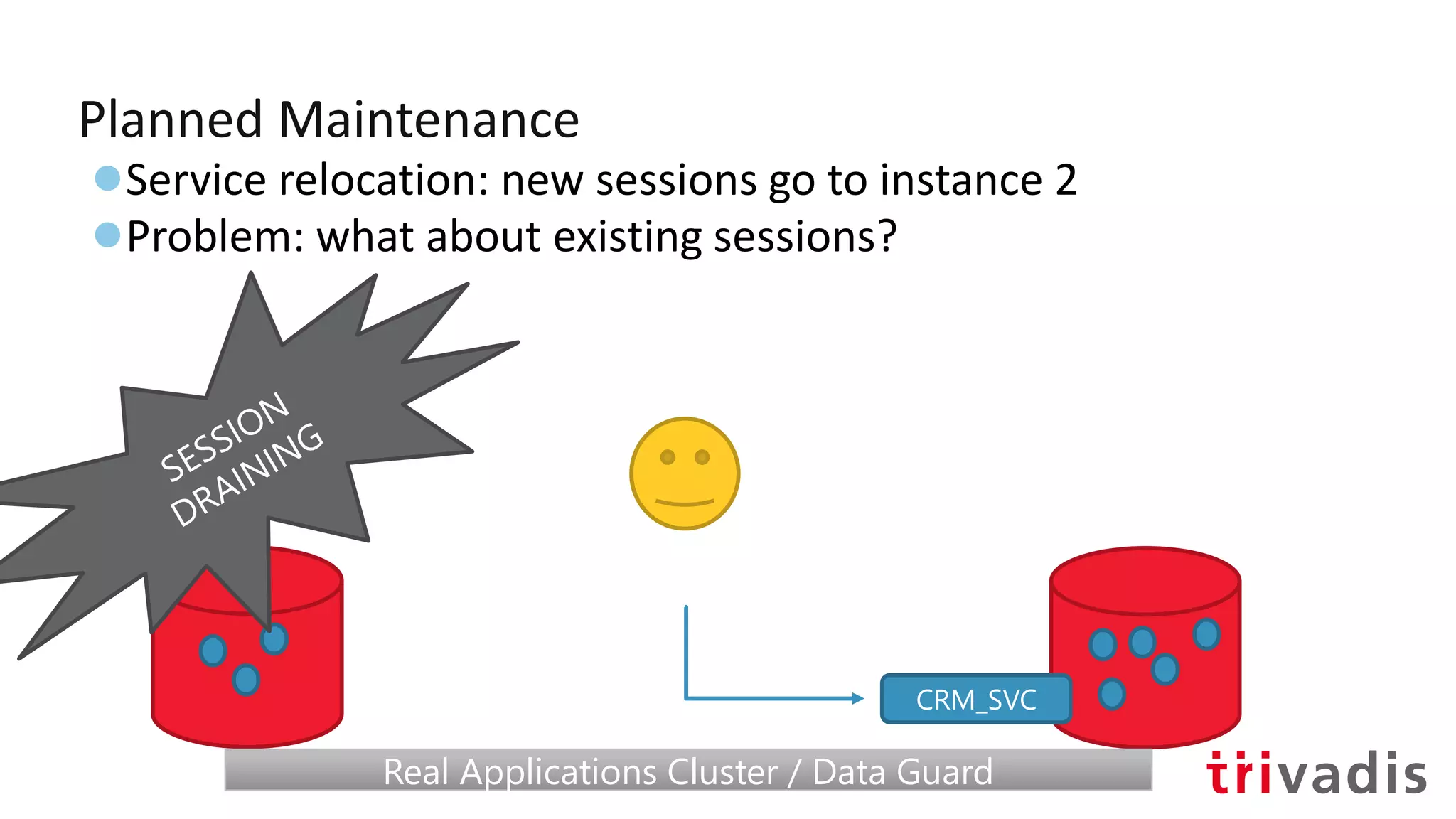
●Service relocation: new sessions go to instance 2
●Problem: what about existing sessions?
CRM_SVC
Real Applications Cluster / Data GuardReal Applications Cluster / Data Guard
Planned Maintenance
●Service relocation: new sessions go to instance 2
●Problem: what about existing sessions?
CRM_SVC
Real Applications Cluster / Data GuardReal Applications Cluster / Data Guard
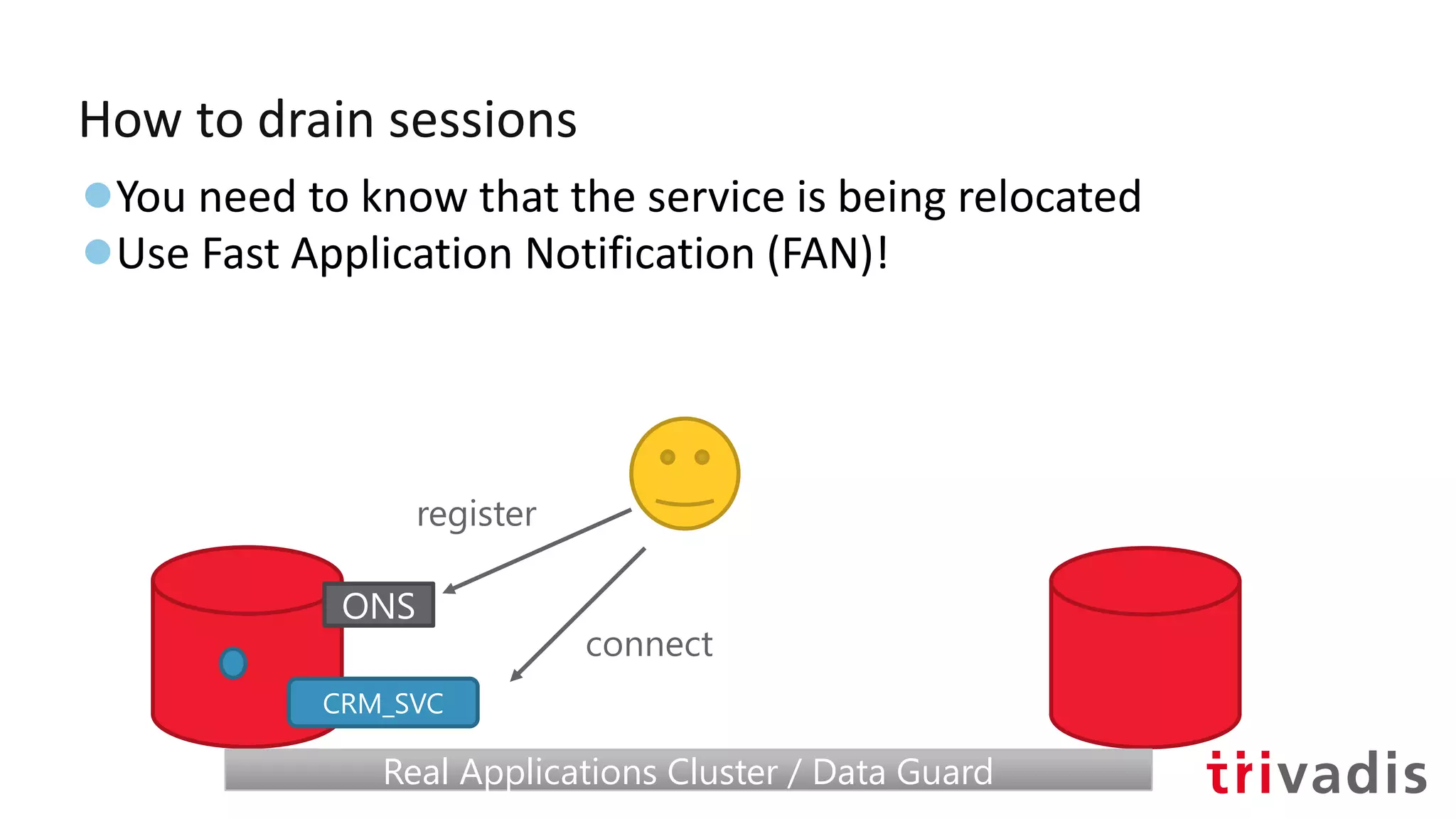
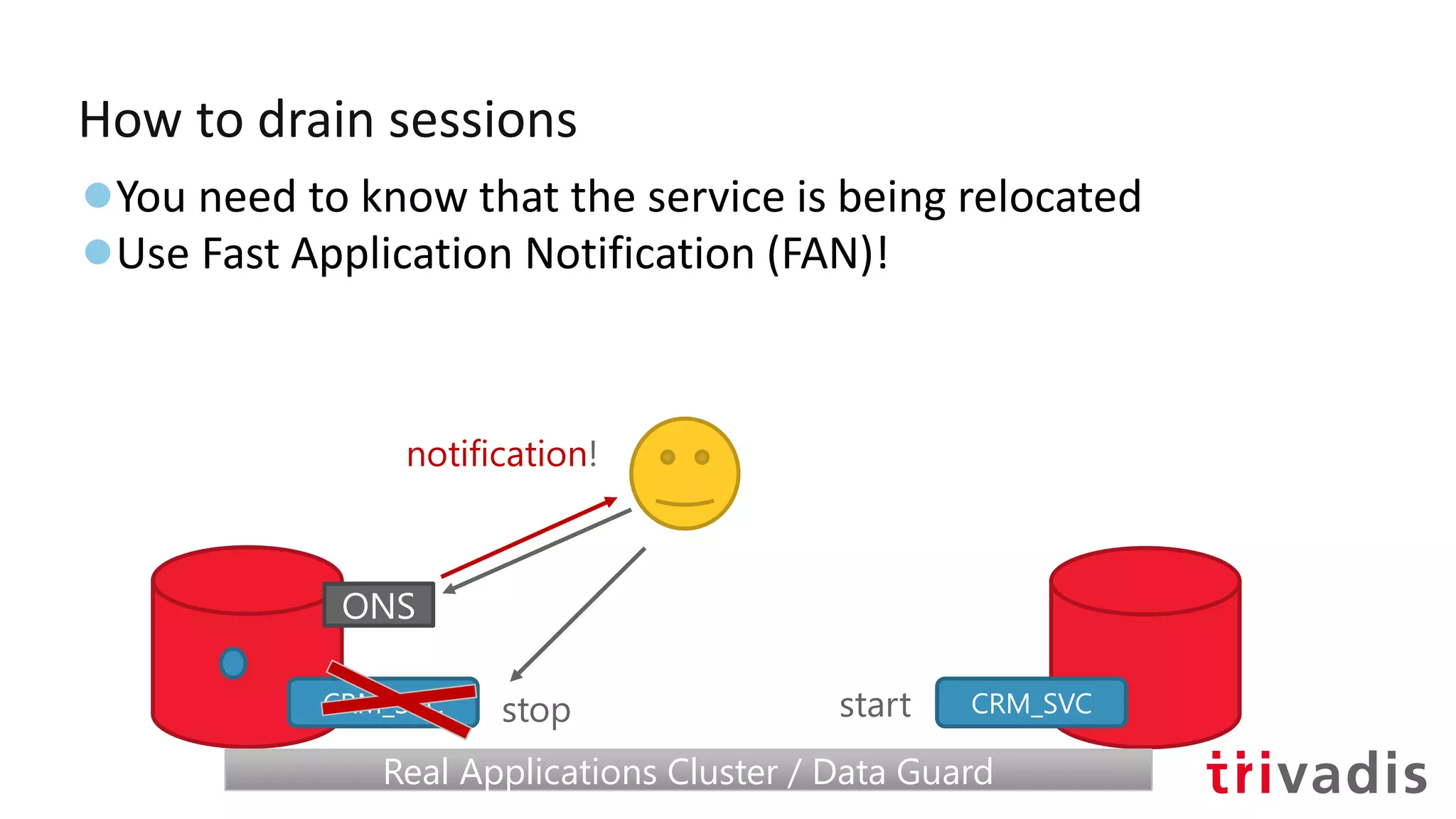
How to drain sessions
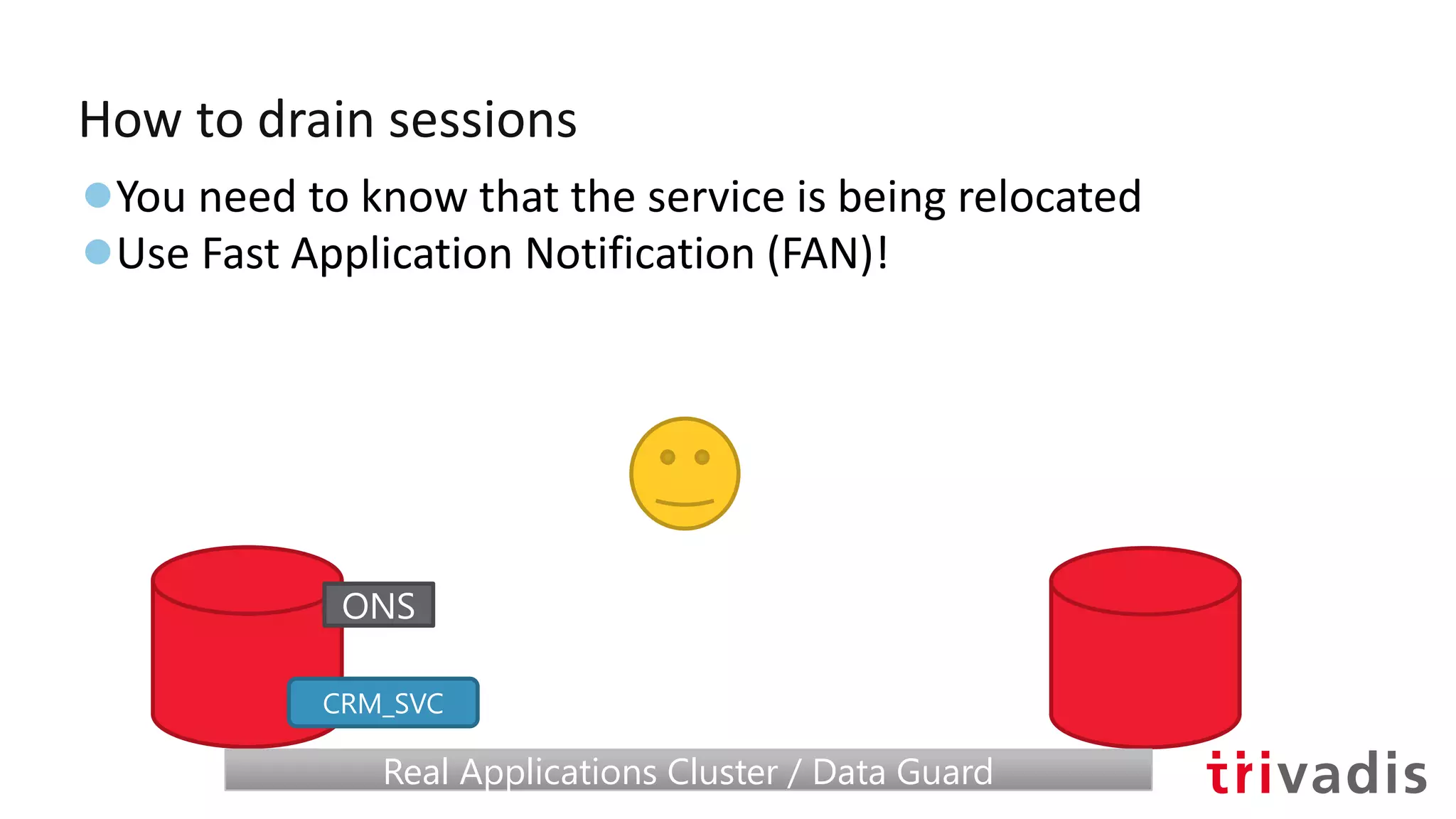
●You need to know that the service is being relocated
●Use Fast Application Notification (FAN)!
CRM_SVC
Real Applications Cluster / Data GuardReal Applications Cluster / Data Guard
ONS
How to drain sessions
●You need to know that the service is being relocated
●Use Fast Application Notification (FAN)!
CRM_SVC
Real Applications Cluster / Data GuardReal Applications Cluster / Data Guard
ONS
register
connect
How to drain sessions
●You need to know that the service is being relocated
●Use Fast Application Notification (FAN)!
CRM_SVC
Real Applications Cluster / Data GuardReal Applications Cluster / Data Guard
ONS
stop
notification!
CRM_SVCstart
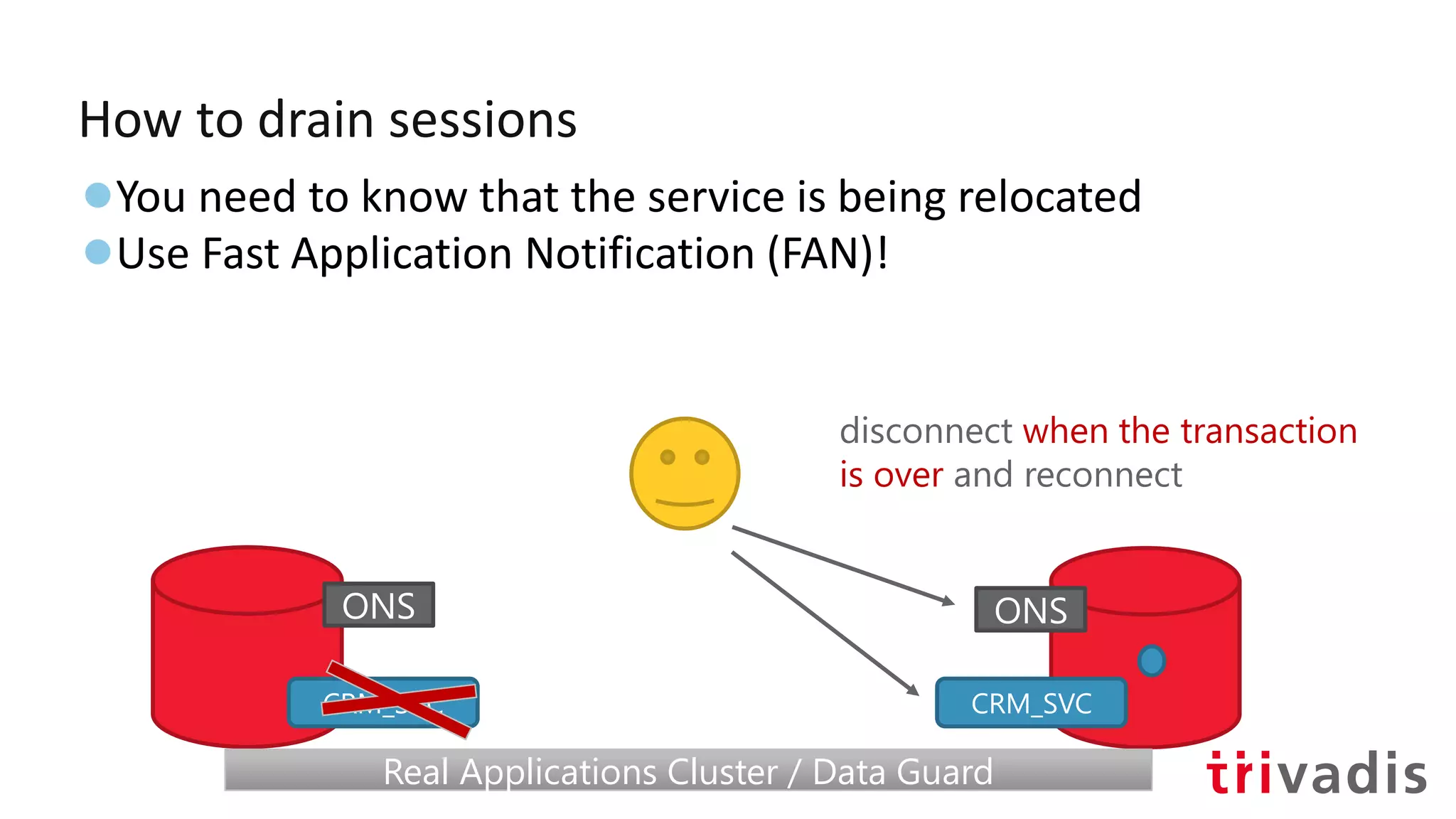
How to drain sessions
●You need to know that the service is being relocated
●Use Fast Application Notification (FAN)!
CRM_SVC
Real Applications Cluster / Data GuardReal Applications Cluster / Data Guard
ONS
CRM_SVC
disconnect when the transaction
is over and reconnect
ONS
FAN at database side
●ONS is there by default with Grid Infrastructure
●Default remote port 6200
●18c: in-band notifications
●FAN/enabled Service
srvctl add service –db orcl –service hr_svc
-rlbgoal [SERVICE_TIME | THROUGHPUT] # for load balancing advisory
-notification TRUE # for OCI/ODP.net connections
srvctl relocate service –db orcl –service hr_svc
-oldinst orcl1 -newinst orcl2
-drain_timeout 10 # let some time for sessions to drain
# switch –force not specified, sessions are not killed
FAN at client side
import oracle.simplefan.FanEventListener;
import oracle.simplefan.FanManager;
import oracle.simplefan.FanSubscription;
import oracle.simplefan.ServiceDownEvent;
[...]
FanManager fanMngr = FanManager.getInstance();
onsProps.setProperty("onsNodes", “node1:6200,node2:6200");
fanMngr.configure(onsProps);
FanSubscription sub = fanMngr.subscribe(props);
sub.addListener(new FanEventListener() {
public void handleEvent(ServiceDownEvent event) {
System.out.println("Service down event");
System.out.println(event.getReason());
// handle the event
}
});
FAN at client side
import oracle.simplefan.FanEventListener;
import oracle.simplefan.FanManager;
import oracle.simplefan.FanSubscription;
import oracle.simplefan.ServiceDownEvent;
[...]
FanManager fanMngr = FanManager.getInstance();
onsProps.setProperty("onsNodes", “node1:6200,node2:6200");
fanMngr.configure(onsProps);
FanSubscription sub = fanMngr.subscribe(props);
sub.addListener(new FanEventListener() {
public void handleEvent(ServiceDownEvent event) {
System.out.println("Service down event");
System.out.println(event.getReason());
// handle the event
}
});
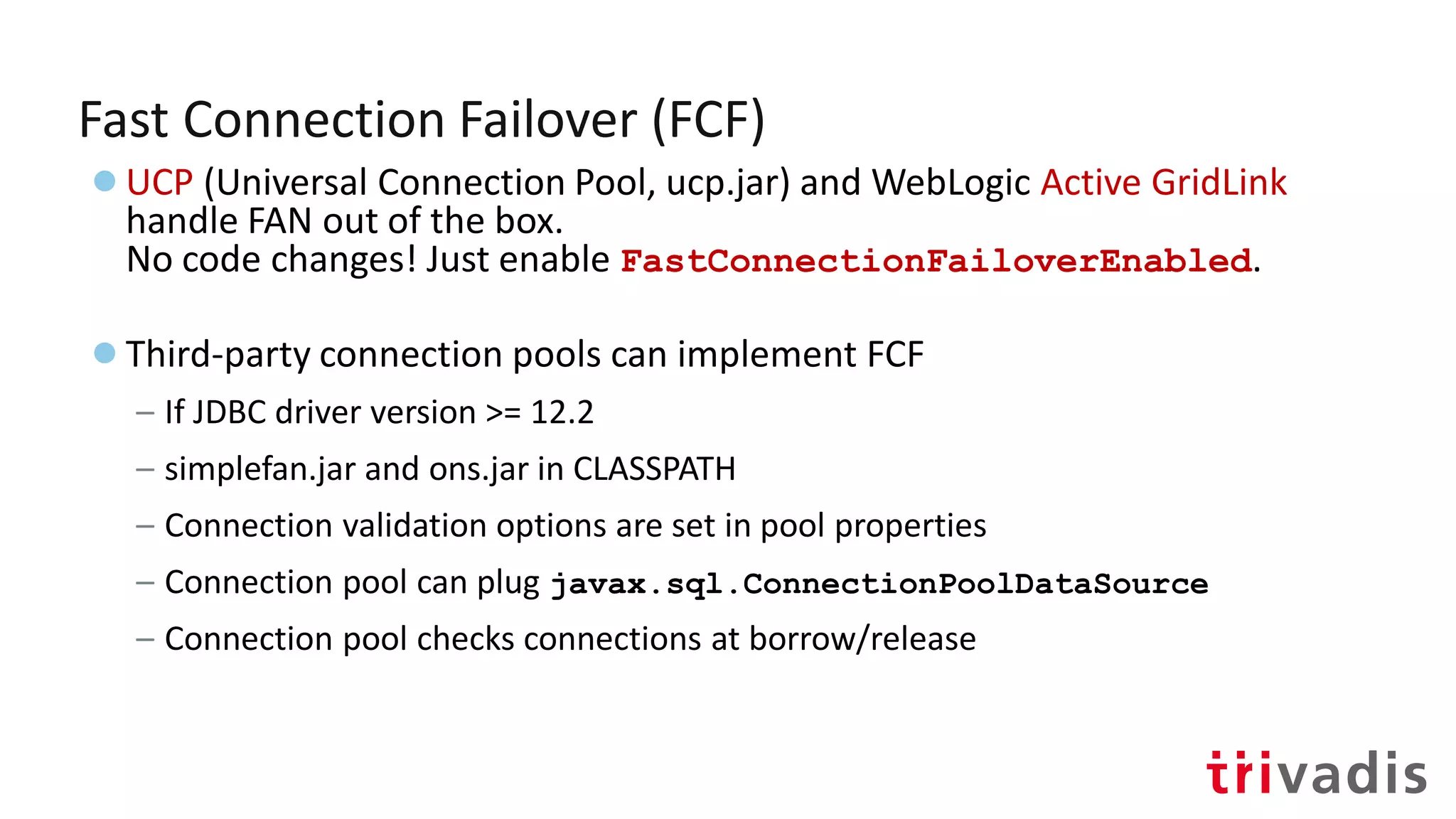
Fast Connection Failover (FCF)
●Pre-configured FAN integration
●Works with connection pools
●The application must be pool aware
– (borrow/release)
●The connection pool leverages FAN events to:
– Remove quickly dead connections on a DOWN event
– (opt.) Redistribute the load on a UP event
Fast Connection Failover (FCF)
●UCP (Universal Connection Pool, ucp.jar) and WebLogic Active GridLink
handle FAN out of the box.
No code changes! Just enable FastConnectionFailoverEnabled.
●Third-party connection pools can implement FCF
– If JDBC driver version >= 12.2
– simplefan.jar and ons.jar in CLASSPATH
– Connection validation options are set in pool properties
– Connection pool can plug javax.sql.ConnectionPoolDataSource
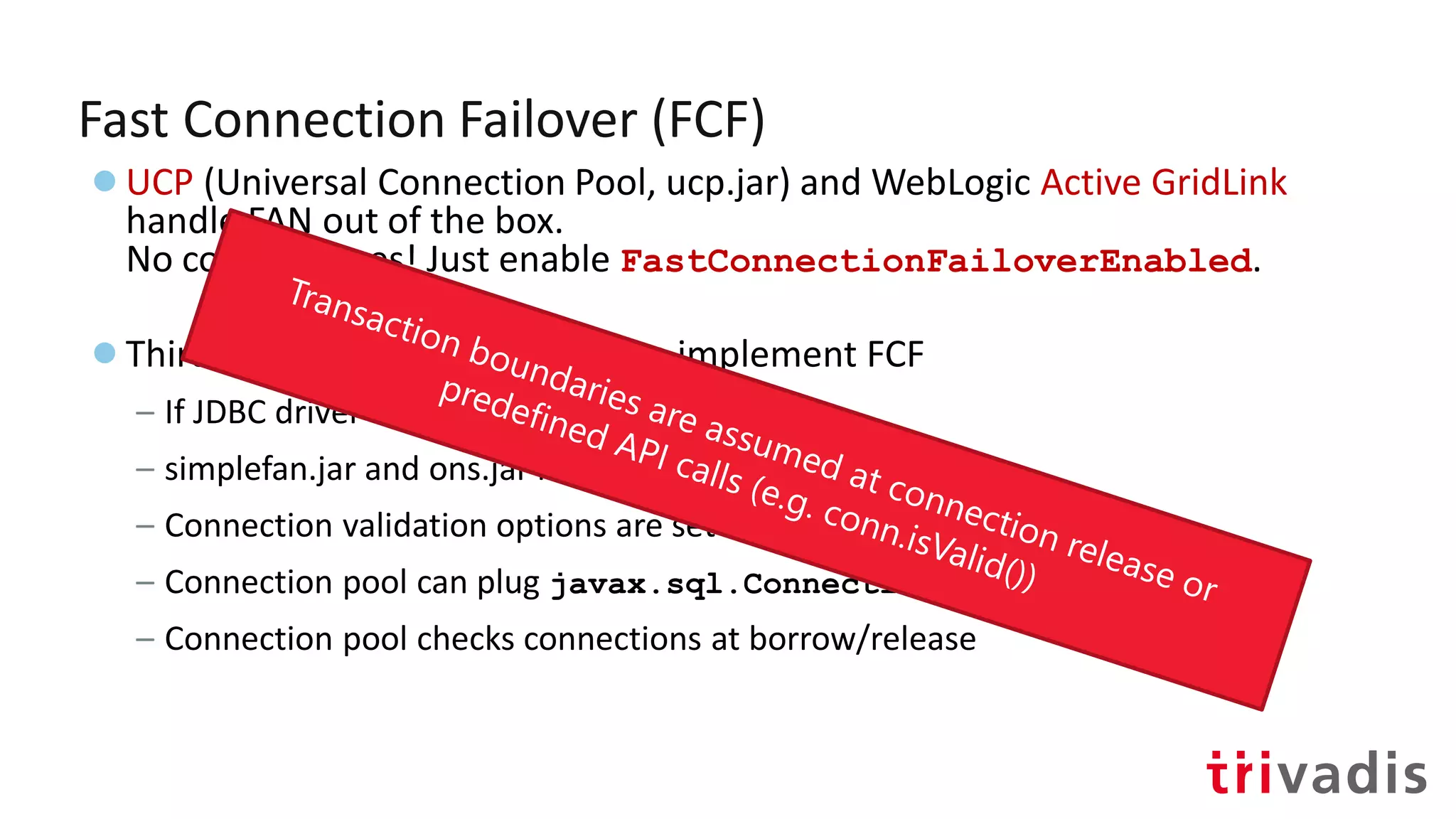
– Connection pool checks connections at borrow/release
Fast Connection Failover (FCF)
●UCP (Universal Connection Pool, ucp.jar) and WebLogic Active GridLink
handle FAN out of the box.
No code changes! Just enable FastConnectionFailoverEnabled.
●Third-party connection pools can implement FCF
– If JDBC driver version >= 12.2
– simplefan.jar and ons.jar in CLASSPATH
– Connection validation options are set in pool properties
– Connection pool can plug javax.sql.ConnectionPoolDataSource
– Connection pool checks connections at borrow/release
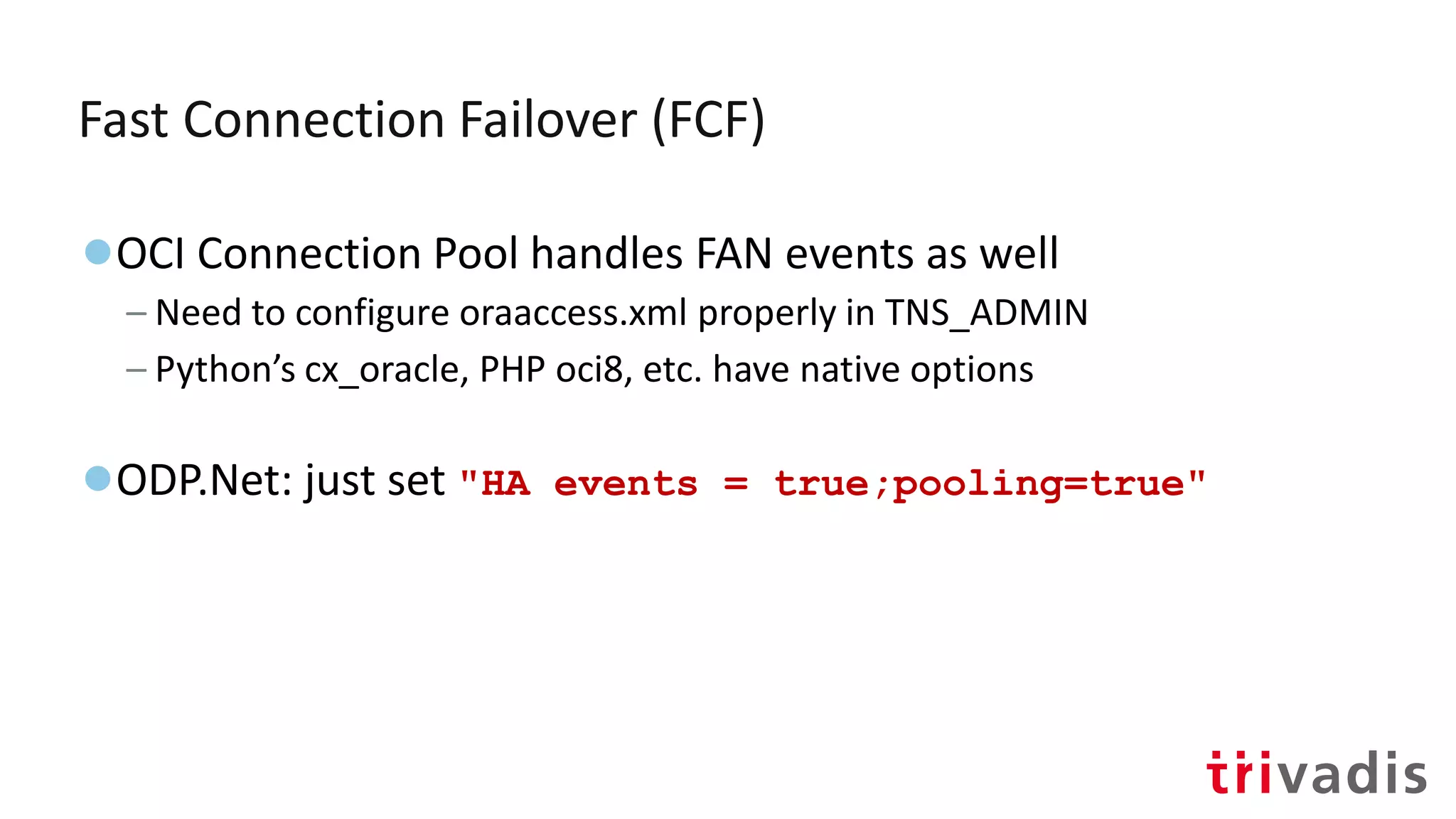
Fast Connection Failover (FCF)
●OCI Connection Pool handles FAN events as well
– Need to configure oraaccess.xml properly in TNS_ADMIN
– Python’s cx_oracle, PHP oci8, etc. have native options
●ODP.Net: just set "HA events = true;pooling=true"
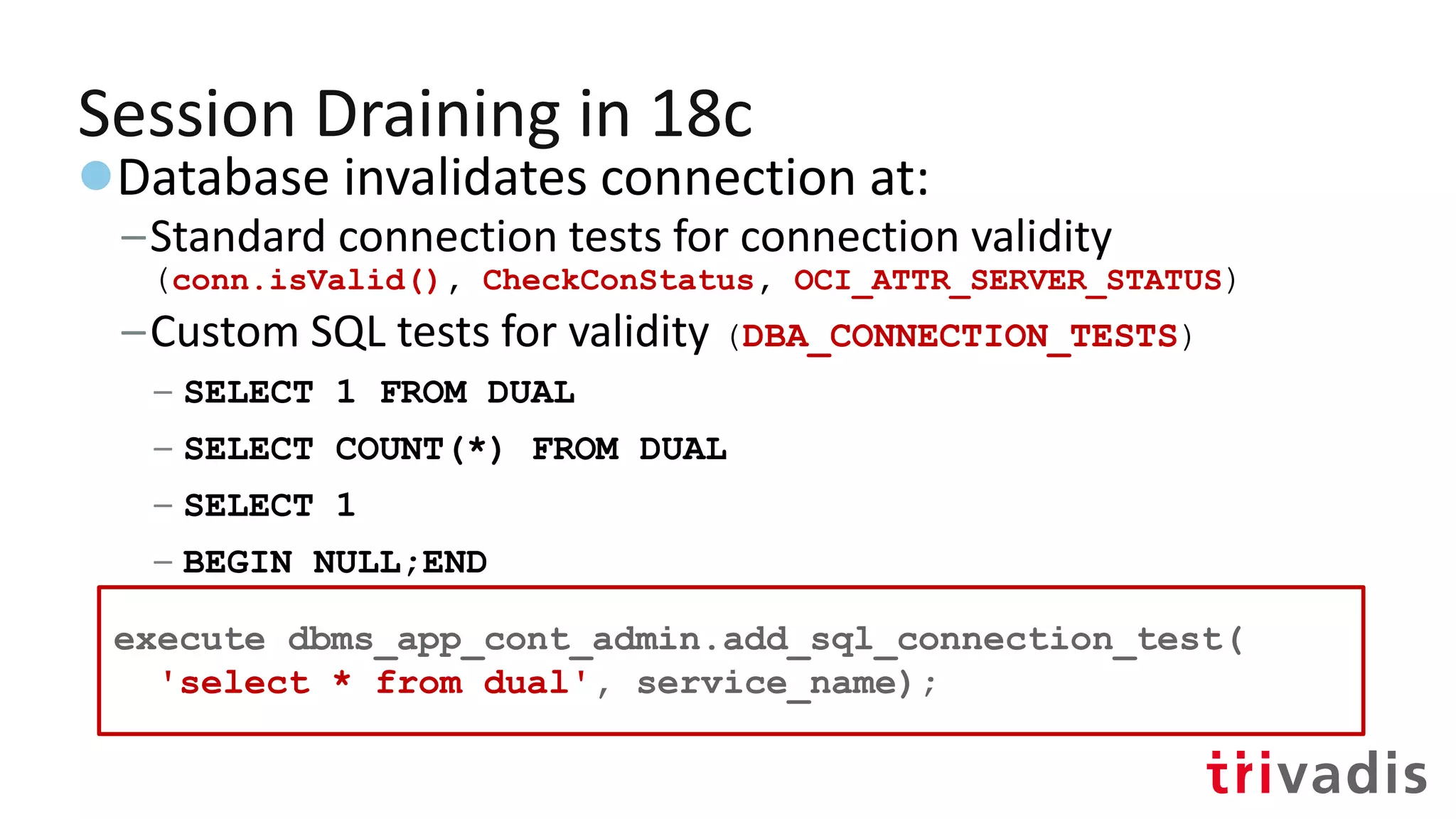
Session Draining in 18c
●Database invalidates connection at:
–Standard connection tests for connection validity
(conn.isValid(), CheckConStatus, OCI_ATTR_SERVER_STATUS)
–Custom SQL tests for validity (DBA_CONNECTION_TESTS)
– SELECT 1 FROM DUAL
– SELECT COUNT(*) FROM DUAL
– SELECT 1
– BEGIN NULL;END
– Add new:
execute dbms_app_cont_admin.add_sql_connection_test(
'select * from dual', service_name);
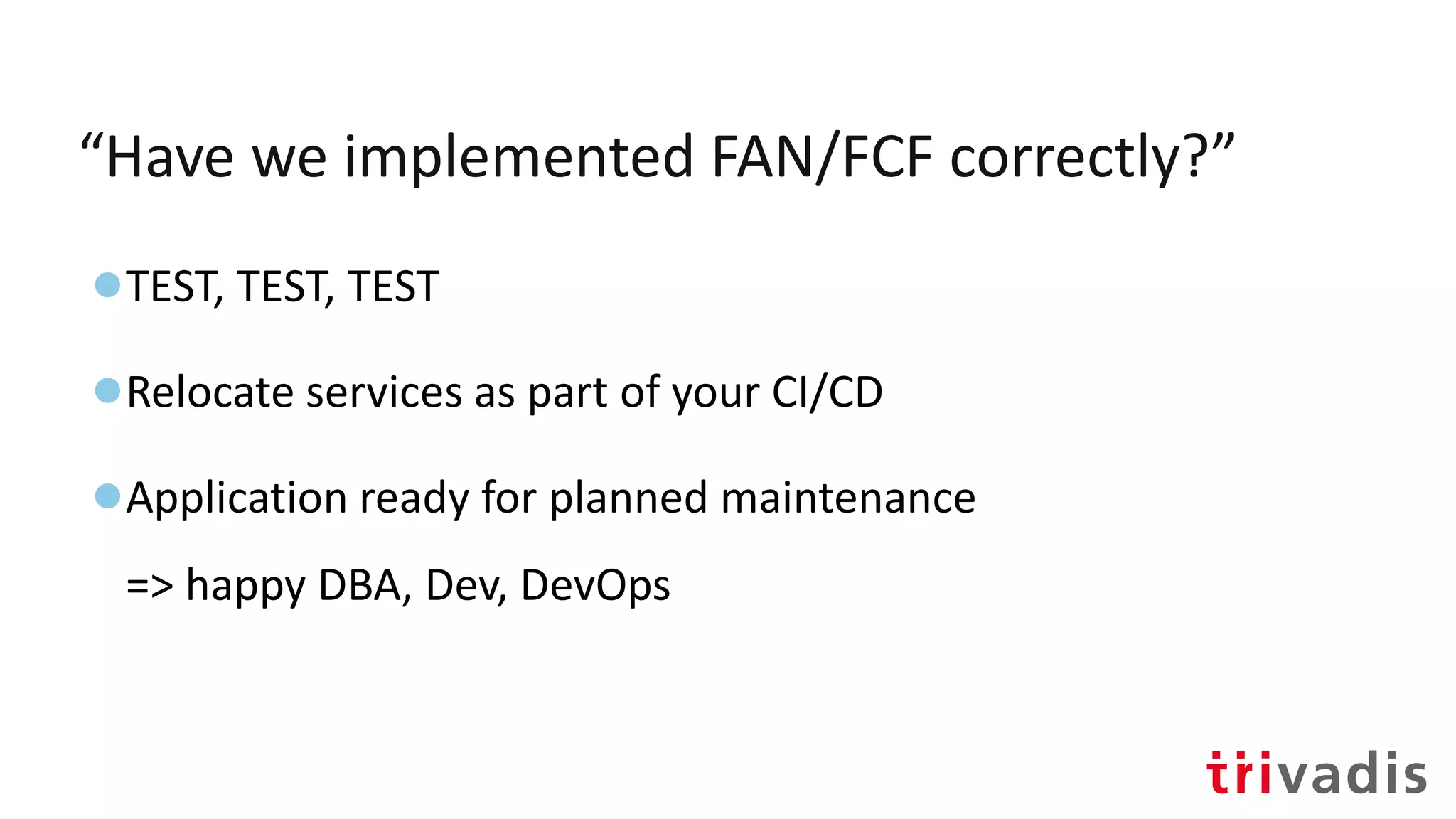
“Have we implemented FAN/FCF correctly?”
●TEST, TEST, TEST
●Relocate services as part of your CI/CD
●Application ready for planned maintenance
=> happy DBA, Dev, DevOps
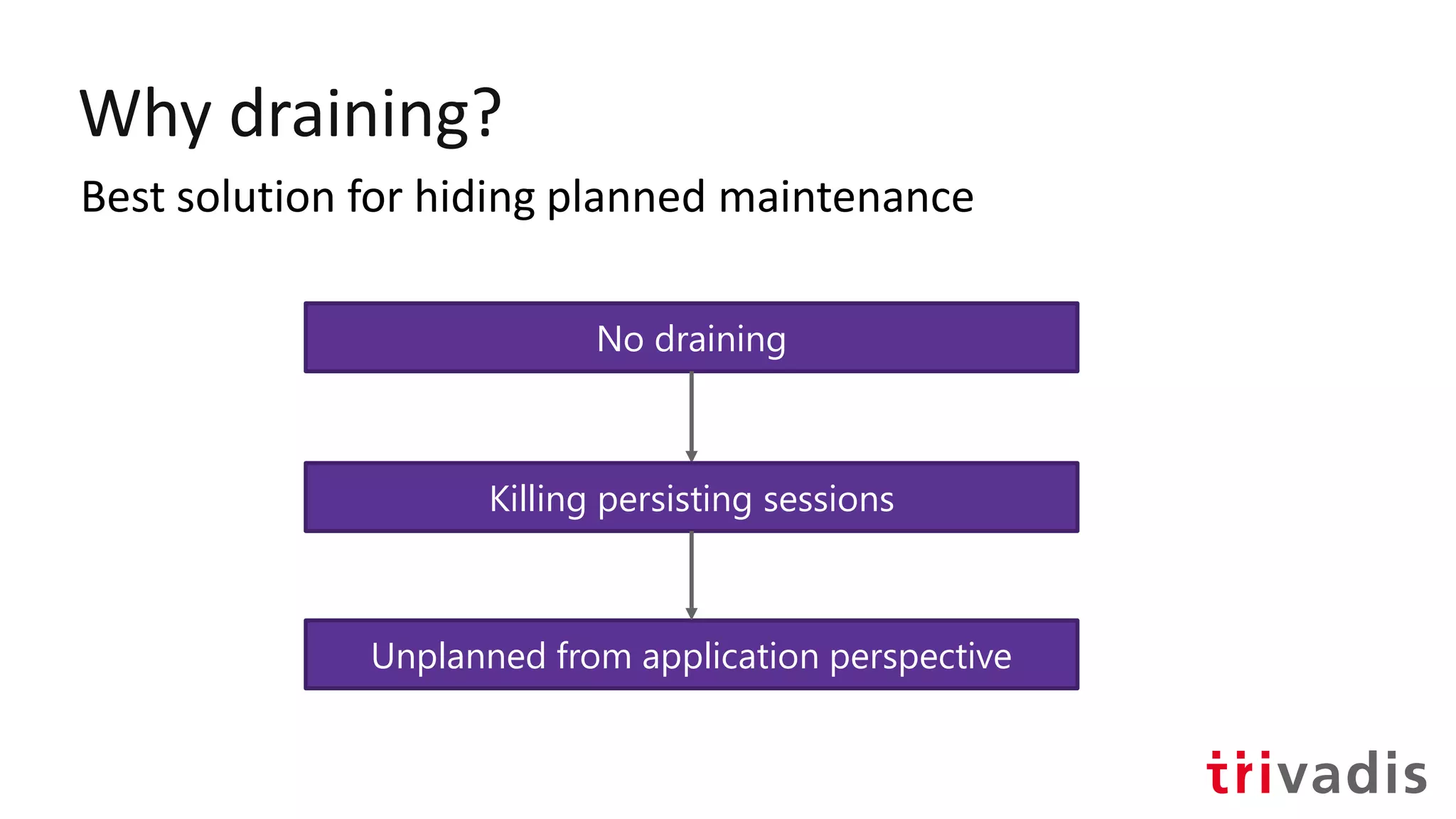
Why draining?
Best solution for hiding planned maintenance
No draining
Killing persisting sessions
Unplanned from application perspective
Unplanned maintenance
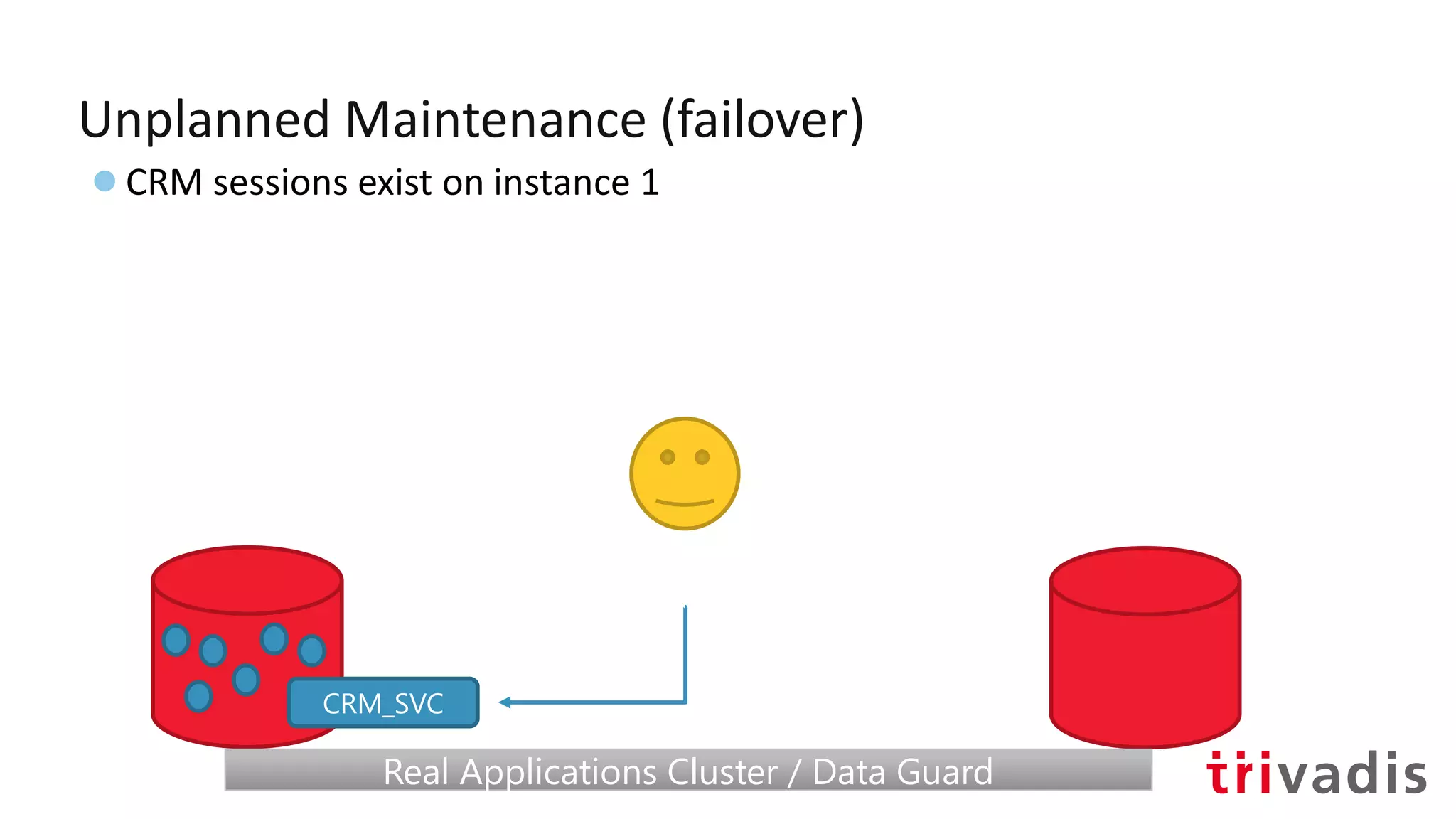
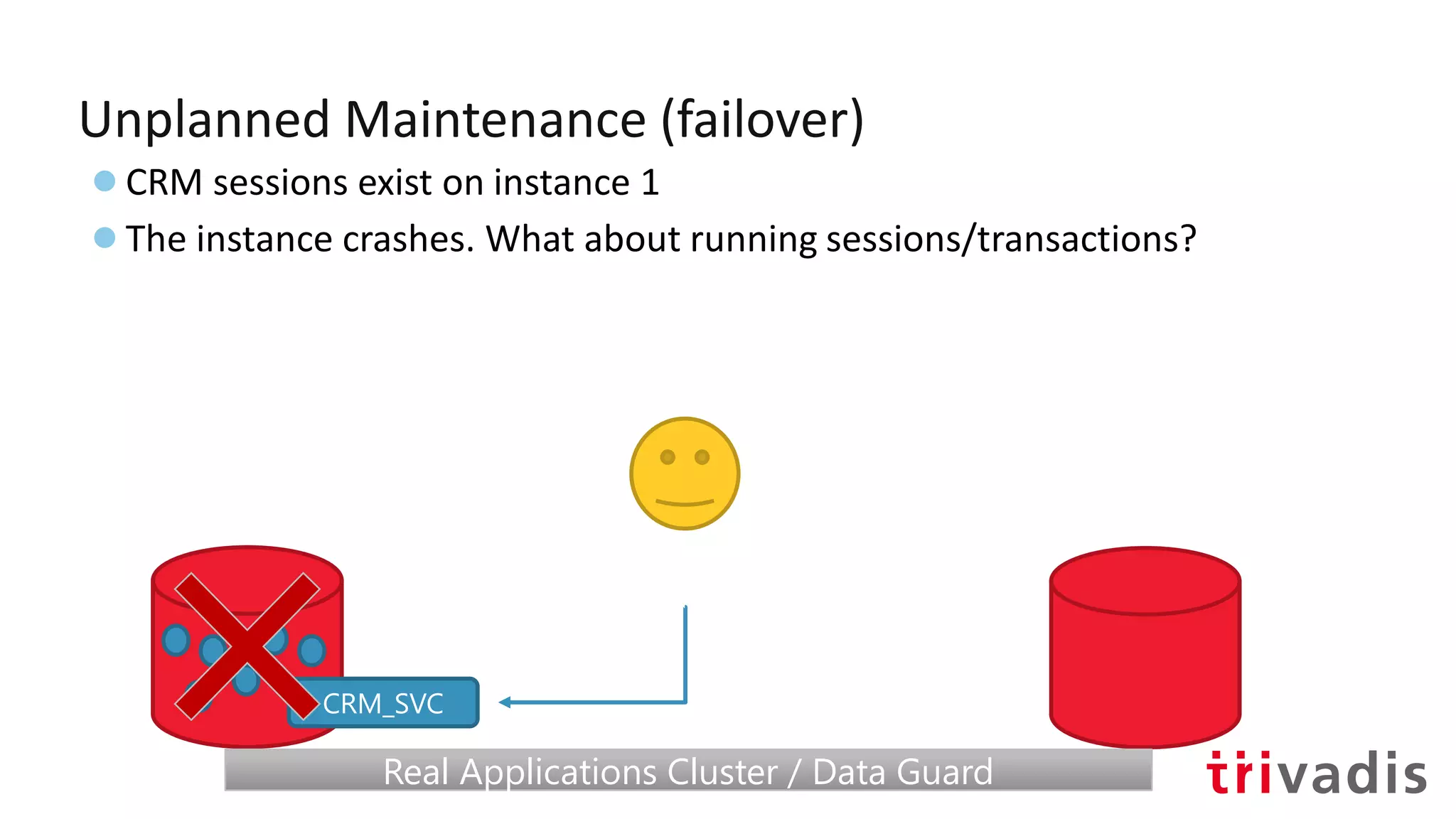
Unplanned Maintenance (failover)
●CRM sessions exist on instance 1
CRM_SVC
Real Applications Cluster / Data GuardReal Applications Cluster / Data Guard
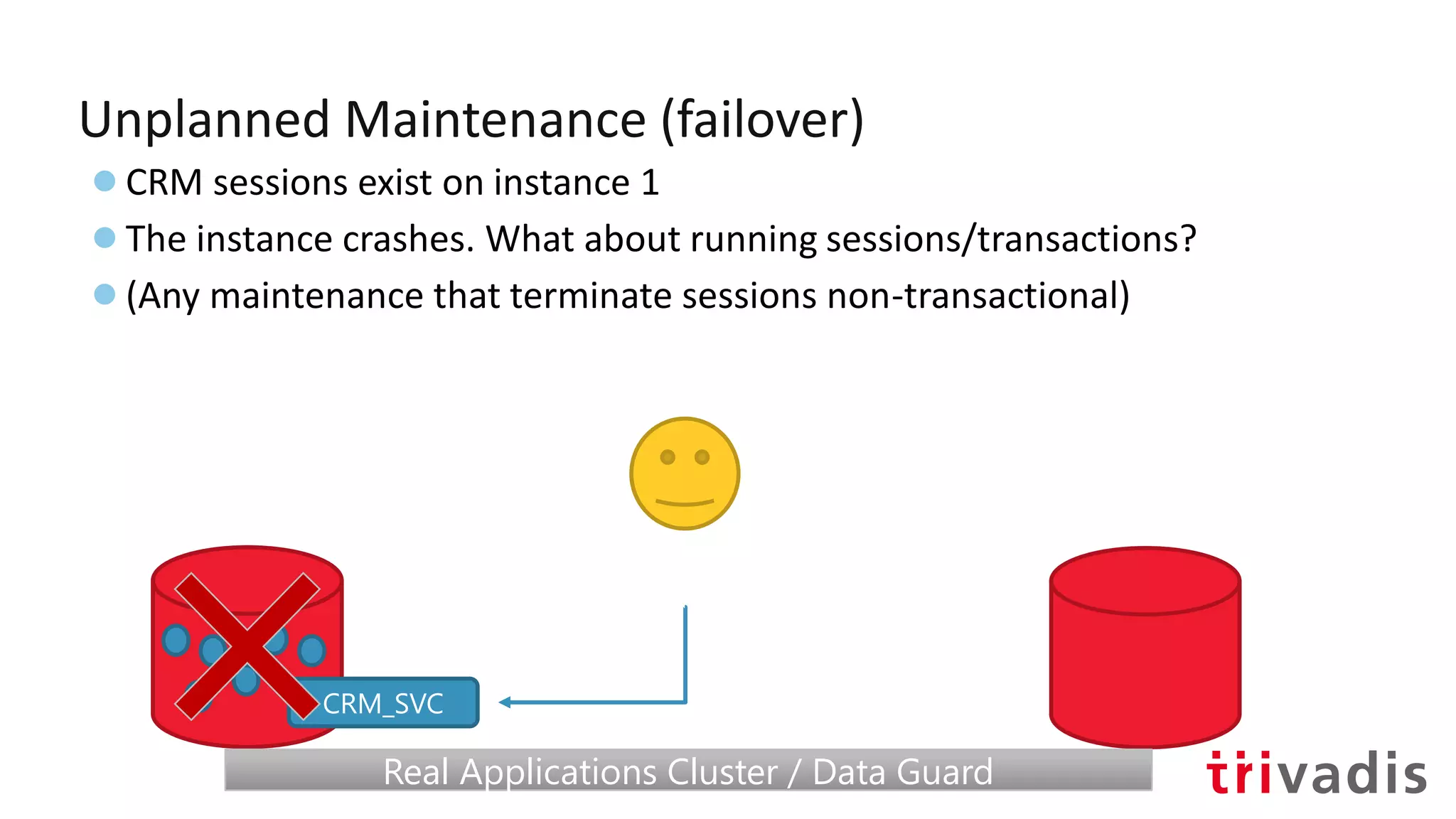
Unplanned Maintenance (failover)
●CRM sessions exist on instance 1
●The instance crashes. What about running sessions/transactions?
CRM_SVC
Real Applications Cluster / Data GuardReal Applications Cluster / Data Guard
Unplanned Maintenance (failover)
●CRM sessions exist on instance 1
●The instance crashes. What about running sessions/transactions?
●(Any maintenance that terminate sessions non-transactional)
CRM_SVC
Real Applications Cluster / Data GuardReal Applications Cluster / Data Guard
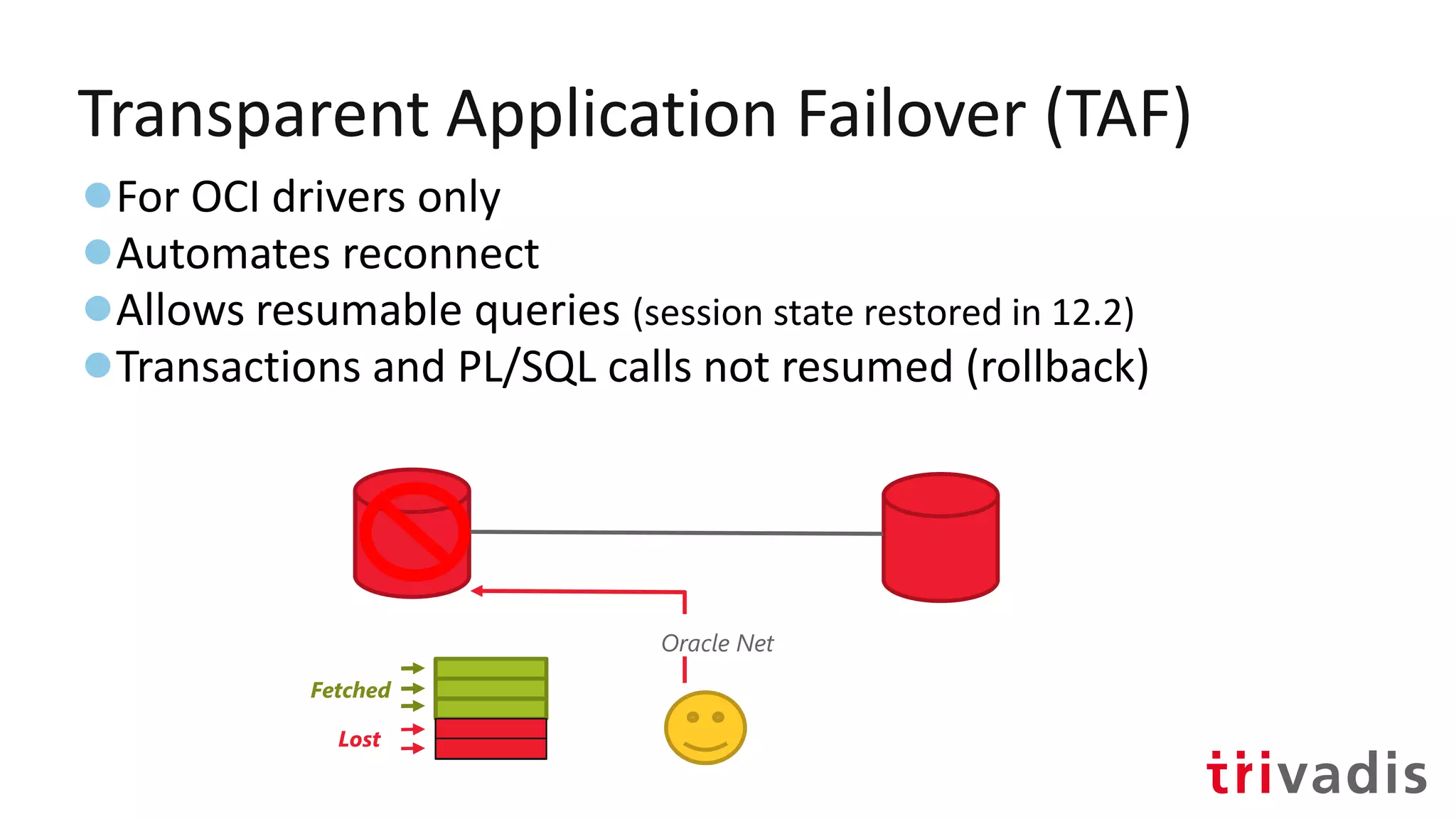
Transparent Application Failover (TAF)
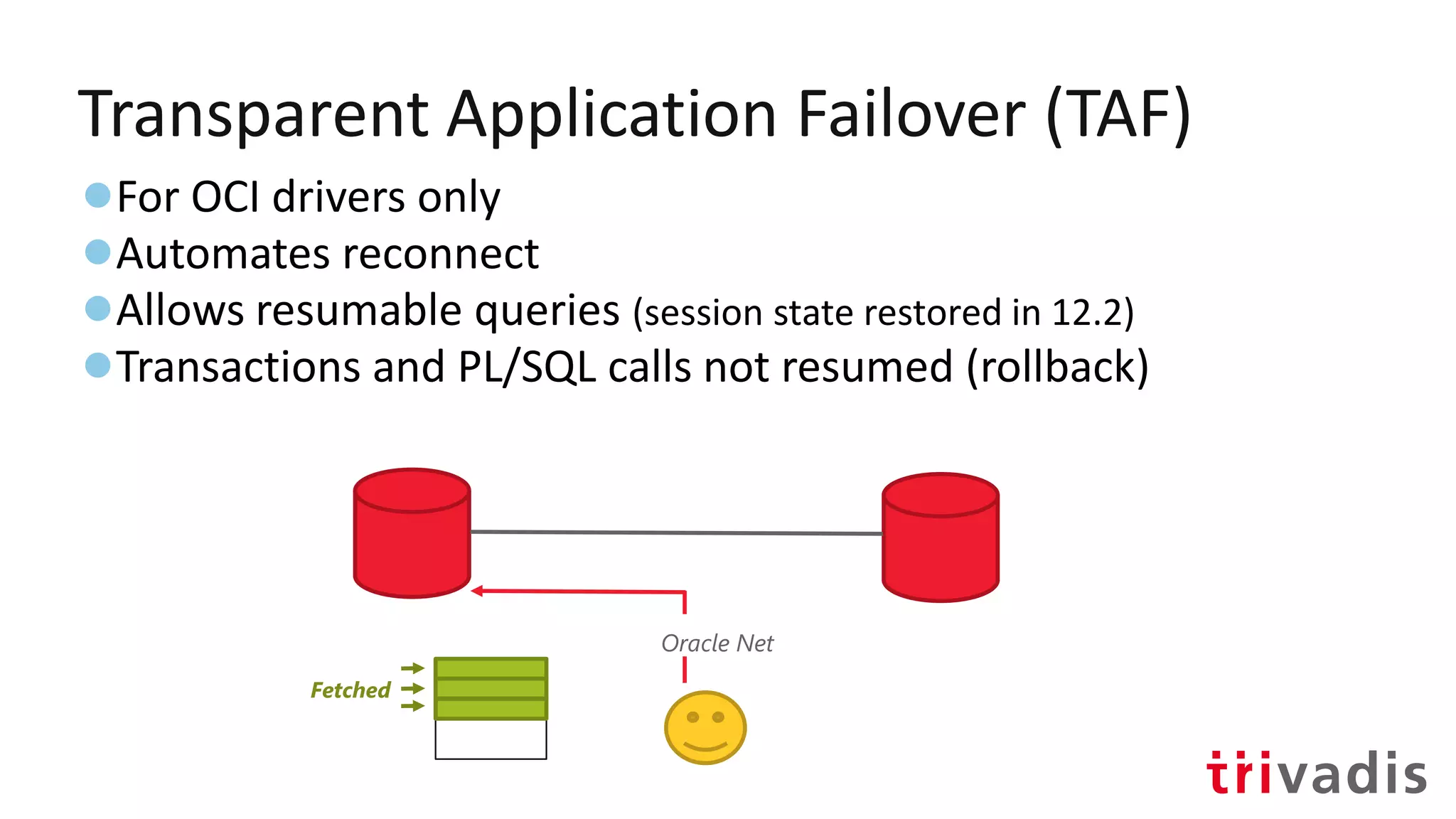
●For OCI drivers only
●Automates reconnect
●Allows resumable queries (session state restored in 12.2)
●Transactions and PL/SQL calls not resumed (rollback)
Transparent Application Failover (TAF)
●For OCI drivers only
●Automates reconnect
●Allows resumable queries (session state restored in 12.2)
●Transactions and PL/SQL calls not resumed (rollback)
Oracle Net
Fetched
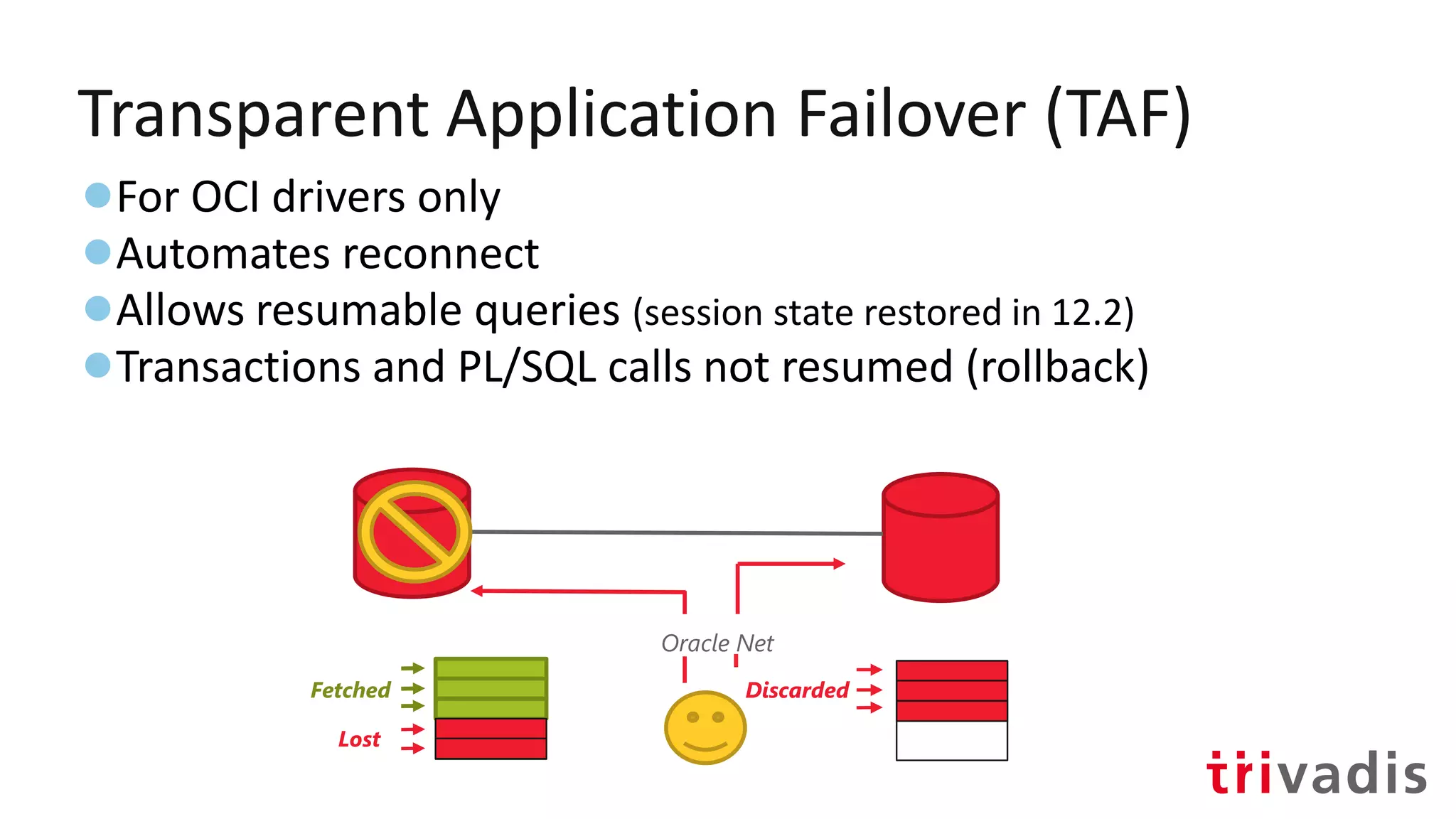
Transparent Application Failover (TAF)
●For OCI drivers only
●Automates reconnect
●Allows resumable queries (session state restored in 12.2)
●Transactions and PL/SQL calls not resumed (rollback)
Oracle Net
Fetched
Lost
Transparent Application Failover (TAF)
●For OCI drivers only
●Automates reconnect
●Allows resumable queries (session state restored in 12.2)
●Transactions and PL/SQL calls not resumed (rollback)
Oracle Net
Fetched
Lost
Discarded
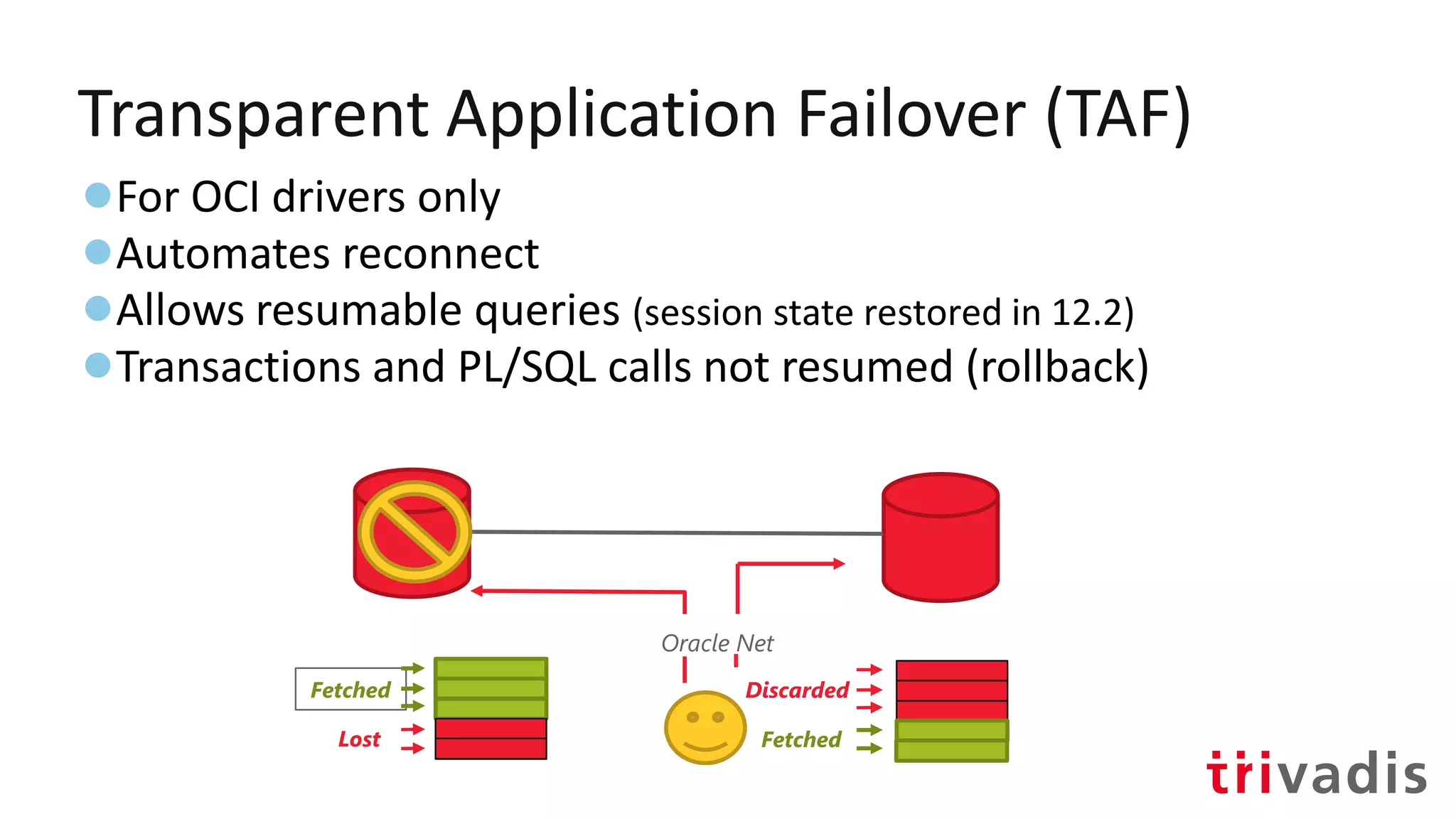
Transparent Application Failover (TAF)
●For OCI drivers only
●Automates reconnect
●Allows resumable queries (session state restored in 12.2)
●Transactions and PL/SQL calls not resumed (rollback)
Oracle Net
Fetched
Lost Fetched
Discarded
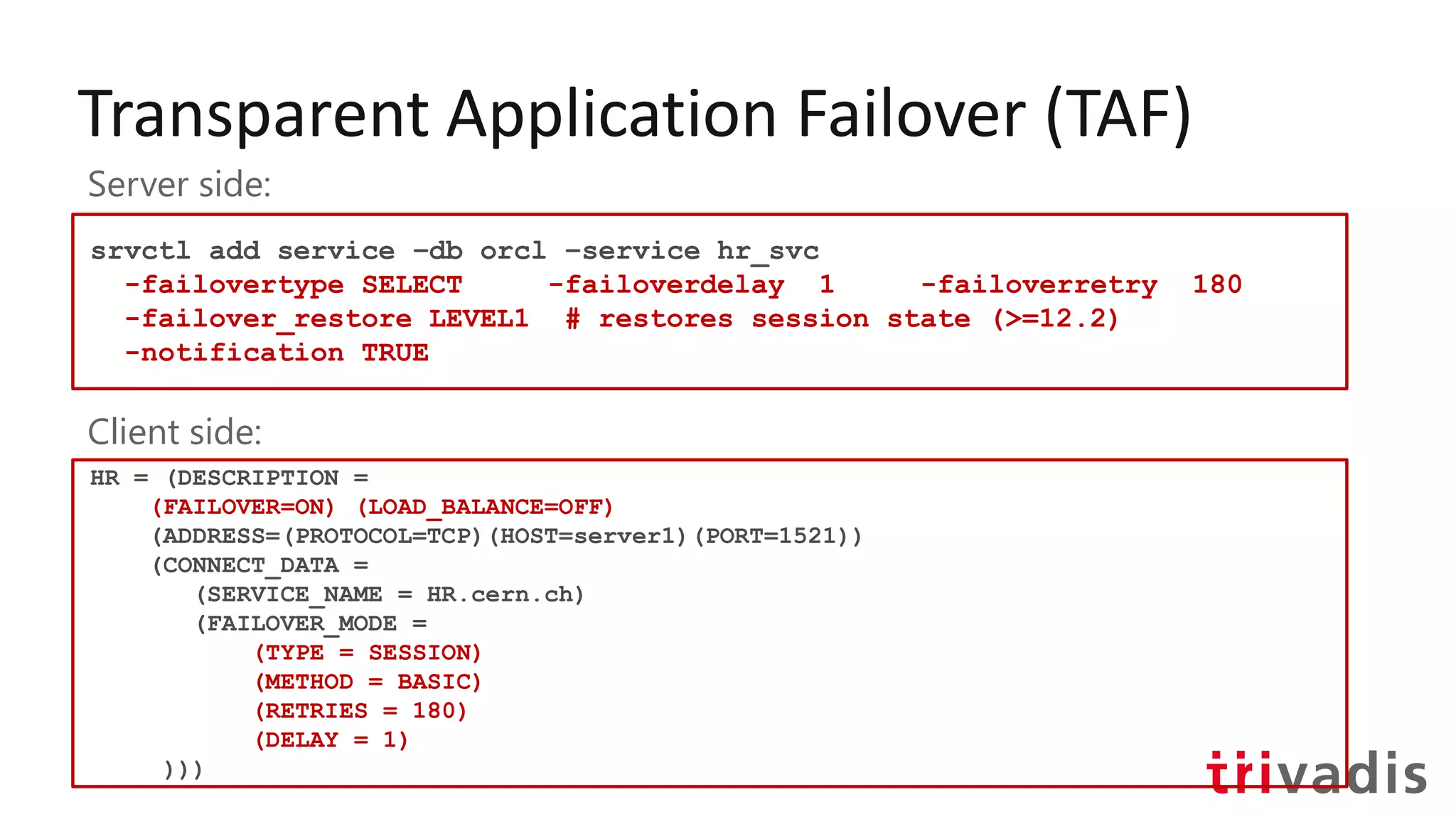
Transparent Application Failover (TAF)
srvctl add service –db orcl –service hr_svc
-failovertype SELECT -failoverdelay 1 -failoverretry 180
-failover_restore LEVEL1 # restores session state (>=12.2)
-notification TRUE
Server side:
Client side:
HR = (DESCRIPTION =
(FAILOVER=ON) (LOAD_BALANCE=OFF)
(ADDRESS=(PROTOCOL=TCP)(HOST=server1)(PORT=1521))
(CONNECT_DATA =
(SERVICE_NAME = HR.cern.ch)
(FAILOVER_MODE =
(TYPE = SESSION)
(METHOD = BASIC)
(RETRIES = 180)
(DELAY = 1)
)))
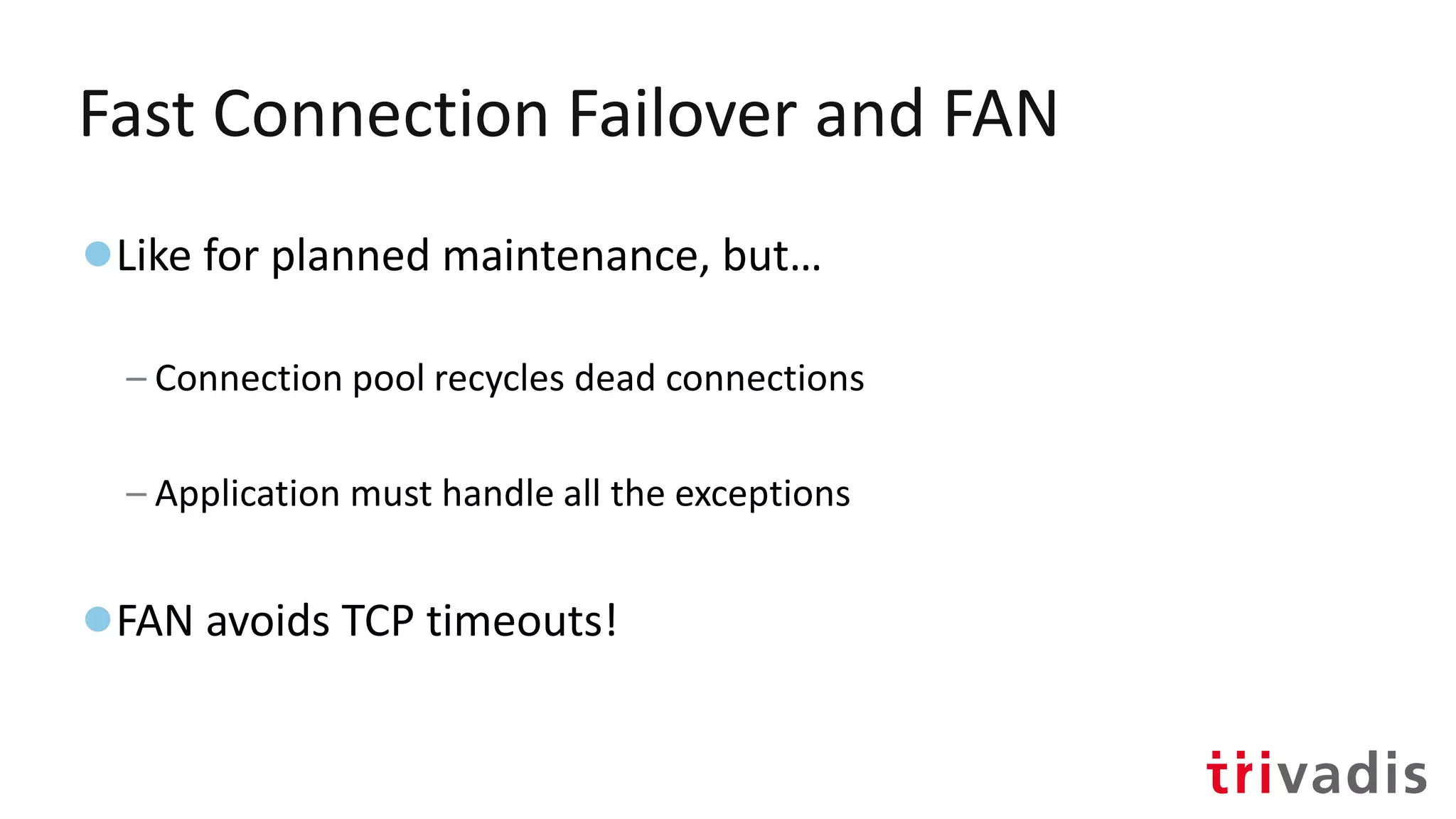
Fast Connection Failover and FAN
●Like for planned maintenance, but…
– Connection pool recycles dead connections
– Application must handle all the exceptions
●FAN avoids TCP timeouts!
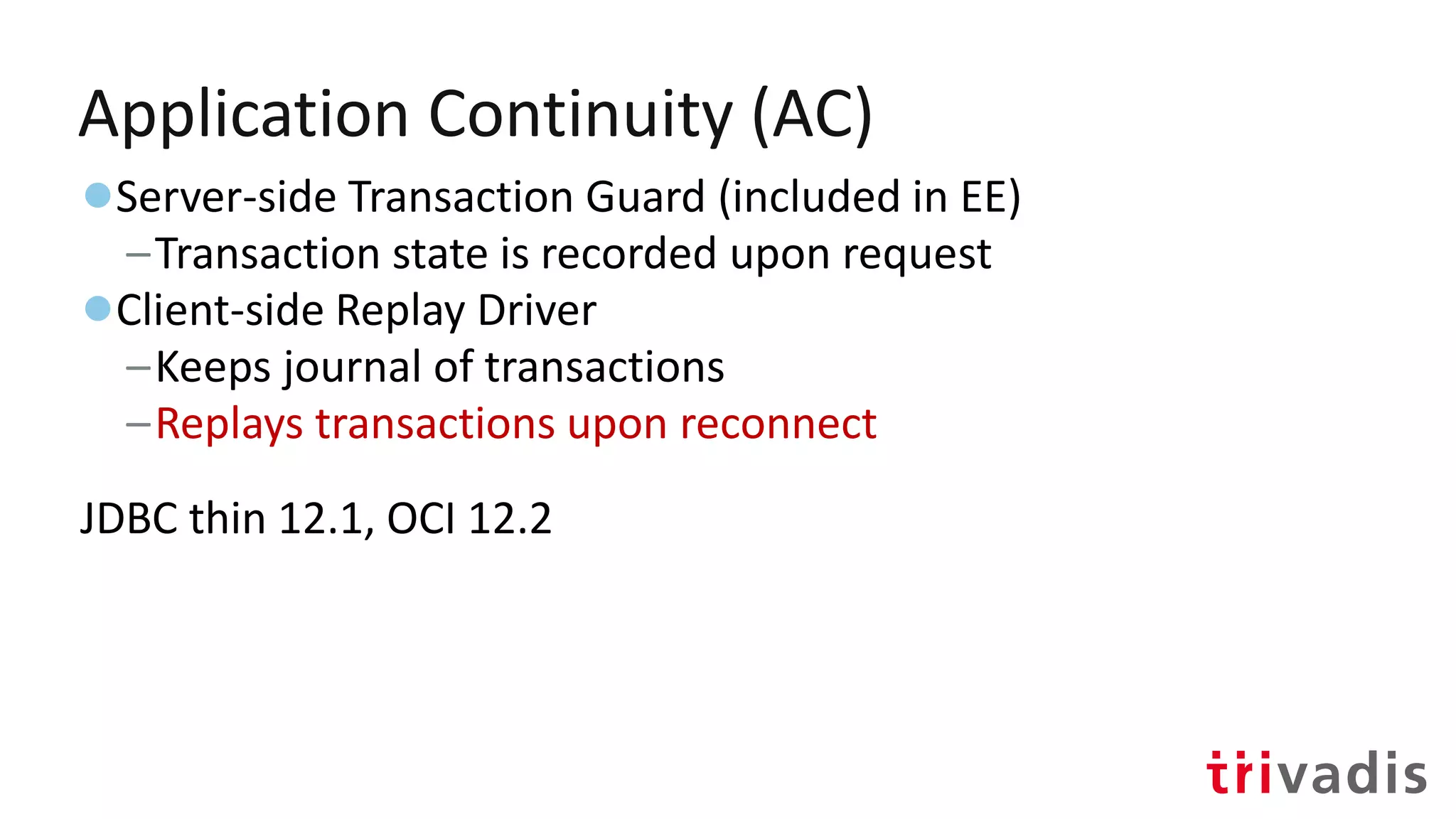
Application Continuity (AC)
●Server-side Transaction Guard (included in EE)
–Transaction state is recorded upon request
●Client-side Replay Driver
–Keeps journal of transactions
–Replays transactions upon reconnect
JDBC thin 12.1, OCI 12.2
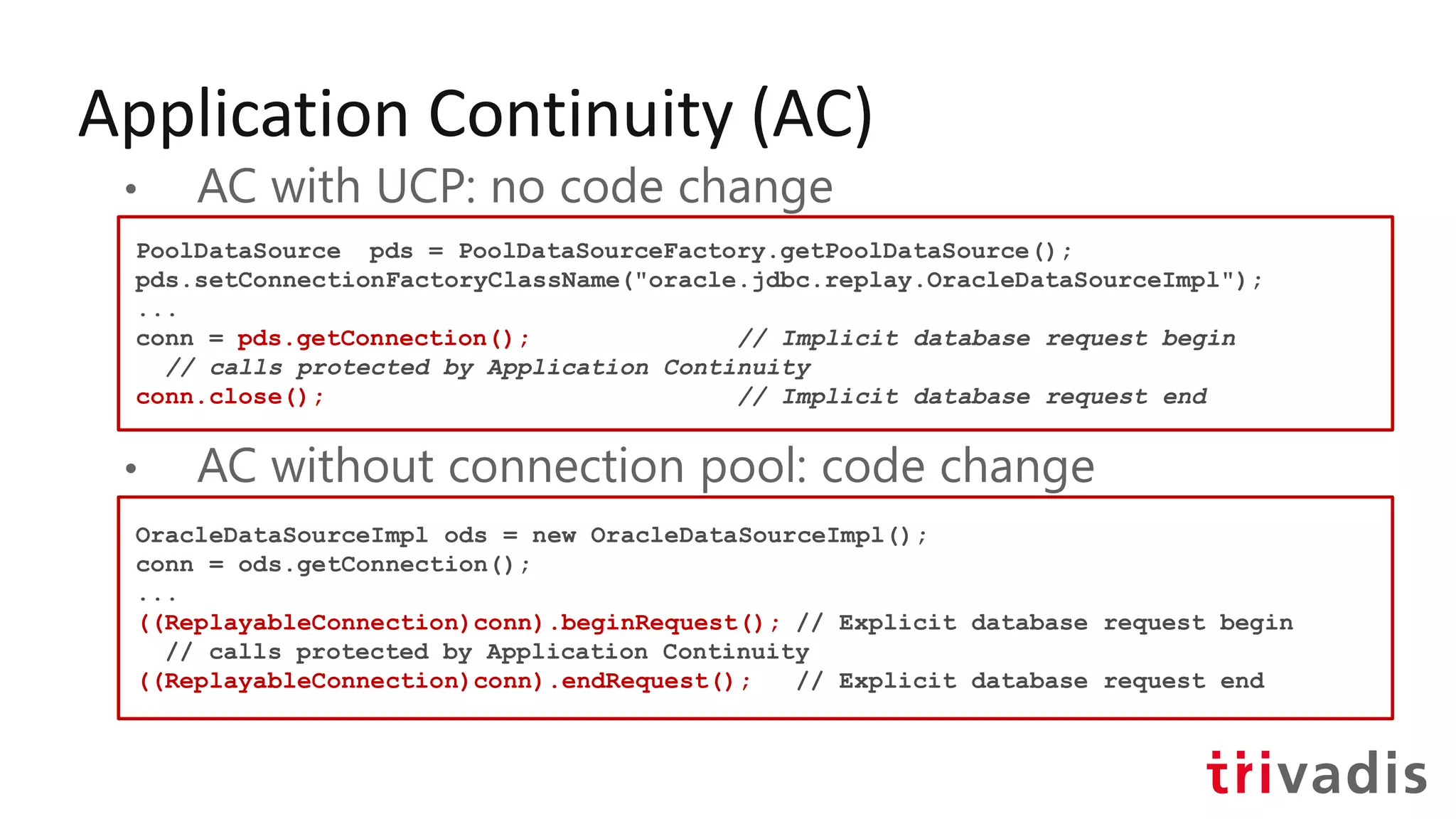
Application Continuity (AC)
• AC with UCP: no code change
• AC without connection pool: code change
PoolDataSource pds = PoolDataSourceFactory.getPoolDataSource();
pds.setConnectionFactoryClassName("oracle.jdbc.replay.OracleDataSourceImpl");
...
conn = pds.getConnection(); // Implicit database request begin
// calls protected by Application Continuity
conn.close(); // Implicit database request end
OracleDataSourceImpl ods = new OracleDataSourceImpl();
conn = ods.getConnection();
...
((ReplayableConnection)conn).beginRequest(); // Explicit database request begin
// calls protected by Application Continuity
((ReplayableConnection)conn).endRequest(); // Explicit database request end
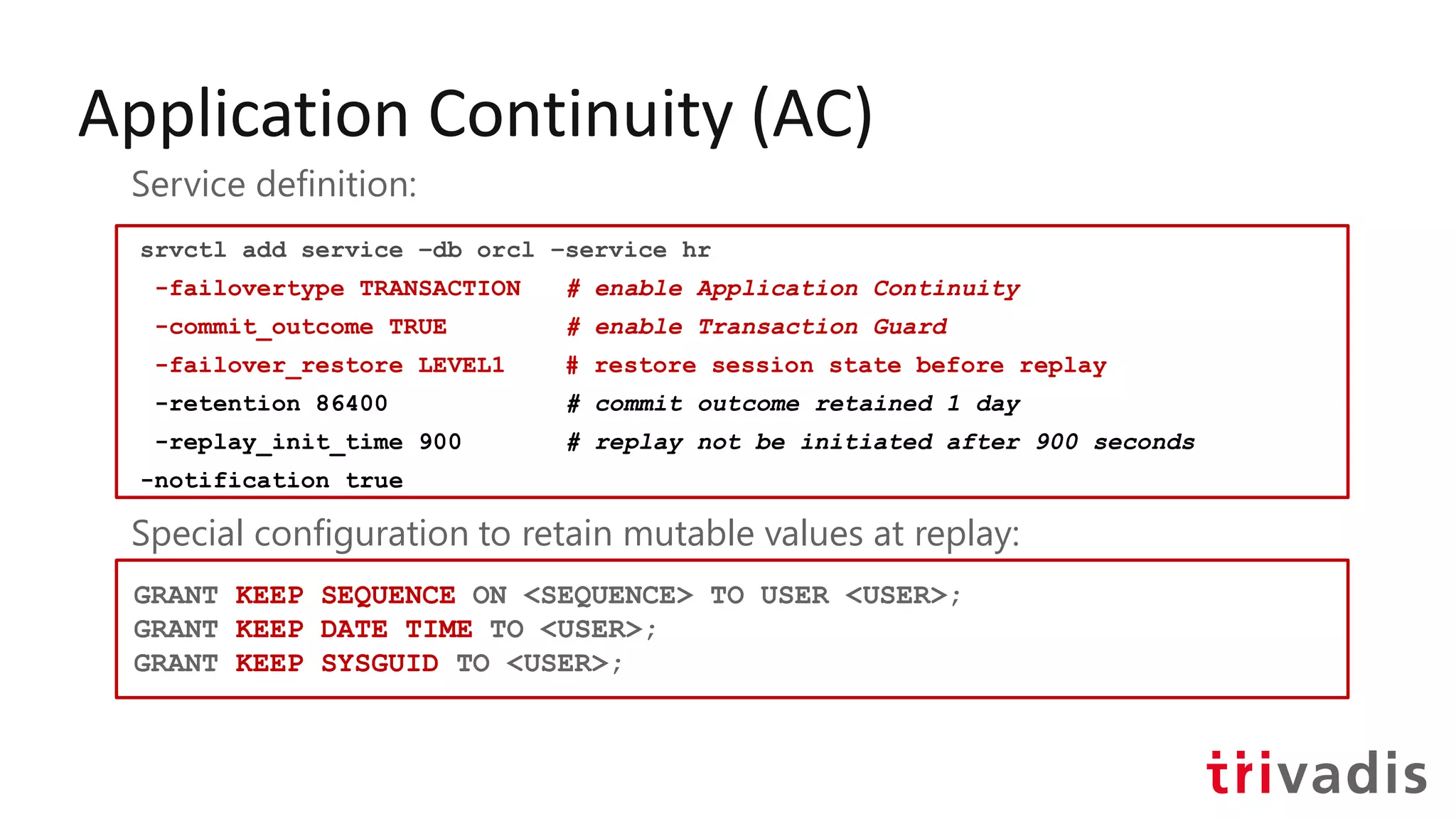
Application Continuity (AC)
srvctl add service –db orcl –service hr
-failovertype TRANSACTION # enable Application Continuity
-commit_outcome TRUE # enable Transaction Guard
-failover_restore LEVEL1 # restore session state before replay
-retention 86400 # commit outcome retained 1 day
-replay_init_time 900 # replay not be initiated after 900 seconds
-notification true
Service definition:
Special configuration to retain mutable values at replay:
GRANT KEEP SEQUENCE ON <SEQUENCE> TO USER <USER>;
GRANT KEEP DATE TIME TO <USER>;
GRANT KEEP SYSGUID TO <USER>;
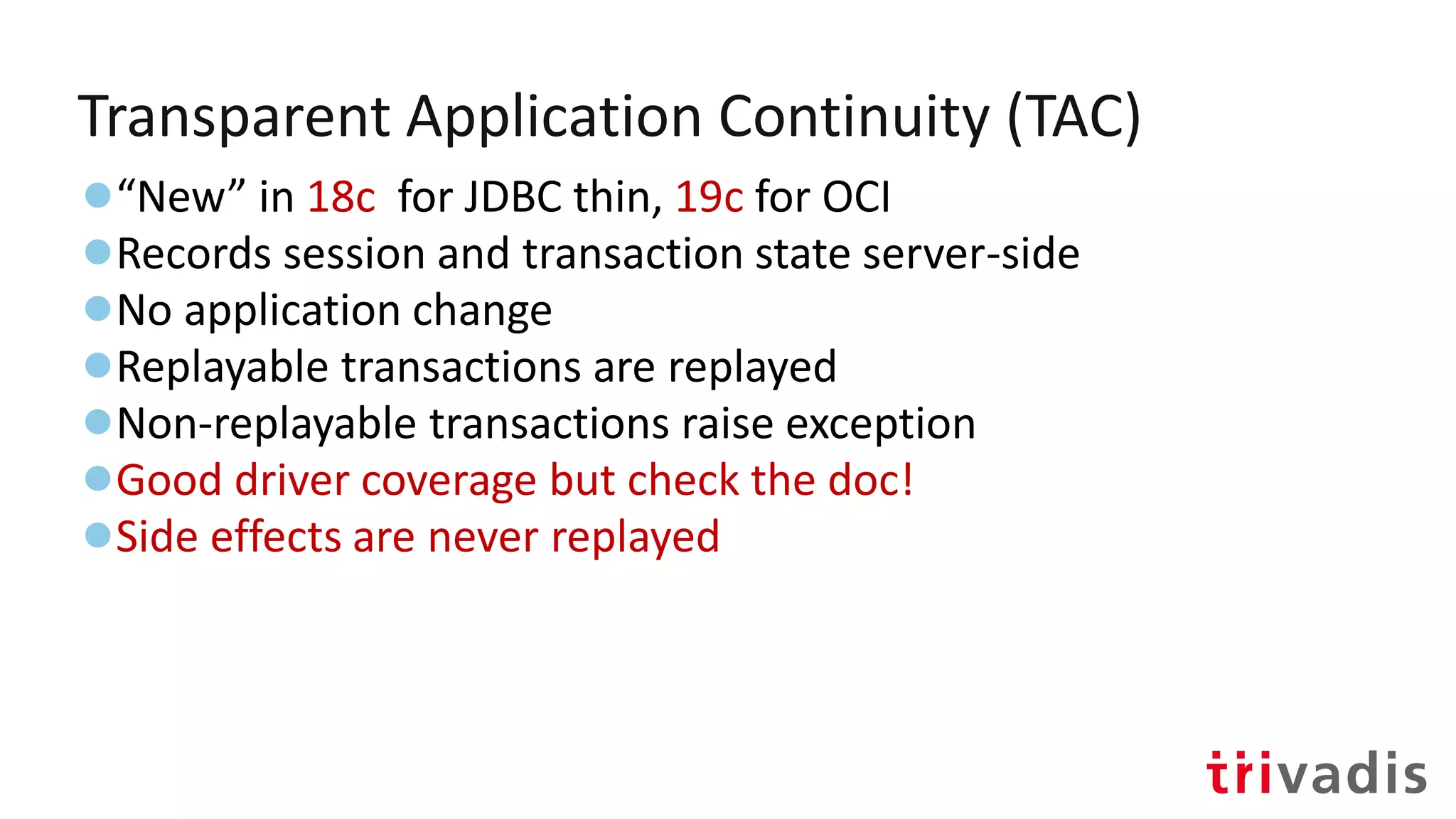
Transparent Application Continuity (TAC)
●“New” in 18c for JDBC thin, 19c for OCI
●Records session and transaction state server-side
●No application change
●Replayable transactions are replayed
●Non-replayable transactions raise exception
●Good driver coverage but check the doc!
●Side effects are never replayed
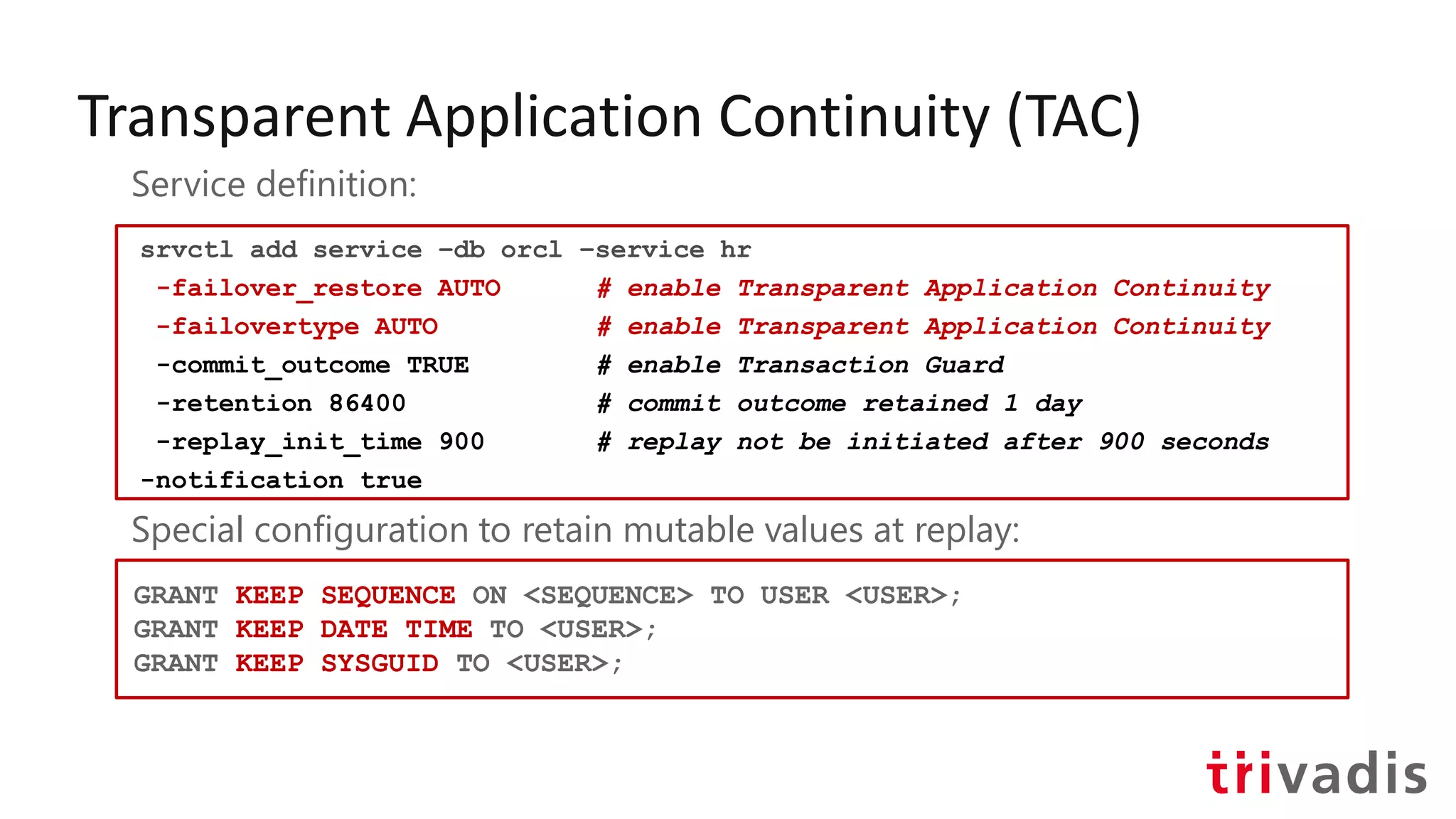
Transparent Application Continuity (TAC)
srvctl add service –db orcl –service hr
-failover_restore AUTO # enable Transparent Application Continuity
-failovertype AUTO # enable Transparent Application Continuity
-commit_outcome TRUE # enable Transaction Guard
-retention 86400 # commit outcome retained 1 day
-replay_init_time 900 # replay not be initiated after 900 seconds
-notification true
Service definition:
Special configuration to retain mutable values at replay:
GRANT KEEP SEQUENCE ON <SEQUENCE> TO USER <USER>;
GRANT KEEP DATE TIME TO <USER>;
GRANT KEEP SYSGUID TO <USER>;
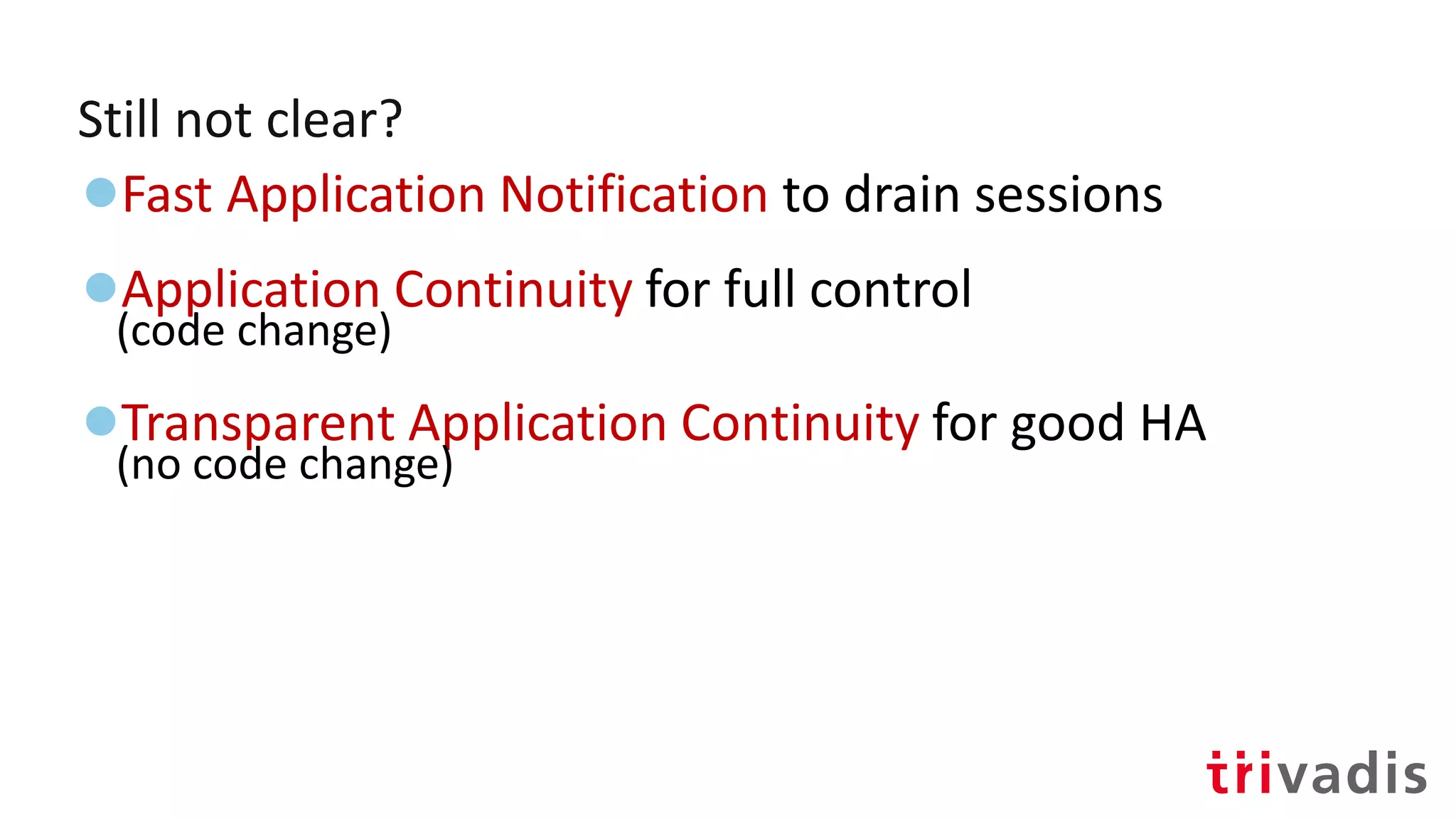
Still not clear?
●Fast Application Notification to drain sessions
●Application Continuity for full control
(code change)
●Transparent Application Continuity for good HA
(no code change)
Connection Manager in
Traffic Director Mode
(CMAN with an Oracle Client "brain")
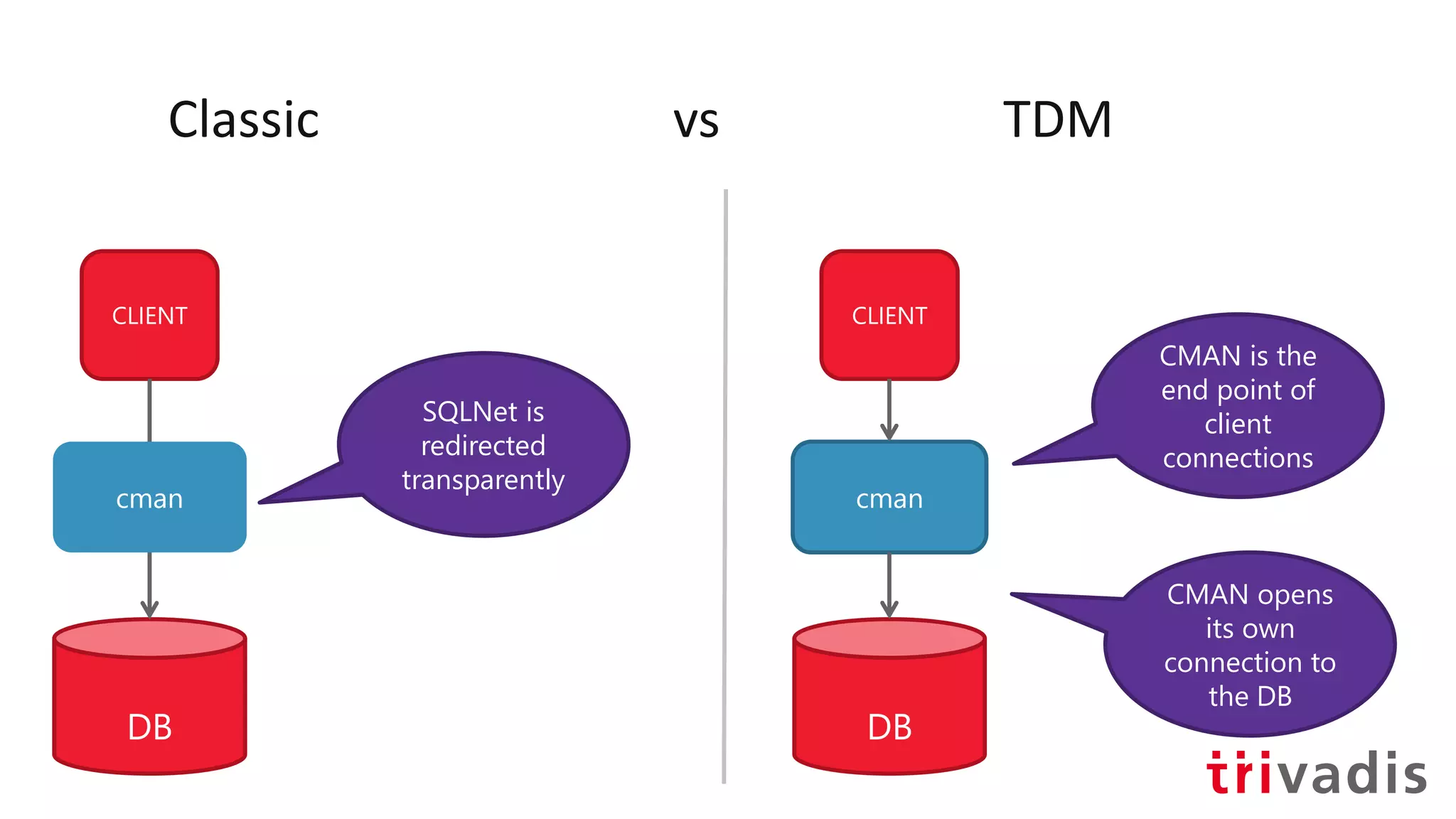
Classic vs TDM
CLIENT
DB
cman
CLIENT
DB
cman
SQLNet is
redirected
transparently
CMAN is the
end point of
client
connections
CMAN opens
its own
connection to
the DB
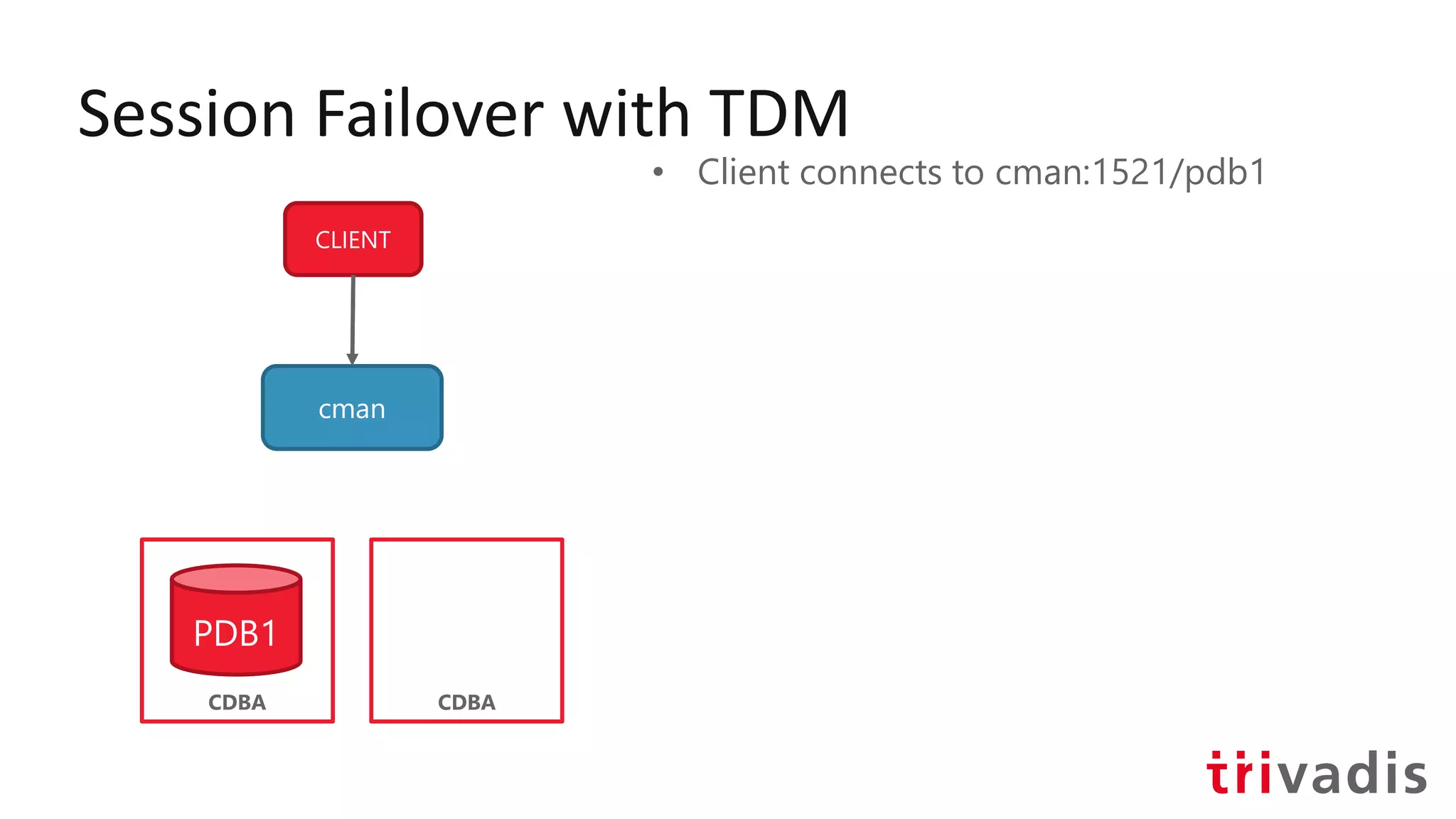
Session Failover with TDM
CLIENT
cman
CDBA
PDB1
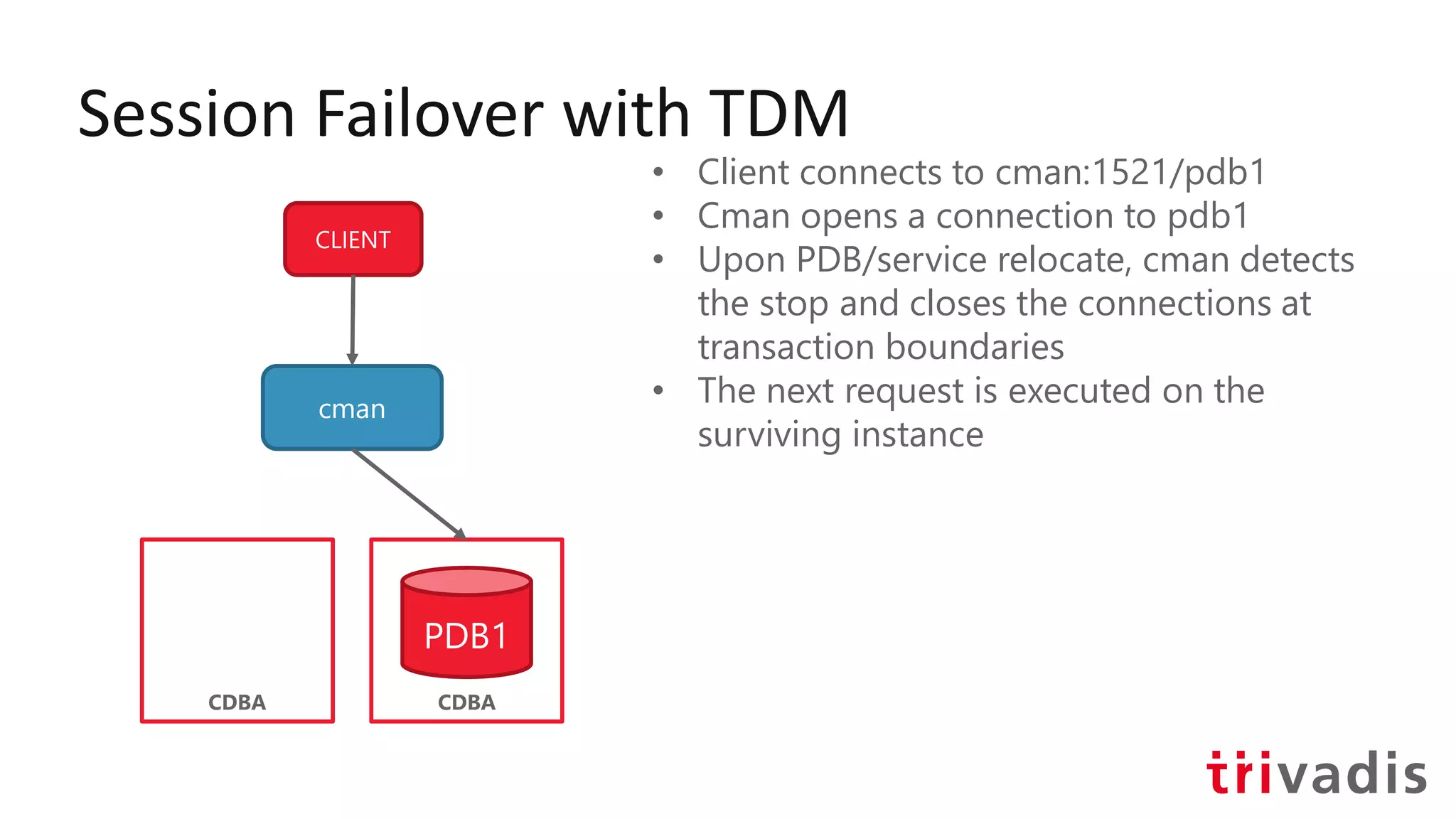
• Client connects to cman:1521/pdb1
CDBA
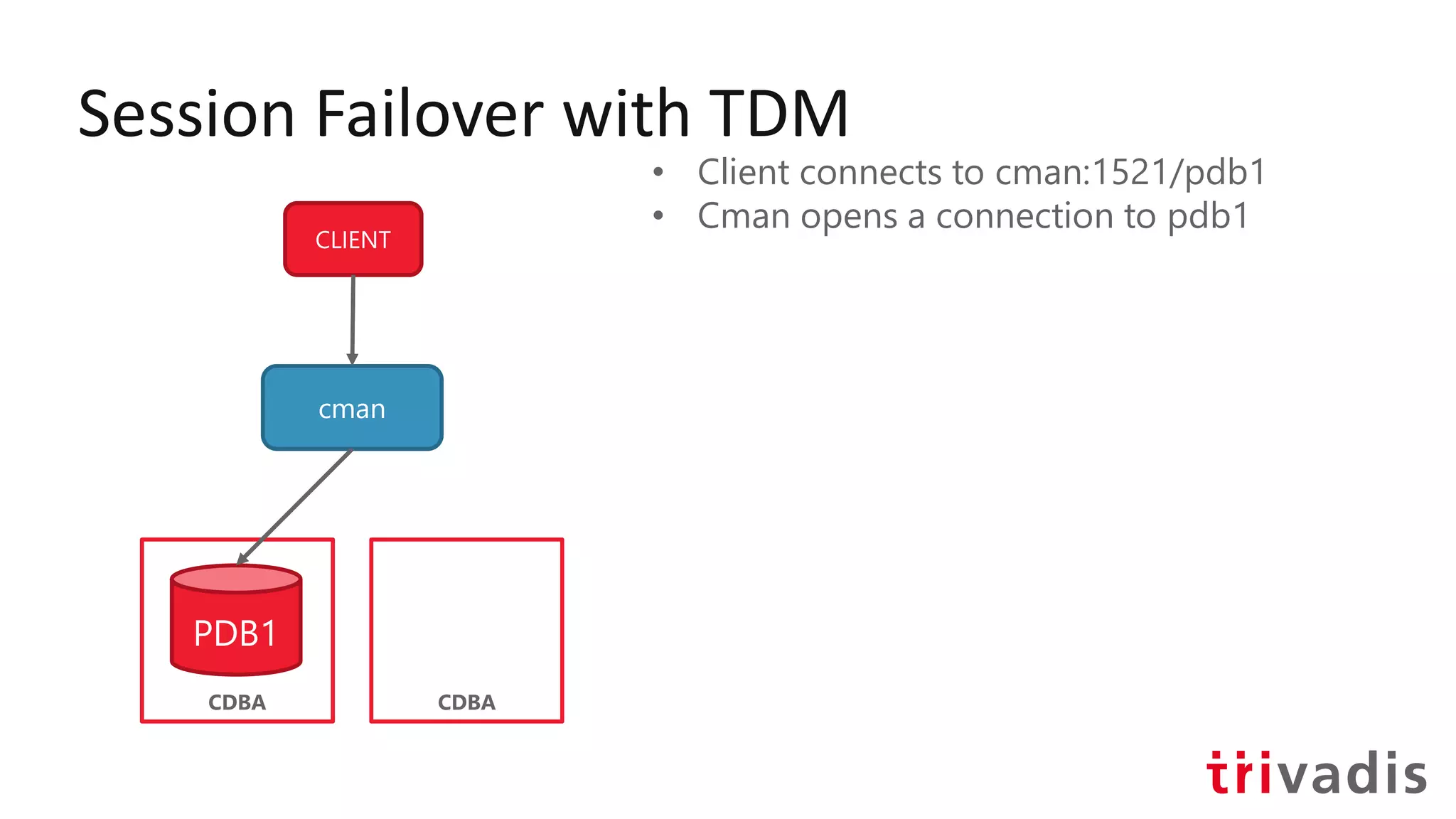
Session Failover with TDM
CLIENT
cman
CDBA
PDB1
• Client connects to cman:1521/pdb1
• Cman opens a connection to pdb1
CDBA
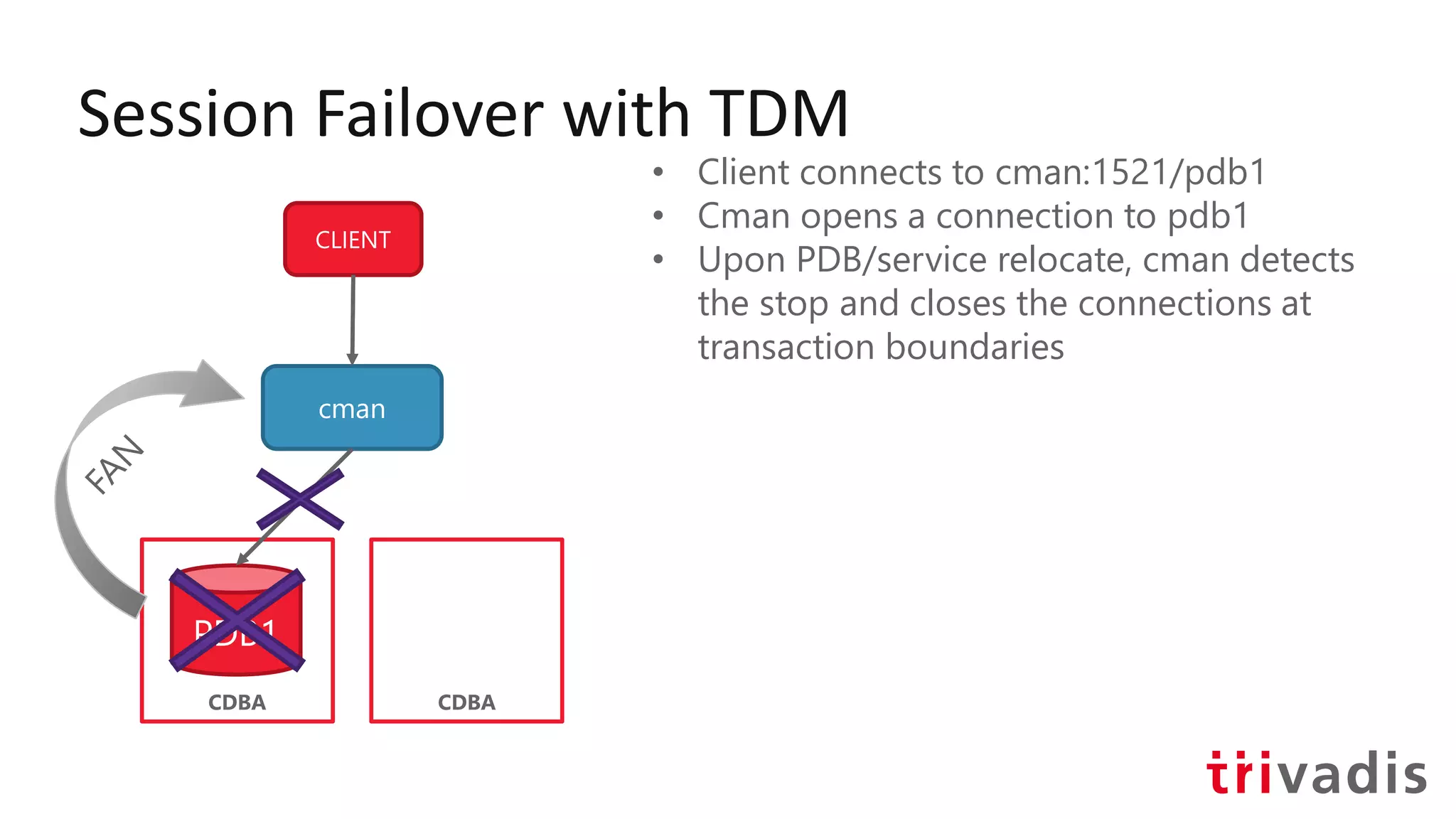
Session Failover with TDM
CLIENT
cman
CDBA
PDB1
• Client connects to cman:1521/pdb1
• Cman opens a connection to pdb1
• Upon PDB/service relocate, cman detects
the stop and closes the connections at
transaction boundaries
CDBA
Session Failover with TDM
CLIENT
cman
CDBA
• Client connects to cman:1521/pdb1
• Cman opens a connection to pdb1
• Upon PDB/service relocate, cman detects
the stop and closes the connections at
transaction boundaries
• The next request is executed on the
surviving instance
CDBA
PDB1
Session Failover with TDM
CLIENT
cman
CDBA
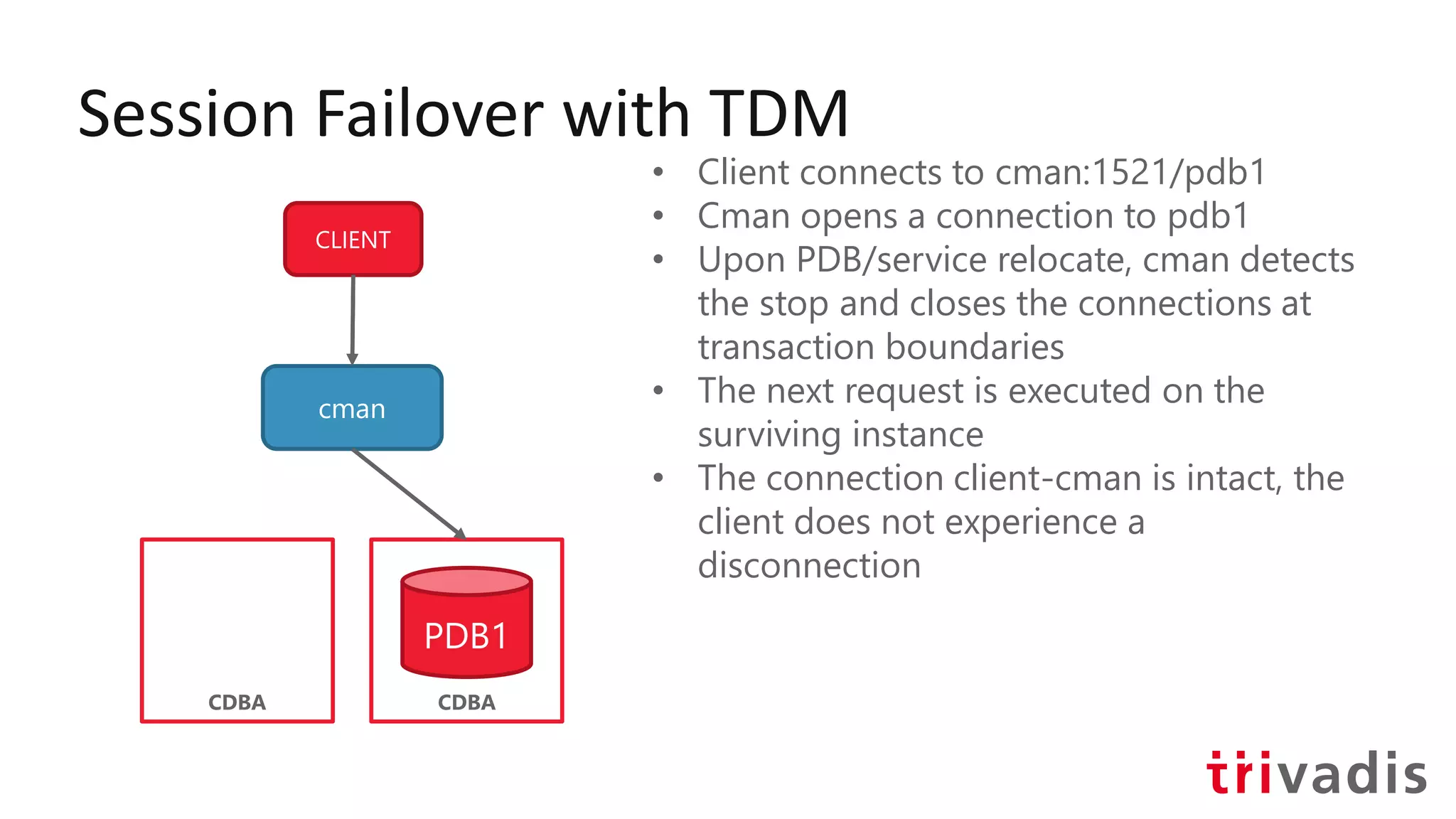
• Client connects to cman:1521/pdb1
• Cman opens a connection to pdb1
• Upon PDB/service relocate, cman detects
the stop and closes the connections at
transaction boundaries
• The next request is executed on the
surviving instance
• The connection client-cman is intact, the
client does not experience a
disconnection
CDBA
PDB1
Magic does not happen, you need to plan
Questions?
ludovicocaldara.net@ludodba
Thank You!
Ludovico Caldara
Principal Consultant

Oracle Drivers configuration for High Availability, is it a developer's job?

  • 1.
    ludovicocaldara.net@ludodba Oracle Drivers configuration forHigh Availability is it a developer's job? Ludovico Caldara Principal Consultant
  • 2.
    Ludovico Caldara • Principalconsultant @ Trivadis Lausanne • Two decades of DBA experience (Not only Oracle) • ITOUG co-founder • Active blogger and speaker • Italian living in Switzerland • Oracle ACE Director @ludodba ludovicocaldara.net
  • 4.
    A new projectstarts in your company...
  • 12.
    Disclaimer ●Some oversimplifications ●A verycomplex topic ●Requires DBA and developer skills ●Assume you know some basic concepts – High availability and failover concepts – Connections to database – Basic NET configurations (SCAN, Listener, Services, TNS) ●Assume you have recent DB and client (>=12.2)
  • 13.
    "Failure happens allthe time. It happens every day in practice. What makes you better is how you react to it." ― Mia Hamm
  • 14.
    Factors that influenceHA Too many! ●Network topology ●OS type and configuration ●DB version and service configuration ●Client version and type ●Application design / exception handling
  • 15.
    Factors that influenceHA Too many! ●Network topology ●OS type and configuration ●DB version and service configuration ●Client version and type ●Application design / exception handling Our mission today
  • 16.
    Factors that influenceHA Too many! ●Network topology ●OS type and configuration ●DB version and service configuration ●Client version and type ●Application design / exception handling Good white-paper: Oracle Client Failover - Under the Hood By Robert Bialek (Trivadis)
  • 17.
    A concept thatyou must know
  • 18.
    Database Services Virtual namefor a database endpoint HR_SVC HR_SVC CRM_SVC REP_SVC Registered with the listener Real Applications Cluster / Data GuardReal Applications Cluster / Data Guard
  • 19.
    Database Services Active-Active (RAC,Golden Gate) HR_SVC HR_SVC Real Applications Cluster / Data GuardReal Applications Cluster / Data Guard
  • 20.
    Database Services Active-Passive (RAC,Data Guard, RAC ON) REP_SVC Real Applications Cluster / Data GuardReal Applications Cluster / Data Guard
  • 21.
    Database Services The DBAcan create services with: ● srvctl add service ● dbms_service.create_service() PL/SQL procedure. Both methods have parameters for HA ●Hint: HA at service level is superfluous if the client is not configured properly Did you know? Parameter service_names is deprecated!
  • 22.
    Oracle recommends against usingdefault services (DB_NAME or PDB_NAME) or SID
  • 23.
    Recommended descriptor (client>=12.2) HR = (DESCRIPTION = (CONNECT_TIMEOUT=120)(RETRY_COUNT=20) (RETRY_DELAY=3)(TRANSPORT_CONNECT_TIMEOUT=3) (ADDRESS_LIST = (LOAD_BALANCE=on) (ADDRESS=(PROTOCOL=TCP)(HOST=primary-scan)(PORT=1521))) (ADDRESS_LIST = (LOAD_BALANCE=on) (ADDRESS=(PROTOCOL=TCP)(HOST=standby-scan)(PORT=1521))) (CONNECT_DATA=(SERVICE_NAME = HR.trivadis.com)))
  • 24.
    Recommended descriptor (client>=12.2) HR = (DESCRIPTION = (CONNECT_TIMEOUT=120)(RETRY_COUNT=20) (RETRY_DELAY=3)(TRANSPORT_CONNECT_TIMEOUT=3) (ADDRESS_LIST = (LOAD_BALANCE=on) (ADDRESS=(PROTOCOL=TCP)(HOST=primary-scan)(PORT=1521))) (ADDRESS_LIST = (LOAD_BALANCE=on) (ADDRESS=(PROTOCOL=TCP)(HOST=standby-scan)(PORT=1521))) (CONNECT_DATA=(SERVICE_NAME = HR.trivadis.com)))
  • 25.
    Recommended descriptor (client>=12.2) HR = (DESCRIPTION = (CONNECT_TIMEOUT=120)(RETRY_COUNT=20) (RETRY_DELAY=3)(TRANSPORT_CONNECT_TIMEOUT=3) (ADDRESS_LIST = (LOAD_BALANCE=on) (ADDRESS=(PROTOCOL=TCP)(HOST=primary-scan)(PORT=1521))) (ADDRESS_LIST = (LOAD_BALANCE=on) (ADDRESS=(PROTOCOL=TCP)(HOST=standby-scan)(PORT=1521))) (CONNECT_DATA=(SERVICE_NAME = HR.trivadis.com)))
  • 26.
    Recommended descriptor (client>=12.2) HR = (DESCRIPTION = (CONNECT_TIMEOUT=120)(RETRY_COUNT=20) (RETRY_DELAY=3)(TRANSPORT_CONNECT_TIMEOUT=3) (ADDRESS_LIST = (LOAD_BALANCE=on) (ADDRESS=(PROTOCOL=TCP)(HOST=primary-scan)(PORT=1521))) (ADDRESS_LIST = (LOAD_BALANCE=on) (ADDRESS=(PROTOCOL=TCP)(HOST=standby-scan)(PORT=1521))) (CONNECT_DATA=(SERVICE_NAME = HR.trivadis.com)))
  • 27.
    Recommended descriptor (client>=12.2) HR = (DESCRIPTION = (CONNECT_TIMEOUT=120)(RETRY_COUNT=20) (RETRY_DELAY=3)(TRANSPORT_CONNECT_TIMEOUT=3) (ADDRESS_LIST = (LOAD_BALANCE=on) (ADDRESS=(PROTOCOL=TCP)(HOST=primary-scan)(PORT=1521))) (ADDRESS_LIST = (LOAD_BALANCE=on) (ADDRESS=(PROTOCOL=TCP)(HOST=standby-scan)(PORT=1521))) (CONNECT_DATA=(SERVICE_NAME = HR.trivadis.com)))
  • 28.
  • 29.
    Planned Maintenance ●CRM sessionsexist on instance 1 CRM_SVC Real Applications Cluster / Data GuardReal Applications Cluster / Data Guard
  • 30.
    Planned Maintenance ●Need torestart instance 1 CRM_SVC Real Applications Cluster / Data GuardReal Applications Cluster / Data Guard
  • 31.
    Planned Maintenance ●Service relocation:new sessions go to instance 2 CRM_SVC Real Applications Cluster / Data GuardReal Applications Cluster / Data Guard
  • 32.
    Planned Maintenance ●Service relocation:new sessions go to instance 2 ●Problem: what about existing sessions? CRM_SVC Real Applications Cluster / Data GuardReal Applications Cluster / Data Guard
  • 33.
    Planned Maintenance ●Service relocation:new sessions go to instance 2 ●Problem: what about existing sessions? CRM_SVC Real Applications Cluster / Data GuardReal Applications Cluster / Data Guard
  • 34.
    How to drainsessions ●You need to know that the service is being relocated ●Use Fast Application Notification (FAN)! CRM_SVC Real Applications Cluster / Data GuardReal Applications Cluster / Data Guard ONS
  • 35.
    How to drainsessions ●You need to know that the service is being relocated ●Use Fast Application Notification (FAN)! CRM_SVC Real Applications Cluster / Data GuardReal Applications Cluster / Data Guard ONS register connect
  • 36.
    How to drainsessions ●You need to know that the service is being relocated ●Use Fast Application Notification (FAN)! CRM_SVC Real Applications Cluster / Data GuardReal Applications Cluster / Data Guard ONS stop notification! CRM_SVCstart
  • 37.
    How to drainsessions ●You need to know that the service is being relocated ●Use Fast Application Notification (FAN)! CRM_SVC Real Applications Cluster / Data GuardReal Applications Cluster / Data Guard ONS CRM_SVC disconnect when the transaction is over and reconnect ONS
  • 38.
    FAN at databaseside ●ONS is there by default with Grid Infrastructure ●Default remote port 6200 ●18c: in-band notifications ●FAN/enabled Service srvctl add service –db orcl –service hr_svc -rlbgoal [SERVICE_TIME | THROUGHPUT] # for load balancing advisory -notification TRUE # for OCI/ODP.net connections srvctl relocate service –db orcl –service hr_svc -oldinst orcl1 -newinst orcl2 -drain_timeout 10 # let some time for sessions to drain # switch –force not specified, sessions are not killed
  • 39.
    FAN at clientside import oracle.simplefan.FanEventListener; import oracle.simplefan.FanManager; import oracle.simplefan.FanSubscription; import oracle.simplefan.ServiceDownEvent; [...] FanManager fanMngr = FanManager.getInstance(); onsProps.setProperty("onsNodes", “node1:6200,node2:6200"); fanMngr.configure(onsProps); FanSubscription sub = fanMngr.subscribe(props); sub.addListener(new FanEventListener() { public void handleEvent(ServiceDownEvent event) { System.out.println("Service down event"); System.out.println(event.getReason()); // handle the event } });
  • 40.
    FAN at clientside import oracle.simplefan.FanEventListener; import oracle.simplefan.FanManager; import oracle.simplefan.FanSubscription; import oracle.simplefan.ServiceDownEvent; [...] FanManager fanMngr = FanManager.getInstance(); onsProps.setProperty("onsNodes", “node1:6200,node2:6200"); fanMngr.configure(onsProps); FanSubscription sub = fanMngr.subscribe(props); sub.addListener(new FanEventListener() { public void handleEvent(ServiceDownEvent event) { System.out.println("Service down event"); System.out.println(event.getReason()); // handle the event } });
  • 41.
    Fast Connection Failover(FCF) ●Pre-configured FAN integration ●Works with connection pools ●The application must be pool aware – (borrow/release) ●The connection pool leverages FAN events to: – Remove quickly dead connections on a DOWN event – (opt.) Redistribute the load on a UP event
  • 42.
    Fast Connection Failover(FCF) ●UCP (Universal Connection Pool, ucp.jar) and WebLogic Active GridLink handle FAN out of the box. No code changes! Just enable FastConnectionFailoverEnabled. ●Third-party connection pools can implement FCF – If JDBC driver version >= 12.2 – simplefan.jar and ons.jar in CLASSPATH – Connection validation options are set in pool properties – Connection pool can plug javax.sql.ConnectionPoolDataSource – Connection pool checks connections at borrow/release
  • 43.
    Fast Connection Failover(FCF) ●UCP (Universal Connection Pool, ucp.jar) and WebLogic Active GridLink handle FAN out of the box. No code changes! Just enable FastConnectionFailoverEnabled. ●Third-party connection pools can implement FCF – If JDBC driver version >= 12.2 – simplefan.jar and ons.jar in CLASSPATH – Connection validation options are set in pool properties – Connection pool can plug javax.sql.ConnectionPoolDataSource – Connection pool checks connections at borrow/release
  • 44.
    Fast Connection Failover(FCF) ●OCI Connection Pool handles FAN events as well – Need to configure oraaccess.xml properly in TNS_ADMIN – Python’s cx_oracle, PHP oci8, etc. have native options ●ODP.Net: just set "HA events = true;pooling=true"
  • 45.
    Session Draining in18c ●Database invalidates connection at: –Standard connection tests for connection validity (conn.isValid(), CheckConStatus, OCI_ATTR_SERVER_STATUS) –Custom SQL tests for validity (DBA_CONNECTION_TESTS) – SELECT 1 FROM DUAL – SELECT COUNT(*) FROM DUAL – SELECT 1 – BEGIN NULL;END – Add new: execute dbms_app_cont_admin.add_sql_connection_test( 'select * from dual', service_name);
  • 46.
    “Have we implementedFAN/FCF correctly?” ●TEST, TEST, TEST ●Relocate services as part of your CI/CD ●Application ready for planned maintenance => happy DBA, Dev, DevOps
  • 47.
    Why draining? Best solutionfor hiding planned maintenance No draining Killing persisting sessions Unplanned from application perspective
  • 48.
  • 49.
    Unplanned Maintenance (failover) ●CRMsessions exist on instance 1 CRM_SVC Real Applications Cluster / Data GuardReal Applications Cluster / Data Guard
  • 50.
    Unplanned Maintenance (failover) ●CRMsessions exist on instance 1 ●The instance crashes. What about running sessions/transactions? CRM_SVC Real Applications Cluster / Data GuardReal Applications Cluster / Data Guard
  • 51.
    Unplanned Maintenance (failover) ●CRMsessions exist on instance 1 ●The instance crashes. What about running sessions/transactions? ●(Any maintenance that terminate sessions non-transactional) CRM_SVC Real Applications Cluster / Data GuardReal Applications Cluster / Data Guard
  • 52.
    Transparent Application Failover(TAF) ●For OCI drivers only ●Automates reconnect ●Allows resumable queries (session state restored in 12.2) ●Transactions and PL/SQL calls not resumed (rollback)
  • 53.
    Transparent Application Failover(TAF) ●For OCI drivers only ●Automates reconnect ●Allows resumable queries (session state restored in 12.2) ●Transactions and PL/SQL calls not resumed (rollback) Oracle Net Fetched
  • 54.
    Transparent Application Failover(TAF) ●For OCI drivers only ●Automates reconnect ●Allows resumable queries (session state restored in 12.2) ●Transactions and PL/SQL calls not resumed (rollback) Oracle Net Fetched Lost
  • 55.
    Transparent Application Failover(TAF) ●For OCI drivers only ●Automates reconnect ●Allows resumable queries (session state restored in 12.2) ●Transactions and PL/SQL calls not resumed (rollback) Oracle Net Fetched Lost Discarded
  • 56.
    Transparent Application Failover(TAF) ●For OCI drivers only ●Automates reconnect ●Allows resumable queries (session state restored in 12.2) ●Transactions and PL/SQL calls not resumed (rollback) Oracle Net Fetched Lost Fetched Discarded
  • 57.
    Transparent Application Failover(TAF) srvctl add service –db orcl –service hr_svc -failovertype SELECT -failoverdelay 1 -failoverretry 180 -failover_restore LEVEL1 # restores session state (>=12.2) -notification TRUE Server side: Client side: HR = (DESCRIPTION = (FAILOVER=ON) (LOAD_BALANCE=OFF) (ADDRESS=(PROTOCOL=TCP)(HOST=server1)(PORT=1521)) (CONNECT_DATA = (SERVICE_NAME = HR.cern.ch) (FAILOVER_MODE = (TYPE = SESSION) (METHOD = BASIC) (RETRIES = 180) (DELAY = 1) )))
  • 58.
    Fast Connection Failoverand FAN ●Like for planned maintenance, but… – Connection pool recycles dead connections – Application must handle all the exceptions ●FAN avoids TCP timeouts!
  • 59.
    Application Continuity (AC) ●Server-sideTransaction Guard (included in EE) –Transaction state is recorded upon request ●Client-side Replay Driver –Keeps journal of transactions –Replays transactions upon reconnect JDBC thin 12.1, OCI 12.2
  • 60.
    Application Continuity (AC) •AC with UCP: no code change • AC without connection pool: code change PoolDataSource pds = PoolDataSourceFactory.getPoolDataSource(); pds.setConnectionFactoryClassName("oracle.jdbc.replay.OracleDataSourceImpl"); ... conn = pds.getConnection(); // Implicit database request begin // calls protected by Application Continuity conn.close(); // Implicit database request end OracleDataSourceImpl ods = new OracleDataSourceImpl(); conn = ods.getConnection(); ... ((ReplayableConnection)conn).beginRequest(); // Explicit database request begin // calls protected by Application Continuity ((ReplayableConnection)conn).endRequest(); // Explicit database request end
  • 61.
    Application Continuity (AC) srvctladd service –db orcl –service hr -failovertype TRANSACTION # enable Application Continuity -commit_outcome TRUE # enable Transaction Guard -failover_restore LEVEL1 # restore session state before replay -retention 86400 # commit outcome retained 1 day -replay_init_time 900 # replay not be initiated after 900 seconds -notification true Service definition: Special configuration to retain mutable values at replay: GRANT KEEP SEQUENCE ON <SEQUENCE> TO USER <USER>; GRANT KEEP DATE TIME TO <USER>; GRANT KEEP SYSGUID TO <USER>;
  • 62.
    Transparent Application Continuity(TAC) ●“New” in 18c for JDBC thin, 19c for OCI ●Records session and transaction state server-side ●No application change ●Replayable transactions are replayed ●Non-replayable transactions raise exception ●Good driver coverage but check the doc! ●Side effects are never replayed
  • 63.
    Transparent Application Continuity(TAC) srvctl add service –db orcl –service hr -failover_restore AUTO # enable Transparent Application Continuity -failovertype AUTO # enable Transparent Application Continuity -commit_outcome TRUE # enable Transaction Guard -retention 86400 # commit outcome retained 1 day -replay_init_time 900 # replay not be initiated after 900 seconds -notification true Service definition: Special configuration to retain mutable values at replay: GRANT KEEP SEQUENCE ON <SEQUENCE> TO USER <USER>; GRANT KEEP DATE TIME TO <USER>; GRANT KEEP SYSGUID TO <USER>;
  • 64.
    Still not clear? ●FastApplication Notification to drain sessions ●Application Continuity for full control (code change) ●Transparent Application Continuity for good HA (no code change)
  • 65.
    Connection Manager in TrafficDirector Mode (CMAN with an Oracle Client "brain")
  • 66.
    Classic vs TDM CLIENT DB cman CLIENT DB cman SQLNetis redirected transparently CMAN is the end point of client connections CMAN opens its own connection to the DB
  • 67.
    Session Failover withTDM CLIENT cman CDBA PDB1 • Client connects to cman:1521/pdb1 CDBA
  • 68.
    Session Failover withTDM CLIENT cman CDBA PDB1 • Client connects to cman:1521/pdb1 • Cman opens a connection to pdb1 CDBA
  • 69.
    Session Failover withTDM CLIENT cman CDBA PDB1 • Client connects to cman:1521/pdb1 • Cman opens a connection to pdb1 • Upon PDB/service relocate, cman detects the stop and closes the connections at transaction boundaries CDBA
  • 70.
    Session Failover withTDM CLIENT cman CDBA • Client connects to cman:1521/pdb1 • Cman opens a connection to pdb1 • Upon PDB/service relocate, cman detects the stop and closes the connections at transaction boundaries • The next request is executed on the surviving instance CDBA PDB1
  • 71.
    Session Failover withTDM CLIENT cman CDBA • Client connects to cman:1521/pdb1 • Cman opens a connection to pdb1 • Upon PDB/service relocate, cman detects the stop and closes the connections at transaction boundaries • The next request is executed on the surviving instance • The connection client-cman is intact, the client does not experience a disconnection CDBA PDB1
  • 72.
    Magic does nothappen, you need to plan
  • 73.
  • 74.