Damian Gordon
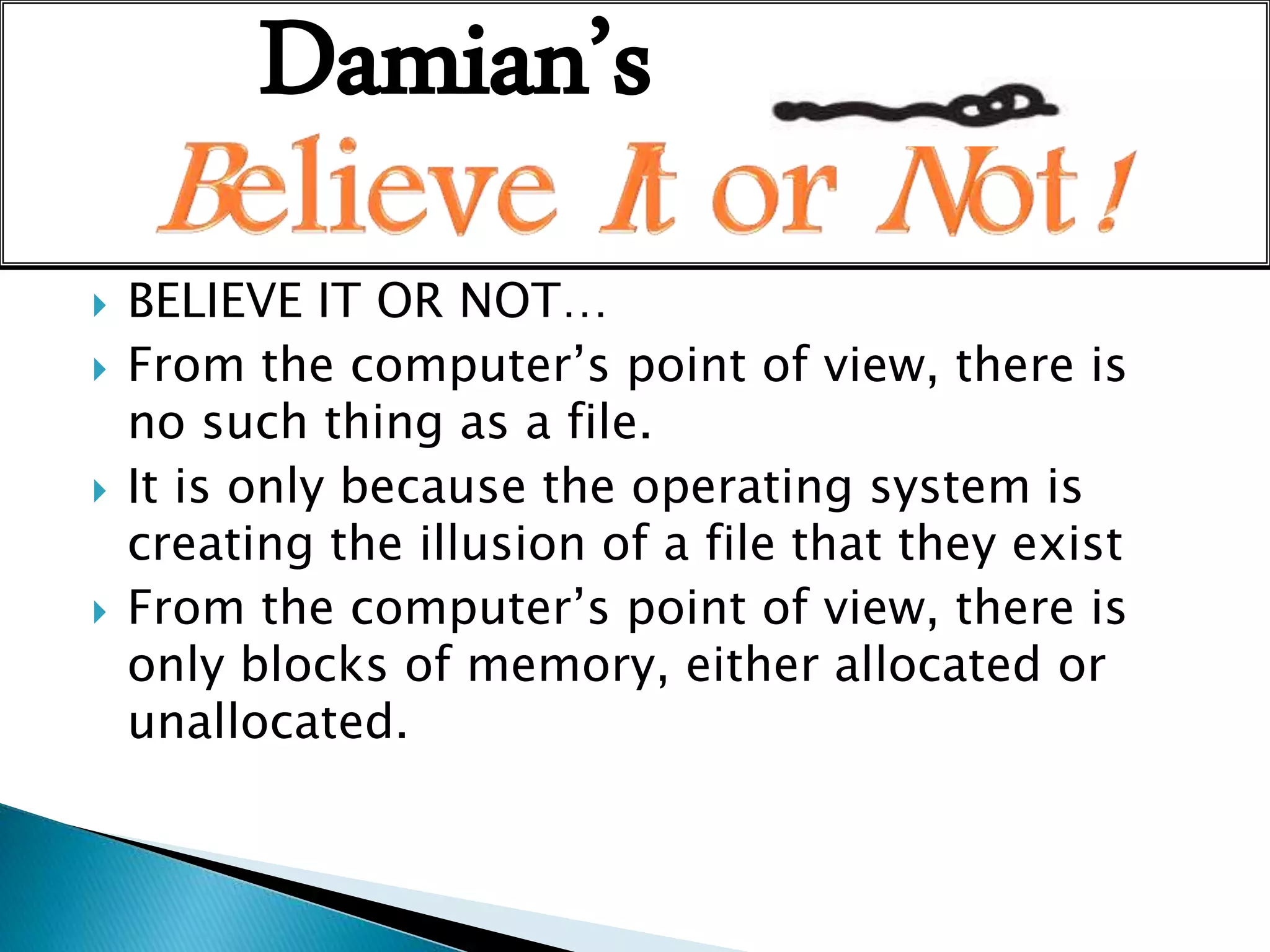
 BELIEVE IT OR NOT…
 From the computer’s point of view, there is
no such thing as a file.
 It is only because the operating system is
creating the illusion of a file that they exist
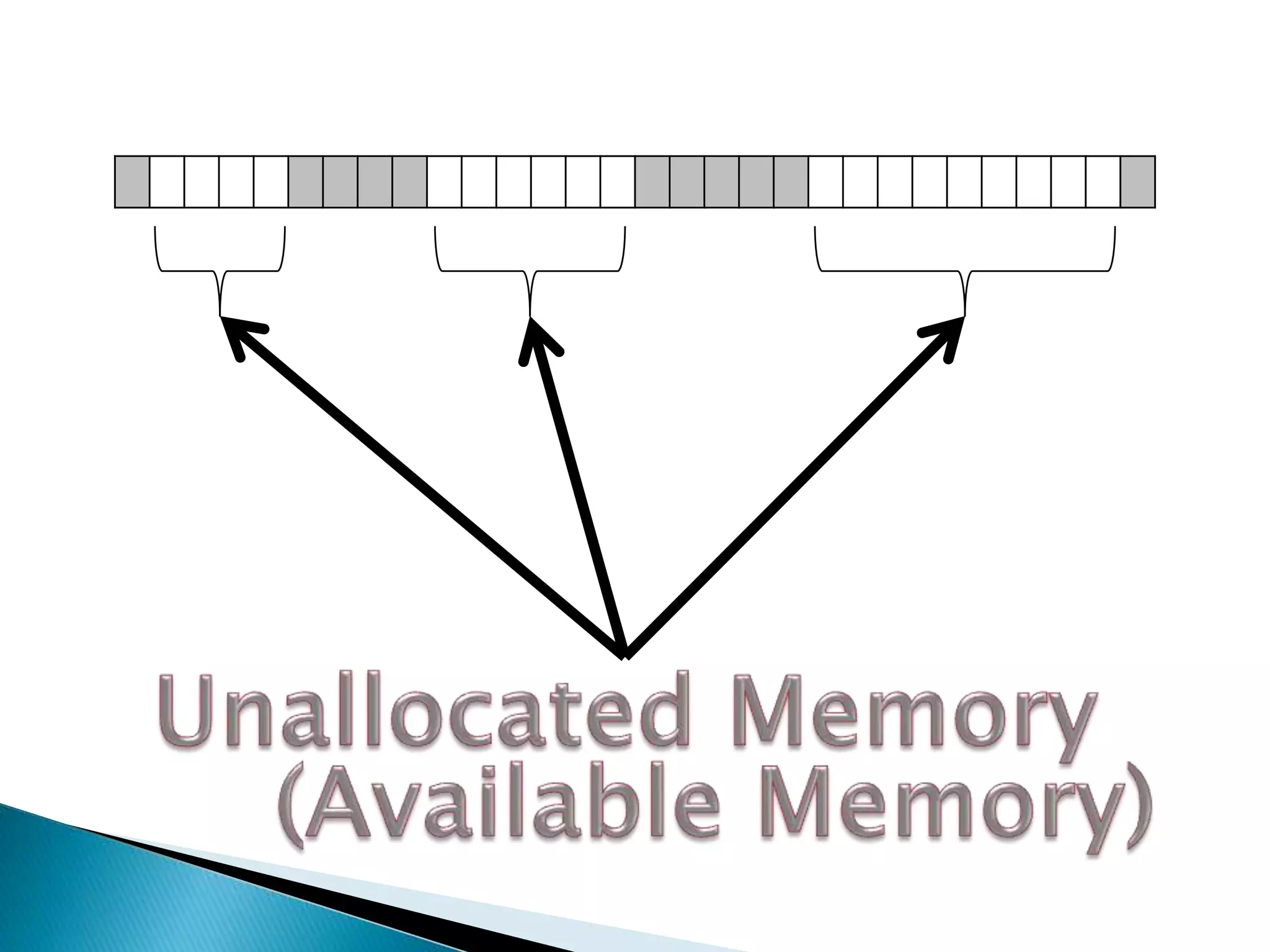
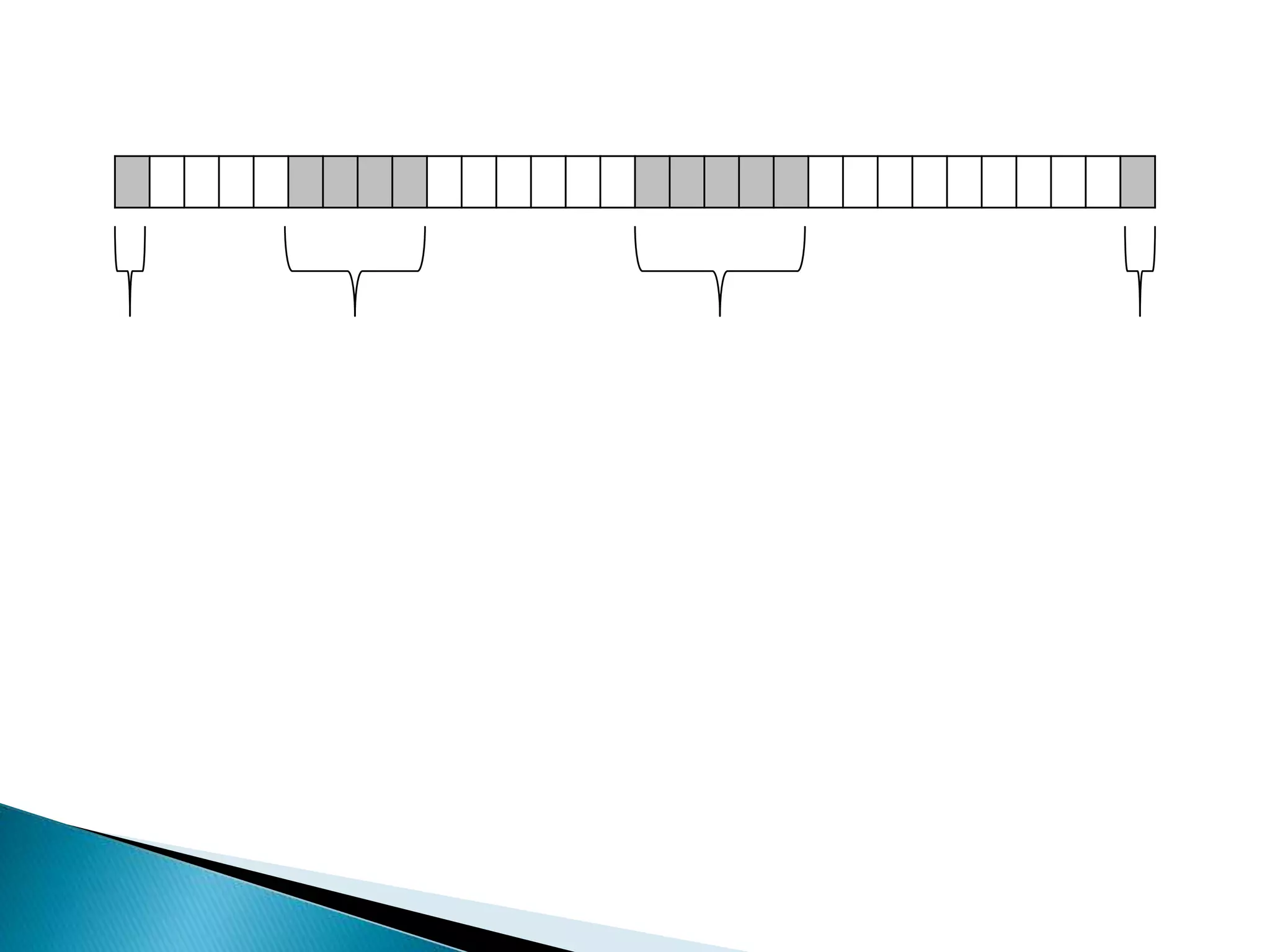
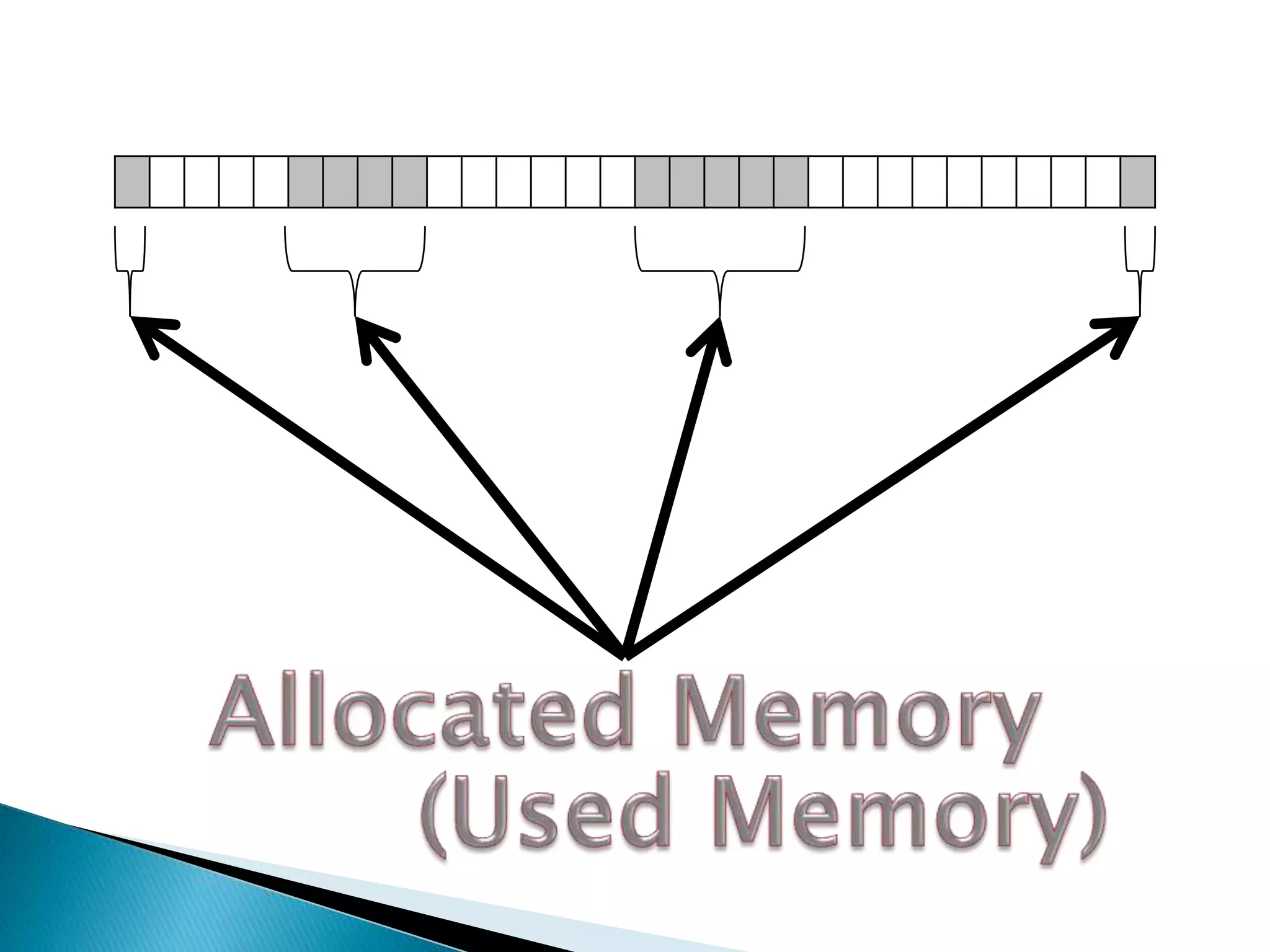
 From the computer’s point of view, there is
only blocks of memory, either allocated or
unallocated.
Damian’s
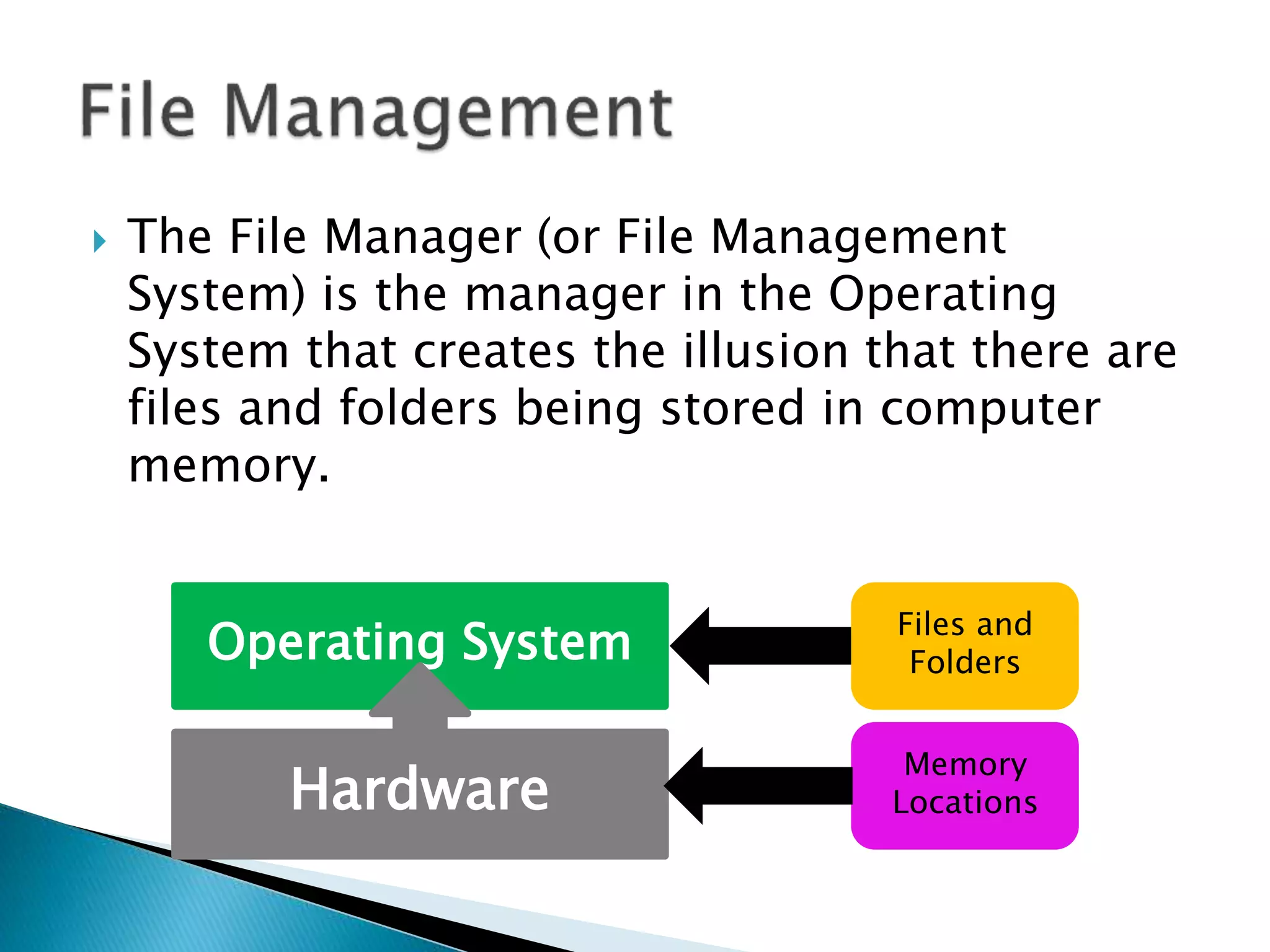
 The File Manager (or File Management
System) is the manager in the Operating
System that creates the illusion that there are
files and folders being stored in computer
memory.
Operating System Files and
Folders
Memory
LocationsHardware
 The File Manager
◦ Keeps track of where files are stored
◦ Determines how the files are stored
◦ Follows operating system file allocation policies
◦ Uses available storage space efficiently for files
◦ Creates a record/log of all file usage
◦ Allocates a file to a user if is free, and if they are
permitted access to it.
◦ De-allocates file when user finished with it.
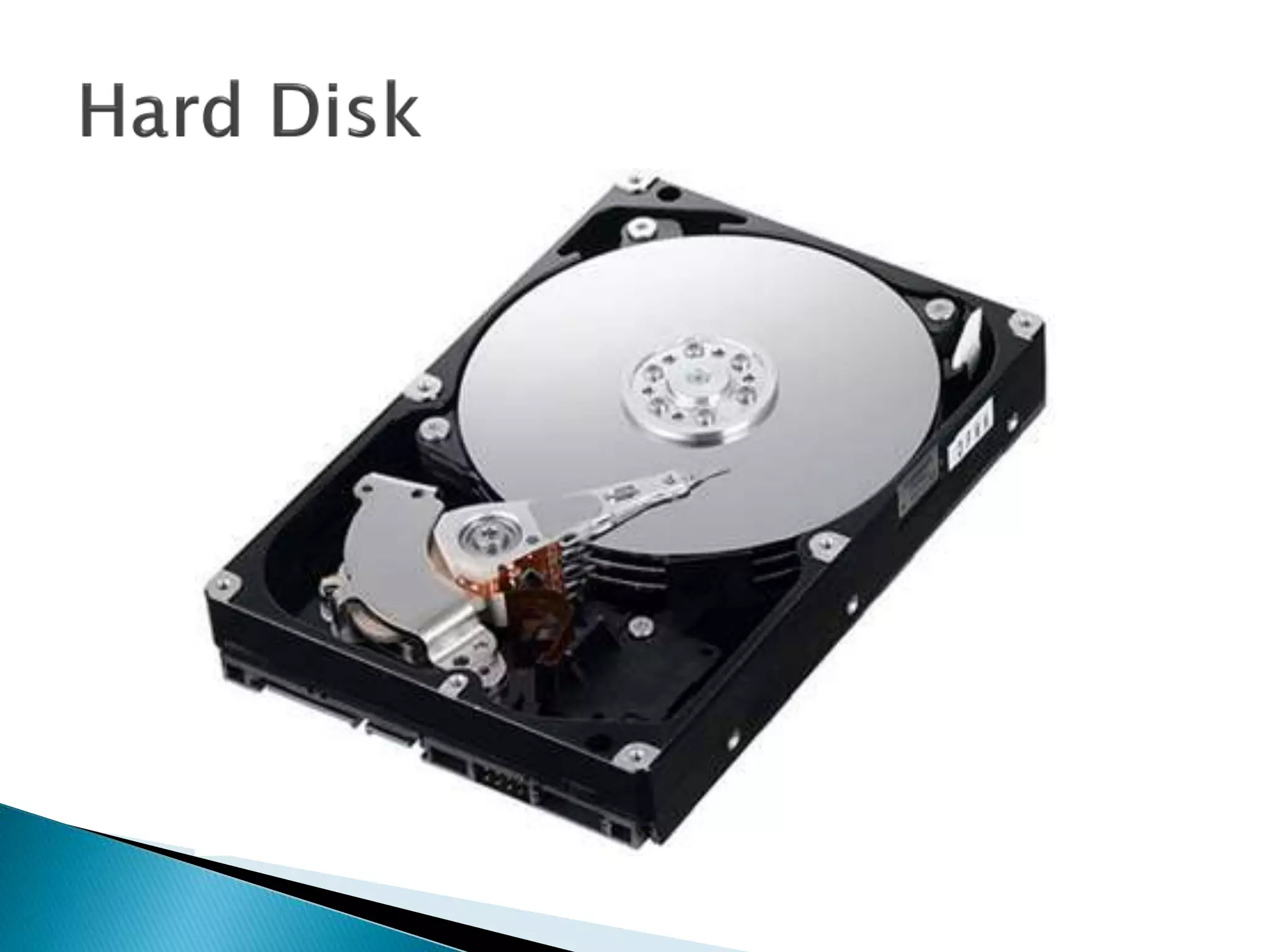
 The file manager ALLOCATES a file by reading
it from the hard disk and loading it into
memory while updating its record of who is
using what file.
 The file manager DEALLOCATES a file by
updating the file tables and rewriting the file
(if changed) to the hard disk. Any processes
waiting to access the file will be notified.
 Some definitions:
◦ A FIELD is a collection of bytes that can be
identified by a user, and has a type and size.
◦ A RECORD is a collection of related FIELDS.
◦ A FILE is a collection of records.
◦ A DIRECTORY (or FOLDER) is a special type of file
that which has lists of files and their attributes.
 Typical things you can do with a file are:
◦ CREATE
◦ OPEN
◦ DELETE
◦ RENAME
◦ COPY
◦ etc.
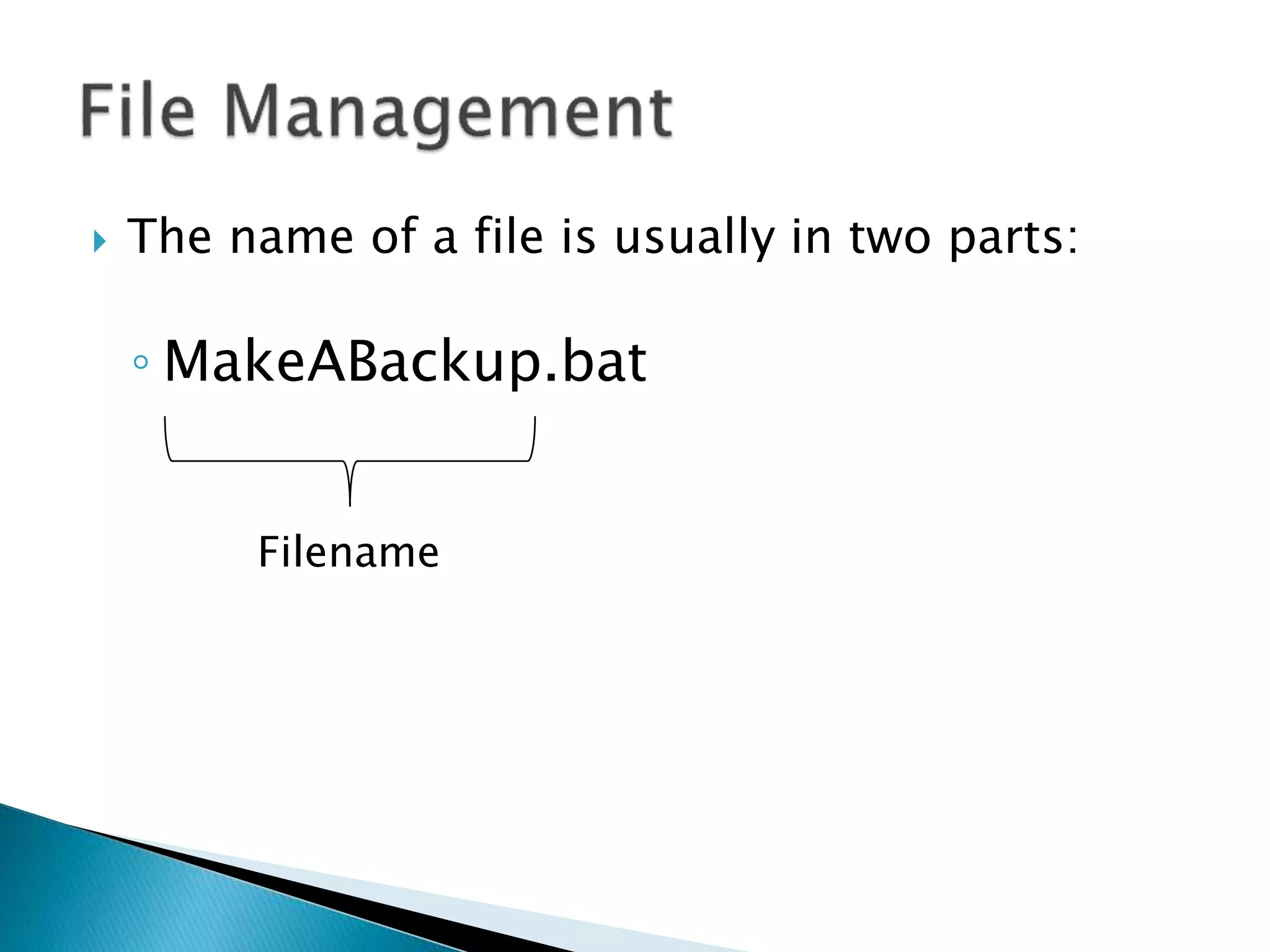
 The name of a file is usually in two parts:
◦ MakeABackup.bat
 The name of a file is usually in two parts:
◦ MakeABackup.bat
Filename
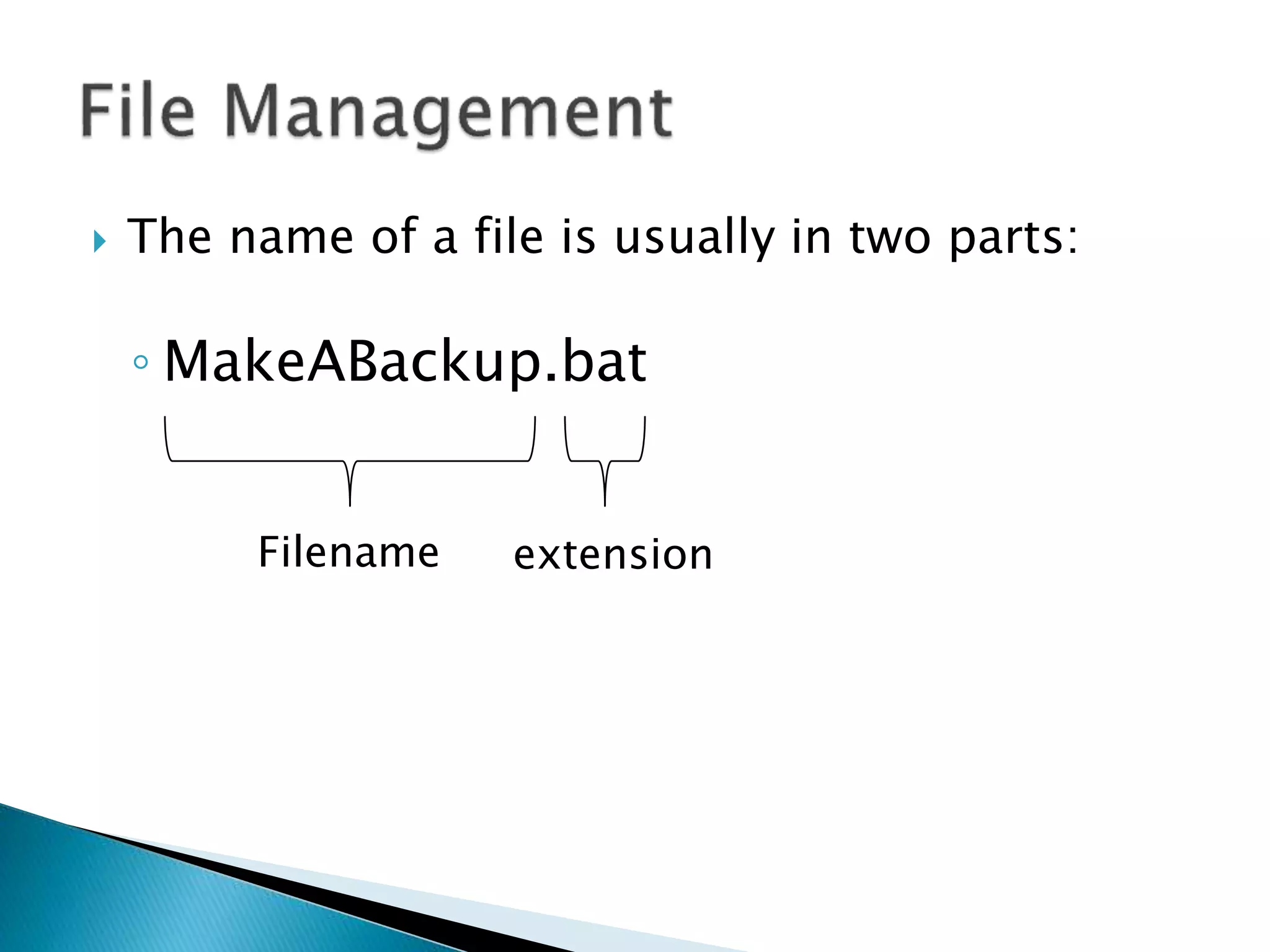
 The name of a file is usually in two parts:
◦ MakeABackup.bat
Filename extension
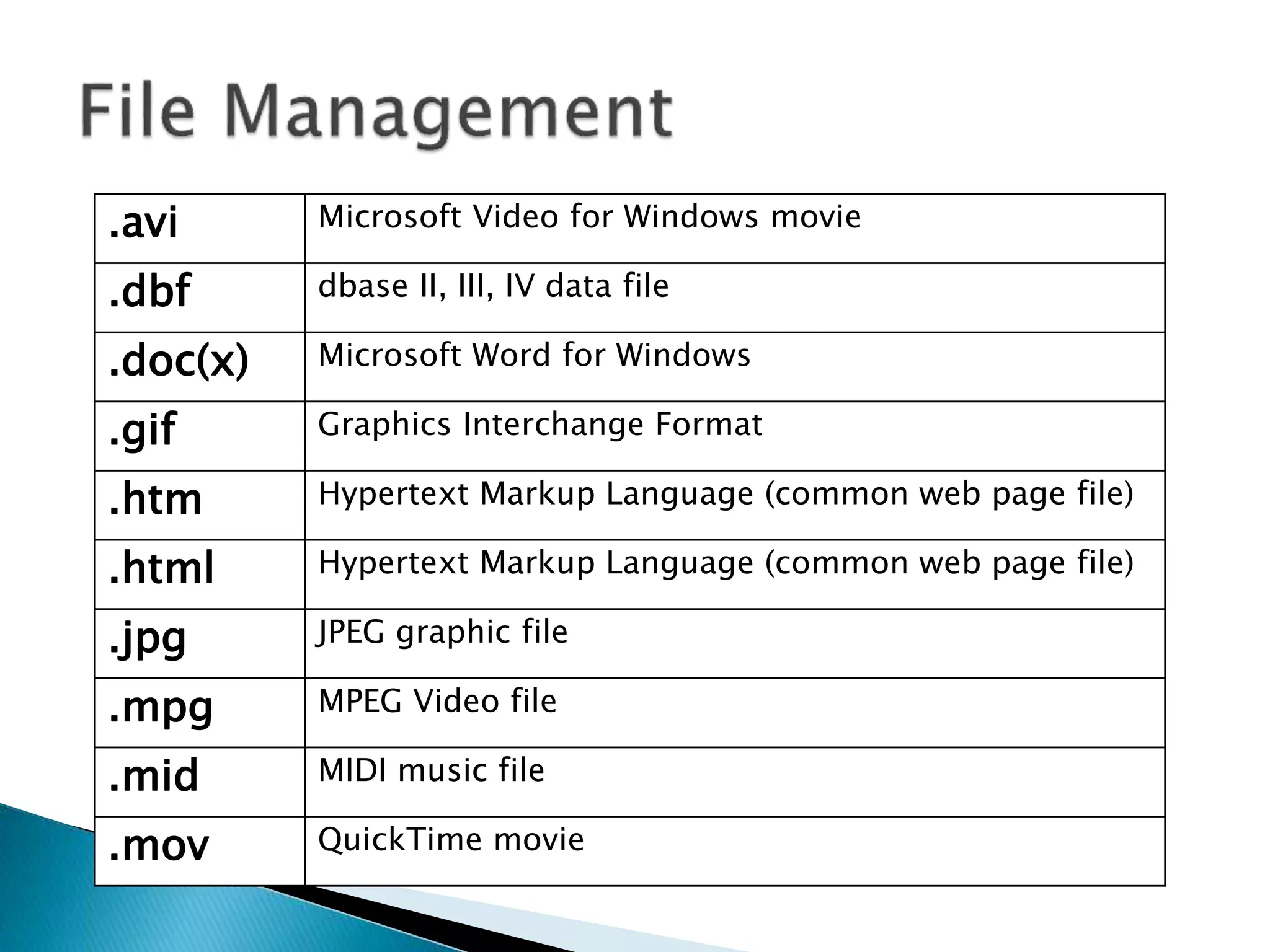
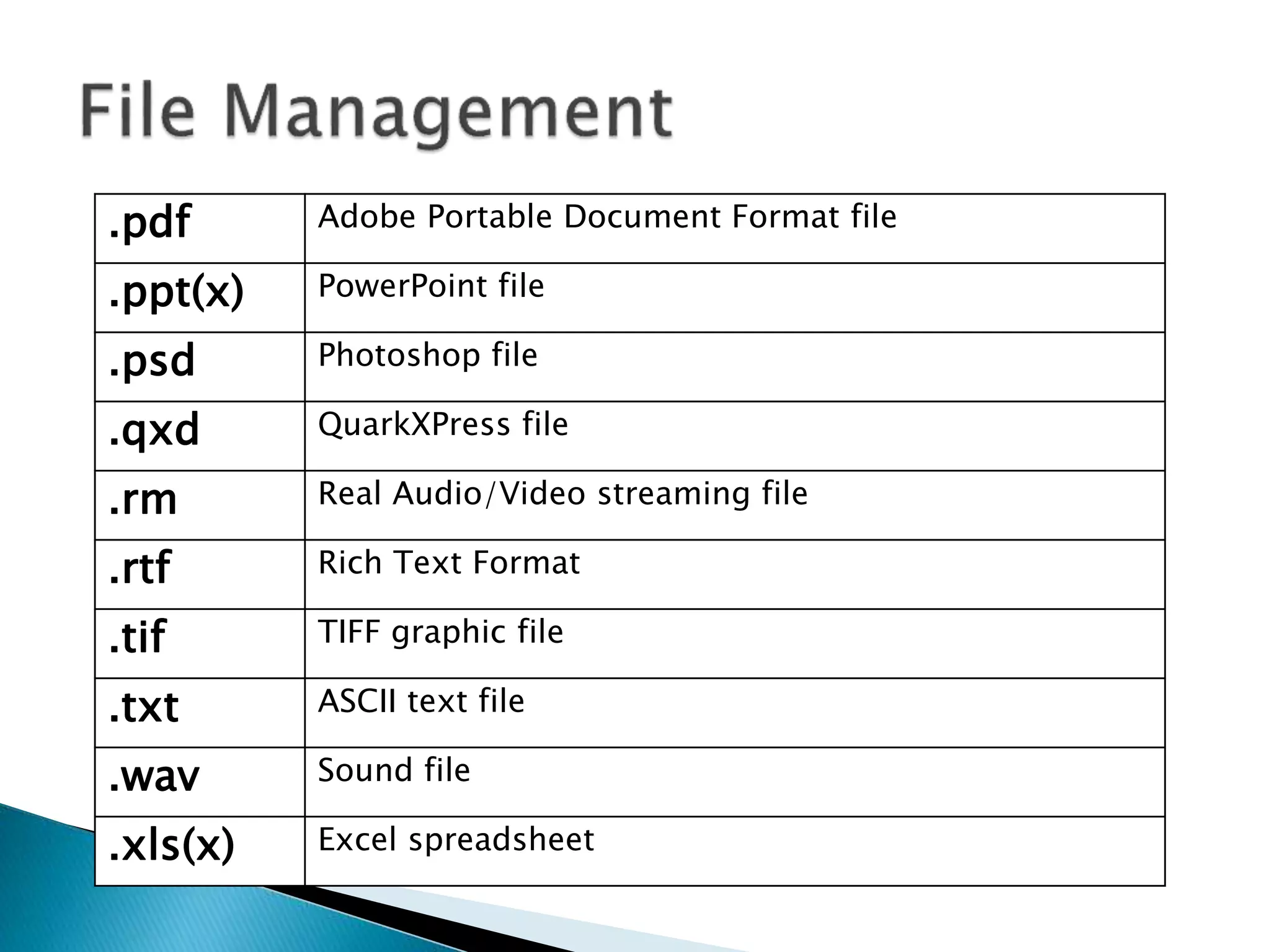
.avi Microsoft Video for Windows movie
.dbf dbase II, III, IV data file
.doc(x) Microsoft Word for Windows
.gif Graphics Interchange Format
.htm Hypertext Markup Language (common web page file)
.html Hypertext Markup Language (common web page file)
.jpg JPEG graphic file
.mpg MPEG Video file
.mid MIDI music file
.mov QuickTime movie
.pdf Adobe Portable Document Format file
.ppt(x) PowerPoint file
.psd Photoshop file
.qxd QuarkXPress file
.rm Real Audio/Video streaming file
.rtf Rich Text Format
.tif TIFF graphic file
.txt ASCII text file
.wav Sound file
.xls(x) Excel spreadsheet
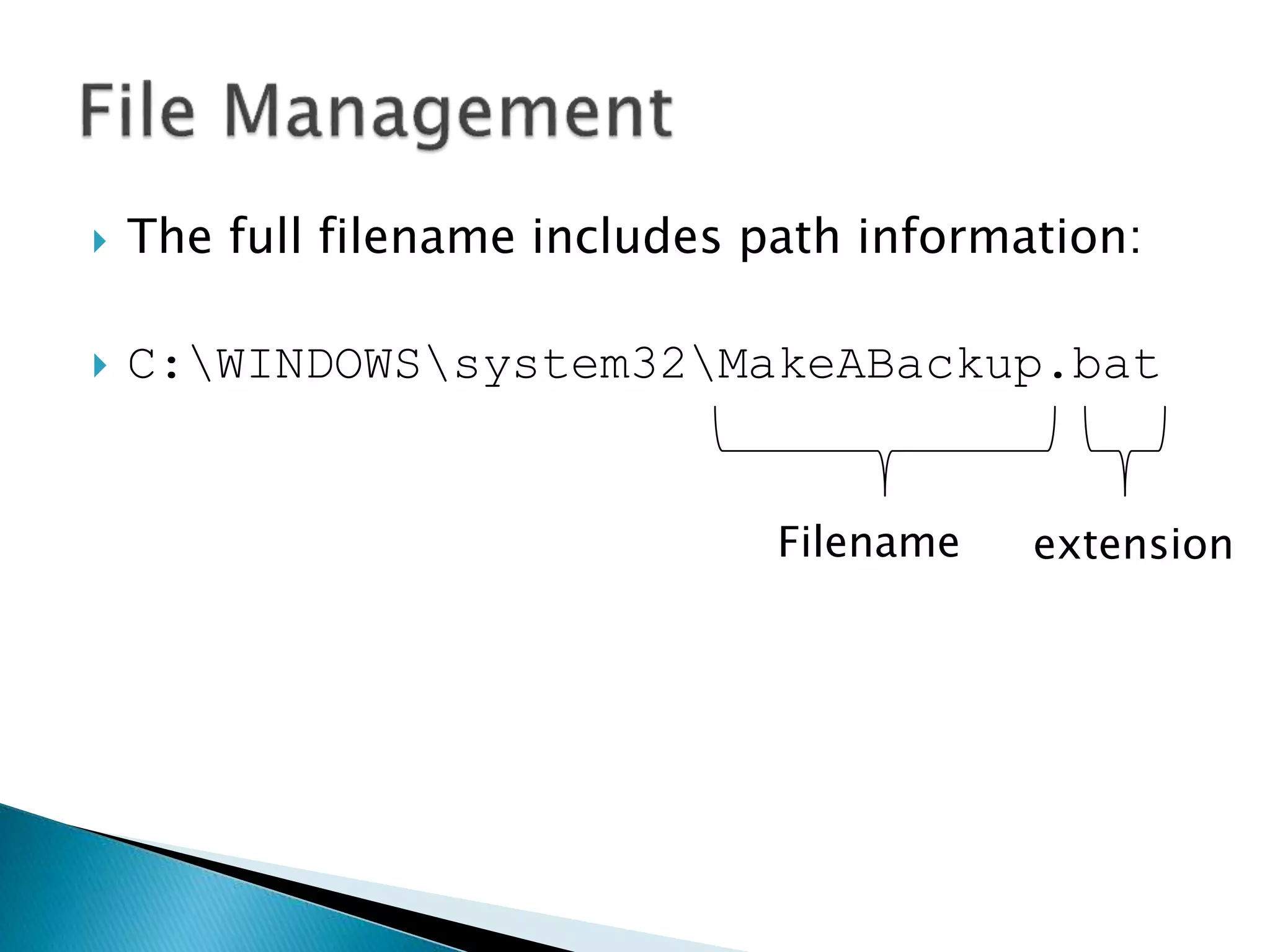
 The full filename includes path information:
 C:WINDOWSsystem32MakeABackup.bat
Filename extension
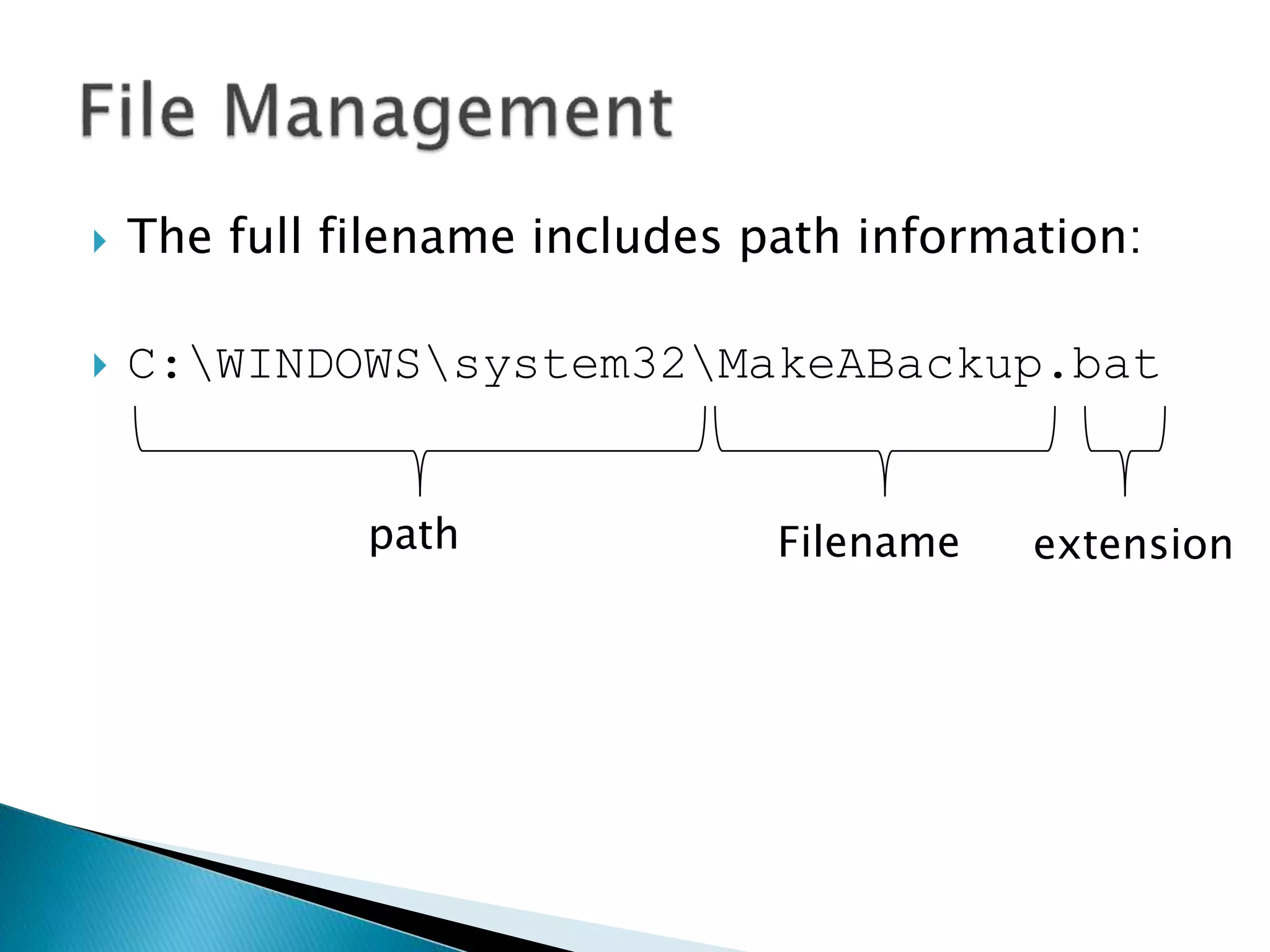
 The full filename includes path information:
 C:WINDOWSsystem32MakeABackup.bat
Filename extensionpath
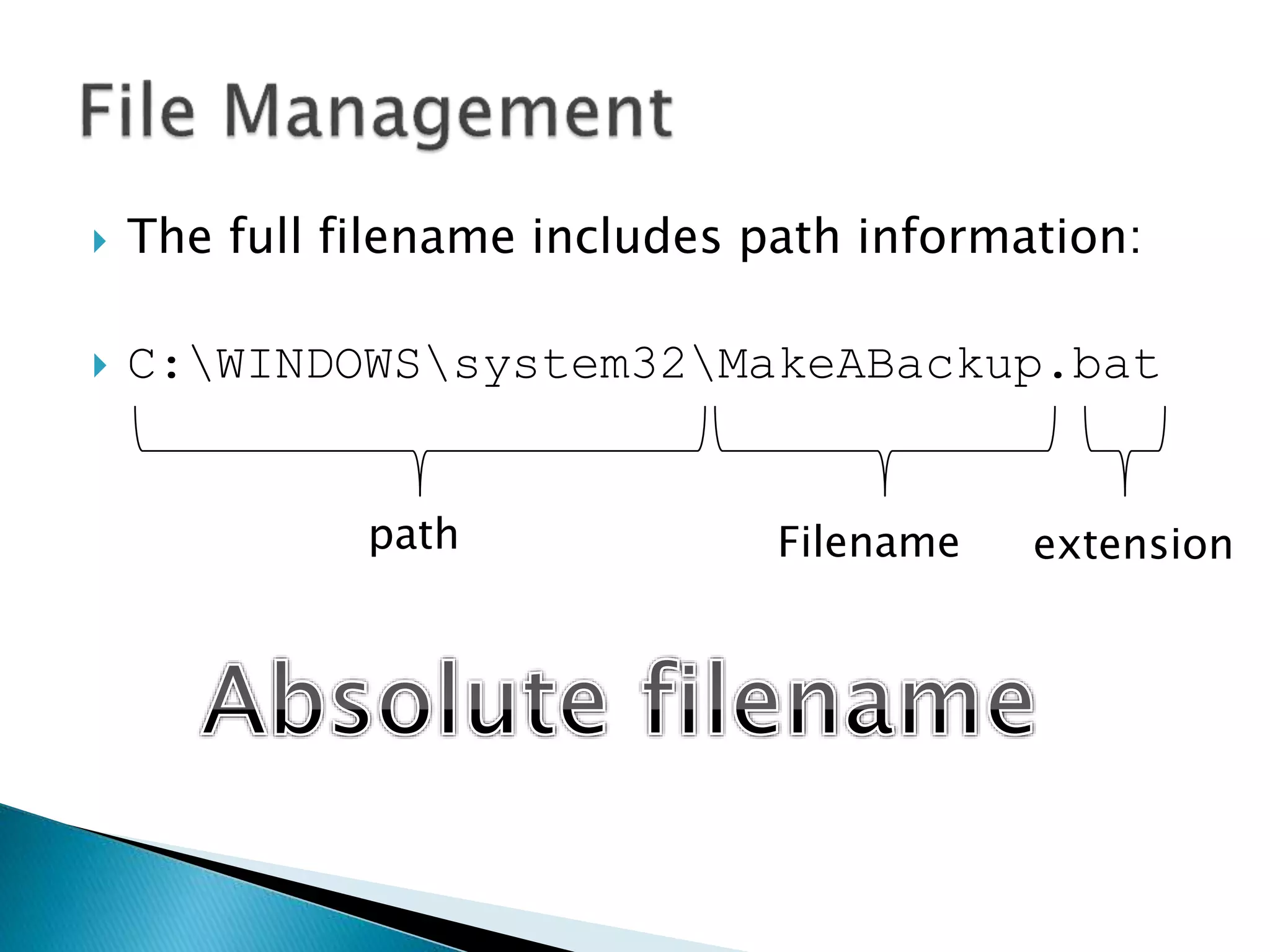
 The full filename includes path information:
 C:WINDOWSsystem32MakeABackup.bat
Filename extensionpath
 If I am in the following folder:
 C:WINDOWSsystem32BackupFolder
 Then the address of the file is:
 ..MakeABackup.bat
 If I am in the following folder:
 C:WINDOWSsystem32BackupFolder
 Then the address of the file is:
 ..MakeABackup.bat
 The Operating System store files as records in
memory, where many records make up a
single file.
 There are three main ways a file is physically
stored in memory:
◦ Contiguous Storage
◦ Non-contiguous Storage
◦ Indexed Storage
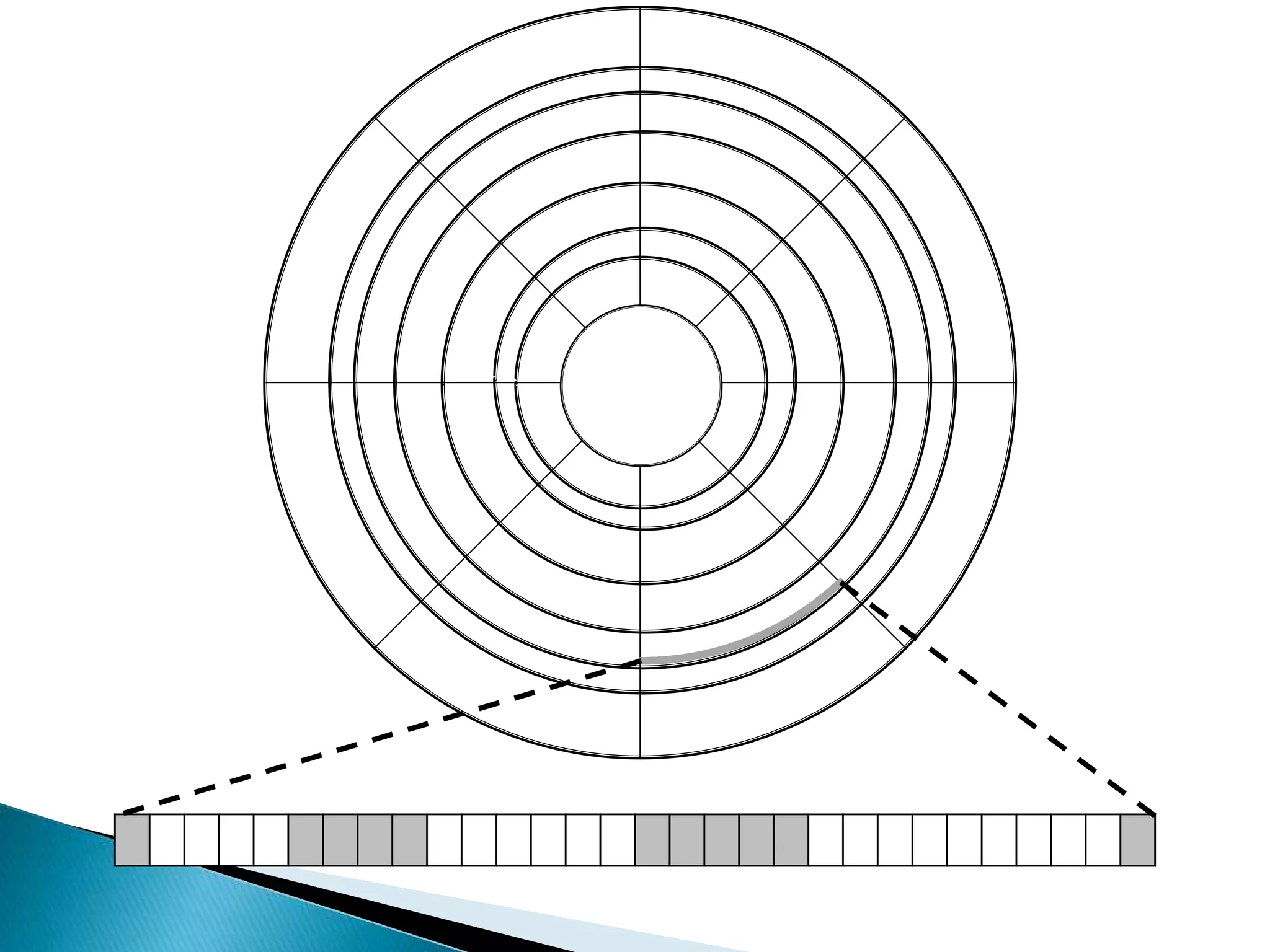
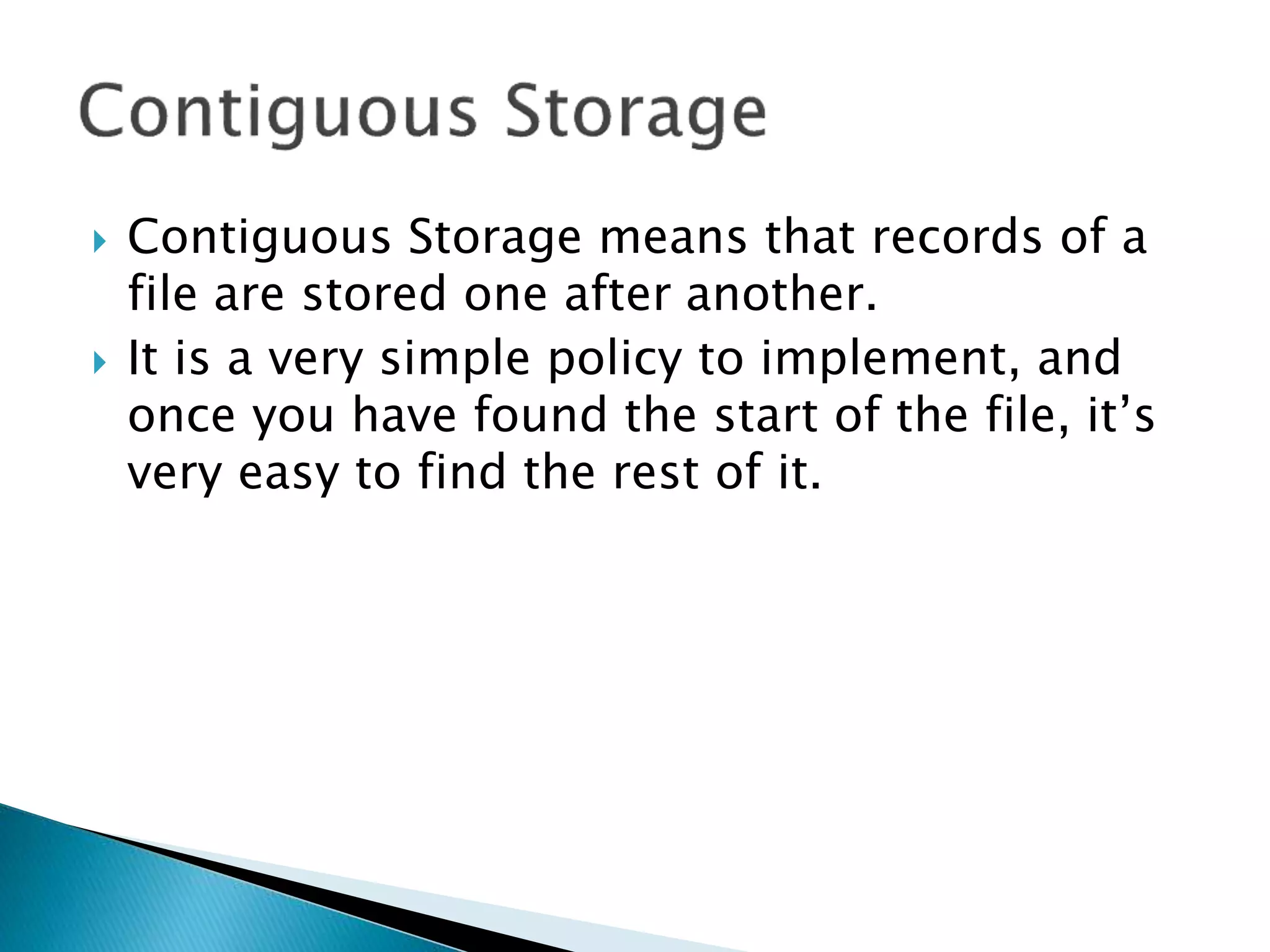
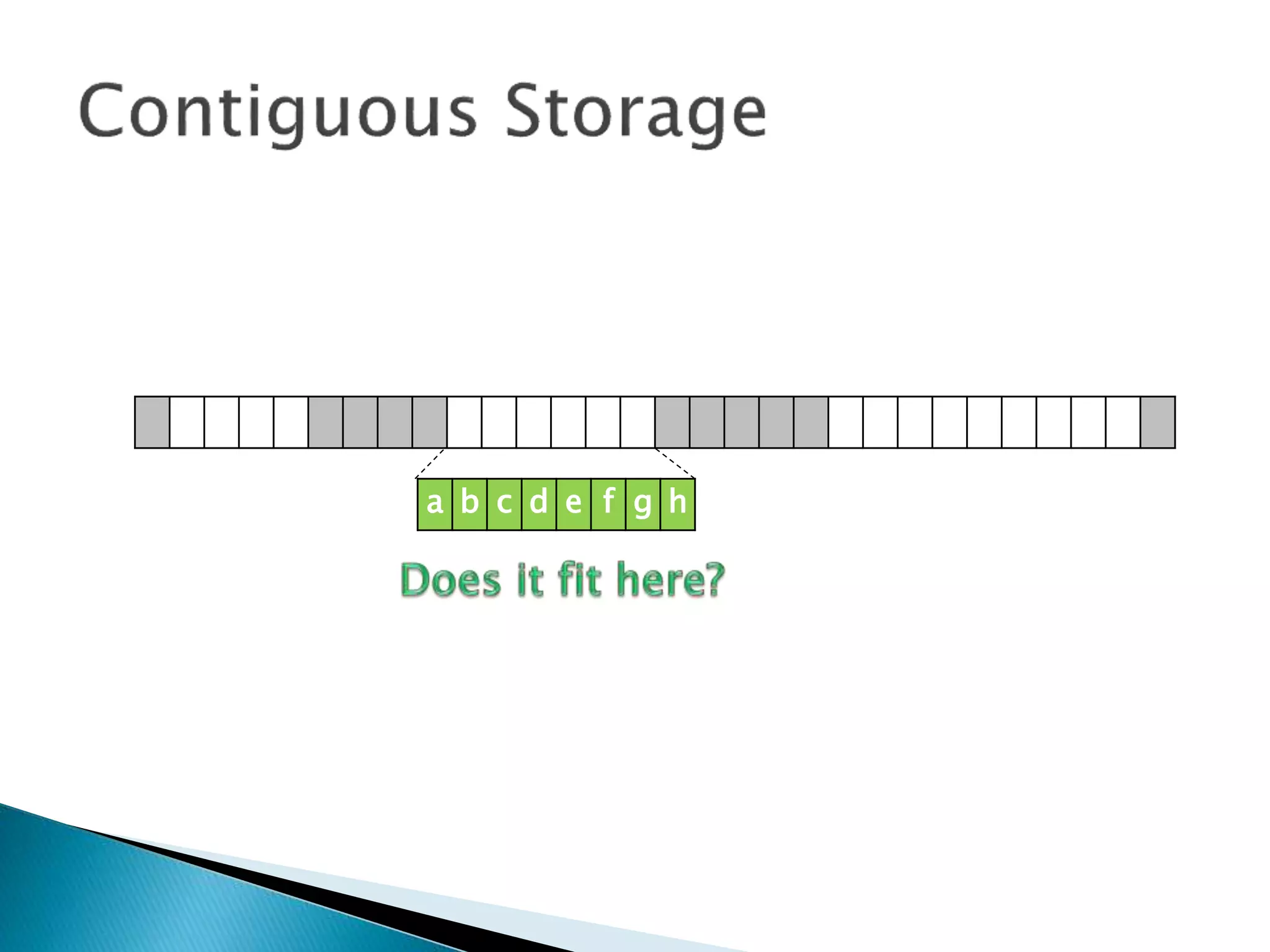
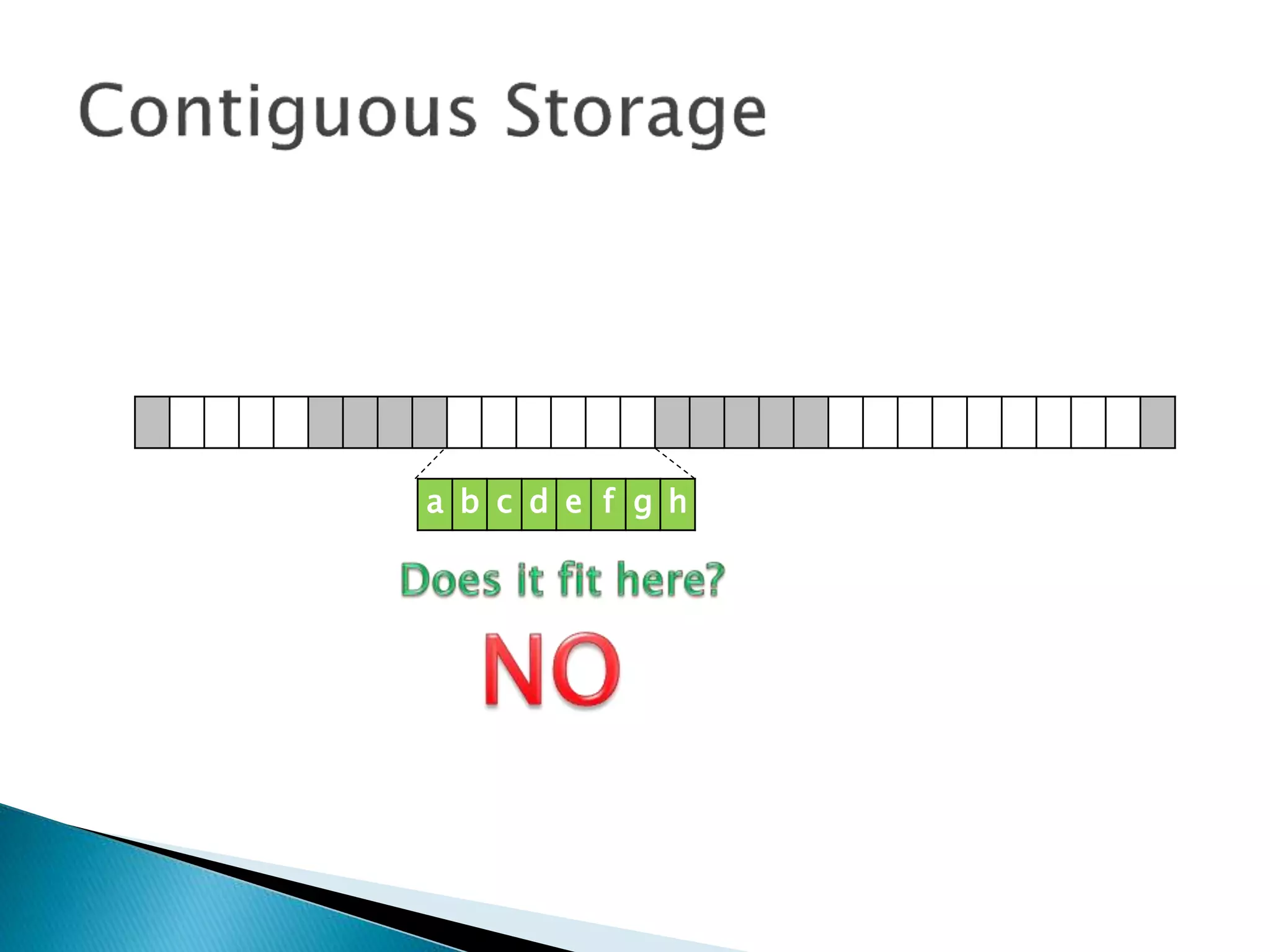
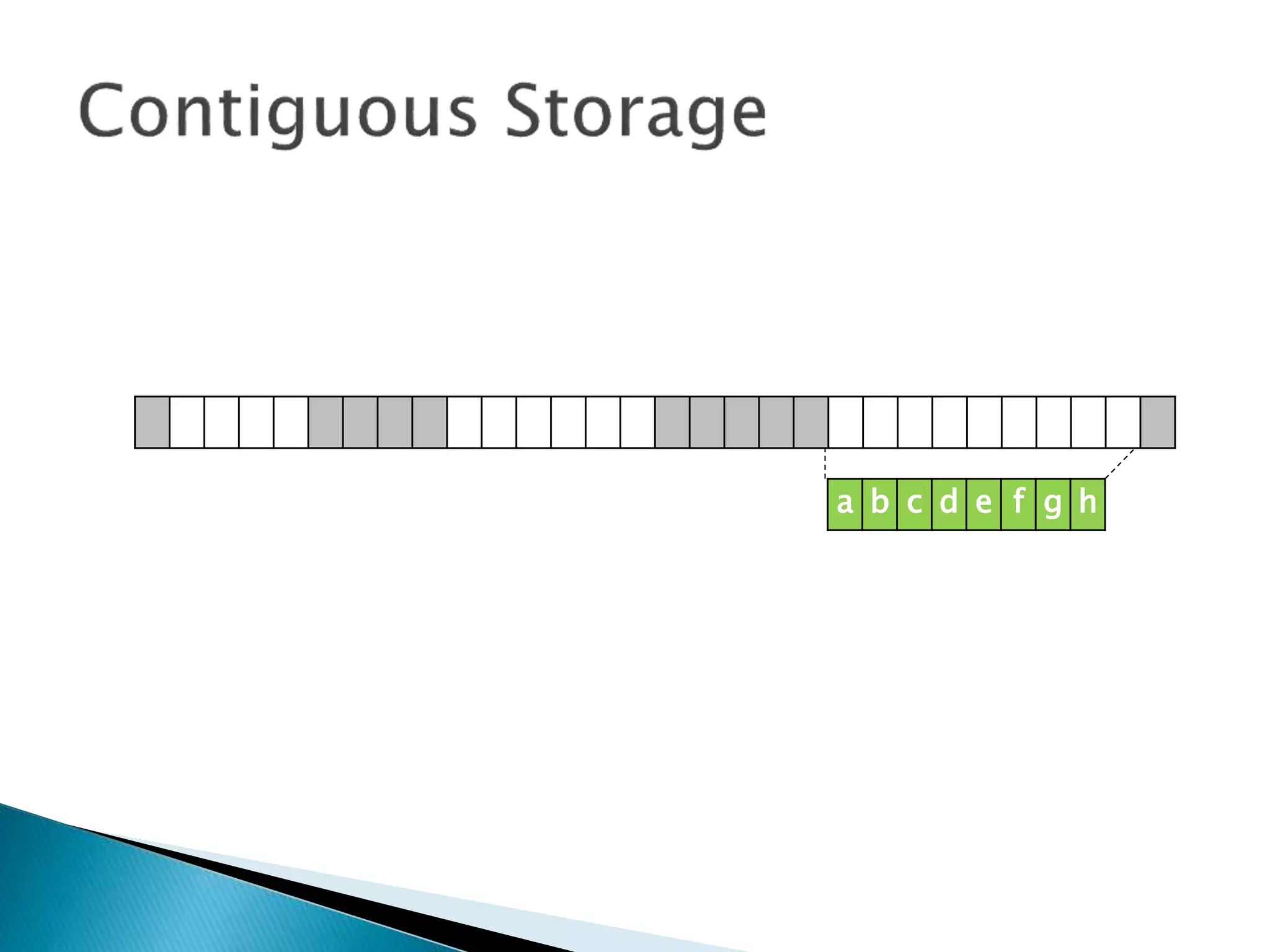
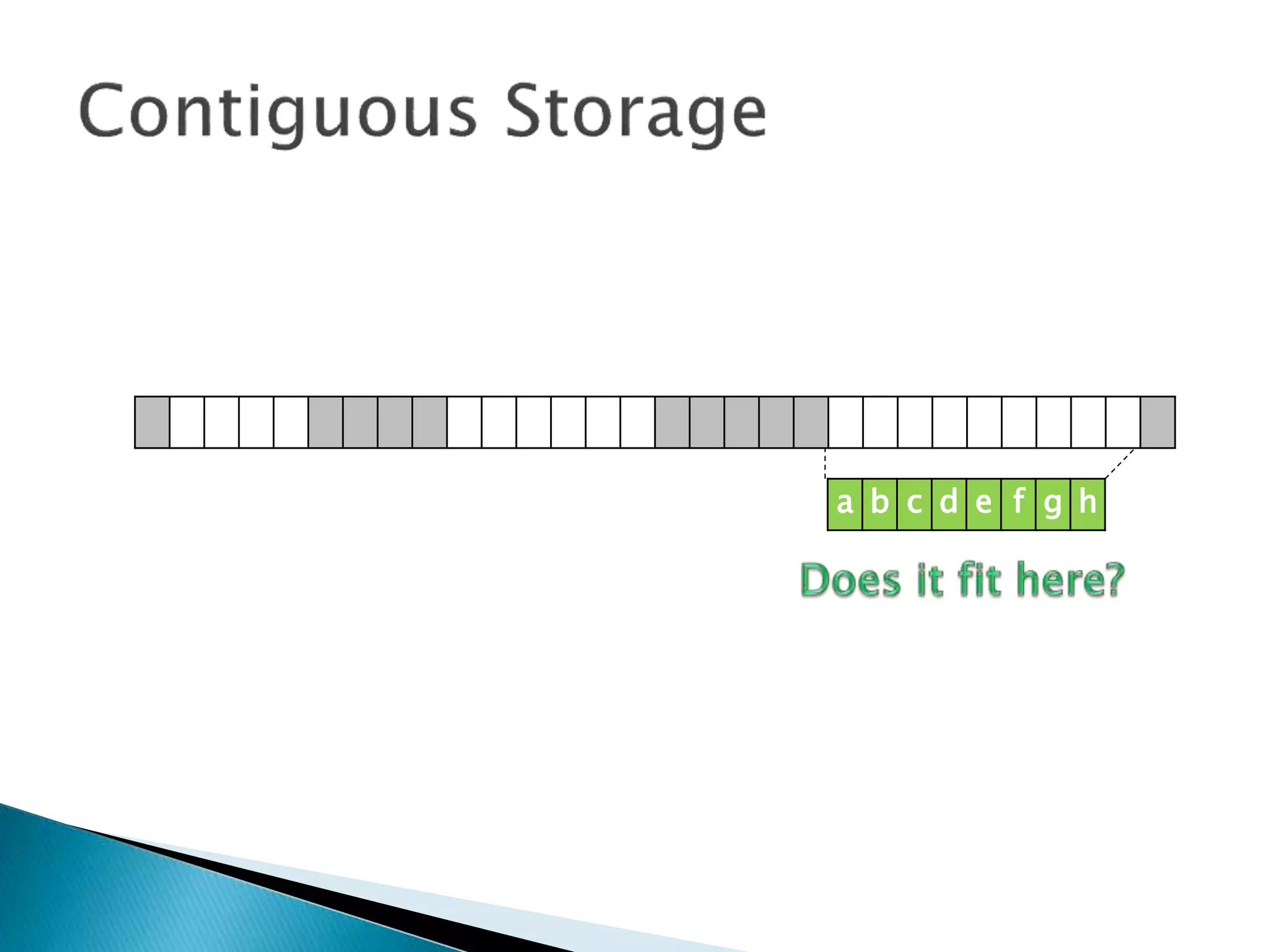
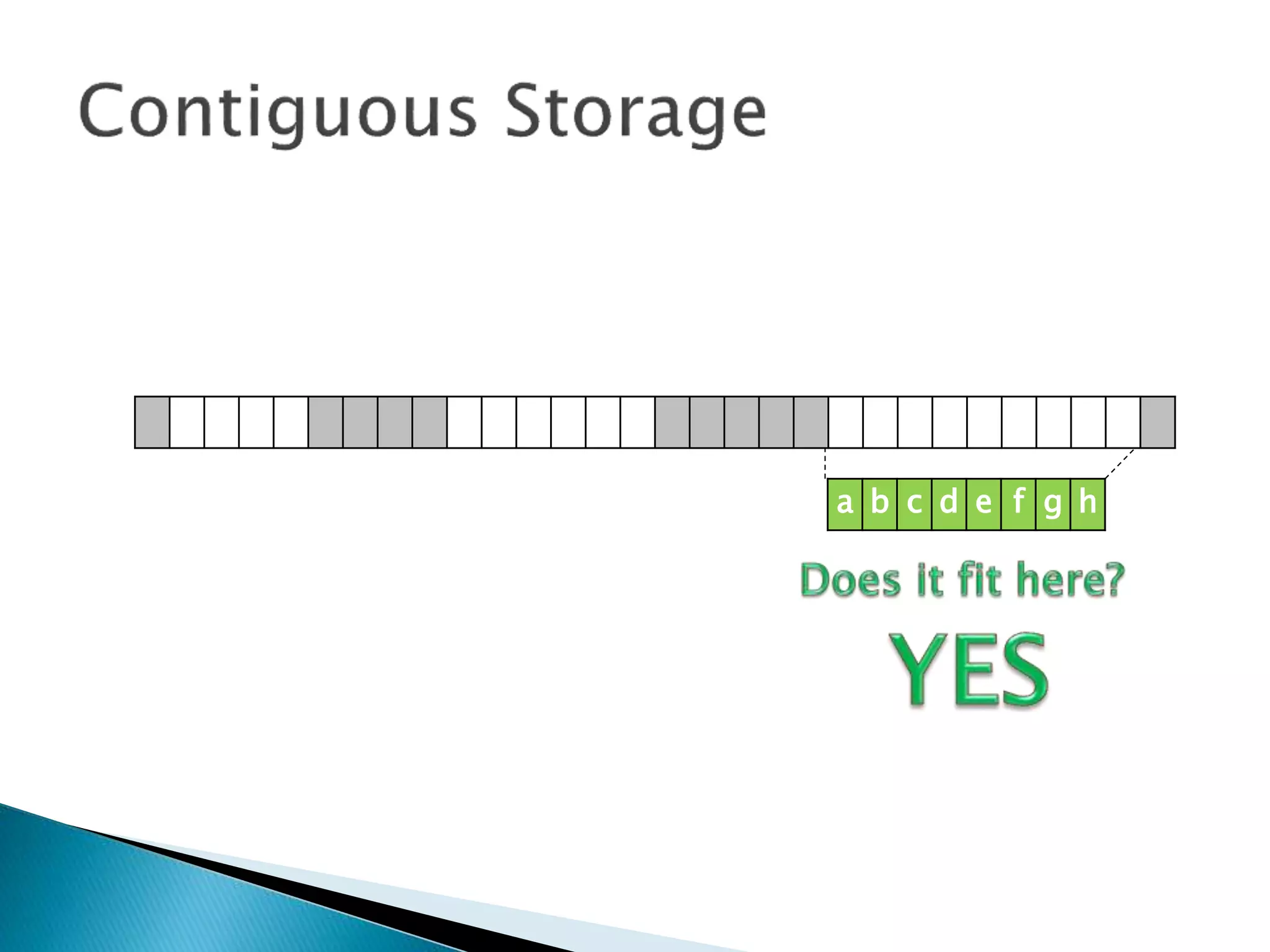
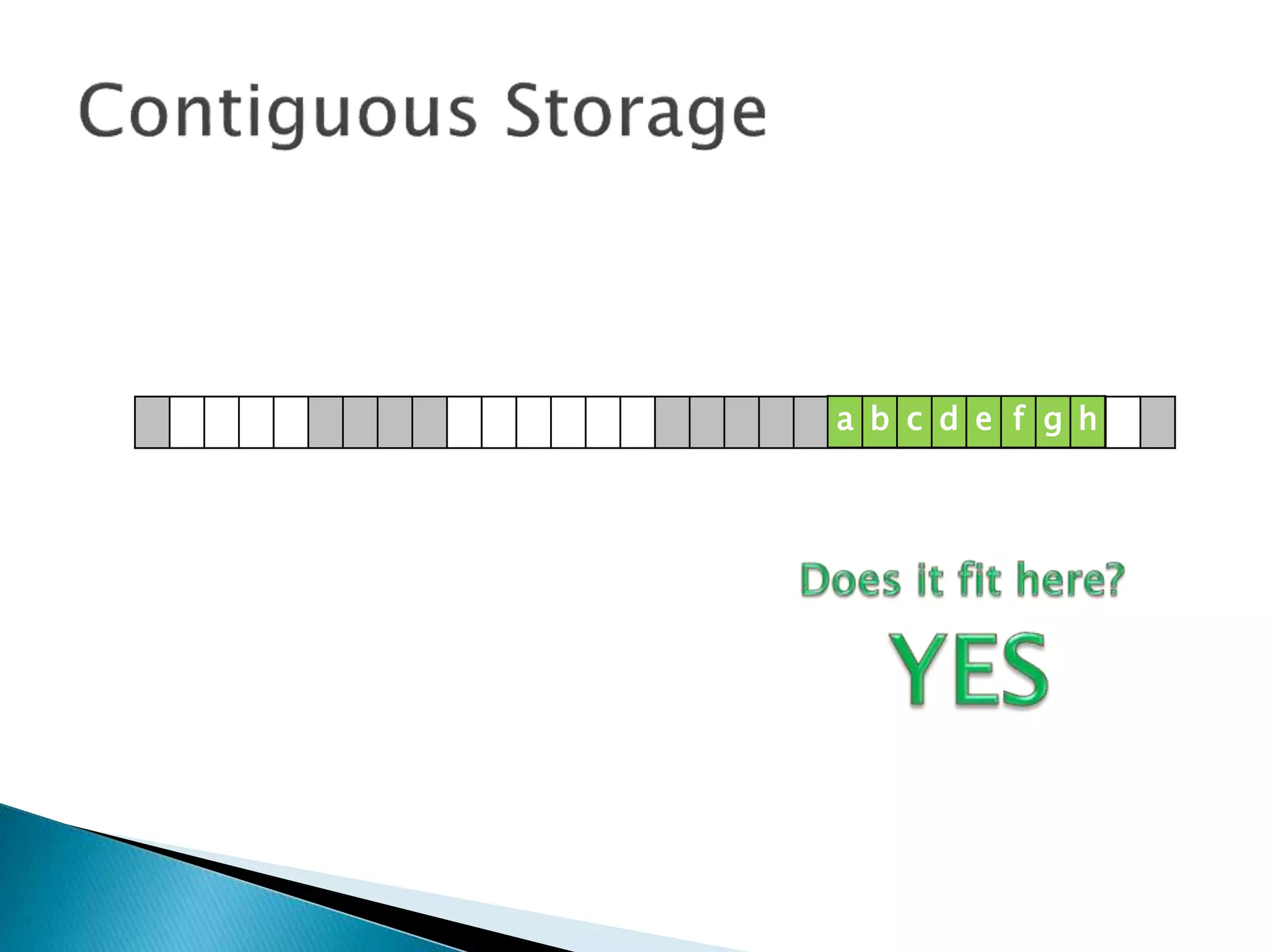
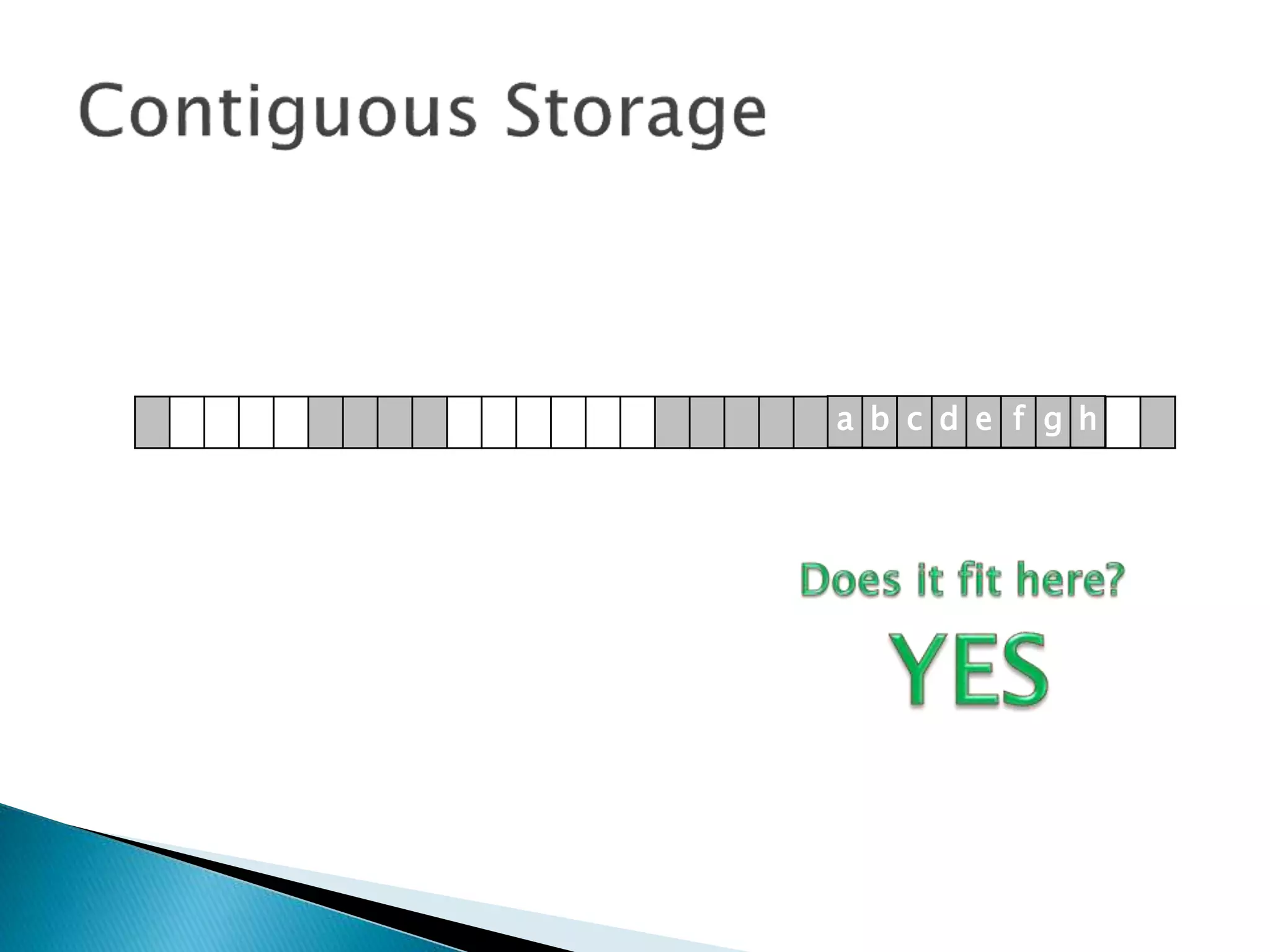
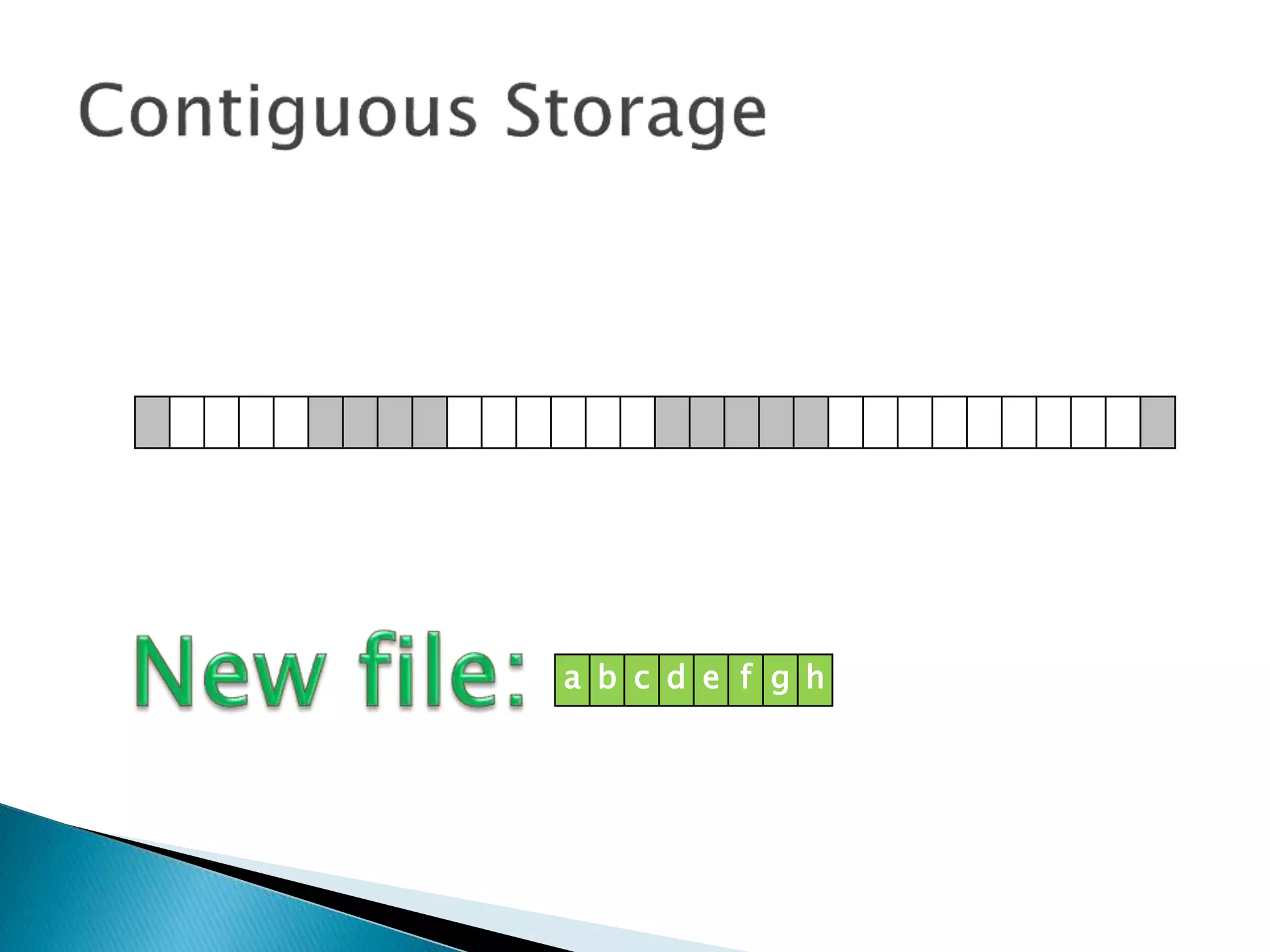
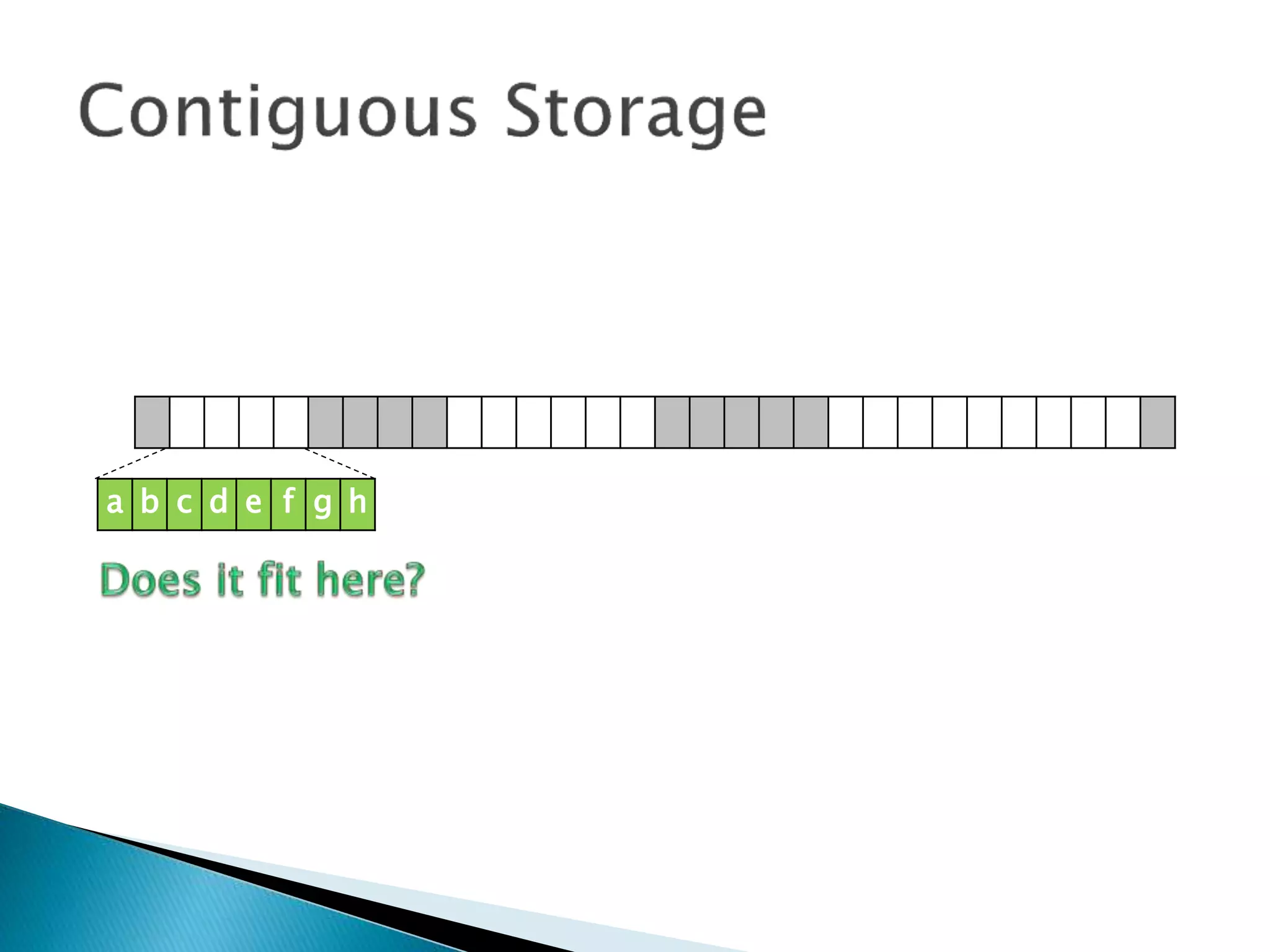
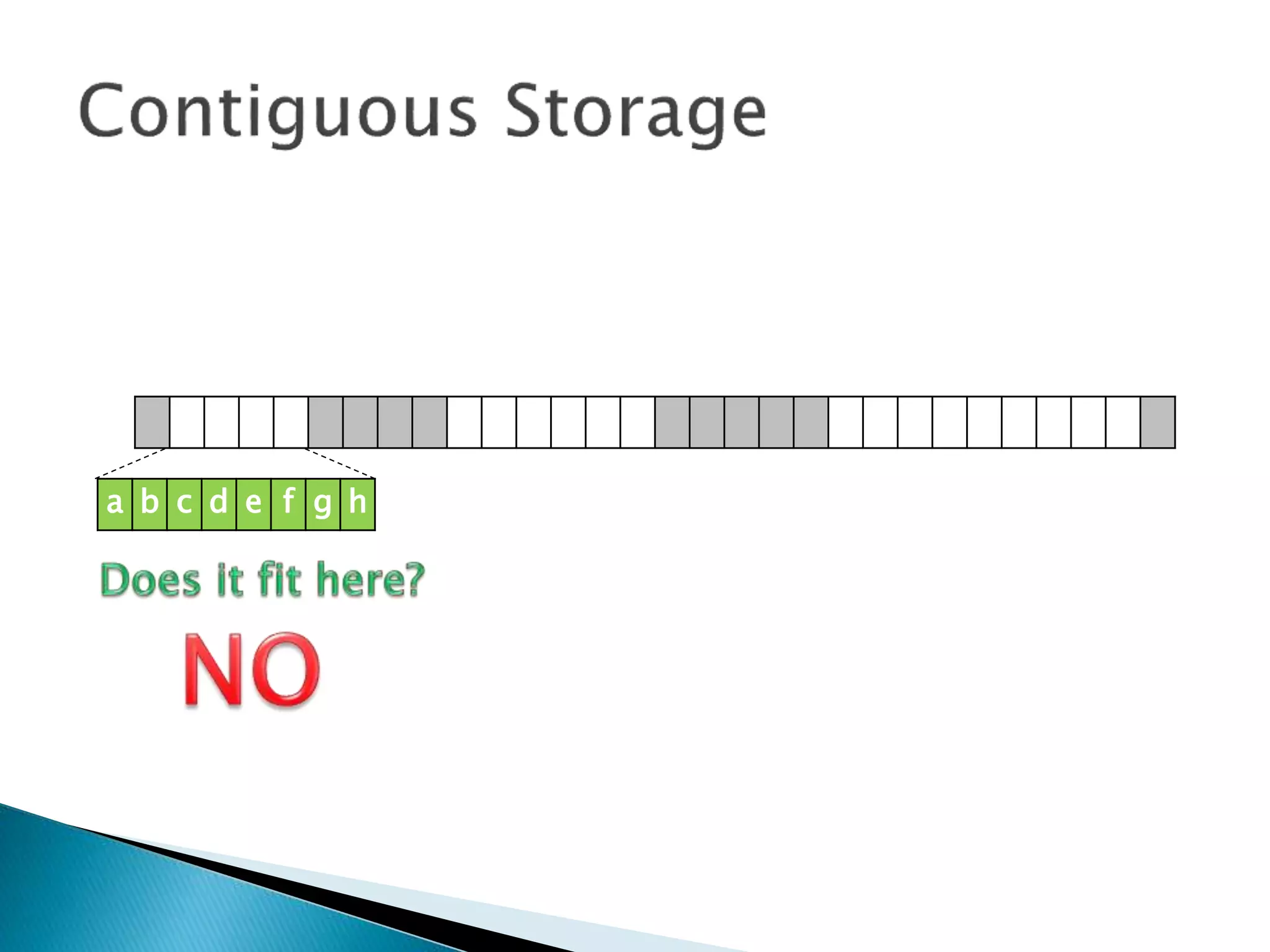
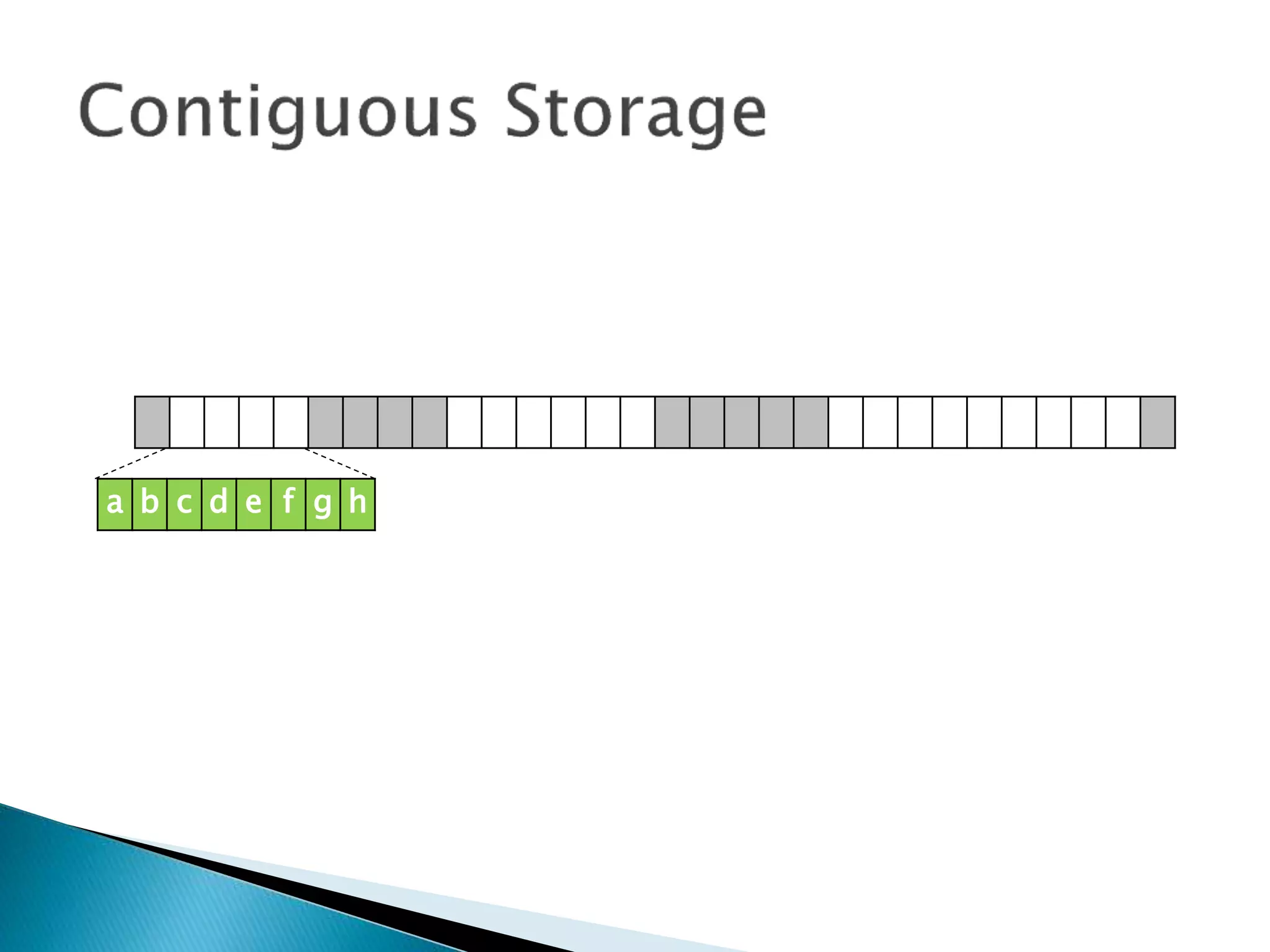
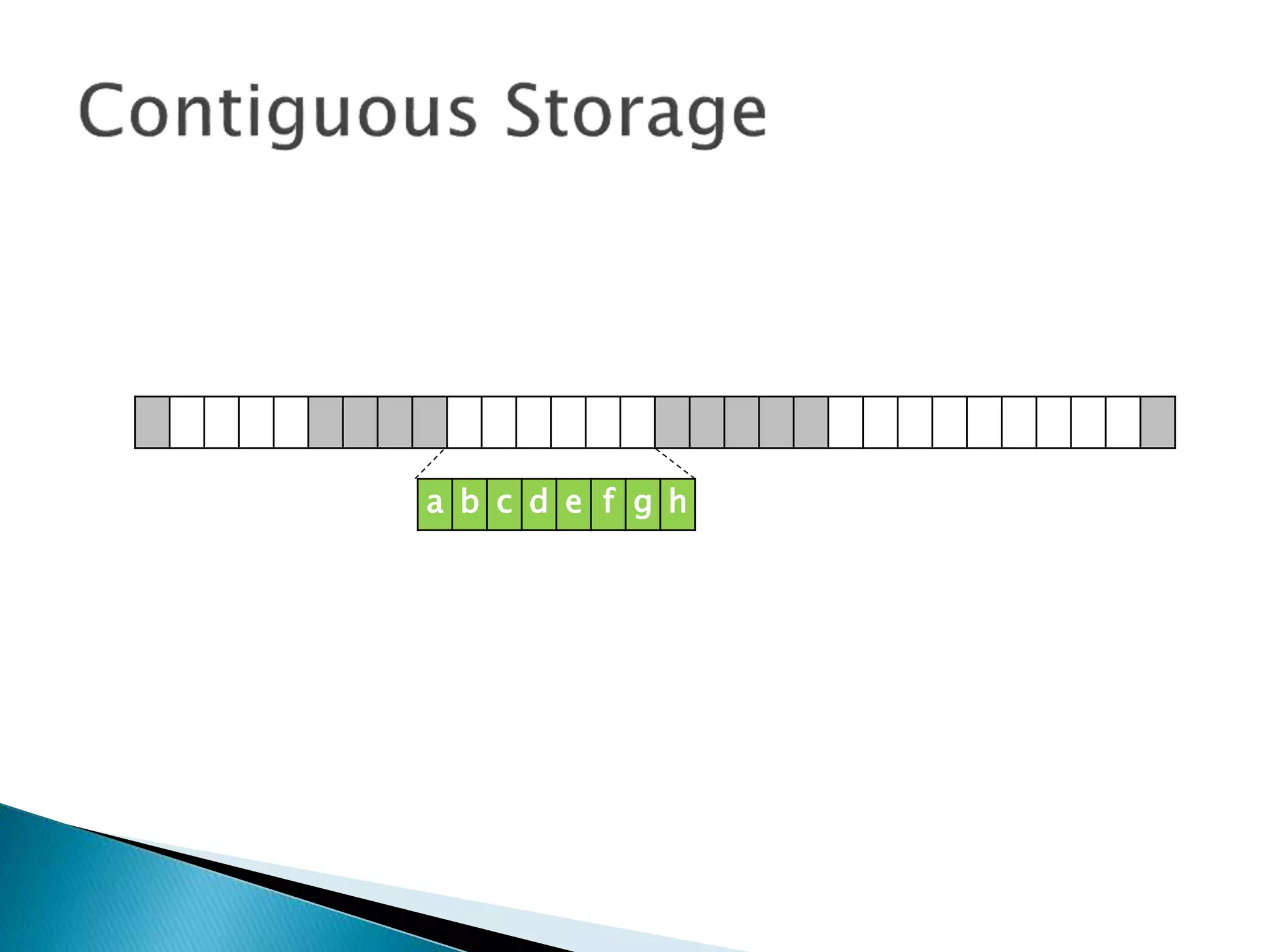
 Contiguous Storage means that records of a
file are stored one after another.
 It is a very simple policy to implement, and
once you have found the start of the file, it’s
very easy to find the rest of it.
a b c d e f g h
a b c d e f g h
a b c d e f g h
a b c d e f g h
a b c d e f g h
a b c d e f g h
a b c d e f g h
a b c d e f g h
a b c d e f g h
a b c d e f g h
a b c d e f g h
a b c d e f g h
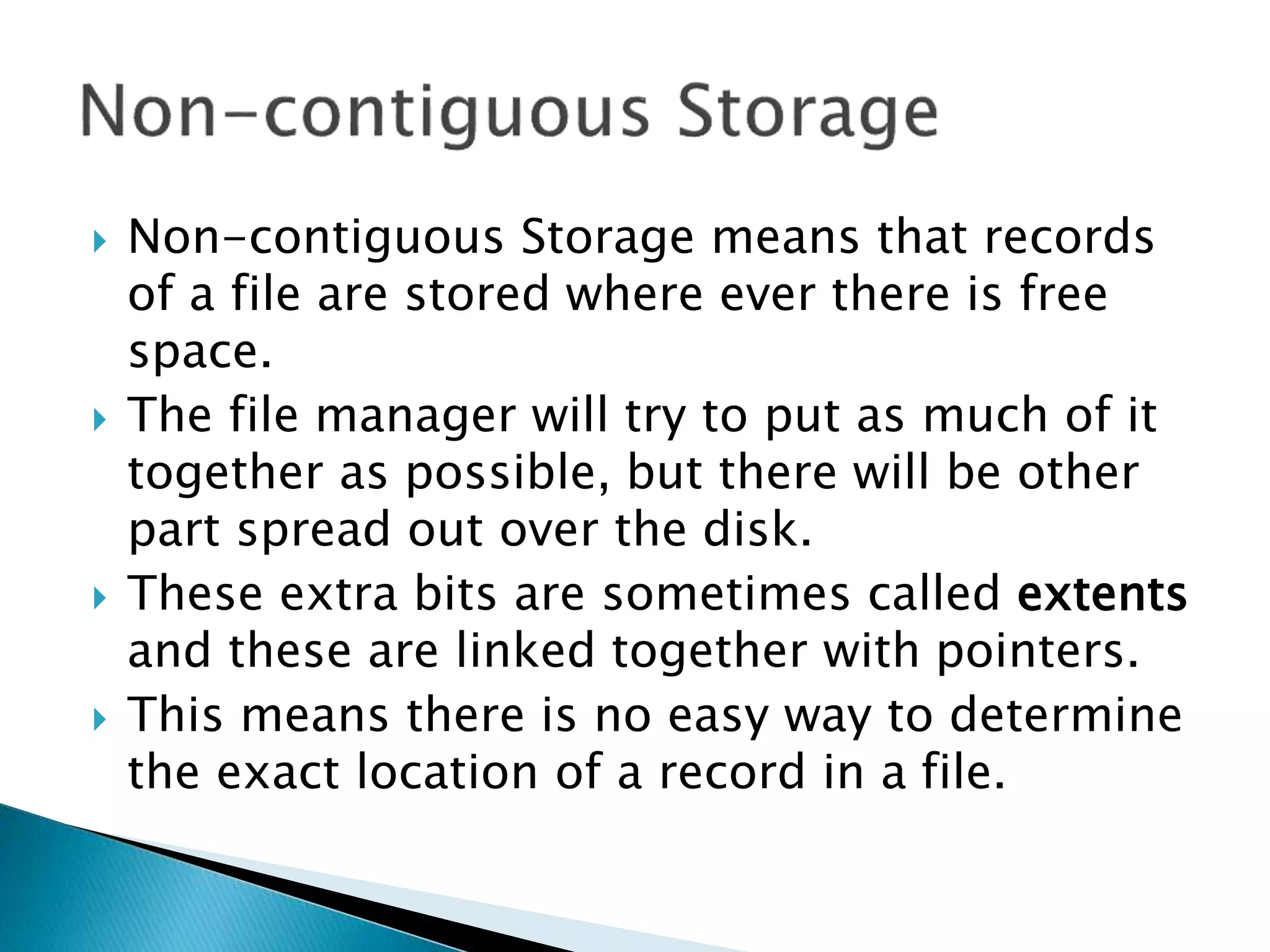
 The problem with is that if you have expand
the file, you either need to have free space
allocated at the end, or copy the whole file to
a different location on the disk that has
enough space.
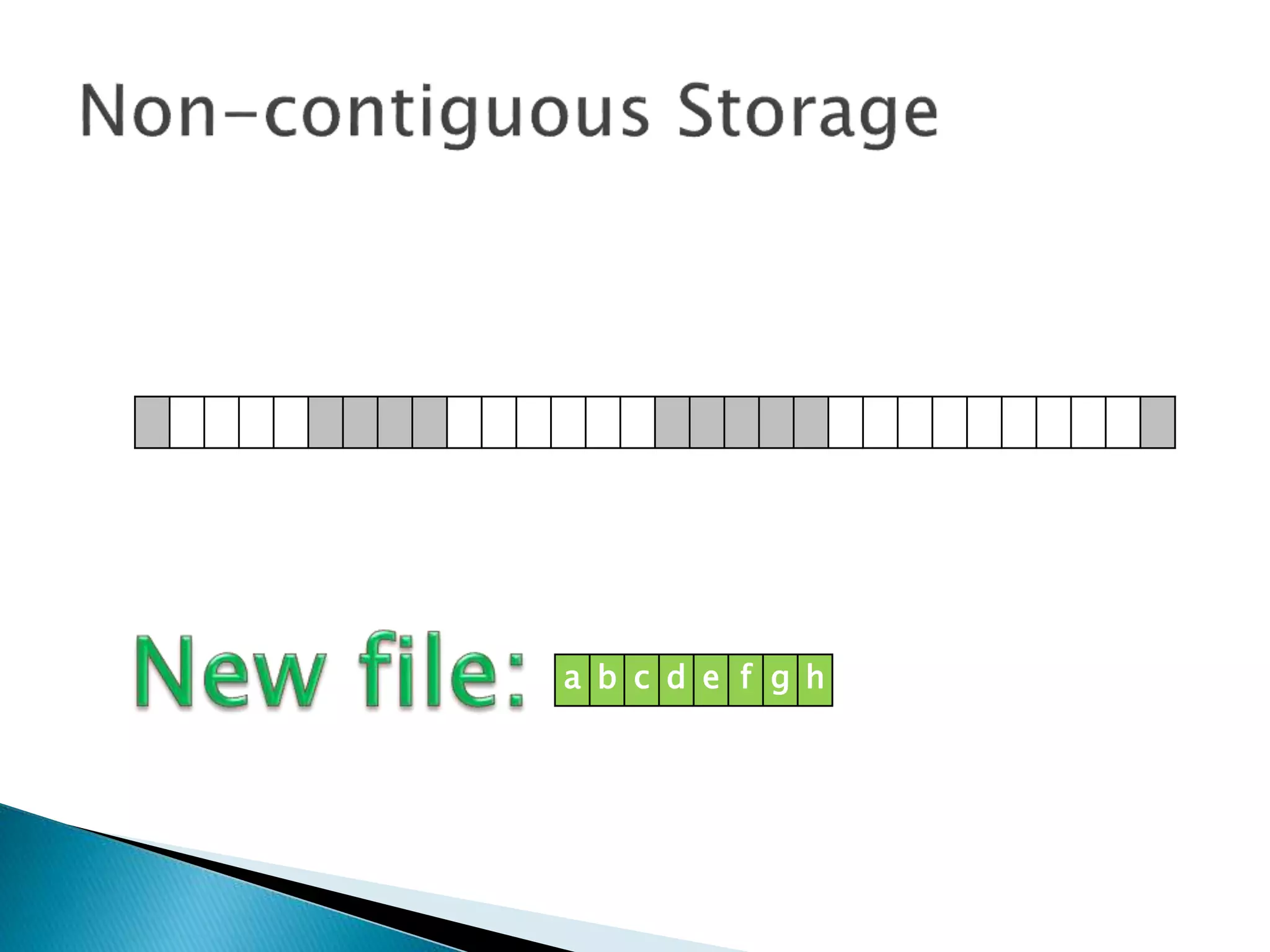
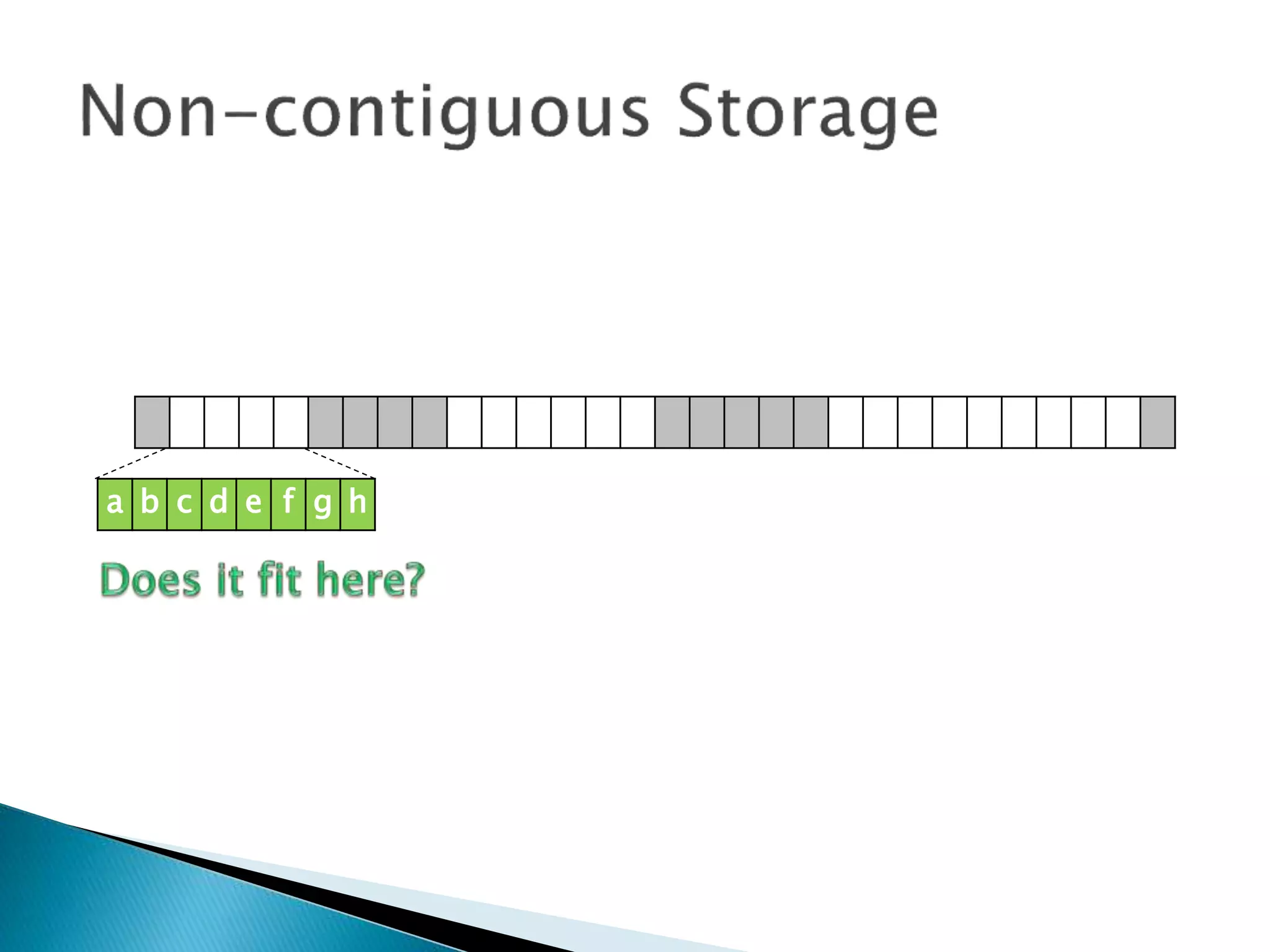
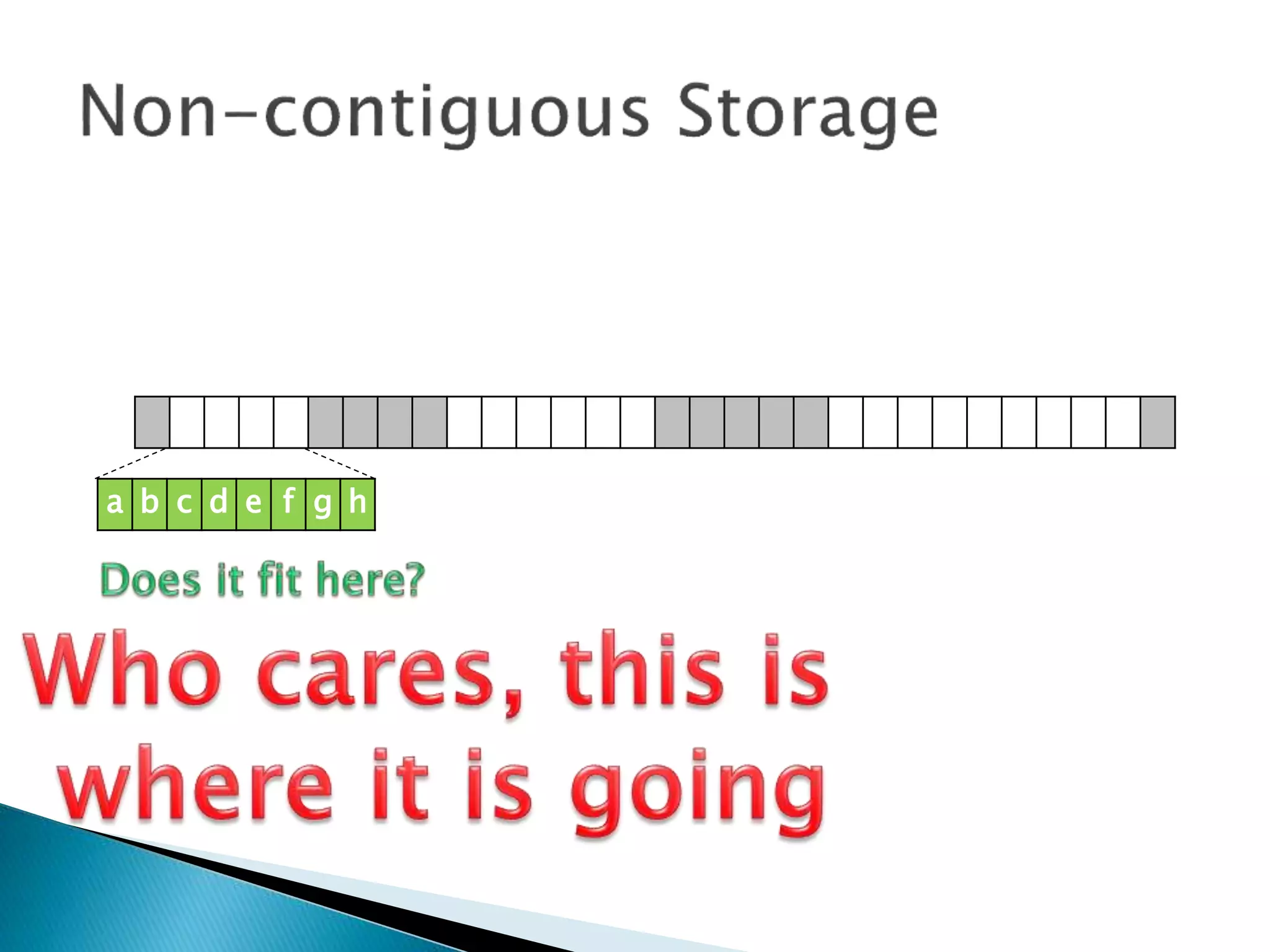
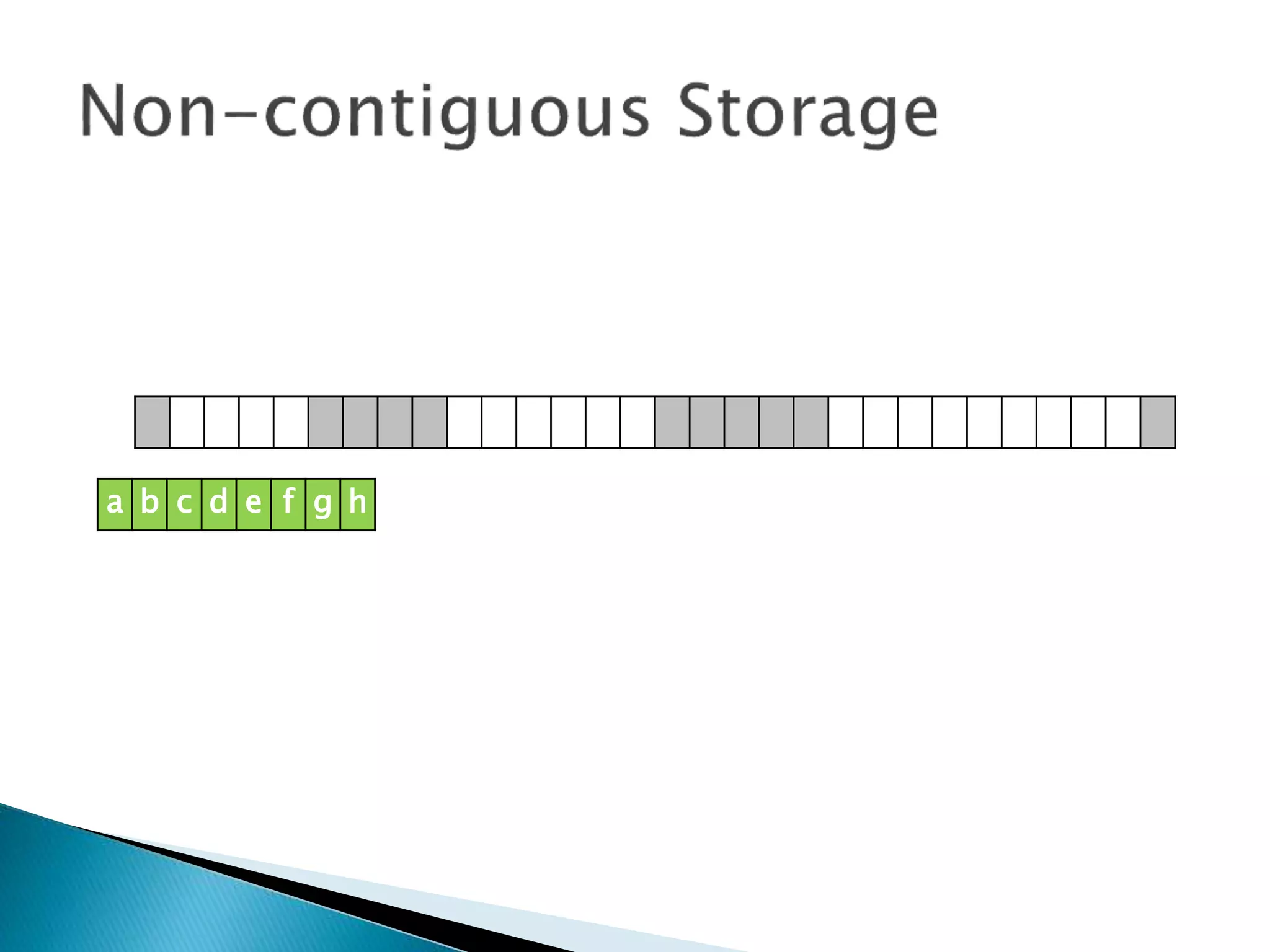
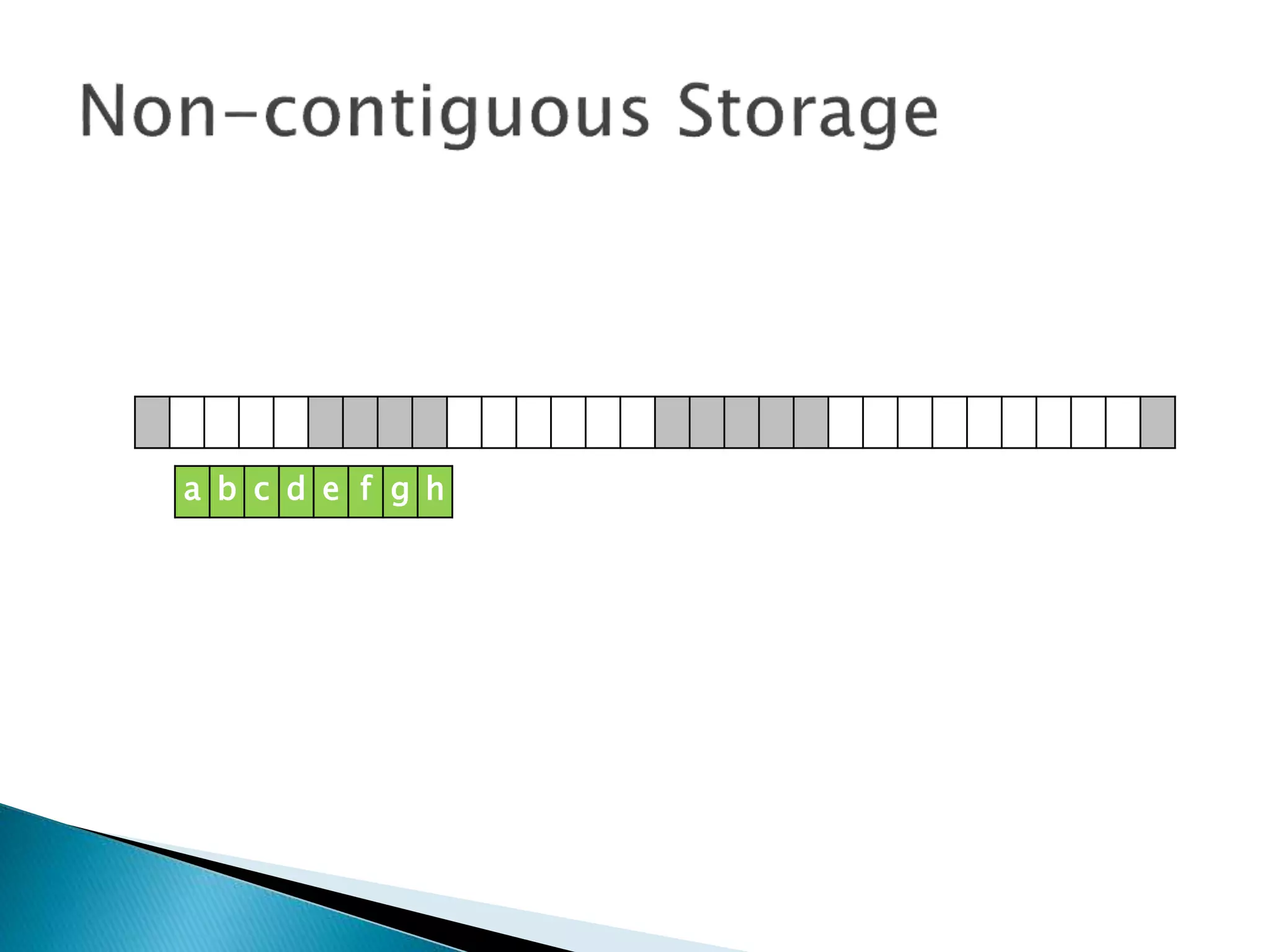
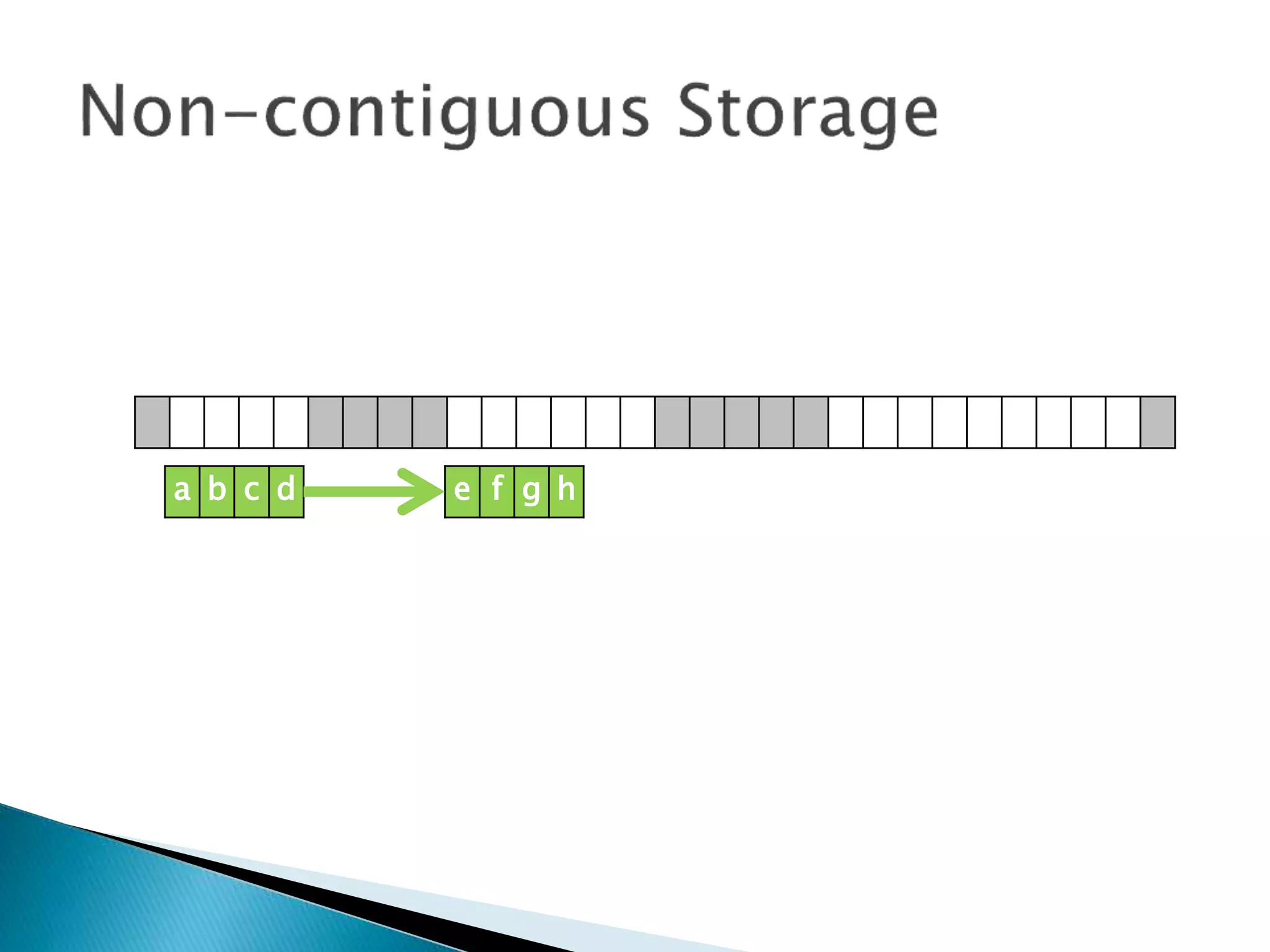
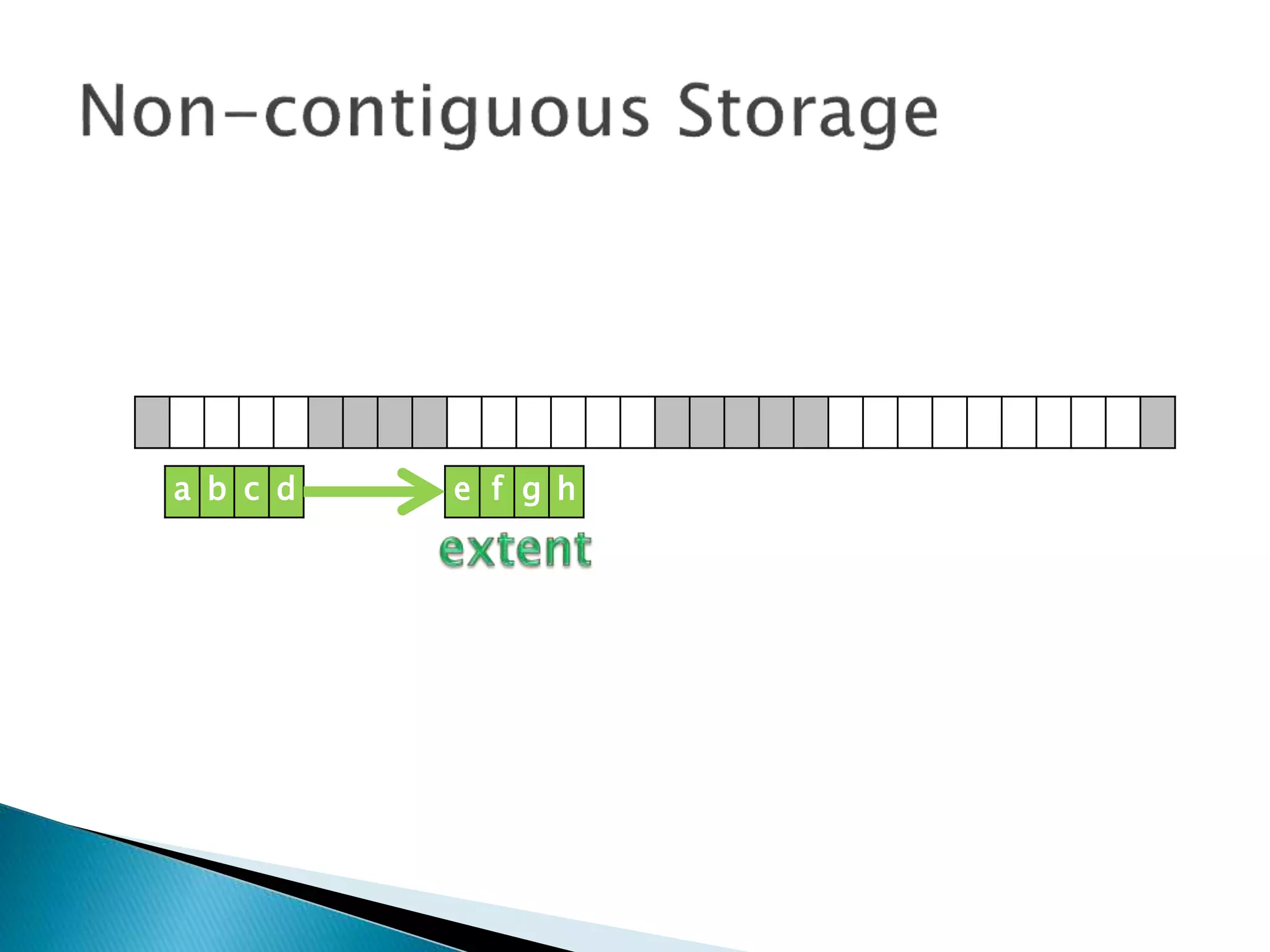
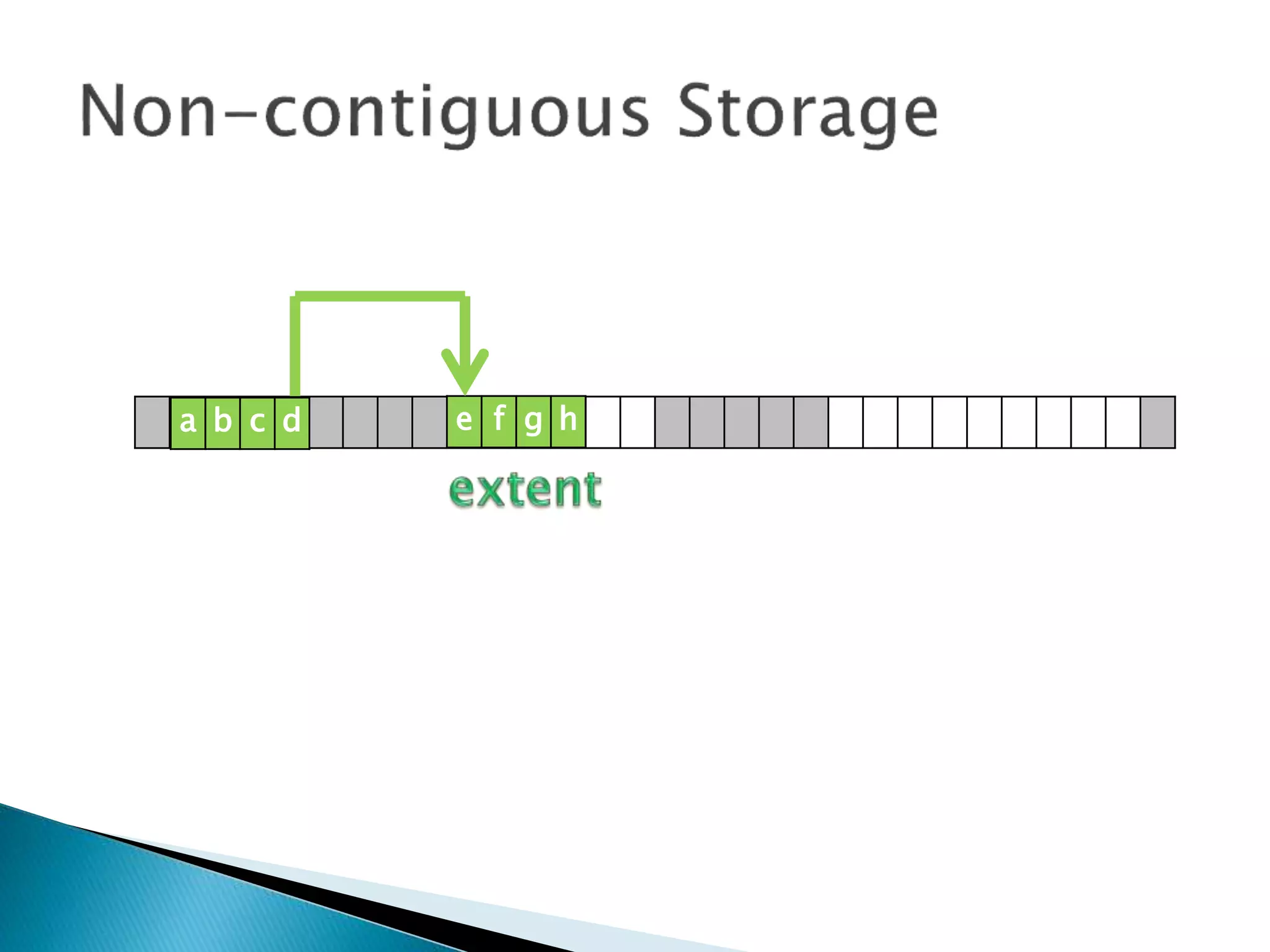
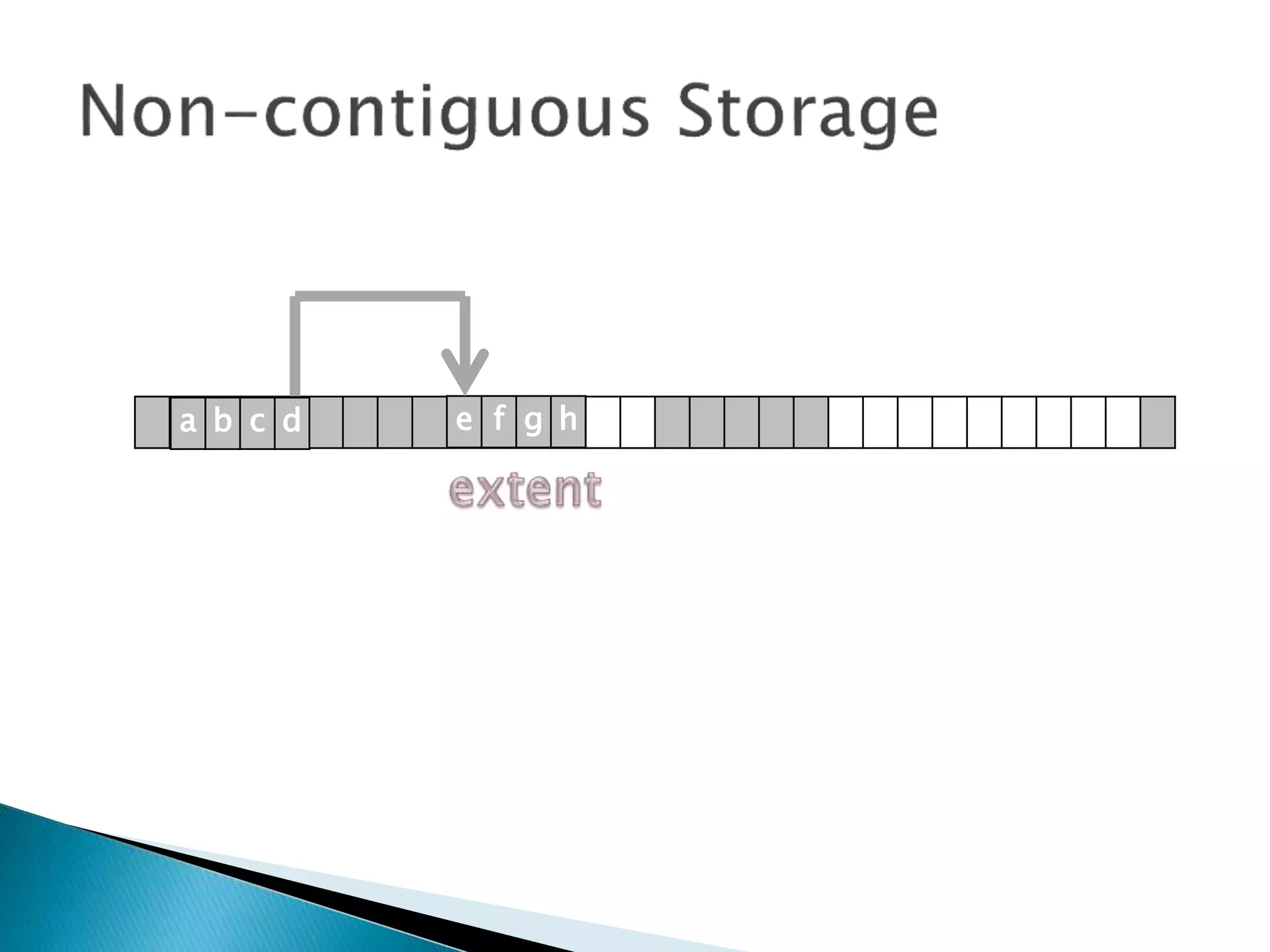
 Non-contiguous Storage means that records
of a file are stored where ever there is free
space.
 The file manager will try to put as much of it
together as possible, but there will be other
part spread out over the disk.
 These extra bits are sometimes called extents
and these are linked together with pointers.
 This means there is no easy way to determine
the exact location of a record in a file.
a b c d e f g h
a b c d e f g h
a b c d e f g h
a b c d e f g h
a b c d e f g h
a b c d e f g h
a b c d e f g h
a b c d e f g h
a b c d e f g h
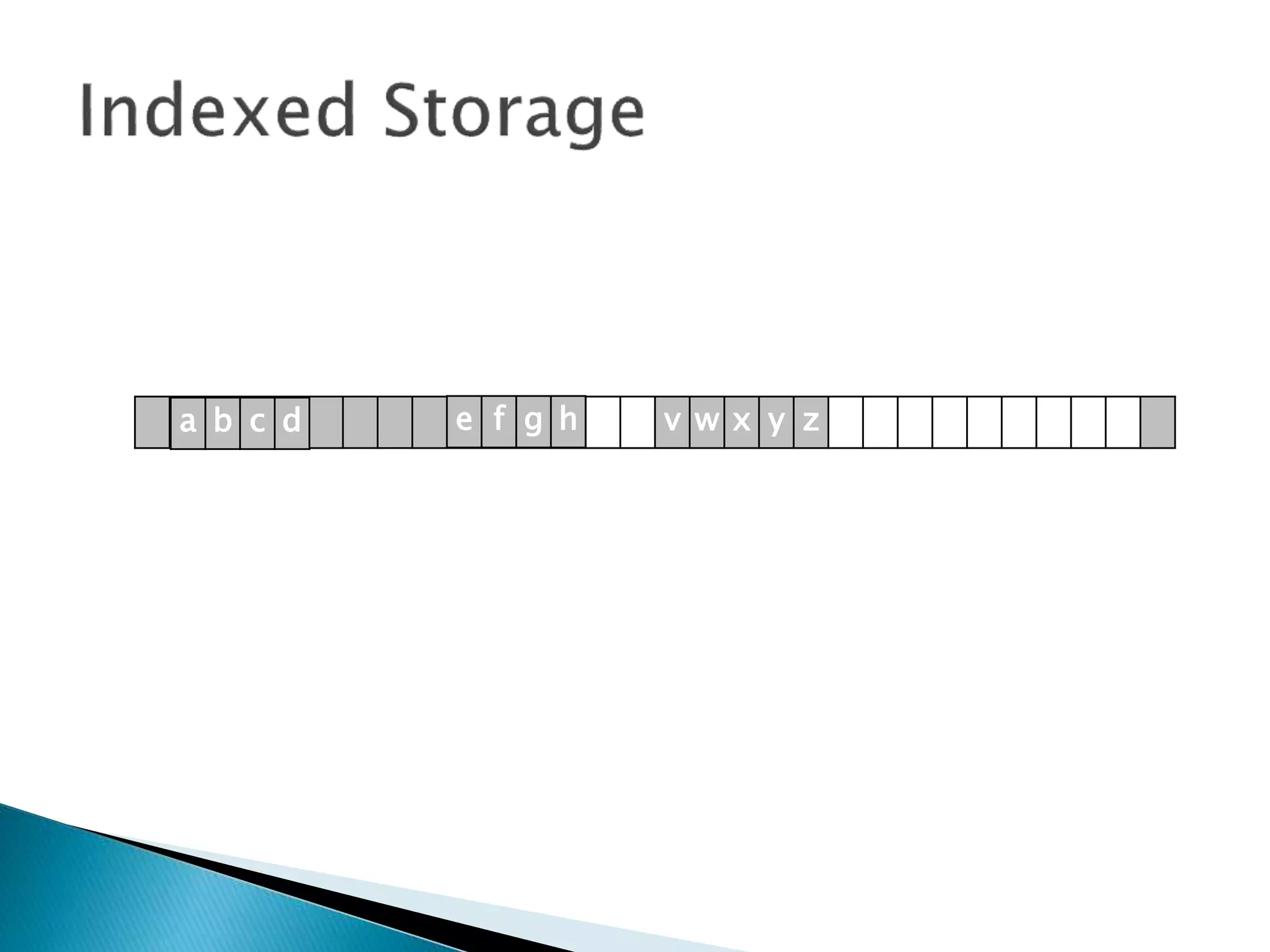
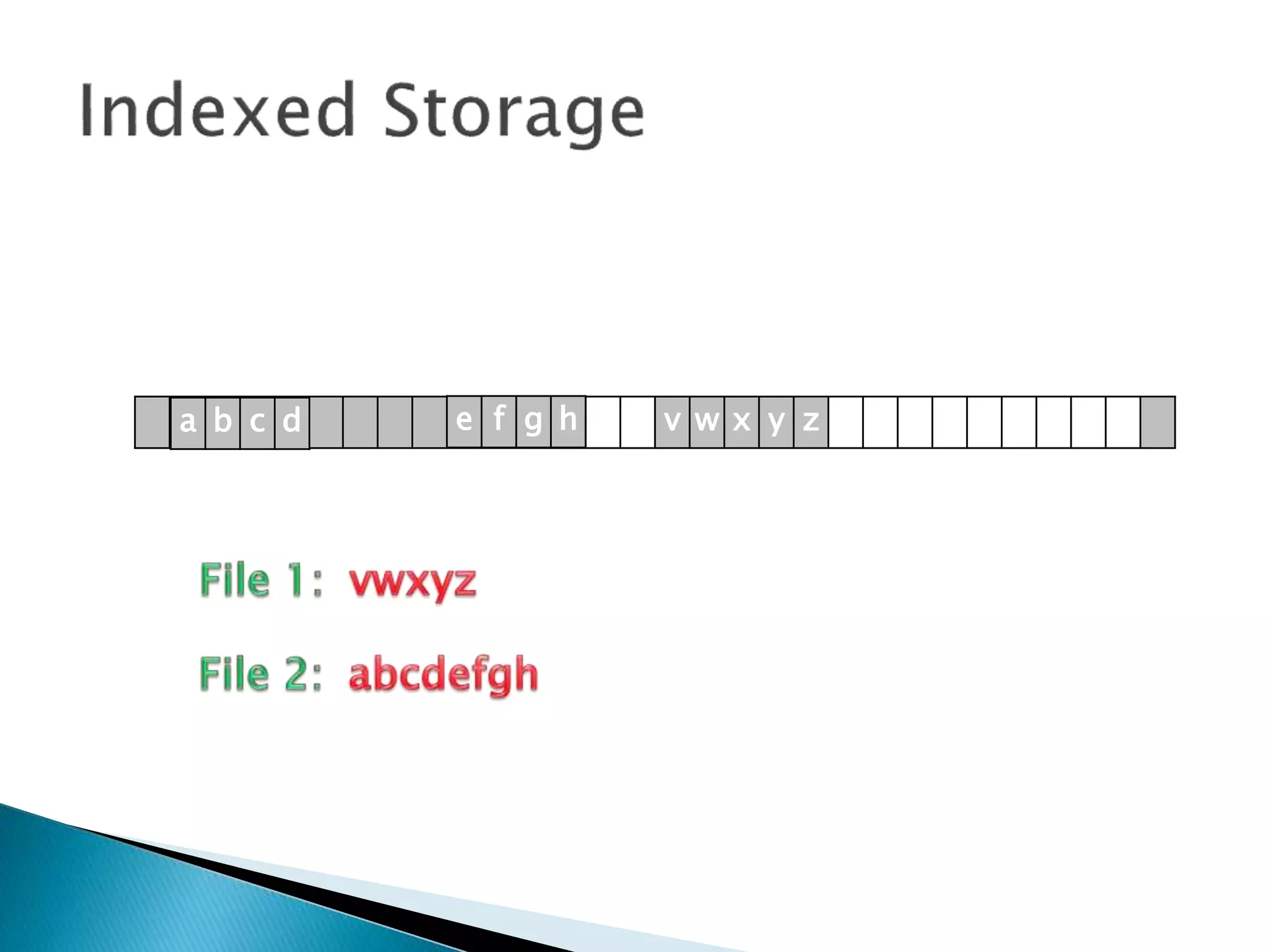
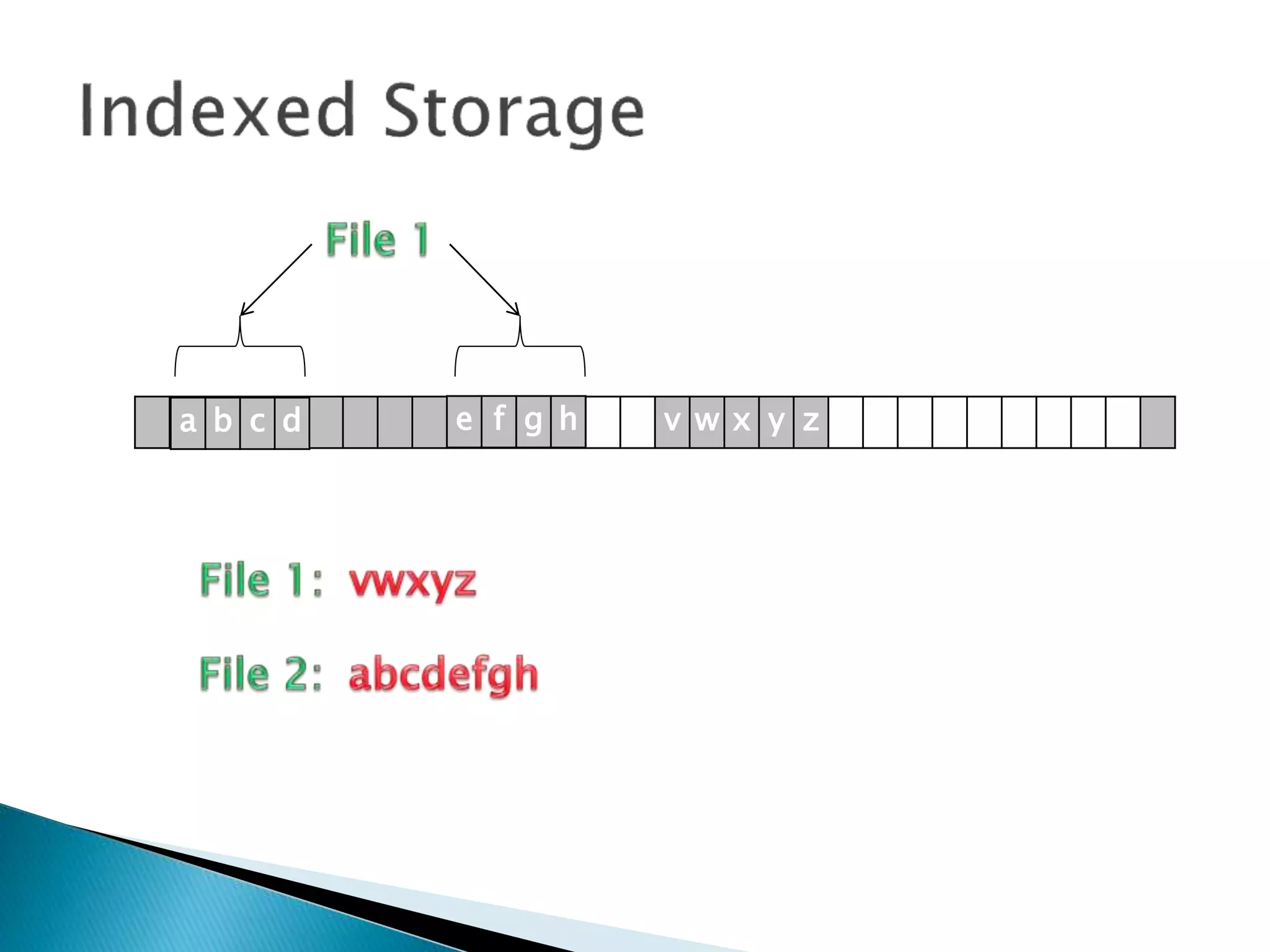
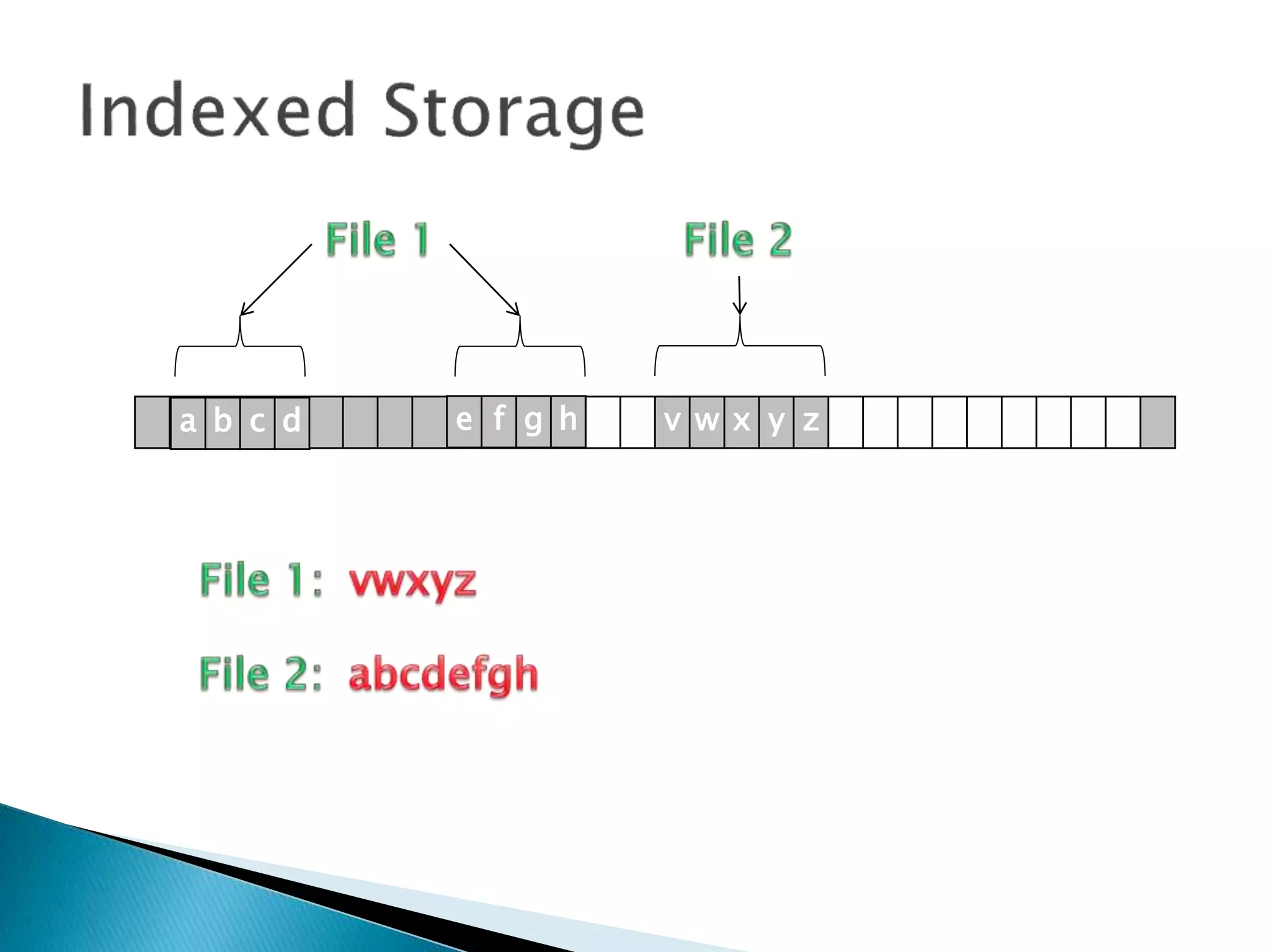
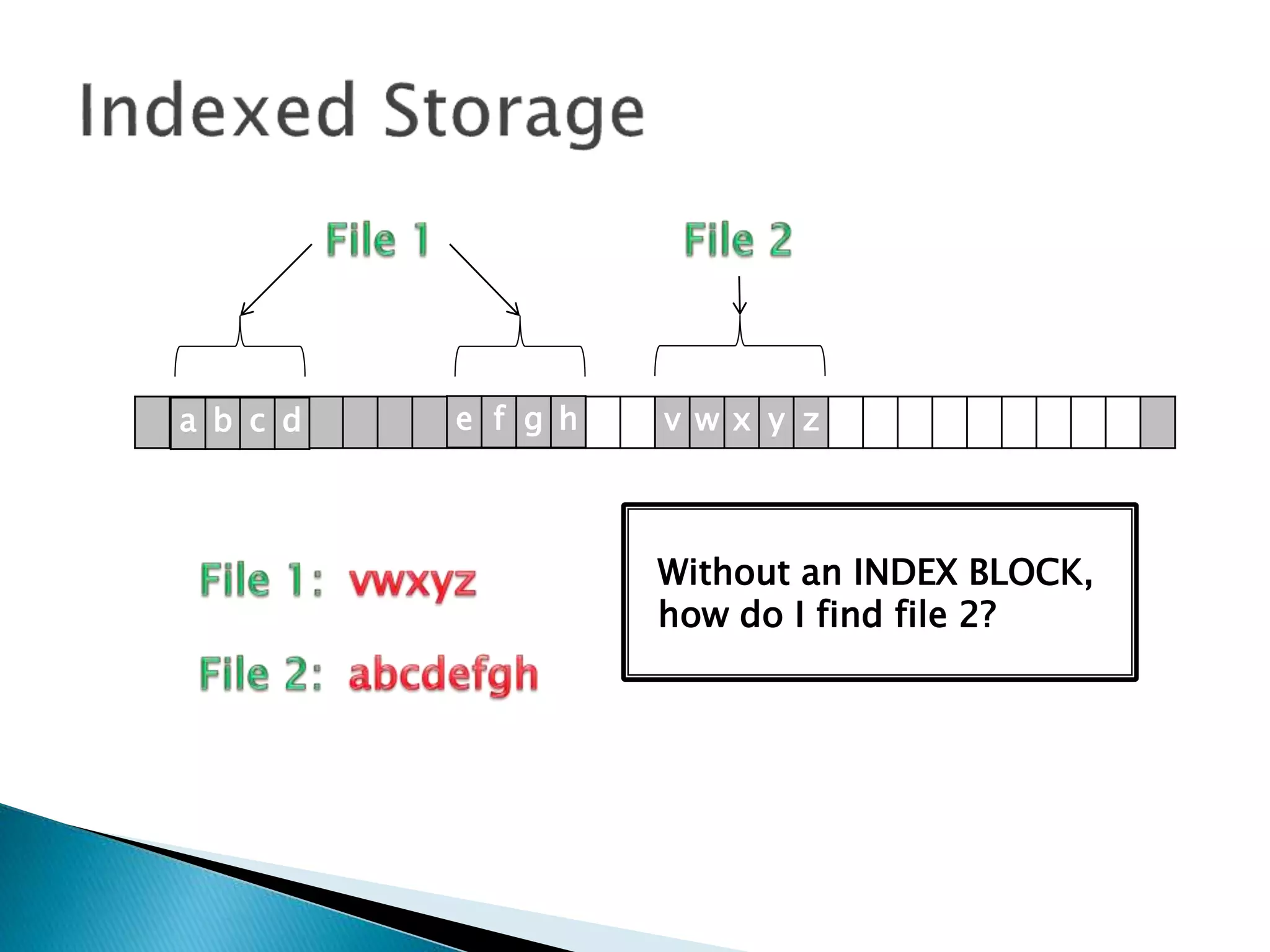
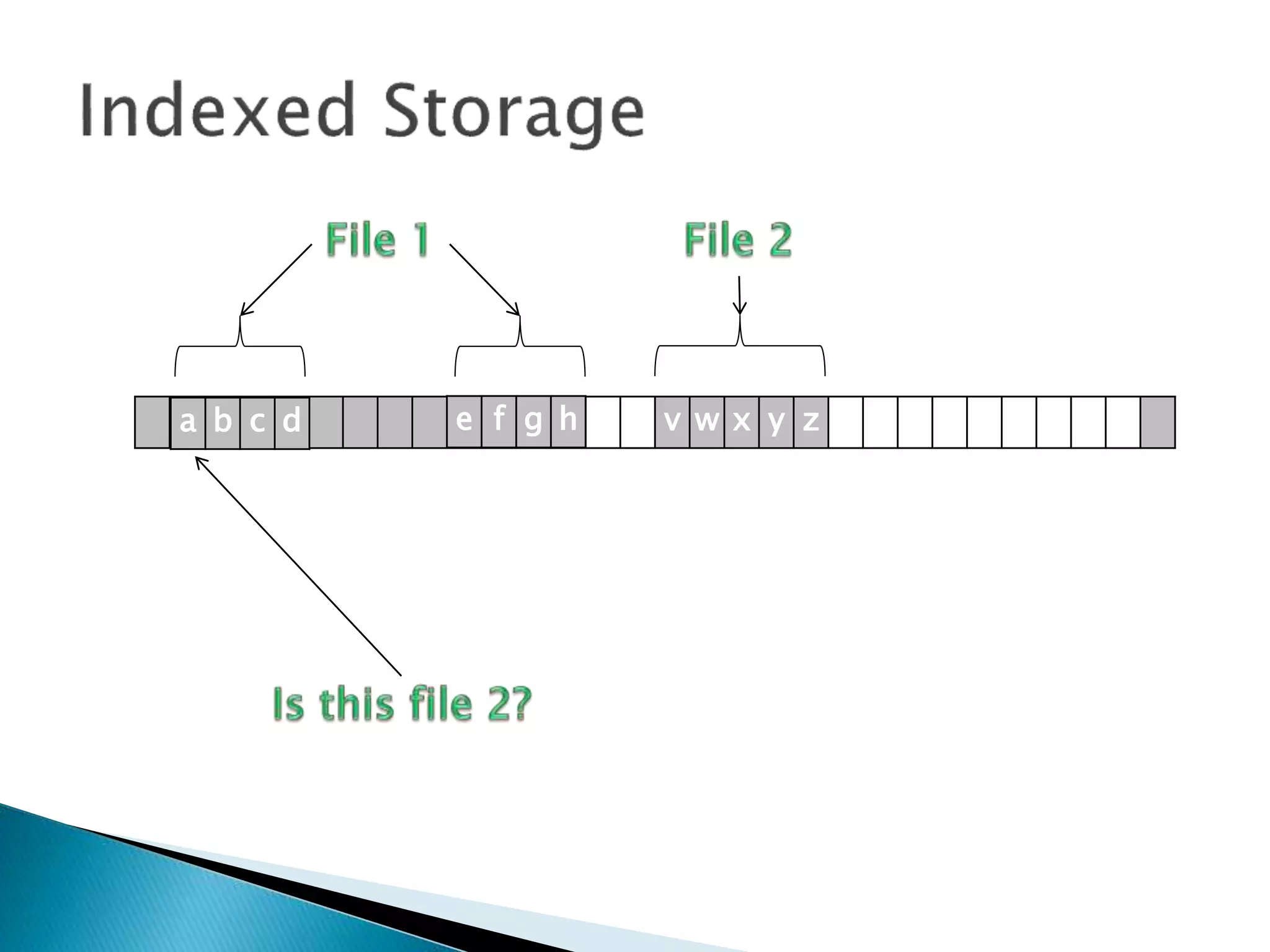
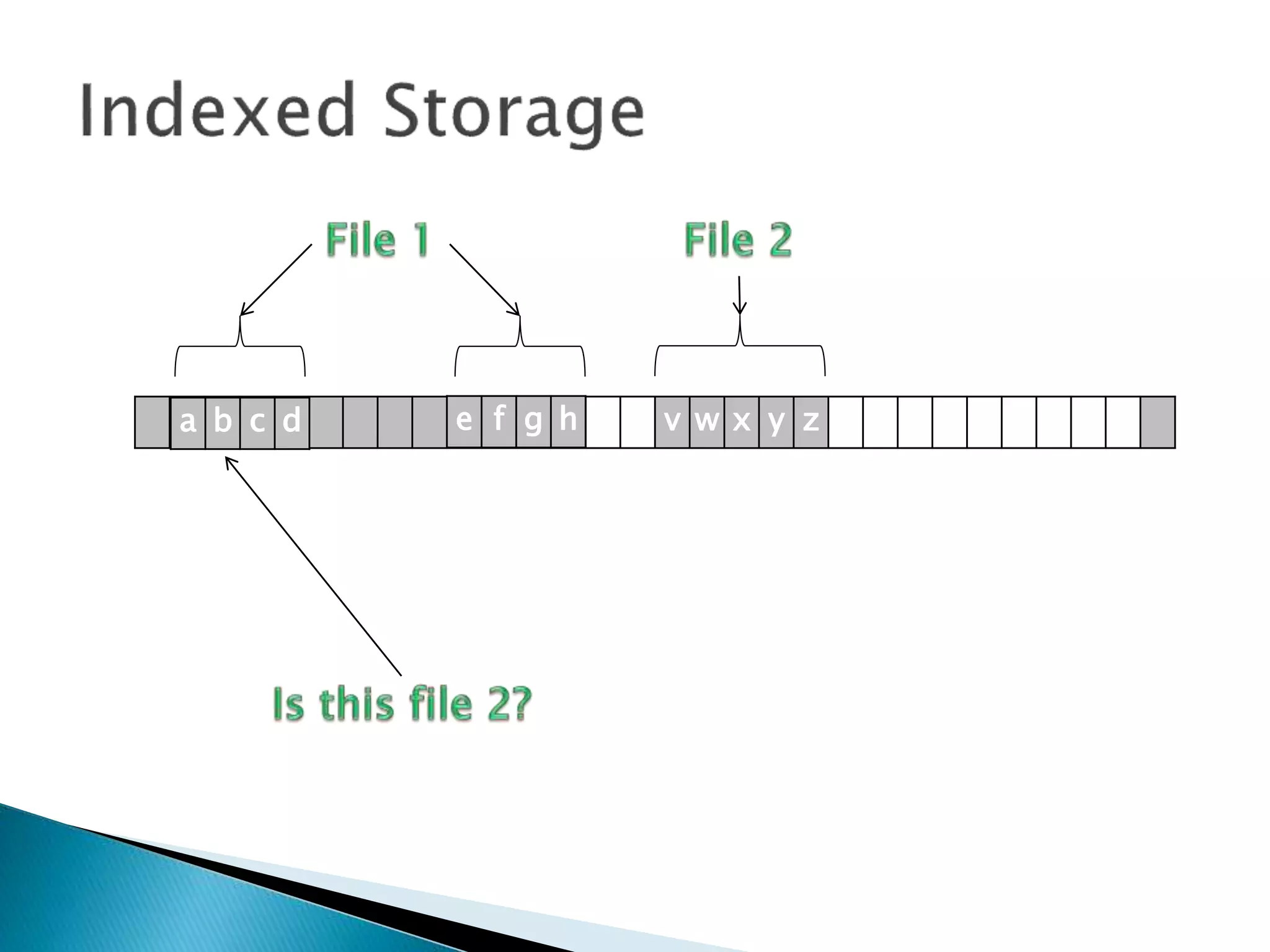
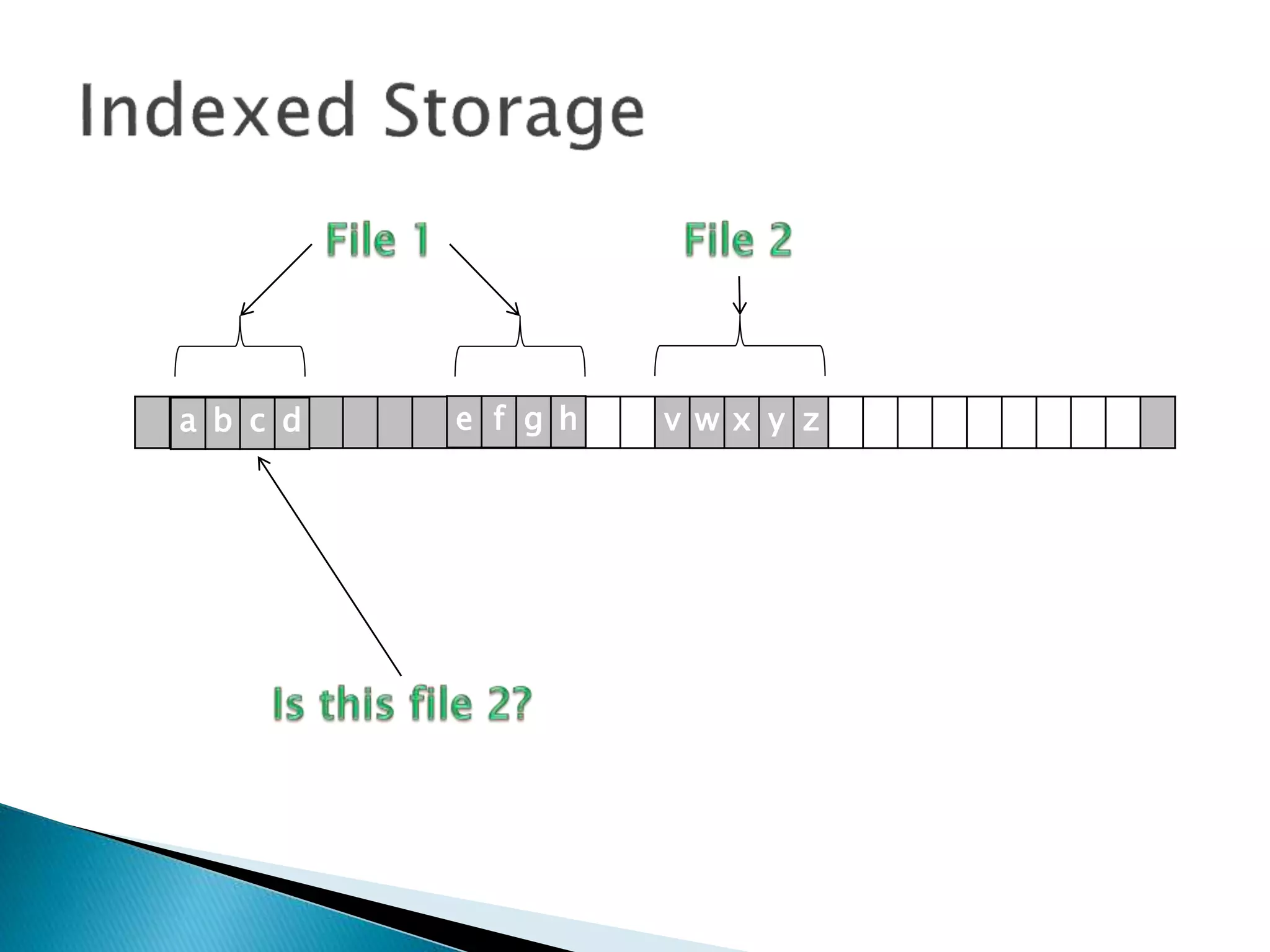
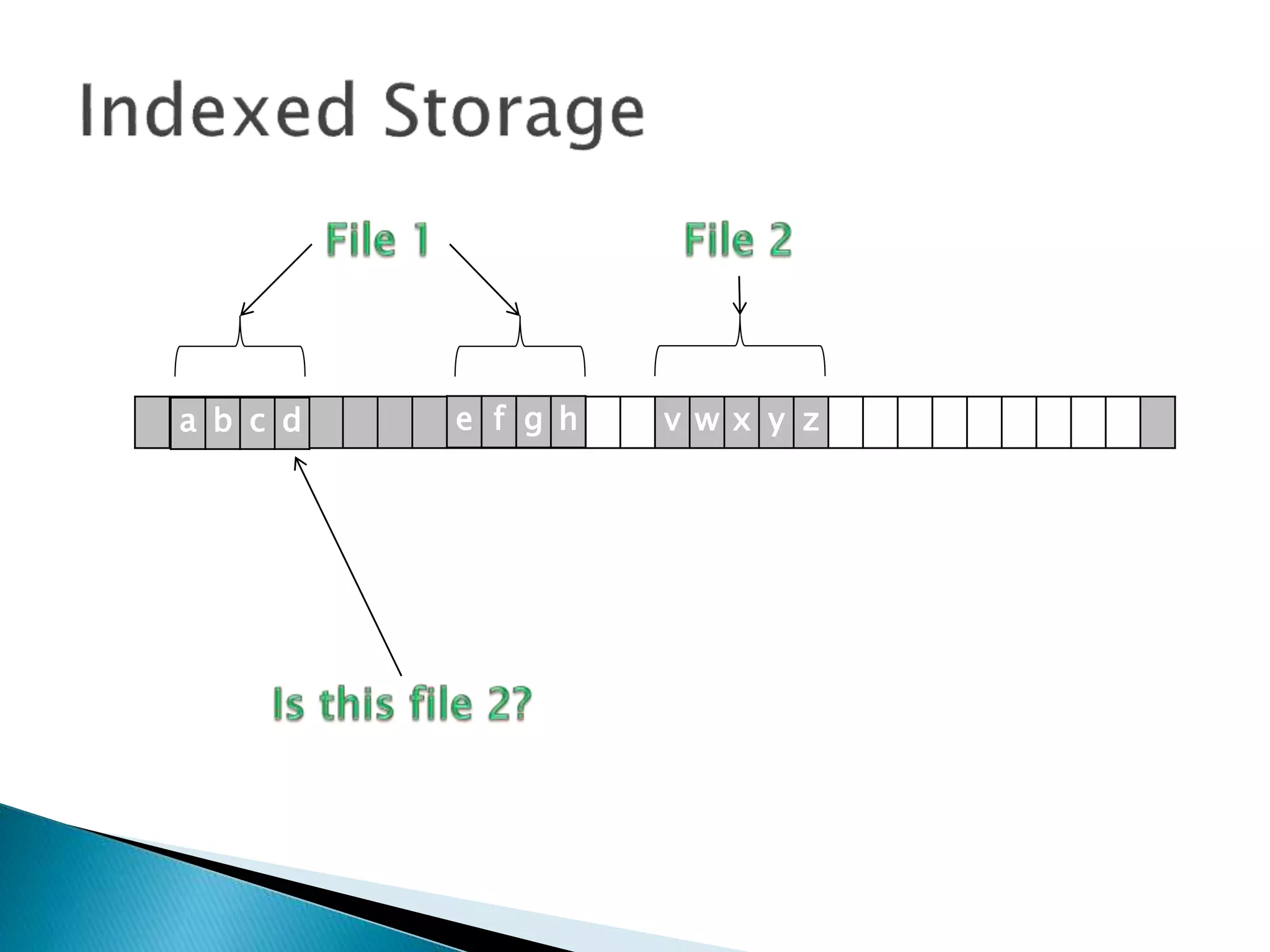
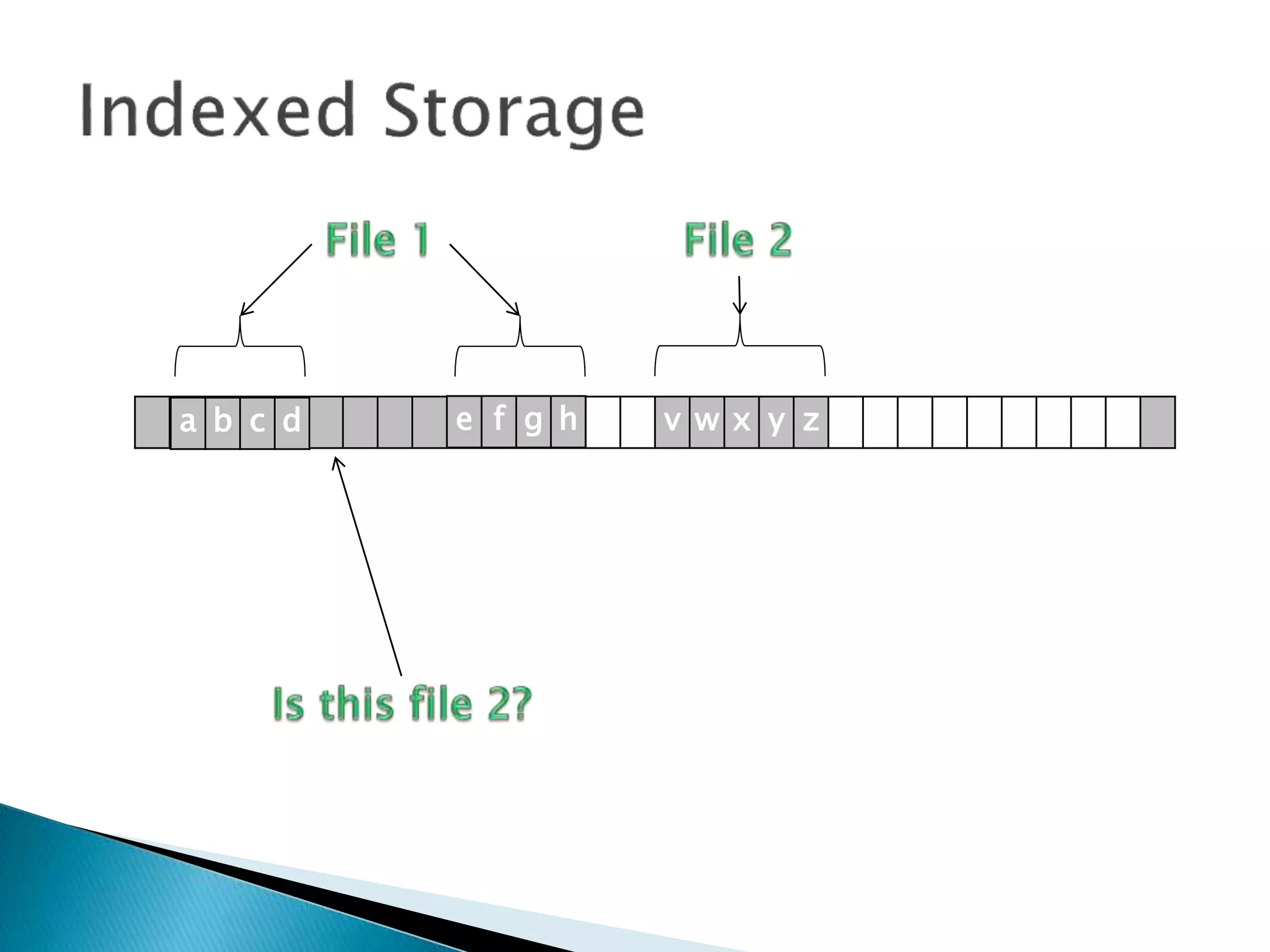
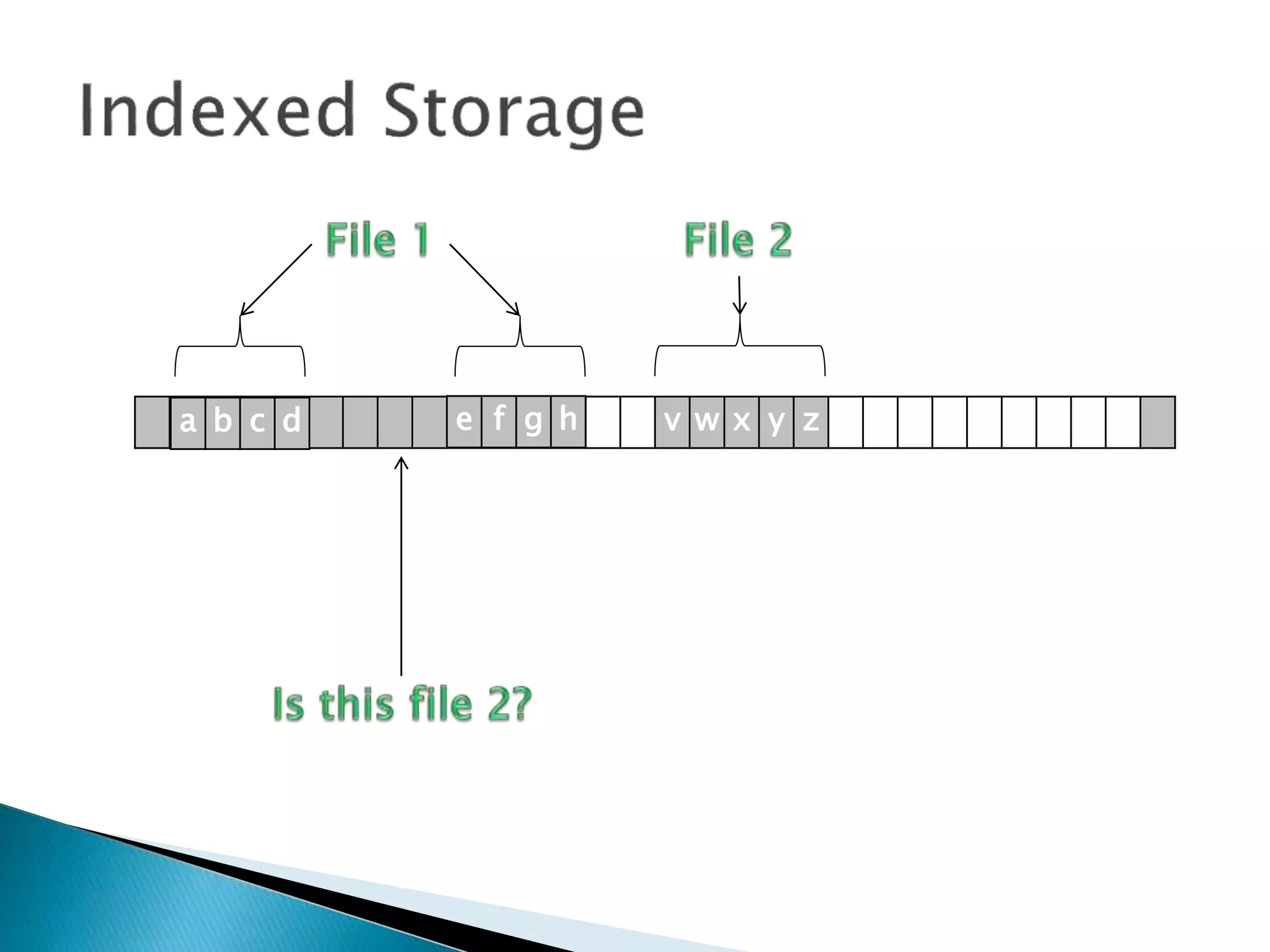
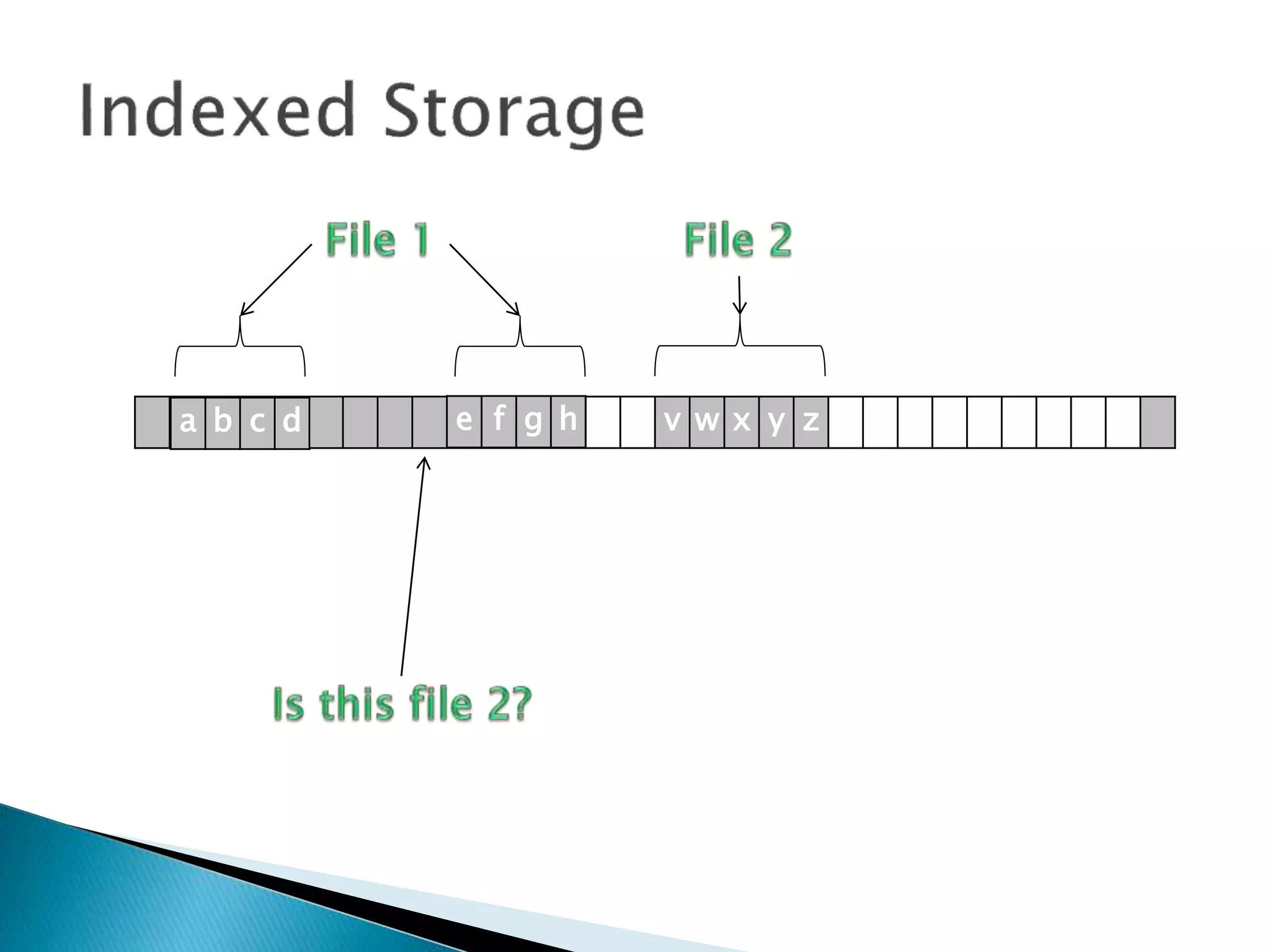
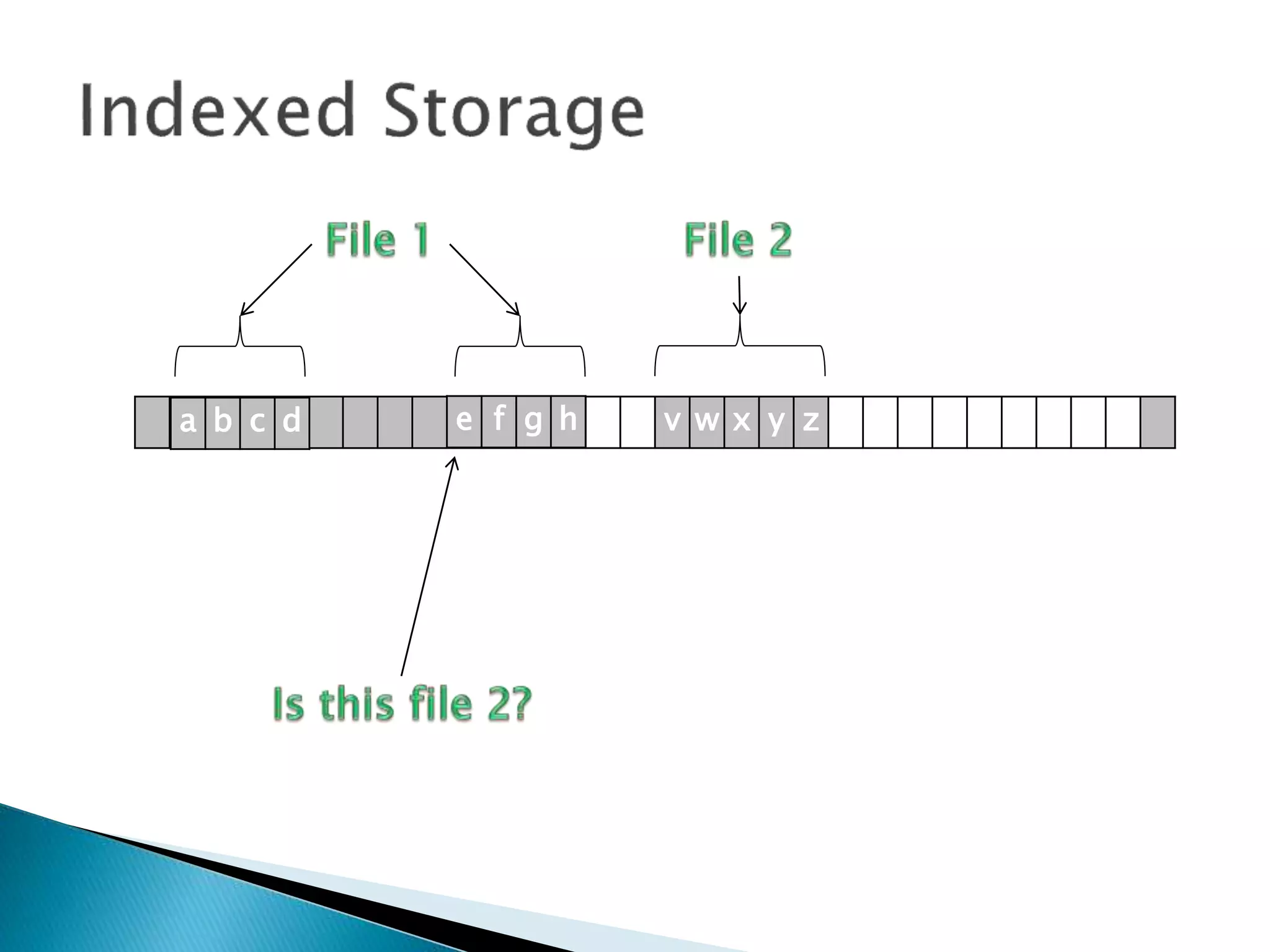
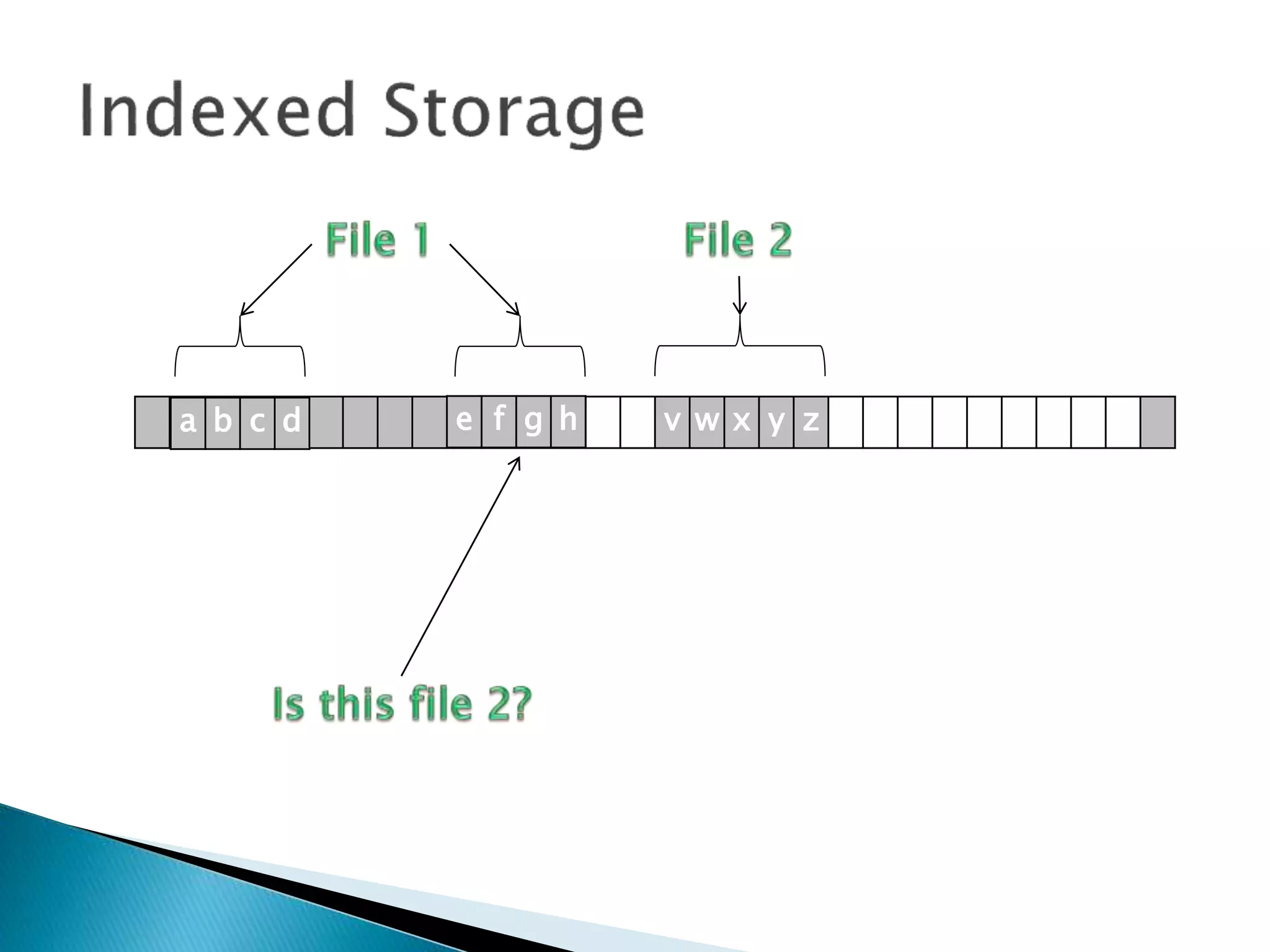
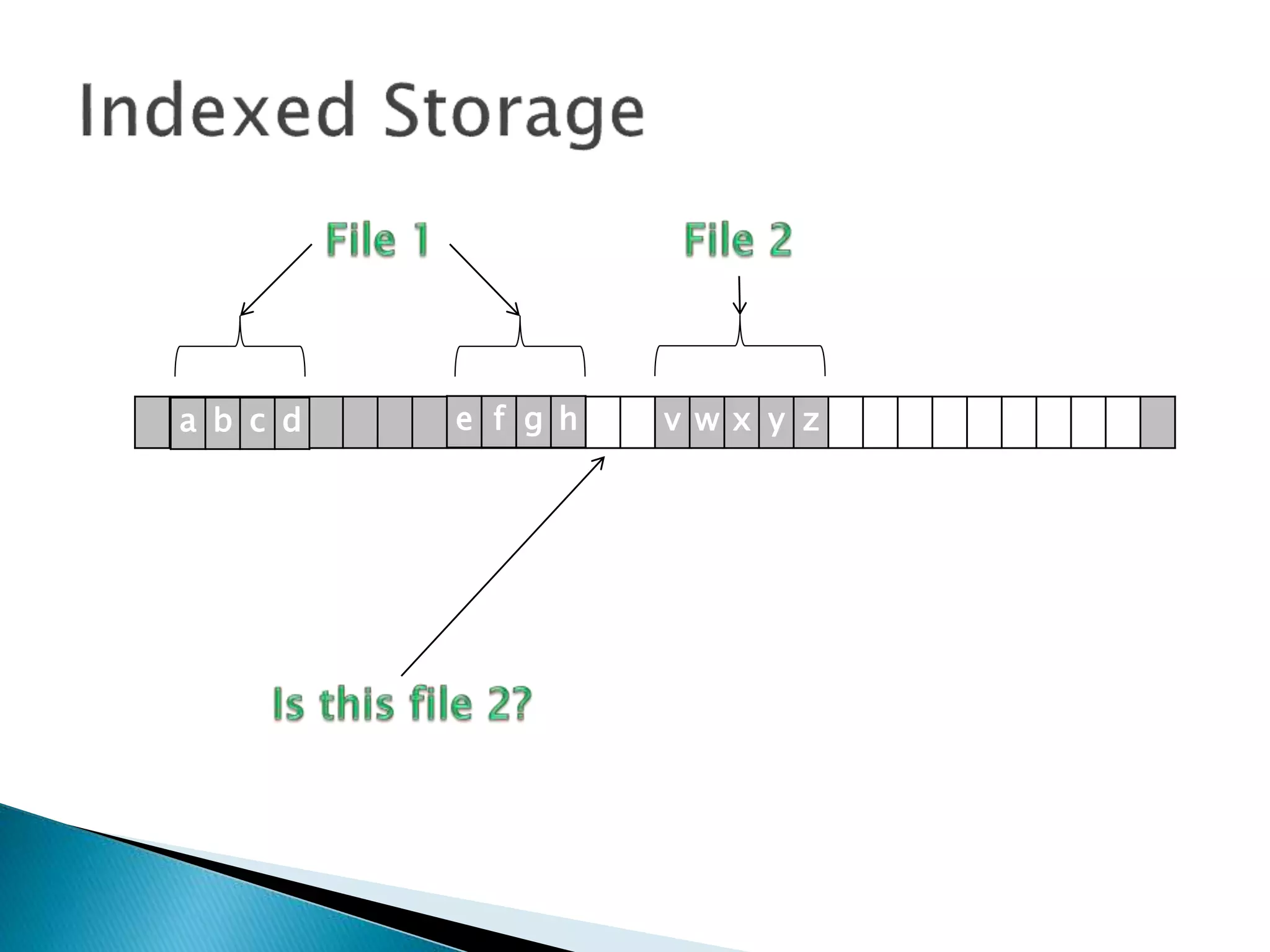
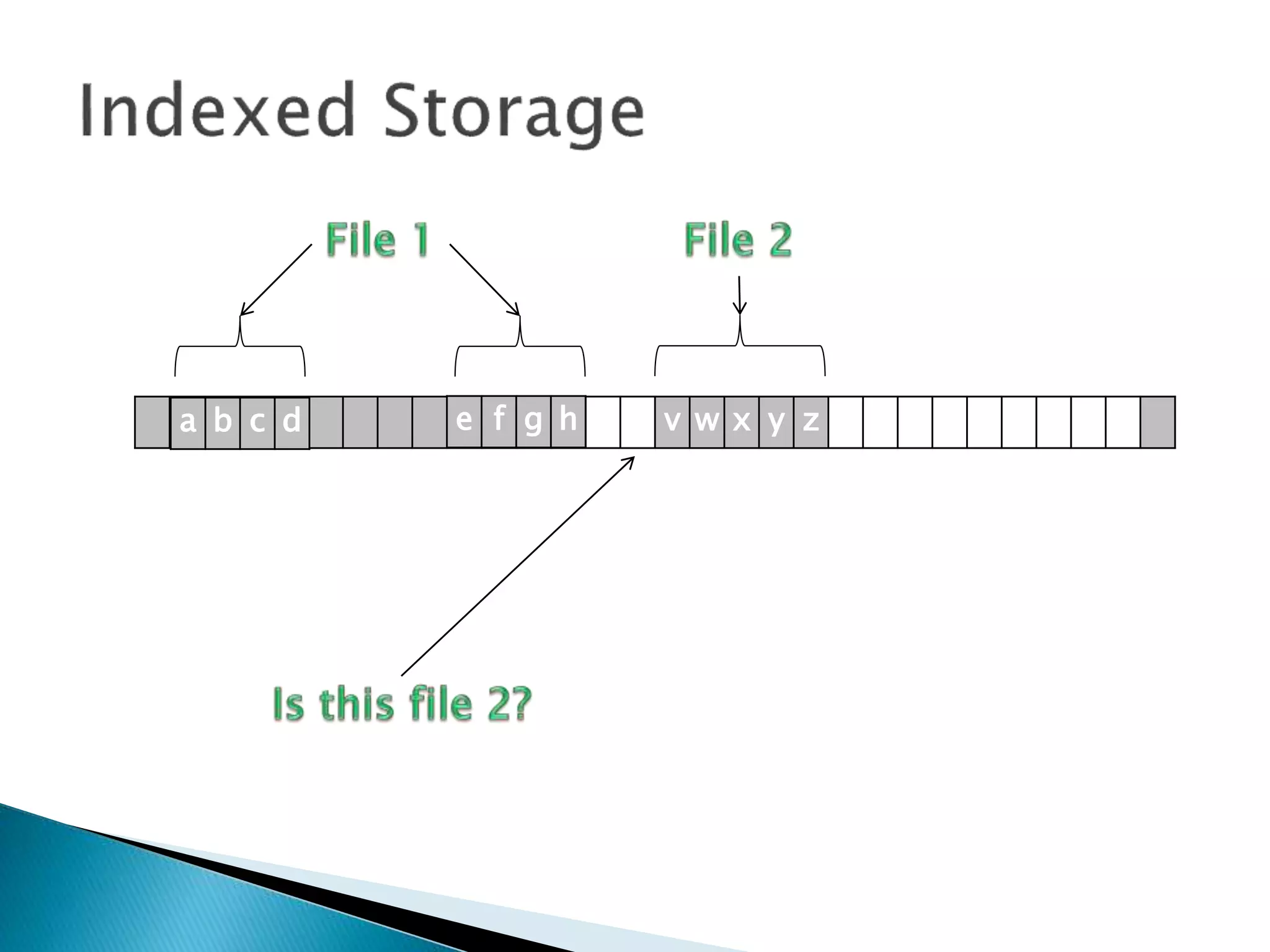
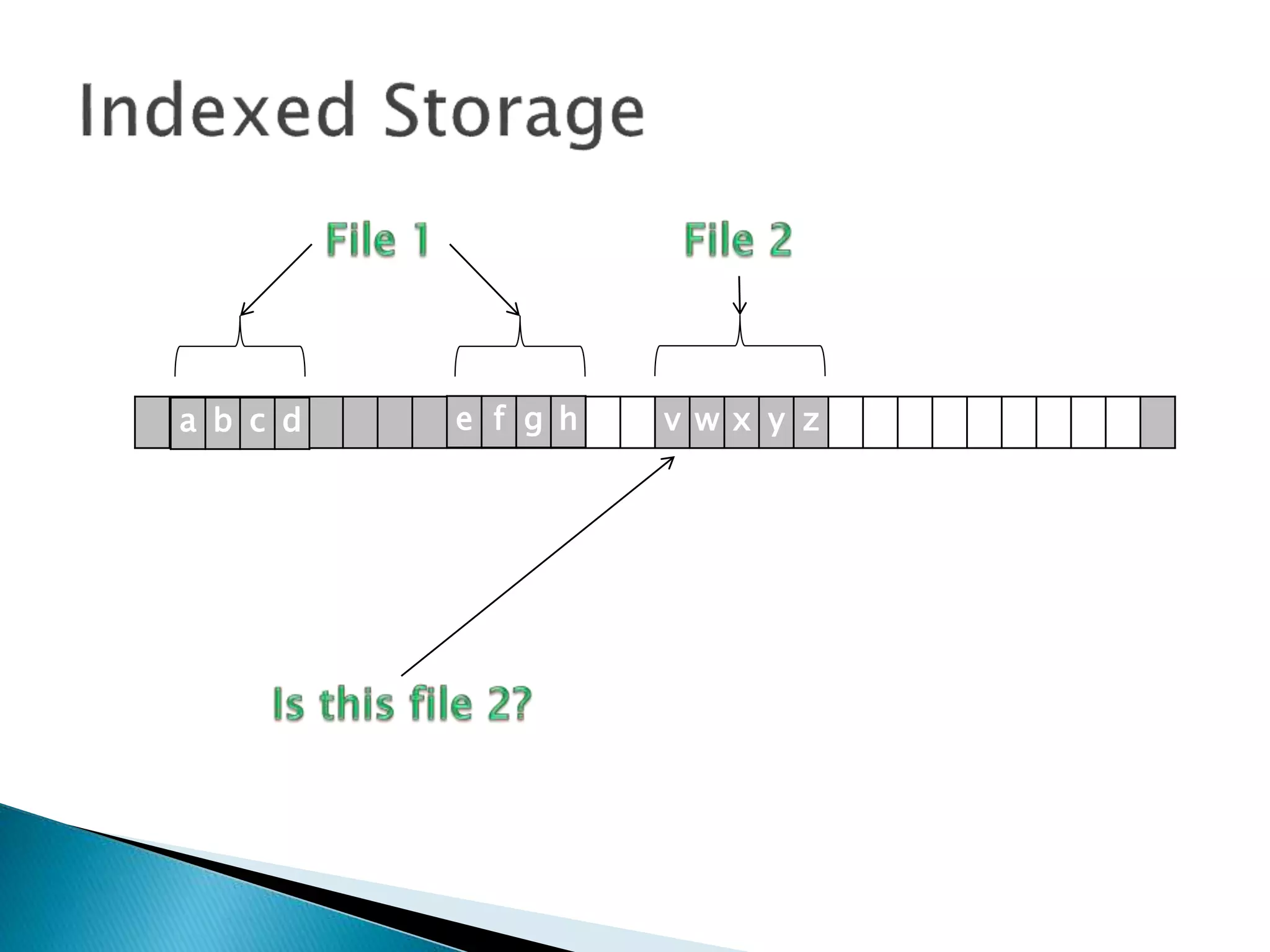
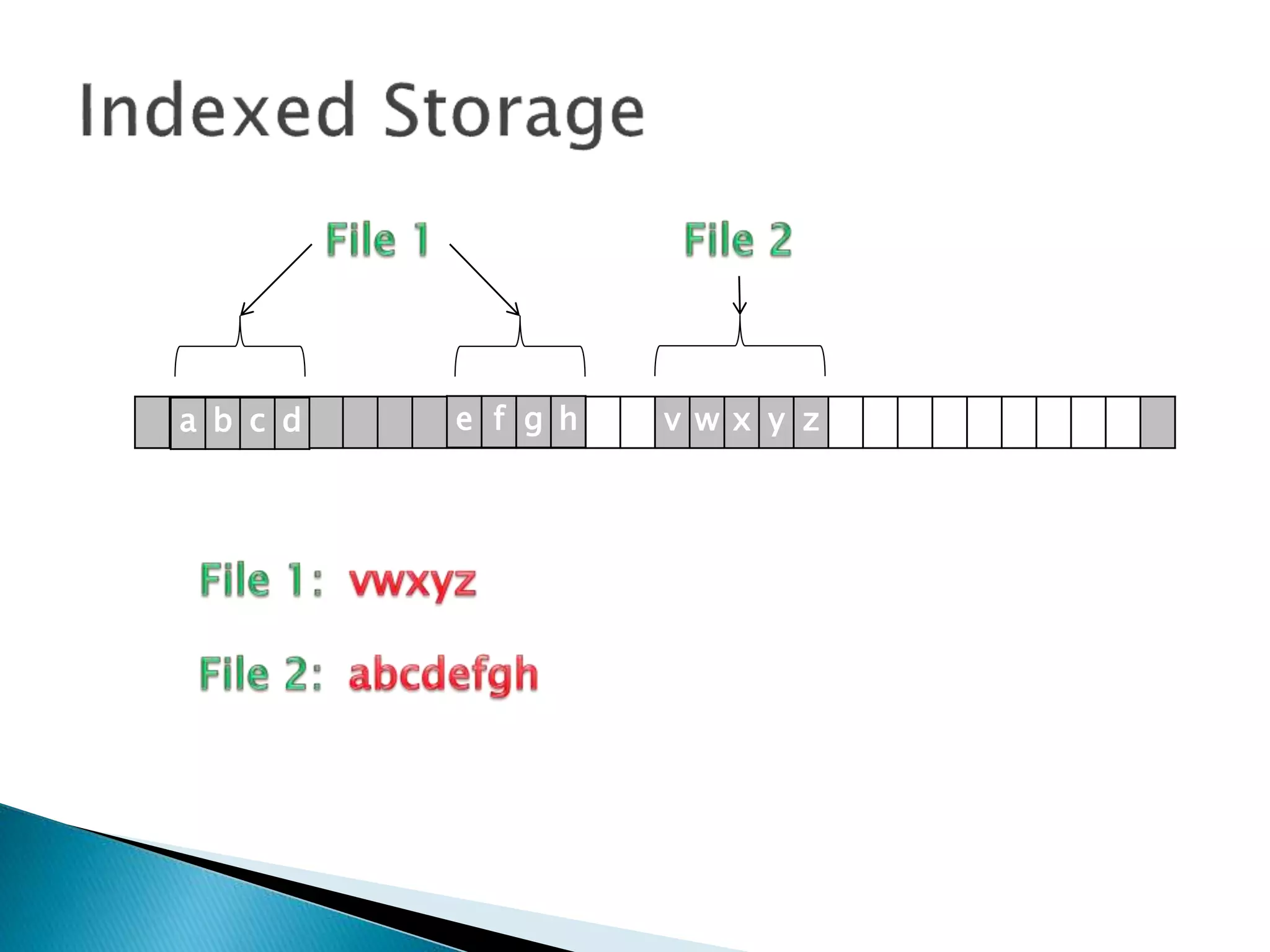
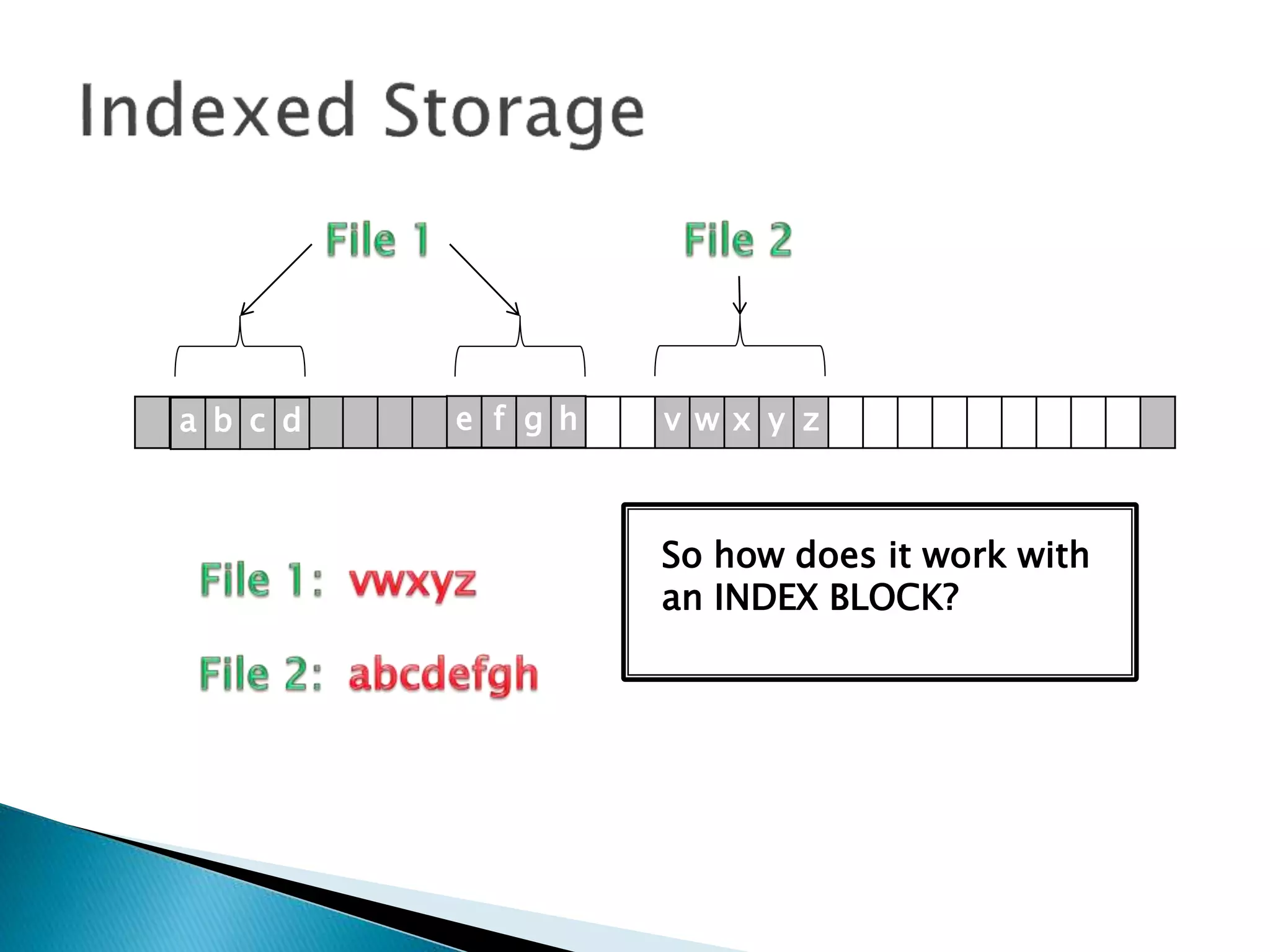
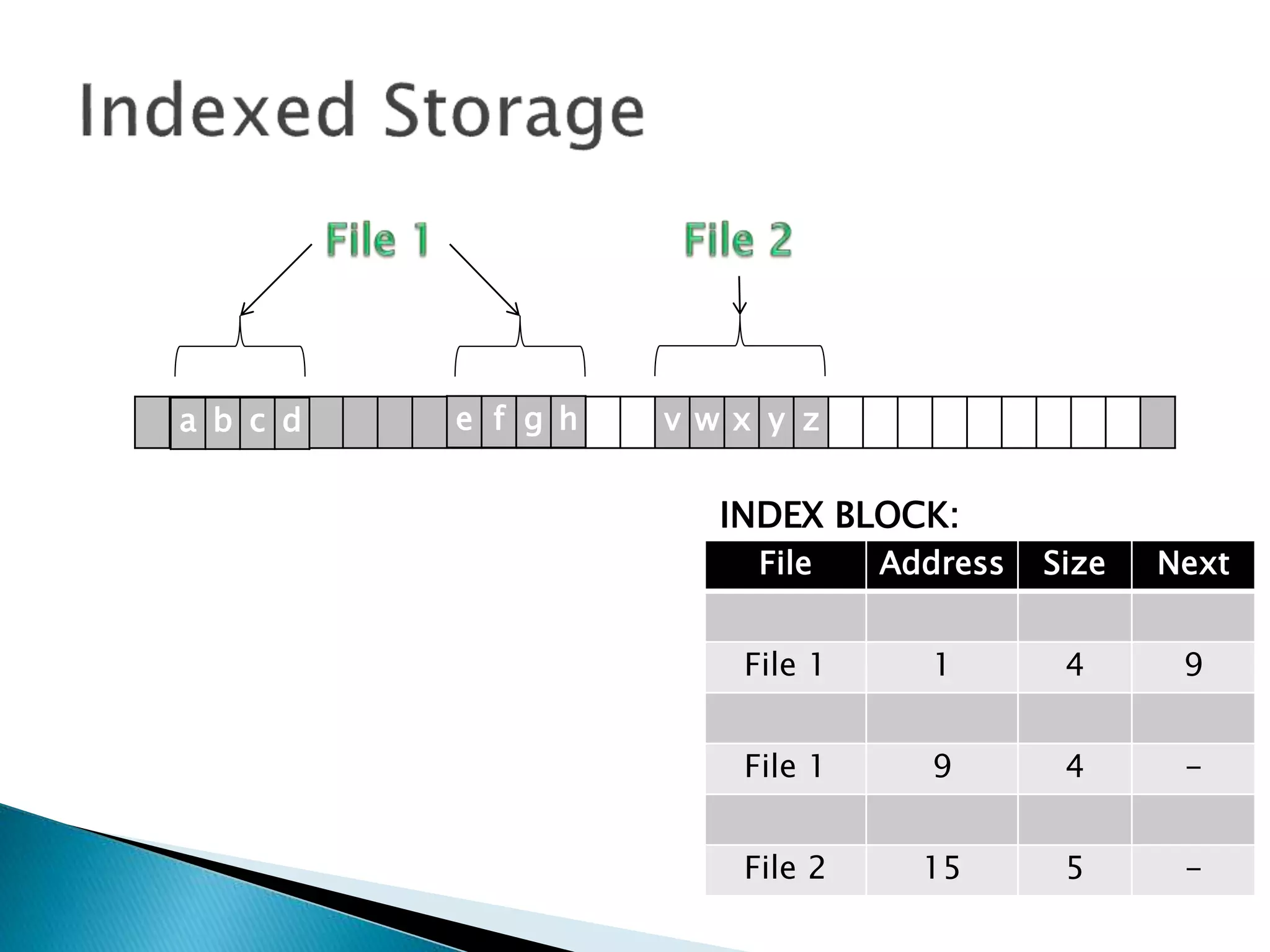
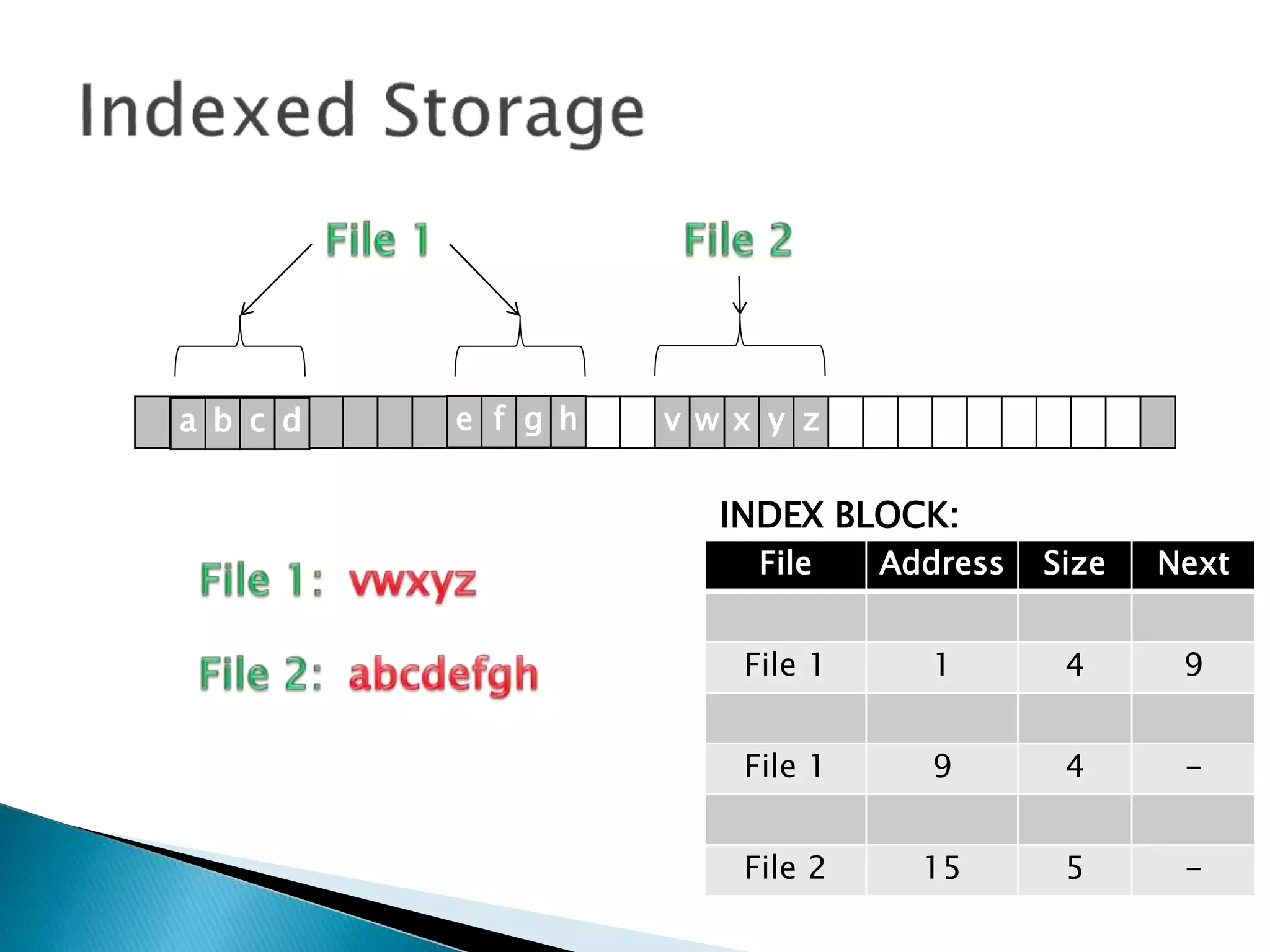
 Indexed Storage means that as well as the
records in the file, an index block is created,
with pointers to each individual file.
v w x y za b c d e f g h
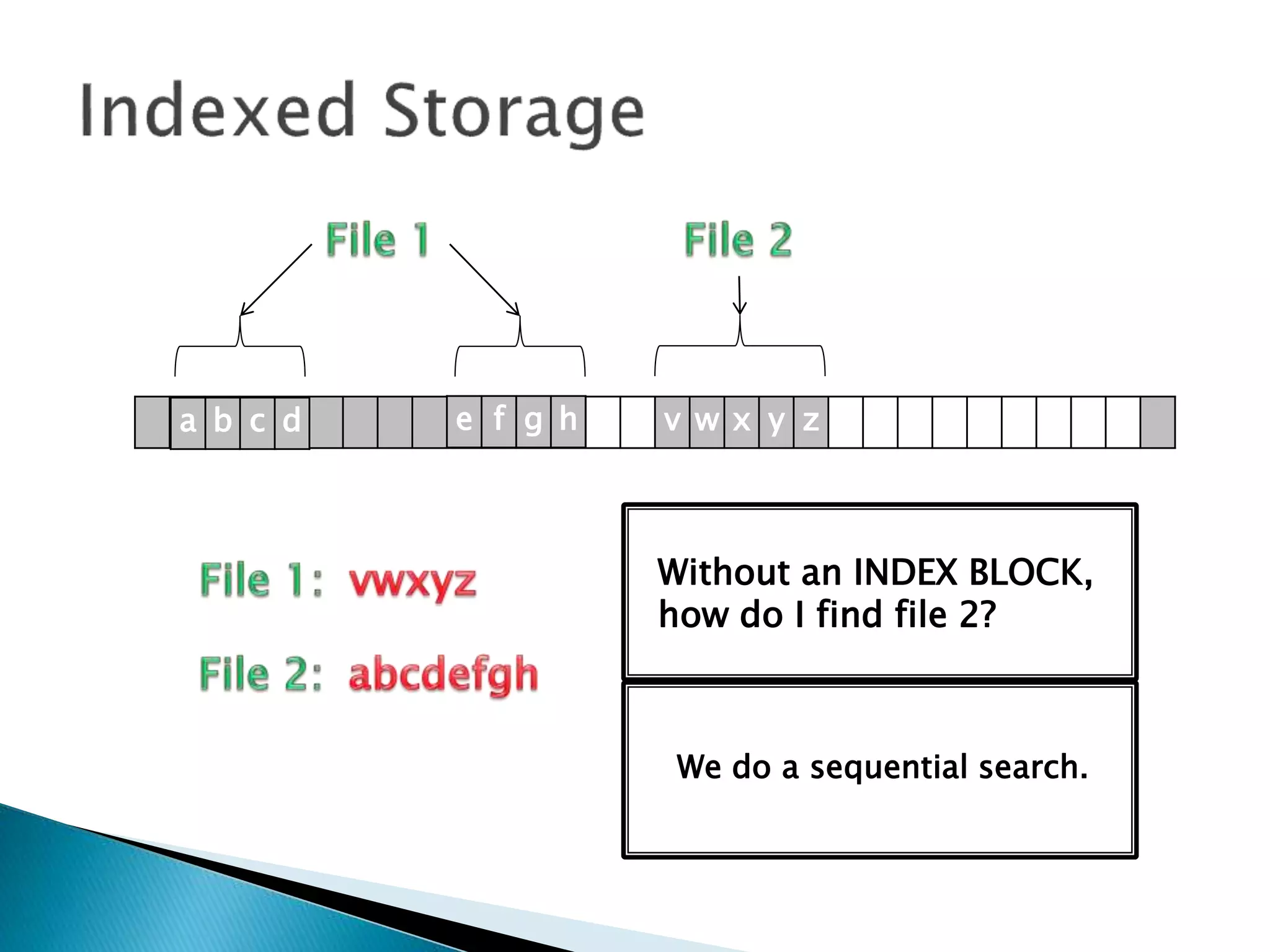
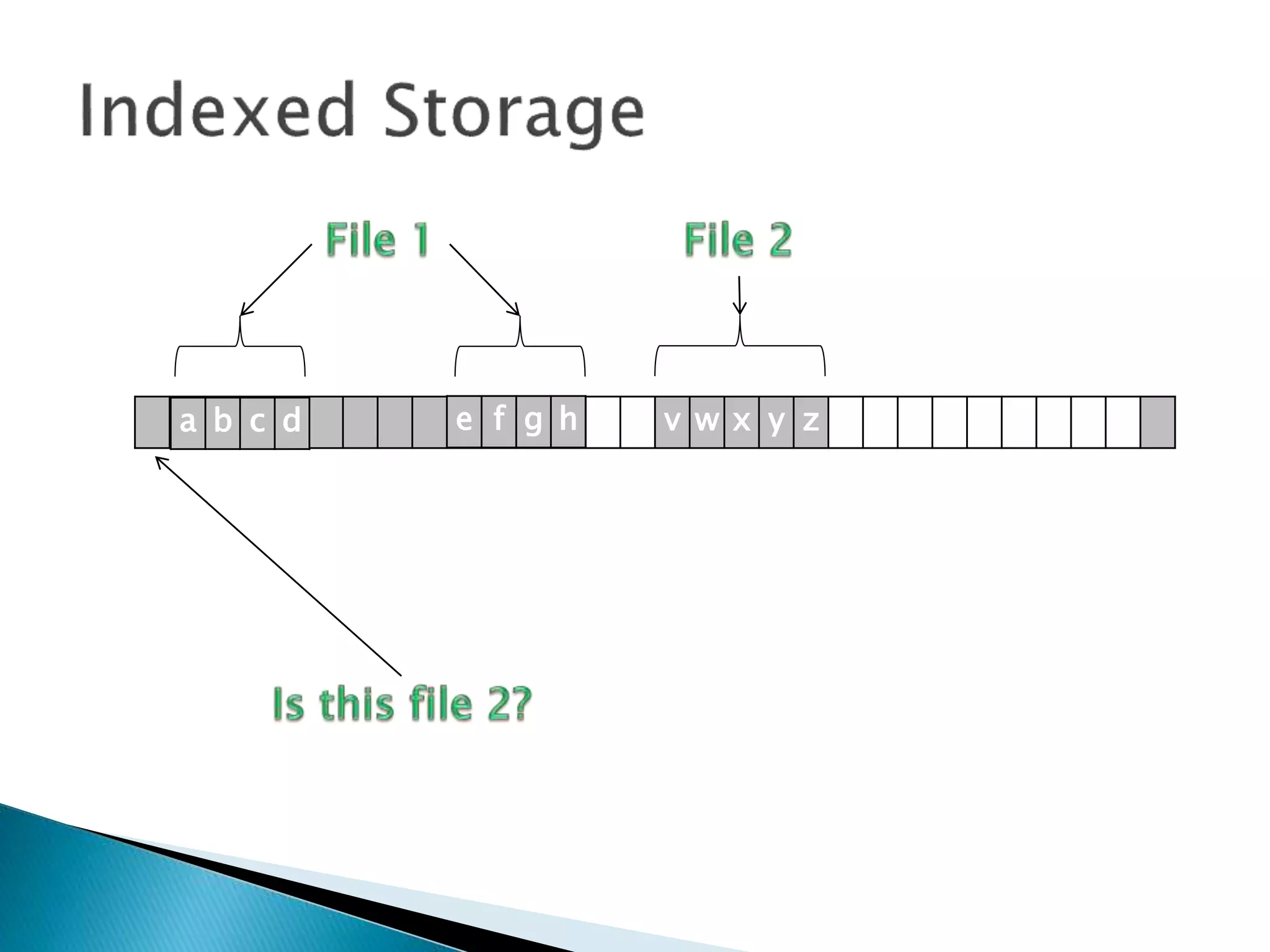
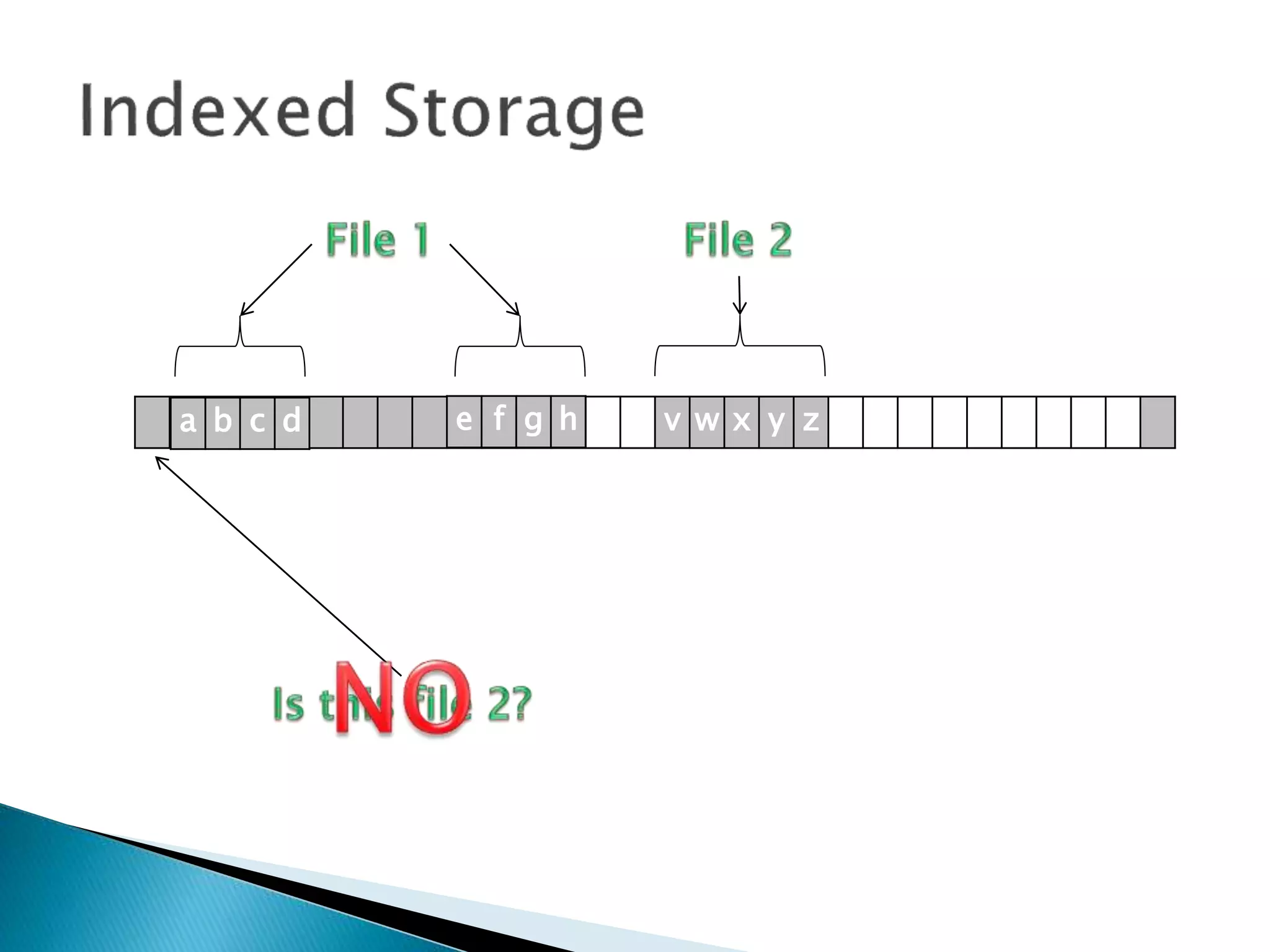
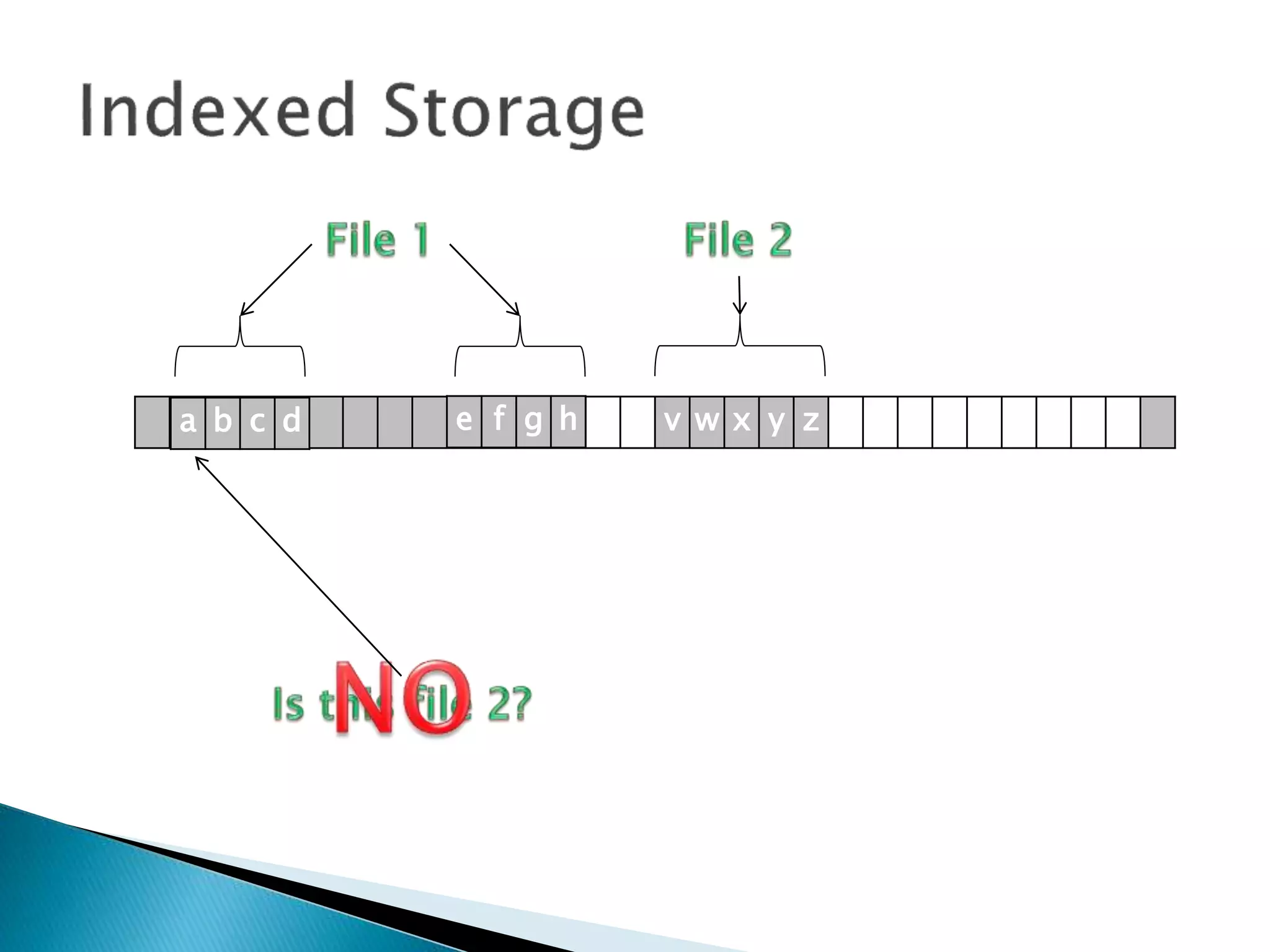
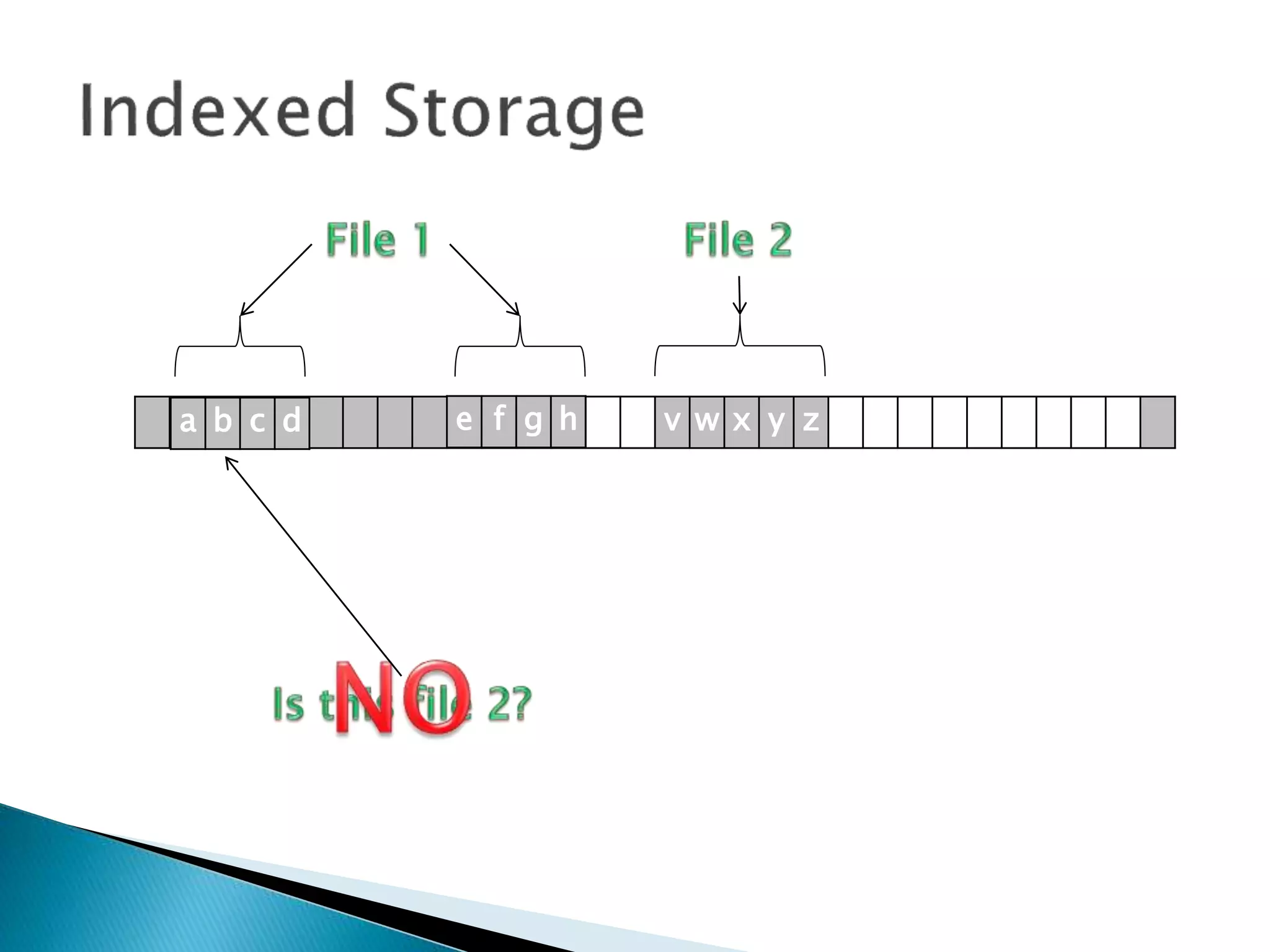
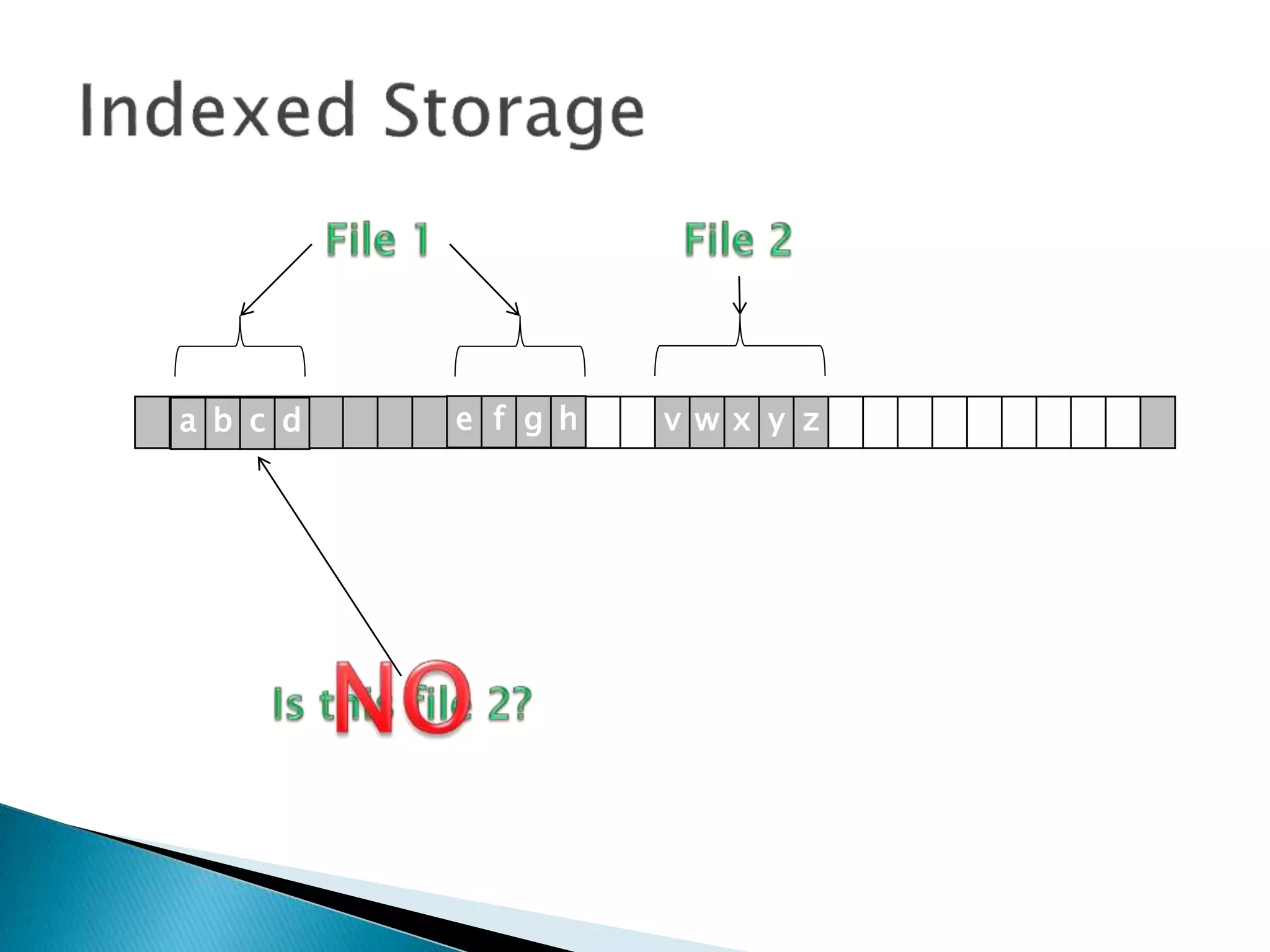
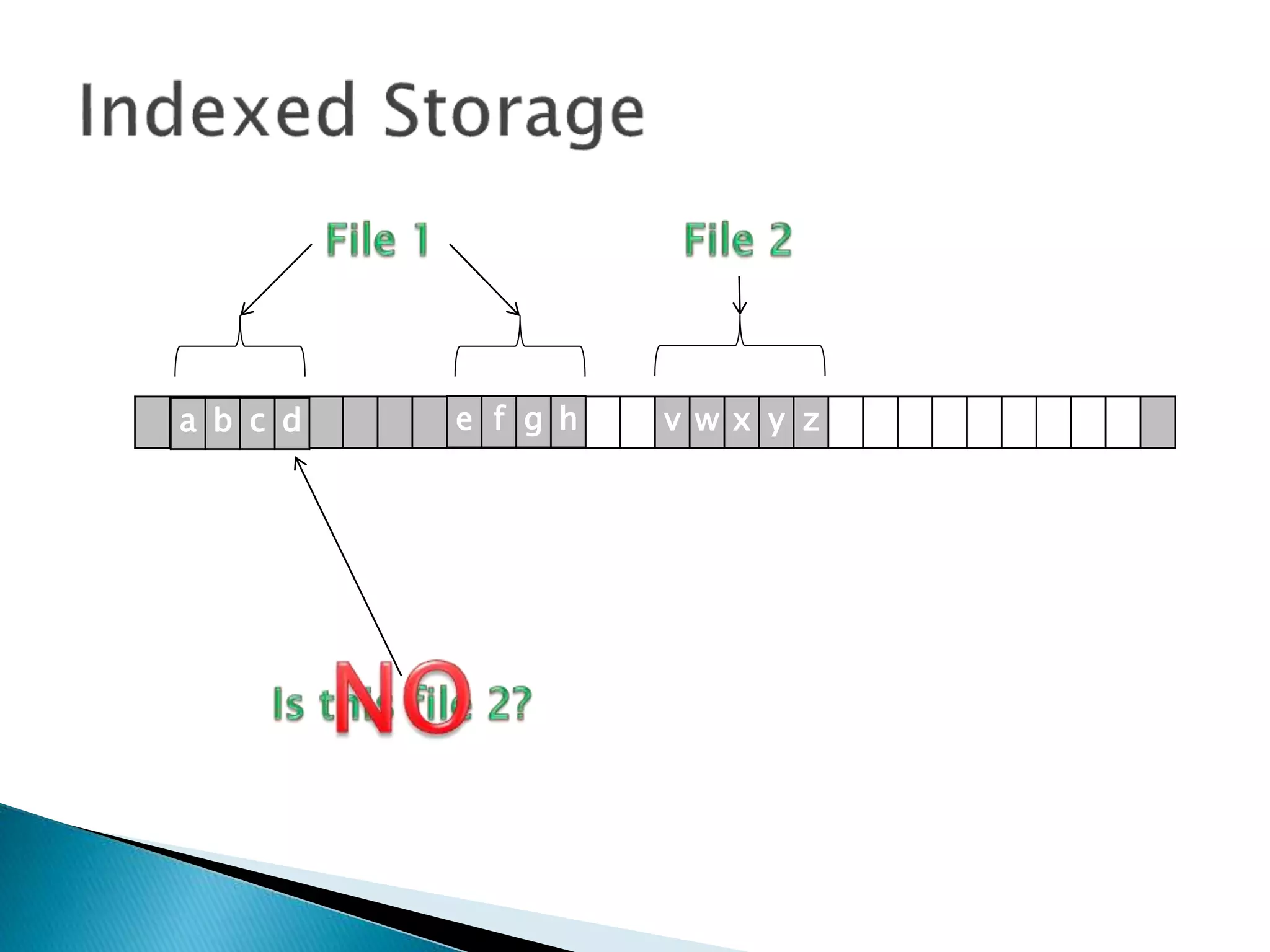
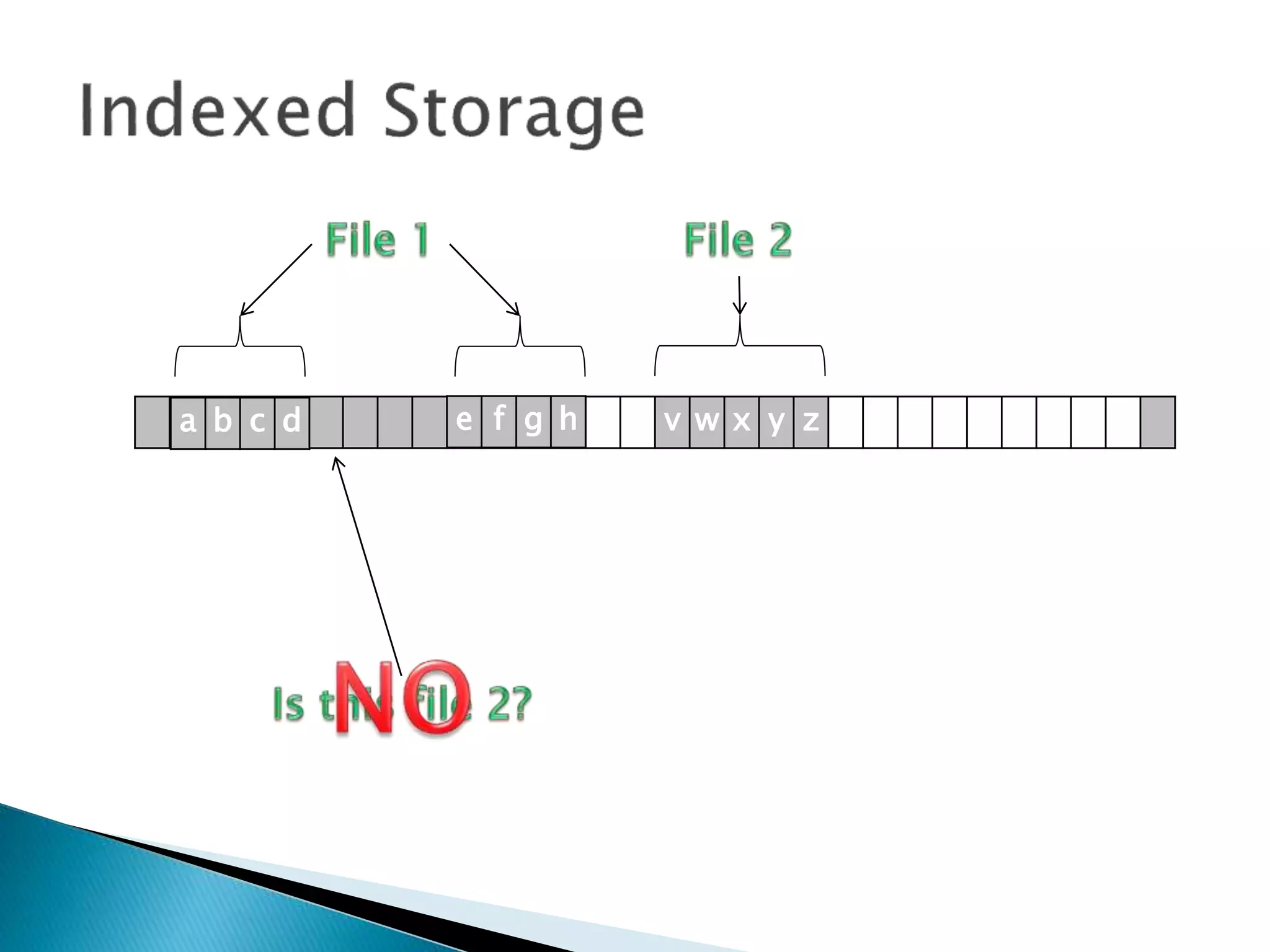
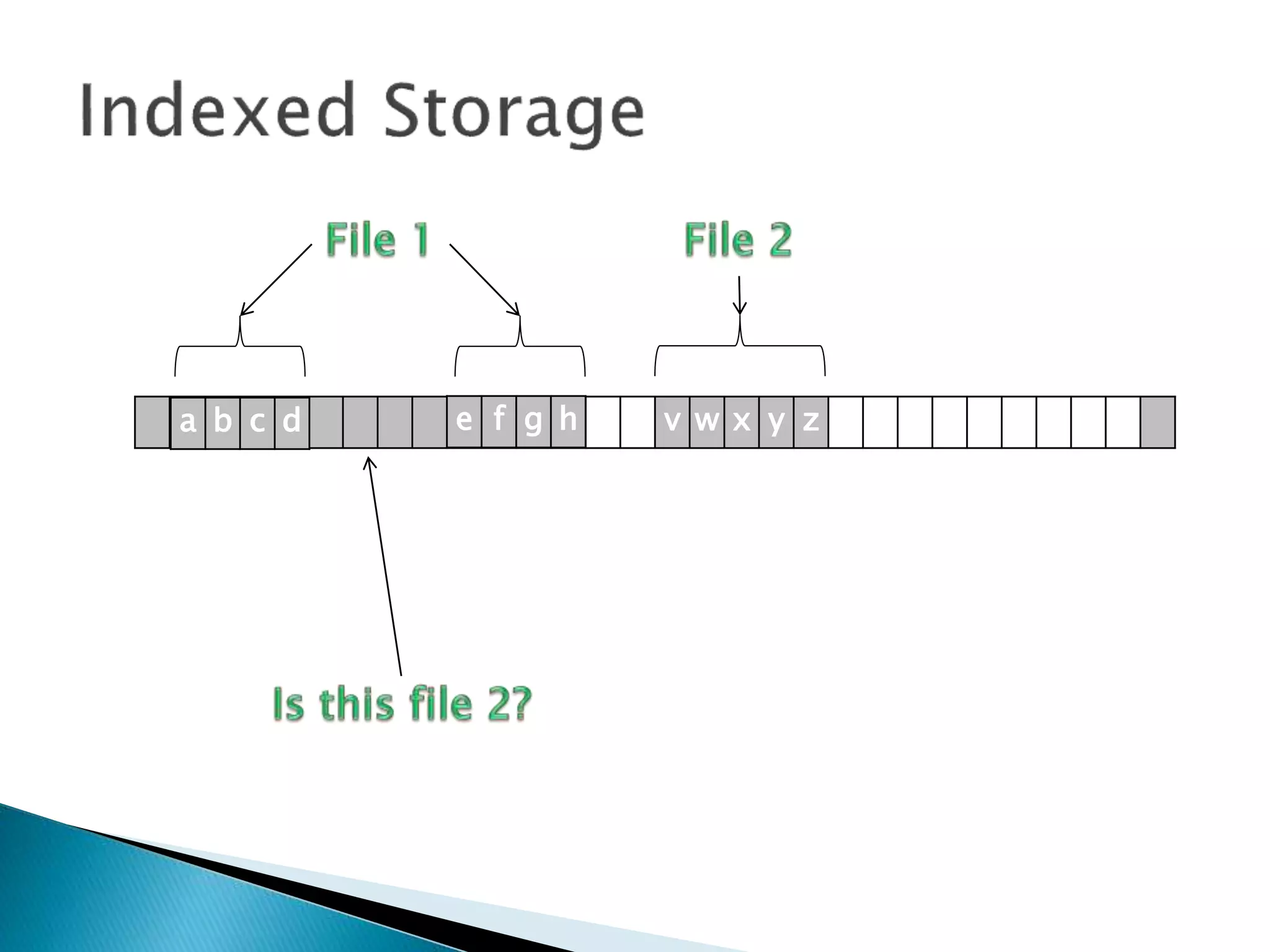
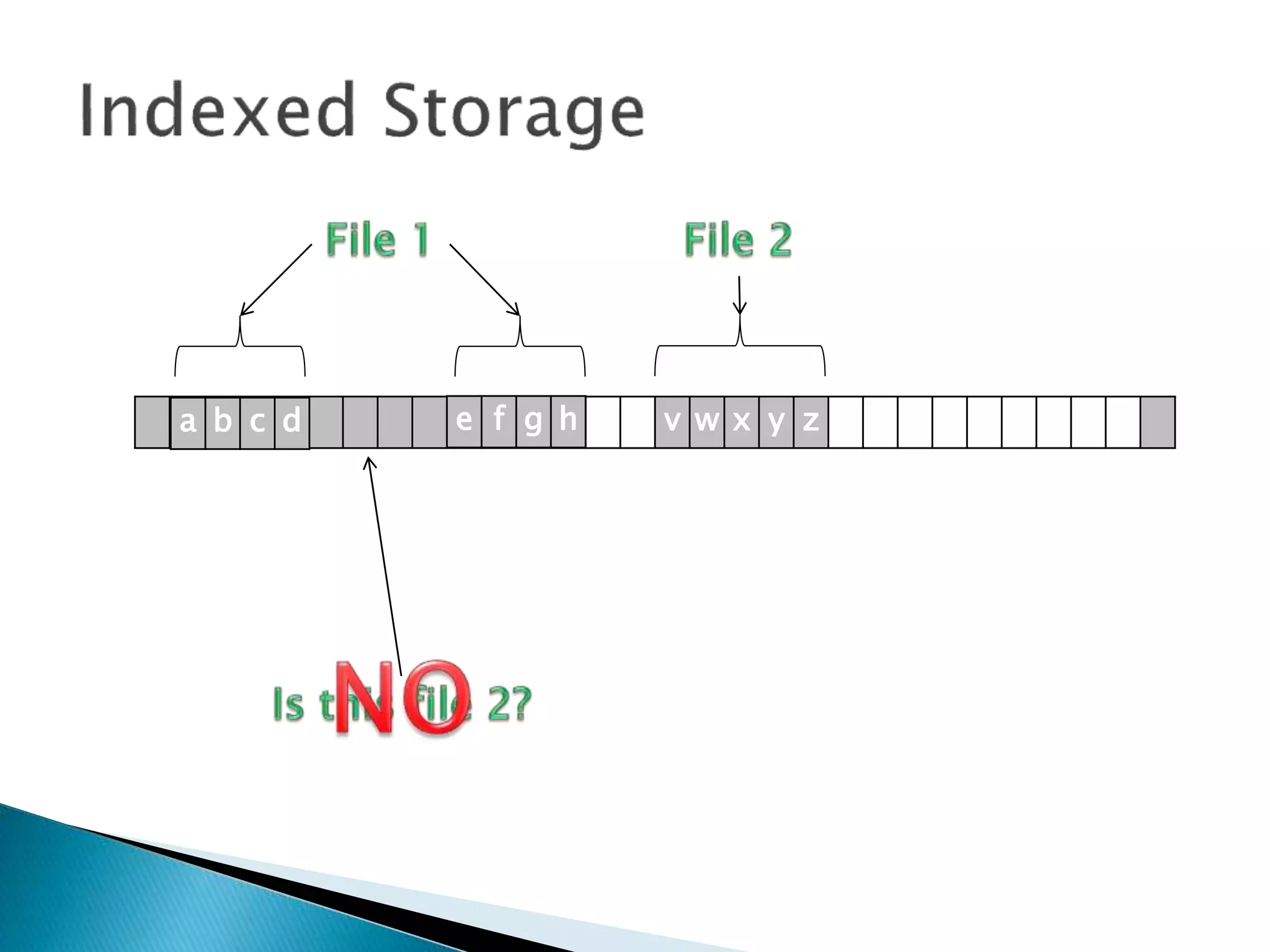
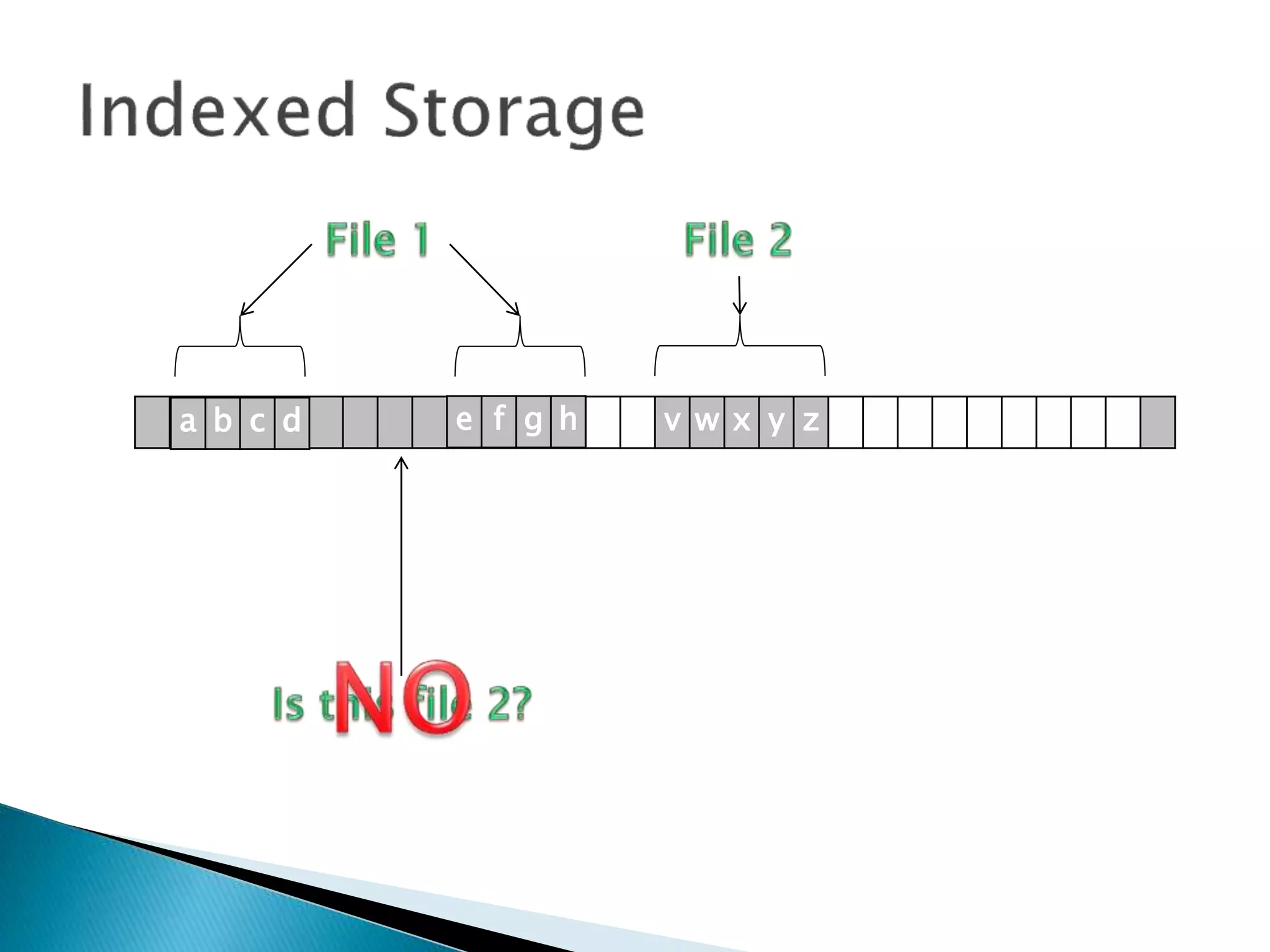
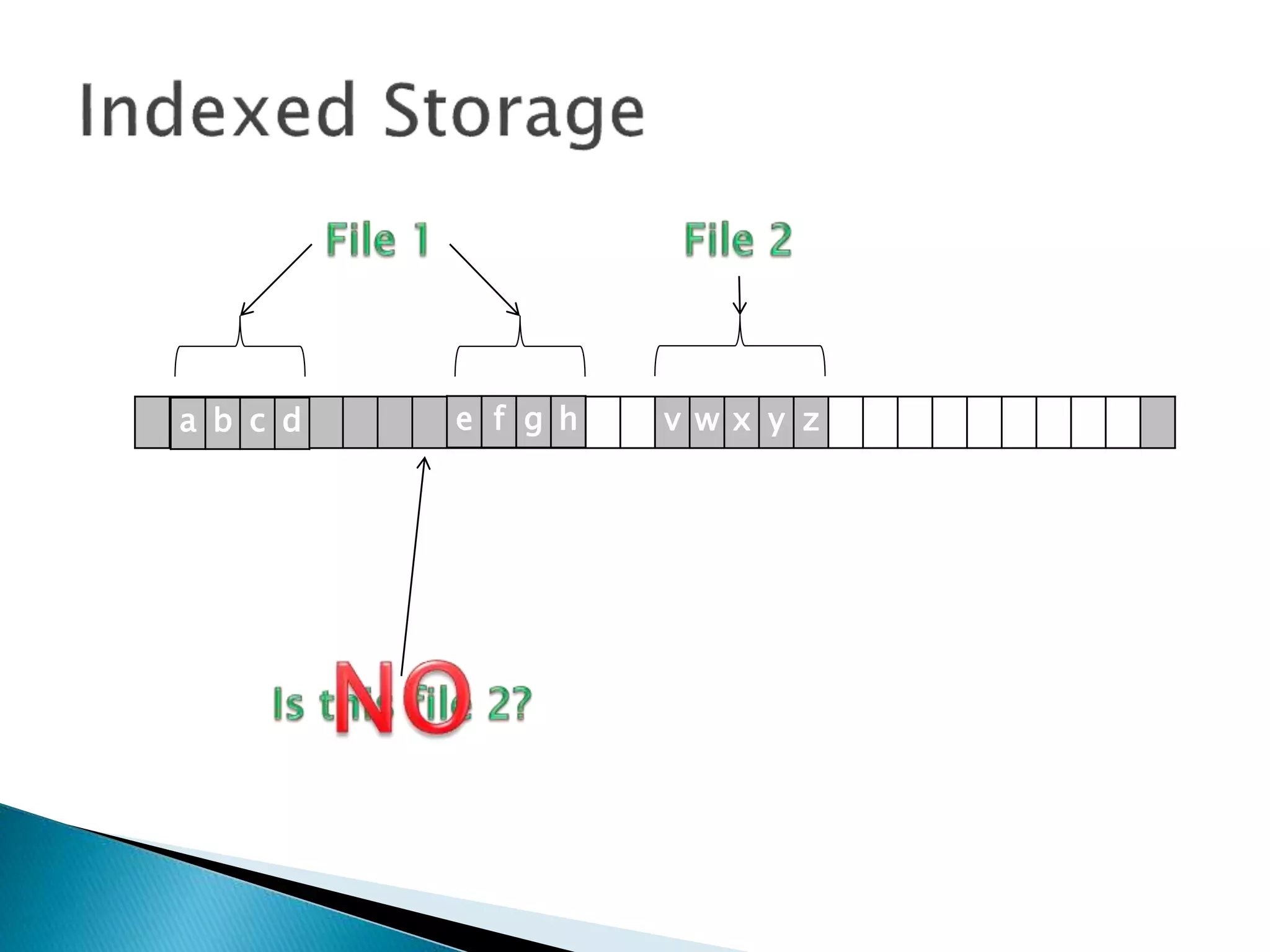
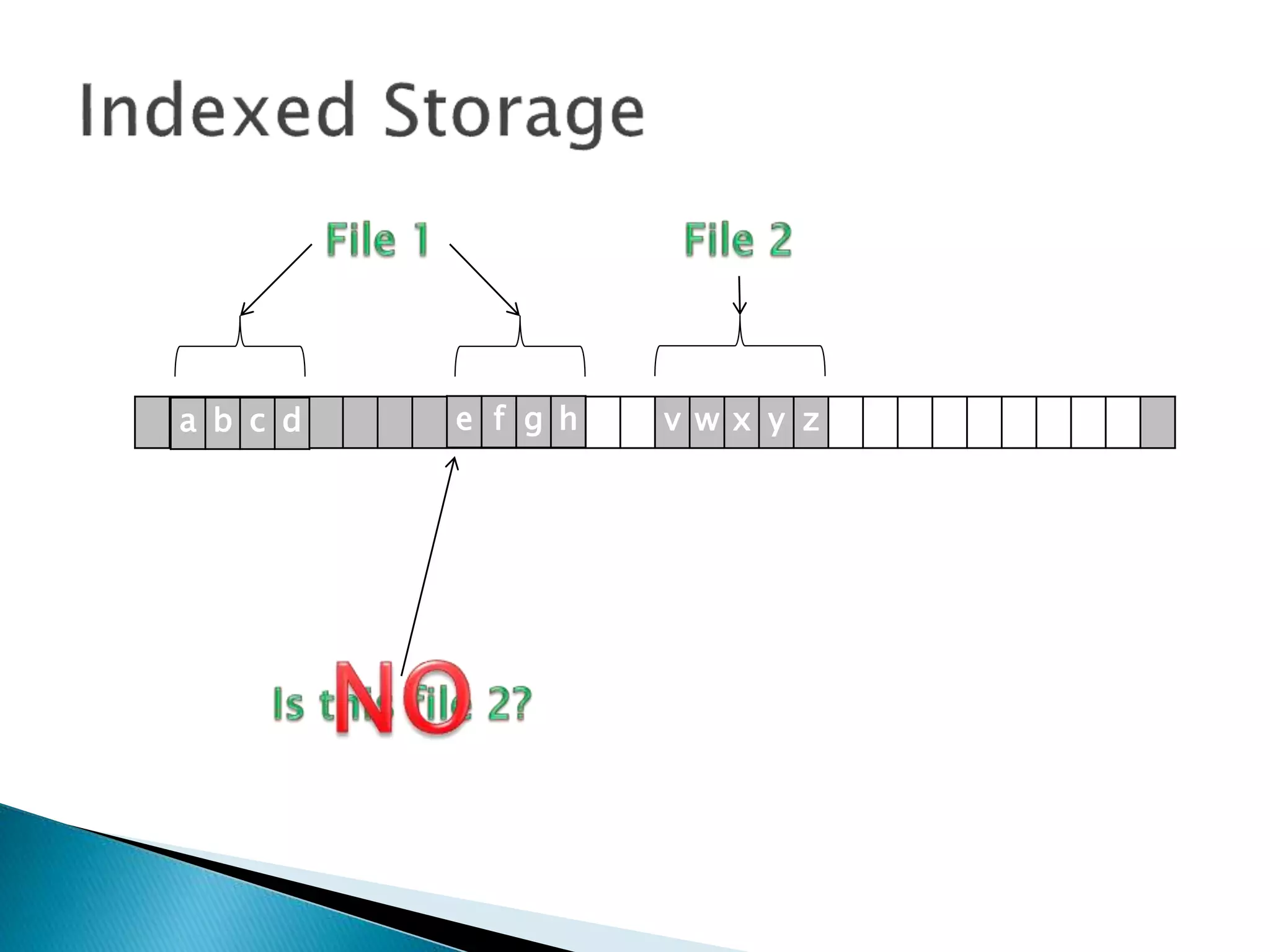
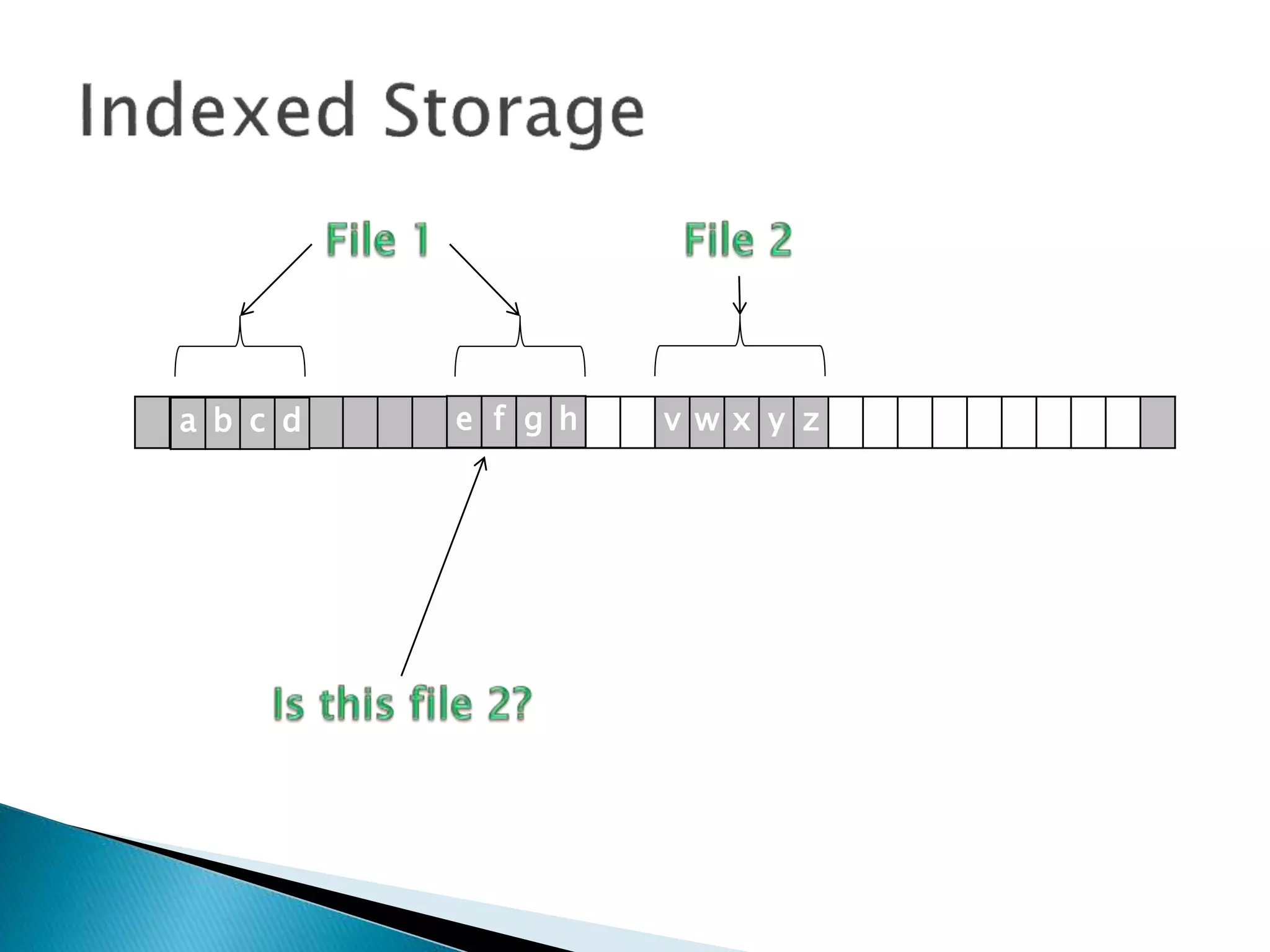
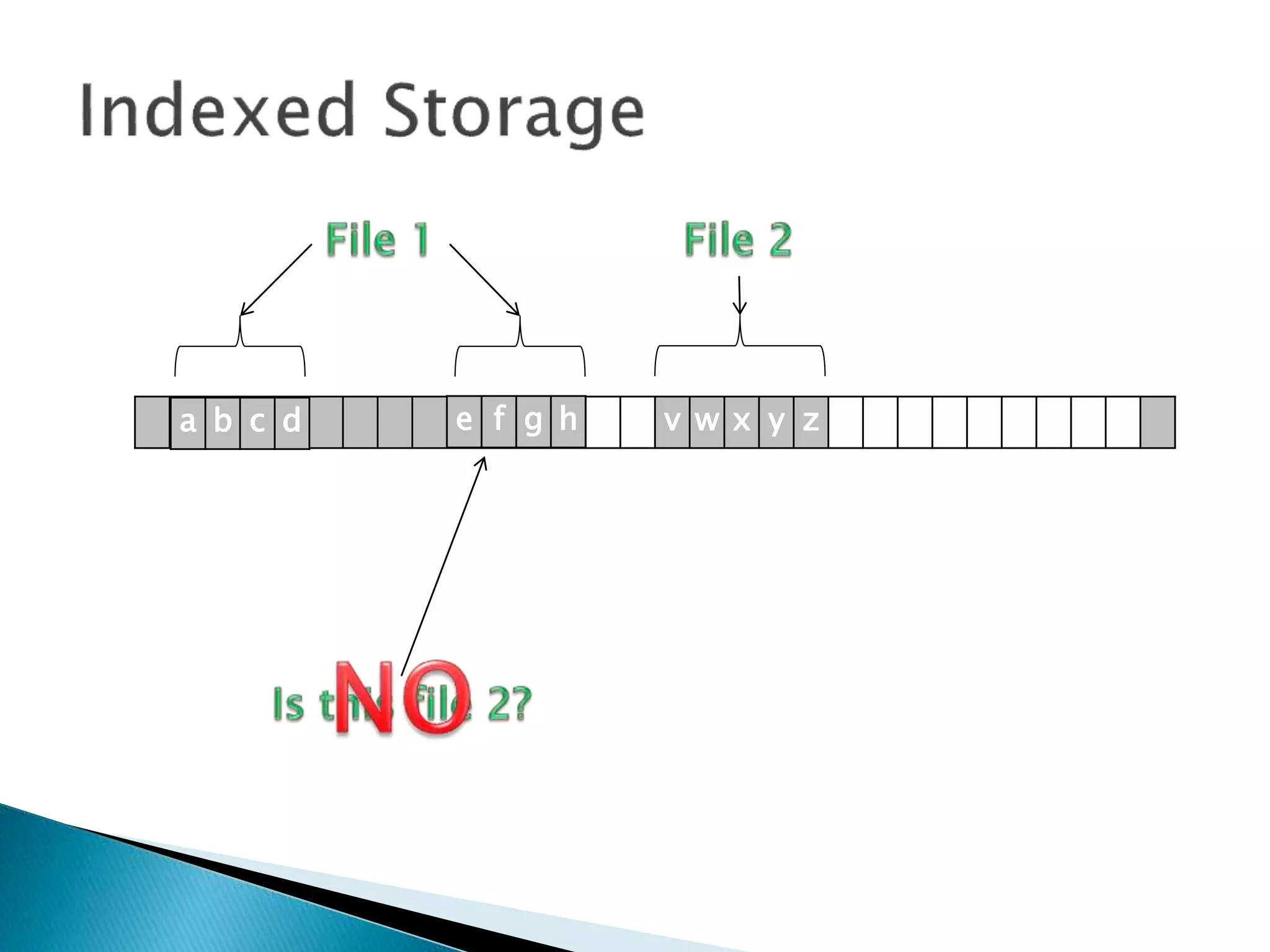
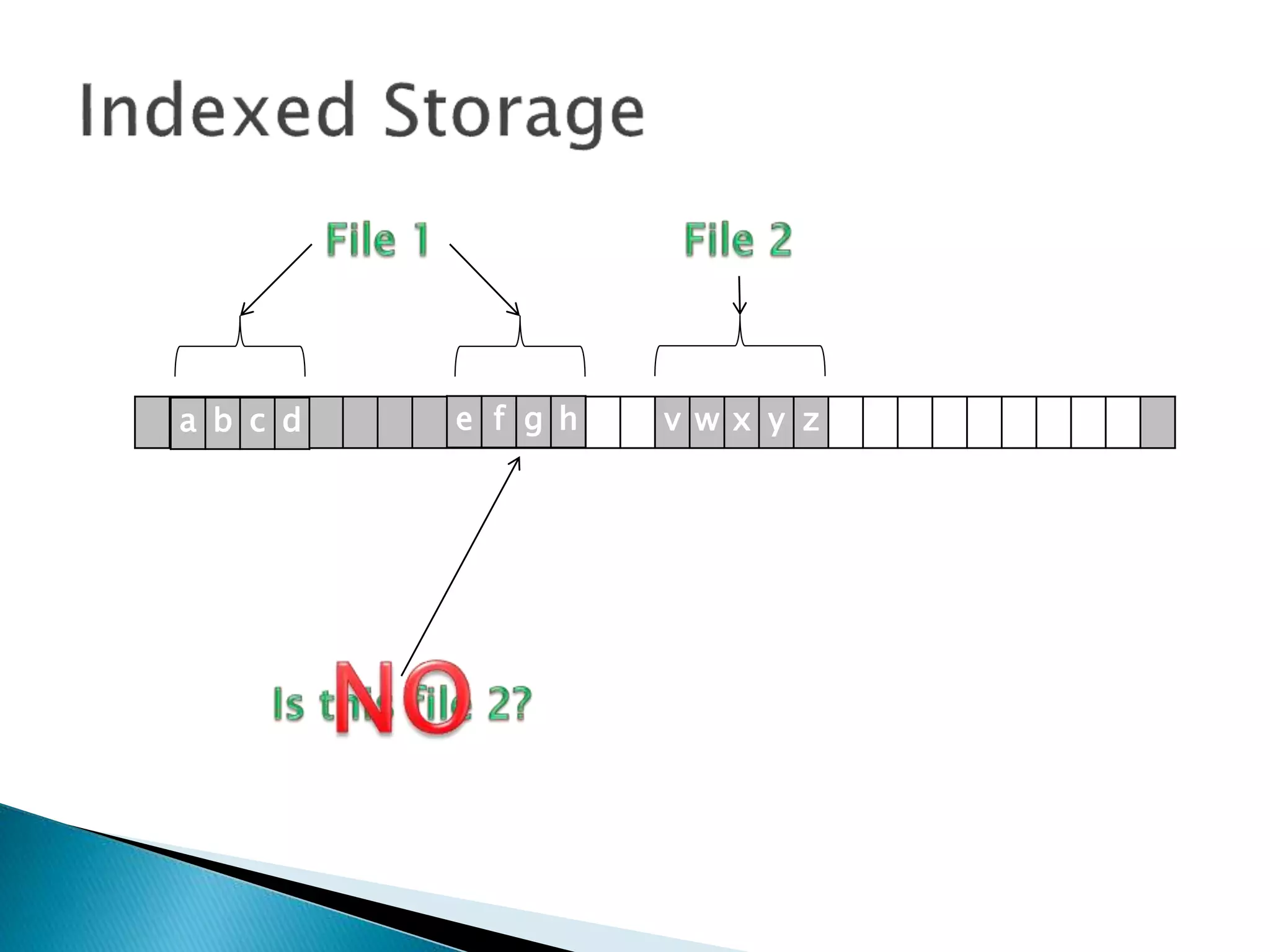
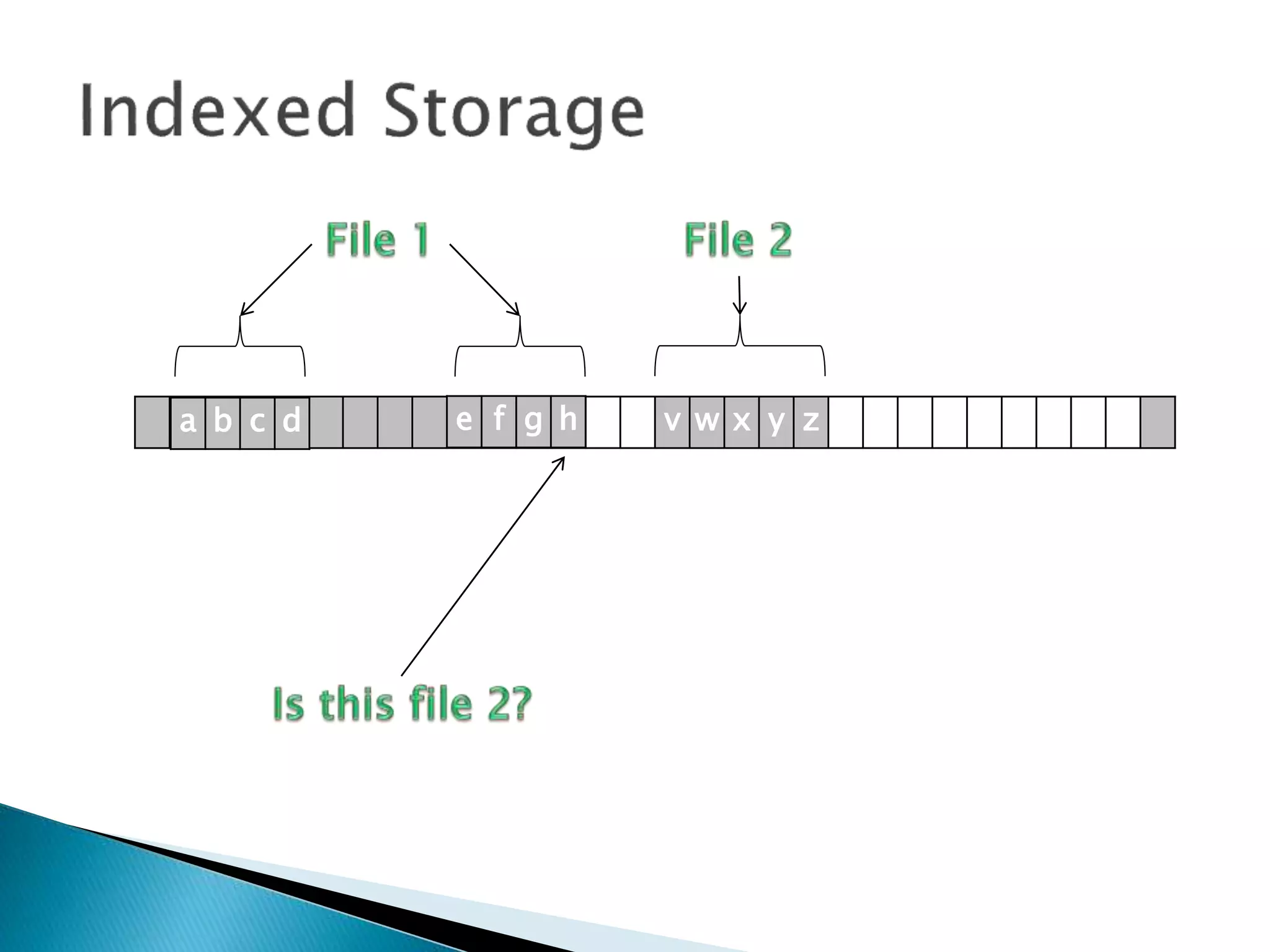
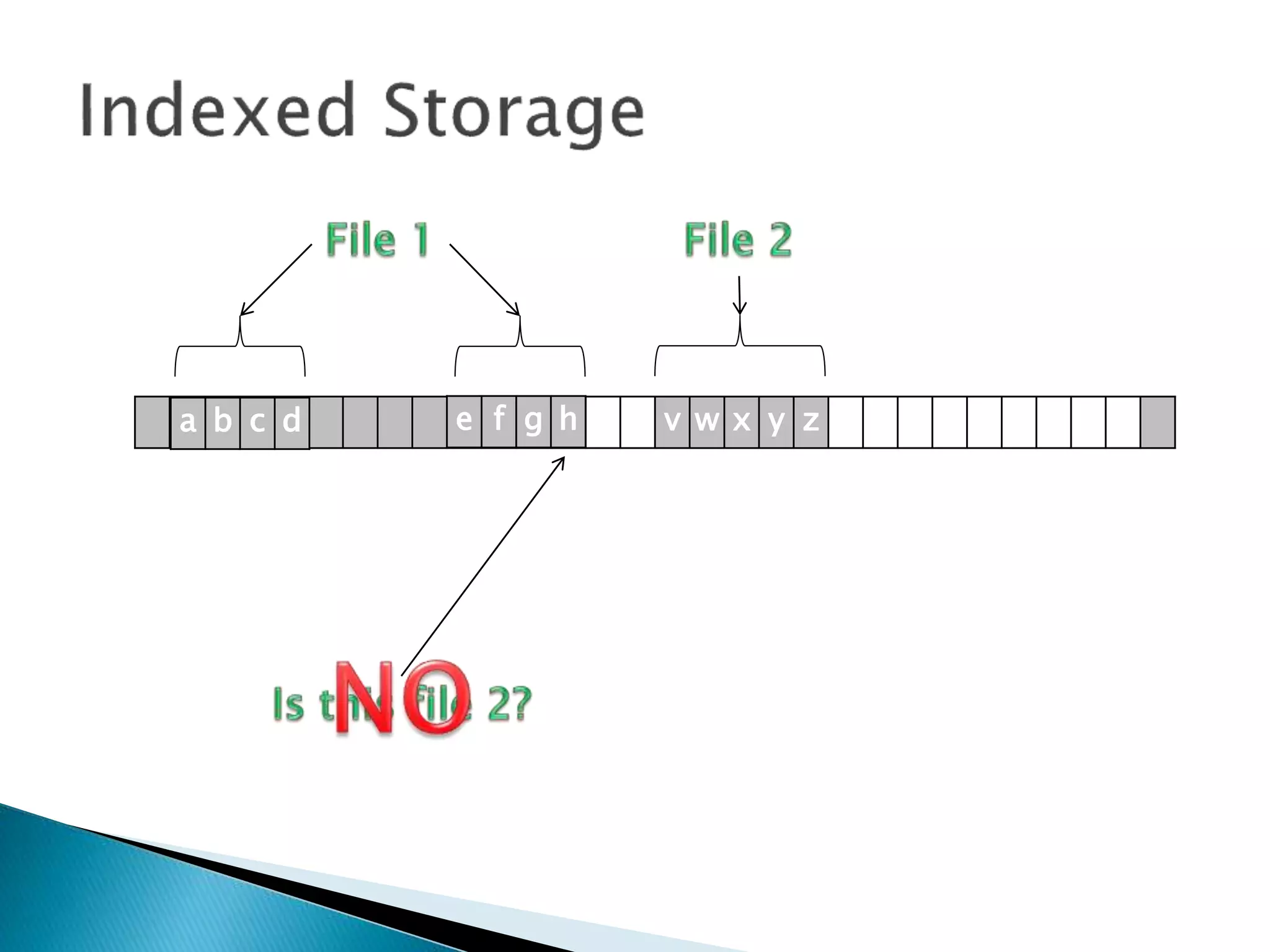
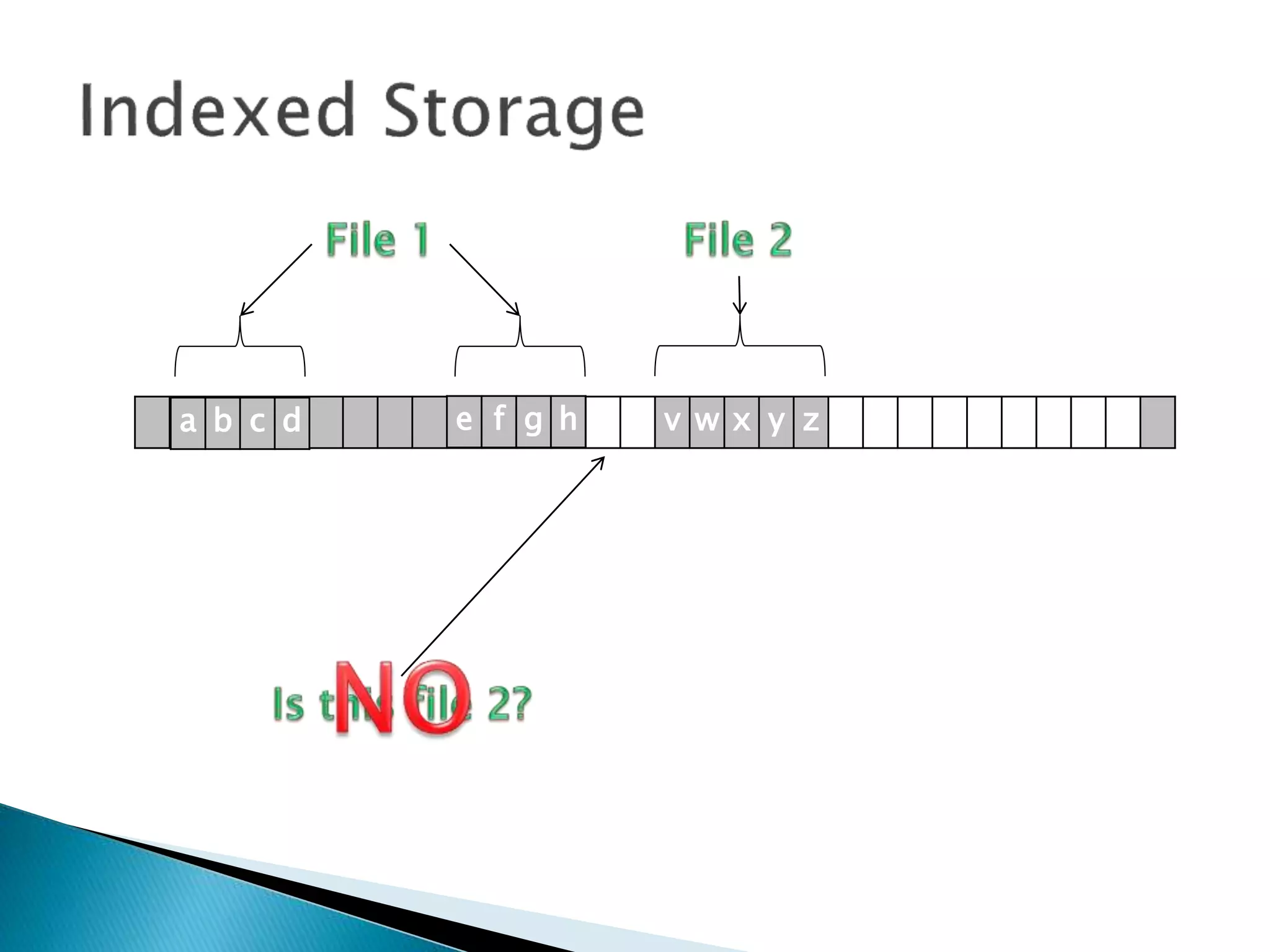
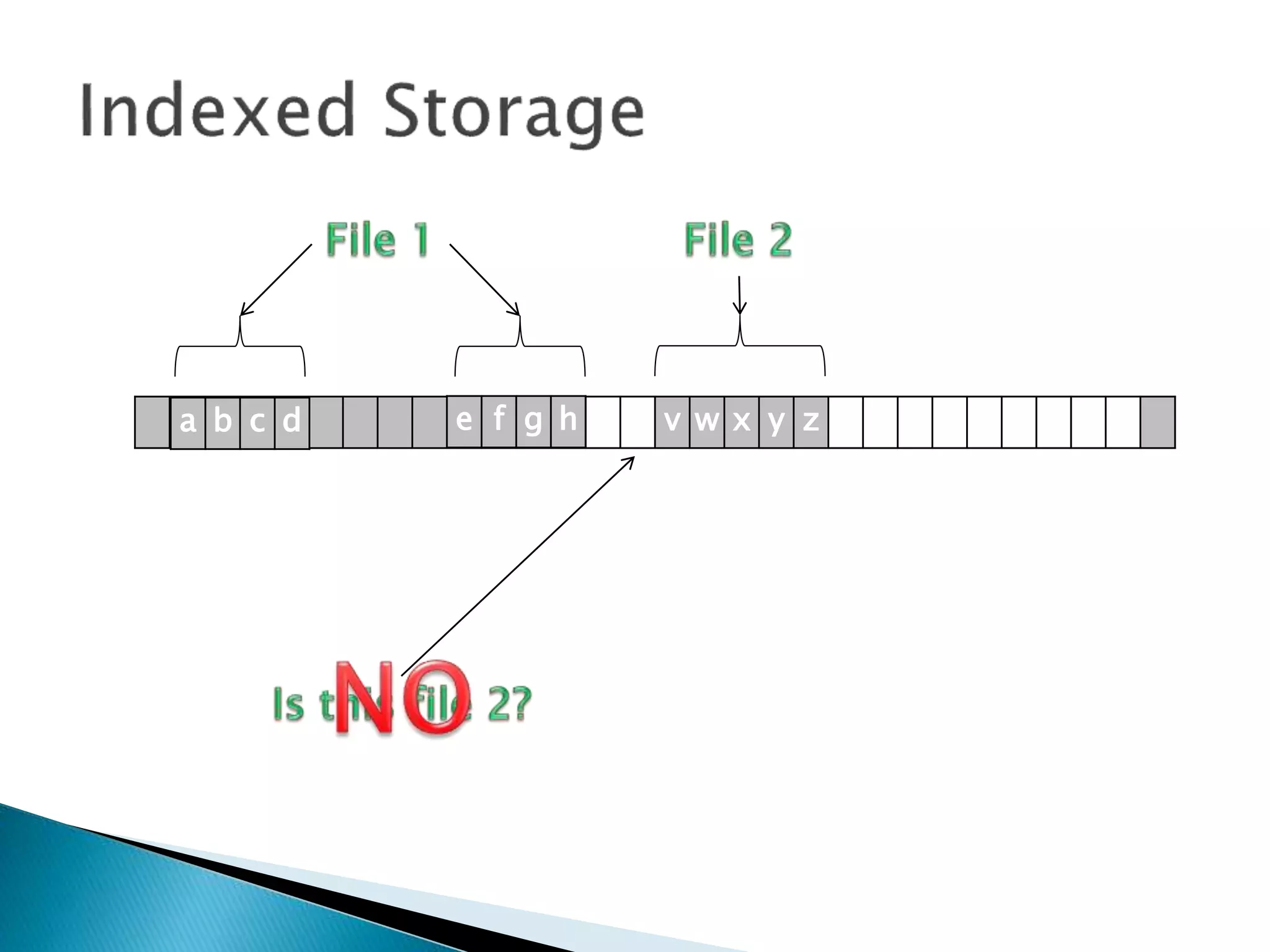
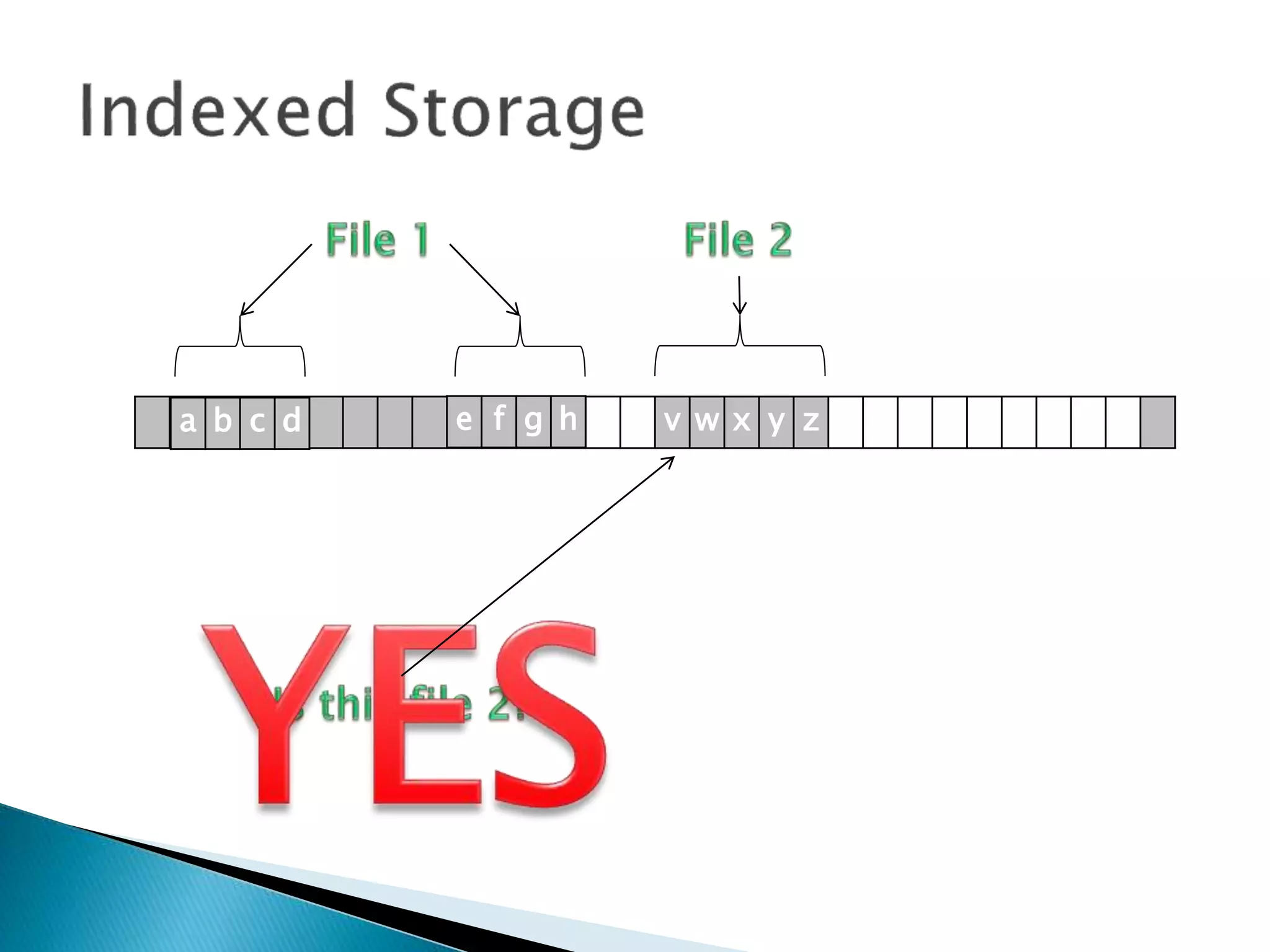
Without an INDEX BLOCK,
how do I find file 2?
v w x y za b c d e f g h
Without an INDEX BLOCK,
how do I find file 2?
We do a sequential search.
v w x y za b c d e f g h
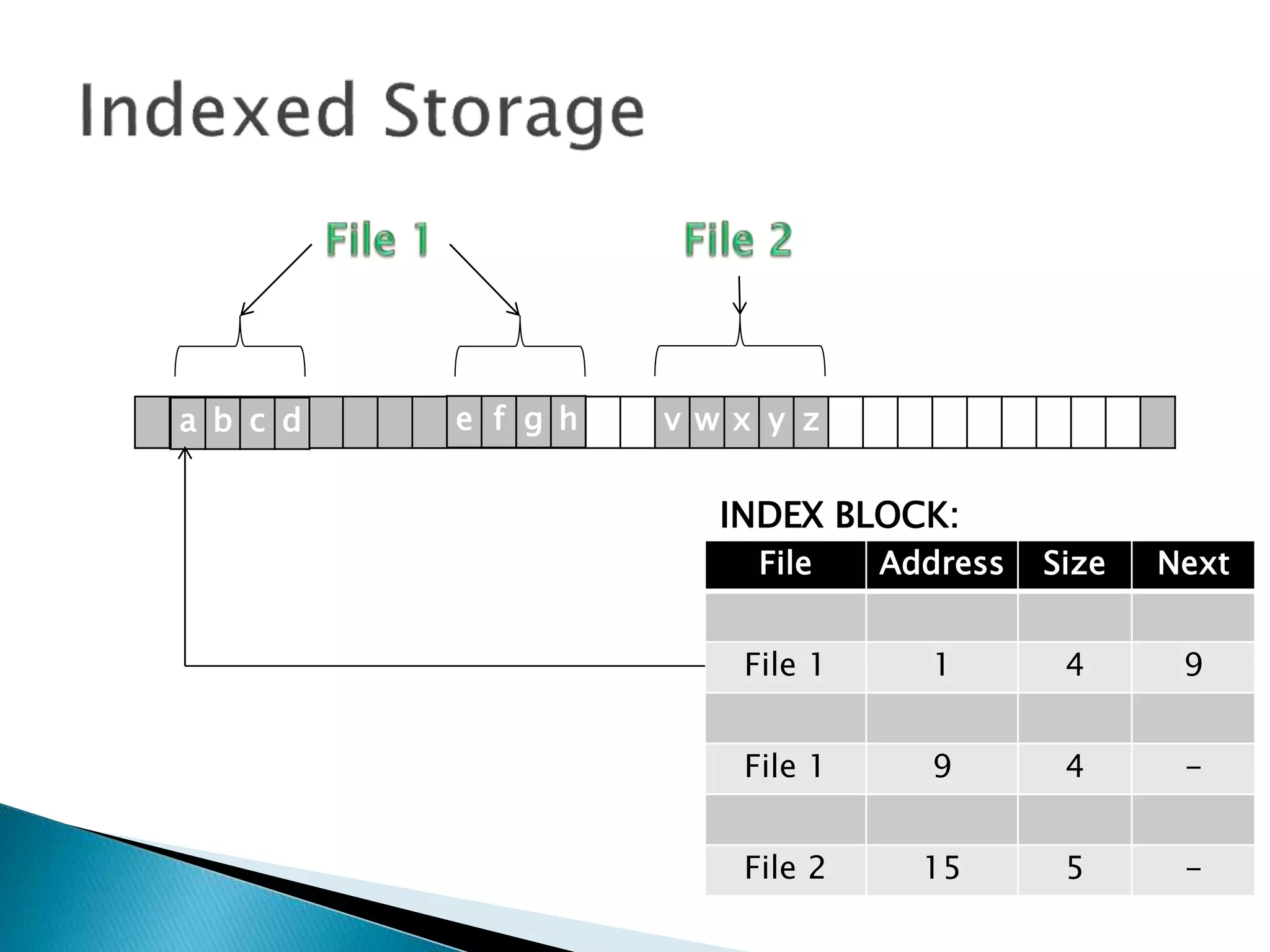
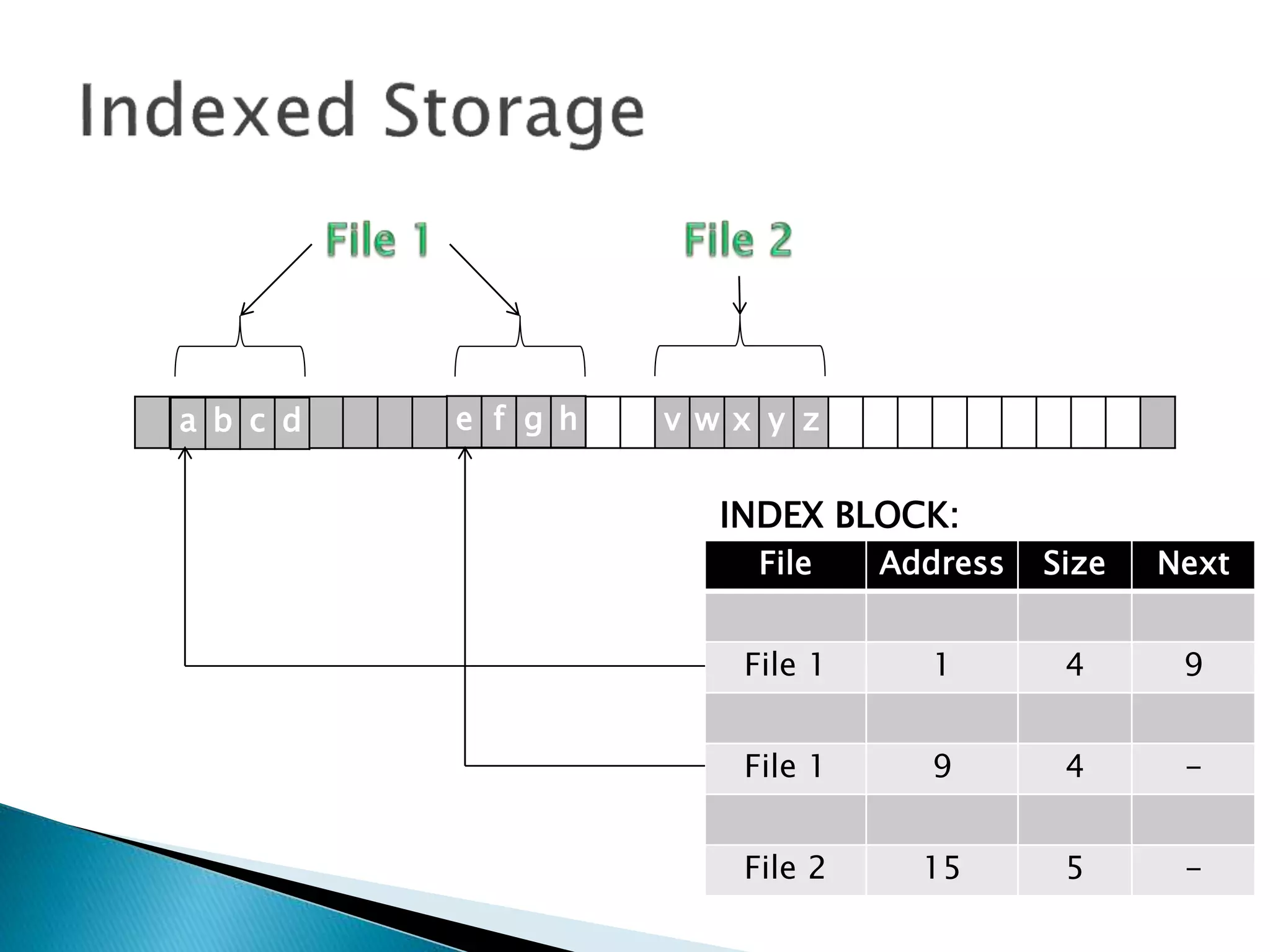
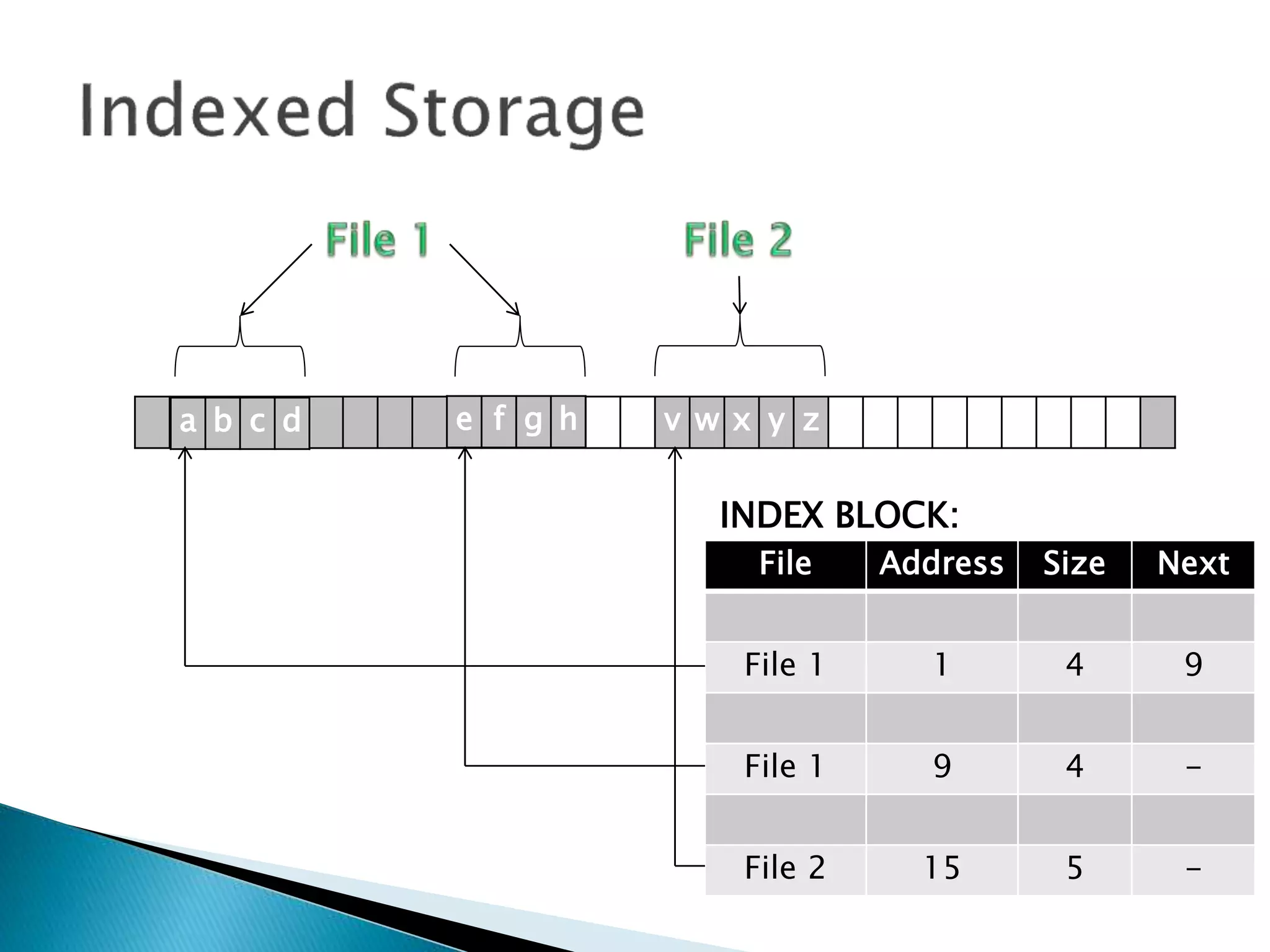
So how does it work with
an INDEX BLOCK?
v w x y za b c d e f g h
File Address Size Next
File 1 1 4 9
File 1 9 4 -
File 2 15 5 -
INDEX BLOCK:
v w x y za b c d e f g h
File Address Size Next
File 1 1 4 9
File 1 9 4 -
File 2 15 5 -
INDEX BLOCK:
v w x y za b c d e f g h
File Address Size Next
File 1 1 4 9
File 1 9 4 -
File 2 15 5 -
INDEX BLOCK:
v w x y za b c d e f g h
File Address Size Next
File 1 1 4 9
File 1 9 4 -
File 2 15 5 -
INDEX BLOCK:
v w x y za b c d e f g h
File Address Size Next
File 1 1 4 9
File 1 9 4 -
File 2 15 5 -
INDEX BLOCK:
 This support both sequential and direct
access to records, and for larger files there
can be multiple indexes.
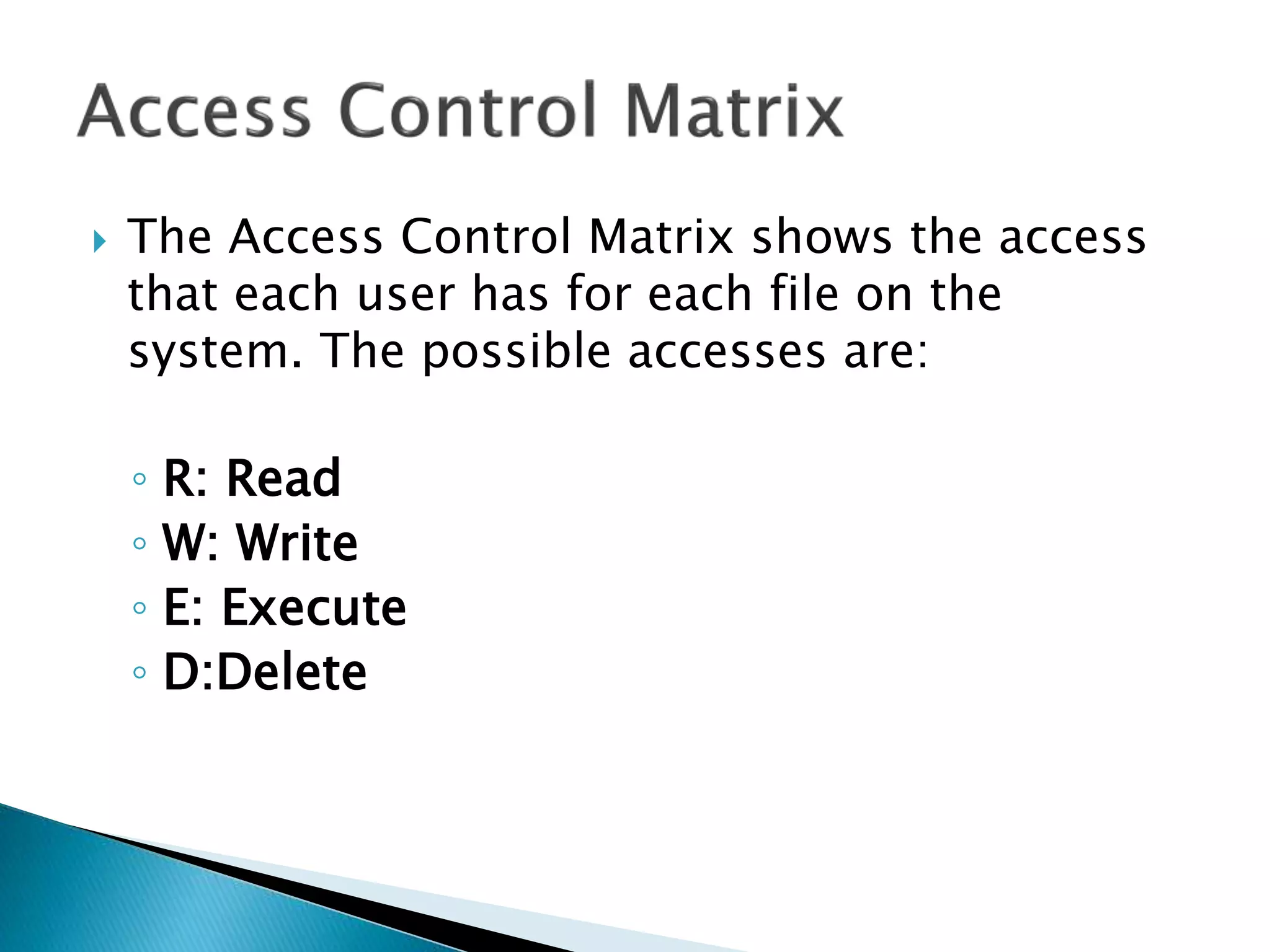
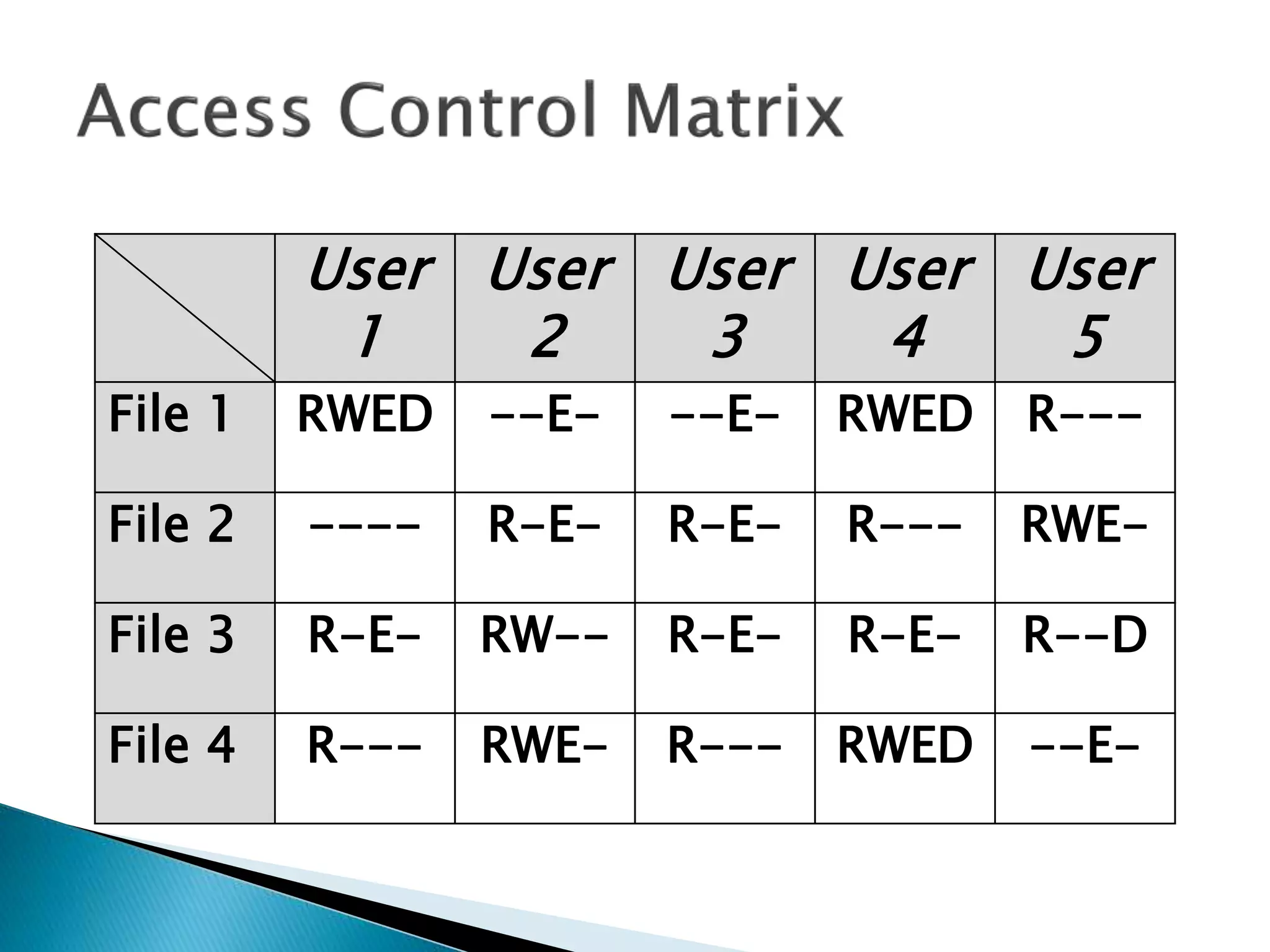
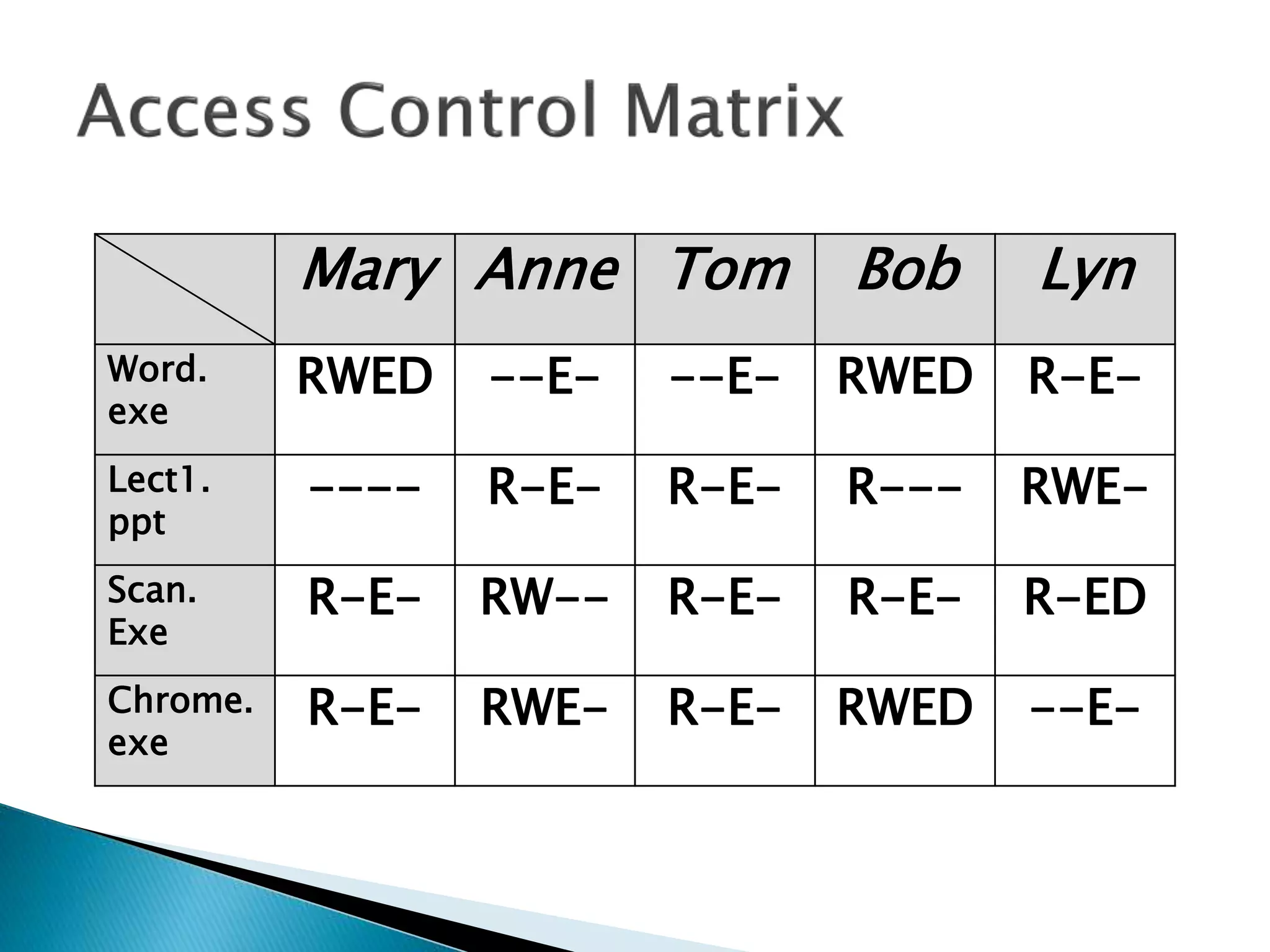
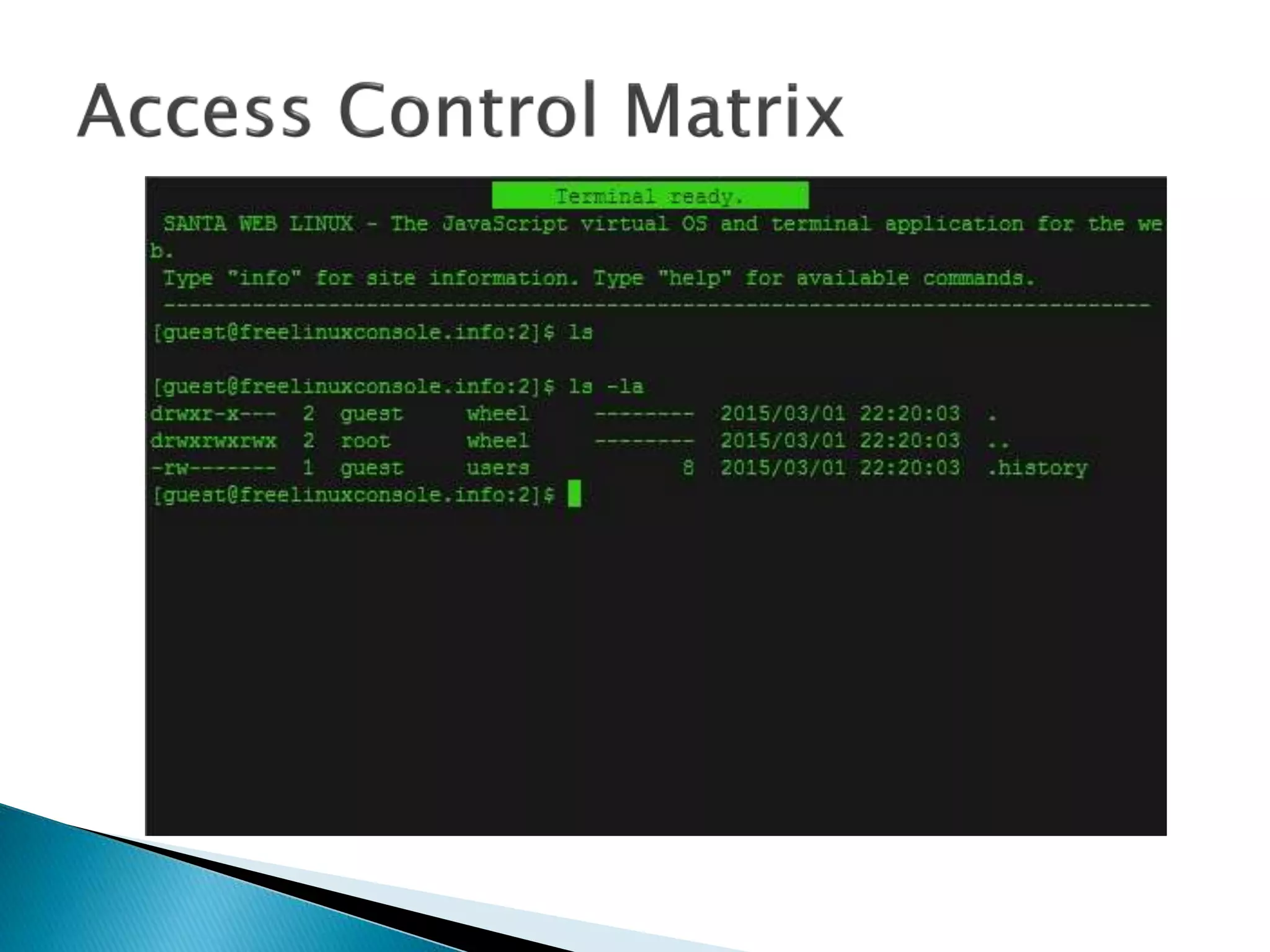
 The Access Control Matrix shows the access
that each user has for each file on the
system. The possible accesses are:
◦ R: Read
◦ W: Write
◦ E: Execute
◦ D:Delete
User
1
User
2
User
3
User
4
User
5
File 1 RWED --E- --E- RWED R---
File 2 ---- R-E- R-E- R--- RWE-
File 3 R-E- RW-- R-E- R-E- R--D
File 4 R--- RWE- R--- RWED --E-
Mary Anne Tom Bob Lyn
Word.
exe
RWED --E- --E- RWED R-E-
Lect1.
ppt
---- R-E- R-E- R--- RWE-
Scan.
Exe
R-E- RW-- R-E- R-E- R-ED
Chrome.
exe
R-E- RWE- R-E- RWED --E-
 In DOS the Access Controls are:
◦ R: Read
◦ W: Write
◦ C: Change
◦ F: Full Control
 In DOS access to a file can assigned to one of
two groups:
 User
 User Group
 In DOS if we want to grant permissions to
file, e.g. MakeABackup.bat, we do:
 cacls
 In DOS if we want to grant permissions to
file, e.g. MakeABackup.bat, we do:
 cacls filename arguments
 In DOS if we want to grant permissions to
file, e.g. MakeABackup.bat, we do:
 cacls filename [/T] [/M] [/L] [/S[:SDDL]] [/E]
[/C] [/G user:?] [/R user [...]] [/P user:? [...]]
[/D user [...]]
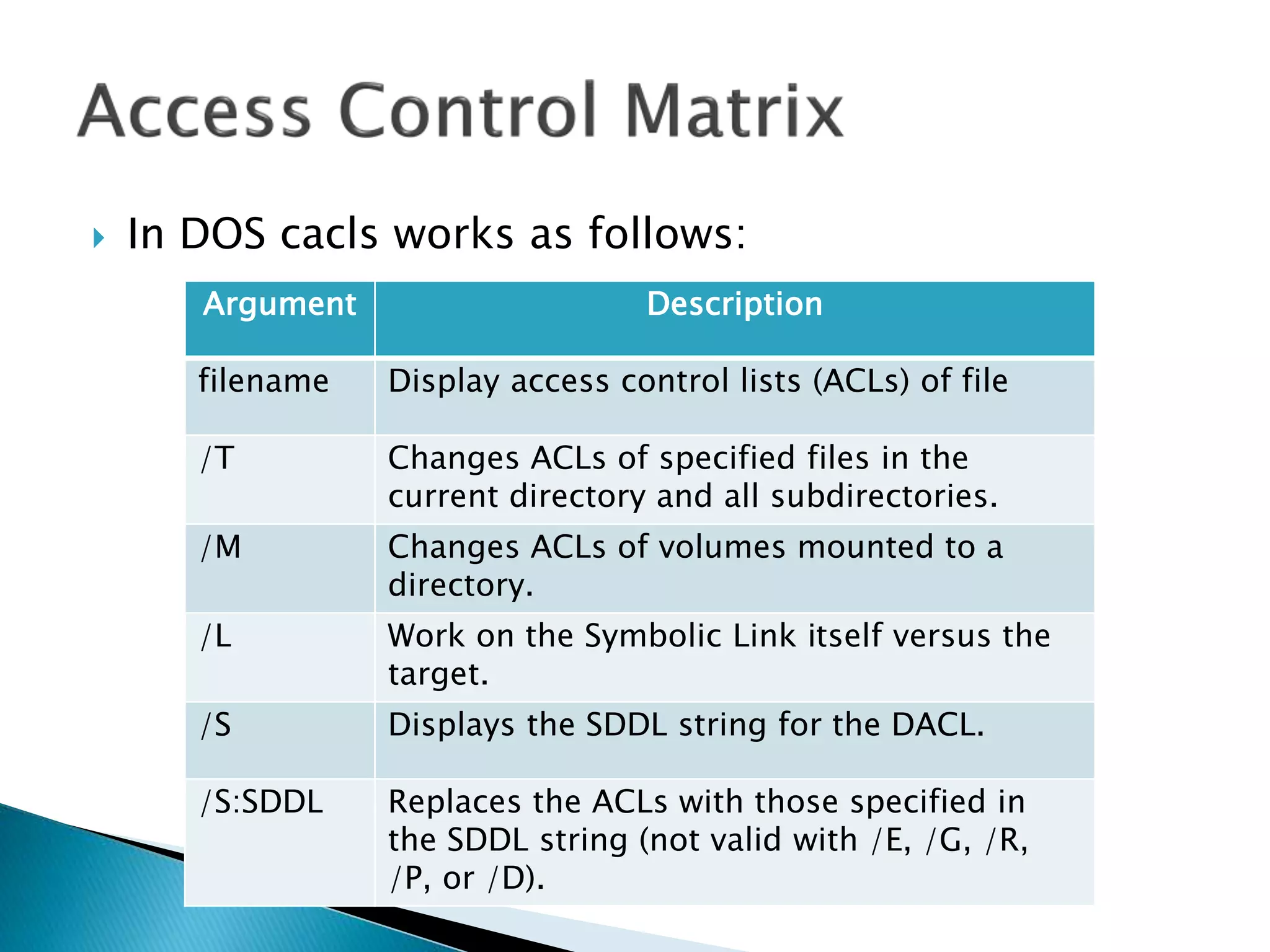
 In DOS cacls works as follows:
Argument Description
filename Display access control lists (ACLs) of file
/T Changes ACLs of specified files in the
current directory and all subdirectories.
/M Changes ACLs of volumes mounted to a
directory.
/L Work on the Symbolic Link itself versus the
target.
/S Displays the SDDL string for the DACL.
/S:SDDL Replaces the ACLs with those specified in
the SDDL string (not valid with /E, /G, /R,
/P, or /D).
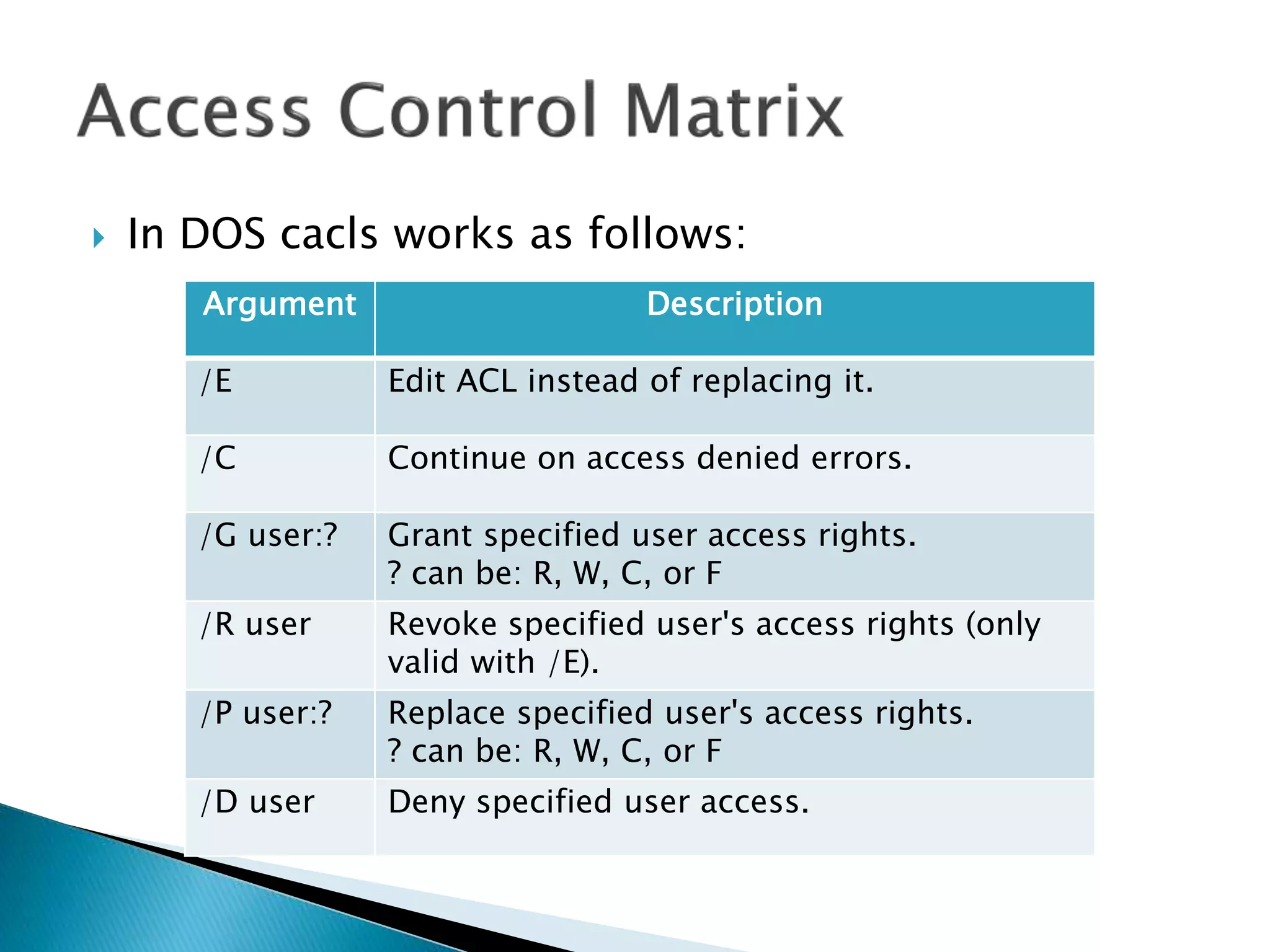
 In DOS cacls works as follows:
Argument Description
/E Edit ACL instead of replacing it.
/C Continue on access denied errors.
/G user:? Grant specified user access rights.
? can be: R, W, C, or F
/R user Revoke specified user's access rights (only
valid with /E).
/P user:? Replace specified user's access rights.
? can be: R, W, C, or F
/D user Deny specified user access.
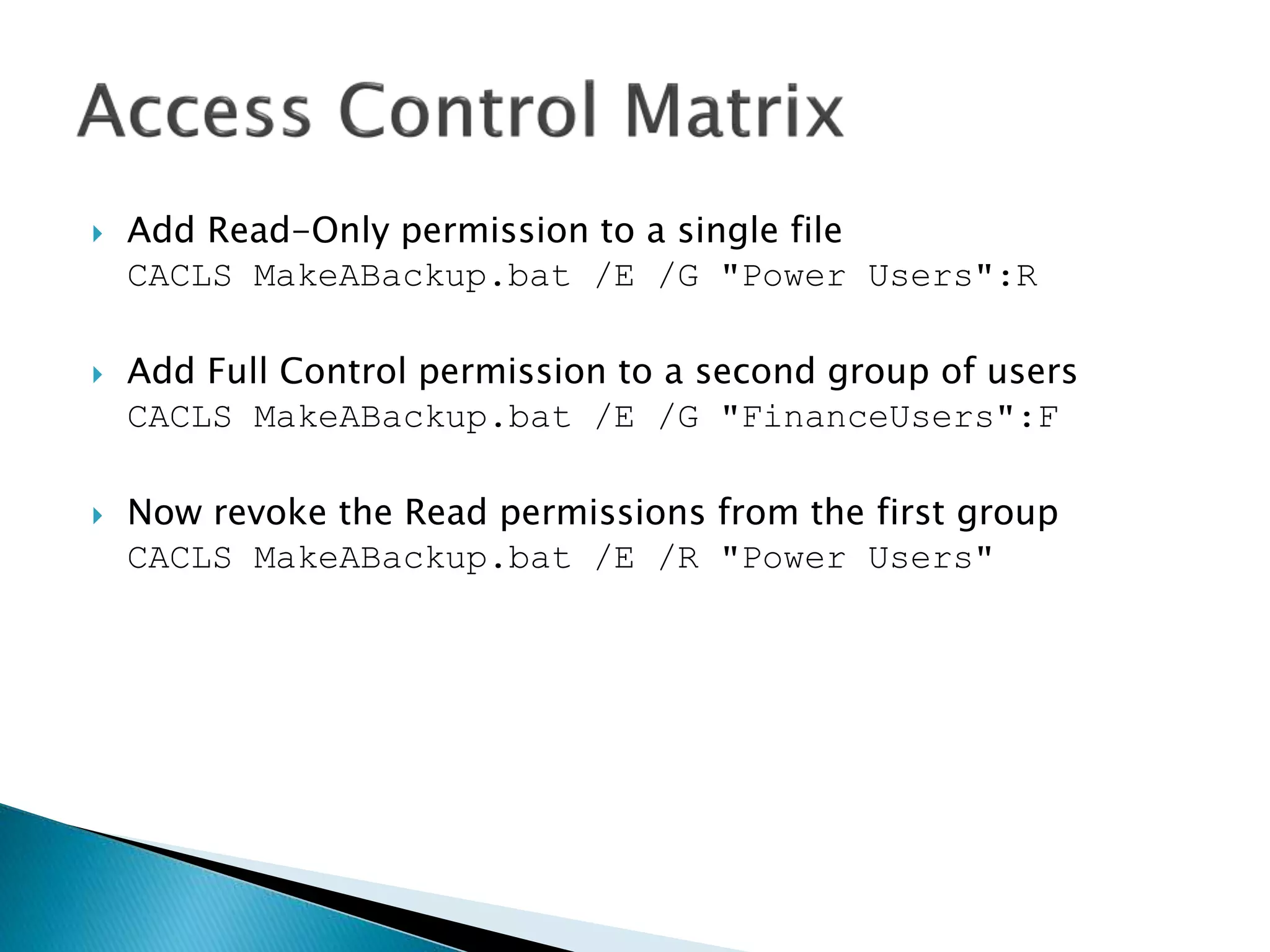
 Add Read-Only permission to a single file
CACLS MakeABackup.bat /E /G "Power Users":R
 Add Full Control permission to a second group of users
CACLS MakeABackup.bat /E /G "FinanceUsers":F
 Now revoke the Read permissions from the first group
CACLS MakeABackup.bat /E /R "Power Users"
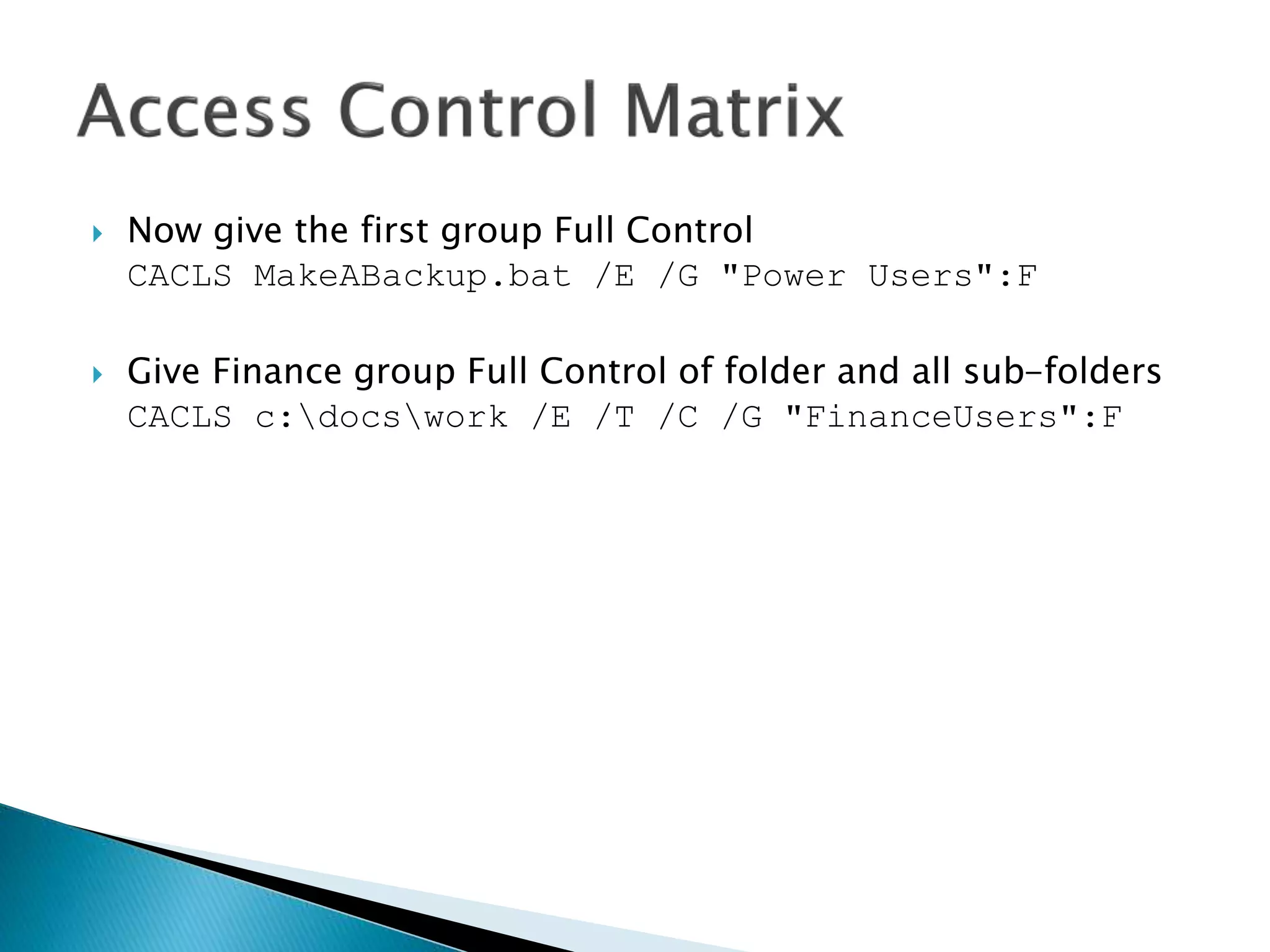
 Now give the first group Full Control
CACLS MakeABackup.bat /E /G "Power Users":F
 Give Finance group Full Control of folder and all sub-folders
CACLS c:docswork /E /T /C /G "FinanceUsers":F
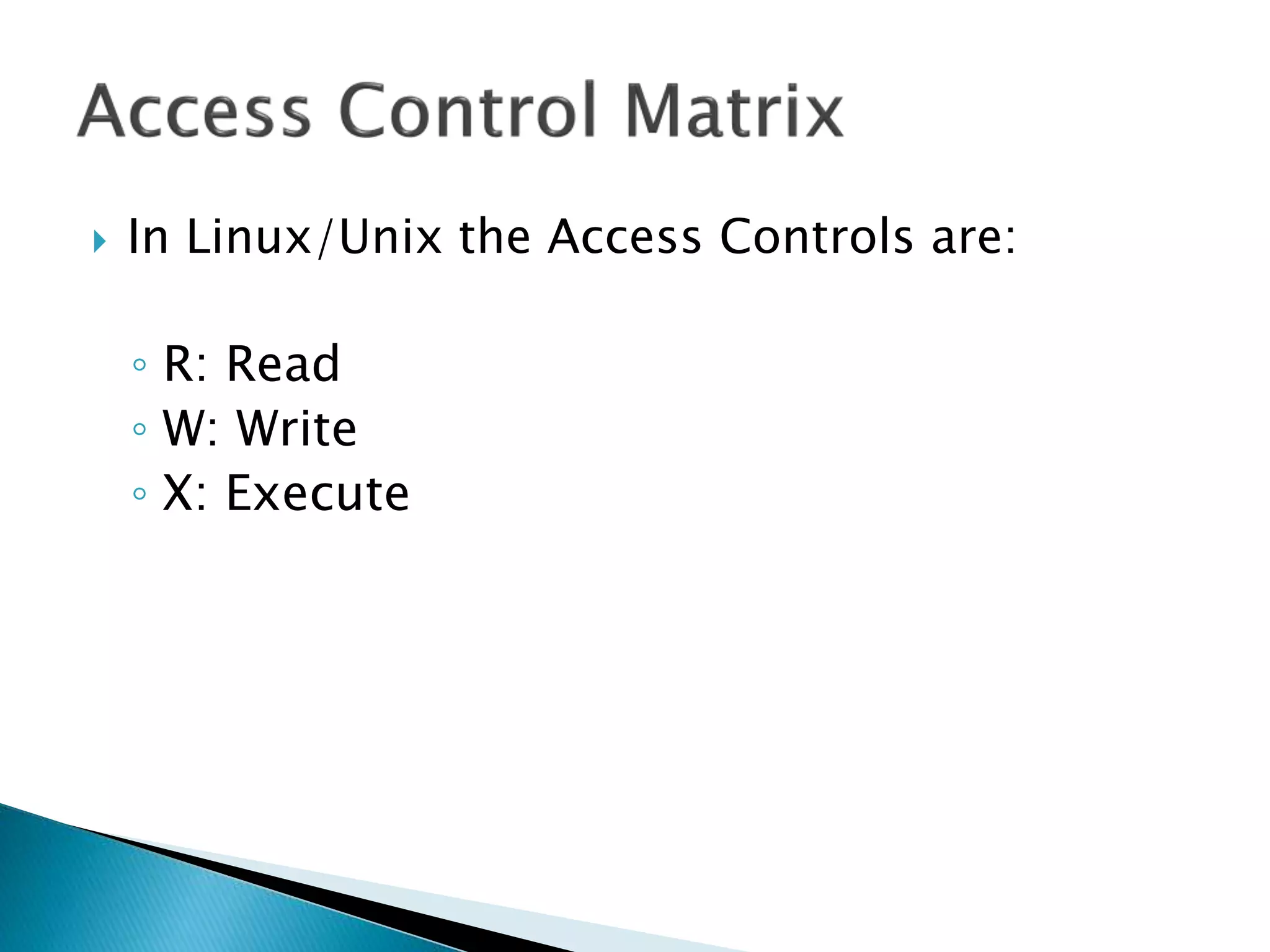
 In Linux/Unix the Access Controls are:
◦ R: Read
◦ W: Write
◦ X: Execute
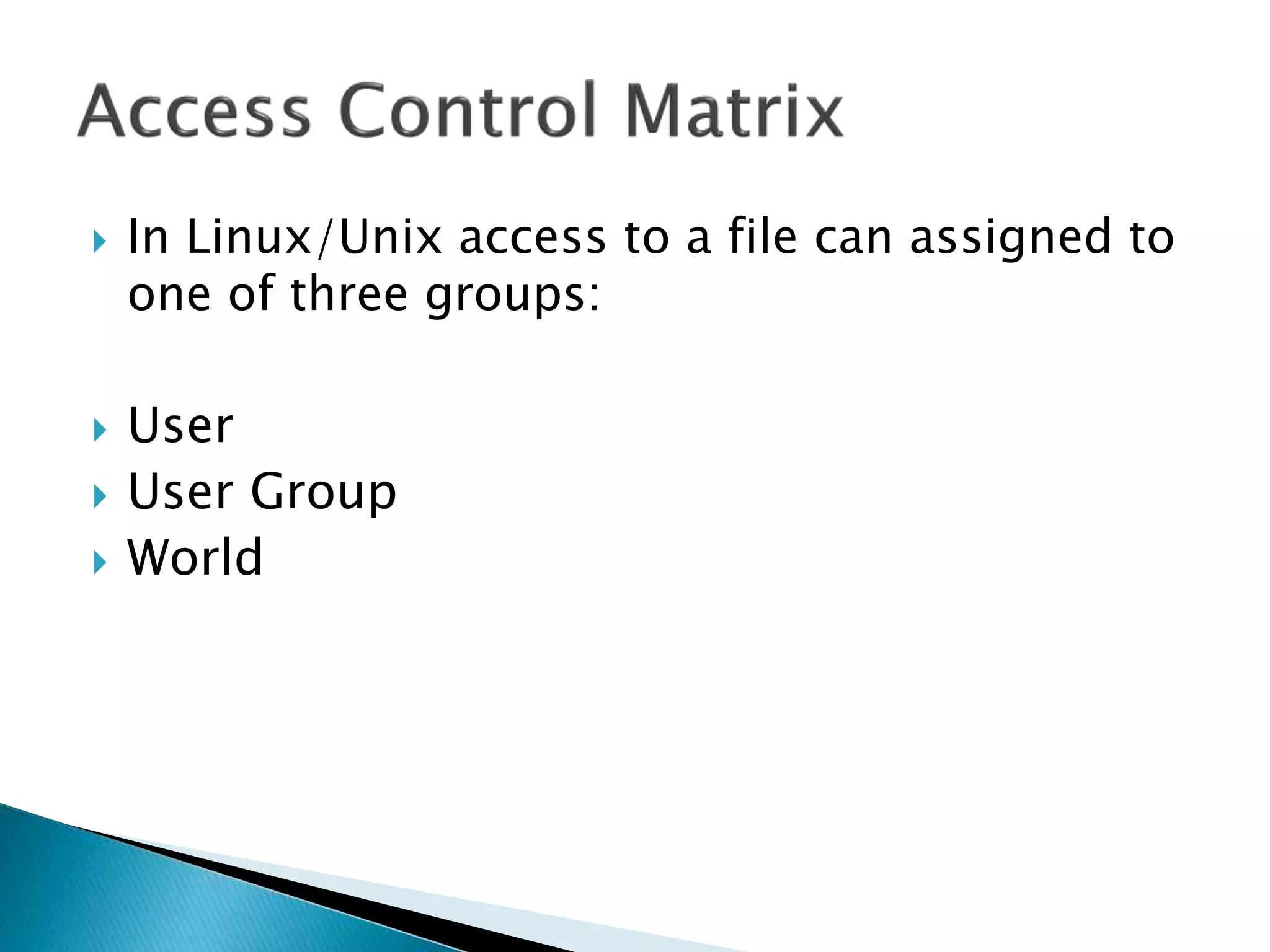
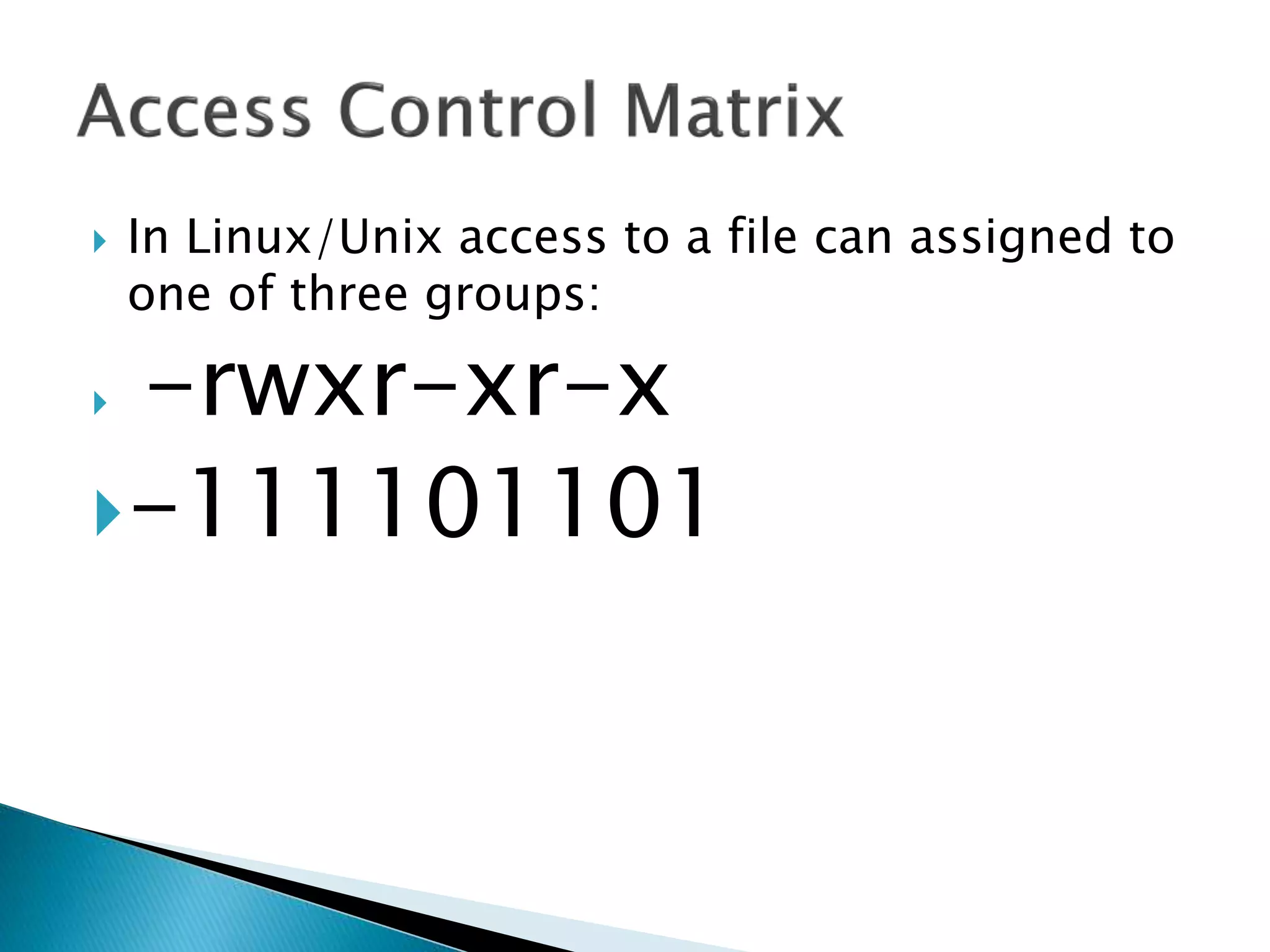
 In Linux/Unix access to a file can assigned to
one of three groups:
 User
 User Group
 World
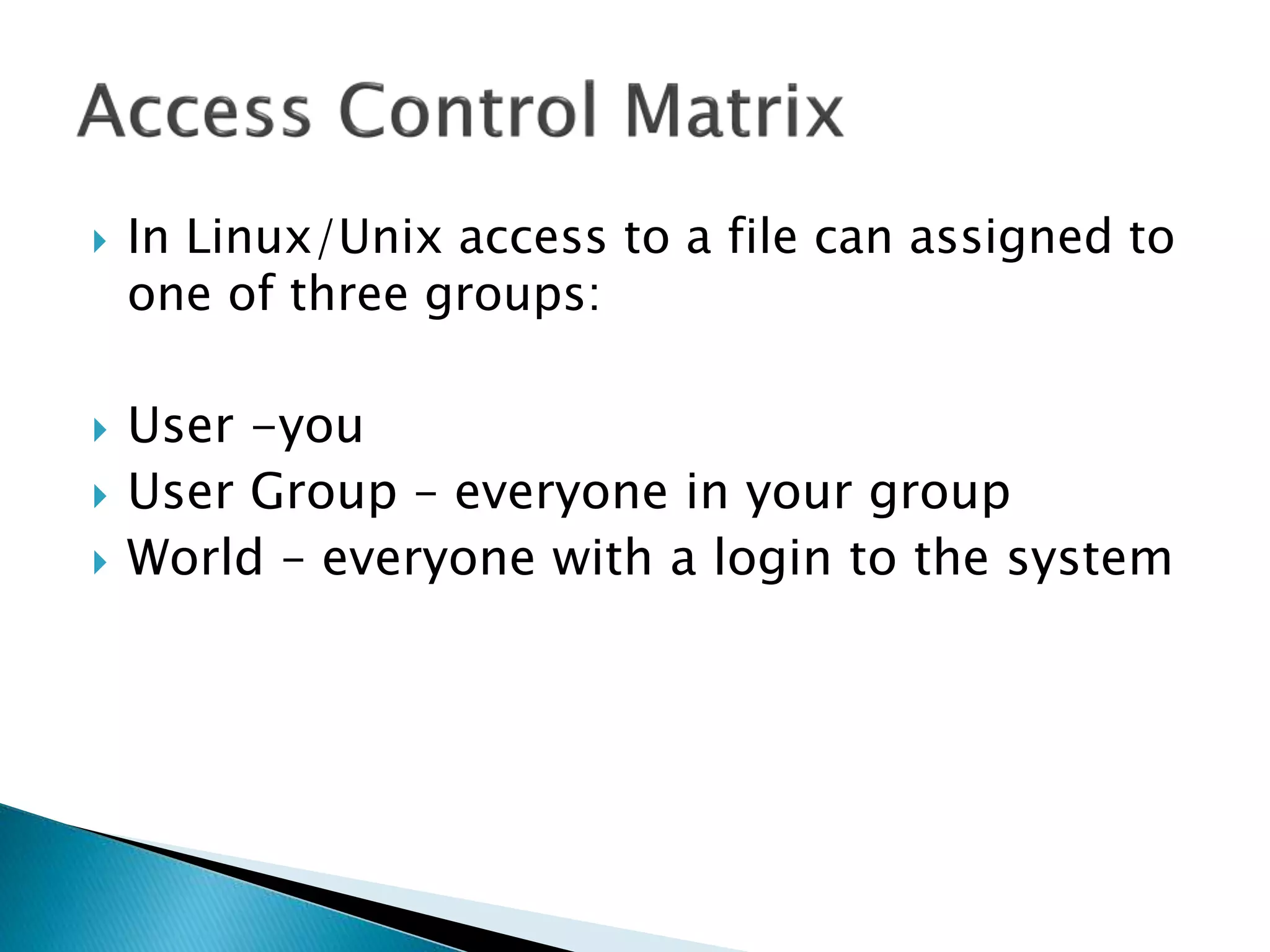
 In Linux/Unix access to a file can assigned to
one of three groups:
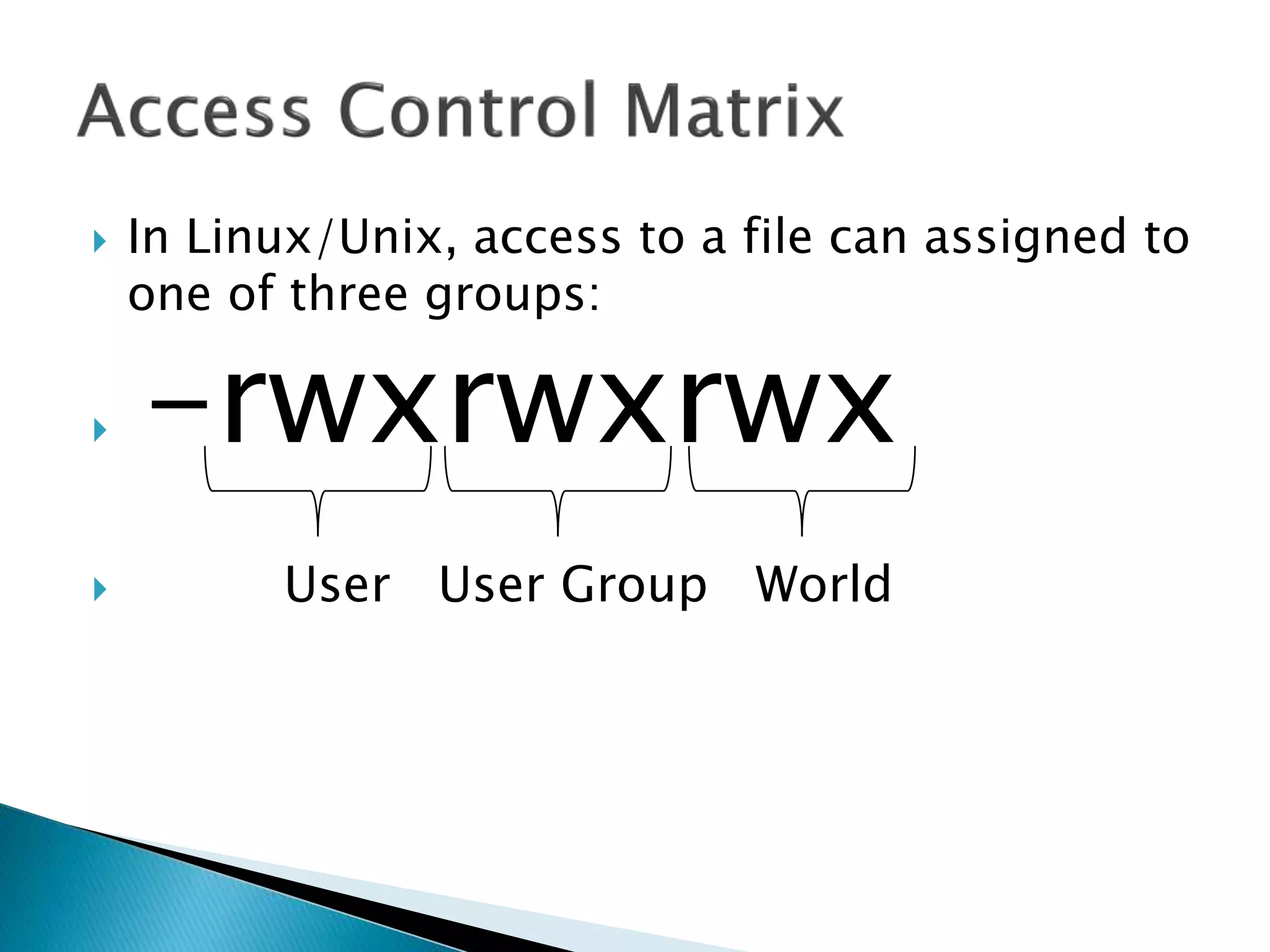
 User -you
 User Group – everyone in your group
 World – everyone with a login to the system
 In Linux/Unix access to a file can assigned to
one of three groups:
 -rwxrwxrwx
 User User Group World
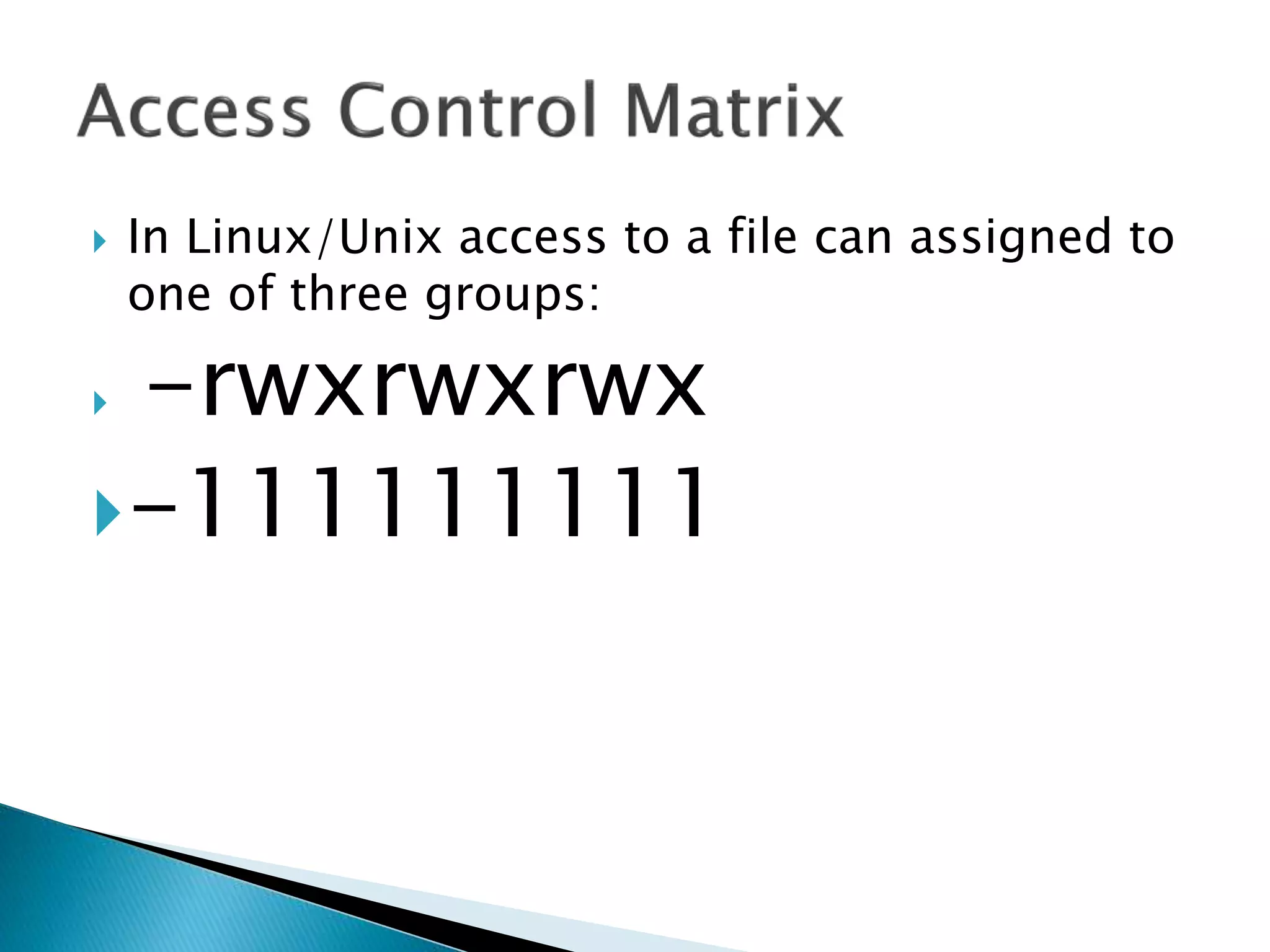
 In Linux/Unix access to a file can assigned to
one of three groups:
 -rwxrwxrwx
-111111111
 In Linux/Unix access to a file can assigned to
one of three groups:
 -rwxr-xr-x
-111101101
 In Linux/Unix access to a file can assigned to
one of three groups:
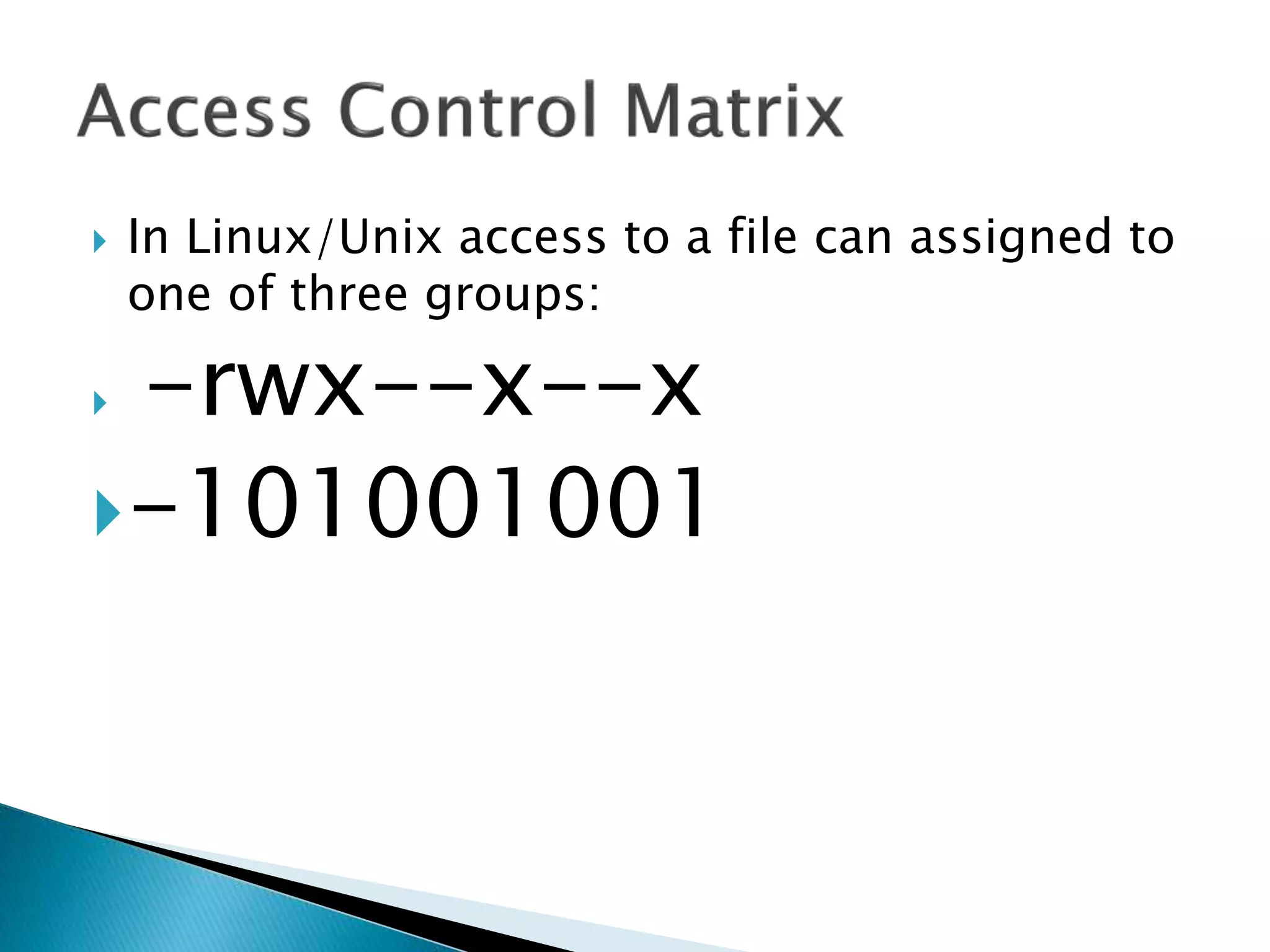
 -rwx--x--x
-101001001
 In Linux/Unix access to a file can assigned to
one of three groups:
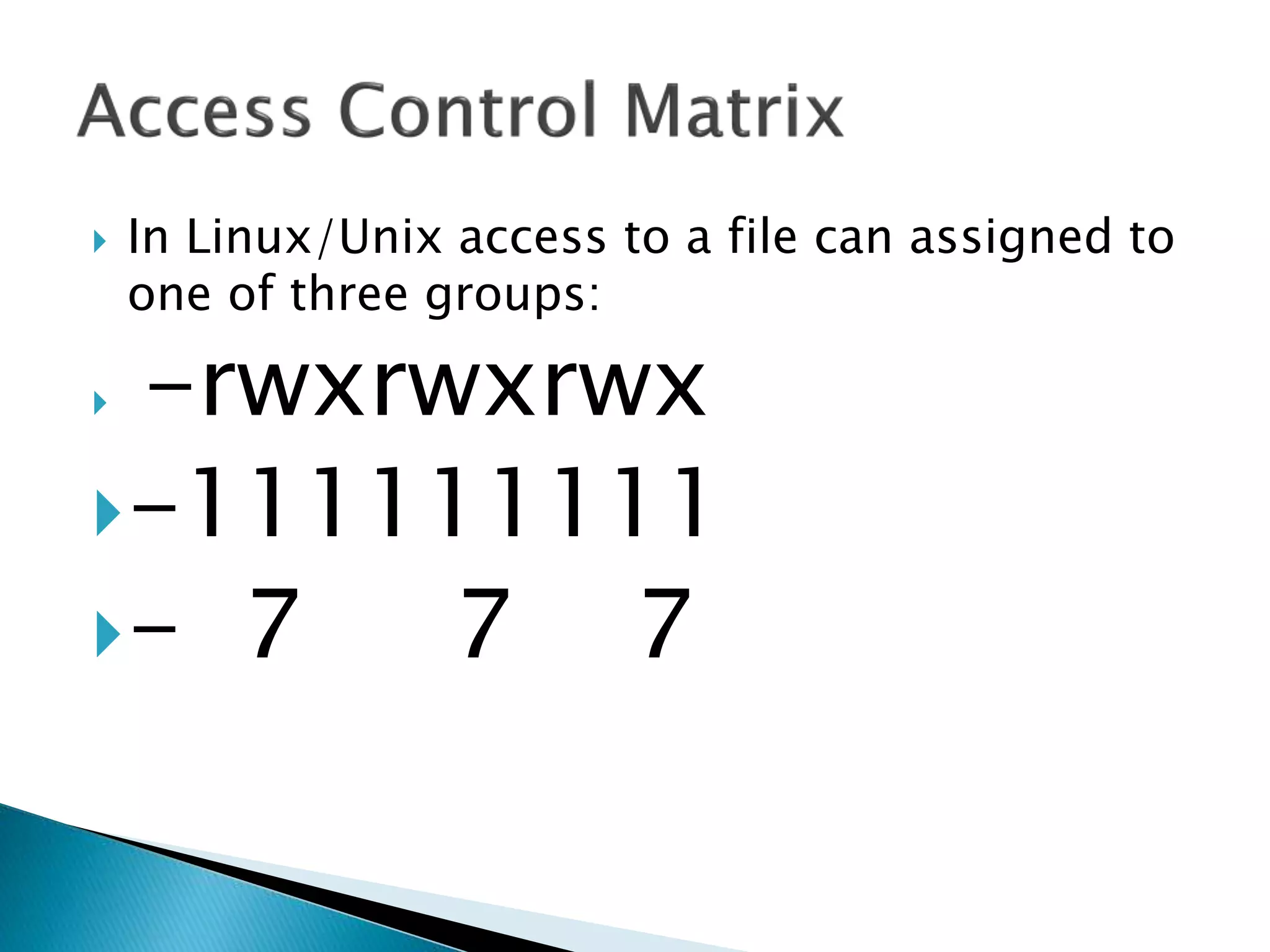
 -rwxrwxrwx
-111111111
- 7 7 7
 In Linux/Unix access to a file can assigned to
one of three groups:
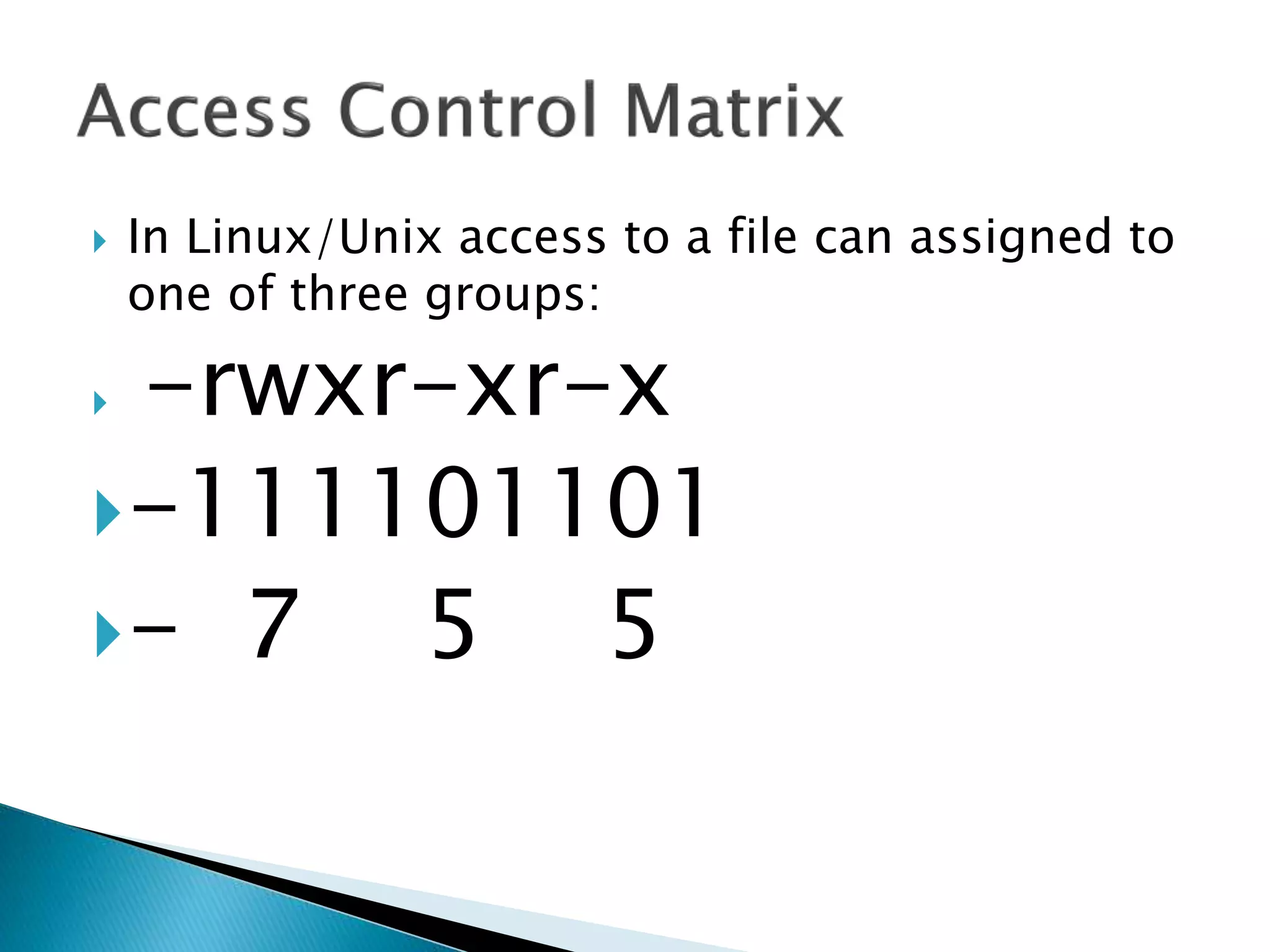
 -rwxr-xr-x
-111101101
- 7 5 5
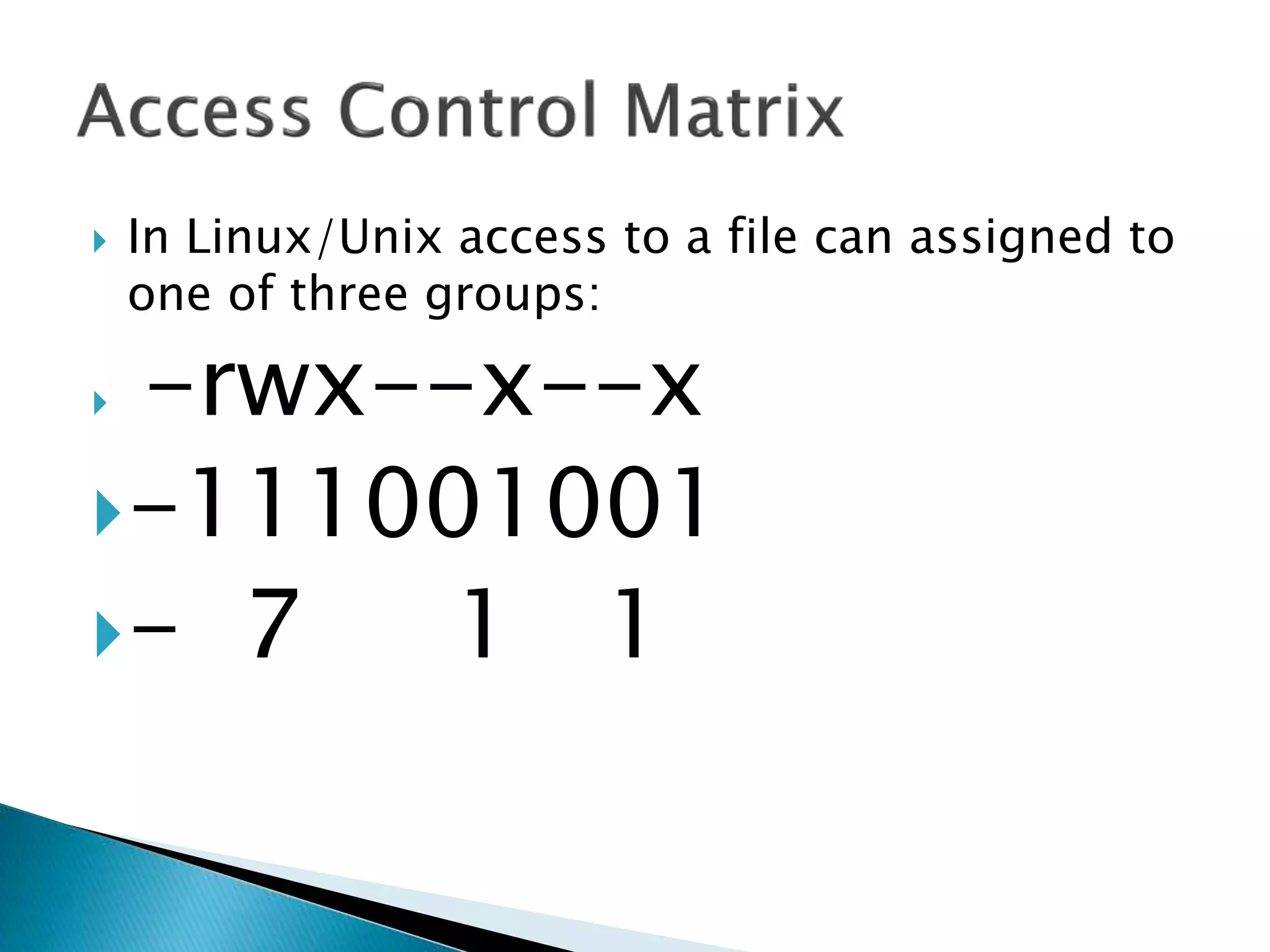
 In Linux/Unix access to a file can assigned to
one of three groups:
 -rwx--x--x
-111001001
- 7 1 1
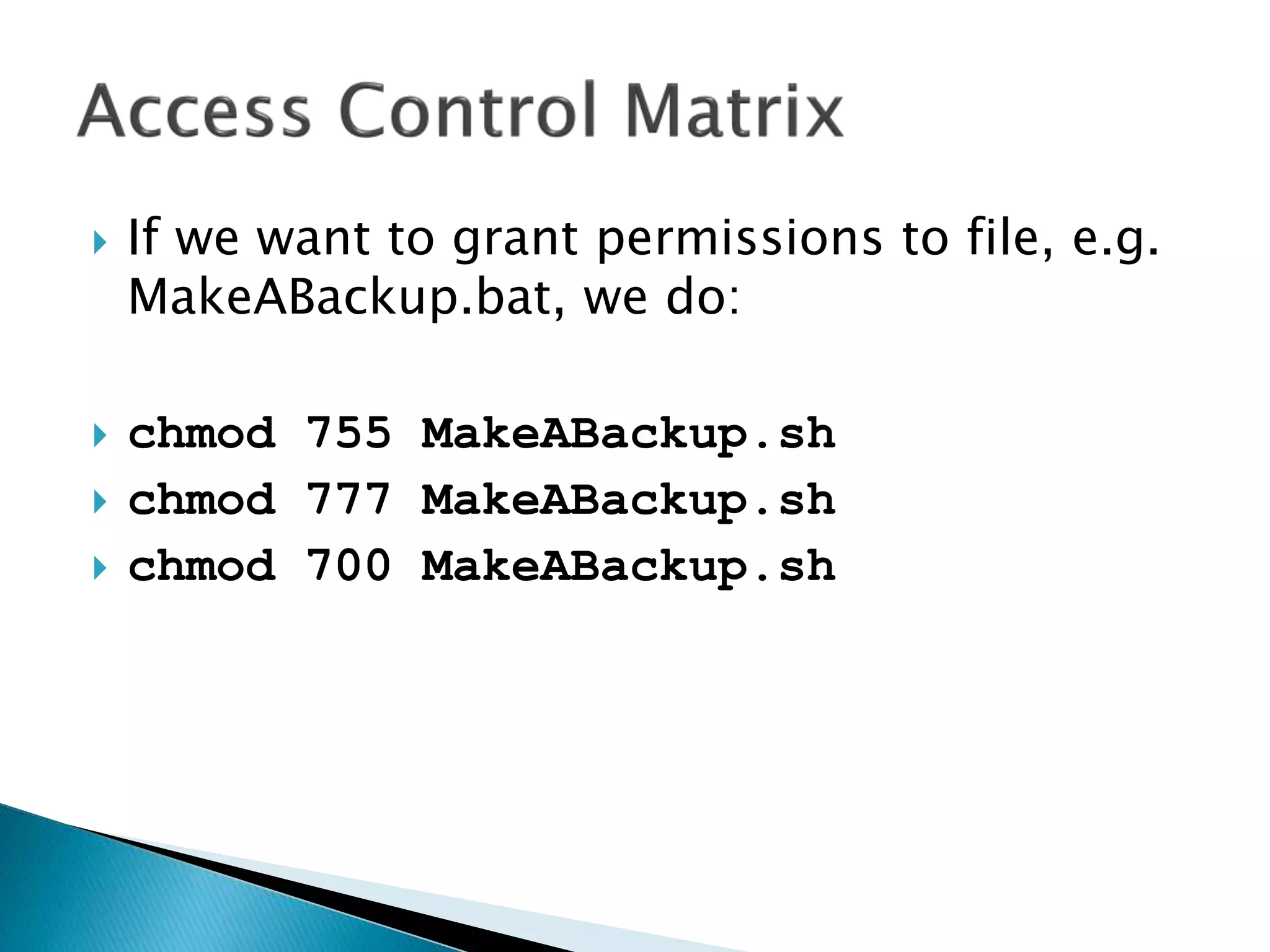
 If we want to grant permissions to file, e.g.
MakeABackup.bat, we do:
 chmod 755 MakeABackup.sh
 chmod 777 MakeABackup.sh
 chmod 700 MakeABackup.sh
 In Linux/Unix, access to a file can assigned to
one of three groups:
 -rwxrwxrwx
 User User Group World
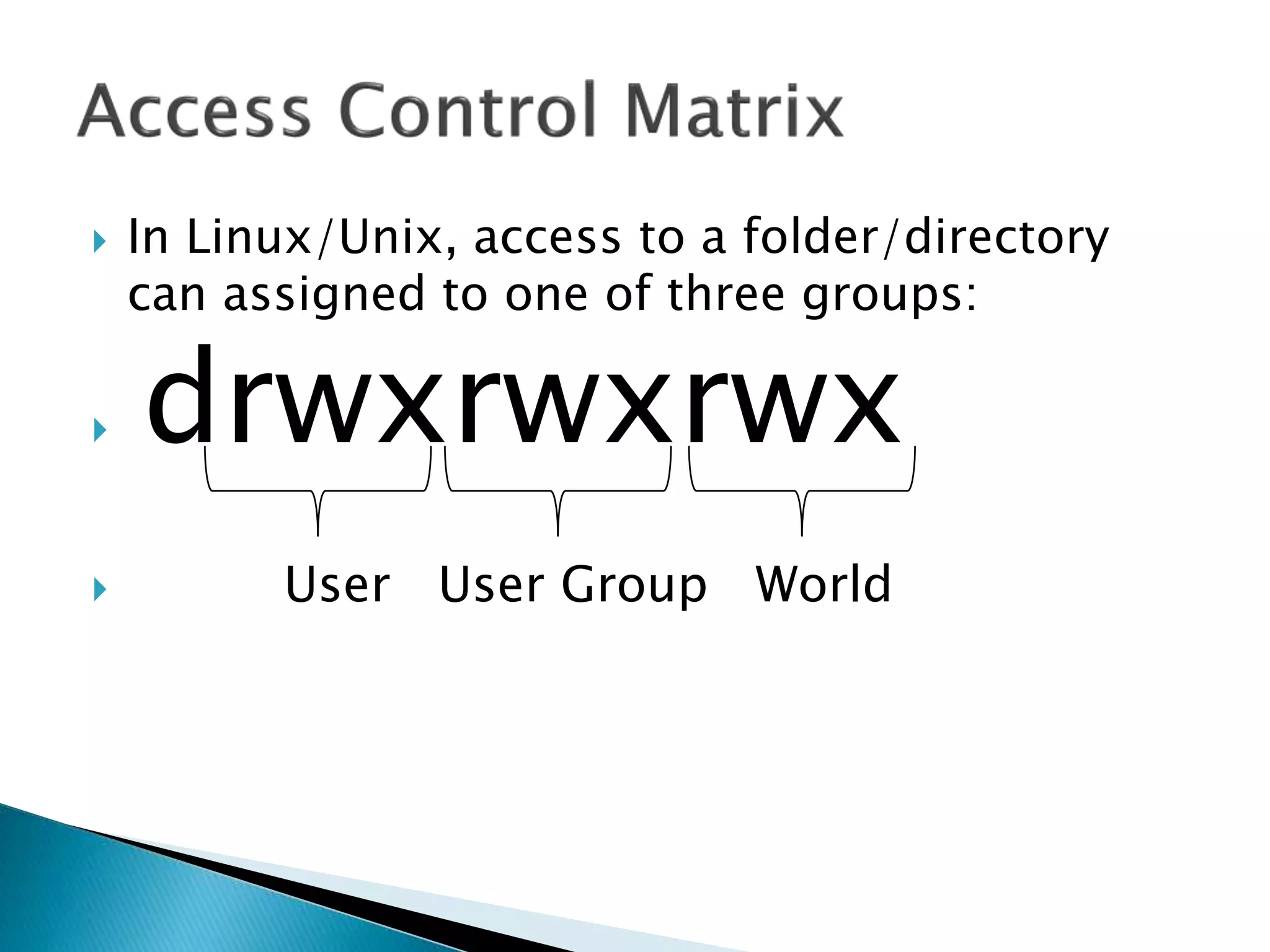
 In Linux/Unix, access to a folder/directory
can assigned to one of three groups:
 drwxrwxrwx
 User User Group World
Operating Systems -  File Management

Operating Systems - File Management

  • 1.
  • 3.
     BELIEVE ITOR NOT…  From the computer’s point of view, there is no such thing as a file.  It is only because the operating system is creating the illusion of a file that they exist  From the computer’s point of view, there is only blocks of memory, either allocated or unallocated. Damian’s
  • 4.
     The FileManager (or File Management System) is the manager in the Operating System that creates the illusion that there are files and folders being stored in computer memory. Operating System Files and Folders Memory LocationsHardware
  • 16.
     The FileManager ◦ Keeps track of where files are stored ◦ Determines how the files are stored ◦ Follows operating system file allocation policies ◦ Uses available storage space efficiently for files ◦ Creates a record/log of all file usage ◦ Allocates a file to a user if is free, and if they are permitted access to it. ◦ De-allocates file when user finished with it.
  • 17.
     The filemanager ALLOCATES a file by reading it from the hard disk and loading it into memory while updating its record of who is using what file.  The file manager DEALLOCATES a file by updating the file tables and rewriting the file (if changed) to the hard disk. Any processes waiting to access the file will be notified.
  • 18.
     Some definitions: ◦A FIELD is a collection of bytes that can be identified by a user, and has a type and size. ◦ A RECORD is a collection of related FIELDS. ◦ A FILE is a collection of records. ◦ A DIRECTORY (or FOLDER) is a special type of file that which has lists of files and their attributes.
  • 19.
     Typical thingsyou can do with a file are: ◦ CREATE ◦ OPEN ◦ DELETE ◦ RENAME ◦ COPY ◦ etc.
  • 20.
     The nameof a file is usually in two parts:
  • 21.
     The nameof a file is usually in two parts: ◦ MakeABackup.bat
  • 22.
     The nameof a file is usually in two parts: ◦ MakeABackup.bat Filename
  • 23.
     The nameof a file is usually in two parts: ◦ MakeABackup.bat Filename extension
  • 24.
    .avi Microsoft Videofor Windows movie .dbf dbase II, III, IV data file .doc(x) Microsoft Word for Windows .gif Graphics Interchange Format .htm Hypertext Markup Language (common web page file) .html Hypertext Markup Language (common web page file) .jpg JPEG graphic file .mpg MPEG Video file .mid MIDI music file .mov QuickTime movie
  • 25.
    .pdf Adobe PortableDocument Format file .ppt(x) PowerPoint file .psd Photoshop file .qxd QuarkXPress file .rm Real Audio/Video streaming file .rtf Rich Text Format .tif TIFF graphic file .txt ASCII text file .wav Sound file .xls(x) Excel spreadsheet
  • 26.
     The fullfilename includes path information:  C:WINDOWSsystem32MakeABackup.bat Filename extension
  • 27.
     The fullfilename includes path information:  C:WINDOWSsystem32MakeABackup.bat Filename extensionpath
  • 28.
     The fullfilename includes path information:  C:WINDOWSsystem32MakeABackup.bat Filename extensionpath
  • 29.
     If Iam in the following folder:  C:WINDOWSsystem32BackupFolder  Then the address of the file is:  ..MakeABackup.bat
  • 30.
     If Iam in the following folder:  C:WINDOWSsystem32BackupFolder  Then the address of the file is:  ..MakeABackup.bat
  • 31.
     The OperatingSystem store files as records in memory, where many records make up a single file.  There are three main ways a file is physically stored in memory: ◦ Contiguous Storage ◦ Non-contiguous Storage ◦ Indexed Storage
  • 33.
     Contiguous Storagemeans that records of a file are stored one after another.  It is a very simple policy to implement, and once you have found the start of the file, it’s very easy to find the rest of it.
  • 35.
    a b cd e f g h
  • 36.
    a b cd e f g h
  • 37.
    a b cd e f g h
  • 38.
    a b cd e f g h
  • 39.
    a b cd e f g h
  • 40.
    a b cd e f g h
  • 41.
    a b cd e f g h
  • 42.
    a b cd e f g h
  • 43.
    a b cd e f g h
  • 44.
    a b cd e f g h
  • 45.
    a b cd e f g h
  • 46.
    a b cd e f g h
  • 47.
     The problemwith is that if you have expand the file, you either need to have free space allocated at the end, or copy the whole file to a different location on the disk that has enough space.
  • 48.
     Non-contiguous Storagemeans that records of a file are stored where ever there is free space.  The file manager will try to put as much of it together as possible, but there will be other part spread out over the disk.  These extra bits are sometimes called extents and these are linked together with pointers.  This means there is no easy way to determine the exact location of a record in a file.
  • 49.
    a b cd e f g h
  • 50.
    a b cd e f g h
  • 51.
    a b cd e f g h
  • 52.
    a b cd e f g h
  • 53.
    a b cd e f g h
  • 54.
    a b cd e f g h
  • 55.
    a b cd e f g h
  • 56.
    a b cd e f g h
  • 57.
    a b cd e f g h
  • 58.
     Indexed Storagemeans that as well as the records in the file, an index block is created, with pointers to each individual file.
  • 59.
    v w xy za b c d e f g h
  • 60.
    v w xy za b c d e f g h
  • 61.
    v w xy za b c d e f g h
  • 62.
    v w xy za b c d e f g h
  • 63.
    v w xy za b c d e f g h Without an INDEX BLOCK, how do I find file 2?
  • 64.
    v w xy za b c d e f g h Without an INDEX BLOCK, how do I find file 2? We do a sequential search.
  • 65.
    v w xy za b c d e f g h
  • 66.
    v w xy za b c d e f g h
  • 67.
    v w xy za b c d e f g h
  • 68.
    v w xy za b c d e f g h
  • 69.
    v w xy za b c d e f g h
  • 70.
    v w xy za b c d e f g h
  • 71.
    v w xy za b c d e f g h
  • 72.
    v w xy za b c d e f g h
  • 73.
    v w xy za b c d e f g h
  • 74.
    v w xy za b c d e f g h
  • 75.
    v w xy za b c d e f g h
  • 76.
    v w xy za b c d e f g h
  • 77.
    v w xy za b c d e f g h
  • 78.
    v w xy za b c d e f g h
  • 79.
    v w xy za b c d e f g h
  • 80.
    v w xy za b c d e f g h
  • 81.
    v w xy za b c d e f g h
  • 82.
    v w xy za b c d e f g h
  • 83.
    v w xy za b c d e f g h
  • 84.
    v w xy za b c d e f g h
  • 85.
    v w xy za b c d e f g h
  • 86.
    v w xy za b c d e f g h
  • 87.
    v w xy za b c d e f g h
  • 88.
    v w xy za b c d e f g h
  • 89.
    v w xy za b c d e f g h
  • 90.
    v w xy za b c d e f g h
  • 91.
    v w xy za b c d e f g h
  • 92.
    v w xy za b c d e f g h
  • 93.
    v w xy za b c d e f g h
  • 94.
    v w xy za b c d e f g h
  • 95.
    v w xy za b c d e f g h
  • 96.
    v w xy za b c d e f g h
  • 97.
    v w xy za b c d e f g h
  • 98.
    v w xy za b c d e f g h So how does it work with an INDEX BLOCK?
  • 99.
    v w xy za b c d e f g h File Address Size Next File 1 1 4 9 File 1 9 4 - File 2 15 5 - INDEX BLOCK:
  • 100.
    v w xy za b c d e f g h File Address Size Next File 1 1 4 9 File 1 9 4 - File 2 15 5 - INDEX BLOCK:
  • 101.
    v w xy za b c d e f g h File Address Size Next File 1 1 4 9 File 1 9 4 - File 2 15 5 - INDEX BLOCK:
  • 102.
    v w xy za b c d e f g h File Address Size Next File 1 1 4 9 File 1 9 4 - File 2 15 5 - INDEX BLOCK:
  • 103.
    v w xy za b c d e f g h File Address Size Next File 1 1 4 9 File 1 9 4 - File 2 15 5 - INDEX BLOCK:
  • 104.
     This supportboth sequential and direct access to records, and for larger files there can be multiple indexes.
  • 105.
     The AccessControl Matrix shows the access that each user has for each file on the system. The possible accesses are: ◦ R: Read ◦ W: Write ◦ E: Execute ◦ D:Delete
  • 106.
    User 1 User 2 User 3 User 4 User 5 File 1 RWED--E- --E- RWED R--- File 2 ---- R-E- R-E- R--- RWE- File 3 R-E- RW-- R-E- R-E- R--D File 4 R--- RWE- R--- RWED --E-
  • 107.
    Mary Anne TomBob Lyn Word. exe RWED --E- --E- RWED R-E- Lect1. ppt ---- R-E- R-E- R--- RWE- Scan. Exe R-E- RW-- R-E- R-E- R-ED Chrome. exe R-E- RWE- R-E- RWED --E-
  • 108.
     In DOSthe Access Controls are: ◦ R: Read ◦ W: Write ◦ C: Change ◦ F: Full Control
  • 109.
     In DOSaccess to a file can assigned to one of two groups:  User  User Group
  • 110.
     In DOSif we want to grant permissions to file, e.g. MakeABackup.bat, we do:  cacls
  • 111.
     In DOSif we want to grant permissions to file, e.g. MakeABackup.bat, we do:  cacls filename arguments
  • 112.
     In DOSif we want to grant permissions to file, e.g. MakeABackup.bat, we do:  cacls filename [/T] [/M] [/L] [/S[:SDDL]] [/E] [/C] [/G user:?] [/R user [...]] [/P user:? [...]] [/D user [...]]
  • 113.
     In DOScacls works as follows: Argument Description filename Display access control lists (ACLs) of file /T Changes ACLs of specified files in the current directory and all subdirectories. /M Changes ACLs of volumes mounted to a directory. /L Work on the Symbolic Link itself versus the target. /S Displays the SDDL string for the DACL. /S:SDDL Replaces the ACLs with those specified in the SDDL string (not valid with /E, /G, /R, /P, or /D).
  • 114.
     In DOScacls works as follows: Argument Description /E Edit ACL instead of replacing it. /C Continue on access denied errors. /G user:? Grant specified user access rights. ? can be: R, W, C, or F /R user Revoke specified user's access rights (only valid with /E). /P user:? Replace specified user's access rights. ? can be: R, W, C, or F /D user Deny specified user access.
  • 115.
     Add Read-Onlypermission to a single file CACLS MakeABackup.bat /E /G "Power Users":R  Add Full Control permission to a second group of users CACLS MakeABackup.bat /E /G "FinanceUsers":F  Now revoke the Read permissions from the first group CACLS MakeABackup.bat /E /R "Power Users"
  • 116.
     Now givethe first group Full Control CACLS MakeABackup.bat /E /G "Power Users":F  Give Finance group Full Control of folder and all sub-folders CACLS c:docswork /E /T /C /G "FinanceUsers":F
  • 117.
     In Linux/Unixthe Access Controls are: ◦ R: Read ◦ W: Write ◦ X: Execute
  • 118.
     In Linux/Unixaccess to a file can assigned to one of three groups:  User  User Group  World
  • 119.
     In Linux/Unixaccess to a file can assigned to one of three groups:  User -you  User Group – everyone in your group  World – everyone with a login to the system
  • 120.
     In Linux/Unixaccess to a file can assigned to one of three groups:  -rwxrwxrwx  User User Group World
  • 121.
     In Linux/Unixaccess to a file can assigned to one of three groups:  -rwxrwxrwx -111111111
  • 122.
     In Linux/Unixaccess to a file can assigned to one of three groups:  -rwxr-xr-x -111101101
  • 123.
     In Linux/Unixaccess to a file can assigned to one of three groups:  -rwx--x--x -101001001
  • 124.
     In Linux/Unixaccess to a file can assigned to one of three groups:  -rwxrwxrwx -111111111 - 7 7 7
  • 125.
     In Linux/Unixaccess to a file can assigned to one of three groups:  -rwxr-xr-x -111101101 - 7 5 5
  • 126.
     In Linux/Unixaccess to a file can assigned to one of three groups:  -rwx--x--x -111001001 - 7 1 1
  • 127.
     If wewant to grant permissions to file, e.g. MakeABackup.bat, we do:  chmod 755 MakeABackup.sh  chmod 777 MakeABackup.sh  chmod 700 MakeABackup.sh
  • 128.
     In Linux/Unix,access to a file can assigned to one of three groups:  -rwxrwxrwx  User User Group World
  • 129.
     In Linux/Unix,access to a folder/directory can assigned to one of three groups:  drwxrwxrwx  User User Group World