
What’s new in OpenText
Captiva 16.5
OpenText Confidential. ©2018 All Rights Reserved. 2
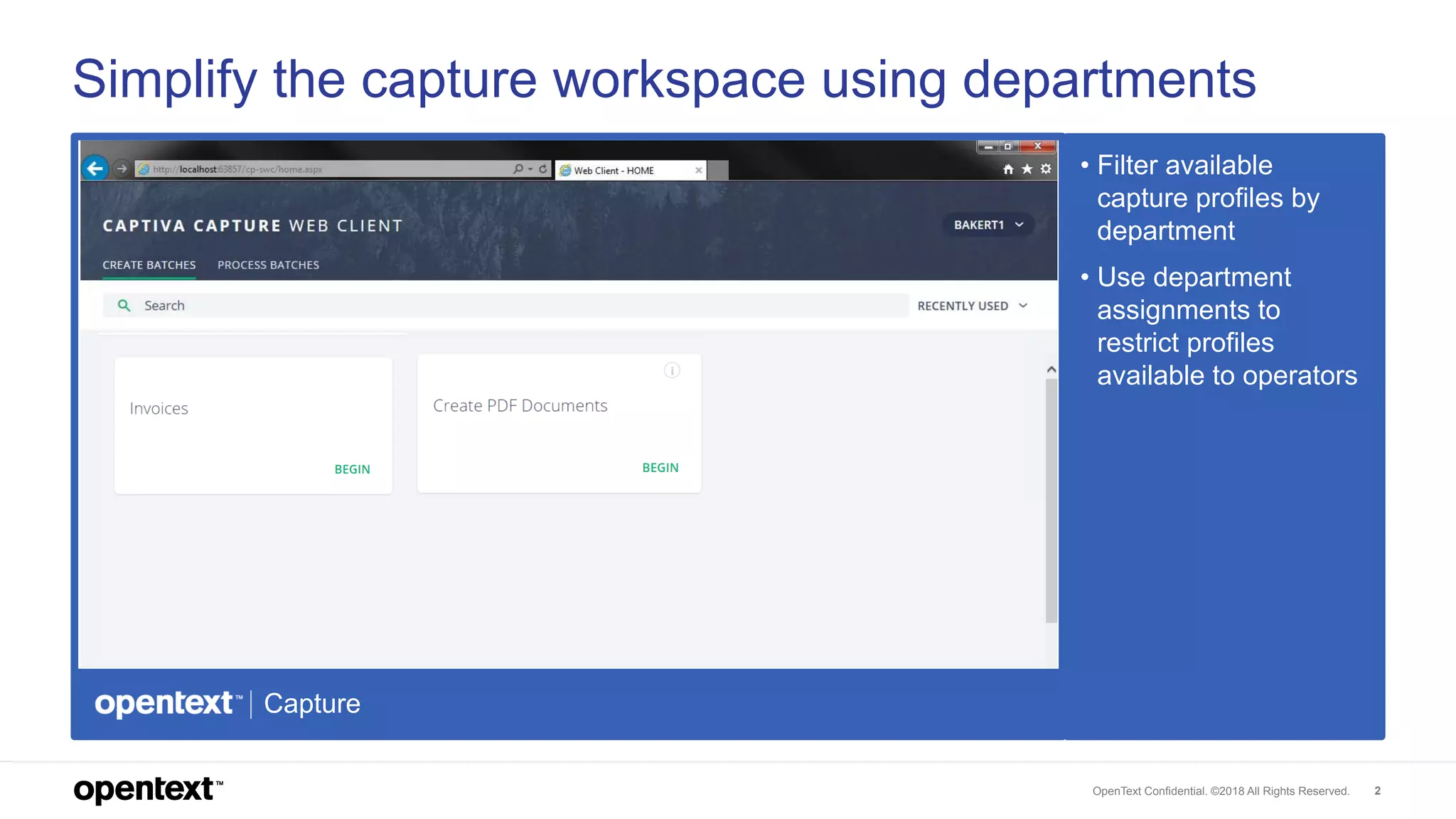
Simplify the capture workspace using departments
• Filter available
capture profiles by
department
• Use department
assignments to
restrict profiles
available to operators
Capture
OpenText Confidential. ©2018 All Rights Reserved. 3
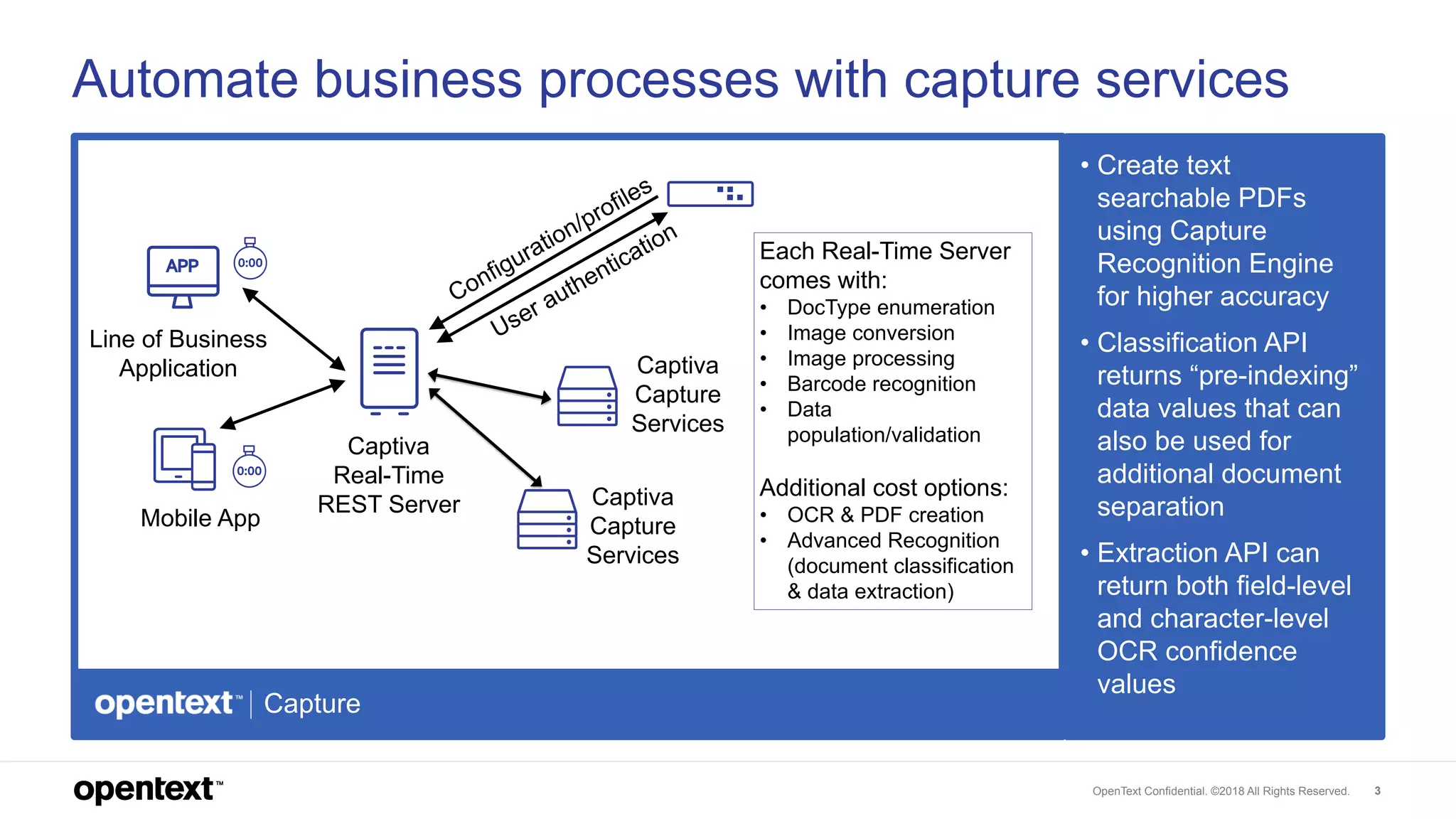
Automate business processes with capture services
• Create text
searchable PDFs
using Capture
Recognition Engine
for higher accuracy
• Classification API
returns “pre-indexing”
data values that can
also be used for
additional document
separation
• Extraction API can
return both field-level
and character-level
OCR confidence
values
Capture
Captiva
Real-Time
REST Server Captiva
Capture
Services
Captiva
Capture
Services
Mobile App
Line of Business
Application
Each Real-Time Server
comes with:
• DocType enumeration
• Image conversion
• Image processing
• Barcode recognition
• Data
population/validation
Additional cost options:
• OCR & PDF creation
• Advanced Recognition
(document classification
& data extraction)
OpenText Confidential. ©2018 All Rights Reserved. 4
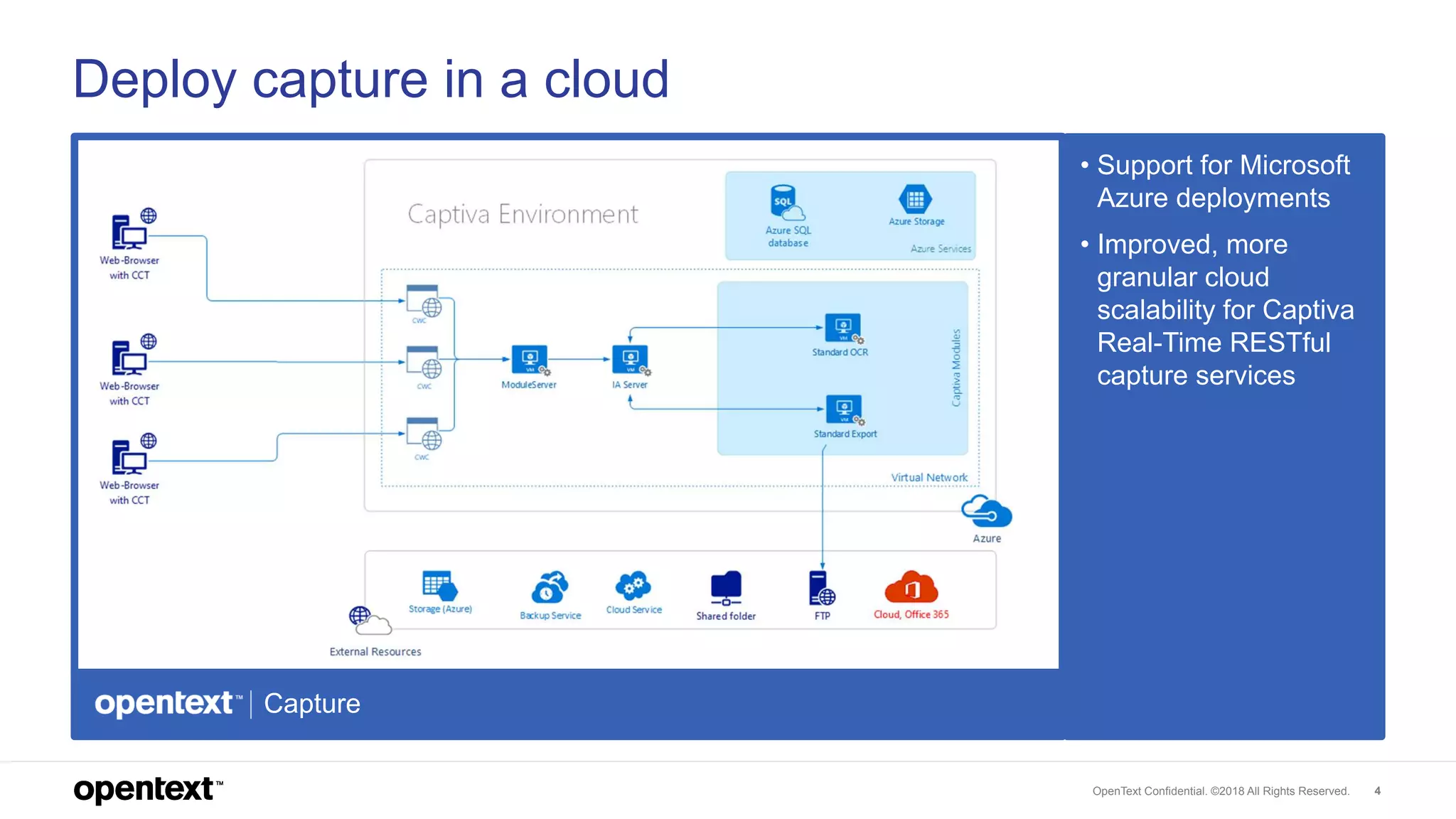
Deploy capture in a cloud
• Support for Microsoft
Azure deployments
• Improved, more
granular cloud
scalability for Captiva
Real-Time RESTful
capture services
Capture
OpenText Confidential. ©2018 All Rights Reserved. 5
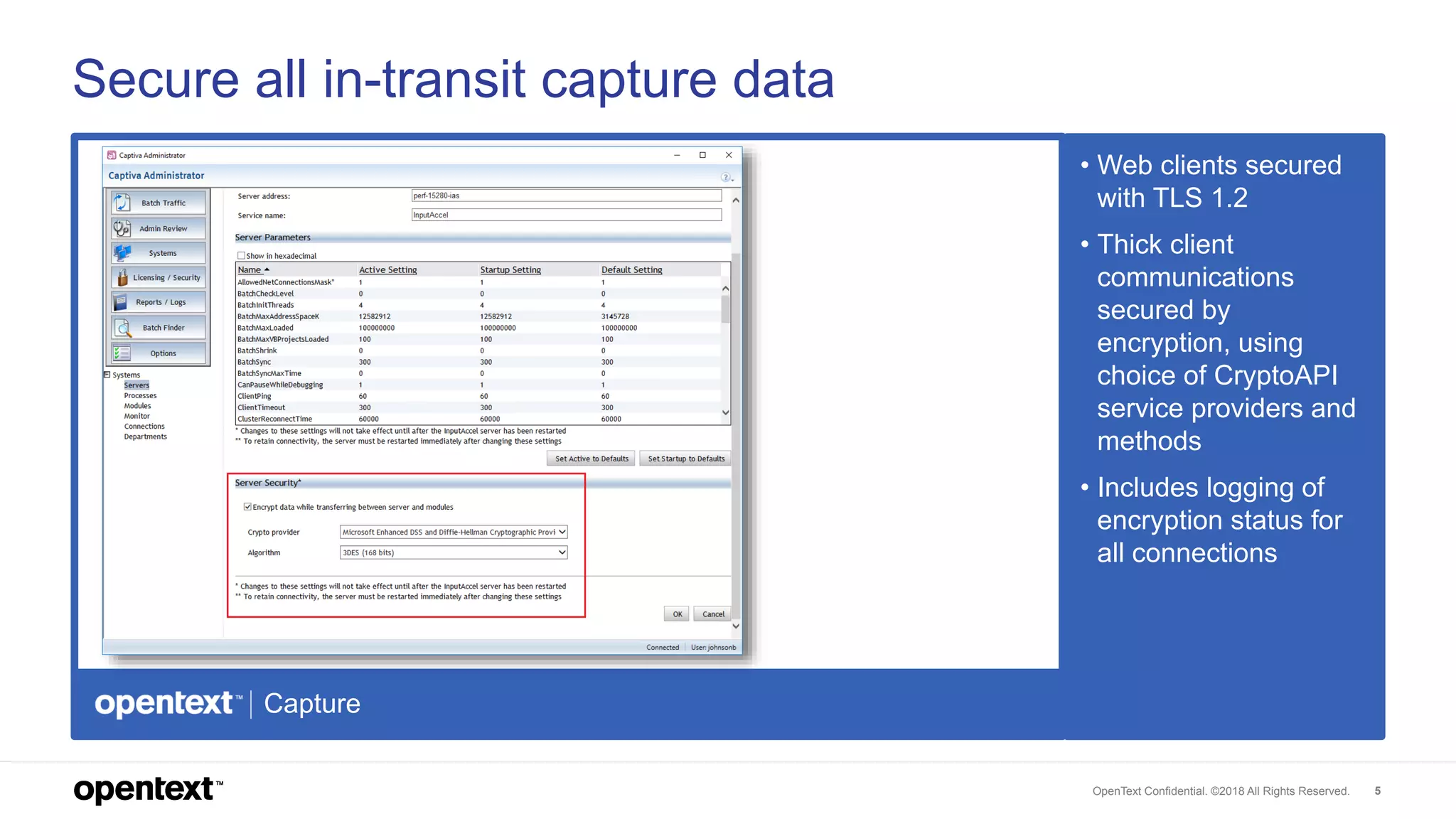
Secure all in-transit capture data
• Web clients secured
with TLS 1.2
• Thick client
communications
secured by
encryption, using
choice of CryptoAPI
service providers and
methods
• Includes logging of
encryption status for
all connections
Capture
OpenText Confidential. ©2018 All Rights Reserved. 6
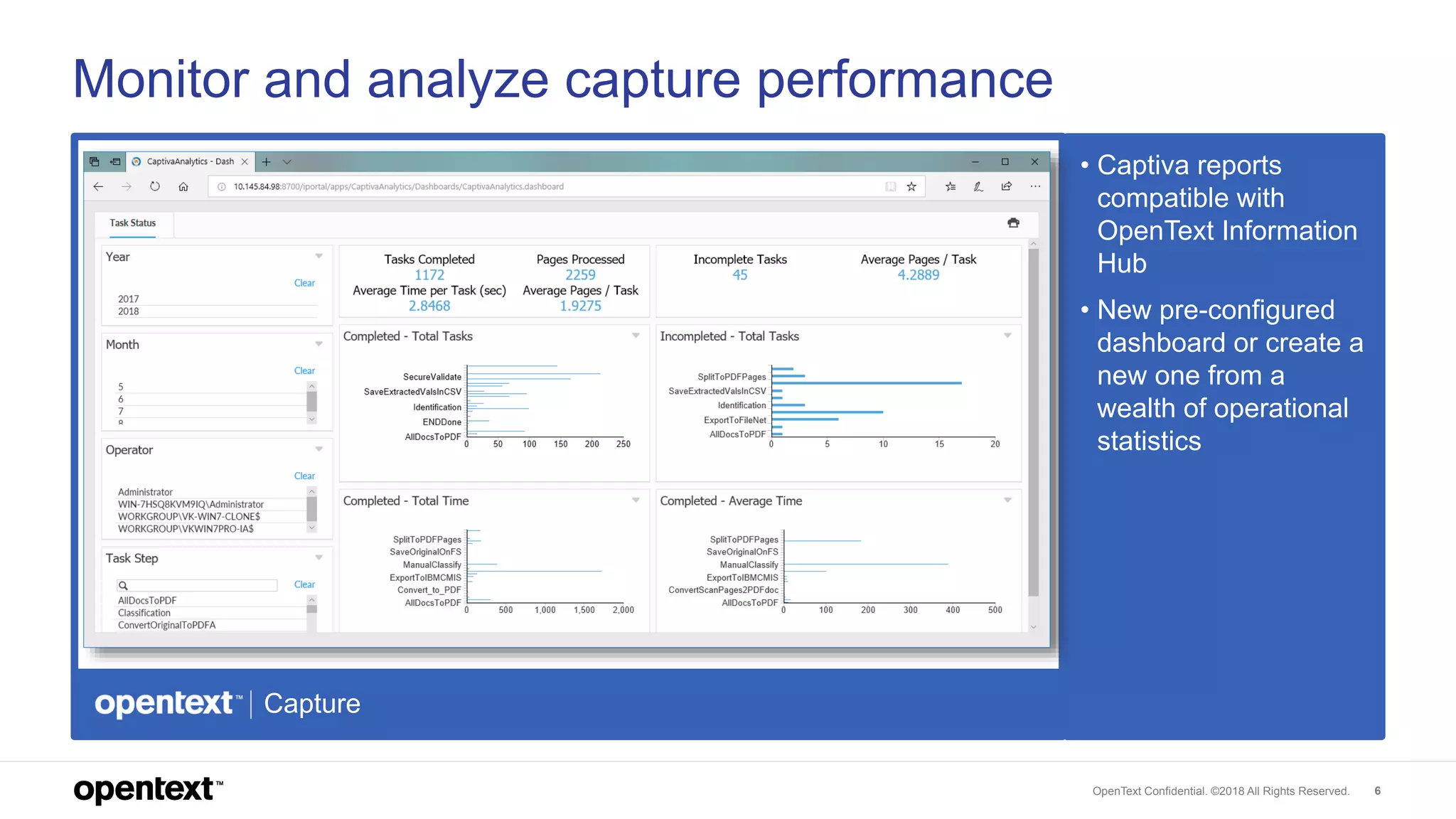
Monitor and analyze capture performance
• Captiva reports
compatible with
OpenText Information
Hub
• New pre-configured
dashboard or create a
new one from a
wealth of operational
statistics
Capture

OpenText Captiva - What's new in Release 16 (EP5)

  • 1.
    What’s new inOpenText Captiva 16.5
  • 2.
    OpenText Confidential. ©2018All Rights Reserved. 2 Simplify the capture workspace using departments • Filter available capture profiles by department • Use department assignments to restrict profiles available to operators Capture
  • 3.
    OpenText Confidential. ©2018All Rights Reserved. 3 Automate business processes with capture services • Create text searchable PDFs using Capture Recognition Engine for higher accuracy • Classification API returns “pre-indexing” data values that can also be used for additional document separation • Extraction API can return both field-level and character-level OCR confidence values Capture Captiva Real-Time REST Server Captiva Capture Services Captiva Capture Services Mobile App Line of Business Application Each Real-Time Server comes with: • DocType enumeration • Image conversion • Image processing • Barcode recognition • Data population/validation Additional cost options: • OCR & PDF creation • Advanced Recognition (document classification & data extraction)
  • 4.
    OpenText Confidential. ©2018All Rights Reserved. 4 Deploy capture in a cloud • Support for Microsoft Azure deployments • Improved, more granular cloud scalability for Captiva Real-Time RESTful capture services Capture
  • 5.
    OpenText Confidential. ©2018All Rights Reserved. 5 Secure all in-transit capture data • Web clients secured with TLS 1.2 • Thick client communications secured by encryption, using choice of CryptoAPI service providers and methods • Includes logging of encryption status for all connections Capture
  • 6.
    OpenText Confidential. ©2018All Rights Reserved. 6 Monitor and analyze capture performance • Captiva reports compatible with OpenText Information Hub • New pre-configured dashboard or create a new one from a wealth of operational statistics Capture