Testing & User Research
Workshop
Photo Credit: kaboodle.com
“The best tool for resolving disputes within a
design team, for making design decisions based
on data rather than opinion, is sitting next to
someone who is a real person who wants to
accomplish something as they use your design to
do it.”
--Dana Chisnell, August 2, 2010
Btw I’m Cyd Harrell
I’m UX Evangelist at Code for America

My favorite tools: empathy and duct tape
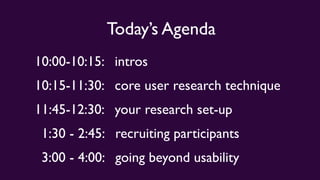
Today’s Agenda
10:00-10:15: intros
10:15-11:30: core user research technique
11:45-12:30: your research set-up
1:30 - 2:45: recruiting participants
3:00 - 4:00: going beyond usability
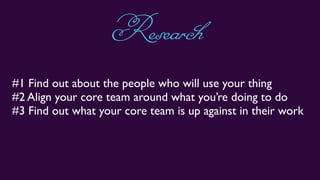
#1 Find out about the people who will use your thing
#2 Align your core team around what you’re doing to do
#3 Find out what your core team is up against in their work
Research
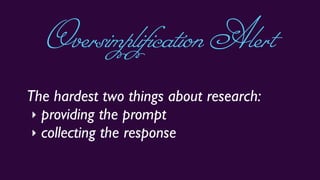
The hardest two things about research:
‣ providing the prompt
‣ collecting the response
OversimplificationAlert
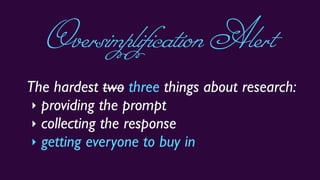
The hardest two three things about research:
‣ providing the prompt
‣ collecting the response
‣ getting everyone to buy in
OversimplificationAlert
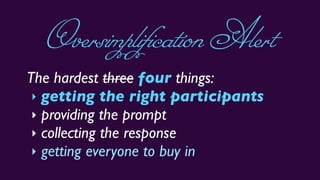
The hardest three four things:
‣ getting the right participants
‣ providing the prompt
‣ collecting the response
‣ getting everyone to buy in
OversimplificationAlert
o.k.soafewthingsarehard
Let’s jump right in
What’s the latest with UX Research?
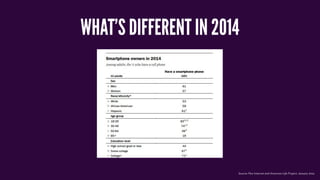
WHAT’S DIFFERENT IN 2014
Source: Pew Internet and American Life Project, January 2014
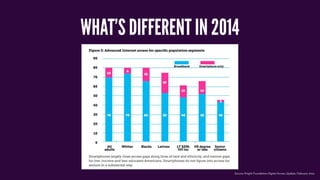
WHAT’S DIFFERENT IN 2014
Source: Knight Foundation Digital Access Update, February 2014
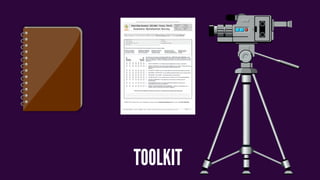
TOOLKIT
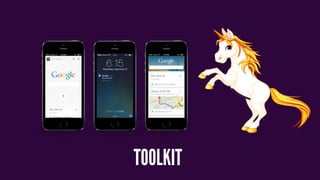
TOOLKIT
REMEMBER BE
graceful
When All Your
TECHNOLOGY
BREAKS
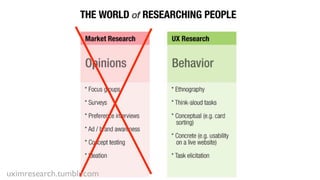
uximresearch.tumblr.com
Now we do a little experiment
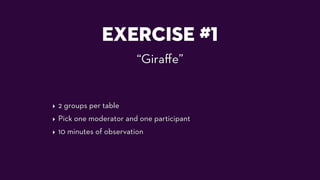
EXERCISE #1
“Giraffe”
‣ 2 groups per table
‣ Pick one moderator and one participant
‣ 10 minutes of observation
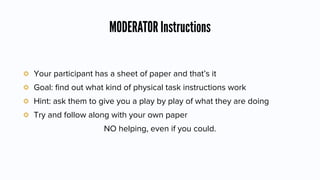
MODERATOR Instructions
Your participant has a sheet of paper and that’s it
Goal: find out what kind of physical task instructions work
Hint: ask them to give you a play by play of what they are doing
Try and follow along with your own paper
NO helping, even if you could.
It’s A RACE
You only have 10 minutes to do this max.
Surprises?
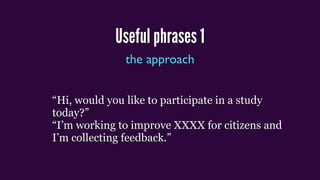
Useful phrases 1
the approach
“Hi, would you like to participate in a study
today?”
“I’m working to improve XXXX for citizens and
I’m collecting feedback.”
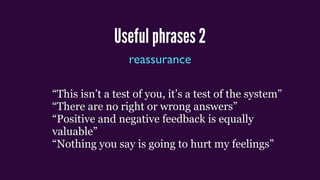
Useful phrases 2
reassurance
“This isn’t a test of you, it’s a test of the system”
“There are no right or wrong answers”
“Positive and negative feedback is equally
valuable”
“Nothing you say is going to hurt my feelings”
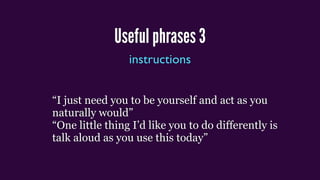
Useful phrases 3
instructions
“I just need you to be yourself and act as you
naturally would”
“One little thing I’d like you to do differently is
talk aloud as you use this today”
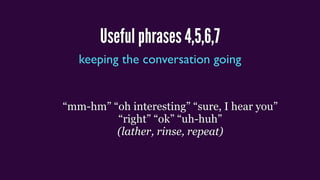
Useful phrases 4,5,6,7
keeping the conversation going
“mm-hm” “oh interesting” “sure, I hear you”
“right” “ok” “uh-huh”
(lather, rinse, repeat)

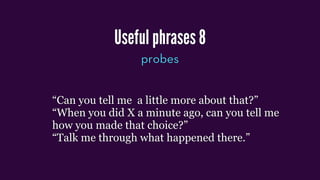
Useful phrases 8
probes
“Can you tell me a little more about that?”
“When you did X a minute ago, can you tell me
how you made that choice?”
“Talk me through what happened there.”
Useful phrases 9
ratings
“If you had to give this a letter grade, you know
A, B, C, D, F like we used to get in school, what
would you give it?”
Useful phrases 10
self-explanatory
“Thank you so much, I really appreciate your
taking the time to talk to me.”
DESIGNINGUSER STUDIES
FIND THE RIGHT PARTICIPANTS
uximresearch.tumblr.com Photo Credit: Ed Yourdon
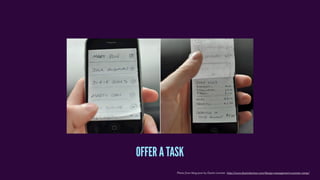
Photo from blog post by Dustin Larimer http://www.dustinlarimer.com/design-management-summer-camp/
OFFER A TASK
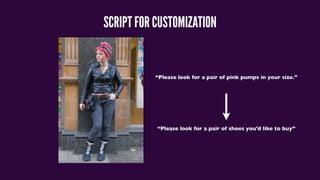
SCRIPT FOR CUSTOMIZATION
“Please look for a pair of pink pumps in your size.”
“Please look for a pair of shoes you’d like to buy”
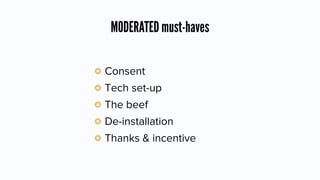
MODERATED must-haves
Consent
Tech set-up
The beef
De-installation
Thanks & incentive
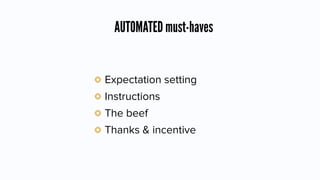
AUTOMATED must-haves
Expectation setting
Instructions
The beef
Thanks & incentive
Photo from blog post by Dustin Larimer http://www.dustinlarimer.com/design-management-summer-camp/
STREAM & RECORD WHAT HAPPENS.
BREAK
Photo Credit: Sorin Petcu
Testing & User Research
Part 2: your set-up
What’s New with ResearchTools?
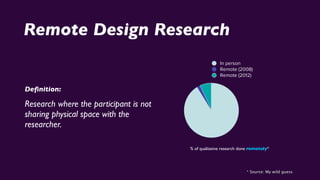
Remote Design Research
Definition:
Research where the participant is not
sharing physical space with the
researcher.
% of qualitative research done remotely*
* Source: My wild guess
In person
Remote (2008)
Remote (2012)
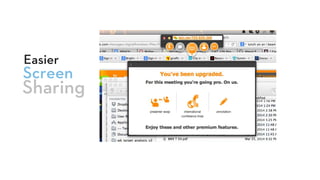
Screen
Easier
Sharing
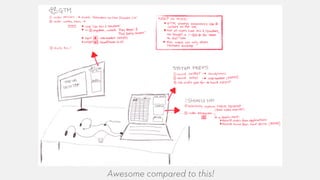
Awesome compared to this!
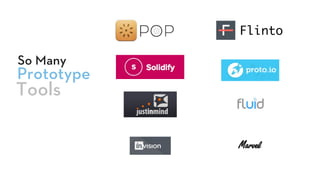
Prototype
So Many
Tools
Flinto
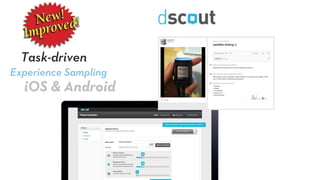
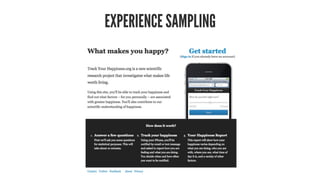
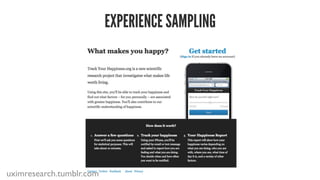
Experience Sampling
Task-driven
iOS & Android
Mobile Client
Simultaneous
Website Testing
WHOSE DEVICE?
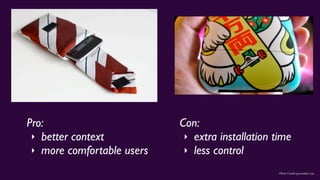
Photo Credit: groundsel, inju
Pro:
‣ better context
‣ more comfortable users
Con:
‣ extra installation time
‣ less control
Pro tips for working with users’ own phones:
‣ Have a backup iPhone and backup Android device on hand.
‣ Make a power strip part of your testing station
‣ Have chargers for all the phones you’re expecting
‣ Instruct participants to install necessary apps in advance, but leave time in case
they don’t
‣ Adjust the screen brightness before you start each session
Pro tips for offering lab devices:
‣ Have a backup iPhone and backup Android device on hand.
‣ Charge devices between every session.
‣ Remove passwords, lock screens, etc.
‣ Dry-run every aspect of the test, since you have the opportunity.
uximresearch.tumblr.com
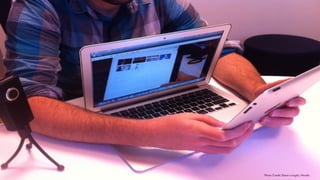
Physical Setup for MobileTests
Photo Credit: Diane Loviglio, Mozilla
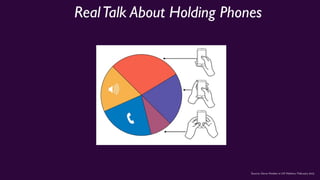
RealTalk About Holding Phones
Source: Steve Hoober in UX Matters, February 2013
TestTargets
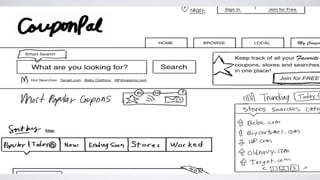
PROTOTYPES,WIREFRAMES, SKETCHES?
HECKYES.
Photo from blog post by Dustin Larimer http://www.dustinlarimer.com/design-management-summer-camp/
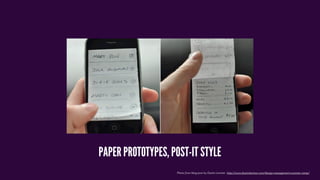
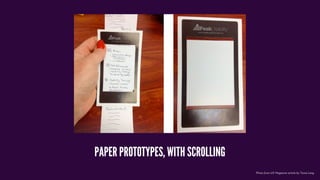
PAPER PROTOTYPES, POST-IT STYLE
Photo from UX Magazine article by Tania Lang
PAPER PROTOTYPES, WITH SCROLLING
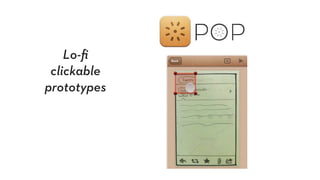
Lo-fi
clickable
prototypes
Photo from UX Magazine article by Tania Lang
Prototyping Apps for Higher Fidelity
Proto.io
Fluid
Flinto
PhoneGap
Photo from UX Magazine article by Tania Lang
Cool Hack:
Screenshots in an album or photostream
The hardest two things about research:
‣ providing the prompt
‣ collecting the response
InTheLab
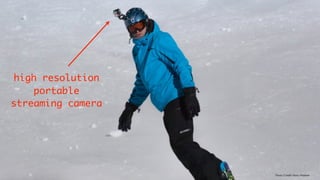
Photo Credit: Hans Makkee
high resolution
portable
streaming camera
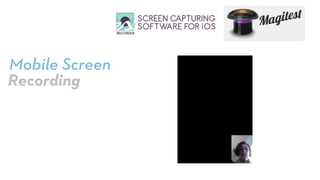
Mobile Screen
Recording
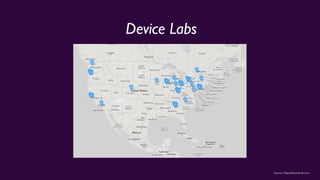
Source: OpenDeviceLab.com
Device Labs
uximresearch.tumblr.com
EXERCISE #2
“RollYour Own”
‣ Share out
Taking Notes
Second monitor if possible
Excel Hack
(remoteresear.ch/samples)
Observer Involvement
IM
Campfire (!)
Integrated Chat
Passing Notes
Questions?
Let’s do lunch
Testing & User Research
Part 3: recruiting participants
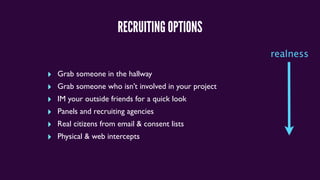
RECRUITING OPTIONS
‣ Grab someone in the hallway
‣ Grab someone who isn’t involved in your project
‣ IM your outside friends for a quick look
‣ Panels and recruiting agencies
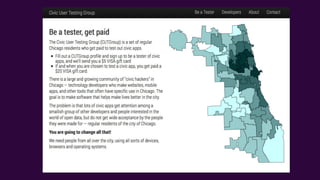
‣ Real citizens from email & consent lists
‣ Physical & web intercepts
realness
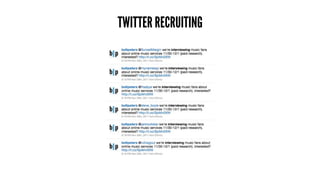
TWITTER RECRUITING
ANATOMY OF A RECRUITING TWEET
@person we’re interviewing [job or characteristic] about [topic] on [dates]
(paid research) -interested? [LINK]
I’m looking for [job or characteristic(s)] for a [research activity] on [dates]
incentive $X [LINK] please RT
Pro tip: edit your profile to mention “UX Researcher” and “Current Study:
Martian Life”
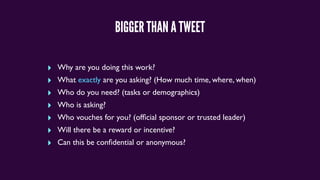
BIGGER THAN A TWEET
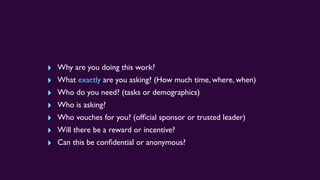
‣ Why are you doing this work?
‣ What exactly are you asking? (How much time, where, when)
‣ Who do you need? (tasks or demographics)
‣ Who is asking?
‣ Who vouches for you? (official sponsor or trusted leader)
‣ Will there be a reward or incentive?
‣ Can this be confidential or anonymous?
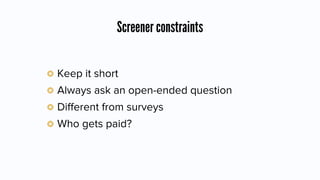
Screener constraints
Keep it short
Always ask an open-ended question
Different from surveys
Who gets paid?
MOBILE FORMS ARE GETTING WAY BETTER!
PANELS
“What happens when you let go of a balloon?”
PRO TIP: HOW TO FIND ACTUAL SPEAKERS OF A LANGUAGE:
“ Qu'est-ce qui se passe quand vous lâchez un ballon? ”
WHAT PARTICIPANTS WORRY ABOUT
Who are you and who sent you?
(can I trust you?)
Will participating affect my actual outcome?
Is this going to end up on
YouTube?
remoteresear.ch/samples
“Online Consent”
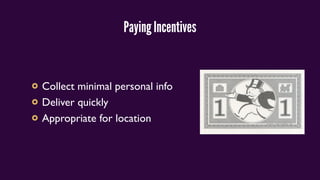
Paying Incentives
Collect minimal personal info
Deliver quickly
Appropriate for location
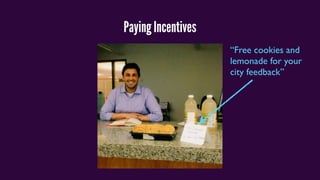
Paying Incentives
“Free cookies and
lemonade for your
city feedback”
EXERCISE
‣ Consider format (poster, landing page, online form)
‣ Cover the questions
draft a recruiting appeal
‣ Why are you doing this work?
‣ What exactly are you asking? (How much time, where, when)
‣ Who do you need? (tasks or demographics)
‣ Who is asking?
‣ Who vouches for you? (official sponsor or trusted leader)
‣ Will there be a reward or incentive?
‣ Can this be confidential or anonymous?
share out
BREAK
Photo Credit: Mrs Magic
User Testing & Research
Part 4: going beyond usability
WHAT IF IT’S NOT USABILITY?
EXPERIENCE SAMPLING
EXPERIENCE SAMPLING
uximresearch.tumblr.com
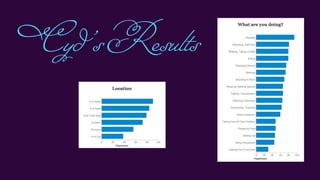
Cyd’sResults
Cyd’sResults
CONCEPT & NAVIGATION TESTING:
EXERCISE
UNMODERATED STUDIES
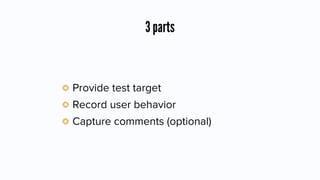
3 parts
Provide test target
Record user behavior
Capture comments (optional)
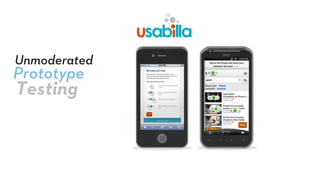
Prototype
Unmoderated
Testing
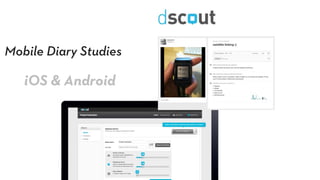
Mobile Diary Studies
iOS & Android
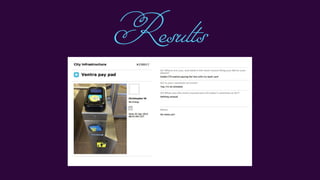
Results
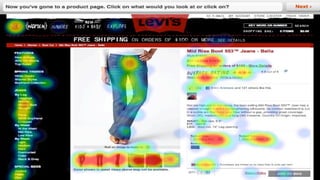
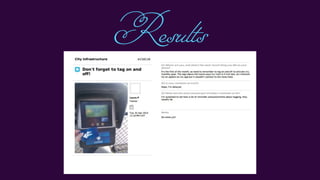
Results
Results
CAPTURE WHAT HAPPENS.
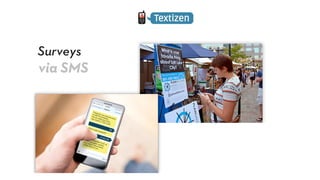
Surveys
via SMS
About getting buy-in
AFewWords
How “Testing” Is Perceived
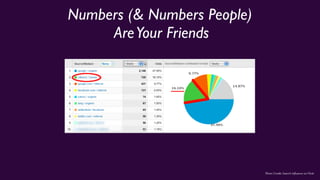
Numbers (& Numbers People)
AreYour Friends
Photo Credit: Search Influence on Flickr
Video Is Another Friend
Photo Credit: Search Influence on Flickr
Try asking for
One Day
$200
PeopleToWatch
Photo Credit: Search Influence on Flickr
“Fix the machine, not the person”
-- Aaron Swartz, 9.25.12
ActualAdvice
There’s always a way
Questions?
cyd@codeforamerica.org
@cydharrell
Thanks for coming.
Go run some awesome research.
Photo Credit: Wade Rockett on Flickr

Open Plans User Testing Workshop