Securing the Cloud
Authentication Perspective
Moving to the Cloud is like........

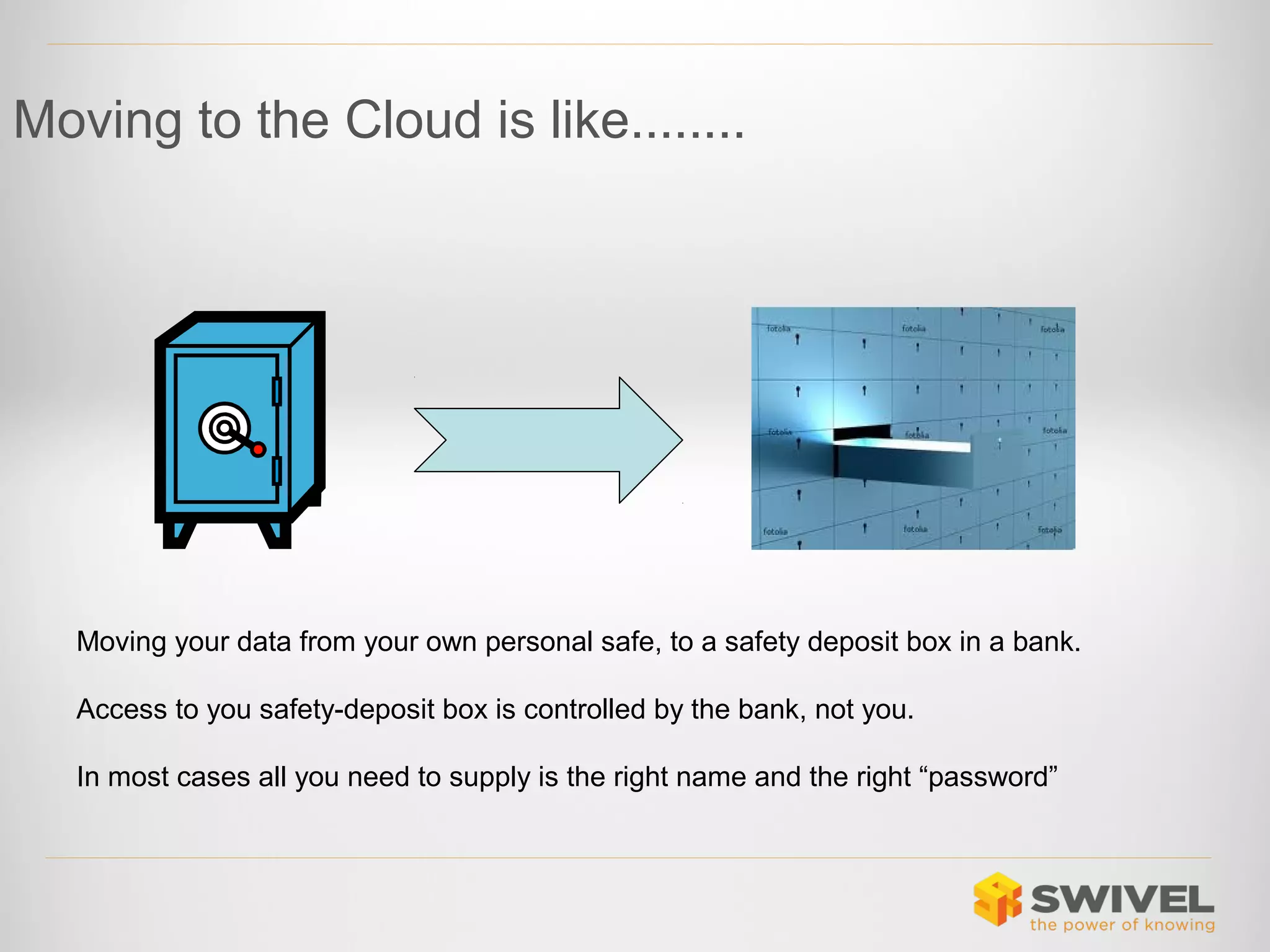
Moving your data from your own personal safe, to a safety deposit box in a bank.
Access to you safety-deposit box is controlled by the bank, not you.
In most cases all you need to supply is the right name and the right “password”
The Cloud
•

Is a very public place
• Everyone knows where your front door is
• Everyone knows what your username is
• Just one password away from access!

In “The Cloud”, all access is Remote Access
(remote from the application at least)
It is not Rocket science

•

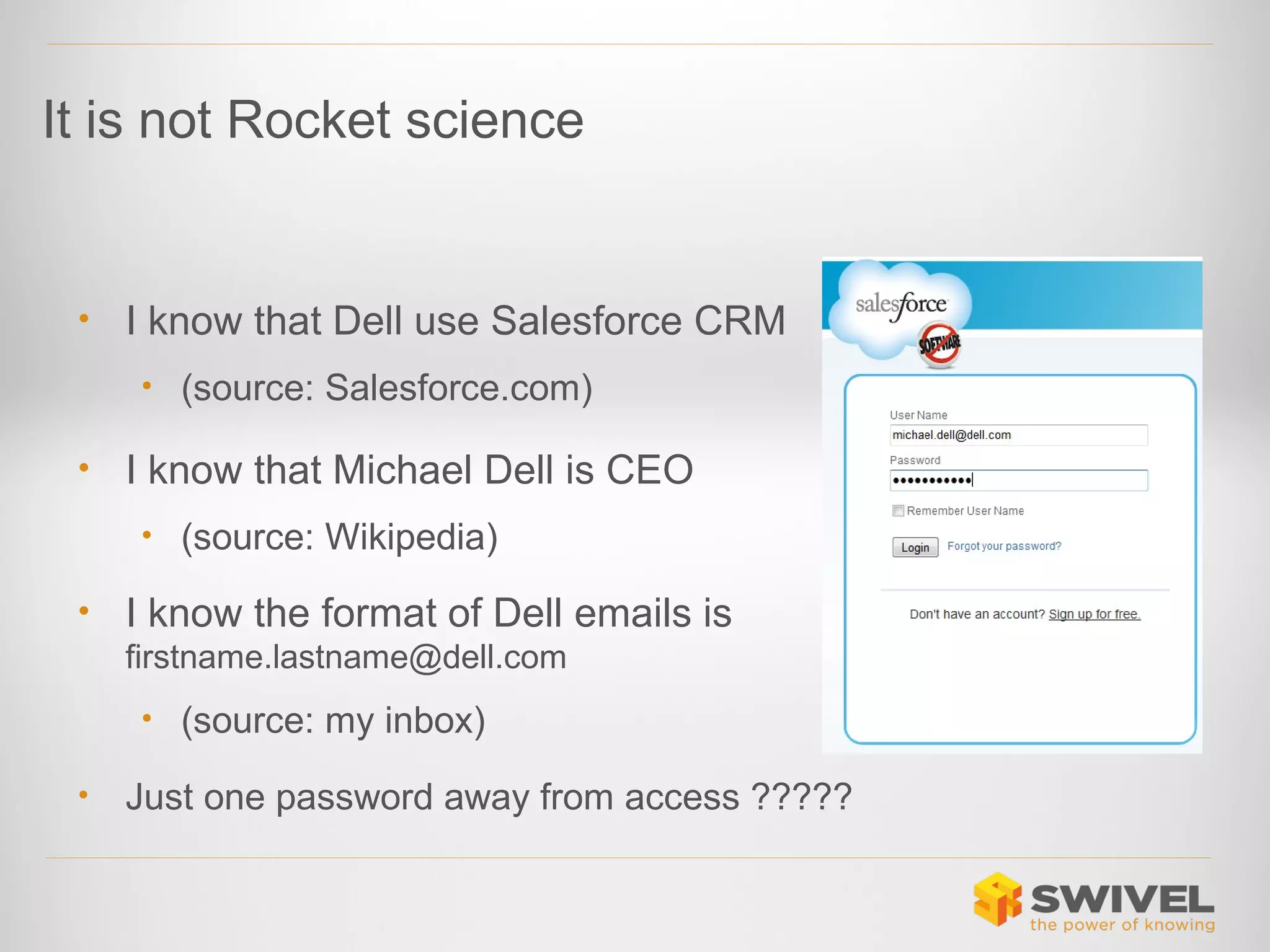
I know that Dell use Salesforce CRM
• (source: Salesforce.com)

•

I know that Michael Dell is CEO
• (source: Wikipedia)

•

I know the format of Dell emails is
firstname.lastname@dell.com
• (source: my inbox)

•

Just one password away from access ?????
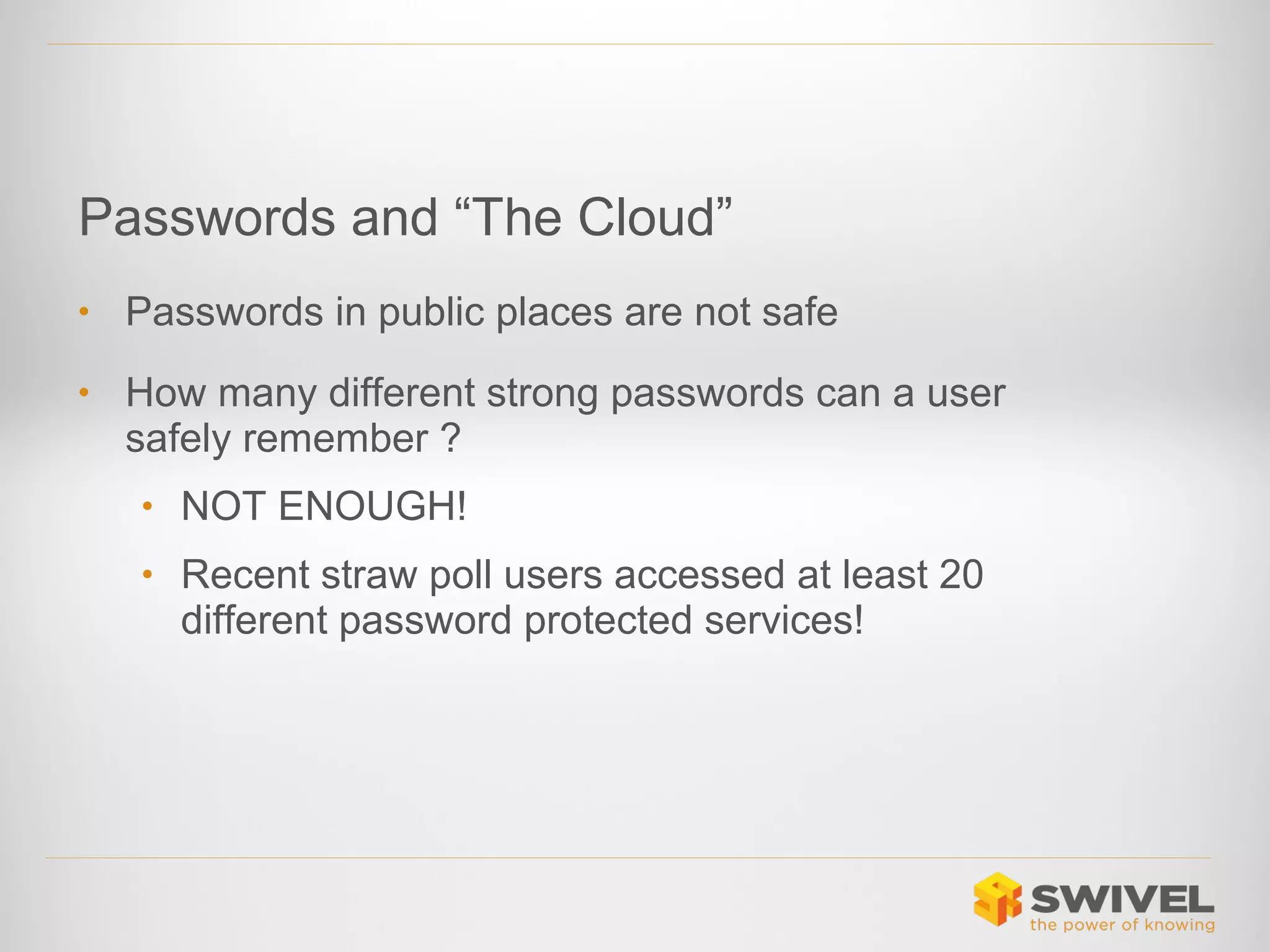
Passwords and “The Cloud”
•

Passwords in public places are not safe

•

How many different strong passwords can a user
safely remember ?
• NOT ENOUGH!
• Recent straw poll users accessed at least 20

different password protected services!
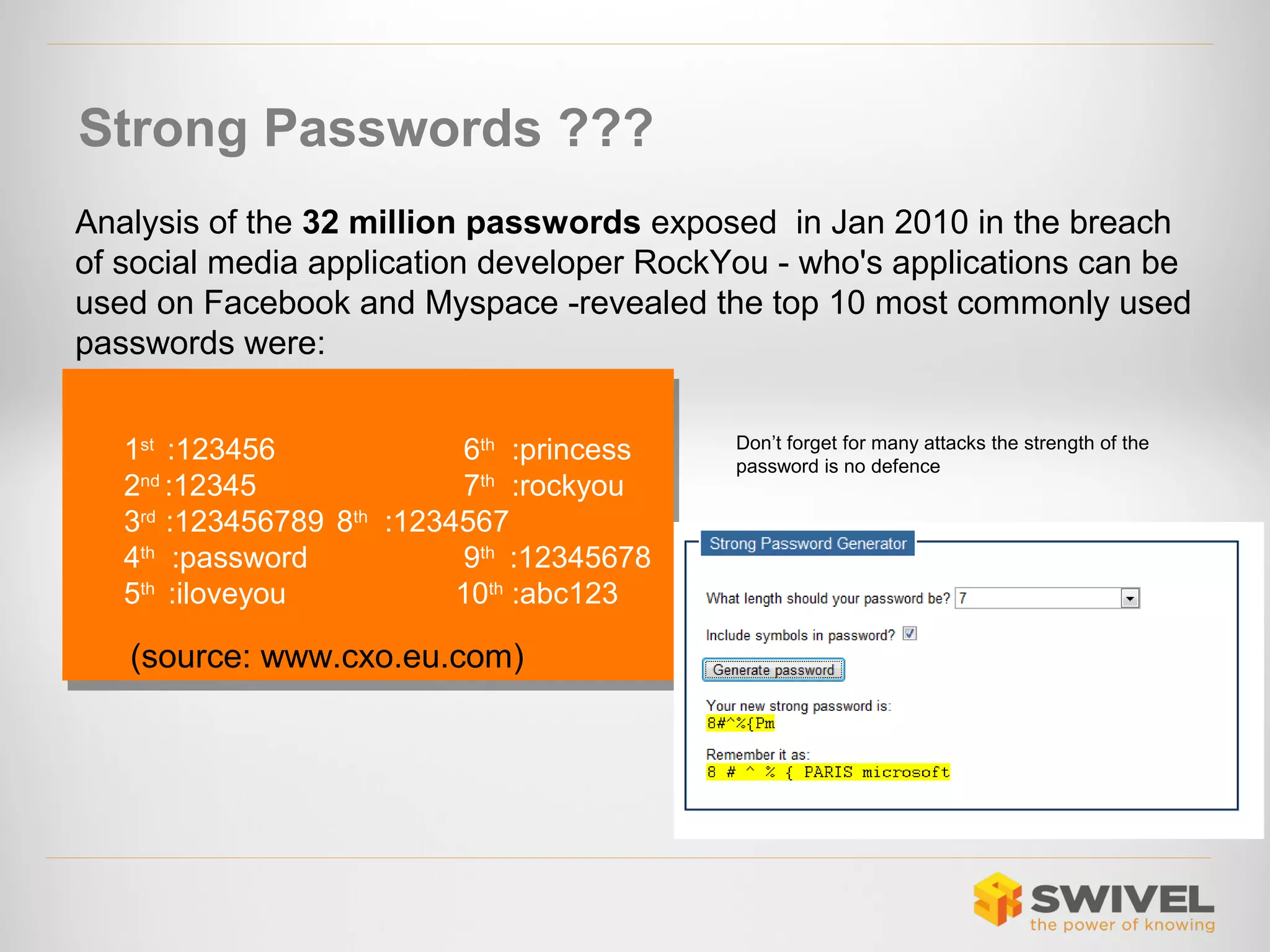
Strong Passwords ???
Analysis of the 32 million passwords exposed in Jan 2010 in the breach
of social media application developer RockYou - who's applications can be
used on Facebook and Myspace -revealed the top 10 most commonly used
passwords were:
1st :123456
6th :princess
1st :123456
6th :princess
2nd :12345
7th :rockyou
2nd :12345
7th :rockyou
3rd :123456789 8th :1234567
4th :password
9th :12345678
4th :password
9th :12345678
5th :iloveyou
10th :abc123
5th :iloveyou
10th :abc123

(source: www.cxo.eu.com)

Don’t forget for many attacks the strength of the
password is no defence
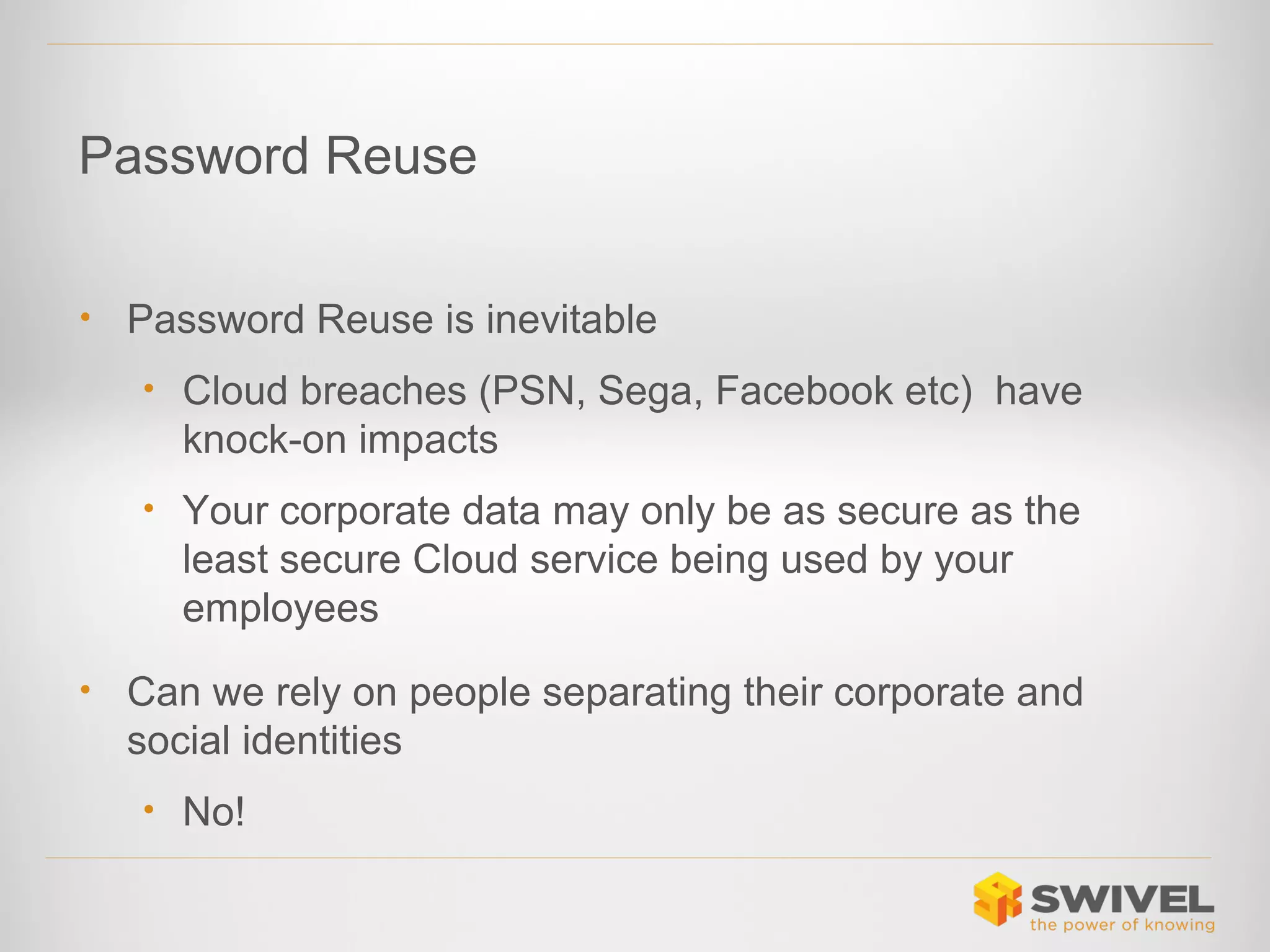
Password Reuse
•

Password Reuse is inevitable
• Cloud breaches (PSN, Sega, Facebook etc) have

knock-on impacts
• Your corporate data may only be as secure as the

least secure Cloud service being used by your
employees
•

Can we rely on people separating their corporate and
social identities
• No!
“…Sega explained that it had reset all passwords and
urged customers to change their log-on details on other
services and websites where they used the same
credentials…”
(Source: http://www.bbc.co.uk/news/technology-13829690)
Authentication and the Cloud
•

Using Cloud services can mean
• You delegate authentication policies to the Cloud

provider
• You create multiple control points for user access
• If you use multiple Cloud services
• If you use a mix of Cloud and non-Cloud services
• Forgetting to remove access from ex-employees is a common

cause of loss of commercial data.
• You rely on username/password
Authentication and the Cloud

•

The need for strong authentication for (eg VPN) remote
access is well understood.

•

Customers purchase Remote Access solutions and an
Authentication solution.

•

The same authentication solution is ideally used across all
remote access services.
Approach
• Separate Authentication from the Cloud Service
• Use a single Authentication service for all services
• Cloud and non-Cloud

• Keep control over you access policies
• Apply appropriate authentication
• If I have access rights to data because I am an

employee of an organisation, then that organisation
should control my access
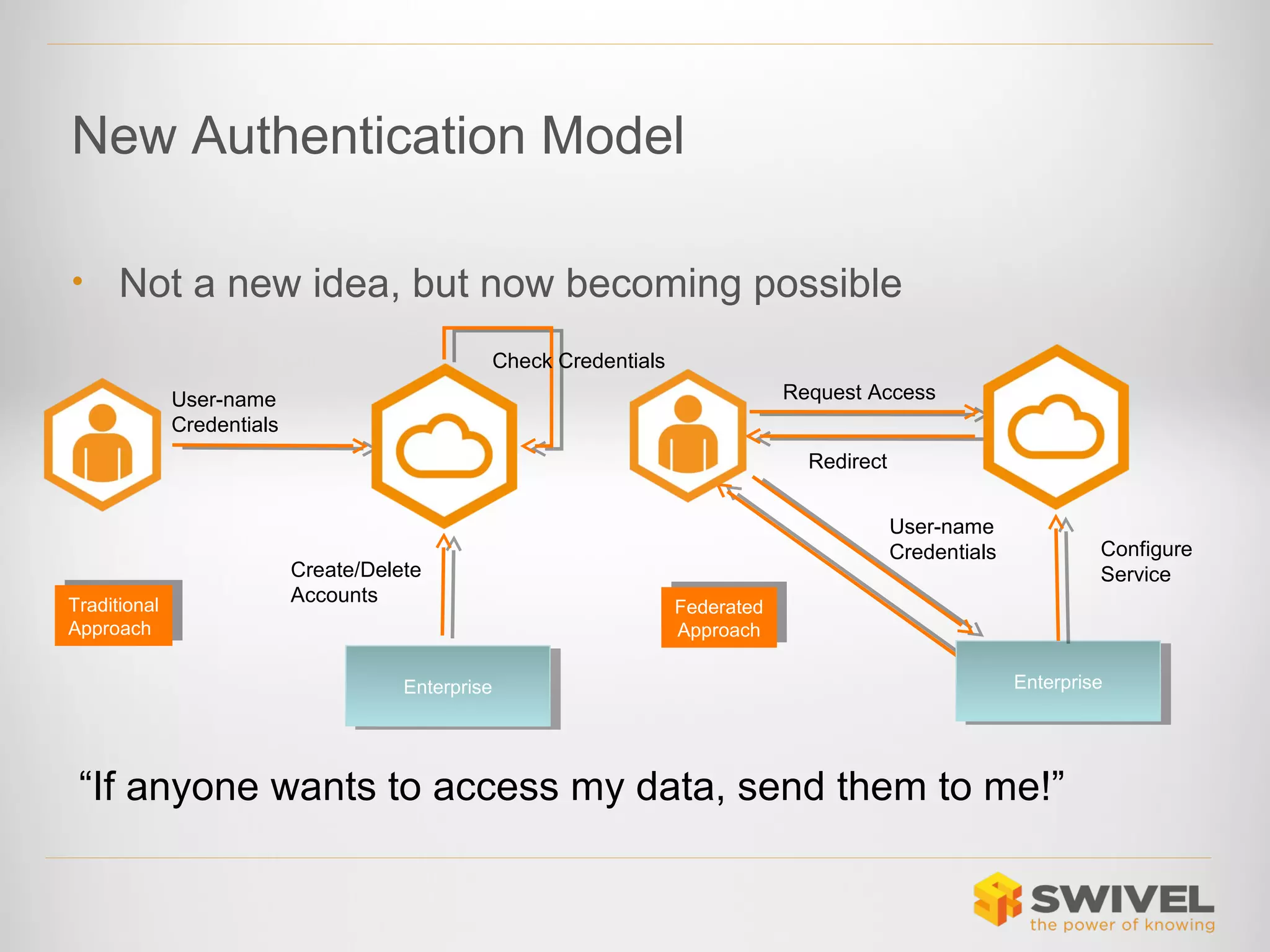
New Authentication Model
•

Not a new idea, but now becoming possible
Check Credentials
Request Access

User-name
Credentials

Redirect

Traditional
Traditional
Approach
Approach

Create/Delete
Accounts

Enterprise
Enterprise

User-name
Credentials

Configure
Service

Federated
Federated
Approach
Approach
Enterprise
Enterprise

“If anyone wants to access my data, send them to me!”
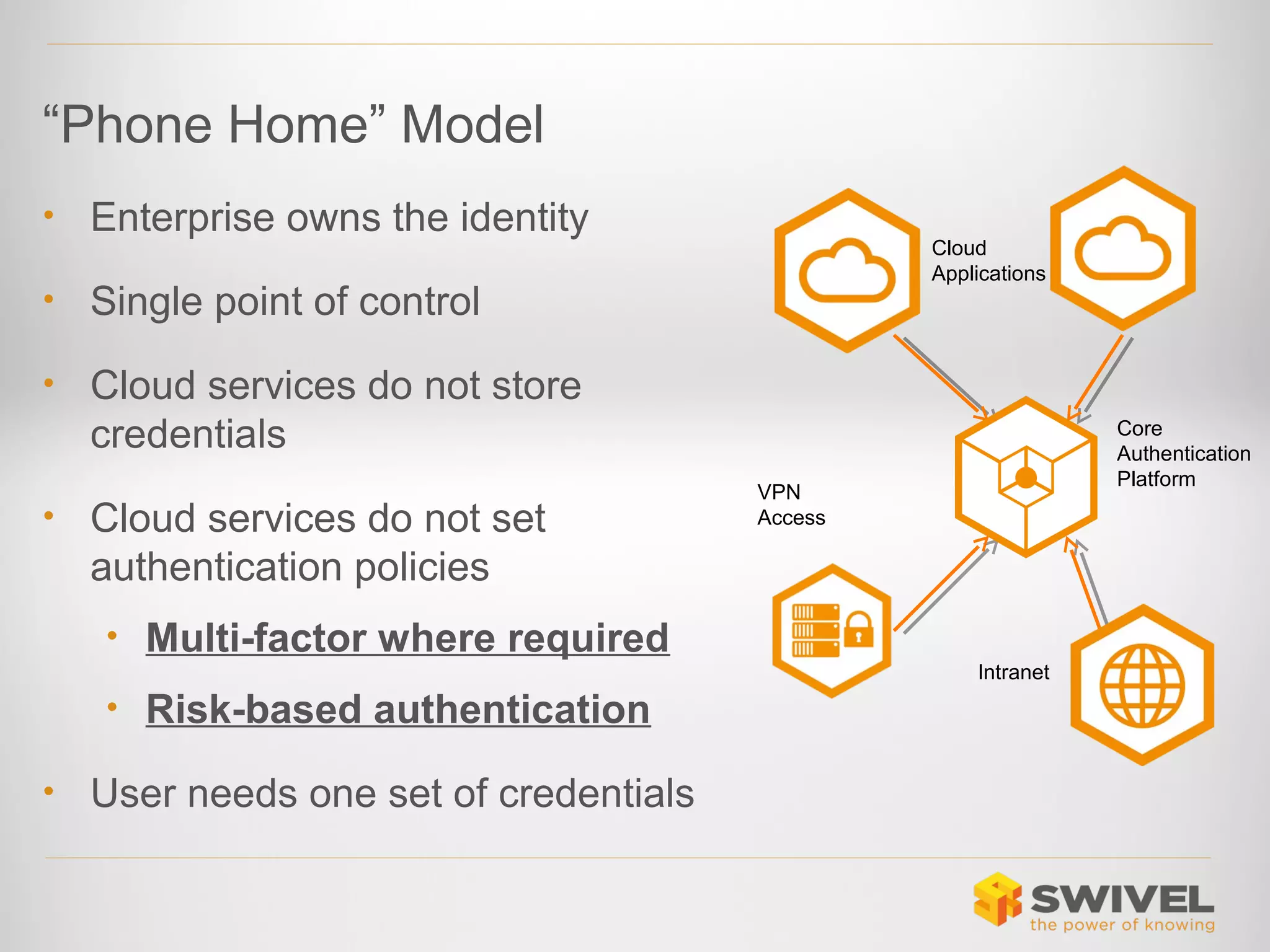
“Phone Home” Model
•

Enterprise owns the identity

•

Single point of control

•

Cloud
Applications

Cloud services do not store
credentials

•

Cloud services do not set
authentication policies
• Multi-factor where required
• Risk-based authentication

•

User needs one set of credentials

Core
Authentication
Platform

VPN
Access

Intranet
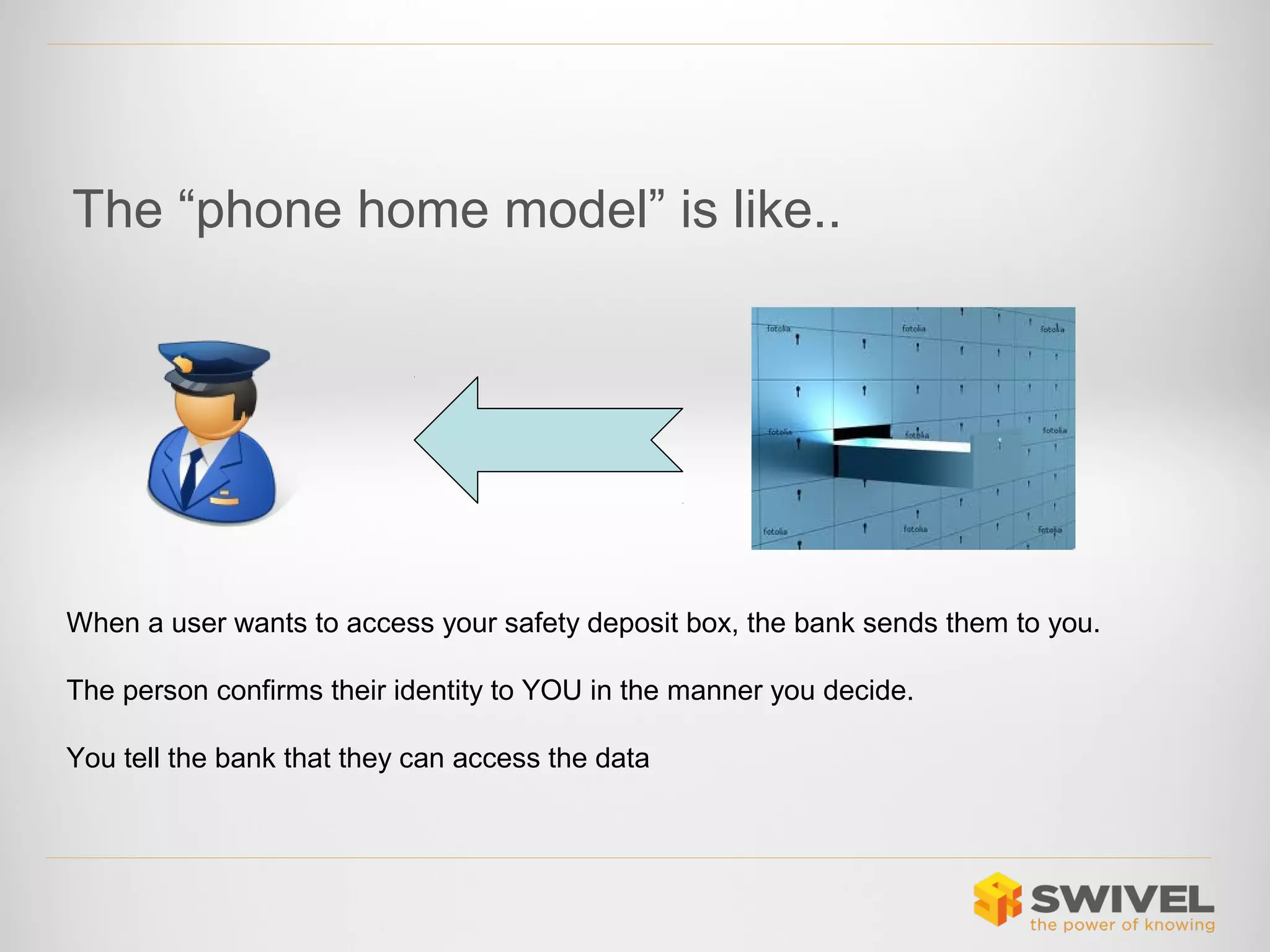
The “phone home model” is like..

When a user wants to access your safety deposit box, the bank sends them to you.
The person confirms their identity to YOU in the manner you decide.
You tell the bank that they can access the data
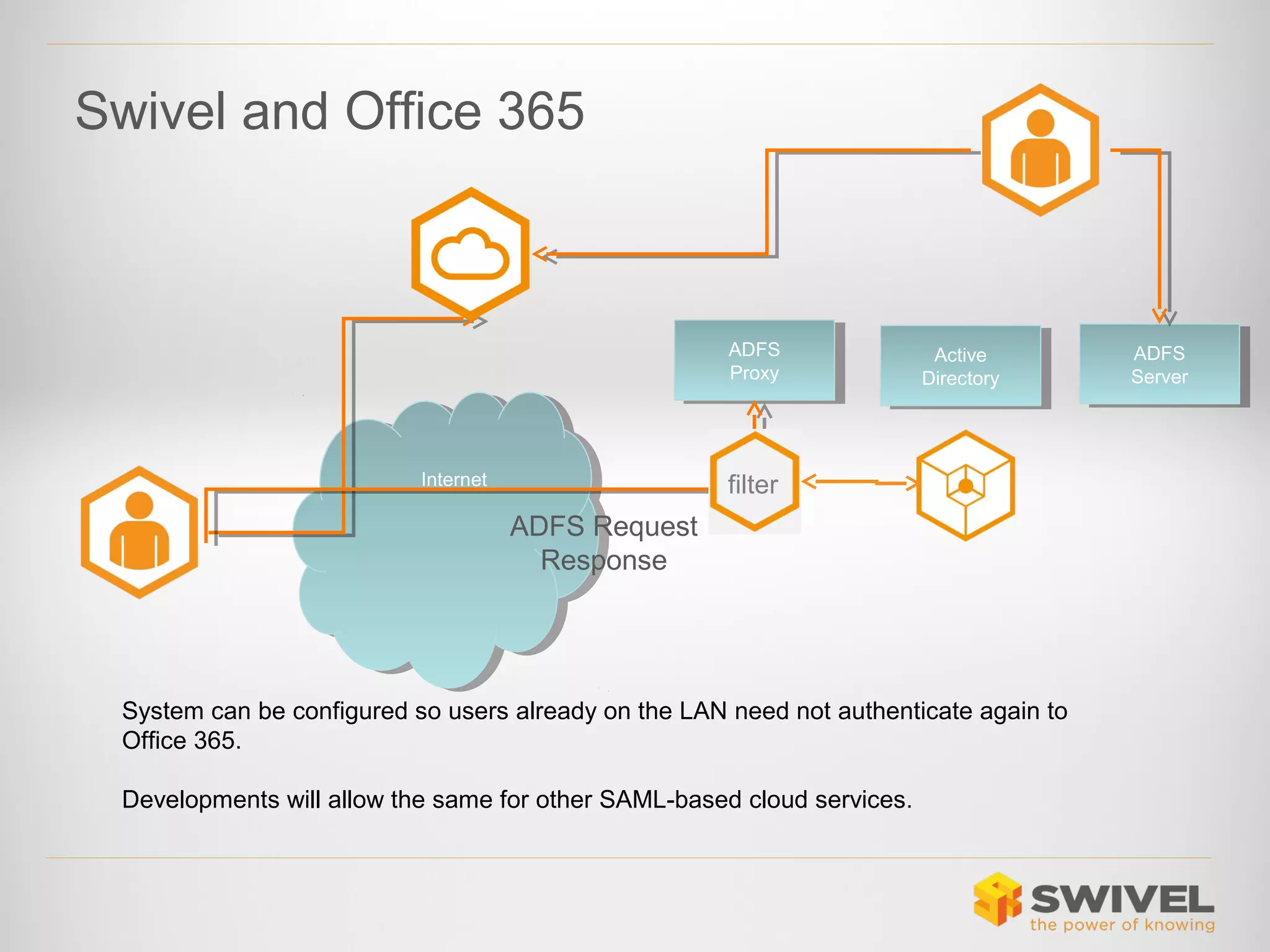
Swivel and Office 365

ADFS
ADFS
Proxy
Proxy

Internet
Internet

Active
Active
Directory
Directory

filter

ADFS Request
Response

System can be configured so users already on the LAN need not authenticate again to
Office 365.
Developments will allow the same for other SAML-based cloud services.

ADFS
ADFS
Server
Server
Swivel and Office 365
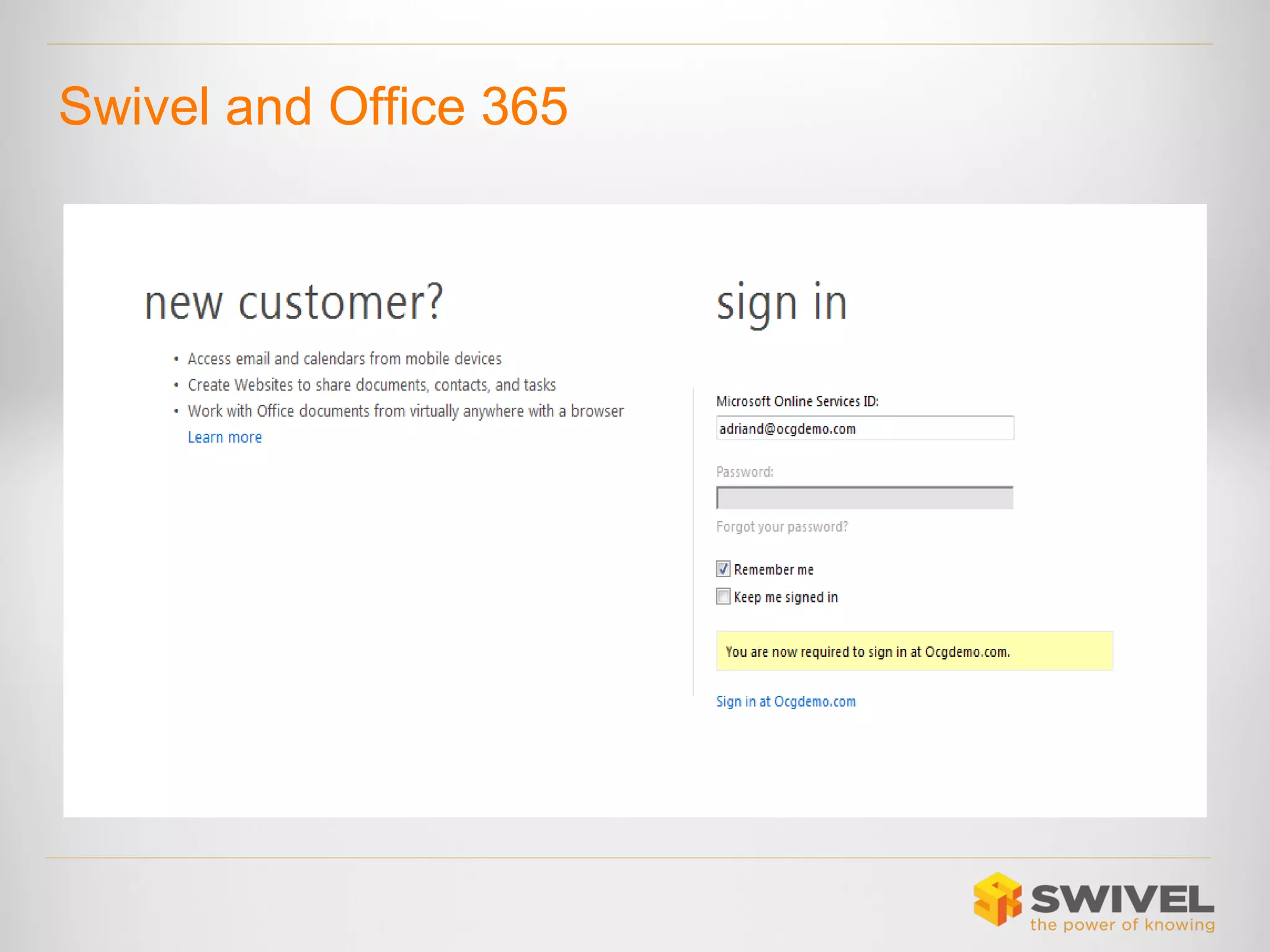
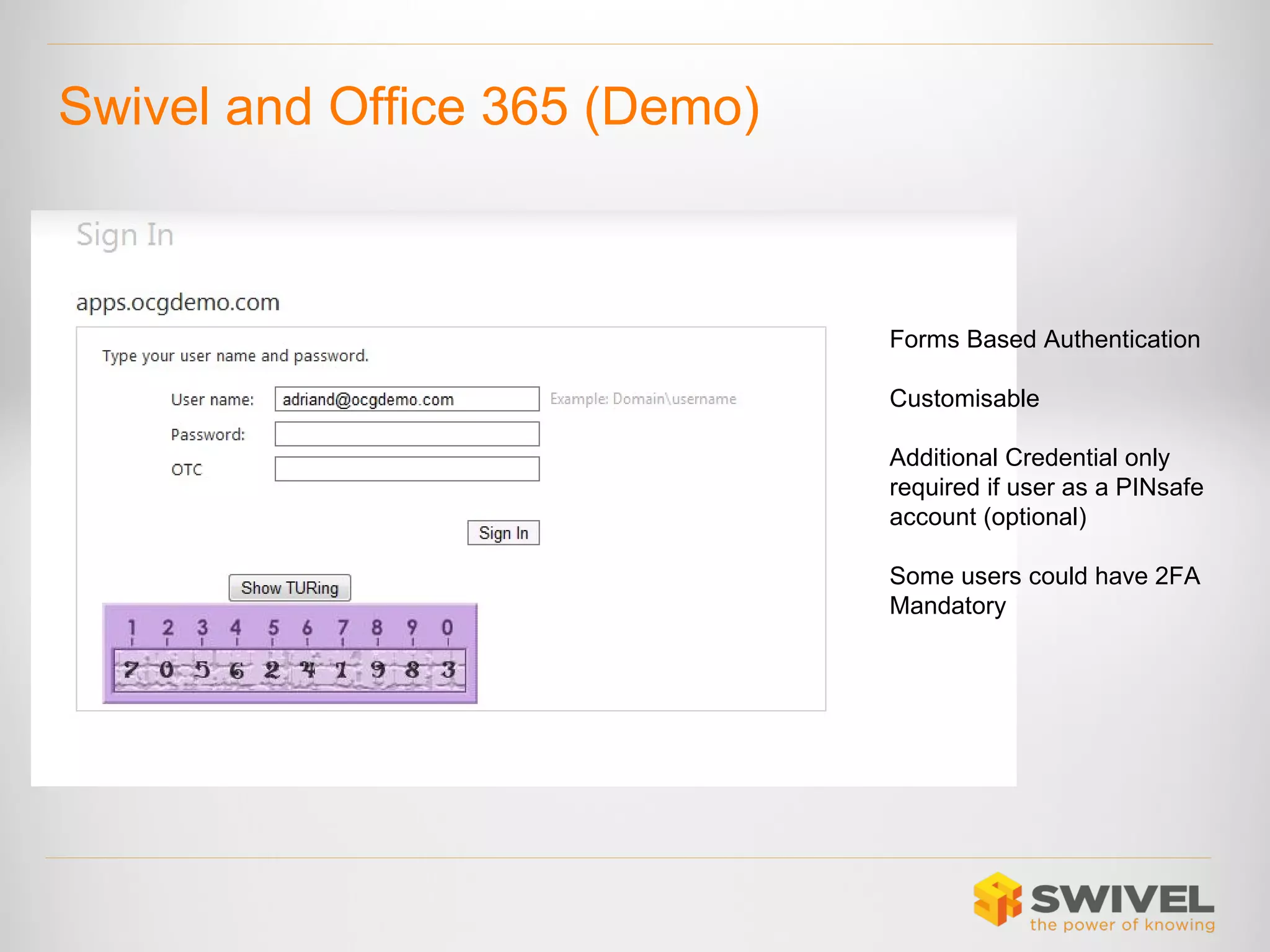
Swivel and Office 365 (Demo)

Forms Based Authentication
Customisable
Additional Credential only
required if user as a PINsafe
account (optional)
Some users could have 2FA
Mandatory
Questions

Securing the Cloud

  • 1.
  • 2.
    Moving to theCloud is like........ Moving your data from your own personal safe, to a safety deposit box in a bank. Access to you safety-deposit box is controlled by the bank, not you. In most cases all you need to supply is the right name and the right “password”
  • 3.
    The Cloud • Is avery public place • Everyone knows where your front door is • Everyone knows what your username is • Just one password away from access! In “The Cloud”, all access is Remote Access (remote from the application at least)
  • 4.
    It is notRocket science • I know that Dell use Salesforce CRM • (source: Salesforce.com) • I know that Michael Dell is CEO • (source: Wikipedia) • I know the format of Dell emails is firstname.lastname@dell.com • (source: my inbox) • Just one password away from access ?????
  • 5.
    Passwords and “TheCloud” • Passwords in public places are not safe • How many different strong passwords can a user safely remember ? • NOT ENOUGH! • Recent straw poll users accessed at least 20 different password protected services!
  • 6.
    Strong Passwords ??? Analysisof the 32 million passwords exposed in Jan 2010 in the breach of social media application developer RockYou - who's applications can be used on Facebook and Myspace -revealed the top 10 most commonly used passwords were: 1st :123456 6th :princess 1st :123456 6th :princess 2nd :12345 7th :rockyou 2nd :12345 7th :rockyou 3rd :123456789 8th :1234567 3rd :123456789 8th :1234567 4th :password 9th :12345678 4th :password 9th :12345678 5th :iloveyou 10th :abc123 5th :iloveyou 10th :abc123 (source: www.cxo.eu.com) Don’t forget for many attacks the strength of the password is no defence
  • 7.
    Password Reuse • Password Reuseis inevitable • Cloud breaches (PSN, Sega, Facebook etc) have knock-on impacts • Your corporate data may only be as secure as the least secure Cloud service being used by your employees • Can we rely on people separating their corporate and social identities • No!
  • 8.
    “…Sega explained thatit had reset all passwords and urged customers to change their log-on details on other services and websites where they used the same credentials…” (Source: http://www.bbc.co.uk/news/technology-13829690)
  • 9.
    Authentication and theCloud • Using Cloud services can mean • You delegate authentication policies to the Cloud provider • You create multiple control points for user access • If you use multiple Cloud services • If you use a mix of Cloud and non-Cloud services • Forgetting to remove access from ex-employees is a common cause of loss of commercial data. • You rely on username/password
  • 10.
    Authentication and theCloud • The need for strong authentication for (eg VPN) remote access is well understood. • Customers purchase Remote Access solutions and an Authentication solution. • The same authentication solution is ideally used across all remote access services.
  • 11.
    Approach • Separate Authenticationfrom the Cloud Service • Use a single Authentication service for all services • Cloud and non-Cloud • Keep control over you access policies • Apply appropriate authentication • If I have access rights to data because I am an employee of an organisation, then that organisation should control my access
  • 12.
    New Authentication Model • Nota new idea, but now becoming possible Check Credentials Request Access User-name Credentials Redirect Traditional Traditional Approach Approach Create/Delete Accounts Enterprise Enterprise User-name Credentials Configure Service Federated Federated Approach Approach Enterprise Enterprise “If anyone wants to access my data, send them to me!”
  • 13.
    “Phone Home” Model • Enterpriseowns the identity • Single point of control • Cloud Applications Cloud services do not store credentials • Cloud services do not set authentication policies • Multi-factor where required • Risk-based authentication • User needs one set of credentials Core Authentication Platform VPN Access Intranet
  • 14.
    The “phone homemodel” is like.. When a user wants to access your safety deposit box, the bank sends them to you. The person confirms their identity to YOU in the manner you decide. You tell the bank that they can access the data
  • 15.
    Swivel and Office365 ADFS ADFS Proxy Proxy Internet Internet Active Active Directory Directory filter ADFS Request Response System can be configured so users already on the LAN need not authenticate again to Office 365. Developments will allow the same for other SAML-based cloud services. ADFS ADFS Server Server
  • 16.
  • 17.
    Swivel and Office365 (Demo) Forms Based Authentication Customisable Additional Credential only required if user as a PINsafe account (optional) Some users could have 2FA Mandatory
  • 18.

Editor's Notes

  • #3 The cloud is a public place. Everyone’s experience of cloud applications is pretty much the same. If I know how to access my account, chances are I know how to access yours.
  • #4 The cloud is a public place. Everyone’s experience of cloud applications is pretty much the same. If I know how to access my account, chances are I know how to access yours.
  • #5 Just an example. But all three facts are true. Whether Dell use email address for salesforce and whether Micheal Dell has an account or not is not clear. But the principle is the same, as we just one password away from Dells entire CRM data ? Of course this is another element of the public nature of the cloud. Cloud applications such as facebook, twitter, etc mean there is much more information available about people “in the cloud”
  • #6 Of course we all use the cloud in some way, if not in our corporate life then in our personal life. Password reuse becomes inevitable
  • #7 Weakness of passwords is well documented. But the point is that these passwords were obtained from a cloud service
  • #8 So if you use cloud services for your corporate data Chances are your corporate users will also reuse credentials Therefore their credentials are potentially only as safe as the weakest link in the chain
  • #9 The SEGA breach was perhaps the first acknowledgement from a cloud service provider that the fact that they lost your credentials not only affected you SEGA data but many other potential accounts as well. When you trust a cloud service with your username and password, you are not only trusting them with your data in relation to that service but possibly others as well.
  • #10 `A key issue is that using cloud services means you delegate the service and access control to the cloud provider as well as the service itself. You are trusting the cloud service with more than just the service. This creates multiple control points It means authentication policy is defined by the cloud provider.
  • #11 `A key issue is that using cloud services means you delegate the service and access control to the cloud provider as well as the service itself. You are trusting the cloud service with more than just the service. This creates multiple control points It means authentication policy is defined by the cloud provider.
  • #12 Reclaim or retain control over access.
  • #13 “Traditionally authentication was done at the back-end” Within the DMZ. User submits credentials and are checked “behind the scenes”. New standards are enabling new models. Whereby authentication is done “in front” The standards are not new in themsleves but what is new is that fact that service providers are implementing them. Which means vendors like ourselves can build solutions around them. Federation is another overloaded term. But I want to highlight a specific meaning
  • #14 This federation model means that to access data that you have rights to because you are an employee of a company then the service must verify your identity and rights with that company, This means cloud service is not longer responsible for Authentication Storing Credentials And same credential and authentication service can be used for internal and cloud access
  • #15 The cloud is a public place. Everyone’s experience of cloud applications is pretty much the same. If I know how to access my account, chances are I know how to access yours.