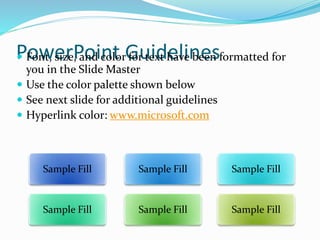
PowerPoint Guidelines Font, size, and color for text have been formatted for
you in the Slide Master
 Use the color palette shown below
 See next slide for additional guidelines
 Hyperlink color: www.microsoft.com
Sample FillSample FillSample Fill
PowerPoint Template
Subtitle color
 Example of a slide with a subhead
 Set the slide title in “title case”
 Set subheads in “sentence case”
 Generally set subhead to 36pt or smaller so it will fit on a
single line
 The subhead color is defined for this template but must
be selected. In PowerPoint 2007, it is the fourth font color
from the left
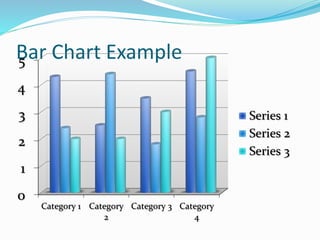
Bar Chart Example
0
1
2
3
4
5
Category 1 Category
2
Category 3 Category
4
Series 1
Series 2
Series 3
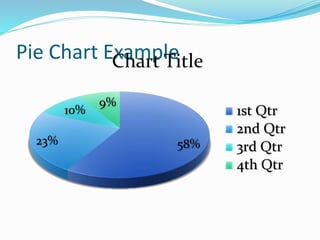
Pie Chart Example
58%23%
10%
9%
Chart Title
1st Qtr
2nd Qtr
3rd Qtr
4th Qtr
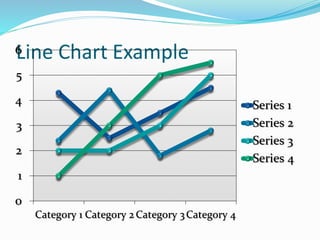
Line Chart Example
0
1
2
3
4
5
6
Category 1 Category 2 Category 3Category 4
Series 1
Series 2
Series 3
Series 4
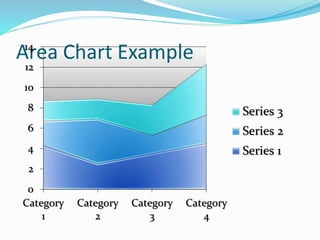
Area Chart Example
0
2
4
6
8
10
12
14
Category
1
Category
2
Category
3
Category
4
Series 3
Series 2
Series 1
Demo Title
Name
Title
Group
Video Title
Partner Title
Name
Title
Company
Customer Title
Name
Title
Company
Announcement Title

Nutrilite pres