An Introduction to Unit Test
       Using NUnit
           Wei Li
           08/2007
Test, Test and More Test
•   Developer Test
      o   Unit Test
      o   Integration Test
      o   Regression Test

•   QA Test
      o   Integration Test
      o   Regression Test
      o   Performance Test
      o   Stress Test

•   Customer/User Test
      o   Acceptability Test
      o   Useability Test
What Is Unit Test
• Self checking or validation to ensure your
  code works as expected

• Developer’s test

• Part of the construction cycle
Where Does Unit Test
           Sit In Life Cycle
• Requirement Gathering
• Business System Design
• Technical Design
   o Architecture Design
   o Technical System Design
• Construction
   o Code and Unit Test
• QA Test
• User Test
Unit Test Is Not
• QA test

• Customer/user test
Why Unit Test
• What? Write code to test code?

• Why?
Instant Feedback
• Unit test provides the earliest opportunity to
  identify and fix a defect
• The earlier a defect is caught, the less
  expensive it is to fix it
• Done before integration
• Like a dedicated QA/user sits next to you
  and test your code immediately
Help Design And Write Better
             Code
• If your code is hard to be unit tested, how
  can it be easily used, maintained and
  extended?
Regression Checker
• When new release of the external dependency
  comes, you can quickly run the unit tests to make
  certain the new release won’t break your system

• Automatic change detector
   – When changes are made to the code, automated unit
     tests ensure that the change does not break something
     somewhere
Good Way To Work On Legacy
           Code
• Write unit test to get started with legacy
  code
Good Way To Learn New
      Language and New API
• Write unit test cases to learn and try new
  API

• Your unit test cases become reusable
  knowledge base
Good For Reporting a Defect
• Write a test case to report a defect or bug in
  a system

• When something fails, writing a unit test for
  that failure guarantees that it's fixed for
  once and for all.
Save Time In Long Term
• Unit test is reusable and repeatable

• Unit test can be automated

• Write once run forever
There Is More Than One Way To
             Do It
• Main() method with lots of print out

• GUI “push that button” test

• Debugger test
Problems With The Above
              Methods
•   Is the test well structured?
•   Can it be automated?
•   Is the test repeatable?
•   Does it need human interaction?
•   Is it easy to be maintained ?
•   How to present test results?
Stop Debugger Test
• Debugger time is not recyclable

• Debugger session is not reusable by others

• Not a regression testing tool

• Mental assertion is error-prone and boring
Enter NUnit
• A unit test framework written in C#
• It uses attributes to identify unit test fixtures
• It uses assertions for verification
• It can be used to test any .NET code, not
  just C#
• It provides a console and GUI interface
• It can be integrated into VS.NET
How Does NUnit Test Code Look
            Like?
• Show me the code
NUnit Attributes
• Custom attribute injects more information
  to your class at compilation time

• NUnit uses it to mark and identify unit test
  fixture
NUnit Required Attributes
– [TestFixture]
   • Used to indicate that a class contains test methods


– [Test]
   • Used to indicate that a method within a test fixture
     should be run by the Test Runner application


Example: Test1.cs
NUnit Optional Attributes
– [SetUp]
   • Used to indicate a setup method should be ran before each of
     the tests

– [TearDown]
   • Used to indicate a tear down method should be ran after each
     of the tests are ran

Example: Test2.cs
NUnit Optional Attributes
– [TestFixtureSetUp]
    • Used to indicate a setup method that will be ran once; before
      all other tests. This is the first method that is called before the
      tests are started.

– [TestFixtureTearDown]
   • Used to indicate a tear down method that will be ran once;
     after all other tests have run. This is the last method that is
     called after all the tests have finished.


Example: Test3.cs
NUnit Optional Attributes
– [ExpectedException(typeof(Exception))]
    • When you want an exception to be thrown
    • Will only pass if exception type was thrown

– [Ignore(“Not ready yet")]

Example: Test4.cs
NUnit Assertion
• It is all unit test cares about

• NUnit provides a full set of assertions ready
  to be used

• Assertion failure means test failure
NUnit Assertion
•   Equality Asserts
•   Identity Asserts
•   Comparison Asserts
•   Type Asserts
•   Condition tests
•   Utility methods
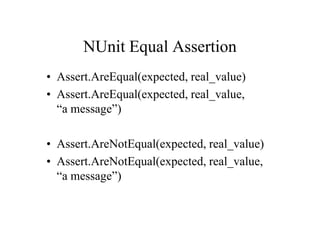
NUnit Equal Assertion
• Assert.AreEqual(expected, real_value)
• Assert.AreEqual(expected, real_value,
  “a message”)

• Assert.AreNotEqual(expected, real_value)
• Assert.AreNotEqual(expected, real_value,
  “a message”)
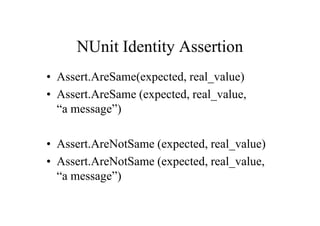
NUnit Identity Assertion
• Assert.AreSame(expected, real_value)
• Assert.AreSame (expected, real_value,
  “a message”)

• Assert.AreNotSame (expected, real_value)
• Assert.AreNotSame (expected, real_value,
  “a message”)
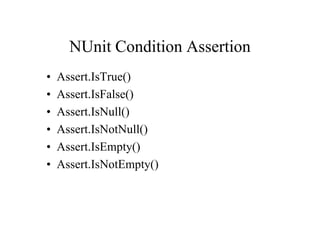
NUnit Condition Assertion
•   Assert.IsTrue()
•   Assert.IsFalse()
•   Assert.IsNull()
•   Assert.IsNotNull()
•   Assert.IsEmpty()
•   Assert.IsNotEmpty()
Examples
Show me the code
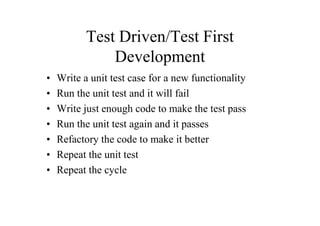
Test Driven/Test First
               Development
•   Write a unit test case for a new functionality
•   Run the unit test and it will fail
•   Write just enough code to make the test pass
•   Run the unit test again and it passes
•   Refactory the code to make it better
•   Repeat the unit test
•   Repeat the cycle
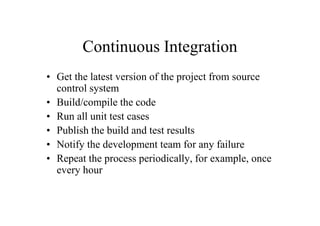
Continuous Integration
• Get the latest version of the project from source
  control system
• Build/compile the code
• Run all unit test cases
• Publish the build and test results
• Notify the development team for any failure
• Repeat the process periodically, for example, once
  every hour
Continuous Integration
• Demo: using NAnt to build solution, run
  test cases, generate test result reports
Questions?
Happy Testing!

An Introduction to Unit Test Using NUnit

  • 1.
    An Introduction toUnit Test Using NUnit Wei Li 08/2007
  • 2.
    Test, Test andMore Test • Developer Test o Unit Test o Integration Test o Regression Test • QA Test o Integration Test o Regression Test o Performance Test o Stress Test • Customer/User Test o Acceptability Test o Useability Test
  • 3.
    What Is UnitTest • Self checking or validation to ensure your code works as expected • Developer’s test • Part of the construction cycle
  • 4.
    Where Does UnitTest Sit In Life Cycle • Requirement Gathering • Business System Design • Technical Design o Architecture Design o Technical System Design • Construction o Code and Unit Test • QA Test • User Test
  • 5.
    Unit Test IsNot • QA test • Customer/user test
  • 6.
    Why Unit Test •What? Write code to test code? • Why?
  • 7.
    Instant Feedback • Unittest provides the earliest opportunity to identify and fix a defect • The earlier a defect is caught, the less expensive it is to fix it • Done before integration • Like a dedicated QA/user sits next to you and test your code immediately
  • 8.
    Help Design AndWrite Better Code • If your code is hard to be unit tested, how can it be easily used, maintained and extended?
  • 9.
    Regression Checker • Whennew release of the external dependency comes, you can quickly run the unit tests to make certain the new release won’t break your system • Automatic change detector – When changes are made to the code, automated unit tests ensure that the change does not break something somewhere
  • 10.
    Good Way ToWork On Legacy Code • Write unit test to get started with legacy code
  • 11.
    Good Way ToLearn New Language and New API • Write unit test cases to learn and try new API • Your unit test cases become reusable knowledge base
  • 12.
    Good For Reportinga Defect • Write a test case to report a defect or bug in a system • When something fails, writing a unit test for that failure guarantees that it's fixed for once and for all.
  • 13.
    Save Time InLong Term • Unit test is reusable and repeatable • Unit test can be automated • Write once run forever
  • 14.
    There Is MoreThan One Way To Do It • Main() method with lots of print out • GUI “push that button” test • Debugger test
  • 15.
    Problems With TheAbove Methods • Is the test well structured? • Can it be automated? • Is the test repeatable? • Does it need human interaction? • Is it easy to be maintained ? • How to present test results?
  • 16.
    Stop Debugger Test •Debugger time is not recyclable • Debugger session is not reusable by others • Not a regression testing tool • Mental assertion is error-prone and boring
  • 17.
    Enter NUnit • Aunit test framework written in C# • It uses attributes to identify unit test fixtures • It uses assertions for verification • It can be used to test any .NET code, not just C# • It provides a console and GUI interface • It can be integrated into VS.NET
  • 18.
    How Does NUnitTest Code Look Like? • Show me the code
  • 19.
    NUnit Attributes • Customattribute injects more information to your class at compilation time • NUnit uses it to mark and identify unit test fixture
  • 20.
    NUnit Required Attributes –[TestFixture] • Used to indicate that a class contains test methods – [Test] • Used to indicate that a method within a test fixture should be run by the Test Runner application Example: Test1.cs
  • 21.
    NUnit Optional Attributes –[SetUp] • Used to indicate a setup method should be ran before each of the tests – [TearDown] • Used to indicate a tear down method should be ran after each of the tests are ran Example: Test2.cs
  • 22.
    NUnit Optional Attributes –[TestFixtureSetUp] • Used to indicate a setup method that will be ran once; before all other tests. This is the first method that is called before the tests are started. – [TestFixtureTearDown] • Used to indicate a tear down method that will be ran once; after all other tests have run. This is the last method that is called after all the tests have finished. Example: Test3.cs
  • 23.
    NUnit Optional Attributes –[ExpectedException(typeof(Exception))] • When you want an exception to be thrown • Will only pass if exception type was thrown – [Ignore(“Not ready yet")] Example: Test4.cs
  • 24.
    NUnit Assertion • Itis all unit test cares about • NUnit provides a full set of assertions ready to be used • Assertion failure means test failure
  • 25.
    NUnit Assertion • Equality Asserts • Identity Asserts • Comparison Asserts • Type Asserts • Condition tests • Utility methods
  • 26.
    NUnit Equal Assertion •Assert.AreEqual(expected, real_value) • Assert.AreEqual(expected, real_value, “a message”) • Assert.AreNotEqual(expected, real_value) • Assert.AreNotEqual(expected, real_value, “a message”)
  • 27.
    NUnit Identity Assertion •Assert.AreSame(expected, real_value) • Assert.AreSame (expected, real_value, “a message”) • Assert.AreNotSame (expected, real_value) • Assert.AreNotSame (expected, real_value, “a message”)
  • 28.
    NUnit Condition Assertion • Assert.IsTrue() • Assert.IsFalse() • Assert.IsNull() • Assert.IsNotNull() • Assert.IsEmpty() • Assert.IsNotEmpty()
  • 29.
  • 30.
    Test Driven/Test First Development • Write a unit test case for a new functionality • Run the unit test and it will fail • Write just enough code to make the test pass • Run the unit test again and it passes • Refactory the code to make it better • Repeat the unit test • Repeat the cycle
  • 31.
    Continuous Integration • Getthe latest version of the project from source control system • Build/compile the code • Run all unit test cases • Publish the build and test results • Notify the development team for any failure • Repeat the process periodically, for example, once every hour
  • 32.
    Continuous Integration • Demo:using NAnt to build solution, run test cases, generate test result reports
  • 33.
  • 34.