Physical Session
TRACK:1
Level #1
Module #1
SESSION #2
Welcome and Icebreaker:
Tools: Index cards Markers, colored pens
Countdown timer
15 min
Duration:
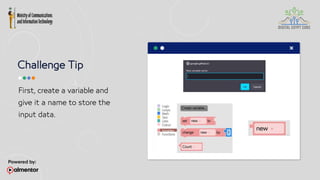
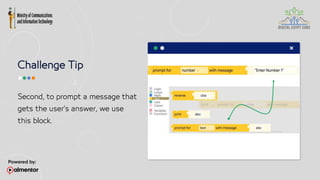
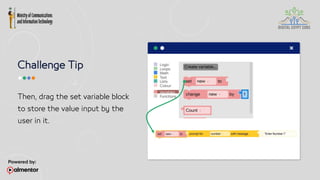
Share 3 pieces of
information about you
with your colleagues.
The other one is false!
2 true statements
Now... Guess the Lie!
 I have traveled to three different
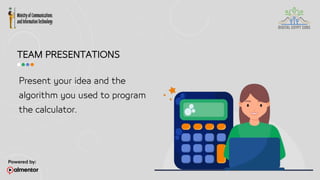
continents.
 I can speak three languages.
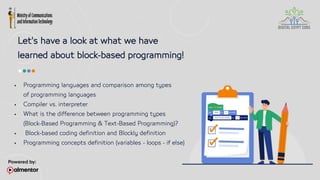
 I have a pet animal.
LIFE SKILL TIP #1
Duration: 3 min
Tools: Index cards Markers, colored pens
Countdown timer
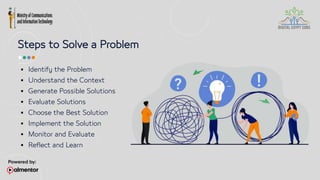
Steps to Solve a Problem
 Identify the Problem
 Understand the Context
 Generate Possible Solutions
 Evaluate Solutions
 Choose the Best Solution
 Implement the Solution
 Monitor and Evaluate
 Reflect and Learn
"We cannot solve problems with the
same thinking we used when we
created them!"
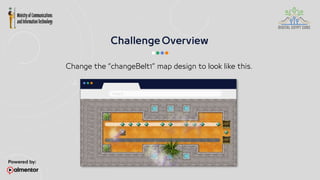
Team CHALLENGE #1
Math Wizard – Block-Based Coding
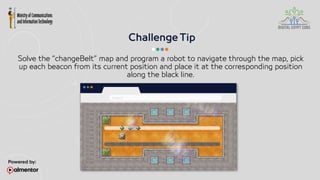
Tools:
1- Computers or laptops
2- Timer or stopwatch
3- Score play to display score for all teams
4- Blockly online platform
5- Paper and pens
Duration: 40 min
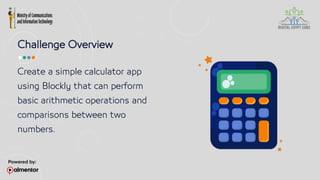
Challenge Overview
Create a simple calculator app
using Blockly that can perform
basic arithmetic operations and
comparisons between two
numbers.
Challenge Tip
Before you start, here is a tip that will
help you through this challenge!
You will need to learn how to prompt a
message for the user to enter an input.
Let’s do it together!
Challenge Tip
First, create a variable and
give it a name to store the
input data.
Challenge Tip
Second, to prompt a message that
gets the user's answer, we use
this block.
Challenge Tip
Then, drag the set variable block
to store the value input by the
user in it.
Challenge Tip
Test your code and hit RUN.
You should get a prompt message!
Algorithm Design
Break down the steps involved in the
algorithm, including input, variable
initialization, conditional statements,
and output.
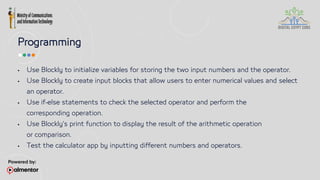
Programming
 Use Blockly to initialize variables for storing the two input numbers and the operator.
 Use Blockly to create input blocks that allow users to enter numerical values and select
an operator.
 Use if-else statements to check the selected operator and perform the
corresponding operation.
 Use Blockly's print function to display the result of the arithmetic operation
or comparison.
 Test the calculator app by inputting different numbers and operators.
TEAM PRESENTATIONS
Present your idea and the
algorithm you used to program
the calculator.
Review and Recap
Introduction to Programming & Block-Based Coding
Tools: Markers
Countdown timer Whiteboard
Duration: 10 min
Let's have a look at what we have
learned about block-based programming!
 Programming languages and comparison among types
of programming languages
 Compiler vs. interpreter
 What is the difference between programming types
(Block-Based Programming & Text-Based Programming)?
 Block-based coding definition and Blockly definition
 Programming concepts definition (variables - loops - if else)
Tools: Countdown Timer
Duration: 30 min
Communication
Tools: 1- Blank index cards or small cardstock paper
2- Markers, colored pens, and art supplies
3 min
Duration:
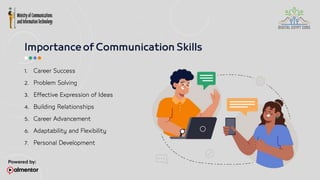
1. Career Success
2. Problem Solving
3. Effective Expression of Ideas
4. Building Relationships
5. Career Advancement
6. Adaptability and Flexibility
7. Personal Development
"The most important thing in
communication is to hear what
is not being said."
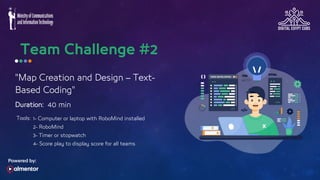
"Map Creation and Design – Text-
Based Coding"
Tools: 1- Computer or laptop with RoboMind installed
2- RoboMind
3- Timer or stopwatch
4- Score play to display score for all teams
40 min
Duration:
Change the “changeBelt1” map design to look like this.
 Before you start, here is a tip that will help
you through this challenge!
 You will need to learn how to change the map
design. Let’s do it together!
Solve the “changeBelt” map and program a robot to navigate through the map, pick
up each beacon from its current position and place it at the corresponding position
along the black line.
1. Concept of map creation
2. How to use the Map Editor tools in RoboMind
3. Load the map file to edit the beacon position
4. Familiarize with the different elements that can be
included in a RoboMind map
Tools: N/A
10 min
Duration:
1. Definition of text-based programming
2. Explain what RoboMind is
3. Gain insight into the RoboMind environment
4. Determine the key programming ideas and use them to
operate the robot in RoboMind.
5. Recognize the definitions of programming concepts such
as loops, if-structures, logical expressions, variables, and
procedures.
3 min
Duration:
Tools: N/A
1. Identify the Problem
2. Gather Information
3. Analyze the Information
4. Evaluate the Evidence
5. Consider Alternative Perspectives
6. Draw Conclusions
7. Generate Solutions
8. Make Informed Decisions
Tools:
30 min
Duration:
"Robot Navigation – Text-Based
Coding"
1- Computer or laptop with RoboMind installed
2- RoboMind
3- Timer or stopwatch
4- Score play to display score for all teams
The robot moves from one place to another, then grabs the beacon and moves it
from one place to another by coding.
10 min
Duration:
Tools: N/A
1. What are algorithms?
2. How should an algorithm be written?
3. Using Robomind algorithms
4. The flowchart-coding algorithm following the lines
5. The maze algorithm (Flowchart-Coding)
5 min
Duration:
Tools: N/A
5 min
Duration:
Tools: N/A

nothing at all for programming site<gggggg

  • 1.
  • 2.
    Welcome and Icebreaker: Tools:Index cards Markers, colored pens Countdown timer 15 min Duration:
  • 3.
    Share 3 piecesof information about you with your colleagues. The other one is false! 2 true statements
  • 4.
    Now... Guess theLie!  I have traveled to three different continents.  I can speak three languages.  I have a pet animal.
  • 5.
    LIFE SKILL TIP#1 Duration: 3 min Tools: Index cards Markers, colored pens Countdown timer
  • 6.
    Steps to Solvea Problem  Identify the Problem  Understand the Context  Generate Possible Solutions  Evaluate Solutions  Choose the Best Solution  Implement the Solution  Monitor and Evaluate  Reflect and Learn
  • 7.
    "We cannot solveproblems with the same thinking we used when we created them!"
  • 8.
    Team CHALLENGE #1 MathWizard – Block-Based Coding Tools: 1- Computers or laptops 2- Timer or stopwatch 3- Score play to display score for all teams 4- Blockly online platform 5- Paper and pens Duration: 40 min
  • 9.
    Challenge Overview Create asimple calculator app using Blockly that can perform basic arithmetic operations and comparisons between two numbers.
  • 10.
    Challenge Tip Before youstart, here is a tip that will help you through this challenge! You will need to learn how to prompt a message for the user to enter an input. Let’s do it together!
  • 11.
    Challenge Tip First, createa variable and give it a name to store the input data.
  • 12.
    Challenge Tip Second, toprompt a message that gets the user's answer, we use this block.
  • 13.
    Challenge Tip Then, dragthe set variable block to store the value input by the user in it.
  • 14.
    Challenge Tip Test yourcode and hit RUN. You should get a prompt message!
  • 15.
    Algorithm Design Break downthe steps involved in the algorithm, including input, variable initialization, conditional statements, and output.
  • 16.
    Programming  Use Blocklyto initialize variables for storing the two input numbers and the operator.  Use Blockly to create input blocks that allow users to enter numerical values and select an operator.  Use if-else statements to check the selected operator and perform the corresponding operation.  Use Blockly's print function to display the result of the arithmetic operation or comparison.  Test the calculator app by inputting different numbers and operators.
  • 17.
    TEAM PRESENTATIONS Present youridea and the algorithm you used to program the calculator.
  • 18.
    Review and Recap Introductionto Programming & Block-Based Coding Tools: Markers Countdown timer Whiteboard Duration: 10 min
  • 19.
    Let's have alook at what we have learned about block-based programming!  Programming languages and comparison among types of programming languages  Compiler vs. interpreter  What is the difference between programming types (Block-Based Programming & Text-Based Programming)?  Block-based coding definition and Blockly definition  Programming concepts definition (variables - loops - if else)
  • 30.
  • 31.
    Communication Tools: 1- Blankindex cards or small cardstock paper 2- Markers, colored pens, and art supplies 3 min Duration:
  • 33.
    1. Career Success 2.Problem Solving 3. Effective Expression of Ideas 4. Building Relationships 5. Career Advancement 6. Adaptability and Flexibility 7. Personal Development
  • 34.
    "The most importantthing in communication is to hear what is not being said."
  • 35.
    "Map Creation andDesign – Text- Based Coding" Tools: 1- Computer or laptop with RoboMind installed 2- RoboMind 3- Timer or stopwatch 4- Score play to display score for all teams 40 min Duration:
  • 36.
    Change the “changeBelt1”map design to look like this.
  • 37.
     Before youstart, here is a tip that will help you through this challenge!  You will need to learn how to change the map design. Let’s do it together!
  • 38.
    Solve the “changeBelt”map and program a robot to navigate through the map, pick up each beacon from its current position and place it at the corresponding position along the black line.
  • 39.
    1. Concept ofmap creation 2. How to use the Map Editor tools in RoboMind 3. Load the map file to edit the beacon position 4. Familiarize with the different elements that can be included in a RoboMind map
  • 40.
  • 41.
    1. Definition oftext-based programming 2. Explain what RoboMind is 3. Gain insight into the RoboMind environment 4. Determine the key programming ideas and use them to operate the robot in RoboMind. 5. Recognize the definitions of programming concepts such as loops, if-structures, logical expressions, variables, and procedures.
  • 52.
  • 54.
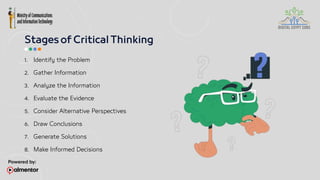
    1. Identify theProblem 2. Gather Information 3. Analyze the Information 4. Evaluate the Evidence 5. Consider Alternative Perspectives 6. Draw Conclusions 7. Generate Solutions 8. Make Informed Decisions
  • 55.
    Tools: 30 min Duration: "Robot Navigation– Text-Based Coding" 1- Computer or laptop with RoboMind installed 2- RoboMind 3- Timer or stopwatch 4- Score play to display score for all teams
  • 56.
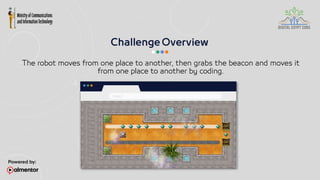
    The robot movesfrom one place to another, then grabs the beacon and moves it from one place to another by coding.
  • 57.
  • 58.
    1. What arealgorithms? 2. How should an algorithm be written? 3. Using Robomind algorithms 4. The flowchart-coding algorithm following the lines 5. The maze algorithm (Flowchart-Coding)
  • 59.
  • 61.

Editor's Notes

  • #12 Here it is recommended to demonstrate this part interactively with kids using blockly​
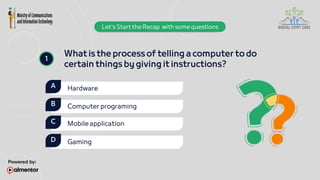
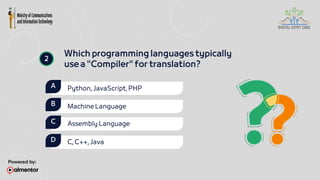
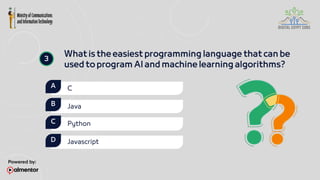
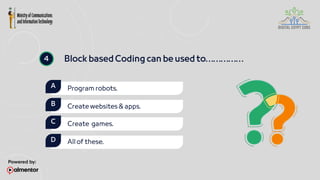
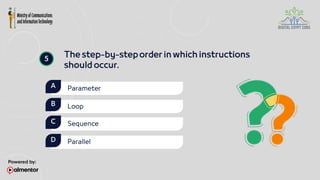
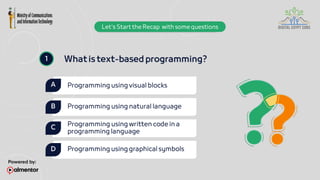
  • #20 1-what is the process of telling a computer to do certain things by giving it instructions?​ Hardware​ Computer programing​ mobile application​ gaming​ 2-Which programming languages typically use a "Compiler" for translation?​ Python, JavaScript, PHP​ Machine Language​ Assembly Language​ C, C++, Java​ 3-We can use ........ programming language in AI and machine learning.​ C​ Java​ Python​ Javascript​ ​ 4-Block based Coding can be used to​ Program robots.​ Create websites & apps.​ Create  games.​ all of these.​ 5-The step-by-step order in which instructions should occur.​ a. Parameter​ b. Loop​ c. Sequence.​ d. Parallel.​ 6-What is machine level language, and how does it differ from high-level programming languages?​ 7-What is the role of a compiler in the process of programming?​ 8-What is Blockly, and what is its main purpose in the context of programming education?​ 9-What is the purpose of conditional statements in programming?​ 10-Can you provide an example of how a conditional statement is used within a loop to create repetitive actions based on a condition?
  • #21 Answer: B.Computer programing
  • #22 Answer: D. C, C++, Java
  • #23 Answer: C. Python
  • #24 Answer: D. all of these
  • #25 Answer: C. Sequence
  • #33                                                                                                                                                                                                     Sarah is working on a group project with her classmates to create a poster about renewable energy sources. During their meeting, they need to decide who will research solar energy and who will research wind energy. Implementation: Sarah actively listens to her classmates' suggestions and ideas about the project. She asks clarifying questions to ensure she understands what each group member is saying. Sarah expresses her own ideas about which energy sources they should focus on for the poster. She suggests that they divide the research tasks based on each member's interests and strengths. Sarah communicates her willingness to take on the research for solar energy, as she finds it fascinating and has some prior knowledge about it. She respectfully listens to her classmates' opinions and collaboratively reaches a decision on how to divide the tasks.
  • #40 open the map editor and import "changeBelt" map from c:programfiles\Robomind\maps\changeBelt then modify the map to the specified challenge map
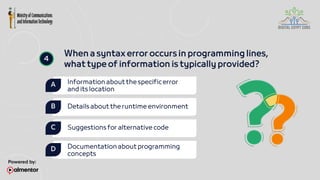
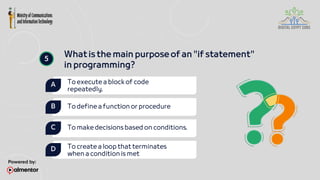
  • #42 1-What is text-based programming? a. Programming using visual blocks b. Programming using natural language c. Programming using written code in a programming language d. Programming using graphical symbols 2-Which of the following best defines black-box coding? a. Coding done without considering the end-user experience. b. Writing code using only a single programming language. c. Developing software without understanding the underlying code structure. d. Implementing code where internal workings are hidden and only inputs and outputs are visible. 3–In RoboMind, what is the main programming language used for writing scripts to control robots? a. Java b. Python c. RoboScript d. C++ 4-When a syntax error occurs in programming lines, what type of information is typically provided? Information about the specific error and its location Details about the runtime environment Suggestions for alternative code Documentation about programming concepts 5-What is the main purpose of an "if statement" in programming?  a. To execute a block of code repeatedly. b. To define a function or procedure c. To make decisions based on conditions. d. To create a loop that terminates when a condition is met . 6-How does RoboMind prepare students for technology-related fields such as coding and computer science? 7-How do repetition loops in programming contribute to efficiency and code optimization? Provide examples to support your explanation. 8-Explain the role of logical expressions in programming and how they contribute to controlling the flow of a computer program. Provide examples to illustrate your explanation. 9-Describe the purpose and functionality of variables in programming. Provide examples to demonstrate how variables are used to store data . 10-Explain the concept of procedures in programming, including the role of parameters and the procedure call
  • #43 Answer: C. Programming using written code in a programming language
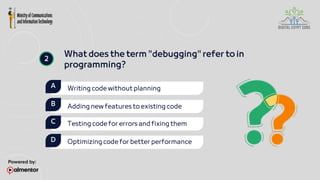
  • #44 Answer: C. Testing code for errors and fixing them
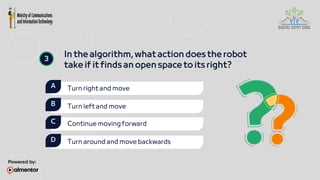
  • #45 Answer: A. Turn right and move
  • #46 Answer: A. Information about the specific error and its location
  • #47 Answer: C. To make decisions based on conditions.
  • #54 Sarah is a 15-year-old student preparing for her science project on renewable energy sources. She needs to decide which energy source she will focus on for her project and how she will gather information to support her research. Implementation: Identifying the Problem: Sarah starts by identifying the problem: she needs to select a specific renewable energy source for her science project. Gathering Information: Sarah begins researching various renewable energy sources, such as solar, wind, hydroelectric, and biomass. She consults textbooks, academic journals, and reliable websites to gather information about each energy source's benefits, drawbacks, and real-world applications. Analyzing the Information: Sarah carefully analyzes the information she has gathered about each renewable energy source. She compares their efficiency, environmental impact, cost-effectiveness, and potential for widespread adoption. She considers factors such as geographical location, climate, and available resources that may affect the feasibility of each energy source. Evaluating the Evidence: Sarah evaluates the credibility and reliability of the sources she has used for her research. She considers the expertise of the authors, the publication date, and whether the information is supported by scientific evidence and peer-reviewed research. Considering Alternative Perspectives: Sarah explores alternative viewpoints and arguments related to each renewable energy source. She considers the opinions of experts in the field, as well as potential criticisms or controversies surrounding each energy source. Drawing Conclusions: Based on her analysis and evaluation of the evidence, Sarah draws conclusions about which renewable energy source she believes is the most promising for her science project. She identifies the strengths and weaknesses of each energy source and determines which one aligns best with her research goals and interests. Generating Solutions: Sarah brainstorm's potential solutions for how she will conduct her research and present her findings. She considers different methods for collecting data, conducting experiments, and creating visual aids to illustrate her findings effectively. Making Informed Decisions: Finally, Sarah makes an informed decision to focus her science project on solar energy. She outlines her research plan, including the specific objectives, methodology, and timeline for completing her project. She feels confident that she has made the right choice based on her critical thinking skills and research findings.
  • #59 1-What is the role of algorithms in computer programming?  a) Algorithms are used to generate random outputs.  b) Algorithms help in writing code faster.   c) Algorithms provide step-by-step instructions to solve a specific problem.   d) Algorithms are used to create graphical user interfaces. 2-What does the term "debugging" refer to in programming? a. Writing code without planning  b. Adding new features to existing code  c. Testing code for errors and fixing them  d. Optimizing code for better performance 3–Why is it important to save programming projects? a. To reduce code complexity  b. To automatically generate test cases  c. To ensure code security  d. To retain progress and prevent data loss 4-What does a rectangle represent in a flowchart? a. Start/End  b. Process  c. Decision d. Input/Output 5-In the algorithm, what action does the robot take if it finds an open space to its right? a. Turn right and move b. Turn left and move c. Continue moving forward d. Turn around and move backwards . 6-Describe the key characteristics of an algorithm and explain why they are important in problem-solving and computation. 7-Explain the significance of preserving programming files in the context of software development. 8-Describe some real-life applications of line follower robots and how they contribute to various industries. 9-Explain how robot maze solvers use sensors and decision-making logic to navigate through a maze. 10-Explain how the flip-coin algorithm works and its role in helping the robot explore paths in a maze.