B Y
N I C O L E M A R C K
How to upload a photo blog in
Tumblr
Bring up Internet Explorer
Click the ‘e’ icon to bring
up Internet Explorer
Changing the URL
Once you have your
browser up, click the
URL bar to change the
URL to Tumblr.com
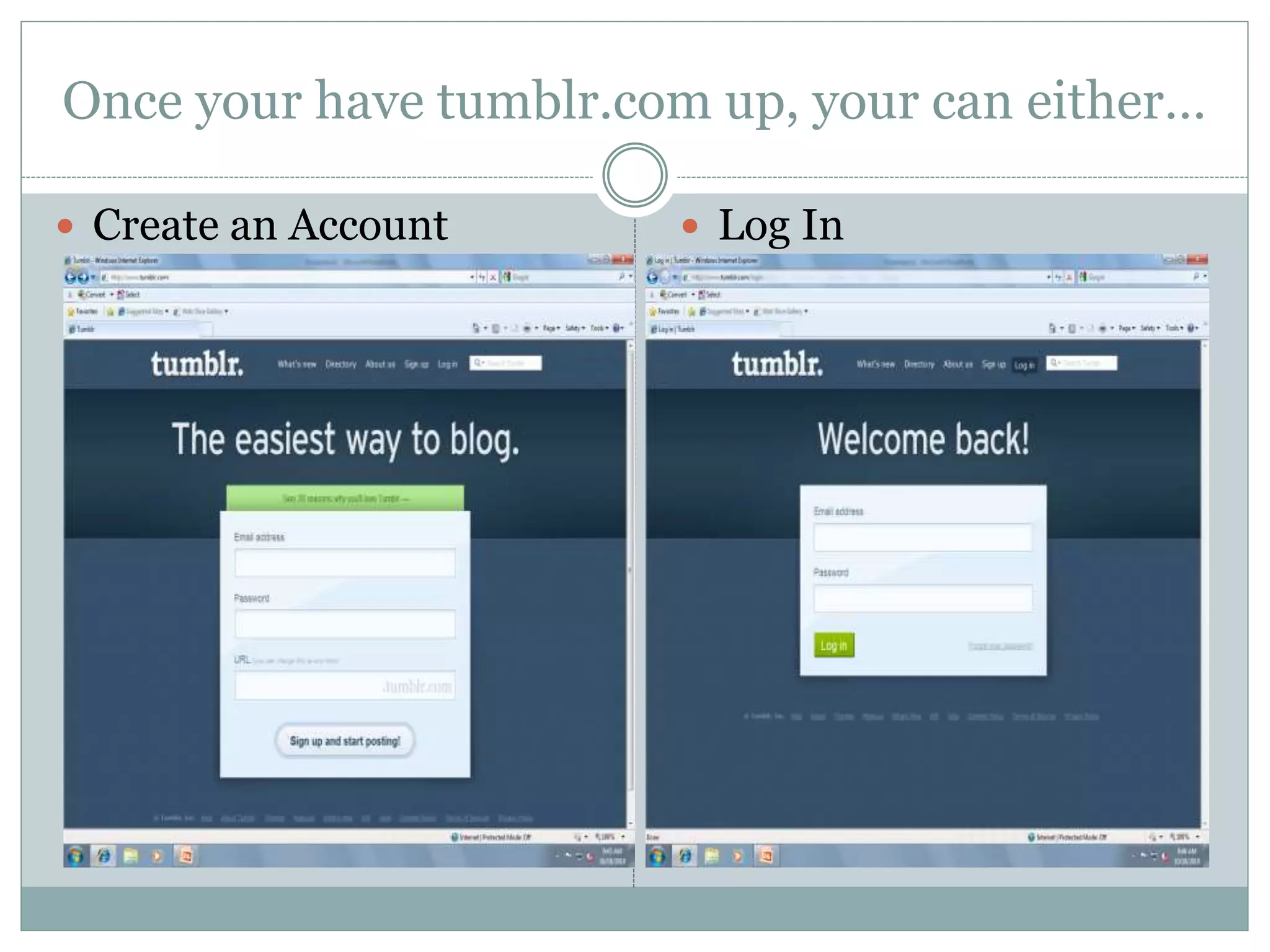
Once your have tumblr.com up, your can either…
 Create an Account  Log In
Dashboard
Once your are at your
dashboard, you can
either load text, photo,
quote, link, chat, audio,
or video to your blog.
You can also look at your
posts, see who you are
following and whose
following you, messages,
drafts, queue, and
customize your page
Upload a photo
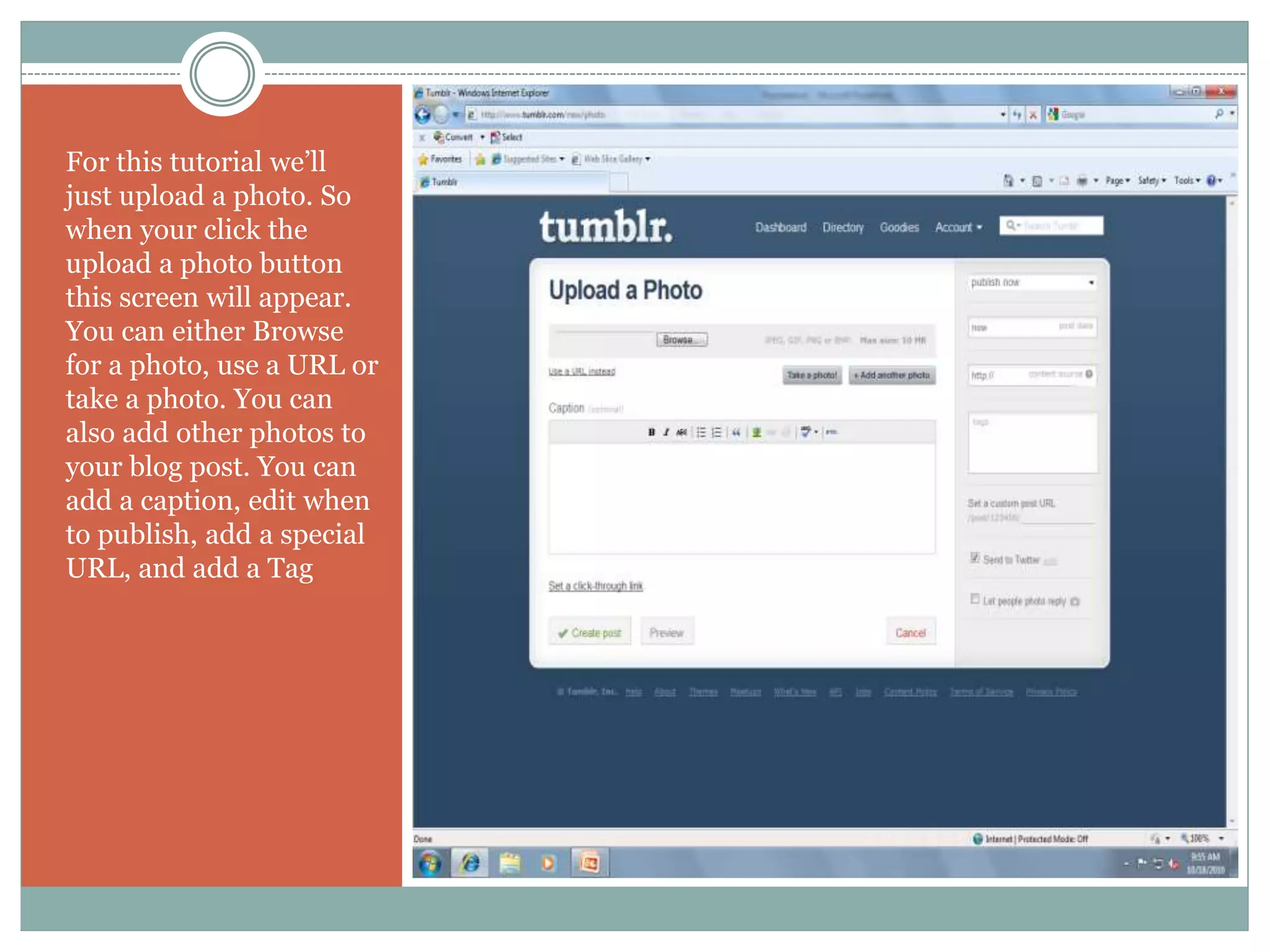
For this tutorial we’ll
just upload a photo. So
when your click the
upload a photo button
this screen will appear.
You can either Browse
for a photo, use a URL or
take a photo. You can
also add other photos to
your blog post. You can
add a caption, edit when
to publish, add a special
URL, and add a Tag
Uploading a photo
 Browse and take a photo  Add a caption
Adding tags
You can add tags to your
post. You may do any tag
that you believe that will
relate to the photo. Once
you are all done then
you can hit the Create
post button
Now you have create a
photo blog post in
Tumblr and added a
caption and tags to the
post

Nicole tumblrfit1012ppt

  • 1.
    B Y N IC O L E M A R C K How to upload a photo blog in Tumblr
  • 2.
    Bring up InternetExplorer Click the ‘e’ icon to bring up Internet Explorer
  • 3.
    Changing the URL Onceyou have your browser up, click the URL bar to change the URL to Tumblr.com
  • 4.
    Once your havetumblr.com up, your can either…  Create an Account  Log In
  • 5.
    Dashboard Once your areat your dashboard, you can either load text, photo, quote, link, chat, audio, or video to your blog. You can also look at your posts, see who you are following and whose following you, messages, drafts, queue, and customize your page
  • 6.
    Upload a photo Forthis tutorial we’ll just upload a photo. So when your click the upload a photo button this screen will appear. You can either Browse for a photo, use a URL or take a photo. You can also add other photos to your blog post. You can add a caption, edit when to publish, add a special URL, and add a Tag
  • 7.
    Uploading a photo Browse and take a photo  Add a caption
  • 8.
    Adding tags You canadd tags to your post. You may do any tag that you believe that will relate to the photo. Once you are all done then you can hit the Create post button
  • 9.
    Now you havecreate a photo blog post in Tumblr and added a caption and tags to the post