Network Operations Center
Best Practices

By Gabby Nizri                                                 April 2012 Edition

© 2012 Ayehu Software Technologies Ltd. All rights reserved.
Table of Contents
Introduction                                    1
5 essential NOC tools                           4
Knowledge and skills                            9
Clearly defined roles                         10
NOC employee training                         13
Communication & collaboration                 15
Escalation processes                          18
Prioritization                                19
Incident handling                             20


                        Tweet This Guide   Share on facebook   Share on LinkedIn
                                                                                   2
Introduction
Network Operation Centers (NOCs) are always under a great pressure
to meet both technical and business services demands. In the past
several years NOCs have become a more crucial part of the
organization, taking on more tasks and responsibilities.
In NOCs, technological challenges arrive at unexpected times, and
unforeseen problems always pop up. In fact, the only part you can
count on is shrinking resources.
So what’s the best you can do? Make sure you’re employing the best
practices, using the most appropriate tools, and optimizing your
processes and knowledge.
This is what this e-book is all about.


                      Tweet This Guide   Share on facebook   Share on LinkedIn
                                                                                 3
Part 1: Tools
You know tools are an essential element
in NOC management. But they are also a
key element for improvement. So what
are the tools that will give you the top
return of investment? How do you keep
your team aligned with the most updated
information? And how can tools help your
team gain control over all tasks, while
positioning the NOC as an exclusive IT
resource?


                    Tweet This Guide   Share on facebook   Share on LinkedIn
                                                                               4
Ticketing system   Tools


5 essential tools
Ticketing system
A ticketing system will enable you to keep track of all open issues,
according to severity, urgency and the person assigned to handle each
task. Knowing all pending issues will help you to prioritize the shift’s
tasks and provide the best service to your customers.

Knowledge base
Keep one centralized source for all knowledge and documentation that
is accessible to your entire team. This knowledge base should be a
fluid information source, so make sure you continuously update it with
experiences and lessons learned for future reference and
improvements.


                     Tweet This Guide   Share on facebook   Share on LinkedIn
                                                                                                  5
Reporting   Tools
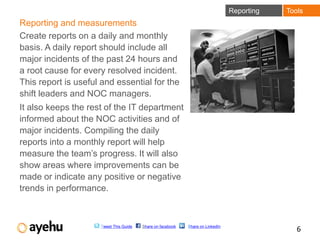
Reporting and measurements
Create reports on a daily and monthly
basis. A daily report should include all
major incidents of the past 24 hours and
a root cause for every resolved incident.
This report is useful and essential for the
shift leaders and NOC managers.
It also keeps the rest of the IT department
informed about the NOC activities and of
major incidents. Compiling the daily
reports into a monthly report will help
measure the team’s progress. It will also
show areas where improvements can be
made or indicate any positive or negative
trends in performance.


                     Tweet This Guide   Share on facebook   Share on LinkedIn
                                                                                               6
Monitoring   Tools
Monitoring
There are two types of monitoring processes relevant to NOC:
• Infrastructure monitoring, which can consist of the servers,
  the network or the data center environment.
• User experience monitoring, which simulates user behavior
  and activities in order to replicate problems and find the most
  effective solutions.
Implementing a service tree model that connects the infrastructure
monitoring with an affected service will allow your team to handle
other areas that may be affected by the problems experienced.


                    Tweet This Guide   Share on facebook   Share on LinkedIn
                                                                                               7
IT process automation   Tools

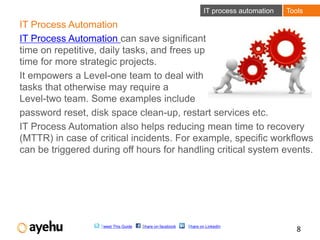
IT Process Automation
IT Process Automation can save significant
time on repetitive, daily tasks, and frees up
time for more strategic projects.
It empowers a Level-one team to deal with
tasks that otherwise may require a
Level-two team. Some examples include
password reset, disk space clean-up, restart services etc.
IT Process Automation also helps reducing mean time to recovery
(MTTR) in case of critical incidents. For example, specific workflows
can be triggered during off hours for handling critical system events.


                   Tweet This Guide   Share on facebook   Share on LinkedIn
                                                                                             8
Part 2: Knowledge & skills
By ‘knowledge and skills’ we don’t mean
the obvious technical knowledge and
network ‘know-how’ your team members
must hold to run day-to-day operations,
but rather –
How you can ensure your team’s skills
are used to their best potential, and how
to keep those skills up to date over time.


                     Tweet This Guide   Share on facebook   Share on LinkedIn
                                                                                9
Roles    Knowledge & Skills


Clearly defined roles
Definition of roles may vary between data centers and will
depend on team size, the IT environment and tasks. Still, there
should be a clear distinction between the roles and
responsibilities of operators vs. shift supervisors in the NOC.
Why does it matter?
Mostly because it affects decisions making. Without clearly
defined roles and responsibilities, disagreements between
operators lead to late decisions and actions, or to no decisions
taken at all. This can affect customers, critical business services,
and urgent requests during off hours.
It should be clearly defined, therefore, that a shift manager
makes the final decisions.

                   Tweet This Guide   Share on facebook   Share on LinkedIn
                                                                                          10
Tasks & responsibilities           Knowledge & Skills


Tasks & responsibilities
Another potential problem caused by the absence of a clear role
definition is the division of tasks between operators and the shift leader.


A shift manager should be responsible for: prioritizing tasks, assigning
work to operators based on their skills, verifying that tickets are opened
properly and that relevant personnel are notified when required,
escalating problems, communicating with management during
important NOC events, sending notifications to the entire organization,
preparing reports, and making critical decisions that impact many
services, such as shutting down the data center in case of an
emergency.


                     Tweet This Guide   Share on facebook   Share on LinkedIn
                                                                                               11
Tasks & responsibilities        Knowledge & Skills


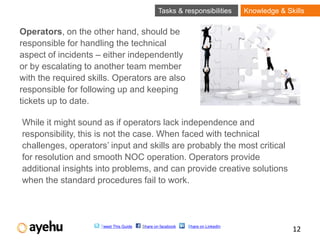
Operators, on the other hand, should be
responsible for handling the technical
aspect of incidents – either independently
or by escalating to another team member
with the required skills. Operators are also
responsible for following up and keeping
tickets up to date.

While it might sound as if operators lack independence and
responsibility, this is not the case. When faced with technical
challenges, operators’ input and skills are probably the most critical
for resolution and smooth NOC operation. Operators provide
additional insights into problems, and can provide creative solutions
when the standard procedures fail to work.


                     Tweet This Guide   Share on facebook   Share on LinkedIn
                                                                                              12
NOC Training       Knowledge & Skills


NOC employee training
How often have you started a new job, without receiving any
orientation, mentoring or guided training?
A new NOC operator may not know where to find a procedure or
how to execute it, or in a more severe case - take a decision that
causes equipment damage or results in critical downtime.
Make sure to put in place an extensive training program for new
NOC employees. Ideally, such a program would consist of one
week of classroom training followed by three weeks of hands-on
training under the supervision of a designated trainer.


                   Tweet This Guide   Share on facebook   Share on LinkedIn
                                                                                          13
NOC Training       Knowledge & Skills


Make sure experienced NOC members, preferably shift leaders, train
new employees. Release trainers from all other duties to ensure that
the training does not gradually fade between all the urgent tasks.


Update the training program on an ongoing basis, and make sure it
includes topics such as required users and permissions, known
problems, troubleshooting, teams and important contacts.


                    Tweet This Guide   Share on facebook   Share on LinkedIn
                                                                                           14
Communication      Knowledge & Skills
Communication &
Collaboration
A good communication flow between NOC members and other
IT teams has many advantages. It propels professional growth,
provides opportunities for advancement in the organization, and
makes it easier to approach other teams when requiring
assistance. But most importantly – it allows NOC personnel to
see the larger picture. NOC members that are aware of projects,
services and customers’ needs, simply provide better service.
How can you improve communication? Here are a few ideas:
• Make sure a member of the NOC attends weekly change
   management meetings and communicate issues or upcoming
   activities, such as planned downtime, to the rest of the team.


                   Tweet This Guide   Share on facebook   Share on LinkedIn
                                                                                          15
Communication      Knowledge & Skills


• Define NOC members as focal points for important IT areas,
  such as NT, UNIX, Network, or a specific project. These
  members attend the meetings of the relevant teams, deliver
  new information and knowledge to the rest of the NOC, and
  handle specific professional challenges.

• Encourage and promote collaboration between NOC team
  members. When your team members are willing to help each
  other, information is shared more easily, and problems are
  resolved more quickly and efficiently. If the NOC team is
  geographically spread out or is located in different countries,
  you should spend even more efforts on communication and
  collaboration, to overcome cultural and language barriers.


                   Tweet This Guide   Share on facebook   Share on LinkedIn
                                                                                          16
Part 3: Processes
What are the operational, structured
processes that you should implement
for effective and repeatable results?
Here are our top ones.


                    Tweet This Guide   Share on facebook   Share on LinkedIn
                                                                               17
Escalation   Processes


Escalation
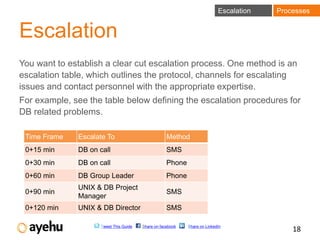
You want to establish a clear cut escalation process. One method is an
escalation table, which outlines the protocol, channels for escalating
issues and contact personnel with the appropriate expertise.
For example, see the table below defining the escalation procedures for
DB related problems.

 Time Frame   Escalate To                           Method
 0+15 min     DB on call                            SMS
 0+30 min     DB on call                            Phone
 0+60 min     DB Group Leader                       Phone
              UNIX & DB Project
 0+90 min                                           SMS
              Manager
 0+120 min    UNIX & DB Director                    SMS

                     Tweet This Guide   Share on facebook   Share on LinkedIn
                                                                                            18
Prioritization   Processes


Prioritization
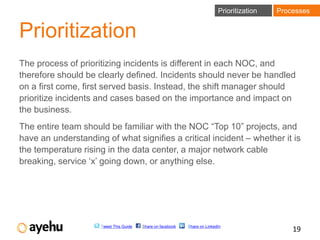
The process of prioritizing incidents is different in each NOC, and
therefore should be clearly defined. Incidents should never be handled
on a first come, first served basis. Instead, the shift manager should
prioritize incidents and cases based on the importance and impact on
the business.
The entire team should be familiar with the NOC “Top 10” projects, and
have an understanding of what signifies a critical incident – whether it is
the temperature rising in the data center, a major network cable
breaking, service ‘x’ going down, or anything else.


                     Tweet This Guide   Share on facebook   Share on LinkedIn
                                                                                                19
Incident handling   Processes


Incident Handling
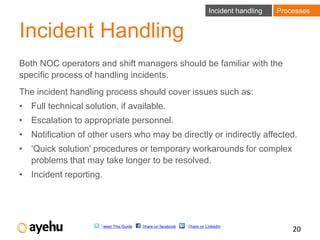
Both NOC operators and shift managers should be familiar with the
specific process of handling incidents.
The incident handling process should cover issues such as:
• Full technical solution, if available.
• Escalation to appropriate personnel.
• Notification of other users who may be directly or indirectly affected.
• ‘Quick solution’ procedures or temporary workarounds for complex
  problems that may take longer to be resolved.
• Incident reporting.


                      Tweet This Guide   Share on facebook   Share on LinkedIn
                                                                                               20
Conclusion
Employing the proper tools, skills and processes in
your NOC will allow you to run more efficient network
operations and ensure smooth day to day operations.
The purpose of these NOC best practices is not only to
enable smooth ongoing operations. It is also to
advance your team with a better understanding
business needs, the IT department and the customers;
it is to encourage progress and growth among team
members; and most important, it is to make a healthy
and supporting work environment that will enable
providing superior service.


               Tweet This Guide   Share on facebook   Share on LinkedIn
                                                                          21
Learn more about Ayehu
eyeShare for NOC


      Tweet This Guide   Share on facebook   Share on LinkedIn
                                                                 22

Network Operation Center Best Practices

  • 1.
    Network Operations Center BestPractices By Gabby Nizri April 2012 Edition © 2012 Ayehu Software Technologies Ltd. All rights reserved.
  • 2.
    Table of Contents Introduction 1 5 essential NOC tools 4 Knowledge and skills 9 Clearly defined roles 10 NOC employee training 13 Communication & collaboration 15 Escalation processes 18 Prioritization 19 Incident handling 20 Tweet This Guide Share on facebook Share on LinkedIn 2
  • 3.
    Introduction Network Operation Centers(NOCs) are always under a great pressure to meet both technical and business services demands. In the past several years NOCs have become a more crucial part of the organization, taking on more tasks and responsibilities. In NOCs, technological challenges arrive at unexpected times, and unforeseen problems always pop up. In fact, the only part you can count on is shrinking resources. So what’s the best you can do? Make sure you’re employing the best practices, using the most appropriate tools, and optimizing your processes and knowledge. This is what this e-book is all about. Tweet This Guide Share on facebook Share on LinkedIn 3
  • 4.
    Part 1: Tools Youknow tools are an essential element in NOC management. But they are also a key element for improvement. So what are the tools that will give you the top return of investment? How do you keep your team aligned with the most updated information? And how can tools help your team gain control over all tasks, while positioning the NOC as an exclusive IT resource? Tweet This Guide Share on facebook Share on LinkedIn 4
  • 5.
    Ticketing system Tools 5 essential tools Ticketing system A ticketing system will enable you to keep track of all open issues, according to severity, urgency and the person assigned to handle each task. Knowing all pending issues will help you to prioritize the shift’s tasks and provide the best service to your customers. Knowledge base Keep one centralized source for all knowledge and documentation that is accessible to your entire team. This knowledge base should be a fluid information source, so make sure you continuously update it with experiences and lessons learned for future reference and improvements. Tweet This Guide Share on facebook Share on LinkedIn 5
  • 6.
    Reporting Tools Reporting and measurements Create reports on a daily and monthly basis. A daily report should include all major incidents of the past 24 hours and a root cause for every resolved incident. This report is useful and essential for the shift leaders and NOC managers. It also keeps the rest of the IT department informed about the NOC activities and of major incidents. Compiling the daily reports into a monthly report will help measure the team’s progress. It will also show areas where improvements can be made or indicate any positive or negative trends in performance. Tweet This Guide Share on facebook Share on LinkedIn 6
  • 7.
    Monitoring Tools Monitoring There are two types of monitoring processes relevant to NOC: • Infrastructure monitoring, which can consist of the servers, the network or the data center environment. • User experience monitoring, which simulates user behavior and activities in order to replicate problems and find the most effective solutions. Implementing a service tree model that connects the infrastructure monitoring with an affected service will allow your team to handle other areas that may be affected by the problems experienced. Tweet This Guide Share on facebook Share on LinkedIn 7
  • 8.
    IT process automation Tools IT Process Automation IT Process Automation can save significant time on repetitive, daily tasks, and frees up time for more strategic projects. It empowers a Level-one team to deal with tasks that otherwise may require a Level-two team. Some examples include password reset, disk space clean-up, restart services etc. IT Process Automation also helps reducing mean time to recovery (MTTR) in case of critical incidents. For example, specific workflows can be triggered during off hours for handling critical system events. Tweet This Guide Share on facebook Share on LinkedIn 8
  • 9.
    Part 2: Knowledge& skills By ‘knowledge and skills’ we don’t mean the obvious technical knowledge and network ‘know-how’ your team members must hold to run day-to-day operations, but rather – How you can ensure your team’s skills are used to their best potential, and how to keep those skills up to date over time. Tweet This Guide Share on facebook Share on LinkedIn 9
  • 10.
    Roles Knowledge & Skills Clearly defined roles Definition of roles may vary between data centers and will depend on team size, the IT environment and tasks. Still, there should be a clear distinction between the roles and responsibilities of operators vs. shift supervisors in the NOC. Why does it matter? Mostly because it affects decisions making. Without clearly defined roles and responsibilities, disagreements between operators lead to late decisions and actions, or to no decisions taken at all. This can affect customers, critical business services, and urgent requests during off hours. It should be clearly defined, therefore, that a shift manager makes the final decisions. Tweet This Guide Share on facebook Share on LinkedIn 10
  • 11.
    Tasks & responsibilities Knowledge & Skills Tasks & responsibilities Another potential problem caused by the absence of a clear role definition is the division of tasks between operators and the shift leader. A shift manager should be responsible for: prioritizing tasks, assigning work to operators based on their skills, verifying that tickets are opened properly and that relevant personnel are notified when required, escalating problems, communicating with management during important NOC events, sending notifications to the entire organization, preparing reports, and making critical decisions that impact many services, such as shutting down the data center in case of an emergency. Tweet This Guide Share on facebook Share on LinkedIn 11
  • 12.
    Tasks & responsibilities Knowledge & Skills Operators, on the other hand, should be responsible for handling the technical aspect of incidents – either independently or by escalating to another team member with the required skills. Operators are also responsible for following up and keeping tickets up to date. While it might sound as if operators lack independence and responsibility, this is not the case. When faced with technical challenges, operators’ input and skills are probably the most critical for resolution and smooth NOC operation. Operators provide additional insights into problems, and can provide creative solutions when the standard procedures fail to work. Tweet This Guide Share on facebook Share on LinkedIn 12
  • 13.
    NOC Training Knowledge & Skills NOC employee training How often have you started a new job, without receiving any orientation, mentoring or guided training? A new NOC operator may not know where to find a procedure or how to execute it, or in a more severe case - take a decision that causes equipment damage or results in critical downtime. Make sure to put in place an extensive training program for new NOC employees. Ideally, such a program would consist of one week of classroom training followed by three weeks of hands-on training under the supervision of a designated trainer. Tweet This Guide Share on facebook Share on LinkedIn 13
  • 14.
    NOC Training Knowledge & Skills Make sure experienced NOC members, preferably shift leaders, train new employees. Release trainers from all other duties to ensure that the training does not gradually fade between all the urgent tasks. Update the training program on an ongoing basis, and make sure it includes topics such as required users and permissions, known problems, troubleshooting, teams and important contacts. Tweet This Guide Share on facebook Share on LinkedIn 14
  • 15.
    Communication Knowledge & Skills Communication & Collaboration A good communication flow between NOC members and other IT teams has many advantages. It propels professional growth, provides opportunities for advancement in the organization, and makes it easier to approach other teams when requiring assistance. But most importantly – it allows NOC personnel to see the larger picture. NOC members that are aware of projects, services and customers’ needs, simply provide better service. How can you improve communication? Here are a few ideas: • Make sure a member of the NOC attends weekly change management meetings and communicate issues or upcoming activities, such as planned downtime, to the rest of the team. Tweet This Guide Share on facebook Share on LinkedIn 15
  • 16.
    Communication Knowledge & Skills • Define NOC members as focal points for important IT areas, such as NT, UNIX, Network, or a specific project. These members attend the meetings of the relevant teams, deliver new information and knowledge to the rest of the NOC, and handle specific professional challenges. • Encourage and promote collaboration between NOC team members. When your team members are willing to help each other, information is shared more easily, and problems are resolved more quickly and efficiently. If the NOC team is geographically spread out or is located in different countries, you should spend even more efforts on communication and collaboration, to overcome cultural and language barriers. Tweet This Guide Share on facebook Share on LinkedIn 16
  • 17.
    Part 3: Processes Whatare the operational, structured processes that you should implement for effective and repeatable results? Here are our top ones. Tweet This Guide Share on facebook Share on LinkedIn 17
  • 18.
    Escalation Processes Escalation You want to establish a clear cut escalation process. One method is an escalation table, which outlines the protocol, channels for escalating issues and contact personnel with the appropriate expertise. For example, see the table below defining the escalation procedures for DB related problems. Time Frame Escalate To Method 0+15 min DB on call SMS 0+30 min DB on call Phone 0+60 min DB Group Leader Phone UNIX & DB Project 0+90 min SMS Manager 0+120 min UNIX & DB Director SMS Tweet This Guide Share on facebook Share on LinkedIn 18
  • 19.
    Prioritization Processes Prioritization The process of prioritizing incidents is different in each NOC, and therefore should be clearly defined. Incidents should never be handled on a first come, first served basis. Instead, the shift manager should prioritize incidents and cases based on the importance and impact on the business. The entire team should be familiar with the NOC “Top 10” projects, and have an understanding of what signifies a critical incident – whether it is the temperature rising in the data center, a major network cable breaking, service ‘x’ going down, or anything else. Tweet This Guide Share on facebook Share on LinkedIn 19
  • 20.
    Incident handling Processes Incident Handling Both NOC operators and shift managers should be familiar with the specific process of handling incidents. The incident handling process should cover issues such as: • Full technical solution, if available. • Escalation to appropriate personnel. • Notification of other users who may be directly or indirectly affected. • ‘Quick solution’ procedures or temporary workarounds for complex problems that may take longer to be resolved. • Incident reporting. Tweet This Guide Share on facebook Share on LinkedIn 20
  • 21.
    Conclusion Employing the propertools, skills and processes in your NOC will allow you to run more efficient network operations and ensure smooth day to day operations. The purpose of these NOC best practices is not only to enable smooth ongoing operations. It is also to advance your team with a better understanding business needs, the IT department and the customers; it is to encourage progress and growth among team members; and most important, it is to make a healthy and supporting work environment that will enable providing superior service. Tweet This Guide Share on facebook Share on LinkedIn 21
  • 22.
    Learn more aboutAyehu eyeShare for NOC Tweet This Guide Share on facebook Share on LinkedIn 22