MySQL
The World’s most popular open source DataBase
-KHAN
RDBMS
DATABASES ARE CLASSIFIED INTO TWO CATEGORIES :
1.DBMS(DATABASE MANAGEMENT SYSTEMS)
2.RDBMS(RELATIONAL DATABASE MANAGEMENT SYSTEMS
DBMS:
DBMS comprises of the DataBase that stores the data in the form of files.
RDBMS:
RDBMS comprises of the DataBase that stores the data in the form of Tables which
internally consists of columns and rows started by E.F CODD
Installation on Win systems
1. Download the MySQL Server from
https://dev.mysql.com/downloads/mysql/
2. Install MySQL server on the system form downloaded
package following the instructions.
3. Configure the installation of MySQL 5.6 by selecting config
type.
4. At this time the MySQL server is started and running .
5. Test the DataBase using logging into MySQL
Installation on Linux
On CentOS Fedora RedHat Editions:
Install from local packages using yum installer:
• yum install mysql mysql-server mysql-libs mysql-
server
Start and stop the MySQL :
• service mysqld start
• service mysqld stop
• service mysqld restart
On Ubuntu Vubuntu Editions:
Install from local packages using apt-get installer:
• apt-get install mysql-client-5.1 mysql-server-5.1
Start and stop the MySQL :
• service mysql start
• service mysql stop
• service mysql restart
Tools for MySQL :
Most popular and MySQL community tool:
1. MySQL workbench
a. One can get it from https://dev.mysql.com/downloads/workbench/
b. Install the tool as per instructions and use it ; Prerequisite: MySQL
on your system
2. phpMyAdmin
a. One can get it from https://www.phpmyadmin.net/downloads/
b. The tool is mostly used in web and is mostly used tool .
c. Prerequisite: MySQL on your system ; PHP and a local server like
MAMP WAMP XAMMP
MySQL Editions and versions
Latest Version of available MySQL : 5.7.18
MySQL is available in two editions:
1. MySQL community edition
2. MySQL Enterprise edition
Community edition is free software.
Enterprise edition is a Paid licensed edition.
Community edition:
1. Pluggable Storage Engine Architecture
2. InnoDB and CSV and many more storage engines are supported by
MySQL community edition.
3. MySQL Replication and MySQL Partitioning is also available for
MySQL community edition.
4. MySQL workbench for comfortable usage of the database.
5. Easy access to metadata of tables is achieved by Performance
schema.
6. MySQL Connectors (ODBC, JDBC, .NET, etc) for building applications
in multiple languages.
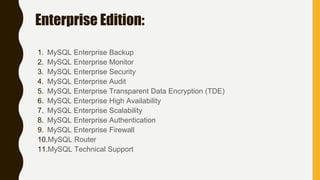
Enterprise Edition:
1. MySQL Enterprise Backup
2. MySQL Enterprise Monitor
3. MySQL Enterprise Security
4. MySQL Enterprise Audit
5. MySQL Enterprise Transparent Data Encryption (TDE)
6. MySQL Enterprise High Availability
7. MySQL Enterprise Scalability
8. MySQL Enterprise Authentication
9. MySQL Enterprise Firewall
10.MySQL Router
11.MySQL Technical Support

My SQL 1

  • 1.
    MySQL The World’s mostpopular open source DataBase -KHAN
  • 2.
    RDBMS DATABASES ARE CLASSIFIEDINTO TWO CATEGORIES : 1.DBMS(DATABASE MANAGEMENT SYSTEMS) 2.RDBMS(RELATIONAL DATABASE MANAGEMENT SYSTEMS DBMS: DBMS comprises of the DataBase that stores the data in the form of files. RDBMS: RDBMS comprises of the DataBase that stores the data in the form of Tables which internally consists of columns and rows started by E.F CODD
  • 3.
    Installation on Winsystems 1. Download the MySQL Server from https://dev.mysql.com/downloads/mysql/ 2. Install MySQL server on the system form downloaded package following the instructions. 3. Configure the installation of MySQL 5.6 by selecting config type. 4. At this time the MySQL server is started and running . 5. Test the DataBase using logging into MySQL
  • 4.
    Installation on Linux OnCentOS Fedora RedHat Editions: Install from local packages using yum installer: • yum install mysql mysql-server mysql-libs mysql- server Start and stop the MySQL : • service mysqld start • service mysqld stop • service mysqld restart
  • 5.
    On Ubuntu VubuntuEditions: Install from local packages using apt-get installer: • apt-get install mysql-client-5.1 mysql-server-5.1 Start and stop the MySQL : • service mysql start • service mysql stop • service mysql restart
  • 6.
    Tools for MySQL: Most popular and MySQL community tool: 1. MySQL workbench a. One can get it from https://dev.mysql.com/downloads/workbench/ b. Install the tool as per instructions and use it ; Prerequisite: MySQL on your system 2. phpMyAdmin a. One can get it from https://www.phpmyadmin.net/downloads/ b. The tool is mostly used in web and is mostly used tool . c. Prerequisite: MySQL on your system ; PHP and a local server like MAMP WAMP XAMMP
  • 7.
    MySQL Editions andversions Latest Version of available MySQL : 5.7.18 MySQL is available in two editions: 1. MySQL community edition 2. MySQL Enterprise edition Community edition is free software. Enterprise edition is a Paid licensed edition.
  • 8.
    Community edition: 1. PluggableStorage Engine Architecture 2. InnoDB and CSV and many more storage engines are supported by MySQL community edition. 3. MySQL Replication and MySQL Partitioning is also available for MySQL community edition. 4. MySQL workbench for comfortable usage of the database. 5. Easy access to metadata of tables is achieved by Performance schema. 6. MySQL Connectors (ODBC, JDBC, .NET, etc) for building applications in multiple languages.
  • 9.
    Enterprise Edition: 1. MySQLEnterprise Backup 2. MySQL Enterprise Monitor 3. MySQL Enterprise Security 4. MySQL Enterprise Audit 5. MySQL Enterprise Transparent Data Encryption (TDE) 6. MySQL Enterprise High Availability 7. MySQL Enterprise Scalability 8. MySQL Enterprise Authentication 9. MySQL Enterprise Firewall 10.MySQL Router 11.MySQL Technical Support